Tag: digital faxing

  • How to Fax Online for Free The Ultimate Guide

    How to Fax Online for Free The Ultimate Guide

    It might sound old-school, but faxing is still a surprisingly common requirement in today's world. Thankfully, sending a fax for free online is incredibly simple. All you need is a web-based service like SendItFax, where you can upload a file, type in the destination fax number, and hit send. No machine, no phone line, no hassle.

    Why Bother With Faxing Anymore?

    You’d be surprised. For all our digital progress, faxing remains a critical tool in sectors like healthcare, law, and government. Why? It's all about security and legal standing. A fax creates a direct point-to-point connection for sending sensitive documents, which is often considered more secure and legally binding than a simple email.

    This isn't just a niche practice; the online fax market is booming. It's projected to more than double, growing from USD 2.2 billion to USD 4.5 billion by 2035. A big part of that growth comes from people ditching clunky old machines for cloud-based faxing. In fact, if just 5% of users switched from traditional to online faxing, we could save a staggering 10 billion pages of paper annually.

    The Clear Edge of Faxing Online

    Choosing a free online fax service is the perfect modern solution to an old-world problem. You get to skip the bulky hardware, the extra phone line, and the endless costs of paper and toner. It’s a smarter way to work.
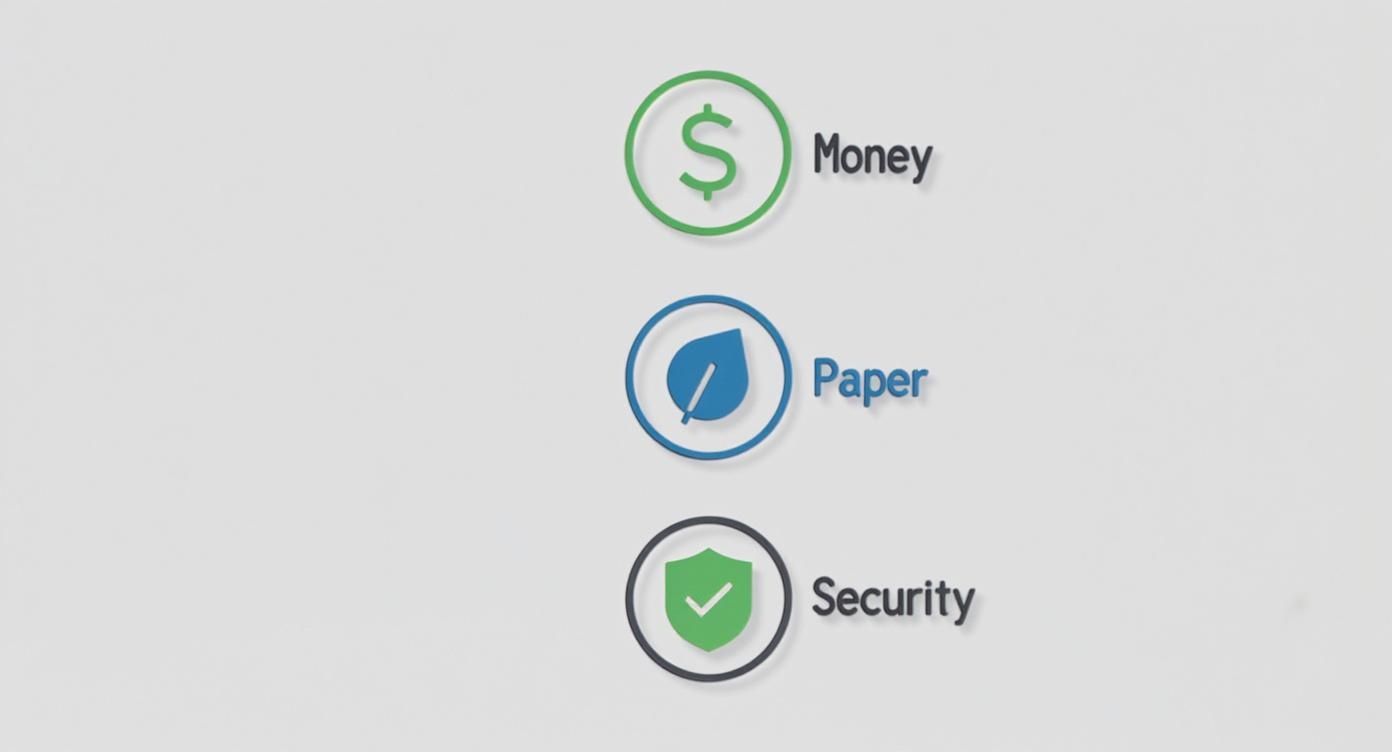
    Three icons with labels: Money (dollar sign), Paper (leaf), and Security (shield with checkmark).

    The benefits really stack up, especially for individuals or small businesses who only need to send a fax now and then:

    • Total Convenience: Send a document from your laptop, tablet, or even your phone—wherever you have an internet connection.
    • Zero Cost: You completely avoid the purchase price and ongoing maintenance costs of a physical fax machine.
    • Better Security: Reputable online services use encryption, which is a huge step up from leaving a sensitive document sitting in the tray of a shared office machine.

    Online faxing isn't just a replacement; it's an upgrade. It allows you to meet the requirements of legacy systems without giving up the efficiency and security we've come to expect from modern technology.

    Traditional Faxing vs Free Online Faxing

    Here’s a quick breakdown of how a free online service stacks up against a traditional machine for the occasional user.

    Feature Traditional Fax Machine Free Online Fax Service
    Initial Cost $100 – $400+ for the machine $0
    Ongoing Costs Paper, ink/toner, dedicated phone line, repairs $0 (for sending)
    Convenience Tied to a physical location Send from anywhere with internet
    Document Format Physical paper only Digital files (PDF, DOCX, JPG, etc.)
    Security Documents can be left exposed in the output tray Often includes encryption for secure delivery
    Environmental Impact Consumes paper and electricity Paperless and eco-friendly

    The choice is pretty clear. For sending the occasional document, a free service just makes more sense.

    Getting started is easy, but it helps to understand the fundamentals, like learning what is a fax number and how it works in a digital setup. Once you have that down, you'll see just how powerful this simple tool can be.

    Getting Your Documents Ready to Fax

    Before you can send a fax online, you need to have your document in a digital file. This might seem obvious, but the format you choose can make or break the whole process. Get it wrong, and your recipient could end up with a blurry, unreadable mess.

    Most free fax services are pretty flexible and accept common file types. But from my experience, one format stands head and shoulders above the rest for reliability.

    Pick the Right File Type for a Clean Send

    You'll usually see options for PDF, DOCX, and JPG. While you can send a Microsoft Word file (DOCX) or a simple image (JPG), I always recommend sticking with PDF (Portable Document Format).

    Why? Because a PDF is essentially a picture of your document. It locks everything in place—the fonts, the spacing, the images. This means what you see on your screen is exactly what will print out on the other end, which is crucial for things like signed contracts or official forms where every detail matters.

    Think of a PDF as a digital snapshot. It prevents anything from getting jumbled or reformatted during the fax transmission, guaranteeing a professional and readable result every time.

    From Paper to a Digital File

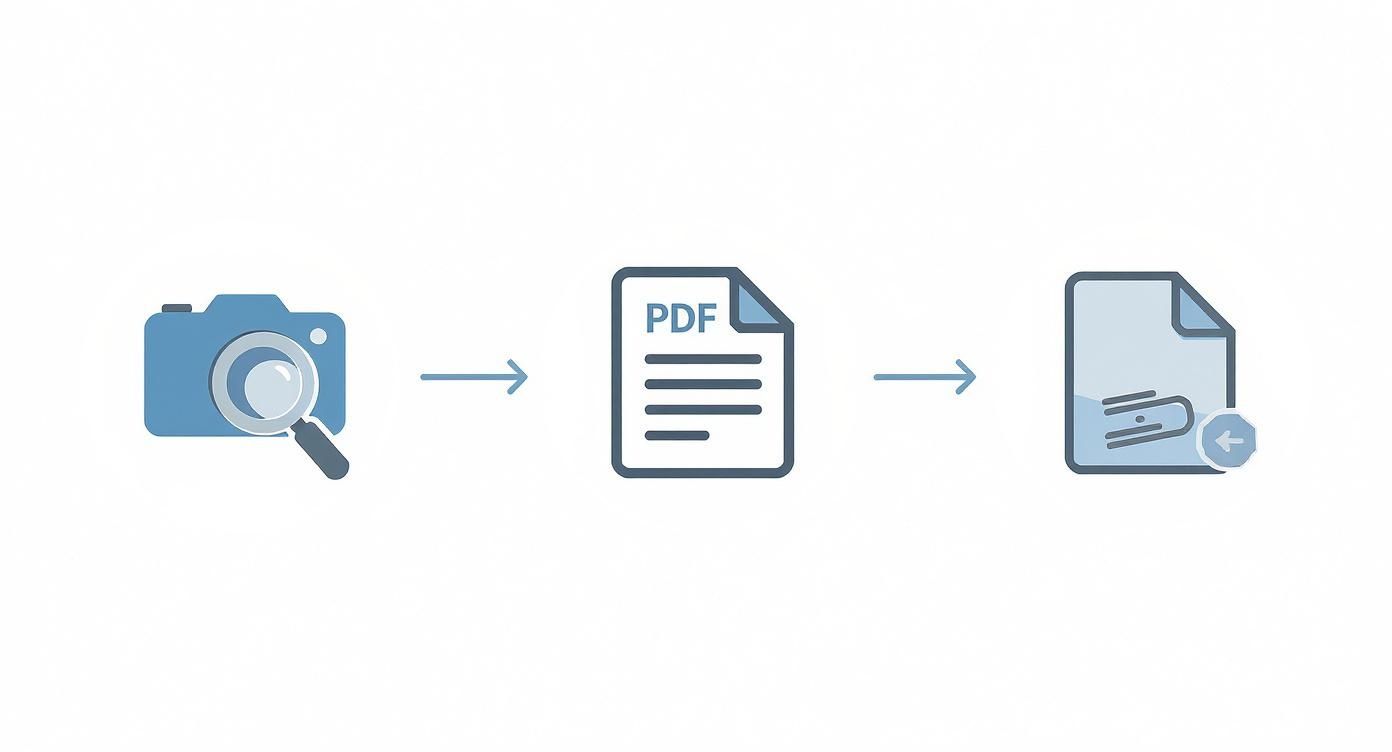
    What if your document is a physical piece of paper sitting on your desk? No problem. You don't need a clunky old scanner anymore; your smartphone is more than capable of doing the job.

    The camera on your phone, paired with a scanning app, can create a crisp digital copy. You might even have a scanner built right into your phone's native apps, like the Notes app on an iPhone or the Google Drive app on Android.

    To get a great scan, just follow these simple tips:

    • Light it up: Find a spot with good, even lighting. Lay your document on a flat, dark surface to create contrast. Try to avoid shadows or glare, as they can make the text hard to read.
    • Get a steady shot: Hold your phone parallel to the document, making sure you can see all four corners. Most scanning apps are smart enough to find the edges and straighten the image for you.
    • Tweak it a little: Once you've captured the image, use the app's editing tools to crop out the background. Bumping up the contrast can also make the text pop and the white background look cleaner.

    Mind the File Size

    This is a step people often forget. Free online fax services have to manage their resources, so they usually limit the size of the files you can send—typically somewhere between 5 MB and 10 MB. A really high-quality scan or a document with lots of images can easily blow past that limit.

    If your file is too big, don't worry. Just pop it into a free online PDF compression tool. A quick search for "compress PDF free" will turn up plenty of easy-to-use options that can shrink your file down without sacrificing much quality, ensuring it uploads and sends without a hitch.

    Sending Your First Free Online Fax

    You’ve got your document prepped and ready to go. Now for the easy part. Sending a fax online is surprisingly straightforward, but a few small details can make all the difference. Let's walk through it so you know exactly what to expect.

    Your first move is to head to a free online fax service. You'll immediately see a prompt to upload your file. This is where having that compressed PDF comes in handy—it makes for a quick and painless upload every time.

    Getting the Recipient Details Right

    This is where you need to pay close attention. It's the number one spot where faxes fail, and it's usually due to a simple typo.

    For faxes within the U.S. and Canada, it’s just the area code and the seven-digit number. Don't worry about adding a "1" for long-distance; the service handles that for you.

    Sending a fax internationally? You'll need to be a bit more careful. You have to start with the country code, then the city/area code, and finally the local number. For instance, a fax to London needs the UK's country code (44) at the very beginning. Forgetting that prefix is an almost guaranteed way to get a "failed transmission" notice.

    A quick tip from experience: Always, always double-check the fax number before you hit send. One wrong digit can send your confidential documents to the wrong machine or just into the ether. It’s a two-second check that can save you a massive headache.

    Why You Should Bother With a Cover Page

    The cover page is your fax’s handshake. It's the first thing your recipient sees. While some services like SendItFax make it optional on paid plans, I'd argue it's essential for free sends, especially if you're faxing a large office with a shared machine. A good cover page ensures your document doesn't get lost in the shuffle.

    Here's the key info to include:

    • To: The recipient's full name and title.
    • From: Your name and company (if it's relevant).
    • Date: The day you're sending it.
    • Subject: Be specific! "Signed Contract for Project Apollo" is a lot more helpful than "Contract."
    • Number of Pages: Don't forget to include the cover page itself in the count (e.g., "5 pages, including cover").

    Modern services make this whole process incredibly simple, turning what used to be a clunky office task into something you can do from your phone.
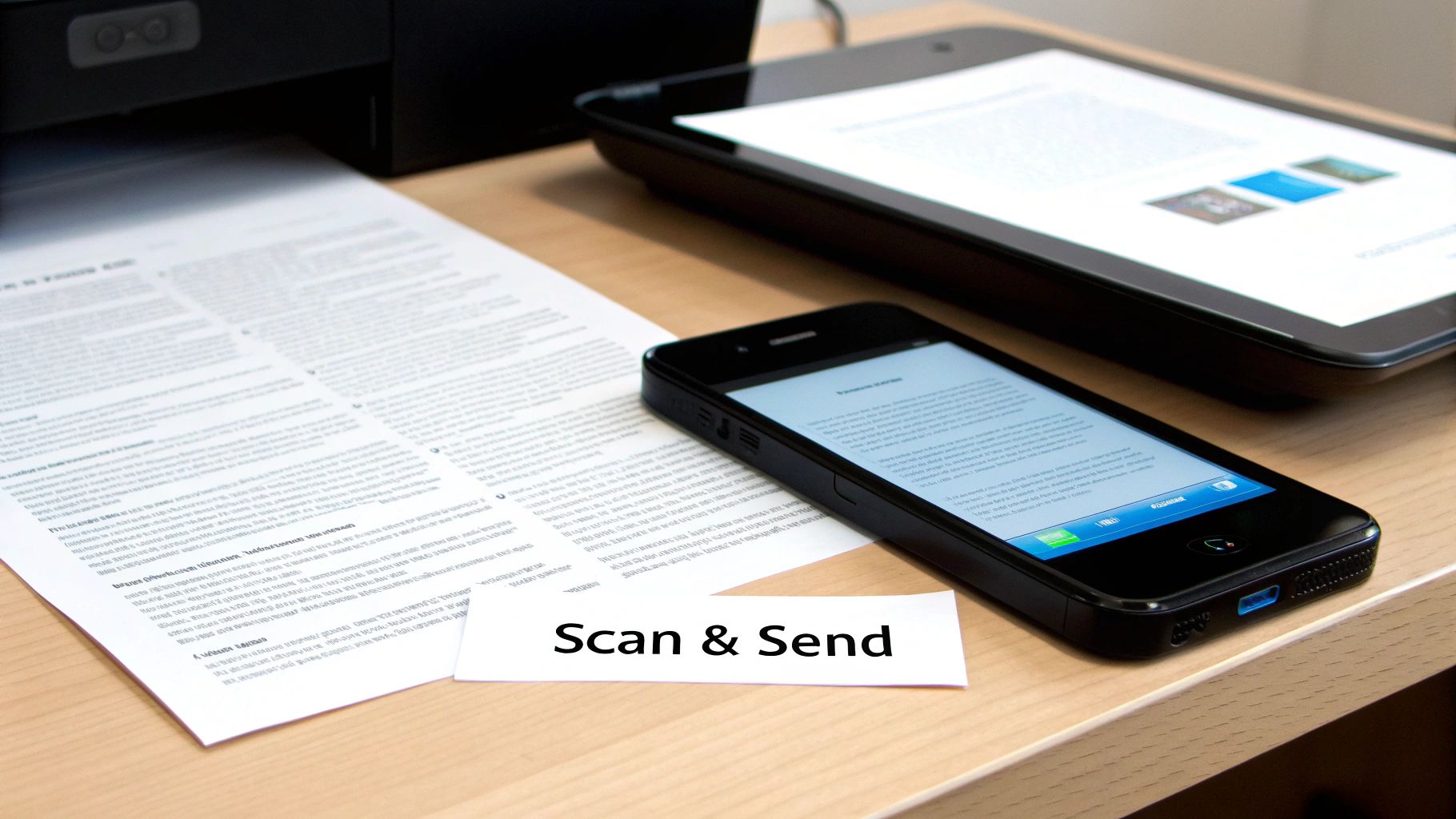
    A document being scanned and sent with a smartphone and tablet, featuring a 'Scan & Send' label.

    What Happens After You Click "Send"

    Once you hit that button, the magic happens behind the scenes. The service converts your file into a signal that a traditional fax machine can understand and then starts dialing. It's not always instant—if the recipient's line is busy, the system will patiently redial a few times.

    Keep an eye on your email inbox. You'll get a confirmation message that tells you whether the fax went through successfully or if it failed. This email is your proof of transmission, so it's important. If you don't see it within a few minutes, check your spam folder before you panic.

    A "failed" notification isn't the end of the world. It’s usually just a busy signal, a disconnected number, or that tiny typo in the fax number we talked about. The process to send a free fax from your computer is built to handle these little hiccups, but getting the details right from the start is the best way to avoid them.

    Navigating the Limits of Free Fax Services

    https://www.youtube.com/embed/I4YKQdY6xwk

    Free online fax services are an incredible tool for sending a quick document here and there, but it's important to go in with your eyes open. They all have guardrails in place, and knowing what they are ahead of time will save you a lot of frustration. I like to think of it less as a drawback and more as a simple trade-off for getting a service at no cost.

    The most common hurdle you'll run into is a daily page limit. Most providers will cap you at a certain number of pages per day, typically somewhere between three to five pages per fax. This is usually plenty for sending back a signed contract or a single application form. But what happens when your document is longer?

    Smart Workarounds for Page Limits

    Don't throw in the towel. With a little creativity, you can work around those limits pretty easily. Let's say you have a seven-page document but the service only allows five pages per fax. The answer is simple: split it up. It just takes a little extra communication.

    Here’s how I’ve handled this in the past:

    • Split your document. I use a free online PDF tool to break my seven-page file into two smaller ones. In this case, I'd make one with pages 1-4 and a second with pages 5-7.
    • Be crystal clear on your cover pages. For the first fax, I'll make the subject line something like: "Contract Submission – Part 1 of 2 (Pages 1-4)."
    • Send the second part right away. Then, I immediately send the next one with a corresponding subject: "Contract Submission – Part 2 of 2 (Pages 5-7)."

    This approach lets the person on the other end know exactly what to expect and makes it easy for them to assemble the full document. It keeps things professional and organized, which is always a good look.

    The real goal isn't just to get the pages sent; it's to make the recipient's job as easy as possible. Clear labeling on the cover page transforms a workaround into a thoughtful, organized process that prevents any mix-ups.

    Another big limitation is the inability to receive faxes. Free services are almost always a one-way street—you can send, but you can’t get one back. This makes sense, as providing a dedicated incoming fax number costs the provider real money. If you need two-way faxing, that’s the clearest sign that a free plan won't cut it for you.

    When It's Time to Consider an Upgrade

    Free services are purpose-built for occasional, non-critical faxes. But you’ll start to see signs when it’s time to look at a paid option, even a really affordable one.

    You should think about upgrading if you find yourself:

    • Constantly hitting the limits: If splitting documents or waiting for the next day to send a fax has become a regular part of your routine, your workflow is being slowed down.
    • Needing to receive faxes: This is the number one reason people make the switch. For any kind of business or official back-and-forth, a dedicated number is a must-have.
    • Wanting a more professional appearance: Free services, including SendItFax, often put their branding on the cover page. That’s perfectly fine for personal use, but a paid plan gets rid of it for a cleaner, more professional look.
    • Sending highly sensitive information: While most free services are secure enough for general use, paid plans often come with better compliance features and guaranteed priority delivery.

    For most people, the jump isn't to an expensive monthly subscription. A service like SendItFax has what they call an "Almost Free" plan where you pay a small, one-time fee per fax. It removes the branding, bumps your limit up to 25 pages, and gives your fax priority delivery. It's the perfect middle ground for when your needs have grown just a little bit.

    Keeping Your Sensitive Documents Secure

    When you're faxing something for free online, it’s easy to forget you're handling sensitive information. Whether it’s a signed contract or a personal medical form, you're handing that data over to a third-party service. Just because it's free doesn't mean you should have to compromise on security.

    Thankfully, good services take this seriously. The absolute bare minimum you should look for is encryption. Specifically, check for services using SSL (Secure Sockets Layer) or its more modern cousin, TLS (Transport Layer Security). This is the same stuff that protects your credit card details when you shop online. It essentially creates a scrambled, secure tunnel between your computer and the fax service, making your documents completely unreadable to anyone trying to snoop on them while they're in transit.
    Two stacks of documents and a 'SPLIT PAGES' sign on a wooden table outdoors in sunlight.

    Reading Between the Lines of a Privacy Policy

    Okay, I get it—nobody wants to read a privacy policy. It’s usually a wall of legal jargon. But taking just a minute to skim it can tell you everything you need to know about how your files are being treated.

    You don't need a law degree to spot the warning signs. Look for specific language about what happens to your documents after they’ve been sent. A reputable service will be up-front about deleting your files from their servers after a short, defined period.

    A solid privacy policy will explicitly state that your data will not be sold or shared with third-party advertisers. If the language is vague or gives the company broad rights to use your content, that's your cue to find a different service.

    An Essential Security Checklist

    Before you upload a single document, run through this quick mental checklist. These are the green flags that signal a service actually cares about your privacy.

    • SSL/TLS Encryption is a Must: Look for the "https://" at the beginning of the website's URL. If it's not there, don't use the service. Simple as that.
    • A Clear Data Deletion Policy: The service should automatically and permanently purge your sent faxes once the transmission is finished.
    • Minimal Data Collection: The service should only ask for what's truly necessary to send the fax—your email for a confirmation receipt and the recipient's fax number. Anything more is a red flag.

    For certain fields, you have to think about legal compliance, too. If you’re sending anything related to healthcare, for instance, the service absolutely must be HIPAA compliant. This is a federal standard that ensures patient information is handled with the highest level of security.

    Most free services won't meet this high bar, but it’s crucial to be aware of. Some methods, like sending faxes directly from your email, can add another layer of control. You can learn more about how to fax via email to see if that approach works better for your security needs. Ultimately, choosing a service with transparent, common-sense security practices lets you send faxes for free without looking over your shoulder.

    Troubleshooting Common Online Faxing Problems
    A person holds a tablet displaying a secure document with a lock icon, emphasizing secure online faxing.

    Even the simplest tech can have its moments. When you’re trying to get a free fax out the door, a small hiccup can feel like a major headache. The good news is that most of the time, the fix is incredibly simple.

    The most common issue by far is the dreaded "fax failed" notification. My first bit of advice? Don't panic. It rarely means something is wrong with the service or your document. In my experience, more than 90% of these failures boil down to just two things: a busy signal on the other end or a simple typo in the fax number.

    Before you even think about resending, take a breath and double-check the number you typed in. If you got it right, the receiving machine was probably just tied up. Give it a few minutes, then try sending it again.

    When Your Confirmation Email Goes Missing

    So you've hit "send," but there's no confirmation email in sight. It's easy to assume the fax failed, but that's usually not the case. The first place you should always look is your email's spam or junk folder. Automated messages from online services get flagged all the time.

    If it's not hiding in spam, check to see if the service has a user dashboard or a "sent faxes" log. Most do, and it’s the best way to get a real-time status update on your transmission without having to guess.

    A missing confirmation doesn't mean a failed fax. Always check your spam folder and the service's dashboard for a status update before you attempt to resend the document.

    Fixing Upload and Quality Issues

    Sometimes the problem pops up before you even get a chance to send it. If you can't get your file to upload, the culprit is almost always one of two things: the file is too big, or it's in the wrong format. Free fax services are strict about their size limits, so if your PDF is on the heavy side, run it through a free online PDF compressor to shrink it down.

    What if the fax goes through, but the person on the other end says it's blurry or unreadable? That’s not a transmission error—it’s an issue with the quality of your original file. A little prep work can make all the difference.

    Here’s what I recommend:

    • Rescan your document: Find a flat surface with good lighting and hold your phone steady, directly above the page. No weird angles.
    • Boost the contrast: Most scanning apps have a feature to make text darker and the background whiter. Use it.
    • Stick with PDF: Always save your final file as a PDF. It locks in the layout and quality, so what you see is what they get.

    Ultimately, a crisp, clean source file is the secret to a professional-looking fax. It ensures your message gets received loud and clear every time.

    Got Questions About Free Online Faxing?

    It's completely normal to have a few questions before you start sending faxes online. I've been doing this for years and have run into just about every scenario, so let's clear up some of the most common points of confusion.

    Can I Actually Receive Faxes for Free?

    This is probably the number one question I get, and the short answer is almost always no. Think of free online fax services as a one-way street—they're built for sending documents out, not for receiving them.

    To get incoming faxes, you need your own dedicated fax number. That's a feature you'll only find in paid plans, so if you need that back-and-forth communication, you'll have to spring for a low-cost subscription.

    How Safe Is It to Fax Sensitive Documents?

    You can fax sensitive documents, but you have to be smart about it. Your top priority should be finding a service that uses SSL/TLS encryption. That's the same technology your bank uses to keep your online sessions secure, and it scrambles your data as it travels, making it unreadable to anyone else.

    I'd also take a minute to read the provider's privacy policy. You want to see a clear statement that they automatically delete your files from their servers once the fax goes through. You don't want your private info just sitting on some company's server indefinitely.

    One thing I can't stress enough: free services are generally not HIPAA compliant. If you're dealing with personal health information or other legally protected data, you absolutely need to use a paid, secure service. It's the only way to meet your legal and privacy obligations.


    Ready to skip the old fax machine and send a document right now? With SendItFax, you can send up to three pages completely free, with no account sign-up required. If you've got a slightly longer document, our Almost Free plan handles up to 25 pages and gets you priority delivery. Give it a try at https://senditfax.com.
  • How to Fax Via Email A Modern Business Guide

    How to Fax Via Email A Modern Business Guide

    Sending a fax straight from your email is surprisingly simple. You just compose a message like any other, but instead of a person's email, you address it to a special address formatted like [faxnumber]@[faxservice].com. Attach your documents, click send, and an online fax service does the rest, acting as a translator between your email and the recipient's traditional fax machine.

    Sending Faxes from Your Inbox Explained

    An image showing a document being sent from an email client to a fax machine, representing the concept of faxing via email.

    Fax machines might feel like a blast from the past, but the need for secure and verifiable document delivery is as real as ever. Industries like healthcare, law, and real estate still lean heavily on faxing for sensitive information. The good news? You don't need a clunky machine taking up space to stay in the loop.

    Learning how to fax via email is the modern workaround. It blends the ease of your inbox with the proven reliability of faxing, completely eliminating the need for a physical machine, a dedicated phone line, and the endless cycle of buying paper and toner.

    Why Email to Fax Is Gaining Popularity

    The real magic here is in the simplicity. This method slots a decades-old communication standard right into the digital workflow you already use every single day.

    Think of it as a digital courier. It picks up your email, translates it, and delivers it perfectly to a physical fax machine on the other end. The benefits are hard to ignore:

    • Total Convenience: You can send a fax from literally anywhere you have an internet connection—your laptop, tablet, or even your phone.
    • Cost-Effective: Say goodbye to the upfront cost of a machine and the recurring expenses for ink, paper, and potential repairs.
    • Tighter Security: Top-tier services use encryption, which makes sending documents this way far more secure than attaching them to a standard, unencrypted email.

    The global online fax market isn't just surviving; it's thriving. Valued at USD 4.7 billion in 2022, it's projected to soar past USD 12.3 billion by 2030. A huge part of that growth comes from email-to-fax adoption across North America and other regions. You can explore more details on this growing market.

    Understanding The Core Components

    To get started, it's helpful to see how the pieces fit together. Here’s a quick breakdown of the essential parts of the email-to-fax process.

    | Email to Fax Key Components |
    | ————————- | ———————————————————————————————– | ———————————————————————————————————————– |
    | Component | What It Is | Why It's Important |
    | Your Email Client | The email program you already use, like Gmail, Outlook, or Apple Mail. | This is your command center. No new software to learn; you send the fax from a familiar, comfortable environment. |
    | Online Fax Service | A subscription-based service (like SendItFax) that provides the email-to-fax gateway. | This is the engine that powers the whole process, handling the technical conversion and transmission to the fax machine. |
    | Special Email Address | A unique address combining the recipient's fax number and the service's domain. | This tells the service exactly where to send the fax. It’s the digital equivalent of dialing a fax number. |
    | Your Document | The file you want to fax, usually attached as a PDF, Word doc, or another common file type. | This is the content of your fax. The service converts this attachment into a format a fax machine can read and print. |
    | Confirmation Receipt | An automated email you receive from the service confirming whether the fax was sent successfully. | This provides peace of mind and a verifiable record that your document was delivered, just like a traditional fax report. |

    Ultimately, the process hinges on just a few key elements working in concert. Your familiar email client is the starting point. The online fax service provides the critical infrastructure. And your document—often a PDF or Word file—is the payload. The service handles all the tricky technical work in the background, making it the perfect way to send a fax without a physical fax machine. All you do is send an email and wait for the confirmation to hit your inbox.

    Choosing the Right Online Fax Service

    Before you can even think about sending a fax from your email, you need a service to bridge the gap between your inbox and an old-school fax machine. Think of it as a digital translator. But here's the thing: not all of them are built the same. Picking the right one from the start will save you a world of headaches, ensuring your faxes get where they need to go securely and without breaking the bank.

    The first thing I always look at is the pricing. Some services are perfect for those rare, one-off faxes where you just pay for what you send. Others are built for businesses that fax regularly, offering monthly plans with a set number of pages and a dedicated number. It's all about matching the model to how often you'll actually be using it.

    Evaluating What Really Matters

    Once you have a budget in mind, it's time to get into the nitty-gritty of the features. This is where you separate the decent services from the great ones. You're looking for a solid mix of security, flexibility, and someone to call when things go wrong.

    Here’s my personal checklist of what to look for:

    • HIPAA Compliance: This is an absolute deal-breaker if you're in healthcare or handling any kind of sensitive personal information. A HIPAA-compliant service means your documents are locked down with serious encryption, both on their way and while stored.
    • International Faxing: Planning to send documents across the globe? You need to check the provider's international reach and, more importantly, their rates. Some don't offer it at all, and others have costs that can sneak up on you.
    • Customer Support: Trust me, when a time-sensitive contract won't go through at 4:55 PM on a Friday, you'll want fast, helpful support. See if they offer live chat, email, or a phone number you can actually call.

    My Two Cents: Don't get fixated on the low monthly fee. Always check the overage rates—the cost for each page you send after hitting your monthly limit. Those fees can turn a "great deal" into a budget buster really fast.

    Getting Your Account Set Up

    Once you’ve found a service you like, getting started is usually a breeze and takes just a few minutes. You'll create an account, fill in your details, and then move on to the important part: the fax number.

    Most providers will give you a few choices for your number:

    • A local number is great for giving a small business that hometown feel.
    • A toll-free number (like an 800 or 888) adds a layer of professionalism and makes it free for clients to fax you.
    • Many services also let you port your existing fax number over, which is a lifesaver for avoiding confusion and maintaining business continuity.

    The final step is a crucial security check: authorizing the email addresses you'll be sending from. You simply add your email (and maybe your assistant's) to a "whitelist" in your account settings. This is what stops someone else from spoofing your email and sending faxes that look like they came from you.

    Of course, if you just need to send a quick, one-time fax and don't want to sign up for a service, there are other options. Our guide on how to get a free fax from your computer walks you through some solid alternatives for those occasional needs.

    How to Compose and Send Your First Fax

    With your online fax account set up, you're ready to turn a regular email into a fax. The great thing is, if you know how to send an email, you're already 90% of the way there.

    The whole process works by sending your email to a special address. This isn't your typical contact@company.com format. Instead, it's a unique combination of the recipient's fax number and your service's domain name, which tells the system exactly where to send your document.

    This quick overview breaks down the core steps you'll follow.

    Infographic about how to fax via email

    As you can see, the initial setup is the one-time groundwork that makes sending future faxes a breeze.

    Assembling Your Email Fax

    Go ahead and open a new message in whatever email client you use daily, whether it's Gmail, Outlook, or something else.

    Now for the most important part: the recipient’s address. In the "To" field, you’ll type the fax number followed by the service's domain. For example, it will look something like this: 18885551212@senditfax.com. I can't stress this enough—double-check that number! A single wrong digit is the number one reason faxes fail to go through.

    Next up are the subject line and the body of your email. Your fax service cleverly converts these into a professional-looking cover page, so you don't have to create one from scratch.

    • The Subject Line: This becomes the bold headline on the cover sheet (e.g., "Subject: Confidential Medical Records").
    • The Email Body: Whatever you write here will appear in the main "notes" or "comments" section of the cover page.

    A quick pro-tip: keep your cover page text short and to the point. Always include your name, company, and a direct contact number. It makes life easier for the person on the other end and ensures they know how to reach you if they need to.

    Attaching Your Documents

    With the cover page details sorted, it's time to attach the actual document you want to send. This is where file choice matters. While most services are pretty flexible, sticking to standard formats is your best bet for a smooth, error-free transmission.

    Here's a quick reference for the most common file types you'll be working with.

    Common Supported Document Types

    File Format Common Use Case Compatibility Note
    PDF (.pdf) Contracts, invoices, official forms The gold standard for faxing. It preserves formatting perfectly.
    Microsoft Word (.docx) Letters, reports, drafts Widely supported, but complex formatting may shift slightly.
    JPEG/PNG (.jpg, .png) Images, scans, photographs Best for visual content. Ensure the resolution is high enough to be legible.
    Microsoft Excel (.xlsx) Spreadsheets, financial data Use with caution. Only simple, one-page sheets will format reliably.

    I always tell people to avoid attaching obscure or proprietary file types. They're almost guaranteed to cause a failure. When in doubt, just convert your document to a PDF before you attach it. It’s a simple step that prevents a lot of headaches. Our guide on how to send faxes online has more in-depth tips on getting your documents ready.

    Once your file is attached, all that's left is to hit "Send." Your service takes it from there, handling all the technical magic.

    It might seem old-school, but the online fax market is surprisingly robust. It has seen a compound annual growth rate of about 11%, and its value climbed past USD 2.4 billion by 2023. This isn't just nostalgia; industries like healthcare and finance depend on the enhanced security faxing provides over standard email. You can read more about the sustained growth of the online fax industry to see why it remains so critical.

    Confirming Delivery and Troubleshooting Issues

    https://www.youtube.com/embed/RjzyniUgqHQ

    Once you hit "send," how do you know your fax actually made it? This is where email-to-fax services really shine compared to just firing off a regular email into the digital void. You’re never left guessing.

    Within a few minutes, you should get an email receipt from your fax service. This confirmation is your official proof of transmission, and it’s a big reason why faxing is still the go-to for so many important documents.

    What a Success Confirmation Looks Like

    Think of the success confirmation as your digital handshake. It’s not just a simple "sent" notification; it’s a verifiable record that your document arrived safely.

    Here’s what you should look for in that email to know everything went through perfectly:

    • Transmission Time and Date: A precise timestamp showing the exact moment the fax was delivered.
    • Recipient's Fax Number: Double-checks that you sent it to the right machine.
    • Total Page Count: The number of pages successfully sent, including your cover sheet.
    • A Thumbnail Image: Many services like SendItFax handily include a small image of the fax's first page for quick visual confirmation.

    I always recommend saving these confirmation emails, especially if you're sending contracts, legal notices, or anything with a deadline. It’s your official record, just like a postmarked envelope.

    Decoding Failure Notifications

    Of course, things don't always go smoothly on the first try. If a fax fails, you'll get a failure notification instead. Don't worry—these emails are actually helpful and are designed to tell you what went wrong.

    Key Takeaway: A failure notice isn't the end of the road. Most online fax services automatically retry sending a few times if the line is busy. The notification email is your cue to investigate if the problem persists after these automatic retries.

    This image shows a classic telecopier, the machine that made faxing a global standard for decades.

    A classic telecopier machine, the predecessor to modern fax machines.

    Modern email-to-fax services essentially act as a digital bridge to these machines, translating your email and its attachments into a signal they can understand and print.

    Common Issues and How to Fix Them

    Let's walk through the most common reasons a fax fails. I’ve seen these pop up countless times over the years, and thankfully, the fix is almost always simple.

    1. The "Busy Signal" Error
    This is, by far, the most frequent culprit. It just means the recipient's fax machine was tied up with another call or wasn't able to answer. Most services will automatically try again a few times. If it keeps failing, I’d wait about 15-20 minutes before resending. If that doesn't work, it might be worth calling the recipient to make sure their machine is on and ready.

    2. Incorrect Fax Number
    It happens to the best of us. One wrong digit and your fax is headed to the wrong place—or nowhere at all. Always take a second to double-check the number in your email's "To" field, making sure you’ve included the full number with its area code.

    3. Unsupported File Type
    Trying to attach something like a video file or a niche design file will cause an immediate failure. The service simply won't know what to do with it. Your safest bet is to stick with the classics: PDF, DOCX, and JPG. When in doubt, just convert your document to a PDF before attaching it. It's the most reliable format for faxing.

    Keeping Your Information Safe When Faxing by Email

    An image of a secure padlock icon overlaid on an email and a fax machine, symbolizing secure email faxing.

    Let's face it: when you're faxing, you're often sending sensitive stuff—contracts, patient records, or financial documents. Standard email is notoriously porous, but when you pair it with a solid online fax service, it actually becomes a remarkably secure way to transmit documents.

    Think about it this way: a typical email can be intercepted as it hops from server to server. A quality online fax service, however, encrypts your data the moment you hit send. Your document is protected from your computer all the way to the service's servers, then securely delivered over the phone network to the recipient’s fax machine. It's a much more controlled and private journey.

    Must-Have Security Features in a Fax Service

    Not all email-to-fax providers are built the same, particularly when security is on the line. If you're sending anything remotely confidential, you have to do your homework and make sure your provider has the right safeguards.

    Here are the non-negotiables I always look for:

    • SSL/TLS Encryption: This is the same basic technology that secures your credit card details when you shop online. It ensures the connection between your device and the fax service is scrambled, making it unreadable to eavesdroppers.
    • Secure Cloud Storage: Your faxes—both sent and received—shouldn't just sit on a server in plain text. They need to be stored in an encrypted environment to block any unauthorized access after the fact.
    • Compliance (HIPAA, GDPR, etc.): If you're in healthcare or handle data from European citizens, choosing a service that meets HIPAA or GDPR standards isn't just a good idea, it's a legal requirement. This is your guarantee that they follow the strictest protocols for data privacy.

    The security of online faxing is a big reason the global market, valued at around USD 3.27 billion in 2024, is expected to hit nearly USD 5 billion by 2035. Businesses need secure, compliant ways to handle documents, and this method fits the bill perfectly. You can learn more about the growth of the fax services market and see how security is driving adoption.

    My Pro Tip: Before committing to any service, hunt down their security or privacy policy page. A transparent provider will be upfront about the specific measures they take to protect your data. If they're vague about it, that's a red flag.

    Simple Habits for Better Fax Security

    The technology is only half the battle; your own habits play a huge role in keeping your information safe. Adding a few simple checks to your routine will give you an extra layer of protection on every fax you send.

    Think of this as your personal security checklist before hitting send.

    • Double-check that number. It sounds obvious, but a single typo can send your confidential document to a complete stranger. It takes five seconds to verify the recipient’s fax number, and it's the most common mistake people make.
    • Use a strong, unique password. Protect your online fax account with the same care you would your bank account. A complex password is your first line of defense against unauthorized access.
    • Watch what you put on the cover page. Remember, the subject and body of your email often become the fax cover page. Avoid putting extremely sensitive information like social security numbers or credit card details there. Keep it professional and to the point.
    • Manage your list of authorized senders. Most services let you create a list of email addresses that can send faxes from your account. Periodically review that list and remove anyone who no longer needs access. It's good security hygiene.

    Got Questions About Email Faxing? We've Got Answers

    Even when the steps are laid out, moving away from a clunky fax machine can feel a little strange at first. It's totally normal to have a few questions as you get comfortable sending faxes straight from your inbox. Let’s clear up some of the most common things people ask.

    The first question is almost always about the other side of the coin: receiving faxes. Can you get them, too? Absolutely. When you sign up for an online fax service, you get a real fax number. Anyone can send a fax to that number from a traditional machine, and the service instantly converts it into a PDF and drops it right into your email inbox. It's that simple.

    Can I Send a Fax to Another Country?

    This comes up a lot, and the answer is a definite yes. Sending a fax internationally is just as easy as sending one down the street. All you have to do is format the recipient's number correctly in the email's "To" field, making sure to include the proper country code.

    For example, if you were faxing someone in London, the address would look something like this: 442079460000@faxservice.com.

    Pro Tip: Before you hit send on an international fax, always check your provider's pricing. Rates for sending faxes overseas are higher than domestic ones and can vary wildly from one country to the next. A quick glance at the rate sheet can save you a nasty surprise on your bill.

    What If the Fax Line on the Other End Is Busy?

    This is one of my favorite advantages of online faxing over old-school machines. If the recipient's line is busy, you don't have to do a thing. Your fax service will automatically keep trying to send it for you.

    Most services will attempt to redial periodically for up to an hour. It's a true "set it and forget it" system. If it still can't connect after all those attempts, you'll get an email letting you know it failed. No more standing by the machine, hitting redial over and over again.


    Ready to skip the hassle and send your first fax? With SendItFax, you can fax your documents right from your browser in just a few minutes. There's no account to create and no subscription needed. Just upload your file, type in the number, and you're done. Give the quick and easy way to fax a try by visiting https://senditfax.com today.

  • How to Send Fax Online The Definitive Guide

    How to Send Fax Online The Definitive Guide

    Sending a fax online is surprisingly simple: just upload your document to a web service, punch in the recipient's fax number, and hit send. That’s really all there is to it. The service takes care of the technical side, translating your digital file into a signal that any old-school fax machine can understand and print.

    Why Online Faxing Is Your Modern Solution

    A person using a laptop to send documents, symbolizing the ease of online faxing.

    If the word "fax" still makes you picture a clunky machine screeching away in a dusty corner, it's time for a new mental image. Modern faxing has completely ditched the dedicated phone line and evolved into a flexible digital tool you can use right from your browser.

    Think of online fax services as a digital bridge. They connect your modern devices—like a laptop or smartphone—to the traditional fax machines still used in many industries. This isn't just a gimmick; it’s a practical shift toward smarter, more secure communication.

    The Real-World Benefits

    Making the switch from a physical machine to an online service comes with some serious perks. From my experience, these are the advantages that really convince people to go digital.

    • Slash Your Costs: Forget about buying paper, ink, or toner. And you can finally ditch that dedicated phone line, which often saves a surprising amount on monthly overhead.
    • Seriously Better Security: Your documents are sent using encryption. This protects sensitive information from prying eyes, which is a real risk with a shared office fax machine where pages can sit out in the open.
    • Work-From-Anywhere Convenience: Need to send a time-sensitive document while you're at a coffee shop or working from home? No problem. As long as you have an internet connection, you're good to go. This flexibility is a huge reason why so many now choose to fax without a traditional landline.
    • A Greener Choice: Keeping the entire process digital means you’re not printing pages just to send them. It’s a small change that significantly cuts down on paper waste.

    The global online fax service market was valued at USD 2.52 billion in 2024 and is on track to hit USD 4.54 billion by 2033. This isn't just a niche trend; it shows a massive, industry-wide move away from outdated hardware. You can dig into the numbers on the growth of the online fax market.

    Stick with me, and I’ll walk you through just how easy it is to send your first online fax—you won't even need to create an account.

    Getting Your Documents Ready for Online Faxing

    Before you can fire off a fax from your browser, you need to get your document into the right digital shape. Getting this part right is the key to making sure your fax arrives looking clean, professional, and exactly as you intended.

    Think of it this way: a traditional fax machine scans a physical piece of paper and transmits a black-and-white image. Online faxing does the same thing, but it starts with a digital file. That's why the file format you choose is so critical—it prevents weird formatting glitches and ensures a perfect delivery.

    The Best File Format for Faxing

    While our service at SendItFax is flexible and accepts common formats like Microsoft Word files (DOC/DOCX) and even images (JPG/PNG), there's one format that stands head and shoulders above the rest: PDF (Portable Document Format).

    So, why is PDF the gold standard? It essentially freezes your document in time, locking in all the fonts, images, and layouts. A Word document, on the other hand, can sometimes look different on another computer, which is the last thing you want when sending an important contract. Using a PDF guarantees that what you see on your screen is precisely what will print out on the other end.

    My Go-To Tip: When you're ready to save, always look for the "Save as PDF" or "Export to PDF" option in whatever program you're using. If you're scanning a physical document, set the scanner to save directly to PDF. This one small step saves a world of potential headaches.

    From Paper to Pixels: How to Digitize Your Documents

    What about that signed contract or filled-out form sitting on your desk? You’ll need to turn it into a digital file first. Don't worry, you don't need any fancy equipment for this—your smartphone is more than capable.

    • Your Smartphone is a Scanner: Apps like Adobe Scan and Microsoft Office Lens are fantastic for this. Even the built-in Notes app on an iPhone works great. Just place your document on a flat, well-lit surface, and snap a picture. The app will automatically straighten it out, boost the contrast, and give you a sharp, readable PDF.
    • A Desktop Scanner: If you're dealing with a stack of pages, a traditional flatbed scanner is still a great choice. To ensure everything is crystal clear, set the resolution to at least 200 DPI (dots per inch) and save all the pages as a single PDF file. This makes uploading a breeze.

    Don't Forget the Cover Sheet

    A fax cover sheet is like a professional handshake. It quickly tells the recipient who you are, who the fax is for, and what’s inside. Even if the service you’re using can generate one automatically, taking a moment to fill it out properly adds a layer of clarity and professionalism.

    A solid cover sheet should always contain these four things:

    1. To: The recipient’s full name and fax number.
    2. From: Your name, company, and a good callback number.
    3. Subject: A quick, clear summary of what you're sending.
    4. Page Count: The total number of pages, including the cover sheet itself.

    Many online fax platforms, including SendItFax, build the cover sheet right into the sending workflow. You’ll be prompted to fill in these details just before you hit send. If you want to dive deeper into how this works with different setups, you can read more about various ways to handle email to fax transmissions, which often manage cover page info automatically. A few seconds spent here ensures your important document lands on the right desk without any confusion.

    Sending Your First Online Fax Without an Account

    Alright, you've got your documents prepped and ready to go. Now for the easy part: actually sending the fax. The beauty of modern online faxing, especially without needing an account, is how quick and painless it is. The goal is to get your document where it needs to be with zero headaches.

    Let’s walk through how this works in the real world using a pay-as-you-go service. These are my go-to recommendation when you just need to send a single document and don't want to get roped into a monthly subscription. Everything happens on one simple page.

    The Core Sending Process

    Getting started is as intuitive as you'd hope. First, you'll upload the document you just prepared—maybe it's a PDF of a signed contract or a Word doc of an invoice. Most services, including SendItFax, let you just drag and drop the file right onto the page or use a standard "Upload" button.

    Once your file is loaded, you just need to plug in the delivery details. This is where you'll tell the service who it's going to and who it's coming from.

    This infographic breaks down the prep work that makes the sending process so smooth.

    Infographic about how to send fax online

    A successful fax really starts before you even hit "send." A clean scan, the right format, and a professional cover sheet set you up for success.

    Entering the Right Information

    This is the one part where you need to be meticulous. One wrong digit in the fax number, and the whole thing fails. Pay close attention here.

    • Recipient's Fax Number: Type in the full 10-digit number for any US or Canada destination. Don't add a "1" in front of the area code like you would for a long-distance call; it's not needed.
    • Your Information: You’ll need to provide your name and a valid email address. The email is critical—it’s where your delivery confirmation receipt will be sent.
    • Cover Page Message: You'll see a spot to add a short message. This is perfect for a subject line ("Invoice #4521") or a quick note ("Signed contract attached, as requested.").

    Choosing Between Free and Paid Options

    One of the biggest questions I get is whether to use a free service or spring for a low-cost paid one. Honestly, the answer just depends on what you're sending and to whom.

    Free services are fantastic for quick, non-sensitive documents. They usually let you send a few pages at no cost but will place their own branding or a small ad on the cover page. If you're sending something informal, they work great.

    On the other hand, a low-cost, one-time payment option (what we call an "Almost Free" plan) gives you a professional edge for less than the price of a coffee. You typically get to send more pages, your fax gets priority in the queue, and—most importantly—there’s no third-party branding on your cover sheet. For any kind of business communication, that clean look is worth the tiny cost.

    Here's a quick way to look at it:

    Choosing Your Online Faxing Method

    Deciding between free and paid often comes down to the purpose of your fax. This table breaks down the key differences to help you make the right call in seconds.

    Feature Free Services Paid Services (e.g., 'Almost Free')
    Cost $0 A small, one-time fee (typically $1-$2)
    Cover Page Includes service branding or ads Clean, professional, and brand-free
    Page Limit Usually limited (e.g., 3-5 pages) Higher page count included (e.g., up to 25 pages)
    Delivery Speed Standard queue Priority delivery
    Best For Personal, non-urgent, or informal documents Business, legal, healthcare, or any professional use
    Security Basic transmission security Often includes enhanced security and HIPAA compliance
    Confirmation Basic email confirmation Detailed confirmation with a transmission record

    Ultimately, if you're sending a registration form to your local gym, the free option is probably fine. But if you’re submitting a time-sensitive legal document or a patient intake form, the paid option is the only way to go.

    For a deeper dive, our guide on how to send a free fax from your computer really gets into the weeds on the pros and cons of each.

    Once you’ve filled everything out and chosen your service level, you just hit the send button. The platform handles the rest, converting your digital file and dialing up the recipient's fax machine. In a few minutes, you’ll get that confirmation email, giving you a clear record that your document arrived safely.

    Keeping Your Faxes Secure and Private

    A digital lock icon overlaid on a document, symbolizing secure online faxing.

    Let's be honest—when you're sending a fax, it’s usually because the contents are important. We’re talking about contracts, medical records, or sensitive financial documents. The last thing you need is that information getting into the wrong hands. This is where understanding how to send a fax online securely gives you a massive advantage over the old-school way.

    Just picture a traditional fax machine humming away in a busy office. Your confidential report prints out and just… sits there. It's out in the open for anyone walking by to see. Online faxing completely sidesteps that risk. Your document is sent digitally, landing securely in the recipient's inbox, not on a shared paper tray.

    The Tech Keeping Your Documents Safe

    Good online fax services don’t just send your files; they wrap them in a layer of powerful encryption from the moment you click "send." The workhorse behind this is SSL/TLS (Secure Sockets Layer/Transport Layer Security). If that sounds familiar, it should—it’s the exact same security standard your bank uses to protect your online transactions.

    What SSL/TLS does is create a private, encrypted tunnel for your document to travel through. So, even if someone managed to intercept the data while it’s in transit, all they’d get is a bunch of unreadable, scrambled code. It's a level of security that an old analog phone line just can't offer.

    Why Professionals Trust Online Fax for Compliance

    For anyone working in healthcare, law, or finance, data security isn't just a good idea; it's a legal necessity. Regulations like HIPAA in the United States mandate the secure handling of patient health information, which is a big reason why the market shift towards secure online faxing is so pronounced in medical fields. They need the encryption and audit trails that traditional faxing simply doesn't provide.

    A huge benefit here is the automatic digital paper trail. Every fax you send comes with a clear record.

    • A precise timestamp of when you sent it.
    • A clear confirmation of successful delivery.
    • A permanent record of the recipient's fax number.

    This audit trail is pure gold when you need to prove a document was sent and received on a specific date, which is often crucial for legal notices or time-sensitive contracts.

    Choosing a service built with security in mind really just gives you peace of mind. You can send sensitive information with confidence, knowing it’s protected by solid encryption and backed by a verifiable delivery record.

    At the end of the day, it’s all about making sure your private information stays private. Using an encrypted online fax service is a simple but powerful step to protect your data.

    What to Do When Your Online Fax Fails

    Even the best online fax services can hit a snag. Seeing that "transmission failed" email can be annoying, but don't worry—it’s usually an easy fix. Unlike an old-school fax machine that just gives you a cryptic error code, online services give you clear clues about what went wrong.

    Most of the time, the problem isn't some major technical meltdown. It’s often something simple: the line was busy, you mistyped a number, or there was an issue with your file. Instead of just hitting "send" again and again, let's figure out what’s actually happening.

    Figuring Out the Failure Message

    That notification email is your best friend. It almost always tells you why the fax failed, so you know exactly what to do next.

    Here are the most common culprits I see and how to handle them:

    • Busy Signal: This is the big one. It just means the recipient's fax machine was already tied up or maybe even switched off. The fix is simple: just give it 10-15 minutes and try again.
    • No Answer: This means their machine never picked up the call. The first thing you should do is double-check the fax number you entered. It's so easy to get one digit wrong, and that's all it takes for the fax to go into the void.
    • File Error: Sometimes the problem is the document itself. If your file is too big or in a format the service doesn't like, it won't go through. Stick to standard formats like PDF, DOC, or DOCX, and keep an eye on the page limit (most services have a cap, like 25 pages).

    Believe it or not, faxing is still incredibly busy. Industry data shows 82% of workers at large companies send the same faxes daily, and 89% of IT professionals continue to rely on faxing. All that traffic means busy signals are more common than you might think. You can dig into more of these online fax statistics to see just how prevalent it still is.

    A Quick Troubleshooting Checklist

    Before you try sending it again, run through these quick checks. In my experience, this solves 99% of delivery issues and will save you a ton of headache.

    1. Check the Fax Number (Again): Seriously, look at it one more time. Carefully re-type the full 10-digit number for faxes to the US or Canada. A single transposed digit is the most common reason for failure.
    2. Look at Your Document: Is the scan clean and easy to read? A fuzzy or crooked document can get rejected by the receiving machine. If it looks rough, just rescan it with good lighting.
    3. Think About File Size: If you're sending a huge contract loaded with images, the file might be too large to transmit reliably. If you keep getting an error, try splitting the document into two smaller faxes.

    Running through these steps will help you quickly pinpoint the problem and get it fixed. It’s a much better approach than just guessing, and it ensures your documents get where they need to go.

    Got Questions About Online Faxing? We've Got Answers.

    Alright, now that you've seen how the process works, let's dig into some of the questions that pop up when people first start faxing online. Getting these sorted out will help you send your next document with complete confidence.

    The great thing is, most of the common hang-ups are simpler than you'd expect. Modern online faxing was designed from the ground up to be intuitive, getting rid of all the old technical headaches.

    Can I Also Receive Faxes This Way?

    Absolutely. While this guide is all about sending, most dedicated online fax platforms offer plans that give you your very own virtual fax number. This is a total game-changer if you need to both send and receive documents on a regular basis.

    Here's how it works: when someone faxes your virtual number, there's no physical machine involved. The service instantly converts the incoming fax into a PDF and delivers it straight to your email. You can then open, save, or forward it just like any other attachment, from anywhere in the world.

    Do I Need Any Special Equipment?

    Nope, and that’s one of the best parts. You can completely forget about bulky fax machines, dedicated phone lines, and all the toner and paper that goes with them.

    All you need is a device with an internet connection. Your laptop, your tablet, even your smartphone is all the hardware you need to get the job done. This freedom is what makes online faxing a perfect fit for remote work, business travel, or just clearing clutter off your desk.

    Is It Safe and Legal to Fax Sensitive Documents Online?

    Yes, it’s not only legal but often far more secure than using a traditional fax machine. Any reputable online fax service builds its platform with security as the top priority, using strong encryption to protect your documents while they're in transit.

    Many services are specifically built to be compliant with tough industry regulations like HIPAA (Health Insurance Portability and Accountability Act). This makes them a trusted and legally sound choice for professionals in healthcare, law, and finance to send contracts, patient records, and other confidential files.

    Plus, the digital confirmation receipt you get for every transmission provides a clear audit trail—something a dusty old machine could never offer.

    How Can I Be Sure My Fax Was Actually Delivered?

    This is where online faxing really shines. Gone are the days of listening for a specific beep or trying to decipher a cryptic error code. Online services give you a clear, definitive digital paper trail.

    Shortly after you hit send, you'll receive an automated email confirmation that serves as your proof of transmission. No more guessing games.

    • This receipt will tell you point-blank if the delivery was successful or if it failed.
    • If it failed, it usually gives a reason, like a busy signal or an invalid number.
    • This lets you immediately pinpoint the issue, fix it, and resend with confidence.

    This instant feedback loop takes all the anxiety out of the process. You'll always know the exact status of your documents, which offers some serious peace of mind.


    Ready to send your first fax without the hassle? With SendItFax, you can send your document securely from any browser in just a few clicks—no account needed. Try our Almost Free plan for a professional, ad-free experience at https://senditfax.com.