A fax number is a telephone address where machines exchange documents point to point, and more than 9 billion faxed documents were sent by the U.S. healthcare sector in 2019. It remains essential in regulated industries because it produces verifiable transmission receipts and interoperates across systems that won't accept email attachments.
You may be dealing with that reality right now. A clinic has asked for a signed authorization, an insurer requires a claim form, or a government office has given you a fax number instead of an email address. You have the document ready, but the instruction feels outdated because you don't own a fax machine.
The important idea is that a fax number isn't just an old telephone number. It's a machine-to-machine routing endpoint, a destination that tells a fax system where to establish a document transmission and which office or department should receive it. That design still matters when organizations need compatibility, a traceable delivery event, and a workflow that doesn't depend on email attachments or shared inboxes.
Understanding the Basic Purpose of a Fax Number
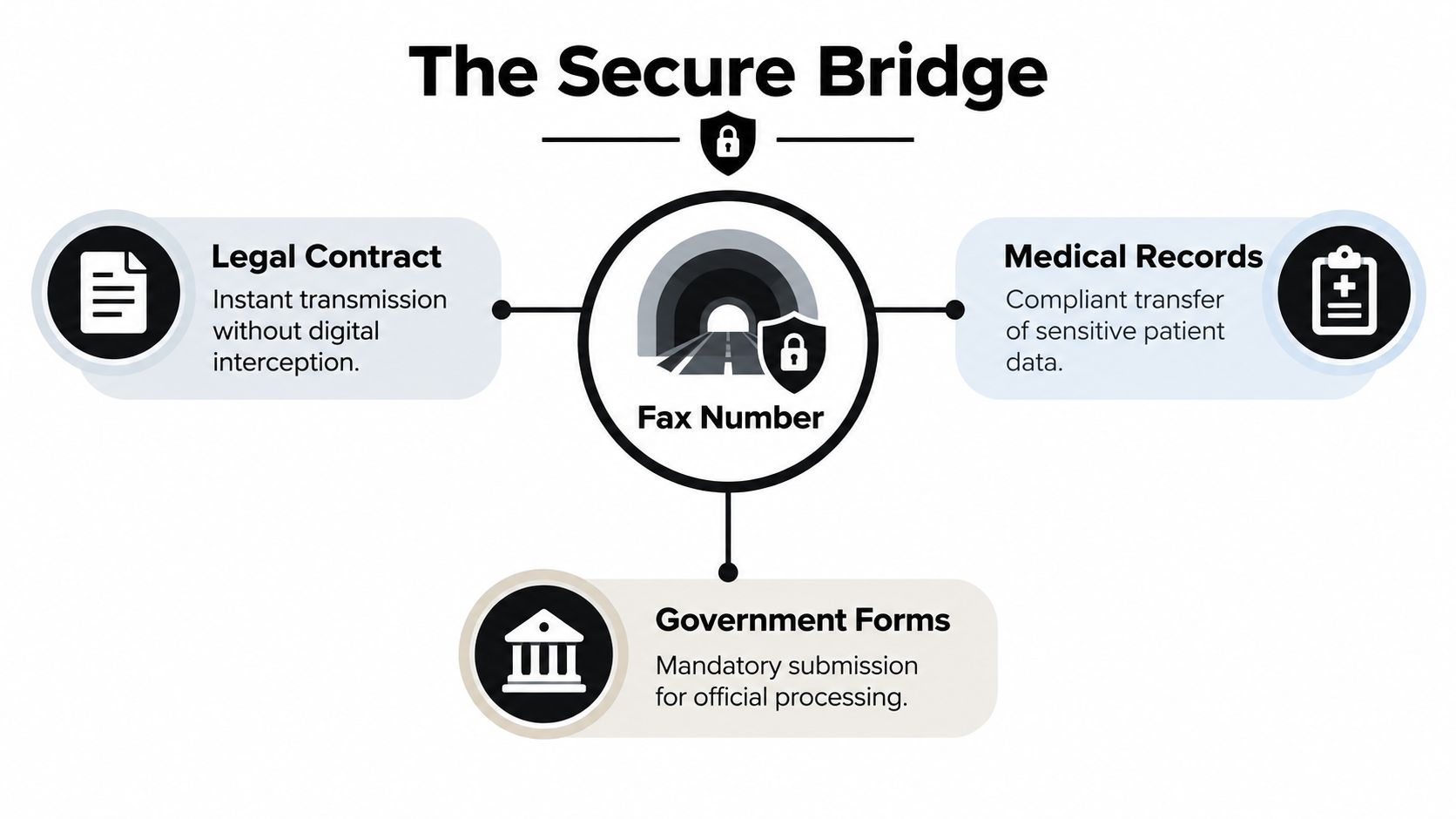
Suppose you've signed a contract and need to send it to a legal office before a deadline. The office may accept the document only through its published fax number because that number routes directly to an intake machine or fax-enabled service. You enter the number, attach or scan the document, and the sending system contacts the receiving endpoint rather than sending a message to a person's general inbox.
That is the practical answer to what is a fax number used for. It identifies the destination for sending and receiving scanned documents through fax infrastructure. A regular phone number normally connects you with a person for conversation. A fax number connects one device or fax service with another so they can exchange a document.
The distinction becomes clearer with a simple analogy. A normal phone number is like a doorbell for a person. A fax number is more like the address of a loading dock, where a document arrives through a defined receiving process and can generate a delivery record.
Fax technology has a long history. The history of fax communication reaches back to Alexander Bain's 1843 patent, a commercial service between Paris and Lyon in 1865, and office machines developed by Xerox in the 1960s. That history helps explain why fax numbers became attached to telephone infrastructure instead of operating like email addresses.
A fax number is therefore a deliberate delivery channel, not merely a leftover contact detail. It appears where organizations need a known destination that works with established equipment, document intake procedures, and receipt tracking. The sections below explain the routing system, the industries that depend on it, and how you can send a fax today without owning a machine.
How a Fax Number Works Behind the Scenes
Think of a fax number as both an identity and a transport destination. It identifies the receiving endpoint, such as a fax machine, multifunction office device, or online fax gateway, and it tells the sending system where to establish the connection.
In a traditional setup, the sender dials the recipient's number through the public switched telephone network, or PSTN. The two fax endpoints communicate over the line, confirm that they can exchange fax data, and then transfer the document in a dedicated point-to-point session. Britannica's explanation of fax technology describes the basic process in which a document is scanned, encoded, transmitted through telephone infrastructure, and reconstructed at the receiving end.
The technical terms sound more complicated than the user experience. A scanner reads the page, the fax system turns the page into encoded data, and the receiving endpoint converts that data back into a document image. Older systems use tones over the voice-band telephone connection, which is why a fax call sounds different from an ordinary conversation.
Practical rule: Treat a fax number as the address of a receiving workflow, not as an alternative email address.
The courier analogy is useful here. Email sends a digital message toward a mailbox, where software may filter it, route it, or leave it unread. Fax establishes a call to a specified endpoint, then attempts a controlled transfer to that destination. The number determines both who should receive the transmission and which route the fax system should use.
Modern online fax services can preserve this behavior while replacing the physical machine on the sender's side. A browser service converts an uploaded file into a fax-compatible transmission and sends it through fax infrastructure or an IP-based gateway that maintains established fax behavior. The recipient may still receive the document on a conventional fax machine, even though the sender never touches one.
That compatibility explains why organizations can continue using old intake procedures while individuals send documents from newer tools. The fax number remains the stable destination even when the equipment at either end changes.
Industries That Still Require Fax Numbers
A clinic receives a referral from a doctor's office, an insurer receives supporting claim documents, and a government department receives a signed form. In each case, the sender is not just choosing an old way to share a file. The fax number acts as a machine-to-machine routing endpoint, directing the document to a known office, department, or intake queue.
Regulated organizations publish fax numbers because their workflows were built around these endpoints. Staff know where transmissions arrive, systems can accept them without a direct software integration, and the public telephone network, or PSTN, provides a familiar path between different organizations. That cross-system compatibility still matters when two records platforms cannot exchange files directly.
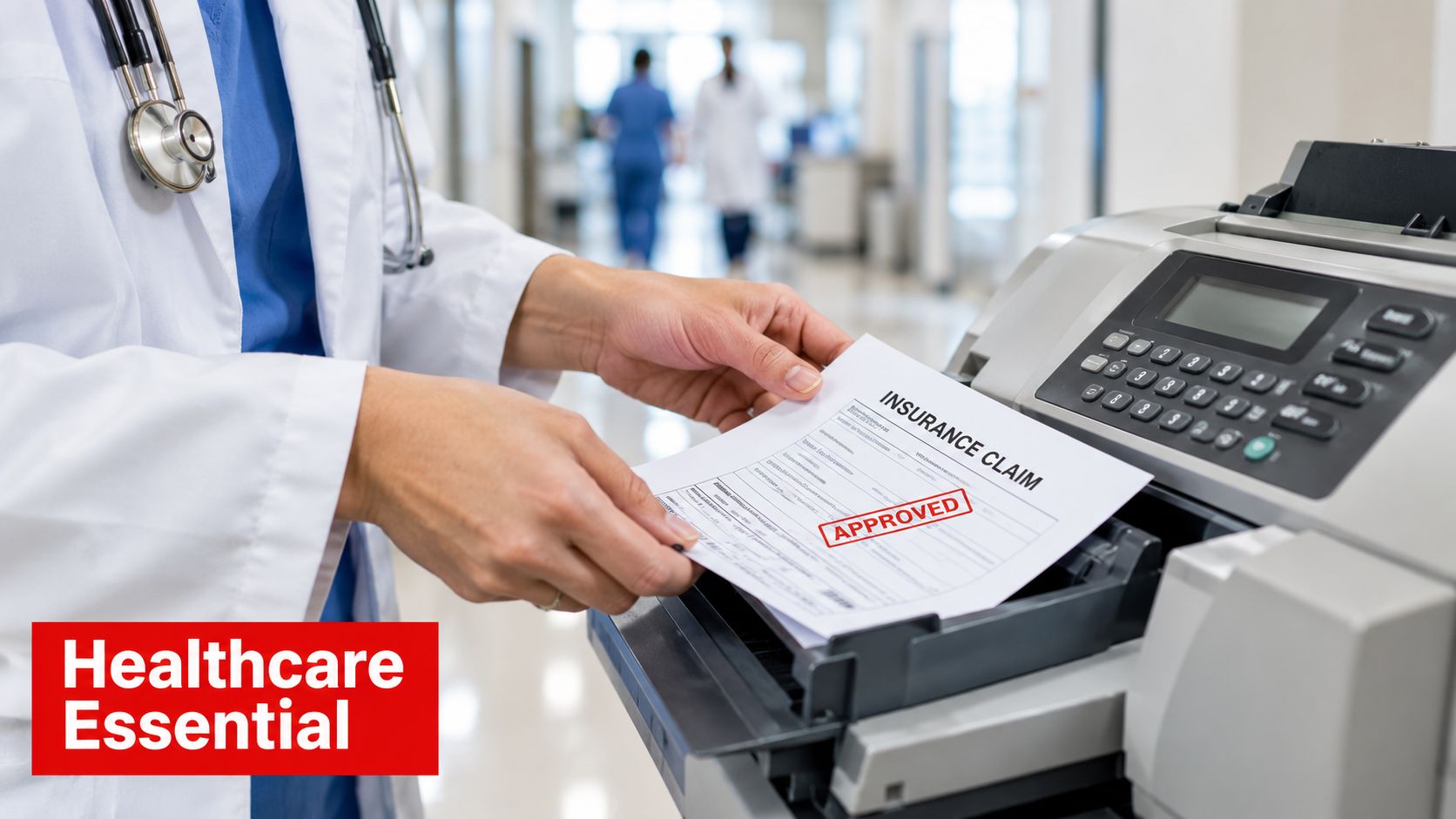
Healthcare shows the pattern clearly. A provider may fax a referral, prescription form, prior authorization request, imaging order, or release-of-information request to a hospital or insurer. The receiving team can place the document into its existing process, even if the sender's software and the recipient's records system do not connect. The transmission also creates an operational record that can support later review.
In 2019, the U.S. healthcare sector accounted for more than 9 billion faxed documents, according to coverage of fax use in regulated industries. The volume shows that fax numbers remain part of active administrative systems, not just equipment left in abandoned offices.
Where the fax number fits
- Healthcare: Staff use fax numbers for referrals, prescriptions, records requests, claims, and authorizations sent to a specific clinical or administrative queue.
- Legal services: Offices may use them for signed agreements, filings, notices, and records exchanged with parties that follow established fax procedures.
- Insurance: Providers, adjusters, brokers, and carriers can exchange claims and supporting documents through known fax endpoints.
- Government: Agencies may list fax numbers for forms and official submissions because their intake systems continue to support fax more consistently than email attachments.
The same pattern appears outside the United States. A major survey of German firms with 20 or more employees found that 82% still used fax, while about one-third used it frequently or very frequently. Fax therefore remains part of routine business operations, not only hospital or government work.
A published fax number often signals an operational requirement. It identifies where the organization is prepared to receive the document, not merely a communication method someone prefers.
Use the number supplied by the organization, confirm the intended department, and include the identifiers needed to match the document to a person, claim, case, or request.
Why Fax Receipts Matter More Than Email Confirmation
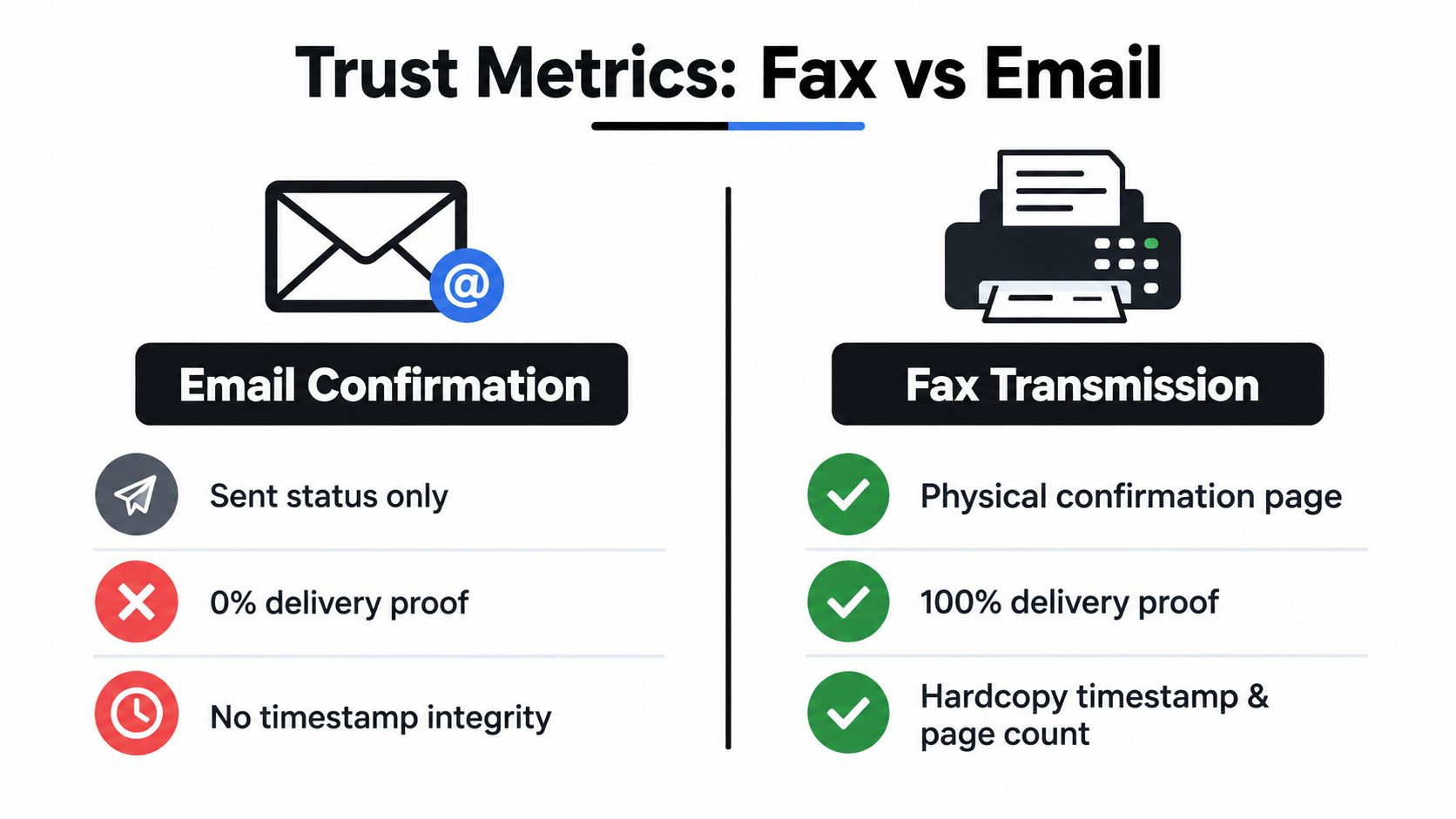
Sending a document and proving that it reached the intended operational endpoint are different tasks. Email can show that a message left your account, but that signal doesn't necessarily prove that the correct department received the attachment, that the file opened, or that staff included it in the relevant workflow.
A fax transmission typically produces a confirmation page or delivery log. That record can include the recipient number, the transmission timestamp, and the page count. Those details create a practical chain-of-custody signal for a time-sensitive submission, particularly when someone later needs to show what was sent and where it was directed.
The difference isn't that every fax transmission is automatically legally conclusive or that every email is unusable. The value comes from the defined endpoint and the record associated with the transmission. A fax number is commonly tied to a controlled device line or managed service assigned to a specific office, while an email address may forward to a group inbox with less clarity about who handled the message.
Comparing the delivery signals
| Fax transmission | Email message |
|---|---|
| Attempts delivery to a dialed fax endpoint | Sends a message to an email address |
| Can produce a confirmation page or delivery log | May show sent or delivered status |
| Records the destination number, time, and page count | Read receipts depend on recipient settings and behavior |
| Fits long-standing document intake procedures | May be rejected, filtered, or blocked as an attachment |
Email open and read receipts also answer a different question. They may indicate that an email client processed or opened a message, but they don't necessarily establish that the intended office accepted a document into its formal intake process. In a regulated workflow, that distinction can affect how staff track referrals, claims, filings, or records requests.
Before sending a sensitive document, check whether the recipient requires a cover page, a reference number, or a particular department. After transmission, keep the confirmation page or save the electronic delivery log with the document you sent. For a broader look at protecting fax workflows, review this guide to the security of fax communication.
The actionable test is straightforward: use a fax number when the recipient needs the document delivered to a known endpoint and you need a receipt trail that records the transmission event.
Real-World Examples and Current Usage Patterns
A fax number becomes easier to understand when you follow the document rather than the technology. A medical practice sends a referral to a specialist's intake line. An employee sends a signed insurance form to a claims department. A law firm sends a records request to a government office. In each case, the number directs the document to an established receiving process.
The recipient may not be a single person. It could be a shared machine near a records team, a fax server that sorts incoming pages, or an online service connected to the organization's workflow. That flexibility lets different organizations exchange documents even when their portals, email systems, and business software don't connect cleanly.
A recent usage dataset found that 28% of domestic faxes sent from 2024 through 2026 went to toll-free organizational fax lines, with most sending taking place during weekday office hours, according to the fax number usage analysis. The pattern supports a practical conclusion: fax numbers remain associated with active business departments and staffed intake processes.
What a typical submission looks like
- Confirm the destination. Check the organization's current instructions and verify the department or queue behind the number.
- Prepare the document. Use a clear scan or an accepted digital file, and include the identifiers the recipient requested.
- Add context. Include a cover page when the recipient needs sender details, a case number, or routing instructions.
- Send and record. Keep the confirmation page or delivery log with the submitted document.
- Follow up when necessary. If the matter is urgent, contact the organization through its published channel to confirm that staff can locate the transmission.
The office-hour pattern also explains why a fax can appear to work technically while still awaiting human processing. A successful transmission means the endpoint accepted the pages. It doesn't mean a staff member has reviewed the claim, referral, or request.
That distinction prevents a common mistake. A fax number is a reliable route into a workflow, but it isn't a promise of instant approval, clinical action, payment, or legal response.
Choosing Between Traditional Faxes and Online Fax Services
The right sending method depends on how often you fax, where the source document lives, and whether someone needs to manage paper at the receiving end. A traditional machine makes sense for an office that already has compatible hardware, a maintained line, and regular inbound or outbound fax traffic. It becomes less convenient when the sender works remotely or has only one occasional document to transmit.
Online fax services shift the sending task into a browser or software application. You upload a file, enter the recipient's fax number, and let the service handle the fax transmission. That approach preserves the recipient's familiar endpoint while removing the need for a physical machine on your side.
| Situation | Traditional fax machine | Online fax service |
|---|---|---|
| Occasional sender | Requires access to hardware and supplies | Sends from a browser with an uploaded file |
| Office with regular fax traffic | Familiar for staff and existing procedures | Reduces dependence on local hardware |
| Remote worker or traveler | Usually inconvenient or unavailable | Works from a connected device |
| Paper document | Scan or place it into the machine | Scan it first, then upload the file |
| Digital document | Print it before sending | Upload a PDF, DOC, or DOCX file directly |
For occasional transmissions to U.S. or Canadian numbers, SendItFax's comparison of internet and traditional faxing describes the practical difference between the two approaches. SendItFax lets users upload DOC, DOCX, or PDF files and optionally add a cover page without creating an account. Its free option supports up to three pages plus a cover, permits five free faxes per day, and places SendItFax branding on the cover page.
The paid option is designed for a cleaner or longer submission. The Almost Free plan costs $1.99 per fax via Stripe, supports up to 25 pages, provides priority delivery, removes the service branding, and lets the sender omit the cover page. Those details make the service suitable for someone who needs a quick browser-based transmission rather than a permanent fax setup.
Choose based on the workflow, not on the age of the technology. The recipient still receives a fax at the destination number, while your own sending method can be a machine, a browser, or another compatible fax application.
Final Takeaways for Using a Fax Number Effectively
A fax number is used to route a document to a specific receiving endpoint. It isn't just a telephone number that happens to accept calls. The number identifies where a fax session should begin, and the receiving process can create a record showing the destination, time, and page count.
Use fax when the recipient explicitly requests it, when the organization's system doesn't accept email attachments, or when the workflow depends on a transmission record. Email may be faster for ordinary communication, but it doesn't automatically provide the same combination of point-to-point routing, established institutional compatibility, and fax-specific delivery evidence.
Before you send, run through these checks:
- Confirm acceptance: Verify that the organization still receives faxes and that you have the correct department number.
- Check the file: Prepare a legible PDF or Word document, or create a clean scan of the paper original.
- Identify the submission: Add your name, contact details, reference number, and any information the recipient uses for routing.
- Decide on a cover page: Include one when the recipient needs context or confidentiality instructions, but omit it when the organization gives different directions.
- Save the proof: Keep the confirmation page or delivery log with the exact document you transmitted.
- Follow up appropriately: Contact the recipient if the matter is urgent, but remember that transmission confirmation isn't the same as substantive review.
Organizations still publish fax numbers because the channel solves concrete problems. It connects incompatible systems, points documents toward known operational destinations, and supports records that staff can associate with a submission. You don't need to own a fax machine to use that workflow. A web-based service can be the practical bridge between a modern digital file and an institution that still receives documents by fax.
SendItFax lets you upload PDF, DOC, or DOCX files, enter a recipient's fax number, and send documents to U.S. and Canadian numbers from a browser without creating an account. Visit SendItFax when you need a practical way to transmit a form, contract, claim, or record without managing a physical fax machine.