Of course. Sending a fax online for free, without even creating an account, is absolutely possible. Tools like SendItFax have completely changed the game, turning what used to be a clunky, machine-driven process into something you can do right from your web browser in a matter of seconds.
Why Do People Still Bother With Faxing?
It’s a fair question. With email and countless file-sharing apps, why hasn’t faxing gone the way of the dinosaur? The truth is, it remains an essential tool in many professional circles.
For industries like healthcare, law, finance, and government, faxing isn’t just an old habit—it’s a trusted method for secure and legally recognized communication. A faxed signature often carries the same legal weight as one signed in person, a standard that email attachments can't always guarantee.
Think about a real estate agent on a tight deadline. They need to get a signed purchase agreement to a client on the other side of the country, and time is critical. Instead of printing, signing, scanning, and hoping an email doesn't land in a spam folder, they can send the document directly to the recipient’s fax machine. It’s a secure, verifiable transmission that gets the job done.
Connecting Old-School Needs with Modern Tech
This is exactly where online fax services come in. They perfectly connect the trusted, legacy systems of the past with the digital ease we all expect today. You get all the security and legal backing of a traditional fax without needing a dedicated phone line, a bulky machine, or even an office.
This simple shift has opened up faxing to a whole new world of users.
- Freelancers can now send signed contracts and invoices with a professional touch.
- Patients can securely submit sensitive medical forms to their doctor’s office from home.
- Small business owners can quickly transmit purchase orders without spending a dime on office equipment.
The idea really took off in the 2010s, giving individuals and small operations a powerful tool they never had before. And it’s not just a niche market; the global fax services market was valued at USD 3.31 billion in 2024 and is expected to keep growing. This trend, as detailed in recent market research on fax services, shows just how much people rely on sending documents without a physical machine.
The Advantage of Faxing from Your Browser
At the end of the day, being able to send a document by fax from your computer makes a once-annoying process accessible to everyone. It moves faxing from a task tied to a specific machine to a flexible, digital service you can use whenever you need it.
Sending a fax is no longer about finding a machine; it's about opening a browser tab. This accessibility ensures that critical communications in regulated industries can happen instantly, from anywhere, keeping business and personal affairs moving forward without delay.
How to Send Your First Free Fax in Under Five Minutes
Ready to get that document on its way? Sending an online fax is surprisingly simple—it honestly takes less time than brewing a pot of coffee. We're going to walk through the process using SendItFax, focusing on the practical steps, not a bunch of technical jargon.
Let’s use a real-world example. Imagine you need to send a signed permission slip to your child's school. It’s due today, and who owns a fax machine anymore? This is the perfect job for a quick, free fax online send.
Getting Your Document Ready to Go
First things first, you need a digital copy of your document. SendItFax keeps it simple and accepts the most common file types you’ll have on hand:
- PDF files (.pdf): This is usually your best bet. PDFs lock in the formatting, so what you see is exactly what the recipient gets.
- Microsoft Word documents (.doc, .docx): Perfect if you’ve just typed up a letter or need to send an editable form.
For our permission slip, you've already printed and signed it. The easiest next step? Just snap a clear, well-lit photo of it with your phone. Most modern phones can save it directly as a PDF.
Once you have the file, head over to the SendItFax homepage. You'll see a big "Upload File" button—give that a click. It works just like attaching a file to an email. Find your permission slip file on your computer or phone and select it.
A Quick Tip from Experience: For the clearest possible fax, make sure your document is high-contrast. Crisp, black text on a plain white background transmits beautifully. Documents with light gray text or colored backgrounds can end up looking smudged and unreadable on the other end.
Plugging in the Sender and Recipient Info
With your file uploaded, the next step is to fill in the "to" and "from" details. This part is critical for making sure your fax actually arrives and the recipient knows who sent it.
You’ll see a few simple fields:
- Your Info (Sender): Pop in your name and email address. The email is super important because that’s where they’ll send your confirmation receipt.
- Their Info (Recipient): Add the recipient's name and their fax number. Triple-check this number! I can't tell you how many faxes fail simply because of one wrong digit. It's the number one cause of transmission errors.
For our school example, you'd put your name and email, then the school office's name and their fax number. The best part is there's no need to create an account or sign up for anything. If you're curious about other services that offer this, we have a whole guide on how to find a free online fax service with no credit card required.
Adding a Simple Cover Page
The last piece of the puzzle is the cover page. The free service automatically adds one for you, which is a great professional touch. Think of it as the envelope for your fax—it tells the person on the other end who this is for and what it's about right away.
There’s a text box where you can write a short, clear message. For our permission slip, something straightforward is perfect:
- Subject: Permission Slip for Jane Doe
- Message: Please find the signed permission slip for Jane Doe's field trip on Friday. Thank you!
This little note makes a huge difference. When that fax spits out of the machine in a busy school office, your message ensures it lands on the right desk instead of getting lost in a paper shuffle.
Once that's filled in, just hit the send button. That's really all there is to it. Your document is on its way, and a confirmation email will hit your inbox shortly.
What You Actually Get With a Free Online Fax Service
Let's be honest, "free" always comes with some fine print. When you need to send a fax online for free, it helps to know exactly what you’re getting into. At SendItFax, we believe in being upfront about our service so you can get your task done without hitting any unexpected roadblocks.
Our free option is built for those one-off, "I just need to send this one thing" moments. It’s perfect for when you need to fax a signed contract, a doctor's note, or a single application form.
The Nuts and Bolts of the Free Plan
Using the free SendItFax tool is straightforward, but there are a few ground rules. These limits are what allow us to keep the service running smoothly without needing your credit card or forcing you to create an account.
Here’s a quick rundown of what to expect:
- Page Limit: Your document can be up to three pages long. This doesn't include the cover page, which we automatically add for you.
- Daily Limit: You can send up to five free faxes in a single day. For most people handling personal or small business needs, that's more than enough.
- Branding: The cover page will have a small SendItFax logo on it. It’s a subtle way we support the free service so it can stay free.
This simple guide shows you just how easy the process is.
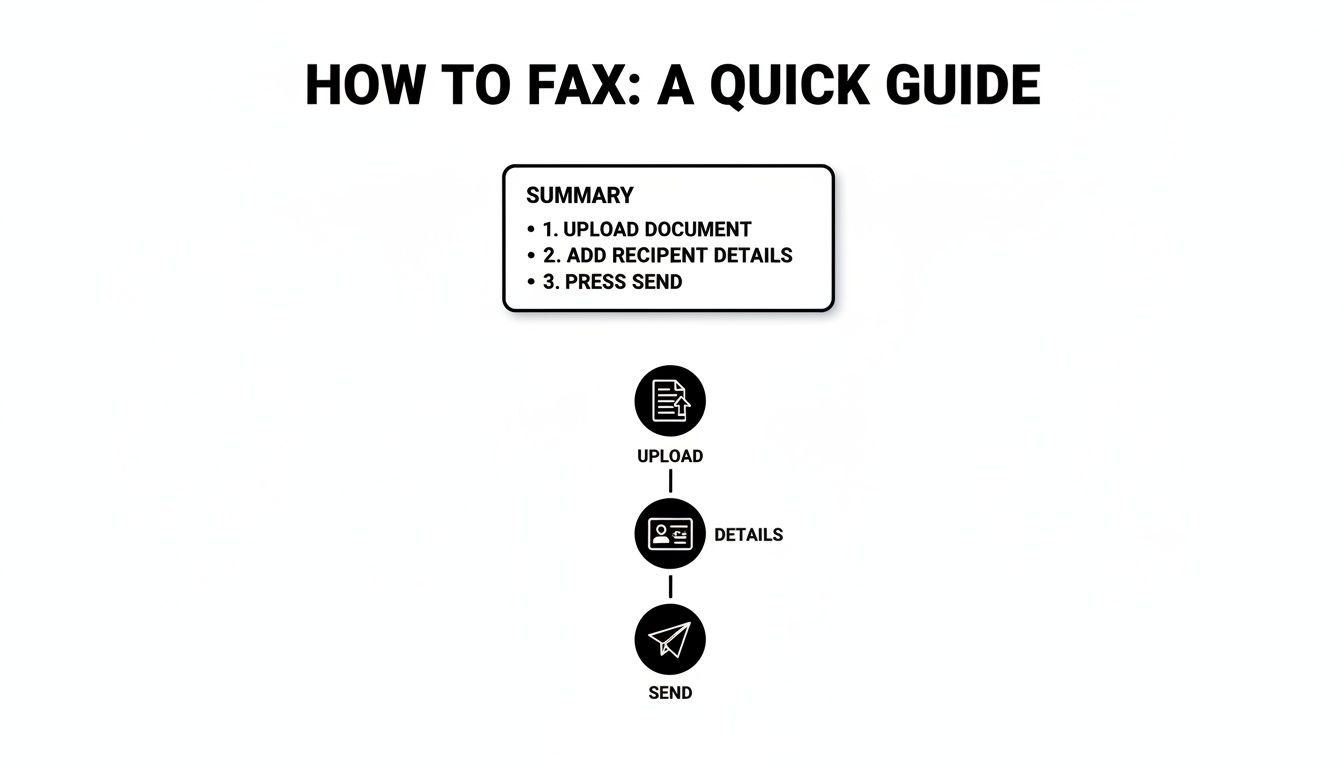
As you can see, it really is just a matter of uploading your file, typing in the details, and clicking send.
This "freemium" model is pretty common in the online fax world. By 2025, the industry standard is to offer a basic free tier with page and daily limits, encouraging users who need more to upgrade. It's a system that works, allowing services like ours to help both the occasional user and those with heavier faxing demands.
When Paying a Little Makes a Lot of Sense
But what if your document is five pages long? Or what if you're sending a professional quote and don't want any branding on it? That’s exactly why we created the "Almost Free" plan. For just $1.99 per fax, you get a whole lot more flexibility without being locked into a subscription.
This pay-as-you-go option really hits the sweet spot. It’s for those times when the free plan is almost enough, but you need a little extra power.
Upgrading gives you a few key perks:
- Longer Faxes: Send documents up to 25 pages long.
- No Branding: Your cover page is completely clean—no SendItFax logo.
- Priority Sending: Your fax gets bumped to the front of the line for immediate delivery.
To help you decide, here’s a quick comparison.
SendItFax Free vs. Almost Free Plan Comparison
A quick look at our plans to help you decide which one is the right fit for your faxing needs.
| Feature | Free Plan | Almost Free Plan ($1.99/fax) |
|---|---|---|
| Cost | $0 | $1.99 per fax |
| Page Limit | Up to 3 pages | Up to 25 pages |
| Cover Page | Includes SendItFax branding | No branding |
| Daily Faxes | Up to 5 | Unlimited |
| Delivery Speed | Standard queue | Priority delivery |
Choosing is simple. If you're faxing a quick, informal document, the free plan is a no-brainer. But for a lengthy business proposal or an official application where every detail matters, that small $1.99 investment ensures a professional look and fast delivery. If you think your faxing needs might be more consistent, you might want to look into a fax online free trial for a full-featured plan.
Tips for a Flawless Online Fax Transmission
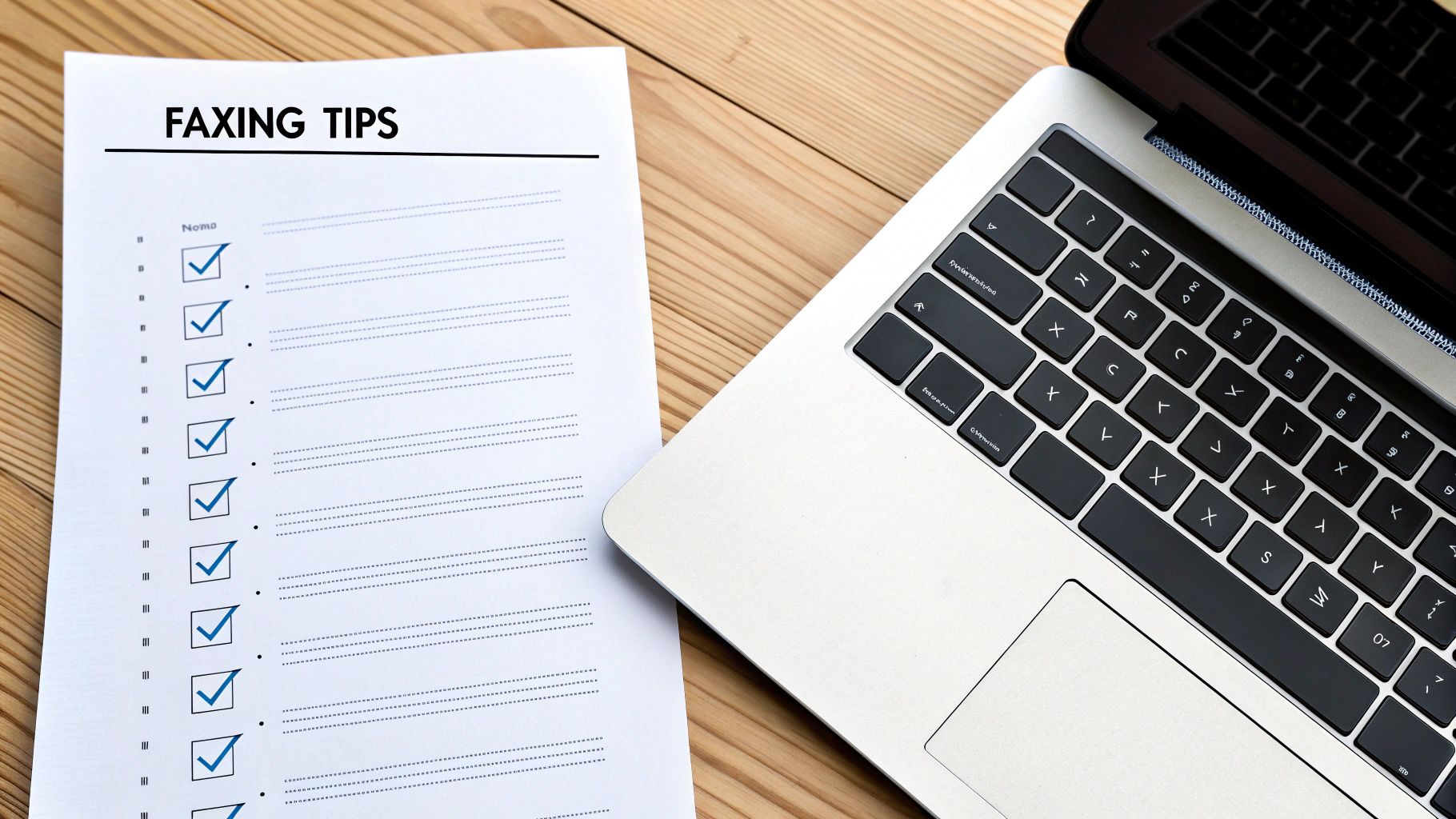
Sending your fax is only half the battle. Making sure it arrives crisp, clear, and in the right hands is what really counts. I’ve found that just a few simple checks before you hit "send" can be the difference between a successful transmission and a frustrating failure. Think of it as setting your document up for success from the start.
The quality of the file you upload directly impacts the final printout on the other end. Fax technology compresses files, which can sometimes degrade quality. The best way to combat this is to start with a high-resolution, high-contrast document.
This means using bold, black text on a clean white background. I’d strongly advise against using light gray fonts, busy backgrounds, or tiny text—those are always the first things to become unreadable after a fax transmission.
Prepare Your Document for Success
Before you even think about uploading, give your file a quick once-over. The most common issue with a free fax online send is poor document quality, and it's almost always preventable.
Here are a few professional tips I've picked up to ensure a fax is legible every single time:
- Font Choice Matters: Stick to simple, clean fonts like Arial, Calibri, or Times New Roman. I always recommend using a font size of 12 points or larger to be safe.
- Convert to PDF: While you can send a Word doc, I always convert my files to PDF first. This locks in the formatting and prevents any weird shifts in text or images during the conversion process. If you need a hand with that, we have a helpful guide on how to convert a Word document to PDF.
- Image Quality: If you’re including images or a scanned signature, make sure they are sharp and clear. A blurry signature on a contract could cause some serious headaches down the line.
A great pro-tip is to remember the recipient's fax machine is almost certainly printing in black and white. What looks perfectly fine in color on your screen can easily turn into a muddy, illegible gray blob on their end. Always preview your document in grayscale to spot any potential problems.
Double-Check the Details
This sounds incredibly basic, but you’d be surprised how often a simple typo derails an important fax. A single wrong digit in the recipient's fax number is, without a doubt, the most common reason for a failed transmission.
Just take an extra ten seconds to verify the number before you send it. If it's a critical document, I'll even call the recipient to confirm their fax line is active and ready to receive. It's a small step that can save a lot of time.
Your cover page message is another powerful tool. Don't just put your name. Give clear context. A message like, "Attention: HR Department – Signed Offer Letter for John Smith" ensures that even if your fax lands on a shared machine, it gets routed to the right person quickly. That small detail turns your fax from a random piece of paper into a priority document.
How to Troubleshoot Common Faxing Glitches
Even with a process as simple as online faxing, things can occasionally go sideways. Getting a "transmission failed" message is frustrating, but don't worry—most of the time, the fix is surprisingly simple. Let’s walk through the most common issues and how to get your fax moving.
The number one culprit? A simple typo in the fax number. I've seen it happen countless times; 9 times out of 10, a failed fax is just due to a transposed digit or a wrong area code. It's an easy mistake to make when you're moving fast.
So, before you do anything else, just take a breath and carefully re-enter the number, checking it against your contact's information. If you're positive the number is correct, it's time to look at what might be happening on the other end.
Diagnosing the Problem
Remember, you're often sending a document to a physical machine. Is it possible that machine is busy with another fax, turned off for the night, or even just out of paper? Old-school fax machines are single-taskers, so if their line is tied up, your fax will fail.
Here's a quick mental checklist to run through:
- Verify the Number: Did you double-check every single digit, including the country and area codes?
- Check Recipient Status: Could their machine be offline? If it's a critical document, a quick phone call to the recipient can confirm if their machine is on and ready.
- Review Your File: Is your document in a standard format like PDF, DOC, or DOCX? A corrupted file or an unsupported format won't even get out of the gate.
The simplest solution is almost always the right one. Before you get frustrated with the service, always start with the basics: the fax number and the status of the receiving machine. This little bit of diligence clears up the vast majority of problems.
When the Confirmation Is Delayed
Another thing that can cause a bit of anxiety is when that delivery confirmation email doesn't show up right away. You hit send and… nothing. This doesn't automatically mean your fax failed.
Online services have queues, and during busy periods, it might take a few minutes for your fax to go through and for the system to generate a confirmation. My rule of thumb is this: if you haven't seen anything after 15 minutes (and you've already checked your spam folder!), it's safe to assume something went wrong.
At that point, circle back to the top of our troubleshooting list and start again, beginning with the fax number. By working through these steps methodically, you’ll be able to solve almost any glitch that comes your way.
Your Questions About Online Faxing Answered
Even with a walkthrough, it's totally normal to have a few questions about how sending a free fax online actually works. I've pulled together the most common things people ask to give you quick, clear answers so you can send your documents with confidence.
Is Sending a Fax with SendItFax Really Free?
Yes, it absolutely is. Our free service is built for just that—sending faxes without reaching for your wallet.
You can send a document up to three pages long, plus a cover page, without spending a dime. It's perfect for those one-off situations, and you can send up to five faxes per day. The only catch? We place a small SendItFax brand mention on the cover sheet, which is what allows us to offer this service for free. No hidden costs, no sign-up needed.
How Do I Know If My Fax Actually Went Through?
Once you hit "Send," you won't be left wondering. We'll send you an email notification from SendItFax to confirm the status of your fax.
This email lets you know if the fax was sent successfully from our end or if it failed. If it does fail, the most common reason is a simple typo in the fax number. It always pays to double-check the number and give it another try.
Keep in mind that while our email confirms we sent it, the final delivery receipt depends on the recipient's fax machine. Still, our confirmation is your best and first sign that everything went smoothly.
How Secure Are the Documents I Upload?
Your privacy is a huge deal to us. We use secure, encrypted connections for all file uploads and transmissions. This protects your data from the moment it leaves your computer to the moment it's delivered.
Your documents are only ever used for the single purpose of sending that one fax. Since our service doesn't require an account, your files aren't stored on our servers long-term, which adds another layer of security to the whole process.
Can I Get Faxes with the Free Service?
Our free service is a one-way street—it’s designed exclusively for sending faxes. It doesn't give you a dedicated fax number for receiving them.
This focus helps us provide a reliable and powerful sending tool that stays completely free for anyone who just needs to send a document to a U.S. or Canadian fax number every now and then.
Ready to send a document without tracking down an old fax machine? SendItFax lets you upload your file and get it on its way in just a few clicks. Give it a try at https://senditfax.com.