It might seem like a relic from another era, but faxing is surprisingly alive and well, especially for professionals who need to send secure documents in a flash. Services like SendItFax have brought faxing into the 21st century, letting you send files from any device with HIPAA-grade encryption—no bulky machine or dedicated phone line needed.
Why Faxing Still Has a Place in a Digital World
In many industries, a fax isn't just a piece of paper; it's a legally binding, tamper-evident record. Think about it: healthcare providers need a clear audit trail when sending patient records. For lawyers and real estate agents, a signed agreement sent via fax is often considered legally authentic.
An online fax service acts as the perfect bridge, connecting old-school requirements with modern, cloud-based workflows. You can send contracts, intake forms, and other sensitive documents right from your browser. It just works.
- Serious Security: End-to-end encryption keeps your data safe from prying eyes.
- Instant Delivery: Forget overnight shipping or the tedious scan-and-email routine.
- Built-in Compliance: Meets tough industry standards like HIPAA and e-signature laws.
- No Hardware Hassles: Finally, you can ditch the clunky machine and extra phone line.
This is a game-changer for a small medical practice or a solo real estate agent. You get to maintain the same professional standards as a massive corporation without the overhead. Plus, every transmission creates a digital footprint, which is perfect for audits and verification.
Meeting Security and Compliance Head-On
With a service like SendItFax, compliance isn't an afterthought; it's baked right in. Every fax you send is encrypted, both while it's traveling and when it's stored.
In a world of fleeting digital messages, the fax remains one of the few communication methods with near-universal legal acceptance.
Don't just take my word for it. Recent industry surveys show that businesses are actively embracing online fax. In fact, around 90% of organizations are either already using or seriously looking into online fax solutions. What's more, over 80% reported that their fax usage has either increased or held steady. Clearly, faxing is still critical. You can dig into these stats over on the iFaxApp blog.
SendItFax Free vs Paid Options at a Glance
So, what's the catch with a free service? It's usually about limits. A quick comparison makes it easy to see which option fits your needs.
| Feature | Free Service | Almost Free Plan ($1.99) |
|---|---|---|
| Price per Fax | $0 | $1.99 |
| Daily Fax Limit | 5 | Unlimited |
| Pages per Fax | 3 plus cover | 25 |
| Cover Page Branding | Yes (SendItFax branding) | No (Your branding) |
| Delivery Priority | Standard | High |
| Optional Cover Page | No (It's required) | Yes (You can skip it) |
As you can see, the free plan is perfect for occasional, one-off faxes. But if you're sending more documents or need a more professional look without their branding, the 'Almost Free' plan is a very small price to pay for that flexibility.
Real-World Scenarios Where Fax Is King
Still not convinced? Let's look at where this really matters.
In a medical setting, a clinic can securely fax lab results or patient consent forms in minutes. Using a free online fax service helps them sidestep the compliance headaches of email and keeps their operations running smoothly.
For legal teams, that fax confirmation receipt is pure gold—it’s solid proof of delivery for important court filings. A paralegal can send a two-page affidavit from their desk and get a timestamped email confirmation, creating an admissible record.
Here are a few more everyday examples:
- Healthcare: Teams securely fax patient charts and HIPAA-compliant forms.
- Legal: Law offices transmit time-sensitive contracts and know exactly when they were received.
- Real Estate: Agents send closing documents on a tight deadline to seal the deal.
- Freelancers: Invoicing a client who requires documented proof of submission? Fax is the answer.
- Government: Agencies rely on fax for permits and official records that need a verifiable timestamp.
- Nonprofits: Grant applications can be faxed instantly to meet a strict deadline, avoiding courier delays.
These examples show that an online fax service isn't just a quirky holdover. It’s a practical, indispensable tool for any field with strict documentation rules. Beyond that, it also cuts down on paper waste and saves you the time you'd otherwise spend scanning and mailing everything by hand.
Alright, now that you see why you might need it, let's walk through the actual steps to send your first fax online.
How to Send Your First Fax from Your Computer
If you've never used a free online fax service, the idea might seem a little intimidating. But trust me, it's nothing like dealing with an old, clunky fax machine. Modern platforms like SendItFax have made the whole process incredibly simple—it's basically like sending an email, but with the security and legal weight that faxing still carries.
Let's walk through how to get your document from your desktop to its destination, without the paper jams and confusing beeps. The entire process boils down to just a few clicks: pop in your info, tell it where to go, and attach your file.
Getting Your Document Ready to Send
First things first, let's talk about your file. Before you even open your browser, make sure your document is in a fax-friendly format. While some services are flexible, your best bet is to stick with PDF, DOC, or DOCX files. These are the gold standard and will save you from weird formatting glitches when the document gets to the other side.
For instance, if you have a contract that you signed and scanned as a JPG image, take a moment to convert it to a PDF. It’s a small step that ensures your document looks crisp and professional, exactly as you intended. Think of it as putting your document in a sturdy envelope before mailing it.
The journey from old-school hardware to modern cloud faxing is a pretty big leap, simplifying everything.
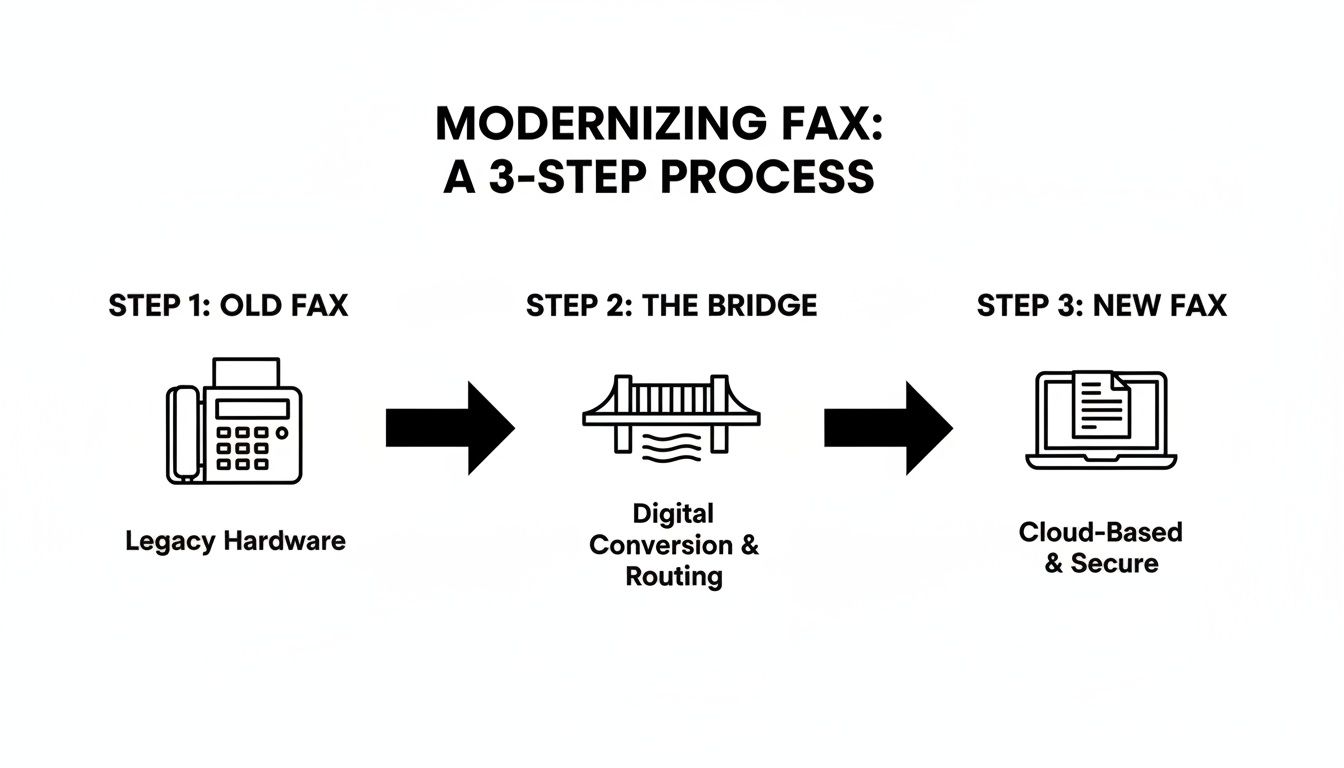
This shift is what makes sending a quick fax from your computer possible.
Plugging in the Sender and Recipient Details
Okay, file's ready. Now, head over to the online fax service. You'll see a clean, straightforward form waiting for you.
This is where accuracy is absolutely critical. A tiny typo here can send your document into the void. You'll need to provide:
- Your Name and Email: Your name tells the recipient who it's from. The email is vital—that’s where your confirmation (or failure notice) will be sent.
- Recipient's Name and Fax Number: Double-check, then triple-check that fax number. A single wrong digit is the number one reason faxes fail. Adding the recipient's name is also a smart move, especially if you're faxing to a large organization with a shared machine.
Pro Tip: A surprisingly common mistake is forgetting the area code. For any faxes going to the U.S. or Canada, always use the full 10-digit fax number. It’s a simple thing that prevents a lot of headaches.
Treat this step like addressing a physical letter. Get it right, and it gets there. Get it wrong, and you're back to square one.
Writing a Clear and Helpful Cover Page
The cover page is your fax's handshake. Most free services create one for you automatically using the sender and recipient info you just entered. You’ll also get a small text box for a message.
Don't just leave it blank or write something generic. Be concise, but give the recipient some context.
A good cover page message looks like this:
"Hi Mark, here is the signed W-9 form for the project. Please let me know if you need anything else. Thanks, Jane Doe."
A less-than-helpful message:
"Here are the documents."
The first example is professional and immediately tells the recipient what they're looking at and what to do next. The second one just creates more work for them, which isn't a great look. For a deeper dive into crafting the perfect cover page and other tips, our complete guide on how to send a fax online has you covered.
Uploading Your File and Hitting Send
You're at the finish line. Just look for the "Choose File" or "Upload Document" button. This will let you browse your computer and select the document you prepped earlier.
Once your file is attached, give all the information one last look-over. If everything looks correct, go ahead and click "Send Fax." That’s it! The service takes over from here, and you can get back to your day.
In a few minutes, you’ll get an email in your inbox. This is your proof of delivery, so hang onto it, especially if you're sending something important like a legal document or a time-sensitive form.
Balancing Security, Privacy, and Service Limits
Handing over your documents to any online platform means you're placing a certain amount of trust in that service. When you’re using a free online fax service, it’s smart to understand both the security measures they have in place and the natural limitations that come with a free tool. Knowing this balance helps you make the right call, especially when you're faxing something sensitive.
Any reputable service is going to make data protection a priority. Most use standard encryption protocols like SSL/TLS to keep your documents safe while they travel from your computer to their servers. It’s the same basic technology that protects your credit card info when you shop online, creating a secure tunnel for your data.
But let's be realistic—the "free" model sometimes comes with a catch. Some of the less-than-reputable providers might be funding their service by collecting user data for advertisers. This is why you should always look for a service with a crystal-clear privacy policy. A trustworthy platform like SendItFax is upfront about how it handles your data, making it clear that your documents and personal info are never sold to third parties.
Understanding the Boundaries of Free Faxing
To keep the lights on, every free service has to set some ground rules. These aren't hidden tricks; they're just the terms of the deal. Getting familiar with them upfront saves you from any potential headaches down the road.
Honestly, for most people who just need to send a fax now and then, these limits are perfectly fine. It's a fair trade: you send a fax at no cost, and the service manages its resources by setting clear usage caps.
Here’s what you can typically expect with any free online fax service:
- Daily Fax Quotas: To stop spam and manage their systems, services almost always limit how many faxes you can send in a day. A common cap is around five faxes per 24-hour period.
- Page Count Restrictions: Free faxes are meant for shorter documents. You’ll usually find a limit of three pages, and that doesn't include the cover page the service adds on. It’s perfect for a quick form but not for that long report you need to send.
- Branded Cover Pages: That cover page will almost certainly have the service's logo on it. Think of it as their a form of advertising, which is a big part of how they can offer the service for free.
The main takeaway here is that a free service is built for occasional, non-commercial use. If you’re sending a 20-page legal contract or need a clean, professional look for a client, you’ll want to look at a paid plan.
When Security and Privacy Are Non-Negotiable
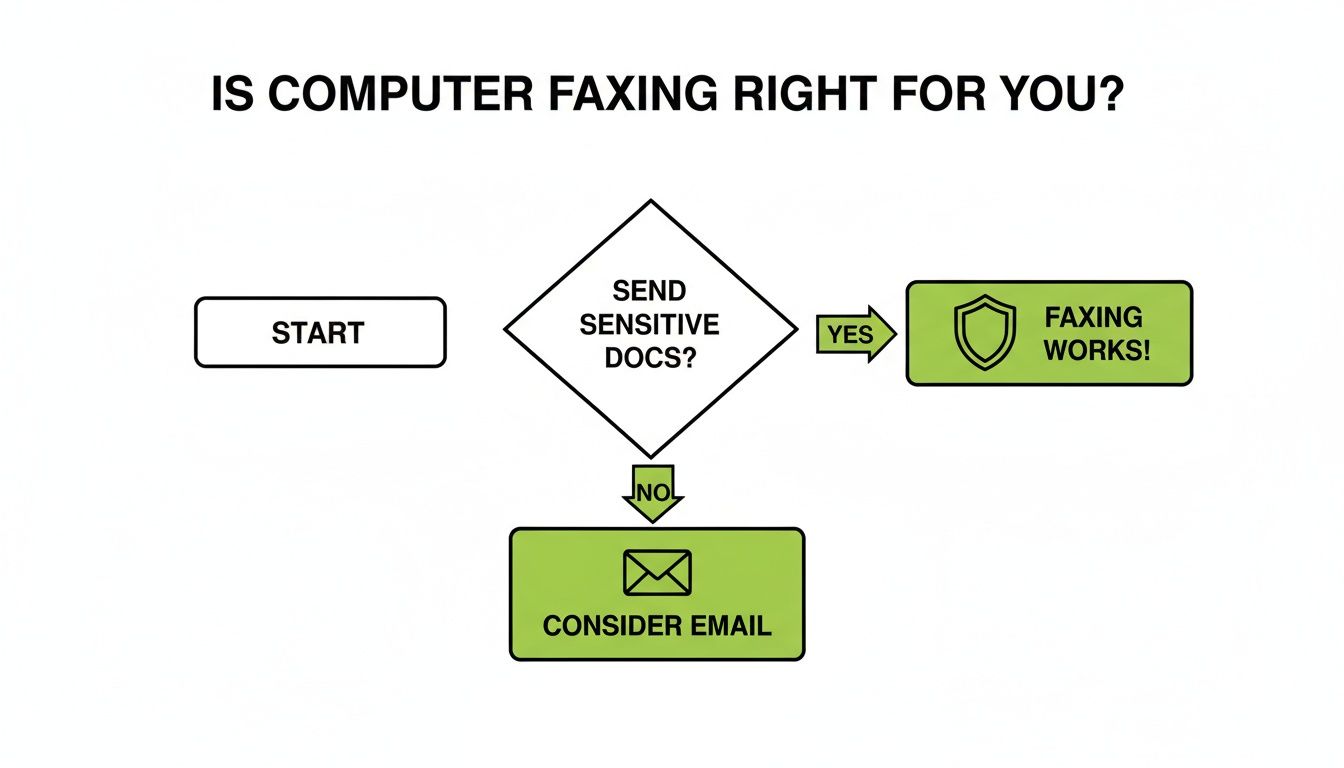
While today's encryption makes online faxing pretty secure, the sensitivity of your document should always be the deciding factor. If you're just sending a signed permission slip to your kid's school or a simple form to a local shop, the security from a solid free service is more than enough.
But when you’re dealing with highly sensitive information, the stakes are way higher.
| Document Type | Potential Risk with a Low-Security Service | Recommended Approach |
|---|---|---|
| Medical Records | Could lead to a HIPAA violation if the service isn't compliant. | Only use a service that explicitly offers HIPAA-grade security. |
| Financial Statements | Your bank account numbers or private financial data could be exposed. | Stick to a provider with top-notch encryption and a rock-solid privacy policy. |
| Legal Contracts | Risk of interception or challenges to the document's integrity. | A paid, secure service with detailed delivery confirmations is a must. |
For documents like these, you aren't just sending a file—you're transmitting confidential information that demands the highest level of protection. While a service like SendItFax provides a strong security baseline even on its free tier, always pause and evaluate just how sensitive your information is before you hit send.
To get a deeper dive into the technical side of things, you can learn more about why fax is often trusted over email for secure documents in our article on the security of fax transmissions. It’ll help you feel confident you're choosing the right tool for the job, every single time.
Knowing When to Upgrade from a Free Service
A free online fax service is a lifesaver for sending a quick document now and then. Need to get a signed form back to your kid's school or fax a single-page receipt? It’s perfect for that—no cost, no hassle. But eventually, you might find yourself running into the limitations that come with "free." Knowing when you've outgrown the free tier is crucial for keeping your communications smooth and professional.
Think of it this way: free services are built for casual, infrequent use. The moment faxing becomes a regular or critical part of your work—whether for business, legal matters, or important personal documents—the small price of an upgrade starts to look like a smart investment in reliability.
When Page Count Becomes a Problem
The most frequent reason people upgrade is pretty straightforward: they need to send a longer fax. Most free plans have a hard cap of around three pages, not counting the cover sheet. That’s fine for a simple invoice, but it’s a non-starter for anything more substantial.
Imagine you're a mortgage broker trying to send a 20-page loan application. A free service would simply reject it, leaving you scrambling to find another solution with a deadline looming.
This is a common headache for legal professionals, too, who regularly deal with lengthy contracts, discovery documents, or court filings that easily surpass the free limit. In these cases, paying a small one-time fee for a plan like SendItFax’s Almost Free option, which handles up to 25 pages, is a no-brainer.
Needing a More Professional Image
With a free service, there's always a trade-off. They usually place their own branding and ads on the cover page. For sending something to a friend, who cares? But when you're trying to make a good impression, it can look a bit unprofessional.
A few real-world examples where this matters:
- Submitting a bid to a potential client: You want your company’s logo on that cover page, not someone else's.
- Sending a formal application for a grant or license: A clean, unbranded document looks far more serious and polished.
- Communicating with a government agency: Removing third-party branding helps your submission look as official as possible.
Upgrading to a paid tier gets rid of that branding and gives you a clean slate. It’s a subtle touch, but it says a lot about your attention to detail.
Upgrading isn't just about getting more features; it’s about matching the right tool to the job. When your reputation is on the line, a paid service is less of a cost and more of an essential part of your professional toolkit.
When Time Is of the Essence
Another thing to consider is speed. Free faxes are sent with standard priority, meaning they get in line behind faxes from paying customers. They usually go through quickly, but during busy periods, you could experience delays.
If you’re up against a hard deadline—like submitting a legal filing minutes before the court closes or sending a time-sensitive medical record—you can't afford to wait in a queue. Paid plans offer priority delivery, which bumps your fax to the front of the line. That small advantage can be the difference between making a deadline and missing it entirely.
For a deeper dive into how different providers stack up, take a look at our online fax services comparison.
Faxing isn't going away, either. The global market for fax services hit $3.3 billion and is expected to reach $4.47 billion by 2030, largely because it remains a secure and trusted method in many industries. You can find more data on the growing business faxing market on Business.com. This trend highlights why having a reliable fax solution—free or paid—is still a smart move for any professional.
Getting It Right: Practical Faxing Tips for Your Industry
Faxing isn't a one-size-fits-all game. The way a medical clinic sends sensitive patient records is worlds apart from how a freelancer zips over a signed contract. Knowing these differences is what separates an effective fax from a potential compliance headache.
Every industry has its own set of rules, security expectations, and documentation standards. Using a free online fax service effectively means tailoring your approach to meet those needs. Let's break down some real-world advice for a few key fields.
For Healthcare Professionals and Administrators
When you're dealing with Protected Health Information (PHI), security and compliance are everything. A fax isn't just a piece of paper; it's a legal medical document. One small mistake could lead to a serious HIPAA violation.
Your fax cover page is your first line of defense. It's not just a formality—it’s a critical compliance tool that directs the receiving party on how to handle the sensitive information inside.
- Airtight HIPAA Statement: Every single fax must include a confidentiality notice. Something standard like, "This fax contains confidential, legally privileged information intended only for the recipient named above," is non-negotiable.
- Clear Patient Identifiers: To avoid dangerous mix-ups, always include at least two unique patient identifiers. Think full name and date of birth, or a medical record number.
- Sender Verification: The recipient needs to know who you are and how to reach you. Clearly state your name, title, facility, and a direct contact number so they can instantly verify the source.
Think of it this way: the cover page sets the stage for privacy. It gives clear instructions and reduces the risk of PHI ending up in the wrong hands at a busy clinic or hospital.
For Legal and Real Estate Professionals
In the legal and real estate worlds, the proof of delivery is often just as important as the document itself. Faxes create a time-stamped paper trail for contracts, court filings, and closing documents. That trail has to be indisputable.
Here, the cover sheet becomes a formal record of transmission. It establishes precisely when a document was sent, who it was for, and what it was about. This can be your saving grace if a delivery date or time is ever challenged.
A well-documented fax transmission is a powerful tool. In a legal dispute, that email confirmation showing the exact time a 10-page contract was successfully delivered can make all the difference.
To build that bulletproof paper trail, make sure every fax includes:
- Date and Time of Transmission: Even though the service logs it digitally, explicitly stating it in your cover page message reinforces the timing.
- Case or Property Information: Use a reference line with a case number, client name, or property address. This helps the recipient file it correctly and immediately.
- Total Page Count: Always specify the total number of pages (e.g., "12 pages including this cover sheet"). This helps the recipient confirm they’ve received the complete document and that nothing went missing.
For Freelancers and Remote Teams
For independent contractors and distributed teams, it’s all about speed and flexibility. A free online fax service is a lifesaver, letting you handle administrative tasks from literally anywhere without needing clunky office hardware.
The most common scenarios here involve sending signed contracts, NDAs, invoices, and project forms. The goal is to get it done quickly while still looking professional. Imagine a freelance designer needing to fax a signed Non-Disclosure Agreement to a new client before they can access project files—they can do it from their laptop at a coffee shop in minutes.
Even in these less formal situations, best practices still matter. A simple, clear cover page message like, "Attached is the signed NDA for the Q3 design project. Please confirm receipt," ensures your document gets to the right person and doesn't get lost on a shared fax machine. It’s a small step that keeps your projects moving forward without a hitch.
Got Questions About Free Online Faxing? We’ve Got Answers.
Even a simple process can bring up a few questions. When it comes to using a free online fax service, getting clear on the details helps you send documents with confidence. We’ve rounded up some of the most common questions people ask, with practical answers to help you get the job done.
This isn’t about dense technical specs—it’s about the essential info you need to make sure your documents arrive successfully every single time.
Do I Really Need to Create an Account?
Nope. And that’s one of the best parts. With a service like SendItFax, there’s no sign-up process at all. You can send a fax without creating an account, which is a huge win for both convenience and privacy.
Think about it: no new password to remember and no need to hand over personal data just to send a one-off document. It's the perfect setup for those rare occasions you need to fax something and don't want to get locked into a service. This approach also minimizes your digital footprint, which is always a smart move.
How Will I Know My Fax Actually Went Through?
This is where your email address is crucial. Once you click send, the service does the work of connecting to the recipient's fax machine. As soon as the transmission is finished—or if it happens to fail—you'll get an automated email notification.
That confirmation email is your virtual receipt. It serves as your proof of delivery and typically includes all the important details:
- The exact date and time the fax was sent.
- The recipient’s fax number.
- The total number of pages that were successfully delivered.
- A unique confirmation number or transmission ID for your records.
Crucial Tip: Always double-check that you've entered your email address correctly. A simple typo is the number one reason people miss their confirmation and are left wondering if their document ever arrived.
Can I Receive Faxes with a Free Service?
Here’s a key distinction you need to know: nearly every free online fax service is send-only. They are built to let you push documents from your computer to a physical fax machine, but they don't give you a number to receive faxes back.
If you need two-way communication, you’ll almost certainly have to upgrade to a paid plan. Paid services assign you a dedicated virtual fax number. When someone sends a fax to that number, it’s converted into a digital file (like a PDF) and delivered right to your email inbox or a secure online dashboard.
Why Did My Online Fax Fail to Send?
Getting a failure notification is frustrating, but don’t worry—the reason is usually something simple and easy to fix.
Before you hit "send" again, run through this quick troubleshooting checklist. The problem is likely one of these common culprits:
- Check the Fax Number: Is the number 100% correct? A single wrong digit, even in the area code, is the top reason for failure.
- Busy Signal: Just like in the old days, the receiving fax machine might be in use. Give it a few minutes and try again.
- Page Limits: Did you go over the limit? Most free services cap faxes at three pages plus the cover page. Anything longer will get rejected.
- The Receiving Machine: The machine you're sending to could be turned off, out of paper, or unplugged. If possible, it might be worth a quick phone call to confirm their machine is ready to go.
By checking these few things, you can solve most transmission issues and get your document where it needs to be.
Ready to send your first fax without the hassle? SendItFax makes it easy to send documents securely right from your browser, no account needed. Try it now at https://senditfax.com.