Tag: hipaa compliance

  • 7 Confidential Statement Example Templates for 2026

    7 Confidential Statement Example Templates for 2026

    You’ve just finalized a sensitive contract and need to send it immediately. Email doesn’t feel secure enough, and a courier is too slow. So you open an online fax service like SendItFax, upload the file, and get ready to hit send. Then the obvious question shows up late: what tells the recipient, their staff, or anyone who handles that fax that the contents are confidential and must be treated that way?

    That’s where a good confidentiality statement earns its keep.

    A confidentiality statement won’t fix careless handling on its own. It won’t undo a bad fax number, sloppy internal procedures, or staff who disclose information because nobody trained them. But it does two important things right away. First, it sets expectations in writing. Second, it creates a record that you treated the document as sensitive from the start.

    That matters more than people think. The United Nations’ Fundamental Principles of Official Statistics require individual data collected for statistical work to be kept strictly confidential and used only for statistical purposes, a standard reflected across official systems in over 190 member states (UN statistical confidentiality principle). The lesson for everyday business is simple: if confidentiality matters at national data-system level, it certainly matters when you’re faxing contracts, medical forms, student records, or legal documents.

    Below are practical confidential statement example templates you can copy, trim, and use based on what you’re sending and why.

    1. Standard Non-Disclosure Agreement Confidentiality Statement

    A general NDA-style statement is the workhorse option. If you’re sending contracts, proposals, pricing sheets, product specs, or internal records, this is usually the right starting point.

    A stethoscope rests on a wooden desk next to a blue folder, symbolizing secure patient medical records.

    Copy and paste example

    This fax and any attached documents contain confidential information intended only for the named recipient. The information may include business records, contract terms, pricing, client information, or proprietary materials. The recipient may use this information only for reviewing, processing, or responding to the matter described in the transmitted documents.

    If you received this fax in error, notify the sender immediately, do not copy or share the contents, and destroy all pages. Confidential information does not include information that is publicly available, already lawfully known to the recipient without confidentiality obligations, or required to be disclosed by law. Unless otherwise agreed in writing, the confidentiality obligation applies for [insert period] after receipt.

    This version works because it does four jobs cleanly. It identifies the material, limits use, gives instructions for mistaken receipt, and carves out basic exceptions.

    What works and what doesn't

    What works is precision. “Confidential information” should name the actual categories involved. If you’re a consultant, say proposals, pricing, and client files. If you’re a contractor, say plans, bids, and invoices. Boilerplate that says everything is confidential often reads strong but performs badly in disputes because it shows no judgment.

    What doesn’t work is pretending a cover-sheet statement can replace a contract. It can’t. If the relationship itself needs confidentiality obligations, use an actual NDA too. A quick tool like this NDA Generator tool can help with the separate agreement.

    Practical rule: Your fax statement should support the legal agreement, not try to become the legal agreement.

    For operational use, put the short statement on the fax cover sheet and keep the fuller version in your client terms or privacy notice. If you handle recurring contract traffic, tighten the handoff process too. These contract management best practices are more useful in practice than adding another paragraph of legal fluff.

    Common use cases:

    • Service businesses: Sending SOWs, renewals, and vendor agreements
    • Real estate teams: Sending draft offers before execution
    • Freelancers: Sending manuscripts, statements of work, and pricing schedules

    2. Healthcare HIPAA Confidentiality Statement

    Healthcare is where vague wording gets people in trouble. A medical fax isn’t just “private.” It may contain protected health information, and staff need to know that immediately.

    An attorney-client privilege document and a confidential card on a desk next to a glass of water.

    Copy and paste example

    This fax contains protected health information intended only for the individual or entity named above. This information is confidential and must be handled in a manner consistent with applicable privacy and security obligations. If you are not the intended recipient, review, copying, disclosure, or distribution is not permitted. Please notify the sender immediately and destroy the fax.

    By accepting this transmission, the recipient is expected to apply appropriate safeguards and limit use of the information to treatment, payment, healthcare operations, or another authorized purpose.

    That statement is short on purpose. In healthcare, the cover page should warn and instruct. The detailed legal framework belongs in your policies, notice of privacy practices, and any required vendor documentation.

    Why the wording has to be disciplined

    A real breach often starts with something ordinary. In the Mountainside Family Medicine case, a patient asked for confidential billing arrangements, but the practice still filed a claim with the mother’s insurer, and staff later discussed the visit, leading to an OCR complaint and findings of improper disclosure tied to weak protocols and staff training (patient confidentiality case study).

    The practical lesson is blunt: don’t rely on staff memory. Use a standard cover-sheet statement every time, especially when billing, lab results, referrals, therapy notes, or prescription records are involved.

    If you need wording designed specifically for a fax cover page, start with this HIPAA-compliant fax cover sheet.

    Later, if you’re reviewing office procedures, this broader HIPAA Compliance for Healthcare Providers Guide is a useful operational companion.

    A quick training reminder helps too:

    In healthcare, the statement isn’t there for style. It tells the receiving desk, records clerk, and billing staff that this document has to be handled differently from ordinary office paperwork.

    3. Legal and Attorney-Client Confidentiality Statement

    Legal faxes need stronger labeling than ordinary business traffic. If a document involves advice, strategy, litigation, or settlement positions, mark that directly.

    Copy and paste example

    This fax contains confidential legal material intended only for the named recipient. It may contain attorney-client privileged information, attorney work product, settlement communications, or other protected legal content. Unauthorized review, copying, distribution, or disclosure is prohibited.

    If you are not the intended recipient, notify the sender immediately and destroy all copies. Any inadvertent receipt does not waive any applicable privilege or protection.

    That last line matters. It signals that the sender treated privilege seriously and took precautions.

    A laptop on a wooden desk with a coffee mug and a succulent near a window.

    What legal teams should add

    Mark the document itself, not just the cover page. “Confidential,” “Attorney-Client Privileged,” and “Attorney Work Product” aren’t decorative. They tell anyone downstream how the file should be handled.

    That matters in disciplinary and regulatory settings too. In a case handled by Gannons Solicitors, a professional sent an entire email string marked confidential and faced disciplinary proceedings over the inadvertent disclosure of commercially sensitive information. The matter ended in a confidential settlement with the claim dropped, no liability for the regulator’s legal fees, and the individual’s departure handled confidentially (disclosure of confidential information case).

    The useful lesson isn’t “mistakes are harmless.” It’s the opposite. Marking sensitivity can raise the stakes, but it also helps prove the sender recognized the information as protected and treated it that way.

    For faxing, legal teams should build habits around:

    • Privilege labels: Put them on the cover page and the document footer
    • Wrong-recipient instruction: Tell the recipient exactly what to do
    • Matter identification: Use a file number, not a descriptive client matter title when possible

    If you need a ready-to-use cover layout, this fax cover sheet confidential guide is a practical place to start.

    4. Real Estate and Financial Confidentiality Statement

    Real estate and finance create a specific type of confidentiality problem. The documents move fast, pass through multiple hands, and often contain account details, tax records, signatures, property addresses, and identity information in the same packet.

    Copy and paste example

    This fax contains confidential financial or real estate information intended only for the named recipient. It may include loan materials, account information, transaction records, purchase documents, title information, or personally identifiable information supplied for a specific business purpose. Use, review, and disclosure are limited to that purpose.

    If this fax was misdirected, notify the sender immediately, do not retain copies, and destroy the contents. Any further disclosure without authorization is prohibited.

    This wording works well for mortgage brokers, title companies, agents, and insurance staff because it names transaction documents rather than speaking in abstract legal terms.

    Where people usually get this wrong

    They send a generic confidentiality notice that sounds like it belongs on a law-firm memo. Financial and closing documents need a use restriction tied to the transaction. The recipient should understand that handling is limited to the file, not general office circulation.

    Another common mistake is over-sharing on the cover page itself. Don’t put the buyer’s full financial details, complete account references, or unnecessary identifiers into the note field. The cover statement should classify the fax, not summarize the sensitive contents.

    Field note: In property and lending work, the riskiest leak often isn’t the main document. It’s the casual cover note that names too much.

    A solid practice is to pair the confidentiality statement with simple routing discipline:

    • Use role-based labels: “Loan processing,” “closing coordination,” or “title review”
    • Trim the cover note: Keep it to file reference and callback details
    • Confirm destination: Recheck the fax number before sending revised statements, appraisals, or signed closing packets

    This is especially relevant because fax still shows up in property workflows. Existing content on confidential statements often ignores fax use even though a 2025 National Association of Realtors report cited by Afterpattern says 41% of U.S. real estate transactions still involve faxed documents (Afterpattern discussion of confidentiality clauses and fax gap).

    5. Freelancer and Small Business Confidentiality Statement

    Most freelancers don’t need a long legal speech. They need a statement that sounds professional, protects the client relationship, and doesn’t scare off the other side.

    Copy and paste example

    This fax includes confidential business information shared for a limited purpose. It may include client materials, draft work, pricing, contracts, invoices, contact details, or internal project information. Please use it only to review or respond to this matter.

    If you received it by mistake, contact the sender and destroy the fax. Please don’t copy, forward, or discuss the contents without permission.

    This is the version I’d use for a consultant sending a proposal, a designer sending an invoice packet, or a virtual assistant sending signed paperwork.

    Why simple usually works better

    Small operators often copy enterprise language that doesn’t match how they work. The result is a wall of text nobody reads. A shorter statement gets read by the receptionist, client contact, or office manager who touches the fax.

    That said, “simple” doesn’t mean lazy. You still need to define the business purpose. If you’re sending a manuscript to a publisher, say it’s for review. If you’re sending a contractor agreement, say it’s for approval and signature. The point is to narrow the expected use.

    Three practical edits improve most freelancer templates fast:

    • Name the material: Draft, estimate, proposal, invoice, contract, client file
    • State the allowed use: Review, approval, processing, response
    • Give an error instruction: Notify, don’t share, destroy

    “If your statement could sit on any document in any industry, it’s too generic.”

    This category is where SendItFax fits nicely because occasional senders often need a quick browser-based option and a message field for the cover page. For small business work, that message field is enough to place a clean confidentiality notice without turning the fax into a legal memo.

    6. Education and Student Records Confidentiality Statement

    Education records require their own tone. Schools, colleges, and administrators need language that focuses on student privacy, authorized access, and limited educational purpose.

    Copy and paste example

    This fax contains confidential student or education records intended only for the named recipient. The information may include transcripts, enrollment records, disciplinary records, support documentation, billing information, or other education-related records. Access, review, and use are limited to authorized purposes.

    If you are not the intended recipient, notify the sender immediately and destroy the material. Do not copy, disclose, or distribute the contents without proper authorization.

    This works for transfer packets, transcript requests, enrollment verification, and special education documentation.

    The operational point people miss

    School staff often think confidentiality starts and ends with the registrar. It doesn’t. Office assistants, department coordinators, counselors, financial staff, and outside receiving institutions all touch student documents. The statement has to be readable by all of them.

    A good education confidentiality statement should do three things at once:

    • Identify the record type: Student records, transcripts, IEP documents, billing files
    • Limit purpose: Transfer review, admissions processing, aid administration, authorized school functions
    • Trigger caution on receipt: Wrong recipient instructions should be explicit

    Cross-border handling gets trickier. Existing guidance often ignores U.S.-Canada use even though that’s a practical issue for schools, nonprofits, and mobile professionals. Research cited in University of Rochester material notes that common confidentiality samples are often U.S.-centric and don’t address the consent markers expected under Canadian privacy practice for faxed information (University of Rochester confidentiality guidance).

    If your institution routinely sends records across borders, add a short jurisdiction line such as: “This transmission contains confidential information subject to applicable U.S. and Canadian privacy requirements where relevant.” Keep it plain. Don’t pretend to cite statutes you’re not administering.

    7. Generic Consumer Privacy and Confidentiality Statement

    Sometimes you don’t need an industry-specific notice. You need a broad statement that covers ordinary personal or business faxes sent by consumers, nonprofits, remote workers, or travelers.

    Copy and paste example

    This fax contains confidential information intended only for the named recipient. It may include personal details, forms, records, agreements, or supporting documents provided for a limited purpose. If you are not the intended recipient, please notify the sender, do not share or copy the contents, and destroy the fax.

    Any use of the information should be limited to the purpose for which it was sent.

    This is the right choice for ID forms, signed authorizations, travel paperwork, housing forms, insurance records, or one-off agreements.

    The right trade-off for general use

    A generic statement should be readable in a few seconds. Don’t clutter it with legal jargon you can’t support operationally. If you say you’ll retain nothing, your actual workflow needs to match that. If you say only authorized staff can access data, your handling process needs to support that too.

    The broader privacy culture matters here. In the United States, the Privacy Act of 1974 established federal rules around agency handling of personally identifiable information, and CIPSEA later created a uniform confidentiality pledge across principal statistical agencies, with willful violations carrying fines up to $250,000 or imprisonment up to 5 years under 18 U.S.C. § 3571 (BLS confidentiality background). Most small businesses aren’t operating under those exact laws, but the practical standard still holds: collect what you need, limit access, and make non-disclosure expectations explicit.

    For a public-facing website or fax interface, plain language usually performs better than legal theater:

    • Say what’s being sent: Forms, contracts, records, attachments
    • Say who it’s for: The named recipient only
    • Say what to do if misdirected: Notify and destroy
    • Say what the sender expects: Limited use tied to the purpose of transmission

    7-Point Confidential Statement Comparison

    Statement Type Implementation Complexity 🔄 Resource & Operational Requirements ⚡ Expected Effectiveness & Impact ⭐📊 Ideal Use Cases 📊 Key Advantages 💡
    Standard Non-Disclosure Agreement (NDA) Confidentiality Statement Moderate, standard legal drafting and periodic review. 🔄 Moderate, legal review, template management, occasional enforcement costs. ⚡ High legal protection and enforceability; reduces liability. ⭐⭐⭐⭐📊 Service providers handling sensitive business, legal, financial documents (general use). 📊 Enforceable in court, builds trust across industries; broadly understood. 💡
    Healthcare HIPAA Confidentiality Statement High, strict regulatory requirements and documentation. 🔄 High, encryption, audit logs, BAAs, staff training, compliance audits. ⚡ Very high compliance and risk reduction for PHI breaches; avoids heavy penalties. ⭐⭐⭐⭐⭐📊 Covered entities and providers transmitting Protected Health Information (PHI). 📊 Demonstrates HIPAA compliance, essential for healthcare trust and legal safety. 💡
    Legal and Attorney-Client Confidentiality Statement High, must preserve privilege and match state ethics rules. 🔄 High, chain-of-custody, secure handling, recordkeeping, specialized procedures. ⚡ Very high protection of privilege and legal communications; minimizes waiver risk. ⭐⭐⭐⭐⭐📊 Law firms, attorneys, and privileged legal communications. 📊 Maintains attorney‑client privilege, attracts legal clientele, reduces malpractice risk. 💡
    Real Estate and Financial Confidentiality Statement High, compliance with GLBA/FCRA and diverse state rules. 🔄 High, robust security, compliance programs, retention policies, audits. ⚡ High protection of financial PII and reduced identity-theft risk; regulatory alignment. ⭐⭐⭐⭐📊 Mortgage lenders, title companies, real estate closings, banking transactions. 📊 GLBA/FCRA alignment, appeals to high-volume financial users, lowers privacy risk. 💡
    Freelancer and Small Business Confidentiality Statement Low, plain‑language templates and minimal customization. 🔄 Low, simple templates, optional legal review, low operational overhead. ⚡ Moderate protection suitable for everyday client work; builds professional trust. ⭐⭐⭐📊 Freelancers, solopreneurs, consultants, small-business document exchanges. 📊 Accessible, low cost, easy to implement and customize for small operations. 💡
    Education and Student Records Confidentiality Statement (FERPA) High, consent rules and student rights complexity. 🔄 High, consent management, audit trails, age/consent handling, institutional policies. ⚡ High compliance with FERPA; protects student records and institutional liability. ⭐⭐⭐⭐📊 Schools, districts, universities transmitting transcripts, IEPs, records. 📊 Ensures FERPA compliance, supports secure academic record transfers, builds trust with parents/institutions. 💡
    Generic Consumer Privacy and Confidentiality Statement Moderate, requires clarity and frequent updates. 🔄 Moderate, legal + product coordination, privacy notices, cookie controls, updates. ⚡ High transparency and user trust; foundational for regulatory notices. ⭐⭐⭐⭐📊 All users, site homepage, onboarding, privacy notices, general communications. 📊 Broad applicability, increases transparency, reduces support/complaints, complements detailed policies. 💡

    Your Confidentiality Checklist for Secure Faxing

    The right confidential statement example depends less on what sounds impressive and more on what you’re sending. That’s the first filter. A business proposal doesn’t need HIPAA wording. A therapy note shouldn’t use a casual freelancer disclaimer. A student transfer record shouldn’t be labeled with legal-privilege language that doesn’t fit.

    Match the statement to the document, the recipient, and the reason for sending it.

    Then keep the statement doing the job it’s supposed to do. It should identify the kind of information involved, limit the permitted use, tell the wrong recipient what to do, and avoid promises your process can’t support. That last point matters. A lot of confidentiality language fails because it was copied from a template bank with no thought about actual workflow. If your office forwards inbound faxes through a shared inbox, your statement needs to assume human handling. If you send documents through a browser-based service, your wording should fit a cover page message field and still be clear.

    The best approach is practical:

    • Use a short cover-sheet version: Keep it readable and direct.
    • Keep the longer legal version elsewhere: Put it in your contract, privacy policy, internal policy, or intake documents.
    • Label sensitive categories accurately: Medical, legal, financial, student, or general confidential business material.
    • Include a misdelivery instruction every time: Notify the sender, don’t share, destroy the pages.
    • Avoid empty legal inflation: More words rarely mean more protection.

    A confidentiality statement is not a substitute for process. It won’t fix a misdialed number, weak staff training, or poor document routing. But it does show intent, set expectations, and help prove that you treated the information as sensitive from the outset. In regulated environments, that can matter a lot. In everyday business, it helps prevent casual misuse and gives the recipient no excuse to claim they didn’t understand the document was confidential.

    If you’re sending by online fax, use the cover page message field deliberately. Paste the statement in before transmission so the notice travels with the document from the first page. For occasional sending, SendItFax is one browser-based option that lets users add a cover page message and send faxes to recipients in the United States and Canada without creating an account. Used properly, that makes it easier to pair the right wording with the right document instead of sending sensitive material bare.

    The best confidentiality statement is the one that fits the file, gets read, and reflects how you handle information.


    If you need to send a sensitive document quickly, SendItFax lets you upload a DOC, DOCX, or PDF, add a cover page message with your confidentiality statement, and fax it to U.S. or Canadian recipients from your browser. For occasional contracts, forms, records, and other time-sensitive documents, that’s a straightforward way to put the warning in writing before the fax is delivered.

  • What Are Faxes Used For Today A 2026 Guide

    What Are Faxes Used For Today A 2026 Guide

    Yes, people absolutely still use fax. It’s a common question, and the answer surprises a lot of folks. While email has taken over our day-to-day chats, faxing remains the go-to for critical tasks where security and legal proof aren't just nice-to-haves—they're required.

    Think of it this way: faxing is like a digital notary. It provides a verifiable, point-to-point delivery that’s indispensable when you're sending signed contracts, medical records, or legal filings.

    Why Faxes Are Still Essential in 2026

    A laptop on a modern wooden desk displays 'FAX STILL MATTERS', surrounded by office supplies.

    It's easy to picture a dusty old fax machine humming away in a forgotten corner, but that’s not the reality anymore. Faxing has evolved. Today, those clunky machines have mostly been replaced by slick online fax services, making the technology more accessible and relevant than ever.

    The reason it has stuck around is surprisingly simple. Faxing offers something email and instant messaging can’t always guarantee: a secure, direct connection with a verifiable receipt.

    It’s the difference between sending a certified letter and just dropping a postcard in the mail. An email can be intercepted, misrouted, or vanish into a spam folder, often without you ever knowing if it arrived. A fax, on the other hand, establishes a direct link between sender and receiver, then generates a transmission report that acts as legal proof of delivery. In a professional world, that confirmation is everything.

    Who Still Uses Faxes and Why

    This isn't just a case of old habits dying hard. For many industries, using fax is a matter of compliance, dictated by strict regulations on how sensitive information has to be handled.

    Even as we move through the 2020s, fax remains a dominant force in healthcare. Recent estimates show that over 9 billion documents are faxed annually in the US healthcare system alone—a staggering figure, considering the global total was around 17 billion in 2019. This is largely because regulations like HIPAA demand secure, verifiable transmission for things like prescriptions and patient records. You can get a deeper look at why faxing is still so prevalent on this cacm.acm.org breakdown.

    To help paint a clearer picture of what faxes are used for today, this table breaks down the key players and why they continue to rely on this trusted technology.

    Who Still Uses Faxes and Why

    Industry Primary Use Cases Key Reason for Use
    Healthcare Patient records, prescriptions, insurance claims HIPAA compliance and verifiable delivery
    Legal Court filings, signed contracts, affidavits Legally admissible proof of receipt
    Real Estate Signed offers, purchase agreements, closing docs Secure handling of financial and personal data
    Government Official forms, applications, public records requests Established, secure, and accessible process

    As you can see, for these sectors, the unmatched security and legal standing of a fax transmission make it an indispensable tool, not a technological fossil.

    The Security and Legal Power of Faxing

    Person reviewing a legal document next to a laptop displaying a Wi-Fi security icon and 'Secure and Legal' text.

    If you've ever wondered why faxing is still around in 2026, the answer boils down to two critical factors: security and legal weight. It’s not just about tradition. For industries that handle sensitive information, these two pillars make faxing an indispensable tool, even with so many other ways to send a document.

    Think about how an email travels. It’s like a postcard—it gets copied and passed through multiple servers on its way to the recipient, with each stop being a potential weak point for a data breach. A fax, on the other hand, is more like a secure pneumatic tube. It creates a direct, point-to-point connection over the phone network, sending the document straight from you to them in a closed loop.

    This direct tunnel is what makes it so secure. By avoiding all those intermediate servers, faxing slashes the opportunities for interception that plague email.

    A Legally Binding Digital Handshake

    Security is one half of the equation; the other is legal proof. When you send a fax and it goes through, the machine or online service generates a transmission report. This isn't just a simple "sent" notification—it's a legally admissible document that creates a powerful audit trail.

    This report is essentially a digital handshake, proving not just that a document was sent, but that it was successfully received. It meticulously logs the sender's and receiver's numbers, the exact time of transmission, and the total page count.

    This kind of built-in proof is absolutely essential in regulated fields. It’s why, even today, the US healthcare sector relies on fax for an estimated 90% of certain exchanges. This isn't just a US phenomenon; you'll see lawyers and real estate agents in markets like Canada using fax for the same reason—it provides accountability that is hard to argue with.

    Meeting Strict Compliance Standards

    For industries governed by regulations like the Health Insurance Portability and Accountability Act (HIPAA), that level of proof isn't just nice to have; it's a requirement. Handling Protected Health Information (PHI) in healthcare demands a method that’s both secure in transit and legally defensible.

    Faxing ticks these boxes for a few key reasons:

    • Verifiable Audit Trail: The transmission report is hard evidence of delivery, satisfying strict legal and regulatory demands.
    • Point-to-Point Security: That direct connection we talked about drastically cuts the risk of someone snooping on the data as it's being sent.
    • Legally Recognized Signatures: For decades, faxed signatures have been accepted as legally binding in courts and by government agencies.

    Whether you're using a classic machine or a modern online service, the fundamental structure of faxing provides a level of verification that many purely digital methods still can't match. If you want to get into the weeds on how this works with newer technology, you can learn more about the security of fax in our dedicated guide.

    Ultimately, this is why, for documents where proof of delivery and security are paramount, faxing remains the trusted choice.

    Where Fax Still Reigns: A Look at Key Industries

    It’s one thing to talk about security and legal standing in the abstract. It's another to see it play out where the stakes are highest. In certain sectors, faxing isn't just a preference; it’s deeply woven into the fabric of daily operations, often for strict regulatory reasons.

    Let’s pull back the curtain and see how these high-stakes industries put faxing to work every single day.

    Healthcare: The Lifeline for Patient Data

    In a medical setting, there's zero room for error when it comes to speed and security. Think about a local clinic that needs to send a patient's urgent MRI results to a specialist across town. Emailing that file is a non-starter—it’s an open invitation for a data breach, a direct violation of HIPAA, and a massive risk to patient privacy.

    This is where fax shines. The clinic faxes the documents, creating a direct, secure tunnel for that information. The hospital receives the results instantly, and just as importantly, the clinic gets a transmission receipt. That little piece of paper is a critical part of their compliance record, proving the information was sent and received.

    Fax plays a vital role in patient data security in healthcare, providing a trusted method for handling sensitive information.

    You’ll see faxes used constantly for:

    • Patient Referrals: Moving a patient’s case securely from a primary care physician to a specialist.
    • Prescriptions: Sending scripts to pharmacies, which is especially critical for controlled substances that demand a verifiable audit trail.
    • Medical Records and Test Results: Sharing lab work, imaging reports, and entire patient histories between different facilities.
    • Insurance Claims: Submitting the necessary paperwork for billing and pre-authorizations.

    By using fax, healthcare providers aren't just following tradition; they're meeting their legal duty to protect patient data. In fact, fax is so integral that it still accounts for an estimated 75% of all medical communication. If you're in healthcare, our guide on crafting a HIPAA-compliant fax cover sheet is a must-read to ensure you're on the right side of the regulations.

    The Legal Sector: Where Proof Is Everything

    For lawyers and courts, "I think I sent it" doesn't cut it. You need absolute, verifiable proof of delivery. Legal deadlines are ironclad, and proving you sent a document on time can literally win or lose a case. A lawyer filing a time-sensitive motion can't risk it getting buried in a spam folder or bounced by a server.

    Faxing solves this problem instantly. When the law firm faxes the motion, they create a legally admissible record of exactly when the document was delivered. For decades, faxed signatures have been recognized as legally binding, making them the perfect tool for executing contracts, settlement agreements, and affidavits without waiting on snail mail.

    Real Estate: Closing Deals with Confidence

    A single real estate deal involves a mountain of paperwork, all of it loaded with sensitive financial and personal details—purchase offers, loan applications, and closing statements, to name a few. An agent needs to get their client's signed offer to the seller's agent fast, but more importantly, securely.

    Sending these documents over email exposes clients to unnecessary risk. Fax provides a secure, private channel that keeps this data locked down. The transmission receipt becomes undeniable proof that the offer was submitted before the deadline, protecting everyone involved. It’s a simple, powerful tool that’s why, for so many real estate pros, fax is still the gold standard for handling binding agreements.

    From Clunky Machine to Cloud: The Surprising Evolution of the Fax

    If you worked in an office during the 1980s or 90s, you remember the sound—that screeching, whirring handshake between two fax machines. It was the sound of business getting done. The G3 fax standard turned what was a multi-day wait for a document via post into a matter of seconds, and offices couldn't get enough. By 1990, an incredible 40 million fax machines were humming away in businesses across the globe.

    You can take a deeper dive into this era in this history of faxing from Novatech.net.

    But that reliance on physical hardware—the bulky machine, the dedicated phone line, the constant need for paper and toner—started to feel pretty outdated as the rest of the office went digital and workers went remote. The very thing that made faxing great was becoming its biggest liability.

    The Move to Online Faxing

    The fix wasn't to get rid of faxing, but to reinvent it for the internet age. This gave rise to online faxing, which smartly separates the act of faxing from the machine itself. Instead of a dedicated device in the corner, these services use secure online servers to handle the entire process.

    Think of it as a digital middleman or a translator. You upload a document from your computer, and the online fax service converts it into the right format, dials up the recipient's traditional fax machine over the phone network, and sends it on its way. When someone faxes you, the service receives the call, translates the transmission back into a digital file (like a PDF), and delivers it right to your email inbox.

    This seemingly simple shift brought some massive improvements:

    • No Hardware, No Hassle: You can send and receive faxes straight from your email or a website. Forget about buying a machine, stocking up on toner, or paying for an extra phone line.
    • Fax from Anywhere: As long as you have an internet connection, you can send a fax. It doesn't matter if you're in the office, at home, or grabbing a coffee—your computer or phone is all you need.
    • Better Security: Good online fax services encrypt your documents when you upload them and while they're stored. This adds a crucial layer of digital security that old-school machines just couldn't offer.
    • The All-Important Digital Trail: Just like the old machines, online services provide detailed confirmation reports. This preserves the verifiable proof of delivery that makes faxing legally significant.

    The core reason for faxing—a direct, point-to-point delivery with proof it was sent and received—is still there. What’s changed is the experience, which now fits perfectly into how we work today.

    This evolution makes faxing practical for everyone, not just large corporations. A freelancer can send a signed contract without buying any equipment. A remote employee can securely file sensitive government paperwork from their laptop.

    Modern tools like SendItFax are built for this exact purpose. They offer a simple way to send a one-off fax to the U.S. and Canada without creating an account, which is perfect for those occasional but absolutely critical documents.

    When to Choose Fax Instead of Email

    Trying to decide between sending a fax or an email? It can feel like a toss-up, but there's a straightforward way to make the right call. Think of it like choosing the right tool for a job. You wouldn't use a hammer to turn a screw, and the same logic applies here—fax and email are built for very different tasks.

    The key question you should always ask is: does this document require absolute security, a legally binding signature, or a verifiable audit trail? If you answer yes to any of those, faxing is your best bet. It’s the go-to for sending anything with sensitive personal data, official forms that need a signature, or legal documents. For just about everything else, like general collaboration or casual messages, email is perfectly fine.

    Breaking Down the Decision

    So, how do these two stack up in the real world? While email is second to none for quick, informal chats, faxing brings a level of security and legal standing that email just wasn't designed for. It’s not about which one is "better," but which one is the right, secure choice for the document at hand.

    • Security: A fax establishes a direct, point-to-point connection over a secure phone network. An email, on the other hand, bounces through multiple servers on its way to the recipient, creating several opportunities for interception.

    • Legal Proof: When your fax goes through successfully, you get a transmission report. This report is a legally recognized document that serves as a verifiable audit trail, confirming the document was delivered. Email provides no such guarantee.

    Here's a simple rule of thumb: If the document contains information you wouldn't want pinned to a public bulletin board—like a social security number, a medical diagnosis, or banking details—choose fax. It was built from the ground up for confidentiality.

    The technology has certainly come a long way. What started with bulky machines has evolved into secure online services that meet today's needs for convenience and security.

    Flowchart illustrating the evolution and timeline of fax technology from early proprietary systems to online fax.

    This evolution is exactly why faxing remains a trusted method for critical documents—it kept the core security benefits and added modern flexibility.

    Fax vs. Email When to Use Each

    To make the choice crystal clear, here’s a head-to-head comparison to help you decide the best method for sending your documents.

    Feature Online Fax Email & Scan
    Security High (direct, point-to-point transmission) Low (travels through multiple vulnerable servers)
    Legal Proof High (provides a legally admissible delivery receipt) None (no verifiable proof of receipt)
    Convenience High (send from any device) High (send from any device)
    Cost Low (often free or low-cost for occasional use) Generally free
    Best For Contracts, medical records, government forms General communication, collaboration, non-sensitive files

    Ultimately, picking between fax and email boils down to assessing risk. For everyday messages, email’s speed and simplicity are unmatched. But when your documents demand security and undeniable proof of delivery, the reliability of a fax transmission remains the industry standard for very good reasons.

    How to Send a Fax Without a Fax Machine

    A person holds a smartphone displaying an online fax form, with a laptop and text 'SEND FAX ONLINE'.

    So, you need to send a fax, but the idea of tracking down a clunky, dust-covered machine feels like a relic from another era. Good news: you don't have to. Sending a secure fax is now as simple as sending an email, thanks to modern online fax services that do all the heavy lifting for you.

    You can send a document straight from your computer or smartphone in minutes. All you need is the file itself and the recipient's fax number.

    Your Five-Step Guide to Online Faxing

    Think of an online fax service as a digital post office. It takes your digital file, translates it into the language a traditional fax machine understands, and dials the number for you. The process is remarkably simple.

    Here’s how it works:

    1. Get your document ready. First, make sure the file you need to send—whether it's a signed contract, medical form, or government application—is saved on your device. Most services work perfectly with common formats like PDF, DOC, or DOCX.

    2. Head to an online fax provider. Open your web browser and go to a service like SendItFax. Many, like this one, are built for quick, one-off faxes without forcing you to create an account.

    3. Fill in the details. You'll see a simple form. Just type in the recipient’s fax number, your name, and your email address so you can get a confirmation. You can also add a quick message for the cover page.

    4. Upload your file. Look for an "upload" or "attach" button and select the document you prepared in the first step.

    5. Hit "Send." That's it. The service takes over, converting your file and sending it across the phone lines. You’ll get an email in your inbox confirming it was delivered successfully.

    From a 19th-century marvel to a business staple in the 1990s, faxing has a long history. While its usage seemed to decline post-2000, digital fax revived it, with 17 billion documents sent in 2019. Now, services are built for everyone, from freelancers to remote workers. You can find out more about faxing’s journey and see why it's still so relevant.

    This whole process bridges the gap between today’s digital world and the legacy systems many industries still rely on. For an even more detailed walkthrough, check out our guide on how to send a fax online for extra tips and tricks.

    Your Top Faxing Questions, Answered

    It's natural to still have a few questions. After all, we're talking about a technology with one foot in the analog past and one firmly in the digital present. Let's clear up some of the most common points of confusion I hear from people new to modern faxing.

    Is Online Faxing As Secure As a Traditional Machine?

    Yes, and I'd argue it’s often even more secure. A traditional fax machine sends your document over the phone lines, which is a secure point-to-point connection. That part is solid.

    The weakness, however, is on either end. An old-school fax can sit on a public tray for anyone to see. Online faxing solves this. Reputable services encrypt your files the moment you upload them and keep them encrypted while stored, adding a layer of digital protection that a physical machine simply can't offer.

    Are Online Faxes Legally Binding?

    They absolutely are. An online fax carries the same legal authority as one sent from a clunky machine in the corner of an office.

    What really matters in a legal context is the transmission confirmation report. This report is your proof—a legally admissible audit trail showing that your document was successfully delivered. It's the reason faxing is still the gold standard for court filings, signed contracts, and other official business where proof of receipt is non-negotiable.

    Why Not Just Use a Secure Email Service?

    This is a great question, but it comes down to one simple thing: compatibility. Secure email services can be fantastic, but they usually have a catch—both you and your recipient need to be on the same system or a compatible one for the security to work seamlessly.

    Faxing doesn't have that problem. Its power lies in its universal nature. You can send a secure online fax to any fax number on the planet, and it just works, whether they’re receiving it on a 30-year-old machine or through their own online service.


    Ready to send a critical document with the security and legal proof it deserves? SendItFax lets you send a fax to the U.S. and Canada right from your browser, no account needed. Try it now at https://senditfax.com.

  • Your Essential Guide to the HIPAA Fax Cover Sheet

    Your Essential Guide to the HIPAA Fax Cover Sheet

    Think of a HIPAA fax cover sheet as the confidential envelope for a fax. It's the first page that goes through, and its job is to protect sensitive patient information—what the law calls Protected Health Information (PHI)—as it travels from one machine to another. It ensures the documents get to the right person and provides a clear legal warning if they accidentally land in the wrong hands. In healthcare, using one isn't optional; it's a must-have for compliance.

    The Critical Role of a HIPAA Fax Cover Sheet

    A fax machine, stethoscope, and stack of papers on a wooden desk with 'Confidential FAX' text.

    Sending medical records without a cover sheet is like mailing a postcard with a patient’s private diagnosis written on the back for anyone to read. It's a huge, unnecessary risk. The cover sheet acts as the first line of defense against accidental disclosure of PHI.

    It works as both a guide and a guard. By clearly marking who the sender and intended recipient are, it drastically cuts down the odds of human error. And if the fax does end up on the wrong machine, the cover sheet immediately alerts whoever sees it to the sensitive nature of the following pages.

    Why Faxing Still Matters in Healthcare

    It might seem old-school, but faxing is still a workhorse in healthcare. A surprising 70% of healthcare providers continue to use fax machines for transmitting everything from lab results to specialist referrals. Because it’s so common, mastering the rules around it, like using a proper cover sheet, is more important than ever.

    The Health Insurance Portability and Accountability Act (HIPAA), passed back in 1996, set the national standards for protecting patient health information. Since anyone can misdial a fax number or leave documents sitting on a shared machine, faxing creates a specific kind of compliance challenge. Skipping a proper cover sheet isn't just a simple mistake—it can lead to serious penalties, with fines that can climb as high as $50,000 per violation. You can find more details on HIPAA enforcement guidelines on faxplus.com.

    The Three Primary Jobs of a Cover Sheet

    A well-designed HIPAA fax cover sheet really has three key jobs to do, all of which are vital for protecting patient privacy and staying compliant:

    • Ensures Proper Delivery: It clearly states who the fax is meant for, reducing the chance it gets picked up or read by unauthorized staff. This is especially important in a busy hospital or large clinic where a single fax machine serves multiple departments.
    • Provides Immediate Warning: The required confidentiality statement lets anyone who lays eyes on it know that the attached documents contain legally protected health information.
    • Gives Clear Instructions: It tells an unintended recipient exactly what to do (and what not to do) if they receive the fax by mistake. The instructions are usually simple: destroy the documents and notify the sender immediately.

    A HIPAA fax cover sheet isn't just administrative paperwork; it's a fundamental security measure that demonstrates due diligence in protecting patient data, forming a critical part of any healthcare organization’s compliance strategy.

    Anatomy of a Compliant HIPAA Fax Cover Sheet

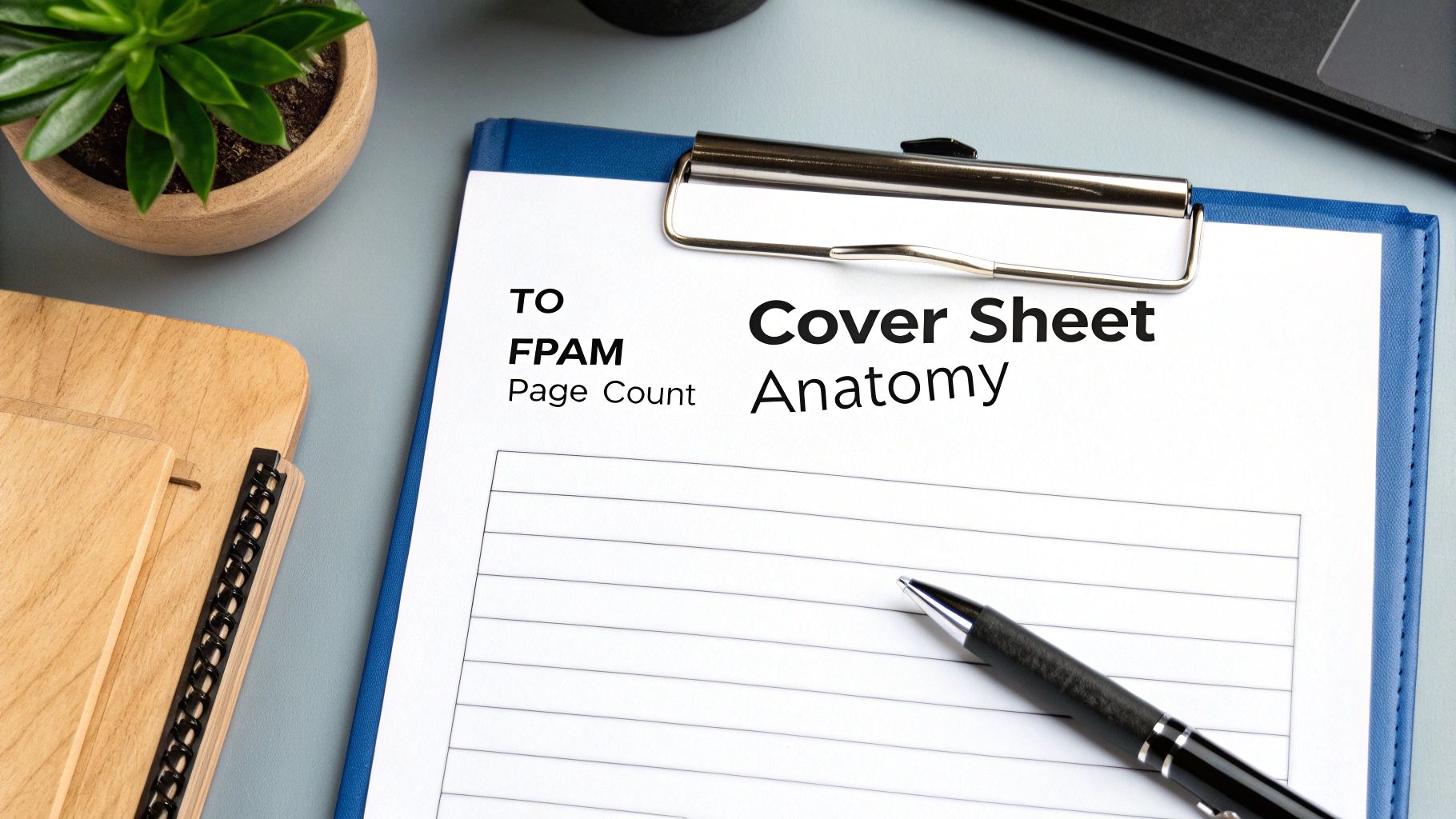
    A close-up of a document titled "Cover Sheet Anatomy" on a clipboard with a pen, next to a small plant.

    A compliant HIPAA fax cover sheet isn't just a formality—it’s a critical security tool. Think of it as the first line of defense for protecting sensitive patient information. Every field on that page has a specific job, working together to guide the fax to its proper destination and shield it from prying eyes.

    If you're building a cover sheet from scratch, it’s not enough to know what to include. You need to understand why each piece of information matters. Getting this right is a proactive step that shows you're serious about patient privacy and staying on the right side of regulations.

    Core Components You Cannot Skip

    Some elements are simply non-negotiable when you're faxing Protected Health Information (PHI). These required fields are the absolute backbone of a compliant document, creating a clear and secure trail for every transmission.

    Since HIPAA was enacted back in 1996, the rules have been refined to demand specific information that protects PHI. This includes the sender's full name and contact info, the recipient's name and fax number, the date, and the total number of pages. You'll also need a powerfully worded confidentiality disclaimer. While HIPAA doesn't give you a script, the message has to be unmistakable.

    At its core, a compliant fax cover sheet answers three critical questions for anyone who sees it: Who sent this? Who is it for? And what should I do if I’m not the right person?

    These essential details are the foundation of secure communication.

    Recommended Fields for Enhanced Security

    Beyond the must-haves, you can add extra layers of information to really tighten up your security. These recommended fields aren't strictly required by HIPAA, but they go a long way in preventing mistakes and demonstrating a commitment to best practices.

    For example, adding a simple subject line can provide immediate context without revealing any PHI. Mentioning the sender’s department can also help a large hospital or clinic route the fax to the right person much faster, which means less time sitting on a shared machine.

    If you're looking for a solid starting point, downloading a pre-made HIPAA fax cover sheet template PDF can show you how to structure both the required and recommended information effectively.

    HIPAA Fax Cover Sheet Checklist Required vs Recommended Fields

    To make things easy, I've broken down what’s absolutely essential versus what’s just a really good idea. You can use this table as a quick checklist to review your current cover sheets or to build a new one that’s 100% compliant.

    Field Requirement Level Purpose and Example
    Sender Information Required Identifies who sent the fax for accountability. Example: Dr. Emily Carter, Oak Valley Medical
    Recipient Information Required Ensures the fax goes directly to the intended person. Example: Dr. John Smith, Pine Ridge Specialty Clinic
    Date and Time Required Creates a timestamp for the transmission, which is vital for audit trails. Example: Oct 26, 2026, 2:15 PM
    Total Page Count Required Helps the recipient confirm the entire document arrived. Example: "Pages: 5 (including cover)"
    Confidentiality Notice Required The legal disclaimer warning against unauthorized access or sharing of PHI.
    Subject Line Recommended Best Practice Adds context without exposing sensitive data. Example: "Patient Referral Information"
    Sender's Department Recommended Best Practice Helps get the fax to the right place faster internally. Example: "Cardiology Department"
    Sender's Fax Number Recommended Best Practice Makes it easy for the recipient to reply or confirm they got it.
    Urgency Indicator Recommended Best Practice Flags the document for time-sensitive review. Example: "Urgent," "For Immediate Review"

    By carefully including these fields, you're not just sending a fax—you're transforming a simple cover page into a powerful tool for HIPAA compliance and ensuring every piece of patient information gets the protection it deserves.

    Crafting a Bulletproof HIPAA Confidentiality Statement

    If the sender and recipient details are the address on an envelope, then the confidentiality statement is the legally binding seal. It's easily the most critical block of text on your HIPAA fax cover sheet. This isn't just polite boilerplate; it's a powerful legal notice that turns a simple message into a protected communication.

    This statement is your first line of defense against accidental disclosure. Faxes sometimes land on the wrong machine—it’s a common and potentially costly mistake in healthcare. When that happens, this disclaimer immediately puts the unintended recipient on notice about their legal obligations. It’s not a suggestion; it’s a clear directive with the full weight of federal law behind it.

    Think of it as a digital "do not enter" sign. It clearly marks the information as private, confidential, and meant for one specific person's eyes only. Without that explicit warning, someone who gets a fax by mistake might not realize the sensitive nature of the documents, raising the risk of a breach.

    Decoding the Legal Language

    The language in these statements can feel a bit dense, but every phrase serves a specific and vital purpose. Once you understand the key components, you’ll see why they are non-negotiable for staying compliant. Let's break down what makes a strong HIPAA disclaimer work.

    • Protected Health Information (PHI): This phrase is the heart of HIPAA. Including it makes it crystal clear that the documents contain sensitive patient data protected by federal law. This immediately raises the legal stakes for anyone who handles the fax.

    • Intended Recipient Only: Simple but powerful, this phrase draws a clear line in the sand. It establishes that the information is privileged and legally addressed to a single person or entity, making it obvious that anyone else is an unauthorized viewer.

    • Prohibited from Further Disclosure: This is the core instruction. It tells anyone who reads it that they cannot legally share, copy, or distribute the information in any way. If someone receives the fax by mistake, this clause forbids them from forwarding it or showing it to others.

    A well-crafted confidentiality statement is your organization's legal armor. It demonstrates due diligence, minimizes liability, and provides clear, actionable instructions that protect patient privacy in the event of a misdelivery.

    Sample Confidentiality Statements for Your Fax Cover Sheet

    While HIPAA doesn’t demand exact wording, the message has to be direct and unambiguous. Your organization's legal counsel is always the best resource, but the examples below provide a solid starting point. You can adapt the structure and content to fit your specific needs, much like you'd tailor a general fax cover letter for different situations.

    Example 1: Concise and Direct
    This shorter version is perfect for routine communications where you need to be clear without taking up too much space.

    "CONFIDENTIALITY NOTICE: The documents accompanying this fax transmission contain confidential health information that is legally privileged. This information is intended only for the use of the individual or entity named above. If you are not the intended recipient, you are hereby notified that any disclosure, copying, distribution, or action taken in reliance on the contents of these documents is strictly prohibited. If you have received this fax in error, please notify the sender immediately to arrange for the return or destruction of these documents."

    Example 2: Comprehensive and Detailed
    For highly sensitive records, a more detailed statement adds an extra layer of legal protection and gives more specific instructions.

    "IMPORTANT WARNING: This facsimile is intended for the exclusive use of the person or entity to whom it is addressed and contains confidential information protected by the Health Insurance Portability and Accountability Act (HIPAA). Unauthorized review, use, disclosure, or distribution is prohibited. If you are not the intended recipient, please contact the sender by reply fax or telephone immediately and destroy all copies of the original message. Your cooperation is required by law to protect this privileged information."

    Best Practices for Secure and Compliant Faxing

    A compliant HIPAA fax cover sheet is just the starting point. Truly secure faxing is about the entire process—from the moment you decide to send a document to the second you get a confirmation of receipt. Think of it like a chain of custody for sensitive information; every single link in that chain has to be strong to protect patient privacy and stay compliant.

    Adopting a solid set of best practices turns faxing from a routine task into a genuine security protocol. It means looking beyond the cover sheet and building in checks and balances before, during, and after you send anything. After all, a simple human error like misdialing a number can snowball into a major data breach. A clear, well-defined process is your best defense against these risks.

    Pre-Transmission Security Checks

    Before your finger even gets near the "send" button, a few simple checks can head off the most common—and costly—mistakes. This first stage is all about verification and making sure you’re only sending what’s absolutely necessary.

    • Verify Recipient Fax Numbers: This is a big one. Never, ever rely on memory or a scribbled sticky note. Always confirm the recipient's fax number against a trusted source, like an official provider directory or their verified letterhead. Double-checking the number is probably the single most effective thing you can do to prevent a misdirected fax.

    • Apply the Minimum Necessary Rule: HIPAA is clear on this: you should only disclose the minimum amount of Protected Health Information (PHI) required to get the job done. Before you send, give the documents a quick once-over to ensure you aren't accidentally including extra, unneeded patient data.

    • Prepare a Compliant Cover Sheet: Make sure every required field is filled out correctly, especially the confidentiality statement. This sheet is your first line of defense if the fax ends up in the wrong hands.

    The moments right before you send a fax are your best chance to prevent a breach. Taking a deliberate, methodical approach to verification is the hallmark of a truly secure faxing policy.

    Post-Transmission Protocols and Documentation

    Okay, the fax is sent. But you're not done yet. What happens next is just as critical for confirming delivery and creating the audit trail that HIPAA demands. This documentation is your proof that you took every reasonable step to protect PHI.

    It’s important to remember that HIPAA's allowance for faxing isn't a free pass; it's a regulated process that requires strict safeguards. To put it in perspective, the healthcare industry saw a staggering 276 million records breached last year, and misdirected faxes are often a contributing factor. The penalties for non-compliance are no joke either, reaching up to $50,000 per violation. For more on this, you can read the full breakdown of HIPAA faxing rules and best practices on accountablehq.com.

    Here’s what you need to do after every transmission:

    1. Confirm Successful Transmission: Don't just assume it went through. Check for a confirmation receipt from your fax machine or digital service that verifies the transmission was completed successfully.

    2. Follow Up with the Recipient: Whenever possible, especially for highly sensitive information, a quick phone call to the intended recipient to confirm they received the document is a powerful best practice.

    3. Maintain an Audit Trail: Keep a log of every fax containing PHI. This log should include the date, time, recipient's name and number, and a short description of what was sent. Most digital fax services do this for you automatically, creating a permanent, unchangeable record.

    Modernizing Your Faxing Strategy

    While traditional fax machines are still around, they come with built-in physical security risks. How many times have you seen a document with PHI just sitting on a shared machine, visible to anyone who walks by? Modern digital fax services solve this problem by delivering faxes directly to a secure, password-protected email inbox or online portal.

    These services also offer features like end-to-end encryption, which scrambles the data as it travels, making it unreadable to anyone trying to intercept it. If you’re looking to update your systems, you can learn more about the security of fax technology in our detailed guide. By pairing a proper cover sheet with modern technology and a rigorous workflow, you can build a faxing environment that is both secure and compliant.

    How to Send a HIPAA Compliant Fax with SendItFax

    Knowing the rules for a HIPAA fax cover sheet is one thing, but actually putting them into practice day-to-day is where compliance really happens. This is where modern online fax services like SendItFax come in, turning a potentially tedious task into just a few simple clicks. These platforms are built with security and compliance baked right in, making it much easier to protect sensitive patient information.

    Let's walk through the exact steps for sending a secure, compliant fax using SendItFax. This isn't just theory; it's a practical guide showing how the right tool can help you sidestep the common pitfalls of old-school fax machines.

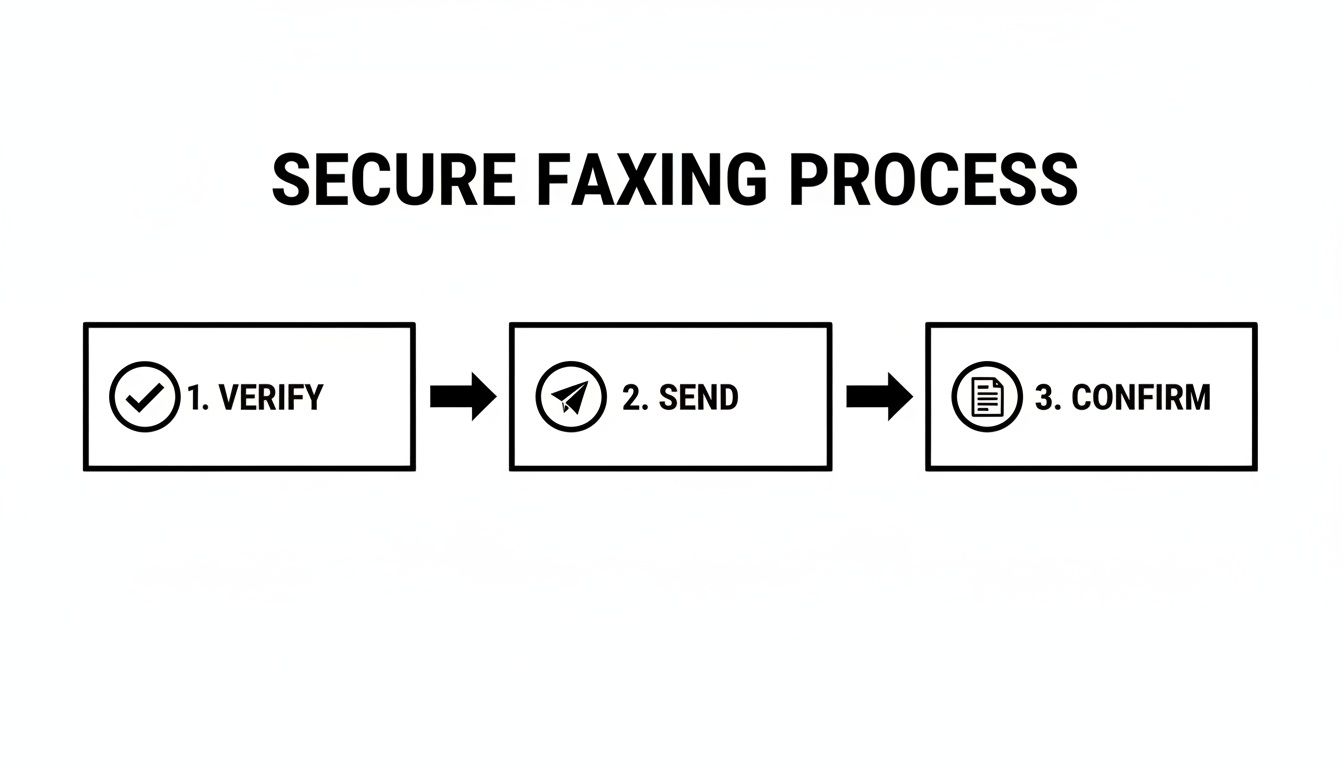
    The whole process boils down to a simple, repeatable workflow: verify your recipient, send the document securely, and get confirmation that it arrived safely.

    A diagram illustrating the secure faxing process in three steps: Verify, Send, and Confirm, with icons.

    This three-stage approach is the backbone of secure faxing. Each step plays a critical role in ensuring your transmission is both compliant and reliable.

    Step 1: Enter Sender and Recipient Information

    First things first, you need to clearly identify who's sending the fax and where it's going. SendItFax starts you off with a clean, straightforward interface for all the essential contact details.

    You’ll begin by entering your information—name, company, email, and phone number. Next, you'll do the same for your recipient. This step is more than just busywork; the platform uses these details to automatically populate the fax cover sheet, which helps ensure accuracy and saves you from typing it all out yourself.

    Step 2: Upload Your Documents and Add a Cover Page Message

    With the "to" and "from" fields sorted, you're ready to attach the actual documents. SendItFax handles common file types like PDF, DOC, and DOCX, so you can easily upload patient records, referral forms, or any other sensitive files right from your computer.

    This is also your chance to add a message to the cover page. Think of this as the subject line for your fax—a spot for a brief, non-confidential note. Just remember to keep any and all Protected Health Information (PHI) out of this message. The goal is to keep the cover sheet itself clean of any sensitive data.

    SendItFax then generates a professional cover sheet that automatically includes:

    • All the sender and recipient details you just entered.
    • A precise date and time stamp, creating a perfect record for your audit trail.
    • Your cover page message, placed prominently for the recipient.

    By automatically generating the cover sheet, SendItFax ensures no critical information gets left out by mistake. This built-in feature strengthens your compliance by standardizing the information included on every single fax you send.

    Step 3: Review and Send Your Secure Fax

    Before hitting send, you get a chance to review everything. This is your final checkpoint—a crucial moment to double-check that recipient's fax number and confirm you've attached the right files. A quick review here can prevent a misdirected fax, which is a major HIPAA headache.

    Once you’re confident it’s all correct, you can send it on its way. This is where SendItFax really shines. Behind the scenes, your documents are transmitted over an encrypted connection, a world away from the unsecured phone lines used by traditional fax machines.

    This digital approach has some huge advantages:

    1. Eliminates Physical Risks: Your documents go from your secure device straight to the recipient's fax or digital inbox. There's no shared office machine where confidential papers can be left sitting out in the open.
    2. Creates an Automatic Audit Trail: The service logs every single transmission—date, time, recipient, and delivery status. This unchangeable digital record is your proof of compliance if you ever need it.
    3. Provides Solid Delivery Confirmation: You'll get an email notification confirming whether the fax went through successfully or if it failed. No more standing by the machine, wondering if your important documents actually arrived.

    Using a service like SendItFax transforms a manual, error-prone chore into an automated, secure, and fully documented workflow. It not only makes sending a HIPAA fax cover sheet and its attachments easier but also gives your organization a much stronger and more defensible compliance posture.

    Got Questions About HIPAA Faxing? We've Got Answers.

    When you're dealing with HIPAA-compliant faxing every day, you know the real world doesn't always fit neatly into a textbook. You run into specific situations and tricky "what-if" scenarios that can leave you wondering if you're making the right call.

    This section tackles some of the most common questions we hear from healthcare professionals and administrators about using a HIPAA fax cover sheet and keeping the whole process secure. Think of it as your quick-reference guide for handling those gray areas with confidence. Getting these details right is crucial, because even a small slip-up can lead to big compliance headaches.

    Is a HIPAA Fax Cover Sheet Actually Required by Law?

    This is the big one, and the answer isn't a simple yes or no. The HIPAA Security Rule doesn't have a line that says, "You must use a fax cover sheet." What it does require is that you put "reasonable and appropriate" safeguards in place to protect Patient Health Information (PHI) from being seen by the wrong people.

    In the real world, a cover sheet is considered one of the most fundamental and effective safeguards you can use. It’s a universally accepted best practice for preventing accidental breaches.

    While the law doesn't name it directly, not using a cover sheet is seen as failing to take a basic, reasonable precaution. If you were ever audited, an investigator would almost certainly flag its absence as a major compliance gap. It's become a de facto requirement for any organization that's serious about protecting patient data.

    Can I Put Patient Information on the Cover Sheet Itself?

    An emphatic no. The whole point of a HIPAA fax cover sheet is to shield the PHI, not advertise it. Putting any patient-specific details on that front page—like their name, a diagnosis, or a medical record number—completely defeats its purpose.

    Here’s a simple analogy: think of the cover sheet as a sealed envelope and the PHI as the confidential letter inside. You wouldn't write the private details of your letter on the outside of the envelope for everyone to see. The same logic applies here. The cover sheet should only ever include contact information for the sender and recipient, the page count, and the confidentiality statement.

    What Happens If a Fax Goes to the Wrong Number?

    Mistakes happen. A single wrong digit is all it takes. For HIPAA compliance, what really matters is how you prepare for and respond to that mistake. A well-written cover sheet is your first line of defense when a fax ends up in the wrong hands. That confidentiality statement immediately tells the unintended recipient what their legal obligations are.

    If a misdirected fax occurs, here’s the protocol you should follow:

    1. Immediate Contact: The recipient should see your contact info on the cover sheet and notify you right away.
    2. Destruction Confirmation: You need to ask them to securely destroy the documents. For physical pages, that means shredding them.
    3. Breach Assessment: Back at your office, you must conduct a risk assessment to figure out if the incident qualifies as a reportable breach under the HIPAA Breach Notification Rule. This involves looking at what kind of PHI was sent and the chances it was compromised.

    Are Digital Fax Services More Secure Than Old-School Machines?

    In almost every case, yes. Modern online fax services offer security features that are light-years ahead of traditional analog fax machines. A physical machine just sends data over a phone line, but a digital service wraps that data in multiple layers of protection.

    Here’s why they’re better:

    • Encryption: Services like SendItFax scramble the data during transmission, making it unreadable to anyone who might try to intercept it.
    • Secure Delivery: Faxes arrive in a password-protected online inbox instead of sitting on a communal printer tray where anyone can see them.
    • Automated Audit Trails: Every single fax you send or receive is automatically logged with a timestamp and delivery status. This creates a perfect, unchangeable record for any compliance audits.

    Do I Need a Patient's Consent Before Faxing Their Records?

    This is a nuanced part of HIPAA. For routine activities falling under TPO (Treatment, Payment, and Healthcare Operations), you generally do not need to get a separate, specific authorization from the patient to fax their records.

    For example, faxing a patient’s chart to a specialist you're referring them to is a normal part of "treatment." Faxing a claim to their insurance company is a core part of "payment." These activities are expected and are covered by the general consent forms patients sign when they first come to your practice. However, if you need to send PHI for any reason outside of TPO, you would absolutely need to get explicit patient authorization first.

    Can My Staff Use Any Old Fax Machine in the Office?

    Definitely not, at least not without strict controls. If your office still uses physical fax machines, they need to be in a secure, low-traffic area that only authorized staff can access. A fax machine sitting out in a busy hallway or at the main reception desk is a huge security risk.

    Think about it: sensitive documents could easily be seen, picked up by the wrong person, or just forgotten on the tray. The best practice is to have a designated, secure room or office for faxing and a clear policy that everyone understands about sending and retrieving documents safely.


    Ready to make your faxing process simpler and lock down your HIPAA compliance? SendItFax offers a secure, web-based solution that automatically generates compliant cover sheets and protects every transmission with end-to-end encryption. You can send your first fax in minutes and see just how easy secure document delivery can be.