Think of a fax cover sheet as the professional handshake before the conversation begins. It’s the first page of your transmission, and it tells the recipient everything they need to know right away: who it's from, who it's for, and what it’s about. It's not just a formality; it’s a crucial step that makes sure your documents land on the right desk and get the attention they deserve.
Anatomy Of A Professional Fax Cover Sheet
In a busy office with a shared fax machine, a document without a cover sheet is an orphan. It could get lost, ignored, or seen by the wrong eyes. This is especially true in fields like healthcare and law, where a properly filled-out cover sheet isn't just a good idea—it's a critical piece of the security and compliance puzzle.
And yes, people are still faxing. In fact, the global fax services market was valued at USD 3.3 billion in 2024 and is expected to hit USD 4.47 billion by 2030. This isn't some dusty, forgotten technology; it's a core business tool. You can dive deeper into the fax services market growth on arizton.com. That ongoing relevance means professional standards, like using a cover sheet, matter more than ever.
Core Components Everyone Needs
No matter how simple or complex your fax is, every cover sheet needs a few non-negotiable pieces of information. Getting these basics right is what separates a professional communication from a potential headache for the recipient.
Sender & Recipient Information: Be crystal clear. Include full names, companies, and direct fax numbers.
Date: This is essential for record-keeping and creates an official timeline for your communication.
Page Count: Always include the total number of pages, including the cover sheet itself. This is the single best way for the recipient to know if they received the entire transmission.
Subject Line: A quick, descriptive subject gives the recipient immediate context before they even flip to the first page.
A well-structured cover sheet does more than just transmit information; it projects professionalism and shows respect for the recipient's time and internal processes. It’s the first step in a successful and secure document transfer.
Essential Fields for a Generic Fax Cover Sheet
To make it even clearer, here’s a quick breakdown of what to include on any standard fax cover sheet. Think of this table as your go-to checklist before you hit send.
Field Name
Purpose
Example
To
Identifies the intended recipient's name and title.
Jane Doe, Accounts Payable Manager
From
Identifies the sender's name and title.
John Smith, Project Lead
Fax Number
Lists the recipient's and sender's fax numbers for contact.
Recipient: 555-123-4567, Sender: 555-987-6543
Date
Records the date of transmission for tracking.
October 26, 2024
Total Pages
Confirms the total number of pages sent, including the cover.
5 (including cover sheet)
Subject/RE
Briefly describes the fax content for quick identification.
RE: Invoice #INV-7890 for Q3 Services
Comments
Provides space for brief notes, urgency, or confidentiality notices.
Urgent: Please process by EOD.
Filling out these fields consistently ensures your faxes are always clear, professional, and directed to the right person without any guesswork.
How to Fill Out Your Cover Sheet Accurately
Filling out a fax cover sheet seems like a no-brainer, but I've seen simple mistakes cause major headaches. A single wrong digit in the fax number and your document goes nowhere. Miscount the pages, and the person on the other end is left wondering if the machine jammed halfway through. Getting these details right is the difference between a successful transmission and a failed one.
Let’s start at the top: the sender and recipient info. Always go with full names and company details. It sounds obvious, but you'd be surprised. When it comes to phone and fax numbers, stick to a consistent format like (555) 123-4567. This little bit of standardization just makes everything clearer and prevents someone from misdialing when they need to call you back.
The page count is another classic spot for errors. Here’s the key thing to remember: the total number of pages must include the cover sheet itself. So, if you have a four-page report to send, your total page count is 5. This immediately tells the recipient what to expect and lets them know if the transmission was complete.
Adding Clarity and Context
The subject line and comments section are where you can really help the person on the other end. A lazy subject like "Invoice" doesn't help anyone. Something specific, like "RE: Invoice #4521 – Final Payment Request," gets it to the right person's desk much faster.
This is also your chance to add crucial handling instructions.
For urgent documents: A quick note like "Urgent: Action Required by 5 PM" or "Time-Sensitive Materials" ensures it doesn't get lost in a pile.
For confidential info: This is non-negotiable, especially in fields like healthcare or law. You need a clear disclaimer.
A simple statement like, "Confidential: This fax is intended only for the named recipient and may contain legally privileged information," does more than just inform. It provides a layer of legal protection, notifying anyone who might see it by accident that they can't read or share it.
Taking an extra 30 seconds to add these details is crucial for compliance with regulations like HIPAA. It’s what turns a basic fax cover sheet into a professional and secure tool for communication.
Grab a Free Fax Cover Sheet Template
Why start from scratch when you don't have to? We've already done the heavy lifting and created a handful of professional, ready-to-use templates. Just grab the one that fits what you're sending, fill it in, and you're good to go.
Each template is clean, easy to read, and has all the essential fields already in place. We've designed a few different versions to make sure you look polished, no matter if you're sending a quick note or a formal legal document.
Pick the Right Template for the Job
You wouldn't use the same tone for every email, and the same goes for fax cover sheets. We have four options to cover the most common scenarios:
Basic Template: This is your go-to for everyday faxes. It’s simple, clean, and perfect for general use when you just need to get the job done.
Business Template: A step up from the basic, this one includes a spot for your company logo. It’s a great way to keep your branding consistent and professional.
Legal Template: When sending sensitive legal documents, you need to be explicit about privacy. This template features a bold, impossible-to-miss confidentiality notice.
Healthcare Template: Built with HIPAA compliance in mind, this template includes a clear disclaimer to help protect patient health information (PHI).
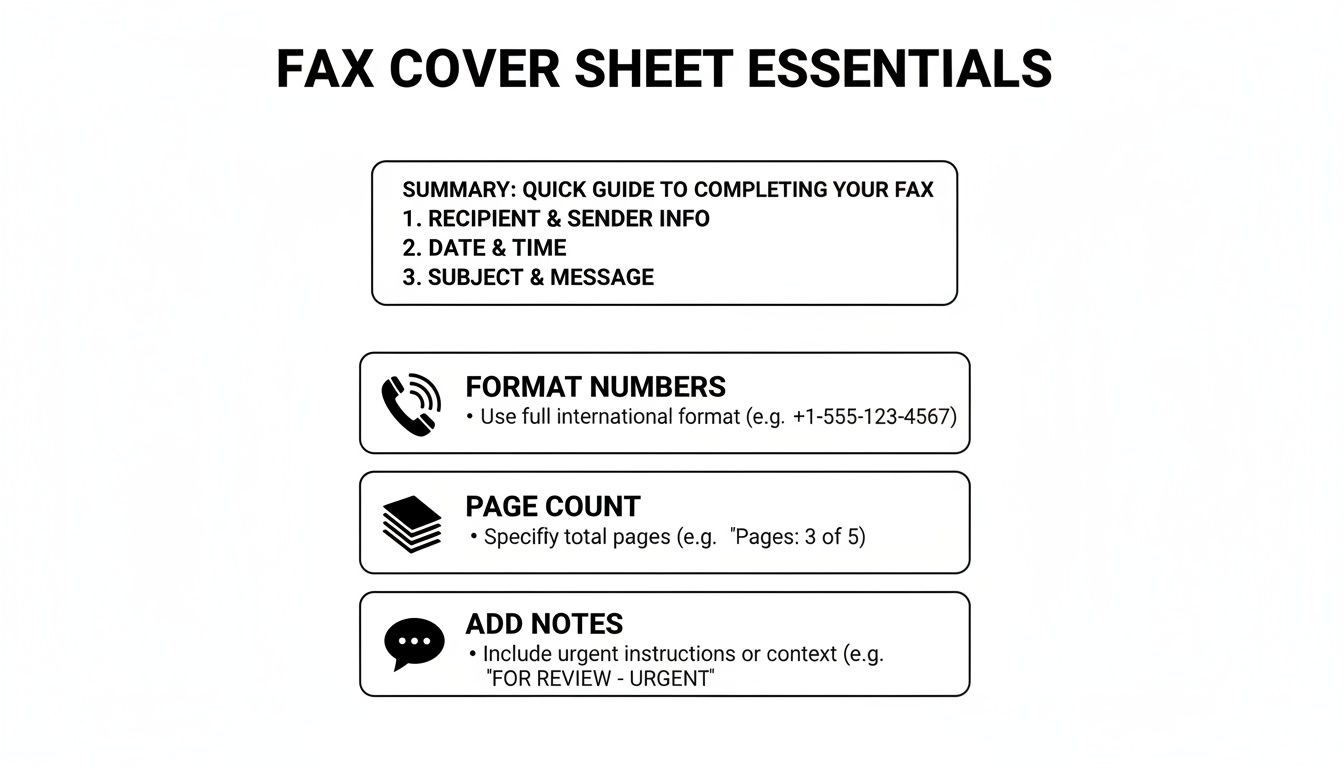
Before you hit send, it's always a good idea to give your cover sheet a final once-over. This quick visual guide points out the key details that matter most.
As the graphic shows, little things like double-checking the page count or ensuring the phone numbers are formatted correctly can make all the difference in a successful transmission.
Make a Template Your Own
After you download a template, feel free to tweak it. If you find yourself faxing the same client every week, why not save a version with their details already filled out? It’s a simple time-saver. For a deeper dive, check out our full guide on how to customize a fax cover sheet.
A good template does more than just save you a few minutes; it signals professionalism. A well-organized cover sheet shows you care about the details, which sets the right tone before your recipient even gets to the first page.
Using one of our templates is the fastest way to avoid common mistakes and ensure your fax makes the right first impression every time.
Common Faxing Mistakes You Can Easily Avoid
Even with the perfect cover sheet, simple slip-ups during the faxing process can cause major headaches. A contract sent to the wrong person or a medical file that cuts off halfway through can have real consequences.
Let's look at some of the most common—and easily fixable—mistakes I see people make all the time.
The Pesky Page Count
One of the most frequent flubs is getting the page count wrong. It sounds minor, but it matters. People often forget to include the cover sheet in their total. This leaves the person on the other end wondering if their machine jammed or if the transmission was incomplete, leading to wasted time with follow-up calls and confusion.
Always double-check that your total page number includes the cover sheet itself. It's a small detail that makes a big difference.
Readability is Everything
Another classic mistake is sending a document that’s a blurry, illegible mess. If you're scanning something with faint handwriting or low-contrast text, it’s not going to get any better after being transmitted over a fax line. What’s the point of sending it if no one can read it?
Before you hit send, do a quick preview. Make sure every word is crisp and clear, especially for signed agreements or detailed forms where every single detail is crucial.
Don't Skip the Confidentiality Notice
This one is huge. Forgetting to include a confidentiality notice, especially when you're sending sensitive information, is probably the most critical mistake you can make. It's an absolute must in fields like healthcare and legal.
Believe it or not, the healthcare industry alone was responsible for over 9 billion of the 17 billion faxes sent worldwide back in 2019. It’s a testament to the fact that faxing is still a workhorse technology, as detailed in this article on the endurance of fax technology in modern communication. When that much protected health information (PHI) is flying around, that little disclaimer is your first line of defense.
A clear confidentiality statement isn't just a suggestion; it's a vital layer of protection. It formally notifies any unintended recipient that the contents are private and legally privileged, instructing them not to read, copy, or distribute the information.
If you work in a medical field, getting this right is non-negotiable for staying compliant. To make sure your documents are up to snuff, check out our guide on creating a HIPAA-compliant fax cover sheet.
Avoiding these simple errors will help you build a reliable and secure faxing habit every single time.
Using Cover Sheets With Online Fax Services
Moving from a clunky machine to an online fax service makes sending documents a whole lot easier. It also changes how you deal with a generic fax cover sheet. Forget about printing a separate page—modern platforms like SendItFax build the cover sheet right into the sending process.
As you get your documents ready to send, you’ll usually see an option to add a cover page. This is where you can type your message directly into a text field. The service then automatically generates a clean, professional cover sheet using your sender and recipient details, which saves a ton of time.
This seamless process is a big part of why faxing is still so relevant. Believe it or not, a 2023 study found that 82% of companies in Germany still regularly use fax because it provides a verifiable delivery and a solid paper trail. If you're curious why it's still so popular, you can read about its role in international business on faxination.com.
Customization and Control
Online fax services also give you a level of flexibility you just don't get with an old-school machine. A free plan might include the provider's branding on the cover page, which is perfectly fine for occasional use. But for business communications, upgrading to a paid plan usually removes that branding for a more polished look.
The real advantage of online services is control. You can choose to add a detailed cover message for one fax and then decide to omit the cover sheet entirely for the next one, all with a single click.
This kind of on-the-fly control fits perfectly with modern workflows. You get all the security and formality of a traditional fax without being stuck in a rigid, one-size-fits-all process. If you’re just getting started with this approach, you can learn the basics of how to send a fax online and see for yourself how simple it is.
Answering Your Top Fax Cover Sheet Questions
Even once you get the hang of filling out a fax cover sheet, a few common questions always seem to pop up. Let's tackle some of the most frequent ones so you can send your next fax with total confidence.
A big one I hear all the time is, "Is a cover sheet legally required?" For most day-to-day business faxes, the answer is no—there isn't some universal law that says you have to use one. But when you're working in regulated fields like healthcare or law, using a cover sheet isn't just a good idea; it's a critical best practice for staying compliant.
Think about it from a healthcare perspective. A cover sheet with a HIPAA disclaimer is your first line of defense in protecting patient health information (PHI). It immediately alerts anyone who sees it that the contents are confidential, which is a massive part of maintaining security and preventing an accidental breach.
Can I Just Make My Own Cover Sheet?
You absolutely can, and you don't need any fancy software to do it. A simple document created in Microsoft Word or Google Docs will work just fine.
If you want to create your own, it's pretty straightforward:
Start with a blank document and give it a clear, bold title at the top, like "Fax Cover Sheet" or "Facsimile Transmittal."
Next, add the essential fields we've already covered: To, From, Date, Subject, and the Total Page count (don't forget to include the cover page itself in this number!).
Make sure to leave a decent-sized section for comments or any special instructions.
Finally, if you're sending anything sensitive, add a confidentiality notice at the bottom.
Just save this file as a template on your computer, and you’ve got a go-to cover sheet ready whenever you need one. It's a simple and completely free solution that gets the job done.
What Is a Confidentiality Notice, Anyway?
A confidentiality notice is that formal-looking paragraph you often see at the bottom of a cover sheet. Its job is to warn anyone who lays eyes on the fax that the information is private and meant only for the person it's addressed to. It's a legal safeguard that can be incredibly important if your fax ends up in the wrong hands.
This notice isn't just filler text; it’s a direct instruction. It clearly states that the information is privileged and that anyone who isn't the intended recipient is strictly prohibited from reading, copying, or sharing it.
You should always include one when you're faxing things like:
Legal documents or signed contracts
Medical records or any patient data
Financial statements or personal information
Internal company memos that aren't meant for public release
Here’s a classic example you can adapt for your own use: "CONFIDENTIALITY NOTICE: The documents accompanying this transmission contain confidential information belonging to the sender that is legally privileged. This information is intended only for the use of the individual or entity named above. If you are not the intended recipient, you are hereby notified that any disclosure, copying, distribution, or action taken in reliance on the contents of this information is strictly prohibited."
Ready to send a fax without the fuss? SendItFax lets you upload your documents, add a professional cover page, and send your fax in minutes—no account or fax machine needed. Try it now at https://senditfax.com.
While faxing might seem like a relic from a bygone era, many industries-including healthcare, legal, and real estate-still rely on it for secure document transmission. A poorly written or incomplete fax cover letter can lead to confusion, delays, or even lost documents, undermining the very reason you chose this method. It’s not just a formality; it’s a critical component of professional communication that ensures your documents reach the right person and are handled correctly.
This guide moves beyond generic templates to provide a comprehensive collection of fax cover letter examples tailored for specific, real-world scenarios. We’ll break down each example to reveal the strategic thinking behind its structure, language, and formatting. You'll get more than just a template to copy; you’ll get actionable takeaways to help you craft the perfect cover letter every time.
Whether you're sending sensitive medical records, a time-sensitive legal filing, or a simple business memo, the right cover letter makes all the difference. In the following sections, you will find ready-to-use examples for:
Professional business communications
Confidential legal documents
Secure medical records and insurance claims
Time-sensitive real estate transactions
Non-profit and grant applications
Simple, informal memos
Each template is designed to be clear, concise, and effective, ensuring your fax transmission is professional and successful. Let’s dive into the examples and learn how to perfect your approach.
1. Professional Business Fax Cover Letter Template
The professional business fax cover letter is the cornerstone of corporate communication via fax. It's a formal, structured document designed to convey authority, professionalism, and clarity. This template is indispensable for business-to-business (B2B) interactions, legal correspondence, and any official transmission where brand identity and meticulous record-keeping are paramount.
Its primary purpose is to act as a formal introduction to the documents that follow, ensuring they are received by the correct person and understood in the proper context. Unlike a casual memo, this cover letter often incorporates official company letterhead, including the logo, address, and contact information, reinforcing corporate branding with every transmission.
Strategic Breakdown
This template's effectiveness lies in its structure and formality. It immediately establishes a professional tone, which is crucial when sending sensitive or high-stakes documents like contracts, proposals, or financial records. The clear, organized fields minimize the risk of human error, ensuring the fax reaches its intended recipient promptly.
Key Strategy: The professional template transforms a simple transmission into an official piece of corporate correspondence. It standardizes the initial point of contact, making the process predictable and reliable for both sender and receiver.
By using a standardized format, businesses create a consistent paper trail. This is vital for compliance, auditing, and legal purposes, where a clear record of who sent what, to whom, and when is non-negotiable.
When and Why to Use This Template
This is your go-to template for any situation demanding a high degree of professionalism and documentation.
Legal and Contractual Documents: Use it when sending signed contracts, legal notices, or partnership agreements. The cover sheet serves as a formal record of the transmission.
Financial Information: Transmitting invoices, purchase orders, or financial statements requires a secure and professional introduction.
Official Proposals and Bids: When submitting a proposal to a potential client, this cover letter sets a polished, competent first impression.
Human Resources: Sending employment offers, termination notices, or other sensitive HR documents necessitates a formal, documented approach.
Actionable Takeaways & Customization
To maximize the impact of this fax cover letter example, follow these practical steps:
Integrate Your Letterhead: Always use a version that includes your company's official logo and contact details. This reinforces your brand identity.
Use Clear Subject Lines: The "RE:" or "Subject:" line should be concise and descriptive (e.g., "Signed Contract – Project Phoenix" or "Invoice #INV-2024-03A").
Include a Call to Action: Briefly state the desired next step in the "Comments" section (e.g., "Please sign and return by EOD on Friday" or "For your review and approval").
Leverage SendItFax Features: When using an online fax service like SendItFax, you can often upload a pre-designed cover page template. Save your professional template as a PDF to ensure it's always ready for a quick, branded transmission.
2. Legal Document Fax Cover Letter
The legal document fax cover letter is a highly specialized template designed for transmitting sensitive legal correspondence. It is formatted with the explicit purpose of protecting attorney-client privilege and ensuring compliance with legal ethics rules. This template is non-negotiable for law firms, solo practitioners, and corporate legal departments where confidentiality and a clear, defensible record of communication are paramount.
Its primary function extends beyond a simple introduction. It serves as a formal notice, embedding critical disclaimers and privilege statements directly into the transmission record. This includes confidentiality notices that instruct unintended recipients on how to handle the misdirected information, immediately establishing a legally protective framework for the documents that follow.
Strategic Breakdown
The power of this template lies in its meticulous attention to legal formalities and risk mitigation. By including specific legal language, such as an "Attorney-Client Privilege" notice, it immediately signals the confidential nature of the communication. This preemptive measure is crucial in the event a fax is misdirected, providing a basis for demanding the return or destruction of the privileged documents.
Key Strategy: This template transforms a standard fax transmission into a legally fortified communication channel. It embeds necessary disclaimers and privilege notices, creating an auditable record that upholds professional responsibility and protects client confidentiality.
The detailed logging fields for document titles and page counts also create a precise manifest of what was sent. This is invaluable for preventing disputes over which documents were included in a transmission, particularly when dealing with multi-part contracts, discovery materials, or evidence submissions.
When and Why to Use This Template
This is the only acceptable template for any correspondence involving legal advice, client information, or matters subject to attorney-client privilege.
Attorney-Client Communications: Essential for sending client contracts, legal advice, or case-related updates.
Contracts and Agreements: Use it when transmitting settlement agreements, non-disclosure agreements (NDAs), or other binding contracts between parties.
Litigation and Discovery: Sending evidence, motions, or discovery requests to opposing counsel or the court requires this level of formal documentation.
Regulatory and Compliance Filings: Transmitting documents to government agencies, such as immigration visa applications, demands a formal and verifiable cover sheet.
Actionable Takeaways & Customization
To ensure this fax cover letter example meets strict legal standards, apply these practical steps:
Incorporate Prominent Disclaimers: Place a clear "Attorney-Client Privileged Communication" or "Confidential Legal Correspondence" notice at both the top and bottom of the page.
Verify Recipient Information: Double-check the recipient's fax number before sending to prevent inadvertent disclosure of confidential information. This is a critical step in upholding your duty of care.
Be Specific in the Document Log: Instead of a generic "Comments" section, use a structured area to list each document by name and page count (e.g., "Settlement Agreement – 12 pages," "Exhibit A – 3 pages").
Consult Ethics Guidelines: Before finalizing your template, review the specific ethics rules and opinions from your state or local bar association regarding electronic communications.
Maintain Impeccable Records: Use a service like SendItFax to automatically generate transmission reports for every fax. These reports serve as a crucial part of your audit trail for legal and compliance purposes.
3. Healthcare Medical Records Fax Cover Letter
The healthcare medical records fax cover letter is a specialized, HIPAA-compliant document essential for the secure transmission of Protected Health Information (PHI). It is meticulously designed for healthcare providers, clinics, hospitals, and pharmacies to ensure that sensitive data like patient records, lab results, and prescriptions are handled with the utmost confidentiality and in accordance with federal law.
Its primary purpose is to act as a secure and compliant gateway for the accompanying medical documents. This cover sheet includes mandatory elements like a confidentiality notice, patient identifiers, and sender credentials, which are critical for protecting patient privacy and maintaining a clear audit trail for HIPAA compliance. It is a non-negotiable tool for any medical-related fax communication.
Strategic Breakdown
This template's power lies in its commitment to compliance and risk mitigation. It immediately signals to the recipient that the attached documents contain sensitive PHI, triggering appropriate handling procedures upon arrival. The structured fields for patient information, such as name and date of birth, help prevent dangerous misidentification errors.
Key Strategy: The HIPAA-compliant template transforms a standard fax into a secure, legally sound method of transmitting PHI. It embeds critical privacy warnings and sender verification directly into the transmission record, creating a defensible paper trail.
By using this standardized format, healthcare organizations can operationalize HIPAA's privacy and security rules. This systematic approach is vital for passing audits, protecting patient trust, and avoiding the severe penalties associated with data breaches. For a deeper dive, you can learn more about crafting a HIPAA-compliant fax cover sheet.
When and Why to Use This Template
This is the only acceptable template for transmitting any document containing PHI. Its use is not just a best practice; it's a core component of regulatory compliance.
Patient Referrals: Use it when sending a patient's medical history from a primary care physician to a specialist.
Lab and Test Results: Essential for transmitting diagnostic results from labs to the ordering physician’s office.
Prescription Transmissions: When sending new prescriptions or refill requests between a medical office and a pharmacy.
Hospital Records: For sending discharge summaries, ER reports, or other clinical documentation between facilities.
Actionable Takeaways & Customization
To ensure your healthcare fax cover letter examples are fully compliant and effective, follow these critical steps:
Display the Confidentiality Notice Prominently: Your cover sheet must include a clear, bolded HIPAA warning (e.g., "CONFIDENTIAL PATIENT HEALTH INFORMATION ENCLOSED").
Use a Secondary Patient Identifier: Always include the patient's date of birth in addition to their full name to prevent mix-ups and ensure accuracy.
Maintain Detailed Transmission Logs: Document every fax sent with this cover sheet for your HIPAA audit trail, including date, time, recipient, and confirmation status.
Choose the Right SendItFax Plan: While the free plan is great for internal testing, use the Almost Free plan ($1.99) when sending actual patient records. This removes third-party branding, presenting a more professional and clean document that upholds the perceived security of the transmission.
4. Real Estate Transaction Fax Cover Letter
The real estate transaction fax cover letter is a specialized template crucial for the high-stakes, fast-paced world of property deals. It’s engineered to manage the flow of critical documents like purchase agreements, title reports, and closing statements, ensuring every piece of paper lands in the right hands with precision and legal standing. This template is indispensable for real estate agents, brokers, title companies, and lenders.
Its primary function is to create an unambiguous and professional record for each document transmission within a complex transaction involving multiple parties. By including specific fields like property address and transaction ID, it dramatically reduces the risk of costly errors and delays, which can jeopardize a sale.
Strategic Breakdown
The power of this template lies in its specificity and its role as a transaction management tool. In real estate, where timelines are tight and legal compliance is non-negotiable, a generic cover sheet is a liability. This specialized format adds a layer of verification and organization that is vital for smooth closings.
Key Strategy: This template centralizes critical transaction data on the cover page, transforming the fax from a simple message into a formal part of the property's legal file. It ensures clarity and accountability for every document sent.
By prominently displaying the property address and transaction details, the cover letter acts as a routing slip, preventing sensitive information from being misplaced. This systematic approach is essential for maintaining a clear and auditable trail of communication, which is vital for compliance and dispute resolution.
When and Why to Use This Template
This is your essential template for transmitting any document related to a property transaction. Its use signals professionalism and meticulous attention to detail.
Submitting Offers: Use it when sending purchase agreements or counteroffers to ensure they are formally logged and directed to the correct listing agent.
Title and Escrow: Title companies rely on this format for sending preliminary reports, and escrow agents use it for closing documents and settlement statements.
Inspection and Appraisal Reports: Transmitting inspection findings or property valuations requires a cover sheet that clearly links the report to the specific property transaction.
Lending and Mortgage Documents: Lenders use it to send loan commitments, disclosures, and funding instructions to closing attorneys or title companies securely.
Actionable Takeaways & Customization
To make this fax cover letter example work for your real estate business, implement these best practices:
Prioritize Property Details: The property address and transaction or file number should be the most prominent information after the recipient's name.
Mark for Urgency: Use the "Comments" section to add notes like "URGENT: Closing on [Date]" or "Time-Sensitive Offer Attached" to prompt immediate action.
List All Key Contacts: Include contact information for the buyer's agent, seller's agent, and title company to facilitate easy communication between all parties.
Maintain Digital Records: Use an online service like SendItFax to send faxes and automatically store transmission confirmations. These records are crucial for your transaction files and can be vital for compliance audits.
5. Simple Informal Fax Cover Letter
The simple informal fax cover letter is the minimalist's choice for quick, no-fuss communication. It's a stripped-down, straightforward template designed for speed and efficiency, perfect for situations where formality is secondary to clarity. This template is ideal for internal memos, casual business exchanges, or personal document sharing.
Its primary purpose is to get the essential information across without the corporate branding or structural rigidity of a formal cover sheet. It includes only the most critical fields: sender, recipient, date, and a brief message area. This makes it perfect for freelancers, small businesses, and individuals who need a fast and functional way to introduce their faxed documents.
Strategic Breakdown
This template’s strength lies in its simplicity and speed. By eliminating non-essential elements like company logos, detailed contact blocks, and confidentiality disclaimers, it focuses purely on the transmission's core details. This approach reduces clutter and makes the information easy to digest at a glance.
Key Strategy: The informal template prioritizes function over form. It streamlines the faxing process for low-stakes communication, making it as easy as sending a quick email or text message.
For many users, especially those sending occasional faxes, this is the most practical option. It removes the pressure of adhering to strict corporate formatting, allowing for more personal and direct communication. Its utility is a key reason it's one of the most popular fax cover letter examples for day-to-day use.
When and Why to Use This Template
This is your go-to template for any scenario where speed and simplicity outweigh the need for formal branding or documentation.
Internal Communications: Sending quick updates, meeting notes, or informal requests between departments or colleagues.
Freelancer Submissions: Transmitting project deliverables, drafts, or timesheets to a familiar client.
Small Business Operations: Sharing inventory lists with a regular supplier or sending a quick confirmation to a partner.
Personal Documents: Sending a resume to a recruiter, providing references, or sharing personal records where a full formal letter is unnecessary.
Actionable Takeaways & Customization
To make the most of this simple and effective fax cover letter example, consider these practical tips:
Keep it Brief: The "Comments" or "Message" section should be concise. Stick to one or two sentences explaining the document's purpose.
Prioritize Clarity: Even though it's informal, ensure your name and the recipient's name are clearly written to avoid confusion.
State the Page Count: Always include the total number of pages (including the cover sheet) to help the recipient confirm they received the full document.
Use SendItFax's Free Tier: This minimal template is perfect for SendItFax’s free service, which allows you to send up to 5 faxes daily without creating an account. You can quickly fill out the browser-based cover sheet and send your document in seconds. Explore more in our guide to using a simple cover sheet template.
6. Medical Insurance/Claims Fax Cover Letter
The medical insurance and claims fax cover letter is a highly specialized document crucial for navigating the complex world of healthcare billing and administration. It’s engineered for clear, compliant communication between healthcare providers, insurance companies, and patients. This template is essential for transmitting sensitive documents like claims forms, prior authorization requests, medical records, and policy updates where accuracy and traceability are non-negotiable.
Its primary purpose is to provide an unambiguous, at-a-glance summary of the enclosed documents, ensuring they are routed to the correct department and processed without delay. It includes specific fields for policy numbers, claim IDs, and patient identifiers, which are critical for linking the fax to the correct case file in a high-volume processing environment.
Strategic Breakdown
This template's power comes from its precision and adherence to industry standards. In healthcare and insurance, a single missing piece of information, like a claim number, can lead to denials, payment delays, or compliance breaches. This structured cover letter minimizes such risks by standardizing the information presented upfront.
Key Strategy: The medical claims template acts as a data-rich routing slip that accelerates administrative processing. It front-loads all critical identifiers, allowing insurance processors to immediately triage, categorize, and act on the information received.
This level of detail is not just for convenience; it's a critical component of the revenue cycle management for healthcare providers and the claims adjudication process for insurers. It creates a definitive record of transmission, which is vital for audits, appeals, and resolving disputes.
When and Why to Use This Template
This is the mandatory template for nearly all fax communications involving patient insurance information. Its use is a best practice for maintaining clarity and compliance.
Submitting Claims: Medical billing departments use it to send initial claims (like CMS-1500 or UB-04 forms) to insurance companies for reimbursement.
Requesting Prior Authorizations: Healthcare providers must send these to get approval for procedures, and the cover letter ensures the request is linked to the right patient and policy.
Sending Supporting Medical Records: When an insurer requests additional documentation to adjudicate a claim, this cover letter ensures the records are correctly associated with the pending case.
Appealing Denials: Use this to formally introduce an appeal, clearly referencing the original claim number and denial reason.
Actionable Takeaways & Customization
To ensure your insurance-related faxes are processed efficiently, apply these practical steps:
Prioritize Identifiers: Always place the Policy Number and Claim/Reference Number in the most prominent positions on the cover sheet.
Verify Recipient Information: Insurance company fax numbers change. Always confirm you are using the correct, most current number for the specific department (e.g., claims, authorizations, appeals).
Include a Direct Contact: Add a direct phone number for a specific person or department in the "Comments" section for any follow-up questions from the processor.
Use SendItFax for Record-Keeping: An online fax service like SendItFax provides a verifiable transmission log. This log is your proof of submission and is invaluable for audits and dispute resolution. Save separate templates for recurring insurers to streamline future transmissions.
7. Non-Profit/Grant Application Fax Cover Letter
The non-profit and grant application fax cover letter is a specialized template designed for charitable institutions and community organizations. It's a professional yet often budget-conscious document created to transmit critical funding requests, program documentation, and grant applications to foundations, government agencies, and donors. This template is crucial for making a strong first impression while adhering to strict submission guidelines.
Its primary purpose is to introduce the accompanying documents with clarity and professionalism, ensuring they are directed to the correct grant officer or review committee. Unlike a standard business cover letter, this template often includes specific fields for grant names, application numbers, and organizational tax IDs, directly addressing the unique compliance needs of the non-profit sector.
Strategic Breakdown
This template's power comes from its ability to convey mission-driven urgency and meticulous organization. It immediately signals that the non-profit is a serious, well-managed entity capable of handling grant funds responsibly. The structured format ensures all required identifying information is front and center, reducing the risk of an application being misplaced or disqualified on a technicality.
Key Strategy: The non-profit template frames the fax transmission not just as a document delivery, but as a formal, compliant step in a competitive funding process. It highlights professionalism and attention to detail, which grantors often see as a proxy for program management capability.
By using this specific fax cover letter example, organizations create a clear, auditable record of their submission. This is vital when dealing with tight deadlines and government agencies, where proof of timely transmission is often required.
When and Why to Use This Template
This is the essential template for any non-profit organization transmitting documents related to funding, compliance, or program reporting via fax.
Grant Applications: Use it when submitting full proposals to federal agencies, private foundations, or corporate philanthropies that still accept or require faxed submissions.
Funding Requests and Proposals: Transmitting letters of inquiry (LOIs), emergency funding requests, or program proposals requires a cover sheet that clearly states the purpose.
Compliance and Reporting: Sending follow-up documentation, program reports, or 501(c)(3) verification letters needs a formal introduction to ensure it is filed correctly.
Program Documentation: Use it for sending documents for after-school programs, community health initiatives, or other charitable activities to partners or funders.
Actionable Takeaways & Customization
To create an effective non-profit fax cover letter, focus on clarity, compliance, and cost-efficiency:
Highlight Key Identifiers: Prominently display the grant program name, application number, and your organization's Tax ID or 501(c)(3) status on the cover sheet.
Confirm Recipient Details: Double-check the name and title of the specific grant officer or department to ensure your application gets into the right hands immediately.
Reference Deadlines: In the "Comments" section, explicitly state the submission deadline you are meeting (e.g., "Submission for the Community Health Grant, deadline 5:00 PM EST, Oct 15").
Use SendItFax for Cost Savings: For organizations on a tight budget, SendItFax's free tier allows for up to 5 faxes per day (with a 3-page limit). This is perfect for sending multiple applications without cost. If the SendItFax branding on the free cover page is a concern, the ultra-low-cost plans remove it for a more professional look.
7-Point Fax Cover Letter Comparison
Template
🔄 Implementation complexity
💡 Resource requirements
⭐ Expected outcomes
📊 Ideal use cases
Key advantages
Professional Business Fax Cover Letter Template
Moderate — standard corporate fields and branding setup
Brand assets, PDF template, minor approvals
⭐⭐⭐ Professional appearance; corporate compliance and audit trail
Low–Moderate — funder-specific details and concise mission info
Org EIN/501(c)(3) proof, grant identifiers, deadline tracking
⭐⭐⭐ Cost-effective professional presentation for funders
Grant applications, funding requests, program proposals
Budget-friendly, organized, highlights mission to reviewers
Your Next Steps to Flawless Fax Communication
Throughout this guide, we've explored a diverse collection of fax cover letter examples, each tailored to a specific professional context. From the formal structure required for legal documents to the clear, concise language needed for healthcare records, the underlying principle remains the same: a well-crafted fax cover letter is not just a formality; it's a strategic tool for ensuring your documents are received, understood, and acted upon correctly.
Moving beyond mere templates, we analyzed the strategic purpose behind each element. We saw how a simple subject line can prevent misrouting in a busy office, how clearly listing attachments can preempt follow-up calls, and how a well-placed confidentiality notice can uphold legal and ethical standards. These are not just fields to fill in; they are opportunities to guide your recipient and protect your information.
From Examples to Expertise: Key Takeaways
The journey from seeing an example to creating your own effective cover letter involves internalizing a few core principles. As you move forward, keep these critical takeaways at the forefront of your fax communication strategy:
Clarity is Paramount: Your primary goal is to eliminate ambiguity. State your purpose, identify the documents, and specify the recipient with absolute clarity. A confused recipient is one who might misplace, ignore, or incorrectly process your critical information.
Context Dictates Tone: The formal, precise language of a legal fax cover letter would be out of place in a simple memo, just as an informal tone would undermine the gravity of a medical records request. Always match your language and structure to the industry's and the situation's expectations.
Completeness Builds Confidence: A cover letter that includes all necessary details-sender and recipient information, date, page count, and a clear subject line-shows professionalism. It signals to the recipient that the sender is organized, thorough, and trustworthy, which is especially vital when transmitting sensitive materials like contracts or medical files.
Actionable Steps to Improve Your Faxing Process
Knowledge becomes power when you apply it. To translate the insights from these fax cover letter examples into your daily workflow, consider these immediate, actionable steps:
Build Your Own Template Library: Don't start from scratch every time. Based on the examples provided, create a set of core templates for your most common faxing needs (e.g., "New Client Contract," "Invoice Submission," "Records Request"). Save these in an accessible location so you can adapt them in minutes.
Develop a Pre-Send Checklist: Before hitting "send," run through a quick mental or written checklist. Does it have a clear subject? Is the page count correct? Is the recipient's name and fax number accurate? This simple five-second habit can prevent countless errors.
Prioritize the Subject Line: Treat the subject line like an email subject. Make it descriptive and unique. Instead of "Fax," use "Fax: Invoice #INV-5892 for Project Alpha" or "Fax: Signed Lease Agreement for 123 Main St." This small change makes your document instantly identifiable in a stack of papers.
By embracing these strategies, you elevate your fax communications from a simple transmission to a professional, effective, and secure method of doing business. The fax cover letter is your document's first impression and its routing slip all in one. Mastering it ensures your message not only arrives but also achieves its intended purpose with precision and professionalism. Your attention to this crucial detail will streamline your processes, reduce follow-up efforts, and solidify your reputation as a detail-oriented professional.
Ready to put these examples into practice with a modern, reliable faxing solution? SendItFax simplifies the entire process by allowing you to create and attach professional cover letters directly from your browser, no fax machine required. Get started with our secure and user-friendly platform today at SendItFax.
In a world dominated by email and instant messaging, the fax machine seems like a relic. Yet, many industries, including healthcare, legal, real estate, and government, still rely on faxing for its security and legal standing. But what happens when you don't have access to one of those clunky, toner-guzzling machines? The good news is you no longer need one. Modern technology offers numerous practical ways to fax without a fax machine, turning your computer or smartphone into a powerful communication tool.
This guide is designed to help you quickly find the best solution for your specific needs, whether you're a freelancer sending a single contract or a small business managing regular transmissions. We will walk you through seven of the best methods available today, from instant browser-based services like SendItFax to reliable in-store options at FedEx Office.
Each option is presented with a clear, actionable breakdown of its features, costs, and ideal use cases. You'll find direct links and screenshots to make the process as simple as possible. We’ll provide step-by-step instructions to help you send that urgent document securely and efficiently, no hardware required. Let's explore the modern alternatives that make faxing more accessible than ever.
1. Send a Quick, Account-Free Fax with SendItFax
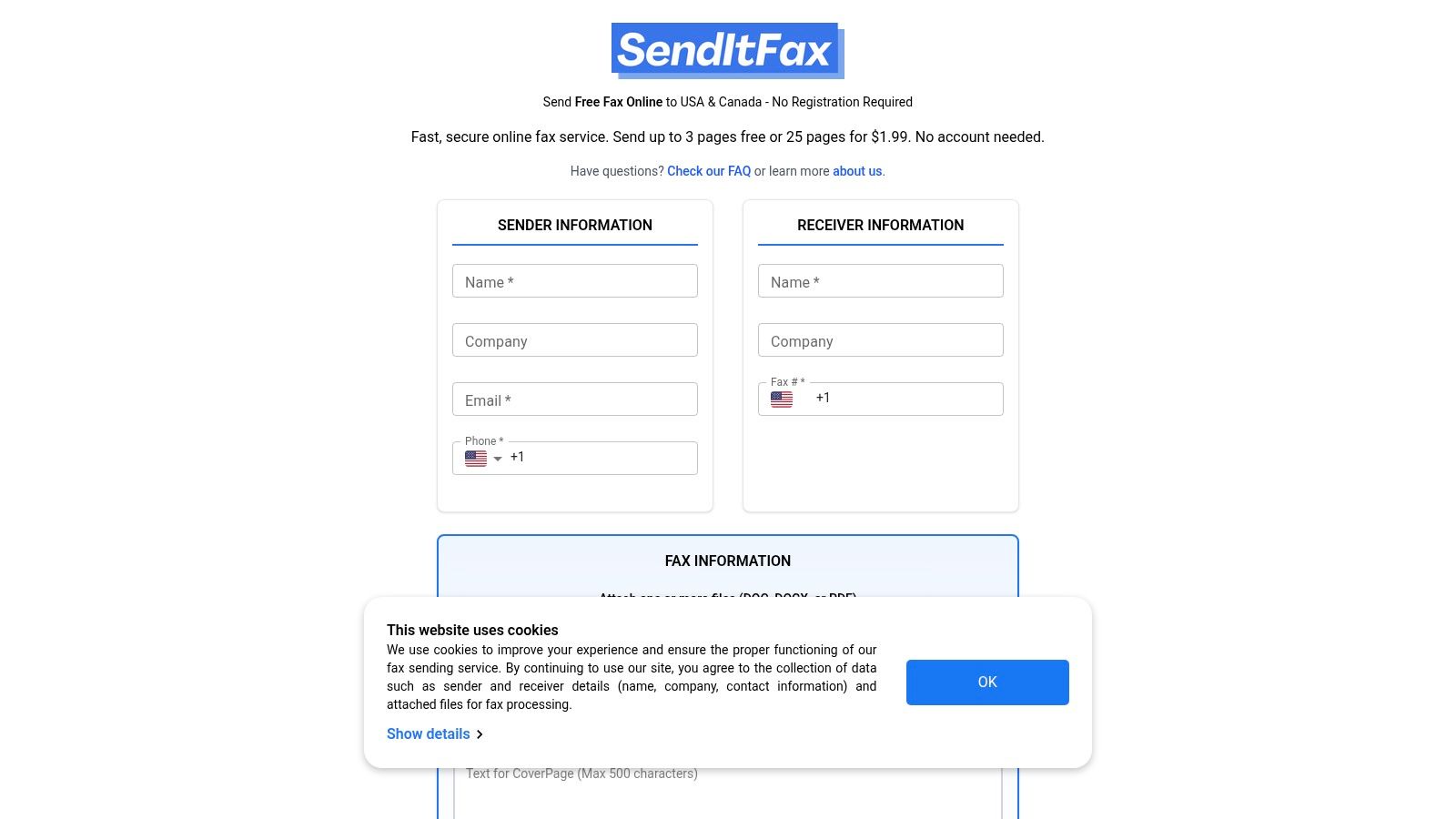
When the need to send a fax arises unexpectedly, the last thing you want is a complicated registration process or a mandatory subscription. This is where SendItFax establishes itself as a premier solution and one of the most efficient ways to fax without a fax machine. It's a browser-based platform meticulously designed for speed and simplicity, making it an ideal choice for professionals and individuals who require immediate, one-off faxing capabilities.
The core appeal of SendItFax is its frictionless user experience. You can send a fax in under a minute directly from any device with a web browser, whether it's a computer, tablet, or smartphone. There is no software to download and, crucially, no account creation is required for its free service, eliminating a common barrier to entry found in many other online fax providers.
Key Features and User Benefits
SendItFax is built around a practical feature set that prioritizes accessibility and user control. Its straightforward process involves uploading a document, entering the recipient's fax number, and sending it.
No Account Necessary: The platform's standout feature is its "send-and-go" model. This is perfect for users who fax infrequently and don't want to manage another online account or subscription.
Flexible Pricing Tiers: It offers a genuinely useful free option, allowing users to send up to three pages (plus a cover sheet) a total of five times per day. For more substantial documents, a low-cost paid tier is available for a one-time fee of $1.99, which increases the page limit to 25, removes SendItFax branding, and provides priority delivery.
Broad Document Support: The service accepts common file formats, including PDF, DOC, and DOCX, which covers the vast majority of business and personal documents.
Professional Trust: With a high user rating (4.8/5 from over 250 reviews) and positive testimonials, SendItFax has earned the trust of users in sectors like healthcare, legal services, and real estate where document transmission is critical.
Ideal Use Cases and Limitations
This service excels in specific scenarios. It's a powerful tool for freelancers sending a single invoice, remote workers submitting a signed contract, or anyone needing to send a quick document to a U.S. or Canadian recipient. The platform provides a clear, step-by-step guide for those unfamiliar with the process. For a detailed walkthrough, you can learn more about how to send a fax from your computer.
However, it's important to recognize its limitations. SendItFax is not designed for high-volume, enterprise-level faxing. It lacks features like a dedicated inbox, fax history logs, or bulk-send discounts that are hallmarks of subscription-based services. The free version also includes branding on the cover page and, like most web services, utilizes cookies and collects sender/receiver data for operational purposes.
Despite these constraints, for its intended purpose of providing fast, reliable, and accessible one-off faxing, SendItFax is an exceptional and highly recommended choice.
For those who need a fast, no-frills way to send a fax without a fax machine, SendItFax stands out with its account-free model. Unlike many services that require signing up for a trial or a monthly subscription, this browser-based platform allows you to upload a document and send it immediately, making it ideal for one-off or occasional faxing needs.
The user experience is exceptionally straightforward. You simply visit the website on any device, upload your PDF, DOC, or DOCX file, enter the recipient’s fax number in the U.S. or Canada, and send. This frictionless process removes the hassle of creating and managing yet another online account.
Key Features and Pricing
SendItFax operates on a simple freemium model that caters to different levels of need. Its accessibility and transparent pricing structure are major advantages.
Truly Free Tier: You can send up to 3 pages (plus a cover page) completely free, with a limit of 5 free faxes per day. This is a genuine free service, not just a trial, although the cover page will include SendItFax branding.
Pay-Per-Fax Option: For longer documents or more critical transmissions, a one-time payment of $1.99 allows you to send up to 25 pages with priority delivery and no branding on the cover page.
Security: The platform uses encryption for data in transit and leverages Stripe for secure payment processing for its paid tier, ensuring your information is protected.
Pros and Cons
Pros
Cons
No account required: Send a fax in seconds without registration.
Send-only service: You cannot receive faxes or get a dedicated number.
Generous free option: Perfect for light, non-urgent use.
Branding on free faxes: The cover page includes their logo.
Simple, transparent pricing: No subscription traps or hidden fees.
Limited to U.S. & Canada: Cannot send faxes internationally.
This service is one of the most direct and efficient ways to fax without a fax machine, especially for users who value speed and simplicity over advanced features like receiving capabilities.
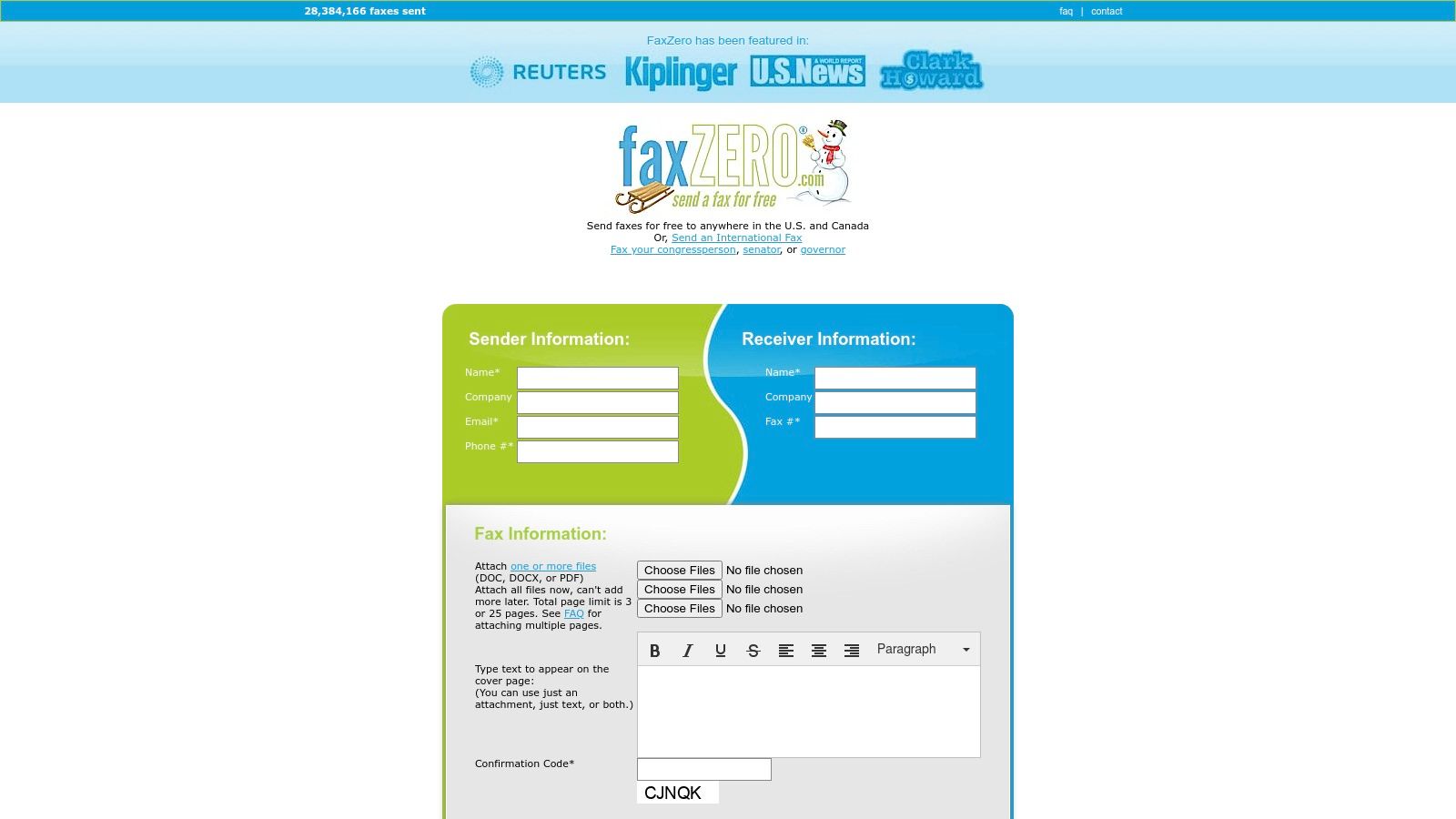
FaxZero is one of the most established and recognized names in online faxing, offering a reliable way to fax without a fax machine for over a decade. Its longevity and simple, web-form-based approach make it a trusted choice for users who need to send a quick fax to the U.S. or Canada without the commitment of signing up for a service. The platform is entirely browser-based, ensuring you can send a document from any computer or mobile device.
The process is refreshingly straightforward. You simply fill out a form with sender and receiver details, upload your document (PDF, DOC, or DOCX), and type an optional cover page message directly into a text box. This familiar, form-based interface is intuitive for users of all technical skill levels, making it one of the most accessible options available.
Key Features and Pricing
FaxZero’s freemium model is designed for flexibility, supporting both casual users and those with more demanding faxing needs, including international destinations.
Free Fax Service: Send up to 3 pages plus a cover page to any U.S. or Canadian number for free. This service is limited to 5 free faxes per day, and the cover page will feature FaxZero branding.
Almost Free Fax (Paid): For $2.09, you can send up to 25 pages, remove the branding from the cover page, and benefit from priority delivery. This is an excellent pay-per-fax option for professional or longer documents.
International Faxing: Unlike many free-focused competitors, FaxZero offers a paid option for sending faxes to international destinations, with pricing varying by country.
Email Confirmation: You receive a confirmation email once your fax has been successfully delivered, providing peace of mind that your document reached its destination.
Pros and Cons
Pros
Cons
No account required: Its web-form design is quick and easy.
Branding on free faxes: The cover page prominently displays the FaxZero logo.
Established and reliable: A long-running service with a solid reputation.
Send-only service: You cannot get a number to receive faxes.
Supports international sending: A key feature not found in all simple fax services.
No advanced features: Lacks scheduling, e-signatures, or contact management.
For anyone seeking a proven and uncomplicated method to send a fax online, FaxZero remains a top contender, blending a generous free tier with practical, affordable upgrades.
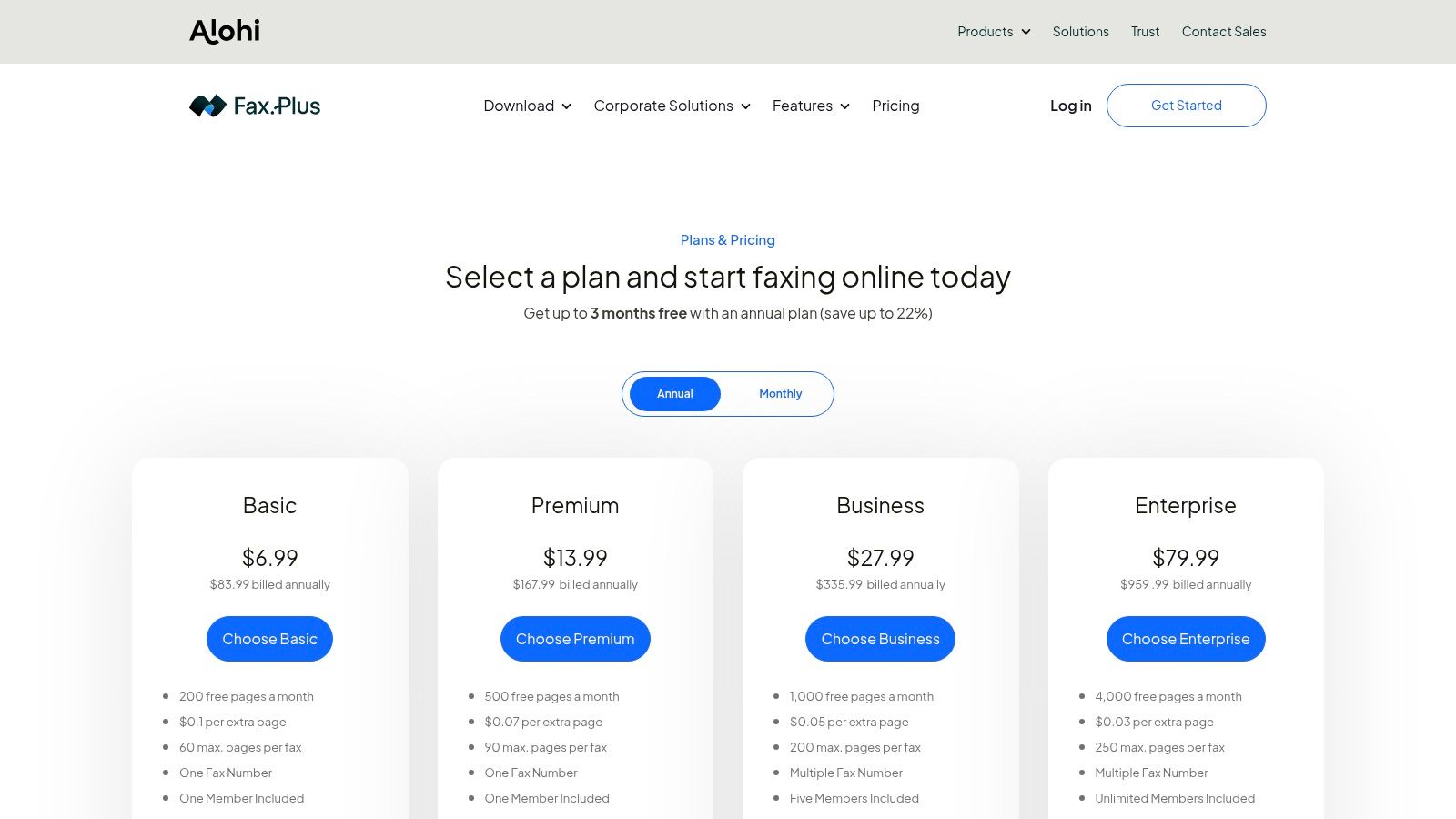
For professionals and businesses looking for more than just a one-off send, FAX.PLUS offers a comprehensive and scalable online faxing solution. It transitions from a simple tool into a full-featured communication platform, complete with dedicated fax numbers, mobile apps, and robust administrative controls. This makes it an excellent choice for users who need to both send and receive faxes reliably and integrate faxing into their daily workflows.
The platform is designed to scale, serving everyone from individual freelancers to large enterprises that require compliance features. Unlike purely browser-based senders, FAX.PLUS provides a persistent, secure environment where users can manage contacts, archive faxes, and control team access, making it one of the most versatile ways to fax without a fax machine.
Key Features and Pricing
FAX.PLUS is built on a subscription model that unlocks more powerful features at each tier, ensuring users only pay for what they need. Its clear structure supports growth and advanced requirements.
Dedicated Fax Numbers: Get a local, toll-free, or international fax number, or port your existing number to the platform.
Multi-Platform Access: Send and receive faxes via its web interface, mobile apps (iOS and Android), or through its convenient email-to-fax feature.
Advanced Integrations: Connects with tools like Slack, Zapier, and Google Workspace to streamline document workflows and notifications.
Enterprise-Ready: Higher-tier plans offer HIPAA compliance and a signed Business Associate Agreement (BAA), making it a secure choice for healthcare and legal industries.
Pros and Cons
Pros
Cons
Scales from solo users to entire enterprises: A versatile solution for any level of need.
Free plan is very limited: Only allows sending 10 pages total, not per month.
Strong integrations and admin controls: Excellent for business workflow management.
HIPAA/BAA only on expensive tiers: May be costly for small clinics or solo practitioners.
Requires an account for all use: No "guest" or pay-per-fax option available.
This service is ideal for those who see faxing as a regular part of their business operations and require the security, organization, and integration capabilities that a dedicated platform provides.
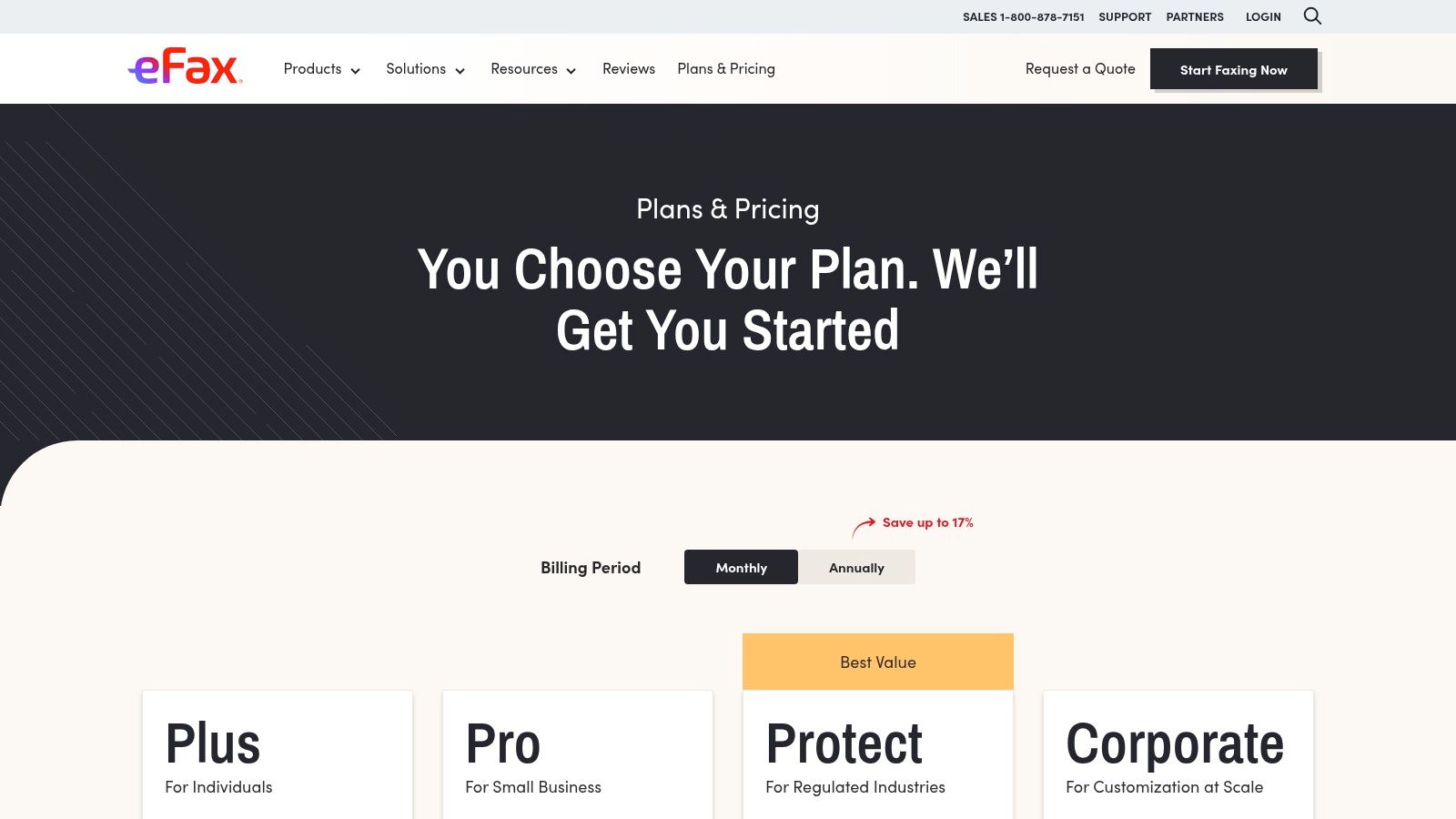
For businesses and professionals who require a robust, full-featured solution, eFax is one of the most established ways to fax without a fax machine. Unlike pay-per-fax services, eFax is a subscription-based platform that provides users with a dedicated local or toll-free fax number, enabling them to both send and receive documents from anywhere via email, a web portal, or a dedicated mobile app.
This service is particularly well-suited for users in regulated industries like healthcare or legal, who need more than just one-way transmission. With features like searchable fax storage, team sharing capabilities, and compliance-focused plans, it functions as a comprehensive digital faxing system rather than a simple sending tool.
Key Features and Pricing
eFax operates on a subscription model with several tiers designed to accommodate different faxing volumes and business needs. Its offerings are geared toward recurring, professional use.
Send and Receive: Get a dedicated fax number to receive faxes directly to your email inbox or the eFax app, providing a complete two-way communication channel.
Multi-Platform Access: Send and manage faxes through its web interface, mobile apps for iOS and Android, or by using its convenient email-to-fax functionality.
HIPAA Compliance: The eFax Protect plan offers a HIPAA-compliant solution that includes signing a Business Associate Agreement (BAA), making it a secure choice for transmitting sensitive patient information.
Subscription Tiers: Plans vary by the number of included pages per month, with options for individuals and larger teams. Be sure to check for potential overage fees if you exceed your monthly page allowance. For more information, check out this online fax services comparison.
Pros and Cons
Pros
Cons
Mature apps and support: A widely recognized brand with reliable platforms.
Subscription-based: Less ideal for users who only need to send a fax occasionally.
Multiple subscription plans: Fits various levels of recurring fax volume.
Potential for extra costs: Overages and add-on features can increase the total price.
Compliance-oriented options: Strong choice for healthcare, legal, and financial users.
More complex setup: Requires an account and subscription management.
eFax is an excellent choice for those who need a permanent, feature-rich fax number and value security, compliance, and the ability to receive faxes digitally.
For those who prefer a hands-on approach or are uncomfortable with online tools, using a local retail store offers a reliable way to fax without a fax machine. The UPS Store is one of the most accessible options, with over 5,400 locations across the U.S., making it a convenient choice for in-person document handling. This service is ideal for sending sensitive physical documents you don't want to scan or for users who value immediate, printed confirmation of their transmission.
The process is as simple as walking in and handing your documents to an associate. They manage the entire transmission, providing a confirmation page as proof of delivery once the fax is sent successfully. This in-person assistance can be a significant advantage if you're unfamiliar with faxing or want to ensure your documents are handled correctly.
Key Features and Pricing
The UPS Store’s model is based on convenience and in-person service, combining faxing with other essential business tasks. Pricing is determined at the franchise level, so it's a good idea to call your local store for exact rates.
In-Person Service: Staff members are available to help you send and receive both domestic and international faxes, ensuring the process is smooth and error-free.
Printed Confirmation: You receive a physical confirmation sheet immediately after your fax is sent, offering tangible proof of transmission.
Pay-Per-Page Model: Pricing is typically on a per-page basis, which can vary by location. The first page is usually the most expensive, with subsequent pages costing less.
All-in-One Location: Beyond faxing, you can handle copying, printing, notary services, and shipping in the same visit, making it a one-stop shop for various errands.
Pros and Cons
Pros
Cons
No computer needed: Ideal for sending physical documents directly.
Pricing varies: Costs can differ significantly between franchise locations.
In-person assistance: Helpful for those less comfortable with technology.
Requires a physical visit: Less convenient than online services.
Immediate printed confirmation: Provides instant, tangible proof of sending.
Lower privacy: Documents are handled by a store associate.
This traditional method remains one of the most dependable ways to fax without a fax machine, especially when you need to combine errands or prefer face-to-face service. For a detailed comparison of this and other physical locations, you can explore other places where you can send a fax.
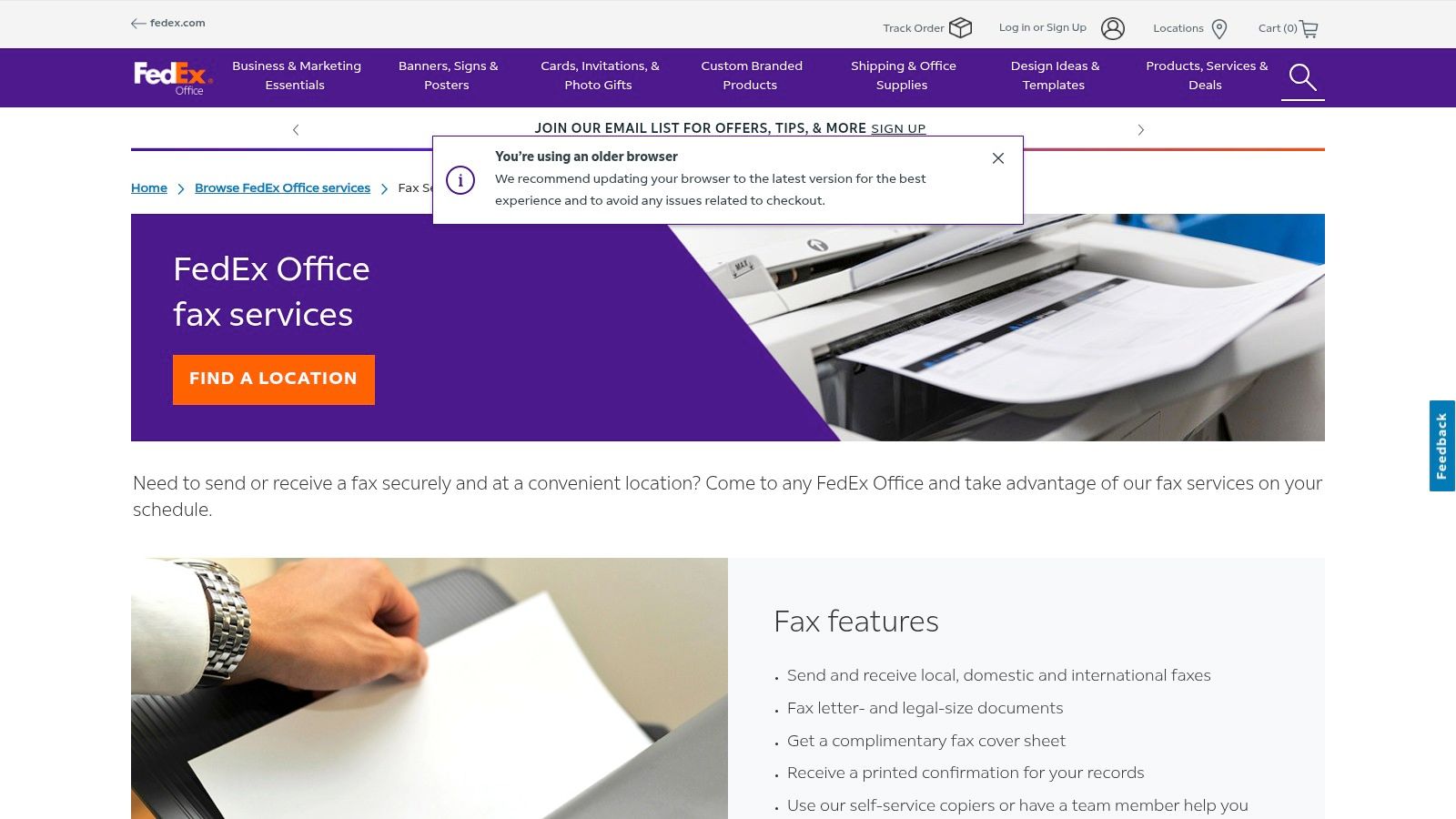
For those who prefer a physical, in-person method or need to send sensitive documents with an immediate printed confirmation, FedEx Office provides a reliable solution. This option is one of the classic ways to fax without a fax machine at home, leveraging the widespread network of FedEx retail locations. It's an excellent choice when you need to fax a physical document you don't want to scan yourself or require assistance with the process.
The experience is straightforward: you can either use a self-service machine or ask a team member for help. This service is not just for sending; you can also receive faxes at a FedEx Office location, making it a versatile option for those who don't have a dedicated fax number. It's particularly convenient if you're already at the store for printing or shipping services.
Key Features and Pricing
FedEx Office operates on a per-page pricing model that can vary by location. The main advantage is the immediate, tangible proof of transmission and the flexibility of its services.
Send and Receive: Unlike many online services, you can both send and receive local, domestic, and international faxes, providing a comprehensive solution.
Printed Confirmation: After sending your fax, you receive a printed confirmation sheet, which serves as a valuable record for legal, business, or time-sensitive documents.
Complimentary Cover Sheet: A basic cover sheet is provided at no extra cost to ensure your fax is properly routed to the recipient.
Pricing: Costs are typically charged per page, with different rates for local, domestic long-distance, and international numbers. Prices can vary significantly between locations, so it's wise to confirm the cost beforehand.
Pros and Cons
Pros
Cons
Physical confirmation provided: Ideal for official or legal documents.
Requires travel to a store: Not as convenient as online options.
Staff-assisted and self-service: Get help or do it yourself.
Can be costly: Per-page pricing can add up for long documents.
Send and receive capabilities: Offers more flexibility than send-only services.
Potential for wait times: Stores can be busy, especially for assisted service.
This in-store service is a dependable and secure way to fax without a fax machine, especially when you value a physical receipt and the convenience of combining faxing with other office-related errands.
📊 Printed confirmation; supports letter/legal sizes; staff or self-serve
💡 Combine with printing/shipping or need on-site confirmation
⭐ Many locations; self‑service option; complimentary cover sheet
Choosing the Right Fax Method for Your Needs
The era of being tethered to a bulky, paper-jamming fax machine is officially over. As we've explored, the modern landscape offers a diverse array of effective ways to fax without a fax machine, ensuring that this enduring communication method remains accessible and efficient in a digital world. The key to unlocking this convenience lies in aligning your choice with your specific circumstances.
Your ideal solution ultimately hinges on a few critical factors: how often you need to fax, the level of security and features you require, and the degree of convenience you prioritize. By evaluating these needs, you can move from simply knowing the options to confidently selecting the perfect tool for the job.
Matching the Method to Your Mission
To simplify your decision, let's recap the best use cases for the methods we've covered. Think about your most common faxing scenario and find the corresponding recommendation below.
For the Occasional, Urgent Fax: If you send faxes infrequently and need a fast, no-frills solution without creating an account, a pay-as-you-go online service is your best bet. A browser-based tool like SendItFax or FaxZero excels here, allowing you to upload a file, enter a number, and send your document in minutes. This is perfect for one-time submissions like a signed contract or a medical form.
For the Business Professional or Frequent User: When faxing is a regular part of your workflow, a full-featured subscription service like FAX.PLUS or eFax becomes an invaluable asset. These platforms provide you with a dedicated fax number for both sending and receiving, advanced security compliance (like HIPAA), email-to-fax integration, and mobile apps. They transform faxing from a one-off task into a seamless part of your business communication system.
For the Tangible, In-Person Need: Sometimes you have a physical document and no easy way to scan it, or you simply prefer the assurance of an in-person transaction. In these cases, walk-in services at retail locations like The UPS Store or FedEx Office offer a reliable and straightforward alternative. You hand over your documents, and they handle the transmission for you, providing a printed confirmation receipt for your records.
Your Final Takeaway: Embrace Modern Flexibility
The most important takeaway is that you are no longer limited by hardware. The evolution of faxing technology means you have powerful, flexible tools at your fingertips, whether on your computer, your smartphone, or at a local business center. By understanding these modern ways to fax without a fax machine, you can transmit documents with the same reliability as traditional methods but with far greater convenience and efficiency. The right tool is out there, ready to integrate perfectly into your life or business.
Ready to send your first fax without the machine? For a fast, secure, and incredibly simple experience, give SendItFax a try. It’s the perfect browser-based solution for sending a quick fax right now, with no sign-up or subscription required. Visit SendItFax to send your document in under 60 seconds.