You might be surprised to learn that sending a fax from your computer is actually pretty simple. Using a web-based service, you can upload a document, punch in the recipient's fax number, and send it off right from your browser—no fax machine, phone line, or special software needed.
Why Bother Faxing From a Computer Anyway?
I get it. In an age of instant messaging and email, faxing can feel like a relic. But in a lot of professional circles, it’s still a non-negotiable part of doing business. While email is great for a quick note, it just doesn't cut it when you need top-notch security, legal standing, and a guarantee that your document will get where it's going. This is exactly why knowing how to fax from your computer for free is such a handy skill to have in your back pocket.
Faxing's Staying Power in the Real World
Believe it or not, fields like healthcare, law, and real estate still run on faxes. It's often a strict requirement, not just a preference.
Think about these everyday situations:
- For Medical Staff: A clinic needs to send sensitive patient files to a specialist across town. A HIPAA-compliant fax is the gold standard for keeping that information private. Standard email? It's just too risky and prone to being intercepted.
- For Legal Professionals: A paralegal has a contract with a fresh ink signature that needs to be sent now. Faxing it provides a verifiable receipt of transmission, which is often a must-have for court documents and official records.
- For Real Estate Agents: You've got a signed offer that has to get to the seller's agent immediately. Faxing cuts through the noise of spam filters and email delays that could kill a time-sensitive deal.
In all these cases, faxing delivers a direct and secure connection that email often can't match.
The real magic of faxing is its simplicity. It’s a direct point-to-point connection. Your document goes straight from your end to theirs without lingering on a bunch of servers, which dramatically lowers the risk of a data breach.
A Modern Fix Using a Trusted Tool
The fact that so many businesses still rely on fax isn't about being old-fashioned; it's a smart response to very modern security threats. Despite how common email is, a huge number of businesses haven't given up their fax machines—in fact, usage is holding steady, and in some areas, it's even growing. For a deeper dive, you can check out some fascinating insights into the faxing industry's surprising growth and market value.
This brings up a practical problem: how do you send a secure document without buying a clunky piece of hardware you'll barely use? Digital faxing is the answer. By learning how to fax from computer for free, you get all the security benefits of old-school faxing with the click-and-send convenience we all expect today. It's the perfect example of a time-tested solution solving a very current problem.
Choosing the Right Free Fax Method for Your Needs
Before jumping in, it’s worth taking a moment to figure out which free faxing method is actually the right fit for you. They all get the job done, but the best one really depends on how often you need to send a fax, what kind of documents you're dealing with, and how much time you want to spend on setup.
For most people just needing to send a quick document—say, a signed form or a receipt—an online fax service is the clear winner. You don't have to install anything. Just open your browser, upload the file, punch in the number, and you're done. It's the path of least resistance when you're in a hurry.
Then you have the email-to-fax option. This is a fantastic choice if you practically live in your inbox and need a way to fax on the go. Once it's set up, sending a fax is as simple as composing a new email, which is incredibly convenient for frequent use without being tied to a specific website.
Sometimes, the big question is whether to fax or email a sensitive document in the first place. This decision tree can help clear things up.
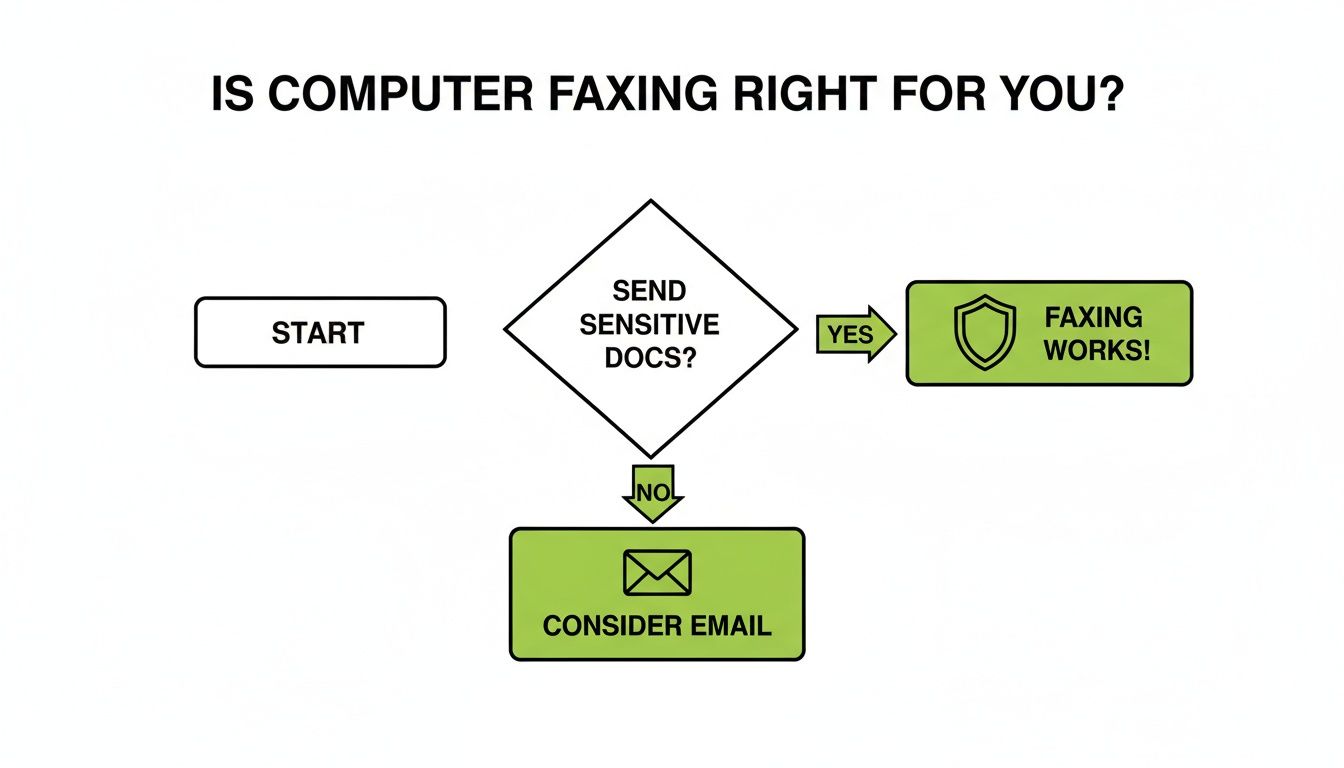
The bottom line? When you're handling information that absolutely has to stay secure, faxing offers a direct point-to-point connection that standard email just can't match.
Comparing Your Options at a Glance
To help you decide, let's lay out the key differences. While all these methods let you fax from a computer for free, they each have their sweet spots. For an even deeper dive into various platforms, check out our complete online fax services comparison guide.
This table offers a quick snapshot to help you weigh the trade-offs.
Comparing Free Computer Faxing Methods
| Method | Best For | Setup Required | Typical Limitations |
|---|---|---|---|
| Online Fax Service | Quick, occasional faxes | None; entirely browser-based | Daily send limits, ads on cover page |
| Email-to-Fax | Mobile use and email-centric workflows | Account creation and setup | Special formatting for email addresses |
| Windows Fax & Scan | High-security, offline use | Requires modem and phone line | Hardware dependency; not portable |
Looking at the options, you can see how each one caters to a different need, from pure convenience to total hardware control.
Lastly, there's the old-school approach: using built-in software like Windows Fax and Scan. This is definitely a niche choice these days, as it requires you to have a physical fax modem and a landline connected to your PC. It’s the most hands-on method, but it gives you a completely private, direct line for sending faxes without any third-party service involved. If you happen to have the hardware and prioritize absolute control, it's still a solid option.
Putting It Into Practice: A Walkthrough with an Online Fax Service
Okay, let's stop talking theory and see how this actually works. The easiest way to get comfortable with sending a fax from your computer is to just do it. We'll use SendItFax for this example—it’s a popular browser-based tool and, best of all, you don't need an account or credit card for a quick, one-off send.
The beauty of these services is their simplicity. You land on the homepage, and everything you need is laid out right in front of you. No sign-ups, no lengthy setup. It’s perfect for when you just need to get a single, urgent document out the door now.
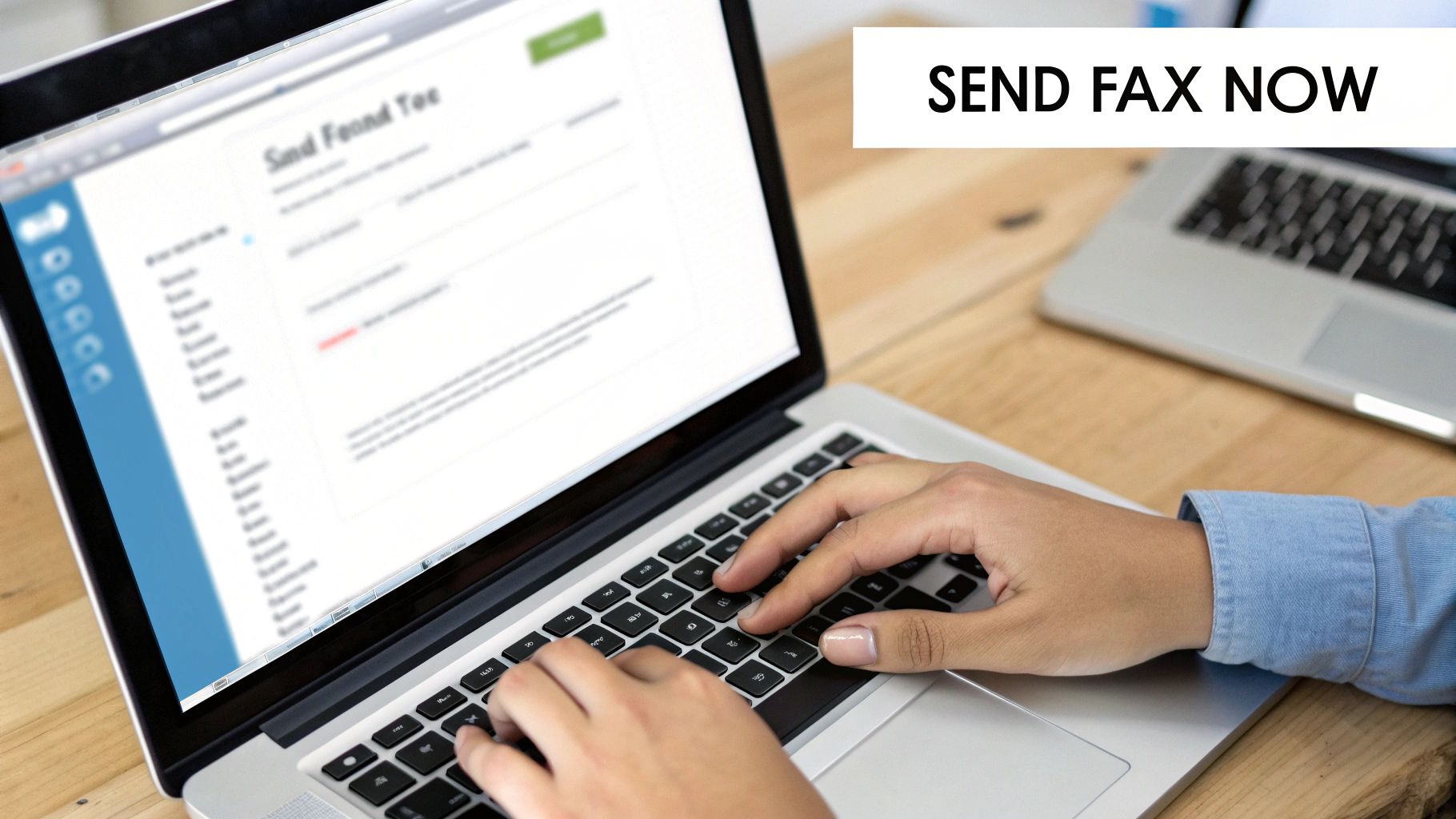
The interface is clean and straightforward. You’ve got fields for your info, the recipient's info, and a big button to upload your file. This design means you can punch in the details, attach your document, and hit send without clicking through a maze of pages.
Getting Your Document Ready
Before anything else, you need your document saved and ready to upload. While services like SendItFax are flexible and accept common file types like PDF, DOC, and DOCX, I always recommend using a PDF.
Why? Because PDFs lock in your formatting. What you see on your screen is exactly what the recipient gets on their end. Think about sending a signed contract—saving it as a PDF prevents any weird formatting shifts or accidental edits that can happen with a Word file. It's a small step that makes a big difference in professionalism.
Once it's saved as a PDF, you're ready to go.
Filling In Sender and Recipient Details
This part is all about accuracy. Get it wrong, and your fax is going nowhere.
- For the Recipient: Double- and triple-check that fax number. One wrong digit means a failed transmission. It's also good practice to include the person's name and company so it gets routed correctly on the other end.
- For the Sender: Put in your name, company (if applicable), and a real email address you check often. This is where the service will send your delivery confirmation or, just as importantly, a failure notification.
Think of this section like addressing a physical envelope. Correct details aren't just a suggestion; they're essential for a successful delivery and for letting the recipient know who it’s from at a glance.
Adding a Professional Cover Page
Most free services, SendItFax included, will automatically create a cover page for you. This is your chance to add a clear subject line or a quick note, like "Signed Rental Agreement for Unit 4B" or "Patient Referral for John Smith." Giving that context is incredibly helpful for the person receiving it.
Just be aware that free services usually put their logo or a small ad on the cover page. It’s the small price you pay for the convenience. If you absolutely need a completely clean, unbranded document, you'll probably have to spring for a paid, one-time send.
Knowing the Limits of Free Services
Free online faxing is a game-changer for occasional use, but it’s important to understand the built-in limitations. These services aren't designed for high-volume faxing, but for those who don't need a full subscription, they're perfect.
For example, a service like FaxZero lets you send five faxes per day, but each one has a three-page maximum. GotFreeFax offers two daily faxes within the US and Canada. SendItFax is quite generous, offering five faxes per day, each up to three pages plus a cover sheet. This makes it a solid choice for a realtor sending a contract or a clinic sending a patient form without paying traditional fees. You can find more details in various free fax service comparisons and their specific limits.
These caps are in place to keep the services available for everyone and prevent abuse. For most one-off tasks, like sending a signed form to your accountant or a medical record to a specialist, these limits are more than enough.
Exploring Other Ways to Fax for Free
Browser-based services are a lifesaver when you need to send a fax in a pinch, but they aren't the only game in town. Depending on your setup and what you're trying to accomplish, a couple of other methods might be a better fit, especially if you're looking for a more integrated or old-school approach.
The Clever Trick: Email-to-Fax
One of the most elegant solutions out there is Email-to-Fax. The idea is brilliant in its simplicity: you compose an email, and a service provider converts it into a fax for you. This means you never have to open a browser or log into a website just to send a document.
It’s as easy as it sounds. You’d just attach your file (like a PDF or Word doc) to a new email and send it to a special address, something like 18005551234@senditfax.com. The service does all the heavy lifting. This is a game-changer for anyone who lives in their inbox or needs to send documents on the go from their phone. If that sounds like your workflow, our detailed guide on how to fax via email breaks down the exact steps.
The Old-School Route: Windows Fax and Scan
What if you don't want to use a third-party online service at all? If you're running a Windows machine, Microsoft has a built-in utility called Windows Fax and Scan that offers a direct, private way to send faxes right from your desktop. It’s been part of the operating system for ages.
But here’s the catch—and it's a big one. This method requires a fax modem. Your computer has to be physically plugged into a landline phone jack. Modern laptops and even desktops rarely include this hardware anymore, which makes this a pretty niche solution today.
Still, if you're in an office that still has a landline and a computer with a modem, this option provides top-notch security. Your document never passes through a third-party server on the public internet.
- The Good: It's completely free (no subscription), highly secure, and built right into Windows.
- The Bad: You need a fax modem and an active phone line, which is impractical for most people.
Think of this method as the digital equivalent of owning your own fax machine. You get total control and privacy, but it comes with the trade-off of needing specific—and now mostly outdated—hardware.
The fact that these options even exist speaks to the surprising resilience of faxing. The global fax services market was valued at $3.31 billion in 2024 and is still expected to grow. A huge chunk of that demand comes from freelancers, remote workers, and small businesses who just need to send a contract quickly without buying a machine. For them, cloud-based services perfectly bridge the gap between old and new. You can dive deeper into the data by checking out the full research on the growing global fax services market.
At the end of the day, you have choices. Whether it's the convenience of email-to-fax or the locked-down security of a modem, you can definitely fax from your computer without spending a dime.
Getting Your Faxes Sent Securely and Successfully: A Few Best Practices
Sending a fax from your computer is a game-changer for convenience, but a few smart habits will make the whole process smoother and much more secure. Taking a moment to follow these tips ensures your sensitive documents arrive safely and look professional on the other end.
It really all starts with a professional cover sheet. While you can skip it, I wouldn’t recommend it. A cover sheet is standard courtesy and provides crucial context at a glance, telling the recipient who you are, what you've sent, and how many pages to expect.
Don't Skip the Cover Sheet
A clean, informative cover sheet is your best defense against your fax getting lost in a busy office. It doesn’t need to be fancy, but it absolutely should include these key details:
- Your Info: Your name and a good contact number.
- Recipient Info: The name of the person and their company.
- Page Count: Be specific! Write something like "4 pages total" (including the cover sheet). This helps them know if the transmission was complete.
- A Clear Subject: Something like "Signed Contract for Project Phoenix" immediately tells them what they’re looking at.
These simple details can prevent a lot of confusion and make sure your documents get routed to the right person quickly.
Your cover sheet is more than a formality—it's a critical communication tool. It confirms receipt, provides context, and helps prevent lost pages, protecting the integrity of your transmission.
Beyond that, the simplest mistake can derail everything. I've seen it happen. Always, always double-check the recipient's fax number before you hit send. A single wrong digit could mean your fax fails or, even worse, lands in the wrong hands, creating a serious privacy breach.
Protecting Your Information
When you’re sending a fax online, especially for free, you're usually going through a third-party service. With that convenience comes the responsibility to be smart about your data's security.
If you’re sending anything sensitive—think medical records, financial documents, or legal paperwork—take a minute to vet the service. Check out their privacy policy. You're looking for how they handle your data, their data retention policies, and whether they use encryption. For a deeper dive, you can explore more about the security of modern faxing solutions in our detailed guide.
Finally, always save your transmission confirmation report. This little digital receipt is your proof of delivery. It shows the date, time, and status of your fax, and it can be a lifesaver if there’s ever a dispute about whether a document was sent or received.
Got Questions About Free Computer Faxing?
Even after walking through the steps, you might still have a few questions. That's perfectly normal. Let's clear up some of the most common things people ask so you can fax from your computer with total confidence.
Can I Receive Faxes with a Free Service?
This is probably the number one question I get. The short answer is almost always no. The free, browser-based services we've been talking about are built for one-way traffic: sending faxes only.
They don't give you a dedicated fax number where people can send documents back to you. To get that, you'll need to look at paid subscription plans from online fax providers. A paid plan is what gets you your own virtual fax number for both sending and receiving.
How Secure Are These Free Fax Platforms?
It's smart to think about security, especially if you're sending something sensitive. Reputable free services do use encryption to protect your document while it's in transit.
However, remember that your file is still passing through a third-party server.
My rule of thumb is this: for everyday documents like a signed permission slip, a standard invoice, or a basic contract, the security on a top-tier free service is perfectly fine. But for something highly confidential—like sensitive legal documents or a top-secret business plan—I'd lean toward a more direct method like a dedicated fax machine or the Windows Fax and Scan tool if you have the hardware.
Always take a quick look at the service's privacy policy. It’s good to know how they handle your data before you upload.
What Do I Do If My Fax Fails to Send?
Don't panic! A failed fax is a common hiccup and usually an easy fix. I've found it’s almost always one of these three things:
- You typed the number wrong. It happens to the best of us. Double-check every single digit and try again. This is the culprit 90% of the time.
- There's an issue with your file. Make sure the document you uploaded isn't corrupted and that it's in a common format the service supports, like PDF, DOCX, or JPG.
- The machine on the other end is the problem. The recipient's fax machine might be busy on another call, switched off, or simply out of paper or ink. Just wait about 10-15 minutes and give it another shot.
Most services are good about sending you an email if the transmission fails, and they'll often include an error code that can point you in the right direction.
Why Do Free Fax Services Have Page Limits?
Ever wonder why you can only send 5 pages or fax 3 times a day for free? It's all about keeping the service running smoothly for everyone.
These limits prevent the system from getting bogged down by a handful of power users sending massive documents all day. By setting fair usage caps, these companies ensure their servers can handle the load and continue offering a reliable free tool for the rest of us who just need to send a quick fax now and then. It’s a smart balance that keeps a valuable resource available.
Ready to skip the hassle and send your first fax? SendItFax is a great tool for sending documents to the U.S. and Canada directly from your browser—no sign-up required. For a fast and straightforward experience, give it a try. Head over to https://senditfax.com to get started.