Tag: how to fax from phone

  • Can You Fax from a Cell Phone A Practical Guide

    Can You Fax from a Cell Phone A Practical Guide

    Absolutely. You can fax right from your cell phone, and it's surprisingly easy. The days of hunting down a clunky, noisy fax machine are officially over. Modern online fax services have turned the smartphone in your pocket into a powerful, portable fax machine, making it simple to send secure documents on the go.

    Why Faxing From a Phone Is the New Normal

    If you've ever needed to send a signed contract, a medical form, or an invoice while you're away from the office, you've probably asked yourself this exact question. The answer isn't just "yes"—it's that doing so is now the standard for a reason. Traditional fax machines are quickly becoming office relics as more practical digital solutions take their place.

    This isn't just a small trend, either. The global online fax services market hit $3.18 billion in 2022 and is projected to reach a staggering $5.96 billion by 2028. This incredible growth shows just how many people and businesses are ditching the estimated 43 million old-school fax machines still buzzing away worldwide. You can read more about this industry shift to see how modern faxing has evolved.

    The Big Wins of Going Mobile

    Switching to mobile faxing gives you some clear advantages over the old way of doing things. It's not just about convenience; it's a smarter way to work that improves efficiency, security, and your bottom line.

    • Ultimate Convenience: Send a document from literally anywhere you have an internet connection—a coffee shop, your car, or even a client's waiting room. No more rushing back to the office.
    • Serious Cost Savings: You can finally ditch the dedicated phone line, paper, ink, and costly machine maintenance. For many small businesses, this can easily save hundreds of dollars every year.
    • Tighter Security: Reputable online fax services use strong encryption to protect your sensitive data while it's in transit. This is an absolute must-have for sending legal, financial, or healthcare documents.

    This infographic really drives home the key benefits of making the switch.
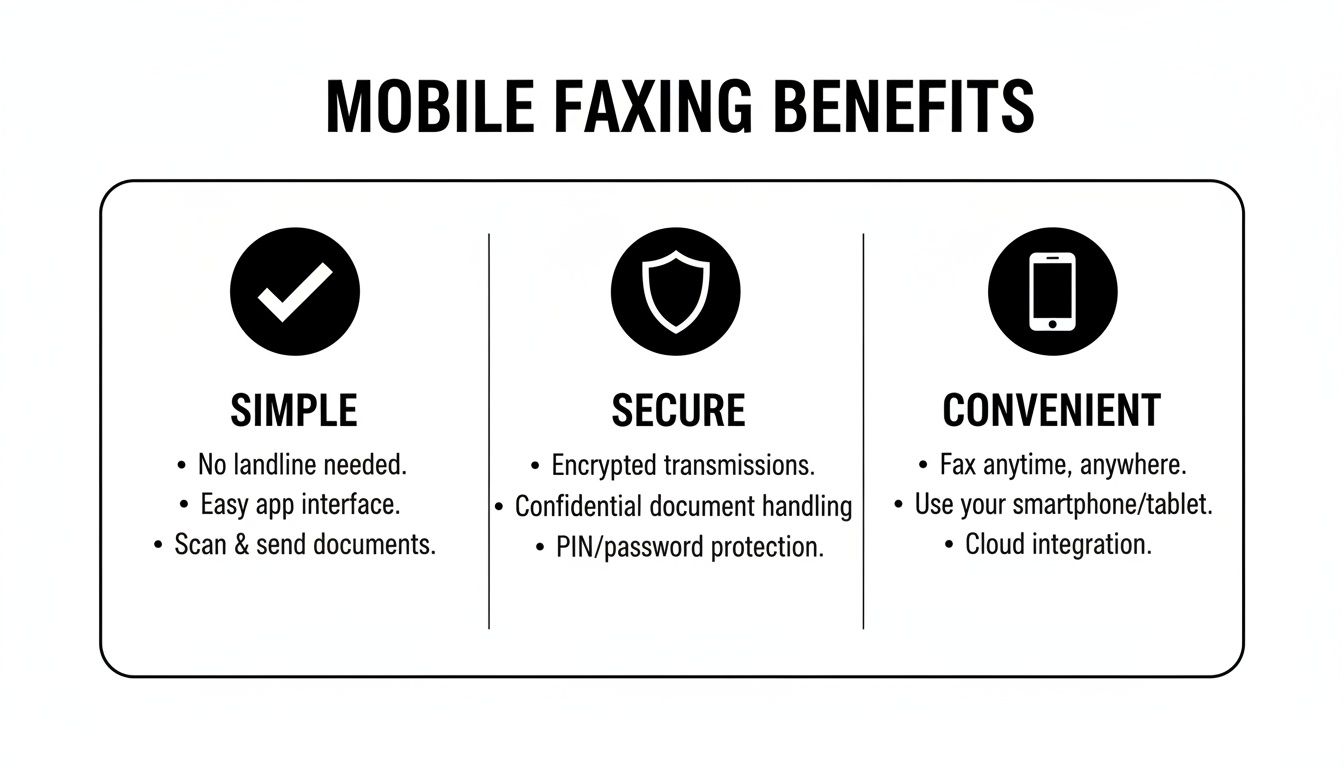
    An infographic detailing the benefits of mobile faxing, including simplicity, security, and convenience.

    As you can see, the core takeaways are simplicity, security, and pure convenience. You get all the benefits of faxing without any of the hardware headaches. Now, let's walk through the best ways to get it done.

    Faxing Straight From Your Phone’s Browser

    One of the easiest ways to send a fax from your phone is to skip the app store altogether and just use your web browser. This is my go-to recommendation for anyone who needs to send something quickly without downloading another app that takes up space on their phone. It’s perfect for those one-off, time-sensitive tasks where you just need to get a document out the door.

    Think about this scenario: You’re a freelance consultant and a client emails you a signed contract while you’re on the road. They need it faxed to their legal department ASAP. Instead of rushing to find an office supply store, you can just pull out your phone and handle it right there.

    Using a service like SendItFax on Chrome or Safari is incredibly straightforward.

    How It Works in Practice

    The whole process is designed to feel familiar. If you’ve ever attached a file to an email from your phone, you already know how to do this. There’s no technical learning curve.

    Here's how it breaks down:

    • Head to the Website: Just open your browser and go to the SendItFax site. The mobile version is clean and simple.
    • Pick Your File: Tap the upload button and find your document. You can grab it from your phone’s local files, iCloud, Google Drive—wherever you saved it. The service handles common formats like PDF, DOC, and DOCX.
    • Plug in the Details: Type in the destination fax number (don’t forget the area code). You’ll also want to add your name and number so they know who it’s from.
    • Add a Quick Cover Note: This is always a good idea. A simple message like, "Signed contract for Project X from John Smith," gives the recipient immediate context.

    This is what you'll see on your phone's screen. The interface is clean and gets straight to the point.

    As you can see, everything you need is right there. No digging through confusing menus.

    Finding a Plan That Fits

    Most browser-based services have a few different tiers, which is great because you only pay for what you actually need.

    For that single signed contract, a free option is usually all you need. SendItFax lets you send up to three pages for free, which covers most simple documents like invoices, forms, or short agreements.

    But what if your document is a hefty 15-page proposal? That’s where a small, one-time payment comes in. The "Almost Free" plan can handle up to 25 pages, gets rid of any service branding on the cover sheet, and bumps your fax to the front of the line for priority delivery.

    For a deeper dive, our guide on how to send a fax from my phone breaks down even more tips and tricks.

    The real advantage here is the flexibility. You’re not locked into a subscription for a service you might only use a few times a year. You just pick the option that fits the document you're sending right now.

    At the end of the day, using your phone’s browser is probably the most direct and accessible way to fax something in a pinch. It gives you the reliability of an old-school fax machine with the convenience you expect from a smartphone.

    Faxing With Mobile Apps and Your Email

    A hand inside a car holds a smartphone displaying an application for sending faxes.

    While using your phone's web browser is a fantastic, no-install way to send a quick fax, it's not the only game in town. For those who fax more regularly, dedicated mobile apps and the clever email-to-fax method offer some serious advantages tailored to different workflows.

    Think of it this way: if you find yourself faxing from your phone all the time, a dedicated app can streamline the whole process, putting everything you need right on your home screen.

    Many of these apps are packed with tools that make life easier. A common and incredibly useful feature is a built-in document scanner. This lets you use your phone's camera to quickly capture a physical paper—like a signed contract or a doctor's referral—and turn it into a crisp, clean digital file ready to be faxed in seconds.

    Why a Dedicated Fax App Might Be Your Best Bet

    Mobile fax apps are built specifically for the device in your hand, and that specialized design often translates to a much smoother experience.

    Here’s what you often get with a good app:

    • Built-in Scanning: Just point your camera at a document, and the app does the rest. It will typically auto-crop the edges, adjust the contrast, and turn that photo into a sharp, fax-ready file.
    • Contact Integration: No more fumbling to type in a 10-digit number. You can usually pull fax numbers directly from your phone's contact list, which is a real time-saver and helps avoid typos.
    • Real-time Notifications: Get an immediate push notification right on your phone's lock screen the moment your fax goes through—or if it fails. This means you can address any issues right away instead of wondering about the status.
    • E-Signature Capabilities: This is a big one. Many apps let you draw your signature directly on the screen with your finger, so you can sign and return documents without ever touching a printer.

    These features make dedicated apps a fantastic choice for professionals on the go. Imagine a real estate agent getting a last-minute counter-offer. They could open the document in the app, sign it on their phone, and fax it back to the seller’s agent in minutes—all while sitting in their car.

    Key Takeaway: For frequent faxing, a mobile app is more than just a tool; it's a command center. It brings scanning, sending, and tracking together into one efficient workflow that fits right into your pocket.

    The Clever Email-to-Fax Gateway Method

    What if you live in your email inbox and don't want another app or website to deal with? There’s a brilliant solution for that, too. Many online fax services offer an email-to-fax feature, letting you send a fax by doing something you already do dozens of time a day: composing an email.

    The process is surprisingly straightforward. You just attach your document (a PDF, Word doc, or image) to a new email. Then, for the recipient, you type the fax number followed by the service’s unique domain name in the "To" field.

    It typically looks something like this: 18005551234@faxservice.com. The body of your email automatically becomes the cover sheet, and your attachment is sent as the main document.

    Once you hit "Send," the service’s gateway takes over. It converts your email and attachment into a standard fax format, dials the number, and sends it over the phone lines. You’ll even get a confirmation email delivered right back to your inbox. To see this in action, check out our guide on exactly how to fax via email.

    What to Know Before You Send a Mobile Fax
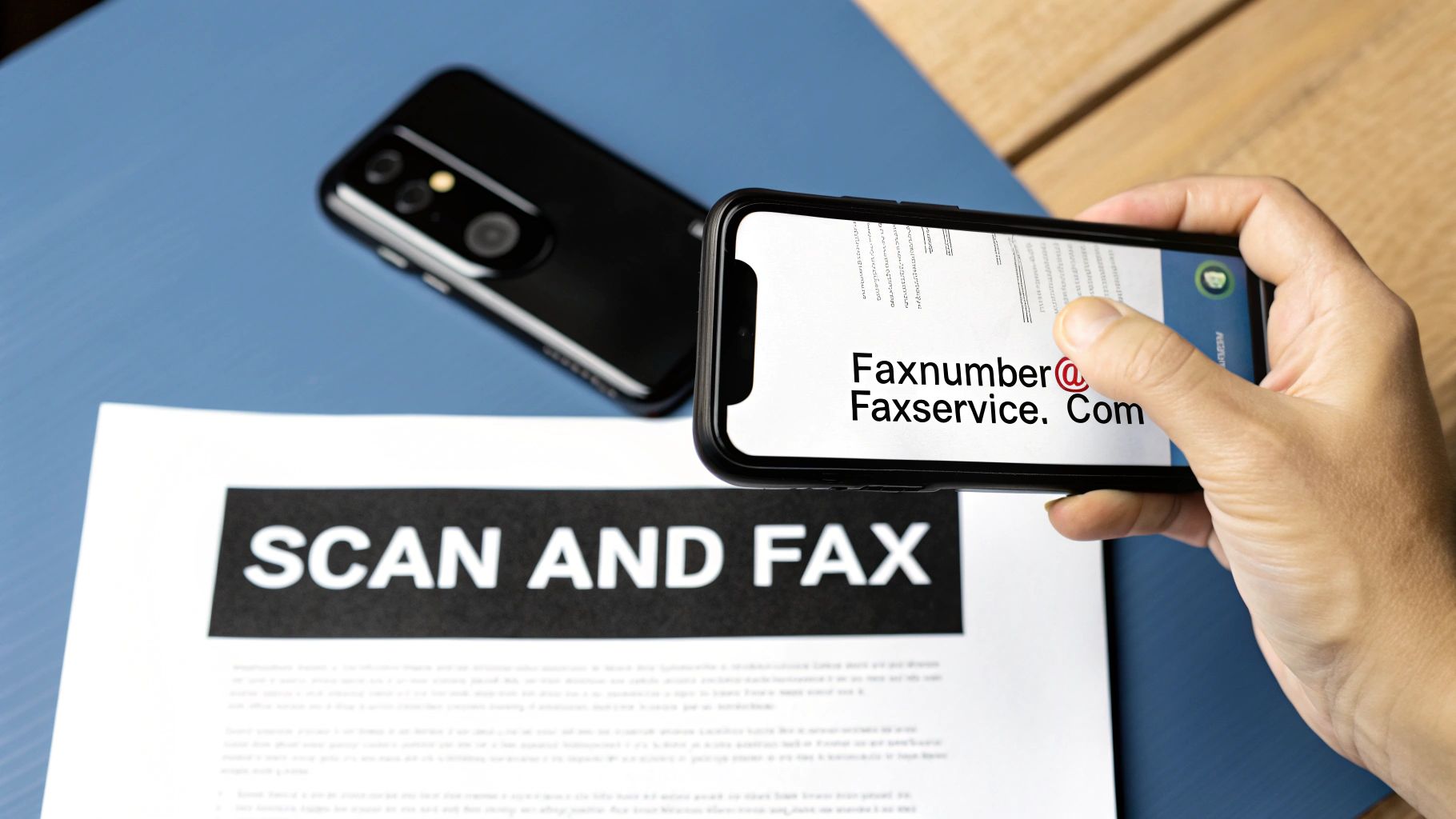
    A hand holding a smartphone scanning a document with "SCAN AND FAX" text, showing a fax service email.

    So, you know you can fax from your phone, but just hitting "send" without a second thought can lead to headaches. To make sure the process is smooth and your documents arrive looking perfect, there are a few practical details worth knowing first.

    Thinking about these things beforehand—from file types to security—is the difference between a successful transmission and a frustrating error message. Let’s walk through what you need to consider.

    Security Is a Top Priority

    When you're sending a signed contract, medical records, or any other sensitive document, you can't afford to compromise on security. This is where a reputable online fax service really shines. They use strong encryption to wrap your documents in a digital lockbox as they travel from your phone to the recipient’s fax machine, keeping everything confidential.

    This enhanced security is a huge reason why faxing has stuck around, especially in regulated industries. In 2019 alone, the U.S. healthcare sector transmitted over 9 billion pages via fax. Why? Because the technology provides a direct, point-to-point connection that standard email simply can't guarantee, making it a go-to for HIPAA-compliant communication.

    Key Insight: Modern online faxing gives you the best of both worlds: the ease of sending from your phone combined with the rock-solid security of traditional faxing. Your data is encrypted during transit, so you can send private documents with confidence.

    If you want to dive deeper into the technical side, our guide on the security of fax breaks down exactly how these protections keep your information safe.

    File Formats and Page Limits

    In the world of online faxing, not all file formats are treated equally. To ensure your document transmits cleanly and looks professional on the other end, it’s best to stick with the most common types that services like SendItFax are built to handle.

    Before you upload anything, make sure your file is in one of these formats:

    • PDF (Portable Document Format): This is the undisputed champion for faxing. PDFs lock in your formatting, so what you see on your screen is precisely what the recipient will see on their end.
    • DOC and DOCX (Microsoft Word): Also widely supported and perfect for any text-heavy documents you need to send.

    Page limits are another practical detail to keep in mind. Most services tie their plans to the length of your document. For instance, here’s how it works with SendItFax:

    • Free Plan: Great for a quick, one-off fax of up to 3 pages.
    • Almost Free Plan: Gives you more breathing room for longer files, supporting up to 25 pages for a small one-time payment.

    Always double-check the page limit for your plan before you send. It’s a simple step that prevents your transmission from failing because the document was too long.

    Understanding the Cost Structures

    Finally, let's talk money. The cost of faxing from your phone really comes down to your usage patterns. Generally, you’ll find two main pricing models, each designed for a different type of user.

    A pay-per-fax service is your best bet if you only send a document every now and then. Why pay a monthly fee for something you use once in a blue moon? This model keeps things simple and affordable for occasional needs.

    On the other hand, a monthly subscription usually makes more sense for frequent faxers. If you’re a real estate agent sending offers or a small business owner processing invoices, a subscription can significantly lower your cost per page and often includes valuable extras, like a dedicated fax number for receiving documents.

    Pro Tips for Sending Flawless Faxes Every Time

    Sending a fax from your phone is usually straightforward, but getting it to arrive perfectly crisp and readable on the other end takes a bit of care. I've learned that a few simple checks can make all the difference between a successful transmission and a frustrating "failed" notification.

    The biggest pitfall I see with mobile faxing is poor document quality, especially when people use their phone’s camera as a scanner. A blurry, shadowy, or skewed picture is only going to look worse once it’s been crunched down into the classic black-and-white fax format.

    Nail the Scan Every Time

    To get a sharp, professional scan, start by laying your document on a flat surface with plenty of even light. Try to avoid harsh overhead lighting that casts shadows across the page. Honestly, natural daylight from a nearby window is often your best bet.

    Then, position your phone directly parallel to the paper. You want to hold it straight above, making sure the document fills the screen without being tilted. Most modern scanning apps have edge detection that helps you line it up perfectly. A clean scan is the cornerstone of a good fax.

    Double-Check the Details Before You Hit Send

    This sounds almost too simple, but you'd be surprised how many faxes fail because of a basic typo. Always, always take an extra second to verify the recipient's fax number. Swapping just one digit is all it takes to send your important document into the void.

    While you're at it, quickly confirm that your file type is compatible. You can't go wrong with universal formats like PDF or DOCX. Sticking to these trusted types helps ensure the fax service can process your file smoothly without any weird conversion glitches. A quick pre-flight check saves a world of headaches.

    Key Takeaway: A successful fax really boils down to three things: a clean scan, the right fax number, and a compatible file format. Nail these, and you're set up for a flawless delivery every time.

    It's amazing how much more reliable this process has become. In the old days, you could expect about 20% of faxes to fail because of static on the phone lines. With modern online faxing, that failure rate has plummeted to just 5-8%, making it a surprisingly dependable tool. You can find more cool facts about the evolution of fax technology at Documo.com.

    One last piece of advice: never delete your transmission confirmation. This digital receipt is your official proof that the document was successfully sent and received. It contains the date, time, and recipient's number—an essential audit trail for any legal, medical, or financial paperwork. Treat it like a certified mail receipt.

    Got Questions About Mobile Faxing? We've Got Answers
    Close-up of hands scanning a document with a smartphone displaying a green checkmark, with 'PRO FAX TIPS' overlay.

    Even though faxing from your phone is pretty straightforward, you probably have a few practical questions. That’s totally normal. Before you start sending sensitive contracts or medical forms, it's smart to understand the finer points.

    Let's walk through some of the most common things people ask, covering everything from the legality of digital faxes to what it might cost you.

    Are Faxes Sent from a Phone Actually Legally Binding?

    Yes, for the most part, they are. When you go through a legitimate online fax service, a fax sent from your smartphone holds the same legal standing as one from a clunky old machine. This is a huge deal for professionals in fields like law, real estate, and healthcare.

    Reputable services operating in places like the U.S. and Canada give you a detailed transmission confirmation for every single fax. Think of it as a digital receipt that provides a legal audit trail, showing proof of delivery with the exact date, time, and recipient's number. For anyone dealing with compliance rules like HIPAA, that confirmation is non-negotiable.

    Can I Really Fax from My Cell Phone for Free?

    Sometimes, you absolutely can. One of the best things about modern online faxing is the flexibility. Many services, including SendItFax, offer a free option that’s perfect if you only need to send a fax once in a blue moon.

    Typically, a free plan will come with a few limitations:

    • A strict page limit, often up to 3 pages.
    • The provider's logo or branding on the cover sheet.
    • A cap on how many faxes you can send per day.

    If you need to send something longer, want a more professional look without the branding, or need your fax to get priority delivery, you’ll likely need a pay-per-fax plan or a monthly subscription. This way, you only pay for the features you really use.

    The Bottom Line: You can definitely send a quick fax for free. But for more pages, a cleaner look, or business-critical documents, the paid options are worth it.

    What About Receiving Faxes on My Phone?

    You can do that, too, but it’s almost always a feature of a paid subscription. Most free services are built just for sending faxes out, not taking them in.

    When you upgrade to a paid plan, the service assigns you your own dedicated virtual fax number. Anyone can send a fax to that number from a traditional machine, and the service instantly converts it into a PDF. From there, it lands right in your email inbox or the mobile app, letting you manage everything—sending and receiving—all from your phone.

    Is It Possible to Send an International Fax from My Phone?

    Yes, sending faxes to other countries is definitely an option, but it hinges entirely on your provider. A lot of services are set up primarily for domestic numbers, like those within the United States and Canada.

    Before you try sending a document overseas, make sure to check the provider's list of supported countries. It's also important to know that international rates are almost always higher. Take a close look at the pricing to avoid any unexpected charges.


    Ready to skip the hassle of a traditional fax machine? With SendItFax, you can securely send documents from any browser in just a couple of clicks. Head over to the SendItFax website to send your first three pages completely free.

  • How to Fax from Your Phone A Simple Guide

    How to Fax from Your Phone A Simple Guide

    It's surprisingly straightforward to send a fax right from your phone. You just use a web-based service like SendItFax, upload your document from your mobile browser, punch in the recipient's number, and hit send. This whole approach sidesteps the need for a physical machine, effectively turning your smartphone into a powerful, portable fax solution.

    Why Mobile Faxing Still Matters Today

    A person using their smartphone to manage documents while sitting on a couch.

    It might feel a little old-school to be talking about faxing when we have email and instant messaging, right? But the truth is, faxing still holds a critical spot in industries where security and legal weight are everything. I’m talking about healthcare, law, finance, and government—places that deal with sensitive personal data every single day.

    For professionals in these fields, a fax isn't just a relic. It’s a trusted, secure way to send documents. Because a fax travels over a dedicated phone line, it creates a point-to-point connection that's incredibly difficult to intercept. This is precisely why many organizations still insist on faxes for official paperwork like signed contracts, medical records, or court filings.

    Bridging Old Tech with New Habits

    The real story here isn't the death of faxing, but its smart evolution. Learning how to fax from your phone combines the rock-solid security of traditional faxing with the on-the-go convenience we all demand. You're no longer chained to a clunky machine in the corner of an office.

    Instead, you can send a signed mortgage application from your local coffee shop or forward a critical legal document while waiting to board a flight. It’s all about flexibility.

    Modern online fax services are the digital bridge that makes this possible. These platforms take your digital file—whether it's a PDF, a photo, or a Word doc—and convert it into a format that a classic fax machine on the other end can understand and print. It’s really the best of both worlds.

    The real magic of mobile faxing is how it fits a legacy communication standard into a modern, mobile-first workflow. It solves a genuine problem for anyone who needs to connect with organizations still relying on traditional systems.

    Despite the big push toward all-digital solutions, the global market for traditional fax machines is still expected to be around $624 million in 2025. You can dig into the numbers in a recent market analysis from Archive Market Research. This tells us the hardware isn't vanishing; it's just becoming more specialized, which makes services that connect our digital lives to this established network more important than ever.

    This is why a reliable online service is such a game-changer. It gives you a way to send official communications without having to own and maintain outdated equipment. The service handles all the tricky parts for you, like making sure the transmission gets a unique identifier. To get a better sense of how this works behind the scenes, you can learn more from our guide on what is a fax number and its role today.

    This isn’t about bringing back old tech; it’s about making its proven strengths accessible from the device you already have in your pocket.

    Mobile vs Traditional Faxing at a Glance

    Here’s a quick comparison highlighting the key differences between sending a fax from your phone and using a conventional fax machine.

    Feature Mobile Faxing (Online Services) Traditional Fax Machine
    Accessibility Send/receive from anywhere with internet Tied to a physical location
    Hardware None needed; uses your phone or computer Requires a dedicated machine and phone line
    Document Format Handles digital files (PDF, DOCX, JPG) Requires a physical paper copy to scan
    Cost Low-cost subscriptions or pay-per-fax Machine purchase, toner, paper, phone line fees
    Security Encrypted transmissions and secure cloud storage Secure point-to-point, but physical documents can be left in the open
    Confirmation Instant email notifications and digital logs Prints a confirmation page (can be lost)

    As you can see, mobile faxing offers a level of convenience and cost-efficiency that traditional machines just can't match, all while maintaining the security needed for professional use.

    Getting Your Documents Ready for Digital Faxing

    Before you can send a fax from your phone, the document itself needs to be in a digital format. Think of it this way: a sharp, clean digital file is the foundation of a successful fax. It's what ensures the person on the other end gets a professional, easy-to-read document every single time.

    Let's start with the most common situation: you've got a signed contract, an invoice, or a medical form sitting on your desk. Your phone is the only tool you need to turn that physical paper into a fax-ready file.

    Turning Physical Paper into a Digital File

    Forget about needing a big, clunky flatbed scanner. Your smartphone is a powerful scanner in its own right, as long as you keep a few things in mind to avoid those frustratingly blurry or skewed images that just look unprofessional.

    • Find good, even lighting. Natural light from a window is fantastic, but a well-lit room works too. The main goal is to avoid casting shadows from your phone or hand across the page, which can hide important details.
    • Lay it completely flat. Put the paper on a dark, contrasting surface like a clean desk or even the floor. This simple trick helps your phone's camera easily find the document's edges and crop it perfectly.
    • Get directly overhead. Hold your phone parallel to the paper, not at an angle. Shooting from the side can warp the text and make it look stretched or crooked. For the best results, always shoot straight down.

    Most modern phones actually have a document scanner built right into the Notes app (iOS) or Files/Drive app (Android). These are great because they automatically straighten the image, fix the perspective, and save it as a crisp, black-and-white PDF—the perfect format for faxing.

    Choosing the Right File Format

    Once you have your digital file, the format matters more than you might think. While many online fax services are flexible, there's one format that's considered the gold standard for a reason.

    Pro Tip: When you have the choice, always go with PDF (Portable Document Format). PDFs are designed to look the same no matter what device they're viewed on. This means the layout, fonts, and spacing you see on your screen are exactly what the recipient's fax machine will print out. It’s the most reliable option, hands down.

    Sure, services like SendItFax often accept DOC, DOCX, and even image files like JPG. But these can sometimes get a little wonky during the conversion process. A Word document with special formatting might not translate perfectly. Sticking with a PDF eliminates that risk and is a small step that makes a big difference.

    If your document is already a digital file—like a report you just typed up in Microsoft Word or Google Docs—the fix is easy. Just use the built-in "Save as PDF" or "Download as PDF" function. That one little click gets your file perfectly prepped for a smooth and successful fax transmission.

    How to Send a Fax from Your Phone Browser

    Alright, you've got your document scanned and saved as a clean PDF. Now for the easy part: sending it straight from your phone's browser. There's no need to download yet another app. Web-based services like SendItFax let you get the job done in just a couple of minutes, and the whole process is surprisingly straightforward, even if you’ve never done it before.

    Infographic about how to fax from your phone

    The move away from clunky old machines is happening fast. In fact, the online fax service market hit a value of $2.52 billion in 2024 and is on track to nearly double to $4.54 billion by 2033. This isn't just a niche trend; it shows a massive demand for more flexible and secure ways to handle important paperwork from anywhere. You can dig into the numbers yourself in the full market analysis from Open PR.

    Getting Started on the Web Service

    First things first, open your favorite browser on your phone—whether it's Safari, Chrome, or something else—and head over to a service like SendItFax. These sites are designed to work perfectly on a small screen, so you won’t have to do any of that annoying pinching and zooming to see what you’re doing.

    The layout is usually very direct. You'll see clear fields for your information (sender) and the recipient's details. This is where you’ll pop in your name, email address, the recipient's name, and of course, their fax number.

    Crucial Tip: I can't stress this enough: double-check the recipient's fax number. A single wrong digit is the number one reason faxes fail to send. Make sure you have the complete 10-digit number, area code and all.

    Uploading Your Document and Adding a Cover Page

    Next, look for a button that says "Upload File," "Attach Document," or something similar. Tapping it will bring up your phone's file browser, letting you find and select that PDF you just prepped.

    Screenshot from https://www.senditfax.com/

    After your file is uploaded, you’ll almost always see an option to add a cover page. This is a great professional touch, especially for business documents. Think of it like the subject line of an email—it gives the person on the other end immediate context.

    Typically, you can add a few key details:

    • A brief subject line: Something like, "Signed Contract for Project Alpha."
    • A short message: For example, "Please find the signed agreement attached. Let me know if you need anything else."
    • The total number of pages: This includes the cover sheet itself.

    If you're sending something less formal or the document is completely self-explanatory, you might decide to skip the cover page. Most services will have a simple checkbox to omit it, though this is sometimes a feature for paid plans.

    Sending the Fax and What to Expect Next

    Once all the information is filled in and your document is attached, you're ready to send. Find that big "Send Fax" button, give all the details one final glance for accuracy, and tap it.

    From here, the service takes over. It converts your digital file into the right format for a traditional fax machine and sends it across the phone network. You don’t have to do a thing; the system handles all the technical wizardry behind the scenes.

    In just a few moments, an email confirmation should land in your inbox. This is your digital receipt, telling you if the fax went through successfully or if it failed. We’ll get into what those notifications mean and how to fix any problems in the next section.

    Confirming Delivery and Solving Common Problems

    https://www.youtube.com/embed/oDQijqiyNC0

    You’ve prepped your document, entered the details, and hit send. So, what happens now? Unlike the old days of dropping a letter in a mailbox and just hoping it arrived, modern faxing gives you immediate feedback. You should get an email confirmation from the service within a few minutes.

    Think of this email as your digital receipt. It’s important. It will tell you in plain terms whether your fax was successful or if it failed. A success message gives you peace of mind—the document is in their hands. A failure notice, on the other hand, means we need to do a little detective work.

    What to Do When a Fax Fails

    Seeing that "failed" notification is frustrating, I get it. But don't just mash the resend button. The problem is usually something simple and quick to fix. Rushing to send it again without figuring out the "why" often just leads to another failure.

    Before you do anything else, let's run through a quick mental checklist.

    • Did you fat-finger the number? A single wrong digit is, by far, the most common reason faxes fail. Double-check that you entered all 10 digits correctly, especially the area code. It’s so easy to mix up numbers on a phone screen.

    • Was the line busy? The receiving fax machine might have been tied up. This happens if it’s getting another fax or if it’s a shared line that also takes phone calls. My rule of thumb is to wait 10-15 minutes and then give it another shot.

    • Are you sure it's a fax line? Sometimes people give out their direct voice line by mistake. If you’re not 100% certain, a quick phone call to the recipient to confirm the number can save you a lot of hassle.

    • How did your document look? Was the file you sent a crisp, clean PDF? A blurry photo or a weirdly formatted document can sometimes be rejected by the receiving machine’s older hardware.

    In my experience, the issue is almost always a simple human error or just bad timing on the recipient's end. If you walk through these steps one by one, you’ll usually find the culprit and get your document sent successfully on the next try.

    Digital Faxing Is More Reliable Than You Think

    This whole process—from sending to getting instant confirmation—is why online faxing has become so essential. It’s not just about keeping old tech alive; it’s about making it smarter and more reliable for how we work today.

    The numbers back this up. The fax services market is expected to grow from $3.31 billion in 2024 to nearly $4.48 billion by 2030. That growth is fueled by cloud services that make knowing how to fax from your phone a genuinely useful skill. For anyone interested in the data, the global fax services market report has a deep dive into these trends. This evolution means that even when you hit a small snag like a failed send, the tools to fix it are right there in your hand.

    Choosing the Right Mobile Faxing Method

    A person looking at their phone and making a decision between different app icons.

    Using a web service like SendItFax right from your phone's browser is perfect for those one-off situations. It's fast, simple, and gets the job done without any fuss. But what if you send faxes more often?

    Your best approach really hinges on your specific needs—how frequently you fax and what features you can't live without. Let's break down the main alternatives to see what makes the most sense for you.

    Dedicated Mobile Faxing Apps

    If you find yourself faxing documents on a regular basis, downloading a dedicated mobile app is almost always the right move. These apps are built specifically for your phone, meaning the entire experience is much smoother and more integrated than using a website.

    For instance, think about getting an instant push notification on your lock screen the second your fax goes through. No more checking your email for confirmation. Many apps also sync with your phone's contact list, so you can just tap a name instead of manually punching in a fax number every single time.

    This level of convenience usually comes with a subscription. Most top-tier apps charge a monthly or annual fee, which is a great value for businesses or professionals who rely on faxing. However, it’s probably not necessary if you only need to send a document once a year.

    The biggest win with a dedicated app is how it plugs directly into your phone's ecosystem. Push notifications, contact list access, and built-in scanning tools create a seamless workflow that a browser just can't match for heavy users.

    Email-to-Fax Services

    Here's a clever option for anyone who spends their day in their email inbox: email-to-fax. The beauty of this method is its simplicity. It feels completely natural because you're using a tool you already know inside and out.

    The process is surprisingly straightforward. You just compose a new email, attach your file (like a PDF or Word doc), and send it to a unique email address. This address is usually a combination of the recipient's fax number and the service's domain, something like 18005551234@faxprovider.com.

    The service handles the rest, converting your email into a fax and sending it on its way. This is also fantastic for record-keeping, as you'll automatically have a copy of what you sent right in your "Sent" folder.


    So, which path should you take? To make it clearer, here’s a quick breakdown of how these methods stack up against each other.

    Which Mobile Faxing Method Is Best for You?

    Method How It Works Best For Common Cost Structure
    Web-Based Service Upload a document directly on a website from your phone's browser. Quick, one-off faxes where you don't need ongoing features. Pay-per-fax or a limited number of free pages.
    Dedicated Mobile App Download an app that offers an integrated, mobile-first experience. Frequent faxing by individuals or businesses who need reliability and extra features. Monthly/annual subscription plans, often with tiered features.
    Email-to-Fax Send an email with an attachment to a specially formatted address. Professionals who want to integrate faxing into their existing email workflow. Usually included with a subscription plan from an online fax service.

    At the end of the day, there's no single "best" choice—only the best choice for you. If you send a fax once in a blue moon, a web service is all you need. If it's a weekly task, investing in a dedicated app will pay for itself in convenience. And for email power users, the email-to-fax route is a no-brainer.

    For a more granular look at the options out there, this detailed online fax services comparison is a great resource to help you match features to your specific needs.

    Got Questions About Mobile Faxing?

    It’s one thing to follow the steps, but it's another to feel confident about the process. If you’ve still got some questions, you're not alone. Let's tackle some of the most common things people ask when they start faxing from their phones.

    Is Faxing From a Phone Actually Secure?

    This is probably the most important question, and the answer is a firm yes—as long as you use a reputable service. When you send a document through a service like SendItFax, the file is encrypted. Think of it as sending your document through a secure, private tunnel where no one else can see it.

    Honestly, it’s often much safer than using the old office fax machine. Those faxes frequently sit in a public tray for anyone to grab. With mobile faxing, the document travels directly from your device to the recipient, and you get a private confirmation.

    The real key to security is picking a provider that takes it seriously. Look for services that encrypt your data both while it's being sent and while it's stored. This level of protection is trusted by professionals in healthcare, finance, and law.

    Can I Really Send a Fax to Another Country?

    Absolutely. Most online fax services are built for global communication. The process itself doesn’t change—you still upload your document and punch in the number.

    The only difference is how you format the number. You'll need to include the country code and often drop the leading "0" from the local number. For example, a UK number would start with +44.

    Just be mindful of the cost. Sending a fax internationally will almost always cost more than a domestic one. Rates can vary wildly depending on the destination, so I always recommend checking the service’s pricing page first to avoid a surprise on your bill.

    What About Receiving Faxes on My Phone?

    While sending is the most common need, receiving faxes is just as easy. To do this, you'll typically need a subscription plan which gives you a dedicated virtual fax number.

    Once you have that number, anyone can send a fax to it from a traditional machine. Instead of printing out on paper, it arrives directly in your email inbox, usually as a PDF. It’s a game-changer for anyone who needs to receive signed contracts or important forms while on the go.

    This turns your phone into a complete, two-way faxing solution. If you want to dive deeper, our guide on how to fax via email breaks down exactly how to set it up and make it part of your daily workflow.


    Ready to send a document right now without the hassle of subscriptions or clunky hardware? With SendItFax, you can fax your documents from any browser in just a few clicks. Whether it's a single page or a lengthy contract, our straightforward service gets it there securely. Try SendItFax today and see how simple faxing can be.