Tag: how to send a fax

  • Where to Go to Fax a Document: 8 Best Options for 2026

    Where to Go to Fax a Document: 8 Best Options for 2026

    In an era dominated by instant messaging and email, the need to send a fax can feel like a search for a technological relic. Yet, for many official transactions involving legal documents, medical records, and government forms, faxing remains a critical and surprisingly secure method of communication. The good news is you no longer need a bulky, buzzing machine and a dedicated phone line to get the job done. The real challenge has shifted from owning the hardware to simply knowing where to go to fax a document quickly, securely, and affordably.

    Whether you are a freelancer sending a single, time-sensitive contract, a patient transmitting records to a new doctor, or a small business needing a reliable document delivery solution, the options are more diverse and accessible than ever before. This comprehensive guide cuts through the confusion, exploring the best modern and traditional methods available. We will break down everything from instant online fax services and convenient retail counters at stores like FedEx Office to lesser-known options at local libraries and even sophisticated mobile apps. Our goal is to provide a clear roadmap, helping you navigate the costs, privacy considerations, and practical steps for each option so you can find the perfect fit for your specific faxing needs.

    1. Online Fax Services (Web-Based Platforms)

    If you're wondering where to go to fax a document without leaving your desk, an online fax service is the most modern and convenient solution. These web-based platforms transform your computer or smartphone into a powerful fax machine, allowing you to send digital files (like PDFs or Word documents) to any traditional fax number through an internet connection.

    This method eliminates the need for physical hardware, paper, and ink. You simply upload your document to a website or attach it to an email, enter the recipient's fax number, and click send. The service handles the conversion and transmission, providing a digital confirmation receipt for your records.

    Who Should Use This?

    Online faxing is ideal for remote workers, small businesses, and anyone needing to send a fax quickly and securely. It's especially useful for transmitting sensitive documents in fields like healthcare, law, or finance, as many services offer HIPAA-compliant options and encrypted transmissions that are often more secure than a shared office fax machine.

    Key Advantage: Online fax services offer unparalleled convenience, allowing you to send faxes 24/7 from anywhere with an internet connection. This accessibility makes it the top choice for urgent or time-sensitive documents.

    What to Consider

    Choosing the right platform depends entirely on your needs. For a one-off fax, services like SendItFax offer a free tier (up to 3 pages) or a low-cost, pay-per-fax option. For regular business use, subscription-based services like eFax provide a dedicated fax number and higher volume allowances.

    Actionable Tips:

    • Check Volume Needs: Use a free or pay-as-you-go service for occasional faxes to avoid monthly fees.
    • Confirm File Types: Ensure the service supports your document format (e.g., PDF, DOCX, JPG).
    • Verify Recipient Number: Double-check the fax number, including the country code for international sends, to prevent transmission errors.

    For a detailed breakdown of different platforms and their features, you can explore this online fax services comparison.

    2. Office Supply Retailers (UPS Store, FedEx Office)

    If you need a reliable, in-person option for where to go to fax a document, major office supply and shipping retailers like The UPS Store or FedEx Office are excellent choices. These ubiquitous storefronts offer walk-in faxing services, making them a convenient solution for those who prefer professional assistance or don't have access to the necessary technology at home.

    This method is straightforward: you bring your physical documents to the service counter, and a store associate handles the entire transmission process for you using their commercial-grade equipment. They will provide a printed confirmation sheet as proof of delivery, which is crucial for official or time-sensitive correspondence.
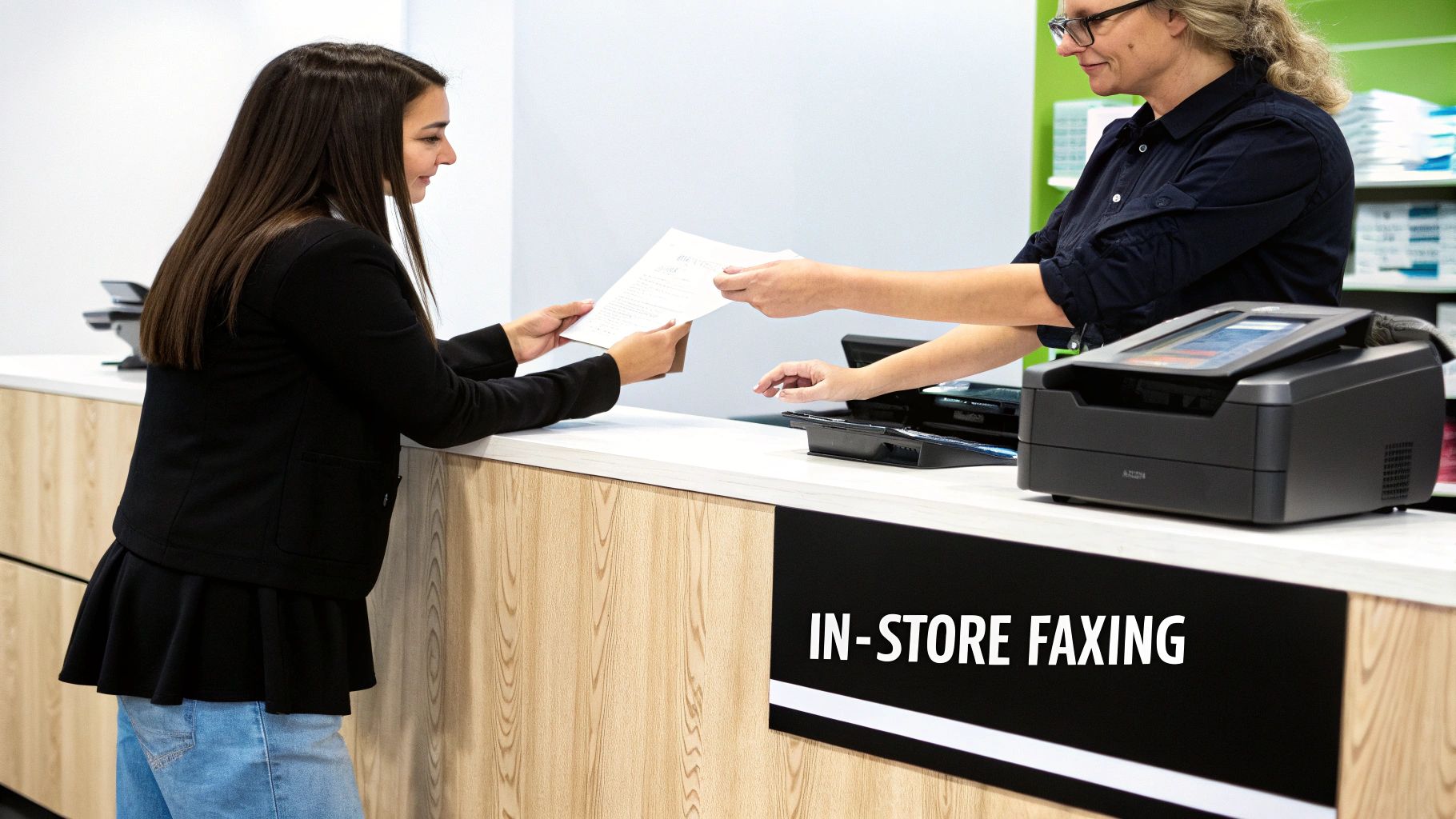
    Customer hands documents to an employee at a service counter with an in-store faxing sign.

    Who Should Use This?

    This option is perfect for individuals who only need to send a fax occasionally and want to avoid signing up for a service. It's also ideal for people who are less comfortable with technology or need to send physical, original documents that haven't been digitized. The immediate, tangible confirmation receipt makes it a trusted choice for sending important legal, financial, or real estate paperwork.

    Key Advantage: The primary benefit is reliability and professional assistance. Having a staff member manage the process and provide a physical confirmation receipt offers peace of mind that your document was sent successfully.

    What to Consider

    Pricing is typically on a per-page basis and can vary significantly by location and whether the fax is local, long-distance, or international. For instance, The UPS Store and FedEx Office have thousands of locations, but their prices are set by individual franchises. It’s wise to call ahead to confirm costs, especially if you have a large document.

    Actionable Tips:

    • Call Ahead: Always contact your local store to verify they offer fax services, check their hours, and ask about the cost per page.
    • Bring Clear Copies: Ensure your documents are clean and legible to guarantee a high-quality transmission.
    • Request a Receipt: Always ask for the printed confirmation page that includes the date, time, and recipient's number for your records.

    For specific locations and services, you can visit The UPS Store's website or your local print shop's page to find a provider near you.

    3. Email-to-Fax Services (Integrated Email Solutions)

    For professionals who live in their email inbox, email-to-fax services offer a seamless way to fax a document without disrupting established workflows. This method integrates faxing capabilities directly into your existing email client, such as Outlook or Gmail, transforming it into a powerful communication hub.

    The process is remarkably simple: you compose a new email, attach your document (like a PDF or Word file), and send it to a specially formatted email address, typically [faxnumber]@[serviceprovider].com. The service then converts the email content and attachment into a standard fax and transmits it to the recipient's machine, sending a confirmation receipt back to your inbox.

    Who Should Use This?

    Email-to-fax is perfect for businesses and individuals who need to send faxes regularly and want to centralize their communications. It's particularly effective in corporate environments where platforms like RingCentral or Nextiva are already used for unified communications, as it keeps all correspondence, including faxes, archived and searchable within one system.

    Key Advantage: The primary benefit is workflow integration. By allowing users to send faxes from the same platform they use for all other business communications, it eliminates the need to learn a new interface and saves significant time.

    What to Consider

    This solution is typically part of a broader subscription package, making it less ideal for a one-time fax. Providers like RingCentral and Nextiva bundle it with their VoIP and business communication suites. For those using Google Workspace or Microsoft 365, various third-party add-ons can enable this functionality directly within the email interface.

    Actionable Tips:

    • Set Up Forwarding: Configure fax-to-email forwarding so that incoming faxes are delivered directly to your inbox for a fully integrated experience.
    • Use Correct Formatting: Always use the precise email address format required by your provider (e.g., 15551234567@rcfax.com) to avoid delivery failure.
    • Enable Delivery Receipts: Turn on email notifications for sent and received faxes to maintain a clear digital paper trail for compliance and record-keeping.

    4. Healthcare and Legal Document Fax Services (Specialized Providers)

    When you need to fax a document containing highly sensitive information, standard services may not meet the stringent security and compliance requirements of regulated industries. Specialized online fax providers cater specifically to sectors like healthcare, law, and finance, offering platforms engineered for secure transmission and regulatory adherence.

    These services go beyond basic faxing by incorporating features like HIPAA-compliant encryption, detailed audit trails, and certified data storage. Platforms such as MetroFax and Biscom are designed to handle protected health information (PHI) and privileged legal documents, ensuring every transmission meets strict legal and ethical standards for privacy and security.

    Who Should Use This?

    This option is essential for medical professionals, legal firms, financial institutions, and any organization handling personally identifiable information (PII). If your document transmission is subject to regulations like HIPAA, PIPEDA, or GDPR, using a specialized, compliant service is not just a best practice; it is often a legal requirement to avoid severe penalties.

    Key Advantage: These providers offer peace of mind with verifiable compliance and security features, including audit logs and encrypted transmissions that are crucial for regulatory investigations and maintaining client trust.

    What to Consider

    Choosing a specialized provider means prioritizing compliance over cost. While more expensive than general-use services, platforms like Documend (for medical records) provide indispensable features tailored to specific industry workflows. Before committing, verify that the provider’s compliance certifications (e.g., HIPAA, SOC 2) align with your specific legal and jurisdictional needs.

    Actionable Tips:

    • Verify Compliance: Always confirm that the service's compliance certifications match your industry’s requirements.
    • Implement Access Controls: Use features like user authentication and role-based access to restrict document access to authorized personnel only.
    • Maintain Logs: Keep detailed transmission logs for regulatory audits, as these services often automate this process for you.
    • Train Your Staff: Ensure anyone sending faxes understands the secure handling procedures required for sensitive information. You can explore the fundamentals of secure faxing to better inform your team.

    5. Library and Community Center Fax Services

    For those seeking an affordable, community-based option for where to go to fax a document, public libraries and local community centers are invaluable resources. These public-service-oriented locations often maintain a fax machine for patrons, providing a crucial service for individuals who may not have access to office equipment or reliable internet.

    The process is straightforward: you bring your documents to the service desk, and a staff member typically assists with sending the fax. This hands-on help makes it a great option for anyone unfamiliar with faxing. It's a reliable, albeit less private, method for sending non-sensitive paperwork like applications or forms.
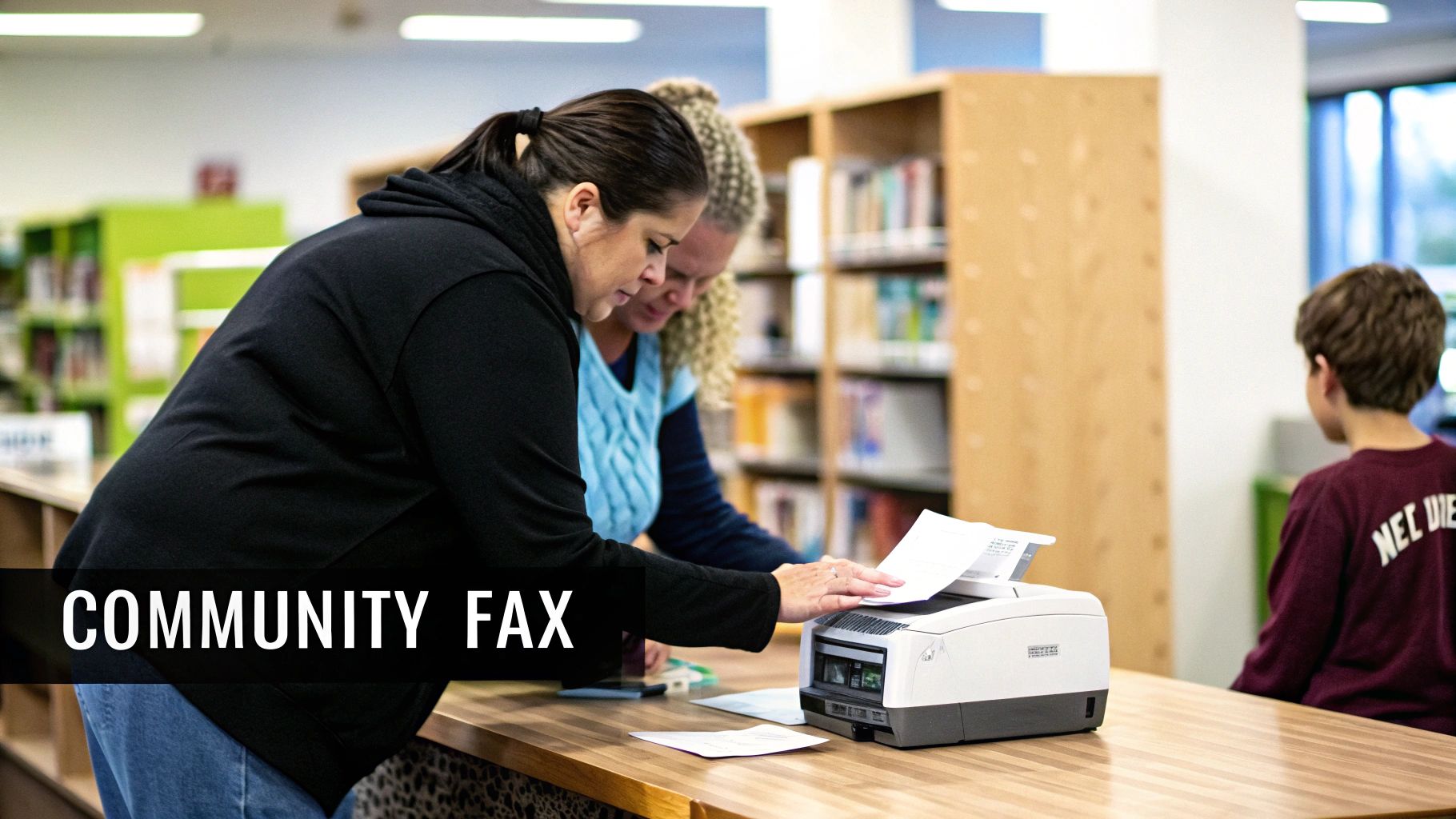
    Two women operating a fax machine in a community library, with a boy sitting nearby.

    Who Should Use This?

    This service is perfect for students, senior citizens, job seekers, and anyone needing to send a fax at a very low cost, or even for free. Community centers, YMCAs, and nonprofit job centers often provide this service to support their members. It's an excellent choice for sending local documents where strict privacy isn't the primary concern, such as submitting a form to a local government agency or a job application.

    Key Advantage: The primary benefit is accessibility and affordability. Libraries and community centers offer a welcoming, low-pressure environment with staff available to help you send your fax correctly, making it ideal for first-time users or those on a tight budget.

    What to Consider

    Availability and cost can vary significantly between locations. While some libraries may offer the service for free, others might charge a small fee per page, often around $0.50 to $2.00. Since these are public facilities, they operate on specific schedules, so you are limited to their business hours. Also, remember that a staff member will handle your documents, so this method is not suitable for highly confidential information.

    Actionable Tips:

    • Call Ahead: Always contact the library or center beforehand to confirm they have a working fax machine, check their hours, and ask about any associated costs.
    • Bring Cash: Many locations only accept cash for faxing fees, so come prepared with small bills and coins.
    • Ask for a Receipt: Always request a printed confirmation page to verify that your document was sent successfully.

    6. Virtual Business Address and Mail Services (Regus, iKor, LiquidSpace)

    For professionals seeking a comprehensive business presence, a virtual office or mail service can be an excellent place to go to fax a document. These services provide a physical business address and mail handling, and often bundle in additional administrative support, including access to faxing services, as part of a monthly package.

    Instead of a standalone service, faxing becomes an integrated part of a broader business infrastructure solution. You typically send your documents through a client portal or by emailing them to the service's administrative team, who then handles the transmission. This is a great solution for maintaining a professional image without the high cost of a physical office lease.

    Who Should Use This?

    This option is tailor-made for entrepreneurs, remote-first companies, and startups that need a prestigious business address for registration and client correspondence. It's ideal for those who already require mail forwarding or a physical address and see faxing as a valuable, convenient add-on rather than a primary, high-volume need.

    Key Advantage: These services bundle multiple professional tools into one package, streamlining administrative tasks and providing a polished business identity that includes a physical address, mail handling, and fax capabilities.

    What to Consider

    The key consideration is value: is the entire package worth the cost? For businesses that only need to fax, this is an expensive route. However, for those leveraging the address and mail services, the included faxing is a significant benefit. Global providers like Regus and specialized services like iKor offer various tiers of service.

    Actionable Tips:

    • Evaluate the Bundle: Compare the total cost of the virtual office package against subscribing to a standalone fax service and P.O. box separately.
    • Check Fax Capabilities: Verify if the service includes both sending and receiving, and understand any page limits or per-page fees that might apply.
    • Confirm Address Use: Ensure the provided business address can be legally used for business registration or LLC formation in your state or country.

    7. Smartphone and Mobile App Fax Solutions (Adobe, Microsoft, Specialized Apps)

    For those who need to fax a document while away from a computer, mobile apps provide an incredibly powerful and portable solution. These applications effectively turn your smartphone or tablet into a scanner and fax machine in one, allowing you to capture, sign, and send documents from virtually anywhere. You can use your device's camera to create a high-quality digital scan of a physical paper.
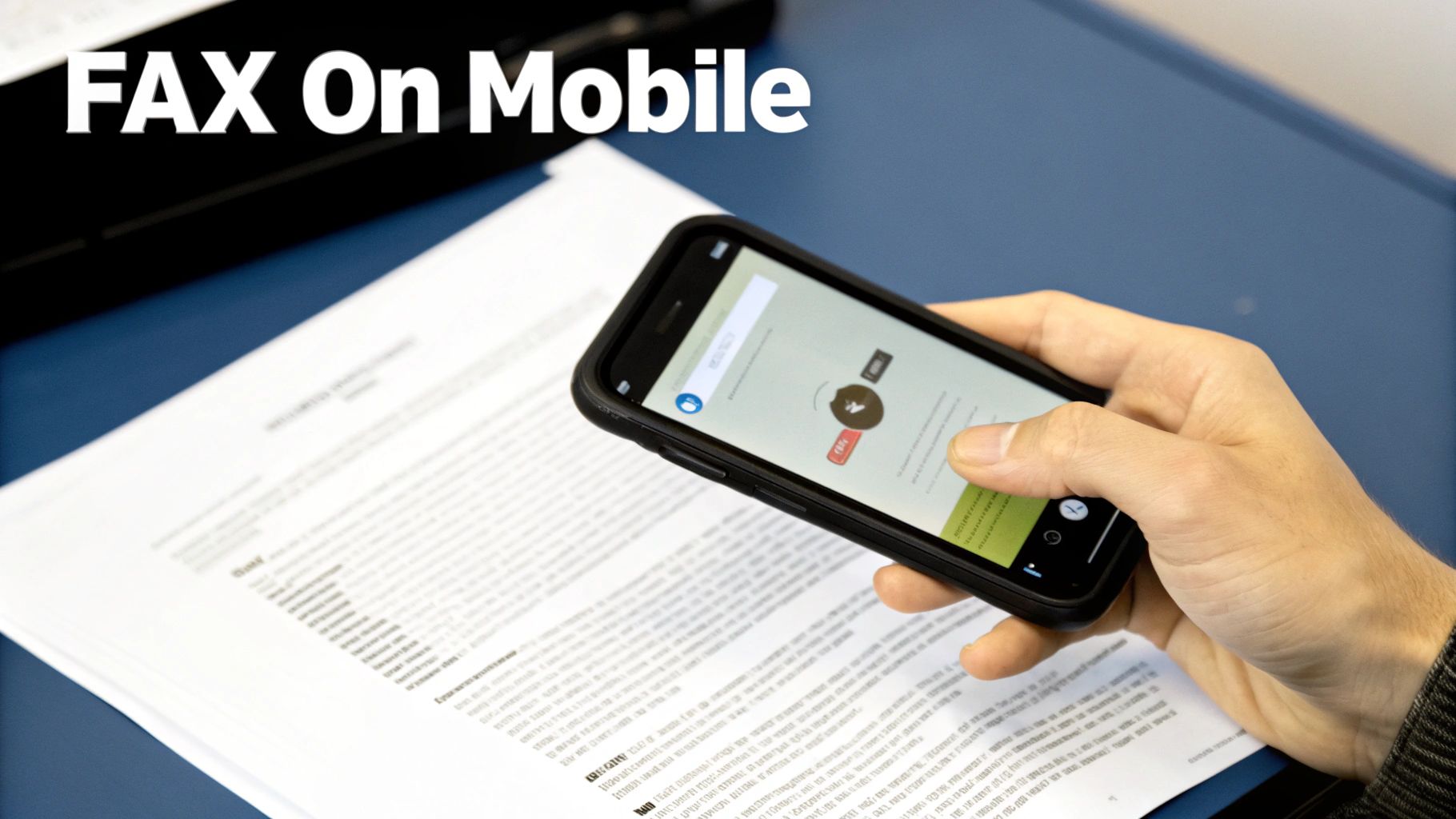
    A person uses a smartphone to scan documents, demonstrating mobile faxing technology.

    This method combines the convenience of online faxing with the added benefit of mobile document capture. Simply scan your document using the app, enter the recipient’s fax number, and send. The entire process is managed within a single application, making it a seamless experience for on-the-go professionals.

    Who Should Use This?

    Mobile fax apps are perfect for field agents, travelers, freelancers, and anyone who operates primarily from their smartphone. They are especially useful for situations where you need to send a signed contract, an invoice, or an ID document immediately without access to a computer or scanner. Apps from trusted names like Adobe Acrobat Reader or the Microsoft Office suite often integrate faxing into their existing document management features.

    Key Advantage: The all-in-one capability of scanning, editing, and faxing from a single device offers unmatched convenience for mobile workers. It eliminates the need for any external hardware and streamlines the entire workflow.

    What to Consider

    Choosing the right mobile fax solution depends on your ecosystem and frequency of use. If you already use Adobe or Microsoft products, their built-in fax features are a logical choice. For more specialized needs, dedicated apps like Fax Burner or iFax offer robust features, including temporary fax numbers and detailed tracking. Pricing models vary from free, ad-supported services for occasional faxes to monthly subscriptions for higher volume users.

    Actionable Tips:

    • Optimize Your Scan: Use bright, natural light without shadows and ensure the document fills the entire frame for a clear, legible scan.
    • Verify Scan Quality: Always preview the scanned document to check for blurriness or cropping issues before sending.
    • Maintain Stable Connection: Ensure you have a strong Wi-Fi or cellular data connection to prevent transmission failures.
    • Keep Your Originals: Hold onto the physical document until you receive a successful transmission confirmation.

    8. Corporate Telephone and VoIP Systems (Built-in Fax Features)

    For businesses already invested in modern communication infrastructure, the answer to "where to go to fax a document" might be their existing telephone system. Many corporate Voice over IP (VoIP) and unified communications platforms include faxing capabilities as a standard or add-on feature, integrating it directly into the company’s workflow.

    This method leverages your internet-based phone system to send and receive faxes digitally. Instead of a separate fax machine or service, employees can send documents through a dedicated software application, a web portal, or even via email-to-fax. Platforms like 8×8, Ooma Office, and Vonage Business often bundle this functionality, centralizing all business communications.

    Who Should Use This?

    This solution is tailor-made for small to large businesses that already use a VoIP system and want to consolidate their communication tools and vendors. It streamlines operations by allowing employees to manage calls, voicemails, and faxes from a single interface, eliminating the need for separate fax contracts and hardware. It’s an efficient way to equip an entire organization with fax capabilities.

    Key Advantage: Integrating faxing with your VoIP system centralizes communications and simplifies billing. It provides a professional, unified solution without adding another standalone service to manage.

    What to Consider

    The primary consideration is whether your current provider offers this feature and if it meets your needs for reliability and volume. Some systems may have limitations on page counts or charge extra for higher usage tiers. It is crucial to confirm that the service quality is sufficient for business-critical documents, as not all VoIP fax integrations are created equal.

    Actionable Tips:

    • Check Your Current Plan: Contact your VoIP provider (e.g., Grasshopper, 8×8) to see if faxing is included or can be added to your existing package.
    • Test Transmission Quality: Before relying on it for important documents, send several test faxes to an external number to verify delivery speed and clarity.
    • Configure Fax-to-Email: Set up incoming faxes to be delivered to an email address for easy digital archiving and distribution.
    • Understand Backup Options: Inquire about system reliability and have a backup method ready for when your phone system undergoes maintenance.

    For more insights into modern faxing alternatives, explore this guide on faxing without a traditional landline.

    8 Ways to Fax: Quick Comparison

    Category Core Features UX & Reliability (★) Price & Value (💰) Target Audience (👥) Unique Selling Points (✨ / 🏆)
    Online Fax Services (Web-Based Platforms) Browser/email sends, PDF/DOC support, cover pages, free + paid tiers ★★★★☆ Fast & simple 💰 Free limited (3p+cover; 5/day), $1.99/fax (25p) 👥 Remote workers, freelancers, small biz ✨ No fax machine, instant delivery; 🏆 Best for quick/occasional use
    Office Supply Retailers (UPS Store, FedEx Office) In-person staff-assisted faxing, scanning, receipts ★★★★☆ Professional & reliable 💰 Higher per-page ($2–5+), pay-per-use 👥 Walk-in customers, no-internet users, high‑stakes docs ✨ Staff prep & verified receipts; 🏆 Best for immediate, in-person proof
    Email-to-Fax Services (Integrated Email Solutions) Send from email, auto-convert, tracking, archive ★★★★☆ Seamless for email workflows 💰 Subscription / higher enterprise cost 👥 Businesses with corporate email/IT ✨ Integrates with email/archives; 🏆 Best for enterprise workflow integration
    Healthcare & Legal Fax Services (Specialized) HIPAA/SOC2, end-to-end encryption, audit trails, EMR integration ★★★★★ High security & compliance 💰 Premium pricing (compliance-focused) 👥 Healthcare, legal, finance, regulated orgs ✨ Compliance-certified, audit-ready; 🏆 Best for PHI/privileged documents
    Library & Community Center Fax Services Free/low-cost in-person fax, scanning, staff help ★★★☆☆ Accessible but limited hours 💰 Free–$1–$3 per fax; excellent community value 👥 Underserved populations, seniors, no‑internet users ✨ Low/no-cost access; 🏆 Best for community members without tech
    Virtual Business Address & Mail Services Business address, mail scanning/forwarding, fax add-on ★★★★☆ Professional bundled service 💰 Monthly plans; higher overall cost 👥 Startups, freelancers needing business presence ✨ All-in-one business infrastructure; 🏆 Best for professional branding
    Smartphone & Mobile App Fax Solutions Camera scanning, edit, one-tap send, cloud sync ★★★★☆ Very portable (scan quality varies) 💰 Pay-per-fax or app subscription; moderate 👥 Field agents, traveling pros, realtors ✨ Scan + send on-the-go; 🏆 Best for mobile faxing
    Corporate Telephone & VoIP Systems Fax via existing phone/VoIP, web portal, fax-to-email ★★★★☆ Integrated; quality varies by provider 💰 Often included in telecom costs; low incremental 👥 Businesses with VoIP systems ✨ Uses existing infrastructure; 🏆 Best for consolidated communications

    Choosing the Right Place to Send Your Next Fax

    Navigating the world of faxing in a digital age can feel like a paradox, yet as we've explored, the need for this secure and verifiable communication method persists across many critical industries. The question of where to go to fax a document no longer has a single, one-size-fits-all answer. Instead, the modern landscape offers a diverse array of options, each tailored to specific needs regarding urgency, security, frequency, and budget. Your ideal solution hinges entirely on which of these factors you prioritize most.

    Synthesizing Your Faxing Strategy

    The key takeaway from this comprehensive guide is the power of choice. You are no longer tethered to a bulky, physical fax machine. For the occasional user sending a single document, the convenience of a local office supply retailer like FedEx Office or The UPS Store is undeniable. These locations provide in-person assistance and immediate confirmation, making them a reliable choice for those who prefer a hands-on approach or are sending documents that are already printed. Similarly, public libraries and community centers offer a valuable, often low-cost, service that supports local residents with essential business needs.

    However, for professionals, remote workers, and small businesses, the paradigm has shifted decisively towards digital solutions. The true evolution in faxing lies in the flexibility and efficiency of online platforms. Services ranging from integrated email-to-fax systems to dedicated mobile apps have transformed the process, turning your smartphone or laptop into a powerful, portable fax machine. This digital-first approach eliminates the need for travel, hardware maintenance, and paper, aligning perfectly with modern, streamlined workflows.

    The Modern Faxing Advantage: Convenience Meets Security

    Ultimately, the best place to fax a document is the one that seamlessly integrates into your life or business operations without compromising on security. While physical locations offer tangible peace of mind, the robust encryption and secure protocols of reputable online fax services provide an equivalent, if not superior, level of data protection for sensitive information. By understanding the distinct benefits and limitations of each option, from specialized legal providers to built-in VoIP features, you can make an informed decision. This empowers you to send your crucial documents with confidence, ensuring they are transmitted efficiently, affordably, and securely every single time. Your next fax doesn't have to be a chore; it can be a simple, strategic task.


    Ready to experience the most convenient way to send your documents? For a fast, secure, and pay-as-you-go solution that eliminates subscriptions and hardware, try SendItFax. Visit SendItFax to send your first fax from any device in just a few minutes.

  • Create the Perfect Free PDF Fax Cover Sheet

    Create the Perfect Free PDF Fax Cover Sheet

    A good free PDF fax cover sheet isn't just a formality—it's your first line of defense for professionalism and clarity. In the few seconds it takes to read, it confirms your documents landed in the right hands, provides critical context, and even creates a clear audit trail for your records.

    Why a Professional Fax Cover Sheet Still Matters

    Think of your cover sheet as the handshake before a meeting. Before anyone even lays eyes on your actual document, this first page sets the tone, establishing your credibility and giving instant context for what follows. In a busy office, a fax that arrives without one can easily get lost in the shuffle or misrouted.

    A professional office desk setup with a laptop, a plant, a phone, and a card reading 'Professional Cover Sheet'.

    This single page is an essential routing slip. Imagine a large hospital where a time-sensitive patient referral needs to get to a specific specialist immediately. The cover sheet is what allows the front desk staff to direct it properly without having to read the confidential patient information inside.

    The Digital Shift and Why PDFs are King

    As we’ve moved from clunky fax machines to slick online fax services, the need for a polished, universally compatible cover sheet has actually grown. Using a PDF format has become the gold standard. Why? Because it locks in your layout and branding, guaranteeing it looks exactly as you intended, no matter what device it's viewed on.

    The numbers back this up. The global fax services market was valued at $3.18 billion in 2022 and is on track to hit $5.96 billion by 2028, a boom driven almost entirely by this digital transition. With North America making up over 60% of that market—thanks to heavy use in healthcare, finance, and legal fields—it's clear that a reliable free PDF fax cover sheet is more important than ever. For a deeper dive, you can explore detailed reports on the fax services market growth.

    Key Benefits at a Glance

    A well-crafted cover sheet offers more than just a good first impression. It delivers some very practical benefits.

    • Spot-On Delivery: It clearly names the recipient, so your fax doesn't end up on the wrong desk.
    • Instant Context: It provides all the key details at a glance—who it's from, the page count, and what it's about.
    • A Shield of Security: A simple confidentiality notice is a must-have for protecting sensitive information.
    • A Clear Paper Trail: It officially documents when the fax was sent and who it was intended for, creating an essential record.

    Bottom line: this first page is ground zero for making sure every fax you send is handled correctly and taken seriously from the moment it arrives.

    What Makes a Great Fax Cover Sheet?

    Think of your fax cover sheet as your document's first impression. It's the first thing your recipient sees, and if it’s missing key information, your important document could get lost in a mailroom shuffle or, worse, land in the wrong hands. A well-constructed cover sheet is both a business card and a routing slip, ensuring your fax gets to the right person, right away.

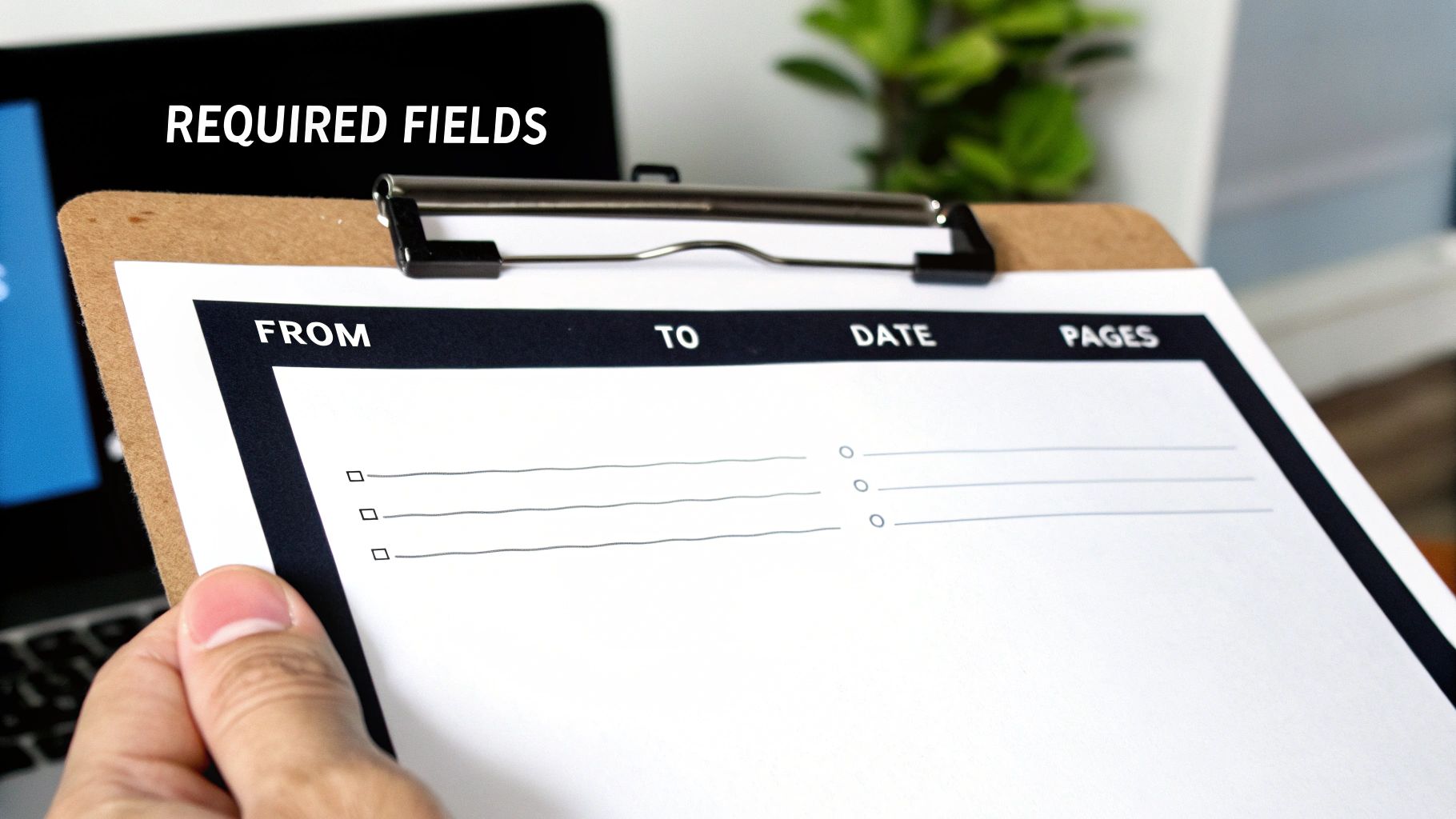
    A person holds a clipboard with a 'REQUIRED FIELDS' form, showing 'FROM', 'TO', 'DATE', and 'PAGES' sections.

    Let's break down the essential components that make a free PDF fax cover sheet foolproof, preventing confusion and ensuring your transmission is handled correctly from the moment it arrives.

    The Absolute Must-Haves

    These are the non-negotiable fields. Leaving any of these out is like sending a letter without an address—it’s just not going to get where it needs to go.

    • To and From: It sounds obvious, but be specific. Use the full name and company of both yourself and the recipient. If you know their department, add it. This small detail can save a lot of time on the other end.
    • Contact Information: Always include your phone and fax numbers. If there's a transmission error or a blurry page, this gives the recipient a direct way to let you know immediately.
    • Date: A clear timestamp is crucial for your records, especially when dealing with time-sensitive documents for legal, financial, or medical purposes.
    • Total Page Count: This is a big one. Always remember to include the cover sheet in your total count. Stating "5 pages (including cover)" helps the recipient instantly verify they've received the complete document. No more guessing games.

    Smart Additions for a Professional Touch

    Once you have the basics covered, a few extra fields can take your cover sheet from merely functional to truly professional and secure. These aren't strictly required, but I highly recommend them.

    A Subject Line is your chance to provide immediate context. Something clear like "RE: Invoice #5821" or "Urgent: Patient Referral Form" helps the recipient prioritize your document the second it lands on their desk. You might also want a small Comments or Notes section for any quick instructions or context.

    The most important optional field? A confidentiality notice. This brief statement is standard practice in healthcare and legal fields for a reason. It reinforces privacy and gives clear instructions for what to do if the fax is accidentally received by the wrong person. It's a simple addition that adds a serious layer of protection.

    To make it easy, here’s a quick checklist you can use to make sure your fax cover sheet has everything it needs.

    Fax Cover Sheet Field Checklist

    Field Purpose Status
    To/From Identifies the sender and intended recipient. Essential
    Contact Info Provides phone/fax numbers for follow-up or error reporting. Essential
    Date Creates a timestamp for record-keeping and legal purposes. Essential
    Page Count Helps the recipient confirm they received all pages. Essential
    Subject Line Gives immediate context and helps with prioritization. Recommended
    Comments/Notes Allows for brief instructions or additional information. Recommended
    Confidentiality Notice Adds a layer of legal and privacy protection. Highly Recommended

    Having these fields in place ensures your communications are clear, professional, and get to the right person without any unnecessary delays.

    How to Customize Your PDF Cover Sheet

    Alright, let's get practical and build your own professional cover sheet. Nobody wants to start from scratch, and honestly, you don't have to. A good template is the best way to get a head start, so we’ve included several downloadable options below to get you going right away.

    A laptop displaying 'Customize PDF' on its screen, next to a plant and documents on a desk.

    These aren’t just blank slates; they’re designed for real-world scenarios, from sending a medical referral to an urgent business invoice. Just download the one that fits your situation, and you're ready to plug in your information.

    Filling Out Your Template with Free Tools

    You absolutely don't need fancy, expensive software to create a great free PDF fax cover sheet. The tools you already have are probably more than capable.

    Believe it or not, most web browsers like Chrome or Firefox can handle this. They have built-in PDF viewers that let you type right into the form fields. Just open the file in a new tab and click on a line to start typing. If you want a bit more control, the free version of Adobe Acrobat Reader is perfect. Its "Fill & Sign" feature is straightforward and makes the job easy.

    Once you've filled in the sender and recipient details, the page count, and your message, just save a new copy. That way, your original template stays clean for the next time you need it.

    Pro Tip: I always recommend saving your filled-out cover sheet with a specific file name, like "Invoice_1234_Cover_Sheet.pdf". It's a small habit that saves huge headaches later when you're trying to find a specific fax you sent.

    Adding Your Brand Identity

    Want to take your cover sheet from a generic form to something that truly represents your business? Add your logo. It’s a simple touch that makes a huge difference in professionalism and brand recognition.

    • Using a PDF Editor: If you're working directly in a tool like Adobe Acrobat Reader or an online PDF editor, look for a function like "Add Image" or "Add Stamp." This will let you place your logo file, usually right in the header.
    • Starting in Word: Many people find it easier to get the layout just right in Microsoft Word. You can open one of the templates, pop your logo in, adjust the spacing, and then just save it as a PDF. We have a complete guide on how to convert Word to PDF if you need a little help with that last step.

    Think about a real estate agent sending a time-sensitive purchase offer. A branded cover sheet with the agency's logo doesn't just look official—it reinforces their professional image. The same goes for a medical clinic; adding their logo to referral forms builds consistency and trust.

    No matter how you customize it, your final step should always be to save the finished document as a PDF. This locks everything in place—the layout, your fonts, the images—so it looks exactly how you designed it, no matter who opens it. Now your professional, custom cover sheet is ready to attach and send.

    Sending Your Fax with an Online Service

    Alright, you’ve got your document polished and your custom cover sheet ready to go. Now for the easy part: sending it. Forget dealing with a clunky old fax machine; services like SendItFax let you handle everything from your web browser in just a few clicks.

    You'll start by uploading your main file—whatever it is you're sending, like an invoice, a signed contract, or a patient record. Then, simply attach your custom free pdf fax cover sheet so it becomes the very first page of the fax. This little step makes a huge difference, ensuring your professional branding is the first thing the recipient lays eyes on.

    Built-In vs. Custom Cover Pages

    When you use an online fax service, you'll generally have two options for the cover page. You can either type a quick message into a field and let the service generate a basic cover sheet, or you can upload your own. The built-in option works fine if you're just sending a quick, informal note to a colleague.

    But let's be honest, for any communication that matters, attaching your own branded PDF is the way to go. It keeps your branding consistent and includes all those specific fields and disclaimers you took the time to create. If you want a full breakdown of the process, our guide on how to send a fax online has you covered.

    Free vs. Paid Service Considerations

    So, should you go with a free or paid service? It really boils down to how often you send faxes and how professional you need to look. Free options are great for sending a one-off document here and there, but they come with a few catches.

    • Branding: Free services, SendItFax included, will typically place their own logo or branding on the cover sheet.
    • Page Limits: You'll usually find a cap on how many pages you can send for free. SendItFax, for instance, lets you send up to three pages plus a cover.
    • Delivery Speed: Sometimes, paid faxes are prioritized in the queue, which can be a lifesaver for time-sensitive documents.

    Stepping up to a paid plan, even a simple pay-per-fax option like the Almost Free tier from SendItFax, gets rid of their branding and bumps up your page limits. It’s a small investment that pays off by ensuring every fax you send looks completely professional—a must-have for any important business, legal, or medical correspondence where first impressions count.

    Best Practices for Faxing Sensitive Information

    Faxing is still the go-to method for sending a lot of confidential or legally binding documents. When you're dealing with high-stakes information, a few key habits can make all the difference in keeping that data private and staying compliant. Think of your free pdf fax cover sheet as the first line of defense in your security strategy.

    A person holds a smartphone over a document displaying a lock icon and 'SECURE FAXING' text.

    It’s easy to see the cover sheet as just a routing slip, but it's really your first chance to signal that the documents attached are sensitive and need to be handled carefully.

    The Non-Negotiable Confidentiality Notice

    If you're faxing anything with private data, a confidentiality notice is absolutely essential. This is a short legal statement that makes it crystal clear the fax is intended only for the person it’s addressed to and that the information is privileged. It also tells anyone who might receive it by mistake exactly what they need to do, which protects both you and your client.

    In fields like healthcare or finance, this isn't just a good idea—it's standard operating procedure. It’s a simple way to show you’re taking the necessary steps to protect sensitive information and is a cornerstone of complying with regulations like HIPAA.

    Adding this notice takes seconds but adds a serious layer of legal protection. If you’re regularly handling patient information, it’s worth diving deeper into what makes a HIPAA compliant fax cover sheet.

    Simple Habits for Secure Transmissions

    Beyond what’s on the page, a couple of real-world habits can prevent some surprisingly common—and costly—mistakes. These are the little things that seasoned professionals do every single time.

    • Always double-check the recipient's fax number. It sounds obvious, but it's incredible how often a single wrong digit sends private data to a complete stranger. Just take five extra seconds to verify the number before you hit send.
    • Make a quick follow-up call. A brief call to the recipient to confirm they got the fax is the perfect way to close the loop. It gives you peace of mind and ensures your document is securely in the right hands.

    These small, deliberate steps are what truly safeguard sensitive data and maintain the trust you've built with your clients and partners.

    A Few Common Questions About PDF Fax Cover Sheets

    Even with a great template, a few questions always seem to pop up. Making a free pdf fax cover sheet is pretty simple, but let's walk through some of the common hurdles so you can send your next fax without a second thought.

    Getting these details right from the start helps you avoid easy mistakes and makes sure your documents get to the right person, the right way.

    Can I Fill Out a PDF Fax Cover Sheet Without Fancy Software?

    You sure can. You don't need to buy anything to fill out a PDF template.

    Modern web browsers like Chrome and Firefox have built-in PDF readers that let you click into form fields and type. It's quick and easy. If you want a bit more functionality, a free tool like Adobe Acrobat Reader has a "Fill & Sign" feature that's perfect for the job.

    Need to add a logo or make bigger changes? Use a free online design tool to build your template and then just save it as a PDF.

    Is a Fax Cover Sheet Actually Required by Law?

    This is a common point of confusion. For most everyday faxes, no, it's not a legal requirement. But it is always a professional best practice.

    Where it becomes non-negotiable is in regulated fields like healthcare (think HIPAA compliance) or finance. Here, a cover sheet isn't just a good idea—it's a critical tool for protecting sensitive information.

    The cover sheet acts as an instruction manual for the recipient and creates a clear paper trail. For anyone handling confidential data, it’s an essential part of showing due diligence and a commitment to privacy.

    Will My Custom Cover Sheet Count Against My Page Limit?

    Excellent question. The answer really depends on your fax service.

    When you use the generic, auto-generated cover page provided by an online fax platform, it typically does not count toward your page limit.

    However, if you design your own beautiful PDF cover sheet and upload it as the first page of your document, it almost always will count as page one. It's always smart to double-check your service's policy, especially if you're on a plan with a tight page limit.

    What's the Best File Format for My Cover Sheet?

    PDF is the undisputed champion here. There's no better format.

    Saving your template as a PDF locks in all your formatting, fonts, and images. It guarantees that what you see on your screen is exactly what the recipient sees on theirs, no matter what device they're using.

    It’s a universal standard that every online fax service accepts, and just as importantly, it prevents the recipient from accidentally changing anything. Your document stays professional and secure.


    Ready to send your fax with a polished, custom cover sheet? With SendItFax, you can upload your documents and send them securely in just a few minutes, with no account required. Try SendItFax today for fast and reliable online faxing.

  • How to Send a Fax: Easy Online Guide You Can Do Now

    How to Send a Fax: Easy Online Guide You Can Do Now

    Sending a fax online is surprisingly straightforward. You just upload your document to a web service like SendItFax, punch in the recipient's fax number, and hit send. That's it. This approach ditches the need for a clunky machine and a dedicated phone line, letting you send files like PDFs or Word docs right from your computer or phone in a matter of minutes.

    Why Online Faxing Still Matters

    It's easy to think of faxing as something that went out with dial-up internet, but for a lot of professionals, it’s still a go-to tool. Fields like healthcare, law, and government hang on to it for good reason: it’s incredibly secure and holds up legally. When you’re handling sensitive information, the direct point-to-point connection of a fax gives you a level of security that your average email just can't promise.

    A laptop displaying 'Secure Faxing' on its screen sits on a wooden desk with paper documents.

    Learning to send a fax online isn't about dusting off old tech. It’s about getting comfortable with a modern communication method that puts security and reliability first, whether you’re using it for work or personal stuff.

    The Enduring Role of Fax in Key Industries

    So, why are so many vital sectors still leaning on this method? It all comes down to compliance and having a paper trail. Take healthcare, for instance. Doctors and hospitals have to follow strict HIPAA rules to keep patient information private. Faxing gives them a secure, verifiable way to send records between clinics, pharmacies, and insurance companies.

    The numbers really tell the story. At its peak, global fax transmissions hit over 17 billion documents in a single year. The U.S. healthcare system alone accounted for more than 9 billion of those. Even now, about 17% of businesses around the world still use faxing, which shows just how essential it remains in certain fields.

    The real advantage? A fax transmission creates a solid record of exactly when a document was sent and successfully received. That kind of proof is gold for legal and medical paperwork.

    Thinking about making the switch? It helps to see the differences side-by-side.

    At a Glance Comparing Traditional vs Online Faxing

    This table provides a quick comparison of the key differences between using a traditional fax machine and a modern online fax service, helping you understand the benefits of going digital.

    Feature Traditional Fax Machine Online Fax Service
    Hardware Requires a dedicated machine and phone line. No special hardware needed—just a computer or smartphone.
    Cost High initial cost plus ongoing expenses for paper, ink. Low monthly subscription fees, often with free trial options.
    Accessibility You have to be physically present at the machine. Send and receive faxes from anywhere with an internet connection.
    Document Quality Can be blurry or distorted depending on the connection. Delivers crisp, clear digital copies every time.
    Security Secure point-to-point, but documents can be left exposed. Enhanced with end-to-end encryption and secure cloud storage.
    Confirmation Prints a confirmation page (if it doesn't jam). Sends instant email notifications and provides a digital log.

    As you can see, online faxing takes the core strengths of traditional faxing and modernizes them for today’s needs, offering a more flexible and cost-effective solution.

    Security and Legal Recognition

    Faxing is often considered a safer bet than email when you're sending sensitive documents. A classic fax travels over a dedicated phone line, which is much harder to intercept than hacking into an email server. You can dive deeper into whether fax is more secure than email in our detailed comparison.

    Today's online fax services build on that security with features like end-to-end encryption. This scrambles your documents from the moment you send them until they land safely on the recipient's machine. It’s this blend of old-school reliability and new-school security that makes faxes legally binding in many situations, from signing contracts to submitting official paperwork. It’s a surprisingly useful skill to have in your back pocket.

    Getting Your Documents Ready for a Perfect Send

    Before you even get to the "send" button, the single most important thing is the quality of your document. I’ve seen it happen countless times: a blurry or poorly formatted file gets sent, and it arrives as an unreadable mess on the other end. This wastes time and can cause real headaches, especially with important paperwork.

    The goal here is simple: start with a clean, crisp digital file. That one step will solve 90% of potential problems down the line.

    Choosing the Right File Format

    The file type you use has a direct impact on how your fax looks when it prints out of that machine miles away.

    For anything with a lot of text—think contracts, applications, or official letters—PDF is the gold standard. It’s the closest thing to a guarantee that your formatting, fonts, and layout will stay exactly as you intended.

    If you have a Word document, I strongly recommend converting it first. It only takes a second. Our guide on how to convert a Word document to a PDF shows you exactly how.

    Other common formats that usually work well include:

    • DOC/DOCX: Microsoft Word files are accepted almost everywhere, but be aware that formatting can sometimes get a little wonky during the fax conversion process. PDF avoids this.
    • JPG/PNG: These are perfect for sending photos, diagrams, or scanned papers. Just make sure they are high-resolution. A fuzzy image will only look worse after being faxed.

    Pro Tip: Think of your digital file as the "original" master copy. The better its quality, the clearer the final fax will be. You can't make a low-resolution scan look sharp on the other end.

    How to Scan Physical Papers (Without a Scanner)

    What if your document is a physical piece of paper? You don’t need to hunt down a bulky office scanner anymore. Your smartphone is more than capable of creating a great-looking digital copy.

    For the best results, lay the document on a flat surface with plenty of light. Watch out for your own shadow! Position yourself so the light source isn’t directly behind you, casting a shadow over the page.

    Modern phone cameras and scanning apps (like Adobe Scan or even your phone's built-in Notes app) are smart enough to find the document's edges and automatically straighten the image for you.

    Once you have the picture, take 30 seconds to edit it. The most important tweak is to increase the contrast. This makes the text pop and the background a clean white. It makes a massive difference in readability for the person receiving the fax. Zoom in and double-check that even the fine print is sharp.

    Finally, save your freshly scanned document as a PDF or a high-quality JPG. Taking these few extra minutes to prep your file properly is the secret to a smooth transmission every single time. It's the foundational step that ensures your message gets received loud and clear.

    The Complete Walkthrough for Sending Your First Online Fax

    Alright, you've got your documents scanned, cleaned up, and ready to go. Now for the easy part: actually sending the fax. If you're used to wrestling with an old, clunky fax machine, you're in for a pleasant surprise. The whole process is much more like sending an email.

    Let's walk through it together using a service like SendItFax as our example. The goal of these platforms is to be dead simple—get your file from your computer to their machine with zero fuss.

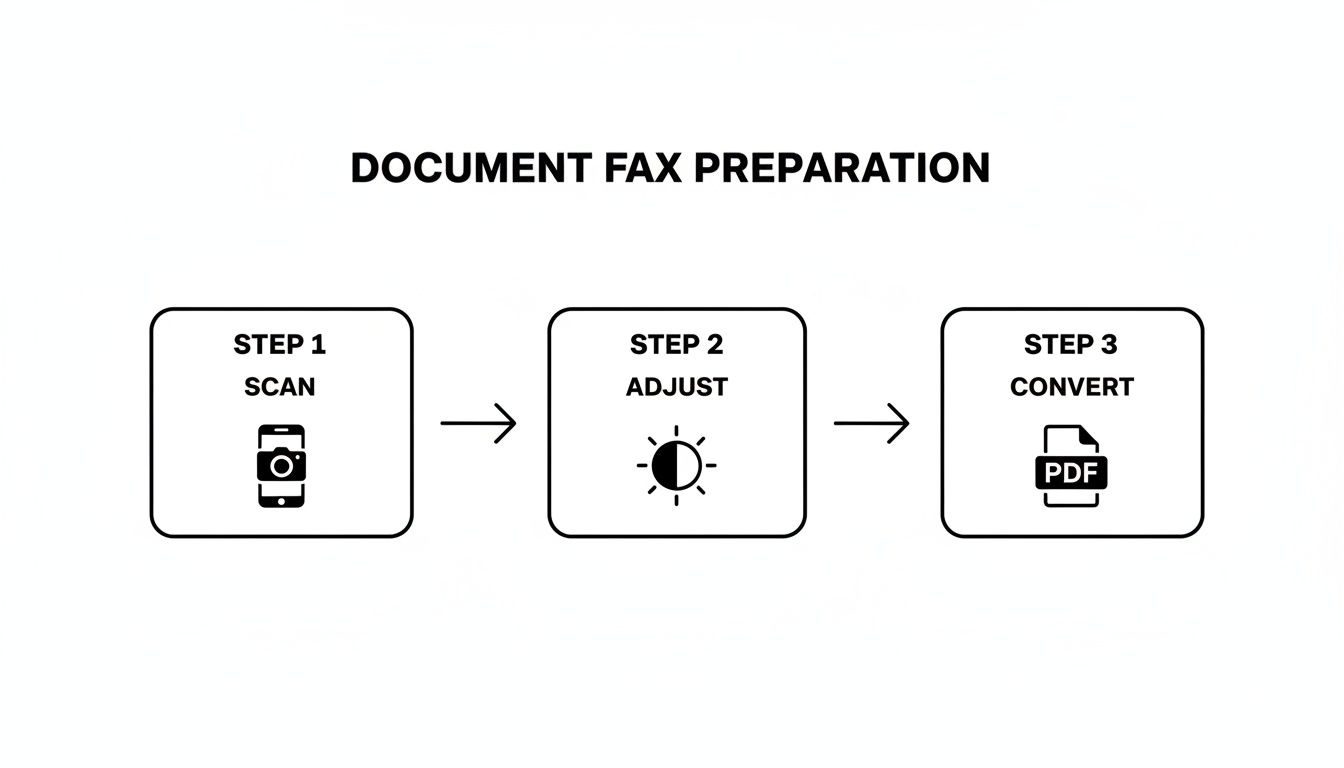
    This little visual sums up the prep work perfectly. You scan it, tweak it for clarity, and save it as a PDF. That's it.

    A three-step process for document fax preparation: Scan with a phone, adjust settings, then convert to PDF.

    Getting this part right is the secret to making sure your fax lands on the other end looking sharp and professional.

    Entering Sender and Recipient Information

    First things first, you have to tell the service who you are and where the fax is going. Think of it as the "To" and "From" on an envelope. On the sender side, you'll plug in your name, maybe your company, and your email. That email address is critical—it’s where your delivery confirmation (or failure notice) will land.

    Now for the recipient's info. The make-or-break detail here is the fax number. This is where most mistakes happen, so pay close attention.

    • Sending to the U.S. or Canada? You'll need all 10 digits: area code plus the number. Something like 212-555-0199.
    • Going international? You'll have to lead with the country code, then the city/area code, and the local number. A fax to London, for example, would look something like +44 20 7946 0958.

    I can't stress this enough: double-check every single digit. One wrong number and your fax either vanishes into the ether or ends up in the wrong hands. It’s the digital version of sending a sensitive contract to the wrong street address.

    Uploading Your Document and Adding a Cover Page

    Next, you'll see a big, friendly button to upload your file. This is where you grab that polished PDF you just created. Most services these days even let you drag the file from your desktop and drop it right into the web page. Easy.

    This is also your chance to add a cover page. Don't skip this. While it might seem optional, a cover page is essential for any kind of professional communication. It’s the first thing the recipient sees and tells them what they’re looking at and who it’s for.

    A good cover page is your fax’s handshake. It provides immediate context and makes sure your document doesn't get lost in a pile on a shared office machine. It gets it routed to the right person, right away.

    So, what goes on a great cover page?

    1. A Clear Subject Line: Get straight to the point. Instead of "Fax," try "Signed Lease Agreement" or "Invoice #5829 for Payment."
    2. A Quick Note: This is the spot for a brief message. Something like, "Hi John, attached are the 5 signed pages for your records. Please confirm receipt."
    3. The Page Count: Always, always include the total number of pages you're sending, including the cover page itself. This is how the recipient confirms they got the whole thing.

    Once all the fields are filled and your document is attached, take one last look over everything. Is the fax number perfect? Names spelled correctly? Happy with your cover page message?

    When you’re good to go, hit "Send." The service takes over from there, translating your digital file into a signal that a traditional fax machine can understand and dialing up the recipient. Within a few minutes, you should get an email in your inbox confirming whether the fax went through successfully.

    Free vs. Paid Online Faxing: Which One Is Right for You?

    When you're ready to send a fax online, you’ll quickly hit a fork in the road: go free, or pay for a subscription? There’s no single right answer. The best choice really boils down to what you’re sending and how often you’ll be sending it. Let's break down what you get—and what you give up—with each.

    Free services, like the starter option here at SendItFax, are fantastic for those one-and-done situations. Imagine you just need to send a signed three-page contract to a vendor. A free plan is the perfect tool for the job. No cost, no commitment.

    But, as with most things in life, "free" comes with a few strings attached. You'll usually run into some predictable limitations:

    • Strict Page Limits: Most free services cap you at just a handful of pages per fax.
    • Forced Branding: Expect the service’s logo or a small ad to appear on your cover page.
    • Slower Delivery: Your fax often gets put in a queue behind paying customers, so it might not go out immediately.

    For a single, non-urgent document, those trade-offs are usually a no-brainer. But if your faxing needs are more consistent or business-related, you'll start feeling the limitations of the free model pretty quickly.

    When Does It Make Sense to Pay for a Fax Service?

    If you're sending faxes more than once in a blue moon, or if they're for professional purposes, upgrading to a paid plan is less of a luxury and more of a practical necessity. Paid services are built for consistency, better security, and a polished, professional look.

    This shift towards professional-grade services is actually driving major growth in the industry. The global market for online faxing was valued at $3.3 billion in 2024 and is projected to reach $4.47 billion by 2030. Why? Because businesses need features that free plans simply can't provide, like advanced security and software integrations.

    Stepping up to a paid plan isn't just about getting rid of ads. It’s an investment in a professional toolkit that ensures your faxes are delivered securely, reliably, and with the clean presentation your business deserves.

    The Real Perks of a Premium Plan

    So, what exactly are you paying for? A premium online fax service unlocks a whole suite of powerful features that make a real difference.

    The biggest game-changer is getting a dedicated fax number. This means you can not only send faxes but also receive them, effectively turning your email into a two-way virtual fax machine. You also get a major security boost with features like end-to-end encryption. This is non-negotiable for anyone handling sensitive information in fields like healthcare (think HIPAA compliance) or law.

    On top of that, you can typically expect:

    • Generous page limits, and sometimes even unlimited faxing.
    • Detailed delivery confirmations and an organized, searchable archive of sent faxes.
    • Priority delivery, so your faxes jump to the front of the line.
    • A clean, professional look with no third-party branding on your cover sheets.

    If you're still on the fence, check out our online fax service comparison to see a side-by-side breakdown. For the occasional personal document, free is often all you need. For anything more, a paid plan is a smart move for pure reliability.

    Keeping Your Faxes Secure and Private

    When you're handling sensitive documents—think medical records, legal contracts, or financial statements—security isn't just a feature; it's a necessity. Knowing how to send a fax online is less about convenience and more about using a channel known for its robust privacy. Unlike an email, which can be intercepted at various points, a secure online fax creates a much more direct and protected pathway for your information.

    A wooden desk with a document, a black padlock, and a tablet, with a text overlay 'Encrypted FAX'.

    This heightened security is exactly why so many regulated industries still depend on faxing. It’s not an outdated habit; it’s a deliberate choice to meet strict legal and compliance requirements.

    How Encryption and Compliance Work

    The magic behind modern online fax security is end-to-end encryption. Imagine locking your document in a digital safe the moment you hit "send." The file is instantly scrambled into unreadable code and isn't pieced back together until it safely arrives at the recipient's fax service. This process shields it from prying eyes while it's in transit.

    This level of protection is a game-changer for meeting compliance standards like HIPAA (for healthcare) and GDPR (for data privacy). These regulations have strict rules about handling personal information, which is especially critical in healthcare, where about 75% of providers communicate digitally. To send a fax that holds up legally, a service must offer features like encryption and a zero-trust framework, giving your documents a legal standing that a standard email just can't match. You can learn more about where this technology is headed from these future trends in faxing from FaxFix.com.

    When you're picking a service, always look for explicit mentions of HIPAA compliance or TLS encryption. That's your green light, signaling that the provider has the right infrastructure to protect your data seriously.

    Practical Tips to Keep Your Faxes Safe

    While a good service handles the technical heavy lifting, you're the first line of defense. Keeping your own account secure is just as crucial as the transmission itself.

    Here are a few simple but powerful habits to get into:

    • Create Strong Passwords: Don't just recycle your email password. Make a unique, complex password for your fax service account to keep it locked down.
    • Turn On Two-Factor Authentication (2FA): If the service offers it, enable 2FA immediately. It adds a vital second layer of security by asking for a code from your phone before you can log in.
    • Triple-Check the Number: This one is huge. Always, always double-check the recipient's fax number before sending. A single wrong digit could land your confidential document in the hands of a complete stranger.

    By pairing the provider's security features with your own smart practices, you can send faxes with complete peace of mind, knowing your documents are protected every step of the way.

    Of course. Here is the rewritten section, crafted to sound completely human-written and natural.


    What to Do When Your Online Fax Fails

    Even the most reliable online fax service can hit a roadblock now and then. But don't worry—most of the time, the fix is surprisingly simple once you know what to look for. Figuring out why a fax failed is the first step to making sure it gets through on the next try.

    The most frequent error you'll encounter is the classic "busy signal." It means exactly what it sounds like: the receiving fax machine is already tied up with another transmission, or maybe someone left the phone off the hook.

    My advice? Don't hit resend right away. Just give it 15 or 20 minutes. Nine times out of ten, the line will be free when you try again.

    Digging into Other Error Messages

    Sometimes you'll get a more puzzling message, like "no answer" or a generic "communication error." These usually signal a problem on the other end—it could be a bad phone line, or the machine itself might be powered off or out of paper.

    Before you start pulling your hair out, run through this quick checklist:

    • Is the number right? It sounds obvious, but you’d be surprised how often a single wrong digit is the culprit. Double-check it.
    • Is their machine actually on? A quick phone call or email to your recipient can save you a lot of hassle. Just ask if they're ready to receive a fax.
    • Could it be your file? On rare occasions, a corrupted file or one that’s unusually large can cause the transmission to time out and fail. Try re-saving it or reducing the file size if possible.

    The single most useful tool you have is the delivery confirmation report. It’s not just a pass/fail notification; it gives you specific codes and reasons for the failure. Always check it before you do anything else—it takes all the guesswork out of the equation.

    Learning how to troubleshoot these little hiccups is just as important as knowing how to send the fax in the first place. A proactive approach turns a potential headache into a minor delay, and you can get back to your day.

    Got Questions? We’ve Got Answers.

    When you're trying a new way to handle an old task, a few questions are bound to come up. Sending a fax online is a perfect example—it blends a technology we all know with the convenience of the internet. Let's clear up some of the most common sticking points people run into.

    You might be wondering what you actually need to get started. Honestly, it's less than you think. All it takes is a device with an internet connection (your laptop, tablet, or phone will do) and the document you want to send saved as a digital file. No dedicated phone line, no bulky machine.

    Another big one we hear all the time: "Is an online fax even a 'real' fax in the eyes of the law?" For most situations, the answer is a resounding yes.

    Is an Online Fax Legally Binding?

    When you send a fax through a trusted service, it carries the same legal weight as one sent from a clunky old machine. Courts, government bodies, and businesses generally accept electronically sent documents and signatures as completely valid.

    This is a game-changer for time-sensitive things like signed contracts or official applications where you need solid proof of delivery. The digital delivery confirmation you get is your verifiable record that the document arrived safe and sound.

    For anyone working in healthcare or finance, online faxing is often the smarter choice. Modern services use security measures like end-to-end encryption, creating a protected digital trail that a traditional fax machine could never provide.

    Can I Receive Faxes This Way, Too?

    Absolutely. While one-off sending services are fantastic for a quick task, most paid online fax platforms give you your own dedicated fax number.

    This means you can start receiving faxes right in your email inbox, usually as a PDF attachment. It turns your email into a full-fledged faxing hub, letting you handle back-and-forth communication without ever touching a piece of paper.


    Ready to send your document without the headache? SendItFax lets you send secure faxes right from your browser in under a minute. Try it now at https://senditfax.com and see how easy it can be.