You search cheap faxing services near me because something has to go out today. A signed contract. A medical form. A government document that still insists on fax even though everything else in your life moved online years ago.
That search usually sends you toward store locators. FedEx Office. The UPS Store. Staples. Maybe Office Depot. What it usually doesn't do is answer the core question: what's the cheapest and least annoying way to send a fax right now, especially if your document is more than a page or two?
I've done the expensive version. Drive over, wait behind someone printing shipping labels, hand over papers, pay more than expected, then stand there while the machine does something that feels frozen in time. If you're only trying to send one occasional fax, that's a bad workflow.
The better choice depends on what you have in hand. If you already have a paper document and need walk-in help, a local store can work. If your file is already on your laptop or phone, web-based faxing is usually the more practical move.
Option
Best for
Typical cost pattern
Main drawback
The UPS Store / FedEx / Staples / Office Depot
Paper documents, in-person help, same-trip errands
Per-page charges that rise fast on multi-page faxes
Often far lower total cost, especially for longer faxes
You need a digital file and a stable internet connection
No-account pay-as-you-go online fax
One-time users who don't want a monthly plan
Flat or low-cost one-off sending
Not ideal if you need a permanent inbound fax number
You Need to Send a Fax in 2026 Here Is What To Do
The usual situation is simple. You don't own a fax machine. You probably never will. But someone on the other end still wants a fax number, not an email attachment.
That might be a clinic asking for records, a law office requesting signed pages, or a lender that still treats fax like standard operating procedure. You search for cheap faxing services near me, expecting one clear answer, and instead get a list of stores.
What's missing from most of those search results is a side-by-side cost reality. One verified review of this search intent points out that results often show physical options first, while no-account online alternatives get overlooked, even though services like SendItFax offer free faxes up to 3 pages or $1.99 for up to 25 pages, and online fax usage was noted as surging 25% post-pandemic in the same source (FedEx location comparison note).
The Near Me Option Local Walk-In Fax Services
Walk-in faxing still exists because it solves one narrow problem well. You have paper in your hand, you need help, and you want a human being nearby if something goes wrong.
Where people actually go
The common chains are The UPS Store, FedEx Office, Staples, and Office Depot. Among them, The UPS Store is hard to beat for availability because it has 5,000+ U.S. locations and offers faxing across that network, with pricing that often starts at $1 for the first local page, $2 for national, and $3 for international as noted in this overview of UPS faxing (UPS fax service overview).
That reach matters. If you're already out, or you need a store that's likely nearby, UPS is often the easiest physical option to find.
If you want more store-by-store context before driving anywhere, this rundown of cheap places to fax near me is useful.
What the in-store process looks like
Most walk-in fax visits follow the same pattern:
You bring printed pages.
You give the receiving fax number.
You may fill out a cover sheet.
A staff member sends the fax, or points you to a self-service station.
You wait for confirmation.
That process isn't complicated. It is, however, slower than people remember.
A store visit also means dealing with whatever the store is dealing with that day. A line at the counter. Limited staffing. A machine tied up by another customer. None of that sounds dramatic until your fax is time-sensitive.
What works and what doesn't
Walk-in faxing works best when:
Your document only exists on paper and you don't have an easy way to scan it.
You want in-person help entering the number or handling the send.
You're already nearby and don't mind paying per page.
It works less well when:
Your fax is long. Per-page pricing stacks up fast.
You need privacy. Staff and nearby customers can see more than you'd like.
You're sending after hours. Store schedules decide your timing.
Practical rule: If you're choosing a store, call first. Confirm the location still offers faxing, ask whether it sends to your destination type, and ask how they charge for first and additional pages.
The Online Alternative Modern Web-Based Faxing
Online faxing solves the exact problem that makes store visits annoying. It lets you send a document from a browser instead of from a public machine.
If your file is already a PDF, DOC, or DOCX, the process is straightforward. You upload the file, enter sender and recipient details, add a cover message if needed, and send. The receiving office still gets a fax. You just skip the driving, printing, and waiting.
Two online models matter
There are really two categories to know.
Subscription services fit people or teams who fax regularly. They usually involve account setup, a monthly plan, and often a dedicated fax number.
Pay-as-you-go services fit occasional users better. This is the category often best suited for those searching "cheap faxing services near me". You don't want a monthly bill for something you might use twice this year.
This is also why no-account tools are easier for freelancers, travelers, and remote workers. You can solve the immediate task without adding another software subscription to your life.
If you need a practical walkthrough of the basic process, this guide on how to send fax online covers the upload-and-send flow clearly.
Why this model fits occasional faxing
The biggest advantage isn't technical. It's behavioral.
Faxing is often delayed because the store trip turns a five-minute task into an errand. Web-based faxing removes that friction. You can send from your desk, from your phone, or from a hotel Wi-Fi connection if you're traveling.
If the document is already digital, going to a store usually adds steps instead of removing them.
Local vs Online Faxing A Head-to-Head Comparison
Price is where the difference gets obvious, especially once your fax goes beyond a page or two.
Online fax services can range from $0.03 to $2 per page, while stores like Staples and FedEx charge $1.80 to $2.20 for a first page and $1.59 to $2.20 for additional pages. For a national fax, FedEx charges $2.49 for the first page and $2.19 for each subsequent page. That puts a 10-page national fax at nearly $23, while a no-account service can send up to 25 pages for $1.99, which is over 90% savings in the cited comparison (online fax cost guide).
Price
This is how the store math appears when published rates from major chains are used.
Service
Local first page
Local additional
National first page
National additional
UPS
$1.00
$1.00
$2.00
$1.00
FedEx
$1.89
$1.59
$2.49
$2.19
Staples
$1.79
$1.59
$2.39
$2.19
Office Depot
$1.49
$1.29
$1.99
$1.79
Online services
Often far lower
Often far lower
Often far lower
Often far lower
The pattern matters more than the exact winner. Stores charge in a way that punishes page count. Online services usually don't.
A one-page fax at a store may feel acceptable. A multi-page fax is where the pricing stops being reasonable.
Convenience
Local faxing means finding a location, getting there during business hours, waiting your turn, and standing by while the machine sends. That isn't impossible. It's just time you didn't need to spend.
Online faxing is simpler if you already have the file. Open a browser. Upload. Send. You're done.
This matters even more for remote workers because a fax need often shows up in the middle of another task. Breaking your day to drive somewhere is usually the most expensive part, even if the receipt doesn't show it.
Privacy
This is the point people forget until they're at the counter with medical paperwork or signed legal pages.
Walk-in faxing often involves handing documents to staff or placing them on a public machine in a shared space. That's not always a deal-breaker, but it isn't ideal for anything sensitive.
Online faxing keeps the document on your own device during preparation, and the send happens through the service interface rather than across a store counter. For many people, that's the more comfortable option.
Speed
Web-based tools have a real advantage here. Services such as Fax.Plus and Fax.Live show how online faxing can work through direct PDF upload with near-instant transmission, avoiding the 5 to 15 minute routine of printing, scanning, and waiting at a store. The same comparison notes 99%+ delivery success on U.S. and Canada lines, compared with 5% to 10% error rates reported from paper jams or busy signals in high-volume physical scenarios (Fax.Plus fax service comparison).
That doesn't mean every store fax is slow or unreliable. It means physical workflow creates more opportunities for delay.
Which method wins on each factor
Lowest total cost for multi-page faxes: Online
Fastest option when your file is already digital: Online
Best when you only have paper and need help: Local store
Better privacy for sensitive uploads from your own device: Online
Most accessible if you need a walk-in location: UPS often has the reach
When to Choose Each Faxing Method
The right choice comes down to your starting point, not ideology. Faxing isn't modern or outdated in this context. It's just a task that needs the least painful method.
Choose a local walk-in service if
You should use a store when the physical world is your bottleneck.
You only have paper pages. If the document isn't scanned and you need to send it now, a store saves you from hunting for scanning equipment first.
You want face-to-face help. Some people would rather hand the task to a staff member than troubleshoot file formats.
You're combining errands. If you're already at a shipping or print store, the convenience can outweigh the higher per-page cost.
You need a printed confirmation slip immediately. Some offices and some personalities still prefer a physical receipt in hand.
Choose online faxing if
For most occasional users, this is the practical default.
You're better off online when your document is already on your device, when you're sending after hours, or when page count starts creeping up. That's especially true for contracts, intake packets, and anything else that would be expensive in a per-page store model.
Online also fits remote work better. You don't have to break your schedule, leave the house, or stand in line for a task that should take only a few minutes.
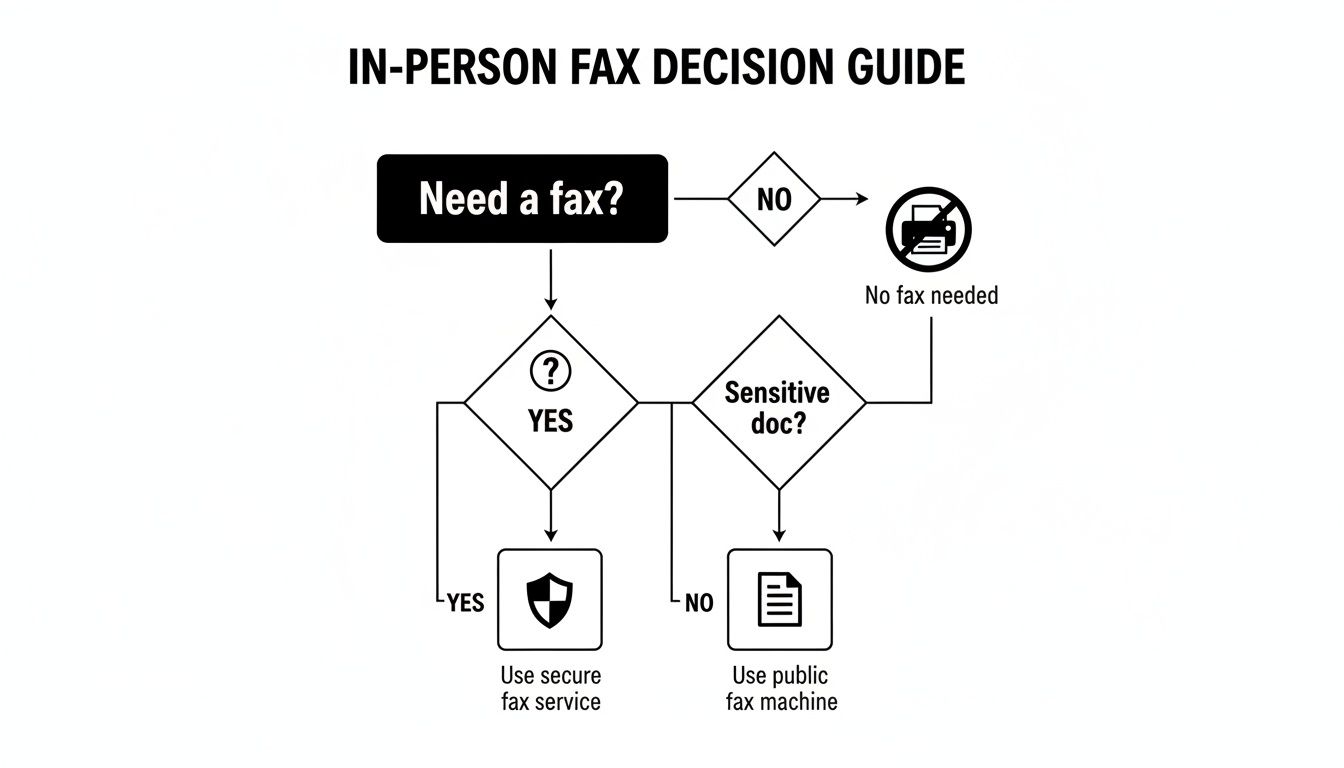
Use the store for paper problems. Use online faxing for digital documents. That's the simplest decision rule.
A quick decision filter
Ask yourself three questions:
Is the document already digital? If yes, online usually wins.
Is the fax more than a couple pages? If yes, check total price before driving anywhere.
Do I need help handling physical paperwork today? If yes, a walk-in location may still be worth it.
That keeps the decision practical instead of nostalgic.
How to Send a Cheap Fax Online with SendItFax
If you need a one-off fax and don't want to open an account just to send it, a browser-based form is the easiest path.
What you'll need before you start
Have these ready:
Your file in PDF, DOC, or DOCX format
Recipient fax number
Your sender details
Optional cover note if the receiver expects one
If your document started on an older office setup, or you still work around legacy phone gear, it can help to understand how traditional fax hardware connects to internet-based calling. This plain-English guide to an ATA adapter for VoIP is useful background if you're dealing with mixed old and new systems.
The basic sending flow
A no-account web fax form is usually simple.
Enter your name and contact details.
Add the recipient's fax number and recipient information.
Upload the file.
Decide whether to include a cover message.
Choose the sending option and submit.
One example in this category is SendItFax, which lets users fax to U.S. and Canadian numbers without creating an account. The service offers a free option for up to 3 pages plus a cover with a daily limit, and a $1.99 paid option for up to 25 pages without branding, based on the publisher's product details.
For another walkthrough of browser-based faxing, this guide on how to send efax is a useful companion.
Why this is usually faster than a store
The main gain is workflow. You're not printing a PDF just so someone else can feed it into a machine.
The broader online fax category also benefits from direct upload and cloud delivery. As covered in the earlier comparison section, that model avoids store queues and the usual print-scan-send cycle.
Here's a quick visual overview of the process:
A few practical tips before you hit send
Check readability first. Blurry scans create problems no matter where you fax from.
Use PDF when possible. It tends to preserve layout more predictably than editable files.
Keep the cover note short. Include only what the recipient needs to route the fax.
Double-check the number. A typo is the fastest way to turn a cheap fax into a repeated task.
Frequently Asked Questions About Cheap Faxing
Can I receive faxes with these services
Some services focus only on sending. Others offer a dedicated number for inbound faxing, usually through a subscription plan.
If you only need to send occasional documents, a send-only option is often enough. If a client or office needs to fax you back regularly, look for a service that includes inbound fax capability and a persistent fax number.
Are online fax services secure enough for medical or legal documents
They can be, but you should pay attention to how the service handles transmission and account access.
The practical privacy difference is this: a browser-based upload from your own device generally exposes your paperwork to fewer people than a public counter workflow. You still need to use a reputable provider, confirm the number carefully, and avoid sending from unsecured shared devices.
What if I need to fax internationally
Some local stores do support international faxing, but that's usually where in-store pricing gets painful. If you're faxing outside the U.S. or Canada, check pricing before you commit because international rates vary sharply by provider.
For occasional use, online faxing is often easier to price upfront. Just make sure the service supports the destination country before uploading your file.
Is free faxing actually good enough
It depends on the stakes.
Free can be fine for a short, low-risk document when branding on the cover page isn't a problem. For anything client-facing, time-sensitive, or presentation-sensitive, a low-cost paid send is usually the cleaner option because it avoids branding limits and other restrictions.
If you need to send a fax today without overpaying at a counter, SendItFax is a practical option for one-off U.S. and Canada faxes from your browser. You can use the free tier for short documents or the $1.99 option for longer, cleaner sends without creating an account.
The request feels almost archaic, like asking for a payphone or a VCR repair shop. Yet, the need to send a fax for legal documents, medical records, or government forms persists. You've likely typed "where can I send a fax near me" into your search bar, only to be met with a mix of outdated information and confusing options. The fax machine may have vanished from most homes and offices, but the requirement hasn't. This guide is built to solve that exact problem.
We have curated a complete list of reliable physical locations, from well-known shipping centers to surprising community resources, and compare them to the instant convenience of modern web-based services. This isn't just a simple list; it's an actionable resource. For every option, we'll break down the real-world costs, hours, privacy considerations, and exactly what you need to bring with you.
This article directly addresses the challenge of finding a fax service by providing clear, organized, and up-to-date information. Whether you prefer a walk-in service at places like FedEx Office or The UPS Store, or need the immediate access of an online platform like SendItFax from your computer or phone, you'll find a solution here. We include screenshots and direct links to help you make a quick decision. By the end of this guide, you will have a clear, actionable plan, whether you need to send a single page right now or handle a multi-page document this afternoon.
1. SendItFax
When your search for "where can I send a fax near me" leads you to an immediate need without the time for a physical errand, SendItFax presents an excellent web-based solution. It stands out by eliminating the friction common to online faxing, allowing individuals and small teams to send documents to the U.S. and Canada directly from any browser without creating an account.
This platform is particularly well-suited for professionals in fields like healthcare, law, and real estate who require fast, secure, and confirmed delivery of time-sensitive materials. Its mobile-friendly design means you can send a fax from your phone, tablet, or computer with equal ease. The service supports common file types like DOC, DOCX, and PDF, simplifying the upload process. With over 250 reviews averaging 4.8/5, its reputation for speed and reliability is well-established.
How It Works & Pricing
SendItFax offers two straightforward tiers designed for occasional use:
Free Fax: Send up to three pages plus a cover sheet completely free, with a limit of five free faxes per day. No credit card is required, making it a true no-cost option for short documents. The cover page will include SendItFax branding.
"Almost Free" Fax: For just $1.99, you can send up to 25 pages, remove the branding, get priority delivery, and have the option to omit the cover sheet entirely. Payment is handled securely via Stripe.
This pricing structure is a significant advantage over services that push recurring subscriptions or confusing trial periods. For a deeper dive into how these costs compare, you can explore this analysis of the cost to send a fax.
Pros & Cons
Strengths
Limitations
No Account Needed: Send a fax instantly without the hassle of registration.
U.S. & Canada Only: Service is currently limited to recipients within the United States and Canada.
Genuine Free Tier: A truly free option is available for small faxes with no payment details required.
Not for High Volume: The per-fax pricing is less economical for users who need to send hundreds of pages monthly.
Simple & Fast: The user interface is minimal and focused, ensuring quick transmission with delivery confirmation.
Basic Data Collection: The service uses cookies and collects sender/receiver details to function (see Privacy Policy).
Low-Cost Paid Option: The $1.99 tier offers generous page limits and professional features for a one-time fee.
SendItFax is a powerful answer to the "fax near me" problem by putting a fax machine directly in your web browser. It is an ideal choice for urgent, budget-conscious, or infrequent faxing needs where convenience and reliability are paramount.
2. FedEx Office
FedEx Office locations are a go-to choice for many when searching for "where can i send a fax near me," especially in metropolitan and business districts. Most centers offer both self-service and full-service faxing, providing flexibility depending on your comfort level and time. This makes them a reliable option for sending important documents like contracts, medical forms, or legal papers when you need a physical confirmation receipt.
The key benefit of FedEx Office is its widespread presence and extended hours, with many locations open late or even 24/7. Their self-service machines are multi-function copiers where you can scan and fax directly, paying with a credit card. If you're unsure how to operate the machine or need to fax internationally, the staff can assist you.
What to Expect
Typical Cost: Pricing is on a per-page basis and can be higher than other options. Domestic faxes often start around $1.89 for the first page and $1.59 for each additional page, but prices vary significantly by location.
Availability: Many locations offer extended evening and weekend hours. Check your local store’s hours online before visiting.
What to Bring: Bring your physical documents and a credit or debit card for payment.
Privacy: Since you might be using a shared machine in a public space, be mindful of others nearby. Always collect your original documents and the printed confirmation page.
Conveniently located in most urban and suburban areas.
Reliable equipment and printed confirmation receipts.
Staff available to help with the process.
Cons:
Can be one of the more expensive per-page options.
Requires a physical trip to a store location.
While in-person services are dependable, they aren't always the most convenient. For those who need to send a fax immediately without leaving home, there are many modern ways to fax without a fax machine that use your computer or smartphone instead.
3. The UPS Store
With over 5,000 locations across the United States, The UPS Store is a highly accessible answer to the question "where can i send a fax near me." These franchise-owned stores offer full-service faxing, meaning an associate handles the entire process for you. This is ideal for those who are unfamiliar with fax machines or need to send sensitive documents with the assurance of a printed confirmation receipt.
The primary advantage of The UPS Store is its widespread network and staff-assisted service, which covers both domestic and international destinations. Many locations can also receive faxes on your behalf and hold them for pickup, a useful feature for those without a dedicated fax line. Because each store is independently owned, pricing and hours can differ, so it's wise to call ahead.
What to Expect
Typical Cost: Pricing is determined by each franchise. It often starts around $1.00 to $2.00 for the first page and a similar rate for subsequent pages. International faxes are more expensive.
Availability: Hours vary by location, with most stores open during standard business hours and on Saturdays. Check your local store's schedule online.
What to Bring: Your documents to be faxed and a payment method. The staff will handle the rest.
Privacy: An associate will handle your documents, so it's less private than a self-service machine. Always retrieve your original papers and the confirmation sheet after the transmission.
Extensive national coverage with many convenient locations.
Staff send the fax for you, eliminating user error.
Printed confirmation receipts provide proof of transmission.
Cons:
Franchise-set pricing can be steep, especially for multi-page documents.
Busy stores may have a wait for service.
Hours are less flexible than 24/7 centers.
While visiting a store is a solid option, it requires time and travel. For immediate needs, modern alternatives allow you to send a fax from your computer in just a few minutes, offering greater convenience and often lower costs.
4. Staples (Copy & Print)
Staples is another major office supply chain that offers faxing services at its in-store Copy & Print centers. Much like its competitors, it's a convenient answer to the "where can I send a fax near me" question, especially if you're already there to buy office supplies or get documents printed. Most locations have self-service machines, but you can also get assistance from the staff at the counter, which is helpful for sending multi-page or international faxes.
The primary appeal of Staples is its wide distribution of stores, making it a familiar and accessible choice for many. The walk-in process is straightforward, and integrating a quick fax job into a shopping trip is a major plus for efficiency. Before you go, it's wise to use their online store locator to confirm that your local branch offers fax services and to check their operating hours.
What to Expect
Typical Cost: Prices are competitive but can add up for longer documents. Expect to pay around $1.79 for the first page and $1.59 for each subsequent page for domestic faxes. International rates will be higher.
Availability: Most stores operate on standard retail hours, which may include limited weekend availability. Always check your local store's hours online.
What to Bring: You will need your physical documents and a credit or debit card for payment at the self-service kiosk or counter.
Privacy: You'll be using a machine in a public retail environment. Pay attention to your documents and remember to take both your originals and the confirmation sheet when you are finished.
Conveniently located in many suburban and commercial areas.
Simple walk-in service with staff assistance available.
Easy to combine with other errands like printing or shopping.
Cons:
Store hours and service availability can vary by location.
Per-page pricing model can become costly for large fax jobs.
While in-person faxing is reliable, it requires planning and travel. For a more immediate solution, modern tools let you send a fax straight from your email in just a few minutes, saving you a trip to the store.
5. Office Depot / OfficeMax
Office Depot and its partner, OfficeMax, are familiar destinations for office supplies, and many of their locations also serve as a practical answer to the "where can I send a fax near me" question. Their in-store Copy & Print centers typically offer staff-assisted fax services, making it a straightforward choice for those who prefer not to handle a self-service machine. This is ideal when you need to send a fax and also pick up other business essentials in one trip.
The primary advantage of using Office Depot/OfficeMax is its convenience, especially in suburban shopping centers where they are frequently located. The process is simple: you hand your documents to a store associate at the print counter, and they handle the entire transmission for you, including providing a confirmation sheet. Since the service is not guaranteed at every single store, it's wise to call ahead.
What to Expect
Typical Cost: Prices are determined by each store but are generally competitive. Expect a per-page fee for both domestic and international faxes, similar to other retail stores.
Availability: Most stores operate during standard retail hours, including evenings and weekends. Use the online store locator to confirm hours and services before you go.
What to Bring: Your physical documents to be faxed and a method of payment.
Privacy: Since an employee will handle your documents, this service may not be suitable for highly sensitive information. However, you will receive your originals back immediately after scanning.
Conveniently located in many suburban retail centers.
Staff-assisted service is easy and requires no technical skill.
A one-stop shop for faxing, printing, and office supplies.
Cons:
Fax service is not available at all locations.
Store hours can be more limited than dedicated shipping centers.
Pricing can vary significantly from one store to another.
While retail counter services are reliable, they require you to be physically present. For those looking for cost-effective solutions from their own desk, exploring options for how to fax for free with online services can provide greater flexibility and savings.
6. PostalAnnex (Annex Brands)
PostalAnnex centers are a strong contender when you search for "where can i send a fax near me," particularly in suburban shopping centers. As pack-and-ship franchises, they offer a bundle of business services in one place, making them a great stop for multitasking. Staff members handle the faxing process for you, providing a full-service experience that is ideal for those who prefer not to operate the equipment themselves.
The key advantage of PostalAnnex is its role as a one-stop shop. You can send a fax, notarize a document, rent a mailbox, and ship a package all in a single visit. They also offer both domestic and international faxing services. A unique feature at many locations is the ability to receive faxes, which they will hold for you to pick up later, a service not commonly found at other retail spots.
What to Expect
Typical Cost: Prices are set by each individual franchise owner and can vary. Expect to pay on a per-page basis, which is often comparable to other shipping stores.
Availability: Most locations operate during standard business hours and on Saturdays, but this can differ by store. It is best to call ahead or check the specific store's hours online.
What to Bring: Your documents to be faxed and a payment method.
Privacy: Since staff will handle your documents, there is a degree of trust involved. However, you won't have to manage a public machine, and you will receive a printed confirmation sheet.
Convenient all-in-one stop for faxing, shipping, and notary services.
Staff handles the entire faxing process for you.
Many locations offer a receiving fax service.
Cons:
Pricing and hours can be inconsistent between franchise locations.
Fewer locations compared to larger national chains like FedEx or UPS.
While a trip to PostalAnnex is efficient, it still requires you to be physically present. For those who need to send a fax right away from their current location, an online fax service provides an excellent digital alternative.
7. Pak Mail (Annex Brands)
Similar to other pack-and-ship stores, Pak Mail locations are another reliable answer to the question "where can I send a fax near me." As a franchise network under Annex Brands, these stores offer a range of business services, often including both outgoing and incoming fax capabilities. This makes them a convenient one-stop shop if you need to mail a package, get a document notarized, and send a fax all in the same trip.
The primary advantage of using a local Pak Mail is the personalized, hands-on assistance from the staff. Since these are smaller, often independently owned stores, you can expect the clerk to handle the entire faxing process for you. This full-service approach is great for those unfamiliar with fax machines or for sending multi-page documents without worrying about jams or errors.
What to Expect
Typical Cost: Pricing is determined by each individual franchise owner but is generally competitive with other shipping centers. Expect to pay a few dollars for the first page and a reduced rate for subsequent pages.
Availability: Hours are store-specific and typically align with standard retail business hours, including some weekend availability. Because services can vary, it is a good idea to call your local store to confirm they offer faxing before you go.
What to Bring: You will need your physical documents and a payment method.
Privacy: The store employee will handle your documents, so this option involves less privacy than a self-service machine. Always ask for a printed confirmation receipt and take your original documents back.
Convenient for bundling faxing with shipping or other business services.
Friendly, hands-on assistance from store staff.
Good coverage across many states.
Cons:
Fax services and pricing are not standardized across all locations.
Requires a visit to a physical store during business hours.
While visiting a store is a solid choice, you can skip the trip entirely by using an online fax service. A modern online faxing platform lets you send documents directly from your computer or phone in just a few minutes, offering a convenient alternative to traditional methods.
8. Goin' Postal
Goin' Postal is an independent pack-and-ship franchise that often serves as a convenient local hub for business services, especially in smaller towns and suburban areas. When looking for "where can i send a fax near me," these stores provide a straightforward, staff-assisted experience. Unlike larger chains, Goin' Postal outlets are locally owned, which can result in a more personal level of service for sending your documents.
The primary advantage is the simplicity of the process; you hand your documents to a staff member who handles the entire transmission for you. Many locations also offer the ability to receive faxes on your behalf, which you can pick up later. This makes it a practical choice for those who don't have a fax number but need to receive a time-sensitive document.
What to Expect
Typical Cost: Prices are set by each individual franchise. Some stores advertise flat, per-page rates that are easy to understand, often starting around $1.00 to $2.00 per page for domestic faxes.
Availability: Hours are typically standard retail business hours and may be shorter than big-box stores. Check your local Goin' Postal's hours online before visiting.
What to Bring: You'll need your physical documents and a payment method. Since it's a full-service operation, no other materials are needed.
Privacy: The staff will handle your documents, so this option involves a degree of trust. However, you can watch the process and receive your originals and a confirmation page immediately.
Provides a straightforward, walk-in experience with staff assistance.
Often located in small towns and suburbs where other options are limited.
Many locations can also receive faxes for you to pick up.
Cons:
Pricing, hours, and service availability vary significantly between franchises.
Regional coverage means they aren't as widespread as national brands.
9. PostalAnnex / Annex Brands – Local Franchise Pages (alternate local pages)
While PostalAnnex is a well-known brand for shipping and business services, a smart tactic when looking for "where can i send a fax near me" is to check the specific local franchise's webpage. Individual franchise owners often create detailed pages outlining their exact faxing procedures, which can save you a trip. This is especially helpful if you need to receive a fax, as these pages often explain their notification process (phone call or email) and pickup protocols.
This hyper-local approach provides a level of transparency you might not get from a corporate site. You can confirm that a particular store offers faxing, see their specific pricing, and understand how they handle incoming documents before you even leave your house. Since these locations are often colocated with notary and printing services, checking their site helps you plan a single trip for multiple errands.
What to Expect
Typical Cost: Varies greatly by franchise, but expect to pay a per-page rate similar to other shipping centers. Check the local store's page or call ahead for exact pricing.
Availability: Dependent on the individual store's business hours, which are typically standard retail hours, including some weekend availability.
What to Bring: Your physical documents to be faxed and a payment method like a credit/debit card or cash.
Privacy: Staff will handle your documents, so it's a full-service transaction. Inquire about their document handling policy if you are sending sensitive information.
Extra transparency on incoming-fax handling and pickup.
Easy to confirm services and pricing for a specific store online.
Local pages often list procedures and direct contact info.
Cons:
Fax service details and pricing vary significantly by franchise location.
Still requires a physical trip and is subject to local store hours.
Verifying services online is a great first step, but for those who need to send a fax right now, browser-based alternatives are faster. Many modern ways to fax without a fax machine allow you to send documents directly from your computer, eliminating the need for a trip to a physical store.
10. Pilot Flying J Travel Centers (including Flying J and One9)
For those traveling long distances or needing to send documents outside of typical business hours, Pilot Flying J Travel Centers can be an unexpectedly convenient answer to the question "where can I send a fax near me?" Many of these 24/7 highway-side locations offer business services, including faxing, catering to professional drivers and travelers who require on-the-go document handling. They are especially useful for urgent, late-night needs when other businesses are closed.
The primary advantage of using a Pilot Flying J or One9 location is their round-the-clock availability and strategic placement along major interstates. While primarily designed for truckers, their business centers are open to the public. You can typically walk in and ask an employee at the service desk to send a fax for you, making it a straightforward, full-service process.
What to Expect
Typical Cost: Pricing is not standardized online and varies by location. Expect to pay a per-page rate, which may be higher due to the 24/7 convenience. It is best to call the specific location ahead of time to confirm pricing.
Availability: Many locations are open 24 hours a day, 7 days a week, offering unparalleled access for after-hours faxing. Always verify the specific center’s hours and service availability.
What to Bring: Your physical documents and a payment method. Since it’s a retail environment, they accept cash and cards.
Privacy: Services are handled by staff at a public counter. While they are professional, the environment is not private. Keep your documents and confirmation receipt secure.
Conveniently located along major highways and interstates.
Staff-assisted service, so you don't need to operate a machine.
Cons:
Pricing can be inconsistent and is not listed online.
Locations are often outside of city centers.
Can be busy with professional drivers, potentially leading to a wait.
While truck stops provide an essential service for on-the-road needs, they require a physical visit. If you need to send a fax right now from your current location, an online fax service offers immediate access without any travel.
11. TravelCenters of America (TA / Petro / TA Express)
For those on the road, especially long-haul drivers or travelers in rural areas, finding a place to send a fax can be challenging. TravelCenters of America, including their TA, Petro, and TA Express locations, often provide business services that answer the question "where can I send a fax near me?" These truck stops are conveniently located along major highways and interstates, offering a practical solution outside of typical city business hours.
The primary advantage of using a TA or Petro center is their 24/7 operating hours and accessibility for people far from urban centers. While not every location has fax services, many do, typically housed within their on-site business centers alongside copying and printing. This allows travelers to handle important paperwork, like sending signed delivery confirmations or personal documents, while stopping for fuel, food, or rest.
What to Expect
Typical Cost: Pricing is not standardized across all locations. Expect to pay a per-page rate, and it is highly recommended to call the specific location ahead of time to confirm both availability and cost.
Availability: Many locations are open 24/7, making them one of the most accessible options for late-night or early-morning faxing needs.
What to Bring: Your physical documents and a form of payment (cash or card).
Privacy: These are busy, public spaces. Be aware of your surroundings when handling sensitive information and ensure you retrieve your original documents and any confirmation slips.
Excellent option for travelers and those in remote areas.
Many locations are open 24 hours a day, 7 days a week.
Allows you to combine faxing with other travel necessities.
Cons:
Fax service availability varies by location and is not guaranteed.
Pricing can be inconsistent and must be confirmed with the individual store.
While a travel center provides a crucial service on the road, it still requires a physical stop. If you need to send a document right from your vehicle or hotel room, modern online fax services offer the ability to fax from your phone or laptop instantly.
12. Public Libraries (many systems)
Your local public library is a surprisingly common answer to the question "where can I send a fax near me," often providing one of the most affordable in-person options available. Many library systems offer public access to fax machines, either as a direct service managed by staff or through third-party self-service kiosks. This makes them a great choice for community members who need to send non-sensitive documents and prefer a low-cost, local solution.
The primary advantage of using a library is the cost, which can be significantly lower than commercial stores and sometimes even free. Policies and prices are typically posted on the library's website or near the machine. Because availability and rules vary greatly between different library systems and even individual branches, it's always best to call ahead or check their website before you go.
What to Expect
Typical Cost: Prices are very low, often ranging from $0.50 to $1.00 per page for domestic faxes. Some libraries may offer the service for free.
Availability: Services are restricted to standard library operating hours, which usually do not include late nights or 24/7 access.
What to Bring: Have your documents ready and bring a credit/debit card or cash, as payment methods vary.
Privacy: A library is a public space. Be mindful of your documents and always take the confirmation sheet and your originals with you when you are finished.
Helpful librarians are usually available to assist.
Supports local community institutions.
Cons:
Limited to library operating hours.
Not all library branches or systems offer faxing.
Receiving faxes is often not supported.
While libraries are an excellent budget-friendly resource, they require a trip during specific hours. For immediate needs or sending faxes after hours, modern ways to fax without a fax machine provide a convenient alternative right from your computer or phone.
Compare 12 Local Fax-Sending Options
Service
Core Features
Experience & Reliability
Price & Value
Best For / Audience
Unique Selling Points
SendItFax 🏆
Upload DOC/DOCX/PDF; no account; free 3pg+cover; paid 25pg
★4.8/5; browser-based; delivery confirmations
💰 Free (≤3pg, 5/day); $1.99/fax (up to 25pg), no subscription
👥 Individuals, freelancers, small teams, healthcare/legal
✨ No-signup free tier; fast; remove branding on paid
Local fax instructions, pickup protocols, contacts
★★★ location-level transparency
💰 Varies — check local page
👥 Anyone verifying a specific store
✨ Detailed local procedures & contact info
Pilot Flying J Travel Centers
Fax services at travel centers; many 24/7 sites
★★★ good after-hours & interstate access
💰 Pricing not standardized online
👥 Truck drivers, highway travelers
✨ Extended/24‑hr availability on the road
TravelCenters of America (TA/Petro)
Truck-stop fax capability; long hours
★★★ combine with traveler services
💰 Varies by site; call ahead
👥 Long-haul drivers, travelers off-hours
✨ Interstate coverage + traveler amenities
Public Libraries (many)
Low-cost or sometimes free outbound faxing; staff help
★★★ affordable and community-focused
💰 Often the cheapest or free option
👥 Community members, low-budget users
✨ Low-cost community option with posted policies
Making the Right Choice: Convenience vs. Cost
Navigating the question of "where can I send a fax near me" reveals a clear divide between traditional methods and modern alternatives. The journey to a physical location, whether it's a bustling FedEx Office, a quiet public library, or a 24/7 travel center like Pilot Flying J, involves a distinct set of trade-offs. You gain the tangibility of a printed confirmation page and face-to-face service, but you also accept the costs of travel, per-page fees, and the limitations of business hours.
This article has laid out a map of your options, from the familiar aisles of Staples and Office Depot to the specialized services at The UPS Store and PostalAnnex. Each presents a reliable, if sometimes pricey, solution for those moments when you must send a physical document that you have in hand. However, the core challenge with these brick-and-mortar services remains their inherent friction. You must find a location, drive there, potentially wait in line, and manage your documents in a semi-public space, all for a technology meant to be instantaneous.
Shifting Your Perspective: From 'Near Me' to 'With Me'
The most significant takeaway is the re-framing of the "near me" concept. For many modern use cases, the nearest fax machine isn't at a store down the street; it’s the device you're holding right now. The rise of online fax services has effectively placed a secure, powerful fax machine in your pocket or on your desktop.
This shift addresses the primary pain points associated with physical faxing:
Immediacy: When a deadline is looming for a legal document or a healthcare provider needs a form immediately, driving to a store is not just an inconvenience; it's a risk. An online service allows for transmission within minutes.
Privacy: Handling sensitive information like medical records or financial statements at a public copy counter introduces a real privacy concern. Digital platforms offer an encrypted, private channel from your device directly to the recipient's fax machine.
Cost-Effectiveness: While per-page fees at retail stores can seem small, they add up quickly, especially for multi-page documents. Many online services provide a more predictable and often lower-cost structure for occasional use.
A Decision Framework for Your Next Fax
Choosing the right option depends entirely on your specific situation. Consider these scenarios to guide your decision:
You have a signed, physical paper document and no scanner: Your best bet is a physical location like The UPS Store or a local print shop. The convenience of having them scan and send the document outweighs other factors.
You need to send a digital file (PDF, Word doc, image) right now: An online fax service is the clear winner. It eliminates travel and waiting, turning a 30-minute errand into a 2-minute task.
You are on the road and need to send a fax at 2 AM: A 24-hour travel center like a TA or Flying J is your go-to physical option. Alternatively, if you have the document on your phone or laptop, an online service is still the most direct route.
You are on a tight budget and the fax is not urgent: The public library often presents the most economical choice, provided you can visit during its operating hours.
Ultimately, the power is in knowing all your choices. You are no longer limited to the single office supply store in your town. From highway travel centers to the digital cloud, you have a full toolkit for sending a fax. The next time the need arises, you won't be scrambling to search for a location; you'll be confidently choosing the best tool for the job.
Ready to skip the trip and send your fax in the next two minutes? SendItFax offers a secure, pay-per-use online service that answers the question "where can I send a fax near me" with a simple solution: right from your computer or phone. Visit SendItFax to upload your document and transmit it instantly, with no subscriptions or hidden fees.
Despite the prevalence of email, the need to send a fax still arises, often at the most inconvenient times. Whether you're handling legal paperwork, medical records, or a time-sensitive contract, finding a reliable fax service is critical. This guide is your definitive resource for locating places to fax documents near me, breaking down every practical option available. We move past simple lists and provide a detailed analysis of each choice, from major retail chains to local independent shops.
You'll discover the specific pros and cons of using services at locations like FedEx Office, The UPS Store, and Staples. We'll explore often-overlooked public resources such as libraries and courthouses, which can be cost-effective alternatives. For each physical location, we provide essential details: typical pricing structures, hours of operation, privacy considerations, and what you need to bring with you.
Additionally, we will review the best online fax services, including SendItFax, FaxZero, and FAX.PLUS, for those who prefer to send documents directly from their computer or phone. This article is designed to help you quickly identify the most convenient and affordable solution for your specific situation. Each entry includes practical insights and direct links, saving you time and frustration. Let's find the best faxing option for you.
1. SendItFax
For those searching for "places to fax documents near me," the most convenient option might be right on your computer or phone. SendItFax stands out as a premier online fax service designed for speed and simplicity. It completely removes the usual friction of signing up for an account or starting a trial. This makes it an exceptional choice for immediate, one-off faxing needs, such as sending a signed contract, submitting tax paperwork, or transmitting medical forms to U.S. and Canadian numbers.
The service operates directly from your web browser. You upload a DOC, DOCX, or PDF file, add an optional cover message, and send it on its way. This "no account needed" approach is its defining strength, allowing anyone to send a fax in moments without committing to a subscription.
Key Features and User Experience
SendItFax is built around a practical, two-tiered model that serves both casual and professional needs. Its usability is frequently praised in user reviews, with many highlighting the clean interface and reliable delivery, particularly from mobile devices.
Genuine Free Tier: You can send up to 3 pages plus a cover sheet for free, with a limit of five free faxes per day. This is ideal for very short documents and requires no payment information. The cover page will include SendItFax branding.
Pay-Per-Fax Option: For larger jobs or a more professional appearance, a one-time payment of $1.99 unlocks transmissions of up to 25 pages. This paid tier also grants priority delivery and lets you remove the SendItFax branding and cover page entirely.
Simple Payment: Paid faxes are processed through Stripe, a secure and widely trusted payment processor, so you don't have to enter credit card details directly on the site.
"SendItFax saved my business… incredibly fast and reliable." – Testimonial from a small business owner
FedEx Office is one of the most reliable and accessible places to fax documents near me, particularly for those who need a walk-in solution with extended hours. Most locations feature self-service copier stations that double as fax machines, allowing you to send documents without waiting for staff assistance. The on-screen prompts guide you through each step, from scanning your pages to entering the recipient's fax number.
This option is ideal for sending time-sensitive legal or medical paperwork, as you receive a printed transmission confirmation sheet immediately upon completion. While pricing can vary by location, you can expect to pay per page for both domestic and international faxes. It's a solid choice when you need a physical confirmation receipt and appreciate the security of handling the process yourself.
Quick Facts: FedEx Office
Best For: Walk-in faxing with immediate, printed confirmation.
Pricing: Varies by store; typically around $1.89 for the first page and $1.59 for each additional page (domestic). Call ahead to confirm.
What to Bring: Your documents and a credit/debit card for payment at the machine.
Privacy: Good. The self-service model means you handle your own sensitive documents.
For those who prefer a full-service experience, The UPS Store is another excellent option for finding places to fax documents near me. Unlike self-service kiosks, most locations offer staffed fax services where an associate handles the entire process for you. This makes it a great choice if you're unfamiliar with faxing or want the assurance that it's done correctly. You simply hand over your documents, provide the recipient's number, and the staff takes care of the rest.
This assisted service is especially convenient when you need to combine faxing with other errands like shipping a package, getting a document notarized, or making copies. Many locations can also receive faxes on your behalf, which is a useful feature not always available at other retail spots. While you'll get a printed confirmation, the hands-on assistance is the main draw for many customers.
Quick Facts: The UPS Store
Best For: Assisted, full-service faxing and receiving faxes.
Pricing: Varies by franchise; often around $2.00 for the first page and $1.00 for each additional page (domestic). Call your local store for exact rates.
What to Bring: Your documents and the recipient’s fax number.
Privacy: Fair. An employee will handle your documents, so it may not be ideal for highly sensitive materials.
Staples is another excellent retail option if you are searching for places to fax documents near me, functioning much like its direct competitors. Many stores provide self-service print and fax stations where you can manage the entire process independently, making it a quick stop when you're already running errands. The machines are designed for ease of use, with on-screen instructions that walk you through scanning your documents and entering the destination fax number.
This is a great choice if you need to print, scan, and fax all in one visit, as the multi-function kiosks support all three tasks. Like other retail services, you get a printed confirmation slip for your records. If the self-service option seems daunting or is occupied, you can also ask for assistance at the staffed full-service print and marketing counter. Pricing is comparable to other office supply stores and is charged on a per-page basis.
Quick Facts: Staples
Best For: Combining faxing with other business services like printing or buying office supplies.
Pricing: Varies by location; prices are often around $1.79 for the first page and $1.49 for each subsequent page (domestic). Call your local store to verify.
What to Bring: Your documents and a credit or debit card.
Privacy: Good. You control your sensitive information at the self-service machine.
As another major office supply retailer, Office Depot and its partner, OfficeMax, offer dependable business center services that include faxing. Similar to competitors, many locations provide self-service stations where you can manage the entire faxing process yourself. These machines are often part of an all-in-one hub for printing, scanning, and copying, making it a convenient stop if you have multiple document-related tasks.
The process is straightforward with clear on-screen instructions, and the ability to pay directly at the machine with a card adds to the efficiency. You will receive a printed confirmation page, which is essential for business or legal records. While the company advertises a "starting at" price online, the final cost can vary, so it's wise to confirm pricing with your local store before you go. This makes them a strong candidate when looking for places to fax documents near me.
Quick Facts: Office Depot / OfficeMax
Best For: One-stop-shop for faxing, printing, and other document services.
Pricing: Varies significantly by location. The website suggests a starting point, but call your local store for exact per-page rates for domestic and international faxes.
What to Bring: Your physical documents and a credit or debit card for the self-service machine.
Privacy: Good. The self-service kiosks allow you to handle your own documents from start to finish.
For those looking for neighborhood-based places to fax documents near me, PostalAnnex is a strong contender. These franchised business centers offer a suite of services, including sending and receiving faxes, often alongside notary, shipping, and private mailbox rentals. This makes them a convenient one-stop shop if you need to accomplish multiple administrative tasks in a single trip, such as faxing a signed document and then shipping a package.
As each location is independently owned, services and pricing can differ, so calling ahead is recommended. Staff will handle the transmission for you, providing a confirmation page for your records. While not as widespread as national chains, PostalAnnex stores excel at providing community-focused service. This makes them ideal for anyone who prefers a local business feel and needs to combine faxing with other essential errands.
Quick Facts: PostalAnnex
Best For: Combining faxing with other services like shipping or notary in a local setting.
Pricing: Varies by franchise. Expect a per-page fee similar to other shipping stores. Call your local store for exact rates.
What to Bring: Your documents and a valid payment method (cash or card, depending on the store).
Privacy: Fair. Staff will handle your documents during the sending process, which may be a consideration for highly sensitive information.
For those in areas where big-box office supply stores are less common, Pak Mail is an excellent local business center and one of the best places to fax documents near me. These franchise locations are staffed, so you'll hand your documents to an employee who will send the fax for you. This full-service approach is helpful when you're dealing with multi-page documents or sending an international fax and want to ensure it's done correctly.
Beyond faxing, Pak Mail serves as a one-stop shop for business needs, offering printing, copying, notary services, and shipping. This makes it convenient if you need to perform multiple errands at once, like notarizing a document before faxing it. Because they are independently owned, availability and pricing can differ significantly between locations, so calling ahead is a smart move.
Quick Facts: Pak Mail
Best For: Staffed, full-service faxing and completing multiple business tasks in one visit.
Pricing: Varies widely by franchise. Expect to pay a per-page fee, often with a slightly higher cost for the first page.
What to Bring: Your documents and a form of payment. Some locations also offer incoming fax services if you need to receive a document.
Privacy: Fair. An employee will handle your documents, which might be a concern for highly sensitive information.
For those who prefer a quick, self-service option outside of a busy retail store, FaxScan24 kiosks are an excellent find. These standalone machines are often located in public libraries and community buildings, providing a low-cost, pay-per-use service that makes them one of the most convenient places to fax documents near me. The interface is designed for simplicity, guiding users through scanning documents and entering payment information via a credit or debit card.
This solution is perfect for sending short faxes without waiting in line at a staffed counter. Since their availability depends on the host building, it’s wise to check the location map on their website and confirm the building’s operating hours before you go. Some placements even offer 24/7 access. You get a confirmation receipt printed on the spot, combining the convenience of self-service with the assurance of a physical record.
Quick Facts: FaxScan24
Best For: Affordable, self-service faxing in public spaces like libraries.
Pricing: Typically around $1.00 per page for domestic faxes, paid via credit/debit card.
What to Bring: Your documents and a credit or debit card for payment.
Privacy: Good. You handle your own documents at the kiosk, minimizing third-party involvement.
While a great physical alternative, these kiosks are just one of many ways to fax without a fax machine that bypass traditional hardware.
FaxZero offers a purely online solution for those who wonder about "places to fax documents near me" but prefer not to leave home. It stands out for its straightforward, no-registration model, making it perfect for sending a quick, one-off fax to recipients in the U.S. or Canada. The service provides a simple web form where you can upload a PDF, DOC, or DOCX file, enter the recipient's number, and send it on its way.
This platform is especially useful for occasional users who don't need a subscription. Its free tier allows up to five faxes per day (3 pages max), although a FaxZero ad appears on the cover page. For longer or more urgent needs, the "Almost Free Fax" priority option costs a low flat fee. While convenient, it is not HIPAA compliant, so it's not suitable for transmitting sensitive protected health information.
Quick Facts: FaxZero
Best For: Fast, occasional online faxes without needing an account.
Pricing: Free for up to 3 pages (with ads); a priority fax up to 25 pages is a flat $3.29 via PayPal.
What to Bring: Just your digital document (PDF, DOC, DOCX) and access to a web browser.
Privacy: Fair. You upload documents to their server, but it's not recommended for highly sensitive data due to the lack of HIPAA compliance.
GotFreeFax offers a straightforward, web-based solution for sending documents, making it one of the most convenient online "places to fax documents near me." Its key differentiator is the free tier, which allows users to send up to three pages per fax, twice daily, without any advertisements on the cover page. This is a significant advantage for anyone needing to send a quick, professional-looking document without committing to a paid plan.
The platform is designed for simplicity, letting you upload common file types like PDF or DOC directly from your computer. For faxes larger than three pages, GotFreeFax provides a simple pay-per-use option for priority delivery, bypassing the need for a monthly subscription. It's a great choice for occasional users who value a clean presentation and want to avoid recurring fees, though it's important to note the service is for sending faxes only and does not support receiving them.
Quick Facts: GotFreeFax
Best For: Occasional, send-only faxes where a clean, ad-free cover page is important.
Pricing: Free for up to 3 pages (max 2 faxes per day). Paid options start at $0.98 for up to 10 pages.
What to Bring: Your digital document (PDF, DOC, JPG) and a credit card for paid faxes.
Privacy: Fair. Documents are encrypted during transmission, but the service does not offer a HIPAA Business Associate Agreement (BAA).
For those who see the “near me” in their search as the device right in front of them, FAX.PLUS is a powerful cloud-based faxing platform. It transforms your computer or smartphone into a fully functional fax machine, allowing you to send documents from anywhere with an internet connection. The service is particularly strong for business use, offering integrations with tools like Google Workspace, Slack, and Microsoft, making it simple to fax directly from your existing workflows.
This option is built for scalability, serving everyone from an individual sending a single document to a large enterprise needing a secure, HIPAA-compliant solution with a Business Associate Agreement (BAA). Its email-to-fax feature is a standout, letting you send a fax as easily as you would send an email. While the free plan is very limited, the paid tiers offer robust features for receiving faxes and managing multiple users.
Quick Facts: FAX.PLUS
Best For: Businesses needing integrations, HIPAA compliance, and scalable multi-user accounts.
Pricing: Free plan for sending up to 10 pages total. Paid plans start around $8.99/month for sending and receiving.
What to Bring: Your digital document files (PDF, DOCX, etc.) and access to your email or a web browser.
Privacy: Excellent. HIPAA compliance is available on Enterprise plans, providing top-tier security for sensitive information.
As one of the most established online fax services, eFax provides a robust, subscription-based alternative to finding physical places to fax documents near me. It’s built for users who need to both send and receive faxes regularly, assigning you a dedicated local or toll-free fax number. You can send faxes directly from its mobile apps (iOS/Android), from your email, or through its web portal, offering flexibility for remote work or travel.
The platform stands out with its compliance features, particularly the HIPAA-compliant eFax Protect and Corporate plans, which include a Business Associate Agreement (BAA). This makes it a go-to choice for healthcare, legal, and other regulated industries that handle sensitive information. While not a pay-per-use service, its monthly plans include generous page allowances for both sending and receiving, making it cost-effective for higher-volume users.
Quick Facts: eFax
Best For: Businesses and professionals needing a dedicated fax number with compliance features.
Pricing: Subscription-based. Plans start around $18.95/month for a set number of pages, with tiered pricing for higher volumes and features.
What to Bring: Just your digital documents to upload from your computer or mobile device.
Privacy: Excellent. HIPAA-compliant plans are available, and all transmissions are encrypted, offering a secure alternative to public machines.
Many businesses explore a detailed online fax services comparison to see how these features stack up against competitors.
💰 Subscription‑oriented; higher tiers for compliance & higher pages
👥 Healthcare/regulatory users and teams needing receive/archive
Final Thoughts
Navigating the task of sending a fax doesn't have to be a complicated throwback to a bygone era. As we've explored, your options for finding "places to fax documents near me" are surprisingly diverse, extending from familiar storefronts to powerful online platforms accessible right from your phone or computer. The key is understanding that the "best" choice is entirely dependent on your specific situation: your budget, your urgency, and your need for privacy.
For many, the convenience of a physical location like FedEx Office or The UPS Store is unmatched for a one-off, urgent need. You get the benefit of in-person assistance and an immediate confirmation page in your hand. However, this convenience often comes at a higher per-page cost and requires you to travel, which isn't always practical. Office supply stores and local shipping centers offer similar services, sometimes with slightly better pricing, but availability can vary greatly by region.
Choosing Your Path: Physical vs. Digital
Deciding between a physical location and an online service comes down to a few core factors. Consider this breakdown to guide your next step:
Urgency and Convenience: If you need to send a fax right now and are near a retail center, a physical store is a reliable, albeit expensive, option. For maximum convenience without leaving your home or office, an online service is the clear winner.
Cost and Volume: For sending a very short, one or two-page fax, free online services like FaxZero are perfect. For anything more, or for regular faxing needs, a paid online service provides a much better value than the high per-page rates at retail locations.
Privacy and Security: Transmitting sensitive information like medical records or legal contracts at a public self-service kiosk presents a privacy risk. Online fax services that use strong encryption provide a more secure and confidential method for handling these important documents.
Ultimately, the search for "places to fax documents near me" reveals a modern truth: your nearest and most effective fax machine is likely the device you're using to read this article. Online faxing has effectively solved the hardware problem, offering a secure, cost-effective, and incredibly convenient alternative to traditional methods. By weighing your immediate needs against these factors, you can confidently select the right tool for the job, ensuring your documents arrive safely and promptly every time.
Ready to skip the trip to the store and send your fax in minutes? SendItFax provides a secure, pay-as-you-go online faxing solution with no monthly fees, perfect for those who need a reliable service without a subscription. Visit SendItFax to see how easy it is to send your documents from any device.
Stuck trying to figure out where to send a fax these days? It's a common problem. The fastest and easiest options are either using an online fax service like SendItFax right from your computer or phone, or just swinging by a local shop like UPS or FedEx. Both get the job done without you needing an old-school fax machine.
Your Quick Guide to Sending a Fax Right Now
It’s true, faxing can feel like a technology from a bygone era. But for many industries, it’s still a surprisingly vital tool. When you absolutely have to send a signed contract, a sensitive medical form, or an official legal document, knowing your options is key. The great news is, you don’t need to hunt down a clunky fax machine anymore.
Modern faxing has branched out, giving you three main ways to send your documents. Each one is built for a different set of needs, whether you prioritize speed, easy access, or keeping everything under your own control. If you want a full step-by-step breakdown, our guide on how to send a fax walks you through the entire process.
Faxing Options at a Glance
To help you pick the right method without overthinking it, let's compare the most common options. Your decision will likely come down to balancing convenience, cost, and how secure your documents need to be.
Here's a quick way to think about it:
Online Fax Services: This is the modern equivalent of a secure, high-priority email. It's incredibly fast, you can do it from anywhere, and you get a digital confirmation that it was delivered.
Retail Stores: Think of this as the "full-service" choice. You just hand over your pages, and an employee takes care of the rest. It's simple but offers less privacy.
All-in-One Printers: This is your personal faxing hub. It gives you the most control and privacy but means you need to own the right printer and have a landline connection.
This table breaks it down so you can see which path makes the most sense for you.
Faxing Method
Best For
Typical Cost
Convenience Level
Online Fax Service
Urgent, remote, and frequent faxing
Free to low-cost subscription
High
Retail Store (UPS/FedEx)
One-time or occasional faxes
Per-page fee
Medium
All-in-One Printer
High-volume or sensitive documents
Hardware + phone line costs
Low
Each option has its place, but as you can see, online services really shine when it comes to combining ease of use with affordability.
Why Is Faxing Still a Thing?
It seems a little strange, right? We have email, instant messaging, and a dozen other ways to send files in a flash. So why are people still asking, "where can I send a fax?"
The truth is, faxing never really went away. In certain professions, it’s not just an option—it’s a necessity. It all comes down to a unique blend of security and legal weight that digital methods can't always guarantee.
Think of it this way: sending an email is like mailing a postcard. It’s open and travels through many hands (servers) before it reaches its destination, creating opportunities for it to be intercepted. A fax, however, works more like a secure, private phone call directly between two machines. That point-to-point connection is much harder to tap into.
This built-in security is precisely why faxing remains non-negotiable in some of the most important industries.
Who Still Relies on Faxing?
When you're dealing with sensitive information, you can't afford to take chances. Faxing offers a time-tested and verifiable way to transmit documents that absolutely cannot fall into the wrong hands.
Healthcare: Medical practices are bound by strict privacy laws like HIPAA. Faxing provides a compliant channel for sending patient records, lab results, and prescriptions between clinics, hospitals, and pharmacies.
Legal: For lawyers and courts, proof of delivery is everything. Sending signed contracts, court filings, or affidavits via fax generates a transmission receipt that can stand up as legal evidence.
Finance and Government: From mortgage applications and bank statements to tax documents, these sectors handle a massive amount of personal financial data. Faxing is a trusted method for keeping that information secure.
This isn't just anecdotal. A surprising 17% of businesses worldwide still use faxing for essential tasks. In the U.S. healthcare system alone, an estimated 9 billion fax pages are sent each year for things like insurance claims and prescription authorizations. If you're curious, you can discover more about the resilience of faxing in modern business practices.
A successful fax transmission creates a confirmation receipt. This little report is more than just a piece of paper—it's legally admissible proof that your document arrived safely and on time.
The Power of a Paper Trail
Beyond security, the real magic of a fax is its built-in proof of delivery. When your fax goes through, the receiving machine sends an acknowledgment, and your machine prints out a confirmation report.
This report is your golden ticket. It shows the recipient's number, the exact date, and the time the transmission was completed, creating a rock-solid audit trail.
Ever sent a critical email and worried it landed in a spam folder? Faxing eliminates that doubt. For a time-sensitive legal notice or a multi-million dollar contract, that verifiable receipt isn't just nice to have—it's everything. It’s the definitive "yes, they got it," and it's why so many professionals won't use anything else for their most important documents.
The Modern Answer: Sending a Fax Online
For anyone looking for the most efficient and flexible way to send a fax, online services are the clear winner. These platforms turn any device with an internet connection—your laptop, tablet, or even your phone—into a fully functional fax machine you can carry in your pocket.
The whole process is incredibly simple. Forget feeding paper into a clunky machine. Instead, you just upload a digital file, punch in the recipient's fax number, and hit send. This approach completely changes the answer to the question "where can I send a fax?" to a much simpler one: "anywhere."
This isn't just a small trend; it's a massive shift in how businesses and individuals handle documents. The online fax market is on track to jump from $3.18 billion to a whopping $5.96 billion by 2025. This growth is all about the convenience and security that cloud-based faxing provides, with North America leading the charge and holding over 60% of the market, thanks in large part to its heavy use in regulated fields like healthcare. Discover more insights about the future of faxing and its market growth.
Why Faxing Online Just Makes Sense
Making the switch from a physical machine to a web service comes with a few immediate perks that solve the biggest headaches of traditional faxing.
Total Portability: Send that urgent contract from your home office, a coffee shop, or even an airport lounge. You’re no longer chained to a specific location.
No Extra Hardware: Say goodbye to that bulky fax machine taking up space. You also get to ditch the dedicated phone line and the recurring costs of paper, ink, and repairs.
Instant Digital Proof: Instead of waiting by the machine for a printed receipt that can get lost, you get an immediate confirmation right in your email. It’s a clean, digital record that your fax got there successfully.
The real beauty of online faxing is how it bridges the gap between old and new technology. You can send a secure, legally binding document to a 30-year-old machine using the same smartphone you use to scroll through social media.
How Services Like SendItFax Make It Easy
Platforms like SendItFax are built from the ground up to be as straightforward as possible, especially for people who only need to send a fax once in a while. A lot of services force you to create an account or sign up for a monthly plan, which is overkill if you just have a single document to send.
SendItFax cuts through that red tape. You can send a fax right from the website without needing to sign up for anything. Just upload your file, enter the details, and you’re done in minutes.
While a free send is perfect for something quick and not super critical, sometimes you need a few more features. For a small fee, you can usually get some great upgrades to add a professional polish.
Remove Branding: Send a clean fax without the service's logo plastered on the cover sheet.
Higher Page Limits: Send longer documents, like detailed contracts or medical histories, that go beyond the typical free limits.
Priority Delivery: Bump your fax to the front of the line to make sure it gets sent out faster, which is perfect for time-sensitive materials.
This kind of flexibility is what makes online faxing such a great tool for almost everyone. If you're ready to see just how easy it is, you can learn more about how to send a fax online with our step-by-step guide.
Finding In-Person Public Fax Machines
Sometimes, you just need to handle things in person. If sending a fax online isn't your speed, or you have a stack of physical papers ready to go, public fax services are a surprisingly reliable option. Think of it like using a copy machine at the library—you pay a little bit to get the job done without needing to own the equipment.
Finding a place to send a fax is actually easier than you'd think. These services are perfect for those one-off situations where you need to send something quickly. You just hand over your documents, give them the fax number, and an employee handles the rest. It's a simple, no-fuss process that takes all the technical guesswork out of your hands.
Common Places to Send a Fax
While dedicated fax shops are mostly a memory, a number of big-name retailers have picked up the slack. They’ve rolled faxing right into their other office services, making them a convenient stop.
Here are the most common spots you're likely to find a public fax machine:
Shipping Centers (UPS & FedEx): This is probably the most well-known option. Both The UPS Store and FedEx Office locations are go-to hubs for faxing. They can send to numbers in the US and internationally, and they’ll give you a printed confirmation sheet to prove it was sent.
Office Supply Stores (Staples & Office Depot): Big office supply chains almost always have a fax machine waiting at their print and copy centers. It’s a great choice if you also need to grab copies or other supplies while you're there.
Local Libraries: Don't forget your public library! Many offer faxing services to the community, and they are often the most affordable choice you'll find. Just be sure to check their hours first.
One thing to remember: when you use a public fax machine, your documents will be handled by an employee and could sit in a tray in a public area. If you're sending something highly confidential—like medical records or financial statements—the privacy of an online service is probably a better fit.
What to Expect at the Counter
Using a public fax machine is pretty straightforward, but a little preparation goes a long way. Before you head out, make sure you have all your documents in order and the recipient's full fax number, area code included.
Pricing is almost always per-page. The first page usually costs the most, with each additional page costing a little less. For instance, you might pay $2.00 for the first page and then $1.00 for every page after that. For longer documents, those costs can add up fast, so it’s always a good idea to ask about the fees upfront.
Most places will offer to add a cover sheet for you, but they might charge for it. If you want to save a few bucks and make sure your fax looks professional, you can easily make your own. We've got a great guide and a free printable fax cover sheet with no download needed to help you get your documents ready. It’s a simple step that ensures your fax has all the right info and looks clean.
Choosing the Right Faxing Method for Your Needs
With so many ways to send a fax these days, how do you know which one is right for you? It's not just about getting a document from here to there. The best choice really comes down to what you're sending, how often you send it, and how quickly it needs to arrive.
Think about it this way: a remote worker needing to send a signed contract on a tight deadline will love the speed and simplicity of an online service like SendItFax. On the other hand, if you just need to send a single, non-urgent form once in a blue moon, a quick trip to a local shipping store might be all you need. It's all about context.
This simple flowchart can help you figure out if heading to a public fax machine is the right move for your document.
The main takeaway here is pretty clear: the more sensitive your document, the more you should lean toward the privacy of a digital service over the convenience of a public machine.
Matching the Method to the Mission
Let's walk through a few common scenarios. Seeing how different needs lead to different solutions will help you feel confident about where to send a fax to get the job done right.
For High-Stakes Documents: Imagine a patient sending medical forms. Security is non-negotiable. In this case, an online fax service that uses encryption is the only logical choice. It ensures HIPAA compliance and keeps private health information from prying eyes at a public copy center.
For Occasional, Low-Sensitivity Faxes: Just need to send a signed permission slip for a school trip or a simple registration form? A public fax machine at a library or office supply store is a cheap and easy solution.
For Frequent Business Use: A small business that regularly sends invoices or files government applications needs something reliable that also provides a paper trail. An online fax subscription is perfect, offering digital confirmations and organized archives that make their workflow much smoother.
Faxing is still a major player in industries where ironclad proof of delivery is required by law. In healthcare, a whopping 75% of providers now rely on digital fax platforms for patient records. That trend is skyrocketing as cloud faxing proves it can meet strict compliance demands. Legal and government sectors aren't far behind, with adoption rates well above the global business average of 17%. In fact, over 80% of small businesses report that their fax usage is either holding steady or increasing, highlighting its lasting value for secure communication. You can learn more about these faxing trends and their industry impact.
The most important question to ask yourself is: "What would be the consequence if this document were delayed or intercepted?" Your answer will immediately point you toward the right level of security and reliability.
Key Factors to Consider
Before you send that next fax, just run through this quick mental checklist. It will help you confidently pick the best method for your specific task, ensuring your documents get where they need to go, safely and on time.
Urgency: How fast does it need to get there? Online services are instant, while driving to a store obviously takes more time.
Confidentiality: Is the information sensitive? Encrypted online services offer far better privacy than a machine anyone can walk up to.
Frequency: Are you sending faxes all the time, or is this a one-off? For frequent use, an online subscription is usually much more economical than paying by the page.
Budget: How much are you looking to spend? Free online options and low-cost library services are great for small jobs, but retail stores can get pricey if you have a lot of pages.
Your First Fax with SendItFax: A Step-by-Step Guide
So, you need to send a fax but don't have a machine handy. No problem at all. SendItFax turns your browser into a fully functional fax machine, letting you get documents where they need to go in just a few minutes. All you do is upload your file, pop in the details, and click send.
Head over to the SendItFax homepage to get started. You'll see a simple form where you can upload your document—it handles common formats like DOC, DOCX, and PDF with ease. From there, just type in the recipient's 10-digit fax number.
For instance, if you're faxing to the US or Canada, you'd just enter the number like 5551234567. You also have the option to add a message to the cover page, which is a great touch for professional documents to give the recipient some context.
Getting It Sent
Ready to go? It's a straightforward process that takes just a couple of minutes.
Choose between the Free or Almost Free plan right on the main page.
Upload your document. The free plan lets you send up to 3 pages, with a limit of 5 faxes per day.
Fill in your information and the recipient's fax number.
Decide if you want to include a cover sheet.
Hit the "Send" button and watch for the confirmation.
Within moments, a confirmation will pop up right on your screen, letting you know the fax is on its way. It's really that simple.
A quick heads-up: the free service includes SendItFax branding on the cover page. If you need a more professional look or have a longer document, the Almost Free plan is a great option. For just $1.99, you can send up to 25 pages with no branding, and you can even skip the cover sheet if you don't need one.
"SendItFax made my first fax as simple as sending an email," says freelance paralegal Jamie L.
Quick Tips for a Smooth Send
Double-check the number. It's the most common reason for a fax to fail, so make sure that 10-digit number is perfect.
Give the cover page a once-over. If you're using one, a quick preview ensures everything looks professional and is easy to read.
Check the page limits. Before you hit send, just make sure your document fits within the limits of the plan you've chosen.
Using SendItFax genuinely feels like having a personal fax machine built right into your web browser. It’s a direct answer to the question "where can I send a fax?" by offering flexible, no-fuss options. No software to download, no sign-up required, and no hidden costs.
Frequently Asked Questions About Sending a Fax
Even with all the modern options, it's natural to have a few questions about how sending a fax works today. Let's tackle some of the most common things people ask when they're figuring out where to send a fax.
Can I Send a Fax from My Email or Phone?
You absolutely can. Modern online fax services are built for convenience, letting you send a fax from any device with a web browser. That means your smartphone, tablet, or laptop can all double as a portable fax machine.
Many of these services also have a clever "email-to-fax" feature. You just compose a regular email, attach your documents, and send it to a special address provided by the service. They handle the rest, converting it into a standard fax and delivering it to the recipient's machine.
Is Sending a Fax Online Secure?
Yes, it is—often more secure than using a public machine. Reputable online fax services use powerful encryption to scramble your data as it travels, protecting it from anyone trying to intercept it. You don't have to worry about sensitive documents sitting on a shared machine in a store.
The traditional fax process is already considered more secure than email because it creates a direct point-to-point connection. Good online fax providers take that a step further by adding modern security layers like TLS encryption, making it a very safe way to send confidential files.
This is exactly why industries like healthcare and law, which handle highly sensitive information, still rely heavily on faxing. It gives them the best of both worlds: the trusted, direct connection of a fax with the advanced security of today's technology.
How Do I Know If My Fax Was Delivered?
This is one of the biggest perks of using an online service. Instead of getting a flimsy paper slip from a machine, you receive a digital confirmation report, usually right in your email inbox. This report is your proof that the fax went through successfully.
These digital confirmations are easy to save and organize for your records. They typically include all the important details:
The fax number you sent it to
The exact date and time it was delivered
The total number of pages that were successfully sent
This gives you a clear and reliable digital paper trail, so there’s never any question about whether your document arrived.
Ready to send your fax without hunting for a machine? With SendItFax, you can send documents securely from any device in just a few minutes, and you don't even need an account. Send your fax for free with SendItFax.