In a world of email and instant messaging, it's easy to think faxing went the way of the dinosaur. But here's the thing: it's still a surprisingly critical tool for a lot of people. Many industries—think healthcare, law, and real estate—rely on faxing for secure, legally binding document transfers. This is exactly why knowing how to send a free online fax no credit card needed is such a valuable skill for those occasional, but critical, moments.
It's the modern, no-fuss answer to a surprisingly persistent need.
Why Do People Still Use Fax, Anyway?
It really comes down to security and legal standing. For certain professions, a fax isn't just a document; it's a timestamped, legally recognized record. A signed contract, a doctor's referral, or a real estate offer often requires a level of security and verifiability that a simple email can't always guarantee.
Think about a freelance designer who needs to get a signed non-disclosure agreement back to a corporate client, and the client's policy only accepts faxes. Or imagine a small medical clinic needing to send patient records to a specialist in a way that’s fully HIPAA-compliant. These aren't edge cases; they're everyday situations where a reliable fax is the only tool for the job.
The Modern Fix for an Old-School Problem
This is where browser-based services like SendItFax come in. They perfectly bridge the gap between old-school requirements and modern convenience. You get to skip the bulky machine, the dedicated phone line, and the endless hunt for toner.
Instead, you have an on-demand solution that works from your computer or phone. The big wins are obvious:
- No Machine Needed: Your device is the fax machine. Everything happens online.
- Get It Done Now: You can send a document in just a couple of minutes, with zero setup or registration.
- Completely Free: For those one-off documents, there's no cost. It’s perfect when you just need to send something and move on.
The infographic below really nails down why so many have made the switch.

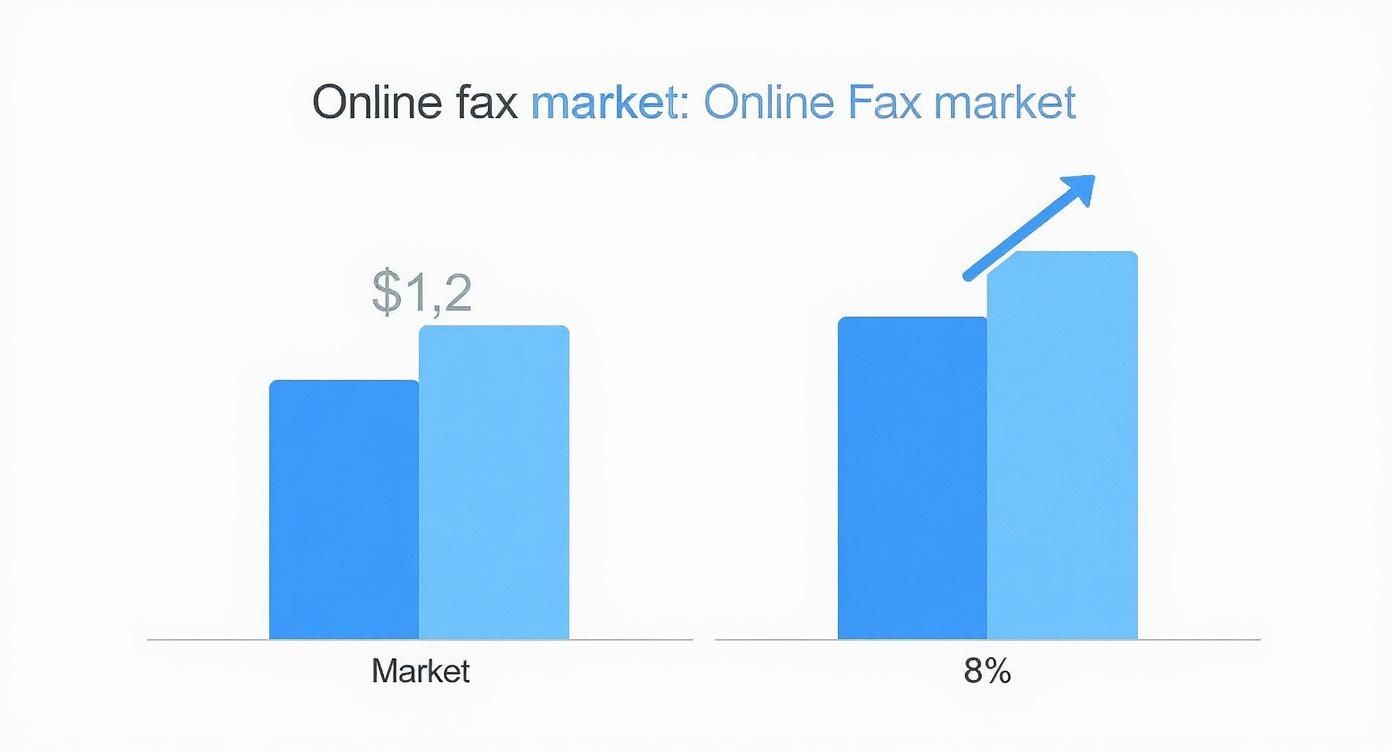
It’s all about security, legal validity, and the simple, undeniable convenience of not having to own a physical fax machine. The numbers back this up, too. As recently as 2017, the U.S. alone processed an incredible 200 billion fax pages. That breaks down to about 6,000 pages every single second.
This massive volume shows just how essential a free online fax no credit card needed service is for people who need to meet strict documentation standards without the overhead. If you're curious, you can read more about the faxing industry's surprising statistics and see for yourself why it's not going anywhere.
The Bottom Line: The need for faxing never went away; it just changed. Today's online fax services offer a secure, fast, and incredibly accessible way to handle it, leaving the clunky old machines behind.
Free vs. Almost Free Faxing at a Glance
Before jumping into the step-by-step, it helps to know your options. SendItFax offers a completely free service for quick, one-off faxes, but also has a super affordable "Almost Free" option for those who need a little more. Here’s a quick comparison to help you pick the right one for your task.
| Feature | Free Fax (No Credit Card) | Almost Free Fax ($1.99) |
|---|---|---|
| Branding | Includes a SendItFax branded cover page | No branding on the cover page |
| Page Limit | 2 pages per fax, 3 times per day | 25 pages per fax, unlimited times per day |
| Receiving Faxes | Not supported | Get a temporary fax number for 24 hours to receive |
| Delivery Confirmation | Email notification | Enhanced email notification with document preview |
| Best For | Quick, non-sensitive documents and one-time tasks | Professional documents, multi-page faxes, or receiving |
This table should give you a clear idea of which path to take. If you just need to send a quick, two-page form, the free service is perfect. If you’re sending a longer contract or need a more professional look, the one-time $1.99 payment is a fantastic value.
Sending Your Free Fax in Under Five Minutes

You don't need to be a tech guru or fill out endless sign-up forms to send a document. The whole point of our tool is to get your papers from your desktop to a physical fax machine with just a few clicks. It’s a surprisingly simple process.
Let’s walk through exactly what to do to send a free online fax no credit card needed using our interface.
First, Get Your Document Ready
Before you do anything else, you need to make sure your file is in good shape. This is honestly the most important step. The quality of your original document directly determines how readable the fax will be on the other end. A blurry, low-quality scan will only get worse after it's transmitted over a phone line.
The file format also plays a big role in how well your fax turns out. For the cleanest, most reliable transmission, stick to one of these:
- PDF (.pdf): This is the hands-down winner. PDFs lock in all your formatting, so what you see is exactly what your recipient gets. No weird line breaks or missing images.
- Microsoft Word (.doc, .docx): Also a great choice, especially for things like contracts, invoices, or letters that are mostly text.
- Image Files (.jpg, .png): You can send these, but I'd recommend converting them into a PDF first. It’s an extra step that can prevent a lot of headaches and potential quality loss.
Give your document one last look before you upload it. Is the text sharp? Can you clearly see signatures and fine print? A quick check now saves you from the frustration of a failed or illegible fax later.
Next, Plug In the Sending Details
With your document prepped, it's time to tell us where it's going. This part is all about accuracy—a single wrong digit in the fax number means your document goes nowhere.
You'll need to fill in a few basic fields for yourself and the person you're faxing.
- Your Information (Sender): Just your name and email address. The email is crucial because that's where we'll send your delivery confirmation.
- Recipient's Information: This is where you put their name and the full fax number, including the country and area code. I can't stress this enough: double-check that number!
This is also your chance to add an optional cover page. Think of it as the envelope for your fax—it gives the recipient some context. You can add a quick note like, "CONFIDENTIAL: Contract for Susan's review," to make sure it lands on the right desk.
A Quick Heads-Up: The free service cover page will have SendItFax branding on it. This is pretty standard for any free online fax service where no credit card is needed and it helps us keep the tool running. If you need a clean, brand-free look for professional documents, our "Almost Free" plan is the perfect upgrade.
Finally, Upload and Send It Off
You're at the home stretch. With all the details filled in, just upload your file and hit the send button. Our system takes over from there, converting your file into a fax-friendly format and dialing the recipient's machine. It works just like a traditional fax, minus the clunky hardware and paper jams.
Once the fax goes through successfully, you'll get a confirmation email. Hang onto that email—it's your proof of transmission. If the fax fails for some reason (maybe the line was busy or the number was incorrect), we'll let you know so you can sort it out and try again.
If you want to dig deeper into making sure your faxes always get through, check out our guide on the best practices for using a free online fax service.
What Are the Limits of a Free Fax Service?

Anytime you find a service that offers a free online fax no credit card needed, it's a fantastic resource for handling quick, one-off tasks. But to get the most out of it and avoid any hiccups, you need to know what the boundaries are. It’s a lot like a free trial for a piece of software—it gives you a ton of power for specific jobs but within a clear framework.
We’re big believers in being completely upfront about what our free service can and can’t do. That way, you know you’re picking the right tool for the job. Honestly, for most people who just need to send a signed permission slip or a two-page form to a government agency, the free option is more than enough.
Page and Daily Fax Limits
The main thing to keep in mind is the volume caps. Any service that lets you send a fax for free has to manage its network, and we do that with a few straightforward rules. This keeps things running smoothly and reliably for everyone.
Here’s exactly what to expect on our free tier:
- Pages Per Fax: You can send a document up to three pages long. Good news—this doesn't include the cover page, so you have a bit more room for your actual content.
- Faxes Per Day: You get a total of five faxes per day. This limit resets every 24 hours, giving you a fresh batch of faxes to send each morning.
We designed these limits to cover the most common, everyday needs: sending a signed contract, submitting a medical form, or providing a quick proof of residency. Think of a small nonprofit that needs to send out individual grant updates; they could easily send five separate faxes throughout the day without spending a dime.
We want this to be a genuinely useful tool. The daily and per-fax limits are simply there to prevent system abuse and ensure the service is fast and available right when you need to send that urgent document.
A Note on Branding
The other piece of the puzzle is branding. When you send a fax using the free service, the cover page will include a small, professional SendItFax logo and mention. This is pretty standard for free-tier services and it’s how we’re able to provide a powerful tool at no cost.
The branding is designed to be subtle, but it's something to consider if you're sending documents that need a completely neutral or corporate look. For instance, a law firm filing official documents with a court might want a completely clean, unbranded appearance.
For those situations, our Almost Free plan is a much better fit. If you're weighing your options, you can explore our detailed comparison of online fax services to see which plan best matches your professional requirements.
Once you know about these three elements—the page limit, the daily cap, and the branding—you can use the free service with total confidence, knowing exactly what to expect every time.
When Does Upgrading Your Fax Make Sense?
A free online fax without needing a credit card is a fantastic tool for those quick, one-off tasks. Sending a signed permission slip for your kid's field trip or a quick two-page form? It's simple, fast, and completely free. But what about when your needs are a little more serious?
Every so often, you'll run into a situation where the limits of a free service can hold you back. This is exactly where a small, one-time upgrade can make all the difference. For those specific moments, jumping up to our "$1.99 Almost Free" plan isn't just about convenience—it's a smart move to look professional and make sure your document gets there.
Scenarios That Call for an Upgrade
Think about it from a real-world perspective. Maybe you’re a real estate agent trying to send a multi-page purchase offer that has to get there now. The free service’s three-page limit just isn't going to work. Or what if you're a freelancer sending a detailed, 15-page invoice to a new corporate client? You want that first impression to be clean and professional, not stamped with another company's branding.
These are the moments when a tiny one-time fee provides huge value. Here’s what you get:
- A Much Higher Page Limit: You can send documents up to 25 pages long, which is perfect for those comprehensive contracts, detailed reports, or lengthy applications.
- A Professional Look: We remove all SendItFax branding from the cover page. Your document arrives looking clean, official, and all about you.
- Priority Delivery: Your fax gets bumped to the front of the line. This is a game-changer for time-sensitive materials like legal filings or last-minute project bids.
This kind of flexibility is still incredibly important. Believe it or not, about 17% of businesses around the world still count on faxing for important operations. Going digital with an online service slashes costs by getting rid of hardware and per-page fees, plus you get modern features like encryption. For anyone working remotely or running a nonprofit, a simple browser-based tool like SendItFax just makes life easier. You can find more stats on the continued relevance of business faxing over at Business.com.
The Bottom Line: The upgrade is all about impact. It turns your fax from a quick, casual note into a professional, high-priority document—perfect for when the stakes are higher.
A Simple, One-Time Fix
Perhaps the best part about this upgrade is how straightforward it is. This is not a subscription. We’re not going to trick you into a monthly plan or make you set a calendar reminder to cancel a "free trial."
It’s just a single, one-time payment of $1.99, handled securely through Stripe. You pay only for the one high-volume fax you need to send right now. As soon as it’s sent, you’re done. No strings attached.
The next time you need to fire off a simple, short fax, you can go right back to using the free service. This model really gives you the best of both worlds: a great free tool for everyday stuff and an affordable, on-demand solution for those moments that require a little more muscle.
Pro Tips for a Smooth and Secure Fax
Sending a fax is one thing; making sure it actually arrives clear, complete, and secure is another. This is especially true when you're using a free online fax no credit card needed service. A few quick checks before you hit send can save you a world of frustration and make sure your document looks just as professional on the other end.
Think of it like proofreading an important email one last time. That extra moment you take to verify the details pays off, giving you peace of mind that your message will be received exactly as you intended.
Double-Check Everything Before You Send
I've seen it a thousand times: the number one reason a fax fails isn't some complex technical glitch. It's a simple typo. Before you click that send button, slowly and carefully read the fax number you typed in. Did you get the area code right? Are all the digits correct?
Next, give your uploaded document a final once-over. Is the text sharp and easy to read? Can you clearly see the signatures? If you're working with an image file like a JPEG or PNG, I strongly recommend converting it to a PDF first. PDFs are the gold standard for faxing because they lock in the formatting and almost always transmit with better clarity, avoiding that dreaded blurry or distorted look.
Key Takeaway: The quality of your sent fax is a direct reflection of your prep work. A clean, high-resolution document sent to a verified number has the best chance of succeeding on the very first try.
A Quick Word on Privacy and Security
It's natural to wonder about privacy when you're using a service that doesn't even ask you to create an account. Services like SendItFax are built for one-off transmissions, plain and simple. Your information isn't stored in some long-term user profile because, well, you don't have one. The system uses your data for the single task of sending the fax and then it's gone.
This approach actually minimizes your digital footprint. Unlike services where you have to sign up and create a permanent account, your details and documents aren't just sitting on a server indefinitely. The transmission itself is secure, but the system is designed to "forget" your data once the job is done. If you want to dive deeper into the technical side, you can learn more about the security of online fax transmissions and how your information is handled.
Here are a few final, practical tips I always share:
- Document Legibility: Always start with the best quality file you have. If you can barely read the document on your own screen, it’s going to be completely unreadable after it’s been faxed.
- Confirm the Number: If it's a really important document, it never hurts to call and confirm the fax number with the recipient first. This is the best way to avoid sending sensitive information to the wrong machine.
- Save Your Confirmation: Hang on to that confirmation email you receive after sending. It's your proof of delivery and your record that the fax went through successfully.
The Hidden Perks of Ditching the Fax Machine
Opting for a free online fax without a credit card is about more than just dodging costs—it’s a fundamentally smarter way to manage your documents. The most obvious win is financial. Think about it: no more shelling out for paper, ink, and toner, or paying for a dedicated phone line for a machine that just collects dust.
For a lean nonprofit or a freelancer watching every penny, those savings can be a game-changer, freeing up cash for what really matters. But the benefits go beyond your wallet.
A Greener Way to Communicate
Going digital with your faxes is also a surprisingly effective way to be more eco-friendly. It might seem like a small change, but it makes a real difference by cutting down on paper waste and the energy needed to power old-school machines.
The collective impact is huge.
Consider this: if just 5% of traditional fax machine use moved online, we could save up to 1 million trees or 10 billion pages of paper.
It’s a simple action that aligns with modern sustainability efforts, allowing you to reduce your environmental footprint without any extra effort. If you're curious, you can dig into more online fax statistics to see just how powerful this shift is.
Still Have Questions About Sending a Free Online Fax?

It's a pretty simple process, but when you're sending an important document, it's natural to have a few questions. I've been there. Let’s walk through some of the things people often ask.
A big one is whether you can send faxes internationally. At the moment, our free online fax no credit card needed service is set up for sending documents to any valid fax number in the United States and Canada. This covers the bases for most business and personal needs, from sending a signed contract to a supplier in Toronto to submitting medical forms to a clinic in Texas.
What Happens After You Click 'Send'?
So, you've sent your fax. Now what? The most common question I hear is, "How do I know it actually went through?"
It’s simple: we send a confirmation email right to the address you entered. This email is your digital receipt, confirming that your fax was successfully transmitted.
Of course, things don't always go perfectly. Sometimes faxes fail, and we'll send you an email about that, too. A failed transmission usually comes down to one of a few common culprits:
- The fax machine on the other end was busy, or maybe it was just turned off.
- The fax number you typed in had a typo or is no longer in service.
- There was a bad connection or line noise on the recipient's end.
If you get a failure notification, the first thing to do is just give it another shot. Double-check that you've got the fax number right and try sending it again in a few minutes. More often than not, it was just a busy signal.
My Pro Tip: Hang on to that confirmation email. It’s your proof of transmission, complete with the time and date it went through. I always save mine until I've heard back from the recipient, just to be safe.
At the end of the day, sending a free online fax is all about making an old-school process easy. You bring the document and the number, and the service does the heavy lifting of talking to a physical fax machine. It’s the perfect bridge between digital convenience and traditional technology.
Ready to send that document without the hassle? Give SendItFax a try and see just how easy it is. You can send your free fax now.