Tag: phi protection

  • A Practical Guide to HIPAA Compliant Document Sharing

    A Practical Guide to HIPAA Compliant Document Sharing

    Sharing documents under HIPAA isn't just about using a special tool. It's a comprehensive approach that weaves together secure methods, strict policies, and the right technology to protect patients' electronic protected health information (ePHI). To get it right, you have to ensure every file you share is locked down with technical, administrative, and physical controls to slam the door on unauthorized access and prevent data breaches.

    Why This Matters More Than Ever in Healthcare

    In the world of healthcare, sharing information is the lifeblood of patient care. But every time you send a patient chart, a lab result, or a billing statement, you're handling data that cybercriminals are desperate to get their hands on. A failure to protect this information isn't a simple IT headache; it's a massive business risk with devastating consequences.

    The reality is that healthcare data breaches are getting more common and more costly. The industry saw a huge spike in attacks during 2024, with U.S. organizations reporting 725 large-scale incidents. These breaches exposed a mind-boggling 275 million health records—a 63.5% jump from the year before.

    According to the 2023 IBM Cost of a Data Breach Report, the financial sting is severe, averaging $10.93 million per incident for healthcare organizations. That number alone makes robust security a financial necessity, not just a box to check for regulators.

    The Three Pillars of HIPAA Compliance

    Many organizations mistakenly think they can just buy a "HIPAA-compliant" piece of software and call it a day. In reality, the HIPAA Security Rule provides a framework, not a product recommendation. Think of it as a three-legged stool—if one leg is weak, the whole thing comes crashing down.

    • Administrative Safeguards: These are your human-powered defenses—the policies and procedures that guide how your team operates. This includes conducting regular risk assessments, training your staff on security best practices, having an incident response plan ready to go, and designating a security officer to lead the charge.

    • Physical Safeguards: This is all about securing the physical world where ePHI lives. You need to control who can access server rooms and workstations. You also need clear rules for using mobile devices like laptops and smartphones, which can easily walk out the door with sensitive patient data on them.

    • Technical Safeguards: This is where technology comes in. Key controls include encryption to make data unreadable if it's intercepted, access controls to ensure only authorized people can view information, and audit logs that create a digital paper trail of who accessed what data and when.

    Key Takeaway: True HIPAA compliance is never about a single tool. It's the combination of strong internal policies (Administrative), secure physical spaces (Physical), and the right technology (Technical) all working in harmony.

    Keeping Up with the Digital Shift

    With telehealth becoming standard and digital records replacing paper files, the sheer volume of electronically shared documents has skyrocketed. This shift is incredibly convenient, but it also opens up countless new opportunities for security to fail.

    An unencrypted email, a file sent through a personal cloud account, or an insecure fax can quickly turn into a reportable—and expensive—data breach. You can explore our article on whether faxing is a secure option to see how different methods stack up.

    Ultimately, creating a solid framework for HIPAA compliant document sharing goes far beyond just avoiding fines. It's about protecting your organization’s reputation and, most importantly, keeping the trust of your patients. Every file you share is a promise that their most personal information is safe with you.

    Building Your HIPAA Compliance Foundation

    Before you even start shopping for secure file-sharing software, let's talk about what really matters. Technology is a great tool, but it can't make you compliant on its own. True HIPAA compliance is built on a solid foundation of smart policies, clear procedures, and a team that understands the stakes. This work always begins with a hard look in the mirror.

    That first step is a formal Risk Assessment. This isn't just another box to check; it’s the blueprint for your entire compliance strategy. Your goal is to map out exactly where every piece of Protected Health Information (PHI) lives and how it moves through your practice. You need to get granular and identify every single system, device, and workflow that touches patient data—from creation to transmission.

    Think of it as a data-centric security audit. Where are patient charts stored? How does billing information get to insurers? Are your clinicians texting each other about patient care on their personal phones? Answering these tough questions is how you find your vulnerabilities before someone else does.

    Create Essential Document Handling Policies

    Once you have a clear map of your risks, you can start drawing the boundaries. This is where you create clear, actionable policies that guide your team on how to handle PHI safely every single day. These rules can't be vague; they need to be direct and leave no room for guesswork.

    Your policies should, at a minimum, cover these key areas:

    • Access Control: Define precisely who gets to see what. A billing specialist has no business looking at a patient's full clinical history, and your policies need to reflect that.
    • Document Transmission: Specify the only approved methods for sharing PHI. This is where you explicitly forbid using personal email, standard text messaging, and consumer-grade apps like Dropbox or Google Drive for PHI.
    • Incident Response: When a breach happens—and you should plan for "when," not "if"—what's the protocol? Your policy must outline the exact steps to take, from who gets the first call to how you contain the damage.

    A policy sitting in a binder is useless. To make these rules stick, you need regular, role-specific training that turns the written word into consistent, real-world practice.

    The Critical Role of the Business Associate Agreement

    Now for the part where so many well-meaning practices stumble: your vendors. Any third-party service provider that handles PHI on your behalf is considered a Business Associate under HIPAA. This includes your cloud storage provider, your IT contractor, and yes, your online fax service. You are legally required to have a signed Business Associate Agreement (BAA) with every single one of them.

    A BAA isn't just a formality. It’s a legally binding contract that holds your vendor to the same standards of PHI protection that you are. If you don't have a BAA in place, you are non-compliant. Period. It doesn't matter how secure their service is; the lack of a BAA is a massive liability hanging over your head.

    The consequences are not theoretical. A compliance failure creates a direct line from a data breach to hefty penalties and, worst of all, a complete loss of patient trust.

    A diagram illustrating the healthcare risk process flow with three steps: Breach, Penalty, and Distrust.

    The numbers show just how seriously regulators take this. Through May 31, 2023, the Office for Civil Rights (OCR) had already fielded over 331,100 HIPAA complaints. Those complaints have led to enforcement actions totaling more than $135 million. A missing BAA is a common and costly mistake, with some organizations getting hit with six-figure fines for that oversight alone. You can discover more about these HIPAA statistics and see the trends for yourself.

    I’ve seen this firsthand. A small specialty clinic faced a huge fine after an audit revealed they had used a document management service for years without a BAA. No data was ever exposed, but it didn't matter. The absence of the agreement was the violation. This proves that vendor due diligence isn't just a "best practice"—it's a legal command. Your compliance is only as strong as the agreements you have with your partners.

    Choosing the Right Tools for Transmitting PHI

    With your foundational policies in place, it’s time to pick the tech that actually makes them work. The right tools are what turn your compliance plan from a document on a shelf into a real, active defense for patient data. This is where we get practical, making sure every single file you send is properly locked down.

    The absolute, must-have foundation for any secure transmission is encryption. Think of it as a digital armored truck for your documents. You need two kinds, and they're both non-negotiable.

    • Encryption at Rest: This protects files sitting on a server or a hard drive. Look for industry standards like AES-256, which scrambles the data so it's complete gibberish to anyone who manages to get their hands on the physical storage.
    • Encryption in Transit: This is what protects data as it moves across the internet. Technologies like Transport Layer Security (TLS) create a secure, private tunnel between you and the recipient, stopping anyone from snooping on the information as it travels.

    Any service or software you're even considering must provide both. If it doesn't, you might as well be sending patient charts on postcards.

    Secure document transmission setup with a laptop, printer, and smartphone on a wooden desk.

    Comparing Document Sharing Methods for HIPAA Compliance

    Let’s be clear: not all digital tools are safe for handling Protected Health Information (PHI). The apps your team uses in their personal lives are almost always the biggest risk. Standard email, consumer-grade cloud storage, and basic messaging apps just don’t have the safeguards HIPAA demands.

    The danger here is very real. Data from September 2025 to January 2026 shows a staggering average of 46.2 large-scale healthcare data breaches were reported every single month. Those numbers should be a wake-up call, and you can learn more about the latest healthcare data breach findings to see just how prevalent this issue is. Using tools not built for healthcare is a massive gamble.

    Here’s a scenario I’ve seen play out: A well-meaning therapist uses their personal cloud storage to share session notes with a consulting psychiatrist. They mistype one letter in the email address, sending an unprotected link to a complete stranger. Just like that, a simple act of convenience becomes a serious, reportable data breach.

    To help you navigate these choices, here's a quick comparison of common methods:

    Comparing Document Sharing Methods for HIPAA Compliance

    Method Default Compliance Encryption In Transit Requires BAA Key Risk Factor
    Standard Email No Varies (not guaranteed) Not offered Recipient's inbox is unsecure; no end-to-end control.
    Consumer Cloud Storage No Yes Enterprise plans only Accidental sharing, lack of access controls on free/personal tiers.
    Secure Patient Portal Yes Yes Included with EHR Limited to patient communication; not ideal for provider-to-provider.
    Secure Online Fax Yes (with right provider) Yes Yes Choosing a non-compliant vendor that won't sign a BAA.

    As you can see, the platforms we use every day are often the riskiest. Consumer tools like a basic Dropbox, iCloud, or a standard Google Workspace account are not compliant out of the box and can easily cause a breach if not configured perfectly.

    So, what should you use? The most reliable options are built for this exact purpose:

    • Secure Patient Portals: These are fantastic for sharing information directly with patients. Because they’re usually tied to an EHR, they keep all communications inside a controlled, secure environment that requires a login.
    • Encrypted Email Services: These are not your standard Gmail or Outlook. They are specialized services that encrypt messages and attachments, but you have to be sure the person on the other end is also using a compatible, secure platform.
    • Secure Online Faxing: This is the modern answer to a classic healthcare communication tool. It bridges the gap between your digital workflow and the many clinics and hospitals that still rely on physical fax machines. A truly HIPAA-compliant service encrypts everything and gives you a full audit trail.

    The Modern Role of Secure Online Faxing

    Faxing might sound like a relic from the past, but web-based fax services have transformed it into a powerful, secure tool for sharing PHI. They solve a very common problem: how to securely get a digital file from your computer to a physical fax machine in another provider’s office.

    Unlike email, where you have zero control over the recipient's inbox security, a fax transmission is a direct point-to-point connection. When you're vetting a provider, the most important thing is confirming they offer all the necessary HIPAA safeguards and, critically, that they will sign a Business Associate Agreement (BAA).

    To see what sets a truly secure provider apart from the rest, you can check out our guide on comparing online fax services.

    Ultimately, the best tool is one that fits your practice’s workflow, ticks every technical security box, and is backed by that all-important BAA. Vetting your technology carefully is how you build a real-world defense against both accidents and attacks.

    Implementing Practical Technical Safeguards

    A person's hands typing on a laptop screen displaying 'Technical Safeguards' and data.

    This is where the rubber meets the road. Your written policies are the blueprint, but technical safeguards are the actual tools—the software configurations, the encryption, the login protocols—that actively protect patient information. They are the active defenses that bring your rules to life and secure the devices your team uses every single day.

    A perfect starting point is Role-Based Access Control (RBAC). The idea is wonderfully simple: people should only be able to see and do the absolute minimum required for their job. A billing clerk doesn't need to read a surgeon's operative notes, and a scheduler shouldn't have access to a patient's full psychological evaluation.

    Implementing RBAC properly means getting granular. You move beyond generic "user" or "admin" accounts and create specific roles like "Front Desk," "Billing Specialist," or "Clinical Nurse." Then, you meticulously define what each role can view, edit, or share. This principle of least privilege isn't just a suggestion; it’s a cornerstone of hipaa compliant document sharing.

    Setting Up Meaningful Audit Trails

    If access controls are the locks on your digital doors, then audit trails are the security cameras recording every entry and exit. An audit trail, or log, is simply an unchangeable record of all activity happening within your systems. A vague log is useless, but a detailed one is your best friend for spotting trouble.

    For an audit trail to be effective, your system must automatically capture a few key details for every single action:

    • Who: The exact user account that performed the action.
    • What: Which document or piece of data was touched.
    • When: The precise date and timestamp.
    • Where: The IP address or device location of the access.

    Imagine seeing an alert that a patient file was downloaded at 3 AM from an IP address you don't recognize. That’s your audit log doing its job. These logs aren't just for investigating a breach after the fact; reviewing them regularly helps you spot odd patterns and stop unauthorized activity before it escalates.

    Securing the Endpoints

    Your cloud platform can be a fortress, but if the laptops and phones used to access it are left wide open, your data is still vulnerable. Every workstation, tablet, or smartphone that touches PHI is an "endpoint," and each one needs to be hardened against attack.

    This means enforcing basic security hygiene. For instance, all workstations should have automatic screen locks that kick in after 5-15 minutes of inactivity. It's a simple fix that prevents a wandering eye from seeing PHI on an unattended screen. You also absolutely must have the ability to remotely wipe any mobile device if it's lost or stolen.

    A Word of Advice: Endpoint security is a shared responsibility. Your vendor secures the data in their cloud, but you are responsible for securing the devices your team uses. A weak link here can bring the whole system down.

    Your Go-Live Configuration Checklist

    Whenever you're setting up a new hipaa compliant document sharing service, just signing the BAA and handing out logins isn't enough. You have to get into the settings and configure it correctly from day one.

    Here’s a checklist I run through with every new platform:

    • Enable Multi-Factor Authentication (MFA): This is non-negotiable. Requiring a second verification step (like a code from a phone app) is one of the single most effective ways to stop account takeovers.
    • Set Session Timeouts: Configure the system to automatically log users out after a set period of inactivity. We typically recommend 15 to 30 minutes.
    • Verify Encryption: Don't just trust the marketing page. Go into the admin panel and confirm that data is encrypted both in transit (TLS 1.2 or higher) and at rest (AES-256).
    • Kill Public Link Sharing: Find and disable any feature that allows users to create public, anonymous links to documents. All sharing must require authentication.
    • Implement Your Roles: Don't wait. On day one, create the custom roles defined in your RBAC policy and assign every user to the correct one. And as you define your sharing policies, it's helpful to read about the security of different transmission methods like fax to make informed choices.

    Taking a few hours to methodically dial in these settings is what transforms your policies from paper to practice, creating a genuinely secure environment for your patients' data.

    Of all the aspects of HIPAA-compliant document sharing, this is the one I see people get wrong most often. It’s easy to focus so much on sending a file securely that you forget about what happens before and after. True compliance isn’t just a snapshot in time; it's about managing the entire lifecycle of Protected Health Information (PHI), from the moment it's created to the day it's properly destroyed.

    First, Nail Down Consent and Authorization

    Before you even think about sharing a document, you have to know why you're sharing it. This is where the concept of Treatment, Payment, and Healthcare Operations (TPO) comes in. HIPAA gives you a green light to share PHI for these core activities without needing a patient's one-off written permission.

    For example, you don't need to get special consent to fax a patient's chart to a specialist you're referring them to (Treatment) or to send a bill to their insurance company (Payment). These are expected, necessary parts of providing care.

    But the second you step outside of TPO, the brakes go on. If you’re asked to share PHI for marketing, a research study, or any other non-routine reason, you absolutely must have explicit, written authorization from the patient for that specific disclosure. Getting this distinction right is the foundation of compliant day-to-day operations.

    Data Retention: More Isn't Always Better

    Once a document exists, you can't just hang onto it forever. The HIPAA Privacy Rule is very specific here: you are required to keep documentation like policies or records of PHI disclosures for at least six years from its creation date or the date it was last in effect, whichever is later.

    But this is a minimum, not a recommendation to become a data hoarder. In fact, keeping PHI for longer than necessary is a huge liability. Every extra year of data you store is another year it's vulnerable to a breach, making your practice a bigger and more attractive target for cybercriminals.

    A smart data retention policy is a balancing act. It’s about meeting your legal obligations while also minimizing your risk by not keeping data you no longer need.

    Your policy needs to be concrete, spelling out exactly how long different types of records will be kept. It should also detail the who, what, and when of your destruction schedule. It's far better to have a system for routinely cleaning out old files than to find yourself buried under a mountain of aging, at-risk patient data.

    Secure Disposal: The Final, Critical Step

    When a document finally reaches the end of its retention period, getting rid of it isn't as simple as hitting "delete" or tossing it in the recycling bin. Doing so is a major HIPAA violation. The rule demands that PHI must be rendered completely unreadable, indecipherable, and impossible to reconstruct.

    The methods for proper disposal are strict. For your digital records, a simple delete just won't cut it.

    • Digital Files: Use specialized software that overwrites the data multiple times, effectively scrubbing it from existence and making recovery impossible.
    • Physical Media: When retiring old hard drives, servers, or backup tapes, you have to go for physical destruction. This means shredding, pulverizing, or degaussing (using incredibly powerful magnets) the media until the data is gone for good.

    The same high standards apply to paper records. That personal shredder under your desk probably isn’t up to the task.

    • Paper Documents: Records must be cross-cut shredded into fine, confetti-like particles. For most practices, the most secure and efficient route is hiring a certified, HIPAA-compliant shredding service that provides a formal certificate of destruction.

    I once consulted for a small clinic that was cleaning out a storage closet. A well-meaning staff member took several boxes of old patient charts home to shred with their personal shredder. While their heart was in the right place, it created a massive potential breach. There was no chain of custody, no proof of destruction, and the files were unsecured the moment they left the building.

    This is exactly why using a vetted, professional service is the safest bet. By thoughtfully managing PHI from creation to final disposal, you close one of the most significant yet overlooked gaps in your compliance strategy.

    Common Questions About HIPAA Document Sharing

    Even with a solid grasp of the HIPAA rulebook, the day-to-day realities of sharing patient documents can throw a few curveballs. Let's clear up some of the most common gray areas I see trip people up.

    Is Sending a Fax Really HIPAA Compliant?

    It absolutely can be, but the devil is in the details. You might be surprised to learn that a traditional, old-school fax machine is often considered a very secure method. It sends information over a direct, point-to-point phone line (the Public Switched Telephone Network or PSTN), not the open internet, which minimizes the risk of interception.

    When it comes to modern online faxing, compliance hinges entirely on the service provider you choose. A truly compliant service isn't just a simple sending tool. It must offer strong encryption like TLS for the transmission and AES-256 for any stored files. Crucially, they also need to provide detailed audit trails and be willing to sign a Business Associate Agreement (BAA). If a provider can't check all those boxes, it’s not the right choice for PHI.

    Can I Use Gmail or Dropbox to Share PHI If I Have a BAA?

    This is a common and dangerous misconception. Yes, you can get a Business Associate Agreement from services like Google Workspace or Dropbox Business. However, that BAA doesn't magically make every action you take compliant. The responsibility for securing the data still rests entirely on your shoulders.

    You’re the one who has to meticulously configure all the settings. This means enforcing strict access controls, disabling any public or "share with link" features, and regularly reviewing audit logs. One wrong click—like an accidentally shared folder—is all it takes to cause a significant data breach.

    Because of the complexity and the high risk of human error, most healthcare professionals find it far safer to use solutions built specifically for healthcare. Retrofitting a general-purpose tool for HIPAA compliance is often more trouble than it's worth.

    What Is the Biggest Mistake to Avoid in Document Sharing?

    The single biggest mistake I see is choosing convenience over compliance. It’s the root of most accidental data breaches. This is what happens when a staff member sends "just one file" from their personal email, a standard cloud drive, or a messaging app because it feels quicker in the moment.

    Every single transmission of Protected Health Information (PHI) is governed by HIPAA. There are no exceptions. Sending a patient's chart through an unsecured channel is a data breach, plain and simple—your intent doesn't change that. You have to stick to your organization’s approved, secure platforms and never handle PHI outside those channels.

    Do I Need Patient Consent Every Time I Share a Document?

    Thankfully, no. This is a critical distinction for keeping your operations running smoothly. HIPAA allows you to share PHI without getting a new authorization for any activities that fall under Treatment, Payment, and Healthcare Operations (TPO).

    Here’s what that looks like in the real world:

    • Treatment: You can freely fax a patient's records to a specialist you're referring them to.
    • Payment: Your billing team can send diagnostic codes and service details to an insurance provider to get a claim paid.
    • Operations: You might use de-identified PHI for an internal quality review to improve patient care.

    The moment your reason for sharing steps outside of TPO, you need to get explicit, written permission from the patient. This is mandatory for things like marketing, fundraising, or most types of research. Understanding where that line is drawn is fundamental to maintaining both compliance and your patients' trust.


    For quick, reliable, and secure document transmission without the need for a physical machine, SendItFax offers a straightforward web-based solution. You can send your files securely from any browser, ensuring your documents reach their destination safely. Get started today at https://senditfax.com.

  • The Ultimate Guide to a HIPAA Compliant Fax Cover Sheet

    The Ultimate Guide to a HIPAA Compliant Fax Cover Sheet

    A HIPAA-compliant fax cover sheet isn't just administrative busywork; it's a critical document that safeguards Protected Health Information (PHI) every time you send a fax. Think of it as a legal and practical shield, providing essential details about the sender and recipient, a page count, and, most importantly, a mandatory confidentiality notice. Without this first line of defense, a simple misdial could escalate into a serious HIPAA violation.

    Why Your Fax Cover Sheet Is Critical for HIPAA Compliance

    In healthcare, even a small mistake can become a major data breach. This is where a proper fax cover sheet becomes your most important tool. It’s not just paperwork—it’s a fundamental legal safeguard that actively protects patient privacy. Its number one job is to prevent the accidental disclosure of PHI.

    A clipboard with a document titled 'Protect PHI,' a pen, and a stethoscope on a wooden desk, emphasizing data privacy.

    This single page is your first and best chance to communicate the sensitive nature of the information inside. Imagine a fax with sensitive lab results is accidentally sent to a busy marketing firm instead of a specialist's office. Without a cover sheet, those pages might sit on a shared machine for anyone to see, exposing confidential patient data.

    A compliant cover sheet immediately warns anyone who lays eyes on it—whether they're the intended recipient or not—that the contents are confidential and protected by federal law. It also gives clear instructions on what to do if they've received it by mistake, stopping a potential breach in its tracks.

    The High Stakes of Non-Compliance

    Let's be clear: the consequences of failing to protect PHI are severe. We're talking about steep financial penalties, corrective action plans, and lasting damage to your reputation. HIPAA violations aren't taken lightly, and regulators demand proof that you've implemented "reasonable safeguards" to protect patient data. A consistently used fax cover sheet is a simple, documented example of one such safeguard.

    The Health Insurance Portability and Accountability Act of 1996 (HIPAA) laid out these rules for good reason. Between 2009 and 2023, the U.S. Department of Health and Human Services recorded over 5,000 healthcare data breaches affecting more than 300 million individuals. Fax-related errors have long been a known source of these unauthorized disclosures, which just goes to show how vital every preventive measure really is.

    The Enduring Role of Fax in Healthcare

    You might wonder why we're still talking about faxing. Despite all our modern communication tools, faxing remains a surprisingly resilient and trusted method for transmitting PHI. Its point-to-point connection is often seen as more secure than standard email, which can be easily intercepted if not properly encrypted.

    Here's why faxing holds its ground in healthcare:

    • Point-to-Point Security: A traditional fax creates a direct, temporary connection over a telephone network. This significantly reduces the risk of someone intercepting the data mid-transit compared to an email traveling across multiple servers.
    • Legal Weight: Faxes are widely accepted as legally binding documents. This makes them ideal for sending signed authorizations, patient referrals, and official medical records that need to hold up.
    • Simplicity and Reliability: It's a technology that just works. It doesn't rely on internet connectivity, making it a dependable fallback in any clinical environment.

    Understanding the deep connection between physical fax security and modern compliance is essential. A well-designed cover sheet bridges that gap, ensuring this established technology meets today's strict legal and ethical standards for patient privacy.

    What Every Compliant Fax Cover Sheet Must Include

    A HIPAA-compliant fax cover sheet isn't just a formality; it’s a critical safeguard for Protected Health Information (PHI). Think of it less as a piece of paper and more as the first line of defense in your compliance strategy. Each field serves a specific purpose, creating a clear audit trail and demonstrating due diligence. Let’s walk through exactly what you need to include and, just as importantly, why it matters.

    A close-up of a document with 'REQUIRED FIELDS' text, a pen, and office items on a desk.

    If a fax ever gets sent to the wrong number—and it happens more than you'd think—this cover sheet is your proof that you took the proper steps to direct it correctly and warn anyone who might see it about its confidential nature.

    Despite its age, faxing is still a major player in healthcare. A 2023 survey found that a staggering 83% of U.S. hospitals and clinics still depend on fax machines, with the average facility sending 500 faxes every month. This heavy reliance makes meticulous cover sheets absolutely essential, especially when you consider that HHS data has logged over 1,100 fax-related PHI incidents between 2020 and 2025 alone. You can dive deeper into the HIPAA regulations for medical record faxing on accountablehq.com.

    To make this easier, I've broken down the must-have components into a simple table.

    Required Fields for a HIPAA Compliant Fax Cover Sheet

    Here’s a quick-glance guide to the non-negotiable fields your cover sheet needs. Getting these details right every single time is the foundation of secure faxing.

    Component Description & Purpose Example
    Sender Information Clearly identifies who is sending the PHI. It includes your full name/organization, a direct phone number for immediate contact, and your fax number to confirm the origin. From: Jane Doe, Springfield General Hospital
    Recipient Information Directs the fax to a specific person to avoid it landing in a general inbox. Includes the recipient's full name, title, and organization. The fax number must be double-checked for accuracy. To: Dr. Robert Smith, Chief of Cardiology
    Date and Time Creates a timestamp for the transmission, which is vital for your audit logs and serves as proof of when the PHI was sent. Date: 10/26/2023, Time: 2:15 PM EST
    Total Number of Pages Tells the recipient how many pages to expect, including the cover sheet. This simple detail prevents partial records from being filed if the transmission gets cut off. Page 1 of 5
    HIPAA Disclaimer A mandatory legal statement that informs anyone who sees the fax of its confidential nature, their legal obligations, and what to do if they received it by mistake. (See full example below)

    Putting these pieces together correctly turns a simple cover page into a robust compliance tool that protects both the patient's data and your organization.

    The All-Important HIPAA Confidentiality Disclaimer

    If you get one thing right, make it this. The confidentiality disclaimer is the legal cornerstone of your cover sheet. It’s not just polite boilerplate text; it’s a powerful statement that puts any accidental recipient on notice about their legal responsibilities.

    A solid disclaimer needs to accomplish three things:

    1. Declare Confidentiality: State upfront that the documents contain confidential information, specifically mentioning PHI and HIPAA.
    2. Name the Intended Recipient: Reiterate that the fax is for the exclusive use of the person it’s addressed to.
    3. Give Clear Instructions for Errors: Tell an unintended recipient exactly what to do: call you immediately and destroy the fax.

    Here's some sample language you can use or adapt. Feel free to copy this directly for your own templates.

    CONFIDENTIALITY NOTICE: This facsimile contains confidential information, which may include Protected Health Information (PHI) as defined by the Health Insurance Portability and Accountability Act (HIPAA). This information is intended only for the use of the individual or entity named above. If you are not the intended recipient, you are hereby notified that any disclosure, copying, distribution, or taking of any action in reliance on the contents of this information is strictly prohibited. If you have received this facsimile in error, please immediately notify the sender by telephone to arrange for the return or destruction of the documents.

    How to Create Your Own Compliant Fax Cover Sheet

    You don't need fancy software to create a solid, HIPAA compliant fax cover sheet. Honestly, you can build a reliable, reusable template with everyday tools like Microsoft Word or Google Docs. The real benefit of doing it yourself is control—you can make absolutely sure every mandatory field is there and formatted clearly. Your goal is a professional document that anyone receiving it will instantly recognize as sensitive.

    Let's walk through how to build one. The key is to prioritize clarity and put the most critical information where it can't be missed. Think about the visual hierarchy. What does the recipient need to see first? The confidentiality notice should be impossible to ignore, so I often recommend placing it right at the top or enclosing it in a box to grab attention immediately.

    A person's hand on a laptop keyboard displaying 'CREATE TEMPLATE' on screen, with notebooks and a plant.

    Creating a master template is a simple but powerful step. Once it's built and saved, you'll never have to worry about forgetting a crucial component on a future fax again.

    Structuring Your Template for Maximum Clarity

    When you open your document, the first thing to create is a bold header. It needs to immediately flag the document as confidential. A large, bold title like "Confidential Health Information Enclosed" does the job perfectly. It’s a simple visual cue that warns anyone who handles the document.

    Next, you'll want to organize the sender and recipient details. A clean, two-column table is a great way to do this without cluttering the page. Put the labels on the left and leave space on the right for the information.

    Here are the absolute must-have fields for your layout:

    • To: (Recipient’s Full Name and Organization)
    • From: (Your Full Name and Organization)
    • Date: (Date of Transmission)
    • Time: (Time of Transmission)
    • Recipient's Fax #: (The number you are sending to)
    • Sender's Phone #: (A direct line for contact)
    • Total Pages: (Including this cover sheet)

    This simple structure ensures nothing critical gets overlooked. If you want to see how these elements come together in professional correspondence, this fax cover letter example is a fantastic reference. With the layout set, it's time to add the most important part: the legal disclaimer.

    Positioning the HIPAA Disclaimer for Immediate Visibility

    The HIPAA confidentiality disclaimer is the single most important piece of text on the page. This isn't fine print; it's a legal safeguard. It needs to be prominent and legible. A common best practice is to place it inside a bordered text box or give it a slightly shaded background to make it pop.

    Position the disclaimer where it can't be missed—either right under your main header or at the bottom of the page in a large, easy-to-read font. Whatever you do, don't bury it in a tiny footer. It has to be direct and unambiguous.

    CONFIDENTIALITY NOTICE: This facsimile contains confidential information, which may be Protected Health Information (PHI) as defined by the Health Insurance Portability and Accountability Act (HIPAA). This information is intended only for the use of the individual or entity named above. If you are not the intended recipient, you are hereby notified that any disclosure, copying, or distribution of this information is strictly prohibited. If you have received this facsimile in error, please immediately notify the sender by telephone and destroy all copies of the original message.

    Once this text is in place, save the document as a template file (.dotx in Word, or by creating a "template" copy in Google Docs). This gives you a master version to work from, so you're always starting with a compliant foundation and can't accidentally overwrite your original.

    The Modern Alternative: Automating Compliance with Online Fax Services

    While a DIY template works, it still leaves room for human error. It's easy to forget to update the page count or mistype the recipient's fax number. This is where online fax services like SendItFax really shine, as they're built to eliminate these risks by automating the creation of a HIPAA compliant fax cover sheet.

    The workflow is incredibly straightforward:

    1. Upload your document containing the PHI.
    2. Enter sender and recipient details into a simple web form.
    3. Add an optional message for the cover page.

    The service then does the heavy lifting. It automatically generates a perfectly formatted, compliant cover sheet that includes all the required fields and a professionally worded HIPAA disclaimer. It even calculates the page count and logs all transmission details for a complete digital audit trail.

    This level of automation doesn't just save time; it adds a powerful layer of security by minimizing the manual steps where mistakes often happen. For any healthcare pro who needs to be both efficient and secure, it's an invaluable tool.

    Common Faxing Mistakes That Lead to HIPAA Violations

    Having a perfectly crafted HIPAA compliant fax cover sheet is a great first step, but it’s no silver bullet. The real danger often hides in the small, everyday habits and shortcuts that happen right before you hit "send." These procedural slip-ups can quickly escalate a routine task into a reportable data breach.

    Many practices get so focused on the document itself that they lose sight of the human element in the faxing process. A single mistyped digit, a quick assumption, or a moment of distraction can completely unravel all the security measures you've so carefully put in place.

    Forgetting Key Information on the Cover Sheet

    One of the most common pitfalls is simply an incomplete cover sheet. When you're busy, it’s easy to get complacent and skip a field, but every single box serves a critical purpose. Forgetting to update the page count, for instance, could lead a recipient to believe they have the full record when a page was actually lost in transmission.

    Another huge oversight is using a generic or watered-down confidentiality disclaimer. A vague statement that doesn’t explicitly mention PHI or give clear instructions on what to do if received in error just doesn't carry the necessary legal weight. Your disclaimer has to be direct, unambiguous, and leave no room for interpretation.

    The smallest details matter. Imagine sending a five-page lab report, but your cover sheet says "1 of 4 pages." The receiving clinic might not even realize a page is missing, creating a serious patient safety risk based on an incomplete record. This is a common, preventable error.

    Sending Faxes to Unverified Numbers

    This is, without a doubt, the single biggest mistake that leads to breaches. Dialing a fax number from memory, an old business card, or an unverified online directory is a massive gamble with patient data. Fax numbers change, get reassigned, or are just written down incorrectly. Sending sensitive PHI to a complete stranger is an immediate and serious violation.

    The financial and operational fallout from these errors can be devastating. Since HIPAA was enacted on April 14, 2003, the HHS has resolved over 900 enforcement actions by 2025, collecting $134 million in penalties. A staggering 19% of these involved transmission failures like unsecured faxes. A 2021 OCR report highlighted 2,139 breaches impacting 45 million records, with 11% stemming from faxes sent to the wrong number without a confidentiality statement. Penalties for willful neglect can skyrocket past $73,000 per violation, as a Florida group learned with a $4.3 million penalty in 2022 for faxing records without disclaimers, exposing 500,000 patients. You can find more details on these new HIPAA regulations and their impact on hipaajournal.com.

    To steer clear of this, you need a strict verification protocol:

    • Always Double-Check: Verbally confirm the recipient's fax number before sending sensitive documents for the first time.
    • Maintain an Approved List: Keep a regularly updated, verified contact list of frequently used fax numbers for specialists, pharmacies, and labs.
    • Remove Old Numbers: Actively purge old or unverified numbers from your system to prevent someone from accidentally selecting them.

    Overlooking Physical Security at the Destination

    Your responsibility doesn't just stop when the fax leaves your office. HIPAA requires you to consider the entire lifecycle of PHI, and that includes what happens when it arrives. Sending a fax to a machine sitting out in a busy, unsecured hallway or a shared office space is just asking for a privacy breach.

    Before sending, it's a smart move to understand the recipient's physical security. A quick call to confirm their fax machine is located in a private, access-controlled area can prevent unauthorized eyes from seeing patient information as it prints out. This is a major limitation of traditional faxing—you're forced to trust an environment you have zero control over.

    How Online Faxing Solves These Common Problems

    This is where modern online faxing services like SendItFax come in. They are specifically designed to eliminate these common points of failure by replacing manual, error-prone steps with automated safeguards.

    When you use a secure service like SendItFax, you get layers of protection that a traditional machine simply can't match:

    • Digital Confirmations: Instead of a flimsy "sent" receipt, you get a detailed digital confirmation that the transmission was successfully delivered to the right place.
    • Encrypted Transmissions: All data is encrypted during transit, creating a secure channel that is far safer than a standard phone line.
    • Clear Audit Trails: Every single fax is logged with a timestamp, recipient info, and delivery status. This creates an automatic and indisputable record for any compliance audits.

    By moving from a physical machine to a secure web-based platform, you sidestep most of the risks tied to human error and insecure environments, making your entire faxing workflow safer and more compliant.

    Moving Beyond the Machine: Why Secure Online Faxing is the New Standard

    Let's be honest, the old office fax machine is a compliance headache waiting to happen. It's clunky, prone to errors, and leaves a huge security gap in any modern healthcare practice. Transitioning to a secure online fax service isn't just about freeing up desk space; it's about fundamentally strengthening your HIPAA compliance from the ground up.

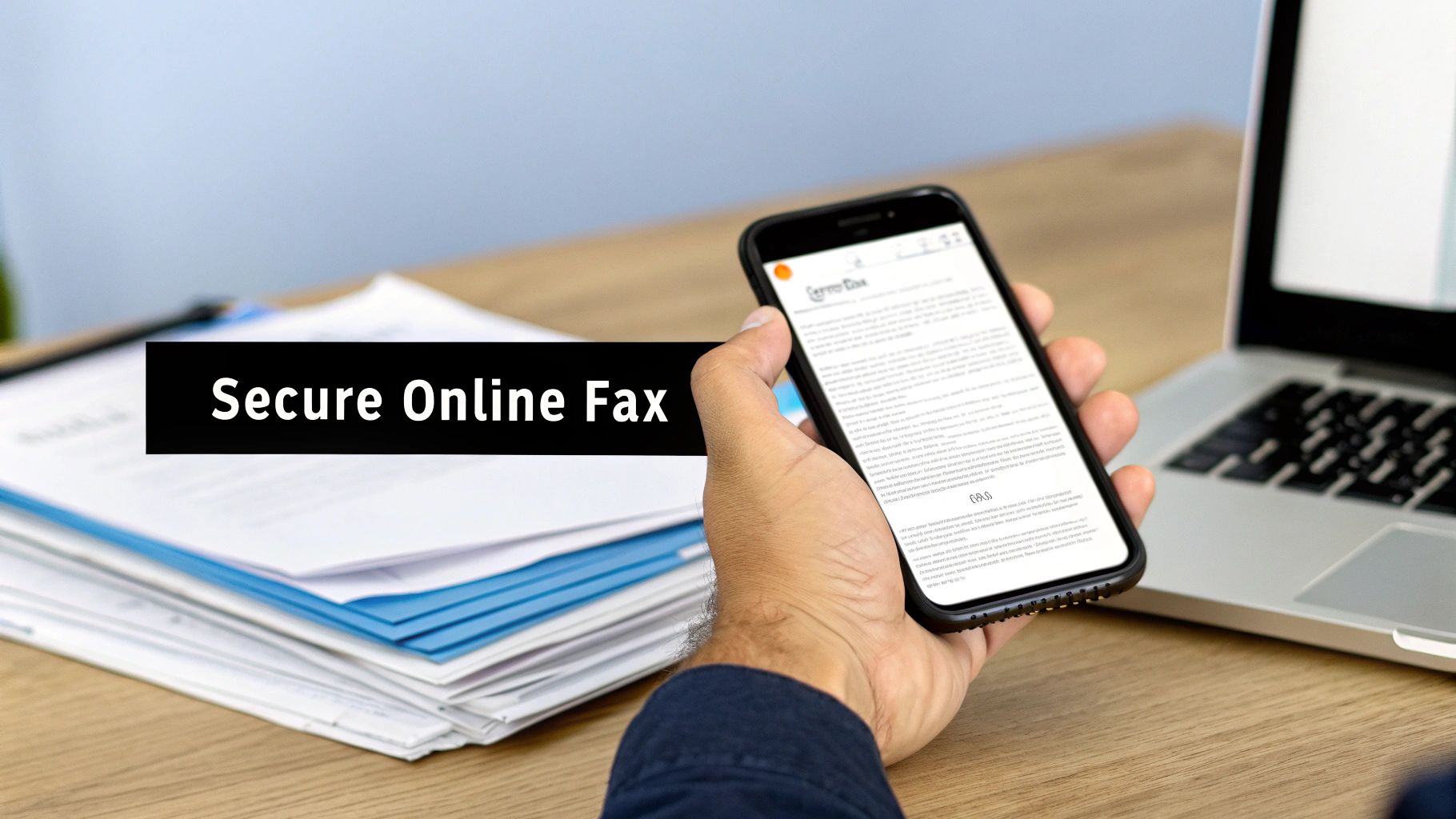
    A person holds a smartphone displaying a document, with 'Secure Online Fax' text overlay and papers on a desk.

    This shift is more than an upgrade—it's a necessity. You can finally stop worrying about paper jams, busy signals, or whether that sensitive document is sitting unattended in a public hallway. Instead, you get a workflow that's faster, more reliable, and built for modern data privacy.

    How Online Services Make Compliance Automatic

    The best part about a web-based fax service is how simple it makes everything. Even for a small clinic, the process is incredibly intuitive. You just upload your document, type the recipient’s details into a clean web form, and click send. The platform does the heavy lifting for you.

    Behind the scenes, the service automatically generates a perfect HIPAA compliant fax cover sheet. It instantly populates all those critical fields you used to have to fill out by hand, one by one.

    • Sender and Recipient Information: Pulled directly from the details you entered, which cuts down on typos.
    • Date and Time Stamps: Logged automatically, creating a precise and indisputable record.
    • Total Page Count: Calculated for you, so there's no chance of miscounting a multi-page document.
    • Professional HIPAA Disclaimer: A standard, legally sound confidentiality notice is baked right in.

    This automation all but eliminates the risk of human error in creating the cover sheet. No more wondering if a staff member forgot a key detail or used an old, non-compliant disclaimer from a dusty template.

    The Security Advantages Go Deeper Than a Cover Sheet

    While an automated cover sheet is a huge win, the real security benefits of online faxing are found in the entire transmission process. It plugs the security holes that are wide open with traditional faxing.

    Just think about the journey of a physical fax. It travels over an unencrypted phone line and often spits out onto a machine in a busy corridor, where it could sit for hours. Online services completely overhaul this vulnerable workflow.

    By modernizing your process, you move from a system of "I hope that got there securely" to one of "here is the documented proof that it did." That shift is absolutely crucial for demonstrating due diligence under HIPAA.

    A service like SendItFax, for example, encrypts the document from the moment you upload it to the moment it’s delivered. That’s a level of security a standard phone line simply can't match. To get a better feel for the landscape, this comparison of secure online fax services is a great resource for breaking down different features and security protocols.

    Building an Unbreakable Digital Audit Trail

    One of the most powerful aspects of online faxing is the detailed digital audit trail it creates for every single transmission. After sending a fax, you get a digital confirmation receipt—not just a simple "sent" notice, but a comprehensive log of the entire event.

    This digital proof typically includes:

    • The exact time and date of the transmission.
    • The recipient’s fax number.
    • The final delivery status (successful, busy, or failed).
    • A digital copy of the exact documents sent, including the cover sheet.

    This trail provides irrefutable evidence of your good-faith efforts to transmit PHI securely. If a compliance question ever comes up, you have a clear, time-stamped record of what was sent, who it went to, and when. It’s an ideal solution for any professional who needs a reliable and defensible way to communicate sensitive information.

    Common Questions About HIPAA-Compliant Faxing

    Even with a solid process in place, questions about the finer points of faxing and HIPAA compliance are bound to pop up. Getting clear on these gray areas is key to feeling confident in your workflow. I've gathered some of the most common questions I hear and broken down the answers to serve as a quick reference.

    Think of this as your go-to guide for those "what if" moments that happen in a busy healthcare setting, helping you make the right call on the spot.

    Is Faxing Itself Actually HIPAA Compliant?

    This is a big one. The short answer is yes, faxing can be a HIPAA-compliant way to send PHI. But it comes with a major catch: you must have "reasonable safeguards" in place. The HIPAA Security Rule doesn't give a thumbs-up or thumbs-down to any specific technology. It’s all about how you use it.

    This is exactly where a HIPAA-compliant fax cover sheet becomes so important—it’s a perfect example of a reasonable safeguard. Beyond that, other essential practices include:

    • Double-checking the recipient's fax number before you hit send.
    • Confirming the fax machine on the other end is in a secure, private location.
    • Using an encrypted online fax service to add a powerful layer of technical security.

    What Is the Single Most Important Part of a HIPAA Fax Cover Sheet?

    Every field on the cover sheet has its purpose, but if I had to pick one, the confidentiality disclaimer is the most critical. This isn't just boilerplate text; it's a legal notice that immediately flags the document's sensitive nature to anyone who sees it.

    It tells an unintended recipient exactly what federal law requires them to do—contact you and destroy the information. In my experience, a missing or weak disclaimer is often the detail that turns a simple misdirected fax into a full-blown, reportable data breach.

    Do I Need a Business Associate Agreement for an Online Fax Service?

    If an online fax service stores, processes, or handles your PHI in any way, then yes, you absolutely need a signed Business Associate Agreement (BAA). A BAA is the legally required contract that holds the service accountable for protecting that patient data.

    The rules can get a little murky with "no-account" services that just transmit the data without storing it long-term. That’s why it's so important to read the service's Terms of Use and Privacy Policy. You need to understand exactly how they manage your data and what their stance is on BAAs to make sure you're covered.

    Your due diligence is everything here. Before you use any third-party service for PHI, understanding their data handling policies is a non-negotiable step in protecting your own HIPAA compliance.

    What Happens If I Send a Fax to the Wrong Number?

    It happens. Accidentally sending a fax to the wrong number can be considered a data breach, but having that compliant cover sheet attached makes a world of difference. It serves as concrete proof that you took "reasonable safeguards" to protect the PHI, even though a mistake was made.

    The cover sheet gives the person on the other end clear instructions, which dramatically lowers the chance of the information being shared further. Without it, regulators will likely see the incident as a straightforward failure to protect patient data, which can lead to much more serious penalties.


    Ready to modernize your faxing and put compliance worries behind you? With SendItFax, you can send secure, compliant faxes right from your browser in seconds. There's no account, no subscription, and no fax machine needed. Our service automatically generates a professional cover sheet with every single fax, so you get peace of mind with every transmission. Try SendItFax today and see how simple secure online faxing can be.