You're at a kitchen table with a signed PDF from an insurance carrier, doctor's office, lender, or government agency open on your laptop. The instructions say “return by fax,” but there's no fax machine nearby, and the deadline is today. You could print the form, find a machine, scan it again, and hope the receiving office gets it. Or you could use an internet fax service to send the digital document directly to the fax number.
That gap between modern digital paperwork and older intake systems is where online faxing fits. It isn't just email with a different name, and it isn't identical to standing beside a traditional fax machine. The service handles document preparation, routing, transmission, and delivery status so you can send from a browser, phone, or email account.
The right choice depends on the job. A one-time form may need only a quick browser tool, while a clinic or law office may need a persistent number, shared inbox, audit logs, and integrations. The sections below explain both sides, from the way fax signals travel over IP networks to the compliance details that matter when a document contains sensitive information.
When You Need to Fax But Do Not Have a Machine
A person working remotely might receive a school medical authorization while traveling. A freelancer may need to return a signed contract to a client whose office still lists a fax number. A homebuyer might be asked to send a signed disclosure before a closing appointment, even though every other part of the transaction happens through an online portal.
In each case, the problem isn't creating the document. The form may already be a PDF, or it may be a scan saved on a phone. The problem is reaching an organization whose receiving process still expects fax.
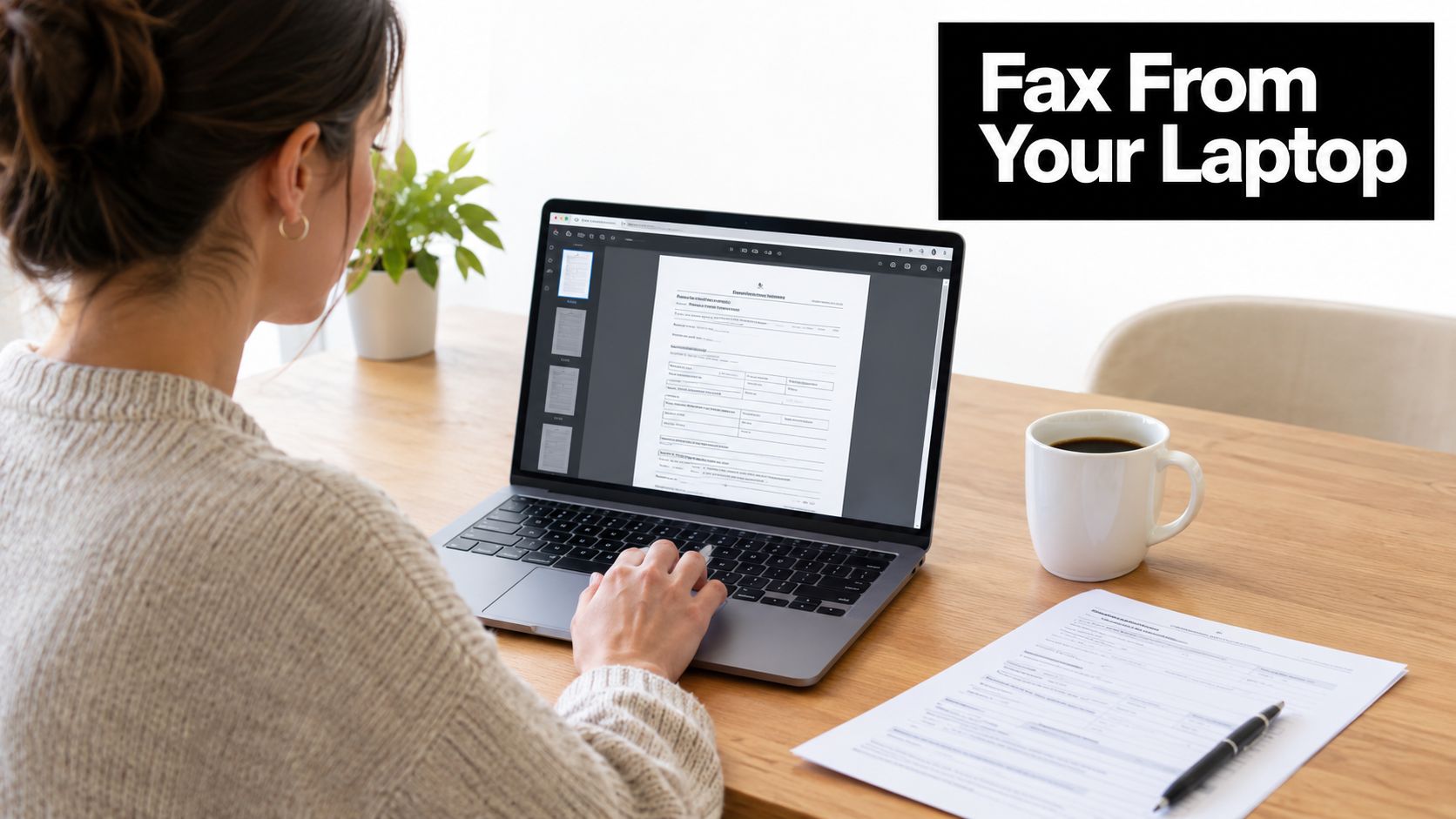
An internet fax service acts as a bridge. You upload the file, enter the recipient's fax number, add sender information or a cover page, and submit the transmission. The provider then converts and routes the document so the destination can receive it through a fax machine, fax server, or digital inbox.
The small details still matter
The process removes the need for a physical machine, but it doesn't remove the need for care. You still have to confirm the correct fax number, check that every page is readable, and make sure the recipient accepts fax for that type of document. A successful upload only proves that the service received your file. It doesn't automatically prove that the recipient's office accepted it.
Hybrid work has made this situation common. People handle paperwork from kitchens, coworking spaces, hotel rooms, and phones, while hospitals, courts, insurers, brokers, and public agencies may continue to use fax-based intake. Internet fax keeps the sender digital while preserving the recipient's familiar endpoint.
Practical rule: Treat a fax number like a destination address, not like an email inbox. Confirm the number and save the delivery confirmation after sending.
For an occasional sender, a no-account or pay-per-fax tool can be enough. Someone who sends and receives documents regularly may need an account with a dedicated number and shared access. The distinction becomes clearer once you understand what happens after you click Send.
How an Internet Fax Service Actually Works
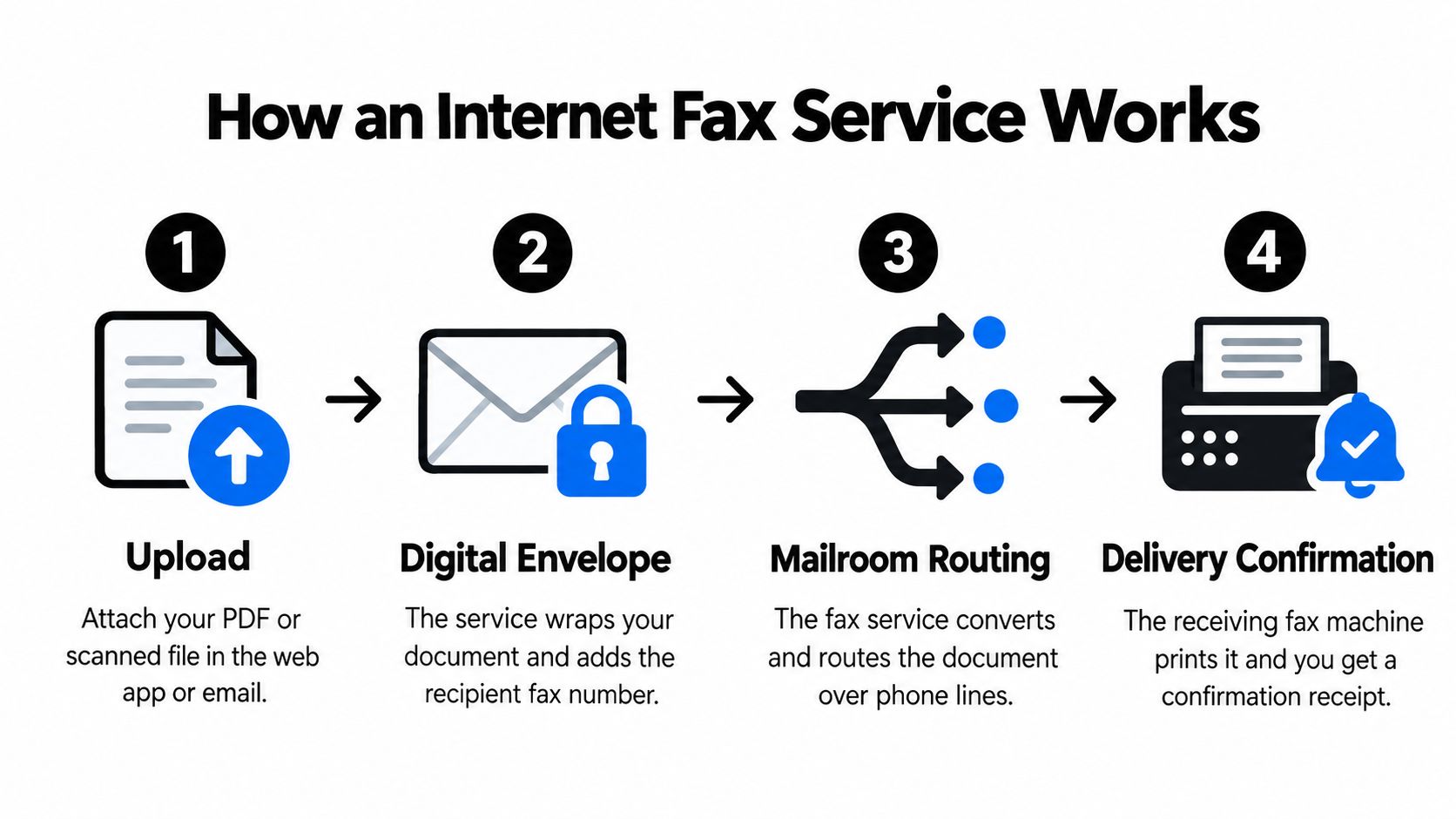
Think of the process as a mailroom.
You place a document inside a digital envelope. The internet fax provider operates the mailroom, checks the destination, prepares the document for fax transmission, and sends it through the appropriate network. At the other end, a fax machine or fax server receives the pages and prints or stores them.
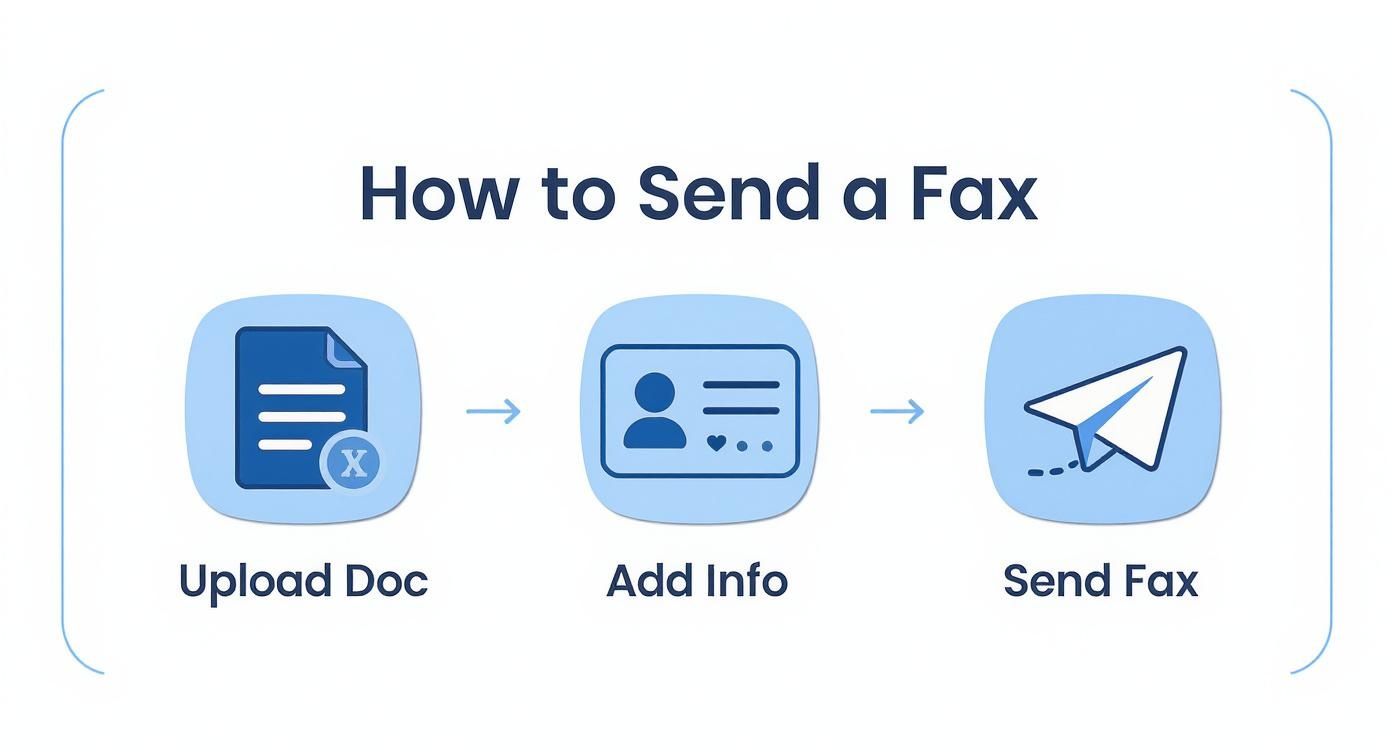
The visible steps are simple:
- Upload the document. You attach a PDF, DOC file, or image through a web app, email workflow, or mobile interface.
- Add the destination. You enter the recipient's fax number and any cover-page details.
- Prepare the fax. The service converts the file into a fax-compatible image format, commonly TIFF, and places it in a transmission queue.
- Transmit and report. The provider sends the fax and returns a status such as delivered, busy, failed, or awaiting retry.
Fax machines traditionally exchange image pages and signaling instructions rather than editable office files. That's why an uploaded DOC or PDF must be rendered into a format the receiving fax system understands. The recipient usually sees a printed or stored page, not the original editable file.
The two transmission models
Two ITU-T standards help explain what happens behind the scenes. T.37 uses store-and-forward delivery. The provider accepts the document, converts it, queues it, and sends it without requiring the sender to stay connected to a live fax session. It's similar to leaving a voice message for a mailroom to deliver later.
T.38 supports real-time fax relay over an IP network. It carries fax signals in a form designed for packet networks instead of treating fax tones as ordinary voice audio. A T.38 session is closer to a direct phone call with the receiving fax machine, although the service still manages the network connection and status reporting.
This distinction matters because raw fax tones can be sensitive to packet loss, delay, and jitter on general VoIP paths. Technical guidance on T.38 and T.37 fax transmission describes why store-and-forward and relay methods handle the conversion between documents, fax signaling, and IP transport differently.
A provider may use one method for a particular route and another for a different destination. Most consumer services hide that choice, which is useful for a one-off sender. Teams designing automated intake should ask which delivery methods, retry behavior, and status events the provider supports. For broader document routing needs, you can also explore the solutions lineup from Doczen.
A related workflow is fax to email, where an incoming fax is delivered to an email inbox rather than printed. That changes how staff receive documents, but the receiving organization may still depend on fax-compatible transmission at the other end.
Core Features and Pricing Tiers Worth Comparing
An internet fax service can look inexpensive until you examine how it charges for pages, destinations, retries, numbers, and additional users. Compare the workflow rather than the headline plan name.
Start with file support. A browser service may accept PDF, DOC, DOCX, JPG, or PNG files, while the provider converts them into a fax-ready image before delivery. TIFF remains relevant because fax systems have long used that type of rendered page, but senders usually don't need to create TIFF files themselves.
Compare the practical controls
Check whether the service allows cover pages, page previews, page reordering, and readable output at the document's original size. A scanned signature or fine print may need more care than a simple text form. Also look for page limits and destination rules. Domestic and international delivery may be priced differently, and providers commonly calculate charges by page, with a setup or connection fee in some plans.
Delivery confirmation deserves equal attention. An email saying “sent” may mean only that the provider accepted the job. A stronger status record distinguishes queued, transmitted, busy, failed, and delivered states, while retry handling can attempt the call again when the destination is occupied.
| Feature | Pay-Per-Fax, e.g. SendItFax | Subscription Plan |
|---|---|---|
| Best fit | A rare or one-time fax | Recurring sending and receiving |
| Account | May not require registration | Usually requires an account |
| Number | Recipient's number only | Often includes a dedicated fax number |
| Inbox | Usually limited or unavailable | Commonly includes incoming fax storage |
| Billing | Pay for each submitted fax | Monthly fee, often with included usage |
| Users | Usually one sender at a time | May support multiple users and roles |
| Automation | Basic browser or email sending | May include API, CRM, or EHR connections |
| Watch-outs | Page caps, branding, and destination limits | Overage, international, number, and cancellation charges |
A no-account option is attractive when you don't need a permanent fax number or reply path. A subscription becomes easier to justify when staff need a shared inbox, mobile access, searchable records, or predictable recurring usage. The online fax services comparison approach is useful because it encourages buyers to compare the entire sending and receiving experience, not just the monthly price.
Read the billing terms before committing. Overage fees, international surcharges, cover-page charges, number activation costs, and fees for suspending or canceling a number can change the actual cost. For a single low-volume task, a pay-per-fax service may be simpler. For a team with regular intake, a subscription's controls and continuity may matter more than the lowest individual transmission price.
Who Relies on Internet Fax and Why
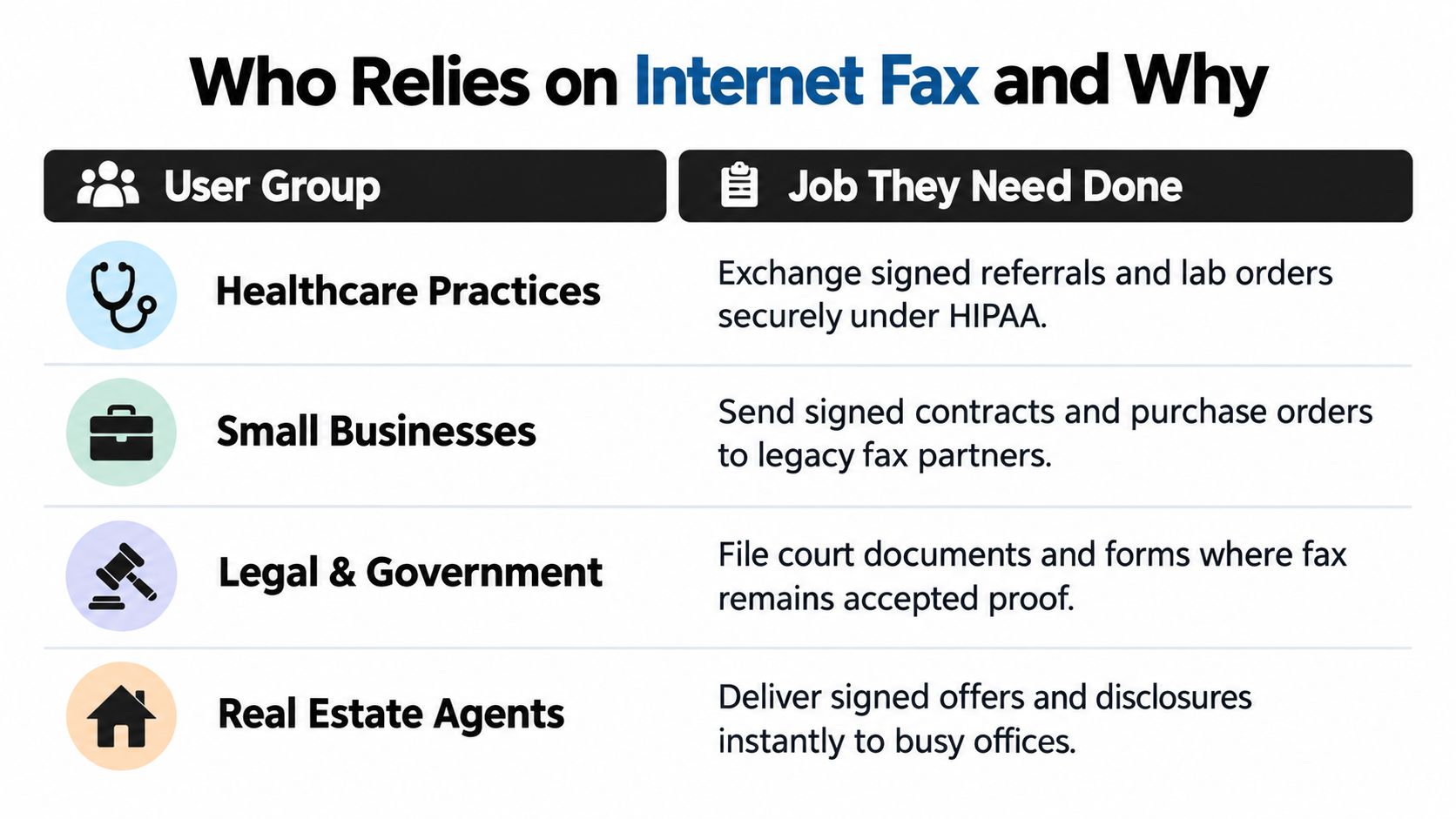
The same technology serves very different jobs. A clinic needs reliable document intake. A private individual may only need to send one signed page. Treating both users as if they need the same product leads to poor choices.
Healthcare practices
A medical practice may exchange referrals, lab orders, authorizations, and records with payers or specialists that still accept fax as part of their intake process. The trigger is often time-sensitive, and the document may contain protected health information. That combination favors a provider with a suitable compliance program, access controls, retention rules, and a signed Business Associate Agreement where required.
Legal and government work
Law firms may fax filings, signed retainer documents, discovery materials, or notices when a court, agency, or opposing party doesn't accept email for that process. Here, the important output is often proof that the document was transmitted and whether the receiving number answered successfully. A shared account with audit history can be more useful than a tool designed only for casual sending.
Real estate
An agent may need to deliver an offer package, disclosure, amendment, or authorization to a broker, title company, lender, or property office. The workflow may be intermittent but urgent. A browser service works well when the agent has a complete document and only needs to send it, while a dedicated number helps an office that receives documents continuously.
Small businesses
A small business may need to send signed contracts, purchase orders, or vendor forms without installing a machine or maintaining a phone line. Low-volume teams often value simple uploads and delivery receipts. A subscription makes more sense when several people send and receive faxes or when the business needs a central inbox.
Individuals face the narrowest use case. A school authorization, loan form, benefits document, or government submission may be a one-time event. The common uses of fax vary by organization, but the deciding questions remain consistent: How often will you send, do you need to receive replies, and does the document require regulated handling?
Security and Compliance Without the Jargon
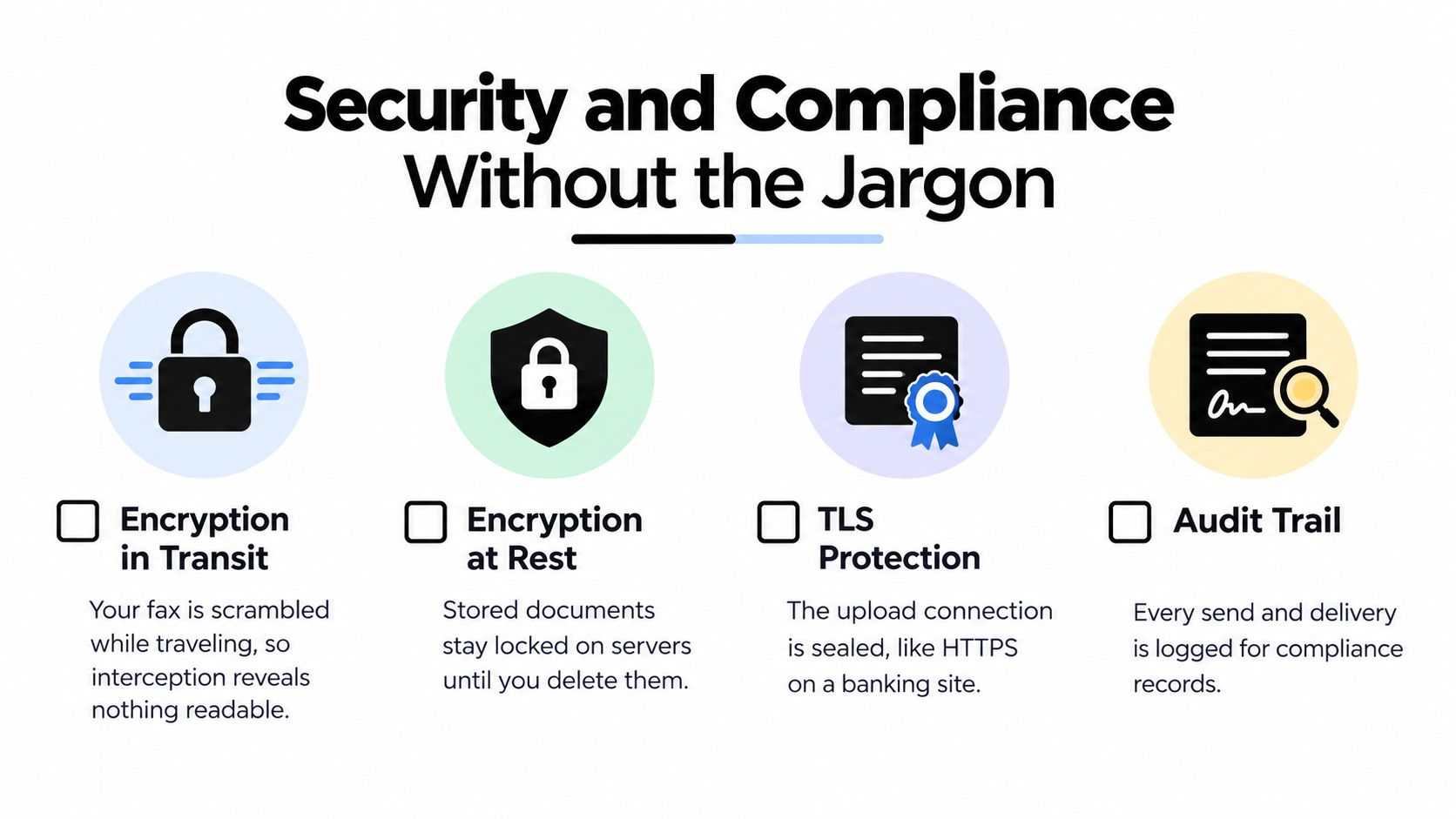
Security begins with the document's full journey, not just the upload screen. When you attach a file through a browser, TLS can protect the connection between your device and the provider, much like HTTPS protects a banking session. Encryption in transit prevents readable content from traveling openly across that connection.
Encryption at rest applies after the provider stores the document, cover page, delivery record, or metadata on its systems. It can reduce exposure if storage is accessed improperly, but it doesn't answer how long the provider keeps the material or who inside your organization can open it.
The receiving leg can be different. A fax may ultimately travel through telephone infrastructure or arrive at a recipient-managed fax server, so you shouldn't assume that every step has the same end-to-end encryption model. Ask the provider to describe the transmission path and identify which parts it controls.
Use a compliance checklist
- Confirm the BAA. If you handle protected health information, verify that the provider will sign a Business Associate Agreement. A security claim alone doesn't create the contractual responsibilities required for HIPAA-related processing.
- Review retention. Find out how long the provider keeps fax content, cover sheets, logs, and failed transmissions. Check whether deletion is automatic, manual, or unavailable on your plan.
- Control access. Look for individual user accounts, role permissions, authentication controls, and a record of who sent or viewed a document.
- Preserve evidence. Keep delivery confirmations, sender identity, recipient number, timestamp, and document version when your organization needs an audit trail.
- Check location rules. If GDPR or another regional privacy regime applies, ask where data is stored and processed, then document the basis for using the service.
Free consumer plans generally aren't suitable for HIPAA workflows when the provider won't sign a BAA. The practical guidance in this overview of secure online faxing highlights the operational questions that marketing pages often omit.
Faxing may also sit beside electronic signatures rather than replace them. If your process includes signing, identity verification, and record retention, an enterprise e-signature compliance guide can help you separate the requirements for signing from the requirements for transmitting the finished document.
Choosing Between One-Off Sending and Integrated Workflows
Choose a browser-based tool when the task is isolated. You may need to send a signed school form once a year, transmit a single-page authorization, or return a completed document to an office that won't need to send anything back. In that situation, a permanent number, team inbox, and software integration can add cost without solving a real problem.
A quick decision test helps:
- Use one-off sending when you fax rarely, already have the finished file, don't need incoming faxes, and can work with pay-per-use billing.
- Choose an account-based service when you need a persistent number, regular receiving, multiple users, or a searchable record of past transmissions.
- Choose integration when staff repeatedly download, rename, upload, route, and re-enter the same information in another system.
- Prioritize compliance controls when the documents contain protected health information, confidential legal material, financial records, or information subject to regional retention rules.
Match the tool to the workload
Consider a clinic receiving referrals throughout the week. Staff may need a dedicated number, a shared inbox, routing rules, delivery notifications, user permissions, and a connection to an EHR or document management system. Manual browser sending can work for occasional outbound forms, but it becomes a source of repeated steps when inbound documents arrive continuously.
The integrated option also helps organizations create consistent records. API and application integration are increasingly important upgrade drivers in the online fax market, with one market report estimating that integration influences about 52% of advanced platform upgrades. The market analysis should be treated as directional industry context rather than a reason to automate every fax.
Ask five questions before choosing:
- How much will we send and receive?
- How many people need access?
- Do we need a permanent fax number?
- What compliance evidence must we retain?
- Would predictable monthly billing outweigh pay-per-use simplicity?
The school form belongs on the one-off side. The clinic's intake process belongs on the integrated side. The same person may reasonably use both approaches for different tasks.
Why Fax Is Still Alive in 2026
Fax hasn't survived because organizations are nostalgic about machines. It survives because many regulated and document-heavy workflows still have a fax number built into the receiving process.
One widely cited estimate says more than 17 billion faxed documents were sent globally in 2019, while the U.S. healthcare sector accounted for more than 9 billion pages in that estimate. The figures appear in this ACM report on continuing fax use, which illustrates why a sender may still encounter fax when working with healthcare organizations.
Industry summaries also report that roughly 70% to 90% of healthcare communication still occurs through fax, and that more than one-third of documents sent to healthcare facilities in 2025 still arrived by fax, according to the same ACM reference. These figures don't mean every healthcare interaction uses fax. They show that fax remains embedded in enough high-stakes exchanges to create a practical need for modern delivery tools.
The market reflects that continued demand. Estimates place the global online fax market at USD 2.87 billion in 2025 and USD 3.06 billion in 2026, with one longer-range forecast reaching about USD 5.17 billion by 2035. Other estimates place the market around USD 4.18 billion in 2024 and forecast it above USD 12 billion by 2031. The estimates vary by scope and methodology, but the market overview points to the same broad shift, fax delivery is moving from dedicated hardware toward subscriptions, browser tools, cloud queues, and pay-per-use services.
What's shrinking is the need to own a machine and maintain a dedicated line. What remains, and in some workflows is being modernized, is the need to deliver an official document to an endpoint that still accepts fax.
A Quick Checklist Before You Send Your First Fax
Confirm the destination. Call or verify the recipient's current fax number, including any area code or extension instructions. Ask whether the office accepts this type of document by fax.
Prepare the file. Use a clear PDF or image, check every page's orientation, and make sure signatures and small text remain readable. Remove blank pages and verify that the file opens correctly before uploading.
Add sender details. Include your name, organization, phone number, recipient details, page count, and a short description on the cover sheet when the recipient needs context.
Choose the service. Use a no-account browser tool for a rare, simple send. Choose an account-based service when you need a recurring number, incoming faxes, multiple users, or documented retention and access controls.
Redact unnecessary information. Remove sensitive details the recipient doesn't need, especially when the fax number was supplied verbally or through an unverified message.
Check retention rules. Find out whether the provider stores the file, cover sheet, and metadata, and delete material according to your organization's policy.
Save the confirmation. Keep the delivery receipt or status page with the final document version. If the transmission fails or returns a busy result, contact the recipient instead of assuming the fax arrived.
If your needs go beyond a single send, return to the feature comparison and evaluate recurring cost, receiving, user access, integrations, and compliance documentation together.
SendItFax lets you send documents from a browser to fax recipients in the United States and Canada without creating an account, with support for common files such as PDF and DOC. Visit SendItFax when you need a quick one-off transmission, then use the delivery result to confirm whether the recipient received it.