Tag: send test fax

  • Test Fax Page: Free Template and Step-by-Step Checks

    Test Fax Page: Free Template and Step-by-Step Checks

    You've got a form ready to send, a fax number from the recipient, and a deadline getting closer. The sending screen says the file is ready, but that doesn't tell you whether the receiving office will get readable pages or route them to the right person.

    A test fax page gives you something concrete to check before sending the document. Treat it as a layered check of the connection, the reproduced page, and the recipient's handling, not just a successful status on a screen.

    A Ready-to-Use Test Fax Page Template

    Copy this layout into Microsoft Word or Google Docs. Keep it to a single sheet, use synthetic content, and print at 100 percent scale if you're testing a physical machine. For browser-based faxing, save the finished page as a PDF.

    Copyable page layout

    TEST FAX PAGE
    SYNTHETIC DATA ONLY. NOT A REAL RECORD.
    Test ID: TP-0412-A
    Sender fax number: [Your return fax number]
    Recipient fax number: [Confirmed destination number]
    Page: 1 of 1, excluding any service-generated cover
    Send date and time: [Local date, time, and time zone]

    Readability samples
    Set this line in 10-point type: Sample referral text for fax testing only.
    Set this line in 12-point type: Sample referral text for fax testing only.
    Set this line in 14-point type: Sample referral text for fax testing only.

    Image checks
    Insert a fine-line table grid.
    Insert a solid black rectangle.
    Insert four adjacent bands: white, light grey, dark grey, black.
    Place outline boxes approximately 0.5 inch inside each page edge.

    Recipient instruction
    Compare this page with the original. Report missing edges, unreadable text, merged lines, or missing content, then return the received copy through the agreed channel.

    The formatting instructions aren't calibration graphics themselves. Build the grid, rectangles, and edge boxes using your word processor's table and shape tools, and apply the specified font sizes before saving.

    What the elements establish

    Test page elements and what each one confirms

    Element What It Confirms Sample Entry
    Test ID Matches the returned page to this send TP-0412-A
    Sender fax number Lets you compare the printed return information with your intended return line, not independently verify caller ID Your return fax number
    Recipient fax number Lets you compare the stated destination with the delivery record, not independently prove what was dialed The number you entered in step 3
    Page count Helps identify missing document pages when compared with the received set 1 of 1
    Date and time stamp Helps associate the page with a send attempt and assess queue delay against the delivery record Local send time and time zone
    Fine-line grid, solid black block and grey-scale strip Reveals resolution loss, contrast problems, and dark-area smearing Four grey bands from white to black

    Keep a clean digital master. Reusing the same layout makes changes in output easier to spot, while a fresh Test ID distinguishes separate attempts.

    Interoperability is the reason these checks matter. The ITU's fax history describes approval of the digital Group 3 standard in 1980, enabling compressed document transmission across compatible equipment. Compatibility lets machines communicate, but it doesn't guarantee that your particular document will reproduce well.

    Testing Sensitive Documents Without Real Data

    Test sensitive forms with synthetic data only. A genuine record isn't a better test just because it's the document you eventually need to send.

    Keep the dummy document visibly separate from live paperwork.
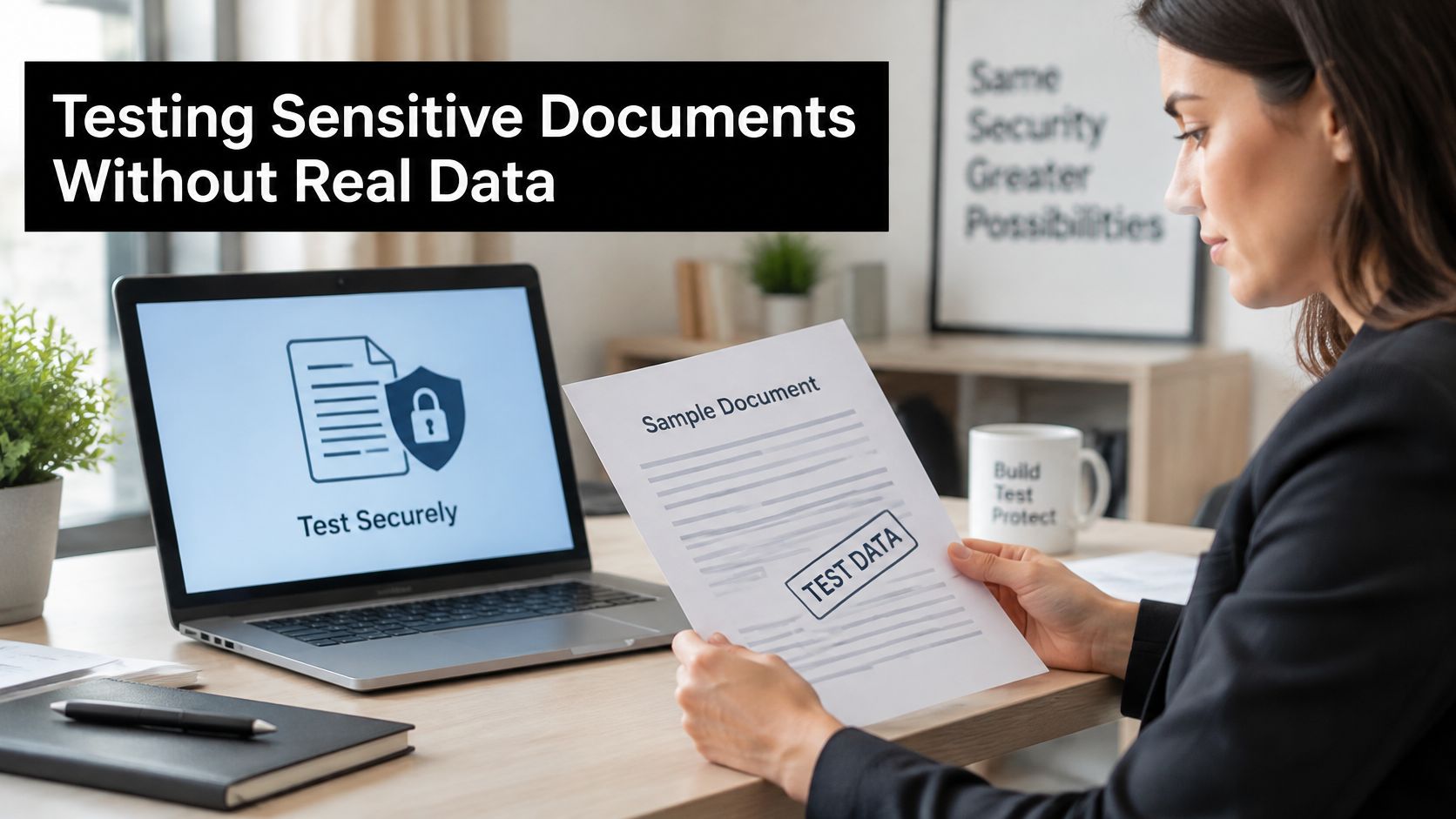
    A professional woman in a blazer reviewing a document marked Test Data in an office setting.

    A 2025 peer-reviewed analysis of healthcare fax use reported estimates that approximately 75% of medical institutions in the United States still relied on fax for communication and about 88% of Ontario physicians continued using fax technology to share patient information. That makes safe testing a practical workflow issue, not an exercise with obsolete equipment.

    Once a fax is sent, it cannot be recalled or cancelled. A test can reach a shared tray, an unattended inbox, or the wrong desk, so exclude real names, account numbers, signatures, and case details.

    Match the dummy to the work

    • Healthcare: Use a referral layout marked TEST PATIENT, with a placeholder record reference and invented clinical text. For the actual paperwork involved in requesting copies of your health records, Bell Law's guide provides useful context, but keep completed requests out of the test.
    • Legal: Use SAMPLE MATTER as the case reference and leave the signature line blank. Include the same small print and form fields your real document uses.
    • Real estate: Create a sample offer page with an explicitly fictional property address. Preserve tables, checkboxes, and initials boxes.
    • Nonprofit: Use a dummy donor form without payment details or a real donor's contact information.

    Before releasing live content, confirm the destination through a trusted contact, arrange recipient availability, and agree on who handles the cover and received pages. Check legibility and completeness, then save the delivery record; our guide to protecting sensitive information adds preparation guidance.

    Keep the same synthetic-data rule when following a video walkthrough.

    How to Send a Test Fax in Seven Steps

    Arrange the returned copy before you send. Ask the recipient to fax the received sheet back to a working return number, or use a destination you control, such as another machine. Don't assume that entering a sender number creates a receiving fax line.

    If you don't have an inbound fax number, agree on another approved way for the recipient to show you the received page. A verbal confirmation that something arrived won't let you inspect the fine print or margins.

    Prepare, send, and record

    1. Open the fax form in your browser. Our sending process requires no download, installation, or account. Have the saved test document and confirmed destination ready so you aren't switching between unfinished files.

    2. Enter your sender information. Supply your sender name and return fax number, and check the email address used for delivery confirmation. Use return details the recipient can use, rather than a voice-only number entered to fill a field.

    3. Enter the receiver name and fax number. We accept standard North American 10-digit numbers, including formats such as (123) 456-7890, 123-456-7890, or 1234567890. Read the digits back against the recipient's confirmed number, because valid formatting doesn't establish that you've entered the correct destination.

    4. Upload the test page as a PDF, DOC, or DOCX file. Use the saved document rather than a screenshot, which can introduce scaling and text-quality problems. Open the file before uploading to catch an accidental blank page, clipped shape, or outdated destination label.

    5. Complete the CAPTCHA. Finish this check before attempting submission. If the form asks you to try again, resolve it rather than assuming the document has entered the sending queue.

    6. Click Send Free Fax Now. Review the destination and attachment immediately before clicking. Avoid repeated submissions while waiting for status information, since duplicate tests make it harder to match received pages to individual attempts.

    7. Check your email for delivery confirmation. Record the Fax ID and delivery status, then obtain the received copy through the arrangement you made with the recipient. The email and returned page serve different purposes, so keep them together.

    A first fax takes less than two minutes to send through our process and requires no registration. That makes it practical to prepare and submit a test during a phone call with the recipient, but it isn't a promise that their equipment will print or return it within that time.

    Use this checklist as a reminder of the different checks involved.
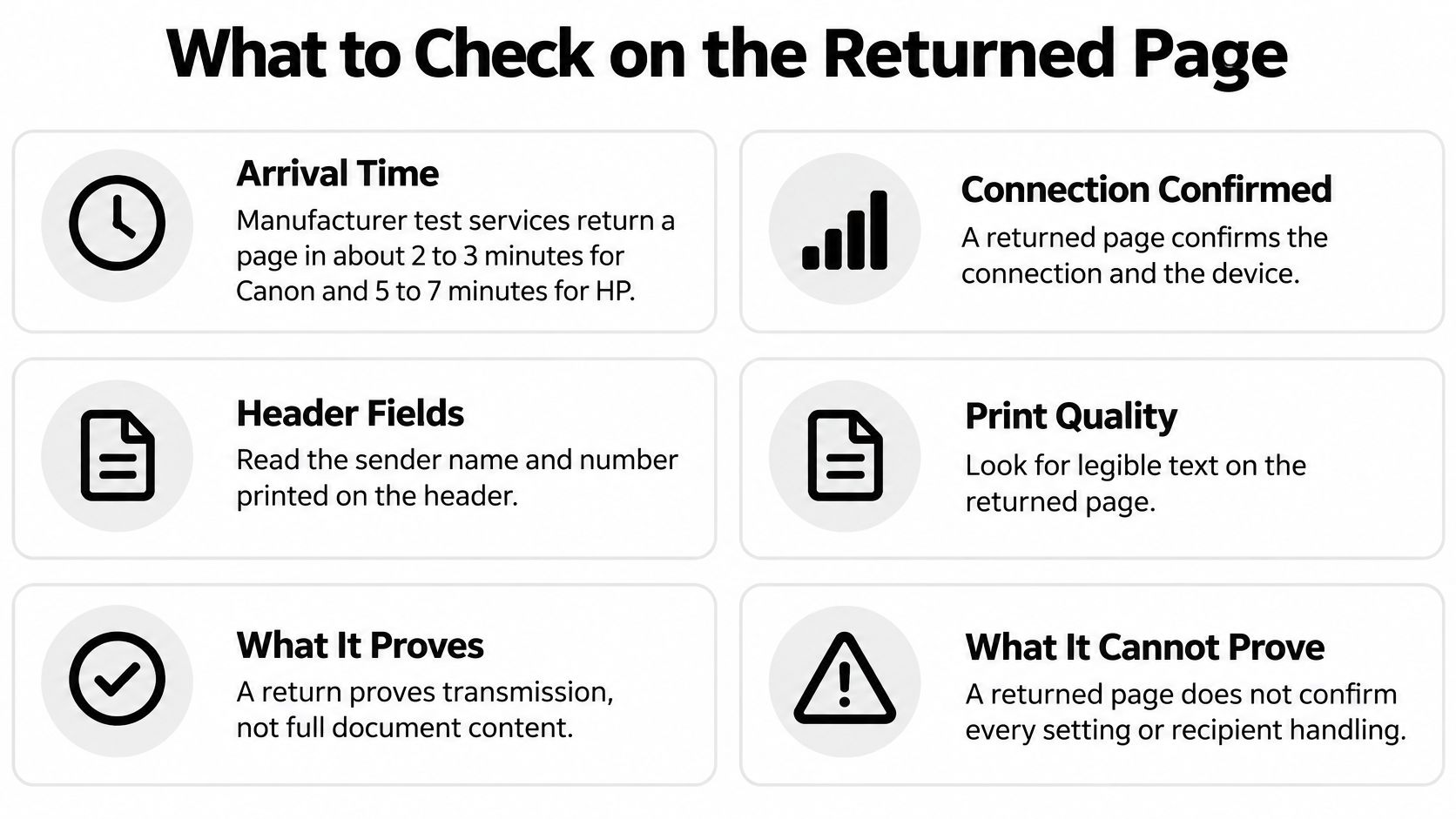
    A checklist infographic titled What to Check on the Returned Page, explaining fax testing validation steps.

    Practical rule: A submission acknowledgment isn't the finish line. Wait for the delivery result and inspect what the recipient actually received.

    What to Check on the Returned Page

    A returned page can establish basic connectivity and device operation, but it can't establish that an intended person received every page legibly. Canon's automated fax-test guidance says its return generally arrives within two to three minutes; that timing applies to its test service, not every fax destination.

    The destination matters as much as the result. Testing a physical machine checks its sending and receiving path; testing from a browser checks the uploaded document's transmission path. Neither substitutes for testing the actual recipient's line and confirming their internal routing.
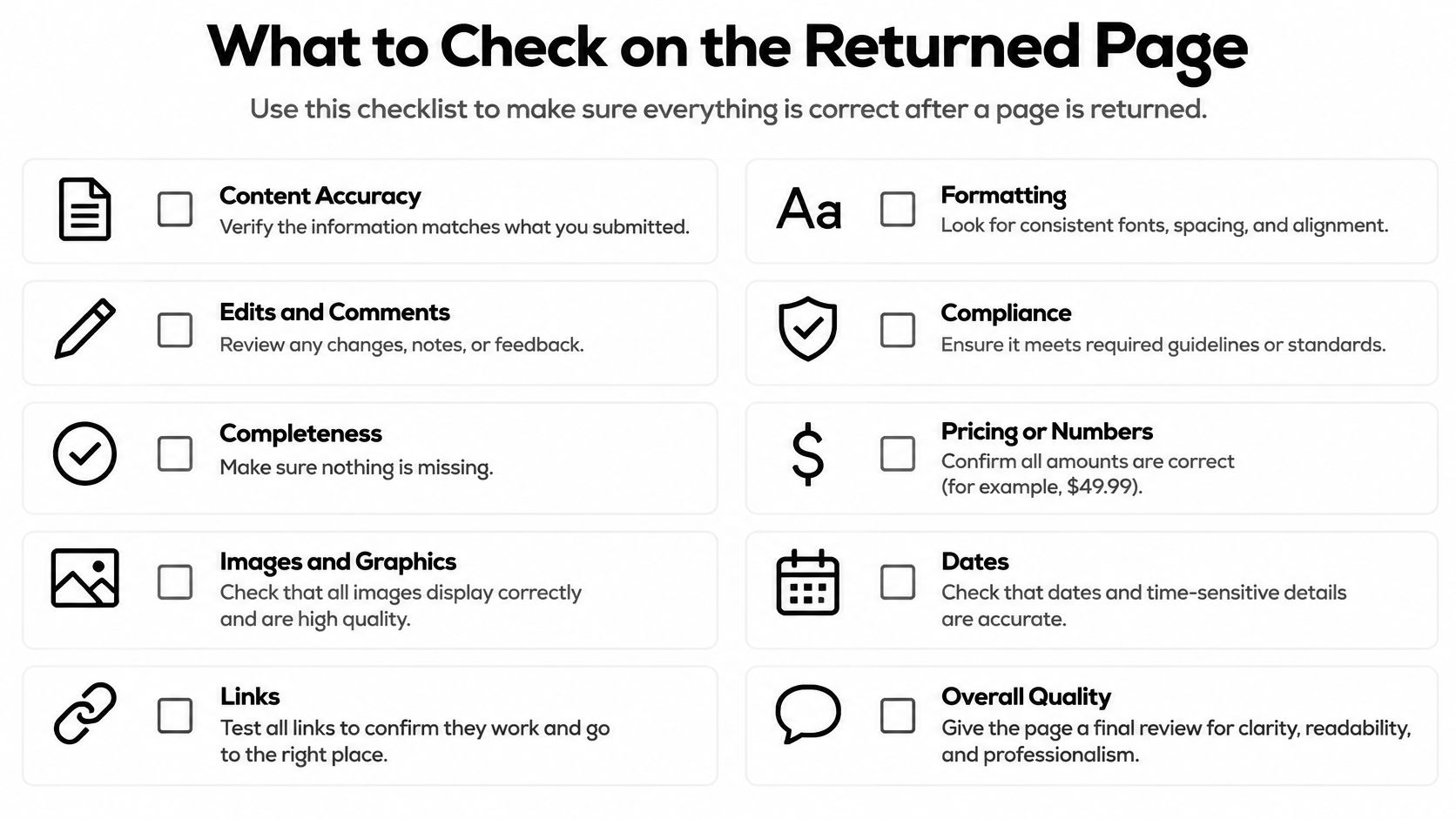
    A checklist titled What to Check on the Returned Page with various points for reviewing documents.

    Compare the received sheet with the original

    • Identity and timing: Match the Test ID and send-time entry. An older sheet from an earlier attempt can otherwise look like the current result.
    • Completeness: Check the document page count and account separately for any service-generated cover. Inspect the bottom of the sheet, not just its heading.
    • Small text: Read the smallest sample at normal viewing size. If you must enlarge it substantially to distinguish letters, the form's small print needs attention.
    • Line separation: Confirm that grid lines remain separate and intersections haven't filled in. Merged lines can obscure checkboxes and table entries.
    • Contrast: Look for distinguishable grey bands and a clean black block. Don't reject an otherwise readable fax solely because subtle shading has disappeared.
    • Edges and routing fields: Inspect every edge box, then compare the printed sender and recipient numbers with the intended details.

    Reconcile the delivery record

    Our confirmation emails include the Fax ID, recipient information, timestamp, transmission date and time, recipient fax number, page count, and delivery status. Compare those fields with the received document rather than treating the email as proof of its visual quality.

    Ask the recipient to identify the Test ID and confirm where the sheet landed. A receptionist finding it in a shared tray is a different result from the intended department receiving it through its normal workflow.

    Keep four checks separate: connection, readability, recipient confirmation, and the retained delivery record.

    If a check fails, correct the specific problem and repeat the test. Don't let a successful transmission status override unreadable text or uncertain handling.

    Fixing Failed or Garbled Test Faxes

    A fax that remains queued for more than 20 minutes may indicate a technical issue. It doesn't prove that the recipient is slow, and it doesn't identify which part of the transmission path is responsible.

    Wait a few minutes and check the status again before submitting another attempt. If delivery fails, we allow a free resend using the same information and a fresh upload of the document.

    Match the fix to the symptom

    Test fax symptoms, likely causes and fixes

    Symptom Likely Cause Fix
    Queued for more than 20 minutes Possible technical issue, with the sending path worth checking Wait a few minutes, check status, then resend with the same details if delivery fails
    Top or bottom edge cut off Text placed too close to the page edge Move content inward and inspect the PDF preview before resending
    Grey or smudged scan Shaded background or light ink Use black text on white paper with no background fill
    Last page missing Upload or page-count error Re-upload the file and check the page count in the confirmation email
    Wrong person receives it Mistyped recipient number or incorrect routing information Independently confirm the destination before another attempt
    Broken lines or line noise Phone line or recipient machine Resend, then ask the recipient to check their machine if the defect persists

    For a physical machine, check the receiving setup before changing every transmission setting. Brother's fax troubleshooting guidance recommends completing a test fax and checking items such as ring delay and correct fax-number information.

    Know when to stop resending

    File corrections are under your control: remove background fills, enlarge cramped text, and export a clean PDF. Our fax image-quality guide can help distinguish a weak source document from damage introduced during transmission.

    Persistent broken lines require a different response. Ask the recipient whether other incoming faxes show the same defect and whether their equipment reports an error; repeatedly uploading an unchanged file won't diagnose their receiving setup.

    If a physical fax machine runs through an internet-based phone service, SnapDial cloud fax reliability provides context for discussing that setup with whoever manages the phone system. Change one setting at a time and keep the failed copy for comparison, so you can tell which adjustment helped.

    Confirm the Test Fax Before the Deadline

    Send the document only when the test gives you a usable result at the intended destination. A readable sheet sent to a convenient alternate number is useful for diagnosis, but it doesn't validate the office that must receive your deadline-sensitive paperwork.

    Leave time for a correction and another attempt. If the recipient says their machine is unavailable or nobody can retrieve the fax, resolve that operational problem before sending confidential material.

    Choose the sending option that fits

    Our free option allows up to three document pages plus a required cover page, includes SendItFax branding, and permits five free faxes in a 24-hour period. Free availability resets 24 hours after the first fax, rather than automatically at midnight.

    For a longer document or after using that allowance, the $1.99 priority option supports up to 25 pages plus an optional cover, has no daily limit, and removes SendItFax branding. Choose according to document length and presentation needs, not as a substitute for checking the destination.

    Before releasing the file, use a final hold-or-send decision:

    • Send: The received test is readable, its edges are intact, and the intended recipient confirms the correct routing.
    • Hold: The number is uncertain, output is damaged, or nobody can explain where the document will land.
    • Record: Save the final document, confirmation email, and Fax ID together so you can identify the exact transmission later.

    For time-sensitive paperwork, call the recipient after sending and ask them to confirm the actual document, not merely that the machine rang. Our guide to confirming receipt of a fax helps you close that last gap between a delivery status and an acknowledged handoff.


    SendItFax lets you upload a PDF, DOC, or DOCX and send it from your browser without creating an account or installing software. Visit SendItFax to send your test page today, inspect the received copy, and release the document only after it passes.
  • Your Guide to Finding a Test Fax Number Free in 2026

    Your Guide to Finding a Test Fax Number Free in 2026

    Ever felt that small pang of anxiety after hitting 'send' on a crucial fax? You hope it arrived, hope it looks right, and hope the other machine was actually on. A test fax number free of charge is the perfect way to get rid of that guesswork. With a service like SendItFax, you can fire off a quick, no-cost test fax to make sure everything is working perfectly before you send the important stuff.

    Why You Need a Free Test Fax Number

    Overhead shot of person testing a laptop application, with coffee, notebooks, and plant on a blue desk.

    Sending a test fax is a small step that pays off big. Think of it as a final quality check before that critical document leaves your hands. It’s your chance to confirm that the entire process—from your screen to their machine—is seamless.

    I've seen it happen plenty of times. Someone signs up for a new online fax service, assumes it’s good to go, and sends off an urgent invoice. It fails, but they don't realize it until hours later. A simple test fax would have caught the setup issue instantly. It’s also a lifesaver for document formatting. That complex spreadsheet or legal form with tiny print might look great on your monitor but can turn into a garbled mess on the other end. A test confirms your document arrives exactly as you intended.

    Practical Scenarios for Test Faxes

    This isn't just about a technical "ping." A test fax can solve some very real, and often frustrating, problems that crop up in a professional setting.

    Here are a few situations where a test fax is a game-changer:

    • Is Anyone Home? Before sending a time-sensitive contract, a quick test tells you if your client's fax machine is even online and ready to receive. It beats the alternative: a failed transmission notice when you're up against a deadline.
    • Kicking the Tires on New Software: When you're trying out a new service like SendItFax, a test run is the best way to get comfortable with the interface. You can work out the kinks without any pressure.
    • The Readability Check: You absolutely want to ensure that five-page purchase order doesn't get cut off or arrive as an illegible smudge. A test shows you precisely what the recipient will see.

    A test fax is your quality assurance. It’s a simple, free insurance policy against failed deliveries, garbled documents, and that last-minute panic when things go wrong.

    Ultimately, using a test fax number free of charge is about building confidence. It’s knowing, not just hoping, that your documents are being delivered professionally every single time. If you're new to the world of faxing, our guide on what a fax number is can give you a solid primer on the basics. Taking a moment to test can save you a world of headaches.

    Sending Your First Test Fax in Minutes

    A person's hands type on a laptop showing 'SEND TEST FAX' on the screen, on a wooden desk.

    Alright, let's get that test fax sent. The great thing about this is how quick it is—you can get it done in a couple of minutes without having to jump through hoops like creating an account.

    Think about a common scenario: you're a small business owner trying to send a signed purchase order for the first time with an online service. You're a little hesitant, wondering if it will actually go through. This is the perfect time to use a test fax number free of charge for some peace of mind.

    Getting the Details Right

    First thing's first, head over to the SendItFax website. You’ll find a clean, simple web form waiting for you, no sign-up required.

    You just need to plug in a few key details:

    • Your Info: Pop in your name and email address. Don't skip this or use a fake email, because this is where the delivery confirmation (or failure notice, if something goes wrong) will land.
    • Recipient Info: Add the recipient's name and the fax number you’re testing. You can use our dedicated test number or even send it to your own fax machine if you have one.
    • Cover Page Note: This part is optional, but I always recommend adding a quick message like "Test fax, please confirm receipt." It just makes things clearer on the other end.

    The form is built to be minimal, capturing only what's needed to send the fax. If you want to explore all the options in more detail, we have a complete guide on how to send a fax online for free that gets into the weeds.

    Attaching Your File and Hitting Send

    Once the contact information is in, it’s time to attach your document. Look for the "Choose File" button to upload your test file.

    It doesn’t need to be anything important—a dummy PDF or a simple text document works perfectly. Just keep in mind that free faxes have a three-page limit, so a short one or two-page file is your best bet for a quick test.

    Before you send, take one last look. Is the fax number correct? Did you spell your email address right? A quick double-check now can save you a headache later. Once you’re good to go, hit "Send Fax."

    And that's really all there is to it. Your test fax is now making its way through the digital lines. In just a few minutes, you should get an email confirming it was sent successfully. That confirmation is your proof that the system is working, giving you the confidence that your real documents will be delivered just as reliably.

    What to Expect from a Free Test Fax Service

    Flat lay of office items including notebooks, a document titled 'FREE FAX LIMITS,' and a potted plant on a wooden table.

    Finding a test fax number free of charge is perfect for a quick check, but it's smart to know the ground rules before you hit send. These services are built for one-off tests and light use, so they come with a few common-sense limits.

    Knowing these ahead of time just makes sure you're using the right tool for the job. For most people who just need to see if a fax machine is working or how a document looks on the other end, a free service like the one from SendItFax is more than enough.

    Understanding the Free Service Limits

    There’s no such thing as a free lunch, right? When you use the free option, you’re getting a fantastic tool without pulling out your wallet, but there are a few trade-offs. It's nothing major—just some light usage caps and a bit of branding.

    • Page Count: Your test fax is capped at three pages plus a cover page. This is usually plenty for testing out forms, invoices, or short letters.
    • Daily Fax Cap: You can send up to five free faxes per day. This gives you a few tries if you need to test different numbers or resend a document.
    • Branding: The cover page on your free fax will have a small SendItFax logo. It's a pretty standard practice that helps keep the service free for everyone.

    Think of it this way: these guidelines are what keep a high-quality free service running. They prevent abuse and ensure the tool is always ready for anyone who needs to run a quick, essential check.

    These limits are perfect if your goal is simple confirmation. You can easily check if a recipient's machine is online or make sure your document formatting translates correctly.

    But if you’re sending a 15-page legal filing or a professional resume where appearances matter, you might want a clean, unbranded cover page. In that case, upgrading to a paid plan is probably your best bet. It’s all about picking the right service for the specific task.

    Troubleshooting Common Test Fax Failures

    Okay, so your test fax failed. First off, don't panic. This is exactly why we run tests—to catch these little hiccups before a crucial document is on the line. A failed test is actually a win.

    Most of the time, the culprit is one of a few common, and easily fixable, issues. And since you're using a test fax number free of charge, you can troubleshoot and resend as many times as you need without spending a dime. Let's figure out what went wrong.

    Dealing with a Busy Signal

    Ah, the classic "recipient line busy" error. If you’ve ever tried calling a landline and gotten a busy tone, you know exactly what this means. The fax machine you're trying to reach is simply tied up with another job.

    Luckily, the fix is usually just a bit of patience.

    • Give it about 10-15 minutes and then try sending it again. That's typically enough time for the line to free up.
    • If you're still getting a busy signal on the second try, the recipient's machine might just be very active. Try sending it during a slower period, like early in the morning or later in the afternoon.

    A busy signal doesn't point to a problem with your fax; it just means you've called a popular number.

    Fixing the "Invalid Number" Message

    Seeing an "invalid number" error can be a little more alarming, but it's another common issue that's usually simple to solve. This message means the service couldn't connect to a working fax machine at the number you provided.

    Before you do anything else, go back and carefully check the fax number you entered. Seriously. A single wrong digit is the cause of this error more than 90% of the time. Make sure you have the right area code and the complete 10-digit number.

    If you’ve double-checked and the number is definitely correct, the problem could be on their end. Their fax line might be down for maintenance or out of service entirely. A quick email or phone call to your contact to confirm the number is the best next step.

    When the File Itself Is the Problem

    What if the fax starts sending but fails midway through? This often points to a problem with the file you're trying to send. Online fax services like SendItFax are great, but they prefer certain file types over others.

    For the best results, always stick to supported formats. The two most reliable are:

    • PDF (.pdf): This is the gold standard for faxing. It locks in your formatting, so what you see is exactly what they get.
    • Microsoft Word (.doc, .docx): Also a very safe bet and widely supported by nearly every service.

    If you're trying to fax something like a photo (.jpg) or an Excel spreadsheet (.xlsx), you'll probably run into trouble. The easiest solution is to convert it to a PDF first. Most programs have a "Save as PDF" or "Print to PDF" function. This one small step can solve a world of mysterious file-related failures.

    When to Upgrade from a Free Test

    A free test fax is fantastic for making sure your connection works and your file is readable. But let's be honest, it's a diagnostic tool. When your fax is the main event—not just a test run—it’s time to consider a small upgrade.

    Think about it from a real-world perspective. You wouldn't send a job application on company letterhead from your last job, right? Sending a critical document with a third-party's branding on the cover page sends a similar, unprofessional message. For a couple of bucks, an "Almost Free" plan strips away that branding, ensuring your first impression is a clean one.

    High-Stakes Faxes and Higher Page Counts

    The other clear signal to upgrade is when you're dealing with important documents or anything more than a few pages. A free test is typically capped at three pages, which is fine for a quick check. It was never meant for sending a 20-page legal contract or a patient's detailed medical history.

    That's when a paid option becomes a no-brainer. Here are a few scenarios where it just makes sense:

    • Time-Sensitive Documents: If you're up against a legal deadline, paid plans give you priority delivery. This bumps your fax to the front of the queue, so it gets sent immediately.
    • Lengthy Contracts: Trying to send a document that's more than three pages long? You'll need an upgrade that can handle a larger file, often up to 25 pages, to make sure nothing gets cut off.
    • Official Business: When sending invoices, purchase orders, or formal proposals, you need a professional look. No watermarks, no ads—just your document.

    To help you decide, here’s a quick guide on when the free service is enough and when you should probably spring for a paid send.

    Use Case Guide When to Go Paid

    Faxing Need Recommended Option Key Reason
    Confirming a fax number works Free Test It's a quick, no-cost way to verify the line is active.
    Submitting a job application Paid (Branding-Free) You need a polished, professional appearance without third-party logos.
    Sending a multi-page legal brief Paid (High Page Count) Free services have page limits; paid plans ensure the full document transmits.
    Sending a time-critical offer Paid (Priority Delivery) Priority sending gets your fax to the front of the line, avoiding delays.
    Sending a patient's medical records Paid (Branding-Free) Maintains confidentiality and a professional look for sensitive information.

    This small investment removes any doubt and ensures your document is handled with the professionalism it requires.

    Most sending errors are surprisingly simple, like a busy signal or a typo in the fax number. A test fax helps you catch these issues before you send the real thing. This flowchart breaks down the common culprits.

    Flowchart illustrating fax failure diagnosis, guiding users through troubleshooting busy lines, invalid numbers, and file errors.

    As you can see, a quick test can save you a lot of headaches by flagging basic problems right away.

    Upgrading isn't just about paying to send a fax. It’s about paying for professionalism, priority, and peace of mind when it really counts.

    Choosing the right service level is all about matching the tool to the task. If you’re trying to figure out which platform is right for you, our online fax services comparison is a great place to start.

    Of course. Here is the rewritten section, designed to sound completely human-written and natural.


    Common Questions About Free Fax Testing

    It's totally normal to have a few questions after you run your first test. When you're using a test fax number free of charge, you want to be sure you're doing it right and that everything is secure. Let's walk through some of the most common questions I hear from people new to online faxing.

    Is It Safe to Use a Free Test Fax Number?

    This is probably the biggest concern, and for good reason. When you use a reputable service like SendItFax, your connection is encrypted from your browser all the way to the server, keeping your data protected during transit.

    That said, a free test is just that—a test. As a rule of thumb, you should never send highly sensitive documents like anything with a Social Security number or private financial data for a test run. Stick to a sample document to confirm things are working.

    Can I Receive Faxes on a Free Test Number?

    I get this question a lot. The short answer is no; these numbers are designed for outbound testing only. Think of it as a target you're aiming at. Your goal is to see if your fax sends correctly and arrives at its destination. The test number's only job is to confirm it got there.

    If you need to receive faxes, you'll have to get a dedicated inbound number, which is a standard feature on paid online fax plans. The free tools are built specifically for one-way sending verification.

    The best part? You don't need any special hardware. Modern services like SendItFax let you send a fax right from your computer or phone's web browser, so you can ditch the clunky old fax machine for good.

    Do I Still Need a Physical Fax Machine?

    Not at all! That's the real magic of online faxing. The entire process is handled digitally through a simple web page. All you need is your document file and an internet connection.

    The service does all the complicated work behind the scenes—it takes your digital file, converts it, and sends it over the phone network to the recipient. This makes sending a quick test (or a real fax) incredibly easy, whether you're working from home or trying to send a document on the move.


    Ready to send documents with confidence? SendItFax makes it easy to send faxes to the U.S. and Canada directly from your browser, no account needed. Send your fax now at senditfax.com.