Tag: senditfax guide

  • How to Send Fax Online USA: a Complete Guide

    How to Send Fax Online USA: a Complete Guide

    You usually discover you need to fax the USA at the worst possible moment. A clinic wants a signed release today. A county office only lists a fax number. A law firm asks for a document “by fax only,” and you’re staring at a PDF on your laptop with no machine, no phone line, and no interest in signing up for another monthly tool you’ll never use again.

    That’s the primary use case behind send fax online usa. It’s rarely a weekly workflow. It’s an urgent, one-off task where speed matters more than feature depth, and where the right choice is often between a free branded send and a small one-time payment for a cleaner, more reliable delivery path.

    Why You Still Need to Send a Fax to the USA in 2026

    Fax survives in the US because the receiving side still expects it. That’s especially true in healthcare, legal, and government offices, where old processes stick around long after the rest of the workflow has gone digital.

    A person sitting at a desk with a laptop holding a document, looking concerned while working.

    The frustration is understandable, but it isn’t imaginary. About 17% of global businesses still depend on fax for critical operations as of 2024, with much higher use in healthcare, legal services, and government. Traditional outbound faxing often lands in the 80-85% range, while modern online services average 94% success according to Alohi’s write-up on outbound faxing to the USA.

    Why the old format still matters

    A lot of US offices haven’t rebuilt the last mile of document intake. They may accept email for conversation, but still route actual records, signed forms, or formal submissions through a fax number because that’s the process their staff already knows, the system already logs, and the compliance team already approved.

    That’s why a browser-based fax tool makes more sense than hunting for a copy shop or plugging in old hardware. You keep your document digital, upload it from your device, and let the service handle the conversion and delivery to the recipient’s fax line.

    Practical rule: If the recipient gives you a fax number, don’t try to persuade them into another method while the deadline is ticking. Match their workflow and get the document through.

    The modern bridge between PDF and fax line

    For occasional use, the important thing isn’t owning a fax number or managing an inbox. It’s finding a web tool that lets you send right now, from any browser, without creating an account first.

    That matters for travelers, home offices, freelancers, and anyone helping a family member with records or claims paperwork. The useful middle ground is a no-account web fax flow that accepts common file types, asks only for the minimum sender and receiver details, and returns a delivery confirmation by email.

    If you want a quick sense of why fax still keeps showing up in ordinary business tasks, this short overview of what faxes are used for is a good refresher.

    Preparing Your Document for Flawless Transmission

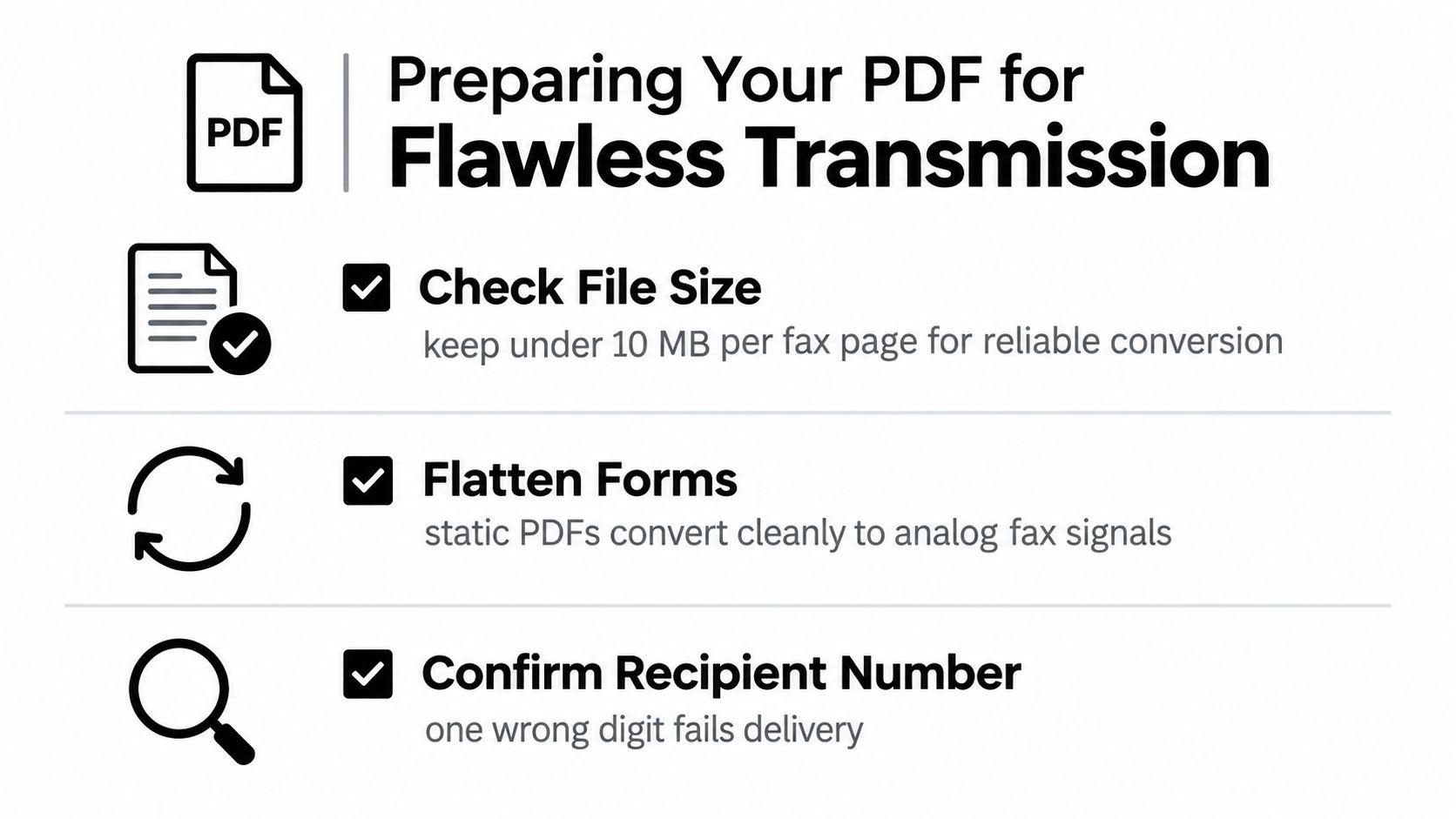
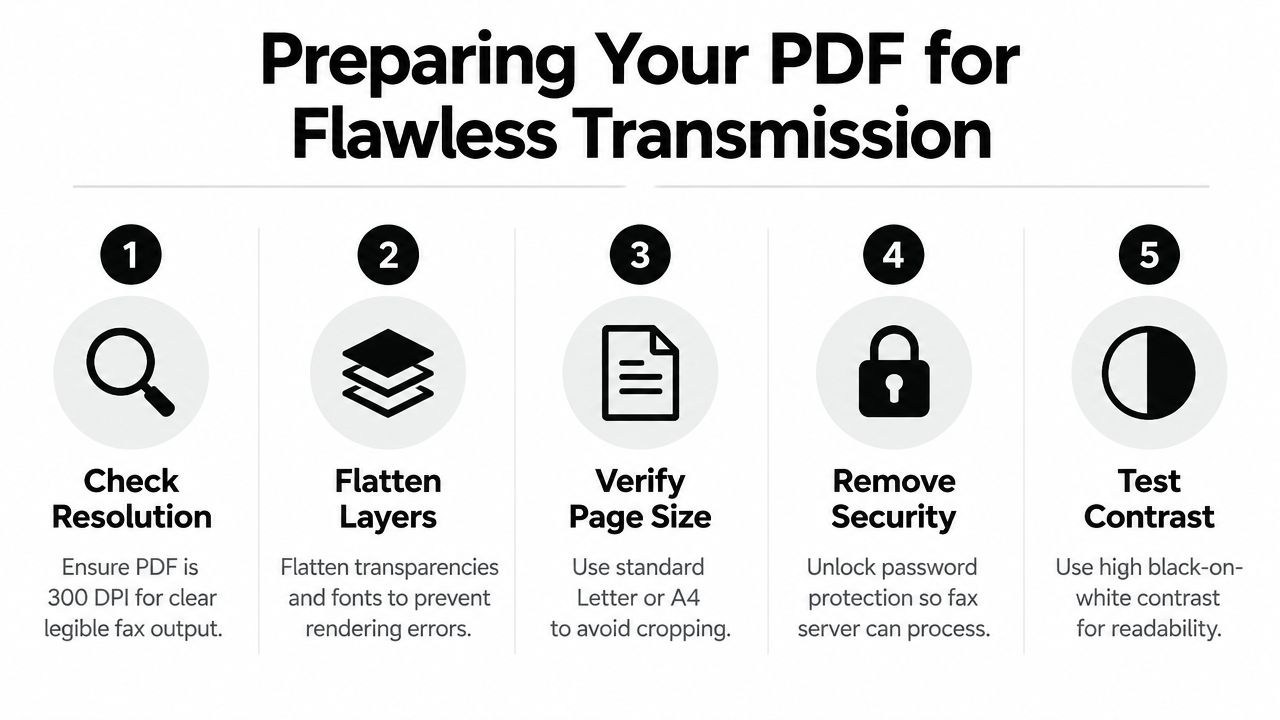
    Most fax problems start before you click Send. The document looked fine on your screen, but fax transmission strips away the comfort of modern display quality. Thin fonts, low contrast, busy layouts, and image-heavy pages can arrive looking muddy or incomplete.

    Build a fax-friendly file

    Keep the file simple. PDF, DOC, and DOCX are the practical formats to work with for web fax tools, but the file type alone won’t save a messy layout.

    Use these checks before uploading:

    • Favor clean contrast: Black text on a white background survives fax conversion better than gray text, pastel shading, or colored highlights.
    • Choose readable fonts: Standard fonts with solid strokes hold up better than decorative styles or very light weights.
    • Avoid tiny text: If a note is hard to read at normal zoom on your laptop, it may be worse on the receiving machine.
    • Flatten visual clutter: Multi-column brochures, dense tables, watermarks, and sidebars often degrade badly when faxed.
    • Simplify signatures: A dark, clear signature on a plain page transmits better than one pasted over textured backgrounds.

    What tends to fail in practice

    A fax isn’t a design review. It’s a transport method for legible content. That changes what “good formatting” means.

    A document can be polished and still be poor for fax if it relies on:

    • color to communicate meaning
    • small annotations in margins
    • screenshots with tiny interface text
    • scanned pages with shadows, skew, or dark edges

    If the recipient only needs the information and signature, remove anything that doesn’t help those two things survive transmission.

    One good habit is to open the file and ask a harsher question than “Does this look okay?” Ask, “Would this still make sense if it came out lighter, grainier, and slightly compressed?” If the answer is no, fix the file before sending.

    Keep the send lightweight

    For one-off transmissions, shorter is better. Fewer pages mean fewer points of failure, less waiting, and less chance that a recipient machine mishandles the job.

    That doesn’t mean removing necessary pages. It means trimming duplicates, blank backs, long appendices, and screenshots that don’t need to be there. If you’re sending a form packet, include the signed and required pages first, then any support documents after that.

    For a practical checklist on layout and page prep, this guide on format for a fax is worth a quick scan before you upload.

    Sending Your Fax with SendItFax A Walkthrough

    The fastest no-account workflow should feel boring. Open the site, add the document, fill in the sender and recipient details, review, send, and wait for the confirmation email. If a fax form feels like a software onboarding funnel, it’s already adding friction you don’t need.

    A person using a computer keyboard to access a website for sending a fax online digitally.

    Start with the document and destination

    Upload the file first. That gives you an immediate sense of whether the page count and file format fit the option you want to use.

    Then enter the recipient’s US fax number carefully. This is the field worth double-checking. One wrong digit can turn a simple send into a failed transmission or a privacy problem if the document lands with the wrong office.

    A quick walkthrough helps if you want to see the browser flow before trying it yourself:

    What each field is actually for

    The form usually asks for more than just the fax number, but most of it has a practical purpose.

    • Your name: This tells the recipient who sent the document, especially if they print or route incoming faxes internally.
    • Your email: This is used for the delivery receipt and status notice. In a no-account flow, it’s there so the system can tell you what happened after submission.
    • Recipient name or company: This helps with cover page context and reduces confusion in shared fax environments.
    • Optional message: Useful when the receiving office sorts incoming faxes manually and needs a note like “signed authorization attached” or “attention records department.”

    You don’t need to overfill these fields. A no-account send should stay minimal. Enough information to route the fax. Nothing extra.

    A short, specific cover message beats a long explanation. “Signed intake form attached for today’s appointment” is better than a paragraph.

    Review before you pay or submit

    This is the point where small mistakes are easiest to catch. Look at:

    1. the destination fax number
    2. the total page count
    3. whether a cover page is included
    4. whether the file you uploaded is the final signed version

    If the document is professional or sensitive, this is also where you decide whether branded free sending is acceptable or whether you want an unbranded, cleaner presentation.

    A web-first fax tool like SendItFax’s browser-based send flow is built for that short path: upload, fill the required fields, send, and get the result by email. The useful part for occasional users is that your email supports the receipt rather than forcing an account setup before the fax can move.

    What the no-account experience gets right

    For one-time use, not creating a login is a feature, not a missing feature. You don’t have to verify a password, confirm a trial, or remember to cancel anything later. You’re using the service as transport, not as a workspace.

    That’s the right model when the job is simple:

    • send a signed form
    • deliver a contract page
    • submit a records request
    • fax paperwork while traveling
    • help a client or family member meet a same-day deadline

    If you need ongoing inbound faxing, storage, user management, or regular volume, a subscription platform makes sense. If you need to send once and move on, the no-account path is usually the cleanest answer.

    Choosing Your Option Free vs Almost Free

    The key decision isn’t whether online faxing works. It’s whether free is good enough for this specific document.

    That depends on two things. First, does branding on the cover page matter? Second, do you need more pages, no cover page, or priority handling because the fax is time-sensitive or client-facing?

    A comparison chart showing features between a free online fax service and a premium paid subscription plan.

    SendItFax Free vs. Almost Free At a Glance

    Feature Free Plan Almost Free Plan ($1.99)
    Account required No No
    Page allowance Up to 3 pages plus a cover Up to 25 pages
    Branding SendItFax branding on the cover page No SendItFax branding
    Cover page control Cover page included Can omit the cover page entirely
    Delivery handling Standard Priority delivery
    Best fit Casual or low-stakes one-off sends Professional, longer, or more urgent sends

    When free is the right call

    Free works when presentation doesn’t matter much and the document is short. A simple form, a one-page request, or a personal document going to an office that only cares whether it arrives can fit that lane.

    Use the free option when:

    • the fax is brief
    • branding on the cover won’t look out of place
    • you’re testing a number before sending something larger later
    • the deadline is real, but the document itself isn’t highly polished or client-facing

    When paying a small amount makes sense

    The almost-free option is more practical than “premium” sounds. You’re not buying a subscription. You’re paying a one-off fee to remove branding, send more pages, and get priority treatment on a document that matters.

    That’s the better choice for:

    • contracts
    • signed legal packets
    • resumes and hiring paperwork
    • medical records
    • real estate documents
    • anything going to a toll-free fax number or a busy intake office

    Branded covers can be perfectly acceptable for routine submissions. They can also look out of place on a legal or client document. Choose based on context, not pride.

    The market itself tells you this trade-off is real. The online fax service market is estimated at USD 3.16 billion in 2026 and projected to reach USD 7.22 billion by 2035, growing at a 9.5% CAGR, with North America holding 38% share, according to Business Research Insights on the online fax service market. That growth reflects continued demand for practical paid features like cleaner presentation and priority handling, especially in US business workflows.

    The simple decision rule

    If the fax is personal, short, and replaceable, free is often fine.

    If the fax is professional, urgent, or awkward to resend, spend the small amount and remove the extra risk and clutter.

    After You Send Delivery and Troubleshooting

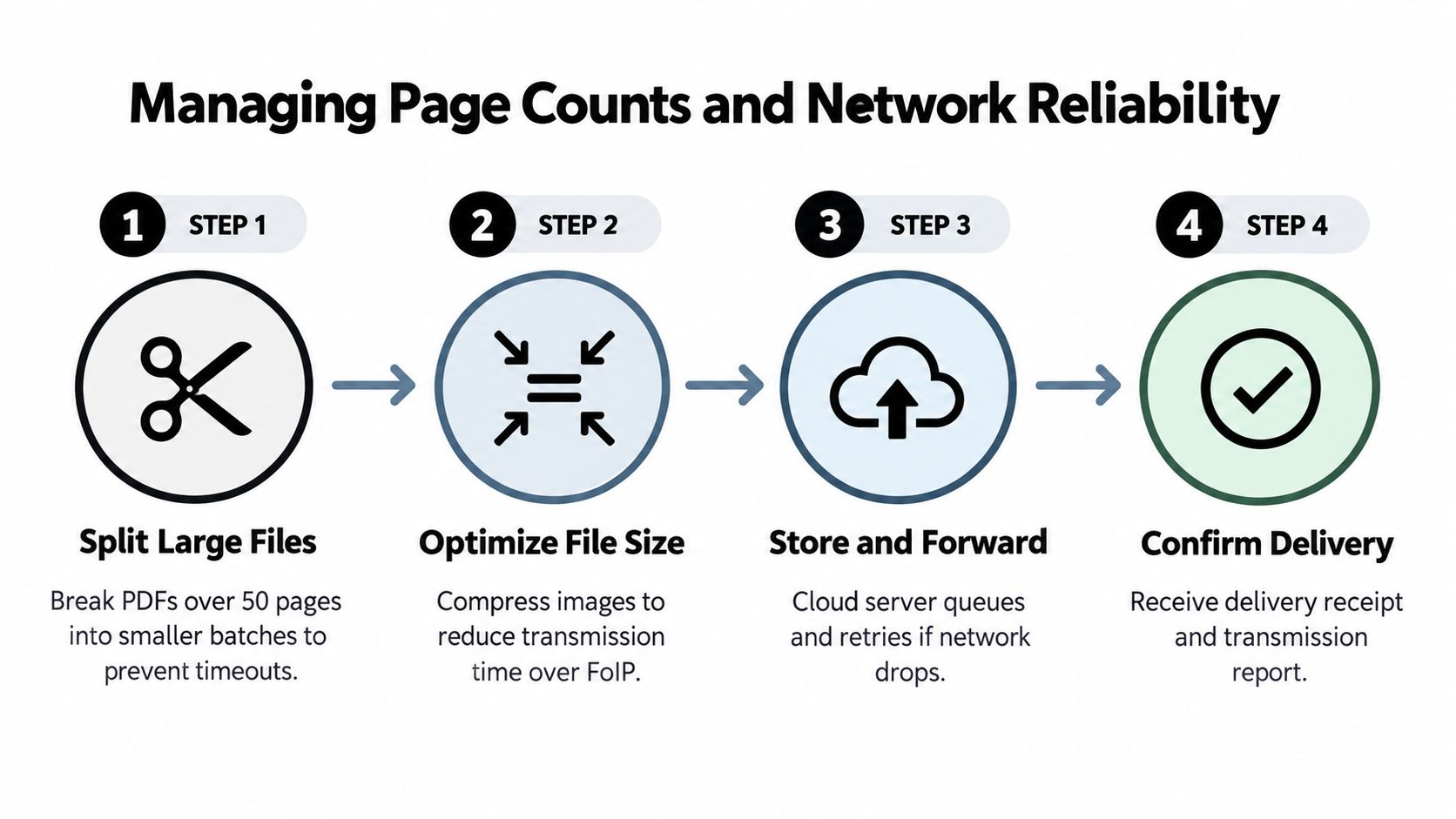
    Once the fax is submitted, the next thing that matters is the status email. That message tells you whether the job was delivered, failed, or is still being retried.

    A person holds a smartphone displaying a confirmation screen for a successfully sent online fax message.

    Don’t panic if you don’t get a final answer instantly. Fax delivery still depends on the receiving side. The recipient line may be busy, their machine may be offline, or their setup may be routing through equipment that doesn’t behave cleanly every time.

    What success and failure usually mean

    Delivered means the service completed transmission to the destination fax endpoint.

    Failed doesn’t always mean you did anything wrong. It can mean the recipient’s side had a temporary issue, the number was entered incorrectly, or the fax path hit a compatibility problem on the way.

    According to InfoTel Systems’ white paper on fax error rates, online fax transmission success rates to the USA typically range from 92-95%. The same source notes that VoIP incompatibilities account for 30-50% of failures, paper jams or cancellations at the recipient account for 20%, and most online services use automatic retry logic with 3-5 attempts.

    What to do when the fax doesn’t go through

    The first move is not to rebuild the whole send. Start with the obvious checks.

    • Verify the number: Wrong digits are still the most fixable problem. Confirm the area code and the full fax line with the recipient.
    • Wait through retries: Temporary busy signals or route issues may clear on their own while the service retries.
    • Call the recipient if the fax is important: Ask whether their machine is on, has paper, and is actively receiving.
    • Resend the cleanest version: If the file was image-heavy or oddly formatted, resend a simplified PDF.
    • Switch to the paid one-off option when needed: If the submission is urgent, a more direct delivery path can be the sensible move.

    A calm troubleshooting sequence

    Use this order when a fax stalls:

    Situation Most likely issue Best next action
    Immediate failure Number format or entry problem Recheck the fax number
    Delayed status Busy line or retries in progress Wait for retry cycle to finish
    Repeated failure to a known good number Recipient-side machine or VoIP issue Contact the recipient office
    Sensitive deadline Temporary routing issues aren’t acceptable Resend using the cleaner, priority option

    If the office says, “Our fax line has been acting up today,” believe them. A lot of failures happen after your file leaves your browser.

    What delivery confirmation can’t tell you

    A delivery receipt confirms transmission, not whether a human opened the page, routed it correctly, or matched it to your case file. For medical offices, law firms, or title companies, it’s smart to follow up when the document is deadline-sensitive.

    That follow-up can be simple: “I faxed the signed form this morning. Can you confirm it’s attached to my file?” That one call catches a lot of administrative dead ends before they become missed appointments or delayed closings.

    Pro Tips for Healthcare Legal and Real Estate

    High-stakes faxing is mostly about reducing avoidable friction. In healthcare, legal, and real estate, the document usually matters more than the act of sending it. You want it legible, professional, and routed correctly on the first try.

    Choose presentation based on the recipient’s workflow

    Healthcare offices and legal staff often process incoming faxes in batches. That means your first page matters. If the document is formal, signed, or tied to a case, claim, chart, or closing file, an unbranded submission usually fits the workflow better than a visibly promotional cover.

    For privacy-conscious teams, also pay attention to the service’s own handling rules. Before using any browser tool for sensitive paperwork, review its FAQ, privacy policy, and terms so you understand what information is collected and what the email receipt is used for. If your organization has to assess privacy impacts more formally, this guide to Alberta PIA requirements is a useful framework for thinking through document handling, vendor review, and compliance questions even outside Alberta.

    Toll-free fax numbers need extra care

    One issue that catches people off guard is the US toll-free fax number. Many hospitals, insurers, large clinics, agencies, and national businesses use 800 or 888 fax lines. Those aren’t unusual. They’re common.

    The catch is reliability. A review of sending free faxes to USA numbers by mFax notes that free services can show a 20-30% higher failure rate for toll-free numbers in informal user tests. That’s exactly why a low-cost one-off fax with priority routing is often the safer choice for critical submissions.

    Toll-free numbers are where “free if it works” often turns into “I should’ve paid a couple of dollars and finished this already.”

    Industry-specific shortcuts that help

    • Healthcare: Put the patient name and any reference details exactly where the receiving office expects them. Intake teams sort quickly.
    • Legal: Skip unnecessary branding and keep the packet in logical order, especially signature pages and exhibits.
    • Real estate: Send signed pages cleanly and follow with a quick confirmation call if the deadline is tied to funding, escrow, or closing.
    • Government submissions: Double-check toll-free numbers and business-hour timing. Some lines technically receive all day, but staff only review incoming batches during office hours.

    The practical takeaway is simple. If the fax is low-stakes, free can be enough. If the fax affects care, a file, a transaction, or a deadline, use the cleaner one-off paid route and avoid preventable misses.


    If you need to fax a US number today without creating an account, SendItFax is a straightforward browser option for one-off sending. You can upload a DOC, DOCX, or PDF, use the free route for short branded faxes, or choose the $1.99 option for up to 25 pages, no branding, and priority delivery when the document needs a more professional finish.

  • How to Make a Fax Cover Sheet (That Gets Read)

    How to Make a Fax Cover Sheet (That Gets Read)

    You’re usually not looking up how to make a fax cover sheet for fun. You’re trying to send something now. A signed form. A referral. A contract. A document someone expects in the next ten minutes.

    Then the old question shows up. Do you need a cover sheet at all, or are you about to waste time making one no one reads?

    That’s where most guides go wrong. They assume a fax machine is sitting in the corner, a Word template is the default, and every fax needs a formal first page. Real office work doesn’t look like that anymore. Plenty of people send faxes from a browser, from a hotel lobby, from a phone, or between meetings. The practical answer is simpler. Use a cover sheet when it helps routing, identification, privacy, or professionalism. Skip it when it adds nothing.

    Why Your Fax Cover Sheet Still Matters (Sometimes)

    The usual advice says every fax should have a cover sheet. That’s outdated.

    A lot of fax content still revolves around printable templates and manual formatting, even though online faxing has grown sharply. Data cited by Fax.Plus says online fax usage surged 25% in healthcare and legal sectors in 2025 (Fax.Plus). That matters because web-based fax tools don’t work like a paper fax machine. Some generate the cover for you. Some let you type a short message. Some let you leave the cover off entirely.

    That changes the question from “How do I make one?” to “Do I need one for this fax?”

    When a cover sheet earns its place

    Use a cover sheet when the recipient’s office has shared machines, front-desk routing, or multiple departments handling incoming faxes. It helps when you’re sending:

    • Medical records or referrals that need a privacy notice
    • Legal paperwork that should be identified before anyone reads the attachment
    • Real estate documents that move between agents, brokers, and admins
    • Anything time-sensitive where a clear subject line speeds handling

    When skipping it is fine

    Omitting the cover often makes sense when the document itself already identifies the sender and recipient clearly, and the receiving office expects direct document delivery.

    A cover sheet is a tool, not a ritual.

    If you’re sending a one-page signed form to a known fax number, a separate cover may add clutter. If you’re sending a packet into a large office where several people touch incoming faxes, that first page can save confusion.

    The fastest way to work is to stop treating cover sheets as mandatory and start treating them as situational. That’s how modern faxing works.

    The Anatomy of a Professional Fax Cover Sheet

    A good fax cover sheet is plain, readable, and complete. It isn’t a branding exercise. It’s a routing document.

    The biggest mistakes usually happen in the basic fields. Industry benchmarks cited by Documo say 92% of fax misdeliveries in healthcare stem from incomplete “To/From” fields, and faxes with complete covers have a 98% success rate compared with 78% for those without (Documo). That tells you where to focus. Not on fancy formatting. On accurate identification.

    Essential Fields

    These fields should be on nearly every cover sheet:

    • Recipient name and fax number
      Don’t rely on department names alone if a specific person should get it.

    • Sender name and contact details
      Include enough information so the recipient can call or email if pages are missing.

    • Date
      This matters for recordkeeping and for offices that batch incoming faxes.

    • Total page count
      Include the cover page in the total so the receiver knows whether the transmission is complete.

    The professional touches

    These aren’t always required, but they improve handling:

    • Subject line
      “Signed intake forms” is better than “Documents.”

    • Company or organization name
      Helpful if the sender works from a personal number or shared account.

    • Short message
      Keep it brief. A fax cover isn’t the place for a full memo.

    • Confidentiality notice
      Important when the document contains sensitive, legal, or personal information.

    Fax Cover Sheet Fields Required vs. Optional

    Field Status Purpose
    Recipient name Required Directs the fax to the right person
    Recipient fax number Required Ensures it goes to the intended destination
    Sender name Required Identifies who sent the fax
    Sender phone or email Required Gives the recipient a way to respond
    Date Required Supports tracking and records
    Total pages Required Helps confirm complete receipt
    Subject line Optional Gives quick context
    Company name Optional Adds clarity in business settings
    Short note Optional Explains urgency or purpose
    Confidentiality notice Optional, but strongly advised for sensitive documents Signals privacy expectations

    What a clean cover looks like

    A professional cover sheet should answer five questions at a glance:

    1. Who sent this
    2. Who should receive it
    3. What it is
    4. How many pages should be here
    5. Whether it needs special handling

    Practical rule: If a stranger at the receiving desk can route your fax correctly in five seconds, the cover sheet is doing its job.

    Don’t overload the page. A cluttered cover is harder to scan than no cover at all. The winning version is usually the boring one: clear labels, obvious names, complete contact details, and a short subject line that tells the receiver what they’re looking at.

    Creating Your Cover Sheet Three Ways

    There are three practical ways to handle a fax cover sheet. One is built for speed. One is built for control. One is built for situations where a cover page doesn’t help.

    An infographic illustrating three different methods for creating a professional fax cover sheet step by step.

    The smart way

    If you’re faxing through an online service, start by checking whether it generates the cover sheet inside the sending flow. That’s often the fastest option because the system already needs sender details, recipient details, and a short message to process delivery.

    For web faxing, this is usually enough:

    • Enter sender details such as name, company, phone, and email
    • Enter recipient details carefully
    • Add a short subject or message
    • Confirm total pages
    • Include a confidentiality note if the document is sensitive
    • Preview before sending

    This approach cuts out duplicate work. You don’t build a separate file, export it, and upload it. You type once, review once, and send.

    If you’re using a browser-based tool such as SendItFax, the service can capture sender and recipient information during the sending process and format that information into a cover page, or let you omit it depending on the plan and situation. That’s useful for occasional faxes, especially when you don’t want to create a Word file just to add one line of context.

    The template way

    Sometimes you need a reusable, branded, or highly specific layout. That’s where Word or Google Docs still makes sense.

    Microsoft Word remains the most practical choice if you want a cover sheet you can reuse without rebuilding it each time. Verified guidance from Microsoft-based instructions recommends using fields like { DATE } and { NUMPAGES }, saving the file as a .dotx template, and exporting to PDF at 300dpi grayscale, which can reduce transmission time by 20 to 30% while preserving quality. The same guidance notes that this approach reaches 99.5% legibility at standard fax resolutions, which is far better than handwritten sheets (Microsoft Answers).

    That matters in real offices. Handwritten covers go crooked, get misread, and look sloppy. A saved template doesn’t.

    A reliable Word setup looks like this:

    • Header with your name, company, and contact details
    • Body with TO, FROM, DATE, RE, and PAGES
    • Footer with a confidentiality note if needed

    If you organize office paperwork often, the same habit of using clean, reusable front pages also helps with physical files. A simple great binder cover template is useful for keeping faxed packets, signed returns, and client folders labeled the same way.

    For message wording, keep the first page short. If you want examples of what a professional note should sound like, this practical reference on a fax cover letter example is useful: https://blog.senditfax.com/2025/12/19/fax-cover-letter-example/

    The minimalist way

    Not every fax needs a separate cover.

    If the document already includes a clear title, sender name, and recipient context, a second page may only slow things down. That’s especially true for straightforward forms, signed authorizations, or one-off submissions to a known number.

    Skip the cover when all of these are true:

    • The recipient already expects the fax
    • The document itself identifies the sender
    • There’s no confidentiality language you need to add
    • The receiving office doesn’t require a cover page
    • You want to keep the page count down

    Use a cover anyway when the fax may land in a shared inbox, a communal machine tray, or a front office that routes paperwork manually.

    If the first page of the actual document can stand on its own, a separate cover page is optional. If it can’t, add one.

    That’s the modern answer to how to make a fax cover sheet. Sometimes you build one. Sometimes your service builds it for you. Sometimes the professional move is leaving it out.

    Industry-Specific Messages and Privacy Notes

    Some cover sheets only need routing details. Others carry real compliance weight.

    Healthcare, legal, and real estate offices often use fax because documents move between multiple parties and can contain sensitive information. In those settings, the note at the bottom of the cover page isn’t filler. It tells staff how to handle what they’ve received.

    A stack of confidential legal documents on a desk next to a laptop computer with a pen.

    Healthcare

    A clinic sends records to a specialist. The fax lands at a shared station near reception. The cover page needs to make the sensitivity obvious before anyone looks at the chart notes.

    Use wording like this:

    This fax contains confidential information intended only for the named recipient. If you received it in error, please notify the sender and destroy the fax immediately.

    If you need a more healthcare-focused example, this guide is useful: https://blog.senditfax.com/2026/01/07/hipaa-compliant-fax-cover-sheet/

    Legal

    A law office sends a draft agreement or filing backup to co-counsel or a client’s business office. The receiving staff may not be the intended reader.

    A legal cover note can be more direct:

    This fax may contain confidential or privileged information intended only for the person or entity named above. If you are not the intended recipient, please notify the sender immediately and destroy all copies.

    Real estate

    Real estate faxes often move fast. Offers, amendments, disclosures, and signed acknowledgments may pass through assistants, transaction coordinators, and brokerage admins.

    A simple notice works well:

    This fax contains confidential transaction-related information intended for the named recipient only. If received in error, please contact the sender and delete or destroy all copies.

    Keep the message matched to the risk

    The note should fit the document. Don’t paste a heavy legal warning onto a routine vendor form if there’s nothing sensitive in it. At the same time, don’t send medical or legal paperwork with a blank cover if the first page could be seen by the wrong person.

    Use this quick test:

    • Healthcare records need a clear confidentiality warning
    • Legal materials should reference confidentiality or privilege
    • Real estate transaction papers benefit from a transaction-specific notice
    • Routine admin paperwork usually needs only a plain confidentiality line, if any

    A cover sheet won’t fix a wrong fax number. It will, however, make the handling expectations plain the moment the pages arrive.

    Formatting and Layout Tips for Perfect Transmission

    A fax cover sheet can be professionally written and still fail if it transmits badly. Fax machines and online fax systems reward plain formatting.

    A marketing budget proposal document printed from a black laser printer resting on an office desk.

    What works on the page

    Use a simple sans-serif font. Arial is a safe choice. Keep the text large enough to survive low-resolution transmission without getting fuzzy.

    A good practical setup is:

    • Font in a clean sans-serif style
    • Black text on a white background
    • Wide enough spacing so fields don’t run together
    • Bold labels for TO, FROM, DATE, and PAGES
    • One page only whenever possible

    What tends to fail

    The usual troublemakers are decorative fonts, gray text, oversized logos, busy borders, and scanned handwritten notes. These may look acceptable on your screen and arrive looking muddy on the other end.

    Watch for these problems:

    • Tiny type that disappears after transmission
    • Low contrast such as dark gray on light gray
    • Image-heavy headers that fax poorly
    • Crooked scans that make names and numbers harder to read
    • Too much text in the message area

    Clean beats clever. Faxed documents don’t reward design flourishes.

    If you’re creating the cover in Word or Docs, export it as a proper PDF instead of printing and rescanning it. That usually gives you a sharper result and fewer transmission issues. If you want a ready-made starting point, this PDF template guide is a practical reference: https://blog.senditfax.com/2025/12/25/fax-cover-sheet-template-pdf/

    A quick transmission checklist

    Before sending, look for three things:

    1. Can the recipient name and fax number be read instantly
    2. Is the page count obvious
    3. Would this still be legible if the output were a little lighter or blurrier

    If the answer to any of those is no, simplify the page before you send it.

    Your Quick Guide to Cover Sheets with SendItFax

    If you’re standing at the final decision point, keep it simple and choose based on the document in front of you.

    A person using a stylus to operate a tablet displaying a professional digital faxing interface outdoors.

    Use the built-in cover when speed matters

    If you’re sending a routine form, a short business note, or a basic packet, type the sender and receiver details into the fax interface and use the message field for a short explanation. That’s usually the fastest path.

    Good fit for this option:

    • Single forms
    • Signed requests
    • Basic office documents
    • Anything where a short note is enough

    Upload your own cover when presentation matters

    If you need a custom confidentiality notice, internal matter number, legal wording, or a branded office template, build the cover sheet as a PDF and place it as the first page of your upload.

    That works better when you’re sending:

    • Legal filings or attorney correspondence
    • Healthcare paperwork with specific privacy language
    • Real estate transaction packets
    • Documents that need house style or formal labeling

    Omit the cover when the document already does the job

    If the first page of your document already identifies the sender, recipient, and purpose clearly, there’s no reason to add a separate page just because older fax habits say you should.

    Skip it when you want:

    • Fewer pages
    • Less duplication
    • A cleaner submission
    • A direct document-first presentation

    The practical rule is straightforward. Add a cover when it improves routing, privacy, or context. Leave it out when it repeats information the document already presents clearly.

    How to make a fax cover sheet used to mean opening Word and fiddling with a template. In modern faxing, it means choosing the lightest method that still gets the document to the right person in the right form.


    If you need to send a fax to the U.S. or Canada without a machine, SendItFax lets you upload DOC, DOCX, or PDF files from a browser, add a cover message when needed, or leave the cover off when it isn’t necessary. It’s built for occasional, time-sensitive faxing when you just need to get the document out cleanly.