Tag: SendItFax

  • How to send fax online free: Your Ultimate Guide

    How to send fax online free: Your Ultimate Guide

    Believe it or not, you absolutely can send a fax online for free. Web-based services like SendItFax let you upload a document right from your computer or phone, completely bypassing the need for a physical fax machine. It’s a modern fix that saves you from dealing with paper jams, ink cartridges, and that old dedicated phone line. For anyone who only needs to send a fax occasionally, it’s a game-changer.

    Why Online Faxing Is Smarter Than You Think

    I know what you're thinking—faxing? Isn't that a relic from a bygone era? But the truth is, it’s far from obsolete. In many professional fields, it remains a critical tool for communication, especially when security and legal standing are paramount. Think about it: sending a signed contract, sensitive patient records, or official legal documents requires a level of security that your standard email just can't promise.

    Online faxing takes this trusted technology and gives it a much-needed modern twist. Instead of being chained to a clunky machine in the corner of an office, you can send documents from literally anywhere you have an internet connection. This simple shift has some pretty significant benefits.

    The Modern Advantages of a Classic Tool

    The real appeal of online faxing is how it combines old-school reliability with new-school convenience. It solves specific problems that other digital methods simply don't address. For instance, a surprising number of organizations, particularly in healthcare, law, and government, still run on fax-based workflows. An online service acts as the perfect bridge, letting you connect with these systems without having to own any of the old hardware.

    Here's what that looks like in the real world:

    • It's incredibly cost-effective. You can forget about buying paper, ink, toner, or paying for machine maintenance.
    • You can send from anywhere. Send that urgent document from a coffee shop, your home office, or even while you're on the road.
    • The security is solid. Faxes are sent directly from point to point, which lowers the risk of interception compared to a standard email that hops between servers.
    • It’s just more efficient. You cut out the tedious steps of printing, walking over to the machine, scanning, and manually feeding pages one by one.

    A Growing Market for Secure Communication

    Despite predictions of its demise for decades, the fax services market is surprisingly healthy. It was valued at USD 3.31 billion in 2024 and is actually projected to grow to USD 4.48 billion by 2030. This isn't just nostalgia; the growth is fueled by modern features like encryption and workflow automation, which have solidified online faxing's role in regulated industries. If you're curious, you can explore more insights about the fax services market and its future.

    In an age where everyone's email inbox is overflowing, a fax can actually cut through the noise. Its relative rarity often means your document gets seen and acted upon much faster.

    This continued relevance points to a simple truth: when security and reliability are non-negotiable, online faxing provides a modern solution that professionals still trust. It’s not about replacing email; it’s about having the right tool for the right job, especially when you're handling sensitive information.


    Online Fax vs Traditional Fax Machine at a Glance

    If you're still weighing the options, seeing a direct comparison can make things crystal clear. Here’s a quick breakdown of how a modern online service stacks up against that old office machine.

    Feature Online Fax (like SendItFax) Traditional Fax Machine
    Hardware None required. Use your computer or phone. Bulky machine, dedicated phone line.
    Supplies None. Completely digital. Paper, ink/toner, electricity.
    Accessibility Send and receive faxes from anywhere. Tied to a physical location.
    Cost Free for occasional use, low-cost plans. High initial cost, plus ongoing supplies.
    Security Digital encryption and secure transmission. Relatively secure point-to-point connection.
    Organization Faxes are stored digitally, easy to search. Physical papers that need to be filed.
    Convenience Instant setup, send in minutes. Requires physical presence and manual feeding.

    As you can see, for most modern needs—especially for individuals or small businesses—the convenience and cost savings of an online service are hard to beat. It just makes more sense in today's world.

    Alright, let's dive into how you can send your first fax using an online service like SendItFax. If you've never done it before, you'll be surprised at how simple it is. We're talking minutes from start to finish, getting your documents from your computer to a physical fax machine anywhere in the country.

    I'll walk you through the whole process, from prepping your file to hitting that "send" button.

    This image really captures the journey from clunky old fax machines to the sleek, secure online faxing we have today.
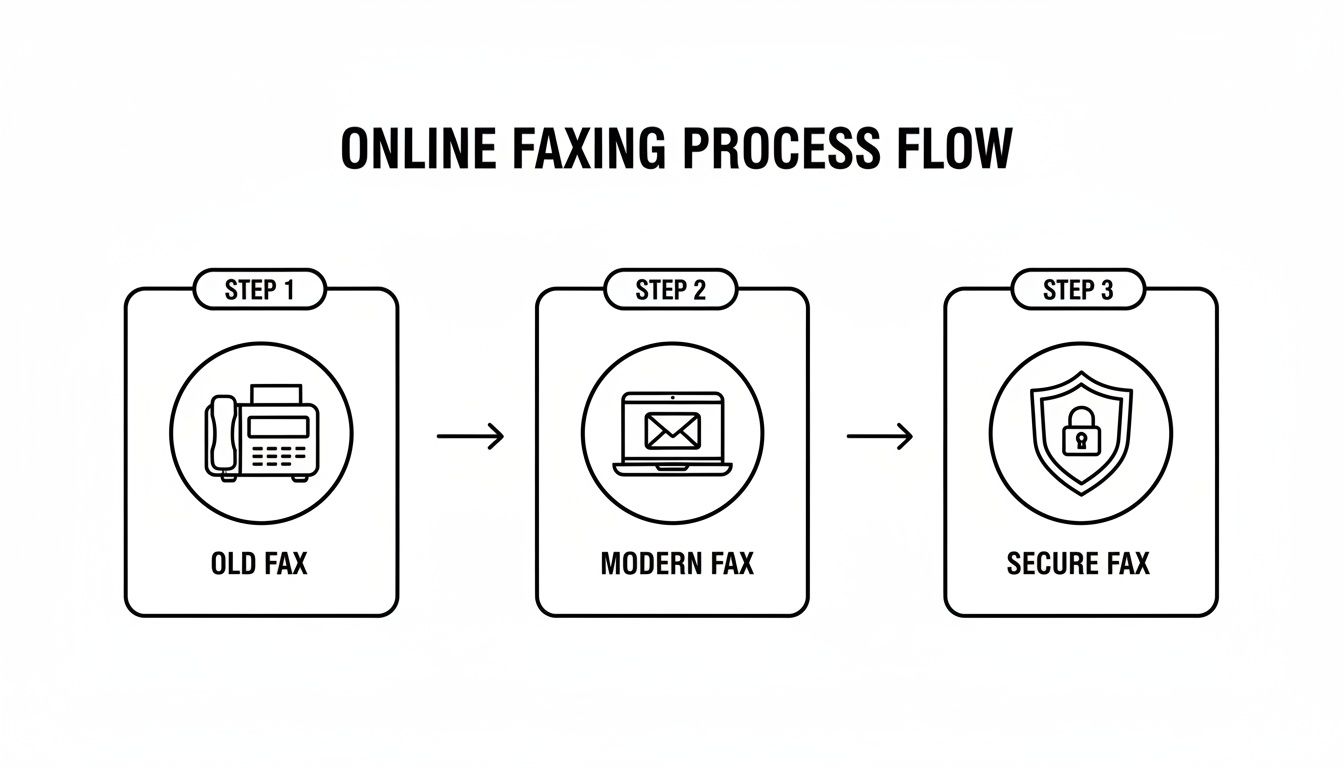
    Process flow illustrating the evolution of faxing from old machines to modern, secure online solutions.

    The biggest takeaway here is how technology has completely removed the need for a dedicated machine. Now, you can securely send documents from anywhere.

    Getting Your Document Ready for a Flawless Send

    First things first, let's get your file in order. The quality of what you send is directly tied to the quality of the file you start with. A clean, clear document on your end means a legible fax on their end.

    For the best results, you really want to stick with these file types:

    • PDF (.pdf): This is the undisputed champion. A PDF locks in all your formatting, fonts, and images, so it looks exactly the same for the recipient as it does for you. No surprises.
    • Microsoft Word (.doc, .docx): Also a solid choice. Most services, including SendItFax, handle Word documents perfectly and will convert them on the fly into a format that fax machines can understand.

    Before you upload, take 30 seconds to give it a final look. Is the text sharp? Is it a simple black-on-white? Sometimes, text that looks fine on a high-res screen can become a blurry mess when it’s printed out by an older fax machine. Clean fonts and good contrast are your best friends here.

    Entering the Fax Details on the Homepage

    When you land on the SendItFax homepage, you'll see a simple form waiting for you. This is the beauty of it—no need to create an account or go through a lengthy signup process. It's all right there.

    Here's what you need to fill out and why each piece is important:

    1. Recipient's Fax Number: This is the most critical part. Get one digit wrong, and it’s going nowhere. Always double-check it, and don't forget the area code.
    2. Your Name: Simple enough. This tells them who sent it. For business, using your full name or the company name looks much more professional.
    3. Your Email Address: This is how you'll know if the fax went through. SendItFax will email you a confirmation report (or a failure notice). It's your digital receipt.
    4. Your Phone Number: It’s usually optional, but I recommend adding it. If the recipient has a question, it gives them an easy way to get in touch.

    My Two Cents: If you're sending something important to a big company, like a hospital or government office, give them a quick call first. Just ask, "Can you confirm the fax number for the records department?" It’s a simple step that can prevent a lot of headaches.

    Uploading Your File and Crafting a Cover Page

    Once the details are in, you'll see a button to upload your document. It usually says something like "Choose File" or "Browse." This will open up your computer's file browser, and you can just navigate to the PDF or Word doc you prepared earlier.

    After your file is attached, don't skip the cover page message. This is your chance to add context. A fax that arrives out of the blue can easily get lost, but one with a clear cover page gets routed to the right person instantly.

    A great cover page message is short and to the point. Include these three things:

    • Who it's for (e.g., "Attention: Jane Smith" or "To the Billing Department").
    • What it is (e.g., "Subject: Signed Contract for Project X").
    • How many pages (e.g., "4 pages total, including this cover sheet").

    Here’s a real-world example: "For the HR Department: Attached are the completed W-4 and I-9 forms for John Appleseed. Total pages: 3. Please let me know if you need anything else."

    See? It's professional and tells the recipient everything they need to know at a glance. It's these little touches that matter, even when you send fax online free.

    For those times when you need to send something without tying it to a payment method, checking out a guide on how to get a free online fax without a credit card can be incredibly helpful. With all your info entered and the file uploaded, you're ready to hit send.

    Choosing Between the Free and Almost Free Plans
    A smartphone displaying 'CHOOSE PLAN' is on a white desk next to a laptop and business cards.

    When you need to send fax online free, the first thing you want to know is, "what's the catch?" I get it. Many services hook you with "free," only to hit you with surprise limits. At SendItFax, we prefer to be completely upfront. This way, you can pick the right tool for the job, whether you're sending a single signed form or a multipage contract.

    The free plan is built for those one-off, "I need this sent right now" moments. Think of it as your emergency fax machine. It’s perfect for getting a signed offer letter back to a new employer or sending a quick application to a government office without any fuss. You don't even need an account.

    But to make sure it's the right fit, you have to know its boundaries.

    What You Get with the Free Plan

    Our free tier is genuinely free, but it does have a few guardrails. Think of it as the perfect tool for small, straightforward tasks.

    Here’s exactly what the free plan includes:

    • Page Limit: You can send a document up to three pages long, not including the cover page we automatically generate for you.
    • Daily Cap: You can send up to five faxes per day. For most people, that's more than enough for occasional needs.
    • Branding: Your cover page will have a small SendItFax logo on it. For personal faxes, this is rarely ever a problem.

    This is the go-to option if you're sending something like a permission slip for your kid's school or a one-page invoice to a client. It's fast, free, and gets the job done.

    The whole point of our free plan is to make faxing accessible. Anyone should be able to send an important document without digging out a credit card or hunting for an old fax machine.

    When to Consider the Almost Free Upgrade

    Sometimes, three pages just won't cut it. You might have a lengthy contract, a detailed medical history, or simply want your fax to look more professional. That's where our $1.99 "Almost Free" plan comes in. It’s a tiny step up in price for a massive leap in capability.

    This paid tier is all about removing the limits. For less than the price of a coffee, you can handle more complex or professional faxing without a second thought.

    This reflects a bigger trend. The online fax market is projected to grow to over USD 5,167.52 million by 2035, and it’s not just because of free options. In fact, most regular users—somewhere between 68-74%—prefer affordable plans for the predictable costs and better features. You can read more about online fax market growth to see the full picture.

    So, what does that small fee get you?

    • Higher Page Limit: Send documents up to 25 pages long—perfect for reports, legal paperwork, or detailed applications.
    • No Branding: The SendItFax logo is completely removed from the cover page, giving your fax a clean, professional look.
    • Priority Delivery: Your fax jumps to the front of the line, ensuring it gets sent out as quickly as possible.

    SendItFax Free vs Almost Free Plan Features

    To make it even clearer, here’s a quick side-by-side comparison. This should help you decide which plan is right for your specific situation in just a few seconds.

    Feature Free Plan Almost Free Plan ($1.99)
    Cost $0 $1.99 (one-time)
    Max Pages 3 pages (+ cover) 25 pages (+ cover)
    Daily Fax Limit 5 Unlimited
    Branding on Cover Yes No
    Delivery Speed Standard Priority

    Ultimately, the choice comes down to your document’s length and how polished you need it to look. For a quick, personal fax, the free plan is fantastic. But for anything longer or more professional, the Almost Free plan is an easy and affordable upgrade. If you're still weighing your options, our guide on how to evaluate a fax online free trial might offer some more perspective.

    Tips for a Flawless Fax Transmission Every Time

    Hitting that "send" button is just the final click. To make sure your document arrives looking crisp and professional every time you send fax online free, a little prep work goes a long way.

    Remember, what arrives at the other end is a direct reflection of what you send. A blurry, low-quality document on your screen will only look worse after it's been processed, sent over a phone line, and printed by a physical fax machine.

    The secret to a perfect fax is all about clarity and simplicity. Fax technology is old-school and loves high contrast. Start with a document that has sharp black text on a clean white background. Things like colored text, busy backgrounds, or faint grey fonts often turn into an unreadable smudge on the recipient's end.

    Even your font choice can make a bigger difference than you'd expect. It's best to stick with classic, no-nonsense fonts like Arial, Times New Roman, or Calibri. That elegant, handwritten script font might look great on your monitor, but it can easily become an illegible mess after transmission.

    Prepare Your Document for Maximum Readability

    Before you upload anything, take just a minute to give your file a quick once-over. This simple check is the best way to avoid common transmission headaches and ensure your fax looks sharp.

    Here’s what I always recommend:

    • Pump Up the Contrast: If you’ve got images, scanned signatures, or diagrams, make sure they are dark and clear. A signature that looks faint on your screen can completely vanish by the time it's printed out.
    • Flatten Your PDFs: This is a big one, especially if you’re sending a PDF created in a design program. When you save, look for an option to "flatten" the file. This merges all the layers into one, preventing text boxes or images from shifting around or disappearing altogether.
    • Keep an Eye on File Size: Most online fax services are built for standard documents. If your file is unusually large because of high-resolution images, it might time out or fail. It’s a good idea to compress it slightly before sending.

    Craft a Cover Page That Gets Results

    Don't treat the cover page as an afterthought—it's your fax's greeting card and routing slip all in one. A clear, direct cover page message makes sure your document gets to the right person or department immediately, instead of sitting in a communal tray for hours.

    Keep the message short and to the point. The goal is to give the recipient all the essential info at a glance. Instead of a vague "Here are the documents," be specific.

    For example, try something like this: "For John Smith in the Finance Dept: Attached are the signed contract and invoice #5678. Total 4 pages." That simple tweak tells them who it's for, what it is, and what to expect.

    Pro Tip: Always save your confirmation email. Think of it as your digital receipt. This email is your official proof that the fax was sent and successfully delivered. If there’s ever a question about whether a document was received, that confirmation is your evidence. It's a simple habit that can save you a world of hassle, especially with time-sensitive legal or financial paperwork.

    What to Do When Things Go Wrong (and How to Protect Your Info)
    A man holds a tablet displaying a padlock icon, with 'Privacy Protected' on a screen behind him, symbolizing digital security.

    Even with a great service, you might hit a snag every now and then. It’s usually a simple fix, but knowing what to look for can save you a headache. The most common problem when you send fax online free is getting that dreaded "failed transmission" email.

    Don't worry when you see it. The first thing I always do is double-check the recipient's fax number. A single wrong digit is all it takes for the whole thing to fail. If the number looks right, the line on the other end might just be busy. Try sending it again in about ten minutes.

    Another culprit can be the file itself. SendItFax is great with standard PDFs and Word docs, but a corrupted or funky file can sometimes trip up the system. A quick and easy fix I've found is to just re-save your document as a brand new PDF before uploading.

    Decoding Common Error Messages

    That confirmation email isn't just bad news; it usually tells you exactly why the fax failed. Once you know what the message means, you can solve the problem in seconds.

    Here are the usual suspects and what they mean:

    • Busy Signal: The classic. Their fax machine was already in use. The only thing to do is wait a bit and resend.
    • No Answer: This means the receiving machine never picked up. It could be off, out of paper, or having line trouble. You may need to contact the recipient to give them a heads-up.
    • Invalid Fax Number: This confirms the number you typed isn't actually a fax line. Time to double-check that number with your contact.

    Keeping Your Sensitive Information Safe

    Sending contracts, medical forms, or personal records? Security is probably on your mind. It’s a fair question: how safe is your information when you send it through a website? The answer is that a quality online fax service is often more secure than your average email.

    Security is a massive deal in the online fax world—in fact, it's a deciding factor for 81% of people choosing a provider. Top-tier services use strong encryption to protect your documents from the moment you hit "send."

    Think of it this way: a good service wraps your document in a secure, encrypted tunnel from your computer directly to the recipient's fax machine. It's a point-to-point connection that minimizes the risk of someone intercepting it, unlike an email that can hop between various servers on its journey.

    This level of security is non-negotiable for anyone handling sensitive data. We dive much deeper into the technical side of things in our guide on the security of fax. At the end of the day, using a trusted service gives you confidence that your private information stays private.

    Got Questions About Sending a Fax Online?

    Even with a simple process, a few questions always pop up. Let's tackle some of the most common ones we hear about sending a free fax online so you can move forward with confidence.

    Is This Actually Free, or Is There a Catch?

    Yes, it really is free for casual use. Services like SendItFax are built for someone who just needs to send a quick document without signing up for a monthly plan. You can send a few pages without ever pulling out a credit card.

    Of course, there are some fair limitations to keep the service running. For example, the free plan usually has:

    • A page limit, often around three pages per fax.
    • A daily sending cap, like five faxes per day.
    • A small, unobtrusive brand logo on the cover sheet.

    This approach keeps online faxing accessible for those one-off situations, which is what most people need.

    How Secure Is Sending a Fax from a Website?

    It’s incredibly secure—arguably more so than standard email. When you use a trusted online fax service, your documents are protected with encryption during transit. This creates a direct, secure connection to the recipient's fax machine, which dramatically reduces the chance of your data being intercepted.

    Think about it: professionals in healthcare, law, and finance still rely on faxing for a reason. When sending sensitive documents like contracts or medical records, the security of a reputable online fax service provides critical peace of mind.

    Can I Send a Fax to Another Country?

    That all comes down to the provider you choose. Many free services, including SendItFax, are primarily set up for domestic faxes within countries like the United States and Canada.

    Before you start, it’s always a good idea to quickly check the service's homepage or help section to see which countries they support. A simple two-minute check can prevent a lot of frustration and ensure your fax actually goes through.


    Ready to send your document? With SendItFax, you can get your fax on its way in minutes, no account required. Give it a try now at https://senditfax.com.

  • How to Receive a Fax by Email Your Modern Business Guide

    How to Receive a Fax by Email Your Modern Business Guide

    Receiving a fax through your email is surprisingly simple. You just sign up with an online fax service, and they assign you a virtual fax number. When anyone sends a fax to that number, the service instantly converts it into a digital file (usually a PDF) and sends it straight to your email inbox as an attachment.

    Why Receiving Faxes by Email Is a Game Changer

    A person holds a smartphone displaying a signed document, with 'FAX REIMAGINED' text in the background.

    Let's be real—traditional fax machines feel like they belong in a museum. And yet, for industries like healthcare, law, and real estate, faxing is still a vital part of the job because of its long-standing security reputation. This is where understanding how to receive a fax by email turns an outdated process into a powerful modern tool.

    Online fax services are the bridge between the old and the new. They let you finally get rid of that clunky machine, the expensive ink, and the mountains of paper. It's a massive operational upgrade that feels as easy as checking your email.

    The Real-World Impact

    Think about it. A real estate agent gets a signed purchase offer sent directly to their phone while they're showing a property. They can forward it to their client for review in seconds. Or picture a law firm that can securely archive confidential client files without a single filing cabinet, creating a searchable digital record on the fly. That's the practical magic of fax-to-email.

    This isn't just about making things easier; it’s about making your workflow smarter and more precise. The global fax services market is actually expected to reach USD 4.47 billion by 2030. For professionals who deal with a lot of forms, receiving them by email can slash document-handling mistakes by 30-40%, simply because digital files are easier to track than stacks of paper. You can even read more about the surprising growth of business faxing.

    Key Benefits of Fax to Email

    The perks go way beyond just getting a message in a different place. When you adopt this technology, you'll see real, tangible improvements in how you work.

    • Significant Cost Savings: Say goodbye to spending on paper, ink, toner, and machine repairs. You also cut out the need for a dedicated phone line, which can easily save you hundreds of dollars every year.
    • Unmatched Convenience and Mobility: Check your faxes from literally anywhere—your laptop at a coffee shop, your tablet on the train, or your smartphone between meetings. You’re no longer chained to the office.
    • Enhanced Security and Privacy: Digital faxes land in your private, password-protected email inbox. No more sensitive documents sitting out in the open on a shared office machine for anyone to see. The best services also use strong encryption to protect your data as it travels.

    By moving fax communications into your email, you’re not just updating a tool; you’re creating a more agile, secure, and cost-effective system for handling critical documents. It’s the simplest way to modernize an essential business function.

    How Does Online Faxing Actually Work?

    Ever wondered what’s happening behind the scenes when a fax magically appears in your email inbox? It’s not magic, but it’s a clever bit of technology that acts as a bridge between the old analog world and your digital one. Honestly, you don't need a degree in IT to get it.

    Think of an online fax service as your personal translator. A traditional fax machine still communicates by sending beeps and tones (analog signals) over a phone line—a language your email has no clue how to interpret. The service intercepts those signals and translates them into a format your computer understands perfectly.

    So, when someone dials your online fax number and sends a document, it doesn't just vanish into the ether. The service catches that incoming transmission, digitizes it, and repackages it for the modern world.

    From Fax Tones to an Email Attachment

    The real workhorse of the system is the conversion process. When the service picks up the incoming fax signal, it immediately gets to work interpreting those analog tones.

    • First, it converts the transmission into a digital document, almost always a PDF. Using a PDF is smart because it keeps the document's original formatting locked in place, which is often critical for things like contracts or official forms.
    • Next, the service automatically drafts an email and attaches this brand-new PDF to it.
    • Finally, it sends that email straight to your designated inbox. You get a notification just like any other message, letting you open, save, or forward the fax in seconds.

    This whole process is lightning-fast, usually wrapping up in just a minute or two. The best part? The person sending the fax has no idea any of this is happening. To them, it feels exactly like sending a fax to any other machine. All the convenience is on your end.

    An online fax service like SendItFax essentially modernizes a legacy process without forcing everyone to change how they work. It’s a secure bridge that lets an old-school tool fit right into your digital life.

    Sending Faxes Is Just as Simple

    It’s not a one-way street, either. Sending a fax from your email is just as straightforward.

    You just compose a new email, attach the file you want to send—like an invoice or a signed agreement—and send it to a special email address. For example, you might send it to something like 1-800-555-1234@senditfax.com.

    The service then grabs your email and attachment, translates them back into analog fax signals, and dials the recipient's fax machine to deliver it. This two-way street gives you a complete fax solution without ever needing to own, or even see, a physical machine. For a deeper dive, our complete guide on how fax to email services work breaks down every detail of this incredibly useful tool.

    Choosing the Right Online Fax Service for You

    Picking an online fax service isn't a one-size-fits-all deal. The right choice really depends on how you'll be using it. What works for a solo freelancer sending a contract once a quarter is totally different from what a busy medical office needs to handle patient records every day.

    Let's break it down from a practical standpoint. Think about your typical fax volume, how critical security is, and what your budget looks like. If you only expect to receive a fax here and there, a pay-as-you-go service makes the most sense. But if you’re a healthcare provider, you'll need a robust subscription that's HIPAA compliant and can handle a high volume of documents securely.

    Key Factors to Consider

    When you’re figuring out how to receive a fax by email, the provider you choose is the single most important decision. To make the right call, focus on these core elements.

    • Pricing Models: Does it make more sense to pay a flat monthly fee for a certain number of pages, or would you rather pay only for what you use? Subscriptions are perfect for businesses with predictable faxing needs. On the other hand, a pay-per-use model like SendItFax is a lifesaver for occasional users who want to avoid recurring costs.
    • Number Porting: Do you already have a fax number that your clients and contacts know? If so, you'll want to find a service that lets you "port" or transfer that number over. This saves you the major hassle of updating business cards, websites, and contact lists.
    • Security Standards: For many professionals, this is the most critical factor. Look for providers that offer end-to-end encryption to protect your documents. If you handle sensitive data—like legal briefs or medical charts—make sure the service is compliant with regulations like HIPAA.
    • Ease of Use: A powerful tool is useless if it's a pain to operate. Is the dashboard intuitive? How simple is it to set up your email and manage your received faxes? A clunky interface will just add frustration and defeat the purpose of switching to a more modern solution.

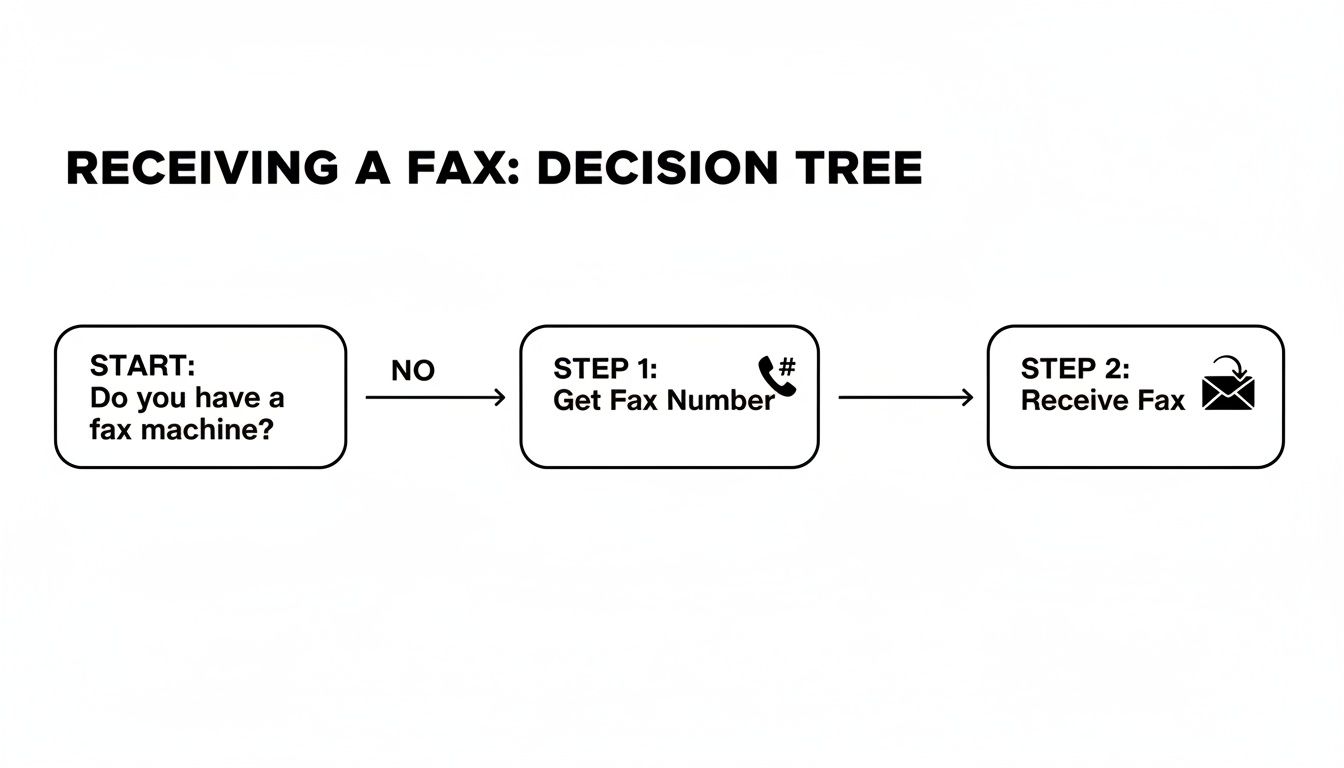
    This flowchart gives you a quick visual of the first few steps you'll take when ditching the old machine for an email-based setup.

    A decision tree flowchart illustrating the steps to receive a fax without a machine.

    As you can see, it all starts with securing a fax number and linking it directly to your email inbox.

    Comparing Online Fax Service Models

    To help you visualize the differences, here's a look at how the main pricing models stack up. This should make it easier to see which approach aligns best with your needs, whether you fax once a year or a hundred times a day.

    Feature Pay-Per-Use Model (e.g., SendItFax) Subscription Model (Low-Tier) Subscription Model (Business-Tier)
    Best For Occasional, infrequent users Individuals or small teams High-volume businesses
    Cost Structure Pay per page, no monthly fee Fixed monthly fee Higher fixed monthly fee
    Page Allowance N/A (Pay for what you use) 100-300 pages/month 1,000+ pages/month
    Number Porting Often available for a one-time fee Usually included Always included
    Advanced Security Varies by provider Basic security, HIPAA often extra HIPAA compliance included
    Flexibility Maximum flexibility, no commitment Moderate flexibility Low flexibility (annual contracts)

    Each model has its place. Your goal is to find the one that delivers the features you need without forcing you to pay for things you won't use.

    Making the Final Decision

    Ultimately, choosing the right service comes down to balancing features with cost. A good first step is to estimate your average monthly fax volume. That number alone will point you toward either a subscription or a pay-per-use plan.

    Remember, the goal is to find a service that seamlessly integrates into your existing workflow, not one that adds another layer of complexity. Prioritize a solution that feels like a natural extension of your email.

    For a much deeper dive into specific providers, check out our detailed online fax services comparison guide. We lay out the features and pricing side-by-side to help you make a truly informed choice.

    Setting Up Your Fax to Email Service

    A laptop on a wooden desk with a Quick Setup overlay, coffee, plant, and notebook, illustrating a modern workspace.

    This is where the magic happens. Getting your fax-to-email service running is surprisingly quick and doesn't require an IT degree. The whole point is to get you receiving faxes in your inbox with as little fuss as possible, turning what used to be a clunky process into just another part of your digital day.

    Essentially, you just need to sign up, sort out your fax number, and tell the service which email address to send everything to. Let’s break it down.

    Your Fax Number, Your Choice

    First things first: you need a fax number. This is what people will dial to send you documents. When you sign up for a service, you’ll be presented with a couple of options, and your choice really boils down to your business's history with faxing.

    • Get a New Number: If you’re just starting out or don't have an established fax line, this is the simplest route. Services like SendItFax let you pick a new local or toll-free number right during the signup process. It's the fastest way to get the ball rolling.
    • Port Your Existing Number: Got a fax number that your clients have known and used for years? You'll want to port it. Porting simply means transferring your existing number from your old provider to your new online service. It's a critical step for maintaining business continuity.

    Just a heads-up: while porting is a fantastic feature, it does take a bit more time than grabbing a new number. Plan for it to take anywhere from a few days to a week to complete the transfer.

    Configuring Your Destination Email

    With your number sorted, the next step is connecting it to your email. This is the heart of "fax-to-email" and it's usually as easy as typing your email address into a field in your account settings. You can route faxes to any email you want—Gmail, Outlook, or your own custom domain, it doesn't matter.

    Here's a pro tip I've learned from experience: consider setting up a dedicated email address just for faxes, like faxes@yourbusiness.com. This creates a clean, organized funnel for all incoming faxes, keeping them separate from your day-to-day emails and making them much easier to track.

    The entire setup is designed to take just a few minutes. The goal is to bridge the gap between old-school faxing and modern work with practically zero friction, so you can worry about the documents themselves, not the technology behind them.

    This kind of setup is more relevant than ever. The cloud fax market is on track to hit USD 860.5 million by 2026, partly because faxing is still so prevalent in many industries. And with the post-pandemic remote work boom causing a 20-30% jump in demand for browser-based tools, knowing how to get a fax by email is a vital skill for distributed teams. You can discover more insights on the future of cloud fax markets to see where things are headed.

    Automate Your Inbox for Ultimate Efficiency

    Once you're set up, don't just let those fax notifications flood your primary inbox. Take an extra five minutes to create an email filter. Trust me, this is a game-changer for staying organized.

    For example, in Gmail or Outlook, you can set up a rule that automatically moves any email coming from your fax service (like notifications@senditfax.com) into a dedicated folder you've named "Incoming Faxes."

    Setting this up is simple:

    1. Open an email notification from a test fax you've received.
    2. Find the "Create filter" or "Create rule" option in your email client, usually based on the sender's address.
    3. Choose the action to "Move to" a specific folder or "Apply label," then select your "Incoming Faxes" folder.

    This one little automation keeps your main inbox tidy and ensures all your important faxes are neatly filed away, ready for you the moment you need them. It's a small tweak that pays huge dividends in your daily workflow.

    Now What? How to Manage Your Digital Faxes Like a Pro

    A person uses a laptop displaying cloud storage icons, next to organized physical files and a 'ORGANIZE SECURELY' sign.

    Okay, so your fax-to-email service is up and running. The faxes are rolling in. Now the real work begins: building a smart system to handle everything. Just letting digital faxes pile up in your inbox is a surefire recipe for chaos.

    To really get the most out of your setup, you need a solid workflow for organizing, archiving, and protecting these documents. This is where you move from just receiving faxes to truly managing them with confidence.

    Develop a Smart Organization System

    The cornerstone of any good digital workflow is organization. Think of your digital faxes just as you would any other critical business document. A great first step is creating a dedicated folder structure that mirrors how you actually work.

    For example, a busy real estate agent could set up email folders for each client or property. That way, finding a specific signed offer from three months ago is a matter of a few clicks, not an endless, panicked scroll through a cluttered inbox. This is so much more effective than just relying on your email's search bar.

    Don’t treat your inbox like a to-do list or a filing cabinet. As soon as you review a fax, file it away. This simple habit keeps your inbox clean and prevents crucial documents from getting lost in the noise.

    This kind of proactive management is becoming the norm. The global online fax market is booming, valued at USD 2.88 billion and on track to reach USD 5.18 billion by 2035. Big companies, making up about 50% of all users, are driving this trend because they can't afford disorganized or insecure document handling. If you're curious, you can read the full research about online fax market growth and see the data for yourself.

    Prioritize Security and Archiving

    Security is non-negotiable when you receive a fax by email, especially if those documents contain sensitive client or patient data. While good online fax services offer secure transmission, your own digital habits play a huge part in keeping that information safe once it lands.

    Make these security practices second nature:

    • Lock Down Your Email: Your email account is now the front door to your faxes. Use a strong, unique password and, wherever possible, turn on two-factor authentication. It's one of the best defenses you have.
    • Spot the Fakes: Be on the lookout for phishing scams disguised as fax notifications. Always double-check the sender’s email address before you click a link or download an attachment.
    • Use the Cloud for Safekeeping: For secure, long-term storage, consider setting up an email rule that automatically forwards or saves faxes to a trusted cloud service like Google Drive or Dropbox. This gives you a centralized, backed-up archive of everything important.

    These steps ensure your digital faxing is not just convenient but also incredibly secure. For a deeper dive, check out our guide on the security of fax communications and learn the best practices from top to bottom.

    Got Questions? We've Got Answers

    Switching to a new system for something as established as faxing naturally brings up some questions. It's smart to get the full picture before you dive in. I've been helping people make this transition for years, and a few key questions always pop up. Let's walk through them so you feel completely comfortable.

    These are the things people usually ask when they're figuring out how to get faxes sent to their email. Getting these points clarified will make the whole process feel much less like a leap of faith.

    Can I Keep My Old Fax Number?

    Absolutely. In almost every case, you can bring your existing fax number with you. Any good online fax provider knows that number is part of your business's identity. They have a standard process called number porting.

    Think of it as simply moving your number from your old phone carrier to their service. It's not instantaneous—it can take anywhere from a few days to a couple of weeks to complete—but it's a routine procedure. This means you get all the benefits of a modern system without the massive pain of updating your contact info everywhere.

    Are Email Faxes Actually Legally Binding?

    This is a critical question, and the answer is a confident yes. Faxes you receive via an online fax service hold the same legal weight as a piece of paper spat out by a traditional machine. The secret is in the digital audit trail.

    Online services generate detailed transmission logs that confirm successful delivery. Honestly, this digital record is often stronger proof than the flimsy confirmation slip you'd get from an old machine.

    For anyone in law, finance, or healthcare, this is huge. You need to know your documents are secure and legally sound. Digital faxing meets that standard, giving you modern convenience without compromising on legal validity.

    A quick tip: if you handle sensitive information, make sure your chosen service mentions security like TLS encryption. And for anyone in healthcare, a HIPAA-compliant service isn't just a good idea; it's a requirement to protect patient data properly.

    What if My Email Server Goes Down?

    Your faxes will be safe. This is a common worry, but it actually points to one of the biggest strengths of an online service. The service doesn't send the fax directly to your email; it receives it on its own secure servers first.

    It then forwards a copy to your inbox. If your email is down for maintenance or having an off day, that fax just sits safely in your online fax account, waiting for you. You can log into the service's website or app to see it immediately, or it will be there in your inbox once things are back online. It’s a built-in safety net that ensures you never miss a thing.


    Ready to see how much simpler faxing can be? SendItFax offers a straightforward, pay-as-you-go service that lets you send faxes right from your browser—no sign-ups or subscriptions needed. You can get started in just a few seconds.

  • Your Professional Free Fax Cover Template PDF Guide

    Your Professional Free Fax Cover Template PDF Guide

    Here's the deal: a fax cover template PDF is just a ready-to-go first page for your fax. Think of it as the envelope for your digital documents—it tells the recipient who you are, who the fax is for, and what's inside. It ensures your important papers land on the right desk, looking professional.

    If you need one now, you can download our free, customizable PDF templates right here and get started.

    Why a Professional Fax Cover Sheet Still Matters

    An office desk with a printer, outgoing paper, a fax machine, and a laptop showing 'PROFESSIONAL FAX'.

    It’s easy to think of faxing as old-school tech, but in many professional fields, it’s still a daily workhorse. The cover sheet isn't just a formality; it's your first impression and a crucial piece of the communication puzzle.

    This single page does a few important jobs. It immediately identifies who the fax is for and who sent it. In a busy office with a shared machine, this is the difference between your sensitive legal brief getting to the right attorney or getting lost in a pile of papers.

    A clean, well-organized cover sheet also projects professionalism. It shows you’re thorough and take your communications seriously, which is a small touch that can make a big difference.

    The Unspoken Importance of Security and Clarity

    Beyond looking professional, a fax cover template PDF is a critical tool for security and compliance, especially in healthcare, law, and finance. It's the perfect place to put a confidentiality notice, which is often a legal or regulatory requirement (think HIPAA in healthcare).

    That notice is a clear warning that the documents are sensitive and tells anyone who receives them by mistake what to do. It’s your first line of defense against an accidental data breach. The cover sheet also creates a clear paper trail with essential details.


    Key Components of a Professional Fax Cover Sheet

    This table is a quick reference guide to the essential fields that ensure your fax is clear, professional, and delivered correctly every time.

    Component Purpose Example
    Sender's Information Identifies you or your company. John Smith, XYZ Corp, (555) 123-4567
    Recipient's Information Ensures the fax reaches the right person. ATTN: Jane Doe, Legal Department
    Date Records when the fax was sent. October 26, 2023
    Subject Provides immediate context for the document. RE: Contract Draft for Project Phoenix
    Number of Pages Confirms the entire transmission was received. 5 (including cover)
    Confidentiality Notice A legal disclaimer for sensitive information. "The documents accompanying this transmission contain confidential information…"

    Getting these details right isn't just about being organized; it's about making sure your communication is effective and secure from start to finish.

    A common mistake is assuming faxing is obsolete. On the contrary, its point-to-point security makes it a preferred method for transmitting documents that shouldn't be sent over potentially vulnerable email networks.

    Fax Usage is Growing, Not Fading

    Believe it or not, faxing isn’t going anywhere. A surprising IDC survey revealed that 82% of organizations saw their fax usage either increase or stay the same. You can dig into the full research about these fax volume trends to see why this classic tool is holding its ground.

    This continued relevance is exactly why mastering the basics, like using a proper cover sheet, is still a valuable skill. And with modern tools like SendItFax, you can easily send a professional-looking fax right from your computer, bridging the gap between old tech and new workflows.

    Making the PDF Template Your Own

    A person's hand with a pen over a PDF document on a laptop, customizing it.

    Okay, you've downloaded a generic fax cover template PDF. Now for the important part: turning it into your template. A little personalization goes a long way, not just for branding but for saving a ton of time down the road.

    The whole point is to create a reusable master copy. You’ll want to add all your fixed information—like your logo and contact details—so that each time you send a fax, you're only filling in the recipient's info. The good news? You don't need to be a graphic designer or buy expensive software to get it done.

    What’s the Best Tool for the Job?

    You've got plenty of options for editing a PDF, and many of them are completely free. The main thing you need is a tool that lets you add text and maybe an image without making the whole thing look messy.

    Here are a few of the go-to choices I usually recommend:

    • Adobe Acrobat Online Editor: This is the industry standard for a reason. It's a reliable, browser-based tool that handles the basics—adding text, comments, and images—without any fuss. It’s perfect for simple customizations.
    • Smallpdf or Sejda: Both of these are fantastic online editors with similar features to Adobe's. They typically offer a generous number of free edits per day, which is more than enough for this kind of task.
    • Microsoft Word: This one can be a bit of a surprise, but newer versions of Word can actually open PDFs and convert them into an editable format. Once you’re done tweaking, you just save it as a PDF again.

    Honestly, for what we're doing here, an online editor is usually the quickest and easiest path. There's nothing to install, and the interfaces are built for people who just want to get in, make a change, and get out.

    What to Customize for a Pro-Level Look

    To really nail this, you'll want to focus on a few key elements. We're not trying to over-design it; the goal is to embed the essential information so your faxes always look consistent and professional.

    Start with your company logo. Pop it in the header, usually in one of the top corners. It’s the fastest way to brand the document. Next, fill in all your sender details—your name, company, address, phone, and fax number. This is a huge time-saver.

    My Two Cents: Stick with clean, simple fonts like Arial, Calibri, or Helvetica when adding your text. Why? Because they hold up perfectly when faxed, ensuring everything is crisp and readable on the other end. Stay away from fancy script or decorative fonts, as they tend to blur and become a mess.

    Once your permanent details are locked in, think about anything else you can standardize. Do you often send sensitive documents? Go ahead and type a confidentiality notice right into the footer of your template. That way, you’ll never forget to include it. If you need more ideas on what to include, our full guide to building a fax cover sheet template PDF has you covered.

    The last thing to do is save your new master template. Give it a clear, obvious name like “Company_Fax_Cover_Master.pdf” and keep it somewhere you can find it easily. Now you’re ready to send a professional-looking fax in seconds.

    Adapting Your Cover Sheet for Specific Industries

    A gavel, stethoscope, and house model on a wooden desk under an 'INDUSTRY SPECIFIC' sign.

    A generic cover sheet might get the job done for everyday tasks, but in heavily regulated industries, "good enough" simply isn't an option. The details you include—or leave out—can carry serious professional and even legal weight. That’s why adapting your fax cover template PDF for your specific field isn't just a best practice; it’s a core part of communicating securely and staying compliant.

    For professionals in fields like healthcare, law, and real estate, the cover sheet does more than just announce a fax. It provides critical context and acts as the first checkpoint for compliance, signaling how the document should be handled before anyone even sees page one. This is where a customized template really proves its worth.

    Don't think fax is a thing of the past. The global fax services market was valued at $3.31 billion in 2024 and is expected to climb to $4.47 billion by 2030. This growth is fueled by secure cloud faxing in critical sectors where, even now, 17% of businesses around the world still rely on it. You can dig into the numbers in this fax services research report to see just how relevant the technology remains.

    Healthcare and HIPAA Compliance

    When it comes to healthcare, patient privacy is everything. Every single fax containing Protected Health Information (PHI) has to meet strict HIPAA guidelines, and your cover sheet is your first line of defense. It's not enough to just send the document; you have to show you've taken every step to protect that information.

    A basic, off-the-shelf template just won't do. A compliant medical fax cover sheet needs a few key elements:

    • A Prominent HIPAA Confidentiality Notice: This is absolutely non-negotiable. It needs to clearly state that the information is confidential, intended only for the specified recipient, and that any unauthorized access is strictly prohibited.
    • Clear Sender and Recipient Details: Always include the full name, clinic or hospital, and a direct phone number. This helps prevent a misdialed fax from landing in the wrong hands and gives an honest recipient a way to contact you immediately.
    • Patient Identifier (When Appropriate): Instead of a full name on the subject line, use a medical record number or another non-sensitive identifier. It’s an easy-to-add layer of privacy.

    Crucial Takeaway: That HIPAA notice isn't just fine print. It's a legally significant statement that tells an unintended recipient exactly what to do, which can be the difference-maker in mitigating a potential data breach. Make sure it's impossible to miss.

    Legal Documents and Attorney-Client Privilege

    In the legal world, a fax cover sheet creates a formal record of communication and is essential for asserting privilege. The information being sent is almost always time-sensitive and highly confidential, so the cover sheet needs to reflect that gravity. Misrouting a legal fax can cause serious problems for a case.

    Your legal fax cover template should be customized with specific fields for:

    • Case Name and Number: This gives the receiving attorney or paralegal immediate context, so they know exactly what the document pertains to.
    • Attorney-Client Privilege Disclaimer: A bold, clear statement that the contents are privileged, confidential, and meant only for the addressee.
    • Sending Attorney Information: Explicitly list the sending attorney's name and bar number. There should be zero ambiguity about who sent it.

    Having a template with these fields ready to go can save you critical minutes and cut down on the risk of error when you're up against a tight deadline. For more ideas on phrasing and structure, check out this great fax cover letter example that breaks down how to build these professional communications.

    Real Estate Transactions

    Real estate runs on paperwork. Transactions involve a ton of different parties and a constant flow of documents, from initial offers to final inspection reports. A well-organized cover sheet is your best friend for preventing confusion and keeping the whole process from grinding to a halt.

    Make sure your real estate template has a few key additions:

    • Property Address: This is the most important piece of information. It should be front and center.
    • Transaction ID or MLS Number: This helps the recipient's office instantly file the document with the correct property file.
    • Document Type: Be specific. Clearly state whether the fax contains an offer, a counter-offer, an addendum, or inspection results.

    These simple tweaks transform your generic fax cover template PDF into a specialized tool that smooths out your workflow and reinforces your professionalism, no matter what industry you're in.

    Sending Your Fax Online with a Custom Cover Page

    So, you've got your polished PDF cover page ready to go. Now what? The final piece of the puzzle is actually sending the fax, and this is where an online fax service like SendItFax really shines. It completely removes the need for a clunky, old-school fax machine.

    The whole platform is built for speed and simplicity. You can send a fax right from your web browser without even needing to sign up for an account. The interface is clean and gets straight to the point—it asks for your info, the recipient's details, and your documents. Just drag and drop your files, and you're practically done.

    Here’s a look at the main SendItFax interface where all the magic happens.

    As you can see, everything is laid out logically. The fields for sender and recipient details are obvious, and there's a big, clear button for attaching your files.

    Attaching Your Custom Cover Sheet

    When it comes to the cover page itself, you have a couple of solid options. Which one you choose really just depends on whether you're aiming for speed or a more branded, professional touch.

    • Use the Built-In Generator: In a hurry? Just type a quick note into the "Cover Page Message" box on the SendItFax site. The system will whip up a clean, standard cover sheet with your text perfectly formatted. It's the ideal choice for quick, informal faxes.
    • Upload Your Custom PDF: For that truly professional look, you'll want to upload your custom-designed PDF. The trick here is to make it the very first page of your fax. Before you upload, just merge your cover sheet and your main document into a single PDF file. This way, your branding and all the specific information you included are front and center, looking exactly as you intended.

    If you want a more detailed breakdown of the whole process, from start to finish, be sure to check out our complete guide on how to send a fax online.

    Choosing Between Free and Paid Options

    SendItFax gives you some flexibility based on how often you send faxes and what you need.

    The free service is fantastic for anyone who only sends a fax once in a while. It lets you send up to three pages (plus the cover sheet) and includes some light SendItFax branding on the cover page. You can send up to five free faxes per day, which is pretty generous.

    Pro Tip: If you're sending something important like a legal contract, a medical record, or a real estate offer, paying the small fee to remove the branding is a smart move. It presents a cleaner, more professional image and keeps the focus entirely on your business.

    For anyone needing that extra professional touch, the Almost Free plan is a perfect fit. For a very small fee, you can send up to 25 pages with priority delivery. Most importantly, it removes all SendItFax branding from the cover page. This plan also gives you the option to skip the cover page entirely if it's not needed, giving you total control over how your document is presented.

    Common Cover Sheet Mistakes and How to Avoid Them

    A close-up of a desk with a document, a pen, a magnifying glass, and a note reading "Avoid Mistakes" indicating careful review.

    Even with the perfect fax cover template PDF, a simple oversight can cause major headaches. These common slip-ups can easily undermine your professionalism, compromise security, or even result in your fax getting lost in the shuffle. The good news? They're all preventable with just a moment of care before you hit send.

    The single most critical mistake is punching in the wrong fax number. It sounds basic, but it happens all the time. Sending sensitive information to an unintended recipient is a serious privacy breach, especially in fields like healthcare and law where confidentiality is paramount. Always, always double-check the number, digit by digit.

    Legibility and Transmission Issues

    Another common pitfall I see is people getting too fancy with their cover sheet design. Remember, faxes transmit in black and white, often at a lower resolution. That means complex graphics, tiny fonts, or colorful logos can arrive as an unreadable, smudged mess.

    For the best results, think clean and simple.

    • Font Choice: Stick to standard, highly readable fonts like Arial or Calibri. I'd recommend a size of 10 points or larger to be safe.
    • Graphics: If you include a logo, use a simple, high-contrast version. Steer clear of any shadows, gradients, or intricate details that won't translate well.
    • Layout: Give your text room to breathe. Plenty of white space makes the key information pop and prevents the page from looking cluttered.

    The goal here is pure clarity, not artistic expression. A fax that's a pain to read is a fax that gets ignored.

    Forgetting Crucial Information

    It's also surprisingly easy to leave out key details that can create a lot of confusion on the other end. One of the most important fields, and one that's frequently forgotten, is the total page count. Just imagine sending a five-page contract, but the recipient's machine only spits out four pages—and they have no idea one is missing.

    Crucial Takeaway: Always include the total number of pages, including the cover sheet (e.g., "5 pages total"). This one small detail allows the recipient to instantly confirm they have the complete document, heading off potentially costly misunderstandings.

    In the same vein, forgetting your own contact information makes it impossible for the recipient to ask questions or even confirm they got the fax. Make sure your name, company, and direct phone number are clearly visible.

    With the sheer volume of faxes still being sent—the U.S. alone sent around 200 billion fax pages back in 2017—these details are more important than ever. That massive volume is a big reason why cloud faxing through services like SendItFax is growing so fast, as it helps professionals send clear, well-formatted documents every time. You can dig into some more of these surprising faxing industry facts to see just why the technology is still so relevant.

    Common Questions About Fax Cover Sheets

    Even with the perfect template in hand, you might still have a few questions when it’s time to actually send your fax. Getting the details right ensures your documents are handled correctly, look professional, and tick all the necessary compliance boxes.

    Let's walk through some of the most common things people ask about using a fax cover template PDF.

    Is a Fax Cover Sheet Legally Required?

    This is probably the most common question, and the answer isn't a simple yes or no. While there isn't a single law that says every fax must have a cover sheet, it's an absolutely critical best practice in any regulated industry.

    Think about it this way: in healthcare, that cover sheet with a clear HIPAA confidentiality notice isn't just a formality. It's a key part of showing you're taking every step to protect sensitive patient information. The same goes for legal documents, where a cover sheet formally records the transmission and can assert attorney-client privilege.

    So, while you might not get a fine for sending a casual fax without one, skipping it in a professional context is a risk you don't want to take. It's always the safer and more professional choice.

    Can I Use My Own PDF Cover Sheet With SendItFax?

    Yes, you absolutely can. SendItFax was built to be flexible. You've got two easy ways to handle your cover page.

    If you're in a hurry, just type your message into the cover page field on the site. The system will generate a clean, simple cover sheet for you on the fly.

    For a more polished and branded approach, you can upload your own custom fax cover template PDF. The trick is to merge your custom cover sheet and your main document into a single PDF file before you upload it. Just make sure your custom cover is the very first page, and SendItFax will transmit it exactly as you designed it.

    How Do I Ensure My Faxed PDF Is High Quality?

    To make sure your fax arrives looking crisp and professional, the key is to start with a clean source document. Fax transmission is a black-and-white technology that doesn't handle complexity well, so simplicity is your friend.

    • Stick to Legible Fonts: Use standard, easy-to-read fonts like Arial or Times New Roman at a size of 10 points or larger.
    • Avoid Complex Graphics: A simple, high-contrast logo is fine. But things like shadows, color gradients, or detailed images will likely turn into a blurry mess on the receiving end.
    • Save It Right: When exporting your document to PDF, choose a "standard" or "high-quality" setting. This prevents over-compression that can make your text look fuzzy.

    What Information Is Essential for Privacy and Compliance?

    For privacy regulations like HIPAA, your cover sheet absolutely must include a clear and prominent confidentiality notice. This isn't just legal jargon; it's a vital instruction.

    The statement should explain that the document is intended only for the person it's addressed to and that any unauthorized viewing or sharing is strictly prohibited.

    Here's the crucial part: The notice should also provide clear instructions for anyone who receives the fax by mistake. Tell them to contact you immediately and to securely destroy the document. That simple instruction is a critical step in containing a potential data breach.


    Ready to send your next fax with a professional, custom cover page? SendItFax makes it easy to upload your documents, add a cover sheet, and send everything securely from your browser in minutes. Try SendItFax today and see how simple online faxing can be.

  • Create the Perfect Fax Cover Sheet Template

    Create the Perfect Fax Cover Sheet Template

    A cover sheet template is more than just a piece of paper you stick on top of a fax. Think of it as the gatekeeper for your important documents. It’s the first thing your recipient sees, and it’s what ensures your sensitive information gets to the right person, right away, and without any confusion.

    Using a well-designed template is a small step that pays huge dividends in time saved, errors avoided, and a consistently professional look for your business.

    Why You Still Need a Good Cover Sheet

    Let's be honest, in a world of instant messages and endless email chains, faxing can feel a bit old-school. But for industries where security and legal validity are non-negotiable—like healthcare, law, and real estate—faxing is still the gold standard. A professionally crafted cover sheet isn't just a courtesy; it's a critical part of the process.

    Think of it as your first line of defense against misdelivery. When you clearly spell out the recipient's name, the sender's details, and the total page count, you dramatically lower the risk of that critical contract or patient file landing on the wrong desk in a busy office.

    The Foundation of Professional Communication

    Imagine a legal contract or a patient’s medical records just showing up on a fax machine with no context. Who sent it? Who is it for? Is it urgent? A cover sheet answers all these questions at a glance. It sets a professional tone from the very beginning and shows the other party that you’re organized and thorough.

    This simple document is a quiet workhorse for your brand. Its benefits are straightforward but powerful:

    • Saves Time and Keeps Things Consistent: A reusable template means you're not starting from scratch every single time.
    • Prevents Critical Errors: It acts as a checklist, ensuring all the necessary details are there to prevent delays or mix-ups.
    • Enhances Security: A clear confidentiality notice is essential for protecting sensitive data like Protected Health Information (PHI).

    A Timeless Tool for Modern Business

    Fax cover sheets have been a business staple since the 1980s, and they've stuck around for a good reason. Even today, the U.S. Census Bureau reports that 78% of small businesses still count on fax for transmitting sensitive documents. The data also shows that a simple cover sheet can slash delivery errors by an impressive 45%. You can dive deeper into the history and importance of business documentation over at TemplateLab.

    A cover sheet's job is simple but powerful: it bridges the gap between hitting "send" and ensuring your document is received securely and successfully. It's the handshake before the conversation, setting the stage for everything that follows.

    Modern tools like SendItFax make this process even smoother. You can pair your custom templates with a secure online faxing service, giving you the trusted reliability of faxing with the convenience of today’s digital tools.

    Designing Your Reusable Cover Sheet Template

    Think of creating a custom cover sheet as a one-time investment that saves you time and headaches with every single fax you send. The idea is to build a professional, reusable document right in a program you already use, like Microsoft Word or Google Docs. We're not talking about fancy graphic design here; we're aiming for clarity, consistency, and a solid first impression.

    First things first, open a new document and set up a simple header. This is the prime real estate for your company logo. Popping your brand right at the top instantly adds a professional touch and reinforces who you are. Remember to use plenty of white space—a cluttered page is hard to read and looks unprofessional.

    The real meat of your template is the information fields. You’re essentially creating a simple form with clear, labeled sections for all the must-have details. This way, nothing gets missed when you're in a rush.

    Structuring Your Key Information Fields

    I’ve found that organizing the template into logical blocks works best. A simple two-column layout is often a great choice, as it keeps the sender and recipient information neatly aligned and incredibly easy to scan.

    These are the fields I consider absolutely non-negotiable for any template:

    • To: The recipient's full name and their department.
    • From: Your full name and professional title.
    • Company: The name of the recipient's organization.
    • Fax Number: This is critical, so make the field prominent.
    • Date: The date you're sending the fax.
    • Subject: A short, clear description of what's inside.
    • Total Pages: Always include the cover sheet in this count (e.g., "1 of 5 pages").

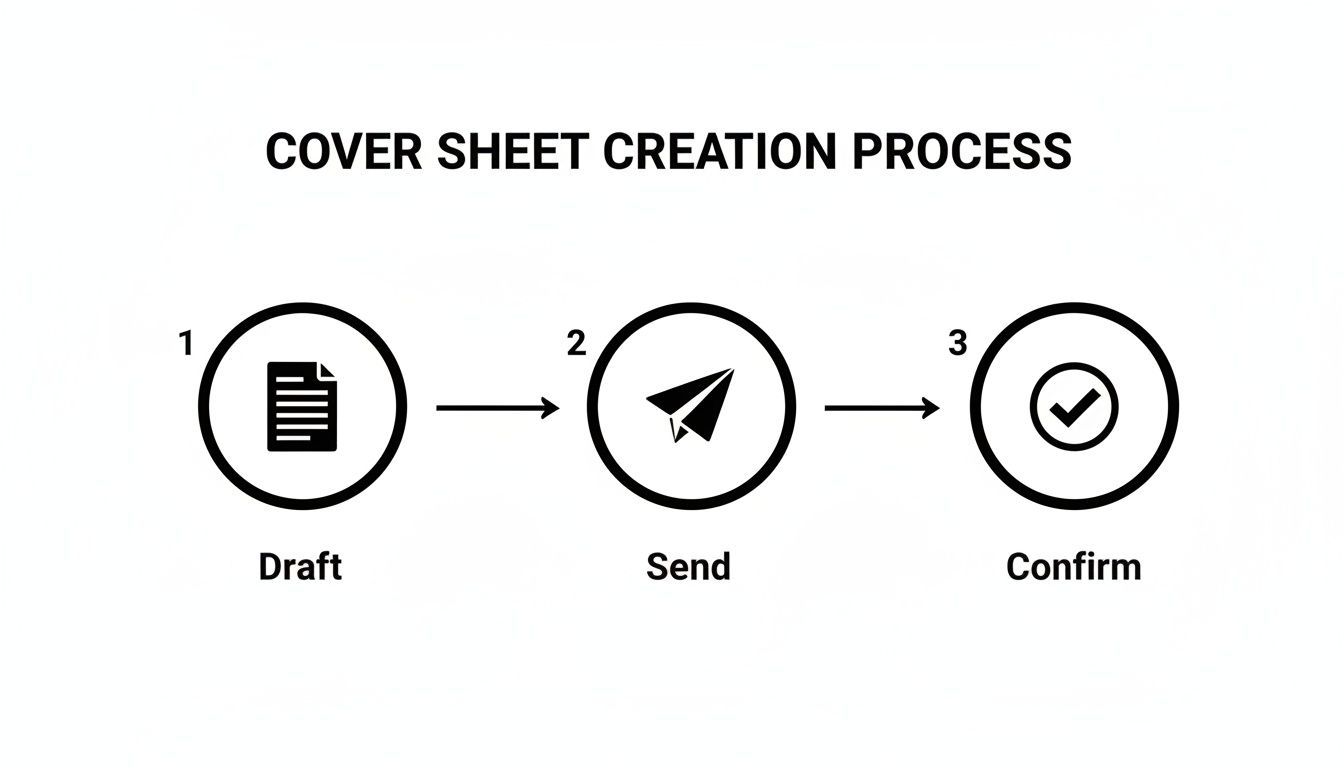
    This quick diagram breaks down the entire process, from drafting your template to getting that final confirmation.

    Diagram illustrating a three-step cover sheet creation process: Draft, Send, and Confirm with icons.

    It’s a simple visual, but it drives home an important point: a well-made template is the foundation for a smooth, successful fax every single time.

    Adding the Message and Confidentiality Notice

    Just below the main contact block, make sure to leave a generous amount of space for a message. This is where you can add specific context or instructions for the person on the other end. In your template file, you can just use placeholder text like, "[Insert brief message here]," as a reminder to customize it before sending.

    Last but certainly not least, add a confidentiality statement at the very bottom. For many industries, especially healthcare and legal, this isn't just a good idea—it's a legal necessity.

    A standard confidentiality notice is your first line of defense. It legally informs any unintended recipients that the information is privileged and not for them, instructing them on the proper course of action, which usually involves destroying the document and notifying the sender.

    A classic notice usually says something like: "This facsimile is confidential and intended solely for the use of the individual to whom it is addressed. If you have received this fax in error, you are hereby notified that any disclosure, copying, or distribution is strictly prohibited."

    Once your layout is perfect, save the file as a template (a .dotx file in Word, for instance). Now, when you're ready to send a fax, you'll need it in a reliable format. We have a great guide on how to convert Word documents to PDF, which is the universal standard for online faxing. This final step ensures your carefully designed template looks exactly as intended, no matter where it's viewed.

    What Every Great Fax Cover Sheet Needs

    Think of your fax cover sheet not as a mere formality, but as the control panel for your entire transmission. A well-designed template does more than just introduce your document; it ensures it lands in the right hands and protects you legally. Getting these details right from the outset can prevent a world of confusion, delays, and even serious compliance headaches, especially when you're handling sensitive information like Protected Health Information (PHI).

    A vague subject line or a missing page count might seem like a small oversight, but they can cause big problems. Imagine sending a crucial multi-page contract, but the recipient's machine only spits out the first few pages. Without a clear page count like "Page 1 of 7", they might act on an incomplete document, leading to a major misunderstanding.

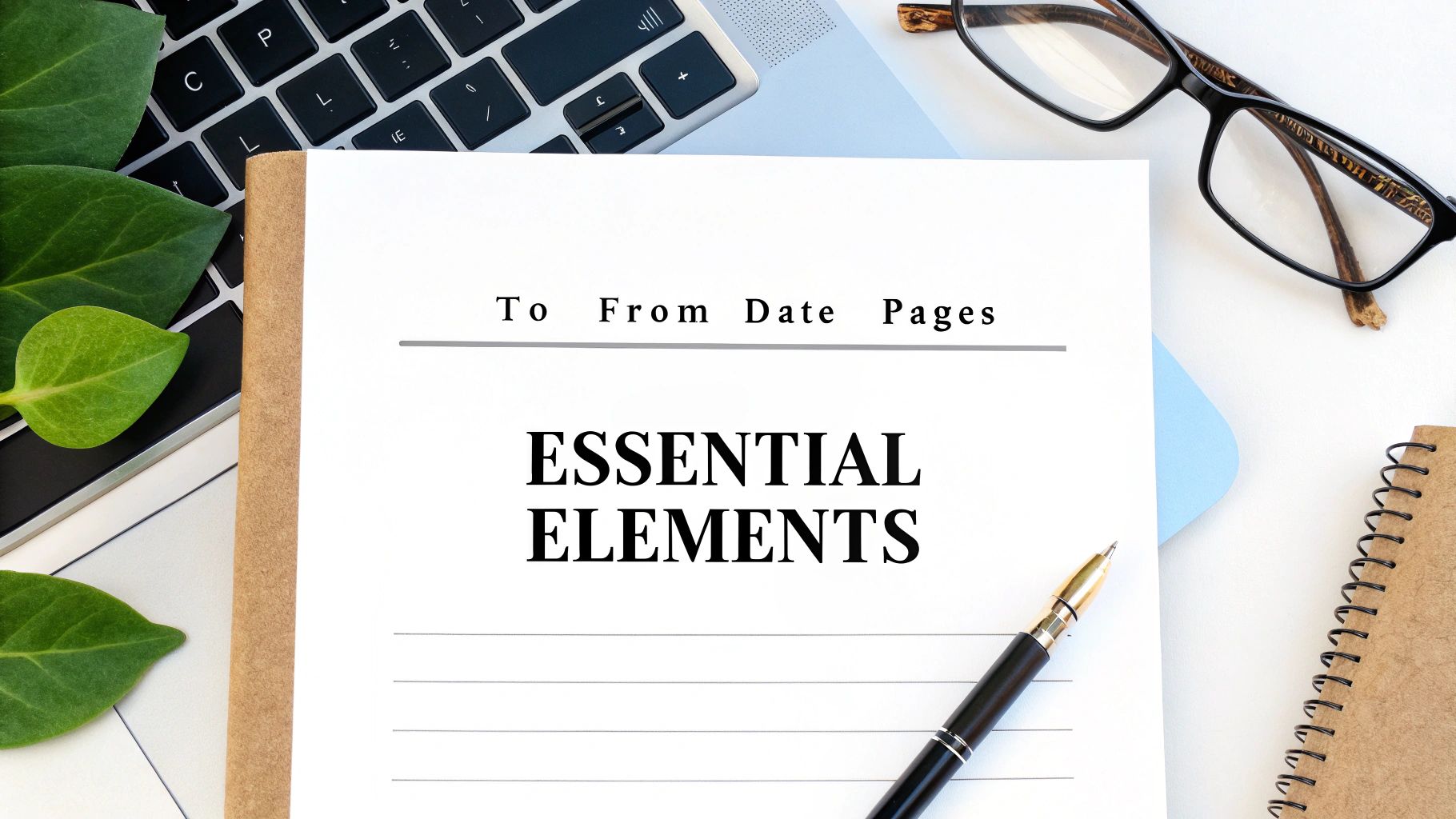
    A minimalist workspace featuring a cover sheet titled 'Essential Elements', a pen, laptop, and reading glasses.

    Core Contact and Routing Information

    This is the absolute foundation of your cover sheet, and it needs to be crystal clear. Ambiguous details are just asking for your fax to get lost in a busy mailroom or shuffled between departments. Every solid template should have dedicated fields for this info.

    Make sure your template includes:

    • Sender Details: Your full name, company, direct phone number, and fax number. This tells the recipient exactly who you are and how to get back to you.
    • Recipient Details: The person's full name, their department (if you know it), company, and their direct fax number. Honestly, double-checking this number is the single most important thing you can do.
    • Date of Transmission: Always include the exact date you send the fax. It’s essential for good record-keeping.

    This isn’t just about being meticulous; it's about making things work. In fact, we’ve seen that standardized templates can increase fax delivery success rates by as much as 35% in busy offices. An incredible 22% of all failed faxes are simply due to poorly formatted cover sheets with missing or unclear information.

    The Subject Line and Page Count

    The subject line is your chance to give the recipient instant context. A generic subject like "Documents" is practically useless. Be specific and, if possible, action-oriented. Try something like, "Signed Lease Agreement for 123 Main St" or "Urgent: Patient Referral for John Doe."

    The page count is just as crucial. You should always specify the total number of pages, including the cover sheet itself. This tiny detail instantly confirms that the entire document was transmitted successfully and helps the recipient make sure everything is in the right order. For more ideas on how to frame your documents effectively, take a look at our detailed guide on fax cover letter examples.

    Your subject line and page count are the two things people scan for first. Someone glancing at the fax machine should be able to figure out what the document is and confirm it's all there in under five seconds.

    The Confidentiality Disclaimer

    This is a non-negotiable, especially if you work in legal, finance, or healthcare. A confidentiality statement is a block of text, usually at the bottom, that serves as a legal safeguard. It puts anyone who might accidentally receive the fax on notice that the contents are private, privileged, and not intended for them.

    A standard disclaimer will instruct an unintended recipient to destroy the document and notify the sender immediately. This simple paragraph can be your first line of defense against claims of negligence or even HIPAA violations if sensitive information ends up in the wrong hands. Make sure every template you use has one.

    A one-size-fits-all cover sheet might get the job done for a quick, casual fax, but it’s a major misstep when you’re dealing with industry-specific rules and regulations. What you include—and what you leave out—can have real legal and professional consequences.

    Your cover sheet isn’t just an introduction; it's a critical business tool. What a freelance graphic designer needs is worlds away from the requirements of a busy medical clinic or a law firm handling sensitive case files. You have to think beyond the basics of "To" and "From" and consider what your field truly demands.

    Healthcare and HIPAA Compliance

    If you're in healthcare, your fax cover sheet is on the front lines of protecting Protected Health Information (PHI) and staying HIPAA compliant. A generic template is a non-starter. You absolutely must include a clear, comprehensive confidentiality notice that specifically mentions HIPAA.

    This isn't just a formality. Think about this: in 2024, an estimated 41% of U.S. healthcare providers still rely on faxes for patient records, sending over 8 billion pages a year. The Joint Commission found that a proper confidentiality notice can cut compliance violations by a staggering 50%. You can find some great examples and insights on report templates over on Canva's resource page.

    Your healthcare cover sheet needs these key elements:

    • A prominent HIPAA warning: State clearly that the information is confidential PHI.
    • Misdelivery instructions: Tell anyone who receives it by mistake to destroy the fax immediately and notify you.
    • Minimal patient info: Only include what's essential for identification to reduce the risk of exposure.

    Legal and Real Estate Disclaimers

    In law and real estate, faxes are often loaded with privileged or time-sensitive information. Your cover sheet needs to put up a clear wall of confidentiality right from the start. The whole point is to safeguard attorney-client privilege or the private nature of a big contract negotiation.

    A legal cover sheet should have a bold disclaimer right at the top. It should state that the contents are confidential, meant only for the intended recipient, and may be legally privileged. This simple step helps prevent someone from accidentally waiving privilege if the document ends up in the wrong hands. For real estate deals, a similar notice drives home the confidential nature of offers, counter-offers, and financial data.

    A well-worded disclaimer on your legal or real estate fax cover sheet acts as a legal shield. It formally declares the confidential nature of the communication before the recipient even sees the first page of the actual document.

    Freelancers and Small Business Branding

    For freelancers and small business owners, the cover sheet is a fantastic piece of marketing real estate. You might not have the intense compliance worries of a doctor or lawyer, but looking professional is just as important. Use this space to make a great first impression.

    This is your chance to reinforce your brand. Add your logo, use your company colors, and pick a clean, modern font that matches your website and business cards. Treat it like a mini-letterhead. A polished, branded cover sheet tells clients you’re organized, professional, and serious about your work—and that’s a message every client wants to receive.

    Industry-Specific Cover Sheet Customizations

    Different fields have vastly different priorities when it comes to fax communication. The information that is essential for one industry could be irrelevant—or even a liability—for another. The table below breaks down some key modifications to consider for your own cover sheet template.

    Industry Critical Information to Include Recommended Disclaimer
    Healthcare Patient Name/ID (minimal), Date of Service, Medical Record Number. HIPAA Confidentiality Notice: "This fax contains confidential, privileged Protected Health Information (PHI)… If you are not the intended recipient, you are notified that any dissemination is strictly prohibited…"
    Legal Case/Matter Number, Client Name, Document Title (e.g., "Motion to Dismiss"). Attorney-Client Privilege Statement: "This communication is intended only for the use of the individual or entity to which it is addressed and may contain information that is privileged and confidential."
    Financial Services Account Number, Transaction ID, Name of Financial Advisor/Institution. Financial Confidentiality Notice: "This information is intended only for the person or entity to which it is addressed and may contain private financial data… Unauthorized review or distribution is prohibited."
    Real Estate Property Address, Offer/Contract Number, Agent Name, and License Number. Transaction Confidentiality Clause: "The contents of this fax are confidential and intended for the recipient specified in the message only. It is strictly forbidden to share any part of this message with any third party."
    Creative/Freelance Project Name or Number, Invoice Number (if applicable), Your Contact Information and Logo. Copyright/Proprietary Information: "The materials included are the proprietary work of [Your Name/Company Name]. Any unauthorized use, reproduction, or distribution is prohibited."

    Ultimately, taking a few extra minutes to tailor your cover sheet to your industry's standards isn't just about looking good—it's about protecting yourself, your clients, and your business from unnecessary risk.

    Using Your Template with Online Fax Services

    You've put in the work to create the perfect, professional cover sheet template. Now what? The final piece of the puzzle is fitting it into your digital workflow. Fortunately, using a custom template with an online fax service is a world away from fussing with a physical fax machine, but there are a few things to keep in mind, especially when looking at free versus paid options.

    Most modern fax services, including SendItFax, are built to handle the file formats you already use. That .docx file from Word or the .pdf you saved? They're good to go. The process itself is pretty simple: when you go to send your fax, you'll just upload two files instead of one. Make sure to select your cover sheet first, then your main document, and the service will merge them into a single, seamless transmission.

    A laptop displaying an online form, a smartphone, and a notebook on a wooden desk, with 'Upload & Send' text.

    Free vs. Paid Tiers: A Practical Look

    So, where do the free and paid plans differ? It almost always comes down to branding.

    When you use a free service, you're usually trading cost for advertising. The platform will often tack on its own branded cover sheet to every fax you send. This page will be covered in their logo and marketing messages, which can seriously undermine the professional look you're trying to achieve.

    This is exactly why upgrading to a paid or "almost free" plan can be a game-changer. For a very small fee, services like SendItFax let you remove their branding completely. This puts you back in control, allowing you to use your own custom template so your logo and professional layout are the first things your recipient sees.

    Think of it this way: upgrading to a paid tier isn't just about unlocking features. It's about controlling your professional image. It's the difference between sending a business proposal in a plain, crisp envelope versus one with another company’s logo splashed all over it.

    Making the Right Choice for Your Needs

    The decision between a free and paid service really hinges on who you're faxing and why. Not all online fax platforms are built the same, so it pays to compare the details. If you're weighing your options, our in-depth online fax services comparison is a great resource for breaking down the pros and cons.

    Here’s a quick way to think about it:

    • When to Use Free Services: A free plan is perfectly fine for personal or informal faxes where branding is a non-issue. Think sending a signed form to your gym or a document to a relative.
    • When to Upgrade to Paid: You should always opt for a paid service for any kind of professional or business-critical communication. This includes legal contracts, new client proposals, medical records, or any other document where your brand's credibility is on the line.

    At the end of the day, having a custom cover sheet template saved in both DOCX and PDF formats gives you the power and flexibility to look professional on any platform. By picking a service that lets you upload your own design, you keep full control over your branding and make sure every fax you send is polished and impressive.

    Your Top Cover Sheet Questions, Answered

    Even with the best templates in hand, a few questions always pop up. I get it. You want to make sure every fax you send is professional and lands in the right hands without a hitch. Let's walk through some of the most common questions I hear from people just like you.

    Think of this as your quick-reference guide for clearing up any confusion, so you can send your documents with total confidence.

    Is a Fax Cover Sheet Actually Required by Law?

    This is a fantastic question, and the answer is a classic "it depends." There isn't a sweeping federal law that says every single fax must have a cover sheet. However, in practice, it’s an essential safeguard that carries a lot of weight, especially depending on your industry.

    For instance, if you're in healthcare, that cover sheet isn't just a formality—it's a critical tool. Including a specific HIPAA confidentiality notice is a fundamental step in protecting patient information. The same goes for the legal world, where a cover sheet helps formally establish and maintain attorney-client privilege.

    While not always a strict legal mandate across the board, using a cover sheet is always the safest and most professional choice when you're sending any kind of sensitive information. It's a simple step that adds a powerful layer of protection.

    Can I Put My Company Logo on a Cover Sheet Template?

    Absolutely—and you really should. Adding your logo is probably the quickest win for making your faxes look polished and reinforcing your brand. It immediately signals to the recipient who the fax is from, which is a huge plus in a busy office.

    When you're working in a program like Microsoft Word or Google Docs, just insert your logo file into the header of the document. A high-quality PNG or JPEG file usually works best. This places your brand right at the top, making it the very first thing your recipient sees.

    What’s the Real Difference Between Free and Paid Cover Sheets?

    It almost always boils down to one thing: branding and customization. Most online fax services, including ours, structure their plans with different benefits in mind.

    • Free Services: These plans typically attach a cover page with their branding on it. That means your fax will arrive with another company's logo and messaging, which can look a bit unprofessional if you're trying to represent your own business.
    • Paid Plans: Upgrading to a paid plan, like the "Almost Free" option from SendItFax, gets rid of all that third-party branding. You get to upload your own custom template, keeping your professional image front and center. Paid tiers also give you the control to skip the cover sheet entirely when you don't need one.

    What Is the Most Important Info to Put on My Cover Sheet?

    Every field on a template serves a purpose, but a few details are absolutely mission-critical. Honestly, getting one of these wrong is the number one reason faxes get lost or delayed in a busy office environment.

    Make sure these non-negotiable details are always crystal clear:

    • The recipient's full name and their direct fax number.
    • Your full name, company, and return contact information.
    • The date the fax is being sent.
    • A clear, specific subject line that says what the fax is about.
    • The total number of pages, including the cover sheet itself (e.g., "Page 1 of 5").

    Ready to send your documents with a polished, professional look? With SendItFax, you can use your own custom cover sheet template to ensure your brand stands out. Start faxing in seconds with SendItFax.

  • Your Guide to the Perfect Fax Cover Sheet PDF Template

    Your Guide to the Perfect Fax Cover Sheet PDF Template

    A good fax cover sheet PDF template isn't just a piece of paper; it's a fillable, ready-to-go document that saves you time and makes sure every fax you send looks sharp and professional. Think of it as a digital handshake, giving the recipient all the crucial details they need in a single glance.

    Why a Professional Fax Cover Sheet Still Matters

    A wooden desk with a laptop, a document, a pen, glasses, and a sign saying 'PROFESSIONAL FAXING'.

    Email is everywhere, of course, but faxing persists as a gold standard for secure communication, especially in critical industries like healthcare, law, and finance. While it might feel a bit old-school, its direct, point-to-point transmission offers a layer of security that standard email often can't match.

    For freelancers and businesses needing a quick, reliable way to send contracts or confidential records, a polished cover sheet is non-negotiable. It’s the very first impression your document makes. It establishes your professionalism, provides clear context, and ensures your important paperwork reaches the right person without delay. Using a ready-made fax cover sheet PDF template removes the guesswork and helps you maintain a consistent, professional image every single time.

    The Enduring Relevance of Faxing

    Faxing isn't just hanging on; it's thriving where it counts. Even as we push further into a digital-first world, the global fax services market continues to grow. It was valued at $3.31 billion in 2024 and is projected to climb to $4.48 billion by 2030. This steady expansion, detailed in this in-depth market analysis, underscores its essential role for industries demanding secure, compliant document transmission.

    For small businesses using online services like SendItFax, this means you have reliable, modern options for sending sensitive information without being chained to outdated hardware.

    This guide gets straight to the point. We're offering downloadable, customizable PDF templates designed for real-world business needs. Better yet, we’ll show you exactly how to use them to send professional-grade faxes every single time.

    A great fax cover sheet does more than just introduce your document; it acts as a routing slip, a summary, and a mark of professionalism all in one. It prevents your critical documents from getting lost in a shared office environment.

    Here’s a quick rundown of why a dedicated cover sheet is so important:

    • Clarity and Direction: It immediately tells the recipient who the fax is for, who sent it, and what it’s about. No more guessing games.
    • Professional Image: A clean, well-organized cover sheet reflects positively on your business or personal brand. It shows you care about the details.
    • Legal Protection: Including a confidentiality notice is a crucial best practice, especially when you're transmitting sensitive data.
    • Efficiency: It helps the recipient quickly sort and prioritize incoming documents, which often means a faster response for you.

    Download Your Free Fax Cover Sheet PDF Templates

    A tablet on a wooden desk displaying a website offering business, medical, and legal templates for download.

    Sometimes, the hardest part of a task is just getting started. We get it. That's why we’ve put together four distinct, professionally designed fax cover sheet templates for you to download and use right away.

    These aren't just generic images—they are fully editable PDFs built for the kind of faxes people send every day. Each one is designed for a specific purpose, giving you the right tool for the job without having to build one from scratch. Just pick the one that fits, download it, and you're ready to add your own details.

    Business Fax Cover Sheet

    For sending out proposals, invoices, or day-to-day corporate messages, you need a cover sheet that looks the part. This template has a clean, modern design with plenty of room for your company logo. It keeps all the essential sender and recipient details organized, helping you project a sharp, professional image.

    • Best For: Sending project quotes, client updates, or purchase orders.
    • Key Feature: A streamlined design that reinforces your brand and keeps things clear.

    Medical Fax Cover Sheet

    Handling patient information requires an extra layer of care. This template was built with HIPAA guidelines in mind and includes a prominent, pre-written confidentiality notice to help safeguard protected health information (PHI).

    Crucial Reminder: That confidentiality statement isn't just fine print. It’s a vital part of fulfilling your legal obligations and protecting patient privacy by telling anyone who receives the fax by mistake exactly what to do.

    The layout also clearly separates patient and provider information, which helps cut down on errors in a busy clinic or hospital setting.

    Legal Fax Cover Sheet

    Legal correspondence demands a certain gravity. This template is formal, structured, and authoritative. It comes with dedicated fields for case numbers and client matter references, ensuring your documents get filed correctly the moment they arrive. We kept the design intentionally straightforward to convey urgency and importance.

    • Best For: Transmitting case files, court documents, or confidential client letters.
    • Key Feature: A formal structure with specific fields for legal information.

    Personal Fax Cover Sheet

    Not every fax needs a corporate letterhead. Sometimes you just need to send a simple document, like a form for a government agency or an application for a school. This template is stripped-down and uncluttered—perfect for those personal administrative tasks.

    • Best For: Submitting applications, sending personal records, or corresponding with institutions.
    • Key Feature: A minimalist layout focused on getting the essential information across clearly and efficiently.

    Each of these designs serves a unique purpose. If you want to dive deeper into what makes a great cover sheet, take a look at our complete guide to creating the perfect fax cover sheet template pdf. It’s full of extra tips to help you make the right impression every time you send a fax.

    Making the PDF Template Your Own

    So you've downloaded the right fax cover sheet PDF template. Great! Now, let's make it look like it came straight from your desk. Customizing a PDF isn't as daunting as it sounds; you can fill out all the important fields with any modern web browser or a free PDF reader.

    First things first, get the core details down. Pop in your name, company, and contact info, then fill in the recipient's details. Don't forget the subject line—it's just as important as an email subject. Something direct like "Project Proposal for Q3" or "Signed Client Agreement" gets straight to the point and helps the recipient know exactly what they're looking at.

    Add a Touch of Professionalism

    Want to take it up a notch? Adding your company logo is one of the easiest ways to make your cover sheet look polished and official. It instantly reinforces your brand and makes the document feel more legitimate.

    Just be sure to use a high-quality image file so it doesn't end up looking blurry or pixelated. I usually recommend placing it in the header or a top corner where it’s visible but doesn't crowd the important information.

    And while you're at it, check the font. If you have the option to change it, stick with something clean and easy to read, like Arial, Calibri, or Times New Roman. The real goal here is clarity, not winning a design award.

    A well-customized fax cover sheet does more than just transmit information; it communicates competence. Keeping the design clean and uncluttered ensures the recipient can absorb the key details in seconds, which is vital in a fast-paced business environment.

    Saving and Finalizing Your Template

    Once you've filled everything out and added your logo, the last step is saving it correctly. I always recommend saving the final version as a new, non-editable PDF. This "flattens" the document, creating a secure file that's ready to upload to an online fax service like SendItFax. It also prevents anyone from accidentally changing things and ensures the layout looks perfect on any device.

    If you happen to be starting from a Word document instead, we have a complete guide on how to convert your document into a secure PDF.

    This whole process really shows how faxing has evolved. Cover sheets have been around since the 1980s, but they became essential in PDF form with the shift to online faxing. Even in 2024, 17% of businesses still count on fax for critical tasks, especially in fields like healthcare and law. With over 90% of organizations in the U.S. and Canada looking into online fax solutions, a professional PDF template is more critical than ever. You can dive deeper into these business faxing trends and statistics if you're curious.

    Alright, you've got your fax cover sheet PDF template polished and ready. Now what? Getting it sent is the last piece of the puzzle, and with a service like SendItFax, you can get it done without the hassle of creating an account or signing up for a subscription.

    The whole process is designed to be quick and simple. Head over to the SendItFax homepage, and you'll see exactly what to do. Just upload your documents—your main file (like an invoice or a signed contract) along with the custom cover sheet you just made. The system will automatically place your cover sheet as the very first page of the transmission.

    The Built-in Cover Page Option

    What if you don't need a fancy, branded cover sheet? For those times when you just need to send a quick fax, SendItFax has a built-in cover page message feature. It’s a great alternative to uploading a separate PDF.

    You can just type a brief message directly into a text box on the site. It’s perfect for adding quick context. For example, if you're resending a document, you could type something like, "Resending the signed agreement from this morning. Please confirm you've received it." The system then generates a basic cover page with your note and the essential sender/recipient info.

    A three-step visual guide demonstrating how to customize a PDF: fill details, add logo, and save PDF.

    Choosing the Right Plan for Your Needs

    SendItFax keeps things simple with two distinct options. Knowing the difference will help you pick the right one for the job.

    • Free Service: This is perfect for occasional faxes that aren't super critical. You get to send up to three pages plus a cover sheet, with a cap of five faxes per day. The only catch is a small SendItFax logo on the cover page.
    • Almost Free Plan: For just $1.99 per fax, you get a lot more firepower. This option is better suited for professional or longer documents. It removes all SendItFax branding, bumps the page limit up to 25, and gives your fax priority delivery. It also gives you the flexibility to send a fax without a cover page if you don’t need one.

    Pro Tip: If you're sending something important like a legal document, a client proposal, or anything where presentation really matters, I'd strongly recommend the Almost Free plan. Paying a couple of bucks to remove the third-party branding is well worth it to maintain a professional look.

    Ultimately, it comes down to what you're sending. For a quick personal fax, the free option works just fine. But for any kind of business communication where your brand image or a higher page count is important, the small fee for the paid plan is a no-brainer.

    Best Practices for Secure and Compliant Faxing

    Hands holding a 'Confidential SECURE FAX' document and operating a phone-like device for secure communication.

    When you're sending sensitive information, you can't just cross your fingers and hit "send." For anyone in healthcare, law, or finance, security and compliance aren't just buzzwords—they're fundamental. A well-crafted fax cover sheet PDF template is your first line of defense, but true protection comes from adopting smart habits from start to finish.

    There's a reason faxing has stuck around for so long, especially in sectors governed by strict privacy rules. It establishes a direct, point-to-point connection that's tougher to intercept than standard email. Just look at healthcare's reliance on it for HIPAA compliance, where the average cost of a data breach climbs to $4.9 million. That cover sheet isn’t just a formality; it contains the critical metadata—like patient IDs or case numbers—that keeps everything organized and secure. For more insights into the modern faxing industry, the data speaks for itself.

    Building a Foundation of Trust

    The small details on your cover sheet can have a huge impact. Always, always include a confidentiality statement when transmitting personal or protected data. It’s a simple legal notice that clearly tells any accidental recipient they are obligated to destroy the document and notify you immediately.

    Here's another simple but critical step I've seen prevent major headaches: double-check the recipient's fax number. One wrong digit can send a confidential medical record or a sensitive legal brief to a complete stranger. Taking those extra five seconds is a small price to pay to avoid a serious privacy breach and maintain the trust you've built with your clients.

    An online fax service like SendItFax brings security into the modern age. Faxes arrive directly in a recipient's digital inbox, which means no more sensitive documents sitting on a communal office machine for anyone to grab.

    Essential Security Habits for Every Fax

    A good cover sheet is just the beginning. To truly lock down your process, you need to build a few key habits into your workflow.

    • Maintain Detailed Records: Keep a clear log of what you sent, who you sent it to, and when. Most online fax services provide detailed transmission logs that serve as your proof of delivery—invaluable if you ever face an audit or dispute.
    • Shred Physical Copies: If you're old-school and print a document before faxing, don't just toss it in the recycling bin. Shred it. Leaving physical copies lying around is an open invitation for trouble.
    • Use Secure Connections: When you're using an online fax platform like SendItFax, make sure you’re on a secure, password-protected network. Never send sensitive documents over public Wi-Fi.

    When you combine these practices with a professional fax cover sheet PDF template, you create a much stronger system for protecting information. If you want to dig deeper into the security side of things, our article on whether fax is more secure than email is a great read. These extra steps let you fax with real confidence, knowing you’ve done everything you can to protect the information in your care.

    Common Questions About Fax Cover Sheets

    Even with a great fax cover sheet PDF template ready to go, you probably still have a few questions. Let's tackle some of the most common ones I hear, so you can send your next fax with complete confidence.

    Is a Fax Cover Sheet Legally Required?

    This is a big one, and the answer isn't a simple yes or no. For most day-to-day business faxes, there's no specific law on the books that says you must use a cover sheet. It's more of a professional standard—a universally accepted best practice that prevents your important documents from landing in the wrong hands.

    But the game changes completely when you're in a regulated field. Take healthcare, for example. Under HIPAA (the Health Insurance Portability and Accountability Act), you're required to take every reasonable step to protect patient information. A fax cover sheet that includes a bold confidentiality notice is considered a fundamental part of that protection.

    Think of the cover sheet as a critical first line of defense. If a fax with sensitive patient data accidentally goes to the wrong number, that confidentiality notice on the front page tells the recipient exactly what to do—and what their legal obligation is. It instructs them to destroy the document and report the mix-up, which can be the difference between a simple mistake and a major data breach.

    So, while you might not get fined for skipping a cover sheet on a lunch order, sending sensitive legal or medical information without one is a risk you just don't want to take.

    How Can I Add an Electronic Signature?

    Adding your signature to a PDF is much easier than you might think, and it gives official documents an essential layer of authenticity. Most modern PDF readers—even the free ones like Adobe Acrobat Reader—have this feature built right in.

    You'll typically follow a simple process:

    • Open your PDF document.
    • Look for a tool that says "Sign" or "Fill & Sign." Sometimes it's just an icon that looks like a fountain pen.
    • The tool will give you a few options: type your name, draw your signature with your mouse, or upload a picture of your actual signature.
    • Once you've created it, you can just drag the signature to the right spot on the page, resize it, and save the file.

    The signature becomes a permanent part of the document. It’s a quick, professional way to finalize agreements, applications, or any form that needs your John Hancock.

    How Do I Know My Fax Was Delivered?

    There’s nothing worse than sending a critical document and then worrying if it ever actually arrived. That "did it or didn't it" feeling is a thing of the past with modern online faxing.

    When you send a fax with a service like SendItFax, there's no guesswork involved. As soon as your fax transmission is finished, you get a confirmation email. This email is your official receipt, giving you proof of delivery.

    This confirmation receipt will show you everything you need to know:

    • Delivery Status: A clear "Success" or "Failed" message.
    • Timestamp: The exact date and time the fax was received.
    • Recipient Number: Confirms the number you sent it to.
    • Page Count: The total number of pages that went through.

    This confirmation email is your proof. It eliminates all the ambiguity and gives you a verifiable record that your document made it to its destination safely. For record-keeping and peace of mind, it’s absolutely essential.


    Ready to send your fax with a professional touch? With SendItFax, you can upload your document and custom cover sheet in seconds. Try it now for a simple, secure, and reliable faxing experience.