Not every free fax number is really free. Some offers provide an ongoing inbound number but reclaim it when activity falls below a stated threshold. Others issue a disposable number for a single day, while “free” trials may require payment if you want to keep the number after the trial ends. Those differences matter more than the signup screen.
This comparison separates seven options by what free access means. Check whether the service supports inbound faxing, outbound faxing, or both; how many pages you can use; how documents arrive; how long they remain available; whether branding appears; when cancellation is required; and whether you can work from a browser. Fax remains embedded in regulated workflows, particularly healthcare, where industry reporting says about 70% of communication still occurs by fax, rising to 90% when EHR-integrated faxing is included, with U.S. healthcare exchanges more than 9 billion fax pages annually (Faxify's industry summary).
The list includes FaxBetter Free for ongoing inbound use, FaxBurner for a 24-hour disposable number, and five trial-based providers, iFax, CocoFax, MyFax, Sfax, and USFax. It also distinguishes those services from SendItFax, a browser-based option for sending occasional documents without an account, not a free dedicated inbound-number provider.
1. FaxBetter Free
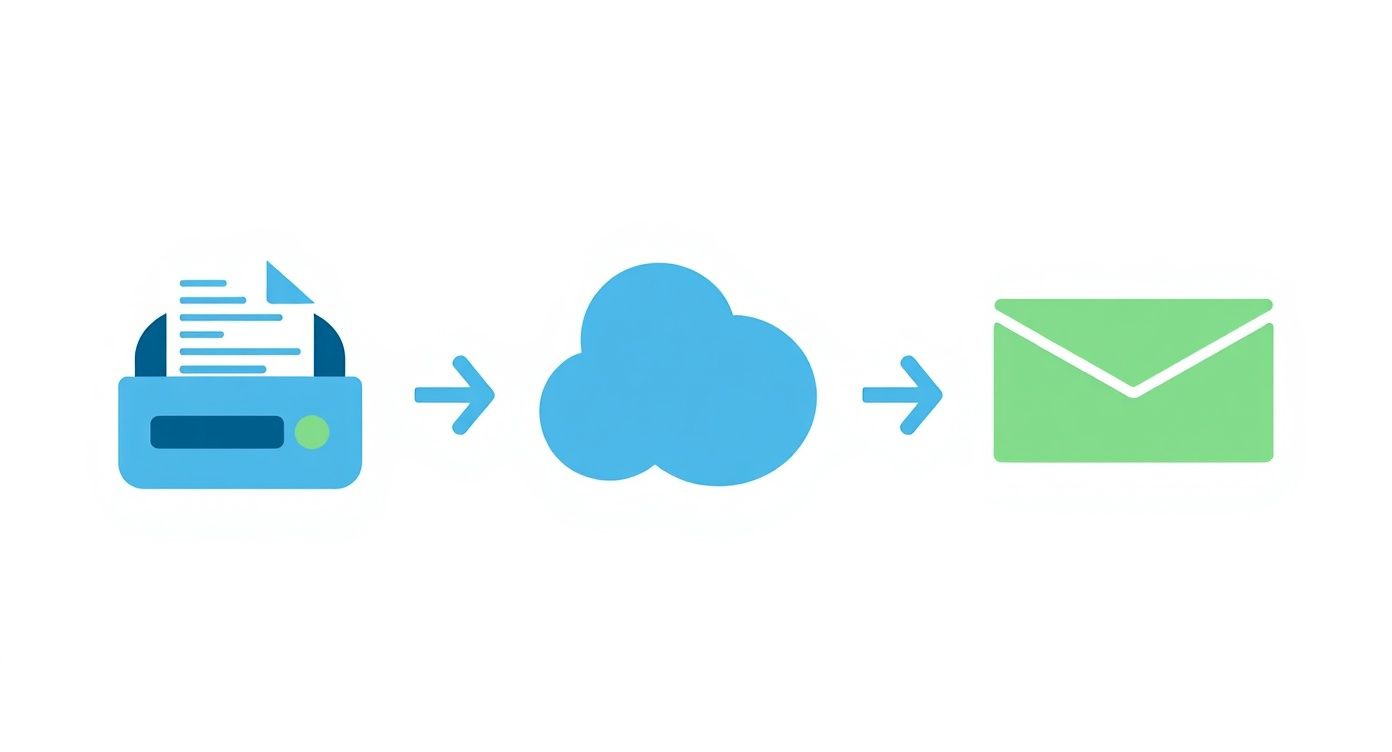
FaxBetter is one of the clearest matches for someone who needs an ongoing free inbound fax number. The free tier assigns a dedicated U.S. toll-free number without requiring a credit card, and received faxes arrive by email as PDF files. That email delivery is useful for record-keeping because documents can move directly into an existing mailbox and filing process instead of waiting in a physical machine.
The tradeoff is that the number isn't passive. You must receive a fax from a different sender every seven days or FaxBetter may reclaim the number. The free tier allows 50 received pages per month, and documents remain available online for 30 days. Those terms make the service suitable for a person, small office, or project that expects recurring inbound activity, but a poor fit for a dormant number that may receive an important document months later.
Practical rule: Treat the seven-day activity requirement as a maintenance obligation, not a footnote.
FaxBetter's free plan is inbound-only. You can receive documents, but sending faxes requires an upgrade. That distinction is central because many searches for a fax number explained in practical terms assume that a number automatically supports two-way communication.
Where FaxBetter fits
- Best for ongoing receipt: You need a number that remains free rather than a short trial.
- Best for email records: PDFs arrive in your email, which simplifies retrieval and forwarding.
- Watch the retention rule: Missing the required receiving activity can put the number at risk.
- Watch the storage window: Online availability is limited to 30 days, so archive important files promptly.
FaxBetter's advertising-supported model may be acceptable for ordinary, low-volume documents, but users handling confidential records should examine its privacy and retention terms before relying on it. A free number solves access, not every requirement around confidentiality, controlled access, or regulated retention.
2. FaxBurner
FaxBurner takes the opposite approach from FaxBetter. Instead of promising a stable free number, it provides a disposable U.S. fax number active for 24 hours on the free tier. That makes the service practical when someone needs to receive one document today, has no reason to maintain a permanent line, and wants to avoid a subscription.
The short lifespan is the product's defining feature. FaxBurner offers iOS and Android apps as well as web access, so a user can obtain the number and monitor receipt from a phone or browser. The free plan allows up to 25 pages per month, and no credit card is required for the temporary number. Those features reduce friction, but they don't change the fact that the number expires after 24 hours unless you upgrade.
This model works best when the sender is ready and the timing is known. It doesn't work well for a form sent by an organization that may delay transmission, a recurring business process, or a number printed on stationery that needs to remain valid.
A disposable number is a scheduling tool. It isn't a substitute for a retained business identity.
The right use case for a temporary number
Use FaxBurner when the need is narrowly defined:
- One-off receipt: A sender needs to transmit a document during the same day.
- Mobile access: You want apps for iOS or Android, with web access available as another route.
- No long-term commitment: You don't want to pay just to keep an unused number.
- Limited volume: The free allowance is modest, so repeated receipt can quickly exceed it.
Before sharing the number, confirm that the sender can transmit within the 24-hour window and download the received file promptly. If the document contains sensitive information, review how the service protects access and how long the file remains available. For a broader comparison of mobile workflows, learn how faxing from a phone works, but don't confuse phone convenience with permanent number ownership.
3. iFax
iFax is a time-limited trial, not an ongoing free fax-number service. Its seven-day trial lets you select a U.S. local or toll-free number, creating a more realistic test environment than a send-only demo. You can evaluate receiving, document handling, and workflow fit before deciding whether a subscription is justified, but continued use of the number requires a paid plan.
The feature set targets more demanding work than a disposable inbox. iFax supports email-to-fax, OCR, e-signatures, templates, broadcasting, cross-platform apps, and number porting support. It also offers HIPAA support on higher tiers, with a BAA available on eligible plans. That tier distinction matters. A trial number and a collection of professional features don't automatically make every workflow appropriate for protected health information.
A useful trial, with a short clock
The seven-day period creates two separate deadlines. First, you need enough time to test the number, send or receive representative documents, and confirm that recipients receive readable files. Second, you need to cancel in time if you don't want a paid subscription. Users should also ask what happens to received documents, the number itself, and account access after cancellation.
- Number choice: Select a U.S. local or toll-free number during the trial.
- Workflow breadth: Test email, portal, app, OCR, and signature features rather than only signup.
- Compliance review: Confirm that the plan, BAA terms, access controls, and handling practices match the documents involved.
- Retention decision: Decide before the trial ends whether keeping the number is worth subscribing.
The iFax service is a reasonable candidate for a short professional evaluation or a project with advanced requirements. It isn't the right answer for someone searching for a free number that can remain available indefinitely. The subscription requirement is the dividing line.
4. CocoFax
CocoFax belongs in the time-limited trial category, not the ongoing-free category. Its 14-day free trial includes a selectable U.S. local or toll-free number, giving a short project more time than a 24-hour disposable number. That can fit a temporary office process, an inbound-document test, or a decision about whether online fax suits a longer workflow.
The service combines a web dashboard with email-to-fax functionality. Choosing the number during signup lets users test a local or toll-free identity instead of relying on an unknown shared destination. Retention is the dividing line: the number remains available through the trial, then requires a paid subscription.
Outbound access needs separate examination. References to free pages may describe a promotional allowance rather than continuing free service, and the offer may limit page use, expiration, or post-trial charges. Review those conditions before sending representative documents.
Treat “free pages” as a promotional allowance until the terms confirm otherwise.
A practical evaluation should answer four questions:
- Can recipients receive documents? Send a controlled fax and confirm readable PDF delivery through the stated channel.
- What happens to the number? Check when it expires and whether retaining it requires an upgrade.
- How broad is outbound access? Test email-to-fax, then review page limits, cover-page rules, and promotional restrictions.
- What remains after cancellation? Confirm access to received files and decide before the trial closes.
Browser access through the dashboard may suit users who do not want dedicated hardware or a desktop installation. It does not, by itself, establish long-term retention, unlimited pages, or compliance suitability. Teams handling sensitive records should also review storage and account-access practices before using the service for those documents.
CocoFax is therefore useful as an evaluation environment with a defined testing window. It is not a permanent free fax number. The value lies in testing delivery, browser workflow, and number fit before choosing whether a subscription is justified.
5. MyFax
MyFax belongs to the time-limited trial category, not the ongoing-free category. Its 14-day free trial provides a dedicated U.S. local or toll-free number, email-to-fax sending, and a web portal for user management and PDF access. Small offices can test a conventional workflow through email and a browser without installing fax hardware.
The number remains available only under the trial and any paid plan that follows. If you need it as a continuing business contact, a subscription is required. MyFax therefore fits a short project or process evaluation, while it does not fit a permanent inbound number.
The main evaluation issue is cost control. Lower-tier plans can apply overage charges when usage exceeds the included page allowance, so estimate both sent and received pages before enrolling. Confirm whether delivery arrives by email, through the portal, or both. Review PDF retention, account permissions, and access to received files after cancellation, especially if the account handles customer or business records.
A browser-based workflow may reduce setup friction, but it does not establish compliance suitability or long-term storage on its own. Branding and plan terms should also be checked before the number is published, because a trial can require an upgrade before continued use.
What to verify during the trial
- Number retention: Record the trial end date and confirm whether keeping the local or toll-free number requires payment.
- Page allowance: Test representative documents and review the included pages, cover-page treatment, and overage terms.
- Delivery and access: Confirm that inbound PDFs arrive through the expected channel and that authorized users can retrieve them.
- Cancellation outcome: Determine when sending, receiving, stored files, and portal access stop.
The MyFax online fax platform is a reasonable trial candidate for teams that prefer email and browser access. A broader comparison of online fax services can clarify how its trial terms differ from ongoing free numbers and disposable options, but verify current conditions directly before signing up.
6. Sfax by Scrypt
Sfax belongs in the trial category, not the ongoing-free-number category. Its 14-day free trial provides a local or toll-free number, then requires a subscription to retain it. The service targets healthcare and other regulated settings, with BAA support, audit trails, role-based permissions, secure email and portal workflows, delivery confirmations, and activity logs.
That positioning makes the trial useful for testing governance rather than just sending a fax. A clinic can check how staff route documents, assign access, confirm delivery, and preserve oversight records. The trial itself should not be treated as proof that every compliance requirement is met. Plan terms, retention, and the paid compliance arrangement still need review.
Fax remains embedded in healthcare operations. A healthcare fax usage analysis reports that fax handles about 70% of communication in the sector, rising to 90% when EHR-integrated traffic is included, and cites roughly 9 billion fax pages exchanged annually in U.S. healthcare. That continuing volume makes access control and record handling part of the product decision, not optional extras.
What the trial should prove
Use non-sensitive documents first, then assess the workflow against these questions:
- Permissions: Can each staff member access only the documents and functions required for their role?
- Audit records: Do logs and confirmations capture the events needed for internal review?
- BAA coverage: Does the plan you would buy include the required BAA support?
- Delivery paths: Do portal and secure email workflows deliver documents reliably?
- Number retention: What happens to the number, stored files, and account access when the trial ends?
Sfax by Scrypt suits organizations evaluating a regulated fax process through a browser-accessible service. It is poorly matched to occasional personal receipt because the number is temporary unless the account is upgraded.
7. USFax
USFax offers a seven-day free trial with instant U.S. local or toll-free number provisioning. That fast setup is useful when the immediate goal is to audition a dedicated number and see whether a team can adopt the service without a lengthy implementation process. The trial is still temporary, and a paid plan is required afterward if you want to retain the number.
The platform presents page allowances by plan and supports multiple users and teams. It also identifies a HIPAA pathway through a BAA on paid plans. Those details make USFax more relevant to a small business or distributed team than to a person who only needs a one-time inbound document, but the compliance route must be evaluated at the paid-plan level, not inferred from the existence of a trial.
Fast provisioning doesn't remove the review work
Use the trial to validate the complete operating model:
- Provisioning: Confirm that the selected local or toll-free number is available immediately and works for inbound receipt.
- Team access: Test how users share responsibility without creating uncontrolled access to documents.
- Page planning: Match expected activity to the plan's allowance and review overage conditions.
- Compliance purchase: Confirm what the paid BAA arrangement includes before transmitting regulated information.
USFax is best for a quick test of a U.S.-focused online fax service with team support. Its seven-day period is shorter than the 14-day trials offered by CocoFax, MyFax, and Sfax, so cancellation and retention decisions need to happen quickly. The lowest-volume option also isn't necessarily the cheapest overall choice, especially if your team needs controls rather than only a number.
Free Fax Number, Top 7 Providers Compared
| Service | 🔄 Implementation complexity | Resources required | ⚡ Speed / Efficiency | 📊 Expected outcomes / Quality (⭐) | 💡 Ideal use cases / Key advantages |
|---|---|---|---|---|---|
| FaxBetter Free | Very low, web signup, no card | Email delivery, internet; free tier limits (50 pages/mo); must receive fax every 7 days to keep number | ⚡ Moderate, email PDF delivery on receipt | Reliable inbound-only reception; limited features; ⭐⭐ | Ongoing genuinely free inbound U.S. toll‑free number; good for occasional incoming faxes |
| FaxBurner | Low, app/web signup for temporary number | Mobile app (iOS/Android) or web; no card for 24‑hr number; 25 pages/mo free | ⚡ High, instant disposable number for 24 hrs | Good for one-off, time‑boxed needs; number expires quickly; ⭐⭐ | Short-term disposable use (today‑only faxes); convenient mobile flow |
| iFax | Medium, trial signup, feature setup (OCR, e‑sign) | Cross‑platform apps, integrations; paid plan/BAA required to continue | ⚡ High, full workflows, email‑to‑fax, OCR, e‑sign | Robust for professional/regulated workflows; trial-only number; ⭐⭐⭐⭐ | Professional or regulated use (HIPAA‑eligible); start trial for evaluation |
| CocoFax | Low–Medium, 14‑day trial, simple onboarding | Web dashboard, email‑to‑fax; subscription required to retain number | ⚡ Moderate, number choice during signup, quick provisioning | Generous trial window for testing; trial-only number; ⭐⭐⭐ | Evaluate service or short projects; clear number selection during signup |
| MyFax | Low, email-centric, familiar portal | Email + web portal; 14‑day trial then subscription to keep number | ⚡ Moderate, straightforward email workflows | Reliable for small offices; trial-only number; potential overage fees; ⭐⭐⭐ | Small offices needing simple email‑to‑fax workflows and easy setup |
| Sfax (by Scrypt) | Medium, compliance-focused setup, role/audit config | Higher‑tier plans, BAA, audit trails, role‑based access | ⚡ Moderate, secure workflows with compliance overhead | High compliance and auditability for PHI; trial-only number; ⭐⭐⭐⭐ | Healthcare and regulated environments requiring HIPAA/BAA and audit logs |
| USFax | Low, fast signup with instant number provisioning | 7‑day trial; team/multi‑user plans; BAA available on paid plans | ⚡ High, instant local or toll‑free provisioning | Good for quick auditioning of a dedicated U.S. number; ⭐⭐⭐ | Fast testing of dedicated U.S. numbers; teams and U.S‑centric deployments |
Choose the Number Type Before You Sign Up
The first decision isn't which brand looks most familiar. It's whether you need an ongoing inbound number, a disposable number for one day, or a trial number that may become paid. That classification removes much of the confusion from “free fax number” searches.
Choose FaxBetter Free when you need inbound receipt to continue without a subscription and can satisfy the rule requiring a fax from a different sender every seven days. Its 50 received pages per month and 30-day online availability make it workable for recurring, low-volume receipt, provided you archive important PDFs and accept that sending requires an upgrade.
Choose FaxBurner when the need is immediate and temporary. A number that lasts 24 hours is suitable for a sender who can transmit today, not for a company contact page, a recurring referral process, or a confidential workflow that depends on stable ownership.
Choose a trial provider when you need to test a short project or more advanced controls. iFax, CocoFax, MyFax, Sfax, and USFax all place number retention behind a subscription, but their trial features differ. Sfax is oriented toward healthcare controls, iFax offers a broad professional feature set, CocoFax and MyFax provide a longer 14-day evaluation window, and USFax emphasizes quick U.S. provisioning and team use.
Before sending sensitive documents, review the practical terms:
- Page allowances: Confirm included pages, promotional limits, and overage rules.
- Retention terms: Find out when the number expires, may be reclaimed, or becomes paid.
- Cancellation timing: Record the trial end date and understand what cancellation removes.
- Delivery and storage: Check whether faxes arrive by email, portal, app, or more than one route, and how long files remain accessible.
- Branding: Determine whether free covers or outbound documents carry provider branding.
- Compliance: For protected health information or other regulated material, look for encryption, access controls, audit logging, and a BAA where required. HIPAA permits faxing PHI with safeguards, but a public or shared free inbox doesn't automatically provide privacy, retention control, or compliance documentation (guidance on HIPAA and digital fax security).
For occasional outbound faxing to recipients in the United States and Canada, SendItFax offers browser access without an account. Its free option supports up to three pages plus a cover, with a daily limit of five free faxes and SendItFax branding on the cover. The Almost Free plan costs $1.99 per fax, supports up to 25 pages, adds priority delivery, and removes branding. That makes it a sending tool, not a free dedicated inbound-number service.
The right choice follows the actual job. Select the service based on whether you're receiving, sending, testing a short-term workflow, or maintaining a dedicated number.
SendItFax lets you send occasional faxes from any browser to recipients in the United States and Canada without creating an account, with a free option for short documents and an Almost Free option for larger, unbranded transmissions. Visit SendItFax to choose the sending option that matches your page count and presentation needs.