A real estate agent has a signed closing packet, a deadline approaching, and a browser tab stuck at 28 pages. The document is a 40-page PDF, the free portal accepts only part of it, and the recipient calls to report that the signature page never arrived. The problem isn't just that the fax was long. Page-count limits, file-size limits, and transmission reliability are separate constraints, and a large job can hit all three at once.
To send large fax online successfully, treat the job as a document-delivery operation, not a basic upload. Prepare the file, choose the right channel, split the transmission when necessary, and verify the result in the order the recipient needs it.
When Large Faxes Actually Become a Problem
A long document and a large document aren't always the same thing. A 40-page, text-heavy PDF may have a modest file size and place most pressure on the provider's page cap. A shorter packet made from high-resolution scans, full-bleed images, or color exhibits may reach the upload ceiling first. The recipient doesn't care which limit caused the failure. They need the complete document, in order, without having to call you for missing pages.
That distinction matters because online fax services enforce limits through different channels. Some restrict the number of pages in one transmission. Others restrict the attachment size, and some apply both limits. The evidence is fragmented across providers, with comparison guides describing standard-plan file limits from about 10 MB to 75 MB and page limits from 30 to 250 pages, depending on the service and plan. The comparison of large online fax limits illustrates why a headline page allowance doesn't tell you whether your particular PDF will work.
Three channels, three operating profiles
Web portals are practical for occasional jobs. You can upload a file, inspect the recipient details, preview the document, and often see delivery or resend controls in one browser session. They suit ad hoc sends in the roughly 10 to 50 page range, but browser sessions can time out and providers may impose file-size restrictions that become painful with scanned packets.
Email-to-fax fits professionals who already store finalized PDFs in email workflows. Attaching the file and sending it to a gateway can reduce manual handling, but gateway rules vary. Some gateways restrict very long attachments, truncate oversized jobs, or render embedded fonts unpredictably. Test the exact provider with a non-critical document before making email your default for large packets.
API sending is the right tool for repeatable bulk work. A development team can build retry queues, status callbacks, document validation, and delivery logs around the fax provider. That control comes at an engineering cost, so it's excessive for a one-off closing packet. It makes sense for teams sending recurring invoices, medical records, or compliance files every day.
| Channel | Best Page Range | Typical File Cap | Verdict |
|---|---|---|---|
| Web portal | 10 to 50 pages | Often constrained by provider plan | Use for occasional browser-based sends |
| Email-to-fax | Existing PDF attachments | Gateway-dependent | Use when email is already the working queue |
| API | Recurring bulk jobs | Provider and integration-dependent | Use for repeatable high-volume operations |
Define success correctly
A successful transmission isn't merely one marked “sent.” It means the recipient received every page, the sequence is intact, signatures are legible, and the file didn't require manual reconstruction. Large jobs expose weak upload validation, unstable connections, and carrier timeouts much faster than short faxes.
Fax remains active in regulated workflows. North America held about 38.17% of global online fax market share in 2022, with another estimate placing it around 38.09% in 2023. A market projection valued the global online fax market at USD 3,062.06 million by 2027, compared with USD 2,067.81 million in 2021, implying a 6.76% compound annual growth rate. Kings Research's online fax market data supports the operational conclusion: fax hasn't vanished, it has moved into software and cloud workflows.
Choosing a Service or Plan That Handles Bulk Pages
Start with the limits that cause failures most often. Don't begin with the advertised monthly price.
Check the per-send page cap
Find the maximum pages allowed in one fax, not merely the number included in a monthly bundle. Ask whether the provider enforces the limit before upload, during rendering, or at transmission. An “unlimited” plan may still place large jobs in a slower queue or apply an unstated operational threshold.
Confirm the file-size ceiling
A page cap won't protect you from an attachment limit. A scanned packet can exceed the file allowance long before it reaches the page allowance, especially when pages contain photographs or high-resolution signatures. Look for separate limits by channel. A web portal may accept a larger upload than an email gateway connected to the same account.
Remove branding where the document requires it
Promotional headers and cover-page branding are unacceptable on many legal, healthcare, real estate, and client-facing documents. Check whether the paid tier removes provider marks, allows you to omit a cover page, and supports your own sender information. Branding isn't a cosmetic detail when the fax becomes part of a formal record.
Practical rule: Choose the plan based on the largest file you actually send, not the average file you usually send.
Match billing to your workload
For irregular use, a pay-per-fax option avoids paying for unused capacity. A subscription is easier to justify when your team sends recurring multi-page packets and needs a predictable workflow. SendItFax offers browser-based sending to U.S. and Canadian numbers, with a free option for up to three pages plus a cover and a paid Almost Free option that supports up to 25 pages per fax, removes SendItFax branding, and provides priority delivery. Treat that as a fit for shorter large documents, not as a substitute for a high-volume API workflow.
Use the same discipline you apply when evaluating storage, indexing, and retention software. A current guide to top document management tools 2025 can help you assess where the source PDF lives before you choose the fax channel.
Preparing and Optimizing Large Documents Before Upload
File preparation is a production step. If you upload a poorly rendered PDF and hope the fax service will fix it, you're outsourcing quality control to a pipeline you don't control.
Build a predictable PDF
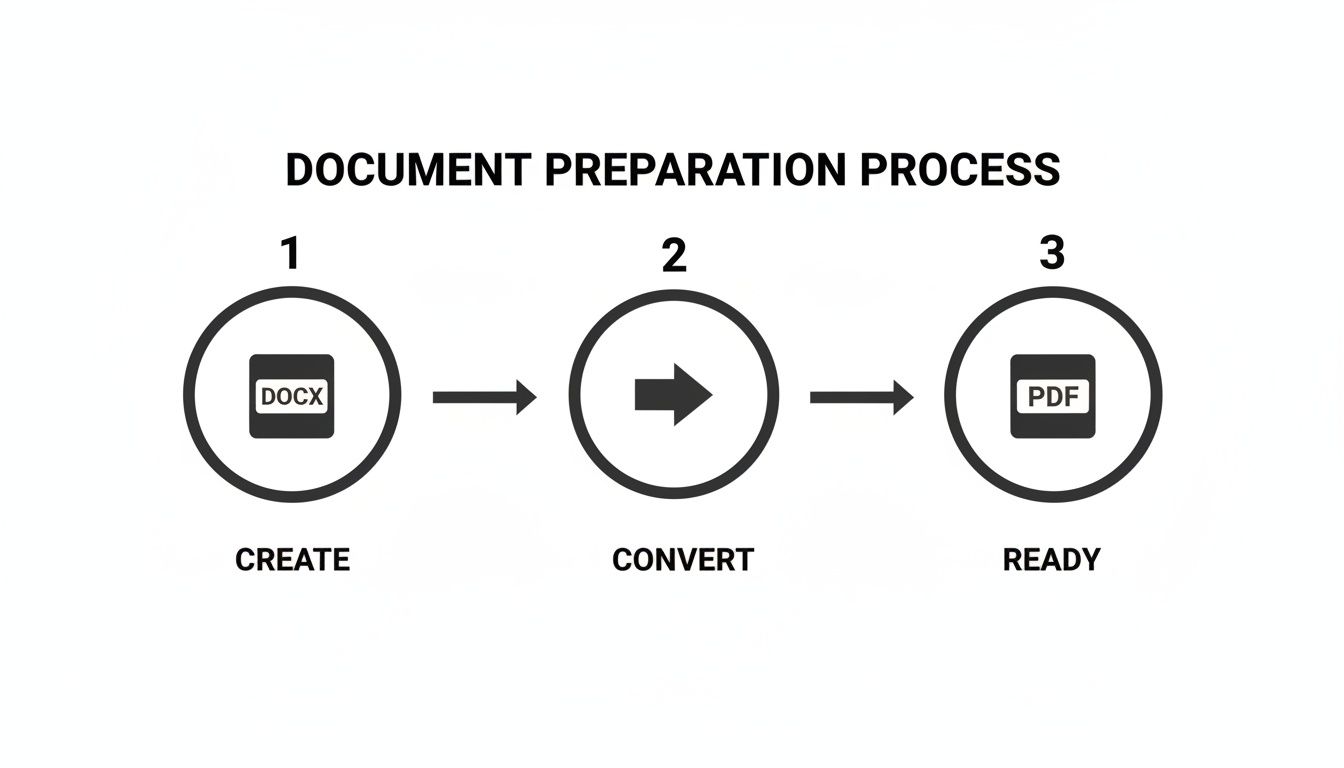
Export the final file as PDF/A when your software supports it. This standard reduces rendering surprises across systems. Embed every font, especially when the document includes uncommon typefaces, forms, or symbols. A receiving fax server shouldn't have to substitute glyphs halfway through a page.
Run OCR on scanned pages. OCR makes the document searchable and can help compression software treat text as text rather than preserving every character as a heavy image. It also gives your team a practical way to verify that names, dates, and reference numbers survived the scan.

Reduce image weight without damaging evidence
For ordinary text pages, set scan resolution around 150 to 200 DPI. Reserve 200 to 300 DPI for pages containing photographs, stamps, detailed signatures, or other visual evidence. Don't apply the highest setting to every page. It creates a heavier file without improving ordinary text readability.
Compress after OCR and image cleanup, not before. If the service's file ceiling is around 8 to 10 MB, target a file below 5 MB so minor metadata or rendering differences don't push it over the limit. Contesimal's document management best practices guide provides useful context for organizing, standardizing, and preserving document files before transmission.
Check the page count after optimization. Downsampling, OCR, and PDF restructuring can alter page boundaries, especially when forms contain floating elements. Compare the optimized file against the source, confirm that signature pages remain in place, and review the final page visually. For additional guidance on preserving legibility, use this fax image quality guide.
Splitting Multi-Part Transmissions the Right Way
Splitting a fax is a reliability decision, not a ritual. Don't divide every document into arbitrary chunks if the file is comfortably within the provider's page and size limits. Split when the page count, file weight, or failure risk makes one continuous transmission a poor bet.
Cut at a meaningful boundary. End a batch after a contract section, place signature pages at the end of a logical packet, and start a new batch before a long appendix. Avoid cutting through a form, an exhibit, or a signature block. The recipient should be able to file each batch without guessing where it belongs.

Use a naming pattern that carries the assembly instructions:
- Batch identity:
Contract_Batch1of3_Pages1-25.pdf - Sequential coverage: Make the next file
Contract_Batch2of3_Pages26-55.pdf. - Consistent subject lines: Keep the recipient, matter, and job identifier unchanged.
- Clear cover pages: State the batch number, page range, and cumulative total.
Keep every batch below the provider's actual cap, with a safety margin. A service may advertise a high maximum, but a dense scanned file can still fail at a lower page count. The recipient's cover page should say “Part 1 of 3,” “Pages 1 to 25,” and “Continued in Part 2.” Reuse the same template across batches, updating only the sequence details.
Send the batches in order when the workflow allows it. If one fails, you can retry only that segment instead of retransmitting the entire document.
Cost Versus Speed Trade-Offs for Big Jobs
More pages per send isn't automatically cheaper. A single oversized transmission may save one upload, yet cost more in staff time if it stalls near the end and has to be repeated.
Pay-per-fax services often make sense for a deadline-driven, one-off packet where priority routing or faster processing reduces waiting. Subscription plans usually fit a steady stream of invoices, compliance packets, or records, where predictable capacity matters more than the fastest possible completion. The correct choice depends on the workload pattern, not the largest page number in the sales copy.
| Billing Model | Best For | Speed | Typical Per-Page Cost | Risk on a 40+ Page Job |
|---|---|---|---|---|
| Subscription | Recurring document workflows | Often standard queue | Depends on plan | A large job may wait in a normal queue |
| Pay-per-fax | Irregular or urgent sends | May include priority handling | Depends on provider | Higher individual spend, but less commitment |
Don't compare fax pricing in isolation. If your team regularly prepares visual exhibits or scanned records, also account for the cost for visual design editor when evaluating the broader document workflow. The fax fee may be small compared with the labor required to correct a bad source file.
For delivery mechanics, review this guide to fax transmission speed before deciding whether a priority option is worth paying for. My rule is straightforward: use pay-per-fax when retransmission would cost more than the upgrade, and use a subscription when volume makes repeated individual charges harder to control.
Troubleshooting Failed or Stuck Large Faxes
A large fax that stops midway usually needs diagnosis, not another identical retry. Long transmissions place more stress on the connection, carrier path, receiving equipment, and service timeout rules. One industry white paper reported more than 96% overall success for a real-time fax system, while noting that single-page real-time faxes under ordinary IP conditions can reach only about 80% success, with long jobs such as 60-page faxes listed as a common failure trigger. NTT's fax fault analysis also identifies line issues, attenuation, line converters, and receive-level thresholds as common failure sources.
Use a fixed triage order
- Test the destination path. Send a one-page test to your own number or another known-good fax endpoint. If that fails, the problem is probably the line, provider route, destination, or account configuration rather than the document.
- Reduce the batch. If the test succeeds, split the failed job in half and resend the later portion first. A transmission that consistently stops around page 15 of 40 points more strongly to a timeout or connection failure than to a damaged PDF.
- Simplify the file. Flatten transparency, resize oversized images, remove unnecessary color, and disable auto-rotate if the receiving system is turning pages sideways.
- Escalate with evidence. Give the provider the failed-job ID, destination number, timestamp, batch name, and page where the transmission stopped.
Fax protocol behavior also matters. ITU-T T.30 transmits pages as a sequence of page boundaries rather than imposing one universal page ceiling. The receiving device, fax server, and service plan create the practical limits. The standard's technical guidance includes a received signal range from 0 dBm to -43 dBm, with distortion often beginning around -8 dBm to -7 dBm. Operational guidance commonly places transmit power around -9 dBm to -12 dBm for better performance. The ITU-T T.30 specification/T.30%20Procedures%20for%20document%20facsimile%20transmission%20in%20the%20general%20switched%20telephone%20network/z.superseded/T-REC-T.30-199607-S!!PDF-E.pdf) explains why parameter stability matters during a session.
For a practical troubleshooting checklist, use this fax not sending guide. Don't keep resending an oversized batch unchanged. Isolate the route, shrink the job, and preserve the failed transmission details for escalation.

A Pre-Send Routine for Reliable Large Fax Delivery
Use this five-minute routine before every important large fax. It catches the mistakes that create the most expensive retries.
- Confirm the boundaries. Check the final page count and file size against the selected plan's per-send limits. Split at a natural document boundary if either limit is close.
- Prepare the PDF. Export as PDF/A, embed fonts, use 150 to 200 DPI for text pages, reserve 200 to 300 DPI for image-heavy pages, and compress the final file.
- Verify the destination. Confirm the fax number, country code, extension, recipient name, and department. Add a cover page with the job ID and “Part 1 of 3” wording when the transmission is split.
- Choose the channel deliberately. Use a web portal for an occasional job, email-to-fax for an attachment-led workflow, and an API for repeatable bulk sending. For anything over 50 pages, schedule the work during a quieter operating period when your workflow permits.
- Run a test when time allows. Send one page to a known-good number, then monitor the first pages of the actual job instead of walking away immediately.

The most important habit is simple: optimize first, split only when the limits or risk justify it, and retry smaller batches when delivery breaks down. That approach gives the recipient a complete, usable record instead of a partial upload and an urgent callback.
SendItFax lets you send documents from a browser to U.S. and Canadian fax numbers, with file uploads, optional cover pages, and a paid option for transmissions up to 25 pages. Visit SendItFax to review the available sending options and choose a workflow that matches your next time-sensitive document.