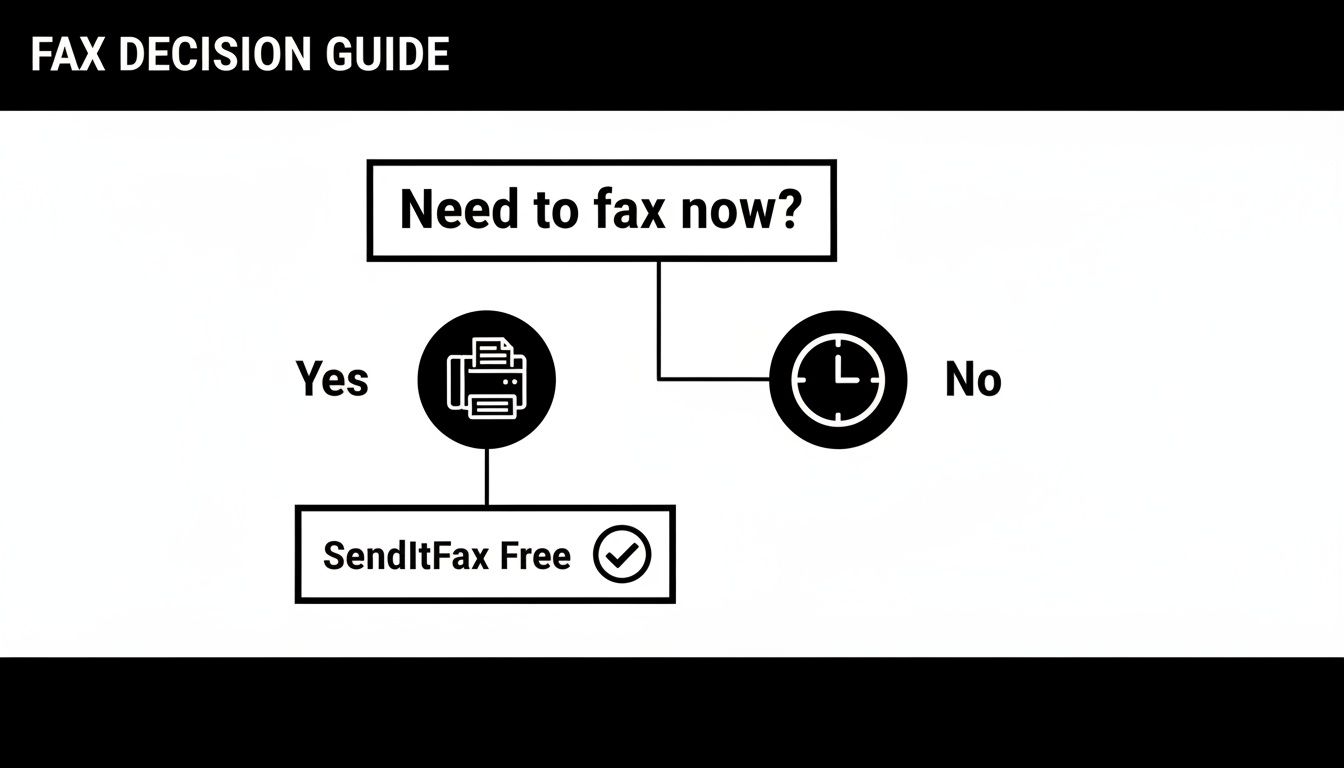
Category: Uncategorized

  • Send a Fax by Email for Free Your Complete Guide

    Send a Fax by Email for Free Your Complete Guide

    Sending a fax by email for free is a lot simpler than you might think, thanks to modern online services like SendItFax. This whole process merges the tried-and-true security of a traditional fax with the sheer convenience of email, letting you send documents without ever touching a physical machine.

    Why Faxing Remains Essential

    A laptop on a wooden desk displays a digital fax interface next to physical documents, labeled 'Secure Fax'.

    In a world full of instant messaging and constant emails, sending a fax can feel like a throwback. But the truth is, faxing still plays a vital role in many professional fields, and it’s not just about tradition. It's about using a communication channel that’s proven to be incredibly secure for sensitive information.

    For industries like healthcare, law, and finance, security isn't just a nice-to-have feature—it's a strict requirement. A fax transmission creates a direct point-to-point connection that is naturally more secure than a standard email, which hops across various servers and can be vulnerable to interception along the way.

    The Security and Legal Advantages

    Faxing’s staying power really comes down to its unmatched security. In places like the U.S. and Canada, legal and healthcare professionals often rely on it because it's considered much safer than email for sending confidential data. It’s incredibly difficult to hack a direct fax line, and you don’t have to worry about a spam filter accidentally blocking or misplacing a critical document.

    Online fax platforms can also provide compliance with standards like HIPAA, offering full audit trails and date-stamped receipts that hold up as legally binding proof in court.

    This legal weight is a huge deal. A fax transmission receipt acts as concrete proof of delivery, which is essential when you're dealing with:

    • Signed contracts and legal agreements
    • Official medical records
    • Government and financial forms

    When you send a fax, you're not just sending a piece of paper; you're creating a verifiable record that can stand up to legal scrutiny.

    Modern Solutions Bridge the Gap

    This is where the ability to fax by email for free really shines. You get all the robust security and legal validity of old-school faxing without being tied to a clunky, expensive machine.

    Services like SendItFax let you manage all these important communications right from your computer or phone. You can learn more about the security of faxing in our comprehensive guide here. This approach ensures your documents are delivered safely and efficiently, perfectly blending classic reliability with modern convenience.

    How To Prepare Your Documents For Flawless Faxing

    A wooden desk with a tablet displaying documents, a stack of papers with a blue folder, and a pen on a notepad, illustrating document preparation.

    Getting a crystal-clear fax starts before you even hit “send.” From my years of handling urgent contracts and client forms, I’ve learned that a quick moment spent on file prep means no more frantic follow-ups or unreadable pages.

    Choosing the wrong format is like sending a blurry photocopy—you’ll end up with garbled text or shifted layouts. So let’s lock in the right settings from the start and keep your transmission crisp and professional.

    Choose A Compatible File Format

    Pick formats that services such as SendItFax expect. That way, your document slides through conversion unscathed.

    PDF (Portable Document Format): Preserves every detail—text, images, tables.
    DOC/DOCX (Microsoft Word): Ideal for letters, reports, or anything text-heavy.

    Sticking to these ensures fonts stay true and margins don’t wander off the page.

    Pro Tip: When you have multiple pages—like an agreement plus a signature page—merge them into one file. Sending separate attachments risks them arriving out of order or not at all.

    Optimize For Clarity And Legibility

    Remember, your fax turns into a black-and-white scan on the other end. Vivid colors and fancy fonts often translate into fuzzy blobs.

    • Use high contrast: black text on a white background with a clean font (Arial or Times New Roman).
    • Avoid light gray lettering, patterned backgrounds, or script fonts that fax machines struggle to render.
    • Convert detailed graphics into simple line art or high-contrast charts.

    Finally, check the service’s page-limit policy before you upload. Keeping your document, including any cover page, within that cap avoids mid-fax interruptions and ensures a single, seamless send.

    Sending Your First Fax Online with SendItFax

    Sending a fax by email for free with SendItFax is about as easy as it gets—no accounts to sign up for, no software to download. It’s perfect for those times you just need to send a single document and be done with it.

    Let's walk through exactly how it works, step by step. The whole process is designed to be quick and intuitive, so you can go from having a document on your computer to a sent fax in just a couple of minutes.

    Plugging in Your Sender and Recipient Details

    First things first, you need to tell the system who you are and where the fax is headed. This is pretty straightforward, but getting it right is key to making sure your fax arrives and you get the confirmation receipt.

    Here's the info you'll need to fill in:

    • Your Name: Simple enough. This goes on the cover page so they know who it's from.
    • Your Email Address: This is super important. SendItFax will email your delivery confirmation here, letting you know if it went through successfully or if there was a problem.
    • Recipient Name: The name of the person or company receiving the fax.
    • Recipient Fax Number: Always double-check this one. It needs to be a valid 10-digit number for the U.S. or Canada.

    You'll see all these fields laid out clearly on the main page.

    The form is clean and simple, separating your details from the recipient's info and the file upload section, which helps prevent any mix-ups.

    Attaching Your File and Adding a Quick Note

    Once the "who" and "where" are sorted, it's time to add the "what." You can upload a PDF, DOC, or DOCX file right from your computer.

    Just keep in mind the free service limit: your document can be up to three pages long. This doesn't include the cover page, which is generated for you automatically.

    After you've selected your file, you'll see a spot to add a message. This is a great touch for adding context. For example, a quick note like, "Here are the signed W-9 forms for approval," lets the recipient know exactly what they're looking at.

    A Quick Heads-Up: The free service automatically includes a cover page that has SendItFax branding on it. That’s something to be aware of if you need a completely plain, professional look for your document.

    What to Expect from the Free Service

    To get the most out of SendItFax’s free offering, it helps to know the ground rules. The limits are pretty generous for casual use but are in place to keep the service running smoothly for everyone.

    Here’s the breakdown of the free plan:

    • Page Count: You can send documents up to three pages in length.
    • Daily Limit: Each person can send up to five free faxes per day.
    • Cover Page: A branded SendItFax cover page is always included.

    For sending things like a signed permission slip, a copy of your driver's license, or a short agreement, these limits are usually more than enough. If you ever need to send something longer, like a 15-page lease agreement, there are paid options available that are quite affordable.

    For a more technical look at the process, check out our guide on how to fax via email. Understanding these details upfront ensures you can fax by email for free without any hitches.

    Is a Free Fax Service Enough, or Do You Need More?

    Sign showing 'FREE' and 'PAID' alongside a 'Free Vs Paid' comparison chart and a stack of documents.

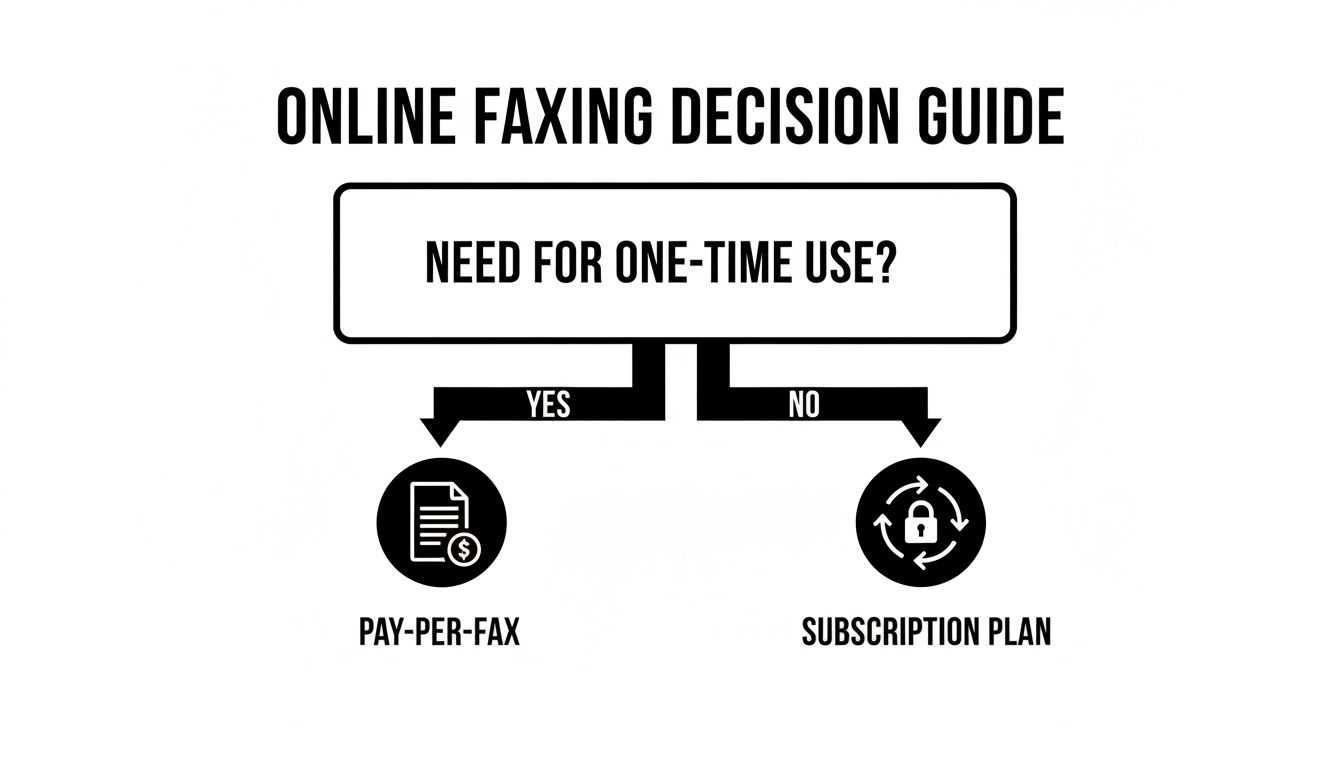
    The ability to fax by email for free is fantastic for those one-off situations. Let's say you're a student who just needs to send a single financial aid form. Or maybe you're a freelancer submitting a one-page invoice. For these quick, isolated tasks, a free service is a perfect fit—it gets the job done without costing you a dime.

    But what happens when your needs get a bit more serious? If you have to send a 25-page client contract or a detailed medical history, the limitations of a free plan become immediately clear. That's when you have to decide if it's time to step up.

    When Free Service Is the Perfect Fit

    Our free plan at SendItFax is built for pure convenience. It’s for those times when you just need to get a short document from your computer to a fax machine without any hassle.

    Here’s what that looks like in practice:

    • A few pages at a time: You can send up to three pages, which easily covers things like signed letters, ID copies, or simple forms.
    • Occasional use: The limit of five faxes per day is more than enough for most personal needs.
    • Branded cover page: The cover page will have our branding on it, which is totally fine for personal or informal faxes.

    The whole point is to make faxing accessible to anyone who just needs to send a quick document. It’s a practical tool for the occasional user.

    The bottom line: Free services are the go-to for short, non-urgent documents where a branded cover page isn't a deal-breaker. They give you an instant solution with zero commitment.

    Knowing When to Upgrade

    As soon as your faxing becomes more frequent or professional, even a small investment can make a huge difference. Think about a small business owner who needs to send a lengthy vendor agreement. A three-page limit and a branded cover sheet just won't cut it. This is exactly where a paid plan provides the flexibility and professional polish you need.

    Faxing is still a massive part of business communication—the global market was valued at $3.3 billion and is expected to hit $4.47 billion by 2030. This shows just how much businesses rely on dependable, professional faxing. This is why we created our Almost Free plan. For just $1.99, you can send up to 25 pages, get priority delivery, and present a completely clean, unbranded document.

    SendItFax Free vs Almost Free Plan Comparison

    To make it even clearer, here’s a quick breakdown of how our two most popular plans compare. This should help you pinpoint exactly which one fits your needs.

    Feature Free Plan Almost Free Plan ($1.99)
    Max Pages per Fax 3 pages 25 pages
    Faxes per Day 5 Unlimited
    SendItFax Branding Yes, on cover page No branding
    Delivery Speed Standard Priority delivery
    Confirmation Email confirmation Email confirmation
    Security AES-256 encryption AES-256 encryption
    Ideal For Personal, one-off, non-urgent faxes Business, multi-page, professional docs

    Ultimately, choosing the right plan isn't about paying more—it's about matching the tool to the task.

    For a broader look at how different services stack up, check out our full online fax services comparison. The goal is to make sure your documents are handled correctly and always look their best, whether you’re sending a quick note or a critical contract.

    What to Do When Your Free Fax Fails

    A person on the phone, typing on a laptop with a screen displaying "FIX FAX ISSUES."

    Even with a process as simple as sending a fax by email for free, you might occasionally get a dreaded failure notification. It can be frustrating, but don't worry—most of the time, the fix is surprisingly simple.

    Nine times out of ten, the problem is a simple typo in the fax number. I've done it myself. A single wrong digit is all it takes to send your document into the void. Before you tear your hair out, take a deep breath and carefully double-check that 10-digit number.

    Also, remember that services like SendItFax are built for fax machines in the United States and Canada. If you're trying to fax internationally, it's just not going to work and will kick back an error.

    Troubleshooting a Failed Delivery

    Okay, so you've confirmed the number is perfect. What’s next? The problem likely lies with the document you attached. A corrupted or improperly formatted file is another common reason for a fax transmission to time out or fail completely.

    Here’s what to check on your end:

    • Corrupted File: Did the file download cleanly? Sometimes things get garbled. Try opening the document, re-saving it (maybe as a new PDF), and then attaching the new version.
    • Wrong Format: Stick to the basics. The system is designed to handle standard file types like PDF, DOC, or DOCX. An obscure or unsupported format will get rejected before it even starts.
    • Overly Complex Document: Faxes are old-school. A file packed with super dense graphics, intricate tables, or weird embedded fonts can sometimes choke the conversion process. If you can, try simplifying the document and sending it again.

    Just creating a fresh, clean version of your file is often all it takes to solve those mysterious delivery failures.

    The Dreaded Busy Signal and Blurry Faxes

    What if the email says the line was busy? Welcome to the classic faxing experience! This just means the recipient's machine was already printing, sending, or was simply turned off. The best advice here is just old-fashioned patience. Give it a few minutes and try again.

    If you keep hitting a busy signal and the document is time-sensitive, you might be dealing with network congestion. This is a scenario where a paid feature like priority delivery can be a lifesaver. It essentially lets your fax jump the line, cutting through the digital traffic to get there faster.

    Finally, what if your fax goes through, but the person on the other end says it’s blurry and unreadable? This isn't a transmission error; it's a source quality problem. A low-resolution scan or a document with light gray text will always look terrible as a fax.

    To make sure your faxes arrive looking sharp and professional:

    1. Always start with a high-quality, high-resolution original file.
    2. Use a clean, standard font (like Arial) in plain black.
    3. Avoid using fancy backgrounds, watermarks, or low-contrast colors.

    Tackling these common issues head-on will help you get back to business and ensure your important documents land successfully every time.

    Got Questions About Sending Faxes From Your Email?

    Switching from an old-school fax machine to a digital method naturally brings up some good questions. You're probably wondering about security, if you'll know your fax actually went through, and what the catch is with these "free" services. Let's break down the common questions I hear all the time so you can fax by email for free with confidence.

    Is This Really Secure Enough for Important Documents?

    This is the big one. Is it safe to send sensitive stuff this way? The short answer is yes, as long as you're using a trusted service. Think of it this way: online fax services create a direct connection to the receiving fax machine. That’s often much more secure than a standard email, which bounces around various servers before it gets to the recipient.

    For example, a service like SendItFax encrypts your files while they're in transit and doesn't hang onto them afterward. That's a huge privacy plus. Still, if you're sending something like medical records or a legal contract, it’s always smart to take a quick look at the provider's privacy policy just to be sure it meets your needs.

    How Do I Know My Fax Actually Arrived?

    You're not just sending your documents into the void and hoping for the best. This is a legitimate concern, especially when deadlines are on the line.

    Fortunately, you get a clear answer almost immediately.

    • You'll get an email confirmation right in your inbox from the service.
    • This email will tell you plainly if the fax was a success or a failure.
    • If it failed, you’ll usually get a reason—like a busy signal or a wrong number—so you know exactly what to fix before trying again.

    This kind of instant feedback is something you just don't get from a traditional fax machine that might just spit out a cryptic error code.

    Can I Get Faxes Sent to My Email, Too?

    People often ask if this works both ways. The reality is that free services are almost always for outbound faxes only. They're built to give you a quick and easy way to send a document from your computer to someone's physical fax machine without any fuss.

    If you need to receive faxes, you'll need a paid plan. That's because receiving requires a dedicated virtual fax number that belongs only to you. When someone sends a fax to that number, the service converts it into a PDF and delivers it straight to your email.

    The Bottom Line: Free services are for sending. For two-way faxing, you'll need to upgrade to a plan that gives you your own fax number.

    What if I Have More Than a Few Pages to Send?

    This is where you run into the practical limits of a freebie. Let’s say your document is longer than the free limit (like the three-page cap on SendItFax). Trying to break a 10-page document into four separate faxes is a bad look—it’s clunky, unprofessional, and a pain for the person on the other end.

    In this scenario, the best move is a simple one-time upgrade. With SendItFax, their "Almost Free" plan is just $1.99 and bumps your limit up to 25 pages. For less than a cup of coffee, you ensure your entire document gets there in one professional-looking package.


    Ready to skip the machine and send your fax the easy way? Give SendItFax a try for a fast and secure experience. Send your first fax now!
  • 7 Essential Sample Cover Letter for Fax Templates to Use in 2026

    7 Essential Sample Cover Letter for Fax Templates to Use in 2026

    In a world of instant messaging and email, the facsimile transmission remains a vital tool for sending secure, legally binding documents in fields like healthcare, law, and real estate. However, a rushed or incomplete cover letter can cause significant problems, from misdirected sensitive files to compliance violations or simply a poor professional impression. An effective sample cover letter for fax acts as a clear, professional introduction, ensuring your document reaches the right person and provides all necessary context at a glance.

    This guide is designed to eliminate that uncertainty. We provide seven distinct, ready-to-use fax cover letter templates, each created for a specific professional use case. We will break down the strategic purpose of every element, offer direct tips for customization, and explain how a modern service like SendItFax can help you send documents professionally without needing a physical machine. Whether you are transmitting a confidential medical record, a time-sensitive legal filing, or a simple internal memo, these examples will ensure your fax communications are clear, professional, and effective from the moment they arrive.

    1. Professional Business Fax Cover Letter

    A professional business fax cover letter is a formal, structured document used for official communications between companies, legal firms, and corporate entities. It serves as the formal introduction to the documents that follow, setting a professional tone and ensuring the transmission is directed and logged correctly. This type of cover letter prioritizes clarity, formality, and the inclusion of all necessary routing information.

    Its primary purpose is to legitimize the transmission. For instance, when a law firm sends a contract or a healthcare provider submits patient records, the cover letter acts as an official record of the transaction, confirming the sender, recipient, and the nature of the documents. This is the most common format for business-to-business communications.

    Strategic Breakdown

    This sample cover letter for fax is built on a foundation of professionalism and efficiency. It doesn't include casual language; every element is there to facilitate a secure and recorded exchange of important information.

    Key Insight: The main goal is not to be creative but to be clear. The recipient, often a busy administrative professional or paralegal, needs to identify the document's purpose and route it to the correct person immediately. A formal structure removes ambiguity.

    • Header: Contains all critical fields: To, From, Fax Number, Date, Subject, and Number of Pages. This is non-negotiable for business use.
    • Message Body: The message is brief and direct. It states the document's purpose (e.g., "Enclosed please find the signed agreement for Project Alpha") and any required action ("Please review and sign").
    • Confidentiality Notice: Often includes a standard legal disclaimer, which is critical when transmitting sensitive data like contracts or patient information.

    Actionable Tips

    To get the most out of this format, follow these best practices:

    1. Use SendItFax's Message Field: Instead of attaching a separate document, you can type your formal message directly into the cover page message field within the SendItFax interface. This saves a step and ensures it's part of the standard cover sheet.
    2. Verify Recipient Details: Always double-check the recipient's name, title, and fax number before sending. A typo can lead to a data breach or a failed delivery.
    3. Create Reusable Templates: Save a version of this formal cover letter as a DOCX file on your computer. Before each fax, you can quickly update the details and upload it, ensuring consistency across all your business communications.

    For a deeper dive into crafting the perfect message, you can find more guidance on our detailed post about the fax cover letter.

    2. Healthcare Provider Fax Cover Sheet

    A healthcare provider fax cover sheet is a specialized document designed to comply with the Health Insurance Portability and Accountability Act (HIPAA) when transmitting Protected Health Information (PHI). This format is essential for any medical communication, including hospitals sending discharge summaries, physician offices faxing lab results, or pharmacies confirming prescriptions. It acts as a procedural safeguard, ensuring patient data is handled with the required level of security and confidentiality.

    Medical desk setup with stethoscope, clipboard, notepad, and tablet displaying 'HIPAA Notice'.

    The primary purpose is to establish a secure and documented channel for transmitting sensitive medical records. Unlike a standard business fax, every element of this cover sheet is structured to meet strict legal and ethical standards. It verifies the recipient's identity and formally declares the confidential nature of the attached documents, which is a critical step in maintaining HIPAA compliance.

    Strategic Breakdown

    This sample cover letter for fax is built on a foundation of security and regulatory adherence. The language is formal and includes specific disclaimers required for handling PHI. Every field is designed to minimize the risk of a data breach and create a clear audit trail.

    Key Insight: The goal is to prevent accidental disclosure. A HIPAA-compliant cover sheet acts as the first line of defense, immediately informing anyone who sees it of the document's confidential nature and providing instructions in case of misdelivery.

    • Header: In addition to standard fields, it often includes a Patient ID or Record Number instead of a full name to minimize identifiable data on the cover page.
    • Message Body: The message confirms the contents (e.g., "Attached are the requested lab results for patient ID: 458-001") and is kept extremely concise to avoid exposing unnecessary PHI.
    • HIPAA Confidentiality Notice: This is a mandatory, detailed legal disclaimer. It warns that the information is confidential, intended only for the specified recipient, and that any unauthorized review or distribution is prohibited by law.

    Actionable Tips

    To correctly use this format for medical transmissions, follow these best practices:

    1. Include the Full HIPAA Notice: Use the SendItFax message field to paste the complete, standardized HIPAA confidentiality statement. Do not shorten or alter it, as the specific wording is crucial for compliance.
    2. Verify Recipient Fax Numbers: Before sending any patient data, call the recipient's office to confirm the fax number is correct and secure. This simple step can prevent a significant data breach.
    3. Keep Transmission Records: Always save the fax transmission confirmation report provided by SendItFax. These records serve as proof of delivery and are essential for compliance audits.

    For more detailed guidance on creating a compliant document, you can explore our full post on the HIPAA-compliant fax cover sheet.

    3. Legal Document Transmission Fax Cover

    A legal document transmission fax cover is a specialized and formal sheet designed for attorneys, paralegals, and legal professionals. It is used when sending sensitive documents like contracts, court pleadings, briefs, or evidence. This cover sheet goes beyond standard information by including specific legal identifiers such as case numbers, matter references, and explicit confidentiality notices required for attorney-client privileged communication.

    Its primary purpose is to create an official, traceable record of transmission for documents that are often time-sensitive and confidential. For example, a litigation team submitting evidence to opposing counsel or a corporate lawyer sending contract revisions needs a cover sheet that immediately establishes the document's legal context and asserts privilege, ensuring it is handled with the appropriate level of care and discretion upon receipt.

    A black sign displaying 'ATTORNEY PRIVILEGE' with legal documents and a judge's gavel on a desk.

    Strategic Breakdown

    This sample cover letter for fax is built on a foundation of precision, compliance, and legal formality. The language is direct and unambiguous to prevent any misinterpretation of the documents' confidential or privileged nature. Every field serves a critical function in the legal process, from case tracking to deadline verification.

    Key Insight: The main goal is to protect the information and create a defensible record of communication. The prominent confidentiality notice and case-specific details are not just formalities; they are essential components for maintaining legal privilege and ensuring documents are correctly filed and routed within a court or opposing firm.

    • Header: Must include standard fields plus legal-specific ones like Case Number, Matter Reference, and Regarding for precise identification.
    • Message Body: The message is concise, stating exactly what is being sent (e.g., "Attached please find our Motion to Compel in the matter of Smith v. Jones") and citing any relevant deadlines.
    • Confidentiality Notice: Features a strongly worded legal disclaimer asserting that the contents are privileged and intended only for the specified recipient. This is a critical legal safeguard.

    Actionable Tips

    To correctly use this format for legal transmissions, follow these best practices:

    1. Include a Prominent Privilege Statement: Always add a clear disclaimer like, "This transmission contains privileged and confidential information intended only for the recipient." This should be impossible to miss.
    2. Verify All Case Details: Before sending, meticulously double-check the case number, court name, and recipient attorney's fax number against official directories or court records to prevent misfiling or breaches.
    3. Retain Delivery Confirmations: Use SendItFax to get a delivery confirmation receipt for every fax. Save this receipt directly into the corresponding electronic case file as proof of service or submission, which can be crucial for meeting deadlines.

    You can explore more templates and formatting advice in our complete guide to creating a fax cover letter example.

    4. Real Estate Transaction Fax Cover Sheet

    A real estate transaction fax cover sheet is a specialized document designed for the fast-paced and high-stakes world of property deals. It introduces critical documents like purchase agreements, inspection reports, and closing disclosures. This format is built to handle the unique information needs of real estate professionals, including property addresses and transaction file numbers, ensuring that time-sensitive materials are instantly identifiable and correctly routed.

    Its primary function is to create a clear and immediate context for the attached documents. For example, when a real estate agent faxes a purchase offer to an escrow officer or a title company sends closing documents to a lender, this cover sheet acts as a formal transmittal memo. It confirms the specific property and transaction the documents pertain to, preventing costly delays or misfilings in an industry where timing is everything.

    Strategic Breakdown

    This sample cover letter for fax is optimized for clarity and compliance within the real estate industry. It replaces generic messaging with specific, transaction-focused fields that agents, brokers, lenders, and title companies rely on to coordinate complex closings. The structure is direct and informational, prioritizing data over lengthy prose.

    Key Insight: The main goal is to link the document to a specific property and transaction file instantly. A busy escrow agent or loan processor managing dozens of files needs to see the property address or loan number immediately to act on the information.

    • Header: Includes standard fields (To, From, Fax) but adds crucial real estate-specific identifiers like Property Address, Escrow Number, or Loan ID.
    • Message Body: The message is concise and states the exact contents and required action. For instance, "Attached is the signed inspection contingency removal for 123 Main Street" or "Please find the final closing disclosure for client John Doe."
    • Action-Oriented: The cover sheet often specifies the next step, such as "For your review and signature" or "For immediate processing," guiding the recipient's workflow.

    Actionable Tips

    To effectively use this cover sheet format for real estate transactions, consider these practices:

    1. Include the Property Address in the Subject: Always put the full property address in the Subject line or a dedicated Property Address field. This is the single most important piece of information for quick identification.
    2. Verify All Numbers: Before sending, cross-reference the recipient’s fax number with official directories from the title company, lender, or brokerage. An error could send sensitive client information to the wrong party.
    3. Keep Digital Records: Use SendItFax’s transmission logs to maintain a detailed record of every document sent and received. This creates a digital paper trail essential for closing coordination and compliance audits.

    5. Casual or Internal Business Fax Cover

    A casual or internal business fax cover is a simplified, informal document perfect for communications within an organization or between trusted colleagues. Unlike its formal counterpart, this cover sheet strips away the rigidity, prioritizing speed and directness over ceremony. It serves as a quick memo to ensure documents reach the right person without unnecessary formality.

    Its primary purpose is efficiency for internal document sharing. For example, when a team member in one branch sends updated project notes to another, or when an administrative assistant forwards a form for a quick approval, this casual format gets the job done without extra steps. This is a common and practical choice for day-to-day operations within a company.

    Strategic Breakdown

    This sample cover letter for fax is built for speed and clarity in a low-stakes environment. It drops the formal salutations and legal notices in favor of a straightforward message that gets directly to the point. Every element is designed to minimize friction for internal workflows.

    Key Insight: The main goal is to be fast and functional, not formal. The recipient already knows who you are and the context of your work, so the cover sheet is just a routing slip to ensure the documents don't get lost on a shared office machine.

    • Header: Retains the essential fields: To, From, Fax Number, Date, and Number of Pages. The Subject field becomes more conversational (e.g., "Updated Draft for Friday's Meeting").
    • Message Body: The message is extremely brief and often reads like a quick note. It might simply say, "Hi Jane, here are the revised charts we discussed," or "Please sign and return."
    • Confidentiality Notice: This is typically omitted, as the information is staying within the company's secure network of communication.

    Actionable Tips

    To get the most out of this informal format, follow these best practices:

    1. Keep It Brief: This style is ideal for SendItFax's free tier, which includes a cover page plus three additional pages. A short message on the cover sheet helps you stay within that limit for quick, no-cost transmissions.
    2. Verify Internal Numbers: Always double-check that you are sending to an internal fax number. The lack of a confidentiality notice makes accidental external transmission a potential security risk.
    3. Create Simple Templates: Save a basic DOC or DOCX file on a shared drive for your team. This allows anyone to quickly fill in the details for recurring internal faxes, like submitting weekly reports or timesheets.

    6. Government and Compliance Fax Cover Sheet

    A government and compliance fax cover sheet is a highly structured document used for submitting official paperwork to government agencies and regulatory bodies. This format is designed for maximum clarity and traceability, ensuring that documents like tax filings, permit applications, or compliance reports are correctly identified, routed, and logged upon receipt. It prioritizes official details over a conventional message.

    Its primary purpose is to meet the strict submission requirements of governmental entities. For example, when a nonprofit faxes its 501(c)(3) application to the IRS or a business submits a compliance report to the SBA, this cover sheet provides all necessary reference numbers and identifiers upfront. This prevents the documents from being lost or misfiled in a large bureaucratic system.

    Strategic Breakdown

    This sample cover letter for fax is built for precision and adherence to procedural norms. It is less of a letter and more of a data sheet, where every field serves a critical function in the official processing of the attached documents. Language is purely functional, with no room for ambiguity.

    Key Insight: The main goal is to make the submission easy for a government clerk to process. Including specific case numbers, agency departments, and submission deadlines directly on the cover sheet reduces administrative friction and the chance of errors.

    • Header: Features standard fields but must also include specific agency-required information. This could be a Case Number, Reference ID, Docket Number, or Submission Deadline.
    • Message Body: The message is minimal and factual. It typically identifies the attached forms by their official name (e.g., "Attached please find Form 990 for fiscal year 2023") and specifies the total page count.
    • Authorization Fields: May include a space for a signature or an official title, confirming that the sender is authorized to make the submission on behalf of their organization.

    Actionable Tips

    To ensure your government filings are accepted without issue, apply these best practices:

    1. Include All Identifiers: Before sending, locate every relevant case, applicant, or reference number associated with your submission. Add these directly to the message body or a "Subject" line on the cover sheet for immediate identification.
    2. Verify Official Fax Numbers: Government fax numbers can change. Always confirm the correct number on the agency’s official website right before you send the fax to avoid misdirection or failure.
    3. Keep Delivery Confirmations: After sending with a service like SendItFax, immediately save the transmission confirmation report. This document serves as your official proof that the documents were submitted by a specific date and time, which is critical for meeting deadlines.

    7. Freelancer and Remote Worker Quick-Send Fax Cover

    A quick-send fax cover is a minimalist, mobile-friendly template built for speed and efficiency. It is the ideal solution for freelancers, remote workers, and professionals who need to send documents from various locations without the friction of complex software or traditional fax machines. This format works perfectly with browser-based services like SendItFax, which allow for quick, no-account-required transmissions.

    A laptop on a table with a paper showing 'QUICK SEND FAX', a coffee cup, and a smartphone.

    This sample cover letter for fax is less about formality and more about function. It's for situations where the transmission itself is the primary goal, such as a consultant sending meeting minutes, a contractor submitting an invoice from a job site, or a remote employee approving a timesheet. The emphasis is on transmitting the core document quickly and confirming its receipt.

    Strategic Breakdown

    This sample cover letter for fax is designed around the core needs of a modern, mobile professional: speed, accessibility, and simplicity. It removes unnecessary fields and focuses on getting the document from point A to point B with minimal effort, often directly from a smartphone or tablet.

    Key Insight: For remote workers, efficiency is paramount. This cover letter prioritizes essential information and relies on the platform’s built-in fields, allowing you to send a professional-looking fax in under a minute without creating a separate document.

    • Header: Includes only the essentials: To, From, Fax Number, and Date. The subject line is clear and direct, like "Invoice #12345" or "Signed Client Agreement."
    • Message Body: The message is extremely brief, often just one sentence. For example: "Here is the signed manuscript as requested" or "Please find the attached report for your review."
    • Confidentiality Notice: While optional for less sensitive documents, it can be added to the message body if needed, but it is not a default component of this minimalist style.

    Actionable Tips

    To maximize the efficiency of this quick-send method, consider these practices:

    1. Use SendItFax's Message Field: The core of this method is typing your message directly into the SendItFax cover page field. This avoids the need to create and upload a separate cover letter document, saving valuable time.
    2. Bookmark for Quick Access: Save the SendItFax page to your browser's bookmarks on both your computer and mobile phone. This turns your device into an instant fax machine, ready whenever you need it.
    3. Upgrade for Professionalism: For client-facing documents like invoices or contracts, consider the Almost Free plan. It removes the SendItFax branding from the cover page, presenting a more polished and professional image for your business.

    Comparison of 7 Fax Cover Letter Samples

    Cover Type Implementation Complexity 🔄 Resource Requirements ⚡ Expected Outcomes 📊 Ideal Use Cases 💡 Key Advantages ⭐
    Professional Business Fax Cover Letter 🔄 Moderate — structured fields, branding & formal tone ⚡ Company letterhead/logo, moderate prep time, may use Almost Free plan 📊 Professional presentation; clear audit trail; fewer miscommunications 💡 B2B communications (corporate, vendors, external partners) ⭐ Establishes credibility; universally accepted
    Healthcare Provider Fax Cover Sheet 🔄 High — HIPAA language, patient identifiers, extra fields ⚡ PHI handling, longer pages, strict verification, Almost Free recommended 📊 HIPAA-compliant transmissions; protects patient privacy; proof of delivery 💡 Patient records, lab results, prescriptions to clinics/pharmacies ⭐ Legal compliance; reduces privacy risk
    Legal Document Transmission Fax Cover 🔄 High — case numbers, privilege statements, strict accuracy ⚡ Attorney credentials, delivery confirmations, PDF recommended 📊 Preserves attorney-client privilege; time-stamped proof; audit trail 💡 Motions, briefs, court filings, time-sensitive legal exchanges ⭐ Protects privilege; supports discovery and deadlines
    Real Estate Transaction Fax Cover Sheet 🔄 Moderate — property & party fields, possible multiple recipients ⚡ Property IDs (MLS), buyer/seller info, often multi-page (Almost Free) 📊 Clarifies transaction context; reduces closing delays and misdirection 💡 Purchase agreements, inspection reports, closing documents ⭐ Improves closing coordination; professional client-facing presentation
    Casual or Internal Business Fax Cover 🔄 Low — minimal fields and informal format ⚡ Minimal data entry, fits SendItFax free tier (branding applied) 📊 Fast internal sharing; conserves page allowance 💡 Internal team notes, quick approvals, informal office use ⭐ Quick, low-effort; maximizes free-tier usage
    Government and Compliance Fax Cover Sheet 🔄 High — strict, agency-specific formatting and attestations ⚡ Official reference numbers, certifications, exact verification needed 📊 Ensures compliant submissions; dated proof; reduces rejections 💡 Regulatory filings, license applications, IRS/SBA submissions ⭐ Meets agency requirements; provides formal proof of timely filing
    Freelancer & Remote Worker Quick-Send Fax Cover 🔄 Low — streamlined, mobile-optimized fields ⚡ Mobile device, brief contact info, no account required (free tier) 📊 Rapid, convenient transmission; limited detail & history 💡 Freelancers, consultants, remote approvals, on-the-go sends ⭐ Speed and convenience; works across devices without infrastructure

    Your Strategic Advantage: Mastering the Fax Cover Letter

    Moving beyond simple templates, the examples provided in this guide demonstrate that a fax cover letter is a crucial strategic tool. It's not just a preliminary page; it is the first point of contact, setting the tone and ensuring your documents are handled correctly from the moment they arrive. Whether you're submitting a critical legal filing, a confidential medical record, or a simple business invoice, the right cover sheet acts as your professional ambassador.

    The core principle that ties all successful fax communications together is contextual clarity. Your recipient must immediately understand who you are, what you've sent, and what action, if any, is required. A well-constructed sample cover letter for fax achieves this by presenting essential information upfront, preventing confusion and potential delays.

    Key Strategic Takeaways

    Mastering the fax cover letter means internalizing a few key principles that apply across all professional scenarios. These are not just best practices; they are foundational elements for effective communication.

    • Precision is Paramount: Always double-check the recipient's name, title, and fax number. A single incorrect digit can send sensitive information to the wrong destination, creating significant professional and legal risks.
    • Disclaimers are Non-Negotiable: For any communication involving sensitive data, such as healthcare or legal documents, a confidentiality disclaimer is essential. It provides a layer of legal protection and instructs unintended recipients on the proper course of action.
    • Match the Tone to the Purpose: The formal, detailed structure of a government compliance cover sheet is fundamentally different from the brief, direct approach of an internal memo. Selecting the right tone and level of detail from the examples ensures your message is received appropriately.

    Ultimately, the effectiveness of your fax communication hinges on your ability to apply these strategies consistently. The provided templates for professional, healthcare, legal, and other scenarios are your starting point. By customizing them with precision and a clear understanding of your audience, you transform a standard procedure into a powerful professional asset. This attention to detail reinforces your credibility and ensures your important documents are treated with the seriousness they deserve, making every transmission a success.


    Ready to send your documents with a professional, customized cover page? SendItFax integrates seamlessly with the principles discussed, allowing you to add a clean, branded cover sheet to every transmission. Stop worrying about formatting and start faxing with confidence. Visit SendItFax to see how simple professional faxing can be.

  • How to Receive Fax to Email Seamlessly

    How to Receive Fax to Email Seamlessly

    Receiving a fax by email is surprisingly straightforward. It all starts with an online fax service, which gives you a virtual fax number tied directly to your email address. When someone sends a document to that number, the service acts as a digital middleman. It catches the incoming fax, converts it into a PDF attachment, and sends it right to your inbox. No fax machine required.

    Why Your Business Still Needs Fax (But Not the Machine)

    A modern workspace with a laptop displaying 'FAX TO EMAIL', a smartphone, documents, and a potted plant.

    Let's be real—the clunky office fax machine feels like a dinosaur. And yet, for crucial sectors like healthcare, law, and real estate, faxing isn't just an option; it's often a required part of doing business. It's not that these industries love outdated tech, but faxing has a long-established reputation for security and legal acceptance.

    This is exactly where learning how to receive a fax by email comes in. It elegantly closes the gap between old-school requirements and modern workflows, turning a clunky, paper-based process into a fluid, digital one.

    The Modern Faxing Reality

    Think of an online fax service as your digital receptionist. It gives you a virtual fax number that works just like a traditional one. When a client, patient, or partner sends a document to that number, the service intercepts it on your behalf. In seconds, it converts the transmission into a common format like a PDF and zips it over to your email.

    The benefits are immediate and practical:

    • Total Accessibility: Check faxes from anywhere you have an internet connection—your laptop at a coffee shop, your tablet on a train, or your phone while waiting for an appointment.
    • Effortless Organization: Incoming faxes are already digital files. You can save, search, and share them in seconds, no more digging through paper stacks.
    • Enhanced Security: Leading services provide robust encryption and compliance features, which are often far more secure than a shared fax machine sitting in an open office.
    • Serious Cost Savings: Say goodbye to the endless cycle of buying paper, ink, toner, and paying for machine repairs.

    This shift away from hardware isn't a small trend; it's a massive market move. The global fax services market was valued at USD 3.31 billion in 2024 and is on track to hit USD 4.47 billion by 2030. You can find more insights about the fax services market from Arizton Advisory & Intelligence.

    This continued growth proves just how deeply embedded faxing is in the regulatory and compliance DNA of major industries. In this guide, I'll walk you through exactly how to set this up for yourself, transforming an archaic process into an efficient tool for your business.

    Choosing the Right Online Fax Service

    Picking the right partner for your fax-to-email setup is about more than just finding the cheapest monthly plan. The best service is one that fits into your workflow like a missing puzzle piece, not one that makes you change how you operate. Think of it as hiring a digital assistant—you need one that gets what you do from the get-go.

    Your first big decision revolves around the fax number itself. This choice really comes down to how your business is set up and how you talk to your clients.

    • A New Local Number: This is a great move if you're trying to build a local presence or just starting out. Having a familiar area code can make your business feel more approachable to customers in your community.
    • A Toll-Free Number: If you operate nationally, a toll-free number projects a bigger, more professional image. Plus, it makes it completely free for clients anywhere to send you a fax, which is always a nice touch.
    • Porting Your Existing Number: This one is a no-brainer if you already have a fax number that your clients know and use. Porting simply moves your current number over to the new online service. It’s a critical step to ensure your customers don't experience any interruptions.

    Beyond the Basics: Features That Actually Matter

    Once you have a plan for your number, it's time to dig into the features. What works for a small marketing agency will be completely different from what a busy medical clinic needs. The agency, for example, might be looking for easy integrations with cloud storage like Google Drive or Dropbox to quickly share documents with the team.

    On the other hand, any organization that handles sensitive data—think healthcare, law, or finance—needs to put security and compliance at the top of the list. You should be looking for services that are explicitly HIPAA-compliant and are willing to sign a Business Associate Agreement (BAA). These aren't just fancy terms; they're legal requirements that protect both you and your clients.

    The market for online faxing is growing fast—it was valued at USD 2.88 billion and is expected to reach USD 5.18 billion by 2035. This boom is mostly thanks to businesses realizing how essential secure, digital faxing really is. You can learn more about the growth of the online fax industry and what's driving it.

    All this growth means you have more options than ever, but it also means you have to be a bit more careful when comparing them.

    Comparing Key Features of Fax to Email Services

    To cut through the noise, it helps to compare providers side-by-side. I recommend looking at a few core features that can make or break your experience, depending on what you need.

    Feature What to Look For Ideal For
    Page Volume Generous monthly send/receive limits with reasonable overage fees. Businesses with fluctuating or high fax volumes.
    User Accounts The ability to add multiple users or email addresses to receive faxes. Teams that need shared access to incoming documents.
    Security End-to-end encryption (SSL/TLS) and compliance certifications (HIPAA). Healthcare, legal, and financial industries.
    Integrations Connections to services like Google Drive, Dropbox, or Microsoft Outlook. Anyone looking to automate their document workflow.
    Audit Trails Detailed logs of all sent and received faxes with timestamps. Businesses requiring proof of transmission for legal or compliance.

    By focusing on these practical elements, you'll be in a much better position to choose a service that genuinely supports how you work.

    When you're ready to see how the top players stack up, take a look at our detailed online fax services comparison. It breaks down the specifics even further.

    Getting Your Virtual Fax Number Up and Running

    Honestly, setting up your fax-to-email service is probably the easiest part of the whole transition. Most providers have streamlined this so much that you can sign up and start receiving faxes in just a few minutes. It really boils down to three decisions: picking your number, telling it where to send the faxes, and deciding how you want to be notified.

    Choosing Your Fax Number: Local vs. Toll-Free

    First things first, you need a virtual fax number. This isn't just a string of digits; it’s a part of your business identity. You've got a couple of options here.

    • Local Number: If you’re a local business—say, a contractor or a neighborhood clinic—a local area code feels familiar and accessible to your clients. It's a small detail that can build a surprising amount of trust.
    • Toll-Free Number: For companies operating nationwide, a toll-free number (like an 800 or 888 number) looks more professional and removes any cost concerns for people sending you faxes.

    What if you already have a fax number everyone uses? No problem. Most services let you port your existing number over. If you want to dive deeper into how that works, you can find more information about what a fax number is and the porting process.

    Configuring Your Email and Setting Up Notifications

    Once your number is sorted, you just need to tell the service where to send your incoming faxes. You can assign one or more email addresses as the destination, and this is where the magic really happens.

    Imagine a small accounting firm. A new client’s financial documents could be sent simultaneously to the lead accountant, the office manager, and a central records inbox like archive@firmname.com. This simple setup ensures nothing gets stuck in one person's inbox—a classic headache with old-school fax machines.

    The ability to route a single fax to multiple email addresses is a game-changer for team workflows. It completely eliminates the "Did anyone check the fax machine?" problem and gives everyone who needs it instant visibility.

    Don't skip the notification settings! It's a small step that prevents major headaches. You can typically get alerts for both successful and failed faxes. An instant "send failed" notification lets you call the sender right away to fix the problem, instead of finding out a critical document never arrived hours later.
    Finalizing Your Setup and Going Live

    With your number active and your email destinations set, you're officially ready to go. The whole process is designed to be incredibly straightforward, even if you don't consider yourself particularly tech-savvy.

    The guide below breaks down the decision-making process into a simple flow.

    A three-step guide outlining how to choose a fax service, covering needs assessment, feature comparison, and service selection.

    By thinking through your needs and comparing a few features, you can get a system in place that works for you without getting lost in the technical weeds. Once these quick steps are done, your new, modern faxing workflow is officially live.

    Managing Faxes Within Your Email Workflow

    A person typing on a laptop screen displaying “Faxes” and “EMAIL Workflow” interface.

    Getting faxes delivered to your inbox is a great first step, but the real magic happens when you make them a natural part of your digital life. If you don't have a system, your email can quickly turn into a messy pile of PDF attachments, which kind of defeats the whole purpose of upgrading from a clunky machine.

    The trick is to use the automation tools you already have in your email client. Instead of manually dragging and dropping every single fax, you can set up a few simple rules that do all the work. This turns your inbox from a simple mailbox into a smart fax-handling machine.

    Creating Automated Filing Systems

    Pretty much any email platform you use today—like Gmail or Outlook—lets you create filters (or rules) to sort messages as they arrive. This is your secret weapon for keeping your primary inbox clean while making sure your faxes are always where you need them.

    You can trigger these rules using a few different criteria:

    • From a Specific Sender: Your online fax provider will send all faxes from the same address (something like faxes@onlinefaxservice.com). A simple rule can catch every email from that sender and instantly move it into a dedicated "Incoming Faxes" folder.
    • Keywords in the Subject: Most services include the sender's fax number in the subject line. If you work with a key client who still sends faxes, you can create a rule that looks for their specific number and files those documents directly into that client's folder.

    Imagine an accounting firm that sets up a filter for a client's fax number, "212-555-0123." The rule could automatically apply a "Client A – Tax Docs" label and move the message, ensuring critical paperwork is filed correctly the moment it lands.

    The goal is to touch each fax only once. By automating the filing process, you eliminate the mental energy and time spent on manual organization, freeing you up to focus on the actual content of the documents.

    Optimizing Fax Storage and Accessibility

    Once your faxes are filed away neatly, the next step is making sure they’re secure and easy to find later on. Just leaving them in your email account isn't always the best long-term plan, especially if you need to think about compliance or share them with your team.

    A lot of fax-to-email providers now connect directly with cloud storage services like Google Drive, Dropbox, or OneDrive. Linking your accounts can create a fantastic workflow where incoming faxes are not only emailed to you but also automatically saved to a specific cloud folder. This gives you a secure, redundant, and easily shareable archive of all your communications.

    This isn't just a minor tweak; it fundamentally changes how you handle these documents. Email is the hub of modern business. With a projected 4.73 billion email users worldwide by 2026, it just makes sense to pull your faxes into that environment. Plus, with 64% of emails being opened on mobile devices, you can review an important fax from anywhere. You can dive deeper into the latest email marketing statistics from Charle Agency to see just how central email has become.

    By setting up these automated pathways—from your fax service, through your email filters, and into cloud storage—you build a system that's both resilient and incredibly efficient. It’s how a simple fax-to-email service becomes a core part of your company's entire document management strategy.

    Protecting Your Faxes: A Deep Dive into Security and Compliance

    Switching from a clunky office machine to a slick fax-to-email service is a huge upgrade in convenience. But what about security? It’s a valid concern, especially when you’re dealing with sensitive client contracts or private patient records. A data leak isn't just a headache; it can be a disaster for your business.

    The good news is, a quality online fax service is often far more secure than the old fax machine sitting in a shared office space. With a physical machine, anyone walking by could potentially see a sensitive document. Digital faxing, when done right, locks that down completely.

    It all comes down to knowing what to look for. When a fax gets sent to your email, it has to travel across the internet. The best providers wrap that journey in a layer of end-to-end encryption, usually with something called SSL/TLS. Think of it as putting your fax inside a sealed, armored truck for its entire trip—making the contents unreadable to anyone trying to peek. This is absolutely non-negotiable for any professional.

    The security doesn't stop once the fax arrives, either. The service itself needs to be a fortress. Look for providers that talk about secure data centers and strict access controls. Your stored faxes should be just as protected as the ones in transit.

    Staying on the Right Side of Regulations

    For many of us, basic security isn't enough. We have to follow specific industry rules, and the stakes are incredibly high in fields like healthcare and law.

    Healthcare and the HIPAA Hurdle

    If you work with any kind of Protected Health Information (PHI), your fax service absolutely must be HIPAA compliant. This isn’t just a fancy sticker on their website. A truly compliant provider will sign a Business Associate Agreement (BAA) with you.

    This is a critical legal document. It means they’re officially on the hook for protecting your patient data just as seriously as you are. Never, ever handle PHI through a service that won't provide a BAA.

    Legal and Financial Needs

    In the legal and financial worlds, proving a document was sent and received is everything. You need a rock-solid paper trail, even when there's no paper.

    The key features here are detailed audit trails and transmission receipts. These digital logs give you legally valid proof of when a document was sent, who it went to, and whether it was successfully delivered. It’s your digital notary.

    Choosing a provider that meets these industry standards isn’t just about checking a compliance box. It’s about building a communication system you can trust—one that protects your clients, your business, and you from serious legal and financial trouble.

    Getting the Straight Answers

    Before you sign up for any service, don't be shy. Ask direct questions about their security measures. Any provider worth their salt will be happy to explain their protocols and safeguards. You can dig deeper into what makes a service truly secure by understanding the fundamentals of the security of fax.

    When you know how to receive faxes to your email securely, you can manage sensitive information with confidence. By prioritizing encryption, insisting on compliance like HIPAA, and demanding features like audit trails, you're not just making your workflow more efficient—you're making it fundamentally secure.

    Got Questions About Getting Faxes by Email? We’ve Got Answers.

    Switching from a clunky old fax machine to a slick email-based system is a huge upgrade, but it's natural to have a few questions before you make the leap. After all, you want to make sure everything works smoothly from day one.

    Let's walk through some of the most common things people ask when they're getting set up. We'll clear up any confusion around keeping your number, what happens if your email goes down, and whether these digital faxes hold up legally.

    Can I Keep My Old Fax Number?

    Yes, you absolutely can, and you definitely should. This is probably the biggest relief for anyone who's had the same fax number for years. The process is called number porting, and it's a standard feature offered by just about every online fax provider worth its salt.

    Think of it like moving your cell phone number to a new carrier. You're simply telling your new fax service to take over your existing number. This way, you don't have to reprint business cards, update your website, or spend hours notifying clients. It's a huge time-saver that keeps your business communications consistent. The porting process can take a little time—anywhere from a few days to a couple of weeks—but it’s a one-and-done task that prevents a lot of future headaches.

    My Two Cents: Don't even consider a service that doesn't let you port your number. It’s a non-negotiable feature for any established business. Always confirm they can do it before you sign on the dotted line.

    Are Faxes Received This Way Legally Binding?

    They certainly are. A fax that lands in your email inbox is just as legally valid and enforceable as one that spits out of a traditional machine. The technology has been around long enough that it's widely accepted in legal, medical, and financial fields.

    What really matters here is the proof of transmission. Every fax you receive comes with a digital confirmation report. This report is your golden ticket—it contains all the critical details like the sender's number, the exact date and time, and the number of pages sent. This digital paper trail is often even more robust than what you'd get from an old machine, providing a clear, auditable record for compliance.

    What Happens if My Email Is Down When a Fax Arrives?

    This is a great question and a common worry, but it’s something the services have already solved. Your online fax provider doesn't send the fax directly to your email. Instead, it acts as a secure middleman.

    Here’s how it works: the fax first arrives at your provider’s secure servers. It's safely stored there before the system even tries to forward it to your email address. If your email happens to be down, the fax just waits patiently in your online fax account. You can log in to the service's website or app at any time to view it. Most systems will also keep trying to deliver it to your inbox until it goes through, so you won’t miss a thing.


    For those times you just need to send a fax without the fuss, SendItFax is a great browser-based option. You can send documents securely without signing up for an account or a monthly plan. Give it a try at https://senditfax.com.

  • How to Fax Something from Your Phone A Modern Guide

    How to Fax Something from Your Phone A Modern Guide

    Sending a fax from your phone is surprisingly straightforward and can be done in just a few minutes using a web-based service like SendItFax, directly from your mobile browser. Best of all, there’s no need to download an app. Just upload your document, type in the fax number, and hit send.

    Why Mobile Faxing Is the New Normal

    A person holds a smartphone displaying a document or fax application in an office setting.

    When you hear the word "fax," it’s easy to picture a clunky, screeching machine from another decade. But that's not the reality anymore. Your smartphone has completely replaced the need for dedicated hardware, making a once-tedious task as simple as sending an email.

    This is exactly why industries that demand security—like healthcare, legal, and finance—still rely heavily on faxing to transmit sensitive documents.

    Services like SendItFax act as the perfect bridge between old-school reliability and modern convenience. Instead of printing a stack of papers and feeding them one by one into a machine, you can manage the entire process digitally, right from the palm of your hand.

    It’s all about meeting the needs of today's professionals and individuals:

    • Total Convenience: Send a signed contract from a coffee shop or forward medical records from your living room.
    • Enhanced Security: Online fax services use encrypted connections, which often makes them a safer bet for confidential information than standard email.
    • Ultimate Accessibility: All you need is your phone and an internet connection. No landline, no special equipment, no hassle.

    Faxing Is Far From Obsolete

    You might be surprised to learn that faxing isn't just sticking around—it's growing. The global fax services market was valued at USD 3.31 billion and is expected to climb to USD 4.48 billion by 2030.

    This growth comes from the legal weight and trust placed in its direct, point-to-point delivery method—a level of confirmation that email can’t always provide. You can find more details about this expanding market on Research and Markets.

    Mobile Faxing vs Traditional Fax Machines

    So, how does faxing from your phone stack up against the old-school method? Here's a quick comparison that makes the choice pretty clear.

    Feature Faxing from Your Phone (Web Service) Traditional Fax Machine
    Convenience Send and receive faxes anywhere with an internet connection. Tied to a physical location with a dedicated phone line.
    Cost Low monthly fees or pay-per-use; no hardware, paper, or ink costs. Expensive hardware, plus costs for paper, toner, and a phone line.
    Accessibility Access sent and received faxes from your phone, tablet, or computer. Faxes are printed physical copies; no easy digital access.
    Security Encrypted transmissions and secure cloud storage for documents. Faxes sit on a machine, accessible to anyone nearby.
    Organization Faxes are stored digitally and are easily searchable. Requires manual filing and physical storage space.

    The takeaway is simple: mobile faxing gives you all the security benefits of traditional faxing without any of the old-fashioned drawbacks.

    By using your phone, you’re tapping into a system that combines proven security with the on-the-go accessibility we all expect from modern tech. It's the perfect tool for those moments when an email just won't cut it.

    At the end of the day, knowing how to fax something from your phone is an incredibly practical skill. It gives you the power to send important documents securely and efficiently, no matter where life takes you.

    Getting Your Documents Ready to Fax

    A person uses a smartphone to scan a document from an open notebook, converting it to PDF.

    Before you can send that fax, your document needs to be in a digital file on your phone. If you're dealing with a physical piece of paper—like a signed contract or a printed form—you'll need to scan it first.

    Luckily, you don't need a bulky scanner anymore. Your phone is already a high-quality scanner, and the best tools are probably already installed.

    • For iPhone users: The scanner is cleverly tucked away in the Notes app. Just open a new note, tap the little camera icon, and select "Scan Documents." Your phone will automatically find the edges of the paper, snap a picture, and clean it up into a sharp, readable file. It’s surprisingly good.

    • For Android users: Your best bet is the Google Drive app. Tap the big "+" symbol at the bottom, hit "Scan," and your camera will do the rest. It works just like the iPhone version, turning that physical document into a professional-looking PDF in seconds.

    This built-in tech is perfect for getting documents ready to fax when you're on the go, without having to hunt down a scanner.

    Choosing the Right File Format

    With your document digitized, the next thing to consider is the file type. Not all formats are created equal, and for faxing, you want something that will arrive looking exactly as you intended.

    When using a service like SendItFax, your safest bets are the two most common document formats out there:

    • PDF: This is the undisputed champion for faxing. A PDF locks in all your formatting, fonts, and images, so there are no surprises on the other end. What you see is what they get.

    • DOCX: Microsoft Word files also work great. If your document is already a .docx, you can usually upload it directly without any extra steps. If you want to be extra careful, you can learn how to convert a Word file to PDF first.

    Pro Tip: If you have a multi-page document, always scan all pages into a single PDF file. The built-in scanning tools on your phone make this simple—just keep adding pages during one scan session. Sending one consolidated file is much more professional than sending five separate pages.

    Sending Your First Fax Straight from Your Phone's Browser

    Alright, you’ve got your document scanned and saved on your phone. What now? The best part is you can skip the App Store altogether. Modern web-based services like SendItFax let you do everything right from your mobile browser, like Safari or Chrome.

    This approach is incredibly efficient. No downloads, no sign-ups, no fuss. The whole process is laid out on a single page, so you won’t get bogged down clicking through a maze of menus. It just works.

    Let's Walk Through a Real-World Example

    Imagine you're a contractor who just wrapped up a job. Your client, a bit old-school, insists on receiving your invoice via fax. Instead of scrambling to find a physical fax machine, you can send it from your phone before you even leave the job site.

    Here’s a look at the clean, no-nonsense interface of SendItFax on a typical smartphone.

    As you can see, everything you need is right there on one screen. It’s designed to be simple and guide you straight from uploading your file to hitting "send."

    This mobile-first convenience is no longer a niche feature; it's the norm. With remote work becoming so common, it’s no surprise that 61% of users now turn to their mobile devices for faxing. This shift has completely reshaped the fax software market.

    The Sending Process, Step-by-Step

    Sending that invoice is a quick, three-part flow on the website.

    • Step One: Upload Your File
      Tap the "Select a file to fax" button. This will open your phone’s file browser, where you can easily find and select the invoice PDF you prepared earlier.

    • Step Two: Add Your Details
      Next, you’ll enter the recipient's fax number and name. Then, pop in your own info—name, company, and email—so they know who it's from and you get the delivery receipt.

    • Step Three: Write a Quick Cover Note
      This is where you add a personal touch. In the "Cover Page Message" box, you can write something simple and professional, like: "Hi Jane, please find the invoice for Project X attached. Thank you!"

    Think of the cover note as the body of an email. It’s a simple, professional courtesy that gives the recipient immediate context, ensuring your fax doesn’t just show up out of the blue.

    Once everything looks good, just tap the big "Send My Fax" button. The service handles the transmission securely and sends you an email confirmation as soon as it’s delivered. That email serves as your digital paper trail, giving you total peace of mind.

    For more pro-tips on sending digital documents, our guide on how to send an e-fax is a great next read.

    Choosing the Right Faxing Plan for Your Needs

    A person holds a tablet displaying a 'Pick a Plan' interface on a wooden desk with a laptop and coffee.

    So, do you need a free plan or a paid one? Honestly, it’s not a trick question. The right choice really just depends on what you’re sending and who’s on the receiving end. It’s all about matching the tool to the job.

    A free plan is fantastic for those one-off, casual faxes. Let's say you need to send a signed permission slip for your kid's school trip. It's a single page, no one cares if there’s a small logo on the cover sheet, and you just need to get it there. For that, a free service is perfect—it gets the job done without you having to pull out your wallet.

    But things change when you’re dealing with professional documents or longer files.

    When a Paid Option Just Makes Sense

    Imagine you're sending a 15-page legal document to a lawyer's office or a freelance contract to a new client. This is where a low-cost paid plan, like the 'Almost Free' option from SendItFax, becomes a no-brainer. For a couple of bucks, you get features that protect your professional image and ensure your fax arrives intact.

    Here’s what a small investment typically gets you:

    • No Branding: Your cover page looks clean and professional, without the fax service's logo plastered on it.
    • Higher Page Limits: You can send those multi-page contracts and reports without worrying about hitting a limit.
    • Priority Delivery: Your fax jumps to the front of the line, which is crucial for anything time-sensitive.

    The core difference really comes down to perception and capability. For a formal business document, a clean, unbranded fax sent with priority delivery shows a level of seriousness that a free service just can't convey.

    To make it even clearer, here's a side-by-side view of the Free and Almost Free plans to help you decide which one fits your faxing needs.

    A Quick Look at SendItFax Plans

    Feature Free Plan Almost Free Plan ($1.99)
    Max Pages per Fax Up to 10 pages Up to 50 pages
    Cover Page Branding Includes SendItFax logo No branding (fully professional)
    Delivery Speed Standard queue Priority delivery
    Ad-Free No Yes

    Ultimately, choosing a paid plan isn't about spending money—it's about ensuring your important documents are handled with the care they deserve and that you present yourself in the best possible light.

    For a deeper dive into what's out there, our guide comparing various online fax services can help you weigh more options.

    What Happens After You Hit Send?

    So, you’ve sent your fax. Now what? You might be used to the email void, where you send a message and just hope it gets seen. Faxing is a different beast altogether. You won't be left wondering if your important document actually made it.

    A smartphone displaying 'Delivery Confirmed' on its screen next to a coffee mug and documents.

    Within just a few minutes, you should get a delivery confirmation email from your fax service. Think of this as your digital receipt. It’s solid proof that your fax was successfully transmitted and received, which is invaluable when you're sending things like legal contracts, invoices, or medical records.

    This built-in confirmation is precisely why faxing has stuck around in so many official industries. It creates a clear, verifiable paper trail, confirming exactly when a document arrived—a level of assurance that a standard email's "read receipt" just can't compete with.

    When Things Don't Go as Planned

    Of course, technology isn't always perfect. The most common snag you'll hit is a busy signal. If the receiving fax machine is turned off, out of paper, or already handling another fax, your transmission will fail.

    But don't panic. Instead of a confirmation, you'll get a failure notification. Here’s what to do:

    • First, give the fax number a quick double-check for typos. It's a simple mistake we all make.
    • If the number is correct, just wait about 15-20 minutes and try sending it again.

    Nine times out of ten, that little pause is all it takes for the line to clear up. Knowing these quick troubleshooting tricks is part of mastering how to fax something from your phone and ensures you can handle any minor bumps in the road.

    Still Have Questions About Faxing From Your Phone?

    It's a pretty straightforward process, but if you're new to faxing from your phone, you probably have a few questions. I get it. Let’s tackle some of the most common ones I hear so you can send your documents with total confidence.

    Do I Really Have to Download an App?

    Nope, you don't. That’s the beauty of web-based fax services like SendItFax. They're designed to work directly from your phone's browser—Chrome, Safari, you name it.

    You just pull up the website on your phone, upload your document, punch in the details, and hit send. It's a great way to avoid clogging up your phone with another app you might only use once in a while.

    Is This Actually Secure for Sensitive Information?

    Yes, it is. Any legitimate online fax service uses strong encryption to protect your files from the moment you upload them until they reach the recipient's fax machine. Honestly, it's often a more secure way to send sensitive personal, medical, or legal documents compared to regular old email.

    Your documents are shielded during their most vulnerable point: while traveling across the internet.

    Think of it this way: the security used for online faxing is on par with what your bank or favorite online store uses. It's built to keep your private information completely confidential from start to finish.

    What Happens If My Fax Fails to Send?

    It happens! Fax transmissions can fail for a bunch of reasons, but it's usually an easy fix. More often than not, the problem is on the receiving end—the machine might be busy, turned off, or just out of paper.

    If a fax doesn't go through, the service will shoot you an email notification. The very first thing to do is double-check that you typed in the right fax number. If the number is correct, give it a few minutes and simply try sending it again.

    Will the Recipient See My Personal Phone Number?

    Not at all. When you use a web fax service, you're not actually sending the fax from your phone number. The service acts as the middleman.

    It uses its own dedicated fax lines to transmit your document. All you need is your phone and an internet connection; the platform takes care of all the technical heavy lifting behind the scenes.


    Ready to send a fax without all the fuss? With SendItFax, you can get your documents sent securely from your browser in just a couple of minutes. Give it a try at https://senditfax.com.

  • What Is a Fax Machine and How Does It Still Work?

    What Is a Fax Machine and How Does It Still Work?

    At its most basic, a fax machine is a long-distance photocopier. It takes a physical document, scans it, and sends a copy of it down a telephone line to another machine, which then prints out a duplicate. This clever bit of technology made it possible to send hard copies of documents almost instantly to anywhere with a phone connection.

    What Is a Fax Machine, Explained Simply

    So, what is a fax machine in simple terms? Imagine a device that can translate a picture into sound. It doesn't physically mail the paper; instead, it creates a detailed audio map of the document's text and images. The fax machine on the other end listens to this "map" and uses it to redraw the original onto a fresh sheet of paper, creating a near-perfect replica.

    This entire process, from scanning a page on your end to a new page printing out on the other, follows a surprisingly simple four-step journey. This reliable sequence is exactly why faxing has stuck around for decades, especially in fields like law and medicine where a verifiable copy is non-negotiable.

    The Four Steps of Sending a Fax

    Every time a document is faxed, the same four fundamental actions happen. It’s a beautifully straightforward system that has worked reliably for years.

    • Step 1: Scanning: The machine uses its built-in scanner to create a digital picture of your document. It essentially reads the page line by line, mapping out exactly where the ink is and where it's just blank space.
    • Step 2: Converting: This digital map is then turned into a series of audible tones. That’s the classic screeching and beeping sound you probably associate with old-school faxing. Each one of those tones represents a tiny piece of the visual information from the page.
    • Step 3: Transmitting: The machine dials the recipient's fax number and sends those audio signals over a standard analog phone line—the same kind of network that has carried voice calls for over a century. To get a better handle on this part, you can read our guide on what is a fax number.
    • Step 4: Printing: The receiving machine picks up the call, "listens" to all the incoming tones, and translates them back into a digital image. Finally, it prints this image out, producing a physical copy of the original document.

    The diagram below provides a great visual of this four-step journey from start to finish.

    A diagram illustrating the four-step process of how a fax machine works, from scanning to printing.

    To make it even clearer, here’s a quick breakdown of what happens at each stage.

    How a Fax Machine Works at a Glance

    Stage Function
    Scanning A scanner captures a digital image of the paper document, mapping all text and images.
    Converting The machine converts the digital image data into a series of audio signals or tones.
    Transmitting The audio signals are sent over an active telephone line to the recipient's fax number.
    Printing The receiving machine decodes the signals back into an image and prints a replica of the original.

    Ultimately, this flow shows how faxing acts as a bridge between the physical and digital worlds, using analog sound as the clever link that holds it all together.

    A Technology Older Than the Telephone

    When you think of a fax machine, you probably picture a clunky, beige office appliance from the 80s, screeching away as it spits out a document. But the real story of this technology is far more surprising—and it starts way earlier than most people realize. In fact, the core concept is a relic of the Victorian era, predating many technologies we now take for granted.

    An antique black machine, possibly an early fax or calculating device, sits on a rustic wooden table with yellow documents.

    Faxing is easily one of the oldest forms of communication still in regular use today. Its journey began all the way back in 1843, when a Scottish inventor and clockmaker named Alexander Bain was granted a British patent for his "Electric Printing Telegraph."

    What’s truly remarkable about that date? It was decades before Alexander Graham Bell patented the telephone in 1876. That means the fax machine is fundamentally older than the very device it would one day rely on to connect the world. If you're curious, you can discover more about its invention history and see the full timeline for yourself.

    From Telegraph Wires to News Photos

    The earliest versions of these facsimile machines didn't use phone lines at all—they couldn't. Instead, they piggybacked on the existing telegraph network, which sent electrical pulses whizzing across wires. These early devices were cumbersome and saw limited use, but they established a critical principle: you could transmit a visual duplicate of a document from one place to another.

    Over the next few decades, the technology slowly but surely improved. By the early 20th century, it found a new and incredibly important role in journalism.

    Key Milestone: In the 1920s and 30s, "wirephoto" or "telephotography" services started using fax technology to transmit photographs for newspapers. This was huge. It meant publications could print images of events from around the world on the very day they happened, a massive leap forward for news reporting.

    This was a game-changer. It proved the power of sending exact visual information quickly over long distances and cemented the technology's reputation for accuracy long before it ever became a standard piece of office equipment.

    The Rise of the Modern Business Fax

    The fax machine as we know it didn't really become a business staple until much later. For it to become practical enough for everyday office work, a few key things had to happen first:

    • Standardization: Different manufacturers had to agree on a common set of rules, or protocols, so their machines could actually talk to each other.
    • Cost Reduction: The tech needed to become affordable enough for small and medium-sized businesses to justify the purchase.
    • Network Availability: The global telephone network had to be robust enough to handle the data traffic from millions of fax machines.

    By the second half of the 20th century, all these pieces finally fell into place. This long history—stretching from telegraph wires to newsrooms to corporate offices—is why faxing is so deeply embedded in the world of secure, point-to-point communication. It’s this legacy of reliability that modern services like SendItFax continue to build on, offering the same trusted transmission in a completely digital format.

    The Journey from Office Hardware to Online Service

    You might be surprised to learn that the fax machine's roots stretch way back, but its real story as a business staple began in the 1960s. That's when the technology finally became practical enough for commercial use, kicking off its journey to becoming a fixture in nearly every office on the planet.

    Split image showing an old fax machine and a modern laptop with a cloud on screen, text 'MACHINE TO CLOUD'.

    This leap from a niche gadget to an accessible tool was heavily pushed by companies like Xerox. A pivotal moment came in 1966 with their Magnafax Telecopier. By today's standards, it was a monster—weighing 46 pounds (21 kilograms)! Still, it could send a single page in about six minutes, which was a game-changer. This machine was a key stepping stone, turning faxing into a serious business tool, a story you can dive into with this detailed history of faxing's evolution.

    The Boom of the 80s and 90s

    The real golden age for the classic fax machine hit during the 1980s and 1990s. As businesses went global and everything started moving faster, the demand for sending documents instantly exploded. Faxing was the answer. It became just as essential as a telephone or a copy machine.

    During this time, the machines got cheaper, faster, and much more reliable. They were the go-to method for sending:

    • Signed contracts to finalize deals across state lines.
    • Purchase orders to get inventory moving quickly.
    • Legal documents that needed a paper trail.
    • Confidential records securely between different offices.

    That unmistakable, screeching handshake of a fax modem became the background music of doing business. It was the sound of something important happening.

    The Core Need Remained Unchanged: Through all its years as a physical machine, the fax's value was always the same: providing a secure, point-to-point way to send an exact copy of a document. That principle of verifiable delivery is why it’s still around.

    The Shift to Internet Based Faxing

    When the internet came along, it was both a threat and an opportunity for faxing. Email was great for sending files, but it couldn't match the legal weight or security of a traditional fax transmission, at least not at first. This created an opening for the next phase of its life: internet faxing, sometimes called cloud or online faxing.

    This modern approach keeps the essential function of faxing but ditches the clunky machine. Instead of a dedicated phone line and hardware, services like SendItFax use the internet to send documents to and from the good old telephone network. It means you can send a legally binding fax right from your web browser, never needing to touch a piece of paper. This is a perfect example of how the technology adapted, moving from bulky hardware to flexible, browser-based solutions that give you the same security without being tied to a physical device.

    Why Faxing Thrives in the Age of Email

    In a world full of instant messages and email, the old-school fax machine can feel like a relic. Why would anyone bother with a technology that feels like it belongs in a museum when you can just attach a PDF and hit "send"?

    The truth is, it’s not about nostalgia. It's about security, legal standing, and deeply rooted industry workflows that email just can't replicate. While email is undeniably convenient, it’s a bit like sending a postcard—your message travels across many open servers, often unencrypted, creating opportunities for it to be intercepted along the way. For some industries, that’s a risk they simply can't afford to take.

    The Security and Legal Edge

    When it comes to sensitive information, faxing’s core design gives it a real advantage. A fax creates a direct, temporary, and closed connection between two machines over the telephone network. Think of it as a private tunnel built just for your document. This point-to-point transmission is much harder to intercept than a typical email.

    This is a massive deal in sectors governed by strict privacy laws. In healthcare, for instance, the Health Insurance Portability and Accountability Act (HIPAA) has rigid rules for protecting patient data. Faxing, when handled correctly, is a long-established and HIPAA-compliant method for sending these records. We actually break down why faxing is considered more secure than email in a more detailed post.

    Faxing’s endurance comes from its ability to provide a verifiable, point-to-point transmission. It’s less about being old technology and more about being a proven method for secure document delivery when stakes are high.

    Where Faxing Remains Essential

    Beyond security, the legal weight of a faxed document is a huge factor in its continued use. A fax transmission receipt isn't just a simple notification; it's legally recognized proof that a complete, unaltered document was successfully delivered at a specific date and time. This is absolutely critical in a few key areas:

    • Healthcare: A primary care physician can fax a patient's entire medical history to a specialist's office, knowing the information is protected under HIPAA and that there's an official record of the transmission.
    • Legal: A law firm needs to file an urgent motion with the court before a deadline. Faxing it provides an undeniable, time-stamped confirmation that the court received the document on time.
    • Real Estate: Agents and brokers often rely on faxing signed offers, counter-offers, and contracts. This creates a binding paper trail that holds up legally, which is essential when large sums of money are on the line.

    In these fields, "close enough" just doesn't cut it. The integrity and verifiable delivery that faxing offers provide a level of trust and legal assurance that standard digital methods often struggle to match, keeping it a vital tool in the modern professional's arsenal.

    How to Send a Fax Without a Fax Machine

    Good news: you don't need a clunky machine, a dedicated phone line, or special thermal paper to send a secure, legally-binding fax anymore. Today's technology lets you send documents right from your computer or smartphone through a simple web browser. Services like SendItFax have made sending a fax feel as easy as uploading a file.

    This hardware-free approach is a lifesaver for professionals in fields like healthcare or law who handle sensitive information on the go. It’s also perfect for anyone who just needs to get a signed contract or application sent off in a hurry. The whole thing takes just a few minutes and carries the same security and legal weight as a fax from a traditional machine.

    A modern workspace with a laptop showing 'SEND WITHOUT FAX', a smartphone, and a notebook.

    As you can see, the interface for a modern online fax service is clean and straightforward. All the fields for sender and recipient details are laid out clearly, with a simple button to attach your document. This design takes all the technical guesswork out of the equation, making it accessible to anyone.

    A Simple Five-Step Guide to Online Faxing

    Sending your first online fax is incredibly easy. While every platform has its own look and feel, the basic steps are pretty much the same everywhere. Here’s a quick walkthrough to get your document on its way.

    1. Get Your Document Ready: First things first, make sure your document is saved on your device. Most services, SendItFax included, work with common formats like PDF, DOC, or DOCX.

    2. Head to the Website: Open your web browser and go to a service like SendItFax. You don’t need to install any software—everything happens right on their website.

    3. Fill in the Details: Type in your information and the recipient’s details. The most important piece of information here is the recipient’s full fax number, including the area code.

    4. Upload Your File: Click the "upload" or "attach file" button and select the document you prepared in step one. Most services also give you the option to add a message for a cover page.

    5. Hit Send: Give everything a quick once-over to make sure it's correct, then just click the "Send Fax" button. The service handles the rest, converting your file and sending it over the phone network.

    The Bottom Line: Online faxing gives you the best of both worlds. It combines the tried-and-true security of the old telephone network with the convenience of the internet. You get a secure, verifiable delivery without any of the outdated hardware.

    If you find yourself sending documents all the time, you might also want to explore how to send a fax directly from your email, which can make your workflow even smoother. The entire system is designed to be intuitive, so you can be confident your important documents get where they need to go without any technical headaches.

    Choosing Between Traditional and Online Faxing

    So, should you stick with a classic fax machine or make the jump to an online service? It really boils down to whether your workflow needs the familiarity of old-school hardware or the flexibility of a modern digital tool. A physical machine might be what you're used to, but it comes with a whole host of costs and limitations that just aren't a factor anymore.

    Right off the bat, the upfront investment is a major difference. A traditional setup means buying the machine itself, paying for a dedicated phone line, and keeping a constant stock of paper and ink. These little costs add up fast. Online services, on the other hand, get rid of all that overhead. You use the computer or phone you already have and typically pay a small subscription fee or just for the faxes you send.

    Comparing Key Differences

    The practical benefits of going digital become crystal clear in day-to-day use. An old-school fax machine chains you to a specific location. If you need to send a document, you have to be standing right there in front of it. That’s a huge pain.

    With online faxing, you can send a secure document from anywhere you have an internet connection—your laptop at a coffee shop, your home office, or even your phone while you're on the move.

    The core trade-off is simple: a physical machine offers a tangible, one-to-one process, while an online service provides incredible flexibility, better security, and all the efficiencies of a digital workflow.

    This shift also completely changes how you manage documents. Instead of creating endless stacks of paper that you have to file by hand and eventually shred, online services create a digital paper trail for you. Every fax you send or receive is automatically archived, making it incredibly easy to find something later. Plus, your sensitive information is stored in an encrypted digital format, not left sitting out in a paper tray for anyone to see.

    To lay it all out, let's look at a side-by-side comparison to see how the two methods really stack up.

    Traditional Fax Machine vs. Online Fax Service

    The table below breaks down the key differences between a physical fax machine and a modern online service like SendItFax.

    Feature Traditional Fax Machine Online Fax Service (e.g., SendItFax)
    Initial Cost High (purchase of machine) None (uses existing devices)
    Recurring Costs Phone line, paper, ink/toner, maintenance Pay-per-fax or low-cost subscription
    Accessibility Limited to the machine's physical location Accessible from any device with internet
    Document Storage Physical paper copies requiring manual filing Digital copies saved automatically to email or cloud
    Security Secure point-to-point, but documents can be left in the open at the receiving end Encrypted transmission, documents delivered securely to a digital inbox

    Ultimately, for most modern businesses and professionals, the convenience, security, and cost savings of an online fax service make it the clear winner. You get all the benefits of faxing without any of the old hardware headaches.

    Common Questions About Modern Faxing

    Even after seeing how online services have brought faxing into the 21st century, a few practical questions usually pop up. Let's tackle those head-on so you can feel confident sending your important documents.

    Are Online Faxes Legally Binding?

    Yes, they absolutely are. In most places, including the United States under the ESIGN Act of 2000, a document sent via an online fax service is considered legally binding. It holds the same weight as a fax sent from a traditional machine.

    This is a huge reason why industries like law, healthcare, and real estate still count on faxing for official contracts, patient records, and agreements. The digital transmission log you get serves as solid proof of delivery, which is often crucial.

    How Can I Be Sure My Online Fax Went Through?

    This is where online services really shine. Instead of waiting for a flimsy confirmation sheet to print out, modern fax platforms send detailed delivery confirmations right to your email. Think of it as a digital audit trail.

    This confirmation receipt will typically include:

    • The exact date and time the fax was sent and received.
    • The total number of pages that made it through.
    • The recipient’s fax number.

    This electronic proof gives you verifiable evidence that your document arrived safely, which is a big step up from the old way.

    Do I Need a Phone Line to Fax Online?

    Nope, not at all. You don't need a physical phone line plugged into your wall. Online fax services act as the bridge for you, connecting to the traditional telephone network on their end.

    All you need is an internet connection on your computer, tablet, or smartphone. This makes the whole process digital on your side, freeing you from the extra cost and hassle of a dedicated phone line.

    Key Takeaway: Online faxing gives you all the legal and security benefits of the old-school telephone network without forcing you to own any of the physical hardware. It’s the perfect blend of proven reliability and modern convenience.

    Can I Also Receive Faxes with an Online Service?

    You sure can. Most online fax providers, including SendItFax, can give you a virtual fax number. When someone sends a document to that number, the service catches it, converts it into a standard file like a PDF, and delivers it straight to your email inbox.

    This means you can receive critical documents without a physical machine, keeping everything secure, organized, and completely digital.


    Ready to send a fax without the machine? With SendItFax, you can send your documents securely from any web browser in minutes. Try SendItFax today and experience the convenience of modern faxing.

  • 7 Professional Fax Cover Letters Examples for 2026: Ready-to-Use Templates

    7 Professional Fax Cover Letters Examples for 2026: Ready-to-Use Templates

    In a world dominated by instant messaging and email, faxing remains a surprisingly critical tool for transmitting secure, legally binding documents. From healthcare to legal sectors, its reliability and security are often non-negotiable. But sending a fax without a proper introduction is like sending a professional package without a shipping label. The cover letter is the first thing your recipient sees, setting the tone for the entire communication and ensuring your documents are routed correctly.

    A poorly crafted cover sheet can cause confusion, delays, or even compromise confidentiality. It reflects on your professionalism and attention to detail. This is precisely why having a reliable set of templates is essential. This guide provides seven essential fax cover letters examples designed for common professional scenarios, from legal filings and medical records to simple business correspondence and payment reminders.

    We won't just show you what to write. We'll break down the strategic elements of each template, offering actionable tips you can implement immediately. You will learn how to structure your cover sheet for clarity, what information is mandatory, and how to customize each example for maximum impact. Whether you're using a traditional machine or a modern online service, these examples will ensure your documents arrive with the clarity, professionalism, and urgency they deserve.

    1. Professional Business Fax Cover Letter

    The professional business fax cover letter is the cornerstone of corporate communications via fax. It serves as a formal introduction, establishing credibility and context for the documents that follow. This template is designed for high-stakes transmissions where professionalism, clarity, and a verifiable record are paramount.

    This type of cover letter is not just a formality; it's a strategic tool. It ensures your documents are immediately routed to the correct person and treated with the urgency they deserve. It's an essential part of the broader category of fax cover letters examples because it sets the standard for official correspondence.

    Strategic Breakdown

    A professional business fax cover letter prioritizes efficiency and authority. It includes essential components like your company letterhead, sender and recipient credentials, a precise subject line, and a clear, concise message. Its structure is intentionally rigid to prevent misinterpretation and ensure all necessary information is present at a glance.

    The core strategy is to convey trust and seriousness. When a legal firm sends a contract or a real estate agent submits a time-sensitive purchase offer, this cover letter acts as a formal handshake, signaling the importance of the attached materials.

    Key Insight: The primary goal is to eliminate ambiguity. A professional cover letter provides a clear "paper trail," stating what was sent, to whom, when, and what action is required. This is invaluable for compliance and record-keeping in regulated industries like finance and healthcare.

    Actionable Takeaways & Best Practices

    To create an effective professional business fax cover letter, follow these specific tactics:

    • Incorporate a Reference Number: Include a unique identifier (e.g., Case #, Invoice #, Client ID) in the subject line. This allows for quick and accurate document tracking for both the sender and the recipient.
    • Keep the Message Brief: The "Comments" or "Message" section should be no more than two to three sentences. State the purpose of the fax and specify any required actions. For example: "Enclosed is the signed Q3 contract for your records. Please confirm receipt by end of day."
    • Use a Clean, Professional Template: When using a service like SendItFax, opt for a plan that removes third-party branding, such as the Almost Free plan ($1.99). A clean, branded document reinforces your company's professional image.
    • Always Verify the Recipient's Fax Number: Double-check the fax number before sending to prevent confidential information from being misdirected. This simple step is critical for maintaining data security and client trust.

    By adhering to these guidelines, you ensure your business communications are not only received but also respected. For more foundational information on structuring your document, you can learn more about crafting the perfect fax cover letter and find templates suitable for any professional scenario.

    2. Medical/Healthcare Fax Cover Letter

    The medical/healthcare fax cover letter is a highly specialized document designed to comply with strict privacy regulations, primarily the Health Insurance Portability and Accountability Act (HIPAA). It acts as a secure and compliant gateway for transmitting sensitive Protected Health Information (PHI), such as patient records, lab results, and specialist referrals.

    A medical desk with a laptop, stethoscope, documents, and a tablet showing 'HIPAA Protected'.

    This type of cover letter is a critical component among fax cover letters examples because it addresses the non-negotiable legal and ethical requirements of the healthcare industry. Its primary function is to protect patient privacy while ensuring clinical information reaches the intended recipient securely and efficiently.

    Strategic Breakdown

    A medical fax cover letter prioritizes security, compliance, and clarity above all else. Its structure is intentionally fortified with legal disclaimers and specific identifiers to prevent unauthorized disclosure of PHI. Key elements include prominent confidentiality notices, patient identifiers (like a medical record number, but never a Social Security number), and clear information about the sender and intended recipient's clinical roles.

    The strategy here is to create an auditable and secure transmission record. When a diagnostic lab sends pathology reports to a clinic or an urgent care facility transfers records to a hospital, this cover letter serves as a formal declaration that the transmission adheres to HIPAA standards.

    Key Insight: The main goal is to mitigate risk and ensure compliance. This cover letter includes a mandatory HIPAA confidentiality statement, which legally notifies anyone who receives the fax in error that the information is protected and must be destroyed, thus safeguarding the provider from potential breaches.

    Actionable Takeaways & Best Practices

    To create a compliant and effective medical fax cover letter, implement these crucial tactics:

    • Include a Prominent HIPAA Disclaimer: Start the cover letter with a clear, bolded header like: "CONFIDENTIAL – THIS FACSIMILE CONTAINS PROTECTED HEALTH INFORMATION (PHI) PROTECTED BY THE HEALTH INSURANCE PORTABILITY AND ACCOUNTABILITY ACT (HIPAA)."
    • Use Patient Identifiers Carefully: Refer to patients using a unique medical record number or case ID instead of their full name or other sensitive data in highly visible areas like the subject line.
    • Double-Verify the Recipient's Fax Number: Before sending, always confirm the receiving fax number against a verified directory or by calling the recipient’s office. Misdirected PHI constitutes a serious data breach.
    • Choose a Secure, Unbranded Service: When using a service like SendItFax, the Almost Free plan ($1.99) is ideal as it removes third-party branding, which is crucial for maintaining a professional and confidential appearance. It also allows for transmissions up to 25 pages, suitable for most medical records.

    By following these best practices, healthcare professionals can ensure their fax communications are secure and meet all regulatory requirements. For a deeper dive into compliance, you can learn more about creating a fully HIPAA-compliant fax cover sheet and find templates designed for medical use.

    3. Legal Document Fax Cover Letter

    When transmitting contracts, motions, or discovery documents, the legal document fax cover letter is an indispensable tool. It provides a formal, verifiable record of transmission, ensuring that sensitive legal materials are handled with the appropriate gravity and procedural correctness. This template is designed for law firms, legal departments, and solo practitioners who require absolute precision and documentation.

    A judge's gavel, pen, documents, and glasses on a wooden desk with a judge in the background.

    This type of cover letter is more than just a procedural step; it is a critical component of the legal process itself. As one of the most important fax cover letters examples, it establishes a clear chain of custody and serves as potential evidence of timely service, adhering to guidelines set by entities like the American Bar Association (ABA) and state court rules.

    Strategic Breakdown

    A legal document fax cover letter prioritizes formality, accuracy, and evidentiary support. It must contain specific elements like attorney credentials, case reference numbers, and often, a confidentiality or privilege notice. Its structure is intentionally detailed to comply with legal standards and protect client interests.

    The strategy here is to create an unimpeachable record of communication. When an attorney sends time-sensitive motion papers to opposing counsel or a paralegal transmits filing documents to a court, this cover letter confirms the exact contents, recipient, and time of transmission, which can be crucial in legal proceedings.

    Key Insight: The primary purpose is to establish proof of service and maintain privilege. The cover letter acts as a formal declaration, clearly stating "RE: [Case Name], Case No. [Number]," which immediately contextualizes the documents for the recipient and creates a verifiable entry for the case file.

    Actionable Takeaways & Best Practices

    To craft a compliant and effective legal fax cover letter, implement these specific tactics:

    • Include a Clear Case Identifier: Always use a subject line format like "RE: [Case Name], Case No. [Number]" for immediate identification and proper filing by the receiving party. This is standard legal practice and ensures your document is routed correctly.
    • Add a Transmission Verification Statement: Incorporate a line such as, "If all pages are not received, please call our office immediately at [Your Phone Number]." This places the responsibility on the recipient to confirm complete delivery.
    • Leverage Appropriate SendItFax Features: The Almost Free plan ($1.99) supports up to 25 pages, making it ideal for lengthy legal filings. Always download and save the SendItFax transmission receipt as evidentiary support within your case management system.
    • Incorporate a Confidentiality Notice: Add a standard legal disclaimer at the bottom of the cover letter. A common example is: "This transmission is intended only for the use of the individual or entity to which it is addressed and may contain information that is privileged, confidential, and exempt from disclosure under applicable law."

    4. Simple One-Page Business Fax Cover Letter

    The simple one-page business fax cover letter is the workhorse for quick, everyday transmissions. It’s a minimalist template designed for speed and efficiency, stripping away formalities for straightforward communication. This is the ideal choice for routine tasks like sending invoices, purchase orders, or appointment confirmations.

    This cover letter format is a key part of any collection of fax cover letters examples because it caters to the most common business need: getting a document from point A to point B with minimal fuss. It’s especially valuable for small businesses, freelancers, and remote workers who prioritize practicality over elaborate presentation.

    Strategic Breakdown

    A simple one-page business fax cover letter prioritizes immediacy and function. It contains only the most critical information: sender, recipient, date, total pages, and a single-sentence subject line or comment. The design is intentionally sparse to ensure the recipient can process the information in seconds and move on to the attached document.

    The core strategy is to reduce friction in routine communications. When a freelancer sends a weekly invoice or an administrative assistant confirms a meeting time, this no-frills cover letter ensures the document is delivered and understood without unnecessary complexity. It’s built for volume and repetition.

    Key Insight: The primary goal is to maximize efficiency for non-sensitive, high-frequency tasks. This minimalist approach saves time for both the sender and recipient, making it perfect for operational workflows that rely on quick document exchanges.

    Actionable Takeaways & Best Practices

    To create an effective simple one-page business fax cover letter, follow these specific tactics:

    • Create a Reusable Template: Save a pre-filled template in your word processor with your company details already included. This allows you to simply update the recipient information and message for each fax, saving valuable time.
    • Limit the Message to One Sentence: For maximum clarity, keep your comment direct and to the point. For example: "Attached is Invoice #5821 for your review" or "Please find the signed confirmation for our upcoming appointment."
    • Leverage Free Tiers: This minimalist format is perfect for services like SendItFax’s free plan, which allows up to 5 faxes per day (3 pages plus cover). The unobtrusive branding is acceptable for these routine communications.
    • Include Only Essential Details: To avoid errors, only include the recipient's name, company, and fax number. Superfluous information clutters the page and increases the risk of a typo leading to a misdirected fax.

    By adopting these practices, you can streamline your daily business communications. For those new to digital faxing, understanding the basics of how to fax documents from a computer can further enhance your efficiency with this method.

    5. Real Estate Transaction Fax Cover Letter

    The real estate transaction fax cover letter is a specialized communication tool essential for the fast-paced and document-heavy world of property sales. It provides a formal, auditable introduction for critical documents like purchase agreements, disclosure forms, title reports, and escrow instructions, ensuring they are handled with the urgency and accuracy required in real estate dealings.

    This cover letter is a critical component for realtors, mortgage brokers, title companies, and attorneys. It helps manage the complex flow of information between multiple parties, reducing the risk of errors and delays in a time-sensitive transaction. As a key type of fax cover letters examples, it demonstrates how to tailor a standard format for a highly regulated and specific industry.

    Close-up of 'Closing Documents' folder with house keys, a model house, and legal papers on a table.

    Strategic Breakdown

    The real estate fax cover letter is built for clarity, verification, and compliance. Its primary function is to serve as a manifest for the attached documents, clearly identifying the property, the parties involved, and the specific stage of the transaction. The structure must be meticulously organized to prevent any confusion that could jeopardize a closing.

    The strategy is to create an undeniable record of transmission. In an industry governed by regulations like the Real Estate Settlement Procedures Act (RESPA), proving that specific documents were sent and received by a certain deadline is non-negotiable. This cover letter acts as that verifiable first page, confirming the contents and context of the entire package.

    Key Insight: The main goal is to create a clear, legally defensible "paper trail." This cover letter should prominently feature the property address and transaction number, immediately linking the fax to a specific file and minimizing the risk of misfiling or loss.

    Actionable Takeaways & Best Practices

    To create a real estate fax cover letter that meets industry standards, implement these specific tactics:

    • Highlight the Property Address: Place the full property address directly in the subject line (e.g., "Purchase Agreement for 123 Maple Lane"). This ensures immediate recognition and proper routing by the recipient's office.
    • Itemize Documents and Page Counts: In the "Comments" section, list every document included by name and specify the total page count. For example: "Attached: Signed Purchase Offer (8 pages), Seller's Disclosure (4 pages). Total 12 pages." This helps the recipient verify they have received the complete transmission.
    • State Clear Deadlines: If the documents require action, explicitly state the deadline. Use clear language like, "Please review and sign before 5:00 PM on Friday, October 26th."
    • Use a Professional, Unbranded Template: For closing packages and official documents, a clean appearance is vital. Using a service like SendItFax on the Almost Free plan ($1.99) removes third-party branding, reinforcing your professionalism.
    • Maintain Transmission Records: Always save a copy of the sent cover letter and the transmission confirmation report as part of the official transaction closing file. This is crucial for compliance and dispute resolution.

    6. Invoice and Payment Fax Cover Letter

    The invoice and payment fax cover letter is a critical tool for financial communications, designed to ensure clarity and prompt action. It serves as an official notification for transmitting invoices, billing statements, or confirming receipt of payment. This template is essential for freelancers, small businesses, and accounting departments that rely on fax for secure and verifiable financial transactions.

    This type of cover letter is more than just a delivery slip; it's a financial instrument. It provides immediate context for the attached documents, directing them to the accounts payable department and clearly stating the necessary actions. As one of the most practical fax cover letters examples, it helps streamline the billing cycle and reduce payment delays.

    Strategic Breakdown

    An invoice and payment fax cover letter prioritizes accuracy, urgency, and traceability. It must contain specific financial identifiers like an invoice number, client account ID, and a prominent payment due date. The structure is designed for quick processing by accounting personnel, presenting all critical information upfront.

    The core strategy is to facilitate a seamless financial transaction. When a consultant sends an invoice or a vendor confirms payment, this cover letter acts as a formal record. It provides a clear, official trail that supports bookkeeping, resolves disputes, and ensures both parties have matching documentation for their records.

    Key Insight: The primary goal is to accelerate the payment process. This cover letter removes ambiguity by clearly stating the amount due, the due date, and how to submit payment. It transforms a simple document transmission into a direct call to financial action.

    Actionable Takeaways & Best Practices

    To create an effective invoice and payment fax cover letter, apply these specific tactics:

    • Highlight the Invoice Number: Make the invoice or reference number the most prominent detail after the recipient's name. Place it in the subject line for immediate identification and faster processing by the accounting team.
    • State Payment Terms Clearly: In the "Comments" section, explicitly state the payment due date and list accepted payment methods. For example: "Please find attached Invoice #INV-54321, due on October 31, 2023. We accept payment via check or direct bank transfer."
    • Maintain Professional Branding: For client-facing financial documents, use a service like SendItFax and choose a plan that removes third-party branding, like the Almost Free plan ($1.99). A clean, branded invoice cover letter reinforces your company's credibility.
    • Provide a Payment Inquiry Contact: Always include a direct contact name, email, and phone number for any billing questions. This simple step prevents payment delays caused by confusion and directs queries to the right person.
    • Verify the AP Department's Fax Number: Before sending, confirm you have the correct fax number for the accounts payable department, not a general office number. This ensures the invoice reaches the decision-makers responsible for payment.

    7. Human Resources and Form Fax Cover Letter

    The Human Resources (HR) and form fax cover letter is a specialized tool for securely transmitting sensitive employee documents. It acts as a formal, confidential channel for paperwork like onboarding forms, benefits enrollment, offer letters, and other personnel records, ensuring compliance and proper handling.

    This type of cover letter is critical for maintaining privacy and meeting legal requirements in HR operations. It's a key part of any collection of fax cover letters examples because it addresses the unique confidentiality and compliance needs of managing employee information, from W-4 forms sent to payroll vendors to new hire onboarding packets.

    Strategic Breakdown

    An HR fax cover letter prioritizes confidentiality, clarity, and compliance. Its structure is designed to immediately signal the sensitive nature of the enclosed documents and direct them to the appropriate, authorized personnel. Key components include a prominent confidentiality disclaimer, specific form identifiers, and clear instructions for the recipient.

    The core strategy is to create a secure and verifiable transmission record for sensitive employee data. When an HR department sends termination paperwork or a new hire's I-9 form, this cover letter establishes a formal, documented process that protects both the employee's privacy and the company's legal standing.

    Key Insight: The primary goal is to enforce strict access control and create a clear audit trail. This cover letter explicitly marks the documents as part of an official personnel file, preventing them from being mishandled and ensuring they are filed correctly according to employment regulations.

    Actionable Takeaways & Best Practices

    To create an effective HR and form fax cover letter, follow these specific tactics:

    • Mark as 'CONFIDENTIAL' Prominently: Clearly state "CONFIDENTIAL – PERSONNEL FILE" at the top of the cover letter and in the subject line. This alerts anyone who handles the fax to its sensitive nature.
    • Be Specific About Forms: Instead of a generic message, list the specific documents included (e.g., "Attached are the completed W-4 and Direct Deposit Authorization forms for Jane Doe."). Never include sensitive data like Social Security numbers in the cover message itself.
    • Ensure Utmost Privacy with Your Fax Service: When transmitting highly confidential HR materials, use a service like SendItFax and choose the Almost Free plan ($1.99) to remove third-party branding. For maximum privacy, you can even use the option to omit the cover page entirely if a separate, secure communication has already been established.
    • Verify Recipient and Maintain Records: Always confirm the fax number belongs to a secure, verified HR or payroll contact. After sending, file a copy of the fax transmission report and cover letter in the employee's official personnel file to comply with record-keeping requirements.

    Comparison of 7 Fax Cover Letter Examples

    Template Implementation Complexity 🔄 Resource Requirements ⚡ Expected Outcomes 📊⭐ Key Advantages ⭐ Ideal Use Cases 💡
    Professional Business Fax Cover Letter Moderate — formal formatting, letterhead, confidentiality fields Medium — logo/credentials, time to prepare; consider Almost Free plan to remove branding High professionalism; clear purpose; legal paper trail Establishes credibility; suitable for multi-page transmissions Corporate communications; contracts; time-sensitive business documents
    Medical/Healthcare Fax Cover Letter High — HIPAA language, patient identifiers, strict confidentiality High — accurate clinical data, privacy notices; use Almost Free plan for privacy Protected PHI; reduced HIPAA risk; audit trail for records Regulatory compliance; clear clinical context; authorization tracking Clinics, hospitals, diagnostic labs, mental health providers
    Legal Document Fax Cover Letter High — legal language, privilege notices, exact page counts High — attorney credentials, verified contacts; may require certified fax Admissible evidence; chain of custody; court filing support Protects attorney-client privilege; supports deadlines and filings Law firms, litigation teams, corporate legal departments
    Simple One-Page Business Fax Cover Letter Low — minimal fields, fast prep Low — sender/recipient info only; fits SendItFax free tier Fast transmission; low preparation time; clear brief messages Quick, uncluttered; low error risk; reusable template Freelancers, small businesses, administrative staff, remote workers
    Real Estate Transaction Fax Cover Letter Moderate — multiple parties, property IDs, transaction details Medium — property references, page lists; Almost Free plan for full packages Organized transaction details; reduced misdirection; supports closings Centralizes transaction data; supports deadlines and compliance Realtors, title companies, escrow officers, mortgage lenders
    Invoice and Payment Fax Cover Letter Low–Moderate — financial fields and payment terms (avoid sensitive data) Low — invoice refs, due dates; consider secure transmission for large amounts Improved payment accuracy; easier tracking and fewer disputes Clear payment terms; supports timely collection; referenceable Freelancers, small businesses, accountants, service providers
    Human Resources and Form Fax Cover Letter Moderate–High — personnel confidentiality; multiple form types High — secure handling of PII, verified recipient; Almost Free plan recommended Protected employee data; compliance with employment regs; documented transfers Safeguards privacy; clarifies deadlines/instructions; organized records HR departments, payroll vendors, onboarding teams, employment agencies

    Key Takeaways: From Template to Transmission

    Navigating the landscape of professional communication often requires tools that are both modern and reliable. While faxing might seem like a legacy technology, its continued importance in sectors like healthcare, law, and real estate underscores the need for mastery. As we've explored through a diverse range of fax cover letters examples, the cover sheet is not a mere formality; it is a strategic tool that sets the stage for your entire transmission. It establishes professionalism, ensures compliance, and directs your recipient toward a specific, desired action. Moving from a generic template to an effective transmission requires a thoughtful approach tailored to the context of your document.

    The Strategic Role of a Fax Cover Letter

    The core lesson from our examples is that one size does not fit all. A fax cover letter’s primary function is to provide context and clarity, but its strategic value goes much deeper. It is your first, and sometimes only, opportunity to frame the importance of the documents that follow.

    Think of it as the gatekeeper of your message.

    • For a medical records request, it’s a compliance shield, explicitly referencing HIPAA to protect patient privacy and organizational liability.
    • For a legal document, it’s a legal safeguard, invoking attorney-client privilege to prevent inadvertent disclosure.
    • For an invoice or payment reminder, it’s a call to action, clearly stating amounts due and payment deadlines to accelerate cash flow.

    By selecting the right template, you are not just filling in blanks. You are actively managing risk, reinforcing professional credibility, and guiding your recipient’s next steps.

    Actionable Insights for Flawless Execution

    Beyond choosing the correct template, successful faxing hinges on meticulous execution. The details you include, and how you present them, can make the difference between a document that is acted upon and one that is lost or ignored.

    Here are the most critical takeaways to implement immediately:

    1. Verify and Double-Check: Before hitting "send," always confirm the recipient's fax number and contact information. A simple typo can lead to a failed transmission or, worse, a confidentiality breach.
    2. State the Page Count Explicitly: The "Total Pages" field (including the cover letter) is your most important tool for ensuring document integrity. It allows the recipient to immediately verify they have received the complete transmission.
    3. Craft a Clear Call to Action (CTA): Never assume the recipient knows what to do. Use the "Comments" or "Regarding" section to provide direct, unambiguous instructions. Examples include "Please sign and return by EOD," "For your review and approval," or "Confirming receipt of payment enclosed."
    4. Align Formality with Context: The tone of a simple internal memo differs greatly from a formal real estate offer. Adjust your language, from the salutation to the closing, to match the professional context and your relationship with the recipient.

    These small, tactical steps elevate your communication from a simple information drop to a professional, purposeful interaction.

    Leveraging Technology to Enhance Professionalism

    The modern professional no longer needs to be tethered to a physical fax machine. Online fax services like SendItFax transform this process, integrating it seamlessly into your digital workflow. However, it's crucial to use these tools strategically. For routine, non-sensitive communications, a free service may suffice.

    But for high-stakes documents, such as legal filings, client invoices, or job applications, upgrading to a plan that removes third-party branding and allows for larger file sizes is a non-negotiable investment in your professional image. A clean, unbranded cover sheet reinforces that you are a serious, credible sender. By mastering the art of the fax cover letter and pairing it with the right technology, you ensure your critical documents are not only delivered but also received with the urgency and respect they deserve.


    Ready to put these examples into practice with a modern, reliable faxing solution? SendItFax provides an intuitive platform where you can easily upload your documents, customize your cover letter using the principles discussed, and send your fax in minutes. Move beyond the old machine and discover a smarter way to manage your essential communications at SendItFax.

  • Send a Free Online Fax No Credit Card Needed Instantly

    Send a Free Online Fax No Credit Card Needed Instantly

    In a world of email and instant messaging, it's easy to think faxing went the way of the dinosaur. But here's the thing: it's still a surprisingly critical tool for a lot of people. Many industries—think healthcare, law, and real estate—rely on faxing for secure, legally binding document transfers. This is exactly why knowing how to send a free online fax no credit card needed is such a valuable skill for those occasional, but critical, moments.

    It's the modern, no-fuss answer to a surprisingly persistent need.

    Why Do People Still Use Fax, Anyway?

    It really comes down to security and legal standing. For certain professions, a fax isn't just a document; it's a timestamped, legally recognized record. A signed contract, a doctor's referral, or a real estate offer often requires a level of security and verifiability that a simple email can't always guarantee.

    Think about a freelance designer who needs to get a signed non-disclosure agreement back to a corporate client, and the client's policy only accepts faxes. Or imagine a small medical clinic needing to send patient records to a specialist in a way that’s fully HIPAA-compliant. These aren't edge cases; they're everyday situations where a reliable fax is the only tool for the job.

    The Modern Fix for an Old-School Problem

    This is where browser-based services like SendItFax come in. They perfectly bridge the gap between old-school requirements and modern convenience. You get to skip the bulky machine, the dedicated phone line, and the endless hunt for toner.

    Instead, you have an on-demand solution that works from your computer or phone. The big wins are obvious:

    • No Machine Needed: Your device is the fax machine. Everything happens online.
    • Get It Done Now: You can send a document in just a couple of minutes, with zero setup or registration.
    • Completely Free: For those one-off documents, there's no cost. It’s perfect when you just need to send something and move on.

    The infographic below really nails down why so many have made the switch.

    An infographic titled 'Why Fax Online?' details benefits like security, legality, and no hardware requirements.

    It’s all about security, legal validity, and the simple, undeniable convenience of not having to own a physical fax machine. The numbers back this up, too. As recently as 2017, the U.S. alone processed an incredible 200 billion fax pages. That breaks down to about 6,000 pages every single second.

    This massive volume shows just how essential a free online fax no credit card needed service is for people who need to meet strict documentation standards without the overhead. If you're curious, you can read more about the faxing industry's surprising statistics and see for yourself why it's not going anywhere.

    The Bottom Line: The need for faxing never went away; it just changed. Today's online fax services offer a secure, fast, and incredibly accessible way to handle it, leaving the clunky old machines behind.

    Free vs. Almost Free Faxing at a Glance

    Before jumping into the step-by-step, it helps to know your options. SendItFax offers a completely free service for quick, one-off faxes, but also has a super affordable "Almost Free" option for those who need a little more. Here’s a quick comparison to help you pick the right one for your task.

    Feature Free Fax (No Credit Card) Almost Free Fax ($1.99)
    Branding Includes a SendItFax branded cover page No branding on the cover page
    Page Limit 2 pages per fax, 3 times per day 25 pages per fax, unlimited times per day
    Receiving Faxes Not supported Get a temporary fax number for 24 hours to receive
    Delivery Confirmation Email notification Enhanced email notification with document preview
    Best For Quick, non-sensitive documents and one-time tasks Professional documents, multi-page faxes, or receiving

    This table should give you a clear idea of which path to take. If you just need to send a quick, two-page form, the free service is perfect. If you’re sending a longer contract or need a more professional look, the one-time $1.99 payment is a fantastic value.

    Sending Your Free Fax in Under Five Minutes

    A laptop screen displaying 'FAX STILL MATTERS' on a wooden desk with a signed document and plant.

    You don't need to be a tech guru or fill out endless sign-up forms to send a document. The whole point of our tool is to get your papers from your desktop to a physical fax machine with just a few clicks. It’s a surprisingly simple process.

    Let’s walk through exactly what to do to send a free online fax no credit card needed using our interface.

    First, Get Your Document Ready

    Before you do anything else, you need to make sure your file is in good shape. This is honestly the most important step. The quality of your original document directly determines how readable the fax will be on the other end. A blurry, low-quality scan will only get worse after it's transmitted over a phone line.

    The file format also plays a big role in how well your fax turns out. For the cleanest, most reliable transmission, stick to one of these:

    • PDF (.pdf): This is the hands-down winner. PDFs lock in all your formatting, so what you see is exactly what your recipient gets. No weird line breaks or missing images.
    • Microsoft Word (.doc, .docx): Also a great choice, especially for things like contracts, invoices, or letters that are mostly text.
    • Image Files (.jpg, .png): You can send these, but I'd recommend converting them into a PDF first. It’s an extra step that can prevent a lot of headaches and potential quality loss.

    Give your document one last look before you upload it. Is the text sharp? Can you clearly see signatures and fine print? A quick check now saves you from the frustration of a failed or illegible fax later.

    Next, Plug In the Sending Details

    With your document prepped, it's time to tell us where it's going. This part is all about accuracy—a single wrong digit in the fax number means your document goes nowhere.

    You'll need to fill in a few basic fields for yourself and the person you're faxing.

    • Your Information (Sender): Just your name and email address. The email is crucial because that's where we'll send your delivery confirmation.
    • Recipient's Information: This is where you put their name and the full fax number, including the country and area code. I can't stress this enough: double-check that number!

    This is also your chance to add an optional cover page. Think of it as the envelope for your fax—it gives the recipient some context. You can add a quick note like, "CONFIDENTIAL: Contract for Susan's review," to make sure it lands on the right desk.

    A Quick Heads-Up: The free service cover page will have SendItFax branding on it. This is pretty standard for any free online fax service where no credit card is needed and it helps us keep the tool running. If you need a clean, brand-free look for professional documents, our "Almost Free" plan is the perfect upgrade.

    Finally, Upload and Send It Off

    You're at the home stretch. With all the details filled in, just upload your file and hit the send button. Our system takes over from there, converting your file into a fax-friendly format and dialing the recipient's machine. It works just like a traditional fax, minus the clunky hardware and paper jams.

    Once the fax goes through successfully, you'll get a confirmation email. Hang onto that email—it's your proof of transmission. If the fax fails for some reason (maybe the line was busy or the number was incorrect), we'll let you know so you can sort it out and try again.

    If you want to dig deeper into making sure your faxes always get through, check out our guide on the best practices for using a free online fax service.

    What Are the Limits of a Free Fax Service?

    Hands typing on a laptop screen showing a 'Fax' document, with a 'Send in 5 Minutes' overlay.

    Anytime you find a service that offers a free online fax no credit card needed, it's a fantastic resource for handling quick, one-off tasks. But to get the most out of it and avoid any hiccups, you need to know what the boundaries are. It’s a lot like a free trial for a piece of software—it gives you a ton of power for specific jobs but within a clear framework.

    We’re big believers in being completely upfront about what our free service can and can’t do. That way, you know you’re picking the right tool for the job. Honestly, for most people who just need to send a signed permission slip or a two-page form to a government agency, the free option is more than enough.

    Page and Daily Fax Limits

    The main thing to keep in mind is the volume caps. Any service that lets you send a fax for free has to manage its network, and we do that with a few straightforward rules. This keeps things running smoothly and reliably for everyone.

    Here’s exactly what to expect on our free tier:

    • Pages Per Fax: You can send a document up to three pages long. Good news—this doesn't include the cover page, so you have a bit more room for your actual content.
    • Faxes Per Day: You get a total of five faxes per day. This limit resets every 24 hours, giving you a fresh batch of faxes to send each morning.

    We designed these limits to cover the most common, everyday needs: sending a signed contract, submitting a medical form, or providing a quick proof of residency. Think of a small nonprofit that needs to send out individual grant updates; they could easily send five separate faxes throughout the day without spending a dime.

    We want this to be a genuinely useful tool. The daily and per-fax limits are simply there to prevent system abuse and ensure the service is fast and available right when you need to send that urgent document.

    A Note on Branding

    The other piece of the puzzle is branding. When you send a fax using the free service, the cover page will include a small, professional SendItFax logo and mention. This is pretty standard for free-tier services and it’s how we’re able to provide a powerful tool at no cost.

    The branding is designed to be subtle, but it's something to consider if you're sending documents that need a completely neutral or corporate look. For instance, a law firm filing official documents with a court might want a completely clean, unbranded appearance.

    For those situations, our Almost Free plan is a much better fit. If you're weighing your options, you can explore our detailed comparison of online fax services to see which plan best matches your professional requirements.

    Once you know about these three elements—the page limit, the daily cap, and the branding—you can use the free service with total confidence, knowing exactly what to expect every time.

    When Does Upgrading Your Fax Make Sense?

    A free online fax without needing a credit card is a fantastic tool for those quick, one-off tasks. Sending a signed permission slip for your kid's field trip or a quick two-page form? It's simple, fast, and completely free. But what about when your needs are a little more serious?

    Every so often, you'll run into a situation where the limits of a free service can hold you back. This is exactly where a small, one-time upgrade can make all the difference. For those specific moments, jumping up to our "$1.99 Almost Free" plan isn't just about convenience—it's a smart move to look professional and make sure your document gets there.

    Scenarios That Call for an Upgrade

    Think about it from a real-world perspective. Maybe you’re a real estate agent trying to send a multi-page purchase offer that has to get there now. The free service’s three-page limit just isn't going to work. Or what if you're a freelancer sending a detailed, 15-page invoice to a new corporate client? You want that first impression to be clean and professional, not stamped with another company's branding.

    These are the moments when a tiny one-time fee provides huge value. Here’s what you get:

    • A Much Higher Page Limit: You can send documents up to 25 pages long, which is perfect for those comprehensive contracts, detailed reports, or lengthy applications.
    • A Professional Look: We remove all SendItFax branding from the cover page. Your document arrives looking clean, official, and all about you.
    • Priority Delivery: Your fax gets bumped to the front of the line. This is a game-changer for time-sensitive materials like legal filings or last-minute project bids.

    This kind of flexibility is still incredibly important. Believe it or not, about 17% of businesses around the world still count on faxing for important operations. Going digital with an online service slashes costs by getting rid of hardware and per-page fees, plus you get modern features like encryption. For anyone working remotely or running a nonprofit, a simple browser-based tool like SendItFax just makes life easier. You can find more stats on the continued relevance of business faxing over at Business.com.

    The Bottom Line: The upgrade is all about impact. It turns your fax from a quick, casual note into a professional, high-priority document—perfect for when the stakes are higher.

    A Simple, One-Time Fix

    Perhaps the best part about this upgrade is how straightforward it is. This is not a subscription. We’re not going to trick you into a monthly plan or make you set a calendar reminder to cancel a "free trial."

    It’s just a single, one-time payment of $1.99, handled securely through Stripe. You pay only for the one high-volume fax you need to send right now. As soon as it’s sent, you’re done. No strings attached.

    The next time you need to fire off a simple, short fax, you can go right back to using the free service. This model really gives you the best of both worlds: a great free tool for everyday stuff and an affordable, on-demand solution for those moments that require a little more muscle.

    Pro Tips for a Smooth and Secure Fax

    Sending a fax is one thing; making sure it actually arrives clear, complete, and secure is another. This is especially true when you're using a free online fax no credit card needed service. A few quick checks before you hit send can save you a world of frustration and make sure your document looks just as professional on the other end.

    Think of it like proofreading an important email one last time. That extra moment you take to verify the details pays off, giving you peace of mind that your message will be received exactly as you intended.

    Double-Check Everything Before You Send

    I've seen it a thousand times: the number one reason a fax fails isn't some complex technical glitch. It's a simple typo. Before you click that send button, slowly and carefully read the fax number you typed in. Did you get the area code right? Are all the digits correct?

    Next, give your uploaded document a final once-over. Is the text sharp and easy to read? Can you clearly see the signatures? If you're working with an image file like a JPEG or PNG, I strongly recommend converting it to a PDF first. PDFs are the gold standard for faxing because they lock in the formatting and almost always transmit with better clarity, avoiding that dreaded blurry or distorted look.

    Key Takeaway: The quality of your sent fax is a direct reflection of your prep work. A clean, high-resolution document sent to a verified number has the best chance of succeeding on the very first try.

    A Quick Word on Privacy and Security

    It's natural to wonder about privacy when you're using a service that doesn't even ask you to create an account. Services like SendItFax are built for one-off transmissions, plain and simple. Your information isn't stored in some long-term user profile because, well, you don't have one. The system uses your data for the single task of sending the fax and then it's gone.

    This approach actually minimizes your digital footprint. Unlike services where you have to sign up and create a permanent account, your details and documents aren't just sitting on a server indefinitely. The transmission itself is secure, but the system is designed to "forget" your data once the job is done. If you want to dive deeper into the technical side, you can learn more about the security of online fax transmissions and how your information is handled.

    Here are a few final, practical tips I always share:

    • Document Legibility: Always start with the best quality file you have. If you can barely read the document on your own screen, it’s going to be completely unreadable after it’s been faxed.
    • Confirm the Number: If it's a really important document, it never hurts to call and confirm the fax number with the recipient first. This is the best way to avoid sending sensitive information to the wrong machine.
    • Save Your Confirmation: Hang on to that confirmation email you receive after sending. It's your proof of delivery and your record that the fax went through successfully.

    The Hidden Perks of Ditching the Fax Machine

    Opting for a free online fax without a credit card is about more than just dodging costs—it’s a fundamentally smarter way to manage your documents. The most obvious win is financial. Think about it: no more shelling out for paper, ink, and toner, or paying for a dedicated phone line for a machine that just collects dust.

    For a lean nonprofit or a freelancer watching every penny, those savings can be a game-changer, freeing up cash for what really matters. But the benefits go beyond your wallet.

    A Greener Way to Communicate

    Going digital with your faxes is also a surprisingly effective way to be more eco-friendly. It might seem like a small change, but it makes a real difference by cutting down on paper waste and the energy needed to power old-school machines.

    The collective impact is huge.

    Consider this: if just 5% of traditional fax machine use moved online, we could save up to 1 million trees or 10 billion pages of paper.

    It’s a simple action that aligns with modern sustainability efforts, allowing you to reduce your environmental footprint without any extra effort. If you're curious, you can dig into more online fax statistics to see just how powerful this shift is.

    Still Have Questions About Sending a Free Online Fax?

    A desk with a 'Go Paperless' sign, a plant, a stack of papers, and a laptop.

    It's a pretty simple process, but when you're sending an important document, it's natural to have a few questions. I've been there. Let’s walk through some of the things people often ask.

    A big one is whether you can send faxes internationally. At the moment, our free online fax no credit card needed service is set up for sending documents to any valid fax number in the United States and Canada. This covers the bases for most business and personal needs, from sending a signed contract to a supplier in Toronto to submitting medical forms to a clinic in Texas.

    What Happens After You Click 'Send'?

    So, you've sent your fax. Now what? The most common question I hear is, "How do I know it actually went through?"

    It’s simple: we send a confirmation email right to the address you entered. This email is your digital receipt, confirming that your fax was successfully transmitted.

    Of course, things don't always go perfectly. Sometimes faxes fail, and we'll send you an email about that, too. A failed transmission usually comes down to one of a few common culprits:

    • The fax machine on the other end was busy, or maybe it was just turned off.
    • The fax number you typed in had a typo or is no longer in service.
    • There was a bad connection or line noise on the recipient's end.

    If you get a failure notification, the first thing to do is just give it another shot. Double-check that you've got the fax number right and try sending it again in a few minutes. More often than not, it was just a busy signal.

    My Pro Tip: Hang on to that confirmation email. It’s your proof of transmission, complete with the time and date it went through. I always save mine until I've heard back from the recipient, just to be safe.

    At the end of the day, sending a free online fax is all about making an old-school process easy. You bring the document and the number, and the service does the heavy lifting of talking to a physical fax machine. It’s the perfect bridge between digital convenience and traditional technology.


    Ready to send that document without the hassle? Give SendItFax a try and see just how easy it is. You can send your free fax now.

  • How to Fax for Free From Any Device

    How to Fax for Free From Any Device

    Believe it or not, you can send a fax for free right from your web browser. You just need the document you want to send, the recipient's fax number, and an internet connection. With a service like SendItFax, there's no account to create and no credit card required. You can literally upload your file and have it on its way in a couple of minutes.

    Your Go-To Guide for Free Online Faxing

    Forget about digging an old fax machine out of the closet or making a special trip to the copy shop. Sending a critical document today can be as simple as attaching a file to an email.

    When you have a time-sensitive contract, an urgent medical form, or an invoice that needs to get there now, a free online fax service is the quickest route. It completely cuts out the hassle, letting you send documents securely right from your computer or phone. The biggest win here is pure convenience. No software to download, no sign-up forms to fill out. It's built for those one-off situations where you just need to get a document sent without any strings attached.

    When to Go Free vs. Paid

    For urgent, one-time faxes, the choice is pretty clear. If you just need to send a single document right now, a free service is the obvious path.

    A fax decision guide flowchart. 'Need to fax now?' leads to 'SendItFax Free' for Yes, and a clock icon for No.

    As the flowchart shows, if the need is immediate, a free service like the one from SendItFax is your best bet. It gets the job done without delay.

    Why This Method Just Works

    The browser-based approach is so effective because it fits how we all work now. We manage our documents digitally, so having to print something just to feed it into a fax machine feels like a step backward. Online services bridge that gap perfectly, applying a modern interface to a trusted, old-school technology.

    I've found this method has a few standout advantages:

    • Zero Cost: For the occasional fax, you don't have to spend a penny.
    • Total Accessibility: You can send a fax from anywhere—your home office, a coffee shop, or even while traveling.
    • Blazing Speed: The entire process, from uploading your document to hitting "send," takes less than five minutes.

    The real magic of free online faxing is how it solves one specific problem—sending a document securely and quickly—without asking for anything in return. It’s a tool designed for immediate action, not a long-term subscription.

    Knowing how to fax for free is all about having the right tool in your back pocket for when you need it. This guide will walk you through the exact steps to make sure your first time is quick, easy, and successful.

    Sending Your First Fax in Under Five Minutes

    Ready to send that document? Let’s walk through just how fast it is. The whole process is designed to be ridiculously simple, even if you’ve never touched an online fax service before. Forget complicated setups; we're talking about getting this done in less than five minutes.

    Think about it from a practical standpoint. Maybe you're a freelance designer who needs to get a signed contract over to a new client right now. Or perhaps you're submitting a filled-out medical history form to your doctor's office. In both cases, you just need to get a specific document from your computer to their fax machine—securely and with proof it arrived. This is where an online fax tool shines.

    Get Your Document Ready to Go

    First things first, you need to make sure your document is in a format that fax machines can understand. While you might have it saved as an image or some other file type, online fax services like SendItFax work best with a few common formats.

    For the most reliable results, stick with one of these three:

    • PDF: This is the undisputed champion of faxing. PDFs lock in all your formatting, fonts, and images, so what you see on your screen is exactly what the recipient will see on theirs. No surprises.
    • DOCX: If you're working with a modern Microsoft Word document, you're in good shape. It's perfect for text-heavy files like letters, reports, or invoices.
    • DOC: Have an older Word file? No problem. The classic .doc format is still widely compatible.

    My advice? If you can, always convert your file to a PDF. It’s the single best way to prevent any weird formatting glitches during transmission. If you need a hand with that, we have a simple guide on how to convert a Word document to PDF.

    Using the SendItFax Platform

    Once your file is prepped, the hard part is over. Seriously. You don't need to create an account, remember a password, or mess around with any confusing settings.

    Here’s a look at the simple, one-page interface you'll be working with.

    A laptop displaying 'Send Fax Free' on its screen sits on a wooden desk with office supplies.

    Everything you need is right there on one screen. The design is intentional—it guides you from start to finish without any distractions. You just work your way down the page, fill in the blanks, and hit send.

    A great online fax tool doesn't overwhelm you with features. Its main job is to make sending a document as foolproof as possible. Simplicity is everything.

    Fill In the Sender and Receiver Info

    This part is crucial, as accuracy is key to a successful fax. You’ll need to plug in a few details about yourself and where the fax is headed.

    For You (the Sender):

    • Your Name
    • Your Company Name (if you want)
    • Your Email Address (important! this is where your confirmation receipt goes)
    • Your Phone Number

    For the Recipient:

    • Their Name
    • Their Company Name (optional but helpful)
    • The Destination Fax Number

    Take an extra second to double-check that fax number. I can't tell you how many times a transmission fails because of a single wrong digit. It’s the most common mistake, so a quick check is well worth it.

    After filling in the details, you'll upload your file. Just click the upload button and grab that PDF, DOCX, or DOC file you prepared earlier.

    Add a Quick, Professional Cover Page

    The last thing to do before sending is to add a cover page message. While you can skip this, I strongly recommend against it, especially for business faxes. A cover page acts like the subject line of an email; it immediately tells the person on the other end who you are and what you've sent.

    For our freelance designer, a simple message like, "Invoice #1234 for completed design work," ensures the document gets to the right person in accounting without delay. Likewise, a patient could write, "New Patient Forms for Dr. Smith," to avoid any mix-ups at the clinic.

    You don't need to write a novel. A clear, concise note is all it takes.

    Once you’ve added your message and given all the details one last look, go ahead and click the "Send Fax" button. And that’s it—your document is officially on its way.

    After you hit send, the system takes over. It will process the file and attempt the delivery. Once the fax goes through successfully, you’ll get a confirmation email, giving you a digital paper trail and peace of mind that your document arrived safely.

    Why Faxing Remains Essential in the Digital Age

    You might think of faxing as a technology that went out with dial-up modems and floppy disks. I get it. But in many professional circles, it’s not just hanging on—it’s a critical tool. The reason is simple: faxing provides a level of security and legal weight that email often can't guarantee.

    When a lawyer needs to send a signed contract or a doctor's office transmits sensitive patient records, they need a secure, point-to-point connection. That's exactly what a fax provides. Unlike an email that can be intercepted, rerouted, or spoofed, a traditional fax transmission creates a direct, closed loop between two specific machines. This has made it a time-tested method for handling confidential documents.

    Security and Legal Standing Are a Big Deal

    For industries bound by tight regulations, this kind of reliability isn't just a nice-to-have; it's mandatory.

    Here are a few real-world examples I see all the time:

    • Healthcare: Medical pros use fax to stay compliant with HIPAA (Health Insurance Portability and Accountability Act), which has strict rules for protecting patient privacy.
    • Legal: Law firms and courts often require documents to be faxed because the transmission receipt acts as legally binding proof of delivery. There's no "it went to my spam folder" excuse.
    • Real Estate: Time-sensitive offers and counter-offers are constantly faxed back and forth to create an undeniable paper trail of communication.

    This is why knowing how to send a fax for free is such a useful skill, even if you only need it once in a blue moon. It lets you tap into these established, trusted workflows without needing to buy a bulky machine. If you're new to this, our guide explaining what a fax number is and how it works online is a great starting point.

    A smiling young person working on a laptop at a desk with plants and text "SEND IN 5 MINUTES".

    A Growing Market Creates Better Free Options

    This ongoing demand has driven a huge shift from physical fax machines to online services. The global fax service market was valued at around $3.31 billion in 2024 and is expected to keep growing.

    This growth is actually great news for anyone looking for a free solution.

    Fierce competition in the online fax world means providers are constantly trying to win over new users. The easiest way to do that? Offer a solid free plan. It’s a classic win-win: they get to demonstrate how good their platform is, and you get to send your document without pulling out your credit card.

    Because the market is so healthy, the free services just keep getting better. Providers are pushed to improve their user interface, ensure reliable delivery, and offer more generous page limits to stay competitive.

    So, when you use a free service like SendItFax, you aren't using some dusty, forgotten technology. You're using a modern, secure communication tool backed by a thriving industry. That's important because it proves online faxing is a legitimate, reliable, and forward-thinking way to send important documents.

    Navigating the Limits of Free Online Faxing

    The convenience of sending a quick fax for free is a game-changer for those one-off tasks. But let's be realistic—these services have to keep the lights on somehow. Understanding their built-in limitations is the key to using them effectively without hitting a frustrating wall.

    Think of free online faxing as a "freemium" service. You get a fully functional tool at no cost, which is fantastic, but there are some guardrails in place. It’s like a free trial that doesn’t expire; perfect for occasional use, but not designed for heavy-duty faxing. These boundaries are pretty standard across the board.

    What to Expect With a Free Service

    When you’re not paying a dime, you’ll typically run into a few common restrictions. These aren't meant to be a roadblock; they're just how providers manage resources for their free user base.

    Here’s what you'll usually see with SendItFax's free tier:

    • Page Limits: This is the big one. You can send up to three pages plus a cover sheet in a single fax. It's perfect for firing off a signed form, a quick invoice, or a doctor's note.
    • Daily Caps: To keep the system running smoothly for everyone, there's a limit on volume. SendItFax allows up to five faxes per day, which is more than enough for most people's day-to-day needs.
    • Geographic Boundaries: Keeping international lines open is expensive, so most free services stick to domestic routes. SendItFax, for example, focuses on the U.S. and Canada for its free service.

    You'll find that other free fax platforms follow a similar script, maybe with slightly different numbers, but the core idea is the same. It’s the industry standard for a reason.

    Knowing When to Step Up Your Game

    So, what happens when you have a 15-page client contract that needs to be sent right now? That three-page limit suddenly becomes a dealbreaker. This is precisely the moment when a tiny upgrade saves the day.

    For those bigger jobs, SendItFax offers an "Almost Free" option. For a very small one-time fee, you can send a document up to 25 pages long. As a bonus, it also removes the SendItFax branding from the cover page, giving your fax a more professional touch.

    The beauty of this is its flexibility. You’re not getting roped into a monthly subscription you don’t need. You just pay for the extra capacity when you need it. If your faxing needs are growing, it's worth exploring the options with an online fax free trial to see if a more robust plan makes sense for you.

    The real skill isn't just finding a free tool. It's knowing its sweet spot—when it’s the perfect fit and when a small, strategic payment will prevent a much bigger problem.

    Getting Your Fax to the Right Person, Looking Sharp

    Sending a fax is easy. Making sure it arrives securely, looks professional, and doesn't get lost in a mailroom pile? That takes a little more thought.

    Let's walk through a few simple practices that make a huge difference. This is about moving beyond just clicking "send" and faxing with confidence.

    First, Make It Look Good

    A professional-looking fax starts before you even think about uploading the file. Remember, fax machines compress everything, which can sometimes make text look fuzzy or images grainy. A little prep work goes a long way.

    Stick with clean, simple fonts like Arial, Helvetica, or Times New Roman. I’ve found that anything smaller than 12-point font can become hard to read on the other end, so it's best to stay at or above that size.

    Also, give your content some breathing room. Using generous margins and good spacing prevents the page from looking like a wall of text. If it looks clean and organized on your screen, it stands a much better chance of looking good when it comes out of the machine.

    Is It Secure?

    When you’re sending documents with personal or financial info, security is everything. Traditional faxing is pretty secure because it's a direct point-to-point connection. But when you use an online service, you're adding the internet to the mix, and that's where you need to pay attention.

    Reputable online services like SendItFax use encryption to protect your files. Think of it like this: your document gets scrambled into a secret code as it travels from your computer to their servers and then to the recipient’s fax machine. This shields it from anyone trying to peek.

    For anyone learning how to fax for free, remember this: a secure, encrypted connection is your first line of defense. It’s a non-negotiable feature for any trustworthy platform.

    This level of security is why online faxing is a solid option even for industries like healthcare and law, where keeping information private isn't just a good idea—it's the law.

    Don't Forget the Cover Page

    Beyond the technical stuff, a bit of professional etiquette can ensure your fax makes the right impression. The single most important piece of this is the cover page. Seriously, don't skip it.

    Imagine sending a critical document to a massive company with a single, shared fax machine. Without a cover page, it's just a random piece of paper. A good cover page is a road map, telling everyone exactly where your document needs to go.

    Here's what every professional cover page should have:

    • Your Info: Full name, company, phone number, and email.
    • Their Info: The recipient’s name and their specific department. This is key to avoiding the mailroom black hole.
    • A Clear Subject: A short, descriptive line like "Signed Contract for Project Phoenix" or "Patient Referral: John Smith."
    • Page Count: Always include the total number of pages (including the cover sheet). This helps the person on the other end confirm they got everything.

    Taking a minute to create a proper cover page shows you're a pro and that you respect the recipient's time. It's a small detail that dramatically increases the chances your fax gets where it's going and gets acted upon quickly.

    Still Have Questions About Free Faxing?

    A smartphone with a lock icon next to a stack of papers, representing secure digital faxing.

    Once you've sent your first free fax, it's natural for a few more practical questions to pop up. Knowing the ins and outs of these services helps you use them confidently and avoid any surprises.

    Let's clear up some of the most common queries I hear, from security to what happens when things don't go as planned.

    Can I Receive Faxes With a Free Service?

    This is easily the most common question, and the short answer is almost always no. Free, one-off fax services are built for one-way traffic: sending documents. They don't give you a dedicated fax number where people can send faxes back to you.

    The logic is straightforward. Keeping a fax number active for incoming faxes costs the provider money. Because of that, receiving faxes is a feature almost exclusively found in paid monthly plans, which assign you a personal number for both sending and receiving.

    Is It Safe to Send Sensitive Documents?

    Absolutely a valid concern. Any reputable online fax service takes security seriously. Platforms like SendItFax use encryption to protect your documents as they travel from your browser to the recipient's machine. This scrambles the data, making it unreadable to anyone who might try to intercept it.

    For most day-to-day business, this is perfectly secure. However, if you're dealing with highly sensitive information that falls under regulations like HIPAA for healthcare, you need to be more careful.

    While free services use strong security measures, they might not offer the specific legal guarantees needed for strict compliance—like a Business Associate Agreement (BAA). These are typically reserved for paid, enterprise-grade plans.

    What Happens If My Free Fax Fails to Send?

    Faxing isn't always instant, and failures do happen. A good service won't leave you guessing; you'll get an email notification if the delivery doesn't go through.

    There are a few usual suspects when a fax fails:

    • The recipient's line is busy: This is the classic reason. If you're faxing a busy office, you might have to wait your turn.
    • An incorrect fax number: It happens to the best of us. A single wrong digit is all it takes.
    • Issues on the other end: The receiving machine could be turned off, out of paper, or having a technical glitch.

    Most solid services will automatically retry sending the fax a few times over a short period. If it keeps failing, your best move is to double-check the number and maybe try again in an hour. Paid plans often come with perks like priority delivery, which can help muscle through network congestion during busy times.


    Ready to send your document with total confidence? SendItFax lets you send a fax for free straight from your browser. No account, no hassle. Try it now.

  • A Modern Guide to faxing without phone line — explained simply

    A Modern Guide to faxing without phone line — explained simply

    It might sound a bit old-school, but the need to send a fax hasn't gone away. What has changed is how we do it. You can now send a fax without a phone line by using an online fax service. These services take your digital files—like a PDF or a Word doc—and convert them into a fax format that can be sent over the internet.

    This whole process sidesteps the need for a clunky fax machine, a dedicated phone line, and all the supplies that go with it.

    Why Faxing Without a Phone Line Is Now Essential

    Let's be real: who has a dedicated phone line just for a fax machine anymore? It feels like a relic from another era. And yet, for many industries like healthcare, law, and real estate, faxing is still the gold standard for sending sensitive documents securely. Ditching the old hardware isn't just a nice-to-have; it's a smart move for any modern business looking to be more efficient and cut costs.

    A laptop displaying a document on a wooden desk with a smartphone and plant. Banner says 'FAX WITHOUT LINES'.

    The Shift to Digital Efficiency

    The best part about faxing without a phone line is just how simple it is. Forget the whole routine of printing a document, walking over to the machine, feeding it in, and dialing. Now, you can send that same document right from your computer or smartphone in a matter of minutes.

    By using the internet for transmission, you bypass the old analog phone system entirely. This digital approach comes with some pretty significant perks:

    • Real Cost Savings: You can immediately cut the monthly expense of a dedicated phone line, which can easily add 10-15% to overhead for a small business. Plus, you’re no longer paying for paper, ink, or pricey machine repairs.
    • Convenience and Mobility: Need to send a contract while on the go? No problem. As long as you have an internet connection, you can send a secure fax from anywhere. This is a huge win for remote workers and anyone who isn't chained to a desk.
    • Enhanced Security: Good online fax services use encryption to protect your documents in transit. For sensitive information, this offers a much more secure and trackable option than just attaching it to an email.

    To see the difference clearly, here’s a quick breakdown:

    Traditional Faxing vs Online Faxing at a Glance

    Feature Traditional Fax Machine Online Fax Service (e.g., SendItFax)
    Hardware Requires a physical machine and phone line None needed—works on computer, tablet, or phone
    Location Tied to the machine's physical location Send and receive faxes from anywhere with internet
    Supplies Needs paper, ink, and toner Completely digital; no supplies required
    Cost Phone line fees, supplies, maintenance Typically a low subscription or pay-per-use fee
    Security Susceptible to being read by anyone near the machine Encrypted transmission and secure cloud storage
    Convenience Manual dialing, busy signals, paper jams Instant sending, delivery confirmations, no busy signals

    This table really highlights how web-based services have modernized the entire process, turning a chore into a simple digital task.

    Market Growth and Modern Adoption

    This isn't just a niche trend—it's a full-blown market shift. The fax services market was valued at a whopping $3.46 billion in 2023 and is on track to hit $6.5 billion by 2029. That kind of growth shows just how many people are moving to cloud-based faxing.

    This boom is fueled by professionals who need to send important forms and contracts to recipients in the U.S. and Canada instantly, from any device. It’s a need that pay-as-you-go services like SendItFax are perfectly designed to meet. You can find more details on how technology is changing this space in our post on faxing without a landline.

    For anyone who has ever wrestled with a paper jam, a busy signal, or that dreaded "out of toner" message, the appeal of online faxing is obvious. It takes an outdated, machine-centric process and turns it into a clean, software-based solution.

    At the end of the day, knowing how to fax without a phone line is key to staying efficient. By adopting a modern web-based platform, you get a streamlined, secure, and cost-effective way to handle critical communications—without all the baggage of old technology.

    Sending Your First Online Fax in Just a Few Minutes

    Forget the clunky old fax machine. Sending a document online without a phone line is incredibly fast and straightforward. There's no complicated software to install or a lengthy sign-up process to navigate; modern services are all about speed and simplicity.

    Let's walk through how it works using a clean, web-based service like SendItFax. You'll see just how quickly you can get a document from your screen to a physical fax machine anywhere in the world. The whole thing only takes a few clicks.

    First, Get Your Document Ready

    Before you do anything else, you need your document in a digital format. For the best, most consistent results, a couple of file types are ideal because they lock in the formatting. This ensures what you send is exactly what your recipient sees on their end.

    Your safest bets are:

    • PDF (.pdf): This is the gold standard for a reason. PDFs are stable, universal, and keep your formatting perfectly intact—absolutely critical for official forms, signed contracts, or anything where layout matters.
    • Microsoft Word (.docx or .doc): Also a solid choice. Just keep in mind that the fax service will convert it to a fax-friendly format, so it’s always smart to give it a quick once-over in a preview window if that option is available.

    Got your file saved and ready to go? The hard part is already over.

    Next, Plug in the Fax Details

    With your document in hand, you just need to tell the service where to send it. A good online fax platform keeps its interface clean and intuitive, so you know exactly what information to enter.

    You'll typically see a simple form like this, asking for the basics.

    This clean layout gets straight to the point: your details, the recipient's number, and the document itself. Because it's all browser-based, you're not tied to any specific machine—a huge plus of faxing without a phone line.

    Here’s what you’ll fill in:

    • Sender Info: Your name and email address. That email is crucial—it's where your delivery confirmation receipt will land.
    • Recipient Info: The full fax number, including the country and area code. For numbers in the U.S. or Canada, that's just the standard 10-digit number.
    • Cover Page Message (Optional): This is a great spot to add a quick note, like "Confidential: For the attention of Jane Smith." It’s the first thing they'll see.

    Pro Tip: I can't stress this enough: always double-check the recipient's fax number. A single wrong digit is the number one reason faxes fail to send. Unlike email, you won't get an instant "undeliverable" message if you get it wrong.

    Upload Your File and Choose How to Send It

    Once the details are filled in, it's time to upload your file. Most services have a simple drag-and-drop box or a button to browse your computer. Just grab that PDF or Word doc you prepared earlier.

    This is also where you’ll likely see a choice between a free send and a low-cost priority option. Knowing the trade-offs will help you decide what's right for the situation.

    Feature Free Send Option Low-Cost Priority Option
    Cost $0 Usually a small fee (e.g., $1.99)
    Page Limit Lower (e.g., 3 pages + cover) Higher (e.g., 25 pages)
    Branding May include service branding on the cover No third-party branding
    Delivery Speed Standard queue Priority queue for faster transmission
    Cover Page Usually mandatory Often optional

    The free option is perfect for a quick, non-urgent document where a small logo on the cover page doesn't matter. But if you're sending a professional contract or a longer report, paying the small fee for priority service is a smart move. It gets your fax to the front of the line and presents a more professional image.

    This flexibility is one of the best things about modern faxing. If you want to learn more about the different service features out there, our guide on how to send a fax online is a great resource.

    Once you’ve made your choice and attached your file, just hit "Send." The service takes care of all the technical heavy lifting, and you can get back to your day. Just keep an eye on your inbox for that confirmation email.

    Choosing the Right Online Faxing Service

    So, you know how to fax without a phone line. The next big question is: which service should you actually use? It's easy to assume they're all the same, but that couldn't be further from the truth.

    Some platforms are built for the person sending a single form once a year, while others are designed for a busy office that sends a constant stream of documents. Picking the right one means you won't overpay for features you never touch or, worse, hit a frustrating page limit right when you're on a deadline.

    The world of online faxing really boils down to three main models. Once you understand these, finding your perfect fit becomes a lot easier.

    • Pay-Per-Fax Services: This is your go-to for one-off tasks. If you just need to send a signed contract, a tax form, or some other quick document and don't plan on faxing again for months, this is the way to go. For this exact scenario, services like SendItFax offer an "Almost Free" plan that gets the job done without a subscription.
    • Free, Ad-Supported Services: These can work for non-sensitive documents where speed isn't a top priority. The catch? You're usually trading cost for a branded cover page, lower page limits, and your fax getting placed in a standard queue instead of a priority one.
    • Monthly Subscriptions: This model is designed for anyone sending faxes regularly. Think of a medical clinic sending patient records, a law firm transmitting case files, or a real estate agency juggling contracts. For them, a subscription is far more cost-effective and comes with the features they need.

    This simple decision tree can help you see which path makes the most sense for you.

    A flowchart decision guide for online faxing. It asks 'Need for one-time use?' Yes leads to Pay-Per-Fax, No leads to Subscription Plan.

    As you can see, it all starts with how often you'll be faxing. If it's not a regular thing, a subscription is probably overkill.

    Matching the Service to Your Scenario

    Let's put this into a real-world context. A freelance designer who just needs to send a single signed W-9 form to a new client has zero need for a monthly plan. A pay-per-fax service is perfect—it's fast, cheap, and there's no commitment. They can send their document for a few bucks and move on.

    Now, consider a small medical practice that faxes patient referrals and insurance pre-authorizations all day. Those per-fax fees would add up in a hurry. A subscription gives them a predictable monthly cost, a much higher page count, and crucial features like HIPAA-compliant security, which is absolutely non-negotiable in their field.

    The rise of flexible work has made one-time faxing a surprisingly huge market. It’s all about getting a specific job done without the hassle of a long-term commitment.

    The demand for these simple, no-account services is massive. In fact, the one-time fax market exploded to $11.91 billion in 2024 and is on track to more than double by 2033. This boom is being driven by individuals and home offices—a group that makes up a 45% market share—who need to send a few pages instantly without buying any hardware or getting locked into a subscription. You can read the full research on one-time fax market trends to see just how much this has changed the game.

    Key Factors to Weigh Before You Choose

    Beyond just the pricing model, there are a few other details you'll want to look at. Paying attention to these now can save you a lot of headaches later.

    Feature What to Look For Why It Matters
    Page Limits Check the maximum pages per fax for free vs. paid tiers. A low limit on a free plan might force you to split documents, which can look unprofessional.
    Security Look for mentions of SSL/TLS encryption. This ensures your data is protected from the moment you upload it until it's delivered.
    Hidden Fees Read the fine print for any setup or overage charges. Some subscriptions have surprisingly low page caps with expensive fees for each additional page.
    International Options Confirm which countries are supported if you send faxes globally. Many simple services, like SendItFax, focus on U.S. and Canadian numbers for reliability.

    By thinking through your own needs and keeping these key factors in mind, you can confidently choose a service for faxing without a phone line that saves you both time and money.

    Keeping Your Documents Secure and Compliant

    When you're sending something sensitive—think contracts, patient records, or financial statements—security isn't just a nice-to-have feature. It's everything. One of the first questions people ask about faxing without a phone line is, "Is it actually safe?" The short answer is yes, thanks to the technology built into modern online fax services.

    Man holding a tablet displaying a lock icon and 'SECURE FAXING' text on the screen.

    Reputable services don't just send your files into the void. They use robust encryption like SSL/TLS, which is the same security protocol that protects your online banking transactions. This creates a secure, private tunnel for your data from the moment you hit "send" all the way to its destination—a massive improvement over a standard, unencrypted email attachment.

    Navigating Regulatory Compliance

    If you work in healthcare, law, or finance, you know that following industry regulations isn't optional. This is where online faxing really shines, offering clear advantages over both old-school fax machines and standard email. It gives you the control and documentation you need to meet today's demanding standards.

    Take healthcare, for instance. Providers in the U.S. live by the rules of the Health Insurance Portability and Accountability Act (HIPAA). In Canada, the Personal Information Protection and Electronic Documents Act (PIPEDA) sets the standard.

    These regulations demand things like:

    • Secure transmission of all sensitive patient or client data.
    • Strict access controls, so only authorized people see the information.
    • Detailed audit trails that track every single step of the transmission.

    Let's be honest, that clunky fax machine humming away in the office hallway can't deliver that. Documents get left on the tray for anyone to see, they get picked up by the wrong person, or a simple misdial sends private information to a complete stranger. Online faxing is designed to prevent these exact problems. You can learn more about the specifics of online fax security right here on our blog.

    Online faxing is more than just sending a file; it's about creating a verifiable, digital paper trail. This audit log confirms who sent the document, when it was sent, and when it was successfully delivered, providing peace of mind and crucial evidence of compliance.

    Why It's a More Secure Alternative to Email

    Email is quick and easy, but it’s often not secure enough for truly confidential information unless you’re using specialized encryption tools. Online faxing provides a far more secure and compliant channel right out of the box.

    This is especially true in North America, which has become the global leader in online fax adoption, driven largely by healthcare's need for compliant communication under regulations like HIPAA.

    Healthcare providers in the U.S. and Canada—the regions SendItFax primarily serves—send millions of patient forms this way every year to comply with data protection laws. Because email is just too risky for many legal or real estate documents, online faxing remains a key tool for 17% of businesses worldwide. It fills a critical security gap that email leaves wide open. You can discover more insights about the online fax market and see why it’s growing in regulated fields.

    At the end of the day, choosing a modern fax service isn't just about convenience—it's about handling sensitive information with the responsibility it deserves.

    Troubleshooting Common Online Faxing Problems

    Even the most reliable web-based fax service can hit a snag now and then. But don't worry—most of the time, the fix is surprisingly simple and comes down to just a handful of common culprits. When a fax fails, a quick check of the basics will almost always get you back on track.

    A laptop on a wooden desk displays 'FAX Troubleshooting' on its screen, next to a notebook.

    Before you dive into complex troubleshooting, start with the most common mistake in the book: the recipient's fax number. It happens to everyone. A single mistyped digit is all it takes to send your document into the void. Always take a second to double-check that you've entered the complete 10-digit number correctly, especially for faxes going to the U.S. and Canada.

    Another frequent reason for a failed fax is a busy signal. It’s an old-school problem that still exists in the digital world. Unlike email, which just waits in an inbox, a fax needs an open, dedicated line to make the connection. If the recipient's machine is already sending or receiving another document, your fax will have to wait.

    Diagnosing Upload and Quality Issues

    Sometimes the issue isn't on the receiving end at all; it's with the document you're trying to send. If you can't even get your file to upload, the first things to check are its format and size. Services like SendItFax are optimized for standard file types like PDF, DOC, or DOCX. Trying to upload an obscure format or a file that’s too large will usually trigger an error message.

    The quality of your source document is also a massive factor. A blurry, low-resolution scan or a document with faint text might look okay on your screen, but it can turn into an illegible mess after being converted and transmitted.

    To make sure your faxes arrive looking clean and professional, I always recommend a few best practices:

    • Create High-Contrast Scans: Make sure your text is crisp and dark against a clean, white background. Any shadows or smudges will only get worse.
    • Use Simple, Standard Fonts: Stick with classics like Arial or Times New Roman. They transmit much more clearly than fancy, decorative fonts.
    • Convert to PDF First: This is my go-to tip. Saving your document as a PDF locks in the formatting and prevents any weird conversion issues from popping up.

    Don't forget, your delivery confirmation email is your best friend for troubleshooting. A "Success" status is your proof of transmission. But if you see "Failed," look for the reason—codes like "No Answer" or "Busy" tell you exactly what happened and what to do next.

    By working through these potential issues one by one—the number, the recipient's line, and your document's quality—you can solve nearly any online faxing problem you encounter. It’s all about being methodical.

    Common Questions About Faxing Without a Phone Line

    Even with all the steps laid out, a few practical questions almost always pop up. I get these all the time from people new to online faxing. Let's run through the most common ones to clear up any lingering doubts before you send your first document.

    Do I really need my own fax number just to send something?

    Nope, and that's one of the best parts about pay-per-fax services. If you just need to fire off a document once in a while, a service like SendItFax lets you use their platform to handle the transmission. You don't need to sign up for or manage your own number. All you do is provide your email, which is how they send you the all-important delivery confirmation.

    Now, if you plan on receiving faxes, that’s a different story. For that, you’ll absolutely need a dedicated fax number from a subscription service. But just for sending? You’re good to go without one.

    Can I actually send a fax from my phone?

    You sure can. Modern online faxing is just a website, so anything with a browser works—your iPhone, an Android tablet, you name it. There's no special app you have to hunt down and install.

    Just pull up the service’s website on your phone. You can upload a file directly from your device’s storage or a cloud drive like Google Drive, punch in the recipient's fax number, and hit send. It’s a lifesaver when you're on the road and need to get a signed contract back to the office immediately.

    The real beauty of faxing without a phone line is that you're no longer tied to a specific machine or location. Whether you're at your desk or waiting for a flight, the process is exactly the same.

    What’s the best file type to use for faxing?

    Good question. While most platforms are pretty flexible, a few file formats consistently deliver the best results. If you want to make sure your document looks perfect on the other end, I’d stick with these.

    • PDF (.pdf): This is the gold standard, hands down. A PDF locks everything in place—fonts, images, formatting. It’s the safest bet for anything where the layout is critical, like legal documents or government forms.
    • Microsoft Word (.docx): Very common and almost always works without a hitch. The service will convert it to a fax-friendly format for you behind the scenes.
    • Image Files (.jpg, .png): Perfect for sending things like photos, sketches, or scanned receipts. Just make sure the image is high-resolution, or it might look fuzzy and unreadable after it’s transmitted.

    How do I know if the fax actually went through?

    This is where online services truly outshine old-school fax machines. The moment your transmission is complete, the service emails you a delivery confirmation receipt. This little digital document is your proof that it was sent.

    Typically, it includes everything you need to know:

    • The exact date and time it was sent
    • The fax number you sent it to
    • A page count
    • A clear status: "Success" or "Failed"

    If it fails, the receipt usually gives you a reason—like "Busy Signal" or "No Answer"—so you're not left guessing. This creates a reliable paper trail, which is absolutely essential for business and legal correspondence.


    Ready to send your first fax without the hassle of a phone line? With SendItFax, you can send your documents securely in minutes from any device. Try our simple pay-as-you-go service today.

  • 7 Essential Samples of Fax Cover Letters You Need in 2026

    7 Essential Samples of Fax Cover Letters You Need in 2026

    In an era of instant messaging, faxing remains a critical tool for secure document transmission in industries like healthcare, law, and real estate. But a fax is only as good as its cover letter. An effective cover letter isn't just a formality; it's a professional handshake that ensures your document gets to the right person, receives immediate attention, and meets compliance standards. A poorly written one can cause confusion, delays, or even a breach of confidentiality.

    This guide provides a comprehensive collection of samples of fax cover letters tailored for various professional scenarios. We move beyond generic templates to give you a strategic toolkit. For each example, we will break down exactly what makes it effective, from its structure and tone to specific phrasing that conveys urgency and professionalism.

    You will learn how to:

    • Adapt each sample for specific situations, such as sending medical records, legal documents, or a resume.
    • Incorporate essential information like contact details, page counts, and confidentiality notices.
    • Avoid common mistakes that undermine your message's clarity and impact.

    Whether you are submitting a time-sensitive legal brief, confidential patient information, or a critical job application, these detailed examples and actionable tips will help you craft a cover letter that communicates with clarity and authority. Let's dive into the samples that will ensure your faxed documents make the right impression every time.

    1. Professional Legal Document Fax Cover Letter

    When transmitting sensitive legal documents, the fax cover letter serves as more than just a transmittal slip; it is a critical component of professional diligence and compliance. This type of cover letter is meticulously structured to uphold legal standards, protect client confidentiality, and create an official record of communication. It is an indispensable tool for law firms, solo practitioners, and paralegals who frequently fax contracts, pleadings, discovery documents, and other privileged materials.

    The core function of this cover letter is to establish a formal, secure channel for transmitting information that is often protected by attorney-client privilege. Unlike standard business communications, it must contain specific legal disclaimers and verification details to mitigate risks of unauthorized disclosure.

    Strategic Breakdown

    A professional legal fax cover letter is built on three pillars: clarity, confidentiality, and verification. Every element is intentional and serves a distinct legal or administrative purpose.

    • Clarity: The letter immediately identifies the sender (including attorney credentials), the recipient, the case name, and the case number. This ensures the document is routed correctly within a busy court clerk's office or opposing counsel's firm.
    • Confidentiality: This is its most crucial feature. Prominent disclaimers warn unintended recipients that the information is privileged and legally protected. This notice is a critical safeguard required by bar associations.
    • Verification: The cover letter explicitly requests confirmation of receipt and provides a precise page count. This creates a paper trail and helps ensure the complete document was successfully transmitted and received by the intended party.

    Key Takeaway: The legal fax cover letter transforms a simple transmission into a secure, documented, and professionally compliant action. Its structure is non-negotiable for anyone handling privileged legal information, as it directly addresses the strict confidentiality and record-keeping requirements of the legal profession.

    Actionable Tips for Implementation

    To effectively use these samples of fax cover letters in a legal context, follow these best practices:

    • Always Include a Footer: Add a footer on every page of the fax, including the cover sheet, with a "CONFIDENTIAL & ATTORNEY-CLIENT PRIVILEGED" notice.
    • Verify Recipient Information: Before sending, double-check the recipient's fax number against official sources like a state bar directory or court records. An incorrect number can lead to a serious breach of confidentiality.
    • Request Confirmation: Include a clear line such as, "URGENT: Please confirm receipt of this [Number]-page facsimile by calling [Your Phone Number]." This is vital for time-sensitive filings or motions.
    • Use a Professional Service: For a clean, professional appearance, use a service like SendItFax's Almost Free plan to remove third-party branding from your cover sheet.
    • Maintain Records: Always save a digital copy of the sent fax confirmation page provided by your online fax service. This serves as your proof of transmission for compliance and court records.

    By following these guidelines, legal professionals can ensure their fax communications are secure, compliant, and uphold the highest standards of professional conduct. For more universal tips on formatting, explore our comprehensive guide on creating the perfect fax cover letter.

    2. Medical Records and Healthcare Provider Fax Cover Letter

    When faxing Protected Health Information (PHI), the cover letter is not merely a formality; it is a fundamental component of HIPAA compliance. This specialized cover letter is engineered to protect patient privacy, ensure the secure transmission of sensitive medical data, and create a verifiable audit trail. It is an essential tool for hospitals, clinics, pharmacies, and any healthcare entity faxing patient records, lab results, prescriptions, or specialist referrals.

    The primary function of this cover letter is to act as a safeguard, ensuring that PHI is transmitted securely and only to authorized recipients. Unlike a general business fax, it must include a prominent HIPAA confidentiality notice and specific patient identifiers to prevent data breaches and meet strict federal privacy regulations.

    Strategic Breakdown

    A HIPAA-compliant medical fax cover letter is founded on three principles: security, accuracy, and accountability. Each element is deliberately included to adhere to legal requirements and protect patient information.

    • Security: The most critical component is the mandatory HIPAA confidentiality statement. This legal notice warns any unintended recipient of the sensitive nature of the documents and instructs them on the legally required actions to take, such as destroying the information and notifying the sender.
    • Accuracy: The letter requires precise identification of both the patient (name, date of birth, medical record number) and the intended recipient (provider's name, facility, NPI number). This level of detail minimizes the risk of the information being misdirected.
    • Accountability: By clearly stating the page count and requesting confirmation of receipt, the cover letter establishes a clear record of the transmission. This documentation is vital for compliance audits and demonstrates due diligence in protecting patient data.

    Key Takeaway: The medical fax cover letter elevates a standard transmission into a secure, documented, and HIPAA-compliant exchange of information. Its structure is non-negotiable for handling PHI, as it directly addresses the stringent privacy, security, and accountability mandates of the healthcare industry.

    Actionable Tips for Implementation

    To properly use these samples of fax cover letters in a healthcare setting, adhere to these best practices:

    • Always Include a HIPAA Notice: Every fax containing PHI must include a confidentiality notice. Use the message field on your cover page to insert a standard HIPAA disclaimer.
    • Verify Recipient Fax Numbers: Before sending, confirm the recipient's fax number using an official source like the NPI registry or a healthcare provider directory. Sending PHI to the wrong number constitutes a data breach.
    • Request and Document Confirmation: Include a clear request, such as, "Please confirm receipt of this [Number]-page fax by calling our office at [Your Phone Number]." Keep a record of this confirmation.
    • Use a Professional Service: To ensure a clean and professional appearance free from third-party ads that could distract from important legal notices, use a service like SendItFax's Almost Free plan.
    • Retain Transmission Records: Always download and securely store the transmission confirmation report provided by your online fax service. This document serves as proof of delivery for your HIPAA compliance records.

    By following these guidelines, healthcare professionals can ensure their faxed communications are secure and fully compliant. For a deeper dive into the specific requirements, review our detailed guide on creating a HIPAA-compliant fax cover sheet.

    3. Real Estate Transaction Fax Cover Letter

    In the fast-paced world of real estate, where time-sensitive documents and legally binding agreements are the norm, the fax cover letter is a cornerstone of professional communication. It provides a formal, traceable record for transmitting purchase agreements, disclosure forms, title commitments, and closing documents. This cover letter is essential for real estate agents, brokers, mortgage lenders, and title companies to ensure clarity, accuracy, and accountability in every transaction.

    A desk with a model house, keys, a pen, and documents with the text 'Closing Documents'.

    The primary function of this cover letter is to contextualize the transmitted documents within a specific property transaction. It acts as a manifest, clearly identifying the property, the involved parties, and the exact nature of the enclosed paperwork. This prevents critical documents from being misplaced or misunderstood, which could otherwise delay or jeopardize a closing.

    Strategic Breakdown

    A real estate fax cover letter is built on three pillars: identification, documentation, and coordination. Each element is designed to streamline the complex flow of information between multiple stakeholders.

    • Identification: The letter must instantly connect the fax to a specific transaction. Including a property address, MLS number, or transaction ID is non-negotiable. This allows the recipient, such as a busy title company or lender, to file and process the documents immediately without confusion.
    • Documentation: It serves as a checklist and a record. By itemizing every document included in the transmission (e.g., "Signed Purchase Agreement," "Lead-Based Paint Disclosure"), it allows the recipient to verify they have received the complete package.
    • Coordination: Real estate transactions involve numerous parties. The cover letter often lists all key contacts, such as the buyer's agent, seller's agent, and lender, creating a centralized communication reference and ensuring all parties are aligned.

    Key Takeaway: The real estate fax cover letter organizes transactional chaos into a clear, professional, and verifiable record. Its structured format ensures that critical documents are correctly identified, fully received, and promptly acted upon, which is vital for meeting tight closing deadlines.

    Actionable Tips for Implementation

    To properly use these samples of fax cover letters for real estate, implement these best practices:

    • Use Transaction Identifiers: Always include the property address and the MLS number or internal transaction ID prominently at the top of the cover letter for instant recognition.
    • Itemize the Documents: Create a simple checklist on the cover sheet listing each document sent. For example: "Documents Included (5 pages total): 1. Signed Purchase Offer (3 pages), 2. Earnest Money Receipt (1 page), 3. Agency Disclosure (1 page)."
    • State Deadlines Clearly: If the documents require action by a specific time, state it in bold. For example, "URGENT: These countersigned documents must be received by 5:00 PM EST on [Date]."
    • Leverage Multi-Recipient Faxing: When sending documents like a closing disclosure to multiple parties, use your fax service's features to send them simultaneously but generate separate transmission confirmations for your records.
    • Keep Professional Records: Use a service like SendItFax to get clean, ad-free cover sheets and save the transmission confirmation reports. These reports serve as legal proof of delivery for your transaction file.

    By adopting these strategies, real estate professionals can maintain a high level of organization and professionalism, ensuring smooth and compliant transactions for their clients.

    4. Job Application and Resume Submission Fax Cover Letter

    While digital applications dominate the modern job market, faxing a resume and cover letter remains a required or preferred method in specific industries like government, healthcare, and some traditional law firms. This type of cover letter must be concise, professional, and immediately communicate the applicant's intent and qualifications. It serves as the very first impression, bridging a traditional communication method with a contemporary job search.

    Its primary goal is to present your application materials cleanly and directly to the right person, such as a hiring manager or HR department. It must be structured to stand out, clearly state the purpose of the transmission, and guide the recipient to the attached resume. Unlike an email that can be easily forwarded, a fax is a physical document that needs to be compelling enough to be hand-delivered to the decision-maker.

    A printer, a stack of colored folders, and a laptop displaying 'RESUME ATTACHED' on a desk.

    Strategic Breakdown

    A successful job application fax cover letter is built on three pillars: precision, professionalism, and proactivity. Each component is designed to navigate the potential hurdles of a non-digital submission process.

    • Precision: The letter must be addressed to a specific person or department and explicitly mention the job title and reference number. This precision prevents the application from getting lost and demonstrates attention to detail.
    • Professionalism: The tone must be formal and the formatting clean. It should briefly highlight a key qualification or two that aligns directly with the job description, showing you are a serious and suitable candidate.
    • Proactivity: The cover letter doesn't just deliver the resume; it sets the stage for the next step. It includes a clear call to action, such as requesting confirmation of receipt and stating your intention to follow up.

    Key Takeaway: The job application fax cover letter is a strategic tool for making a strong, direct impression in industries where this submission method is still standard. It showcases professionalism and an ability to follow instructions, which are often the first tests in the hiring process.

    Actionable Tips for Implementation

    To make your faxed application stand out, use these best practices, especially when looking for samples of fax cover letters for job hunting:

    • Verify Faxing is Required: Before sending, confirm that fax is the requested submission method. Sending an unsolicited faxed resume can appear outdated if the employer prefers online applications.
    • Target a Specific Person: Whenever possible, address the cover letter to the hiring manager by name. This personal touch significantly increases the chances of your resume being reviewed.
    • Include Job Identifiers: Clearly state the full job title and any posting or reference numbers. This is crucial for large organizations that are hiring for multiple positions.
    • Request Confirmation: Add a polite but firm request, such as "Please confirm receipt of this [Number]-page application by replying to [Your Email] or calling [Your Phone Number]."
    • Keep it Concise: Ideally, the entire fax transmission should be two to three pages total: one page for the cover letter and one or two for the resume. Use a service like SendItFax’s free plan, which is perfect for these short submissions.
    • Document Everything: After sending, save the digital fax confirmation receipt provided by your online service. This is your proof of submission and is useful for your application records.

    By following these guidelines, you can ensure your faxed job application is received, reviewed, and positions you as a diligent and professional candidate.

    5. Insurance Claim and Policy Documentation Fax Cover Letter

    When submitting insurance claims or policy documents, the fax cover letter acts as a crucial organizational tool that can directly impact the speed and accuracy of claim processing. This type of cover letter provides a clear, professional introduction for documents sent by policyholders, brokers, or agents to insurance companies. It is essential for transmitting claim forms, supporting evidence like photos and repair estimates, or policy change requests.

    The primary function of this cover letter is to create an organized and easily trackable submission. In a high-volume environment like an insurance claims department, a well-structured cover letter ensures that all accompanying documents are accounted for and routed to the correct adjuster or department, preventing delays and misunderstandings.

    Strategic Breakdown

    An effective insurance fax cover letter is built on three key principles: identification, inventory, and instruction. Each element helps streamline the administrative process for the insurance adjuster.

    • Identification: The letter must immediately state the policyholder's name, policy number, and the specific claim number. This information is non-negotiable, as it allows the recipient to instantly locate the correct file in their system.
    • Inventory: A clear, itemized list of all included documents (e.g., "Claim Form," "Police Report," "3 Photos," "2 Repair Estimates") acts as a manifest. This checklist helps the adjuster verify they have received the complete package.
    • Instruction: The cover letter should guide the next steps by clearly stating the purpose of the fax (e.g., "Submission for Claim #…") and providing direct contact information for any follow-up questions from the adjuster.

    Key Takeaway: The insurance fax cover letter transforms a simple document drop into a structured, professional submission. Its meticulous organization minimizes the risk of lost documents and administrative errors, empowering the sender to facilitate a smoother and faster claims process.

    Actionable Tips for Implementation

    To maximize the effectiveness of these samples of fax cover letters for insurance purposes, follow these best practices:

    • Make Key Info Prominent: Place the Policy Number and Claim Number in the header or at the very top of the cover letter so they are impossible to miss.
    • Create a Document Checklist: Use a bulleted or numbered list to itemize every single document included in the fax. For example: "1. Signed Proof of Loss Form," "2. Contractor Repair Estimate," "3. Photos of Water Damage (4 pages)."
    • Confirm Receipt and Timeline: Include a polite but firm request, such as: "Please confirm receipt of this [Number]-page fax and provide an estimated timeline for review."
    • Choose the Right Plan: Use a service like SendItFax's free plan for simple, single-document submissions. For complex claims with extensive supporting evidence, the Almost Free plan ensures all your pages are sent reliably.
    • Keep Your Confirmation: Always save the fax transmission confirmation report. This document is your proof of submission and can be invaluable if a dispute arises over when the claim was filed.

    By applying these tips, you can ensure your insurance-related faxes are handled efficiently and professionally. Given the sensitive nature of personal and financial data involved in claims, understanding why fax remains a trusted method is important; you can learn more about how it stacks up against other methods by reading about whether fax is more secure than email.

    6. Government and Administrative Form Submission Fax Cover Letter

    When submitting time-sensitive forms, applications, or compliance documents to government agencies, the fax cover letter acts as an official transmittal record. This document is essential for creating a verifiable trail of communication with federal, state, or local entities. It is a critical tool for small businesses applying for licenses, nonprofits filing compliance forms, and professionals renewing credentials, ensuring that submissions are properly identified, routed, and acknowledged.

    The primary function of this cover letter is to provide a clear, unambiguous record of submission that meets agency requirements. Unlike routine business faxes, it must often include specific reference numbers, deadlines, and contact information to navigate bureaucratic processes efficiently. It formally documents that a required action was taken by a specific date and time.

    Strategic Breakdown

    A government submission fax cover letter is founded on three principles: compliance, clarity, and confirmation. Each component is designed to prevent delays, rejections, or miscommunications with administrative bodies.

    • Compliance: The letter immediately references any specific tracking numbers, case IDs, or application codes provided by the agency. This ensures the attached documents are correctly filed with the corresponding case or account, which is crucial for agencies like the IRS or state licensing boards.
    • Clarity: It explicitly states the purpose of the fax, such as "Submission of Business License Application" or "Annual Compliance Report." This directness helps staff route the document to the correct department without delay, especially in large, multi-functional agencies.
    • Confirmation: The cover letter formally requests verification of receipt and provides a direct callback number for any questions. This proactive step helps document the submission and resolve potential issues quickly, which is vital when facing strict deadlines.

    Key Takeaway: The government and administrative fax cover letter transforms a standard submission into a documented, trackable, and compliant transaction. Its structured format is indispensable for anyone interacting with government agencies, as it directly addresses the need for precision, official record-keeping, and deadline adherence.

    Actionable Tips for Implementation

    To effectively use these samples of fax cover letters for government submissions, adhere to these best practices:

    • Verify Fax Acceptance: Before sending, always confirm with the specific government agency that fax submissions are an acceptable method for your particular form. Some agencies require original signatures or online portal submissions.
    • Include Agency-Specific Codes: Prominently display any reference numbers, case IDs, or tracking codes on the cover letter. A clear line like "RE: Application ID #789-ABC" is essential.
    • Highlight Deadlines: If your submission is time-sensitive, make it obvious. Use bold text, such as "URGENT: Submission for 5:00 PM, October 31, 2024 Deadline."
    • Send During Business Hours: Transmit your fax during the agency's operational hours to increase the likelihood of same-day review and processing.
    • Maintain Dual Records: Save both the transmission confirmation page from your online fax service and a note of any verbal confirmation you receive from the agency. This creates a robust paper trail.

    7. Time-Sensitive Urgent Communication and Notification Fax Cover Letter

    When a message demands immediate attention and action, the urgent communication fax cover letter acts as a high-priority flag. It is engineered to cut through administrative noise and signal to the recipient that the contents require an instant response. This type of cover letter is essential for situations like time-critical approvals, emergency notifications, or last-minute changes where delays are not an option.

    Desk with a clipboard showing 'ACTION REQUIRED', a phone, smartphone, and office supplies.

    The primary function of this cover letter is to convey urgency without causing confusion or panic. Unlike routine correspondence, every element is designed for rapid scanning and immediate comprehension, ensuring the recipient understands the required action and its deadline at a glance. It serves as a powerful tool for project managers, service providers, and healthcare facilities who need to transmit critical information swiftly and reliably.

    Strategic Breakdown

    An effective urgent fax cover letter is built on three pillars: prominence, precision, and a clear call to action. Each component works together to ensure the message is received, understood, and acted upon without delay.

    • Prominence: The letter uses bold, capitalized headers like "URGENT" or "ACTION REQUIRED" at the very top. This visual cue immediately distinguishes it from standard mail and alerts the recipient to its importance before they even read the details.
    • Precision: The message is stripped of all non-essential information. It clearly states the subject, the specific action needed, and a hard deadline, often including the exact time (e.g., "by 3:00 PM EST today"). This removes ambiguity and helps the recipient prioritize the task.
    • Call to Action: The cover letter explicitly instructs the recipient on what to do next. Phrases like "Please sign and return immediately" or "Confirm receipt and understanding by phone" leave no room for interpretation and guide the recipient's next steps.

    Key Takeaway: The time-sensitive fax cover letter is a specialized communication tool that prioritizes speed and clarity over comprehensive detail. Its minimalist, action-oriented design ensures that critical messages receive the immediate attention they require, making it invaluable in high-stakes situations.

    Actionable Tips for Implementation

    To maximize the impact of these samples of fax cover letters in an urgent context, adhere to these practices:

    • State the Deadline Prominently: Place the deadline in a bold, impossible-to-miss location. For example: "RESPONSE REQUIRED BY: Friday, October 27, 4:00 PM CST."
    • Follow Up with a Phone Call: As soon as the fax is sent, call the recipient to confirm they have received it and understand the urgency. This dual-channel approach reinforces the message's importance.
    • Keep the Message to One Page: An urgent notification should be digestible in seconds. Confine the cover letter and the most critical information to a single page to facilitate quick reading and action.
    • Clearly Define the Required Action: Use direct, command-oriented language. Instead of "We would appreciate your approval," write "IMMEDIATE APPROVAL NEEDED."
    • Provide a Contingency Plan: Include a fallback contact or state what will happen if no response is received. For example, "If we do not hear from you by the deadline, we will proceed with Option A."
    • Use SendItFax for Priority: When every second counts, a service like SendItFax's Almost Free plan can ensure your fax gets through without third-party branding, maintaining a professional and urgent tone.

    Comparison of 7 Fax Cover Letter Samples

    Template Complexity 🔄 Resources & Compliance ⚡ Expected Outcomes ⭐📊 Ideal Use Cases Key Advantages 💡
    Professional Legal Document Fax Cover Letter High 🔄 — multi-step verification, confidentiality handling High ⚡ — attorney credentials, case references, may need paid plan; bar/privilege rules ⭐⭐⭐⭐ — secure delivery, liability protection, audit trail 📊 Law firms, litigators, real estate attorneys, paralegals Protects privilege, court-appropriate presentation, reduces transmission errors
    Medical Records and Healthcare Provider Fax Cover Letter High 🔄 — strict consent and recipient checks Very High ⚡ — HIPAA compliance, NPI, patient consent; large files may need paid plan ⭐⭐⭐⭐ — privacy protection, accurate patient routing, compliance evidence 📊 Physicians, hospitals, clinics, pharmacies, mental health providers HIPAA-compliant, minimizes medical errors, documents authorization
    Real Estate Transaction Fax Cover Letter Medium 🔄 — transaction IDs, multi-party routing Medium ⚡ — property IDs, closing docs; large packets may require paid plan; notarization checks ⭐⭐⭐ — consistent distribution, closing-ready audit trail 📊 Agents, title companies, closing attorneys, lenders, inspectors Ensures identical versions, aids closing workflow, clear transaction tracking
    Job Application and Resume Submission Fax Cover Letter Low 🔄 — short, single-purpose cover page Low ⚡ — minimal pages fit free plan; verify recipient fax number ⭐⭐ — professional first impression and timestamped proof 📊 Job applicants in healthcare, law, government, or those without email Simple, quick, provides documented submission and confirmation request
    Insurance Claim and Policy Documentation Fax Cover Letter Medium 🔄 — detailed checklists and claim identifiers Medium ⚡ — policy/claim numbers required; may need paid plan for heavy evidence; state rules apply ⭐⭐⭐ — organized claim trail, reduces processing delays 📊 Policyholders, brokers, agents, claims adjusters Clear documentation for claims, supports deadlines, simplifies adjuster review
    Government and Administrative Form Submission Fax Cover Letter Medium 🔄 — agency-specific requirements, strict deadlines Medium-High ⚡ — agency rules may require extra steps or certified methods; timestamp important ⭐⭐⭐ — official timestamp and filing proof for compliance 📊 Small businesses, nonprofits, professionals filing permits/licenses Provides proof of filing, aids deadline compliance, professional submission format
    Time-Sensitive Urgent Communication and Notification Fax Cover Letter Low-Medium 🔄 — concise, action-focused; escalation steps required Low ⚡ — fits free plan; priority delivery available with paid plan ⭐⭐⭐⭐ — prompts rapid attention when used appropriately 📊 Project managers, emergency teams, vendors, crisis communicators Drives immediate action, creates accountability, clear deadlines and escalation paths

    Your Next Steps for Flawless Faxing

    Navigating the world of fax communication can seem daunting, but as we've demonstrated, the right tools and templates transform it into a simple, professional process. Throughout this guide, we've explored a comprehensive collection of samples of fax cover letters, each designed for a specific professional context, from urgent legal filings to critical medical record transfers. The goal has been to move beyond mere templates and provide a strategic blueprint for effective communication.

    The core principle is clear: a well-crafted fax cover letter is more than a formality. It is your first point of contact, setting the tone for the entire exchange. It provides essential context, directs the documents to the correct individual, and ensures your transmission is handled with the urgency and care it deserves.

    Key Takeaways for Professional Fax Communication

    To ensure every fax you send achieves its objective, let's distill our findings into a few critical, actionable principles. Mastering these will elevate your faxes from simple transmissions to professional, impactful communications.

    • Clarity is Paramount: Your cover letter's primary job is to eliminate confusion. Always state the purpose of your fax in the subject line and the opening sentence. A recipient should immediately understand what they have received and why it is important.
    • Accuracy is Non-Negotiable: Double-check every detail before hitting "send." This includes the recipient's name, title, and fax number. Mismatched information is the most common cause of failed or misplaced transmissions, which can have serious consequences in legal, medical, or financial contexts.
    • Provide a Clear Path for Follow-Up: Your contact information must be prominent and complete. Include your name, company, phone number, and email address. This invites easy follow-up and demonstrates professionalism, showing that you are available to clarify any points or answer questions.
    • Contextualize the Content: Never assume the recipient knows the backstory. Briefly explain what documents are attached and what action, if any, is required from them. For example, specify if a document requires a signature, review, or is simply for their records. This simple step saves time and prevents misinterpretation.

    From Theory to Practice: Implementing the Samples

    Having access to a diverse library of samples of fax cover letters is your strategic advantage. However, their true power is unleashed through thoughtful customization. The examples provided for legal, medical, real estate, and job application scenarios are not just fill-in-the-blank forms; they are frameworks built on industry best practices.

    Your next step is to internalize the logic behind each sample. Notice how the formal tone of the legal cover letter contrasts with the slightly more direct and urgent tone of a time-sensitive notification. Understand why listing every single document is crucial for medical records but might be unnecessary for a simple invoice transmission.

    By adopting these structural and tonal nuances, you can adapt any template to fit your unique situation perfectly. This ensures your message is not only received but is also respected and acted upon promptly. The ultimate benefit is enhanced efficiency, reduced risk of error, and a stronger professional reputation, one flawlessly executed fax at a time.


    Ready to put these strategies into action? SendItFax makes it easy to upload and use these customized cover letter samples directly from your computer or mobile device. Stop worrying about paper jams and busy signals and start sending secure, professional faxes in minutes. Try our fast and reliable online fax service today at SendItFax.