Tag: business fax solutions

  • Online Fax Services Comparison Guide

    Online Fax Services Comparison Guide

    Let's be honest, the choice between a dusty old fax machine and a modern online service isn't much of a choice at all. Online faxing delivers better security, real cost savings, and the freedom to work from anywhere. It takes an old-school, hardware-heavy process and turns it into a smart, software-based tool that fits right into how we work today.

    Why Online Fax Is Essential for Modern Business
    An office worker using a tablet to send a secure digital document, symbolizing the convenience of online fax services.

    That clunky machine in the corner, once the heart of the office, is quickly becoming a relic. Switching to a digital alternative isn't just about keeping up with the times; it’s a smart business move that directly impacts your security, workflow, and budget.

    For certain industries like healthcare, finance, and law, faxing isn't optional—it's still a critical and legally accepted way to send documents. Online fax services close the gap between this requirement and the realities of a modern business. Instead of being tethered to a physical machine, your team can send and receive faxes from anywhere, using tools they already have: email, a web browser, or a mobile app. This simple change gets rid of the recurring costs of paper, ink, and dedicated phone lines, offering a far more flexible and affordable way to operate.

    The Strategic Advantages of Digital Faxing

    Moving to an online fax platform is about more than just swapping out a piece of equipment; it's about fundamentally improving how your business handles documents. The benefits are immediate and clear.

    • Enhanced Security: The best services use serious encryption (like AES-256) to protect your documents both in transit and while stored. That’s a massive step up from sensitive papers sitting forgotten on a shared office machine.
    • Regulatory Compliance: Many providers offer HIPAA-compliant plans and are willing to sign a Business Associate Agreement (BAA). This is non-negotiable for anyone in healthcare or legal fields.
    • Improved Efficiency and Accessibility: Faxes land in your email inbox as tidy PDFs, making them instantly searchable, easy to file, and simple to add to your digital records. Our guide on how to fax without a fax machine dives deeper into these modern methods.

    The numbers back this up. The global online fax market was valued at over $3.1 billion in 2019 and is on track to hit $8.3 billion by 2027. You can explore more about this market trend at llcbuddy.com. This explosive growth shows just how much businesses now rely on these tools for secure and reliable communication.

    In this guide, we’ll break down the top players in an in-depth online fax services comparison to help you find the perfect fit.

    Figure Out What You Actually Need in a Fax Service

    Picking an online fax service without knowing your needs is a classic mistake. It's easy to get distracted by flashy features and end up paying for a bunch of stuff you'll never use. Before you even look at a comparison chart, take a few minutes to map out exactly what you're looking for.

    First, think about volume. How many pages are you really sending and receiving each month? A small shop sending a few invoices might only need a plan that covers 200-300 pages. A busy healthcare clinic, on the other hand, could blow past 1,000 pages without breaking a sweat. Getting a rough page count is the fastest way to narrow down your options.

    What Features Are Mission-Critical?

    Once you have a ballpark number for your fax volume, it’s time to think about how you'll actually use the service day-to-day. This is where the details really matter.

    Run through this mental checklist to get a clearer picture:

    • Who needs to send faxes? Is it just you, or do you have a whole team that needs individual access?
    • Do you operate globally? If you have clients or suppliers overseas, you'll need a service that makes international faxing simple and affordable.
    • How serious is your security? For anyone in healthcare or law, HIPAA compliance isn't just a nice-to-have; it's a legal requirement. This usually means finding a provider who will sign a Business Associate Agreement (BAA).
    • Does it need to play nice with your other tools? Think about whether you need to link your faxing to Google Drive, Dropbox, or even more complex systems like an EHR or CRM.

    Think Through Your Real-World Scenarios

    Go beyond the everyday basics and consider the specific situations your work throws at you. For example, do you ever need to schedule a fax to go out overnight? Would an electronic signature feature save you from the print-sign-scan shuffle?

    Taking the time to build a checklist of your must-haves—from page volume to compliance needs—is the single best thing you can do. It turns a confusing search into a focused hunt for the right tool, saving you from getting sidetracked.

    A real estate agent, for instance, is going to care a lot about a good mobile app for sending offers from the field. A law office, however, will probably prioritize a service with rock-solid audit trails and an easily searchable archive. If you're just getting started, our guide on how to send a fax online breaks down the modern process.

    Getting clear on these points now makes the head-to-head comparisons that follow much more meaningful.

    Head-to-Head Online Fax Services Comparison
    Close-up of a laptop screen displaying a comparison chart of different online fax services, with key features highlighted.

    Now that you've got a handle on what you need, it's time to put the top online fax services under the microscope. This isn't about reciting marketing bullet points; it's a real-world breakdown of the features, pricing, and quirks that will actually affect your day-to-day work. We'll dig into everything from page counts and security protocols to how each platform feels to use on both desktop and mobile.

    Think of this as looking under the hood. We'll go beyond the surface-level specs to highlight what truly sets each service apart, whether it's a slick e-signature feature or top-notch customer support. My goal with this online fax services comparison is to give you the clarity you need to pick the right tool for the job.

    Pricing Models And Page Allotments

    Let’s be honest, the price is often the first thing we look at. Online fax services run on subscriptions, but the actual value you get for your money can be all over the map. You have to look past the sticker price and check the included pages, overage fees, and any other costs hiding in the fine print.

    A cheap entry price might look tempting, but if it comes with a tiny page allowance, you could get hammered with overage fees. These can run anywhere from 3 cents to 10 cents per page, which adds up faster than you’d think.

    Here's a quick look at a few common pricing structures:

    • eFax: This one starts on the pricier side at $18.99/month, but it only gives you 170 pages. This plan makes more sense if you need its high-end features, like sharing massive files up to 3GB, not if you’re just looking for the most pages for your buck.
    • Nextiva vFAX: This is one of the best deals for sheer volume. For around $9.95/month, you get a hefty 500 pages. It’s a fantastic choice for small businesses that send and receive a decent number of faxes.
    • SRFax: Starting at $11.45/month for 200 pages, SRFax’s real strength is its focus on healthcare. Their plans are built from the ground up to be HIPAA-compliant, and that specialized security is what you're paying a slight premium for.

    One of the biggest differentiators you'll find in this online fax services comparison is the definition of "value." Nextiva gives you raw page count for a low price, while SRFax bundles its service with critical compliance features for a specific audience.

    The No-Account And Pay-As-You-Go Alternatives

    What if you only need to send a fax once in a blue moon? A monthly subscription is just a waste of money. That's where services like SendItFax and iFax's one-time option come in.

    SendItFax is built for simplicity. You can send a fax without creating an account or signing up for anything. The free option is perfect for a quick, non-sensitive document of up to three pages. If you need a bit more, their "Almost Free" plan costs a one-time fee of $1.99, gets rid of the branding, and bumps the limit to 25 pages. It’s a brilliant pay-per-use solution.

    Similarly, iFax has an option to pay per fax, though the pricing is structured per page. These services are perfect for the consultant who sends one signed contract per quarter or the person who just needs to submit a single form to a government office.

    User Experience And Platform Usability

    A clunky interface can turn a simple task into a major headache. The best platforms have clean, intuitive web portals and mobile apps that make faxing feel as natural as sending an email.

    Desktop And Web Experience

    • SRFax: It’s powerful and secure, no doubt about it. But its user interface looks and feels a bit dated. It gets the job done, but there’s definitely a learning curve if you’re used to modern, slick software.
    • Dropbox Fax: This service feels immediately familiar and clean, especially if you already use other Dropbox products. The layout is simple and makes uploading, signing, and sending documents a breeze.
    • Fax.Plus: People consistently praise Fax.Plus for its modern, easy-to-use design. The dashboard gives you clear status updates on your faxes, and all the features are logically laid out, so it doesn't take long to get the hang of it.

    Mobile App Functionality

    In today's world, being able to work from anywhere is key. A good mobile app lets you snap a picture of a document, sign it with your finger, and fax it on the spot. It's a game-changer.

    • eFax: The eFax mobile app is solid. It's available for both iOS and Android and gives you pretty much all the functionality of the web version, including access to your contacts and stored faxes.
    • iFax: This is another service with a highly-rated mobile app. It supports all the main features, including e-signatures and even letting you annotate documents right on your phone.
    • Dropbox Fax: Here’s a big catch: Dropbox Fax doesn't have a dedicated mobile app. For anyone who needs to send or manage faxes while they're out and about, this could be a dealbreaker.

    Security And HIPAA Compliance Nuances

    For anyone in healthcare, law, or finance, security isn't just a nice-to-have; it's a must. Lots of services will say they're "secure," but the devil is in the details.

    True HIPAA compliance is more than just encrypting data. The provider has to be willing to sign a Business Associate Agreement (BAA). This is a legally binding contract that makes them responsible for protecting your clients' sensitive health information (PHI).

    Here's a quick overview of how some of the top services stack up, which should give you a clearer picture.

    Online Fax Service Feature And Pricing Comparison

    Service Provider Starting Price (Monthly) Monthly Pages Included HIPAA Compliant Plan Mobile App (iOS/Android) Best For
    Fax.Plus $6.99 200 Yes Yes All-in-one secure faxing
    eFax $18.99 170 Yes Yes High-volume and large file sharing
    Dropbox Fax $9.99 300 Yes No International faxing
    SRFax $11.45 200 Yes (Specialized) Yes Healthcare and legal professionals
    Nextiva vFAX $9.95 500 Yes Yes Small businesses needing value
    SendItFax Pay-per-use ($1.99) Up to 25 per fax No No (Web-based) Quick, no-account occasional use

    As you can see, SRFax really stands out with plans designed specifically for healthcare, complete with a straightforward BAA process. The eFax "Protect" plan is another heavyweight, offering both HIPAA and HITRUST certifications for enterprise-level needs. On the flip side, a service like SendItFax is all about convenience and isn't built for sending regulated data. Always, always confirm that a provider will sign a BAA before you trust them with sensitive information.

    International Faxing And Integrations

    If your business operates globally, you’ll need a service that can handle international faxes without breaking the bank. Some providers let you use your monthly pages for international numbers, while others will charge you expensive per-minute rates. Dropbox Fax is a strong option here, letting you fax to over 70 countries using your standard page credits.

    Connecting your fax service to other tools you already use, like cloud storage, can also be a huge time-saver.

    • Cloud Storage: Most of the big players, including Fax.Plus and Dropbox Fax, link up perfectly with Google Drive, Dropbox, and OneDrive. This lets you grab a document from a cloud folder and fax it directly.
    • API Access: For larger companies with custom software, an API (Application Programming Interface) is essential. eFax and iFax offer powerful APIs that let your developers build faxing features right into your existing systems, like an EHR or CRM.

    This head-to-head online fax services comparison shows there's no single "best" service—it all depends on what you need. A small business owner will love the value Nextiva vFAX offers, while a law firm will see the specialized compliance from SRFax as non-negotiable. And for that person who just needs to send one fax, a pay-as-you-go service like SendItFax is the smartest choice.

    Making Sense of Security and HIPAA Compliance

    When you're dealing with sensitive information—think medical records, legal contracts, or financial statements—security isn't just a nice-to-have feature. It’s the entire foundation. Sending a fax online requires absolute confidence that your data is locked down, and a simple promise of "security" on a website just doesn't cut it.

    You need to look past the marketing and find concrete, verifiable proof that a service can be trusted. This means understanding how your documents are protected from the moment you hit send until they're archived, both in transit and while stored on a server.

    The Security ABCs: What to Look For

    The best online fax providers don't reinvent the wheel; they use industry-standard security protocols. When you’re comparing services, these are the non-negotiables.

    • SSL/TLS Encryption: This is the baseline. Transport Layer Security (TLS) creates a secure, encrypted tunnel between your computer and the fax service's servers. It’s what keeps anyone from snooping on your data as it travels across the internet.
    • AES-256 Encryption: Once your fax is delivered and stored, it needs to be unreadable to anyone who isn't authorized. AES-256 is the encryption standard trusted by banks and governments to protect data "at rest."
    • Two-Factor Authentication (2FA): Passwords can be stolen. 2FA adds a critical second step to logging in, usually a code sent to your phone, making it incredibly difficult for an unauthorized person to access your account even if they have your password.

    If a service doesn't clearly offer these, especially if you handle confidential documents, it's best to walk away. These safeguards are the bedrock of a trustworthy platform.

    The HIPAA Compliance Litmus Test

    For anyone in healthcare or a related field handling Protected Health Information (PHI), HIPAA compliance is a legal mandate, not a choice. But just seeing "HIPAA compliant" on a feature list is not enough—far from it.

    The single most important factor for HIPAA compliance is whether the provider will sign a Business Associate Agreement (BAA). This is a legally binding contract where the fax service acknowledges its responsibility to safeguard PHI and accepts liability for breaches. Without a signed BAA, the legal risk is all on you.

    A provider that won't sign a BAA isn't truly HIPAA compliant for your use case, period. Some services, like SRFax, are built from the ground up for the healthcare industry and make signing a BAA a standard part of their process. Others, like eFax, offer premium "Protect" plans that come with not only HIPAA but also HITRUST certifications, which represent an even more rigorous security standard.

    Security Features You'll Actually Use

    Beyond the technical jargon and legal agreements, the best services give you practical tools to manage and monitor your account's security. These are the features that help you maintain control and prove you’ve done your due diligence.

    A detailed audit trail is a perfect example. It's a complete logbook of every single action tied to your account: who sent a fax, when they sent it, who opened it, and from what IP address. This kind of granular tracking is invaluable for internal security reviews and absolutely essential if you ever need to demonstrate compliance. When you're making your online fax services comparison, prioritizing these practical security controls will help you find a partner that not only works well but also keeps your most critical information safe.

    Choosing the Right Fax Service for Your Use Case

    Generic recommendations rarely work because the “best” online fax service really depends on you. A freelance consultant who sends one contract a month has totally different needs than a medical clinic juggling hundreds of patient files every day. That’s why any good online fax services comparison has to be grounded in real-world situations, matching real people to the right tools.

    The market for these services is broken down by user type—individuals, small businesses, and big companies—all with their own ways of working. Small and medium businesses are jumping on these services to make their workflows smoother, while larger outfits are laser-focused on compliance and keeping documents locked down. You can dig into how the market is structured at businessresearchinsights.com to see the trends. By figuring out which group you fall into, you can immediately cut through the noise and find a service that actually fits your needs.

    The Occasional Sender: No Subscription Needed

    If you only send a fax once in a blue moon—maybe a signed form or a quick document a few times a year—a monthly subscription is just a waste of money. This is where pay-as-you-go services come in handy, giving you a simple way to send a fax without any strings attached.

    Services like SendItFax were practically built for this. You just upload your document, punch in the recipient's number, and you’re done in minutes. No account needed. The free option is perfect for a quick, non-sensitive fax of up to three pages. If you need a bit more, you can send up to 25 pages without any branding for a one-time fee of just $1.99. It's the perfect solution for one-off professional tasks, and you never have to worry about monthly fees or canceling a subscription you forgot you had.

    The Growing Small Business: Balancing Cost and Features

    For a small business, it's all about getting the most bang for your buck. You need a reliable service that can handle your monthly faxes without hitting you with surprise overage fees. The best services in this category give you a good number of pages, let multiple people use the account, and have a simple interface that doesn't require a user manual.

    Nextiva vFAX is a real standout here. For about $9.95 a month, you get a hefty 500-page monthly allowance, which is more than enough for most small businesses sending invoices, purchase orders, and other communications. And if you do go over, the overage fee is just 3 cents per page, so there are no nasty surprises. It also packs in key business features like a secure web portal and a mobile app, so your team can send and receive faxes from anywhere.

    The best choice for a small business isn't always the cheapest. It's about finding that sweet spot between a generous page limit and the features you need to grow. Paying a little more for a service that can scale with you is often a much smarter move in the long run.

    Healthcare and Legal Professionals: Security Is Non-Negotiable

    If you work in healthcare, law, or finance, the decision boils down to one thing: security and compliance. Basic security just doesn’t cut it. You need a provider who truly understands the legal minefield of handling sensitive information like Protected Health Information (PHI).

    This is where a service like SRFax becomes the obvious choice. It isn't just a fax service that happens to be HIPAA compliant; its entire system was built from the ground up with healthcare-level security in mind. Most importantly, SRFax will provide a Business Associate Agreement (BAA), which is a legal must-have for any outside vendor that touches PHI.

    This infographic does a great job of showing that first critical security decision.
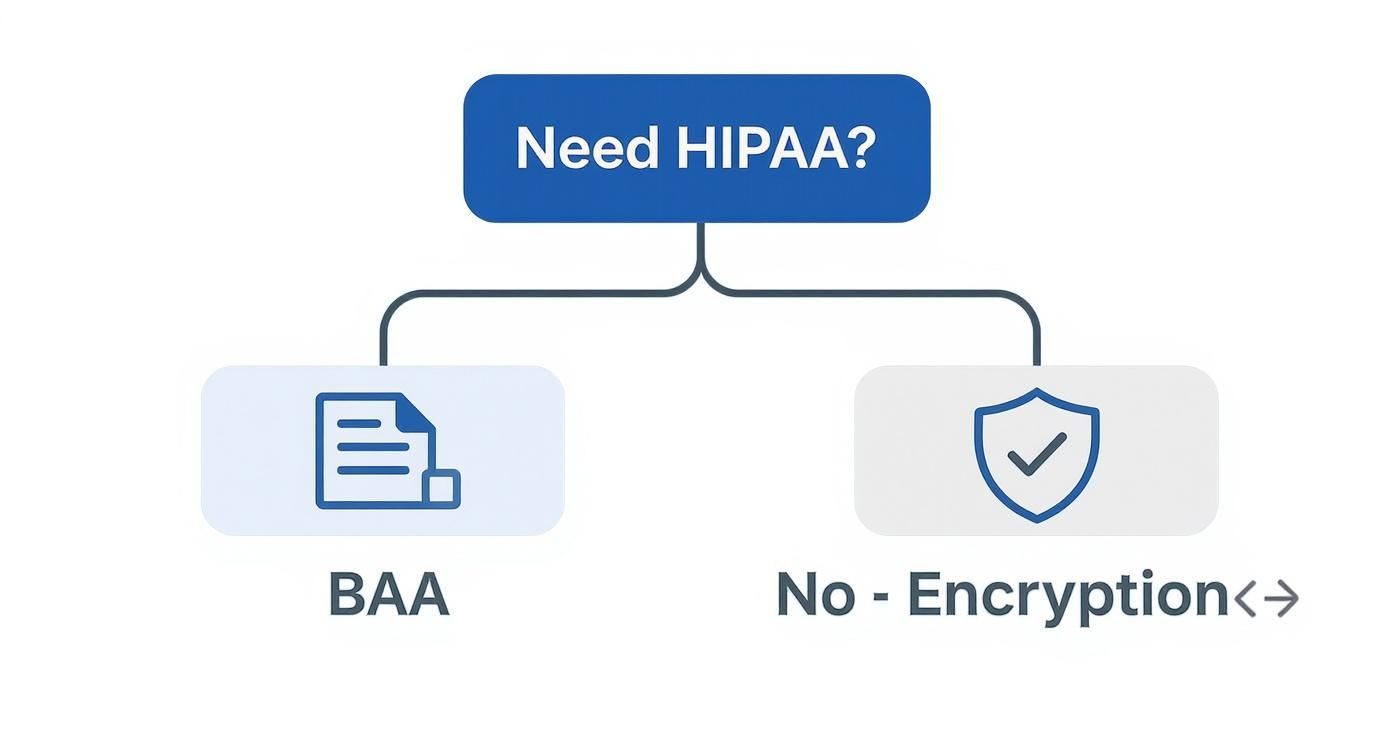
    An infographic decision tree showing that if you need HIPAA compliance, you need a Business Associate Agreement (BAA), and if not, robust encryption is the key security feature.

    As you can see, for regulated industries, the BAA is the first box you have to check. While other services like eFax also offer strong, HIPAA-compliant "Protect" plans, SRFax’s specialization gives it an edge for organizations where compliance isn’t just a feature—it’s the entire game. These dedicated plans come with extras like detailed audit trails and strict access controls, giving you the confidence that comes from using a tool built for your industry’s tough demands.

    Making Your Final Decision with Confidence

    Alright, you've done the hard work of comparing different online fax services. Now comes the final step: turning all that research into a decision you won't regret. It's easy to get lost in the details, but it really just comes down to connecting your specific needs to the right set of features.

    Before you pull the trigger and sign up, run through a quick mental checklist. This isn't about re-doing your research; it's about confirming what truly matters to you so you don't get distracted by shiny features you'll never use.

    Your Final Selection Checklist

    • Monthly Volume: Does the plan's page limit actually match what you send and receive each month? Overages can get expensive fast, so be realistic here.
    • Security Needs: If you're in healthcare or law, this is non-negotiable. Does the provider offer a Business Associate Agreement (BAA) to ensure HIPAA compliance?
    • Workflow Integration: How will you actually use this day-to-day? Make sure it has a solid mobile app if you're always on the go, or check for integrations with cloud services like Google Drive or Dropbox if that's where your documents live.

    The most valuable tool at your disposal is the free trial. Theory is one thing, but actually using a service reveals everything about its interface, reliability, and customer support before you spend a dime.

    Seriously, test-driving the top contenders is the only way to know for sure. Use that trial period to send a few faxes to yourself or a colleague. See how clunky (or smooth) the mobile app feels. Is the interface intuitive, or do you need a manual just to find the "send" button? This hands-on experience is what separates a good choice from a great one.

    Ultimately, you’re looking for a service that fits your budget and makes your life easier, not harder. If cost is your main driver, digging into the cheapest online fax service options can help you find a great value. By pairing your research with a little practical testing, you can confidently pick the right tool for the job.

    Got Questions About Online Faxing? We've Got Answers.

    Switching from a clunky machine to an online fax service can bring up a few questions. Let's tackle some of the most common ones people ask when they're making the move.

    Can I Keep My Current Fax Number?

    Yes, you almost certainly can. Most subscription services know how important your existing number is for business continuity. They offer a process called number porting, which basically moves your fax number from your old provider to their platform.

    Just be prepared for it to take a few weeks. Your new provider will handle all the technical details, but it's not an instant switch. This is a standard feature for services like eFax and Nextiva vFAX, but don't expect it from pay-as-you-go options—they’re built for one-off sends, not long-term business use.

    How Exactly Does "Email to Fax" Work?

    Email-to-fax is the feature that makes online faxing feel so seamless. It’s surprisingly simple: you just compose a new email in your usual app (like Gmail or Outlook), attach your document, and type the recipient's fax number into the "To" field, followed by the service's domain.

    For instance, the address might look something like 15551234567@yourfaxservice.com.

    Once you hit send, the service does the heavy lifting. It takes your email and attachment, converts them into a fax-friendly format, and sends it through the traditional phone lines to the recipient's machine. It's a clever way to fax without ever leaving your inbox.

    Is It Actually Secure to Send a Fax Over the Internet?

    It is, as long as you pick a service that takes security seriously. The best providers build their platforms with multiple layers of protection to keep your information safe.

    • Encryption in Transit: Your data is protected from prying eyes as it travels from your computer to the fax service using SSL/TLS encryption—the same standard that protects your online banking sessions.
    • Encryption at Rest: When your faxes are stored on their servers, they are scrambled with strong AES-256 encryption, making them unreadable to anyone without authorization.

    If you're in an industry like healthcare or law, you'll want to go a step further. Look for a HIPAA-compliant provider that will sign a Business Associate Agreement (BAA), which is a legal must-have for protecting sensitive data.


    For those times you just need to send a document without the fuss of an account, SendItFax lets you fax directly from your browser. Try sending a fax in minutes at senditfax.com.
  • Find the Cheapest Online Fax Service for Your Needs

    Find the Cheapest Online Fax Service for Your Needs

    Figuring out the cheapest online fax service really boils down to how much you fax and what you need from the service. If you only send a fax once in a blue moon, a free service is a no-brainer. For sporadic use, a pay-as-you-go plan gives you flexibility. But for any kind of regular business faxing, a low-cost monthly plan offers the best bang for your buck.

    Your Guide to Finding the Best Value in Online Faxing

    A person sitting at a desk with a laptop, comparing different options on a screen, representing the choice of an online fax service.

    Choosing the most affordable online fax service isn't as simple as grabbing the plan with the lowest price tag. Real value comes from finding a provider that fits your workflow, volume, and security needs without nickel-and-diming you with hidden fees. This guide is designed to help you look past the sticker price and give you a solid framework for making the right call.

    We'll dig into the total cost of ownership, which means looking at factors people often miss in a quick price scan. Getting these details right is the key to avoiding a service that looks cheap on the surface but ends up costing you more in overage fees or sheer frustration.

    Key Factors That Define a "Good Value" Fax Service

    Before we jump into comparing specific services, let's get clear on what actually matters. The perfect service for a freelancer sending a single monthly invoice is going to be a terrible fit for a small medical office that needs to protect patient data.

    Here are the core elements that determine the true cost and usefulness of any online fax plan:

    • Fax Volume: Be honest—how many pages do you really send and receive each month? This is the most critical question.
    • Cost Structure: Does a free plan, a pay-per-fax model, or a monthly subscription best match your faxing habits?
    • Security Needs: Are you dealing with sensitive information that demands HIPAA compliance? This is a major dividing line.
    • Must-Have Features: Do you need a mobile app to fax on the go, email-to-fax capabilities, or the ability to pull documents from cloud storage?

    The goal is to find a service that saves you money without causing operational headaches. A cheap plan with a clunky interface or spotty delivery can cost you far more in wasted time and lost opportunities than a slightly more expensive but reliable alternative.

    Comparing the Core Pricing Models

    To see how your specific needs drive the decision, let's break down the three main pricing models. Each one is the "cheapest" for a very different type of user.

    Model Type Best For Typical Cost Key Limitation
    Free Services Infrequent, non-sensitive faxes (1-5 pages/month) $0 Branded cover pages, no receiving faxes, ads.
    Pay-As-You-Go Unpredictable, low-volume needs $0.10 – $2.00 per page/fax Higher per-page cost than subscriptions.
    Monthly Subscription Consistent, moderate to high volume (20+ pages/month) $5 – $15 per month Unused pages don't always roll over.

    This table makes it clear why there's no single "cheapest" service for everyone. By first figuring out your own needs with the checklist above, you can confidently pick the right online fax service that delivers genuine value for your specific situation.

    Comparing the Three Main Online Fax Pricing Models

    A chart on a tablet screen comparing different pricing models, illustrating the process of choosing an online fax service.

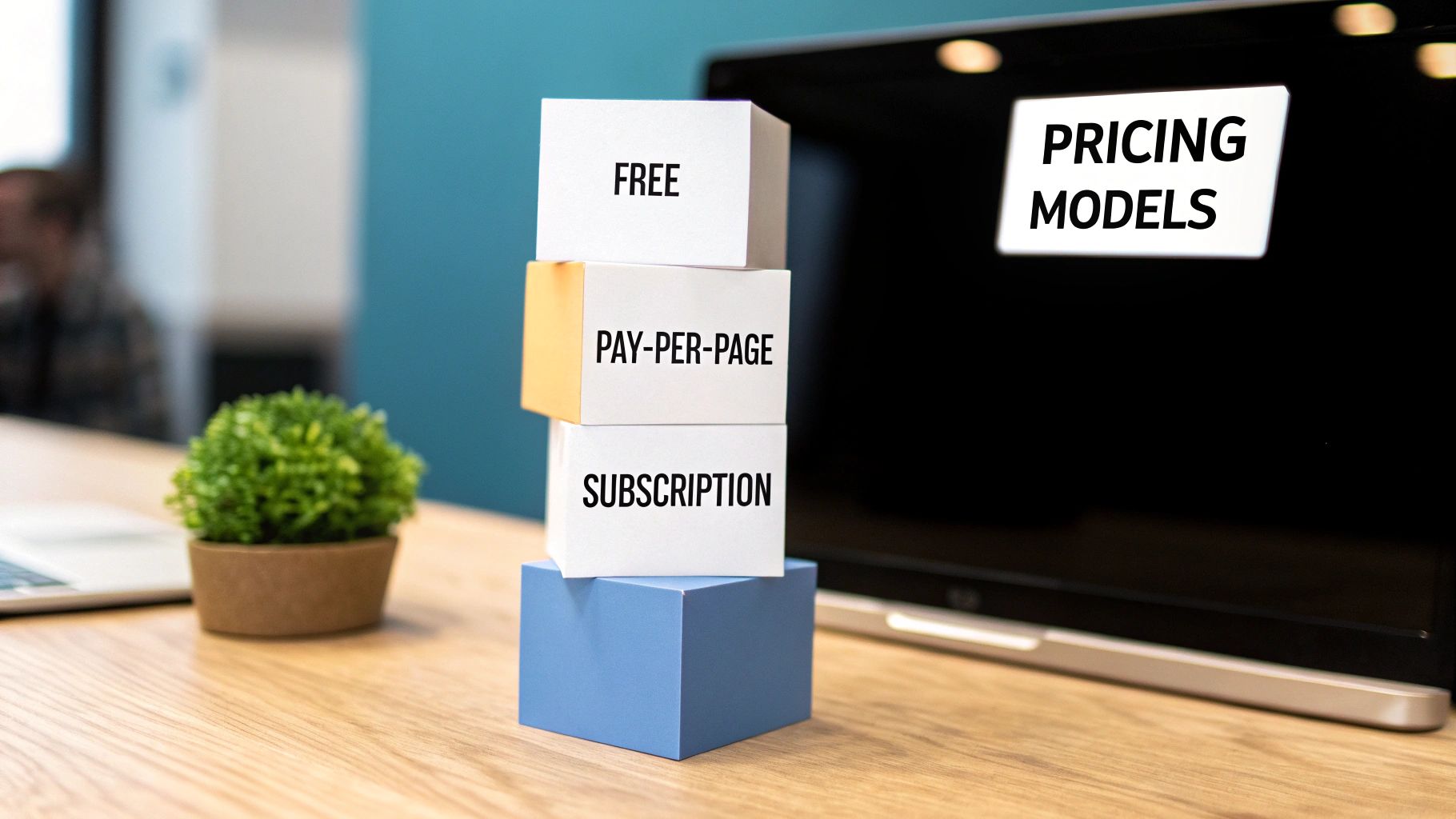
    To find the cheapest online fax service that actually saves you money, you first have to understand how these providers charge. The "best deal" is completely situational—it all comes down to how often you fax, how many pages you send, and what features you absolutely need. Most services fall into one of three buckets: free, pay-per-page, or a monthly subscription.

    Each model is built for a different type of user. Picking the wrong one can mean you’re either paying for features you don't use or hitting frustrating limits right when you need to send something important. Let's break down each one so you can match your needs to the right plan.

    The Free Plan Model

    For the occasional, minimalist user, you can’t beat free. These plans are designed for people who need to send a single-page document once or twice a year—think sending a signed form for a personal matter or a quick proof of residency.

    Of course, "free" always comes with a catch. Most free services slap their own branding on your cover page, put tight caps on daily and monthly page counts, and almost never give you a dedicated number to receive faxes. For instance, SendItFax offers a handy free tier for sending up to three pages, but it includes their branding. Security can also be less robust, which makes these plans a poor choice for sensitive documents.

    The Pay-Per-Page Model

    This is the perfect middle ground for freelancers, consultants, or small businesses with unpredictable faxing needs. If you send a 15-page contract one month and then nothing for the next two, a pay-per-page plan saves you from paying a recurring fee for a service you aren't using.

    You only pay for what you send. It’s that simple. SendItFax’s $1.99 per fax option is a great example of this, stripping away the branding and upping the page limit for a small one-time payment. This approach gives you a professional look without locking you into a monthly plan, making it a smart move for sporadic but important business faxes.

    Key Takeaway: The pay-per-page model is the financial sweet spot. It's for anyone who needs more than a free plan can offer but whose faxing volume is too inconsistent to justify a monthly subscription.

    The Monthly Subscription Model

    For any business or individual with a steady faxing habit—even just 10-15 pages per month—a subscription almost always works out to be the cheapest on a per-page basis. These plans are built for regular use, like sending out invoices, processing client forms, or handling medical records.

    They deliver the best overall value by bundling a set number of pages for a flat monthly fee. This model is also where you unlock critical business features like your own dedicated fax number for receiving, HIPAA compliance, and integrations with other software. The cost difference is stark when you compare it to old-school methods. Sending a fax at a retail store can run you over $1.50 per page, while some online subscription plans can bring that cost down to just a few cents.

    A 2025 pricing analysis showed that services like Notifyre can offer rates as low as $0.03 per page on plans starting around $4.90 for 200 pages. You can dig deeper into these online fax cost comparisons to see just how much you can save.

    Diving Into the Details: A Head-to-Head Look at Low-Cost Fax Services

    Alright, now that we've covered the different ways these services charge, it's time to roll up our sleeves and put the top low-cost options under the microscope. Finding the truly cheapest online fax service isn't about grabbing the lowest monthly price you see. The real cost is hidden in the details.

    A service that looks like a bargain can quickly drain your wallet if you go over your page limit or need a feature that's locked away in a pricier plan. We're going to cut through the marketing fluff and focus on what actually impacts your spending: overage fees, storage limits, international rates, and how easy the tools are to use day-to-day.

    How We're Making a Fair Comparison

    To keep things honest, we’re zeroing in on the entry-level paid plans from the most popular budget-friendly services. This is the starting point for most folks and small businesses. Our goal isn't just to find the cheapest price tag, but to find the best overall value for your money.

    We’ll look at the big players and see how they stack up against practical, real-world needs. This way, you can see where each one shines and, more importantly, where its limitations might cause a headache for you.

    Low-Cost Online Fax Service Feature and Price Comparison

    To get a quick sense of the landscape, here's a side-by-side breakdown of the key players. This table gives you a snapshot of pricing and core features, helping you quickly identify which services align with your needs before we dive deeper into each one.

    Service Provider Cheapest Plan Price Included Pages (Send/Receive) Overage Fee Per Page Key Features (e.g., HIPAA, Mobile App) Best For
    Fax.Plus $6.99/month (annual) 200 Pages (pooled) $0.10 Mobile App, Integrations, Email-to-Fax Businesses wanting a slick interface and app connections.
    iFax $12.49/month (annual) 200 Pages (pooled) $0.10 HIPAA Compliance, Mobile App, 24/7 Support Healthcare or legal pros who need top-notch security.
    MetroFax $9.96/month (annual) 550 Pages (pooled) $0.03 Huge page allowance, Mobile App Anyone with high but unpredictable fax volume.
    FaxZero $2.09 per fax 25 Pages (send-only) N/A No account needed, quick sends Super casual, one-off personal faxes.
    SendItFax $1.99 per fax 25 Pages (send-only) N/A No branding, no account needed Quick, professional faxes without a subscription.

    While this table offers a great starting point, the real decision comes from understanding the nuances behind these numbers. A low overage fee or built-in HIPAA compliance can easily be the tie-breaker.

    Fax.Plus: The Modern Choice for Business

    Fax.Plus is a fan favorite for anyone who appreciates a clean, modern design and smooth functionality. Its entry-level "Basic" plan is priced right and gives you a pool of 200 pages for sending and receiving, which is a solid starting point.

    Where it really pulls ahead is with its integrations. You can connect it to tools you already use, like Google Workspace and Slack, which is a huge time-saver for small businesses. Their mobile app is also genuinely pleasant to use.

    The catch? That $0.10 per page overage fee is pretty standard, but it can sting if your faxing volume is all over the place. And while the service is secure, you'll have to upgrade to their pricey Enterprise plan for full HIPAA compliance—a deal-breaker for anyone in healthcare.

    iFax: Putting Security First

    When you're dealing with sensitive documents, security isn't just a feature; it's everything. iFax stands out by offering robust, HIPAA-compliant faxing right out of the gate with its entry-level plan at $12.49 per month (annually). That price gets you 200 pages and peace of mind.

    This focus on security makes it a default choice for medical practices, law firms, and financial advisors who can't afford to mess around with compliance. Most competitors make you pay a lot more for that level of protection. For a closer look at their value proposition, check out their post on affordable eFax service offerings.

    Key Insight: iFax essentially packages enterprise-level security into a small business plan. If compliance is your number one concern, it's tough to beat the value here, even if it costs a few extra bucks a month.

    MetroFax: For When You Just Need to Fax a Ton

    MetroFax has a simple, powerful pitch: more pages for your money. For less than $10 a month on its annual plan, you get a massive 550-page allowance. That’s more than double what most others offer for a similar price.

    This makes it a no-brainer for anyone with consistently high faxing volume. On top of that, their overage fee is an incredibly low $0.03 per page, so you have a huge safety net if you have a particularly busy month.

    The trade-off is a user interface that feels a bit behind the times, especially next to something like Fax.Plus. It’s perfectly usable, but it lacks the polish and slick integrations some people want. If you care more about raw page count than a pretty design, MetroFax is a beast.

    Pay-Per-Fax: When a Subscription Is Overkill

    What if you only send a fax once in a blue moon? A monthly subscription just doesn't make sense. That's where pay-per-fax services come in, offering ultimate flexibility.

    FaxZero is the classic option here. It has a free service that puts their branding on your cover sheet, or you can pay $2.09 to send up to 25 pages without the ad. It’s perfect for sending a quick, non-critical document.

    SendItFax takes a similar approach but elevates the experience. For $1.99, you can send up to 25 pages with some key professional perks:

    • No Branding: Your cover page looks clean and is all about you, no "Sent via SendItFax" logos.
    • No Account Required: No sign-up process. Just upload, pay, and send.
    • Priority Delivery: Your fax jumps to the front of the line.

    This makes SendItFax the ideal choice for a freelancer sending an invoice, a consultant submitting a proposal, or anyone who needs to send a professional-looking document without the commitment. If you're just looking to send something from your desk, our guide on how to send a free fax from your computer can walk you through the options for less urgent needs.

    Ultimately, choosing between them comes down to context. For a personal form, FaxZero is totally fine. For a business contract where first impressions count, that small investment in a service like SendItFax is well worth it.

    How to Choose the Right Low-Cost Service for You

    Figuring out which service is right for you means looking beyond the price tag and getting honest about your own needs. The cheapest online fax service isn't just the one with the lowest monthly bill. It’s the one that fits your workflow and volume without hitting you with surprise fees.

    To find that perfect match, you need to ask a few key questions. This simple checklist will help you connect your answers to the types of services we’ve covered, making sure you pick a plan that feels like it was made just for you.

    Start With Your Faxing Volume

    The first and most important factor is how many pages you actually send and receive each month. Be realistic. If you overestimate, you'll end up paying for a subscription you don't use. If you underestimate, you could get stung by expensive overage charges.

    • Infrequent User (1-10 pages/month): If you only send a fax once in a blue moon, a monthly plan is a waste of money. Pay-per-fax services like SendItFax or a free option will be your most cost-effective bet.
    • Consistent Low Volume (15-100 pages/month): This is the ideal range for most entry-level subscriptions. A plan that gives you a pool of around 200 pages offers a nice cushion for those slightly busier months.
    • High or Unpredictable Volume (100+ pages/month): If you’re a heavy user or your faxing needs swing wildly from month to month, look for plans with generous page allowances and low overage fees, like those offered by MetroFax.

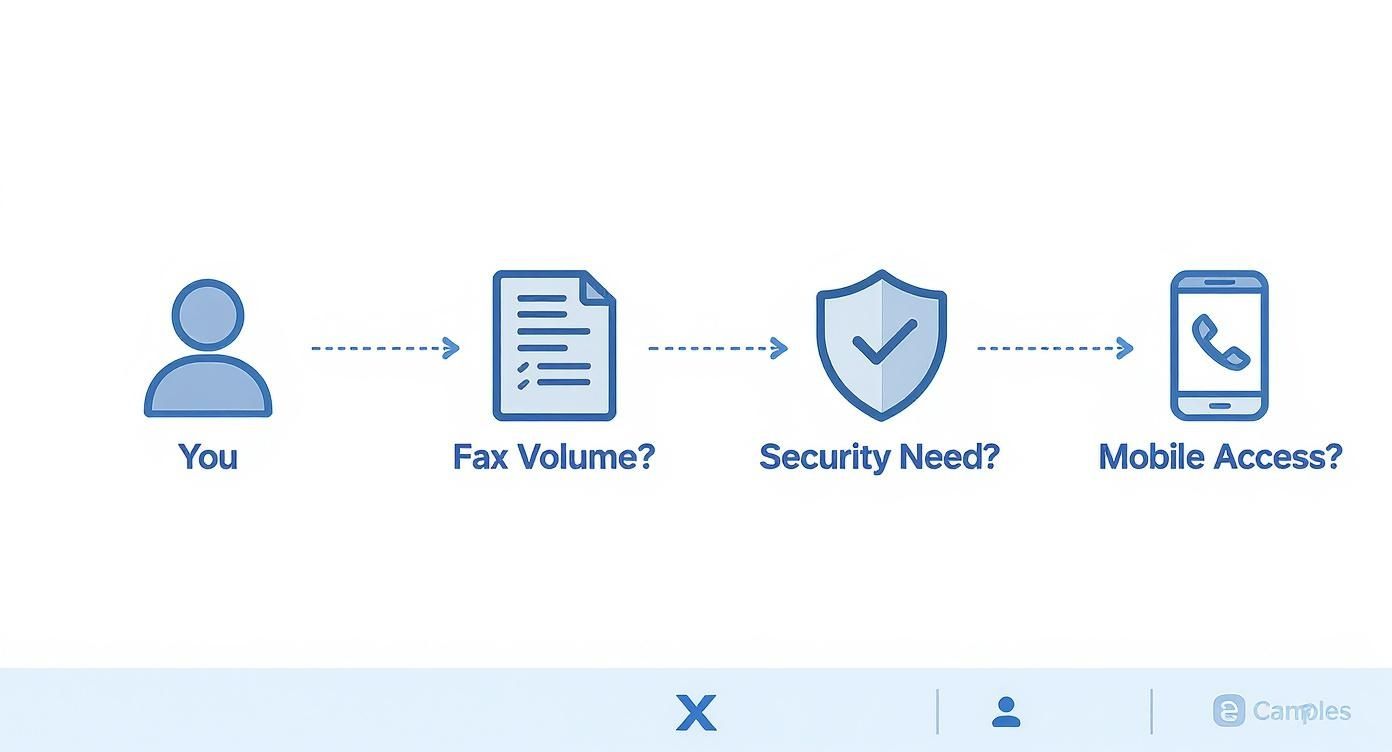
    This infographic lays out a simple decision path to help you see how your fax volume, security needs, and mobility requirements point toward the right kind of service.

    Infographic about cheapest online fax service

    As you can see, everything starts with your usage. Once you've got that pinned down, you can filter your choices based on the features that really matter.

    Evaluate Your Security and Compliance Needs

    Next up is a critical question: how sensitive are the documents you're sending? This is a deal-breaker and can immediately knock many of the cheapest online fax services—especially the free ones—out of the running.

    If you handle patient records, legal documents, or financial data, you must have a service that is HIPAA compliant. There’s no way around it. Some providers like iFax build this into their basic plans, but others hide it away in expensive enterprise tiers. Don't ever trade security for a lower price; the penalties and damage to your reputation just aren't worth it.

    For many professionals, the real bargain is finding the "cheapest" compliant service. A provider offering solid security like AES encryption and HIPAA adherence gives you peace of mind that's worth far more than its monthly fee.

    Assess Your Daily Workflow and Feature Requirements

    Finally, think about how you'll actually use this service day in and day out. A cheap plan that constantly gets in your way isn't a good deal at all.

    • Do you need to fax on the go? If so, a slick, reliable mobile app is a must-have. Check user reviews before you commit, as a clunky app can be a major source of frustration.
    • Will you send faxes from your email? The email-to-fax feature is a huge time-saver. Make sure the service you choose offers it and that it's easy to set up.
    • Do you need to receive faxes? This question instantly rules out most free services and even some pay-per-fax options. A dedicated fax number is a standard feature of any paid subscription.

    For a deeper dive into how this all works without clunky hardware, you can learn more about how to fax without a traditional fax machine from our comprehensive guide.

    By answering these three questions honestly—about volume, security, and workflow—you'll move beyond a simple price list. You'll be able to confidently pick the cheapest online fax service that not only fits your budget but actually makes your work easier.

    Looking Beyond the Price Tag for True Value

    A magnifying glass hovering over a price tag, symbolizing a closer look at the true costs of an online fax service.

    That eye-catching monthly price for an online fax service? It's often just the starting point. If you want to find the cheapest online fax service that actually saves you money, you have to dig a little deeper and understand what you'll really be paying. A low sticker price can be incredibly misleading, quickly ballooning with hidden costs that turn a great deal into a bad one.

    It’s in the fine print where many of these "budget" plans start to fall apart. What looks like a bargain on the surface can get expensive fast once you see how they handle real-world usage.

    Uncovering Common Hidden Costs

    The biggest trap to watch out for is the overage rate. Lots of services lure you in with a cheap plan that includes a fixed number of pages. The catch? The second you go over that limit, they hit you with a steep penalty for every single extra page. A $0.10 per page fee doesn't sound like much, but if you need to send an unexpected 20-page document, you’ve just added $2.00 to your bill. It adds up.

    Keep an eye out for these other common costs, too:

    • Number Porting Fees: Want to bring your existing fax number with you? Some providers will charge you a one-time fee just to transfer it over.
    • Setup Fees: They’re becoming less common, but some services still charge an initial fee just to get your account activated.
    • International Rates: Faxing someone overseas can be shockingly expensive. The rates for international sends can vary wildly from one service to the next.

    A service is only truly "cheap" if its pricing structure aligns with your actual usage. A plan with a high page limit and low overage fees might offer better long-term value than a rock-bottom monthly rate with a punishing penalty for going over.

    Identifying True Value-Added Features

    On the other hand, some services might cost a bit more upfront but bundle in features that are genuinely worth it. These aren't just flashy extras; they're practical tools that can save you time, improve security, and make your workflow smoother. The trick is figuring out which ones you’ll actually use.

    For example, if you're in healthcare or law, solid security isn't optional. A service that includes HIPAA or SOC 2 compliance as part of its standard plan offers tremendous value and peace of mind. To get a better sense of how this works without old-school hardware, check out our guide on sending faxes without a landline.

    How Integrations and Security Create Value

    For a lot of small businesses, workflow integrations are a massive win. Being able to send and receive faxes right from the software you already use every day is a huge time-saver. Some providers have smart pricing tiers built around this. For instance, Fax.Plus has a free plan for sending up to 10 pages a month, but its paid plans—starting at $6.99 per month for 200 pages—really shine with integrations for Google Workspace and Slack that can make a team much more efficient. You can dig into other small business fax solutions to see how they stack up.

    In the end, the smartest move is finding a balance between a low price and features that actually help you get work done. When you weigh the potential for hidden fees against valuable tools like e-signatures, top-tier security, and software integrations, you’ll find a service that’s not just affordable, but incredibly effective.

    Got Questions About Online Faxing? Let's Clear Things Up.

    Once you start digging into the cheapest online fax services, you'll probably run into a few common questions. It’s completely normal. Getting solid answers to these sticking points is often the final step before you can confidently pick the right service. So, let's tackle the big ones.

    For most businesses, the biggest concern is their existing fax number. It’s on your business cards, your website, and your client invoices. The thought of losing it is a non-starter, and thankfully, you usually don't have to.

    Can I Keep My Current Fax Number?

    Yes, in most cases, you absolutely can. The majority of paid online fax providers let you port your existing fax number over to their service. Think of it like moving your cell phone number to a new carrier—it’s the same idea. You just give your new fax service the account details from your old provider, and they’ll take care of the transfer.

    Just keep a few things in mind before you jump in:

    • Porting Fees: Some services charge a one-time fee to move your number, while others roll it into the subscription cost.
    • Timeframe: This isn't an instant switch. The process can take anywhere from a few days to a couple of weeks, so plan accordingly.
    • Service Requirement: Number porting is almost always a feature of paid plans. You won't find this option with most free or simple pay-per-fax services.

    If keeping your number is a dealbreaker, make sure you check the provider's specific porting policy before you commit to anything.

    Are Free Online Fax Services Secure Enough?

    This is a huge question, and the honest answer is: it depends entirely on what you're faxing. If you're sending something non-sensitive, like a permission slip or a registration form for a local event, a free service is probably fine. It gets the job done without you having to open your wallet.

    However, the moment you need to send anything with personal, medical, or financial data, free platforms just don't cut it. They almost never have the kind of encryption or access controls needed to truly protect that information, and you can forget about them being HIPAA compliant.

    When sensitive documents are involved, the "cheapest" option isn't the one with the lowest price tag—it's the one that saves you from a disastrous and expensive data breach. A low-cost, secure paid service is a tiny investment for total peace of mind.

    For things like legal contracts, patient files, or financial reports, you need to go with a paid service that specifically mentions security features like AES-256 bit encryption and compliance with industry standards.

    How Do I Send a Fax from My Email or Phone?

    This is where online faxing really shines. Being able to send a fax right from the devices you use all day is a game-changer. The best part? It's incredibly easy, and the process is pretty much the same no matter which provider you choose.

    Sending a Fax from Your Email (Email-to-Fax):

    1. Start a new email: Just open up Gmail, Outlook, or whatever you use.
    2. Address it to the fax machine: In the "To:" field, type the 10-digit fax number followed by the provider’s special email domain (it’ll look something like 1234567890@faxprovider.com).
    3. Attach your file: Add the PDF, Word doc, or image you need to send.
    4. Write your cover page: Anything you type in the body of the email will automatically become the text on the fax cover page.
    5. Hit send: That's it. The service handles the rest, converting your email into a fax and sending it on its way.

    Using your phone is just as simple, as most services have dedicated mobile apps. You just open the app, pick a file from your phone (or even snap a picture of a paper document), type in the fax number, and tap send. This kind of flexibility is exactly why moving away from that clunky old fax machine is such a smart move.


    Ready to send a fax right now without the commitment of a subscription? SendItFax offers a simple, pay-per-fax solution for just $1.99. Send up to 25 pages with priority delivery and no branding on your cover page—no account needed. Send your professional-looking fax in minutes at https://senditfax.com.