Tag: fax cover page

  • Mastering the Modern Format for a Fax

    Mastering the Modern Format for a Fax

    Before you send that first fax, let’s talk about formatting. It might seem like a small detail, but getting the format for a fax right is non-negotiable, especially when it comes to security and legal compliance. It’s a practice that has stuck around for good reason, particularly in industries like healthcare and law that depend on its rock-solid reliability.

    Why Fax Formatting Still Matters in 2026

    format for a fax

    I get it. In a world of instant messaging and cloud storage, talking about faxing can feel like a throwback. But here’s why it’s not going away: security, reliability, and legal weight. When you're dealing with sensitive information—think medical records or signed contracts—a fax provides a verifiable, point-to-point paper trail that many digital methods just can't match.

    Unlike an email that hops between countless servers, a fax creates a direct, secure connection. This drastically cuts down the risk of interception, which is precisely why these key industries continue to trust it.

    The Enduring Need for a Standard Format

    Even as we’ve moved from clunky machines to slick online fax services, the core formatting rules haven't changed. They’re what keep faxes universally readable and trustworthy. This isn't just a fax thing, either; any professional communication relies on the same fundamental principles of good writing. A clear, consistent structure ensures your message is understood exactly as you intended.

    And don't mistake this for a niche practice. The numbers show that faxing is still a major player in the business world.

    You might be surprised to learn that in 2024, the global fax services market was valued at $3.3 billion. It’s even projected to climb to $4.47 billion by 2030, driven by sectors that rely on the legally binding audit trail a standard fax format provides.

    So, what does this format usually involve?

    • A dedicated cover sheet listing sender and recipient info.
    • Content laid out for standard 8.5×11-inch pages.
    • Clear, high-contrast text to ensure legibility on the other end.

    Ultimately, sticking to the standard format is about making sure your documents look professional, are easy to read, and hold up legally when they arrive. It’s a perfect example of a standard that persists simply because it works.

    How to Format Your Document for a Perfect Fax

    format for a fax

    Getting your document ready to send isn't just a formality—it’s the most important step to ensure your fax arrives looking clean and professional. I've seen countless transmissions fail due to simple formatting mistakes, but a few quick checks can make all the difference.

    First things first, let's talk file types. While you can often send a standard DOC or DOCX file, I always recommend converting to PDF before you send. Why? Because a PDF essentially freezes your document. The fonts, images, and layout are all locked in place, so what you see on your screen is exactly what your recipient will get. No more surprise formatting shifts or jumbled text.

    Get the Page Layout and Margins Right

    Before you finalize that PDF, you need to think like a fax machine. These devices are built around standard paper sizes, and straying from the norm can cause problems.

    Always set your document to the standard US letter size, which is 8.5 x 11 inches. If you try sending a document formatted for A4 or legal paper, you’re running the risk of the receiving machine cutting off text or shrinking the page to the point where it’s unreadable.

    I can't stress this enough: use a one-inch margin on all four sides of your document. Fax machines have a "dead zone" around the edges, and anything you place in that area is likely to get chopped off during transmission. That one-inch buffer is your best protection against lost information.

    Sometimes you'll run into a file that needs a little extra work before it's ready. If you're dealing with a secured document, for instance, you might first need to figure out how to print locked PDF files to make your edits. And if you're starting with a Word document, our guide on how to convert Word to PDF makes the process simple.

    To help you remember these key settings, here’s a quick summary table. Following these guidelines will prevent the most common formatting errors we see.

    Recommended Document Formatting for Faxing

    Formatting Element Recommendation Why It Matters
    File Type PDF (Portable Document Format) Locks in formatting and fonts, ensuring consistency.
    Page Size US Letter (8.5 x 11 inches) Matches the standard for most fax machines, preventing distortion.
    Margins 1-inch on all sides Creates a "safe zone" to prevent content from being cut off.
    Font Style Simple sans-serif (Arial, Helvetica) Remains clear and legible even at lower fax resolutions.
    Font Size 12 points or larger Ensures text is readable and doesn't become a blurry mess.
    Color Black text on a white background Guarantees maximum contrast for a crisp, readable transmission.

    Keep this table handy as a final checklist. It’s a simple way to make sure every fax you send is set up for success from the start.

    Choose Fonts for Maximum Legibility

    Finally, let's talk about readability. A fax isn't a high-resolution printout; it's a scan sent over a phone line. What looks sharp on your 4K monitor can become a blurry mess on an older fax machine.

    The key is to keep it simple and clear.

    • Stick with classic fonts. You can't go wrong with Arial, Helvetica, or Times New Roman. They are designed for readability and hold up well to the compression and resolution loss of faxing.
    • Go big on size. A font size of 12 points should be your absolute minimum. Anything smaller is a gamble and often results in illegible text on the other end.
    • Contrast is everything. Always, always use black text on a plain white background. Colored text, images, or dark backgrounds can turn into a black, indecipherable smudge after transmission.

    Your Fax Cover Page: The First Impression

    format for a fax

    Think of your fax cover page as the professional handshake before the real conversation begins. It’s the very first thing your recipient sees, and its job is simple but crucial: get your document into the right hands without any guesswork.

    Skipping a cover page is a rookie mistake, especially when you're faxing to a large office with a shared machine. It’s like sending a business letter without a return address—it just creates confusion and delays. A quick, clear cover page ensures your fax doesn't end up lost in the shuffle.

    What Every Cover Page Needs

    To make sure your fax arrives safely, every cover page should have a few key pieces of information. This is your routing slip, the coordinates for your document's journey. At an absolute minimum, you need to include:

    • Who it's from: Your full name, your company (if relevant), and both your fax and phone numbers.
    • Who it's for: The recipient’s full name, their company, and their direct fax number. Always double-check that fax number!
    • The date: The day you're sending the fax.
    • The page count: This is so important. Make sure to include the cover sheet itself in your total (e.g., "Total pages: 4 (including cover)").

    A specific subject line is also a game-changer. Instead of something vague like "Forms," try "Patient Intake Forms for John Doe." This immediately tells the recipient what they’re looking at. If you need some inspiration, you can find a good selection of free printable fax cover sheets to see how these elements all come together.

    I can't tell you how many headaches have been avoided by simply including the page count. If the recipient knows to expect five pages but only four come through, they know right away the transmission failed. It's a simple detail that prevents major problems.

    To Brand or Not to Brand?

    When you use an online service like SendItFax, the cover page is often handled for you. For instance, our free plan automatically adds a basic cover page that includes SendItFax branding. For many day-to-day tasks, like sending a document to your doctor's office, this is perfectly fine.

    However, if you're sending something more formal, like a business proposal or a legal contract, you'll probably want a cleaner, unbranded look. Upgrading to a paid plan gives you the flexibility to send a fax with a generic, unbranded cover page. You can even skip the cover page entirely, which is useful when faxing to an automated system that doesn't need one. It really just comes down to your audience and the context of the document you're sending.

    Sending Your Fax Through an Online Service

    format for a fax

    Alright, you’ve done the prep work. Your document has clean margins, a professional layout, and you’ve saved it as a crisp PDF. Now for the easy part: actually sending it. This is where an online service like SendItFax really shines, letting you skip the hassle of a physical fax machine altogether.

    The beauty of a modern online fax platform is its simplicity. As you can see in the screenshot above, the interface walks you through everything. There are clear fields for your information, the recipient’s details, and a spot to upload your file. It’s designed to prevent mistakes before you even click “send.”

    From Document to Delivery

    Let’s walk through a real-world scenario. You just finished a three-page client intake form in Microsoft Word. Before you do anything else, you need to lock in that formatting. The best way is to save it as a PDF. Just head to "File," then "Save As," and choose PDF from the file type menu. This simple step ensures your carefully prepared format for a fax looks exactly the same on the other end.

    Once you have your PDF ready, the sending process is a breeze:

    • Sender Details: You'll fill in your name and contact number.
    • Recipient Details: This is the most critical part. Carefully enter the recipient's name and fax number.
    • Upload Your File: Click the upload button and select the PDF you just created.

    I can't stress this enough: always double-check the recipient's fax number. A single wrong digit is the number one reason faxes fail or, worse, end up in the wrong hands. I always check it against an email signature or the company's official website.

    Choosing the Right Plan for the Job

    Online fax services aren’t one-size-fits-all, and that’s a good thing. For that quick three-page intake form, a free plan is perfect. It’s fast, costs nothing, and the branded cover page that sometimes comes with free services is usually no big deal for routine paperwork.

    But what if you're sending a 20-page contract to a new client? This is where a paid plan, like the SendItFax Almost Free option, is a much better fit. It’s built for situations where professionalism matters.

    With a paid plan, you typically get:

    • No Branding: Your cover page is clean and professional, with no mention of the fax service.
    • Higher Page Limits: You can send up to 25 pages, which easily covers most contracts and reports.
    • Priority Delivery: Your fax jumps to the front of the line, which is crucial for anything time-sensitive.

    Matching the service plan to the job ensures your document arrives safely and makes the right impression. If you want to dive deeper into the different options out there, this complete guide to using an online fax service is a great resource.

    Avoiding Common Faxing Mistakes

    Even when you do everything else right, a few simple slip-ups can cause a fax to fail. I've seen it happen countless times, but the good news is that these mistakes are almost always preventable with a quick final check before you hit send.

    The most common culprit? Unreadable text. This usually happens when you use fonts smaller than 12pt or try to get fancy with low-contrast colors. For example, a document with a gray or light-colored background might look fine on your screen, but a fax machine will likely turn it into a black, unreadable smudge. Always stick to black text on a plain white background for the best results.

    Another trap I see people fall into is unexpected formatting shifts. If you upload a DOC or DOCX file directly, the online service's conversion process can sometimes jumble your layout. That's exactly why converting to PDF first is a non-negotiable step for me—it locks everything in place and guarantees what you see is what they get.

    Final Checks Before You Send

    Beyond file issues, simple human error is behind a surprising number of failed faxes. I always run through a quick mental checklist to catch these little problems before they become big ones. It takes less than a minute and has saved me from countless headaches.

    Think of it as your pre-flight check for ensuring a proper format for a fax lands successfully. Here are the three most important things to double-check:

    • Recipient's Number: Is it absolutely correct? A single wrong digit is the number one reason for failed faxes, hands down.
    • Page Margins: Do you have at least a one-inch margin on all sides? This is crucial for preventing important information from getting cut off by the receiving machine.
    • Page Count: Does your document exceed your plan's limit? A free SendItFax account, for instance, allows for 3 pages plus the cover sheet. Be mindful of this if you're sending longer documents.

    My biggest piece of advice is to just slow down for ten seconds before sending. That extra moment is often when you'll catch a typo in the fax number or realize you forgot to check the page count. This simple habit prevents most common transmission failures.

    Frequently Asked Questions About Fax Formatting

    Even with a great online fax service, you'll probably run into a few questions about getting your documents ready to send. Let's tackle some of the most common ones we see from users.

    What Is the Best File Format for Faxing?

    When it comes to faxing, PDF is king. Think of a PDF as a digital photocopy—it locks in all your formatting, fonts, and images exactly as you see them on your screen. This means no surprise shifts or weird text changes when your document gets to the other side.

    While services like SendItFax can handle DOC and DOCX files just fine, converting your document to a PDF first is a simple pro-level step. It's the best way to guarantee your recipient sees exactly what you intended.

    Do I Always Need a Cover Page?

    While not always technically required, sending a fax without a cover page is like mailing a letter without putting a name on the envelope. It's a professional courtesy that ensures your document gets to the right person quickly and provides essential context at a glance.

    In a busy office with one shared fax machine, a cover page is your fax's personal escort. It prevents your sensitive document from getting lost in the shuffle or landing on the wrong desk.

    The only time you might skip it is when faxing to an automated system, like a government portal, that processes documents directly. Otherwise, it's always a good idea.

    Why Did My Fax Fail Even With the Right Format?

    It’s incredibly frustrating when a fax fails, especially after you've double-checked the formatting. But more often than not, the problem isn't with your file—it's something happening on the receiving end.

    Before you start troubleshooting your document, check for these common culprits:

    • You might have typed in the wrong fax number. It's an easy mistake to make!
    • The recipient's machine could be busy, turned off, or out of paper or ink.
    • You may have tried to send more pages than your plan allows.

    If a transmission fails, the very first thing you should do is verify the recipient's fax number. A simple typo is the most frequent cause.


    Ready to send your fax with confidence? With SendItFax, you can send up to three pages for free without creating an account. For longer faxes, our Almost Free plan gives you up to 25 pages, priority delivery, and removes all branding. Give it a try at https://senditfax.com.

  • Creating the Perfect Generic Fax Cover Sheet

    Creating the Perfect Generic Fax Cover Sheet

    Think of a fax cover sheet as the professional handshake before the conversation begins. It’s the first page of your transmission, and it tells the recipient everything they need to know right away: who it's from, who it's for, and what it’s about. It's not just a formality; it’s a crucial step that makes sure your documents land on the right desk and get the attention they deserve.

    Anatomy Of A Professional Fax Cover Sheet

    Top-down view of a 'COVER SHEET FIELDS' document, pen, glasses, and keyboard on a wooden desk.

    In a busy office with a shared fax machine, a document without a cover sheet is an orphan. It could get lost, ignored, or seen by the wrong eyes. This is especially true in fields like healthcare and law, where a properly filled-out cover sheet isn't just a good idea—it's a critical piece of the security and compliance puzzle.

    And yes, people are still faxing. In fact, the global fax services market was valued at USD 3.3 billion in 2024 and is expected to hit USD 4.47 billion by 2030. This isn't some dusty, forgotten technology; it's a core business tool. You can dive deeper into the fax services market growth on arizton.com. That ongoing relevance means professional standards, like using a cover sheet, matter more than ever.

    Core Components Everyone Needs

    No matter how simple or complex your fax is, every cover sheet needs a few non-negotiable pieces of information. Getting these basics right is what separates a professional communication from a potential headache for the recipient.

    • Sender & Recipient Information: Be crystal clear. Include full names, companies, and direct fax numbers.
    • Date: This is essential for record-keeping and creates an official timeline for your communication.
    • Page Count: Always include the total number of pages, including the cover sheet itself. This is the single best way for the recipient to know if they received the entire transmission.
    • Subject Line: A quick, descriptive subject gives the recipient immediate context before they even flip to the first page.

    A well-structured cover sheet does more than just transmit information; it projects professionalism and shows respect for the recipient's time and internal processes. It’s the first step in a successful and secure document transfer.

    Essential Fields for a Generic Fax Cover Sheet

    To make it even clearer, here’s a quick breakdown of what to include on any standard fax cover sheet. Think of this table as your go-to checklist before you hit send.

    Field Name Purpose Example
    To Identifies the intended recipient's name and title. Jane Doe, Accounts Payable Manager
    From Identifies the sender's name and title. John Smith, Project Lead
    Fax Number Lists the recipient's and sender's fax numbers for contact. Recipient: 555-123-4567, Sender: 555-987-6543
    Date Records the date of transmission for tracking. October 26, 2024
    Total Pages Confirms the total number of pages sent, including the cover. 5 (including cover sheet)
    Subject/RE Briefly describes the fax content for quick identification. RE: Invoice #INV-7890 for Q3 Services
    Comments Provides space for brief notes, urgency, or confidentiality notices. Urgent: Please process by EOD.

    Filling out these fields consistently ensures your faxes are always clear, professional, and directed to the right person without any guesswork.

    How to Fill Out Your Cover Sheet Accurately

    Filling out a fax cover sheet seems like a no-brainer, but I've seen simple mistakes cause major headaches. A single wrong digit in the fax number and your document goes nowhere. Miscount the pages, and the person on the other end is left wondering if the machine jammed halfway through. Getting these details right is the difference between a successful transmission and a failed one.

    Let’s start at the top: the sender and recipient info. Always go with full names and company details. It sounds obvious, but you'd be surprised. When it comes to phone and fax numbers, stick to a consistent format like (555) 123-4567. This little bit of standardization just makes everything clearer and prevents someone from misdialing when they need to call you back.

    The page count is another classic spot for errors. Here’s the key thing to remember: the total number of pages must include the cover sheet itself. So, if you have a four-page report to send, your total page count is 5. This immediately tells the recipient what to expect and lets them know if the transmission was complete.

    Adding Clarity and Context

    The subject line and comments section are where you can really help the person on the other end. A lazy subject like "Invoice" doesn't help anyone. Something specific, like "RE: Invoice #4521 – Final Payment Request," gets it to the right person's desk much faster.

    This is also your chance to add crucial handling instructions.

    • For urgent documents: A quick note like "Urgent: Action Required by 5 PM" or "Time-Sensitive Materials" ensures it doesn't get lost in a pile.
    • For confidential info: This is non-negotiable, especially in fields like healthcare or law. You need a clear disclaimer.

    A simple statement like, "Confidential: This fax is intended only for the named recipient and may contain legally privileged information," does more than just inform. It provides a layer of legal protection, notifying anyone who might see it by accident that they can't read or share it.

    Taking an extra 30 seconds to add these details is crucial for compliance with regulations like HIPAA. It’s what turns a basic fax cover sheet into a professional and secure tool for communication.

    Grab a Free Fax Cover Sheet Template

    Why start from scratch when you don't have to? We've already done the heavy lifting and created a handful of professional, ready-to-use templates. Just grab the one that fits what you're sending, fill it in, and you're good to go.

    Each template is clean, easy to read, and has all the essential fields already in place. We've designed a few different versions to make sure you look polished, no matter if you're sending a quick note or a formal legal document.

    Pick the Right Template for the Job

    You wouldn't use the same tone for every email, and the same goes for fax cover sheets. We have four options to cover the most common scenarios:

    • Basic Template: This is your go-to for everyday faxes. It’s simple, clean, and perfect for general use when you just need to get the job done.
    • Business Template: A step up from the basic, this one includes a spot for your company logo. It’s a great way to keep your branding consistent and professional.
    • Legal Template: When sending sensitive legal documents, you need to be explicit about privacy. This template features a bold, impossible-to-miss confidentiality notice.
    • Healthcare Template: Built with HIPAA compliance in mind, this template includes a clear disclaimer to help protect patient health information (PHI).

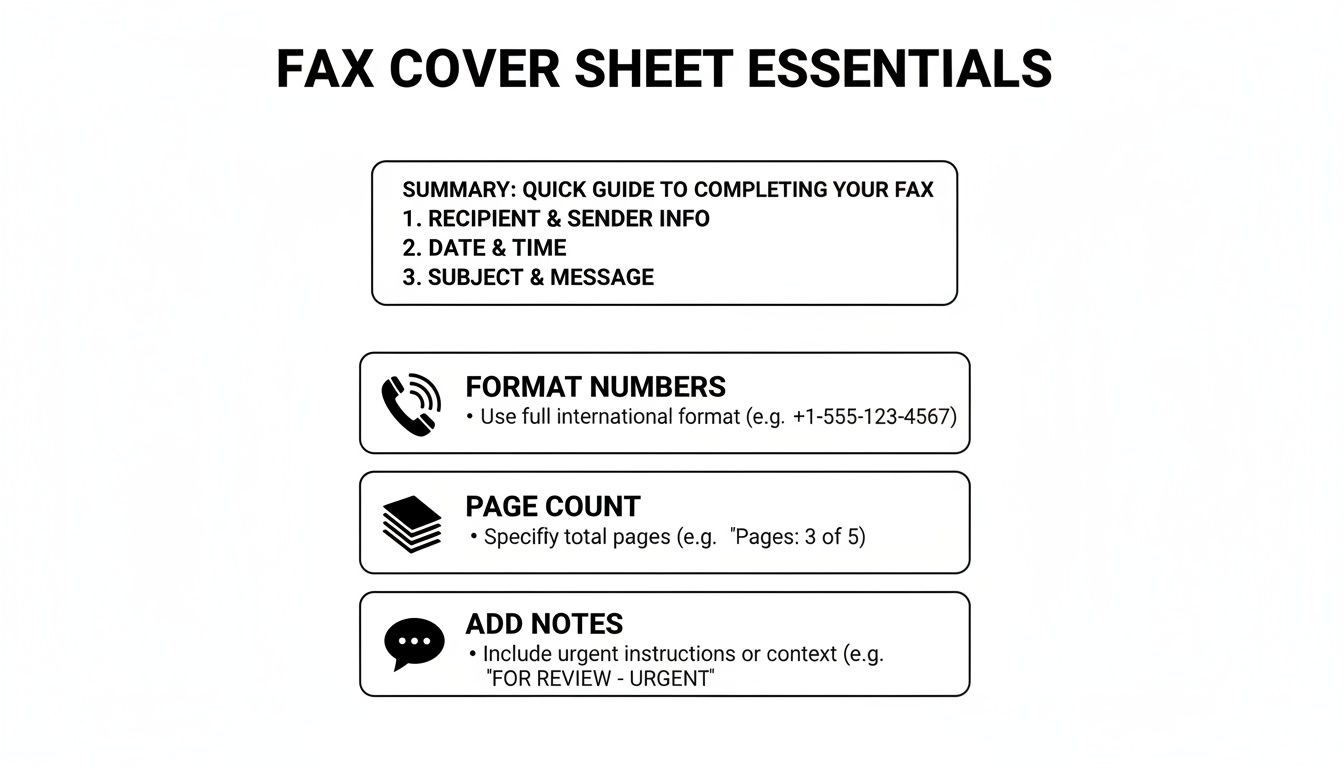
    Before you hit send, it's always a good idea to give your cover sheet a final once-over. This quick visual guide points out the key details that matter most.

    A guide to fax cover sheet essentials, including summary, formatting, page count, and notes.

    As the graphic shows, little things like double-checking the page count or ensuring the phone numbers are formatted correctly can make all the difference in a successful transmission.

    Make a Template Your Own

    After you download a template, feel free to tweak it. If you find yourself faxing the same client every week, why not save a version with their details already filled out? It’s a simple time-saver. For a deeper dive, check out our full guide on how to customize a fax cover sheet.

    A good template does more than just save you a few minutes; it signals professionalism. A well-organized cover sheet shows you care about the details, which sets the right tone before your recipient even gets to the first page.

    Using one of our templates is the fastest way to avoid common mistakes and ensure your fax makes the right first impression every time.

    Common Faxing Mistakes You Can Easily Avoid

    Even with the perfect cover sheet, simple slip-ups during the faxing process can cause major headaches. A contract sent to the wrong person or a medical file that cuts off halfway through can have real consequences.

    Let's look at some of the most common—and easily fixable—mistakes I see people make all the time.

    The Pesky Page Count

    One of the most frequent flubs is getting the page count wrong. It sounds minor, but it matters. People often forget to include the cover sheet in their total. This leaves the person on the other end wondering if their machine jammed or if the transmission was incomplete, leading to wasted time with follow-up calls and confusion.

    Always double-check that your total page number includes the cover sheet itself. It's a small detail that makes a big difference.

    Readability is Everything

    Another classic mistake is sending a document that’s a blurry, illegible mess. If you're scanning something with faint handwriting or low-contrast text, it’s not going to get any better after being transmitted over a fax line. What’s the point of sending it if no one can read it?

    Before you hit send, do a quick preview. Make sure every word is crisp and clear, especially for signed agreements or detailed forms where every single detail is crucial.

    Don't Skip the Confidentiality Notice

    This one is huge. Forgetting to include a confidentiality notice, especially when you're sending sensitive information, is probably the most critical mistake you can make. It's an absolute must in fields like healthcare and legal.

    Believe it or not, the healthcare industry alone was responsible for over 9 billion of the 17 billion faxes sent worldwide back in 2019. It’s a testament to the fact that faxing is still a workhorse technology, as detailed in this article on the endurance of fax technology in modern communication. When that much protected health information (PHI) is flying around, that little disclaimer is your first line of defense.

    A clear confidentiality statement isn't just a suggestion; it's a vital layer of protection. It formally notifies any unintended recipient that the contents are private and legally privileged, instructing them not to read, copy, or distribute the information.

    If you work in a medical field, getting this right is non-negotiable for staying compliant. To make sure your documents are up to snuff, check out our guide on creating a HIPAA-compliant fax cover sheet.

    Avoiding these simple errors will help you build a reliable and secure faxing habit every single time.

    Using Cover Sheets With Online Fax Services

    Laptop and documents on a wooden desk, highlighting online faxing services.

    Moving from a clunky machine to an online fax service makes sending documents a whole lot easier. It also changes how you deal with a generic fax cover sheet. Forget about printing a separate page—modern platforms like SendItFax build the cover sheet right into the sending process.

    As you get your documents ready to send, you’ll usually see an option to add a cover page. This is where you can type your message directly into a text field. The service then automatically generates a clean, professional cover sheet using your sender and recipient details, which saves a ton of time.

    This seamless process is a big part of why faxing is still so relevant. Believe it or not, a 2023 study found that 82% of companies in Germany still regularly use fax because it provides a verifiable delivery and a solid paper trail. If you're curious why it's still so popular, you can read about its role in international business on faxination.com.

    Customization and Control

    Online fax services also give you a level of flexibility you just don't get with an old-school machine. A free plan might include the provider's branding on the cover page, which is perfectly fine for occasional use. But for business communications, upgrading to a paid plan usually removes that branding for a more polished look.

    The real advantage of online services is control. You can choose to add a detailed cover message for one fax and then decide to omit the cover sheet entirely for the next one, all with a single click.

    This kind of on-the-fly control fits perfectly with modern workflows. You get all the security and formality of a traditional fax without being stuck in a rigid, one-size-fits-all process. If you’re just getting started with this approach, you can learn the basics of how to send a fax online and see for yourself how simple it is.

    Answering Your Top Fax Cover Sheet Questions

    Even once you get the hang of filling out a fax cover sheet, a few common questions always seem to pop up. Let's tackle some of the most frequent ones so you can send your next fax with total confidence.

    A big one I hear all the time is, "Is a cover sheet legally required?" For most day-to-day business faxes, the answer is no—there isn't some universal law that says you have to use one. But when you're working in regulated fields like healthcare or law, using a cover sheet isn't just a good idea; it's a critical best practice for staying compliant.

    Think about it from a healthcare perspective. A cover sheet with a HIPAA disclaimer is your first line of defense in protecting patient health information (PHI). It immediately alerts anyone who sees it that the contents are confidential, which is a massive part of maintaining security and preventing an accidental breach.

    Can I Just Make My Own Cover Sheet?

    You absolutely can, and you don't need any fancy software to do it. A simple document created in Microsoft Word or Google Docs will work just fine.

    If you want to create your own, it's pretty straightforward:

    • Start with a blank document and give it a clear, bold title at the top, like "Fax Cover Sheet" or "Facsimile Transmittal."
    • Next, add the essential fields we've already covered: To, From, Date, Subject, and the Total Page count (don't forget to include the cover page itself in this number!).
    • Make sure to leave a decent-sized section for comments or any special instructions.
    • Finally, if you're sending anything sensitive, add a confidentiality notice at the bottom.

    Just save this file as a template on your computer, and you’ve got a go-to cover sheet ready whenever you need one. It's a simple and completely free solution that gets the job done.

    What Is a Confidentiality Notice, Anyway?

    A confidentiality notice is that formal-looking paragraph you often see at the bottom of a cover sheet. Its job is to warn anyone who lays eyes on the fax that the information is private and meant only for the person it's addressed to. It's a legal safeguard that can be incredibly important if your fax ends up in the wrong hands.

    This notice isn't just filler text; it’s a direct instruction. It clearly states that the information is privileged and that anyone who isn't the intended recipient is strictly prohibited from reading, copying, or sharing it.

    You should always include one when you're faxing things like:

    • Legal documents or signed contracts
    • Medical records or any patient data
    • Financial statements or personal information
    • Internal company memos that aren't meant for public release

    Here’s a classic example you can adapt for your own use:
    "CONFIDENTIALITY NOTICE: The documents accompanying this transmission contain confidential information belonging to the sender that is legally privileged. This information is intended only for the use of the individual or entity named above. If you are not the intended recipient, you are hereby notified that any disclosure, copying, distribution, or action taken in reliance on the contents of this information is strictly prohibited."


    Ready to send a fax without the fuss? SendItFax lets you upload your documents, add a professional cover page, and send your fax in minutes—no account or fax machine needed. Try it now at https://senditfax.com.
  • The 12 Best Printable Fax Cover Sheet Resources for 2025

    The 12 Best Printable Fax Cover Sheet Resources for 2025

    While faxing remains a critical tool for transmitting sensitive documents in legal, medical, and corporate fields, a professional printable fax cover sheet is more than just a formality. It’s the first impression of your document, ensuring it reaches the right person, conveys urgency, and maintains confidentiality. Creating one from scratch, however, can be a time-consuming and unnecessary task when you need to send a document quickly.

    This guide solves that problem. We have curated a definitive list of the 12 best resources for high-quality, free, and premium fax cover sheet templates. You'll find options for every possible use case, from basic personal memos to HIPAA-compliant medical forms and polished corporate designs. Each entry includes a direct link and a clear preview, so you can quickly find the perfect fit.

    We'll explore a variety of sources, including well-known platforms like Microsoft and Adobe, specialized template sites like Vertex42, and even online fax services that offer free resources. Forget wasting time on design; this article provides the direct path to a professional-looking fax transmission. We will also provide brief instructions on how you can customize and send these documents using an online service like SendItFax, streamlining your entire workflow.

    1. Microsoft Create (formerly Office Templates)

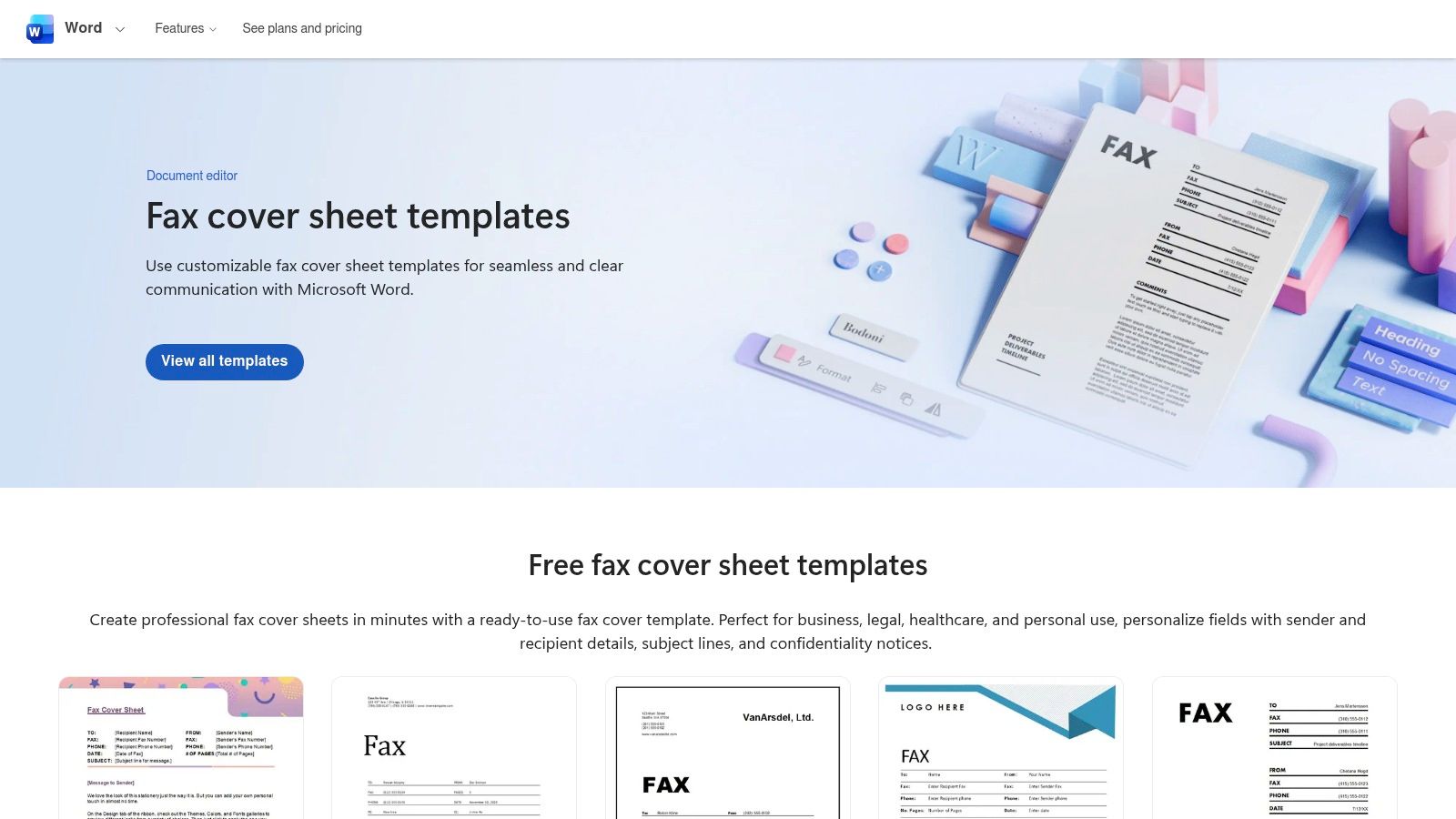
    For those who prefer working within the familiar Microsoft Office ecosystem, Microsoft Create is the definitive starting point. It provides an official library of free, printable fax cover sheet templates designed specifically for Word and Excel. This makes it an ideal choice for professionals and businesses who need to maintain consistent branding and document standards without relying on third-party design software. The templates are clean, professional, and built for function over flair.

    Microsoft Create (formerly Office Templates)

    The primary advantage is trustworthiness and ease of use. Since these are official Microsoft templates, they are guaranteed to be compatible and well-formatted, eliminating common issues like alignment errors. Editing is straightforward: download the .docx file, open it in Word, and replace the placeholder text. You can easily insert your company logo, adjust fonts, and change colors to match your brand identity. For further guidance on what to include, you can review some effective fax cover letter examples.

    Key Features and Assessment

    Feature Assessment
    Cost Completely free to download and use.
    File Formats Primarily Microsoft Word (.docx) and some Excel (.xlsx).
    Ease of Use Excellent for anyone comfortable with Microsoft Office.
    Customization High. Full control over text, logos, and branding within Word.
    • Pros: Trustworthy source, works offline once downloaded, high compatibility with Office software.
    • Cons: Requires Microsoft Word or Excel for full editing capabilities, designs are more traditional and less creative.

    Website: https://create.microsoft.com/

    2. Adobe Express Templates

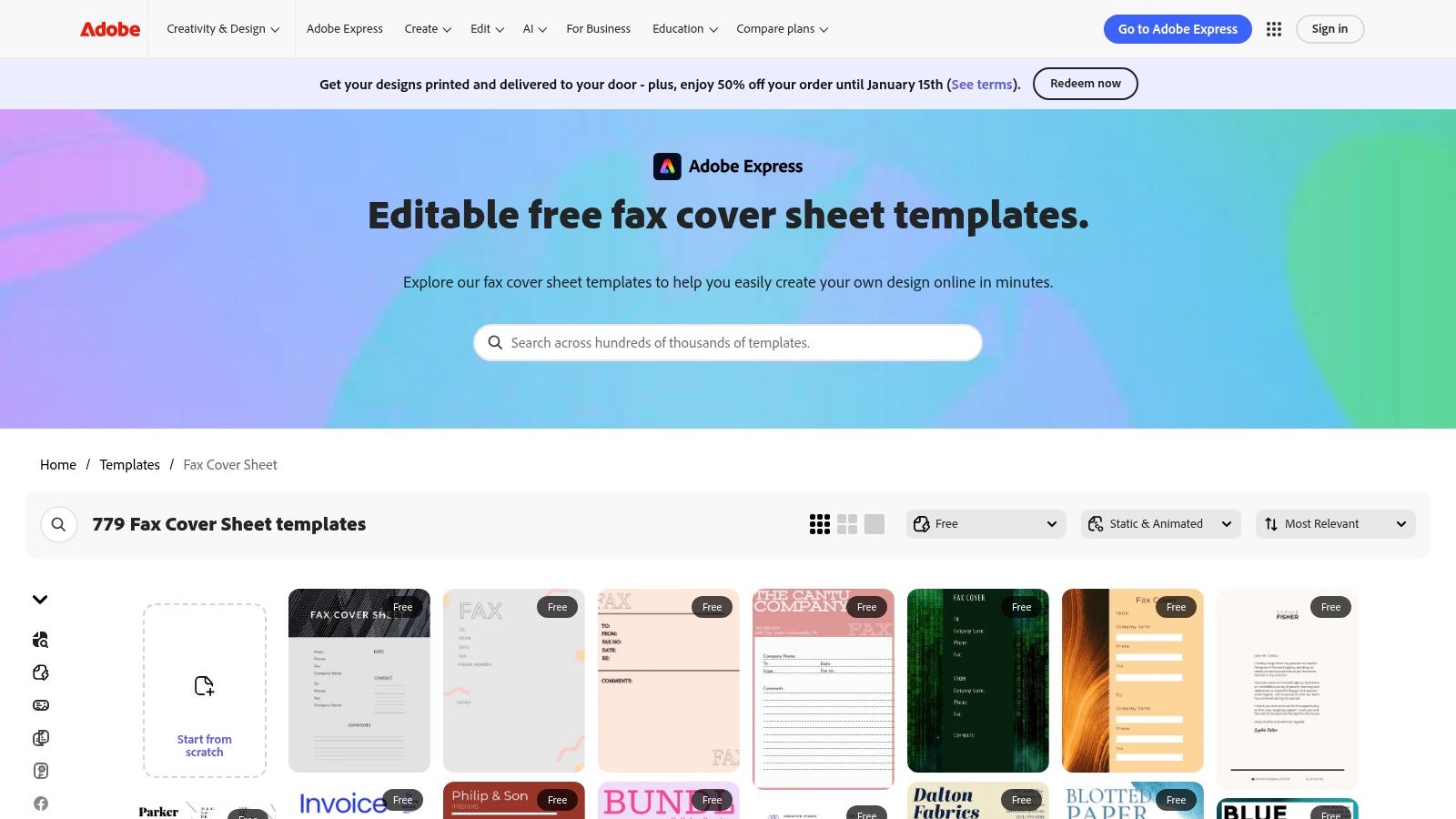
    For users who prioritize visual appeal and quick in-browser editing, Adobe Express is a fantastic resource. It offers a vast library of professionally designed printable fax cover sheet templates that can be customized without needing any desktop software. This makes it a great choice for creatives, small businesses, and anyone wanting to produce a modern, branded fax cover in minutes. The templates are more visually dynamic than traditional options and focus on a blend of style and function.

    Adobe Express Templates

    The key benefit is the powerful yet intuitive drag-and-drop editor. You can access it from any web browser, change fonts, add your logo, and adjust layouts with ease. Once your design is complete, you can download it as a print-ready PDF file. While many templates are free, some premium designs and features require a subscription. However, the free selection is often more than sufficient for creating a polished and effective fax cover sheet.

    Key Features and Assessment

    Feature Assessment
    Cost Freemium model; many templates are free, others require a subscription.
    File Formats Primarily PDF, with options for JPG and PNG.
    Ease of Use Excellent. The in-browser editor is intuitive for all skill levels.
    Customization Very high. Extensive control over design elements, fonts, and colors.
    • Pros: Modern and visually appealing designs, accessible on any device, easy drag-and-drop customization.
    • Cons: Requires an Adobe account to save or download, some of the best templates are behind a paywall.

    Website: https://www.adobe.com/express/templates/cover/fax?utm_source=openai

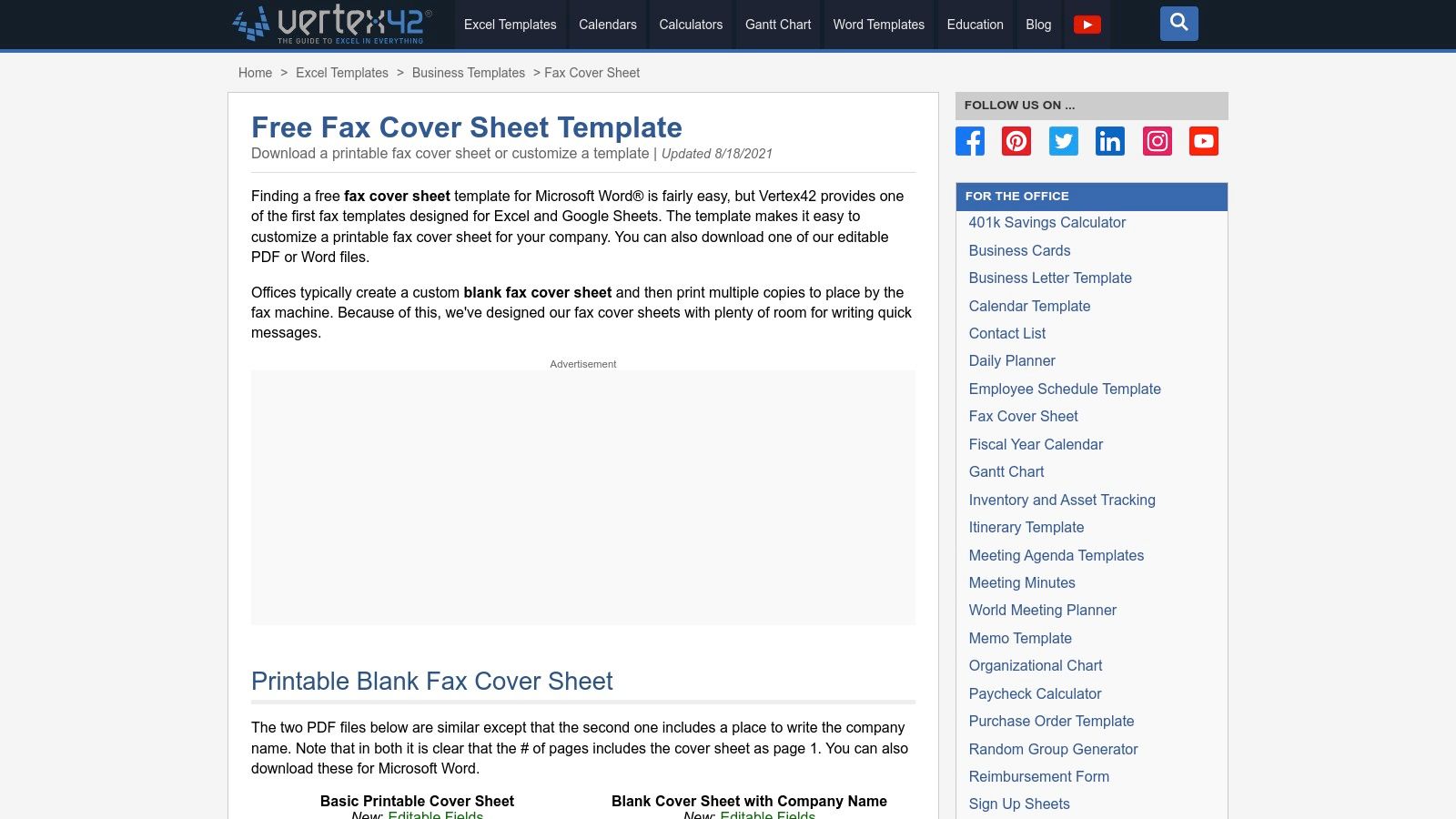
    3. Vertex42

    Vertex42 is a well-established resource for practical document templates, offering a no-nonsense collection of printable fax cover sheet options. It stands out by providing templates in multiple formats, including Microsoft Word, Excel, and even Google Sheets. This variety caters to users who might prefer a spreadsheet interface for data entry or need to batch-print multiple blank cover sheets for manual use in an office setting.

    Vertex42

    The primary appeal of Vertex42 lies in its functional, minimalist design. The layouts are clean, print well, and include ample white space for handwritten notes if needed. You can download an editable PDF to fill out on your computer or a Word document for more thorough customization. While the website interface contains ads, the templates themselves are straightforward and highly practical for business or personal communication where function is more important than creative design.

    Key Features and Assessment

    Feature Assessment
    Cost Free for personal use.
    File Formats Word (.docx), Excel (.xlsx), PDF, and Google Sheets.
    Ease of Use Very good. Simple downloads with clear instructions.
    Customization Good. Editable in their native applications (Word, Excel, etc.).
    • Pros: Multiple file formats available, minimalist layouts print cleanly, great for batch printing.
    • Cons: Limited aesthetic variety, the website page features advertisements.

    Website: https://www.vertex42.com/ExcelTemplates/fax-cover-sheet.html?utm_source=openai

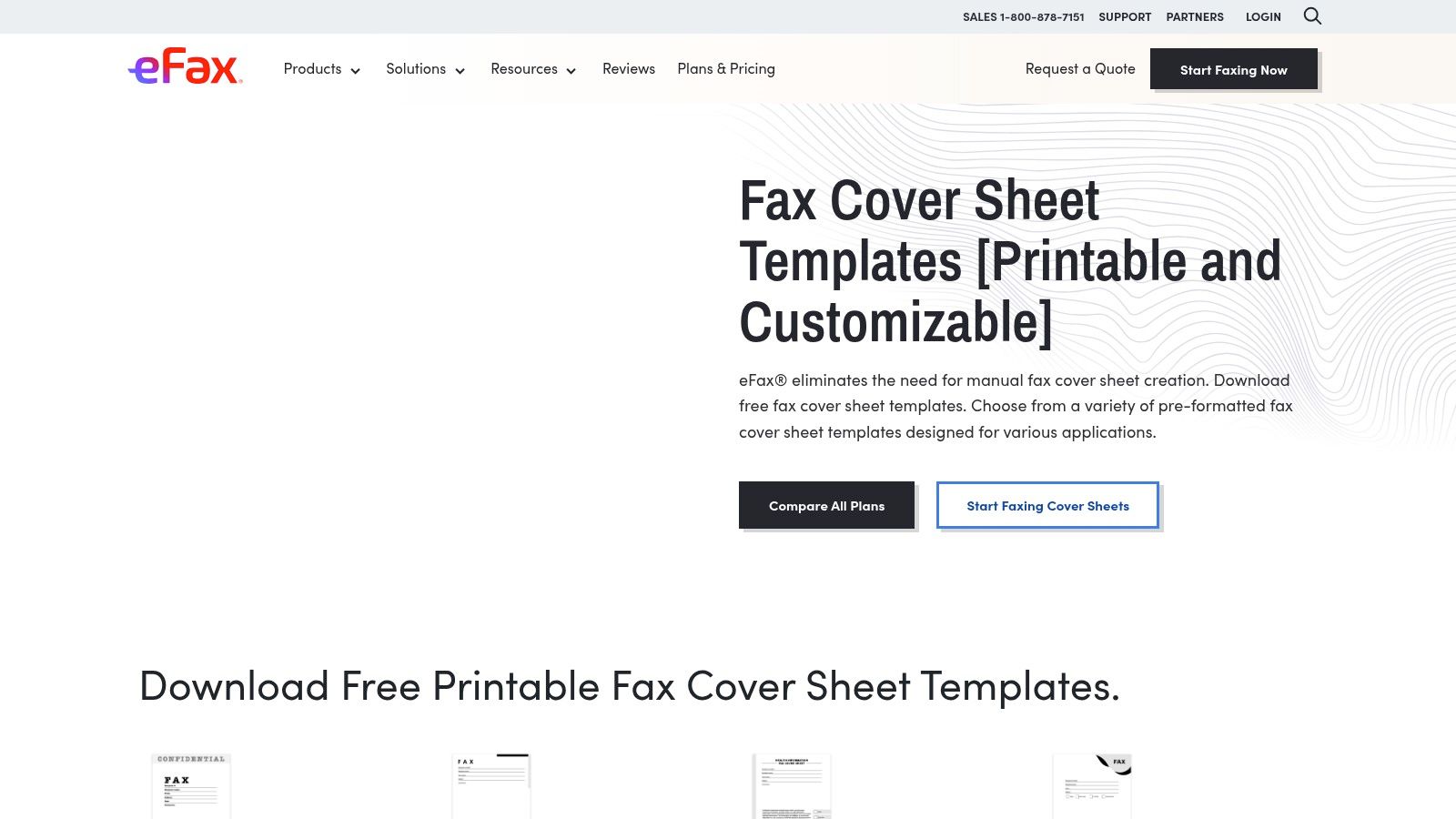
    4. eFax (Free Fax Cover Sheet Templates)

    As a major player in the online faxing industry, eFax provides a valuable resource of free, printable fax cover sheet templates. These are available to everyone, not just their subscribers. The collection is notable for its clear categorization, offering designs tailored for business, confidential, personal, and modern use cases. This makes it an excellent choice for users who need a specific type of cover sheet without having to design it from scratch. The designs are professional and standardized, focusing on clarity and essential information.

    eFax (Free Fax Cover Sheet Templates)

    The standout feature is the inclusion of specialized templates, particularly for healthcare. eFax offers a HIPAA-compliant cover sheet, which is a crucial tool for medical professionals who need to ensure patient privacy. Each template category comes with clear usage instructions. While the site does promote eFax's paid services, the templates themselves are completely free to download and print. You can find a more detailed breakdown of a great fax cover sheet PDF template to see what fields are essential.

    Key Features and Assessment

    Feature Assessment
    Cost Completely free to download and use.
    File Formats Primarily PDF.
    Ease of Use Very simple; just download the PDF and print.
    Customization Low. As PDFs, they are not easily editable. Best for printing as-is.
    • Pros: Excellent selection of category-specific templates, includes a HIPAA-compliant option, professional designs.
    • Cons: Prominently advertises paid eFax services, PDF format limits easy customization, requires navigating through categories.

    Website: https://www.efax.com/fax-cover-sheets?utm_source=openai

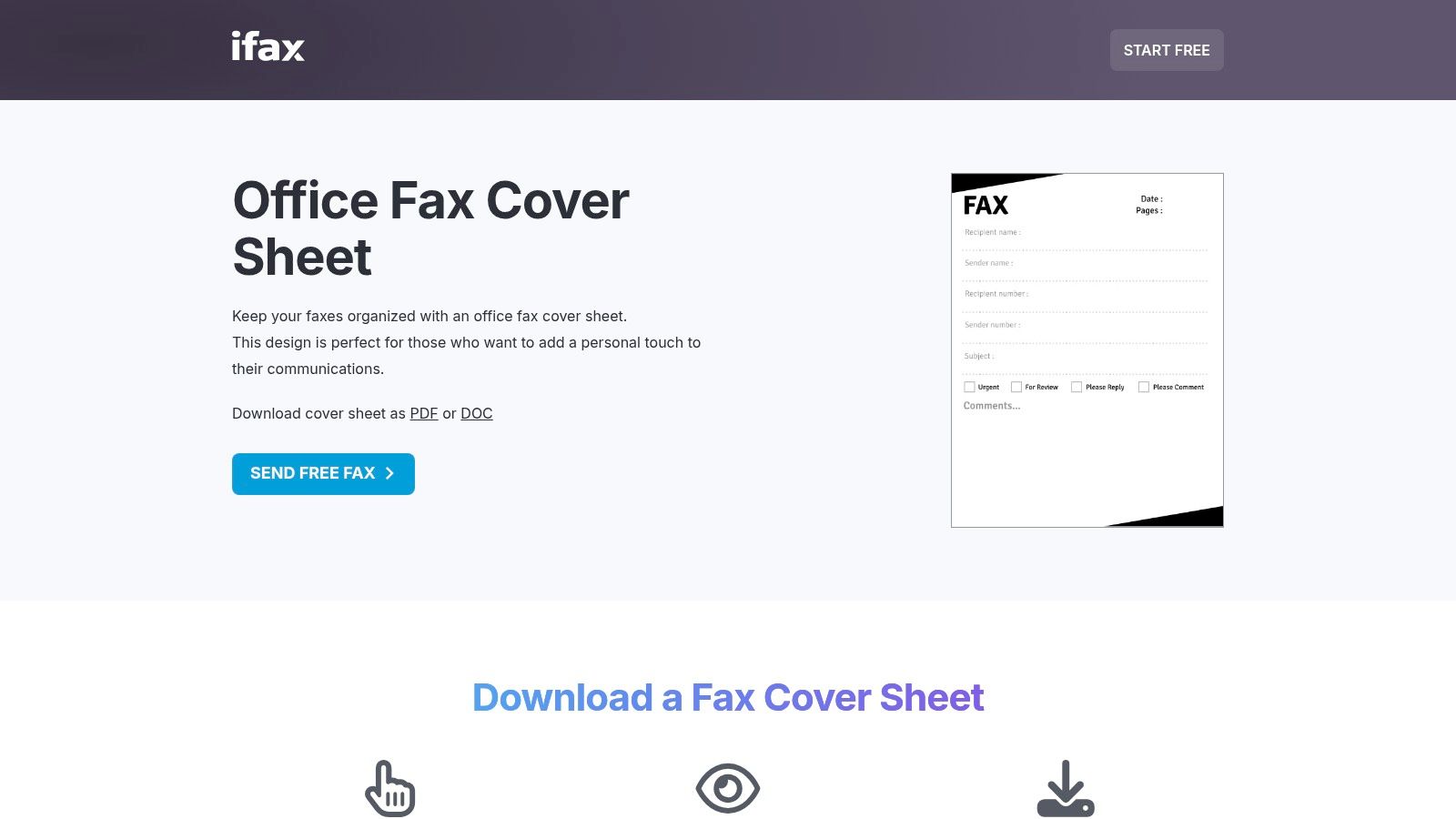
    5. iFax (Template Library)

    iFax offers a comprehensive library of printable fax cover sheet templates categorized by industry and style, such as Office, Classic, Modern, and even HIPAA-compliant designs. This makes it a valuable resource for professionals in regulated fields who need specialized documents. Users can preview each template before downloading, ensuring they select the right format for their specific communication needs. The focus on vertical-specific layouts is its key differentiator.

    iFax (Template Library)

    The platform provides downloads in both PDF and Word (.doc) formats, offering flexibility for users who want to either print immediately or make detailed edits. While the templates are free, the site does promote the iFax sending service, and some pages contain dense SEO text. However, the quality and specificity of the templates, especially the HIPAA-compliant options for medical use, make it a go-to for specialized business requirements. Simply find your needed design, download it, and fill it out for a polished and professional fax.

    Key Features and Assessment

    Feature Assessment
    Cost Completely free to download and use.
    File Formats PDF and Microsoft Word (.doc).
    Ease of Use Good. Clear previews make selection easy.
    Customization High for Word files; PDF files are print-ready but not editable.
    • Pros: Excellent selection of vertical-specific templates (e.g., medical), offers both PDF and DOC formats, clear previews.
    • Cons: Marketing for the iFax app is interspersed, some pages are heavy on SEO-focused content.

    Website: https://www.ifaxapp.com/free-fax-cover-sheets/office-fax-cover-sheet/?utm_source=openai

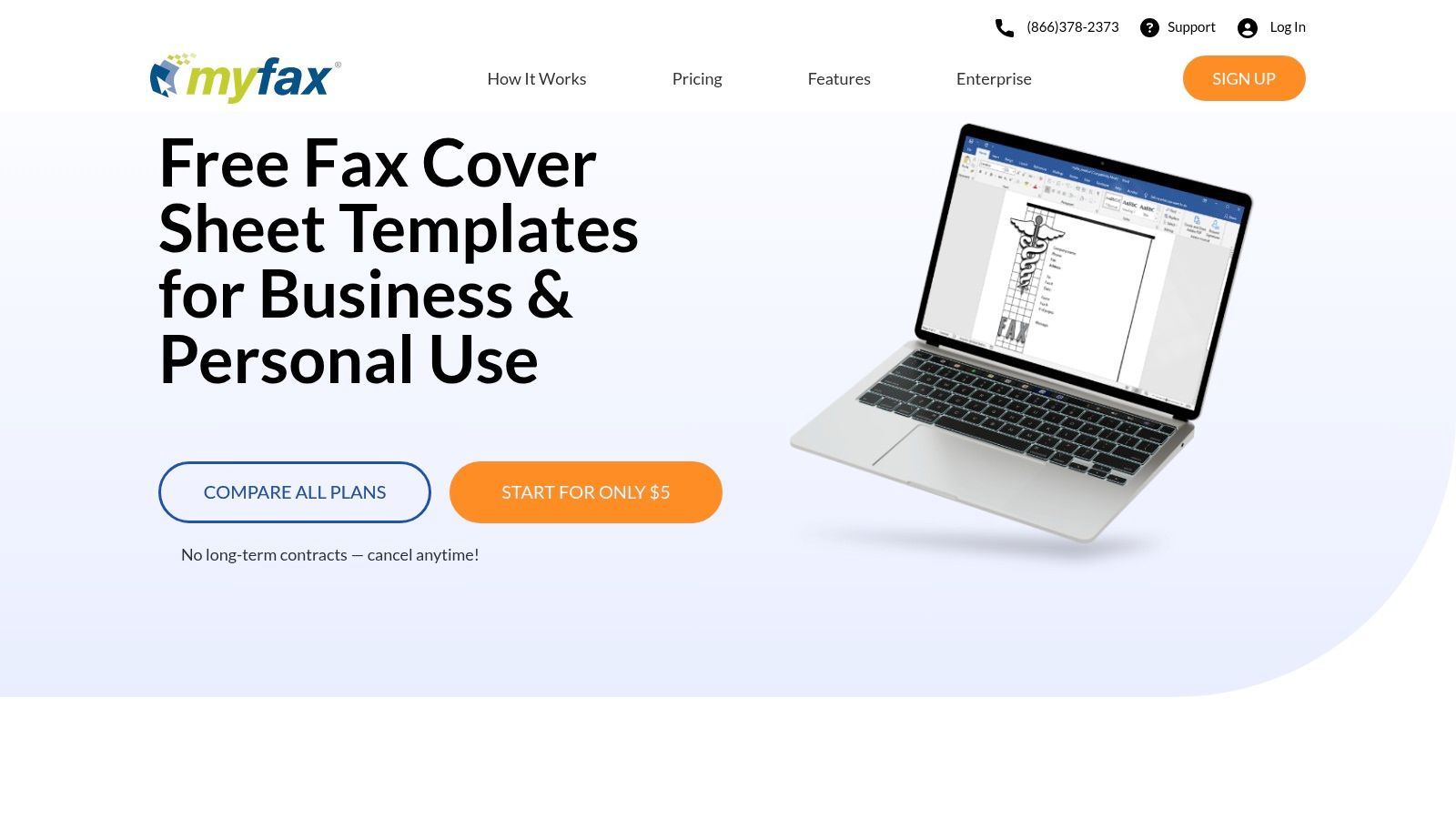
    6. MyFax (Free Fax Cover Sheets)

    As a long-standing player in the online fax service industry, MyFax also provides a valuable collection of free, printable fax cover sheet templates. These are offered in .doc format, making them an excellent resource for users who prefer to edit documents in Microsoft Word. The templates are neatly categorized into business, personal, and healthcare-specific styles, providing a solid foundation for various professional needs.

    MyFax (Free Fax Cover Sheets)

    The primary benefit of MyFax is its straightforward approach. The website offers clear, step-by-step instructions on how to download, edit, and use the cover sheets, which is helpful for those less familiar with the process. While the site naturally promotes its own paid faxing service, accessing the templates is completely free and requires no signup. The designs are functional and professional, prioritizing clarity over creative aesthetics, which is ideal for corporate or formal communication.

    Key Features and Assessment

    Feature Assessment
    Cost Completely free to download and use.
    File Formats Microsoft Word (.doc) only.
    Ease of Use Very good, especially with the provided step-by-step guidance.
    Customization High. All text fields, fonts, and logos are editable in Word.
    • Pros: Straightforward downloads, easy to customize with Word, helpful usage tips.
    • Cons: Fewer modern designs than dedicated platforms, site heavily encourages MyFax service signup.

    Website: https://www.myfax.com/free-fax-cover-sheets

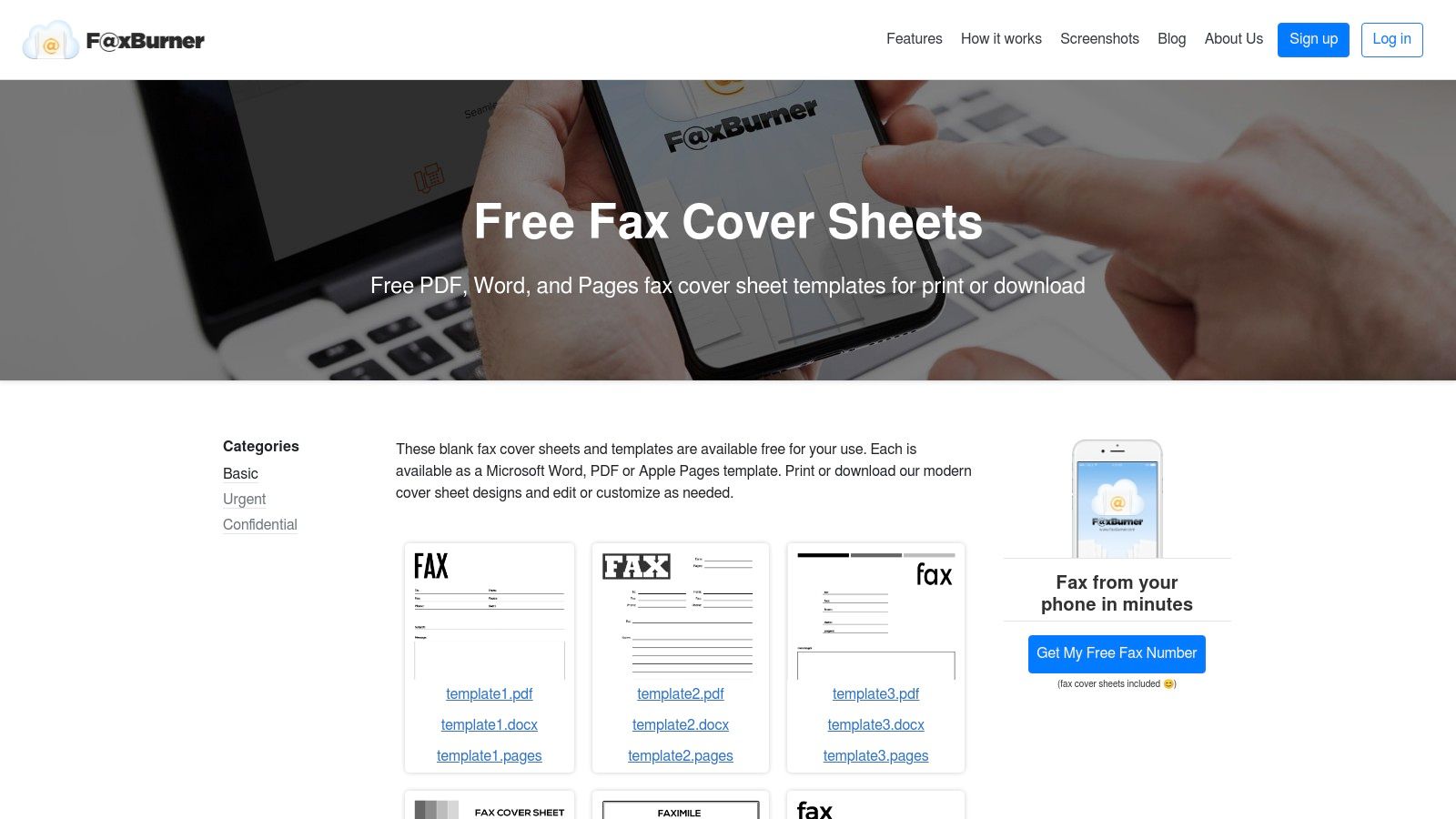
    7. FaxBurner (Free Cover Sheets)

    FaxBurner offers a collection of clean, modern, and printable fax cover sheet templates that are ideal for users who prioritize simplicity and efficiency. While the company promotes its online faxing app, it provides these resources completely free, categorized for specific needs like Basic, Urgent, and Confidential. This makes it a great stop for anyone needing a functional, no-frills cover sheet without navigating a massive template library.

    FaxBurner (Free Cover Sheets)

    The standout feature is its multi-format availability. Each design is available for instant download as a PDF, Microsoft Word (.docx), or even an Apple Pages file. This cross-platform support is a significant convenience, catering to both Windows and Mac users without requiring file conversions. The layouts are minimalist, ensuring your critical information is front and center and your fax appears professional and easy to read.

    Key Features and Assessment

    Feature Assessment
    Cost Completely free to download and use.
    File Formats PDF, Microsoft Word (.docx), Apple Pages (.pages).
    Ease of Use Excellent. Simple website layout with direct download links.
    Customization Good. The Word and Pages files are fully editable.
    • Pros: Offers templates in multiple formats (PDF, Word, Pages), clean and minimalist designs, categorized for easy selection.
    • Cons: A much smaller library compared to dedicated template sites, the website's main focus is promoting its faxing service.

    Website: https://www.faxburner.com/homepage/basic-fax-cover-sheets?utm_source=openai

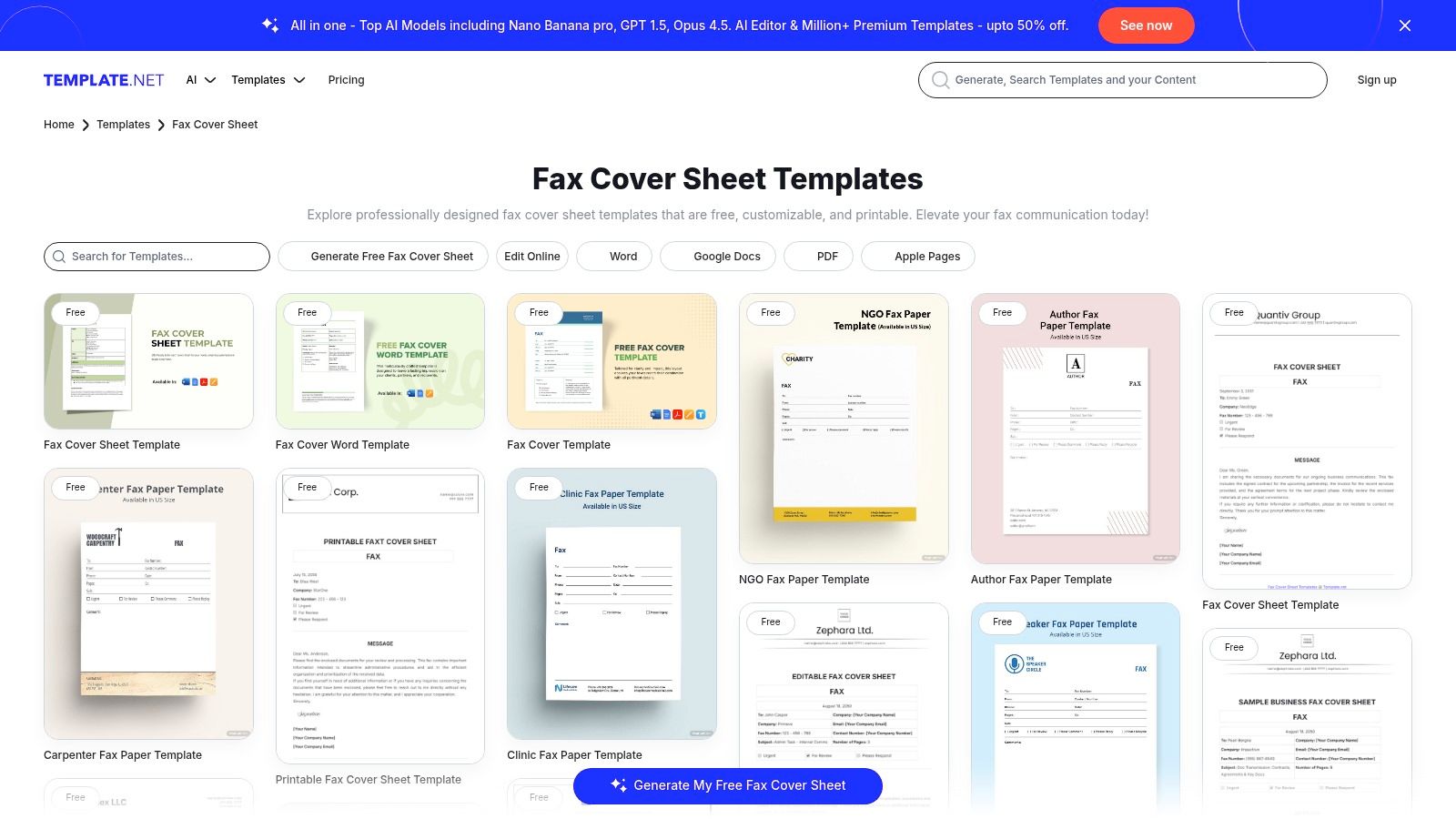
    8. Template.net

    For users seeking variety above all else, Template.net offers one of the most extensive libraries of printable fax cover sheet templates available. The platform stands out by providing designs across a massive range of file formats, including Word, Google Docs, PDF, Excel, and even Apple Pages. This makes it a versatile hub for individuals and businesses, regardless of their preferred software ecosystem, with options tailored for specific industries like medical, legal, and real estate.

    Template.net

    The platform offers both free and premium templates, allowing you to filter by your needs. A unique feature is the in-browser editor, which lets you make quick customizations before downloading the final document. While many basic designs are free, some of the more specialized or polished templates require a premium subscription. The site’s broad compatibility ensures you can find a professional-looking template that works natively with your document workflow, whether you're using Microsoft Office or Google Workspace.

    Key Features and Assessment

    Feature Assessment
    Cost Freemium model; many free templates, with more behind a subscription.
    File Formats Excellent variety: Word, Google Docs, PDF, Excel, Apple Pages/Numbers.
    Ease of Use Good. Offers direct download or a simple in-browser editor.
    Customization High. Both the editor and native files allow for full customization.
    • Pros: Extremely broad catalog with frequent updates, supports both MS Office and Google formats, industry-specific designs.
    • Cons: Some of the best templates are gated behind a premium plan, website has noticeable marketing copy.

    Website: https://www.template.net/fax-cover-sheet?utm_source=openai

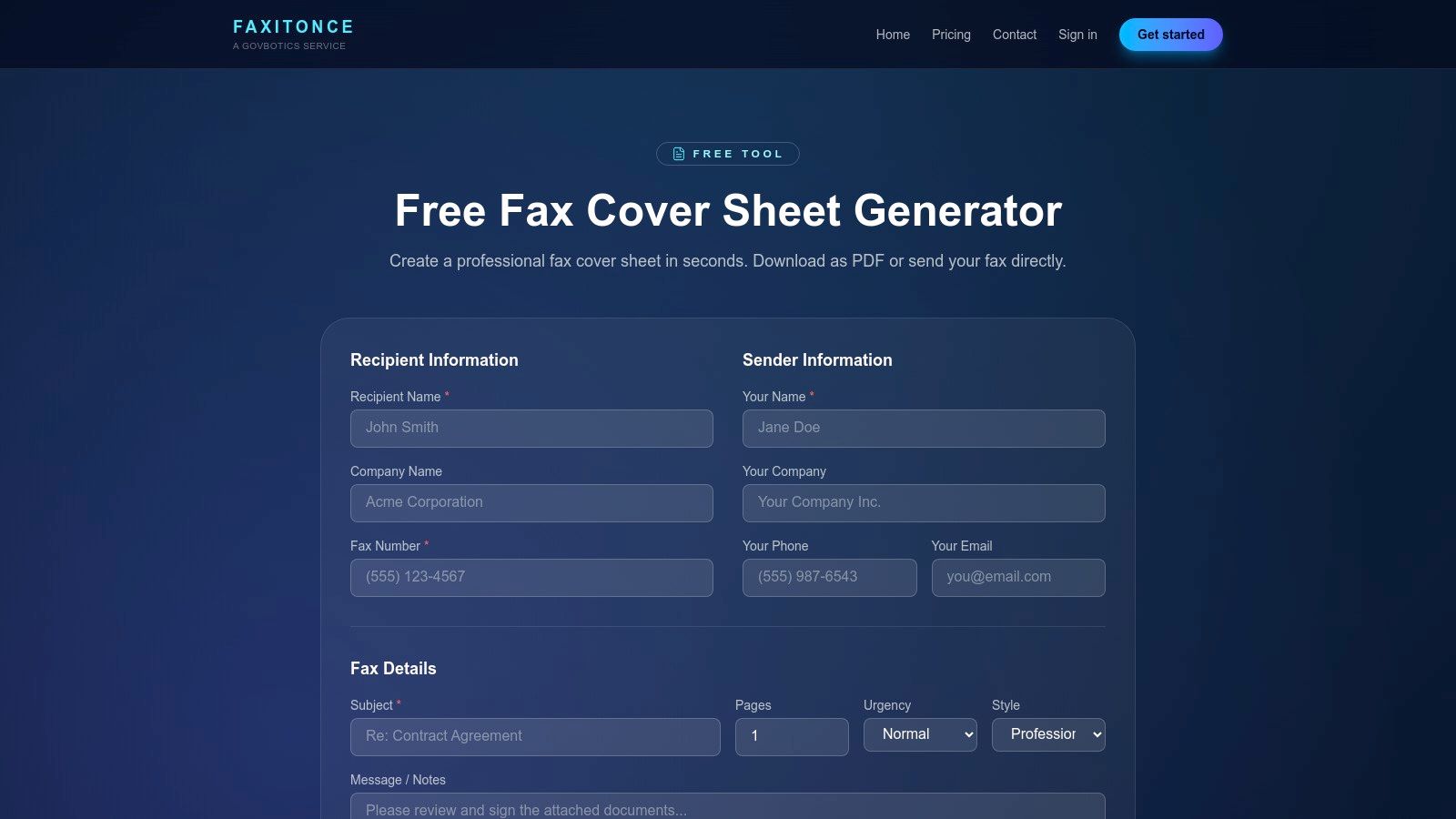
    9. FaxItOnce – Free Cover Sheet Generator

    For those who need a printable fax cover sheet immediately without opening any software, FaxItOnce provides a free, browser-based generator. This tool is designed for speed and simplicity, making it perfect for urgent, one-off faxes. Users are guided through a simple form where they input sender, recipient, and message details, and the platform instantly generates a professional, print-ready PDF. It strips away the need for design skills, focusing purely on function.

    FaxItOnce – Free Cover Sheet Generator

    The primary benefit of FaxItOnce is its efficiency. There is no software to install or template to download; the entire process happens online. After filling in the fields, you simply click to generate the PDF, which can be printed or saved. This streamlined workflow is ideal for individuals who rarely send faxes and don't want the hassle of managing document templates. For users exploring similar tools, this is a prime example of a free printable fax cover sheet with no download required.

    Key Features and Assessment

    Feature Assessment
    Cost Completely free for the cover sheet generator.
    File Formats Generates a print-ready PDF file.
    Ease of Use Excellent. The guided form is intuitive and requires no technical skill.
    Customization Low. Limited to the information fields provided in the form.
    • Pros: No design skills needed, instant PDF generation, great for occasional or urgent needs.
    • Cons: Limited design customization versus template sites, includes an optional service upsell on the page.

    Website: https://faxitonce.com/tools/cover-sheet-generator?utm_source=openai

    10. Etsy (Digital Download Templates Marketplace)

    For those seeking a more creative or niche-specific design, Etsy is a surprising but effective marketplace. Independent designers sell low-cost, printable fax cover sheet templates as instant digital downloads, offering a vast departure from the standard corporate look. This is the ideal destination for small businesses, freelancers, or individuals who want a cover sheet with more personality, whether it's modern, minimalist, or industry-specific (like for a creative studio or a wellness clinic).

    The primary advantage of Etsy is the unique variety and affordability. For just a few dollars, you can purchase a professionally designed template that is often editable in user-friendly platforms like Canva, Google Docs, or Microsoft Word. Since you are buying from individual sellers, it's important to read the listing details carefully to confirm file compatibility and review seller ratings. This approach supports independent creators while giving you a one-of-a-kind document.

    Key Features and Assessment

    Feature Assessment
    Cost Very low cost; typically a one-time fee of $1.50–$5.
    File Formats Varies by seller; common formats include PDF, DOCX, and Canva links.
    Ease of Use Good. Most sellers provide easy-to-edit files for common software.
    Customization High. Editable templates offer full control over text, colors, and logos.
    • Pros: Unique and creative designs not found elsewhere, extremely affordable, supports independent designers.
    • Cons: Quality and file types can vary by seller, commercial reuse rights are often restricted.

    Website: https://www.etsy.com

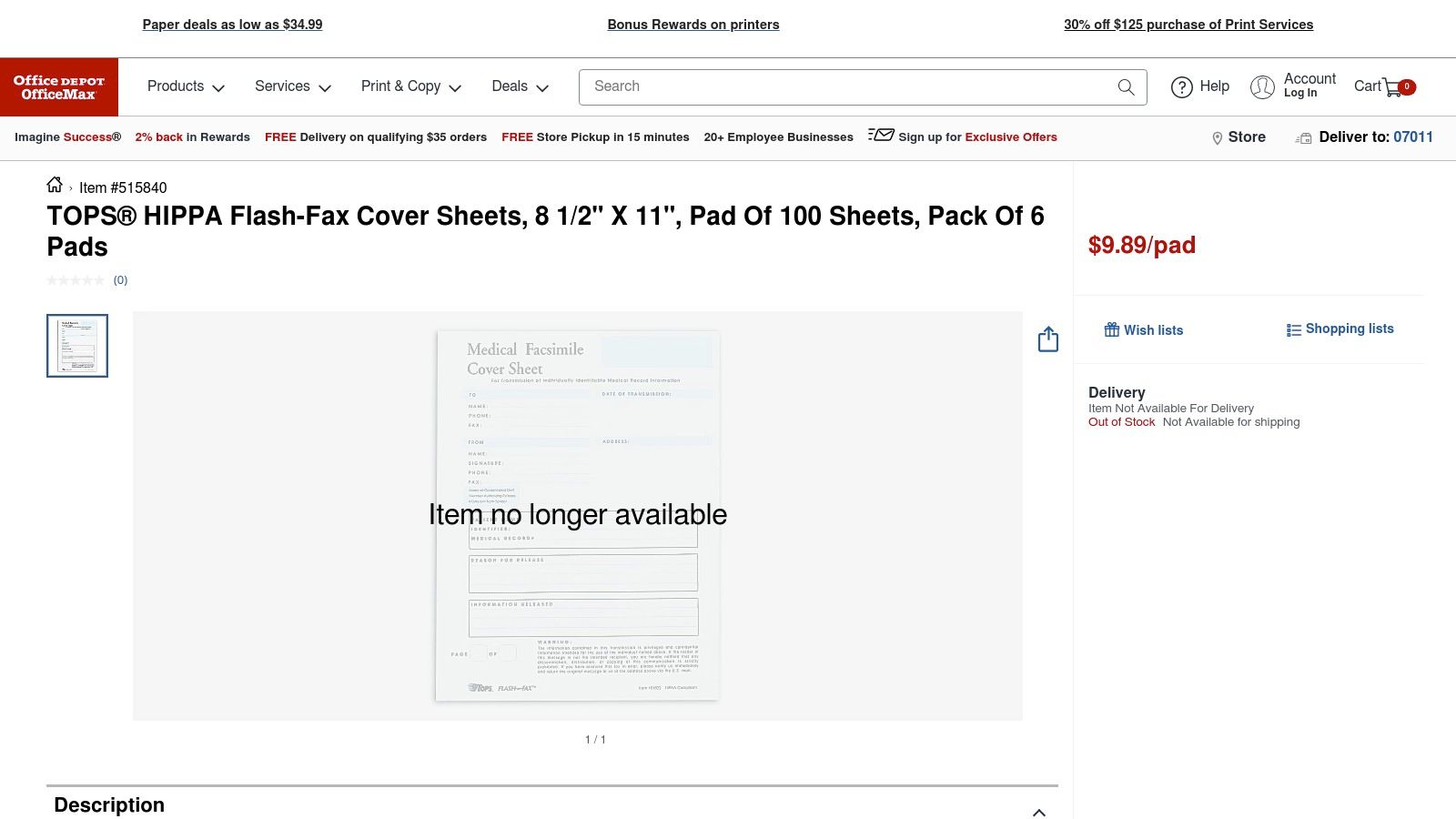
    11. Office Depot/OfficeMax (Physical Fax Cover Sheet Pads)

    For high-volume fax environments or offices that prefer a non-digital workflow, purchasing pre-printed pads can be more efficient than using a printable fax cover sheet. Office Depot and OfficeMax offer physical pads of fax cover sheets, such as the TOPS HIPAA-compliant version, ready for immediate, handwritten use. This approach eliminates the need for a printer, making it perfect for shared fax machine stations where convenience is key. The forms are standardized and designed for clarity and quick completion.

    Office Depot/OfficeMax (Physical Fax Cover Sheet Pads)

    The primary advantage is the grab-and-go convenience. There's no need to open a file, edit, or print; you simply tear a sheet off the pad and fill it out by hand. These pads often come with specific compliance language, such as HIPAA confidentiality notices, which is a critical feature for medical and legal offices. They are available for nationwide shipping or in-store pickup, providing a reliable supply chain for essential office operations.

    Key Features and Assessment

    Feature Assessment
    Cost Ongoing purchase cost per pad (e.g., around $10-15 per 100 sheets).
    File Formats Not applicable; these are physical paper products.
    Ease of Use Excellent. No technology or printing is required.
    Customization Very low. You cannot add logos or alter the pre-printed layout.
    • Pros: Extremely convenient, no printing needed, ideal for shared fax stations, compliance-specific options available.
    • Cons: Incurs an ongoing supply cost, zero customization for branding, less environmentally friendly than digital options.

    Website: https://www.officedepot.com/a/products/515840/TOPS-HIPPA-Flash-Fax-Cover-Sheets/?utm_source=openai

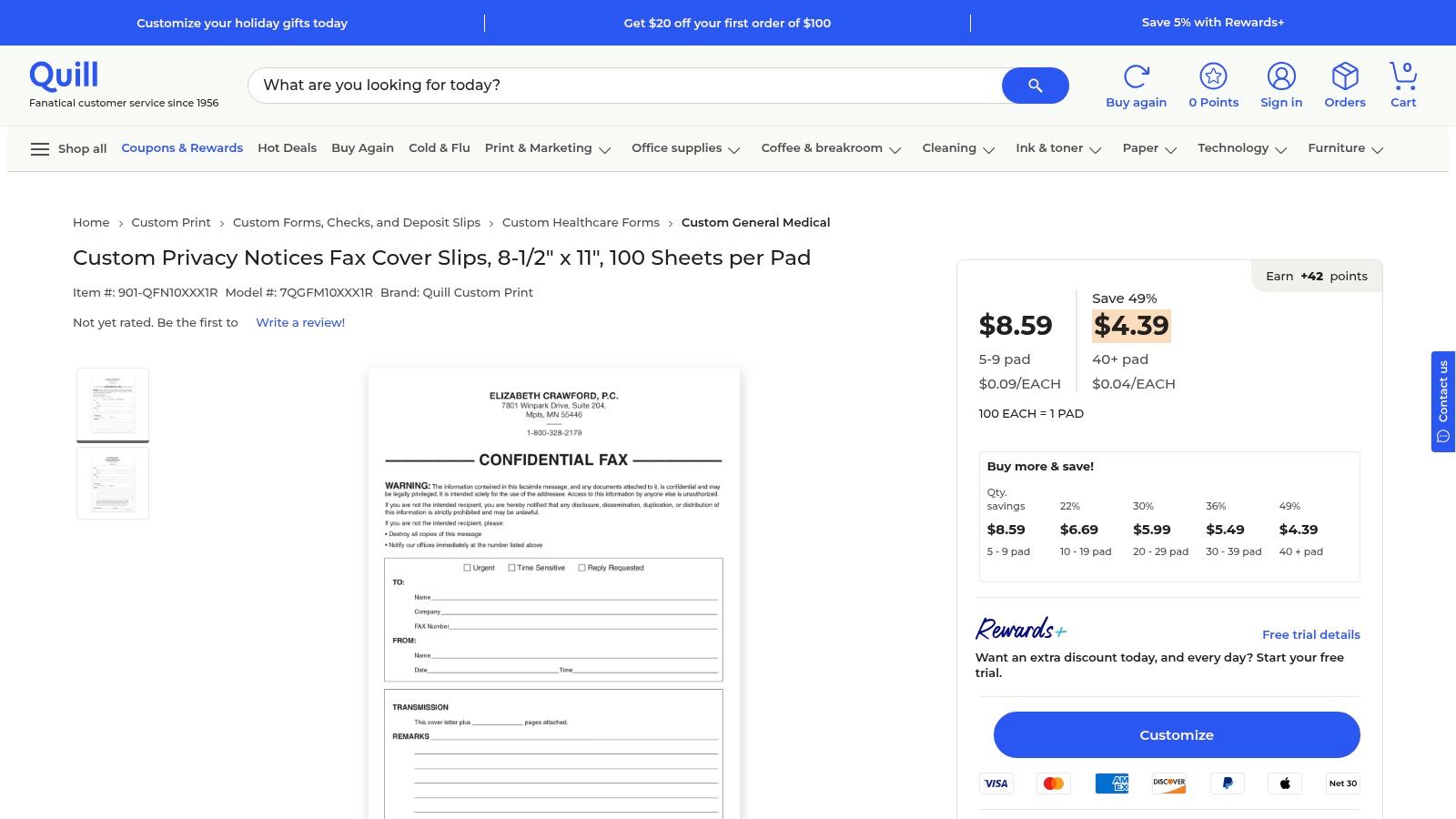
    12. Quill (Physical and Custom Fax Cover Slips)

    For high-volume business environments, Quill offers a practical, old-school solution: physical pads of fax cover slips. This approach is ideal for offices that still rely on a traditional fax machine and need a steady, offline supply of standardized cover sheets. Rather than dealing with a digital printable fax cover sheet for every transmission, staff can simply tear a sheet from a pad, fill it out by hand, and send. This B2B-focused retailer specializes in bulk orders, making procurement simple and cost-effective.

    Quill (Physical and Custom Fax Cover Slips)

    Quill's main advantage is its efficiency for organizations with established workflows. The pads, typically containing 100 sheets, often include important elements like privacy notices, which are crucial for compliance in many industries. Tiered pricing rewards larger purchases, and the platform supports business accounts with streamlined invoicing and shipping options. While it lacks digital customization, it excels in providing a reliable, tangible resource for busy offices where convenience and speed are paramount.

    Key Features and Assessment

    Feature Assessment
    Cost Paid; tiered discounts available for bulk orders.
    File Formats N/A (physical paper pads).
    Ease of Use Excellent for offline use; simply write and fax.
    Customization Low. The designs are standardized, though some custom options exist.
    • Pros: Competitive bulk pricing, ideal for high-volume faxing, reliable B2B shipping and invoicing.
    • Cons: Not a digital or printable solution, limited design variety, requires a physical purchase.

    Website: https://www.quill.com/custom-privacy-notices-fax-cover-slips-8-1-2-x-11-100-sheets-pad/cbs/55400920.html?utm_source=openai

    Printable Fax Cover Sheets: 12-Source Comparison

    Item Core features UX / Quality Price / Value Target audience Unique selling points
    Microsoft Create (formerly Office Templates) Free editable Word/Excel templates; print-ready .docx/.xlsx ★★★★ Trusted, clean print 💰 Free 👥 Office users, brand-conscious ✨ Official MS templates; easy branding 🏆
    Adobe Express Templates Hundreds of editable designs; in-browser drag & drop; PDF export ★★★★★ Polished, easy customization 💰 Free & Premium (some paid) 👥 Designers, SMBs needing polish ✨ Brand Kit + in-browser editor 🏆
    Vertex42 Multiple formats (PDF/Word/Excel/Sheets); spreadsheet-friendly ★★★★ Practical, prints clean 💰 Free (ads) 👥 Admins, batch printers ✨ Spreadsheet-ready, batch-printing
    eFax (Free Templates) Category-specific covers incl. HIPAA; printable formats ★★★★ Professional, compliance-ready 💰 Free templates; promotes eFax plans 👥 Healthcare & business users ✨ HIPAA-focused templates 🏆
    iFax (Template Library) DOC/PDF templates by industry; preview before download ★★★★ Many vertical options 💰 Free downloads; app upsell 👥 Industry-specific users ✨ Vertical/medical variations
    MyFax (Free Covers) .doc templates, step-by-step tips; Word-editable ★★★ Simple, easy to edit 💰 Free; service promoted 👥 Word users, small biz ✨ Word-ready files for quick edits
    FaxBurner (Free Covers) PDF/Word/Apple Pages; categorized minimalist layouts ★★★★ Clean, modern designs 💰 Free; app marketing 👥 Mobile users, minimalists ✨ Multi-format convenience
    Template.net Large catalog across formats; in-browser editing ★★★★ Very broad variety 💰 Free & Premium items 👥 Agencies, multi-format needs ✨ Huge, frequently updated catalog 🏆
    FaxItOnce – Cover Sheet Generator Guided field entry + instant PDF download ★★★★ Instant, no design skill needed 💰 Free 👥 Occasional/urgent users ✨ Quick generator for one-offs
    Etsy (Digital Downloads) Independent designer templates; instant digital delivery ★★★–★★★★ Quality varies by seller 💰 Low-cost ($1.50–$5 typical) 👥 Seekers of unique/affordable designs ✨ Unique, niche styles; seller reviews
    Office Depot / OfficeMax (Pads) Preprinted 8.5×11 pads; HIPAA/confidential options ★★★ Ready-to-use, tangible 💰 Paid per pad 👥 Shared fax stations, walk-in offices ✨ No printing required; store pickup
    Quill (Physical / Custom Slips) Pads of 100; volume pricing; B2B shipping/invoicing ★★★★ Reliable for bulk orders 💰 Bulk discounts; B2B pricing 👥 Procurement teams, large orgs ✨ Volume discounts + invoicing 🏆

    From Template to Transmission: Your Next Steps

    Navigating the landscape of fax communication has fundamentally changed. The days of relying on bulky, dedicated machines are over, yet the need for secure, professional document transmission remains critical in many industries. This guide has equipped you with a comprehensive toolkit, showcasing a diverse array of resources for finding the perfect printable fax cover sheet for any situation.

    We’ve explored everything from the robust, professionally designed templates offered by giants like Microsoft Create and Adobe Express to specialized, industry-specific options from services like eFax and iFax. For those seeking cost-effective or highly specific solutions, we delved into the extensive libraries of Vertex42 and Template.net, the unique custom creations on Etsy, and even the simple efficiency of physical cover sheet pads from office supply stores. The key insight is that the "best" template is not a one-size-fits-all solution; it is entirely dependent on your specific context, audience, and the nature of the documents you are sending.

    Key Takeaways and Choosing Your Path

    As you move forward, the most crucial step is to align your choice with your needs. A simple, clean template from Vertex42 might be perfect for a quick personal fax, whereas a legal firm will benefit immensely from a more formal, detailed printable fax cover sheet that includes specific fields for case numbers and confidentiality notices.

    Consider these factors when making your final selection:

    • Urgency vs. Customization: Do you need to send a fax in the next five minutes? A simple, print-ready PDF from a service like MyFax is your best bet. Do you want to build a reusable, branded template? Investing time in a DOCX file from Microsoft Create or a customizable design from Adobe Express will pay dividends.
    • Confidentiality and Compliance: For medical, legal, or sensitive financial documents, prioritize templates that explicitly include confidentiality disclaimers. Sources like eFax often design their resources with HIPAA considerations in mind, providing an essential layer of professionalism and legal protection.
    • Volume and Frequency: If you send faxes regularly, using a customizable DOCX or INDD template allows you to pre-fill your contact information, saving valuable time. For infrequent, one-off faxes, a free online generator like FaxItOnce offers unparalleled convenience without requiring software or downloads.

    Ultimately, your chosen printable fax cover sheet is the first impression your recipient has of your communication. It sets the tone, provides critical context, and ensures your document is routed correctly upon arrival. By selecting a template that reflects the professionalism and urgency of your message, you ensure your transmission is not just sent, but received effectively. The final step is pairing that perfect cover sheet with a modern, reliable delivery method that bridges the gap between your digital file and the recipient's fax machine.


    Ready to send your newly customized document? With SendItFax, you can upload your chosen printable fax cover sheet and documents directly from your computer or phone and transmit them in seconds. Try our fast, secure, and account-free online faxing service today at SendItFax to complete your transmission with confidence.