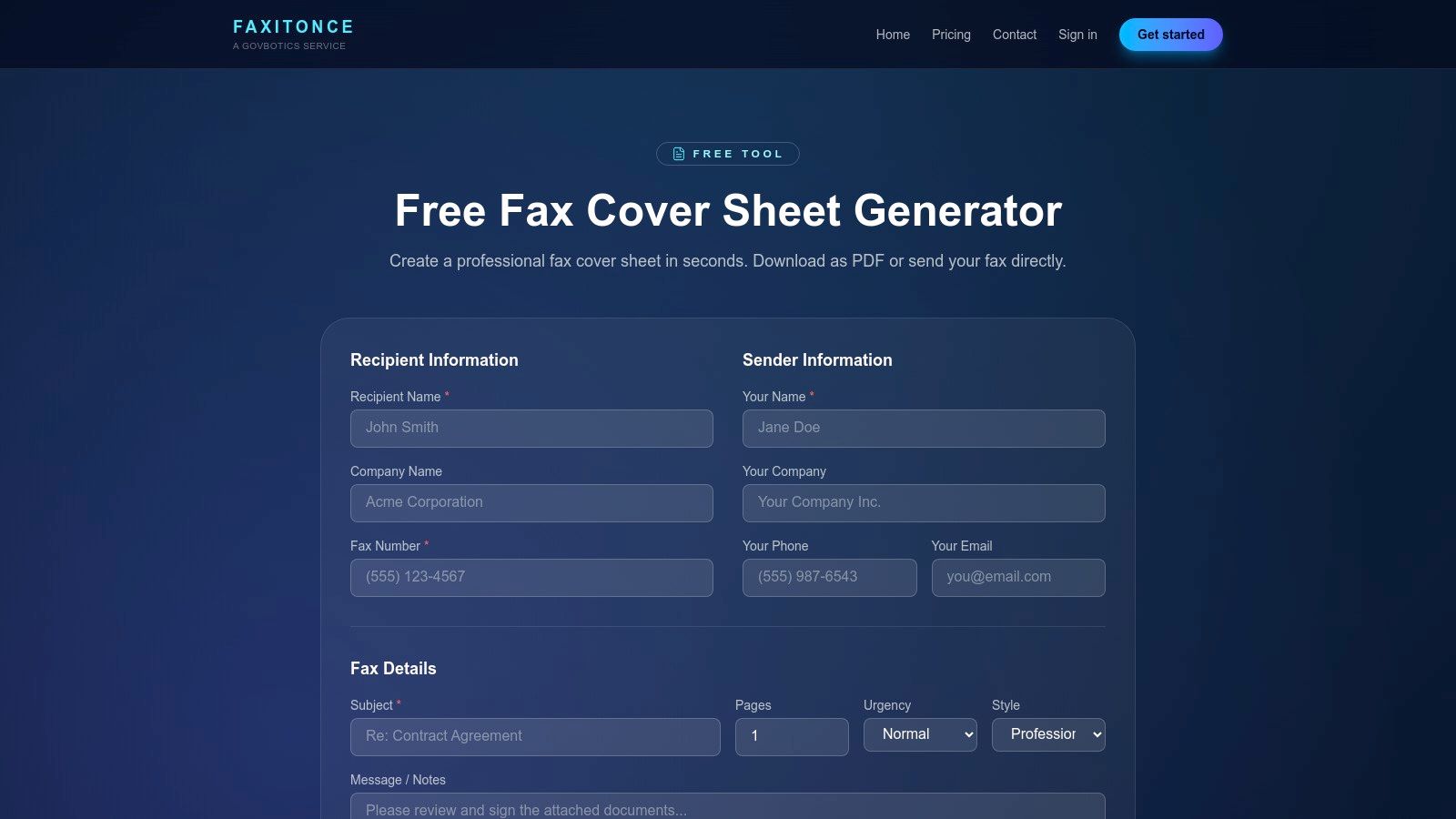
Tag: fax cover page

  • How to Send a Customer Service Fax in 2026

    How to Send a Customer Service Fax in 2026

    You're staring at a customer service contact page, the form is signed, the billing dispute is written up, and the only thing left is a fax number. The hard part isn't finding a machine or clicking send, it's making sure the right team at the other end opens it, understands it, and acts on it today.

    That's why a customer service fax still matters. In regulated and records-heavy workflows, fax never disappeared, it just moved from a desk machine to a browser, and the work shifted to the moment of contact, document prep, routing, and confirmation.

    Why Customer Service Fax Still Matters in 2026

    A fax number on a customer service page doesn't mean a company is stuck in the past. It usually means someone inside that company still relies on a document trail, a ticketed intake path, or a regulated process that works better with a faxed record than with a generic email.

    That's easier to understand once you look at the history. Fax became a standardized business tool in 1980 when CCITT's Recommendation T.4/T.30 let machines from different vendors communicate reliably over telephone lines, which helped drive the 1980s fax boom and later software-based faxing. Industry history also notes that U.S. fax machine sales peaked in 1997, then email reduced standalone hardware demand without ending fax use in regulated workflows such as healthcare, legal, and government services. History of fax standardization and online fax adoption

    The scale is still large enough that customer service teams can't ignore it. A widely cited estimate says more than 17 billion faxed documents were sent in the United States in 2019, including over 9 billion in healthcare alone. In the same period, U.S. hospitals reported fax or mail as the most common way to send and receive summary-of-care records, with 71% sending and 68% receiving through those channels in 2019. Why fax still shows up in real workflows

    Practical rule: if a company publishes a fax number for customer service, treat it like an intake channel, not a backup relic.

    The rest comes down to execution. If your document is clean, your cover page is specific, and your fax is routed to the right department or ticket number, it usually gets handled faster than a vague email thread. If any one of those pieces is sloppy, the fax can land in the wrong folder and sit there.

    Preparing Your Document for a Clean Send

    Start with the file itself. PDF is the safest working format because it keeps formatting stable across devices and fax services, while screenshots, re-photographed printouts, and messy scans tend to create avoidable trouble.

    A document preparation checklist featuring file format, scan quality, and page size requirements for professional documentation.

    Keep the page readable before you upload it

    Fax systems are built around fixed scan-density tiers, not the kind of flexible digital rendering people expect from email attachments. Common Group 3 modes include standard 200×100 dpi, detail 200×200 dpi, fine 200×200-ish, and superfine up to 400×400 dpi depending on the device, with compression methods such as MH, MR, MMR, and JBIG. Fax scan-density and compression reference

    For customer service forms, the cleanest approach is usually a simple black-and-white PDF with strong contrast and standard letter-size pages. Dense text, signatures, and checkboxes survive far better when the original is clean than when the file has been photographed on a phone under bad light or exported from a noisy scan app. Higher-resolution or graphics-heavy pages can also increase send time and raise negotiation or memory issues on older endpoints. Fax formatting and compatibility guidance

    A few habits make a real difference:

    • Use one clean master file. Don't assemble pieces from different sources unless you have to.
    • Flatten signatures and annotations. If the signature is digital, make sure it's visible in the final PDF.
    • Crop out margins and shadows. Extra dark edges can make some scanners read poorly.
    • Keep pages in order. Once a fax is queued, a missing page is harder to fix than it should be.

    If you're scanning from a phone, make the original page do the work. A clean scan of a signed form will always beat a blurry photo of a printout. The goal is boring readability, not design polish.

    Writing a Cover Page That Gets Opened First

    The cover page is the first human filter your fax passes through. If it looks generic, the recipient may file it loosely, route it slowly, or ignore the note because it doesn't tell them who owns the issue.

    A close-up view of a person filling out a blank fax cover sheet on a wooden desk.

    A strong cover page has four blocks. It identifies the sender, tells the receiver exactly where to route it, explains the reason in one tight paragraph, and gives a callback or reference line the support team can use immediately. That structure matters more than style, because customer service teams usually triage based on task ownership, account number, or case number, not on clever phrasing.

    Useful habit: if you already have a ticket number, put it near the top. Routing gets easier when the recipient can match the fax to an open case.

    Use a template like this:

    To: [Company Name] Customer Service
    Attention: [Billing / Claims / Support / Records / Specific Team]
    From: [Your Name], [Company or Account Name]
    Fax: [Your fax number]
    Phone or Email: [Best callback contact]
    Subject: [Short reason for the fax]
    Reference: [Account number, case number, or order number]

    Message:
    Please find attached [document type] regarding [brief issue]. This fax supports [billing dispute / verification / authorization / document submission]. Please route it to [department or team] and contact me if anything else is needed.

    If you want an example, keep the subject line plain and functional.
    Billing dispute: “Billing dispute for account [number], correction request attached”
    Document submission: “Signed authorization and supporting form for account [number]”

    For a more detailed model, use this fax cover letter example as a formatting reference and adapt it to your customer service use case. The key is not sounding formal for its own sake. It's sounding specific enough that the person opening the fax knows exactly what to do next.

    Sending the Fax Through a Web Service

    A browser-based service is the fastest way to send a customer service fax when a machine is not handy. The workflow is straightforward, but the small details decide whether the fax reaches the right queue or dies at the first mistake, like a wrong number or missing country code.

    Screenshot from https://senditfax.com

    Start with the document itself. Upload the prepared PDF, enter the destination fax number, add the recipient company name, and paste a short cover message. Then review the preview before you submit. That preview is where avoidable errors show up, especially page-order mistakes, a department name that does not match the case, or sender details that do not line up with the account.

    For file handling, the most useful outside reference I've found is file upload best practices for forms. The same practical rules apply here. Clear file names, supported formats, and a simple upload flow reduce the chance that the wrong document gets sent or the sender has to guess what the service will accept.

    Free and paid options are not the same choice

    If a service gives you both free and paid delivery, choose based on the fax's importance and presentation needs. Free delivery works well for lightweight, occasional faxes where cover-page branding is not a concern. Paid delivery is the better choice when you need more pages, a cleaner presentation, or priority handling.

    A service such as SendItFax is one option in this space. It lets users send DOC, DOCX, or PDF files to U.S. and Canadian fax numbers from a browser without creating an account, and it supports cover messages and delivery confirmation. For a closer look at the workflow, How browser-based fax sending works explains the basic path from upload to transmission.

    Keep one detail in front of you before you hit send. Double-check the country code, because U.S. and Canadian customer service numbers can look similar, and a polished form will not fix a bad destination. If the number is correct, the company name matches, and the attached pages are in order, the fax has a decent shot at landing in the right queue.

    Troubleshooting Common Delivery Failures

    A failed fax usually tells you something useful if you read the confirmation report instead of trusting the first green checkmark you see. The difference between a successful handshake and a successful page delivery matters, because one only means the devices spoke to each other, while the other means the receiving side got the pages.

    A diagram titled Fax Delivery Troubleshooting showing three steps for resolving common fax transmission errors.

    Read the failure type before you resend

    Busy signals and line-quality problems are still common in fax workflows because traditional fax transmission over ITU-T Group 3 typically runs at 9,600 bps or 14.4 kbps and commonly sends a single page in about 6 to 15 seconds, not counting handshake and synchronization. Vendors also note automatic fallback to lower speeds when the line degrades, which is why retry logic and clean PSTN or VoIP signaling matter so much. Transmission speed and reliability reference

    Use a simple decision path:

    • Busy signal: wait for the automatic retry cycle, then confirm the number again before another send.
    • Wrong number error: stop and verify the destination manually, because resending the same file won't fix a bad route.
    • Document stuck in queue: cancel the failed job, reload the file, and send a fresh copy instead of assuming the original is still valid.
    • No page delivery after handshake: check the receiving side for paper-out, memory issues, or fax settings that prevented the pages from printing or storing.

    The quickest fix is usually not a bigger file or a faster resend. It's a cleaner number, a simpler file, or a fresh transmission after the queue clears.

    One operational detail gets missed often. A confirmation report that says the line connected does not guarantee the customer service team received your form in usable condition. If the page count, destination number, or time stamp looks off, resend only after you've corrected the specific problem.

    Privacy and Compliance Basics for Customer Service Faxes

    A fax channel can be acceptable while the content still gives away too much. That is the gap many customer service guides leave open, even though the sender usually decides how much personal data goes into the packet.

    For a billing dispute, account correction, or document request, send the minimum necessary information. Use an account number, case number, or reference ID instead of pasting in full identity details, and summarize the reason for contact rather than attaching a full file dump when a short form will do. If you are handling sensitive material, the key question is whether raw data belongs in the fax at all.

    Leave out full Social Security numbers, full bank account digits, and detailed medical records unless the receiving team has clearly asked for that level of disclosure. If the company already has the context, refer to it instead of repeating it in full. That keeps the fax cleaner and lowers the chance that someone outside the intended workflow sees information they do not need.

    Practical rule: write the fax as if one extra employee might see it on the way to the right desk.

    Fax still shows up in regulated settings such as healthcare, legal, and government services, but the sender still has to judge what belongs in the document. For a closer look at the security side, this fax security overview is a useful companion. The safest customer service fax gives the receiving team enough information to act, without handing over more sensitive detail than they asked for.

    Quick-Reference Checklist and Next Steps

    Use this sequence every time: prep the document, write the cover page, enter the fax number, review the preview, send, save the confirmation, and follow up by phone only if the matter is time-sensitive. If the fax is for a regulated workflow, an official form, or a dispute that needs a paper trail, fax still makes sense. If a web portal or email thread would resolve it faster, use that instead.

    Keep the confirmation page or email in your records. Most new fax senders skip that step, then end up digging for proof later when customer service asks what was sent and when. Modern web-based faxing has made occasional sending easier, but the habit of saving the receipt still matters.


    If you need to send a customer service fax without hunting for a machine, SendItFax gives you a browser-based way to upload a file, add a cover message, and deliver it to U.S. or Canadian fax numbers. Visit SendItFax to send the next form, dispute, or authorization with a cleaner workflow and a confirmation you can keep on file.
  • Fax Transmittal Page Guide with Templates and Examples

    Fax Transmittal Page Guide with Templates and Examples

    You hit send on a fax, then the phone line goes quiet and the document disappears into someone else's office. If the recipient opens a stack of pages with no cover note, they have to guess who sent it, why it matters, and whether it should go to a file, a desk, or the shred bin. That's the moment the fax transmittal page earns its keep.

    The cover sheet isn't decoration. It's the label on the outside of the package, the routing slip on top, and the first chance to keep a document from being misfiled. In legal, medical, real estate, and other busy offices, that first page often decides whether the rest of the fax gets handled quickly or gets lost in the shuffle.

    Why Every Fax Needs a Cover Sheet

    A fax without a cover sheet is like mailing an envelope with no return address and no delivery instructions. The pages may arrive, but the recipient has to stop, inspect, and interpret them before anyone knows what to do next. That's a bad trade when the office is busy and the document is time-sensitive.

    The fax transmittal page gives the receiving side the minimum context needed to act. It tells them who sent the fax, who it should reach, what it's about, and whether it needs special handling. In practice, that makes it a routing tool, not just a formality.

    Why the first page matters most

    Fax workflows still depend on sequence. When multiple jobs arrive on one shared machine or in a shared inbox, the first page becomes the separator that helps staff distinguish one transmission from another. A clear cover sheet reduces the chance that a packet gets misrouted or dropped into the wrong file.

    Practical rule: If the recipient needs to ask, “Who is this for?” the cover sheet didn't do its job.

    The cover page also sets a basic liability boundary. If a fax contains sensitive material, the first page can tell the recipient to treat it as confidential, route it to a specific person, or destroy it if it was sent in error. That's why a cover sheet is standard in offices that process urgent or regulated documents.

    Historically, fax became practical at scale only after the medium matured and standardized, especially in the 1980s when inexpensive digitized adapters made faxing workable across offices worldwide, while earlier standards like CCITT Group 2 and Group 3 shortened per-page transmission time and improved interoperability Britannica. The cover sheet grew alongside that operational reality, because faster transmission still needs human routing.

    What a Fax Transmittal Page Actually Is

    A fax transmittal page is the first page attached to a fax job, the page that carries routing information before the document body begins. It is a plain analogy, like the outside sleeve of an interoffice packet. The papers inside matter, but the sleeve tells the mailroom or front desk what the packet is, who it belongs to, and where it's headed.

    An infographic diagram explaining what a fax transmittal page is and its core components.

    Cover sheet versus transmittal page

    People use the terms loosely. In everyday office language, a fax cover sheet usually means the first page of the fax, while fax transmittal page is the broader operational idea of that page carrying sender identity, recipient details, and transmission metadata. That distinction matters when you're teaching first-time senders, because the function is more important than the label.

    The key fields are straightforward. A sound transmittal page identifies the sender and recipient, includes fax numbers, date, subject, and page count, and may add a confidentiality note if the content is sensitive Notifyre. In browser-based faxing, those same details can be captured outside the uploaded file so the original document stays untouched while the delivery metadata still travels with the transmission.

    Why page count has to be explicit

    One of the easiest ways to avoid handling errors is to write the total page count clearly, including whether the count includes the cover sheet. That matters because the recipient uses that number to verify completeness before filing, printing, or scanning the fax. When the count is ambiguous, staff waste time checking whether a page is missing.

    The cover sheet should help a person confirm the fax, not make them do arithmetic under pressure.

    Enterprise fax systems often rely on this first page to separate jobs, especially when several transmissions land at once. That's why the transmittal page is part routing document and part verification record. It gives the office enough context to process the fax without opening the body first.

    Required and Optional Fields Explained

    The easiest way to think about a fax transmittal page is in tiers. Some fields are there because the recipient needs them to route the fax. Others are there because they help the office respond faster or because they protect you if the fax lands in the wrong hands.

    Field Priority Purpose
    Sender name Required Identifies who sent the fax
    Sender fax or phone number Required Gives the recipient a way to respond
    Recipient name Required Directs the fax to the right person or office
    Recipient fax number Required Ensures delivery to the correct line
    Date Required Marks when the fax was sent
    Total page count Required Helps confirm completeness
    Subject Required Tells the recipient what the fax is about
    Brief message Recommended Helps triage and route the document
    Company name Recommended Adds context in shared-office workflows
    Sender email Recommended Gives the recipient another contact path
    Department Optional Useful in larger organizations
    Reference or account number Optional Helps internal tracking
    Confidentiality notice Optional but important Signals special handling for sensitive documents

    What belongs on every fax

    The fields you should treat as essential are sender name, sender fax or phone number, recipient name, recipient fax number, date, total page count, and subject. These are the basics that let someone verify the fax and move it to the right place. If you only have room for a short cover page, protect these first.

    A brief message is often worth adding, especially when the recipient needs to know whether the fax is urgent, a reply is expected, or the attached pages are part of a larger packet. For legal, healthcare, or finance workflows, a confidentiality notice is also smart because it tells staff how to handle a misdirected page. That notice doesn't make the fax magically private, but it does set clear expectations.

    What helps, but doesn't have to fit every time

    Company name, sender email, department, account number, and reference code are useful when the receiving office sorts documents by case, claim, or customer record. They're not always necessary on a short one-off fax. If space is tight, leave off the extra context before you cut the essentials.

    For a practical field-by-field reference, see this fax cover sheet information guide. That kind of checklist helps when you're deciding what belongs on a standard office transmittal page versus a more specialized one.

    A quick office rule

    Write the data the recipient needs to route the fax, then stop. Anything else should earn its place by helping triage, verify, or protect the transmission.

    Formatting and Layout Best Practices

    A cover page can have all the right fields and still fail if it's cramped, decorative, or hard to scan. Fax systems were built to move text reliably, not to preserve elaborate design. That's why the best transmittal pages look plain on purpose.

    A list of six professional formatting and layout best practices for creating a clear fax transmittal page.

    Keep the layout simple and readable

    Use a standard readable font such as Arial or Times New Roman, and keep the page text-heavy instead of logo-heavy. From a transmission-engine standpoint, fax pages are sensitive to resolution, compression, and noise, and a dense or graphic-heavy cover page gives OCR systems more to struggle with Commetrex. Simple text survives better than busy formatting.

    A left-aligned layout usually scans cleaner than a centered block because it lets the eye move field by field. Put the sender and recipient details near the top, follow with the subject, then add the page count and any note. If you use a company logo, keep it small and out of the way.

    Make the confidentiality line impossible to miss

    The confidentiality note belongs near the bottom, where it can be seen after the routing information has done its job. That placement lets the recipient process the document first and apply the handling rule second. If the fax is sensitive, make the disclaimer short, direct, and easy to read.

    The page count should be written in a way that removes guesswork. “3 of 5 pages including cover” is much clearer than “3 pages,” because the recipient can verify whether anything is missing without interpreting your intent. In busy offices, clarity saves more time than design ever will.

    Use structure, not decoration

    A good cover page has one job, and every line on it should support that job. Keep the subject line separate from the body text, and avoid crowding the page with multiple fonts, icons, or borders. Even when a fax is sent from a browser, the receiving side still benefits from a clean first page.

    Sample Templates and Example Wording

    A first-time sender usually needs wording they can copy, not theory. The trick is to make the page specific enough for routing, but short enough that the recipient can read it in one glance. That's especially true when the fax is going to a shared department instead of a named individual.

    Minimal template for everyday use

    Use this version for short business faxes, one-page follow-ups, or quick document confirmations.

    Fax Transmittal Page

    To: [Recipient Name]
    Fax: [Recipient Fax Number]
    From: [Your Name]
    Fax or Phone: [Your Number]
    Date: [Today's Date]
    Subject: [Short subject line]
    Pages: [Total pages, including cover if you choose to count it that way]

    Message: Please review the attached document and route it to the correct department.

    That wording works because it gives the recipient just enough context to act. If you need a sharper subject line, use something specific such as “Signed Agreement for Review” or “Invoice and Payment Support Documents.”

    Detailed template for regulated or sensitive work

    Use this version when the fax needs stronger routing clues, such as in healthcare, legal, or contract workflows.

    CONFIDENTIAL
    Fax Transmittal Page

    To: [Recipient Name, Department, Organization]
    From: [Sender Name, Company, Direct Number]
    Date: [Date and time if helpful]
    Subject: [Case, claim, contract, or record reference]
    Total Pages: [Number]
    Reference: [File, case, or account number if needed]

    Message: This fax contains documents for your review. If it was received in error, please notify the sender and destroy the transmission.

    That extra line changes how a shared office handles the page. It tells staff whether they should route, file, or discard it, and it reduces confusion when the fax sits on a communal tray.

    For more sample phrasing, this fax cover letter example gives another angle on how to write the note field without making it too long. The best template is the one your recipient can process quickly and accurately.

    A good note sounds human

    A short message can be plain and useful. “Please attach this to claim file 4821 and confirm receipt” is better than a vague one-line filler sentence because it gives the receiving office a next step. The goal is not to sound formal, it's to sound actionable.

    Sending a Fax Transmittal Page Through Web Fax Services

    A web fax service changes the delivery method, not the job of the transmittal page. The page still has to tell the receiving office who sent the fax, who should receive it, what the documents are about, and how many pages to expect. The service just gathers that information in the browser and uses it to route the transmission.

    How the browser flow works

    A typical web fax service asks for sender and recipient details first, then lets you upload the document in a format such as DOC, DOCX, or PDF. In the SendItFax web fax service overview, you can enter cover page text or skip the cover page if the file already includes one, and the browser captures the transmission details at the same time. That helps when you want the fax to stay tidy and avoid repeating information that is already on the first page.

    The free SendItFax option allows up to three pages plus a cover, with a daily limit of five free faxes and SendItFax branding on the cover page. The Almost Free plan costs $1.99 per fax via Stripe, supports up to 25 pages, offers priority delivery, and removes branding SendItFax. Those details matter when you are deciding whether the cover page should carry your own branding or whether a cleaner page is worth the paid plan.

    When browser-based faxing helps

    A web fax service fits well when you are sending from a laptop, a travel device, or a shared office computer and do not want to deal with a physical machine. It also helps when your main document is already digital and you want the cover sheet to be generated or attached automatically. That reduces the chance that the pages arrive in the wrong order, which is one of the easiest mistakes to make when you are moving between paper and browser workflows.

    When to skip the cover page

    Skip the cover page when the uploaded document already includes a title page that clearly identifies the sender, recipient, and subject. That choice keeps the delivery cleaner, especially for tightly formatted contracts or records packets. It also makes sense when the receiving office already uses the first page of the document as the routing page.

    If the first page already gives the office the routing clues it needs, a second intro page can add clutter instead of clarity.

    Common Mistakes That Compromise a Transmittal Page

    Most bad fax cover pages fail in boring, repeatable ways. The person who sent them wasn't careless in a dramatic sense, they just skipped one detail that mattered to the recipient. That's why a short verification habit beats a fancy template.

    The most common breakdowns

    • Page-count ambiguity: People forget to say whether the count includes the cover sheet. That creates unnecessary checking on the receiving end.
    • Wrong or outdated fax number: A correct cover page can't save a fax sent to the wrong line.
    • Missing confidentiality note: Sensitive documents should carry a handling cue, especially when they might land on a shared device.
    • Handwritten fields: OCR and manual review both struggle more when the writing is cramped or unclear.
    • Assuming digital delivery is perfect: Low resolution, skew, compression artifacts, and transmission noise can still affect what the recipient sees, including the cover page LlamaIndex glossary on fax document OCR.

    What to check before you send

    Read the recipient name out loud. Then verify the fax number against the current directory or the latest message thread. If the fax is time-sensitive or sensitive, confirm the subject line and confidentiality note before you send.

    That quick check catches the failures that matter most in regulated or shared workflows. It also keeps you from discovering the problem after the document has already landed in the wrong hands. A clean transmittal page is mostly about reducing avoidable handling work.

    One thing people overlook

    A fax cover sheet is often the first page staff read, but it may arrive degraded enough that OCR or manual handling gets harder than expected. That's why a simple, text-first page is safer than a busy one. The cleaner the cover page, the better it survives mixed digital and analog workflows.

    Quick Checklist and Common Questions

    A good fax transmittal page does four jobs. It identifies the sender, directs the recipient, confirms the page count, and gives the receiving office enough context to route the fax without guessing. If one of those jobs is missing, the page is doing too little.

    Save this checklist

    • Required fields: sender name, sender fax or phone number, recipient name, recipient fax number, date, total page count, and subject.
    • Formatting rules: keep the page readable, text-heavy, and simple, with the title and contact details easy to scan.
    • Pre-send verification: check the fax number, confirm the recipient, and review the attached pages before sending.
    • Routing note: add a short message if it helps the office triage the document faster.
    • Decision point: skip the cover page only when the document itself already contains the routing information.

    Common questions

    Is a fax transmittal page legally required?
    Usually, no. It's an office standard that improves routing, verification, and privacy handling.

    Should the page count include the cover sheet?
    Yes, when possible, because that's the clearest way to help the recipient confirm completeness.

    Does a confidentiality notice protect me by itself?
    No. It doesn't guarantee legal protection, but it does tell staff how to handle a misdirected or sensitive fax.

    Can I leave the cover page off entirely?
    Sometimes. If the uploaded document already carries the sender and routing details, a separate cover sheet may just add clutter.


    If you send faxes from a browser and want the cover page to carry the right routing details without extra friction, SendItFax gives you a way to attach documents, add a cover note, or leave the cover page out when the file already includes its own front page. Visit SendItFax if you want a browser-based fax option that fits occasional business, legal, healthcare, or real estate sending without a physical machine.

  • 7 Confidential Statement Example Templates for 2026

    7 Confidential Statement Example Templates for 2026

    You’ve just finalized a sensitive contract and need to send it immediately. Email doesn’t feel secure enough, and a courier is too slow. So you open an online fax service like SendItFax, upload the file, and get ready to hit send. Then the obvious question shows up late: what tells the recipient, their staff, or anyone who handles that fax that the contents are confidential and must be treated that way?

    That’s where a good confidentiality statement earns its keep.

    A confidentiality statement won’t fix careless handling on its own. It won’t undo a bad fax number, sloppy internal procedures, or staff who disclose information because nobody trained them. But it does two important things right away. First, it sets expectations in writing. Second, it creates a record that you treated the document as sensitive from the start.

    That matters more than people think. The United Nations’ Fundamental Principles of Official Statistics require individual data collected for statistical work to be kept strictly confidential and used only for statistical purposes, a standard reflected across official systems in over 190 member states (UN statistical confidentiality principle). The lesson for everyday business is simple: if confidentiality matters at national data-system level, it certainly matters when you’re faxing contracts, medical forms, student records, or legal documents.

    Below are practical confidential statement example templates you can copy, trim, and use based on what you’re sending and why.

    1. Standard Non-Disclosure Agreement Confidentiality Statement

    A general NDA-style statement is the workhorse option. If you’re sending contracts, proposals, pricing sheets, product specs, or internal records, this is usually the right starting point.

    A stethoscope rests on a wooden desk next to a blue folder, symbolizing secure patient medical records.

    Copy and paste example

    This fax and any attached documents contain confidential information intended only for the named recipient. The information may include business records, contract terms, pricing, client information, or proprietary materials. The recipient may use this information only for reviewing, processing, or responding to the matter described in the transmitted documents.

    If you received this fax in error, notify the sender immediately, do not copy or share the contents, and destroy all pages. Confidential information does not include information that is publicly available, already lawfully known to the recipient without confidentiality obligations, or required to be disclosed by law. Unless otherwise agreed in writing, the confidentiality obligation applies for [insert period] after receipt.

    This version works because it does four jobs cleanly. It identifies the material, limits use, gives instructions for mistaken receipt, and carves out basic exceptions.

    What works and what doesn't

    What works is precision. “Confidential information” should name the actual categories involved. If you’re a consultant, say proposals, pricing, and client files. If you’re a contractor, say plans, bids, and invoices. Boilerplate that says everything is confidential often reads strong but performs badly in disputes because it shows no judgment.

    What doesn’t work is pretending a cover-sheet statement can replace a contract. It can’t. If the relationship itself needs confidentiality obligations, use an actual NDA too. A quick tool like this NDA Generator tool can help with the separate agreement.

    Practical rule: Your fax statement should support the legal agreement, not try to become the legal agreement.

    For operational use, put the short statement on the fax cover sheet and keep the fuller version in your client terms or privacy notice. If you handle recurring contract traffic, tighten the handoff process too. These contract management best practices are more useful in practice than adding another paragraph of legal fluff.

    Common use cases:

    • Service businesses: Sending SOWs, renewals, and vendor agreements
    • Real estate teams: Sending draft offers before execution
    • Freelancers: Sending manuscripts, statements of work, and pricing schedules

    2. Healthcare HIPAA Confidentiality Statement

    Healthcare is where vague wording gets people in trouble. A medical fax isn’t just “private.” It may contain protected health information, and staff need to know that immediately.

    An attorney-client privilege document and a confidential card on a desk next to a glass of water.

    Copy and paste example

    This fax contains protected health information intended only for the individual or entity named above. This information is confidential and must be handled in a manner consistent with applicable privacy and security obligations. If you are not the intended recipient, review, copying, disclosure, or distribution is not permitted. Please notify the sender immediately and destroy the fax.

    By accepting this transmission, the recipient is expected to apply appropriate safeguards and limit use of the information to treatment, payment, healthcare operations, or another authorized purpose.

    That statement is short on purpose. In healthcare, the cover page should warn and instruct. The detailed legal framework belongs in your policies, notice of privacy practices, and any required vendor documentation.

    Why the wording has to be disciplined

    A real breach often starts with something ordinary. In the Mountainside Family Medicine case, a patient asked for confidential billing arrangements, but the practice still filed a claim with the mother’s insurer, and staff later discussed the visit, leading to an OCR complaint and findings of improper disclosure tied to weak protocols and staff training (patient confidentiality case study).

    The practical lesson is blunt: don’t rely on staff memory. Use a standard cover-sheet statement every time, especially when billing, lab results, referrals, therapy notes, or prescription records are involved.

    If you need wording designed specifically for a fax cover page, start with this HIPAA-compliant fax cover sheet.

    Later, if you’re reviewing office procedures, this broader HIPAA Compliance for Healthcare Providers Guide is a useful operational companion.

    A quick training reminder helps too:

    In healthcare, the statement isn’t there for style. It tells the receiving desk, records clerk, and billing staff that this document has to be handled differently from ordinary office paperwork.

    3. Legal and Attorney-Client Confidentiality Statement

    Legal faxes need stronger labeling than ordinary business traffic. If a document involves advice, strategy, litigation, or settlement positions, mark that directly.

    Copy and paste example

    This fax contains confidential legal material intended only for the named recipient. It may contain attorney-client privileged information, attorney work product, settlement communications, or other protected legal content. Unauthorized review, copying, distribution, or disclosure is prohibited.

    If you are not the intended recipient, notify the sender immediately and destroy all copies. Any inadvertent receipt does not waive any applicable privilege or protection.

    That last line matters. It signals that the sender treated privilege seriously and took precautions.

    A laptop on a wooden desk with a coffee mug and a succulent near a window.

    What legal teams should add

    Mark the document itself, not just the cover page. “Confidential,” “Attorney-Client Privileged,” and “Attorney Work Product” aren’t decorative. They tell anyone downstream how the file should be handled.

    That matters in disciplinary and regulatory settings too. In a case handled by Gannons Solicitors, a professional sent an entire email string marked confidential and faced disciplinary proceedings over the inadvertent disclosure of commercially sensitive information. The matter ended in a confidential settlement with the claim dropped, no liability for the regulator’s legal fees, and the individual’s departure handled confidentially (disclosure of confidential information case).

    The useful lesson isn’t “mistakes are harmless.” It’s the opposite. Marking sensitivity can raise the stakes, but it also helps prove the sender recognized the information as protected and treated it that way.

    For faxing, legal teams should build habits around:

    • Privilege labels: Put them on the cover page and the document footer
    • Wrong-recipient instruction: Tell the recipient exactly what to do
    • Matter identification: Use a file number, not a descriptive client matter title when possible

    If you need a ready-to-use cover layout, this fax cover sheet confidential guide is a practical place to start.

    4. Real Estate and Financial Confidentiality Statement

    Real estate and finance create a specific type of confidentiality problem. The documents move fast, pass through multiple hands, and often contain account details, tax records, signatures, property addresses, and identity information in the same packet.

    Copy and paste example

    This fax contains confidential financial or real estate information intended only for the named recipient. It may include loan materials, account information, transaction records, purchase documents, title information, or personally identifiable information supplied for a specific business purpose. Use, review, and disclosure are limited to that purpose.

    If this fax was misdirected, notify the sender immediately, do not retain copies, and destroy the contents. Any further disclosure without authorization is prohibited.

    This wording works well for mortgage brokers, title companies, agents, and insurance staff because it names transaction documents rather than speaking in abstract legal terms.

    Where people usually get this wrong

    They send a generic confidentiality notice that sounds like it belongs on a law-firm memo. Financial and closing documents need a use restriction tied to the transaction. The recipient should understand that handling is limited to the file, not general office circulation.

    Another common mistake is over-sharing on the cover page itself. Don’t put the buyer’s full financial details, complete account references, or unnecessary identifiers into the note field. The cover statement should classify the fax, not summarize the sensitive contents.

    Field note: In property and lending work, the riskiest leak often isn’t the main document. It’s the casual cover note that names too much.

    A solid practice is to pair the confidentiality statement with simple routing discipline:

    • Use role-based labels: “Loan processing,” “closing coordination,” or “title review”
    • Trim the cover note: Keep it to file reference and callback details
    • Confirm destination: Recheck the fax number before sending revised statements, appraisals, or signed closing packets

    This is especially relevant because fax still shows up in property workflows. Existing content on confidential statements often ignores fax use even though a 2025 National Association of Realtors report cited by Afterpattern says 41% of U.S. real estate transactions still involve faxed documents (Afterpattern discussion of confidentiality clauses and fax gap).

    5. Freelancer and Small Business Confidentiality Statement

    Most freelancers don’t need a long legal speech. They need a statement that sounds professional, protects the client relationship, and doesn’t scare off the other side.

    Copy and paste example

    This fax includes confidential business information shared for a limited purpose. It may include client materials, draft work, pricing, contracts, invoices, contact details, or internal project information. Please use it only to review or respond to this matter.

    If you received it by mistake, contact the sender and destroy the fax. Please don’t copy, forward, or discuss the contents without permission.

    This is the version I’d use for a consultant sending a proposal, a designer sending an invoice packet, or a virtual assistant sending signed paperwork.

    Why simple usually works better

    Small operators often copy enterprise language that doesn’t match how they work. The result is a wall of text nobody reads. A shorter statement gets read by the receptionist, client contact, or office manager who touches the fax.

    That said, “simple” doesn’t mean lazy. You still need to define the business purpose. If you’re sending a manuscript to a publisher, say it’s for review. If you’re sending a contractor agreement, say it’s for approval and signature. The point is to narrow the expected use.

    Three practical edits improve most freelancer templates fast:

    • Name the material: Draft, estimate, proposal, invoice, contract, client file
    • State the allowed use: Review, approval, processing, response
    • Give an error instruction: Notify, don’t share, destroy

    “If your statement could sit on any document in any industry, it’s too generic.”

    This category is where SendItFax fits nicely because occasional senders often need a quick browser-based option and a message field for the cover page. For small business work, that message field is enough to place a clean confidentiality notice without turning the fax into a legal memo.

    6. Education and Student Records Confidentiality Statement

    Education records require their own tone. Schools, colleges, and administrators need language that focuses on student privacy, authorized access, and limited educational purpose.

    Copy and paste example

    This fax contains confidential student or education records intended only for the named recipient. The information may include transcripts, enrollment records, disciplinary records, support documentation, billing information, or other education-related records. Access, review, and use are limited to authorized purposes.

    If you are not the intended recipient, notify the sender immediately and destroy the material. Do not copy, disclose, or distribute the contents without proper authorization.

    This works for transfer packets, transcript requests, enrollment verification, and special education documentation.

    The operational point people miss

    School staff often think confidentiality starts and ends with the registrar. It doesn’t. Office assistants, department coordinators, counselors, financial staff, and outside receiving institutions all touch student documents. The statement has to be readable by all of them.

    A good education confidentiality statement should do three things at once:

    • Identify the record type: Student records, transcripts, IEP documents, billing files
    • Limit purpose: Transfer review, admissions processing, aid administration, authorized school functions
    • Trigger caution on receipt: Wrong recipient instructions should be explicit

    Cross-border handling gets trickier. Existing guidance often ignores U.S.-Canada use even though that’s a practical issue for schools, nonprofits, and mobile professionals. Research cited in University of Rochester material notes that common confidentiality samples are often U.S.-centric and don’t address the consent markers expected under Canadian privacy practice for faxed information (University of Rochester confidentiality guidance).

    If your institution routinely sends records across borders, add a short jurisdiction line such as: “This transmission contains confidential information subject to applicable U.S. and Canadian privacy requirements where relevant.” Keep it plain. Don’t pretend to cite statutes you’re not administering.

    7. Generic Consumer Privacy and Confidentiality Statement

    Sometimes you don’t need an industry-specific notice. You need a broad statement that covers ordinary personal or business faxes sent by consumers, nonprofits, remote workers, or travelers.

    Copy and paste example

    This fax contains confidential information intended only for the named recipient. It may include personal details, forms, records, agreements, or supporting documents provided for a limited purpose. If you are not the intended recipient, please notify the sender, do not share or copy the contents, and destroy the fax.

    Any use of the information should be limited to the purpose for which it was sent.

    This is the right choice for ID forms, signed authorizations, travel paperwork, housing forms, insurance records, or one-off agreements.

    The right trade-off for general use

    A generic statement should be readable in a few seconds. Don’t clutter it with legal jargon you can’t support operationally. If you say you’ll retain nothing, your actual workflow needs to match that. If you say only authorized staff can access data, your handling process needs to support that too.

    The broader privacy culture matters here. In the United States, the Privacy Act of 1974 established federal rules around agency handling of personally identifiable information, and CIPSEA later created a uniform confidentiality pledge across principal statistical agencies, with willful violations carrying fines up to $250,000 or imprisonment up to 5 years under 18 U.S.C. § 3571 (BLS confidentiality background). Most small businesses aren’t operating under those exact laws, but the practical standard still holds: collect what you need, limit access, and make non-disclosure expectations explicit.

    For a public-facing website or fax interface, plain language usually performs better than legal theater:

    • Say what’s being sent: Forms, contracts, records, attachments
    • Say who it’s for: The named recipient only
    • Say what to do if misdirected: Notify and destroy
    • Say what the sender expects: Limited use tied to the purpose of transmission

    7-Point Confidential Statement Comparison

    Statement Type Implementation Complexity 🔄 Resource & Operational Requirements ⚡ Expected Effectiveness & Impact ⭐📊 Ideal Use Cases 📊 Key Advantages 💡
    Standard Non-Disclosure Agreement (NDA) Confidentiality Statement Moderate, standard legal drafting and periodic review. 🔄 Moderate, legal review, template management, occasional enforcement costs. ⚡ High legal protection and enforceability; reduces liability. ⭐⭐⭐⭐📊 Service providers handling sensitive business, legal, financial documents (general use). 📊 Enforceable in court, builds trust across industries; broadly understood. 💡
    Healthcare HIPAA Confidentiality Statement High, strict regulatory requirements and documentation. 🔄 High, encryption, audit logs, BAAs, staff training, compliance audits. ⚡ Very high compliance and risk reduction for PHI breaches; avoids heavy penalties. ⭐⭐⭐⭐⭐📊 Covered entities and providers transmitting Protected Health Information (PHI). 📊 Demonstrates HIPAA compliance, essential for healthcare trust and legal safety. 💡
    Legal and Attorney-Client Confidentiality Statement High, must preserve privilege and match state ethics rules. 🔄 High, chain-of-custody, secure handling, recordkeeping, specialized procedures. ⚡ Very high protection of privilege and legal communications; minimizes waiver risk. ⭐⭐⭐⭐⭐📊 Law firms, attorneys, and privileged legal communications. 📊 Maintains attorney‑client privilege, attracts legal clientele, reduces malpractice risk. 💡
    Real Estate and Financial Confidentiality Statement High, compliance with GLBA/FCRA and diverse state rules. 🔄 High, robust security, compliance programs, retention policies, audits. ⚡ High protection of financial PII and reduced identity-theft risk; regulatory alignment. ⭐⭐⭐⭐📊 Mortgage lenders, title companies, real estate closings, banking transactions. 📊 GLBA/FCRA alignment, appeals to high-volume financial users, lowers privacy risk. 💡
    Freelancer and Small Business Confidentiality Statement Low, plain‑language templates and minimal customization. 🔄 Low, simple templates, optional legal review, low operational overhead. ⚡ Moderate protection suitable for everyday client work; builds professional trust. ⭐⭐⭐📊 Freelancers, solopreneurs, consultants, small-business document exchanges. 📊 Accessible, low cost, easy to implement and customize for small operations. 💡
    Education and Student Records Confidentiality Statement (FERPA) High, consent rules and student rights complexity. 🔄 High, consent management, audit trails, age/consent handling, institutional policies. ⚡ High compliance with FERPA; protects student records and institutional liability. ⭐⭐⭐⭐📊 Schools, districts, universities transmitting transcripts, IEPs, records. 📊 Ensures FERPA compliance, supports secure academic record transfers, builds trust with parents/institutions. 💡
    Generic Consumer Privacy and Confidentiality Statement Moderate, requires clarity and frequent updates. 🔄 Moderate, legal + product coordination, privacy notices, cookie controls, updates. ⚡ High transparency and user trust; foundational for regulatory notices. ⭐⭐⭐⭐📊 All users, site homepage, onboarding, privacy notices, general communications. 📊 Broad applicability, increases transparency, reduces support/complaints, complements detailed policies. 💡

    Your Confidentiality Checklist for Secure Faxing

    The right confidential statement example depends less on what sounds impressive and more on what you’re sending. That’s the first filter. A business proposal doesn’t need HIPAA wording. A therapy note shouldn’t use a casual freelancer disclaimer. A student transfer record shouldn’t be labeled with legal-privilege language that doesn’t fit.

    Match the statement to the document, the recipient, and the reason for sending it.

    Then keep the statement doing the job it’s supposed to do. It should identify the kind of information involved, limit the permitted use, tell the wrong recipient what to do, and avoid promises your process can’t support. That last point matters. A lot of confidentiality language fails because it was copied from a template bank with no thought about actual workflow. If your office forwards inbound faxes through a shared inbox, your statement needs to assume human handling. If you send documents through a browser-based service, your wording should fit a cover page message field and still be clear.

    The best approach is practical:

    • Use a short cover-sheet version: Keep it readable and direct.
    • Keep the longer legal version elsewhere: Put it in your contract, privacy policy, internal policy, or intake documents.
    • Label sensitive categories accurately: Medical, legal, financial, student, or general confidential business material.
    • Include a misdelivery instruction every time: Notify the sender, don’t share, destroy the pages.
    • Avoid empty legal inflation: More words rarely mean more protection.

    A confidentiality statement is not a substitute for process. It won’t fix a misdialed number, weak staff training, or poor document routing. But it does show intent, set expectations, and help prove that you treated the information as sensitive from the outset. In regulated environments, that can matter a lot. In everyday business, it helps prevent casual misuse and gives the recipient no excuse to claim they didn’t understand the document was confidential.

    If you’re sending by online fax, use the cover page message field deliberately. Paste the statement in before transmission so the notice travels with the document from the first page. For occasional sending, SendItFax is one browser-based option that lets users add a cover page message and send faxes to recipients in the United States and Canada without creating an account. Used properly, that makes it easier to pair the right wording with the right document instead of sending sensitive material bare.

    The best confidentiality statement is the one that fits the file, gets read, and reflects how you handle information.


    If you need to send a sensitive document quickly, SendItFax lets you upload a DOC, DOCX, or PDF, add a cover page message with your confidentiality statement, and fax it to U.S. or Canadian recipients from your browser. For occasional contracts, forms, records, and other time-sensitive documents, that’s a straightforward way to put the warning in writing before the fax is delivered.

  • Mastering the Modern Format for a Fax

    Mastering the Modern Format for a Fax

    Before you send that first fax, let’s talk about formatting. It might seem like a small detail, but getting the format for a fax right is non-negotiable, especially when it comes to security and legal compliance. It’s a practice that has stuck around for good reason, particularly in industries like healthcare and law that depend on its rock-solid reliability.

    Why Fax Formatting Still Matters in 2026

    format for a fax

    I get it. In a world of instant messaging and cloud storage, talking about faxing can feel like a throwback. But here’s why it’s not going away: security, reliability, and legal weight. When you're dealing with sensitive information—think medical records or signed contracts—a fax provides a verifiable, point-to-point paper trail that many digital methods just can't match.

    Unlike an email that hops between countless servers, a fax creates a direct, secure connection. This drastically cuts down the risk of interception, which is precisely why these key industries continue to trust it.

    The Enduring Need for a Standard Format

    Even as we’ve moved from clunky machines to slick online fax services, the core formatting rules haven't changed. They’re what keep faxes universally readable and trustworthy. This isn't just a fax thing, either; any professional communication relies on the same fundamental principles of good writing. A clear, consistent structure ensures your message is understood exactly as you intended.

    And don't mistake this for a niche practice. The numbers show that faxing is still a major player in the business world.

    You might be surprised to learn that in 2024, the global fax services market was valued at $3.3 billion. It’s even projected to climb to $4.47 billion by 2030, driven by sectors that rely on the legally binding audit trail a standard fax format provides.

    So, what does this format usually involve?

    • A dedicated cover sheet listing sender and recipient info.
    • Content laid out for standard 8.5×11-inch pages.
    • Clear, high-contrast text to ensure legibility on the other end.

    Ultimately, sticking to the standard format is about making sure your documents look professional, are easy to read, and hold up legally when they arrive. It’s a perfect example of a standard that persists simply because it works.

    How to Format Your Document for a Perfect Fax

    format for a fax

    Getting your document ready to send isn't just a formality—it’s the most important step to ensure your fax arrives looking clean and professional. I've seen countless transmissions fail due to simple formatting mistakes, but a few quick checks can make all the difference.

    First things first, let's talk file types. While you can often send a standard DOC or DOCX file, I always recommend converting to PDF before you send. Why? Because a PDF essentially freezes your document. The fonts, images, and layout are all locked in place, so what you see on your screen is exactly what your recipient will get. No more surprise formatting shifts or jumbled text.

    Get the Page Layout and Margins Right

    Before you finalize that PDF, you need to think like a fax machine. These devices are built around standard paper sizes, and straying from the norm can cause problems.

    Always set your document to the standard US letter size, which is 8.5 x 11 inches. If you try sending a document formatted for A4 or legal paper, you’re running the risk of the receiving machine cutting off text or shrinking the page to the point where it’s unreadable.

    I can't stress this enough: use a one-inch margin on all four sides of your document. Fax machines have a "dead zone" around the edges, and anything you place in that area is likely to get chopped off during transmission. That one-inch buffer is your best protection against lost information.

    Sometimes you'll run into a file that needs a little extra work before it's ready. If you're dealing with a secured document, for instance, you might first need to figure out how to print locked PDF files to make your edits. And if you're starting with a Word document, our guide on how to convert Word to PDF makes the process simple.

    To help you remember these key settings, here’s a quick summary table. Following these guidelines will prevent the most common formatting errors we see.

    Recommended Document Formatting for Faxing

    Formatting Element Recommendation Why It Matters
    File Type PDF (Portable Document Format) Locks in formatting and fonts, ensuring consistency.
    Page Size US Letter (8.5 x 11 inches) Matches the standard for most fax machines, preventing distortion.
    Margins 1-inch on all sides Creates a "safe zone" to prevent content from being cut off.
    Font Style Simple sans-serif (Arial, Helvetica) Remains clear and legible even at lower fax resolutions.
    Font Size 12 points or larger Ensures text is readable and doesn't become a blurry mess.
    Color Black text on a white background Guarantees maximum contrast for a crisp, readable transmission.

    Keep this table handy as a final checklist. It’s a simple way to make sure every fax you send is set up for success from the start.

    Choose Fonts for Maximum Legibility

    Finally, let's talk about readability. A fax isn't a high-resolution printout; it's a scan sent over a phone line. What looks sharp on your 4K monitor can become a blurry mess on an older fax machine.

    The key is to keep it simple and clear.

    • Stick with classic fonts. You can't go wrong with Arial, Helvetica, or Times New Roman. They are designed for readability and hold up well to the compression and resolution loss of faxing.
    • Go big on size. A font size of 12 points should be your absolute minimum. Anything smaller is a gamble and often results in illegible text on the other end.
    • Contrast is everything. Always, always use black text on a plain white background. Colored text, images, or dark backgrounds can turn into a black, indecipherable smudge after transmission.

    Your Fax Cover Page: The First Impression

    format for a fax

    Think of your fax cover page as the professional handshake before the real conversation begins. It’s the very first thing your recipient sees, and its job is simple but crucial: get your document into the right hands without any guesswork.

    Skipping a cover page is a rookie mistake, especially when you're faxing to a large office with a shared machine. It’s like sending a business letter without a return address—it just creates confusion and delays. A quick, clear cover page ensures your fax doesn't end up lost in the shuffle.

    What Every Cover Page Needs

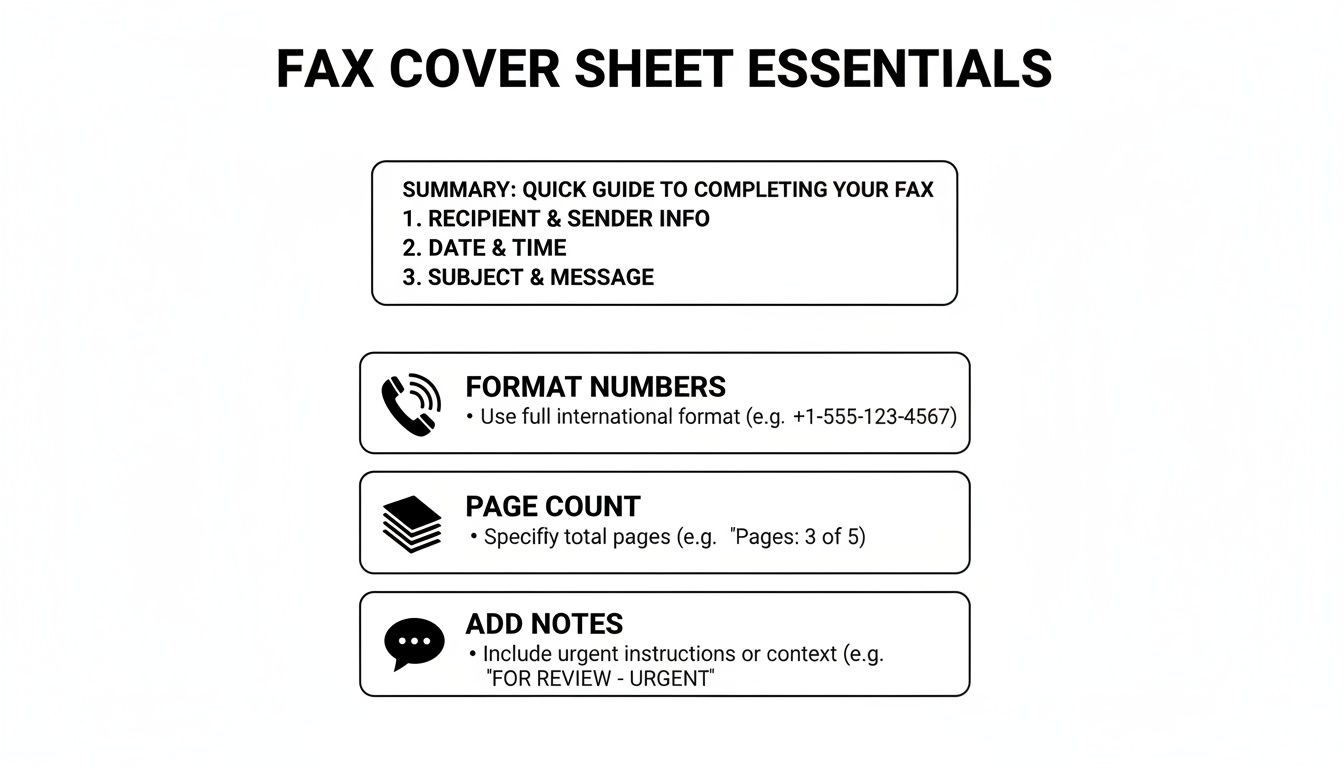
    To make sure your fax arrives safely, every cover page should have a few key pieces of information. This is your routing slip, the coordinates for your document's journey. At an absolute minimum, you need to include:

    • Who it's from: Your full name, your company (if relevant), and both your fax and phone numbers.
    • Who it's for: The recipient’s full name, their company, and their direct fax number. Always double-check that fax number!
    • The date: The day you're sending the fax.
    • The page count: This is so important. Make sure to include the cover sheet itself in your total (e.g., "Total pages: 4 (including cover)").

    A specific subject line is also a game-changer. Instead of something vague like "Forms," try "Patient Intake Forms for John Doe." This immediately tells the recipient what they’re looking at. If you need some inspiration, you can find a good selection of free printable fax cover sheets to see how these elements all come together.

    I can't tell you how many headaches have been avoided by simply including the page count. If the recipient knows to expect five pages but only four come through, they know right away the transmission failed. It's a simple detail that prevents major problems.

    To Brand or Not to Brand?

    When you use an online service like SendItFax, the cover page is often handled for you. For instance, our free plan automatically adds a basic cover page that includes SendItFax branding. For many day-to-day tasks, like sending a document to your doctor's office, this is perfectly fine.

    However, if you're sending something more formal, like a business proposal or a legal contract, you'll probably want a cleaner, unbranded look. Upgrading to a paid plan gives you the flexibility to send a fax with a generic, unbranded cover page. You can even skip the cover page entirely, which is useful when faxing to an automated system that doesn't need one. It really just comes down to your audience and the context of the document you're sending.

    Sending Your Fax Through an Online Service

    format for a fax

    Alright, you’ve done the prep work. Your document has clean margins, a professional layout, and you’ve saved it as a crisp PDF. Now for the easy part: actually sending it. This is where an online service like SendItFax really shines, letting you skip the hassle of a physical fax machine altogether.

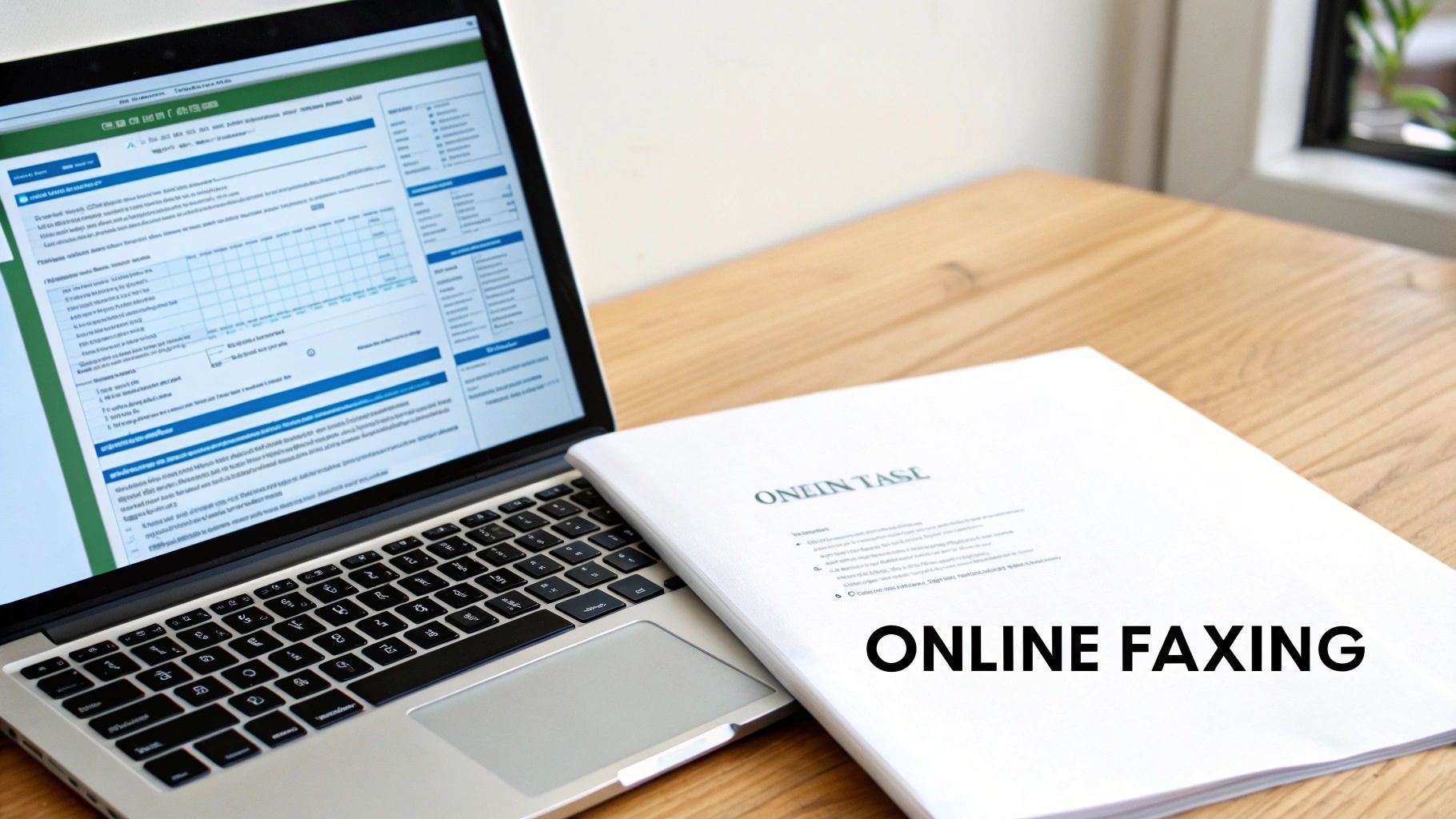
    The beauty of a modern online fax platform is its simplicity. As you can see in the screenshot above, the interface walks you through everything. There are clear fields for your information, the recipient’s details, and a spot to upload your file. It’s designed to prevent mistakes before you even click “send.”

    From Document to Delivery

    Let’s walk through a real-world scenario. You just finished a three-page client intake form in Microsoft Word. Before you do anything else, you need to lock in that formatting. The best way is to save it as a PDF. Just head to "File," then "Save As," and choose PDF from the file type menu. This simple step ensures your carefully prepared format for a fax looks exactly the same on the other end.

    Once you have your PDF ready, the sending process is a breeze:

    • Sender Details: You'll fill in your name and contact number.
    • Recipient Details: This is the most critical part. Carefully enter the recipient's name and fax number.
    • Upload Your File: Click the upload button and select the PDF you just created.

    I can't stress this enough: always double-check the recipient's fax number. A single wrong digit is the number one reason faxes fail or, worse, end up in the wrong hands. I always check it against an email signature or the company's official website.

    Choosing the Right Plan for the Job

    Online fax services aren’t one-size-fits-all, and that’s a good thing. For that quick three-page intake form, a free plan is perfect. It’s fast, costs nothing, and the branded cover page that sometimes comes with free services is usually no big deal for routine paperwork.

    But what if you're sending a 20-page contract to a new client? This is where a paid plan, like the SendItFax Almost Free option, is a much better fit. It’s built for situations where professionalism matters.

    With a paid plan, you typically get:

    • No Branding: Your cover page is clean and professional, with no mention of the fax service.
    • Higher Page Limits: You can send up to 25 pages, which easily covers most contracts and reports.
    • Priority Delivery: Your fax jumps to the front of the line, which is crucial for anything time-sensitive.

    Matching the service plan to the job ensures your document arrives safely and makes the right impression. If you want to dive deeper into the different options out there, this complete guide to using an online fax service is a great resource.

    Avoiding Common Faxing Mistakes

    Even when you do everything else right, a few simple slip-ups can cause a fax to fail. I've seen it happen countless times, but the good news is that these mistakes are almost always preventable with a quick final check before you hit send.

    The most common culprit? Unreadable text. This usually happens when you use fonts smaller than 12pt or try to get fancy with low-contrast colors. For example, a document with a gray or light-colored background might look fine on your screen, but a fax machine will likely turn it into a black, unreadable smudge. Always stick to black text on a plain white background for the best results.

    Another trap I see people fall into is unexpected formatting shifts. If you upload a DOC or DOCX file directly, the online service's conversion process can sometimes jumble your layout. That's exactly why converting to PDF first is a non-negotiable step for me—it locks everything in place and guarantees what you see is what they get.

    Final Checks Before You Send

    Beyond file issues, simple human error is behind a surprising number of failed faxes. I always run through a quick mental checklist to catch these little problems before they become big ones. It takes less than a minute and has saved me from countless headaches.

    Think of it as your pre-flight check for ensuring a proper format for a fax lands successfully. Here are the three most important things to double-check:

    • Recipient's Number: Is it absolutely correct? A single wrong digit is the number one reason for failed faxes, hands down.
    • Page Margins: Do you have at least a one-inch margin on all sides? This is crucial for preventing important information from getting cut off by the receiving machine.
    • Page Count: Does your document exceed your plan's limit? A free SendItFax account, for instance, allows for 3 pages plus the cover sheet. Be mindful of this if you're sending longer documents.

    My biggest piece of advice is to just slow down for ten seconds before sending. That extra moment is often when you'll catch a typo in the fax number or realize you forgot to check the page count. This simple habit prevents most common transmission failures.

    Frequently Asked Questions About Fax Formatting

    Even with a great online fax service, you'll probably run into a few questions about getting your documents ready to send. Let's tackle some of the most common ones we see from users.

    What Is the Best File Format for Faxing?

    When it comes to faxing, PDF is king. Think of a PDF as a digital photocopy—it locks in all your formatting, fonts, and images exactly as you see them on your screen. This means no surprise shifts or weird text changes when your document gets to the other side.

    While services like SendItFax can handle DOC and DOCX files just fine, converting your document to a PDF first is a simple pro-level step. It's the best way to guarantee your recipient sees exactly what you intended.

    Do I Always Need a Cover Page?

    While not always technically required, sending a fax without a cover page is like mailing a letter without putting a name on the envelope. It's a professional courtesy that ensures your document gets to the right person quickly and provides essential context at a glance.

    In a busy office with one shared fax machine, a cover page is your fax's personal escort. It prevents your sensitive document from getting lost in the shuffle or landing on the wrong desk.

    The only time you might skip it is when faxing to an automated system, like a government portal, that processes documents directly. Otherwise, it's always a good idea.

    Why Did My Fax Fail Even With the Right Format?

    It’s incredibly frustrating when a fax fails, especially after you've double-checked the formatting. But more often than not, the problem isn't with your file—it's something happening on the receiving end.

    Before you start troubleshooting your document, check for these common culprits:

    • You might have typed in the wrong fax number. It's an easy mistake to make!
    • The recipient's machine could be busy, turned off, or out of paper or ink.
    • You may have tried to send more pages than your plan allows.

    If a transmission fails, the very first thing you should do is verify the recipient's fax number. A simple typo is the most frequent cause.


    Ready to send your fax with confidence? With SendItFax, you can send up to three pages for free without creating an account. For longer faxes, our Almost Free plan gives you up to 25 pages, priority delivery, and removes all branding. Give it a try at https://senditfax.com.

  • Creating the Perfect Generic Fax Cover Sheet

    Creating the Perfect Generic Fax Cover Sheet

    Think of a fax cover sheet as the professional handshake before the conversation begins. It’s the first page of your transmission, and it tells the recipient everything they need to know right away: who it's from, who it's for, and what it’s about. It's not just a formality; it’s a crucial step that makes sure your documents land on the right desk and get the attention they deserve.

    Anatomy Of A Professional Fax Cover Sheet

    Top-down view of a 'COVER SHEET FIELDS' document, pen, glasses, and keyboard on a wooden desk.

    In a busy office with a shared fax machine, a document without a cover sheet is an orphan. It could get lost, ignored, or seen by the wrong eyes. This is especially true in fields like healthcare and law, where a properly filled-out cover sheet isn't just a good idea—it's a critical piece of the security and compliance puzzle.

    And yes, people are still faxing. In fact, the global fax services market was valued at USD 3.3 billion in 2024 and is expected to hit USD 4.47 billion by 2030. This isn't some dusty, forgotten technology; it's a core business tool. You can dive deeper into the fax services market growth on arizton.com. That ongoing relevance means professional standards, like using a cover sheet, matter more than ever.

    Core Components Everyone Needs

    No matter how simple or complex your fax is, every cover sheet needs a few non-negotiable pieces of information. Getting these basics right is what separates a professional communication from a potential headache for the recipient.

    • Sender & Recipient Information: Be crystal clear. Include full names, companies, and direct fax numbers.
    • Date: This is essential for record-keeping and creates an official timeline for your communication.
    • Page Count: Always include the total number of pages, including the cover sheet itself. This is the single best way for the recipient to know if they received the entire transmission.
    • Subject Line: A quick, descriptive subject gives the recipient immediate context before they even flip to the first page.

    A well-structured cover sheet does more than just transmit information; it projects professionalism and shows respect for the recipient's time and internal processes. It’s the first step in a successful and secure document transfer.

    Essential Fields for a Generic Fax Cover Sheet

    To make it even clearer, here’s a quick breakdown of what to include on any standard fax cover sheet. Think of this table as your go-to checklist before you hit send.

    Field Name Purpose Example
    To Identifies the intended recipient's name and title. Jane Doe, Accounts Payable Manager
    From Identifies the sender's name and title. John Smith, Project Lead
    Fax Number Lists the recipient's and sender's fax numbers for contact. Recipient: 555-123-4567, Sender: 555-987-6543
    Date Records the date of transmission for tracking. October 26, 2024
    Total Pages Confirms the total number of pages sent, including the cover. 5 (including cover sheet)
    Subject/RE Briefly describes the fax content for quick identification. RE: Invoice #INV-7890 for Q3 Services
    Comments Provides space for brief notes, urgency, or confidentiality notices. Urgent: Please process by EOD.

    Filling out these fields consistently ensures your faxes are always clear, professional, and directed to the right person without any guesswork.

    How to Fill Out Your Cover Sheet Accurately

    Filling out a fax cover sheet seems like a no-brainer, but I've seen simple mistakes cause major headaches. A single wrong digit in the fax number and your document goes nowhere. Miscount the pages, and the person on the other end is left wondering if the machine jammed halfway through. Getting these details right is the difference between a successful transmission and a failed one.

    Let’s start at the top: the sender and recipient info. Always go with full names and company details. It sounds obvious, but you'd be surprised. When it comes to phone and fax numbers, stick to a consistent format like (555) 123-4567. This little bit of standardization just makes everything clearer and prevents someone from misdialing when they need to call you back.

    The page count is another classic spot for errors. Here’s the key thing to remember: the total number of pages must include the cover sheet itself. So, if you have a four-page report to send, your total page count is 5. This immediately tells the recipient what to expect and lets them know if the transmission was complete.

    Adding Clarity and Context

    The subject line and comments section are where you can really help the person on the other end. A lazy subject like "Invoice" doesn't help anyone. Something specific, like "RE: Invoice #4521 – Final Payment Request," gets it to the right person's desk much faster.

    This is also your chance to add crucial handling instructions.

    • For urgent documents: A quick note like "Urgent: Action Required by 5 PM" or "Time-Sensitive Materials" ensures it doesn't get lost in a pile.
    • For confidential info: This is non-negotiable, especially in fields like healthcare or law. You need a clear disclaimer.

    A simple statement like, "Confidential: This fax is intended only for the named recipient and may contain legally privileged information," does more than just inform. It provides a layer of legal protection, notifying anyone who might see it by accident that they can't read or share it.

    Taking an extra 30 seconds to add these details is crucial for compliance with regulations like HIPAA. It’s what turns a basic fax cover sheet into a professional and secure tool for communication.

    Grab a Free Fax Cover Sheet Template

    Why start from scratch when you don't have to? We've already done the heavy lifting and created a handful of professional, ready-to-use templates. Just grab the one that fits what you're sending, fill it in, and you're good to go.

    Each template is clean, easy to read, and has all the essential fields already in place. We've designed a few different versions to make sure you look polished, no matter if you're sending a quick note or a formal legal document.

    Pick the Right Template for the Job

    You wouldn't use the same tone for every email, and the same goes for fax cover sheets. We have four options to cover the most common scenarios:

    • Basic Template: This is your go-to for everyday faxes. It’s simple, clean, and perfect for general use when you just need to get the job done.
    • Business Template: A step up from the basic, this one includes a spot for your company logo. It’s a great way to keep your branding consistent and professional.
    • Legal Template: When sending sensitive legal documents, you need to be explicit about privacy. This template features a bold, impossible-to-miss confidentiality notice.
    • Healthcare Template: Built with HIPAA compliance in mind, this template includes a clear disclaimer to help protect patient health information (PHI).

    Before you hit send, it's always a good idea to give your cover sheet a final once-over. This quick visual guide points out the key details that matter most.

    A guide to fax cover sheet essentials, including summary, formatting, page count, and notes.

    As the graphic shows, little things like double-checking the page count or ensuring the phone numbers are formatted correctly can make all the difference in a successful transmission.

    Make a Template Your Own

    After you download a template, feel free to tweak it. If you find yourself faxing the same client every week, why not save a version with their details already filled out? It’s a simple time-saver. For a deeper dive, check out our full guide on how to customize a fax cover sheet.

    A good template does more than just save you a few minutes; it signals professionalism. A well-organized cover sheet shows you care about the details, which sets the right tone before your recipient even gets to the first page.

    Using one of our templates is the fastest way to avoid common mistakes and ensure your fax makes the right first impression every time.

    Common Faxing Mistakes You Can Easily Avoid

    Even with the perfect cover sheet, simple slip-ups during the faxing process can cause major headaches. A contract sent to the wrong person or a medical file that cuts off halfway through can have real consequences.

    Let's look at some of the most common—and easily fixable—mistakes I see people make all the time.

    The Pesky Page Count

    One of the most frequent flubs is getting the page count wrong. It sounds minor, but it matters. People often forget to include the cover sheet in their total. This leaves the person on the other end wondering if their machine jammed or if the transmission was incomplete, leading to wasted time with follow-up calls and confusion.

    Always double-check that your total page number includes the cover sheet itself. It's a small detail that makes a big difference.

    Readability is Everything

    Another classic mistake is sending a document that’s a blurry, illegible mess. If you're scanning something with faint handwriting or low-contrast text, it’s not going to get any better after being transmitted over a fax line. What’s the point of sending it if no one can read it?

    Before you hit send, do a quick preview. Make sure every word is crisp and clear, especially for signed agreements or detailed forms where every single detail is crucial.

    Don't Skip the Confidentiality Notice

    This one is huge. Forgetting to include a confidentiality notice, especially when you're sending sensitive information, is probably the most critical mistake you can make. It's an absolute must in fields like healthcare and legal.

    Believe it or not, the healthcare industry alone was responsible for over 9 billion of the 17 billion faxes sent worldwide back in 2019. It’s a testament to the fact that faxing is still a workhorse technology, as detailed in this article on the endurance of fax technology in modern communication. When that much protected health information (PHI) is flying around, that little disclaimer is your first line of defense.

    A clear confidentiality statement isn't just a suggestion; it's a vital layer of protection. It formally notifies any unintended recipient that the contents are private and legally privileged, instructing them not to read, copy, or distribute the information.

    If you work in a medical field, getting this right is non-negotiable for staying compliant. To make sure your documents are up to snuff, check out our guide on creating a HIPAA-compliant fax cover sheet.

    Avoiding these simple errors will help you build a reliable and secure faxing habit every single time.

    Using Cover Sheets With Online Fax Services

    Laptop and documents on a wooden desk, highlighting online faxing services.

    Moving from a clunky machine to an online fax service makes sending documents a whole lot easier. It also changes how you deal with a generic fax cover sheet. Forget about printing a separate page—modern platforms like SendItFax build the cover sheet right into the sending process.

    As you get your documents ready to send, you’ll usually see an option to add a cover page. This is where you can type your message directly into a text field. The service then automatically generates a clean, professional cover sheet using your sender and recipient details, which saves a ton of time.

    This seamless process is a big part of why faxing is still so relevant. Believe it or not, a 2023 study found that 82% of companies in Germany still regularly use fax because it provides a verifiable delivery and a solid paper trail. If you're curious why it's still so popular, you can read about its role in international business on faxination.com.

    Customization and Control

    Online fax services also give you a level of flexibility you just don't get with an old-school machine. A free plan might include the provider's branding on the cover page, which is perfectly fine for occasional use. But for business communications, upgrading to a paid plan usually removes that branding for a more polished look.

    The real advantage of online services is control. You can choose to add a detailed cover message for one fax and then decide to omit the cover sheet entirely for the next one, all with a single click.

    This kind of on-the-fly control fits perfectly with modern workflows. You get all the security and formality of a traditional fax without being stuck in a rigid, one-size-fits-all process. If you’re just getting started with this approach, you can learn the basics of how to send a fax online and see for yourself how simple it is.

    Answering Your Top Fax Cover Sheet Questions

    Even once you get the hang of filling out a fax cover sheet, a few common questions always seem to pop up. Let's tackle some of the most frequent ones so you can send your next fax with total confidence.

    A big one I hear all the time is, "Is a cover sheet legally required?" For most day-to-day business faxes, the answer is no—there isn't some universal law that says you have to use one. But when you're working in regulated fields like healthcare or law, using a cover sheet isn't just a good idea; it's a critical best practice for staying compliant.

    Think about it from a healthcare perspective. A cover sheet with a HIPAA disclaimer is your first line of defense in protecting patient health information (PHI). It immediately alerts anyone who sees it that the contents are confidential, which is a massive part of maintaining security and preventing an accidental breach.

    Can I Just Make My Own Cover Sheet?

    You absolutely can, and you don't need any fancy software to do it. A simple document created in Microsoft Word or Google Docs will work just fine.

    If you want to create your own, it's pretty straightforward:

    • Start with a blank document and give it a clear, bold title at the top, like "Fax Cover Sheet" or "Facsimile Transmittal."
    • Next, add the essential fields we've already covered: To, From, Date, Subject, and the Total Page count (don't forget to include the cover page itself in this number!).
    • Make sure to leave a decent-sized section for comments or any special instructions.
    • Finally, if you're sending anything sensitive, add a confidentiality notice at the bottom.

    Just save this file as a template on your computer, and you’ve got a go-to cover sheet ready whenever you need one. It's a simple and completely free solution that gets the job done.

    What Is a Confidentiality Notice, Anyway?

    A confidentiality notice is that formal-looking paragraph you often see at the bottom of a cover sheet. Its job is to warn anyone who lays eyes on the fax that the information is private and meant only for the person it's addressed to. It's a legal safeguard that can be incredibly important if your fax ends up in the wrong hands.

    This notice isn't just filler text; it’s a direct instruction. It clearly states that the information is privileged and that anyone who isn't the intended recipient is strictly prohibited from reading, copying, or sharing it.

    You should always include one when you're faxing things like:

    • Legal documents or signed contracts
    • Medical records or any patient data
    • Financial statements or personal information
    • Internal company memos that aren't meant for public release

    Here’s a classic example you can adapt for your own use:
    "CONFIDENTIALITY NOTICE: The documents accompanying this transmission contain confidential information belonging to the sender that is legally privileged. This information is intended only for the use of the individual or entity named above. If you are not the intended recipient, you are hereby notified that any disclosure, copying, distribution, or action taken in reliance on the contents of this information is strictly prohibited."


    Ready to send a fax without the fuss? SendItFax lets you upload your documents, add a professional cover page, and send your fax in minutes—no account or fax machine needed. Try it now at https://senditfax.com.

  • The 12 Best Printable Fax Cover Sheet Resources for 2025

    The 12 Best Printable Fax Cover Sheet Resources for 2025

    While faxing remains a critical tool for transmitting sensitive documents in legal, medical, and corporate fields, a professional printable fax cover sheet is more than just a formality. It’s the first impression of your document, ensuring it reaches the right person, conveys urgency, and maintains confidentiality. Creating one from scratch, however, can be a time-consuming and unnecessary task when you need to send a document quickly.

    This guide solves that problem. We have curated a definitive list of the 12 best resources for high-quality, free, and premium fax cover sheet templates. You'll find options for every possible use case, from basic personal memos to HIPAA-compliant medical forms and polished corporate designs. Each entry includes a direct link and a clear preview, so you can quickly find the perfect fit.

    We'll explore a variety of sources, including well-known platforms like Microsoft and Adobe, specialized template sites like Vertex42, and even online fax services that offer free resources. Forget wasting time on design; this article provides the direct path to a professional-looking fax transmission. We will also provide brief instructions on how you can customize and send these documents using an online service like SendItFax, streamlining your entire workflow.

    1. Microsoft Create (formerly Office Templates)

    For those who prefer working within the familiar Microsoft Office ecosystem, Microsoft Create is the definitive starting point. It provides an official library of free, printable fax cover sheet templates designed specifically for Word and Excel. This makes it an ideal choice for professionals and businesses who need to maintain consistent branding and document standards without relying on third-party design software. The templates are clean, professional, and built for function over flair.

    Microsoft Create (formerly Office Templates)

    The primary advantage is trustworthiness and ease of use. Since these are official Microsoft templates, they are guaranteed to be compatible and well-formatted, eliminating common issues like alignment errors. Editing is straightforward: download the .docx file, open it in Word, and replace the placeholder text. You can easily insert your company logo, adjust fonts, and change colors to match your brand identity. For further guidance on what to include, you can review some effective fax cover letter examples.

    Key Features and Assessment

    Feature Assessment
    Cost Completely free to download and use.
    File Formats Primarily Microsoft Word (.docx) and some Excel (.xlsx).
    Ease of Use Excellent for anyone comfortable with Microsoft Office.
    Customization High. Full control over text, logos, and branding within Word.
    • Pros: Trustworthy source, works offline once downloaded, high compatibility with Office software.
    • Cons: Requires Microsoft Word or Excel for full editing capabilities, designs are more traditional and less creative.

    Website: https://create.microsoft.com/

    2. Adobe Express Templates

    For users who prioritize visual appeal and quick in-browser editing, Adobe Express is a fantastic resource. It offers a vast library of professionally designed printable fax cover sheet templates that can be customized without needing any desktop software. This makes it a great choice for creatives, small businesses, and anyone wanting to produce a modern, branded fax cover in minutes. The templates are more visually dynamic than traditional options and focus on a blend of style and function.

    Adobe Express Templates

    The key benefit is the powerful yet intuitive drag-and-drop editor. You can access it from any web browser, change fonts, add your logo, and adjust layouts with ease. Once your design is complete, you can download it as a print-ready PDF file. While many templates are free, some premium designs and features require a subscription. However, the free selection is often more than sufficient for creating a polished and effective fax cover sheet.

    Key Features and Assessment

    Feature Assessment
    Cost Freemium model; many templates are free, others require a subscription.
    File Formats Primarily PDF, with options for JPG and PNG.
    Ease of Use Excellent. The in-browser editor is intuitive for all skill levels.
    Customization Very high. Extensive control over design elements, fonts, and colors.
    • Pros: Modern and visually appealing designs, accessible on any device, easy drag-and-drop customization.
    • Cons: Requires an Adobe account to save or download, some of the best templates are behind a paywall.

    Website: https://www.adobe.com/express/templates/cover/fax?utm_source=openai

    3. Vertex42

    Vertex42 is a well-established resource for practical document templates, offering a no-nonsense collection of printable fax cover sheet options. It stands out by providing templates in multiple formats, including Microsoft Word, Excel, and even Google Sheets. This variety caters to users who might prefer a spreadsheet interface for data entry or need to batch-print multiple blank cover sheets for manual use in an office setting.

    Vertex42

    The primary appeal of Vertex42 lies in its functional, minimalist design. The layouts are clean, print well, and include ample white space for handwritten notes if needed. You can download an editable PDF to fill out on your computer or a Word document for more thorough customization. While the website interface contains ads, the templates themselves are straightforward and highly practical for business or personal communication where function is more important than creative design.

    Key Features and Assessment

    Feature Assessment
    Cost Free for personal use.
    File Formats Word (.docx), Excel (.xlsx), PDF, and Google Sheets.
    Ease of Use Very good. Simple downloads with clear instructions.
    Customization Good. Editable in their native applications (Word, Excel, etc.).
    • Pros: Multiple file formats available, minimalist layouts print cleanly, great for batch printing.
    • Cons: Limited aesthetic variety, the website page features advertisements.

    Website: https://www.vertex42.com/ExcelTemplates/fax-cover-sheet.html?utm_source=openai

    4. eFax (Free Fax Cover Sheet Templates)

    As a major player in the online faxing industry, eFax provides a valuable resource of free, printable fax cover sheet templates. These are available to everyone, not just their subscribers. The collection is notable for its clear categorization, offering designs tailored for business, confidential, personal, and modern use cases. This makes it an excellent choice for users who need a specific type of cover sheet without having to design it from scratch. The designs are professional and standardized, focusing on clarity and essential information.

    eFax (Free Fax Cover Sheet Templates)

    The standout feature is the inclusion of specialized templates, particularly for healthcare. eFax offers a HIPAA-compliant cover sheet, which is a crucial tool for medical professionals who need to ensure patient privacy. Each template category comes with clear usage instructions. While the site does promote eFax's paid services, the templates themselves are completely free to download and print. You can find a more detailed breakdown of a great fax cover sheet PDF template to see what fields are essential.

    Key Features and Assessment

    Feature Assessment
    Cost Completely free to download and use.
    File Formats Primarily PDF.
    Ease of Use Very simple; just download the PDF and print.
    Customization Low. As PDFs, they are not easily editable. Best for printing as-is.
    • Pros: Excellent selection of category-specific templates, includes a HIPAA-compliant option, professional designs.
    • Cons: Prominently advertises paid eFax services, PDF format limits easy customization, requires navigating through categories.

    Website: https://www.efax.com/fax-cover-sheets?utm_source=openai

    5. iFax (Template Library)

    iFax offers a comprehensive library of printable fax cover sheet templates categorized by industry and style, such as Office, Classic, Modern, and even HIPAA-compliant designs. This makes it a valuable resource for professionals in regulated fields who need specialized documents. Users can preview each template before downloading, ensuring they select the right format for their specific communication needs. The focus on vertical-specific layouts is its key differentiator.

    iFax (Template Library)

    The platform provides downloads in both PDF and Word (.doc) formats, offering flexibility for users who want to either print immediately or make detailed edits. While the templates are free, the site does promote the iFax sending service, and some pages contain dense SEO text. However, the quality and specificity of the templates, especially the HIPAA-compliant options for medical use, make it a go-to for specialized business requirements. Simply find your needed design, download it, and fill it out for a polished and professional fax.

    Key Features and Assessment

    Feature Assessment
    Cost Completely free to download and use.
    File Formats PDF and Microsoft Word (.doc).
    Ease of Use Good. Clear previews make selection easy.
    Customization High for Word files; PDF files are print-ready but not editable.
    • Pros: Excellent selection of vertical-specific templates (e.g., medical), offers both PDF and DOC formats, clear previews.
    • Cons: Marketing for the iFax app is interspersed, some pages are heavy on SEO-focused content.

    Website: https://www.ifaxapp.com/free-fax-cover-sheets/office-fax-cover-sheet/?utm_source=openai

    6. MyFax (Free Fax Cover Sheets)

    As a long-standing player in the online fax service industry, MyFax also provides a valuable collection of free, printable fax cover sheet templates. These are offered in .doc format, making them an excellent resource for users who prefer to edit documents in Microsoft Word. The templates are neatly categorized into business, personal, and healthcare-specific styles, providing a solid foundation for various professional needs.

    MyFax (Free Fax Cover Sheets)

    The primary benefit of MyFax is its straightforward approach. The website offers clear, step-by-step instructions on how to download, edit, and use the cover sheets, which is helpful for those less familiar with the process. While the site naturally promotes its own paid faxing service, accessing the templates is completely free and requires no signup. The designs are functional and professional, prioritizing clarity over creative aesthetics, which is ideal for corporate or formal communication.

    Key Features and Assessment

    Feature Assessment
    Cost Completely free to download and use.
    File Formats Microsoft Word (.doc) only.
    Ease of Use Very good, especially with the provided step-by-step guidance.
    Customization High. All text fields, fonts, and logos are editable in Word.
    • Pros: Straightforward downloads, easy to customize with Word, helpful usage tips.
    • Cons: Fewer modern designs than dedicated platforms, site heavily encourages MyFax service signup.

    Website: https://www.myfax.com/free-fax-cover-sheets

    7. FaxBurner (Free Cover Sheets)

    FaxBurner offers a collection of clean, modern, and printable fax cover sheet templates that are ideal for users who prioritize simplicity and efficiency. While the company promotes its online faxing app, it provides these resources completely free, categorized for specific needs like Basic, Urgent, and Confidential. This makes it a great stop for anyone needing a functional, no-frills cover sheet without navigating a massive template library.

    FaxBurner (Free Cover Sheets)

    The standout feature is its multi-format availability. Each design is available for instant download as a PDF, Microsoft Word (.docx), or even an Apple Pages file. This cross-platform support is a significant convenience, catering to both Windows and Mac users without requiring file conversions. The layouts are minimalist, ensuring your critical information is front and center and your fax appears professional and easy to read.

    Key Features and Assessment

    Feature Assessment
    Cost Completely free to download and use.
    File Formats PDF, Microsoft Word (.docx), Apple Pages (.pages).
    Ease of Use Excellent. Simple website layout with direct download links.
    Customization Good. The Word and Pages files are fully editable.
    • Pros: Offers templates in multiple formats (PDF, Word, Pages), clean and minimalist designs, categorized for easy selection.
    • Cons: A much smaller library compared to dedicated template sites, the website's main focus is promoting its faxing service.

    Website: https://www.faxburner.com/homepage/basic-fax-cover-sheets?utm_source=openai

    8. Template.net

    For users seeking variety above all else, Template.net offers one of the most extensive libraries of printable fax cover sheet templates available. The platform stands out by providing designs across a massive range of file formats, including Word, Google Docs, PDF, Excel, and even Apple Pages. This makes it a versatile hub for individuals and businesses, regardless of their preferred software ecosystem, with options tailored for specific industries like medical, legal, and real estate.

    Template.net

    The platform offers both free and premium templates, allowing you to filter by your needs. A unique feature is the in-browser editor, which lets you make quick customizations before downloading the final document. While many basic designs are free, some of the more specialized or polished templates require a premium subscription. The site’s broad compatibility ensures you can find a professional-looking template that works natively with your document workflow, whether you're using Microsoft Office or Google Workspace.

    Key Features and Assessment

    Feature Assessment
    Cost Freemium model; many free templates, with more behind a subscription.
    File Formats Excellent variety: Word, Google Docs, PDF, Excel, Apple Pages/Numbers.
    Ease of Use Good. Offers direct download or a simple in-browser editor.
    Customization High. Both the editor and native files allow for full customization.
    • Pros: Extremely broad catalog with frequent updates, supports both MS Office and Google formats, industry-specific designs.
    • Cons: Some of the best templates are gated behind a premium plan, website has noticeable marketing copy.

    Website: https://www.template.net/fax-cover-sheet?utm_source=openai

    9. FaxItOnce – Free Cover Sheet Generator

    For those who need a printable fax cover sheet immediately without opening any software, FaxItOnce provides a free, browser-based generator. This tool is designed for speed and simplicity, making it perfect for urgent, one-off faxes. Users are guided through a simple form where they input sender, recipient, and message details, and the platform instantly generates a professional, print-ready PDF. It strips away the need for design skills, focusing purely on function.

    FaxItOnce – Free Cover Sheet Generator

    The primary benefit of FaxItOnce is its efficiency. There is no software to install or template to download; the entire process happens online. After filling in the fields, you simply click to generate the PDF, which can be printed or saved. This streamlined workflow is ideal for individuals who rarely send faxes and don't want the hassle of managing document templates. For users exploring similar tools, this is a prime example of a free printable fax cover sheet with no download required.

    Key Features and Assessment

    Feature Assessment
    Cost Completely free for the cover sheet generator.
    File Formats Generates a print-ready PDF file.
    Ease of Use Excellent. The guided form is intuitive and requires no technical skill.
    Customization Low. Limited to the information fields provided in the form.
    • Pros: No design skills needed, instant PDF generation, great for occasional or urgent needs.
    • Cons: Limited design customization versus template sites, includes an optional service upsell on the page.

    Website: https://faxitonce.com/tools/cover-sheet-generator?utm_source=openai

    10. Etsy (Digital Download Templates Marketplace)

    For those seeking a more creative or niche-specific design, Etsy is a surprising but effective marketplace. Independent designers sell low-cost, printable fax cover sheet templates as instant digital downloads, offering a vast departure from the standard corporate look. This is the ideal destination for small businesses, freelancers, or individuals who want a cover sheet with more personality, whether it's modern, minimalist, or industry-specific (like for a creative studio or a wellness clinic).

    The primary advantage of Etsy is the unique variety and affordability. For just a few dollars, you can purchase a professionally designed template that is often editable in user-friendly platforms like Canva, Google Docs, or Microsoft Word. Since you are buying from individual sellers, it's important to read the listing details carefully to confirm file compatibility and review seller ratings. This approach supports independent creators while giving you a one-of-a-kind document.

    Key Features and Assessment

    Feature Assessment
    Cost Very low cost; typically a one-time fee of $1.50–$5.
    File Formats Varies by seller; common formats include PDF, DOCX, and Canva links.
    Ease of Use Good. Most sellers provide easy-to-edit files for common software.
    Customization High. Editable templates offer full control over text, colors, and logos.
    • Pros: Unique and creative designs not found elsewhere, extremely affordable, supports independent designers.
    • Cons: Quality and file types can vary by seller, commercial reuse rights are often restricted.

    Website: https://www.etsy.com

    11. Office Depot/OfficeMax (Physical Fax Cover Sheet Pads)

    For high-volume fax environments or offices that prefer a non-digital workflow, purchasing pre-printed pads can be more efficient than using a printable fax cover sheet. Office Depot and OfficeMax offer physical pads of fax cover sheets, such as the TOPS HIPAA-compliant version, ready for immediate, handwritten use. This approach eliminates the need for a printer, making it perfect for shared fax machine stations where convenience is key. The forms are standardized and designed for clarity and quick completion.

    Office Depot/OfficeMax (Physical Fax Cover Sheet Pads)

    The primary advantage is the grab-and-go convenience. There's no need to open a file, edit, or print; you simply tear a sheet off the pad and fill it out by hand. These pads often come with specific compliance language, such as HIPAA confidentiality notices, which is a critical feature for medical and legal offices. They are available for nationwide shipping or in-store pickup, providing a reliable supply chain for essential office operations.

    Key Features and Assessment

    Feature Assessment
    Cost Ongoing purchase cost per pad (e.g., around $10-15 per 100 sheets).
    File Formats Not applicable; these are physical paper products.
    Ease of Use Excellent. No technology or printing is required.
    Customization Very low. You cannot add logos or alter the pre-printed layout.
    • Pros: Extremely convenient, no printing needed, ideal for shared fax stations, compliance-specific options available.
    • Cons: Incurs an ongoing supply cost, zero customization for branding, less environmentally friendly than digital options.

    Website: https://www.officedepot.com/a/products/515840/TOPS-HIPPA-Flash-Fax-Cover-Sheets/?utm_source=openai

    12. Quill (Physical and Custom Fax Cover Slips)

    For high-volume business environments, Quill offers a practical, old-school solution: physical pads of fax cover slips. This approach is ideal for offices that still rely on a traditional fax machine and need a steady, offline supply of standardized cover sheets. Rather than dealing with a digital printable fax cover sheet for every transmission, staff can simply tear a sheet from a pad, fill it out by hand, and send. This B2B-focused retailer specializes in bulk orders, making procurement simple and cost-effective.

    Quill (Physical and Custom Fax Cover Slips)

    Quill's main advantage is its efficiency for organizations with established workflows. The pads, typically containing 100 sheets, often include important elements like privacy notices, which are crucial for compliance in many industries. Tiered pricing rewards larger purchases, and the platform supports business accounts with streamlined invoicing and shipping options. While it lacks digital customization, it excels in providing a reliable, tangible resource for busy offices where convenience and speed are paramount.

    Key Features and Assessment

    Feature Assessment
    Cost Paid; tiered discounts available for bulk orders.
    File Formats N/A (physical paper pads).
    Ease of Use Excellent for offline use; simply write and fax.
    Customization Low. The designs are standardized, though some custom options exist.
    • Pros: Competitive bulk pricing, ideal for high-volume faxing, reliable B2B shipping and invoicing.
    • Cons: Not a digital or printable solution, limited design variety, requires a physical purchase.

    Website: https://www.quill.com/custom-privacy-notices-fax-cover-slips-8-1-2-x-11-100-sheets-pad/cbs/55400920.html?utm_source=openai

    Printable Fax Cover Sheets: 12-Source Comparison

    Item Core features UX / Quality Price / Value Target audience Unique selling points
    Microsoft Create (formerly Office Templates) Free editable Word/Excel templates; print-ready .docx/.xlsx ★★★★ Trusted, clean print 💰 Free 👥 Office users, brand-conscious ✨ Official MS templates; easy branding 🏆
    Adobe Express Templates Hundreds of editable designs; in-browser drag & drop; PDF export ★★★★★ Polished, easy customization 💰 Free & Premium (some paid) 👥 Designers, SMBs needing polish ✨ Brand Kit + in-browser editor 🏆
    Vertex42 Multiple formats (PDF/Word/Excel/Sheets); spreadsheet-friendly ★★★★ Practical, prints clean 💰 Free (ads) 👥 Admins, batch printers ✨ Spreadsheet-ready, batch-printing
    eFax (Free Templates) Category-specific covers incl. HIPAA; printable formats ★★★★ Professional, compliance-ready 💰 Free templates; promotes eFax plans 👥 Healthcare & business users ✨ HIPAA-focused templates 🏆
    iFax (Template Library) DOC/PDF templates by industry; preview before download ★★★★ Many vertical options 💰 Free downloads; app upsell 👥 Industry-specific users ✨ Vertical/medical variations
    MyFax (Free Covers) .doc templates, step-by-step tips; Word-editable ★★★ Simple, easy to edit 💰 Free; service promoted 👥 Word users, small biz ✨ Word-ready files for quick edits
    FaxBurner (Free Covers) PDF/Word/Apple Pages; categorized minimalist layouts ★★★★ Clean, modern designs 💰 Free; app marketing 👥 Mobile users, minimalists ✨ Multi-format convenience
    Template.net Large catalog across formats; in-browser editing ★★★★ Very broad variety 💰 Free & Premium items 👥 Agencies, multi-format needs ✨ Huge, frequently updated catalog 🏆
    FaxItOnce – Cover Sheet Generator Guided field entry + instant PDF download ★★★★ Instant, no design skill needed 💰 Free 👥 Occasional/urgent users ✨ Quick generator for one-offs
    Etsy (Digital Downloads) Independent designer templates; instant digital delivery ★★★–★★★★ Quality varies by seller 💰 Low-cost ($1.50–$5 typical) 👥 Seekers of unique/affordable designs ✨ Unique, niche styles; seller reviews
    Office Depot / OfficeMax (Pads) Preprinted 8.5×11 pads; HIPAA/confidential options ★★★ Ready-to-use, tangible 💰 Paid per pad 👥 Shared fax stations, walk-in offices ✨ No printing required; store pickup
    Quill (Physical / Custom Slips) Pads of 100; volume pricing; B2B shipping/invoicing ★★★★ Reliable for bulk orders 💰 Bulk discounts; B2B pricing 👥 Procurement teams, large orgs ✨ Volume discounts + invoicing 🏆

    From Template to Transmission: Your Next Steps

    Navigating the landscape of fax communication has fundamentally changed. The days of relying on bulky, dedicated machines are over, yet the need for secure, professional document transmission remains critical in many industries. This guide has equipped you with a comprehensive toolkit, showcasing a diverse array of resources for finding the perfect printable fax cover sheet for any situation.

    We’ve explored everything from the robust, professionally designed templates offered by giants like Microsoft Create and Adobe Express to specialized, industry-specific options from services like eFax and iFax. For those seeking cost-effective or highly specific solutions, we delved into the extensive libraries of Vertex42 and Template.net, the unique custom creations on Etsy, and even the simple efficiency of physical cover sheet pads from office supply stores. The key insight is that the "best" template is not a one-size-fits-all solution; it is entirely dependent on your specific context, audience, and the nature of the documents you are sending.

    Key Takeaways and Choosing Your Path

    As you move forward, the most crucial step is to align your choice with your needs. A simple, clean template from Vertex42 might be perfect for a quick personal fax, whereas a legal firm will benefit immensely from a more formal, detailed printable fax cover sheet that includes specific fields for case numbers and confidentiality notices.

    Consider these factors when making your final selection:

    • Urgency vs. Customization: Do you need to send a fax in the next five minutes? A simple, print-ready PDF from a service like MyFax is your best bet. Do you want to build a reusable, branded template? Investing time in a DOCX file from Microsoft Create or a customizable design from Adobe Express will pay dividends.
    • Confidentiality and Compliance: For medical, legal, or sensitive financial documents, prioritize templates that explicitly include confidentiality disclaimers. Sources like eFax often design their resources with HIPAA considerations in mind, providing an essential layer of professionalism and legal protection.
    • Volume and Frequency: If you send faxes regularly, using a customizable DOCX or INDD template allows you to pre-fill your contact information, saving valuable time. For infrequent, one-off faxes, a free online generator like FaxItOnce offers unparalleled convenience without requiring software or downloads.

    Ultimately, your chosen printable fax cover sheet is the first impression your recipient has of your communication. It sets the tone, provides critical context, and ensures your document is routed correctly upon arrival. By selecting a template that reflects the professionalism and urgency of your message, you ensure your transmission is not just sent, but received effectively. The final step is pairing that perfect cover sheet with a modern, reliable delivery method that bridges the gap between your digital file and the recipient's fax machine.


    Ready to send your newly customized document? With SendItFax, you can upload your chosen printable fax cover sheet and documents directly from your computer or phone and transmit them in seconds. Try our fast, secure, and account-free online faxing service today at SendItFax to complete your transmission with confidence.