Tag: fax cover sheet template

  • What Information Goes on a Fax Cover Sheet? A Full Guide

    What Information Goes on a Fax Cover Sheet? A Full Guide

    You’ve got a form open, a deadline staring at you, and someone on the other end has said, “Just fax it over.” Then you hit the cover page field and pause.

    That hesitation is normal. Many individuals don’t fax often enough to memorize the unspoken rules. But in offices, clinics, law firms, and property transactions, the cover sheet still matters because it’s the first thing another human sees. It tells them what landed in their tray, who sent it, whether anything is missing, and whether they need to handle it carefully.

    A lot of people think of fax cover sheets as filler. They aren’t. They’re closer to the label on a package and the note attached to it by the front desk. When they’re done well, they help your fax reach the right person faster and with less confusion. When they’re sloppy, they create delays, callbacks, and in some settings, compliance trouble.

    Sending Your First Fax The Right Way

    Say you’re sending a signed contract before close of business. Or a medical office asks for records right away. Or a county office still wants a form by fax because that’s how their workflow runs. You upload the document, see the cover page option, and suddenly the task feels less simple than “attach and send.”

    That’s where new senders usually get stuck. They know the document itself is important, but they’re not sure what information goes on a fax cover sheet, or how formal it needs to be.

    The answer is simpler than it looks. A good cover sheet gives the recipient three things immediately: who sent this, who should get it, and what should be attached behind it. Much like the note you’d paperclip to a file before handing it to a receptionist, you’re already on the right track.

    If you want a quick companion piece on layout before you send anything, this guide on fax format basics helps show how the overall document should be arranged.

    Practical rule: If the recipient could sort, identify, and follow up on your fax by reading only the cover sheet, you’ve probably included the right information.

    Faxing may feel old-school, but the etiquette around it is very practical. Clear labels save time. Clear page counts prevent missing pages from being overlooked. Clear contact information gives the recipient a way to call you before a small mistake becomes a bigger one.

    The Purpose of a Fax Cover Sheet

    A fax cover sheet does the job that an envelope and a front desk receptionist would do in a physical office. It announces the delivery, points it to the right person, and adds context before anyone reads the document itself.

    A digital fax interface on a desktop computer screen next to a coffee mug and paper.

    Routing the fax

    In a busy office, faxes don’t always land directly in one person’s hands. They may print to a shared machine, appear in a central inbox, or get reviewed by admin staff first. The cover sheet tells that first viewer exactly where the document belongs.

    If the recipient’s name or fax number is vague, your fax may still arrive at the company but stall there. That’s why the cover sheet isn’t just a formality. It’s routing information.

    Giving context before the document starts

    The cover sheet also answers the practical questions a recipient asks right away.

    • Who sent this? So they know whether to prioritize it.
    • What is it about? So they can route it internally or respond quickly.
    • How many pages should be here? So they can tell if something failed during transmission.
    • Is it sensitive? So they know whether to leave it in the open or handle it carefully.

    Without that context, even a correctly delivered fax can create extra work. Someone has to open it, guess what it is, and figure out whether they need to act on it.

    Showing professionalism

    A clean cover sheet works like letterhead. It signals that you know how to communicate in a professional setting. That matters more than people admit.

    When your cover sheet is clear, the recipient assumes the rest of the transmission will be clear too.

    That doesn’t mean it needs to be fancy. In fact, simple is usually better. But it should look deliberate, not improvised.

    The Anatomy of a Perfect Cover Sheet Essential Fields

    Most professional cover sheets rely on the same core structure. According to FaxBurner’s overview of standard fax cover sheet information, 7 standard elements form the core of a professional fax cover sheet, and those elements can help prevent up to 30% of misrouted faxes. The same source notes that page count is essential for verifying 100% receipt integrity.

    A hierarchical diagram explaining the essential components needed to include on a professional fax cover sheet.

    Sender information

    Start with the details of the person or organization sending the fax.

    This usually includes your name, job title if relevant, company or organization, phone number, and fax number. Think of this as your return address plus callback number. If the fax is incomplete, blurry, or misdirected internally, these details let the recipient fix the problem quickly.

    A sender line that just says “Mike” is not enough in a professional setting. “Michael Turner, Accounts Payable, North Ridge Supply, phone, fax” is far more useful.

    Recipient information

    Accuracy is paramount. Include the recipient’s full name, organization, and fax number.

    If you’re sending to a larger office, use the actual person’s name whenever possible instead of only the department. “Human Resources” is better than nothing, but “Dana Ellis, Human Resources” gives staff a much clearer target.

    Date and time

    The date and time help with tracking, filing, and follow-up. They also help settle those moments when someone says, “We didn’t get it,” and another person needs to check the transmission against office logs.

    For time-sensitive material, this field helps establish when the document was sent. In legal and administrative settings, that detail often matters more than people expect.

    Total number of pages

    This is one of the most overlooked fields, and one of the most useful.

    Write the total number of pages including the cover sheet. If you’re sending two pages of a contract plus the cover page, note it clearly, such as “3 pages + cover” if that matches your template style, or otherwise state the total in a plain way that includes the cover.

    Why does this matter? Because the recipient can tell immediately whether something is missing. Without a page count, they may not realize page three never arrived.

    Subject or purpose

    The subject line should tell the recipient what they’re looking at in one short phrase. Not “documents.” Not “paperwork.” Be specific.

    Good examples include:

    • Contract review
    • Signed intake form
    • Updated insurance records
    • Purchase order approval

    That one line saves the recipient from guessing and helps them prioritize.

    Urgency marker

    Not every fax needs one, but many templates include an urgency field. If the fax is time-sensitive, say so plainly. If it isn’t, leave that field blank rather than marking everything urgent.

    People stop taking urgency labels seriously when every cover sheet screams for immediate attention.

    Confidentiality notice

    This is the part many people paste in without thinking. But it serves a real purpose. It warns unintended readers that the fax may contain sensitive information and tells them what to do if they received it by mistake.

    For business users who want a visual reference before drafting their own, this fax cover letter example shows how these fields typically appear together on the page.

    A cover sheet should help the recipient sort, verify, and respond without opening the attachment first.

    Beyond the Basics Optional Fields for Added Context

    Once the essentials are in place, a few optional fields can make your fax easier to process. These aren’t required in every situation, but they often save follow-up calls and reduce confusion.

    Optional fields that add value

    Optional Field Best Use Case Example
    Urgency label Deadlines, same-day signatures, filing cutoffs Urgent, please review today
    Comments or message Giving short instructions or context Signed pages for the Miller account are attached
    Confirmation request Important submissions where you need acknowledgment Please confirm receipt by phone
    Reference number Internal tracking in legal, healthcare, or real estate offices Matter 2147 or Transaction file B
    Department line Large organizations with shared fax intake Billing Department
    Attention line Shared fax machines or central office reception Attn: Karen Lewis

    When to use them

    A short message field is especially helpful when the fax is part of an ongoing conversation. If someone asked for a missing signature page, you can say that directly. The recipient then knows not to read the packet like a brand-new submission.

    A reference number helps when the office on the receiving side handles many similar files. Legal staff may sort by matter number. Property teams may sort by address or transaction ID. Medical offices may use an internal patient reference.

    When to keep it minimal

    Don’t turn the cover sheet into a second letter. If your message starts becoming a full paragraph, that information probably belongs in the document itself or in a separate email.

    Use optional fields to reduce friction, not to crowd the page.

    • Use urgency carefully: Reserve it for genuine deadlines.
    • Keep comments short: One or two lines is usually enough.
    • Ask for confirmation selectively: Save it for important transmissions.
    • Match the office: A clinic, law office, and county recorder’s office won’t all need the same extra details.

    Specialized Cover Sheets for Your Industry

    The basic structure stays the same across industries, but the emphasis changes. A cover sheet for a doctor’s office doesn’t read exactly like one for a law firm or a real estate transaction.

    A close-up view of a person's hands holding a patient history form in a professional office.

    Healthcare

    A medical office usually cares about privacy, patient matching, and clean routing. The cover sheet often gives the receiving practice enough information to place the records with the correct chart while still handling the transmission carefully.

    In healthcare, the confidentiality language should be prominent, not tucked away like tiny footer text. Staff also tend to look closely at sender contact details because they may need to call for missing pages or clarification.

    A healthcare cover sheet often gives extra weight to:

    • Recipient name and fax number
    • Patient reference information if applicable
    • Page count
    • Privacy disclaimer

    Legal

    Law offices tend to be formal about labels and file tracking. A legal fax cover sheet often includes a matter or case reference, the lawyer or assistant’s name, and a confidentiality statement suited to privileged communications.

    If you’ve ever seen how many documents can move through a legal office in one day, this makes sense. The cover sheet acts like a tab on a file folder. It helps staff route the fax to the correct case without opening every page and guessing.

    In legal work, a vague subject line creates filing problems later, not just confusion today.

    Real estate

    Real estate offices move quickly, and details matter. A fax in this setting may relate to a purchase agreement, inspection addendum, title issue, or financing document. The cover sheet needs to tell the recipient exactly which transaction the packet belongs to.

    That often means including:

    • Property address
    • Buyer or seller name, when appropriate
    • Transaction or file reference
    • Instruction such as “for signature” or “for review”

    A fax for “123 Cedar Street closing packet” is easier to act on than a fax labeled “documents.”

    Staying Compliant HIPAA Disclaimers and Privacy Notices

    If you work around medical records, the confidentiality notice is not decorative text. It’s part of how you show that you treated the transmission seriously.

    HIPAA was enacted on August 21, 1996, and it established foundational standards for protecting Protected Health Information (PHI) in the United States. A healthcare fax cover sheet isn’t explicitly mandated by HIPAA regulations, but it’s treated as a critical best practice because the rules require safeguards against unauthorized disclosure. According to iFax’s discussion of HIPAA fax cover sheet requirements, violations can lead to fines of up to $50,000 per incident, and omissions are a factor in 15-20% of unsecured PHI incidents.

    A professional hand points at a confidential privacy notice document on a desk next to a pen.

    What a HIPAA disclaimer needs to say

    The disclaimer needs to do more than say “confidential.” It should clearly state that the information is confidential, indicate that it may contain PHI, and warn against unauthorized viewing or disclosure.

    That structure matters because it shows the sender took affirmative steps to alert the recipient. For teams building office procedures around secure handling, these best practices for sensitive information are useful alongside a properly drafted fax cover sheet.

    A practical disclaimer usually covers three points:

    • Confidentiality statement: The transmission contains confidential information.
    • PHI notice: The contents may include protected health information.
    • Unauthorized access warning: Anyone who is not the intended recipient should not review, disclose, or distribute it.

    Why this matters in the real world

    Think about where faxes often end up. Shared printers. Open trays. Front desks. Admin counters. The cover page may be seen before the document behind it is secured.

    That’s why a privacy notice acts like a warning label on a sealed package. It doesn’t eliminate every risk, but it tells everyone handling the document that extra care is required.

    For a deeper template-focused look, this guide to a HIPAA-compliant fax cover sheet is helpful if you need to build one for regular use.

    A short explainer may also help if your office is training staff on why these notices matter:

    Keep the notice useful, not vague

    A privacy notice should be readable and specific enough to guide the wrong recipient if the fax lands in the wrong place. That means including instructions such as notifying the sender immediately.

    If your office handles healthcare documents, the cover sheet should be kept with the transmission record as part of your compliance habit. The cover page shows intent, routing, and warning language all in one place.

    Optimizing Your Cover Sheet with SendItFax

    If you’re faxing from a browser instead of a machine, the cover sheet process is usually built into the sending flow. That’s useful because it reduces the odds of forgetting a field or typing details in the wrong place.

    For occasional users, the free option is straightforward. It supports up to 3 pages + cover daily and includes branding on the cover page. The built-in form captures sender and receiver details, which helps people who don’t keep a saved template on hand.

    The paid option changes the presentation and volume. The Almost Free plan costs $1.99 per fax, supports up to 25-page transmissions, offers priority delivery, removes branding, and can omit the cover page entirely if that fits the situation. That last point matters because not every fax needs the same level of formality, especially when you’re sending a short, routine document to someone expecting it.

    Which setup fits which user

    • Free option: Better for occasional personal or small office use where a standard branded cover page is acceptable.
    • Almost Free plan: Better when you want a cleaner presentation, longer documents, or the flexibility to remove the cover page.
    • Sensitive documents: Better to keep a cover page and make sure the disclaimer language still appears if you customize it.

    For healthcare or legal workflows, omitting the cover page just because the platform allows it isn’t always the right choice. Convenience and professionalism aren’t always the same thing.

    Pro Tips for Professional and Error-Free Faxing

    The best fax cover sheets are boring in the right way. Clean layout. Obvious labels. No clutter. No mystery.

    That may sound unglamorous, but predictable formatting is what helps office staff handle your fax quickly and correctly.

    Small presentation choices matter

    Use plain fonts, clear spacing, and labels that are easy to scan. Put the recipient details high on the page. Keep the message short. Make “CONFIDENTIAL” prominent when the contents are sensitive.

    A cover sheet that looks crowded or improvised raises doubts before anyone reads the actual document. In office work, presentation affects trust.

    Build in recovery instructions

    Misdirected faxes still happen. When they do, your cover sheet should tell the accidental recipient what to do next.

    According to Fax.live’s guidance on writing a fax cover sheet, a well-designed cover sheet helps mitigate liability when a fax is sent to the wrong recipient, and clear error-handling instructions can be important under privacy rules beyond HIPAA.

    That means your notice shouldn’t stop at “confidential.” It should also direct action. For example:

    • Notify the sender immediately
    • Do not copy, share, or distribute the contents
    • Destroy the document if received in error

    A good confidentiality notice doesn’t just warn. It tells the wrong recipient exactly how to help limit the mistake.

    Final office-manager advice

    Before sending, pause for one last review.

    • Check the fax number digit by digit: Most serious errors start there.
    • Confirm the page count: This helps the recipient spot missing pages.
    • Read the subject line out loud: If it sounds vague, rewrite it.
    • Verify your callback number: You want the recipient to reach you fast if something goes wrong.
    • Match the cover sheet to the document: Healthcare, legal, and property transactions often need more specific wording.

    A fax cover sheet is a small page with a big job. If you treat it like a routing slip, a receipt, and a courtesy note all at once, you’ll usually get it right.


    If you need to send a fax without a machine, SendItFax lets you upload a DOC, DOCX, or PDF from your browser, add a cover page message, and send to U.S. and Canadian fax numbers without creating an account. For occasional personal, business, or time-sensitive use, it’s a practical way to apply the cover sheet principles above without building your own workflow from scratch.

  • How to Make a Fax Cover Sheet (That Gets Read)

    How to Make a Fax Cover Sheet (That Gets Read)

    You’re usually not looking up how to make a fax cover sheet for fun. You’re trying to send something now. A signed form. A referral. A contract. A document someone expects in the next ten minutes.

    Then the old question shows up. Do you need a cover sheet at all, or are you about to waste time making one no one reads?

    That’s where most guides go wrong. They assume a fax machine is sitting in the corner, a Word template is the default, and every fax needs a formal first page. Real office work doesn’t look like that anymore. Plenty of people send faxes from a browser, from a hotel lobby, from a phone, or between meetings. The practical answer is simpler. Use a cover sheet when it helps routing, identification, privacy, or professionalism. Skip it when it adds nothing.

    Why Your Fax Cover Sheet Still Matters (Sometimes)

    The usual advice says every fax should have a cover sheet. That’s outdated.

    A lot of fax content still revolves around printable templates and manual formatting, even though online faxing has grown sharply. Data cited by Fax.Plus says online fax usage surged 25% in healthcare and legal sectors in 2025 (Fax.Plus). That matters because web-based fax tools don’t work like a paper fax machine. Some generate the cover for you. Some let you type a short message. Some let you leave the cover off entirely.

    That changes the question from “How do I make one?” to “Do I need one for this fax?”

    When a cover sheet earns its place

    Use a cover sheet when the recipient’s office has shared machines, front-desk routing, or multiple departments handling incoming faxes. It helps when you’re sending:

    • Medical records or referrals that need a privacy notice
    • Legal paperwork that should be identified before anyone reads the attachment
    • Real estate documents that move between agents, brokers, and admins
    • Anything time-sensitive where a clear subject line speeds handling

    When skipping it is fine

    Omitting the cover often makes sense when the document itself already identifies the sender and recipient clearly, and the receiving office expects direct document delivery.

    A cover sheet is a tool, not a ritual.

    If you’re sending a one-page signed form to a known fax number, a separate cover may add clutter. If you’re sending a packet into a large office where several people touch incoming faxes, that first page can save confusion.

    The fastest way to work is to stop treating cover sheets as mandatory and start treating them as situational. That’s how modern faxing works.

    The Anatomy of a Professional Fax Cover Sheet

    A good fax cover sheet is plain, readable, and complete. It isn’t a branding exercise. It’s a routing document.

    The biggest mistakes usually happen in the basic fields. Industry benchmarks cited by Documo say 92% of fax misdeliveries in healthcare stem from incomplete “To/From” fields, and faxes with complete covers have a 98% success rate compared with 78% for those without (Documo). That tells you where to focus. Not on fancy formatting. On accurate identification.

    Essential Fields

    These fields should be on nearly every cover sheet:

    • Recipient name and fax number
      Don’t rely on department names alone if a specific person should get it.

    • Sender name and contact details
      Include enough information so the recipient can call or email if pages are missing.

    • Date
      This matters for recordkeeping and for offices that batch incoming faxes.

    • Total page count
      Include the cover page in the total so the receiver knows whether the transmission is complete.

    The professional touches

    These aren’t always required, but they improve handling:

    • Subject line
      “Signed intake forms” is better than “Documents.”

    • Company or organization name
      Helpful if the sender works from a personal number or shared account.

    • Short message
      Keep it brief. A fax cover isn’t the place for a full memo.

    • Confidentiality notice
      Important when the document contains sensitive, legal, or personal information.

    Fax Cover Sheet Fields Required vs. Optional

    Field Status Purpose
    Recipient name Required Directs the fax to the right person
    Recipient fax number Required Ensures it goes to the intended destination
    Sender name Required Identifies who sent the fax
    Sender phone or email Required Gives the recipient a way to respond
    Date Required Supports tracking and records
    Total pages Required Helps confirm complete receipt
    Subject line Optional Gives quick context
    Company name Optional Adds clarity in business settings
    Short note Optional Explains urgency or purpose
    Confidentiality notice Optional, but strongly advised for sensitive documents Signals privacy expectations

    What a clean cover looks like

    A professional cover sheet should answer five questions at a glance:

    1. Who sent this
    2. Who should receive it
    3. What it is
    4. How many pages should be here
    5. Whether it needs special handling

    Practical rule: If a stranger at the receiving desk can route your fax correctly in five seconds, the cover sheet is doing its job.

    Don’t overload the page. A cluttered cover is harder to scan than no cover at all. The winning version is usually the boring one: clear labels, obvious names, complete contact details, and a short subject line that tells the receiver what they’re looking at.

    Creating Your Cover Sheet Three Ways

    There are three practical ways to handle a fax cover sheet. One is built for speed. One is built for control. One is built for situations where a cover page doesn’t help.

    An infographic illustrating three different methods for creating a professional fax cover sheet step by step.

    The smart way

    If you’re faxing through an online service, start by checking whether it generates the cover sheet inside the sending flow. That’s often the fastest option because the system already needs sender details, recipient details, and a short message to process delivery.

    For web faxing, this is usually enough:

    • Enter sender details such as name, company, phone, and email
    • Enter recipient details carefully
    • Add a short subject or message
    • Confirm total pages
    • Include a confidentiality note if the document is sensitive
    • Preview before sending

    This approach cuts out duplicate work. You don’t build a separate file, export it, and upload it. You type once, review once, and send.

    If you’re using a browser-based tool such as SendItFax, the service can capture sender and recipient information during the sending process and format that information into a cover page, or let you omit it depending on the plan and situation. That’s useful for occasional faxes, especially when you don’t want to create a Word file just to add one line of context.

    The template way

    Sometimes you need a reusable, branded, or highly specific layout. That’s where Word or Google Docs still makes sense.

    Microsoft Word remains the most practical choice if you want a cover sheet you can reuse without rebuilding it each time. Verified guidance from Microsoft-based instructions recommends using fields like { DATE } and { NUMPAGES }, saving the file as a .dotx template, and exporting to PDF at 300dpi grayscale, which can reduce transmission time by 20 to 30% while preserving quality. The same guidance notes that this approach reaches 99.5% legibility at standard fax resolutions, which is far better than handwritten sheets (Microsoft Answers).

    That matters in real offices. Handwritten covers go crooked, get misread, and look sloppy. A saved template doesn’t.

    A reliable Word setup looks like this:

    • Header with your name, company, and contact details
    • Body with TO, FROM, DATE, RE, and PAGES
    • Footer with a confidentiality note if needed

    If you organize office paperwork often, the same habit of using clean, reusable front pages also helps with physical files. A simple great binder cover template is useful for keeping faxed packets, signed returns, and client folders labeled the same way.

    For message wording, keep the first page short. If you want examples of what a professional note should sound like, this practical reference on a fax cover letter example is useful: https://blog.senditfax.com/2025/12/19/fax-cover-letter-example/

    The minimalist way

    Not every fax needs a separate cover.

    If the document already includes a clear title, sender name, and recipient context, a second page may only slow things down. That’s especially true for straightforward forms, signed authorizations, or one-off submissions to a known number.

    Skip the cover when all of these are true:

    • The recipient already expects the fax
    • The document itself identifies the sender
    • There’s no confidentiality language you need to add
    • The receiving office doesn’t require a cover page
    • You want to keep the page count down

    Use a cover anyway when the fax may land in a shared inbox, a communal machine tray, or a front office that routes paperwork manually.

    If the first page of the actual document can stand on its own, a separate cover page is optional. If it can’t, add one.

    That’s the modern answer to how to make a fax cover sheet. Sometimes you build one. Sometimes your service builds it for you. Sometimes the professional move is leaving it out.

    Industry-Specific Messages and Privacy Notes

    Some cover sheets only need routing details. Others carry real compliance weight.

    Healthcare, legal, and real estate offices often use fax because documents move between multiple parties and can contain sensitive information. In those settings, the note at the bottom of the cover page isn’t filler. It tells staff how to handle what they’ve received.

    A stack of confidential legal documents on a desk next to a laptop computer with a pen.

    Healthcare

    A clinic sends records to a specialist. The fax lands at a shared station near reception. The cover page needs to make the sensitivity obvious before anyone looks at the chart notes.

    Use wording like this:

    This fax contains confidential information intended only for the named recipient. If you received it in error, please notify the sender and destroy the fax immediately.

    If you need a more healthcare-focused example, this guide is useful: https://blog.senditfax.com/2026/01/07/hipaa-compliant-fax-cover-sheet/

    Legal

    A law office sends a draft agreement or filing backup to co-counsel or a client’s business office. The receiving staff may not be the intended reader.

    A legal cover note can be more direct:

    This fax may contain confidential or privileged information intended only for the person or entity named above. If you are not the intended recipient, please notify the sender immediately and destroy all copies.

    Real estate

    Real estate faxes often move fast. Offers, amendments, disclosures, and signed acknowledgments may pass through assistants, transaction coordinators, and brokerage admins.

    A simple notice works well:

    This fax contains confidential transaction-related information intended for the named recipient only. If received in error, please contact the sender and delete or destroy all copies.

    Keep the message matched to the risk

    The note should fit the document. Don’t paste a heavy legal warning onto a routine vendor form if there’s nothing sensitive in it. At the same time, don’t send medical or legal paperwork with a blank cover if the first page could be seen by the wrong person.

    Use this quick test:

    • Healthcare records need a clear confidentiality warning
    • Legal materials should reference confidentiality or privilege
    • Real estate transaction papers benefit from a transaction-specific notice
    • Routine admin paperwork usually needs only a plain confidentiality line, if any

    A cover sheet won’t fix a wrong fax number. It will, however, make the handling expectations plain the moment the pages arrive.

    Formatting and Layout Tips for Perfect Transmission

    A fax cover sheet can be professionally written and still fail if it transmits badly. Fax machines and online fax systems reward plain formatting.

    A marketing budget proposal document printed from a black laser printer resting on an office desk.

    What works on the page

    Use a simple sans-serif font. Arial is a safe choice. Keep the text large enough to survive low-resolution transmission without getting fuzzy.

    A good practical setup is:

    • Font in a clean sans-serif style
    • Black text on a white background
    • Wide enough spacing so fields don’t run together
    • Bold labels for TO, FROM, DATE, and PAGES
    • One page only whenever possible

    What tends to fail

    The usual troublemakers are decorative fonts, gray text, oversized logos, busy borders, and scanned handwritten notes. These may look acceptable on your screen and arrive looking muddy on the other end.

    Watch for these problems:

    • Tiny type that disappears after transmission
    • Low contrast such as dark gray on light gray
    • Image-heavy headers that fax poorly
    • Crooked scans that make names and numbers harder to read
    • Too much text in the message area

    Clean beats clever. Faxed documents don’t reward design flourishes.

    If you’re creating the cover in Word or Docs, export it as a proper PDF instead of printing and rescanning it. That usually gives you a sharper result and fewer transmission issues. If you want a ready-made starting point, this PDF template guide is a practical reference: https://blog.senditfax.com/2025/12/25/fax-cover-sheet-template-pdf/

    A quick transmission checklist

    Before sending, look for three things:

    1. Can the recipient name and fax number be read instantly
    2. Is the page count obvious
    3. Would this still be legible if the output were a little lighter or blurrier

    If the answer to any of those is no, simplify the page before you send it.

    Your Quick Guide to Cover Sheets with SendItFax

    If you’re standing at the final decision point, keep it simple and choose based on the document in front of you.

    A person using a stylus to operate a tablet displaying a professional digital faxing interface outdoors.

    Use the built-in cover when speed matters

    If you’re sending a routine form, a short business note, or a basic packet, type the sender and receiver details into the fax interface and use the message field for a short explanation. That’s usually the fastest path.

    Good fit for this option:

    • Single forms
    • Signed requests
    • Basic office documents
    • Anything where a short note is enough

    Upload your own cover when presentation matters

    If you need a custom confidentiality notice, internal matter number, legal wording, or a branded office template, build the cover sheet as a PDF and place it as the first page of your upload.

    That works better when you’re sending:

    • Legal filings or attorney correspondence
    • Healthcare paperwork with specific privacy language
    • Real estate transaction packets
    • Documents that need house style or formal labeling

    Omit the cover when the document already does the job

    If the first page of your document already identifies the sender, recipient, and purpose clearly, there’s no reason to add a separate page just because older fax habits say you should.

    Skip it when you want:

    • Fewer pages
    • Less duplication
    • A cleaner submission
    • A direct document-first presentation

    The practical rule is straightforward. Add a cover when it improves routing, privacy, or context. Leave it out when it repeats information the document already presents clearly.

    How to make a fax cover sheet used to mean opening Word and fiddling with a template. In modern faxing, it means choosing the lightest method that still gets the document to the right person in the right form.


    If you need to send a fax to the U.S. or Canada without a machine, SendItFax lets you upload DOC, DOCX, or PDF files from a browser, add a cover message when needed, or leave the cover off when it isn’t necessary. It’s built for occasional, time-sensitive faxing when you just need to get the document out cleanly.

  • Get a Free Printable Fax Cover Sheet Without Downloading

    Get a Free Printable Fax Cover Sheet Without Downloading

    When you’re up against a deadline and need to send a fax right now, the last thing you want to do is hunt for a file to download. The quickest, cleanest way forward is to generate a free printable fax cover sheet without downloading anything. You can do it all right from your web browser—just fill it out, print, and you’re ready to go in minutes.

    The Big Benefits of Staying Online

    Finding, downloading, and then opening a file doesn't sound like much, but those little steps add up, especially when you're in a hurry. Think about it: you're a freelance designer who just landed a new client, and they need your signed W-9 form immediately. Wasting time digging for a compatible template, downloading it, and then figuring out how to edit it is a momentum-killer. Browser-based tools cut out all that friction.

    Sticking with a download-free method gives you some solid advantages in both speed and security. You won't clutter up your computer with one-off files, and more importantly, you completely sidestep the risk of accidentally downloading malware from a sketchy template site.

    Here's why it's a better approach:

    • Instant Gratification: No waiting for downloads or wrestling with software. The template is live in your browser, ready to go.
    • A Safer Bet: You dodge potential viruses and bloatware that often come bundled with "free" downloads from untrustworthy sources.
    • Works Anywhere: Create and print your cover sheet from any device with an internet connection, whether it’s a library computer, your tablet, or a friend’s laptop.

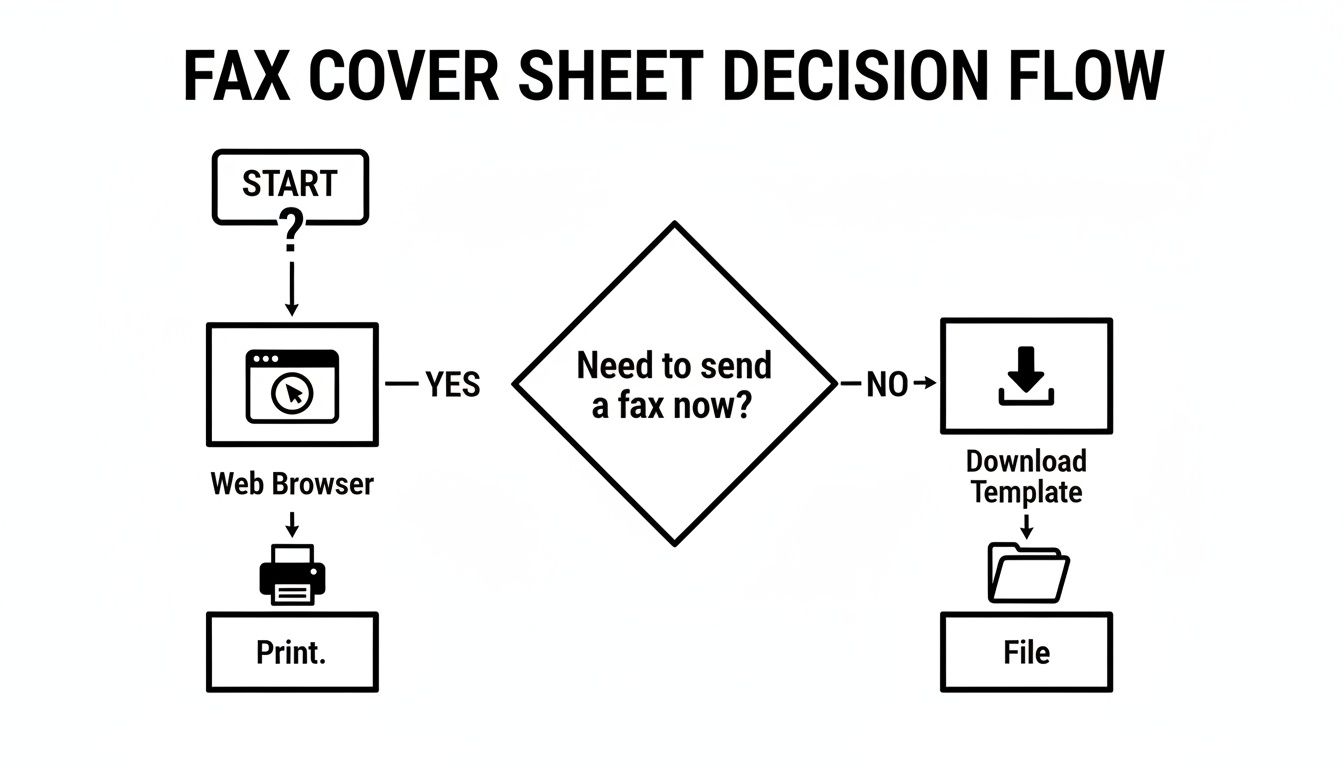
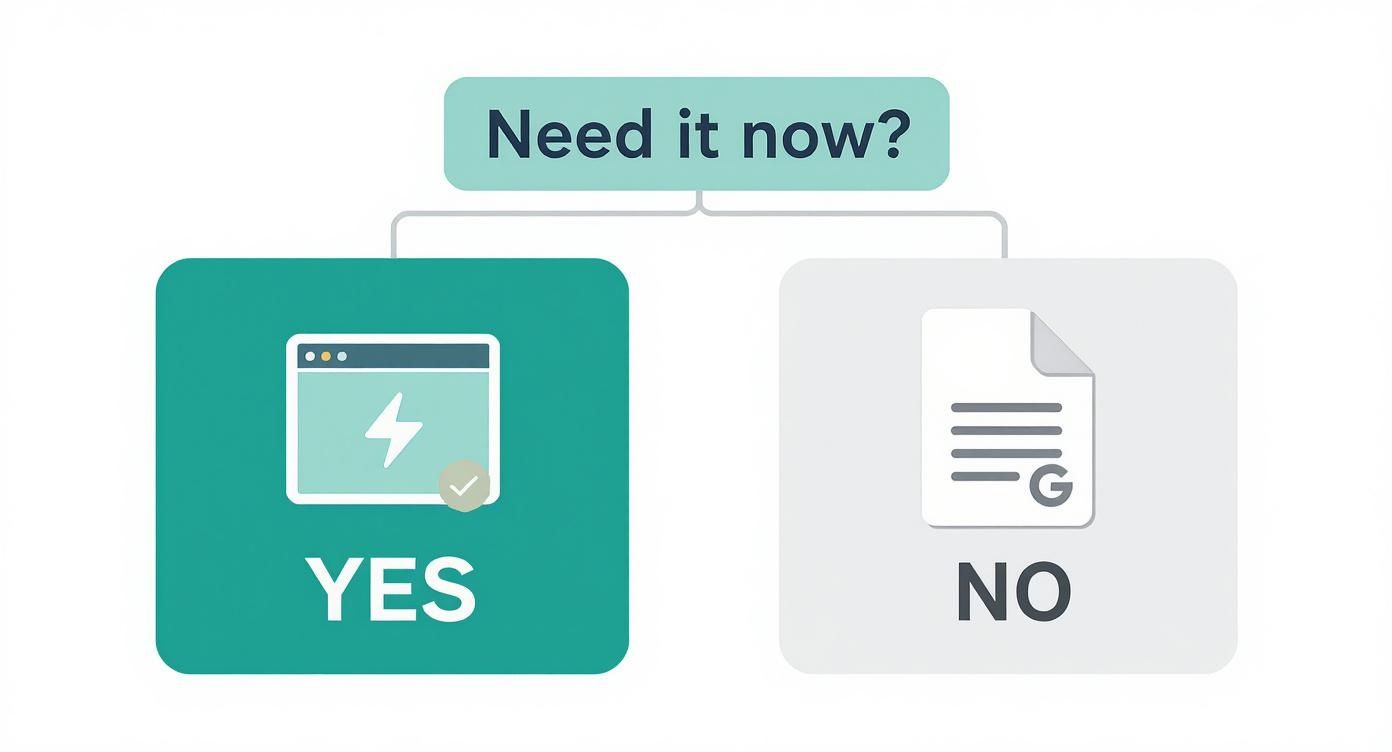
    This simple decision-making process is laid out here:

    Decision flow diagram for obtaining a fax cover sheet, either by printing or downloading a template.

    As the flowchart shows, when time is tight, printing directly from a web-based tool is simply the most efficient path.

    This shift toward accessible online tools isn't happening in a vacuum. It mirrors a much larger trend. The global fax services market is valued at $3.3 billion and is still growing, largely thanks to the continued demand in North America for secure document transmission in industries like healthcare and finance. This growth underscores why convenient, no-fuss solutions are becoming so crucial.

    If you want to explore different templates, you can find a great collection in our guide on choosing a printable fax cover sheet.

    Making a Fax Cover Sheet Straight From Your Browser

    A laptop and a black printer with paper on a wooden desk, emphasizing 'NO DOWNLOAD NEEDED'.

    You can get a free printable fax cover sheet without downloading a single thing, and it only takes a couple of minutes. The secret is using web-based tools that build the document for you right on the screen, ready to print. This approach sidesteps the hassle—and potential security risks—of downloading unfamiliar files from random websites.

    One of the easiest methods is an interactive HTML form. You'll see clearly labeled fields right on the webpage where you can type in your details. Once you hit the "Print" button, your computer's standard print window pops up. It’s that simple. This is a lifesaver when you're on a public computer, like at a library or hotel, where downloading is often restricted.

    Option 1: Use an Integrated Fax Service

    For a more streamlined process, a service like SendItFax integrates cover page creation right into the faxing workflow. As you prepare your fax, the system prompts you for all the essential cover sheet information.

    You’ll typically be asked for:

    • Sender Details: Your name, company, and phone number.
    • Recipient Details: Who it's for and their fax number.
    • Notes: A space for a brief message or instructions.

    The service then takes your input and automatically formats it into a professional-looking cover page. The beauty of this is you don't have to worry about design or layout—it’s all done for you. You just fill in the blanks.

    The Bottom Line: Browser-based tools aren't just convenient; they're incredibly efficient. The whole point is to get a polished, printed cover sheet in your hands in less than five minutes, and these methods make that happen.

    Option 2: Go from Screen to Paper in Seconds

    After filling out an online form, printing is just a click away. You’ll usually see a button that says "Print" or "Generate PDF." Clicking it brings up your browser's print dialog, letting you choose your printer and send the job. It's a familiar process that anyone can handle, no tech savvy required.

    This direct-to-print method also completely avoids file compatibility headaches. Many downloadable templates are DOCX files, which are useless if you don't have Microsoft Word. By handling everything in the browser, you never have to deal with that problem. If you do find yourself stuck with different file types, learning how to convert Word files to PDF is a handy skill, since PDF is a much more universal format.

    Customizing Your Cover Sheet for Different Industries

    A generic fax cover sheet gets the job done, but when you're dealing with professional documents, the little details can make a huge difference. Taking a moment to customize your free printable fax cover sheet without downloading it first shows you understand the industry standards and sets a professional tone from the get-go.

    Think about it: a law firm sending a time-sensitive legal notice has completely different needs than a doctor's office sending patient records. One size definitely does not fit all.

    Legal and Financial Faxes

    For anyone in the legal or financial world, precision isn't just a good idea—it's everything. When you're sending documents to a court, another firm, or a bank, your cover sheet is the first thing they see. It needs to instantly convey the document's importance and context.

    Here's what you absolutely must include:

    • Case or Reference Number: This is your document's passport. A case number, loan ID, or client reference number is often the single most critical piece of information for getting it to the right desk.
    • Confidentiality Notice: Don't skip this. A clear, firm statement that the contents are privileged attorney-client communication or contain sensitive financial data is non-negotiable.
    • Urgency Indicator: If the document is time-sensitive—like a response to a subpoena or a market-sensitive filing—make sure to mark it as URGENT in a way that can't be missed.

    A well-crafted cover sheet isn't just about looking professional; it's a vital part of risk management. It directs the fax to the right person and legally reinforces the confidential nature of the information inside.

    Healthcare and Medical Faxes

    It might surprise you, but healthcare is still faxing’s biggest user. An incredible 70-90% of provider communications still happen over fax lines. This isn't because they're old-fashioned; it's because strict regulations like HIPAA favor the direct, point-to-point security that faxing offers for sensitive patient data. If you're curious why faxing is still so prevalent, this deep dive on cacm.acm.org offers some great insights.

    When you’re putting together a medical fax cover sheet, there's no room for error. Here’s what it needs:

    • HIPAA Disclaimer: This is mandatory. You must include a standard confidentiality notice that cites HIPAA, warning anyone who isn't the intended recipient against reading, copying, or sharing the information.
    • Patient Identifiers: Use at least two unique identifiers to be safe, like the patient’s full name and their date of birth. It's best practice to avoid putting highly sensitive details like a Social Security number directly on the cover sheet.
    • Clear Recipient Details: Be as specific as possible. Address it directly to the person and their department, like "Attn: Dr. Smith, Cardiology" or "Attn: Medical Records Dept." This helps ensure protected health information isn't left sitting on a shared machine.

    Making Your Fax Cover Sheet Professional and Secure

    A calculator, notebooks, stethoscope, and pen on a wooden desk with the text 'Industry Ready'.

    Once you have the basics down, a few small adjustments can really elevate your fax cover sheet, making it look sharp and protecting what’s inside. Even when you're using a free printable fax cover sheet without downloading a single file, you're in complete control of the information you share. That control is your best tool.

    Think clean and simple. You're not designing a party invitation, so stick to easy-to-read fonts like Arial or Times New Roman. Anything too fancy can become a garbled mess on the receiving end, especially on older fax machines. Also, don't be afraid of white space—it makes the whole page less intimidating and easier to read at a glance.

    Keep Sensitive Information Off the Cover

    This is a big one. The cover sheet is the first thing anyone sees, so it’s critical to treat it like the outside of an envelope. Never, ever put highly sensitive data on it.

    Key Takeaway: Information like Social Security numbers, credit card details, or specific medical diagnoses should never appear on the cover sheet. That all belongs on the pages that follow.

    Your subject line should be descriptive but discreet. For example, instead of writing "Blood Test Results for Jane Smith," a much safer and still effective subject would be "Confidential Medical Records for Jane Smith, DOB 01/15/1980." It gets the fax to the right person without broadcasting private health information to anyone who walks by the machine.

    For a deeper dive into this, our guide on the security of fax transmissions is a great resource.

    Here’s a quick mental checklist I run through before sending any fax to make sure it's professional and secure:

    • My Info is Clear: Does it have my full name, phone number, and return fax number?
    • Recipient is Correct: Is the recipient's name, department, and direct fax number listed?
    • Pages are Counted: Have I included the total page count (including the cover!) so they know if a page is missing?
    • Confidentiality Notice: For sensitive documents, have I added a simple disclaimer that the contents are private?

    Why Modern Professionals Still Rely on Faxing

    A hand writes on a secure form with a pen, featuring a lock icon and text 'Secure & Professional'.

    It’s easy to think of faxing as a technology that belongs in the past, right alongside dial-up modems and floppy disks. But in many professional circles, it’s not just surviving—it’s thriving. The reason is simple and comes down to two critical factors: security and legal weight.

    Unlike an email that bounces through various servers, a fax travels over a dedicated phone line. This direct, point-to-point connection makes it incredibly difficult to intercept, which is a massive deal for anyone handling sensitive information. For industries like healthcare, law, or finance, that level of security isn't a "nice-to-have"; it's a fundamental requirement.

    Why It Still Matters: A faxed signature is legally binding and carries the same authority as one signed in person. This makes it indispensable for executing contracts, filing court documents, and sending any official paperwork where authenticity can't be questioned.

    A Go-To Tool for Small Businesses and Freelancers

    The real-world value of faxing shines brightest with small businesses and independent professionals. Imagine you're a freelance graphic designer in the U.S. who needs to send a signed W-9 form to a new client in Canada. Using an online fax service is a fast, secure, and verifiable way to get it done without waiting on international mail or risking sending sensitive data over email.

    This is exactly why tools offering a free printable fax cover sheet without downloading are so useful. They let you send professional, well-organized documents without installing any software. In fact, faxing’s staying power is largely thanks to this user base, with over 80% of small business owners reporting their fax usage has either stayed the same or increased.

    For anyone who only needs to send a fax occasionally, browser-based services like SendItFax are a perfect fit. They often have free options that are ideal for remote workers and freelancers on the go. You can find more details about these and other faxing industry facts on iFaxApp.com.

    Answering Your Questions About Online Fax Cover Sheets

    When you're looking for a free printable fax cover sheet without downloading a single thing, a few questions naturally pop up. Let's clear the air so you can fax your documents like a pro, knowing all your bases are covered.

    Is a Fax Cover Sheet Actually Required?

    This is easily the most common question I hear. While there's rarely a strict legal mandate forcing you to use one, it's an absolute must for professional communication.

    Think of it this way: in certain fields, like healthcare or legal, that cover sheet is your first line of defense. For anyone handling medical records, a cover sheet that includes a HIPAA confidentiality notice isn't just a good idea—it's a critical piece of the compliance puzzle. It ensures sensitive information gets to the right eyes and no one else's.

    What Absolutely Needs to Be on It?

    So, what are the non-negotiables? You'll always want to include:

    • Your full name and phone number
    • The recipient's full name and fax number
    • The date of transmission
    • The total page count (always remember to include the cover sheet itself in this count!)

    A simple, direct subject line is also a huge help. It gives the recipient immediate context before they even see the first page.

    Can I Just Reuse the Same Cover Sheet?

    You could, but you really shouldn't. It’s far better to create a new one every single time you send a fax.

    A Quick Tip from Experience: Generating a fresh cover sheet for each fax transmission is a simple habit that prevents major headaches. It guarantees the date, page count, and recipient info are always correct. With instant, free browser-based tools available, there's just no good reason to cut this corner and risk confusion or a security mix-up.

    Taking that extra ten seconds shows you're detail-oriented and helps ensure your documents are handled properly on the other end. It’s a small step that makes a big difference in professionalism.


    Ready to send your fax the easy, no-download way? With SendItFax, you can create a cover page and send your documents in minutes, directly from your browser. Try SendItFax for free today.

  • Your Guide to Professional Free Fax Cover Sheet PDF Templates

    Your Guide to Professional Free Fax Cover Sheet PDF Templates

    Need to send a fax and want it to look professional? Grabbing a free fax cover sheet PDF is a smart move. It ensures your documents are secure, organized, and land on the right desk without any confusion. It’s a simple step that adds a necessary layer of professionalism and security to every transmission you send.

    Why a Professional Fax Cover Sheet Still Matters

    An office desk with a stack of papers, calculator, laptop, and a plant, displaying 'SECURE FAXING'.

    It’s easy to dismiss faxing as old-fashioned, but in reality, it's still a pillar of secure communication. This is especially true in industries where confidentiality isn't just a good idea—it's the law. Fields like healthcare, law, and real estate continue to rely on faxing for its reliability and the verifiable paper trail it creates. A professional cover sheet isn't just a formality; think of it as your document's handshake and its GPS.

    Just imagine sending sensitive medical records without a cover sheet. In a busy hospital, that document could easily end up on the wrong desk, leading to a serious privacy breach. Likewise, a critical legal filing might get delayed or misrouted without clear identification, which could have a real impact on a case.

    The Modern Role of Faxing

    Believe it or not, faxing is still a massive industry. The global fax services market was valued at $3.31 billion and is expected to grow to $4.47 billion by 2030. That growth is fueled by its heavy use in regulated fields where some digital methods don't always meet strict compliance standards.

    In fact, over 80% of businesses still use faxing. North America, especially the U.S. and Canada, leads the way because of its deep integration into the healthcare system. You can explore more data on the faxing industry's surprising resilience if you're curious.

    A good cover sheet gives the recipient everything they need to know instantly:

    • Who the fax is from
    • The intended recipient
    • The subject and total number of pages
    • Whether the information is urgent or confidential

    Simply put, a free fax cover sheet PDF is a critical safeguard. It ensures your important documents are handled correctly from the moment they arrive, protecting you from compliance headaches, mix-ups, and expensive delays.

    And you don't need a clunky machine to do it. When you use an online service like SendItFax, you can easily attach a professional cover sheet to your faxes. This approach gives you the trusted security of traditional faxing with the ease of sending an email, making it a perfect tool for any modern business.

    Download Your Free, Fillable Fax Cover Sheet Templates

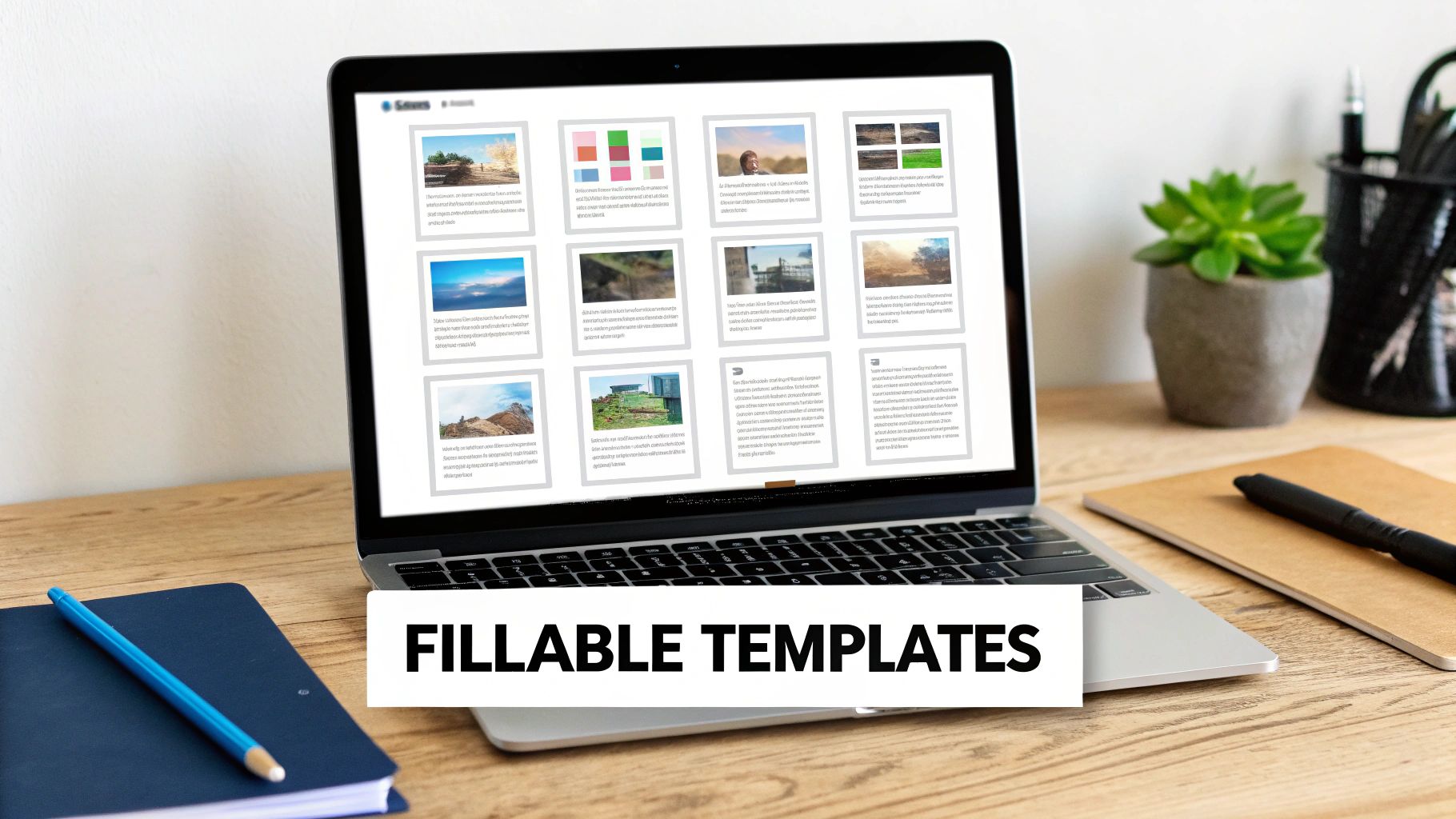
    A laptop on a wooden desk displaying fillable templates, next to notebooks and a green plant.

    Alright, let's get you what you came for: a professional, easy-to-use free fax cover sheet PDF. We’ve put together a handful of clean, fillable templates so you can stop wasting time creating your own or sending faxes with scribbled, hard-to-read cover notes.

    These aren’t just static images you have to print and write on. Each one is an interactive PDF. That means you can open it on your computer and type directly into the fields. It’s a simple change that saves a ton of time, keeps your faxes looking sharp, and ensures there’s no confusion about what you’ve sent.

    Find the Right Template for the Job

    To make things even easier, we've designed templates tailored for specific industries and common situations. Each one is built with the unique details of that field in mind, so you know you're including all the necessary information.

    Here are the templates you can download right now:

    • General Business Template: Your all-purpose workhorse. It’s perfect for sending invoices, purchase orders, or general correspondence and has all the essential fields without any extra clutter.
    • Confidential Medical Template: Made for healthcare professionals, this template features a prominent HIPAA confidentiality notice to help you stay compliant and protect sensitive patient data.
    • Legal Document Transmittal: If you work in the legal field, this one’s for you. It includes dedicated spots for case numbers, court information, and client references to keep your filings organized and correctly routed.
    • Real Estate Offer Template: A must-have for agents. This cover sheet has clear sections for property addresses, offer details, and crucial deadlines to help make the transaction process a little bit smoother.

    Pro Tip: I always tell people to take 5 seconds to double-check two things before hitting send: the recipient's fax number and the total page count (including the cover sheet). This one tiny habit has saved me from countless follow-up calls and headaches.

    How to Use Your Downloadable PDF

    Once you've grabbed the free fax cover sheet PDF you need, using it is a breeze. Just open the file with any standard PDF reader like Adobe Acrobat Reader, or even in a modern web browser like Chrome or Firefox.

    You’ll see the fields are clickable. Simply click on "To," "From," or "Comments" and start typing. You can even use the Tab key to jump from one field to the next, which makes filling it out really fast. When you're done, just save a copy.

    For more advanced tips on making your cover sheet work for you, check out our full guide on crafting the perfect fax cover sheet. Remember, the cover sheet is the first thing your recipient sees. A clean, professional one sets the stage for the important documents that follow.

    Making That PDF Cover Sheet Your Own

    So you've downloaded one of our free fax cover sheet PDFs—what's next? Time to personalize it. The good news is you don't need any fancy or expensive software for this. Most modern web browsers will let you fill out the fields directly, and free tools like Adobe Acrobat Reader work perfectly.

    Getting it done is surprisingly simple. Just open the PDF file, click into a text box, and you'll see a cursor pop up. From there, you can start typing. A little trick I always use is hitting the "Tab" key to jump from one field to the next—it’s much faster than clicking your way through the form.

    Getting the Key Fields Just Right

    Every field on a fax cover sheet has a job to do. Some are straightforward, but a few carry more weight than you might think. Let's break them down.

    • To/From: This is mission-critical. I can't stress this enough: always triple-check the recipient's name, title, and organization. A simple typo here can send your documents into limbo.
    • RE: (Regarding): Think of this as your fax's email subject line. You want to be specific. "Document" is too vague. Something like "Invoice #4815 for Services Rendered" tells the recipient exactly what they're looking at.
    • Urgent Checkbox: Be careful with this one. It’s tempting to check it for everything, but that just dilutes its power. Save it for when something is genuinely time-sensitive.
    • Page Count: This one trips people up sometimes. Always count the cover sheet itself. A simple note like "3 pages (including cover)" is perfect. It immediately tells the person on the other end if a page went missing during transmission.

    If you’re using Adobe’s free reader, you’ll find the interface is clean and straightforward, making it a breeze to get your templates filled out.

    Little Details That Make a Big Difference

    Once the basics are covered, a few extra touches can really elevate the professionalism of your fax. Adding a digital signature, for instance, adds a nice layer of authenticity. Most PDF readers have a built-in "Sign" or "Fill & Sign" feature that lets you draw, type, or upload a signature.

    The comments or notes section is another area with a ton of potential. Don't leave it blank! This is your chance to provide crucial context.

    A Real-World Example: When I'm sending a healthcare referral, the comments section is my best friend. I’ll write something direct and clear, like: "Patient referral for cardiology consultation. Attached are the patient's EKG results and relevant medical history." This gives the receiving office all the essential info upfront.

    After you've filled everything in, the final step is to save your work. I always recommend using a descriptive file name. Instead of "FaxCover.pdf," try something like "CoverSheet_Smith_Referral_Nov2025.pdf." It's a small habit that makes finding documents later so much easier.

    And if your main document isn’t a PDF, you might find our guide on how to convert Word documents to PDF helpful for getting everything into one consistent format.

    Sending Your Fax Online in Minutes

    You've got your documents and your customized free fax cover sheet PDF ready to go. Now for the easy part: sending it. This whole process is designed to be fast, and you won't need to create yet another account or remember a new password. Let's walk through how simple it is to send your files with SendItFax.

    First, just head over to the SendItFax website. The layout is clean and built for speed—you'll see fields to upload your PDF cover sheet and the main document right away. You can either combine them into one file beforehand or just upload them separately. After that, you’ll plug in the sender and recipient details directly on the page.

    Choosing the Right Plan for Your Needs

    This is where you pick the option that makes sense for what you're sending. SendItFax keeps it simple with two choices, so you're not locked into a subscription for a one-off task.

    • Free Plan: This is perfect if you just need to send something quick, like a signed form or a short document. You can send up to three pages plus your cover sheet. This plan includes SendItFax branding and lets you send up to five free faxes daily to numbers in the U.S. and Canada.

    • Almost Free Plan: If you're sending something more official or a bit longer, this is your best bet. For a one-time fee of $1.99, all the branding is removed, your page limit jumps to 25 pages, and your fax gets priority delivery. It's ideal for things like business contracts or multi-page legal documents.

    This no-fuss approach is a big reason why online faxing is becoming so popular. The market is expected to grow from $2.88 billion to $5.18 billion by 2035, largely because it’s both secure and incredibly convenient. With over 42% of businesses in regulated industries like healthcare and finance relying on digital fax for compliance, having a tool that handles PDFs this easily is a game-changer. You can dig into the full research on the online fax market to see the trends for yourself.

    This isn't just a corporate trend. It’s about making secure communication accessible to everyone. Freelancers, small non-profits, and independent healthcare providers can now send sensitive documents without investing in bulky hardware. Think of a real estate agent sending a contract from their phone or a clinic forwarding patient records—it’s now as simple as uploading a file.

    To make the choice even clearer, here’s a quick comparison of the two SendItFax plans.

    SendItFax Plan Comparison

    Quickly compare the features of SendItFax's Free and Almost Free plans to choose the best option for your faxing needs.

    Feature Free Plan Almost Free Plan
    Cost $0 (Completely Free) $1.99 (One-time fee)
    Page Limit 3 pages + cover sheet 25 pages + cover sheet
    Branding Includes SendItFax branding No branding
    Delivery Standard Priority
    Daily Limit Up to 5 faxes per day Unlimited

    Both plans offer a straightforward way to get your documents where they need to go, but the Almost Free plan provides that extra professional touch and capacity for larger files.

    Finalizing Your Transmission

    Once you've chosen your plan and filled in the details, you’re ready to hit send. The whole thing, from uploading your free fax cover sheet PDF to transmission, honestly takes just a couple of minutes.

    This workflow really boils down to three simple actions.

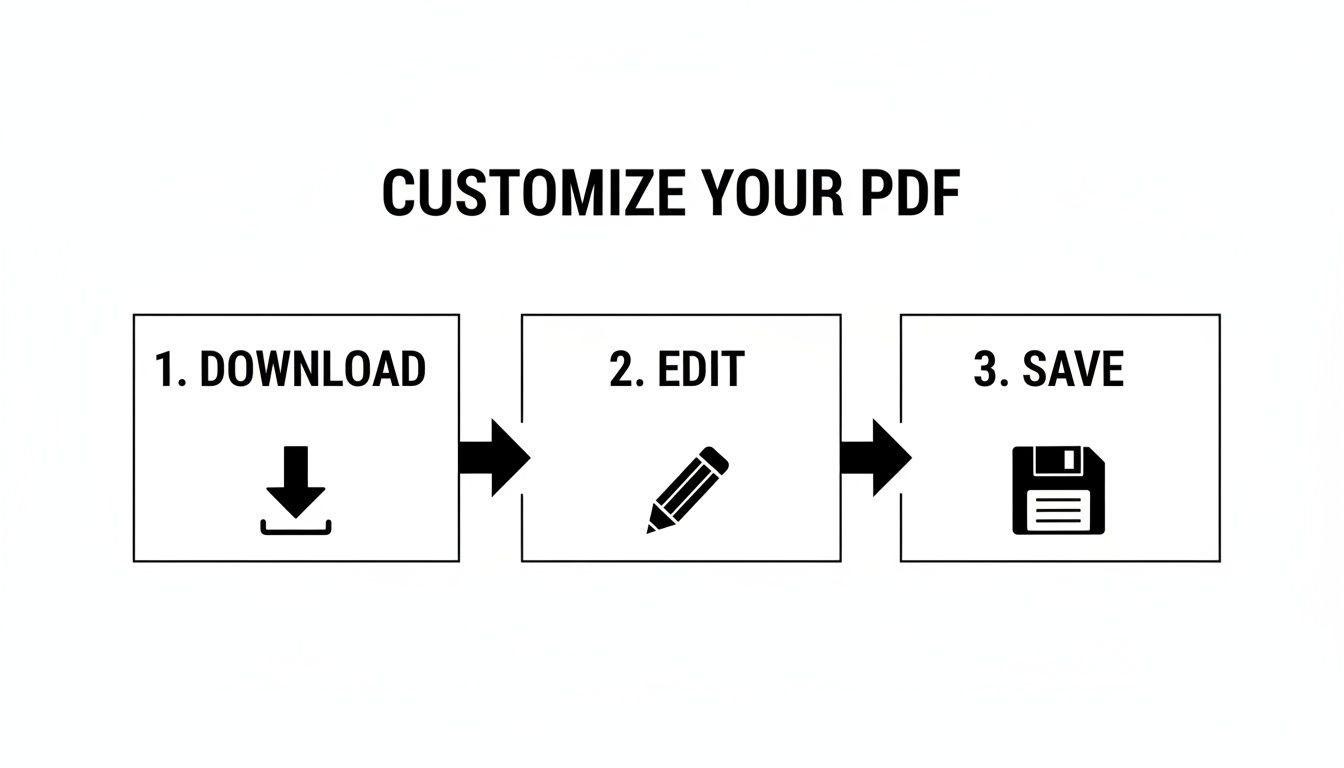
    A three-step process workflow: 1. Download, 2. Edit, and 3. Save, for customizing a PDF.

    The real trick to making this so fast is having your PDF ready to go before you start. By downloading and editing your cover sheet first, the actual sending part is incredibly quick. If you want to get into the nitty-gritty, our guide on how to fax a PDF directly from your computer has even more detail.

    Cover Sheet Tips for Your Industry

    While any free fax cover sheet PDF can get your documents from point A to point B, a little customization goes a long way. Tailoring your cover sheet to your specific industry doesn't just look professional—it shows you understand the nuances of your field and can even help with compliance.

    After all, the information a hospital needs to see upfront is completely different from what a real estate office requires. Let's break down the specific details you should include to make your cover sheet as effective as possible. Think of it as making the recipient's job easier and ensuring your document gets handled exactly the way it should be, without any frustrating delays.

    For Healthcare Professionals

    In healthcare, security and compliance are everything. Your fax cover sheet is your first line of defense in protecting sensitive patient information and staying on the right side of HIPAA guidelines. It’s no surprise that healthcare is a major reason the global fax services market is projected to hit $4.47 billion by 2030. You can dig into more insights on the continued dominance of fax in regulated industries if you're curious.

    When sending patient records, referrals, or prescriptions, your cover sheet is incomplete without:

    • A Clear HIPAA Confidentiality Notice: This is absolutely non-negotiable. It’s a bold, clear statement that the fax contains protected health information (PHI).
    • Patient Identifiers: To avoid any chance of a mix-up, always use at least two unique identifiers, like the patient's full name and their date of birth.
    • A Specific Subject Line: Vague descriptions like "Patient Info" just don't cut it. Instead, write something precise, like "Referral for Cardiology Consult for Jane Doe."

    Sample Confidentiality Message for Healthcare:
    "CONFIDENTIALITY NOTICE: The documents accompanying this fax transmission contain confidential health information that is legally privileged. This information is intended only for the use of the individual or entity named above. If you have received this fax in error, you are hereby notified that any disclosure, copying, distribution, or action taken in reliance on the contents of these documents is strictly prohibited."

    For Legal Professionals

    The legal world runs on precision, deadlines, and documentation. A misrouted document could have serious consequences for a case, so your cover sheet needs to provide immediate, unmistakable context for everything that follows.

    Make sure your fax cover sheet for legal matters includes these critical fields:

    • Case Name and Number: This is the single most important detail for getting the document to the right hands in a busy law firm or courthouse.
    • Document Title: Be specific. "Motion to Compel Discovery" is much better than "Legal Document."
    • Attorney-Client Privilege Statement: When applicable, adding this statement is a crucial step in protecting the confidentiality of your communication.

    Sample Comments for a Legal Document:
    "RE: Johnson v. Acme Corp., Case No. 24-CV-1138. Attached is the executed affidavit of Michael Ramirez. Please file with the court and provide a conformed copy to our office. This communication is protected by attorney-client privilege."

    For Real Estate Agents

    In the fast-paced world of real estate, timing is everything. An offer or counter-offer sent by fax needs to be seen and acted on immediately. Your cover sheet is your chance to highlight the urgency and lay out all the key property details right from the start.

    For any real estate transaction, your cover sheet should feature:

    • Property Address: After the recipient's name, this should be the most prominent detail on the page.
    • Offer or Document Type: Clearly state what you're sending. Is it an "Offer to Purchase," a "Counter-Offer," or a "Signed Addendum"?
    • Response Deadline: If the clock is ticking, put that deadline in bold. A specific date and time creates a clear call to action and prevents your document from getting lost in a pile.

    Sample Message for a Real Estate Offer:
    "Attached is a signed offer for the property located at 456 Oak Avenue. Per the terms of the offer, a response is requested by 5:00 PM on Friday, November 22, 2025. Please confirm receipt."

    Got Questions About Online Faxing? You're Not Alone.

    Moving from a clunky old fax machine to a sleek online service can feel like a big leap. It’s totally normal to have a few questions. People often ask me about security, reliability, and whether it’s really practical to send important files this way.

    Let’s clear the air on some of the most common concerns I hear, especially when people start using a free fax cover sheet PDF with a service like SendItFax. My goal here is to show you that modern faxing isn't just more convenient—it's often more secure than the machine gathering dust in the corner.

    "Is It Actually Secure to Fax Online?"

    This is the big one, and for good reason. When you’re sending sensitive documents, you need to know they’re protected.

    Here's the deal: when you use a reputable online fax service, your transmission is encrypted. This is a huge security upgrade from traditional faxing, which sends your data over a standard, unencrypted phone line—surprisingly easy to intercept if someone knows what they're doing.

    I like to use this analogy: sending a traditional fax is like mailing a postcard. Anyone who handles it along the way can take a peek. Sending an online fax is like putting that same information in a locked, armored briefcase.

    It's precisely these strong security measures that have convinced highly regulated industries like healthcare and finance to adopt online faxing. It helps them stay compliant with strict privacy laws like HIPAA while making their lives easier.

    "Will I Know if My Fax Was Delivered?"

    Absolutely. In fact, the confirmation process is one of the best parts of going digital. Gone are the days of anxiously waiting by the machine for that tiny "OK" message to print out.

    Online fax services give you a clear, digital paper trail. You'll almost always get an email confirmation that details:

    • Whether the fax went through successfully.
    • The exact time and date it was delivered.
    • A specific reason if the transmission failed (like a busy signal or incorrect number).

    This email is your proof of delivery. For time-sensitive legal documents or critical client files, having a verifiable, timestamped record is invaluable. No more printing and filing flimsy confirmation slips.

    "So, I Can Finally Get Rid of My Fax Machine?"

    Yes! That's the beauty of it. Using an online service with a free fax cover sheet PDF means you can finally say goodbye to that bulky hardware.

    Forget about dedicated phone lines, toner cartridges, and paper jams. Your computer or smartphone is now your fax machine. All you need is an internet connection.

    This doesn't just save you money and clear up desk space. It frees you to send a crucial document from anywhere—a client's office, your home, or even a coffee shop on the other side of the world. It’s about handling business on your schedule, not your office equipment's.


    Ready to send your fax the modern, easy way? SendItFax lets you transmit your documents and a professional cover sheet in minutes, with no account needed. Try it now at senditfax.com.

  • Create the Perfect Free PDF Fax Cover Sheet

    Create the Perfect Free PDF Fax Cover Sheet

    A good free PDF fax cover sheet isn't just a formality—it's your first line of defense for professionalism and clarity. In the few seconds it takes to read, it confirms your documents landed in the right hands, provides critical context, and even creates a clear audit trail for your records.
    Why a Professional Fax Cover Sheet Still Matters

    Think of your cover sheet as the handshake before a meeting. Before anyone even lays eyes on your actual document, this first page sets the tone, establishing your credibility and giving instant context for what follows. In a busy office, a fax that arrives without one can easily get lost in the shuffle or misrouted.

    A professional office desk setup with a laptop, a plant, a phone, and a card reading 'Professional Cover Sheet'.

    This single page is an essential routing slip. Imagine a large hospital where a time-sensitive patient referral needs to get to a specific specialist immediately. The cover sheet is what allows the front desk staff to direct it properly without having to read the confidential patient information inside.

    The Digital Shift and Why PDFs are King

    As we’ve moved from clunky fax machines to slick online fax services, the need for a polished, universally compatible cover sheet has actually grown. Using a PDF format has become the gold standard. Why? Because it locks in your layout and branding, guaranteeing it looks exactly as you intended, no matter what device it's viewed on.

    The numbers back this up. The global fax services market was valued at $3.18 billion in 2022 and is on track to hit $5.96 billion by 2028, a boom driven almost entirely by this digital transition. With North America making up over 60% of that market—thanks to heavy use in healthcare, finance, and legal fields—it's clear that a reliable free PDF fax cover sheet is more important than ever. For a deeper dive, you can explore detailed reports on the fax services market growth.

    Key Benefits at a Glance

    A well-crafted cover sheet offers more than just a good first impression. It delivers some very practical benefits.

    • Spot-On Delivery: It clearly names the recipient, so your fax doesn't end up on the wrong desk.
    • Instant Context: It provides all the key details at a glance—who it's from, the page count, and what it's about.
    • A Shield of Security: A simple confidentiality notice is a must-have for protecting sensitive information.
    • A Clear Paper Trail: It officially documents when the fax was sent and who it was intended for, creating an essential record.

    Bottom line: this first page is ground zero for making sure every fax you send is handled correctly and taken seriously from the moment it arrives.

    What Makes a Great Fax Cover Sheet?

    Think of your fax cover sheet as your document's first impression. It's the first thing your recipient sees, and if it’s missing key information, your important document could get lost in a mailroom shuffle or, worse, land in the wrong hands. A well-constructed cover sheet is both a business card and a routing slip, ensuring your fax gets to the right person, right away.

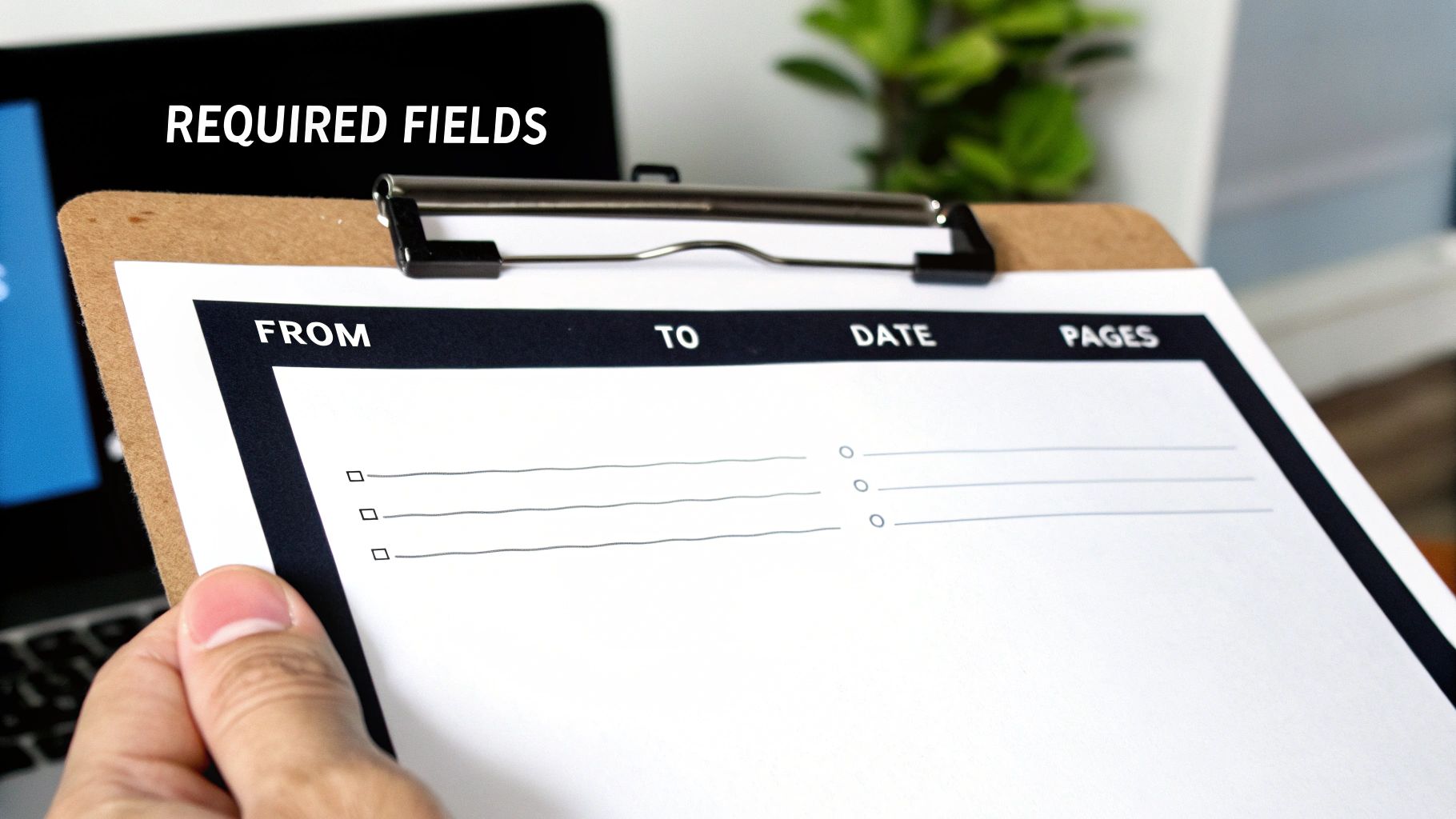
    A person holds a clipboard with a 'REQUIRED FIELDS' form, showing 'FROM', 'TO', 'DATE', and 'PAGES' sections.

    Let's break down the essential components that make a free PDF fax cover sheet foolproof, preventing confusion and ensuring your transmission is handled correctly from the moment it arrives.

    The Absolute Must-Haves

    These are the non-negotiable fields. Leaving any of these out is like sending a letter without an address—it’s just not going to get where it needs to go.

    • To and From: It sounds obvious, but be specific. Use the full name and company of both yourself and the recipient. If you know their department, add it. This small detail can save a lot of time on the other end.
    • Contact Information: Always include your phone and fax numbers. If there's a transmission error or a blurry page, this gives the recipient a direct way to let you know immediately.
    • Date: A clear timestamp is crucial for your records, especially when dealing with time-sensitive documents for legal, financial, or medical purposes.
    • Total Page Count: This is a big one. Always remember to include the cover sheet in your total count. Stating "5 pages (including cover)" helps the recipient instantly verify they've received the complete document. No more guessing games.

    Smart Additions for a Professional Touch

    Once you have the basics covered, a few extra fields can take your cover sheet from merely functional to truly professional and secure. These aren't strictly required, but I highly recommend them.

    A Subject Line is your chance to provide immediate context. Something clear like "RE: Invoice #5821" or "Urgent: Patient Referral Form" helps the recipient prioritize your document the second it lands on their desk. You might also want a small Comments or Notes section for any quick instructions or context.

    The most important optional field? A confidentiality notice. This brief statement is standard practice in healthcare and legal fields for a reason. It reinforces privacy and gives clear instructions for what to do if the fax is accidentally received by the wrong person. It's a simple addition that adds a serious layer of protection.

    To make it easy, here’s a quick checklist you can use to make sure your fax cover sheet has everything it needs.

    Fax Cover Sheet Field Checklist

    Field Purpose Status
    To/From Identifies the sender and intended recipient. Essential
    Contact Info Provides phone/fax numbers for follow-up or error reporting. Essential
    Date Creates a timestamp for record-keeping and legal purposes. Essential
    Page Count Helps the recipient confirm they received all pages. Essential
    Subject Line Gives immediate context and helps with prioritization. Recommended
    Comments/Notes Allows for brief instructions or additional information. Recommended
    Confidentiality Notice Adds a layer of legal and privacy protection. Highly Recommended

    Having these fields in place ensures your communications are clear, professional, and get to the right person without any unnecessary delays.

    How to Customize Your PDF Cover Sheet

    Alright, let's get practical and build your own professional cover sheet. Nobody wants to start from scratch, and honestly, you don't have to. A good template is the best way to get a head start, so we’ve included several downloadable options below to get you going right away.

    A laptop displaying 'Customize PDF' on its screen, next to a plant and documents on a desk.

    These aren’t just blank slates; they’re designed for real-world scenarios, from sending a medical referral to an urgent business invoice. Just download the one that fits your situation, and you're ready to plug in your information.

    Filling Out Your Template with Free Tools

    You absolutely don't need fancy, expensive software to create a great free PDF fax cover sheet. The tools you already have are probably more than capable.

    Believe it or not, most web browsers like Chrome or Firefox can handle this. They have built-in PDF viewers that let you type right into the form fields. Just open the file in a new tab and click on a line to start typing. If you want a bit more control, the free version of Adobe Acrobat Reader is perfect. Its "Fill & Sign" feature is straightforward and makes the job easy.

    Once you've filled in the sender and recipient details, the page count, and your message, just save a new copy. That way, your original template stays clean for the next time you need it.

    Pro Tip: I always recommend saving your filled-out cover sheet with a specific file name, like "Invoice_1234_Cover_Sheet.pdf". It's a small habit that saves huge headaches later when you're trying to find a specific fax you sent.

    Adding Your Brand Identity

    Want to take your cover sheet from a generic form to something that truly represents your business? Add your logo. It’s a simple touch that makes a huge difference in professionalism and brand recognition.

    • Using a PDF Editor: If you're working directly in a tool like Adobe Acrobat Reader or an online PDF editor, look for a function like "Add Image" or "Add Stamp." This will let you place your logo file, usually right in the header.
    • Starting in Word: Many people find it easier to get the layout just right in Microsoft Word. You can open one of the templates, pop your logo in, adjust the spacing, and then just save it as a PDF. We have a complete guide on how to convert Word to PDF if you need a little help with that last step.

    Think about a real estate agent sending a time-sensitive purchase offer. A branded cover sheet with the agency's logo doesn't just look official—it reinforces their professional image. The same goes for a medical clinic; adding their logo to referral forms builds consistency and trust.

    No matter how you customize it, your final step should always be to save the finished document as a PDF. This locks everything in place—the layout, your fonts, the images—so it looks exactly how you designed it, no matter who opens it. Now your professional, custom cover sheet is ready to attach and send.

    Sending Your Fax with an Online Service

    Alright, you’ve got your document polished and your custom cover sheet ready to go. Now for the easy part: sending it. Forget dealing with a clunky old fax machine; services like SendItFax let you handle everything from your web browser in just a few clicks.

    You'll start by uploading your main file—whatever it is you're sending, like an invoice, a signed contract, or a patient record. Then, simply attach your custom free pdf fax cover sheet so it becomes the very first page of the fax. This little step makes a huge difference, ensuring your professional branding is the first thing the recipient lays eyes on.

    Built-In vs. Custom Cover Pages

    When you use an online fax service, you'll generally have two options for the cover page. You can either type a quick message into a field and let the service generate a basic cover sheet, or you can upload your own. The built-in option works fine if you're just sending a quick, informal note to a colleague.

    But let's be honest, for any communication that matters, attaching your own branded PDF is the way to go. It keeps your branding consistent and includes all those specific fields and disclaimers you took the time to create. If you want a full breakdown of the process, our guide on how to send a fax online has you covered.

    Free vs. Paid Service Considerations

    So, should you go with a free or paid service? It really boils down to how often you send faxes and how professional you need to look. Free options are great for sending a one-off document here and there, but they come with a few catches.

    • Branding: Free services, SendItFax included, will typically place their own logo or branding on the cover sheet.
    • Page Limits: You'll usually find a cap on how many pages you can send for free. SendItFax, for instance, lets you send up to three pages plus a cover.
    • Delivery Speed: Sometimes, paid faxes are prioritized in the queue, which can be a lifesaver for time-sensitive documents.

    Stepping up to a paid plan, even a simple pay-per-fax option like the Almost Free tier from SendItFax, gets rid of their branding and bumps up your page limits. It’s a small investment that pays off by ensuring every fax you send looks completely professional—a must-have for any important business, legal, or medical correspondence where first impressions count.

    Best Practices for Faxing Sensitive Information

    Faxing is still the go-to method for sending a lot of confidential or legally binding documents. When you're dealing with high-stakes information, a few key habits can make all the difference in keeping that data private and staying compliant. Think of your free pdf fax cover sheet as the first line of defense in your security strategy.

    A person holds a smartphone over a document displaying a lock icon and 'SECURE FAXING' text.

    It’s easy to see the cover sheet as just a routing slip, but it's really your first chance to signal that the documents attached are sensitive and need to be handled carefully.

    The Non-Negotiable Confidentiality Notice

    If you're faxing anything with private data, a confidentiality notice is absolutely essential. This is a short legal statement that makes it crystal clear the fax is intended only for the person it’s addressed to and that the information is privileged. It also tells anyone who might receive it by mistake exactly what they need to do, which protects both you and your client.

    In fields like healthcare or finance, this isn't just a good idea—it's standard operating procedure. It’s a simple way to show you’re taking the necessary steps to protect sensitive information and is a cornerstone of complying with regulations like HIPAA.

    Adding this notice takes seconds but adds a serious layer of legal protection. If you’re regularly handling patient information, it’s worth diving deeper into what makes a HIPAA compliant fax cover sheet.

    Simple Habits for Secure Transmissions

    Beyond what’s on the page, a couple of real-world habits can prevent some surprisingly common—and costly—mistakes. These are the little things that seasoned professionals do every single time.

    • Always double-check the recipient's fax number. It sounds obvious, but it's incredible how often a single wrong digit sends private data to a complete stranger. Just take five extra seconds to verify the number before you hit send.
    • Make a quick follow-up call. A brief call to the recipient to confirm they got the fax is the perfect way to close the loop. It gives you peace of mind and ensures your document is securely in the right hands.

    These small, deliberate steps are what truly safeguard sensitive data and maintain the trust you've built with your clients and partners.

    A Few Common Questions About PDF Fax Cover Sheets

    Even with a great template, a few questions always seem to pop up. Making a free pdf fax cover sheet is pretty simple, but let's walk through some of the common hurdles so you can send your next fax without a second thought.

    Getting these details right from the start helps you avoid easy mistakes and makes sure your documents get to the right person, the right way.

    Can I Fill Out a PDF Fax Cover Sheet Without Fancy Software?

    You sure can. You don't need to buy anything to fill out a PDF template.

    Modern web browsers like Chrome and Firefox have built-in PDF readers that let you click into form fields and type. It's quick and easy. If you want a bit more functionality, a free tool like Adobe Acrobat Reader has a "Fill & Sign" feature that's perfect for the job.

    Need to add a logo or make bigger changes? Use a free online design tool to build your template and then just save it as a PDF.

    Is a Fax Cover Sheet Actually Required by Law?

    This is a common point of confusion. For most everyday faxes, no, it's not a legal requirement. But it is always a professional best practice.

    Where it becomes non-negotiable is in regulated fields like healthcare (think HIPAA compliance) or finance. Here, a cover sheet isn't just a good idea—it's a critical tool for protecting sensitive information.

    The cover sheet acts as an instruction manual for the recipient and creates a clear paper trail. For anyone handling confidential data, it’s an essential part of showing due diligence and a commitment to privacy.

    Will My Custom Cover Sheet Count Against My Page Limit?

    Excellent question. The answer really depends on your fax service.

    When you use the generic, auto-generated cover page provided by an online fax platform, it typically does not count toward your page limit.

    However, if you design your own beautiful PDF cover sheet and upload it as the first page of your document, it almost always will count as page one. It's always smart to double-check your service's policy, especially if you're on a plan with a tight page limit.

    What's the Best File Format for My Cover Sheet?

    PDF is the undisputed champion here. There's no better format.

    Saving your template as a PDF locks in all your formatting, fonts, and images. It guarantees that what you see on your screen is exactly what the recipient sees on theirs, no matter what device they're using.

    It’s a universal standard that every online fax service accepts, and just as importantly, it prevents the recipient from accidentally changing anything. Your document stays professional and secure.


    Ready to send your fax with a polished, custom cover sheet? With SendItFax, you can upload your documents and send them securely in just a few minutes, with no account required. Try SendItFax today for fast and reliable online faxing.

  • Your Guide to a Free Printable Fax Cover Sheet No Download Needed

    Your Guide to a Free Printable Fax Cover Sheet No Download Needed

    Need a professional fax cover sheet right now, but don't want to download sketchy software or clutter your computer? You're in the right place. You can generate a free printable fax cover sheet with no download required by using an in-browser tool or whipping one up in a cloud document editor like Google Docs.

    It’s fast, it’s secure, and it gets the job done in minutes.

    How to Get a Fax Cover Sheet Without Any Downloads

    Let's cut to the chase. You need a clean, compliant fax cover sheet immediately, without the hassle of installations. Maybe you’re on a public computer, a work device with tight restrictions, or you just prefer to keep your machine lean. Whatever the reason, modern web-based tools make this incredibly simple.

    Choosing Your No-Download Method

    The best path forward really depends on one thing: do you need this cover sheet for a one-off fax, or will you need one again in the future?

    • Online Fax Service Generators: These are purpose-built for speed. You just pop your details into a web form—To, From, Subject—and hit print. It’s the perfect solution for a single, urgent fax.
    • Google Docs or Office Online: This is my go-to for creating a reusable template. You can design a professional document, save it in the cloud, and have it ready to go anytime.
    • Basic HTML: If you’re a bit more tech-inclined, you can even create a simple HTML file. It opens in any browser and works as a bare-bones template you can access offline.

    This simple chart helps you decide which route is best for you.

    A flowchart asking 'Need it now?' shows a fast web app for YES and a standard document for NO.

    The takeaway is clear: for immediate needs, a dedicated web tool is your fastest bet. For a long-term, reusable solution, a cloud document is the way to go.

    Comparing No-Download Fax Cover Sheet Methods

    To make it even clearer, here’s a quick breakdown of how these no-download methods stack up against each other.

    Method Best For Time to Create Customization Level
    Online Generator Urgent, one-time faxes ~2 minutes Low (pre-set fields)
    Google Docs/Office Online Creating reusable templates ~5-10 minutes High (full control)
    Basic HTML Tech-savvy users wanting an offline option ~10-15 minutes Medium (requires code)

    Ultimately, any of these options will give you a professional free printable fax cover sheet no download required. And if you're looking for more ways to manage faxing without commitments, our guide on how to get a free online fax with no sign up offers some great tips.

    Why Skipping the Download for Fax Cover Sheets is a Smart Move

    Grabbing a free printable fax cover sheet with no download required is about more than just convenience. It’s a practical decision that boosts your security and efficiency, especially when you're in a hurry. When you steer clear of downloading random files, you're actively dodging a major security headache.

    Think about it: many "free" software packages are notorious for bundling in unwanted extras like malware, adware, or even viruses. It's a well-known tactic for cyberattacks, making a no-download option the safer bet by default, particularly when you're handling sensitive business or personal information.

    A laptop displaying a fax cover sheet template, with a pen and notebook on a wooden desk.

    The Beauty of Simplicity and Access Anywhere

    Beyond the security angle, the sheer practicality of a browser-based tool is a huge win. Have you ever needed to send a fax from a public library computer, or from a work laptop where you don't have permission to install new software? This is where no-download solutions shine.

    A tool that lives in your web browser works on any machine, period. It doesn't matter if you're on a Windows PC, a Mac, or a Chromebook. This kind of universal access gives you true freedom and keeps your own devices free from software clutter you'll only use once.

    The real advantage here is immediacy. You can get in, create your cover sheet, print it, and be done. It turns a clunky, multi-step process into a quick, single-session task.

    This approach saves you time and ensures you have a solution ready to go whenever and wherever you need it. The upsides are crystal clear:

    • Zero Installation: Your device stays clean and your storage space isn't wasted on single-use programs.
    • Device Agnostic: It just works, whether you're on a desktop, laptop, or even a tablet.
    • Instant Access: No more waiting for files to download and installers to run.

    At the end of the day, a no-download method is the perfect fit for anyone who needs a fax cover sheet on the fly, without the hassle of installing yet another piece of software.

    What Makes a Great Fax Cover Sheet?

    A fax cover sheet is more than just a formality; it’s the first impression your document makes. It’s a critical routing slip that can mean the difference between your fax landing on the right desk immediately or getting lost in a paper shuffle. Think of it as the clear, professional handshake before the real conversation begins.

    Sure, using a free printable fax cover sheet no download tool gives you a head start, but what you put on it is what really counts. Every field has a job to do, and getting those details right is key to a smooth, successful transmission.

    The Must-Have Fields for Any Cover Sheet

    There are a few pieces of information that are absolutely non-negotiable. These are the core details that help the person on the other end know exactly what they've received and what to do with it.

    • To and From: Get specific here. Instead of just a company name, write something like "Attn: Jane Doe, Human Resources." In a big office, that one little detail prevents your resume from ending up in the accounting pile.
    • Fax Numbers: Always, always double-check the recipient's number. And don't forget to include your own—it’s essential if the transmission fails and they need to call you back.
    • Date: This is your official timestamp. It’s crucial for time-sensitive documents like legal filings or contract submissions.
    • Total Pages: This is a simple but vital check. Stating the total number of pages, including the cover sheet itself (e.g., "5 pages total, including cover"), helps the recipient confirm they got everything. No more guessing if a page was missed.

    Your cover sheet is the first thing a recipient sees. Its clarity sets the tone for the entire communication and helps ensure that your important documents are handled with the urgency they require.

    Don't Skip the Comments Section

    That blank 'Comments' or 'Subject' box is your best tool for providing immediate context. Leaving it empty is a missed opportunity. Use it to give your fax a clear purpose and make it instantly actionable.

    For instance, a subject line that just says "Invoice" is okay, but "Re: Invoice #INV-45821 for Project Phoenix" is so much better. The accounting department immediately knows what they're looking at and can process it without having to dig for information.

    Here are a few real-world examples to get you thinking:

    • For Medical Records: "Confidential patient information for appointment on 11/22. Ref: Patient ID 78910."
    • For Job Applications: "Application for Senior Marketing Manager position, Job ID #MKTG-004."
    • For Legal Documents: "Urgent: Signed copy of the Non-Disclosure Agreement for the Acme merger."

    By being specific, you turn a simple piece of paper into a powerful directive. You're not just sending a fax; you're telling the recipient exactly what it is and why it matters, ensuring it gets the right attention, right away.

    A Practical Guide to Using In-Browser Creation Tools

    Let's be honest, sometimes you just need a fax cover sheet right now. You don't want to hunt for software or download a random file. The good news is, you don't have to. Creating one directly in your browser is easily the fastest way to get a professional-looking document on the fly.

    Online fax services like SendItFax often have free, web-based tools that are perfect for this. It's the best route when you need a one-off cover sheet and you're short on time.

    You'll usually find a simple web form with all the essential fields: recipient's name, their fax number, your details, a subject line, and the page count. Just fill in the blanks. The tool instantly generates a clean, standard cover page. From there, you can hit print or save it as a PDF. It’s a dead-simple solution that delivers a free printable fax cover sheet with no download in less than a minute.

    A white card with "Professional Layout" text on a wooden desk with a clipboard, pen, and smartphone.

    Building Your Own Reusable Template

    If you find yourself sending faxes more than just once in a blue moon, setting up your own template is a much smarter move. Using something like Google Docs or Microsoft Office Online gives you total control over the design. You can pop in your company logo or add other branding elements for a look that's all your own.

    Getting started is easy. Just open a new document and create a simple two-column table to keep things organized. This is my go-to structure for a clean layout.

    Labels Information
    To:
    From:
    Fax:
    Date:
    Pages:
    Subject:

    After you’ve laid out the basics, add a bold "Fax Cover Sheet" title at the top and leave some space for a comments section at the bottom. The real magic is in saving it for later. Name the file "Fax Cover Sheet Template" (or something equally obvious) and stick it in your cloud drive. Now, whenever you need to send a fax, you just open it, make a copy, fill it in, and you're ready to print.

    A reusable template isn't just about saving time; it's about consistency. Every fax you send reinforces your professional image, and this is a simple way to get that right every time.

    This approach gives you a permanent, personalized tool that you can get to from any computer or phone. And if you want a complete picture of the whole process, our guide on how to send a fax online walks you through everything from the cover sheet to hitting 'send'. By using these in-browser options, you can get a polished document ready to go without downloading a single thing.

    Getting Your Print Settings Right & Keeping Your Documents Secure

    You've designed your free printable fax cover sheet no download, but don't hit that "Print" button just yet. The final steps are just as important for making sure your fax looks professional and stays secure.

    Before you print, always use the print preview function. It’s a simple check that can save you a lot of headaches, catching common problems like text getting chopped off at the margins or your carefully chosen font looking blurry.

    To keep everything looking sharp and properly aligned, make sure your printer is set to 100% scale. Avoid using settings like "Fit to Page," as they can distort the layout you worked to create. This one small tweak ensures what you see on your screen is exactly what comes out of the printer.

    Don't Overlook Confidentiality

    Think of your fax cover sheet as the envelope, not the letter inside. It's the first thing anyone sees, so it’s crucial to avoid putting any highly sensitive information on it. This means absolutely no:

    • Social Security numbers
    • Bank account details
    • Credit card information

    That kind of private data belongs only in the actual documents you're faxing, never on the cover page.

    Your cover sheet is a routing slip, not a secure vault. Treat it like a postcard—only write what you'd be comfortable with a stranger seeing as it makes its way to the recipient.

    If you’re working in a shared office space, be extra careful. A printed cover sheet left sitting on the printer tray is an open book. Grab it immediately to protect the recipient's privacy and keep your communication professional. It’s always a good practice to understand how different services handle security; for instance, you can learn more by checking if platforms like FaxZero are safe to get a better sense of industry standards.

    Got Questions About Free Fax Cover Sheets?

    When you're trying to send a fax, especially last minute, questions inevitably pop up. If you're hunting for a free printable fax cover sheet no download needed, you want something fast, but you also don't want to sacrifice security or look unprofessional. Let's tackle some of the most common concerns.

    Is Using a Browser-Based Tool Actually Safe?

    It’s a fair question. The short answer is yes, as long as you use a trusted source. Creating a cover sheet directly in your browser or with a well-known service like Google Docs is often much safer than downloading a random program from the internet.

    Think about it: those "free" software downloads can sometimes come bundled with malware or spyware. Sticking to a browser-based tool eliminates that risk entirely, keeping your computer and your information safe.

    A hand presses buttons on a black multifunction printer, printing documents on a wooden desk.

    Will My Fax Cover Sheet Look Professional?

    Definitely. Professionalism comes from the content and layout, not the software you used to create it. A clean, simple cover sheet made in a web browser can look just as sharp as one made with expensive, installed software.

    What really matters is including the right information clearly. A professional cover sheet always has:

    • The recipient’s name and your name (To / From)
    • Both fax numbers
    • The date and total number of pages (including the cover)
    • A clear subject line so they know what it's about

    Is Faxing Even Still a Thing?

    It might feel like a throwback, but faxing is still surprisingly vital in many fields. In fact, the global market for fax services was valued at around USD 3.31 billion in 2024 and is still growing.

    Industries like healthcare, law, and finance rely on it for secure document transmission. For a deeper dive into why it's still so prevalent, you can check out some great industry analysis by faxination.com. This isn't just nostalgia; it's a critical business tool, which is why having a good cover sheet matters.

    Ultimately, the best cover sheet is the one that gets your document to the right person without any fuss. No-download options give you exactly that—efficiency without the extra risk or hassle.


    Ready to send that fax? With SendItFax, you can get it done in seconds. Send up to three pages for free, or grab our Almost Free plan for more pages without our branding. Head over to https://senditfax.com to get started.