Tag: fax cover sheet

  • Create the Perfect Fax Cover Sheet Template

    Create the Perfect Fax Cover Sheet Template

    A cover sheet template is more than just a piece of paper you stick on top of a fax. Think of it as the gatekeeper for your important documents. It’s the first thing your recipient sees, and it’s what ensures your sensitive information gets to the right person, right away, and without any confusion.

    Using a well-designed template is a small step that pays huge dividends in time saved, errors avoided, and a consistently professional look for your business.

    Why You Still Need a Good Cover Sheet

    Let's be honest, in a world of instant messages and endless email chains, faxing can feel a bit old-school. But for industries where security and legal validity are non-negotiable—like healthcare, law, and real estate—faxing is still the gold standard. A professionally crafted cover sheet isn't just a courtesy; it's a critical part of the process.

    Think of it as your first line of defense against misdelivery. When you clearly spell out the recipient's name, the sender's details, and the total page count, you dramatically lower the risk of that critical contract or patient file landing on the wrong desk in a busy office.

    The Foundation of Professional Communication

    Imagine a legal contract or a patient’s medical records just showing up on a fax machine with no context. Who sent it? Who is it for? Is it urgent? A cover sheet answers all these questions at a glance. It sets a professional tone from the very beginning and shows the other party that you’re organized and thorough.

    This simple document is a quiet workhorse for your brand. Its benefits are straightforward but powerful:

    • Saves Time and Keeps Things Consistent: A reusable template means you're not starting from scratch every single time.
    • Prevents Critical Errors: It acts as a checklist, ensuring all the necessary details are there to prevent delays or mix-ups.
    • Enhances Security: A clear confidentiality notice is essential for protecting sensitive data like Protected Health Information (PHI).

    A Timeless Tool for Modern Business

    Fax cover sheets have been a business staple since the 1980s, and they've stuck around for a good reason. Even today, the U.S. Census Bureau reports that 78% of small businesses still count on fax for transmitting sensitive documents. The data also shows that a simple cover sheet can slash delivery errors by an impressive 45%. You can dive deeper into the history and importance of business documentation over at TemplateLab.

    A cover sheet's job is simple but powerful: it bridges the gap between hitting "send" and ensuring your document is received securely and successfully. It's the handshake before the conversation, setting the stage for everything that follows.

    Modern tools like SendItFax make this process even smoother. You can pair your custom templates with a secure online faxing service, giving you the trusted reliability of faxing with the convenience of today’s digital tools.

    Designing Your Reusable Cover Sheet Template

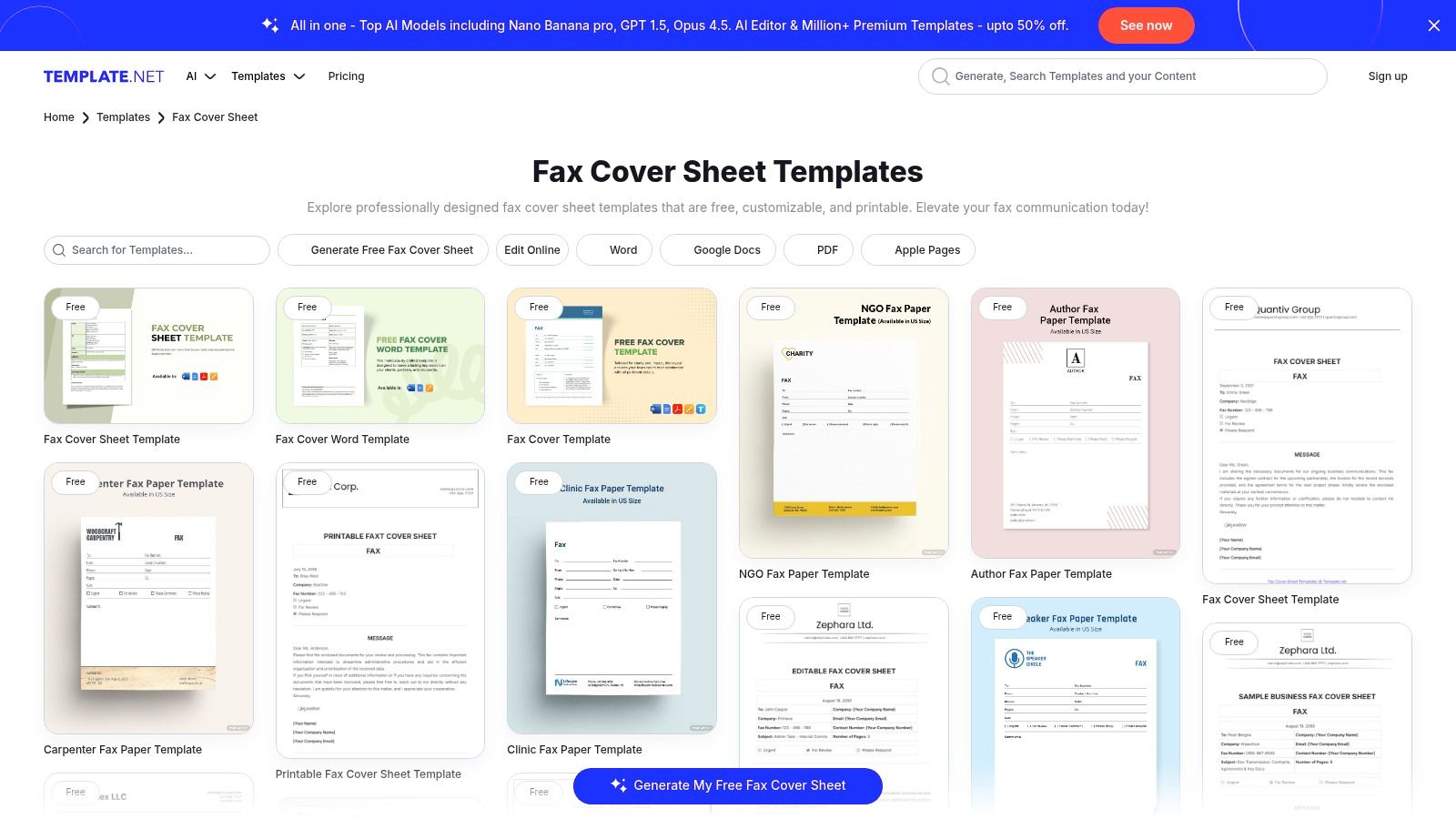
    Think of creating a custom cover sheet as a one-time investment that saves you time and headaches with every single fax you send. The idea is to build a professional, reusable document right in a program you already use, like Microsoft Word or Google Docs. We're not talking about fancy graphic design here; we're aiming for clarity, consistency, and a solid first impression.

    First things first, open a new document and set up a simple header. This is the prime real estate for your company logo. Popping your brand right at the top instantly adds a professional touch and reinforces who you are. Remember to use plenty of white space—a cluttered page is hard to read and looks unprofessional.

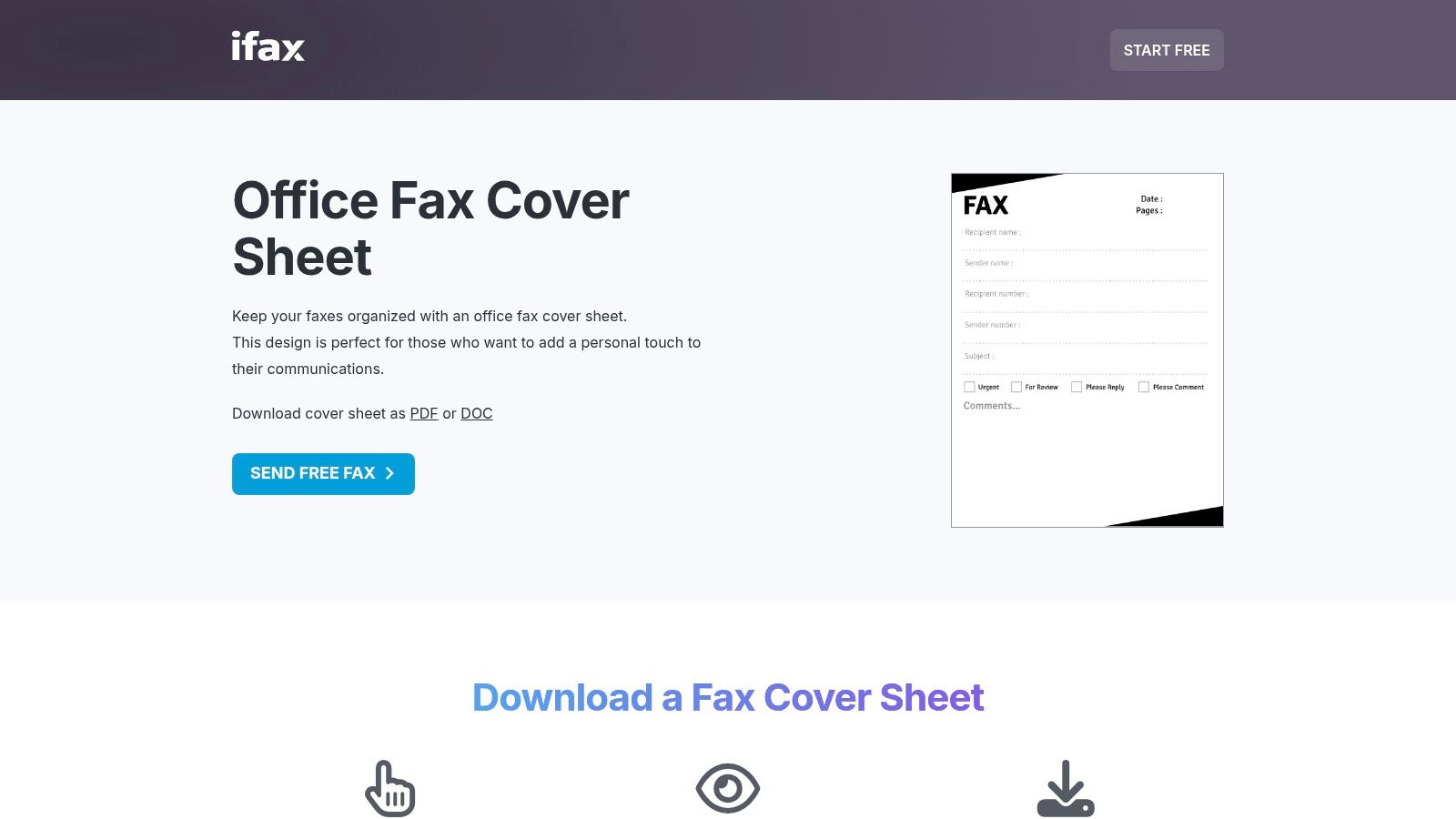
    The real meat of your template is the information fields. You’re essentially creating a simple form with clear, labeled sections for all the must-have details. This way, nothing gets missed when you're in a rush.

    Structuring Your Key Information Fields

    I’ve found that organizing the template into logical blocks works best. A simple two-column layout is often a great choice, as it keeps the sender and recipient information neatly aligned and incredibly easy to scan.

    These are the fields I consider absolutely non-negotiable for any template:

    • To: The recipient's full name and their department.
    • From: Your full name and professional title.
    • Company: The name of the recipient's organization.
    • Fax Number: This is critical, so make the field prominent.
    • Date: The date you're sending the fax.
    • Subject: A short, clear description of what's inside.
    • Total Pages: Always include the cover sheet in this count (e.g., "1 of 5 pages").

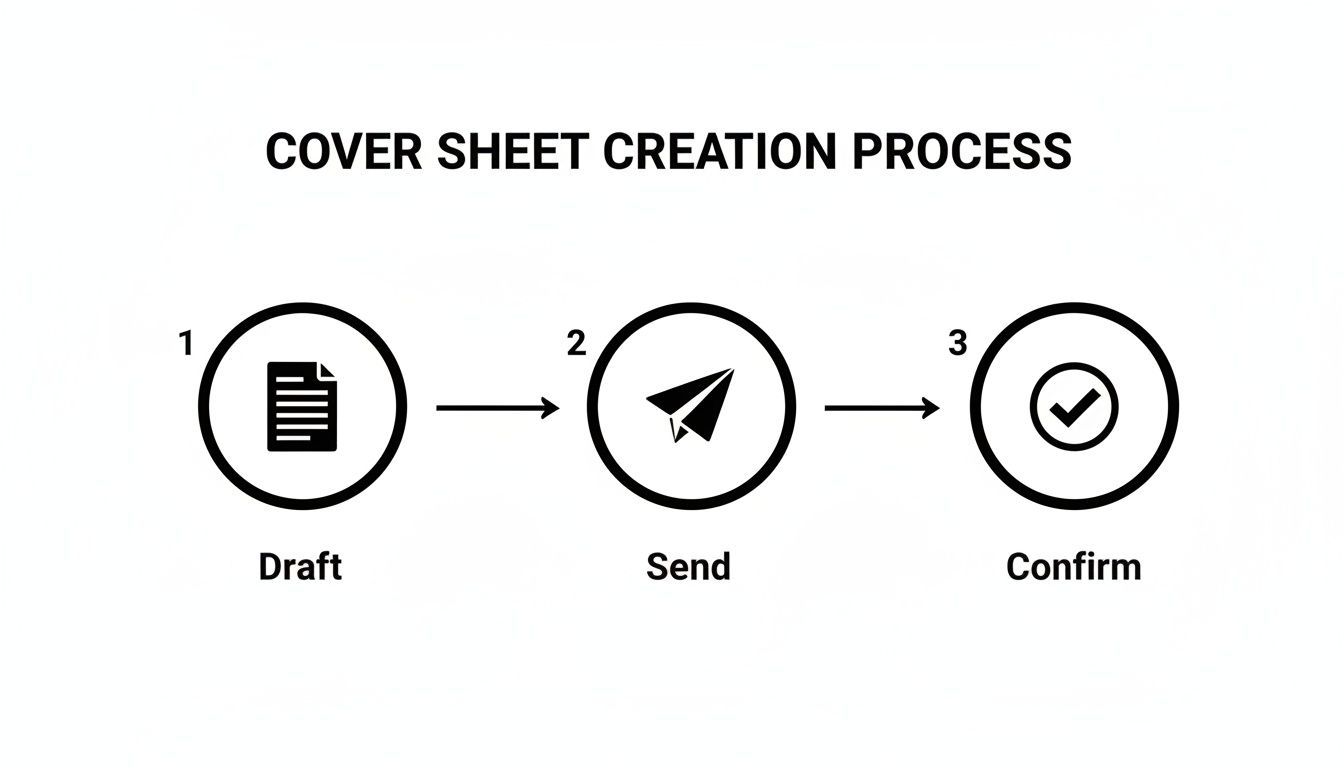
    This quick diagram breaks down the entire process, from drafting your template to getting that final confirmation.

    Diagram illustrating a three-step cover sheet creation process: Draft, Send, and Confirm with icons.

    It’s a simple visual, but it drives home an important point: a well-made template is the foundation for a smooth, successful fax every single time.

    Adding the Message and Confidentiality Notice

    Just below the main contact block, make sure to leave a generous amount of space for a message. This is where you can add specific context or instructions for the person on the other end. In your template file, you can just use placeholder text like, "[Insert brief message here]," as a reminder to customize it before sending.

    Last but certainly not least, add a confidentiality statement at the very bottom. For many industries, especially healthcare and legal, this isn't just a good idea—it's a legal necessity.

    A standard confidentiality notice is your first line of defense. It legally informs any unintended recipients that the information is privileged and not for them, instructing them on the proper course of action, which usually involves destroying the document and notifying the sender.

    A classic notice usually says something like: "This facsimile is confidential and intended solely for the use of the individual to whom it is addressed. If you have received this fax in error, you are hereby notified that any disclosure, copying, or distribution is strictly prohibited."

    Once your layout is perfect, save the file as a template (a .dotx file in Word, for instance). Now, when you're ready to send a fax, you'll need it in a reliable format. We have a great guide on how to convert Word documents to PDF, which is the universal standard for online faxing. This final step ensures your carefully designed template looks exactly as intended, no matter where it's viewed.

    What Every Great Fax Cover Sheet Needs

    Think of your fax cover sheet not as a mere formality, but as the control panel for your entire transmission. A well-designed template does more than just introduce your document; it ensures it lands in the right hands and protects you legally. Getting these details right from the outset can prevent a world of confusion, delays, and even serious compliance headaches, especially when you're handling sensitive information like Protected Health Information (PHI).

    A vague subject line or a missing page count might seem like a small oversight, but they can cause big problems. Imagine sending a crucial multi-page contract, but the recipient's machine only spits out the first few pages. Without a clear page count like "Page 1 of 7", they might act on an incomplete document, leading to a major misunderstanding.

    A minimalist workspace featuring a cover sheet titled 'Essential Elements', a pen, laptop, and reading glasses.

    Core Contact and Routing Information

    This is the absolute foundation of your cover sheet, and it needs to be crystal clear. Ambiguous details are just asking for your fax to get lost in a busy mailroom or shuffled between departments. Every solid template should have dedicated fields for this info.

    Make sure your template includes:

    • Sender Details: Your full name, company, direct phone number, and fax number. This tells the recipient exactly who you are and how to get back to you.
    • Recipient Details: The person's full name, their department (if you know it), company, and their direct fax number. Honestly, double-checking this number is the single most important thing you can do.
    • Date of Transmission: Always include the exact date you send the fax. It’s essential for good record-keeping.

    This isn’t just about being meticulous; it's about making things work. In fact, we’ve seen that standardized templates can increase fax delivery success rates by as much as 35% in busy offices. An incredible 22% of all failed faxes are simply due to poorly formatted cover sheets with missing or unclear information.

    The Subject Line and Page Count

    The subject line is your chance to give the recipient instant context. A generic subject like "Documents" is practically useless. Be specific and, if possible, action-oriented. Try something like, "Signed Lease Agreement for 123 Main St" or "Urgent: Patient Referral for John Doe."

    The page count is just as crucial. You should always specify the total number of pages, including the cover sheet itself. This tiny detail instantly confirms that the entire document was transmitted successfully and helps the recipient make sure everything is in the right order. For more ideas on how to frame your documents effectively, take a look at our detailed guide on fax cover letter examples.

    Your subject line and page count are the two things people scan for first. Someone glancing at the fax machine should be able to figure out what the document is and confirm it's all there in under five seconds.

    The Confidentiality Disclaimer

    This is a non-negotiable, especially if you work in legal, finance, or healthcare. A confidentiality statement is a block of text, usually at the bottom, that serves as a legal safeguard. It puts anyone who might accidentally receive the fax on notice that the contents are private, privileged, and not intended for them.

    A standard disclaimer will instruct an unintended recipient to destroy the document and notify the sender immediately. This simple paragraph can be your first line of defense against claims of negligence or even HIPAA violations if sensitive information ends up in the wrong hands. Make sure every template you use has one.

    A one-size-fits-all cover sheet might get the job done for a quick, casual fax, but it’s a major misstep when you’re dealing with industry-specific rules and regulations. What you include—and what you leave out—can have real legal and professional consequences.

    Your cover sheet isn’t just an introduction; it's a critical business tool. What a freelance graphic designer needs is worlds away from the requirements of a busy medical clinic or a law firm handling sensitive case files. You have to think beyond the basics of "To" and "From" and consider what your field truly demands.

    Healthcare and HIPAA Compliance

    If you're in healthcare, your fax cover sheet is on the front lines of protecting Protected Health Information (PHI) and staying HIPAA compliant. A generic template is a non-starter. You absolutely must include a clear, comprehensive confidentiality notice that specifically mentions HIPAA.

    This isn't just a formality. Think about this: in 2024, an estimated 41% of U.S. healthcare providers still rely on faxes for patient records, sending over 8 billion pages a year. The Joint Commission found that a proper confidentiality notice can cut compliance violations by a staggering 50%. You can find some great examples and insights on report templates over on Canva's resource page.

    Your healthcare cover sheet needs these key elements:

    • A prominent HIPAA warning: State clearly that the information is confidential PHI.
    • Misdelivery instructions: Tell anyone who receives it by mistake to destroy the fax immediately and notify you.
    • Minimal patient info: Only include what's essential for identification to reduce the risk of exposure.

    Legal and Real Estate Disclaimers

    In law and real estate, faxes are often loaded with privileged or time-sensitive information. Your cover sheet needs to put up a clear wall of confidentiality right from the start. The whole point is to safeguard attorney-client privilege or the private nature of a big contract negotiation.

    A legal cover sheet should have a bold disclaimer right at the top. It should state that the contents are confidential, meant only for the intended recipient, and may be legally privileged. This simple step helps prevent someone from accidentally waiving privilege if the document ends up in the wrong hands. For real estate deals, a similar notice drives home the confidential nature of offers, counter-offers, and financial data.

    A well-worded disclaimer on your legal or real estate fax cover sheet acts as a legal shield. It formally declares the confidential nature of the communication before the recipient even sees the first page of the actual document.

    Freelancers and Small Business Branding

    For freelancers and small business owners, the cover sheet is a fantastic piece of marketing real estate. You might not have the intense compliance worries of a doctor or lawyer, but looking professional is just as important. Use this space to make a great first impression.

    This is your chance to reinforce your brand. Add your logo, use your company colors, and pick a clean, modern font that matches your website and business cards. Treat it like a mini-letterhead. A polished, branded cover sheet tells clients you’re organized, professional, and serious about your work—and that’s a message every client wants to receive.

    Industry-Specific Cover Sheet Customizations

    Different fields have vastly different priorities when it comes to fax communication. The information that is essential for one industry could be irrelevant—or even a liability—for another. The table below breaks down some key modifications to consider for your own cover sheet template.

    Industry Critical Information to Include Recommended Disclaimer
    Healthcare Patient Name/ID (minimal), Date of Service, Medical Record Number. HIPAA Confidentiality Notice: "This fax contains confidential, privileged Protected Health Information (PHI)… If you are not the intended recipient, you are notified that any dissemination is strictly prohibited…"
    Legal Case/Matter Number, Client Name, Document Title (e.g., "Motion to Dismiss"). Attorney-Client Privilege Statement: "This communication is intended only for the use of the individual or entity to which it is addressed and may contain information that is privileged and confidential."
    Financial Services Account Number, Transaction ID, Name of Financial Advisor/Institution. Financial Confidentiality Notice: "This information is intended only for the person or entity to which it is addressed and may contain private financial data… Unauthorized review or distribution is prohibited."
    Real Estate Property Address, Offer/Contract Number, Agent Name, and License Number. Transaction Confidentiality Clause: "The contents of this fax are confidential and intended for the recipient specified in the message only. It is strictly forbidden to share any part of this message with any third party."
    Creative/Freelance Project Name or Number, Invoice Number (if applicable), Your Contact Information and Logo. Copyright/Proprietary Information: "The materials included are the proprietary work of [Your Name/Company Name]. Any unauthorized use, reproduction, or distribution is prohibited."

    Ultimately, taking a few extra minutes to tailor your cover sheet to your industry's standards isn't just about looking good—it's about protecting yourself, your clients, and your business from unnecessary risk.

    Using Your Template with Online Fax Services

    You've put in the work to create the perfect, professional cover sheet template. Now what? The final piece of the puzzle is fitting it into your digital workflow. Fortunately, using a custom template with an online fax service is a world away from fussing with a physical fax machine, but there are a few things to keep in mind, especially when looking at free versus paid options.

    Most modern fax services, including SendItFax, are built to handle the file formats you already use. That .docx file from Word or the .pdf you saved? They're good to go. The process itself is pretty simple: when you go to send your fax, you'll just upload two files instead of one. Make sure to select your cover sheet first, then your main document, and the service will merge them into a single, seamless transmission.

    A laptop displaying an online form, a smartphone, and a notebook on a wooden desk, with 'Upload & Send' text.

    Free vs. Paid Tiers: A Practical Look

    So, where do the free and paid plans differ? It almost always comes down to branding.

    When you use a free service, you're usually trading cost for advertising. The platform will often tack on its own branded cover sheet to every fax you send. This page will be covered in their logo and marketing messages, which can seriously undermine the professional look you're trying to achieve.

    This is exactly why upgrading to a paid or "almost free" plan can be a game-changer. For a very small fee, services like SendItFax let you remove their branding completely. This puts you back in control, allowing you to use your own custom template so your logo and professional layout are the first things your recipient sees.

    Think of it this way: upgrading to a paid tier isn't just about unlocking features. It's about controlling your professional image. It's the difference between sending a business proposal in a plain, crisp envelope versus one with another company’s logo splashed all over it.

    Making the Right Choice for Your Needs

    The decision between a free and paid service really hinges on who you're faxing and why. Not all online fax platforms are built the same, so it pays to compare the details. If you're weighing your options, our in-depth online fax services comparison is a great resource for breaking down the pros and cons.

    Here’s a quick way to think about it:

    • When to Use Free Services: A free plan is perfectly fine for personal or informal faxes where branding is a non-issue. Think sending a signed form to your gym or a document to a relative.
    • When to Upgrade to Paid: You should always opt for a paid service for any kind of professional or business-critical communication. This includes legal contracts, new client proposals, medical records, or any other document where your brand's credibility is on the line.

    At the end of the day, having a custom cover sheet template saved in both DOCX and PDF formats gives you the power and flexibility to look professional on any platform. By picking a service that lets you upload your own design, you keep full control over your branding and make sure every fax you send is polished and impressive.

    Your Top Cover Sheet Questions, Answered

    Even with the best templates in hand, a few questions always pop up. I get it. You want to make sure every fax you send is professional and lands in the right hands without a hitch. Let's walk through some of the most common questions I hear from people just like you.

    Think of this as your quick-reference guide for clearing up any confusion, so you can send your documents with total confidence.

    Is a Fax Cover Sheet Actually Required by Law?

    This is a fantastic question, and the answer is a classic "it depends." There isn't a sweeping federal law that says every single fax must have a cover sheet. However, in practice, it’s an essential safeguard that carries a lot of weight, especially depending on your industry.

    For instance, if you're in healthcare, that cover sheet isn't just a formality—it's a critical tool. Including a specific HIPAA confidentiality notice is a fundamental step in protecting patient information. The same goes for the legal world, where a cover sheet helps formally establish and maintain attorney-client privilege.

    While not always a strict legal mandate across the board, using a cover sheet is always the safest and most professional choice when you're sending any kind of sensitive information. It's a simple step that adds a powerful layer of protection.

    Can I Put My Company Logo on a Cover Sheet Template?

    Absolutely—and you really should. Adding your logo is probably the quickest win for making your faxes look polished and reinforcing your brand. It immediately signals to the recipient who the fax is from, which is a huge plus in a busy office.

    When you're working in a program like Microsoft Word or Google Docs, just insert your logo file into the header of the document. A high-quality PNG or JPEG file usually works best. This places your brand right at the top, making it the very first thing your recipient sees.

    What’s the Real Difference Between Free and Paid Cover Sheets?

    It almost always boils down to one thing: branding and customization. Most online fax services, including ours, structure their plans with different benefits in mind.

    • Free Services: These plans typically attach a cover page with their branding on it. That means your fax will arrive with another company's logo and messaging, which can look a bit unprofessional if you're trying to represent your own business.
    • Paid Plans: Upgrading to a paid plan, like the "Almost Free" option from SendItFax, gets rid of all that third-party branding. You get to upload your own custom template, keeping your professional image front and center. Paid tiers also give you the control to skip the cover sheet entirely when you don't need one.

    What Is the Most Important Info to Put on My Cover Sheet?

    Every field on a template serves a purpose, but a few details are absolutely mission-critical. Honestly, getting one of these wrong is the number one reason faxes get lost or delayed in a busy office environment.

    Make sure these non-negotiable details are always crystal clear:

    • The recipient's full name and their direct fax number.
    • Your full name, company, and return contact information.
    • The date the fax is being sent.
    • A clear, specific subject line that says what the fax is about.
    • The total number of pages, including the cover sheet itself (e.g., "Page 1 of 5").

    Ready to send your documents with a polished, professional look? With SendItFax, you can use your own custom cover sheet template to ensure your brand stands out. Start faxing in seconds with SendItFax.
  • 8 Essential Fax Cover Letter Example Templates for 2025

    8 Essential Fax Cover Letter Example Templates for 2025

    In many professional settings, particularly within healthcare, law, and government sectors, faxing remains a secure and legally recognized method for document transmission. Sending a document blind, however, is a missed opportunity. A professional fax cover letter acts as the formal introduction, providing essential context, clarifying the urgency, and ensuring your materials reach the intended recipient without delay. It's the first impression your documents make, establishing credibility and professionalism before the main content is even reviewed.

    This guide moves beyond generic templates to provide a strategic breakdown of what makes a communication effective. You will find a practical fax cover letter example for eight distinct professional scenarios, from submitting a confidential legal file to sending a job application. For each example, we will dissect its structure, explain the strategic choices behind the wording, and offer actionable takeaways you can apply immediately. Our goal is to equip you with the tools to not only create a proper cover letter but to understand the specific elements that drive clear, professional, and successful communication for any situation you encounter. We'll also cover how to seamlessly integrate these templates using modern online fax services.

    1. Professional Business Inquiry Fax Cover Letter

    A Professional Business Inquiry Fax Cover Letter is a crucial first impression in formal B2B communications. It serves as a professional introduction, immediately establishing the purpose and credibility of your transmission. This type of cover letter is not just a routing slip; it’s a strategic tool designed to ensure your proposal, request for information (RFI), or initial partnership query is taken seriously and directed to the appropriate decision-maker without delay.

    An office desk with a laptop, documents, a pen, and a 'BUSINESS INQUIRY' sign.

    This fax cover letter example is essential when the recipient may not be expecting your communication. It provides immediate context, preventing your important documents from being dismissed as unsolicited junk or being misplaced in a busy office. It clearly outlines the sender, the intended recipient, the subject, and the total number of pages, which is critical for verifying a complete and successful transmission.

    Strategic Breakdown

    • Clarity is Key: The primary goal is to eliminate ambiguity. A recipient should understand the fax's purpose within seconds.
    • Establish Professionalism: A well-structured cover letter with your company letterhead conveys that your business is organized and legitimate.
    • Direct the Action: The "Comments" or "Notes" section should concisely state the purpose of the fax and the desired next step (e.g., "Request for Quote for Project X," "Partnership Proposal for review," "Please direct to the Accounts Payable department").

    Actionable Takeaways

    To create an effective business inquiry cover letter, follow these steps:

    • Use Company Letterhead: If possible, incorporate your company logo and contact information for brand consistency.
    • Specify the Subject: Use a clear and direct subject line, such as "Formal Vendor Bid Request" or "Initial Partnership Inquiry."
    • Include All Essentials: Ensure the fields for To, From, Date, Subject, and Total Pages (including the cover sheet) are filled out accurately.
    • Provide a Direct Contact: Always include the sender's direct phone number and email for easy follow-up questions from the recipient.

    2. Urgent Time-Sensitive Fax Cover Letter

    An Urgent Time-Sensitive Fax Cover Letter is a critical communication tool used to signal that the contents of a transmission require immediate attention and action. Unlike a standard cover sheet, its primary function is to bypass routine processing and alert the recipient to a pressing deadline or critical situation. This is essential in fields like medicine, law, and finance where delays can have significant consequences, such as missing a court filing deadline or delaying urgent patient care.

    A black fax machine on a wooden desk with documents and a laptop, with 'URGENT RESPONSE' text overlay.

    This fax cover letter example is designed with visual cues, often using bold, capitalized text like "URGENT" or "TIME-SENSITIVE" prominently at the top. It provides the necessary routing information but places emphasis on the required action and deadline. Using this template ensures your document is prioritized over less critical correspondence, making it a vital instrument for managing high-stakes communications effectively and responsibly.

    Strategic Breakdown

    • Command Attention: The design's main purpose is to be visually arresting. Bold headings and clear markers prevent it from being placed in a non-urgent mail pile.
    • Set Clear Expectations: It immediately informs the recipient that the content is not routine. This manages expectations and prompts a faster response.
    • Create Accountability: By explicitly stating a deadline (e.g., "Response required by 3:00 PM EST"), it establishes a clear timeline and encourages the recipient to act promptly to avoid missing a critical window.

    Actionable Takeaways

    To create an effective urgent cover letter, follow these steps:

    • Use Visual Urgency: Clearly mark the document as "URGENT" or "TIME-CRITICAL" at the top in a large, bold font.
    • Be Specific with Deadlines: Instead of just a date, include the exact time and time zone for the deadline (e.g., "Must be processed by 4:30 PM PST on October 26").
    • Follow Up with a Call: After sending, make a brief phone call to the recipient's office to confirm they have received the fax and understand its urgency.
    • Provide Direct Contact Info: Include a direct phone number and email for the sender so the recipient can confirm receipt or ask questions without delay.

    3. Job Application and Resume Fax Cover Letter

    A Job Application and Resume Fax Cover Letter is a specialized document that introduces your professional qualifications when submitting application materials via fax. While less common than email, some industries like healthcare, government, and certain trades still rely on fax for hiring processes. This cover letter must be both professional and compelling, serving as the first point of contact to capture a hiring manager's attention.
    This fax cover letter example is crucial for making a strong first impression in a formal application process. It ensures your resume doesn't get lost in a stack of papers by immediately clarifying its purpose and destination. It acts as a professional handshake, showing you can follow specific application instructions while also providing a concise preview of your value as a candidate.

    Strategic Breakdown

    • Bridge Formality and Personality: This cover letter must adhere to formal business communication standards while still allowing your unique qualifications and interest in the role to shine through.
    • Ensure Correct Routing: In a large organization, a clear cover letter with the specific job title or posting code ensures your application reaches the correct hiring manager or HR representative promptly.
    • Demonstrate Attention to Detail: Submitting a clean, error-free, and well-structured fax cover letter shows you are a meticulous and serious applicant who respects the employer's established procedures.

    Actionable Takeaways

    To create an effective job application fax cover letter, follow these steps:

    • Personalize the "To" Field: Address the cover letter to a specific person, like the hiring manager, whenever possible. A quick search on the company website or LinkedIn can often yield this information.
    • Reference the Job Posting: Clearly state the job title and any reference or posting code you are applying for in the subject line or the opening sentence.
    • Keep it Concise: The "Comments" section should be a brief, powerful summary of your interest and key qualifications. Aim for three short paragraphs maximum, treating it as a mini-cover letter.
    • Verify Transmission: Always confirm that the total number of pages listed (including the cover sheet) matches what was sent to avoid submitting an incomplete application.

    4. Confidential Legal Document Transmission Fax Cover Letter

    A Confidential Legal Document Transmission Fax Cover Letter is a specialized and non-negotiable component for transmitting sensitive legal materials. It acts as a formal shield, clearly stating the privileged and confidential nature of the documents being sent. This cover letter is designed to meet strict legal and ethical standards, ensuring that settlement agreements, contracts, or proprietary information are handled with the required discretion and are legally protected from unintended disclosure.

    This fax cover letter example is indispensable in legal practice, where a breach of confidentiality can have severe consequences. It immediately alerts the recipient to the sensitive nature of the fax and includes critical legal disclaimers. These notices often warn that the information is intended solely for the addressee and that any unauthorized review, distribution, or use is strictly prohibited, providing a layer of legal recourse in case of a mishandling.

    Strategic Breakdown

    • Establish Legal Privilege: The primary function is to assert attorney-client privilege or the confidential nature of the documents from the very first page.
    • Mitigate Risk: Including a detailed confidentiality notice helps protect the sending party from liability if the fax is misdirected or intercepted.
    • Ensure Compliance: For many legal proceedings and transactions, a documented, formal transmission record, starting with a proper cover sheet, is required for compliance and admissibility.

    Actionable Takeaways

    To create a compliant and effective legal fax cover letter, follow these steps:

    • Include a Standard Confidentiality Notice: Use the specific, verbatim confidentiality statement approved by your law firm or legal counsel. This is not the place for creative wording.
    • Verify Recipient Details: Double-check the recipient’s name, title, and fax number to prevent accidental disclosure. Document your verification process.
    • Use Explicit Subject Lines: The subject line should be clear but discreet, such as "Re: Confidential Legal Matter – Case #12345" or "Privileged Communication Regarding Smith v. Jones."
    • Maintain Detailed Logs: Always keep a transmission report or log as proof of sending and successful delivery. For highly sensitive information, you might wonder if other fax services are secure enough; this resource can offer more insight into fax service security.

    5. Medical Records and Healthcare Provider Fax Cover Letter

    A Medical Records and Healthcare Provider Fax Cover Letter is a specialized, security-focused document essential for transmitting sensitive patient information. Governed by strict regulations like HIPAA, this cover letter acts as a safeguard, ensuring that confidential data such as medical records, lab results, and prescriptions are handled with the utmost care and compliance. It is a mandatory first page for any healthcare-related fax transmission.

    This fax cover letter example is non-negotiable in the healthcare industry to protect patient privacy and avoid severe legal penalties. It immediately establishes the confidential nature of the documents and includes specific disclaimers required by law. By clearly stating the sender, intended recipient, and patient identifiers, it minimizes the risk of a data breach if the fax is sent to an incorrect number.

    Strategic Breakdown

    • Prioritize Compliance: The primary function is to adhere to legal and regulatory standards, particularly HIPAA's privacy rules.
    • Ensure Confidentiality: A mandatory confidentiality statement warns unintended recipients of their legal obligation to destroy the document and notify the sender.
    • Verify Recipient and Contents: It confirms the recipient's identity and the total page count, which is crucial for ensuring the complete and secure transmission of a patient's medical file.

    Actionable Takeaways

    To create a compliant and effective medical fax cover letter, follow these steps:

    • Include a HIPAA Disclaimer: Always add a standardized confidentiality notice. A typical statement begins, "The documents accompanying this transmission contain confidential health information that is legally privileged…"
    • Use Multiple Patient Identifiers: To prevent mix-ups, include the patient's full name and their date of birth or medical record number.
    • Double-Check the Fax Number: Before sending, verbally confirm the receiving fax number with the intended facility to prevent misdirection.
    • Utilize Secure Services: For transmitting highly sensitive records, it is wise to research and compare online fax services that offer enhanced security and audit trails.

    6. Invoice and Payment Processing Fax Cover Letter

    An Invoice and Payment Processing Fax Cover Letter is an essential tool for any financial transaction conducted via fax. It provides a clear, professional framework for submitting invoices, purchase orders, or payment authorizations, ensuring the documents are routed correctly to the accounts payable department. This cover letter acts as a formal record of transmission, reducing the risk of lost documents, payment delays, and accounting errors.
    A desk flat lay with a calculator, green plant, clipboard, and the bold text 'INVOICE ENCLOSED'.

    This fax cover letter example is particularly vital for freelancers, suppliers, and contractors who need to maintain a clear and documented communication trail with their clients' accounting teams. It immediately clarifies the content of the fax, preventing it from being overlooked or misfiled. Key details like the invoice number, amount due, and any relevant purchase order numbers are highlighted, streamlining the entire payment cycle.

    Strategic Breakdown

    • Prioritize Critical Data: The most important financial details should be impossible to miss. This prevents clerical errors and accelerates processing time.
    • Ensure Proper Routing: By clearly addressing the fax to the "Accounts Payable Department" or a specific contact, you ensure it reaches the right hands promptly.
    • Create a Paper Trail: The cover sheet serves as proof of submission, complete with a date and time stamp, which is invaluable in case of payment disputes or audits. This can be especially useful when using one of the cheapest online fax services that provide transmission logs.

    Actionable Takeaways

    To create an effective invoice and payment cover letter, follow these steps:

    • Use Bold for Key Info: Make the Invoice Number, Due Date, and Total Amount Due stand out with bold formatting.
    • Reference Purchase Orders: If applicable, always include the Purchase Order (PO) number to help the client match the invoice to an approved expense.
    • Provide Payment Instructions: Briefly outline accepted payment methods or direct the recipient to the invoice for detailed payment terms.
    • Include Direct Contact Details: Add a name, phone number, and email for the accounting department to contact with any questions regarding the invoice.

    7. Marketing and Promotional Campaign Fax Cover Letter

    A Marketing and Promotional Campaign Fax Cover Letter is a specialized document designed to capture attention and generate interest for business development. It acts as the lead-in for marketing materials, advertising proposals, or event sponsorships. Unlike purely transactional faxes, this cover letter must blend professionalism with a compelling hook to prevent it from being immediately discarded.

    This fax cover letter example is critical for cutting through the noise in industries where faxing is still a viable outreach method. For advertising agencies pitching ideas or media companies presenting ad opportunities, this cover sheet provides the initial sizzle. It frames the subsequent documents as a valuable opportunity, not just another unsolicited advertisement.

    Strategic Breakdown

    • Capture Immediate Interest: The primary goal is to create intrigue. The cover letter must convince the recipient that the attached documents are worth their time.
    • Balance Creativity and Clarity: While the design can be more creative, it must remain simple enough to transmit clearly via fax technology. Overly complex graphics will become unreadable.
    • Benefit-Oriented Language: The "Comments" section should focus on what the recipient gains (e.g., "Proposal to increase your Q4 sales by 15%," "Exclusive sponsorship opportunity for the upcoming industry gala").

    Actionable Takeaways

    To create a persuasive marketing campaign cover letter, follow these steps:

    • Lead with a Compelling Headline: Instead of a generic "Subject," use a headline-style subject line that highlights a key benefit or poses an intriguing question.
    • Personalize the Message: Address the cover letter to a specific person and reference their company. Generic "To Whom It May Concern" faxes are easily ignored.
    • Include a Clear Call-to-Action (CTA): Tell the recipient exactly what to do next. For example, "Please review the attached proposal for our limited-time media package and call me to schedule a 10-minute discovery call."
    • Hint at ROI: Briefly mention potential metrics or ROI projections in the comments section to add credibility and urgency to your proposal.

    8. Real Estate and Property Transaction Fax Cover Letter

    A Real Estate and Property Transaction Fax Cover Letter is an essential document for professionals in the real estate industry. It provides a formal and clear record for the transmission of time-sensitive and legally significant documents, such as listing agreements, offers, counter-offers, inspection reports, and closing papers. Given the high stakes and numerous parties involved in property transactions, this cover letter acts as a crucial organizational tool, ensuring every document is accounted for and directed correctly.

    This fax cover letter example is vital for maintaining a clear paper trail and minimizing the risk of errors or miscommunications. It confirms the successful transmission of all pages to the correct recipient, whether it's a title company, lender, inspector, or another agent. In a fast-paced market, it provides immediate context, allowing the recipient to prioritize and process the information efficiently, which is critical for meeting strict contractual deadlines.

    Strategic Breakdown

    • Detail is Paramount: The cover letter must contain specific property identifiers to prevent confusion between different transactions.
    • Create a Clear Audit Trail: It serves as proof of what was sent, when it was sent, and who received it, which can be invaluable in case of disputes.
    • Clarify Next Steps: The "Comments" section should explicitly state the required action and any associated deadlines (e.g., "Purchase offer for 123 Maple Lane. Please review and respond by 5 PM EST on 10/26," or "Signed closing documents for your records.").

    Actionable Takeaways

    To create an effective real estate transaction cover letter, follow these steps:

    • Include Property Identifiers: Always list the full property address and, if available, the parcel number or MLS listing number in the subject line or comments.
    • List All Enclosed Documents: Itemize every document included in the transmission (e.g., "Listing Agreement – 5 pages," "Seller's Disclosure – 3 pages").
    • Specify Deadlines: Clearly state any response deadlines or critical dates related to the documents being sent.
    • Fill Out All Fields: Accurately complete the To, From, Date, and Total Pages fields to ensure the transmission is verifiable and complete.

    8-Point Fax Cover Letter Comparison

    Template 🔄 Implementation complexity ⚡ Resource requirements ⭐ Expected outcomes 📊 Ideal use cases 💡 Key advantages / tips
    Professional Business Inquiry Fax Cover Letter Medium — formal letterhead & recipient fields Medium — branding, full recipient details, proofreading ⭐⭐⭐⭐ — establishes credibility and clarity B2B proposals, vendor bids, law firms, finance Include company branding; verify fax number; number pages
    Urgent Time-Sensitive Fax Cover Letter Medium — prominent deadlines & confirmation fields Medium–High — multiple contacts, timestamps, follow-up calls ⭐⭐⭐⭐ — drives immediate attention and response Medical results, court deadlines, emergency repairs, time-critical transactions Use "urgent" only when true; include alt contacts; call after sending
    Job Application and Resume Fax Cover Letter Low — concise personal & position fields Low — candidate contact, tailored summary ⭐⭐⭐ — personalizes application; may increase review chance Job applications to traditional firms, healthcare, government Address hiring manager by name; keep to one page; follow up via email if possible
    Confidential Legal Document Transmission Fax Cover Letter High — legal language, verification, classification High — counsel-approved disclaimers, recipient auth, detailed logs ⭐⭐⭐⭐ — documents privilege/confidentiality and audit trail Settlement agreements, patent transfers, corporate legal communications Use firm-approved confidentiality text; verify recipient authorization; keep transmission logs
    Medical Records and Healthcare Provider Fax Cover Letter High — HIPAA statements, patient identifiers, authorization High — PHI safeguards, accurate patient IDs, regulatory knowledge ⭐⭐⭐⭐ — supports HIPAA compliance and correct routing Hospital labs, physician referrals, imaging results, insurance requests Always include HIPAA disclaimer; verify receiving facility; maintain logs
    Invoice and Payment Processing Fax Cover Letter Low–Medium — payment fields, amounts, PO references Medium — accurate invoice numbers, billing details, contact for AP ⭐⭐⭐⭐ — reduces payment delay and accounting errors Suppliers, freelancers, consultants, contractors billing clients Highlight invoice number/amount; include payment methods; send backup via email
    Marketing and Promotional Campaign Fax Cover Letter Medium — creative header with concise CTA Medium — campaign title, value proposition, metrics ⭐⭐⭐ — increases engagement when clear and targeted Ad agencies, event planners, marketing proposals, media sales Keep design fax-friendly; focus on recipient benefits; include clear CTA and ROI points
    Real Estate and Property Transaction Fax Cover Letter Medium–High — property details, parties, document lists Medium–High — accurate addresses, page counts, timelines ⭐⭐⭐⭐ — improves completeness and reduces closing delays Agents, title companies, inspectors, lenders List documents with page counts; include all parties' contacts and deadlines

    Key Takeaways for Perfect Fax Communication

    Navigating the world of fax communication might seem like a throwback, but as we've demonstrated, it remains a vital, secure, and often legally required method for transmitting sensitive information. The examples provided throughout this guide are more than just templates; they are strategic blueprints for ensuring your documents are received, understood, and acted upon with the urgency and professionalism they deserve. The difference between a successful transmission and a lost document often comes down to the clarity and completeness of its cover letter.

    The core principle is simple: context is king. A hastily written cover sheet for a confidential legal document can undermine its perceived importance, just as an overly formal one for a simple business inquiry can seem out of place. Mastering the art of the fax cover letter means tailoring your approach to the specific situation, whether it involves medical records, a job application, or a time-sensitive real estate offer.

    Your Actionable Checklist for Every Fax

    Before you send your next fax, run through this final checklist. These steps consolidate the key lessons from each fax cover letter example and are designed to prevent common errors and enhance your professional image.

    • Verify Recipient Details: Always double-check the recipient's name, title, company, and fax number. An error here is the fastest way to a failed or misdirected transmission.
    • State Your Purpose Clearly: The subject line is your headline. Make it specific and concise, such as "Confidential Medical Records for Patient Jane Doe" or "Urgent: Signed Contract for Project Phoenix." This immediately tells the recipient what they have and why it matters.
    • Confirm Page Count: Accurately stating the total number of pages (including the cover sheet) is a critical, yet often overlooked, detail. It allows the recipient to confirm they have received the complete document, preventing confusion and follow-up calls.
    • Provide Clear Contact Information: Ensure your name, company, phone number, and email address are prominently displayed. This makes it easy for the recipient to contact you with questions or to confirm receipt.

    Ultimately, a well-crafted fax cover letter serves as a professional handshake, a legal notice, and a clear set of instructions all in one. It establishes a record of transmission and guides your important documents to the right hands efficiently. By applying the strategies and using a reliable service, you transform an outdated perception of faxing into a powerful tool for modern business communication. Each fax cover letter example we've broken down is a testament to how a small amount of preparation can yield significant professional benefits, ensuring your message is not just sent, but truly delivered.


    Ready to send your faxes with professional, customizable cover pages? SendItFax makes it easy to apply these principles without ever touching a physical fax machine. Try SendItFax today to see how simple it is to send secure, reliable faxes right from your computer or phone.

  • Crafting the Perfect Fax Cover Letter with Templates

    Crafting the Perfect Fax Cover Letter with Templates

    A fax cover letter is the very first page you send in a fax transmission. It’s a quick, professional introduction that tells the recipient who you are, who the fax is for, and what to expect in the pages that follow. Think of it as the envelope and greeting card for your main document, ensuring it gets to the right person right away.

    It contains all the crucial details: your contact info, the recipient's info, the date, and—most importantly—the total page count.

    Why a Fax Cover Letter Still Matters Today

    A fax machine and a document titled 'FAX COVER LETTER' sit on a wooden office desk.

    I get it. In a world full of emails and instant messages, sending a fax can feel a bit old-school. But for many critical industries—like healthcare, law, and government—faxing is still the gold standard for secure, legally binding communication. And for these important transmissions, the fax cover letter is your first impression.

    It’s more than just a formality; it’s a practical tool that provides immediate clarity and context. Sending a fax without one is like mailing a package with no label. It might eventually get to the right place, but it causes a lot of confusion along the way.

    The Purpose Behind the Page

    A well-written cover letter performs a few essential jobs that prevent mix-ups and make sure your documents are handled correctly from the moment they arrive.

    • It identifies everyone involved. The cover letter clearly states who sent the fax and who it's meant for. This is absolutely critical in big offices where a single fax machine might serve dozens of people across different departments. To get a better handle on this, you can dig into the specifics of what is a fax number.
    • It explains what you're sending. A short message gives the recipient a heads-up on the contents, whether it's a signed contract, a patient referral, or an urgent legal notice.
    • It confirms the page count. By listing the total number of pages (including the cover sheet itself), you give the recipient an easy way to verify they've received the complete document. No more guessing if a page got lost in transmission.
    • It sets a professional tone. It just looks better. A cover letter shows you're organized, detail-oriented, and serious about your communication.

    When fax machines took over the business world in the 1980s, the cover letter quickly became standard practice. And while technology has evolved, its role hasn't diminished in key sectors. As recently as 2018, US healthcare providers still relied on fax for 75% of all communications. You can learn more about its history from this resource on faxing cover letters on Indeed.com.

    Ultimately, taking a minute to include a cover letter ensures your faxes aren't just received—they’re understood, respected, and acted on quickly.

    Essential Elements of a Fax Cover Letter

    To make sure your cover letter does its job, it needs to include a few key pieces of information. Here's a quick breakdown of what to include every single time.

    Component Purpose Example
    Your Information Identifies you as the sender and provides return contact details. Jane Doe, Acme Corp., (555) 123-4567
    Recipient's Information Ensures the fax is routed to the correct person and department. Attn: John Smith, Legal Department
    Date Provides a timestamp for when the document was sent. October 26, 2023
    Page Count Helps the recipient confirm the entire transmission was received. 5 pages (including cover)
    Subject Line Gives a clear, concise summary of the fax's content. RE: Signed Contract #BN-7890
    Message/Comments Offers space for a brief note, instructions, or context. "John, here are the signed documents we discussed. Please confirm receipt."

    Getting these simple details right is the first step toward effective and professional fax communication.

    Writing a Clear and Professional Message

    A person types a clear message on a laptop, with a traditional fax machine in the background.

    Once you’ve filled in the sender and recipient details, you get to the core of your fax cover letter: the message itself. It's easy to overthink this part, but in my experience, the best messages are direct, professional, and surprisingly short. Your goal is simply to give the recipient enough context to understand the fax's purpose at a glance.

    Think of it this way: this isn't a job application where you're trying to impress someone with your prose. It's a functional, professional note. The person on the other end is busy and just needs to know what the document is and what to do with it. Anything extra just gets in the way.

    Crafting the Perfect Subject Line

    The subject line (usually marked "RE:" or "Subject") is your first and best chance to tell the recipient what’s inside. A vague subject like "Documents" is practically useless. Instead, get specific. Use references the recipient will recognize right away.

    Here are a few examples of effective subject lines I see work all the time:

    • Invoice or PO numbers: "RE: Invoice #INV-2024-881"
    • Patient or client names: "RE: Medical Records for John Smith, DOB 05/15/1980"
    • Case or file numbers: "RE: Signed Documents for Case #L-45921"
    • A clear action requested: "RE: Urgent Signature Required – Client Agreement"

    Getting this one small detail right means your fax is far more likely to get routed to the right person and handled with the correct priority.

    Keeping the Message Body Concise

    The main message area should be no more than two or three short sentences. Seriously. Treat it like a digital sticky note attached to your documents. Its only job is to provide a little context and a clear next step.

    Start by saying what you're sending. Something like, "Please find the signed contract for the Q4 marketing services attached" immediately confirms the document's contents.

    Then, tell them exactly what you need them to do. This "call to action" removes any guesswork.

    A great call to action is polite but direct. For instance, "Please review and file these records," or "Kindly sign and return to my attention by end of day." The goal is to make the next step totally obvious.

    Steer clear of unnecessary fluff. Phrases like "I hope you are having a great week" are nice, but they clutter the message and distract from the core purpose. Just get straight to the point.

    Here’s a quick look at a weak message versus a strong one:

    Weak Message (Vague & Wordy) Strong Message (Clear & Actionable)
    "Hi Sarah, Here are the papers we talked about. Let me know what you think when you get a chance. Thanks!" "Sarah, Attached are the final blueprints for the Harrison project. Please approve and return by Friday, Oct. 28th."

    The second example is far better. It's professional, provides a specific reference ("Harrison project"), and sets a clear deadline. That’s the standard to aim for with every fax cover letter. Keeping your message sharp ensures your communication is not only received but acted on quickly.

    Fax Cover Letter Templates for Any Scenario

    Overhead view of a desk with a 'FAX TEMPLATES' document on a clipboard, a tablet, and a pen.

    Starting with a blank page is never easy. To help you get your faxes out the door faster and looking professional, we've put together a few ready-to-use fax cover letter templates for common, real-world situations. Think of these as a jumping-off point—a solid foundation you can quickly tweak for your specific needs.

    Each template is built for a particular purpose, highlighting the key information that recipients in those fields are looking for. Just copy and paste the text, then fill in the [Your Information] fields.

    Medical Records Request Template

    When you're dealing with healthcare, precision and privacy are paramount. This template is specifically designed for requesting patient records, so it includes crucial fields like Date of Birth (DOB) and Patient ID. Including these details right up front helps prevent dangerous mix-ups and ensures the request gets to the right file.

    And, of course, the confidentiality notice isn't optional—it's a standard, non-negotiable part of any medical communication.

    Template:
    TO: [Medical Records Department Name/Contact Person]
    FAX: [Recipient's Fax Number]
    FROM: [Your Name/Office Name]
    FAX: [Your Fax Number]
    DATE: [Date]
    PAGES: [Total Number of Pages, Including Cover]
    SUBJECT: Medical Records Request for [Patient Full Name], DOB: [Patient DOB]

    COMMENTS:
    Please find attached a signed authorization for the release of medical records for the patient named above.

    This fax is intended only for the use of the individual or entity to which it is addressed and may contain information that is privileged, confidential, and exempt from disclosure under applicable law. If you are not the intended recipient, you are hereby notified that any dissemination, distribution, or copying of this communication is strictly prohibited.

    Legal Document Submission Template

    In the legal field, everything revolves around proper documentation. This fax cover letter template puts the case or matter number front and center in the subject line, which is absolutely vital for getting it filed and routed correctly in a busy law office or court clerk's office.

    The message itself is direct and formal, which matches the professional standards of the legal industry. No fluff, just the facts.

    Template:
    TO: [Recipient's Name/Firm Name], Attn: [Contact Person]
    FAX: [Recipient's Fax Number]
    FROM: [Your Name/Your Firm's Name]
    FAX: [Your Fax Number]
    DATE: [Date]
    PAGES: [Total Number of Pages]
    RE: Submission of Documents for Case No. [Case or Matter Number]

    COMMENTS:
    Attached are the signed documents pertaining to the above-referenced case. Please confirm receipt at your earliest convenience.

    The information contained in this facsimile message is legally privileged and confidential information intended only for the use of the individual or entity named above. If the reader of this message is not the intended recipient, you are hereby notified that any dissemination, distribution, or copying of this communication is strictly prohibited.

    Job Application Submission Template

    Believe it or not, some government agencies and long-established corporations still accept job applications via fax. If you find yourself in that situation, this template will help you present your materials professionally. It’s intentionally brief, acting as a simple introduction to guide the hiring manager to your more detailed resume and full cover letter.

    Even in a fax, that cover sheet makes a big first impression. Research shows 94% of hiring managers believe cover letters can sway interview decisions, and 83% read them often. That sentiment still holds true for faxed applications, where a polished cover sheet sets a professional tone before they even see your qualifications. You can find more stats on how cover letters matter over at Resume Genius.

    Template:
    TO: [Hiring Manager Name or Human Resources Department]
    FAX: [Company's Fax Number]
    FROM: [Your Full Name]
    FAX: [Your Fax Number]
    DATE: [Date]
    PAGES: [Total Number of Pages]
    RE: Job Application for [Position Title]

    COMMENTS:
    Please accept this fax as my formal application for the [Position Title] role advertised on [Platform, e.g., company website, LinkedIn]. Attached you will find my detailed cover letter and resume for your review.

    Pro Tip: When you fax a job application, you're really using two "cover letters." The first is the fax cover sheet (this template), which is just a quick routing slip. The second is your traditional, detailed cover letter, which should come immediately after the fax cover sheet and right before your resume.

    Template Quick Guide: Which One to Use

    Not sure which template fits your situation? This quick guide breaks down when to use each one and what makes them unique.

    Template Type Best For (Scenario) Key Included Fields
    Medical Requesting patient health records from a hospital or clinic. Patient Name, Date of Birth (DOB), Confidentiality Notice
    Legal Submitting official documents to a law firm or court. Case/Matter Number, "Attn:" Line, Legal Privilege Disclaimer
    Job Application Applying for a position with an organization that accepts faxed resumes. Position Title, Source of Job Listing (e.g., website)

    Each template provides the essential framework, so you just need to fill in the details and you're ready to send.

    Common Mistakes That Undermine Your Fax

    A magnifying glass highlights "Avoid Mistakes" with a red X on a document, next to a calculator.

    Sending a fax might seem simple, but I've seen countless small slip-ups cause big problems. A sloppy fax cover letter doesn't just look unprofessional; it can get your entire transmission misrouted, ignored, or even lost altogether. Knowing what pitfalls to avoid is the key to making sure your documents land in the right hands and are taken seriously.

    The most common error I see? Simply getting the recipient’s information wrong. You absolutely have to double-check the fax number. One wrong digit sends your documents into a black hole—or worse, to a total stranger. It’s also surprisingly easy to misspell a name or use the wrong job title, which can leave the receiving office scratching their heads trying to figure out where the fax needs to go.

    Content and Clarity Blunders

    Even if you nail the contact details, the content of the cover letter itself can trip you up. Vague subject lines are a classic mistake, as are messages that ramble on for too long. Nobody has time to read a novel; they need to know what your fax is about, and they need to know now.

    Another huge oversight is forgetting to include the total page count. This little detail is a critical safeguard. Back in the fax heyday of the 1990s, it wasn't uncommon for transmission glitches to drop 10-20% of pages. The page count on the cover letter was the only way for the recipient to know if they got everything, a best practice that’s still crucial today for clarity and compliance. You can learn more about the history behind cover letters in this great piece from HR Brew.

    Here are a few other content mistakes to watch out for:

    • Forgetting a Confidentiality Notice: If you're sending legal, medical, or financial documents, this isn't optional. It's a standard protective measure that should be on every sensitive transmission.
    • Using Casual Language: Always keep your tone professional. Save the slang, emojis, and overly familiar greetings for a text message.
    • Poor Scan Quality: Sending a blurry or crooked document is the digital version of handing someone a crumpled, coffee-stained report. Make sure your scans are clean and perfectly legible before you hit send.

    Technical and Security Oversights

    Finally, let's talk about the technical side. Even a perfectly written cover letter won't save you from a bad transmission method. Using a public fax machine at a library or copy shop, for example, is a major security risk. You have no idea who might glance at your sensitive documents.

    Sending sensitive information requires a trusted method. Many free online services lack the security protocols necessary for confidential data, which is why it's crucial to understand their limitations.

    This is especially true for legal and healthcare records, where privacy is governed by strict regulations like HIPAA. If you’re sending sensitive files, do your homework on the service you’re using. For a deeper dive, our guide on whether services like FaxZero are safe is a good place to start. By steering clear of these common mistakes, you can make sure your faxes are professional, secure, and effective every single time.

    Using an Online Fax Service to Handle Cover Pages

    If you've ever used an old-school fax machine, you probably remember the hassle of printing a separate fax cover letter for every single thing you sent. It was tedious, and frankly, a waste of paper. Thankfully, today’s online fax services have completely changed the game by building cover page management right into the workflow. This makes sending a professional-looking fax not just easier, but a whole lot faster.

    Instead of fumbling with a separate document, these platforms let you create a default cover page that automatically populates with your contact info and company logo. This little touch ensures every fax you send looks consistent and professional, reinforcing your brand without any extra effort on your part. You just type your message, and the service takes care of the rest.

    Getting Your Cover Page Just Right

    The real beauty of a digital fax service is the control it gives you. Let’s take the SendItFax platform as a practical example. When you log in, you'll typically find a settings menu where you can fine-tune all your cover page options.

    It’s usually a simple control panel with a few toggles to manage your preferences.

    As you can see, it's incredibly straightforward. You can turn the cover page on or off with a single click or upload a logo to give your faxes a custom look.

    From a dashboard like this, you can usually manage a few key things:

    • Create a Default Template: Set up a master cover page with your logo and contact details. This becomes your go-to for all outgoing faxes unless you decide otherwise.
    • Toggle On or Off Per Fax: Sending a quick, informal document to a colleague? Just uncheck a box before hitting send. This gives you complete control over each transmission.
    • Write Custom Messages: The "Comments" or "Message" field is where you can type a unique note for the recipient, just like you would on a paper cover sheet.

    The ability to add or remove a cover page on the fly is a massive time-saver. Think about it: an internal invoice might not need a formal cover sheet, but a contract sent to a new client absolutely does. Digital faxing gives you that choice without the headache.

    Finding the Right Service for Your Business

    This level of control has become a standard feature for most top-tier providers. It turns the fax cover letter from a manual chore into a simple, integrated part of your process. When you’re shopping around for a service, make sure intuitive cover page management is on your checklist, along with other must-haves like delivery confirmations and strong security.

    Choosing the right tool can make a real difference in your day-to-day efficiency. To see how different platforms compare, take a look at our detailed guide to the best online fax services and find one that fits your needs.

    Frequently Asked Questions About Fax Cover Letters

    Even after you've got the basics down, a few tricky questions always seem to pop up. These are the real-world, "what-if" scenarios that can make you hesitate right before sending a fax. I've pulled together the most common questions I hear to give you clear, no-nonsense answers.

    Think of this as your quick-reference guide to handle those last-minute doubts and make sure every fax you send lands perfectly.

    Is a Fax Cover Letter Legally Required?

    This is a big one. While there isn't a universal law that says you must use a cover letter for every single fax, it’s often an absolute necessity for compliance in certain fields.

    Take healthcare, for instance. A cover page that includes a HIPAA confidentiality notice is standard procedure to protect sensitive patient information. It’s not just a good idea; it's a critical part of the process. The same goes for legal communications, where a cover sheet helps establish a formal record and asserts legal privilege.

    In most other professional settings, it's simply good business practice. The company you're faxing might even have its own rules that require a cover sheet to make sure your documents get routed to the right person.

    Can I Handwrite a Fax Cover Letter?

    You can, but I almost always advise against it. In any professional context, a typed cover letter just looks better. It's clean, easy to read, and you completely avoid the risk of someone misreading your handwriting. Plus, modern online fax services make it so easy to type a message directly into a digital template.

    If you're ever in a real pinch and handwriting is your only option, follow these tips:

    • Use a clean, unlined sheet of white paper.
    • Write with a black ink pen. It scans much more clearly than blue.
    • Print as neatly as you possibly can. Readability is everything.

    What's the Difference Between a Fax Cover Letter and a Regular Cover Letter for a Job Application?

    This is a classic mix-up. A fax cover letter (or cover sheet) is short and to the point. Its main purpose is to act like the outside of an envelope, providing key details: who it's from, who it's for, the date, and the total number of pages. The message is usually just a quick sentence or two.

    A regular cover letter for a job application is a completely different beast. It's a detailed, persuasive document—usually a full page—that builds on your resume. You use it to show off your skills, let your personality shine, and make a strong case for why you're the right person for the job.

    When you fax a job application, you need both. The fax cover sheet always goes on top to direct the whole package. It's followed by your formal cover letter, and then your resume.

    Do I Still Need a Cover Page for a Single-Page Fax?

    Yes, you really should. It might seem like overkill, but that cover page provides critical context that the document itself might be missing. It ensures your single page gets to the right desk in the right department without anyone having to play detective.

    It also confirms the transmission was successful. By stating the page count is "2 (including cover)," you eliminate any doubt on the recipient's end about whether a page got lost. It’s a small, simple step that adds a layer of professionalism, no matter how short the document is.


    Ready to send your faxes without the fuss? SendItFax lets you upload your documents, add a professional cover page, and send it on its way in minutes. For just $1.99 per fax, you can send up to 25 pages with priority delivery and no branding. Try it now at SendItFax.