Tag: HIPAA compliant fax

  • Is FaxZero Safe? The Real Security Risks You Need to Know

    Is FaxZero Safe? The Real Security Risks You Need to Know

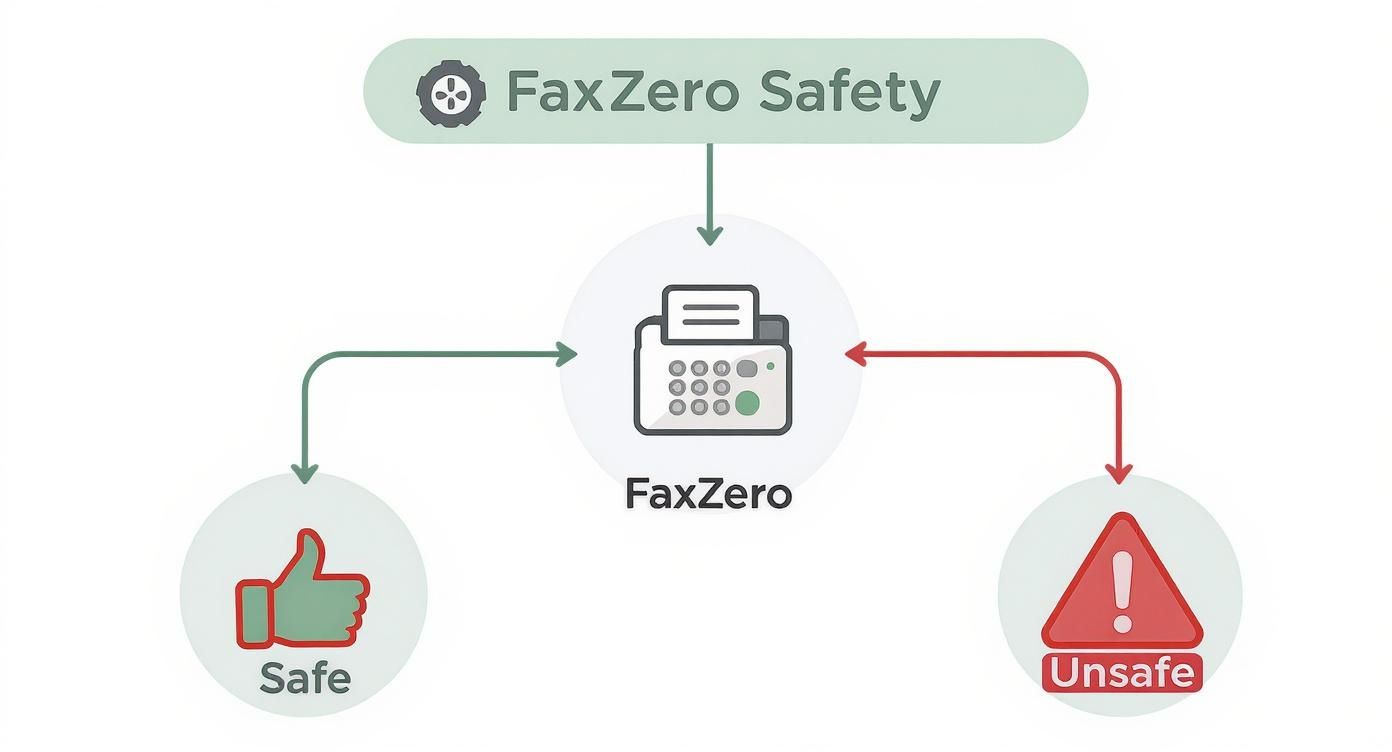
    So, is FaxZero actually safe to use? The short answer is, it really depends on what you’re sending.

    For something casual, like a restaurant menu or a quick note to a friend, FaxZero is perfectly fine. It's a handy, free tool for simple tasks. But for anything that contains sensitive information—think medical records, legal documents, or financial statements—its security just doesn't cut it.

    Understanding FaxZero's Safety Profile

    Think of it like this: using FaxZero is a bit like sending a postcard. A postcard is great for a quick "hello," but you'd never dream of writing your bank account details on the back for everyone to see. For that, you'd use a sealed, certified letter.

    FaxZero is the postcard of the online faxing world. It's built for convenience, not for ironclad security. This guide will walk you through exactly what FaxZero does to protect your faxes, where the real risks are, and how you can figure out if it's the right choice for your specific document.

    Where FaxZero Shines and Where It Falls Short

    Let's give credit where it's due. FaxZero has sent over 27 million faxes since it started back in 2006, which shows a lot of people trust it for everyday faxing. The service uses basic web security like HTTPS when you upload your file and SSL/TLS to send the fax. These are standard, necessary protections.

    However, "standard" isn't the same as "secure." The encryption isn't what you'd find in an enterprise-level service, and their policy of keeping your data indefinitely creates a major long-term privacy headache. You can get a deeper look into FaxZero's user stats and security features to see the full picture.

    Ultimately, whether FaxZero is "safe" really comes down to what you're trying to protect.

    To help you decide, let's break it down by a few common scenarios in this quick summary table.

    FaxZero Safety Profile at a Glance

    Use Case Scenario Is FaxZero Safe? Primary Concern
    Casual, non-sensitive documents (e.g., flyers, simple forms) Yes, generally. Minimal risk for non-confidential information.
    Standard business documents (e.g., invoices, internal memos) Use with caution. Data retention policies and lack of advanced security.
    Regulated or highly sensitive data (e.g., medical, legal, financial) No, not recommended. No HIPAA compliance; significant privacy and security risks.

    As you can see, the risk level changes dramatically based on the contents of your fax.

    Here’s a simple way to think about it:

    • Casual Use: Sending a flyer, a simple confirmation page, or a non-confidential form? For these kinds of tasks, the convenience of FaxZero is probably worth the tiny risk.
    • Business Use: Transmitting invoices, routine client communications, or internal memos? This is where things get murky. Even seemingly harmless business data can be sensitive if it falls into the wrong hands.
    • Regulated Data: Sending documents with Protected Health Information (PHI), financial records, or signed legal contracts? Using FaxZero for these is a huge gamble and could even put you in violation of compliance rules like HIPAA.

    When you're looking at free online tools, you always have to be aware of the trade-offs. While you might be tempted to just send a fax online for free, always let the sensitivity of your document guide your choice, not the price tag.

    What Real Security Means for Online Faxing

    Before we can really size up a service like FaxZero, we have to get on the same page about what "safe" actually means in the world of online faxing. It’s about way more than just seeing that little padlock icon in your browser. Real security is a whole system of defenses, designed to protect your information at every step of its journey.

    Think of it like sending a sensitive package. You wouldn't just toss it in a public mailbox and hope for the best, right? You’d want to know it's guarded from the moment it leaves your hands until the second your recipient signs for it.

    That journey has a few critical checkpoints we need to look at.

    Encryption In Transit vs. Encryption At Rest

    The first thing to wrap your head around is the difference between data "in transit" and data "at rest." It’s a simple concept, but it’s the foundation of all data security.

    • Encryption in Transit: This is all about protecting your document while it’s actively moving across the internet—from your computer to the fax service's servers. It’s like putting your package inside an armored truck for the trip. Most services, FaxZero included, use standard SSL/TLS for this, which is a good, necessary first step.

    • Encryption at Rest: This is about what happens to your document after it arrives at the service's servers. Is it just sitting in an unlocked warehouse, or is it locked away in a secure vault? Encrypting data at rest means your files are scrambled and unreadable, even if a hacker managed to break into the server itself.

    This infographic breaks down the two very different paths your documents can take.

    Infographic about is faxzero safe

    As you can see, there's a huge difference between the basic protection you might get for a non-sensitive fax and the gaping holes left when sending something confidential. A service that only protects data while it's in transit is leaving your information dangerously exposed.

    The Bigger Security Picture

    Beyond just encryption, a truly secure service is built on a whole framework of protections. It’s like vetting a security company—you’d look at more than just the locks on their doors.

    A secure fax service acts as a digital custodian for your information. Its responsibility isn't just to transmit the data but to protect its integrity, confidentiality, and availability from start to finish. Without this complete chain of custody, "security" is just a marketing term.

    This means we need to look at a service with a broader checklist in mind:

    • Access Controls: Who can actually get to your data? Features like two-factor authentication (2FA) are critical for stopping someone from getting in with just a stolen password.
    • Data Retention Policies: How long does the service hang onto your faxes and personal information? A service that promptly deletes your data after sending it is actively minimizing your long-term risk.
    • Regulatory Compliance: Does the service meet legal standards like HIPAA for medical records or GLBA for financial data? For any professional use, this is a dealbreaker.
    • Audit Trails: Can you get a detailed log of every single thing that happened to your fax? This is crucial for accountability and figuring out what went wrong if there's a problem.

    Getting a handle on these concepts is key, especially when you think about modern workflows like converting a fax to email, where your data touches multiple systems. With this security checklist in hand, you’re ready to properly evaluate any online fax service—including FaxZero—and decide if it’s truly safe enough for what you need to send.

    Analyzing FaxZero's Security Strengths and Weaknesses

    When you use any online service to send a document, you're essentially handing over your information and trusting them to keep it safe. So, to figure out if FaxZero is truly a safe bet, we need to look at both what it does right and, more importantly, where it drops the ball. On the surface, FaxZero has some basic protections in place, but digging just a little deeper reveals some serious gaps for anything even remotely sensitive.

    Shield icon with checkmarks and crosses symbolizing strengths and weaknesses

    FaxZero's main strength lies in how it protects your data in transit. As you upload a file, the service uses HTTPS to create a secure, encrypted tunnel between your computer and its servers. It also uses SSL/TLS to protect the fax while it's traveling from their system to the recipient's fax machine. These are the modern standards, and they work well for shielding data on the move.

    You can think of this like an armored truck. While your document is on the road, it’s pretty well-protected from anyone trying to peek at it mid-journey. For something non-sensitive, like a lunch menu or a flyer, this is probably good enough.

    The Problem with Data at Rest

    The real trouble begins once that armored truck reaches its destination: FaxZero's servers. After your document arrives, the protection basically stops. Your files are stored unencrypted on their servers, a state we call "data at rest."

    This is like the armored truck driver taking your sensitive package and just leaving it on an open warehouse floor instead of putting it in a secure vault. Anyone with access to that warehouse—a disgruntled employee, a hacker who gets past the main gate—can just walk right up and read whatever is inside.

    Storing user data without encryption at rest is a critical security failure. It turns a service's servers into a high-value target for data breaches, as a single successful attack could expose every document stored there in a readable format.

    Honestly, this single weakness is a deal-breaker for sending anything you consider private. Without encryption for stored files, there's just no guarantee of your data's long-term safety.

    Missing Modern Security Standards

    Beyond the glaring data storage issue, FaxZero's security setup feels a bit stuck in the past. It’s missing key features that have become standard for any service that handles personal information. These missing layers of defense make you question if FaxZero is safe for anything beyond the most casual, unimportant faxes.

    A few crucial security features are noticeably absent:

    • No Two-Factor Authentication (2FA): Since you don't create a permanent account, there's no way to add that extra security step, like a code sent to your phone. This is a fundamental security feature today, and it’s just not there.
    • No Audit Trails: The service doesn't give you a detailed log of when your fax was sent, viewed, or handled. For business or legal documents, this lack of a verifiable paper trail is a major red flag.
    • Basic Encryption Only: While SSL/TLS is fine for transit, it's not the robust, end-to-end encryption needed for regulated industries. For example, it doesn't meet the AES-256 encryption standard that's often a baseline requirement for protecting healthcare and financial data.

    At the end of the day, FaxZero is built for convenience, not for serious protection. It gives you the bare minimum to get a document from point A to point B but completely fumbles the job of securing it for its entire lifecycle. This lopsided approach makes it a risky choice for anything you wouldn't feel comfortable sending on the back of a postcard.

    Your Privacy and FaxZero's Data Retention Policy

    Getting your fax from point A to point B securely is just the first hurdle. What happens to your information after it’s delivered is the second, and frankly, often overlooked part of the privacy puzzle. When you start digging into FaxZero’s privacy policy, one detail immediately jumps out: its approach to data retention.

    A calendar with a lock icon, symbolizing data retention policies

    While FaxZero may delete the actual content of your fax after some time, their policy explicitly states they can hang onto your metadata forever. This isn’t junk data; it’s a digital trail that includes your name, email address, your phone number, and the recipient’s details.

    Here’s a simple way to think about it: the service eventually shreds the letter you sent, but it keeps the envelope—with all the sender and recipient info—in a filing cabinet, indefinitely. This creates a permanent, undeniable record linking you to a specific fax, which opens up its own can of worms.

    The Long-Term Risks of Indefinite Retention

    So, why is keeping this metadata such a big deal? The longer a company stores your personal information, the more opportunities there are for it to be exposed or misused. Even with the best intentions, that permanent digital footprint creates vulnerabilities.

    Think about these real-world scenarios:

    • Data Breaches: If FaxZero ever got hacked, all that stored metadata becomes a goldmine for cybercriminals. A neat list connecting senders to recipients could expose sensitive business relationships, confidential legal matters, or private personal connections.
    • Company Acquisition: Should FaxZero ever be sold, its user database is a valuable asset. The new owners could potentially use all that historical data in ways you never consented to when you signed up.
    • Unintended Use: Company policies can and do change. Data that’s kept on file forever could be repurposed for marketing or analytics down the road, even if that wasn’t the original plan.

    This "keep it forever" policy is a world away from how truly security-focused services operate. Many top-tier platforms prioritize minimizing your digital footprint by offering automatic and complete data deletion. Once your fax is delivered, all records—the content and the metadata—are permanently wiped from their servers.

    "A service's data retention policy is a direct reflection of its commitment to user privacy. Indefinite retention creates a permanent liability for the user, turning a one-time transaction into a long-term risk."

    Ultimately, when you ask, is FaxZero safe, you have to look beyond the moment you click "send." The digital trail you leave behind can be just as risky as the transmission itself. A service that holds onto your personal details forever is asking for a huge amount of trust in its future security practices—a risk that might not be worth taking, especially when sending anything sensitive.

    Why FaxZero Fails Critical Compliance Tests

    When you step out of the world of casual faxing and into a professional setting, the rules change dramatically. Suddenly, you're dealing with industries like healthcare, finance, and law, all of which operate under a microscope of strict data protection laws. Get it wrong, and you're not just looking at a slap on the wrist—you're facing serious penalties.

    This is exactly where FaxZero’s free model hits a brick wall. It's simply not built for professional use, making it an unsuitable and, in many cases, an illegal choice.

    The biggest red flag is its relationship with the Health Insurance Portability and Accountability Act, better known as HIPAA. This is the federal law that dictates how sensitive patient health information (PHI) must be protected. Any business or tool that touches PHI has to play by HIPAA's very strict security and privacy rules.

    Let's be perfectly clear: FaxZero is not HIPAA compliant. Using it to send any document with patient information on it is a direct violation of federal law.

    The HIPAA Compliance Dealbreakers

    FaxZero's failure to meet HIPAA standards isn't a small oversight; it's baked into its very design. A few core issues make it a complete non-starter for anything related to healthcare.

    First, the encryption just isn't there. HIPAA demands strong security measures to shield data while it's traveling (in transit) and while it's sitting on a server (at rest). FaxZero doesn't provide the level of encryption required and fails to secure the data once it lands on their systems.

    Second, and this is the big one, FaxZero will not sign a Business Associate Agreement (BAA). A BAA is a legal contract required by HIPAA that gets signed between a healthcare provider and any third-party service that handles its patient data. This contract makes the service provider legally responsible for protecting that information, too.

    Without a signed BAA, sending patient information through a third-party service is an automatic HIPAA violation. Full stop. Since FaxZero won't provide one, it's instantly disqualified for any and all healthcare use.

    Beyond Healthcare: Other Regulated Industries

    The compliance problems don't end with medicine. Plenty of other industries have their own data security standards that FaxZero just can't meet.

    • Financial Services (GLBA): The Gramm-Leach-Bliley Act mandates that financial institutions protect their customers' private financial information. FaxZero’s weak security and lack of audit trails make it a poor choice for sending loan applications, bank statements, or any other sensitive financial documents.
    • Legal Professionals (Attorney-Client Privilege): Lawyers have a legal and ethical duty to maintain absolute client confidentiality. Sending privileged documents over an insecure service like FaxZero opens the door to interception and exposure, which could blow up a case.

    FaxZero’s entire system just wasn't designed for these high-stakes scenarios. Industry analysis confirms that the service doesn't have the necessary infrastructure, like 256-bit encryption, putting it miles behind competitors built for business. It wasn't made for regulated data, and its limitations even affect document quality, often mangling faxes with a lot of graphics. If you want to dig deeper into its overall service limits, you can explore detailed comparisons of online fax providers.

    At the end of the day, if your work involves any kind of confidential client, patient, or customer data, the answer to "is FaxZero safe?" is a hard no. The risk of a data breach, legal fines, and damage to your professional reputation is just too high to justify using a free service.

    Secure Alternatives to FaxZero

    After taking a hard look at FaxZero's security gaps, it becomes obvious that its free service just isn't built for sending sensitive information. If you work in healthcare, finance, or law—or really, if you handle any kind of confidential data—finding a secure alternative isn't optional. It's essential.

    Thankfully, there are plenty of online fax services designed from the ground up with serious security and compliance in mind. These paid services offer a completely different world of protection. We’re moving beyond basic transmission security to a full suite of features that guard your documents from start to finish. This flips the script from a risky "send and hope" approach to a secure, trackable, and verifiable way of communicating.

    What to Look For in a Secure Fax Service

    When you start comparing professional online fax services, you'll immediately see features that FaxZero simply doesn't offer. These are the non-negotiables for keeping your faxes private and in line with industry rules.

    • End-to-End Encryption: This is the gold standard. Look for services that use powerful encryption like AES-256 to protect your data both while it’s traveling (in transit) and while it's stored on their servers (at rest). This means your files are unreadable even if someone managed to access the server.

    • HIPAA Compliance: If you’re faxing anything related to healthcare, the service must be HIPAA compliant. A huge part of this is their willingness to sign a Business Associate Agreement (BAA)—a legal contract that holds them accountable for protecting patient information.

    • Detailed Audit Trails: Unlike the black box of a free service, secure providers give you a complete history for every fax. You can see exactly when a document was sent, when it was delivered, and even when it was viewed. This creates a rock-solid record for legal or compliance needs.

    The real difference between a free service and a secure one comes down to accountability. A genuinely safe alternative gives you verifiable proof of its security measures—from encryption standards to legally binding compliance agreements. Your data is protected by more than just a promise.

    Finding the Right Fit for Your Needs

    The best service for you will depend on your specific situation, like how many faxes you send and what industry you're in. Platforms like SRFax and Documo are tailored for healthcare and legal professionals, with HIPAA compliance ready to go. Others, such as MyFax or eFax, are geared toward small businesses with features designed for everyday office use.

    If you’re looking for a simple, secure option that directly solves the problems we found with FaxZero, SendItFax is a clear step up. It operates on a pay-per-fax model, so you don't need a monthly subscription, but you still get the peace of mind that comes with secure transmissions.

    To help you sort through all the options, our online fax services comparison gives a detailed breakdown of features, pricing, and compliance standards for the top providers. Taking a few minutes to make an informed choice is the best way to ensure your confidential documents get the protection they demand.

    Got Questions About FaxZero? Let's Clear Things Up.

    Even after digging into the details, you might still be wondering about a few specific scenarios. Let's tackle some of the most common questions head-on so you can decide if FaxZero is truly the right tool for the job.

    Can I Safely Use FaxZero for Legal Documents?

    I would strongly advise against it. Legal documents are in a class of their own—they’re often protected by attorney-client privilege and are packed with sensitive client information.

    FaxZero simply doesn't have the necessary safeguards. The files aren't encrypted while sitting on their servers, and their policy of holding onto your metadata forever just creates too much risk. When it comes to legal paperwork, you need a service that’s built for compliance and gives you a clear audit trail.

    Does FaxZero Sell My Personal Data?

    Their privacy policy doesn't come right out and say they sell your data, but the real issue is how long they keep it. FaxZero hangs onto your name, email, and phone number indefinitely.

    Think of it as a permanent digital footprint you can't erase. If FaxZero ever had a data breach or was sold to another company, that information could easily be exposed or used in ways you never intended.

    If you care about your privacy, that policy alone should be a major red flag.

    Is the Paid FaxZero Plan More Secure?

    Unfortunately, no. Paying for their "almost free fax" service does not get you any extra security. All it does is remove the FaxZero logo from the cover page and let you send more pages at once.

    The underlying security setup is identical for both free and paid users. You're still dealing with the same fundamental weaknesses:

    • Your faxes are stored without encryption on their servers.
    • Your personal details are kept forever.
    • There are no modern security features like two-factor authentication.

    Upgrading buys you a bit of convenience, but it does nothing to address the core security and privacy problems. If you're sending anything sensitive, you really need to look for a more secure alternative.


    If you're looking for a simple, secure way to send faxes without worrying about your data sticking around forever, SendItFax was built to be a clear alternative. Send your fax with confidence and move on with your day. Learn more and send your first fax securely at SendItFax.

  • Online Fax Services Comparison Guide

    Online Fax Services Comparison Guide

    Let's be honest, the choice between a dusty old fax machine and a modern online service isn't much of a choice at all. Online faxing delivers better security, real cost savings, and the freedom to work from anywhere. It takes an old-school, hardware-heavy process and turns it into a smart, software-based tool that fits right into how we work today.

    Why Online Fax Is Essential for Modern Business

    An office worker using a tablet to send a secure digital document, symbolizing the convenience of online fax services.

    That clunky machine in the corner, once the heart of the office, is quickly becoming a relic. Switching to a digital alternative isn't just about keeping up with the times; it’s a smart business move that directly impacts your security, workflow, and budget.

    For certain industries like healthcare, finance, and law, faxing isn't optional—it's still a critical and legally accepted way to send documents. Online fax services close the gap between this requirement and the realities of a modern business. Instead of being tethered to a physical machine, your team can send and receive faxes from anywhere, using tools they already have: email, a web browser, or a mobile app. This simple change gets rid of the recurring costs of paper, ink, and dedicated phone lines, offering a far more flexible and affordable way to operate.

    The Strategic Advantages of Digital Faxing

    Moving to an online fax platform is about more than just swapping out a piece of equipment; it's about fundamentally improving how your business handles documents. The benefits are immediate and clear.

    • Enhanced Security: The best services use serious encryption (like AES-256) to protect your documents both in transit and while stored. That’s a massive step up from sensitive papers sitting forgotten on a shared office machine.
    • Regulatory Compliance: Many providers offer HIPAA-compliant plans and are willing to sign a Business Associate Agreement (BAA). This is non-negotiable for anyone in healthcare or legal fields.
    • Improved Efficiency and Accessibility: Faxes land in your email inbox as tidy PDFs, making them instantly searchable, easy to file, and simple to add to your digital records. Our guide on how to fax without a fax machine dives deeper into these modern methods.

    The numbers back this up. The global online fax market was valued at over $3.1 billion in 2019 and is on track to hit $8.3 billion by 2027. You can explore more about this market trend at llcbuddy.com. This explosive growth shows just how much businesses now rely on these tools for secure and reliable communication.

    In this guide, we’ll break down the top players in an in-depth online fax services comparison to help you find the perfect fit.

    Figure Out What You Actually Need in a Fax Service

    Picking an online fax service without knowing your needs is a classic mistake. It's easy to get distracted by flashy features and end up paying for a bunch of stuff you'll never use. Before you even look at a comparison chart, take a few minutes to map out exactly what you're looking for.

    First, think about volume. How many pages are you really sending and receiving each month? A small shop sending a few invoices might only need a plan that covers 200-300 pages. A busy healthcare clinic, on the other hand, could blow past 1,000 pages without breaking a sweat. Getting a rough page count is the fastest way to narrow down your options.

    What Features Are Mission-Critical?

    Once you have a ballpark number for your fax volume, it’s time to think about how you'll actually use the service day-to-day. This is where the details really matter.

    Run through this mental checklist to get a clearer picture:

    • Who needs to send faxes? Is it just you, or do you have a whole team that needs individual access?
    • Do you operate globally? If you have clients or suppliers overseas, you'll need a service that makes international faxing simple and affordable.
    • How serious is your security? For anyone in healthcare or law, HIPAA compliance isn't just a nice-to-have; it's a legal requirement. This usually means finding a provider who will sign a Business Associate Agreement (BAA).
    • Does it need to play nice with your other tools? Think about whether you need to link your faxing to Google Drive, Dropbox, or even more complex systems like an EHR or CRM.

    Think Through Your Real-World Scenarios

    Go beyond the everyday basics and consider the specific situations your work throws at you. For example, do you ever need to schedule a fax to go out overnight? Would an electronic signature feature save you from the print-sign-scan shuffle?

    Taking the time to build a checklist of your must-haves—from page volume to compliance needs—is the single best thing you can do. It turns a confusing search into a focused hunt for the right tool, saving you from getting sidetracked.

    A real estate agent, for instance, is going to care a lot about a good mobile app for sending offers from the field. A law office, however, will probably prioritize a service with rock-solid audit trails and an easily searchable archive. If you're just getting started, our guide on how to send a fax online breaks down the modern process.

    Getting clear on these points now makes the head-to-head comparisons that follow much more meaningful.

    Head-to-Head Online Fax Services Comparison

    Close-up of a laptop screen displaying a comparison chart of different online fax services, with key features highlighted.

    Now that you've got a handle on what you need, it's time to put the top online fax services under the microscope. This isn't about reciting marketing bullet points; it's a real-world breakdown of the features, pricing, and quirks that will actually affect your day-to-day work. We'll dig into everything from page counts and security protocols to how each platform feels to use on both desktop and mobile.

    Think of this as looking under the hood. We'll go beyond the surface-level specs to highlight what truly sets each service apart, whether it's a slick e-signature feature or top-notch customer support. My goal with this online fax services comparison is to give you the clarity you need to pick the right tool for the job.

    Pricing Models And Page Allotments

    Let’s be honest, the price is often the first thing we look at. Online fax services run on subscriptions, but the actual value you get for your money can be all over the map. You have to look past the sticker price and check the included pages, overage fees, and any other costs hiding in the fine print.

    A cheap entry price might look tempting, but if it comes with a tiny page allowance, you could get hammered with overage fees. These can run anywhere from 3 cents to 10 cents per page, which adds up faster than you’d think.

    Here's a quick look at a few common pricing structures:

    • eFax: This one starts on the pricier side at $18.99/month, but it only gives you 170 pages. This plan makes more sense if you need its high-end features, like sharing massive files up to 3GB, not if you’re just looking for the most pages for your buck.
    • Nextiva vFAX: This is one of the best deals for sheer volume. For around $9.95/month, you get a hefty 500 pages. It’s a fantastic choice for small businesses that send and receive a decent number of faxes.
    • SRFax: Starting at $11.45/month for 200 pages, SRFax’s real strength is its focus on healthcare. Their plans are built from the ground up to be HIPAA-compliant, and that specialized security is what you're paying a slight premium for.

    One of the biggest differentiators you'll find in this online fax services comparison is the definition of "value." Nextiva gives you raw page count for a low price, while SRFax bundles its service with critical compliance features for a specific audience.

    The No-Account And Pay-As-You-Go Alternatives

    What if you only need to send a fax once in a blue moon? A monthly subscription is just a waste of money. That's where services like SendItFax and iFax's one-time option come in.

    SendItFax is built for simplicity. You can send a fax without creating an account or signing up for anything. The free option is perfect for a quick, non-sensitive document of up to three pages. If you need a bit more, their "Almost Free" plan costs a one-time fee of $1.99, gets rid of the branding, and bumps the limit to 25 pages. It’s a brilliant pay-per-use solution.

    Similarly, iFax has an option to pay per fax, though the pricing is structured per page. These services are perfect for the consultant who sends one signed contract per quarter or the person who just needs to submit a single form to a government office.

    User Experience And Platform Usability

    A clunky interface can turn a simple task into a major headache. The best platforms have clean, intuitive web portals and mobile apps that make faxing feel as natural as sending an email.

    Desktop And Web Experience

    • SRFax: It’s powerful and secure, no doubt about it. But its user interface looks and feels a bit dated. It gets the job done, but there’s definitely a learning curve if you’re used to modern, slick software.
    • Dropbox Fax: This service feels immediately familiar and clean, especially if you already use other Dropbox products. The layout is simple and makes uploading, signing, and sending documents a breeze.
    • Fax.Plus: People consistently praise Fax.Plus for its modern, easy-to-use design. The dashboard gives you clear status updates on your faxes, and all the features are logically laid out, so it doesn't take long to get the hang of it.

    Mobile App Functionality

    In today's world, being able to work from anywhere is key. A good mobile app lets you snap a picture of a document, sign it with your finger, and fax it on the spot. It's a game-changer.

    • eFax: The eFax mobile app is solid. It's available for both iOS and Android and gives you pretty much all the functionality of the web version, including access to your contacts and stored faxes.
    • iFax: This is another service with a highly-rated mobile app. It supports all the main features, including e-signatures and even letting you annotate documents right on your phone.
    • Dropbox Fax: Here’s a big catch: Dropbox Fax doesn't have a dedicated mobile app. For anyone who needs to send or manage faxes while they're out and about, this could be a dealbreaker.

    Security And HIPAA Compliance Nuances

    For anyone in healthcare, law, or finance, security isn't just a nice-to-have; it's a must. Lots of services will say they're "secure," but the devil is in the details.

    True HIPAA compliance is more than just encrypting data. The provider has to be willing to sign a Business Associate Agreement (BAA). This is a legally binding contract that makes them responsible for protecting your clients' sensitive health information (PHI).

    Here's a quick overview of how some of the top services stack up, which should give you a clearer picture.

    Online Fax Service Feature And Pricing Comparison

    Service Provider Starting Price (Monthly) Monthly Pages Included HIPAA Compliant Plan Mobile App (iOS/Android) Best For
    Fax.Plus $6.99 200 Yes Yes All-in-one secure faxing
    eFax $18.99 170 Yes Yes High-volume and large file sharing
    Dropbox Fax $9.99 300 Yes No International faxing
    SRFax $11.45 200 Yes (Specialized) Yes Healthcare and legal professionals
    Nextiva vFAX $9.95 500 Yes Yes Small businesses needing value
    SendItFax Pay-per-use ($1.99) Up to 25 per fax No No (Web-based) Quick, no-account occasional use

    As you can see, SRFax really stands out with plans designed specifically for healthcare, complete with a straightforward BAA process. The eFax "Protect" plan is another heavyweight, offering both HIPAA and HITRUST certifications for enterprise-level needs. On the flip side, a service like SendItFax is all about convenience and isn't built for sending regulated data. Always, always confirm that a provider will sign a BAA before you trust them with sensitive information.

    International Faxing And Integrations

    If your business operates globally, you’ll need a service that can handle international faxes without breaking the bank. Some providers let you use your monthly pages for international numbers, while others will charge you expensive per-minute rates. Dropbox Fax is a strong option here, letting you fax to over 70 countries using your standard page credits.

    Connecting your fax service to other tools you already use, like cloud storage, can also be a huge time-saver.

    • Cloud Storage: Most of the big players, including Fax.Plus and Dropbox Fax, link up perfectly with Google Drive, Dropbox, and OneDrive. This lets you grab a document from a cloud folder and fax it directly.
    • API Access: For larger companies with custom software, an API (Application Programming Interface) is essential. eFax and iFax offer powerful APIs that let your developers build faxing features right into your existing systems, like an EHR or CRM.

    This head-to-head online fax services comparison shows there's no single "best" service—it all depends on what you need. A small business owner will love the value Nextiva vFAX offers, while a law firm will see the specialized compliance from SRFax as non-negotiable. And for that person who just needs to send one fax, a pay-as-you-go service like SendItFax is the smartest choice.

    Making Sense of Security and HIPAA Compliance

    When you're dealing with sensitive information—think medical records, legal contracts, or financial statements—security isn't just a nice-to-have feature. It’s the entire foundation. Sending a fax online requires absolute confidence that your data is locked down, and a simple promise of "security" on a website just doesn't cut it.

    You need to look past the marketing and find concrete, verifiable proof that a service can be trusted. This means understanding how your documents are protected from the moment you hit send until they're archived, both in transit and while stored on a server.

    The Security ABCs: What to Look For

    The best online fax providers don't reinvent the wheel; they use industry-standard security protocols. When you’re comparing services, these are the non-negotiables.

    • SSL/TLS Encryption: This is the baseline. Transport Layer Security (TLS) creates a secure, encrypted tunnel between your computer and the fax service's servers. It’s what keeps anyone from snooping on your data as it travels across the internet.
    • AES-256 Encryption: Once your fax is delivered and stored, it needs to be unreadable to anyone who isn't authorized. AES-256 is the encryption standard trusted by banks and governments to protect data "at rest."
    • Two-Factor Authentication (2FA): Passwords can be stolen. 2FA adds a critical second step to logging in, usually a code sent to your phone, making it incredibly difficult for an unauthorized person to access your account even if they have your password.

    If a service doesn't clearly offer these, especially if you handle confidential documents, it's best to walk away. These safeguards are the bedrock of a trustworthy platform.

    The HIPAA Compliance Litmus Test

    For anyone in healthcare or a related field handling Protected Health Information (PHI), HIPAA compliance is a legal mandate, not a choice. But just seeing "HIPAA compliant" on a feature list is not enough—far from it.

    The single most important factor for HIPAA compliance is whether the provider will sign a Business Associate Agreement (BAA). This is a legally binding contract where the fax service acknowledges its responsibility to safeguard PHI and accepts liability for breaches. Without a signed BAA, the legal risk is all on you.

    A provider that won't sign a BAA isn't truly HIPAA compliant for your use case, period. Some services, like SRFax, are built from the ground up for the healthcare industry and make signing a BAA a standard part of their process. Others, like eFax, offer premium "Protect" plans that come with not only HIPAA but also HITRUST certifications, which represent an even more rigorous security standard.

    Security Features You'll Actually Use

    Beyond the technical jargon and legal agreements, the best services give you practical tools to manage and monitor your account's security. These are the features that help you maintain control and prove you’ve done your due diligence.

    A detailed audit trail is a perfect example. It's a complete logbook of every single action tied to your account: who sent a fax, when they sent it, who opened it, and from what IP address. This kind of granular tracking is invaluable for internal security reviews and absolutely essential if you ever need to demonstrate compliance. When you're making your online fax services comparison, prioritizing these practical security controls will help you find a partner that not only works well but also keeps your most critical information safe.

    Choosing the Right Fax Service for Your Use Case

    Generic recommendations rarely work because the “best” online fax service really depends on you. A freelance consultant who sends one contract a month has totally different needs than a medical clinic juggling hundreds of patient files every day. That’s why any good online fax services comparison has to be grounded in real-world situations, matching real people to the right tools.

    The market for these services is broken down by user type—individuals, small businesses, and big companies—all with their own ways of working. Small and medium businesses are jumping on these services to make their workflows smoother, while larger outfits are laser-focused on compliance and keeping documents locked down. You can dig into how the market is structured at businessresearchinsights.com to see the trends. By figuring out which group you fall into, you can immediately cut through the noise and find a service that actually fits your needs.

    The Occasional Sender: No Subscription Needed

    If you only send a fax once in a blue moon—maybe a signed form or a quick document a few times a year—a monthly subscription is just a waste of money. This is where pay-as-you-go services come in handy, giving you a simple way to send a fax without any strings attached.

    Services like SendItFax were practically built for this. You just upload your document, punch in the recipient's number, and you’re done in minutes. No account needed. The free option is perfect for a quick, non-sensitive fax of up to three pages. If you need a bit more, you can send up to 25 pages without any branding for a one-time fee of just $1.99. It's the perfect solution for one-off professional tasks, and you never have to worry about monthly fees or canceling a subscription you forgot you had.

    The Growing Small Business: Balancing Cost and Features

    For a small business, it's all about getting the most bang for your buck. You need a reliable service that can handle your monthly faxes without hitting you with surprise overage fees. The best services in this category give you a good number of pages, let multiple people use the account, and have a simple interface that doesn't require a user manual.

    Nextiva vFAX is a real standout here. For about $9.95 a month, you get a hefty 500-page monthly allowance, which is more than enough for most small businesses sending invoices, purchase orders, and other communications. And if you do go over, the overage fee is just 3 cents per page, so there are no nasty surprises. It also packs in key business features like a secure web portal and a mobile app, so your team can send and receive faxes from anywhere.

    The best choice for a small business isn't always the cheapest. It's about finding that sweet spot between a generous page limit and the features you need to grow. Paying a little more for a service that can scale with you is often a much smarter move in the long run.

    Healthcare and Legal Professionals: Security Is Non-Negotiable

    If you work in healthcare, law, or finance, the decision boils down to one thing: security and compliance. Basic security just doesn’t cut it. You need a provider who truly understands the legal minefield of handling sensitive information like Protected Health Information (PHI).

    This is where a service like SRFax becomes the obvious choice. It isn't just a fax service that happens to be HIPAA compliant; its entire system was built from the ground up with healthcare-level security in mind. Most importantly, SRFax will provide a Business Associate Agreement (BAA), which is a legal must-have for any outside vendor that touches PHI.

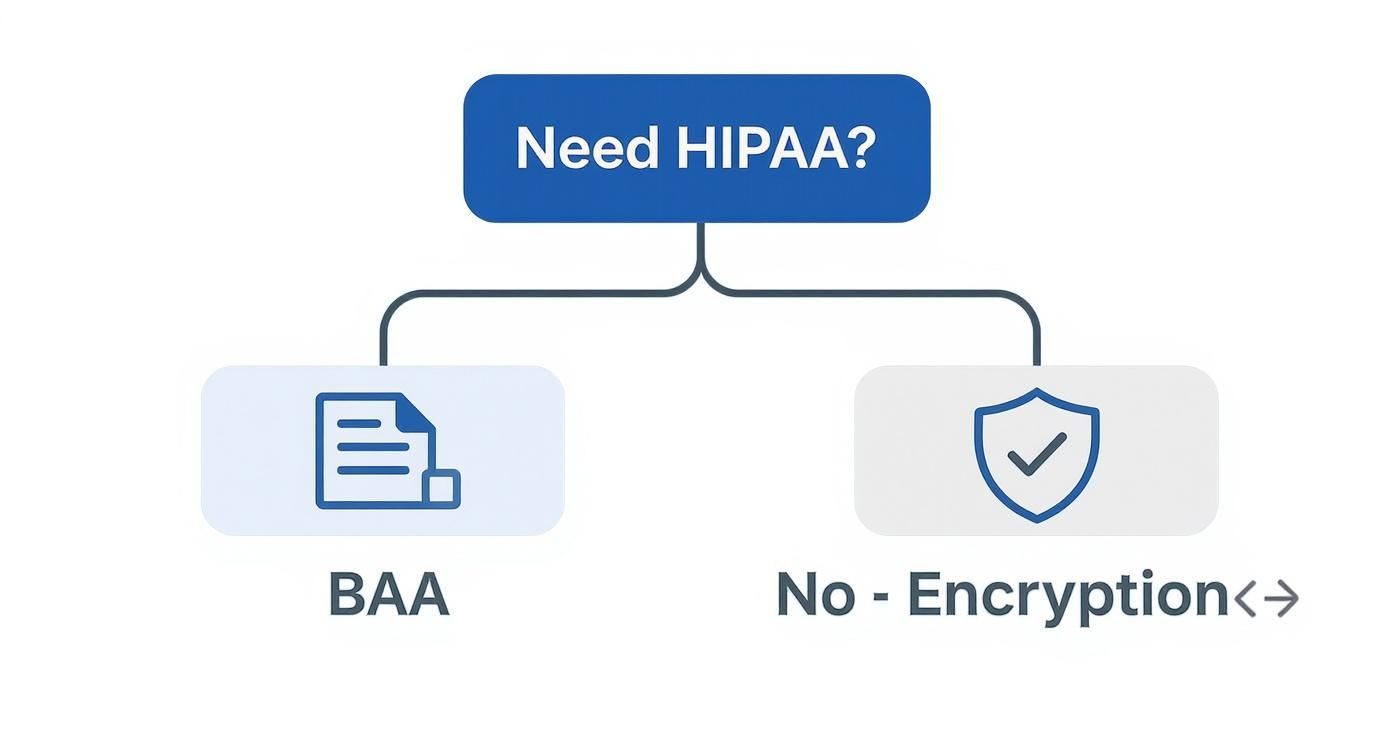
    This infographic does a great job of showing that first critical security decision.

    An infographic decision tree showing that if you need HIPAA compliance, you need a Business Associate Agreement (BAA), and if not, robust encryption is the key security feature.

    As you can see, for regulated industries, the BAA is the first box you have to check. While other services like eFax also offer strong, HIPAA-compliant "Protect" plans, SRFax’s specialization gives it an edge for organizations where compliance isn’t just a feature—it’s the entire game. These dedicated plans come with extras like detailed audit trails and strict access controls, giving you the confidence that comes from using a tool built for your industry’s tough demands.

    Making Your Final Decision with Confidence

    Alright, you've done the hard work of comparing different online fax services. Now comes the final step: turning all that research into a decision you won't regret. It's easy to get lost in the details, but it really just comes down to connecting your specific needs to the right set of features.

    Before you pull the trigger and sign up, run through a quick mental checklist. This isn't about re-doing your research; it's about confirming what truly matters to you so you don't get distracted by shiny features you'll never use.

    Your Final Selection Checklist

    • Monthly Volume: Does the plan's page limit actually match what you send and receive each month? Overages can get expensive fast, so be realistic here.
    • Security Needs: If you're in healthcare or law, this is non-negotiable. Does the provider offer a Business Associate Agreement (BAA) to ensure HIPAA compliance?
    • Workflow Integration: How will you actually use this day-to-day? Make sure it has a solid mobile app if you're always on the go, or check for integrations with cloud services like Google Drive or Dropbox if that's where your documents live.

    The most valuable tool at your disposal is the free trial. Theory is one thing, but actually using a service reveals everything about its interface, reliability, and customer support before you spend a dime.

    Seriously, test-driving the top contenders is the only way to know for sure. Use that trial period to send a few faxes to yourself or a colleague. See how clunky (or smooth) the mobile app feels. Is the interface intuitive, or do you need a manual just to find the "send" button? This hands-on experience is what separates a good choice from a great one.

    Ultimately, you’re looking for a service that fits your budget and makes your life easier, not harder. If cost is your main driver, digging into the cheapest online fax service options can help you find a great value. By pairing your research with a little practical testing, you can confidently pick the right tool for the job.

    Got Questions About Online Faxing? We've Got Answers.

    Switching from a clunky machine to an online fax service can bring up a few questions. Let's tackle some of the most common ones people ask when they're making the move.

    Can I Keep My Current Fax Number?

    Yes, you almost certainly can. Most subscription services know how important your existing number is for business continuity. They offer a process called number porting, which basically moves your fax number from your old provider to their platform.

    Just be prepared for it to take a few weeks. Your new provider will handle all the technical details, but it's not an instant switch. This is a standard feature for services like eFax and Nextiva vFAX, but don't expect it from pay-as-you-go options—they’re built for one-off sends, not long-term business use.

    How Exactly Does "Email to Fax" Work?

    Email-to-fax is the feature that makes online faxing feel so seamless. It’s surprisingly simple: you just compose a new email in your usual app (like Gmail or Outlook), attach your document, and type the recipient's fax number into the "To" field, followed by the service's domain.

    For instance, the address might look something like 15551234567@yourfaxservice.com.

    Once you hit send, the service does the heavy lifting. It takes your email and attachment, converts them into a fax-friendly format, and sends it through the traditional phone lines to the recipient's machine. It's a clever way to fax without ever leaving your inbox.

    Is It Actually Secure to Send a Fax Over the Internet?

    It is, as long as you pick a service that takes security seriously. The best providers build their platforms with multiple layers of protection to keep your information safe.

    • Encryption in Transit: Your data is protected from prying eyes as it travels from your computer to the fax service using SSL/TLS encryption—the same standard that protects your online banking sessions.
    • Encryption at Rest: When your faxes are stored on their servers, they are scrambled with strong AES-256 encryption, making them unreadable to anyone without authorization.

    If you're in an industry like healthcare or law, you'll want to go a step further. Look for a HIPAA-compliant provider that will sign a Business Associate Agreement (BAA), which is a legal must-have for protecting sensitive data.


    For those times you just need to send a document without the fuss of an account, SendItFax lets you fax directly from your browser. Try sending a fax in minutes at senditfax.com.