Tag: hipaa compliant faxing

  • Fax to Server Setup: A Practical Guide for 2026

    Fax to Server Setup: A Practical Guide for 2026

    Your current setup probably looks familiar. A shared fax number feeds a dusty machine in one office, somebody checks the tray when they remember, and important documents turn into PDFs only after a person scans them back into a computer. Remote staff can’t see inbound faxes without asking someone onsite for help. Nobody trusts the routing. Everyone assumes the fax arrived, until it didn’t.

    That’s the point where “fax to server” stops being a legacy cleanup project and becomes an operations project. The fax machine is only the visible problem. The underlying issue is that inbound documents still depend on paper, manual sorting, and guesswork. A fax server fixes that only if you choose the right architecture first, then build the routing and security around it.

    The First Critical Choice Cloud Service Or On-Premise Server

    A lot of teams start this project thinking they’re choosing a product. They’re not. They’re choosing an operating model.

    Interest in fax server projects is rising. Search queries for “fax server setup” have risen 40% in the last year, driven by fax machine shortages and remote work needs, according to WestFax’s overview of HIPAA faxing. The problem is that most advice still jumps from “replace the machine” straight to “buy cloud fax,” without dealing with routing, ownership, or integration.

    What usually pushes the change

    The trigger is rarely elegant. It’s usually one of these:

    • The office machine keeps failing: pages jam, toner runs out, or the line quality drifts just enough to make delivery unreliable.
    • Remote staff need access: inbound documents can’t stay trapped in one building.
    • Audit pressure increases: leadership wants a record of who received what, when, and where it went.
    • Someone needs automated routing: accounting, intake, HR, and records each want faxes delivered differently.

    If you’re still relying on standalone hardware, it helps to look at the broader replacement question too. This comparison of fax machines for business is useful for understanding what you’re really giving up when you move away from physical devices.

    Cloud Fax Service vs. On-Premise Fax Server at a Glance

    Factor Cloud Fax Service On-Premise Fax Server
    Setup speed Faster to launch. Good for teams that need to get off paper quickly. Slower. Requires server planning, telephony coordination, testing, and internal support.
    IT overhead Lower day-to-day maintenance. Vendor handles most platform upkeep. Higher. Your team owns patching, uptime, backups, and troubleshooting.
    Control Less direct control over platform internals and upgrade timing. Full control over routing logic, storage, retention, and infrastructure design.
    Compliance model Easier path if the provider supports regulated workflows and contracts. Strong fit when policy requires tighter internal ownership of systems and data paths.
    Integration flexibility Usually best for email, folder drops, and API/webhook workflows. Best when you need deep internal integration with line-of-business systems and custom routing.
    Scalability Easier to expand without adding local hardware. Scales well, but only if you size hardware, licensing, and telephony correctly.
    Failure domains Depends on vendor platform plus your internet path. Depends on your server, your network, and your telephony design.
    Best fit Small teams, distributed offices, lean IT shops, fast migrations. Organizations that need maximum control and already have capable infrastructure staff.

    Practical rule: If your team struggles to maintain ordinary file servers cleanly, it probably shouldn’t run its own fax platform either.

    How I separate the right choice from the wrong one

    Cloud wins when the business problem is speed, accessibility, and low friction. It’s the right answer for firms that want inbound fax to land in shared mailboxes, folders, or applications without adding telecom complexity.

    On-premise wins when the business problem is control. If your security team cares about exact routing paths, local retention, internal segmentation, and tight integration with existing systems, building your own fax to server environment can make sense. But it only works if someone owns it. Half-managed fax servers become the most fragile system in the stack.

    The mistake I see most often is buying cloud because it sounds simple, then discovering later that nobody planned document routing, user permissions, archive rules, or downstream processing. The second most common mistake is building on-prem because leadership wants control, then assigning it to a team that doesn’t have the time to support telephony and server maintenance.

    Configuring Your Cloud Fax To Server Pipeline

    Once you’ve chosen cloud, the critical work starts after the number is provisioned. “Fax to email” is fine for a solo operator. It’s weak for a team. What you want is a pipeline that takes inbound faxes from the provider and drops them where work is performed.

    A hand gesturing towards a digital network graphic overlaid on server racks in a data center.

    A good cloud deployment has three layers. Receipt, validation, and delivery. If you skip the middle layer, users end up trusting every file that arrives just because it has a fax header.

    For a broader look at hosted options, this breakdown of cloud-based fax solutions is worth reviewing before you lock in your provider.

    Start with delivery targets, not inboxes

    Most cloud fax platforms let you forward inbound documents to an email address. That’s the easiest option, but it becomes messy fast. Shared inboxes fill with duplicate attachments, users download copies to desktops, and version control disappears.

    Better targets are:

    • A controlled cloud folder: good for shared access and light process discipline.
    • A document management repository: better when records retention matters.
    • A webhook or API endpoint: best when another application needs to react automatically.
    • A hybrid approach: PDF to archive, metadata to an app, alert to a monitored mailbox.

    If the provider supports folder delivery, create separate destinations by business function. Don’t dump every fax into one giant intake directory and hope naming conventions will save you.

    A practical setup order

    Here’s the order that avoids rework:

    1. Assign the inbound number to a single business workflow first. One number, one owner, one route.
    2. Define the canonical storage location. Pick the system of record before creating user notifications.
    3. Set file naming rules. Include date, time, fax number, and destination label if your provider allows it.
    4. Enable delivery confirmations. Users need a clear way to know whether the provider accepted and delivered the fax.
    5. Add exception routing. Failed processing should go to a queue that a person reviews.
    6. Only then add email alerts. Alerts should point users to the stored file, not become the storage system.

    The cleanest cloud fax setups treat email as notification, not as the archive.

    Webhook delivery is where cloud gets useful

    When a cloud service can push an event to your application, inbound fax becomes much more than a PDF attachment. Your app can create a case, attach the file, assign a team, or start OCR and indexing without human handling.

    A typical inbound payload often includes fields like these:

    • Fax identifier
    • Receiving number
    • Sending number
    • Received timestamp
    • Page count
    • File format
    • Storage URL or attachment reference
    • Transmission status

    In practice, I recommend treating webhook payloads as untrusted until your app verifies the sender signature or token, validates expected numbers, and confirms the file was successfully stored. If the webhook says a fax arrived but your storage step fails, users will assume the job is done when it isn’t.

    Common cloud gotchas

    Cloud projects usually break in predictable ways:

    • Too many recipients: one inbound fax triggers multiple mailboxes, and nobody owns final processing.
    • No queue for failures: malformed PDFs, duplicate deliveries, or bad OCR jobs vanish unnoticed.
    • Permissions drift: everyone can see everything because the folder was created for convenience.
    • Unclear retention: users keep local copies because they don’t trust the central archive.

    The cloud model works best when the service handles receipt, but your rules decide where each fax belongs next.

    Implementing An On-Premise Fax Server

    A lot of on-prem fax projects start the same way. The server is installed, a few test faxes go through, everyone assumes the hard part is done, and then production traffic exposes the underlying problem. Routing is unclear, the SIP provider handles voice better than fax, and nobody agreed on where failed jobs should go.

    On-premise fax to server still makes sense when you need direct control over retention, integrations, and data handling. I usually recommend it for organizations with strict compliance requirements, site-to-site dependencies, or line-of-business systems that were built around local workflows. The trade-off is simple. You get control, but you also inherit the telecom and support burden that cloud services hide.

    A six-step infographic illustrating the implementation journey for setting up an on-premise fax server in a business.

    Pick software that matches the support model

    For a small office with light volume, Windows Fax and Scan may be enough. It can handle basic receive and send tasks if expectations are low and the workflow is simple. It is a poor fit for shared intake, departmental routing, audit needs, or any environment where fax delivery has operational consequences.

    For larger deployments, teams usually evaluate HylaFAX or platforms built around Asterisk. Those options offer far more control over dial plans, inbound routing, device behavior, and integration points. They also assume your team can read logs, trace failures across the phone system, and maintain the platform after the installer leaves.

    That support question matters more than feature checklists. The better product on paper becomes the worse choice if your staff cannot diagnose a failed inbound route at 4:30 p.m. on a Friday.

    Telephony decisions matter more than the server brand

    Fax reliability on IP networks depends heavily on the path between your carrier, gateway, and server. If your environment supports T.38 cleanly end to end, use it. It is usually the safer choice for fax traffic than generic voice pass-through, especially once you add jitter, transcoding, or carrier-side changes.

    This is also where many deployments fail. Voice can sound fine while fax sessions drop, stall, or produce incomplete pages. I have seen teams replace software twice before discovering the underlying issue was a provider normalizing traffic for voice and treating fax as an afterthought.

    A clean on-prem build starts with a simple question. Who owns the fax path when transmissions fail: telecom, infrastructure, or the application team? If the answer is unclear, support will be slow and users will blame the server.

    Build the system around routing and review

    The server should be sized for the workflow, not just for raw fax volume. Concurrent inbound jobs, OCR load, image processing, storage growth, and retry behavior all affect the design. If the server is only specified as “a VM for fax,” expect trouble later.

    A practical deployment sequence looks like this:

    • Confirm carrier and gateway behavior first: test T.38 support, fallback behavior, and fax handling under load before finalizing the server design.
    • Define DID ownership early: every inbound number needs a business owner, a target queue, and a rule for exceptions.
    • Separate receipt from long-term storage: let the fax server receive and log the job, then hand archived copies to the repository that owns retention.
    • Create a review state for bad or ambiguous faxes: unreadable pages, partial transmissions, and unknown destinations need a human queue.
    • Document failure handling: busy signals, retransmissions, duplicate receipts, and line errors should trigger a known response, not improvisation.

    That last point gets missed often. A fax server that can receive documents is only half built. The useful system is the one that routes cleanly, flags exceptions, and gives staff a predictable way to resolve edge cases.

    What works in production

    These choices usually hold up well:

    • Dedicated fax settings on the gateway instead of reusing generic voice profiles
    • Conservative defaults for speed and page handling when reliability matters more than throughput
    • A pilot rollout with one or two departments before wider cutover
    • Daily log review during the first weeks of production
    • Clear ownership between telecom, server, and application teams

    What causes repeated trouble

    These choices usually create avoidable support tickets:

    • Consumer-grade VoIP adapters in business fax workflows
    • Assuming voice quality and fax reliability are the same thing
    • Routing every inbound fax straight into a live business system with no review queue
    • Letting each team manage only its own piece without one owner for the full delivery path
    • Treating fax retention and audit requirements as an afterthought

    A stable on-prem fax server depends on three things working together: telephony, routing logic, and support ownership.

    Reliability checks that catch real problems

    When fax performance is inconsistent, start with the path before blaming the application. Check for packet loss, jitter, codec changes, SIP re-invites, gateway firmware quirks, and carrier behavior during longer jobs. Multi-page transmissions often expose problems that short test faxes never reveal.

    I also recommend testing with real documents, not just a one-page sample. Use mixed page counts, imperfect source quality, and the actual destination rules the business will use. That approach surfaces the issues that matter in production, especially if the broader goal is not just receiving a PDF but feeding OCR, routing, and downstream systems without manual cleanup.

    Administrators who plan for that full chain usually get better results. The fax server is only the intake point. The business value comes from what happens after receipt, and the on-prem design should support that from day one.

    Automating The Inbound Fax Workflow

    Teams often stop too early. They celebrate when the fax arrives as a PDF in a folder. That’s not transformation. That’s just a paperless inbox.

    Abstract 3D digital illustration showing floating capsules and colorful paper pages with the text Automate Workflow.

    Value appears when inbound fax stops being a document delivery event and becomes the first trigger in a workflow. That usually means some combination of OCR, rules-based routing, document tagging, and archiving into the system your staff already uses.

    OCR turns images into usable records

    Fax files arrive as images more often than teams realize. If nobody runs OCR on them, your archive becomes a pile of visually readable files that are operationally blind. Staff can open them, but they can’t search them well, classify them reliably, or extract metadata without manual work.

    A practical OCR flow looks like this:

    • Capture the fax file immediately: don’t let users rename it first.
    • Run OCR in a staging area: keep the raw file and the processed file linked.
    • Extract a small metadata set: sender number, received date, page count, and key text fields if available.
    • Store both image and text context: the image remains the record, the text makes it usable.

    Good OCR won’t fix a terrible fax image, but it will make decent inbound documents searchable and routable. That’s enough to cut a lot of manual triage.

    Routing rules should reflect business ownership

    The best routing logic starts with things the system can detect consistently. DID number, destination line, sender number, cover page text, or document keywords after OCR. The worst routing logic depends on users remembering to classify files after receipt.

    A simple pattern looks like this:

    Trigger Action
    Inbound number assigned to finance Save to finance intake folder and notify the monitored team mailbox
    OCR detects patient record language Route to a restricted repository with limited staff access
    Known sender matches a partner organization Tag the fax for priority review
    No rule matches Send to an exception queue for manual classification

    Build routing around what the system can verify, not what users promise they’ll remember later.

    File naming and archiving need discipline

    If every inbound fax gets a human-edited filename, your archive will decay almost immediately. Standardize names before users ever touch the file. Date, intake route, sending number, and an internal identifier are usually enough.

    For storage, push documents to the platform people already trust. That might be SharePoint, a document management system, or a controlled network repository. The important part is consistency. Don’t let the fax server become a second shadow archive with its own informal rules.

    A short demonstration can help when you’re planning workflow automation and document handling:

    Where automation usually fails

    It usually isn’t the OCR engine. It’s governance.

    • Nobody owns the rules: departments ask for exceptions until the routing logic becomes unmaintainable.
    • The exception queue is ignored: unmatched faxes pile up and users lose trust.
    • Archive permissions are too broad: automation succeeds technically but fails operationally.
    • There’s no retention policy: old intake folders become unofficial record systems.

    When fax to server projects succeed long term, the document arrives once, gets classified once, and lands in the right system without staff inventing process in their inbox.

    Ensuring Security and HIPAA Compliance

    Monday at 8:15 a.m., a referral fax lands in the right inbox, gets copied to the wrong shared folder, and sits there for six months with open permissions. That is how many fax compliance failures happen. Not through exotic attacks, but through ordinary workflow decisions made during setup.

    In healthcare, that risk is easy to underestimate because fax still carries a huge share of clinical communication. Get Codes Health’s review of medical fax usage statistics reports that 70% of communication still happens via fax, rising to 90% when integrated EHR fax workflows are counted, with more than 9 billion fax pages exchanged annually in the United States. The same source reports 117 network server fax breaches by 2019, frequent delays tied to patient harm, reordered tests caused by lost faxes, and a $2.5 million HIPAA fine tied to fax mishandling.

    A server rack with glowing network status lights, featuring a shield icon and the text Secure Compliance.

    A fax to server deployment becomes safer only when the full document path is controlled. That includes intake, temporary storage, OCR staging, final archive, notifications, backups, and admin access. Teams often secure the fax application itself and forget the folders, mailboxes, and service accounts around it. That is the gap auditors find.

    Start with five controls:

    • Encryption in transit: protect fax data between gateways, applications, storage, and user access points.
    • Encryption at rest: secure stored files in queues, archives, snapshots, and backups.
    • Role-based access: intake staff, clinicians, HIM staff, and system admins should have different permissions.
    • Audit logging: record receipt, routing, viewing, export, deletion, and admin changes.
    • Retention and disposal: remove old files from temp paths, email notifications, and unmanaged exports.

    For healthcare, vendor screening has to go beyond feature checklists. If a provider cannot support a Business Associate Agreement, document its controls clearly, and explain where temporary files live, it should not make the shortlist. This guide to choosing a HIPAA-compliant fax service is a practical reference for that review.

    Cloud deployments add another layer of due diligence. The fax app may be configured correctly while the storage account, logging stack, or identity settings are not. If you are assessing hosted infrastructure around this workflow, review CloudCops on cloud platform security as well. The platform controls underneath the fax workflow matter just as much as the fax settings.

    The trade-off is straightforward. Tighter controls reduce exposure, but they also add friction for support teams and end users. Broad shared access makes intake faster for a week, then turns every permission review into a cleanup project. Aggressive retention keeps storage tidy, but if legal hold and records teams are not involved, staff will start saving local copies and create a different problem.

    The best fax server deployments treat security as part of document workflow design, not as a separate compliance task. If inbound faxes trigger OCR, routing, and archival rules, those automation steps need the same scrutiny as the fax transport itself. That is where the core business value shows up, and it is also where many avoidable HIPAA problems start.

    Testing Troubleshooting And Sending Faxes

    A fax server usually looks fine right up until the first real document misses its route, OCR fails unnoticed, or a five-page referral arrives as three unreadable pages. That is why I treat testing as a workflow exercise, not a basic send-and-receive check. The transport can succeed while the business process still fails.

    Start with a controlled set of test documents that match real use. Send a clean one-page file, then a multi-page document, then something harder to process, like a skewed scan or a form with handwriting. Check where the fax lands, how it is named, whether OCR extracts usable text, and whether routing rules send it to the right queue or folder. Email notifications are helpful, but they are not proof that the archive, indexing, and downstream automation worked.

    A pre-flight checklist that catches most problems

    • Run an inbound test first: confirm the document lands in the correct destination and creates a usable log entry.
    • Send a multi-page fax: longer jobs expose timeout, buffering, and image-quality problems that a one-page test can miss.
    • Review transaction logs after each test: the receiving application can show a file while the fax layer still reports retries or page errors.
    • Test routing by DID and by document content: number-based routing and OCR-based routing fail for different reasons.
    • Force an exception on purpose: break a rule and confirm the fax goes to a monitored fallback location instead of disappearing into a dead queue.

    Transport quality still matters, especially on FoIP. As noted earlier, IP faxing is more sensitive to jitter, packet loss, codec choices, and carrier interoperability than a stable analog path. ECM and T.38 help. They do not fix a weak WAN circuit, a misconfigured SIP trunk, or a provider that unannounced falls back to G.711 at the wrong moment.

    How to read failures without guessing

    The error pattern usually points to the failing layer if you know what to look for.

    • Handshake failures usually mean protocol negotiation, line compatibility, or carrier interop trouble.
    • Partial pages, stretched images, or corruption usually point to transport instability.
    • Failures on longer jobs often come from timeout settings, memory limits, or buffering issues in the fax service or gateway.
    • Misrouted inbound faxes are usually rule logic, OCR confidence, or mapping errors inside the application stack.

    Check delivery confirmations, transaction logs, and device logs in that order. That narrows the problem fast.

    For sending, keep the scope honest. If the project’s real value is inbound capture, OCR, routing, and records handling, bolting full outbound fax operations onto the same platform can add support work without much payoff. Teams that send only occasional documents often do better with a separate browser-based tool for one-off jobs, overflow, and remote users.

    If you only need to send occasional outbound faxes to U.S. or Canadian numbers, SendItFax is a straightforward option. You can send from a browser without a fax machine or account, which makes it useful for overflow, one-off documents, remote staff, or teams that want to keep their fax to server setup focused on inbound intake and workflow automation.
  • Copiers and Fax Machines: 2026 Relevance Guide

    Copiers and Fax Machines: 2026 Relevance Guide

    You’re probably here because someone just told you, “Can you copy this packet?” and ten minutes later, “We need to fax the signed page.” That’s a normal small-business day. It’s also why copiers and fax machines still create so much confusion.

    They often sit in the same corner, sometimes inside the same box, and they both deal with paper. But they were built for different jobs. Once you understand that job difference, the whole conversation gets easier. You stop asking, “Which machine should I buy?” and start asking, “What outcome do I need?”

    For many, in 2026, that’s the better question.

    The Great Office Debate Copiers vs Fax Machines

    A copier and a fax machine can look similar from across the room. In practice, they solve two separate office problems.

    A copier is a mirror. You place a page on the glass or feed it through the tray, and it creates another version for local use. The paper stays in your office.

    A fax machine is a teleporter. It scans the page, converts it into a form that can travel over a phone connection, and recreates it at another location. The point isn’t duplication for your own files. The point is delivery somewhere else.

    A man in a green shirt looks skeptically at an office printer while sitting at a desk.

    Why offices needed both

    Think about a small law office. One employee needs five copies of a client intake form for people in the waiting room. That’s a copier job.

    Then the attorney needs to send a signed authorization to another office in a different city. That’s a fax job.

    The distinction sounds obvious when stated plainly, but many people never hear it explained that way. They just inherit an all-in-one machine and treat every document problem as if the hardware itself is the answer.

    The history helps make the difference clearer. The first facsimile machine was patented by Alexander Bain in 1843, but modern business use took off in 1964 with Xerox’s 46-pound Magnafax Telecopier, which could transmit a page in six minutes. Meanwhile, the Xerox 914 copier, launched in 1959, grew U.S. copy volume from 20 million to 14 billion annually by 1966, creating mass office duplication as a normal business activity, as described in this history of copiers and fax technology.

    That split matters. The copier answered, “How do I make more copies right here?” The fax machine answered, “How do I get this exact page there without mailing it?”

    Practical rule: If the document needs to stay in your building, think copier. If the document needs to reach another building over a phone-based workflow, think fax.

    Why the confusion got worse

    The confusion grew when manufacturers started combining functions into one device. A single machine could print, scan, copy, and fax. That was convenient, but it blurred the purpose of each function.

    Now people talk about “the fax machine” when they really mean a multifunction printer. Or they say “copier” when they mean the office hub that handles everything from invoices to signed forms.

    Here’s the simpler way to see it:

    • Copying is for internal distribution. Training sheets, menus, handouts, records for a physical binder.
    • Faxing is for transmission. Sending signed pages, forms, records, or contracts to an outside recipient that still accepts fax.
    • Scanning is different from both. It turns paper into a digital file for storage or email.
    • Printing starts with a digital file and puts it onto paper.

    What matters in 2026

    The old debate assumes the machine is the center of the workflow. For many businesses, it isn’t anymore.

    The underlying issue isn't a "copier problem" or a "fax machine problem." Instead, it's a document movement problem. This involves duplicating, sending, storing, or proving delivery. Once you frame it that way, physical hardware becomes one possible method, not the default answer.

    That’s why so many discussions about copiers and fax machines feel outdated. The question isn’t which box wins. It’s which tool does the job with the least friction.

    Key Features and Real-World Use Cases

    When people compare copiers and fax machines, they often get stuck on labels. What affects your day is the feature set.

    A modern multifunction device might copy quickly, scan stacks of forms, print both sides automatically, and still include fax capability for the rare office that needs it. The machine matters less than the tasks it handles well.

    Features that change daily work

    Two features matter more than most owners expect.

    Automatic Document Feeder, usually called an ADF, lets you load a stack of pages and walk away. Duplexing means the device can process both sides of the page instead of making you flip paper manually.

    Modern multifunction devices deliver speeds up to 36 ppm, include a 50-sheet ADF, and support duplexing. The ADF can reduce manual intervention by 80% for multi-page jobs, while duplex printing can save up to 50% on paper, according to this breakdown of printer, copier, and fax machine features.

    That sounds technical, so let’s translate it into normal office language.

    • ADF matters when you have a stack. A 40-page contract, onboarding forms, insurance paperwork, signed disclosures.
    • Duplex matters when paper cost and filing space matter. Internal reports, policy manuals, employee packets.
    • Pages per minute matters when people wait in line. Front desks, clinics, real estate offices, shared admin areas.

    If your staff still has to feed pages one by one, the machine is technically working but the workflow is broken.

    Where copiers still fit

    Copiers still make sense when the job is local and paper-heavy.

    A school office might copy permission slips. A restaurant group might duplicate training checklists. A clinic might print and copy patient intake packets for the next day. In those situations, speed and tray capacity matter more than transmission.

    Copiers are strongest when the same document needs to exist in multiple physical places inside one organization.

    Where fax workflows still fit

    Faxing survives where the receiving side still expects it. That’s common in healthcare, legal, government, and some real estate workflows.

    Typical examples include:

    • Signed forms going to a provider’s office
    • Records requests sent to a clerk, insurer, or hospital
    • Contract pages where the other side still lists a fax number
    • Time-sensitive paperwork when email isn’t the accepted channel

    The important thing isn’t nostalgia. It’s compatibility. If the recipient uses fax, your workflow has to meet them where they are.

    The overlooked question

    Before buying hardware, ask one simple thing: how often do you really perform each job?

    If your team copies packets every day, a strong copier or multifunction printer may still earn its place. If you send a fax once a month, owning a dedicated fax-capable machine is often like buying a delivery truck to mail one box.

    That’s where many small businesses overspend. They buy a permanent machine for an occasional task.

    The Hidden Costs and Headaches of Physical Machines

    A copier or fax-capable multifunction printer looks like a one-time purchase. In real life, it behaves more like a small office system that keeps charging rent.

    The obvious costs are paper, toner, and replacement parts. The less obvious costs are the ones owners feel later. A jam before a deadline. A scan feeder that grabs two pages at once. A machine that suddenly refuses to send because of a line issue no one in the office knows how to diagnose.

    The bill you don’t see on day one

    Owning physical hardware means you’re also signing up for maintenance, storage space, supply tracking, and downtime management.

    One week the machine works fine. The next week someone gets a vague alert on the screen, the office manager starts searching a manual, and staff begin lining up behind a device that has become the bottleneck for the whole room.

    That’s why the sticker price is a poor way to evaluate copiers and fax machines. The cost sits in interruption.

    A practical way to reduce that interruption is to remove paper dependence where you can. If your office is still buried in scanned PDFs, intake packets, and old folders, it helps to build a secure digital filing system so fewer tasks depend on one machine in one room.

    Downtime costs more than toner

    Small businesses feel hardware failure differently than large companies do. In a big office, one broken machine is annoying. In a small office, one broken machine can stop invoicing, intake, or contract processing.

    Common pain points include:

    • Consumables running out at the wrong time. Toner rarely waits for a quiet day.
    • Mechanical failures. Feed rollers, trays, lids, and fusers all wear down.
    • Single-point dependency. If one device handles scanning, copying, and faxing, one issue blocks several workflows.
    • Staff time. Every jam, resend, and service call steals attention from billable or customer-facing work.

    Some owners compare that burden with digital sending options after reviewing the cost to send a fax in different ways. That comparison often changes the conversation. The issue stops being “Can we keep this old machine alive?” and becomes “Why are we maintaining hardware for an occasional task?”

    A device can be paid off and still be expensive if it keeps interrupting your staff.

    The convenience myth

    Many offices keep physical machines because they feel familiar. Familiar isn’t the same as efficient.

    Walking to the machine, sorting pages, fixing page order, dialing, waiting for confirmation, and then filing the paper copy can feel normal because people have done it for years. But normal repetition can hide friction.

    If a task is occasional, hardware is often the least convenient option. You have to be physically present, the machine has to be working, and the supplies have to be available. That’s a lot of conditions for sending one form.

    For high-volume in-office copying, hardware can still make sense. For low-frequency faxing, the convenience argument usually falls apart once you factor in the actual interruptions.

    Navigating Security Risks and Compliance Mandates

    A lot of people still assume physical faxing is secure just because it feels old-fashioned. Paper seems tangible. Phone lines seem closed off. The machine sits in your office, so it appears controlled.

    That picture leaves out the most important part. Many office devices are computers with scanners, storage, networking features, and logs. They aren’t sealed black boxes.

    A diagram outlining security risks and compliance mandates associated with traditional office fax machines and devices.

    The risk hiding inside the machine

    A critical vulnerability is that copiers and fax machines can retain unsecured electronic images of documents on internal hard drives. That creates a serious privacy risk, especially in healthcare, where 100 billion pages are still faxed annually, and poor handling of stored images can expose protected information and lead to HIPAA penalties, as outlined in this analysis of fax security weaknesses.

    That single fact changes how you should think about these machines. The paper you see isn’t the whole story. The device may also be keeping an internal copy you forgot existed.

    For a small medical office, legal practice, or finance team, that means risk can live in places staff never check:

    • On internal storage after a scan, copy, or fax
    • In output trays where pages sit unattended
    • In logs and address books that stay on shared devices
    • In retired equipment that gets sold, donated, or discarded without proper wiping

    Compliance problems are often ordinary mistakes

    Most compliance failures don’t start with dramatic hacking. They start with ordinary office behavior.

    Someone types the wrong number. Someone leaves a page on the tray. Someone assumes the device was wiped before disposal. Someone sends a signed page without documenting what was sent and when.

    That’s why teams in regulated industries need process controls, not just hardware. They also need to understand the legal role of the document itself. If your workflow depends on signed forms, this guide on what makes a signature legal is a useful companion because the signature standard and the transmission method often get mixed together.

    For a broader look at safer transmission practices, many readers also compare old workflows with the security issues discussed in this overview of fax security.

    A quick explainer helps here:

    Why traceability cuts both ways

    There’s another subtle point. Physical output can be forensically interesting. In some legal disputes, that’s useful. A printed or faxed page may carry clues tied to the machine that produced it.

    But traceability isn’t automatically the same as safety. A document that leaves physical artifacts can also leave physical liabilities. If pages are copied, re-copied, stored, or forgotten, every step creates another exposure point.

    Secure handling is a workflow issue, not a nostalgia issue.

    For most small businesses, the practical lesson is simple. Don’t treat old hardware as secure by default. Treat it as a device that needs the same discipline you’d apply to any system that stores sensitive data.

    Enter the Digital Alternative Web-Based Faxing

    If the job is “send this document to a fax number,” you no longer need a fax machine sitting next to the break room. You need a way to convert a digital file into a fax transmission and confirm that it was delivered.

    That’s what web-based faxing does.

    A person holding a tablet displaying an online fax interface for sending documents and files electronically.

    How the workflow changes

    The old workflow usually looks like this: print the file, walk to the machine, feed the pages, dial the number, wait, fix any page issue, then keep or discard the confirmation sheet.

    The web-based version is much simpler:

    1. Upload the document from your computer, tablet, or phone.
    2. Enter the recipient fax number and sender details.
    3. Send it and wait for delivery confirmation.

    That’s the same job as a fax machine, but without paper handling, line setup, or machine maintenance.

    Browser-based services now address the common occasional-use case directly. For remote workers, travelers, and small businesses, options exist for sending up to 25-page PDF or DOCX faxes for under $2, with priority delivery and no branding, according to this overview of faxing in the digital age.

    Why this fits modern work better

    This approach works well because most documents already start digital. A contract is drafted on a laptop. A form is filled out as a PDF. An ID scan is saved to cloud storage. Printing that file just so you can re-scan it into a fax machine adds a pointless loop.

    Web-based faxing removes that loop.

    It’s especially useful for:

    • Remote staff who aren’t in the main office
    • Travelers who need to send a form from a hotel or phone
    • Freelancers and small firms that fax only occasionally
    • Teams moving off legacy systems and trying to reduce hardware dependence

    If your office is untangling older document workflows, CitySource Solutions' migration guide is worth reviewing because the fax question is often part of a larger legacy-system cleanup.

    What people usually worry about

    Readers often ask the same practical questions.

    Do I need a phone line?
    No. That’s one of the main points of the web-based model.

    Do I need a special machine?
    No. If you can access a browser and upload a file, you can usually complete the task.

    What if I only fax once in a while?
    That’s where online options make the most sense. Occasional use is the hardest case to justify with physical hardware.

    Can I still keep records?
    Yes. Digital workflows usually make confirmation and recordkeeping easier to organize than piles of printed confirmation sheets.

    For a closer look at what this model offers in practice, this guide to web-based fax service lays out the convenience side clearly.

    The modern replacement for a fax machine isn’t another machine. It’s a browser workflow.

    That shift makes the old copier-versus-fax-machine debate less important for most users. The transmission job still exists. The hardware dependency often doesn’t.

    How to Choose Your Document Solution in 2026

    The easiest way to choose isn’t by brand. It’s by task frequency and risk level.

    If your business produces stacks of local paper every day, you may still need a copier or a multifunction printer. If your main need is sending the occasional document to a fax number, a web-based tool is usually the cleaner fit.

    Quick decision guide

    Here’s a practical way to sort it out.

    • You need to make packets, forms, or handouts in your office every day. A copier or MFP still makes sense.
    • You need to send signed forms occasionally to an outside fax number. An online fax service is usually the better fit.
    • You work in healthcare, legal, or real estate and need records plus delivery proof. Focus on workflow controls, auditability, and secure handling rather than assuming the machine itself solves compliance.
    • You run a print-heavy environment. Keep the copier if it earns its floor space. Re-evaluate whether the fax feature is still necessary.

    Comparison table

    Factor Physical Fax Machine / MFP Online Fax Service (e.g., SendItFax)
    Primary job Handles paper-based copying, printing, scanning, and sometimes faxing in one device Sends documents to fax numbers without dedicated hardware
    Best for Offices with frequent in-person paper workflows People and teams with occasional or remote faxing needs
    Setup burden Requires hardware, supplies, space, and upkeep Requires a browser and digital file
    Mobility Tied to one location Usable from multiple devices
    Security exposure Physical trays, stored images, shared-device risks Digital workflow with less dependence on local paper handling
    Audit style Physical artifacts and machine-linked output Digital submission and confirmation trail
    Maintenance Ongoing Minimal for the sender

    One subtle point matters here. Forensic analysis can identify the specific fax machine or copier a document came from by its unique electronic signature and toner patterns. That can matter in legal authentication, but it also highlights why many businesses prefer the cleaner audit trail of online transmission, as explained in this forensic overview of printer and fax output analysis.

    The simplest rule

    Choose the tool that matches the job, not the tool your office inherited.

    If you copy every day, keep a copier. If you fax rarely, stop organizing your workflow around a machine. If you handle sensitive records, evaluate the entire path the document takes, from upload to delivery to storage.

    That’s the practical relevance guide for copiers and fax machines in 2026. The machines still exist. The question is whether your job still requires them.


    If you need to send an occasional fax to the U.S. or Canada without buying hardware, SendItFax gives you a simple browser-based option. You can upload a PDF, DOC, or DOCX file, add a cover page if needed, and send without creating an account. For one-off forms, signed documents, and time-sensitive paperwork, it’s a practical way to handle the fax job without owning the machine.

  • Is Faxing More Secure Than Email? The Definitive Answer

    Is Faxing More Secure Than Email? The Definitive Answer

    Is faxing actually more secure than email? When you boil it down, the answer is a resounding yes. Whether you’re using a traditional machine or a modern online fax service, the underlying technology offers a more secure channel for sensitive information compared to your standard, unencrypted email.

    The Verdict: Is Faxing More Secure Than Email?

    A home office desk setup with a laptop, a plant, a sign saying 'FAXING IS SAFER', and a fax machine.

    The real security advantage of faxing comes down to how the data travels. A classic fax machine uses the Public Switched Telephone Network (PSTN)—the same tried-and-true network that powers landline phone calls. This creates a direct, point-to-point connection between sender and receiver, making it incredibly difficult to intercept without physically tapping the phone line.

    Email couldn't be more different. When you hit "send," your message hops across the open internet, bouncing between countless servers, routers, and networks before it lands in the recipient's inbox. Each one of those hops is a potential interception point, leaving the data exposed to all sorts of cyberattacks.

    Key Security Differentiators

    This difference becomes crystal clear when you look at today's common digital threats. According to cybersecurity reports, phishing attacks—a danger exclusive to email—were responsible for a staggering 36% of all data breaches. Faxes are completely immune to this kind of attack; there are no malicious links to click or infected attachments to download. If you want to dive deeper into these statistics, you can find more details at comfax.com.

    It’s this fundamental gap in architecture and vulnerability that explains why industries like healthcare, law, and finance still lean so heavily on faxing. Email is undeniably convenient, but for documents that absolutely cannot be compromised, faxing delivers a far more robust and legally defensible security posture.

    Quick Security Snapshot Fax vs Email

    To really see the contrast, it helps to put the two side-by-side. This table breaks down the core security differences between fax and email.

    Security Aspect Fax Security Email Security
    Transmission Path Direct, point-to-point via PSTN Travels across multiple internet servers
    Interception Risk Low; requires physical wiretapping High; multiple digital weak points
    Digital Threats Immune to phishing and malware Highly vulnerable to phishing & malware
    Proof of Delivery Built-in, legally recognized receipts Not standard; easily forged headers
    Compliance Inherently suits standards like HIPAA Requires special encryption/configuration

    Ultimately, while secure email solutions exist, they require careful configuration and user diligence. Faxing, on the other hand, has security built into its very foundation, making it a reliable choice for protecting your most critical information.

    How Fax and Email Actually Send Your Information

    A white envelope with email icons next to a laptop, illustrating sealed vs postcard communication.

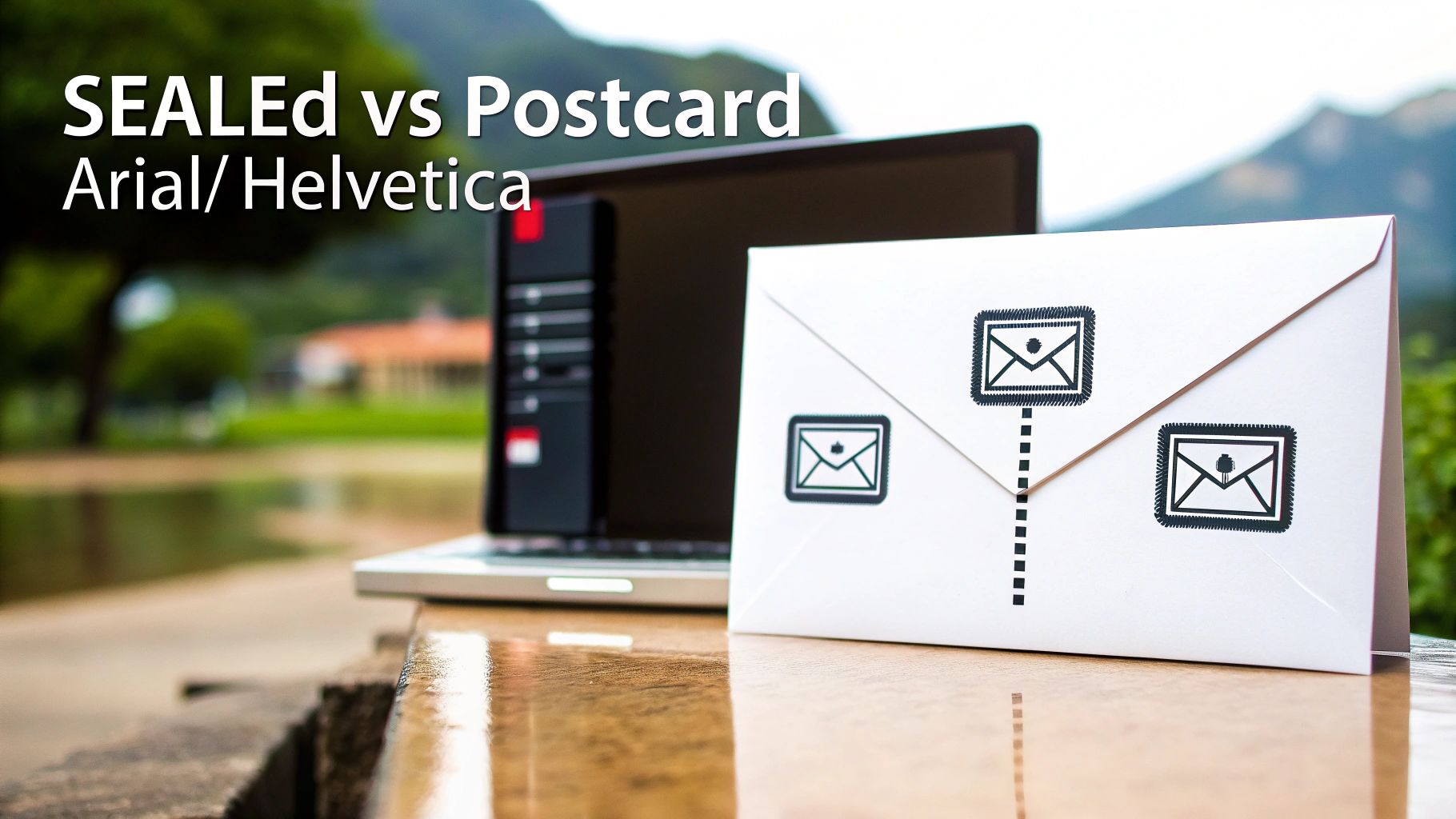
    To really get why fax has a security edge over email, you have to look under the hood at how each one sends information. They are built on fundamentally different technologies, and that single fact creates a massive gap in their security. It’s the difference between sending a sealed envelope and a postcard.

    A traditional fax machine uses the Public Switched Telephone Network (PSTN)—the same reliable and closed network that’s handled landline phone calls for decades. When you send a fax, the machines establish a direct, temporary circuit between each other. This point-to-point connection is a closed loop, making it incredibly difficult to intercept digitally because it never touches the open internet.

    The Wild, Unpredictable Journey of an Email

    Email, on the other hand, takes a much more chaotic route. The moment you hit "send," your message is chopped into data packets and launched onto the public internet using the Simple Mail Transfer Protocol (SMTP). From there, it bounces between a whole series of independent servers and routers, each run by different companies with different security practices.

    Every single one of those hops is a potential weak spot. A hacker could compromise any server along that chain to read, copy, or even change your email without you ever knowing. What's worse, standard SMTP doesn't automatically encrypt messages, so your data often travels as plain text, totally exposed to anyone who can snoop on the network traffic.

    The real vulnerability of email is its multi-hop, open-network design. Unlike the dedicated line a fax uses, an email's path is public and unpredictable, creating countless chances for your data to be compromised before it even arrives.

    Fax: A Direct and Sealed Path

    Think of a classic fax transmission as a pneumatic tube running directly from your desk to the recipient's. The only way someone could intercept it is by physically cutting into the tube—a difficult, targeted attack. To intercept a fax, you'd need a physical wiretap on the phone line, an effort that's far too resource-intensive for most cybercriminals.

    This built-in security is why faxing remains a go-to method for sensitive documents. Its simplicity is its greatest strength, offering a direct line that completely sidesteps the internet's most common vulnerabilities.

    Now, picture that email again. It’s exactly like dropping a postcard in the mail. Any number of mail handlers (the servers) can read the message on the back. It will probably get where it's going, but you have zero guarantee of privacy along the way.

    How Online Fax Services Bridge the Security Gap

    This is where modern online fax services like SendItFax come in, creating a brilliant hybrid that gives you digital convenience without sacrificing analog security. When you send a file through a web-based fax platform, the first leg of its journey—from your computer to the fax service—is locked down with powerful encryption.

    • Transport Layer Security (TLS): Your document is protected by the same encryption that secures online banking and shopping. This creates a secure tunnel from your device straight to the fax provider.
    • PSTN for the Final Mile: Once your encrypted file is safely on the service's server, the platform dials out and sends it over the trusted PSTN to the recipient's fax machine.

    This two-step process truly delivers the best of both worlds. You get the convenience of sending a document right from your computer, but the final, critical delivery happens over the proven, secure telephone network. As more businesses need to connect different communication tools, knowing how to securely send a fax from an email address becomes essential. This approach ensures that even if you start with an insecure platform like email, the transmission itself is hardened to protect your information.

    How Do Modern Digital Threats Target Email vs. Fax?

    To get a real sense of whether faxing is more secure than email, you have to look past the technology and into the real-world threats each one faces. It’s not just a technical debate; it’s about understanding how criminals actually operate. Email is wide open on the internet, making it a playground for automated, large-scale attacks that can hit millions of people at once.

    The very thing that makes email so powerful—its universal reach—is also its biggest security weakness. Attackers have a well-worn playbook full of tricks specifically designed to exploit how we use email. These aren't just one-off attempts; they are constant, automated campaigns built to fool people and sneak past security filters.

    Email: A Breeding Ground for Scalable Cyberattacks

    Most email threats are designed for maximum impact with minimal effort. Attackers don't need to hand-pick their targets; they just cast a massive net, knowing that even a tiny success rate will bring in a huge payoff.

    Three attack methods really dominate the email threat landscape:

    1. Phishing and Spear Phishing: These are the classic bait-and-switch emails. They look like they’re from your bank, a colleague, or a service you trust, all to trick you into clicking a bad link or handing over passwords and financial information.
    2. Malware and Ransomware Delivery: Email is, hands down, the top delivery service for malicious software. That PDF invoice or Word doc attachment might look innocent, but it can easily hide code that installs data-stealing malware or ransomware that locks up your entire system until you pay up.
    3. Man-in-the-Middle (MitM) Attacks: As an email travels from sender to receiver, it hops across multiple servers. A determined attacker can intercept that communication along the way. If the email isn’t properly encrypted, they can read, change, or steal its contents without anyone knowing.

    The sheer scale of these threats is hard to wrap your head around. The global shift to remote work triggered billions of phishing attempts, leading to a massive spike in cybercrime. In fact, data from Cisco shows that a staggering 95% of cyberattacks start with a simple email, making human error the single biggest vulnerability. For a deeper dive, you can explore more on the differences between fax and email security.

    Faxing: Immune by Design

    Faxing, on the other hand, is practically immune to these digital plagues. It operates over the Public Switched Telephone Network (PSTN), which is a completely separate, closed-circuit system. Think of it as being "air-gapped" from the internet-based chaos that email has to deal with every day.

    You can’t click a malicious link in a fax. You can't download a virus from a faxed document. The very architecture of fax transmission doesn't allow for executable code, which makes the most common and dangerous cyberattacks completely useless.

    This built-in immunity changes the entire security game. With email, security is all about filtering out threats and training people not to fall for tricks. With fax, security is baked right into the protocol itself.

    The Real Risk Profile of Faxing

    This doesn't mean faxing is perfectly risk-free, but its vulnerabilities are from a different era entirely. The main threat to a fax isn't digital—it's physical.

    • Wiretapping: To intercept a fax, someone would have to physically "tap" the phone line. This is a targeted, difficult, and highly illegal act that’s almost impossible to pull off without getting caught. It’s just not a scalable attack and is considered feasible in less than 0.01% of cases.
    • Physical Interception: The other major risk is someone grabbing the printed document from the machine at the other end. If a fax machine sits out in an open, unsecured area, a sensitive document could be picked up by the wrong person.

    When you put these threats side-by-side, the difference is night and day. Email is exposed to low-effort, high-volume automated attacks from anywhere on the globe. Fax is only vulnerable to high-effort, low-volume physical attacks that require someone to be on-site. This makes human error a much bigger problem for email users, who have to stay on constant alert. For fax users, the biggest "human error" is just forgetting to pick up a document from the machine.

    Securing Documents Before and After Transmission

    A 'Secure Documents' sign, document, and keyboard on a desk with server racks in the background, emphasizing data security.

    A document’s journey doesn't end once it's sent. The real-world security risks—both before you send and long after it arrives—are just as important as the transmission itself. This is where the security models for email and fax really start to part ways, especially when we talk about data "at rest."

    Email is notorious for creating a sprawling, often unmanaged, digital footprint. Every single message and attachment gets copied and stored in multiple places: your sent folder, the recipient's inbox, and likely on various backup servers, often for years.

    This permanent storage creates a massive and tempting target for attackers. If a hacker gets into an email account, they don't just see new messages; they get the keys to a kingdom of historical data.

    The Vulnerability of Perpetual Email Storage

    Think about your email inbox for a second. It's like a digital filing cabinet that never gets cleaned out. Old contracts, invoices, and sensitive personal information from years ago are still just sitting there, completely exposed. This digital residue is exactly what hackers look for when they exploit old vulnerabilities to access archived communications.

    This isn’t just a what-if scenario. While traditional faxing minimizes long-term digital risk by creating a physical copy, emails just linger. A shocking 83% of organizations have reported unauthorized access to their archived messages, as highlighted in research from Telnyx.

    It’s this ongoing exposure that makes the question of fax versus email security so much more complex. You have to look at the entire lifecycle of the document.

    The Physical Risk of Traditional Fax

    With old-school fax machines, the main vulnerability is physical, not digital. Once a document is sent, it prints out as a hard copy on the other end. The biggest security risk is someone just walking by the machine and grabbing a sensitive document from the tray.

    It’s a real risk, but it's also a localized one. It requires someone to be physically present, unlike a digital breach that can be launched from anywhere on the planet. The fix is pretty straightforward: put the fax machine in a secure, monitored area.

    The core difference in "at rest" security is one of scope and access. Email creates a permanent, distributed digital record vulnerable to remote attacks, while a traditional fax creates a single, localized physical record vulnerable only to on-site interception.

    How Online Fax Services Secure Documents at Rest

    This is where modern online fax services like SendItFax really change the game. They blend the convenience of digital with tightly controlled, secure storage. Instead of documents piling up in a personal inbox, they're managed within an encrypted cloud environment. This approach offers huge advantages over both traditional fax and standard email.

    • Encrypted Cloud Storage: Faxes are stored in an encrypted state. This means even if someone managed to access the server infrastructure, the data itself would be unreadable.
    • Strict Access Controls: You have to log in and authenticate yourself to view, download, or manage any faxes. This completely eliminates the "open tray" risk of a physical machine.
    • Defined Retention Policies: Unlike an email inbox that can grow infinitely, professional fax services often have clear data retention policies. Documents are automatically and securely deleted after a specific period, which drastically reduces your long-term risk exposure.

    By managing documents in a purpose-built, secure portal, online faxing gets rid of the scattered, permanent digital mess that email creates. It also solves the physical security headache of traditional fax machines. To get a better handle on the complete security picture, our guide on the overall security of fax communication provides additional valuable insights.

    Navigating Regulatory Compliance for Sensitive Data

    It might seem strange, but in an era of instant everything, industries like healthcare, legal, and finance still swear by faxing. Why? The answer boils down to one thing standard email struggles with out of the box: regulatory compliance. For these fields, it’s not about what’s fastest; it’s about what’s safest and legally sound.

    The staying power of fax isn't about nostalgia. It’s a practical choice. The technology's fundamental design aligns neatly with the data protection principles baked into laws like the Health Insurance Portability and Accountability Act (HIPAA). This makes it a go-to tool for sending confidential data without needing a ton of expensive IT workarounds.

    HIPAA and the Security of Fax

    HIPAA sets a high bar for protecting patient information, and traditional faxing over the Public Switched Telephone Network (PSTN) clears many of those hurdles by its very nature. The direct, point-to-point connection is notoriously difficult to intercept, creating a secure channel for Protected Health Information (PHI).

    Standard email is a different story. It’s not inherently HIPAA compliant. To get it there, you have to bolt on specific, and often complex, security layers, including:

    • End-to-end encryption: Making sure the message is unreadable to anyone but the sender and intended recipient.
    • Strict access controls: Policies that prevent unauthorized users from even seeing sensitive messages.
    • Detailed audit trails: Logs that track every single interaction with an email containing PHI.

    Without these, a simple email can turn into a massive compliance nightmare. In fact, HIPAA violations from mishandled emails cost U.S. healthcare providers millions in fines each year. In contrast, PHI sent by fax rarely even triggers an audit because the transmission is so direct and tamper-evident. You can find a deeper dive into this comparison at Comfax's analysis of fax versus email security.

    The Legal Clout of a Confirmation Page

    Beyond just keeping data safe in transit, compliance often hinges on non-repudiation—ironclad proof that a document was sent and, more importantly, received. This is where fax has a serious legal edge.

    Every time a fax goes through successfully, it generates a confirmation page. This isn't just a simple notification; it's a report packed with metadata: the exact date and time, the number of pages sent, and the recipient's number. In a courtroom, that confirmation page is widely accepted as legally binding proof of delivery. It's a verifiable record that's incredibly hard to fake.

    Email offers no such guarantee. A "read receipt" can be easily ignored, blocked, or disabled by the recipient. Email headers can also be manipulated. This lack of verifiable delivery makes email a far weaker choice when sending time-sensitive contracts or legal notices.

    Think about a law firm sending a critical notice with a looming deadline. If they fax it, that confirmation page is their proof that the document arrived on time. If they email it, they’re left hoping the recipient saw it, creating a huge legal risk.

    Where Fax Is Still the Gold Standard

    The real-world consequences of these differences show up every day. Professionals in regulated fields don't see fax as a fallback; they see it as their first and best option for managing risk. To lock down compliance even further, a properly formatted cover sheet is essential. We cover this in our guide on creating a HIPAA compliant fax cover sheet.

    Just look at these common scenarios:

    • Healthcare: A hospital sends a patient's medical records to a specialist. Using a HIPAA-compliant fax service ensures the PHI is transmitted securely, protecting patient privacy and meeting federal mandates.
    • Legal: A paralegal serves an official notice to opposing counsel. Faxing provides a time-stamped, legally admissible receipt, heading off any future arguments about whether the notice was actually received.
    • Finance: A mortgage broker submits a client's loan application to a lender. Faxing protects highly sensitive personally identifiable information (PII), like social security numbers and bank accounts, from exposure on the open internet.

    In every case, choosing fax is a deliberate risk-management decision. It prioritizes security and legal proof over the casual convenience of email, cementing its place as the standard for anyone who can't afford to take chances.

    Making the Right Choice for Your Documents

    Knowing the security theory behind fax and email is great, but putting it into practice is what really matters. The decision to use fax or email boils down to one simple question: what’s in the document? You have to match the tool to the risk.

    For everyday, low-stakes messages like a meeting reminder or a quick project update, a secure email account does the job just fine. But when the information is sensitive and the consequences of a breach are high, faxing still provides a more secure, legally sound channel for transmission.

    This thought process is key to deciding when the old-school security of fax trumps the convenience of email.

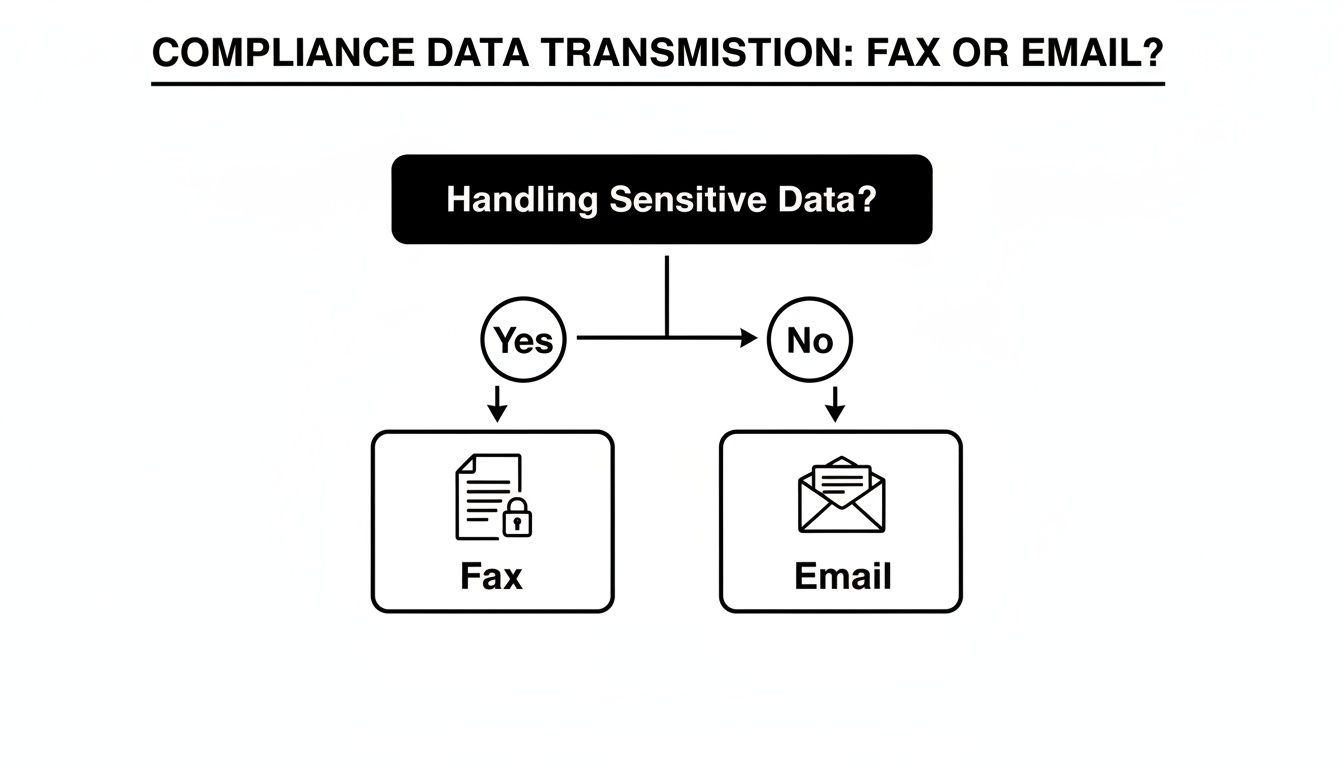
    A flowchart illustrates compliance data transmission. Sensitive data requires Fax; non-sensitive data can be sent via Email.

    As you can see, it all starts with data sensitivity. If a document holds confidential information, faxing is the smarter path to stay compliant and secure.

    When to Unquestionably Choose Fax

    Some documents just aren't worth the risk. For anything with serious legal, financial, or privacy weight, choosing fax isn't about being old-fashioned—it's a deliberate risk management strategy.

    Think about these clear-cut scenarios:

    • Legal Documents: Signed contracts, court filings, and official notices demand proof of delivery. A fax transmission report is a legally recognized record that email receipts just can't match in court.
    • Medical Records: This is a big one. When moving Protected Health Information (PHI) between healthcare providers and insurers, traditional faxing is a well-established, HIPAA-compliant method for safeguarding patient data.
    • Financial Data: Loan applications, payroll details, and bank statements are loaded with Social Security numbers and other personally identifiable information (PII). Faxing them directly minimizes the exposure to interception that plagues email.

    In all these cases, the direct point-to-point connection of a fax line dramatically cuts down the chances of a man-in-the-middle attack.

    Best Practices for Secure Online Faxing

    Using an online fax service like SendItFax gives you the classic security of the phone network with the ease of a modern platform. But the technology is only half the battle; your habits are the other half.

    Even with a secure platform, user practices are a critical layer of defense. Simple steps like verifying numbers and managing documents properly can prevent the most common security mishaps.

    To truly lock down your information, build these habits into your workflow:

    1. Double-Check Recipient Numbers: It sounds obvious, but a single typo can send a sensitive file to a complete stranger. Always, always confirm the fax number before sending.
    2. Utilize a Secure Cover Page: Your cover page is your first line of defense at the receiving end. It should clearly name the intended recipient and include a bold confidentiality notice. This prevents prying eyes from reading a document left on a shared machine.
    3. Manage Downloaded Documents: The moment you download a received fax, its security becomes your responsibility. Don't let it linger in your "Downloads" folder. Move it immediately to an encrypted, password-protected location on your local machine or secure network.
    4. Confirm Receipt: For the most critical documents—the ones that keep you up at night—make a quick phone call. A simple "Did you get it?" adds that final, invaluable layer of certainty.

    By being deliberate about your communication choices and diligent with your security practices, you can protect your sensitive information every step of the way.

    A Few Common Questions About Fax Security

    To really wrap our heads around this, let's tackle some of the questions I hear all the time when people weigh fax against email. The answers aren't always what you'd expect, especially when sensitive information is on the line.

    Why Do People Still Use Fax When Email Exists?

    It’s a fair question. In industries like healthcare, law, and government, faxing isn't just a legacy habit—it's a deliberate choice rooted in security and compliance. When you send an email, it hops across countless servers on the open internet, creating a long chain of potential weak spots.

    Fax, on the other hand, uses the Public Switched Telephone Network (PSTN). Think of it as a direct, point-to-point call between two machines, which is fundamentally harder for an outsider to tap into.

    The numbers really tell the story. In U.S. healthcare, a staggering 75% of all external Protected Health Information (PHI) transmissions still happen via fax. Why? Because standard email fails to meet HIPAA's tough security rules in 62% of audits, usually due to a lack of proper encryption or the risk of someone accidentally forwarding a sensitive message. You can dig deeper into these fax and email security statistics to see the full picture.

    Are Online Fax Services Actually Secure?

    They can be, and the reputable ones often provide a level of security that beats both old-school fax machines and your typical email inbox. These services blend modern digital security with the classic, trusted PSTN connection.

    Here's how it works: you upload your document, and it's immediately protected with strong encryption (like TLS or AES-256) on its way to the service's secure server. From there, the service transmits the file over the telephone network to the recipient's fax machine. It's a hybrid approach that closes the gaps found in purely digital or purely analog systems.

    The security of modern online faxing hinges on its two-part process: advanced digital encryption for the initial upload and the proven, closed-circuit PSTN for the final delivery. This layered approach mitigates the risks associated with both pure-digital and pure-analog methods.

    Are Faxed Signatures Legally Binding?

    Yes, absolutely. In most places, including the United States, faxed signatures are considered legally binding. Laws like the ESIGN Act of 2000 give them the same weight as a signature on paper.

    What really strengthens their legal standing is the transmission receipt. This report acts as a verifiable, third-party record confirming exactly when the document was sent and successfully received. This creates a strong form of non-repudiation that’s much harder to achieve with a standard email.


    Ready to send your documents with the security and reliability they deserve? SendItFax offers a simple, secure, and account-free way to send faxes directly from your browser. Protect your sensitive information and ensure your documents arrive safely every time. Try SendItFax today

  • Is Faxing Secure? The Definitive Guide to Modern Fax Security

    Is Faxing Secure? The Definitive Guide to Modern Fax Security

    So, is faxing actually secure? The answer is a solid yes, but with a big caveat: it completely depends on how you're sending the fax.

    Modern online faxing is built for security with layers of digital protection. On the other hand, traditional fax machines are stuck in the past, full of physical and even digital holes that just don't cut it for handling sensitive information anymore.

    Why Online Faxing Has the Security Edge

    Think back to the old way. A fax's security depended entirely on its physical journey. A document shot across a dedicated phone line, creating a direct connection that was pretty tough to intercept mid-air. The problem? Security evaporated the second that paper spooled out of the receiving machine. Anyone walking by could grab it, read it, or lose it.

    Online faxing completely flips the script. Instead of a vulnerable piece of paper, your document is converted into a secure digital file, wrapped in multiple layers of protection. This modern approach directly plugs the glaring security gaps of those old analog machines.

    Key Security Upgrades You Get with Online Faxing

    Moving from a physical fax machine to an online service isn't just a small step up; it's a giant leap in security. You gain protections that are simply impossible to bolt onto old hardware.

    • Encryption: Your data is locked down with encryption both while it's traveling (in transit) and when it's stored on a server (at rest). Think of it like putting your document in a locked briefcase inside an armored truck.
    • Access Control: Forget about papers piling up in a public tray. With online faxing, only people with the right login credentials can see incoming faxes, keeping them out of the wrong hands.
    • Digital Audit Trails: Every single action is tracked and logged. You get a clear, verifiable record of who sent, received, and viewed a document—and exactly when. This is a game-changer for compliance.

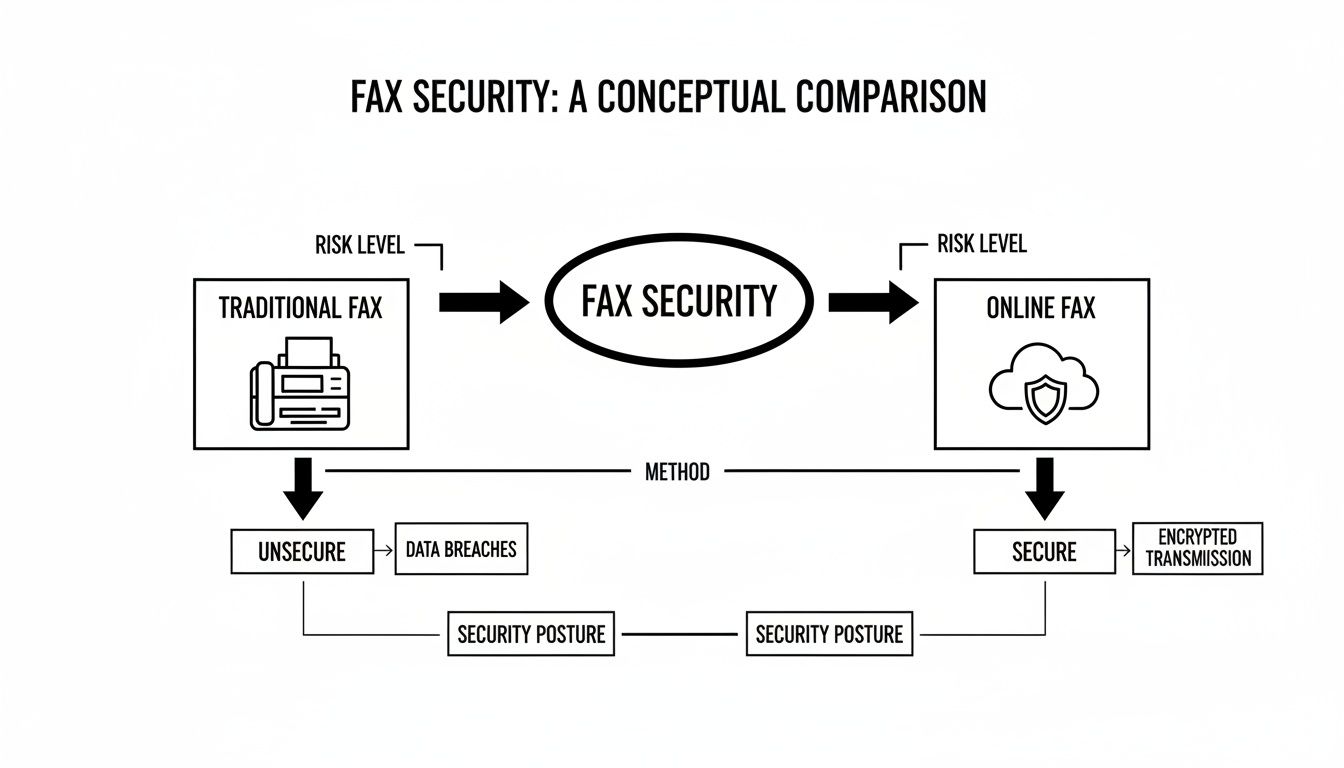
    This diagram really highlights the core security differences between the two methods.

    Diagram comparing traditional fax and online fax security, highlighting risk levels, methods, and security postures.

    As you can see, it’s a stark contrast. The old way is physical and exposed, while the new way is digital and protected. They both get a document from A to B, but their security approaches are from different centuries. If you're weighing your options, our deep dive on whether fax is more secure than email offers even more context on these critical differences.

    To make it even clearer, here's a quick side-by-side comparison.

    Traditional Fax vs Online Fax Security at a Glance

    This table breaks down the fundamental differences in how each method handles security, from transmission to storage.

    Security Feature Traditional Fax Machine Online Fax Service
    Transmission Security Sent over analog phone lines; generally unencrypted and interceptable with the right tools. Sent over the internet using TLS 1.2+ encryption, protecting data in transit.
    Storage Security Printed documents are physically stored; vulnerable to theft, loss, or unauthorized viewing. Faxes are stored in encrypted, cloud-based servers with strict access controls.
    Access Control None. Anyone near the machine can access printed faxes. Requires user authentication (username/password) to view, send, or manage faxes.
    Audit Trails Limited to basic transmission logs (date, time, number). No record of who viewed the physical copy. Provides detailed, immutable logs of all user activity, crucial for compliance.
    Physical Security Risk High. Faxes can be misdialed, left on the tray, or copied without permission. Minimal. The entire process is digital, eliminating physical document risks.
    Compliance Readiness Difficult to make compliant with regulations like HIPAA without strict physical protocols. Designed with compliance in mind, offering features like BAA support for HIPAA.

    Looking at them head-to-head, it's easy to see why online services are the clear winner for any organization that takes data security seriously. The built-in encryption, access controls, and audit trails address the fundamental weaknesses of traditional faxing.

    Why Faxing Still Thrives in a Digital World

    In a world full of instant messages and emails, it’s easy to think of the fax machine as a relic. Yet, faxing isn’t just surviving; it’s thriving, especially in sectors where security and legal validity are non-negotiable. So, why do so many critical industries still rely on this technology?

    It really comes down to how the information travels. Let’s look at the classic comparison between a fax and an email to illustrate why certain industries have been slow to abandon this trusted technology.

    Office desk with a classic fax machine and a laptop showing a secure online interface.

    The Sealed Letter Versus the Postcard

    Sending a traditional fax is like sending a sealed letter through a dedicated courier. The message travels directly from your machine to the recipient's machine over a point-to-point telephone connection. This direct line is inherently private and difficult to intercept without sophisticated, targeted effort.

    Email, by contrast, is more like sending a postcard. Your message hops between multiple servers on its journey, and at each stop, it could potentially be read or copied. While modern email has security features, its fundamental architecture involves more points of potential exposure than a direct fax transmission. This core difference is a major reason why industries handling sensitive data continue to rely on faxing.

    "For all the talk about email and messaging apps, faxing continues to be the trusted way to send documents when compliance, legal recognition, and reliability matter most."

    This principle of a direct, less exposed transmission channel has cemented faxing's role in sectors where data privacy is not just a best practice but a legal requirement.

    A Deliberate Choice for Critical Industries

    The persistence of faxing isn't due to a lack of innovation; it's a deliberate strategic choice. Industries like healthcare, legal services, and government agencies operate under strict regulatory frameworks that demand verifiable proof of transmission and receipt for sensitive documents like patient records or legal contracts.

    Faxing's long-standing legal acceptance as a method of delivering official documents gives it a significant advantage. This legacy is reinforced by staggering usage numbers. In fact, industry data showed that over 17 billion individual fax documents were sent in 2019, with the U.S. healthcare sector alone responsible for more than 9 billion of them. You can explore more about faxing's continued relevance and market growth in this industry analysis.

    This massive volume proves that for many organizations, the security and reliability offered by faxing are indispensable. While traditional machines have their flaws, modern online services like SendItFax have evolved to offer the best of both worlds—the directness of a fax with the powerful encryption and audit trails of digital technology.

    From Analog Risk to Digital Protection

    Fax security isn't what it used to be. The conversation has shifted dramatically, moving away from the physical risks of old-school fax machines to the sophisticated defenses of modern online services. To really grasp why online faxing is so secure today, you have to understand this evolution.

    Think back to the traditional office fax machine. Its security was purely physical. A document zipped across a dedicated phone line, which was a decent point-to-point connection. But the real vulnerability was what happened when that piece of paper printed out. Anyone walking by the machine could see it, pick it up, or even lose it. That "last-mile" problem was the Achilles' heel of analog faxing.

    The Move to a Digital Fortress

    Online faxing tackles these old-school problems head-on by turning the entire process into a secure digital workflow. Your document isn't a piece of paper anymore; it’s an encrypted data file, locked down at every step.

    This simple change eliminates the most common physical security headaches. There are no more sensitive documents sitting out in the open, no chance of a fax getting lost in a paper shuffle, and no need for physical file cabinets that could be breached. Everything happens inside a secure digital space that only authorized people can access.

    How Modern Fax Encryption Actually Works

    So, what’s happening behind the scenes? Online fax services use layers of powerful encryption to shield your information. It’s not just one thing; it's a system designed to protect your documents from start to finish.

    Let's break it down with an analogy. Imagine you're sending a top-secret contract to a partner across town.

    • Transport Layer Security (TLS): This is your digital armored truck. TLS creates a secure, encrypted tunnel for your fax to travel through. If anyone tries to intercept it along the way, all they’ll see is garbled, unreadable code. It keeps your data safe while it's in transit.
    • AES-256 Encryption: Once the armored truck arrives, the contract is stored in a military-grade digital vault. That vault is AES-256 (Advanced Encryption Standard). This powerful algorithm scrambles your fax data while it's at rest, making it completely useless to anyone who doesn't have the specific key to unlock it.

    These two technologies are the cornerstone of end-to-end fax protection. Top-tier services use 256-bit AES for all transmissions, while protocols like TLS (and its predecessor, SSL) create a secure channel and verify the identity of both sender and receiver. When you layer on compliance with regulations like HIPAA, it's clear that faxing has become an incredibly secure way to communicate. As detailed on westfax.com, cloud-based protection has been a game-changer for fax security.

    This journey from vulnerable paper to encrypted data is precisely why the answer to "is faxing secure?" has changed so profoundly. If you want to dive even deeper, check out our comprehensive guide on the overall security of fax.

    How Online Faxing Helps You Nail Compliance

    Real security isn't just about having strong technology; it's about playing by the rules. For anyone in healthcare, finance, or legal fields, meeting strict compliance standards isn't just a good idea—it's the law. This is where modern online faxing really proves its worth, offering the specific tools needed to satisfy some of the most demanding data protection regulations out there.

    These rules require more than just keeping data under lock and key. You have to be able to prove you’re actively protecting information every step of the way. That means keeping meticulous records, tightly controlling who sees what, and making sure every transmission is secure from end to end.

    Split image showing a fax machine with paper and a laptop displaying a cloud security icon, with 'RISK TO SECURE' text.

    From Legal Jargon to Practical Features

    Regulations like the Health Insurance Portability and Accountability Act (HIPAA) in the U.S. and Canada's Personal Information Protection and Electronic Documents Act (PIPEDA) set a high bar for handling sensitive data. Online fax services are built from the ground up to help businesses clear these hurdles with features designed for compliance.

    Take HIPAA, for instance. It dictates everything about how Protected Health Information (PHI) is managed. A single slip-up can result in massive fines, so compliance is a non-negotiable for any medical practice or insurer. Faxing has always been a go-to for sending PHI, and online services just make it that much more secure by adding critical digital safeguards.

    Essentially, a secure online fax platform turns compliance from a manual, anxiety-inducing chore into an automated and trackable process.

    For all the talk about email and messaging apps, faxing continues to be the trusted way to send documents when compliance, legal recognition, and reliability matter most.

    Instead of relying on a physical logbook next to the machine and just hoping a sensitive document wasn't left on the tray, you get a digital dashboard for all your communications. That shift is absolutely crucial when it's time to prove your due diligence to an auditor.

    The Core Features That Make Compliance Work

    So, how exactly does an online fax service help you meet these standards? It all boils down to a handful of core features that directly answer what regulators demand: security, accountability, and control.

    • Immutable Audit Trails: Every single action is logged automatically. You get a concrete record of who sent a fax, who it went to, when they opened it, and from where. This creates the kind of digital paper trail that is gold during a compliance audit.
    • Controlled User Access: Unlike the communal office fax machine, online platforms let you set specific permissions for each user. This guarantees that only authorized staff can ever access sensitive documents—a cornerstone of both HIPAA and PIPEDA.
    • Encrypted Storage: Faxes aren't just protected in transit. They're stored using AES-256 encryption, the same heavy-duty standard trusted by banks and government agencies to keep data safe while it's "at rest."
    • Verifiable Delivery Confirmations: You receive a detailed, unambiguous confirmation that your fax was delivered successfully. This receipt acts as legally recognized proof of transmission, which is vital for contracts, medical records, and official notices.

    These features don't work in isolation. They create a secure, closed-loop system where sending sensitive information is not only safe but also fully documented, turning a major compliance headache into a straightforward part of doing business.

    How to Choose a Genuinely Secure Online Fax Service

    Not all online fax services are built the same, and when sensitive documents are on the line, the difference really matters. Picking the right provider means you have to look past the flashy marketing and low price points to see if they have the technical backbone to truly protect your information.

    Think of it like choosing a bank for your money. You wouldn't just go with the one offering a free toaster; you'd look for FDIC insurance, secure vaults, and a history of reliability. The same logic applies here. A provider's dedication to security should be obvious, transparent, and backed by features that are non-negotiable.

    Essential Security Features Checklist for Online Faxing

    When you're evaluating different services, it's easy to get lost in feature lists. This checklist cuts through the noise and helps you focus on the security measures that are absolutely critical. Use it to grade any provider you're considering.

    Feature What to Look For Why It Matters for Security
    End-to-End Encryption Look for mentions of TLS (for faxes in transit) and AES-256 bit encryption (for stored files). This is the bedrock of digital security. It scrambles your data, making it unreadable to anyone who might intercept it, both as it travels online and while it sits on a server.
    Secure Data Storage The provider should use data centers with strict physical security (guards, locked cages), redundancy, and clear disaster recovery plans. Your faxes don't just disappear after they're sent. They're stored. You need to know that the physical location is as secure as the digital one.
    Multi-Factor Authentication (MFA) Also known as Two-Factor Authentication (2FA), this requires a second verification step, like a code sent to your phone, to log in. Passwords can be stolen, but it's much harder for a thief to steal your password and your phone. MFA is one of the single most effective ways to prevent account takeovers.
    Detailed Audit Trails The service must provide a complete, unchangeable log of all fax activity—who sent what, when, and whether it was successfully delivered. For any kind of business or legal record-keeping, this is non-negotiable. It provides a verifiable history for accountability and proves compliance.
    Compliance Certifications If you're in healthcare, law, or finance, look for explicit HIPAA compliance or other certifications like SOC 2. These aren't just buzzwords. They mean the provider has passed rigorous, independent audits that validate their security controls against industry standards.

    A service that can't tick all these boxes might be fine for sending a dinner menu, but it’s a serious gamble for anything confidential.

    A truly secure online fax service doesn't just promise security; it proves it with transparent, verifiable features. Your data's safety depends on choosing a partner who treats protection as a core function, not an afterthought.

    Making Your Final Call

    Once you've vetted the technical side of things, it's time to consider the human element. Is the platform easy to use? A confusing interface can lead to user errors, which can be just as dangerous as a technical vulnerability.

    Take some time to read reviews from real users and compare different platforms. A service might look great on paper, but a little research can reveal hidden frustrations or strengths. To get a jump start, you can see how different online fax services stack up in our comparison guide.

    Ultimately, a genuinely secure service is built on a foundation of strong encryption, strict access controls, and transparent compliance. By holding providers to that standard, you can choose a service that protects your information with the seriousness it deserves.

    Simple Best Practices for Sending Secure Faxes

    Person holding a tablet displaying secure fax icons including a shield, lock, and documents, with a 'CHOOSE SECURE FAX' banner.

    Even the most advanced security features can't protect against simple human error. While a secure online fax service does the heavy lifting, your own habits are what truly complete the security picture. It's a partnership, really.

    Think of it this way: you can have the best alarm system in the world, but it doesn't do much good if you forget to lock the door. Taking a few extra seconds to follow these best practices will ensure your sensitive documents are protected from start to finish.

    Always Use a Cover Sheet

    A fax cover sheet is more than just a formality—it’s your first line of defense. It acts like the envelope on a physical letter, making sure your document gets to the right person and telling anyone else that its contents are private.

    Every cover sheet should clearly state a few key things:

    • Your contact information: Your name, company, and number.
    • The recipient's details: The specific person and department it's intended for.
    • A confidentiality notice: This is crucial. A simple disclaimer flagging the document as confidential goes a long way, especially for legal or medical information.

    This one simple step prevents your fax from sitting unattended on a shared machine or being read by the wrong person. It's an easy win for security.

    The most common security lapses are often the result of simple human error. Double-checking details before you hit 'send' is one of the most effective security measures you can take.

    Verify and Confirm Every Transmission

    A single wrong digit can send your private information to a complete stranger. It’s a costly mistake that’s surprisingly easy to make. Before you send anything, always double-check the recipient's fax number.

    After you hit send, don’t just walk away. Check the transmission report. A good service like SendItFax will give you a clear confirmation that your document arrived safely. This isn't just for peace of mind; it's your proof of delivery.

    If a fax fails, find out why before you try again. This kind of hands-on approach builds a truly secure and accountable process for all your communications.

    Got Questions About Fax Security? Let's Get Them Answered.

    If you're still on the fence about fax security, you're not alone. Let's tackle some of the most common questions people have to clear up any confusion and show you how modern faxing really works to protect your information.

    Is Online Faxing Actually More Secure Than Email?

    In a word, yes. The difference is night and day when you look at how they operate.

    Think of a standard email like a postcard. It gets passed through various public servers on its journey, and at any of those stops, someone could potentially peek at its contents. A secure online fax, on the other hand, is more like an armored car driving through a private, encrypted tunnel. It goes straight from you to the recipient, locked down the entire way.

    This direct, end-to-end encryption shuts down the vulnerabilities that leave standard email wide open to attack.

    Do I Really Need a HIPAA-Compliant Service for My Own Personal Faxes?

    Strictly speaking, you might not be legally required to, but it's an incredibly smart move anytime health information is involved. The HIPAA rules are aimed at "covered entities" like your doctor's office or insurance company.

    But here’s the thing: choosing a HIPAA-compliant service means your Protected Health Information (PHI) gets the VIP treatment with top-tier encryption and detailed audit logs. It's the gold standard for protecting sensitive medical data, whether you're a hospital or just a patient.

    Using a HIPAA-compliant service for all medical documents is the safest way to ensure your private health information is protected by enterprise-grade security standards, giving you complete peace of mind.

    How Can I Actually Prove a Fax Was Sent Securely?

    This is where online faxing leaves the old clunky machines in the dust. Forget about those flimsy paper confirmation slips that get lost or fade over time. A secure online fax service gives you a rock-solid, digital audit trail for every single document.

    This isn't just a simple receipt; it's a detailed, legally defensible record that typically includes:

    • An exact timestamp of when the fax was sent.
    • Clear confirmation that it was successfully delivered.
    • A permanent, unchangeable log of the entire transaction.

    This verifiable proof is absolutely critical when you're dealing with legal contracts, official records, or anything else where you can't afford to have doubts.


    Ready to send documents with confidence? SendItFax offers a simple, secure, and reliable way to send faxes right from your browser, no account needed. Try SendItFax today for fast and protected document delivery.