Tag: internet faxing

  • International Fax Service: A Complete 2026 Guide

    International Fax Service: A Complete 2026 Guide

    Most advice about faxing starts with the wrong assumption. It treats fax as a dead device problem, like choosing a typewriter ribbon in a laptop era.

    That misses what businesses buy when they use an international fax service. They're not buying nostalgia. They're buying a delivery method that many hospitals, law offices, government agencies, insurers, and cross-border partners still accept as part of normal operations.

    If you only fax once in a while, the right answer may be a simple regional tool that handles a narrow job well. If you send documents across multiple countries every week, that same tool may be the wrong fit, and a broader subscription platform makes more sense. The practical question isn't “Is fax old?” It's “What kind of faxing do you need, how often, and to where?”

    Why International Faxing Is Still Essential

    “Fax is obsolete” sounds reasonable until you look at where work still gets done.

    The global fax services market was valued at $3.31 billion in 2024 and is projected to grow, largely because regulated industries still depend on it. In the United States, healthcare alone accounted for over 9 billion fax transmissions in 2019, and 89% of healthcare organizations globally still rely on fax for inter-organizational record sharing as of 2023, according to FaxSIPit's fax usage statistics.

    That tells you something important. Fax survives where documentation, process discipline, and accepted workflows matter more than trendiness.

    Fax is a protocol, not just a machine

    Many people picture a beige office machine with curling thermal paper. That's old-school fax hardware. An international fax service today usually works very differently.

    You upload a PDF or document from a browser, app, or email. The service converts that digital file into a format the receiving fax endpoint can accept. On your side, it feels closer to sending an attachment than operating a phone line.

    Practical rule: If your recipient still says “fax it,” they usually care about the delivery method and record trail, not whether you own a physical fax machine.

    That distinction clears up a lot of confusion. You're not stepping back in time. You're using a modern interface to reach a legacy communication standard that many organizations still trust.

    Why some industries still insist on fax

    Email is faster for casual communication. It isn't always the path of least resistance for formal document exchange.

    Organizations often stick with fax because:

    • Established procedures matter: Staff already know how incoming faxed records are received, routed, and archived.
    • Counterparties expect it: You can't modernize the other side's workflow by force.
    • Compliance and record handling are familiar: Teams may have long-standing internal rules built around fax intake.
    • Interoperability is broad: A modern online sender can still reach a traditional machine.

    A modern owner or office manager should think about fax the way they think about paper checks. Most daily payments happen digitally, but some transactions still require the older rail because the ecosystem around it hasn't fully changed.

    What “essential” really means

    Fax isn't essential for every company. It's essential when a receiving party demands it, when a process is built around it, or when a regulated document needs to move through a channel the other organization already uses.

    That's why the smartest buying decision starts with usage reality, not ideology. If you need occasional delivery to one region, a lightweight service may be enough. If your team sends records to partners in multiple countries, you need something built for ongoing international operations.

    How Online International Faxing Works

    Think of online faxing as a translation service with a delivery network attached.

    You hand the service a digital document. It takes that file, prepares it for fax transmission, routes it through its infrastructure, and hands it off in a form the receiving fax endpoint can understand. The sender sees a simple web form. Behind the scenes, the service is doing format conversion and telecom handoff work.

    A five-step infographic showing how an online international fax service transmits digital documents to physical machines.

    The document's journey

    A typical online international fax service follows a path like this:

    1. You upload or email the file.
      Usually that's a PDF, DOC, or DOCX.

    2. The platform reads the destination number.
      International formatting is important here.

    3. A gateway server converts the job.
      The service prepares the document for fax transmission rather than ordinary email delivery.

    4. The system hands off to fax infrastructure.
      The transmission has to behave like a fax call on the receiving side.

    5. The recipient gets it on their fax endpoint.
      That endpoint might be a machine, a fax server, or another digital fax inbox.

    Under the hood, international faxing often relies on email-to-fax gateway logic. The gateway routes the job and transmits it using the T.30 protocol, which is the standard handshake and transmission method used for fax compatibility. The number format also matters. As explained in mFax's guide to faxing internationally, online services generally use + country code + local number, and the leading zero in many domestic area codes must be dropped to avoid routing failures.

    The part that trips people up

    The most common formatting mistake is keeping a domestic trunk zero that doesn't belong in the international version of the number.

    For example:

    Domestic format Correct international format
    020 1234 5678 +44 20 1234 5678

    That zero is used for domestic dialing. It isn't part of the subscriber number in the international format.

    If the number is formatted wrong, the service may be working perfectly and your fax will still fail.

    That's why online fax can feel mysterious to first-time users. The interface looks simple, but a small numbering mistake breaks delivery.

    Why this still works with old machines

    Traditional Group 3 fax devices dominate real-world fax compatibility. Online services must effectively speak that language so older receiving equipment can accept the transmission. You don't need to learn the protocol details to use it, but it helps to know why an uploaded file can still land on a paper-printing machine overseas.

    In practical terms, the online service acts like a bilingual clerk. It speaks browser and PDF on your side, then speaks fax on the recipient's side.

    Key Features and Global Coverage Considerations

    Buying an international fax service gets easier when you stop comparing brand slogans and start asking better questions.

    A vendor page might promise “global sending” or “secure transmission.” Those phrases don't tell you whether the service supports your destination, whether billing is predictable, or whether your compliance team will approve it.

    A diagram outlining key features of an international fax service including encrypted transmission, document management, and global coverage.

    Start with coverage, not features

    Many buyers do this backward. They compare storage, dashboards, and integrations before confirming the service is a good fit for the countries they send to.

    Use this checklist when evaluating providers:

    • Supported destinations: Ask for the exact countries you need, not a generic “international” claim.
    • Pricing clarity: Can you see destination-specific pricing before checkout?
    • File acceptance: Confirm support for the document formats your team uses.
    • Delivery records: Make sure you'll get a usable confirmation trail.
    • Support path: If a fax fails, can someone help without a long delay?

    One often-missed issue is pricing transparency in less commonly served regions. A 2025 ITU analysis found that 60% of small businesses in emerging markets avoid international faxing because of unpredictable billing. That problem gets worse when providers don't publish clear destination pricing for country pairs outside major markets.

    Compliance needs sharper questions

    Security language on a website isn't the same as operational clarity.

    This matters most in healthcare, legal, and government use cases. A 2024 HIMSS report noted that 45% of US healthcare organizations stopped using certain international fax partners because of compliance uncertainty, specifically around whether cross-border protection protocols met both HIPAA expectations and foreign data sovereignty rules such as GDPR.

    That should change the way you vet a provider. Don't just ask, “Are you secure?” Ask questions like these:

    • Where is document data processed or stored?
    • How does the provider handle cross-border transmission?
    • What proof can it provide for regulated use cases?
    • What happens to stored fax images after sending?

    For help with the dialing side of cross-border delivery, this guide to international fax numbers and formatting is useful background before you compare services.

    Buyer check: “Encrypted” is a feature label. “Can you explain how protected data moves across borders in my use case?” is the real question.

    Features that matter differently by user type

    A solo freelancer and a hospital administrator should not buy the same way.

    If you are… Prioritize…
    Occasional sender Simple interface, one-time sending, easy confirmations
    Small business Clear pricing, account history, repeat recipient management
    Regulated team Compliance documentation, audit trail, storage controls
    Cross-border operation Broad country support, support responsiveness, routing reliability

    The right service isn't the one with the longest feature list. It's the one that matches your geography, document sensitivity, and sending frequency.

    Choosing Your Service Pay Per Fax vs Subscription

    The biggest buying mistake isn't choosing the “wrong brand.” It's choosing the wrong pricing model for your actual behavior.

    Some people need to send a form once every few months. Others send records every week to multiple offices. Those are different jobs, and they should be priced differently.

    A comparison chart highlighting the pros and cons of pay-per-fax versus monthly subscription faxing services.

    When pay per fax is the smart choice

    Pay-per-fax works best when your need is occasional, urgent, or unpredictable.

    A simple regional service is often ideal if you only need to send documents to the United States or Canada and you don't want the overhead of a monthly plan. That kind of tool fits travelers, tenants sending signed forms, independent contractors, and small offices that fax rarely.

    Pay-per-fax usually makes sense when:

    • You send infrequently: No monthly fee sitting idle.
    • You need speed: Open browser, upload file, send.
    • Your destinations are narrow: You don't need worldwide coverage.
    • You want less setup: No onboarding project for a one-off task.

    The tradeoff is straightforward. You gain convenience and flexibility, but if faxing becomes routine, one-off pricing can stop being economical.

    For a closer look at that model, this article on pay-per-use online fax services shows where one-time sending fits best.

    When a subscription earns its keep

    A subscription becomes more sensible when faxing is part of your operating rhythm.

    That often includes medical offices, law firms, property management teams, insurance workflows, and businesses with multiple recipients across countries. In those cases, the value isn't just lower per-send economics. It's also centralized history, recurring workflows, and a predictable monthly process.

    A subscription is usually the better fit if you need:

    Need Better model
    One-time or rare sending Pay per fax
    Frequent business use Subscription
    Mostly US and Canada Regional service
    Multiple international destinations Global subscription

    An honest framework for deciding

    Ask yourself four questions:

    1. How often do we fax?
      If the answer is “hardly ever,” don't buy a monthly plan out of habit.

    2. Where do we send?
      If your sends are concentrated in one region, a narrow service can be the efficient choice.

    3. Who uses it?
      One person with occasional needs doesn't need the same setup as a multi-user office.

    4. How much billing uncertainty can we tolerate?
      That matters more than many teams expect. As noted earlier, unpredictable international billing is a major reason some organizations avoid faxing in the first place.

    Don't buy enterprise complexity for a once-a-quarter task. Don't force a lightweight regional tool to behave like a global operations platform.

    That's the practical dividing line. Choose a regional, no-commitment service for quick occasional sending. Choose a broader subscription when faxing is repeatable, multi-user, and geographically wider.

    A Step-by-Step Guide to Sending an International Fax

    The first time someone sends an international fax online, they usually worry about the wrong thing. They worry about the button. The true risk is preparation.

    If the document is clean and the number is formatted correctly, the send itself is usually simple.

    Screenshot from https://senditfax.com

    Step 1 Prepare the file

    Start with a clean source document.

    A PDF is usually the safest choice because layout surprises are less likely. If you're sending from Word, export to PDF first when possible. Keep pages readable, high contrast, and free of unnecessary color-heavy graphics since fax delivery is built around black-and-white output.

    Before uploading, check:

    • Orientation: Portrait pages should display upright.
    • Legibility: Small text and faint signatures often degrade in fax form.
    • Page order: Merge files in the right sequence before sending.
    • Cover needs: Decide whether the recipient expects a cover page.

    Step 2 Enter the recipient number carefully

    This is the step most likely to cause failure.

    Use the international format your provider accepts, usually beginning with the plus sign and country code. If the local number includes a domestic leading zero, remove that zero in the international version. If you're unsure, verify the number with the recipient before sending anything sensitive.

    For a fuller walkthrough, this guide on how to fax abroad is a useful reference.

    Small habit, big payoff: Copy the number into a note first, then compare it once before you paste it into the fax form.

    Step 3 Upload, review, and send

    Most services follow the same basic pattern:

    1. Add sender details.
    2. Add recipient details.
    3. Upload the document.
    4. Add an optional cover page.
    5. Review the preview.
    6. Send the fax.

    The preview step matters. It helps catch upside-down pages, blank uploads, and wrong attachments before the transmission starts.

    A quick visual walkthrough helps if you haven't used a browser-based fax form before:

    Step 4 Save the confirmation

    Don't treat “sent” as the final result. What you want is confirmation that the service completed delivery.

    Look for a receipt, status page, or email confirmation that shows the transmission outcome. If the service reports a failure, check the number first, then retry after confirming the recipient line is available.

    That confirmation can be useful later if the recipient says the document never arrived or if your office needs proof of transmission.

    Troubleshooting Common International Fax Errors

    Even good services fail sometimes. The trick is to diagnose the likely cause before you keep resending the same broken job.

    Transmission failed

    This message usually points to one of a few practical problems.

    • Wrong number format: Recheck the country code and local number formatting.
    • Recipient line unavailable: Their fax endpoint may be busy, off, or not accepting at that moment.
    • Temporary routing issue: Wait and retry rather than hammering the line repeatedly.

    Start with the number. If that's correct, contact the recipient and confirm their fax number is active and monitored.

    The fax was sent but the pages are unreadable

    This usually comes from document quality, not from international distance.

    Try these fixes:

    • Simplify the file: Convert it to a clean PDF.
    • Improve contrast: Dark text on a white background works best.
    • Avoid image-heavy pages: Photos, shaded backgrounds, and complex graphics often reproduce poorly.
    • Rescan signed pages: Faint signatures can disappear in transmission.

    No confirmation arrived

    Check your spam folder or the service dashboard first. Some platforms show final status in-app rather than by email.

    If there's still no confirmation, don't assume success or failure. Verify the job status directly with the service and, if needed, ask the recipient whether anything came through.

    A fax keeps failing to the same recipient

    At that point, stop guessing and narrow the problem.

    Use this sequence:

    1. Confirm the recipient number with the recipient.
    2. Send a shorter test document.
    3. Remove any unnecessary cover page or extra pages.
    4. Retry at a different time if their office may be closed or busy.
    5. Contact provider support if repeated sends fail to the same destination.

    Repeated failure to one destination often means a number issue or a problem on the receiving side, not a broken account on your side.

    The service accepts the file, but the upload behaves oddly

    That usually signals a file-format issue. Re-save the document as a fresh PDF, remove password protection, and avoid unusual fonts or embedded elements. If a document came from a scan app, try a flatter, simpler export.

    When you troubleshoot international faxing, the practical order is simple. Check the number. Check the file. Then check the recipient's availability.

    Frequently Asked Questions About International Faxing

    Are online faxes legally valid?

    In many business settings, yes, because fax has a long procedural history. The first mechanical fax machine was patented by Alexander Bain in 1843, which was 33 years before the telephone, and the first commercial international service launched in 1865 between Paris and Lyon. That 180-plus-year history helped establish a durable legal and procedural place for fax in business and government, as outlined in Fax Authority's history of fax.

    Legal validity still depends on your jurisdiction, document type, and internal policy. But the reason fax remains accepted in many contexts is historical as much as technical.

    Do I need a phone line to send an international fax?

    Not with an online fax service. The provider handles the telecom side for you. You use a browser, app, or email workflow instead of maintaining your own fax machine and dedicated line.

    Why do some businesses still ask for fax instead of email?

    Usually because their intake process, record routing, and compliance habits were built around fax. They may have staff workflows, archival rules, or counterparties that still depend on that channel. In other words, they aren't choosing the newest tool. They're choosing the tool their operation already knows how to handle.

    What's the biggest mistake first-time users make?

    Using the wrong international number format. A single extra domestic zero can break delivery. If the transmission fails, verify the number before you assume the service itself is at fault.

    Should I choose a regional service or a global subscription?

    Pick the regional option if your faxing is occasional and your destinations are limited. Pick the global subscription if your team sends regularly, across several countries, or under tighter compliance review. The right tool depends less on brand recognition and more on frequency, geography, and process needs.

    Do delivery confirmations matter?

    Yes. They're the closest thing you have to a receipt for transmission. Save them, especially for forms, contracts, records, or anything time-sensitive.


    If you need to send a fax to the United States or Canada without setting up a full subscription, SendItFax is a practical option for quick, browser-based delivery. It's built for occasional use, supports common document formats, and lets you send without the friction of a traditional fax setup.
  • How to Send Internet Fax: A Modern Guide

    How to Send Internet Fax: A Modern Guide

    Sending an internet fax is surprisingly straightforward. Think of it like sending an email, but with the rock-solid security and legal weight of a traditional fax. You just upload your digital document to a service like SendItFax, type in the recipient's fax number, and hit send. That's it. You can do it from your computer, tablet, or phone—anything with an internet connection.

    Why Internet Faxing Still Matters

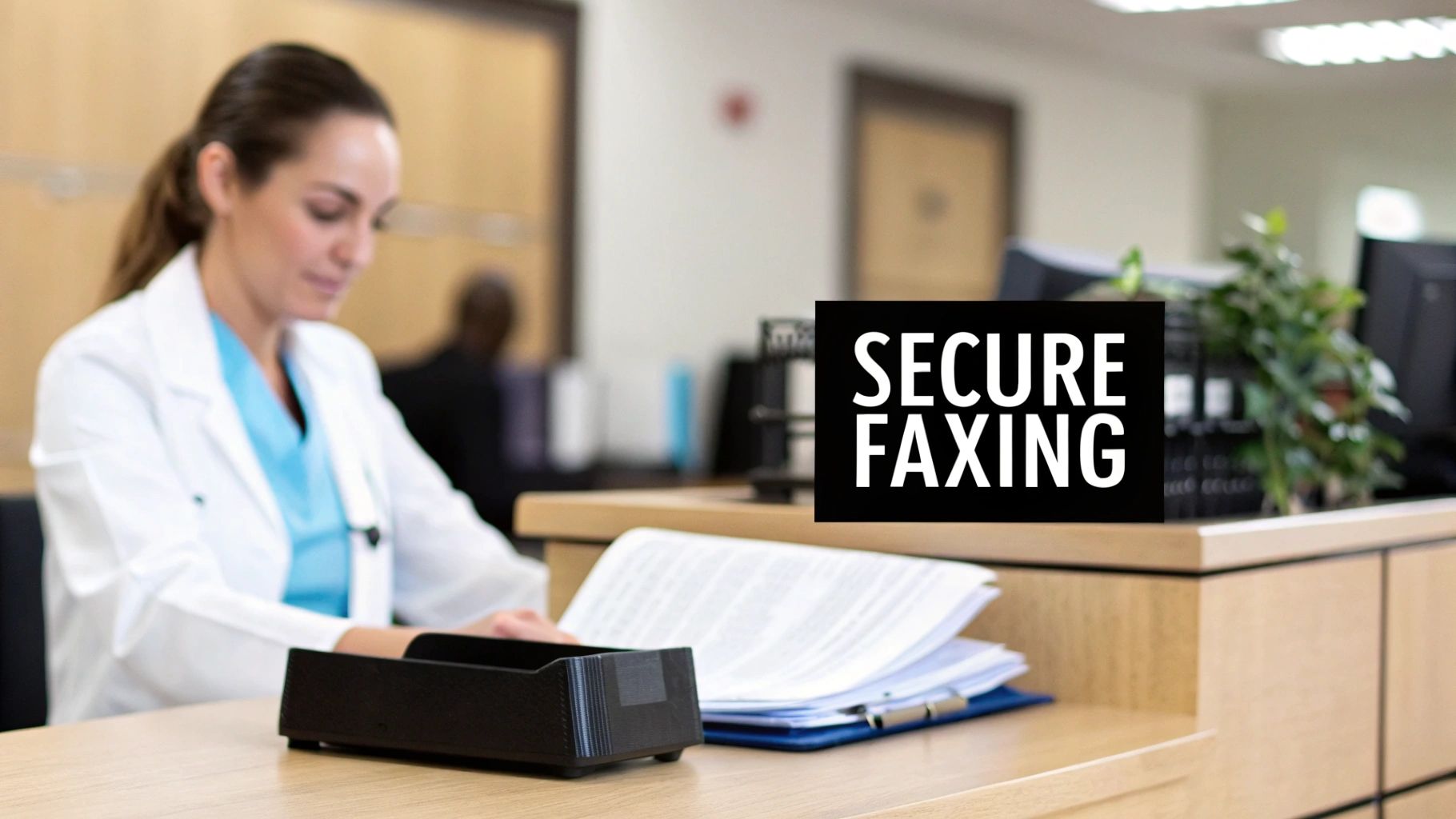
    A medical professional works at a reception desk with documents, featuring a 'SECURE FAXING' sign.

    It's tempting to write off faxing as a relic, but for a lot of critical industries, it's still the gold standard for secure communication. The "why" is simple: security and legal validity. When you send an email, that message can get intercepted, changed, or just buried in a spam filter. Internet faxing, however, creates a secure point-to-point connection that's incredibly tough to crack.

    This level of reliability is exactly why certain professions count on it every single day. For anyone working in healthcare, law, or finance, protecting data isn't just a good idea—it's a legal requirement.

    The Driving Force of Security and Compliance

    Laws like the Health Insurance Portability and Accountability Act (HIPAA) have very strict rules about handling sensitive patient data. A standard email just doesn't cut it. An internet fax, with its built-in security protocols, gives you a compliant way to send documents that absolutely have to stay private.

    Let's look at a few real-world examples:

    • Healthcare: A doctor’s office needs to get a patient’s chart over to a specialist. Using an encrypted internet fax service keeps that information confidential and compliant with HIPAA.
    • Legal: A law firm has to send a signed, time-sensitive contract. A fax doesn't just send the document; it gives them a verifiable receipt showing exactly when it was transmitted, which is invaluable for legal records.
    • Finance: A mortgage broker is handling loan applications filled with personal financial details. Internet faxing provides a secure pipeline that guards against data breaches.

    In all these situations, the need for a secure, trackable delivery makes internet faxing the clear winner. You can dig deeper into these important distinctions by exploring how fax security compares to email.

    The staying power of faxing isn't just anecdotal. The online fax service market is projected to jump from USD 3.16 billion in 2026 to an impressive USD 7.22 billion by 2035. This boom is largely fueled by adoption in North America, where regulations like HIPAA are a major factor.

    Services like SendItFax connect that old-school need for security with the convenience we expect today. You get to send a secure, compliant fax right from your web browser, no bulky machine required.

    Getting Your Documents Ready for a Perfect Send

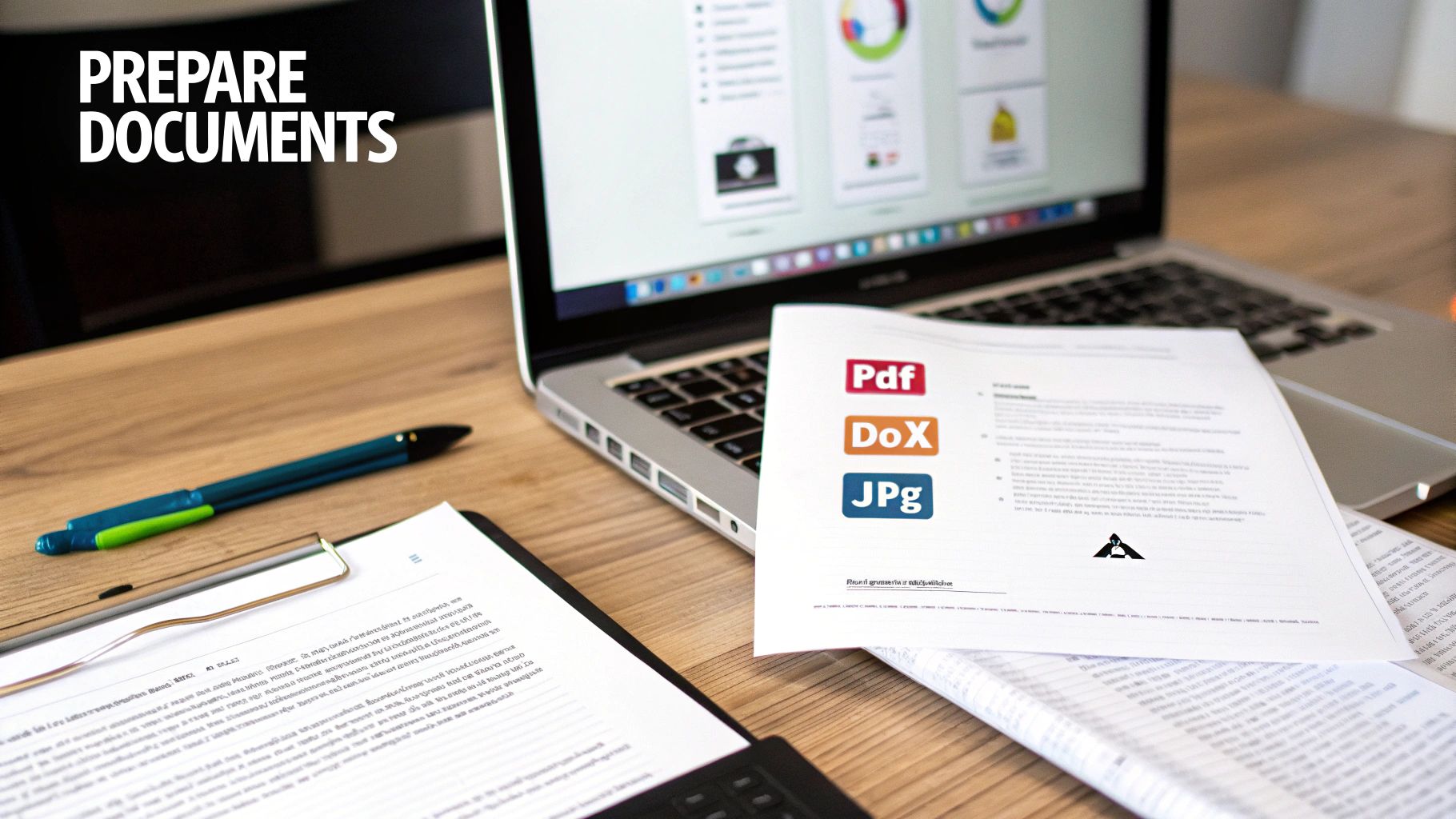
    A desk with a laptop, documents, and a pen, highlighting the preparation of various file formats like PDF, DOCX, and JPG.

    Before you hit send on that fax, the first and most critical step is getting your document ready for the trip. A little prep work goes a long way, and it’s what separates a smooth, successful transmission from a frustrating "failed" notification.

    The good news? It’s pretty straightforward. The key is to stick with file formats that are universally accepted and play nicely with fax technology. Think of them as the tried-and-true workhorses of the document world.

    • PDF (Portable Document Format): This is the undisputed champion of faxing. A PDF is fantastic because it locks in your formatting, so what you see on your screen is exactly what prints out on the other end. No surprises.
    • DOCX (Microsoft Word): Also a solid choice and widely supported. It’s perfect for documents that are mostly text, like reports or official letters. For something like a final contract, you can learn how to convert a Word document to a PDF to guarantee it looks perfect.
    • JPG/JPEG (Image File): Your go-to for sending images. This is what you'll want to use for things like a scanned receipt, a photo of a signed form, or a copy of a driver's license.

    Fine-Tuning for a Flawless Fax

    Even though we're talking about internet faxing, the technology at its core still converts your document into a black-and-white image. A few small adjustments on your end can make a massive difference in quality and prevent annoying transmission errors.

    First off, keep an eye on the file size. While services like SendItFax handle files efficiently, trying to upload a gigantic document can slow everything down. A good rule of thumb is to keep your file under 50MB.

    Next, think about clarity. This is especially true if you’re sending something you scanned. Make sure the contrast is high enough so the text is bold and easy to read against the background. Any faint text or shadowy corners on your original can become completely unreadable once it's been faxed.

    Pro Tip: If you're sending more than one page, always combine them into a single file. Sending one consolidated PDF is far more professional and reliable than uploading a bunch of separate files and just hoping they arrive in the right order.

    Why You Shouldn't Skip the Cover Page

    Think of a cover page as your fax's digital handshake. It’s not always required, but it’s a non-negotiable for professional communication, especially if you’re sending something to a busy office with a shared fax machine. It’s your chance to tell the recipient who you are, who the fax is for, and what it’s about.

    A good cover page should include the essentials:

    • Recipient's Name and Fax Number
    • Your Name and Contact Info
    • The Date
    • Total Page Count (including the cover page itself!)
    • A quick, clear subject line (e.g., "Invoice #12345" or "Signed Contract for Project Alpha")

    It's the digital equivalent of an envelope. A well-written cover page ensures your important documents get routed directly to the right person instead of getting lost in the shuffle.

    Let's Send Your First Fax with SendItFax

    Alright, you've got your document prepped and ready to go. Now for the easy part: actually sending it. Forget everything you know about old-school faxing—the screeching modem sounds, the paper jams, the mystery of whether it ever actually arrived. Sending a fax online with a service like SendItFax feels more like sending an email. It’s that simple.

    The best part is you don't need to download any special software or jump through hoops signing up for an account just to send one document. Everything you need is right there in your web browser, which means you can send a fax from your office computer, your laptop at a coffee shop, or even your tablet.

    Getting Around the Web Interface

    When you land on the SendItFax website, you’ll see a clean, simple form. It's designed to be completely intuitive, walking you through exactly what’s needed without any confusing jargon or unnecessary steps.

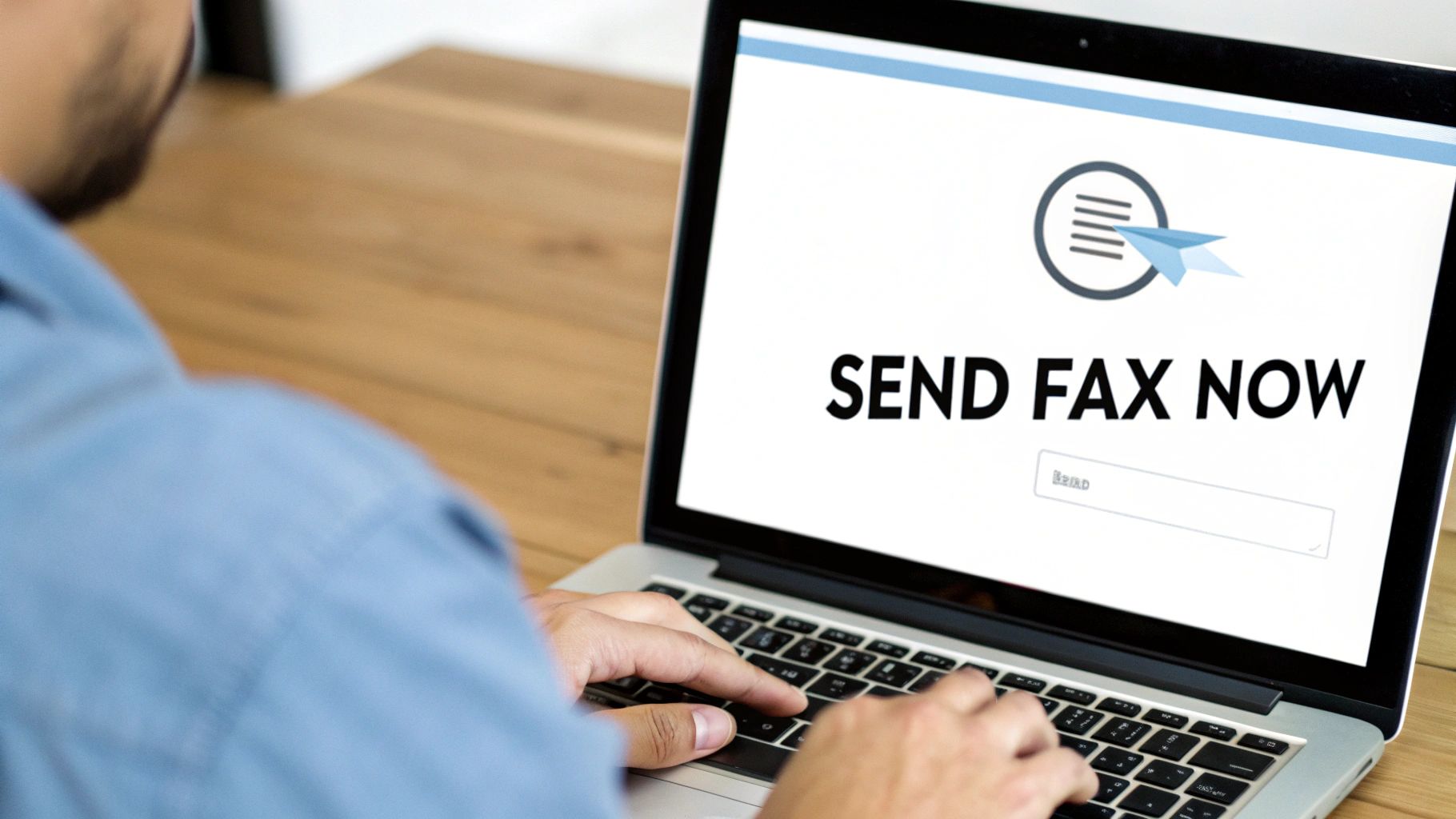
    This is what you'll see—a single, straightforward screen for the whole process.

    Man using a laptop to send a fax online, screen displays 'SEND FAX NOW'.

    As you can see, all the key pieces are laid out right in front of you: who it's going to, who it's from, the file itself, and the cover page. No clicking through multiple pages.

    Let's run through a quick, real-world example. Imagine you're a freelance graphic designer who just needs to get a signed contract over to a new client. It’s a time-sensitive document that needs to be secure. This is the perfect job for a quick online fax.

    First things first, you'll fill in your own details. This is non-negotiable, as it tells the recipient exactly who sent the fax and how to get back to you.

    • Your Name: So they know who it’s from.
    • Your Email Address: This is super important. It’s where your delivery confirmation receipt will be sent.
    • Your Phone Number: Good to include in case they need to call you directly.

    Next up, the recipient's information. This is where you need to be precise. One wrong digit and your fax ends up in limbo. Take a moment to double-check that you have the correct 10-digit fax number for your client, especially if you're sending within the U.S. or Canada.

    Attaching Your File and Adding a Cover Page

    Once the contact info is squared away, it’s time to add your document. Look for the "Upload File" button—you can’t miss it. Click that, and just select the PDF of your signed contract from your computer. The platform handles common file types like PDF, DOC, and DOCX, so the file you already prepared will work perfectly.

    Now, let's talk about the cover page. For something official like a contract, I always recommend using one. Think of it as the professional envelope for your digital document; it makes sure your fax gets to the right person's desk, especially in a busy office.

    You’ll see a text box where you can add a short, clear message. Something simple and direct works best. For our designer example, you might write:

    "Hi Jane, here's the signed contract for the Q3 brand identity project. I’m excited to get started! Best, [Your Name]"

    This little note provides instant context and just feels more professional.

    With everything filled out, just give it all one last look to make sure there are no typos. Ready? Hit that "Send Fax" button. From here, SendItFax handles the technical stuff—it converts your digital file into a signal that a traditional fax machine can read and sends it securely. In a few minutes, you’ll get an email confirmation that it was successfully delivered. That email is your proof, giving you a digital paper trail and total peace of mind.

    Choosing the Right Service: Free vs. Paid Faxing

    Hands holding two tablets displaying 'FREE' and 'PAID' options with relevant icons.

    When you need to send a fax online, the first question is usually whether to go with a free or paid service. The truth is, it really just comes down to what you’re sending and who it's for. Not every situation calls for a paid plan. Sometimes, a simple, no-frills option is exactly what you need.

    For those one-off tasks, a free service is a perfect fit. Maybe you need to send a signed permission slip to your child’s school or a single-page insurance form. In these cases, you just need a reliable way to get the document from point A to point B without any fuss. The SendItFax free plan was designed for precisely these moments.

    When Free Makes Perfect Sense

    Our free plan is your best bet for simple, non-urgent, personal documents. The key is knowing what you get, so you can use it effectively. With SendItFax, you can send up to three pages plus a cover page, which is more than enough for most quick tasks.

    Here are a few classic examples where a free send is ideal:

    • Sending a medical form: Quickly get a signed patient intake form to a new clinic.
    • Submitting a receipt: Fax a copy of a receipt for a warranty claim or reimbursement.
    • Returning a signed document: Send back a single-page agreement you’ve just signed.

    The main trade-off is that the required cover page will include SendItFax branding. For personal stuff, this is rarely an issue. You can see how we stack up against others by checking out our online fax services comparison.

    Stepping Up to a Paid Plan

    Of course, there are times when presenting a professional image is non-negotiable. If you’re a freelancer sending a multi-page contract to a new client or a small business submitting a proposal, a branded cover page might not project the right image. This is where paying a tiny fee adds a ton of value.

    The “Almost Free” plan from SendItFax costs just $1.99 and immediately upgrades your experience. It removes all our branding, bumps the page limit up to 25 pages, and gives your transmission priority delivery status. It’s a small investment that makes sure your important business documents look polished and professional.

    You might be surprised to hear that faxing is not only relevant but growing. The market was valued at USD 3.31 billion in 2024 and is expected to hit USD 4.48 billion by 2030. Healthcare alone makes up 42% of this usage, an industry where professionalism and compliance are everything. You can read more about the modern state of business faxing on Business.com.

    To make the choice crystal clear, I’ve put together a quick comparison of what you get with each SendItFax option.

    SendItFax Plan Comparison: Free vs. Almost Free

    This table breaks down the key differences to help you decide which plan is the right tool for your specific job.

    Feature Free Plan Almost Free Plan ($1.99)
    Best For Personal, one-off faxes Business & multi-page documents
    Page Limit 3 pages + cover page 25 pages + optional cover page
    Cover Page SendItFax Branded (Required) No Branding (Optional)
    Delivery Standard Priority

    At the end of the day, it's all about context. For a quick, personal task, the free plan is fantastic. For anything that represents you or your business, the small cost of a paid send is an easy choice to maintain a professional appearance.

    Solving Common Internet Faxing Problems

    Let’s be honest, even though sending an internet fax is a breeze, technology can throw a curveball now and then. Seeing a "failed transmission" email pop up is frustrating, especially when you're up against a deadline. But don't worry—most of the time, the fix is surprisingly simple.

    More often than not, the problem isn't with the service itself but a tiny detail we missed. The number one culprit I see? A simple typo in the fax number. One wrong digit is all it takes to send your document into limbo. Before you do anything else, go back and carefully double-check that 10-digit number.

    Another classic issue is just a busy signal. Remember, unlike email, an old-school fax machine can only do one thing at a time. If someone else is sending a fax to that machine, you'll get a busy signal. Services like SendItFax will automatically retry a few times, but if the line stays busy, the best move is often to just grab a coffee, wait a few minutes, and try sending it again.

    Diagnosing Document and Quality Issues

    What if the fax sends successfully, but the person on the other end says it looks blurry or totally unreadable? This almost always comes down to the quality of the file you uploaded in the first place. A low-resolution scan or a document with faint text is only going to look worse after it gets converted into a fax.

    For a crisp, clean delivery every time, here are a few pro tips:

    • Pump Up the Contrast: Before you even think about uploading, crank up the contrast on your document. You want sharp, dark black text against a clean, bright white background.
    • Simplify Your Graphics: Faxes are a black-and-white medium. Intricate, colorful charts or super-detailed images just don't translate well. If you can, simplify them. If the detail is critical, it might be better to send that specific graphic as an email attachment.
    • Stick to Classic Fonts: This isn't the time for fancy, artistic fonts. Stick with clean, readable standards like Arial or Times New Roman. Thin or overly stylized fonts can easily become distorted and illegible.

    A mistake I see all the time is people uploading a smartphone photo of a document taken in a poorly lit room. The shadows and uneven background create a mess that fax machines can't decipher. For best results, always use a scanner app on your phone or, even better, a proper flatbed scanner.

    Handling Delayed Confirmations

    You’ve hit "send" and you're anxiously waiting for that confirmation email… but it’s nowhere to be found. Before you start to worry, take a quick peek in your spam or junk folder. Automated emails from online services can get accidentally filtered out.

    If it's not in spam, just give it a moment. While delivery is typically almost instant, sometimes network traffic can create a small lag. You should usually see a confirmation within 5-10 minutes. If more time has passed and you still have nothing, it might be time to resend—and yes, start by triple-checking that fax number again! Following these simple steps will clear up nearly any internet faxing hiccup you run into.

    Still Have Questions About Internet Faxing?

    It's one thing to read a guide, but another to feel completely comfortable when you're about to send a sensitive document for the first time. Let's walk through some of the common questions people have when they're making the switch to online faxing.

    A huge one I hear all the time is about security. Can sending a document over the internet really be as safe as using a clunky, old-school machine? The answer is a resounding yes. In fact, it's usually much, much safer.

    Any service worth its salt uses powerful encryption protocols, like TLS, to scramble your documents during transit. It's like putting your file inside a locked digital briefcase before it hits the network, making it unreadable to anyone who might try to intercept it.

    Practical Questions on Everyday Use

    Beyond the security aspect, most questions boil down to the day-to-day logistics. Here are a few quick answers to the things people ask most often.

    • Can I send a fax from my phone? You bet. Because services like SendItFax are web-based, you can pull up the site on any browser—whether you're on your laptop, tablet, or smartphone. No app download required.

    • How do I know my fax actually went through? You're not left in the dark. As soon as your fax is successfully delivered, you'll get a detailed confirmation receipt right in your email inbox. This is your proof of delivery, showing the exact time, date, and status.

    • Do I need a fax number just to send something? Nope. You only need the recipient's fax number to send a document out. Platforms like ours handle the transmission, so you don’t need your own number unless you plan on receiving faxes, too.

    Why So Many Industries Rely on Online Faxing

    This high level of security is precisely why heavily regulated fields have jumped on board. It turns out security and compliance are massive drivers for adoption, with 82% of users citing them as key factors.

    Industries like healthcare, which make up a whopping 42% of the market, depend on the high (83%) encryption implementation rate to stay compliant with strict privacy laws like HIPAA. You can dig deeper into the growth of the online fax market to see the trends.

    Think about it: a traditional fax might sit out in the open on a shared machine for anyone to grab. An internet fax, on the other hand, lands securely in a designated digital inbox. That end-to-end confidentiality is a game-changer for sensitive information.


    Ready to send your first document with total confidence? With SendItFax, you can get it done in minutes, straight from your browser. Give SendItFax a try today and see just how simple secure faxing can be.

  • Send a Free Fax From Computer The Easy Way

    Send a Free Fax From Computer The Easy Way

    Sending a free fax from computer is way easier than you might imagine. All it really takes is an internet connection and your web browser. Online fax services do all the heavy lifting for you, taking your digital file and transmitting it over traditional phone lines—no clunky machine required.

    Faxing Without a Fax Machine Is Simpler Than You Think

    It’s easy to think of faxing as a relic from another time, but it’s still an essential tool in many fields, especially healthcare, law, and real estate where secure document transfer is a must. The old headache was always the machine itself—the paper jams, the busy signals, the dedicated phone line. Thankfully, those days are over.

    With modern digital solutions, anyone can send a secure document from their laptop or desktop in just a few minutes. This isn't just a small trend; it's a huge shift in how people handle documents. The global online fax market has swelled to a value of around USD 4.18 billion, a testament to how many businesses and individuals are ditching old hardware for digital convenience. This boom is fueled by the simple, powerful ability to send a free fax from computer without any special gear. If you're curious, you can read more about the online fax market's growth and see just how widespread this technology has become.

    Why Online Faxing Is the New Standard

    The real draw of online faxing is its sheer simplicity and accessibility. Forget printing a document, walking over to a machine, punching in numbers, and hoping it goes through. Now, you can get it all done with a few clicks.

    This approach brings some obvious wins:

    • It’s Cheaper: You completely cut out the costs of paper, ink, toner, and the inevitable machine repairs.
    • It’s Convenient: Send a fax from wherever you are—your home office, a coffee shop, or even on the go. As long as you have an internet connection, you're all set.
    • You Get a Digital Trail: Most services send an email confirmation, which acts as a digital receipt proving your fax was delivered successfully.

    The beauty of online faxing is how it perfectly bridges the digital and analog worlds. It lets you stay in your modern workflow with PDFs and DOCX files while still communicating seamlessly with organizations that rely on traditional fax machines.

    To really see the difference, let’s put them side-by-side.

    Traditional Fax vs. Online Faxing From Your Computer

    Thinking about the old way versus the new way? The contrast is pretty stark once you break it down.

    Feature Traditional Fax Machine Free Online Fax Service
    Hardware Required Dedicated fax machine, phone line Computer, internet connection
    Supply Costs Paper, ink, toner None
    Accessibility Limited to the machine's location Accessible from any browser, anywhere
    Confirmation Printed confirmation sheet Digital confirmation via email
    Sending Process Manual dialing, feeding paper Upload a file, enter a number, click send

    When you look at it this way, the choice becomes clear. Online faxing takes a process that was tied to a physical location and specific hardware and sets it free, making it accessible, affordable, and a whole lot less frustrating.

    How to Send Your First Online Fax

    So, you need to send a fax but don't have a fax machine. Welcome to the club. Sending a free fax from computer is surprisingly simple once you do it for the first time. Imagine you're a freelancer who just landed a new client. They've asked for a signed contract back, like, yesterday. Instead of hunting down a print shop with a dusty old fax machine, you can handle the whole thing from your computer in less than five minutes.

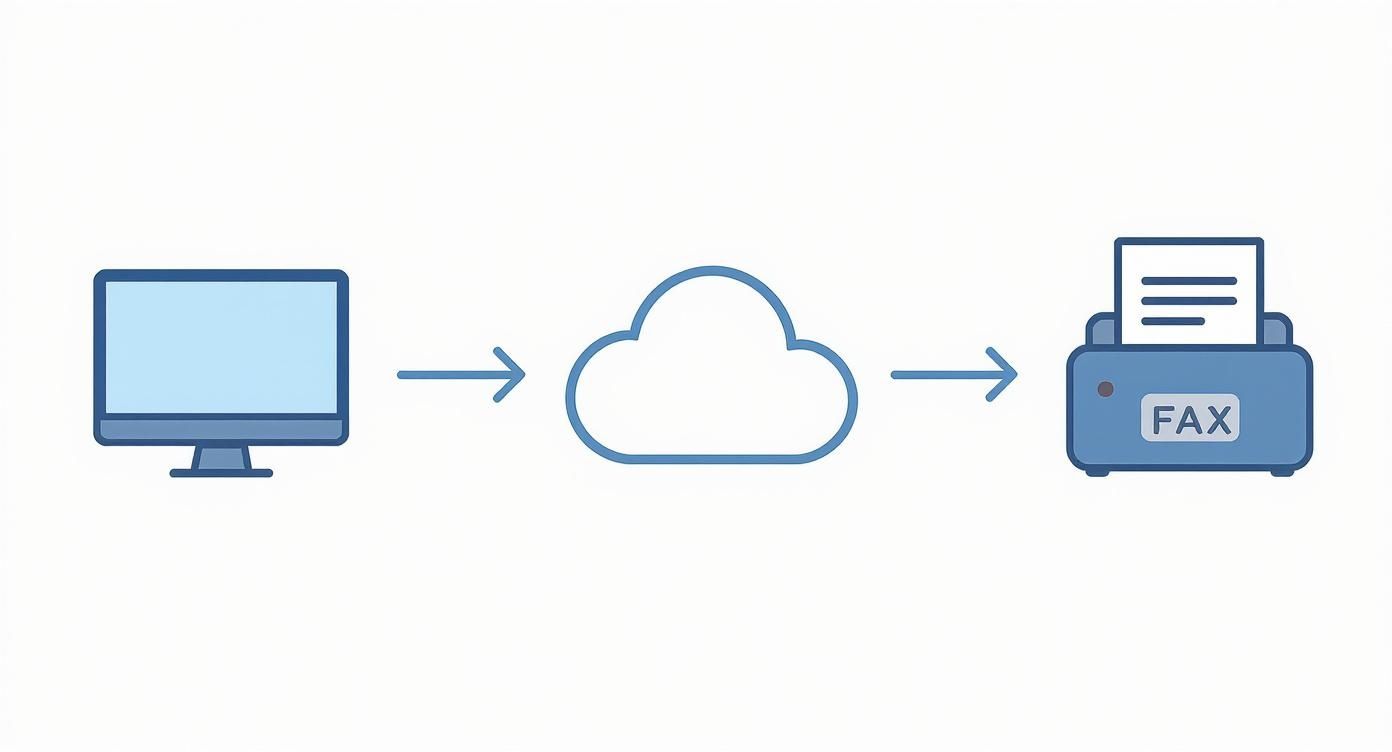
    The magic happens behind the scenes. An online fax service acts as a translator, taking the digital file from your computer and converting it into a signal that a traditional fax machine on the other end can understand and print.

    This is basically how it works: your file goes from your desktop, through the web service, and pops out of the client's fax machine as a physical document.

    Infographic about free fax from computer

    It’s a perfect bridge between the way we work today and the technology some offices still rely on.

    Getting Your Document Ready

    First things first, you need a file to send. The good news is that most free services are flexible and accept the file types you're already using.

    • PDF (.pdf): This is your best bet. PDFs lock in formatting, so you can be confident that the contract you send will look exactly the same on the other end. No weird line breaks or font issues.
    • Word Documents (.doc, .docx): Super convenient if your document is already in Word. Most services let you upload these directly without needing to convert them to PDF first.

    In our freelancer scenario, they’d scan the signed contract and save it as a PDF. This creates a crisp, professional-looking copy that’s ready to go. It’s also smart to glance at the file size—while most documents are small enough, a massive file with high-res images might take longer to upload or even fail.

    Using the Online Fax Service

    With your document saved, head over to the website of a free fax provider. You'll find the layout is usually clean and designed for one purpose: sending your fax without a headache. It's all about filling in a few key boxes.

    You'll start with your own details—your name and email. Don't rush this part. Your email address is critical because that’s how you'll get the delivery confirmation. It's your digital receipt proving the fax went through.

    Next up, the recipient's information. This is where you need to be extra careful.

    The most common reason a fax fails is a typo in the fax number. Always double-check every digit, including the area code.

    If you're sending to someone in the United States, you’ll enter the standard 10-digit number. Most platforms are smart enough to format it correctly, but a quick second look never hurts.

    Uploading and Sending Your Fax

    Okay, all the info is in. Now it's time for the main event. Look for a button like "Choose File" or "Attach Document." Clicking it will open your computer's file explorer, where you can find and select your contract PDF.

    Once it's uploaded, you'll often see an option to add a message to the cover page. This is a great touch. Our freelancer could add a simple note: “Hi team, here's the signed contract for the Q3 project. Please let me know you've received it. Best, [Your Name]." It’s professional and provides immediate context.

    With everything filled in and your document attached, hit that "Send Fax" button. The service takes over, dialing the number and transmitting your file. In just a few minutes, you should get an email in your inbox confirming a successful delivery. If you're curious about all the moving parts of a service like this, our sample page provides a good overview.

    What to Expect From Free Fax Services

    https://www.youtube.com/embed/hYVqTAdr5eE

    Sending a free fax from computer is a lifesaver when you’re in a pinch, but it's good to know what you're getting into. These services are almost always "freemium," meaning they give you the basics for free and hope you'll upgrade for more powerful features. Understanding their limitations from the start will save you a headache later on.

    Navigating the Inevitable Limits

    First off, don't expect to send a 50-page manuscript. The most common restriction you'll hit is a page limit. Most free fax services cap you at around three to five pages per fax. This is perfectly fine for sending a signed contract, a quick invoice, or a doctor's note, which is what most people need them for anyway.

    On top of that, you'll likely run into a daily sending limit. A typical free plan might let you send a maximum of five faxes within a 24-hour window. This setup is designed for occasional use, not for a business that needs to send out dozens of documents every day.

    The Trade-Off: Branding and Professionalism

    Here’s another thing to keep in mind: nothing is truly free. To pay the bills, these services often add their own branding—a small logo or a line of text—to the cover page they generate for your fax.

    For personal stuff, who cares? But if you’re sending a business proposal, a legal document, or your resume, having another company’s logo slapped on it might not look as professional as you’d like. It's a small detail, but one that could matter depending on who's on the receiving end.

    For many people, the convenience of a free service far outweighs these limitations. It's all about matching the tool to the job at hand. A quick, non-critical document? A free fax service is a no-brainer.

    Faxing itself is a technology that just won't quit. It's been around for nearly two centuries, yet an incredible 80% of enterprises still use it, especially for sending sensitive documents securely. This enduring reliance on faxing is precisely why so many online options, both free and paid, have popped up. If you're curious, you can find out more about the faxing industry's surprising resilience.

    A Quick Word on Privacy and Security

    Anytime you upload a document online, you should have privacy on your mind. Before you send something with your social security number or bank details, take a minute to glance at the service's privacy policy.

    It's smart to see how they handle your data and how long they keep your files on their servers. While most use a secure connection, free plans generally don't come with the heavy-duty encryption or compliance guarantees (like HIPAA for medical records) that paid plans offer. For highly sensitive information, you might want to think twice.

    To help you visualize the differences, here’s a quick comparison of what you typically get with free versus paid plans.

    Free vs. Paid Online Fax Plans At a Glance

    This table breaks down the common differences you'll find when deciding between a free service and an entry-level paid subscription. It really helps clarify what you're getting—and what you're giving up—with a free plan.

    Feature Typical Free Plan Typical Paid Plan
    Sending Limit 3-5 pages per fax, 5 faxes per day 100+ pages per month
    Receive Faxes Not available Yes, with a dedicated fax number
    Cover Page Includes provider's branding Ad-free, customizable cover page
    Security Basic encryption Enhanced security, compliance options
    Delivery Speed Standard delivery Priority delivery
    Support Limited to FAQs or email Dedicated customer support

    Ultimately, free plans are fantastic for what they are: a simple, no-cost way to handle occasional faxing needs. But once your volume increases or you need more professional features like a dedicated number, a paid plan quickly becomes the more practical choice.

    Troubleshooting Common Online Faxing Snags

    A person looking thoughtfully at a laptop screen while working on a document.

    So, you've tried to send a free fax from your computer, but it didn't work. It happens. Even with a simple process, a fax can fail to go through, but don't worry—the fix is almost always surprisingly easy. When that dreaded "transmission failed" message pops up or the confirmation email never arrives, it’s usually one of a few common culprits.

    You won't need to be a tech wizard to figure this out. Most of the time, the solution comes down to double-checking a few details or making a quick tweak to your document. Let's walk through the most common problems and get your fax sent.

    What to Do When a Transmission Fails

    A "failed fax" error is frustrating, but it's often caused by a simple typo. Before you panic, check the recipient's fax number again, digit by digit. Is the area code correct? From my experience, a mistyped number is the number one reason for failure.

    If the number is definitely correct, the problem might be on the other end. The receiving fax machine could be busy, switched off, or even out of paper. The best move here is to just wait 10-15 minutes and try sending it again. Sometimes all it takes is a little patience.

    A lot of online fax services are smart enough to automatically retry sending to a busy line a few times before giving up. So, if you don't get an instant failure notice, just give it a little time to work its magic.

    Still no luck? The issue might be your file. A document that's too big or in a weird format can cause the system to time out. Converting your file to a standard PDF is almost always the most reliable fix.

    Dealing With Garbled or Messy Documents

    Ever sent a fax that arrived looking like a jumbled mess? That’s a classic sign of a file compatibility issue. While many services claim to accept different file types, PDF is the universal language of documents for a reason—it locks everything in place.

    Here’s how to make sure your document looks perfect on the other end:

    • Always Convert to PDF: Before you even think about uploading, save or export your document as a PDF. This ensures your fonts, images, and layout won't shift around during the faxing process.
    • Watch Your File Size: Free services can be picky about file size. A document packed with high-resolution photos can easily exceed the limit. Try compressing the PDF or, if it's a massive report, consider splitting it into two separate faxes.
    • Keep Layouts Simple: Faxes are old technology. Documents with complex tables, layered graphics, or unusual fonts can sometimes get scrambled. A cleaner, simpler layout is always a safer bet.

    My Confirmation Email Never Arrived—Now What?

    That confirmation email is your proof of delivery, so it’s totally understandable to get a little anxious when it doesn't show up. The very first place you should look is your spam or junk folder. It’s incredibly common for these automated emails to get filtered out by accident.

    While you're at it, double-check that you typed your own email address correctly on the sending page. We've all made that mistake before! If you've checked your spam and confirmed your email was right, and it's been more than 30 minutes, it's safest to assume the fax failed. Just resend it to be sure your document doesn't get stuck in digital limbo.

    Knowing When to Upgrade to a Paid Service

    A professional working at a desk, indicating a business decision to upgrade services.

    Sending a free fax from computer is a fantastic solution for the occasional, one-off document. But there’s a tipping point where your needs will almost certainly outgrow what a free service can deliver. Figuring out when you've hit that point is crucial for keeping your work professional and efficient.

    Think of it this way: a free service is a great starter tool. But as your faxing volume picks up or the documents you send become more critical, those free-tier limitations can quickly turn into frustrating bottlenecks.

    Signs You've Outgrown a Free Service

    So, how do you know it's time to make the switch? If you find yourself nodding along to any of these common scenarios, a paid plan is likely a smart move.

    • You're Hitting Daily Limits: Constantly running into that five-faxes-per-day cap? It’s a clear sign your needs have grown. A paid plan lets you send what you need, when you need it, without the daily countdown.
    • You Need to Receive Faxes: This is the big one. Free services are a one-way street—they only let you send. If you need a dedicated fax number for clients, colleagues, or vendors to send documents to you, a paid subscription is non-negotiable.
    • Your Brand's Image Matters: Sending an important contract or a client proposal with another company's branding splashed across the cover page just doesn't look professional. Paid plans give you clean, ad-free cover sheets that you can customize to match your own brand.

    When Security and Support Take Center Stage

    For a lot of us, especially those in healthcare, law, or finance, the decision to upgrade comes down to security. Free services generally don't provide the high-level encryption or compliance guarantees (like HIPAA) required for handling sensitive information.

    The fax services market, currently valued at USD 3.31 billion, is expanding because businesses need secure, cloud-based solutions. In fact, roughly 40% of old, on-site fax servers have already been swapped out for cloud services offering encrypted, compliant communications. This trend alone shows why upgrading is so important for anyone dealing with confidential data.

    Moving to a paid service isn't just an expense; it's a proactive measure to protect client information and meet professional standards. That’s a level of security free options just can't offer.

    And what happens when a time-sensitive fax fails to send? With a paid plan, you typically get access to dedicated customer support that can help you troubleshoot and resolve the issue quickly—a lifesaver when you're on a tight deadline.

    If you're weighing your options and want to see what a professional-grade service looks like, checking out a trusted provider like SendItFax at https://new.senditfax.com/ can give you a clear picture of the benefits you'd gain.

    A Few Lingering Questions

    Sending a free fax from computer is usually a breeze, but a few questions almost always come up. It's smart to know the lay of the land before you send. Let's tackle some of the most common queries I hear.

    Can I Receive a Fax for Free With These Services?

    Unfortunately, the answer is almost always no. Free online faxing is typically a one-way street: you can send, but you can't receive.

    Receiving faxes requires a dedicated, personal fax number that belongs only to you. This is a core feature of paid subscription plans. When you upgrade, you're given a permanent number where anyone can send faxes. The service then converts those incoming faxes into a digital file (like a PDF) and drops it right into your email inbox.

    Are Free Online Fax Services Secure Enough for Sensitive Documents?

    This is a big one, and you’re right to ask. While most free services use some form of encryption during the transfer, the overall security can be a mixed bag. For anything truly sensitive—think medical records governed by HIPAA, confidential legal contracts, or detailed financial statements—you really need to pause and think.

    Free platforms generally don't provide the robust, end-to-end encryption or compliance certifications that you get with a professional-grade service. It’s always a good idea to skim the privacy policy before you upload something confidential. For a deeper dive into best practices for document security, you can check out what our experts have to say in this helpful author's guide.

    For everyday, non-sensitive documents, a free service is perfectly fine. But when confidentiality is non-negotiable, investing in a paid service with explicit security guarantees is the only responsible move.

    Do I Need to Install Special Software on My Computer?

    Nope, and that's the beauty of it. The biggest draw of using a web-based fax service is that everything happens right inside your internet browser. No downloads, no installations, no fuss.

    If you have a stable internet connection and a modern browser like Chrome, Firefox, or Safari, you're all set. You just head to the website, upload your file, plug in the details, and hit send. The whole process is designed to be as familiar and straightforward as sending an email.


    Ready to send your fax without the hassle? SendItFax makes it easy. Upload your document and send it in minutes—no account required. Try it now at https://senditfax.com.