Tag: secure document transfer

  • Is Faxing More Secure Than Email? The Definitive Answer

    Is Faxing More Secure Than Email? The Definitive Answer

    Is faxing actually more secure than email? When you boil it down, the answer is a resounding yes. Whether you’re using a traditional machine or a modern online fax service, the underlying technology offers a more secure channel for sensitive information compared to your standard, unencrypted email.

    The Verdict: Is Faxing More Secure Than Email?
    A home office desk setup with a laptop, a plant, a sign saying 'FAXING IS SAFER', and a fax machine.

    The real security advantage of faxing comes down to how the data travels. A classic fax machine uses the Public Switched Telephone Network (PSTN)—the same tried-and-true network that powers landline phone calls. This creates a direct, point-to-point connection between sender and receiver, making it incredibly difficult to intercept without physically tapping the phone line.

    Email couldn't be more different. When you hit "send," your message hops across the open internet, bouncing between countless servers, routers, and networks before it lands in the recipient's inbox. Each one of those hops is a potential interception point, leaving the data exposed to all sorts of cyberattacks.

    Key Security Differentiators

    This difference becomes crystal clear when you look at today's common digital threats. According to cybersecurity reports, phishing attacks—a danger exclusive to email—were responsible for a staggering 36% of all data breaches. Faxes are completely immune to this kind of attack; there are no malicious links to click or infected attachments to download. If you want to dive deeper into these statistics, you can find more details at comfax.com.

    It’s this fundamental gap in architecture and vulnerability that explains why industries like healthcare, law, and finance still lean so heavily on faxing. Email is undeniably convenient, but for documents that absolutely cannot be compromised, faxing delivers a far more robust and legally defensible security posture.

    Quick Security Snapshot Fax vs Email

    To really see the contrast, it helps to put the two side-by-side. This table breaks down the core security differences between fax and email.

    Security Aspect Fax Security Email Security
    Transmission Path Direct, point-to-point via PSTN Travels across multiple internet servers
    Interception Risk Low; requires physical wiretapping High; multiple digital weak points
    Digital Threats Immune to phishing and malware Highly vulnerable to phishing & malware
    Proof of Delivery Built-in, legally recognized receipts Not standard; easily forged headers
    Compliance Inherently suits standards like HIPAA Requires special encryption/configuration

    Ultimately, while secure email solutions exist, they require careful configuration and user diligence. Faxing, on the other hand, has security built into its very foundation, making it a reliable choice for protecting your most critical information.

    How Fax and Email Actually Send Your Information
    A white envelope with email icons next to a laptop, illustrating sealed vs postcard communication.

    To really get why fax has a security edge over email, you have to look under the hood at how each one sends information. They are built on fundamentally different technologies, and that single fact creates a massive gap in their security. It’s the difference between sending a sealed envelope and a postcard.

    A traditional fax machine uses the Public Switched Telephone Network (PSTN)—the same reliable and closed network that’s handled landline phone calls for decades. When you send a fax, the machines establish a direct, temporary circuit between each other. This point-to-point connection is a closed loop, making it incredibly difficult to intercept digitally because it never touches the open internet.

    The Wild, Unpredictable Journey of an Email

    Email, on the other hand, takes a much more chaotic route. The moment you hit "send," your message is chopped into data packets and launched onto the public internet using the Simple Mail Transfer Protocol (SMTP). From there, it bounces between a whole series of independent servers and routers, each run by different companies with different security practices.

    Every single one of those hops is a potential weak spot. A hacker could compromise any server along that chain to read, copy, or even change your email without you ever knowing. What's worse, standard SMTP doesn't automatically encrypt messages, so your data often travels as plain text, totally exposed to anyone who can snoop on the network traffic.

    The real vulnerability of email is its multi-hop, open-network design. Unlike the dedicated line a fax uses, an email's path is public and unpredictable, creating countless chances for your data to be compromised before it even arrives.

    Fax: A Direct and Sealed Path

    Think of a classic fax transmission as a pneumatic tube running directly from your desk to the recipient's. The only way someone could intercept it is by physically cutting into the tube—a difficult, targeted attack. To intercept a fax, you'd need a physical wiretap on the phone line, an effort that's far too resource-intensive for most cybercriminals.

    This built-in security is why faxing remains a go-to method for sensitive documents. Its simplicity is its greatest strength, offering a direct line that completely sidesteps the internet's most common vulnerabilities.

    Now, picture that email again. It’s exactly like dropping a postcard in the mail. Any number of mail handlers (the servers) can read the message on the back. It will probably get where it's going, but you have zero guarantee of privacy along the way.

    How Online Fax Services Bridge the Security Gap

    This is where modern online fax services like SendItFax come in, creating a brilliant hybrid that gives you digital convenience without sacrificing analog security. When you send a file through a web-based fax platform, the first leg of its journey—from your computer to the fax service—is locked down with powerful encryption.

    • Transport Layer Security (TLS): Your document is protected by the same encryption that secures online banking and shopping. This creates a secure tunnel from your device straight to the fax provider.
    • PSTN for the Final Mile: Once your encrypted file is safely on the service's server, the platform dials out and sends it over the trusted PSTN to the recipient's fax machine.

    This two-step process truly delivers the best of both worlds. You get the convenience of sending a document right from your computer, but the final, critical delivery happens over the proven, secure telephone network. As more businesses need to connect different communication tools, knowing how to securely send a fax from an email address becomes essential. This approach ensures that even if you start with an insecure platform like email, the transmission itself is hardened to protect your information.

    How Do Modern Digital Threats Target Email vs. Fax?

    To get a real sense of whether faxing is more secure than email, you have to look past the technology and into the real-world threats each one faces. It’s not just a technical debate; it’s about understanding how criminals actually operate. Email is wide open on the internet, making it a playground for automated, large-scale attacks that can hit millions of people at once.

    The very thing that makes email so powerful—its universal reach—is also its biggest security weakness. Attackers have a well-worn playbook full of tricks specifically designed to exploit how we use email. These aren't just one-off attempts; they are constant, automated campaigns built to fool people and sneak past security filters.

    Email: A Breeding Ground for Scalable Cyberattacks

    Most email threats are designed for maximum impact with minimal effort. Attackers don't need to hand-pick their targets; they just cast a massive net, knowing that even a tiny success rate will bring in a huge payoff.

    Three attack methods really dominate the email threat landscape:

    1. Phishing and Spear Phishing: These are the classic bait-and-switch emails. They look like they’re from your bank, a colleague, or a service you trust, all to trick you into clicking a bad link or handing over passwords and financial information.
    2. Malware and Ransomware Delivery: Email is, hands down, the top delivery service for malicious software. That PDF invoice or Word doc attachment might look innocent, but it can easily hide code that installs data-stealing malware or ransomware that locks up your entire system until you pay up.
    3. Man-in-the-Middle (MitM) Attacks: As an email travels from sender to receiver, it hops across multiple servers. A determined attacker can intercept that communication along the way. If the email isn’t properly encrypted, they can read, change, or steal its contents without anyone knowing.

    The sheer scale of these threats is hard to wrap your head around. The global shift to remote work triggered billions of phishing attempts, leading to a massive spike in cybercrime. In fact, data from Cisco shows that a staggering 95% of cyberattacks start with a simple email, making human error the single biggest vulnerability. For a deeper dive, you can explore more on the differences between fax and email security.

    Faxing: Immune by Design

    Faxing, on the other hand, is practically immune to these digital plagues. It operates over the Public Switched Telephone Network (PSTN), which is a completely separate, closed-circuit system. Think of it as being "air-gapped" from the internet-based chaos that email has to deal with every day.

    You can’t click a malicious link in a fax. You can't download a virus from a faxed document. The very architecture of fax transmission doesn't allow for executable code, which makes the most common and dangerous cyberattacks completely useless.

    This built-in immunity changes the entire security game. With email, security is all about filtering out threats and training people not to fall for tricks. With fax, security is baked right into the protocol itself.

    The Real Risk Profile of Faxing

    This doesn't mean faxing is perfectly risk-free, but its vulnerabilities are from a different era entirely. The main threat to a fax isn't digital—it's physical.

    • Wiretapping: To intercept a fax, someone would have to physically "tap" the phone line. This is a targeted, difficult, and highly illegal act that’s almost impossible to pull off without getting caught. It’s just not a scalable attack and is considered feasible in less than 0.01% of cases.
    • Physical Interception: The other major risk is someone grabbing the printed document from the machine at the other end. If a fax machine sits out in an open, unsecured area, a sensitive document could be picked up by the wrong person.

    When you put these threats side-by-side, the difference is night and day. Email is exposed to low-effort, high-volume automated attacks from anywhere on the globe. Fax is only vulnerable to high-effort, low-volume physical attacks that require someone to be on-site. This makes human error a much bigger problem for email users, who have to stay on constant alert. For fax users, the biggest "human error" is just forgetting to pick up a document from the machine.

    Securing Documents Before and After Transmission
    A 'Secure Documents' sign, document, and keyboard on a desk with server racks in the background, emphasizing data security.

    A document’s journey doesn't end once it's sent. The real-world security risks—both before you send and long after it arrives—are just as important as the transmission itself. This is where the security models for email and fax really start to part ways, especially when we talk about data "at rest."

    Email is notorious for creating a sprawling, often unmanaged, digital footprint. Every single message and attachment gets copied and stored in multiple places: your sent folder, the recipient's inbox, and likely on various backup servers, often for years.

    This permanent storage creates a massive and tempting target for attackers. If a hacker gets into an email account, they don't just see new messages; they get the keys to a kingdom of historical data.

    The Vulnerability of Perpetual Email Storage

    Think about your email inbox for a second. It's like a digital filing cabinet that never gets cleaned out. Old contracts, invoices, and sensitive personal information from years ago are still just sitting there, completely exposed. This digital residue is exactly what hackers look for when they exploit old vulnerabilities to access archived communications.

    This isn’t just a what-if scenario. While traditional faxing minimizes long-term digital risk by creating a physical copy, emails just linger. A shocking 83% of organizations have reported unauthorized access to their archived messages, as highlighted in research from Telnyx.

    It’s this ongoing exposure that makes the question of fax versus email security so much more complex. You have to look at the entire lifecycle of the document.

    The Physical Risk of Traditional Fax

    With old-school fax machines, the main vulnerability is physical, not digital. Once a document is sent, it prints out as a hard copy on the other end. The biggest security risk is someone just walking by the machine and grabbing a sensitive document from the tray.

    It’s a real risk, but it's also a localized one. It requires someone to be physically present, unlike a digital breach that can be launched from anywhere on the planet. The fix is pretty straightforward: put the fax machine in a secure, monitored area.

    The core difference in "at rest" security is one of scope and access. Email creates a permanent, distributed digital record vulnerable to remote attacks, while a traditional fax creates a single, localized physical record vulnerable only to on-site interception.

    How Online Fax Services Secure Documents at Rest

    This is where modern online fax services like SendItFax really change the game. They blend the convenience of digital with tightly controlled, secure storage. Instead of documents piling up in a personal inbox, they're managed within an encrypted cloud environment. This approach offers huge advantages over both traditional fax and standard email.

    • Encrypted Cloud Storage: Faxes are stored in an encrypted state. This means even if someone managed to access the server infrastructure, the data itself would be unreadable.
    • Strict Access Controls: You have to log in and authenticate yourself to view, download, or manage any faxes. This completely eliminates the "open tray" risk of a physical machine.
    • Defined Retention Policies: Unlike an email inbox that can grow infinitely, professional fax services often have clear data retention policies. Documents are automatically and securely deleted after a specific period, which drastically reduces your long-term risk exposure.

    By managing documents in a purpose-built, secure portal, online faxing gets rid of the scattered, permanent digital mess that email creates. It also solves the physical security headache of traditional fax machines. To get a better handle on the complete security picture, our guide on the overall security of fax communication provides additional valuable insights.

    Navigating Regulatory Compliance for Sensitive Data

    It might seem strange, but in an era of instant everything, industries like healthcare, legal, and finance still swear by faxing. Why? The answer boils down to one thing standard email struggles with out of the box: regulatory compliance. For these fields, it’s not about what’s fastest; it’s about what’s safest and legally sound.

    The staying power of fax isn't about nostalgia. It’s a practical choice. The technology's fundamental design aligns neatly with the data protection principles baked into laws like the Health Insurance Portability and Accountability Act (HIPAA). This makes it a go-to tool for sending confidential data without needing a ton of expensive IT workarounds.

    HIPAA and the Security of Fax

    HIPAA sets a high bar for protecting patient information, and traditional faxing over the Public Switched Telephone Network (PSTN) clears many of those hurdles by its very nature. The direct, point-to-point connection is notoriously difficult to intercept, creating a secure channel for Protected Health Information (PHI).

    Standard email is a different story. It’s not inherently HIPAA compliant. To get it there, you have to bolt on specific, and often complex, security layers, including:

    • End-to-end encryption: Making sure the message is unreadable to anyone but the sender and intended recipient.
    • Strict access controls: Policies that prevent unauthorized users from even seeing sensitive messages.
    • Detailed audit trails: Logs that track every single interaction with an email containing PHI.

    Without these, a simple email can turn into a massive compliance nightmare. In fact, HIPAA violations from mishandled emails cost U.S. healthcare providers millions in fines each year. In contrast, PHI sent by fax rarely even triggers an audit because the transmission is so direct and tamper-evident. You can find a deeper dive into this comparison at Comfax's analysis of fax versus email security.

    The Legal Clout of a Confirmation Page

    Beyond just keeping data safe in transit, compliance often hinges on non-repudiation—ironclad proof that a document was sent and, more importantly, received. This is where fax has a serious legal edge.

    Every time a fax goes through successfully, it generates a confirmation page. This isn't just a simple notification; it's a report packed with metadata: the exact date and time, the number of pages sent, and the recipient's number. In a courtroom, that confirmation page is widely accepted as legally binding proof of delivery. It's a verifiable record that's incredibly hard to fake.

    Email offers no such guarantee. A "read receipt" can be easily ignored, blocked, or disabled by the recipient. Email headers can also be manipulated. This lack of verifiable delivery makes email a far weaker choice when sending time-sensitive contracts or legal notices.

    Think about a law firm sending a critical notice with a looming deadline. If they fax it, that confirmation page is their proof that the document arrived on time. If they email it, they’re left hoping the recipient saw it, creating a huge legal risk.

    Where Fax Is Still the Gold Standard

    The real-world consequences of these differences show up every day. Professionals in regulated fields don't see fax as a fallback; they see it as their first and best option for managing risk. To lock down compliance even further, a properly formatted cover sheet is essential. We cover this in our guide on creating a HIPAA compliant fax cover sheet.

    Just look at these common scenarios:

    • Healthcare: A hospital sends a patient's medical records to a specialist. Using a HIPAA-compliant fax service ensures the PHI is transmitted securely, protecting patient privacy and meeting federal mandates.
    • Legal: A paralegal serves an official notice to opposing counsel. Faxing provides a time-stamped, legally admissible receipt, heading off any future arguments about whether the notice was actually received.
    • Finance: A mortgage broker submits a client's loan application to a lender. Faxing protects highly sensitive personally identifiable information (PII), like social security numbers and bank accounts, from exposure on the open internet.

    In every case, choosing fax is a deliberate risk-management decision. It prioritizes security and legal proof over the casual convenience of email, cementing its place as the standard for anyone who can't afford to take chances.

    Making the Right Choice for Your Documents

    Knowing the security theory behind fax and email is great, but putting it into practice is what really matters. The decision to use fax or email boils down to one simple question: what’s in the document? You have to match the tool to the risk.

    For everyday, low-stakes messages like a meeting reminder or a quick project update, a secure email account does the job just fine. But when the information is sensitive and the consequences of a breach are high, faxing still provides a more secure, legally sound channel for transmission.

    This thought process is key to deciding when the old-school security of fax trumps the convenience of email.
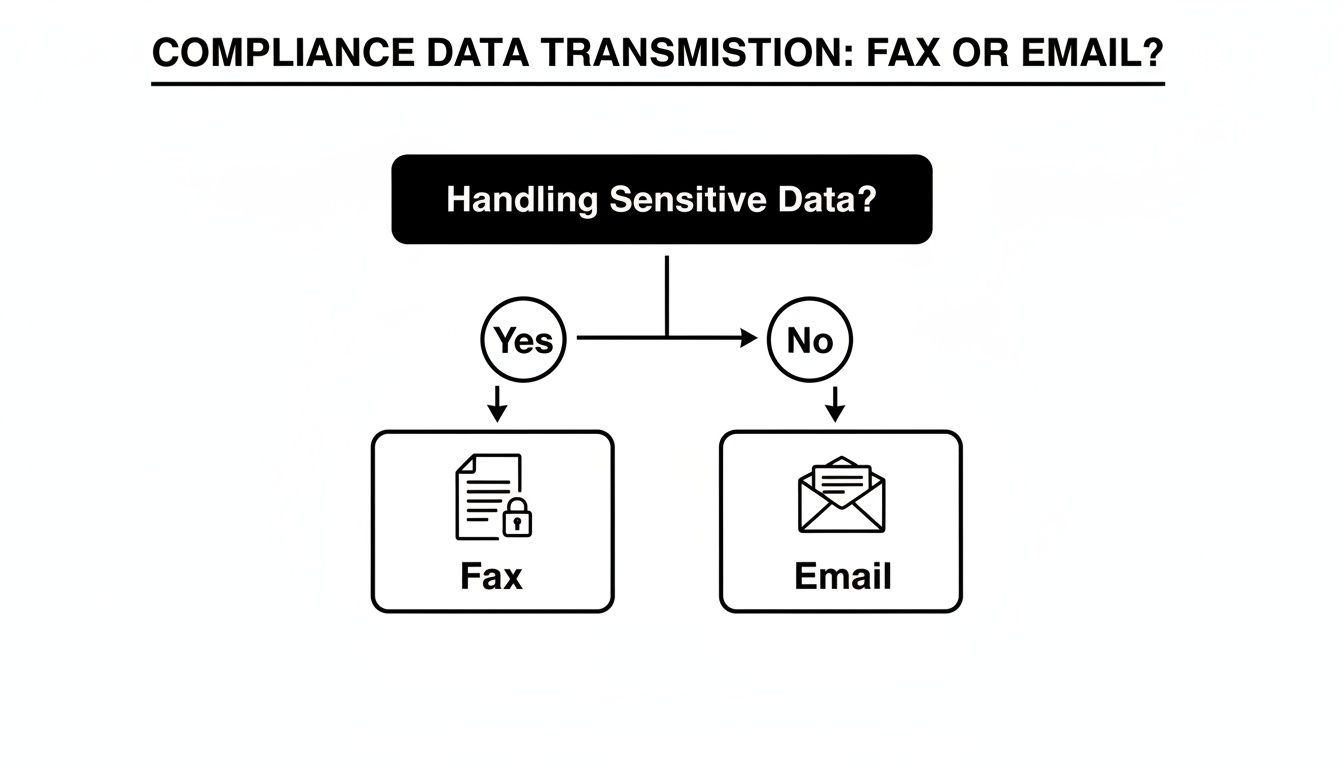
    A flowchart illustrates compliance data transmission. Sensitive data requires Fax; non-sensitive data can be sent via Email.

    As you can see, it all starts with data sensitivity. If a document holds confidential information, faxing is the smarter path to stay compliant and secure.

    When to Unquestionably Choose Fax

    Some documents just aren't worth the risk. For anything with serious legal, financial, or privacy weight, choosing fax isn't about being old-fashioned—it's a deliberate risk management strategy.

    Think about these clear-cut scenarios:

    • Legal Documents: Signed contracts, court filings, and official notices demand proof of delivery. A fax transmission report is a legally recognized record that email receipts just can't match in court.
    • Medical Records: This is a big one. When moving Protected Health Information (PHI) between healthcare providers and insurers, traditional faxing is a well-established, HIPAA-compliant method for safeguarding patient data.
    • Financial Data: Loan applications, payroll details, and bank statements are loaded with Social Security numbers and other personally identifiable information (PII). Faxing them directly minimizes the exposure to interception that plagues email.

    In all these cases, the direct point-to-point connection of a fax line dramatically cuts down the chances of a man-in-the-middle attack.

    Best Practices for Secure Online Faxing

    Using an online fax service like SendItFax gives you the classic security of the phone network with the ease of a modern platform. But the technology is only half the battle; your habits are the other half.

    Even with a secure platform, user practices are a critical layer of defense. Simple steps like verifying numbers and managing documents properly can prevent the most common security mishaps.

    To truly lock down your information, build these habits into your workflow:

    1. Double-Check Recipient Numbers: It sounds obvious, but a single typo can send a sensitive file to a complete stranger. Always, always confirm the fax number before sending.
    2. Utilize a Secure Cover Page: Your cover page is your first line of defense at the receiving end. It should clearly name the intended recipient and include a bold confidentiality notice. This prevents prying eyes from reading a document left on a shared machine.
    3. Manage Downloaded Documents: The moment you download a received fax, its security becomes your responsibility. Don't let it linger in your "Downloads" folder. Move it immediately to an encrypted, password-protected location on your local machine or secure network.
    4. Confirm Receipt: For the most critical documents—the ones that keep you up at night—make a quick phone call. A simple "Did you get it?" adds that final, invaluable layer of certainty.

    By being deliberate about your communication choices and diligent with your security practices, you can protect your sensitive information every step of the way.

    A Few Common Questions About Fax Security

    To really wrap our heads around this, let's tackle some of the questions I hear all the time when people weigh fax against email. The answers aren't always what you'd expect, especially when sensitive information is on the line.

    Why Do People Still Use Fax When Email Exists?

    It’s a fair question. In industries like healthcare, law, and government, faxing isn't just a legacy habit—it's a deliberate choice rooted in security and compliance. When you send an email, it hops across countless servers on the open internet, creating a long chain of potential weak spots.

    Fax, on the other hand, uses the Public Switched Telephone Network (PSTN). Think of it as a direct, point-to-point call between two machines, which is fundamentally harder for an outsider to tap into.

    The numbers really tell the story. In U.S. healthcare, a staggering 75% of all external Protected Health Information (PHI) transmissions still happen via fax. Why? Because standard email fails to meet HIPAA's tough security rules in 62% of audits, usually due to a lack of proper encryption or the risk of someone accidentally forwarding a sensitive message. You can dig deeper into these fax and email security statistics to see the full picture.

    Are Online Fax Services Actually Secure?

    They can be, and the reputable ones often provide a level of security that beats both old-school fax machines and your typical email inbox. These services blend modern digital security with the classic, trusted PSTN connection.

    Here's how it works: you upload your document, and it's immediately protected with strong encryption (like TLS or AES-256) on its way to the service's secure server. From there, the service transmits the file over the telephone network to the recipient's fax machine. It's a hybrid approach that closes the gaps found in purely digital or purely analog systems.

    The security of modern online faxing hinges on its two-part process: advanced digital encryption for the initial upload and the proven, closed-circuit PSTN for the final delivery. This layered approach mitigates the risks associated with both pure-digital and pure-analog methods.

    Are Faxed Signatures Legally Binding?

    Yes, absolutely. In most places, including the United States, faxed signatures are considered legally binding. Laws like the ESIGN Act of 2000 give them the same weight as a signature on paper.

    What really strengthens their legal standing is the transmission receipt. This report acts as a verifiable, third-party record confirming exactly when the document was sent and successfully received. This creates a strong form of non-repudiation that’s much harder to achieve with a standard email.


    Ready to send your documents with the security and reliability they deserve? SendItFax offers a simple, secure, and account-free way to send faxes directly from your browser. Protect your sensitive information and ensure your documents arrive safely every time. Try SendItFax today

  • Is Faxing Secure? The Definitive Guide to Modern Fax Security

    Is Faxing Secure? The Definitive Guide to Modern Fax Security

    So, is faxing actually secure? The answer is a solid yes, but with a big caveat: it completely depends on how you're sending the fax.

    Modern online faxing is built for security with layers of digital protection. On the other hand, traditional fax machines are stuck in the past, full of physical and even digital holes that just don't cut it for handling sensitive information anymore.

    Why Online Faxing Has the Security Edge

    Think back to the old way. A fax's security depended entirely on its physical journey. A document shot across a dedicated phone line, creating a direct connection that was pretty tough to intercept mid-air. The problem? Security evaporated the second that paper spooled out of the receiving machine. Anyone walking by could grab it, read it, or lose it.

    Online faxing completely flips the script. Instead of a vulnerable piece of paper, your document is converted into a secure digital file, wrapped in multiple layers of protection. This modern approach directly plugs the glaring security gaps of those old analog machines.

    Key Security Upgrades You Get with Online Faxing

    Moving from a physical fax machine to an online service isn't just a small step up; it's a giant leap in security. You gain protections that are simply impossible to bolt onto old hardware.

    • Encryption: Your data is locked down with encryption both while it's traveling (in transit) and when it's stored on a server (at rest). Think of it like putting your document in a locked briefcase inside an armored truck.
    • Access Control: Forget about papers piling up in a public tray. With online faxing, only people with the right login credentials can see incoming faxes, keeping them out of the wrong hands.
    • Digital Audit Trails: Every single action is tracked and logged. You get a clear, verifiable record of who sent, received, and viewed a document—and exactly when. This is a game-changer for compliance.

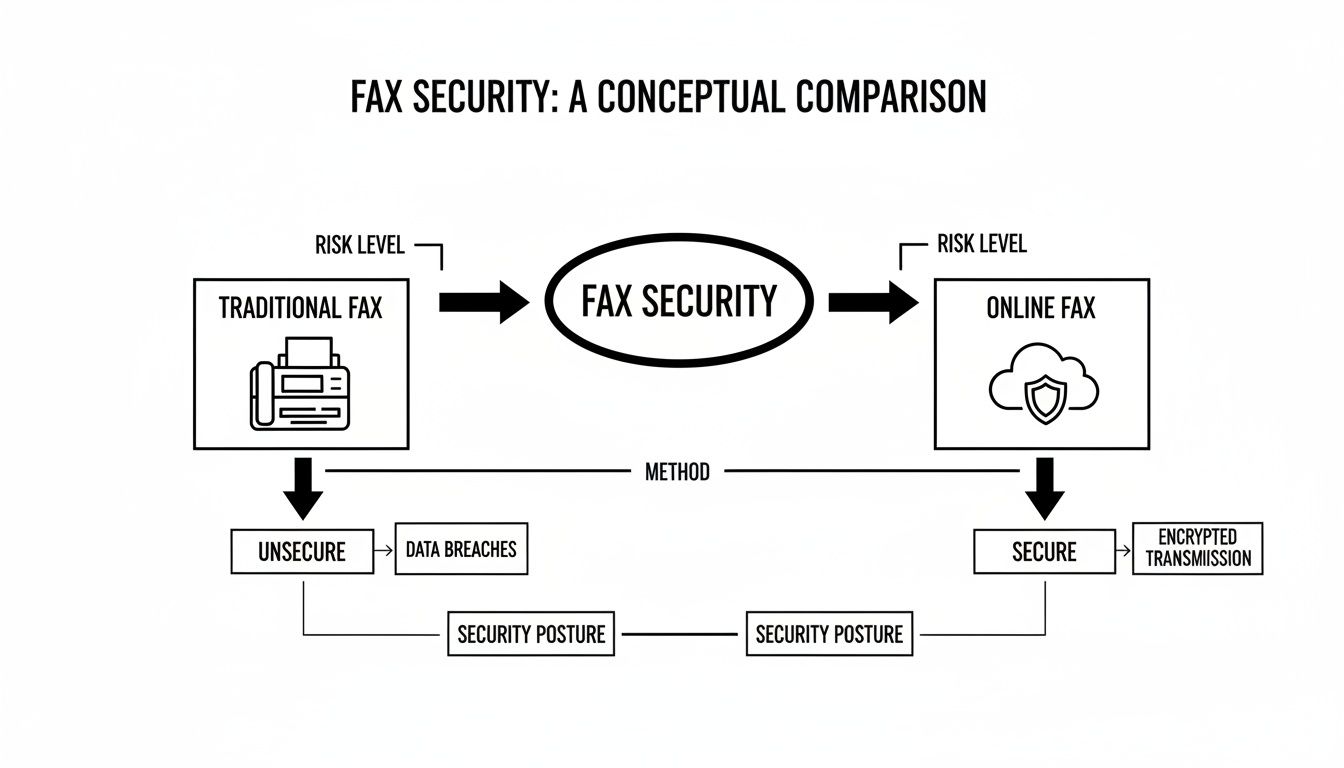
    This diagram really highlights the core security differences between the two methods.

    Diagram comparing traditional fax and online fax security, highlighting risk levels, methods, and security postures.

    As you can see, it’s a stark contrast. The old way is physical and exposed, while the new way is digital and protected. They both get a document from A to B, but their security approaches are from different centuries. If you're weighing your options, our deep dive on whether fax is more secure than email offers even more context on these critical differences.

    To make it even clearer, here's a quick side-by-side comparison.

    Traditional Fax vs Online Fax Security at a Glance

    This table breaks down the fundamental differences in how each method handles security, from transmission to storage.

    Security Feature Traditional Fax Machine Online Fax Service
    Transmission Security Sent over analog phone lines; generally unencrypted and interceptable with the right tools. Sent over the internet using TLS 1.2+ encryption, protecting data in transit.
    Storage Security Printed documents are physically stored; vulnerable to theft, loss, or unauthorized viewing. Faxes are stored in encrypted, cloud-based servers with strict access controls.
    Access Control None. Anyone near the machine can access printed faxes. Requires user authentication (username/password) to view, send, or manage faxes.
    Audit Trails Limited to basic transmission logs (date, time, number). No record of who viewed the physical copy. Provides detailed, immutable logs of all user activity, crucial for compliance.
    Physical Security Risk High. Faxes can be misdialed, left on the tray, or copied without permission. Minimal. The entire process is digital, eliminating physical document risks.
    Compliance Readiness Difficult to make compliant with regulations like HIPAA without strict physical protocols. Designed with compliance in mind, offering features like BAA support for HIPAA.

    Looking at them head-to-head, it's easy to see why online services are the clear winner for any organization that takes data security seriously. The built-in encryption, access controls, and audit trails address the fundamental weaknesses of traditional faxing.

    Why Faxing Still Thrives in a Digital World

    In a world full of instant messages and emails, it’s easy to think of the fax machine as a relic. Yet, faxing isn’t just surviving; it’s thriving, especially in sectors where security and legal validity are non-negotiable. So, why do so many critical industries still rely on this technology?

    It really comes down to how the information travels. Let’s look at the classic comparison between a fax and an email to illustrate why certain industries have been slow to abandon this trusted technology.

    Office desk with a classic fax machine and a laptop showing a secure online interface.

    The Sealed Letter Versus the Postcard

    Sending a traditional fax is like sending a sealed letter through a dedicated courier. The message travels directly from your machine to the recipient's machine over a point-to-point telephone connection. This direct line is inherently private and difficult to intercept without sophisticated, targeted effort.

    Email, by contrast, is more like sending a postcard. Your message hops between multiple servers on its journey, and at each stop, it could potentially be read or copied. While modern email has security features, its fundamental architecture involves more points of potential exposure than a direct fax transmission. This core difference is a major reason why industries handling sensitive data continue to rely on faxing.

    "For all the talk about email and messaging apps, faxing continues to be the trusted way to send documents when compliance, legal recognition, and reliability matter most."

    This principle of a direct, less exposed transmission channel has cemented faxing's role in sectors where data privacy is not just a best practice but a legal requirement.

    A Deliberate Choice for Critical Industries

    The persistence of faxing isn't due to a lack of innovation; it's a deliberate strategic choice. Industries like healthcare, legal services, and government agencies operate under strict regulatory frameworks that demand verifiable proof of transmission and receipt for sensitive documents like patient records or legal contracts.

    Faxing's long-standing legal acceptance as a method of delivering official documents gives it a significant advantage. This legacy is reinforced by staggering usage numbers. In fact, industry data showed that over 17 billion individual fax documents were sent in 2019, with the U.S. healthcare sector alone responsible for more than 9 billion of them. You can explore more about faxing's continued relevance and market growth in this industry analysis.

    This massive volume proves that for many organizations, the security and reliability offered by faxing are indispensable. While traditional machines have their flaws, modern online services like SendItFax have evolved to offer the best of both worlds—the directness of a fax with the powerful encryption and audit trails of digital technology.

    From Analog Risk to Digital Protection

    Fax security isn't what it used to be. The conversation has shifted dramatically, moving away from the physical risks of old-school fax machines to the sophisticated defenses of modern online services. To really grasp why online faxing is so secure today, you have to understand this evolution.

    Think back to the traditional office fax machine. Its security was purely physical. A document zipped across a dedicated phone line, which was a decent point-to-point connection. But the real vulnerability was what happened when that piece of paper printed out. Anyone walking by the machine could see it, pick it up, or even lose it. That "last-mile" problem was the Achilles' heel of analog faxing.

    The Move to a Digital Fortress

    Online faxing tackles these old-school problems head-on by turning the entire process into a secure digital workflow. Your document isn't a piece of paper anymore; it’s an encrypted data file, locked down at every step.

    This simple change eliminates the most common physical security headaches. There are no more sensitive documents sitting out in the open, no chance of a fax getting lost in a paper shuffle, and no need for physical file cabinets that could be breached. Everything happens inside a secure digital space that only authorized people can access.

    How Modern Fax Encryption Actually Works

    So, what’s happening behind the scenes? Online fax services use layers of powerful encryption to shield your information. It’s not just one thing; it's a system designed to protect your documents from start to finish.

    Let's break it down with an analogy. Imagine you're sending a top-secret contract to a partner across town.

    • Transport Layer Security (TLS): This is your digital armored truck. TLS creates a secure, encrypted tunnel for your fax to travel through. If anyone tries to intercept it along the way, all they’ll see is garbled, unreadable code. It keeps your data safe while it's in transit.
    • AES-256 Encryption: Once the armored truck arrives, the contract is stored in a military-grade digital vault. That vault is AES-256 (Advanced Encryption Standard). This powerful algorithm scrambles your fax data while it's at rest, making it completely useless to anyone who doesn't have the specific key to unlock it.

    These two technologies are the cornerstone of end-to-end fax protection. Top-tier services use 256-bit AES for all transmissions, while protocols like TLS (and its predecessor, SSL) create a secure channel and verify the identity of both sender and receiver. When you layer on compliance with regulations like HIPAA, it's clear that faxing has become an incredibly secure way to communicate. As detailed on westfax.com, cloud-based protection has been a game-changer for fax security.

    This journey from vulnerable paper to encrypted data is precisely why the answer to "is faxing secure?" has changed so profoundly. If you want to dive even deeper, check out our comprehensive guide on the overall security of fax.

    How Online Faxing Helps You Nail Compliance

    Real security isn't just about having strong technology; it's about playing by the rules. For anyone in healthcare, finance, or legal fields, meeting strict compliance standards isn't just a good idea—it's the law. This is where modern online faxing really proves its worth, offering the specific tools needed to satisfy some of the most demanding data protection regulations out there.

    These rules require more than just keeping data under lock and key. You have to be able to prove you’re actively protecting information every step of the way. That means keeping meticulous records, tightly controlling who sees what, and making sure every transmission is secure from end to end.

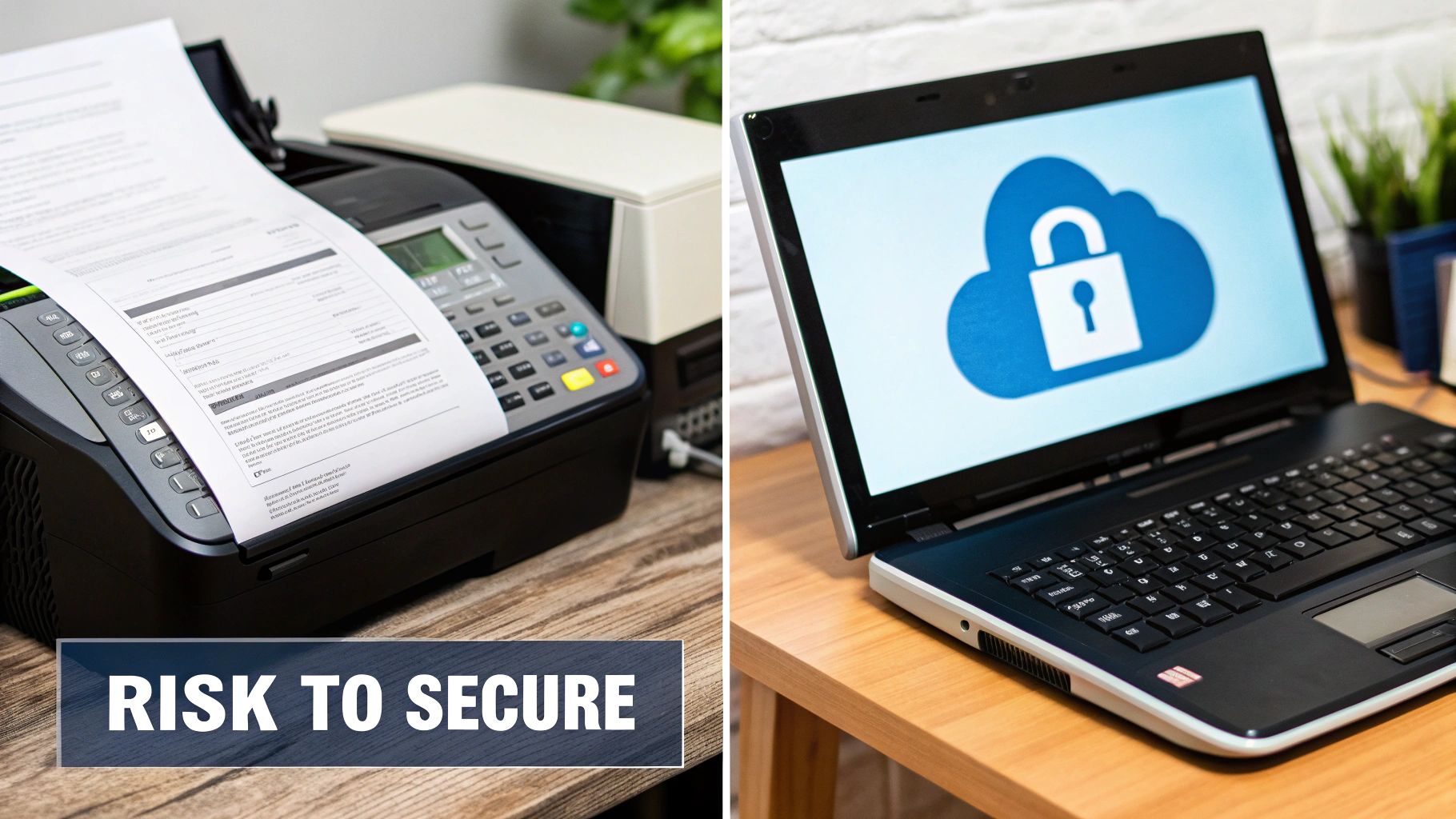
    Split image showing a fax machine with paper and a laptop displaying a cloud security icon, with 'RISK TO SECURE' text.

    From Legal Jargon to Practical Features

    Regulations like the Health Insurance Portability and Accountability Act (HIPAA) in the U.S. and Canada's Personal Information Protection and Electronic Documents Act (PIPEDA) set a high bar for handling sensitive data. Online fax services are built from the ground up to help businesses clear these hurdles with features designed for compliance.

    Take HIPAA, for instance. It dictates everything about how Protected Health Information (PHI) is managed. A single slip-up can result in massive fines, so compliance is a non-negotiable for any medical practice or insurer. Faxing has always been a go-to for sending PHI, and online services just make it that much more secure by adding critical digital safeguards.

    Essentially, a secure online fax platform turns compliance from a manual, anxiety-inducing chore into an automated and trackable process.

    For all the talk about email and messaging apps, faxing continues to be the trusted way to send documents when compliance, legal recognition, and reliability matter most.

    Instead of relying on a physical logbook next to the machine and just hoping a sensitive document wasn't left on the tray, you get a digital dashboard for all your communications. That shift is absolutely crucial when it's time to prove your due diligence to an auditor.

    The Core Features That Make Compliance Work

    So, how exactly does an online fax service help you meet these standards? It all boils down to a handful of core features that directly answer what regulators demand: security, accountability, and control.

    • Immutable Audit Trails: Every single action is logged automatically. You get a concrete record of who sent a fax, who it went to, when they opened it, and from where. This creates the kind of digital paper trail that is gold during a compliance audit.
    • Controlled User Access: Unlike the communal office fax machine, online platforms let you set specific permissions for each user. This guarantees that only authorized staff can ever access sensitive documents—a cornerstone of both HIPAA and PIPEDA.
    • Encrypted Storage: Faxes aren't just protected in transit. They're stored using AES-256 encryption, the same heavy-duty standard trusted by banks and government agencies to keep data safe while it's "at rest."
    • Verifiable Delivery Confirmations: You receive a detailed, unambiguous confirmation that your fax was delivered successfully. This receipt acts as legally recognized proof of transmission, which is vital for contracts, medical records, and official notices.

    These features don't work in isolation. They create a secure, closed-loop system where sending sensitive information is not only safe but also fully documented, turning a major compliance headache into a straightforward part of doing business.

    How to Choose a Genuinely Secure Online Fax Service

    Not all online fax services are built the same, and when sensitive documents are on the line, the difference really matters. Picking the right provider means you have to look past the flashy marketing and low price points to see if they have the technical backbone to truly protect your information.

    Think of it like choosing a bank for your money. You wouldn't just go with the one offering a free toaster; you'd look for FDIC insurance, secure vaults, and a history of reliability. The same logic applies here. A provider's dedication to security should be obvious, transparent, and backed by features that are non-negotiable.

    Essential Security Features Checklist for Online Faxing

    When you're evaluating different services, it's easy to get lost in feature lists. This checklist cuts through the noise and helps you focus on the security measures that are absolutely critical. Use it to grade any provider you're considering.

    Feature What to Look For Why It Matters for Security
    End-to-End Encryption Look for mentions of TLS (for faxes in transit) and AES-256 bit encryption (for stored files). This is the bedrock of digital security. It scrambles your data, making it unreadable to anyone who might intercept it, both as it travels online and while it sits on a server.
    Secure Data Storage The provider should use data centers with strict physical security (guards, locked cages), redundancy, and clear disaster recovery plans. Your faxes don't just disappear after they're sent. They're stored. You need to know that the physical location is as secure as the digital one.
    Multi-Factor Authentication (MFA) Also known as Two-Factor Authentication (2FA), this requires a second verification step, like a code sent to your phone, to log in. Passwords can be stolen, but it's much harder for a thief to steal your password and your phone. MFA is one of the single most effective ways to prevent account takeovers.
    Detailed Audit Trails The service must provide a complete, unchangeable log of all fax activity—who sent what, when, and whether it was successfully delivered. For any kind of business or legal record-keeping, this is non-negotiable. It provides a verifiable history for accountability and proves compliance.
    Compliance Certifications If you're in healthcare, law, or finance, look for explicit HIPAA compliance or other certifications like SOC 2. These aren't just buzzwords. They mean the provider has passed rigorous, independent audits that validate their security controls against industry standards.

    A service that can't tick all these boxes might be fine for sending a dinner menu, but it’s a serious gamble for anything confidential.

    A truly secure online fax service doesn't just promise security; it proves it with transparent, verifiable features. Your data's safety depends on choosing a partner who treats protection as a core function, not an afterthought.

    Making Your Final Call

    Once you've vetted the technical side of things, it's time to consider the human element. Is the platform easy to use? A confusing interface can lead to user errors, which can be just as dangerous as a technical vulnerability.

    Take some time to read reviews from real users and compare different platforms. A service might look great on paper, but a little research can reveal hidden frustrations or strengths. To get a jump start, you can see how different online fax services stack up in our comparison guide.

    Ultimately, a genuinely secure service is built on a foundation of strong encryption, strict access controls, and transparent compliance. By holding providers to that standard, you can choose a service that protects your information with the seriousness it deserves.

    Simple Best Practices for Sending Secure Faxes

    Person holding a tablet displaying secure fax icons including a shield, lock, and documents, with a 'CHOOSE SECURE FAX' banner.

    Even the most advanced security features can't protect against simple human error. While a secure online fax service does the heavy lifting, your own habits are what truly complete the security picture. It's a partnership, really.

    Think of it this way: you can have the best alarm system in the world, but it doesn't do much good if you forget to lock the door. Taking a few extra seconds to follow these best practices will ensure your sensitive documents are protected from start to finish.

    Always Use a Cover Sheet

    A fax cover sheet is more than just a formality—it’s your first line of defense. It acts like the envelope on a physical letter, making sure your document gets to the right person and telling anyone else that its contents are private.

    Every cover sheet should clearly state a few key things:

    • Your contact information: Your name, company, and number.
    • The recipient's details: The specific person and department it's intended for.
    • A confidentiality notice: This is crucial. A simple disclaimer flagging the document as confidential goes a long way, especially for legal or medical information.

    This one simple step prevents your fax from sitting unattended on a shared machine or being read by the wrong person. It's an easy win for security.

    The most common security lapses are often the result of simple human error. Double-checking details before you hit 'send' is one of the most effective security measures you can take.

    Verify and Confirm Every Transmission

    A single wrong digit can send your private information to a complete stranger. It’s a costly mistake that’s surprisingly easy to make. Before you send anything, always double-check the recipient's fax number.

    After you hit send, don’t just walk away. Check the transmission report. A good service like SendItFax will give you a clear confirmation that your document arrived safely. This isn't just for peace of mind; it's your proof of delivery.

    If a fax fails, find out why before you try again. This kind of hands-on approach builds a truly secure and accountable process for all your communications.

    Got Questions About Fax Security? Let's Get Them Answered.

    If you're still on the fence about fax security, you're not alone. Let's tackle some of the most common questions people have to clear up any confusion and show you how modern faxing really works to protect your information.

    Is Online Faxing Actually More Secure Than Email?

    In a word, yes. The difference is night and day when you look at how they operate.

    Think of a standard email like a postcard. It gets passed through various public servers on its journey, and at any of those stops, someone could potentially peek at its contents. A secure online fax, on the other hand, is more like an armored car driving through a private, encrypted tunnel. It goes straight from you to the recipient, locked down the entire way.

    This direct, end-to-end encryption shuts down the vulnerabilities that leave standard email wide open to attack.

    Do I Really Need a HIPAA-Compliant Service for My Own Personal Faxes?

    Strictly speaking, you might not be legally required to, but it's an incredibly smart move anytime health information is involved. The HIPAA rules are aimed at "covered entities" like your doctor's office or insurance company.

    But here’s the thing: choosing a HIPAA-compliant service means your Protected Health Information (PHI) gets the VIP treatment with top-tier encryption and detailed audit logs. It's the gold standard for protecting sensitive medical data, whether you're a hospital or just a patient.

    Using a HIPAA-compliant service for all medical documents is the safest way to ensure your private health information is protected by enterprise-grade security standards, giving you complete peace of mind.

    How Can I Actually Prove a Fax Was Sent Securely?

    This is where online faxing leaves the old clunky machines in the dust. Forget about those flimsy paper confirmation slips that get lost or fade over time. A secure online fax service gives you a rock-solid, digital audit trail for every single document.

    This isn't just a simple receipt; it's a detailed, legally defensible record that typically includes:

    • An exact timestamp of when the fax was sent.
    • Clear confirmation that it was successfully delivered.
    • A permanent, unchangeable log of the entire transaction.

    This verifiable proof is absolutely critical when you're dealing with legal contracts, official records, or anything else where you can't afford to have doubts.


    Ready to send documents with confidence? SendItFax offers a simple, secure, and reliable way to send faxes right from your browser, no account needed. Try SendItFax today for fast and protected document delivery.

  • Your Guide to Cloud Based Fax Solutions

    Your Guide to Cloud Based Fax Solutions

    Imagine sending a fax as easily as you fire off an email, right from your computer or smartphone. That’s the simple idea behind cloud based fax solutions. They take your digital files and turn them into faxes that any traditional machine can receive, all without a single piece of bulky hardware cluttering up your office.

    This modern approach completely sidesteps the need for a dedicated phone line, endless stacks of paper, and expensive ink cartridges.

    What Are Cloud Based Fax Solutions

    At its core, a cloud based fax solution acts as a digital middleman, connecting the internet to the old-school telephone network that fax machines rely on. Think of it as a universal translator for documents. You just upload a file—say, a PDF or Word doc—to a website or an app. The service then converts that file into the classic analog fax signal, dials the number, and sends it on its way.

    This technology directly tackles the biggest headaches of traditional faxing. You can finally say goodbye to paper jams, frustrating busy signals, and being chained to a physical machine. Instead, you get the freedom to send and receive important documents from anywhere you have an internet connection.

    The Old Way vs The New Way

    The difference between traditional and cloud-based faxing really shows how much business communication has changed. The classic fax machine is a standalone device, stuck in one location and tied to a single phone line. Its limitations become painfully obvious in a world where work happens everywhere.

    A traditional fax setup is like a landline telephone in a world of smartphones. It works for a single purpose in one location, but it lacks the flexibility, security, and integration that modern workflows demand.

    Cloud based fax solutions, on the other hand, are flexible software services. This isn't just about convenience; it fundamentally redefines the entire process by focusing on accessibility, security, and cost-effectiveness.

    To see just how different they are, let's put them side-by-side.

    Traditional Faxing vs Cloud Faxing at a Glance

    This quick comparison table really brings the key differences into focus, highlighting why so many are moving away from the old hardware-centric model.

    Feature Traditional Fax Machine Cloud Based Fax Solution
    Hardware Required Dedicated fax machine None (uses computer or mobile device)
    Phone Line Requires a dedicated analog phone line Not required; uses an internet connection
    Accessibility Limited to the machine's physical location Accessible from anywhere with internet
    Cost Structure High upfront cost plus ongoing supplies Low monthly subscription or pay-per-use
    Security Low; documents can be left in the open High; uses encryption and secure portals

    As you can see, the traditional method is riddled with hidden costs—paper, toner, maintenance, and the monthly phone line fee. Cloud faxing rolls all of that into a predictable and scalable service, turning a big upfront expense into a small, manageable operating cost.

    How Digital Faxes Travel from Your Screen to Their Machine

    Sending a document with a cloud-based fax solution might seem a bit like magic, but what's happening behind the scenes is a pretty straightforward process. It all starts on your computer or phone when you upload a digital file—say, a PDF or Word doc—to your provider’s secure web portal or mobile app.

    Forget about printing. You just pick your file, punch in the recipient’s fax number, attach a cover page if you need one, and hit send. If you’ve ever attached a file to an email, you already know how to do this. Your part is done, but your document is just getting started.

    The Digital-to-Analog Handshake

    Once you click send, the cloud fax service springs into action. Your document travels securely over the internet to the provider's servers. This is where the real work happens: specialized software converts your digital file into the standard black-and-white, compressed image format that old-school fax machines can understand. It’s like a translator fluent in both modern digital and classic analog languages.

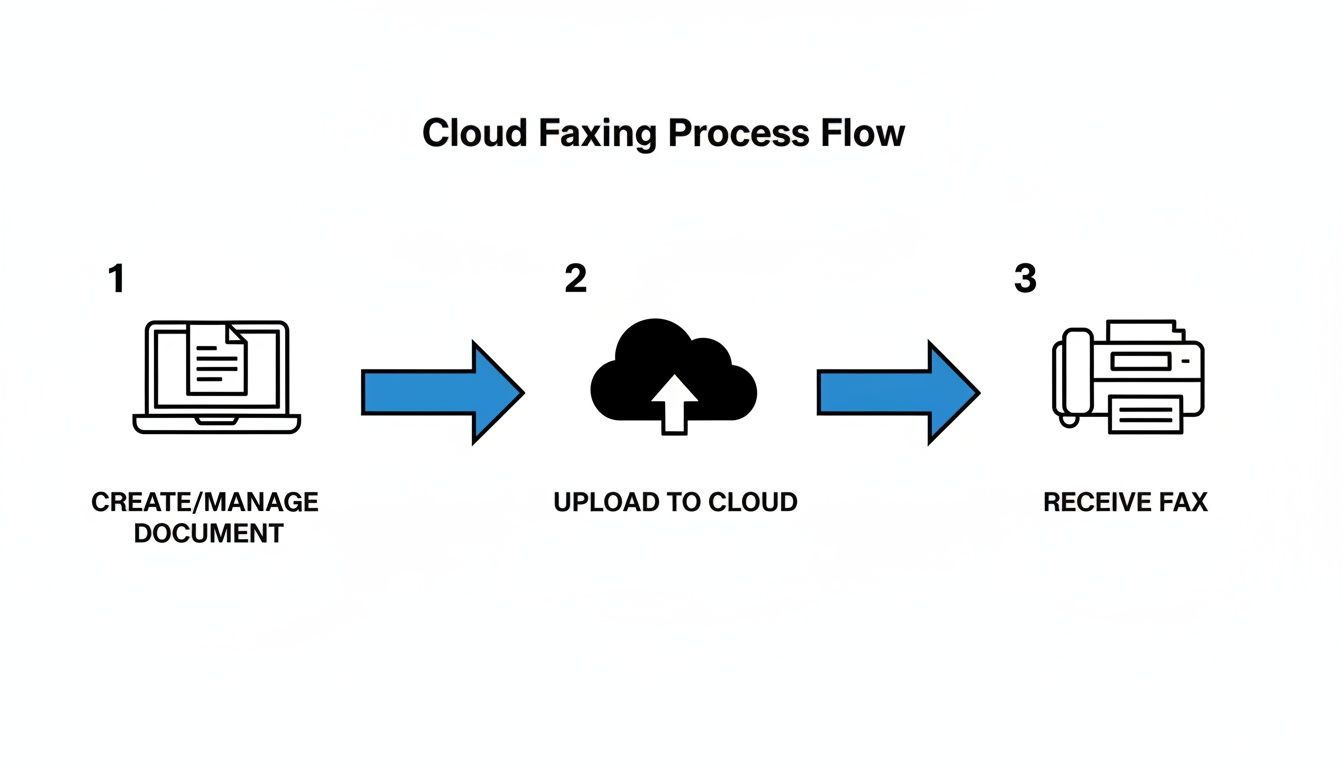
    This simple diagram breaks down how a cloud fax service connects your modern devices to traditional fax machines.

    A three-step diagram illustrates the cloud faxing process: create document, upload to cloud, then receive fax.

    As you can see, it’s a seamless handoff from your screen to the cloud and finally to the recipient's machine.

    At this stage, the provider's system essentially becomes a powerful, automated fax machine. It dials the destination number over the Public Switched Telephone Network (PSTN)—the very same network your landline phone uses—and sends the converted file as a standard fax signal.

    The Return Trip: Receiving a Fax

    Receiving faxes is just as easy, only in reverse. When someone sends a document from a traditional fax machine to your dedicated cloud fax number, the provider’s servers catch the incoming analog signal. The system immediately converts that signal back into a digital file, usually a PDF.

    That new digital file lands directly in your email inbox, ready to be opened on your computer, tablet, or phone. We dive deeper into this in our guide on how fax to email works. This two-way street means you can communicate with anyone still using a physical fax machine without ever needing one yourself. It's the perfect bridge between old and new technology.

    What to Expect From a Modern Cloud Fax Service

    When you move past the old-school fax machine, you're not just getting a digital replacement—you're getting a whole new toolkit for your business. The best cloud based fax solutions are loaded with features that integrate right into how your team already works, turning faxing into a streamlined part of your daily communications.

    Forget standing over a machine. The foundational feature of any good service is email-to-fax. It's as simple as it sounds: you compose an email, attach your document, and send it to a special address that includes the recipient's fax number. Faxes you receive land right in your inbox as PDFs. It’s seamless.

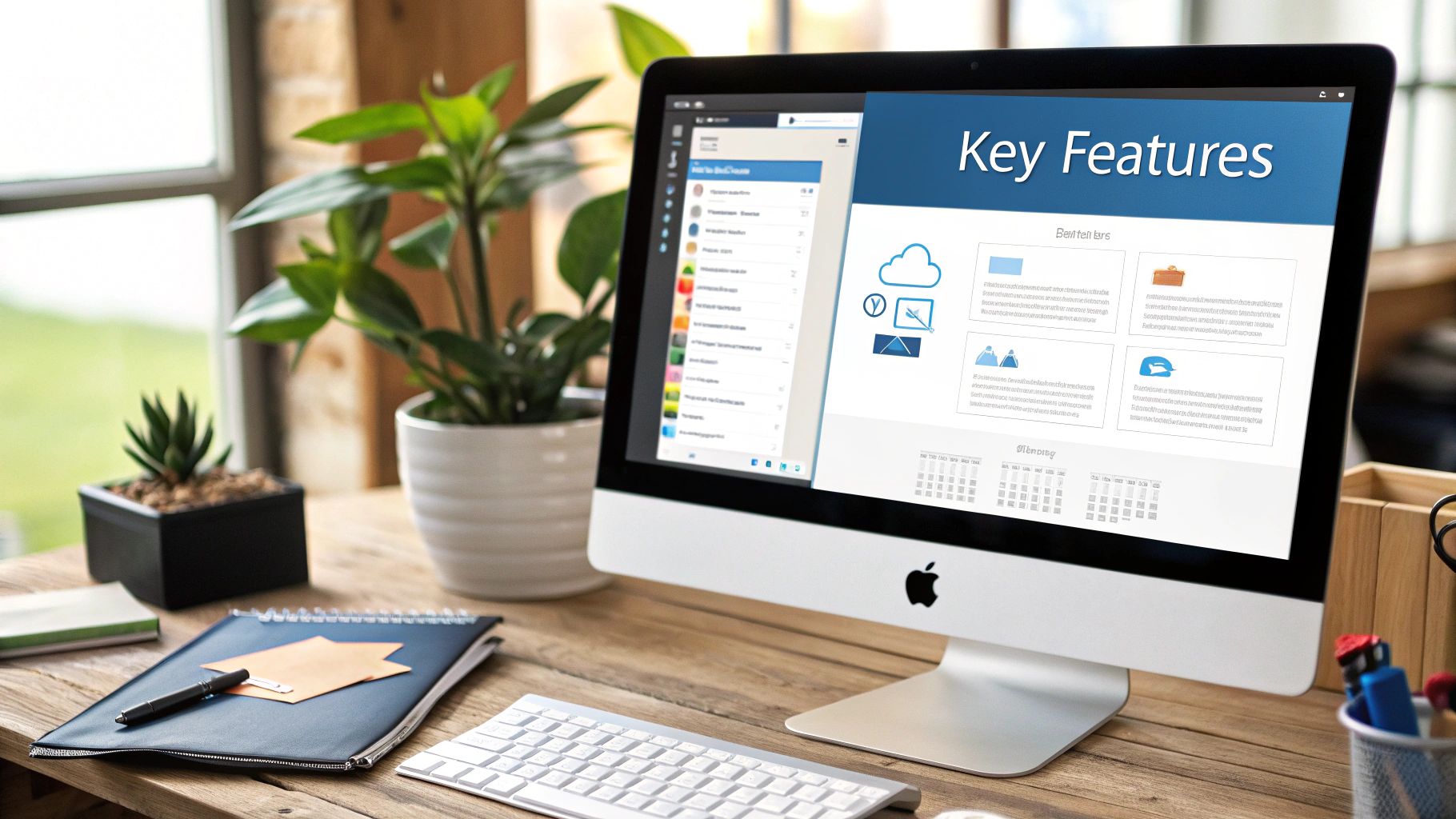
    Professional workspace with an iMac displaying cloud-based features, a notebook, and plants on a wooden desk.

    Core Workflow Integrations

    Today’s work isn't confined to one app, and your fax service shouldn't be either. The real power of cloud faxing comes from its ability to connect with the tools you rely on every day.

    • Cloud Storage Sync: Need to fax a contract stored in Google Drive, Dropbox, or OneDrive? No problem. You can pull files directly from your cloud storage, which means no more tedious downloading and re-uploading.
    • Electronic Signatures: This one is a game-changer. Many platforms have built-in e-signature tools. You can sign a document digitally and fax it off in seconds, creating a legally binding agreement without ever needing a printer or a pen.
    • Mobile Apps: With dedicated apps for iOS and Android, your smartphone becomes a full-featured fax machine. You can manage faxes, get alerts, and even sign documents while you’re out of the office.

    These integrations aren't just for convenience. They cut out unnecessary steps, save a surprising amount of time, and help keep your sensitive documents secure inside a single digital workflow.

    Administrative and Management Tools

    If you're running a team or operate in a regulated industry, you need more than just the basics. This is where administrative features become critical, giving you the control to manage faxing across your entire organization. A detailed comparison of online fax services can help pinpoint which providers offer the most robust controls.

    A top-tier cloud fax solution is more than a simple sending tool; it's a complete management platform. It should offer things like granular user permissions, detailed activity logs, and centralized billing to give you a bird's-eye view of all faxing activity.

    Here are the key management features you should look for:

    • User Management: Admins need the ability to easily add or remove users, assign fax numbers to specific people or departments, and control who can send faxes.
    • Detailed Reporting: Having a full audit trail is non-negotiable for compliance. Look for services that provide comprehensive logs showing who sent what, delivery status, and a timestamp for every action.
    • Customizable Cover Pages: Reinforce your brand on every communication. You should be able to create professional cover pages with your company logo and standardized contact details.

    At the end of the day, these are the features that elevate a service from a simple utility to a powerful business asset. They ensure your faxing solution doesn't just replace old hardware but actually improves how your company manages its most important documents.

    The Real-World Benefits of Going Digital with Fax

    Let’s be honest, when you think about faxing, you probably picture a clunky machine in a dusty corner. But moving to a cloud-based fax solution is about more than just ditching old hardware—it's a smart business move that brings immediate, real-world advantages. The savings, security, and sheer flexibility you gain can fundamentally change how your team communicates.

    The numbers tell the story. The cloud fax market is booming, with current valuations anywhere from $643 million to $4.27 billion, depending on who you ask. More importantly, every forecast points to massive growth, with projections hitting between $2.63 billion and $8.67 billion by the early 2030s. This isn't just a trend; it's a clear signal that businesses are recognizing the massive upside of modern faxing. You can dig deeper into the numbers by checking out the latest cloud fax solution market research.

    A businessman in a suit uses a tablet in a warehouse, with “GO Paperless” text overlay.

    Substantial Cost Savings

    The first and most obvious win is financial. The hidden costs of an old-school fax machine add up faster than you’d think.

    • Hardware and Maintenance: That initial purchase is just the beginning. You have to factor in repairs and eventual replacement.
    • Dedicated Phone Line: A separate analog line can easily run you $30-$50 every month, whether you send one fax or a hundred.
    • Consumable Supplies: Paper, toner, and electricity aren't free. They become a constant drain on your operating budget.

    Cloud faxing gets rid of all that. Instead of unpredictable expenses, you have a simple, flat monthly fee. It turns a budgetary headache into a predictable, manageable expense.

    Enhanced Mobility and Flexibility

    In today's world, work happens everywhere. Being chained to a physical machine in an office just doesn't cut it anymore. Cloud faxing frees your team to send and receive documents from anywhere they have an internet connection.

    Think about it: a contractor can fax a signed invoice right from the job site on their phone. A lawyer can get urgent court documents while working from home. Work doesn't grind to a halt just because someone isn't in the office.

    This isn't just a nice-to-have feature; it’s a genuine competitive edge. Your business becomes more agile and responsive, and faxing becomes just another seamless part of your modern workflow.

    Superior Security and Compliance

    Here’s where cloud faxing truly shines. A confidential document sitting on a shared fax machine tray is a data breach waiting to happen. It's a massive liability, especially for industries that handle sensitive information.

    Cloud platforms are built from the ground up with security in mind.

    • Encryption: Your data is scrambled and protected both while it's being sent and when it's stored.
    • Access Controls: You decide exactly who gets to see what. User permissions ensure sensitive documents stay in the right hands.
    • Audit Trails: Every single fax—sent or received—is logged with a timestamp. This creates an unchangeable record, which is absolutely essential for meeting compliance standards like HIPAA.

    For anyone in healthcare, law, or finance, these features are non-negotiable. Using a HIPAA-compliant cloud fax service isn’t just about convenience; it’s about protecting your clients, your data, and your business.

    How Different Industries Rely on Cloud Faxing

    While the benefits of cloud based fax solutions are easy to talk about in theory, you really see their value in professional fields where faxing isn't just an option—it's a hard requirement. For a lot of industries, this technology solves critical, everyday challenges tied to security, compliance, and speed. It’s less of a modern convenience and more of an essential tool for keeping business moving.

    The global trend toward cloud faxing really drives this point home. North America, for instance, makes up about 55% of the global market, mostly because of strict regulations in sectors like healthcare and finance. Europe is right behind, but the Asia-Pacific region is catching up fast, showing a worldwide shift to these digital tools. If you're curious about the numbers, you can get a closer look by reading the full global cloud fax market analysis.

    Healthcare and HIPAA Compliance

    Picture this: a busy hospital needs to send sensitive patient records to a specialist's office across town for an urgent consultation. The old way involved printing the documents, walking them over to a shared fax machine, and just hoping the right person was there to pick them up. That process is slow, clunky, and a huge HIPAA compliance risk if those papers are left sitting in the open.

    Now, with a cloud fax service, a nurse can send those records securely right from their workstation. The document is encrypted and goes straight to the specialist’s secure inbox, and a digital receipt instantly confirms it arrived.

    This isn't just about moving faster; it's about protecting patient privacy. Cloud faxing creates an end-to-end encrypted channel, and it comes with a complete audit trail. That makes it a cornerstone for modern, HIPAA-compliant communication.

    The Legal Sector's Need for Verifiable Delivery

    In the legal world, deadlines are everything, and proving you sent a document is non-negotiable. Imagine a paralegal needing to file a time-sensitive motion with the court. If they miss the deadline or can't prove the document was sent, it could put the entire case at risk. Couriers are expensive, and email just doesn't have the formality or verifiable transmission records that courts often require.

    A cloud based fax solution is the perfect answer. The paralegal can send the motion from their computer and get an immediate, legally admissible confirmation report back. This report shows:

    • Timestamp: Proves exactly when the document was sent.
    • Delivery Status: Confirms it was successfully transmitted to the court's fax number.
    • Recipient Information: Logs the destination number for the case file.

    This digital paper trail provides the solid proof needed for legal proceedings, making sure everyone meets their obligations without a hitch.

    Real Estate Transactions on the Go

    Think about a real estate agent who gets a competing offer on a property while they're out showing other homes. The buyers need to submit a counteroffer right away to stay in the game. The agent can't afford to wait until they’re back at the office to print, sign, and fax everything from a traditional machine.

    With a mobile cloud fax app, the agent can do it all from their smartphone. They can receive the offer, sign it digitally, and fax the counteroffer back to the seller’s agent in minutes—all from their car. In a fast-paced market, that kind of agility is what gives their clients a real competitive edge and helps close the deal without any delays.

    Answering Your Questions About Cloud Based Faxing

    It's only natural to have questions when you're thinking about moving away from a tool you've used for years. When it comes to cloud based fax solutions, you need to know it's the right call for your workflow, your budget, and your security. Let's walk through some of the most common questions people ask when they start looking into digital faxing.

    My aim here is to give you straightforward answers so you can feel totally comfortable with how this technology actually works and what it can do for you.

    Are Cloud Faxes Legally Binding and Secure?

    Yes, absolutely. For all intents and purposes, faxes sent through a quality cloud service are just as legally binding as those sent from a traditional machine. The technology is designed to provide a verifiable transmission record—complete with timestamps and delivery confirmations—which creates the paper trail you need for important agreements and transactions.

    Security is where cloud faxing really shines. Think about it: a traditional fax can sit on an open tray for anyone to see. Digital faxes, on the other hand, are protected from the moment you hit send. Good providers use powerful encryption, like SSL/TLS during transmission and AES for any stored files, to keep your information locked down. We dive much deeper into this in our article on the security of fax technology.

    For anyone working in healthcare, finance, or other regulated industries, this is critical. Many cloud fax providers are built to be HIPAA-compliant and are willing to sign a Business Associate Agreement (BAA). This is their guarantee that their security measures meet the high standards needed to protect sensitive information.

    Do I Need a Phone Line to Use a Cloud Fax Service?

    Nope, and this is probably one of the biggest perks. You don't need a physical phone line, a fax-specific number from the phone company, or any clunky hardware. All you need is the internet connection you're already using.

    You simply send your documents from a computer or smartphone using the service's website or app. The cloud service does all the heavy lifting behind the scenes, connecting to the recipient’s fax machine over the old-school telephone network for you. It completely cuts the cord, freeing you from those expensive and outdated analog lines.

    Can I Receive Faxes with a Cloud Based Solution?

    Of course. Any solid cloud based fax solution will give you a dedicated virtual fax number. You can get a brand new one or, in many cases, bring your existing business fax number over with you.

    When someone sends a fax to that number, the magic happens in reverse:

    1. The service catches the incoming transmission from the sender's machine.
    2. It instantly converts that signal into a digital file, usually a PDF.
    3. That file lands right in your email inbox or a secure online dashboard.

    This turns receiving faxes from a stationary task into something you can do from anywhere. It’s as easy and mobile as checking your email.

    What Happens If the Recipient's Fax Line Is Busy?

    Here’s another classic fax machine headache that cloud services solve beautifully. With an old machine, a busy signal meant you had to stand there and manually redial. Again and again. It's a total waste of time.

    A smart cloud fax service handles this for you. If it detects a busy signal, the system will automatically keep trying to send the fax at set intervals. You'll get updates on its progress and a final confirmation once it goes through, saving you the hassle of babysitting the machine.


    Ready to send a fax without the hassle of a machine or the commitment of a subscription? SendItFax lets you send secure, high-quality faxes right from your browser. Try our simple, pay-as-you-go service by visiting https://senditfax.com today.

  • cloud based faxing: A modern guide to secure docs

    cloud based faxing: A modern guide to secure docs

    Picture this: sending a legally binding document with the rock-solid security of a fax, but with all the convenience of an email. That’s the simple idea behind cloud based faxing. It’s a modern service that turns your computer, tablet, or smartphone into a secure fax terminal—all you need is an internet connection.

    What Is Cloud Based Faxing and Why Does It Still Matter?

    Remember the jump from snail mail to email? We traded stamps, envelopes, and trips to the post office for the instant gratification of a digital inbox. Cloud based faxing does the exact same thing for a technology that, while old, is still surprisingly critical for many businesses. It frees you from the clunky machines, dedicated phone lines, and the endless cycle of buying paper and toner.

    Instead of a physical machine handling the scanning, dialing, and printing, a cloud fax service does all the heavy lifting behind the scenes. It’s like a digital translator, bridging the gap between the internet you use every day and the old-school telephone network that fax machines rely on. You can send a PDF from your laptop, and it will materialize perfectly on a traditional fax machine on the other end.

    The Modern Need for Digital Faxing

    This isn't just a matter of convenience; it’s about keeping your business competitive and your documents secure. For industries like healthcare, law, and finance, security and compliance aren't just suggestions—they're the law. Traditional faxing has always been trusted for its point-to-point privacy, but it’s incredibly inefficient and anchors you to a single physical location. On the other hand, email is fast but often falls short of the security needed for truly sensitive information.

    Cloud based faxing elegantly solves this problem. It gives you:

    • Serious Security: Features like end-to-end encryption act as a digital armored car for your documents, protecting them from prying eyes.
    • Regulatory Compliance: Many top providers are built to meet strict standards like HIPAA, making them safe for sending confidential patient or client files.
    • Work-from-Anywhere Freedom: You can send and receive faxes from any device, whether you're in the office, at home, or on the road.
    • Real Cost Savings: Say goodbye to expenses for machines, repairs, dedicated phone lines, paper, and ink.

    This powerful blend of security, flexibility, and savings is why the market is booming. Valued at USD 3.3 billion in 2024, the fax services industry is expected to climb to USD 4.47 billion by 2030, thanks to innovations in cloud technology and AI-powered features. You can find more details on these business faxing trends at business.com.

    A Smarter Way to Handle Important Documents

    At the end of the day, cloud based faxing is a sleek, modern answer to a long-standing business need. It keeps the legal weight and security that made faxing a cornerstone of business communication, but wraps it in a package that fits perfectly into today’s digital world.

    As you start exploring what's out there, you'll find that not all services are created equal. Understanding the nuances is crucial, which is where our online fax services comparison comes in handy. It’s simply the smarter way to manage your critical documents without being shackled to outdated hardware.

    How Digital Faxing Translates Your Documents

    Ditching that old, clunky fax machine for an online service might seem like a bit of technical wizardry, but what’s happening behind the screen is actually quite simple. The best way to think about it is that your online fax provider acts as a digital translator, fluent in both the language of the internet and the old-school analog signals of traditional fax machines.

    It handles all the heavy lifting, so you don't have to.

    When you send a fax, you start with a regular digital file—a PDF, a Word doc, even a photo. You just upload it to the service's website or attach it to an email, type in the recipient’s fax number, and hit "send." That’s when the magic begins.

    From Digital File to Analog Signal

    Once you send your file, the service’s servers get to work. They take your digital document and convert it into the series of beeps and squeals that fax machines understand. This process, often called rendering, faithfully translates every line and pixel of your document into an audio-based format.

    From there, the service dials the recipient's fax number using the Public Switched Telephone Network (PSTN)—the very same network that handles landline phone calls. Once it connects, it plays those audio tones, sending the information just like a physical fax machine would. The whole operation is handled in secure, professional data centers, which means you don't have to worry about busy signals or failed transmissions.

    At its core, every online fax is a sophisticated conversion. The service essentially "prints" your digital file to a virtual fax modem. This modem turns the document's image into an analog signal that can travel over traditional phone lines, guaranteeing it can be read by any legacy fax machine on the planet.

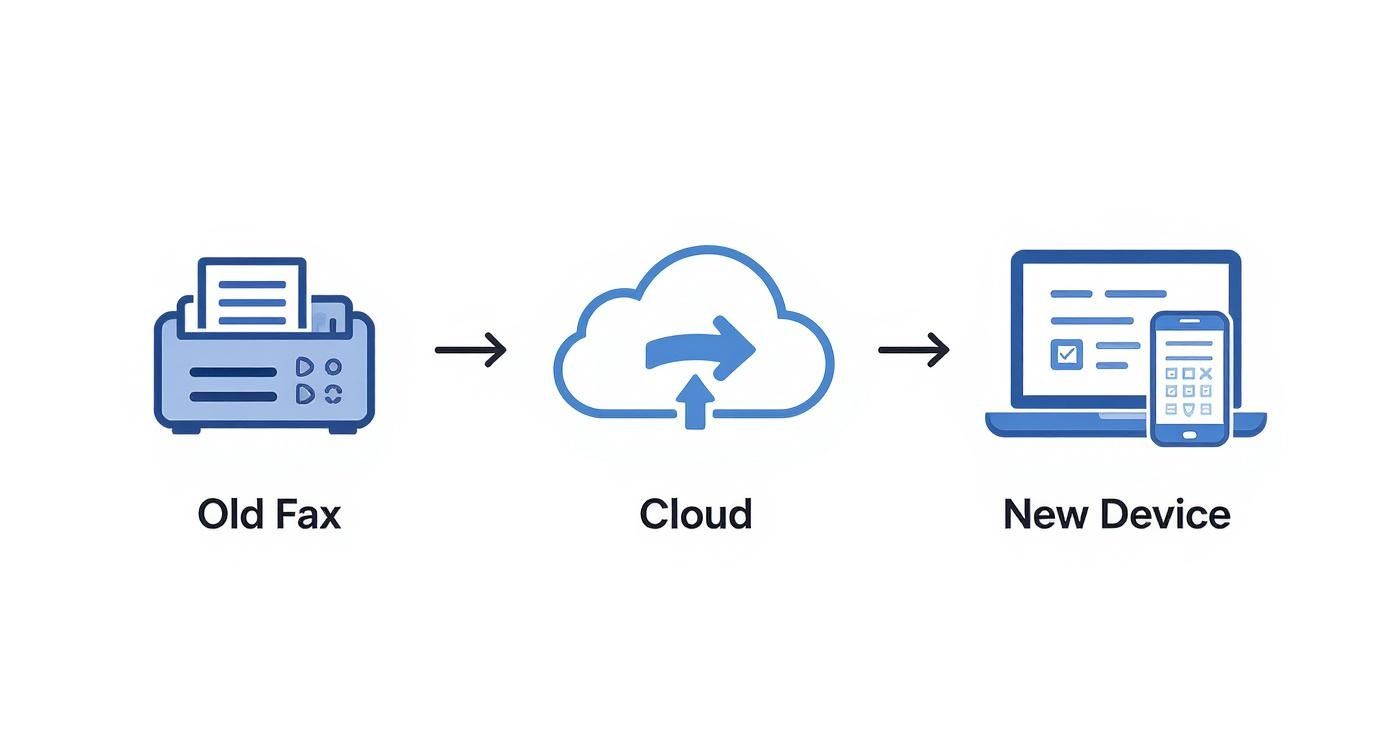
    This diagram shows that simple but powerful jump from old hardware to today's digital tools.

    Diagram illustrating the transition from an old fax machine sending documents to the cloud, then to a new laptop and smartphone.

    As you can see, a document starts at a traditional machine, passes through the cloud for processing, and lands on modern devices like a laptop or smartphone, closing the loop.

    Receiving Faxes in Your Digital Mailbox

    Receiving a fax is just as easy—it's the same process, but in reverse. When someone sends a document from their traditional machine to your online fax number, the service is always on, ready to catch the incoming call. No more missed faxes because the machine was off or out of paper.

    Here’s how the digital translation works on the receiving end:

    1. Accepts the Analog Call: The system answers the incoming call from the sender’s fax machine.
    2. Translates the Signal: It takes those incoming audio tones and converts them back into a clean digital file, usually a PDF.
    3. Delivers to You Securely: This new digital document is sent right to your email inbox as an attachment. Most services also let you view and store faxes in a secure online portal or a mobile app.

    This all happens automatically in just a few moments. All you have to do is open an email. The tricky parts—managing phone lines, translating signals, and confirming delivery—are completely handled by the cloud based faxing service. It's a seamless experience from start to finish.

    Traditional Fax vs. Cloud Fax vs. Email

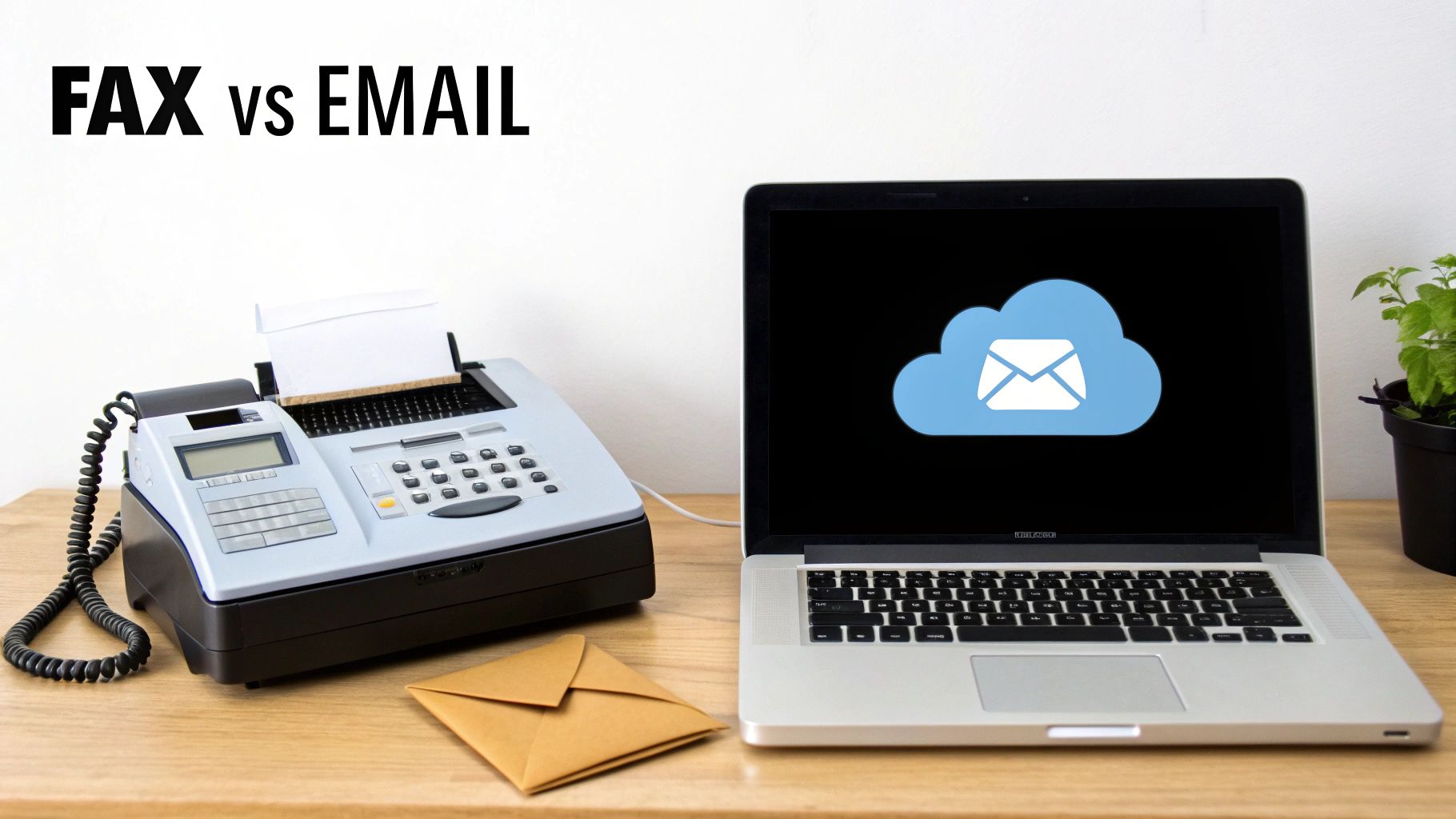
    A fax machine next to a laptop displaying a cloud email icon, comparing FAX vs EMAIL.

    Choosing how to send an important document isn't just a matter of convenience anymore. It’s a business decision that directly affects your security, costs, and even legal standing. For years, the choice was pretty stark: the old-school fax machine for secure documents or email for speed. But now, a third option has emerged that changes the game entirely.

    To really get why so many businesses are making the switch, it helps to put all three methods side-by-side. Each one has its place, but their strengths and weaknesses become glaringly obvious when you look at what a modern business actually needs. This comparison makes it clear why cloud based faxing has become the go-to for professionals.

    The Security Showdown

    When you're dealing with sensitive information, security is everything. Traditional faxing earned its reputation for being secure because it creates a direct, point-to-point connection over a phone line. Think of it like a sealed pneumatic tube shooting a document straight to the recipient—it's incredibly difficult for an outsider to intercept mid-journey.

    Standard email, on the other hand, is more like sending a postcard. It’s quick and easy, but your message hops across numerous servers on its way, often without any encryption. This leaves it wide open for prying eyes. While encrypted email services exist, they aren't the norm and usually require both the sender and receiver to jump through technical hoops.

    This is where cloud based faxing really shines. It takes the secure, direct-dial concept of traditional faxing and layers on modern security protocols like end-to-end encryption. Your document is protected from the second you hit "send" all the way to its destination, offering a level of security that standard email just can't touch.

    Accessibility and Hardware Hassles

    Let’s be honest: the biggest headache with a traditional fax machine is being chained to it. You have to be physically in the office, standing over a clunky machine that needs its own phone line, a constant supply of paper, and expensive ink cartridges. If you’re working from home or on the road, you're out of luck.

    Email is the complete opposite. Its greatest strength is its incredible accessibility from literally any device with an internet connection. But as we just covered, that convenience comes with a major security trade-off.

    Cloud faxing gives you the best of both worlds. You get the work-from-anywhere freedom of email combined with the robust security of a fax. You can send and receive legally binding documents from your laptop, tablet, or smartphone, all without a single piece of hardware in sight.

    By moving fax capabilities to the cloud, businesses gain the robust, point-to-point security inherent in fax technology while enjoying the modern accessibility of email. This hybrid approach solves the core limitations of both older methods, making it ideal for today's flexible work environments.

    Cost and Compliance Considerations

    The costs of running a traditional fax machine are more than just the price tag on the box. You’re paying for a dedicated phone line every month, plus the endless cycle of buying paper, toner, and eventually, paying for repairs. These costs sneak up on you and can easily add up to hundreds, if not thousands, of dollars a year.

    Email is generally cheap, but it’s a non-starter for regulated industries. Trying to send Protected Health Information (PHI) through a standard email, for instance, is a serious HIPAA violation that can result in massive fines. It simply lacks the security and audit trails required by law.

    A cloud based faxing service gets rid of all that. It’s a straightforward subscription, so you have a predictable monthly cost with zero hardware expenses. More importantly, the best providers are built from the ground up for compliance. They offer critical features like detailed audit trails and will sign Business Associate Agreements (BAAs), making them the safest and most cost-effective choice for professionals who need to meet strict HIPAA regulations.

    To wrap it all up, let's look at a direct comparison. The table below breaks down how each method stacks up against the factors that matter most in a business setting.

    Comparison of Document Transmission Methods

    Feature Traditional Fax Machine Cloud Based Faxing Standard Email
    Security High (point-to-point) Very High (encrypted) Low (unencrypted by default)
    Accessibility Very Low (office-bound) High (any device) High (any device)
    Compliance (HIPAA) Compliant (with safeguards) Compliant (designed for it) Not Compliant
    Hardware Needs Machine, phone line, supplies None Computer or mobile device
    Overall Cost High (ongoing expenses) Low (predictable subscription) Low (often part of a suite)

    As you can see, cloud based faxing consistently hits the sweet spot, offering the security and compliance of a traditional fax machine with the flexibility and low cost of email. For businesses that can't afford to compromise on any of these fronts, the choice becomes pretty clear.

    Nailing Down Top-Tier Security and Compliance

    When you’re dealing with patient records, legal contracts, or financial statements, security isn't just a feature—it's everything. We've all seen old fax machines spitting out sensitive documents onto a shared tray for anyone to see. That old way of working offers a false sense of security that just doesn't cut it anymore.

    This is where modern cloud based faxing completely changes the game. These services are built from the ground up to protect your information with multiple, overlapping layers of defense. The entire process becomes controlled and auditable. Instead of a physical document sitting out in the open, your faxes land as encrypted digital files in a password-protected inbox. That simple change alone eliminates one of the most glaring security risks of traditional faxing.

    Protecting Your Data with End-to-End Encryption

    At the heart of any good cloud fax service is end-to-end encryption. The best way to think about this is like a digital armored car for your documents. From the moment you click "send," your files are sealed in a tamper-proof container that can only be opened by the person it's intended for.

    • Encryption in Transit: This is the armor your document wears as it travels across the internet. It scrambles the data, preventing anyone from snooping on it while it's on its way to the provider's servers.
    • Encryption at Rest: Once your fax arrives and is stored, it doesn't just sit there unprotected. It remains encrypted, making the files completely unreadable to anyone who might gain unauthorized physical access to the servers.

    This one-two punch of encryption ensures your information is locked down at every single stage of its journey.

    The Make-or-Break Role of HIPAA Compliance

    For anyone in healthcare, the Health Insurance Portability and Accountability Act (HIPAA) is the law of the land. The rules for protecting patient information are incredibly strict, and the penalties for messing up are severe. This is precisely why cloud based faxing has become such a critical tool for medical practices, hospitals, and insurers.

    The best providers design their platforms with these regulations in mind. They offer indispensable features like detailed audit trails, which give you a complete history of every document—who sent it, who viewed it, and when it was delivered. This creates a permanent, unchangeable record that's absolutely essential for accountability and security reviews.

    One of the most critical pieces for HIPAA compliance is the Business Associate Agreement (BAA). This is a formal, legally binding contract where your fax provider promises to protect patient data according to HIPAA standards. If a service provider won't sign a BAA, that's a massive red flag and a serious compliance risk.

    The healthcare industry’s need for bulletproof document delivery has fueled the growth of the cloud fax market. As detailed in a Business Research Insights report, this rapid move away from clunky hardware helps organizations meet HIPAA’s demands while also cutting costs and making workflows more efficient.

    Beyond the Basics: Secure Data Centers and Full Audit Trails

    Top-tier cloud fax services don't just stop at encryption. They host their entire infrastructure in highly secure data centers that are often certified with standards like SOC 2, proving they meet rigorous controls for security and confidentiality. Frankly, it's a level of physical and digital protection that most businesses could never afford to build on their own.

    On top of that, the detailed audit trails give you total transparency. You can trace a document's entire journey, which provides undeniable proof of transmission and receipt—something that can be a lifesaver for legal or compliance purposes. While free services might seem tempting, you have to ask what you're giving up in security. To learn more, check out our analysis on whether free services like FaxZero are safe for your important documents.

    Sending Your First Online Fax: A Practical Walkthrough

    Person typing on a laptop displaying 'Send First Fax' with a cloud icon, symbolizing online faxing.

    The best way to really grasp how simple cloud-based faxing is is to see it in action. If you're picturing yourself standing over a clunky machine, feeding in pages one by one, think again. Sending your first document online feels a lot more like sending an email. Let's walk through the steps together to show you just how easy it is.

    The whole process is designed to be straightforward, even if you’re not particularly tech-savvy. Platforms like our own SendItFax service provide a clean, simple web interface where everything you need is right in front of you. No more fiddling with buttons or deciphering cryptic error codes.

    Preparing Your Document and Recipient

    To kick things off, you'll log into your provider's web portal or open up their app. You’ll usually be greeted by a dashboard with a big, clear "Send Fax" button. This is your starting point for every document you send out.

    The first few fields you’ll fill in will look very familiar:

    1. Recipient's Information: Type in the full fax number, area code included. Most services also have fields for the recipient's name and company, which is great for your own records and for populating the cover page.
    2. Sender’s Details: Your own information (name, company, contact number) is typically pulled straight from your account settings, but you can usually tweak it for any specific fax you're sending.

    Think of this step as the digital version of filling out a traditional fax cover sheet. It's all about making sure your document gets to the right person and they know who sent it.

    The core idea behind a good cloud faxing interface is to remove friction. The goal is to make sending a secure, legally-binding document as effortless as attaching a file to an email and clicking 'send.' The technology handles the complex routing and delivery confirmation automatically.

    Attaching Files and Finalizing Your Fax

    Now for the main event: adding the document you want to send. Just like composing an email, you'll find a button labeled "Attach Files" or "Upload Document." Clicking this lets you browse your computer and select the file you need.

    One of the biggest perks is the wide range of file types most services accept. They handle the conversion for you instantly.

    • PDFs and Word Documents: These are the bread and butter of online faxing and work flawlessly.
    • Image Files: Got a JPEG, PNG, or TIFF? No problem.
    • Spreadsheets: Many services can even take an Excel file and get it ready for transmission.

    Once your files are attached, you’ll get the chance to add a cover page. This is a nice professional touch where you can add a subject line and a short note. For a lot of businesses, a clear cover page is crucial for making sure the fax gets routed to the right desk on the other end.

    With all the details filled in, your documents attached, and the cover page ready, you just hit "Send." The cloud-based faxing service does all the heavy lifting from there—dialing the number, transmitting the data, and getting confirmation. You'll get a notification, usually by email and in your account dashboard, as soon as it's been successfully delivered.

    How to Choose the Right Cloud Faxing Service

    Picking the right provider for your cloud based faxing is a big deal. It’s a decision that directly affects your security, your team's workflow, and, of course, your budget. The market is flooded with options, and it's easy to get lost in the marketing noise. The trick is to look past the flashy promises and dig into the details that actually matter for your business.

    Remember, you're not just buying a piece of software. You're choosing a partner to handle your sensitive documents. A little homework upfront will ensure you land a service that not only gets the job done today but can also scale with you down the road.

    Evaluate Pricing and Page Volume

    Most people start by looking at the price, but it’s the pricing model that really tells the story. Providers usually have a few different ways they charge, and the best one for you comes down to a simple question: how much do you actually fax?

    • Pay-Per-Fax Plans: Perfect for the occasional user. If you only send a fax once in a blue moon, paying a small fee per transmission—like with SendItFax’s Almost Free plan—makes a lot more sense than getting locked into a monthly subscription.
    • Tiered Subscriptions: This is the sweet spot for most businesses with a steady faxing rhythm. You get a set number of pages each month for a flat fee. The one thing to watch out for is the overage rate—the cost for each page you send beyond your limit. Those can sneak up on you.
    • Unlimited Plans: If you’re running a high-volume operation, like a busy medical clinic or a law firm, an unlimited plan is a no-brainer. It gives you predictable costs and one less thing to worry about.

    Before you pull the trigger, take a moment to estimate your monthly fax volume. You might be surprised to find that the plan that looks cheapest on the surface is actually the more expensive option for how you work. For a deeper dive, you can explore options for the cheapest online fax service to see a full comparison of different pricing models.

    Must-Have Features and Usability

    Price is important, but what good is a cheap service if it’s a pain to use? A clunky interface can slow everyone down, which completely defeats the purpose of upgrading your faxing system in the first place.

    Look for a provider that feels intuitive and comes with the features you'll actually use every day:

    • Mobile Apps: In a world of remote and hybrid work, being able to send and receive faxes from a phone or tablet is non-negotiable.
    • E-Signature Support: If you handle contracts, loan documents, or patient consent forms, built-in electronic signature tools are a massive time-saver.
    • Broad File Support: Make sure the service plays nice with the files you already use, like PDFs, Word documents (DOCX), and common image formats.

    A great cloud faxing service should feel like a natural extension of your existing tools. The less time you spend learning how to use it, the more time you can spend on productive work. The goal is seamless integration, not another complicated piece of software.

    Security and Compliance Certifications

    For any business that deals with sensitive information, this is the most important part of the evaluation. Period. A data breach stemming from a non-compliant service can be catastrophic. You need to see concrete proof of security, not just vague assurances.

    Here's what should be on your checklist:

    • HIPAA Compliance: If you're in healthcare, this is mandatory. The provider absolutely must be willing to sign a Business Associate Agreement (BAA). No BAA, no deal.
    • Encryption Standards: Ask if they use strong encryption for your data both in transit (as it's being sent) and at rest (when it's stored on their servers).
    • Data Center Security: Top-tier providers use secure, audited data centers with certifications like SOC 2 to prove their physical infrastructure is locked down.

    This intense focus on security is what’s driving much of the innovation in the industry. In fact, market projections show the global cloud based faxing market is expected to grow from USD 1.2 billion in 2024 to an estimated USD 3.46 billion by 2033, largely because businesses need scalable and secure solutions. You can read more about this trend in this comprehensive report. Choosing a provider with proven security credentials means you're partnering with a company that takes this responsibility as seriously as you do.

    Frequently Asked Questions About Cloud Faxing

    Even after seeing all the benefits, it's normal to have a few lingering questions before you jump in. Moving away from a piece of hardware you've used for years is a big change, so let's tackle some of the most common things people ask.

    Think of this as the final check-in to make sure you're completely comfortable with how cloud faxing really works day-to-day.

    Do I Need a Phone Line for Cloud Based Faxing?

    Nope, not at all. This is actually one of the biggest perks. Cloud based faxing works entirely over the internet.

    Your provider handles all the behind-the-scenes magic of connecting to the old-school telephone network. All you need on your end is a simple internet connection for your computer or smartphone. This completely cuts the cord, saving you the cost and hassle of a dedicated phone line just for faxing.

    Can I Keep My Existing Fax Number?

    Absolutely. Most businesses insist on it, and for good reason. Good providers offer something called number porting, which is just a fancy term for moving your current fax number over from your old phone company to your new cloud fax service. It's a standard, straightforward process.

    By porting your number, you get to skip the massive headache of telling every single client, vendor, and partner you have a new number. Business just keeps humming along without a single interruption.

    This way, you get a modern, flexible system without losing the fax number everyone already knows.

    How Will I Receive Incoming Faxes?

    Receiving faxes is just as simple as sending them. When a fax comes through to your number, the cloud service catches it, instantly converts it into a digital file (usually a PDF), and gets it to you.

    You'll typically get your faxes in a few convenient ways:

    • To Your Email: The fax arrives as a PDF attachment right in your inbox.
    • In Your Online Portal: Log in to your provider’s secure dashboard to see and manage all your faxes in one place.
    • On Your Phone: Most services have a mobile app that gives you a heads-up the moment a new fax arrives.

    Is Cloud Based Faxing Legally Binding?

    Yes. Faxes sent via a reputable cloud fax service hold the same legal weight as documents sent from a traditional machine. In fact, the proof is often stronger.

    These services create detailed transmission logs that act as a verifiable, time-stamped receipt. This digital audit trail is far more robust than the flimsy confirmation page that might (or might not) print out from an old fax machine, giving you solid proof of delivery.


    Ready to send a secure fax in minutes without the hardware? With SendItFax, you can send documents from any device with an internet connection, no account needed. Experience the convenience for yourself at https://senditfax.com.