Tag: send fax online

  • How to Fax Online for Free The Ultimate Guide

    How to Fax Online for Free The Ultimate Guide

    It might sound old-school, but faxing is still a surprisingly common requirement in today's world. Thankfully, sending a fax for free online is incredibly simple. All you need is a web-based service like SendItFax, where you can upload a file, type in the destination fax number, and hit send. No machine, no phone line, no hassle.

    Why Bother With Faxing Anymore?

    You’d be surprised. For all our digital progress, faxing remains a critical tool in sectors like healthcare, law, and government. Why? It's all about security and legal standing. A fax creates a direct point-to-point connection for sending sensitive documents, which is often considered more secure and legally binding than a simple email.

    This isn't just a niche practice; the online fax market is booming. It's projected to more than double, growing from USD 2.2 billion to USD 4.5 billion by 2035. A big part of that growth comes from people ditching clunky old machines for cloud-based faxing. In fact, if just 5% of users switched from traditional to online faxing, we could save a staggering 10 billion pages of paper annually.

    The Clear Edge of Faxing Online

    Choosing a free online fax service is the perfect modern solution to an old-world problem. You get to skip the bulky hardware, the extra phone line, and the endless costs of paper and toner. It’s a smarter way to work.
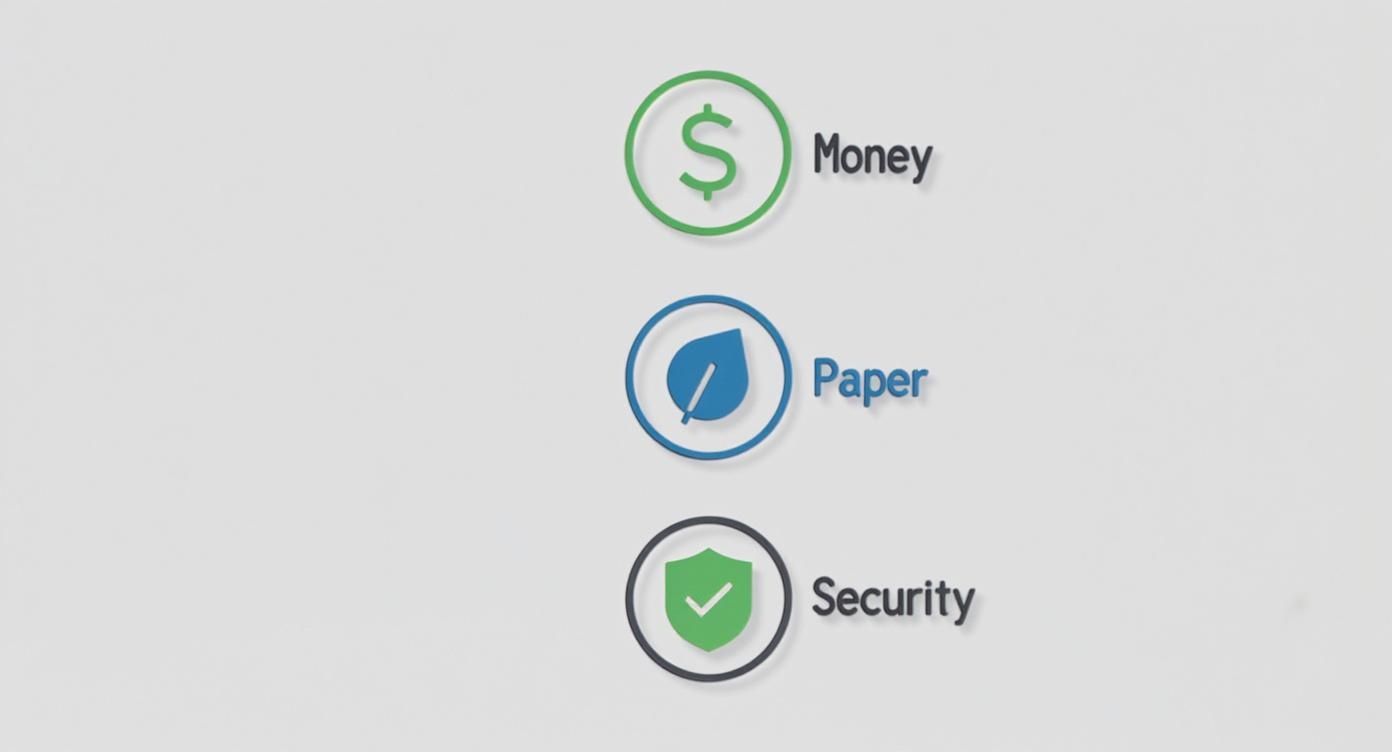
    Three icons with labels: Money (dollar sign), Paper (leaf), and Security (shield with checkmark).

    The benefits really stack up, especially for individuals or small businesses who only need to send a fax now and then:

    • Total Convenience: Send a document from your laptop, tablet, or even your phone—wherever you have an internet connection.
    • Zero Cost: You completely avoid the purchase price and ongoing maintenance costs of a physical fax machine.
    • Better Security: Reputable online services use encryption, which is a huge step up from leaving a sensitive document sitting in the tray of a shared office machine.

    Online faxing isn't just a replacement; it's an upgrade. It allows you to meet the requirements of legacy systems without giving up the efficiency and security we've come to expect from modern technology.

    Traditional Faxing vs Free Online Faxing

    Here’s a quick breakdown of how a free online service stacks up against a traditional machine for the occasional user.

    Feature Traditional Fax Machine Free Online Fax Service
    Initial Cost $100 – $400+ for the machine $0
    Ongoing Costs Paper, ink/toner, dedicated phone line, repairs $0 (for sending)
    Convenience Tied to a physical location Send from anywhere with internet
    Document Format Physical paper only Digital files (PDF, DOCX, JPG, etc.)
    Security Documents can be left exposed in the output tray Often includes encryption for secure delivery
    Environmental Impact Consumes paper and electricity Paperless and eco-friendly

    The choice is pretty clear. For sending the occasional document, a free service just makes more sense.

    Getting started is easy, but it helps to understand the fundamentals, like learning what is a fax number and how it works in a digital setup. Once you have that down, you'll see just how powerful this simple tool can be.

    Getting Your Documents Ready to Fax

    Before you can send a fax online, you need to have your document in a digital file. This might seem obvious, but the format you choose can make or break the whole process. Get it wrong, and your recipient could end up with a blurry, unreadable mess.

    Most free fax services are pretty flexible and accept common file types. But from my experience, one format stands head and shoulders above the rest for reliability.

    Pick the Right File Type for a Clean Send

    You'll usually see options for PDF, DOCX, and JPG. While you can send a Microsoft Word file (DOCX) or a simple image (JPG), I always recommend sticking with PDF (Portable Document Format).

    Why? Because a PDF is essentially a picture of your document. It locks everything in place—the fonts, the spacing, the images. This means what you see on your screen is exactly what will print out on the other end, which is crucial for things like signed contracts or official forms where every detail matters.

    Think of a PDF as a digital snapshot. It prevents anything from getting jumbled or reformatted during the fax transmission, guaranteeing a professional and readable result every time.

    From Paper to a Digital File

    What if your document is a physical piece of paper sitting on your desk? No problem. You don't need a clunky old scanner anymore; your smartphone is more than capable of doing the job.

    The camera on your phone, paired with a scanning app, can create a crisp digital copy. You might even have a scanner built right into your phone's native apps, like the Notes app on an iPhone or the Google Drive app on Android.

    To get a great scan, just follow these simple tips:

    • Light it up: Find a spot with good, even lighting. Lay your document on a flat, dark surface to create contrast. Try to avoid shadows or glare, as they can make the text hard to read.
    • Get a steady shot: Hold your phone parallel to the document, making sure you can see all four corners. Most scanning apps are smart enough to find the edges and straighten the image for you.
    • Tweak it a little: Once you've captured the image, use the app's editing tools to crop out the background. Bumping up the contrast can also make the text pop and the white background look cleaner.

    Mind the File Size

    This is a step people often forget. Free online fax services have to manage their resources, so they usually limit the size of the files you can send—typically somewhere between 5 MB and 10 MB. A really high-quality scan or a document with lots of images can easily blow past that limit.

    If your file is too big, don't worry. Just pop it into a free online PDF compression tool. A quick search for "compress PDF free" will turn up plenty of easy-to-use options that can shrink your file down without sacrificing much quality, ensuring it uploads and sends without a hitch.

    Sending Your First Free Online Fax

    You’ve got your document prepped and ready to go. Now for the easy part. Sending a fax online is surprisingly straightforward, but a few small details can make all the difference. Let's walk through it so you know exactly what to expect.

    Your first move is to head to a free online fax service. You'll immediately see a prompt to upload your file. This is where having that compressed PDF comes in handy—it makes for a quick and painless upload every time.

    Getting the Recipient Details Right

    This is where you need to pay close attention. It's the number one spot where faxes fail, and it's usually due to a simple typo.

    For faxes within the U.S. and Canada, it’s just the area code and the seven-digit number. Don't worry about adding a "1" for long-distance; the service handles that for you.

    Sending a fax internationally? You'll need to be a bit more careful. You have to start with the country code, then the city/area code, and finally the local number. For instance, a fax to London needs the UK's country code (44) at the very beginning. Forgetting that prefix is an almost guaranteed way to get a "failed transmission" notice.

    A quick tip from experience: Always, always double-check the fax number before you hit send. One wrong digit can send your confidential documents to the wrong machine or just into the ether. It’s a two-second check that can save you a massive headache.

    Why You Should Bother With a Cover Page

    The cover page is your fax’s handshake. It's the first thing your recipient sees. While some services like SendItFax make it optional on paid plans, I'd argue it's essential for free sends, especially if you're faxing a large office with a shared machine. A good cover page ensures your document doesn't get lost in the shuffle.

    Here's the key info to include:

    • To: The recipient's full name and title.
    • From: Your name and company (if it's relevant).
    • Date: The day you're sending it.
    • Subject: Be specific! "Signed Contract for Project Apollo" is a lot more helpful than "Contract."
    • Number of Pages: Don't forget to include the cover page itself in the count (e.g., "5 pages, including cover").

    Modern services make this whole process incredibly simple, turning what used to be a clunky office task into something you can do from your phone.
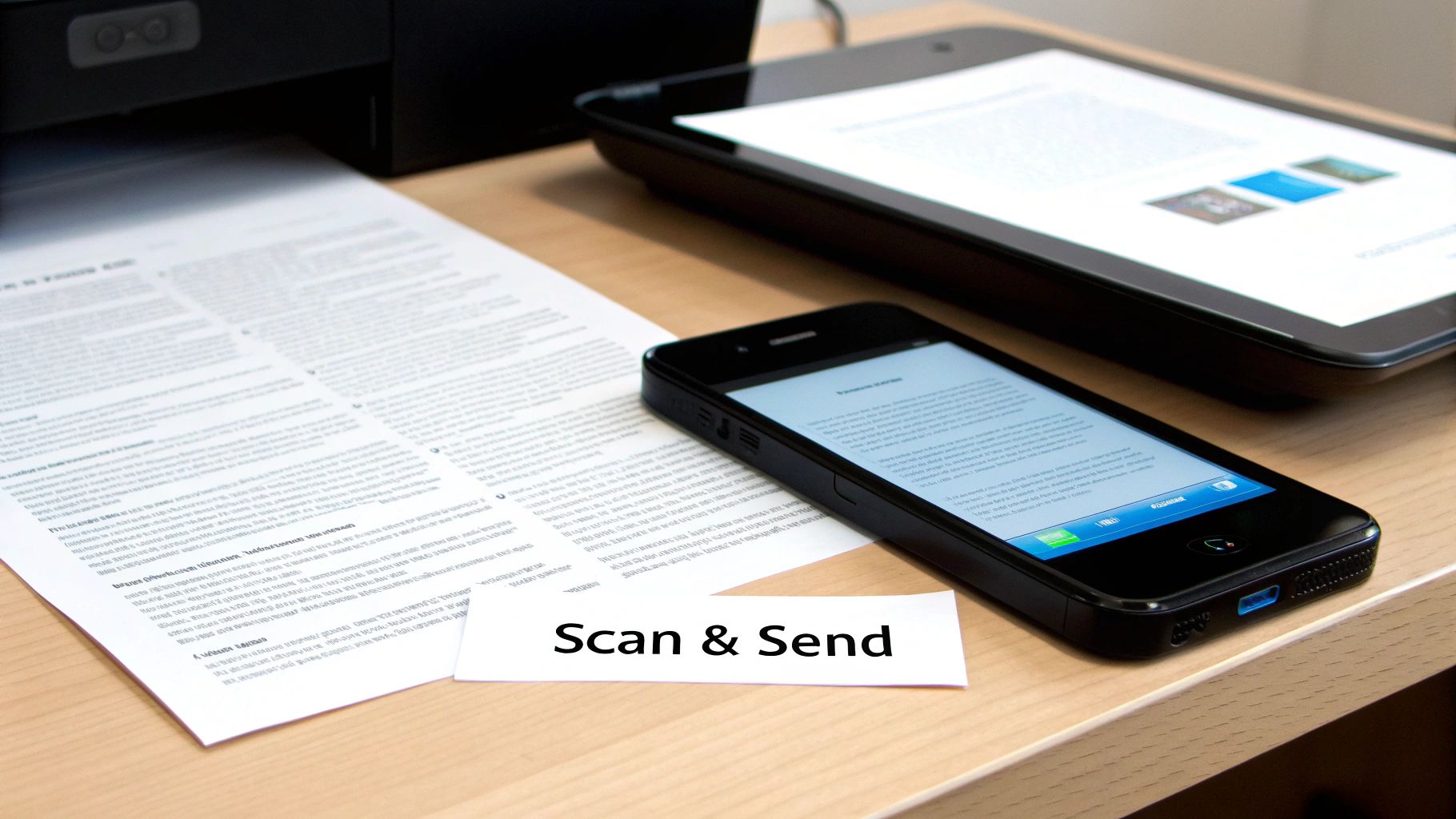
    A document being scanned and sent with a smartphone and tablet, featuring a 'Scan & Send' label.

    What Happens After You Click "Send"

    Once you hit that button, the magic happens behind the scenes. The service converts your file into a signal that a traditional fax machine can understand and then starts dialing. It's not always instant—if the recipient's line is busy, the system will patiently redial a few times.

    Keep an eye on your email inbox. You'll get a confirmation message that tells you whether the fax went through successfully or if it failed. This email is your proof of transmission, so it's important. If you don't see it within a few minutes, check your spam folder before you panic.

    A "failed" notification isn't the end of the world. It’s usually just a busy signal, a disconnected number, or that tiny typo in the fax number we talked about. The process to send a free fax from your computer is built to handle these little hiccups, but getting the details right from the start is the best way to avoid them.

    Navigating the Limits of Free Fax Services

    https://www.youtube.com/embed/I4YKQdY6xwk

    Free online fax services are an incredible tool for sending a quick document here and there, but it's important to go in with your eyes open. They all have guardrails in place, and knowing what they are ahead of time will save you a lot of frustration. I like to think of it less as a drawback and more as a simple trade-off for getting a service at no cost.

    The most common hurdle you'll run into is a daily page limit. Most providers will cap you at a certain number of pages per day, typically somewhere between three to five pages per fax. This is usually plenty for sending back a signed contract or a single application form. But what happens when your document is longer?

    Smart Workarounds for Page Limits

    Don't throw in the towel. With a little creativity, you can work around those limits pretty easily. Let's say you have a seven-page document but the service only allows five pages per fax. The answer is simple: split it up. It just takes a little extra communication.

    Here’s how I’ve handled this in the past:

    • Split your document. I use a free online PDF tool to break my seven-page file into two smaller ones. In this case, I'd make one with pages 1-4 and a second with pages 5-7.
    • Be crystal clear on your cover pages. For the first fax, I'll make the subject line something like: "Contract Submission – Part 1 of 2 (Pages 1-4)."
    • Send the second part right away. Then, I immediately send the next one with a corresponding subject: "Contract Submission – Part 2 of 2 (Pages 5-7)."

    This approach lets the person on the other end know exactly what to expect and makes it easy for them to assemble the full document. It keeps things professional and organized, which is always a good look.

    The real goal isn't just to get the pages sent; it's to make the recipient's job as easy as possible. Clear labeling on the cover page transforms a workaround into a thoughtful, organized process that prevents any mix-ups.

    Another big limitation is the inability to receive faxes. Free services are almost always a one-way street—you can send, but you can’t get one back. This makes sense, as providing a dedicated incoming fax number costs the provider real money. If you need two-way faxing, that’s the clearest sign that a free plan won't cut it for you.

    When It's Time to Consider an Upgrade

    Free services are purpose-built for occasional, non-critical faxes. But you’ll start to see signs when it’s time to look at a paid option, even a really affordable one.

    You should think about upgrading if you find yourself:

    • Constantly hitting the limits: If splitting documents or waiting for the next day to send a fax has become a regular part of your routine, your workflow is being slowed down.
    • Needing to receive faxes: This is the number one reason people make the switch. For any kind of business or official back-and-forth, a dedicated number is a must-have.
    • Wanting a more professional appearance: Free services, including SendItFax, often put their branding on the cover page. That’s perfectly fine for personal use, but a paid plan gets rid of it for a cleaner, more professional look.
    • Sending highly sensitive information: While most free services are secure enough for general use, paid plans often come with better compliance features and guaranteed priority delivery.

    For most people, the jump isn't to an expensive monthly subscription. A service like SendItFax has what they call an "Almost Free" plan where you pay a small, one-time fee per fax. It removes the branding, bumps your limit up to 25 pages, and gives your fax priority delivery. It's the perfect middle ground for when your needs have grown just a little bit.

    Keeping Your Sensitive Documents Secure

    When you're faxing something for free online, it’s easy to forget you're handling sensitive information. Whether it’s a signed contract or a personal medical form, you're handing that data over to a third-party service. Just because it's free doesn't mean you should have to compromise on security.

    Thankfully, good services take this seriously. The absolute bare minimum you should look for is encryption. Specifically, check for services using SSL (Secure Sockets Layer) or its more modern cousin, TLS (Transport Layer Security). This is the same stuff that protects your credit card details when you shop online. It essentially creates a scrambled, secure tunnel between your computer and the fax service, making your documents completely unreadable to anyone trying to snoop on them while they're in transit.
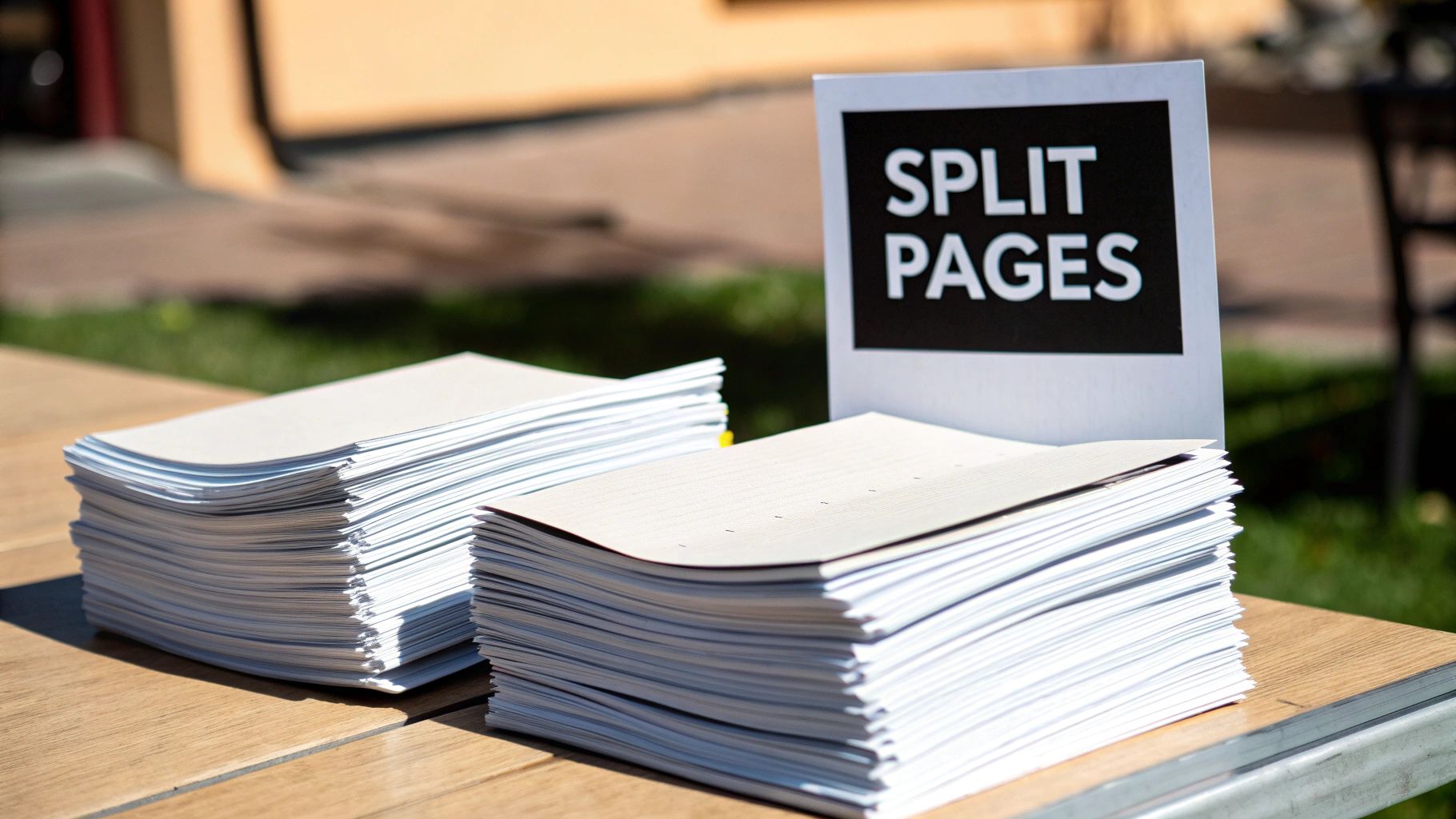
    Two stacks of documents and a 'SPLIT PAGES' sign on a wooden table outdoors in sunlight.

    Reading Between the Lines of a Privacy Policy

    Okay, I get it—nobody wants to read a privacy policy. It’s usually a wall of legal jargon. But taking just a minute to skim it can tell you everything you need to know about how your files are being treated.

    You don't need a law degree to spot the warning signs. Look for specific language about what happens to your documents after they’ve been sent. A reputable service will be up-front about deleting your files from their servers after a short, defined period.

    A solid privacy policy will explicitly state that your data will not be sold or shared with third-party advertisers. If the language is vague or gives the company broad rights to use your content, that's your cue to find a different service.

    An Essential Security Checklist

    Before you upload a single document, run through this quick mental checklist. These are the green flags that signal a service actually cares about your privacy.

    • SSL/TLS Encryption is a Must: Look for the "https://" at the beginning of the website's URL. If it's not there, don't use the service. Simple as that.
    • A Clear Data Deletion Policy: The service should automatically and permanently purge your sent faxes once the transmission is finished.
    • Minimal Data Collection: The service should only ask for what's truly necessary to send the fax—your email for a confirmation receipt and the recipient's fax number. Anything more is a red flag.

    For certain fields, you have to think about legal compliance, too. If you’re sending anything related to healthcare, for instance, the service absolutely must be HIPAA compliant. This is a federal standard that ensures patient information is handled with the highest level of security.

    Most free services won't meet this high bar, but it’s crucial to be aware of. Some methods, like sending faxes directly from your email, can add another layer of control. You can learn more about how to fax via email to see if that approach works better for your security needs. Ultimately, choosing a service with transparent, common-sense security practices lets you send faxes for free without looking over your shoulder.

    Troubleshooting Common Online Faxing Problems
    A person holds a tablet displaying a secure document with a lock icon, emphasizing secure online faxing.

    Even the simplest tech can have its moments. When you’re trying to get a free fax out the door, a small hiccup can feel like a major headache. The good news is that most of the time, the fix is incredibly simple.

    The most common issue by far is the dreaded "fax failed" notification. My first bit of advice? Don't panic. It rarely means something is wrong with the service or your document. In my experience, more than 90% of these failures boil down to just two things: a busy signal on the other end or a simple typo in the fax number.

    Before you even think about resending, take a breath and double-check the number you typed in. If you got it right, the receiving machine was probably just tied up. Give it a few minutes, then try sending it again.

    When Your Confirmation Email Goes Missing

    So you've hit "send," but there's no confirmation email in sight. It's easy to assume the fax failed, but that's usually not the case. The first place you should always look is your email's spam or junk folder. Automated messages from online services get flagged all the time.

    If it's not hiding in spam, check to see if the service has a user dashboard or a "sent faxes" log. Most do, and it’s the best way to get a real-time status update on your transmission without having to guess.

    A missing confirmation doesn't mean a failed fax. Always check your spam folder and the service's dashboard for a status update before you attempt to resend the document.

    Fixing Upload and Quality Issues

    Sometimes the problem pops up before you even get a chance to send it. If you can't get your file to upload, the culprit is almost always one of two things: the file is too big, or it's in the wrong format. Free fax services are strict about their size limits, so if your PDF is on the heavy side, run it through a free online PDF compressor to shrink it down.

    What if the fax goes through, but the person on the other end says it's blurry or unreadable? That’s not a transmission error—it’s an issue with the quality of your original file. A little prep work can make all the difference.

    Here’s what I recommend:

    • Rescan your document: Find a flat surface with good lighting and hold your phone steady, directly above the page. No weird angles.
    • Boost the contrast: Most scanning apps have a feature to make text darker and the background whiter. Use it.
    • Stick with PDF: Always save your final file as a PDF. It locks in the layout and quality, so what you see is what they get.

    Ultimately, a crisp, clean source file is the secret to a professional-looking fax. It ensures your message gets received loud and clear every time.

    Got Questions About Free Online Faxing?

    It's completely normal to have a few questions before you start sending faxes online. I've been doing this for years and have run into just about every scenario, so let's clear up some of the most common points of confusion.

    Can I Actually Receive Faxes for Free?

    This is probably the number one question I get, and the short answer is almost always no. Think of free online fax services as a one-way street—they're built for sending documents out, not for receiving them.

    To get incoming faxes, you need your own dedicated fax number. That's a feature you'll only find in paid plans, so if you need that back-and-forth communication, you'll have to spring for a low-cost subscription.

    How Safe Is It to Fax Sensitive Documents?

    You can fax sensitive documents, but you have to be smart about it. Your top priority should be finding a service that uses SSL/TLS encryption. That's the same technology your bank uses to keep your online sessions secure, and it scrambles your data as it travels, making it unreadable to anyone else.

    I'd also take a minute to read the provider's privacy policy. You want to see a clear statement that they automatically delete your files from their servers once the fax goes through. You don't want your private info just sitting on some company's server indefinitely.

    One thing I can't stress enough: free services are generally not HIPAA compliant. If you're dealing with personal health information or other legally protected data, you absolutely need to use a paid, secure service. It's the only way to meet your legal and privacy obligations.


    Ready to skip the old fax machine and send a document right now? With SendItFax, you can send up to three pages completely free, with no account sign-up required. If you've got a slightly longer document, our Almost Free plan handles up to 25 pages and gets you priority delivery. Give it a try at https://senditfax.com.

  • Send a Free Fax From Computer The Easy Way

    Send a Free Fax From Computer The Easy Way

    Sending a free fax from computer is way easier than you might imagine. All it really takes is an internet connection and your web browser. Online fax services do all the heavy lifting for you, taking your digital file and transmitting it over traditional phone lines—no clunky machine required.

    Faxing Without a Fax Machine Is Simpler Than You Think

    It’s easy to think of faxing as a relic from another time, but it’s still an essential tool in many fields, especially healthcare, law, and real estate where secure document transfer is a must. The old headache was always the machine itself—the paper jams, the busy signals, the dedicated phone line. Thankfully, those days are over.

    With modern digital solutions, anyone can send a secure document from their laptop or desktop in just a few minutes. This isn't just a small trend; it's a huge shift in how people handle documents. The global online fax market has swelled to a value of around USD 4.18 billion, a testament to how many businesses and individuals are ditching old hardware for digital convenience. This boom is fueled by the simple, powerful ability to send a free fax from computer without any special gear. If you're curious, you can read more about the online fax market's growth and see just how widespread this technology has become.

    Why Online Faxing Is the New Standard

    The real draw of online faxing is its sheer simplicity and accessibility. Forget printing a document, walking over to a machine, punching in numbers, and hoping it goes through. Now, you can get it all done with a few clicks.

    This approach brings some obvious wins:

    • It’s Cheaper: You completely cut out the costs of paper, ink, toner, and the inevitable machine repairs.
    • It’s Convenient: Send a fax from wherever you are—your home office, a coffee shop, or even on the go. As long as you have an internet connection, you're all set.
    • You Get a Digital Trail: Most services send an email confirmation, which acts as a digital receipt proving your fax was delivered successfully.

    The beauty of online faxing is how it perfectly bridges the digital and analog worlds. It lets you stay in your modern workflow with PDFs and DOCX files while still communicating seamlessly with organizations that rely on traditional fax machines.

    To really see the difference, let’s put them side-by-side.

    Traditional Fax vs. Online Faxing From Your Computer

    Thinking about the old way versus the new way? The contrast is pretty stark once you break it down.

    Feature Traditional Fax Machine Free Online Fax Service
    Hardware Required Dedicated fax machine, phone line Computer, internet connection
    Supply Costs Paper, ink, toner None
    Accessibility Limited to the machine's location Accessible from any browser, anywhere
    Confirmation Printed confirmation sheet Digital confirmation via email
    Sending Process Manual dialing, feeding paper Upload a file, enter a number, click send

    When you look at it this way, the choice becomes clear. Online faxing takes a process that was tied to a physical location and specific hardware and sets it free, making it accessible, affordable, and a whole lot less frustrating.

    How to Send Your First Online Fax

    So, you need to send a fax but don't have a fax machine. Welcome to the club. Sending a free fax from computer is surprisingly simple once you do it for the first time. Imagine you're a freelancer who just landed a new client. They've asked for a signed contract back, like, yesterday. Instead of hunting down a print shop with a dusty old fax machine, you can handle the whole thing from your computer in less than five minutes.

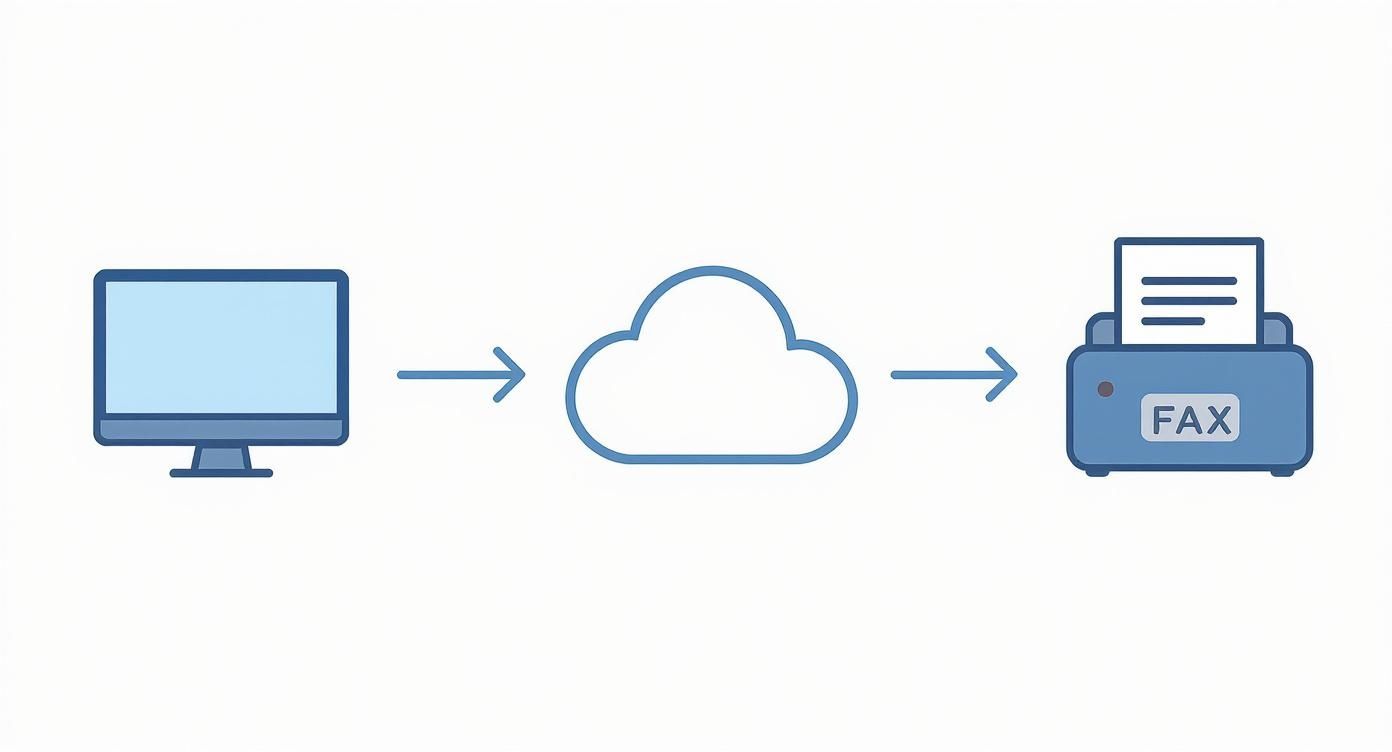
    The magic happens behind the scenes. An online fax service acts as a translator, taking the digital file from your computer and converting it into a signal that a traditional fax machine on the other end can understand and print.

    This is basically how it works: your file goes from your desktop, through the web service, and pops out of the client's fax machine as a physical document.

    Infographic about free fax from computer

    It’s a perfect bridge between the way we work today and the technology some offices still rely on.

    Getting Your Document Ready

    First things first, you need a file to send. The good news is that most free services are flexible and accept the file types you're already using.

    • PDF (.pdf): This is your best bet. PDFs lock in formatting, so you can be confident that the contract you send will look exactly the same on the other end. No weird line breaks or font issues.
    • Word Documents (.doc, .docx): Super convenient if your document is already in Word. Most services let you upload these directly without needing to convert them to PDF first.

    In our freelancer scenario, they’d scan the signed contract and save it as a PDF. This creates a crisp, professional-looking copy that’s ready to go. It’s also smart to glance at the file size—while most documents are small enough, a massive file with high-res images might take longer to upload or even fail.

    Using the Online Fax Service

    With your document saved, head over to the website of a free fax provider. You'll find the layout is usually clean and designed for one purpose: sending your fax without a headache. It's all about filling in a few key boxes.

    You'll start with your own details—your name and email. Don't rush this part. Your email address is critical because that’s how you'll get the delivery confirmation. It's your digital receipt proving the fax went through.

    Next up, the recipient's information. This is where you need to be extra careful.

    The most common reason a fax fails is a typo in the fax number. Always double-check every digit, including the area code.

    If you're sending to someone in the United States, you’ll enter the standard 10-digit number. Most platforms are smart enough to format it correctly, but a quick second look never hurts.

    Uploading and Sending Your Fax

    Okay, all the info is in. Now it's time for the main event. Look for a button like "Choose File" or "Attach Document." Clicking it will open your computer's file explorer, where you can find and select your contract PDF.

    Once it's uploaded, you'll often see an option to add a message to the cover page. This is a great touch. Our freelancer could add a simple note: “Hi team, here's the signed contract for the Q3 project. Please let me know you've received it. Best, [Your Name]." It’s professional and provides immediate context.

    With everything filled in and your document attached, hit that "Send Fax" button. The service takes over, dialing the number and transmitting your file. In just a few minutes, you should get an email in your inbox confirming a successful delivery. If you're curious about all the moving parts of a service like this, our sample page provides a good overview.

    What to Expect From Free Fax Services

    https://www.youtube.com/embed/hYVqTAdr5eE

    Sending a free fax from computer is a lifesaver when you’re in a pinch, but it's good to know what you're getting into. These services are almost always "freemium," meaning they give you the basics for free and hope you'll upgrade for more powerful features. Understanding their limitations from the start will save you a headache later on.

    Navigating the Inevitable Limits

    First off, don't expect to send a 50-page manuscript. The most common restriction you'll hit is a page limit. Most free fax services cap you at around three to five pages per fax. This is perfectly fine for sending a signed contract, a quick invoice, or a doctor's note, which is what most people need them for anyway.

    On top of that, you'll likely run into a daily sending limit. A typical free plan might let you send a maximum of five faxes within a 24-hour window. This setup is designed for occasional use, not for a business that needs to send out dozens of documents every day.

    The Trade-Off: Branding and Professionalism

    Here’s another thing to keep in mind: nothing is truly free. To pay the bills, these services often add their own branding—a small logo or a line of text—to the cover page they generate for your fax.

    For personal stuff, who cares? But if you’re sending a business proposal, a legal document, or your resume, having another company’s logo slapped on it might not look as professional as you’d like. It's a small detail, but one that could matter depending on who's on the receiving end.

    For many people, the convenience of a free service far outweighs these limitations. It's all about matching the tool to the job at hand. A quick, non-critical document? A free fax service is a no-brainer.

    Faxing itself is a technology that just won't quit. It's been around for nearly two centuries, yet an incredible 80% of enterprises still use it, especially for sending sensitive documents securely. This enduring reliance on faxing is precisely why so many online options, both free and paid, have popped up. If you're curious, you can find out more about the faxing industry's surprising resilience.

    A Quick Word on Privacy and Security

    Anytime you upload a document online, you should have privacy on your mind. Before you send something with your social security number or bank details, take a minute to glance at the service's privacy policy.

    It's smart to see how they handle your data and how long they keep your files on their servers. While most use a secure connection, free plans generally don't come with the heavy-duty encryption or compliance guarantees (like HIPAA for medical records) that paid plans offer. For highly sensitive information, you might want to think twice.

    To help you visualize the differences, here’s a quick comparison of what you typically get with free versus paid plans.

    Free vs. Paid Online Fax Plans At a Glance

    This table breaks down the common differences you'll find when deciding between a free service and an entry-level paid subscription. It really helps clarify what you're getting—and what you're giving up—with a free plan.

    Feature Typical Free Plan Typical Paid Plan
    Sending Limit 3-5 pages per fax, 5 faxes per day 100+ pages per month
    Receive Faxes Not available Yes, with a dedicated fax number
    Cover Page Includes provider's branding Ad-free, customizable cover page
    Security Basic encryption Enhanced security, compliance options
    Delivery Speed Standard delivery Priority delivery
    Support Limited to FAQs or email Dedicated customer support

    Ultimately, free plans are fantastic for what they are: a simple, no-cost way to handle occasional faxing needs. But once your volume increases or you need more professional features like a dedicated number, a paid plan quickly becomes the more practical choice.

    Troubleshooting Common Online Faxing Snags

    A person looking thoughtfully at a laptop screen while working on a document.

    So, you've tried to send a free fax from your computer, but it didn't work. It happens. Even with a simple process, a fax can fail to go through, but don't worry—the fix is almost always surprisingly easy. When that dreaded "transmission failed" message pops up or the confirmation email never arrives, it’s usually one of a few common culprits.

    You won't need to be a tech wizard to figure this out. Most of the time, the solution comes down to double-checking a few details or making a quick tweak to your document. Let's walk through the most common problems and get your fax sent.

    What to Do When a Transmission Fails

    A "failed fax" error is frustrating, but it's often caused by a simple typo. Before you panic, check the recipient's fax number again, digit by digit. Is the area code correct? From my experience, a mistyped number is the number one reason for failure.

    If the number is definitely correct, the problem might be on the other end. The receiving fax machine could be busy, switched off, or even out of paper. The best move here is to just wait 10-15 minutes and try sending it again. Sometimes all it takes is a little patience.

    A lot of online fax services are smart enough to automatically retry sending to a busy line a few times before giving up. So, if you don't get an instant failure notice, just give it a little time to work its magic.

    Still no luck? The issue might be your file. A document that's too big or in a weird format can cause the system to time out. Converting your file to a standard PDF is almost always the most reliable fix.

    Dealing With Garbled or Messy Documents

    Ever sent a fax that arrived looking like a jumbled mess? That’s a classic sign of a file compatibility issue. While many services claim to accept different file types, PDF is the universal language of documents for a reason—it locks everything in place.

    Here’s how to make sure your document looks perfect on the other end:

    • Always Convert to PDF: Before you even think about uploading, save or export your document as a PDF. This ensures your fonts, images, and layout won't shift around during the faxing process.
    • Watch Your File Size: Free services can be picky about file size. A document packed with high-resolution photos can easily exceed the limit. Try compressing the PDF or, if it's a massive report, consider splitting it into two separate faxes.
    • Keep Layouts Simple: Faxes are old technology. Documents with complex tables, layered graphics, or unusual fonts can sometimes get scrambled. A cleaner, simpler layout is always a safer bet.

    My Confirmation Email Never Arrived—Now What?

    That confirmation email is your proof of delivery, so it’s totally understandable to get a little anxious when it doesn't show up. The very first place you should look is your spam or junk folder. It’s incredibly common for these automated emails to get filtered out by accident.

    While you're at it, double-check that you typed your own email address correctly on the sending page. We've all made that mistake before! If you've checked your spam and confirmed your email was right, and it's been more than 30 minutes, it's safest to assume the fax failed. Just resend it to be sure your document doesn't get stuck in digital limbo.

    Knowing When to Upgrade to a Paid Service

    A professional working at a desk, indicating a business decision to upgrade services.

    Sending a free fax from computer is a fantastic solution for the occasional, one-off document. But there’s a tipping point where your needs will almost certainly outgrow what a free service can deliver. Figuring out when you've hit that point is crucial for keeping your work professional and efficient.

    Think of it this way: a free service is a great starter tool. But as your faxing volume picks up or the documents you send become more critical, those free-tier limitations can quickly turn into frustrating bottlenecks.

    Signs You've Outgrown a Free Service

    So, how do you know it's time to make the switch? If you find yourself nodding along to any of these common scenarios, a paid plan is likely a smart move.

    • You're Hitting Daily Limits: Constantly running into that five-faxes-per-day cap? It’s a clear sign your needs have grown. A paid plan lets you send what you need, when you need it, without the daily countdown.
    • You Need to Receive Faxes: This is the big one. Free services are a one-way street—they only let you send. If you need a dedicated fax number for clients, colleagues, or vendors to send documents to you, a paid subscription is non-negotiable.
    • Your Brand's Image Matters: Sending an important contract or a client proposal with another company's branding splashed across the cover page just doesn't look professional. Paid plans give you clean, ad-free cover sheets that you can customize to match your own brand.

    When Security and Support Take Center Stage

    For a lot of us, especially those in healthcare, law, or finance, the decision to upgrade comes down to security. Free services generally don't provide the high-level encryption or compliance guarantees (like HIPAA) required for handling sensitive information.

    The fax services market, currently valued at USD 3.31 billion, is expanding because businesses need secure, cloud-based solutions. In fact, roughly 40% of old, on-site fax servers have already been swapped out for cloud services offering encrypted, compliant communications. This trend alone shows why upgrading is so important for anyone dealing with confidential data.

    Moving to a paid service isn't just an expense; it's a proactive measure to protect client information and meet professional standards. That’s a level of security free options just can't offer.

    And what happens when a time-sensitive fax fails to send? With a paid plan, you typically get access to dedicated customer support that can help you troubleshoot and resolve the issue quickly—a lifesaver when you're on a tight deadline.

    If you're weighing your options and want to see what a professional-grade service looks like, checking out a trusted provider like SendItFax at https://new.senditfax.com/ can give you a clear picture of the benefits you'd gain.

    A Few Lingering Questions

    Sending a free fax from computer is usually a breeze, but a few questions almost always come up. It's smart to know the lay of the land before you send. Let's tackle some of the most common queries I hear.

    Can I Receive a Fax for Free With These Services?

    Unfortunately, the answer is almost always no. Free online faxing is typically a one-way street: you can send, but you can't receive.

    Receiving faxes requires a dedicated, personal fax number that belongs only to you. This is a core feature of paid subscription plans. When you upgrade, you're given a permanent number where anyone can send faxes. The service then converts those incoming faxes into a digital file (like a PDF) and drops it right into your email inbox.

    Are Free Online Fax Services Secure Enough for Sensitive Documents?

    This is a big one, and you’re right to ask. While most free services use some form of encryption during the transfer, the overall security can be a mixed bag. For anything truly sensitive—think medical records governed by HIPAA, confidential legal contracts, or detailed financial statements—you really need to pause and think.

    Free platforms generally don't provide the robust, end-to-end encryption or compliance certifications that you get with a professional-grade service. It’s always a good idea to skim the privacy policy before you upload something confidential. For a deeper dive into best practices for document security, you can check out what our experts have to say in this helpful author's guide.

    For everyday, non-sensitive documents, a free service is perfectly fine. But when confidentiality is non-negotiable, investing in a paid service with explicit security guarantees is the only responsible move.

    Do I Need to Install Special Software on My Computer?

    Nope, and that's the beauty of it. The biggest draw of using a web-based fax service is that everything happens right inside your internet browser. No downloads, no installations, no fuss.

    If you have a stable internet connection and a modern browser like Chrome, Firefox, or Safari, you're all set. You just head to the website, upload your file, plug in the details, and hit send. The whole process is designed to be as familiar and straightforward as sending an email.


    Ready to send your fax without the hassle? SendItFax makes it easy. Upload your document and send it in minutes—no account required. Try it now at https://senditfax.com.