Tag: send fax online

  • Master Your Fax Online Free Trial

    Master Your Fax Online Free Trial

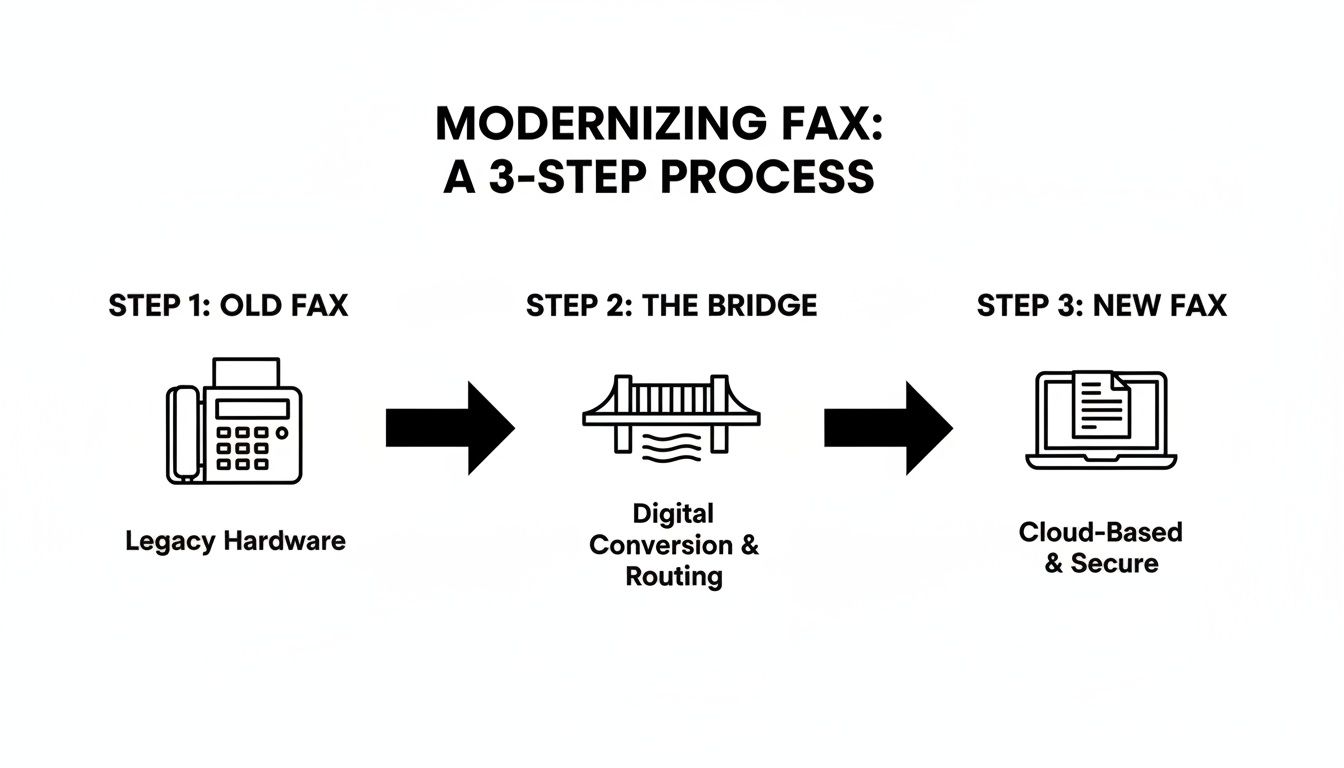
    Think of a fax online free trial as your personal test drive for a new way of faxing. It’s a chance to kick the tires and see how it all works—sending real faxes from your computer or phone—without having to pull out your credit card first.

    What a Free Trial Truly Offers

    Laptop displaying online fax trial text on screen with notebook and smartphone on wooden desk

    At its core, a free trial is designed to give you a real, hands-on feel for an online fax service. Forget about wrestling with a clunky machine and a dedicated phone line. Instead, you just grab a digital file like a PDF or Word doc, upload it, and send it off to any fax number on the planet.

    This is your opportunity to see if the service actually delivers on its promises. It’s all about answering a few key questions for yourself:

    • Can I figure this out in a few minutes, or is it a confusing mess?
    • Is uploading my documents straightforward?
    • Will I get a clear, easy-to-understand confirmation once my fax goes through?

    Understanding the Bigger Picture

    The move to digital faxing isn't just a small convenience; it's part of a huge shift. In 2024, the global market for fax services was valued at a whopping USD 3.31 billion, and it's expected to climb to USD 4.48 billion by 2030.

    Why the growth? Because industries like healthcare, law, and real estate still rely on the security of faxing, and online services make it accessible for everyone. For someone who only needs to send a fax once in a blue moon, a fax online free trial is the perfect gateway. You get a modern, practical solution without any of the old-school hardware headaches. You can dive deeper into these market trends with recent research findings.

    In essence, a free trial takes the mystery out of online faxing. It shows you firsthand that sending a signed contract or a medical form can be as simple as sending an email. Just a few clicks, and you're done.

    Ultimately, the goal is to give you a clear, no-strings-attached experience. By the end of the trial, you'll know for sure if the service is a good fit for your needs.

    What Are the Catches? Navigating Common Free Trial Limits

    An online fax free trial is an excellent way to test the waters, but it's crucial to remember you're getting a sneak peek, not the full, unrestricted service. Providers set these boundaries intentionally; they want to give you just enough of a taste to see how easy it is, hoping you'll stick around for the main course.

    Page and Time Limits: The Two Big Ones

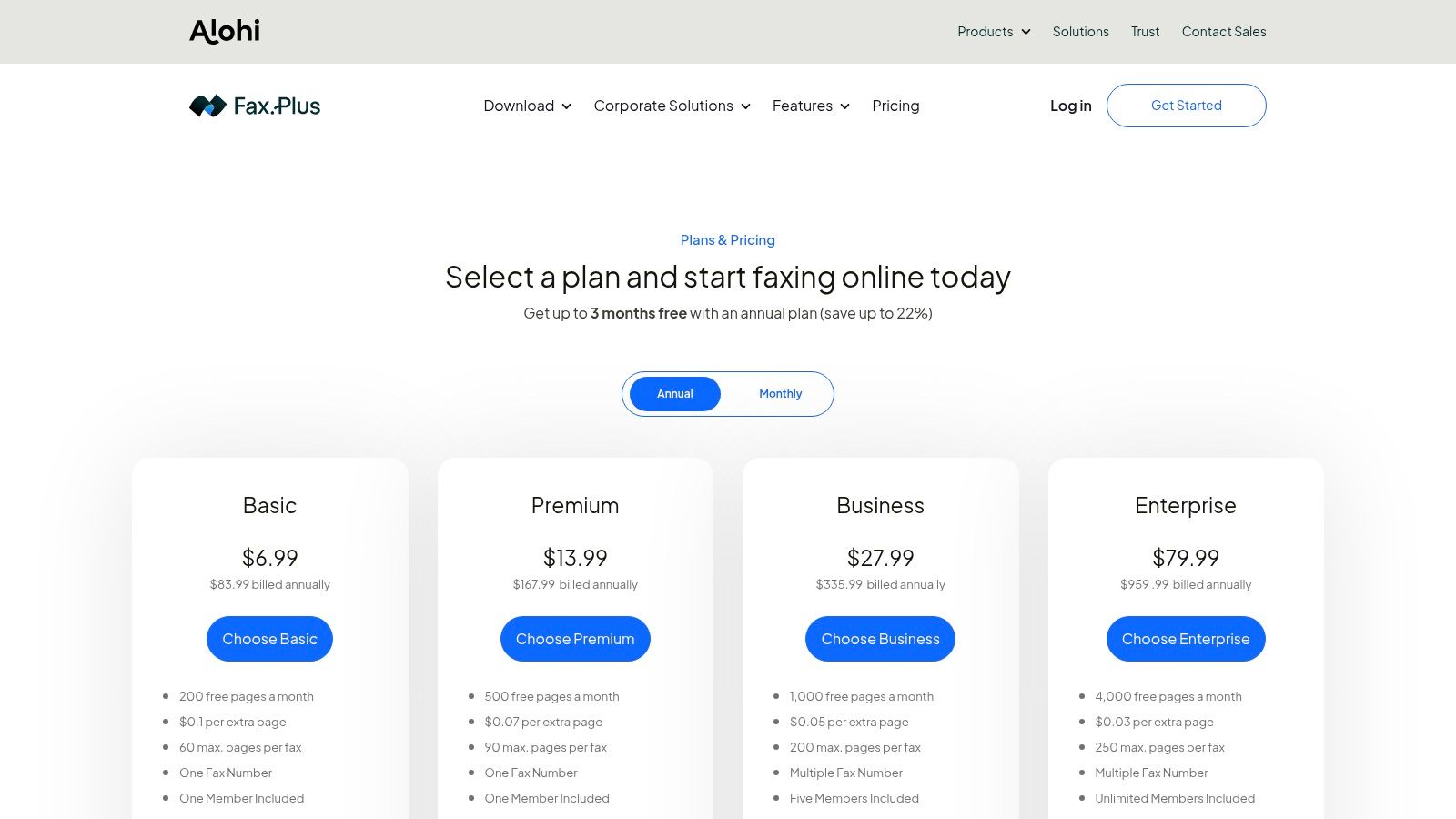
    The first thing you'll almost always run into is a strict page count. Most free trials or one-off services give you a small batch of pages to work with, typically somewhere between 5 to 10 pages total. That's usually perfect for sending a quick application or a signed form, but it won't handle a lengthy report or a multi-page contract. You can find more details on how free fax models work at Fax.plus.

    The other major constraint is time. These trials don't last forever. You'll typically get a set window—think 7, 14, or maybe 30 days—to use the service. When the clock runs out, your access usually ends. Be careful, though: if you had to enter a credit card to start the trial, it might automatically convert to a paid subscription. Always read the fine print.

    What Features Are Usually Off-Limits?

    Beyond the page and time caps, don't be surprised if some of the more advanced features are locked away. During a free trial, you'll likely find that you can't access things like:

    • Receiving Faxes: This is a big one. Most free trials are send-only. You won't get your own dedicated fax number to receive documents from others.
    • International Faxing: Need to send a document overseas? That's almost always a feature reserved for paying customers.
    • Power-User Tools: Things like digital signatures, integration with other apps (API access), or detailed delivery confirmations are typically part of a paid package.

    The goal behind these limitations is pretty straightforward. The provider wants you to see for yourself that their service is reliable and user-friendly. Once you're convinced, they hope you'll see the value in upgrading for more consistent use or advanced features.

    To put it all into perspective, let's break down the common differences between a free trial and a paid plan.

    Free Trial vs Paid Plan Feature Comparison

    Here's a quick look at what you can generally expect when comparing a free trial offer to a standard, entry-level paid subscription. It helps manage expectations and choose the right option for your needs.

    Feature Typical Free Trial Typical Paid Plan
    Sending Pages 5-10 pages total 100+ pages per month
    Receiving Faxes Often disabled Included with dedicated number
    Trial Duration 7-14 days Ongoing monthly/annual
    International Sending Usually unavailable Included or pay-per-page
    Cover Page Mandatory with provider branding Optional and brand-free
    Support Basic FAQ or email Priority phone and chat support

    Seeing the differences laid out like this makes it clear. A fax online free trial is the perfect tool for a quick, one-and-done fax. But if you expect to send or receive faxes regularly, or if you need more professional features, a paid plan is really the way to go.

    How to Choose the Right Free Fax Trial

    Let's be honest, not all "free" trials are truly free or even created equal. To find the best fax online free trial for what you actually need, you have to look past the big, flashy numbers and get into the nitty-gritty. Think of it like test-driving a car—you're not just kicking the tires; you're checking to see if it drives well, has the features you need, and won't surprise you with a hidden repair bill.

    The first thing I always look at is the user experience. Is the dashboard clean and simple? Or does it feel like you need a degree in computer science just to find the "upload" button? A good service should feel intuitive from the get-go. You should be able to send your first fax within minutes, no manual required.

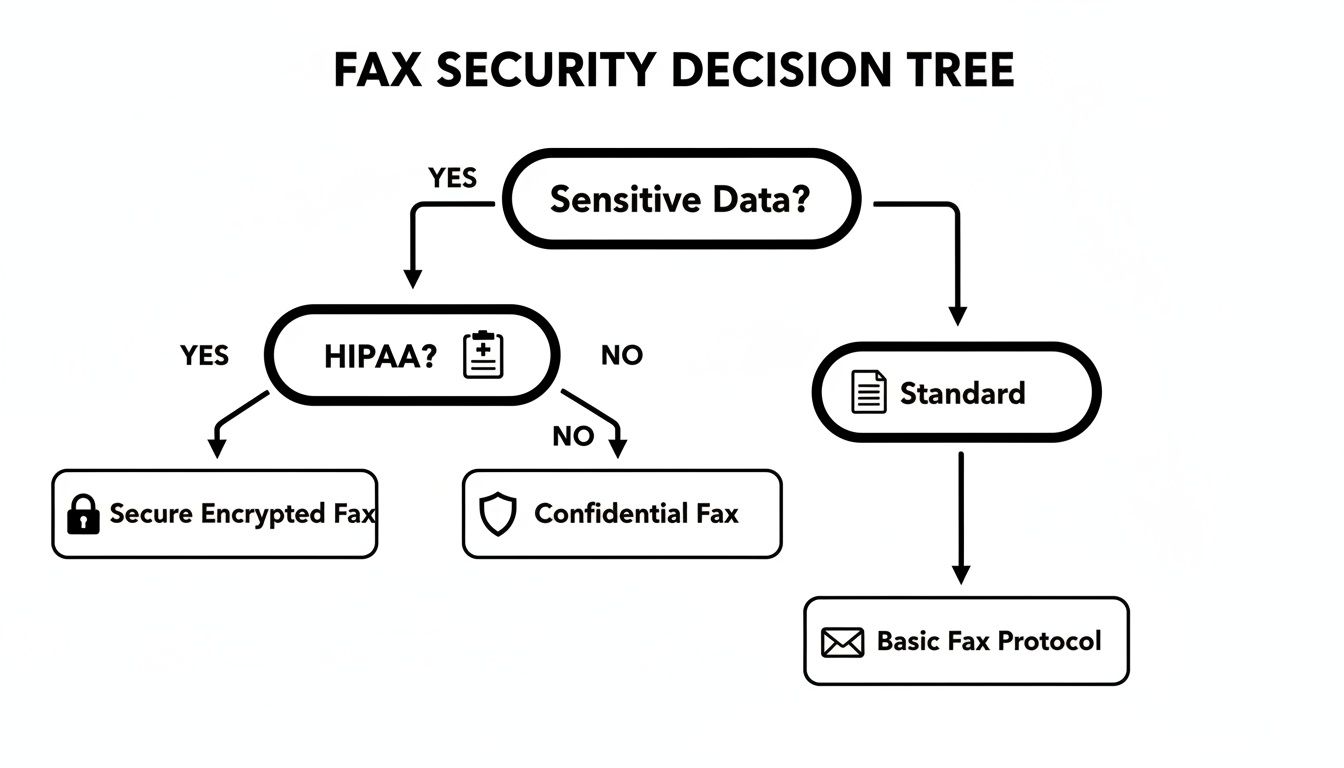
    Next up, and this is a big one, is security. If you’re faxing anything sensitive—like legal documents, patient records, or financial information—this is an absolute deal-breaker. Look for explicit mentions of end-to-end encryption and compliance with standards like HIPAA. This is your guarantee that your documents are scrambled and unreadable to anyone but the intended recipient.

    Finally, do yourself a favor and read the cancellation policy before you enter your credit card details. So many trials are designed to automatically roll over into a paid subscription, and getting out can sometimes be a headache. A transparent, easy-to-cancel trial is a sign of a trustworthy company.

    Key Factors for Your Evaluation

    Before you jump into any trial, take five minutes to run through this checklist. It’s a simple way to make sure the service is a good match for you and avoid frustration down the road.

    • Did it Actually Send? You need proof. A good service will give you a clear, detailed confirmation page or an email alert the second your fax is delivered. After all, that proof of receipt is often the main reason you're faxing in the first place.
    • Is Anyone Home? What happens if your fax gets stuck or you can't figure something out? See if the trial includes access to customer support, even if it's just a solid FAQ section or email help.
    • What Can You Send? Make sure the platform handles the files you actually use. Check for common formats like PDF, DOCX, and JPG.

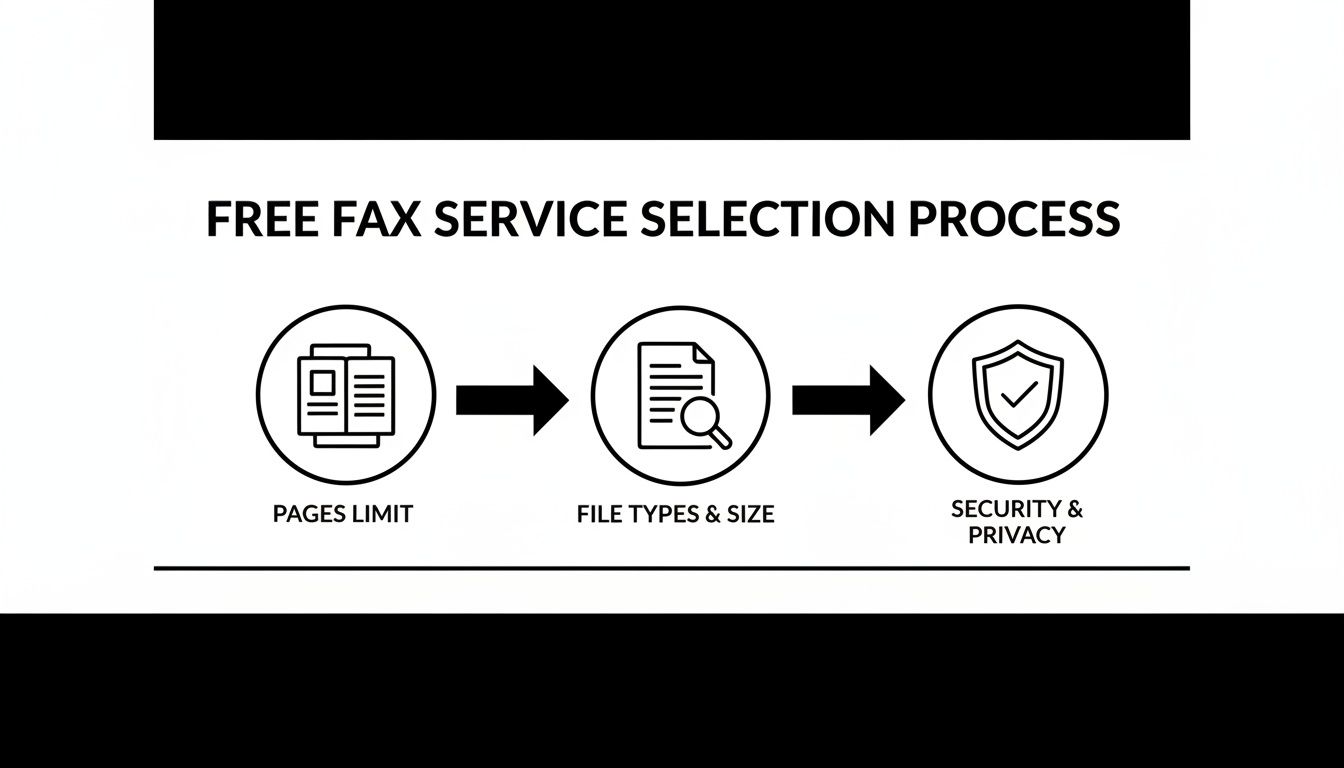
    This simple decision tree can help you figure out if a free trial is the right move based on how many pages you need to send.

    Decision flowchart showing whether to choose fax trial or paid plan based on page volume needs

    As you can see, if you just have a few pages to send as a one-off, a free trial is probably your best bet. If you want to see how different services compare on these points and more, check out our in-depth online fax services comparison for a full breakdown.

    Sending Your First Free Online Fax

    So, you're ready to send a document without touching a fax machine? Good. Using a fax online free trial turns what used to be a clunky, paper-jam-filled chore into a process as simple as sending an email. It’s surprisingly quick.

    Let’s walk through exactly how to get your document from your screen to a fax machine in just a few minutes.

    Person typing on laptop displaying first free fax service on screen at desk

    The best part is that this all happens right inside your web browser. No special hardware, no complicated software downloads—just pure convenience.

    Getting Your Document Ready

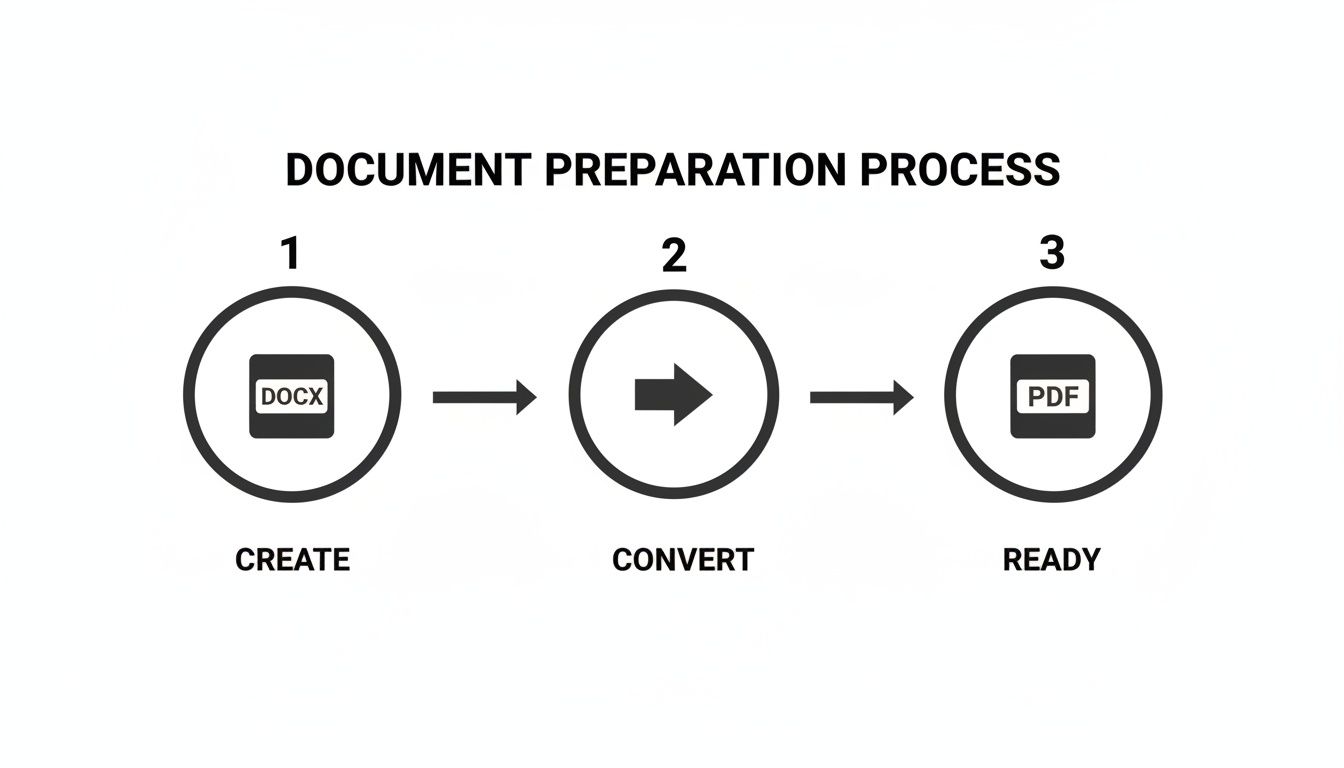
    First things first, you need a digital version of whatever you're sending. The good news is that most online fax services are built to handle the file types you already use every day, so you shouldn't have to mess with any tricky conversions.

    Here are the most common formats they'll accept:

    • PDF: This is the universal favorite. It keeps your formatting locked in place, so what you see is what they get.
    • DOC/DOCX: Got a Microsoft Word document? No problem. It's almost always supported.
    • JPG/PNG: Image files are perfect for sending things like photos, signed forms, or copies of an ID.

    Once your file is saved and ready, you just need to upload it. This usually involves a simple "upload" button or even just dragging and dropping the file into your browser window. For a deeper dive into all the ways you can send a fax from your computer, check out our guide on how to get a free fax from your computer.

    Entering the Details and Hitting Send

    Now that your document is uploaded, it's time to tell the service where to send it. You’ll enter the recipient's fax number—and you'll want to double-check it. Seriously, one wrong digit is the number one reason faxes fail to go through.

    Next, you can add a cover page. Think of this as the envelope for your fax. It gives the recipient all the essential info right up front.

    A cover page is where you put your name and contact info, the recipient’s details, and a quick note about what you're sending. Just a heads-up: with most free services, this page will probably have their logo or branding on it.

    After filling everything in, you're ready for the final click: "Send." From here, the service does all the heavy lifting. It converts your digital file into a signal that a traditional fax machine can understand and dials the number for you.

    And here’s the most important part: the confirmation. A good service will send you an email telling you whether the fax went through successfully or if it failed. That email is your proof of transmission, giving you peace of mind that the job is done.

    Why Bother With Faxing in a Digital World?

    It’s a fair question. With email and instant messaging at our fingertips, faxing can feel like a technology from a bygone era. But if you think it’s just a relic, you’d be surprised. For many industries, faxing isn’t just an option; it’s the gold standard for security and legal documentation. Digital faxing simply modernizes that trusted process, making it accessible to everyone.

    Think about it from a doctor's perspective. Sending patient records via email is a huge gamble, ripe for data breaches and HIPAA violations. An encrypted online fax, however, creates a secure, direct line from the clinic to the specialist. That’s how sensitive health information stays private and compliant with tough regulations. The same goes for law firms, where a faxed signature on a contract is legally binding and comes with a bulletproof transmission receipt.

    This isn't just a niche practice, either. Even as we approach 2025, over 80% of businesses still rely on faxing for certain tasks. In fact, industries that depend heavily on fax are rapidly moving to cloud-based solutions, with adoption expected to jump from 31% to over 70% in the next few years. It's becoming a core part of their digital workflow. You can get a deeper look at these industry faxing trends on iFaxapp.com.

    Where Faxing Still Reigns Supreme

    Some fields don't just prefer faxing; they demand it. The verifiable audit trail a successful transmission report provides is often non-negotiable for official business.

    You'll find it's still an essential tool in places like:

    • Healthcare: Sending prescriptions, patient referrals, and medical records while staying strictly HIPAA compliant.
    • Legal: Transmitting court filings, signed affidavits, and contracts where absolute proof of delivery is critical.
    • Finance and Real Estate: Securely moving loan applications, title documents, and purchase agreements.
    • Government: Submitting official forms and applications to agencies that still run on fax-based systems.

    A fax isn't just a document; it's a secure transaction. Unlike an email that can be intercepted or manipulated, a fax transmission creates a direct, private line between sender and recipient, offering a level of security that is difficult to replicate with other common communication methods.

    The Modern Advantage of Digital Fax

    Online faxing takes this battle-tested technology and puts it in your pocket. Forget about bulky machines and dedicated phone lines—now you can send a secure document straight from your laptop or phone. This is a game-changer for a small business owner who just needs to send one signed invoice or an individual trying to submit a time-sensitive government form.

    This is exactly why a fax online free trial is so useful. It gives you immediate access to this critical business tool for a specific, urgent need, all without getting roped into a long-term plan. You get the security and legal weight of a traditional fax with the simple convenience of sending an email. It’s the perfect blend of old-school reliability and modern ease.

    Understanding Security and Privacy

    When you're sending something sensitive—a legal contract, a patient's medical form, or financial statements—security isn't just a nice-to-have feature. It’s the entire point. You absolutely have to trust that your documents are protected every step of the way. This is where a quality fax online free trial has a massive leg up on standard email, which is notoriously easy to intercept.

    Person using laptop for secure faxing with padlock icon on screen showing document transmission

    Think of it this way: sending a document via email is like dropping a letter in a standard mailbox. It's probably fine, but it’s not exactly Fort Knox. Using a secure online fax service is more like hiring an armored truck. These services wrap your data in heavy-duty encryption, scrambling it into unreadable code for anyone who isn't the intended recipient.

    Key Security Features to Look For

    Even when you're just on a trial run, the security has to be rock-solid. Your data is just as valuable on day one as it is a year into a paid subscription, so don't settle for less.

    Keep an eye out for these security essentials:

    • End-to-End Encryption: This is the big one. It means your document is locked down from the moment you hit "send" until it lands on the recipient's fax machine.
    • Compliance Standards: If you're in a regulated industry, this is non-negotiable. Look for proof of compliance like HIPAA for healthcare, GLBA for finance, or SOX for public companies.
    • Secure Data Centers: The best providers house your data in physically secure facilities with round-the-clock monitoring and strict access controls.

    A secure fax transmission is a direct point-to-point connection. This inherent structure greatly reduces the risk of your information being exposed, which is a common concern with email attachments that can sit on multiple servers.

    Your Role in Maintaining Security

    While the fax service provides the secure pipeline, you still have a part to play in keeping your information safe. A few good habits can make all the difference.

    Always, always double-check the recipient's fax number before you send. A single wrong digit could send your private document to a complete stranger's machine. Taking a moment to understand what is a fax number and how they work can help you avoid these simple but costly mistakes.

    And if you do create an account for a trial, use a strong, unique password. By pairing a secure service with your own smart security practices, you can send documents with complete peace of mind.

    Common Questions About Free Fax Trials

    Thinking about trying online faxing? It's normal to have a few questions before you jump in. When you sign up for a fax online free trial, what are you really getting? Let's walk through the most common questions so you know exactly what to expect.

    Do I Have to Enter a Credit Card?

    This is the big one, right? The short answer is yes, most services will ask for a credit card to start a free trial. It's a pretty standard industry practice. They use it to verify you're a real person and to make the transition to a paid plan seamless if you decide to stick around.

    Don't let that scare you off. Any reputable company will make it easy to cancel before you ever see a charge. The trick is to set a reminder on your phone or calendar for a day or two before the trial is up. That way, you have plenty of time to decide without the stress of a surprise bill.

    Can I Receive Faxes During the Trial?

    In most cases, you won't be able to. Free trials are almost always set up to let you send faxes, not receive them. Getting your own dedicated fax number to receive documents is a core feature that's usually reserved for paying customers. The goal of the trial is to give you a test drive of their sending process, not to provide a fully functional fax line.

    What Happens When My Free Trial Ends?

    This is where you need to pay attention to the fine print. Nearly every service will automatically roll your account into a paid subscription once the trial period is over. If you haven't canceled, they’ll charge the credit card you put on file.

    Think of it like a streaming service trial. You get to watch for free for a week or two, but the system is designed to keep the service going unless you actively step in and cancel. Always know your trial's end date so you stay in the driver's seat.

    Is It Safe to Fax Sensitive Documents?

    Absolutely, as long as you pick a service that takes security seriously. A trustworthy provider will use the same robust security measures for trial users as they do for their paying clients. This should include things like end-to-end encryption, which scrambles your data from the moment you hit send until it arrives.

    The safety of your documents isn't about whether you're on a trial or a paid plan; it’s about the company's fundamental commitment to privacy. Always take a look at their security features before you fax anything confidential.


    If you're looking for a way to send a quick fax without getting into trial subscriptions at all, SendItFax offers a no-fuss solution. You can send up to three pages completely free or choose our Almost Free plan for more pages and features, with zero strings attached. Give it a try at https://senditfax.com.
  • How to Fax from Laptop: A Modern Guide

    How to Fax from Laptop: A Modern Guide

    When you need to fax from a laptop, the simplest, most straightforward way is to use an online fax service. These services act as a bridge, taking your digital files and sending them over the internet to a traditional fax machine. No hardware, no dedicated phone line needed.

    Why You Still Need to Fax in a Digital World

    Laptop displaying fax still matters message with security lock icon on desk workspace

    It’s a fair question. Didn't faxing disappear along with dial-up modems and floppy disks? Surprisingly, no. In certain crucial industries, it's not just hanging on—it's still a required method of communication. For professionals in healthcare, law, and finance, sending a fax is often a non-negotiable part of the job.

    The resilience of faxing boils down to two things: security and legal validity. A fax creates a direct, point-to-point connection that’s much harder to intercept than a typical email. This inherent security makes it the go-to for sending sensitive information, like medical records governed by HIPAA or legally binding contracts.

    The Modern Advantage of Laptop Faxing

    Knowing how to fax from a laptop connects these old-school requirements with today's need for flexibility. You’re no longer tied to a clunky machine in the corner of the office. Now, you can send critical documents from literally anywhere you have an internet connection.

    This simple shift makes a huge difference:

    • Better Security: Online fax services add modern encryption to the transmission process, giving you a layer of protection that old analog machines could never offer.
    • Real Cost Savings: Forget about paying for paper, ink, toner, and machine maintenance. You also get to ditch the dedicated phone line that fax machines used to require.
    • Total Convenience: Send a signed contract from a coffee shop or submit an urgent form from your home office. Your laptop is now a powerful, portable fax machine.

    This isn't just anecdotal; the numbers back it up. The global fax services market was valued at an impressive USD 3.3 billion in 2024 and is expected to keep growing, largely because of its vital role in secure business communications. You can dig into the full fax services market trend report for a deeper look.

    Key Takeaway: The real reason faxing sticks around is trust. When you send a fax, you get a transmission receipt. This receipt is legally recognized proof that your document arrived, confirming the exact time it was received.

    For a quick overview of your options, here’s a look at the most common methods for faxing from a laptop.

    Laptop Faxing Methods at a Glance

    This table breaks down the main ways to send a fax from your computer, helping you pick the right one for the job.

    Method Best For Ease of Use Typical Cost
    Online Fax Service Frequent faxing, businesses needing a dedicated number, and high security. Very Easy Monthly subscription (e.g., $10-$30/month)
    Email-to-Fax Quick, one-off faxes for users already subscribed to an online service. Easy Included with most online fax subscriptions.
    Windows Fax & Scan Occasional faxing for users with access to a landline and fax modem. Moderate Cost of a phone line and modem.
    Mac Faxing Apps Mac users who prefer a native app experience and have a fax modem. Moderate App cost plus phone line and modem.

    As you can see, online fax services usually offer the best balance of features, security, and convenience for most people today.

    Why It Still Matters for You

    At the end of the day, a fax provides a verifiable paper trail that’s often required for official business. When you absolutely need to send a document that requires a signature and undisputed proof of delivery, faxing remains the gold standard.

    Understanding what is a fax number and how modern services work is the first step. By using your laptop, you can tap into this trusted system without any of the old-school headaches, ensuring your most important communications are both secure and compliant.

    Using an Online Fax Service for the First Time

    Laptop computer displaying send fax easily message on screen with office supplies on wooden desk

    Diving into a new digital tool can seem like a chore, but you'll be surprised at how simple it is to send your first fax from a laptop. Online fax services have come a long way, and most are designed to feel as familiar as sending an email. Let's walk through a common, real-world scenario to see how it works.

    Imagine you just found the perfect apartment, but the landlord needs the signed lease back immediately. For their own compliance reasons, they’ve asked you to fax it. This is the perfect situation to learn how to fax from a laptop without having to track down an old-school machine.

    Navigating the Dashboard

    Once you've picked a service like SendItFax and logged in, you’ll land on a clean, straightforward dashboard. The best part? There’s no software to install. Everything happens right in your web browser. The main screen will lay out all the essential fields you need to fill out.

    You'll typically find a simple form with fields for:

    • The recipient's fax number
    • Your sender details (name, company, etc.)
    • A button to upload your documents
    • An area for a cover page message

    The layout is built for speed, eliminating any guesswork. You just work your way down the form, filling in each part as you go.

    Pro Tip: I can't stress this enough: always double-check the recipient's fax number. A single wrong digit is the number one reason faxes fail. Unlike email, you won't get a nice "undeliverable" message telling you about the typo.

    Uploading Your Lease Agreement

    Alright, let's get that signed lease attached. Modern online fax services are incredibly flexible and accept a ton of different file types, so you're not stuck with just one format.

    Most platforms, SendItFax included, can easily handle:

    • PDF files: This is the gold standard for official documents, as it preserves all formatting perfectly.
    • Microsoft Word documents (.doc, .docx): Great for sending over contracts or letters you've just finished writing.
    • Image files (.jpg, .png): Super useful if you signed a physical document and just snapped a clear picture of it with your phone.

    In our scenario, you'd just click the "Upload File" button and grab the PDF of your signed lease from your laptop. The service takes care of converting and preparing it for transmission. You can even attach multiple documents, and the service will merge them into a single fax for you.

    Adding a Professional Cover Sheet

    Think of a cover sheet as the introduction to your fax. It tells the recipient who it's from, who it's for, and why you're sending it. This is especially important if you're faxing to a big office where your document might get passed around.

    A good cover sheet always includes:

    • To: The landlord's name
    • From: Your name
    • Date: The current date
    • Pages: The total page count (including the cover sheet!)
    • Subject: Something clear, like "Signed Lease Agreement for Apt 4B."

    Most services also give you a text box for a quick note. A simple message like, "Hi, please find the signed lease agreement attached. I look forward to moving in!" adds a nice, professional touch.

    Give everything one last look, hit "Send Fax," and you're done. If you're still weighing your options, our online fax services comparison is a great resource to help you find the perfect fit.

    Getting Your Documents Ready for a Perfect Send

    Sending a fax from your laptop is incredibly convenient, but a little prep work goes a long way. Think of it like this: you wouldn't feed a crumpled, messy stack of papers into a physical fax machine. The same logic applies here. Taking a moment to get your digital files in order is the key to making sure they arrive looking sharp and professional.

    The most important choice you'll make is the file format. While a service like SendItFax is flexible, one format is king for a reason.

    Why Your File Format Matters

    Hands down, the best format for faxing is the Portable Document Format (PDF). It’s the gold standard. When you save a file as a PDF, you're essentially taking a snapshot that locks in everything—all the fonts, images, and spacing. This means that crucial invoice or signed contract will look exactly the same on the other end, with no weird formatting glitches or missing text.

    Of course, other common formats work too:

    • DOC/DOCX: Microsoft Word files are usually fine, but there's a small risk the formatting could shift if the recipient doesn't have the exact same fonts you do.
    • JPG/PNG: Image files are great when you need to send a picture of something, like a signed document you snapped with your phone. Just make sure the photo is clear, well-lit, and easy to read.

    From my own experience, I always convert my final documents to PDF before faxing. It's a quick, one-click step in almost any program and saves you from a ton of potential headaches. It guarantees my documents always look professional when they land.

    Going From Paper to Pixels

    But what if your document is a physical piece of paper, like a signed form or an important receipt? You don't need to hunt down a scanner. Your smartphone is a surprisingly powerful scanning tool that's probably within arm's reach right now.

    Instead of just taking a picture, use a dedicated scanning app like Adobe Scan or even the feature built into your phone's Notes app. These tools are designed for this exact purpose. They'll automatically find the edges of the paper, fix the perspective, and boost the contrast to create a clean, crisp digital file that looks way better than a regular photo. It’s a simple trick that makes a huge difference in legibility.

    Don't Skip the Cover Sheet

    Finally, let's talk about the cover sheet. It might seem like a small detail, but it's the first thing your recipient sees. It’s your professional handshake, ensuring your fax gets to the right person right away, which is especially important in a big, busy office.

    Make sure your cover sheet has all the essentials:

    1. To: The recipient's full name, company, and fax number.
    2. From: Your name, company, and a contact phone number.
    3. Date: The date you're sending the fax.
    4. Pages: The total page count, and don't forget to include the cover sheet itself in that number.
    5. Subject: A clear, concise subject line (e.g., "Signed Lease Agreement for Suite 2B") and a quick note in the comments can add vital context.

    The good news is that most web-based fax services generate this for you. You just fill in the blanks. It’s a foolproof way to ensure your fax is professional, complete, and arrives without a hitch.

    Exploring Other Ways to Fax From Your Laptop

    https://www.youtube.com/embed/qtWEtt5JV90

    While logging into a web portal is a fantastic, straightforward way to send a fax, it’s not the only tool in your digital faxing kit. Sometimes your workflow just demands something faster or more integrated. Let's dig into a couple of powerful alternatives that give you even more flexibility.

    The Power of Email-to-Fax

    One of the most efficient methods out there is email-to-fax. This is a killer feature that most quality online fax services include, and it essentially turns your regular email client—whether it's Outlook, Gmail, or Apple Mail—into a direct faxing machine. It's perfect for those moments when you just need to fire off a document without logging into another website.

    The process itself is refreshingly simple. You just compose a new email, attach your document (like a PDF or Word file), and send it to a special address provided by your fax service. It's that easy.

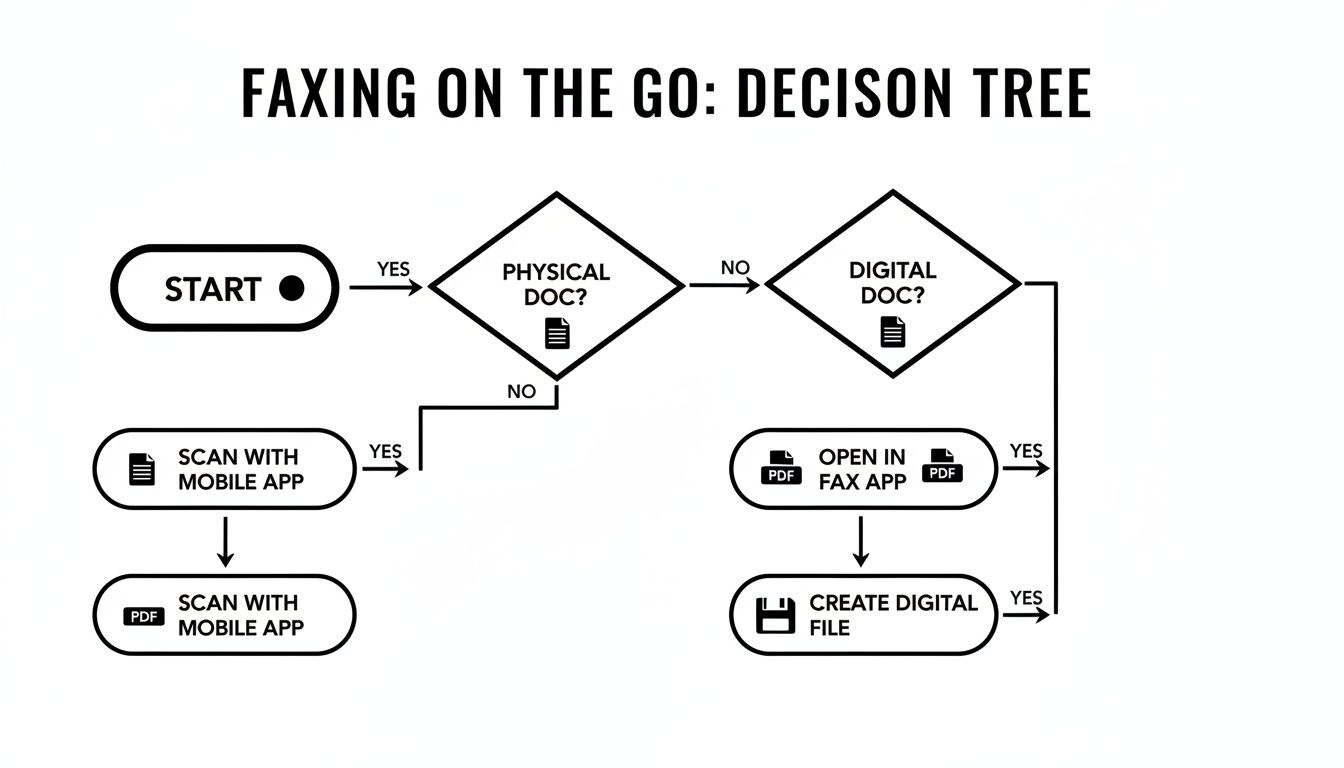
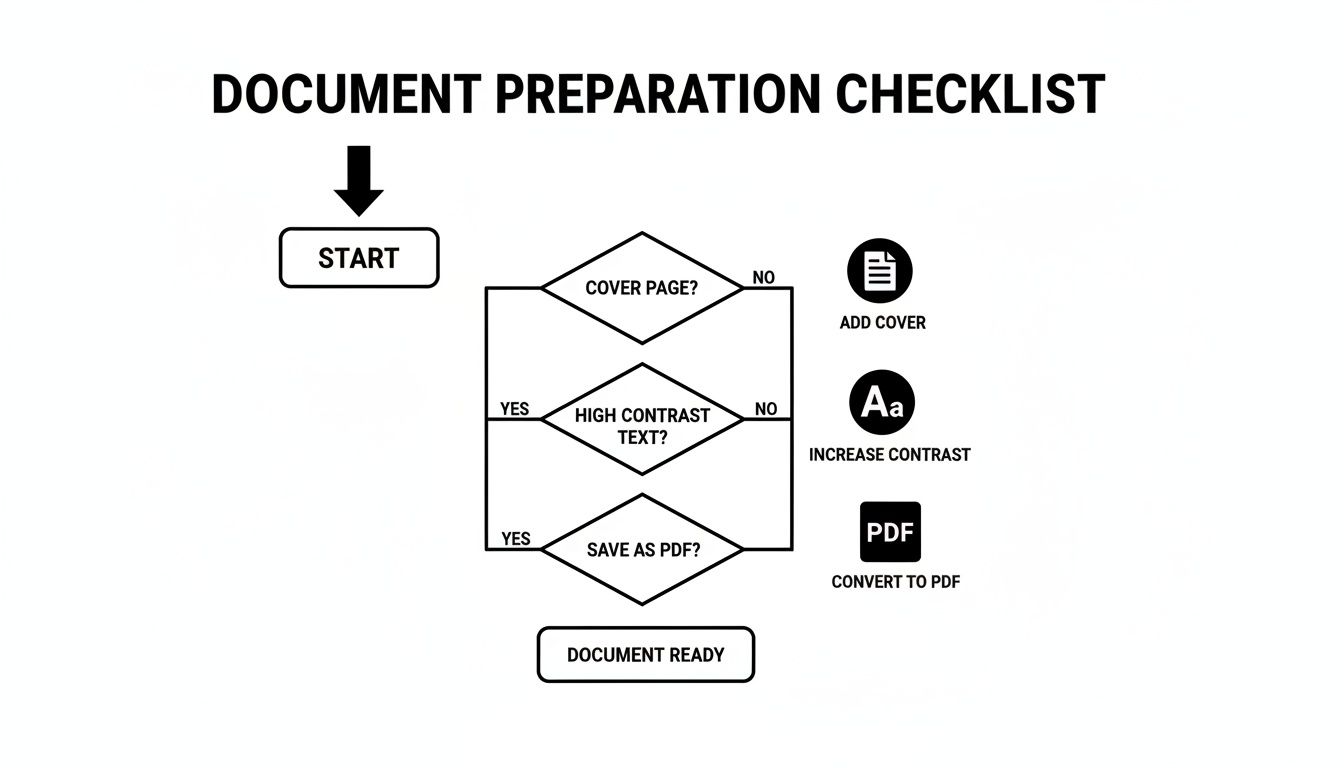
    Before you send, you obviously need your document ready. This flowchart breaks down how you can get your file prepped, whether you're starting with a physical piece of paper or something that's already on your computer.

    Flowchart showing digital fax process from physical paper to PDF or scan conversion

    As you can see, the path from your initial document to a fax-ready file is pretty direct, always ending with that all-important cover sheet to make sure it looks professional.

    To use the email-to-fax feature, you just need to format the recipient's "To" address in a specific way. For example, you might type the destination fax number followed by the service’s domain, something like 18005551234@senditfax.com.

    What’s really slick is how it handles the cover page. The email's subject line automatically becomes the subject on the fax cover sheet, and whatever you write in the body of your email populates the cover sheet's message area. It’s an incredibly smooth process that fits right into a routine you already know.

    For a complete walkthrough, be sure to check out our detailed guide on how to fax via email.

    Using Your Operating System's Built-In Tools

    Another path you could take is using the tools that are already on your computer. If you're a Windows user, this means turning to the classic Windows Fax and Scan utility. This program has been a part of the operating system for ages and offers a direct way to send faxes—but there's a pretty big catch.

    To make it work, you need a piece of hardware that most modern laptops simply don't have anymore: a fax modem. This is a physical device that connects your laptop to a telephone line. So, if you happen to have a landline and a modem lying around, you can actually set it up to send and receive faxes right from your desktop.

    Key Takeaway: While using a built-in tool like Windows Fax and Scan lets you avoid subscription fees, the hardware requirement makes it pretty impractical for most people today. The sheer convenience of online services almost always outweighs the hassle of setting up a physical connection.

    The leap from those old, clunky machines is significant. Faxing from a laptop has evolved by replacing bulky hardware with smart, internet-based services and software. Laptops with an internet connection can now bypass physical phone lines entirely, as services convert your digital files into fax-compatible formats and transmit them through cloud servers. You can read more about the technological evolution of faxing on Britannica.

    Ultimately, choosing between email-to-fax and a built-in OS tool comes down to your specific situation. For speed, convenience, and seamless integration with a service you're already using, email-to-fax is the clear winner. For the rare, occasional fax where you actually have all the required hardware, an OS utility might just get the job done.

    How to Fix Common Digital Fax Problems

    Person reviewing printed document while working on laptop computer outdoors with fix fax issues text

    So, your digital fax didn't go through. It happens. Even with a reliable online service, transmissions can fail, but before you get frustrated, know that most of these hiccups are surprisingly easy to fix. The trick is understanding what went wrong in the first place.

    When a fax fails, your service will shoot you a transmission report. Don't just archive it—this report is your best friend for troubleshooting. It’ll usually have an error code or a short message like "Busy Signal" or "No Answer" that tells you exactly what happened.

    Decoding Failed Transmissions

    A "Busy Signal" is the most common roadblock you'll encounter. This isn't a problem on your end. It just means the recipient's fax machine is tied up, either sending or receiving another document. The solution is simple: patience. Give it 10-15 minutes and then try resending.

    Then there's the "No Answer" message. This one means the receiving machine never picked up the call. A few things could be going on here:

    • Wrong Number: You might have a typo in the fax number. It's the most common culprit.
    • Machine Issues: The receiving machine could be turned off, out of paper, or unplugged.
    • Voice Line: You might be accidentally faxing a regular phone number instead of a dedicated fax line.

    Before you do anything else, double- and triple-check the fax number you typed in. One wrong digit is all it takes. If the number is correct, you might need to give the recipient a quick call to make sure their machine is on and ready to go.

    Key Takeaway: Failed faxes are rarely your fault. In my experience, over 90% of transmission failures are due to issues on the recipient's end—a busy line, a machine that's off, or just a simple wrong number.

    Tackling Blurry or Unreadable Faxes

    What about when the fax does go through, but the person on the other end says it looks like a smudged mess? This is almost always a quality issue with the original file you uploaded. A low-resolution image or a poorly scanned document will inevitably look blurry on the other side.

    The fix is all in the prep work. Go back to your source document. If it's a scan, make sure you used a setting with high contrast to get a crisp, clean image. For digital files, a high-quality PDF is your best bet for preserving formatting and sharpness. A little extra care before you hit "send" ensures your document arrives looking professional and, most importantly, readable.

    Common Questions About Faxing From a Laptop

    Switching from a clunky machine to sending faxes from your laptop is a game-changer, but it's totally normal to have a few questions. The whole process feels different, especially when you're thinking about things like security and legal proof. Let's tackle some of the most common things people ask when they're getting started.

    Getting these questions answered will help you feel confident that your important documents are being sent securely and professionally.

    Is It Really Secure to Fax Sensitive Documents This Way?

    Yes, and honestly, it's often much safer than using the old office fax machine. Think about it: a traditional fax spits out sensitive documents onto a tray for anyone to see. Online fax services are built with modern digital security in mind.

    Reputable services use end-to-end encryption, which basically scrambles your data as it travels from your laptop to its destination. This creates a secure tunnel that prevents anyone from snooping on your files in transit.

    The biggest security win is actually on the receiving end. Instead of a confidential medical record or a signed contract sitting in plain sight on a shared machine, incoming faxes land securely in your email inbox or a password-protected online account. Only you see them.

    If you work in an industry like healthcare or law, just be sure to pick a service that is explicitly HIPAA-compliant. This ensures they meet the strict legal standards required for handling protected information.

    Are These Laptop Faxes Actually Legally Binding?

    Absolutely. A fax sent from your laptop through an online service carries the same legal weight as one sent from a traditional machine. The secret sauce is the verifiable proof of delivery you get afterward.

    Every time you send a fax, the service generates a detailed transmission receipt. This is your official record, and it confirms everything you need for legal purposes:

    • The exact date and time it was sent.
    • A clear confirmation of a successful delivery.
    • The recipient's fax number.

    This kind of documentation is invaluable for legal contracts, official filings, or any time you need undeniable proof that a document was sent and received. In many ways, the digital paper trail from online faxing is far more reliable and easier to store than a flimsy, printed confirmation page.

    So, Do I Still Need a Phone Line Hooked Up to My Laptop?

    Nope, not at all! This is probably one of the best parts of learning how to fax from a laptop. You can ditch the dedicated phone line entirely.

    Online fax services use a technology called Fax over IP (FoIP), which just means they send the fax data over your internet connection. As long as your laptop is connected to Wi-Fi or an ethernet cable, you're good to go. The service handles the technical wizardry of converting your PDF into a signal that a standard fax machine can receive on the other end. It completely frees you from the cost and hassle of maintaining an old analog phone line.


    Ready to send your first fax without the fuss? With SendItFax, you can send secure, legally valid faxes right from your browser in minutes. No account, no subscription, just simple, reliable faxing. Try SendItFax now!

  • How to Fax Online Free Your Complete Guide

    How to Fax Online Free Your Complete Guide

    Believe it or not, faxing is far from obsolete. In many professional circles, it’s still a crucial tool. Fields like healthcare, law, and government agencies often depend on faxing because of its long-established security and legal acceptance. When you need to send a signed contract or sensitive medical records, the direct point-to-point connection of a fax is often the required method.

    Person in a blue shirt reviewing a document at a desk with a laptop displaying “WHY FAXING MATTERS”.

    Thankfully, the clunky, noisy machine hogging a corner of the office has been replaced by a much smarter digital alternative. Online faxing gives you the same reliability and security but without any of the physical hardware. This modern approach essentially turns your computer or smartphone into a powerful fax machine you can use anytime, anywhere.

    The Modern Perks of Digital Faxing

    Switching to a digital fax service isn't just about ditching old hardware; it introduces real benefits that improve the entire process. You're no longer tethered to a physical location. You can send documents from your home office, a coffee shop, or while traveling—all you need is an internet connection.

    This flexibility also comes with major cost savings. You can completely eliminate expenses for:

    • Dedicated phone lines: Online faxing works over the internet, so you can cut that extra monthly bill.
    • Paper and ink: Since everything is handled digitally, you save on supplies and reduce your environmental footprint.
    • Machine maintenance: Forget about paper jams, toner replacements, and service calls forever.

    The proof is in the numbers. The global online fax market is exploding and is projected to reach over $8.3 billion by 2027. This growth is driven by a clear demand for secure, paperless communication tools. You can dive deeper into these online fax statistics here.

    Security is another huge win for online services. Reputable platforms use strong encryption to protect your documents in transit, offering a level of privacy that a shared office machine could never guarantee. Learning how to fax online free is more than just a modern convenience—it's about adopting a faster, cheaper, and more secure way to handle essential communication.

    Sending Your First Free Fax Online

    Jumping into the world of online faxing is a lot easier than you might think. Forget the days of clunky machines and busy signals. If you know how to send an email with an attachment, you've already got the basic skills down.

    Let's walk through how it works in the real world. You find a free service, get your document ready, plug in a few details, and click send. It's a process that usually takes less than five minutes from start to finish.

    Getting Your Document Ready

    First thing's first: you need a digital copy of what you want to send. The good news is that most free online fax services are pretty flexible with file formats, so you probably won't have to mess around with any special software.

    The most common and reliable formats are:

    • PDF: This is the best choice. It locks in your formatting, so what you see on your screen is exactly what they'll get on their end.
    • DOCX or DOC: Standard Microsoft Word files are almost universally accepted.
    • JPG or PNG: Perfect for sending a quick scan of a signed document, a receipt, or even a photo.

    Once your file is saved and ready, you'll just need to upload it. Look for a big, obvious button on the website labeled "Upload File" or "Attach Document." For a more detailed look at the process, our guide on how to free fax from computer breaks it down even further.

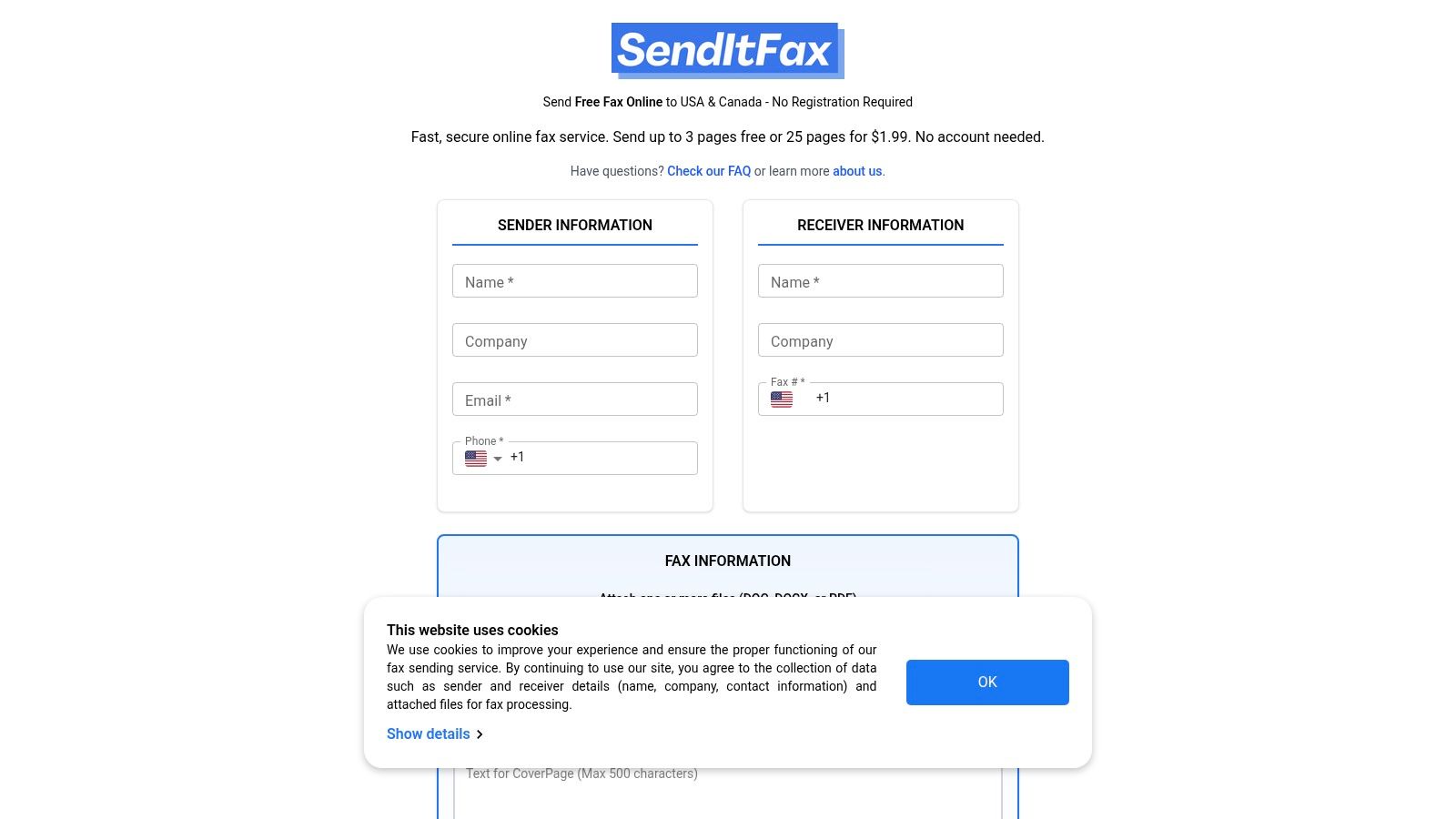
    Most platforms keep their interface clean and simple, designed to get you in and out without any confusion.

    This is a classic layout. You can see the clear fields for the recipient's info and the prominent spot to add your file.

    Plugging in the Sender and Recipient Details

    With your document attached, you're on the home stretch. Now, you just need to tell the service where the fax is coming from and where it's going. This part is critical for a successful delivery, but it’s just a few simple fields.

    Here’s what you’ll be asked to fill in:

    • Your Details: Just your name and email address. The email is super important—that's how you'll get the confirmation receipt once the fax goes through.
    • Recipient’s Details: Their name and, most importantly, their fax number. For the U.S. and Canada, you'll just enter the area code and the 7-digit number.
    • International Faxing: Sending a fax overseas? You’ll need to add the country code first. For instance, a fax going to the UK would start with +44, followed by the local number.

    My Two Cents: I can't stress this enough: double-check that fax number. A single typo is the number one reason faxes fail. Taking five extra seconds to confirm it can save you a whole lot of headache.

    Finally, you’ll usually see an option to add a cover page. This is completely optional, but I find it really helpful for adding context. You can pop in a quick subject line like "Signed Agreement for Project X" or "Invoice #1045."

    Once all the fields are filled, go ahead and hit that send button. Within a few minutes, you should get an email in your inbox letting you know it was delivered successfully. And that’s it—you’ve sent a fax without ever touching a fax machine.

    Getting to Know the Limits of Free Online Faxing

    Free online faxing is an incredible tool, but it's important to go in with your eyes open. These services almost always have some ground rules, and knowing them upfront will save you a headache later. Think of it less like a free-for-all and more like a generous free sample—it gives you exactly what you need for a quick task, but it has its boundaries.

    https://www.youtube.com/embed/vwF_GI5AWh0

    Page and Daily Sending Caps

    The most common restriction you'll bump into is a page limit. Most free providers will cap your faxes at 3 to 5 pages per send. This is more than enough for a signed form, a receipt, or a quick letter, but it won’t work for that 20-page business proposal you need to send.

    On top of that, you’ll likely run into a daily limit. This could be anywhere from 2 to 10 faxes within a 24-hour window. These caps are in place to prevent the system from being overwhelmed and to keep the service fair for everyone who just needs to send a fax every now and then.

    What You Usually Get for Free

    Even with the limits, the free versions pack in all the essentials for a successful fax. You’re not just getting a bare-bones tool; you’re getting a functional one.

    Here’s what you can typically expect:

    • File Format Flexibility: They almost always accept the most common file types, like PDF, DOC/DOCX, and image files like JPG or PNG.
    • A Simple Cover Page: You’ll get the option to add a basic cover page where you can fill in your name, the recipient's name, and a quick note.
    • Delivery Confirmation: You'll get an email telling you whether your fax went through successfully or if there was an error. No more guessing games.

    This whole process is designed to be incredibly straightforward, as you can see here.

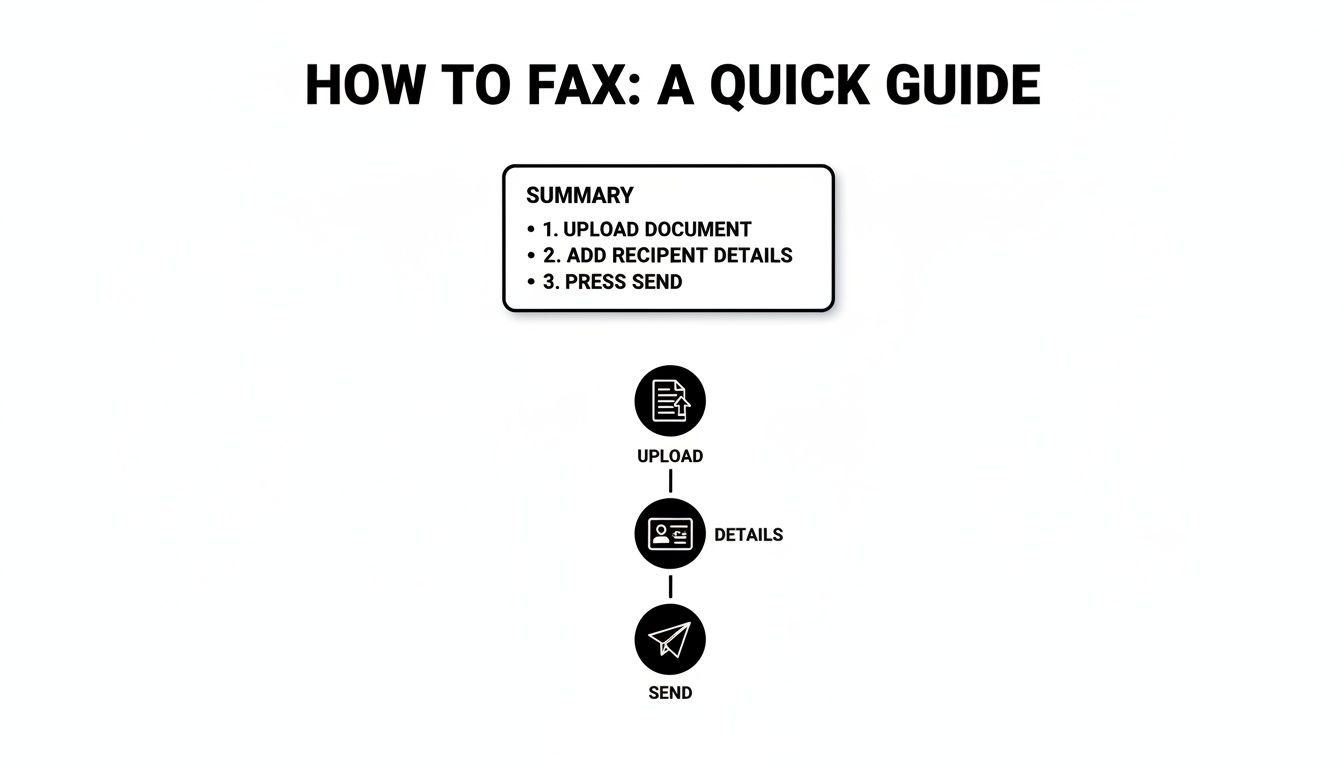
    A three-step infographic showing how to send a fax: upload document, add information, and send fax.

    It really is as simple as uploading your document, plugging in the details, and hitting send.

    When Is It Time to Upgrade?

    Free services are a lifesaver for those one-off "I can't believe I still need to fax this" moments. But what if you find yourself needing to fax more regularly? That’s where paid plans come in.

    Upgrading usually unlocks higher page limits, lets you send more faxes per day, and often removes the provider's branding from your cover page, which looks much more professional. Some even offer priority delivery. If you're weighing your options, diving into an online fax services comparison can give you a clear picture of what's out there.

    To help you see the differences at a glance, here’s a quick rundown of some popular options and what their free tiers typically offer.

    Comparing Popular Free Online Fax Providers

    This table compares the key features and limitations of leading free online fax providers to help you choose the best fit for your needs.

    Service Provider Free Pages per Month File Formats Supported Includes Cover Page
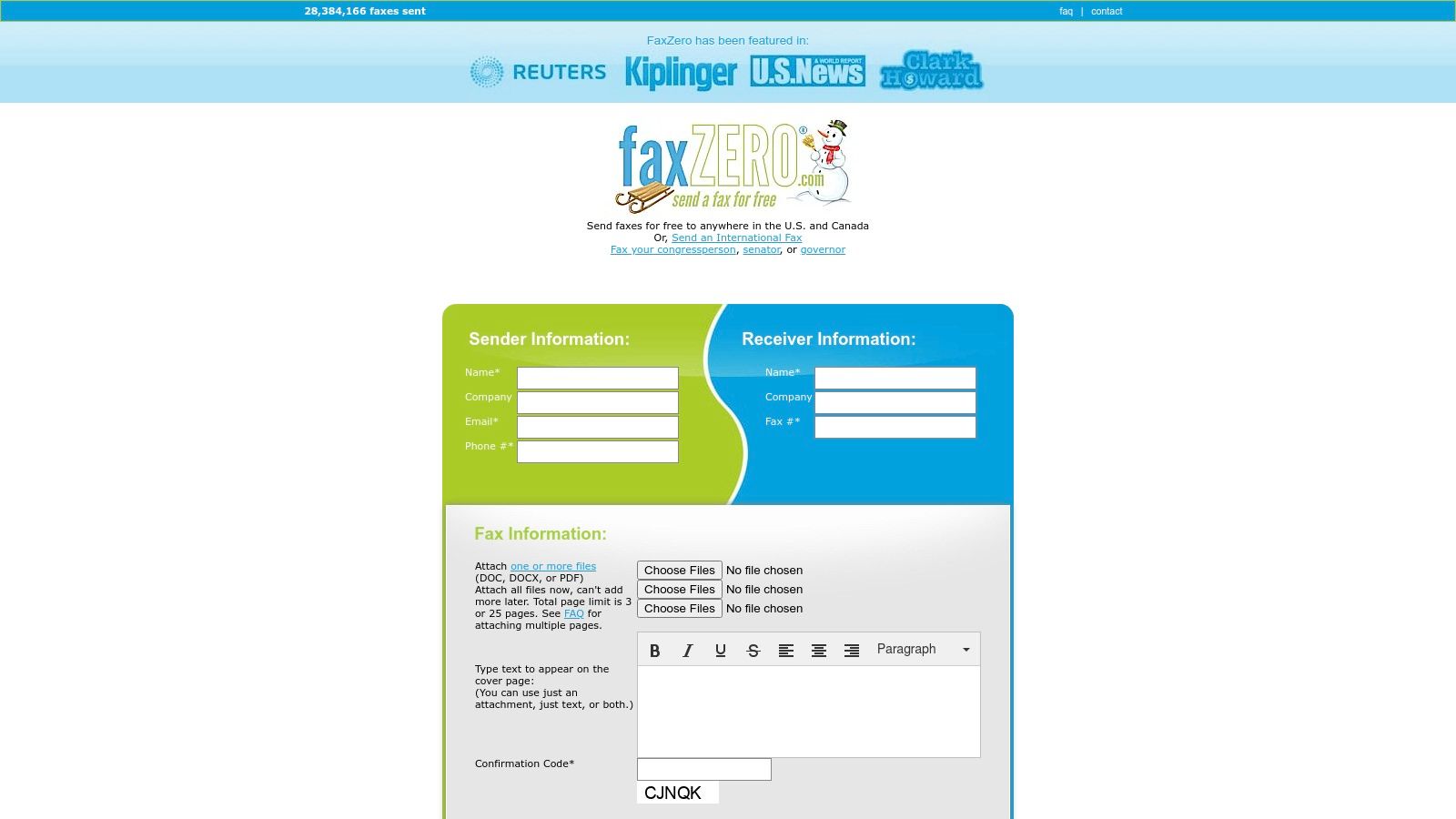
    SendItFax 10 PDF, DOCX, XLSX, JPG, PNG Yes
    FaxZero 15 (5 faxes) PDF, DOC, DOCX Yes (with ads)
    GotFreeFax 6 (2 faxes) PDF, DOC, DOCX, JPG Yes
    MyFax Free 10 Over 170 formats supported Yes

    As you can see, the limits and features can vary quite a bit, so it's worth checking which one aligns best with what you need to send.

    The bottom line: Free services are built for convenience and occasional use. They provide a reliable way to send a quick document without cost, but for recurring business needs or sending sensitive, multi-page documents, a low-cost upgrade is often the smarter choice.

    Is Sending a Fax Online Safe? A Look at Security and Privacy

    When you're dealing with sensitive documents—think contracts, legal papers, or medical records—security is non-negotiable. One of the best things about online faxing is that it can actually be more private than using that old machine in the corner of the office. No more confidential papers sitting out on the tray for anyone to glance at.

    Think of a good online fax service as a secure courier for your digital files. These platforms use end-to-end encryption, which essentially locks your document in a digital vault the second you send it. It only gets unlocked when it arrives at the destination, making it incredibly difficult for anyone to peek at the contents along the way.

    A laptop screen displays "Secure Faxing" text and a padlock icon, suggesting secure online communication.

    This level of digital security is a big reason why so many businesses are making the switch. In 2024, more than 60% of small businesses in the U.S. turned to free online fax services for at least some of their needs, drawn by robust features like encryption and compliance with privacy laws. You can dig deeper into the growth of the online fax market here.

    A Few Smart Habits for Protecting Your Information

    While the service handles the heavy lifting on the tech side, you still have a part to play in keeping your faxes safe. A few simple precautions can make all the difference.

    • Stick to Secure Wi-Fi: Sending a fax from a public network at a café or airport is risky. Always use a trusted, password-protected network, like the one at your home or office.
    • Double-Check the Fax Number: This is where most mistakes happen. A single mistyped digit could send your private information to the wrong person. It’s worth taking an extra second to confirm.
    • Check the Privacy Policy: Get a clear picture of how the service handles your data. Most quality free services, for your own protection, will delete your files from their servers shortly after a successful delivery.

    For an extra layer of security and convenience, many people choose to route their incoming faxes directly to their email. We break down how this works in our guide on integrating fax to email workflows.

    By pairing the built-in security of a service like SendItFax with these common-sense habits, you can send your documents with the confidence that they're protected from your screen to the recipient's machine.

    What to Do When Your Free Fax Fails

    A laptop on a wooden desk displaying 'Fix Fax Errors' with a red 'no' symbol, alongside a plant and documents.

    Sooner or later, you’ll probably see a “transmission failed” email pop into your inbox. It happens, even with the best services. But don’t panic—these problems are almost always a quick fix.

    The trick is to avoid just hitting "resend" over and over. Instead, take a moment to figure out why it failed. For instance, a "line is busy" error is pretty straightforward; the receiving machine was tied up. The best move here is to simply wait 15-20 minutes and try again. A more generic "failed" message, however, usually means the issue is on your end.

    Your Go-To Troubleshooting Checklist

    Before you try sending that fax again, run through these common culprits. I’ve found that one of these is almost always the reason a fax doesn't go through.

    • Did you dial correctly? It sounds simple, but a single wrong digit is the number one cause of failed faxes. Double-check the fax number, including the full area code.
    • Is your file okay? Make sure you uploaded an accepted format like a PDF, DOCX, or JPG. Also, check that you haven't gone over the page limit for the free service.
    • How’s your internet? A flaky Wi-Fi connection can cut out while your document is uploading, causing the whole process to fail. Make sure your connection is solid before you hit send.

    Expert Tip: Pay close attention to that confirmation email. A successful fax will be clearly marked as "Delivered." If it failed, the email will often include a reason or an error code that points you directly to the problem.

    Working through these simple checks will help you diagnose why your attempt to fax online free hit a snag. A few seconds of investigation can save you a lot of frustration and make sure your next try is a success.

    A Few More Things You Might Be Wondering

    Even after you've sent your first free fax, a few questions might pop into your head. That's completely normal. Understanding the ins and outs of the service you're using is smart, especially when you're dealing with important paperwork. Let's tackle some of the most common questions people have.

    So, Can I Get Faxes Sent To Me for Free?

    That’s probably the most common question we hear, and the honest answer is almost always no. Think of free services as a one-way street—they’re fantastic for sending documents out, but not for receiving them.

    To receive a fax, you need a dedicated fax number that’s always on and waiting for transmissions. This is the core feature you get when you upgrade to a paid plan. With a subscription, you're assigned your own virtual number, and any faxes sent to it land right in your email inbox, usually as a neat PDF.

    What Happens to My Files After I Send Them?

    Privacy is a big deal, and any good service knows that. Generally, free fax platforms will hold onto your file only for as long as it takes to get the fax delivered successfully. Once they get confirmation that it went through, your document is usually wiped from their servers pretty quickly.

    A pro tip: Before sending anything sensitive, take two minutes to skim the service's privacy policy. It will tell you exactly how they handle your data and for how long. It's a small step that provides a lot of peace of mind.

    Do I Have to Download or Install Anything?

    Nope, and that's the beauty of it. The best platforms for sending a free fax online are completely browser-based. You don't have to download any clunky software or install a special app.

    If you can open a web browser on your computer, tablet, or phone, you’re good to go. This keeps your devices clean and means you can fire off a fax from literally anywhere you have an internet connection.

    Can I Send a Fax to Another Country?

    You bet. Many free services allow you to send faxes internationally, but you'll want to check the fine print. Often, the free plan might restrict you to certain countries or have a lower page limit for international faxes compared to sending one across town.

    Before you hit send on an international document, just double-check two things:

    • Make sure the country you're faxing to is on their supported list.
    • Get the formatting right. You’ll need the proper country code followed by the full local number.

    Ready to put this all into practice? SendItFax lets you send up to three pages completely free, with no account needed. If you've got a bigger document or want a professional cover sheet, our Almost Free plan is the perfect next step. Give it a try and see just how simple it is.

  • How to Fax Online for Free The Ultimate Guide

    How to Fax Online for Free The Ultimate Guide

    It might sound old-school, but faxing is still a surprisingly common requirement in today's world. Thankfully, sending a fax for free online is incredibly simple. All you need is a web-based service like SendItFax, where you can upload a file, type in the destination fax number, and hit send. No machine, no phone line, no hassle.

    Why Bother With Faxing Anymore?

    You’d be surprised. For all our digital progress, faxing remains a critical tool in sectors like healthcare, law, and government. Why? It's all about security and legal standing. A fax creates a direct point-to-point connection for sending sensitive documents, which is often considered more secure and legally binding than a simple email.

    This isn't just a niche practice; the online fax market is booming. It's projected to more than double, growing from USD 2.2 billion to USD 4.5 billion by 2035. A big part of that growth comes from people ditching clunky old machines for cloud-based faxing. In fact, if just 5% of users switched from traditional to online faxing, we could save a staggering 10 billion pages of paper annually.

    The Clear Edge of Faxing Online

    Choosing a free online fax service is the perfect modern solution to an old-world problem. You get to skip the bulky hardware, the extra phone line, and the endless costs of paper and toner. It’s a smarter way to work.

    Three icons with labels: Money (dollar sign), Paper (leaf), and Security (shield with checkmark).

    The benefits really stack up, especially for individuals or small businesses who only need to send a fax now and then:

    • Total Convenience: Send a document from your laptop, tablet, or even your phone—wherever you have an internet connection.
    • Zero Cost: You completely avoid the purchase price and ongoing maintenance costs of a physical fax machine.
    • Better Security: Reputable online services use encryption, which is a huge step up from leaving a sensitive document sitting in the tray of a shared office machine.

    Online faxing isn't just a replacement; it's an upgrade. It allows you to meet the requirements of legacy systems without giving up the efficiency and security we've come to expect from modern technology.

    Traditional Faxing vs Free Online Faxing

    Here’s a quick breakdown of how a free online service stacks up against a traditional machine for the occasional user.

    Feature Traditional Fax Machine Free Online Fax Service
    Initial Cost $100 – $400+ for the machine $0
    Ongoing Costs Paper, ink/toner, dedicated phone line, repairs $0 (for sending)
    Convenience Tied to a physical location Send from anywhere with internet
    Document Format Physical paper only Digital files (PDF, DOCX, JPG, etc.)
    Security Documents can be left exposed in the output tray Often includes encryption for secure delivery
    Environmental Impact Consumes paper and electricity Paperless and eco-friendly

    The choice is pretty clear. For sending the occasional document, a free service just makes more sense.

    Getting started is easy, but it helps to understand the fundamentals, like learning what is a fax number and how it works in a digital setup. Once you have that down, you'll see just how powerful this simple tool can be.

    Getting Your Documents Ready to Fax

    Before you can send a fax online, you need to have your document in a digital file. This might seem obvious, but the format you choose can make or break the whole process. Get it wrong, and your recipient could end up with a blurry, unreadable mess.

    Most free fax services are pretty flexible and accept common file types. But from my experience, one format stands head and shoulders above the rest for reliability.

    Pick the Right File Type for a Clean Send

    You'll usually see options for PDF, DOCX, and JPG. While you can send a Microsoft Word file (DOCX) or a simple image (JPG), I always recommend sticking with PDF (Portable Document Format).

    Why? Because a PDF is essentially a picture of your document. It locks everything in place—the fonts, the spacing, the images. This means what you see on your screen is exactly what will print out on the other end, which is crucial for things like signed contracts or official forms where every detail matters.

    Think of a PDF as a digital snapshot. It prevents anything from getting jumbled or reformatted during the fax transmission, guaranteeing a professional and readable result every time.

    From Paper to a Digital File

    What if your document is a physical piece of paper sitting on your desk? No problem. You don't need a clunky old scanner anymore; your smartphone is more than capable of doing the job.

    The camera on your phone, paired with a scanning app, can create a crisp digital copy. You might even have a scanner built right into your phone's native apps, like the Notes app on an iPhone or the Google Drive app on Android.

    To get a great scan, just follow these simple tips:

    • Light it up: Find a spot with good, even lighting. Lay your document on a flat, dark surface to create contrast. Try to avoid shadows or glare, as they can make the text hard to read.
    • Get a steady shot: Hold your phone parallel to the document, making sure you can see all four corners. Most scanning apps are smart enough to find the edges and straighten the image for you.
    • Tweak it a little: Once you've captured the image, use the app's editing tools to crop out the background. Bumping up the contrast can also make the text pop and the white background look cleaner.

    Mind the File Size

    This is a step people often forget. Free online fax services have to manage their resources, so they usually limit the size of the files you can send—typically somewhere between 5 MB and 10 MB. A really high-quality scan or a document with lots of images can easily blow past that limit.

    If your file is too big, don't worry. Just pop it into a free online PDF compression tool. A quick search for "compress PDF free" will turn up plenty of easy-to-use options that can shrink your file down without sacrificing much quality, ensuring it uploads and sends without a hitch.

    Sending Your First Free Online Fax

    You’ve got your document prepped and ready to go. Now for the easy part. Sending a fax online is surprisingly straightforward, but a few small details can make all the difference. Let's walk through it so you know exactly what to expect.

    Your first move is to head to a free online fax service. You'll immediately see a prompt to upload your file. This is where having that compressed PDF comes in handy—it makes for a quick and painless upload every time.

    Getting the Recipient Details Right

    This is where you need to pay close attention. It's the number one spot where faxes fail, and it's usually due to a simple typo.

    For faxes within the U.S. and Canada, it’s just the area code and the seven-digit number. Don't worry about adding a "1" for long-distance; the service handles that for you.

    Sending a fax internationally? You'll need to be a bit more careful. You have to start with the country code, then the city/area code, and finally the local number. For instance, a fax to London needs the UK's country code (44) at the very beginning. Forgetting that prefix is an almost guaranteed way to get a "failed transmission" notice.

    A quick tip from experience: Always, always double-check the fax number before you hit send. One wrong digit can send your confidential documents to the wrong machine or just into the ether. It’s a two-second check that can save you a massive headache.

    Why You Should Bother With a Cover Page

    The cover page is your fax’s handshake. It's the first thing your recipient sees. While some services like SendItFax make it optional on paid plans, I'd argue it's essential for free sends, especially if you're faxing a large office with a shared machine. A good cover page ensures your document doesn't get lost in the shuffle.

    Here's the key info to include:

    • To: The recipient's full name and title.
    • From: Your name and company (if it's relevant).
    • Date: The day you're sending it.
    • Subject: Be specific! "Signed Contract for Project Apollo" is a lot more helpful than "Contract."
    • Number of Pages: Don't forget to include the cover page itself in the count (e.g., "5 pages, including cover").

    Modern services make this whole process incredibly simple, turning what used to be a clunky office task into something you can do from your phone.

    A document being scanned and sent with a smartphone and tablet, featuring a 'Scan & Send' label.

    What Happens After You Click "Send"

    Once you hit that button, the magic happens behind the scenes. The service converts your file into a signal that a traditional fax machine can understand and then starts dialing. It's not always instant—if the recipient's line is busy, the system will patiently redial a few times.

    Keep an eye on your email inbox. You'll get a confirmation message that tells you whether the fax went through successfully or if it failed. This email is your proof of transmission, so it's important. If you don't see it within a few minutes, check your spam folder before you panic.

    A "failed" notification isn't the end of the world. It’s usually just a busy signal, a disconnected number, or that tiny typo in the fax number we talked about. The process to send a free fax from your computer is built to handle these little hiccups, but getting the details right from the start is the best way to avoid them.

    Navigating the Limits of Free Fax Services

    https://www.youtube.com/embed/I4YKQdY6xwk

    Free online fax services are an incredible tool for sending a quick document here and there, but it's important to go in with your eyes open. They all have guardrails in place, and knowing what they are ahead of time will save you a lot of frustration. I like to think of it less as a drawback and more as a simple trade-off for getting a service at no cost.

    The most common hurdle you'll run into is a daily page limit. Most providers will cap you at a certain number of pages per day, typically somewhere between three to five pages per fax. This is usually plenty for sending back a signed contract or a single application form. But what happens when your document is longer?

    Smart Workarounds for Page Limits

    Don't throw in the towel. With a little creativity, you can work around those limits pretty easily. Let's say you have a seven-page document but the service only allows five pages per fax. The answer is simple: split it up. It just takes a little extra communication.

    Here’s how I’ve handled this in the past:

    • Split your document. I use a free online PDF tool to break my seven-page file into two smaller ones. In this case, I'd make one with pages 1-4 and a second with pages 5-7.
    • Be crystal clear on your cover pages. For the first fax, I'll make the subject line something like: "Contract Submission – Part 1 of 2 (Pages 1-4)."
    • Send the second part right away. Then, I immediately send the next one with a corresponding subject: "Contract Submission – Part 2 of 2 (Pages 5-7)."

    This approach lets the person on the other end know exactly what to expect and makes it easy for them to assemble the full document. It keeps things professional and organized, which is always a good look.

    The real goal isn't just to get the pages sent; it's to make the recipient's job as easy as possible. Clear labeling on the cover page transforms a workaround into a thoughtful, organized process that prevents any mix-ups.

    Another big limitation is the inability to receive faxes. Free services are almost always a one-way street—you can send, but you can’t get one back. This makes sense, as providing a dedicated incoming fax number costs the provider real money. If you need two-way faxing, that’s the clearest sign that a free plan won't cut it for you.

    When It's Time to Consider an Upgrade

    Free services are purpose-built for occasional, non-critical faxes. But you’ll start to see signs when it’s time to look at a paid option, even a really affordable one.

    You should think about upgrading if you find yourself:

    • Constantly hitting the limits: If splitting documents or waiting for the next day to send a fax has become a regular part of your routine, your workflow is being slowed down.
    • Needing to receive faxes: This is the number one reason people make the switch. For any kind of business or official back-and-forth, a dedicated number is a must-have.
    • Wanting a more professional appearance: Free services, including SendItFax, often put their branding on the cover page. That’s perfectly fine for personal use, but a paid plan gets rid of it for a cleaner, more professional look.
    • Sending highly sensitive information: While most free services are secure enough for general use, paid plans often come with better compliance features and guaranteed priority delivery.

    For most people, the jump isn't to an expensive monthly subscription. A service like SendItFax has what they call an "Almost Free" plan where you pay a small, one-time fee per fax. It removes the branding, bumps your limit up to 25 pages, and gives your fax priority delivery. It's the perfect middle ground for when your needs have grown just a little bit.

    Keeping Your Sensitive Documents Secure

    When you're faxing something for free online, it’s easy to forget you're handling sensitive information. Whether it’s a signed contract or a personal medical form, you're handing that data over to a third-party service. Just because it's free doesn't mean you should have to compromise on security.

    Thankfully, good services take this seriously. The absolute bare minimum you should look for is encryption. Specifically, check for services using SSL (Secure Sockets Layer) or its more modern cousin, TLS (Transport Layer Security). This is the same stuff that protects your credit card details when you shop online. It essentially creates a scrambled, secure tunnel between your computer and the fax service, making your documents completely unreadable to anyone trying to snoop on them while they're in transit.

    Two stacks of documents and a 'SPLIT PAGES' sign on a wooden table outdoors in sunlight.

    Reading Between the Lines of a Privacy Policy

    Okay, I get it—nobody wants to read a privacy policy. It’s usually a wall of legal jargon. But taking just a minute to skim it can tell you everything you need to know about how your files are being treated.

    You don't need a law degree to spot the warning signs. Look for specific language about what happens to your documents after they’ve been sent. A reputable service will be up-front about deleting your files from their servers after a short, defined period.

    A solid privacy policy will explicitly state that your data will not be sold or shared with third-party advertisers. If the language is vague or gives the company broad rights to use your content, that's your cue to find a different service.

    An Essential Security Checklist

    Before you upload a single document, run through this quick mental checklist. These are the green flags that signal a service actually cares about your privacy.

    • SSL/TLS Encryption is a Must: Look for the "https://" at the beginning of the website's URL. If it's not there, don't use the service. Simple as that.
    • A Clear Data Deletion Policy: The service should automatically and permanently purge your sent faxes once the transmission is finished.
    • Minimal Data Collection: The service should only ask for what's truly necessary to send the fax—your email for a confirmation receipt and the recipient's fax number. Anything more is a red flag.

    For certain fields, you have to think about legal compliance, too. If you’re sending anything related to healthcare, for instance, the service absolutely must be HIPAA compliant. This is a federal standard that ensures patient information is handled with the highest level of security.

    Most free services won't meet this high bar, but it’s crucial to be aware of. Some methods, like sending faxes directly from your email, can add another layer of control. You can learn more about how to fax via email to see if that approach works better for your security needs. Ultimately, choosing a service with transparent, common-sense security practices lets you send faxes for free without looking over your shoulder.

    Troubleshooting Common Online Faxing Problems

    A person holds a tablet displaying a secure document with a lock icon, emphasizing secure online faxing.

    Even the simplest tech can have its moments. When you’re trying to get a free fax out the door, a small hiccup can feel like a major headache. The good news is that most of the time, the fix is incredibly simple.

    The most common issue by far is the dreaded "fax failed" notification. My first bit of advice? Don't panic. It rarely means something is wrong with the service or your document. In my experience, more than 90% of these failures boil down to just two things: a busy signal on the other end or a simple typo in the fax number.

    Before you even think about resending, take a breath and double-check the number you typed in. If you got it right, the receiving machine was probably just tied up. Give it a few minutes, then try sending it again.

    When Your Confirmation Email Goes Missing

    So you've hit "send," but there's no confirmation email in sight. It's easy to assume the fax failed, but that's usually not the case. The first place you should always look is your email's spam or junk folder. Automated messages from online services get flagged all the time.

    If it's not hiding in spam, check to see if the service has a user dashboard or a "sent faxes" log. Most do, and it’s the best way to get a real-time status update on your transmission without having to guess.

    A missing confirmation doesn't mean a failed fax. Always check your spam folder and the service's dashboard for a status update before you attempt to resend the document.

    Fixing Upload and Quality Issues

    Sometimes the problem pops up before you even get a chance to send it. If you can't get your file to upload, the culprit is almost always one of two things: the file is too big, or it's in the wrong format. Free fax services are strict about their size limits, so if your PDF is on the heavy side, run it through a free online PDF compressor to shrink it down.

    What if the fax goes through, but the person on the other end says it's blurry or unreadable? That’s not a transmission error—it’s an issue with the quality of your original file. A little prep work can make all the difference.

    Here’s what I recommend:

    • Rescan your document: Find a flat surface with good lighting and hold your phone steady, directly above the page. No weird angles.
    • Boost the contrast: Most scanning apps have a feature to make text darker and the background whiter. Use it.
    • Stick with PDF: Always save your final file as a PDF. It locks in the layout and quality, so what you see is what they get.

    Ultimately, a crisp, clean source file is the secret to a professional-looking fax. It ensures your message gets received loud and clear every time.

    Got Questions About Free Online Faxing?

    It's completely normal to have a few questions before you start sending faxes online. I've been doing this for years and have run into just about every scenario, so let's clear up some of the most common points of confusion.

    Can I Actually Receive Faxes for Free?

    This is probably the number one question I get, and the short answer is almost always no. Think of free online fax services as a one-way street—they're built for sending documents out, not for receiving them.

    To get incoming faxes, you need your own dedicated fax number. That's a feature you'll only find in paid plans, so if you need that back-and-forth communication, you'll have to spring for a low-cost subscription.

    How Safe Is It to Fax Sensitive Documents?

    You can fax sensitive documents, but you have to be smart about it. Your top priority should be finding a service that uses SSL/TLS encryption. That's the same technology your bank uses to keep your online sessions secure, and it scrambles your data as it travels, making it unreadable to anyone else.

    I'd also take a minute to read the provider's privacy policy. You want to see a clear statement that they automatically delete your files from their servers once the fax goes through. You don't want your private info just sitting on some company's server indefinitely.

    One thing I can't stress enough: free services are generally not HIPAA compliant. If you're dealing with personal health information or other legally protected data, you absolutely need to use a paid, secure service. It's the only way to meet your legal and privacy obligations.


    Ready to skip the old fax machine and send a document right now? With SendItFax, you can send up to three pages completely free, with no account sign-up required. If you've got a slightly longer document, our Almost Free plan handles up to 25 pages and gets you priority delivery. Give it a try at https://senditfax.com.
  • Send a Free Fax From Computer The Easy Way

    Send a Free Fax From Computer The Easy Way

    Sending a free fax from computer is way easier than you might imagine. All it really takes is an internet connection and your web browser. Online fax services do all the heavy lifting for you, taking your digital file and transmitting it over traditional phone lines—no clunky machine required.

    Faxing Without a Fax Machine Is Simpler Than You Think

    It’s easy to think of faxing as a relic from another time, but it’s still an essential tool in many fields, especially healthcare, law, and real estate where secure document transfer is a must. The old headache was always the machine itself—the paper jams, the busy signals, the dedicated phone line. Thankfully, those days are over.

    With modern digital solutions, anyone can send a secure document from their laptop or desktop in just a few minutes. This isn't just a small trend; it's a huge shift in how people handle documents. The global online fax market has swelled to a value of around USD 4.18 billion, a testament to how many businesses and individuals are ditching old hardware for digital convenience. This boom is fueled by the simple, powerful ability to send a free fax from computer without any special gear. If you're curious, you can read more about the online fax market's growth and see just how widespread this technology has become.

    Why Online Faxing Is the New Standard

    The real draw of online faxing is its sheer simplicity and accessibility. Forget printing a document, walking over to a machine, punching in numbers, and hoping it goes through. Now, you can get it all done with a few clicks.

    This approach brings some obvious wins:

    • It’s Cheaper: You completely cut out the costs of paper, ink, toner, and the inevitable machine repairs.
    • It’s Convenient: Send a fax from wherever you are—your home office, a coffee shop, or even on the go. As long as you have an internet connection, you're all set.
    • You Get a Digital Trail: Most services send an email confirmation, which acts as a digital receipt proving your fax was delivered successfully.

    The beauty of online faxing is how it perfectly bridges the digital and analog worlds. It lets you stay in your modern workflow with PDFs and DOCX files while still communicating seamlessly with organizations that rely on traditional fax machines.

    To really see the difference, let’s put them side-by-side.

    Traditional Fax vs. Online Faxing From Your Computer

    Thinking about the old way versus the new way? The contrast is pretty stark once you break it down.

    Feature Traditional Fax Machine Free Online Fax Service
    Hardware Required Dedicated fax machine, phone line Computer, internet connection
    Supply Costs Paper, ink, toner None
    Accessibility Limited to the machine's location Accessible from any browser, anywhere
    Confirmation Printed confirmation sheet Digital confirmation via email
    Sending Process Manual dialing, feeding paper Upload a file, enter a number, click send

    When you look at it this way, the choice becomes clear. Online faxing takes a process that was tied to a physical location and specific hardware and sets it free, making it accessible, affordable, and a whole lot less frustrating.

    How to Send Your First Online Fax

    So, you need to send a fax but don't have a fax machine. Welcome to the club. Sending a free fax from computer is surprisingly simple once you do it for the first time. Imagine you're a freelancer who just landed a new client. They've asked for a signed contract back, like, yesterday. Instead of hunting down a print shop with a dusty old fax machine, you can handle the whole thing from your computer in less than five minutes.

    The magic happens behind the scenes. An online fax service acts as a translator, taking the digital file from your computer and converting it into a signal that a traditional fax machine on the other end can understand and print.

    This is basically how it works: your file goes from your desktop, through the web service, and pops out of the client's fax machine as a physical document.

    Infographic about free fax from computer

    It’s a perfect bridge between the way we work today and the technology some offices still rely on.

    Getting Your Document Ready

    First things first, you need a file to send. The good news is that most free services are flexible and accept the file types you're already using.

    • PDF (.pdf): This is your best bet. PDFs lock in formatting, so you can be confident that the contract you send will look exactly the same on the other end. No weird line breaks or font issues.
    • Word Documents (.doc, .docx): Super convenient if your document is already in Word. Most services let you upload these directly without needing to convert them to PDF first.

    In our freelancer scenario, they’d scan the signed contract and save it as a PDF. This creates a crisp, professional-looking copy that’s ready to go. It’s also smart to glance at the file size—while most documents are small enough, a massive file with high-res images might take longer to upload or even fail.

    Using the Online Fax Service

    With your document saved, head over to the website of a free fax provider. You'll find the layout is usually clean and designed for one purpose: sending your fax without a headache. It's all about filling in a few key boxes.

    You'll start with your own details—your name and email. Don't rush this part. Your email address is critical because that’s how you'll get the delivery confirmation. It's your digital receipt proving the fax went through.

    Next up, the recipient's information. This is where you need to be extra careful.

    The most common reason a fax fails is a typo in the fax number. Always double-check every digit, including the area code.

    If you're sending to someone in the United States, you’ll enter the standard 10-digit number. Most platforms are smart enough to format it correctly, but a quick second look never hurts.

    Uploading and Sending Your Fax

    Okay, all the info is in. Now it's time for the main event. Look for a button like "Choose File" or "Attach Document." Clicking it will open your computer's file explorer, where you can find and select your contract PDF.

    Once it's uploaded, you'll often see an option to add a message to the cover page. This is a great touch. Our freelancer could add a simple note: “Hi team, here's the signed contract for the Q3 project. Please let me know you've received it. Best, [Your Name]." It’s professional and provides immediate context.

    With everything filled in and your document attached, hit that "Send Fax" button. The service takes over, dialing the number and transmitting your file. In just a few minutes, you should get an email in your inbox confirming a successful delivery. If you're curious about all the moving parts of a service like this, our sample page provides a good overview.

    What to Expect From Free Fax Services

    https://www.youtube.com/embed/hYVqTAdr5eE

    Sending a free fax from computer is a lifesaver when you’re in a pinch, but it's good to know what you're getting into. These services are almost always "freemium," meaning they give you the basics for free and hope you'll upgrade for more powerful features. Understanding their limitations from the start will save you a headache later on.

    Navigating the Inevitable Limits

    First off, don't expect to send a 50-page manuscript. The most common restriction you'll hit is a page limit. Most free fax services cap you at around three to five pages per fax. This is perfectly fine for sending a signed contract, a quick invoice, or a doctor's note, which is what most people need them for anyway.

    On top of that, you'll likely run into a daily sending limit. A typical free plan might let you send a maximum of five faxes within a 24-hour window. This setup is designed for occasional use, not for a business that needs to send out dozens of documents every day.

    The Trade-Off: Branding and Professionalism

    Here’s another thing to keep in mind: nothing is truly free. To pay the bills, these services often add their own branding—a small logo or a line of text—to the cover page they generate for your fax.

    For personal stuff, who cares? But if you’re sending a business proposal, a legal document, or your resume, having another company’s logo slapped on it might not look as professional as you’d like. It's a small detail, but one that could matter depending on who's on the receiving end.

    For many people, the convenience of a free service far outweighs these limitations. It's all about matching the tool to the job at hand. A quick, non-critical document? A free fax service is a no-brainer.

    Faxing itself is a technology that just won't quit. It's been around for nearly two centuries, yet an incredible 80% of enterprises still use it, especially for sending sensitive documents securely. This enduring reliance on faxing is precisely why so many online options, both free and paid, have popped up. If you're curious, you can find out more about the faxing industry's surprising resilience.

    A Quick Word on Privacy and Security

    Anytime you upload a document online, you should have privacy on your mind. Before you send something with your social security number or bank details, take a minute to glance at the service's privacy policy.

    It's smart to see how they handle your data and how long they keep your files on their servers. While most use a secure connection, free plans generally don't come with the heavy-duty encryption or compliance guarantees (like HIPAA for medical records) that paid plans offer. For highly sensitive information, you might want to think twice.

    To help you visualize the differences, here’s a quick comparison of what you typically get with free versus paid plans.

    Free vs. Paid Online Fax Plans At a Glance

    This table breaks down the common differences you'll find when deciding between a free service and an entry-level paid subscription. It really helps clarify what you're getting—and what you're giving up—with a free plan.

    Feature Typical Free Plan Typical Paid Plan
    Sending Limit 3-5 pages per fax, 5 faxes per day 100+ pages per month
    Receive Faxes Not available Yes, with a dedicated fax number
    Cover Page Includes provider's branding Ad-free, customizable cover page
    Security Basic encryption Enhanced security, compliance options
    Delivery Speed Standard delivery Priority delivery
    Support Limited to FAQs or email Dedicated customer support

    Ultimately, free plans are fantastic for what they are: a simple, no-cost way to handle occasional faxing needs. But once your volume increases or you need more professional features like a dedicated number, a paid plan quickly becomes the more practical choice.

    Troubleshooting Common Online Faxing Snags

    A person looking thoughtfully at a laptop screen while working on a document.

    So, you've tried to send a free fax from your computer, but it didn't work. It happens. Even with a simple process, a fax can fail to go through, but don't worry—the fix is almost always surprisingly easy. When that dreaded "transmission failed" message pops up or the confirmation email never arrives, it’s usually one of a few common culprits.

    You won't need to be a tech wizard to figure this out. Most of the time, the solution comes down to double-checking a few details or making a quick tweak to your document. Let's walk through the most common problems and get your fax sent.

    What to Do When a Transmission Fails

    A "failed fax" error is frustrating, but it's often caused by a simple typo. Before you panic, check the recipient's fax number again, digit by digit. Is the area code correct? From my experience, a mistyped number is the number one reason for failure.

    If the number is definitely correct, the problem might be on the other end. The receiving fax machine could be busy, switched off, or even out of paper. The best move here is to just wait 10-15 minutes and try sending it again. Sometimes all it takes is a little patience.

    A lot of online fax services are smart enough to automatically retry sending to a busy line a few times before giving up. So, if you don't get an instant failure notice, just give it a little time to work its magic.

    Still no luck? The issue might be your file. A document that's too big or in a weird format can cause the system to time out. Converting your file to a standard PDF is almost always the most reliable fix.

    Dealing With Garbled or Messy Documents

    Ever sent a fax that arrived looking like a jumbled mess? That’s a classic sign of a file compatibility issue. While many services claim to accept different file types, PDF is the universal language of documents for a reason—it locks everything in place.

    Here’s how to make sure your document looks perfect on the other end:

    • Always Convert to PDF: Before you even think about uploading, save or export your document as a PDF. This ensures your fonts, images, and layout won't shift around during the faxing process.
    • Watch Your File Size: Free services can be picky about file size. A document packed with high-resolution photos can easily exceed the limit. Try compressing the PDF or, if it's a massive report, consider splitting it into two separate faxes.
    • Keep Layouts Simple: Faxes are old technology. Documents with complex tables, layered graphics, or unusual fonts can sometimes get scrambled. A cleaner, simpler layout is always a safer bet.

    My Confirmation Email Never Arrived—Now What?

    That confirmation email is your proof of delivery, so it’s totally understandable to get a little anxious when it doesn't show up. The very first place you should look is your spam or junk folder. It’s incredibly common for these automated emails to get filtered out by accident.

    While you're at it, double-check that you typed your own email address correctly on the sending page. We've all made that mistake before! If you've checked your spam and confirmed your email was right, and it's been more than 30 minutes, it's safest to assume the fax failed. Just resend it to be sure your document doesn't get stuck in digital limbo.

    Knowing When to Upgrade to a Paid Service

    A professional working at a desk, indicating a business decision to upgrade services.

    Sending a free fax from computer is a fantastic solution for the occasional, one-off document. But there’s a tipping point where your needs will almost certainly outgrow what a free service can deliver. Figuring out when you've hit that point is crucial for keeping your work professional and efficient.

    Think of it this way: a free service is a great starter tool. But as your faxing volume picks up or the documents you send become more critical, those free-tier limitations can quickly turn into frustrating bottlenecks.

    Signs You've Outgrown a Free Service

    So, how do you know it's time to make the switch? If you find yourself nodding along to any of these common scenarios, a paid plan is likely a smart move.

    • You're Hitting Daily Limits: Constantly running into that five-faxes-per-day cap? It’s a clear sign your needs have grown. A paid plan lets you send what you need, when you need it, without the daily countdown.
    • You Need to Receive Faxes: This is the big one. Free services are a one-way street—they only let you send. If you need a dedicated fax number for clients, colleagues, or vendors to send documents to you, a paid subscription is non-negotiable.
    • Your Brand's Image Matters: Sending an important contract or a client proposal with another company's branding splashed across the cover page just doesn't look professional. Paid plans give you clean, ad-free cover sheets that you can customize to match your own brand.

    When Security and Support Take Center Stage

    For a lot of us, especially those in healthcare, law, or finance, the decision to upgrade comes down to security. Free services generally don't provide the high-level encryption or compliance guarantees (like HIPAA) required for handling sensitive information.

    The fax services market, currently valued at USD 3.31 billion, is expanding because businesses need secure, cloud-based solutions. In fact, roughly 40% of old, on-site fax servers have already been swapped out for cloud services offering encrypted, compliant communications. This trend alone shows why upgrading is so important for anyone dealing with confidential data.

    Moving to a paid service isn't just an expense; it's a proactive measure to protect client information and meet professional standards. That’s a level of security free options just can't offer.

    And what happens when a time-sensitive fax fails to send? With a paid plan, you typically get access to dedicated customer support that can help you troubleshoot and resolve the issue quickly—a lifesaver when you're on a tight deadline.

    If you're weighing your options and want to see what a professional-grade service looks like, checking out a trusted provider like SendItFax at https://new.senditfax.com/ can give you a clear picture of the benefits you'd gain.

    A Few Lingering Questions

    Sending a free fax from computer is usually a breeze, but a few questions almost always come up. It's smart to know the lay of the land before you send. Let's tackle some of the most common queries I hear.

    Can I Receive a Fax for Free With These Services?

    Unfortunately, the answer is almost always no. Free online faxing is typically a one-way street: you can send, but you can't receive.

    Receiving faxes requires a dedicated, personal fax number that belongs only to you. This is a core feature of paid subscription plans. When you upgrade, you're given a permanent number where anyone can send faxes. The service then converts those incoming faxes into a digital file (like a PDF) and drops it right into your email inbox.

    Are Free Online Fax Services Secure Enough for Sensitive Documents?

    This is a big one, and you’re right to ask. While most free services use some form of encryption during the transfer, the overall security can be a mixed bag. For anything truly sensitive—think medical records governed by HIPAA, confidential legal contracts, or detailed financial statements—you really need to pause and think.

    Free platforms generally don't provide the robust, end-to-end encryption or compliance certifications that you get with a professional-grade service. It’s always a good idea to skim the privacy policy before you upload something confidential. For a deeper dive into best practices for document security, you can check out what our experts have to say in this helpful author's guide.

    For everyday, non-sensitive documents, a free service is perfectly fine. But when confidentiality is non-negotiable, investing in a paid service with explicit security guarantees is the only responsible move.

    Do I Need to Install Special Software on My Computer?

    Nope, and that's the beauty of it. The biggest draw of using a web-based fax service is that everything happens right inside your internet browser. No downloads, no installations, no fuss.

    If you have a stable internet connection and a modern browser like Chrome, Firefox, or Safari, you're all set. You just head to the website, upload your file, plug in the details, and hit send. The whole process is designed to be as familiar and straightforward as sending an email.


    Ready to send your fax without the hassle? SendItFax makes it easy. Upload your document and send it in minutes—no account required. Try it now at https://senditfax.com.