Tag: virtual fax number

  • Receiving Faxes Without a Fax Machine: Your Complete Guide

    Receiving Faxes Without a Fax Machine: Your Complete Guide

    You're waiting for a signed contract, medical record, or government form, and the sender insists on using fax. You don't own a fax machine, there's no dedicated fax line in the office, and buying hardware today would solve yesterday's problem.

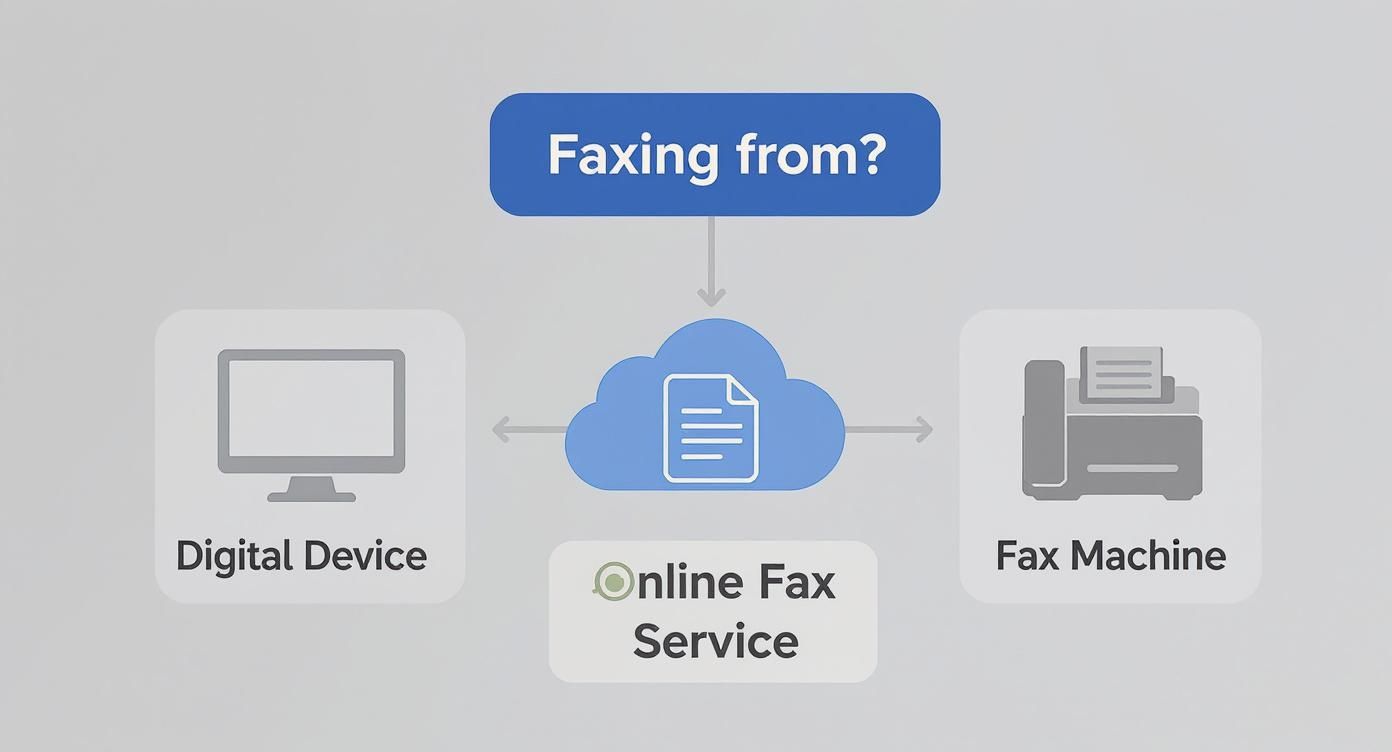
    The practical answer is receiving faxes without a fax machine through an online fax service. The provider assigns you a fax number, answers incoming transmissions in the cloud, converts them into digital documents, and delivers them to an email inbox, web portal, or mobile app. You still need a fax number, even though you no longer need the machine.

    Fax remains active in document-heavy industries. More than 17 billion documents were sent by fax in 2019, and the U.S. healthcare industry exchanges more than 9 billion fax pages annually, according to industry coverage of fax's continued use. The right setup lets you accept those documents without paper, toner, a modem, or an always-on office device.

    When You Need to Receive a Fax but Own No Machine

    A client calls at 3:45 p.m. and says the signed agreement is ready. Their office can fax it, but they won't email it. You look around your workspace and find a laptop, a phone, and an inbox, but no fax machine or analog telephone line. Waiting for equipment would delay the contract, so you need a way to make your business reachable by fax now.

    The fastest escape route is a fax-to-email service. You create an account, receive an assigned fax number, and tell the sender which number to dial. The provider handles the fax signal and sends the finished document to your email as a digital attachment or places it in a browser dashboard. A guide to places where you can receive faxes can help if you need a temporary public or retail option rather than a permanent business workflow.

    You can also choose among several delivery models:

    • Fax-to-email services: Incoming documents arrive in a monitored inbox, usually as PDFs.
    • Virtual fax numbers: A number gives outside parties a conventional destination while your team works digitally.
    • Mobile fax apps: Push notifications and document viewing help professionals who work away from a desk.
    • Storefront locations: Retail business centers can handle isolated, urgent transmissions when you don't need an ongoing number.

    The key distinction is easy to miss. Sending a fax digitally and receiving a fax digitally are different workflows. For inbound faxing, the sender needs a number to dial. You can't just give someone a normal email address and expect a traditional fax machine to deliver into it.

    Practical rule: Set up the number before you need it, then verify it with a test fax.

    A dependable setup takes four actions: choose a provider, configure delivery, send a test fax, and monitor the first real transmission. That process turns an emergency workaround into a repeatable way to receive contracts, records, forms, and notices.

    Choosing the Right Service and Fax Number Type

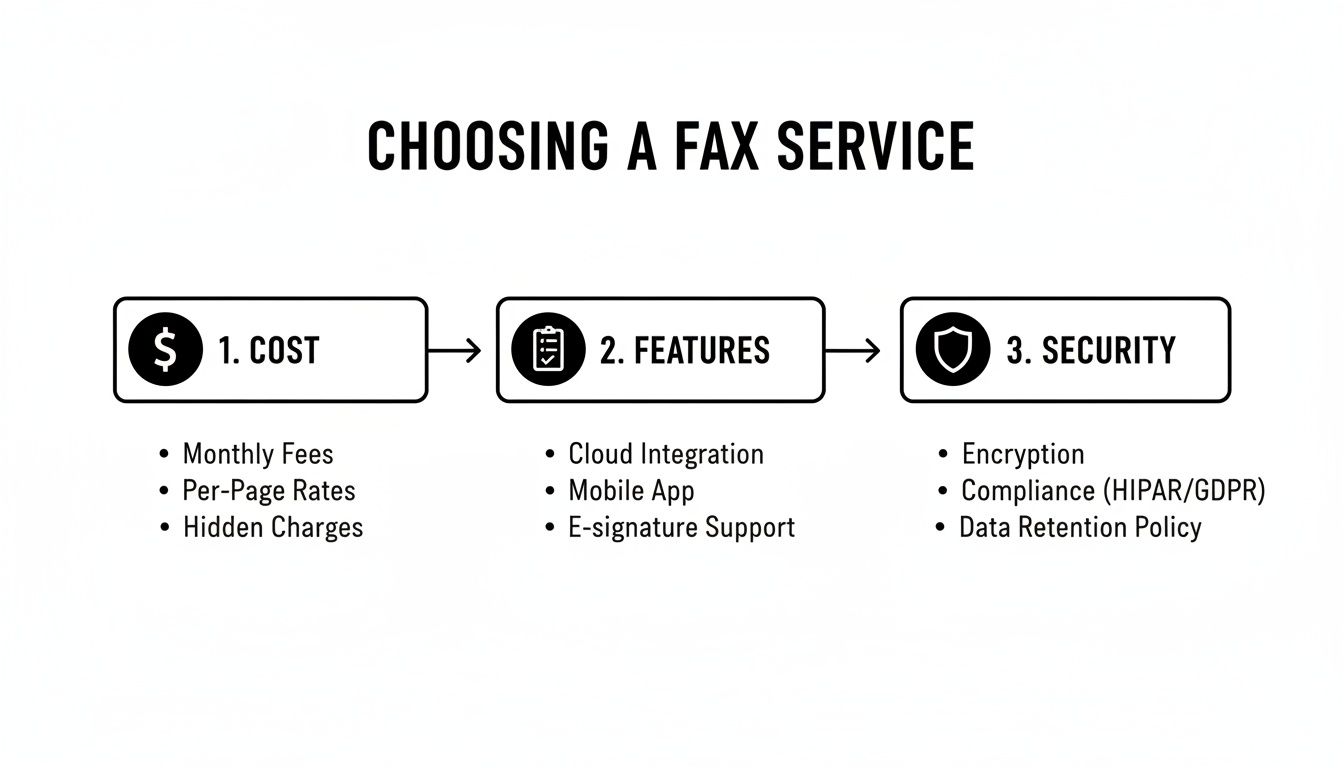
    Start with the volume and the people who need access. Someone receiving an occasional signed form may prefer a simple service with pay-as-you-go billing. A small legal or medical team needs a shared inbox, user permissions, searchable records, and transmission logs. Don't choose a solo plan for a team just because the monthly price looks lower. The administrative friction will cost more than the subscription difference.

    Next, decide whether you need a new number or want to preserve an existing one. A freshly assigned number is usually the quickest route. Porting an established fax number makes more sense when clients, courts, insurers, agencies, or suppliers already use it. Changing that number can create missed documents and force every contact to update its records.

    Number type also affects how people perceive and use your business line:

    Number Type Best For Typical Availability Cost Impact
    Local Regional businesses and local contacts Often available by area code May fit standard number pricing
    Toll-free Organizations receiving documents from broad geographic areas Offered by many online providers May carry different plan or number charges
    Existing ported number Businesses with established fax contacts Depends on provider and porting eligibility May involve provider-specific porting costs
    Newly assigned number New businesses or temporary workflows Usually available during signup Often the simplest setup path

    Ask about integrations before committing. A legal team may want automatic storage in a document-management system. A healthcare practice may need a workflow connected to an EHR. A sales or operations team may prefer a CRM connector or cloud-storage destination. If you're evaluating outside support for legal document handling, a resource covering virtual legal assistants companies can help you think through access, delegation, and document ownership before you share an inbound fax queue.

    Pricing usually falls into three categories: monthly subscriptions, page bundles, and pay-as-you-go billing. Occasional users should avoid paying for capacity they won't consume. Daily inbound traffic justifies a recurring plan when it includes shared access, archiving, notifications, and useful controls.

    For a deeper explanation of the number itself, review this guide to an online fax number. The recommendation is straightforward: choose local for regional continuity, toll-free for broad reach, and porting when your current number already appears throughout your business materials.

    Setting Up Your Account and Configuring Delivery

    A good inbound configuration takes less effort than installing a physical machine, but you should still treat it like business infrastructure. A missed fax can be a missed deadline, not just a minor notification problem.

    Screenshot from https://example.com/screenshots/online-fax-inbox-settings.png

    Begin by creating the provider account with a business-controlled email address. Verify ownership, then select either a newly assigned number or an existing number eligible for porting. Don't use an employee's personal inbox as the only account owner. If that person leaves, your recovery process becomes unnecessarily difficult.

    Configure delivery and notifications

    Set the primary delivery address for inbound faxes. Most services send the received document as a PDF attachment and retain a copy in the web portal. Add a secondary address when the document is time-sensitive or when a second person must monitor the queue. A shared address can work for a small team, but individual user accounts are safer for access tracking.

    Enable email alerts, mobile push notifications, or desktop notifications according to your workflow. Then turn on two-factor authentication for every user who can view sensitive documents. Notifications tell you a fax arrived. Authentication controls who can open it.

    Customize your business identification and cover-page details. Correct company information helps senders recognize the destination and reduces confusion when a fax crosses between departments. Include a monitored phone number or email address for transmission problems, but don't publish private account credentials.

    Test the complete path

    Send a test fax from a second account, a colleague's service, or a willing sender. Confirm that the document reaches the correct inbox, opens properly, carries the expected page count, and appears in the provider dashboard. Then test the return path if your team also needs to send replies. The instructions for receiving a fax by email are useful when you're checking the email-delivery portion of the setup.

    Place the test document in a clear archive structure after verifying it. Separate folders by client, matter, patient workflow, or operating year, depending on your business. Use consistent filenames and retention rules, and connect cloud storage only after confirming that the destination has appropriate access restrictions.

    The video below shows the kind of browser-based workflow many users adopt for digital fax reception.

    Finally, ask a real sender to transmit a non-sensitive test page. A successful internal test proves your account works. A second test from outside your organization confirms that the public number, provider routing, email delivery, and sender instructions all work together.

    Comparing Costs and Features Across Methods

    The cheapest method isn't automatically the right one. Receiving one unexpected fax at a retail counter is different from managing a steady stream of legal filings or patient records. Compare the destination, access model, storage, and number continuity before comparing price.

    Method Typical Cost Inbound Pages Included Key Features Best For
    Dedicated online fax provider Varies by provider and plan Depends on subscription or bundle Assigned number, email delivery, portal, archives, team controls Businesses with recurring inbound needs
    Email-connected fax service Varies by provider and plan Depends on account terms Inbox delivery, PDF attachments, browser access Solo users who work primarily by email
    Mobile-first fax app Varies by provider and plan Depends on account terms Push alerts, mobile viewing, document capture Professionals away from a desk
    Retail or storefront reception Usually charged per transmission or page No recurring allowance Staff-assisted handling and one-off access Emergency or isolated documents

    Dedicated services generally offer the strongest long-term value for teams because they combine a number with storage and controlled access. Look for searchable archives, multiple recipients, file previews, download options, and transmission records. Those features matter more than a small difference in subscription price when several people need the same document.

    Email-connected delivery is convenient, but it creates a security dependency on your mailbox. If your email account is poorly protected, the fax workflow is poorly protected too. Mobile apps add speed and flexibility, but they need careful notification settings and device security.

    Retail reception avoids subscriptions and setup, but it doesn't create a dependable inbound address for recurring senders. It also makes it harder to build a searchable history or route documents automatically to the person responsible for them.

    Choose by workflow, not by sticker price. A number, archive, and shared access can matter more than a low introductory fee.

    For occasional sending rather than inbound reception, SendItFax offers browser-based fax transmission to U.S. and Canadian numbers without requiring an account. Its free option supports up to three pages plus a cover, with a daily limit of five free faxes, while the Almost Free option costs $1.99 per fax and supports up to 25 pages. Those details make it relevant for sending a reply, not a substitute for maintaining a dedicated inbound number.

    Security and Compliance Considerations

    Digital delivery isn't automatically secure, and a physical fax machine isn't automatically safer. The security question is what happens from the sender's transmission to the stored document, and which people can access the result.

    Choose a provider that documents TLS encryption in transit and AES-256 encryption at rest. Require individual logins, strong authentication, and role-based access where multiple employees share an inbound number. Keep received documents inside an approved business mailbox or controlled portal instead of forwarding them to an unencrypted personal account.

    Healthcare organizations should ask whether the provider will sign a Business Associate Agreement when the service handles protected health information. Fax remains an accepted communication method in healthcare, and digital reception can reduce exposure to documents sitting unattended in an output tray. The service still needs appropriate controls, retention practices, and access policies.

    Legal teams benefit from timestamped delivery records, transmission histories, and audit trails. Those records help show when a document arrived and who accessed it, but they don't replace the firm's own retention and chain-of-custody procedures. Configure the provider and your document system together.

    A digital fax security checklist featuring encryption in transit, encryption at rest, and provider compliance requirements.

    Use this selection checklist:

    • Verify encryption: Confirm protection in transit and at rest in the provider's current documentation.
    • Request compliance terms: Ask for a BAA when your workflow involves protected health information.
    • Control access: Use individual accounts, two-factor authentication, and role-based permissions.
    • Protect the mailbox: Keep attachments in a secured business environment, not a personal forwarding address.
    • Review retention: Set archive and deletion rules that match your legal or regulatory obligations.
    • Check audit records: Confirm that the service records delivery and account activity in a usable format.

    Why Digital Fax Reception Is More Reliable Than You Think

    The old assumption is that a fax must be physically attached to a phone line to be dependable. Modern internet fax standards use a store-and-forward model. The sender transmits fax images through email or an IP gateway, and the receiving service reconstructs the document for delivery. RFC 4142 describes this Internet fax approach as a way to preserve familiar fax behavior over Internet transport.

    The important reliability work happens at the gateway. Interoperability problems can occur between networks, carriers, and fax systems, so production services use T.38 or ECM-style handling with automatic retries. Published industry findings cited in technical coverage of online fax reliability report about 82% success with T.38 plus Error Correction Mode, compared with about 46% for ECM without T.38, and roughly 1.33 transmission attempts per successful fax.

    An infographic titled The Reliability of Digital Fax highlighting 99.9% uptime and under 3 second delivery.

    That doesn't mean failures disappear. A sender can dial the wrong number, a document can arrive unreadable, or an email notification can be delayed. The difference is that a cloud service can retry, preserve the transmission record, and keep the received document available while you investigate. A hardware machine can also stop receiving because of paper, toner, power, or line problems, often without anyone noticing immediately.

    Reliability comes from the whole chain, not from the absence of hardware. Choose a provider with gateway redundancy, delivery notifications, retry behavior, and a dashboard where you can verify the inbound record.

    Troubleshooting and Your Next Steps

    Most inbound fax problems have a short diagnostic path. Check the obvious delivery points first, then confirm that the sender used the correct destination.

    A four-step infographic illustrating troubleshooting methods for resolving issues when receiving digital faxes successfully.

    • Check every mailbox folder: Look in junk, spam, quarantine, and any dedicated fax folder. Add the provider's notification address to your approved senders if your mail system filters it.
    • Confirm the number: Ask the sender to verify the full fax number, including the relevant area or country code. A single incorrect digit sends the document elsewhere.
    • Inspect the account: Confirm that your assigned number is active and that the delivery email still belongs to a monitored employee or team.
    • Request the transmission report: Ask the sender for the result of the send attempt. A report can show whether the problem occurred before the provider received the call.
    • Download the original file: If an in-app preview or OCR result looks wrong, download the original fax attachment, such as a TIFF image, instead of relying on the preview.
    • Contact support for stalled transmissions: A fax sitting in a pending queue needs provider review, especially when a retry doesn't clear it.

    Run a test before you distribute the number to clients, suppliers, courts, insurers, or agencies. Send a document from a second fax account or ask a friend to transmit one, then confirm receipt, readability, notifications, and archive access.

    You don't need a machine to be reachable by fax, but you do need a provisioned number and a verified delivery path. Choose a service that matches your volume and privacy requirements, configure the inbox carefully, and test it before the next urgent document arrives.


    SendItFax provides browser-based fax transmission without a fax machine, including a free option for limited sending and a paid option for larger documents and cleaner presentation. If you need to send a reply after receiving an inbound fax, visit SendItFax and transmit the document from your browser.
  • Receive Faxes Without a Fax Machine How to Do It Right

    Receive Faxes Without a Fax Machine How to Do It Right

    You're waiting for an important form, contract, or medical record, and the sender says, “We can only fax it.” There's no fax machine in your office, no spare phone line, and no time to buy hardware. The practical answer is to give the sender a digital fax destination and receive the document as a PDF through email, a web portal, or an app.

    That works because faxing is no longer tied to a machine on your desk. Cloud-based services translate the incoming transmission for you, while the sender can continue using a traditional fax machine or another online fax platform. The decisions are less about hardware and more about setup effort, privacy, reliability, and whether you need a one-off reception path or a permanent fax number.

    Why You Can Now Receive Faxes Without Hardware

    A small business client once needed a signed supplier agreement sent before the end of the day. The supplier had a fax machine, but the client had moved fully to laptops and cloud storage. Instead of printing the agreement and finding a local print shop, the client used a virtual fax number. The supplier sent the document as usual, and the completed fax arrived as a PDF in the client's inbox.

    An infographic explaining how to receive faxes online without needing a physical fax machine hardware.

    That process is now common because fax has become software- and cloud-mediated rather than purely hardware-based. Industry coverage cites more than 17 billion faxed documents sent in the United States in 2019, including about 9 billion healthcare pages, which shows why digital reception still needs to interoperate with legacy fax workflows (fax usage statistics and industry coverage).

    The sender still dials a fax number. Your provider receives the transmission, converts it into a digital document, and routes it according to your settings. Depending on the service, that destination may be an email attachment, a secure dashboard, a mobile app, or an integrated business folder.

    What you need before the first fax arrives

    For regular use, you'll usually need a dedicated virtual fax number. That gives senders a stable destination and keeps incoming documents separate from your personal phone number. A dedicated number makes sense when clients, agencies, clinics, or suppliers may send documents repeatedly.

    A shared or public number can be suitable for an occasional document, but it creates a different privacy profile. You'll need to understand who else can access the number, how the service identifies you, and how long the resulting PDF remains available.

    Practical rule: Choose the smallest setup that matches the document's sensitivity. Convenience is acceptable for a routine form, but confidential records deserve a controlled destination.

    Speed and cost also vary. A subscription with a dedicated number provides continuity and management tools, while a one-off service may avoid account creation altogether. Before giving anyone a fax number, check whether the service sends documents directly to your inbox, stores them in a portal, or requires you to retrieve them through a shared access process.

    Comparing Your Main Options to Receive Faxes Digitally

    The best reception method depends on whether the fax is occasional, recurring, confidential, or shared among a team. A service with a dedicated number offers control and continuity, while a public-number model reduces setup but can expose more metadata or access responsibility.

    Method Best For Setup Effort Privacy Control
    Online fax service with a dedicated number Regular business or personal reception Moderate Stronger control through account permissions and routing
    Fax-to-email delivery Users who already manage work through email Low to moderate Depends on inbox security and forwarding rules
    Mobile fax app People who need access away from a desk Low after installation Depends on app security, device lock, and notification settings
    Shared or public number model Occasional, low-sensitivity documents Very low Limited, because access and retention may be shared or temporary

    A dedicated online fax service is the most dependable choice when you expect repeated inbound documents. It gives you a stable number, a place to review received faxes, and usually a history of delivery activity. The trade-off is an account, provider relationship, and possibly an ongoing charge.

    Fax-to-email feels simpler because the PDF lands where you already work. It can also create the greatest practical exposure if the inbox is personal, forwarded automatically, accessed by several people, or visible in lock-screen notifications. Email delivery is convenient, but the inbox becomes part of the document's security boundary.

    A mobile app helps when you need to review an incoming fax while traveling or away from the office. Make sure the app supports secure login, device protection, and controlled notifications. A notification that reveals the sender or document subject can expose more than you intended.

    For a one-time, non-sensitive document, a shared or public-number model can remove the account barrier. Independent coverage describes models where the sender uses a shared fax number and the recipient confirms a few digits to access the resulting PDF (how to receive a fax online). That can work for a temporary form, but it isn't the right choice for medical records, legal agreements, identity documents, or anything that shouldn't be associated with a shared access path.

    For a broader feature comparison before choosing a provider, review this online fax services comparison.

    Getting Set Up to Receive Faxes in Minutes

    Start by deciding whether you need a temporary receiving path or a number you'll keep. For an ongoing workflow, compare providers based on number availability, PDF delivery, storage controls, user permissions, notifications, and support for sensitive documents. For a one-off fax, prioritize clear access instructions and a transparent retention policy over a long feature list.

    Once you choose the service, claim or receive the virtual number. Send that number to the person or organization transmitting the document, and confirm the required dialing format. Don't assume an email address alone is enough. The sender needs a fax destination unless the provider specifically supports another inbound method.

    A four-step infographic illustrating the quick process to receive faxes without a dedicated fax machine.

    Configure delivery before sharing the number

    Connect the number to the destination you'll monitor. That might be a work inbox, a secure portal, or a mobile app. Use a dedicated mailbox or folder if several people handle incoming documents, and set notifications that identify a new fax without displaying confidential content in the alert.

    Create a simple naming and storage convention before the first document arrives. For example, use the sender name and received date in the filename, then move the PDF into a restricted folder after review. Keep the original delivery message or portal record when you need an audit trail.

    A test fax is essential. Ask a trusted person to send a short document, then confirm that the PDF arrives, pages are legible, notifications work, and the reply address or sender details are understandable. A successful number assignment doesn't prove the entire inbound route works correctly.

    If the test fails, check whether the sender used the correct number, whether the provider shows an inbound attempt, and whether the email address or app connection is active. Don't distribute the number widely until you've completed that test. For a practical email-based workflow, see this guide to receiving a fax by email.

    Managing Incoming Faxes Day to Day

    Receiving the PDF is only the first half of the workflow. The next question is who reviews it, where it goes, and how you prevent a useful document from disappearing into an inbox.

    For an individual, the process may be simple. Open the PDF, check that every page arrived, download it to a private folder, and reply to the sender if confirmation is needed. For a small team, assign one person to monitor new faxes and route each document to the appropriate owner.

    A woman reviewing a legal contract on her tablet while a smartphone displays her email inbox.

    Build a routine around the PDF

    Use folders that reflect the work rather than the technology. “To review,” “sent to accounting,” and “archived” are more useful than leaving every file in a general fax folder. If your provider supports tags or routing rules, apply them by sender, department, or document type.

    Pay attention to multi-page documents. Scroll through the entire PDF, check that pages are in order, and look for cut-off content or unreadable scans. If the document is a signed contract or medical form, compare the received page count with the sender's expectation before confirming receipt.

    A received notification is not the same as a verified document. Open the file and confirm that it is complete before telling the sender everything arrived.

    Keep inbound sessions manageable where possible. Fax-over-IP connections are more sensitive to network conditions than ordinary voice calls, and longer documents give a weak connection more opportunity to fail. Dialogic testing found that success can fall sharply as document length increases, with faxes exceeding 20 pages dropping below 1% successful delivery at the tested throughput level, and a 55-page fax statistically undeliverable in that model (reliable fax over VoIP testing).

    For large records, ask the sender whether the material can be split into shorter transmissions or delivered through an approved secure channel. That isn't always possible, but it can prevent repeated failed sessions and unnecessary back-and-forth.

    Privacy Reliability and Compliance Tips You Should Know

    Bitkom reported in 2024 that 77% of German companies still used fax, with 25% using it frequently or very frequently (fax usage statistics and business trends). That continued use creates a modern privacy question: where should a document land, who can open it, and how long should it remain available?

    A professional checklist for privacy, reliability, and compliance tips when using digital fax services.

    For a one-off fax, avoid creating unnecessary accounts or sending a sensitive PDF through a personal mailbox. Choose a reception method that keeps the document in a controlled destination and exposes it to as few people and systems as possible. A physical machine can leave pages in an open tray. Email can place copies in forwarding rules, backups, and several inboxes. A cloud fax service can reduce that exposure only when its access and retention controls fit the document.

    Reduce exposure before the fax arrives

    Use a dedicated business inbox or controlled portal, with access limited to staff who need the document. Enable multi-factor authentication, then record who administers it, which recovery method is approved, and how access is removed when a staff member changes role. Suppress subject-line and lock-screen previews that reveal sensitive details. Automatic forwarding should remain off unless the destination is approved and documented.

    For healthcare documents, the statement that “fax is compliant” is too broad. HIPAA safeguards depend on the actual arrangement, including encryption and a signed Business Associate Agreement where applicable. HIPAA guidance warns that traditional analog machines and free consumer fax tools do not qualify automatically, while misdirected faxes remain a breach risk (HIPAA fax compliance guidance).

    Keep the compliance record with the workflow. Save the provider's security and BAA documentation, note which account receives the fax, and define who reviews access logs when an incident occurs. A clinic using an insurance verification service may need the same documented controls for authorized review, routing, and handling of insurance information. The service does not replace the clinic's privacy obligations.

    Treat reliability as a network problem

    Fax relay depends on fax-specific signaling and error handling, not just clear voice audio. T.38 switches from audio to packet-based fax relay after tone detection. Vendor testing reported T.38 with V.17, ECM, and redundancy maintained a 100% success rate in a figure-based test across page counts, and recommended validating the inbound path with real faxes after T.38 is enabled (T.38 fax-over-IP guidance).

    Ask the provider how it handles packet loss, gateway negotiation, transcoding, retention, audit records, and failed deliveries. Review its fax security controls before sending sensitive documents through the service. This review gives you evidence for vendor records and makes the reception method easier to justify during an internal compliance check.

    Choosing the Right Setup and Staying Ready

    The decision becomes straightforward when you rate the fax need against three factors: frequency, sensitivity, and budget.

    For a single routine form, a temporary or pay-per-use receiving option may be enough, provided you understand who can access the PDF and when the file is deleted. For recurring business documents, a dedicated virtual number with controlled delivery is worth the additional setup because senders can reach the same destination repeatedly.

    Sensitive documents deserve a private number, restricted inbox or portal access, strong authentication, and a documented retention rule. Don't use a shared number for medical records, legal contracts, identity documents, or confidential financial information because it is faster to create.

    Keep the setup dependable

    Use this short maintenance checklist:

    • Test the number: Send a real test fax after setup and after any major provider or routing change.
    • Protect the destination: Restrict inbox access and review forwarding rules.
    • Check every PDF: Confirm page order, legibility, and completeness before acknowledging receipt.
    • Store deliberately: Move important documents into an approved folder instead of leaving them in an inbox.
    • Review retention: Know how long the provider keeps files and how deletion works.
    • Keep senders informed: Store the fax number where authorized senders can find it.

    The right answer isn't always the most feature-rich service. It's the setup that gives you enough continuity for your volume, enough control for your documents, and a receiving path you can test before an urgent fax appears.


    SendItFax offers browser-based fax services for people who need occasional document transmission without a fax machine, while its virtual fax option can support incoming PDF delivery through email or an online dashboard. Visit SendItFax to review the available fax options and choose a setup that fits your next inbound document.

  • Online Fax Number: What It Is and How to Get One

    Online Fax Number: What It Is and How to Get One

    You've just been told to fax a signed form before the end of the day. There's one problem: you haven't seen a fax machine in years, and the office, clinic, or government agency won't accept an email attachment. An online fax number solves that mismatch by giving you a fax destination without requiring a physical machine, paper, toner, or dedicated office line.

    The important distinction is whether you only need to send a document once or whether you need to receive faxes repeatedly. A browser-based sender may be enough for a one-off form, while a business or regulated organization may need a permanent number, an online inbox, delivery records, and documented safeguards. Understanding that difference helps you choose the right service instead of paying for features you won't use, or choosing a basic tool that can't handle inbound documents.

    Why You Might Still Need a Fax Number in 2026

    A job applicant may need to return a signed authorization form to an employer. A contractor may need to send an invoice or permit document to a municipal office. A patient may need to transfer records to a specialist whose intake department still lists fax as its preferred channel. None of these people necessarily owns a fax machine, but the receiving organization may still require a fax number.

    That requirement persists most visibly in healthcare, legal services, government offices, finance, and real estate. Faxing fits workflows built around signed pages, identifiable sender and recipient numbers, transmission confirmations, and established document-handling procedures. In healthcare, recent coverage still describes fax as a dominant route for record requests and clinical communication, with roughly 70% to 90% of healthcare communication continuing to move through fax, according to PCMag's coverage of online fax services. U.S. healthcare also exchanges billions of fax pages annually, so the channel remains embedded in operational systems rather than existing only as a legacy habit.

    Fax has changed more than it has disappeared

    IDC research cited by OpenText found that 82% of respondents said fax usage had increased or stayed the same year over year, and respondents who reported growth saw fax volumes rise by an average of 27%. The same research found that 36% of monthly fax pages were still sent or received on standalone fax machines, which shows that online fax numbers generally coexist with traditional equipment instead of replacing every machine at once. The IDC research PDF provides the underlying figures.

    This persistence doesn't mean fax is the best communication method for every document. Email, secure portals, electronic signatures, and cloud file sharing are often more convenient when the recipient accepts them. But if the other side says, “Fax this to us,” an online fax number lets you work within that requirement from a browser or phone.

    A long-running free online fax service reported handling 7.5 million fax submissions and delivering 5.8 million faxes between April 2009 and July 2026, totaling 19.2 million pages. That cumulative activity, documented in GotFreeFax's fax statistics, illustrates how browser-based faxing has remained a sustained channel rather than a short-lived experiment.

    How an Online Fax Number Actually Works

    Think of an online fax number as a digital PO box for documents. The number lives in a provider's communications infrastructure instead of being attached to a machine on your office wall. A sender dials that number from a traditional fax machine or another online service, and the provider places the resulting document in your web inbox, email account, or mobile app.

    A simple infographic showing the three steps of how an online fax number receives and delivers documents.

    Receiving a fax

    The inbound process usually follows these steps:

    1. A sender dials your fax number. The number may be local, toll-free, or international, depending on what the provider supports. Many online services use DID infrastructure, which means the number is assigned to your account and routes incoming communications to your digital mailbox.
    2. The provider's gateway answers the call. It negotiates with the sending fax equipment and converts the transmission into a digital document.
    3. The document reaches your account. You may receive a PDF attachment by email, a notification in an app, or a message inside the provider's secure web dashboard.

    The technology behind many online fax numbers is Fax over IP, or FoIP. ITU-T T.38 is the only standardized real-time FoIP protocol. It helps fax gateways carry a fax session across an IP network without treating modem tones like ordinary compressed voice, which is why T.38 is generally more dependable than passing fax tones through a voice-over-IP connection. The T.38 technical overview explains the protocol's role in this process.

    Sending a fax

    Outbound faxing reverses the direction:

    • You upload a PDF, DOC, DOCX, or another supported file.
    • The provider prepares the file for fax transmission.
    • You enter the recipient's fax number and send the job.
    • The provider's gateway contacts the destination and transmits the document page by page.
    • You receive a delivery result, such as a success notice, failure message, or retry status.

    T.38 can use redundancy and retransmission to handle some packet loss, but both endpoints need suitable support and the network path needs low loss and low jitter. Engineering guidance explains why providers usually favor T.38 over voice-codec pass-through, since lossy codecs can damage fax signaling. The same guidance notes that destination numbers may need E.164 format for correct routing across major markets. Dialogic's FoIP guidance offers technical detail, while this explanation of fax numbers covers the everyday meaning of the number itself. If you also need background on how virtual phone numbers differ from ordinary lines, what is a virtual number is a useful companion resource.

    Who Really Needs an Online Fax Number

    Not every fax user needs the same product. The deciding question is whether you need a temporary way to transmit a file or a persistent communication address that other people can use to reach you.

    The casual one-off sender

    A job seeker, freelancer, tenant, or individual may need to send a signed document only occasionally. This user usually doesn't need a permanent number, inbound delivery, shared access, or a long-term archive. A pay-per-use browser sender is often a better fit than a monthly subscription.

    The main checks are simple:

    • Does the service accept your file type?
    • Does it send to the recipient's country and number type?
    • Does it provide a delivery confirmation?
    • Does it clearly explain whether the free or low-cost option adds branding or limits pages?

    The small-business operator

    A small business may need a number printed on invoices, websites, contracts, or business cards. It may receive purchase orders, signed agreements, referrals, or documents from partners that still use fax. Here, number permanence matters. So do an online inbox, multiple users, searchable records, notifications, and predictable billing.

    A business should also decide whether it needs local recognition or a toll-free presence. A local number can support a regional identity, while a toll-free number can make it easier for customers and partners in different locations to send documents.

    The regulated professional

    Healthcare clinics, law firms, financial organizations, and government contractors face a different standard. They may handle protected health information, privileged legal material, financial records, or documents subject to retention rules. These users need more than a convenient upload form. They should look for access controls, audit logs, encryption, retention settings, incident procedures, and a signed Business Associate Agreement where HIPAA applies.

    User Profile Typical Monthly Volume Needs Inbound? Compliance Stakes Service Tier Fit
    Casual individual Occasional or one-off Usually no Low to moderate, depending on document Pay-per-use browser sender
    Small business Regular, moderate volume Often yes Business confidentiality and continuity Dedicated online fax number
    Healthcare, legal, or finance professional Recurring workflow volume Usually yes High, with sector-specific obligations Compliance-focused virtual-number plan

    The difference is practical. A one-off sender is buying delivery. A business is buying a reliable address and workflow. A regulated organization is buying documented controls around both.

    The Three Main Ways to Get an Online Fax Number

    You can approach online faxing through three broad paths. The right choice depends less on brand familiarity than on whether the service gives you a number, an inbox, inbound capability, or only a temporary sending form.

    Dedicated virtual-number providers

    Services such as eFax, HelloFax, and RingCentral generally assign a real fax number that can be local or toll-free, depending on availability. Incoming faxes route to an email inbox, web dashboard, or app, while outgoing documents leave through the same account. This model usually involves a recurring subscription tied to the number and its included usage.

    Choose this route when other people must be able to fax you repeatedly. It also makes sense when you need number permanence, shared access, searchable records, or business continuity. Setup is typically account-based, so you can normally begin after selecting a number and completing provider verification.

    Browser-based senders

    A browser sender doesn't necessarily give you a fax number at all. Instead, you upload a document, enter the destination number, add sender details, and submit the fax. SendItFax, FaxZero, and GotFreeFax represent this general approach.

    This path suits a single signed form, an occasional government submission, or a contractor who doesn't want a subscription. The trade-off is that it usually doesn't provide a permanent inbound number or a full receiving inbox. Free services may also impose page limits, branding, confirmation steps, or restrictions on the type of destination you can reach.

    Decision rule: If nobody needs to fax you back, don't pay for an inbound number just because the phrase “online fax” makes it sound necessary.

    Hybrid communication suites

    A hybrid setup places fax beside other channels. Examples include VoIP PBX systems, electronic-signature platforms with fax modules, and unified communications suites. You may get phone service, messaging, file storage, workflow automation, and fax under one administrative account.

    This option can reduce the number of vendors your team manages, but it can also introduce features you don't need. Review user permissions, number ownership, storage, export options, and compliance documentation before choosing a bundle. If you're also organizing a business identity process, practical guidance on how to avoid EIN filing mistakes can help keep administrative setup separate from fax-service decisions.

    Path Owns a Number? Inbound Fax? Typical Cost Best For
    Dedicated virtual-number provider Yes Usually yes Recurring subscription Businesses and regulated workflows
    Browser-based sender Usually no Usually no Free or pay per fax One-off transmission
    Hybrid communications suite Usually yes Often yes Bundled or tiered subscription Teams consolidating communications

    The fastest route to a first outbound fax is usually a browser sender. A dedicated number takes more setup, but it gives recipients a stable place to send documents.

    Security, Compliance, and Porting Considerations

    An online fax number can make document handling easier, but convenience doesn't answer the security question. Before uploading sensitive material, find out how the provider protects files while they travel, how it stores them, who can access them, and what happens after cancellation.

    A diagram outlining security, compliance, and porting considerations for selecting an online fax provider.

    Start with the provider's security language

    Look for encryption in transit and at rest. Encryption in transit protects data as it moves between your device, the provider, and the recipient. Encryption at rest protects stored documents inside the provider's systems. Basic TLS can protect a connection, but it doesn't automatically tell you how the provider controls staff access, backups, exports, or archived files.

    Healthcare organizations need a specific contractual answer. If a provider claims HIPAA support, ask whether it signs a Business Associate Agreement, often called a BAA. Legal teams should ask comparable questions about privileged documents, access logs, retention, and breach response.

    Retention matters as much as transmission

    A secure upload can still create a problem if files remain stored indefinitely. Ask:

    • Storage period: How long do inbound and outbound faxes remain available?
    • User control: Can authorized users download, delete, and export documents?
    • Cancellation: What happens to stored files when the account closes?
    • Audit records: Can you see who accessed, sent, downloaded, or deleted a document?
    • Residency: In which country or region are the documents stored?

    Porting is separate from security. It means transferring an existing fax number from a traditional line or another provider to the new service. Porting can preserve a number that customers, hospitals, courts, or suppliers already have, but eligibility varies. Local, toll-free, vanity, and international numbers may follow different rules, and the transfer can require account records or authorization from the current carrier.

    For a broader look at document handling, review this guide to the security of fax before choosing a provider.

    A practical provider checklist

    • Encryption claims: Confirm protection during transmission and storage.
    • Compliance contract: Get a BAA when your workflow involves protected health information.
    • Retention controls: Verify storage duration, deletion tools, and cancellation procedures.
    • Audit visibility: Confirm that logs cover access and delivery events.
    • Porting eligibility: Ask whether your existing number can transfer and whether downtime is expected.
    • Data location: Check residency requirements if your organization has contractual or regulatory restrictions.

    Pros and Cons of Using an Online Fax Number

    Online fax numbers remove the physical machine, but they don't remove every fax-related limitation. The technology is mature enough for everyday business workflows, yet the service model still varies sharply between providers.

    A comparison chart outlining the pros and cons of using an online fax number service.

    What improves

    You don't need to maintain a machine, replace toner, clear paper jams, or keep a phone line beside a desk. Staff can send and receive documents from a browser, email inbox, or mobile app, which helps distributed teams and people who travel.

    Digital storage also makes documents easier to search than paper stacks. A small business can route incoming faxes to selected users, download records, and keep a consistent process without placing a machine in a reception area.

    IDC's findings show why this convenience hasn't made traditional hardware irrelevant. With 36% of monthly fax pages still handled by standalone machines, online fax numbers are best understood as an additional access layer for a channel that many organizations continue to use. The cited IDC research supports that coexistence.

    What requires caution

    Many providers charge by page, cap free usage, or require a paid plan before they assign an inbound number. A document with dense images, signatures, or fine detail may also reproduce less clearly than the original, especially when the sender or receiver uses a weak connection or incompatible endpoint.

    The number itself can feel old-fashioned to customers who expect a secure portal or electronic-signature link. That isn't automatically a problem, but it can affect how you present the workflow. Consumer-grade fax tools may not satisfy a regulated process that requires specific delivery evidence, retention, contractual protections, or certified handling.

    An occasional sender may value low commitment above everything else. A business receiving documents daily may prefer a stable number and searchable inbox, even if that means a recurring fee. A healthcare or legal organization should put compliance documentation ahead of headline price.

    Choosing the Right Option for Your Situation

    Start with the task, not the brand. A person sending one signed form to a government office has a different problem from a clinic that must receive referrals every day.

    One-off sender

    If you only need to send, a browser-based service is usually the cleanest match. You upload the document, enter the recipient's fax number, and receive a delivery result without maintaining a permanent number. SendItFax, for example, supports browser-based outbound faxing to recipients in the United States and Canada without requiring an account, and its free option allows up to three pages plus a cover page, with a daily limit of five free faxes. The service's online fax services comparison can help you compare this type of workflow with number-based options.

    Small business

    Choose a dedicated virtual-number provider when customers, suppliers, or partners need to fax you. Look for a stable local or toll-free number, inbound notifications, multiple users, searchable storage, delivery history, and an export process. A lightweight hybrid plan may work for a remote worker who wants a recognizable number but sends only occasionally.

    Healthcare and legal workflows

    A regulated organization should require more than a working send button. Confirm inbound delivery, role-based access, audit logs, retention controls, encryption practices, and any required agreement before sending protected or privileged information. A provider that can't document those controls may be unsuitable even if its interface is easy to use.

    Use this three-step filter:

    1. Identify direction: Do you only send, or must you receive?
    2. Estimate usage: Is the need occasional, recurring, or shared across a team?
    3. Verify obligations: Do HIPAA, legal privilege, contractual rules, or retention policies apply?

    The answer points toward the right category. One-off sending suggests a browser service. A published business number suggests a dedicated virtual-number plan. A regulated workflow may require a compliance-focused provider or a hybrid system with documented controls.

    A funnel diagram showing four fax service tiers: One-Off Sender, Small Business, Healthcare/Legal, and Enterprise.

    If you only need to transmit an occasional document, visit SendItFax to upload a file and send it from your browser without setting up a permanent fax number. If your workflow later grows to require inbound delivery, a stable number, or compliance controls, use the criteria above to reassess the service category rather than treating every fax need as the same.

  • US Fax Number Formats, Dialing Rules & Online Fax Guide

    US Fax Number Formats, Dialing Rules & Online Fax Guide

    A US fax number follows the standard 10-digit North American Numbering Plan format, made up of a 3-digit area code and a 7-digit local number. For long-distance faxing within the United States, add a leading 1 before those 10 digits.

    That simple structure still supports a surprisingly active communications channel. In 2019, more than 17 billion individual faxed documents were sent in the United States, including an estimated more than 9 billion connected to healthcare according to Communications of the ACM. The question in 2026 isn't only what a US fax number looks like. You also need to know whether the number still receives documents, where a ported number routes, and whether an internet-based fax endpoint can complete the transmission reliably.

    Understanding the US Fax Number Format

    A US fax number looks like an ordinary telephone number because it uses the same national numbering structure. The number itself doesn't identify the device as a fax machine. Instead, the receiving service, carrier, or office equipment determines whether an incoming call becomes a fax transmission.

    The basic pattern is:

    • Area code: Three digits identifying a geographic region or service type.
    • Local number: Seven digits made up of an exchange code and a line number.
    • Domestic long-distance prefix: A leading 1 placed before the 10-digit number when required for long-distance dialing inside the United States.

    For example, a local fax number might be written as 212-555-0184. A domestic long-distance dialing sequence may appear as 1-212-555-0184. The hyphens improve readability, but the underlying number remains the same 10-digit NANP number.

    An infographic explaining the structure of a US fax number including area code, exchange code, and line number.

    How to tell whether the number is really a fax line

    A published number isn't automatically fax-capable. Businesses sometimes list a dedicated fax line, but others publish only a main office number. That main number may reach a receptionist, an automated voice menu, a VoIP system, or a hybrid service that accepts fax calls only under certain conditions.

    Before sending sensitive or time-critical paperwork, confirm the number with the recipient. Ask whether it receives faxes, whether the organization requires a cover sheet, and whether it has a preferred dialing prefix. If the number begins with a toll-free code such as 877, consult a resource that helps you verify legitimate 877 numbers, especially when an unfamiliar contact has supplied it.

    You can also review this guide to US fax number formatting when a form, directory, or email presents the number in an unfamiliar style.

    Practical rule: Treat formatting as the starting point, not proof that the destination is an active fax endpoint.

    Types of US Fax Numbers and When to Use Each

    The right fax number type depends on who sends documents, who receives them, and how much control the organization needs over incoming traffic. Three categories appear most often in US workflows: local numbers, toll-free numbers, and virtual fax numbers.

    A table detailing different types of US fax numbers and their specific use cases for businesses.

    Number type Practical fit Main consideration
    Local fax number A clinic, law office, contractor, or regional business serving a defined area The area code can make the organization recognizable to local contacts
    Toll-free fax number A company accepting documents from customers or partners across the country The recipient can send without treating the destination as a geographic long-distance number
    Virtual fax number Remote teams, mobile workers, and offices that don't want a physical machine Reliability depends on the provider, carrier path, and receiving configuration

    A local number works well when clients already associate the business with a particular city or region. It can also fit an existing telephone system, although the number may route through cloud software rather than copper telephone equipment.

    A toll-free number is more suitable for a national intake process. Customers don't need to interpret a geographic area code, and the business can centralize document reception. Toll-free numbers still need testing, however. A toll-free number can be active for voice calls while its fax handling is unavailable or poorly configured.

    A virtual number removes the need for a dedicated fax machine at the user's location. The service may deliver received documents to a web dashboard, an email workflow, or another approved destination. That flexibility helps distributed teams, but it also adds a dependency on the service's storage, notification, authentication, and carrier arrangements.

    A simple selection test

    Choose a local number when regional identity matters. Choose toll-free when senders come from many locations. Choose virtual when staff work from different places or need browser access.

    For healthcare, legal, and financial documents, evaluate more than appearance or convenience. Confirm how the provider handles access, retention, delivery records, and misdirected transmissions. A number is useful only when its operating process matches the sensitivity and urgency of the documents it receives.

    How to Dial a US Fax Number Correctly

    Dialing depends on your location and the destination. Start by copying the recipient's fax number exactly as provided, then remove spaces, brackets, and hyphens only if your fax service requires digits without punctuation.

    For a fax sent within the same local dialing area, enter the destination's 10-digit number if the carrier uses full NANP dialing. Some office phone systems may require an outside-line access code before the number, so check the system's instructions rather than guessing.

    For domestic long-distance faxing, use:

    1 + area code + 7-digit local number

    A destination written as 415-555-0136 becomes 1-415-555-0136 for a long-distance sequence. Don't confuse the leading 1 with the country code in this situation. You're still calling within the United States. The 1 is the NANP long-distance prefix described in US fax number format guidance.

    A six-step infographic guide showing how to correctly dial a United States fax number.

    Calling from outside the United States

    International callers generally use their country's international access method, followed by the US country code 1, then the complete 10-digit number. From the United States, an international call typically begins with 011, followed by the destination country code and number. For a caller abroad sending to a US fax number, the sequence is commonly represented as:

    International exit code + 1 + area code + local number

    On many mobile devices and online services, the plus format is easier:

    +1 + area code + local number

    A frequent mistake is adding both a local long-distance prefix and an international sequence when the service already expects the plus-format country code. Use the format requested by your carrier or online fax provider.

    Finally, confirm that the destination is a fax endpoint. Number portability can move a number between traditional phone service, VoIP, mobile, and virtual platforms. A correctly dialed number can still fail if it now reaches a voice-only line.

    Why Some US Fax Numbers Fail to Receive Documents

    A number can be valid, published, and reachable, yet still be unreliable for faxing. The underlying connection may no longer be a traditional analog line. US copper retirement is occurring in phases between 2025 and 2029, and organizations may migrate legacy fax equipment to VoIP, eFax, or hybrid systems during that transition, as described in guidance about fax lines and modern phone networks.

    Internet-based faxing adds a technical layer that number formatting can't solve. T.30 manages fax call setup, image-size selection, compression, page boundaries, and termination. T.38 supports real-time fax over IP networks. If the endpoint or carrier doesn't properly support fax pass-through or FoIP-compatible signaling, the call may connect but the document can still fail.

    Common failure points

    • Voice-only destination: The number now routes to a receptionist, mobile phone, or voice mailbox.
    • Poor VoIP configuration: The carrier handles ordinary voice traffic but doesn't preserve fax signaling correctly.
    • Number portability: The organization kept its published number while changing the underlying service or endpoint.
    • Receiving workflow problem: The fax arrives but isn't visible to the intended department because notification or routing rules failed.
    • Transmission mismatch: The sender and recipient negotiate settings that the network can't maintain.

    A connected call isn't the same as a delivered document.

    A practical verification process

    Call the recipient before sending important records and ask for the current fax number. If possible, send a short test page and request confirmation that the page is legible. When a transmission fails, check the number first, then ask whether the recipient's system uses VoIP or an online fax platform.

    Don't repeatedly resend a sensitive document without checking the destination. Multiple attempts can create duplicate records, and a misrouted fax can expose information to an unintended recipient. For recurring exchanges, maintain a verified contact list with the department name, fax number, confirmation date, and any required cover-sheet instructions.

    Sending Faxes to US Numbers with SendItFax

    If you need to send a document from a browser without installing a fax machine, SendItFax provides a web-based workflow for US and Canadian recipients. You enter the recipient details, upload a supported file, and submit the transmission through the service.

    The process is straightforward:

    1. Enter the destination: Provide the recipient's US fax number in the requested 10-digit format.
    2. Add sender details: Supply the information the recipient needs to identify the transmission.
    3. Upload the file: Send a DOC, DOCX, or PDF document.
    4. Add a cover page if needed: Include a short message and contact information.
    5. Review before sending: Check the number, page order, orientation, and recipient name.
    6. Submit and monitor: Keep the delivery result for your records, especially for time-sensitive paperwork.

    The free option supports up to three document pages plus a cover page, with a daily limit of five free faxes, according to the publisher's stated service details. The cover page includes SendItFax branding. The Almost Free plan costs $1.99 per fax, supports up to 25 pages, provides priority delivery, and removes SendItFax branding. Those figures and plan conditions come from the supplied publisher information.

    Prepare the file before uploading

    Use a clear PDF when the document's layout must remain fixed. DOC and DOCX files can work when you need to transmit an editable office document, but review the rendered result carefully because page breaks and spacing may change.

    Use readable fonts, avoid faint colors, check that every page is upright, and make sure signatures and small form fields remain visible. A successful delivery report doesn't guarantee that a recipient can read a poorly prepared scan.

    For a browser-based walkthrough, see how to send a fax from the web. If the document is urgent, confirm receipt with the recipient instead of relying only on an automated status. If the fax fails, verify the number and ask whether the destination can receive online fax traffic before trying again.

    Fax Compliance and Privacy Considerations in 2026

    Fax remains legally usable in healthcare when organizations apply reasonable safeguards. Privacy depends on the workflow, not on whether the document travels by fax. Staff should verify the destination, disclose only what the recipient needs, and follow procedures that reduce misdelivery.

    Healthcare organizations still rely on fax because electronic exchange is not universal. In 2019, about 71% of US hospitals used mail or fax to send summary-of-care records, and 68% used mail or fax to receive them, making mail or fax the most common exchange method in that survey, according to US fax usage data. The same source reports that only 43% of US hospitals were routinely interoperable across all four electronic exchange domains in 2023. A published phone number may look current while its routing has changed, so confirm that it accepts faxes before sending sensitive records.

    A narrower regulatory change concerns claims attachments and related clinical documentation. Independent 2026 coverage reports that a CMS rule finalized in March 2026 will phase out fax machines for those workflows by May 26, 2028, as described in healthcare fax compliance coverage. Current healthcare faxing is not automatically unlawful. Organizations should separate permitted present-day processes from administrative workflows scheduled for replacement.

    Safeguards for sensitive documents

    • Confirm the recipient: Read the number back or compare it with an approved directory. Treat number portability and VoIP routing as reasons to verify the endpoint, not as proof that the line is unsuitable.
    • Use a cover sheet: Name the intended recipient and warn that the transmission may contain confidential information.
    • Limit the contents: Send only the pages needed for the stated purpose.
    • Control access: Restrict who can view incoming faxes on a physical machine or in an online dashboard.
    • Record the result: Retain delivery information according to the organization's document-retention policy.

    Healthcare still exchanges a very large volume of faxed pages, and medical record requests continue to use fax extensively, according to HIPAA fax requirements and practical safeguards. Those conditions explain why organizations may need a controlled fax process while electronic alternatives expand.

    Treat an online fax provider as one part of the privacy workflow. It can route documents through a virtual number, but it cannot replace recipient verification, access controls, or confirmation that the published number reliably receives faxes.

    Quick Reference Guide for US Fax Number Success

    Use this checklist before every important transmission:

    1. Verify the number format: Confirm the 3-digit area code and 7-digit local number.
    2. Confirm the endpoint: Ask whether the published number actively receives faxes.
    3. Choose the dialing sequence: Use the appropriate local, domestic long-distance, or international format.
    4. Inspect the document: Check page order, orientation, readability, and required cover information.
    5. Save the result: Keep the delivery status and confirm receipt when timing or confidentiality matters.

    A quick reference guide providing five essential tips for successfully sending fax numbers within the United States.

    Choose a browser-based option for occasional transmissions when you don't need a permanent receiving line. Consider a dedicated local, toll-free, or virtual fax setup when your organization receives documents regularly and needs an established intake process. For sensitive records, evaluate access controls and retention practices before choosing a service.

    If the recipient says the fax never arrived, verify the number, check the transmission result, ask whether the pages were legible, and confirm whether the line has moved to VoIP or another platform. A virtual fax number can work for professional documents, but reliability depends on the provider's configuration and the recipient's receiving system.


    SendItFax lets you enter a US or Canadian fax number, upload a DOC, DOCX, or PDF file, and send it from a browser without a fax machine or account. Visit SendItFax when you need a practical way to transmit an occasional contract, form, referral, or record after verifying the recipient's fax line.

  • How to Receive a Fax Via Email Your Guide to Modern Faxing

    How to Receive a Fax Via Email Your Guide to Modern Faxing

    Receiving a fax through your email is surprisingly simple. You just sign up with an online fax service, they give you a virtual fax number, and you set it up to send any incoming faxes straight to your inbox as a PDF. It’s a modern twist that completely sidesteps the need for a physical machine, paper, or ink, effectively pulling a legacy tool into today's digital workflow.

    Why Receiving Faxes By Email Is a Game Changer

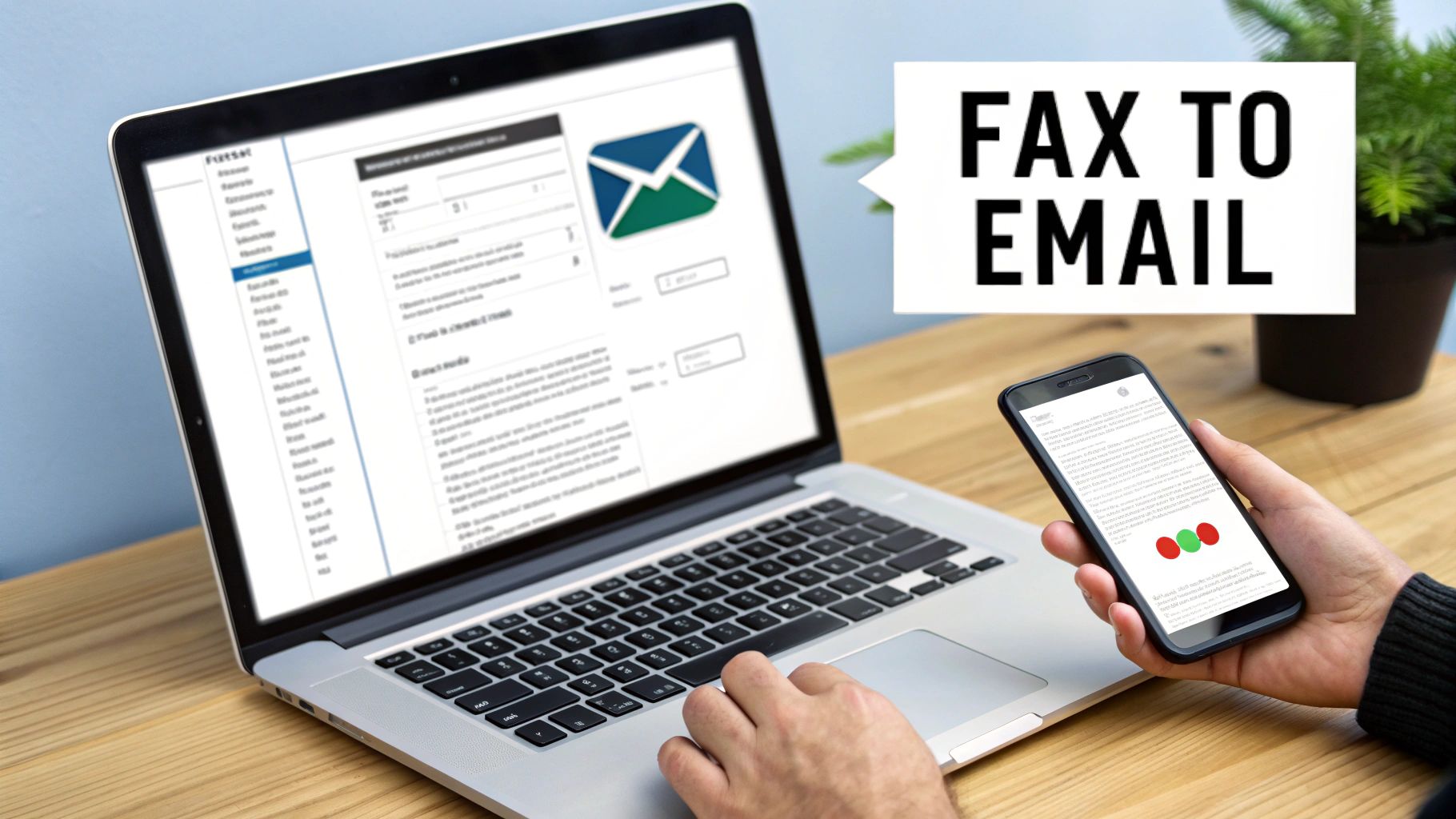
    A person uses a laptop and smartphone on a wooden desk, with a 'FAX TO EMAIL' sign.

    Let's be honest—the screech and buzz of an old-school fax machine feels like a relic. But the reality is that for a lot of fields like healthcare, law, and real estate, faxing is still a non-negotiable, secure way to send signed documents. Figuring out how to receive a fax via email isn't just a neat trick; it's about making a necessary tool fit the way we actually work now.

    This approach blends the tried-and-true security of faxing with the sheer convenience of email. Instead of being chained to a desk, you can get critical documents on your laptop, tablet, or even your phone, as long as you have an internet connection.

    The Core Benefits of Email-Based Faxing

    The upsides to making this switch are pretty clear right from the start. First off, you'll see some real cost savings. Forget about buying and maintaining a clunky machine, and say goodbye to the constant drain of paying for paper, ink, and a dedicated phone line. It's also a great move toward a greener, paperless office.

    But it’s not just about the money. The freedom you get is huge. Imagine getting a time-sensitive legal document while you're on a business trip or a signed contract when you're working from home. Online faxing makes that a reality by dropping faxes right into your inbox like any other email attachment.

    Here are a few of the key advantages:

    • Instant Access: You can read, save, or forward faxes from any device, anywhere in the world.
    • Improved Organization: Digital faxes are easy to search for in your email. No more digging through filing cabinets.
    • Enhanced Security: The best services use encryption, so sensitive documents aren't just sitting out in the open on a shared fax machine tray.

    How Does It Actually Work?

    The tech behind these fax-to-email services is refreshingly straightforward. When someone sends a fax to your special virtual fax number, the service's servers catch it. They act as a digital translator, taking that old analog signal, converting it into a file (usually a PDF), and then shooting it over to you as an email attachment.

    The brilliant part is that the sender has no idea anything is different. They just use their regular fax machine, dial your number, and send the document. On their end, it's business as usual; they don't know it's landing in your inbox instead of printing out on paper.

    This behind-the-scenes conversion is what bridges the gap between old and new technology so effectively. It doesn't force anyone to change their habits. The global fax services market is now valued at $3.3 billion in 2024, and that growth is almost entirely because of these online solutions. Even with over 17 million fax machines still humming away worldwide, this digital shift offers a modern, practical way for businesses to keep up. If you're curious, you can learn more about the persistent relevance of business faxing from Business.com.

    Choosing the Right Fax to Email Service for Your Needs

    Picking the right fax-to-email service is honestly the most important part of this whole process. There are dozens of options out there, and it’s way too easy to get bogged down in endless feature lists and confusing pricing tiers.

    The secret is to think beyond the monthly price tag. You need to find a service that actually fits how you work, whether you’re a freelancer who just needs to send one contract a year or a busy medical office that handles sensitive patient files all day long. Getting this right saves you money and headaches. Getting it wrong means surprise fees and a lot of frustration.

    Cost Versus Value: Finding the Right Pricing Model

    First things first, let's talk about money. Online fax services typically come in three flavors, and each one is built for a different kind of user.

    • Subscription Services: This is the go-to model for most businesses. You pay a set fee each month for a certain number of pages. If you have a pretty good idea of how many faxes you'll be handling, this almost always offers the best cost-per-page and is perfect for predictable workflows.

    • Pay-Per-Use Services: Just need to fax something occasionally? This is for you. You only pay for the pages you actually send or receive, with no monthly commitment hanging over your head. The per-page cost is higher, sure, but you’re not paying for a service you barely touch.

    • Free Tiers: A lot of providers have a free plan, and they can be great for receiving a few faxes here and there. But be aware of the trade-offs—they usually come with strict page limits, the provider’s branding slapped on your faxes, and little to no customer support when you need it.

    As a rule of thumb, if you expect to receive more than 20-30 pages a month, a subscription plan is almost always the smarter financial choice.

    Core Features That Actually Matter

    Once you have a pricing model in mind, it's time to dig into the features. Don’t get distracted by a long list of shiny objects you’ll never use. Focus on the practical stuff that makes a real difference day-to-day.

    A big one is your virtual fax number. Do you need a local number to look like you have an office in a specific city? Or is a toll-free number better for your national customer base? Right after that, you need to ask if the service lets you port your existing fax number. This is a huge deal for established businesses.

    Porting your number is a game-changer. It lets you keep the fax number your clients and vendors have used for years, avoiding the nightmare of updating business cards, websites, and all your contact lists. The process can take a few weeks, but it's completely worth it for that seamless continuity.

    Here are a few other must-haves to look for:

    • File Format Support: Everyone supports PDFs. But what about Word documents (DOCX), images (JPG), or high-quality scans (TIFF)? Make sure the service can handle the file types you actually work with.
    • Mobile Apps: If you're not chained to your desk, a good mobile app for iOS or Android is a necessity. It lets you check, sign, and manage faxes right from your phone.
    • International Faxing: Working with clients overseas? Double-check that the service can send and receive faxes internationally and get a clear picture of the costs—they're almost always higher than domestic rates.

    To see a head-to-head breakdown of what different providers offer, check out our online fax services comparison for a much deeper analysis.

    Security and Compliance: The Non-Negotiables

    For anyone in healthcare, law, or finance, security isn’t just a nice-to-have; it's a legal requirement. If your faxes contain Protected Health Information (PHI) or other sensitive data, HIPAA compliance is non-negotiable.

    A truly HIPAA-compliant service will use strong encryption for your faxes both in transit and while stored on their servers. More importantly, they must be willing to sign a Business Associate Agreement (BAA) with you. Without a BAA, you are not compliant.

    Even if you don't fall under HIPAA, strong security is just smart business. Look for services that offer two-factor authentication (2FA). It adds a critical second layer of protection to your account, so even if someone gets your password, they can't access your private faxes.

    Making Your Final Choice

    To tie it all together, here’s a quick look at what you can generally expect from each type of service.

    Online Fax Service Feature Comparison

    This table breaks down the typical features you'll find with each pricing model, helping you match your needs to the right kind of service.

    Feature Free Tier Services Pay-Per-Use Services Subscription Services
    Best For Very infrequent users, personal one-off needs Occasional business or individual users Businesses with consistent, moderate-to-high volume
    Fax Number Usually a shared or randomly assigned number Dedicated number often included Dedicated local or toll-free number included
    Page Limits Very low (e.g., 10-20 pages/month) No monthly limit; you pay for each page Generous monthly allowance (e.g., 300+ pages)
    Security Features Basic security, rarely HIPAA compliant Standard encryption, some offer compliance Advanced security, HIPAA compliance is common
    Porting Existing Number Almost never available Sometimes available for an additional fee Usually a standard feature

    By weighing these factors against what you truly need, you can pick a service that doesn't just work, but actually makes your job easier.

    Your Guide to Setup and Configuration

    Alright, let's get into the practical side of things. Once you’ve picked your fax-to-email provider, the actual setup is usually a breeze—you can often be up and running in just a few minutes. This is where the concept of digital faxing becomes a real, working tool for your business.

    The first thing you'll do is create your account. Right after that, you’ll face the most important choice in the whole process: what your fax number will be.

    Selecting or Porting Your Fax Number

    Think of your virtual fax number as the digital mailbox for your faxes. Providers almost always give you two ways to go about this, and the right choice really just depends on your current business situation.

    • Get a New Number: This is the quickest way to get started. You can pick a brand-new number and often choose a local area code to establish a community presence. Or, you could opt for a toll-free prefix like 800 or 888 to give your business a more professional, nationwide feel.

    • Port Your Existing Number: What if your clients already know and use your current fax number? No problem. You can bring it with you through a process called porting. This just means you're transferring your number from the old service to the new one. You'll have to sign a Letter of Authorization (LOA) to prove you own the number, but it's a critical step for a smooth transition.

    A Quick Word of Advice: If you decide to port your number, be patient. It can take anywhere from a few days to a couple of weeks. Whatever you do, don't cancel your old fax service until the new provider gives you the green light that the port is complete. Jumping the gun can create a dead zone where you miss incoming faxes.

    With your number sorted, the next step is to tell the service where to actually send your faxes.

    Configuring Your Email Forwarding

    This is the heart of receiving a fax via email. Dive into your service’s dashboard or account settings, and you'll find a section for notifications or inbound routing. This is where you’ll enter the email address (or addresses) that should receive your faxes.

    If you're a one-person shop, just pop in your main email address and you're done. But what if a whole team needs to see the faxes? Most services let you set up a distribution list.

    For instance, you could have faxes automatically sent to:

    • invoices@yourcompany.com
    • sarah.p@yourcompany.com
    • john.d@yourcompany.com

    This is a game-changer for an accounting team. An invoice comes in, and everyone who needs to see it gets it instantly. No more bottlenecks or papers getting lost on a desk. For a deeper dive, you can explore the best ways to manage your fax-to-email workflow in our other guide.

    This simple flowchart breaks down the main things to think about when choosing a service, which in turn affects how you'll set it up.

    A flowchart detailing the three main considerations for choosing a fax service: Cost, Features, and Security.

    As you can see, the decisions you make around cost, features, and security will directly shape how you configure the system for your specific needs.

    Customizing Attachment and Notification Settings

    You’re almost there! The last few tweaks involve deciding how you receive your faxes. These might seem like small details, but they can make a huge difference in your day-to-day efficiency.

    Choosing Your File Format

    By default, virtually every service delivers faxes as PDF attachments. It’s the universal standard for a reason. That said, some providers give you other choices for specific situations.

    File Format Best For Considerations
    PDF Just about everything; easy to open, share, and store. This is the industry-standard choice.
    TIFF High-quality archives, especially for detailed scans. Files can be quite a bit larger.
    JPG/PNG Faxes that are mostly images instead of text. Not great for documents with multiple pages.

    Honestly, for 99% of users, sticking with PDF is the smartest move. It’s secure, compatible with everything, and keeps your documents looking just as they were sent.

    Setting Up Notifications

    Your provider might offer more than just an email when a fax arrives. For anyone in a time-sensitive field, getting an immediate SMS text alert can be incredibly valuable.

    Think about a contractor waiting on a signed change order. Instead of nervously checking their inbox, a quick text message lets them know the document has landed, so they can take action right away. Check your account settings for these options—they can be a fantastic tool for staying on top of your game.

    And with that, your system is fully configured and ready to go. You’ve successfully brought a classic piece of business technology into your modern workflow.

    Getting Your Digital Faxes Organized

    So, faxes are now hitting your inbox. Great! But let's be honest, a digital mess is still a mess. If you just let those faxes pile up, you’re trading a teetering stack of paper on your desk for a chaotic, overflowing inbox. The real win comes from building a smart system to organize and archive these documents automatically.

    This isn't just about being neat. It's about being able to pull up a specific contract or client invoice in seconds, not minutes. It’s about cutting out the administrative drag that slows everyone down.

    Let Your Inbox Do the Heavy Lifting

    First things first: stop sorting faxes by hand. Your email client is smarter than you think. Both Gmail and Outlook have powerful filtering tools that can act as your personal filing assistant.

    The easiest way to start is by creating a rule that spots emails coming from your fax service’s address (something like fax@yourprovider.com). Tell the rule to whisk any email from that sender straight into a dedicated folder, maybe named "Incoming Faxes."

    Just like that, your main inbox is clean again, and all your faxes are neatly corralled in one place.

    Pro Tip: Don't stop at just one folder. Get granular. You can create rules that scan the subject line for a client’s name or a specific fax number and file the message into a subfolder like “Faxes from Client ABC.” This is where the real automation magic happens.

    Name Your Files Like You Plan to Find Them Again

    With your faxes sorted, the next hurdle is the attachments themselves. A file named "Fax_2024-10-26.pdf" is practically invisible when you're frantically searching for something three months from now. A consistent, descriptive naming convention is your best friend here.

    Think about what information you'd need to identify a file at a glance.

    • Invoices: INV_ClientName_ProjectName_YYYY-MM-DD.pdf
    • Contracts: CONTRACT_VendorName_ServiceType_YYYY-MM-DD.pdf
    • Medical Records: PATIENTID_RecordType_YYYY-MM-DD.pdf

    This kind of discipline transforms your digital files from a random heap into a searchable database. Finding a document becomes as simple as typing a client's name or a project code into your computer's search bar.

    Connect Everything to the Cloud

    Saving faxes to your computer is fine, but syncing them with a cloud storage service like Google Drive, Dropbox, or OneDrive is a game-changer. It creates a single, secure, and shareable archive that your whole team can access.

    Many online fax services offer direct integrations for exactly this reason. You can often set up a rule within the fax service itself to automatically send a copy of every incoming fax attachment straight to a specific cloud folder. This creates a bulletproof backup and a central hub for all your faxed documents, completely separate from your email.

    The efficiency gains are undeniable. A 2022-2023 healthcare study that processed 4,504 electronic faxes found the average document was just 5.6 pages. In fact, 43.3% of the faxes were only three pages long, making them perfectly suited for quick email delivery and cloud storage. It’s a world away from a traditional fax machine, which can waste minutes on redial delays. You can read more about the speed and reliability of modern faxing on FaxBurner.com.

    By combining automated email rules, smart file naming, and cloud storage, you build a hands-off system that just works. Receiving a fax via email becomes a genuinely streamlined part of your workflow, not just another task to manage.

    Navigating Security and Compliance in Digital Faxing

    Document labeled 'SECURE FAX' and '24' beside a smartphone with a lock icon on a wooden desk.

    When you’re dealing with sensitive information, security isn’t just another feature on a list—it's everything. The good news is that learning how to receive a fax via email almost always means you’re upgrading your security, not compromising it.

    Just think about that old fax machine in the corner office. It spits out documents and leaves them sitting in a tray, in plain sight for anyone walking by. That’s a physical security risk that online faxing eliminates from day one. A digital fax lands securely in your password-protected inbox, giving you a level of privacy that old-school hardware never could.

    Understanding Encryption and Compliance

    The real muscle behind digital fax security is encryption. Any reputable service uses SSL/TLS encryption to shield your documents as they travel from the sender to their servers, and then from their servers to your email. It's the same trusted technology that protects your financial data when you shop online.

    But it doesn't stop there. The best services also use at-rest encryption, meaning your faxes are stored in a scrambled, unreadable format on their servers. For anyone in healthcare, finance, or law, this isn't just a nice-to-have; it's a must.

    If you handle patient information, HIPAA compliance is non-negotiable. A truly compliant provider will do more than just use strong encryption—they'll sign a Business Associate Agreement (BAA). This is a critical legal document that proves the provider is committed to safeguarding protected health information as required by federal law.

    A healthcare study that put eFax systems to the test underscored just how important a reliable setup is. The initial fax failure rate was a surprisingly high 37.7%, but with automated retries, that number plummeted to just 9.9%. This really shows how modern services build in a resilience that’s crucial for protecting sensitive data. You can find more about these findings on secure digital communication in healthcare here.

    Your Security Checklist Before Choosing a Provider

    Before you sign up for any service, you need to ask some direct questions to see how serious they are about security. Their answers will tell you all you need to know. For a deeper dive, you can explore our full guide on faxing security protocols and best practices.

    • Do you offer end-to-end encryption? Make sure they protect data both in-transit and at-rest.
    • Are you HIPAA compliant and will you sign a BAA? This is a hard yes or no. There's no gray area when it comes to medical records.
    • What are your data retention and deletion policies? You need to know how long your faxes are stored and how you can wipe them for good.
    • Do you support two-factor authentication (2FA)? This adds a powerful layer of security to protect your account from unauthorized access.

    Securing Your End of the Connection

    Remember, the fax provider is only one half of the security equation. The other half is you. It all starts with the email account you’ve designated to receive faxes.

    First, use a strong, unique password for that email account. Don’t reuse the same password you use for other websites.

    Even better, turn on two-factor authentication (2FA). This is a game-changer. It means that even if a thief somehow steals your password, they can't get into your inbox without a second code, which is typically sent to your phone. Taking these simple precautions helps ensure your entire digital faxing process is locked down from end to end.

    Troubleshooting Common Fax to Email Problems

    Even with a rock-solid setup, technology has its moments. When you're expecting a fax and it doesn't show up in your email, it's easy to assume the worst. But the good news is that most of these little hiccups are easy to diagnose and fix yourself in just a few minutes.

    The most common issue I see is a fax that was supposedly sent but never landed in your inbox. Before you do anything else, take a deep breath and check your spam or junk folder. It's the simplest step, but you'd be surprised how often aggressive email filters misfile a legitimate fax, especially when you’ve just signed up for the service.

    If a thorough search of your spam folder comes up empty, your next move is to log into your online fax provider's web portal. Think of this dashboard as your mission control—it logs every single transmission, including the ones that failed.

    Diagnosing Missing Faxes

    Your service's activity log is your best friend for figuring out what went wrong. It gives you a clear picture of whether the fax ever reached their system in the first place.

    • It's in the log, but not your email: If you see a "successful" transmission logged on the dashboard, the problem is almost certainly on your email's end. This means your fax service did its job, but your email provider (like Gmail or Outlook) blocked it. The quick fix is to whitelist your fax service's sending address or simply add it as a contact.
    • It's marked as "failed" in the log: If the log shows an error like "busy signal" or "failed transmission," the issue wasn't with you or your service. This tells you the sender's fax machine couldn't connect. You can confidently let them know the problem was on their end and ask them to try again.

    Handling Unreadable or Corrupted Attachments

    What if you get the email, but the attachment is a mess? Sometimes the PDF is garbled, or your computer says it's a corrupted file that won't open. This usually points to a file format mismatch, which is often an easy fix.

    I've found the quickest way to solve a corrupted attachment is to log into the fax service's settings and change the default file format. While PDF is the universal standard, sometimes switching it to TIFF for a particular fax can resolve the issue, especially if the sender is using an older, finicky fax machine.

    Many services also let you adjust the quality settings. If you're having trouble, try switching from a "high-resolution" setting to "standard." A lower-quality file is sometimes more compatible and less prone to corruption. These small tweaks can get your workflow back on track without ever needing to contact support.

    Answering Your Questions About Faxing to Email

    Even after laying out the steps, a few questions always pop up. It's completely normal. Let's tackle some of the most common ones I hear from people making the switch to getting their faxes by email.

    Can I Keep My Old Fax Number?

    Absolutely. This is probably the number one question people ask, and the answer is a resounding yes. Reputable online fax services all offer something called number porting.

    Think of it like moving your cell phone number to a new carrier. You're just moving your existing fax number to your new digital provider. You'll have to fill out a bit of paperwork—usually a Letter of Authorization (LOA)—and the process can take anywhere from a few days to a couple of weeks. But once it's done, you get to keep the number all your clients and contacts already have.

    The most important tip I can give you here is to not cancel your old fax line until you get confirmation that the port is 100% complete. If you cancel too early, you could lose the number for good and miss important faxes during the switch.

    Are Faxes I Get in My Email Legally Binding?

    Yes, they are. A fax that lands in your inbox as a PDF is legally the same as one that spits out of a clunky old machine. The file is a perfect digital copy of the original document.

    For things requiring signatures, these digital transmissions are widely accepted and hold up under laws like the ESIGN Act here in the U.S. That said, if you're dealing with a high-stakes legal contract or a very specific government form, it never hurts to double-check the requirements with your lawyer.

    What if My Internet Goes Out? Will I Miss a Fax?

    This is actually one of the best parts of using an online fax service. If your local internet connection drops, you won't miss a thing.

    Your fax provider receives the transmission on their own secure servers, not your computer. They hold onto it for you, and the moment you're back online, it will be waiting in your inbox. This completely eliminates the old-school problems of busy signals or missed faxes because of a power outage or a paper jam.


    Ready to simplify your workflow? SendItFax makes it easy to send faxes directly from your browser without needing an account or subscription. Send up to three pages for free, or handle larger documents with our affordable Almost Free plan. Visit SendItFax to send your first fax in minutes.

  • What Is a Fax Number and How Does It Work Today

    What Is a Fax Number and How Does It Work Today

    At its most basic, a fax number is a dedicated phone number for a fax machine or, more commonly these days, an online fax service. Think of it like a direct, secure mailing address for your documents. It's this unique identifier that ensures your sensitive files land in exactly the right hands, which is a big reason why faxing remains a trusted communication method in many industries.

    This dedicated line is what sets faxing apart from email. It creates a point-to-point connection for transmitting information, providing a level of security and legal standing that a standard email just can't match.

    What Exactly Does a Fax Number Do?

    A modern office setup with a person using a laptop to send a digital fax, illustrating the concept of a fax number.

    While a fax number looks and dials just like a regular phone number, it connects to a completely different kind of endpoint. If you were to accidentally call one from your cell phone, you wouldn't hear a person's voice. Instead, you'd be greeted by the high-pitched squeal of a fax machine's "handshake"—the sound of two devices establishing a secure connection to exchange documents.

    This distinction is key. An email address can be faked or intercepted relatively easily, but a fax number is tied to a specific line, whether physical or virtual. This adds a powerful layer of authenticity and reliability to the process, a feature that has kept faxing relevant for nearly two centuries. You can dive deeper into the fascinating history of the fax machine to see just how far the technology has come.

    From Old-School Phone Lines to the Cloud

    The fax number itself has evolved right alongside the technology. It’s no longer just about clunky machines plugged into a wall. Today, virtual fax numbers are the standard, operating completely online and untethered from any physical hardware.

    This means you can send and receive faxes directly through the tools you already use every day:

    • Your email inbox (like Gmail or Outlook)
    • A simple web portal on your computer
    • A mobile app on your smartphone

    This modern approach gives you the best of both worlds. You get the robust security and legal weight of a traditional fax transmission, but with all the convenience and flexibility of a digital workflow. It’s a dedicated, private line for your documents, without the dedicated machine.

    How Modern Fax Numbers Connect the Digital and Physical Worlds

    So, how exactly does a fax number work today without a bulky machine plugged into a phone jack? The magic is in something called a virtual fax number. It’s the key that connects the internet to the old-school telephone network, letting you send and receive faxes right from your email, a website, or an app on your phone.

    Think of an online fax service as a universal translator for your documents. When you hit "send" on a PDF from your computer, the service takes that digital file and converts it into the classic fax signal that traditional machines recognize. It then dials the recipient's fax number and delivers it just like any other fax.

    The process works just as smoothly in reverse. When someone sends a fax from a physical machine to your virtual fax number, the service catches that analog signal. It then translates it back into a digital file (usually a PDF) and drops it neatly into your email inbox.

    The Freedom of a Virtual Number

    This seamless translation is what makes modern faxing so incredibly useful. It unties the fax number from a physical location and a specific machine, giving you the freedom to handle faxes from anywhere.

    The core benefits are pretty clear:

    • Work From Anywhere: You can send or receive faxes from your laptop during a business trip or from your phone while grabbing coffee. Your fax number follows you.
    • No More Hardware: Forget about paper jams, empty toner cartridges, or that dreaded busy signal. Your computer or smartphone is all you need.
    • Simple Integration: Faxes land in your inbox as email attachments, so you can save, forward, and organize them just like any other digital file. Our guide on how to send a fax online walks you through how easy it is.

    Even with this shift to internet faxing, the fax number itself remains just as important. It’s still that unique, trusted identifier. In fact, around 90% of businesses looking at online fax solutions want to keep their existing numbers to avoid disrupting their operations.

    This dedication to the number comes from its long-standing role as a reliable address that helps give documents legal weight. You can explore more data on the internet fax market to see just how strong this trend is. This digital-to-analog bridge is what guarantees your documents get where they need to go, whether the person on the other end has a brand-new online service or a fax machine from the 90s.

    Choosing the Right Type of Fax Number

    Picking the right fax number is a lot like choosing a phone number for your business. It's more than just a string of digits; it communicates something about your company before a single page is sent. Your choice really boils down to what kind of message you want to send.

    Most businesses start with a local fax number. This ties you to a specific geographic area with a familiar area code, like (212) for New York City or (213) for Los Angeles. It’s a great way to build trust and show you’re part of the local community, making customers feel like you're right around the corner.

    Local vs. Toll-Free: What's the Best Fit?

    But what if your business serves clients all over the country? That's where a toll-free fax number comes in. Using prefixes like 800, 888, or 877, these numbers signal that you're a national player. Plus, they make it completely free for anyone, anywhere, to send you a fax, which is a fantastic customer-friendly touch.

    For businesses looking to make a memorable impression, there's also the vanity fax number. Think of something catchy like 1-888-TAX-FIRM. It's far easier for a client to remember than a random set of numbers and acts as a mini-advertisement every time it's used.

    This table breaks down the key differences to help you decide which number is right for your business.

    Comparing Local vs Toll-Free Fax Numbers

    Feature Local Fax Number Toll-Free Fax Number
    Geographic Reach Tied to a specific city or region Nationwide; not tied to a location
    Cost to Sender Sender pays standard long-distance fees Free for the sender to use
    Best For Businesses serving a local community National companies, customer service
    Brand Perception Approachable, community-focused Professional, established, national
    Example (212) 555-0123 for a NYC-based firm 1-888-555-0123 for a national retailer

    Ultimately, a toll-free number removes any cost barrier for your contacts, making it dead simple for them to do business with you. It’s a small detail that can really elevate your brand's image from a local shop to a national enterprise.

    No matter which type you pick, the good news is that modern faxing has moved online. Whether you're sending from a computer or an old-school fax machine, the transmission is now handled by a cloud-based service.

    Infographic decision tree showing that faxing from either a digital device or a physical fax machine now connects through an online fax service.

    As you can see, all roads lead to the cloud. This modern approach means you can easily fax without a fax machine, right from your laptop or smartphone, giving you incredible flexibility.

    Why Fax Numbers Still Matter for Security

    With email and instant messaging at our fingertips, you might wonder why fax numbers are still a thing. The answer boils down to one critical word: security. When you send a fax, you're creating a direct, point-to-point connection over the phone network. This is a fundamentally more secure channel than sending an email across the wide-open internet.

    Think of it this way: an email is like a postcard that passes through many hands and can be easily read along the way. A fax, on the other hand, is like a sealed letter delivered by a private courier straight to the recipient. This direct line makes it incredibly tough for anyone to intercept the information while it's in transit, which is a major reason it's stuck around.

    This built-in security is precisely why faxing remains the go-to method for sending sensitive documents in industries with strict regulations.

    The Foundation of Compliance and Legal Weight

    In fields like healthcare, law, and finance, following the rules isn't optional—it's the law. Regulations like the Health Insurance Portability and Accountability Act (HIPAA) require ironclad protection for patient information. Faxing helps organizations tick those boxes by offering a secure and traceable way to move documents.

    When you send a fax, the machine generates a confirmation page—a receipt showing the date, time, and the exact number it was sent to. This little piece of paper is a powerful tool, often serving as legal proof of delivery in court or for official records.

    Trying to get that same level of proof with email is tricky. "Read receipts" are unreliable and can be easily faked or ignored. The fax number, however, is a fixed, trusted endpoint that creates a clear and undeniable audit trail.

    The numbers back this up, too. The global fax services market was valued at USD 3.31 billion this year and is expected to keep growing. That growth is fueled by the very industries that can't afford to compromise on secure, compliant document exchange. For a deeper dive, check out this comprehensive fax services market report.

    How to Get a Fax Number in Under 5 Minutes

    https://www.youtube.com/embed/IVl71CHCg3s

    Long gone are the days of calling up the phone company and waiting around for a technician to install a dedicated line. You can now get a fully functional virtual fax number in less time than it takes to brew a pot of coffee. The whole thing happens online, giving you a secure line for your documents right away.

    The first move is picking an online fax service. You'll want to find one that offers a painless setup, transparent pricing, and the kind of numbers you need—whether that's a local number for a community feel or a toll-free one for a more professional image. Services like SendItFax are built to get you started without a bunch of complicated hoops to jump through.

    Choosing Your Number and Plan

    Once you've landed on a provider, getting your number is usually a quick, three-step dance:

    1. Select Your Plan: Most services have a few different options based on your expected fax volume—how many pages you think you'll send or receive each month.
    2. Pick Your Number: This is the fun part. You can grab a brand new local or toll-free number from their inventory.
    3. Provide Basic Info: Just plug in your email address (this is where your faxes will arrive) and a payment method if you're signing up for a paid plan.

    And that's it—you're done. Your new fax number is live and ready for action, accessible straight from your email or the service's online dashboard. With your new number in hand, you can even send a fax online for free.

    Pro Tip: Have an old fax number your clients already know? Don't sweat it. Most online providers let you "port" your existing number over to their service. It's a fantastic way to upgrade your tech without forcing everyone to update their contact lists.

    Fax Number FAQs

    Even though we've moved most things online, fax numbers still raise a few practical questions. Let's clear up some of the most common ones so you can handle modern faxing like a pro.

    A lot of people wonder if a fax number is the same as a regular phone number. They certainly look the same and even use the same phone network, but a fax number is set up specifically to talk to a fax machine or an online fax service.

    Ever tried calling a fax line from your phone by mistake? You won't get a person on the other end. Instead, you'll be greeted by that high-pitched screeching sound—that's the fax machine trying to connect. While some fancy systems can handle both voice and fax calls on one line, most businesses keep them separate to make sure a fax never gets missed.

    Can I Use My Email to Send Something to a Fax Number?

    You bet. This is one of the best parts about modern online faxing. You can send a fax right from your email account, blending the old-school security of a fax with the convenience you're used to.

    It's surprisingly straightforward. You just open a new email, attach the document you want to send (like a PDF or Word file), and type in a special address. It usually looks something like this: [faxnumber]@yourfaxservice.com.

    Think of the fax service as a clever translator. It takes your email and its attachment, converts them into the language a fax machine understands, and then dials the recipient's number. Once it's delivered, you get a confirmation receipt right back in your inbox, giving you a clear, verifiable paper trail.

    Do I Still Need a Landline for a Fax Number?

    Nope, not anymore. A dedicated landline is a thing of the past for faxing. The virtual fax numbers you get from online services work completely over the internet, so you're not tied to any physical machines or extra phone lines.

    This means you can send and receive faxes from anywhere, using your computer, tablet, or smartphone. All you need is your email or the service's app, giving you total freedom to work from wherever you happen to be.