You need to send a contract, medical record, or legal filing right now. There's no fax machine in the office, the recipient won't accept email, and the online service promising a “fax free trial” wants your card before it lets you send anything. That's when the word free becomes less useful than a clear delivery record, predictable limits, and a cancellation process you understand.
Online faxing can solve the immediate problem, but the trial model isn't automatically the right fit. Some offers are temporary promotions with billing attached, while others are permanent free tiers with strict page and branding limits. The practical question isn't how long you can test the service. It's whether the service can deliver your document in the format, timeframe, and presentation your recipient requires.
Understanding the Reality of a Fax Free Trial
A fax free trial usually gives you temporary access to a paid online fax platform. The provider may allow outbound sending, inbound numbers, integrations, or delivery reports for a limited period, then require payment to continue. Some services also request card details at registration and automatically begin billing unless you cancel before the trial ends.
That structure makes a trial different from a permanently free fax tier. A permanent free tier may impose smaller sending limits, add provider branding, or restrict features, but it doesn't depend on remembering a future cancellation date. For an occasional sender, that distinction matters more than the trial duration.
Practical rule: Treat every card-required trial as a paid subscription that happens to start with a temporary discount.
The marketing funnel often emphasizes instant access while leaving operational details lower on the pricing or FAQ page. Before uploading a document, check whether the service supports outbound faxing, whether the recipient receives a branded cover sheet, how delivery confirmation works, and what happens when the trial expires. Also confirm whether the service stores uploaded files and how you can remove them.
The word “free” can hide friction in several places:
- Registration: A card, business email, or full account profile may be required.
- Sending: Outbound faxing can be capped even when receiving features appear generous.
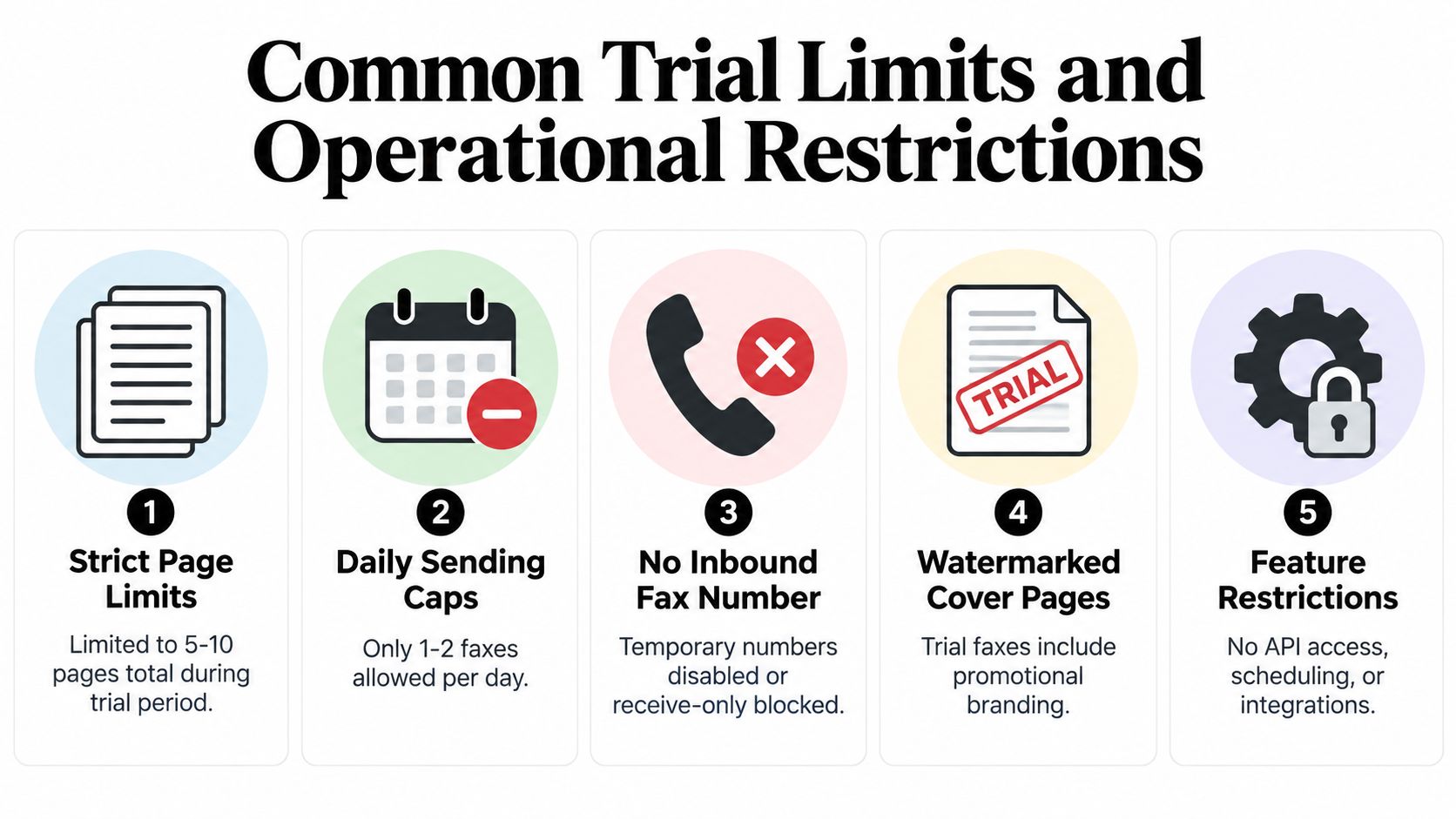
- Presentation: A provider logo or promotional message may appear on the cover page.
- Billing: The trial may renew automatically unless you cancel through a specific account screen.
- Evidence: A basic success message may not provide the delivery log you need for a business record.
If the provider uses automated controls to limit repeated promotional use, that's normal for subscription software. Services commonly need safeguards against duplicate accounts and abusive sign-ups, and a practical overview of trial abuse prevention can help explain why trial systems often impose identity, device, or payment checks.
For a one-time document, a no-account service or pay-per-fax option can be more appropriate than entering a subscription funnel. You're buying a transmission, not evaluating a full communications platform.
Common Trial Limits and Operational Restrictions
Free access rarely means unrestricted access. Providers control cost and delivery risk by limiting the size, frequency, and features of trial transmissions. Those restrictions aren't always arbitrary. A larger fax job requires more upload handling, document conversion, transport attempts, and error checking.
Industry guidance describes a single fax as commonly topping out around 30 to 50 pages in basic consumer or office workflows, while higher-tier web fax platforms may support 30 to 250 pages, depending on the plan and file rules. These ranges are summarized in online fax page-limit guidance. A trial may allow far less.
Use this checklist before sending anything important:
- Confirm the page ceiling. Count the source document and the cover page. A service that allows only a few pages can reject a longer file before transmission begins.
- Check attachment rules. Multiple files may count toward a combined page or file-size limit. Merge documents only if the service accepts the resulting format reliably.
- Review daily sending caps. A free account may permit only a small number of outbound faxes, which can become a problem when several recipients need the same record.
- Test conversion. DOC and DOCX files can reflow during conversion. PDF files usually preserve layout more consistently, but you should still inspect the received output.
- Allow for processing time. Uploading, rendering, dialing, retrying, and generating a confirmation can take longer for larger jobs.
A 50-page document might fail because it exceeds the account's page allowance, hits a file-size ceiling, or triggers a conversion problem when several attachments are combined. Even when the provider accepts the upload, a longer transmission creates more opportunities for a busy recipient line, timeout, truncation, or retry.
Don't assume a paid plan fixes every issue. Ask whether the larger allowance applies per fax, per attachment, or per billing period. For a time-sensitive submission, send a short test file first, verify the recipient's number, and keep the final job within the provider's stated limits.
Hidden Friction and Compliance Risks in Free Tiers
The biggest risk in a fax free trial isn't always an unexpected charge. It's sending a document that reaches the destination but creates a presentation, privacy, or recordkeeping problem.
Automatic renewal deserves immediate attention. Read the pricing terms before entering payment details, record the renewal date, and locate the cancellation control while you're still in the trial. If cancellation requires contacting support, take a screenshot of the instructions and save the confirmation. A trial that's difficult to cancel isn't operationally free.
Branded cover pages create another problem. A provider logo may be harmless for an informal document, but it can look inappropriate on a medical referral, legal filing, real estate contract, or client record. Branding can also complicate internal filing when the cover page becomes part of the retained transmission package.
Healthcare users must take a stricter approach. The HIPAA Vault guidance on confidential faxing explains that faxing protected health information is permitted when appropriate administrative, technical, and physical safeguards are in place. That means verifying the recipient, using a confidentiality cover sheet, limiting the payload to the minimum necessary information, and preserving delivery evidence.
Compliance test: A successful status message is not enough. You need to know what was sent, where it was sent, when delivery occurred, and what evidence the system retains.
Look for a transmission identifier, recipient number, timestamp, page status, and downloadable confirmation. Ask how long delivery logs remain available and whether the service records failed attempts. For regulated work, also review access controls, document retention, and deletion procedures. A useful guide for SaaS support teams can help frame the broader relationship between support processes, data handling, and compliance expectations.
A trial page also shouldn't become a substitute for vendor due diligence. Review whether FaxZero is safe as part of a wider comparison, but evaluate any provider against your own document sensitivity and evidence requirements. If the service can't explain its billing, retention, and confirmation practices clearly, don't use it for a critical submission.
Evaluating No-Account Alternatives Like SendItFax
A subscription trial makes sense when you're evaluating recurring fax volume, inbound service, team access, or integrations. It's excessive when you need to send one document and don't want another account, renewal date, or stored profile.
No-account, pay-per-fax services use a simpler model. You enter sender and recipient details, upload a supported document such as DOC, DOCX, or PDF, add a cover message if needed, and submit the fax from a browser. The tradeoff is usually a smaller free allowance or a per-send charge instead of access to a full platform.
SendItFax is one example of this model. Its free option allows up to three pages plus a cover, five free faxes per day, and includes SendItFax branding on the cover page. Its Almost Free plan costs $1.99 per fax, supports up to 25 pages, offers priority delivery, removes the branding, and allows the sender to omit the cover page. Those product details make the choice fairly direct: use the free tier for a short, non-sensitive transmission where presentation isn't a concern, and pay for a cleaner or larger submission.
| Feature | Traditional Free Trial | No-Account Alternative, SendItFax |
|---|---|---|
| Account creation | Often required | No account required |
| Card details | May be required | The free option doesn't require a card |
| Billing risk | May auto-renew | Pay only when selecting the paid send |
| Free sending | Usually temporary and plan-controlled | Permanent free option with stated limits |
| Free document allowance | Varies by provider | Three pages plus a cover |
| Daily free usage | Varies by provider | Five free faxes per day |
| Branding | May appear during the trial | Appears on the free cover page |
| Paid single fax | Often requires subscription | $1.99 per fax, up to 25 pages |
| Professional presentation | Depends on plan | Paid option removes branding and can omit the cover |
If you're unsure how the browser workflow operates, review this practical guide on sending a fax from the web. The important decision is not whether one model sounds more modern. It's whether you need a recurring fax line or a controlled transaction for an occasional document.
How to Test a Fax Service Safely and Effectively
Testing should produce useful evidence without exposing confidential information or creating an unwanted subscription. Start with a document you created specifically for testing. Don't upload a patient record, signed contract, tax form, or legal filing until you've confirmed the provider's workflow.
A safer testing sequence
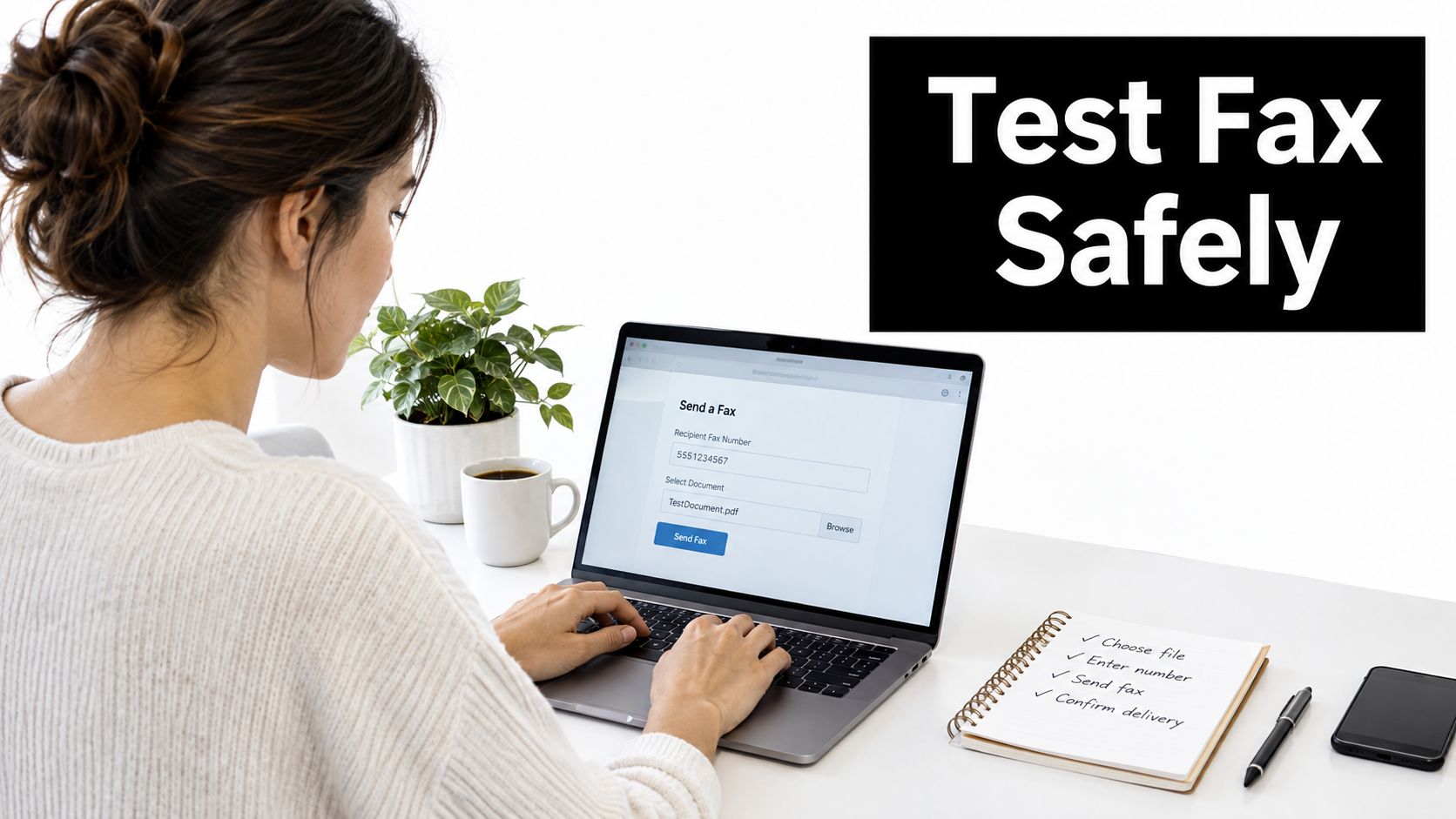
- Read the billing terms first. Identify the trial end date, renewal price, billing interval, and cancellation channel. Save the terms and any confirmation email.
- Use a controlled payment method. If a card is mandatory, consider a virtual card with a spending limit or a payment method you can monitor. Don't rely on memory to prevent renewal.
- Prepare a harmless test file. Use a PDF with plain text, a table, a signature-style image, and more than one page if you need to check layout. Never use real sensitive data.
- Send to a controlled destination. Use your own secondary fax number or a trusted colleague who can confirm receipt and report formatting problems.
- Verify the output. Check page order, margins, legibility, images, cover-page content, and whether the recipient received every page.
- Inspect the confirmation. Look for the destination number, timestamp, transmission status, page count, and any failure reason.
- Test support. Ask one precise question about cancellation, retention, or delivery logs. Judge the answer for clarity, not friendliness.
- Cancel if you don't need recurring service. Complete cancellation before the renewal date and retain proof.
For an occasional sender, a permanent free option can remove the renewal problem altogether, but you still need to validate the output and recipient details. This fax online free-trial guide can help you compare the practical steps before committing a sensitive document to any provider.
Keep a simple test record. Write down the provider, date, file type, page count, recipient, delivery result, and whether branding appeared. That record turns a vague trial experience into a decision based on your actual workflow.
The Enduring Market Demand for Occasional Faxing
Fax remains embedded in major-market healthcare workflows. Independent reporting estimates that U.S. healthcare exchanges more than 9 billion fax pages annually, and estimates place fax-based communication at 70% to 90% of healthcare communication when EHR-integrated fax flows are included, as summarized in healthcare fax usage reporting. The same source cites a survey in which 89% of healthcare organizations still relied on fax machines.
A separate industry summary reported that nearly 8 in 10 hospitals used mail or fax to send and receive health information in 2019, reinforcing that fax functions as a routine transmission channel rather than a rare legacy exception. Healthcare isn't the only sector that depends on it. Legal and real estate teams still use fax when recipients, filing procedures, or established audit practices require it.
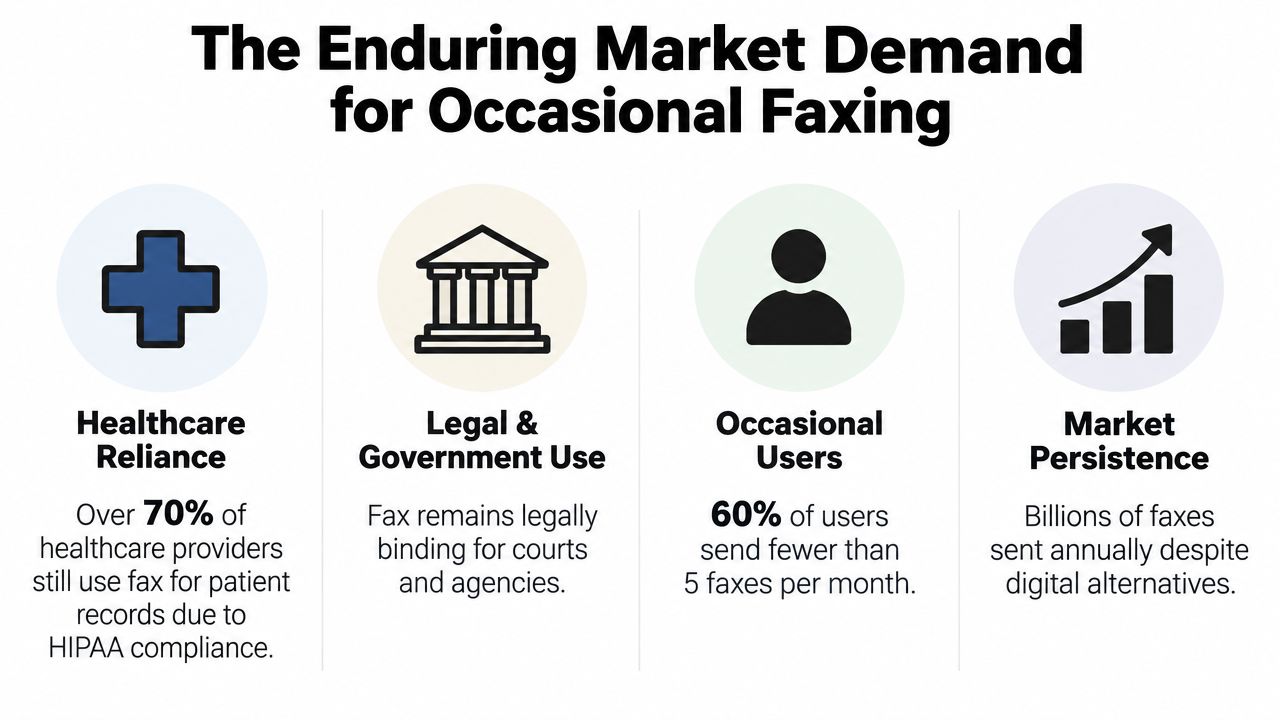
The broader market supports that continued demand. The global fax services market was valued at $3.31 billion in 2024 and projected to reach about $4.47 billion by 2030, with an estimated compound annual growth rate of roughly 5.15% to 5.17%, according to the market summary at XenFax's fax statistics resource. Another industry summary projected the category could reach $7.22 billion by 2035, while a separate report cited the broader online fax market at $4.18 billion in 2024 and projected $12.52 billion by 2031, as reported in the same source.
These figures describe a category moving from hardware to software, not disappearing. Large organizations need managed fax infrastructure, while small businesses may need only one successful transmission. That split explains why both subscription platforms and on-demand services remain viable.
Occasional faxing isn't a contradiction of digital transformation. It's one reason browser-based delivery exists.
The demand also explains why page limits and single-fax pricing can coexist. A platform can serve recurring institutional workflows while offering a lightweight path for someone who needs to send a short document without buying a machine or maintaining a dedicated line.
Choosing the Right Fax Solution for Your Needs
Choose based on the job, not the promotional label. A fax free trial is appropriate when you're evaluating recurring volume, inbound receiving, team permissions, scheduling, integrations, or a permanent business number. It's a poor choice when you need one outbound fax and the provider requires payment details, automatic renewal, or a complicated cancellation process.
Use four decision criteria:
- Volume: Occasional senders should avoid subscriptions built for continuous traffic. A recurring healthcare referral workflow may justify a managed online fax plan, while a single real estate form usually doesn't.
- Sensitivity: Medical records, legal filings, and confidential client documents require recipient verification, minimum-necessary disclosure, secure handling, and usable delivery evidence.
- Presentation: Provider branding may be unacceptable on a court submission, client contract, or professional cover sheet. Check whether you can remove branding or omit the cover entirely.
- Evidence: Make sure the service produces more than a green success message. Confirm that its delivery log identifies the destination, time, status, and transmitted pages.
The free tier is useful only when its restrictions fit the document. A short, low-risk file can tolerate a branded cover page if the recipient accepts it. A time-sensitive filing or client-facing contract should use a paid option if that removes branding, raises the page allowance, and improves delivery priority.
Don't put a sensitive document into a trial merely to discover whether the system works. Test the provider with a harmless file, verify the output, and review retention and cancellation terms first. If the service can't provide clear answers, choose a more transparent option.
For most small businesses, the practical hierarchy is simple. Use a permanent free tier for occasional, short transmissions that meet its stated limits. Use pay-per-fax when you need a clean presentation without a subscription. Choose a full online fax plan only when your workflow requires recurring sending, inbound reception, multiple users, or administrative controls.
SendItFax offers browser-based faxing to U.S. and Canadian numbers without requiring an account, with a free option for up to three pages plus a cover and a paid single-fax option for larger, unbranded transmissions. If you need to send an occasional document without committing to a recurring trial, visit SendItFax and choose the option that matches your page count and presentation requirements.