Author: eric@dubslabs.com

  • Send Fax From Web Instantly: A SendItFax How-To Guide

    Send Fax From Web Instantly: A SendItFax How-To Guide

    You usually realize you need to fax something at the worst possible time. A clinic wants an intake form today. A lawyer’s office says email won’t work. A county office lists only a fax number. You’re sitting at a laptop with a PDF, no fax machine, no phone line, and no interest in creating yet another account just to send one document.

    That’s exactly where web faxing still earns its keep. If you only need to send a fax once in a while, the process should be fast, clear, and boring in the best possible way. Upload the file, enter the number, send it, and get confirmation. No app install. No hardware. No monthly plan you’ll forget to cancel.

    The account-free angle matters more than commonly believed. A lot of “free” fax tools still push you into signup flows, email capture, and branded cover sheets. For occasional use, that’s friction you don’t need. If your goal is to send fax from web with minimal exposure of your information and minimal setup, the practical path is different from the standard subscription model.

    Why You Still Need to Send a Fax from the Web in 2026

    The usual scenario is simple. Someone on the other end has a workflow that still revolves around fax, and they’re not changing it for your convenience. If you need the document processed today, arguing about outdated technology won’t help. Getting it delivered will.

    A frustrated man looking at documents while working on his laptop at a desk

    Why fax still shows up in real work

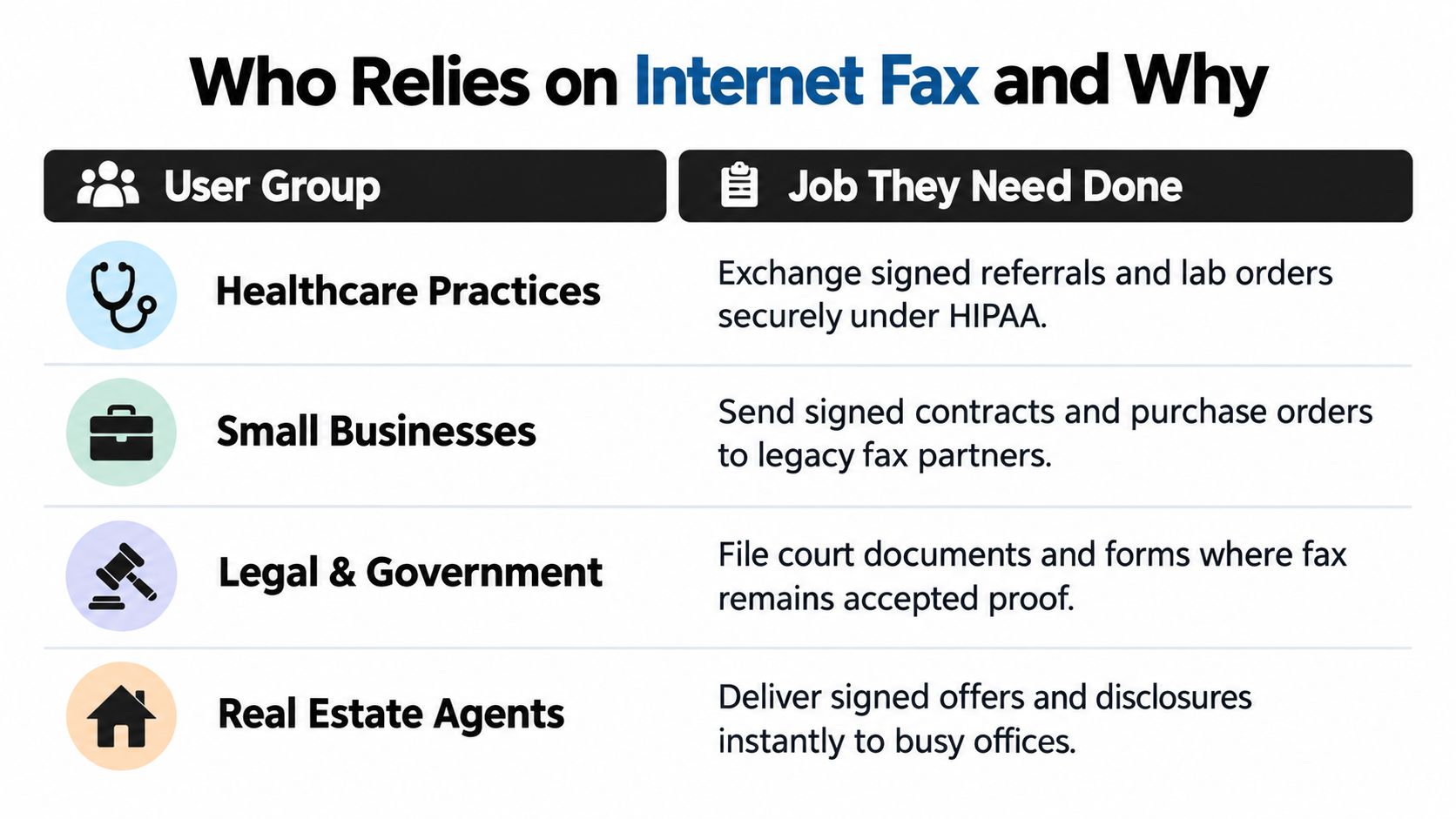
    Fax survives because some industries built approvals, records handling, and intake around it years ago, then kept those processes because they still work for the people using them. That’s especially common in healthcare, legal, government, and property transactions. The person asking you for a fax often isn’t being difficult. They’re following the intake method their office already trusts.

    Internet faxing itself isn’t new. The first wide-scale internet fax service, TPC.INT, was launched almost 30 years ago by Marshall Rose and Carl Malamud, proving documents could move from a browser to a physical fax endpoint and setting the foundation for modern web faxing, as noted in this history of internet faxing.

    Fax from a browser feels old and modern at the same time. The old part is the destination. The modern part is that you no longer need the machine.

    What works for one-off faxing

    For occasional use, the winning setup is usually a browser-based service with no software and no hardware requirements. You open the page, attach the file, enter sender and recipient details, and submit. That’s a much better fit for a remote worker, traveler, freelancer, or office manager handling a single urgent document than a subscription platform built for daily volume.

    The practical benefit is speed, but privacy and simplicity matter too. If you’re sending a contract, intake form, records request, or signed authorization, you probably don’t want to create a permanent account just to move one file.

    A no-account tool like SendItFax fits that use case because it lets you upload DOC, DOCX, or PDF files from a browser, send to U.S. or Canada fax numbers, and choose between a free short fax or a paid one with a cleaner presentation. That model suits people who need to solve a document problem right now, not build a whole fax workflow.

    Preparing Your Documents for a Flawless Fax Transmission

    Bad source files create bad faxes. That rule never changes.

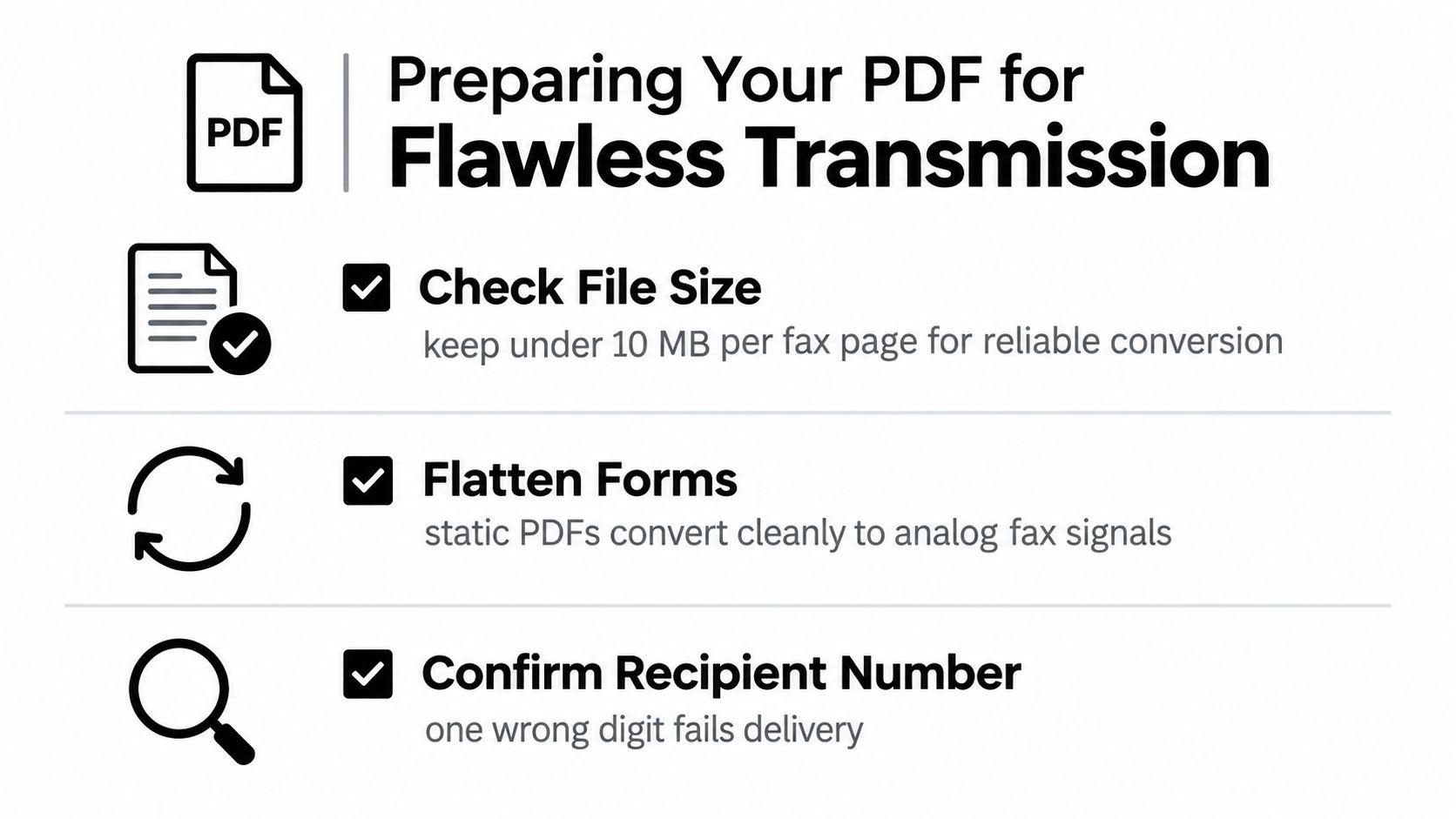
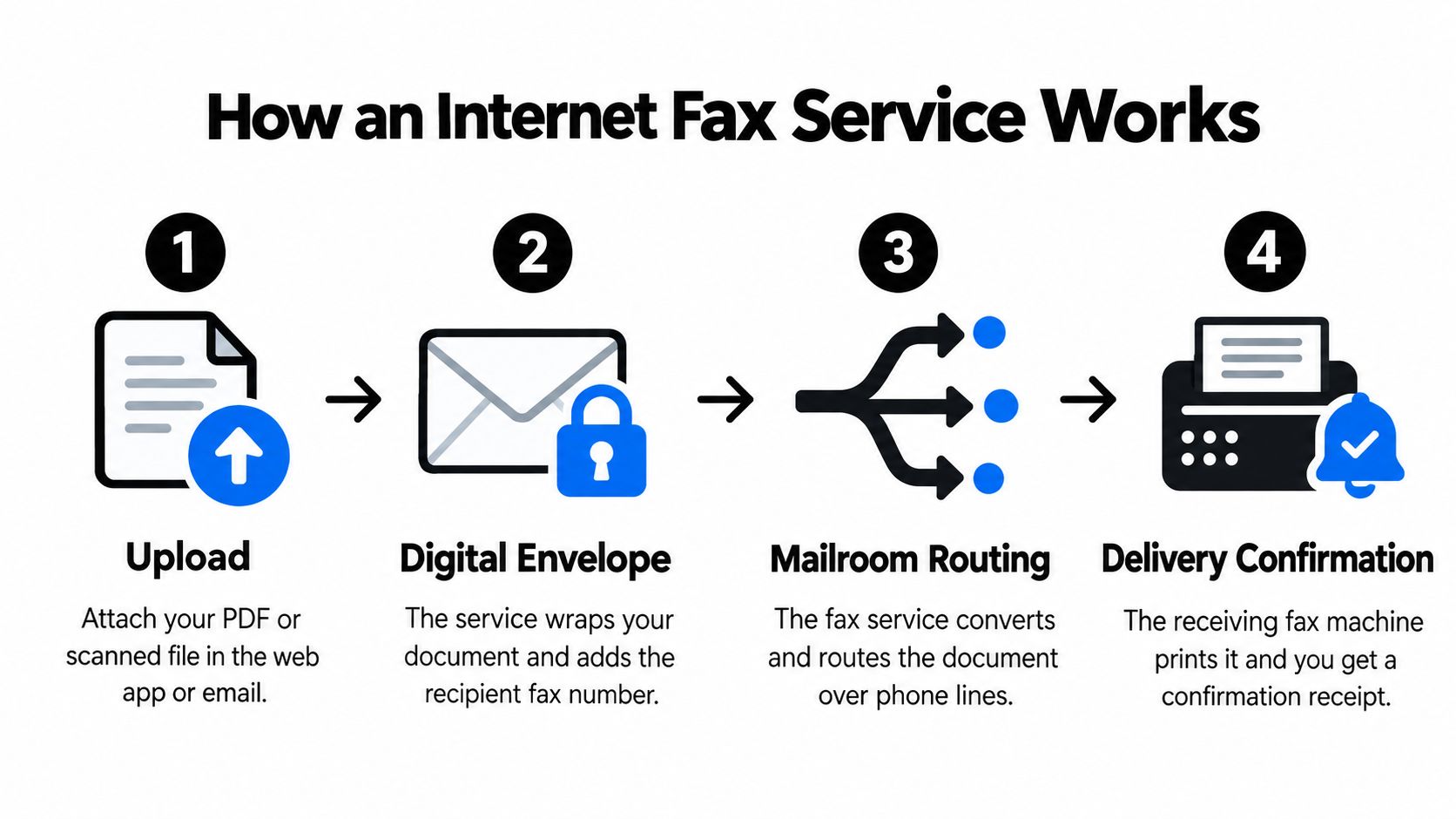
    If you’re trying to send fax from web, your upload isn’t passed through as a perfect digital clone. Web fax systems convert files for fax transmission, and that process punishes fuzzy scans, crooked phone photos, pale gray text, and messy multi-file uploads.

    A person in a green sweater uses their hands to guide a document into a fax machine.

    Start with the right file type

    For browser faxing, stick with the formats the service accepts. In this case, that means DOC, DOCX, or PDF. If you have a Word file, convert it before sending if the layout is even slightly sensitive. That locks in page breaks, signatures, and spacing more reliably than handing off an editable file.

    If your document began in Word, this guide on how to convert Word to PDF is worth using before upload.

    What makes a fax readable

    A clean PDF usually performs better than a casual image capture. Text should be dark, the background should be light, and the page should be straight. If the original is a paper document, scan it flat. Don’t photograph it on a kitchen table under uneven lighting and expect a sharp fax at the other end.

    According to the TIFF-FX standard in RFC 3949, web fax services convert documents into TIFF-FX for transmission, and poor source files like blurry or low-contrast scans are a primary reason recipients get unreadable pages.

    Practical rule: If you have to zoom in on your own file to read it comfortably, the recipient’s fax machine probably won’t improve it.

    Before you upload, check these items

    • Page order: Put pages in final reading order before upload. Don’t assume you can rearrange them during the send flow.
    • Margins: Avoid signatures or dates pressed against the edge. Fax rendering can make tight margins risky.
    • Contrast: Black text on a white background wins. Light gray text, highlighted fields, and faint stamps often reproduce poorly.
    • Single file: Merge related pages into one PDF instead of uploading a loose mix of separate files.
    • Final review: Open the exact file you plan to send. Confirm every page is right-side up and complete.

    That last point saves more trouble than people expect. The issue often isn’t the fax service. It’s the page that was accidentally upside down, cropped, or missing from the PDF.

    A quick visual refresher can help before you send:

    Common prep mistakes that waste time

    People usually lose time in one of three ways. They upload a photo instead of a document scan. They send several separate files and assume the service will combine them in the right order. Or they leave the file in an editable format that shifts when rendered.

    The safer habit is boring but effective. Prepare one clean final file. Keep it legible. Keep it simple. Fax systems reward that discipline.

    Choosing Your Plan Free vs Almost Free

    The plan decision isn’t really about cheap versus expensive. It’s about presentation, page count, and urgency.

    If you’re sending a short, low-stakes document, the free route can be enough. If you’re sending something client-facing, regulated, or time-sensitive, the trade-offs matter more. In those situations, the cleaner paid option usually makes more sense.

    Where free tiers often fall short

    A lot of online fax providers advertise free sending, then require signup and place visible branding on the cover page. That’s a real problem for professional communication. As noted on the Fax.Plus free fax page, free services commonly involve account creation, and branding on cover pages is a frequent complaint that can make the fax look less professional.

    That’s the key distinction in practice. “Free” isn’t just about money. It’s also about what you’re giving up in privacy, speed, and appearance.

    SendItFax Plan Comparison Free vs Almost Free

    Feature Free Plan Almost Free Plan
    Account required No No
    Page limit Up to 3 pages plus cover Up to 25 pages
    Daily use Up to 5 free faxes daily Pay per fax
    Branding SendItFax branding on cover page No SendItFax branding
    Cover page Optional message with cover Cover page can be omitted entirely
    Delivery handling Standard queue Priority delivery
    Best fit Short, casual, non-sensitive sends Professional, client-facing, or longer documents

    If you want a broader cost breakdown before choosing, this article on fax sending costs helps frame when pay-per-fax makes more sense than subscription pricing.

    How to choose without overthinking it

    Use the free option when all of these are true:

    • Short document: You’re within the free page allowance.
    • Low presentation risk: A branded cover page won’t create friction.
    • No ongoing need: You just need to move one basic document quickly.

    Use the paid option when any of these apply:

    • Professional appearance matters: Law offices, clinics, brokers, and formal counterparties usually expect a clean cover or no cover at all.
    • You have a longer packet: Multi-page forms, signed agreements, and records requests get awkward fast when you’re squeezing into a free limit.
    • You need better delivery handling: Priority matters when the receiving machine or office is busy and the document is time-sensitive.

    If the fax affects money, compliance, a closing date, or patient information, treat presentation as part of the document, not an afterthought.

    What works least well is trying to force every use case into the free tier. That often leads to page trimming, branding you didn’t want, or a resend later. For occasional business use, paying once for the clean send is often the more efficient choice.

    Your Step-by-Step Guide to Sending a Web Fax

    This is the primary focus. Once your file is ready, sending the fax is straightforward if you move in the right order and check the details before you hit send.

    A step-by-step guide illustrating the process of sending a document via a web-based fax service.

    Open the web form and enter the recipient carefully

    Start with the destination fax number. Slow down here. Most failed sends I’ve seen start with a typo, not a technical problem. Enter the U.S. or Canada fax number exactly as requested by the recipient’s office.

    Then fill in the sender details the form asks for. This isn’t busywork. The service needs enough information to process the fax and return confirmation properly. If the recipient expects a specific business name, use that name consistently.

    Upload the final document, not a draft

    Attach the finished file only after you’ve reviewed it outside the browser. Don’t use the upload window as your proofing tool. Open the file on your device first, confirm the page order, and check that signatures or initials are visible.

    If you’re working in a tech-heavy environment and you’re used to systems access, tokens, or automated workflows, it helps to keep the concepts separate. A simple browser fax is usually manual and form-based, while automated sending depends on credentials and structured access. If that distinction is fuzzy, this primer on understanding API keys explains the kind of authentication used in app-to-app systems.

    Decide whether to use a cover page

    A cover page can help when the recipient office routes incoming faxes by person or department. It gives context and can reduce confusion when the main document starts abruptly.

    But there are plenty of times to skip it. If you’re sending a straightforward signed form to a known recipient and the paid plan lets you omit the cover page, no cover can be cleaner and more professional than a generic one.

    A useful rule is simple:

    • Use a cover page when routing information matters.
    • Skip the cover page when the document speaks for itself and you want less visual clutter.

    Review the cover page with the same care as the attachment. The wrong recipient name on the cover creates more problems than no cover at all.

    Check the small details before sending

    Often, impatience leads to avoidable resends. Before you submit, scan the full form once from top to bottom.

    Look for:

    • Recipient number accuracy: One wrong digit is enough to derail the send.
    • Correct sender identity: Match the name or organization the recipient expects.
    • Right file version: Make sure you uploaded the signed copy, not the draft without initials.
    • Page count fit: Confirm your file fits the plan you selected.
    • Cover page choice: If branding or presentation matters, verify that you picked the right option.

    Submit and wait for confirmation

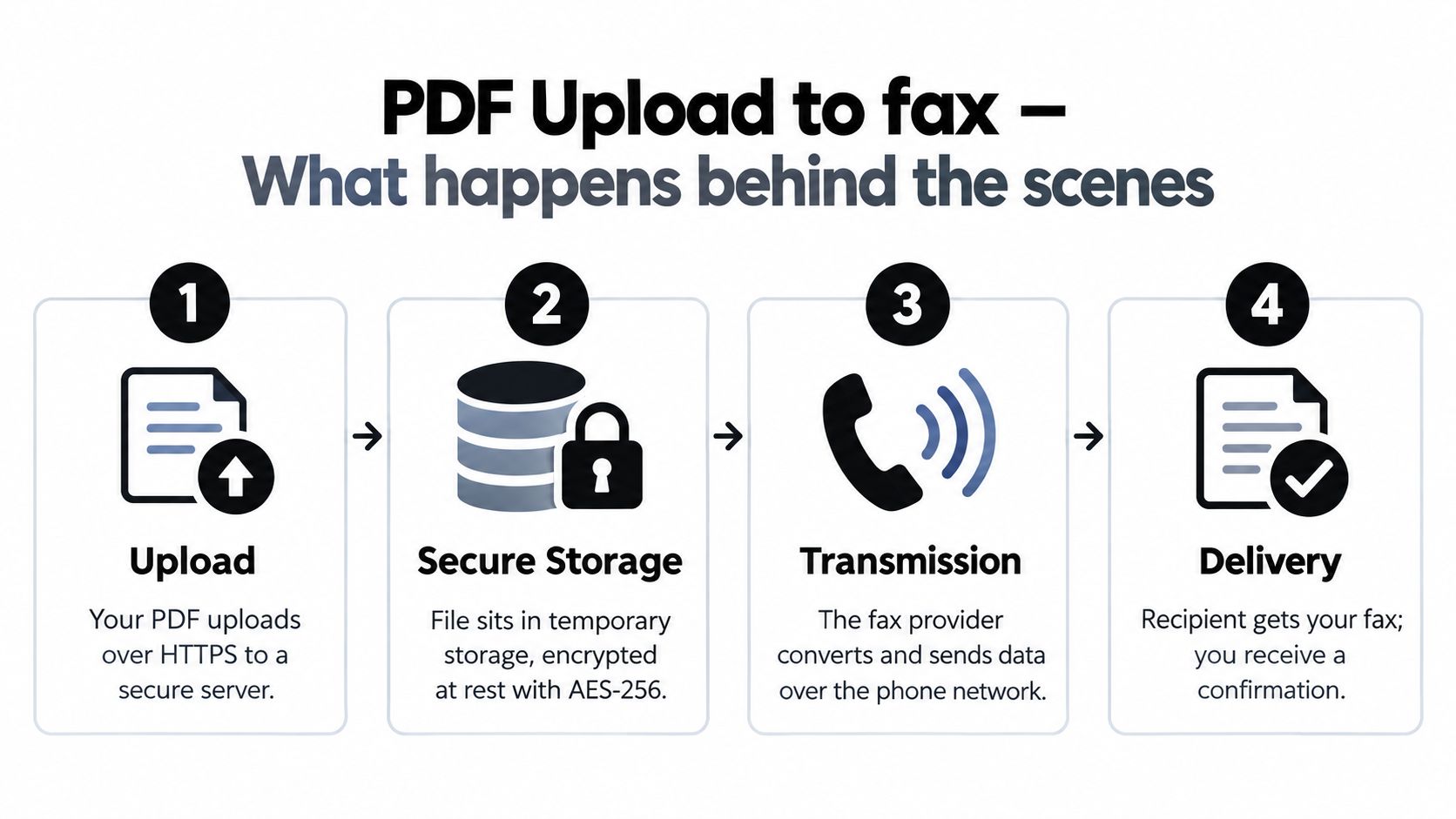
    Once sent, the fax moves through the web-to-fax gateway for delivery to the destination machine or fax endpoint. You don’t need to babysit the transmission in the way you would with a physical fax machine.

    Modern web-to-fax gateways report delivery success rates over 95% for U.S. and Canada numbers, and confirmation by email or browser dashboard has been a standard part of the process since the late 1990s, according to ClearlyIP’s overview of internet faxing.

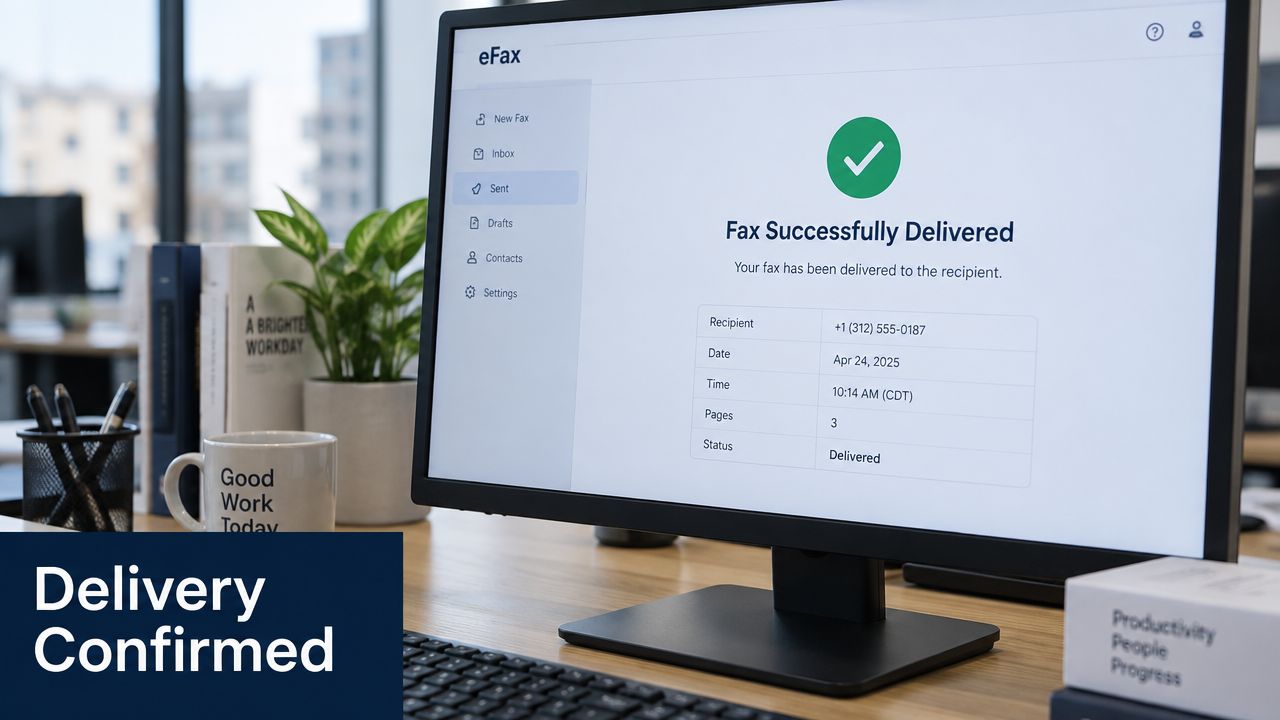
    What matters next is the confirmation itself. Don’t assume “submitted” means “received.” Wait for the delivery message, then keep that email if the document matters.

    What the confirmation actually tells you

    A confirmation usually answers the question the recipient will ask later: did you send it successfully? That’s why I treat confirmation emails as part of the record, not just a convenience.

    Read the status closely. A successful delivery means the receiving side accepted the fax. If the service reports a problem, the message usually points you toward the likely issue, such as number formatting, file rejection, or a receiving-side timeout.

    When to resend and when to pause

    Resend only after you know why the first attempt failed. Blindly firing the same file to the same number wastes time and can create duplicate paperwork on the recipient’s end if the first attempt went through later.

    Pause and check three things first:

    1. Whether the number is correct.
    2. Whether the uploaded file is within the service limits.
    3. Whether the recipient’s machine or gateway may have had a temporary issue.

    That short pause is often the difference between a clean second attempt and a messy chain of repeated sends.

    Troubleshooting Common Errors and Ensuring Delivery

    When a web fax fails, people often assume the service is broken. Usually it’s something more ordinary. Faxing still depends on file quality, correct numbering, and whatever equipment or gateway exists on the recipient side.

    The error may be yours, not the platform’s

    If the file never sends, start with the obvious checks before blaming the tool.

    • Wrong number entered: Recheck every digit against the number provided by the recipient.
    • Oversized upload: Some gateways reject large files before transmission even begins.
    • Bad source file: Corrupt PDFs, weak scans, or odd formatting can trigger rejection or unreadable output.
    • Browser issue: Refresh, re-upload, and make sure your browser session is functioning normally.

    According to the internet fax overview on Wikipedia, common technical pitfalls include T.38 failures with older machines, which can cause timeouts, and files over 20MB being rejected by server gateways before a send attempt is made.

    What to do when the recipient line is busy or times out

    A busy signal doesn’t always mean you did anything wrong. The receiving office may be processing another fax, or their equipment may be slow to respond. In real office workflows, this happens more often with shared lines and older setups.

    Try these fixes:

    • Wait and resend later: A short delay often solves a temporary busy condition.
    • Confirm the number with the office: Ask whether they have an alternate fax line or department number.
    • Reduce file complexity: A cleaner, simpler PDF is easier to process than a bulky image-heavy file.

    Older receiving machines can be the weak link. If your file is clean and the number is right, the timeout may be happening on their side.

    Quick triage checklist

    Use this when a send doesn’t complete:

    Problem Likely cause Practical fix
    Immediate rejection File too large or unsupported issue Reduce size, re-save as PDF, try again
    Busy or timeout Recipient line occupied or older machine issue Wait, verify number, resend
    Unreadable pages Poor scan quality Re-scan with stronger contrast
    No useful confirmation Browser or session issue Refresh and repeat carefully

    The fastest path is usually the least dramatic one. Check the number. Check the file. Then try again once, with a cleaner setup than the first attempt.

    Pro Tips for Healthcare and Legal Professionals

    Healthcare and legal offices don’t just need a fax to go through. They need it to look professional, route correctly, and leave a usable record behind.

    Healthcare needs clean handling

    If you’re sending patient-related paperwork, referrals, signed releases, or records requests, avoid anything that adds unnecessary branding or confusion to the first page. In healthcare workflows, the cover page often determines how quickly staff can route the fax internally. Keep it clear, minimal, and accurate.

    If compliance questions are part of your decision, this overview of a HIPAA compliant fax service is a useful next read.

    Legal teams need proof and consistency

    For law offices, timestamped confirmation matters almost as much as delivery. Save the email confirmation and keep the exact file copy you sent. That gives you a cleaner paper trail if a client, clerk, or opposing office later asks when the document was transmitted.

    For firms reviewing broader operational risk around document handling, device management, and secure staff workflows, outside guidance on law firm IT support can help frame where faxing fits inside the larger practice environment.

    Why occasional users should avoid subscriptions

    In certain scenarios, pay-per-fax models make practical sense. For small businesses and freelancers in fields like real estate and law who send fewer than 10 faxes per year, no-account pay-per-fax models are more cost-effective than monthly subscriptions, as noted by FaxBurner’s market positioning.

    That matches what I’ve seen in remote office work. If faxing is occasional but important, you don’t need a full subscription stack. You need a clean send, confirmation, and no extra friction.

    The right fax setup for a professional isn’t always the one with the most features. It’s the one that handles an important document cleanly the first time.


    If you need to fax a document today without setting up an account, SendItFax gives you a simple browser-based way to send DOC, DOCX, or PDF files to U.S. and Canada fax numbers, with a free option for short sends and a paid option for longer, unbranded transmissions.

  • Reducing Administrative Costs in Healthcare: Expert Guide

    Reducing Administrative Costs in Healthcare: Expert Guide

    Healthcare leaders often treat administration as overhead that can only be trimmed at the margins. The evidence points somewhere else. A detailed analysis found that reducing administrative complexity could generate up to $265 billion in annual savings, or $1,300 per American adult, which is more than annual Medicare Part A spending of $201 billion in 2019, according to Brookings.

    That changes the frame. This isn’t a back-office efficiency project. It’s a capital reallocation opportunity hiding inside claims, prior authorization, quality reporting, document handling, and payment workflows.

    For hospital administrators, the practical question isn’t whether waste exists. It’s where to start, what to standardize first, and how to operate during the long transition from fragmented paperwork to true interoperability. Many organizations don’t need another broad transformation slogan. They need a roadmap that separates quick wins from structural reform, and that acknowledges the uncomfortable reality that old and new systems must coexist for a while. If you want a complementary perspective on strategies for reducing administrative costs in healthcare, that resource is useful because it keeps the discussion grounded in operational execution rather than abstract policy.

    The Staggering Cost of Healthcare's Paperwork Problem

    Administrative work absorbs one-quarter to one-third of U.S. healthcare spending, as noted earlier. For a hospital administrator, that figure changes the discussion from routine overhead management to margin protection, capacity management, and patient access.

    A large share of this cost does not come from one dramatic failure. It comes from thousands of routine transactions handled the hard way. Staff re-enter demographics that already exist elsewhere. Nurses and case managers assemble prior authorization packets from scattered records. Revenue cycle teams resubmit claims after preventable edits. HIM staff print, scan, upload, and fax documents because one party in the chain still cannot accept structured digital exchange. Each task looks modest. In aggregate, they create an expensive operating layer devoted to moving information.

    The burden is operational, not just financial. Administrative friction pulls clinical staff into nonclinical work, lengthens turnaround times, and increases the odds that a patient encounters a delay before treatment, discharge, or payment resolution. For organizations already managing labor shortages and thin margins, paperwork becomes a throughput problem.

    Why this matters more than a cost-cutting exercise

    The strongest case for reducing administrative costs in healthcare is resource recovery. Time spent correcting avoidable paperwork is time not spent on scheduling patients, resolving care gaps, shortening discharge delays, or improving clean-claim rates.

    As noted earlier, Brookings highlights three savings areas with unusually high potential: claims submission and adjudication, prior authorization determinations, and quality measurement and reporting. This list is significant because it directs leaders toward workflows where standardization, better handoffs, and cleaner data can produce measurable returns. It also helps administrators avoid a common mistake. Spreading effort across many small irritants instead of fixing the few processes that generate the most rework.

    Leadership test: If a process repeatedly requires staff to re-enter, reconcile, chase, scan, fax, and appeal the same information, the core issue is usually process design.

    That last point matters during the transition to interoperability. Full electronic data exchange is still uneven across payers, referral partners, post-acute providers, and smaller practices. Hospitals cannot wait for the market to become fully standardized before reducing waste. They need a staged approach that improves internal workflows now, expands automation where data is structured, and uses transitional tools such as secure web faxing where document exchange still depends on legacy channels. This practical sequencing is often missing from high-level discussions about strategies for reducing administrative costs in healthcare.

    The real strategic opportunity

    Administrative reform creates two kinds of value. The first is direct expense reduction through less rework, fewer touches per transaction, and lower dependence on manual document handling. The second is capacity. Teams can process authorizations faster, resolve denials sooner, and spend more time on exceptions that require judgment.

    That distinction is useful because it changes how leaders prioritize investments. A tool or workflow change does not need to eliminate a full headcount line to justify action. It may still pay off if it improves turnaround time, reduces preventable denials, or allows scarce staff to focus on high-value tasks.

    A sound administrative strategy usually follows three tracks:

    • Immediate operational fixes that remove redundant steps and reduce avoidable rework
    • Cross-enterprise standardization with payers, vendors, and external providers to cut handoffs and clarification loops
    • Longer-term interoperability investments that reduce dependence on manual document exchange while using bridge technologies where full integration is not yet realistic

    Organizations that make progress usually start with a narrower question than digital transformation. They ask where paperwork is being manufactured unnecessarily, which steps can be removed now, and which remaining gaps need a practical bridge until true interoperability catches up.

    Uncovering the Hidden Factory of Administrative Waste

    Hospitals rarely see administrative waste as one system. They see separate headaches. Billing owns denials. Case management owns authorizations. HIM owns document requests. Revenue cycle owns edits, rebills, and appeals. IT owns interfaces. Compliance owns reporting. But on the ground, these functions behave like a hidden factory inside the organization, producing forms, corrections, handoffs, and delays.

    That hidden factory has become expensive enough to distort the economics of care delivery. Payer-driven complexity now pushes hospital administrative costs to more than 40% of total hospital expenses, and the same pressure is compounded by a 20.2% average increase in commercial claim denials and a 55.7% rise in Medicare Advantage denials between 2022 and 2023, according to HFMA.

    A diagram illustrating the causes of administrative waste in healthcare through inefficient workflows, data fragmentation, and resource misallocation.

    Where the hidden factory lives

    Three production lines generate most of the waste.

    Inefficient workflows

    Staff often follow processes built around exceptions instead of the normal case. A straightforward claim may pass through eligibility checks, coding review, status follow-up, denial workqueue review, and appeal prep because each team is protecting against downstream error. The organization feels busy, but much of that work exists only because the upstream design is weak.

    Common examples include:

    • Redundant approvals that force multiple sign-offs for routine requests
    • Manual packet assembly for prior authorizations and appeals
    • Serial handoffs where one queue waits for another instead of resolving issues at first touch

    Data fragmentation

    Administrative labor rises sharply when data sits in multiple systems with no clean way to move between them. Front-desk staff verify one set of demographics. Revenue cycle corrects another. Nurses gather clinical records from separate modules. Staff then scan, upload, print, or fax documents because the receiving party can’t access source data directly.

    The waste isn’t just clerical. Fragmentation degrades accuracy. Every re-keyed field creates another chance for mismatch, and every mismatch invites delay or denial.

    Resource misallocation

    Hospitals often assign skilled employees to work that technology or standardization should remove. Nurses chase payer requirements. Physicians answer avoidable documentation questions. Experienced billing staff spend hours collecting missing attachments rather than resolving true exceptions. Rural hospitals face a particularly difficult version of this dynamic, with average administrative salary spending reported at 18% more than urban hospitals in the HFMA analysis, reflecting structural disadvantage rather than superior support.

    How payers amplify the waste

    The most damaging administrative cost drivers are often external but operationally internalized. Payers define submission rules, attachment requirements, prior authorization criteria, step therapy rules, appeal formats, and payment timelines. Hospitals then absorb the resulting labor because patient care can’t wait for a policy debate.

    That dynamic creates what many executives miss. Administrative bloat is not merely excess inside the hospital. A large share is compliance work generated by external variation.

    If ten payers ask for the same clinical story in ten different formats, the hospital doesn’t have ten care processes. It has ten administrative ones.

    Selective outsourcing can be beneficial, but only if leaders understand the process first. For organizations evaluating external support, Healthcare Business Process Outsourcing can be useful to review because it frames which administrative activities are suitable for specialized partners and which should remain tightly managed in-house.

    A diagnostic lens for administrators

    When you audit administrative waste, don’t start with department budgets. Start with recurring failure loops:

    1. What gets touched repeatedly
    2. What requires manual document gathering
    3. What depends on payer-specific rules
    4. What creates avoidable appeals or callbacks
    5. What delays care or cash because data can’t move cleanly

    That approach surfaces a different truth. Administrative waste isn’t mainly a labor problem. It’s a variation problem. The organization keeps paying people to absorb complexity that should have been standardized, eliminated, or shifted upstream.

    Redesign Your Workflows Before Buying New Technology

    Hospitals often respond to administrative burden by shopping for software. That’s understandable and often backward. If the underlying workflow is cluttered, automation usually hardens the clutter. It moves bad steps faster, makes exceptions harder to spot, and spreads inconsistent rules across the organization.

    The more reliable sequence is simple. Standardize first. Automate second.

    A diverse team of professionals collaborating and brainstorming on a whiteboard with diagrams and notes.

    Map the work as it actually happens

    Most administrative workflows look clean in policy documents and messy in practice. A value stream map closes that gap. It traces a process from first trigger to final outcome and records each handoff, queue, decision point, document request, and rework loop.

    For a hospital administrator, useful candidates include:

    • Patient scheduling to registration
    • Order entry to prior authorization determination
    • Charge capture to final payment
    • Denial identification to appeal resolution
    • Medical record request to delivery confirmation

    The point isn’t to create a pretty diagram. It’s to expose where staff are compensating for broken process design. Those compensations are expensive because they become invisible operating norms.

    Remove categories of waste, not just isolated tasks

    A better redesign effort targets waste patterns. In healthcare administration, the most common ones are duplication, waiting, unnecessary review, incomplete documentation, and avoidable escalations.

    Use a disciplined screen for every step:

    Workflow question What to look for
    Does this step change the outcome? If not, remove it or merge it
    Does the same data appear elsewhere? Eliminate re-entry and duplicate verification
    Is this review for all cases or only exceptions? Convert routine checks into rule-based pathways
    Does this delay another team? Move the decision upstream or resolve at first touch

    A workflow shouldn’t require a highly trained employee to rescue it every time it runs. If it does, the process is unstable.

    Standardize inputs before scaling tools

    Most administrative errors start before the claim, before the authorization, and before the appeal. They start with inconsistent intake, uneven documentation, and local workarounds. That’s why the first redesign target should usually be input quality.

    Examples include:

    • creating one standard packet for common authorization types
    • defining required documentation at the moment of order entry
    • reducing payer-specific free text where structured fields will do
    • assigning a single owner for each exception type

    Hospitals that skip this step often blame the technology later. The software didn’t fail. The organization fed variation into it.

    Practical rule: Don’t automate any process until you can describe the standard path in one page and the exception path in another.

    Build for front-line use, not committee comfort

    Many workflow projects stall because leaders design for policy completeness instead of operational ease. Front-line staff need fewer decision points, clearer ownership, and fast access to the right document set. They don’t need a convoluted maze.

    One good discipline is to test redesigned workflows with the people who use them most: registrars, authorization coordinators, billers, medical records staff, and clinic support teams. If they can’t explain the new process clearly, it’s probably still too complex.

    Hospitals looking for practical examples of simplifying repetitive document movement can study how document workflow automation software reshapes intake, routing, and outbound transmission steps without requiring a full platform overhaul.

    What leaders should approve first

    Before any major technology purchase, require these artifacts:

    1. A current-state workflow map that shows rework and handoffs
    2. A future-state design with fewer steps and named owners
    3. A standard input checklist for the process
    4. Exception rules that define when human review is needed
    5. A handoff policy that prevents tasks from bouncing between teams

    That review discipline protects capital. More significantly, it prevents the hospital from digitizing chaos.

    Leveraging Automation Interoperability and Bridge Tech

    Once workflows are simplified, technology can do what leaders hoped it would do in the first place. It can reduce repetitive handling, improve data accuracy, and shorten the time between clinical action and administrative resolution.

    The long-term destination is clear. Administrative data should move through standardized, machine-readable channels between provider systems, payer systems, and partner organizations. The near-term reality is less elegant. Many hospitals operate in mixed environments where some transactions flow through modern interfaces while others still depend on uploaded files, scanned records, portal submissions, and faxed attachments.

    A digital graphic featuring abstract spheres and data charts with the text Smart Integration over city buildings.

    Start with the highest-friction transaction types

    Not every administrative process deserves the same automation priority. Focus first on work that combines high volume, repeat handling, and dependency on external response. Claims, prior authorizations, supporting clinical documentation, remittance follow-up, and compliance reporting usually meet that test.

    The logic from the policy literature is strong. The Hamilton Project paper tied improved standardized data exchange to savings in claims submission and adjudication and described the potential value of a healthcare automated clearinghouse modeled on banking infrastructure, with The Hamilton Project analysis pointing to about $50 billion annually in savings from better coordination and standardization. That finding matters because it identifies a specific mechanism, not just a general aspiration. Standard formats reduce manual preparation, lower mismatch risk, and make adjudication less dependent on document chasing.

    Use a layered architecture, not a single-tool mindset

    Hospitals usually make better progress when they think in layers.

    Core system layer

    This includes the EHR, practice management system, revenue cycle platform, and document repository. The administrative goal at this layer is consistent data capture and retrieval.

    Interoperability layer

    APIs, clearinghouse connections, and standardized exchange formats should do the heavy lifting. Payers and providers should be able to request, submit, and reconcile information without asking staff to manually reassemble the same packet each time.

    Bridge layer

    This is the layer many executives underinvest in because it sounds temporary. In practice, it’s operationally critical. Bridge technologies handle the work that can’t yet move through clean API channels. They provide controlled, trackable transmission for organizations still relying on legacy systems or payer-specific requirements.

    Why bridge technologies still matter

    Healthcare leaders sometimes treat bridge tools as evidence of digital backwardness. That’s the wrong frame. In a fragmented network, bridge tools are what keep work moving while standards catch up.

    Oliver Wyman notes that approximately 70% of prior authorizations still require manual submission, even as policy pressure builds for redesign, and that new CMS regulations effective in 2026 will require stricter turnaround times, denial reasons, and public reporting of authorization metrics. In that environment, the report argues that reliable bridge technologies remain critical where API connectivity is unavailable or incomplete, especially for maintaining document delivery and audit trails, as described in Oliver Wyman’s analysis of reducing administrative costs in healthcare.

    That point deserves operational translation. If a payer still requires faxed clinical records for urgent review, the hospital’s problem isn’t philosophical. It’s executional. The hospital needs a secure, consistent way to transmit required documentation, confirm delivery, and preserve records for compliance and appeal defense.

    Where secure web faxing fits

    Secure web faxing belongs in the bridge layer. It’s useful when a process requires outbound document transmission to a recipient that can’t receive the information through a standardized digital connection, or when the organization needs a straightforward audit trail without relying on physical machines.

    Typical use cases include:

    • Prior authorization support documents sent to payers that don’t support direct exchange
    • Appeal packets where confirmation of transmission matters
    • Medical records and compliance documents transmitted to outside entities with legacy intake workflows
    • Contingency operations when portal access fails or interface downtime interrupts normal routing

    A good bridge technology doesn’t replace interoperability. It protects throughput until interoperability is mature enough to absorb the workflow.

    For administrators evaluating document transmission risk, this overview of security of fax in modern document workflows is useful because it separates physical fax assumptions from the controls available in browser-based and digital environments.

    A short overview helps illustrate how integration choices affect day-to-day operations:

    What to automate now and what to phase

    A sensible sequencing model looks like this:

    Priority Best fit now Why
    Immediate Data capture, document routing, status tracking These reduce manual handling inside the organization
    Near term Claims validation, standardized submission prep, rules-based workqueues These shrink rework and improve first-pass quality
    Longer term Direct payer-provider interoperability and broader clearinghouse-style exchange These depend on external standard adoption

    Administrative technology should be judged by one question. Does it reduce repeat human handling of the same information?

    That standard keeps hospitals from overpaying for features that look advanced but leave the core burden untouched.

    Optimizing Your Team and Vendor Partnerships

    Administrative cost reduction fails when leaders assume software alone will absorb complexity. People still interpret payer rules, resolve exceptions, train peers, manage escalations, and keep workflows stable during change. If team design is weak, technology just shifts the burden around.

    The strongest operating model uses fewer silos, clearer ownership, and tighter vendor discipline.

    Restructure roles around process families

    Many hospitals still organize administrative work by narrow task specialty. One team verifies benefits. Another obtains authorizations. Another handles denials. Another responds to record requests. That structure creates handoffs that feel orderly from a management chart and frustrating from an operational one.

    A better model groups staff around end-to-end process families where possible. For example, one unit can own authorization preparation, supporting documentation, transmission, and status follow-up for a service line. Another can own denial intake through appeal submission rather than splitting those steps across separate queues.

    This doesn’t eliminate specialization. It reduces orphaned work.

    Practical staffing moves include:

    • Cross-train high-frequency adjacent tasks so routine cases don’t require multiple teams
    • Define exception ownership so difficult cases don’t bounce indefinitely
    • Write simple escalation rules that front-line staff can use without waiting for supervisor review
    • Protect clinical staff time by shifting avoidable administrative retrieval and assembly work away from nurses and physicians

    Teams perform better when each person knows which problems they own outright and which ones they only support.

    Train for judgment, not just for clicks

    Many administrative training programs focus on system navigation. That’s necessary and incomplete. Staff also need to understand why a workflow exists, what a clean handoff looks like, and how upstream errors create downstream cost.

    Good training does three things:

    1. It shows the full process, not just one screen.
    2. It teaches common failure modes.
    3. It gives staff permission to flag recurring waste instead of normalizing it.

    This is especially important for document-heavy workflows. If staff don’t know when a document should be shared, how it should be labeled, and what proof of delivery matters, the hospital will keep paying for avoidable confusion. Hospitals updating these processes often benefit from reviewing secure approaches to HIPAA-compliant document sharing so operational convenience doesn’t undermine compliance discipline.

    Hold vendors to operational outcomes

    Healthcare organizations often manage vendors through feature lists and renewal cycles when they should manage them through workflow outcomes. A claims tool, clearinghouse, outsourcing partner, or document platform is only valuable if it reduces handling, improves consistency, and fits the actual path of work.

    When evaluating vendors, insist on concrete answers to these questions:

    Vendor question Why it matters
    Which steps does this remove from the current workflow? Prevents feature sprawl without labor reduction
    How are exceptions surfaced and resolved? Exception handling determines real workload
    What audit trail is created? Critical for compliance, appeals, and disputes
    How much payer or partner variation can the tool absorb? Variation is the main source of administrative drag

    Negotiate contracts that match the hospital’s interests

    A poor contract can preserve waste for years. Administrators should prefer agreements that support service accountability, clean implementation responsibilities, and transparent handoffs between internal teams and external partners.

    The most useful commercial posture is simple. Vendors should help the hospital simplify operations, not just digitize existing burden. If they can’t explain how their service reduces touchpoints, clarifies ownership, or shortens the path to resolution, they’re probably adding another layer to manage.

    Actionable Quick Wins for Small Healthcare Practices

    Small practices don’t have the luxury of a large transformation office. They still have an advantage. In fact, smaller organizations can often move faster because they control fewer systems, fewer committees, and fewer approval layers.

    The best quick wins share three traits. They remove repeat work, require little capital, and reduce preventable variation at the front end.

    Start with the steps that create downstream mess

    A small practice usually feels administrative pain in familiar places: insurance verification, prior authorization packets, claims follow-up, document transmission, and patient intake. The instinct is often to work harder at each step. The better move is to make each step more repeatable.

    A useful first pass looks like this:

    • Standardize insurance verification scripts so staff ask the same questions every time
    • Create templates for common authorization requests to avoid rebuilding packets from scratch
    • Use naming conventions for outbound files so records are easy to find later
    • Review denial reasons weekly and correct the upstream cause rather than only reworking claims
    • Move paper-heavy transmission into a secure digital workflow so staff aren’t tied to machines, printouts, or manual confirmation checks

    Small practices usually don’t need more administrative capacity first. They need less variation in how routine work gets done.

    Build a short control list

    Quick wins work when someone can own them without launching a committee. A simple control list might include one front-desk lead, one billing lead, and one clinician champion. Their job is to identify recurring friction and agree on a standard response.

    Use a short monthly review:

    1. Which requests required the most rework?
    2. Which payer interactions consumed the most staff time?
    3. Which documents were hardest to assemble or resend?
    4. Which forms or instructions created confusion for patients?

    Those questions often reveal that the biggest burden comes from a few repetitive patterns rather than from everything at once.

    Quick Wins for Administrative Cost Reduction

    Strategy Primary Benefit Implementation Effort
    Standardize insurance verification scripts Fewer front-end errors and cleaner billing inputs Low
    Create templates for common prior authorization packets Less manual assembly and more consistent submissions Low
    Use checklists for claim attachments and supporting records Fewer missing-document follow-ups Low
    Set one weekly denial review huddle Faster identification of recurring root causes Low
    Consolidate shared administrative inboxes and queues Better ownership and less duplicate handling Medium
    Replace ad hoc paper transmission with secure browser-based workflows Cleaner document tracking and less equipment dependence Medium
    Cross-train one backup person for each critical admin function Less disruption during absences or volume spikes Medium

    Choose one category, not seven

    The common mistake is trying to fix intake, coding, authorizations, denials, and technology all at once. Small practices get better results by selecting one category with obvious pain and tightening it fully before moving on.

    For many practices, the first category should be document-intensive workflows. They tend to expose the broader system problems quickly: missing data, unclear ownership, inconsistent naming, and weak follow-up discipline. Once those are cleaned up, the rest of the administrative operation becomes easier to see and easier to manage.

    Building a Long-Term Culture of Administrative Efficiency

    Hospitals don’t sustain administrative savings through one-off cleanup efforts. They sustain them when leaders treat administrative efficiency as part of operating discipline, just like patient safety, staffing, and throughput.

    That shift starts with a different management question. Instead of asking teams to work harder inside bad systems, ask what repeat work should disappear altogether. The answer usually sits at the intersection of process, technology, and people. Simplify the path. Support it with the right tools. Assign clear ownership.

    What durable organizations do differently

    Organizations that keep reducing administrative costs in healthcare tend to follow a few habits:

    • They review recurring friction, not just budgets
    • They treat denials, delays, and duplicate handling as design failures
    • They invest in standardization before expansion
    • They keep temporary bridge tools under control while building toward better interoperability

    That last point matters. Transitional workflows can become permanent if nobody retires them. Leaders should regularly ask which manual steps still serve a real gap and which now survive only through habit.

    Administrative efficiency becomes cultural when staff can point to a wasteful step and expect it to be redesigned, not defended.

    The financial upside is important. The larger value is strategic freedom. Every hour not spent chasing documentation, fixing avoidable errors, or repeating payer-specific busywork can be redirected toward patient access, staff stability, and better service. That’s why this work belongs on the leadership agenda, not only in back-office meetings.


    If your workflow still depends on sending occasional healthcare documents by fax, SendItFax offers a simple browser-based option for transmitting files to U.S. and Canadian numbers without a fax machine or account. For small practices, remote teams, and time-sensitive administrative tasks, that can be a practical bridge while broader interoperability continues to evolve.

  • Send Fax Online From Computer: Simple & Secure

    Send Fax Online From Computer: Simple & Secure

    You need to send one document. It’s probably signed already. It might be a medical release, a closing form, an employment packet, or a legal notice. The recipient says “fax it over,” and that’s the whole problem. You don’t own a fax machine, you don’t want to install anything, and you definitely don’t want to create yet another account just to send one file.

    That’s where browser-based faxing makes sense. For occasional use, the fastest workflow isn’t a monthly subscription. It’s a simple upload form on a computer, a recipient fax number, and a clean file that goes out without extra setup. If you only fax once in a while, that no-signup route feels a lot closer to walking up to an office machine, sending the document, and moving on with your day.

    Why You Still Need to Send a Fax in 2026

    The usual fax moment starts with urgency. A clinic needs a signed authorization before the end of the day. A lender wants a document in fax form, not email. A law office asks for a faxed copy because that’s still how their intake process works. You can argue with the process later. Right now, you just need the document delivered.

    A young person in a green sweater reads a document while sitting at a desk with a laptop.

    Faxing survives because some industries haven’t replaced it with a cleaner universal standard. In 2019, over 17 billion individual fax documents were sent globally, with the U.S. healthcare sector alone accounting for more than 9 billion, according to Communications of the ACM’s reporting on fax usage. That tells you something important. Faxing isn’t a quirky edge case. It’s still embedded in real workflows.

    Where faxing still shows up

    Some of the most common examples are predictable:

    • Healthcare offices: release forms, referrals, records requests, intake packets
    • Legal teams: signed notices, court-related paperwork, client documents
    • Financial firms: identity forms, authorization documents, account paperwork
    • Real estate offices: disclosures, signatures, and deadline-driven paperwork

    A lot of those use cases come down to procedure, compliance, and habit. If the receiving office runs on fax, your opinion about modern communication tools doesn’t change the deadline.

    Faxing today is less about owning a machine and more about matching the recipient’s process.

    That’s why “send fax online from computer” is such a useful workflow. You keep the format the recipient expects, but you skip the hardware, paper tray, toner, and office detour. For a broader look at where faxing still fits into daily work, SendItFax has a helpful explainer on what faxes are used for.

    Why occasional users need a different approach

    Subscription fax services make sense if you send documents every week. They don’t make much sense when you fax a few times a year. In that case, the practical requirement is simple: open a browser, upload the file, enter the number, and send it without committing to an account you won’t use again.

    That no-account option is the closest thing to modern walk-up faxing. It fits remote workers, freelancers, travelers, and anyone handling a one-off document under time pressure.

    How to Send a Fax Online with SendItFax

    The cleanest browser workflow is the one that asks for the least from you. If your goal is to send fax online from computer without setup, the process should feel close to sending an attachment. Open the site, fill in the delivery details, upload the document, and confirm the transmission.

    A person using a laptop to send an online fax from a web browser interface.

    Start with the recipient details

    Enter the recipient’s fax number carefully. For U.S. and Canadian delivery, use the full number so there’s no ambiguity. If you’re copying it from an email signature or intake form, double-check that you’re using the fax line and not a voice line.

    You’ll also typically enter your own sender details. That matters for cover page identification and gives the recipient context if they need to match the fax to an internal request.

    Practical rule: Most failed faxes I’ve seen start with a bad number, not a bad file.

    For occasional users, a no-signup tool feels faster than account-based platforms. You don’t stop to verify email, create a password, or use a dashboard you may never access again. You just fill in the fields that matter for the transmission itself.

    Upload the document from your computer

    Most online fax services support standard office formats. Online fax services support multiple document formats including PDF, DOC, and DOCX, and the technical process involves the server translating the digital file into a fax-compatible format that can be delivered over traditional phone lines, as explained in Fax.Plus’s guide to faxing from a computer.

    That means your computer file isn’t going straight to the recipient as a normal email attachment. The service converts it into something the receiving fax system can read. In practice, PDF is usually the safest choice because formatting stays more predictable, but DOC and DOCX are commonly accepted too.

    If your source document is already digital, upload it directly from your desktop, downloads folder, or cloud-synced local folder. If it’s still on paper, scan it first or capture it cleanly with your phone and save it before uploading.

    Add a cover page only when it helps

    A cover page isn’t always necessary. It’s useful when the recipient handles shared fax lines, busy front desks, or intake teams sorting a stack of incoming documents. A short note like “Medical records request” or “Signed closing form attached” can save the recipient time.

    If the fax is a straightforward one-page form sent to a dedicated number, you may not need a cover page at all. That’s one of those small choices that matters more in practice than in generic how-to guides. Fewer pages can mean less clutter and less chance of confusion.

    After the basics are clear, this quick demo helps show what the browser flow looks like in real use:

    Review before sending

    Before you hit send, check four things:

    • Recipient number: Make sure every digit is correct.
    • File version: Confirm you uploaded the signed or final copy, not the draft.
    • Page order: Verify multi-page documents are in the right sequence.
    • Cover message: Keep it short and specific if you include one.

    This review step takes seconds and prevents the most common avoidable mistakes.

    What the workflow looks like in real life

    For occasional faxes to U.S. or Canadian numbers, SendItFax is one browser-based option that lets users upload DOC, DOCX, or PDF files, enter sender and recipient details, optionally add a cover message, and send without creating an account. That’s the part many people care about most. There’s no account setup standing between the document on your computer and the outgoing fax.

    For one-off tasks, that’s usually what works. The fancy extras matter less than speed, clarity, and getting the transmission out without friction.

    Free vs Paid Faxing What You Need to Know

    Free faxing is useful, but it comes with trade-offs. If the document is short, non-urgent, and you don’t mind service branding on the cover page, a free option can be enough. If the fax is business-facing, time-sensitive, or longer than a few pages, the paid route is usually the cleaner choice.

    A comparison chart showing features of free versus paid online fax plans for users.

    What changes when you pay

    The pattern is consistent across online fax tools. Free online fax services often implement volume limits like 5 daily faxes and 3-page documents with mandatory branding, while paid tiers typically remove these constraints for a per-transmission fee, such as $1.99 for up to 25 pages and priority delivery, based on this overview of online fax pricing and limits.

    For occasional use, the question isn’t “free or paid forever.” It’s “does this specific fax justify the cleaner option?”

    SendItFax Plans at a Glance

    Feature Free Plan Almost Free Plan
    Cost Free $1.99 per fax
    Page limit Up to 3 pages plus cover Up to 25 pages
    Cover page Included Optional
    Branding SendItFax branding on cover page No SendItFax branding
    Delivery handling Standard Priority delivery
    Best fit One-off personal forms Professional or longer documents

    When the free option works

    Use the free tier when the fax is simple and low stakes.

    • Short paperwork: a brief form, confirmation page, or basic request
    • Personal use: a document where cover branding won’t look out of place
    • Non-urgent delivery: something that doesn’t need the fastest queue

    When paying is the smart move

    Paid faxing is worth it when presentation matters or the document has more moving parts.

    • Job and business documents: cleaner cover pages look more professional
    • Longer packets: multi-page forms fit better in the higher page allowance
    • Urgent sends: priority handling matters when the deadline is tight

    If you’re faxing something you’d be embarrassed to send with a promotional cover page, use the paid option.

    This distinction often clarifies choices. Free is fine for casual one-off use. Paid is better when the fax represents you professionally.

    Preparing Your Documents for Online Faxing

    A successful fax starts before you upload anything. Most delivery issues aren’t caused by the website. They come from crooked scans, faint signatures, tiny text, or the wrong file version. If you clean up the document first, the actual send takes very little effort.

    A person writing on a document while sitting at a desk with a computer monitor.

    Choose the safest file format

    If you have a choice, save the final file as a PDF. PDFs hold layout, signatures, and spacing more consistently across systems. Word files can still work, but they’re more likely to shift formatting if the source is messy.

    If you’re unsure how to structure the pages themselves, this guide on fax format basics is useful before you upload.

    Scan paper documents carefully

    When the original is on paper, use a phone scan app or your computer scanner to create a flat, readable file. Avoid angled photos taken under warm kitchen lighting. Shadows and low contrast often look worse after fax conversion.

    Use this quick checklist:

    • Flatten the page: folds and curled corners create dark shadows
    • Increase contrast: signatures and fine print should stand out clearly
    • Check page order: scanned packets often get mixed up
    • Zoom in once: if you can’t read it on screen, the recipient may not read it by fax

    Keep readability ahead of perfection

    Faxing doesn’t reward fancy design. It rewards legibility. Black text on a white background works better than gray text, pastel highlights, or small annotations in the margins.

    There’s also a practical environmental benefit to moving simple transmissions online. In the U.S. alone, traditional fax machines consume 200 billion pages of paper annually. Switching just 5% of this volume to digital methods like online faxing could preserve 10 billion pages, or about 1 million trees, each year, according to Business Research Insights’ online fax market report.

    That won’t fix a bad scan, but it’s one more reason to handle routine faxing digitally when you can.

    Is Sending a Fax Online from a Computer Secure?

    Security is the main hesitation people have with online faxing, especially when the document involves health, legal, financial, or identity information. That concern is reasonable. The right question isn’t whether online faxing feels old or new. It’s whether the service limits exposure and handles the transmission sensibly.

    Why no-account faxing appeals to occasional users

    For one-time sends, fewer stored credentials can be an advantage. You’re not creating another username-password pair, and you’re not building a dormant account that may sit around long after the document is sent. That’s one reason privacy-conscious users keep looking for browser-only tools.

    A verified dataset cited in a Fax.Plus page about free no-signup fax demand notes a 23% rise in “no-signup fax” queries in North America, and 68% of users in polls said they had abandoned services because of mandatory accounts. The takeaway is practical, not ideological. People sending sensitive one-off documents often want the shortest path with the least leftover account footprint.

    For organizations with broader security responsibilities, it helps to think beyond the fax itself and align document handling with a repeatable process such as the NIST Cybersecurity Framework. That matters most when teams are deciding how they classify files, control access, and reduce unnecessary data retention.

    The safest fax workflow is usually the one that collects the least extra information beyond what the send requires.

    If you want a more detailed look at privacy considerations around this delivery method, SendItFax also has a useful article on the security of fax.

    The three failures people hit most often

    Most fax problems are mundane. They’re fixable without technical support.

    • Invalid number: The digits are wrong, incomplete, or copied from the wrong contact field. Fix: verify the fax number with the recipient and resend.
    • Busy recipient line: The receiving line is occupied or temporarily unavailable. Fix: wait a bit and try again, especially during busy office hours.
    • Poor source document: The uploaded file is blurry, too dark, skewed, or hard to read. Fix: rescan the page or export a cleaner PDF.

    What works better than people expect

    Simple documents, clear scans, and browser-based tools tend to be reliable for occasional use. What doesn’t work well is rushing a low-quality phone photo into a send form and hoping the recipient can figure it out. Fax is still unforgiving about readability.

    If you treat the upload like a final deliverable and not an afterthought, online faxing from a computer is usually straightforward and low drama.

    The Future of Faxing Is No Fax Machine

    Faxing isn’t gone. The machine is.

    That’s the shift that matters. People still need to fax forms, records, contracts, and signatures, but they no longer need a dedicated office corner, a phone line, or a toner cartridge to do it. For occasional use, the practical default is now browser-based faxing from a computer.

    The smartest workflow is usually the simplest one. Prepare a readable file, enter the right number, send it, and move on. If you only fax once in a while, a no-account option fits that reality better than a subscription dashboard built for daily use.

    Once you’ve done it once, the old fax machine feels unnecessary.


    If you need to send a fax to a U.S. or Canadian number without setting up an account, SendItFax offers a browser-based option for DOC, DOCX, and PDF files, with a free tier for short documents and a $1.99 plan for longer or cleaner business-facing sends.

  • HIPAA Compliant Fax Service: A 2026 Implementation Guide

    HIPAA Compliant Fax Service: A 2026 Implementation Guide

    You’re probably here because fax is still part of your workflow, even though nobody in your office likes admitting it.

    A referral has to go out. A records request is waiting. An insurer wants a signed form today. Someone in the practice asks, “Can’t we just use the old fax machine?” and someone else asks, “Is an online fax service HIPAA compliant?” That’s the moment small practices get into trouble. They either overbuy a complex system they won’t use, or they keep using a process that creates avoidable risk.

    A hipaa compliant fax service should solve a narrow problem well. It should let your staff send protected health information without exposing it to the wrong person, and it should give you proof of what happened if anyone asks later. That’s the standard that matters.

    The good news is that vendor selection doesn’t have to be mysterious. If you focus on a few essential requirements, ask better questions before signing, and train staff on the daily habits that cause most mistakes, you can build a fax process that’s practical and defensible.

    Why Your Old Fax Machine Is a HIPAA Lawsuit Waiting to Happen

    A small office usually keeps the old fax machine for one reason. It’s familiar. The front desk knows how to use it. Specialists still ask for faxed records. Some payers still push forms through fax workflows. So the machine stays on a side table, loaded with paper, connected to a line nobody wants to touch.

    That setup feels harmless until you look at what can go wrong. Traditional faxing leaves documents sitting in output trays, sends PHI to shared areas, and gives you almost no usable record of who handled what. If the wrong person picks up a page, if a number is entered incorrectly, or if staff can’t reconstruct what happened afterward, you’ve got a compliance problem.

    A fax machine sitting on a desk with paper documents, symbolizing potential HIPAA security risks.

    What makes analog fax risky

    The issue isn’t that faxing is automatically forbidden under HIPAA. The issue is that ordinary fax workflows often lack the safeguards HIPAA expects.

    A legacy machine typically doesn’t give you encrypted transmission, controlled user access, or a searchable activity log. Staff may share one machine across roles. Printed pages may sit unattended. Confirmation pages may be incomplete or discarded. If you later need to prove how PHI moved through the office, the paper trail is usually weak.

    That matters because enforcement is expensive. HIPAA violations tied to insecure faxing can lead to fines from $100 to $50,000 per violation, and willful neglect can scale into millions according to fax usage risks in medical settings. The same source notes that hospitals average 59 fax-related claim delays annually, which shows the operational cost as well as the legal one.

    The mistakes small practices make most often

    Most bad fax processes aren’t malicious. They’re casual.

    • Shared machine in a visible area: Staff, patients, vendors, or visitors may see pages that shouldn’t be left out.
    • No access controls: Anyone near the machine can send, receive, or reprint documents.
    • No reliable audit trail: You can’t easily show who sent a fax, when it was sent, whether it went through, and who accessed it afterward.
    • False confidence in “old school” methods: Some practices assume fax is automatically compliant because healthcare has used it for years. That assumption is dangerous.
    • No breach response plan: If a fax goes to the wrong recipient, the office often has no documented process for evaluating whether notification rules apply.

    Practical rule: If your current fax process would leave you scrambling to explain an incident step by step, it isn’t good enough.

    If you need a plain-language review of what happens after an exposure, the HIPAA Breach Notification Rule is worth reading before you choose any vendor. It gives practice managers useful context for what follows a mistake. It’s much easier to build a safer workflow now than to reconstruct one after the fact.

    A good starting point is understanding the difference between ordinary faxing and secure digital controls. This overview of the security of fax is helpful if you’re sorting out whether your current setup is merely familiar or actually defensible.

    The Anatomy of a Genuinely Compliant Fax Service

    The market is crowded, which makes the label “HIPAA compliant” less useful than it sounds. The HIPAA-compliant fax market is projected to grow from around $500 million in 2025 to $1.53 billion by 2033, according to Data Insights Market. More options can be good for buyers, but it also means more marketing pages that blur the line between basic online faxing and a service built for PHI.

    When I review vendors for small practices, I don’t start with price. I start with whether the service can support a compliant workflow on a bad day, not just on a good one.

    The non-negotiable controls

    Here’s the short version of what a real hipaa compliant fax service needs to provide.

    • Encryption in transit and at rest: The service should protect documents while they’re being sent and while they’re stored. The verified guidance in this topic consistently points to encryption as a core safeguard.
    • Business Associate Agreement availability: If the vendor handles PHI on your behalf, you need a signed BAA.
    • Access controls: Staff shouldn’t all have the same permissions. Front desk, billing, clinical staff, and management usually need different levels of access.
    • Multi-factor authentication: Password-only access is weak, especially for remote use.
    • Audit trails: You need logs showing access and transmission activity.
    • Secure routing and storage: Faxes shouldn’t bounce into unsecured personal email inboxes or unmanaged local folders.
    • Support for reliable transmission methods: The implementation guidance in this space points to T.38 Fax-over-IP as a better operational choice than older analog approaches.

    What these features mean in plain English

    A lot of compliance writing gets abstract. Here’s what matters in daily use.

    Encryption means a document isn’t exposed in ordinary transit or storage. If your staff sends lab results, prior auth forms, or records requests, you don’t want those materials moving through a weak chain.

    Role-based access control means your receptionist can send intake forms without gaining access to everything compliance or billing can see. That’s cleaner operationally and safer legally.

    Audit logs mean you can answer simple but critical questions. Who sent the fax? Which number received it? Did it fail? Was it resent? Who viewed it afterward? If a vendor can’t show that cleanly, keep looking.

    A BAA means the vendor is contractually acknowledging responsibility for protecting PHI in the parts of the workflow they control.

    A vendor saying “we use secure technology” is not the same as a vendor giving you controls, logs, and contractual accountability.

    What to look for when comparing services

    A practical comparison should separate cosmetic features from compliance features. Mobile apps, browser upload, and templates can be useful, but they don’t replace core safeguards.

    Use this quick evaluation lens:

    Requirement Why it matters Red flag
    BAA offered Establishes legal obligations for PHI handling Vendor avoids the topic or says it’s unnecessary
    User permissions Limits who can send, receive, and review faxes One shared login for the whole office
    Audit trail export Helps with investigations, incident review, and documentation Logs are partial, hard to export, or unavailable
    MFA support Reduces account compromise risk Password-only access
    Secure delivery workflow Keeps PHI from spilling into insecure endpoints Auto-forwarding to personal email

    If you’re comparing products side by side, this review of online fax services comparison is a useful companion. Read it with one question in mind: “Can this service support the way my office functions?” Not, “Does the homepage sound polished?”

    The low-volume buyer problem

    Small and occasional users often get bad advice here. One camp says every office needs a full enterprise platform. The other says any cheap online fax tool is fine if you only send a few pages.

    Neither view is reliable. Low-volume use doesn’t remove HIPAA obligations. It just changes what you should prioritize. If you only send occasional documents, you may care less about advanced routing and more about straightforward controls, clear BAA terms, simple logs, and a workflow staff will follow.

    That’s why the best vendor isn’t the one with the longest feature list. It’s the one that addresses the compliance basics without encouraging sloppy behavior.

    How to Vet Vendors and Demystify the BAA

    Most practice managers don’t struggle with finding vendors. They struggle with sorting real safeguards from polished wording.

    If a vendor claims its fax platform is HIPAA compliant, don’t reward the claim with trust. Make them prove it. You’re looking for evidence in three places: the security materials, the contract set, and the operational answers a sales rep gives when you ask direct questions.

    A seven-step checklist infographic titled How to Vet HIPAA-Compliant Fax Vendors for healthcare professionals.

    Start with the vendor’s own paperwork

    Open the site and look for four things before you even book a demo.

    • A clear statement about BAAs: Not “available upon request” buried in legal text with no explanation. You want to know whether they routinely sign them and for which plans.
    • Specific security controls: Look for discussion of encryption, access controls, authentication, and logging.
    • Data handling language: The vendor should explain where documents are processed and how access is restricted.
    • Administrative support: Good vendors don’t stop at technology. They should have onboarding help, documentation, and some guidance for setup.

    If you’re comparing faxing with other PHI-heavy workflows, this guide to HIPAA compliant transcription services is useful because it sharpens the same buying skill: don’t accept a compliance label without contract terms and operational detail behind it.

    What a BAA actually does

    A Business Associate Agreement, or BAA, is the contract that sets the vendor’s duties when it handles PHI for your practice. It’s not a marketing badge. It’s not optional paperwork. It’s a legal document that should match the reality of how the service works.

    Small practices often make one of two mistakes. They either sign the BAA without reading it, or they never ask for it because they assume checkout or signup made the relationship compliant. Both are risky.

    A useful BAA should tell you, in workable terms, how the vendor handles PHI, what it will do if something goes wrong, and where your responsibilities begin and end. If it’s vague on breach response, subcontractors, logging, or retention, ask follow-up questions before signing.

    Vendor screen: If a sales rep gets evasive when you ask about the BAA, stop the process there.

    The broader issue isn’t just faxing. It’s secure document handling across your systems. This piece on HIPAA compliant document sharing is a good sanity check because it forces you to evaluate whether the fax tool fits the rest of your PHI workflow.

    Critical questions to ask before signing a BAA

    Use the table below in demos or procurement emails. The exact wording matters less than getting direct answers in writing.

    Area of Concern Question to Ask What a Good Answer Looks Like
    BAA scope Does your standard BAA cover fax transmission, storage, user access, support handling, and subcontractors involved in the service? The vendor explains coverage clearly and identifies where PHI may be handled.
    Breach handling If there is a suspected exposure involving our faxes, what is your notification process and what information will you provide us? The vendor has a documented response process and can describe what evidence and timing they provide.
    Audit logging What events are captured in the audit trail, and can we export those logs for our own records? The vendor logs key access and transmission events and offers practical export options.
    Access control Can we restrict sending, receiving, and reporting access by job role? The vendor supports role-based permissions and can explain how to configure them.
    Authentication Do you support MFA for all users, including admins? The answer is yes, with simple instructions on enforcement.
    Data retention How long are fax records and logs retained, and can retention be aligned with our policy? The vendor can explain retention behavior and whether customer controls exist.
    Support access When your support team assists us, how is PHI exposure limited and logged? The vendor describes restricted support procedures and accountability.
    Disaster recovery How do you maintain continuity if there is an outage or infrastructure failure? The vendor can explain redundancy and recovery procedures in plain language.
    Number porting If we move our existing fax number, what does the transition look like and how do you minimize disruption? The vendor gives a step-by-step process with realistic expectations.
    Exit process If we leave, how do we retrieve our records and confirm data is handled appropriately afterward? The vendor has a documented offboarding process and clear data handling terms.

    Read between the lines

    A weak vendor often sounds confident right up until the questions get specific.

    Be cautious if you hear phrases like “our platform is secure by design” without details, “most customers don’t ask for that” when you request logs or BAA clarity, or “our standard terms should be enough” when you ask how PHI is handled. A solid vendor can answer operational questions without acting annoyed that you asked them.

    Reputation matters, but not in the shallow sense of star ratings. What you want is consistency. Does the vendor explain the same workflow in the product, the BAA, the help docs, and the sales call? If those pieces don’t line up, the platform usually becomes harder to defend later.

    Your Implementation and Testing Workflow

    Monday morning is a bad time to discover your new fax system sends documents to the right number but the wrong inbox, or that nobody knows where the audit log lives. Implementation is where a compliant purchase either turns into a defensible process or a recurring source of risk.

    For a small practice, the goal is simple. Get the system live without sending PHI through an untested workflow. That usually takes a few focused steps over several days, not a drawn-out project.

    A careful rollout includes access controls, a backup plan for outages, and a check that the service can handle the fax traffic you send and receive. HIPAA Vault’s implementation guidance also points to practical setup items such as role-based access and fax transmission reliability. For low-volume users, the same rule applies. Light usage does not excuse a weak setup.

    A professional woman in a green uniform working on a laptop displaying a workflow process diagram.

    Set up access before anyone sends a fax

    Start with a small admin group and configure the account before adding the full team. Decide who can send, who can receive, who can view logs, and who can change settings.

    In a small office, one person may cover front desk, referrals, and billing support. Permissions should reflect job duties. If someone does not need broad access to inbound clinical records, do not grant it out of convenience.

    A practical starter model looks like this:

    • Front desk users: Send routine forms and view only the faxes tied to intake or scheduling.
    • Clinical users: Access treatment, records, and care coordination fax workflows.
    • Billing users: Handle payer and authorization traffic without access to unrelated clinical documents.
    • Practice admin or compliance lead: Manage settings, review logs, and handle exceptions or incidents.

    Before go-live, confirm who will serve as the backup admin. Small practices often miss this step. Then the only person who knows the setup goes on vacation or leaves the practice.

    Decide whether to port your existing number

    Porting the current fax number usually makes sense when referral sources, specialists, pharmacies, and payers already use it. Keeping the number reduces confusion and lowers the chance that records get sent to an old destination during the transition.

    A new number can still be the better choice if the old line is tied to a messy workflow, shared across too many departments, or used in ways you cannot easily control. The trade-off is cleanup work. Forms need updating, outside contacts need notice, and staff need a clear cutoff date for the old number.

    If dozens of outside contacts already know your current fax number, porting is usually the safer operational choice.

    If your team would benefit from seeing a browser-based workflow before training day, use a short demo link in your internal rollout notes rather than embedding a video in the middle of your procedure document.

    Run a test with mock data, not real PHI

    Do one controlled test before staff use the system for live patient work. Document it.

    Use a fabricated patient file that looks like a real referral, records request, or authorization packet. Include the fields your staff deal with every day so you can test cover sheets, attachments, confirmations, and routing without exposing patient information.

    Then walk through the full chain:

    1. Send from an authorized user account.
    2. Verify the recipient number and contact record.
    3. Confirm the document arrives at the intended destination.
    4. Review the transmission confirmation inside the platform.
    5. Check the audit log to confirm the event was recorded.
    6. Save a screenshot or exported report in your compliance file.

    Run at least one failed test on purpose. Use an invalid number or incomplete destination record and confirm the system shows the failure clearly. This is the kind of detail that matters later, because staff need to recognize the difference between a sent fax, a queued fax, and a failed fax.

    Document what you configured

    Write down the setup while it is fresh. A one-page implementation record is usually enough for a small practice.

    Include:

    • Which vendor was selected
    • Where the signed BAA is stored
    • Who has admin rights
    • How number porting was handled
    • What your test procedure was
    • Where audit logs are reviewed and stored
    • What staff were trained on before go-live

    Include the BAA in this record for a reason. Many practices sign it during vendor selection and never revisit the operational terms. During implementation, confirm the workflow your staff will use still matches what the BAA and service terms allow. That matters if the vendor offers multiple ways to send documents, especially if one method is approved for HIPAA use and another is not.

    For low-volume users, keep the process simple. Limit access, test the exact workflow the person will use, and train them on the same number verification and confirmation steps as heavier users. Occasional faxing still needs the same discipline.

    Establishing Safe Faxing Habits for Your Team

    The vendor can give you a secure platform. Your staff can still break the workflow in one rushed afternoon.

    Daily habits matter more than most practices admit. The common office failures aren’t dramatic security events. They’re ordinary mistakes made under time pressure. Wrong number. Missing cover sheet. Downloading a file to the wrong device. Forwarding a fax to an unsecured email address because “it was faster.”

    Build one sending routine and make everyone use it

    A strong fax routine should be boring. If each staff member has a personal method, mistakes multiply.

    One especially important risk area is number entry. Misdials are a top pitfall and account for 15 to 25 percent of PHI leaks via fax, which is why best practices call for verifying recipient numbers through pre-programmed directories and using coversheets with confidentiality disclaimers on every transmission containing PHI, as noted in Accountable HQ’s guidance on HIPAA faxing.

    That means your team shouldn’t type destination numbers from memory when a directory can be used instead.

    The daily rules worth enforcing

    Use rules that are easy to observe and easy to audit.

    • Use saved directories first: Staff should select approved recipient numbers from a maintained directory whenever possible.
    • Pause before sending: If a number must be entered manually, staff should verify it carefully before transmission.
    • Always include a cover sheet for PHI: The cover should carry the office’s confidentiality language and help the receiving side route the document correctly.
    • Don’t auto-forward to personal inboxes: Convenience creates spill risk.
    • Handle failed transmissions deliberately: If a fax fails, staff should stop and confirm the number or workflow before retrying.
    • Download only when necessary: If staff save documents locally, those files need to remain inside approved devices and processes.
    • Escalate unusual requests: If someone asks for records to be sent to a new or odd destination, staff should verify before acting.

    “Fast” is not a compliance defense. Staff should be trained to treat faxing like medication labeling. Routine, careful, and repeatable.

    Train for the moments people usually improvise

    Annual training alone won’t fix poor fax habits. Staff need examples tied to the actual work they do.

    Try scenario-based training with questions like these:

    Scenario Correct response
    A specialist’s office says their fax number changed today Verify the change through an approved process before sending PHI
    A front desk employee can’t find the usual contact in the directory Stop and confirm the destination instead of guessing
    A fax fails and the patient is waiting Confirm the number and retry through the approved workflow, not a personal workaround
    Someone asks to receive the fax at a personal email because they’re remote Decline and use the approved secure process

    What good managers watch for

    You don’t need to hover over every transmission. You do need to look for patterns.

    Review whether staff use the saved directory, whether cover sheets are consistently attached when needed, whether failed faxes are being retried blindly, and whether anyone has started creating side processes outside the platform. Those “temporary” habits are where breaches usually begin.

    A short refresher during staff meetings works better than a thick policy binder nobody reads. Keep the message simple: the secure path must also be the easiest path.

    Maintaining Proof of Compliance for Audits

    A lot of offices confuse secure behavior with provable compliance. They aren’t the same thing.

    If HHS investigates, your practice needs to produce complete audit trails showing how PHI was handled, and those logs must be retained for at least six years under the HIPAA Security Rule, according to Compliancy Group’s discussion of fax compliance documentation. Incomplete trails are a common source of violation findings.

    A magnifying glass resting on a book titled Compliance Documentation against a bright green background.

    What your audit trail should show

    An adequate fax log should let you reconstruct the transaction without guesswork.

    That usually includes who accessed the system, who sent the fax, the destination used, when transmission occurred, whether it succeeded or failed, and any follow-up actions tied to that item. If your platform stores only a thin confirmation message, that may not be enough for internal review, much less an investigation.

    A simple review routine for small practices

    Don’t wait for a complaint to look at logs. Build a recurring check.

    • Export logs on a schedule: Monthly is a practical rhythm for many small offices.
    • Store them in an approved location: Keep exports where only appropriate staff can access them.
    • Match logs to internal events: If a patient questions a transmission or a fax fails repeatedly, note the follow-up.
    • Retain the documentation consistently: The six-year requirement applies to your documentation habits, not just your vendor’s marketing promises.

    Audit mindset: If a staff member left tomorrow, could another person understand what happened from the records alone?

    Keep the supporting records together

    The log is only one part of your proof file. Keep related documents organized in the same place: the signed BAA, your fax policy, training records, test results from implementation, and notes on any incidents or corrective actions.

    That collection tells a much stronger story than a vendor dashboard screenshot pulled in a panic. It shows your office didn’t just buy a tool. It built a controlled process and maintained it over time.

    HIPAA Compliant Faxing Frequently Asked Questions

    Is faxing itself HIPAA compliant

    Faxing can fit within a HIPAA-compliant workflow if your office controls how PHI is sent, received, stored, and reviewed. A hallway fax machine that prints records in the open creates very different risk than a secure digital service with user permissions, access logs, and documented procedures.

    The important question is whether your fax process is secure and documented.

    Do I always need a BAA for an online fax vendor

    If the vendor will receive, store, transmit, or otherwise handle PHI on your behalf, ask for a Business Associate Agreement early in the evaluation process. Do not wait until purchase approval. Some low-cost services avoid signing BAAs or offer one only on higher-tier plans, which is a useful screening point for a small practice.

    A compliance claim without clear contract support is not enough.

    Can a small or low-volume practice use a simpler service

    Yes. Low volume changes the type of plan you need, but it does not change the compliance standard.

    For a small office, the practical goal is a service that staff can use without workarounds, with a BAA available, basic access controls, clear transmission records, and a simple way to confirm the right number before sending. You may not need complex routing rules or department-level admin tools. You still need a controlled process.

    Is email safer than fax

    It depends on the system and the habits around it. Standard office email often leads to common mistakes such as autofill errors, local downloads, broad forwarding, or messages sitting in personal inboxes longer than intended.

    Many healthcare organizations still ask for records by fax. If your referral partners, labs, or payers use fax, the safer approach is to make that channel disciplined and traceable rather than treating it like an exception no one manages closely.

    What should I ask a vendor first

    Start with a short list:

    • Will you sign a BAA before we send any PHI?
    • What shows up in the audit log for each fax?
    • How do you handle user access, role changes, and former employees?
    • Where do inbound faxes go, and who can see them by default?
    • What is the process for failed sends, number changes, and support issues?

    If the answers are vague, incomplete, or buried in marketing language, keep looking.

    Do I need staff training if the platform is easy to use

    Yes. Easy software reduces frustration. It does not prevent avoidable mistakes.

    Train staff on the moments where problems happen: selecting numbers from saved contacts, checking cover sheets, handling misdirected faxes, retrying failed transmissions, and deciding whether a faxed file can be downloaded or printed. In small practices, one rushed front-desk employee can create most of the fax risk in a month.

    How often should we review our fax process

    Review it at setup, after staffing changes, when fax numbers are updated, after any mistake or complaint, and on a schedule your office will keep. Quarterly works well for many small practices. Monthly may make more sense if several people send PHI or if referrals are heavy.

    Consistency matters more than writing an impressive policy and never checking whether anyone follows it.

    If you only send occasional faxes to U.S. or Canadian numbers and want a browser-based option instead of a fax machine, SendItFax may suit basic document delivery. For healthcare use, apply the checklist from earlier sections first. Confirm the BAA terms, user controls, audit records, and staff workflow before sending PHI.

  • 7 Best One Time Fax Services for 2026

    7 Best One Time Fax Services for 2026

    A fax request usually lands at the worst time. You are about to leave for the day, and a clinic, bank, or county office says the form has to be faxed. The document is ready. The fax machine is not.

    A one-time fax service solves that problem if you pick the right kind. The smart choice usually comes down to a few practical questions. Do you need to send for free, or do you need the fax to look clean and unbranded? Are you willing to create an account, or do you want a send page that works in one pass? Are you sending a two-page form or a longer packet that needs delivery confirmation and fewer limits?

    That is how I’d evaluate these tools after testing this category. I would not start with a feature spreadsheet. I would sort services by use case. Best free. Best no-account option. Best for longer documents. Best if you might need faxing again later.

    Security matters too, especially if you are uploading signed forms or personal records. If that is part of your decision, this breakdown of whether FaxZero is safe to use is worth reviewing alongside the service comparisons.

    The goal here is simple. Help you get from fax needed to fax sent in the next five minutes. That includes a clear category-based shortlist and, for the top no-account pick, a quick step-by-step so you can send without getting stuck in signup screens or plan pages.

    1. SendItFax

    SendItFax

    A common office problem goes like this: the form is signed, the deadline is close, and nobody wants to stop and create yet another account just to send one fax. SendItFax fits that situation well. It gives you a direct send page, clear free and paid options, and very little setup friction.

    For this guide, I’d place it in the Best No-Account category.

    Best fit for quick no-account sends

    The value here is speed with a sensible upgrade path. You can send a short fax for free, then pay only if you need more pages, faster handling, or a cleaner presentation. That matters because one-time faxing is usually a trade-off between cost and appearance. A school excuse form can go out on the free tier. A contract or intake packet usually should not.

    The free option covers up to 3 pages plus a cover page, with a limit of 5 free faxes per day. The paid option is $1.99 per fax, supports up to 25 pages, removes branding, adds priority delivery, and lets you skip the cover page. If you are comparing similar tools, this overview of free online fax services that do not require a credit card gives useful context on where this model fits.

    Here is the practical split:

    • Use free for short, routine documents where branding will not cause a problem.
    • Pay $1.99 if the fax is client-facing, time-sensitive, or longer than a basic form.
    • Pick another service if you need international faxing or team features.

    That last point matters. SendItFax is built for one-off U.S. and Canada sends. It is not trying to be a shared office platform with user roles, stored history, or admin controls. For a solo user, a freelancer, or a small office handling occasional outbound faxing, that is usually a strength.

    What works and what doesn’t

    The interface asks for the information needed to complete the send, then gets out of the way. That is the right design for occasional faxing. It works especially well on a phone when you are away from your desk or trying to send something before a cutoff time.

    The trade-off is scope. If your office sends a high volume of faxes every week, or needs a shared account for multiple staff members, this kind of tool starts to feel limiting. At that point, the simplicity that makes it fast also means fewer controls.

    A few practical points stand out:

    • Pro: No account required
    • Pro: Free tier is clear and usable for short documents
    • Pro: Paid pricing is easy to understand for occasional use
    • Pro: Status tracking and confirmation are part of the workflow
    • Con: Limited to U.S. and Canada faxing
    • Con: Not built for teams or ongoing business workflows

    My rule is simple. If the recipient is a clinic, law office, lender, or accountant, pay the small fee and remove branding. The extra cost is minor compared with the downside of sending something that looks improvised.

    How to send with SendItFax in the next 5 minutes

    1. Go to SendItFax on your phone or computer.
    2. Enter the recipient’s fax number and name.
    3. Add your name and email address for confirmation.
    4. Upload your document in PDF, DOC, or DOCX format.
    5. Choose free for a short fax, or the $1.99 option for up to 25 pages and no branding.
    6. Add a cover message if needed.
    7. Send the fax and open the status page to confirm progress.

    The workflow is complete. That is why SendItFax ranks high for no-account, one-time sending. It handles the exact job this category is supposed to handle: get the document out fast, without turning a simple fax into a software signup project.

    2. FaxZero

    FaxZero

    FaxZero has been around long enough that most admins have either used it or seen it mentioned when someone needs a fast free fax.

    Its appeal is the same today as it was years ago. You don’t need an account, the web form is simple, and the service makes the free versus paid split easy to understand.

    Best for basic domestic faxing

    If your fax is short and you’re sending within the U.S. or Canada, FaxZero is still one of the easiest tools to use. The free tier is capped at 3 pages plus cover and 5 free faxes per day. That mirrors the kind of use case where someone says, “I just need to send this once.”

    The paid option is what makes FaxZero more practical than a novelty free tool. If you don’t want branding on the cover page or need more space, you can move up without switching platforms or creating an account.

    That’s a real strength. Many free fax tools get awkward right at the moment you need them most. FaxZero stays predictable.

    Where it falls short

    The biggest trade-off is presentation. Free faxes include FaxZero branding on the cover. If you’re sending something routine, that may not matter. If you’re sending client paperwork, a legal document, or anything that should look polished, the branding is a drawback.

    That’s the main reason I treat FaxZero as a utility choice, not always the best professional choice.

    A few practical notes:

    • Use it when speed matters more than polish
    • Skip free if the recipient is formal or client-facing
    • Don’t expect advanced workflow tools

    If you’re weighing trust and basic safety concerns before using it, this review of whether FaxZero is safe is worth a quick read.

    Free faxing is rarely free of trade-offs. Usually you’re paying with branding, tighter limits, or less flexibility.

    FaxZero works because it doesn’t pretend to be something else. It’s a dead-simple, no-account fax sender for occasional domestic use. That’s still useful.

    3. GotFreeFax

    GotFreeFax

    GotFreeFax is the free option I’d look at first if clean output matters more than volume.

    Its standout advantage is straightforward. It doesn’t add ads or its own logo to the fax, even on the free tier. That’s unusual, and it matters.

    Best free service for professional-looking output

    The free plan allows up to 3 pages per fax and 2 free faxes per day. Those are tight limits, but for many one-off sends, that’s enough. If you’re sending a signed form, a simple authorization, or a short application, the lack of added branding gives it a more professional look than many competing free tools.

    That’s why I’d classify it as the best free service for people who care how the fax lands on the other side.

    It also offers a premium pay-per-fax route and prepaid page credits that never expire, which makes it useful for very occasional users who don’t want subscriptions hanging around on a card statement.

    Practical trade-offs

    The service supports multiple file types and lets you upload multiple documents in one send, within its stated limits. That flexibility is helpful when your paperwork lives in more than one file and you don’t want to merge everything manually.

    Still, there are trade-offs:

    • Pro: No ads or branding added to sent faxes
    • Pro: Clear occasional-use upgrade path
    • Pro: Prepaid credits suit low-frequency users
    • Con: Free limits are lower than some people expect
    • Con: Domestic use is the main strength
    • Con: PayPal-based payment won’t suit everyone

    For people specifically trying to avoid upfront payment details while sending something small, this guide to a free online fax with no credit card is a useful comparison point.

    GotFreeFax is not the most flexible service on this list. It is one of the cleanest. If your main goal is “send this for free and don’t make it look cheap,” it’s a strong pick.

    4. WiseFax

    WiseFax

    WiseFax takes a different approach from the flat-fee domestic tools. It’s built around pay-as-you-go sending with a token system, and that makes sense for a certain kind of user.

    If you already know your destination, want to see the cost before sending, and don’t want a subscription, WiseFax is easy to justify.

    Best for international flexibility

    The biggest reason to choose WiseFax is destination range. It supports worldwide faxing and shows pricing before you send. That transparency matters more with international faxing than domestic faxing because the wrong service can waste time before you even get to checkout.

    WiseFax also gives you several ways to work:

    • Web access: Good for quick laptop-based sending
    • Mobile apps: Useful if the document is already on your phone
    • Integrations: Handy if your files live in Google Drive or you work from Gmail

    That broader platform coverage makes it more adaptable than the ultra-simple one-page senders.

    The catch with token pricing

    Token models always create a little friction. It’s not much, but it’s there. Flat per-fax pricing is generally easier to reason about. With WiseFax, you need to accept that pricing is more granular.

    That’s not bad. It just means this service works better for someone who values route flexibility and up-front cost visibility over the simplest possible checkout.

    If you’re faxing outside the U.S. and Canada, don’t default to a domestic-first service and hope it works. Pick a provider that treats international sending as a normal workflow.

    WiseFax is also a better fit for moderate complexity than for total urgency. If someone is panicking and says, “I need to fax this form in two minutes,” I’d usually send them to a simpler no-account service. If they say, “I need to fax this to another country and want clear pricing first,” WiseFax becomes much more appealing.

    5. FAX.PLUS

    FAX.PLUS

    FAX.PLUS fits the person who needs one fax today but suspects this will not be the last one. I usually put it in the "upgrade path" category, not the "fastest possible send" category.

    That distinction matters.

    Some one-time fax tools are built to get you in and out with as little friction as possible. FAX.PLUS takes a different approach. It gives you a real account, a polished dashboard, mobile apps, email-to-fax options, and team-friendly features that make more sense in an office than in a one-off emergency.

    Best for occasional senders who may turn into regular users

    The free plan gives you a small amount of sending capacity, which can cover a very short fax or a trial run. The trade-off is signup. If your priority is pure speed, account creation is a real delay. If you are comparing account-free tools first, this guide to free online fax services with no sign up is a better place to start.

    Where FAX.PLUS earns its spot is stability and follow-through. The interface feels closer to software a small clinic, legal office, or operations team could keep using without outgrowing it next month. That has value if you are tired of throwaway fax sites that feel disposable.

    A few practical trade-offs stand out:

    • Better long-term fit than pure one-off senders
    • Account required, which slows down urgent sending
    • Useful if you want fax history, organization, and repeat use
    • More credible for office workflows than bare-bones free tools

    This is also one of the few options in this list that makes sense for someone wearing an admin hat. If I were setting up a simple fax option for a front desk or a small team, I would trust this type of platform more than a minimal upload page with no history and no account controls.

    Where it fits, and where it doesn’t

    FAX.PLUS is a poor match for the person who says, "I just need to send two pages right now and never think about fax again." SendItFax, FaxZero, or GotFreeFax usually make more sense in that situation because they reduce setup time.

    It is a stronger match for a small business owner, office manager, or practice administrator who wants to solve today's fax need without switching services again later. That is its primary benefit. You give up some speed now, and in return you get a platform that can handle repeat sending, cleaner recordkeeping, and a more professional workflow if faxing becomes part of the job.

    6. FaxItOnce

    FaxItOnce

    FaxItOnce is built around a very practical promise. One fax. One price. No subscription.

    That’s enough to make it appealing immediately.

    Best for simple flat-fee sending

    The service charges $2.75 per fax for up to 45 pages, with no signup required. You can create an optional free account if you want history, but you don’t need one to send. That is the right shape for a one-time fax tool.

    The flat price is its biggest strength. Per-page billing often looks fair until the page count creeps up. FaxItOnce avoids that by giving you a generous page allowance under one charge.

    A few practical wins stand out:

    • No subscription required
    • No account required
    • Email confirmation is built in
    • Automatic retries help when delivery isn’t clean on the first attempt

    That last part matters. A lot of fax frustration comes from not knowing whether the issue is your file, the number, or the recipient’s line.

    Best use case and limitations

    FaxItOnce makes the most sense for medium-length PDF packets. If you have a signed contract set, a disclosure packet, or a stack of forms already in PDF, it’s efficient.

    The main drawback is file format support. It accepts PDF uploads, so if your document is still in DOCX or scattered across several image files, you may need to convert or combine things first. That extra prep step is minor for some users and annoying for others.

    This is also a newer, more niche brand compared with the longest-running names in online faxing. That doesn’t make it a bad option. It just means some users will feel more comfortable with a provider they already recognize.

    I’d rank FaxItOnce as a strong middle-ground choice. It’s more structured than free tools, less bloated than business platforms, and easier to price mentally than token-based services.

    7. OneTimeFax

    OneTimeFax

    You notice the file is 68 pages after the scan finishes. That is the point where many one-time fax tools stop being convenient and start becoming a page-limit problem.

    OneTimeFax fits the opposite situation. It makes more sense for big, occasional sends than for a quick 2-page form.

    Best for larger one-off documents

    Its main selling point is simple. One purchase covers up to 100 pages in a single fax, and there is a 5-fax bundle if you have a few packets to send over time. That changes the math for medical records, due diligence files, insurance paperwork, and contract packages with exhibits attached.

    I like the pricing approach here because it is easy to evaluate before checkout. You can see the cost up front, pay once, and send the whole packet without trying to estimate token usage or page overages. For occasional users, that can be a better fit than a monthly plan, especially if your only need is one long transmission. If you are comparing that pay-as-needed model with lighter free tools, this overview of free online fax options with no sign up gives useful context.

    OneTimeFax also includes delivery confirmation, failed-send handling, and a refund policy when the fax does not go through. Those are not flashy features. They matter more on a 40-page or 90-page send than on a short cover sheet.

    Where it fits, and where it does not

    The trade-off is straightforward. OneTimeFax is stronger on capacity than on bargain pricing for very short jobs.

    If you are sending three pages, a free or low-cost no-account service is usually the better buy. If you are sending a long packet and want the transaction to be simple, OneTimeFax becomes much easier to justify. The service removes the usual friction around page caps, which is often the first thing that breaks the one-time fax experience.

    Reliability matters more with larger jobs too. A failed 2-page fax is annoying. A failed 70-page fax means rescanning, reuploading, checking the number again, and losing more time than the fax fee itself.

    That is why OneTimeFax earns its spot on this list. It is not the default pick for everyone. It is the one I would keep in mind for the user who needs to send a thick packet once, pay once, get confirmation, and move on.

    Top 7 One-Time Fax Services Comparison

    Service Implementation complexity 🔄 Resource requirements ⚡ Expected outcomes 📊 Ideal use cases 💡 Key advantage ⭐
    SendItFax Low, no signup, browser/mobile flow Free tier (3 pages + cover, 5/day); $1.99 per paid fax (up to 25p) via Stripe; US/CA only Fast delivery with confirmation; branded free sends Quick, time‑sensitive contracts, medical or legal forms No signup + genuine free tier; low per‑fax cost ⭐
    FaxZero Low, dead‑simple web form, no account Free (3 pages + cover, 5/day) for US/CA; paid option removes branding Quick domestic sends; free cover shows branding One‑off domestic faxes with minimal setup Extremely simple free option for occasional use ⭐
    GotFreeFax Low, send‑only, straightforward UI Free (3 pages, 2/day); premium up to 30 pages; prepaid credits (no expiry); PayPal payments Clean, ad‑free output even on free tier Occasional users who want unbranded faxes No branding on free faxes; prepaid credits never expire ⭐
    WiseFax Moderate, token per‑page model, apps & integrations Per‑page tokens; web + iOS/Android + Google Drive/Gmail; worldwide destinations Transparent per‑page pricing; global delivery tracking International one‑offs and integrated workflows Worldwide support and multiple integrations ⭐
    FAX.PLUS Moderate, account required for free plan; full platform Free plan (10 pages total); email‑to‑fax, apps, subscriptions for scale; business features available Reputable platform with upgrade path; documented APIs & security options Users likely to scale to business/enterprise needs Business features (HIPAA/BAA, APIs, SSO) and smooth upgrade path ⭐
    FaxItOnce Low, flat price, no signup (optional account) $2.75 flat per fax (up to 45 pages); Stripe checkout; browser only Predictable billing; good page allowance; no charge on failed delivery Users preferring flat pricing for large single faxes Simple flat pricing with generous page allowance ⭐
    OneTimeFax Low, single purchase or 5‑fax bundle; simple checkout Includes up to 100 pages per fax; optional 5‑fax bundle; Stripe; overage $0.05/page Generous included pages; delivery confirmation and refund policy Large one‑off faxes or light repeat users who want bundles Very generous pages per send and refundable delivery policy ⭐

    Your Next Step From Fax Needed to Fax Sent

    A one-time fax decision usually happens under pressure. A clinic wants a signed form back today, a bank asks for a document that cannot wait, or a vendor still uses a fax line for purchase orders. In that moment, the right service is the one that gets the file out quickly without forcing you into extra setup.

    The easiest way to choose is by the kind of job you have in front of you.

    GotFreeFax fits the person who cares most about a clean-looking free fax. Its page limits are tighter than some alternatives, but the output looks more professional because it does not add branding.

    SendItFax fits the person who wants to send without creating an account and be done in a few minutes. That trade-off is simple. You get a short workflow and a low-cost paid path, but it is geared more toward fast domestic sending than broader business features.

    FAX.PLUS makes more sense if this one fax may turn into a recurring process. The account requirement adds friction for a true one-off, but the upside is clear if you expect to send again next month and want a platform with room to grow.

    For large files, OneTimeFax is often the safer pick. Generous page capacity matters because the cheapest-looking service stops being cheap once you have to split documents or trim pages.

    Here is the practical shortlist I would use:

    • Choose SendItFax if speed and no-account sending matter more than extra tools.
    • Choose GotFreeFax if free and unbranded is your top priority.
    • Choose FaxZero if you want a familiar basic option and can tolerate branding on free sends.
    • Choose WiseFax if you need to fax internationally and want pricing before you send.
    • Choose FAX.PLUS if this could turn into an ongoing business workflow.
    • Choose FaxItOnce if you prefer one flat fee for a medium-size document.
    • Choose OneTimeFax if your fax is long and you want more page headroom.

    If you want to send in the next five minutes, use this SendItFax workflow:

    1. Open the service in your browser.
    2. Enter the recipient fax number and contact details.
    3. Add your own name and email so you can receive confirmation.
    4. Upload the file, usually a PDF or Word document.
    5. Check whether the free send covers your page count, or switch to the paid option for a cleaner send.
    6. Add a cover note if needed.
    7. Submit the fax and review the status page.
    8. Watch your email for delivery confirmation.

    This is the primary benefit of using a one-time fax service. You send the document, confirm delivery, and move on without buying hardware or signing up for a monthly plan.

    For a single domestic fax, simple workflow usually matters more than advanced features. Match the service to your document length, destination, and urgency, then send it.

  • Cheap Faxing Services Near Me? In-Store vs. Online Costs

    Cheap Faxing Services Near Me? In-Store vs. Online Costs

    You search cheap faxing services near me because something has to go out today. A signed contract. A medical form. A government document that still insists on fax even though everything else in your life moved online years ago.

    That search usually sends you toward store locators. FedEx Office. The UPS Store. Staples. Maybe Office Depot. What it usually doesn't do is answer the core question: what's the cheapest and least annoying way to send a fax right now, especially if your document is more than a page or two?

    I've done the expensive version. Drive over, wait behind someone printing shipping labels, hand over papers, pay more than expected, then stand there while the machine does something that feels frozen in time. If you're only trying to send one occasional fax, that's a bad workflow.

    The better choice depends on what you have in hand. If you already have a paper document and need walk-in help, a local store can work. If your file is already on your laptop or phone, web-based faxing is usually the more practical move.

    Option Best for Typical cost pattern Main drawback
    The UPS Store / FedEx / Staples / Office Depot Paper documents, in-person help, same-trip errands Per-page charges that rise fast on multi-page faxes Travel, waiting, staff handling your documents
    Online fax service PDFs, DOC, DOCX, remote sending, after-hours needs Often far lower total cost, especially for longer faxes You need a digital file and a stable internet connection
    No-account pay-as-you-go online fax One-time users who don't want a monthly plan Flat or low-cost one-off sending Not ideal if you need a permanent inbound fax number

    You Need to Send a Fax in 2026 Here Is What To Do

    The usual situation is simple. You don't own a fax machine. You probably never will. But someone on the other end still wants a fax number, not an email attachment.

    That might be a clinic asking for records, a law office requesting signed pages, or a lender that still treats fax like standard operating procedure. You search for cheap faxing services near me, expecting one clear answer, and instead get a list of stores.

    A young man sits at a desk looking concerned while using a laptop to send an urgent fax.

    What's missing from most of those search results is a side-by-side cost reality. One verified review of this search intent points out that results often show physical options first, while no-account online alternatives get overlooked, even though services like SendItFax offer free faxes up to 3 pages or $1.99 for up to 25 pages, and online fax usage was noted as surging 25% post-pandemic in the same source (FedEx location comparison note).

    The Near Me Option Local Walk-In Fax Services

    Walk-in faxing still exists because it solves one narrow problem well. You have paper in your hand, you need help, and you want a human being nearby if something goes wrong.

    Where people actually go

    The common chains are The UPS Store, FedEx Office, Staples, and Office Depot. Among them, The UPS Store is hard to beat for availability because it has 5,000+ U.S. locations and offers faxing across that network, with pricing that often starts at $1 for the first local page, $2 for national, and $3 for international as noted in this overview of UPS faxing (UPS fax service overview).

    That reach matters. If you're already out, or you need a store that's likely nearby, UPS is often the easiest physical option to find.

    A friendly staff member receiving a paper document from a customer at a business service counter.

    If you want more store-by-store context before driving anywhere, this rundown of cheap places to fax near me is useful.

    What the in-store process looks like

    Most walk-in fax visits follow the same pattern:

    1. You bring printed pages.
    2. You give the receiving fax number.
    3. You may fill out a cover sheet.
    4. A staff member sends the fax, or points you to a self-service station.
    5. You wait for confirmation.

    That process isn't complicated. It is, however, slower than people remember.

    A store visit also means dealing with whatever the store is dealing with that day. A line at the counter. Limited staffing. A machine tied up by another customer. None of that sounds dramatic until your fax is time-sensitive.

    What works and what doesn't

    Walk-in faxing works best when:

    • Your document only exists on paper and you don't have an easy way to scan it.
    • You want in-person help entering the number or handling the send.
    • You're already nearby and don't mind paying per page.

    It works less well when:

    • Your fax is long. Per-page pricing stacks up fast.
    • You need privacy. Staff and nearby customers can see more than you'd like.
    • You're sending after hours. Store schedules decide your timing.

    Practical rule: If you're choosing a store, call first. Confirm the location still offers faxing, ask whether it sends to your destination type, and ask how they charge for first and additional pages.

    The Online Alternative Modern Web-Based Faxing

    Online faxing solves the exact problem that makes store visits annoying. It lets you send a document from a browser instead of from a public machine.

    If your file is already a PDF, DOC, or DOCX, the process is straightforward. You upload the file, enter sender and recipient details, add a cover message if needed, and send. The receiving office still gets a fax. You just skip the driving, printing, and waiting.

    Two online models matter

    There are really two categories to know.

    Subscription services fit people or teams who fax regularly. They usually involve account setup, a monthly plan, and often a dedicated fax number.

    Pay-as-you-go services fit occasional users better. This is the category often best suited for those searching "cheap faxing services near me". You don't want a monthly bill for something you might use twice this year.

    This is also why no-account tools are easier for freelancers, travelers, and remote workers. You can solve the immediate task without adding another software subscription to your life.

    If you need a practical walkthrough of the basic process, this guide on how to send fax online covers the upload-and-send flow clearly.

    Why this model fits occasional faxing

    The biggest advantage isn't technical. It's behavioral.

    Faxing is often delayed because the store trip turns a five-minute task into an errand. Web-based faxing removes that friction. You can send from your desk, from your phone, or from a hotel Wi-Fi connection if you're traveling.

    If the document is already digital, going to a store usually adds steps instead of removing them.

    Local vs Online Faxing A Head-to-Head Comparison

    Price is where the difference gets obvious, especially once your fax goes beyond a page or two.

    Online fax services can range from $0.03 to $2 per page, while stores like Staples and FedEx charge $1.80 to $2.20 for a first page and $1.59 to $2.20 for additional pages. For a national fax, FedEx charges $2.49 for the first page and $2.19 for each subsequent page. That puts a 10-page national fax at nearly $23, while a no-account service can send up to 25 pages for $1.99, which is over 90% savings in the cited comparison (online fax cost guide).

    A comparative infographic showing the benefits and drawbacks of using local walk-in fax services versus online faxing.

    Price

    This is how the store math appears when published rates from major chains are used.

    Service Local first page Local additional National first page National additional
    UPS $1.00 $1.00 $2.00 $1.00
    FedEx $1.89 $1.59 $2.49 $2.19
    Staples $1.79 $1.59 $2.39 $2.19
    Office Depot $1.49 $1.29 $1.99 $1.79
    Online services Often far lower Often far lower Often far lower Often far lower

    The pattern matters more than the exact winner. Stores charge in a way that punishes page count. Online services usually don't.

    A one-page fax at a store may feel acceptable. A multi-page fax is where the pricing stops being reasonable.

    Convenience

    Local faxing means finding a location, getting there during business hours, waiting your turn, and standing by while the machine sends. That isn't impossible. It's just time you didn't need to spend.

    Online faxing is simpler if you already have the file. Open a browser. Upload. Send. You're done.

    This matters even more for remote workers because a fax need often shows up in the middle of another task. Breaking your day to drive somewhere is usually the most expensive part, even if the receipt doesn't show it.

    Privacy

    This is the point people forget until they're at the counter with medical paperwork or signed legal pages.

    Walk-in faxing often involves handing documents to staff or placing them on a public machine in a shared space. That's not always a deal-breaker, but it isn't ideal for anything sensitive.

    Online faxing keeps the document on your own device during preparation, and the send happens through the service interface rather than across a store counter. For many people, that's the more comfortable option.

    Speed

    Web-based tools have a real advantage here. Services such as Fax.Plus and Fax.Live show how online faxing can work through direct PDF upload with near-instant transmission, avoiding the 5 to 15 minute routine of printing, scanning, and waiting at a store. The same comparison notes 99%+ delivery success on U.S. and Canada lines, compared with 5% to 10% error rates reported from paper jams or busy signals in high-volume physical scenarios (Fax.Plus fax service comparison).

    That doesn't mean every store fax is slow or unreliable. It means physical workflow creates more opportunities for delay.

    Which method wins on each factor

    • Lowest total cost for multi-page faxes: Online
    • Fastest option when your file is already digital: Online
    • Best when you only have paper and need help: Local store
    • Better privacy for sensitive uploads from your own device: Online
    • Most accessible if you need a walk-in location: UPS often has the reach

    When to Choose Each Faxing Method

    The right choice comes down to your starting point, not ideology. Faxing isn't modern or outdated in this context. It's just a task that needs the least painful method.

    Choose a local walk-in service if

    You should use a store when the physical world is your bottleneck.

    • You only have paper pages. If the document isn't scanned and you need to send it now, a store saves you from hunting for scanning equipment first.
    • You want face-to-face help. Some people would rather hand the task to a staff member than troubleshoot file formats.
    • You're combining errands. If you're already at a shipping or print store, the convenience can outweigh the higher per-page cost.
    • You need a printed confirmation slip immediately. Some offices and some personalities still prefer a physical receipt in hand.

    Choose online faxing if

    For most occasional users, this is the practical default.

    You're better off online when your document is already on your device, when you're sending after hours, or when page count starts creeping up. That's especially true for contracts, intake packets, and anything else that would be expensive in a per-page store model.

    Online also fits remote work better. You don't have to break your schedule, leave the house, or stand in line for a task that should take only a few minutes.

    Use the store for paper problems. Use online faxing for digital documents. That's the simplest decision rule.

    A quick decision filter

    Ask yourself three questions:

    1. Is the document already digital? If yes, online usually wins.
    2. Is the fax more than a couple pages? If yes, check total price before driving anywhere.
    3. Do I need help handling physical paperwork today? If yes, a walk-in location may still be worth it.

    That keeps the decision practical instead of nostalgic.

    How to Send a Cheap Fax Online with SendItFax

    If you need a one-off fax and don't want to open an account just to send it, a browser-based form is the easiest path.

    Screenshot from https://senditfax.com/

    What you'll need before you start

    Have these ready:

    • Your file in PDF, DOC, or DOCX format
    • Recipient fax number
    • Your sender details
    • Optional cover note if the receiver expects one

    If your document started on an older office setup, or you still work around legacy phone gear, it can help to understand how traditional fax hardware connects to internet-based calling. This plain-English guide to an ATA adapter for VoIP is useful background if you're dealing with mixed old and new systems.

    The basic sending flow

    A no-account web fax form is usually simple.

    1. Enter your name and contact details.
    2. Add the recipient's fax number and recipient information.
    3. Upload the file.
    4. Decide whether to include a cover message.
    5. Choose the sending option and submit.

    One example in this category is SendItFax, which lets users fax to U.S. and Canadian numbers without creating an account. The service offers a free option for up to 3 pages plus a cover with a daily limit, and a $1.99 paid option for up to 25 pages without branding, based on the publisher's product details.

    For another walkthrough of browser-based faxing, this guide on how to send efax is a useful companion.

    Why this is usually faster than a store

    The main gain is workflow. You're not printing a PDF just so someone else can feed it into a machine.

    The broader online fax category also benefits from direct upload and cloud delivery. As covered in the earlier comparison section, that model avoids store queues and the usual print-scan-send cycle.

    Here's a quick visual overview of the process:

    A few practical tips before you hit send

    • Check readability first. Blurry scans create problems no matter where you fax from.
    • Use PDF when possible. It tends to preserve layout more predictably than editable files.
    • Keep the cover note short. Include only what the recipient needs to route the fax.
    • Double-check the number. A typo is the fastest way to turn a cheap fax into a repeated task.

    Frequently Asked Questions About Cheap Faxing

    Can I receive faxes with these services

    Some services focus only on sending. Others offer a dedicated number for inbound faxing, usually through a subscription plan.

    If you only need to send occasional documents, a send-only option is often enough. If a client or office needs to fax you back regularly, look for a service that includes inbound fax capability and a persistent fax number.

    Are online fax services secure enough for medical or legal documents

    They can be, but you should pay attention to how the service handles transmission and account access.

    The practical privacy difference is this: a browser-based upload from your own device generally exposes your paperwork to fewer people than a public counter workflow. You still need to use a reputable provider, confirm the number carefully, and avoid sending from unsecured shared devices.

    What if I need to fax internationally

    Some local stores do support international faxing, but that's usually where in-store pricing gets painful. If you're faxing outside the U.S. or Canada, check pricing before you commit because international rates vary sharply by provider.

    For occasional use, online faxing is often easier to price upfront. Just make sure the service supports the destination country before uploading your file.

    Is free faxing actually good enough

    It depends on the stakes.

    Free can be fine for a short, low-risk document when branding on the cover page isn't a problem. For anything client-facing, time-sensitive, or presentation-sensitive, a low-cost paid send is usually the cleaner option because it avoids branding limits and other restrictions.


    If you need to send a fax today without overpaying at a counter, SendItFax is a practical option for one-off U.S. and Canada faxes from your browser. You can use the free tier for short documents or the $1.99 option for longer, cleaner sends without creating an account.

  • 7 Confidential Statement Example Templates for 2026

    7 Confidential Statement Example Templates for 2026

    You’ve just finalized a sensitive contract and need to send it immediately. Email doesn’t feel secure enough, and a courier is too slow. So you open an online fax service like SendItFax, upload the file, and get ready to hit send. Then the obvious question shows up late: what tells the recipient, their staff, or anyone who handles that fax that the contents are confidential and must be treated that way?

    That’s where a good confidentiality statement earns its keep.

    A confidentiality statement won’t fix careless handling on its own. It won’t undo a bad fax number, sloppy internal procedures, or staff who disclose information because nobody trained them. But it does two important things right away. First, it sets expectations in writing. Second, it creates a record that you treated the document as sensitive from the start.

    That matters more than people think. The United Nations’ Fundamental Principles of Official Statistics require individual data collected for statistical work to be kept strictly confidential and used only for statistical purposes, a standard reflected across official systems in over 190 member states (UN statistical confidentiality principle). The lesson for everyday business is simple: if confidentiality matters at national data-system level, it certainly matters when you’re faxing contracts, medical forms, student records, or legal documents.

    Below are practical confidential statement example templates you can copy, trim, and use based on what you’re sending and why.

    1. Standard Non-Disclosure Agreement Confidentiality Statement

    A general NDA-style statement is the workhorse option. If you’re sending contracts, proposals, pricing sheets, product specs, or internal records, this is usually the right starting point.

    A stethoscope rests on a wooden desk next to a blue folder, symbolizing secure patient medical records.

    Copy and paste example

    This fax and any attached documents contain confidential information intended only for the named recipient. The information may include business records, contract terms, pricing, client information, or proprietary materials. The recipient may use this information only for reviewing, processing, or responding to the matter described in the transmitted documents.

    If you received this fax in error, notify the sender immediately, do not copy or share the contents, and destroy all pages. Confidential information does not include information that is publicly available, already lawfully known to the recipient without confidentiality obligations, or required to be disclosed by law. Unless otherwise agreed in writing, the confidentiality obligation applies for [insert period] after receipt.

    This version works because it does four jobs cleanly. It identifies the material, limits use, gives instructions for mistaken receipt, and carves out basic exceptions.

    What works and what doesn't

    What works is precision. “Confidential information” should name the actual categories involved. If you’re a consultant, say proposals, pricing, and client files. If you’re a contractor, say plans, bids, and invoices. Boilerplate that says everything is confidential often reads strong but performs badly in disputes because it shows no judgment.

    What doesn’t work is pretending a cover-sheet statement can replace a contract. It can’t. If the relationship itself needs confidentiality obligations, use an actual NDA too. A quick tool like this NDA Generator tool can help with the separate agreement.

    Practical rule: Your fax statement should support the legal agreement, not try to become the legal agreement.

    For operational use, put the short statement on the fax cover sheet and keep the fuller version in your client terms or privacy notice. If you handle recurring contract traffic, tighten the handoff process too. These contract management best practices are more useful in practice than adding another paragraph of legal fluff.

    Common use cases:

    • Service businesses: Sending SOWs, renewals, and vendor agreements
    • Real estate teams: Sending draft offers before execution
    • Freelancers: Sending manuscripts, statements of work, and pricing schedules

    2. Healthcare HIPAA Confidentiality Statement

    Healthcare is where vague wording gets people in trouble. A medical fax isn’t just “private.” It may contain protected health information, and staff need to know that immediately.

    An attorney-client privilege document and a confidential card on a desk next to a glass of water.

    Copy and paste example

    This fax contains protected health information intended only for the individual or entity named above. This information is confidential and must be handled in a manner consistent with applicable privacy and security obligations. If you are not the intended recipient, review, copying, disclosure, or distribution is not permitted. Please notify the sender immediately and destroy the fax.

    By accepting this transmission, the recipient is expected to apply appropriate safeguards and limit use of the information to treatment, payment, healthcare operations, or another authorized purpose.

    That statement is short on purpose. In healthcare, the cover page should warn and instruct. The detailed legal framework belongs in your policies, notice of privacy practices, and any required vendor documentation.

    Why the wording has to be disciplined

    A real breach often starts with something ordinary. In the Mountainside Family Medicine case, a patient asked for confidential billing arrangements, but the practice still filed a claim with the mother’s insurer, and staff later discussed the visit, leading to an OCR complaint and findings of improper disclosure tied to weak protocols and staff training (patient confidentiality case study).

    The practical lesson is blunt: don’t rely on staff memory. Use a standard cover-sheet statement every time, especially when billing, lab results, referrals, therapy notes, or prescription records are involved.

    If you need wording designed specifically for a fax cover page, start with this HIPAA-compliant fax cover sheet.

    Later, if you’re reviewing office procedures, this broader HIPAA Compliance for Healthcare Providers Guide is a useful operational companion.

    A quick training reminder helps too:

    In healthcare, the statement isn’t there for style. It tells the receiving desk, records clerk, and billing staff that this document has to be handled differently from ordinary office paperwork.

    3. Legal and Attorney-Client Confidentiality Statement

    Legal faxes need stronger labeling than ordinary business traffic. If a document involves advice, strategy, litigation, or settlement positions, mark that directly.

    Copy and paste example

    This fax contains confidential legal material intended only for the named recipient. It may contain attorney-client privileged information, attorney work product, settlement communications, or other protected legal content. Unauthorized review, copying, distribution, or disclosure is prohibited.

    If you are not the intended recipient, notify the sender immediately and destroy all copies. Any inadvertent receipt does not waive any applicable privilege or protection.

    That last line matters. It signals that the sender treated privilege seriously and took precautions.

    A laptop on a wooden desk with a coffee mug and a succulent near a window.

    What legal teams should add

    Mark the document itself, not just the cover page. “Confidential,” “Attorney-Client Privileged,” and “Attorney Work Product” aren’t decorative. They tell anyone downstream how the file should be handled.

    That matters in disciplinary and regulatory settings too. In a case handled by Gannons Solicitors, a professional sent an entire email string marked confidential and faced disciplinary proceedings over the inadvertent disclosure of commercially sensitive information. The matter ended in a confidential settlement with the claim dropped, no liability for the regulator’s legal fees, and the individual’s departure handled confidentially (disclosure of confidential information case).

    The useful lesson isn’t “mistakes are harmless.” It’s the opposite. Marking sensitivity can raise the stakes, but it also helps prove the sender recognized the information as protected and treated it that way.

    For faxing, legal teams should build habits around:

    • Privilege labels: Put them on the cover page and the document footer
    • Wrong-recipient instruction: Tell the recipient exactly what to do
    • Matter identification: Use a file number, not a descriptive client matter title when possible

    If you need a ready-to-use cover layout, this fax cover sheet confidential guide is a practical place to start.

    4. Real Estate and Financial Confidentiality Statement

    Real estate and finance create a specific type of confidentiality problem. The documents move fast, pass through multiple hands, and often contain account details, tax records, signatures, property addresses, and identity information in the same packet.

    Copy and paste example

    This fax contains confidential financial or real estate information intended only for the named recipient. It may include loan materials, account information, transaction records, purchase documents, title information, or personally identifiable information supplied for a specific business purpose. Use, review, and disclosure are limited to that purpose.

    If this fax was misdirected, notify the sender immediately, do not retain copies, and destroy the contents. Any further disclosure without authorization is prohibited.

    This wording works well for mortgage brokers, title companies, agents, and insurance staff because it names transaction documents rather than speaking in abstract legal terms.

    Where people usually get this wrong

    They send a generic confidentiality notice that sounds like it belongs on a law-firm memo. Financial and closing documents need a use restriction tied to the transaction. The recipient should understand that handling is limited to the file, not general office circulation.

    Another common mistake is over-sharing on the cover page itself. Don’t put the buyer’s full financial details, complete account references, or unnecessary identifiers into the note field. The cover statement should classify the fax, not summarize the sensitive contents.

    Field note: In property and lending work, the riskiest leak often isn’t the main document. It’s the casual cover note that names too much.

    A solid practice is to pair the confidentiality statement with simple routing discipline:

    • Use role-based labels: “Loan processing,” “closing coordination,” or “title review”
    • Trim the cover note: Keep it to file reference and callback details
    • Confirm destination: Recheck the fax number before sending revised statements, appraisals, or signed closing packets

    This is especially relevant because fax still shows up in property workflows. Existing content on confidential statements often ignores fax use even though a 2025 National Association of Realtors report cited by Afterpattern says 41% of U.S. real estate transactions still involve faxed documents (Afterpattern discussion of confidentiality clauses and fax gap).

    5. Freelancer and Small Business Confidentiality Statement

    Most freelancers don’t need a long legal speech. They need a statement that sounds professional, protects the client relationship, and doesn’t scare off the other side.

    Copy and paste example

    This fax includes confidential business information shared for a limited purpose. It may include client materials, draft work, pricing, contracts, invoices, contact details, or internal project information. Please use it only to review or respond to this matter.

    If you received it by mistake, contact the sender and destroy the fax. Please don’t copy, forward, or discuss the contents without permission.

    This is the version I’d use for a consultant sending a proposal, a designer sending an invoice packet, or a virtual assistant sending signed paperwork.

    Why simple usually works better

    Small operators often copy enterprise language that doesn’t match how they work. The result is a wall of text nobody reads. A shorter statement gets read by the receptionist, client contact, or office manager who touches the fax.

    That said, “simple” doesn’t mean lazy. You still need to define the business purpose. If you’re sending a manuscript to a publisher, say it’s for review. If you’re sending a contractor agreement, say it’s for approval and signature. The point is to narrow the expected use.

    Three practical edits improve most freelancer templates fast:

    • Name the material: Draft, estimate, proposal, invoice, contract, client file
    • State the allowed use: Review, approval, processing, response
    • Give an error instruction: Notify, don’t share, destroy

    “If your statement could sit on any document in any industry, it’s too generic.”

    This category is where SendItFax fits nicely because occasional senders often need a quick browser-based option and a message field for the cover page. For small business work, that message field is enough to place a clean confidentiality notice without turning the fax into a legal memo.

    6. Education and Student Records Confidentiality Statement

    Education records require their own tone. Schools, colleges, and administrators need language that focuses on student privacy, authorized access, and limited educational purpose.

    Copy and paste example

    This fax contains confidential student or education records intended only for the named recipient. The information may include transcripts, enrollment records, disciplinary records, support documentation, billing information, or other education-related records. Access, review, and use are limited to authorized purposes.

    If you are not the intended recipient, notify the sender immediately and destroy the material. Do not copy, disclose, or distribute the contents without proper authorization.

    This works for transfer packets, transcript requests, enrollment verification, and special education documentation.

    The operational point people miss

    School staff often think confidentiality starts and ends with the registrar. It doesn’t. Office assistants, department coordinators, counselors, financial staff, and outside receiving institutions all touch student documents. The statement has to be readable by all of them.

    A good education confidentiality statement should do three things at once:

    • Identify the record type: Student records, transcripts, IEP documents, billing files
    • Limit purpose: Transfer review, admissions processing, aid administration, authorized school functions
    • Trigger caution on receipt: Wrong recipient instructions should be explicit

    Cross-border handling gets trickier. Existing guidance often ignores U.S.-Canada use even though that’s a practical issue for schools, nonprofits, and mobile professionals. Research cited in University of Rochester material notes that common confidentiality samples are often U.S.-centric and don’t address the consent markers expected under Canadian privacy practice for faxed information (University of Rochester confidentiality guidance).

    If your institution routinely sends records across borders, add a short jurisdiction line such as: “This transmission contains confidential information subject to applicable U.S. and Canadian privacy requirements where relevant.” Keep it plain. Don’t pretend to cite statutes you’re not administering.

    7. Generic Consumer Privacy and Confidentiality Statement

    Sometimes you don’t need an industry-specific notice. You need a broad statement that covers ordinary personal or business faxes sent by consumers, nonprofits, remote workers, or travelers.

    Copy and paste example

    This fax contains confidential information intended only for the named recipient. It may include personal details, forms, records, agreements, or supporting documents provided for a limited purpose. If you are not the intended recipient, please notify the sender, do not share or copy the contents, and destroy the fax.

    Any use of the information should be limited to the purpose for which it was sent.

    This is the right choice for ID forms, signed authorizations, travel paperwork, housing forms, insurance records, or one-off agreements.

    The right trade-off for general use

    A generic statement should be readable in a few seconds. Don’t clutter it with legal jargon you can’t support operationally. If you say you’ll retain nothing, your actual workflow needs to match that. If you say only authorized staff can access data, your handling process needs to support that too.

    The broader privacy culture matters here. In the United States, the Privacy Act of 1974 established federal rules around agency handling of personally identifiable information, and CIPSEA later created a uniform confidentiality pledge across principal statistical agencies, with willful violations carrying fines up to $250,000 or imprisonment up to 5 years under 18 U.S.C. § 3571 (BLS confidentiality background). Most small businesses aren’t operating under those exact laws, but the practical standard still holds: collect what you need, limit access, and make non-disclosure expectations explicit.

    For a public-facing website or fax interface, plain language usually performs better than legal theater:

    • Say what’s being sent: Forms, contracts, records, attachments
    • Say who it’s for: The named recipient only
    • Say what to do if misdirected: Notify and destroy
    • Say what the sender expects: Limited use tied to the purpose of transmission

    7-Point Confidential Statement Comparison

    Statement Type Implementation Complexity 🔄 Resource & Operational Requirements ⚡ Expected Effectiveness & Impact ⭐📊 Ideal Use Cases 📊 Key Advantages 💡
    Standard Non-Disclosure Agreement (NDA) Confidentiality Statement Moderate, standard legal drafting and periodic review. 🔄 Moderate, legal review, template management, occasional enforcement costs. ⚡ High legal protection and enforceability; reduces liability. ⭐⭐⭐⭐📊 Service providers handling sensitive business, legal, financial documents (general use). 📊 Enforceable in court, builds trust across industries; broadly understood. 💡
    Healthcare HIPAA Confidentiality Statement High, strict regulatory requirements and documentation. 🔄 High, encryption, audit logs, BAAs, staff training, compliance audits. ⚡ Very high compliance and risk reduction for PHI breaches; avoids heavy penalties. ⭐⭐⭐⭐⭐📊 Covered entities and providers transmitting Protected Health Information (PHI). 📊 Demonstrates HIPAA compliance, essential for healthcare trust and legal safety. 💡
    Legal and Attorney-Client Confidentiality Statement High, must preserve privilege and match state ethics rules. 🔄 High, chain-of-custody, secure handling, recordkeeping, specialized procedures. ⚡ Very high protection of privilege and legal communications; minimizes waiver risk. ⭐⭐⭐⭐⭐📊 Law firms, attorneys, and privileged legal communications. 📊 Maintains attorney‑client privilege, attracts legal clientele, reduces malpractice risk. 💡
    Real Estate and Financial Confidentiality Statement High, compliance with GLBA/FCRA and diverse state rules. 🔄 High, robust security, compliance programs, retention policies, audits. ⚡ High protection of financial PII and reduced identity-theft risk; regulatory alignment. ⭐⭐⭐⭐📊 Mortgage lenders, title companies, real estate closings, banking transactions. 📊 GLBA/FCRA alignment, appeals to high-volume financial users, lowers privacy risk. 💡
    Freelancer and Small Business Confidentiality Statement Low, plain‑language templates and minimal customization. 🔄 Low, simple templates, optional legal review, low operational overhead. ⚡ Moderate protection suitable for everyday client work; builds professional trust. ⭐⭐⭐📊 Freelancers, solopreneurs, consultants, small-business document exchanges. 📊 Accessible, low cost, easy to implement and customize for small operations. 💡
    Education and Student Records Confidentiality Statement (FERPA) High, consent rules and student rights complexity. 🔄 High, consent management, audit trails, age/consent handling, institutional policies. ⚡ High compliance with FERPA; protects student records and institutional liability. ⭐⭐⭐⭐📊 Schools, districts, universities transmitting transcripts, IEPs, records. 📊 Ensures FERPA compliance, supports secure academic record transfers, builds trust with parents/institutions. 💡
    Generic Consumer Privacy and Confidentiality Statement Moderate, requires clarity and frequent updates. 🔄 Moderate, legal + product coordination, privacy notices, cookie controls, updates. ⚡ High transparency and user trust; foundational for regulatory notices. ⭐⭐⭐⭐📊 All users, site homepage, onboarding, privacy notices, general communications. 📊 Broad applicability, increases transparency, reduces support/complaints, complements detailed policies. 💡

    Your Confidentiality Checklist for Secure Faxing

    The right confidential statement example depends less on what sounds impressive and more on what you’re sending. That’s the first filter. A business proposal doesn’t need HIPAA wording. A therapy note shouldn’t use a casual freelancer disclaimer. A student transfer record shouldn’t be labeled with legal-privilege language that doesn’t fit.

    Match the statement to the document, the recipient, and the reason for sending it.

    Then keep the statement doing the job it’s supposed to do. It should identify the kind of information involved, limit the permitted use, tell the wrong recipient what to do, and avoid promises your process can’t support. That last point matters. A lot of confidentiality language fails because it was copied from a template bank with no thought about actual workflow. If your office forwards inbound faxes through a shared inbox, your statement needs to assume human handling. If you send documents through a browser-based service, your wording should fit a cover page message field and still be clear.

    The best approach is practical:

    • Use a short cover-sheet version: Keep it readable and direct.
    • Keep the longer legal version elsewhere: Put it in your contract, privacy policy, internal policy, or intake documents.
    • Label sensitive categories accurately: Medical, legal, financial, student, or general confidential business material.
    • Include a misdelivery instruction every time: Notify the sender, don’t share, destroy the pages.
    • Avoid empty legal inflation: More words rarely mean more protection.

    A confidentiality statement is not a substitute for process. It won’t fix a misdialed number, weak staff training, or poor document routing. But it does show intent, set expectations, and help prove that you treated the information as sensitive from the outset. In regulated environments, that can matter a lot. In everyday business, it helps prevent casual misuse and gives the recipient no excuse to claim they didn’t understand the document was confidential.

    If you’re sending by online fax, use the cover page message field deliberately. Paste the statement in before transmission so the notice travels with the document from the first page. For occasional sending, SendItFax is one browser-based option that lets users add a cover page message and send faxes to recipients in the United States and Canada without creating an account. Used properly, that makes it easier to pair the right wording with the right document instead of sending sensitive material bare.

    The best confidentiality statement is the one that fits the file, gets read, and reflects how you handle information.


    If you need to send a sensitive document quickly, SendItFax lets you upload a DOC, DOCX, or PDF, add a cover page message with your confidentiality statement, and fax it to U.S. or Canadian recipients from your browser. For occasional contracts, forms, records, and other time-sensitive documents, that’s a straightforward way to put the warning in writing before the fax is delivered.

  • How to Make a Fax Cover Sheet (That Gets Read)

    How to Make a Fax Cover Sheet (That Gets Read)

    You’re usually not looking up how to make a fax cover sheet for fun. You’re trying to send something now. A signed form. A referral. A contract. A document someone expects in the next ten minutes.

    Then the old question shows up. Do you need a cover sheet at all, or are you about to waste time making one no one reads?

    That’s where most guides go wrong. They assume a fax machine is sitting in the corner, a Word template is the default, and every fax needs a formal first page. Real office work doesn’t look like that anymore. Plenty of people send faxes from a browser, from a hotel lobby, from a phone, or between meetings. The practical answer is simpler. Use a cover sheet when it helps routing, identification, privacy, or professionalism. Skip it when it adds nothing.

    Why Your Fax Cover Sheet Still Matters (Sometimes)

    The usual advice says every fax should have a cover sheet. That’s outdated.

    A lot of fax content still revolves around printable templates and manual formatting, even though online faxing has grown sharply. Data cited by Fax.Plus says online fax usage surged 25% in healthcare and legal sectors in 2025 (Fax.Plus). That matters because web-based fax tools don’t work like a paper fax machine. Some generate the cover for you. Some let you type a short message. Some let you leave the cover off entirely.

    That changes the question from “How do I make one?” to “Do I need one for this fax?”

    When a cover sheet earns its place

    Use a cover sheet when the recipient’s office has shared machines, front-desk routing, or multiple departments handling incoming faxes. It helps when you’re sending:

    • Medical records or referrals that need a privacy notice
    • Legal paperwork that should be identified before anyone reads the attachment
    • Real estate documents that move between agents, brokers, and admins
    • Anything time-sensitive where a clear subject line speeds handling

    When skipping it is fine

    Omitting the cover often makes sense when the document itself already identifies the sender and recipient clearly, and the receiving office expects direct document delivery.

    A cover sheet is a tool, not a ritual.

    If you’re sending a one-page signed form to a known fax number, a separate cover may add clutter. If you’re sending a packet into a large office where several people touch incoming faxes, that first page can save confusion.

    The fastest way to work is to stop treating cover sheets as mandatory and start treating them as situational. That’s how modern faxing works.

    The Anatomy of a Professional Fax Cover Sheet

    A good fax cover sheet is plain, readable, and complete. It isn’t a branding exercise. It’s a routing document.

    The biggest mistakes usually happen in the basic fields. Industry benchmarks cited by Documo say 92% of fax misdeliveries in healthcare stem from incomplete “To/From” fields, and faxes with complete covers have a 98% success rate compared with 78% for those without (Documo). That tells you where to focus. Not on fancy formatting. On accurate identification.

    Essential Fields

    These fields should be on nearly every cover sheet:

    • Recipient name and fax number
      Don’t rely on department names alone if a specific person should get it.

    • Sender name and contact details
      Include enough information so the recipient can call or email if pages are missing.

    • Date
      This matters for recordkeeping and for offices that batch incoming faxes.

    • Total page count
      Include the cover page in the total so the receiver knows whether the transmission is complete.

    The professional touches

    These aren’t always required, but they improve handling:

    • Subject line
      “Signed intake forms” is better than “Documents.”

    • Company or organization name
      Helpful if the sender works from a personal number or shared account.

    • Short message
      Keep it brief. A fax cover isn’t the place for a full memo.

    • Confidentiality notice
      Important when the document contains sensitive, legal, or personal information.

    Fax Cover Sheet Fields Required vs. Optional

    Field Status Purpose
    Recipient name Required Directs the fax to the right person
    Recipient fax number Required Ensures it goes to the intended destination
    Sender name Required Identifies who sent the fax
    Sender phone or email Required Gives the recipient a way to respond
    Date Required Supports tracking and records
    Total pages Required Helps confirm complete receipt
    Subject line Optional Gives quick context
    Company name Optional Adds clarity in business settings
    Short note Optional Explains urgency or purpose
    Confidentiality notice Optional, but strongly advised for sensitive documents Signals privacy expectations

    What a clean cover looks like

    A professional cover sheet should answer five questions at a glance:

    1. Who sent this
    2. Who should receive it
    3. What it is
    4. How many pages should be here
    5. Whether it needs special handling

    Practical rule: If a stranger at the receiving desk can route your fax correctly in five seconds, the cover sheet is doing its job.

    Don’t overload the page. A cluttered cover is harder to scan than no cover at all. The winning version is usually the boring one: clear labels, obvious names, complete contact details, and a short subject line that tells the receiver what they’re looking at.

    Creating Your Cover Sheet Three Ways

    There are three practical ways to handle a fax cover sheet. One is built for speed. One is built for control. One is built for situations where a cover page doesn’t help.

    An infographic illustrating three different methods for creating a professional fax cover sheet step by step.

    The smart way

    If you’re faxing through an online service, start by checking whether it generates the cover sheet inside the sending flow. That’s often the fastest option because the system already needs sender details, recipient details, and a short message to process delivery.

    For web faxing, this is usually enough:

    • Enter sender details such as name, company, phone, and email
    • Enter recipient details carefully
    • Add a short subject or message
    • Confirm total pages
    • Include a confidentiality note if the document is sensitive
    • Preview before sending

    This approach cuts out duplicate work. You don’t build a separate file, export it, and upload it. You type once, review once, and send.

    If you’re using a browser-based tool such as SendItFax, the service can capture sender and recipient information during the sending process and format that information into a cover page, or let you omit it depending on the plan and situation. That’s useful for occasional faxes, especially when you don’t want to create a Word file just to add one line of context.

    The template way

    Sometimes you need a reusable, branded, or highly specific layout. That’s where Word or Google Docs still makes sense.

    Microsoft Word remains the most practical choice if you want a cover sheet you can reuse without rebuilding it each time. Verified guidance from Microsoft-based instructions recommends using fields like { DATE } and { NUMPAGES }, saving the file as a .dotx template, and exporting to PDF at 300dpi grayscale, which can reduce transmission time by 20 to 30% while preserving quality. The same guidance notes that this approach reaches 99.5% legibility at standard fax resolutions, which is far better than handwritten sheets (Microsoft Answers).

    That matters in real offices. Handwritten covers go crooked, get misread, and look sloppy. A saved template doesn’t.

    A reliable Word setup looks like this:

    • Header with your name, company, and contact details
    • Body with TO, FROM, DATE, RE, and PAGES
    • Footer with a confidentiality note if needed

    If you organize office paperwork often, the same habit of using clean, reusable front pages also helps with physical files. A simple great binder cover template is useful for keeping faxed packets, signed returns, and client folders labeled the same way.

    For message wording, keep the first page short. If you want examples of what a professional note should sound like, this practical reference on a fax cover letter example is useful: https://blog.senditfax.com/2025/12/19/fax-cover-letter-example/

    The minimalist way

    Not every fax needs a separate cover.

    If the document already includes a clear title, sender name, and recipient context, a second page may only slow things down. That’s especially true for straightforward forms, signed authorizations, or one-off submissions to a known number.

    Skip the cover when all of these are true:

    • The recipient already expects the fax
    • The document itself identifies the sender
    • There’s no confidentiality language you need to add
    • The receiving office doesn’t require a cover page
    • You want to keep the page count down

    Use a cover anyway when the fax may land in a shared inbox, a communal machine tray, or a front office that routes paperwork manually.

    If the first page of the actual document can stand on its own, a separate cover page is optional. If it can’t, add one.

    That’s the modern answer to how to make a fax cover sheet. Sometimes you build one. Sometimes your service builds it for you. Sometimes the professional move is leaving it out.

    Industry-Specific Messages and Privacy Notes

    Some cover sheets only need routing details. Others carry real compliance weight.

    Healthcare, legal, and real estate offices often use fax because documents move between multiple parties and can contain sensitive information. In those settings, the note at the bottom of the cover page isn’t filler. It tells staff how to handle what they’ve received.

    A stack of confidential legal documents on a desk next to a laptop computer with a pen.

    Healthcare

    A clinic sends records to a specialist. The fax lands at a shared station near reception. The cover page needs to make the sensitivity obvious before anyone looks at the chart notes.

    Use wording like this:

    This fax contains confidential information intended only for the named recipient. If you received it in error, please notify the sender and destroy the fax immediately.

    If you need a more healthcare-focused example, this guide is useful: https://blog.senditfax.com/2026/01/07/hipaa-compliant-fax-cover-sheet/

    Legal

    A law office sends a draft agreement or filing backup to co-counsel or a client’s business office. The receiving staff may not be the intended reader.

    A legal cover note can be more direct:

    This fax may contain confidential or privileged information intended only for the person or entity named above. If you are not the intended recipient, please notify the sender immediately and destroy all copies.

    Real estate

    Real estate faxes often move fast. Offers, amendments, disclosures, and signed acknowledgments may pass through assistants, transaction coordinators, and brokerage admins.

    A simple notice works well:

    This fax contains confidential transaction-related information intended for the named recipient only. If received in error, please contact the sender and delete or destroy all copies.

    Keep the message matched to the risk

    The note should fit the document. Don’t paste a heavy legal warning onto a routine vendor form if there’s nothing sensitive in it. At the same time, don’t send medical or legal paperwork with a blank cover if the first page could be seen by the wrong person.

    Use this quick test:

    • Healthcare records need a clear confidentiality warning
    • Legal materials should reference confidentiality or privilege
    • Real estate transaction papers benefit from a transaction-specific notice
    • Routine admin paperwork usually needs only a plain confidentiality line, if any

    A cover sheet won’t fix a wrong fax number. It will, however, make the handling expectations plain the moment the pages arrive.

    Formatting and Layout Tips for Perfect Transmission

    A fax cover sheet can be professionally written and still fail if it transmits badly. Fax machines and online fax systems reward plain formatting.

    A marketing budget proposal document printed from a black laser printer resting on an office desk.

    What works on the page

    Use a simple sans-serif font. Arial is a safe choice. Keep the text large enough to survive low-resolution transmission without getting fuzzy.

    A good practical setup is:

    • Font in a clean sans-serif style
    • Black text on a white background
    • Wide enough spacing so fields don’t run together
    • Bold labels for TO, FROM, DATE, and PAGES
    • One page only whenever possible

    What tends to fail

    The usual troublemakers are decorative fonts, gray text, oversized logos, busy borders, and scanned handwritten notes. These may look acceptable on your screen and arrive looking muddy on the other end.

    Watch for these problems:

    • Tiny type that disappears after transmission
    • Low contrast such as dark gray on light gray
    • Image-heavy headers that fax poorly
    • Crooked scans that make names and numbers harder to read
    • Too much text in the message area

    Clean beats clever. Faxed documents don’t reward design flourishes.

    If you’re creating the cover in Word or Docs, export it as a proper PDF instead of printing and rescanning it. That usually gives you a sharper result and fewer transmission issues. If you want a ready-made starting point, this PDF template guide is a practical reference: https://blog.senditfax.com/2025/12/25/fax-cover-sheet-template-pdf/

    A quick transmission checklist

    Before sending, look for three things:

    1. Can the recipient name and fax number be read instantly
    2. Is the page count obvious
    3. Would this still be legible if the output were a little lighter or blurrier

    If the answer to any of those is no, simplify the page before you send it.

    Your Quick Guide to Cover Sheets with SendItFax

    If you’re standing at the final decision point, keep it simple and choose based on the document in front of you.

    A person using a stylus to operate a tablet displaying a professional digital faxing interface outdoors.

    Use the built-in cover when speed matters

    If you’re sending a routine form, a short business note, or a basic packet, type the sender and receiver details into the fax interface and use the message field for a short explanation. That’s usually the fastest path.

    Good fit for this option:

    • Single forms
    • Signed requests
    • Basic office documents
    • Anything where a short note is enough

    Upload your own cover when presentation matters

    If you need a custom confidentiality notice, internal matter number, legal wording, or a branded office template, build the cover sheet as a PDF and place it as the first page of your upload.

    That works better when you’re sending:

    • Legal filings or attorney correspondence
    • Healthcare paperwork with specific privacy language
    • Real estate transaction packets
    • Documents that need house style or formal labeling

    Omit the cover when the document already does the job

    If the first page of your document already identifies the sender, recipient, and purpose clearly, there’s no reason to add a separate page just because older fax habits say you should.

    Skip it when you want:

    • Fewer pages
    • Less duplication
    • A cleaner submission
    • A direct document-first presentation

    The practical rule is straightforward. Add a cover when it improves routing, privacy, or context. Leave it out when it repeats information the document already presents clearly.

    How to make a fax cover sheet used to mean opening Word and fiddling with a template. In modern faxing, it means choosing the lightest method that still gets the document to the right person in the right form.


    If you need to send a fax to the U.S. or Canada without a machine, SendItFax lets you upload DOC, DOCX, or PDF files from a browser, add a cover message when needed, or leave the cover off when it isn’t necessary. It’s built for occasional, time-sensitive faxing when you just need to get the document out cleanly.

  • Online Fax Service for Mac: Easy Sending

    Online Fax Service for Mac: Easy Sending

    You’re on your Mac. The document is ready. The other person sends one last instruction: “Please fax it.”

    That single word can make the whole task feel dated and annoying. You don’t own a fax machine. You likely don’t have a phone line for one. And if you use a Mac, you may already suspect there isn’t some hidden “fax” button waiting inside System Settings.

    The good news is that faxing from a Mac is no longer a hardware problem you need to solve with cables, adapters, or old office equipment. Often, it’s a browser task. You open a website, upload a file, enter the fax number, and send it.

    That’s why a modern online fax service for mac makes sense, especially if you only fax occasionally. It fits how Mac users already work. You create or sign documents in Pages, Word, Preview, or Acrobat, then send them through Safari, Chrome, or Firefox without installing anything.

    The browser-first route is also the easiest one to understand. It avoids the confusion of app compatibility, account setup, and outdated printer-fax workflows. It’s especially useful if you need to send something quickly from home, a coworking space, or while traveling.

    Stuck with a Document and a Fax Number?

    A common scenario goes like this. You’ve scanned a signed form into PDF. Maybe it’s for a doctor’s office, a mortgage lender, a school, or a government agency. You’re sitting at your MacBook, feeling productive, until you notice the delivery instruction says fax only.

    At that moment, users often make one of three assumptions.

    • First guess: There must be a built-in Mac feature for this somewhere.
    • Second guess: You need to buy an app.
    • Third guess: You’re stuck until you can find a print shop or office machine.

    None of those is typically the best answer.

    Modern faxing doesn’t have to involve a machine next to your desk. It can work more like secure file delivery. You take the document you already have on your Mac, upload it through a website, and the service handles the rest.

    This is important because today's fax users often don't require a permanent setup. They need a simple way to send one document now. Maybe two this month. Then nothing for weeks.

    Practical rule: If you fax only occasionally, start with a browser-based service before you look at apps, subscriptions, or office hardware.

    That approach feels much closer to the rest of life on a Mac. You already use the browser for banking, signing, file sharing, and forms. Faxing can fit into that same pattern.

    It also removes the emotional friction. Instead of asking, “How do I turn my Mac into a fax machine?” the better question is, “Which website will send this file to a fax number safely and cleanly?”

    That shift makes the whole thing simpler. You’re not reviving old technology. You’re using a web service to bridge between your digital document and someone else’s fax requirement.

    Why Your Mac Cannot Send a Traditional Fax

    A traditional fax is closer to a phone call than an email. It sends document data over a phone connection in a format older fax machines understand.

    Your Mac doesn’t include the hardware needed for that old process. MacBooks lack built-in analog modems required for traditional faxing, which is why online services step in and convert digital files for transmission. The same source notes that this approach can bring a delivery success rate increase of 95-99% compared to older modem-based attempts in this context of modern online services for Mac users (Notifyre’s explanation of faxing from a Mac).

    A silver MacBook sits beside an old-fashioned beige fax machine on a desk with a window background.

    The missing piece is hardware

    The situation is similar to trying to play a cassette tape on a streaming-only music setup. The problem isn’t that your Mac is hiding the right app. The problem is that the physical mechanism isn’t there.

    Older computers sometimes worked with fax modems. Modern Macs don’t. So if you were hoping for a direct cable-to-phone-line trick, that’s why it doesn’t appear in normal Mac workflows.

    Why old Mac fax advice confuses people

    You may still find outdated instructions online that mention printing to fax, using a multifunction printer in a special way, or relying on old utilities from earlier macOS versions.

    That advice usually creates more confusion than help. Recent Mac setups are built around cloud apps, browser tools, and wireless workflows. They are not built around analog fax hardware.

    If you want a quick explanation of why faxing without a traditional phone line now relies on newer methods, this overview of fax machine options without a phone line is useful background.

    What your Mac can do well

    Your Mac is excellent at the digital side of faxing:

    • Preparing files: PDFs, DOC, and DOCX documents are easy to create and review.
    • Scanning pages: You can scan from a printer, use Continuity Camera, or import files you already received.
    • Using the web securely: Browsers handle uploads, form entry, and confirmations well.

    What it can’t do by itself is place that old-style fax transmission over a phone connection. That’s why an online service isn’t a workaround. It’s the actual modern method.

    How Browser-Based Faxing Solves the Mac Problem

    The easiest fix for Mac faxing is to stop thinking in terms of software installation and start thinking in terms of browser access.

    A browser-based online fax service for mac works like a translator. You upload a document from your Mac, type in the recipient’s fax number, and the service converts the file into a fax-compatible transmission on the backend. You don’t need modem hardware, and you usually don’t need a desktop app either.

    A simple three-step infographic showing how to send faxes from a Mac using an online service.

    Why the browser-first method fits Mac users

    Mac users tend to value low-maintenance tools. Browser faxing matches that preference.

    • No installation: You don’t need to download software just to send one document.
    • Less OS friction: A website is often simpler than wondering whether an app is fully polished for your macOS version.
    • Device flexibility: If needed, you can start on your Mac and finish from another computer without changing your workflow.

    Occasional faxing should feel lightweight. If the task takes longer to set up than to complete, the tool is too heavy for the job.

    What happens behind the scenes

    The visible part is simple. You upload a file and press send.

    Behind the scenes, the service handles the conversion and delivery process. That’s the part your Mac cannot natively do on its own.

    You don’t need to understand the transport layer in detail to use it. It’s enough to know that the service acts as the bridge between your digital document and the receiving fax system.

    Browser faxing feels more natural on a Mac because it matches how many users already work with files, forms, and secure websites.

    Why this approach keeps growing

    Faxing hasn’t disappeared, even if the machine itself has faded from everyday life. The global fax services market, driven heavily by online solutions, is projected to grow from $3.18 billion in 2022 to $5.96 billion by 2028 (ACM coverage of fax market demand).

    That growth says something important. Organizations still need faxing, but people increasingly want to do it through online services instead of physical machines.

    Browser first versus app first

    Apps can be useful for people who fax often. But for many Mac users, they add unnecessary decisions:

    Approach Best for Main trade-off
    Browser-based service Occasional faxing, quick access, no install Browser settings can matter
    App-based service Repeat use, stored workflows, inbox-style features Updates and OS compatibility can become another task

    If you only need to fax once in a while, the browser-first model is often the cleanest path. Open site. Upload file. Enter number. Send. Done.

    Send a Fax from Your Mac in Under 5 Minutes

    The actual sending process is easier than most first-time users expect. If your document is ready, the whole task feels closer to submitting an online form than setting up office equipment.

    A person using a laptop to send a digital fax document online with a green background.

    Step 1 Prepare the document on your Mac

    Start with the cleanest version of the file you have.

    PDF is a safe default. If the document started in Word, a DOC or DOCX file may also work, but PDFs keep formatting more predictable.

    Before you upload, check a few basics:

    • Readable pages: Open the file and zoom in. Make sure signatures, dates, and small text are clear.
    • Correct orientation: A sideways scan may still send, but it won’t be pleasant to receive.
    • Final version: Save the exact version you want sent. Don’t upload a draft by mistake.

    Modern online fax services improve legibility in the background. They use cloud OCR and auto-enhancement tools to optimize documents, which can lead to 20-30% fewer retransmissions on noisy phone lines compared to raw document scans (Comfax review discussion of online fax quality features).

    That means even if your scan isn’t perfect, a good service can help it transmit more cleanly.

    Step 2 Open the fax website and enter the details

    On the service website, you’ll typically fill in a few basic fields:

    1. Recipient fax number
    2. Your name or sender details
    3. Recipient name or company
    4. Optional cover page message

    The fax number deserves the most attention. One wrong digit can send the document to the wrong office.

    If you’re faxing a clinic, law office, school, or title company, check whether they gave you any instructions about cover pages or department names. A simple detail line can save delays on their side.

    Step 3 Upload the file

    Next, drag the document into the upload area or select it from Finder.

    If your file won’t upload, the issue is often one of these:

    • Unsupported format: Convert the file to PDF first.
    • Browser hiccup: Refresh the page and try again.
    • Privacy or cookie setting: More on that in the security section below.

    If you want a simple walkthrough of web faxing mechanics, this guide on how to send e-fax shows the general process in plain language.

    Step 4 Add a cover page only if it helps

    A cover page is useful when the document needs context. For example, “Medical records request” or “Signed lease addendum” helps the receiving office route it correctly.

    But not every fax needs one. If the document already identifies itself, skipping the extra page can keep things cleaner.

    Step 5 Send and watch for confirmation

    Once you click send, the service processes the file and starts delivery.

    You’re typically looking for some kind of status feedback. That might be a confirmation screen, a delivery message, or an email notice depending on the service.

    A quick visual walkthrough can help if you prefer to see the process in action.

    A simple example

    Say you need to fax a signed insurance form.

    You open the PDF in Preview, confirm the signature is visible, then go to the fax website in Safari or Chrome. You enter the insurer’s fax number, type your name, add a short note, upload the file, and send.

    That’s it. No printer. No phone cord. No machine noise. Just a browser task.

    Quick check before sending: If the file is readable on your Mac screen, the fax number is correct, and the document is in a common format like PDF, you’ve already handled the biggest sources of avoidable mistakes.

    Comparing Free vs Paid Online Fax Options

    Occasional users ask the same practical question. Should you use a free option, or is it worth paying for a one-time fax?

    The answer depends less on budget than on the importance of the document. If the fax is casual and low-stakes, free can be enough. If presentation, page count, or urgency matters, a paid option is often the better fit.

    The trade-off in plain English

    Free faxing usually comes with limits. Those limits may include lower page allowances, daily caps, and branding on the cover page.

    Paid one-time faxing usually gives you more room and a cleaner result. It may also help when you want the document to look more professional.

    Here’s a simple side-by-side comparison based on SendItFax’s published model.

    SendItFax Plan Comparison Free vs. Almost Free

    Feature Free Plan Almost Free Plan ($1.99)
    Cost Free $1.99 per fax
    Page limit Up to 3 pages plus a cover Up to 25 pages
    Daily limit Up to 5 free faxes Not described as the free daily cap
    Cover page branding Includes SendItFax branding Removes SendItFax branding
    Cover page option Cover page available Can omit the cover page entirely
    Delivery handling Standard web submission Priority delivery
    Best fit Very occasional, low-stakes sending Professional or time-sensitive sending

    Which one fits which situation

    • A one-page school form: Free is probably fine.
    • A signed contract: Paid is often the safer choice because cleaner presentation matters.
    • A medical document with several pages: The paid option may fit better if the file is longer.
    • A quick informal request: Free works if the limits match your needs.

    This isn’t just about cost. It’s about matching the fax tier to the consequence of delay, clutter, or page limits.

    A freelancer sending a simple confirmation may be happy with free. A real estate agent with a deadline or a patient sending records probably wants fewer compromises.

    If you’re hesitating, use this rule. The more the fax affects money, deadlines, or sensitive paperwork, the less appealing “good enough” becomes.

    Navigating Security and Mac-Specific Settings

    Faxing often involves documents you wouldn’t casually email. Medical forms, signed agreements, financial records, and legal paperwork all deserve a little caution.

    That’s why people care about security in an online fax service for mac. They want the browser method to be easy, but they also want it to feel responsible.

    The concern is valid. The solution is usually straightforward.

    A silver laptop displaying a digital security lock graphic on a wooden desk with stacked green books.

    What to look for on the security side

    For sensitive use, pay attention to whether the service discusses encrypted transmission, privacy handling, and regulated workflows such as HIPAA compliance where relevant.

    If you want a plain-English backgrounder on this topic, this article about the security of fax is a helpful starting point.

    A few practical habits matter on your side too:

    • Use your own device: Avoid sending sensitive faxes from a public computer.
    • Check the website carefully: Make sure you’re on the correct service before uploading.
    • Close extra tabs if you’re distracted: Simple mistakes usually come from multitasking, not from lack of technical skill.

    The Mac issue many people don’t expect

    Browser privacy settings can interfere with some web fax workflows, especially in Safari.

    User forums in early 2026 reported that up to 25% of Mac users experience failed deliveries with web fax services due to privacy features like Safari’s Intelligent Tracking Prevention, which is why browser-specific guidance matters here (App Store page referenced in the verified data set).

    That doesn’t mean Safari is bad. It means some web tools rely on session cookies or related browser behavior to keep uploads and form submissions working properly.

    What to do if Safari gives you trouble

    Try this in order:

    1. Reload the page and start the upload again.
    2. Confirm cookies aren’t being blocked so aggressively that the website can’t maintain your session.
    3. Try Chrome or Firefox if the site continues to behave oddly in Safari.
    4. Re-export the file as PDF if the original came from HEIC, JPG, or a less common format.
    5. Send a smaller document first if you’re testing whether the issue is the browser or the file.

    You don’t need to become a browser expert. You just need to recognize that if a web fax page seems stuck, resets itself, or fails during upload, Safari privacy behavior may be part of the story.

    “If a web service keeps forgetting your upload or returning you to the start, test the same task in another browser before assuming the fax service is broken.”

    That single step saves a lot of frustration.

    Choosing the Right Faxing Workflow for You

    The best fax setup depends on why you fax, not just how often.

    Some people need one quick send a year. Others need a repeatable workflow that feels dependable under deadline. The right answer is the one that matches your risk, frequency, and need for polish.

    Four common user profiles

    Remote worker

    You need to send an HR form, benefits document, or signed agreement from home. A browser-first option is ideal because you can use the Mac you already have and finish the task quickly without installing new software.

    Real estate or legal professional

    You care about clean presentation and timing. A paid one-time option or a more structured service often makes more sense than relying on the most limited free tier.

    Small business owner or freelancer

    You may fax invoices, forms, or vendor paperwork only occasionally. A flexible browser workflow keeps costs down while avoiding a monthly commitment you don’t need.

    Patient or family caregiver

    You may be sharing records, referrals, or signed releases. In these cases, the service’s handling of sensitive documents matters more than flashy features.

    Why regulated industries still rely on fax

    The online fax service market was valued at $1,450.3 million in 2025, with healthcare and financial industries leading adoption because they still need secure document transmission in regulated environments (Market Reports World on the online fax service market).

    That helps explain why you still encounter fax requirements even when everything else in your life has moved online.

    A simple decision guide

    If you need to… Best workflow
    Send one simple document once in a while Browser-based free or low-cost faxing
    Send something urgent and polished Browser-based paid option
    Handle sensitive records regularly Service with strong compliance and security documentation
    Avoid Mac app or OS issues Browser-first workflow in a supported browser

    For many people on a Mac, the browser-first path is the sweet spot. It’s simple enough for occasional use, but still capable enough for serious paperwork when chosen carefully.

    Frequently Asked Questions About Online Faxing on Mac

    Can I receive faxes on my Mac too?

    Usually, receiving faxes requires a service that gives you a dedicated fax number. That’s different from one-time outbound faxing. If you only need to send documents occasionally, a send-only browser workflow is often enough.

    What file types work best?

    PDF is the safest default. Some services also accept DOC or DOCX files. If you’re having trouble with images, exporting them to PDF first usually makes the process smoother.

    Can I fax internationally from a Mac?

    That depends on the service. Some support international faxing, while others focus on U.S. and Canada delivery. Check the destination coverage before you prepare the document.

    What if my fax fails?

    Start with the basics. Recheck the fax number, open the file to confirm readability, and try another browser if Safari seems to be interrupting the process. If the service shows delivery status or confirmation messages, use those to decide whether to retry.

    Do I need to install an app?

    No. For occasional sending, you can often fax entirely through a browser. That’s one reason the browser-first approach works so well for Mac users.
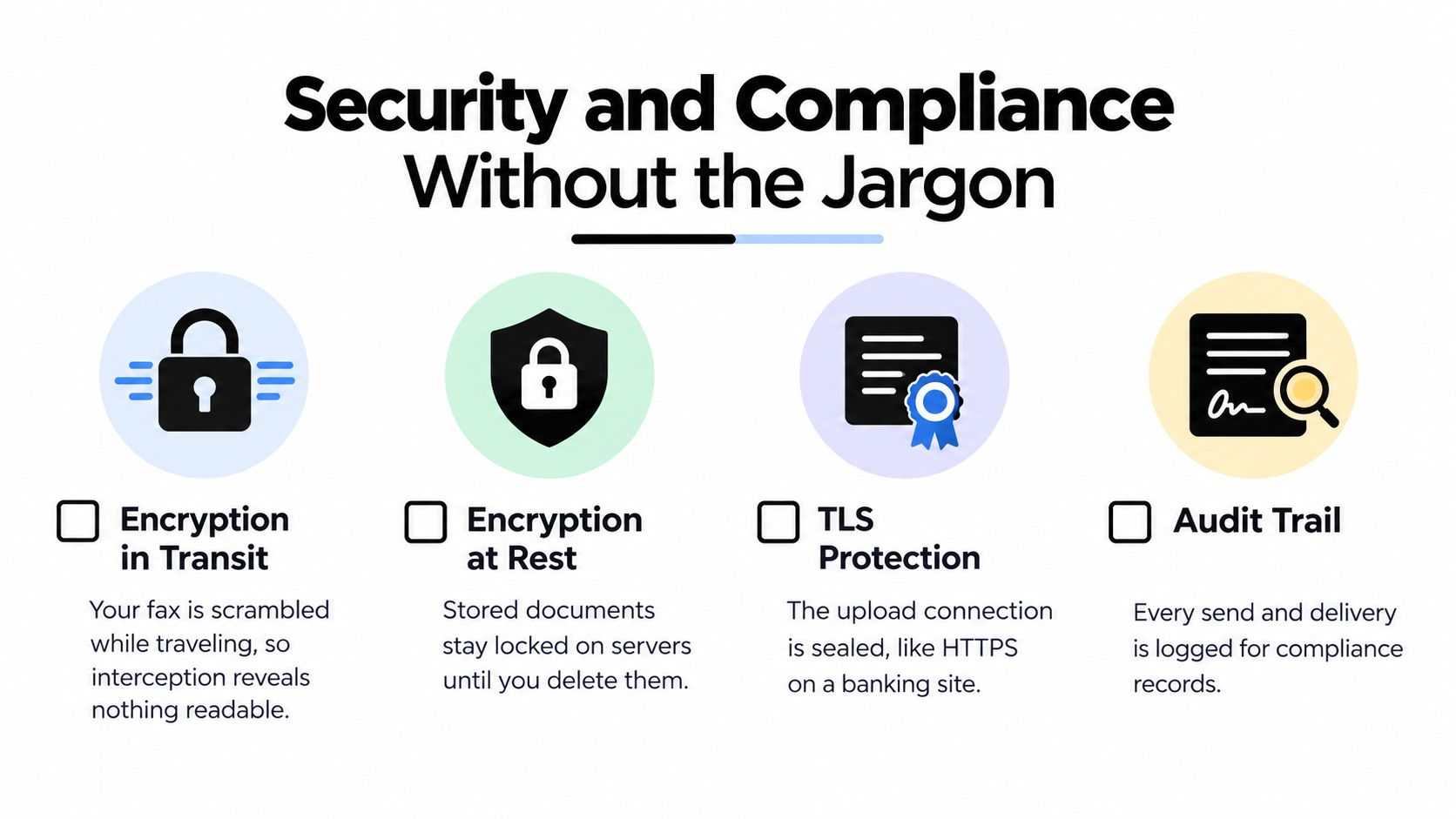
    Is online faxing still a normal thing?

    Yes. Many healthcare, finance, legal, education, and government offices still accept or require faxed documents because their workflows are built around secure, verifiable document delivery.

    Is a free fax option enough?

    Sometimes. Free works for short, low-stakes documents. If the fax is longer, more professional, or more urgent, a paid one-time option is usually more practical.


    If you need a simple browser-based way to fax from your Mac without creating an account, SendItFax is built for exactly that kind of occasional use. You can upload a DOC, DOCX, or PDF, send free up to three pages plus a cover, or choose the $1.99 Almost Free option for up to 25 pages, no branding, and priority delivery to U.S. and Canadian fax numbers.

  • Cheap Places to Fax Near Me: 2026 Cost & Speed Guide

    Cheap Places to Fax Near Me: 2026 Cost & Speed Guide

    You notice the fax requirement at the worst possible moment.

    A clinic wants a signed release back today. A lender asks for a faxed form instead of an email attachment. A school office gives you a fax number and a deadline, but you haven't seen a fax machine in years. So you open your phone, type cheap places to fax near me, and hope the answer isn't a long drive plus a surprise bill at the counter.

    That frustration is common because faxing hasn't disappeared in the places where documentation, signatures, and formal delivery matter most. Legal offices, medical providers, insurers, and government agencies still ask for it. The machine is old. The requirement is not.

    Your Urgent Fax Needs a 2026 Solution

    The hard part isn't sending the document. It's figuring out where to send it without wasting half your day.

    A young person in a green beanie and plaid shirt holding papers while looking up in surprise

    I've seen the same pattern over and over. Someone assumes the nearest big-box store will be cheap, shows up with a multi-page packet, and only then realizes the cost grows page by page. Someone else drives to a library for the low rate, then runs into limited access, a line, or less privacy than expected.

    The actual problem isn't faxing

    The underlying issue is choosing the wrong method for your situation.

    If you're faxing a short, non-sensitive form and you're already near a library, one choice makes sense. If you're sending documents with personal medical or financial details and you don't want them handled at a public counter, another choice makes more sense. If timing matters more than absolute cost, convenience can beat the cheapest sticker price.

    A fax isn't just a transmission problem. It's a cost, time, and privacy decision.

    What matters most in practice

    Few individuals require a giant directory. They need a fast answer to four questions:

    • How much will this specific fax cost
    • How long will it take
    • Will someone else handle my documents
    • Is there a simpler option than driving somewhere

    That's where this guide is useful. Instead of dumping a list of stores on you, it breaks down the common local choices by scenario. You can decide whether the smartest move is a library, a shipping store, an office supply retailer, a bank branch, or skipping the trip entirely.

    Exploring Your Neighborhood Fax Options

    Before comparing exact trade-offs, it helps to understand the general situation. Local fax options fall into a few predictable groups, and each sits on a different part of the cost versus convenience spectrum.

    Option Typical cost profile Best for Main trade-off
    Public libraries Lowest-cost public option Low-priority domestic faxes Hours, access, privacy vary
    Shipping centers Easy to find in many areas Urgent errands and assisted sending Higher per-page cost
    Office supply stores Familiar retail setup, often self-service People who want a simple walk-in process Cost rises on longer jobs
    Banks and credit unions Often free for account holders Existing customers with occasional needs Service isn't universal at every branch
    Hotels or business desks Situational convenience Travelers already on site Availability and pricing can be inconsistent

    Libraries sit at the budget end

    Public libraries are the first place I mention when someone asks about cheap places to fax near me and cares most about price. According to FaxBurner's overview of fax machine services near you, libraries charge as low as 10 to 25 cents per domestic U.S. page, and some offer faxing free to members. That makes them the natural benchmark for low-cost walk-in faxing.

    The downside is practical, not theoretical. Library fax access depends on the branch, the machine, the staff workflow, and the hours. If you need a same-day send right before closing, the cheapest option can stop being the easiest option.

    Shipping and office supply stores favor convenience

    The UPS Store, FedEx Office, Staples, and Office Depot are the places many people try first because they already know where they are. That's reasonable. These stores are built for walk-in document tasks, and the process is straightforward.

    The trade-off is that they charge more per page than public institutions. That matters less for a one-page form and much more for a packet with multiple signatures, disclosures, or supporting documents.

    Banks can be useful

    Some banks and credit unions will fax documents for account holders. This option doesn't get mentioned enough because it isn't as visible as a retail chain. But if you already have a relationship with the branch, it's worth a quick call.

    This is one of those methods that works well when it works and wastes time when it doesn't. Call first. Don't assume the branch offers it just because another branch does.

    Think in scenarios, not just locations

    A cheap fax location isn't automatically the right fax location.

    A library may win on price. A retail counter may win on speed. A familiar bank employee may feel more comfortable for paperwork that includes private information. The best choice depends on whether your top priority is saving money, finishing fast, or keeping your documents out of a public queue.

    Comparing Local Fax Services on Price Speed and Privacy

    If you want a practical answer, compare local fax options the same way you'd compare a rideshare, a print shop, or a shipping method. Look at total cost, how long it takes to complete the task, and how exposed your documents are while you wait.

    A comparison chart showing pricing, speed, and privacy for fax services at office stores, libraries, and hotels.

    Price by chain

    According to FAX.PLUS pricing comparisons for fax services near you, major retail chains typically charge $1.00 to $1.89 for the first page of a local fax and $1.00 to $2.19 for each additional page. The same comparison lists these rates:

    Provider Local fax National fax International fax
    UPS Store $1.00 first / $1.00 additional $2.00 first / $1.00 additional $3.00 first / $3.00 additional
    FedEx Office $1.89 first / $1.59 additional $2.49 first / $2.19 additional $5.99 first / $3.99 additional
    Staples $1.79 first / $1.59 additional $2.39 first / $2.19 additional $5.99 first / $3.99 additional
    Office Depot $1.49 first / $1.29 additional $1.99 first / $1.79 additional $7.99 first / $3.99 additional

    That same source notes a useful real-world example: a 3-page local fax at UPS might total $3.00 versus $4.07 at FedEx. That's the kind of difference many people don't think about until they're standing at the machine.

    Speed in practice

    Transmission itself is quick. The slower part is everything around it.

    At a self-service machine, you may need to scan, enter the number carefully, confirm page order, and wait for a printed confirmation. At a staffed counter, you may spend more time in line but less time pressing buttons. Libraries can be slower because the fax machine is one shared service among many, and the person helping you may also be handling circulation or patron questions.

    Practical rule: If the deadline is close, judge the trip by queue risk, not by how fast fax technology works.

    Privacy depends on who touches the paperwork

    Here, many people make a poor trade-off without realizing it.

    A public machine in a library or office store is fine for routine documents. It's less ideal when the packet includes medical records, bank details, tax forms, or identification documents. Sometimes you feed the pages yourself. Sometimes a staff member assists. Sometimes other customers are standing close enough to see names, addresses, and pages as they move through the feeder.

    Here's the simple privacy hierarchy I use:

    • Highest privacy among walk-in methods tends to be a self-service machine where you control the pages the entire time.
    • Middle ground is a quieter branch, desk, or store where staff help but the environment isn't crowded.
    • Lowest privacy is a busy public counter where documents sit visible while you wait.

    Convenience is not the same as price

    Retail chains win on predictability. You know what the location looks like, and many stores are set up for people who walk in with a document problem and need help fast. The FAX.PLUS comparison also notes over 5,000 UPS Stores and 1,700 FedEx Offices nationwide, which explains why these places show up so often in local searches.

    Libraries win when your job is simple and cheap matters most. Retail stores win when you need a smoother walk-in experience and are willing to pay for it. If you're trying to estimate the full bill before you leave home, this breakdown of the cost to send a fax is useful because it helps you think in total document cost, not just first-page sticker price.

    Paying more per page can still be the right move if it saves a missed deadline, a return trip, or a failed first attempt.

    Deciding When a Walk-In Fax Service is Your Best Bet

    The right walk-in option depends less on the brand and more on the job in your hand. One signed page is a different problem from a thick packet going to another state or another country.

    Use a library for low-stakes savings

    A library makes sense when all of these are true:

    • Your document is short
    • The fax is domestic
    • You can work within library hours
    • The information isn't so sensitive that a public setting bothers you

    This is the budget-first choice. If you're faxing a basic school form, a single release, or a short document that doesn't need a polished retail experience, the low page cost is hard to beat.

    Use an office supply or shipping store when timing matters

    Office Depot, Staples, FedEx Office, and UPS are better fits when you need a more dependable walk-in workflow. You get clearer transaction handling, easier confirmation, and a setup built for document tasks.

    That matters for people sending forms on lunch break, after other errands, or when they don't want to gamble on whether a public machine is available. If you're already printing marketing materials or picking up branded items for work, it can also be efficient to combine errands. For example, a team ordering flyers and business cards printing might prefer to handle faxing during the same print-services run.

    Watch distance-based pricing carefully

    According to mFax's benchmark comparison of nearby fax services, national fax pricing rises to $1.99/$1.79 at Office Depot, $2.39/$2.19 at Staples, and $2.49/$2.19 at FedEx, while international first-page rates range from $3.00 to $7.99. The same comparison says distance-based surcharges can increase total cost by 2 to 5 times for cross-border transmissions.

    That means the cheap-looking local rate can stop mattering fast if your recipient isn't local.

    Simple scenario matching

    If you want a fast decision, use this checklist:

    • Choose the library when cost is your top priority and the fax is simple.
    • Choose Office Depot or Staples when you want a familiar retail environment without the highest long-distance pricing.
    • Choose FedEx Office or UPS when location convenience matters more than squeezing out every dollar.
    • Choose your bank or credit union when you're an account holder and want to check for a no-fee branch service first.

    If you're still comparing physical locations, this guide on where to go to fax a document can help narrow the trip before you leave home.

    A Faster Cheaper Way to Send Faxes From Anywhere

    You realize you need to fax a signed form today. The file is already on your phone. At that point, the cheapest option is often the one that avoids a car trip, a printout, and a per-page counter fee.

    For a digital document, online faxing usually wins on total cost, speed, and privacy. A walk-in store can still make sense if you only have paper pages in hand, but once a file is saved as a PDF, DOC, or DOCX, going to a store adds steps without adding much value.

    A young person wearing a yellow beanie and green sweater smiling while using a laptop to fax.

    What changes when you fax online

    The practical difference is simple. You upload the file, enter the fax number, add a cover page if needed, and send it from a browser.
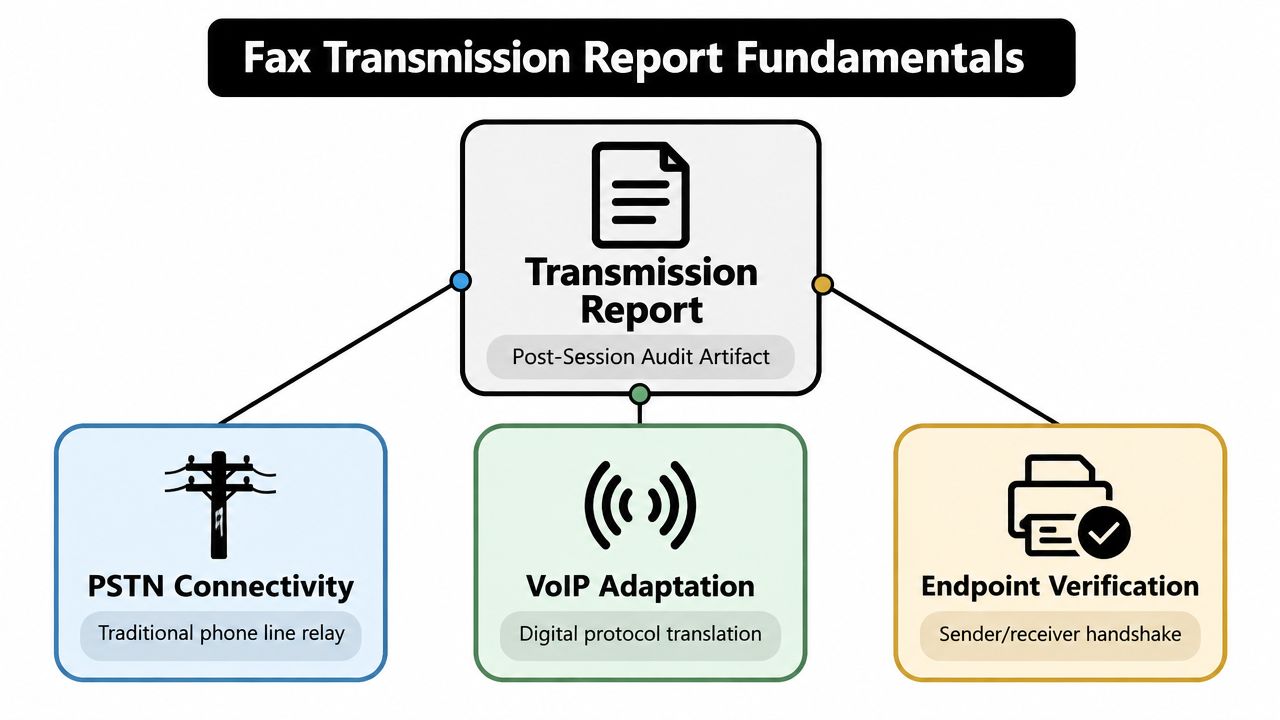
    That cuts out several hidden costs people forget to count:

    • Travel time
    • Gas or transit
    • Printing pages you already have digitally
    • Waiting for an open machine
    • Handing private paperwork to a public counter

    For one short fax, those friction costs often matter more than the listed fax price.

    Where online faxing makes the most sense

    Online faxing is a strong fit in three common situations.

    First, the document is already digital. Printing a PDF to feed it into a public machine is the slowest path.

    Second, the packet contains sensitive information. Medical forms, loan paperwork, and signed contracts are easier to control when you send them directly from your own device instead of handling them in a retail setting.

    Third, you fax rarely. In that scenario, the best choice is the one with the fewest steps and the clearest final price, not the one with the most features.

    A practical example of the cost trade-off

    SendItFax is one browser-based option for sending to recipients in the United States and Canada without creating an account. Based on the publisher information provided for this article, it accepts DOC, DOCX, and PDF files, includes an optional cover page message, offers a free option for up to three pages plus a cover with a daily limit of five free faxes, and has an Almost Free plan at $1.99 per fax for up to 25 pages with no branding and priority delivery.

    That pricing structure matters because it changes the math by scenario. A two-page school form or signed authorization may fit the free option. A 12-page packet can also be easier to price in advance with a flat per-fax plan than with a store counter that charges by page and may add long-distance costs.

    The smart default for digital documents

    If your file is on your phone or laptop, online faxing is often the cleaner choice. You save the errand, reduce handling of private documents, and avoid the surprise of a small fax turning into a bigger bill once extra pages or distance are involved.

    If you want the exact steps before trying it, this guide on how to send fax online from your browser walks through the process clearly.

    A Practical Walkthrough Sending Your First Online Fax

    The process is much simpler than many anticipate. You don't need a machine, a phone line, or a long setup.

    Screenshot from https://senditfax.com/

    Step 1 Pick your file first

    Start with the document you need to send.

    The easiest format is a clean PDF. If your file is in Word, DOC or DOCX also works on services built for browser uploads. Before you upload anything, check that every page is included, signatures are visible, and the recipient fax number is correct.

    Step 2 Enter sender and recipient details

    Most browser-based fax forms ask for basic sender information and the recipient's fax number. Fill this out carefully.
    For legal, medical, or financial forms, I recommend matching names exactly to the paperwork. That reduces confusion on the receiving side, especially when the office gets many inbound documents.

    Step 3 Decide whether you need a cover page

    A cover page is useful when the recipient expects identifying information, attention lines, or a short note explaining what the fax is for. If the document stands on its own, you may not need one.

    For a casual one-off send, the free route works if your packet is short and you don't mind service branding on the cover page. For something more polished, a paid flat-rate option is cleaner.

    Step 4 Choose the right plan for the job

    Use the free option when:

    • Your fax is short
    • Branding on the cover page isn't a problem
    • You're sending an occasional document

    Use the paid option when:

    1. Your file is longer and per-page retail pricing would add up
    2. You don't want branding on the cover page
    3. You want priority delivery
    4. You may want to skip the cover page entirely

    Step 5 Send and keep the confirmation

    After you submit the fax, don't close the tab too quickly if the service is still processing.

    Keep any confirmation page, email, or status result. That record matters if the recipient later says the document didn't arrive. A saved digital confirmation is easier to store and retrieve than a paper slip from a store counter.

    For occasional faxing, the fastest workflow is upload, verify, send, save confirmation, done.

    Common Questions About Finding Cheap Fax Services

    Is it safe to fax sensitive documents from a public place

    It can be, but public locations are rarely the most private option. If the pages contain medical, banking, tax, or identification details, avoid crowded counters when possible and don't leave papers unattended in feeders or trays.

    Can I receive faxes at these locations

    Some walk-in businesses may handle receiving, but availability varies a lot by location. Ask before you rely on it. For many occasional users, receiving is less predictable at physical locations than sending.

    Which physical place is usually cheapest

    Libraries are usually the lowest-cost public option when they offer faxing. Banks can be even cheaper for account holders if the branch provides it, but that isn't universal.

    Do I need a printed document to fax

    Not always. If you use an online fax service, you can upload a PDF, DOC, or DOCX directly from your device instead of printing first.

    How do I prove an online fax was sent

    Keep the delivery confirmation or status record provided after submission. That's the digital version of the paper confirmation page people want from walk-in fax locations.


    If you need to send a fax without driving to a store, SendItFax is a simple browser-based option for U.S. and Canada faxing. You can upload a document, enter the fax number, and send it without creating an account. For short occasional faxes, the free option may be enough. For larger packets, the flat-rate paid option can be easier to budget than walk-in per-page pricing.