Author: eric@dubslabs.com

  • Where Can I Send a Fax? A Modern Guide to Sending Documents

    Where Can I Send a Fax? A Modern Guide to Sending Documents

    Stuck trying to figure out where to send a fax these days? It's a common problem. The fastest and easiest options are either using an online fax service like SendItFax right from your computer or phone, or just swinging by a local shop like UPS or FedEx. Both get the job done without you needing an old-school fax machine.

    Your Quick Guide to Sending a Fax Right Now
    A laptop, printer, and a digital sign displaying 'SEND A FAX NOW' on a wooden desk.

    It’s true, faxing can feel like a technology from a bygone era. But for many industries, it’s still a surprisingly vital tool. When you absolutely have to send a signed contract, a sensitive medical form, or an official legal document, knowing your options is key. The great news is, you don’t need to hunt down a clunky fax machine anymore.

    Modern faxing has branched out, giving you three main ways to send your documents. Each one is built for a different set of needs, whether you prioritize speed, easy access, or keeping everything under your own control. If you want a full step-by-step breakdown, our guide on how to send a fax walks you through the entire process.

    Faxing Options at a Glance

    To help you pick the right method without overthinking it, let's compare the most common options. Your decision will likely come down to balancing convenience, cost, and how secure your documents need to be.

    Here's a quick way to think about it:

    • Online Fax Services: This is the modern equivalent of a secure, high-priority email. It's incredibly fast, you can do it from anywhere, and you get a digital confirmation that it was delivered.
    • Retail Stores: Think of this as the "full-service" choice. You just hand over your pages, and an employee takes care of the rest. It's simple but offers less privacy.
    • All-in-One Printers: This is your personal faxing hub. It gives you the most control and privacy but means you need to own the right printer and have a landline connection.

    This table breaks it down so you can see which path makes the most sense for you.

    Faxing Method Best For Typical Cost Convenience Level
    Online Fax Service Urgent, remote, and frequent faxing Free to low-cost subscription High
    Retail Store (UPS/FedEx) One-time or occasional faxes Per-page fee Medium
    All-in-One Printer High-volume or sensitive documents Hardware + phone line costs Low

    Each option has its place, but as you can see, online services really shine when it comes to combining ease of use with affordability.

    Why Is Faxing Still a Thing?

    It seems a little strange, right? We have email, instant messaging, and a dozen other ways to send files in a flash. So why are people still asking, "where can I send a fax?"

    The truth is, faxing never really went away. In certain professions, it’s not just an option—it’s a necessity. It all comes down to a unique blend of security and legal weight that digital methods can't always guarantee.

    Think of it this way: sending an email is like mailing a postcard. It’s open and travels through many hands (servers) before it reaches its destination, creating opportunities for it to be intercepted. A fax, however, works more like a secure, private phone call directly between two machines. That point-to-point connection is much harder to tap into.

    This built-in security is precisely why faxing remains non-negotiable in some of the most important industries.

    Who Still Relies on Faxing?

    When you're dealing with sensitive information, you can't afford to take chances. Faxing offers a time-tested and verifiable way to transmit documents that absolutely cannot fall into the wrong hands.

    • Healthcare: Medical practices are bound by strict privacy laws like HIPAA. Faxing provides a compliant channel for sending patient records, lab results, and prescriptions between clinics, hospitals, and pharmacies.
    • Legal: For lawyers and courts, proof of delivery is everything. Sending signed contracts, court filings, or affidavits via fax generates a transmission receipt that can stand up as legal evidence.
    • Finance and Government: From mortgage applications and bank statements to tax documents, these sectors handle a massive amount of personal financial data. Faxing is a trusted method for keeping that information secure.

    This isn't just anecdotal. A surprising 17% of businesses worldwide still use faxing for essential tasks. In the U.S. healthcare system alone, an estimated 9 billion fax pages are sent each year for things like insurance claims and prescription authorizations. If you're curious, you can discover more about the resilience of faxing in modern business practices.

    A successful fax transmission creates a confirmation receipt. This little report is more than just a piece of paper—it's legally admissible proof that your document arrived safely and on time.

    The Power of a Paper Trail

    Beyond security, the real magic of a fax is its built-in proof of delivery. When your fax goes through, the receiving machine sends an acknowledgment, and your machine prints out a confirmation report.

    This report is your golden ticket. It shows the recipient's number, the exact date, and the time the transmission was completed, creating a rock-solid audit trail.

    Ever sent a critical email and worried it landed in a spam folder? Faxing eliminates that doubt. For a time-sensitive legal notice or a multi-million dollar contract, that verifiable receipt isn't just nice to have—it's everything. It’s the definitive "yes, they got it," and it's why so many professionals won't use anything else for their most important documents.

    The Modern Answer: Sending a Fax Online
    A hand holds a smartphone displaying a secure cloud fax app icon near a laptop and document.

    For anyone looking for the most efficient and flexible way to send a fax, online services are the clear winner. These platforms turn any device with an internet connection—your laptop, tablet, or even your phone—into a fully functional fax machine you can carry in your pocket.

    The whole process is incredibly simple. Forget feeding paper into a clunky machine. Instead, you just upload a digital file, punch in the recipient's fax number, and hit send. This approach completely changes the answer to the question "where can I send a fax?" to a much simpler one: "anywhere."

    This isn't just a small trend; it's a massive shift in how businesses and individuals handle documents. The online fax market is on track to jump from $3.18 billion to a whopping $5.96 billion by 2025. This growth is all about the convenience and security that cloud-based faxing provides, with North America leading the charge and holding over 60% of the market, thanks in large part to its heavy use in regulated fields like healthcare. Discover more insights about the future of faxing and its market growth.

    Why Faxing Online Just Makes Sense

    Making the switch from a physical machine to a web service comes with a few immediate perks that solve the biggest headaches of traditional faxing.

    • Total Portability: Send that urgent contract from your home office, a coffee shop, or even an airport lounge. You’re no longer chained to a specific location.
    • No Extra Hardware: Say goodbye to that bulky fax machine taking up space. You also get to ditch the dedicated phone line and the recurring costs of paper, ink, and repairs.
    • Instant Digital Proof: Instead of waiting by the machine for a printed receipt that can get lost, you get an immediate confirmation right in your email. It’s a clean, digital record that your fax got there successfully.

    The real beauty of online faxing is how it bridges the gap between old and new technology. You can send a secure, legally binding document to a 30-year-old machine using the same smartphone you use to scroll through social media.

    How Services Like SendItFax Make It Easy

    Platforms like SendItFax are built from the ground up to be as straightforward as possible, especially for people who only need to send a fax once in a while. A lot of services force you to create an account or sign up for a monthly plan, which is overkill if you just have a single document to send.

    SendItFax cuts through that red tape. You can send a fax right from the website without needing to sign up for anything. Just upload your file, enter the details, and you’re done in minutes.

    While a free send is perfect for something quick and not super critical, sometimes you need a few more features. For a small fee, you can usually get some great upgrades to add a professional polish.

    • Remove Branding: Send a clean fax without the service's logo plastered on the cover sheet.
    • Higher Page Limits: Send longer documents, like detailed contracts or medical histories, that go beyond the typical free limits.
    • Priority Delivery: Bump your fax to the front of the line to make sure it gets sent out faster, which is perfect for time-sensitive materials.

    This kind of flexibility is what makes online faxing such a great tool for almost everyone. If you're ready to see just how easy it is, you can learn more about how to send a fax online with our step-by-step guide.

    Finding In-Person Public Fax Machines

    Sometimes, you just need to handle things in person. If sending a fax online isn't your speed, or you have a stack of physical papers ready to go, public fax services are a surprisingly reliable option. Think of it like using a copy machine at the library—you pay a little bit to get the job done without needing to own the equipment.

    Finding a place to send a fax is actually easier than you'd think. These services are perfect for those one-off situations where you need to send something quickly. You just hand over your documents, give them the fax number, and an employee handles the rest. It's a simple, no-fuss process that takes all the technical guesswork out of your hands.

    Common Places to Send a Fax

    While dedicated fax shops are mostly a memory, a number of big-name retailers have picked up the slack. They’ve rolled faxing right into their other office services, making them a convenient stop.

    Here are the most common spots you're likely to find a public fax machine:

    • Shipping Centers (UPS & FedEx): This is probably the most well-known option. Both The UPS Store and FedEx Office locations are go-to hubs for faxing. They can send to numbers in the US and internationally, and they’ll give you a printed confirmation sheet to prove it was sent.
    • Office Supply Stores (Staples & Office Depot): Big office supply chains almost always have a fax machine waiting at their print and copy centers. It’s a great choice if you also need to grab copies or other supplies while you're there.
    • Local Libraries: Don't forget your public library! Many offer faxing services to the community, and they are often the most affordable choice you'll find. Just be sure to check their hours first.

    One thing to remember: when you use a public fax machine, your documents will be handled by an employee and could sit in a tray in a public area. If you're sending something highly confidential—like medical records or financial statements—the privacy of an online service is probably a better fit.

    What to Expect at the Counter

    Using a public fax machine is pretty straightforward, but a little preparation goes a long way. Before you head out, make sure you have all your documents in order and the recipient's full fax number, area code included.

    Pricing is almost always per-page. The first page usually costs the most, with each additional page costing a little less. For instance, you might pay $2.00 for the first page and then $1.00 for every page after that. For longer documents, those costs can add up fast, so it’s always a good idea to ask about the fees upfront.

    Most places will offer to add a cover sheet for you, but they might charge for it. If you want to save a few bucks and make sure your fax looks professional, you can easily make your own. We've got a great guide and a free printable fax cover sheet with no download needed to help you get your documents ready. It’s a simple step that ensures your fax has all the right info and looks clean.

    Choosing the Right Faxing Method for Your Needs

    With so many ways to send a fax these days, how do you know which one is right for you? It's not just about getting a document from here to there. The best choice really comes down to what you're sending, how often you send it, and how quickly it needs to arrive.

    Think about it this way: a remote worker needing to send a signed contract on a tight deadline will love the speed and simplicity of an online service like SendItFax. On the other hand, if you just need to send a single, non-urgent form once in a blue moon, a quick trip to a local shipping store might be all you need. It's all about context.

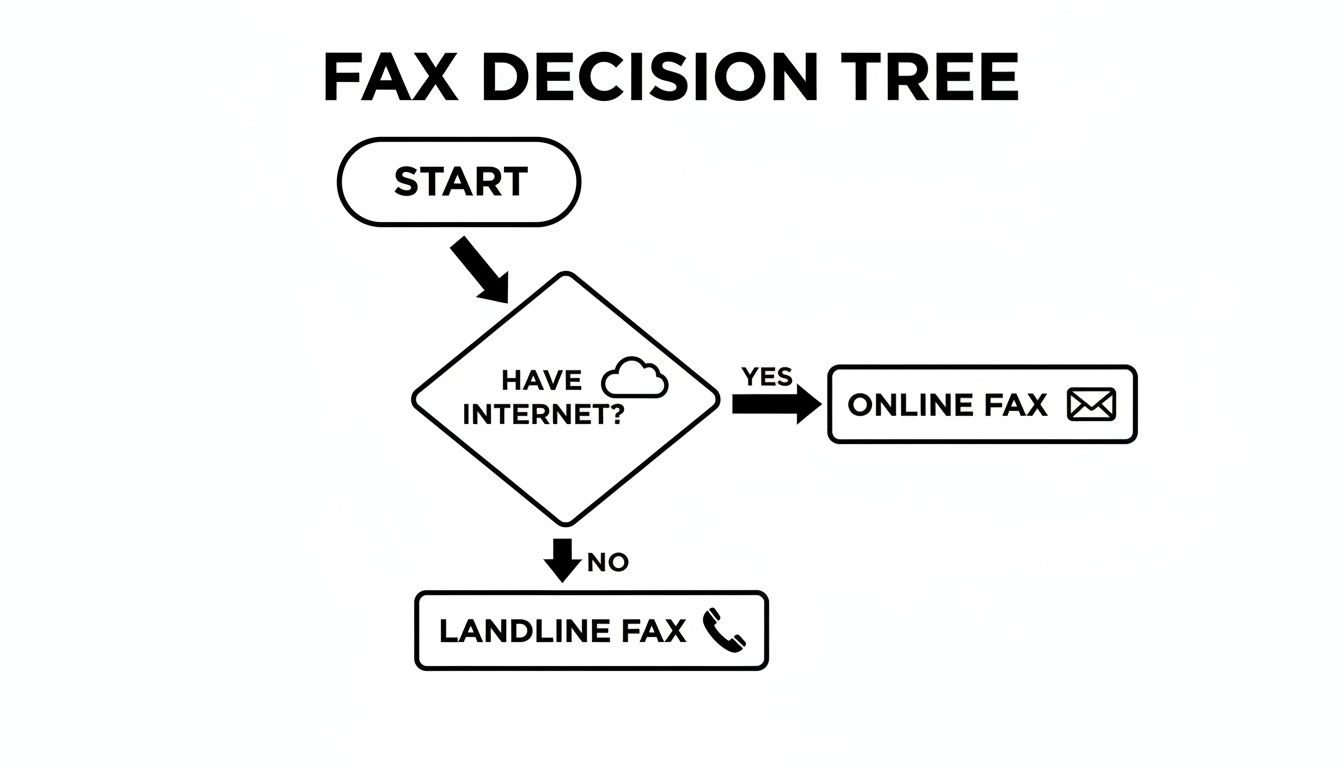
    This simple flowchart can help you figure out if heading to a public fax machine is the right move for your document.
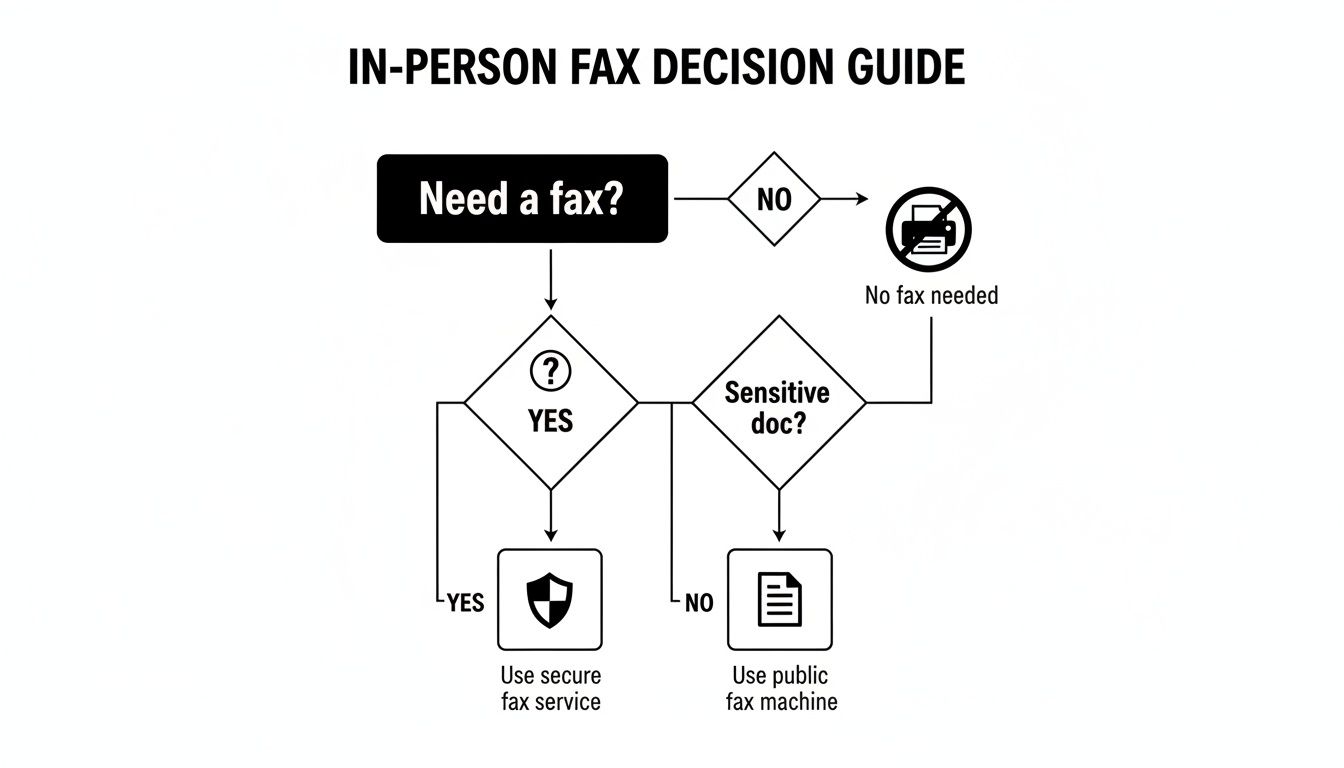
    Infographic about where can i send a fax

    The main takeaway here is pretty clear: the more sensitive your document, the more you should lean toward the privacy of a digital service over the convenience of a public machine.

    Matching the Method to the Mission

    Let's walk through a few common scenarios. Seeing how different needs lead to different solutions will help you feel confident about where to send a fax to get the job done right.

    • For High-Stakes Documents: Imagine a patient sending medical forms. Security is non-negotiable. In this case, an online fax service that uses encryption is the only logical choice. It ensures HIPAA compliance and keeps private health information from prying eyes at a public copy center.
    • For Occasional, Low-Sensitivity Faxes: Just need to send a signed permission slip for a school trip or a simple registration form? A public fax machine at a library or office supply store is a cheap and easy solution.
    • For Frequent Business Use: A small business that regularly sends invoices or files government applications needs something reliable that also provides a paper trail. An online fax subscription is perfect, offering digital confirmations and organized archives that make their workflow much smoother.

    Faxing is still a major player in industries where ironclad proof of delivery is required by law. In healthcare, a whopping 75% of providers now rely on digital fax platforms for patient records. That trend is skyrocketing as cloud faxing proves it can meet strict compliance demands. Legal and government sectors aren't far behind, with adoption rates well above the global business average of 17%. In fact, over 80% of small businesses report that their fax usage is either holding steady or increasing, highlighting its lasting value for secure communication. You can learn more about these faxing trends and their industry impact.

    The most important question to ask yourself is: "What would be the consequence if this document were delayed or intercepted?" Your answer will immediately point you toward the right level of security and reliability.

    Key Factors to Consider

    Before you send that next fax, just run through this quick mental checklist. It will help you confidently pick the best method for your specific task, ensuring your documents get where they need to go, safely and on time.

    1. Urgency: How fast does it need to get there? Online services are instant, while driving to a store obviously takes more time.
    2. Confidentiality: Is the information sensitive? Encrypted online services offer far better privacy than a machine anyone can walk up to.
    3. Frequency: Are you sending faxes all the time, or is this a one-off? For frequent use, an online subscription is usually much more economical than paying by the page.
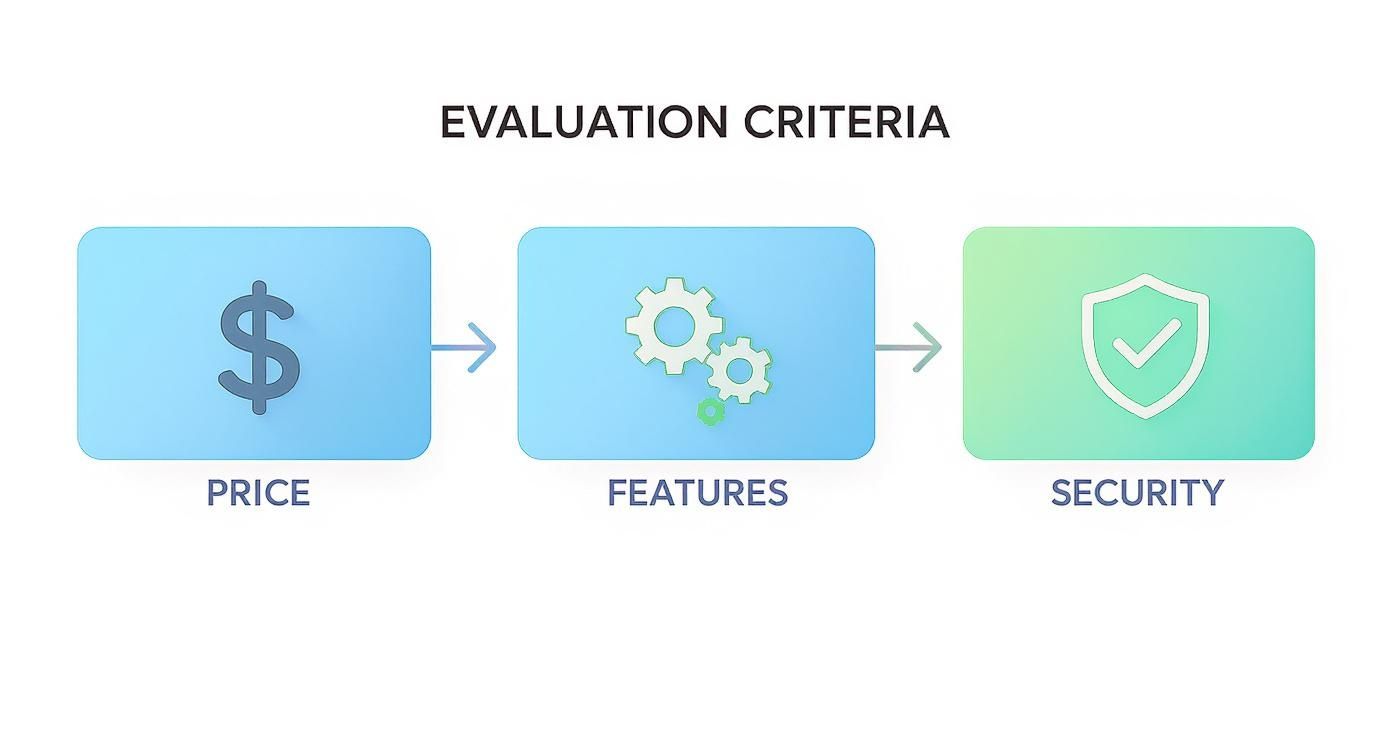
    4. Budget: How much are you looking to spend? Free online options and low-cost library services are great for small jobs, but retail stores can get pricey if you have a lot of pages.

    Your First Fax with SendItFax: A Step-by-Step Guide
    Person typing on a laptop with 'SenditFax Guide' displayed on the screen, sitting outdoors.

    So, you need to send a fax but don't have a machine handy. No problem at all. SendItFax turns your browser into a fully functional fax machine, letting you get documents where they need to go in just a few minutes. All you do is upload your file, pop in the details, and click send.

    Head over to the SendItFax homepage to get started. You'll see a simple form where you can upload your document—it handles common formats like DOC, DOCX, and PDF with ease. From there, just type in the recipient's 10-digit fax number.

    For instance, if you're faxing to the US or Canada, you'd just enter the number like 5551234567. You also have the option to add a message to the cover page, which is a great touch for professional documents to give the recipient some context.

    Getting It Sent

    Ready to go? It's a straightforward process that takes just a couple of minutes.

    1. Choose between the Free or Almost Free plan right on the main page.
    2. Upload your document. The free plan lets you send up to 3 pages, with a limit of 5 faxes per day.
    3. Fill in your information and the recipient's fax number.
    4. Decide if you want to include a cover sheet.
    5. Hit the "Send" button and watch for the confirmation.

    Within moments, a confirmation will pop up right on your screen, letting you know the fax is on its way. It's really that simple.

    A quick heads-up: the free service includes SendItFax branding on the cover page. If you need a more professional look or have a longer document, the Almost Free plan is a great option. For just $1.99, you can send up to 25 pages with no branding, and you can even skip the cover sheet if you don't need one.

    "SendItFax made my first fax as simple as sending an email," says freelance paralegal Jamie L.

    Quick Tips for a Smooth Send

    • Double-check the number. It's the most common reason for a fax to fail, so make sure that 10-digit number is perfect.
    • Give the cover page a once-over. If you're using one, a quick preview ensures everything looks professional and is easy to read.
    • Check the page limits. Before you hit send, just make sure your document fits within the limits of the plan you've chosen.

    Using SendItFax genuinely feels like having a personal fax machine built right into your web browser. It’s a direct answer to the question "where can I send a fax?" by offering flexible, no-fuss options. No software to download, no sign-up required, and no hidden costs.

    Frequently Asked Questions About Sending a Fax

    Even with all the modern options, it's natural to have a few questions about how sending a fax works today. Let's tackle some of the most common things people ask when they're figuring out where to send a fax.

    Can I Send a Fax from My Email or Phone?

    You absolutely can. Modern online fax services are built for convenience, letting you send a fax from any device with a web browser. That means your smartphone, tablet, or laptop can all double as a portable fax machine.

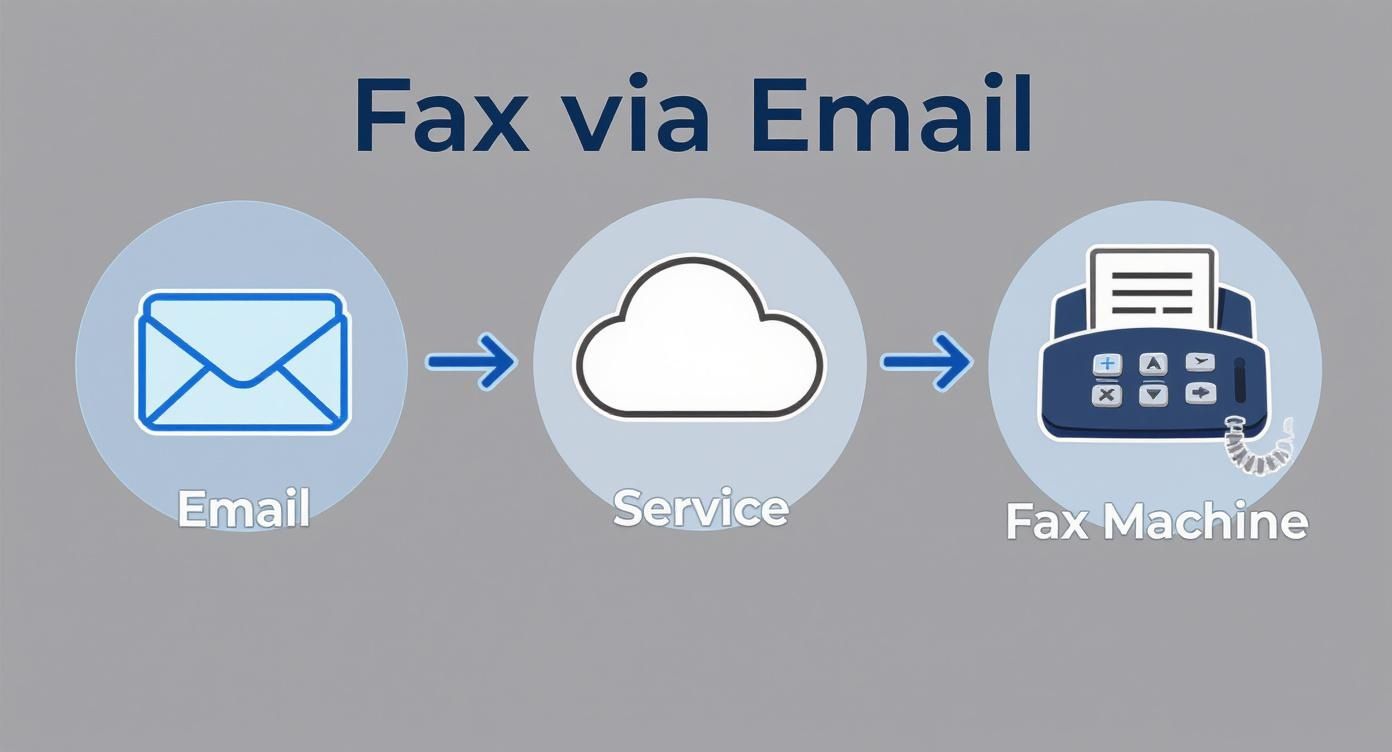
    Many of these services also have a clever "email-to-fax" feature. You just compose a regular email, attach your documents, and send it to a special address provided by the service. They handle the rest, converting it into a standard fax and delivering it to the recipient's machine.

    Is Sending a Fax Online Secure?

    Yes, it is—often more secure than using a public machine. Reputable online fax services use powerful encryption to scramble your data as it travels, protecting it from anyone trying to intercept it. You don't have to worry about sensitive documents sitting on a shared machine in a store.

    The traditional fax process is already considered more secure than email because it creates a direct point-to-point connection. Good online fax providers take that a step further by adding modern security layers like TLS encryption, making it a very safe way to send confidential files.

    This is exactly why industries like healthcare and law, which handle highly sensitive information, still rely heavily on faxing. It gives them the best of both worlds: the trusted, direct connection of a fax with the advanced security of today's technology.

    How Do I Know If My Fax Was Delivered?

    This is one of the biggest perks of using an online service. Instead of getting a flimsy paper slip from a machine, you receive a digital confirmation report, usually right in your email inbox. This report is your proof that the fax went through successfully.

    These digital confirmations are easy to save and organize for your records. They typically include all the important details:

    • The fax number you sent it to
    • The exact date and time it was delivered
    • The total number of pages that were successfully sent

    This gives you a clear and reliable digital paper trail, so there’s never any question about whether your document arrived.


    Ready to send your fax without hunting for a machine? With SendItFax, you can send documents securely from any device in just a few minutes, and you don't even need an account. Send your fax for free with SendItFax.

  • 12 Best Fax Cover Sheet Template PDF Resources for 2025

    12 Best Fax Cover Sheet Template PDF Resources for 2025

    In many professional fields, the need to send a fax hasn't disappeared. A well-designed fax cover sheet is still a critical first impression, ensuring your document is routed correctly, received with urgency, and handled with the intended confidentiality. It acts as a professional handshake, providing essential sender and recipient details, a clear subject line, and the total page count at a glance. Without it, your important transmission can easily get lost in a busy office's shared machine tray, leading to delays or privacy breaches.

    This guide simplifies the process of finding the right fax cover sheet template PDF for your specific needs. We've curated a comprehensive list of the best resources, from fully editable Microsoft Word templates you can save as a PDF to dedicated online fax services that provide integrated cover pages. Whether you need a simple, clean design for a quick memo, a HIPAA-compliant sheet for medical records, or a detailed form for legal correspondence, you'll find it here.

    Each entry includes a brief description, a visual preview, and practical tips for filling it out correctly. We’ll show you where to download each template and provide clear instructions for sending it using modern online faxing tools, helping you find the perfect solution without the hassle of a traditional fax machine.

    1. Microsoft Create

    Microsoft Create offers a curated collection of professional, no-cost fax cover page templates directly from the source of the world's most popular office software. It stands out by providing dependable, business-ready designs that integrate flawlessly with the Microsoft 365 ecosystem. Users can open templates directly in Microsoft Word or Excel, either in a browser or the desktop app, making edits simple and intuitive.

    This platform is ideal for anyone needing a classic, reliable fax cover sheet template PDF without the hassle of third-party software. The templates include all standard fields such as sender and recipient details, page count, and space for a company logo. After customizing your document, you simply export it as a PDF, ready to be sent. The designs prioritize function over flair, ensuring a clean, universally accepted format.

    Key Features & User Experience

    The user experience is seamless for anyone familiar with Microsoft Office. Templates are free, although signing in with a Microsoft account may be required to edit online.

    • Pros: Reliable formatting, no-cost workflow, and consistent, professional layouts.
    • Cons: Fewer creative or highly stylized design options compared to dedicated graphic design tools.
    • Best For: Businesses and individuals who value integration with Microsoft 365 and need a standard, professional appearance. For inspiration on what to include, check out these fax cover letter examples.

    Website: Microsoft Create Fax Cover Pages

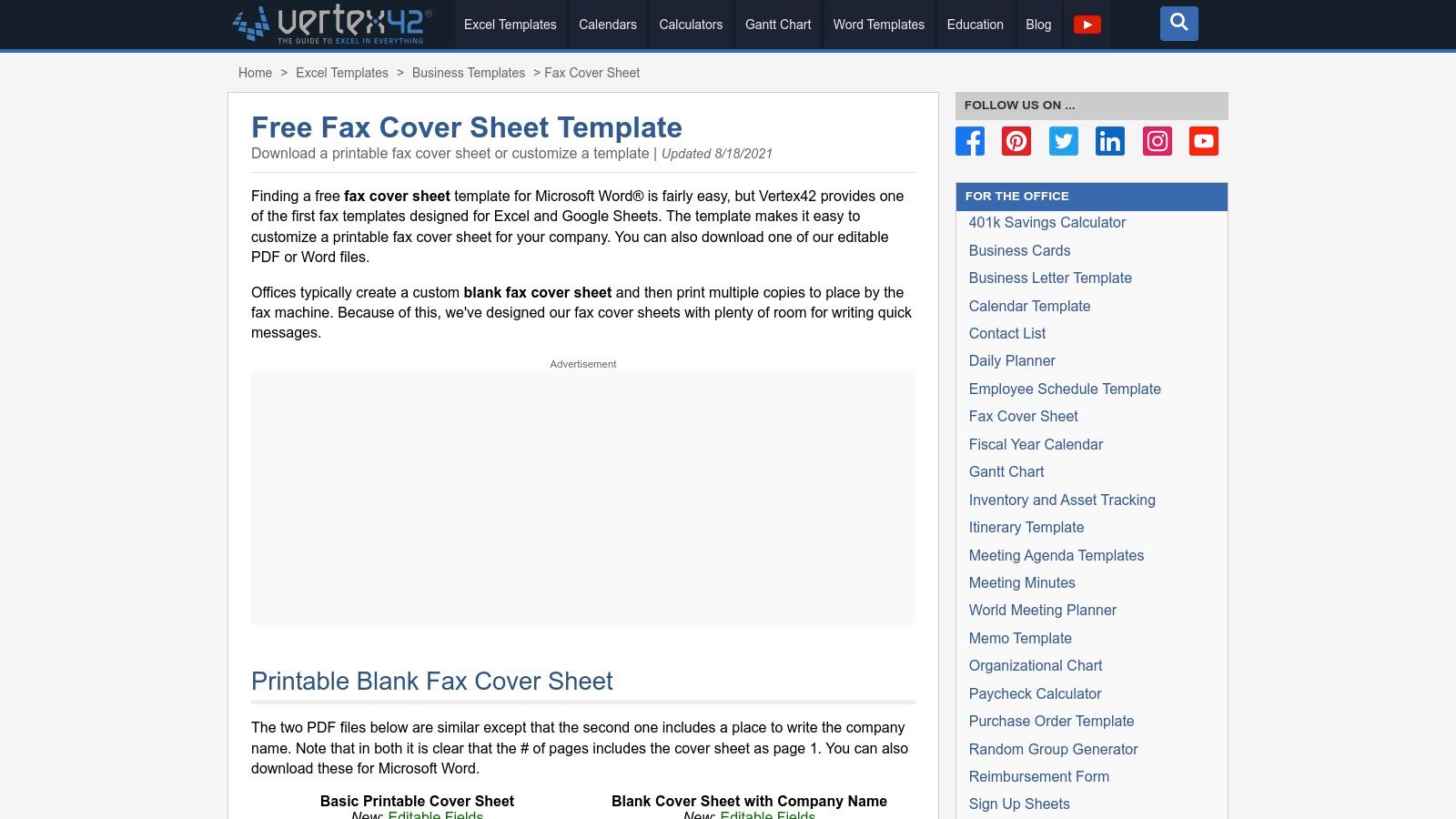
    2. Vertex42

    Vertex42 is a long-standing resource for high-quality templates, offering a range of practical fax cover sheets in multiple formats. It stands out by providing not only printable PDFs but also fully editable versions for Microsoft Word, Excel, and Google Sheets. This versatility allows users to choose the format that best fits their workflow, whether they need a quick print-and-fill document or a digital template for repeated use.

    Vertex42

    This platform is perfect for those who prioritize function and clarity in their business communications. The designs are clean, professional, and straightforward, ensuring all essential information is presented legibly. Downloading a fax cover sheet template PDF is incredibly simple, requiring no sign-up or registration. You can grab a ready-made PDF for immediate printing or an editable DOCX or spreadsheet file to customize with your company branding and save for future faxes.

    Key Features & User Experience

    The user experience is exceptionally direct. Navigating to the page presents clear download links for each format, accompanied by helpful usage notes. Templates are free for private use.

    • Pros: Multiple format options (PDF, Word, Excel, Sheets), no sign-up required for downloads, and clean, professional layouts.
    • Cons: Designs are utilitarian and lack the creative flair found on more design-focused platforms.
    • Best For: Users who appreciate having editable source files (especially in Excel or Google Sheets) and need a no-fuss, professional template.

    Website: Vertex42 Fax Cover Sheet Templates

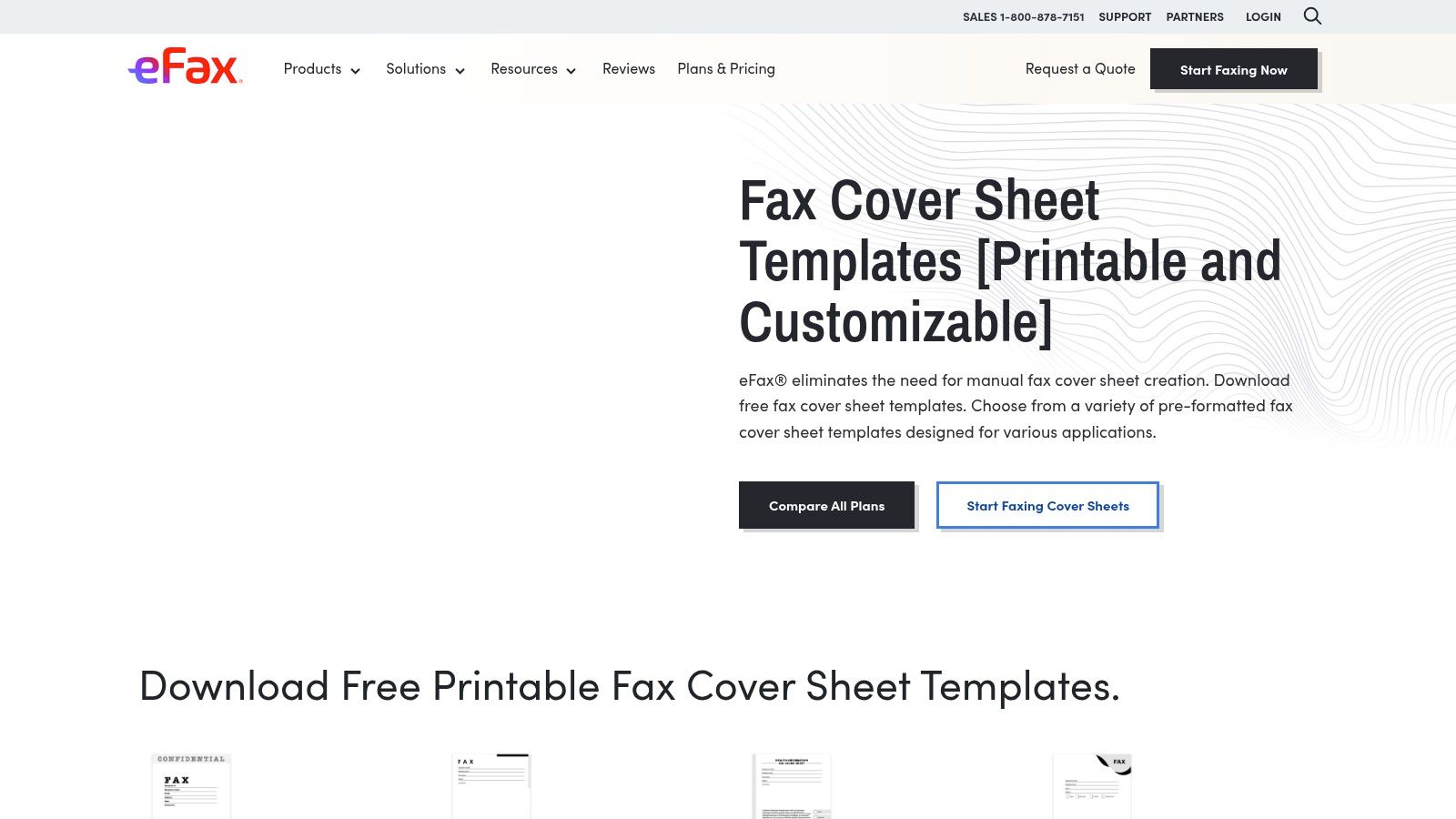
    3. eFax

    eFax, a major player in the online faxing industry, provides a valuable library of free fax cover sheet templates. The platform offers a variety of downloadable designs in both PDF and DOC formats, categorized to meet specific needs such as confidential, HIPAA, personal, modern, and general business use. This makes it a great resource for users who need a specialized cover sheet without having to design one from scratch.

    eFax fax cover sheet templates with various designs

    This site is particularly useful for those who need a professional fax cover sheet template PDF and might also be exploring digital faxing services. While the templates are free to download, eFax also highlights its auto-generated cover sheets, a feature available to its subscribers. The templates are clean, functional, and tailored for professional environments, ensuring that your fax is received with the proper context and information clearly displayed.

    Key Features & User Experience

    Navigating the site is straightforward, with templates clearly organized by category. While the downloads are free, the website's primary goal is to promote the eFax service, so expect to see calls to action for their subscription plans.

    • Pros: Wide selection of templates for business and specialized needs, available in both PDF and DOC, and offered by a reputable online fax brand.
    • Cons: Site content includes many CTAs for the paid eFax service, and some features like automatic covers are locked behind a subscription.
    • Best For: Individuals and businesses looking for specialized templates, such as HIPAA-compliant covers, who may also be considering a full online faxing solution. Discover more about how to send a fax online to complement these templates.

    Website: eFax Fax Cover Sheets

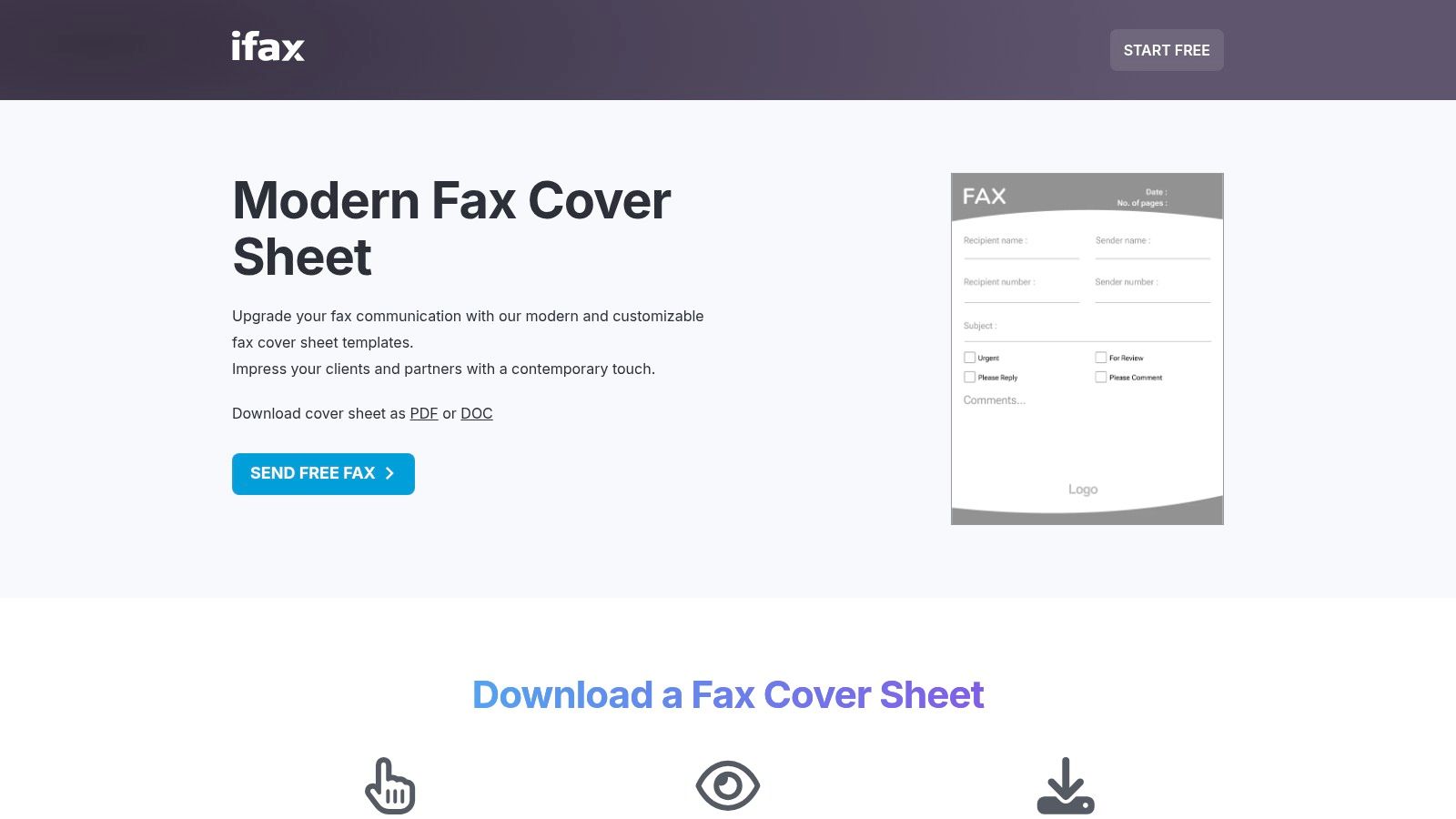
    4. iFax

    iFax maintains an extensive gallery of downloadable fax cover sheets, offering a wide array of specialized variants in both PDF and DOC formats. This platform is a go-to resource for users who need a diverse selection of print-friendly templates, from healthcare and legal forms to logo-ready and minimalist designs. It excels by providing a broad catalog of professional and specific-use covers that are immediately accessible.

    iFax fax cover sheet templates gallery

    This resource is perfect for anyone seeking a purpose-built fax cover sheet template PDF without spending time on design. Templates cater to multiple needs, including HIPAA-compliant versions for medical use or simple layouts for personal correspondence. The one-click download system allows you to quickly grab the file you need, edit it offline in your preferred software, and prepare it for sending.

    Key Features & User Experience

    The iFax template gallery is straightforward, with clear previews and direct downloads. While the templates are free, the site does promote its own online faxing service alongside the downloads.

    • Pros: Large variety of specialized options, quick previews and immediate downloads, and both minimal and branded looks available.
    • Cons: Marketing prompts for the iFax service appear alongside templates, and the selection often highlights online faxing use cases.
    • Best For: Users who need a specific type of fax cover, such as for legal or healthcare purposes, and appreciate having many print-ready options.

    Website: iFax Free Fax Cover Sheets

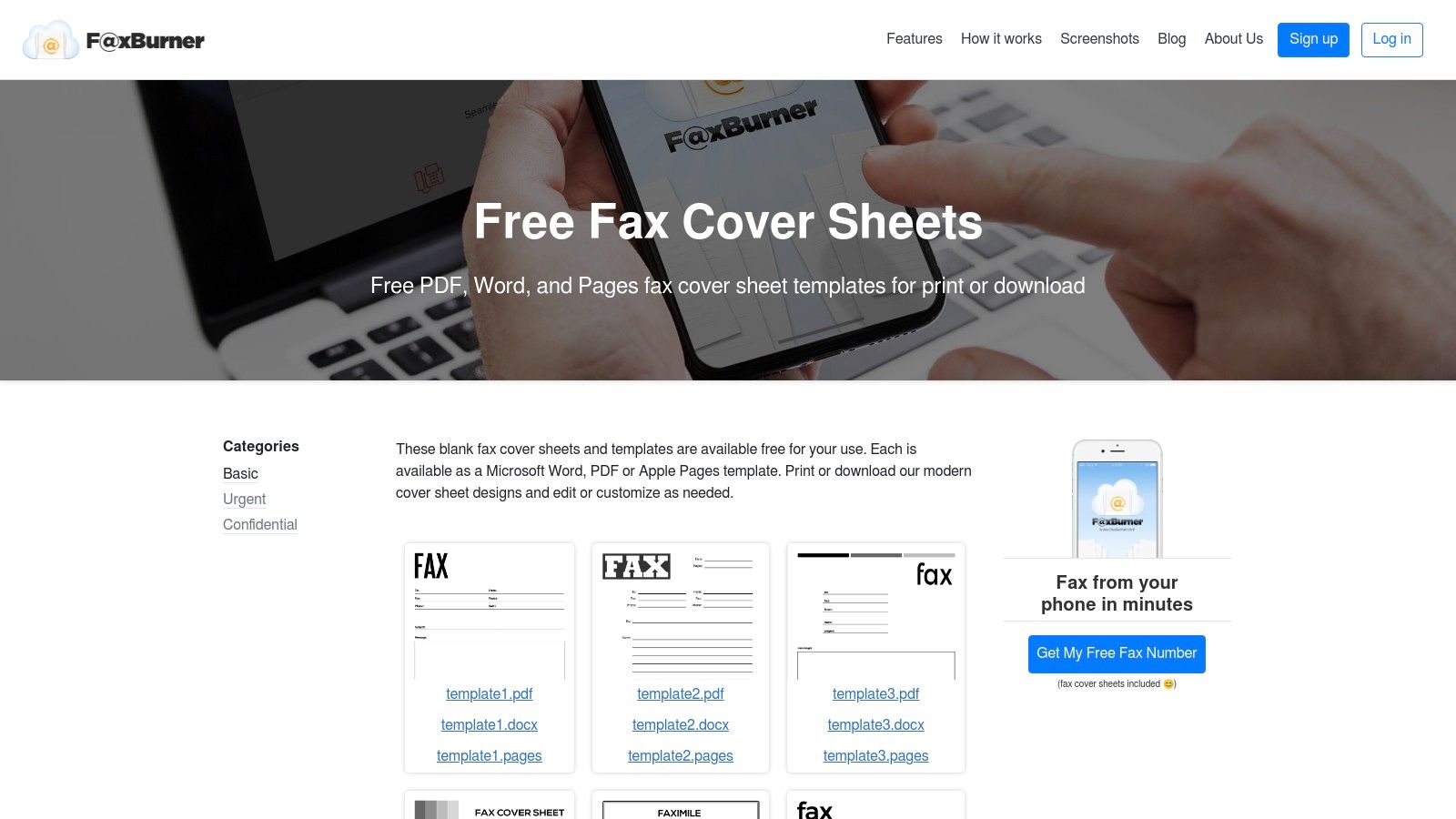
    5. FaxBurner

    FaxBurner provides a straightforward collection of free fax cover sheet templates designed for speed and convenience. It stands out by offering formats beyond PDF, including Microsoft Word and, notably, Apple Pages, catering to a wider range of users. The templates are organized into practical categories like basic, confidential, and urgent, making it easy to find a suitable option for your specific communication needs.

    FaxBurner

    This platform is ideal for users who need a quick, no-frills fax cover sheet template PDF without creating an account or navigating a complex site. You can download editable documents or print-ready PDFs directly. The designs are clean and functional, containing all necessary fields for professional correspondence. While optional, the templates are designed to pair well with FaxBurner’s mobile faxing service for a complete digital faxing solution.

    Key Features & User Experience

    The user experience is incredibly direct; you can download your desired template with just one click. There are no sign-ups or paywalls for accessing the template files, which simplifies the process for one-off needs.

    • Pros: Fast access with no account required, supports Apple Pages users, and offers simple, print-ready files.
    • Cons: Smaller catalog than larger template libraries, with fewer style variations for highly branded communications.
    • Best For: Individuals and small businesses needing a quick, functional cover sheet, especially Mac users who prefer editing in Pages.

    Website: FaxBurner Fax Cover Sheets

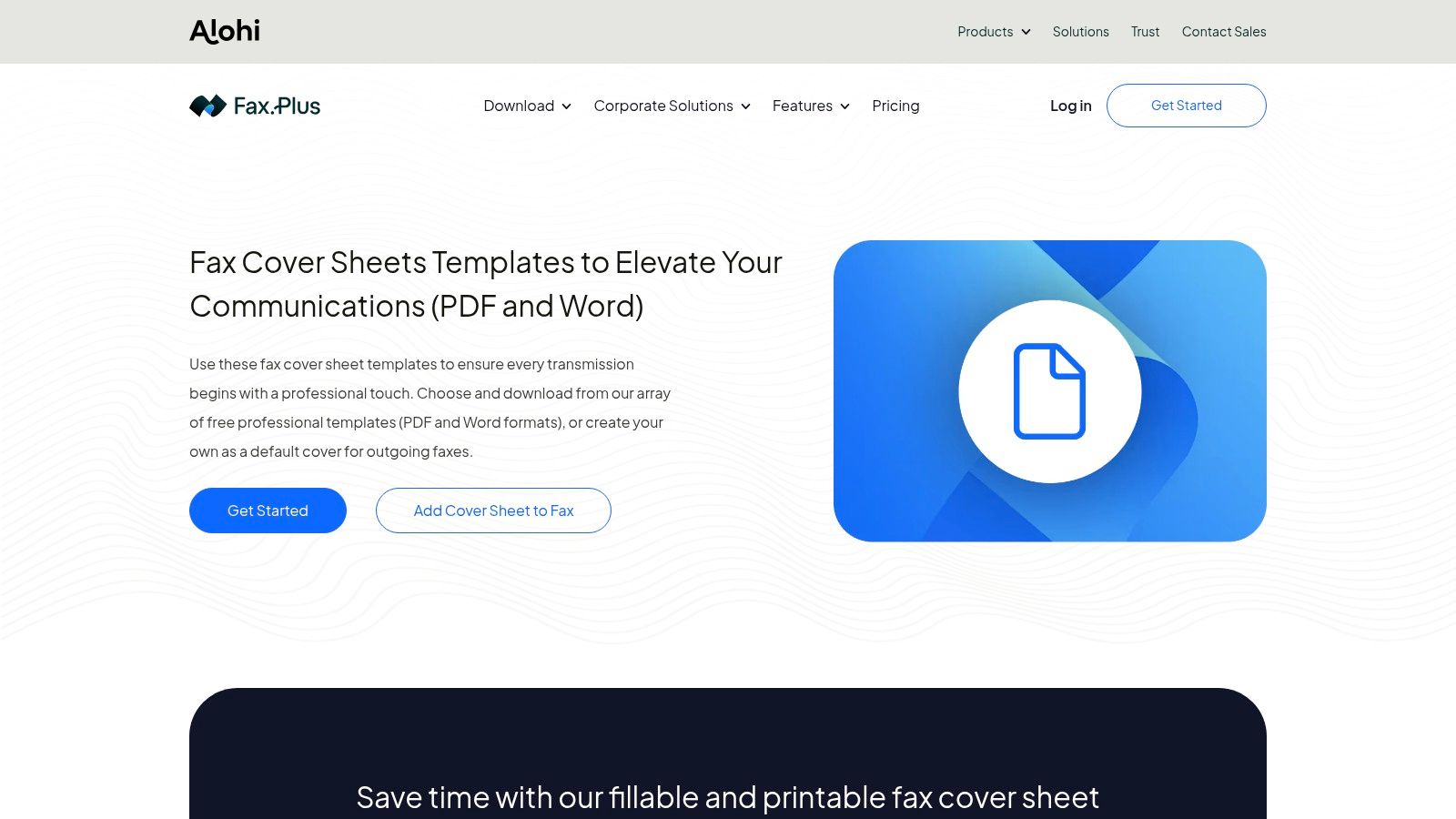
    6. FAX.PLUS

    FAX.PLUS offers a streamlined collection of free fax cover sheet templates designed to work seamlessly with its online faxing service. This platform stands out by focusing on practical, business-oriented needs, providing downloadable templates in both Word and PDF formats. The designs are clean, professional, and categorized for common use cases like "Generic" and "Confidential," making it easy for users to find what they need quickly.

    FAX.PLUS Fax Cover Sheet Templates

    This resource is ideal for professionals who need an efficient way to download a standard fax cover sheet template PDF and send it immediately. The templates include all essential fields, ensuring compliance and clarity for business communications. While the templates are free to download, their primary purpose is to complement the FAX.PLUS service, creating a smooth workflow from document preparation to transmission. The layouts are simple and effective, prioritizing functionality over elaborate design.

    Key Features & User Experience

    The user experience is straightforward, guiding users to select and download a template with just a few clicks. The templates are presented as a free resource to support their core online faxing product.

    • Pros: Professional, business-focused layouts, quick download in both Word and PDF formats, and templates designed for standard workplace needs.
    • Cons: Fewer stylistic categories compared to creative design platforms, and the templates are presented alongside a paid fax service.
    • Best For: Individuals and businesses already using or considering an online fax service who need a reliable, no-frills cover sheet.

    Website: FAX.PLUS Fax Cover Sheet Templates

    7. Fax.Live

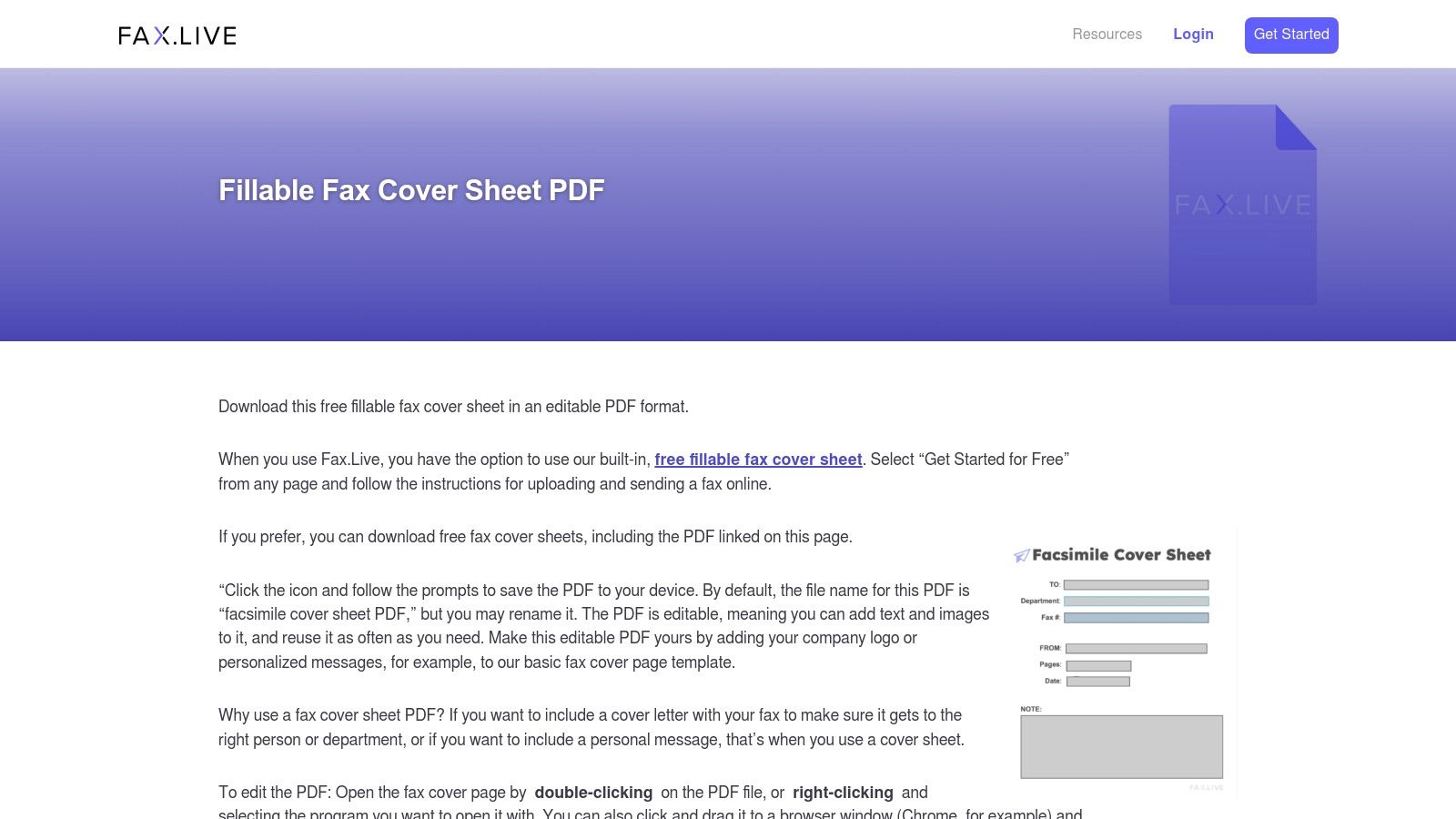
    Fax.Live provides a focused selection of downloadable and fillable fax cover sheet templates designed for practicality and ease of use. This platform stands out by offering templates that are optimized for editing in common PDF viewers, eliminating the need for specialized software. They provide clear, step-by-step instructions, making the process straightforward even for less tech-savvy users.

    Fax.Live

    This resource is perfect for individuals who want a reliable fax cover sheet template PDF and might also need an online faxing service. Fax.Live offers business and medical-style layouts, ensuring essential information is presented professionally. A key benefit is its integration; if you use their service to send your fax, a cover sheet can be added automatically for free, streamlining the entire workflow from creation to transmission.

    Key Features & User Experience

    The website offers a simple, user-friendly experience centered on functionality. The templates are purpose-built to be fillable, which makes them highly convenient compared to static, non-editable designs.

    • Pros: Purpose-built PDFs that edit well in standard viewers, a free integrated cover sheet when faxing online, and clear usage instructions.
    • Cons: Smaller selection compared to major template hubs, with limited stylistic variety for creative branding needs.
    • Best For: Users who appreciate a direct, no-fuss approach and may use the integrated online faxing service for a seamless experience.

    Website: Fax.Live Fax Cover Sheet Templates

    8. Template.net

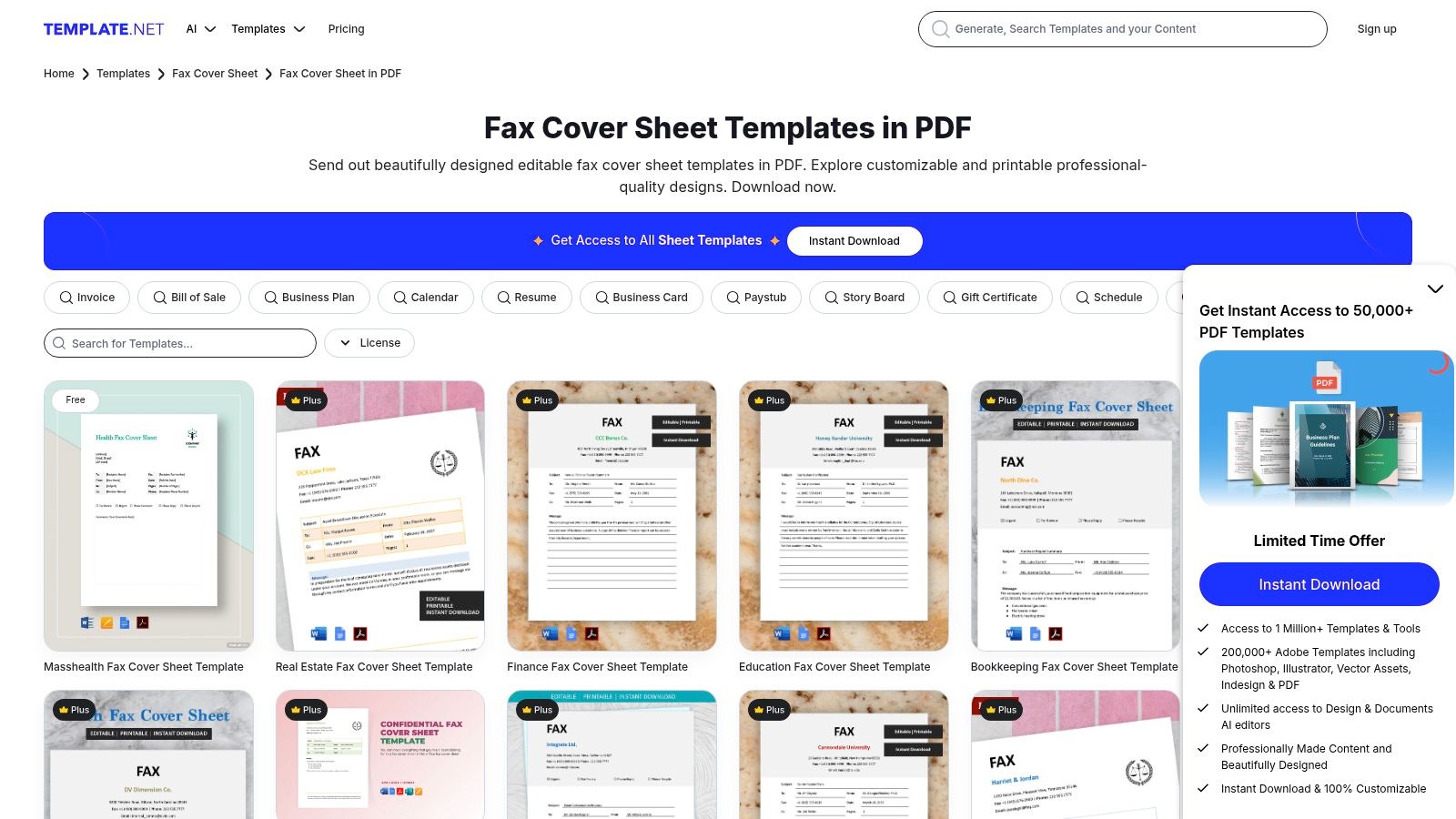
    Template.net hosts a massive catalog of fax cover sheets available in multiple formats, including editable PDFs, Word, Google Docs, and Apple Pages. It stands out for its sheer volume and variety, with powerful filtering tools that help users quickly find specific layouts tailored to business, personal, or industry-specific needs. The platform offers both direct downloads and a convenient online editor for quick modifications.

    Template.net Fax Cover Sheet Templates

    This website is a great resource when you need a diverse range of stylistic options or a very particular layout on short notice. The library is frequently updated, ensuring fresh designs are always available. Whether you need a simple, clean fax cover sheet template PDF or a more detailed corporate design, Template.net likely has a suitable option. The mix of free and premium templates provides flexibility for different user needs.

    Key Features & User Experience

    The user experience is straightforward, with clear categories and filtering that make navigating the extensive library manageable. While many high-quality templates are free, the best designs are often reserved for Pro subscribers.

    • Pros: Extensive and frequently updated selection, excellent for finding specific styles quickly, and convenient online editing options.
    • Cons: The highest quality templates often require a paid subscription, and design consistency can vary across the collection.
    • Best For: Users who need access to a wide variety of designs and appreciate the flexibility of editing in different software formats. You can find more details about its offerings in this overview of Template.net.

    Website: Template.net Fax Cover Sheets

    9. FreeFaxCoverSheets.net

    FreeFaxCoverSheets.net is a straightforward resource offering dozens of free, printable fax covers for immediate download. As part of the popular FreePrintable.net network, it excels at providing no-frills templates sized for US letter paper, making it perfect for users who need a functional document without any complex editing or sign-up processes. The collection includes both plain and stylized options to suit various needs.

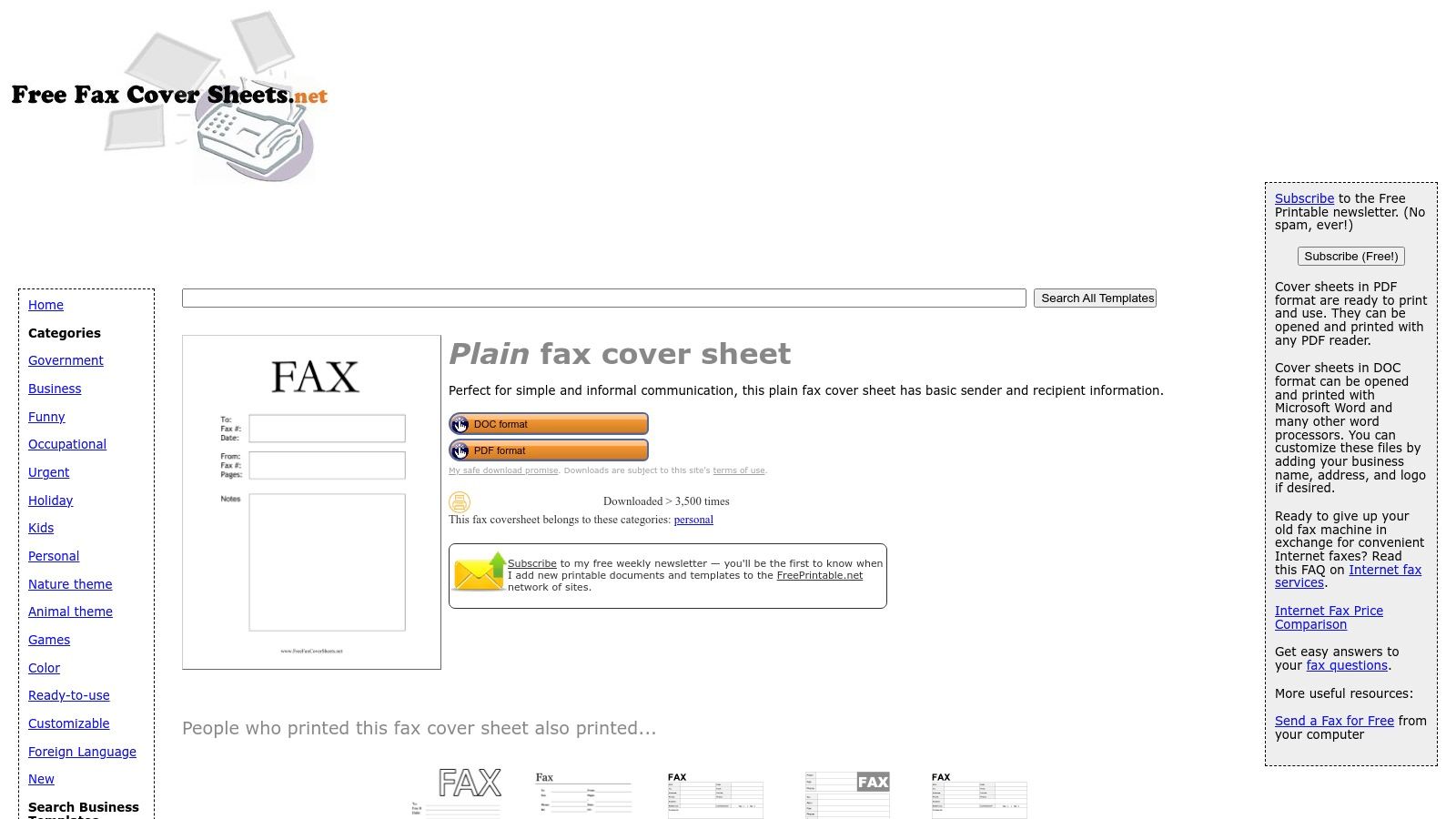
    A plain fax cover sheet template from FreeFaxCoverSheets.net

    This platform is ideal for anyone looking for a quick and simple fax cover sheet template PDF. You can download the files instantly and fill them out by hand or with a PDF editor. The designs are clean and functional, containing all the essential fields required for professional communication. The direct-download approach eliminates barriers, allowing you to get your cover sheet in seconds.

    Key Features & User Experience

    The user experience is incredibly fast and direct, though the website is supported by ads and periodic newsletter prompts. The primary focus is on speed and accessibility, not on-site customization.

    • Pros: Zero-cost and instant access, a wide variety of basic covers, and a very fast, no-frills download experience.
    • Cons: The site contains ads, and there are no on-site editing or customization tools available.
    • Best For: Individuals and small businesses needing a quick, printable fax cover without registration or software dependencies.

    Website: FreeFaxCoverSheets.net Plain Fax Template

    10. Etsy

    For those seeking a more unique or brand-aligned design, Etsy is a digital marketplace where independent creators sell professional fax cover sheet templates. It stands apart from free template libraries by offering a vast selection of creative, designer-made layouts that you won't find anywhere else. Most sellers provide instant digital downloads in multiple formats, including PDF, Microsoft Word, and editable Canva links, giving you flexibility in how you customize your document.

    This platform is the perfect choice when you need a polished fax cover sheet template PDF that reflects a specific aesthetic or brand identity. After a one-time purchase, you receive the files immediately, ready for editing and use. Many listings even come in bundles, providing multiple design variations at a great value. The quality and style can vary significantly between sellers, so it’s wise to read reviews before purchasing.

    Key Features & User Experience

    Etsy’s user experience is straightforward, with a simple search and purchase process. The platform facilitates direct communication with designers if you have questions or need minor adjustments.

    • Pros: Access to unique, custom-looking designs; supports brand customization; many sellers offer bundles and easily editable versions.
    • Cons: Quality and file format can be inconsistent depending on the seller; requires a separate purchase for each template or bundle.
    • Best For: Small businesses, freelancers, and individuals looking for a distinctive, non-generic fax cover sheet to match their brand.

    Website: Etsy Fax Cover Sheet Listing

    11. Kittl

    Kittl is a browser-based design platform that elevates the standard fax cover sheet into a brand-aware document. It offers a selection of highly customizable templates for users who want more creative control than what traditional office software provides. Kittl excels at letting you fine-tune typography, adjust colors to match your brand palette, and seamlessly integrate your company logo for a polished, professional look.

    This platform is perfect for small businesses, freelancers, and creative professionals who need their fax cover sheet template PDF to reflect their unique brand identity. The on-canvas editor is intuitive, allowing for quick changes without needing graphic design expertise. Once you finalize your design, you can easily export it as a high-quality PDF, ready to be attached to your digital fax or printed.

    Key Features & User Experience

    Kittl’s user experience is centered on creative freedom within a simple, web-based interface. While many templates are free to use, some advanced features or premium designs may require a paid plan.

    • Pros: Significant creative control over design elements, excellent for matching company branding, and a user-friendly browser-based editor.
    • Cons: The template selection is smaller than giant marketplaces, and the best features may be locked behind a premium subscription.
    • Best For: Users and businesses who prioritize brand consistency and want a more visually appealing, custom-designed fax cover sheet.

    Website: Kittl Fax Cover Sheet Templates

    12. Spreadsheet Daddy

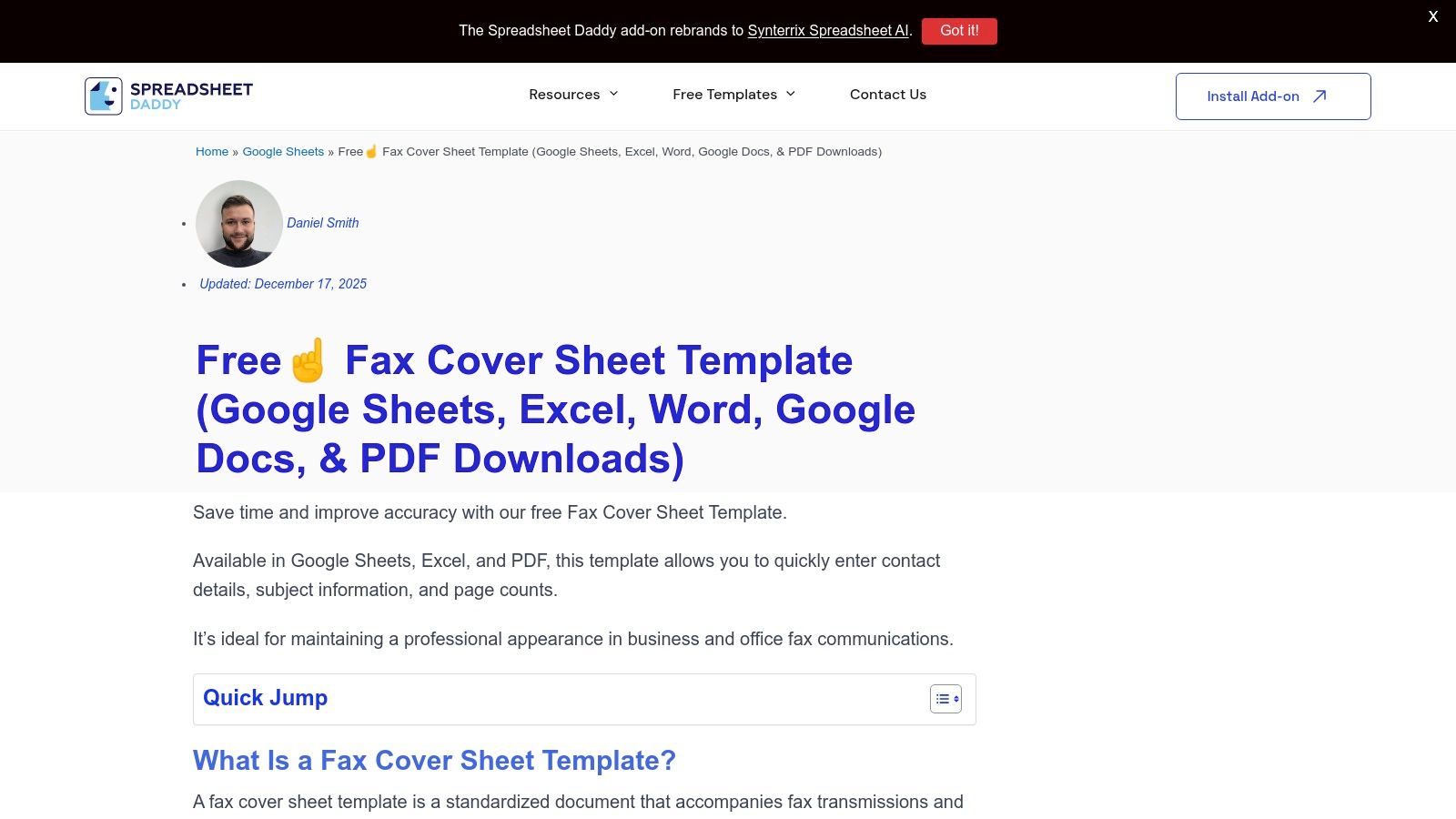
    Spreadsheet Daddy provides a highly versatile, free fax cover sheet template pack designed for users who value flexibility. This platform stands out by bundling multiple formats of the same professional layout, including versions for Google Docs, Google Sheets, Microsoft Word, and Excel. This unique approach allows you to grab both an editable source file and a ready-to-use printable PDF in one simple download.

    Spreadsheet Daddy

    This resource is perfect for individuals or teams who want to maintain a consistent template across different software ecosystems. Whether you prefer editing in the cloud with Google Workspace or on your desktop with Microsoft Office, the template is ready to go. The included printable fax cover sheet template PDF is ideal for those who just need to print and fill it out by hand quickly.

    Key Features & User Experience

    The download process is straightforward, requiring no account creation or sign-up. The website clearly outlines the standard fields included in the template, ensuring it meets all basic business communication needs.

    • Pros: Multiple formats in one pack, no account required for download, and a consistent layout across different applications.
    • Cons: Limited to a single design, offering less variety than dedicated template galleries.
    • Best For: Users who need a reliable, cross-platform template and appreciate having both an editable source file and a printable PDF.

    Website: Spreadsheet Daddy Fax Cover Sheet

    Top 12 Fax Cover Sheet PDF Comparison

    Source Core features UX / Quality (★) Price & Value (💰) Best for / Audience (👥) Standout (✨ / 🏆)
    Microsoft Create Free editable Word/Excel templates, export to PDF ★★★★ 💰 Free (may require MS sign-in) 👥 Microsoft 365 users, offices ✨ Seamless Word/Excel integration; consistent formatting
    Vertex42 PDFs + Excel/Google Sheets editable versions ★★★★ 💰 Free for private use 👥 Spreadsheet users wanting simple business layouts ✨ Excel/Sheets variants; no signup
    eFax Wide category library (HIPAA, business), auto-generated covers with service ★★★★ 💰 Free templates; paid fax service upsells 👥 Businesses needing specialized templates ✨ Broad selection + auto-cover via service
    iFax Large gallery, many specialized/brandable variants ★★★★ 💰 Free templates; service CTAs 👥 Users wanting variety & brand-ready covers ✨ Extensive specialized options
    FaxBurner PDF/Word/Apple Pages; mobile-fax integration ★★★ 💰 Free templates 👥 Mobile users & Apple Pages users ✨ Apple Pages support; quick downloads
    FAX.PLUS Curated PDF/Word templates labeled by use case ★★★★ 💰 Free templates; paired paid service 👥 Office users seeking professional layouts ✨ Professional, office-focused designs
    Fax.Live Fillable, brandable PDF covers with usage steps ★★★★ 💰 Free templates; online fax add-on 👥 Medical/business users needing fillable PDFs ✨ Purpose-built fillable PDFs
    Template.net Large, filtered library + online editor (PDF/Word/Docs/Pages) ★★★★★ 💰 Freemium (some Pro-only items) 👥 Users needing many styles or quick matches ✨ Massive, searchable library + editor 🏆
    FreeFaxCoverSheets.net Dozens of printable covers sized for US letter, instant download ★★★ 💰 Free (ads present) 👥 Quick, no-frills users ✨ Fast, no-signup printable options
    Etsy Designer-made paid templates (PDF/Canva/Word), instant downloads ★★★★ 💰 Paid per listing; variable pricing 👥 Users wanting unique/designer covers ✨ Unique, boutique designs; brand customization 🏆
    Kittl Browser editor for typography, logos, colors; PDF export ★★★★ 💰 Freemium (some premium templates/features) 👥 Small businesses & designers wanting brand control ✨ On-canvas customization for brand matching
    Spreadsheet Daddy Pack with Google Sheets/Docs, Excel/Word + printable PDF ★★★★ 💰 Free 👥 Users needing both editable source and ready PDF ✨ All-format pack; consistent single-layout delivery

    Elevate Your Faxes with the Right First Impression

    Navigating the world of faxing in a digital age doesn't have to be complicated. As we've explored, a well-chosen fax cover sheet template pdf is more than just a formality; it’s a crucial tool for ensuring your document is professional, clear, and directed to the correct recipient. From the robust and highly customizable options offered by platforms like Microsoft Create and Kittl to the specialized, industry-specific templates available from services like eFax and FAX.PLUS, the right first impression is always within reach.

    The key takeaway is that the ideal template depends entirely on your specific circumstances. A freelancer might find the straightforward, no-frills designs from Vertex42 or FreeFaxCoverSheets.net perfectly adequate for occasional use. In contrast, a healthcare provider must prioritize HIPAA compliance, making a dedicated, secure template an absolute necessity. Similarly, a legal firm will benefit from templates that explicitly include fields for case numbers and confidentiality notices.

    Choosing Your Best-Fit Template

    Making the right choice comes down to evaluating a few critical factors. Before you download the first template you see, consider the following:

    • Professionalism vs. Simplicity: Do you need a branded, formal cover sheet that represents your business, or will a clean, basic layout suffice? Tools like Template.net offer a wide spectrum, while others like FaxBurner provide a simple, effective solution integrated into their service.
    • Industry Requirements: Are you transmitting sensitive information that falls under regulations like HIPAA? If so, your choice must prioritize compliance and include necessary disclaimers. A generic blank template is not suitable for these high-stakes communications.
    • Customization Needs: How much control do you need over the final look? If you require the ability to add a logo, change fonts, or adjust layouts, a fully editable template from sources like Etsy or Microsoft Create is your best bet.
    • Frequency of Use: For one-time faxes, a simple downloadable PDF is efficient. For regular faxing, consider an online fax service that integrates cover sheets into its workflow, saving you time and streamlining the process.

    Ultimately, the goal is to enhance communication, not complicate it. A great fax cover sheet template pdf serves as a clear, concise introduction to your document. It provides essential routing information at a glance, states the purpose of the fax, and establishes a professional tone from the outset. By selecting a template that aligns with your needs and pairing it with a reliable sending method, you ensure your important documents are not just sent, but received and processed with the attention they deserve.


    Now that you have the perfect fax cover sheet, complete the final step with a service designed for modern efficiency. SendItFax allows you to easily upload your chosen PDF cover sheet and documents, sending them securely without ever touching a physical fax machine. Try SendItFax today and experience a smarter, simpler way to handle all your faxing needs.

  • How to Send a Fax: Easy Online Guide You Can Do Now

    How to Send a Fax: Easy Online Guide You Can Do Now

    Sending a fax online is surprisingly straightforward. You just upload your document to a web service like SendItFax, punch in the recipient's fax number, and hit send. That's it. This approach ditches the need for a clunky machine and a dedicated phone line, letting you send files like PDFs or Word docs right from your computer or phone in a matter of minutes.

    Why Online Faxing Still Matters

    It's easy to think of faxing as something that went out with dial-up internet, but for a lot of professionals, it’s still a go-to tool. Fields like healthcare, law, and government hang on to it for good reason: it’s incredibly secure and holds up legally. When you’re handling sensitive information, the direct point-to-point connection of a fax gives you a level of security that your average email just can't promise.

    A laptop displaying 'Secure Faxing' on its screen sits on a wooden desk with paper documents.

    Learning to send a fax online isn't about dusting off old tech. It’s about getting comfortable with a modern communication method that puts security and reliability first, whether you’re using it for work or personal stuff.

    The Enduring Role of Fax in Key Industries

    So, why are so many vital sectors still leaning on this method? It all comes down to compliance and having a paper trail. Take healthcare, for instance. Doctors and hospitals have to follow strict HIPAA rules to keep patient information private. Faxing gives them a secure, verifiable way to send records between clinics, pharmacies, and insurance companies.

    The numbers really tell the story. At its peak, global fax transmissions hit over 17 billion documents in a single year. The U.S. healthcare system alone accounted for more than 9 billion of those. Even now, about 17% of businesses around the world still use faxing, which shows just how essential it remains in certain fields.

    The real advantage? A fax transmission creates a solid record of exactly when a document was sent and successfully received. That kind of proof is gold for legal and medical paperwork.

    Thinking about making the switch? It helps to see the differences side-by-side.

    At a Glance Comparing Traditional vs Online Faxing

    This table provides a quick comparison of the key differences between using a traditional fax machine and a modern online fax service, helping you understand the benefits of going digital.

    Feature Traditional Fax Machine Online Fax Service
    Hardware Requires a dedicated machine and phone line. No special hardware needed—just a computer or smartphone.
    Cost High initial cost plus ongoing expenses for paper, ink. Low monthly subscription fees, often with free trial options.
    Accessibility You have to be physically present at the machine. Send and receive faxes from anywhere with an internet connection.
    Document Quality Can be blurry or distorted depending on the connection. Delivers crisp, clear digital copies every time.
    Security Secure point-to-point, but documents can be left exposed. Enhanced with end-to-end encryption and secure cloud storage.
    Confirmation Prints a confirmation page (if it doesn't jam). Sends instant email notifications and provides a digital log.

    As you can see, online faxing takes the core strengths of traditional faxing and modernizes them for today’s needs, offering a more flexible and cost-effective solution.

    Security and Legal Recognition

    Faxing is often considered a safer bet than email when you're sending sensitive documents. A classic fax travels over a dedicated phone line, which is much harder to intercept than hacking into an email server. You can dive deeper into whether fax is more secure than email in our detailed comparison.

    Today's online fax services build on that security with features like end-to-end encryption. This scrambles your documents from the moment you send them until they land safely on the recipient's machine. It’s this blend of old-school reliability and new-school security that makes faxes legally binding in many situations, from signing contracts to submitting official paperwork. It’s a surprisingly useful skill to have in your back pocket.

    Getting Your Documents Ready for a Perfect Send

    Before you even get to the "send" button, the single most important thing is the quality of your document. I’ve seen it happen countless times: a blurry or poorly formatted file gets sent, and it arrives as an unreadable mess on the other end. This wastes time and can cause real headaches, especially with important paperwork.

    The goal here is simple: start with a clean, crisp digital file. That one step will solve 90% of potential problems down the line.

    Choosing the Right File Format

    The file type you use has a direct impact on how your fax looks when it prints out of that machine miles away.

    For anything with a lot of text—think contracts, applications, or official letters—PDF is the gold standard. It’s the closest thing to a guarantee that your formatting, fonts, and layout will stay exactly as you intended.

    If you have a Word document, I strongly recommend converting it first. It only takes a second. Our guide on how to convert a Word document to a PDF shows you exactly how.

    Other common formats that usually work well include:

    • DOC/DOCX: Microsoft Word files are accepted almost everywhere, but be aware that formatting can sometimes get a little wonky during the fax conversion process. PDF avoids this.
    • JPG/PNG: These are perfect for sending photos, diagrams, or scanned papers. Just make sure they are high-resolution. A fuzzy image will only look worse after being faxed.

    Pro Tip: Think of your digital file as the "original" master copy. The better its quality, the clearer the final fax will be. You can't make a low-resolution scan look sharp on the other end.

    How to Scan Physical Papers (Without a Scanner)

    What if your document is a physical piece of paper? You don’t need to hunt down a bulky office scanner anymore. Your smartphone is more than capable of creating a great-looking digital copy.

    For the best results, lay the document on a flat surface with plenty of light. Watch out for your own shadow! Position yourself so the light source isn’t directly behind you, casting a shadow over the page.

    Modern phone cameras and scanning apps (like Adobe Scan or even your phone's built-in Notes app) are smart enough to find the document's edges and automatically straighten the image for you.

    Once you have the picture, take 30 seconds to edit it. The most important tweak is to increase the contrast. This makes the text pop and the background a clean white. It makes a massive difference in readability for the person receiving the fax. Zoom in and double-check that even the fine print is sharp.

    Finally, save your freshly scanned document as a PDF or a high-quality JPG. Taking these few extra minutes to prep your file properly is the secret to a smooth transmission every single time. It's the foundational step that ensures your message gets received loud and clear.

    The Complete Walkthrough for Sending Your First Online Fax

    Alright, you've got your documents scanned, cleaned up, and ready to go. Now for the easy part: actually sending the fax. If you're used to wrestling with an old, clunky fax machine, you're in for a pleasant surprise. The whole process is much more like sending an email.

    Let's walk through it together using a service like SendItFax as our example. The goal of these platforms is to be dead simple—get your file from your computer to their machine with zero fuss.

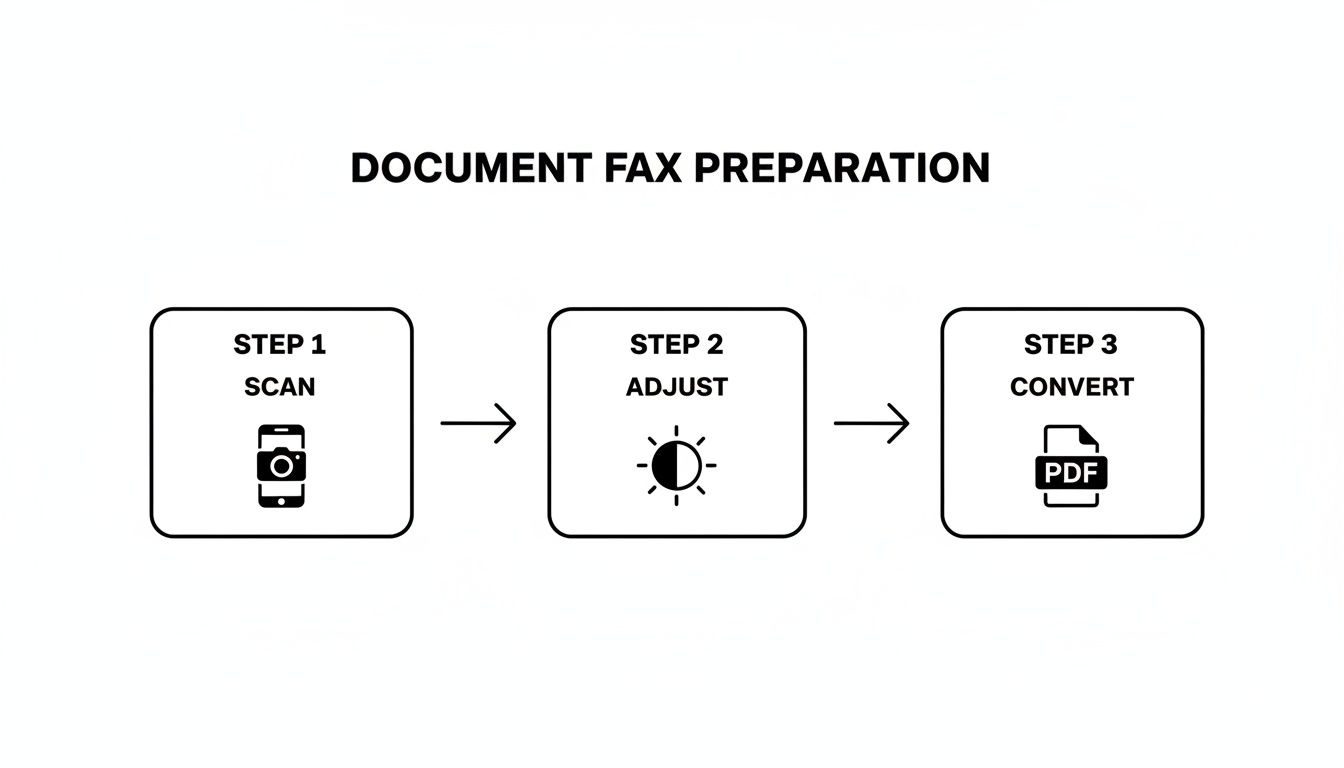
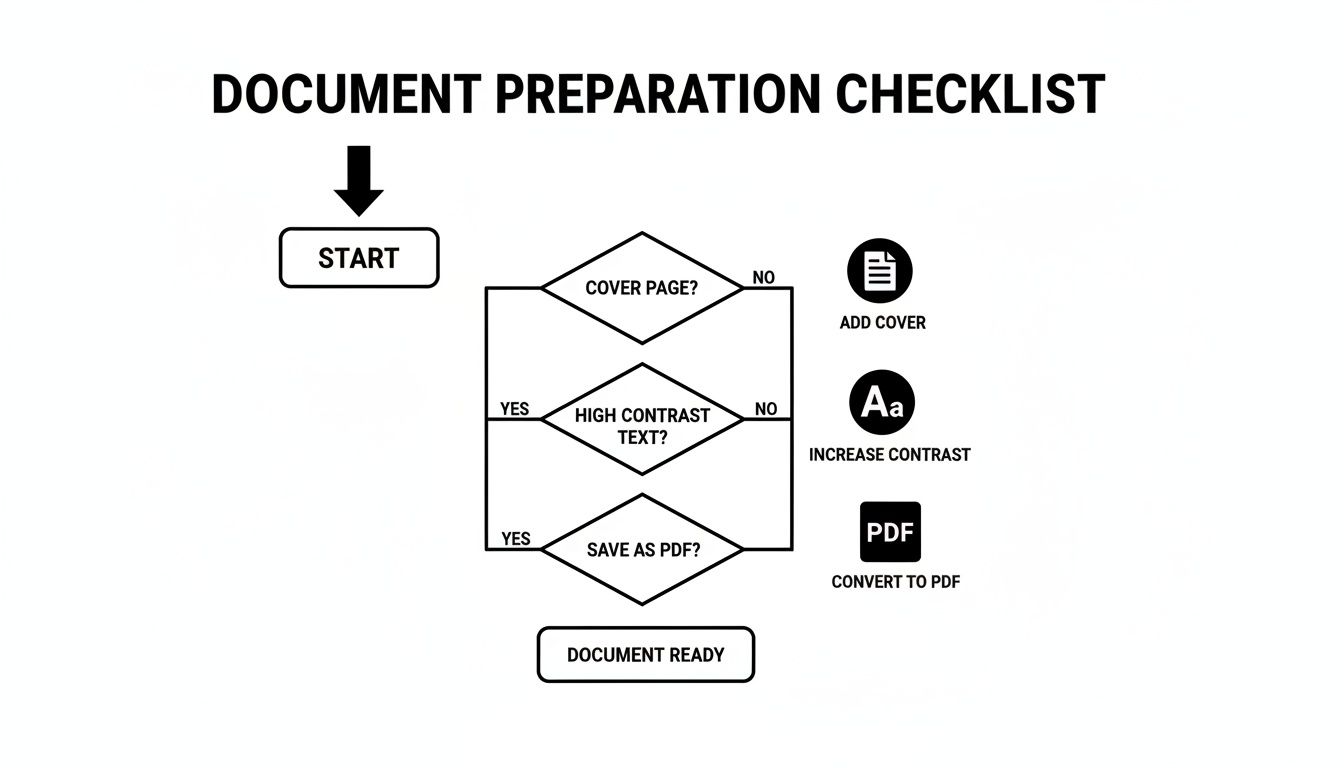
    This little visual sums up the prep work perfectly. You scan it, tweak it for clarity, and save it as a PDF. That's it.

    A three-step process for document fax preparation: Scan with a phone, adjust settings, then convert to PDF.

    Getting this part right is the secret to making sure your fax lands on the other end looking sharp and professional.

    Entering Sender and Recipient Information

    First things first, you have to tell the service who you are and where the fax is going. Think of it as the "To" and "From" on an envelope. On the sender side, you'll plug in your name, maybe your company, and your email. That email address is critical—it’s where your delivery confirmation (or failure notice) will land.

    Now for the recipient's info. The make-or-break detail here is the fax number. This is where most mistakes happen, so pay close attention.

    • Sending to the U.S. or Canada? You'll need all 10 digits: area code plus the number. Something like 212-555-0199.
    • Going international? You'll have to lead with the country code, then the city/area code, and the local number. A fax to London, for example, would look something like +44 20 7946 0958.

    I can't stress this enough: double-check every single digit. One wrong number and your fax either vanishes into the ether or ends up in the wrong hands. It’s the digital version of sending a sensitive contract to the wrong street address.

    Uploading Your Document and Adding a Cover Page

    Next, you'll see a big, friendly button to upload your file. This is where you grab that polished PDF you just created. Most services these days even let you drag the file from your desktop and drop it right into the web page. Easy.

    This is also your chance to add a cover page. Don't skip this. While it might seem optional, a cover page is essential for any kind of professional communication. It’s the first thing the recipient sees and tells them what they’re looking at and who it’s for.

    A good cover page is your fax’s handshake. It provides immediate context and makes sure your document doesn't get lost in a pile on a shared office machine. It gets it routed to the right person, right away.

    So, what goes on a great cover page?

    1. A Clear Subject Line: Get straight to the point. Instead of "Fax," try "Signed Lease Agreement" or "Invoice #5829 for Payment."
    2. A Quick Note: This is the spot for a brief message. Something like, "Hi John, attached are the 5 signed pages for your records. Please confirm receipt."
    3. The Page Count: Always, always include the total number of pages you're sending, including the cover page itself. This is how the recipient confirms they got the whole thing.

    Once all the fields are filled and your document is attached, take one last look over everything. Is the fax number perfect? Names spelled correctly? Happy with your cover page message?

    When you’re good to go, hit "Send." The service takes over from there, translating your digital file into a signal that a traditional fax machine can understand and dialing up the recipient. Within a few minutes, you should get an email in your inbox confirming whether the fax went through successfully.

    Free vs. Paid Online Faxing: Which One Is Right for You?

    When you're ready to send a fax online, you’ll quickly hit a fork in the road: go free, or pay for a subscription? There’s no single right answer. The best choice really boils down to what you’re sending and how often you’ll be sending it. Let's break down what you get—and what you give up—with each.

    Free services, like the starter option here at SendItFax, are fantastic for those one-and-done situations. Imagine you just need to send a signed three-page contract to a vendor. A free plan is the perfect tool for the job. No cost, no commitment.

    But, as with most things in life, "free" comes with a few strings attached. You'll usually run into some predictable limitations:

    • Strict Page Limits: Most free services cap you at just a handful of pages per fax.
    • Forced Branding: Expect the service’s logo or a small ad to appear on your cover page.
    • Slower Delivery: Your fax often gets put in a queue behind paying customers, so it might not go out immediately.

    For a single, non-urgent document, those trade-offs are usually a no-brainer. But if your faxing needs are more consistent or business-related, you'll start feeling the limitations of the free model pretty quickly.

    When Does It Make Sense to Pay for a Fax Service?

    If you're sending faxes more than once in a blue moon, or if they're for professional purposes, upgrading to a paid plan is less of a luxury and more of a practical necessity. Paid services are built for consistency, better security, and a polished, professional look.

    This shift towards professional-grade services is actually driving major growth in the industry. The global market for online faxing was valued at $3.3 billion in 2024 and is projected to reach $4.47 billion by 2030. Why? Because businesses need features that free plans simply can't provide, like advanced security and software integrations.

    Stepping up to a paid plan isn't just about getting rid of ads. It’s an investment in a professional toolkit that ensures your faxes are delivered securely, reliably, and with the clean presentation your business deserves.

    The Real Perks of a Premium Plan

    So, what exactly are you paying for? A premium online fax service unlocks a whole suite of powerful features that make a real difference.

    The biggest game-changer is getting a dedicated fax number. This means you can not only send faxes but also receive them, effectively turning your email into a two-way virtual fax machine. You also get a major security boost with features like end-to-end encryption. This is non-negotiable for anyone handling sensitive information in fields like healthcare (think HIPAA compliance) or law.

    On top of that, you can typically expect:

    • Generous page limits, and sometimes even unlimited faxing.
    • Detailed delivery confirmations and an organized, searchable archive of sent faxes.
    • Priority delivery, so your faxes jump to the front of the line.
    • A clean, professional look with no third-party branding on your cover sheets.

    If you're still on the fence, check out our online fax service comparison to see a side-by-side breakdown. For the occasional personal document, free is often all you need. For anything more, a paid plan is a smart move for pure reliability.

    Keeping Your Faxes Secure and Private

    When you're handling sensitive documents—think medical records, legal contracts, or financial statements—security isn't just a feature; it's a necessity. Knowing how to send a fax online is less about convenience and more about using a channel known for its robust privacy. Unlike an email, which can be intercepted at various points, a secure online fax creates a much more direct and protected pathway for your information.

    A wooden desk with a document, a black padlock, and a tablet, with a text overlay 'Encrypted FAX'.

    This heightened security is exactly why so many regulated industries still depend on faxing. It’s not an outdated habit; it’s a deliberate choice to meet strict legal and compliance requirements.

    How Encryption and Compliance Work

    The magic behind modern online fax security is end-to-end encryption. Imagine locking your document in a digital safe the moment you hit "send." The file is instantly scrambled into unreadable code and isn't pieced back together until it safely arrives at the recipient's fax service. This process shields it from prying eyes while it's in transit.

    This level of protection is a game-changer for meeting compliance standards like HIPAA (for healthcare) and GDPR (for data privacy). These regulations have strict rules about handling personal information, which is especially critical in healthcare, where about 75% of providers communicate digitally. To send a fax that holds up legally, a service must offer features like encryption and a zero-trust framework, giving your documents a legal standing that a standard email just can't match. You can learn more about where this technology is headed from these future trends in faxing from FaxFix.com.

    When you're picking a service, always look for explicit mentions of HIPAA compliance or TLS encryption. That's your green light, signaling that the provider has the right infrastructure to protect your data seriously.

    Practical Tips to Keep Your Faxes Safe

    While a good service handles the technical heavy lifting, you're the first line of defense. Keeping your own account secure is just as crucial as the transmission itself.

    Here are a few simple but powerful habits to get into:

    • Create Strong Passwords: Don't just recycle your email password. Make a unique, complex password for your fax service account to keep it locked down.
    • Turn On Two-Factor Authentication (2FA): If the service offers it, enable 2FA immediately. It adds a vital second layer of security by asking for a code from your phone before you can log in.
    • Triple-Check the Number: This one is huge. Always, always double-check the recipient's fax number before sending. A single wrong digit could land your confidential document in the hands of a complete stranger.

    By pairing the provider's security features with your own smart practices, you can send faxes with complete peace of mind, knowing your documents are protected every step of the way.

    Of course. Here is the rewritten section, crafted to sound completely human-written and natural.


    What to Do When Your Online Fax Fails

    Even the most reliable online fax service can hit a roadblock now and then. But don't worry—most of the time, the fix is surprisingly simple once you know what to look for. Figuring out why a fax failed is the first step to making sure it gets through on the next try.

    The most frequent error you'll encounter is the classic "busy signal." It means exactly what it sounds like: the receiving fax machine is already tied up with another transmission, or maybe someone left the phone off the hook.

    My advice? Don't hit resend right away. Just give it 15 or 20 minutes. Nine times out of ten, the line will be free when you try again.

    Digging into Other Error Messages

    Sometimes you'll get a more puzzling message, like "no answer" or a generic "communication error." These usually signal a problem on the other end—it could be a bad phone line, or the machine itself might be powered off or out of paper.

    Before you start pulling your hair out, run through this quick checklist:

    • Is the number right? It sounds obvious, but you’d be surprised how often a single wrong digit is the culprit. Double-check it.
    • Is their machine actually on? A quick phone call or email to your recipient can save you a lot of hassle. Just ask if they're ready to receive a fax.
    • Could it be your file? On rare occasions, a corrupted file or one that’s unusually large can cause the transmission to time out and fail. Try re-saving it or reducing the file size if possible.

    The single most useful tool you have is the delivery confirmation report. It’s not just a pass/fail notification; it gives you specific codes and reasons for the failure. Always check it before you do anything else—it takes all the guesswork out of the equation.

    Learning how to troubleshoot these little hiccups is just as important as knowing how to send the fax in the first place. A proactive approach turns a potential headache into a minor delay, and you can get back to your day.

    Got Questions? We’ve Got Answers.

    When you're trying a new way to handle an old task, a few questions are bound to come up. Sending a fax online is a perfect example—it blends a technology we all know with the convenience of the internet. Let's clear up some of the most common sticking points people run into.

    You might be wondering what you actually need to get started. Honestly, it's less than you think. All it takes is a device with an internet connection (your laptop, tablet, or phone will do) and the document you want to send saved as a digital file. No dedicated phone line, no bulky machine.

    Another big one we hear all the time: "Is an online fax even a 'real' fax in the eyes of the law?" For most situations, the answer is a resounding yes.

    Is an Online Fax Legally Binding?

    When you send a fax through a trusted service, it carries the same legal weight as one sent from a clunky old machine. Courts, government bodies, and businesses generally accept electronically sent documents and signatures as completely valid.

    This is a game-changer for time-sensitive things like signed contracts or official applications where you need solid proof of delivery. The digital delivery confirmation you get is your verifiable record that the document arrived safe and sound.

    For anyone working in healthcare or finance, online faxing is often the smarter choice. Modern services use security measures like end-to-end encryption, creating a protected digital trail that a traditional fax machine could never provide.

    Can I Receive Faxes This Way, Too?

    Absolutely. While one-off sending services are fantastic for a quick task, most paid online fax platforms give you your own dedicated fax number.

    This means you can start receiving faxes right in your email inbox, usually as a PDF attachment. It turns your email into a full-fledged faxing hub, letting you handle back-and-forth communication without ever touching a piece of paper.


    Ready to send your document without the headache? SendItFax lets you send secure faxes right from your browser in under a minute. Try it now at https://senditfax.com and see how easy it can be.

  • Your Ultimate Guide to Modern Scanning and Faxing

    Your Ultimate Guide to Modern Scanning and Faxing

    The way you scan your document can make or break your fax transmission. It really comes down to what you're sending and what tools you have on hand. For a quick receipt, your phone is more than enough. But for a 30-page legal contract, you'll want something more robust to ensure it looks professional on the other end.

    From Paper Piles to Perfect Pixels

    Before you can even think about faxing, you need a clean, high-quality digital version of your document. This first step is everything. A blurry, crooked scan is like sending a message written in invisible ink—it’s useless and can lead to serious mix-ups or delays.

    The good news? You probably already have a great scanner nearby, whether it's the phone in your pocket or the big printer in the corner of your office. The trick is just picking the right one for the job. Getting this right from the start means your fax will arrive looking sharp and completely legible every single time.

    Choosing the Right Scanning Tool

    Deciding how to scan your document isn't complicated. It's a practical choice based on what you're scanning, how good it needs to look, and how much time you have. Let's look at the most common tools and figure out which one fits your situation.

    Here's a quick comparison to help you decide on the fly:

    Scanning Method Best For Pros Cons
    Smartphone Camera Single-page, on-the-go items like receipts, signed forms, or quick notes. Extremely convenient; no extra hardware needed; fast for simple tasks. Quality can be inconsistent; relies on good lighting and a steady hand.
    Flatbed Scanner High-importance documents: legal contracts, photos, ID cards, medical records. Unbeatable quality and resolution; perfect alignment and even lighting. Slower, especially for multi-page documents; requires dedicated hardware.
    Multi-Function Printer (MFP) Multi-page documents: reports, invoices, applications. Great balance of quality and speed; Automatic Document Feeder (ADF) is a lifesaver. Bulkier than other options; ADF can sometimes misfeed pages if not loaded carefully.

    Each of these tools has its place. Your phone is perfect for speed, the flatbed is the go-to for quality, and the MFP is the all-around workhorse for a busy office.

    The Smartphone: Your Scanner on the Go

    For most day-to-day needs, your smartphone is a powerhouse. When you just need to fax a signed permission slip from the school parking lot or snap a picture of a receipt for your expense report, a mobile scanning app is your best friend. Apps like Adobe Scan or even the built-in Notes app on an iPhone can automatically find the edges of your document, get rid of shadows, and turn it into a crisp PDF. For pure convenience, you can't beat it.

    The Flatbed Scanner: When Quality Is King

    However, there are times when "good enough" isn't good enough. For documents where every single detail matters—think legal contracts, detailed architectural plans, or medical records—a flatbed scanner is the only way to go. It gives you a perfectly controlled environment with even lighting and high-resolution capture that a phone just can't replicate. The result is a flawless digital copy, which is absolutely critical for official or legally binding paperwork.

    The All-in-One: The Office Workhorse

    So, what about a busy office with a mix of scanning jobs? That's where the multi-function printer (MFP), or all-in-one, really shines. These machines are the swiss army knives of the office, combining printing, copying, and scanning into one central hub. They strike a great balance, offering the quality of a flatbed with the speed needed for multi-page documents, all thanks to their automatic document feeders (ADF).

    Real-World Tip: When you're using an ADF to scan a long document like a client agreement or a stack of invoices, always do a quick spot-check. I always glance at the first and last page of the digital file to make sure no pages got skipped or scanned at a weird angle. It takes five seconds and can save you a huge headache.

    The MFP is built to handle the daily grind of an office, easily digitizing everything from a one-page memo to a 50-page report. It's the reliable core of any modern office workflow.

    Getting Your Files Ready for a Perfect Send

    A great scan is the first part of the puzzle, but prepping the file correctly is what really seals the deal. Think of it as a pre-flight check for your documents. Nailing these details ensures what your recipient sees on their end is just as crisp and clear as what's on your screen.

    This workflow breaks down the three most common ways people turn a physical piece of paper into a digital file ready to fax.

    A process flow diagram illustrating three scanning methods: mobile, MFP (multifunction printer), and flatbed.

    Whether you’re using your phone for a quick job or a dedicated scanner for high-quality results, each path has its own pros and cons.

    Dialing in the Right Resolution

    The resolution of your scan, measured in dots per inch (DPI), is a balancing act. It directly affects how readable your document is and how big the file size gets. If the file is too big, the fax might fail. Too small, and it could be a blurry mess.

    For most documents filled with text, 200 DPI is the industry-standard sweet spot. It keeps everything perfectly legible without making the file so large that it chokes the transmission.

    Got a document with tiny footnotes or detailed graphics? Bumping the resolution up to 300 DPI is a smart move. I’d advise against going any higher, though. For faxing, you get diminishing returns on quality, and the file size just balloons, slowing everything down.

    Picking the Best File Format

    The file type you save your scan as is just as critical as the scan itself. While you'll see a lot of options, a couple of formats have proven to be the most reliable for faxing.

    Here’s the breakdown:

    • PDF (Portable Document Format): This is the undisputed king for a reason. PDFs lock in all your formatting, fonts, and images, so that multi-page contract looks exactly how you intended. They are secure and universally accepted.
    • TIFF (Tagged Image File Format): You'll often see TIFF files in medical and legal settings. It's a high-quality "lossless" format, meaning it's great for single-page scans where every last pixel matters. For anything with multiple pages, however, PDF is usually the more practical choice.

    What if your document is already digital, like a Word file? You'll need to convert it properly first. We've put together a complete walkthrough on how to convert Word to PDF that covers all the best practices to get your files fax-ready.

    Making Files Smaller Without Sacrificing Quality

    Compression is your best friend for a fast, successful fax. It shrinks your file size, making it much easier to transmit.

    When you're saving your scan, look for compression settings. If you can, always choose a lossless compression method (like LZW, which is common for TIFFs). This technique reduces the file size without throwing away any data, so the quality stays exactly the same.

    For PDFs, the standard compression settings are usually perfectly optimized for faxing. They intelligently remove junk data while keeping the important stuff—your text and images—sharp. Honestly, this one simple step can be the difference between a frustrating "transmission failed" error and a successful delivery.

    How to Send an Online Fax Confidently

    You’ve done the prep work and have a perfectly optimized file ready to go. Now for the easy part: sending it. Modern online fax services have turned what used to be a clunky, machine-driven process into something as simple as sending an email. Let's walk through the final steps to get your document where it needs to go, securely and without a hitch.

    Even with all our digital tools, faxing has held on surprisingly well. The global fax machine market was valued at USD 1.5 billion in 2023 and is actually expected to grow, thanks to industries like healthcare and government that rely on its security. According to DataIntelo's market analysis, this isn't just nostalgia; it's a testament to its enduring role. This is exactly why knowing your way around scanning and online faxing is still such a practical skill.

    Uploading Your Document and Entering Details

    Getting your document into the system is usually the most straightforward step. Services like SendItFax are designed to be intuitive, so you’ll typically just see a "Choose File" button or a drag-and-drop area.

    Once your document is uploaded, you'll need to fill out the sender and recipient info. This is the one place you really need to slow down and double-check everything.

    • Your Information: Pop in your name and email address. This is critical because it’s how you’ll get the confirmation that your fax was delivered successfully.
    • Recipient’s Information: Carefully type in the recipient's name and, most importantly, their fax number. A single mistyped digit is the number one reason faxes fail to send.

    This is what a typical online fax interface looks like—clean, simple, and designed to guide you through the process.

    A laptop on a desk displays 'SEND FAX NOW' on its screen, featuring an online fax service.

    The layout helps you avoid mistakes by making sure every required field is filled out before you move on.

    Choosing Your Service Tier

    Most online fax services offer a couple of options to fit different needs. With SendItFax, for example, your choice really comes down to what you're sending and to whom.

    Pro Tip: Think about your audience. A free cover page with the service's logo is fine for casual faxes. But if you're sending a job application or a legal document, the small investment for a clean, unbranded transmission looks far more professional.

    • Free Plan: This is great for quick, one-off faxes that aren't super critical. You can usually send a few pages, but the cover page will have the service's branding on it. It’s perfect for sending a signed permission slip to your kid's school or a quick form to a local business.
    • Paid Plan (like the "Almost Free" plan): For anything that requires a more professional touch, a low-cost, per-fax plan is the way to go. It removes the branding, lets you send longer documents (often up to 25 pages), and can even give your fax priority in the sending queue.

    Ultimately, it’s about matching the tool to the task.

    Adding a Professional Cover Sheet

    The cover sheet is your document's first impression. It tells the recipient who the fax is for, who sent it, and what it’s about. When you use an online service, you’ll just type your message into a text box, and the system will automatically format it into a clean, professional-looking cover page.

    For many people, the real game-changer is being able to send a fax right from their email inbox. It blends the security of faxing with the convenience of a tool you use every day. If that sounds useful, you can learn more in our detailed guide on how to fax via email.

    Before you hit send, just give everything one last look—the recipient’s number, your email, and the file you attached. Then, you can send it off with confidence.

    Confirming Delivery and Troubleshooting Common Errors

    So you’ve scanned your document, prepared the file, and clicked "Send." What now? This next part is arguably the most critical: making sure your fax actually landed where it was supposed to. With an online service, you won't hear that classic fax machine screech, but you'll get something much better—a clear, digital confirmation. Think of it as your official receipt.

    You should get an email notification almost instantly once the transmission finishes. This report is your proof, containing all the important details like the date, time, recipient's number, and the final delivery status. I always make it a habit to file these confirmation emails away, especially for anything that's legally binding or on a tight deadline.

    Decoding Your Fax Status

    Your delivery report will tell you exactly what happened, and knowing how to read the status is key. Most of the time, you'll see a success message, but other statuses are a signal that you might need to step in.

    Here’s a quick breakdown of what you’ll typically see:

    • Sent/Delivered: This is what you want to see. It means your fax went through perfectly and was received by the other machine. Mission accomplished.
    • Busy: This is probably the most common error you'll encounter. It just means the recipient's fax line was tied up when your service tried to connect. The good news is that most services will automatically try again a few times.
    • No Answer: This one means the receiving machine never picked up the call. It could be turned off, out of paper, or having some other technical hiccup.
    • Failed: This is a more generic error that could mean a few different things—a bad connection, an issue with your file, or even a wrong number.

    A "Busy" signal isn't a failure—it's just bad timing. Before you resend, I always suggest waiting about 15-20 minutes. This gives the other line a chance to clear and often solves the problem without any extra effort on your part.

    Quick Fixes for Common Faxing Problems

    When a fax fails, it’s usually for a pretty simple reason. Instead of getting frustrated, just run through this mental checklist to figure out what went wrong.

    First, check the fax number. I know it sounds obvious, but a single mistyped digit is the number one reason faxes fail. Carefully double-check that you entered the right number, including the full area code. It’s an easy mistake to make when you're moving fast.

    If the number is right and you're still getting "Busy" or "No Answer" errors, the problem is almost certainly on their end. Their machine might be offline, out of paper, or just unplugged. The simplest solution is often the best: give the recipient a quick phone call to ask if their machine is on and ready to receive. It can save you a ton of hassle.

    Finally, take a look at your file. If it’s too large or saved in an unsupported format, the transmission might time out or fail. Stick to standard PDF files and keep an eye on the page count to ensure a smooth delivery.

    Getting Serious About Security and Compliance

    For a lot of us, how a document gets sent is just as important as what’s inside it. When you're dealing with medical records, legal contracts, or financial statements, security isn't just a nice-to-have feature—it's a hard requirement. The entire process, from scanning a piece of paper to hitting "send" on a fax, needs to line up with some pretty strict legal and privacy standards.

    There's a reason faxing has stuck around for so long, and it's all about security. A traditional fax machine creates a direct, point-to-point connection over a telephone line. That makes it a whole lot harder to intercept than your average email, which is why industries governed by rules like HIPAA in healthcare still rely on it day in and day out.

    Tablet displaying 'Secure Faxing' on a laptop keyboard, with office binders in the background.

    And this isn't some fringe technology holding on. People sent over 17 billion faxes in 2019, with US healthcare alone accounting for more than 9 billion of them. The numbers don't lie. Faxing is still the king where compliance is the top priority. A survey even found that 82% of large companies said their fax usage was either holding steady or actually growing.

    How Modern Encryption Elevates Fax Security

    Today's online fax services take that classic security and beef it up with modern digital protection. When you upload a document to a platform like SendItFax, it's immediately wrapped in the same kind of heavy-duty encryption used by your online bank.

    Here’s what’s happening behind the scenes to protect your data:

    • Encryption in Transit: From the moment your file leaves your computer until it reaches the recipient's fax machine, it's scrambled using SSL/TLS encryption. Think of it as sending your document through a secure, armored tunnel where no one can peek inside.
    • Encryption at Rest: Good services don't stop there. They also encrypt your files while they're stored on their servers. This is a critical second layer of defense, protecting your documents before they're sent and after they've been delivered.

    By blending the direct-dial security of old-school faxing with the power of modern encryption, online faxing gives you the best of both worlds. It’s a hybrid approach that satisfies legacy systems while meeting today's tough data privacy demands.

    Practical Tips for Handling Sensitive Information

    While the technology provides a secure pipeline, compliance is a team sport. It starts the second you lay a document on the scanner glass and requires a bit of thoughtful handling all the way through. If you're curious about the nitty-gritty differences, our guide on whether fax is more secure than email is a great read.

    Building a few good habits into your workflow can dramatically lower your risk and keep you on the right side of the law.

    Secure Your Digital Files First

    Before you even get to the sending part, stop and think about where your scanned document is living. Don't be the person who leaves a sensitive client contract or a patient's medical chart sitting on the desktop of a shared office computer. That's just asking for trouble.

    Instead, make it a rule to save scanned files directly to a secure, access-controlled folder.

    Once you get that fax confirmation receipt, have a clear policy for the digital original. If you don't need it anymore, delete it securely. This minimizes your data footprint. For instance, a law firm could have a process where a scanned contract is immediately uploaded to an encrypted client portal, and the local copy on the scanning computer is permanently deleted. It’s a simple step that closes a common security gap.

    Your Questions About Modern Scanning and Faxing, Answered

    Even as we've all moved toward more digital workflows, scanning and faxing haven't gone away. They've just changed. If you’re finally ready to ditch that old, noisy machine in the corner, you probably have a few questions about how this all works today. Let's tackle some of the most common ones I hear.

    The biggest shift is mental—getting past the idea that you need a dedicated, physical machine for these tasks. The modern approach is all about using the tools you already own to get things done faster and more securely.

    Do I Really Still Need a Physical Fax Machine?

    Nope, not at all. Think of an online fax service as a digital bridge. It takes a file from your email or a website and sends it directly to a traditional fax machine on the other end.

    You just upload your document, and the service does all the heavy lifting, handling the transmission over phone lines. This means you can manage everything right from your computer or smartphone without ever needing to touch a dedicated piece of hardware.

    What's the Best File Format to Use for Faxing?

    While you can often send things like DOCX files or even JPG images, PDF is the gold standard. It’s hands-down the most reliable format for any professional document because it locks in all your formatting, fonts, and images exactly as they are.

    When you send a PDF, you know the contract or invoice the recipient sees on their end will look precisely how you designed it. That kind of consistency is absolutely critical for important business communications.

    Is It Secure Enough for Sensitive Information?

    Yes, and honestly, it's often much more secure than the old way. Think about the shared office fax machine, where sensitive documents could sit out in the open for anyone to see.

    Reputable online fax services use strong, end-to-end encryption (like SSL/TLS) to protect your data as it travels. This scrambles the information, making it unreadable if intercepted. It's a method trusted for legal, financial, and even healthcare documents that fall under compliance rules.

    Can I Actually Get a Good Scan From My Phone?

    You absolutely can. Your smartphone, combined with a good scanning app, is a surprisingly powerful tool for creating high-quality digital documents. For most everyday needs, you don't need any other expensive equipment.

    The trick is just to follow a few best practices to get a professional result:

    • Lay your document on a flat surface with a contrasting background, like a dark desk.
    • Make sure you have plenty of light to avoid weird shadows or a grainy-looking image.
    • Let the app's edge detection work its magic to automatically find, crop, and straighten the document for you.

    With the right app, a quick snapshot becomes a clean, squared-up, and fax-ready PDF in just a few seconds. It makes the whole process incredibly smooth.


    Ready to send a fax without the hassle of a machine? With SendItFax, you can upload your document and send it securely in minutes. Try it now at https://senditfax.com.

  • Your Ultimate Guide to Faxing Without a Landline

    Your Ultimate Guide to Faxing Without a Landline

    Believe it or not, that clunky, noisy fax machine tethered to a dedicated phone line is a relic of the past. Today, faxing without a landline isn't some clever workaround—it’s the new standard for getting business done efficiently. It's all about using the cloud to send your documents from literally anywhere.

    The End of the Landline Era for Faxing

    For years, the fax machine and its dedicated phone line were a package deal. It was a costly and rigid setup, but it was the only way to send documents over those old analog signals. As businesses embraced the internet, the traditional fax became a major bottleneck. You were stuck paying a monthly phone bill for a single-use device, not to mention the constant costs of paper, ink, and repairs.

    This old-school approach just doesn't fly in today's flexible work environment. What if you need to send a signed contract while you're working from a coffee shop or a client's office? With a traditional machine, you’d have to wait until you got back to your desk. It’s exactly this kind of limitation that pushed people to find a better way.

    The Modern Shift to Digital Fax

    The solution that emerged is Fax over IP (FoIP), the technology that makes online faxing possible. Instead of wrestling with analog signals, FoIP converts your document into secure digital packets and sends them over the internet. This jump to digital brings some huge advantages to the table.

    • It’s Cheaper: Ditching a dedicated phone line is an immediate cost saving. No more random monthly bills for a machine you barely use.
    • Work From Anywhere: You can send and receive faxes from your laptop, tablet, or phone—any device with an internet connection.
    • Way More Secure: Reputable online fax services use strong encryption to protect your sensitive documents while they're in transit.
    • Simplified Workflow: Faxes land directly in your email inbox as PDFs, making them incredibly easy to save, organize, and share.

    This isn't just a small trend, either. The fax is still a surprisingly critical tool for many industries. A mind-boggling 17 billion faxes were sent globally just last year. And while 66% were still sent from traditional machines, the shift to cloud-based, landline-free faxing is picking up serious speed. You can learn more about the state of faxing on FileCenter.com.

    To give you a clearer picture, let's quickly compare the old way with the new.

    Landline Faxing vs Modern Alternatives at a Glance

    This table breaks down the core differences between sticking with a traditional fax machine and moving to a modern, internet-based service.

    Feature Traditional Landline Fax Online Faxing (No Landline)
    Required Hardware Fax machine, dedicated phone line Computer, smartphone, or tablet
    Mobility Tied to a physical office location Send/receive from anywhere with internet
    Cost Monthly phone line fee, paper, ink, maintenance Monthly or annual subscription fee
    Document Format Physical paper Digital files (PDF, DOCX, JPG, etc.)
    Security Susceptible to physical interception End-to-end encryption, secure cloud storage
    Organization Physical filing cabinets, manual sorting Automatic digital archiving, easy search

    The contrast is pretty stark. One method is rooted in a physical location and analog technology, while the other is built for the digital, mobile way we work now.

    The key takeaway is simple: Faxing technology hasn't disappeared, it has evolved. By moving from physical phone lines to the internet, it has become more secure, convenient, and better suited for the way we work today. The need to transmit secure documents remains, but the bulky hardware and dedicated landline are no longer necessary. This guide will show you exactly how to make the switch.

    Choosing the Right Digital Fax Method for You

    Once you've decided to ditch the landline for faxing, the real question becomes: which digital tool is right for you? It's not a one-size-fits-all situation. The best method really depends on what you do every day, whether you're a freelancer constantly on the move or a small office handling sensitive documents.

    Think about how you work. For example, a real estate agent who needs to get signed offers submitted while out showing properties would find a mobile faxing app to be a lifesaver. They can literally scan a document with their phone's camera, add a signature, and send it off from their car in just a few taps.

    On the other hand, a medical billing office that deals with patient records all day needs something far more secure and organized. For them, a full-featured online fax service with HIPAA compliance, audit trails, and end-to-end encryption is non-negotiable. It's all about matching the tool to the task.

    This simple flowchart really breaks down the core decision.

    A fax decision tree flowchart outlining options: online fax if internet is available, or landline fax if not.

    As you can see, as long as you have an internet connection, you have a clear path away from that old, clunky fax machine.

    Comparing Your Main Options

    So, let's get into the nitty-gritty of your three main options for faxing without a landline. Each has its own strengths, and one will likely feel like a more natural fit for you.

    • Dedicated Online Fax Services: Think of these as your command center for faxing. You log in through your web browser to a full platform. They typically give you a dedicated fax number, serious security features, and handy integrations with cloud storage like Google Drive or Dropbox. This is the go-to for businesses that fax regularly and need robust, reliable service.
    • Mobile Faxing Apps: Built for pure convenience, these apps effectively turn your smartphone into a scanner and fax machine. They're perfect for individuals or professionals who just need to send a fax here and there, especially when they're away from the office. Most work on a pay-per-fax basis or a small subscription.
    • Email-to-Fax Systems: This is a brilliantly simple method that hooks right into your existing email. You just type up an email, attach your document, and send it to a specially formatted address that includes the recipient’s fax number (like 18005551234@senditfax.com). It's a fantastic choice if you practically live in your inbox and don't want to juggle another login or platform.

    The best tool is always the one that slots into your workflow without causing friction. If you're an email power user, email-to-fax is a no-brainer. Always on your phone? A mobile app is your best friend.

    Factors to Guide Your Decision

    As you weigh the options, keep these key points in mind. They’ll help you pick a service that not only works for you today but can also grow with you. For a much more detailed breakdown of specific providers, check out our online fax services comparison.

    Feature Best For… Key Consideration
    Cost Structure Occasional users vs. high-volume businesses Pay-per-fax models are great for sending a few pages a year. Monthly plans offer much better value if you're faxing regularly.
    Security Needs Legal, healthcare, and financial industries Look for services that explicitly mention end-to-end encryption and compliance with regulations like HIPAA.
    Ease of Use Users who want simplicity and speed Mobile apps and email-to-fax are usually the easiest to pick up and use immediately, with almost no learning curve.
    Integrations Businesses using cloud storage & other tools Does it connect to the tools you already rely on? Check for compatibility with Google Workspace, Microsoft 365, Dropbox, etc.

    Sending Your First Online Fax in Minutes

    Jumping into online faxing is way easier than wrestling with old hardware. Let's walk through a real-world example to show you just how fast it can be.

    Imagine you need to get a signed rental agreement over to a property manager, like, right now. The signed PDF is sitting on your desktop, and you need it delivered securely in the next five minutes. No problem.

    With an online fax service like SendItFax, this is surprisingly painless. You just pull up the website and get started. There's no software to install or a confusing manual to decipher; the whole thing is set up to feel as familiar as sending an email.

    Hands typing on a laptop keyboard with a prominent 'SEND IN MINUTES' banner, indicating fast communication.

    From Document to Delivery Confirmation

    First things first, you need to upload your document. You’ll see a clear button to "Upload File" where you can select the rental agreement PDF from your computer. Most services are flexible and accept common file types like DOCX and even JPGs, so you don't have to stress about converting anything.

    Pro Tip: I always recommend using a PDF when possible. It locks in the formatting, so you know what you send is exactly what they'll see on their end—no weird line breaks or font issues.

    Next, you'll fill in the recipient's details, just like addressing an envelope. Pop the property manager's fax number into the field. Make sure to double-check this number! A single wrong digit is the number one reason faxes fail to send. Then, you’ll add your own name and email so the service can send you the confirmation receipt.

    This is the magic of faxing without a landline. The service is basically a digital translator, taking your uploaded file and web form details and converting them into a standard fax transmission that any traditional fax machine can understand.

    Many platforms, including SendItFax, also let you add a simple cover page. This is incredibly useful for adding context. For that rental agreement, you could write a quick note like, "Attached: Signed lease for Unit 4B. Please confirm receipt. – Jane Doe." It’s a small touch that prevents any confusion.

    Once you give everything a final look, just hit "Send." The service handles all the technical stuff—dialing the number and transmitting your document. You'll usually see a progress screen, and in just a few minutes, a confirmation email will hit your inbox. That email is your proof of delivery, detailing the time, date, and transmission status. For a more detailed walkthrough, you can check out our guide on how to send a fax online.

    The Shift to Digital Faxing

    This incredible ease of use is a huge part of why the online fax market has exploded. It was recently valued at over $2.5 billion and is projected to keep growing through 2029. This boom is a direct result of people and businesses ditching their landlines in favor of more flexible, internet-based communication tools. You can explore a full report on these market trends at Global Market Monitor for a deeper dive.

    Receiving faxes is just as simple. When someone sends a fax to your dedicated online number, it doesn't print out on a clunky machine. Instead, the service converts it into a PDF and delivers it straight to your email inbox as an attachment. This means you can get, review, and save important documents from anywhere, on any device, without ever needing to touch a piece of paper.

    Keeping Your Digital Faxes Secure and Private

    A tablet displaying secure information with a padlock icon, next to a document reading 'Secure Faxing' with another padlock.

    When people think "fax," security might not be the first thing that comes to mind. But for industries like healthcare, finance, and law, it’s the very reason this technology has stuck around. The good news is that when you switch to faxing without a landline, you don't lose that security—in fact, you often gain a whole lot more.

    A standard email can be easily intercepted or misaddressed, but a secure online fax service creates a protected, point-to-point connection for your documents. It’s less like sending a postcard and more like using a digital armored car.

    Take healthcare, for instance. A staggering 75% of all medical communication around the globe still happens via fax. In the United States, that translated to over 9 billion faxes in a single year, largely because of strict privacy laws like HIPAA. The future of this market is clearly in the cloud, as explained in this article on the future of cloud faxing at Documo.com.

    Key Security Features to Look For

    Not all online fax services are built the same. When you're handling sensitive information, it pays to know what’s happening behind the scenes. Here are the non-negotiable security features to look for.

    • End-to-End Encryption: Your document should be unreadable from the moment you send it until it’s delivered. Look for services that use TLS (Transport Layer Security) encryption—the same technology that secures your online banking.
    • Detailed Audit Trails: A clear digital paper trail is essential. Reputable services give you detailed confirmation reports with timestamps, recipient numbers, and delivery status, which can serve as legal proof of transmission.
    • Secure Cloud Storage: Where are your faxes stored? The best providers have SOC 2 (Service Organization Control 2) compliance, meaning they’ve passed tough third-party audits on their data security controls.

    The real advantage of a quality online fax service is verifiable security. It turns a simple transmission into a documented, encrypted, and compliant event, giving you peace of mind when sending confidential client or patient files.

    Meeting Strict Compliance Standards

    For many businesses, following industry regulations isn't a choice. A single data breach can result in massive fines and destroy client trust. This is where a compliant online fax service becomes an essential part of your toolkit.

    Healthcare providers, for example, must comply with the Health Insurance Portability and Accountability Act (HIPAA). A truly HIPAA-compliant fax provider will sign a Business Associate Agreement (BAA), which is a legal commitment to protect patient information according to federal law.

    Many professionals wonder whether to use fax or email for secure documents. For regulated industries, the choice is pretty clear. We explored this topic in detail in our breakdown of whether fax is more secure than email.

    Ultimately, choosing a provider that builds its service around these security protocols means you're not just sending a file—you're protecting your business, your reputation, and your clients.

    Working Through Common Digital Faxing Problems

    Even with the best online tools, sending a digital fax can occasionally hit a bump in the road. Getting that "fax failed" notification is always a pain, but the fix is usually something simple. When you're faxing without a landline, most headaches come down to just a handful of common, easy-to-fix issues.

    More often than not, the culprit is a simple typo in the recipient's information. A single wrong digit in the fax number guarantees an immediate failure. It sounds almost too basic to mention, but you'd be surprised how many transmission errors are caused by just that. Always double-check every digit, including the area code, before you send.

    Another frequent problem is a low-quality document. If you're scanning a physical paper to create your file, look out for blurriness, dark shadows, or text that's hard to read. A traditional fax machine on the other end might see a blurry scan as a transmission error. A clean, high-resolution scan is your best bet for a successful send.

    When Your Fax Just Won’t Send

    So, you’ve confirmed the number is correct and your document looks sharp, but it's still not going through. The issue might not be on your end at all. The recipient's machine could simply be busy on another call, turned off, or out of paper. Most online fax services are smart enough to automatically try resending it a few times.

    If repeated attempts fail, here are a few other things to check:

    • Look at the File Size: Many services have a limit on how large a file can be. If you’re sending a massive, high-res PDF, try compressing it. Scanning at a lower resolution like 200 DPI is usually perfectly fine for most documents and creates a much smaller file.
    • Check Your Internet: Is your own internet connection stable? If it drops out while the fax is being sent, the transmission will fail.
    • Call the Recipient: It might feel old-school, but a quick phone call is the fastest way to confirm their machine is on and ready to receive.

    A "delivery failed" error isn't always a sign of a problem with your setup. The classic busy signal is still a thing, even in the digital age. A little patience goes a long way, as most platforms will automatically retry for you.

    "I Never Got It": Handling Receipt Denials

    What happens when you get a delivery confirmation, but the person on the other end swears they never received your fax? This is a common scenario, especially in busy offices where a printed fax can easily get lost in a stack of papers.

    Your delivery confirmation report is your proof of transmission. It includes a precise timestamp and other data showing that the fax was successfully delivered to the receiving machine. The best approach is to politely share this confirmation with the recipient and ask them to check their machine's print tray or ask around the office.

    Services like SendItFax are built to make this process as smooth as possible, with clean interfaces that help prevent user error from the start. In the end, troubleshooting a digital fax is just a matter of checking your work methodically—from the number you typed to the quality of the file you sent.

    Common Questions About Faxing Without a Landline

    Moving on from a technology that's been a business staple for decades naturally brings up a few questions. When you're used to the familiar hum of a fax machine, switching to a digital method can feel like a big leap.

    Let's clear up some of the most common uncertainties about ditching the landline so you can feel confident making the change.

    Are Faxes Sent Online Still Legally Binding?

    Yes, absolutely. Faxes sent through a reputable online service are just as legally binding as those sent from a traditional machine. In many ways, they're even better from a legal standpoint.

    Modern fax services create detailed confirmation pages and audit trails that serve as solid proof of transmission and receipt. These digital records capture exact timestamps and all the sender and receiver info, making them incredibly reliable for contracts, official forms, and legal notices.

    Can I Keep My Existing Fax Number?

    For most businesses, this is a huge relief: yes, you can. If you have an established fax number that clients and partners have been using for years, you don’t have to give it up. The process is called "porting," and it's just like moving your cell phone number to a new carrier.

    Most major online fax providers will handle the porting process for you. It can take a few days or a couple of weeks, but once it's done, the transition is seamless. All faxes sent to your old number will land right in your email inbox, so you won't miss a thing.

    Being able to port your number is a game-changer. It means you don't have to reprint business cards, update your website, or notify every client—making the switch to landline-free faxing completely invisible to the people you work with.

    Do I Need Any Special Software or Hardware?

    Nope, and that's one of the biggest perks. The days of dedicating a corner of your office to a clunky machine are long gone. All you really need is a device with an internet connection.

    That could be your:

    • Computer (desktop or laptop)
    • Tablet
    • Smartphone

    There’s no hardware to buy or complicated software to install. You just log in to your online fax service through their website or open their mobile app. You can send documents you already have saved, or even snap a picture of a physical paper with your phone's camera and fax it on the spot.

    How Much Does It Cost to Fax Without a Landline?

    It’s almost always cheaper than the old-school way. When you factor in the cost of a dedicated phone line, paper, ink, and inevitable machine maintenance, the savings from going digital add up fast. Most online fax services are subscription-based.

    Plans for personal or light use often start around $5 to $10 per month, which typically gets you a generous number of pages to send and receive. For businesses with higher volume, plans might range from $20 to $50 per month for thousands of pages and features like multi-user access. When you compare that to the hundreds you could spend on a traditional setup each year, the choice is pretty clear.


    Ready to send a fax in minutes without the hassle of a landline or creating an account? With SendItFax, you can upload your document and send it securely right from your browser. Try SendItFax for your next fax today.

  • Is Fax More Secure Than Email A Definitive Comparison

    Is Fax More Secure Than Email A Definitive Comparison

    So, is fax more secure than email? The quick answer is yes, traditional faxing often has the edge for point-to-point transmission. But that’s far too simple.

    The real picture involves modern online faxing, secure email protocols, and a heavy dose of human behavior. Ultimately, the right choice boils down to your specific security needs, the regulations you have to follow, and the exact threats you're trying to stop.

    Foundational Security: A Side-by-Side Look

    When people pit fax against email, they're usually comparing an old-school technology with a modern one. A traditional fax machine uses the Public Switched Telephone Network (PSTN)—a closed, dedicated circuit. Tapping into it requires physical access to the phone lines, which is far more difficult than digital snooping. Think of it like a private courier versus the public postal service.

    Email, on its own, sends data hopping across the open internet from server to server. Each one of those hops is a potential interception point unless the connection is properly locked down with encryption.

    But here’s where things get interesting. Modern tools have completely changed the game. Online fax services, like SendItFax, have bridged the gap by using powerful encryption—like TLS for transit and AES-256 for storage—to secure data as it travels online. They combine the core reliability of faxing with the security standards we expect today.

    Likewise, email can be made incredibly secure with end-to-end encryption. The catch? It’s rarely the default setting and depends on both the sender and receiver using it correctly.

    At the end of the day, the security of either method hinges on three key areas:

    • The Transmission Protocol: Is the data moving through a private network like the PSTN or a securely encrypted internet tunnel?
    • Endpoint Security: How safe are the devices at each end? A fax machine sitting in an open-plan office is just as vulnerable as a laptop with a weak password.
    • User Practices: Are your people trained to spot a phishing email? Do they know how to handle sensitive physical documents without leaving them on the printer tray?

    To get a clearer picture, it helps to see how these methods stack up directly.

    Quick Security Snapshot: Fax vs. Email

    The table below gives you a high-level comparison of the key security attributes for each method. It’s a starting point for understanding where the risks and strengths lie before we dive deeper into specific threats.

    Security Aspect Traditional Fax (PSTN) Online Fax (eFax) Standard Email
    Transmission Security High (point-to-point over dedicated lines) High (TLS/SSL encryption over the internet) Variable (Often opportunistic TLS, not always end-to-end)
    Data Interception Risk Low (requires physical wiretapping) Low (requires breaking modern encryption) High (vulnerable at multiple server hops if unencrypted)
    Phishing/Malware Risk None (immune to digital threats) Low (no executable content) Very High (primary vector for attacks)
    Endpoint Vulnerability Moderate (unauthorized physical access, misdials) Moderate (account takeover, insecure device) High (compromised devices, weak passwords)
    Audit & Confirmation High (delivery confirmation receipts) High (detailed digital logs and receipts) Low (unreliable read receipts)
    HIPAA Compliance Generally compliant with safeguards High (designed for compliance with BAAs) Low (requires significant configuration and BAAs)

    As you can see, the lines are more blurred than you might think. While traditional fax is immune to digital threats like phishing, it has physical vulnerabilities. And while standard email is notoriously risky, modern online faxing adopts email's convenience while adding robust security layers.

    How Fax And Email Transmit And Store Your Data

    To really get to the bottom of which is more secure, you have to look at how fax and email actually move and store your information. They are built on fundamentally different technologies, which gives them completely different security profiles right from the start. The path a document takes directly impacts how exposed it is to risk.

    When you send a fax from a traditional machine, it turns your document into a series of audio tones. Those tones then travel across the Public Switched Telephone Network (PSTN)—the same old-school network that powers landline phone calls. This process creates a direct, point-to-point connection between your machine and the recipient's for the entire time it takes to send.

    A white fax machine with a telephone handset and a black laptop on a wooden office desk.

    You can think of it as a temporary, private pipeline built just for that one document. To intercept it, someone would need to physically tap the phone line, which is a targeted and complex effort—a world away from most digital hacking. As soon as the transmission ends, that pipeline is gone, and the data vanishes from the network.

    The Modern Fax Journey

    Of course, today’s online fax services work a bit differently, blending the old with the new. When you send a file using a service like SendItFax, your document starts its journey on the internet.

    First, your document is shielded with strong encryption protocols like Transport Layer Security (TLS). This creates a secure, scrambled tunnel for your data as it travels from your computer to the fax provider's servers. From there, the service translates your digital file into fax signals and shoots it over the secure PSTN to the recipient's machine.

    When it comes to storage, any reputable online fax provider will use robust encryption standards, like AES-256, to protect your documents when they’re sitting on their servers. This layered security combines the ease of digital technology with the tried-and-true security of the telephone network. It's a key reason why understanding the benefits of cloud-based faxing is so important for modern businesses.

    This hybrid model fixes the biggest weakness of old-school faxing—physical document access—by wrapping the whole process in a secure, encrypted digital framework. It also gives you audit trails and access controls you could never get with a standard office machine.

    The Winding Path Of An Email

    Sending an email is a much more roundabout and fragmented process. When you hit "send," your message doesn't travel directly to the recipient. Instead, it gets passed along using the Simple Mail Transfer Protocol (SMTP), hopping between multiple, independent servers to get where it's going.

    Every single "hop" is a potential point where the data could be intercepted or lost. Here’s a simplified look at an email's journey:

    1. Your Device to Your Server: The email goes from your phone or computer to your provider's server (think Gmail or Outlook).
    2. Server to Server: Your server then relays the message to the recipient's email server. This can involve several intermediary servers along the way.
    3. Recipient's Server to Device: Finally, the recipient's email client pulls the message down from their server to their device.

    While most email connections now use TLS encryption, it’s often opportunistic, not mandatory. If just one server in that long chain doesn't support it, the message could be sent as plain, readable text, leaving it wide open. That inconsistency is a massive security blind spot.

    Comparing Data Storage And Persistence

    The differences don't stop at transmission; they're just as stark when it comes to data storage. Where and how your information is kept has a huge impact on its long-term security.

    Storage Aspect Traditional Fax Online Fax Standard Email
    Data at Rest Exists only as a physical paper copy at the sending and receiving ends. Stored digitally in the cloud, protected by strong AES-256 encryption. Stored on multiple servers, often with inconsistent or user-dependent encryption.
    Persistence Temporary. The data is gone from the network once the call ends. Persistent and auditable, but secured by the provider's security protocols. Highly persistent. Copies are stored in sent folders, server logs, and inboxes.
    Vulnerability Physical theft or someone looking at the paper document without permission. A breach of the cloud provider or unauthorized access to a user's account. A compromise of any server in the chain or any user's email account.

    By its very nature, email creates a distributed and persistent record of your data. A single message can exist in half a dozen places at once—your sent folder, the recipient's inbox, backups for both accounts, and on every server it touched. This dramatically increases the attack surface for a potential data breach compared to the fleeting, one-and-done nature of a fax transmission.

    Comparing The Real World Attack Surface And Vulnerabilities

    A laptop displays 'Attack Surface' text, next to a printer with a document on a wooden desk.

    Security theories are one thing, but the reality of day-to-day threats is what really matters. When we talk about a system's "attack surface," we're talking about all the different points a hacker could target to get inside. For email and fax, those points couldn't be more different.

    Email's biggest advantage—its incredible openness and connectivity—is also its greatest security liability. It’s woven into just about every digital process, which makes it the number one target for a whole host of cyberattacks. Bad actors know that email is the front door to an organization’s most valuable data and user credentials.

    This massive exposure has made email the undisputed king of digital threats. For more than a decade, email has been the primary way data breaches and social engineering attacks happen, while fax systems have remained largely off the radar for large-scale compromises. Time and again, security reports show that phishing and credential theft, nearly always kicked off by an email, are the main culprits behind security incidents. For a deeper dive into these trends, check out the analysis on comfax.com.

    The Digital Onslaught Email Faces

    Because email is the nerve center of modern business, it’s constantly under attack. The methods are clever, automated, and launched at an almost unimaginable scale.

    The biggest threats targeting email include:

    • Phishing and Spear Phishing: These are the classic scams designed to trick people into giving up sensitive info like passwords or credit card numbers. Phishing is behind the vast majority of data breaches, proving that manipulating human psychology is often much easier than cracking technical defenses.
    • Business Email Compromise (BEC): This is a particularly nasty attack where a scammer impersonates a high-level executive to fool an employee into wiring funds or sending over confidential files. These targeted scams have cost businesses billions of dollars.
    • Malware and Ransomware Distribution: Email attachments and shady links are still the most popular way to deliver viruses, spyware, and ransomware. One wrong click can encrypt an entire company's files, bringing business to a grinding halt.

    The fundamental weakness of email is that it relies on people. A single employee clicking a malicious link can compromise an entire network. That's a risk that just doesn't exist in the world of faxing, whether it’s traditional or online.

    Physical And Procedural Risks Of Fax

    A traditional fax machine, chugging away over the PSTN, is completely immune to those digital attacks. You can't click a malicious link on a piece of paper, and you can't download a virus from a fax. Its vulnerabilities are almost entirely physical and procedural, meaning someone has to be physically near the machine or the document to cause trouble.

    The common weak points for fax are:

    • Unauthorized Physical Access: If a fax machine is sitting out in an open, unsecured area, anyone walking by can pick up or read sensitive documents left on the tray.
    • Misdialing: It's a simple human error, but typing one wrong digit in a fax number can send confidential information to a total stranger. This is a surprisingly common cause of localized data breaches.
    • Document Interception: While it's not easy and requires a physical wiretap on the phone line, a truly determined attacker could theoretically intercept a fax transmission.

    These risks are real, but they're also contained. A misdialed fax impacts one document and one unintended recipient. In contrast, a single successful phishing attack can expose an entire customer database to the world.

    The Evolving Surface Of Online Faxing

    Modern online fax services bring a digital element into the mix, which naturally changes their attack surface. While these services are protected with strong encryption both in transit and at rest, they do share some of the same vulnerabilities as other web-based platforms.

    The main risks for online faxing are:

    • Account Takeover: If a user's login credentials get stolen (often from an unrelated email phishing attack), a hacker could potentially access their fax account. This is why using strong passwords and multi-factor authentication is so critical.
    • Provider-Side Breaches: Just like any cloud service, an online fax provider's servers could be the target of a major cyberattack. This is precisely why it's so important to choose a provider with a rock-solid security posture and the right compliance certifications. You can explore this topic further and see if platforms like FaxZero are safe in our detailed guide.

    Ultimately, the question "is fax more secure than email" depends entirely on what threats you're most worried about. If your biggest concern is widespread digital fraud, phishing, and malware, then fax offers a significantly smaller and more manageable attack surface.

    Encryption and Audit Trails: A Technical Showdown

    A tablet with a padlock icon on its screen, documents, and a pen on a wooden desk, representing encryption and audit.

    When you’re dealing with sensitive information, the technical nuts and bolts of security are what really count. Modern online faxing and secure email services can both claim to use powerful encryption, but the real story is in how that security is applied day-to-day. It’s not just about having a strong lock; it’s about making sure that lock is used correctly, every single time.

    On paper, the technologies seem evenly matched. Reputable online fax services and properly configured email systems both rely on Transport Layer Security (TLS) to create a protected tunnel for data as it travels. For data sitting on a server (at rest), both can use the industry-gold-standard Advanced Encryption Standard (AES-256).

    So where’s the difference? It all comes down to implementation. Secure online fax services are designed with encryption as a mandatory, core feature. From the second you upload a file to the moment it arrives, the entire process is secure by default. This creates a predictable and consistently safe environment.

    The Encryption Application Gap

    Email, on the other hand, often treats heavy-duty encryption like an optional extra. Sure, tools like S/MIME or PGP offer powerful end-to-end protection, but they require manual setup, user training, and—critically—coordination between both the sender and the receiver. This opens the door to human error and inconsistent application.

    The real-world gap is significant. While nearly all online fax providers market their built-in TLS and AES-256 encryption, the same can't be said for email. In fact, enterprise security reports often show a huge chunk of corporate email still uses "opportunistic TLS," which can be downgraded by a savvy attacker. True, mandatory end-to-end encryption remains the exception, not the rule. You can dig deeper into these email security trends on Telnyx.com.

    The bottom line is that while your email can be as secure as a fax, it very often isn't. An email's security is only as strong as the weakest link in a long chain of servers and user decisions.

    The question "is fax more secure than email" often boils down to this: Online fax provides enforced, uniform security, while email security is frequently aspirational and depends entirely on flawless execution by every user and server involved.

    The Unwavering Certainty of an Audit Trail

    Beyond just scrambling data, you need to be able to prove a document was sent and received. This is a massive security component, especially in legal and regulated fields, and it's where fax has a clear, undeniable edge.

    Every time you send a fax, you get a definitive delivery confirmation receipt. This isn't a request; it's a machine-generated report packed with crucial metadata:

    • The recipient's fax number
    • The exact date and time of transmission
    • The total number of pages sent
    • A clear status of "OK" or "Failed"

    This receipt is a legally admissible, non-repudiable record. The recipient can’t just claim they never got it—a legal concept known as non-repudiation. It’s a closed-loop system that delivers certainty.

    Email's audit trail is nowhere near as solid. The common "read receipt" is a polite request that's easily ignored, blocked, or bypassed. Its absence proves absolutely nothing.

    If you need to trace an email's path forensically, it becomes a complex and reactive process of piecing together server logs from multiple, unrelated systems. The straightforward authority of a fax confirmation stands in stark contrast to the guesswork of email tracking.

    For any workflow that demands absolute proof of transmission and receipt, the fax audit trail remains the gold standard. It offers a level of certainty that email, by its very design, simply cannot match.

    How Fax and Email Stack Up with HIPAA and Legal Standards

    When you're dealing with sensitive information, security isn't just about technology—it's about staying on the right side of the law. For industries where data privacy is a legal mandate, not just a good idea, the choice between fax and email can have serious consequences. This is where fax, especially the modern, web-based kind, often carves out a much clearer path to compliance.

    For decades, fax has been a trusted workhorse in heavily regulated fields like healthcare, finance, and law. Its long history is built on a simple premise: direct, verifiable delivery. This aligns perfectly with the strict demands of regulations like the Health Insurance Portability and Accountability Act (HIPAA). When a hospital faxes Protected Health Information (PHI), the point-to-point transmission and the printed confirmation receipt create a solid, defensible paper trail.

    The HIPAA and Legal Divide

    Can you make email meet these same standards? Sure, but it's a complicated and administratively heavy lift. A standard, out-of-the-box email account is absolutely not HIPAA compliant. Getting it there requires a whole security ecosystem, not just flipping on an encryption switch.

    This is why regulatory bodies and industry practices treat fax and email so differently. In the United States, HIPAA guidelines have long recognized fax as an acceptable method for sending PHI, as long as you have reasonable safeguards in place. This institutional green light is why so many U.S. healthcare providers and law firms still rely on fax for sending documents that require a signature or undeniable proof of delivery. You can get a deeper look at this global reliance on fax with these insights on fax communication superiority at faxination.com.

    To get an email system HIPAA-compliant, you have to tick several boxes that are rarely standard:

    • Business Associate Agreements (BAAs): You need a signed BAA with your email provider. This is a legal contract making them liable for protecting any PHI they handle on your behalf.
    • Strict Access Controls: You must have the ability to tightly control who can see, change, or send sensitive data through the email platform.
    • Comprehensive Audit Logs: The system has to record every single interaction with sensitive data, creating an unchangeable log for security audits.

    When you ask, "is fax more secure than email?" for compliance, the real question isn't just about the tech—it's about the administrative headache. A compliant online fax service gives you a much cleaner, ready-to-go solution.

    What Compliance Looks Like in the Real World

    Picture a law firm that needs to serve a critical legal notice. Sending it by fax generates a legally admissible confirmation receipt. Right away, they have a non-repudiable record that the document was delivered. The recipient can't just claim they never got it.

    Now, think about sending that same notice by email. The firm would have to use a special encrypted email service, confirm the recipient agrees to be served electronically, and even then, they might have trouble proving receipt in court. An email "read receipt" can be easily ignored or disabled and carries almost no legal weight.

    The administrative burden of locking down email to this degree is huge. It demands constant monitoring, ongoing employee training on encryption, and painstaking management of access controls. For many organizations—especially small and medium-sized businesses in regulated fields—the straightforward, built-in compliance of a secure online fax service is simply a more reliable and efficient choice. It takes the guesswork and human error out of the equation, which is where most email security policies tend to fail.

    Choosing The Right Tool For Your Specific Needs

    Figuring out whether fax is more secure than email isn't about crowning a single winner. It's really about matching the right tool to the job at hand. The best method always comes down to the sensitivity of your data, your industry's specific regulations, and how your team actually works.

    A one-size-fits-all answer just doesn't work here. For instance, a marketing team sending a weekly newsletter has completely different security concerns than a medical clinic transmitting patient records. Email is the clear winner for the newsletter—it's fast and built for wide distribution. But for the clinic, prioritizing HIPAA compliance and data integrity makes a secure online fax service the safer, more defensible choice.

    This decision tree can help you visualize when fax makes more sense for compliance-driven communication.

    Data compliance decision tree guiding whether to use standard email or fax based on data sensitivity and industry regulation.

    The main takeaway? Once data becomes sensitive and regulated, faxing often offers a more direct and reliable path to compliance.

    Making The Right Call For Your Use Case

    Let's ground this in a few real-world scenarios. Each one shows how the specific context determines the smartest, most secure way to send information.

    • For Legal Professionals: When you're serving official notices or sending signed contracts, the non-repudiation of a fax is gold. That delivery confirmation receipt is a legally admissible record, something email’s notoriously unreliable read receipts can't hope to match.

    • For Healthcare Providers: Sending Protected Health Information (PHI) requires strict adherence to HIPAA. HIPAA-compliant online fax services are designed from the ground up with the right safeguards, like end-to-end encryption and Business Associate Agreements (BAAs), making them a far better option than standard email.

    • For Internal Collaboration: For everyday team communication and sharing non-sensitive files, a properly configured email system or a dedicated platform like Slack is much more efficient. Faxing would just slow everyone down.

    Ultimately, most organizations land on a hybrid strategy. They use encrypted email for general business and rely on a secure online fax service for any communication that demands heightened security, compliance, and legal proof of delivery.

    This approach lets you play to the strengths of both technologies without creating security gaps. Diving into an online fax services comparison can help you find a solution that fits right into your existing workflow for those high-stakes documents. By aligning your tools with your actual risks, you build a much stronger and more resilient communication system.

    Your Questions About Fax And Email Security, Answered

    After comparing the nuts and bolts, you probably still have a few practical questions. Let's dig into some of the most common ones to help you figure out what makes the most sense for you.

    Is Online Faxing Really As Secure As a Traditional Fax Machine?

    It’s a fair question, and the answer is that online faxing is often more secure. The old-school fax machine's security comes from using the public telephone network, which is a closed system. But its biggest weakness is physical—anyone can walk by the machine and snatch your sensitive documents off the tray.

    Modern online fax services solve that problem completely. Faxes arrive in a secure, password-protected digital inbox, not on a public machine. Plus, they add layers of digital protection that analog machines never had, like TLS encryption during transmission and AES-256 encryption for stored files.

    Why Do Doctors and Lawyers Still Insist on Using Fax?

    It really boils down to two things that standard email just can't guarantee: compliance and legal proof. Industries like healthcare and law need a reliable way to meet strict regulations for protecting sensitive data, like patient health information (PHI). A HIPAA-compliant online fax service is a built-in solution for this.

    Even more importantly, the delivery confirmation receipt from a fax is a legally admissible record that a document was successfully sent and received. You can take that to court. Email's flimsy "read receipts" don't even come close to offering that kind of non-repudiable proof, which is essential when contracts and legal notices are on the line.

    Can’t I Just Encrypt My Emails?

    You could, but getting encrypted email to work consistently is a huge headache. The security of an encrypted email depends entirely on both you and the recipient using compatible tools (like S/MIME or PGP). If their setup isn't right, or they forget to use it, the message is sent in the clear.

    The real difference is that secure online faxing enforces encryption on its end by default. Email security, on the other hand, is usually an opt-in feature that relies on user discipline, making it incredibly prone to human error.

    What's the Single Biggest Threat to Email That Fax Doesn't Have?

    In a word: Phishing. Email is the front door for scammers and hackers. It's the #1 delivery method for phishing attacks that trick people into giving up passwords or downloading malware, leading to the vast majority of data breaches.

    Faxes are naturally immune to this entire category of threats because they don't contain clickable links or malicious attachments. You can't get phished through a fax. This fundamental difference is one of the strongest arguments for why fax remains a more secure channel for sending high-stakes documents.


    Ready to send documents with the built-in security and compliance of online faxing? With SendItFax, you can send faxes directly from your browser without needing an account for simple, one-off needs. Securely transmit your forms, contracts, or records in minutes. Try SendItFax for free today.

  • How to Fax From Computer A Modern Guide to Digital Faxing

    How to Fax From Computer A Modern Guide to Digital Faxing

    Believe it or not, sending a fax from your computer is now just as easy as sending an email. The simplest way to do it is with an online fax service. You just upload your document, punch in the fax number, and click send. Think of it as a digital translator, converting your file into a signal that any old-school fax machine can understand and print.

    The Modern Way to Fax From Your Computer

    A laptop on a wooden desk displays a digital fax interface, surrounded by office supplies.

    Faxing has come a long way from the screeching, paper-jamming machines tucked away in a corner office. Today, the ability to fax from computer is an everyday tool for countless professionals. Forget needing a dedicated phone line and a clunky piece of hardware—now you can send documents securely over the internet from absolutely anywhere.

    This method is perfect for sending sensitive or official documents that require a secure, reliable transmission method, like:

    • Signed contracts and important legal paperwork
    • Confidential medical records and patient intake forms
    • Official government or financial documents

    This isn't some brand-new, untested technology. The jump from mechanical to digital faxing started way back in 1985 when a company called GammaLink introduced the GammaFax. This was the first computer fax board that let a PC talk to the global fax network. This long history is precisely why faxing from a computer is still a trusted and established communication method today. You can learn more about the history of fax technology and see how it has evolved.

    Faxing Methods at a Glance

    So, why have online services become the go-to choice? To really get it, it helps to see how they compare to the more traditional methods. Each has its pros and cons, but when it comes to pure convenience and modern features, the differences are night and day.

    This table breaks down the key distinctions to help you decide which approach fits your needs.

    Feature Online Fax Service Traditional Fax Machine Fax Modem
    Hardware Required None (just a computer) Fax machine, phone line Fax modem, phone line
    Accessibility Anywhere with internet Fixed physical location Fixed physical location
    Ease of Use Simple web interface Manual dialing and feeding Requires software setup
    Cost Low monthly or per-fax fee Machine, ink, paper, line Modem, phone line costs

    As you can see, the requirements and flexibility vary quite a bit.

    Key Takeaway: For the vast majority of users, an online fax service strikes the perfect balance of convenience, affordability, and modern functionality. It completely removes the need for physical hardware and lets you manage faxes with the same ease as checking your email.

    Sending Your First Fax With an Online Service

    Person using a laptop to send their first fax, with 'Send' on screen and 'FIRST FAX' on a paper.

    If you think sending a fax from your computer is going to be complicated, I have good news. It's surprisingly straightforward. If you've ever attached a file to an email, you're already 90% of the way there.

    Let’s run through a common scenario. Imagine you’re a freelance designer who just landed a project with a government agency. You’ve signed the contract, but they need a hard copy sent via fax for their records—a classic requirement. You have the signed PDF on your laptop and need to send it securely and get proof it was delivered.

    This is the perfect job for a web-based service like SendItFax, especially since you can often send a one-off fax without creating an account.

    The Sending Process in Action

    First things first, just pull up the online fax service in your web browser. A good service will have a clean, intuitive interface that feels a lot like filling out a shipping label online. No guesswork needed.

    You'll see clearly marked fields for the recipient's information and your own. Getting these details right is important, as this is what populates the cover page and tells the person on the other end who the fax is from.

    The layout guides you through the three essential parts: who it's going to, what you're sending, and who it's from.

    After you've put in the numbers and names, it’s time to upload your document. In our example, you’d just browse your computer and select that signed contract PDF. Most services are built to handle the file types you use every day.

    You can almost always count on support for:

    • PDF (.pdf): This is the best choice for documents where formatting matters, like contracts.
    • Microsoft Word (.doc, .docx): Great for sending letters or reports.
    • Image Files (.jpg, .png): Handy if you've scanned a physical document with your phone.

    A Quick Tip from Experience: Always double-check international fax numbers. They need a country code (like +44 for the UK) followed by the local number. I've seen more faxes fail from a simple formatting error here than almost any other reason.

    Finalizing the Details and Hitting Send

    Once your file is attached, you'll usually see an option to add a cover page. For our contract scenario, this is a must. It's the perfect place to add a quick note like, "Attached is the signed contract for Project Alpha. Please confirm receipt." It provides instant context and looks professional.

    All that’s left is to hit "Send." At that point, the service does all the heavy lifting. It converts your digital file into a format that fax machines understand and dials the recipient's machine over the phone network. You've just learned how to fax from computer without needing any special hardware.

    Within a few minutes, an email should land in your inbox. This is your confirmation receipt, telling you whether the fax went through successfully or if it hit a snag, like a busy signal. For your records, this email is just as good as the printed confirmation sheet from an old-school fax machine.

    To see how different online fax platforms compare, you can find a deeper dive into how to send a fax online that explores more features and services.

    Preparing Your Documents for a Perfect Send

    What you do before you hit "send" is just as crucial as the fax transmission itself. Getting your documents ready is the secret sauce to making sure the person on the other end receives a clean, professional, and perfectly readable file.

    Think of it this way: a few minutes of prep work can save you from the headache of a failed transmission. It prevents common frustrations like blurry text, missing pages, or jumbled information, ensuring your message lands exactly as you intended.

    Why Your Cover Page Still Matters

    A fax cover page isn't just some old-school formality; it’s your professional handshake. It tells the recipient who you are, what you’re sending, and—most importantly—how many pages they should expect. This little detail is critical for confirming they got the whole document.

    Without one, your important paperwork could easily get lost in the shuffle on a shared office machine.

    For a cover page to do its job, it needs a few key details:

    • Your Info: Your name, company, and a contact phone number.
    • Recipient's Info: The person's name and their fax number.
    • The Basics: The date and a clear subject line (e.g., "Signed Contract for Project Alpha").
    • Page Count: Always include the cover page in the total (e.g., "5 pages, including cover").

    My Two Cents: Keep the message on your cover page short and sweet. Its job is to provide context, not to be the main event. Something as simple as "Please find the attached invoice" is all you need.

    Getting Your Files Fax-Ready

    Here’s something to remember: fax technology, even the modern digital kind, still boils down to sending a black-and-white image. Because of this, some things just don't translate well. Low-resolution photos can turn into a pixelated mess, and colorful backgrounds often become solid black blobs that swallow your text.

    To sidestep this, keep your documents high-contrast and simple. Stick with a clean, standard font like Arial or Times New Roman in black, set against a plain white background. This simple trick ensures maximum readability and a professional look.

    The absolute best format for online faxing is, hands down, a PDF. It’s the universal standard for a reason. A PDF locks in your layout, fonts, and formatting, so what you see on your screen is exactly what they’ll see on theirs.

    While many services accept Word files, I always recommend converting to PDF first to be safe. If you're not sure how, our guide on how to convert Word documents to PDF walks you right through it. Taking that one extra step guarantees a perfect result every time.

    Exploring Different Ways to Fax From a Computer

    While online fax services are often the easiest route, they're not the only game in town. It's worth knowing the other options, as the best method often depends on the hardware you have on hand or simply your personal workflow.

    Think of these alternatives as different tools in your communication kit. Each one provides a unique bridge between your digital files and the traditional fax network.

    Using Email to Send a Fax

    One of the slickest ways to send a fax is with the email-to-fax feature that many online services offer. This approach marries the familiar comfort of your email inbox with the backend power of a dedicated faxing platform. Honestly, it's brilliant in its simplicity.

    You just compose an email as you normally would and attach the document you want to send—a PDF, a Word doc, you name it. The only real trick is in the "To:" field. Instead of a person's email, you'll use a special address provided by your fax service.

    It usually follows a simple formula:

    • Recipient's Fax Number: 18005551234
    • Service's Domain: @senditfax.com
    • Final Email Address: 18005551234@senditfax.com

    Once you hit "Send," the service does all the heavy lifting. It grabs your email, converts your attachment into a fax-friendly format, and sends it over the phone lines. It's a fantastic solution for anyone who practically lives in their email and can't be bothered to log into another website.

    Faxing With a Modem or All-in-One Printer

    If you still have a landline kicking around, you can go old-school. These methods require specific hardware, but they're still perfectly functional and can be a good fit for certain situations.

    Windows Fax and Scan
    Believe it or not, Windows has a built-in utility that can turn your PC into a fax machine. The big catch? You need a fax modem—a piece of hardware that physically connects your computer to a phone line. If you're one of the few who still have that setup, you can send documents right from your desktop.

    Mac's Built-in Faxing
    Apple users have a similar option. macOS has a native print-to-fax feature where you can simply choose "Fax" as your "printer" from the print dialogue. But just like with Windows, it’s a no-go unless your Mac is tethered to a phone line with a modem.

    Multifunction Printers
    This is a much more common scenario. Most modern "all-in-one" printers have faxing built right in. You can use the printer’s desktop software to send a digital file directly, or you can scan a physical document and fax it—all using the printer's connection to the phone line. It effectively turns your computer and printer into a single, cohesive faxing unit.

    The Bottom Line: These hardware-based methods absolutely work, but they chain you to a specific location and a physical phone line. You lose the incredible flexibility of online services, which let you fire off a fax from a coffee shop, an airport, or anywhere else with an internet connection.

    No matter which method you end up using, this checklist covers the essential prep work to make sure your fax goes through smoothly.

    A black and white flowchart for document preparation, including checks for cover, contrast, and PDF conversion.

    Nailing these three things—a proper cover page, high-contrast documents, and the universal PDF format—is the surest way to guarantee your document arrives looking professional and, most importantly, perfectly readable.

    Understanding Security, Compliance, and Cost

    A tablet displaying a lock icon, papers, and a document labeled 'SECURE FAX' on a wooden desk.

    Let's be honest: when you're faxing from your computer, you're probably not sending a birthday card. You're handling sensitive stuff—contracts, medical records, or financial statements. That means security isn't just a nice feature; it’s the whole reason you’re using fax in the first place.

    Traditional fax machines are surprisingly vulnerable. They send data over unencrypted analog phone lines, which can theoretically be intercepted. This is where modern online fax services have a huge advantage. They use SSL/TLS encryption, the same technology that protects your credit card details when you shop online. It creates a secure, private tunnel for your documents from your computer to the recipient.

    Keeping Your Faxes Safe and Compliant

    If you work in healthcare, law, or finance, you know that compliance is non-negotiable. Sending protected health information (PHI), for example, requires a HIPAA-compliant service. Simply using any online fax provider won't cut it.

    A genuinely HIPAA-compliant service will have several critical safeguards in place:

    • Encrypted Data Storage: Your faxes aren't just protected in transit; they're stored securely on the service's servers.
    • Strict Access Controls: Robust user authentication ensures that only people who are supposed to see a fax can actually access it.
    • A Willingness to Sign a BAA: The provider must offer a Business Associate Agreement (BAA), which is a legal contract required under HIPAA that outlines responsibilities for protecting health data.

    Always double-check a service's compliance claims before you send anything sensitive. A mistake here can lead to massive legal headaches and financial penalties. For a detailed rundown of different providers, check out our online fax services comparison.

    Breaking Down the Cost of Online Faxing

    The price of online faxing can vary quite a bit, so it pays to find a plan that actually matches how you'll use it. Most services use a few common pricing models, each designed for a different type of user. Figuring out which one you fall into is the key to avoiding overage fees or paying for a bunch of pages you'll never use.

    Choosing the right plan often makes faxing from a computer far more affordable than owning and maintaining a clunky physical machine.

    Comparing Online Fax Service Costs

    Here’s a breakdown of typical pricing models to help you find the most cost-effective faxing solution.

    Plan Type Typical Monthly Cost Included Pages Overage Rate (per page) Best For
    Pay-Per-Fax ~$1.99 per fax Varies (e.g., 25) N/A Individuals sending one-off documents like contracts or forms.
    Monthly Subscription $10 – $20 150 – 500 $0.05 – $0.10 Small businesses and professionals with regular, predictable faxing needs.
    Annual Plan $100 – $200 per year Varies widely $0.03 – $0.07 High-volume users who can benefit from a bulk discount.

    By thinking about your faxing frequency, you can easily pick a model that makes sense for your budget. If you only send a fax once in a blue moon, a pay-per-fax option gives you that flexibility without locking you into a monthly bill.

    Troubleshooting Common Computer Faxing Issues

    Even with the most reliable online fax services, you're bound to run into a snag every now and then. It happens. The good news is that most of these problems are incredibly simple to fix once you know what to look for. So, before you get frustrated, let's walk through a few quick troubleshooting steps to get your document on its way.

    Transmission failures are easily the most common headache. You’ve uploaded your document, hit send, and then a few minutes later, you get that dreaded notification: "Fax Failed." Nine times out of ten, this isn't an issue with the service you're using, but something on the receiving end.

    Diagnosing a Failed Fax

    When a fax fails to send, your confirmation email will usually give you a specific error code or message. Learning to decode these is the key to solving the problem.

    • Busy Signal: This is the one you'll see most often. It means exactly what it sounds like—the recipient's fax machine was already busy, either sending or receiving another document. The fix is simple: just wait about 10-15 minutes and try sending it again.
    • No Answer: This error means the fax machine on the other end didn't pick up the call. It could be turned off, out of paper, or maybe even unplugged. Your first move should be to double-check that you dialed the right number. If you're sure you have it right, it might be worth contacting the recipient to make sure their machine is online and ready to go.
    • Communication Error: This is a catch-all message for a fuzzy connection. It could be static on the phone line or a temporary network hiccup between the service and the receiving machine. Just like with a busy signal, the best plan is usually to wait a few minutes and resend.

    Pro Tip: Before you hit "resend," always, always double-check the fax number you typed in. I've seen it happen countless times—a single wrong digit is the culprit. It’s such an easy mistake to make, but thankfully, it's just as easy to fix.

    Solving Document Quality Problems

    What if the fax goes through, but the person on the other end says it looks blurry, skewed, or totally unreadable? This almost always points back to the quality of the file you uploaded, not the fax transmission itself.

    Remember, faxing is an old-school, black-and-white technology at its core. It doesn't handle shades of gray, complex images, or low-resolution files very well.

    To make sure your faxes arrive looking sharp and professional, here’s what I recommend:

    • Start with a good source file. If you’re scanning a paper document, set your scanner to at least 300 DPI (dots per inch) and, critically, scan it in black and white mode, not grayscale or color.
    • Keep it high-contrast. Stick with standard, clean fonts (like Arial or Times New Roman) in black text on a plain white background. Avoid using colored text, fancy watermarks, or shaded table cells, as they often turn into a garbled mess.
    • Convert to PDF first. While most services accept JPEGs, Word docs, and other formats, PDF is the gold standard for faxing. It locks in all your formatting, so what you see on your screen is exactly what gets transmitted.

    Finally, what if you never get a confirmation email at all—success or failure? The first place to check is your spam or junk folder. If it's not hiding in there, you might have had an issue with the file upload itself. Make sure you didn't accidentally attach an unsupported file type, like a spreadsheet or a video file, and then try sending it one more time.

    Have Questions About Computer Faxing? We Have Answers.

    It's completely normal to have a few lingering questions when you're moving from a physical machine to faxing from your computer. We get them all the time. Let's clear up some of the most common ones so you can feel confident sending your documents.

    Can I Get Faxes on My Computer, Too?

    Yes, you absolutely can. When you sign up for most online fax services, you're assigned your own dedicated fax number.

    When someone sends a fax to that number, the service acts as a digital mailroom. It catches the transmission, converts it into a PDF, and sends it directly to your email inbox. Some services even have a secure online dashboard where all your received faxes are stored, so you can access them anytime without sifting through paper.

    Do I Still Need a Phone Line?

    Nope! If you're using an online fax service, you do not need a phone line. This is one of the biggest benefits. The entire process happens over your internet connection, so you can finally get rid of that extra landline you were keeping just for the fax machine.

    The only time you'd need a physical phone line is if you were going the old-school route with a fax modem plugged into your computer—a method that's pretty much a relic these days.

    Is It Secure to Send Sensitive Documents This Way?

    In most cases, it’s actually more secure than a traditional fax machine sitting in an open office. Reputable online fax services use robust encryption (like SSL/TLS) to scramble your data as it travels from your computer to its destination, keeping it safe from prying eyes.

    When dealing with things like medical records, legal documents, or financial information, security is non-negotiable. For these situations, make sure you choose a service that is explicitly HIPAA compliant. These services add extra security layers, like end-to-end encryption and secure file storage, to meet strict regulatory standards.

    Can I Send a Fax From My Phone?

    Definitely. The best online fax services have dedicated mobile apps for both iOS and Android, which makes faxing on the move a breeze.

    With a good mobile app, you can:

    • Pull documents directly from your phone's storage or cloud drives like Google Drive and Dropbox.
    • Snap a picture of a paper document with your phone’s camera and instantly turn it into a high-quality file ready for faxing.
    • Send your fax from anywhere you have a signal—whether you’re on Wi-Fi or cellular data.

    Ready to see just how easy it is? With SendItFax, you can send secure faxes to the U.S. and Canada right from your browser—no account needed. Give it a try and send your first fax in minutes. Get started with SendItFax.
  • Your Guide to Sending a Fax via Email

    Your Guide to Sending a Fax via Email

    Ever wondered how an email can magically turn into a physical document coming out of a fax machine? It's not magic, but it's a clever bit of technology that uses an online fax service as a translator between your inbox and a traditional fax machine.

    You just write an email like you normally would, attach your document, and send it to a unique email address. This address is usually a combination of the recipient's fax number and the service's domain name, something like 15551234567@senditfax.com. From there, the service handles the rest, converting your digital file into a standard fax and sending it over the phone lines.

    How Sending a Fax via Email Actually Works

    For a lot of us, "faxing" still conjures up images of clunky office machines, constant paper jams, and that screeching dial-up sound. But the truth is, faxing is still a go-to method in fields like healthcare, law, and finance because it’s secure and legally recognized. Sending a fax from your email gives you the best of both worlds: the reliability of a fax with the convenience of an email.

    The process itself is surprisingly straightforward. You're not plugging your computer into a phone jack. Instead, you're using an online fax provider as the middleman. Think of the service as a digital courier that takes your email and makes sure it gets delivered to a fax machine.

    The Role of the Online Fax Service

    The online fax service is the engine making this all happen. The moment you hit "send" on your email, it travels to the provider's secure servers, where a few critical steps take place behind the scenes:

    • Conversion: The service takes your attachment—whether it's a PDF, DOCX, or another common file type—and converts it into a black-and-white image format (usually a TIFF file) that fax machines can understand.
    • Transmission: It then dials the recipient’s fax number using its own phone network and transmits the converted document, just as if it were sent from a physical fax machine.
    • Confirmation: Once the fax goes through successfully, the service sends a confirmation receipt right back to your email. You'll know for sure that your document was delivered.

    This whole process is completely seamless and usually takes just a few minutes. The person on the other end gets the fax on their machine as they normally would, with no idea it started its journey from an email inbox. No special equipment or software is needed on their end.

    To give you a clearer picture, here’s a quick breakdown of how the different pieces fit together.

    Fax via Email Process at a Glance

    Component What It Is Why It Matters
    Your Email Account Any standard email client (e.g., Gmail, Outlook). This is your starting point. It’s the familiar interface you use to compose and send the fax.
    Recipient Address The fax number combined with the service's domain. This special address tells the service exactly where to send the fax.
    Attached Document The file you want to fax (PDF, DOCX, etc.). This becomes the body of the fax itself after being converted by the service.
    Online Fax Service The intermediary platform (like SendItFax). It handles the technical heavy lifting: conversion, dialing, and transmission.
    Recipient's Fax Machine A standard, physical fax machine. Receives the document over a phone line, just like any other fax.

    This setup ensures that you can communicate with anyone who uses a fax machine, without ever needing one yourself.

    The process works just as smoothly in reverse, too. When someone sends a document to your virtual fax number, the service converts the incoming fax into a PDF and delivers it straight to your inbox. If you want to dive deeper, you can explore our guide on how fax to email services work. It’s a two-way street that makes professional communication incredibly flexible.

    How to Compose and Send Your First Email Fax

    Sending a fax from your email inbox is surprisingly simple once you get the hang of it. The biggest mental shift is learning how to "address" the fax. Instead of typing in a regular email address, you'll use a special format that combines the destination fax number with your service provider’s domain.

    Let's say you need to send a signed contract to a partner at fax number 1-555-123-4567. If you're using SendItFax, you’d simply pop this into the "To" field of your email: 15551234567@senditfax.com. That's it. This unique address is the magic command that tells the service to convert your email into a fax and dial the number.

    This diagram breaks down exactly what happens behind the scenes after you hit send.

    Diagram showing the process of sending a fax via email through a cloud service to a fax machine.

    As you can see, your email doesn't go directly to the fax machine. It's routed through a cloud service that acts as a translator, converting your digital files into a format the fax machine can understand and print.

    Your Email Becomes the Cover Page

    Now for the cover page. The great thing about email faxing is that you don’t need to create a separate one. The service automatically generates a professional-looking cover sheet using the subject and body of your email.

    Think of the email's subject line as the headline for your fax. Make it count. Something direct like "Subject: Signed Agreement for Project Phoenix" immediately tells the recipient what they're looking at.

    The body of your email is where you'll put the standard cover page details. I always recommend including the basics to make sure your fax gets to the right person without any confusion.

    • To: Recipient's Full Name and Company
    • From: Your Full Name and Company
    • Date: The date you're sending it
    • Pages: Total page count (including the cover sheet itself)
    • RE: A quick one-liner about the document's purpose

    Pro Tip: Don't skip the details in the email body. A busy office might receive dozens of faxes a day. A clear, informative cover page ensures your important document doesn't end up in the wrong hands or get lost in the shuffle.

    If you're sending faxes internationally and need a refresher on country codes and proper formatting, our guide on what is a fax number has all the details you’ll need.

    Attaching Your Document for a Perfect Send

    The last piece of the puzzle is attaching your file. Most modern fax services, including SendItFax, handle the most common formats with ease—think PDF, DOC, and DOCX.

    But here's a lesson from experience: fax is a black-and-white medium. Fancy formatting, colorful graphics, or complex tables in a Word document can sometimes get scrambled in translation, resulting in a messy or unreadable fax on the other end.

    For anything important—contracts, legal notices, invoices—my advice is to always use a PDF. A PDF locks in the layout, fonts, and formatting. This ensures what you see on your screen is exactly what prints out of the recipient's machine. It's a simple step that prevents a lot of potential headaches like blurry text or jumbled pages.

    Why Businesses Still Depend on Digital Faxing

    It’s easy to think of faxing as something that went out with dial-up modems, but sending a fax via email is still a critical tool in many industries. It all boils down to two things you just can't get from a standard email: rock-solid security and legal proof of delivery.

    When you're dealing with sensitive information, regular email is often a weak link. It’s typically unencrypted, which means it can be intercepted. Online faxing, however, is a different beast. It sends your documents through secure, private networks, giving you the kind of protection needed to meet tough regulations.

    Person reviewing a document in front of a laptop with SecureFaxing logo, suggesting online document processing.

    This is why you'll still find it heavily used in healthcare, law, and finance. A doctor's office can send patient files knowing the process is HIPAA compliant, or a legal team can securely send a contract without the risk of it being intercepted.

    The Power of Verifiable Proof

    What truly sets online faxing apart is the delivery confirmation receipt. Think of it as a certified letter for the digital age. Unlike an email's "read receipt," which is easily ignored, a fax confirmation is legally binding proof that your document arrived.

    This little report is packed with metadata that can hold up in court:

    • The exact date and time the transmission finished.
    • The sender's and recipient's fax numbers.
    • A count of the pages that were successfully sent.
    • A clear status message, like "OK" or "Success."

    For anyone who's ever needed to prove they sent something by a deadline—like a contractor submitting a bid—this confirmation is priceless. It eliminates any "I never got it" arguments.

    Sending a fax via email isn't just about getting a document from here to there. It's about creating a secure, legally-binding paper trail that standard email simply can't match.

    A Technology That Refuses to Fade

    Believe it or not, faxing is still a massive industry. Back in 2019, the U.S. healthcare system alone sent over 9 billion faxes out of a global total of 17 billion. In fact, 70% of all communication in healthcare still happens via fax.

    The numbers don't lie. The global fax services market was valued at $3.3 billion in 2024 and is expected to grow to $4.47 billion by 2030. You can read a full breakdown of fax technology's continued growth to see just how relevant it remains.

    This isn't about being old-fashioned; it's about being practical. When security, compliance, and legal proof are on the line, the ability to send a fax via email is still an indispensable business tool.

    How to Choose the Right Online Fax Service

    Picking the right service to send a fax via email isn't a one-size-fits-all deal. It really boils down to your specific needs. Are you just sending one document, or do you need a rock-solid solution for your business day in and day out? Figuring that out first will point you in the right direction.

    The choice often comes down to free versus paid services, and each has its place. Free options are great for that rare, one-off fax that isn’t super sensitive. Need to send a signed permission slip to your kid's school? A free service will get the job done just fine.

    But there's always a catch. Free tiers usually have strict page limits, slap ads on your cover sheet, and offer little to no customer support if something goes wrong.

    A person works on a laptop and fills out paperwork, with a text overlay promoting a fax service.

    Paid plans, on the other hand, are built for more serious work. They typically give you a dedicated fax number, much higher page limits, and essential features like HIPAA compliance, which is non-negotiable if you’re handling medical records.

    Comparing Free vs Paid Fax via Email Services

    To make an informed choice, it helps to see the key differences side-by-side. Here’s a quick breakdown of what you can generally expect from free versus paid online fax providers.

    Feature Free Services Paid Services
    Cost $0 upfront cost Monthly or annual subscription fee
    Page Limits Very limited (e.g., 5-10 pages per fax/month) High volume (hundreds or thousands of pages)
    Dedicated Number Not usually offered Yes, often with a choice of local or toll-free
    Security Basic; may lack advanced encryption Enhanced security, often with HIPAA compliance
    Cover Pages Often branded with service provider's ads Customizable, professional, and ad-free
    Support Limited to email or community forums Priority support (phone, chat, email)
    Receiving Faxes Typically not supported Full send and receive capabilities
    Best For Occasional, non-sensitive personal use Business, legal, and healthcare communications

    Ultimately, free services are a great entry point, but businesses and professionals who rely on faxing for critical documents will find the features and reliability of a paid plan to be a worthwhile investment.

    Look Beyond the Price Tag

    Once you've decided between free and paid, it's time to dig into the details. The little features can make a huge difference in how smoothly things run.

    Keep an eye out for these key capabilities:

    • International Faxing: Planning to send documents overseas? First, check if the service even supports international numbers and then look at the rates. They can vary quite a bit.
    • Mobile Apps: If you’re not always at your desk, a good mobile app is a lifesaver. It lets you send and manage faxes right from your phone.
    • Cloud Storage Integrations: Services that link up with Google Drive, Dropbox, or OneDrive are incredibly convenient. You can attach files directly from the cloud without having to download and re-upload them.
    • API Access: This is a big one for businesses. API access lets your developers integrate faxing directly into the software you already use, like a CRM or an electronic health record (EHR) system.

    Thinking through these features will help you find a service that genuinely matches how you work. For a direct comparison of different providers, check out our detailed online fax services comparison.

    Understanding the Pricing Models

    Online fax providers generally stick to one of two pricing structures: a monthly subscription or a pay-per-fax model. Subscriptions are perfect if you send a steady stream of faxes. You get a set number of pages each month and pay a small fee for any you send over the limit.

    On the flip side, a pay-per-fax model—like we offer at SendItFax—is ideal if you only send faxes every now and then. You just pay for what you use, with no monthly commitment. It’s a great fit for individuals and small businesses with unpredictable faxing needs.

    Unlike a standard email, a fax gives you a verifiable receipt that proves your document was successfully delivered. This is a huge deal for contracts, legal notices, and other time-sensitive paperwork. It’s a major reason why faxing is still so trusted.

    In fact, that security and reliability are why 90% of organizations are looking into modern online faxing solutions. They’re actively trying to bring this trusted technology into their current workflows. Choosing the right service is the first step in making that upgrade.

    Troubleshooting Common Email to Fax Issues

    So you've hit "send" on your fax. What happens next? Unlike a regular email that just lands in your sent folder, sending a fax this way involves a critical feedback loop: the delivery confirmation. Think of it as your official receipt for the transmission.

    When everything goes right, you'll get a success notification. This email is your proof of delivery, confirming the recipient's fax number, the exact time the fax went through, and how many pages were sent. It’s a good habit to save these confirmations, especially for important documents, as they can serve as a legally recognized record.

    But what if you get a failure notification? Don’t worry. This isn’t just a dead end; it’s a diagnostic tool designed to tell you exactly what went wrong so you can fix it.

    Decoding Common Fax Failure Notices

    Figuring out why a fax failed is the first step to resending it successfully. Most of the time, the error message points to just a handful of common issues.

    For instance, the classic "busy signal" means the fax machine on the other end was already in use when the service tried to call. Most online fax services are smart enough to automatically retry a few times. If it keeps failing due to a busy signal, it might be worth giving the recipient a quick call to make sure their machine is on and ready.

    Another common slip-up is an invalid number. It’s surprisingly easy to mistype a digit in the email address format. A simple typo in an address like 15551234567@senditfax.com is enough to stop the transmission in its tracks. A quick double-check of the numbers before sending can save you a headache.

    Key Takeaway: A failure notice isn't just an error—it's a diagnostic tool. Read it carefully. It almost always contains the specific reason your fax didn't go through, saving you from guessing what went wrong.

    A Practical Troubleshooting Checklist

    If the failure notice isn't about a busy line or a wrong number, it's time to look at what you sent. Here are the most frequent user-side issues I’ve seen that can cause a fax to fail.

    • Check Your File Format: Did you attach the right kind of file? Most services, including SendItFax, are built to handle common document types like PDF, DOC, and DOCX. Trying to send something like an image file (PNG, JPG) or a spreadsheet will usually result in an immediate rejection.

    • Watch the File Size: Is your document massive? If you’ve got a file loaded with high-resolution images, its size might exceed the service's limit. The fix is usually simple: try compressing the file or re-saving it as a smaller PDF.

    • Confirm Your Email Address: If you're on a paid plan, your account is likely tied to a specific email address for security. Trying to send a fax from an unregistered or unauthorized email account will cause the service to block it.

    • Review Page Limits: This is a big one for free services. They often have hard limits on how much you can send. SendItFax’s free plan, for example, has a three-page maximum. If your document is four pages long, it just won't go through.

    Running through this quick checklist usually helps pinpoint the problem in just a minute or two, letting you correct the issue and get your document successfully on its way.

    Common Questions About Email Faxing

    It's natural to have a few questions when you're moving from a classic fax machine to a more modern approach. People often wonder if the convenience of email comes at the cost of what makes faxing reliable in the first place. Let's dig into some of the most common concerns.

    Can I Get Faxes in My Email, Too?

    Absolutely. This is one of the best parts of switching to an online fax service. When you sign up for a paid plan, you're assigned your own dedicated virtual fax number. Anyone can send a fax to that number from a traditional machine, just like they always have.

    The magic happens on the backend: the service catches the incoming fax, converts it into a PDF, and drops it right into your email inbox. It essentially turns your email into a two-way street for all your faxing needs, letting you send, receive, and manage everything digitally. No paper, no ink, no clunky machine.

    Is It Secure and Legally Binding?

    This is the big one, and for good reason. Security and legal validity are often the entire point of faxing. The good news is that high-quality online fax services are built from the ground up with security in mind.

    When you send a fax via email, the service doesn't just forward your email. It uses robust encryption, like SSL/TLS, to protect the data from the moment you hit "send" until it's delivered. This is the same level of security that protects your online banking and shopping, which is a world away from the generally unencrypted nature of a standard email.

    Beyond that, professional-grade services are often built to meet tough industry standards.

    • HIPAA Compliance: This is a deal-breaker in the medical field. Compliant services are designed to safeguard Protected Health Information (PHI) according to strict federal privacy and security rules.
    • Legal Validity: That delivery confirmation you get in your email is more than just a notification—it's your proof of delivery. It contains all the metadata needed (time, date, page count) to stand up as legally admissible evidence that your document was successfully transmitted.

    Because of these security protocols and the detailed transmission records, a document faxed through a reputable online service is considered just as legally binding as one sent from a traditional fax machine. You get a secure, verifiable paper trail without the paper.

    How Do I Send a Fax Internationally?

    Sending documents across the globe is surprisingly straightforward. The process is almost exactly the same as sending one domestically, with just a small tweak to the "To" address. You just have to add the country code and city/area code before the local fax number.

    For instance, if you were sending a fax to London (country code 44, city code 20), the email address would look something like 442071234567@faxservice.com. Just be sure to drop the leading zero from the city code if it has one—that's a common mistake.

    Of course, international rates will likely be different from domestic ones, so it's always a good idea to check your provider's pricing plan first. Still, being able to securely send a document to another country from your desk in a matter of minutes is a huge plus.


    Ready to send a fax the easy way? With SendItFax, you can send your documents securely from any browser without needing an account. Try SendItFax for free today

  • cloud based faxing: A modern guide to secure docs

    cloud based faxing: A modern guide to secure docs

    Picture this: sending a legally binding document with the rock-solid security of a fax, but with all the convenience of an email. That’s the simple idea behind cloud based faxing. It’s a modern service that turns your computer, tablet, or smartphone into a secure fax terminal—all you need is an internet connection.

    What Is Cloud Based Faxing and Why Does It Still Matter?

    Remember the jump from snail mail to email? We traded stamps, envelopes, and trips to the post office for the instant gratification of a digital inbox. Cloud based faxing does the exact same thing for a technology that, while old, is still surprisingly critical for many businesses. It frees you from the clunky machines, dedicated phone lines, and the endless cycle of buying paper and toner.

    Instead of a physical machine handling the scanning, dialing, and printing, a cloud fax service does all the heavy lifting behind the scenes. It’s like a digital translator, bridging the gap between the internet you use every day and the old-school telephone network that fax machines rely on. You can send a PDF from your laptop, and it will materialize perfectly on a traditional fax machine on the other end.

    The Modern Need for Digital Faxing

    This isn't just a matter of convenience; it’s about keeping your business competitive and your documents secure. For industries like healthcare, law, and finance, security and compliance aren't just suggestions—they're the law. Traditional faxing has always been trusted for its point-to-point privacy, but it’s incredibly inefficient and anchors you to a single physical location. On the other hand, email is fast but often falls short of the security needed for truly sensitive information.

    Cloud based faxing elegantly solves this problem. It gives you:

    • Serious Security: Features like end-to-end encryption act as a digital armored car for your documents, protecting them from prying eyes.
    • Regulatory Compliance: Many top providers are built to meet strict standards like HIPAA, making them safe for sending confidential patient or client files.
    • Work-from-Anywhere Freedom: You can send and receive faxes from any device, whether you're in the office, at home, or on the road.
    • Real Cost Savings: Say goodbye to expenses for machines, repairs, dedicated phone lines, paper, and ink.

    This powerful blend of security, flexibility, and savings is why the market is booming. Valued at USD 3.3 billion in 2024, the fax services industry is expected to climb to USD 4.47 billion by 2030, thanks to innovations in cloud technology and AI-powered features. You can find more details on these business faxing trends at business.com.

    A Smarter Way to Handle Important Documents

    At the end of the day, cloud based faxing is a sleek, modern answer to a long-standing business need. It keeps the legal weight and security that made faxing a cornerstone of business communication, but wraps it in a package that fits perfectly into today’s digital world.

    As you start exploring what's out there, you'll find that not all services are created equal. Understanding the nuances is crucial, which is where our online fax services comparison comes in handy. It’s simply the smarter way to manage your critical documents without being shackled to outdated hardware.

    How Digital Faxing Translates Your Documents

    Ditching that old, clunky fax machine for an online service might seem like a bit of technical wizardry, but what’s happening behind the screen is actually quite simple. The best way to think about it is that your online fax provider acts as a digital translator, fluent in both the language of the internet and the old-school analog signals of traditional fax machines.

    It handles all the heavy lifting, so you don't have to.

    When you send a fax, you start with a regular digital file—a PDF, a Word doc, even a photo. You just upload it to the service's website or attach it to an email, type in the recipient’s fax number, and hit "send." That’s when the magic begins.

    From Digital File to Analog Signal

    Once you send your file, the service’s servers get to work. They take your digital document and convert it into the series of beeps and squeals that fax machines understand. This process, often called rendering, faithfully translates every line and pixel of your document into an audio-based format.

    From there, the service dials the recipient's fax number using the Public Switched Telephone Network (PSTN)—the very same network that handles landline phone calls. Once it connects, it plays those audio tones, sending the information just like a physical fax machine would. The whole operation is handled in secure, professional data centers, which means you don't have to worry about busy signals or failed transmissions.

    At its core, every online fax is a sophisticated conversion. The service essentially "prints" your digital file to a virtual fax modem. This modem turns the document's image into an analog signal that can travel over traditional phone lines, guaranteeing it can be read by any legacy fax machine on the planet.

    This diagram shows that simple but powerful jump from old hardware to today's digital tools.

    Diagram illustrating the transition from an old fax machine sending documents to the cloud, then to a new laptop and smartphone.

    As you can see, a document starts at a traditional machine, passes through the cloud for processing, and lands on modern devices like a laptop or smartphone, closing the loop.

    Receiving Faxes in Your Digital Mailbox

    Receiving a fax is just as easy—it's the same process, but in reverse. When someone sends a document from their traditional machine to your online fax number, the service is always on, ready to catch the incoming call. No more missed faxes because the machine was off or out of paper.

    Here’s how the digital translation works on the receiving end:

    1. Accepts the Analog Call: The system answers the incoming call from the sender’s fax machine.
    2. Translates the Signal: It takes those incoming audio tones and converts them back into a clean digital file, usually a PDF.
    3. Delivers to You Securely: This new digital document is sent right to your email inbox as an attachment. Most services also let you view and store faxes in a secure online portal or a mobile app.

    This all happens automatically in just a few moments. All you have to do is open an email. The tricky parts—managing phone lines, translating signals, and confirming delivery—are completely handled by the cloud based faxing service. It's a seamless experience from start to finish.

    Traditional Fax vs. Cloud Fax vs. Email

    A fax machine next to a laptop displaying a cloud email icon, comparing FAX vs EMAIL.

    Choosing how to send an important document isn't just a matter of convenience anymore. It’s a business decision that directly affects your security, costs, and even legal standing. For years, the choice was pretty stark: the old-school fax machine for secure documents or email for speed. But now, a third option has emerged that changes the game entirely.

    To really get why so many businesses are making the switch, it helps to put all three methods side-by-side. Each one has its place, but their strengths and weaknesses become glaringly obvious when you look at what a modern business actually needs. This comparison makes it clear why cloud based faxing has become the go-to for professionals.

    The Security Showdown

    When you're dealing with sensitive information, security is everything. Traditional faxing earned its reputation for being secure because it creates a direct, point-to-point connection over a phone line. Think of it like a sealed pneumatic tube shooting a document straight to the recipient—it's incredibly difficult for an outsider to intercept mid-journey.

    Standard email, on the other hand, is more like sending a postcard. It’s quick and easy, but your message hops across numerous servers on its way, often without any encryption. This leaves it wide open for prying eyes. While encrypted email services exist, they aren't the norm and usually require both the sender and receiver to jump through technical hoops.

    This is where cloud based faxing really shines. It takes the secure, direct-dial concept of traditional faxing and layers on modern security protocols like end-to-end encryption. Your document is protected from the second you hit "send" all the way to its destination, offering a level of security that standard email just can't touch.

    Accessibility and Hardware Hassles

    Let’s be honest: the biggest headache with a traditional fax machine is being chained to it. You have to be physically in the office, standing over a clunky machine that needs its own phone line, a constant supply of paper, and expensive ink cartridges. If you’re working from home or on the road, you're out of luck.

    Email is the complete opposite. Its greatest strength is its incredible accessibility from literally any device with an internet connection. But as we just covered, that convenience comes with a major security trade-off.

    Cloud faxing gives you the best of both worlds. You get the work-from-anywhere freedom of email combined with the robust security of a fax. You can send and receive legally binding documents from your laptop, tablet, or smartphone, all without a single piece of hardware in sight.

    By moving fax capabilities to the cloud, businesses gain the robust, point-to-point security inherent in fax technology while enjoying the modern accessibility of email. This hybrid approach solves the core limitations of both older methods, making it ideal for today's flexible work environments.

    Cost and Compliance Considerations

    The costs of running a traditional fax machine are more than just the price tag on the box. You’re paying for a dedicated phone line every month, plus the endless cycle of buying paper, toner, and eventually, paying for repairs. These costs sneak up on you and can easily add up to hundreds, if not thousands, of dollars a year.

    Email is generally cheap, but it’s a non-starter for regulated industries. Trying to send Protected Health Information (PHI) through a standard email, for instance, is a serious HIPAA violation that can result in massive fines. It simply lacks the security and audit trails required by law.

    A cloud based faxing service gets rid of all that. It’s a straightforward subscription, so you have a predictable monthly cost with zero hardware expenses. More importantly, the best providers are built from the ground up for compliance. They offer critical features like detailed audit trails and will sign Business Associate Agreements (BAAs), making them the safest and most cost-effective choice for professionals who need to meet strict HIPAA regulations.

    To wrap it all up, let's look at a direct comparison. The table below breaks down how each method stacks up against the factors that matter most in a business setting.

    Comparison of Document Transmission Methods

    Feature Traditional Fax Machine Cloud Based Faxing Standard Email
    Security High (point-to-point) Very High (encrypted) Low (unencrypted by default)
    Accessibility Very Low (office-bound) High (any device) High (any device)
    Compliance (HIPAA) Compliant (with safeguards) Compliant (designed for it) Not Compliant
    Hardware Needs Machine, phone line, supplies None Computer or mobile device
    Overall Cost High (ongoing expenses) Low (predictable subscription) Low (often part of a suite)

    As you can see, cloud based faxing consistently hits the sweet spot, offering the security and compliance of a traditional fax machine with the flexibility and low cost of email. For businesses that can't afford to compromise on any of these fronts, the choice becomes pretty clear.

    Nailing Down Top-Tier Security and Compliance

    When you’re dealing with patient records, legal contracts, or financial statements, security isn't just a feature—it's everything. We've all seen old fax machines spitting out sensitive documents onto a shared tray for anyone to see. That old way of working offers a false sense of security that just doesn't cut it anymore.

    This is where modern cloud based faxing completely changes the game. These services are built from the ground up to protect your information with multiple, overlapping layers of defense. The entire process becomes controlled and auditable. Instead of a physical document sitting out in the open, your faxes land as encrypted digital files in a password-protected inbox. That simple change alone eliminates one of the most glaring security risks of traditional faxing.

    Protecting Your Data with End-to-End Encryption

    At the heart of any good cloud fax service is end-to-end encryption. The best way to think about this is like a digital armored car for your documents. From the moment you click "send," your files are sealed in a tamper-proof container that can only be opened by the person it's intended for.

    • Encryption in Transit: This is the armor your document wears as it travels across the internet. It scrambles the data, preventing anyone from snooping on it while it's on its way to the provider's servers.
    • Encryption at Rest: Once your fax arrives and is stored, it doesn't just sit there unprotected. It remains encrypted, making the files completely unreadable to anyone who might gain unauthorized physical access to the servers.

    This one-two punch of encryption ensures your information is locked down at every single stage of its journey.

    The Make-or-Break Role of HIPAA Compliance

    For anyone in healthcare, the Health Insurance Portability and Accountability Act (HIPAA) is the law of the land. The rules for protecting patient information are incredibly strict, and the penalties for messing up are severe. This is precisely why cloud based faxing has become such a critical tool for medical practices, hospitals, and insurers.

    The best providers design their platforms with these regulations in mind. They offer indispensable features like detailed audit trails, which give you a complete history of every document—who sent it, who viewed it, and when it was delivered. This creates a permanent, unchangeable record that's absolutely essential for accountability and security reviews.

    One of the most critical pieces for HIPAA compliance is the Business Associate Agreement (BAA). This is a formal, legally binding contract where your fax provider promises to protect patient data according to HIPAA standards. If a service provider won't sign a BAA, that's a massive red flag and a serious compliance risk.

    The healthcare industry’s need for bulletproof document delivery has fueled the growth of the cloud fax market. As detailed in a Business Research Insights report, this rapid move away from clunky hardware helps organizations meet HIPAA’s demands while also cutting costs and making workflows more efficient.

    Beyond the Basics: Secure Data Centers and Full Audit Trails

    Top-tier cloud fax services don't just stop at encryption. They host their entire infrastructure in highly secure data centers that are often certified with standards like SOC 2, proving they meet rigorous controls for security and confidentiality. Frankly, it's a level of physical and digital protection that most businesses could never afford to build on their own.

    On top of that, the detailed audit trails give you total transparency. You can trace a document's entire journey, which provides undeniable proof of transmission and receipt—something that can be a lifesaver for legal or compliance purposes. While free services might seem tempting, you have to ask what you're giving up in security. To learn more, check out our analysis on whether free services like FaxZero are safe for your important documents.

    Sending Your First Online Fax: A Practical Walkthrough

    Person typing on a laptop displaying 'Send First Fax' with a cloud icon, symbolizing online faxing.

    The best way to really grasp how simple cloud-based faxing is is to see it in action. If you're picturing yourself standing over a clunky machine, feeding in pages one by one, think again. Sending your first document online feels a lot more like sending an email. Let's walk through the steps together to show you just how easy it is.

    The whole process is designed to be straightforward, even if you’re not particularly tech-savvy. Platforms like our own SendItFax service provide a clean, simple web interface where everything you need is right in front of you. No more fiddling with buttons or deciphering cryptic error codes.

    Preparing Your Document and Recipient

    To kick things off, you'll log into your provider's web portal or open up their app. You’ll usually be greeted by a dashboard with a big, clear "Send Fax" button. This is your starting point for every document you send out.

    The first few fields you’ll fill in will look very familiar:

    1. Recipient's Information: Type in the full fax number, area code included. Most services also have fields for the recipient's name and company, which is great for your own records and for populating the cover page.
    2. Sender’s Details: Your own information (name, company, contact number) is typically pulled straight from your account settings, but you can usually tweak it for any specific fax you're sending.

    Think of this step as the digital version of filling out a traditional fax cover sheet. It's all about making sure your document gets to the right person and they know who sent it.

    The core idea behind a good cloud faxing interface is to remove friction. The goal is to make sending a secure, legally-binding document as effortless as attaching a file to an email and clicking 'send.' The technology handles the complex routing and delivery confirmation automatically.

    Attaching Files and Finalizing Your Fax

    Now for the main event: adding the document you want to send. Just like composing an email, you'll find a button labeled "Attach Files" or "Upload Document." Clicking this lets you browse your computer and select the file you need.

    One of the biggest perks is the wide range of file types most services accept. They handle the conversion for you instantly.

    • PDFs and Word Documents: These are the bread and butter of online faxing and work flawlessly.
    • Image Files: Got a JPEG, PNG, or TIFF? No problem.
    • Spreadsheets: Many services can even take an Excel file and get it ready for transmission.

    Once your files are attached, you’ll get the chance to add a cover page. This is a nice professional touch where you can add a subject line and a short note. For a lot of businesses, a clear cover page is crucial for making sure the fax gets routed to the right desk on the other end.

    With all the details filled in, your documents attached, and the cover page ready, you just hit "Send." The cloud-based faxing service does all the heavy lifting from there—dialing the number, transmitting the data, and getting confirmation. You'll get a notification, usually by email and in your account dashboard, as soon as it's been successfully delivered.

    How to Choose the Right Cloud Faxing Service

    Picking the right provider for your cloud based faxing is a big deal. It’s a decision that directly affects your security, your team's workflow, and, of course, your budget. The market is flooded with options, and it's easy to get lost in the marketing noise. The trick is to look past the flashy promises and dig into the details that actually matter for your business.

    Remember, you're not just buying a piece of software. You're choosing a partner to handle your sensitive documents. A little homework upfront will ensure you land a service that not only gets the job done today but can also scale with you down the road.

    Evaluate Pricing and Page Volume

    Most people start by looking at the price, but it’s the pricing model that really tells the story. Providers usually have a few different ways they charge, and the best one for you comes down to a simple question: how much do you actually fax?

    • Pay-Per-Fax Plans: Perfect for the occasional user. If you only send a fax once in a blue moon, paying a small fee per transmission—like with SendItFax’s Almost Free plan—makes a lot more sense than getting locked into a monthly subscription.
    • Tiered Subscriptions: This is the sweet spot for most businesses with a steady faxing rhythm. You get a set number of pages each month for a flat fee. The one thing to watch out for is the overage rate—the cost for each page you send beyond your limit. Those can sneak up on you.
    • Unlimited Plans: If you’re running a high-volume operation, like a busy medical clinic or a law firm, an unlimited plan is a no-brainer. It gives you predictable costs and one less thing to worry about.

    Before you pull the trigger, take a moment to estimate your monthly fax volume. You might be surprised to find that the plan that looks cheapest on the surface is actually the more expensive option for how you work. For a deeper dive, you can explore options for the cheapest online fax service to see a full comparison of different pricing models.

    Must-Have Features and Usability

    Price is important, but what good is a cheap service if it’s a pain to use? A clunky interface can slow everyone down, which completely defeats the purpose of upgrading your faxing system in the first place.

    Look for a provider that feels intuitive and comes with the features you'll actually use every day:

    • Mobile Apps: In a world of remote and hybrid work, being able to send and receive faxes from a phone or tablet is non-negotiable.
    • E-Signature Support: If you handle contracts, loan documents, or patient consent forms, built-in electronic signature tools are a massive time-saver.
    • Broad File Support: Make sure the service plays nice with the files you already use, like PDFs, Word documents (DOCX), and common image formats.

    A great cloud faxing service should feel like a natural extension of your existing tools. The less time you spend learning how to use it, the more time you can spend on productive work. The goal is seamless integration, not another complicated piece of software.

    Security and Compliance Certifications

    For any business that deals with sensitive information, this is the most important part of the evaluation. Period. A data breach stemming from a non-compliant service can be catastrophic. You need to see concrete proof of security, not just vague assurances.

    Here's what should be on your checklist:

    • HIPAA Compliance: If you're in healthcare, this is mandatory. The provider absolutely must be willing to sign a Business Associate Agreement (BAA). No BAA, no deal.
    • Encryption Standards: Ask if they use strong encryption for your data both in transit (as it's being sent) and at rest (when it's stored on their servers).
    • Data Center Security: Top-tier providers use secure, audited data centers with certifications like SOC 2 to prove their physical infrastructure is locked down.

    This intense focus on security is what’s driving much of the innovation in the industry. In fact, market projections show the global cloud based faxing market is expected to grow from USD 1.2 billion in 2024 to an estimated USD 3.46 billion by 2033, largely because businesses need scalable and secure solutions. You can read more about this trend in this comprehensive report. Choosing a provider with proven security credentials means you're partnering with a company that takes this responsibility as seriously as you do.

    Frequently Asked Questions About Cloud Faxing

    Even after seeing all the benefits, it's normal to have a few lingering questions before you jump in. Moving away from a piece of hardware you've used for years is a big change, so let's tackle some of the most common things people ask.

    Think of this as the final check-in to make sure you're completely comfortable with how cloud faxing really works day-to-day.

    Do I Need a Phone Line for Cloud Based Faxing?

    Nope, not at all. This is actually one of the biggest perks. Cloud based faxing works entirely over the internet.

    Your provider handles all the behind-the-scenes magic of connecting to the old-school telephone network. All you need on your end is a simple internet connection for your computer or smartphone. This completely cuts the cord, saving you the cost and hassle of a dedicated phone line just for faxing.

    Can I Keep My Existing Fax Number?

    Absolutely. Most businesses insist on it, and for good reason. Good providers offer something called number porting, which is just a fancy term for moving your current fax number over from your old phone company to your new cloud fax service. It's a standard, straightforward process.

    By porting your number, you get to skip the massive headache of telling every single client, vendor, and partner you have a new number. Business just keeps humming along without a single interruption.

    This way, you get a modern, flexible system without losing the fax number everyone already knows.

    How Will I Receive Incoming Faxes?

    Receiving faxes is just as simple as sending them. When a fax comes through to your number, the cloud service catches it, instantly converts it into a digital file (usually a PDF), and gets it to you.

    You'll typically get your faxes in a few convenient ways:

    • To Your Email: The fax arrives as a PDF attachment right in your inbox.
    • In Your Online Portal: Log in to your provider’s secure dashboard to see and manage all your faxes in one place.
    • On Your Phone: Most services have a mobile app that gives you a heads-up the moment a new fax arrives.

    Is Cloud Based Faxing Legally Binding?

    Yes. Faxes sent via a reputable cloud fax service hold the same legal weight as documents sent from a traditional machine. In fact, the proof is often stronger.

    These services create detailed transmission logs that act as a verifiable, time-stamped receipt. This digital audit trail is far more robust than the flimsy confirmation page that might (or might not) print out from an old fax machine, giving you solid proof of delivery.


    Ready to send a secure fax in minutes without the hardware? With SendItFax, you can send documents from any device with an internet connection, no account needed. Experience the convenience for yourself at https://senditfax.com.

  • Online Fax Service Comparison Choosing the Best

    Online Fax Service Comparison Choosing the Best

    Even in an age of instant messaging, the idea of faxing can feel a little… old-fashioned. And yet, it's still an essential tool for securely sending documents in fields like healthcare, law, and finance where security is absolutely critical. The technology has just moved on from those clunky office machines to sleek online services.

    Why Businesses Still Rely On Digital Faxing

    A laptop displaying 'DIGITAL FAXING' with a checkmark, alongside a stack of papers and a plant.

    The staying power of faxing isn’t about being stuck in the past; it’s a smart move grounded in security and legal weight. Regular email can be intercepted, but online faxing establishes a secure, point-to-point connection for sensitive information. That's why it's still a core part of many modern business operations.

    This shift from hardware to cloud platforms is fueling some serious growth. The global online fax service market was valued at USD 2.11 billion in 2024 and is expected to hit USD 4.5 billion by 2035. This growth underscores the real, and growing, demand for secure digital document exchange. You can find more market insights over at wiseguyreports.com.

    The Modern Case for Online Faxing

    Moving to digital faxing solves several key business problems at once, which makes a detailed online fax service comparison crucial for any team. Here are the main reasons it remains so relevant:

    • Enhanced Security: The best services provide end-to-end encryption and meet strict regulations like HIPAA. This keeps sensitive documents, from patient records to legal contracts, properly protected.
    • Legal Compliance: Faxes often count as legally binding documents and come with verifiable transmission receipts. This is incredibly important for contracts, government forms, and court submissions.
    • Operational Efficiency: Getting rid of physical fax machines cuts down on costs for paper, ink, and maintenance. Plus, it frees up your team to send and receive documents from anywhere, on any device.

    The real magic of online faxing is how it mixes old-school reliability with modern-day convenience. It satisfies tough legal standards while giving you the flexibility of a cloud tool.

    Picking the right service means looking deeper than just the price. You have to consider whether you need a dedicated line for incoming faxes—which you can learn more about in our article on what is a fax number—or if you just need to send a document out every now and then. This guide will give you a clear roadmap to compare your options and find the perfect fit.

    Core Criteria For Your Online Fax Service Comparison

    Before you start comparing online fax services side-by-side, it’s smart to figure out what actually matters. Picking the right provider isn't just about finding the lowest price—it's about matching the service to how you'll actually use it. A little structure now will help you make a strategic choice, not just a quick one.

    This framework helps you cut through the marketing fluff and focus on what impacts your workflow, security, and budget. When you know what to look for, you can confidently size up each provider and find the one that truly fits your needs.

    Pricing Models and Page Limits

    The first thing you’ll notice is how different services charge. Most providers use either subscription plans or a pay-per-use model. Subscriptions are great for businesses with a predictable, steady stream of faxes, giving you a set number of pages each month for a flat fee.

    But what if you only fax once in a blue moon? A pay-per-use service like SendItFax makes a lot more sense. You pay a small fee only when you send a fax, so you're not stuck with a monthly bill for a service you hardly touch. When looking at subscriptions, always check the overage fees. These charges for exceeding your monthly page limit can run anywhere from three to ten cents a page and can sting if you're not careful. Our guide to the cheapest online fax service digs deeper into how these models really affect your bottom line.

    Essential Features and Functionality

    Beyond the basics of sending and receiving, today's fax services are packed with tools that can genuinely make your life easier. Think about what your team absolutely needs:

    • Mobile Apps: Need to send faxes while on the go? An app is a must for anyone working out in the field or from home.
    • E-Signatures: If you’re constantly sending contracts or forms that need a signature, integrated e-signature features are a game-changer.
    • API Access: This is a big one for larger companies. An API lets you plug faxing capabilities directly into the software you already use, like your CRM or an EHR system.
    • Cloud Storage Integration: Being able to grab a document right from Google Drive or Dropbox instead of downloading and re-uploading it saves a ton of time.

    The key is to distinguish between "nice-to-have" features and essential tools. A solo user sending a few documents a month has vastly different needs than an enterprise that requires deep system integration.

    Security Protocols and Compliance

    For many industries, security isn't just a feature—it's the whole point. People often use fax instead of email because it's more secure, but not all online fax services are created equal. You'll want a provider that offers end-to-end encryption to keep your data safe, both while it's being sent and while it's stored.

    If you're in healthcare, finance, or law, compliance is non-negotiable. Look for providers that explicitly offer HIPAA or GLBA-compliant plans. Crucially, they must be willing to sign a Business Associate Agreement (BAA). This is a legally required contract for handling protected health information (PHI) and other sensitive data. Without one, you're exposing your business to serious legal and financial risks.

    Comparing The Leading Online Fax Providers

    Now that we know what to look for in an online fax service, it's time to see how the top players really stack up. A direct online fax service comparison shows that while most services handle the basics, the real differences are in the details—how they’re priced, who they’re built for, and the specific problems they solve. We're going to dig into the practical side of things.

    This isn't about just ticking boxes on a feature list. We’ll look at these services from the perspective of real users, whether you're a freelancer sending one invoice or a hospital that needs ironclad security. The goal is to find the perfect fit for how you actually work.

    The image below breaks down the three main pillars we're using for this comparison: Price, Features, and Security.

    Flowchart illustrating product evaluation criteria: price, features, and security, represented by icons.

    Finding the right service is all about balancing these three elements to match your specific needs.

    SendItFax: The No-Account Champion for Occasional Faxing

    SendItFax has cleverly carved out a space for itself by focusing on people who just need to send a fax right now, without the hassle of signing up for a subscription. It’s designed for those one-off tasks.

    The biggest draw? You don't need to create an account. You can send a document to any number in the U.S. or Canada straight from their website. Their free option is fantastic for quick jobs, giving you up to five faxes a day, with each fax limited to three pages. It’s perfect for sending a signed contract, a receipt, or any other document when you can't use email.

    For those times when you need a bit more, the Almost Free plan is a game-changer. It's a simple, flat fee of $1.99 per fax for up to 25 pages, and they even remove their branding from the cover page. This pay-as-you-go model is the ideal middle ground for anyone who doesn't want to be locked into a monthly plan they'll barely use.

    Key Differentiator: SendItFax's magic is its no-registration, pay-per-fax model. It’s the digital equivalent of walking up to a physical fax machine, sending your document, and walking away. No commitment, no fuss.

    This on-demand approach taps into a real need. While the online fax market is dominated by subscriptions—in 2024, North America held about 37% of the global market, with subscriptions making up roughly 63% of that—SendItFax caters to everyone else. You can read more on these trends in a detailed report from Credence Research.

    eFax: The Enterprise-Grade Powerhouse

    eFax is one of the original players in the online fax game, and its platform is built for big businesses with high-volume demands and complex needs. Think of it less as a simple tool and more as a complete communications system.

    Its standout features include the ability to handle massive files (up to 3GB) and send a single fax to 20 different people at once. This is a must-have for companies distributing things like detailed financial reports, architectural blueprints, or large legal documents.

    Security is also a major focus for eFax. They offer HIPAA-compliant plans and are willing to sign a Business Associate Agreement (BAA). With features like searchable cloud storage and a detailed admin portal, it's a solid choice for regulated industries that need pristine records and audit trails. All this power comes at a price, though, making it a bit much for small businesses or individuals.
    Dropbox Fax: Seamless Integration for Cloud Users

    Formerly known as HelloFax, Dropbox Fax plays to its strengths by tying faxing directly into your cloud storage workflow. Its best feature is its deep integration with services like Dropbox, Google Drive, and OneDrive, letting you grab a document, sign it electronically, and fax it off without ever leaving your cloud environment.

    This cloud-first design is a huge win for teams that live and breathe in these platforms. It makes faxing feel like a natural part of managing documents, not a separate, clunky task you have to switch over to.

    Dropbox Fax has a free plan, but it's limited to just five pages for the entire life of your account, so it's really more of a trial. The paid plans are fairly priced and include international coverage, making it a good all-rounder for businesses with a global reach. The one catch is the lack of a dedicated mobile app, which might be a problem for anyone who needs to send faxes while on the move.

    SRFax: The Healthcare and Compliance Specialist

    While other services might offer HIPAA compliance as a feature, SRFax has built its entire service around it. It’s laser-focused on the needs of healthcare providers, law firms, and anyone else handling sensitive personal information.

    SRFax comes loaded with heavy-duty encryption, comprehensive audit logs, and a signed BAA for all its healthcare-focused plans. One of its more unique features is a secure downloader tool that automatically pulls faxes from their server to your local computer, ensuring that sensitive data isn't left sitting in the cloud.

    The user interface does feel a bit dated compared to its competitors, and it doesn't have the slick cloud integrations of a service like Dropbox Fax. But for any organization where security and compliance are non-negotiable, SRFax's specialized approach offers peace of mind that's hard to find elsewhere.

    Online Fax Provider Feature Comparison

    To make things even clearer, here’s a quick-reference table that boils down the key differences between these top online fax services. This helps cut through the marketing fluff to show what really matters for you.

    Provider Pricing Structure Starting Price Monthly Page Limit HIPAA Compliant Plan Ideal Use Case
    SendItFax Free & Pay-Per-Fax $0 (Free) / $1.99 (Per Fax) N/A (Pay-per-use) No Individuals, freelancers, and occasional users.
    eFax Subscription $18.95 / month 200 pages Yes (Protect Plan) Large businesses and enterprises with high volume.
    Dropbox Fax Subscription $9.99 / month 50 pages No Teams deeply integrated with cloud storage platforms.
    SRFax Subscription $3.95 / month 25 pages Yes (Healthcare Plans) Healthcare, legal, and compliance-focused industries.

    This table makes it obvious there's no single "best" service—just the right service for a particular job.

    A freelancer who only sends a few contracts a year would be wasting money on an eFax subscription; their needs are perfectly met by SendItFax’s Almost Free plan. On the other hand, a large hospital would find SendItFax completely unsuitable for its compliance needs, making SRFax or eFax the only logical choices. The right decision always comes back to your specific use case, faxing volume, and security requirements.

    Taking a Closer Look at Security and Compliance

    For many businesses, faxing isn't a throwback—it's a deliberate security measure. When you're dealing with sensitive documents like patient records or legal agreements, the security of a fax service is the only thing that matters. This is why any good online fax service comparison has to dig much deeper than just page limits and monthly fees.

    The heart of modern secure faxing is encryption. A trustworthy provider must protect your documents at every stage, both while they are traveling across the internet (in-transit encryption) and when they are sitting on their servers (at-rest encryption). If a service is missing either one, you're leaving a door open for potential data breaches.

    Making Sense of HIPAA and GLBA Compliance

    If you work in a regulated industry, compliance isn't just a feature; it's a legal necessity. The Health Insurance Portability and Accountability Act (HIPAA) and the Gramm-Leach-Bliley Act (GLBA) establish firm rules for how personal information must be handled.

    The truth is, not all online fax services are created equal in this regard. Some providers, like SRFax and eFax, have built their services from the ground up to meet these strict requirements.

    • HIPAA Compliance: This is non-negotiable for anyone in healthcare. A HIPAA-compliant service uses powerful encryption and strict access controls to secure protected health information (PHI).
    • GLBA Compliance: Financial firms are bound by GLBA to protect consumer financial data. This involves secure data handling and robust privacy protocols.
    • Business Associate Agreement (BAA): Any provider that handles PHI for you must be willing to sign a BAA. This is a legal contract that holds them accountable for protecting that data, making it a cornerstone of your compliance efforts.

    Choosing a provider that won't sign a BAA for handling PHI is a major compliance risk. For any healthcare-related organization, this is a deal-breaker.

    This focus on compliance is driving market trends. Many businesses are now adopting hybrid models—combining cloud convenience with on-premise security—to satisfy regulations like HIPAA. It’s no surprise that small and medium-sized businesses in healthcare, law, and insurance are major players, with these sectors projected to contribute over USD 200 million to the market by 2030, according to insights from Research and Markets.

    What Security Looks Like in the Real World

    Beyond the big compliance labels, it’s the practical, day-to-day security features that show you how reliable a service truly is. For example, some platforms offer detailed audit trails that log every action taken on a fax. This kind of record-keeping is incredibly useful for internal security checks and proving compliance.
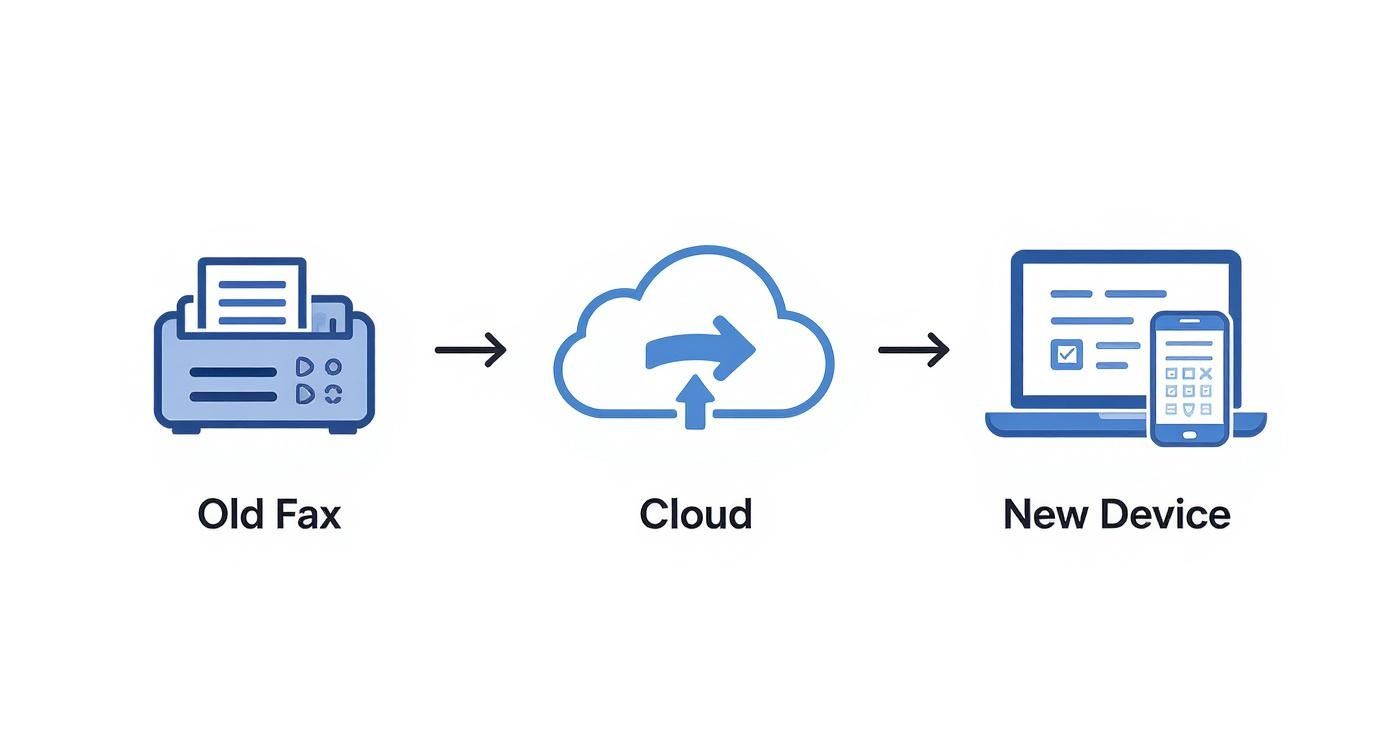
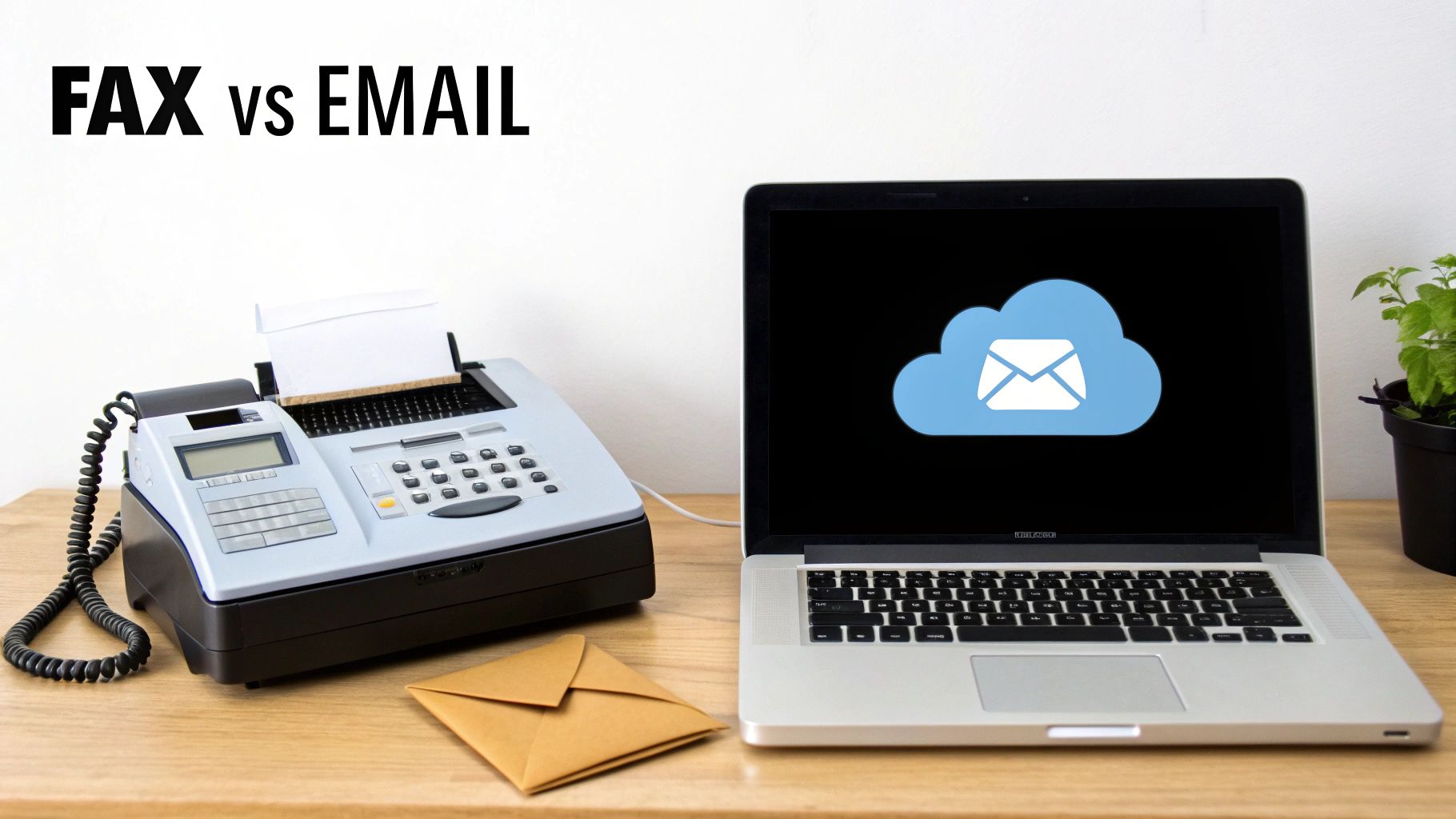
    Here are a few other critical features to look for in your online fax service comparison:

    • Secure Cloud Storage: Faxes should always be stored in an encrypted environment.
    • User Authentication: Features like multi-factor authentication provide an essential extra layer of account security.
    • Data Residency: Some services allow you to choose the geographic location where your data is stored, which can be crucial for complying with regional privacy laws.

    Even services built for casual use need to take security seriously, though they approach it differently. A free fax service probably won't be HIPAA-compliant, but it should still use basic encryption to safeguard your transmission. When looking at no-account options, it's smart to ask a simple question: for the document I'm sending, is FaxZero safe? This helps you match the security level to the sensitivity of your information.

    In the end, checking for security isn't just ticking a box. It's about deeply understanding your legal responsibilities and finding a service with a security framework strong enough to fulfill them. For anyone in a regulated industry, this will always be the most important part of the decision.

    Which Online Fax Service Fits Your Needs?

    Person holding a tablet showing 'CHOOSE YOUR FAX' options for occasional, small business, and enterprise plans.

    There’s no single "best" fax service. The right choice really comes down to how you work, what you send, and what you’re willing to spend. A proper online fax service comparison shows that each provider has its own sweet spot. To help you sort through the options, I’ve broken down my recommendations based on who you are and what you actually need.

    This isn't about just listing features; it's about matching the tool to the job. Whether you send one fax a year or thousands, there's a service that will feel like it was made for you.

    The Occasional User

    You’re a freelancer with an invoice, a homeowner submitting a permit, or just someone who needs to get a signed form back to the doctor’s office—and you need to do it now. A monthly subscription makes no sense, and you definitely don’t want to create another account for a one-off task.

    Recommendation: SendItFax

    For this exact scenario, SendItFax is hands-down the best option. Its whole model is built around speed and convenience, letting you skip the sign-up process entirely.

    • Free Faxes: You get up to five free faxes a day (up to three pages each) to anywhere in the U.S. and Canada.
    • Almost Free Plan: If you need more pages, the pay-per-fax plan is just $1.99 for up to 25 pages, and it removes the SendItFax branding from the cover sheet.

    It’s the digital equivalent of walking up to a machine, sending your document, and walking away. No commitment, no wasted money on a service you barely use.

    The Small Business

    Your team relies on faxing for purchase orders, client contracts, and other official correspondence. You need an affordable plan that can grow with you, support multiple team members, and play nice with the cloud storage tools you already depend on.

    Recommendation: Dropbox Fax

    Dropbox Fax (which you might remember as HelloFax) is a fantastic choice for small businesses that live in the cloud. Its biggest advantage is the seamless integration with Google Drive, Dropbox, and OneDrive. This completely simplifies document workflows. Plus, the pricing is competitive, and the plans are built to support multiple senders, making it a solid tool for collaboration.

    The ability to pull a document from your cloud drive, sign it digitally, and send it as a fax without ever downloading a file is a huge time-saver for a busy team.

    The Healthcare Clinic

    For you, security isn't just a feature—it's everything. You handle Protected Health Information (PHI) all day long and have to meet strict HIPAA standards. Your fax service is a critical piece of your legal and ethical responsibility to protect patient privacy.

    Recommendation: SRFax

    While other services might be HIPAA-compliant, SRFax has built its entire reputation on it. They go all-in with strong encryption, detailed audit trails, and will readily sign a Business Associate Agreement (BAA), which is an absolute must-have for any healthcare provider. Their platform is specifically hardened for the demands of clinics, hospitals, and medical billing offices.

    The Integrated Enterprise

    Your organization needs more than just a fax number; you need faxing capabilities baked directly into your core business applications, like an Electronic Health Record (EHR) or a CRM system. You're dealing with high volumes, and automation is the name of the game.

    Recommendation: eFax

    eFax is a heavyweight contender built for exactly this kind of large-scale operation. It offers a powerful API that lets developers wire fax functionality into custom software, paving the way for fully automated workflows. With enterprise-grade features like support for huge files (up to 3GB), searchable fax archives, and a central admin portal, it has the muscle to handle complex corporate needs.

    Frequently Asked Questions About Online Faxing

    Even after a detailed online fax service comparison, it's normal to have a few questions rolling around in your head. Making the right choice is all about confidence, so let's clear up some of the most common things people ask. This is the final check to make sure you’re picking the perfect service.

    These answers cover the nuts and bolts of digital faxing, from how secure it really is to what happens with your fax number.

    Is Online Faxing Genuinely More Secure Than Email?

    Yes, absolutely—especially when you go with a provider that takes compliance seriously. Unlike standard email, the best online fax services use end-to-end encryption. Think of it as creating a secure, private tunnel for your document to travel through, from your screen to the recipient's fax machine. A normal email, on the other hand, can be exposed at multiple points along its journey if it isn't properly locked down.

    On top of that, services designed for sensitive industries provide things like detailed audit trails and encrypted document storage. This creates a solid, verifiable record of when a fax was sent and received, which is exactly why faxing is still trusted for critical legal, financial, and medical documents.

    The real security edge of online faxing comes from its direct, encrypted connection. Fax technology was built from the ground up for document integrity, while standard email was made for open communication. They're just built differently.

    Do I Need A Physical Phone Line To Send Faxes?

    Not at all. A physical phone line is a thing of the past with online faxing. These services are powered entirely by the internet, so you can ditch the extra cost and hassle of traditional fax hardware. As long as you have an internet connection, you can send and receive faxes from anywhere.

    You can do it right from a web browser, through a mobile app on your smartphone, or even by sending an email. Your provider takes care of all the technical heavy lifting on their end, including managing the fax number and converting your digital files into a format that a fax machine can understand. It makes faxing a completely flexible, on-the-go tool.

    Can I Port My Existing Fax Number To A New Service?

    Yes, you almost always can. Any reputable online fax provider will let you port your existing number over. This is a must-have feature for any business that wants to modernize its setup without confusing customers or partners who already have your contact info. Porting simply means you transfer your current fax number to the new online service.

    The process usually just requires you to fill out a request form with your new provider, and sometimes there's a small one-time fee. It’s a little bit of paperwork for a huge payoff: you get all the benefits of a modern fax service without having to reprint business cards or update your website.

    What Happens If I Exceed My Monthly Page Limit?

    Most online fax subscriptions give you a certain number of pages each month. If you send or receive more than that, you'll be charged an overage fee for every extra page. These charges usually fall somewhere between $0.03 and $0.10 per page.

    It's really important to look at those overage rates before you sign up, because they can add up fast if you have a busy month. If you don't fax consistently, or your volume changes a lot, a pay-per-fax service like SendItFax’s Almost Free plan often makes more financial sense than a subscription where you could get hit with high overage fees.


    Ready to send a fax without the commitment of a monthly plan? SendItFax lets you send secure faxes to the U.S. and Canada on a pay-per-fax basis—no account needed. Try it now at senditfax.com.