Tag: fax template

  • 7 Essential Generic Fax Cover Sheets and Templates for 2026

    7 Essential Generic Fax Cover Sheets and Templates for 2026

    In the process of sending a fax, the cover sheet is your first impression. It’s the essential introductory page that ensures your documents reach the correct recipient and provides crucial context at a glance. But creating one from scratch for every transmission is inefficient. This is where high-quality generic fax cover sheets become an indispensable tool for businesses and individuals alike. They provide a professional, standardized framework that saves time while ensuring all necessary information is included.

    This comprehensive guide is designed to eliminate the guesswork. We have compiled and analyzed the best online resources for downloadable and editable generic fax cover sheets. Whether you need a simple, no-fuss template for a one-time use or a customizable design for your small business, you'll find it here. Our list covers everything from free, fillable PDFs and editable Word documents to specialized templates for industries like healthcare and legal. Each entry includes a direct link and a breakdown of what makes it a strong choice, helping you quickly identify the perfect solution for your specific needs.

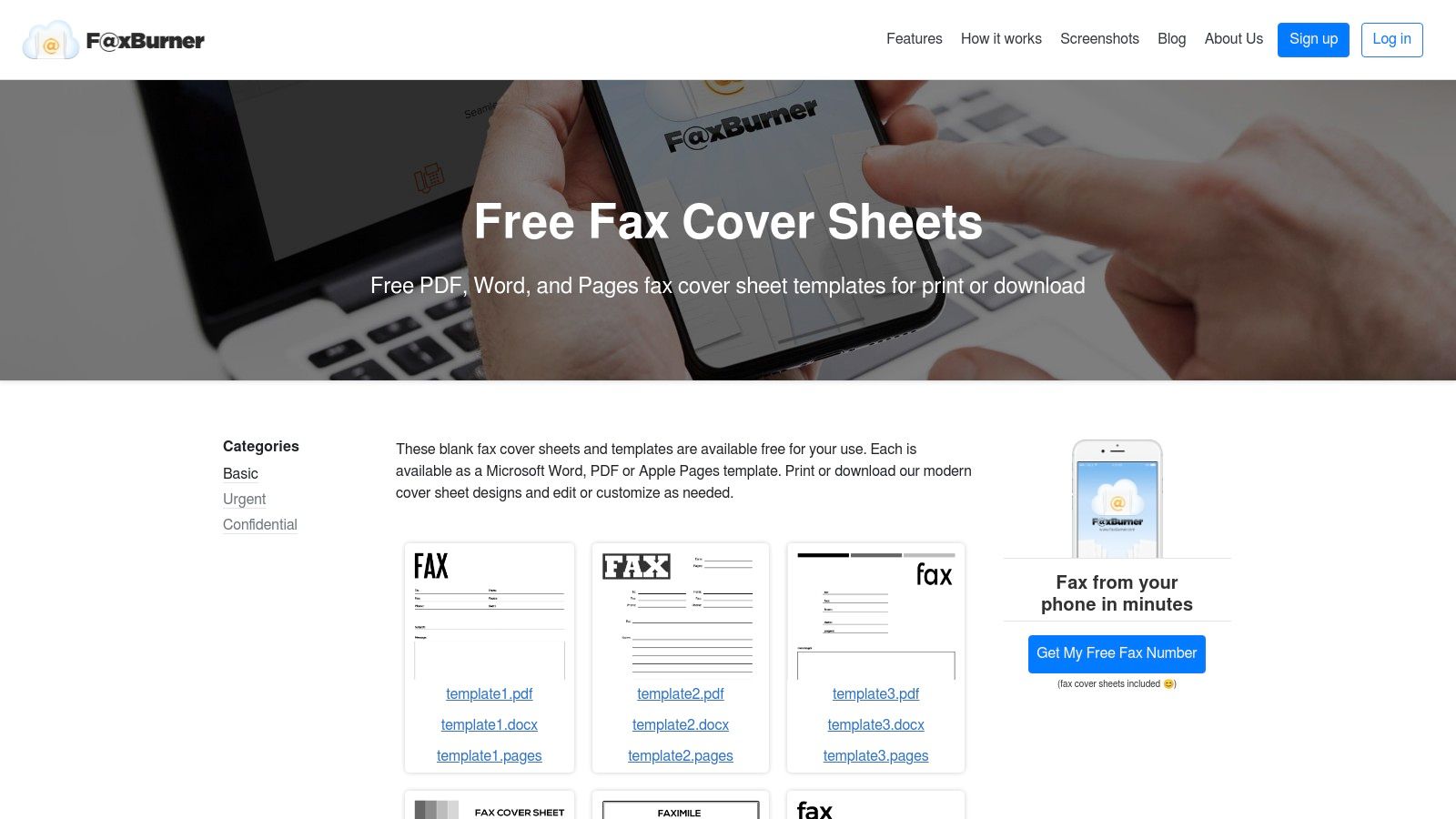
    We will explore top platforms such as Microsoft Create, iFax, and Template.net, providing actionable insights into their offerings. You'll discover how to leverage these resources to create a polished and effective cover sheet every time. Furthermore, we'll guide you through the simple process of attaching and sending your chosen cover sheet using an online fax service like SendItFax, making the entire procedure seamless from start to finish. Let's dive in and find the perfect template for you.

    1. SendItFax

    For users seeking a streamlined, all-in-one solution, SendItFax stands out as a premier choice. Instead of just providing a template, this browser-based service integrates the creation of a generic fax cover sheet directly into its sending process, eliminating the need for separate downloads or software. Its core strength lies in its simplicity and accessibility, making it an ideal platform for professionals and individuals who need to send a fax immediately without the friction of subscriptions or complex setups.

    The platform is engineered for efficiency. Users can upload a document (DOC, DOCX, or PDF), fill in the sender and recipient details, and SendItFax automatically generates a clean, professional cover sheet. This integrated approach ensures all necessary information is included and properly formatted, which is a significant advantage over manually editing a template.

    Strategic Analysis: Why SendItFax Excels

    SendItFax’s model is particularly effective for time-sensitive tasks common in legal, medical, and real estate fields. The "no account needed" approach is a powerful differentiator, removing barriers and allowing for immediate document transmission from any device with a web browser.

    Key Takeaway: The platform's true strength is its fusion of utility and access. It solves the immediate need for a generic fax cover sheet while simultaneously providing the mechanism to send the fax, creating a seamless, end-to-end workflow.

    The user experience is exceptionally straightforward. The interface guides you through a simple, step-by-step process, and the platform’s reliability is underscored by strong social proof, including a 4.8/5 rating from over 250 reviews. Testimonials from small business owners and professional offices frequently highlight its speed and dependability.

    Core Features and Practical Applications

    SendItFax offers a tiered service designed to meet diverse user needs, from occasional personal use to more regular business communications.

    Feature Comparison Free Plan Paid Plan ("Almost Free")
    Cost $0 $1.99 per fax
    Page Limit Up to 3 pages (plus cover) Up to 25 pages (plus optional cover)
    Daily Fax Limit 5 faxes per day Unlimited
    Branding Includes SendItFax branding on cover No branding
    Delivery Standard Priority
    Registration Not required Not required
    • Practical Use Case (Free): An individual needing to return a signed contract or a medical form can send it instantly without cost. The included generic fax cover sheet ensures all context is provided.
    • Practical Use Case (Paid): A small law firm sending a 15-page legal filing can use the paid tier for a professional, unbranded appearance and priority delivery, ensuring the document arrives promptly.

    Pros and Cons

    Pros:

    • No Registration Required: Send faxes instantly without creating an account.
    • Truly Free Tier: Excellent for light use, offering up to 3 pages plus a cover sheet, with a limit of five faxes daily.
    • Affordable Paid Option: For just $1.99, you can send up to 25 pages, remove branding, and get priority delivery.
    • Simplicity and Accessibility: The intuitive workflow supports DOC, DOCX, and PDF files, making it perfect for remote workers and professionals.

    Cons:

    • Free Plan Limitations: The 3-page limit, SendItFax branding, and daily cap may not suit all business needs.
    • No Formal Compliance Certifications: While the site has a privacy policy, it does not list HIPAA or other formal compliance certifications. Users sending highly regulated data should perform their own due diligence.

    Website: https://senditfax.com

    2. Microsoft Create (Office templates)

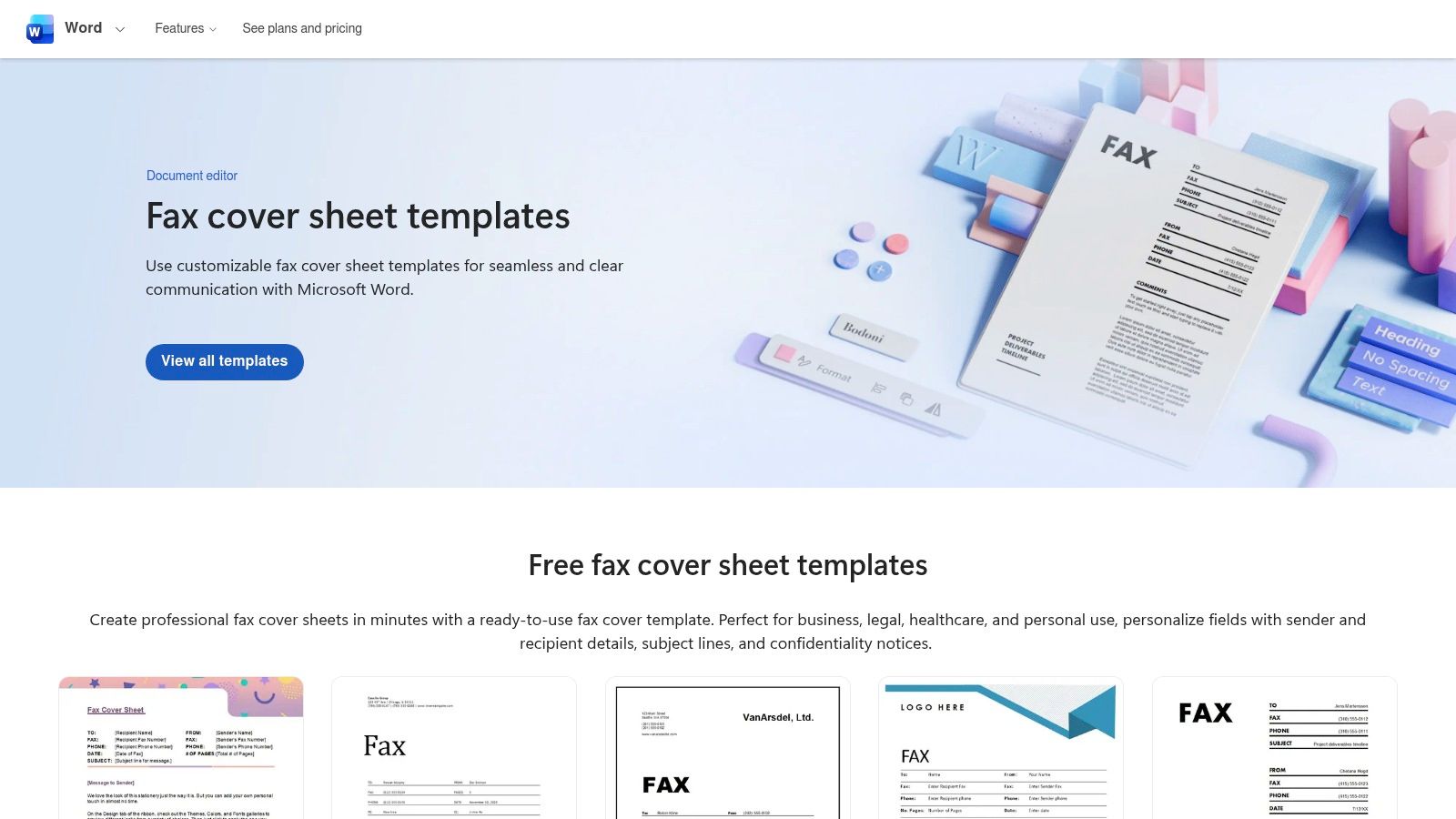
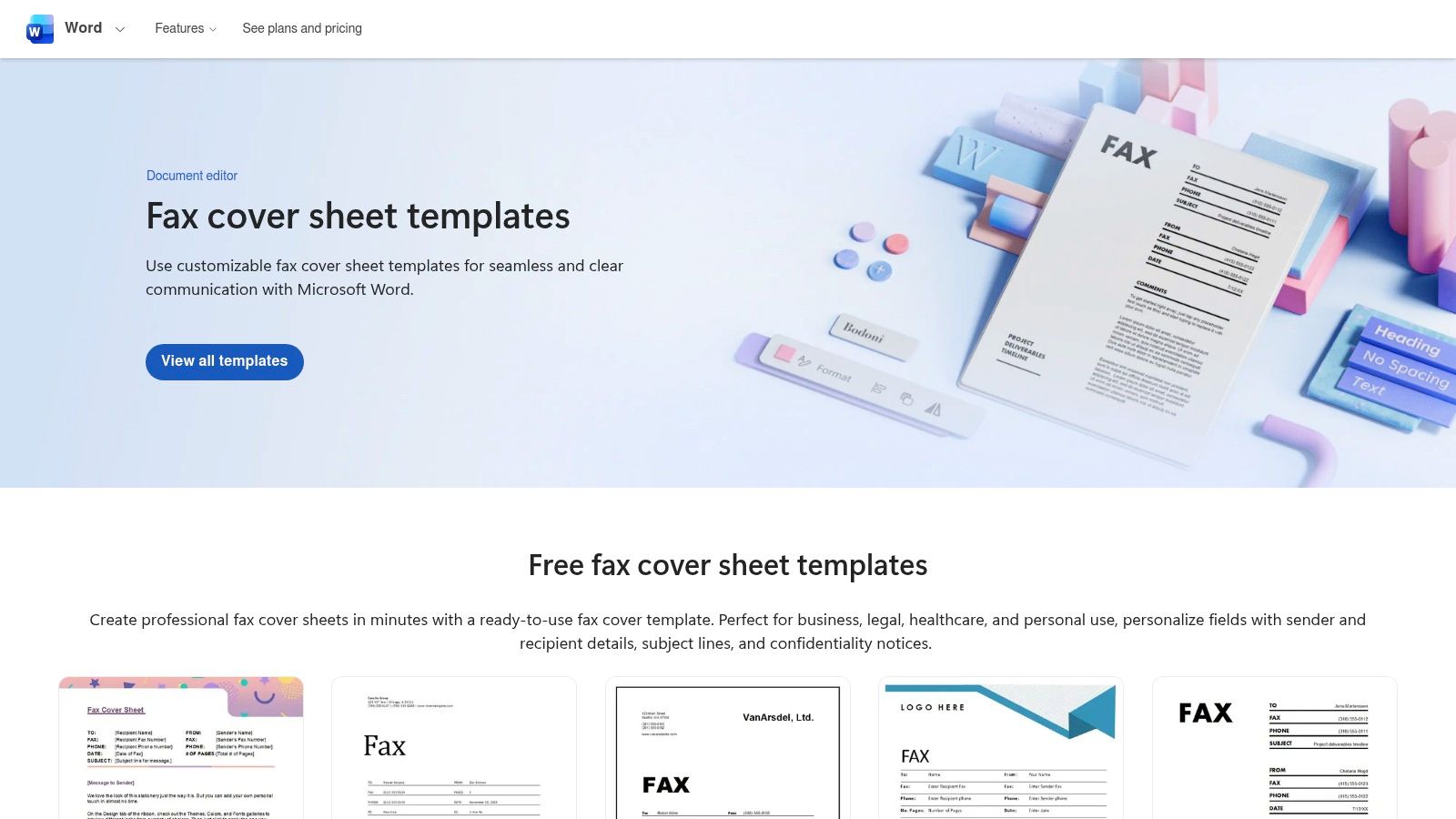
    For professionals and businesses already integrated into the Microsoft ecosystem, Microsoft Create is the most logical and efficient starting point for sourcing generic fax cover sheets. This official template gallery from Microsoft offers a curated selection of professionally designed templates that are fully compatible with Microsoft Word, both on the desktop and via the free web app. This seamless integration eliminates the friction of dealing with unfamiliar software or third-party file formats, making it a trusted and straightforward choice.
    Microsoft Create (Office templates)

    Key Features and User Experience

    The primary advantage of using Microsoft Create is its native compatibility with Word. When you select a template, it opens directly in the Word application, where every element is fully editable. This allows for deep customization that goes beyond simply filling in fields.

    • Effortless Editing: Users can easily modify text, change fonts and colors to match company branding, and insert a company logo with just a few clicks.
    • Essential Fields Included: The templates come pre-populated with standard fields, including "To," "From," "Fax," "Phone," "Date," "Subject," and "Number of pages."
    • Accessibility: Templates are completely free to use. While a Microsoft account is required to edit them in the browser-based version of Word, this is a minor step for most users, many of whom already have an account for other services like Outlook or OneDrive.

    The interface is clean and mirrors the familiar Office environment, ensuring a minimal learning curve. The templates themselves are more functional than flashy, focusing on clarity, professionalism, and readability, which is often exactly what is needed for business communications.

    Strategic Breakdown & Actionable Takeaways

    Microsoft's platform excels in reliability and brand consistency. Instead of a highly stylized design, you get a solid, corporate-approved structure that you can mold to your specific needs. This makes it an ideal resource for creating a standardized company-wide fax cover sheet.

    Strategic Insight: Leverage Microsoft Create to establish a uniform brand identity across all fax communications. By customizing a single template with your company's logo, color scheme, and standard legal disclaimer, you can ensure every fax sent by any employee looks professional and consistent.

    To get the most out of this resource, select a template and immediately save it as a master copy in your OneDrive or shared business drive. Instruct your team to use this master file, ensuring uniformity. From this customized DOCX file, you can easily export a PDF version, which is the ideal format for uploading to an online fax service like SendItFax, guaranteeing your formatting remains intact during transmission.

    Feature Comparison Microsoft Create Other Design Platforms
    Cost Completely Free Often Freemium or Subscription
    Software Required Microsoft Word (Desktop/Web) Varies (e.g., Canva, Adobe)
    Editing Ease High (for Word users) Moderate (may have learning curve)
    Design Style Professional, Corporate Creative, Stylized
    Integration Native to Microsoft 365 Third-Party

    Website: https://create.microsoft.com/en-us/templates/fax-cover-pages

    3. iFax (free printable/fillable templates)

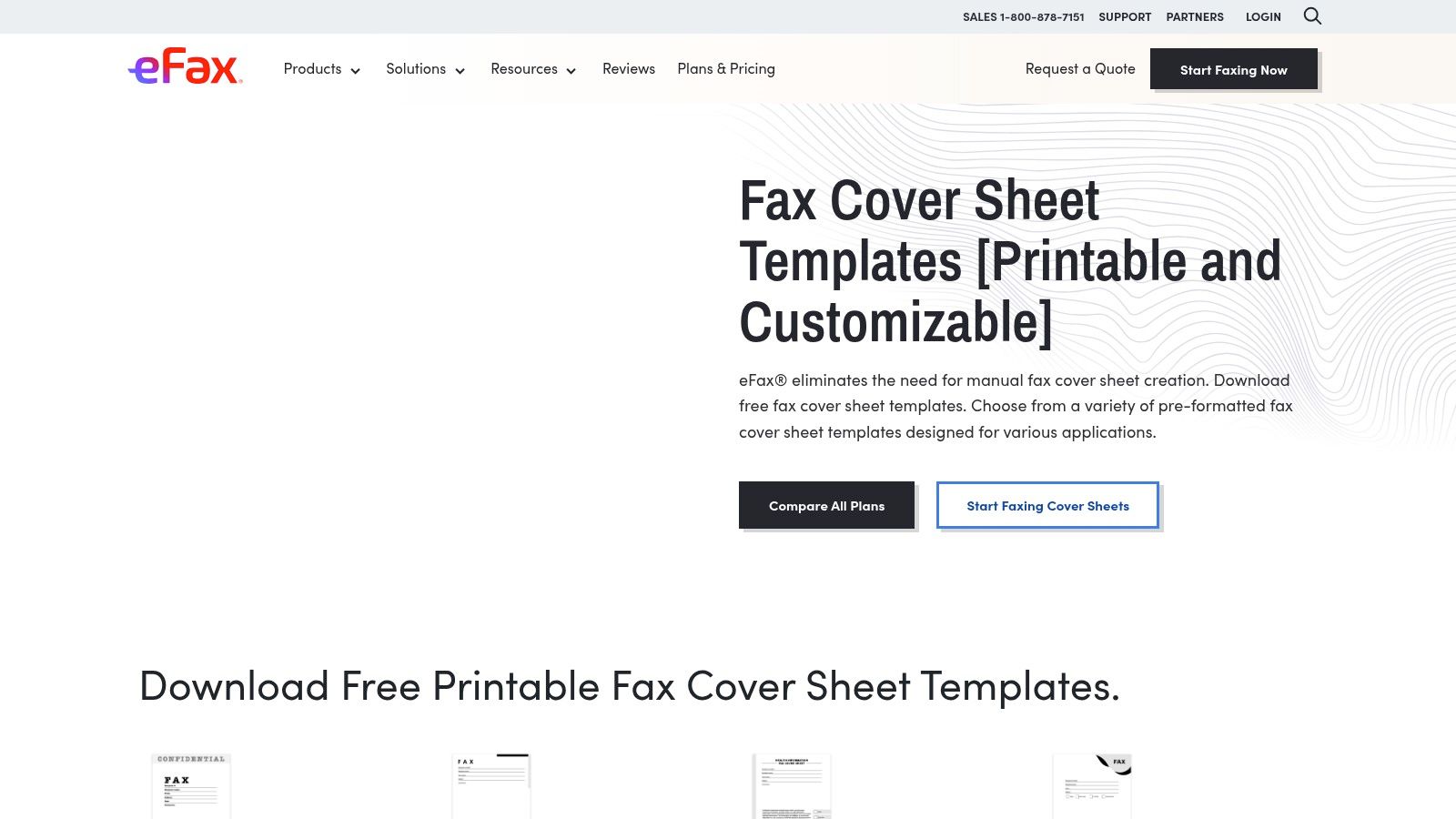
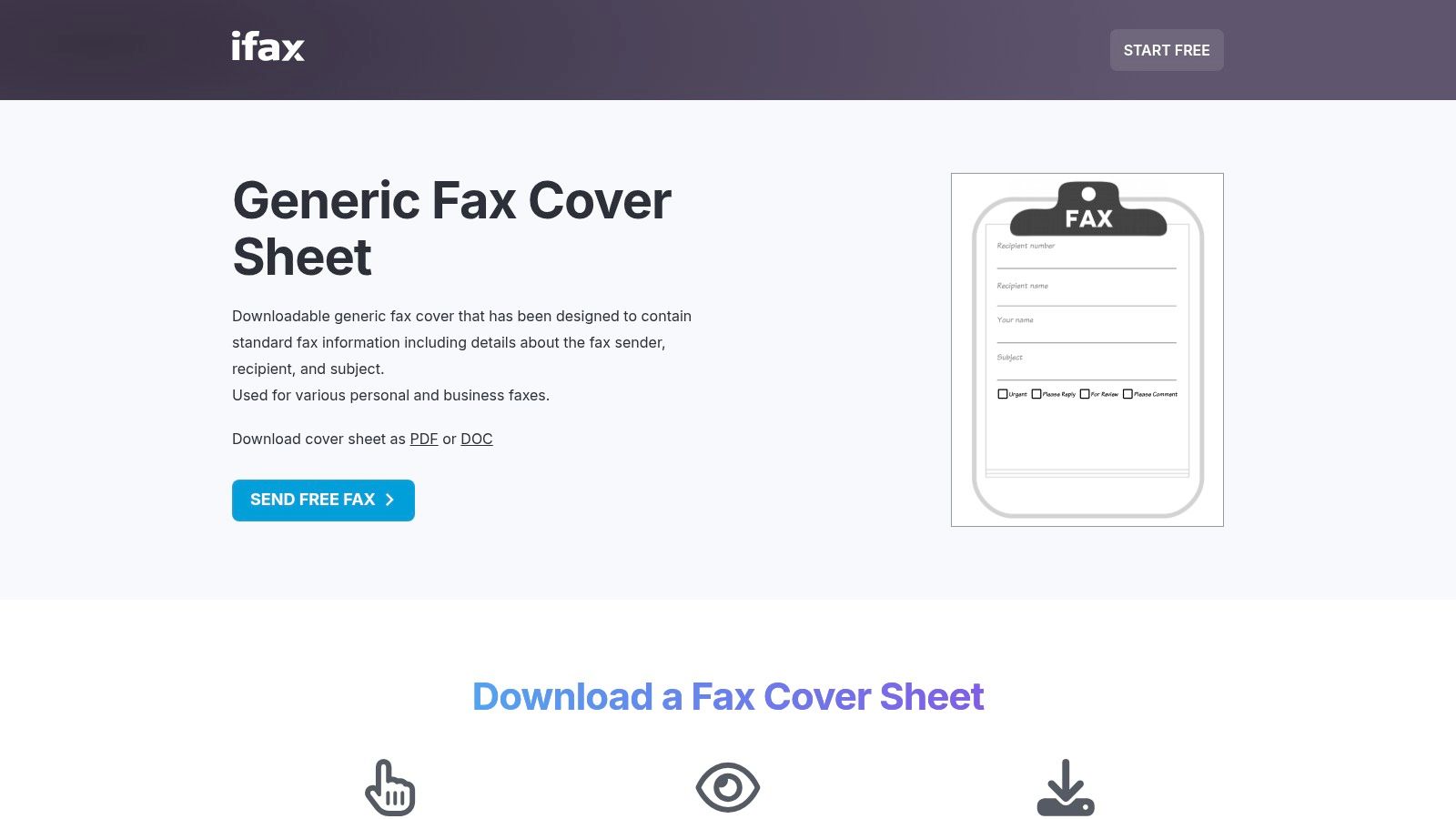
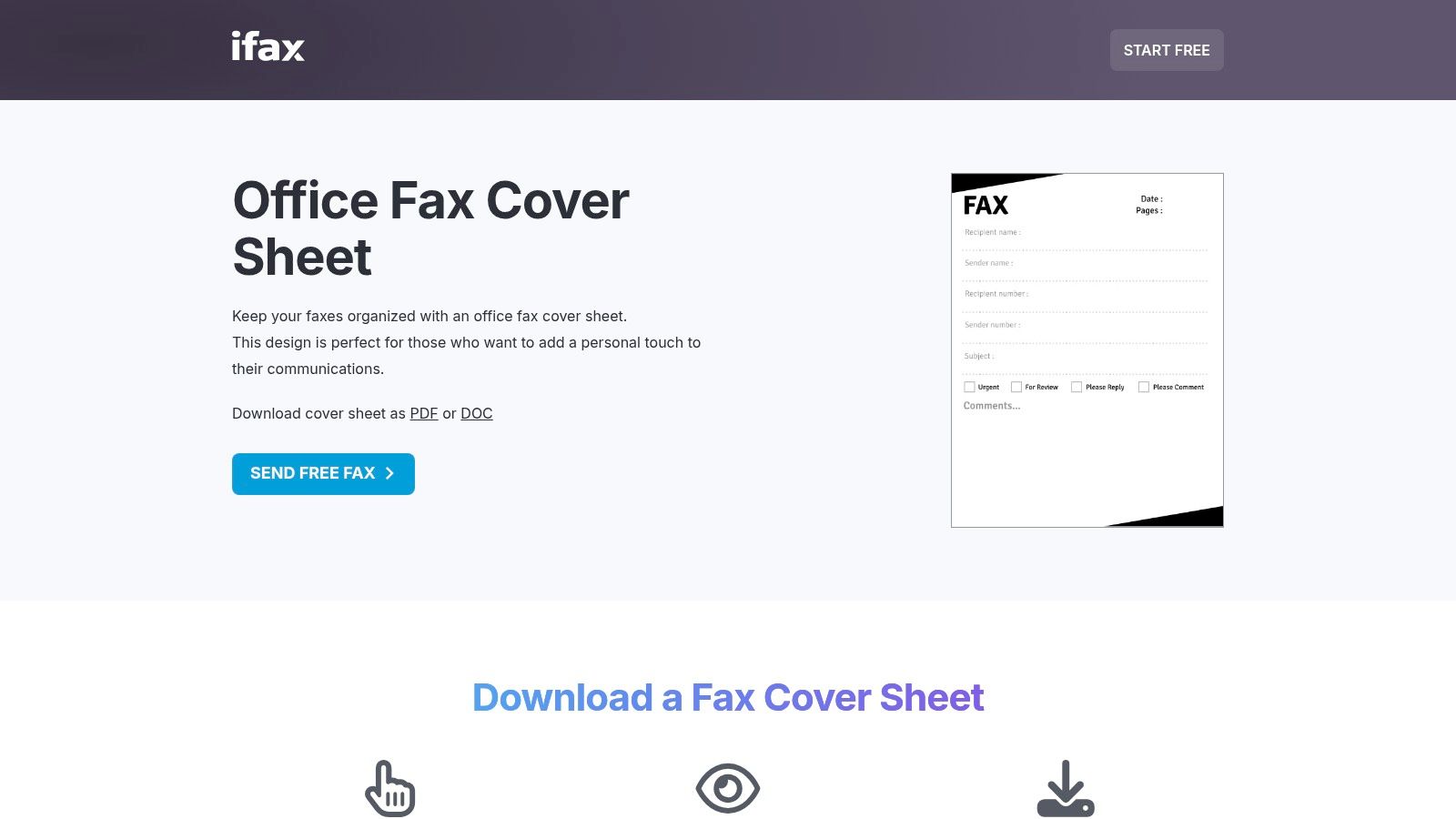
    For users who prioritize speed and accessibility, iFax provides a large, no-frills library of generic fax cover sheets that can be downloaded instantly. The platform offers a straightforward solution for individuals and businesses needing a functional template without the requirement of signing up or using specific software. With options in both DOC and PDF formats, iFax serves as a quick-stop resource for getting a professional-looking cover sheet attached to your fax in minutes.
    iFax (free printable/fillable templates)

    Key Features and User Experience

    The main draw of the iFax template library is its simplicity and directness. The user experience is designed to be frictionless, allowing anyone to find, preview, and download a template with just a few clicks. While the site does promote its paid online faxing service, the templates themselves are completely free and unrestricted.

    • Format Flexibility: Templates are available in both Microsoft Word (DOC) for easy editing and PDF for immediate printing or filling out digitally with a PDF editor.
    • No Sign-Up Required: Unlike many other resources, iFax allows users to download templates without creating an account or providing an email address.
    • Variety of Styles: The collection includes generic, simple, classic, business, and even HIPAA-oriented variants, catering to a range of professional needs.
    • Clear, Utilitarian Designs: The focus is on readability and professionalism, ensuring the templates are suitable for corporate, legal, and healthcare communications.

    The interface is clean and easy to navigate, with clear previews of each cover sheet. This makes it simple to choose the right layout before committing to a download.

    Strategic Breakdown & Actionable Takeaways

    iFax excels at providing a rapid, hassle-free solution. Its value lies in its immediacy and lack of barriers, making it the perfect resource for one-off faxes or for businesses that don't have a standardized template in place. The availability of both DOC and PDF files gives users control over their workflow, whether they prefer deep customization in Word or quick form-filling in a PDF reader.

    Strategic Insight: Use iFax as your go-to resource for urgent faxing needs or for testing different layouts. The immediate download capability allows you to quickly grab a professional template, fill it out, and attach it to an online fax service like SendItFax without any delay.

    For maximum efficiency, download both the DOC and PDF versions of your preferred template. Customize the DOC version with your company logo and contact information and save it as your master template. Keep the fillable PDF version on hand for situations where you need to quickly send a fax from a device that doesn't have Microsoft Word installed. You can learn more about crafting the perfect generic fax coversheet to ensure all essential information is included.

    Feature Comparison iFax Templates Other Design Platforms
    Cost Completely Free Often Freemium or Subscription
    Software Required MS Word (for DOC), PDF Reader Varies (e.g., Canva, Adobe)
    Editing Ease High (for Word users) Moderate (may have learning curve)
    Design Style Functional, Professional Creative, Stylized
    Account Required No Almost Always

    Website: https://www.ifaxapp.com/free-fax-cover-sheets/generic-fax-cover-sheet/

    4. MyFax (free fax cover sheet templates)

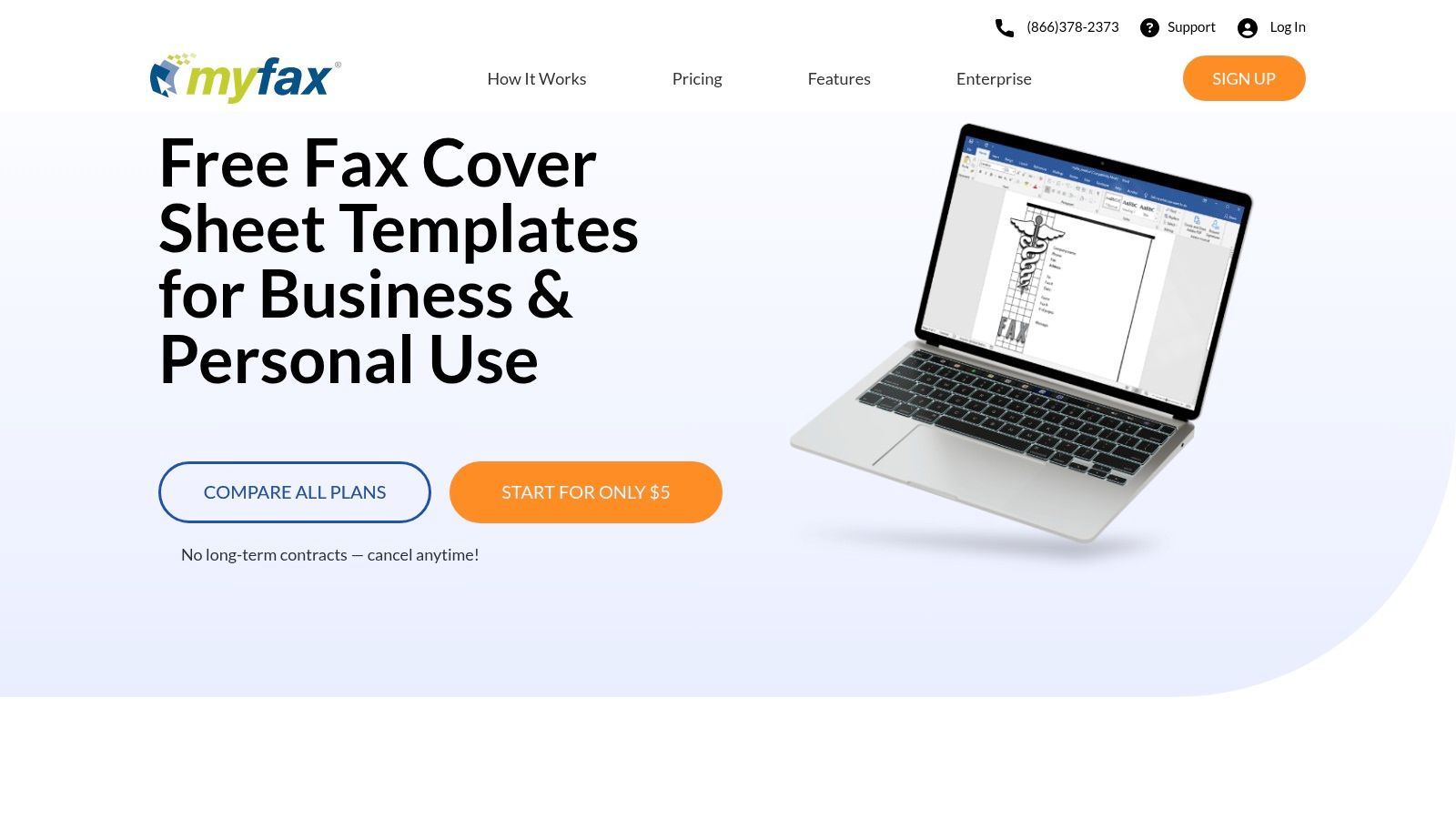
    For users who need a quick, no-fuss solution without the overhead of design software, MyFax provides a straightforward repository of generic fax cover sheets. This resource is offered by an online fax service provider, but its collection of templates is freely accessible to anyone. The platform is designed for speed and practicality, offering a curated selection of essential templates categorized for different professional needs, making it a go-to for immediate downloads.
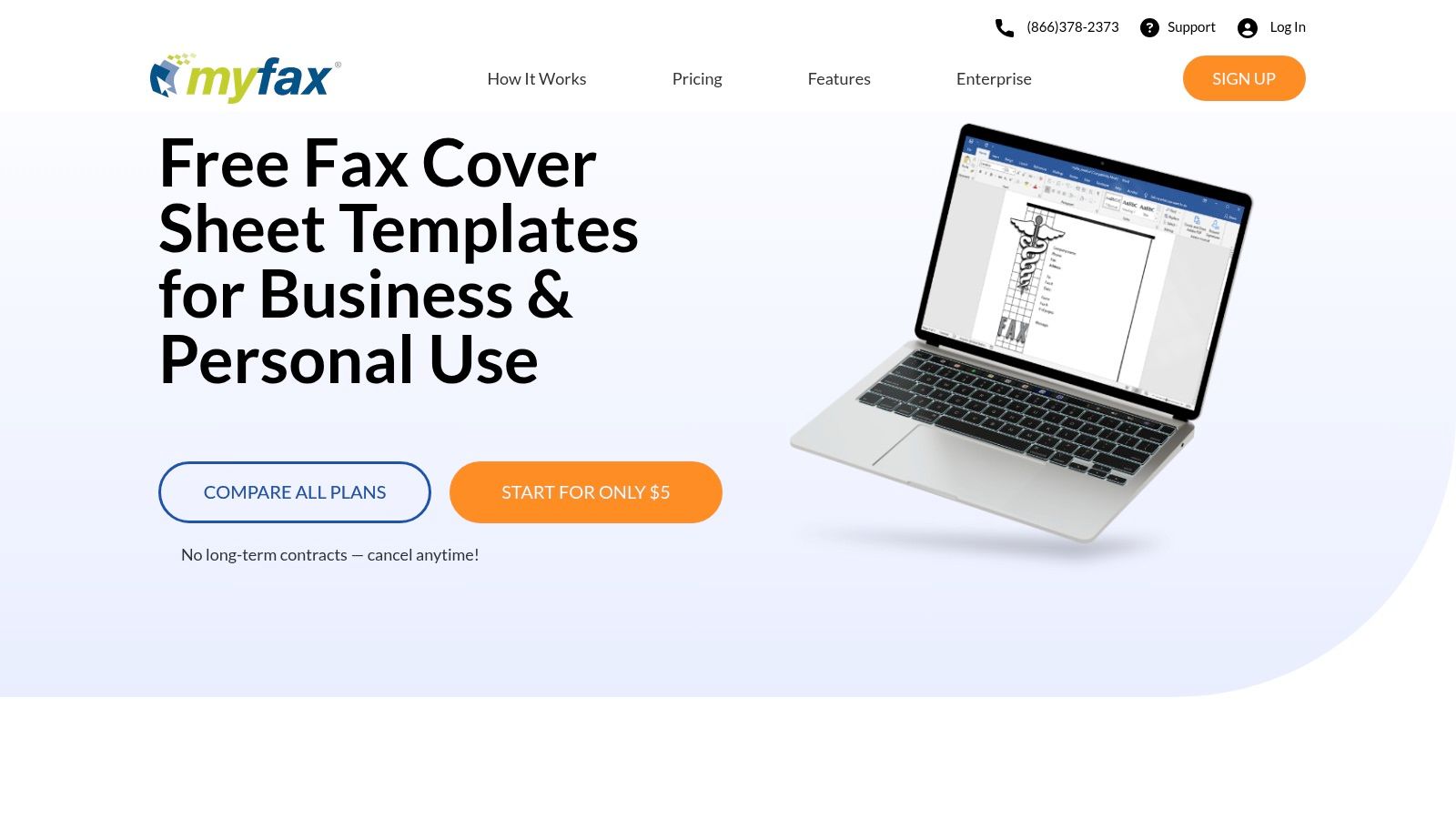
    MyFax (free fax cover sheet templates)

    Key Features and User Experience

    The core appeal of MyFax's template page is its simplicity and directness. Users are not required to sign up or navigate complex menus; the templates are presented clearly and are available for instant download. This friction-free experience is ideal for anyone in a hurry.

    • Dual-Format Downloads: Each template is offered in both an editable Microsoft Word (.doc) format and a ready-to-use PDF format. This gives users the flexibility to either customize the document or print and fill it out by hand immediately.
    • Practical Categories: Templates are organized into useful categories like "Basic," "Accounting," "Healthcare," and "Personal," allowing users to quickly find a layout suited to their specific context.
    • Integrated Guidance: The page includes simple, step-by-step instructions on how to fill out and use the cover sheets, a helpful addition for those new to faxing protocols.

    The user interface is clean, though it clearly serves as a marketing tool for the paid MyFax service. Despite the promotional elements, accessing the free templates is an easy and direct process. The designs themselves are highly functional, prioritizing clear communication over creative flair.

    Strategic Breakdown & Actionable Takeaways

    MyFax excels at providing a rapid solution for common faxing scenarios. Its strength lies not in extensive customization but in offering pre-built, industry-appropriate templates that work right out of the box. This makes it perfect for small businesses or individuals who need a professional-looking cover sheet without investing time in design.

    Strategic Insight: Use MyFax's categorized templates as a starting point for specific departmental needs. A healthcare practice can download the HIPAA-compliant template, add its logo and contact information, and save it as a standardized document for all patient-related faxes, ensuring compliance and consistency with minimal effort.

    To maximize efficiency, download the Word version of the most relevant template and pre-fill your company’s information in the "From" section. Save this modified file as your master template on a shared drive. This simple preparation step transforms a generic template into a personalized, ready-to-use asset that can be attached to any fax in seconds, whether you are using an online service like SendItFax or a traditional machine.

    Feature Comparison MyFax Templates General Design Platforms
    Cost Completely Free Often Freemium or Subscription
    Software Required MS Word (for edits) / PDF Reader Varies (e.g., Canva, Adobe)
    Editing Ease High (in Word), N/A for PDF Moderate to High
    Design Style Functional, Business-Standard Creative, Highly Stylized
    Primary Goal Quick, practical document access Creative design and customization

    Website: https://www.myfax.com/free-fax-cover-sheets

    5. Template.net

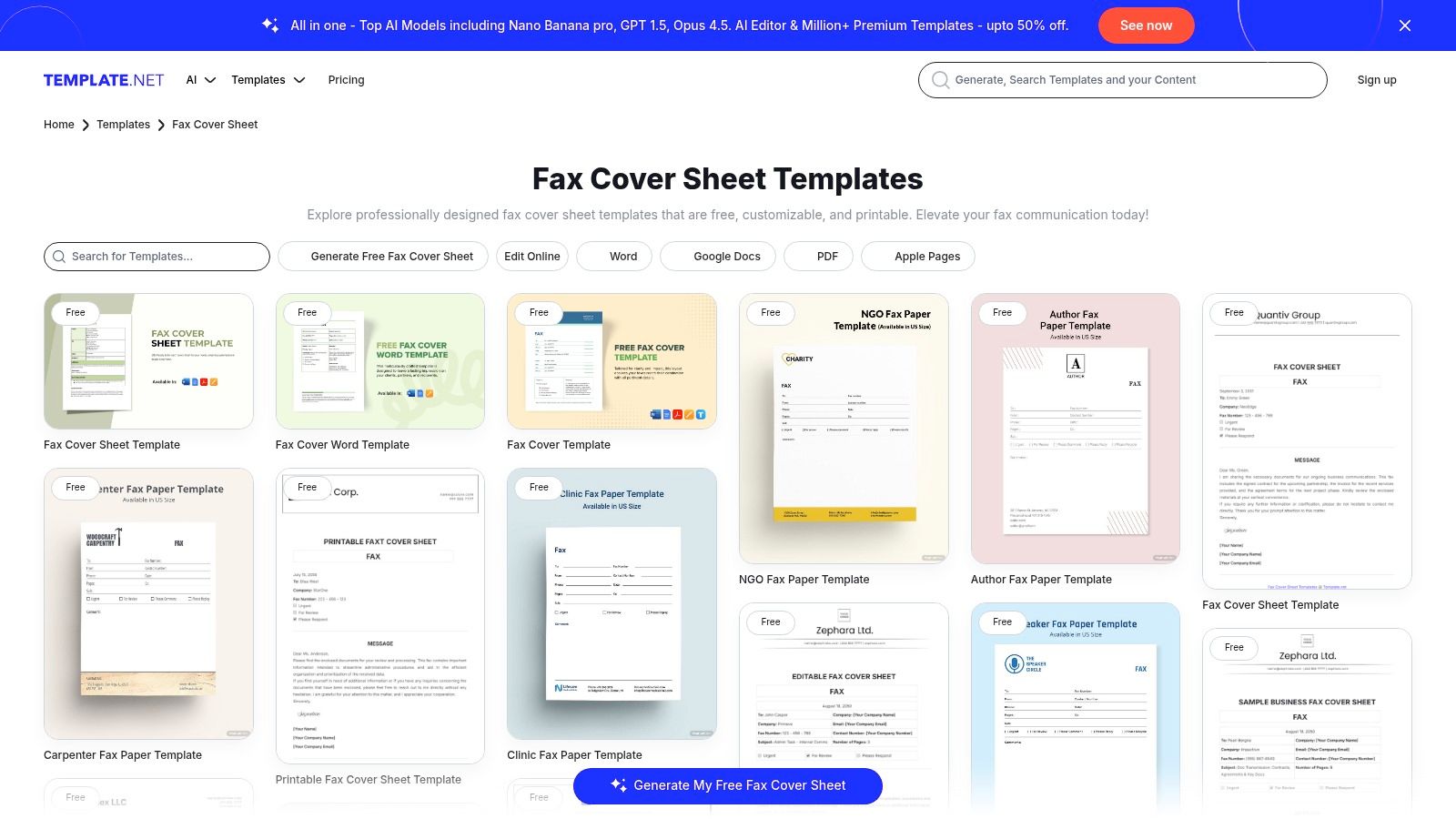
    For users seeking a wide variety of designs beyond the standard corporate look, Template.net offers one of the most extensive and diverse libraries of generic fax cover sheets available online. Its catalog spans everything from minimalist and professional layouts to highly specific, industry-tailored templates for sectors like healthcare, law, and education. This breadth of choice makes it an excellent resource for businesses and individuals who need a cover sheet that aligns with a particular use case or brand aesthetic.
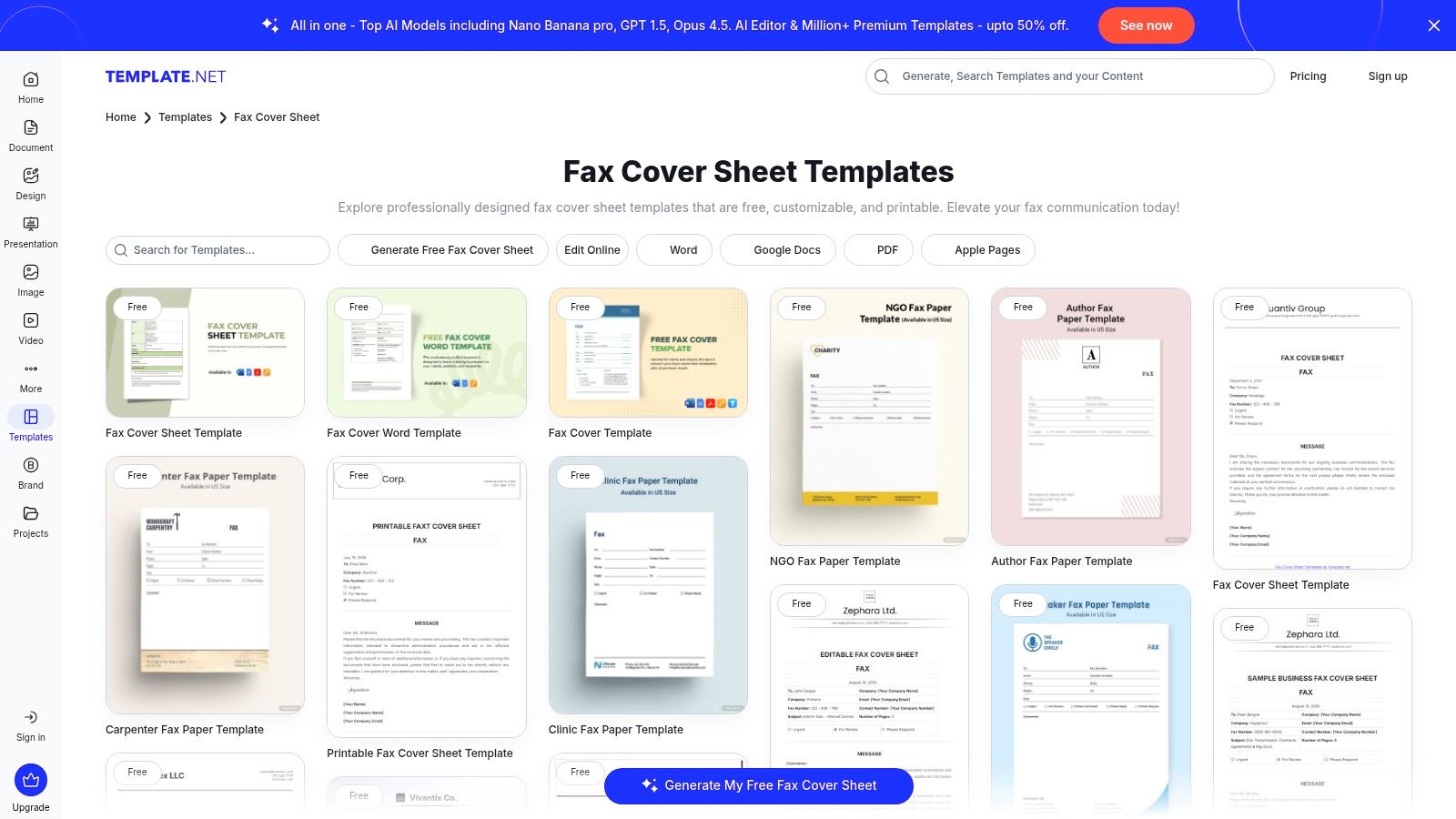
    Template.net

    Key Features and User Experience

    Template.net’s main advantage is its versatility in both design and file format. The platform caters to users across different software ecosystems, providing downloads compatible with Microsoft Word, Google Docs, and Apple Pages, alongside standard PDFs. This flexibility ensures that nearly anyone can find a template they can easily edit.

    • Extensive Template Library: The collection includes simple, confidential, medical, personal, and business-specific fax cover sheets.
    • Multiple Download Formats: Users can download files as DOCX, PDF, or for Google Docs and Apple Pages, ensuring broad compatibility.
    • Built-in Editor: Many templates can be edited directly in the browser using Template.net's editor before downloading, which is convenient for quick changes.
    • Freemium Model: While many basic templates are free, some of the more advanced or specialized designs may require a free account signup or a premium subscription.

    The user interface is straightforward, with clear categories and a search function to help you find the right template quickly. The platform's on-site editor is a notable feature, allowing for rapid customization without needing to open a separate application.

    Strategic Breakdown & Actionable Takeaways

    Template.net excels at providing niche and semi-customized starting points, saving you the effort of building a specialized cover sheet from scratch. If you need a "Confidential" or "HIPAA-Compliant" fax cover sheet, you can find a template with the necessary disclaimers and fields already in place.

    Strategic Insight: Use Template.net's industry-specific templates as a foundational layer for compliance and professionalism. For example, a legal firm can download a "Legal Fax Cover Sheet" that already includes fields for case numbers and attorney information, then add their firm's logo and contact details to create a polished, standardized document.

    To maximize efficiency, filter your search by file type first (e.g., "Word" or "Google Docs") to ensure you only see templates compatible with your preferred software. While the on-site editor is useful for minor text edits, for deep customization like changing brand colors or rearranging layouts, downloading the source file is the more powerful option. Always download the final version as a PDF before uploading it to an online fax service to preserve your formatting perfectly.

    Feature Comparison Template.net Basic Template Sites
    Cost Freemium (Free & Paid Options) Mostly Free
    Software Required Varies (Word, Docs, Pages, PDF) Often Just a PDF Reader
    Editing Ease High (Browser & Offline) Low (Often not editable)
    Design Style Diverse (Corporate, Modern, Niche) Minimalist, Functional
    Industry Specificity High (Legal, Medical, etc.) Low (General Purpose Only)

    Website: https://www.template.net/fax-cover-sheet

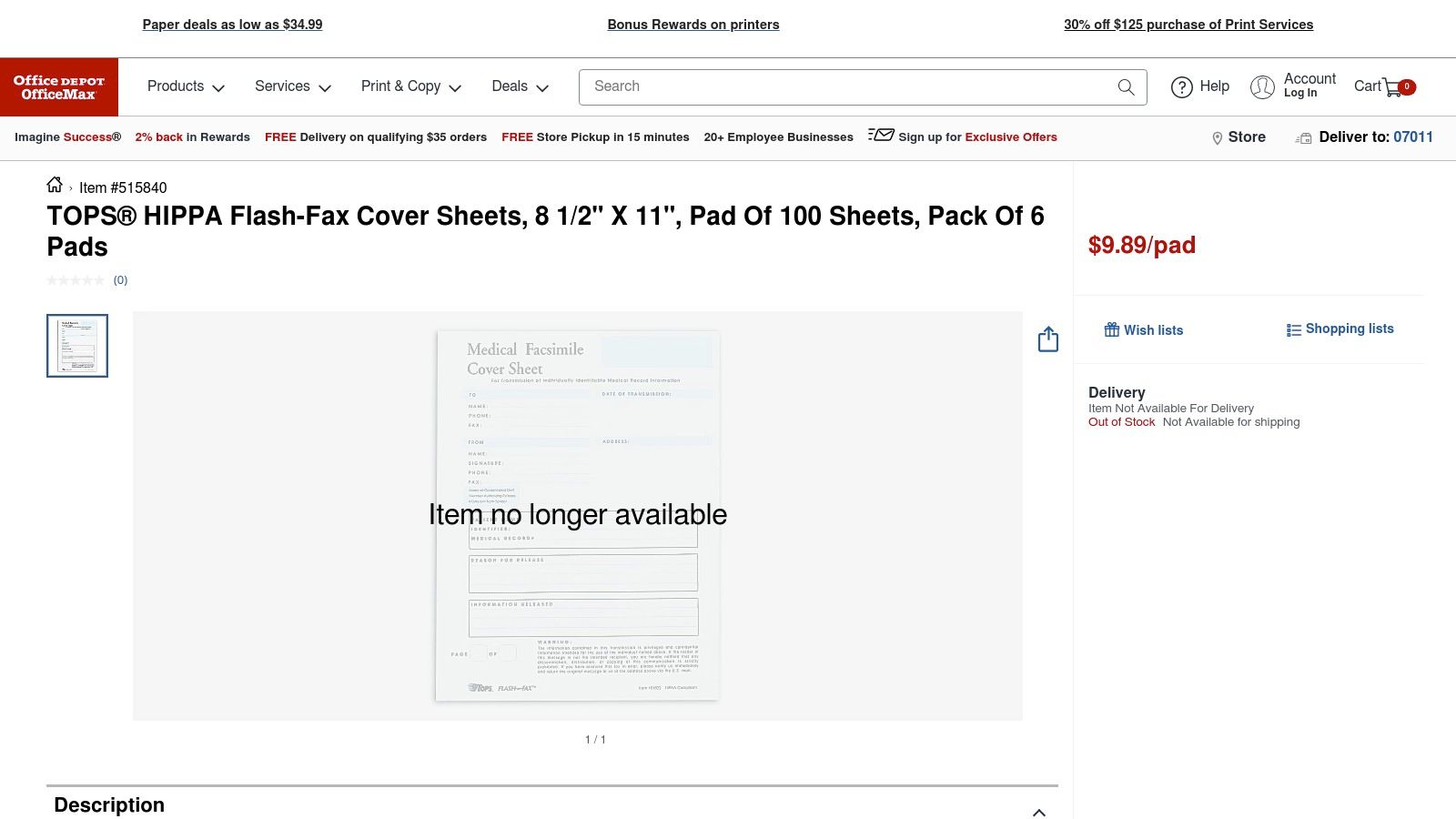
    6. Office Depot / OfficeMax (physical fax cover sheet pads)

    For businesses that still maintain a physical fax machine at a reception desk or in a mailroom, Office Depot and OfficeMax offer a straightforward, analog solution: pre-printed generic fax cover sheets. Their product lineup, featuring brands like TOPS "Flash-Fax," provides pads of ready-to-use cover sheets that eliminate the need for printing or digital templates. This approach is ideal for high-traffic environments where quick, handwritten faxes are a regular part of the workflow, offering a tangible and reliable option without any digital dependency.
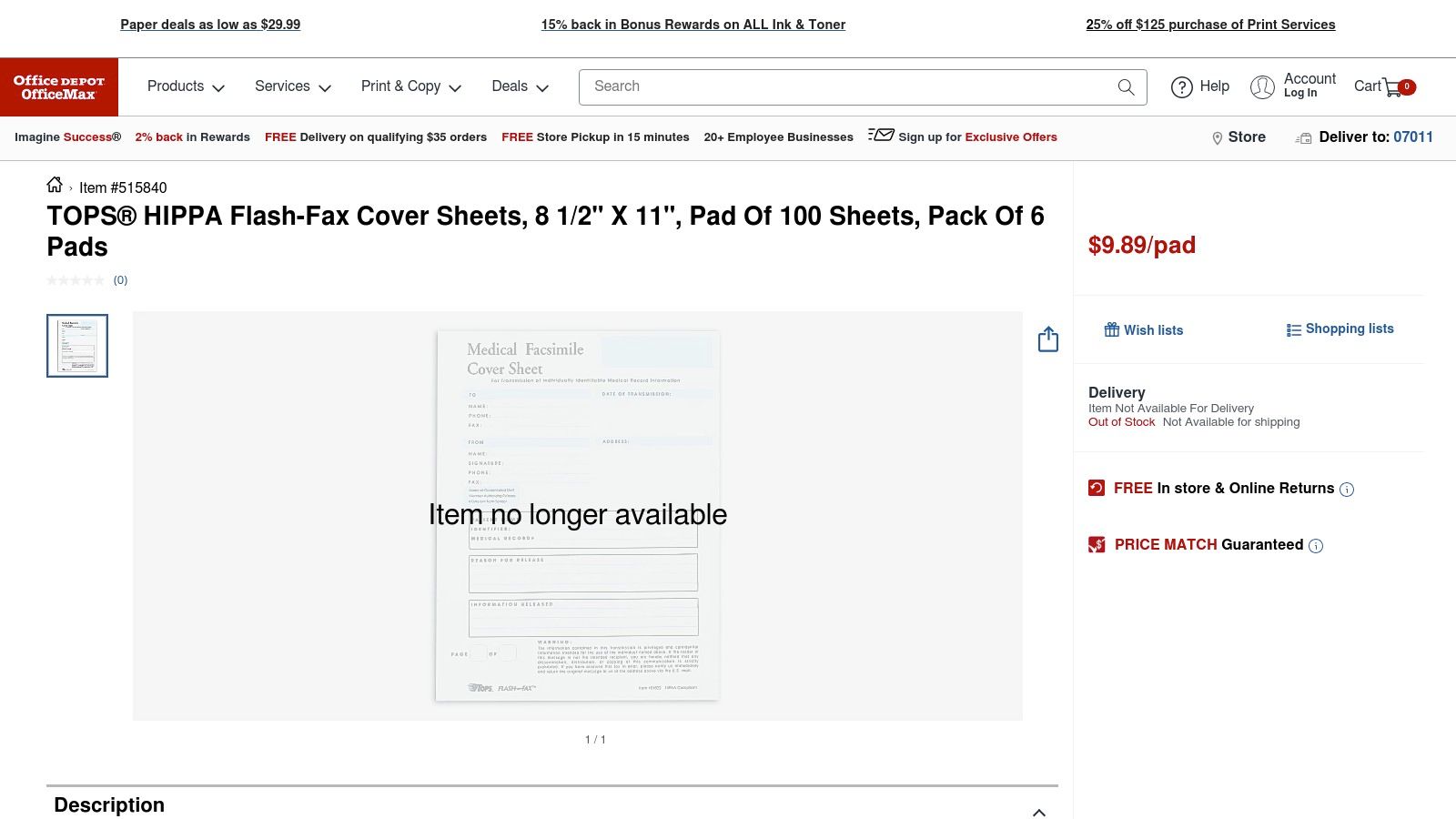
    Office Depot / OfficeMax (physical fax cover sheet pads)

    Key Features and User Experience

    The primary advantage of purchasing physical pads is the zero-setup convenience. There's no software to learn, no files to download, and no printer ink to worry about. You simply tear a sheet off the pad, fill it out by hand, and place it on top of your documents in the fax machine. It’s the most direct method available for sending a fax.

    • Immediate Availability: These pads are designed for grab-and-go use, making them perfect for busy office settings or for staff less comfortable with digital tools.
    • Standardized Fields: The pre-printed sheets include all essential information fields, such as "To," "From," "Fax," "Phone," "Date," and checkboxes for urgency.
    • Bulk Purchasing: Office Depot allows for purchasing in single pads or multi-packs, making it easy to stock an office supply cabinet and ensure you never run out. Some versions also include HIPAA-compliant checkboxes for healthcare environments.

    The user experience is entirely offline and tactile. While this is a significant drawback for digital-first workflows, it's a major benefit for dedicated fax stations. The design is purely functional, prioritizing legibility and simplicity over branding or customization.

    Strategic Breakdown & Actionable Takeaways

    Physical fax pads represent a commitment to an established, non-digital process. They are a practical tool for environments where walk-up faxing is common and efficiency is measured in seconds spent at the machine. This makes them a smart inventory item for office managers supporting traditional communication hardware.

    Strategic Insight: Use physical fax cover sheet pads to create a standardized, low-friction process for all outgoing faxes from a central machine. This removes the variable of employees printing their own, differently formatted sheets and ensures every fax has a consistent, professional appearance.

    To implement this effectively, place a pad directly next to each physical fax machine in your office. This simple step reduces the time employees spend preparing a fax and minimizes errors. For those transitioning to a more modern approach, it’s helpful to understand the core components of a good generic fax cover sheet and how to replicate them digitally. Scanning one of these physical sheets can even serve as a basic template for creating a digital version to be used with an online fax service like SendItFax.

    Feature Comparison Office Depot Pads Digital Templates
    Cost Per-pad purchase Free (or part of software)
    Software Required None Word Processor/Design Tool
    Editing Ease N/A (Handwritten only) High (Fully customizable)
    Design Style Utilitarian, Standardized Varies (Corporate to Creative)
    Integration Physical Fax Machines Online Fax Services, Email

    Website: https://www.officedepot.com/a/products/515840/TOPS-HIPPA-Flash-Fax-Cover-Sheets/

    7. Etsy (downloadable, low-cost generic fax cover templates)

    For individuals or small businesses seeking a touch of personality or a specific aesthetic without the effort of designing from scratch, Etsy is an unexpected but valuable resource. This global marketplace for creative goods hosts independent sellers who offer a wide variety of generic fax cover sheets as instant digital downloads. These templates are often very affordable and provide an immediate solution for those who need a professional or stylized layout quickly.

    Key Features and User Experience

    Etsy's main advantage is the sheer diversity of designs coupled with a simple, transactional user experience. The platform allows you to purchase a template and download it within minutes, bypassing the need for subscriptions or complex software.

    • Vast Selection: Sellers offer everything from minimalist and modern designs to more traditional and corporate-friendly layouts.
    • Multiple Formats: Listings often provide the template in several formats, including PDF, Microsoft Word (DOCX), and even editable Canva links, catering to different user preferences.
    • Extremely Low Cost: Most templates are priced between $1 and $5, making this a highly cost-effective, one-time purchase.
    • Seller Reviews: The platform's review system helps you gauge the quality of a template and the reliability of the seller before making a purchase.

    The user interface is a standard e-commerce experience. You find a design you like, add it to your cart, and complete the purchase. Afterward, the digital files are immediately available for download in your Etsy account.

    Strategic Breakdown & Actionable Takeaways

    Etsy is the go-to platform for a "quick-win" solution. It's perfect when you need a well-designed template immediately and are willing to pay a nominal fee for the convenience and design quality. The key is to vet listings carefully by reading descriptions and reviews to ensure the file format and editability meet your needs.

    Strategic Insight: Use Etsy to find a unique, pre-designed template that aligns with your personal or brand aesthetic. This saves you design time while still allowing you to present a polished and professional image, which is especially useful for freelancers or creative professionals.

    Before purchasing, check the seller’s terms regarding commercial use. Once you download your chosen template, customize it with your permanent information (name, company, contact details) and save it as your personal master copy. This turns a one-time purchase into a reusable asset. For more information on using PDFs for faxing, exploring a detailed guide on fax cover sheet templates in PDF format can provide additional best practices.

    Feature Comparison Etsy Free Template Sites
    Cost Low one-time fee ($1-$5) Completely Free
    Design Quality Varies (often higher design focus) Standard, Functional
    Editing Ease High (if DOCX/Canva provided) Varies by file type
    Support Seller-dependent, often limited None
    Uniqueness High (curated, unique designs) Low (widely used templates)

    Website: https://www.etsy.com/market/fax_cover_sheet_template

    7-Source Fax Cover Sheet Comparison

    Item Implementation Complexity 🔄 Resource Requirements ⚡ Expected Outcomes ⭐📊 Ideal Use Cases 💡 Key Advantages ⭐
    SendItFax Low — web-based upload, no account required; paid option simple 🔄 Minimal: browser + DOC/DOCX/PDF; free tier limits; paid $1.99/fax for higher volume ⚡ High for fast, occasional U.S./Canada faxing; reliable delivery but no listed compliance certifications ⭐📊 Time-sensitive single faxes (contracts, forms, real estate, small offices) 💡 Quick, no-registration free tier; low-cost per-fax paid option; strong user reviews ⭐
    Microsoft Create (Office templates) Low — open/edit in Word (web or desktop); may need Microsoft account 🔄 Requires Word or Microsoft 365 account for web editing; free templates ⚡ Good for polished, brandable cover pages; no transmission capability (templates only) ⭐📊 Users already in Microsoft 365 who want branded, editable covers 💡 Trusted source; seamless Word workflow; editable branding fields ⭐
    iFax (printable/fillable) Low — download DOC/PDF and fill or print; straightforward 🔄 Device with DOC/PDF reader/editor; no sign-up to download; site promotes paid service ⚡ Practical, utilitarian covers suitable for professional use; HIPAA-oriented variants available ⭐📊 People needing ready-to-print or attachable covers; quick offline use 💡 Wide simple formats; one-click downloads; no signup required ⭐
    MyFax (templates) Low — browse categories and download editable files 🔄 DOC/PDF editor or printer; free downloads but marketing for paid service present ⚡ Reliable basic covers across categories; step-by-step usage guidance ⭐📊 Businesses wanting quick, category-organized covers (accounting, healthcare) 💡 Category filtering; editable files with instructions; fast access ⭐
    Template.net Medium — online editor plus many formats; some templates may require account 🔄 Browser editor or download to Word/Google Docs/Pages; some premium templates may cost ⚡ High variety and sector-specific options; customizable online ⭐📊 Organizations needing industry-specific or customizable covers at scale 💡 Broad catalog; multiple formats; online customization tools ⭐
    Office Depot / OfficeMax (physical pads) Very low — preprinted pads, fill by hand; instant use 🔄 Physical purchase (pads), storage, paper; no digital tools required ⚡ Immediate, low-tech solution for walk-up faxing; no digital trace/branding ⭐📊 Reception desks and offices that fax regularly from a physical machine 💡 Zero setup; tactile and familiar for front-desk workflows ⭐
    Etsy (downloadable low-cost templates) Low — instant download, may need Word/Canva for edits; seller-dependent 🔄 Small purchase ($1–$5 typical); editing tool if customization desired; variable file quality ⚡ Variable — can be highly stylized or niche; quality depends on seller ⭐📊 One-off or design-forward covers; low-cost immediate options for individuals/small biz 💡 Very low cost; unique/stylized designs; buyer reviews help vet sellers ⭐

    Final Thoughts

    Navigating the world of faxing in a digital age can feel like a contradiction, but as we've demonstrated, the need for reliable, secure document transmission remains a constant in many professional fields. The humble fax cover sheet, far from being an outdated relic, serves as a critical component of this process. It's the first point of contact, a professional handshake that establishes context, ensures deliverability, and protects sensitive information. Throughout this guide, we've deconstructed the essential elements of effective generic fax cover sheets and explored a diverse toolkit for creating them, proving that you don't need a clunky machine in your office to communicate effectively.

    Our journey has taken us from the integrated, powerful solution of SendItFax to the vast template libraries of Microsoft Create and Template.net. We've seen how services like iFax and MyFax offer free, targeted resources, and even considered the tactile, old-school reliability of physical pads from Office Depot or the creative, low-cost designs available on Etsy. The central theme connecting all these options is empowerment: you have the tools at your fingertips to create a professional, compliant, and clear cover sheet for any situation.

    Key Takeaways and Actionable Next Steps

    To truly master the art of the fax cover sheet, it's crucial to move from understanding to implementation. Here are the most important insights and the immediate actions you can take to improve your faxing workflow:

    • Clarity is Paramount: Your primary goal is to ensure the recipient immediately knows who the fax is from, who it's for, and what it's about. Always prioritize filling out the "To," "From," "Date," and "Subject" fields accurately.
    • Compliance is Non-Negotiable: For industries like healthcare and legal, a simple note is not enough. Remember to include confidentiality disclaimers (especially for PHI) and verify page counts to ensure the full document was received. This isn't just best practice; it's a professional necessity.
    • Customization Builds Credibility: While we've focused on generic fax cover sheets, adding a simple logo or consistent branding elevates your document from a mere transmission to a professional correspondence. Use the editable templates (DOCX, PDF) to create a reusable master copy for your business.
    • Choose Your Tool Strategically: Your ideal tool depends on your specific needs.
      • For Frequent or Integrated Faxing: A dedicated online service like SendItFax is the most efficient choice, combining cover sheet generation with secure sending.
      • For Occasional, Free Needs: Microsoft Create or iFax offer excellent, no-cost templates you can download and fill out.
      • For Niche or Creative Designs: Etsy provides unique, professionally designed templates for a minimal one-time cost.

    Implementing Your Faxing Solution

    Before you send your next fax, take a moment to evaluate your process. Are you simply attaching a document and hoping for the best, or are you using a cover sheet to frame the communication professionally? The right approach streamlines your workflow, reduces the risk of errors, and reinforces your professional image.

    The most significant takeaway should be that modern tools have removed the traditional barriers to faxing. You no longer need dedicated hardware, a phone line, or pre-printed stationery. With the resources we've covered, you can generate a perfect generic fax cover sheet and send a secure fax from your computer or smartphone in minutes. By embracing these digital solutions, you transform an analog task into a seamless part of your digital toolkit, ensuring your important documents arrive safely and professionally every single time.


    Ready to combine a perfect cover sheet with a powerful, secure sending solution? SendItFax integrates an easy-to-use cover sheet generator directly into its online faxing platform, allowing you to create and send your documents from one simple interface. Try SendItFax today to streamline your entire faxing process.


  • Fax Cover Examples: 7 Ready-To-Use Templates for Any Industry

    Fax Cover Examples: 7 Ready-To-Use Templates for Any Industry

    In a world of instant messaging, faxing remains a critical tool for secure document transmission in industries like healthcare, law, and real estate. But sending a document without a proper cover sheet is like sending a letter without an envelope-it's unprofessional and risky. A well-crafted fax cover sheet serves as your professional handshake, ensuring your document reaches the right person, providing essential context, and protecting sensitive information. It confirms the transmission's purpose and urgency at a single glance.

    This guide provides a deep dive into practical and effective fax cover examples, moving beyond generic templates. We will break down seven distinct templates tailored for specific professional scenarios, from legal filings to medical records. For each example, you will find a strategic analysis of its key components, copy-ready message samples you can use immediately, and actionable tips for implementation. You will learn not just what to include, but why it matters, empowering you to create a perfect fax cover page every time. Whether you're sending a confidential contract or a simple personal note, these examples will ensure your documents arrive with clarity, security, and professionalism. We'll also show you how to apply these concepts using services like SendItFax.

    1. Professional Business Fax Cover Sheet

    The professional business fax cover sheet is the cornerstone of formal B2B communication. This template is designed for clarity, professionalism, and immediate brand recognition, making it an essential tool for any organization that regularly exchanges official documents. It standardizes the transmission of critical information, ensuring every fax sent reflects the company's established identity.

    Unlike casual or personal templates, a professional business cover sheet prioritizes structure and branding. It prominently features the company logo, contact information, and often a legal disclaimer or confidentiality notice. This format is ideal for sending contracts, financial reports, purchase orders, or any document where authority and security are paramount.

    Strategic Breakdown

    The effectiveness of this fax cover sheet example comes from its rigid, predictable structure. It immediately establishes a professional tone and builds trust before the recipient even sees the primary document.

    • Branding and Authority: Placing the company logo and address in the header reinforces brand identity and lends an official weight to the communication. This is a subtle but powerful signal of legitimacy.
    • Information Hierarchy: Key details like sender, recipient, date, and page count are clearly organized in structured fields. This allows for quick processing and reduces the risk of miscommunication or lost pages.
    • Legal Protection: Including a confidentiality statement is a critical strategic element. It legally informs the recipient of the sensitive nature of the enclosed documents and outlines the expected protocol if received in error.

    Key Insight: This template isn't just a functional tool; it's a strategic asset. Fortune 500 companies and professional associations popularized this format to standardize communication, minimize legal risks, and maintain a consistent corporate image across all correspondence.

    Actionable Takeaways

    • Prioritize Branding Consistency: Always place your company logo and primary contact information in the header. Pre-save this template in a service like SendItFax to ensure every employee uses the correct, branded version.
    • Implement a Confidentiality Clause: Add a standard confidentiality notice to the footer of your cover sheet to protect sensitive information. This is especially crucial for legal, healthcare, and financial sectors.
    • Consider a Professional Service: For critical client-facing documents, using a service with branding removal options, like the SendItFax Almost Free plan ($1.99), ensures a polished, professional appearance without third-party logos.

    2. Medical/Healthcare Fax Cover Sheet

    The medical/healthcare fax cover sheet is a specialized template engineered for the secure transmission of Protected Health Information (PHI). This document is critical for any healthcare provider, clinic, or medical entity needing to send patient records, referrals, or lab results. It is designed with strict adherence to regulations like the Health Insurance Portability and Accountability Act (HIPAA), ensuring patient data remains confidential and secure.

    Unlike standard business templates, a medical fax cover sheet includes specific fields and mandatory legal notices. It prominently displays a HIPAA confidentiality statement, includes fields for patient identifiers, and often requires verification of the recipient's identity. This format is essential for primary care physicians sending specialist referrals, hospitals transmitting discharge summaries, or pharmacies confirming prescriptions.

    Overhead view of a medical professional's desk with a laptop, stethoscope, and 'HIPAA COMPLIANT' sign.

    Strategic Breakdown

    The power of this fax cover sheet example lies in its unwavering focus on legal compliance and risk mitigation. It transforms a simple cover page into a frontline defense against data breaches and regulatory penalties.

    • Compliance and Liability Mitigation: The HIPAA confidentiality notice is non-negotiable. It legally obligates the recipient to protect the information and provides clear instructions for accidental receipt, significantly reducing the sender's liability.
    • Patient Data Integrity: Including specific fields for a Patient ID Number or Date of Birth ensures the documents are correctly matched to the right patient file. This minimizes the risk of clinical errors resulting from misfiled information.
    • Urgency and Action Indicators: Medical communications are often time-sensitive. This template allows for clear "Urgent" or "For Immediate Review" indicators, ensuring the document is prioritized by the receiving clinic or department.

    Key Insight: This template’s structure isn’t just about organization; it’s a mandated requirement for safe harbor under HIPAA. The format was standardized based on guidelines from the American Medical Association (AMA) and healthcare compliance bodies to create a defensible audit trail and prevent inadvertent PHI disclosure.

    Actionable Takeaways

    • Always Include a HIPAA Statement: Every fax containing PHI must have a cover sheet with a clear HIPAA confidentiality notice in the footer. You can learn more about crafting a compliant message by reviewing our detailed guide on the HIPAA-compliant fax cover sheet.
    • Double-Check Recipient Information: Before sending, always verify the recipient's fax number by phone. A simple typo can result in a serious data breach and costly HIPAA violation.
    • Use Secure and Auditable Services: Employ a service like SendItFax that provides delivery confirmations and maintains a transmission log. These records are essential for proving compliance during an audit.

    3. Legal/Law Firm Fax Cover Sheet

    The legal fax cover sheet is a highly specialized template designed to meet the strict confidentiality and procedural requirements of the legal profession. It serves as a formal, secure transmittal cover for sensitive documents like motions, contracts, discovery materials, and attorney-client correspondence. This format is essential for communication between law firms, courts, and clients, ensuring all transmissions adhere to professional standards.

    Unlike a standard business template, a legal cover sheet includes specific legal disclaimers and notices. It prominently features case numbers, court information, and an explicit attorney-client privilege statement, which are critical for maintaining the integrity and confidentiality of legal proceedings. This structure is purpose-built for scenarios where precision, legal standing, and security are non-negotiable.

    Strategic Breakdown

    The power of this fax cover sheet example lies in its ability to establish a protective legal framework around the transmitted documents. It immediately signals the sensitive and privileged nature of the communication, setting clear expectations for the recipient.

    • Establishing Privilege: Placing an "ATTORNEY-CLIENT PRIVILEGED COMMUNICATION" notice in bold at the top is a crucial first line of defense. This legally designates the contents as confidential and intended only for the specified recipient.
    • Procedural Clarity: Including dedicated fields for Case Name, Case Number, and Court/Jurisdiction provides immediate context and ensures the document is correctly filed and routed upon receipt. This reduces the risk of administrative errors that could impact a case.
    • Mitigating Risk: A detailed misdirection clause instructs unintended recipients on the exact steps to take, such as destroying the document and notifying the sender. This proactive measure helps protect against inadvertent breaches of confidentiality.

    Key Insight: This template was popularized by standards from the American Bar Association (ABA) and state bar ethics committees. It's not just about sending a fax; it's about upholding the ethical and legal obligations of confidentiality inherent in the practice of law.

    Actionable Takeaways

    • Emphasize Legal Notices: Always include a bold "ATTORNEY-CLIENT PRIVILEGED COMMUNICATION" or similar notice in the header. Reinforce this with a detailed confidentiality and misdirection disclaimer in the footer.
    • Maintain Professionalism: Legal documents demand a pristine appearance. Use a service with branding removal, like the SendItFax Almost Free plan ($1.99), to ensure client-facing faxes are free from third-party logos.
    • Standardize Critical Fields: Create a firm-wide template that mandates fields for Case Number, Client Name, and Opposing Counsel. This consistency ensures all necessary information is captured for every transmission. For more detailed guidance on crafting these messages, explore these fax cover letter examples.

    4. Simple/Minimal Fax Cover Sheet

    The simple/minimal fax cover sheet strips communication down to its essential components. This template is designed for speed and efficiency, prioritizing the core information needed to ensure a document reaches its destination without unnecessary clutter. It's the perfect solution for informal business communications, quick updates, or situations where the cover page is a formality rather than a branding statement.

    Unlike heavily branded templates, the minimal fax cover sheet example focuses exclusively on function. It omits logos, extensive contact blocks, and disclaimers in favor of a clean, straightforward layout. This approach is ideal for freelancers sending invoices, remote teams sharing internal documents, or any user who needs to transmit information quickly without the formality of a full corporate cover sheet.

    A modern office desk setup with a smartphone, document, pen, laptop, and "QUICK FAX" text.

    Strategic Breakdown

    The effectiveness of this fax cover sheet comes from its "less is more" philosophy. By eliminating non-essential elements, it reduces visual noise and allows the recipient to process the key details in seconds, facilitating faster handling and response.

    • Efficiency and Speed: With only fields for the sender, recipient, date, and page count, the cover sheet can be filled out instantly. This is particularly valuable for high-volume or time-sensitive transmissions.
    • Cost-Effectiveness: For users of services with page limits, like SendItFax's free tier, a minimal cover sheet ensures that valuable pages are allocated to the actual document, not an elaborate introduction. It maximizes the utility of free or low-cost plans.
    • Clarity Over Complexity: The clean layout ensures there is no ambiguity. The recipient immediately knows who sent the fax, who it's for, and how many pages to expect, reducing the risk of administrative errors or lost pages.

    Key Insight: This template embraces the transactional nature of many modern fax communications. Its popularity grew with the rise of online faxing, where freelancers and small businesses needed a practical, no-frills tool for routine tasks like sending purchase orders or client updates without the overhead of formal corporate stationery.

    Actionable Takeaways

    • Leverage for Quick Communications: Use this template for internal documents, routine client invoices, or informal updates where brand presentation is secondary to the message itself.
    • Maximize Free Service Tiers: If using a service like SendItFax's free option, stick to a minimal cover sheet to save your page allowance for the important documents you need to send. This makes it one of the most practical fax cover examples for budget-conscious users.
    • Always Include a Page Count: Even in a minimal format, the "Page X of X" field is non-negotiable. It is the single most important element for preventing document loss and ensuring the recipient has the complete transmission.

    5. Real Estate/Property Transaction Fax Cover Sheet

    The real estate transaction fax cover sheet is a purpose-built template designed for the high-stakes, time-sensitive nature of property deals. This format is crucial for transmitting purchase agreements, title documents, inspection reports, and closing paperwork with precision and clarity. It organizes information not just by sender and recipient but also by property and transaction, creating a clear audit trail for complex deals.

    A miniature house model, clipboard with property documents, a house key, and a pen on a wooden desk.

    Unlike a generic business template, a real estate cover sheet includes specific fields such as property address, escrow number, or loan ID. This specialization is essential for real estate agents, mortgage brokers, title companies, and escrow officers who manage multiple transactions simultaneously. It ensures that critical documents are immediately associated with the correct property file, preventing costly delays or mix-ups during closing.

    Strategic Breakdown

    The power of this fax cover sheet example lies in its transaction-centric design, which mitigates risk and enhances efficiency in a fast-paced industry. Every field is strategically placed to answer key questions before the main document is even reviewed.

    • Error Prevention: Prominently displaying the property address and transaction number (e.g., MLS, escrow, or loan number) is the primary strategic element. This immediately prevents documents from being misfiled, a critical risk when title companies or lenders are handling dozens of closings.
    • Clear Context: Including dedicated fields for "Document Type" (e.g., "Purchase Agreement," "Inspection Addendum") provides immediate context. This allows the recipient to prioritize their workflow, especially when facing tight deadlines for contingencies or closings.
    • Stakeholder Coordination: This cover sheet acts as a central routing slip for all parties involved: agents, lenders, inspectors, and escrow officers. It creates a standardized communication format that everyone in the transaction lifecycle can easily understand and process.

    Key Insight: This template was popularized by industry standards from organizations like the National Association of REALTORS® (NAR) and title companies. They recognized that standardizing the transmittal data for property deals was essential for reducing liability and accelerating the closing process.

    Actionable Takeaways

    • Feature Transaction Identifiers: Always place the full property address and the primary transaction number (escrow, loan, or MLS) at the top of your cover sheet. This is the single most important detail for accurate routing.
    • Create Transaction-Specific Templates: Use a service like SendItFax to create and save distinct templates for different transaction types, such as "Residential Purchase," "Commercial Lease," or "Refinance." This saves time and ensures accuracy for every send.
    • Leverage Priority Delivery: For time-sensitive closing documents or offers with expiration dates, use a feature like priority delivery. This ensures your fax is processed ahead of non-urgent transmissions, which can be critical in a competitive market.

    6. Nonprofit/Community Organization Fax Cover Sheet

    The nonprofit fax cover sheet is a purpose-driven template that balances professionalism with budget-consciousness. Designed for community organizations, charities, and volunteer-led groups, this format prioritizes clear communication and mission reinforcement over complex corporate branding. It ensures that crucial documents like grant applications or partnership requests are transmitted effectively without incurring unnecessary costs.

    This template strips away non-essential design elements, focusing on core information and the organization's mission. Unlike a standard business cover sheet, it often includes a dedicated space for the mission statement or nonprofit registration number, which immediately establishes credibility and context. This makes it ideal for community food banks confirming deliveries, youth organizations requesting permits, or shelters coordinating client referrals.

    Strategic Breakdown

    This fax cover sheet example gains its strength from its simplicity and mission-focused design. It communicates legitimacy and purpose, which is often more impactful for a nonprofit than a glossy corporate look.

    • Mission-Driven Identity: Including the mission statement or nonprofit status in the header immediately frames the communication. It tells the recipient that the correspondence is from a community-focused entity, which can foster goodwill and prioritize the document.
    • Cost-Effective Design: The minimalist layout is easy to replicate and use, making it perfect for training volunteers or staff with limited administrative experience. It ensures consistency without needing graphic design resources.
    • Trust and Transparency: Clearly stating the organization’s nonprofit status builds immediate trust. For grant-awarding bodies or government agencies, this information is critical and its prominent placement streamlines their review process.

    Key Insight: This template is a strategic tool for resource management. Nonprofits popularized this lean format to ensure every communication, even a simple fax, reinforces their mission and credibility while keeping operational costs to an absolute minimum.

    Actionable Takeaways

    • Highlight Your Nonprofit Status: Add your official nonprofit registration number directly in the header or footer. This small detail adds significant weight and legitimacy to your communications.
    • Leverage Free and Low-Cost Tools: For daily internal or partner faxes, use the SendItFax free plan, which allows up to five faxes a day. This is perfect for cost-conscious organizations. For formal documents like grant submissions, the Almost Free plan ($1.99) removes branding for a more professional look.
    • Create Pre-Filled Templates: Save templates with recurring recipient information (e.g., a partner food bank or a government permitting office). This saves time for busy staff and volunteers, reducing the chance of errors in frequent communications.

    7. Multi-Purpose/Blank Fax Cover Sheet Template

    The multi-purpose or blank fax cover sheet template is the ultimate tool for organizational flexibility. This highly adaptable format includes only the most universal fields: sender, recipient, date, and page count. It intentionally leaves extensive white space, allowing departments or individuals to add custom information as needed for specific workflows.

    This "skeleton" approach is ideal for large, diverse organizations where a single, rigid template would be too restrictive. For example, a legal department might add a case number field, while the accounting team adds an invoice number. This template serves as a standardized baseline that promotes consistency without sacrificing departmental autonomy, making it one of the most practical fax cover examples for complex operations.

    Strategic Breakdown

    The strength of a blank template lies in its controlled adaptability. It provides a consistent starting point that empowers teams to tailor communication to their specific needs, ensuring all faxes, regardless of origin, adhere to a core company format.

    • Standardization with Flexibility: It establishes a mandatory base of information (sender, recipient, etc.) while allowing for situational additions. This balances corporate-wide consistency with functional team requirements.
    • Operational Efficiency: By not forcing irrelevant fields on users, it streamlines the faxing process. Teams can quickly add only the information pertinent to their task, from project codes to authorization signatures.
    • Scalability and Future-Proofing: This template is inherently scalable. As an organization grows or processes change, the blank canvas can easily accommodate new fields without requiring a complete redesign of all faxing procedures.

    Key Insight: This template strategy was widely adopted by large entities like government agencies and university systems. They needed a way to unify communications across vastly different departments, from admissions to research grants, without creating dozens of unique, hard-to-manage templates.

    Actionable Takeaways

    • Establish a Documentation Protocol: Create a simple guide outlining how and when to add custom fields to the blank template. This ensures everyone understands the process and maintains consistency. For a deeper dive, explore our comprehensive cover sheet template guide.
    • Create Department-Specific Versions: Encourage each department to adapt the blank template for their primary use case and save it in a shared location or within their SendItFax account for easy, repeatable access.
    • Use an Editable Format: Save the master blank template as a .docx or another easily editable file. This allows users to quickly add text boxes or type in custom fields before uploading the cover sheet to a service like SendItFax for transmission.

    7 Fax Cover Sheet Examples Compared

    Template Implementation Complexity 🔄 Resource Requirements ⚡ Expected Quality ⭐ Ideal Use Cases 📊 Key Advantage + Tip 💡
    Professional Business Fax Cover Sheet 🔄 Medium — branding & layout ⚡⚡ — design + possible paid plan ⭐⭐⭐⭐ — formal, reliable Contracts, proposals, corporate correspondence Creates strong professional impression; includes confidentiality. 💡 Pre-save templates; use Almost Free to remove branding.
    Medical/Healthcare Fax Cover Sheet 🔄 High — HIPAA language & verifications ⚡⚡⚡ — compliance controls, auditing ⭐⭐⭐⭐⭐ — compliance-critical Patient records, prescriptions, clinical transfers Ensures HIPAA compliance and authorized receipt. 💡 Always verify recipient number and keep audit logs.
    Legal/Law Firm Fax Cover Sheet 🔄 High — precise legal wording required ⚡⚡⚡ — legal review, branding removal recommended ⭐⭐⭐⭐⭐ — protects privilege and clarity Motions, filings, attorney correspondence Protects attorney-client privilege; tracks case info. 💡 Mark privilege prominently; confirm receipt by phone.
    Simple/Minimal Fax Cover Sheet 🔄 Low — only essential fields ⚡ — minimal time and design ⭐⭐⭐ — efficient for routine use Freelancers, small businesses, urgent routine faxes Maximizes free-tier pages and speed. 💡 Include "Pages: X of X" and clear contact info.
    Real Estate/Property Fax Cover Sheet 🔄 Medium — transaction-specific fields ⚡⚡ — transaction details and coordination ⭐⭐⭐⭐ — organizes multi-party docs Purchase agreements, closings, inspections Tracks property and deadline info for transactions. 💡 Put property address and transaction number prominently.
    Nonprofit/Community Organization Fax Cover Sheet 🔄 Low — simple mission-focused layout ⚡ — volunteer-friendly, budget-conscious ⭐⭐⭐ — credible yet simple Community orgs, grant submissions, volunteer communications Budget-friendly and easy for volunteers. 💡 Use free plan and train staff on templates.
    Multi-Purpose/Blank Fax Cover Sheet Template 🔄 Medium — needs customization for use ⚡⚡ — editing time across departments ⭐⭐⭐ — flexible but generic Large orgs, schools, government agencies needing one adaptable template Highly flexible and reduces template sprawl. 💡 Create and save department-specific versions.

    Your Next Steps for Flawless Faxing

    Throughout this guide, we've explored a comprehensive collection of fax cover examples, moving far beyond simple templates to uncover the strategic purpose behind each one. From the strict, HIPAA-compliant structure required in healthcare to the clear, transaction-focused layout essential for real estate, the core lesson is clear: a fax cover sheet is not just a formality. It is the first point of contact, a professional handshake that sets the stage for the crucial information that follows.

    Mastering the art of the fax cover sheet means you are actively working to prevent miscommunication, ensure regulatory compliance, and project a polished, professional image. It's about understanding that a legal document demands a different introduction than a simple internal memo, and that an urgent request needs visual cues that a routine update does not.

    Recapping the Core Strategies

    To ensure your faxes always hit the mark, remember these foundational takeaways derived from our examples:

    • Context is King: The single most important decision is matching your cover sheet to the specific situation. A minimal template is perfect for a quick note to a colleague, but a legal or medical transmission requires a detailed, purpose-built cover sheet.
    • Clarity Over Clutter: Every field on your cover page should serve a purpose. Essential information like sender and recipient details, date, and page count should be prominent. Avoid unnecessary graphics or text that could distract from the key message.
    • Compliance is Non-Negotiable: For industries like healthcare and legal, the cover sheet is a critical compliance tool. Always include necessary disclaimers, confidentiality notices, and any legally mandated information to protect all parties involved.

    Actionable Steps for Immediate Improvement

    Transforming this knowledge into practice is your next move. Start by creating a small library of the templates we've discussed. Save the professional business, simple/minimal, and any industry-specific versions you frequently use in an easily accessible folder. This simple preparation will save you valuable time and ensure you always have the right tool for the job.

    Before your next transmission, take a moment to review the recipient and the document's purpose. Ask yourself: "Does this fax cover sheet clearly communicate the urgency, confidentiality, and context of my document?" This quick mental check, guided by the fax cover examples we've analyzed, will elevate the effectiveness of your communication and reinforce your professionalism. The goal is to make your selection process second nature, ensuring every fax you send is as effective and appropriate as possible.


    Ready to put these examples into action? SendItFax makes it easy. You can use our streamlined cover message feature for quick faxes or simply upload your chosen custom template as the first page of your document. Start faxing smarter today by visiting SendItFax.

  • Creating the Perfect Generic Fax Cover Sheet

    Creating the Perfect Generic Fax Cover Sheet

    Think of a fax cover sheet as the professional handshake before the conversation begins. It’s the first page of your transmission, and it tells the recipient everything they need to know right away: who it's from, who it's for, and what it’s about. It's not just a formality; it’s a crucial step that makes sure your documents land on the right desk and get the attention they deserve.

    Anatomy Of A Professional Fax Cover Sheet

    Top-down view of a 'COVER SHEET FIELDS' document, pen, glasses, and keyboard on a wooden desk.

    In a busy office with a shared fax machine, a document without a cover sheet is an orphan. It could get lost, ignored, or seen by the wrong eyes. This is especially true in fields like healthcare and law, where a properly filled-out cover sheet isn't just a good idea—it's a critical piece of the security and compliance puzzle.

    And yes, people are still faxing. In fact, the global fax services market was valued at USD 3.3 billion in 2024 and is expected to hit USD 4.47 billion by 2030. This isn't some dusty, forgotten technology; it's a core business tool. You can dive deeper into the fax services market growth on arizton.com. That ongoing relevance means professional standards, like using a cover sheet, matter more than ever.

    Core Components Everyone Needs

    No matter how simple or complex your fax is, every cover sheet needs a few non-negotiable pieces of information. Getting these basics right is what separates a professional communication from a potential headache for the recipient.

    • Sender & Recipient Information: Be crystal clear. Include full names, companies, and direct fax numbers.
    • Date: This is essential for record-keeping and creates an official timeline for your communication.
    • Page Count: Always include the total number of pages, including the cover sheet itself. This is the single best way for the recipient to know if they received the entire transmission.
    • Subject Line: A quick, descriptive subject gives the recipient immediate context before they even flip to the first page.

    A well-structured cover sheet does more than just transmit information; it projects professionalism and shows respect for the recipient's time and internal processes. It’s the first step in a successful and secure document transfer.

    Essential Fields for a Generic Fax Cover Sheet

    To make it even clearer, here’s a quick breakdown of what to include on any standard fax cover sheet. Think of this table as your go-to checklist before you hit send.

    Field Name Purpose Example
    To Identifies the intended recipient's name and title. Jane Doe, Accounts Payable Manager
    From Identifies the sender's name and title. John Smith, Project Lead
    Fax Number Lists the recipient's and sender's fax numbers for contact. Recipient: 555-123-4567, Sender: 555-987-6543
    Date Records the date of transmission for tracking. October 26, 2024
    Total Pages Confirms the total number of pages sent, including the cover. 5 (including cover sheet)
    Subject/RE Briefly describes the fax content for quick identification. RE: Invoice #INV-7890 for Q3 Services
    Comments Provides space for brief notes, urgency, or confidentiality notices. Urgent: Please process by EOD.

    Filling out these fields consistently ensures your faxes are always clear, professional, and directed to the right person without any guesswork.

    How to Fill Out Your Cover Sheet Accurately

    Filling out a fax cover sheet seems like a no-brainer, but I've seen simple mistakes cause major headaches. A single wrong digit in the fax number and your document goes nowhere. Miscount the pages, and the person on the other end is left wondering if the machine jammed halfway through. Getting these details right is the difference between a successful transmission and a failed one.

    Let’s start at the top: the sender and recipient info. Always go with full names and company details. It sounds obvious, but you'd be surprised. When it comes to phone and fax numbers, stick to a consistent format like (555) 123-4567. This little bit of standardization just makes everything clearer and prevents someone from misdialing when they need to call you back.

    The page count is another classic spot for errors. Here’s the key thing to remember: the total number of pages must include the cover sheet itself. So, if you have a four-page report to send, your total page count is 5. This immediately tells the recipient what to expect and lets them know if the transmission was complete.

    Adding Clarity and Context

    The subject line and comments section are where you can really help the person on the other end. A lazy subject like "Invoice" doesn't help anyone. Something specific, like "RE: Invoice #4521 – Final Payment Request," gets it to the right person's desk much faster.

    This is also your chance to add crucial handling instructions.

    • For urgent documents: A quick note like "Urgent: Action Required by 5 PM" or "Time-Sensitive Materials" ensures it doesn't get lost in a pile.
    • For confidential info: This is non-negotiable, especially in fields like healthcare or law. You need a clear disclaimer.

    A simple statement like, "Confidential: This fax is intended only for the named recipient and may contain legally privileged information," does more than just inform. It provides a layer of legal protection, notifying anyone who might see it by accident that they can't read or share it.

    Taking an extra 30 seconds to add these details is crucial for compliance with regulations like HIPAA. It’s what turns a basic fax cover sheet into a professional and secure tool for communication.

    Grab a Free Fax Cover Sheet Template

    Why start from scratch when you don't have to? We've already done the heavy lifting and created a handful of professional, ready-to-use templates. Just grab the one that fits what you're sending, fill it in, and you're good to go.

    Each template is clean, easy to read, and has all the essential fields already in place. We've designed a few different versions to make sure you look polished, no matter if you're sending a quick note or a formal legal document.

    Pick the Right Template for the Job

    You wouldn't use the same tone for every email, and the same goes for fax cover sheets. We have four options to cover the most common scenarios:

    • Basic Template: This is your go-to for everyday faxes. It’s simple, clean, and perfect for general use when you just need to get the job done.
    • Business Template: A step up from the basic, this one includes a spot for your company logo. It’s a great way to keep your branding consistent and professional.
    • Legal Template: When sending sensitive legal documents, you need to be explicit about privacy. This template features a bold, impossible-to-miss confidentiality notice.
    • Healthcare Template: Built with HIPAA compliance in mind, this template includes a clear disclaimer to help protect patient health information (PHI).

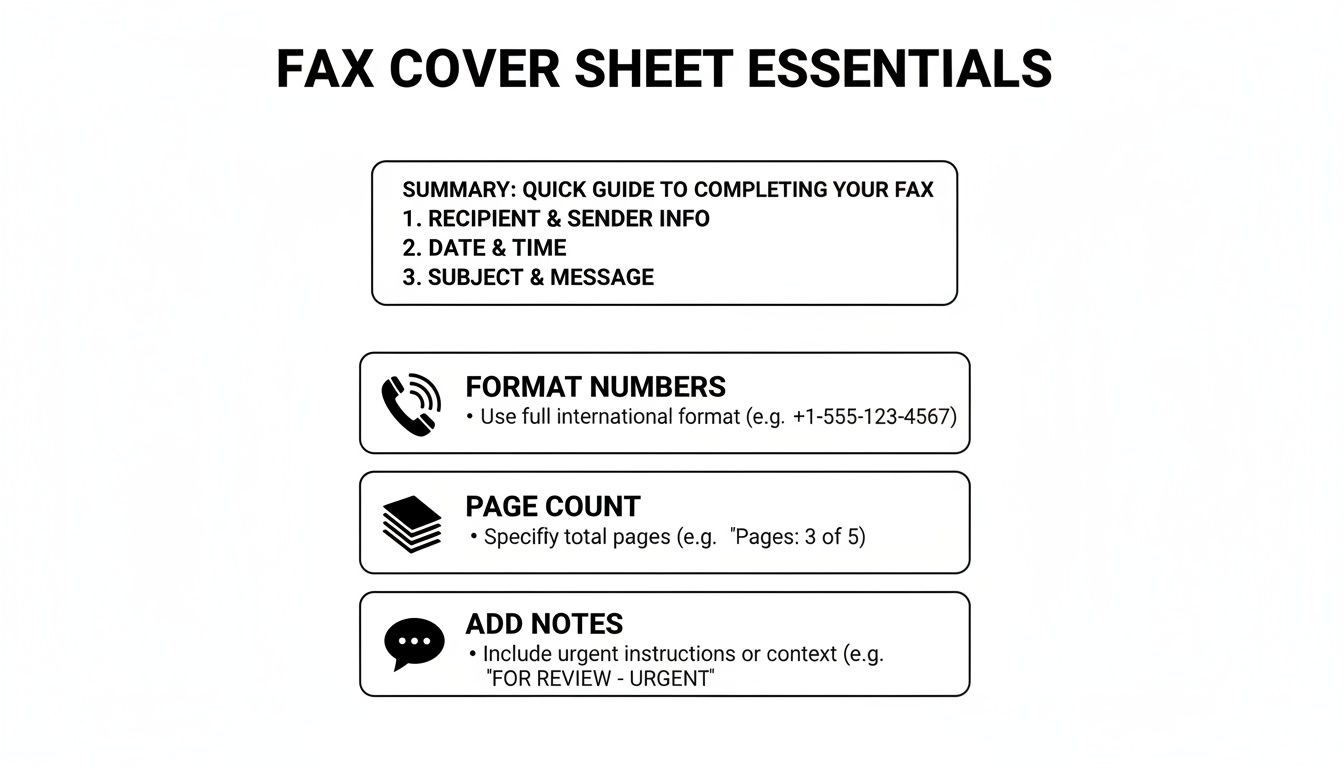
    Before you hit send, it's always a good idea to give your cover sheet a final once-over. This quick visual guide points out the key details that matter most.

    A guide to fax cover sheet essentials, including summary, formatting, page count, and notes.

    As the graphic shows, little things like double-checking the page count or ensuring the phone numbers are formatted correctly can make all the difference in a successful transmission.

    Make a Template Your Own

    After you download a template, feel free to tweak it. If you find yourself faxing the same client every week, why not save a version with their details already filled out? It’s a simple time-saver. For a deeper dive, check out our full guide on how to customize a fax cover sheet.

    A good template does more than just save you a few minutes; it signals professionalism. A well-organized cover sheet shows you care about the details, which sets the right tone before your recipient even gets to the first page.

    Using one of our templates is the fastest way to avoid common mistakes and ensure your fax makes the right first impression every time.

    Common Faxing Mistakes You Can Easily Avoid

    Even with the perfect cover sheet, simple slip-ups during the faxing process can cause major headaches. A contract sent to the wrong person or a medical file that cuts off halfway through can have real consequences.

    Let's look at some of the most common—and easily fixable—mistakes I see people make all the time.

    The Pesky Page Count

    One of the most frequent flubs is getting the page count wrong. It sounds minor, but it matters. People often forget to include the cover sheet in their total. This leaves the person on the other end wondering if their machine jammed or if the transmission was incomplete, leading to wasted time with follow-up calls and confusion.

    Always double-check that your total page number includes the cover sheet itself. It's a small detail that makes a big difference.

    Readability is Everything

    Another classic mistake is sending a document that’s a blurry, illegible mess. If you're scanning something with faint handwriting or low-contrast text, it’s not going to get any better after being transmitted over a fax line. What’s the point of sending it if no one can read it?

    Before you hit send, do a quick preview. Make sure every word is crisp and clear, especially for signed agreements or detailed forms where every single detail is crucial.

    Don't Skip the Confidentiality Notice

    This one is huge. Forgetting to include a confidentiality notice, especially when you're sending sensitive information, is probably the most critical mistake you can make. It's an absolute must in fields like healthcare and legal.

    Believe it or not, the healthcare industry alone was responsible for over 9 billion of the 17 billion faxes sent worldwide back in 2019. It’s a testament to the fact that faxing is still a workhorse technology, as detailed in this article on the endurance of fax technology in modern communication. When that much protected health information (PHI) is flying around, that little disclaimer is your first line of defense.

    A clear confidentiality statement isn't just a suggestion; it's a vital layer of protection. It formally notifies any unintended recipient that the contents are private and legally privileged, instructing them not to read, copy, or distribute the information.

    If you work in a medical field, getting this right is non-negotiable for staying compliant. To make sure your documents are up to snuff, check out our guide on creating a HIPAA-compliant fax cover sheet.

    Avoiding these simple errors will help you build a reliable and secure faxing habit every single time.

    Using Cover Sheets With Online Fax Services

    Laptop and documents on a wooden desk, highlighting online faxing services.

    Moving from a clunky machine to an online fax service makes sending documents a whole lot easier. It also changes how you deal with a generic fax cover sheet. Forget about printing a separate page—modern platforms like SendItFax build the cover sheet right into the sending process.
    As you get your documents ready to send, you’ll usually see an option to add a cover page. This is where you can type your message directly into a text field. The service then automatically generates a clean, professional cover sheet using your sender and recipient details, which saves a ton of time.

    This seamless process is a big part of why faxing is still so relevant. Believe it or not, a 2023 study found that 82% of companies in Germany still regularly use fax because it provides a verifiable delivery and a solid paper trail. If you're curious why it's still so popular, you can read about its role in international business on faxination.com.

    Customization and Control

    Online fax services also give you a level of flexibility you just don't get with an old-school machine. A free plan might include the provider's branding on the cover page, which is perfectly fine for occasional use. But for business communications, upgrading to a paid plan usually removes that branding for a more polished look.

    The real advantage of online services is control. You can choose to add a detailed cover message for one fax and then decide to omit the cover sheet entirely for the next one, all with a single click.

    This kind of on-the-fly control fits perfectly with modern workflows. You get all the security and formality of a traditional fax without being stuck in a rigid, one-size-fits-all process. If you’re just getting started with this approach, you can learn the basics of how to send a fax online and see for yourself how simple it is.
    Answering Your Top Fax Cover Sheet Questions

    Even once you get the hang of filling out a fax cover sheet, a few common questions always seem to pop up. Let's tackle some of the most frequent ones so you can send your next fax with total confidence.

    A big one I hear all the time is, "Is a cover sheet legally required?" For most day-to-day business faxes, the answer is no—there isn't some universal law that says you have to use one. But when you're working in regulated fields like healthcare or law, using a cover sheet isn't just a good idea; it's a critical best practice for staying compliant.

    Think about it from a healthcare perspective. A cover sheet with a HIPAA disclaimer is your first line of defense in protecting patient health information (PHI). It immediately alerts anyone who sees it that the contents are confidential, which is a massive part of maintaining security and preventing an accidental breach.

    Can I Just Make My Own Cover Sheet?

    You absolutely can, and you don't need any fancy software to do it. A simple document created in Microsoft Word or Google Docs will work just fine.

    If you want to create your own, it's pretty straightforward:

    • Start with a blank document and give it a clear, bold title at the top, like "Fax Cover Sheet" or "Facsimile Transmittal."
    • Next, add the essential fields we've already covered: To, From, Date, Subject, and the Total Page count (don't forget to include the cover page itself in this number!).
    • Make sure to leave a decent-sized section for comments or any special instructions.
    • Finally, if you're sending anything sensitive, add a confidentiality notice at the bottom.

    Just save this file as a template on your computer, and you’ve got a go-to cover sheet ready whenever you need one. It's a simple and completely free solution that gets the job done.

    What Is a Confidentiality Notice, Anyway?

    A confidentiality notice is that formal-looking paragraph you often see at the bottom of a cover sheet. Its job is to warn anyone who lays eyes on the fax that the information is private and meant only for the person it's addressed to. It's a legal safeguard that can be incredibly important if your fax ends up in the wrong hands.

    This notice isn't just filler text; it’s a direct instruction. It clearly states that the information is privileged and that anyone who isn't the intended recipient is strictly prohibited from reading, copying, or sharing it.

    You should always include one when you're faxing things like:

    • Legal documents or signed contracts
    • Medical records or any patient data
    • Financial statements or personal information
    • Internal company memos that aren't meant for public release

    Here’s a classic example you can adapt for your own use:
    "CONFIDENTIALITY NOTICE: The documents accompanying this transmission contain confidential information belonging to the sender that is legally privileged. This information is intended only for the use of the individual or entity named above. If you are not the intended recipient, you are hereby notified that any disclosure, copying, distribution, or action taken in reliance on the contents of this information is strictly prohibited."


    Ready to send a fax without the fuss? SendItFax lets you upload your documents, add a professional cover page, and send your fax in minutes—no account or fax machine needed. Try it now at https://senditfax.com.

  • Mastering the Generic Fax Coversheet Your Free Template

    Mastering the Generic Fax Coversheet Your Free Template

    Think of a generic fax coversheet as the handshake that precedes your important documents. It's the first thing your recipient sees, and it sets the stage by providing all the critical information at a glance: who it's from, who it's for, how many pages are included, and a quick note about the contents. This simple page prevents your carefully prepared fax from getting lost in the shuffle and ensures it lands in the right hands.

    Why Your Fax Coversheet Still Matters

    A person's hand near a laptop and stacked documents on a wooden desk, with 'FAX MATTERS' overlay.

    With email and instant messaging being the norm, it’s easy to think of the fax machine as a dusty relic. But for many critical industries—like healthcare, law, and finance—faxing is very much alive and well. The coversheet, in turn, is more than just a formality; it’s a crucial tool for professional communication.

    At its core, a fax cover page is a routing slip and a professional greeting all in one. It serves a few vital purposes that shouldn't be overlooked:

    • It Guides Your Document Home: In a large company, one fax number might serve dozens of people. The coversheet clearly names the intended recipient, making sure it doesn’t end up on the wrong desk.
    • It Provides Instant Context: The recipient immediately knows who sent the fax, what it's about, and how many pages to expect. This simple step heads off any confusion or claims that a page went missing.
    • It Looks Professional: A clean, organized coversheet shows you're thorough and take your communications seriously. It’s the fax equivalent of using proper letterhead.
    • It Can Offer a Layer of Privacy: Many coversheets include a standard confidentiality notice, which is an important legal safeguard when dealing with sensitive information.

    The Numbers Don't Lie: Faxing Is Here to Stay

    Fax technology has stuck around for good reason. It offers a unique level of security and verifiability that other digital methods can struggle to match. The stats back this up. A few years back, in 2019, a staggering 17 billion documents were still being faxed globally.

    What's really telling is that the U.S. healthcare industry was behind over 9 billion of those pages. That's a massive reliance on a technology many thought was obsolete. For more on this, the Communications of the ACM has a fascinating piece on why faxing has remained so resilient in business.

    A fax creates a direct, point-to-point connection that's harder to intercept than an email. This is why it’s still the trusted method for sending legally binding contracts or sensitive patient records. It’s less about being "old tech" and more about being a specialized tool for secure document delivery.

    To help you get this right, here’s a quick rundown of what every effective coversheet needs.

    Essential Elements of an Effective Fax Coversheet

    Component Purpose Pro Tip
    Sender Information Clearly identifies you or your company. Include your name, company name, phone number, and fax number.
    Recipient Information Ensures the fax reaches the correct person. Always list the recipient's full name, company, and direct fax number if available.
    Date and Time Provides a timestamp for the transmission. This is crucial for record-keeping and establishing a timeline.
    Page Count Confirms the total number of pages sent. Always include the cover page in your total count (e.g., "1 of 5 pages").
    Subject Line Gives the recipient immediate context. Be specific, like "Signed Contract for Project Alpha" instead of just "Contract."
    Brief Message/Notes Allows for additional instructions or comments. Use this for urgent flags or a quick summary of the attached documents.

    Getting these basics on your coversheet every time ensures your communication is clear, professional, and lands exactly where it needs to.

    Modern online services like SendItFax make this even easier by bridging the gap. You get the rock-solid reliability of traditional faxing through a simple online platform, no clunky machine required. Understanding the built-in security advantages of faxing helps clarify why it’s often the smarter choice over email.

    Ultimately, that generic fax coversheet isn't just an extra piece of paper. It’s a fundamental part of sending secure and effective business communications.

    Grab Your Free Fax Coversheet Template

    Let's get right to it. You need a solid fax coversheet, and I've got a couple of great, no-fuss options for you right here. No sign-ups or anything, just a direct download so you can get back to your day.

    I’ve designed two templates that should cover just about any situation you'll run into.

    • The Minimalist: This is my go-to for most faxes. It’s clean, simple, and has all the essential fields without any extra fluff. Perfect for quick, professional communications where you just need to get the job done.
    • The Professional: I put this one together for more formal settings—think law firms, medical offices, or corporate environments. It has more room for notes and includes a standard confidentiality disclaimer, which is a must-have in those fields.

    Both are available in the file formats everyone uses, so you won't have any trouble opening or editing them. Just pick the one that works for you and click to download.

    Download Your Template Now

    You can get your preferred format below. Whether you like to print and fill things out by hand or type directly into a document, you’re all set.

    • PDF Version: Best for universal compatibility. Print it out or use a PDF editor to fill in the blanks. The formatting will stay perfect no matter what device you're on.
    • DOCX Version: Grab this if you want to use Microsoft Word or Google Docs. It lets you type directly into the fields for a neat, polished look.

    Here’s a preview of what you’ll be getting.

    A laptop open on a wooden desk with several documents, featuring a 'FREE TEMPLATE' overlay.

    As you can see, the layout is clear and logical, with dedicated spaces for sender, recipient, and message information. From my experience, this kind of straightforward design is exactly what a busy receiving office appreciates—they can see who it's from and what it's about in a glance.

    My Two Cents: I always recommend saving a blank copy of the template to a folder you can easily find. Think of it as your personal "fax station." That way, you're never scrambling when something urgent comes up.

    Once you’ve got your template downloaded, the next step is filling it out properly. If you're looking for something a bit different, I’ve also compiled a whole library of other styles in this guide to finding the right fax cover sheet template PDF for any situation. Paying attention to these small details is what really makes your communications stand out.

    How to Fill Out Your Coversheet Correctly

    A person's hands holding a pen and filling out a document on a wooden desk with a laptop in the background.

    Having a great template is just the start—knowing how to fill it out properly is what really matters. A poorly completed coversheet can cause just as much confusion as sending a fax without one. Let's walk through each section so your information is clear, professional, and gets your document where it needs to go without a hitch.

    The whole point is to give the recipient everything they need to process your fax in seconds. This means focusing on legibility and accuracy. From my experience, a typed coversheet is always better than a handwritten one. It completely eliminates the risk of a smudged number or misread name that could send your fax into the void.

    Mastering the Essential Fields

    Think of the top section of your coversheet like the address on an envelope. It has to be crystal clear.

    • Sender & Recipient Details: Start with your own full name, company, and fax number. When it comes to the recipient, get as specific as you can. If you know the person’s name, use it. If not, their title or department works perfectly, like "Attn: Accounts Payable Department."

    • Date: Always include the date you're sending the fax. This creates a clear paper trail and is absolutely critical for time-sensitive documents like contracts or legal notices.

    • Number of Pages: This is a surprisingly common point of error. The universal rule is to always include the coversheet itself in the total count. So, if you're sending a 4-page report, the total number of pages is 5. This tells the recipient exactly how many sheets to look for and prevents any "I didn't get page three" headaches later.

    A common mistake I've seen is people writing "4 + cover" in the page count field. While the intention is good, the industry standard is to simply write the total number, such as "5." This avoids any ambiguity and aligns with how fax machines and recipients track pages.

    A good generic coversheet template will have clearly defined sections for sender and receiver details, keeping the layout clean and easy to scan. This simple, structured approach looks professional and makes sure your information is instantly understood.

    Crafting a Clear and Concise Message

    The message or comments section is your chance to provide a bit of context. It’s not meant for a long letter—that’s what your actual documents are for. You want to keep your message brief and to the point. The goal is to give the recipient a quick summary or specific instructions.

    For a deeper dive, our article on crafting the perfect fax cover letter is a great resource for different professional scenarios.

    Here are a few real-world examples:

    Scenario 1: Submitting a Signed Contract

    • Subject: Signed Contract Agreement for Project Phoenix
    • Message: "Please find the signed agreement for Project Phoenix attached. Let me know you've received it. Thanks, John."

    Scenario 2: Sending Patient Intake Forms

    • Subject: New Patient Forms for Jane Doe – Appt on 10/25
    • Message: "Attached are the completed new patient intake forms for Jane Doe's upcoming appointment. Please add these to her file."

    Scenario 3: Requesting Urgent Action

    • Subject: URGENT: Time-Sensitive Invoices for Approval
    • Message: "Urgent: Please review and approve the attached invoices by EOD today. Thank you for your prompt attention."

    Following these simple guidelines transforms your generic fax coversheet from a mere formality into a genuinely useful tool for clear and effective communication.

    Alright, you've got your generic fax cover sheet filled out and ready to go. Now for the easy part: sending it. Forget the clunky old fax machine humming in the corner. We're doing this online, which is faster, easier, and a whole lot more convenient.

    Two tablets on a wooden desk, one displaying 'Send Online' with a padlock icon, symbolizing secure digital communication.

    With a service like SendItFax, the final step is as simple as uploading a file from your computer.

    You'll just need to take your completed coversheet and your main document—whether they're saved together or as separate files—and upload them to the platform. Don't stress about file types. Common formats like PDF, DOC, and DOCX are all good to go, so you can create your documents in whatever program you're comfortable with, like Microsoft Word or Google Docs, without any extra hassle.

    Choosing the Right Plan for Your Needs

    When you're ready to send, you'll see two straightforward options. Picking the right one just depends on what you're sending and how you want it to look.

    • Free Plan: This is perfect for quick, informal faxes. You can send up to three pages plus your cover sheet at no cost. The only trade-off is that the cover sheet will include SendItFax branding. It’s a fantastic option for sending a simple form or a quick confirmation.

    • Almost Free Plan: For just $1.99, you get a serious upgrade. This plan bumps your page limit up to 25 pages, removes all branding for a polished, professional look, and gives your fax priority delivery. I always recommend this for business documents, contracts, or any time a clean presentation is important.

    A neat feature of the Almost Free plan is that you can choose to skip the cover page entirely. If your main document already has all the recipient info, or you're sending it to a private, dedicated line, this can save a step. Still, for most professional situations, including a proper generic fax coversheet is just good practice.

    Here's how I think about it: The Free plan is like sending a postcard—quick, easy, and great for casual messages. The Almost Free plan is like sending a formal letter in a company envelope. It signals a higher level of professionalism for important correspondence.

    A Smarter Way to Send

    Once your files are uploaded, the SendItFax interface walks you through the rest. You'll enter the sender and recipient details, which should be a breeze since you already have them on your coversheet. The system uses this info to route your fax correctly.

    The whole process is designed to be intuitive. It helps you fill in key details and double-checks that you haven't forgotten something critical—like the recipient's fax number—before you hit send. This built-in safety net catches common mistakes and takes the guesswork out of the equation.

    Ultimately, it makes online faxing feel as natural as sending an email, but with the legal standing and security that only fax can provide. By pairing a classic tool like the generic fax coversheet with modern tech, you get the best of both worlds: a seamless, reliable, and professional way to communicate.

    Making Your Coversheet Work for Your Industry

    A generic fax coversheet gets the job done, but true professionals know that a little customization goes a long way. Different fields have their own unspoken rules, expectations, and even legal requirements. Making a few small tweaks shows you know your audience, builds instant trust, and makes sure your documents get handled the right way.

    This is about more than just looking professional—it’s about smart communication and, in some cases, staying compliant. What you choose to include or leave out can completely change how your fax is received and processed. Let's walk through how to adapt your coversheet for a few common industries.

    Healthcare: Locking Down Confidentiality

    When you're dealing with healthcare documents, HIPAA (Health Insurance Portability and Accountability Act) isn't just a suggestion; it's the law. Your fax coversheet is your first line of defense for protecting sensitive patient information.

    The most important thing you can add is a bold, clear confidentiality notice. This isn't just boilerplate text—it's a critical legal safeguard.

    A Solid HIPAA Disclaimer Example:
    "The documents accompanying this transmission contain confidential health information that is legally privileged. This information is intended only for the use of the individual or entity named above. If you are not the intended recipient, you are hereby notified that any disclosure, copying, distribution, or action taken in reliance on the contents of these documents is strictly prohibited."

    This kind of direct language leaves no room for error and spells out the recipient's legal duties from the get-go. Faxing is still a massive part of this industry, by the way. Healthcare alone accounts for an incredible 9 billion fax pages sent in the U.S. each year. You can dig into some fascinating fax usage trends to see just how essential it remains for sectors like healthcare and law.

    Legal: It's All About Precision and Urgency

    In the legal world, every single detail counts. There's no room for ambiguity, so your coversheet has to be crystal clear. I always tell people to triple-check everything: recipient names, case numbers, and especially the fax number. One wrong digit could send privileged information to the wrong person, creating a major headache.

    Accuracy is just the start. Legal faxes often need to convey a sense of importance.

    • Flag the Urgency: Use the subject line or message area to make the priority obvious. Something like "URGENT: Response Required by EOD" or "TIME-SENSITIVE LEGAL DOCUMENT" ensures it doesn't get lost in a stack of papers.
    • Assert Privilege: Just like a HIPAA notice, a statement like "CONFIDENTIAL: ATTORNEY-CLIENT PRIVILEGED COMMUNICATION" is crucial when sending sensitive materials.

    Small Businesses & Freelancers: A Touch of Branding

    If you run a small business or work as a freelancer, think of your fax coversheet as another piece of marketing real estate. It’s one more chance to present a polished, professional image to your clients. Whether you're sending an invoice, a project proposal, or a signed contract, a sharp coversheet reinforces that you're the real deal.

    It’s easy to add your logo to the header of the DOCX template. That one small graphic instantly makes the document yours. I also like to use the message section for a quick, personal note. For example, "Attached is the signed contract for the web design project. We're excited to get started!" It’s a simple touch that turns a routine administrative task into a positive interaction.

    A Few Common Questions About Fax Coversheets

    Even with a great template ready to go, a few questions can still pop up. Let's run through some of the most common ones I hear, so you can send your next fax without a second thought.

    Do I Really Need to Use a Fax Coversheet Every Time?

    Honestly, if you're just faxing a lunch order to a colleague down the hall, you can probably skip it. But for almost any professional or secure communication, a coversheet is non-negotiable. Think of it as the envelope for your fax—it tells everyone where the document needs to go, who it's for, and what it's about.

    In fields like healthcare and law, a coversheet isn't just a courtesy; it's a critical part of maintaining compliance and privacy. For any real business, playing it safe and using a cover sheet is always the smart move. It ensures your important documents get to the right person and are handled properly.

    Does the Coversheet Count as One of the Pages?

    Yes, it absolutely does. This is a classic trip-up, but the rule is simple: the coversheet is always counted as page one.

    So, if you have a 4-page report to send, the number you'll write in the "Total Pages" field is 5. This little detail is a big deal because it lets the person on the other end know immediately if they've received the entire transmission. No missing pages, no confusion.

    Here’s a simple way I remember it: Picture feeding physical pages into an old fax machine. The coversheet goes in first, making it the first page of the total stack. Sticking to this standard practice keeps everything clear and straightforward.

    Is It Okay to Handwrite My Coversheet?

    Technically, you can, but I'd strongly advise against it. Typing the information into a template looks far more professional and, crucially, it cuts down on potential mistakes. Messy handwriting could easily turn a "7" into a "1," leading to a failed fax or, worse, sending your private documents to a complete stranger.

    Using a digital template, like the DOCX file we shared, makes sure every single detail is perfectly legible. It takes just a minute to type everything out, but that effort ensures you look polished and that your information is 100% accurate.

    How Safe Is It to Fax Sensitive Documents Online?

    It might sound counterintuitive, but using a trusted online fax service is often much more secure than the old shared machine sitting in the corner of the office. With a physical machine, your sensitive documents could be left in the output tray for anyone to see.

    When you use a service like SendItFax, your files are sent over an encrypted connection directly to the recipient's fax machine. For anything highly confidential, just be sure you're sending to a private, secure fax line. You can also add a stern confidentiality notice in the "Comments" section of your coversheet for an extra layer of protection.


    Ready to send your documents the easy, secure, and professional way? With SendItFax, you can send your fax in minutes without needing a machine or even an account. Just upload your files, fill out the details, and you're good to go.

    Try SendItFax today for fast and reliable online faxing.

  • 7 Professional Sample of Fax Cover Letter Templates for 2026

    7 Professional Sample of Fax Cover Letter Templates for 2026

    While faxing may feel like a tool from a bygone era, it remains a surprisingly vital method for secure document transmission in key sectors like law, healthcare, and finance. The fax cover letter isn't just a procedural step; it's the professional introduction to your documents, providing critical context and instructions for the recipient. A clear, well-structured cover letter ensures your sensitive information is routed correctly, prevents costly processing delays, and establishes a tone of professionalism from the very start.

    This guide moves beyond generic templates to provide a detailed breakdown of what makes a cover letter effective. We will dissect seven distinct examples tailored for common professional scenarios, from legal filings to medical records. For each sample of fax cover letter, we'll offer a strategic analysis, highlighting key components and providing actionable tips for customization. You'll learn the essential formatting rules-including subject lines, page counts, and confidentiality notices-and see how to implement them perfectly, ensuring your documents arrive securely and make the intended impact every single time.

    1. Professional Legal Document Transmission Cover Letter

    When legal professionals send documents via fax, the cover letter is more than a formality; it's a critical component of professional communication that upholds legal standards. This type of cover letter is specifically designed for transmitting sensitive materials like contracts, motions, or discovery documents. It prioritizes confidentiality, clearly states the privileged nature of the communication, and includes essential reference details like case numbers and matter names for immediate identification and proper handling by the recipient.

    A legal desk with a laptop, stacked documents, glasses, and a plant, featuring a 'CONFIDENTIAL LEGAL FAX' banner.

    Using a detailed and formal sample of fax cover letter for legal matters ensures that you comply with professional obligations and protect client information. The structure reinforces the document's importance and creates a clear record of transmission, which can be vital for court deadlines and procedural timelines.

    Strategic Breakdown

    This cover letter serves three primary strategic purposes: confidentiality, clarity, and compliance. The prominent confidentiality notice immediately alerts unintended recipients to the sensitive nature of the fax, instructing them on the required actions to protect privileged information. Including a specific case or matter name in the subject line allows a busy court clerk or opposing counsel's office to route the document correctly without delay.

    Key Takeaway: The legal fax cover letter acts as a procedural safeguard. It formally establishes the context and privileged status of the accompanying documents before the recipient even sees the first page of the filing.

    Furthermore, this method is crucial for maintaining a professional image. A well-structured cover letter signals diligence and attention to detail, reinforcing your firm's credibility. Given the sensitive nature of legal documents, understanding the security of fax transmissions is paramount to protecting client data.

    Actionable Tips for Legal Professionals

    To make this cover letter work effectively, customize it with precision.

    • Always Include a Case Caption: The subject line should contain the full case name and docket number (e.g., Subject: Smith v. Jones, Case No. 24-CV-1234).
    • Add a Callback Number: Provide a direct phone number for the sending attorney or paralegal to resolve any transmission issues, such as missing pages, immediately.
    • Use SendItFax for Professionalism: For client-facing or court-bound documents, use a paid SendItFax plan (like the Almost Free plan) to remove any third-party branding from the cover page.
    • Verify Page Count: Always double-check that the number of pages listed on the cover letter matches the total pages transmitted to prevent disputes over incomplete filings.

    2. Healthcare Patient Records and Authorization Cover Letter

    When transmitting Protected Health Information (PHI), a fax cover letter becomes an essential tool for maintaining HIPAA compliance and ensuring patient privacy. This sample of fax cover letter is specifically engineered for medical environments like clinics, hospitals, and diagnostic labs to send sensitive documents such as patient records, test results, or authorization forms. It prioritizes confidentiality with clear privacy warnings and includes critical identifiers like patient name and medical record number for accurate processing by the receiving healthcare provider.

    Stethoscope on patient records and clipboard on a white desk in a medical office setting.

    Using a standardized and compliant cover letter for healthcare faxes helps prevent accidental disclosure of PHI and creates a verifiable transmission log. This structure is vital for inter-office communication, such as when a primary care physician sends a consultation request to a specialist or a lab sends urgent pathology results to an oncologist.

    Strategic Breakdown

    This cover letter is built on three strategic pillars: compliance, verification, and urgency. The mandatory HIPAA confidentiality notice at the top immediately informs any unintended recipient of their legal obligation to destroy the information and notify the sender. Including the specific patient’s name and date of birth in the subject line allows a busy hospital department or specialist’s office to route the information to the correct file without delay.

    Key Takeaway: The healthcare fax cover letter functions as the first line of defense in protecting patient data. It formally establishes the confidential nature and intended recipient of the PHI before the records themselves are even viewed.

    This formal process is crucial for establishing a professional and secure communication channel between providers. A properly structured cover letter demonstrates a commitment to patient privacy and regulatory adherence. Understanding how to create a HIPAA-compliant fax cover sheet is a fundamental skill for any healthcare administrator.

    Actionable Tips for Healthcare Professionals

    To ensure this cover letter is effective, customize it with precision for every transmission.

    • Specify Patient Identifiers: Always include the patient's full name, date of birth, and Medical Record Number (MRN) in the subject line for unambiguous identification.
    • Verbally Confirm the Fax Number: Before sending highly sensitive PHI, make a quick phone call to the recipient's office to confirm the fax number is correct and active.
    • Use SendItFax for Larger Files: For multi-page patient records, the Almost Free plan accommodates up to 25 pages, ensuring complete medical histories can be sent in a single transmission.
    • State the Purpose Clearly: Use the message field to briefly state the reason for the fax (e.g., "Urgent pathology results for your review" or "Surgical consultation recommendation as requested").

    3. Real Estate Transaction and Closing Document Cover Letter

    In the fast-paced world of real estate, where deadlines are non-negotiable, a fax cover letter is a vital tool for ensuring accuracy and timeliness. This specialized cover letter is used by agents, title companies, and attorneys to transmit time-sensitive documents like purchase agreements, closing disclosures, and inspection reports. It is designed to provide maximum clarity, listing specific property addresses, transaction numbers, and even a checklist of the included documents to prevent miscommunication during a closing.

    Using a detailed sample of fax cover letter for real estate transactions creates a verifiable record of what was sent and when. This is crucial for maintaining compliance and ensuring all parties are on the same page, as a missing document can delay or jeopardize an entire sale.

    Strategic Breakdown

    This cover letter’s strategy is built on three pillars: organization, verification, and urgency. Including the property address and a transaction reference number in the subject line allows the recipient to immediately file the documents with the correct transaction. A checklist or detailed page count in the comments section acts as a manifest, enabling the receiving party to quickly verify that all required paperwork has been received and is complete.

    Key Takeaway: The real estate fax cover letter functions as an organizational and verification tool. It provides a clear, at-a-glance summary of the transaction's status and contents, minimizing the risk of errors tied to missing paperwork.

    This structured approach significantly enhances professionalism and efficiency. For time-critical transmissions, such as sending underwriting conditions to a buyer's attorney 48 hours before closing, this clarity is indispensable. Crafting a precise and informative fax cover letter is a key step in managing complex property deals.

    Actionable Tips for Real Estate Professionals

    To maximize the impact of your real estate fax communications, tailor your cover letter with these details.

    • Itemize the Contents: In the comments section, list each document and its page count (e.g., Pages 1-3: Purchase Agreement, Pages 4-5: Disclosures).
    • Include Multiple Contacts: List the phone numbers for the agent, attorney, and title company so the recipient can confirm receipt with the appropriate party immediately.
    • Choose the Right Plan: For transactions involving multiple documents (10+ pages), use a SendItFax paid plan like Almost Free to handle larger files and ensure a professional, ad-free appearance.
    • Send Ahead of Deadlines: Transmit documents at least 24 hours before a deadline to build in a buffer for resolving any potential transmission failures.

    4. Human Resources Employment and Benefit Form Cover Letter

    When HR departments transmit sensitive employee information like onboarding packets, tax forms, or benefits enrollment documents, the fax cover letter becomes a crucial tool for compliance and operational efficiency. This type of cover letter is specifically designed for sending confidential personnel files, ensuring that documents like I-9s, W-4s, or separation agreements are handled with the appropriate level of security and urgency. It prioritizes data privacy, clearly identifies the employee and the forms being sent, and provides routing instructions for immediate processing.

    Using a detailed and professional sample of fax cover letter for HR purposes ensures that you protect employee data and create a clear audit trail. The structure immediately signals the document's confidential nature and helps recipients, such as payroll processors or benefits administrators, handle the information correctly and without delay.

    Strategic Breakdown

    This cover letter is built around three strategic pillars: confidentiality, accuracy, and process integrity. The prominent confidentiality notice is essential for protecting Personally Identifiable Information (PII) and instructs unintended recipients on their legal obligation to not view or distribute the contents. Including specific details like an employee ID number and a clear description of the attached forms (e.g., "New Hire Onboarding Packet – John Doe") ensures accuracy and speeds up internal processing.

    Key Takeaway: The HR fax cover letter serves as a procedural gatekeeper. It formally establishes the sensitive context of the transmission, ensuring the documents are routed correctly and securely from the moment they are received.

    Furthermore, this formal approach reinforces the HR department's commitment to compliance and data security. A well-organized cover letter projects professionalism and meticulousness, which is vital when handling legally mandated employee paperwork and other sensitive information.

    Actionable Tips for HR Professionals

    To maximize the effectiveness of this cover letter, customize it for each specific HR task.

    • Be Specific in the Subject Line: Clearly state the purpose and the employee's name or ID (e.g., Subject: W-4 Update for Employee ID #98765).
    • Include Employee Contact Info: Add the employee’s direct contact details so HR can follow up quickly if any forms are incomplete or processed incorrectly.
    • Use SendItFax for Professionalism: For transmitting documents to external partners like benefits administrators, use a paid SendItFax plan to remove third-party branding and maintain a professional image.
    • Note Sensitive Sections: Clearly label which documents contain highly sensitive data, like Social Security numbers or salary details, with a confidentiality notation.

    5. Insurance Claim and Authorization Form Cover Letter

    When submitting insurance claims or authorization requests, the fax cover letter is a vital organizational tool that expedites processing. This type of cover letter is tailored for transmitting crucial documents like claim forms, medical records, damage photos, and police reports. It prioritizes clarity and comprehensive detail, including essential identifiers like policy numbers and claim reference IDs to ensure the documents are immediately routed to the correct claims adjuster or department.

    Using a detailed sample of fax cover letter for insurance paperwork helps prevent delays and misunderstandings. The structure acts as a checklist, ensuring all supporting documentation is accounted for and clearly itemized, which is critical for a smooth and efficient claims review process.
    Strategic Breakdown

    This cover letter is built on three strategic pillars: precision, organization, and urgency. Including the correct policy and claim numbers in the subject line is non-negotiable for immediate file matching. Itemizing each attached document in the body of the cover letter allows an adjuster to quickly verify that the submission is complete, preventing back-and-forth communication about missing items.

    Key Takeaway: The insurance fax cover letter serves as a manifest for your claim package. It provides the claims adjuster with an immediate, at-a-glance overview of the submission, setting a professional tone and facilitating a faster review.

    This organized approach is especially important for time-sensitive situations, such as pre-authorization requests for medical procedures or initial filings after an accident. A clear and comprehensive cover letter demonstrates diligence and helps move the claim forward, which can be critical when financial or medical outcomes are on the line.

    Actionable Tips for Insurance Submissions

    To maximize the effectiveness of this cover letter, focus on clarity and completeness.

    • List Every Document: Explicitly itemize every attachment in the cover letter body (e.g., Police Report (3 pages), Repair Estimate (2 pages), Damage Photos (4 pages)).
    • Verify the Fax Number: Call the insurance company's main line to confirm you have the correct fax number for the specific claims department to avoid misdelivery.
    • Add Direct Contact Info: Include your direct phone number and email so the adjuster can contact you immediately if any documents are unclear or missing.
    • Use a Paid SendItFax Plan: For claims involving multiple pages or photo evidence, use the Almost Free plan to handle larger files and remove third-party branding for a more professional look.

    6. Government Agency and Regulatory Compliance Document Cover Letter

    When submitting documents to government agencies, a formal fax cover letter serves as a crucial administrative tool. This sample of fax cover letter is designed for transmitting filings like tax returns, licensing applications, or regulatory reports. It prioritizes accuracy and documentation, clearly listing reference numbers, compliance deadlines, and submission codes to ensure the documents are correctly processed by the receiving agency.

    Using a detailed cover letter for government submissions is essential for creating a verifiable record of your filing. This structure helps prevent documents from being misplaced and provides proof of timely submission, which is critical for meeting legal deadlines for tax filings, permit requests, and audit responses.

    Strategic Breakdown

    This cover letter focuses on three strategic pillars: documentation, clarity, and proof of submission. Including specific details like a filing code, case number, or deadline in the subject line allows agency staff to immediately identify and route the documents. Listing every attached document and exhibit with page counts provides a clear inventory for the receiving clerk, reducing the risk of claims about incomplete submissions.

    Key Takeaway: The government agency cover letter is more than a transmittal slip; it is your official record of compliance. It formalizes the submission and provides a clear, auditable trail that can protect you or your organization from penalties associated with missed deadlines or lost paperwork.

    This approach reinforces your diligence and commitment to regulatory requirements. For small businesses or nonprofits without dedicated compliance staff, this structured communication is vital for navigating complex bureaucratic processes. Retaining the transmission report is as important as the cover letter itself.

    Actionable Tips for Government Filings

    To ensure your submission is processed correctly, customize this cover letter with precision.

    • Confirm Fax is an Accepted Method: Always call the agency first to verify they accept fax submissions and confirm you have the correct, most current fax number. Many departments now prefer online portals.
    • Itemize All Attachments: In the body of the cover letter, list every single document, form, and exhibit included in the transmission (e.g., Form 990-EZ (3 pages), Schedule B (2 pages)).
    • State the Deadline: Prominently mention the compliance deadline (e.g., Subject: Q3 Tax Filing for J. Doe LLC, Due October 15, 2024) to demonstrate your intent for timely filing.
    • Retain Your Proof: Always save the SendItFax transmission confirmation email. This digital receipt is your proof of submission should the agency question the filing date.

    7. Freelancer and Small Business Invoice and Contract Negotiation Cover Letter

    For freelancers and small business owners, every client interaction is an opportunity to reinforce professionalism and efficiency. When transmitting invoices, proposals, or contracts via fax, a well-structured cover letter becomes a vital tool for clear communication. This type of cover letter is tailored for business-critical documents, ensuring that key information like invoice numbers, project details, and payment terms are highlighted for prompt client action. It bridges the gap between a simple document transfer and a professional, organized business correspondence.

    A modern business desk with a laptop, notebooks, pen, and an invoice and contract document.

    Using a sample of fax cover letter designed for business transactions ensures clarity and helps expedite processes like payments and contract approvals. Whether a freelance designer is submitting a final invoice or a consultant is sending a signed agreement, this cover letter adds a layer of formality and provides an immediate reference for the client, reducing potential confusion or delays.

    Strategic Breakdown

    This cover letter is built on three strategic pillars: clarity, actionability, and professionalism. By clearly stating the document's purpose (e.g., "Invoice for Project X" or "Signed Contract for Services"), it eliminates ambiguity. Including specific reference numbers and payment details makes the document immediately actionable for the client's accounting or legal department. This attention to detail reflects a high level of professionalism, which is crucial for building and maintaining strong client relationships.

    Key Takeaway: The freelancer's fax cover letter serves as a professional handshake that guides the client on what to do next. It transforms a simple document transmission into a clear call to action, speeding up payments and approvals.

    Furthermore, this approach is essential for effective project management. For contract negotiations, including a brief note about specific redlines in the cover letter directs the client's attention immediately to the key points of discussion. This simple step can significantly shorten the negotiation cycle and get projects started faster.

    Actionable Tips for Freelancers and Small Businesses

    To maximize the impact of this cover letter, tailor it to each specific transaction.

    • Specify the Purpose in the Subject Line: Be direct and clear. Use subjects like Subject: Invoice #1234 – Final Payment for Web Design Services or Subject: Signed Master Services Agreement.
    • Include Clear Payment Instructions: Don't make clients search for payment details. Briefly mention payment methods (e.g., "Payment can be made via bank transfer or PayPal") directly in the cover letter body to encourage quick processing.
    • Use SendItFax for a Polished Look: For high-value clients or critical contracts, use a paid SendItFax plan (like the Almost Free plan) to send a clean, unbranded cover page that reinforces your professional image.
    • Add a Direct Contact Number: Provide your direct phone number so the client can easily call to confirm receipt or ask questions about the invoice or contract, preventing email back-and-forth.

    7-Example Fax Cover Letter Comparison

    Title Implementation Complexity 🔄 Resources & Recommended Plan ⚡ Expected Outcomes ⭐ / Impact 📊 Ideal Use Cases 💡 Key Advantages ⭐
    Professional Legal Document Transmission Cover Letter High 🔄 — multiple custom fields, privilege & case validation Requires case identifiers, page-count checks; Recommend Almost Free ($1.99) for >3 pages ⚡ Strong compliance/audit trail; protects privileged communications ⭐📊 Court filings, inter-firm transmissions, time-sensitive client documents 💡 Protects privilege, professional appearance, deadline support ⭐
    Healthcare Patient Records and Authorization Cover Letter High 🔄 — HIPAA language, patient verification, consent tracking Needs patient identifiers, consent docs; Recommend Almost Free ($1.99) for multi-page records ⚡ HIPAA-compliant transmissions; reduced liability and secure PHI handling ⭐📊 Lab results, authorizations, telehealth records transfers 💡 Demonstrates compliance, protects patient data, supports telehealth ⭐
    Real Estate Transaction and Closing Document Cover Letter Medium 🔄 — property IDs, checklists, multi-party fields Multi-document organization; Recommend Almost Free ($1.99) for 4+ documents or 10+ pages ⚡ Fewer missing docs at closing; organized transaction trail ⭐📊 Purchase agreements, title/closing packages, lender/agent coordination 💡 Prevents missing documents, streamlines coordination, maintains records ⭐
    Human Resources Employment and Benefit Form Cover Letter Medium 🔄 — multiple form types, employee identifiers Multiple forms may need higher page limit; Recommend Almost Free ($1.99) for multi-form submissions ⚡ Faster form processing; documented HR compliance and delivery ⭐📊 Onboarding packets, W-4/I-9 transmissions, benefits enrollments 💡 Consolidates forms, prevents processing delays, supports remote HR ⭐
    Insurance Claim and Authorization Form Cover Letter Medium 🔄 — claim IDs, attachments, urgency indicators Photo-heavy claims may exceed limits; Recommend Almost Free ($1.99) for multi-document claims ⚡ Accelerated claims handling; timestamped submission record for disputes ⭐📊 Auto/property claims, pre-authorizations, damage documentation 💡 Speeds claim processing, reduces follow-ups, creates proof of submission ⭐
    Government Agency and Regulatory Compliance Document Cover Letter High 🔄 — filing codes, statute references, strict formats Verify agency fax acceptance; use Almost Free ($1.99) for exhibits (up to 25 pages) ⚡ Timely filings and official submission record for audits and penalties ⭐📊 Tax returns, licensing renewals, permit/regulatory filings 💡 Provides compliance evidence, deadline proof, audit support ⭐
    Freelancer and Small Business Invoice and Contract Negotiation Cover Letter Low 🔄 — invoice/contract fields, payment terms Simple invoices may fit free plan; use Almost Free ($1.99) to remove branding and support multi-page contracts ⚡ Professional client communication; clearer payment terms and submission timestamps ⭐📊 Invoicing, contract negotiations, proposals, small-business transactions 💡 Builds credibility, documents submission dates, enables remote transmission ⭐

    Your Next Steps for Flawless Faxing

    Moving beyond a generic fax cover sheet to a purpose-built template is the single most effective way to improve the clarity and professionalism of your communications. As we've explored through a variety of industry-specific examples, from legal filings to healthcare records, a well-crafted cover letter does more than just announce a document's arrival. It sets the context, establishes urgency, and reinforces the confidentiality required for sensitive transmissions.

    The core principle is clear: match the template to the task. A casual invoice cover sheet for a freelance client will differ significantly from the formal, detailed cover letter required for a government agency submission. Your goal is to eliminate any potential for confusion or delay on the recipient's end. A precise sample of fax cover letter acts as your professional introduction, ensuring the document is routed correctly and acted upon swiftly.

    Key Takeaways for Immediate Application

    To transform these examples into effective practice, focus on these critical, non-negotiable elements for every fax you send:

    • Verify Recipient Details: Double-check the recipient's name, title, and fax number before transmission. A simple typo is the most common reason for failed or misdirected faxes.
    • Accurate Page Count is Crucial: Always include the total number of pages, including the cover sheet itself (e.g., "1 of 5," "2 of 5"). This simple step allows the recipient to confirm they have received the complete document, preventing follow-up calls and delays.
    • Leverage the Subject Line: The subject line is your headline. Make it specific and informative. Use reference numbers, case IDs, patient names, or invoice numbers to provide immediate context.
    • Include a Confidentiality Notice: For any document containing personal, financial, legal, or medical information, a confidentiality statement is not just a best practice; in some industries, it's a legal and ethical necessity.

    From Sample to Success: Making It Your Own

    The templates provided in this article are powerful starting points, but their true value is realized through thoughtful customization. Think of each sample of fax cover letter as a strategic framework. Before you send your next fax, take a moment to review the corresponding sample and ask yourself: "What one small change can I make to add more clarity for my recipient?"

    Often, it's as simple as adding a specific "Requested Action" or bolding a critical deadline. This deliberate approach transforms a standard administrative task into a clear, professional, and effective communication tool. By mastering the art of the fax cover letter, you ensure your important documents don't just arrive; they command attention and get results. This small investment of time upfront pays dividends in efficiency, compliance, and professional reputation, ensuring your message is always received exactly as you intended.


    Ready to send your perfectly crafted fax with confidence? SendItFax integrates seamlessly with these principles, allowing you to upload your document, customize a professional cover page from our templates, and transmit it securely in minutes. Skip the hardware and start faxing smarter today at SendItFax.

  • The 12 Best Printable Fax Cover Sheet Resources for 2025

    The 12 Best Printable Fax Cover Sheet Resources for 2025

    While faxing remains a critical tool for transmitting sensitive documents in legal, medical, and corporate fields, a professional printable fax cover sheet is more than just a formality. It’s the first impression of your document, ensuring it reaches the right person, conveys urgency, and maintains confidentiality. Creating one from scratch, however, can be a time-consuming and unnecessary task when you need to send a document quickly.

    This guide solves that problem. We have curated a definitive list of the 12 best resources for high-quality, free, and premium fax cover sheet templates. You'll find options for every possible use case, from basic personal memos to HIPAA-compliant medical forms and polished corporate designs. Each entry includes a direct link and a clear preview, so you can quickly find the perfect fit.

    We'll explore a variety of sources, including well-known platforms like Microsoft and Adobe, specialized template sites like Vertex42, and even online fax services that offer free resources. Forget wasting time on design; this article provides the direct path to a professional-looking fax transmission. We will also provide brief instructions on how you can customize and send these documents using an online service like SendItFax, streamlining your entire workflow.

    1. Microsoft Create (formerly Office Templates)

    For those who prefer working within the familiar Microsoft Office ecosystem, Microsoft Create is the definitive starting point. It provides an official library of free, printable fax cover sheet templates designed specifically for Word and Excel. This makes it an ideal choice for professionals and businesses who need to maintain consistent branding and document standards without relying on third-party design software. The templates are clean, professional, and built for function over flair.

    Microsoft Create (formerly Office Templates)

    The primary advantage is trustworthiness and ease of use. Since these are official Microsoft templates, they are guaranteed to be compatible and well-formatted, eliminating common issues like alignment errors. Editing is straightforward: download the .docx file, open it in Word, and replace the placeholder text. You can easily insert your company logo, adjust fonts, and change colors to match your brand identity. For further guidance on what to include, you can review some effective fax cover letter examples.

    Key Features and Assessment

    Feature Assessment
    Cost Completely free to download and use.
    File Formats Primarily Microsoft Word (.docx) and some Excel (.xlsx).
    Ease of Use Excellent for anyone comfortable with Microsoft Office.
    Customization High. Full control over text, logos, and branding within Word.
    • Pros: Trustworthy source, works offline once downloaded, high compatibility with Office software.
    • Cons: Requires Microsoft Word or Excel for full editing capabilities, designs are more traditional and less creative.

    Website: https://create.microsoft.com/

    2. Adobe Express Templates

    For users who prioritize visual appeal and quick in-browser editing, Adobe Express is a fantastic resource. It offers a vast library of professionally designed printable fax cover sheet templates that can be customized without needing any desktop software. This makes it a great choice for creatives, small businesses, and anyone wanting to produce a modern, branded fax cover in minutes. The templates are more visually dynamic than traditional options and focus on a blend of style and function.

    Adobe Express Templates

    The key benefit is the powerful yet intuitive drag-and-drop editor. You can access it from any web browser, change fonts, add your logo, and adjust layouts with ease. Once your design is complete, you can download it as a print-ready PDF file. While many templates are free, some premium designs and features require a subscription. However, the free selection is often more than sufficient for creating a polished and effective fax cover sheet.

    Key Features and Assessment

    Feature Assessment
    Cost Freemium model; many templates are free, others require a subscription.
    File Formats Primarily PDF, with options for JPG and PNG.
    Ease of Use Excellent. The in-browser editor is intuitive for all skill levels.
    Customization Very high. Extensive control over design elements, fonts, and colors.
    • Pros: Modern and visually appealing designs, accessible on any device, easy drag-and-drop customization.
    • Cons: Requires an Adobe account to save or download, some of the best templates are behind a paywall.

    Website: https://www.adobe.com/express/templates/cover/fax?utm_source=openai

    3. Vertex42

    Vertex42 is a well-established resource for practical document templates, offering a no-nonsense collection of printable fax cover sheet options. It stands out by providing templates in multiple formats, including Microsoft Word, Excel, and even Google Sheets. This variety caters to users who might prefer a spreadsheet interface for data entry or need to batch-print multiple blank cover sheets for manual use in an office setting.

    Vertex42

    The primary appeal of Vertex42 lies in its functional, minimalist design. The layouts are clean, print well, and include ample white space for handwritten notes if needed. You can download an editable PDF to fill out on your computer or a Word document for more thorough customization. While the website interface contains ads, the templates themselves are straightforward and highly practical for business or personal communication where function is more important than creative design.

    Key Features and Assessment

    Feature Assessment
    Cost Free for personal use.
    File Formats Word (.docx), Excel (.xlsx), PDF, and Google Sheets.
    Ease of Use Very good. Simple downloads with clear instructions.
    Customization Good. Editable in their native applications (Word, Excel, etc.).
    • Pros: Multiple file formats available, minimalist layouts print cleanly, great for batch printing.
    • Cons: Limited aesthetic variety, the website page features advertisements.

    Website: https://www.vertex42.com/ExcelTemplates/fax-cover-sheet.html?utm_source=openai

    4. eFax (Free Fax Cover Sheet Templates)

    As a major player in the online faxing industry, eFax provides a valuable resource of free, printable fax cover sheet templates. These are available to everyone, not just their subscribers. The collection is notable for its clear categorization, offering designs tailored for business, confidential, personal, and modern use cases. This makes it an excellent choice for users who need a specific type of cover sheet without having to design it from scratch. The designs are professional and standardized, focusing on clarity and essential information.

    eFax (Free Fax Cover Sheet Templates)

    The standout feature is the inclusion of specialized templates, particularly for healthcare. eFax offers a HIPAA-compliant cover sheet, which is a crucial tool for medical professionals who need to ensure patient privacy. Each template category comes with clear usage instructions. While the site does promote eFax's paid services, the templates themselves are completely free to download and print. You can find a more detailed breakdown of a great fax cover sheet PDF template to see what fields are essential.

    Key Features and Assessment

    Feature Assessment
    Cost Completely free to download and use.
    File Formats Primarily PDF.
    Ease of Use Very simple; just download the PDF and print.
    Customization Low. As PDFs, they are not easily editable. Best for printing as-is.
    • Pros: Excellent selection of category-specific templates, includes a HIPAA-compliant option, professional designs.
    • Cons: Prominently advertises paid eFax services, PDF format limits easy customization, requires navigating through categories.

    Website: https://www.efax.com/fax-cover-sheets?utm_source=openai

    5. iFax (Template Library)

    iFax offers a comprehensive library of printable fax cover sheet templates categorized by industry and style, such as Office, Classic, Modern, and even HIPAA-compliant designs. This makes it a valuable resource for professionals in regulated fields who need specialized documents. Users can preview each template before downloading, ensuring they select the right format for their specific communication needs. The focus on vertical-specific layouts is its key differentiator.

    iFax (Template Library)

    The platform provides downloads in both PDF and Word (.doc) formats, offering flexibility for users who want to either print immediately or make detailed edits. While the templates are free, the site does promote the iFax sending service, and some pages contain dense SEO text. However, the quality and specificity of the templates, especially the HIPAA-compliant options for medical use, make it a go-to for specialized business requirements. Simply find your needed design, download it, and fill it out for a polished and professional fax.

    Key Features and Assessment

    Feature Assessment
    Cost Completely free to download and use.
    File Formats PDF and Microsoft Word (.doc).
    Ease of Use Good. Clear previews make selection easy.
    Customization High for Word files; PDF files are print-ready but not editable.
    • Pros: Excellent selection of vertical-specific templates (e.g., medical), offers both PDF and DOC formats, clear previews.
    • Cons: Marketing for the iFax app is interspersed, some pages are heavy on SEO-focused content.

    Website: https://www.ifaxapp.com/free-fax-cover-sheets/office-fax-cover-sheet/?utm_source=openai

    6. MyFax (Free Fax Cover Sheets)

    As a long-standing player in the online fax service industry, MyFax also provides a valuable collection of free, printable fax cover sheet templates. These are offered in .doc format, making them an excellent resource for users who prefer to edit documents in Microsoft Word. The templates are neatly categorized into business, personal, and healthcare-specific styles, providing a solid foundation for various professional needs.

    MyFax (Free Fax Cover Sheets)

    The primary benefit of MyFax is its straightforward approach. The website offers clear, step-by-step instructions on how to download, edit, and use the cover sheets, which is helpful for those less familiar with the process. While the site naturally promotes its own paid faxing service, accessing the templates is completely free and requires no signup. The designs are functional and professional, prioritizing clarity over creative aesthetics, which is ideal for corporate or formal communication.
    Key Features and Assessment

    Feature Assessment
    Cost Completely free to download and use.
    File Formats Microsoft Word (.doc) only.
    Ease of Use Very good, especially with the provided step-by-step guidance.
    Customization High. All text fields, fonts, and logos are editable in Word.
    • Pros: Straightforward downloads, easy to customize with Word, helpful usage tips.
    • Cons: Fewer modern designs than dedicated platforms, site heavily encourages MyFax service signup.

    Website: https://www.myfax.com/free-fax-cover-sheets

    7. FaxBurner (Free Cover Sheets)

    FaxBurner offers a collection of clean, modern, and printable fax cover sheet templates that are ideal for users who prioritize simplicity and efficiency. While the company promotes its online faxing app, it provides these resources completely free, categorized for specific needs like Basic, Urgent, and Confidential. This makes it a great stop for anyone needing a functional, no-frills cover sheet without navigating a massive template library.

    FaxBurner (Free Cover Sheets)

    The standout feature is its multi-format availability. Each design is available for instant download as a PDF, Microsoft Word (.docx), or even an Apple Pages file. This cross-platform support is a significant convenience, catering to both Windows and Mac users without requiring file conversions. The layouts are minimalist, ensuring your critical information is front and center and your fax appears professional and easy to read.

    Key Features and Assessment

    Feature Assessment
    Cost Completely free to download and use.
    File Formats PDF, Microsoft Word (.docx), Apple Pages (.pages).
    Ease of Use Excellent. Simple website layout with direct download links.
    Customization Good. The Word and Pages files are fully editable.
    • Pros: Offers templates in multiple formats (PDF, Word, Pages), clean and minimalist designs, categorized for easy selection.
    • Cons: A much smaller library compared to dedicated template sites, the website's main focus is promoting its faxing service.

    Website: https://www.faxburner.com/homepage/basic-fax-cover-sheets?utm_source=openai

    8. Template.net

    For users seeking variety above all else, Template.net offers one of the most extensive libraries of printable fax cover sheet templates available. The platform stands out by providing designs across a massive range of file formats, including Word, Google Docs, PDF, Excel, and even Apple Pages. This makes it a versatile hub for individuals and businesses, regardless of their preferred software ecosystem, with options tailored for specific industries like medical, legal, and real estate.

    Template.net

    The platform offers both free and premium templates, allowing you to filter by your needs. A unique feature is the in-browser editor, which lets you make quick customizations before downloading the final document. While many basic designs are free, some of the more specialized or polished templates require a premium subscription. The site’s broad compatibility ensures you can find a professional-looking template that works natively with your document workflow, whether you're using Microsoft Office or Google Workspace.

    Key Features and Assessment

    Feature Assessment
    Cost Freemium model; many free templates, with more behind a subscription.
    File Formats Excellent variety: Word, Google Docs, PDF, Excel, Apple Pages/Numbers.
    Ease of Use Good. Offers direct download or a simple in-browser editor.
    Customization High. Both the editor and native files allow for full customization.
    • Pros: Extremely broad catalog with frequent updates, supports both MS Office and Google formats, industry-specific designs.
    • Cons: Some of the best templates are gated behind a premium plan, website has noticeable marketing copy.

    Website: https://www.template.net/fax-cover-sheet?utm_source=openai

    9. FaxItOnce – Free Cover Sheet Generator

    For those who need a printable fax cover sheet immediately without opening any software, FaxItOnce provides a free, browser-based generator. This tool is designed for speed and simplicity, making it perfect for urgent, one-off faxes. Users are guided through a simple form where they input sender, recipient, and message details, and the platform instantly generates a professional, print-ready PDF. It strips away the need for design skills, focusing purely on function.

    FaxItOnce – Free Cover Sheet Generator

    The primary benefit of FaxItOnce is its efficiency. There is no software to install or template to download; the entire process happens online. After filling in the fields, you simply click to generate the PDF, which can be printed or saved. This streamlined workflow is ideal for individuals who rarely send faxes and don't want the hassle of managing document templates. For users exploring similar tools, this is a prime example of a free printable fax cover sheet with no download required.

    Key Features and Assessment

    Feature Assessment
    Cost Completely free for the cover sheet generator.
    File Formats Generates a print-ready PDF file.
    Ease of Use Excellent. The guided form is intuitive and requires no technical skill.
    Customization Low. Limited to the information fields provided in the form.
    • Pros: No design skills needed, instant PDF generation, great for occasional or urgent needs.
    • Cons: Limited design customization versus template sites, includes an optional service upsell on the page.

    Website: https://faxitonce.com/tools/cover-sheet-generator?utm_source=openai

    10. Etsy (Digital Download Templates Marketplace)

    For those seeking a more creative or niche-specific design, Etsy is a surprising but effective marketplace. Independent designers sell low-cost, printable fax cover sheet templates as instant digital downloads, offering a vast departure from the standard corporate look. This is the ideal destination for small businesses, freelancers, or individuals who want a cover sheet with more personality, whether it's modern, minimalist, or industry-specific (like for a creative studio or a wellness clinic).

    The primary advantage of Etsy is the unique variety and affordability. For just a few dollars, you can purchase a professionally designed template that is often editable in user-friendly platforms like Canva, Google Docs, or Microsoft Word. Since you are buying from individual sellers, it's important to read the listing details carefully to confirm file compatibility and review seller ratings. This approach supports independent creators while giving you a one-of-a-kind document.

    Key Features and Assessment

    Feature Assessment
    Cost Very low cost; typically a one-time fee of $1.50–$5.
    File Formats Varies by seller; common formats include PDF, DOCX, and Canva links.
    Ease of Use Good. Most sellers provide easy-to-edit files for common software.
    Customization High. Editable templates offer full control over text, colors, and logos.
    • Pros: Unique and creative designs not found elsewhere, extremely affordable, supports independent designers.
    • Cons: Quality and file types can vary by seller, commercial reuse rights are often restricted.

    Website: https://www.etsy.com

    11. Office Depot/OfficeMax (Physical Fax Cover Sheet Pads)

    For high-volume fax environments or offices that prefer a non-digital workflow, purchasing pre-printed pads can be more efficient than using a printable fax cover sheet. Office Depot and OfficeMax offer physical pads of fax cover sheets, such as the TOPS HIPAA-compliant version, ready for immediate, handwritten use. This approach eliminates the need for a printer, making it perfect for shared fax machine stations where convenience is key. The forms are standardized and designed for clarity and quick completion.

    Office Depot/OfficeMax (Physical Fax Cover Sheet Pads)

    The primary advantage is the grab-and-go convenience. There's no need to open a file, edit, or print; you simply tear a sheet off the pad and fill it out by hand. These pads often come with specific compliance language, such as HIPAA confidentiality notices, which is a critical feature for medical and legal offices. They are available for nationwide shipping or in-store pickup, providing a reliable supply chain for essential office operations.

    Key Features and Assessment

    Feature Assessment
    Cost Ongoing purchase cost per pad (e.g., around $10-15 per 100 sheets).
    File Formats Not applicable; these are physical paper products.
    Ease of Use Excellent. No technology or printing is required.
    Customization Very low. You cannot add logos or alter the pre-printed layout.
    • Pros: Extremely convenient, no printing needed, ideal for shared fax stations, compliance-specific options available.
    • Cons: Incurs an ongoing supply cost, zero customization for branding, less environmentally friendly than digital options.

    Website: https://www.officedepot.com/a/products/515840/TOPS-HIPPA-Flash-Fax-Cover-Sheets/?utm_source=openai

    12. Quill (Physical and Custom Fax Cover Slips)

    For high-volume business environments, Quill offers a practical, old-school solution: physical pads of fax cover slips. This approach is ideal for offices that still rely on a traditional fax machine and need a steady, offline supply of standardized cover sheets. Rather than dealing with a digital printable fax cover sheet for every transmission, staff can simply tear a sheet from a pad, fill it out by hand, and send. This B2B-focused retailer specializes in bulk orders, making procurement simple and cost-effective.

    Quill (Physical and Custom Fax Cover Slips)

    Quill's main advantage is its efficiency for organizations with established workflows. The pads, typically containing 100 sheets, often include important elements like privacy notices, which are crucial for compliance in many industries. Tiered pricing rewards larger purchases, and the platform supports business accounts with streamlined invoicing and shipping options. While it lacks digital customization, it excels in providing a reliable, tangible resource for busy offices where convenience and speed are paramount.

    Key Features and Assessment

    Feature Assessment
    Cost Paid; tiered discounts available for bulk orders.
    File Formats N/A (physical paper pads).
    Ease of Use Excellent for offline use; simply write and fax.
    Customization Low. The designs are standardized, though some custom options exist.
    • Pros: Competitive bulk pricing, ideal for high-volume faxing, reliable B2B shipping and invoicing.
    • Cons: Not a digital or printable solution, limited design variety, requires a physical purchase.

    Website: https://www.quill.com/custom-privacy-notices-fax-cover-slips-8-1-2-x-11-100-sheets-pad/cbs/55400920.html?utm_source=openai

    Printable Fax Cover Sheets: 12-Source Comparison

    Item Core features UX / Quality Price / Value Target audience Unique selling points
    Microsoft Create (formerly Office Templates) Free editable Word/Excel templates; print-ready .docx/.xlsx ★★★★ Trusted, clean print 💰 Free 👥 Office users, brand-conscious ✨ Official MS templates; easy branding 🏆
    Adobe Express Templates Hundreds of editable designs; in-browser drag & drop; PDF export ★★★★★ Polished, easy customization 💰 Free & Premium (some paid) 👥 Designers, SMBs needing polish ✨ Brand Kit + in-browser editor 🏆
    Vertex42 Multiple formats (PDF/Word/Excel/Sheets); spreadsheet-friendly ★★★★ Practical, prints clean 💰 Free (ads) 👥 Admins, batch printers ✨ Spreadsheet-ready, batch-printing
    eFax (Free Templates) Category-specific covers incl. HIPAA; printable formats ★★★★ Professional, compliance-ready 💰 Free templates; promotes eFax plans 👥 Healthcare & business users ✨ HIPAA-focused templates 🏆
    iFax (Template Library) DOC/PDF templates by industry; preview before download ★★★★ Many vertical options 💰 Free downloads; app upsell 👥 Industry-specific users ✨ Vertical/medical variations
    MyFax (Free Covers) .doc templates, step-by-step tips; Word-editable ★★★ Simple, easy to edit 💰 Free; service promoted 👥 Word users, small biz ✨ Word-ready files for quick edits
    FaxBurner (Free Covers) PDF/Word/Apple Pages; categorized minimalist layouts ★★★★ Clean, modern designs 💰 Free; app marketing 👥 Mobile users, minimalists ✨ Multi-format convenience
    Template.net Large catalog across formats; in-browser editing ★★★★ Very broad variety 💰 Free & Premium items 👥 Agencies, multi-format needs ✨ Huge, frequently updated catalog 🏆
    FaxItOnce – Cover Sheet Generator Guided field entry + instant PDF download ★★★★ Instant, no design skill needed 💰 Free 👥 Occasional/urgent users ✨ Quick generator for one-offs
    Etsy (Digital Downloads) Independent designer templates; instant digital delivery ★★★–★★★★ Quality varies by seller 💰 Low-cost ($1.50–$5 typical) 👥 Seekers of unique/affordable designs ✨ Unique, niche styles; seller reviews
    Office Depot / OfficeMax (Pads) Preprinted 8.5×11 pads; HIPAA/confidential options ★★★ Ready-to-use, tangible 💰 Paid per pad 👥 Shared fax stations, walk-in offices ✨ No printing required; store pickup
    Quill (Physical / Custom Slips) Pads of 100; volume pricing; B2B shipping/invoicing ★★★★ Reliable for bulk orders 💰 Bulk discounts; B2B pricing 👥 Procurement teams, large orgs ✨ Volume discounts + invoicing 🏆

    From Template to Transmission: Your Next Steps

    Navigating the landscape of fax communication has fundamentally changed. The days of relying on bulky, dedicated machines are over, yet the need for secure, professional document transmission remains critical in many industries. This guide has equipped you with a comprehensive toolkit, showcasing a diverse array of resources for finding the perfect printable fax cover sheet for any situation.

    We’ve explored everything from the robust, professionally designed templates offered by giants like Microsoft Create and Adobe Express to specialized, industry-specific options from services like eFax and iFax. For those seeking cost-effective or highly specific solutions, we delved into the extensive libraries of Vertex42 and Template.net, the unique custom creations on Etsy, and even the simple efficiency of physical cover sheet pads from office supply stores. The key insight is that the "best" template is not a one-size-fits-all solution; it is entirely dependent on your specific context, audience, and the nature of the documents you are sending.

    Key Takeaways and Choosing Your Path

    As you move forward, the most crucial step is to align your choice with your needs. A simple, clean template from Vertex42 might be perfect for a quick personal fax, whereas a legal firm will benefit immensely from a more formal, detailed printable fax cover sheet that includes specific fields for case numbers and confidentiality notices.

    Consider these factors when making your final selection:

    • Urgency vs. Customization: Do you need to send a fax in the next five minutes? A simple, print-ready PDF from a service like MyFax is your best bet. Do you want to build a reusable, branded template? Investing time in a DOCX file from Microsoft Create or a customizable design from Adobe Express will pay dividends.
    • Confidentiality and Compliance: For medical, legal, or sensitive financial documents, prioritize templates that explicitly include confidentiality disclaimers. Sources like eFax often design their resources with HIPAA considerations in mind, providing an essential layer of professionalism and legal protection.
    • Volume and Frequency: If you send faxes regularly, using a customizable DOCX or INDD template allows you to pre-fill your contact information, saving valuable time. For infrequent, one-off faxes, a free online generator like FaxItOnce offers unparalleled convenience without requiring software or downloads.

    Ultimately, your chosen printable fax cover sheet is the first impression your recipient has of your communication. It sets the tone, provides critical context, and ensures your document is routed correctly upon arrival. By selecting a template that reflects the professionalism and urgency of your message, you ensure your transmission is not just sent, but received effectively. The final step is pairing that perfect cover sheet with a modern, reliable delivery method that bridges the gap between your digital file and the recipient's fax machine.


    Ready to send your newly customized document? With SendItFax, you can upload your chosen printable fax cover sheet and documents directly from your computer or phone and transmit them in seconds. Try our fast, secure, and account-free online faxing service today at SendItFax to complete your transmission with confidence.

  • Your Guide to the Best Free PDF Fax Cover Sheet Template

    Your Guide to the Best Free PDF Fax Cover Sheet Template

    A good PDF fax cover sheet template is more than just a piece of paper; it’s a professional handshake. It sets the stage for your document, making sure it looks polished and gets to the right person, which is especially important when you're using a modern online fax service.

    Why a Professional Fax Cover Sheet Still Matters

    I know what you're thinking. In a world of email and instant messaging, isn't faxing a bit… old-fashioned? You might be surprised. Faxing is still a workhorse in many industries, and a well-designed cover sheet is your document's first impression. It's the gatekeeper, making sure your sensitive information lands in the right hands and is treated with the confidentiality it deserves.

    A secure fax machine on a desk next to a document and a pen in an office setting.

    The Role of a Cover Sheet in Modern Faxing

    Think of your cover sheet as the business card that arrives before your document. It instantly answers the critical questions: Who sent this? Who is it for? And what’s it about? This is absolutely essential in big companies where one fax number might serve dozens of people across different departments. Without that clear cover page, your urgent contract or critical patient record could easily end up lost on someone else's desk.

    Believe it or not, faxing is still a massive part of business communication, especially in fields like healthcare, law, and finance. Despite everything going digital, an incredible 18 billion faxes are still sent each year in North America alone. A huge number of those rely on a cover sheet to guarantee they’re routed correctly and kept private. If you're curious, you can find more stats on this over at fitsmallbusiness.com. It just goes to show how fundamental they are to professional communication.

    Key Benefits of Using a Template

    Sure, you could scribble a note or skip the cover sheet altogether, but using a standardized PDF fax cover sheet template is just smarter. Here’s why I always recommend it:

    • Professionalism: A clean, consistent look tells the recipient you’re serious and detail-oriented.
    • Clarity: It neatly organizes all the key info—sender, recipient, page count—which cuts down on confusion and costly mistakes.
    • Security: This is a big one. A confidentiality notice is a standard and often legally necessary element, especially for documents covered by HIPAA or attorney-client privilege.
    • Efficiency: A fillable template is a huge time-saver. You can get faxes out the door quickly without having to start from scratch every single time.

    Simply put, a professional cover sheet isn't just for show. It’s a practical tool that boosts security, ensures your document gets where it needs to go, and makes your entire workflow smoother.

    Get Your Free, Fillable PDF Fax Cover Sheet Templates

    Finding the right tools for the job shouldn’t be a hassle. That’s why I've put together a collection of free, fillable PDF fax cover sheet template options designed for how businesses actually work. Forget the generic, clunky designs of the past—these are clean, professional, and ready to use in seconds.

    Close-up of hands holding a tablet showing a 'FREE TEMPLATES' page, surrounded by office items like notebooks and a plant.

    The need for easy-to-use templates has exploded right alongside the rise of online faxing. As more people move away from clunky machines, software providers have stepped up, making professional tools available to everyone. It’s no surprise that template hubs see downloads topping 2 million per month, with PDF being the clear winner due to its universal compatibility. While many people start with Word, as you can learn about creating fax sheets in Word for the web, a fillable PDF is often faster for day-to-day use.

    Three Flavors to Fit Any Need

    To cover any situation you might run into, I'm offering three distinct templates. Each one is a fillable PDF, which means you just open it, type directly into the fields, save it, and you’re ready to send. No special software required—your web browser or a basic PDF reader is all you need.

    • The Professional Business Template: Your go-to for any formal communication. It’s got all the essentials, like dedicated fields for company info, a clear subject line, and a generous section for comments.
    • The Minimalist Template: Sometimes, you just need to get it sent. This one is perfect for that. It strips everything down to the bare necessities—To, From, Date, and Page Count—without any fluff.
    • The Comprehensive Template: When the details really matter, this is the one you’ll want. It includes extra room for detailed messages, pre-written confidentiality notices, and fields for reference or case numbers.

    My Pro Tip: Don't just pick one. Download all three templates and pop them into a dedicated folder on your computer. The next time you need to send a fax through a service like SendItFax, you can instantly grab the perfect one for the job without missing a beat.

    Choosing Your PDF Fax Cover Sheet Template

    Not sure which one to start with? This quick comparison should help you pick the best template for your immediate needs.

    Template Style Key Features Best For
    Professional Business Company info, subject line, comments section Formal contracts, client communications, official business correspondence.
    Minimalist Just the essentials (To, From, Date, Pages) Quick notes, internal documents, and routine transmissions where speed is key.
    Comprehensive Expanded message area, confidentiality notice Legal documents, healthcare records, and any fax requiring detailed context or disclaimers.

    Ultimately, each template is built for maximum compatibility, ensuring a seamless upload to any online fax service. Just download your favorite, fill it out, and you’ll have a polished, professional fax ready to go in minutes.

    How to Customize and Fill Your PDF Template

    So, you’ve downloaded your pdf fax cover sheet template. Now for the easy part: making it your own.

    The great thing about fillable PDFs is that you don't need any special or expensive software to get a professional result. In fact, most web browsers and free tools like Adobe Acrobat Reader have everything you need to fill them out. It’s all built-in.

    A laptop screen displays 'Fillable FORM', with a pen and notebook on a wooden desk.

    Just open the file, and you’ll see the highlighted fields. Click and start typing. The template takes care of all the alignment and formatting, letting you focus purely on the information. It’s designed to be intuitive, turning what could be a chore into a quick, two-minute task.

    Decoding the Essential Fields

    While the designs might change, all good fax cover sheets include the same core information. Getting these fields right is crucial for making sure your fax is clear, compliant, and actually lands in the right hands without any delays. Let’s walk through the non-negotiables.

    • To/From: This is the basic routing info, but details matter. Always use the recipient's full name and title if you have it, along with their company. For your own details, include your full name, company, and a direct phone number.

    • Fax Number: I can't stress this enough: double-check this every single time. A single wrong digit is probably the #1 reason faxes fail to send. Make sure you include the full number with the area code for both you and the receiver.

    • Date: Most templates will auto-populate today’s date, but it's a good habit to glance at it and confirm it’s correct, especially if you filled out the form yesterday and are only sending it now.

    • Number of Pages: This is a surprisingly important security check. It tells the recipient exactly how many pages to expect, including the cover sheet itself. If they only get 3 pages but you wrote 4, they'll know right away that there was a transmission error.

    • Subject: Be specific. "Paperwork" is too vague. Something like "Signed Contract for Project Phoenix" or "Patient Referral for John Doe" gives immediate context and urgency.

    A rookie mistake is leaving the page count blank. Always fill it in. That one little number helps the person on the other end confirm they have the complete document, preventing a lot of confusion or even potential data breaches from partial faxes.

    Writing a Clear and Effective Message

    The "Comments" or "Message" box is your spot to add quick instructions or context. The key here is to keep it brief and direct. This isn't the place for a novel; it's a quick note to guide the recipient.

    For example, a solid message would be: "Please find the attached signed agreement for your review. Let me know if you need anything else. Thanks!" It’s far more effective than a vague or rambling paragraph.

    By the way, if you happened to create your cover sheet in another program, like Microsoft Word, you'll need to save it as a PDF before you can send it. We have a simple guide that shows you exactly how to convert a Word document to a PDF to lock in your formatting.

    Once you’ve filled everything in, just save the file. I always recommend naming it something specific, like "Fax_Cover_Sheet_ClientName_Date.pdf," which makes finding it later a breeze. Now your professional cover sheet is ready to upload and send.

    Fine-Tuning Your Cover Sheet for Different Industries

    Look, a generic pdf fax cover sheet template works just fine for everyday faxes. But when you're handling sensitive information, "fine" simply doesn't cut it. In certain fields, that cover sheet is more than just a piece of paper—it's a critical tool for compliance, confidentiality, and showing you mean business. The details you choose to include, or leave out, can have very real legal and practical consequences.

    Forgetting to add the right disclaimer isn't a small slip-up. In some industries, it can be a serious compliance breach. Customizing your cover sheet to match the context of what you're sending is one of the smartest, simplest moves you can make to protect your information and establish trust right from the start.

    Healthcare and HIPAA Compliance

    If you're in healthcare, two words should be permanently etched in your brain: HIPAA compliance. When you fax anything containing Protected Health Information (PHI), your cover sheet is the first line of defense against an accidental data breach. This isn't just a friendly suggestion; it's a fundamental best practice.

    Your cover sheet absolutely must feature a clear and prominent HIPAA confidentiality notice. This statement is a direct warning to anyone who might accidentally see the fax that the contents are private, legally privileged, and meant only for the person listed.

    A solid notice should include language along these lines:

    • "The documents accompanying this transmission contain confidential health information that is legally privileged."
    • "This information is intended only for the use of the individual or entity named above."
    • "If you are not the intended recipient, you are hereby notified that any disclosure, copying, distribution, or taking of any action in reliance on the contents of this information is strictly prohibited."

    Critical Takeaway: Never, ever send patient information without a cover sheet that includes a detailed HIPAA disclaimer. It's a simple step that is absolutely essential for protecting patient privacy and covering your organization's legal bases.

    Legal Correspondence and Attorney-Client Privilege

    In the legal field, confidentiality is the bedrock of the entire profession. Faxes are still a workhorse for sending sensitive case files, contracts, and privileged communications. Much like in healthcare, a specialized disclaimer on your cover sheet isn't optional—it's essential for upholding the sanctity of attorney-client privilege.

    Your legal fax cover sheet needs to state explicitly that the documents are confidential and protected. This notice acts as a clear signal that the information is not for public consumption and is legally shielded from disclosure.

    Make sure to include key phrases like:

    • "Confidential Legal Communication"
    • "Attorney-Client Privileged"
    • "Attorney Work Product"

    Adding a dedicated spot for a case number or client matter ID also makes a world of difference for the receiving law firm or courthouse. It helps them file your document correctly and without delay. For more tips on structuring these communications, our guide with a fax cover letter example can help ensure you've covered all your bases.

    Real Estate Transactions

    Real estate agents, brokers, and mortgage professionals know that faxing is still very much alive for moving time-sensitive documents like offers, counter-offers, and closing paperwork. While the confidentiality rules aren't as strict as in medicine or law, clarity and organization are just as crucial.

    A custom real estate fax cover sheet can prevent a lot of headaches and costly delays. I’ve found that adding specific fields for property information is a game-changer.

    Think about adding these fields to your template:

    1. Property Address: The full street address of the property involved.
    2. MLS Number: The Multiple Listing Service number for quick and easy reference.
    3. Transaction ID or Escrow Number: This helps title companies and lenders find the right file in seconds.

    By tweaking your pdf fax cover sheet template with this kind of industry-specific info, you make sure every fax you send is professional, compliant, and easy for the other party to handle.

    Sending Faxes Online With Your Custom PDF

    You've put in the work to create a professional, custom cover sheet and saved it as a PDF. Now, let's put it to use. Sending it through an online fax service like SendItFax is incredibly straightforward and a huge leap from the old clunky fax machine days. The entire process is now handled right from your web browser.

    This is where digital faxing really shines. You don't need a dedicated phone line or any special hardware. Just upload your files from your computer, tablet, or even your phone, making it possible to send secure documents from just about anywhere.

    A laptop displaying 'Send Online' on the screen, next to a coffee cup, books, and a notepad.

    The Modern Faxing Workflow

    The best part about web-based faxing is its simplicity. If you've ever sent an email with an attachment, you already know how to do this. You just head to the service's website, plug in the recipient's details, and attach your files.

    Here's a quick rundown of what that looks like in practice:

    • Plug in the details: First, you'll enter the destination fax number (make sure to include the area code!) and your own contact info so you get a confirmation receipt.
    • Upload your documents: This is where your new cover sheet comes in. You’ll see a button to upload files. Go ahead and select both your cover sheet PDF and your main document. Most services are built to handle multiple files and will merge them into one transmission for you.
    • Get the order right: This is a small but crucial detail. Make sure your cover sheet is the very first file in the upload queue. That ensures it’s the first page your recipient lays eyes on.
    • Give it one last look and send: Double-check the fax number and that you've attached the right files, then hit send. The service takes over from here, converting your digital files into a signal that any standard fax machine can understand and print.

    A little trick I've learned over the years is to name my files clearly before uploading. Something like "CoverSheet_Contract_ClientName.pdf" and "Contract_ClientName.pdf" makes it so much easier to select the right documents and get them in the correct order, which seriously cuts down on simple mistakes.

    Custom Template vs. the Built-In Message Field

    You might notice that many online fax platforms, including SendItFax, give you a little text box for a quick message. So, when does it make sense to use that instead of your polished pdf fax cover sheet template? It really boils down to the situation and how professional you need to be.

    Here's how I think about it:

    Feature Built-In Message Field Custom PDF Cover Sheet
    Best For Quick, informal notes or internal faxes. Formal business, legal, or medical documents.
    Branding Usually includes service provider's branding. Allows for your own company logo and branding.
    Content Limited space for a short message. Ample space for detailed notes and disclaimers.
    Compliance Not suitable for required legal notices. Essential for adding HIPAA or legal disclaimers.

    Think of the built-in message field as the digital equivalent of a sticky note—perfect for a quick, "Here are those documents we talked about." But for anything that needs to convey authority, includes specific legal language, or represents your company brand, your custom cover sheet is non-negotiable.

    It signals a level of professionalism and attention to detail that a simple text box just can't. If you're weighing your options for different platforms, our online fax service comparison offers a great deep dive into what's out there.

    Quick Answers to Your Fax Cover Sheet Questions

    Even with the best templates, you might still have a few questions. I've been working with faxes for years, and these are the most common things people ask. Let's get them cleared up so you can send your documents confidently.

    Are Fax Cover Sheets Actually Required by Law?

    This is the big one, and the answer is nuanced. There's no single law that mandates a cover sheet for every fax you send. However, in the professional world, it’s an expected standard. For some industries, it’s not just a good idea—it’s absolutely critical.

    Take healthcare, for instance. A cover sheet with a clear HIPAA disclaimer is a fundamental part of protecting patient privacy and staying compliant. The same goes for legal and financial documents, where a cover sheet establishes confidentiality from the get-go. It’s a simple act of professionalism that doubles as a crucial layer of security.

    Can I Add My Company Logo to the PDF Template?

    You sure can, but it depends on your software. Our fillable PDFs are built for speed—you can open them in any standard PDF reader and just start typing. If you want to add a graphic like your company logo, you'll need something with a bit more muscle, like Adobe Acrobat Pro or another full-featured PDF editor.

    My advice? If you send faxes regularly and branding is important, take a few minutes to add your logo to the template. Then, save that version as your new "master" copy. It’s a one-time effort that makes every future fax look polished.

    A cover sheet is a simple but powerful tool. It’s not just about logistics; it’s about signaling professionalism and demonstrating a commitment to security from the very first page your recipient sees.

    What's the Difference Between a Cover Sheet and a Cover Letter?

    It's easy to mix these up. A fax cover sheet is all business—it's a one-page summary that tells the recipient everything they need to know logistically. Think of it as the "To/From" label on a package. Its only job is to provide key details: who sent it, who it's for, the subject, and the total page count.

    A cover letter, on the other hand, is part of the main document package. It’s a more personal introduction, like you'd see with a job application or a detailed business proposal. The cover sheet gets the fax to the right desk; the cover letter speaks directly to the person reading the contents.

    Do I Still Need a Cover Sheet with an Online Fax Service?

    It really comes down to what you're sending. For a quick, informal fax, the little message box in an online service works just fine. It's perfect when you just need to add a quick note for context.

    But for anything formal—business, legal, or medical correspondence—a dedicated pdf fax cover sheet template is the way to go. It gives you a much more professional layout, plenty of room for notes, and, most importantly, space for those necessary legal disclaimers. It’s always the safer and more professional choice.


    Ready to send your professional fax in just a few clicks? With SendItFax, you can upload your custom cover sheet and documents right from your browser, no account needed. Experience fast, secure, and hassle-free online faxing today at https://senditfax.com.

  • 8 Essential Fax Cover Letter Example Templates for 2025

    8 Essential Fax Cover Letter Example Templates for 2025

    In many professional settings, particularly within healthcare, law, and government sectors, faxing remains a secure and legally recognized method for document transmission. Sending a document blind, however, is a missed opportunity. A professional fax cover letter acts as the formal introduction, providing essential context, clarifying the urgency, and ensuring your materials reach the intended recipient without delay. It's the first impression your documents make, establishing credibility and professionalism before the main content is even reviewed.

    This guide moves beyond generic templates to provide a strategic breakdown of what makes a communication effective. You will find a practical fax cover letter example for eight distinct professional scenarios, from submitting a confidential legal file to sending a job application. For each example, we will dissect its structure, explain the strategic choices behind the wording, and offer actionable takeaways you can apply immediately. Our goal is to equip you with the tools to not only create a proper cover letter but to understand the specific elements that drive clear, professional, and successful communication for any situation you encounter. We'll also cover how to seamlessly integrate these templates using modern online fax services.

    1. Professional Business Inquiry Fax Cover Letter

    A Professional Business Inquiry Fax Cover Letter is a crucial first impression in formal B2B communications. It serves as a professional introduction, immediately establishing the purpose and credibility of your transmission. This type of cover letter is not just a routing slip; it’s a strategic tool designed to ensure your proposal, request for information (RFI), or initial partnership query is taken seriously and directed to the appropriate decision-maker without delay.

    An office desk with a laptop, documents, a pen, and a 'BUSINESS INQUIRY' sign.

    This fax cover letter example is essential when the recipient may not be expecting your communication. It provides immediate context, preventing your important documents from being dismissed as unsolicited junk or being misplaced in a busy office. It clearly outlines the sender, the intended recipient, the subject, and the total number of pages, which is critical for verifying a complete and successful transmission.

    Strategic Breakdown

    • Clarity is Key: The primary goal is to eliminate ambiguity. A recipient should understand the fax's purpose within seconds.
    • Establish Professionalism: A well-structured cover letter with your company letterhead conveys that your business is organized and legitimate.
    • Direct the Action: The "Comments" or "Notes" section should concisely state the purpose of the fax and the desired next step (e.g., "Request for Quote for Project X," "Partnership Proposal for review," "Please direct to the Accounts Payable department").

    Actionable Takeaways

    To create an effective business inquiry cover letter, follow these steps:

    • Use Company Letterhead: If possible, incorporate your company logo and contact information for brand consistency.
    • Specify the Subject: Use a clear and direct subject line, such as "Formal Vendor Bid Request" or "Initial Partnership Inquiry."
    • Include All Essentials: Ensure the fields for To, From, Date, Subject, and Total Pages (including the cover sheet) are filled out accurately.
    • Provide a Direct Contact: Always include the sender's direct phone number and email for easy follow-up questions from the recipient.

    2. Urgent Time-Sensitive Fax Cover Letter

    An Urgent Time-Sensitive Fax Cover Letter is a critical communication tool used to signal that the contents of a transmission require immediate attention and action. Unlike a standard cover sheet, its primary function is to bypass routine processing and alert the recipient to a pressing deadline or critical situation. This is essential in fields like medicine, law, and finance where delays can have significant consequences, such as missing a court filing deadline or delaying urgent patient care.

    A black fax machine on a wooden desk with documents and a laptop, with 'URGENT RESPONSE' text overlay.

    This fax cover letter example is designed with visual cues, often using bold, capitalized text like "URGENT" or "TIME-SENSITIVE" prominently at the top. It provides the necessary routing information but places emphasis on the required action and deadline. Using this template ensures your document is prioritized over less critical correspondence, making it a vital instrument for managing high-stakes communications effectively and responsibly.

    Strategic Breakdown

    • Command Attention: The design's main purpose is to be visually arresting. Bold headings and clear markers prevent it from being placed in a non-urgent mail pile.
    • Set Clear Expectations: It immediately informs the recipient that the content is not routine. This manages expectations and prompts a faster response.
    • Create Accountability: By explicitly stating a deadline (e.g., "Response required by 3:00 PM EST"), it establishes a clear timeline and encourages the recipient to act promptly to avoid missing a critical window.

    Actionable Takeaways

    To create an effective urgent cover letter, follow these steps:

    • Use Visual Urgency: Clearly mark the document as "URGENT" or "TIME-CRITICAL" at the top in a large, bold font.
    • Be Specific with Deadlines: Instead of just a date, include the exact time and time zone for the deadline (e.g., "Must be processed by 4:30 PM PST on October 26").
    • Follow Up with a Call: After sending, make a brief phone call to the recipient's office to confirm they have received the fax and understand its urgency.
    • Provide Direct Contact Info: Include a direct phone number and email for the sender so the recipient can confirm receipt or ask questions without delay.

    3. Job Application and Resume Fax Cover Letter

    A Job Application and Resume Fax Cover Letter is a specialized document that introduces your professional qualifications when submitting application materials via fax. While less common than email, some industries like healthcare, government, and certain trades still rely on fax for hiring processes. This cover letter must be both professional and compelling, serving as the first point of contact to capture a hiring manager's attention.

    This fax cover letter example is crucial for making a strong first impression in a formal application process. It ensures your resume doesn't get lost in a stack of papers by immediately clarifying its purpose and destination. It acts as a professional handshake, showing you can follow specific application instructions while also providing a concise preview of your value as a candidate.
    Strategic Breakdown

    • Bridge Formality and Personality: This cover letter must adhere to formal business communication standards while still allowing your unique qualifications and interest in the role to shine through.
    • Ensure Correct Routing: In a large organization, a clear cover letter with the specific job title or posting code ensures your application reaches the correct hiring manager or HR representative promptly.
    • Demonstrate Attention to Detail: Submitting a clean, error-free, and well-structured fax cover letter shows you are a meticulous and serious applicant who respects the employer's established procedures.

    Actionable Takeaways

    To create an effective job application fax cover letter, follow these steps:

    • Personalize the "To" Field: Address the cover letter to a specific person, like the hiring manager, whenever possible. A quick search on the company website or LinkedIn can often yield this information.
    • Reference the Job Posting: Clearly state the job title and any reference or posting code you are applying for in the subject line or the opening sentence.
    • Keep it Concise: The "Comments" section should be a brief, powerful summary of your interest and key qualifications. Aim for three short paragraphs maximum, treating it as a mini-cover letter.
    • Verify Transmission: Always confirm that the total number of pages listed (including the cover sheet) matches what was sent to avoid submitting an incomplete application.

    4. Confidential Legal Document Transmission Fax Cover Letter

    A Confidential Legal Document Transmission Fax Cover Letter is a specialized and non-negotiable component for transmitting sensitive legal materials. It acts as a formal shield, clearly stating the privileged and confidential nature of the documents being sent. This cover letter is designed to meet strict legal and ethical standards, ensuring that settlement agreements, contracts, or proprietary information are handled with the required discretion and are legally protected from unintended disclosure.

    This fax cover letter example is indispensable in legal practice, where a breach of confidentiality can have severe consequences. It immediately alerts the recipient to the sensitive nature of the fax and includes critical legal disclaimers. These notices often warn that the information is intended solely for the addressee and that any unauthorized review, distribution, or use is strictly prohibited, providing a layer of legal recourse in case of a mishandling.

    Strategic Breakdown

    • Establish Legal Privilege: The primary function is to assert attorney-client privilege or the confidential nature of the documents from the very first page.
    • Mitigate Risk: Including a detailed confidentiality notice helps protect the sending party from liability if the fax is misdirected or intercepted.
    • Ensure Compliance: For many legal proceedings and transactions, a documented, formal transmission record, starting with a proper cover sheet, is required for compliance and admissibility.

    Actionable Takeaways

    To create a compliant and effective legal fax cover letter, follow these steps:

    • Include a Standard Confidentiality Notice: Use the specific, verbatim confidentiality statement approved by your law firm or legal counsel. This is not the place for creative wording.
    • Verify Recipient Details: Double-check the recipient’s name, title, and fax number to prevent accidental disclosure. Document your verification process.
    • Use Explicit Subject Lines: The subject line should be clear but discreet, such as "Re: Confidential Legal Matter – Case #12345" or "Privileged Communication Regarding Smith v. Jones."
    • Maintain Detailed Logs: Always keep a transmission report or log as proof of sending and successful delivery. For highly sensitive information, you might wonder if other fax services are secure enough; this resource can offer more insight into fax service security.

    5. Medical Records and Healthcare Provider Fax Cover Letter

    A Medical Records and Healthcare Provider Fax Cover Letter is a specialized, security-focused document essential for transmitting sensitive patient information. Governed by strict regulations like HIPAA, this cover letter acts as a safeguard, ensuring that confidential data such as medical records, lab results, and prescriptions are handled with the utmost care and compliance. It is a mandatory first page for any healthcare-related fax transmission.

    This fax cover letter example is non-negotiable in the healthcare industry to protect patient privacy and avoid severe legal penalties. It immediately establishes the confidential nature of the documents and includes specific disclaimers required by law. By clearly stating the sender, intended recipient, and patient identifiers, it minimizes the risk of a data breach if the fax is sent to an incorrect number.

    Strategic Breakdown

    • Prioritize Compliance: The primary function is to adhere to legal and regulatory standards, particularly HIPAA's privacy rules.
    • Ensure Confidentiality: A mandatory confidentiality statement warns unintended recipients of their legal obligation to destroy the document and notify the sender.
    • Verify Recipient and Contents: It confirms the recipient's identity and the total page count, which is crucial for ensuring the complete and secure transmission of a patient's medical file.

    Actionable Takeaways

    To create a compliant and effective medical fax cover letter, follow these steps:

    • Include a HIPAA Disclaimer: Always add a standardized confidentiality notice. A typical statement begins, "The documents accompanying this transmission contain confidential health information that is legally privileged…"
    • Use Multiple Patient Identifiers: To prevent mix-ups, include the patient's full name and their date of birth or medical record number.
    • Double-Check the Fax Number: Before sending, verbally confirm the receiving fax number with the intended facility to prevent misdirection.
    • Utilize Secure Services: For transmitting highly sensitive records, it is wise to research and compare online fax services that offer enhanced security and audit trails.

    6. Invoice and Payment Processing Fax Cover Letter

    An Invoice and Payment Processing Fax Cover Letter is an essential tool for any financial transaction conducted via fax. It provides a clear, professional framework for submitting invoices, purchase orders, or payment authorizations, ensuring the documents are routed correctly to the accounts payable department. This cover letter acts as a formal record of transmission, reducing the risk of lost documents, payment delays, and accounting errors.

    A desk flat lay with a calculator, green plant, clipboard, and the bold text 'INVOICE ENCLOSED'.

    This fax cover letter example is particularly vital for freelancers, suppliers, and contractors who need to maintain a clear and documented communication trail with their clients' accounting teams. It immediately clarifies the content of the fax, preventing it from being overlooked or misfiled. Key details like the invoice number, amount due, and any relevant purchase order numbers are highlighted, streamlining the entire payment cycle.

    Strategic Breakdown

    • Prioritize Critical Data: The most important financial details should be impossible to miss. This prevents clerical errors and accelerates processing time.
    • Ensure Proper Routing: By clearly addressing the fax to the "Accounts Payable Department" or a specific contact, you ensure it reaches the right hands promptly.
    • Create a Paper Trail: The cover sheet serves as proof of submission, complete with a date and time stamp, which is invaluable in case of payment disputes or audits. This can be especially useful when using one of the cheapest online fax services that provide transmission logs.

    Actionable Takeaways

    To create an effective invoice and payment cover letter, follow these steps:

    • Use Bold for Key Info: Make the Invoice Number, Due Date, and Total Amount Due stand out with bold formatting.
    • Reference Purchase Orders: If applicable, always include the Purchase Order (PO) number to help the client match the invoice to an approved expense.
    • Provide Payment Instructions: Briefly outline accepted payment methods or direct the recipient to the invoice for detailed payment terms.
    • Include Direct Contact Details: Add a name, phone number, and email for the accounting department to contact with any questions regarding the invoice.

    7. Marketing and Promotional Campaign Fax Cover Letter

    A Marketing and Promotional Campaign Fax Cover Letter is a specialized document designed to capture attention and generate interest for business development. It acts as the lead-in for marketing materials, advertising proposals, or event sponsorships. Unlike purely transactional faxes, this cover letter must blend professionalism with a compelling hook to prevent it from being immediately discarded.

    This fax cover letter example is critical for cutting through the noise in industries where faxing is still a viable outreach method. For advertising agencies pitching ideas or media companies presenting ad opportunities, this cover sheet provides the initial sizzle. It frames the subsequent documents as a valuable opportunity, not just another unsolicited advertisement.

    Strategic Breakdown

    • Capture Immediate Interest: The primary goal is to create intrigue. The cover letter must convince the recipient that the attached documents are worth their time.
    • Balance Creativity and Clarity: While the design can be more creative, it must remain simple enough to transmit clearly via fax technology. Overly complex graphics will become unreadable.
    • Benefit-Oriented Language: The "Comments" section should focus on what the recipient gains (e.g., "Proposal to increase your Q4 sales by 15%," "Exclusive sponsorship opportunity for the upcoming industry gala").

    Actionable Takeaways

    To create a persuasive marketing campaign cover letter, follow these steps:

    • Lead with a Compelling Headline: Instead of a generic "Subject," use a headline-style subject line that highlights a key benefit or poses an intriguing question.
    • Personalize the Message: Address the cover letter to a specific person and reference their company. Generic "To Whom It May Concern" faxes are easily ignored.
    • Include a Clear Call-to-Action (CTA): Tell the recipient exactly what to do next. For example, "Please review the attached proposal for our limited-time media package and call me to schedule a 10-minute discovery call."
    • Hint at ROI: Briefly mention potential metrics or ROI projections in the comments section to add credibility and urgency to your proposal.

    8. Real Estate and Property Transaction Fax Cover Letter

    A Real Estate and Property Transaction Fax Cover Letter is an essential document for professionals in the real estate industry. It provides a formal and clear record for the transmission of time-sensitive and legally significant documents, such as listing agreements, offers, counter-offers, inspection reports, and closing papers. Given the high stakes and numerous parties involved in property transactions, this cover letter acts as a crucial organizational tool, ensuring every document is accounted for and directed correctly.

    This fax cover letter example is vital for maintaining a clear paper trail and minimizing the risk of errors or miscommunications. It confirms the successful transmission of all pages to the correct recipient, whether it's a title company, lender, inspector, or another agent. In a fast-paced market, it provides immediate context, allowing the recipient to prioritize and process the information efficiently, which is critical for meeting strict contractual deadlines.

    Strategic Breakdown

    • Detail is Paramount: The cover letter must contain specific property identifiers to prevent confusion between different transactions.
    • Create a Clear Audit Trail: It serves as proof of what was sent, when it was sent, and who received it, which can be invaluable in case of disputes.
    • Clarify Next Steps: The "Comments" section should explicitly state the required action and any associated deadlines (e.g., "Purchase offer for 123 Maple Lane. Please review and respond by 5 PM EST on 10/26," or "Signed closing documents for your records.").

    Actionable Takeaways

    To create an effective real estate transaction cover letter, follow these steps:

    • Include Property Identifiers: Always list the full property address and, if available, the parcel number or MLS listing number in the subject line or comments.
    • List All Enclosed Documents: Itemize every document included in the transmission (e.g., "Listing Agreement – 5 pages," "Seller's Disclosure – 3 pages").
    • Specify Deadlines: Clearly state any response deadlines or critical dates related to the documents being sent.
    • Fill Out All Fields: Accurately complete the To, From, Date, and Total Pages fields to ensure the transmission is verifiable and complete.

    8-Point Fax Cover Letter Comparison

    Template 🔄 Implementation complexity ⚡ Resource requirements ⭐ Expected outcomes 📊 Ideal use cases 💡 Key advantages / tips
    Professional Business Inquiry Fax Cover Letter Medium — formal letterhead & recipient fields Medium — branding, full recipient details, proofreading ⭐⭐⭐⭐ — establishes credibility and clarity B2B proposals, vendor bids, law firms, finance Include company branding; verify fax number; number pages
    Urgent Time-Sensitive Fax Cover Letter Medium — prominent deadlines & confirmation fields Medium–High — multiple contacts, timestamps, follow-up calls ⭐⭐⭐⭐ — drives immediate attention and response Medical results, court deadlines, emergency repairs, time-critical transactions Use "urgent" only when true; include alt contacts; call after sending
    Job Application and Resume Fax Cover Letter Low — concise personal & position fields Low — candidate contact, tailored summary ⭐⭐⭐ — personalizes application; may increase review chance Job applications to traditional firms, healthcare, government Address hiring manager by name; keep to one page; follow up via email if possible
    Confidential Legal Document Transmission Fax Cover Letter High — legal language, verification, classification High — counsel-approved disclaimers, recipient auth, detailed logs ⭐⭐⭐⭐ — documents privilege/confidentiality and audit trail Settlement agreements, patent transfers, corporate legal communications Use firm-approved confidentiality text; verify recipient authorization; keep transmission logs
    Medical Records and Healthcare Provider Fax Cover Letter High — HIPAA statements, patient identifiers, authorization High — PHI safeguards, accurate patient IDs, regulatory knowledge ⭐⭐⭐⭐ — supports HIPAA compliance and correct routing Hospital labs, physician referrals, imaging results, insurance requests Always include HIPAA disclaimer; verify receiving facility; maintain logs
    Invoice and Payment Processing Fax Cover Letter Low–Medium — payment fields, amounts, PO references Medium — accurate invoice numbers, billing details, contact for AP ⭐⭐⭐⭐ — reduces payment delay and accounting errors Suppliers, freelancers, consultants, contractors billing clients Highlight invoice number/amount; include payment methods; send backup via email
    Marketing and Promotional Campaign Fax Cover Letter Medium — creative header with concise CTA Medium — campaign title, value proposition, metrics ⭐⭐⭐ — increases engagement when clear and targeted Ad agencies, event planners, marketing proposals, media sales Keep design fax-friendly; focus on recipient benefits; include clear CTA and ROI points
    Real Estate and Property Transaction Fax Cover Letter Medium–High — property details, parties, document lists Medium–High — accurate addresses, page counts, timelines ⭐⭐⭐⭐ — improves completeness and reduces closing delays Agents, title companies, inspectors, lenders List documents with page counts; include all parties' contacts and deadlines

    Key Takeaways for Perfect Fax Communication

    Navigating the world of fax communication might seem like a throwback, but as we've demonstrated, it remains a vital, secure, and often legally required method for transmitting sensitive information. The examples provided throughout this guide are more than just templates; they are strategic blueprints for ensuring your documents are received, understood, and acted upon with the urgency and professionalism they deserve. The difference between a successful transmission and a lost document often comes down to the clarity and completeness of its cover letter.

    The core principle is simple: context is king. A hastily written cover sheet for a confidential legal document can undermine its perceived importance, just as an overly formal one for a simple business inquiry can seem out of place. Mastering the art of the fax cover letter means tailoring your approach to the specific situation, whether it involves medical records, a job application, or a time-sensitive real estate offer.

    Your Actionable Checklist for Every Fax

    Before you send your next fax, run through this final checklist. These steps consolidate the key lessons from each fax cover letter example and are designed to prevent common errors and enhance your professional image.

    • Verify Recipient Details: Always double-check the recipient's name, title, company, and fax number. An error here is the fastest way to a failed or misdirected transmission.
    • State Your Purpose Clearly: The subject line is your headline. Make it specific and concise, such as "Confidential Medical Records for Patient Jane Doe" or "Urgent: Signed Contract for Project Phoenix." This immediately tells the recipient what they have and why it matters.
    • Confirm Page Count: Accurately stating the total number of pages (including the cover sheet) is a critical, yet often overlooked, detail. It allows the recipient to confirm they have received the complete document, preventing confusion and follow-up calls.
    • Provide Clear Contact Information: Ensure your name, company, phone number, and email address are prominently displayed. This makes it easy for the recipient to contact you with questions or to confirm receipt.

    Ultimately, a well-crafted fax cover letter serves as a professional handshake, a legal notice, and a clear set of instructions all in one. It establishes a record of transmission and guides your important documents to the right hands efficiently. By applying the strategies and using a reliable service, you transform an outdated perception of faxing into a powerful tool for modern business communication. Each fax cover letter example we've broken down is a testament to how a small amount of preparation can yield significant professional benefits, ensuring your message is not just sent, but truly delivered.


    Ready to send your faxes with professional, customizable cover pages? SendItFax makes it easy to apply these principles without ever touching a physical fax machine. Try SendItFax today to see how simple it is to send secure, reliable faxes right from your computer or phone.