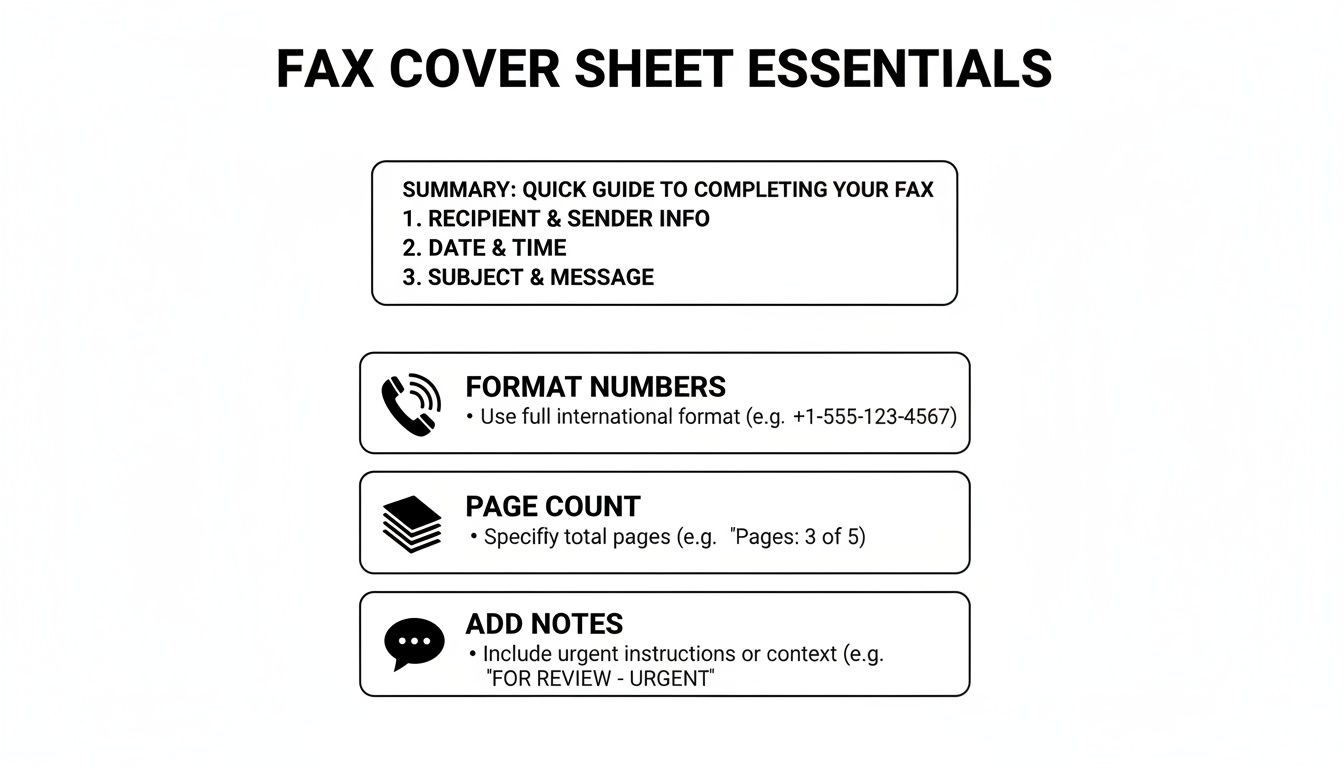
A fax cover sheet is the routing and identification page sent before the actual fax content. In modern browser-based faxing, SendItFax turns that traditional cover page into a simple form you can fill out while preparing your documents.
You may be standing beside a copier with a stack of medical records, a signed contract, or a property document in one hand and a blank page in the other. You know the fax number, but you're unsure what belongs on top, whether the cover counts in the page total, or whether the recipient needs a confidentiality warning.
That uncertainty is common for first-time senders. A cover sheet isn't the document itself. It's the page that tells a busy recipient who sent the transmission, who should receive it, what it concerns, and how many pages should arrive. In a paper workflow, it sits at the front of the stack. In an online workflow, it can be created as a form and placed ahead of the uploaded files.
A Simple Definition of a Fax Cover Sheet
A fax cover sheet is a separate page placed before the pages you want someone to read. It works much like an envelope label and a short cover letter combined. The recipient sees the routing information first, then opens the document packet underneath.
The practical job is simple. The page identifies the sender and recipient, gives the receiving office enough information to route the fax, states the subject, and records the expected page count. A Nebraska court rule illustrates how formal that routing function can become, requiring a fax filing to be preceded by a uniform cover sheet containing the sender's full name, address, telephone number, fax number, and number of pages in the transmission. The Nebraska Judicial Branch fax filing rule shows why a cover sheet can be more than office etiquette in a formal filing process.
Practical rule: Treat the cover sheet as the label on the outside of a package. Put routing details there, not unnecessary sensitive details from the document inside.
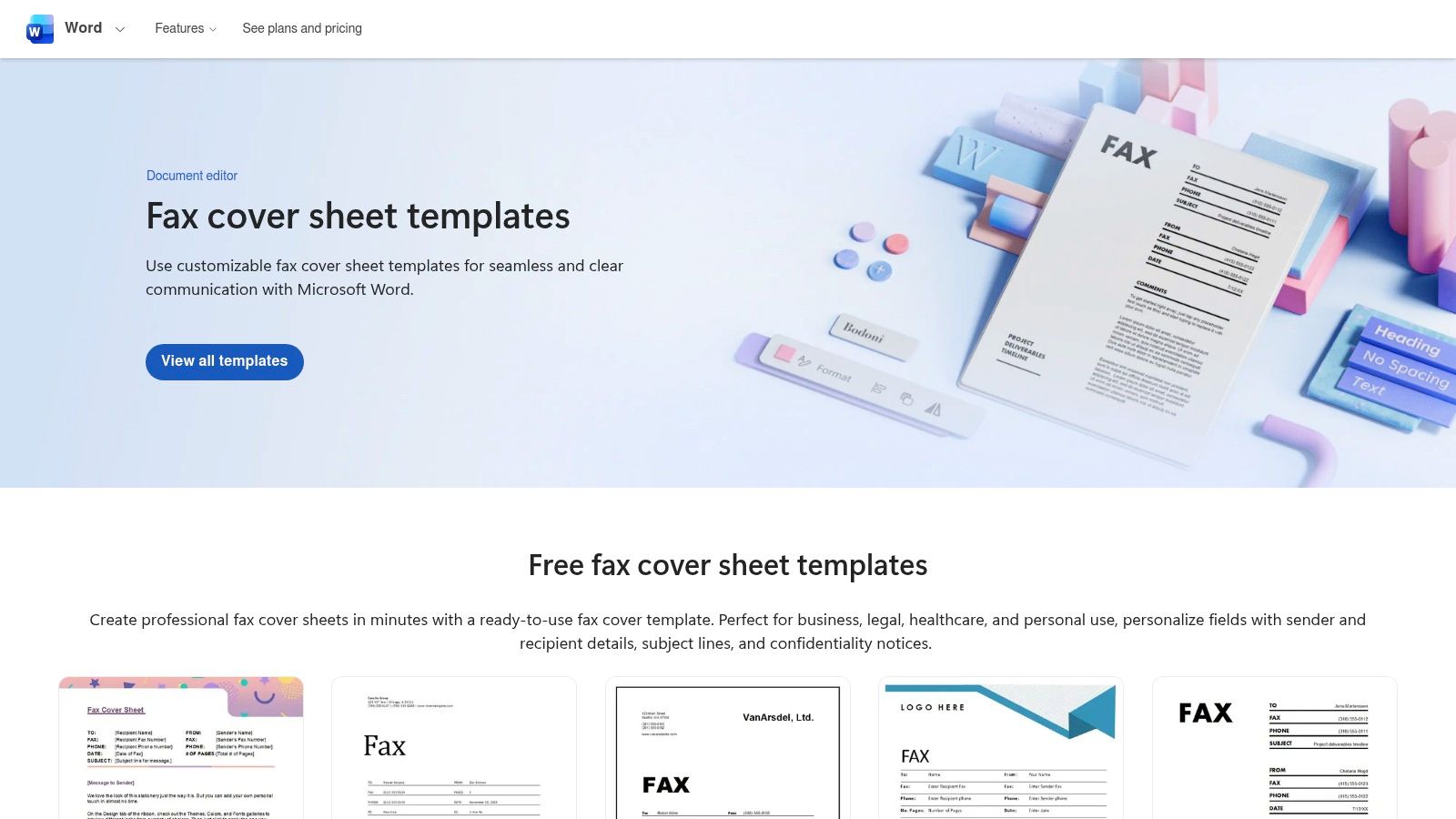
A traditional sender might print a Word template, type into the fields, and place the completed page on top of the stack. With SendItFax, the equivalent information is entered into a browser-based cover form while the sender prepares the transmission. The workflow changes, but the control function remains: the recipient gets context before handling the main pages.
The cover page also helps with verification. If the recipient expects a stated number of pages and fewer arrive, the missing transmission becomes easier to notice. That matters when several offices share one fax machine or when an older connection delivers only part of a packet. The fax cover sheet overview from mFax describes this page as a routing, identification, and verification layer.
The Core Fields Every Cover Sheet Should Include
A useful cover sheet answers the recipient's first questions without making them search through the attached pages. Each field has a specific operational purpose.
Field
Information Included
Why It Matters
Sender
Name, organization, telephone number, fax number, and email when useful
Lets the recipient verify the source and request clarification
Recipient
Person, department, organization, and destination fax number
Helps staff route the pages to the correct desk
Date and time
Date sent and, when relevant, transmission time
Creates a traceable record of when the packet was sent
Total pages
The complete transmission count, including the cover
Lets the recipient check whether the packet is complete
Subject or Re
Short description of the documents and requested action
Gives the recipient immediate context
Message
Brief instructions such as “For review” or “Please return signed”
Explains what the recipient should do next
Confidentiality notice
Handling instructions for an unintended recipient
Signals that the pages must not be read, shared, or retained improperly
Identification comes first
The sender field should make it easy to call you back. Include your name, organization, telephone number, and fax number. An email address can help in general business correspondence, but don't crowd the page with contact details that don't support the transaction.
The recipient block should name a person whenever possible. Add the department or organization, then check the destination fax number carefully. A number alone may deliver the pages, but it won't tell a shared office who should receive them.
Page control prevents uncertainty
Write the total as a plain statement, such as “3 pages including cover.” The recipient can compare that statement with the pages that came out of the machine. Page-count metadata is especially useful where partial delivery is possible, as explained in mFax's explanation of fax cover sheet verification.
A subject line should describe the packet, not merely say “Documents.” “Signed lease for review” gives a recipient useful context at a glance. The message can then state the action, such as “Please confirm receipt” or “Return the executed copy to the sender.”
For teams that handle contracts, filings, and correspondence regularly, a consistent cover sheet also supports a clearer recordkeeping routine. Guidance on how to manage legal records with Attorney Assistant can help legal teams connect transmission details with their broader document-management practices.
Real-World Cover Sheet Examples by Industry
The same basic template can serve a clinic, a law office, or a real estate brokerage. What changes is the routing language, the reference information, and the privacy warning.
A clinic sending lab results to a specialist might use this arrangement:
To: Receiving physician, specialty, clinic, and fax number
From: Sending physician, practice, telephone number, and fax number
Reference: Patient name or internal identifier, used according to the organization's privacy procedures
Subject: Lab results for review
Notice: A confidentiality warning that tells an unintended recipient to stop reviewing the pages, notify the sender, and destroy the transmission
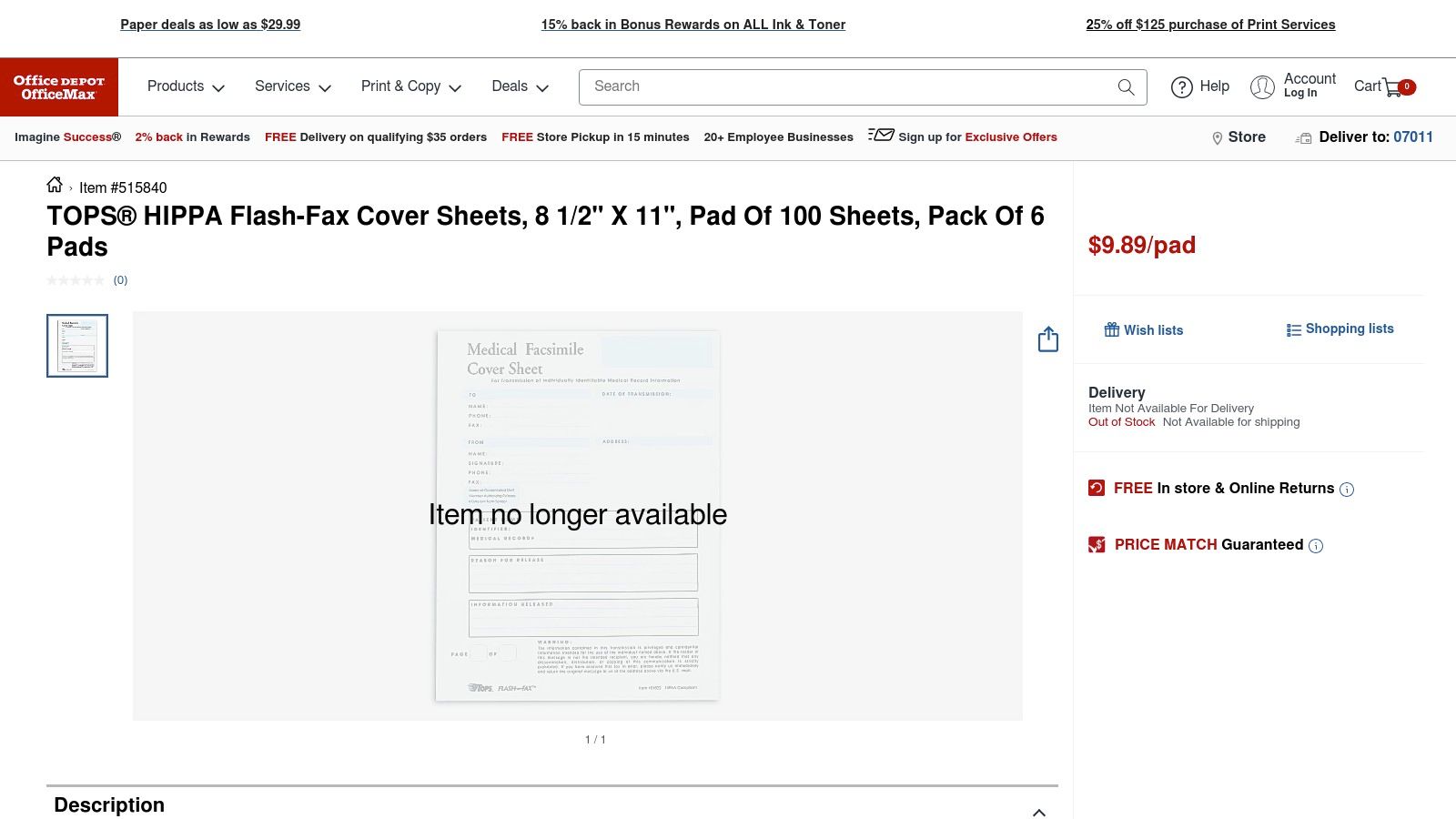
Healthcare staff should keep the cover page as restrained as possible. The cover is visible before the protected records, so it should provide enough routing information without reproducing diagnoses, account details, or other unnecessary content. HIPAA fax cover sheet guidance from ComFax emphasizes sender and recipient details, date and time, total pages, and instructions for a mistaken recipient.
A law firm forwarding a contract draft to opposing counsel needs a different reference structure. The sender may include the matter name, case number, attorney name, and recipient attorney. The notice can state that the material is confidential and may be protected by attorney-client privilege or work-product protections. The cover should identify the matter clearly while avoiding a detailed summary of the legal advice inside.
For a real estate transaction, the useful identifiers are often the property address, transaction reference, buyer and seller names, and escrow or title contact. A short confidentiality statement may be appropriate when the packet includes financial or closing information. The language should help the title company route the pages without turning the cover into another version of the closing documents.
Field
Healthcare Example
Legal Example
Real Estate Example
Recipient
Specialist physician and department
Opposing counsel and firm
Title company and escrow officer
Reference
Patient or record identifier
Case number and matter name
Property address and transaction reference
Subject
Lab results for review
Contract draft for review
Closing documents for processing
Action
Review and confirm receipt
Review and provide comments
Process and return requested forms
Privacy notice
Protected health information handling warning
Confidentiality and privilege warning
Discreet handling of transaction records
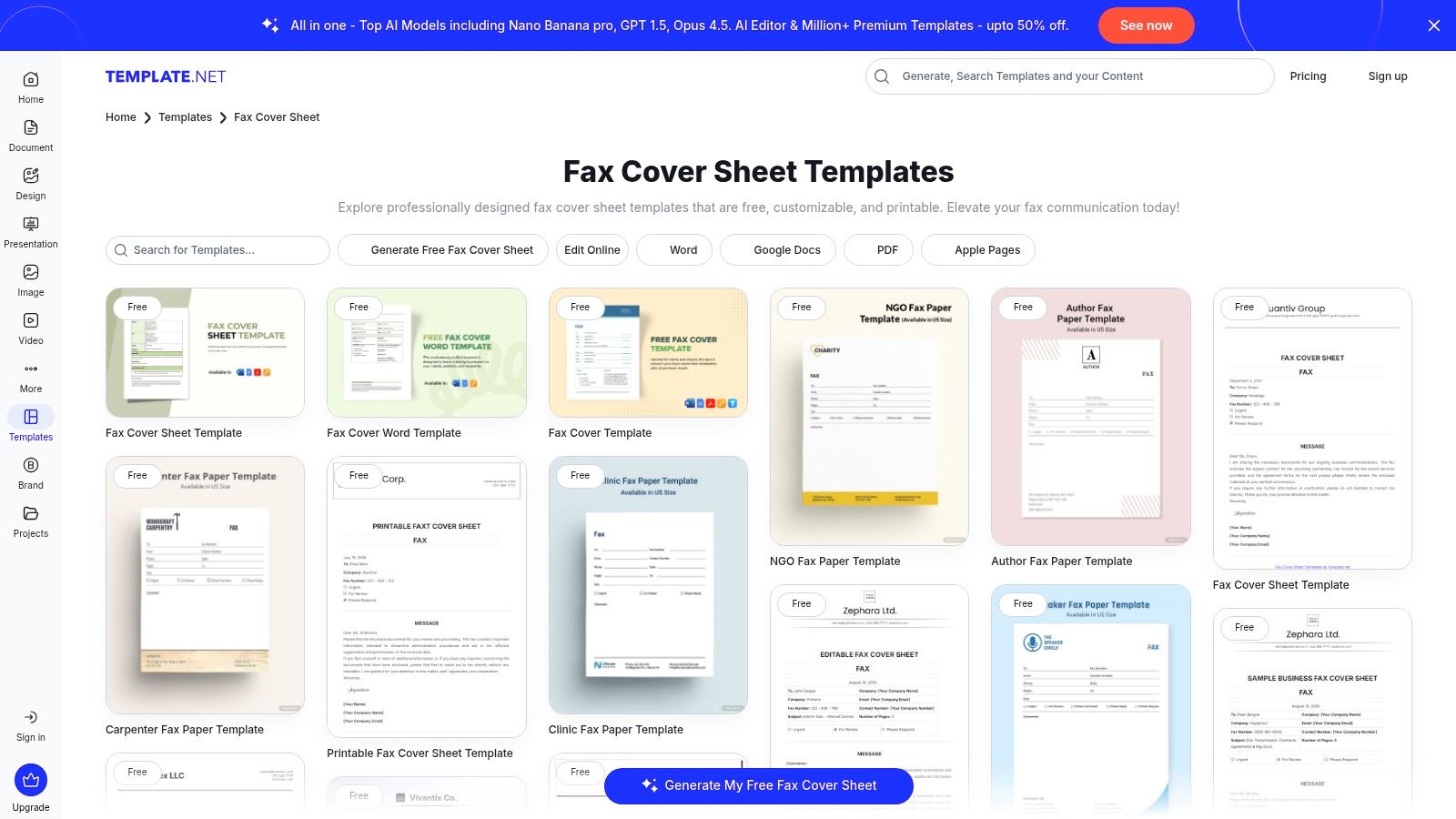
For more ready-to-adapt formats, see these fax cover sheet examples for different uses. The template should stay recognizable across departments, but its wording should match the risk and workflow of the industry.
Formatting and Best Practices That Always Work
A cover sheet should be easy to scan when it comes out of a fax machine. Use a readable font such as Arial, Calibri, or Times New Roman at a comfortable size, keep the page uncluttered, and place the sender and recipient blocks near the top. A clear title such as FAX COVER SHEET helps a recipient distinguish the routing page from the substantive pages.
Put the subject, date, and page count where they're visible without close inspection. Check the count after assembling the packet, not before. If the cover is included, write that fact directly in the total, for example, “3 pages including cover.”
A copy-ready checklist
Use readable typography: Choose a familiar font, clear headings, and enough white space.
Frame the routing block: Keep sender and recipient details together so staff can find them quickly.
State the complete count: Use wording such as “3 pages including cover,” then recount the assembled file.
Keep the order correct: Cover first, supporting documents afterward. Never bury the cover in the middle.
Add a restrained notice: For sensitive material, use language such as: “CONFIDENTIAL. This fax is intended only for the named recipient. If you received it in error, please stop reviewing it, notify the sender, and destroy all pages.”
Before upload, give the file a descriptive name, flatten a completed PDF when appropriate, and remove document metadata that shouldn't travel with the transmission. Don't put a patient's diagnosis, a client's private legal strategy, or unnecessary account information on a page that may be seen in a shared reception area.
Privacy, Compliance, and When to Include a Cover
A receptionist receives a fax meant for a specific employee, but the first page gives no recipient, sender, or page count. The documents may be complete, yet staff cannot tell who should handle them or whether anything is missing. A cover sheet supplies that context before anyone sorts the attached pages.
There is no universal federal mandate requiring a cover sheet for every fax. An organization may still require one through its own procedures, especially for sensitive records, unfamiliar recipients, shared machines, or multi-page packets. The practical question is whether the pages could be misunderstood, misrouted, or separated from their intended recipient. Review your workplace policy and the fax cover sheet guidance from mFax when deciding.
Use the cover as a privacy boundary
For healthcare documents, put only the routing details needed for safe handling on the cover. A confidentiality notice can tell an unintended recipient to stop reading, notify the sender, and destroy the pages. It sets a clear handling instruction, but it does not correct a wrong fax number or replace access controls, secure procedures, and the organization's privacy program. See SendItFax's HIPAA fax requirements guide for a fuller workflow discussion.
Other industries may use different identifiers. A legal office might add a matter reference and privilege warning. A financial or property team might use a transaction identifier and a controlled recipient list. These details help staff route the packet, but a warning is not a guarantee of safe transmission. It is one safeguard within a larger process.
The chart illustrates legal compliance, company policy, and best-practice reasons for using a cover. Treat it as the chart's stated illustration, not a universal rule. Your decision should reflect the transmission's sensitivity and any applicable institutional requirement.
Use this practical rule:
Sensitive, regulated, or unfamiliar destination: Include a cover with accurate routing details and an appropriate warning.
Shared machine or multi-page packet: Include a cover so staff can identify the recipient and confirm completeness.
Routine, internal, single-page, and non-sensitive: A separate cover may be omitted if office policy permits it.
How SendItFax Handles the Cover Page
A browser-based fax service can turn the old blank-template problem into a short form. With SendItFax, you enter the sender name, company, phone number, recipient name, fax number, subject, and message while preparing the fax. The service formats those entries into a cover page and places it before the uploaded documents.
The important mental shift is that you don't need to design the page first. You supply the routing information, review the message, upload the documents, and check the resulting transmission order. The form acts as the digital equivalent of typing into a paper template, while the final fax still presents the cover before the main content.
The service also lets the sender choose whether to include a cover. That option can suit a short, routine fax going to a trusted internal destination, provided the sender's policy allows omission. If you need more guidance on the browser workflow, use this guide to sending a fax from the web.
SendItFax offers a Free option with a basic cover that includes SendItFax branding. Its Almost Free option removes that branding, supports custom logos and saved sender profiles, and is intended for repeat use where presentation matters. The service information also states that Almost Free costs $1.99 per fax, supports up to 25 pages, and offers priority delivery, while the Free option supports up to three pages plus a cover and has a daily limit of five free faxes. These product figures come from the publisher's supplied service description, so check the current terms before sending.
The cover data and uploaded files travel through the same fax gateway. Branding changes the appearance of the cover, not the need to verify the destination or follow your organization's privacy rules.
For a one-time sender, the process is straightforward. Fill in the form, decide whether the cover belongs on the transmission, upload the files, review the page order, and send. You don't have to build a reusable design in Word just to transmit one document.
Putting It All Together for Your Next Fax
A cover sheet is a transitional control document. It carries the paper-era habits of labeling, routing, and checking a packet into browser-based faxing. Even as organizations move toward digital records, a clear first page can still give a recipient immediate context and a practical way to verify delivery.
Before you press send, pause for a short review:
Confirm the destination: Match the recipient name, department, organization, and fax number.
Choose the right notice: Use a confidentiality warning when the packet contains sensitive or regulated information.
Check the page total: Count the cover and every document page in the final transmission.
Review the subject: Describe the packet and the requested action in plain language.
Decide on inclusion: Add the cover for sensitive, unfamiliar, shared, or multi-page transmissions. Omit it only when the fax is routine, internal, and permitted by policy.
Inspect the attachment order: The cover belongs first, followed by the documents the recipient needs.
The answer to “what is a fax cover sheet” is therefore practical, not complicated. It's the routing label, context page, and page-control checkpoint that travels ahead of the fax content. Whether you type it on paper or complete it in a browser, the purpose is the same: help the right person identify and handle the right pages.
SendItFax lets you prepare a browser-based cover form, upload your documents, and choose whether the cover appears before the fax content. Visit SendItFax to fill out the form and send a test fax, so checking routing details and page counts becomes a familiar part of your next healthcare, legal, real estate, business, or personal transmission.
You're staring at a deadline, a half-finished tax package, and no fax machine in sight. The IRS still uses fax for specific submissions, which means the cover sheet isn't filler, it's the page that tells the intake side what the document is, who sent it, and how to route it. If you've got a form ready but no notice number in hand, the process gets murkier fast, especially when you're trying to avoid a rejected transmission or an overexposed Social Security number.
A reliable fax cover sheet to IRS needs to do two jobs at once. It has to help the IRS match the packet correctly, and it has to keep sensitive details from traveling farther than they need to. That balance is where most generic templates fall short, so the practical version below focuses on what works in real filing situations, what to leave off, and how to confirm the fax made it through. If you need a broader system for repeatable document prep, streamline compliance document generation from EDocGen is a useful reference point for thinking about standardized filings without turning every packet into a custom project.
For readers who already know they're sending a notice response, the rules are straightforward. For everyone else, the hard part is the fallback template, the one that still makes sense when there's no CP or LTR number to key off. A practical reference for the basic data fields lives in this fax cover sheet information guide, but the IRS-specific version needs more care than a generic office cover.
Fax Cover Sheet to IRS Basics
A small business owner with a payroll issue doesn't usually discover the IRS fax path until the filing deadline is close and the mail room has already closed. A freelancer might be in the same spot, needing to send a signed form from a laptop, with no desktop fax line and no time to experiment. In both cases, the first mistake is treating the cover sheet like a throwaway page. It's the front door of the packet.
The IRS does accept fax for certain matters, and that alone changes how the cover needs to be built. The sheet has to give the intake side enough context to route the document, while still keeping personal data controlled. That's why a good packet starts with a clean cover page, not a handwritten note or a generic “please see attached” line that says nothing about the tax issue.
Practical rule: if the first page is vague, the rest of the packet can be perfect and still move slowly.
The practical upside is that a fax workflow is simpler than many taxpayers expect once the cover is standardized. You don't need a fancy layout, but you do need consistent fields, correct page order, and a delivery method that gives you proof. That's especially true when you're sending a form without a notice number, because the routing clues have to come from the cover itself rather than from an IRS letter.
For teams that prepare filings regularly, the same discipline used for regulatory packets applies here. A standardized cover makes the process faster to repeat and easier to audit, especially when multiple people touch the same submission. The point is not elegance. The point is getting the packet to the right desk with enough context that nobody has to guess.
Building Your IRS Fax Cover Sheet
A fax cover for the IRS works best when it reads like a routing sheet, not a memo. The cover should give intake staff the sender's full name and contact details, the taxpayer identifier such as SSN, EIN, or ITIN, the form or notice number, the tax year, the total page count including the cover sheet, and a brief document description. It should also be the first page, because that helps the packet get matched to the right taxpayer record as outlined in IRS-oriented fax cover guidance.
Build it from top to bottom. Put the recipient line first, then your identifying information, then the document details, then a short purpose statement. A notice response should carry the notice number on the page, since that is the clearest routing cue. If you are sending a proactive form or supporting documents without a notice, the purpose line has to do more of the routing work.
When there is no CP or LTR notice number, keep the template specific without inventing information. A practical version looks like this:
Recipient info: IRS office or fax destination, if known.
Sender info: full name, company if relevant, return phone, and return address.
Taxpayer info: taxpayer name and a consistent identifier format.
Document details: tax year, form number, short description, page count.
Purpose statement: one sentence that says why the fax is being sent.
The identifier line is where people get inconsistent. Some guidance points to only the last four digits of an SSN, some points to a full SSN, and some mentions ITIN, which is why a missing notice number creates so much confusion for first-time senders. If you are unsure which taxpayer ID format belongs on a specific packet, tax ID tips from HireAccountants is a useful reference for sorting out the difference between identifier types before you finalize the cover.
Best practice: make the cover page the first page and the page count include that cover page, or the packet can be harder to match on intake.
A copy-ready template beats improvising every time. Consistency matters more than decoration, because the IRS is looking for routing clarity, not branding. For privacy planning around faxed tax documents, the practical notes in SendItFax's security guidance are worth a look before you send.
Protecting Privacy on IRS Fax Covers
The privacy issue is sharper than most taxpayers expect. The IRS specifically warns not to put an Employer Identification Number or Social Security Number on the fax cover sheet itself in the Form 8886 instructions, even while requiring the cover page to carry routing details like the subject, sender information, and page count IRS Form 8886 fax instructions. That is a strong signal that the cover sheet is part of the routing chain, not just a wrapper around the filing.
A freelancer I worked with once almost sent a fax with a full SSN on the top page because an old office template had it baked in. The packet itself was fine, but the cover exposed more than it needed to, and that's exactly the kind of mistake that's easy to miss when you're rushing. The fix was simple, remove the unnecessary full identifier from the cover, keep the routing fields, and leave the sensitive detail on the actual form only when the form requires it.
The safest approach is to minimize what appears on the cover, while still satisfying routing needs. If a notice number exists, use it. If it doesn't, use a clear purpose statement and the tax year, rather than crowding the page with extra identity details. The cover should help the IRS direct the packet, not broadcast more personal data than necessary.
One more practical point matters here. The cover page is often the first thing that gets copied, scanned, or handled by intake staff, which is why it deserves the same privacy discipline as the rest of the packet. For a closer look at the security side of fax handling, the fax security guide is a useful companion read.
Choosing a Fax Service With SendItFax
Not everybody has a fax machine tucked into an office corner anymore, and that's where browser-based sending becomes the practical path. SendItFax is one example of a web fax workflow that keeps the process lightweight, with a free option for small submissions and a paid tier for longer or cleaner sends. The decision usually comes down to page count, presentation, and how much you care about branding on the cover.
SendItFax Plan Comparison
Free
Almost Free
Feature
Up to three pages plus a cover, five faxes daily, SendItFax branding
Up to 25 pages, priority delivery, no branding, optional cover omission
Best fit
Short, occasional IRS packets
Longer submissions or cleaner presentation
Cost structure
Free
$1.99 per fax via Stripe
For a quick tax fax, the free tier can be enough if the packet is short and the cover page doesn't create clutter. For a longer submission, the paid option is easier to justify because it removes branding and gives you more room, which matters when you're sending supporting documents along with a signed form. If you're evaluating the broader reliability question, this guide to certified mail success is a good reminder that proof of delivery, not just sending, is what keeps a filing process defensible.
Practical rule: if the packet is simple and short, free can be enough. If the submission is sensitive, bulky, or deadline-driven, paying for a cleaner send reduces friction.
A screenshot of the interface helps show where the sender and receiver details are captured, which is the part most users need to see before trusting a browser fax for tax documents.
The main trade-off is not just cost. It's whether you want the simplest possible send path or a cleaner presentation that avoids branding on a tax packet. For an occasional IRS fax, either can work, but the longer the packet gets, the more the paid option starts to make sense. If you want to test a fax workflow before sending the actual return packet, the fax testing guide is worth reading before you rely on it for a live filing.
Submitting and Confirming IRS Fax Delivery
A fax packet should be assembled into one clean file before it leaves your computer. In practice, that means merging the cover sheet, signed form, and supporting documents into a single PDF, keeping scanned signatures legible, and saving the confirmation page as your proof that the transmission went out. Those steps reduce page-order mistakes and readability problems, which are two of the easiest ways for an IRS fax to get sidetracked operational fax workflow guidance.
The send itself should be mechanical. Check that the cover sheet is first, confirm the taxpayer name and identifier are consistent, and send the packet once. Sending the same file multiple times can create confusion on the IRS side, especially if one version has a slightly different cover sheet or page count.
The confirmation report is the record that matters most after transmission. Save it the same way you would save a certified-mail receipt, because that is what you will need if someone later asks whether the fax was sent. For a more complete process check, guide to certified mail success is a useful reminder that proof of delivery matters as much as the send itself.
If your setup has not been tested with a real packet before, run a harmless trial first. A fax testing guide can help you verify the formatting, the cover page placement, and the transmission path before a deadline document goes out. That matters even more when you are faxing the IRS without a notice number, because the cover sheet has to carry more of the routing burden and there is less room for sloppy formatting.
Practical rule: if the confirmation page is missing, the send is not finished from a records standpoint.
For that reason, retention matters as much as transmission. A fax can leave your system without leaving you with usable evidence, and that creates trouble if the IRS later says it cannot match the packet. Keep the confirmation page, keep the final PDF, and keep the exact version that went out. If you are deciding between free and paid fax methods, the paid option usually makes sense for sensitive tax packets because it tends to give you cleaner output, fewer branding distractions, and a more reliable paper trail when you need to show what was sent.
Troubleshooting IRS Fax Failures
The most common problems are usually boring, which is exactly why they keep happening. A fax can fail because the cover sheet doesn't carry a clear notice number, because the taxpayer ID format is inconsistent, or because the cover page isn't first. When the IRS has no notice or letter number to anchor the fax, the routing burden shifts back onto the sender, and that's where weak templates break down.
The bigger issue is the fragmented advice around unsolicited submissions. Some guidance says to use the last four digits of an SSN, some says the full SSN, and some says ITIN, which means there isn't a single universally explained fallback for people who are not answering a notice fragmented IRS fax guidance overview. If you don't have a notice number, the safest move is to stay consistent within your own packet, use one identifier format, and keep the purpose statement precise so the intake side knows why the fax exists.
A nonprofit once had to resubmit because the cover page count didn't include the cover itself. That sounds small, but it can throw off the packet math and make the document set look incomplete. The fix was simple, recalculate the page total, keep the cover first, and make sure the same identifier appears in the same format on every page where it's required.
Check the routing clue: if there's no notice number, make the purpose statement specific.
Check the identifier format: use one version consistently, not a mix of last four, full SSN, and ITIN.
Check the page count: include the cover sheet in the total.
Check page order: the cover sheet must lead the packet.
Check the final file: confirm the PDF merged correctly before sending.
Diagnostic rule: if the packet looks slightly different from page to page, stop and rebuild it before resubmitting.
That consistency matters because the IRS is matching a faxed packet to a record, not admiring the design. When the cover sheet is thin, vague, or inconsistent, the fax can still go out, but it may not land where you intended. Clean routing data and a single final PDF solve more problems than adding extra explanatory text ever will.
Key Takeaways for Faxing the IRS
A clean IRS fax starts before the send button. Build the cover sheet so it identifies the sender, points to the form or notice, states the tax year, and shows the total page count. If you have a notice number, use it. If you do not, use a precise purpose statement and keep the identifier format the same across the whole packet so the fax does not look assembled on the fly.
No-notice faxes deserve extra discipline because routing depends on the information you provide, not on a reference number that may never exist. That means one identifier style, one merged PDF, and one cover page that matches the documents behind it. A packet that changes from page to page is harder for the IRS to sort, and it is easier to misfile.
Privacy and routing need to be balanced on the same page. Sensitive identifiers do not belong on the cover sheet itself, even though the cover still has to give enough detail to direct the filing, as the IRS explains in its Form 8886 fax instructions. Keep the cover informative, but do not turn it into a disclosure page.
The sending method comes after the packet is right. A browser fax tool works fine for a short IRS submission if you need to move quickly, while a paid service can make more sense when the packet is longer, time-sensitive, or you want cleaner tracking and fewer resend problems. Free fax options can be useful, but they often come with limits, ads, or weaker confirmation handling. Paid tools like SendItFax are easier to use when you want a faster start and a clearer delivery record.
Confirmation is the part people forget until the IRS says it did not get the fax. Keep the transmission report, save the final PDF, and note the exact destination used so you can prove what was sent if the filing is questioned later. If the report shows a failed send, resend the same packet after checking the number, page count, and file size instead of changing the cover sheet and making the record harder to follow.
A practical checklist keeps this process tight:
use the cover sheet first,
keep the purpose statement specific,
match the identifier format across the packet,
leave sensitive identifiers off the cover,
verify the merged PDF before sending,
save the confirmation report with your tax records.
That is the version that holds up in practice. For a quick IRS fax, especially one that needs to go out without a notice number, a simple cover sheet, a clean packet, and a sender that gives you a usable confirmation are the pieces that matter most.
You're staring at a contract packet, a clinic intake form, or a property document that has to go out now, and there's no fax machine anywhere in sight. The fastest path is usually the one people already use all day, Google Docs, then a clean export, then browser-based sending with the right cover page choices so the packet lands intact. The catch is that a fax cover sheet for Google Docs isn't built into Docs, so the workflow only works when the layout, export format, and sending form all line up.
Why Google Docs Works for Fax Cover Sheets
A fax packet usually starts in a hurry. A contract needs a cover page, a clinic intake form has to go out cleanly, or a property document needs to move before the day ends, and Google Docs is often the fastest place to build that first page. It is already part of the daily workflow for drafting, commenting, and sharing, so the cover sheet can be edited before anyone exports it. Google's help materials also document version history and edit history, which matters when more than one person touches the cover sheet before it gets faxed. Google Docs help on version and edit history
The practical advantage is simple. Docs runs in the browser, shares easily, and exports cleanly, so it works well as the drafting space for a cover page that will later become a PDF or DOCX. That matters for one-off packets, recurring office forms, and shared templates that need quick edits without installing anything. Google Docs does not include a native fax cover sheet template in its built-in gallery, so the cover sheet has to be built from scratch or copied into Drive from a third-party file first.
Practical rule: use Google Docs for the layout, then send the finished file through the fax service.
The workflow works best when the whole handoff is treated as one process. Build the cover sheet in Docs, export it as DOCX or PDF, then upload it to a fax service that accepts browser files and lets you choose the right cover-page option. If you are comparing ways to send from Google's ecosystem, the setup described in free fax with Google fits the same chain from draft to delivery.
The point is not to make the page fancy. It is to keep the layout consistent, the text readable after export, and the file easy to reuse when the next packet shows up five minutes later.
Fields Every Fax Cover Sheet Needs
Before you open Google Docs, get the field map straight. A fax cover sheet is routing information, not a note at the top of a page. It gives the recipient the details needed to sort the packet, match it to the right file, and spot missing pages before anyone starts reading the body of the fax.
The fields that actually matter
A standard cover sheet normally includes sender name, company, fax number, phone number, recipient name, recipient fax number, date, subject, total page count, and a confidentiality notice. Medical faxes may also add a HIPAA disclaimer. That structure shows up in the Google Docs template guidance and in the broader fax-cover-sheet references used by office teams. What information goes on a fax cover sheet
Two fields deserve special attention. Recipient fax number is the delivery target, so it has to match the sending form exactly. Total page count matters because the cover sheet tells the recipient how many pages should arrive, and some fax services limit the pages you can send in one transmission. The cover page and the attached pages count as one packet, so do not treat the cover page as free space.
Office rule: if the page count is wrong, the recipient starts checking for missing pages before they even read the subject line.
The cleanest way to map these fields in Google Docs is to put sender details in one block and recipient details in another, then leave room for date, subject, page count, and the confidentiality line below. That layout matches the form you will later fill in during transmission, which cuts down on copy errors. For a field-by-field checklist tied to the sending workflow, use fax cover sheet information for the transmission step as the reference point.
Building the Cover Sheet in Google Docs
Open a blank document or copy a simple template, then shape it for fax use instead of memo use. A cover sheet has to stay calm on the page, compact enough to scan fast, and plain enough to survive fax compression. I keep the layout stripped down because decorative touches usually turn into noise once the page is transmitted.
Keep the page simple enough to survive faxing
Set conservative margins, then build the page with a bold FAX title at the top and a two-column table for sender and recipient blocks. The table matters because it keeps labels aligned and prevents the page from drifting into a loose, hard-to-read format. Use a readable font like Arial or Calibri at 11 to 12 pt, because thin scripts and ornate fonts do not hold up well after fax compression.
I usually put the sender block on the left and the recipient block on the right, then leave the middle of the page open for the date, subject, and total pages. The confidentiality notice belongs near the bottom, where it stays visible without crowding the routing fields. If the fax is medical or sensitive, the HIPAA language goes there too, not buried in a footer that gets skipped.
After the first draft looks right, save it in Drive as a reusable file so the next packet takes minutes instead of another rebuild. That matters because the best fax cover sheet is one you can copy, edit, and send without rethinking the structure every time. If multiple people will touch it, use Docs version history instead of swapping attachments by email, as noted earlier.
Export the file the way fax software expects
Once the layout is stable, export it as DOCX if someone still needs to make a last-minute edit, or PDF if the formatting is final and you do not want the spacing to shift. For a fax cover sheet, PDF is usually the safer send file when the page is already approved. A DOCX file is fine for internal cleanup, but it is not the format you want if the spacing is delicate or the final packet has to look the same from machine to machine.
Treat the cover sheet as the first page of the fax packet, not a standalone document. That changes how you format it, how you export it, and how carefully you check the page count before upload.
Exporting and Sending Through SendItFax
The export choice sets up the rest of the send. If the cover sheet still needs edits, keep it in DOCX. If the layout is settled and you care about how the fax renders, use PDF. PDF is usually the safer final file because it keeps the spacing you tuned in Docs, while DOCX is better only when the packet is still being revised.
Upload, match the fields, and send
Open SendItFax in your browser, upload the DOCX or PDF file, then enter the sender and receiver details so they match the cover sheet itself. That matching matters because a cover page that lists one fax number while the send form shows another creates avoidable confusion on the receiving end. The service accepts documents for recipients in the United States and Canada, and it works without creating an account. SendItFax supports DOC, DOCX, and PDF uploads and lets users add a cover page message.
The cover-page choice is where the workflow usually breaks. The free option allows up to three pages plus a cover, has a daily limit of five free faxes, and includes SendItFax branding on the cover page. The Almost Free plan costs $1.99 per fax via Stripe, supports up to 25 pages, offers priority delivery, removes the branding, and lets users omit the cover page entirely. Those trade-offs matter when the packet needs to look professional or when the page count is tight.
Use the free path for short, routine faxes where the branding will not bother the recipient. Use the paid option for client packets, clinic forms, or anything that pushes against the page limit, because it gives more room and removes the platform label from the first page. The same logic applies if you want your own cover sheet to open the packet instead of a service-branded page.
Practical rule: use the plan that matches the packet, not the one that looks cheapest in the moment.
Keep the send form aligned with the blocks you built in Docs. Sender name, receiver name, fax numbers, subject, and page count should all agree before you click send. If you use the optional cover-page message, keep it short and functional. The job of the page is routing, not storytelling.
Design and Sending Tips That Actually Matter
A cover sheet can look fine in Google Docs and still fall apart after fax compression. I've seen packets come back muddy because the font was too thin, the page count was wrong, or the first page was crowded with text that had no business being there. The fix is discipline at every step, from the layout in Docs to the final send screen.
The habits that save re-sends
Use high-contrast text: Black text on white scans more cleanly than pale gray or decorative type.
Keep the page count honest: Count the cover sheet and every attached page before you send, especially if you are close to a plan limit.
Preview before upload: A quick look catches spacing problems, truncated fields, and the wrong recipient name before the file leaves Docs.
Add confidentiality language only when it fits the packet: Medical, legal, and financial documents usually need it, but a casual internal memo does not need heavy wording.
Name the file clearly in Drive: Use a simple label that helps you find the exact version you meant to send, especially when multiple drafts exist.
Font choice matters more than people expect. Clean sans serif text usually holds up better than thin scripts or light weights, and a little extra white space around the fields gives the fax machine less to mangle. If a cover sheet looks crowded on screen, it will usually look worse after transmission.
The page-limit problem is where the workflow often breaks. SendItFax's free tier caps the packet at three pages plus a cover, so a cover sheet plus four pages will not fit. If the packet runs long, trim it or switch to the Almost Free plan before you send, or you risk a rejected transmission and a second round of cleanup. SendItFax fax sending support
Branding is the other decision point. If the cover page needs to look client-ready, the paid plan is the cleaner choice because it removes the platform mark. If you are sending internal paperwork, the free version can still do the job as long as the page count fits and the recipient is fine with the branding.
Keep the cover-page message short and functional. Long notes get compressed, wrapped badly, and make the first page harder to scan. I also keep one master file in Drive, then duplicate it for each send, so I am not rebuilding the same fields every time or guessing which draft is current.
Troubleshooting the Most Common Problems
Most fax problems are plain and repetitive, which helps. They usually come from the wrong file type, a fax number that does not match, or a packet that runs past the plan limit. Fix those first and you avoid a lot of resend work.
Symptom and fix
The send stops at upload: The file is in the wrong format. Export from Google Docs as DOCX or PDF, then try again.
The packet won't fit the free plan: The document is over the page cap. Trim the packet or switch to the Almost Free plan.
The recipient says the fax is missing pages: The page count on the cover sheet does not match the file you sent. Recount the cover page and attachments, then resend.
The cover page shows platform branding you do not want: The free plan is adding its own mark. Use the paid plan, or skip the cover page if your workflow allows it.
Multiple people edited the sheet and nobody knows which copy is final: Open Docs version history and restore the approved draft.
Check the send form too. A clean cover sheet will still fail if the fax number is typed wrong or the file is uploaded in the wrong format. If the packet keeps bouncing after you verify those basics, use SendItFax fax not sending guidance and compare your send settings against the file you prepared.
Keep one clean master copy in Drive, and do not build a new cover page from scratch every time. That habit cuts version mistakes before they start and keeps the fax packet consistent from one send to the next.
FAQ and Final Checklist
Does Google Docs have a built-in fax cover sheet template?
No. Google Docs doesn't include a native fax cover sheet template in its built-in gallery, so the usual path is to create one manually in Docs or copy a third-party template into Drive before sending it as a PDF.
Can I send a fax without creating an account?
Yes. SendItFax is set up so users can upload a DOC, DOCX, or PDF and send from the browser without creating an account.
What counts toward the page limit?
The cover sheet plus the attached pages count as the transmission. That's why page count has to be checked before upload, not after.
When should I choose PDF instead of DOCX?
Choose PDF when the layout is final and you want the formatting to stay fixed. Choose DOCX when you still need to edit the packet before the last send.
A clean fax packet follows the same path every time. Build the cover page in Google Docs, keep the fields tight, export in the right format, upload the file, match the sender and receiver details, and choose the plan that fits the page count and presentation needs. That workflow saves time because it turns a one-off scramble into a repeatable routine.
You're at your desk with a signed form in one hand and a deadline in the other. The office asked you to fax it, the recipient is waiting, and the screen says you can add a cover sheet. If you haven't done this before, that extra page can feel like busywork.
It isn't.
A fax cover sheet is the part that tells the receiving office who the fax is for, who sent it, what it relates to, and how many pages should arrive. In practice, it works like the envelope and label on a mailed packet. It helps the right person recognize the document quickly, and it gives the sender a simple way to handle privacy and professionalism before the actual pages appear.
Most articles stop at a template. That's helpful, but it misses the two places people get tripped up most often today. First, digital fax platforms may count the cover page differently than old office fax machines did. Second, healthcare workers often hear that HIPAA requires a cover sheet, when the legal reality is more nuanced. Getting those details right saves confusion, delays, and accidental mistakes.
Sending Your First Fax
If this is your first time sending a fax, start with one simple idea. The cover sheet is the first page of the transmission, and it introduces everything that follows.
That matters when the receiving office is busy. A contract, referral, intake form, or billing record might arrive in a shared workflow, not directly into one person's hands. Without a cover sheet, someone may need to guess who it belongs to or why it was sent. That slows things down and increases the chance of misrouting.
Practical rule: If the fax is professional, sensitive, or has multiple pages, use a cover sheet unless your office has a clear reason not to.
A standard cover sheet gives the basics up front:
Who sent it: Your name, company, and contact details
Who should receive it: The recipient's name, company, and fax number
What it is: A brief subject line or short note
How many pages to expect: So the receiver can spot a missing page
Think of it as a professional handshake. Before the actual document appears, you're telling the other office, “This is for you, this is from me, and this is what's coming through.”
If you're unsure whether you can skip it, ask yourself two questions. Would the recipient know what this fax is without opening the actual document? And would you be comfortable with that first page being seen by someone in the wrong department? If the answer to either question is no, use the cover sheet.
Why Fax Cover Sheets Are Still Essential in 2026
Faxing sounds old-fashioned until you see how often offices still use it. Over 17 billion individual faxed documents were sent in the United States in 2019, with healthcare alone accounting for over 9 billion. North America also accounts for approximately 38% of global fax service revenue, according to fax usage statistics compiled by FaxSIPit. That's why fax cover sheets still matter. They support a workflow that many organizations still rely on every day.
The job a cover sheet does
A good cover sheet handles several jobs at once.
First, it routes the document. If the fax lands in a shared inbox, print station, or department queue, the recipient line helps staff direct it quickly.
Second, it identifies the sender. That sounds basic, but it saves time when the receiving office needs to call back, confirm a page is missing, or verify that the fax is expected.
Third, it adds context. “Signed lease,” “patient referral,” or “tax records for review” is far more useful than a mystery packet with no introduction.
Fourth, it adds a privacy layer. The cover page can identify the transmission without displaying the sensitive contents on the first visible page.
Why offices still expect one
Even when a cover sheet isn't legally required, many offices still expect it because it creates order. It reduces back-and-forth. It also shows that the sender understands business etiquette.
That's why I compare fax cover sheets to three things combined:
An envelope: It helps route the document
A mailing label: It shows exactly where it should go
A business card: It tells the recipient who sent it and why
Here's a quick visual walkthrough of the same idea:
When skipping it causes problems
The biggest mistakes usually aren't technical failures. They're office workflow failures.
A fax without a cover sheet may sit longer because nobody knows who owns it. A recipient may receive fewer pages than expected and not realize anything is missing. A front-desk employee may see the first page of a confidential file before the intended person gets it.
A cover sheet doesn't make a fax secure by itself. It makes the fax easier to route, easier to understand, and less likely to create avoidable handling mistakes.
That's still valuable in 2026, whether the fax travels through a machine in a hallway or a cloud fax platform in a browser.
Anatomy of a Professional Fax Cover Sheet
A professional cover sheet doesn't need fancy design. It needs the right information in the right place.
According to Notifyre's glossary entry on fax cover sheets, a complete fax cover sheet must include the sender's name, company, phone number, and fax number, alongside the recipient's name, company, and fax number, the date, a subject line, and a confidentiality notice for sensitive documents.
Essential fields
These are the details you must include.
Field
Why it matters
Sender name
Tells the receiving office who initiated the fax
Sender company
Helps identify the organization behind the document
Sender phone and fax number
Gives the recipient a way to respond or verify
Recipient name
Directs the fax to a specific person or role
Recipient company and fax number
Confirms the destination
Date
Creates a record of when the transmission was sent
Subject line
Tells the recipient what the fax is about
The page count also matters in day-to-day use, even when templates hide it in smaller text. If the receiver gets fewer pages than expected, they can catch the problem immediately instead of discovering it later.
Recommended fields
These aren't always mandatory, but they make the fax easier to handle.
Department or attention line: Useful when the recipient works in a large office
Short message: Good for one sentence of context, such as “Signed copy attached”
Confidentiality notice: Important when the fax involves private or regulated information
Urgency note: Helpful if the document needs same-day review
One caution here. Keep the message brief and neutral. Don't place sensitive details in the note field if the whole point of the cover sheet is to shield the document itself.
“3 pages including cover” is more useful than “3 pages.” It tells the receiver exactly how many sheets should arrive in total.
A simple way to lay it out
If you're building your own, think top to bottom.
Start with a title such as “Fax Cover Sheet.” Then place sender and recipient information in clear blocks. Under that, add the date, subject, and total pages. Finish with a brief message or confidentiality statement if needed.
They leave out a callback number: Then the receiver can't quickly resolve a problem.
They use a vague subject line: “Documents” doesn't help anybody.
They forget the page total: That creates confusion if a page drops during transmission.
A clean cover sheet is less about style and more about reducing uncertainty. The easier you make it for the recipient to sort, confirm, and respond, the more professional your fax looks.
Cover Sheet Templates for Regulated Industries
Generic templates are fine for routine office paperwork. Regulated industries need more care, because the cover page often becomes part of a documented process.
That's especially true in healthcare, legal work, and finance. In those settings, the wording on the cover sheet isn't just a courtesy. It helps signal who should handle the document, how carefully it should be treated, and what to do if it reaches the wrong person.
Healthcare and the HIPAA confusion
Many guides oversimplify on this topic. According to WestFax's discussion of healthcare cover pages, no statute technically mandates a cover sheet for medical faxing, but the NIHAA strongly recommends it. The important nuance is that HIPAA requires “reasonable safeguards,” not a specific form.
That means a healthcare office shouldn't assume that using any template automatically makes a fax compliant. The point is to use reasonable handling practices, which often include a well-written cover sheet, accurate recipient information, and limiting what appears on the first page.
If you need a focused example, this article on a HIPAA compliant fax cover sheet shows what healthcare staff usually include.
A simple healthcare-style disclaimer might read like this:
This fax contains confidential information intended only for the individual or entity named above. If you received it in error, notify the sender and destroy the material according to your organization's procedures.
Notice what that does. It gives instructions without turning the cover page into a legal essay. It also avoids putting protected details in the open.
Legal offices
Law firms usually want a cover page that clearly identifies the matter and recipient while staying restrained.
Office habit that helps: Put the client or matter name in the subject line only if your office allows it and the wording won't reveal more than necessary.
Example language:
Confidential legal communication intended for the named recipient. If received in error, please notify the sender immediately and do not copy, distribute, or rely on the contents.
For legal teams, the cover page is only one piece of the process. Policies around securing sensitive client data also matter because the risk doesn't end once the fax arrives.
Finance and accounting
Finance teams usually care about accuracy, routing, and discretion. A cover sheet can reduce mix-ups when documents move between lending staff, payroll teams, accounting departments, or outside advisors.
A finance-oriented version might say:
This transmission contains confidential financial information intended for the recipient listed above. If you are not the intended recipient, please contact the sender and delete or destroy the material.
A practical template by industry
Healthcare: Use a confidentiality statement, verify recipient details carefully, and avoid putting patient specifics on the cover page.
Legal: Identify the attorney, staff member, or practice group receiving it. Keep the subject line precise but limited.
Finance: Include sender and recipient departments when possible, especially inside larger organizations.
The right template isn't the one with the most language. It's the one that fits the document, matches your office policy, and helps people handle the fax correctly from the first page onward.
Using Cover Pages with SendItFax
You are ready to send a three-page document through a web fax service. You upload the file, type a short cover message, and click send. Then the service rejects it because the fax is now four pages, not three.
That is one of the easiest mistakes to make with digital faxing.
Browser-based fax tools often count the cover page as part of the total transmission. A paper fax machine trained people to think, “the document is three pages.” Online faxing is closer to mailing a package. The label still counts as part of what you are sending, and page limits can work the same way.
What to check before you hit send
Count pages the way the service counts them.
A simple routine helps:
Open the file and count the document pages
Add one more page if the service creates a cover page
Check the total against your plan or page limit
Trim or split the fax before sending if needed
That last step matters more than it seems. If a service has a page cap, finding out after you click send wastes time and increases the chance that you resend in a hurry and make a routing mistake.
How the cover page fits into a browser workflow
With a web fax service, the cover page is usually created from the fields you enter on screen. You upload the document, fill in sender and recipient details, and add a short message. The platform then builds the first page for you or gives you the option to skip it.
If you want a practical walkthrough, this guide on how to send a fax from the web shows the usual browser-based process.
Use this checklist before sending:
Enter the fax number from a verified source: a contact record, email signature, or written instruction
Keep the message brief: enough to identify the fax, without putting sensitive details on the cover page
Look for a page counter or preview: that is often where you catch an extra page, bad formatting, or a missing recipient name
Pause on regulated documents: if the fax involves health, legal, or financial records, confirm that your cover page says only what the receiving office needs to route it
Healthcare offices should remember one point that causes confusion. HIPAA does not require a special “HIPAA cover sheet” form by name. What matters is using reasonable safeguards, such as a confidentiality notice, the correct recipient information, and keeping protected health information off the cover page unless it is necessary.
When to include a cover page, and when you may skip it
One web-based option is SendItFax, which lets users upload DOC, DOCX, or PDF files and optionally add a cover page message through the browser. That flexibility is useful, but it also means the sender has to make the call before the upload is finished.
Include the cover page when the fax is going to a shared office, a front desk, a records department, or someone you have not faxed before. Skip it only when the recipient already expects the document, the routing is obvious, and your office policy allows a direct send.
A good rule is simple. If the first page helps the receiving staff know who should handle the fax, keep it. If it adds no routing value and pushes you over a page limit, leave it out.
If your office also handles scanner setup, browser issues, or fax device support, this managed IT service FAQ can help clarify who should troubleshoot what.
Fax Cover Sheet Best Practices and FAQ
A good fax cover sheet does two things well. It helps the receiving office handle the document quickly, and it keeps the sender from creating preventable problems.
Best practices that hold up in real offices
Double-check the fax number: One wrong digit can send the document to the wrong office.
Keep the subject line plain: “Signed authorization form” works better than something vague.
Use a confidentiality notice when needed: Especially for healthcare, legal, and finance documents.
Don't put sensitive details in the comments area: The cover page should identify the fax, not expose the contents.
Call to confirm receipt for critical documents: This matters for deadlines, filings, and urgent records.
If your team handles a lot of office systems and support requests, a resource like this managed IT service FAQ can also help clarify who should own transmission issues, device problems, and day-to-day support questions.
Quick answers to common questions
Can I handwrite a fax cover sheet? Yes, if it's legible. Typed is cleaner, but a readable handwritten cover sheet can still work for occasional use.
Do I need a cover sheet for a one-page fax? Not always. It's still a smart choice when the fax is sensitive, business-related, or going to a shared office.
What if I made a mistake and need to resend? Correct the error, update the page count if needed, and resend with a note that the earlier transmission should be disregarded.
Should the cover sheet include confidential details? No. Keep it limited to routing, identification, and basic context.
Can I customize the layout with my company name or logo? Yes, if your office wants a branded version. Just keep the important fields easy to read.
The main goal is consistency. When your office uses fax cover sheets the same way every time, fewer documents get delayed, fewer pages go missing, and fewer people have to guess what landed in front of them.
If you need to send a fax from a browser without using a fax machine, SendItFax lets you upload your document, enter sender and recipient details, and add a cover page message when needed. It's a practical option for occasional faxes, especially when you want a simple workflow from any device.
A fax cover letter is the professional front door of a fax transmission. It identifies the sender, recipient, subject, date, and total page count, and high-fidelity versions often include eleven distinct data fields so the recipient can route and verify the document correctly.
If you're staring at a fax form right now and wondering whether that "cover page" box matters, you're not alone. A lot of people still use the words fax cover page and fax cover letter as if they mean the same thing, even though they serve slightly different jobs.
That confusion matters more than it seems. In an office with a shared fax line, the first page tells the receiving team who the document is for, what it's about, and whether the whole packet arrived. In healthcare, legal, government, and similar settings, that first page also helps protect confidential information and supports proper handling of sensitive records. Once you understand the difference between a simple routing page and a formal cover letter, faxing gets much easier.
Your Introduction to the Fax Cover Letter
A fax cover letter is a document that serves as the first page of a fax transmission. Its job is simple. It tells the recipient who sent the fax, who should receive it, how many pages to expect, when it was sent, and what the fax concerns.
That first page does more than introduce the packet. According to The Job Explorer's explanation of fax cover letters, a proper fax cover letter typically includes the sender's full name, company, contact details, recipient's fax number, current date, total pages including the cover sheet, a subject line, and a short message. The same source notes that this is strongly recommended and often required in regulated settings, including situations involving HIPAA-sensitive materials.
Why people still use them
Faxing isn't the everyday office default it once was, but it hasn't disappeared. It remains common where privacy, written records, and controlled document handling matter. That's why the cover letter still matters too. It gives the receiving side a clear first look before anyone reads the actual document.
Practical rule: If the document would cause confusion, delay, or privacy concerns when dropped onto a shared machine with no explanation, it needs a proper first page.
A little history helps
Faxing has been around much longer than commonly realized. The fax machine was originally invented in 1843 by Alexander Bain, and the first scanning fax machine appeared in 1881 by Shelford Bidwell. By 1987, fax machines had become normal in business settings worldwide, and that stayed true until the internet began to dominate in 1994, as summarized in this history note on faxing and cover letters.
That history explains why fax conventions feel formal. They grew out of business correspondence, not casual messaging. A fax cover letter still follows that tradition.
Fax Cover Letter vs Fax Cover Page The Critical Difference
Most confusion starts here. A fax cover page is usually a routing slip. A fax cover letter is a fuller business communication that includes a message body explaining the purpose of the fax.
Think of it this way. A cover page is like writing "For Jordan in Billing, 4 pages, urgent" on the front of a folder. A cover letter is like attaching a short formal note that says why you're sending the records, what action you need, and any special instructions.
What a cover page does
A cover page is built for speed and routing. It usually contains:
Sender details so the office knows who sent the fax
Recipient details so staff can deliver it to the right person
Page count so the receiver can tell whether pages are missing
A short message if needed, often just one to three sentences
In many everyday cases, that's enough.
What makes it a cover letter
A cover letter goes a step further. It includes the same routing details, but also adds a written message body with context. That extra context is useful when you're sending:
Legal documents that need instructions or privilege language
Medical records that require careful handling
Real estate paperwork tied to a specific property or transaction
Formal business documents that need a clear request or explanation
When simpler is actually better
Often, people overdo it. Many job seekers and first-time fax users assume they should write a long, polished letter every time. That's usually unnecessary. Indeed's guidance on faxing a cover letter notes that many people write elaborate letters that add no value, and a 2025 industry survey found that 48% of misrouted faxed documents occurred due to missing or ambiguous sender and recipient fields, not because the message was too short.
In shared fax trays, clarity beats prose.
So when should you use each one? Here's a practical rule of thumb.
Situation
Better choice
Sending a basic form with no extra explanation needed
Fax cover page
Sending sensitive documents that need context or instructions
Fax cover letter
Faxing to a department that sorts many incoming documents
Fax cover page with clear routing
Faxing legal, healthcare, or transaction documents
Fax cover letter
If you're unsure, keep the message short and useful. Don't turn a routine fax into a formal essay unless the document needs that level of explanation.
The Essential Elements of Every Fax Cover Letter
A fax cover letter has one job. It should help the receiving office identify the document, route it correctly, and understand any instruction that matters before anyone reads the attachment itself.
A simple cover page works like a routing label on an interoffice envelope. A fax cover letter does more. It still includes the routing details, but it also gives brief context, states the purpose of the fax, and tells the recipient what to do next if needed.
The must-have fields
The basic fields are straightforward, but each one solves a specific office problem. mFax's breakdown of fax cover sheet requirements notes eleven common data fields, and it explains that accurate page counts help recipients catch incomplete transmissions before the file gets processed.
Here are the fields that belong on nearly every fax cover letter:
Your full name so the recipient knows who sent it
Your company, practice, or organization if the fax is business-related
Your phone number so the office can reach you if pages are missing or unreadable
Your fax number if a reply by fax is possible or expected
Recipient's full name so the document goes to the right person
Recipient's company, office, or department to help staff route it correctly
Recipient's fax number as a final accuracy check
Date and time for records and follow-up
Subject line that states what the fax is about
Total number of pages, including the cover letter
Brief message or instruction explaining what is enclosed or what action is needed
If that list feels long, group it into four practical questions: who sent this, who should get it, what is it about, and is the packet complete? That is how a front desk team reads it.
What each field is really doing
Names and contact details are the routing layer. They answer, "Whose fax is this, and who handles problems if something is wrong?"
The subject line and message are the communication layer. They answer, "Why am I getting this, and what should I do with it?" That is the part that separates a true fax cover letter from a bare cover page.
For example, a subject line like Purchase agreement addendum for 18 Oak Street gives the recipient something useful to act on. Important documents enclosed does not.
The message can stay short. One or two sentences usually do the job:
Please add this to the closing file for 18 Oak Street. Confirm receipt if any pages are unclear or missing.
That kind of note helps the recipient sort, file, and respond without guessing.
A clean checklist you can use
Before you send, review the page the way a busy office coordinator would review it at 4:45 p.m.:
Correct recipient details: person, department, and fax number all match
Clear sender details: your name and phone number are easy to find
Specific subject line: the purpose is obvious in a few words
Accurate page count: include the cover letter in the total
Useful message: add instructions, deadlines, or context if needed
Confidentiality notice when appropriate: especially for legal or healthcare documents
A good fax cover letter isn't just about what you include. It's also about how easy it is to read when it comes out of a machine, lands in a digital inbox, or gets printed by a busy front desk.
Keep the layout clean
Use a large, readable font. Leave enough white space so the page doesn't turn into a gray blur after transmission. Put the sender and recipient blocks near the top, followed by the subject, date, page count, and short message.
Avoid decorative templates. Fax quality can soften edges and reduce contrast, so simple formatting usually survives transmission better than anything fancy.
Write like an office manager, not a marketer
The best message body is brief and direct. A sentence or two is enough in most cases.
For example:
Please route to Dr. Ellis in Records. This fax includes the signed authorization form and supporting pages. Call me if any pages are missing.
That works better than a long paragraph full of introductions and unnecessary detail.
Treat confidentiality language as standard practice
For sensitive records, a confidentiality notice belongs on the page even when a template labels it optional. Notifyre's glossary page on fax cover sheets states that over 72% of U.S. healthcare providers and 65% of legal firms require a HIPAA or confidentiality notice on fax cover pages, and cites a 2025 Joint Commission report showing 31% more fax-related compliance violations in 2024 than 2023.
That doesn't mean every routine office fax needs legal language. It does mean that if you're sending medical, legal, or similarly sensitive material, a disclaimer shouldn't be an afterthought.
A commonly recognized confidentiality statement is:
This fax is intended only for the use of the individual or entity to which it is addressed and may contain information that is privileged or confidential.
If you want a quick visual refresher on how to lay out a professional cover page, this short video is useful:
A short best-practice list
Use plain fonts: Choose readability over style
Keep messages short: One to three sentences is usually enough
Put key routing details first: Names and fax number belong at the top
Add confidentiality language when the content is sensitive
Review the page count before sending: Small mistakes create big confusion
Real-World Templates for Legal Healthcare and Real Estate
Different industries use fax cover letters for different reasons. The structure stays familiar, but the message and warning language change depending on what's inside.
One thing stays true across all three examples below. The first page helps staff route the fax before anyone touches the actual document. FaxBurner's explanation of shared fax environments describes the cover page as a validation layer for delivery, especially where one device serves multiple employees and unmarked documents can be lost or misrouted.
Legal example
A legal office often needs a cover letter that does more than identify the sender. It may need to flag urgency, privilege, or filing context.
Sample layout
Recipient: Jordan Miles, Litigation Paralegal Company: Hart & Pike LLP Fax: [recipient fax number] From: Alicia Chen, Associate Attorney Phone: [sender phone number] Date: [date] Pages: [total pages including cover] Subject: Signed affidavit for case file Message: Please add the attached affidavit to the case file and confirm receipt. Confidential legal materials enclosed. Attorney-client privileged information may be included.
This kind of note tells the receiving team exactly what to do without adding extra narrative.
Healthcare example
In healthcare, the cover letter often does two jobs at once. It routes the records and warns anyone who receives the fax that the contents are protected.
Sample layout
Recipient: Medical Records Department Facility: North Valley Clinic Fax: [recipient fax number] From: Dana Ruiz, Referral Coordinator Phone: [sender phone number] Date: [date] Pages: [total pages including cover] Subject: Patient referral records Message: Attached are records supporting a patient referral. Please contact our office if any pages are missing. Confidential medical information enclosed.
For healthcare faxes, make the recipient line as specific as possible. "Medical Records Department" is better than just the clinic name.
Real estate example
Real estate offices often handle contracts, disclosures, addenda, and supporting paperwork tied to a specific property. The most helpful cover letters name the property or transaction right away.
Sample layout
Recipient: Closing Department Company: Lakeview Title Services Fax: [recipient fax number] From: Morgan Patel, Buyer Agent Phone: [sender phone number] Date: [date] Pages: [total pages including cover] Subject: Purchase agreement for 18 Willow Lane Message: Please review the attached signed agreement and addenda for the above property. Contact me if any signatures appear unclear.
Agents who are preparing transaction paperwork may also find these winning offer letters for agents helpful when they need stronger written communication around a deal.
If you want more sample wording for different situations, these fax cover letter examples show how small edits can make a template fit a legal office, clinic, or real estate transaction.
How SendItFax Simplifies Your Cover Page
Once you understand the difference between a routing page and a formal cover letter, the remaining challenge is mostly execution. You need the right details in the right order, and you need a workflow that's quick enough for everyday use.
A browser-based tool can make that easier because it prompts you for the sender and recipient details up front instead of leaving you to build the first page from scratch each time. SendItFax is one example. It lets users upload DOC, DOCX, or PDF files, add an optional cover page message, and send to recipients in the United States and Canada without creating an account.
That setup is useful when you only fax occasionally and don't want to maintain a physical machine. The paid option also removes platform branding from the cover page and allows users to omit the cover page entirely when it isn't needed, which can help when you're trying to match a firm's preferred presentation. If you want to see the broader browser workflow, this guide on how to send a fax from the web walks through the process.
The main takeaway is simple. A fax cover page handles routing. A fax cover letter adds formal context. If you know which one your document needs, the rest becomes a matter of filling in accurate details and keeping the first page clean.
If you need to fax a form, contract, or record without using a physical machine, SendItFax offers a simple browser-based way to upload your documents, include a cover page message when needed, and send to U.S. and Canadian fax numbers.
In the process of sending a fax, the cover sheet is your first impression. It’s the essential introductory page that ensures your documents reach the correct recipient and provides crucial context at a glance. But creating one from scratch for every transmission is inefficient. This is where high-quality generic fax cover sheets become an indispensable tool for businesses and individuals alike. They provide a professional, standardized framework that saves time while ensuring all necessary information is included.
This comprehensive guide is designed to eliminate the guesswork. We have compiled and analyzed the best online resources for downloadable and editable generic fax cover sheets. Whether you need a simple, no-fuss template for a one-time use or a customizable design for your small business, you'll find it here. Our list covers everything from free, fillable PDFs and editable Word documents to specialized templates for industries like healthcare and legal. Each entry includes a direct link and a breakdown of what makes it a strong choice, helping you quickly identify the perfect solution for your specific needs.
We will explore top platforms such as Microsoft Create, iFax, and Template.net, providing actionable insights into their offerings. You'll discover how to leverage these resources to create a polished and effective cover sheet every time. Furthermore, we'll guide you through the simple process of attaching and sending your chosen cover sheet using an online fax service like SendItFax, making the entire procedure seamless from start to finish. Let's dive in and find the perfect template for you.
1. SendItFax
For users seeking a streamlined, all-in-one solution, SendItFax stands out as a premier choice. Instead of just providing a template, this browser-based service integrates the creation of a generic fax cover sheet directly into its sending process, eliminating the need for separate downloads or software. Its core strength lies in its simplicity and accessibility, making it an ideal platform for professionals and individuals who need to send a fax immediately without the friction of subscriptions or complex setups.
The platform is engineered for efficiency. Users can upload a document (DOC, DOCX, or PDF), fill in the sender and recipient details, and SendItFax automatically generates a clean, professional cover sheet. This integrated approach ensures all necessary information is included and properly formatted, which is a significant advantage over manually editing a template.
Strategic Analysis: Why SendItFax Excels
SendItFax’s model is particularly effective for time-sensitive tasks common in legal, medical, and real estate fields. The "no account needed" approach is a powerful differentiator, removing barriers and allowing for immediate document transmission from any device with a web browser.
Key Takeaway: The platform's true strength is its fusion of utility and access. It solves the immediate need for a generic fax cover sheet while simultaneously providing the mechanism to send the fax, creating a seamless, end-to-end workflow.
The user experience is exceptionally straightforward. The interface guides you through a simple, step-by-step process, and the platform’s reliability is underscored by strong social proof, including a 4.8/5 rating from over 250 reviews. Testimonials from small business owners and professional offices frequently highlight its speed and dependability.
Core Features and Practical Applications
SendItFax offers a tiered service designed to meet diverse user needs, from occasional personal use to more regular business communications.
Feature Comparison
Free Plan
Paid Plan ("Almost Free")
Cost
$0
$1.99 per fax
Page Limit
Up to 3 pages (plus cover)
Up to 25 pages (plus optional cover)
Daily Fax Limit
5 faxes per day
Unlimited
Branding
Includes SendItFax branding on cover
No branding
Delivery
Standard
Priority
Registration
Not required
Not required
Practical Use Case (Free): An individual needing to return a signed contract or a medical form can send it instantly without cost. The included generic fax cover sheet ensures all context is provided.
Practical Use Case (Paid): A small law firm sending a 15-page legal filing can use the paid tier for a professional, unbranded appearance and priority delivery, ensuring the document arrives promptly.
Pros and Cons
Pros:
No Registration Required: Send faxes instantly without creating an account.
Truly Free Tier: Excellent for light use, offering up to 3 pages plus a cover sheet, with a limit of five faxes daily.
Affordable Paid Option: For just $1.99, you can send up to 25 pages, remove branding, and get priority delivery.
Simplicity and Accessibility: The intuitive workflow supports DOC, DOCX, and PDF files, making it perfect for remote workers and professionals.
Cons:
Free Plan Limitations: The 3-page limit, SendItFax branding, and daily cap may not suit all business needs.
No Formal Compliance Certifications: While the site has a privacy policy, it does not list HIPAA or other formal compliance certifications. Users sending highly regulated data should perform their own due diligence.
For professionals and businesses already integrated into the Microsoft ecosystem, Microsoft Create is the most logical and efficient starting point for sourcing generic fax cover sheets. This official template gallery from Microsoft offers a curated selection of professionally designed templates that are fully compatible with Microsoft Word, both on the desktop and via the free web app. This seamless integration eliminates the friction of dealing with unfamiliar software or third-party file formats, making it a trusted and straightforward choice.
Key Features and User Experience
The primary advantage of using Microsoft Create is its native compatibility with Word. When you select a template, it opens directly in the Word application, where every element is fully editable. This allows for deep customization that goes beyond simply filling in fields.
Effortless Editing: Users can easily modify text, change fonts and colors to match company branding, and insert a company logo with just a few clicks.
Essential Fields Included: The templates come pre-populated with standard fields, including "To," "From," "Fax," "Phone," "Date," "Subject," and "Number of pages."
Accessibility: Templates are completely free to use. While a Microsoft account is required to edit them in the browser-based version of Word, this is a minor step for most users, many of whom already have an account for other services like Outlook or OneDrive.
The interface is clean and mirrors the familiar Office environment, ensuring a minimal learning curve. The templates themselves are more functional than flashy, focusing on clarity, professionalism, and readability, which is often exactly what is needed for business communications.
Strategic Breakdown & Actionable Takeaways
Microsoft's platform excels in reliability and brand consistency. Instead of a highly stylized design, you get a solid, corporate-approved structure that you can mold to your specific needs. This makes it an ideal resource for creating a standardized company-wide fax cover sheet.
Strategic Insight: Leverage Microsoft Create to establish a uniform brand identity across all fax communications. By customizing a single template with your company's logo, color scheme, and standard legal disclaimer, you can ensure every fax sent by any employee looks professional and consistent.
To get the most out of this resource, select a template and immediately save it as a master copy in your OneDrive or shared business drive. Instruct your team to use this master file, ensuring uniformity. From this customized DOCX file, you can easily export a PDF version, which is the ideal format for uploading to an online fax service like SendItFax, guaranteeing your formatting remains intact during transmission.
For users who prioritize speed and accessibility, iFax provides a large, no-frills library of generic fax cover sheets that can be downloaded instantly. The platform offers a straightforward solution for individuals and businesses needing a functional template without the requirement of signing up or using specific software. With options in both DOC and PDF formats, iFax serves as a quick-stop resource for getting a professional-looking cover sheet attached to your fax in minutes.
Key Features and User Experience
The main draw of the iFax template library is its simplicity and directness. The user experience is designed to be frictionless, allowing anyone to find, preview, and download a template with just a few clicks. While the site does promote its paid online faxing service, the templates themselves are completely free and unrestricted.
Format Flexibility: Templates are available in both Microsoft Word (DOC) for easy editing and PDF for immediate printing or filling out digitally with a PDF editor.
No Sign-Up Required: Unlike many other resources, iFax allows users to download templates without creating an account or providing an email address.
Variety of Styles: The collection includes generic, simple, classic, business, and even HIPAA-oriented variants, catering to a range of professional needs.
Clear, Utilitarian Designs: The focus is on readability and professionalism, ensuring the templates are suitable for corporate, legal, and healthcare communications.
The interface is clean and easy to navigate, with clear previews of each cover sheet. This makes it simple to choose the right layout before committing to a download.
Strategic Breakdown & Actionable Takeaways
iFax excels at providing a rapid, hassle-free solution. Its value lies in its immediacy and lack of barriers, making it the perfect resource for one-off faxes or for businesses that don't have a standardized template in place. The availability of both DOC and PDF files gives users control over their workflow, whether they prefer deep customization in Word or quick form-filling in a PDF reader.
Strategic Insight: Use iFax as your go-to resource for urgent faxing needs or for testing different layouts. The immediate download capability allows you to quickly grab a professional template, fill it out, and attach it to an online fax service like SendItFax without any delay.
For maximum efficiency, download both the DOC and PDF versions of your preferred template. Customize the DOC version with your company logo and contact information and save it as your master template. Keep the fillable PDF version on hand for situations where you need to quickly send a fax from a device that doesn't have Microsoft Word installed. You can learn more about crafting the perfect generic fax coversheet to ensure all essential information is included.
For users who need a quick, no-fuss solution without the overhead of design software, MyFax provides a straightforward repository of generic fax cover sheets. This resource is offered by an online fax service provider, but its collection of templates is freely accessible to anyone. The platform is designed for speed and practicality, offering a curated selection of essential templates categorized for different professional needs, making it a go-to for immediate downloads.
Key Features and User Experience
The core appeal of MyFax's template page is its simplicity and directness. Users are not required to sign up or navigate complex menus; the templates are presented clearly and are available for instant download. This friction-free experience is ideal for anyone in a hurry.
Dual-Format Downloads: Each template is offered in both an editable Microsoft Word (.doc) format and a ready-to-use PDF format. This gives users the flexibility to either customize the document or print and fill it out by hand immediately.
Practical Categories: Templates are organized into useful categories like "Basic," "Accounting," "Healthcare," and "Personal," allowing users to quickly find a layout suited to their specific context.
Integrated Guidance: The page includes simple, step-by-step instructions on how to fill out and use the cover sheets, a helpful addition for those new to faxing protocols.
The user interface is clean, though it clearly serves as a marketing tool for the paid MyFax service. Despite the promotional elements, accessing the free templates is an easy and direct process. The designs themselves are highly functional, prioritizing clear communication over creative flair.
Strategic Breakdown & Actionable Takeaways
MyFax excels at providing a rapid solution for common faxing scenarios. Its strength lies not in extensive customization but in offering pre-built, industry-appropriate templates that work right out of the box. This makes it perfect for small businesses or individuals who need a professional-looking cover sheet without investing time in design.
Strategic Insight: Use MyFax's categorized templates as a starting point for specific departmental needs. A healthcare practice can download the HIPAA-compliant template, add its logo and contact information, and save it as a standardized document for all patient-related faxes, ensuring compliance and consistency with minimal effort.
To maximize efficiency, download the Word version of the most relevant template and pre-fill your company’s information in the "From" section. Save this modified file as your master template on a shared drive. This simple preparation step transforms a generic template into a personalized, ready-to-use asset that can be attached to any fax in seconds, whether you are using an online service like SendItFax or a traditional machine.
For users seeking a wide variety of designs beyond the standard corporate look, Template.net offers one of the most extensive and diverse libraries of generic fax cover sheets available online. Its catalog spans everything from minimalist and professional layouts to highly specific, industry-tailored templates for sectors like healthcare, law, and education. This breadth of choice makes it an excellent resource for businesses and individuals who need a cover sheet that aligns with a particular use case or brand aesthetic.
Key Features and User Experience
Template.net’s main advantage is its versatility in both design and file format. The platform caters to users across different software ecosystems, providing downloads compatible with Microsoft Word, Google Docs, and Apple Pages, alongside standard PDFs. This flexibility ensures that nearly anyone can find a template they can easily edit.
Extensive Template Library: The collection includes simple, confidential, medical, personal, and business-specific fax cover sheets.
Multiple Download Formats: Users can download files as DOCX, PDF, or for Google Docs and Apple Pages, ensuring broad compatibility.
Built-in Editor: Many templates can be edited directly in the browser using Template.net's editor before downloading, which is convenient for quick changes.
Freemium Model: While many basic templates are free, some of the more advanced or specialized designs may require a free account signup or a premium subscription.
The user interface is straightforward, with clear categories and a search function to help you find the right template quickly. The platform's on-site editor is a notable feature, allowing for rapid customization without needing to open a separate application.
Strategic Breakdown & Actionable Takeaways
Template.net excels at providing niche and semi-customized starting points, saving you the effort of building a specialized cover sheet from scratch. If you need a "Confidential" or "HIPAA-Compliant" fax cover sheet, you can find a template with the necessary disclaimers and fields already in place.
Strategic Insight: Use Template.net's industry-specific templates as a foundational layer for compliance and professionalism. For example, a legal firm can download a "Legal Fax Cover Sheet" that already includes fields for case numbers and attorney information, then add their firm's logo and contact details to create a polished, standardized document.
To maximize efficiency, filter your search by file type first (e.g., "Word" or "Google Docs") to ensure you only see templates compatible with your preferred software. While the on-site editor is useful for minor text edits, for deep customization like changing brand colors or rearranging layouts, downloading the source file is the more powerful option. Always download the final version as a PDF before uploading it to an online fax service to preserve your formatting perfectly.
For businesses that still maintain a physical fax machine at a reception desk or in a mailroom, Office Depot and OfficeMax offer a straightforward, analog solution: pre-printed generic fax cover sheets. Their product lineup, featuring brands like TOPS "Flash-Fax," provides pads of ready-to-use cover sheets that eliminate the need for printing or digital templates. This approach is ideal for high-traffic environments where quick, handwritten faxes are a regular part of the workflow, offering a tangible and reliable option without any digital dependency.
Key Features and User Experience
The primary advantage of purchasing physical pads is the zero-setup convenience. There's no software to learn, no files to download, and no printer ink to worry about. You simply tear a sheet off the pad, fill it out by hand, and place it on top of your documents in the fax machine. It’s the most direct method available for sending a fax.
Immediate Availability: These pads are designed for grab-and-go use, making them perfect for busy office settings or for staff less comfortable with digital tools.
Standardized Fields: The pre-printed sheets include all essential information fields, such as "To," "From," "Fax," "Phone," "Date," and checkboxes for urgency.
Bulk Purchasing: Office Depot allows for purchasing in single pads or multi-packs, making it easy to stock an office supply cabinet and ensure you never run out. Some versions also include HIPAA-compliant checkboxes for healthcare environments.
The user experience is entirely offline and tactile. While this is a significant drawback for digital-first workflows, it's a major benefit for dedicated fax stations. The design is purely functional, prioritizing legibility and simplicity over branding or customization.
Strategic Breakdown & Actionable Takeaways
Physical fax pads represent a commitment to an established, non-digital process. They are a practical tool for environments where walk-up faxing is common and efficiency is measured in seconds spent at the machine. This makes them a smart inventory item for office managers supporting traditional communication hardware.
Strategic Insight: Use physical fax cover sheet pads to create a standardized, low-friction process for all outgoing faxes from a central machine. This removes the variable of employees printing their own, differently formatted sheets and ensures every fax has a consistent, professional appearance.
To implement this effectively, place a pad directly next to each physical fax machine in your office. This simple step reduces the time employees spend preparing a fax and minimizes errors. For those transitioning to a more modern approach, it’s helpful to understand the core components of a good generic fax cover sheet and how to replicate them digitally. Scanning one of these physical sheets can even serve as a basic template for creating a digital version to be used with an online fax service like SendItFax.
For individuals or small businesses seeking a touch of personality or a specific aesthetic without the effort of designing from scratch, Etsy is an unexpected but valuable resource. This global marketplace for creative goods hosts independent sellers who offer a wide variety of generic fax cover sheets as instant digital downloads. These templates are often very affordable and provide an immediate solution for those who need a professional or stylized layout quickly.
Key Features and User Experience
Etsy's main advantage is the sheer diversity of designs coupled with a simple, transactional user experience. The platform allows you to purchase a template and download it within minutes, bypassing the need for subscriptions or complex software.
Vast Selection: Sellers offer everything from minimalist and modern designs to more traditional and corporate-friendly layouts.
Multiple Formats: Listings often provide the template in several formats, including PDF, Microsoft Word (DOCX), and even editable Canva links, catering to different user preferences.
Extremely Low Cost: Most templates are priced between $1 and $5, making this a highly cost-effective, one-time purchase.
Seller Reviews: The platform's review system helps you gauge the quality of a template and the reliability of the seller before making a purchase.
The user interface is a standard e-commerce experience. You find a design you like, add it to your cart, and complete the purchase. Afterward, the digital files are immediately available for download in your Etsy account.
Strategic Breakdown & Actionable Takeaways
Etsy is the go-to platform for a "quick-win" solution. It's perfect when you need a well-designed template immediately and are willing to pay a nominal fee for the convenience and design quality. The key is to vet listings carefully by reading descriptions and reviews to ensure the file format and editability meet your needs.
Strategic Insight: Use Etsy to find a unique, pre-designed template that aligns with your personal or brand aesthetic. This saves you design time while still allowing you to present a polished and professional image, which is especially useful for freelancers or creative professionals.
Before purchasing, check the seller’s terms regarding commercial use. Once you download your chosen template, customize it with your permanent information (name, company, contact details) and save it as your personal master copy. This turns a one-time purchase into a reusable asset. For more information on using PDFs for faxing, exploring a detailed guide on fax cover sheet templates in PDF format can provide additional best practices.
Very low — preprinted pads, fill by hand; instant use 🔄
Physical purchase (pads), storage, paper; no digital tools required ⚡
Immediate, low-tech solution for walk-up faxing; no digital trace/branding ⭐📊
Reception desks and offices that fax regularly from a physical machine 💡
Zero setup; tactile and familiar for front-desk workflows ⭐
Etsy (downloadable low-cost templates)
Low — instant download, may need Word/Canva for edits; seller-dependent 🔄
Small purchase ($1–$5 typical); editing tool if customization desired; variable file quality ⚡
Variable — can be highly stylized or niche; quality depends on seller ⭐📊
One-off or design-forward covers; low-cost immediate options for individuals/small biz 💡
Very low cost; unique/stylized designs; buyer reviews help vet sellers ⭐
Final Thoughts
Navigating the world of faxing in a digital age can feel like a contradiction, but as we've demonstrated, the need for reliable, secure document transmission remains a constant in many professional fields. The humble fax cover sheet, far from being an outdated relic, serves as a critical component of this process. It's the first point of contact, a professional handshake that establishes context, ensures deliverability, and protects sensitive information. Throughout this guide, we've deconstructed the essential elements of effective generic fax cover sheets and explored a diverse toolkit for creating them, proving that you don't need a clunky machine in your office to communicate effectively.
Our journey has taken us from the integrated, powerful solution of SendItFax to the vast template libraries of Microsoft Create and Template.net. We've seen how services like iFax and MyFax offer free, targeted resources, and even considered the tactile, old-school reliability of physical pads from Office Depot or the creative, low-cost designs available on Etsy. The central theme connecting all these options is empowerment: you have the tools at your fingertips to create a professional, compliant, and clear cover sheet for any situation.
Key Takeaways and Actionable Next Steps
To truly master the art of the fax cover sheet, it's crucial to move from understanding to implementation. Here are the most important insights and the immediate actions you can take to improve your faxing workflow:
Clarity is Paramount: Your primary goal is to ensure the recipient immediately knows who the fax is from, who it's for, and what it's about. Always prioritize filling out the "To," "From," "Date," and "Subject" fields accurately.
Compliance is Non-Negotiable: For industries like healthcare and legal, a simple note is not enough. Remember to include confidentiality disclaimers (especially for PHI) and verify page counts to ensure the full document was received. This isn't just best practice; it's a professional necessity.
Customization Builds Credibility: While we've focused on generic fax cover sheets, adding a simple logo or consistent branding elevates your document from a mere transmission to a professional correspondence. Use the editable templates (DOCX, PDF) to create a reusable master copy for your business.
Choose Your Tool Strategically: Your ideal tool depends on your specific needs.
For Frequent or Integrated Faxing: A dedicated online service like SendItFax is the most efficient choice, combining cover sheet generation with secure sending.
For Occasional, Free Needs: Microsoft Create or iFax offer excellent, no-cost templates you can download and fill out.
For Niche or Creative Designs: Etsy provides unique, professionally designed templates for a minimal one-time cost.
Implementing Your Faxing Solution
Before you send your next fax, take a moment to evaluate your process. Are you simply attaching a document and hoping for the best, or are you using a cover sheet to frame the communication professionally? The right approach streamlines your workflow, reduces the risk of errors, and reinforces your professional image.
The most significant takeaway should be that modern tools have removed the traditional barriers to faxing. You no longer need dedicated hardware, a phone line, or pre-printed stationery. With the resources we've covered, you can generate a perfect generic fax cover sheet and send a secure fax from your computer or smartphone in minutes. By embracing these digital solutions, you transform an analog task into a seamless part of your digital toolkit, ensuring your important documents arrive safely and professionally every single time.
Ready to combine a perfect cover sheet with a powerful, secure sending solution? SendItFax integrates an easy-to-use cover sheet generator directly into its online faxing platform, allowing you to create and send your documents from one simple interface. Try SendItFax today to streamline your entire faxing process.
In a world of instant messaging, faxing remains a critical tool for secure document transmission in industries like healthcare, law, and real estate. But sending a document without a proper cover sheet is like sending a letter without an envelope-it's unprofessional and risky. A well-crafted fax cover sheet serves as your professional handshake, ensuring your document reaches the right person, providing essential context, and protecting sensitive information. It confirms the transmission's purpose and urgency at a single glance.
This guide provides a deep dive into practical and effective fax cover examples, moving beyond generic templates. We will break down seven distinct templates tailored for specific professional scenarios, from legal filings to medical records. For each example, you will find a strategic analysis of its key components, copy-ready message samples you can use immediately, and actionable tips for implementation. You will learn not just what to include, but why it matters, empowering you to create a perfect fax cover page every time. Whether you're sending a confidential contract or a simple personal note, these examples will ensure your documents arrive with clarity, security, and professionalism. We'll also show you how to apply these concepts using services like SendItFax.
1. Professional Business Fax Cover Sheet
The professional business fax cover sheet is the cornerstone of formal B2B communication. This template is designed for clarity, professionalism, and immediate brand recognition, making it an essential tool for any organization that regularly exchanges official documents. It standardizes the transmission of critical information, ensuring every fax sent reflects the company's established identity.
Unlike casual or personal templates, a professional business cover sheet prioritizes structure and branding. It prominently features the company logo, contact information, and often a legal disclaimer or confidentiality notice. This format is ideal for sending contracts, financial reports, purchase orders, or any document where authority and security are paramount.
Strategic Breakdown
The effectiveness of this fax cover sheet example comes from its rigid, predictable structure. It immediately establishes a professional tone and builds trust before the recipient even sees the primary document.
Branding and Authority: Placing the company logo and address in the header reinforces brand identity and lends an official weight to the communication. This is a subtle but powerful signal of legitimacy.
Information Hierarchy: Key details like sender, recipient, date, and page count are clearly organized in structured fields. This allows for quick processing and reduces the risk of miscommunication or lost pages.
Legal Protection: Including a confidentiality statement is a critical strategic element. It legally informs the recipient of the sensitive nature of the enclosed documents and outlines the expected protocol if received in error.
Key Insight: This template isn't just a functional tool; it's a strategic asset. Fortune 500 companies and professional associations popularized this format to standardize communication, minimize legal risks, and maintain a consistent corporate image across all correspondence.
Actionable Takeaways
Prioritize Branding Consistency: Always place your company logo and primary contact information in the header. Pre-save this template in a service like SendItFax to ensure every employee uses the correct, branded version.
Implement a Confidentiality Clause: Add a standard confidentiality notice to the footer of your cover sheet to protect sensitive information. This is especially crucial for legal, healthcare, and financial sectors.
Consider a Professional Service: For critical client-facing documents, using a service with branding removal options, like the SendItFax Almost Free plan ($1.99), ensures a polished, professional appearance without third-party logos.
2. Medical/Healthcare Fax Cover Sheet
The medical/healthcare fax cover sheet is a specialized template engineered for the secure transmission of Protected Health Information (PHI). This document is critical for any healthcare provider, clinic, or medical entity needing to send patient records, referrals, or lab results. It is designed with strict adherence to regulations like the Health Insurance Portability and Accountability Act (HIPAA), ensuring patient data remains confidential and secure.
Unlike standard business templates, a medical fax cover sheet includes specific fields and mandatory legal notices. It prominently displays a HIPAA confidentiality statement, includes fields for patient identifiers, and often requires verification of the recipient's identity. This format is essential for primary care physicians sending specialist referrals, hospitals transmitting discharge summaries, or pharmacies confirming prescriptions.
Strategic Breakdown
The power of this fax cover sheet example lies in its unwavering focus on legal compliance and risk mitigation. It transforms a simple cover page into a frontline defense against data breaches and regulatory penalties.
Compliance and Liability Mitigation: The HIPAA confidentiality notice is non-negotiable. It legally obligates the recipient to protect the information and provides clear instructions for accidental receipt, significantly reducing the sender's liability.
Patient Data Integrity: Including specific fields for a Patient ID Number or Date of Birth ensures the documents are correctly matched to the right patient file. This minimizes the risk of clinical errors resulting from misfiled information.
Urgency and Action Indicators: Medical communications are often time-sensitive. This template allows for clear "Urgent" or "For Immediate Review" indicators, ensuring the document is prioritized by the receiving clinic or department.
Key Insight: This template’s structure isn’t just about organization; it’s a mandated requirement for safe harbor under HIPAA. The format was standardized based on guidelines from the American Medical Association (AMA) and healthcare compliance bodies to create a defensible audit trail and prevent inadvertent PHI disclosure.
Actionable Takeaways
Always Include a HIPAA Statement: Every fax containing PHI must have a cover sheet with a clear HIPAA confidentiality notice in the footer. You can learn more about crafting a compliant message by reviewing our detailed guide on the HIPAA-compliant fax cover sheet.
Double-Check Recipient Information: Before sending, always verify the recipient's fax number by phone. A simple typo can result in a serious data breach and costly HIPAA violation.
Use Secure and Auditable Services: Employ a service like SendItFax that provides delivery confirmations and maintains a transmission log. These records are essential for proving compliance during an audit.
3. Legal/Law Firm Fax Cover Sheet
The legal fax cover sheet is a highly specialized template designed to meet the strict confidentiality and procedural requirements of the legal profession. It serves as a formal, secure transmittal cover for sensitive documents like motions, contracts, discovery materials, and attorney-client correspondence. This format is essential for communication between law firms, courts, and clients, ensuring all transmissions adhere to professional standards.
Unlike a standard business template, a legal cover sheet includes specific legal disclaimers and notices. It prominently features case numbers, court information, and an explicit attorney-client privilege statement, which are critical for maintaining the integrity and confidentiality of legal proceedings. This structure is purpose-built for scenarios where precision, legal standing, and security are non-negotiable.
Strategic Breakdown
The power of this fax cover sheet example lies in its ability to establish a protective legal framework around the transmitted documents. It immediately signals the sensitive and privileged nature of the communication, setting clear expectations for the recipient.
Establishing Privilege: Placing an "ATTORNEY-CLIENT PRIVILEGED COMMUNICATION" notice in bold at the top is a crucial first line of defense. This legally designates the contents as confidential and intended only for the specified recipient.
Procedural Clarity: Including dedicated fields for Case Name, Case Number, and Court/Jurisdiction provides immediate context and ensures the document is correctly filed and routed upon receipt. This reduces the risk of administrative errors that could impact a case.
Mitigating Risk: A detailed misdirection clause instructs unintended recipients on the exact steps to take, such as destroying the document and notifying the sender. This proactive measure helps protect against inadvertent breaches of confidentiality.
Key Insight: This template was popularized by standards from the American Bar Association (ABA) and state bar ethics committees. It's not just about sending a fax; it's about upholding the ethical and legal obligations of confidentiality inherent in the practice of law.
Actionable Takeaways
Emphasize Legal Notices: Always include a bold "ATTORNEY-CLIENT PRIVILEGED COMMUNICATION" or similar notice in the header. Reinforce this with a detailed confidentiality and misdirection disclaimer in the footer.
Maintain Professionalism: Legal documents demand a pristine appearance. Use a service with branding removal, like the SendItFax Almost Free plan ($1.99), to ensure client-facing faxes are free from third-party logos.
Standardize Critical Fields: Create a firm-wide template that mandates fields for Case Number, Client Name, and Opposing Counsel. This consistency ensures all necessary information is captured for every transmission. For more detailed guidance on crafting these messages, explore these fax cover letter examples.
4. Simple/Minimal Fax Cover Sheet
The simple/minimal fax cover sheet strips communication down to its essential components. This template is designed for speed and efficiency, prioritizing the core information needed to ensure a document reaches its destination without unnecessary clutter. It's the perfect solution for informal business communications, quick updates, or situations where the cover page is a formality rather than a branding statement.
Unlike heavily branded templates, the minimal fax cover sheet example focuses exclusively on function. It omits logos, extensive contact blocks, and disclaimers in favor of a clean, straightforward layout. This approach is ideal for freelancers sending invoices, remote teams sharing internal documents, or any user who needs to transmit information quickly without the formality of a full corporate cover sheet.
Strategic Breakdown
The effectiveness of this fax cover sheet comes from its "less is more" philosophy. By eliminating non-essential elements, it reduces visual noise and allows the recipient to process the key details in seconds, facilitating faster handling and response.
Efficiency and Speed: With only fields for the sender, recipient, date, and page count, the cover sheet can be filled out instantly. This is particularly valuable for high-volume or time-sensitive transmissions.
Cost-Effectiveness: For users of services with page limits, like SendItFax's free tier, a minimal cover sheet ensures that valuable pages are allocated to the actual document, not an elaborate introduction. It maximizes the utility of free or low-cost plans.
Clarity Over Complexity: The clean layout ensures there is no ambiguity. The recipient immediately knows who sent the fax, who it's for, and how many pages to expect, reducing the risk of administrative errors or lost pages.
Key Insight: This template embraces the transactional nature of many modern fax communications. Its popularity grew with the rise of online faxing, where freelancers and small businesses needed a practical, no-frills tool for routine tasks like sending purchase orders or client updates without the overhead of formal corporate stationery.
Actionable Takeaways
Leverage for Quick Communications: Use this template for internal documents, routine client invoices, or informal updates where brand presentation is secondary to the message itself.
Maximize Free Service Tiers: If using a service like SendItFax's free option, stick to a minimal cover sheet to save your page allowance for the important documents you need to send. This makes it one of the most practical fax cover examples for budget-conscious users.
Always Include a Page Count: Even in a minimal format, the "Page X of X" field is non-negotiable. It is the single most important element for preventing document loss and ensuring the recipient has the complete transmission.
5. Real Estate/Property Transaction Fax Cover Sheet
The real estate transaction fax cover sheet is a purpose-built template designed for the high-stakes, time-sensitive nature of property deals. This format is crucial for transmitting purchase agreements, title documents, inspection reports, and closing paperwork with precision and clarity. It organizes information not just by sender and recipient but also by property and transaction, creating a clear audit trail for complex deals.
Unlike a generic business template, a real estate cover sheet includes specific fields such as property address, escrow number, or loan ID. This specialization is essential for real estate agents, mortgage brokers, title companies, and escrow officers who manage multiple transactions simultaneously. It ensures that critical documents are immediately associated with the correct property file, preventing costly delays or mix-ups during closing.
Strategic Breakdown
The power of this fax cover sheet example lies in its transaction-centric design, which mitigates risk and enhances efficiency in a fast-paced industry. Every field is strategically placed to answer key questions before the main document is even reviewed.
Error Prevention: Prominently displaying the property address and transaction number (e.g., MLS, escrow, or loan number) is the primary strategic element. This immediately prevents documents from being misfiled, a critical risk when title companies or lenders are handling dozens of closings.
Clear Context: Including dedicated fields for "Document Type" (e.g., "Purchase Agreement," "Inspection Addendum") provides immediate context. This allows the recipient to prioritize their workflow, especially when facing tight deadlines for contingencies or closings.
Stakeholder Coordination: This cover sheet acts as a central routing slip for all parties involved: agents, lenders, inspectors, and escrow officers. It creates a standardized communication format that everyone in the transaction lifecycle can easily understand and process.
Key Insight: This template was popularized by industry standards from organizations like the National Association of REALTORS® (NAR) and title companies. They recognized that standardizing the transmittal data for property deals was essential for reducing liability and accelerating the closing process.
Actionable Takeaways
Feature Transaction Identifiers: Always place the full property address and the primary transaction number (escrow, loan, or MLS) at the top of your cover sheet. This is the single most important detail for accurate routing.
Create Transaction-Specific Templates: Use a service like SendItFax to create and save distinct templates for different transaction types, such as "Residential Purchase," "Commercial Lease," or "Refinance." This saves time and ensures accuracy for every send.
Leverage Priority Delivery: For time-sensitive closing documents or offers with expiration dates, use a feature like priority delivery. This ensures your fax is processed ahead of non-urgent transmissions, which can be critical in a competitive market.
The nonprofit fax cover sheet is a purpose-driven template that balances professionalism with budget-consciousness. Designed for community organizations, charities, and volunteer-led groups, this format prioritizes clear communication and mission reinforcement over complex corporate branding. It ensures that crucial documents like grant applications or partnership requests are transmitted effectively without incurring unnecessary costs.
This template strips away non-essential design elements, focusing on core information and the organization's mission. Unlike a standard business cover sheet, it often includes a dedicated space for the mission statement or nonprofit registration number, which immediately establishes credibility and context. This makes it ideal for community food banks confirming deliveries, youth organizations requesting permits, or shelters coordinating client referrals.
Strategic Breakdown
This fax cover sheet example gains its strength from its simplicity and mission-focused design. It communicates legitimacy and purpose, which is often more impactful for a nonprofit than a glossy corporate look.
Mission-Driven Identity: Including the mission statement or nonprofit status in the header immediately frames the communication. It tells the recipient that the correspondence is from a community-focused entity, which can foster goodwill and prioritize the document.
Cost-Effective Design: The minimalist layout is easy to replicate and use, making it perfect for training volunteers or staff with limited administrative experience. It ensures consistency without needing graphic design resources.
Trust and Transparency: Clearly stating the organization’s nonprofit status builds immediate trust. For grant-awarding bodies or government agencies, this information is critical and its prominent placement streamlines their review process.
Key Insight: This template is a strategic tool for resource management. Nonprofits popularized this lean format to ensure every communication, even a simple fax, reinforces their mission and credibility while keeping operational costs to an absolute minimum.
Actionable Takeaways
Highlight Your Nonprofit Status: Add your official nonprofit registration number directly in the header or footer. This small detail adds significant weight and legitimacy to your communications.
Leverage Free and Low-Cost Tools: For daily internal or partner faxes, use the SendItFax free plan, which allows up to five faxes a day. This is perfect for cost-conscious organizations. For formal documents like grant submissions, the Almost Free plan ($1.99) removes branding for a more professional look.
Create Pre-Filled Templates: Save templates with recurring recipient information (e.g., a partner food bank or a government permitting office). This saves time for busy staff and volunteers, reducing the chance of errors in frequent communications.
7. Multi-Purpose/Blank Fax Cover Sheet Template
The multi-purpose or blank fax cover sheet template is the ultimate tool for organizational flexibility. This highly adaptable format includes only the most universal fields: sender, recipient, date, and page count. It intentionally leaves extensive white space, allowing departments or individuals to add custom information as needed for specific workflows.
This "skeleton" approach is ideal for large, diverse organizations where a single, rigid template would be too restrictive. For example, a legal department might add a case number field, while the accounting team adds an invoice number. This template serves as a standardized baseline that promotes consistency without sacrificing departmental autonomy, making it one of the most practical fax cover examples for complex operations.
Strategic Breakdown
The strength of a blank template lies in its controlled adaptability. It provides a consistent starting point that empowers teams to tailor communication to their specific needs, ensuring all faxes, regardless of origin, adhere to a core company format.
Standardization with Flexibility: It establishes a mandatory base of information (sender, recipient, etc.) while allowing for situational additions. This balances corporate-wide consistency with functional team requirements.
Operational Efficiency: By not forcing irrelevant fields on users, it streamlines the faxing process. Teams can quickly add only the information pertinent to their task, from project codes to authorization signatures.
Scalability and Future-Proofing: This template is inherently scalable. As an organization grows or processes change, the blank canvas can easily accommodate new fields without requiring a complete redesign of all faxing procedures.
Key Insight: This template strategy was widely adopted by large entities like government agencies and university systems. They needed a way to unify communications across vastly different departments, from admissions to research grants, without creating dozens of unique, hard-to-manage templates.
Actionable Takeaways
Establish a Documentation Protocol: Create a simple guide outlining how and when to add custom fields to the blank template. This ensures everyone understands the process and maintains consistency. For a deeper dive, explore our comprehensive cover sheet template guide.
Create Department-Specific Versions: Encourage each department to adapt the blank template for their primary use case and save it in a shared location or within their SendItFax account for easy, repeatable access.
Use an Editable Format: Save the master blank template as a .docx or another easily editable file. This allows users to quickly add text boxes or type in custom fields before uploading the cover sheet to a service like SendItFax for transmission.
7 Fax Cover Sheet Examples Compared
Template
Implementation Complexity 🔄
Resource Requirements ⚡
Expected Quality ⭐
Ideal Use Cases 📊
Key Advantage + Tip 💡
Professional Business Fax Cover Sheet
🔄 Medium — branding & layout
⚡⚡ — design + possible paid plan
⭐⭐⭐⭐ — formal, reliable
Contracts, proposals, corporate correspondence
Creates strong professional impression; includes confidentiality. 💡 Pre-save templates; use Almost Free to remove branding.
Ensures HIPAA compliance and authorized receipt. 💡 Always verify recipient number and keep audit logs.
Legal/Law Firm Fax Cover Sheet
🔄 High — precise legal wording required
⚡⚡⚡ — legal review, branding removal recommended
⭐⭐⭐⭐⭐ — protects privilege and clarity
Motions, filings, attorney correspondence
Protects attorney-client privilege; tracks case info. 💡 Mark privilege prominently; confirm receipt by phone.
Simple/Minimal Fax Cover Sheet
🔄 Low — only essential fields
⚡ — minimal time and design
⭐⭐⭐ — efficient for routine use
Freelancers, small businesses, urgent routine faxes
Maximizes free-tier pages and speed. 💡 Include "Pages: X of X" and clear contact info.
Real Estate/Property Fax Cover Sheet
🔄 Medium — transaction-specific fields
⚡⚡ — transaction details and coordination
⭐⭐⭐⭐ — organizes multi-party docs
Purchase agreements, closings, inspections
Tracks property and deadline info for transactions. 💡 Put property address and transaction number prominently.
Nonprofit/Community Organization Fax Cover Sheet
🔄 Low — simple mission-focused layout
⚡ — volunteer-friendly, budget-conscious
⭐⭐⭐ — credible yet simple
Community orgs, grant submissions, volunteer communications
Budget-friendly and easy for volunteers. 💡 Use free plan and train staff on templates.
Multi-Purpose/Blank Fax Cover Sheet Template
🔄 Medium — needs customization for use
⚡⚡ — editing time across departments
⭐⭐⭐ — flexible but generic
Large orgs, schools, government agencies needing one adaptable template
Highly flexible and reduces template sprawl. 💡 Create and save department-specific versions.
Your Next Steps for Flawless Faxing
Throughout this guide, we've explored a comprehensive collection of fax cover examples, moving far beyond simple templates to uncover the strategic purpose behind each one. From the strict, HIPAA-compliant structure required in healthcare to the clear, transaction-focused layout essential for real estate, the core lesson is clear: a fax cover sheet is not just a formality. It is the first point of contact, a professional handshake that sets the stage for the crucial information that follows.
Mastering the art of the fax cover sheet means you are actively working to prevent miscommunication, ensure regulatory compliance, and project a polished, professional image. It's about understanding that a legal document demands a different introduction than a simple internal memo, and that an urgent request needs visual cues that a routine update does not.
Recapping the Core Strategies
To ensure your faxes always hit the mark, remember these foundational takeaways derived from our examples:
Context is King: The single most important decision is matching your cover sheet to the specific situation. A minimal template is perfect for a quick note to a colleague, but a legal or medical transmission requires a detailed, purpose-built cover sheet.
Clarity Over Clutter: Every field on your cover page should serve a purpose. Essential information like sender and recipient details, date, and page count should be prominent. Avoid unnecessary graphics or text that could distract from the key message.
Compliance is Non-Negotiable: For industries like healthcare and legal, the cover sheet is a critical compliance tool. Always include necessary disclaimers, confidentiality notices, and any legally mandated information to protect all parties involved.
Actionable Steps for Immediate Improvement
Transforming this knowledge into practice is your next move. Start by creating a small library of the templates we've discussed. Save the professional business, simple/minimal, and any industry-specific versions you frequently use in an easily accessible folder. This simple preparation will save you valuable time and ensure you always have the right tool for the job.
Before your next transmission, take a moment to review the recipient and the document's purpose. Ask yourself: "Does this fax cover sheet clearly communicate the urgency, confidentiality, and context of my document?" This quick mental check, guided by the fax cover examples we've analyzed, will elevate the effectiveness of your communication and reinforce your professionalism. The goal is to make your selection process second nature, ensuring every fax you send is as effective and appropriate as possible.
Ready to put these examples into action? SendItFax makes it easy. You can use our streamlined cover message feature for quick faxes or simply upload your chosen custom template as the first page of your document. Start faxing smarter today by visiting SendItFax.
Think of a fax cover sheet as the professional handshake before the conversation begins. It’s the first page of your transmission, and it tells the recipient everything they need to know right away: who it's from, who it's for, and what it’s about. It's not just a formality; it’s a crucial step that makes sure your documents land on the right desk and get the attention they deserve.
Anatomy Of A Professional Fax Cover Sheet
In a busy office with a shared fax machine, a document without a cover sheet is an orphan. It could get lost, ignored, or seen by the wrong eyes. This is especially true in fields like healthcare and law, where a properly filled-out cover sheet isn't just a good idea—it's a critical piece of the security and compliance puzzle.
And yes, people are still faxing. In fact, the global fax services market was valued at USD 3.3 billion in 2024 and is expected to hit USD 4.47 billion by 2030. This isn't some dusty, forgotten technology; it's a core business tool. You can dive deeper into the fax services market growth on arizton.com. That ongoing relevance means professional standards, like using a cover sheet, matter more than ever.
Core Components Everyone Needs
No matter how simple or complex your fax is, every cover sheet needs a few non-negotiable pieces of information. Getting these basics right is what separates a professional communication from a potential headache for the recipient.
Sender & Recipient Information: Be crystal clear. Include full names, companies, and direct fax numbers.
Date: This is essential for record-keeping and creates an official timeline for your communication.
Page Count: Always include the total number of pages, including the cover sheet itself. This is the single best way for the recipient to know if they received the entire transmission.
Subject Line: A quick, descriptive subject gives the recipient immediate context before they even flip to the first page.
A well-structured cover sheet does more than just transmit information; it projects professionalism and shows respect for the recipient's time and internal processes. It’s the first step in a successful and secure document transfer.
Essential Fields for a Generic Fax Cover Sheet
To make it even clearer, here’s a quick breakdown of what to include on any standard fax cover sheet. Think of this table as your go-to checklist before you hit send.
Field Name
Purpose
Example
To
Identifies the intended recipient's name and title.
Jane Doe, Accounts Payable Manager
From
Identifies the sender's name and title.
John Smith, Project Lead
Fax Number
Lists the recipient's and sender's fax numbers for contact.
Recipient: 555-123-4567, Sender: 555-987-6543
Date
Records the date of transmission for tracking.
October 26, 2024
Total Pages
Confirms the total number of pages sent, including the cover.
5 (including cover sheet)
Subject/RE
Briefly describes the fax content for quick identification.
RE: Invoice #INV-7890 for Q3 Services
Comments
Provides space for brief notes, urgency, or confidentiality notices.
Urgent: Please process by EOD.
Filling out these fields consistently ensures your faxes are always clear, professional, and directed to the right person without any guesswork.
How to Fill Out Your Cover Sheet Accurately
Filling out a fax cover sheet seems like a no-brainer, but I've seen simple mistakes cause major headaches. A single wrong digit in the fax number and your document goes nowhere. Miscount the pages, and the person on the other end is left wondering if the machine jammed halfway through. Getting these details right is the difference between a successful transmission and a failed one.
Let’s start at the top: the sender and recipient info. Always go with full names and company details. It sounds obvious, but you'd be surprised. When it comes to phone and fax numbers, stick to a consistent format like (555) 123-4567. This little bit of standardization just makes everything clearer and prevents someone from misdialing when they need to call you back.
The page count is another classic spot for errors. Here’s the key thing to remember: the total number of pages must include the cover sheet itself. So, if you have a four-page report to send, your total page count is 5. This immediately tells the recipient what to expect and lets them know if the transmission was complete.
Adding Clarity and Context
The subject line and comments section are where you can really help the person on the other end. A lazy subject like "Invoice" doesn't help anyone. Something specific, like "RE: Invoice #4521 – Final Payment Request," gets it to the right person's desk much faster.
This is also your chance to add crucial handling instructions.
For urgent documents: A quick note like "Urgent: Action Required by 5 PM" or "Time-Sensitive Materials" ensures it doesn't get lost in a pile.
For confidential info: This is non-negotiable, especially in fields like healthcare or law. You need a clear disclaimer.
A simple statement like, "Confidential: This fax is intended only for the named recipient and may contain legally privileged information," does more than just inform. It provides a layer of legal protection, notifying anyone who might see it by accident that they can't read or share it.
Taking an extra 30 seconds to add these details is crucial for compliance with regulations like HIPAA. It’s what turns a basic fax cover sheet into a professional and secure tool for communication.
Grab a Free Fax Cover Sheet Template
Why start from scratch when you don't have to? We've already done the heavy lifting and created a handful of professional, ready-to-use templates. Just grab the one that fits what you're sending, fill it in, and you're good to go.
Each template is clean, easy to read, and has all the essential fields already in place. We've designed a few different versions to make sure you look polished, no matter if you're sending a quick note or a formal legal document.
Pick the Right Template for the Job
You wouldn't use the same tone for every email, and the same goes for fax cover sheets. We have four options to cover the most common scenarios:
Basic Template: This is your go-to for everyday faxes. It’s simple, clean, and perfect for general use when you just need to get the job done.
Business Template: A step up from the basic, this one includes a spot for your company logo. It’s a great way to keep your branding consistent and professional.
Legal Template: When sending sensitive legal documents, you need to be explicit about privacy. This template features a bold, impossible-to-miss confidentiality notice.
Healthcare Template: Built with HIPAA compliance in mind, this template includes a clear disclaimer to help protect patient health information (PHI).
Before you hit send, it's always a good idea to give your cover sheet a final once-over. This quick visual guide points out the key details that matter most.
As the graphic shows, little things like double-checking the page count or ensuring the phone numbers are formatted correctly can make all the difference in a successful transmission.
Make a Template Your Own
After you download a template, feel free to tweak it. If you find yourself faxing the same client every week, why not save a version with their details already filled out? It’s a simple time-saver. For a deeper dive, check out our full guide on how to customize a fax cover sheet.
A good template does more than just save you a few minutes; it signals professionalism. A well-organized cover sheet shows you care about the details, which sets the right tone before your recipient even gets to the first page.
Using one of our templates is the fastest way to avoid common mistakes and ensure your fax makes the right first impression every time.
Common Faxing Mistakes You Can Easily Avoid
Even with the perfect cover sheet, simple slip-ups during the faxing process can cause major headaches. A contract sent to the wrong person or a medical file that cuts off halfway through can have real consequences.
Let's look at some of the most common—and easily fixable—mistakes I see people make all the time.
The Pesky Page Count
One of the most frequent flubs is getting the page count wrong. It sounds minor, but it matters. People often forget to include the cover sheet in their total. This leaves the person on the other end wondering if their machine jammed or if the transmission was incomplete, leading to wasted time with follow-up calls and confusion.
Always double-check that your total page number includes the cover sheet itself. It's a small detail that makes a big difference.
Readability is Everything
Another classic mistake is sending a document that’s a blurry, illegible mess. If you're scanning something with faint handwriting or low-contrast text, it’s not going to get any better after being transmitted over a fax line. What’s the point of sending it if no one can read it?
Before you hit send, do a quick preview. Make sure every word is crisp and clear, especially for signed agreements or detailed forms where every single detail is crucial.
Don't Skip the Confidentiality Notice
This one is huge. Forgetting to include a confidentiality notice, especially when you're sending sensitive information, is probably the most critical mistake you can make. It's an absolute must in fields like healthcare and legal.
Believe it or not, the healthcare industry alone was responsible for over 9 billion of the 17 billion faxes sent worldwide back in 2019. It’s a testament to the fact that faxing is still a workhorse technology, as detailed in this article on the endurance of fax technology in modern communication. When that much protected health information (PHI) is flying around, that little disclaimer is your first line of defense.
A clear confidentiality statement isn't just a suggestion; it's a vital layer of protection. It formally notifies any unintended recipient that the contents are private and legally privileged, instructing them not to read, copy, or distribute the information.
If you work in a medical field, getting this right is non-negotiable for staying compliant. To make sure your documents are up to snuff, check out our guide on creating a HIPAA-compliant fax cover sheet.
Avoiding these simple errors will help you build a reliable and secure faxing habit every single time.
Using Cover Sheets With Online Fax Services
Moving from a clunky machine to an online fax service makes sending documents a whole lot easier. It also changes how you deal with a generic fax cover sheet. Forget about printing a separate page—modern platforms like SendItFax build the cover sheet right into the sending process.
As you get your documents ready to send, you’ll usually see an option to add a cover page. This is where you can type your message directly into a text field. The service then automatically generates a clean, professional cover sheet using your sender and recipient details, which saves a ton of time.
This seamless process is a big part of why faxing is still so relevant. Believe it or not, a 2023 study found that 82% of companies in Germany still regularly use fax because it provides a verifiable delivery and a solid paper trail. If you're curious why it's still so popular, you can read about its role in international business on faxination.com.
Customization and Control
Online fax services also give you a level of flexibility you just don't get with an old-school machine. A free plan might include the provider's branding on the cover page, which is perfectly fine for occasional use. But for business communications, upgrading to a paid plan usually removes that branding for a more polished look.
The real advantage of online services is control. You can choose to add a detailed cover message for one fax and then decide to omit the cover sheet entirely for the next one, all with a single click.
This kind of on-the-fly control fits perfectly with modern workflows. You get all the security and formality of a traditional fax without being stuck in a rigid, one-size-fits-all process. If you’re just getting started with this approach, you can learn the basics of how to send a fax online and see for yourself how simple it is.
Answering Your Top Fax Cover Sheet Questions
Even once you get the hang of filling out a fax cover sheet, a few common questions always seem to pop up. Let's tackle some of the most frequent ones so you can send your next fax with total confidence.
A big one I hear all the time is, "Is a cover sheet legally required?" For most day-to-day business faxes, the answer is no—there isn't some universal law that says you have to use one. But when you're working in regulated fields like healthcare or law, using a cover sheet isn't just a good idea; it's a critical best practice for staying compliant.
Think about it from a healthcare perspective. A cover sheet with a HIPAA disclaimer is your first line of defense in protecting patient health information (PHI). It immediately alerts anyone who sees it that the contents are confidential, which is a massive part of maintaining security and preventing an accidental breach.
Can I Just Make My Own Cover Sheet?
You absolutely can, and you don't need any fancy software to do it. A simple document created in Microsoft Word or Google Docs will work just fine.
If you want to create your own, it's pretty straightforward:
Start with a blank document and give it a clear, bold title at the top, like "Fax Cover Sheet" or "Facsimile Transmittal."
Next, add the essential fields we've already covered: To, From, Date, Subject, and the Total Page count (don't forget to include the cover page itself in this number!).
Make sure to leave a decent-sized section for comments or any special instructions.
Finally, if you're sending anything sensitive, add a confidentiality notice at the bottom.
Just save this file as a template on your computer, and you’ve got a go-to cover sheet ready whenever you need one. It's a simple and completely free solution that gets the job done.
What Is a Confidentiality Notice, Anyway?
A confidentiality notice is that formal-looking paragraph you often see at the bottom of a cover sheet. Its job is to warn anyone who lays eyes on the fax that the information is private and meant only for the person it's addressed to. It's a legal safeguard that can be incredibly important if your fax ends up in the wrong hands.
This notice isn't just filler text; it’s a direct instruction. It clearly states that the information is privileged and that anyone who isn't the intended recipient is strictly prohibited from reading, copying, or sharing it.
You should always include one when you're faxing things like:
Legal documents or signed contracts
Medical records or any patient data
Financial statements or personal information
Internal company memos that aren't meant for public release
Here’s a classic example you can adapt for your own use: "CONFIDENTIALITY NOTICE: The documents accompanying this transmission contain confidential information belonging to the sender that is legally privileged. This information is intended only for the use of the individual or entity named above. If you are not the intended recipient, you are hereby notified that any disclosure, copying, distribution, or action taken in reliance on the contents of this information is strictly prohibited."
Ready to send a fax without the fuss? SendItFax lets you upload your documents, add a professional cover page, and send your fax in minutes—no account or fax machine needed. Try it now at https://senditfax.com.
Think of a generic fax coversheet as the handshake that precedes your important documents. It's the first thing your recipient sees, and it sets the stage by providing all the critical information at a glance: who it's from, who it's for, how many pages are included, and a quick note about the contents. This simple page prevents your carefully prepared fax from getting lost in the shuffle and ensures it lands in the right hands.
Why Your Fax Coversheet Still Matters
With email and instant messaging being the norm, it’s easy to think of the fax machine as a dusty relic. But for many critical industries—like healthcare, law, and finance—faxing is very much alive and well. The coversheet, in turn, is more than just a formality; it’s a crucial tool for professional communication.
At its core, a fax cover page is a routing slip and a professional greeting all in one. It serves a few vital purposes that shouldn't be overlooked:
It Guides Your Document Home: In a large company, one fax number might serve dozens of people. The coversheet clearly names the intended recipient, making sure it doesn’t end up on the wrong desk.
It Provides Instant Context: The recipient immediately knows who sent the fax, what it's about, and how many pages to expect. This simple step heads off any confusion or claims that a page went missing.
It Looks Professional: A clean, organized coversheet shows you're thorough and take your communications seriously. It’s the fax equivalent of using proper letterhead.
It Can Offer a Layer of Privacy: Many coversheets include a standard confidentiality notice, which is an important legal safeguard when dealing with sensitive information.
The Numbers Don't Lie: Faxing Is Here to Stay
Fax technology has stuck around for good reason. It offers a unique level of security and verifiability that other digital methods can struggle to match. The stats back this up. A few years back, in 2019, a staggering 17 billion documents were still being faxed globally.
What's really telling is that the U.S. healthcare industry was behind over 9 billion of those pages. That's a massive reliance on a technology many thought was obsolete. For more on this, the Communications of the ACM has a fascinating piece on why faxing has remained so resilient in business.
A fax creates a direct, point-to-point connection that's harder to intercept than an email. This is why it’s still the trusted method for sending legally binding contracts or sensitive patient records. It’s less about being "old tech" and more about being a specialized tool for secure document delivery.
To help you get this right, here’s a quick rundown of what every effective coversheet needs.
Essential Elements of an Effective Fax Coversheet
Component
Purpose
Pro Tip
Sender Information
Clearly identifies you or your company.
Include your name, company name, phone number, and fax number.
Recipient Information
Ensures the fax reaches the correct person.
Always list the recipient's full name, company, and direct fax number if available.
Date and Time
Provides a timestamp for the transmission.
This is crucial for record-keeping and establishing a timeline.
Page Count
Confirms the total number of pages sent.
Always include the cover page in your total count (e.g., "1 of 5 pages").
Subject Line
Gives the recipient immediate context.
Be specific, like "Signed Contract for Project Alpha" instead of just "Contract."
Brief Message/Notes
Allows for additional instructions or comments.
Use this for urgent flags or a quick summary of the attached documents.
Getting these basics on your coversheet every time ensures your communication is clear, professional, and lands exactly where it needs to.
Modern online services like SendItFax make this even easier by bridging the gap. You get the rock-solid reliability of traditional faxing through a simple online platform, no clunky machine required. Understanding the built-in security advantages of faxing helps clarify why it’s often the smarter choice over email.
Ultimately, that generic fax coversheet isn't just an extra piece of paper. It’s a fundamental part of sending secure and effective business communications.
Grab Your Free Fax Coversheet Template
Let's get right to it. You need a solid fax coversheet, and I've got a couple of great, no-fuss options for you right here. No sign-ups or anything, just a direct download so you can get back to your day.
I’ve designed two templates that should cover just about any situation you'll run into.
The Minimalist: This is my go-to for most faxes. It’s clean, simple, and has all the essential fields without any extra fluff. Perfect for quick, professional communications where you just need to get the job done.
The Professional: I put this one together for more formal settings—think law firms, medical offices, or corporate environments. It has more room for notes and includes a standard confidentiality disclaimer, which is a must-have in those fields.
Both are available in the file formats everyone uses, so you won't have any trouble opening or editing them. Just pick the one that works for you and click to download.
Download Your Template Now
You can get your preferred format below. Whether you like to print and fill things out by hand or type directly into a document, you’re all set.
PDF Version: Best for universal compatibility. Print it out or use a PDF editor to fill in the blanks. The formatting will stay perfect no matter what device you're on.
DOCX Version: Grab this if you want to use Microsoft Word or Google Docs. It lets you type directly into the fields for a neat, polished look.
Here’s a preview of what you’ll be getting.
As you can see, the layout is clear and logical, with dedicated spaces for sender, recipient, and message information. From my experience, this kind of straightforward design is exactly what a busy receiving office appreciates—they can see who it's from and what it's about in a glance.
My Two Cents: I always recommend saving a blank copy of the template to a folder you can easily find. Think of it as your personal "fax station." That way, you're never scrambling when something urgent comes up.
Once you’ve got your template downloaded, the next step is filling it out properly. If you're looking for something a bit different, I’ve also compiled a whole library of other styles in this guide to finding the right fax cover sheet template PDF for any situation. Paying attention to these small details is what really makes your communications stand out.
How to Fill Out Your Coversheet Correctly
Having a great template is just the start—knowing how to fill it out properly is what really matters. A poorly completed coversheet can cause just as much confusion as sending a fax without one. Let's walk through each section so your information is clear, professional, and gets your document where it needs to go without a hitch.
The whole point is to give the recipient everything they need to process your fax in seconds. This means focusing on legibility and accuracy. From my experience, a typed coversheet is always better than a handwritten one. It completely eliminates the risk of a smudged number or misread name that could send your fax into the void.
Mastering the Essential Fields
Think of the top section of your coversheet like the address on an envelope. It has to be crystal clear.
Sender & Recipient Details: Start with your own full name, company, and fax number. When it comes to the recipient, get as specific as you can. If you know the person’s name, use it. If not, their title or department works perfectly, like "Attn: Accounts Payable Department."
Date: Always include the date you're sending the fax. This creates a clear paper trail and is absolutely critical for time-sensitive documents like contracts or legal notices.
Number of Pages: This is a surprisingly common point of error. The universal rule is to always include the coversheet itself in the total count. So, if you're sending a 4-page report, the total number of pages is 5. This tells the recipient exactly how many sheets to look for and prevents any "I didn't get page three" headaches later.
A common mistake I've seen is people writing "4 + cover" in the page count field. While the intention is good, the industry standard is to simply write the total number, such as "5." This avoids any ambiguity and aligns with how fax machines and recipients track pages.
A good generic coversheet template will have clearly defined sections for sender and receiver details, keeping the layout clean and easy to scan. This simple, structured approach looks professional and makes sure your information is instantly understood.
Crafting a Clear and Concise Message
The message or comments section is your chance to provide a bit of context. It’s not meant for a long letter—that’s what your actual documents are for. You want to keep your message brief and to the point. The goal is to give the recipient a quick summary or specific instructions.
For a deeper dive, our article on crafting the perfect fax cover letter is a great resource for different professional scenarios.
Here are a few real-world examples:
Scenario 1: Submitting a Signed Contract
Subject: Signed Contract Agreement for Project Phoenix
Message: "Please find the signed agreement for Project Phoenix attached. Let me know you've received it. Thanks, John."
Scenario 2: Sending Patient Intake Forms
Subject: New Patient Forms for Jane Doe – Appt on 10/25
Message: "Attached are the completed new patient intake forms for Jane Doe's upcoming appointment. Please add these to her file."
Scenario 3: Requesting Urgent Action
Subject: URGENT: Time-Sensitive Invoices for Approval
Message: "Urgent: Please review and approve the attached invoices by EOD today. Thank you for your prompt attention."
Following these simple guidelines transforms your generic fax coversheet from a mere formality into a genuinely useful tool for clear and effective communication.
Alright, you've got your generic fax cover sheet filled out and ready to go. Now for the easy part: sending it. Forget the clunky old fax machine humming in the corner. We're doing this online, which is faster, easier, and a whole lot more convenient.
With a service like SendItFax, the final step is as simple as uploading a file from your computer.
You'll just need to take your completed coversheet and your main document—whether they're saved together or as separate files—and upload them to the platform. Don't stress about file types. Common formats like PDF, DOC, and DOCX are all good to go, so you can create your documents in whatever program you're comfortable with, like Microsoft Word or Google Docs, without any extra hassle.
Choosing the Right Plan for Your Needs
When you're ready to send, you'll see two straightforward options. Picking the right one just depends on what you're sending and how you want it to look.
Free Plan: This is perfect for quick, informal faxes. You can send up to three pages plus your cover sheet at no cost. The only trade-off is that the cover sheet will include SendItFax branding. It’s a fantastic option for sending a simple form or a quick confirmation.
Almost Free Plan: For just $1.99, you get a serious upgrade. This plan bumps your page limit up to 25 pages, removes all branding for a polished, professional look, and gives your fax priority delivery. I always recommend this for business documents, contracts, or any time a clean presentation is important.
A neat feature of the Almost Free plan is that you can choose to skip the cover page entirely. If your main document already has all the recipient info, or you're sending it to a private, dedicated line, this can save a step. Still, for most professional situations, including a proper generic fax coversheet is just good practice.
Here's how I think about it: The Free plan is like sending a postcard—quick, easy, and great for casual messages. The Almost Free plan is like sending a formal letter in a company envelope. It signals a higher level of professionalism for important correspondence.
A Smarter Way to Send
Once your files are uploaded, the SendItFax interface walks you through the rest. You'll enter the sender and recipient details, which should be a breeze since you already have them on your coversheet. The system uses this info to route your fax correctly.
The whole process is designed to be intuitive. It helps you fill in key details and double-checks that you haven't forgotten something critical—like the recipient's fax number—before you hit send. This built-in safety net catches common mistakes and takes the guesswork out of the equation.
Ultimately, it makes online faxing feel as natural as sending an email, but with the legal standing and security that only fax can provide. By pairing a classic tool like the generic fax coversheet with modern tech, you get the best of both worlds: a seamless, reliable, and professional way to communicate.
Making Your Coversheet Work for Your Industry
A generic fax coversheet gets the job done, but true professionals know that a little customization goes a long way. Different fields have their own unspoken rules, expectations, and even legal requirements. Making a few small tweaks shows you know your audience, builds instant trust, and makes sure your documents get handled the right way.
This is about more than just looking professional—it’s about smart communication and, in some cases, staying compliant. What you choose to include or leave out can completely change how your fax is received and processed. Let's walk through how to adapt your coversheet for a few common industries.
Healthcare: Locking Down Confidentiality
When you're dealing with healthcare documents, HIPAA (Health Insurance Portability and Accountability Act) isn't just a suggestion; it's the law. Your fax coversheet is your first line of defense for protecting sensitive patient information.
The most important thing you can add is a bold, clear confidentiality notice. This isn't just boilerplate text—it's a critical legal safeguard.
A Solid HIPAA Disclaimer Example: "The documents accompanying this transmission contain confidential health information that is legally privileged. This information is intended only for the use of the individual or entity named above. If you are not the intended recipient, you are hereby notified that any disclosure, copying, distribution, or action taken in reliance on the contents of these documents is strictly prohibited."
This kind of direct language leaves no room for error and spells out the recipient's legal duties from the get-go. Faxing is still a massive part of this industry, by the way. Healthcare alone accounts for an incredible 9 billion fax pages sent in the U.S. each year. You can dig into some fascinating fax usage trends to see just how essential it remains for sectors like healthcare and law.
Legal: It's All About Precision and Urgency
In the legal world, every single detail counts. There's no room for ambiguity, so your coversheet has to be crystal clear. I always tell people to triple-check everything: recipient names, case numbers, and especially the fax number. One wrong digit could send privileged information to the wrong person, creating a major headache.
Accuracy is just the start. Legal faxes often need to convey a sense of importance.
Flag the Urgency: Use the subject line or message area to make the priority obvious. Something like "URGENT: Response Required by EOD" or "TIME-SENSITIVE LEGAL DOCUMENT" ensures it doesn't get lost in a stack of papers.
Assert Privilege: Just like a HIPAA notice, a statement like "CONFIDENTIAL: ATTORNEY-CLIENT PRIVILEGED COMMUNICATION" is crucial when sending sensitive materials.
Small Businesses & Freelancers: A Touch of Branding
If you run a small business or work as a freelancer, think of your fax coversheet as another piece of marketing real estate. It’s one more chance to present a polished, professional image to your clients. Whether you're sending an invoice, a project proposal, or a signed contract, a sharp coversheet reinforces that you're the real deal.
It’s easy to add your logo to the header of the DOCX template. That one small graphic instantly makes the document yours. I also like to use the message section for a quick, personal note. For example, "Attached is the signed contract for the web design project. We're excited to get started!" It’s a simple touch that turns a routine administrative task into a positive interaction.
A Few Common Questions About Fax Coversheets
Even with a great template ready to go, a few questions can still pop up. Let's run through some of the most common ones I hear, so you can send your next fax without a second thought.
Do I Really Need to Use a Fax Coversheet Every Time?
Honestly, if you're just faxing a lunch order to a colleague down the hall, you can probably skip it. But for almost any professional or secure communication, a coversheet is non-negotiable. Think of it as the envelope for your fax—it tells everyone where the document needs to go, who it's for, and what it's about.
In fields like healthcare and law, a coversheet isn't just a courtesy; it's a critical part of maintaining compliance and privacy. For any real business, playing it safe and using a cover sheet is always the smart move. It ensures your important documents get to the right person and are handled properly.
Does the Coversheet Count as One of the Pages?
Yes, it absolutely does. This is a classic trip-up, but the rule is simple: the coversheet is always counted as page one.
So, if you have a 4-page report to send, the number you'll write in the "Total Pages" field is 5. This little detail is a big deal because it lets the person on the other end know immediately if they've received the entire transmission. No missing pages, no confusion.
Here’s a simple way I remember it: Picture feeding physical pages into an old fax machine. The coversheet goes in first, making it the first page of the total stack. Sticking to this standard practice keeps everything clear and straightforward.
Is It Okay to Handwrite My Coversheet?
Technically, you can, but I'd strongly advise against it. Typing the information into a template looks far more professional and, crucially, it cuts down on potential mistakes. Messy handwriting could easily turn a "7" into a "1," leading to a failed fax or, worse, sending your private documents to a complete stranger.
Using a digital template, like the DOCX file we shared, makes sure every single detail is perfectly legible. It takes just a minute to type everything out, but that effort ensures you look polished and that your information is 100% accurate.
How Safe Is It to Fax Sensitive Documents Online?
It might sound counterintuitive, but using a trusted online fax service is often much more secure than the old shared machine sitting in the corner of the office. With a physical machine, your sensitive documents could be left in the output tray for anyone to see.
When you use a service like SendItFax, your files are sent over an encrypted connection directly to the recipient's fax machine. For anything highly confidential, just be sure you're sending to a private, secure fax line. You can also add a stern confidentiality notice in the "Comments" section of your coversheet for an extra layer of protection.
Ready to send your documents the easy, secure, and professional way? With SendItFax, you can send your fax in minutes without needing a machine or even an account. Just upload your files, fill out the details, and you're good to go.
While faxing may feel like a tool from a bygone era, it remains a surprisingly vital method for secure document transmission in key sectors like law, healthcare, and finance. The fax cover letter isn't just a procedural step; it's the professional introduction to your documents, providing critical context and instructions for the recipient. A clear, well-structured cover letter ensures your sensitive information is routed correctly, prevents costly processing delays, and establishes a tone of professionalism from the very start.
This guide moves beyond generic templates to provide a detailed breakdown of what makes a cover letter effective. We will dissect seven distinct examples tailored for common professional scenarios, from legal filings to medical records. For each sample of fax cover letter, we'll offer a strategic analysis, highlighting key components and providing actionable tips for customization. You'll learn the essential formatting rules-including subject lines, page counts, and confidentiality notices-and see how to implement them perfectly, ensuring your documents arrive securely and make the intended impact every single time.
1. Professional Legal Document Transmission Cover Letter
When legal professionals send documents via fax, the cover letter is more than a formality; it's a critical component of professional communication that upholds legal standards. This type of cover letter is specifically designed for transmitting sensitive materials like contracts, motions, or discovery documents. It prioritizes confidentiality, clearly states the privileged nature of the communication, and includes essential reference details like case numbers and matter names for immediate identification and proper handling by the recipient.
Using a detailed and formal sample of fax cover letter for legal matters ensures that you comply with professional obligations and protect client information. The structure reinforces the document's importance and creates a clear record of transmission, which can be vital for court deadlines and procedural timelines.
Strategic Breakdown
This cover letter serves three primary strategic purposes: confidentiality, clarity, and compliance. The prominent confidentiality notice immediately alerts unintended recipients to the sensitive nature of the fax, instructing them on the required actions to protect privileged information. Including a specific case or matter name in the subject line allows a busy court clerk or opposing counsel's office to route the document correctly without delay.
Key Takeaway: The legal fax cover letter acts as a procedural safeguard. It formally establishes the context and privileged status of the accompanying documents before the recipient even sees the first page of the filing.
Furthermore, this method is crucial for maintaining a professional image. A well-structured cover letter signals diligence and attention to detail, reinforcing your firm's credibility. Given the sensitive nature of legal documents, understanding the security of fax transmissions is paramount to protecting client data.
Actionable Tips for Legal Professionals
To make this cover letter work effectively, customize it with precision.
Always Include a Case Caption: The subject line should contain the full case name and docket number (e.g., Subject: Smith v. Jones, Case No. 24-CV-1234).
Add a Callback Number: Provide a direct phone number for the sending attorney or paralegal to resolve any transmission issues, such as missing pages, immediately.
Use SendItFax for Professionalism: For client-facing or court-bound documents, use a paid SendItFax plan (like the Almost Free plan) to remove any third-party branding from the cover page.
Verify Page Count: Always double-check that the number of pages listed on the cover letter matches the total pages transmitted to prevent disputes over incomplete filings.
2. Healthcare Patient Records and Authorization Cover Letter
When transmitting Protected Health Information (PHI), a fax cover letter becomes an essential tool for maintaining HIPAA compliance and ensuring patient privacy. This sample of fax cover letter is specifically engineered for medical environments like clinics, hospitals, and diagnostic labs to send sensitive documents such as patient records, test results, or authorization forms. It prioritizes confidentiality with clear privacy warnings and includes critical identifiers like patient name and medical record number for accurate processing by the receiving healthcare provider.
Using a standardized and compliant cover letter for healthcare faxes helps prevent accidental disclosure of PHI and creates a verifiable transmission log. This structure is vital for inter-office communication, such as when a primary care physician sends a consultation request to a specialist or a lab sends urgent pathology results to an oncologist.
Strategic Breakdown
This cover letter is built on three strategic pillars: compliance, verification, and urgency. The mandatory HIPAA confidentiality notice at the top immediately informs any unintended recipient of their legal obligation to destroy the information and notify the sender. Including the specific patient’s name and date of birth in the subject line allows a busy hospital department or specialist’s office to route the information to the correct file without delay.
Key Takeaway: The healthcare fax cover letter functions as the first line of defense in protecting patient data. It formally establishes the confidential nature and intended recipient of the PHI before the records themselves are even viewed.
This formal process is crucial for establishing a professional and secure communication channel between providers. A properly structured cover letter demonstrates a commitment to patient privacy and regulatory adherence. Understanding how to create a HIPAA-compliant fax cover sheet is a fundamental skill for any healthcare administrator.
Actionable Tips for Healthcare Professionals
To ensure this cover letter is effective, customize it with precision for every transmission.
Specify Patient Identifiers: Always include the patient's full name, date of birth, and Medical Record Number (MRN) in the subject line for unambiguous identification.
Verbally Confirm the Fax Number: Before sending highly sensitive PHI, make a quick phone call to the recipient's office to confirm the fax number is correct and active.
Use SendItFax for Larger Files: For multi-page patient records, the Almost Free plan accommodates up to 25 pages, ensuring complete medical histories can be sent in a single transmission.
State the Purpose Clearly: Use the message field to briefly state the reason for the fax (e.g., "Urgent pathology results for your review" or "Surgical consultation recommendation as requested").
3. Real Estate Transaction and Closing Document Cover Letter
In the fast-paced world of real estate, where deadlines are non-negotiable, a fax cover letter is a vital tool for ensuring accuracy and timeliness. This specialized cover letter is used by agents, title companies, and attorneys to transmit time-sensitive documents like purchase agreements, closing disclosures, and inspection reports. It is designed to provide maximum clarity, listing specific property addresses, transaction numbers, and even a checklist of the included documents to prevent miscommunication during a closing.
Using a detailed sample of fax cover letter for real estate transactions creates a verifiable record of what was sent and when. This is crucial for maintaining compliance and ensuring all parties are on the same page, as a missing document can delay or jeopardize an entire sale.
Strategic Breakdown
This cover letter’s strategy is built on three pillars: organization, verification, and urgency. Including the property address and a transaction reference number in the subject line allows the recipient to immediately file the documents with the correct transaction. A checklist or detailed page count in the comments section acts as a manifest, enabling the receiving party to quickly verify that all required paperwork has been received and is complete.
Key Takeaway: The real estate fax cover letter functions as an organizational and verification tool. It provides a clear, at-a-glance summary of the transaction's status and contents, minimizing the risk of errors tied to missing paperwork.
This structured approach significantly enhances professionalism and efficiency. For time-critical transmissions, such as sending underwriting conditions to a buyer's attorney 48 hours before closing, this clarity is indispensable. Crafting a precise and informative fax cover letter is a key step in managing complex property deals.
Actionable Tips for Real Estate Professionals
To maximize the impact of your real estate fax communications, tailor your cover letter with these details.
Itemize the Contents: In the comments section, list each document and its page count (e.g., Pages 1-3: Purchase Agreement, Pages 4-5: Disclosures).
Include Multiple Contacts: List the phone numbers for the agent, attorney, and title company so the recipient can confirm receipt with the appropriate party immediately.
Choose the Right Plan: For transactions involving multiple documents (10+ pages), use a SendItFax paid plan like Almost Free to handle larger files and ensure a professional, ad-free appearance.
Send Ahead of Deadlines: Transmit documents at least 24 hours before a deadline to build in a buffer for resolving any potential transmission failures.
4. Human Resources Employment and Benefit Form Cover Letter
When HR departments transmit sensitive employee information like onboarding packets, tax forms, or benefits enrollment documents, the fax cover letter becomes a crucial tool for compliance and operational efficiency. This type of cover letter is specifically designed for sending confidential personnel files, ensuring that documents like I-9s, W-4s, or separation agreements are handled with the appropriate level of security and urgency. It prioritizes data privacy, clearly identifies the employee and the forms being sent, and provides routing instructions for immediate processing.
Using a detailed and professional sample of fax cover letter for HR purposes ensures that you protect employee data and create a clear audit trail. The structure immediately signals the document's confidential nature and helps recipients, such as payroll processors or benefits administrators, handle the information correctly and without delay.
Strategic Breakdown
This cover letter is built around three strategic pillars: confidentiality, accuracy, and process integrity. The prominent confidentiality notice is essential for protecting Personally Identifiable Information (PII) and instructs unintended recipients on their legal obligation to not view or distribute the contents. Including specific details like an employee ID number and a clear description of the attached forms (e.g., "New Hire Onboarding Packet – John Doe") ensures accuracy and speeds up internal processing.
Key Takeaway: The HR fax cover letter serves as a procedural gatekeeper. It formally establishes the sensitive context of the transmission, ensuring the documents are routed correctly and securely from the moment they are received.
Furthermore, this formal approach reinforces the HR department's commitment to compliance and data security. A well-organized cover letter projects professionalism and meticulousness, which is vital when handling legally mandated employee paperwork and other sensitive information.
Actionable Tips for HR Professionals
To maximize the effectiveness of this cover letter, customize it for each specific HR task.
Be Specific in the Subject Line: Clearly state the purpose and the employee's name or ID (e.g., Subject: W-4 Update for Employee ID #98765).
Include Employee Contact Info: Add the employee’s direct contact details so HR can follow up quickly if any forms are incomplete or processed incorrectly.
Use SendItFax for Professionalism: For transmitting documents to external partners like benefits administrators, use a paid SendItFax plan to remove third-party branding and maintain a professional image.
Note Sensitive Sections: Clearly label which documents contain highly sensitive data, like Social Security numbers or salary details, with a confidentiality notation.
5. Insurance Claim and Authorization Form Cover Letter
When submitting insurance claims or authorization requests, the fax cover letter is a vital organizational tool that expedites processing. This type of cover letter is tailored for transmitting crucial documents like claim forms, medical records, damage photos, and police reports. It prioritizes clarity and comprehensive detail, including essential identifiers like policy numbers and claim reference IDs to ensure the documents are immediately routed to the correct claims adjuster or department.
Using a detailed sample of fax cover letter for insurance paperwork helps prevent delays and misunderstandings. The structure acts as a checklist, ensuring all supporting documentation is accounted for and clearly itemized, which is critical for a smooth and efficient claims review process.
Strategic Breakdown
This cover letter is built on three strategic pillars: precision, organization, and urgency. Including the correct policy and claim numbers in the subject line is non-negotiable for immediate file matching. Itemizing each attached document in the body of the cover letter allows an adjuster to quickly verify that the submission is complete, preventing back-and-forth communication about missing items.
Key Takeaway: The insurance fax cover letter serves as a manifest for your claim package. It provides the claims adjuster with an immediate, at-a-glance overview of the submission, setting a professional tone and facilitating a faster review.
This organized approach is especially important for time-sensitive situations, such as pre-authorization requests for medical procedures or initial filings after an accident. A clear and comprehensive cover letter demonstrates diligence and helps move the claim forward, which can be critical when financial or medical outcomes are on the line.
Actionable Tips for Insurance Submissions
To maximize the effectiveness of this cover letter, focus on clarity and completeness.
List Every Document: Explicitly itemize every attachment in the cover letter body (e.g., Police Report (3 pages), Repair Estimate (2 pages), Damage Photos (4 pages)).
Verify the Fax Number: Call the insurance company's main line to confirm you have the correct fax number for the specific claims department to avoid misdelivery.
Add Direct Contact Info: Include your direct phone number and email so the adjuster can contact you immediately if any documents are unclear or missing.
Use a Paid SendItFax Plan: For claims involving multiple pages or photo evidence, use the Almost Free plan to handle larger files and remove third-party branding for a more professional look.
6. Government Agency and Regulatory Compliance Document Cover Letter
When submitting documents to government agencies, a formal fax cover letter serves as a crucial administrative tool. This sample of fax cover letter is designed for transmitting filings like tax returns, licensing applications, or regulatory reports. It prioritizes accuracy and documentation, clearly listing reference numbers, compliance deadlines, and submission codes to ensure the documents are correctly processed by the receiving agency.
Using a detailed cover letter for government submissions is essential for creating a verifiable record of your filing. This structure helps prevent documents from being misplaced and provides proof of timely submission, which is critical for meeting legal deadlines for tax filings, permit requests, and audit responses.
Strategic Breakdown
This cover letter focuses on three strategic pillars: documentation, clarity, and proof of submission. Including specific details like a filing code, case number, or deadline in the subject line allows agency staff to immediately identify and route the documents. Listing every attached document and exhibit with page counts provides a clear inventory for the receiving clerk, reducing the risk of claims about incomplete submissions.
Key Takeaway: The government agency cover letter is more than a transmittal slip; it is your official record of compliance. It formalizes the submission and provides a clear, auditable trail that can protect you or your organization from penalties associated with missed deadlines or lost paperwork.
This approach reinforces your diligence and commitment to regulatory requirements. For small businesses or nonprofits without dedicated compliance staff, this structured communication is vital for navigating complex bureaucratic processes. Retaining the transmission report is as important as the cover letter itself.
Actionable Tips for Government Filings
To ensure your submission is processed correctly, customize this cover letter with precision.
Confirm Fax is an Accepted Method: Always call the agency first to verify they accept fax submissions and confirm you have the correct, most current fax number. Many departments now prefer online portals.
Itemize All Attachments: In the body of the cover letter, list every single document, form, and exhibit included in the transmission (e.g., Form 990-EZ (3 pages), Schedule B (2 pages)).
State the Deadline: Prominently mention the compliance deadline (e.g., Subject: Q3 Tax Filing for J. Doe LLC, Due October 15, 2024) to demonstrate your intent for timely filing.
Retain Your Proof: Always save the SendItFax transmission confirmation email. This digital receipt is your proof of submission should the agency question the filing date.
7. Freelancer and Small Business Invoice and Contract Negotiation Cover Letter
For freelancers and small business owners, every client interaction is an opportunity to reinforce professionalism and efficiency. When transmitting invoices, proposals, or contracts via fax, a well-structured cover letter becomes a vital tool for clear communication. This type of cover letter is tailored for business-critical documents, ensuring that key information like invoice numbers, project details, and payment terms are highlighted for prompt client action. It bridges the gap between a simple document transfer and a professional, organized business correspondence.
Using a sample of fax cover letter designed for business transactions ensures clarity and helps expedite processes like payments and contract approvals. Whether a freelance designer is submitting a final invoice or a consultant is sending a signed agreement, this cover letter adds a layer of formality and provides an immediate reference for the client, reducing potential confusion or delays.
Strategic Breakdown
This cover letter is built on three strategic pillars: clarity, actionability, and professionalism. By clearly stating the document's purpose (e.g., "Invoice for Project X" or "Signed Contract for Services"), it eliminates ambiguity. Including specific reference numbers and payment details makes the document immediately actionable for the client's accounting or legal department. This attention to detail reflects a high level of professionalism, which is crucial for building and maintaining strong client relationships.
Key Takeaway: The freelancer's fax cover letter serves as a professional handshake that guides the client on what to do next. It transforms a simple document transmission into a clear call to action, speeding up payments and approvals.
Furthermore, this approach is essential for effective project management. For contract negotiations, including a brief note about specific redlines in the cover letter directs the client's attention immediately to the key points of discussion. This simple step can significantly shorten the negotiation cycle and get projects started faster.
Actionable Tips for Freelancers and Small Businesses
To maximize the impact of this cover letter, tailor it to each specific transaction.
Specify the Purpose in the Subject Line: Be direct and clear. Use subjects like Subject: Invoice #1234 – Final Payment for Web Design Services or Subject: Signed Master Services Agreement.
Include Clear Payment Instructions: Don't make clients search for payment details. Briefly mention payment methods (e.g., "Payment can be made via bank transfer or PayPal") directly in the cover letter body to encourage quick processing.
Use SendItFax for a Polished Look: For high-value clients or critical contracts, use a paid SendItFax plan (like the Almost Free plan) to send a clean, unbranded cover page that reinforces your professional image.
Add a Direct Contact Number: Provide your direct phone number so the client can easily call to confirm receipt or ask questions about the invoice or contract, preventing email back-and-forth.
7-Example Fax Cover Letter Comparison
Title
Implementation Complexity 🔄
Resources & Recommended Plan ⚡
Expected Outcomes ⭐ / Impact 📊
Ideal Use Cases 💡
Key Advantages ⭐
Professional Legal Document Transmission Cover Letter
High 🔄 — multiple custom fields, privilege & case validation
Requires case identifiers, page-count checks; Recommend Almost Free ($1.99) for >3 pages ⚡
Moving beyond a generic fax cover sheet to a purpose-built template is the single most effective way to improve the clarity and professionalism of your communications. As we've explored through a variety of industry-specific examples, from legal filings to healthcare records, a well-crafted cover letter does more than just announce a document's arrival. It sets the context, establishes urgency, and reinforces the confidentiality required for sensitive transmissions.
The core principle is clear: match the template to the task. A casual invoice cover sheet for a freelance client will differ significantly from the formal, detailed cover letter required for a government agency submission. Your goal is to eliminate any potential for confusion or delay on the recipient's end. A precise sample of fax cover letter acts as your professional introduction, ensuring the document is routed correctly and acted upon swiftly.
Key Takeaways for Immediate Application
To transform these examples into effective practice, focus on these critical, non-negotiable elements for every fax you send:
Verify Recipient Details: Double-check the recipient's name, title, and fax number before transmission. A simple typo is the most common reason for failed or misdirected faxes.
Accurate Page Count is Crucial: Always include the total number of pages, including the cover sheet itself (e.g., "1 of 5," "2 of 5"). This simple step allows the recipient to confirm they have received the complete document, preventing follow-up calls and delays.
Leverage the Subject Line: The subject line is your headline. Make it specific and informative. Use reference numbers, case IDs, patient names, or invoice numbers to provide immediate context.
Include a Confidentiality Notice: For any document containing personal, financial, legal, or medical information, a confidentiality statement is not just a best practice; in some industries, it's a legal and ethical necessity.
From Sample to Success: Making It Your Own
The templates provided in this article are powerful starting points, but their true value is realized through thoughtful customization. Think of each sample of fax cover letter as a strategic framework. Before you send your next fax, take a moment to review the corresponding sample and ask yourself: "What one small change can I make to add more clarity for my recipient?"
Often, it's as simple as adding a specific "Requested Action" or bolding a critical deadline. This deliberate approach transforms a standard administrative task into a clear, professional, and effective communication tool. By mastering the art of the fax cover letter, you ensure your important documents don't just arrive; they command attention and get results. This small investment of time upfront pays dividends in efficiency, compliance, and professional reputation, ensuring your message is always received exactly as you intended.
Ready to send your perfectly crafted fax with confidence? SendItFax integrates seamlessly with these principles, allowing you to upload your document, customize a professional cover page from our templates, and transmit it securely in minutes. Skip the hardware and start faxing smarter today at SendItFax.