Tag: fax template

  • The 12 Best Printable Fax Cover Sheet Resources for 2025

    The 12 Best Printable Fax Cover Sheet Resources for 2025

    While faxing remains a critical tool for transmitting sensitive documents in legal, medical, and corporate fields, a professional printable fax cover sheet is more than just a formality. It’s the first impression of your document, ensuring it reaches the right person, conveys urgency, and maintains confidentiality. Creating one from scratch, however, can be a time-consuming and unnecessary task when you need to send a document quickly.

    This guide solves that problem. We have curated a definitive list of the 12 best resources for high-quality, free, and premium fax cover sheet templates. You'll find options for every possible use case, from basic personal memos to HIPAA-compliant medical forms and polished corporate designs. Each entry includes a direct link and a clear preview, so you can quickly find the perfect fit.

    We'll explore a variety of sources, including well-known platforms like Microsoft and Adobe, specialized template sites like Vertex42, and even online fax services that offer free resources. Forget wasting time on design; this article provides the direct path to a professional-looking fax transmission. We will also provide brief instructions on how you can customize and send these documents using an online service like SendItFax, streamlining your entire workflow.

    1. Microsoft Create (formerly Office Templates)

    For those who prefer working within the familiar Microsoft Office ecosystem, Microsoft Create is the definitive starting point. It provides an official library of free, printable fax cover sheet templates designed specifically for Word and Excel. This makes it an ideal choice for professionals and businesses who need to maintain consistent branding and document standards without relying on third-party design software. The templates are clean, professional, and built for function over flair.
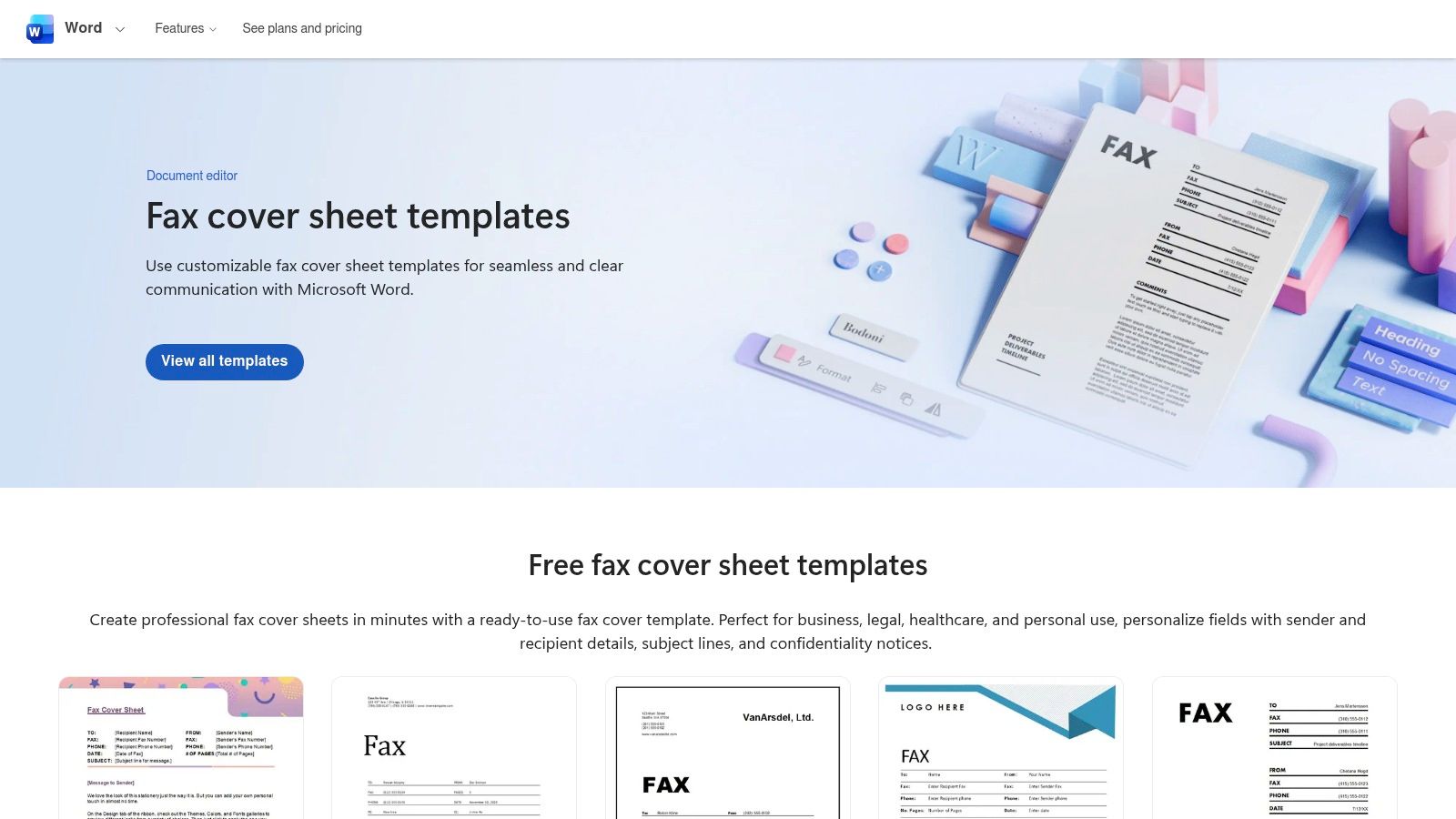
    Microsoft Create (formerly Office Templates)

    The primary advantage is trustworthiness and ease of use. Since these are official Microsoft templates, they are guaranteed to be compatible and well-formatted, eliminating common issues like alignment errors. Editing is straightforward: download the .docx file, open it in Word, and replace the placeholder text. You can easily insert your company logo, adjust fonts, and change colors to match your brand identity. For further guidance on what to include, you can review some effective fax cover letter examples.

    Key Features and Assessment

    Feature Assessment
    Cost Completely free to download and use.
    File Formats Primarily Microsoft Word (.docx) and some Excel (.xlsx).
    Ease of Use Excellent for anyone comfortable with Microsoft Office.
    Customization High. Full control over text, logos, and branding within Word.
    • Pros: Trustworthy source, works offline once downloaded, high compatibility with Office software.
    • Cons: Requires Microsoft Word or Excel for full editing capabilities, designs are more traditional and less creative.

    Website: https://create.microsoft.com/

    2. Adobe Express Templates

    For users who prioritize visual appeal and quick in-browser editing, Adobe Express is a fantastic resource. It offers a vast library of professionally designed printable fax cover sheet templates that can be customized without needing any desktop software. This makes it a great choice for creatives, small businesses, and anyone wanting to produce a modern, branded fax cover in minutes. The templates are more visually dynamic than traditional options and focus on a blend of style and function.
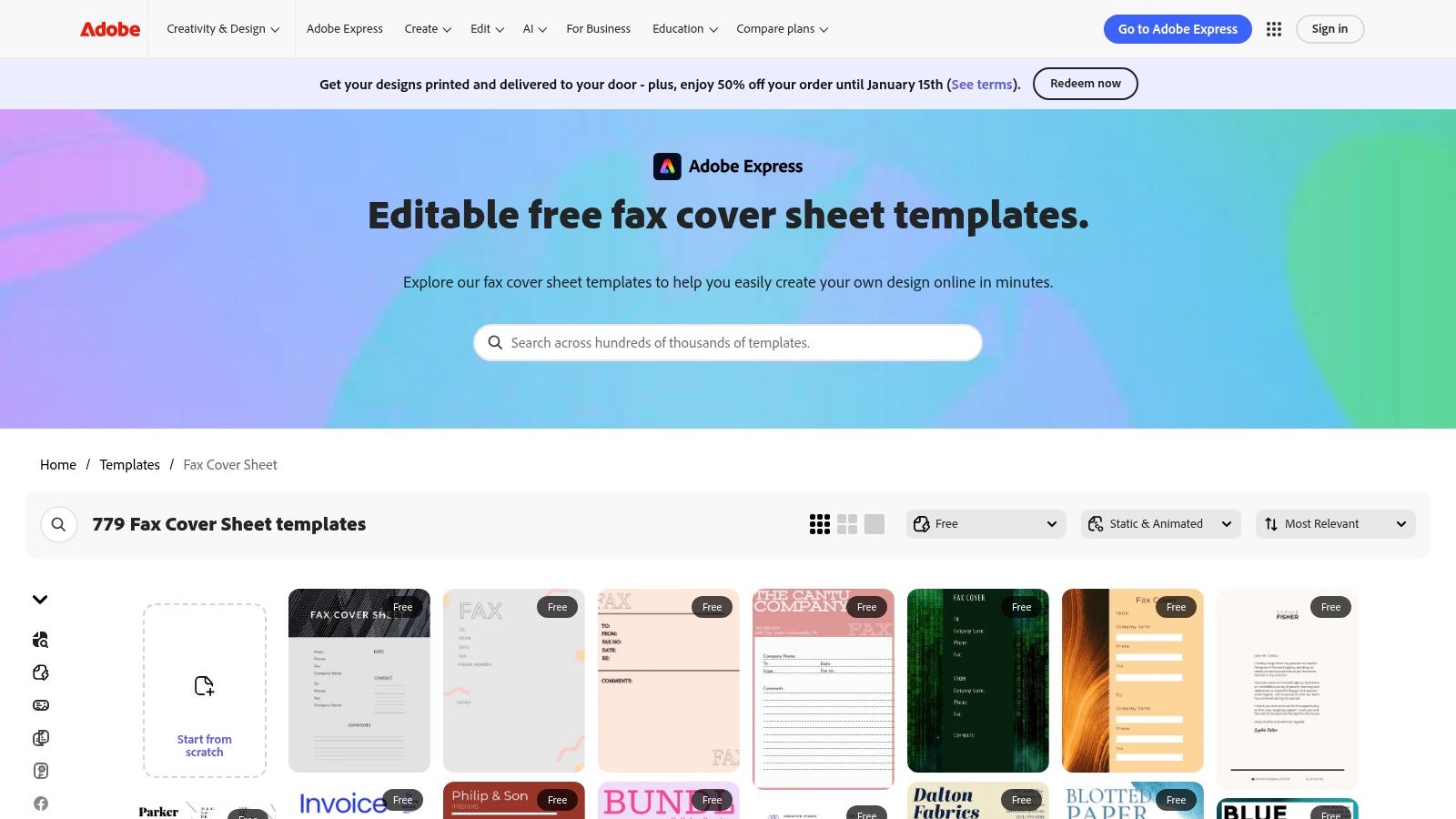
    Adobe Express Templates

    The key benefit is the powerful yet intuitive drag-and-drop editor. You can access it from any web browser, change fonts, add your logo, and adjust layouts with ease. Once your design is complete, you can download it as a print-ready PDF file. While many templates are free, some premium designs and features require a subscription. However, the free selection is often more than sufficient for creating a polished and effective fax cover sheet.

    Key Features and Assessment

    Feature Assessment
    Cost Freemium model; many templates are free, others require a subscription.
    File Formats Primarily PDF, with options for JPG and PNG.
    Ease of Use Excellent. The in-browser editor is intuitive for all skill levels.
    Customization Very high. Extensive control over design elements, fonts, and colors.
    • Pros: Modern and visually appealing designs, accessible on any device, easy drag-and-drop customization.
    • Cons: Requires an Adobe account to save or download, some of the best templates are behind a paywall.

    Website: https://www.adobe.com/express/templates/cover/fax?utm_source=openai

    3. Vertex42

    Vertex42 is a well-established resource for practical document templates, offering a no-nonsense collection of printable fax cover sheet options. It stands out by providing templates in multiple formats, including Microsoft Word, Excel, and even Google Sheets. This variety caters to users who might prefer a spreadsheet interface for data entry or need to batch-print multiple blank cover sheets for manual use in an office setting.
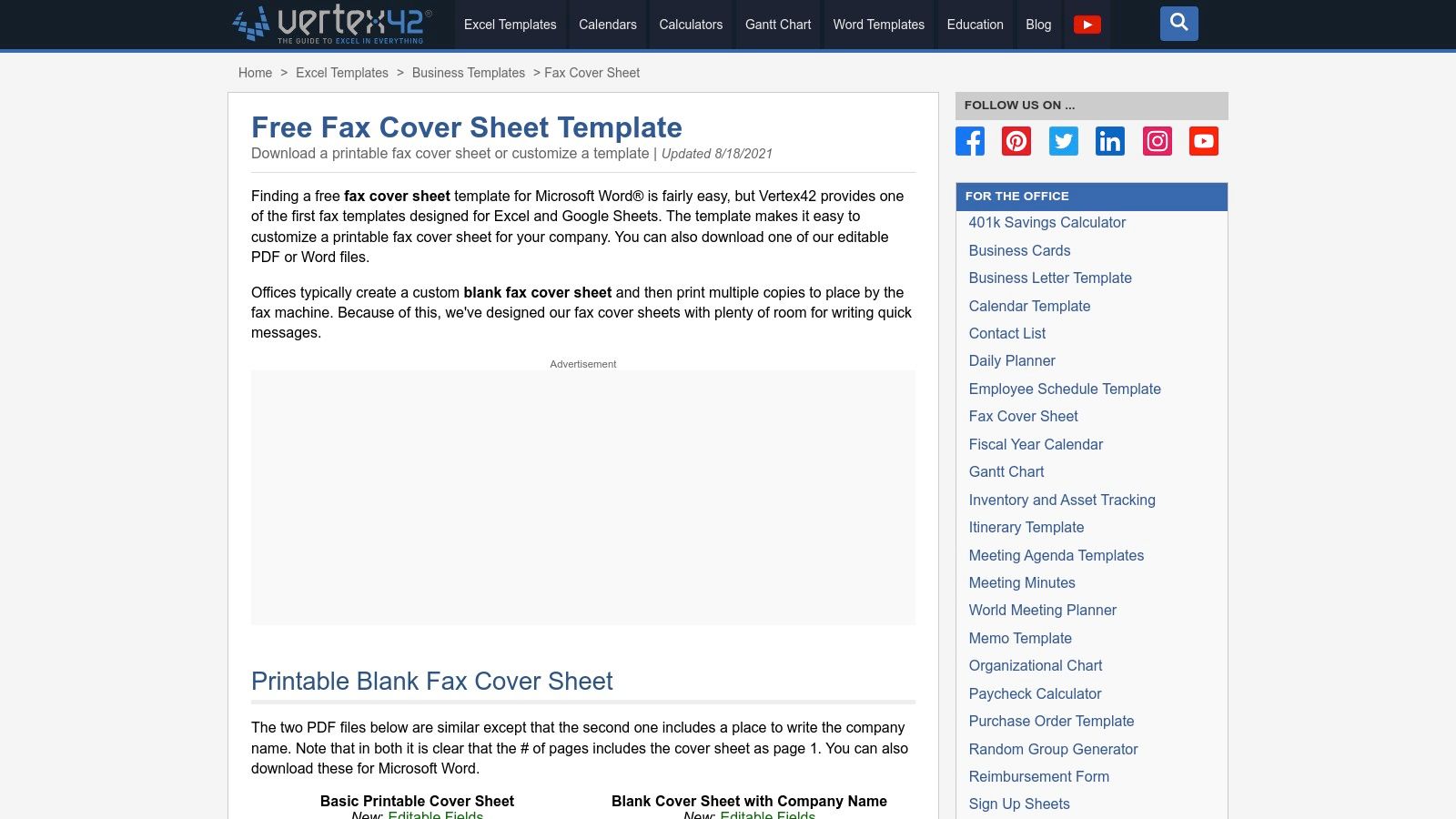
    Vertex42

    The primary appeal of Vertex42 lies in its functional, minimalist design. The layouts are clean, print well, and include ample white space for handwritten notes if needed. You can download an editable PDF to fill out on your computer or a Word document for more thorough customization. While the website interface contains ads, the templates themselves are straightforward and highly practical for business or personal communication where function is more important than creative design.

    Key Features and Assessment

    Feature Assessment
    Cost Free for personal use.
    File Formats Word (.docx), Excel (.xlsx), PDF, and Google Sheets.
    Ease of Use Very good. Simple downloads with clear instructions.
    Customization Good. Editable in their native applications (Word, Excel, etc.).
    • Pros: Multiple file formats available, minimalist layouts print cleanly, great for batch printing.
    • Cons: Limited aesthetic variety, the website page features advertisements.

    Website: https://www.vertex42.com/ExcelTemplates/fax-cover-sheet.html?utm_source=openai

    4. eFax (Free Fax Cover Sheet Templates)

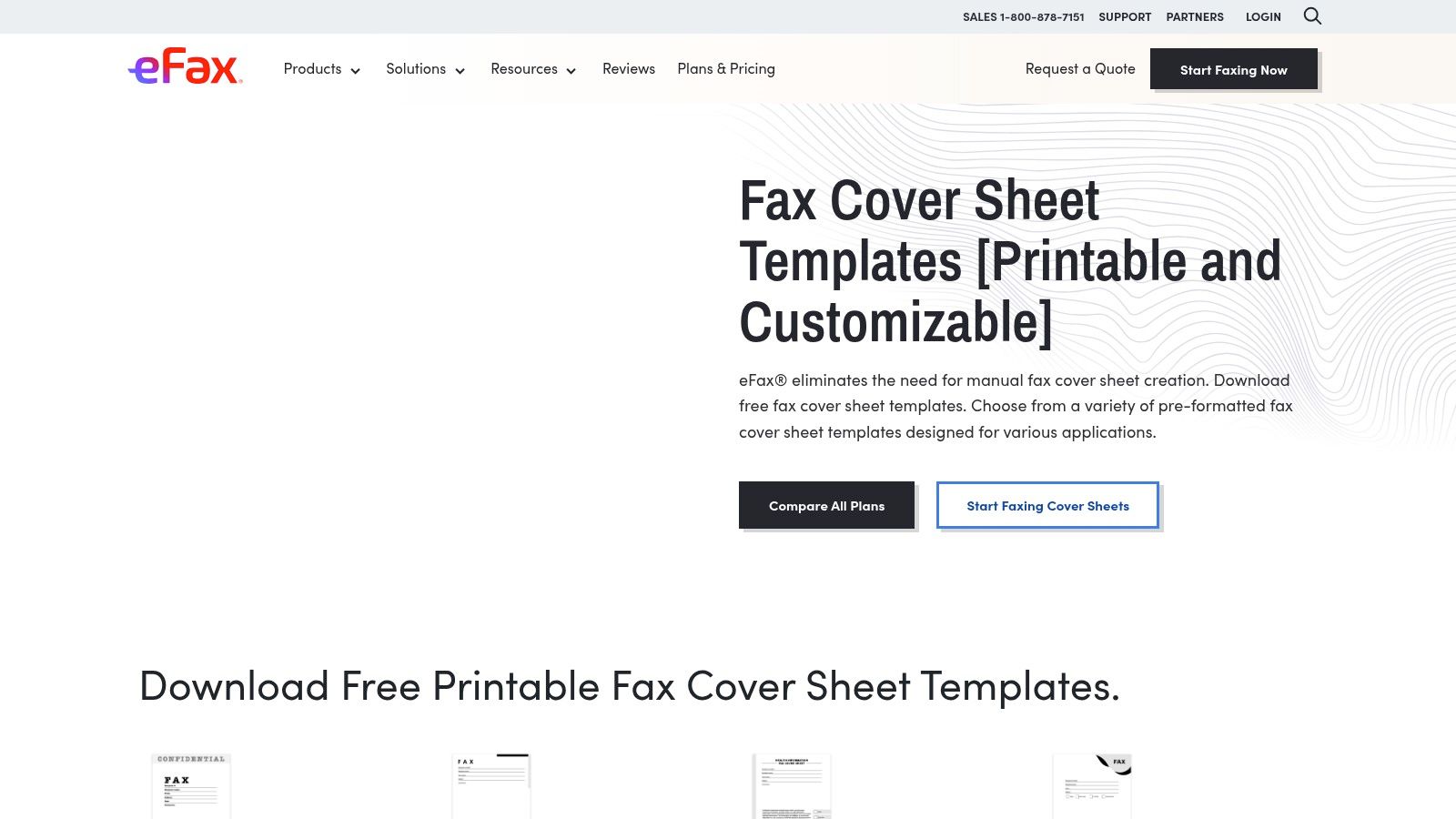
    As a major player in the online faxing industry, eFax provides a valuable resource of free, printable fax cover sheet templates. These are available to everyone, not just their subscribers. The collection is notable for its clear categorization, offering designs tailored for business, confidential, personal, and modern use cases. This makes it an excellent choice for users who need a specific type of cover sheet without having to design it from scratch. The designs are professional and standardized, focusing on clarity and essential information.
    eFax (Free Fax Cover Sheet Templates)

    The standout feature is the inclusion of specialized templates, particularly for healthcare. eFax offers a HIPAA-compliant cover sheet, which is a crucial tool for medical professionals who need to ensure patient privacy. Each template category comes with clear usage instructions. While the site does promote eFax's paid services, the templates themselves are completely free to download and print. You can find a more detailed breakdown of a great fax cover sheet PDF template to see what fields are essential.

    Key Features and Assessment

    Feature Assessment
    Cost Completely free to download and use.
    File Formats Primarily PDF.
    Ease of Use Very simple; just download the PDF and print.
    Customization Low. As PDFs, they are not easily editable. Best for printing as-is.
    • Pros: Excellent selection of category-specific templates, includes a HIPAA-compliant option, professional designs.
    • Cons: Prominently advertises paid eFax services, PDF format limits easy customization, requires navigating through categories.

    Website: https://www.efax.com/fax-cover-sheets?utm_source=openai

    5. iFax (Template Library)

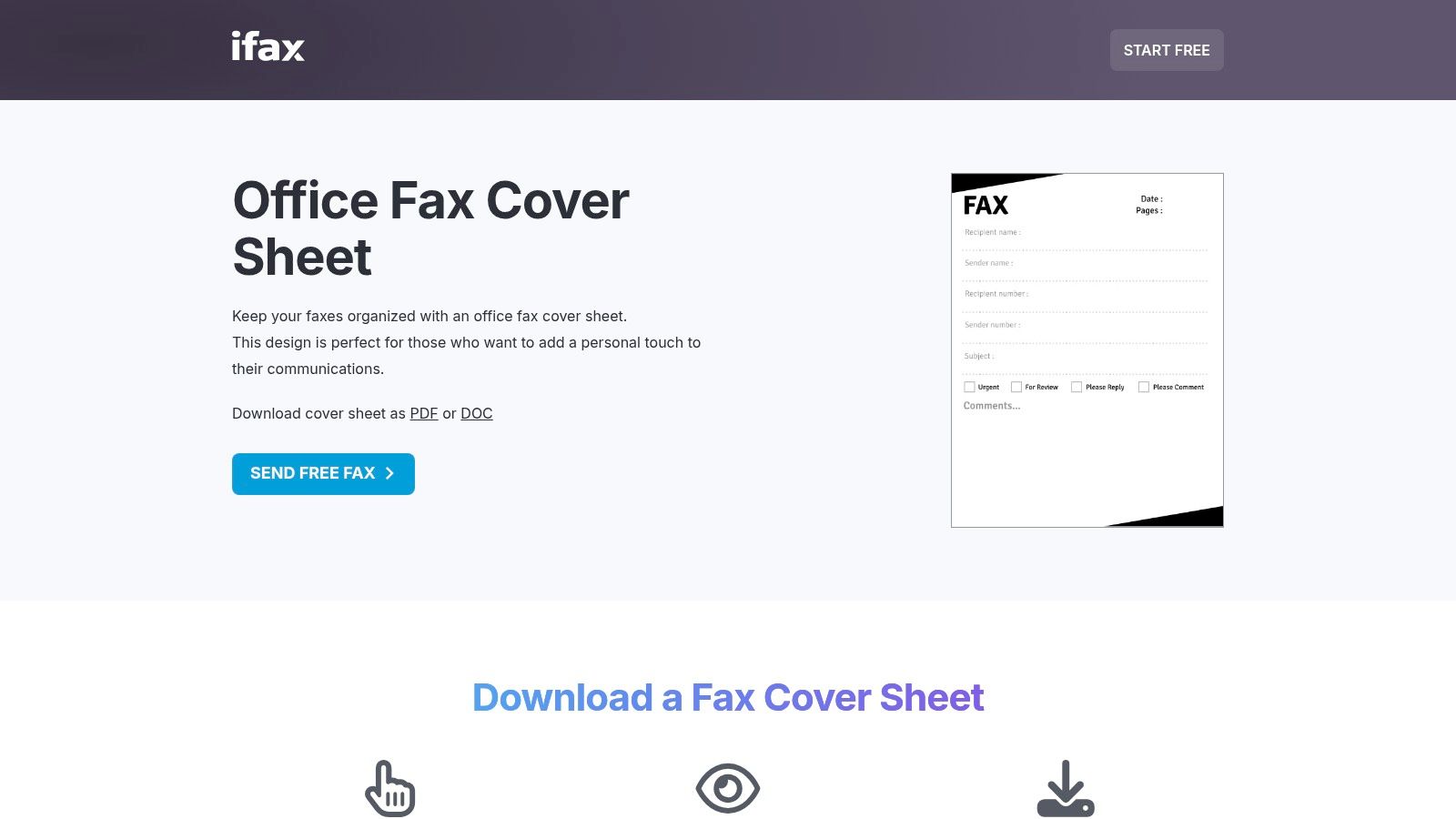
    iFax offers a comprehensive library of printable fax cover sheet templates categorized by industry and style, such as Office, Classic, Modern, and even HIPAA-compliant designs. This makes it a valuable resource for professionals in regulated fields who need specialized documents. Users can preview each template before downloading, ensuring they select the right format for their specific communication needs. The focus on vertical-specific layouts is its key differentiator.
    iFax (Template Library)

    The platform provides downloads in both PDF and Word (.doc) formats, offering flexibility for users who want to either print immediately or make detailed edits. While the templates are free, the site does promote the iFax sending service, and some pages contain dense SEO text. However, the quality and specificity of the templates, especially the HIPAA-compliant options for medical use, make it a go-to for specialized business requirements. Simply find your needed design, download it, and fill it out for a polished and professional fax.

    Key Features and Assessment

    Feature Assessment
    Cost Completely free to download and use.
    File Formats PDF and Microsoft Word (.doc).
    Ease of Use Good. Clear previews make selection easy.
    Customization High for Word files; PDF files are print-ready but not editable.
    • Pros: Excellent selection of vertical-specific templates (e.g., medical), offers both PDF and DOC formats, clear previews.
    • Cons: Marketing for the iFax app is interspersed, some pages are heavy on SEO-focused content.

    Website: https://www.ifaxapp.com/free-fax-cover-sheets/office-fax-cover-sheet/?utm_source=openai

    6. MyFax (Free Fax Cover Sheets)

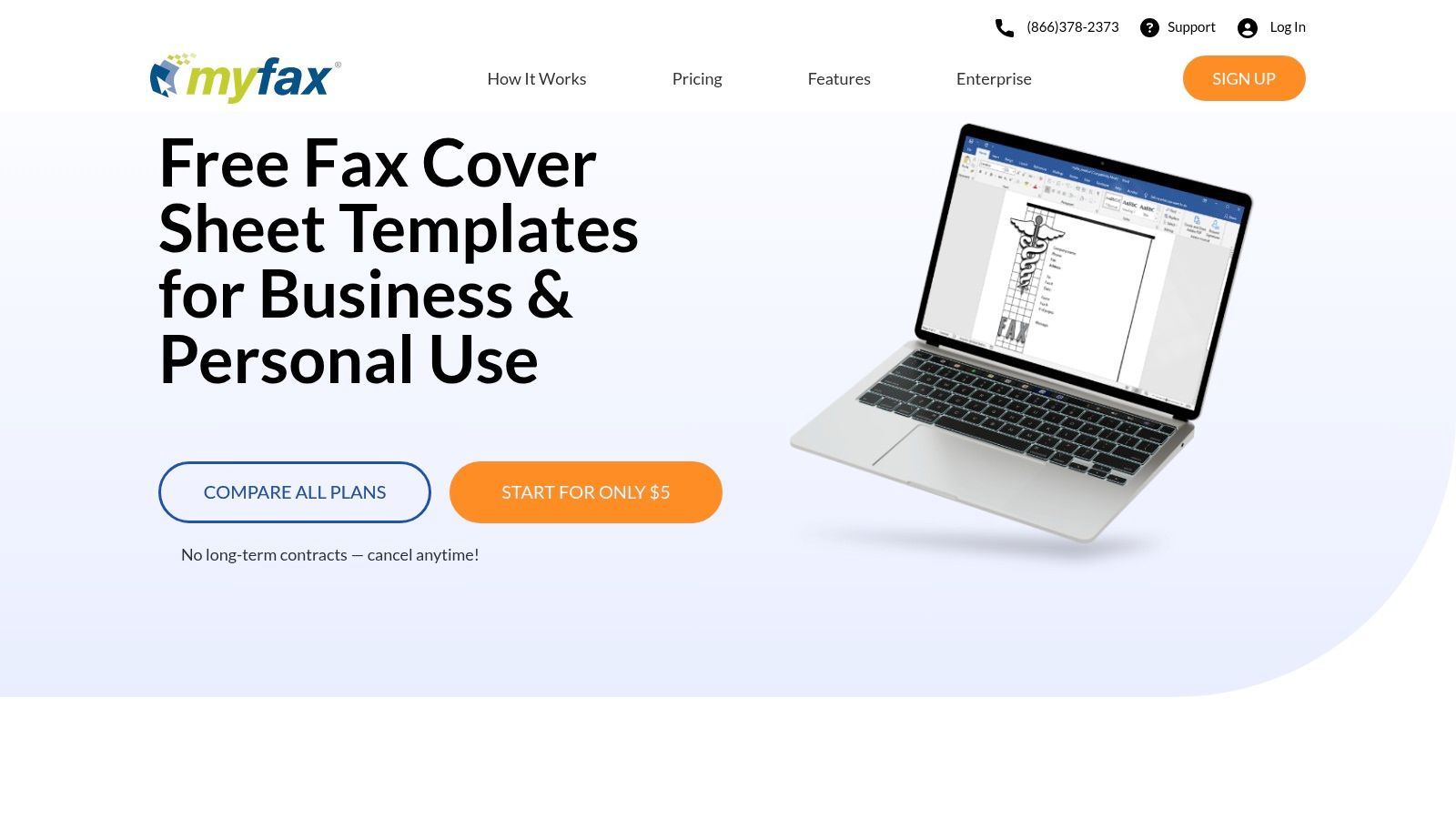
    As a long-standing player in the online fax service industry, MyFax also provides a valuable collection of free, printable fax cover sheet templates. These are offered in .doc format, making them an excellent resource for users who prefer to edit documents in Microsoft Word. The templates are neatly categorized into business, personal, and healthcare-specific styles, providing a solid foundation for various professional needs.
    MyFax (Free Fax Cover Sheets)

    The primary benefit of MyFax is its straightforward approach. The website offers clear, step-by-step instructions on how to download, edit, and use the cover sheets, which is helpful for those less familiar with the process. While the site naturally promotes its own paid faxing service, accessing the templates is completely free and requires no signup. The designs are functional and professional, prioritizing clarity over creative aesthetics, which is ideal for corporate or formal communication.

    Key Features and Assessment

    Feature Assessment
    Cost Completely free to download and use.
    File Formats Microsoft Word (.doc) only.
    Ease of Use Very good, especially with the provided step-by-step guidance.
    Customization High. All text fields, fonts, and logos are editable in Word.
    • Pros: Straightforward downloads, easy to customize with Word, helpful usage tips.
    • Cons: Fewer modern designs than dedicated platforms, site heavily encourages MyFax service signup.

    Website: https://www.myfax.com/free-fax-cover-sheets

    7. FaxBurner (Free Cover Sheets)

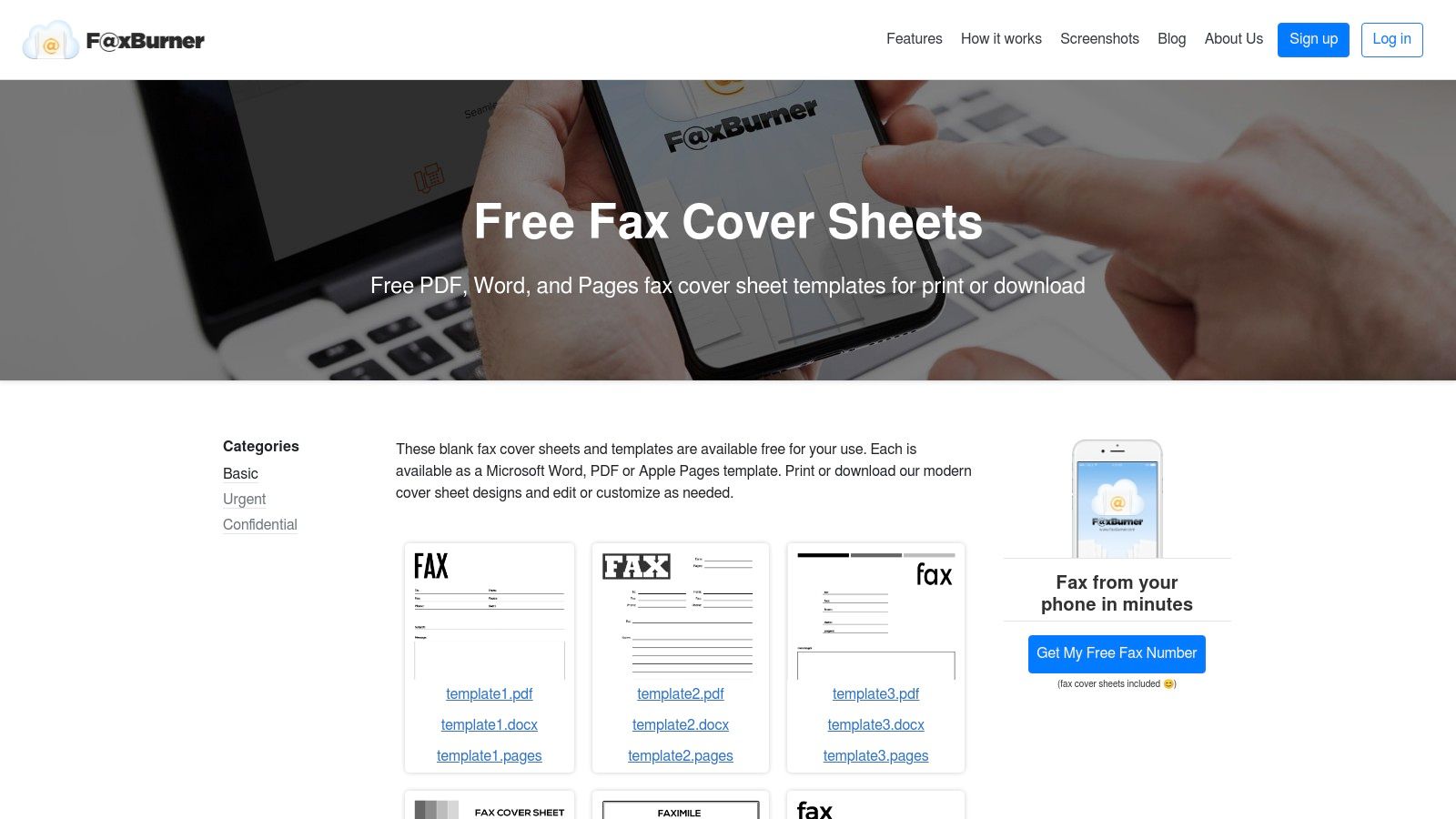
    FaxBurner offers a collection of clean, modern, and printable fax cover sheet templates that are ideal for users who prioritize simplicity and efficiency. While the company promotes its online faxing app, it provides these resources completely free, categorized for specific needs like Basic, Urgent, and Confidential. This makes it a great stop for anyone needing a functional, no-frills cover sheet without navigating a massive template library.
    FaxBurner (Free Cover Sheets)

    The standout feature is its multi-format availability. Each design is available for instant download as a PDF, Microsoft Word (.docx), or even an Apple Pages file. This cross-platform support is a significant convenience, catering to both Windows and Mac users without requiring file conversions. The layouts are minimalist, ensuring your critical information is front and center and your fax appears professional and easy to read.

    Key Features and Assessment

    Feature Assessment
    Cost Completely free to download and use.
    File Formats PDF, Microsoft Word (.docx), Apple Pages (.pages).
    Ease of Use Excellent. Simple website layout with direct download links.
    Customization Good. The Word and Pages files are fully editable.
    • Pros: Offers templates in multiple formats (PDF, Word, Pages), clean and minimalist designs, categorized for easy selection.
    • Cons: A much smaller library compared to dedicated template sites, the website's main focus is promoting its faxing service.

    Website: https://www.faxburner.com/homepage/basic-fax-cover-sheets?utm_source=openai

    8. Template.net

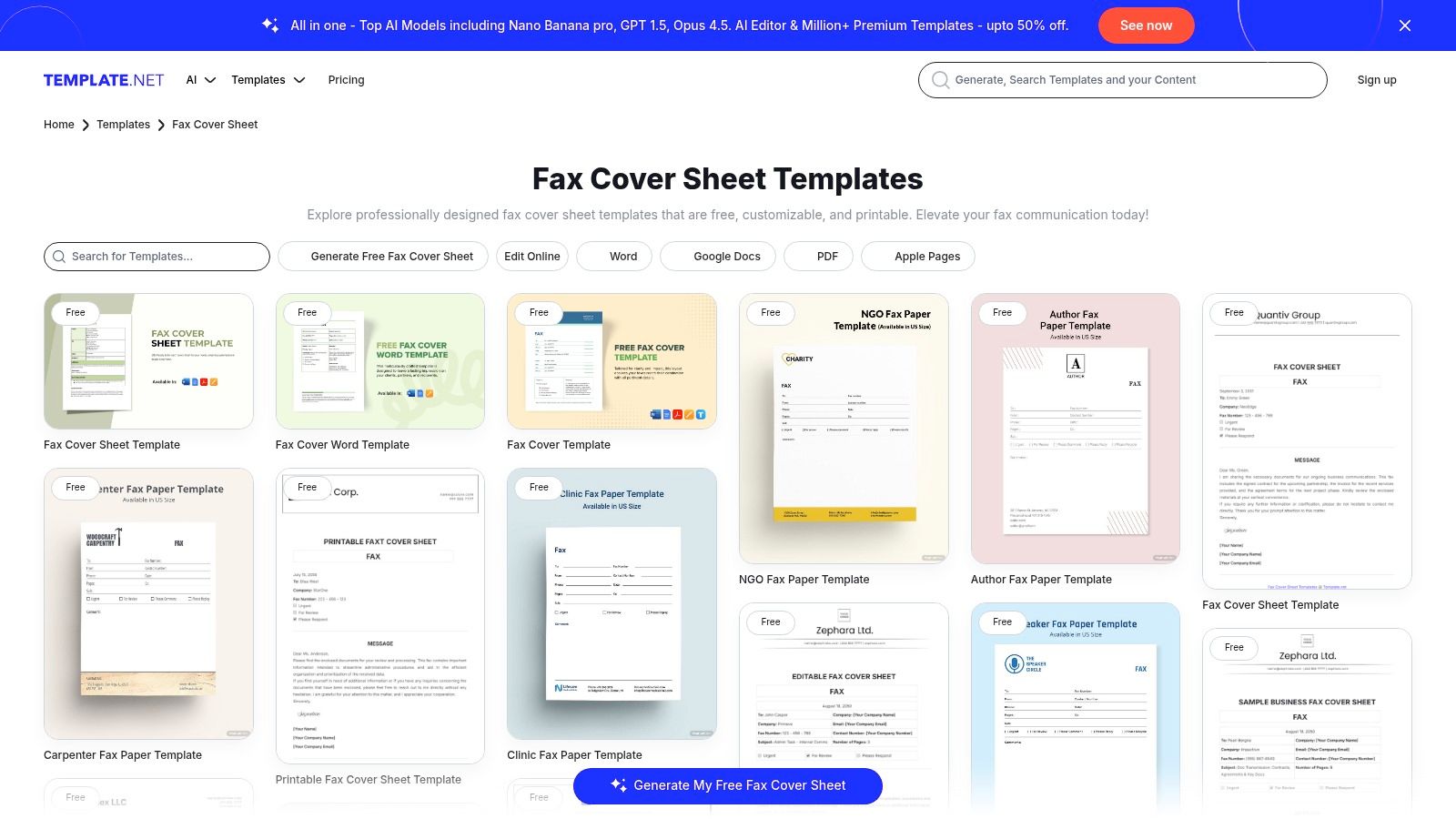
    For users seeking variety above all else, Template.net offers one of the most extensive libraries of printable fax cover sheet templates available. The platform stands out by providing designs across a massive range of file formats, including Word, Google Docs, PDF, Excel, and even Apple Pages. This makes it a versatile hub for individuals and businesses, regardless of their preferred software ecosystem, with options tailored for specific industries like medical, legal, and real estate.
    Template.net

    The platform offers both free and premium templates, allowing you to filter by your needs. A unique feature is the in-browser editor, which lets you make quick customizations before downloading the final document. While many basic designs are free, some of the more specialized or polished templates require a premium subscription. The site’s broad compatibility ensures you can find a professional-looking template that works natively with your document workflow, whether you're using Microsoft Office or Google Workspace.

    Key Features and Assessment

    Feature Assessment
    Cost Freemium model; many free templates, with more behind a subscription.
    File Formats Excellent variety: Word, Google Docs, PDF, Excel, Apple Pages/Numbers.
    Ease of Use Good. Offers direct download or a simple in-browser editor.
    Customization High. Both the editor and native files allow for full customization.
    • Pros: Extremely broad catalog with frequent updates, supports both MS Office and Google formats, industry-specific designs.
    • Cons: Some of the best templates are gated behind a premium plan, website has noticeable marketing copy.

    Website: https://www.template.net/fax-cover-sheet?utm_source=openai

    9. FaxItOnce – Free Cover Sheet Generator

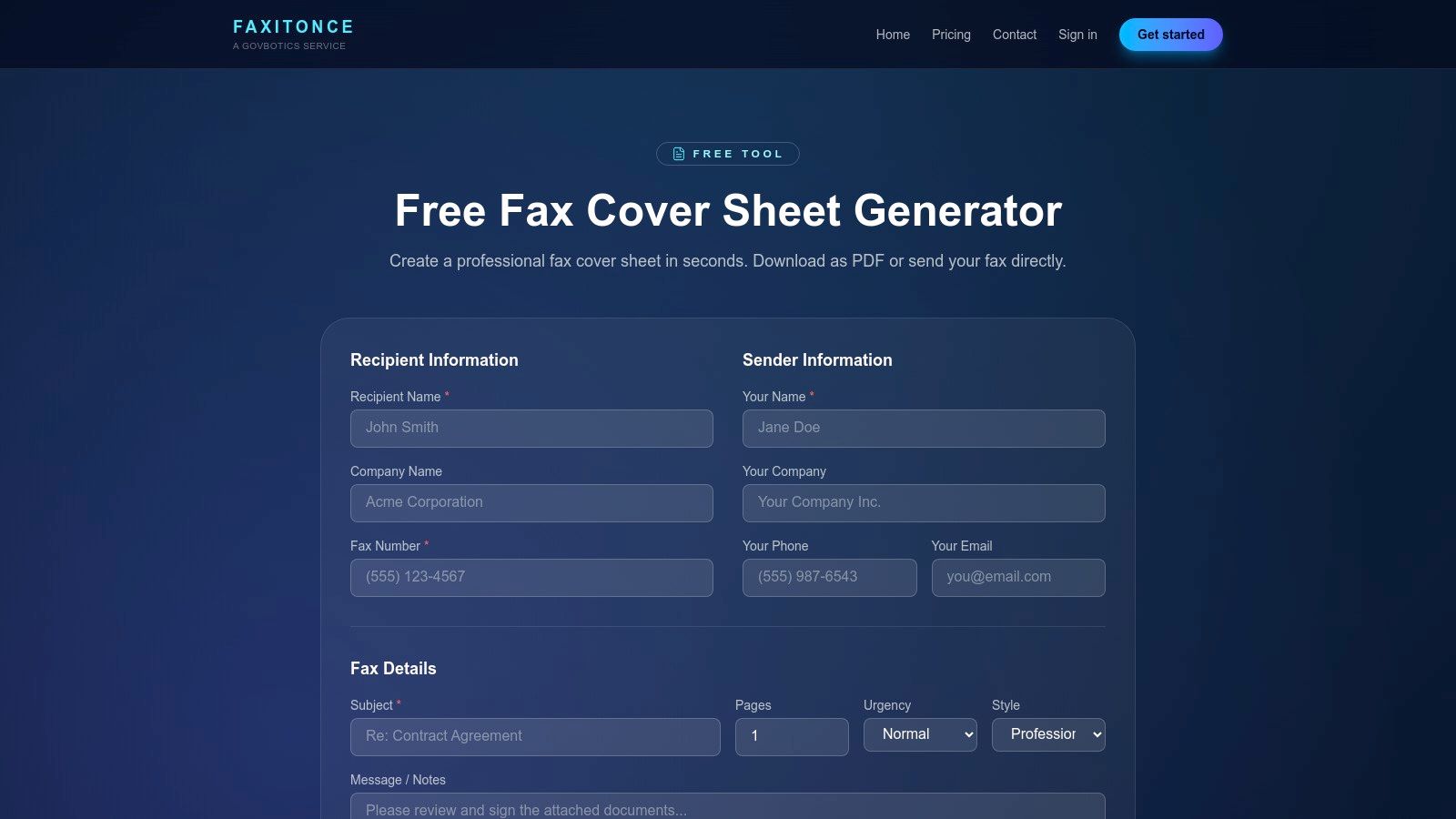
    For those who need a printable fax cover sheet immediately without opening any software, FaxItOnce provides a free, browser-based generator. This tool is designed for speed and simplicity, making it perfect for urgent, one-off faxes. Users are guided through a simple form where they input sender, recipient, and message details, and the platform instantly generates a professional, print-ready PDF. It strips away the need for design skills, focusing purely on function.
    FaxItOnce – Free Cover Sheet Generator

    The primary benefit of FaxItOnce is its efficiency. There is no software to install or template to download; the entire process happens online. After filling in the fields, you simply click to generate the PDF, which can be printed or saved. This streamlined workflow is ideal for individuals who rarely send faxes and don't want the hassle of managing document templates. For users exploring similar tools, this is a prime example of a free printable fax cover sheet with no download required.

    Key Features and Assessment

    Feature Assessment
    Cost Completely free for the cover sheet generator.
    File Formats Generates a print-ready PDF file.
    Ease of Use Excellent. The guided form is intuitive and requires no technical skill.
    Customization Low. Limited to the information fields provided in the form.
    • Pros: No design skills needed, instant PDF generation, great for occasional or urgent needs.
    • Cons: Limited design customization versus template sites, includes an optional service upsell on the page.

    Website: https://faxitonce.com/tools/cover-sheet-generator?utm_source=openai

    10. Etsy (Digital Download Templates Marketplace)

    For those seeking a more creative or niche-specific design, Etsy is a surprising but effective marketplace. Independent designers sell low-cost, printable fax cover sheet templates as instant digital downloads, offering a vast departure from the standard corporate look. This is the ideal destination for small businesses, freelancers, or individuals who want a cover sheet with more personality, whether it's modern, minimalist, or industry-specific (like for a creative studio or a wellness clinic).

    The primary advantage of Etsy is the unique variety and affordability. For just a few dollars, you can purchase a professionally designed template that is often editable in user-friendly platforms like Canva, Google Docs, or Microsoft Word. Since you are buying from individual sellers, it's important to read the listing details carefully to confirm file compatibility and review seller ratings. This approach supports independent creators while giving you a one-of-a-kind document.

    Key Features and Assessment

    Feature Assessment
    Cost Very low cost; typically a one-time fee of $1.50–$5.
    File Formats Varies by seller; common formats include PDF, DOCX, and Canva links.
    Ease of Use Good. Most sellers provide easy-to-edit files for common software.
    Customization High. Editable templates offer full control over text, colors, and logos.
    • Pros: Unique and creative designs not found elsewhere, extremely affordable, supports independent designers.
    • Cons: Quality and file types can vary by seller, commercial reuse rights are often restricted.

    Website: https://www.etsy.com

    11. Office Depot/OfficeMax (Physical Fax Cover Sheet Pads)

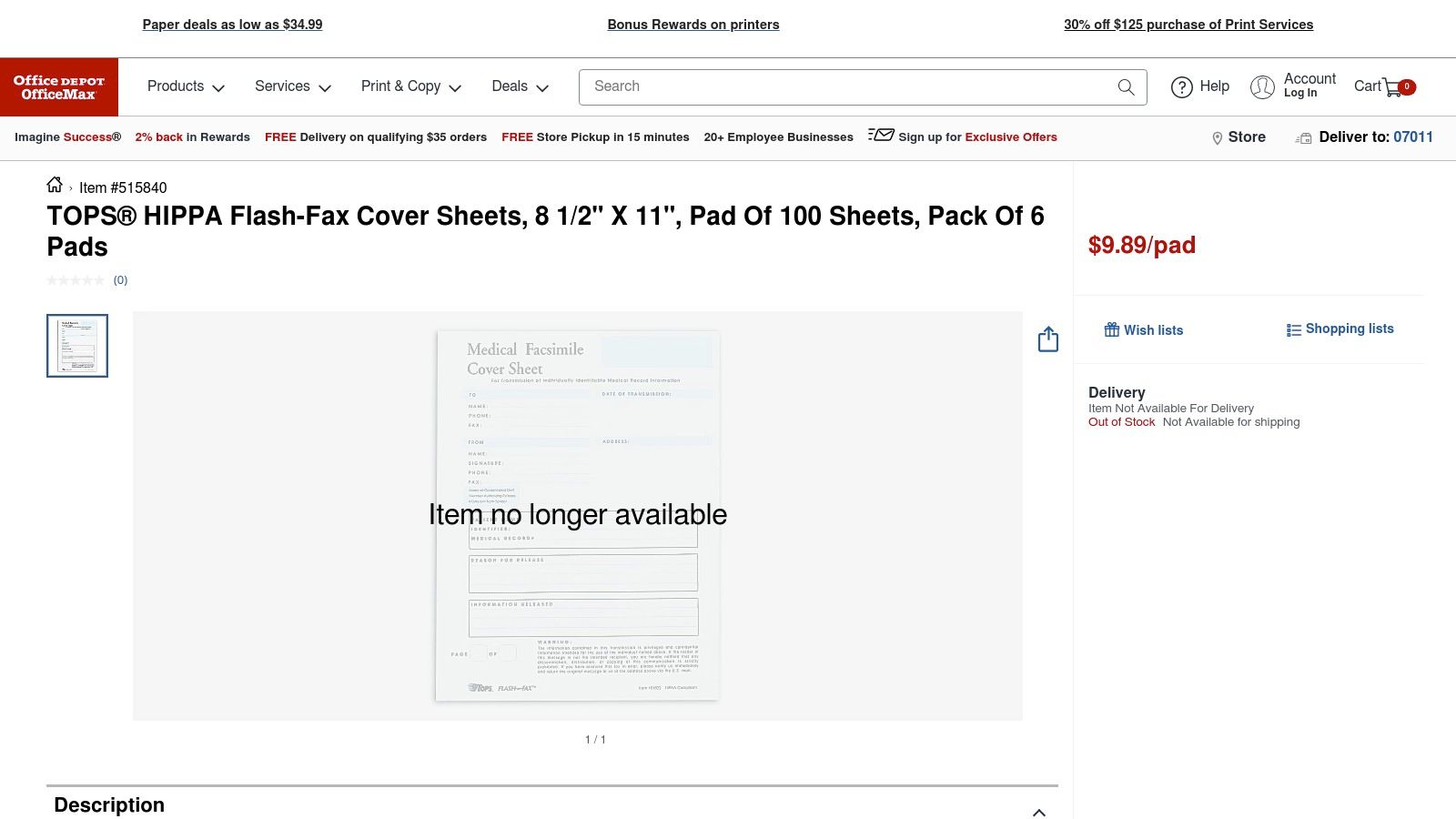
    For high-volume fax environments or offices that prefer a non-digital workflow, purchasing pre-printed pads can be more efficient than using a printable fax cover sheet. Office Depot and OfficeMax offer physical pads of fax cover sheets, such as the TOPS HIPAA-compliant version, ready for immediate, handwritten use. This approach eliminates the need for a printer, making it perfect for shared fax machine stations where convenience is key. The forms are standardized and designed for clarity and quick completion.
    Office Depot/OfficeMax (Physical Fax Cover Sheet Pads)

    The primary advantage is the grab-and-go convenience. There's no need to open a file, edit, or print; you simply tear a sheet off the pad and fill it out by hand. These pads often come with specific compliance language, such as HIPAA confidentiality notices, which is a critical feature for medical and legal offices. They are available for nationwide shipping or in-store pickup, providing a reliable supply chain for essential office operations.

    Key Features and Assessment

    Feature Assessment
    Cost Ongoing purchase cost per pad (e.g., around $10-15 per 100 sheets).
    File Formats Not applicable; these are physical paper products.
    Ease of Use Excellent. No technology or printing is required.
    Customization Very low. You cannot add logos or alter the pre-printed layout.
    • Pros: Extremely convenient, no printing needed, ideal for shared fax stations, compliance-specific options available.
    • Cons: Incurs an ongoing supply cost, zero customization for branding, less environmentally friendly than digital options.

    Website: https://www.officedepot.com/a/products/515840/TOPS-HIPPA-Flash-Fax-Cover-Sheets/?utm_source=openai

    12. Quill (Physical and Custom Fax Cover Slips)

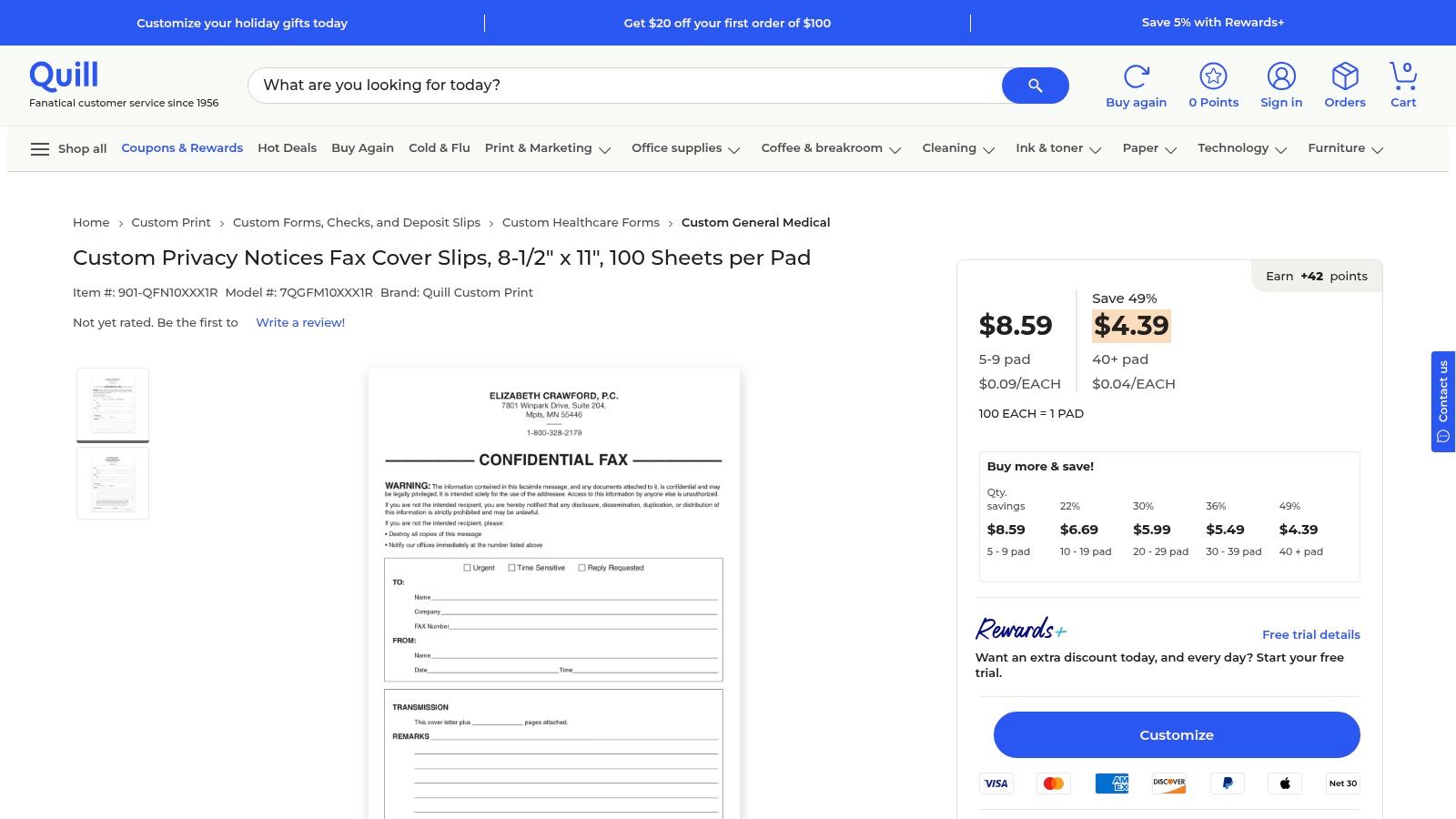
    For high-volume business environments, Quill offers a practical, old-school solution: physical pads of fax cover slips. This approach is ideal for offices that still rely on a traditional fax machine and need a steady, offline supply of standardized cover sheets. Rather than dealing with a digital printable fax cover sheet for every transmission, staff can simply tear a sheet from a pad, fill it out by hand, and send. This B2B-focused retailer specializes in bulk orders, making procurement simple and cost-effective.
    Quill (Physical and Custom Fax Cover Slips)

    Quill's main advantage is its efficiency for organizations with established workflows. The pads, typically containing 100 sheets, often include important elements like privacy notices, which are crucial for compliance in many industries. Tiered pricing rewards larger purchases, and the platform supports business accounts with streamlined invoicing and shipping options. While it lacks digital customization, it excels in providing a reliable, tangible resource for busy offices where convenience and speed are paramount.

    Key Features and Assessment

    Feature Assessment
    Cost Paid; tiered discounts available for bulk orders.
    File Formats N/A (physical paper pads).
    Ease of Use Excellent for offline use; simply write and fax.
    Customization Low. The designs are standardized, though some custom options exist.
    • Pros: Competitive bulk pricing, ideal for high-volume faxing, reliable B2B shipping and invoicing.
    • Cons: Not a digital or printable solution, limited design variety, requires a physical purchase.

    Website: https://www.quill.com/custom-privacy-notices-fax-cover-slips-8-1-2-x-11-100-sheets-pad/cbs/55400920.html?utm_source=openai

    Printable Fax Cover Sheets: 12-Source Comparison

    Item Core features UX / Quality Price / Value Target audience Unique selling points
    Microsoft Create (formerly Office Templates) Free editable Word/Excel templates; print-ready .docx/.xlsx ★★★★ Trusted, clean print 💰 Free 👥 Office users, brand-conscious ✨ Official MS templates; easy branding 🏆
    Adobe Express Templates Hundreds of editable designs; in-browser drag & drop; PDF export ★★★★★ Polished, easy customization 💰 Free & Premium (some paid) 👥 Designers, SMBs needing polish ✨ Brand Kit + in-browser editor 🏆
    Vertex42 Multiple formats (PDF/Word/Excel/Sheets); spreadsheet-friendly ★★★★ Practical, prints clean 💰 Free (ads) 👥 Admins, batch printers ✨ Spreadsheet-ready, batch-printing
    eFax (Free Templates) Category-specific covers incl. HIPAA; printable formats ★★★★ Professional, compliance-ready 💰 Free templates; promotes eFax plans 👥 Healthcare & business users ✨ HIPAA-focused templates 🏆
    iFax (Template Library) DOC/PDF templates by industry; preview before download ★★★★ Many vertical options 💰 Free downloads; app upsell 👥 Industry-specific users ✨ Vertical/medical variations
    MyFax (Free Covers) .doc templates, step-by-step tips; Word-editable ★★★ Simple, easy to edit 💰 Free; service promoted 👥 Word users, small biz ✨ Word-ready files for quick edits
    FaxBurner (Free Covers) PDF/Word/Apple Pages; categorized minimalist layouts ★★★★ Clean, modern designs 💰 Free; app marketing 👥 Mobile users, minimalists ✨ Multi-format convenience
    Template.net Large catalog across formats; in-browser editing ★★★★ Very broad variety 💰 Free & Premium items 👥 Agencies, multi-format needs ✨ Huge, frequently updated catalog 🏆
    FaxItOnce – Cover Sheet Generator Guided field entry + instant PDF download ★★★★ Instant, no design skill needed 💰 Free 👥 Occasional/urgent users ✨ Quick generator for one-offs
    Etsy (Digital Downloads) Independent designer templates; instant digital delivery ★★★–★★★★ Quality varies by seller 💰 Low-cost ($1.50–$5 typical) 👥 Seekers of unique/affordable designs ✨ Unique, niche styles; seller reviews
    Office Depot / OfficeMax (Pads) Preprinted 8.5×11 pads; HIPAA/confidential options ★★★ Ready-to-use, tangible 💰 Paid per pad 👥 Shared fax stations, walk-in offices ✨ No printing required; store pickup
    Quill (Physical / Custom Slips) Pads of 100; volume pricing; B2B shipping/invoicing ★★★★ Reliable for bulk orders 💰 Bulk discounts; B2B pricing 👥 Procurement teams, large orgs ✨ Volume discounts + invoicing 🏆

    From Template to Transmission: Your Next Steps

    Navigating the landscape of fax communication has fundamentally changed. The days of relying on bulky, dedicated machines are over, yet the need for secure, professional document transmission remains critical in many industries. This guide has equipped you with a comprehensive toolkit, showcasing a diverse array of resources for finding the perfect printable fax cover sheet for any situation.

    We’ve explored everything from the robust, professionally designed templates offered by giants like Microsoft Create and Adobe Express to specialized, industry-specific options from services like eFax and iFax. For those seeking cost-effective or highly specific solutions, we delved into the extensive libraries of Vertex42 and Template.net, the unique custom creations on Etsy, and even the simple efficiency of physical cover sheet pads from office supply stores. The key insight is that the "best" template is not a one-size-fits-all solution; it is entirely dependent on your specific context, audience, and the nature of the documents you are sending.

    Key Takeaways and Choosing Your Path

    As you move forward, the most crucial step is to align your choice with your needs. A simple, clean template from Vertex42 might be perfect for a quick personal fax, whereas a legal firm will benefit immensely from a more formal, detailed printable fax cover sheet that includes specific fields for case numbers and confidentiality notices.

    Consider these factors when making your final selection:

    • Urgency vs. Customization: Do you need to send a fax in the next five minutes? A simple, print-ready PDF from a service like MyFax is your best bet. Do you want to build a reusable, branded template? Investing time in a DOCX file from Microsoft Create or a customizable design from Adobe Express will pay dividends.
    • Confidentiality and Compliance: For medical, legal, or sensitive financial documents, prioritize templates that explicitly include confidentiality disclaimers. Sources like eFax often design their resources with HIPAA considerations in mind, providing an essential layer of professionalism and legal protection.
    • Volume and Frequency: If you send faxes regularly, using a customizable DOCX or INDD template allows you to pre-fill your contact information, saving valuable time. For infrequent, one-off faxes, a free online generator like FaxItOnce offers unparalleled convenience without requiring software or downloads.

    Ultimately, your chosen printable fax cover sheet is the first impression your recipient has of your communication. It sets the tone, provides critical context, and ensures your document is routed correctly upon arrival. By selecting a template that reflects the professionalism and urgency of your message, you ensure your transmission is not just sent, but received effectively. The final step is pairing that perfect cover sheet with a modern, reliable delivery method that bridges the gap between your digital file and the recipient's fax machine.


    Ready to send your newly customized document? With SendItFax, you can upload your chosen printable fax cover sheet and documents directly from your computer or phone and transmit them in seconds. Try our fast, secure, and account-free online faxing service today at SendItFax to complete your transmission with confidence.

  • Your Guide to the Best Free PDF Fax Cover Sheet Template

    Your Guide to the Best Free PDF Fax Cover Sheet Template

    A good PDF fax cover sheet template is more than just a piece of paper; it’s a professional handshake. It sets the stage for your document, making sure it looks polished and gets to the right person, which is especially important when you're using a modern online fax service.

    Why a Professional Fax Cover Sheet Still Matters

    I know what you're thinking. In a world of email and instant messaging, isn't faxing a bit… old-fashioned? You might be surprised. Faxing is still a workhorse in many industries, and a well-designed cover sheet is your document's first impression. It's the gatekeeper, making sure your sensitive information lands in the right hands and is treated with the confidentiality it deserves.

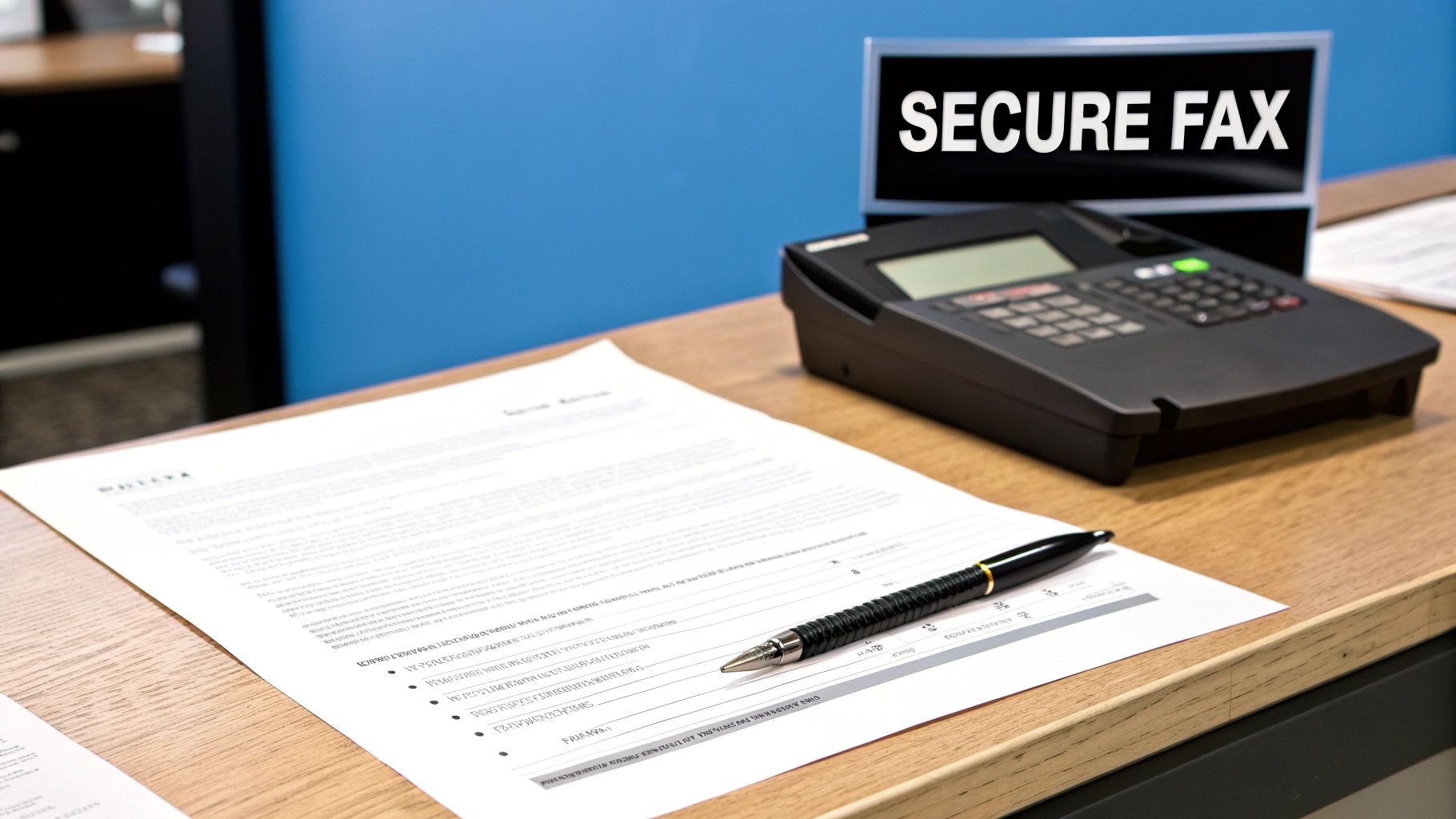
    A secure fax machine on a desk next to a document and a pen in an office setting.

    The Role of a Cover Sheet in Modern Faxing

    Think of your cover sheet as the business card that arrives before your document. It instantly answers the critical questions: Who sent this? Who is it for? And what’s it about? This is absolutely essential in big companies where one fax number might serve dozens of people across different departments. Without that clear cover page, your urgent contract or critical patient record could easily end up lost on someone else's desk.

    Believe it or not, faxing is still a massive part of business communication, especially in fields like healthcare, law, and finance. Despite everything going digital, an incredible 18 billion faxes are still sent each year in North America alone. A huge number of those rely on a cover sheet to guarantee they’re routed correctly and kept private. If you're curious, you can find more stats on this over at fitsmallbusiness.com. It just goes to show how fundamental they are to professional communication.

    Key Benefits of Using a Template

    Sure, you could scribble a note or skip the cover sheet altogether, but using a standardized PDF fax cover sheet template is just smarter. Here’s why I always recommend it:

    • Professionalism: A clean, consistent look tells the recipient you’re serious and detail-oriented.
    • Clarity: It neatly organizes all the key info—sender, recipient, page count—which cuts down on confusion and costly mistakes.
    • Security: This is a big one. A confidentiality notice is a standard and often legally necessary element, especially for documents covered by HIPAA or attorney-client privilege.
    • Efficiency: A fillable template is a huge time-saver. You can get faxes out the door quickly without having to start from scratch every single time.

    Simply put, a professional cover sheet isn't just for show. It’s a practical tool that boosts security, ensures your document gets where it needs to go, and makes your entire workflow smoother.

    Get Your Free, Fillable PDF Fax Cover Sheet Templates

    Finding the right tools for the job shouldn’t be a hassle. That’s why I've put together a collection of free, fillable PDF fax cover sheet template options designed for how businesses actually work. Forget the generic, clunky designs of the past—these are clean, professional, and ready to use in seconds.

    Close-up of hands holding a tablet showing a 'FREE TEMPLATES' page, surrounded by office items like notebooks and a plant.

    The need for easy-to-use templates has exploded right alongside the rise of online faxing. As more people move away from clunky machines, software providers have stepped up, making professional tools available to everyone. It’s no surprise that template hubs see downloads topping 2 million per month, with PDF being the clear winner due to its universal compatibility. While many people start with Word, as you can learn about creating fax sheets in Word for the web, a fillable PDF is often faster for day-to-day use.

    Three Flavors to Fit Any Need

    To cover any situation you might run into, I'm offering three distinct templates. Each one is a fillable PDF, which means you just open it, type directly into the fields, save it, and you’re ready to send. No special software required—your web browser or a basic PDF reader is all you need.

    • The Professional Business Template: Your go-to for any formal communication. It’s got all the essentials, like dedicated fields for company info, a clear subject line, and a generous section for comments.
    • The Minimalist Template: Sometimes, you just need to get it sent. This one is perfect for that. It strips everything down to the bare necessities—To, From, Date, and Page Count—without any fluff.
    • The Comprehensive Template: When the details really matter, this is the one you’ll want. It includes extra room for detailed messages, pre-written confidentiality notices, and fields for reference or case numbers.

    My Pro Tip: Don't just pick one. Download all three templates and pop them into a dedicated folder on your computer. The next time you need to send a fax through a service like SendItFax, you can instantly grab the perfect one for the job without missing a beat.

    Choosing Your PDF Fax Cover Sheet Template

    Not sure which one to start with? This quick comparison should help you pick the best template for your immediate needs.

    Template Style Key Features Best For
    Professional Business Company info, subject line, comments section Formal contracts, client communications, official business correspondence.
    Minimalist Just the essentials (To, From, Date, Pages) Quick notes, internal documents, and routine transmissions where speed is key.
    Comprehensive Expanded message area, confidentiality notice Legal documents, healthcare records, and any fax requiring detailed context or disclaimers.

    Ultimately, each template is built for maximum compatibility, ensuring a seamless upload to any online fax service. Just download your favorite, fill it out, and you’ll have a polished, professional fax ready to go in minutes.

    How to Customize and Fill Your PDF Template

    So, you’ve downloaded your pdf fax cover sheet template. Now for the easy part: making it your own.

    The great thing about fillable PDFs is that you don't need any special or expensive software to get a professional result. In fact, most web browsers and free tools like Adobe Acrobat Reader have everything you need to fill them out. It’s all built-in.

    A laptop screen displays 'Fillable FORM', with a pen and notebook on a wooden desk.

    Just open the file, and you’ll see the highlighted fields. Click and start typing. The template takes care of all the alignment and formatting, letting you focus purely on the information. It’s designed to be intuitive, turning what could be a chore into a quick, two-minute task.

    Decoding the Essential Fields

    While the designs might change, all good fax cover sheets include the same core information. Getting these fields right is crucial for making sure your fax is clear, compliant, and actually lands in the right hands without any delays. Let’s walk through the non-negotiables.

    • To/From: This is the basic routing info, but details matter. Always use the recipient's full name and title if you have it, along with their company. For your own details, include your full name, company, and a direct phone number.

    • Fax Number: I can't stress this enough: double-check this every single time. A single wrong digit is probably the #1 reason faxes fail to send. Make sure you include the full number with the area code for both you and the receiver.

    • Date: Most templates will auto-populate today’s date, but it's a good habit to glance at it and confirm it’s correct, especially if you filled out the form yesterday and are only sending it now.

    • Number of Pages: This is a surprisingly important security check. It tells the recipient exactly how many pages to expect, including the cover sheet itself. If they only get 3 pages but you wrote 4, they'll know right away that there was a transmission error.

    • Subject: Be specific. "Paperwork" is too vague. Something like "Signed Contract for Project Phoenix" or "Patient Referral for John Doe" gives immediate context and urgency.

    A rookie mistake is leaving the page count blank. Always fill it in. That one little number helps the person on the other end confirm they have the complete document, preventing a lot of confusion or even potential data breaches from partial faxes.

    Writing a Clear and Effective Message

    The "Comments" or "Message" box is your spot to add quick instructions or context. The key here is to keep it brief and direct. This isn't the place for a novel; it's a quick note to guide the recipient.

    For example, a solid message would be: "Please find the attached signed agreement for your review. Let me know if you need anything else. Thanks!" It’s far more effective than a vague or rambling paragraph.

    By the way, if you happened to create your cover sheet in another program, like Microsoft Word, you'll need to save it as a PDF before you can send it. We have a simple guide that shows you exactly how to convert a Word document to a PDF to lock in your formatting.

    Once you’ve filled everything in, just save the file. I always recommend naming it something specific, like "Fax_Cover_Sheet_ClientName_Date.pdf," which makes finding it later a breeze. Now your professional cover sheet is ready to upload and send.

    Fine-Tuning Your Cover Sheet for Different Industries

    Look, a generic pdf fax cover sheet template works just fine for everyday faxes. But when you're handling sensitive information, "fine" simply doesn't cut it. In certain fields, that cover sheet is more than just a piece of paper—it's a critical tool for compliance, confidentiality, and showing you mean business. The details you choose to include, or leave out, can have very real legal and practical consequences.

    Forgetting to add the right disclaimer isn't a small slip-up. In some industries, it can be a serious compliance breach. Customizing your cover sheet to match the context of what you're sending is one of the smartest, simplest moves you can make to protect your information and establish trust right from the start.

    Healthcare and HIPAA Compliance

    If you're in healthcare, two words should be permanently etched in your brain: HIPAA compliance. When you fax anything containing Protected Health Information (PHI), your cover sheet is the first line of defense against an accidental data breach. This isn't just a friendly suggestion; it's a fundamental best practice.

    Your cover sheet absolutely must feature a clear and prominent HIPAA confidentiality notice. This statement is a direct warning to anyone who might accidentally see the fax that the contents are private, legally privileged, and meant only for the person listed.

    A solid notice should include language along these lines:

    • "The documents accompanying this transmission contain confidential health information that is legally privileged."
    • "This information is intended only for the use of the individual or entity named above."
    • "If you are not the intended recipient, you are hereby notified that any disclosure, copying, distribution, or taking of any action in reliance on the contents of this information is strictly prohibited."

    Critical Takeaway: Never, ever send patient information without a cover sheet that includes a detailed HIPAA disclaimer. It's a simple step that is absolutely essential for protecting patient privacy and covering your organization's legal bases.

    Legal Correspondence and Attorney-Client Privilege

    In the legal field, confidentiality is the bedrock of the entire profession. Faxes are still a workhorse for sending sensitive case files, contracts, and privileged communications. Much like in healthcare, a specialized disclaimer on your cover sheet isn't optional—it's essential for upholding the sanctity of attorney-client privilege.

    Your legal fax cover sheet needs to state explicitly that the documents are confidential and protected. This notice acts as a clear signal that the information is not for public consumption and is legally shielded from disclosure.

    Make sure to include key phrases like:

    • "Confidential Legal Communication"
    • "Attorney-Client Privileged"
    • "Attorney Work Product"

    Adding a dedicated spot for a case number or client matter ID also makes a world of difference for the receiving law firm or courthouse. It helps them file your document correctly and without delay. For more tips on structuring these communications, our guide with a fax cover letter example can help ensure you've covered all your bases.

    Real Estate Transactions

    Real estate agents, brokers, and mortgage professionals know that faxing is still very much alive for moving time-sensitive documents like offers, counter-offers, and closing paperwork. While the confidentiality rules aren't as strict as in medicine or law, clarity and organization are just as crucial.

    A custom real estate fax cover sheet can prevent a lot of headaches and costly delays. I’ve found that adding specific fields for property information is a game-changer.

    Think about adding these fields to your template:

    1. Property Address: The full street address of the property involved.
    2. MLS Number: The Multiple Listing Service number for quick and easy reference.
    3. Transaction ID or Escrow Number: This helps title companies and lenders find the right file in seconds.

    By tweaking your pdf fax cover sheet template with this kind of industry-specific info, you make sure every fax you send is professional, compliant, and easy for the other party to handle.

    Sending Faxes Online With Your Custom PDF

    You've put in the work to create a professional, custom cover sheet and saved it as a PDF. Now, let's put it to use. Sending it through an online fax service like SendItFax is incredibly straightforward and a huge leap from the old clunky fax machine days. The entire process is now handled right from your web browser.

    This is where digital faxing really shines. You don't need a dedicated phone line or any special hardware. Just upload your files from your computer, tablet, or even your phone, making it possible to send secure documents from just about anywhere.

    A laptop displaying 'Send Online' on the screen, next to a coffee cup, books, and a notepad.

    The Modern Faxing Workflow

    The best part about web-based faxing is its simplicity. If you've ever sent an email with an attachment, you already know how to do this. You just head to the service's website, plug in the recipient's details, and attach your files.

    Here's a quick rundown of what that looks like in practice:

    • Plug in the details: First, you'll enter the destination fax number (make sure to include the area code!) and your own contact info so you get a confirmation receipt.
    • Upload your documents: This is where your new cover sheet comes in. You’ll see a button to upload files. Go ahead and select both your cover sheet PDF and your main document. Most services are built to handle multiple files and will merge them into one transmission for you.
    • Get the order right: This is a small but crucial detail. Make sure your cover sheet is the very first file in the upload queue. That ensures it’s the first page your recipient lays eyes on.
    • Give it one last look and send: Double-check the fax number and that you've attached the right files, then hit send. The service takes over from here, converting your digital files into a signal that any standard fax machine can understand and print.

    A little trick I've learned over the years is to name my files clearly before uploading. Something like "CoverSheet_Contract_ClientName.pdf" and "Contract_ClientName.pdf" makes it so much easier to select the right documents and get them in the correct order, which seriously cuts down on simple mistakes.

    Custom Template vs. the Built-In Message Field

    You might notice that many online fax platforms, including SendItFax, give you a little text box for a quick message. So, when does it make sense to use that instead of your polished pdf fax cover sheet template? It really boils down to the situation and how professional you need to be.

    Here's how I think about it:

    Feature Built-In Message Field Custom PDF Cover Sheet
    Best For Quick, informal notes or internal faxes. Formal business, legal, or medical documents.
    Branding Usually includes service provider's branding. Allows for your own company logo and branding.
    Content Limited space for a short message. Ample space for detailed notes and disclaimers.
    Compliance Not suitable for required legal notices. Essential for adding HIPAA or legal disclaimers.

    Think of the built-in message field as the digital equivalent of a sticky note—perfect for a quick, "Here are those documents we talked about." But for anything that needs to convey authority, includes specific legal language, or represents your company brand, your custom cover sheet is non-negotiable.

    It signals a level of professionalism and attention to detail that a simple text box just can't. If you're weighing your options for different platforms, our online fax service comparison offers a great deep dive into what's out there.

    Quick Answers to Your Fax Cover Sheet Questions

    Even with the best templates, you might still have a few questions. I've been working with faxes for years, and these are the most common things people ask. Let's get them cleared up so you can send your documents confidently.

    Are Fax Cover Sheets Actually Required by Law?

    This is the big one, and the answer is nuanced. There's no single law that mandates a cover sheet for every fax you send. However, in the professional world, it’s an expected standard. For some industries, it’s not just a good idea—it’s absolutely critical.

    Take healthcare, for instance. A cover sheet with a clear HIPAA disclaimer is a fundamental part of protecting patient privacy and staying compliant. The same goes for legal and financial documents, where a cover sheet establishes confidentiality from the get-go. It’s a simple act of professionalism that doubles as a crucial layer of security.

    Can I Add My Company Logo to the PDF Template?

    You sure can, but it depends on your software. Our fillable PDFs are built for speed—you can open them in any standard PDF reader and just start typing. If you want to add a graphic like your company logo, you'll need something with a bit more muscle, like Adobe Acrobat Pro or another full-featured PDF editor.

    My advice? If you send faxes regularly and branding is important, take a few minutes to add your logo to the template. Then, save that version as your new "master" copy. It’s a one-time effort that makes every future fax look polished.

    A cover sheet is a simple but powerful tool. It’s not just about logistics; it’s about signaling professionalism and demonstrating a commitment to security from the very first page your recipient sees.

    What's the Difference Between a Cover Sheet and a Cover Letter?

    It's easy to mix these up. A fax cover sheet is all business—it's a one-page summary that tells the recipient everything they need to know logistically. Think of it as the "To/From" label on a package. Its only job is to provide key details: who sent it, who it's for, the subject, and the total page count.

    A cover letter, on the other hand, is part of the main document package. It’s a more personal introduction, like you'd see with a job application or a detailed business proposal. The cover sheet gets the fax to the right desk; the cover letter speaks directly to the person reading the contents.

    Do I Still Need a Cover Sheet with an Online Fax Service?

    It really comes down to what you're sending. For a quick, informal fax, the little message box in an online service works just fine. It's perfect when you just need to add a quick note for context.

    But for anything formal—business, legal, or medical correspondence—a dedicated pdf fax cover sheet template is the way to go. It gives you a much more professional layout, plenty of room for notes, and, most importantly, space for those necessary legal disclaimers. It’s always the safer and more professional choice.


    Ready to send your professional fax in just a few clicks? With SendItFax, you can upload your custom cover sheet and documents right from your browser, no account needed. Experience fast, secure, and hassle-free online faxing today at https://senditfax.com.

  • 8 Essential Fax Cover Letter Example Templates for 2025

    8 Essential Fax Cover Letter Example Templates for 2025

    In many professional settings, particularly within healthcare, law, and government sectors, faxing remains a secure and legally recognized method for document transmission. Sending a document blind, however, is a missed opportunity. A professional fax cover letter acts as the formal introduction, providing essential context, clarifying the urgency, and ensuring your materials reach the intended recipient without delay. It's the first impression your documents make, establishing credibility and professionalism before the main content is even reviewed.

    This guide moves beyond generic templates to provide a strategic breakdown of what makes a communication effective. You will find a practical fax cover letter example for eight distinct professional scenarios, from submitting a confidential legal file to sending a job application. For each example, we will dissect its structure, explain the strategic choices behind the wording, and offer actionable takeaways you can apply immediately. Our goal is to equip you with the tools to not only create a proper cover letter but to understand the specific elements that drive clear, professional, and successful communication for any situation you encounter. We'll also cover how to seamlessly integrate these templates using modern online fax services.

    1. Professional Business Inquiry Fax Cover Letter

    A Professional Business Inquiry Fax Cover Letter is a crucial first impression in formal B2B communications. It serves as a professional introduction, immediately establishing the purpose and credibility of your transmission. This type of cover letter is not just a routing slip; it’s a strategic tool designed to ensure your proposal, request for information (RFI), or initial partnership query is taken seriously and directed to the appropriate decision-maker without delay.

    An office desk with a laptop, documents, a pen, and a 'BUSINESS INQUIRY' sign.

    This fax cover letter example is essential when the recipient may not be expecting your communication. It provides immediate context, preventing your important documents from being dismissed as unsolicited junk or being misplaced in a busy office. It clearly outlines the sender, the intended recipient, the subject, and the total number of pages, which is critical for verifying a complete and successful transmission.

    Strategic Breakdown

    • Clarity is Key: The primary goal is to eliminate ambiguity. A recipient should understand the fax's purpose within seconds.
    • Establish Professionalism: A well-structured cover letter with your company letterhead conveys that your business is organized and legitimate.
    • Direct the Action: The "Comments" or "Notes" section should concisely state the purpose of the fax and the desired next step (e.g., "Request for Quote for Project X," "Partnership Proposal for review," "Please direct to the Accounts Payable department").

    Actionable Takeaways

    To create an effective business inquiry cover letter, follow these steps:

    • Use Company Letterhead: If possible, incorporate your company logo and contact information for brand consistency.
    • Specify the Subject: Use a clear and direct subject line, such as "Formal Vendor Bid Request" or "Initial Partnership Inquiry."
    • Include All Essentials: Ensure the fields for To, From, Date, Subject, and Total Pages (including the cover sheet) are filled out accurately.
    • Provide a Direct Contact: Always include the sender's direct phone number and email for easy follow-up questions from the recipient.

    2. Urgent Time-Sensitive Fax Cover Letter

    An Urgent Time-Sensitive Fax Cover Letter is a critical communication tool used to signal that the contents of a transmission require immediate attention and action. Unlike a standard cover sheet, its primary function is to bypass routine processing and alert the recipient to a pressing deadline or critical situation. This is essential in fields like medicine, law, and finance where delays can have significant consequences, such as missing a court filing deadline or delaying urgent patient care.

    A black fax machine on a wooden desk with documents and a laptop, with 'URGENT RESPONSE' text overlay.

    This fax cover letter example is designed with visual cues, often using bold, capitalized text like "URGENT" or "TIME-SENSITIVE" prominently at the top. It provides the necessary routing information but places emphasis on the required action and deadline. Using this template ensures your document is prioritized over less critical correspondence, making it a vital instrument for managing high-stakes communications effectively and responsibly.

    Strategic Breakdown

    • Command Attention: The design's main purpose is to be visually arresting. Bold headings and clear markers prevent it from being placed in a non-urgent mail pile.
    • Set Clear Expectations: It immediately informs the recipient that the content is not routine. This manages expectations and prompts a faster response.
    • Create Accountability: By explicitly stating a deadline (e.g., "Response required by 3:00 PM EST"), it establishes a clear timeline and encourages the recipient to act promptly to avoid missing a critical window.

    Actionable Takeaways

    To create an effective urgent cover letter, follow these steps:

    • Use Visual Urgency: Clearly mark the document as "URGENT" or "TIME-CRITICAL" at the top in a large, bold font.
    • Be Specific with Deadlines: Instead of just a date, include the exact time and time zone for the deadline (e.g., "Must be processed by 4:30 PM PST on October 26").
    • Follow Up with a Call: After sending, make a brief phone call to the recipient's office to confirm they have received the fax and understand its urgency.
    • Provide Direct Contact Info: Include a direct phone number and email for the sender so the recipient can confirm receipt or ask questions without delay.

    3. Job Application and Resume Fax Cover Letter

    A Job Application and Resume Fax Cover Letter is a specialized document that introduces your professional qualifications when submitting application materials via fax. While less common than email, some industries like healthcare, government, and certain trades still rely on fax for hiring processes. This cover letter must be both professional and compelling, serving as the first point of contact to capture a hiring manager's attention.

    This fax cover letter example is crucial for making a strong first impression in a formal application process. It ensures your resume doesn't get lost in a stack of papers by immediately clarifying its purpose and destination. It acts as a professional handshake, showing you can follow specific application instructions while also providing a concise preview of your value as a candidate.

    Strategic Breakdown

    • Bridge Formality and Personality: This cover letter must adhere to formal business communication standards while still allowing your unique qualifications and interest in the role to shine through.
    • Ensure Correct Routing: In a large organization, a clear cover letter with the specific job title or posting code ensures your application reaches the correct hiring manager or HR representative promptly.
    • Demonstrate Attention to Detail: Submitting a clean, error-free, and well-structured fax cover letter shows you are a meticulous and serious applicant who respects the employer's established procedures.

    Actionable Takeaways

    To create an effective job application fax cover letter, follow these steps:

    • Personalize the "To" Field: Address the cover letter to a specific person, like the hiring manager, whenever possible. A quick search on the company website or LinkedIn can often yield this information.
    • Reference the Job Posting: Clearly state the job title and any reference or posting code you are applying for in the subject line or the opening sentence.
    • Keep it Concise: The "Comments" section should be a brief, powerful summary of your interest and key qualifications. Aim for three short paragraphs maximum, treating it as a mini-cover letter.
    • Verify Transmission: Always confirm that the total number of pages listed (including the cover sheet) matches what was sent to avoid submitting an incomplete application.

    4. Confidential Legal Document Transmission Fax Cover Letter

    A Confidential Legal Document Transmission Fax Cover Letter is a specialized and non-negotiable component for transmitting sensitive legal materials. It acts as a formal shield, clearly stating the privileged and confidential nature of the documents being sent. This cover letter is designed to meet strict legal and ethical standards, ensuring that settlement agreements, contracts, or proprietary information are handled with the required discretion and are legally protected from unintended disclosure.

    This fax cover letter example is indispensable in legal practice, where a breach of confidentiality can have severe consequences. It immediately alerts the recipient to the sensitive nature of the fax and includes critical legal disclaimers. These notices often warn that the information is intended solely for the addressee and that any unauthorized review, distribution, or use is strictly prohibited, providing a layer of legal recourse in case of a mishandling.

    Strategic Breakdown

    • Establish Legal Privilege: The primary function is to assert attorney-client privilege or the confidential nature of the documents from the very first page.
    • Mitigate Risk: Including a detailed confidentiality notice helps protect the sending party from liability if the fax is misdirected or intercepted.
    • Ensure Compliance: For many legal proceedings and transactions, a documented, formal transmission record, starting with a proper cover sheet, is required for compliance and admissibility.

    Actionable Takeaways

    To create a compliant and effective legal fax cover letter, follow these steps:

    • Include a Standard Confidentiality Notice: Use the specific, verbatim confidentiality statement approved by your law firm or legal counsel. This is not the place for creative wording.
    • Verify Recipient Details: Double-check the recipient’s name, title, and fax number to prevent accidental disclosure. Document your verification process.
    • Use Explicit Subject Lines: The subject line should be clear but discreet, such as "Re: Confidential Legal Matter – Case #12345" or "Privileged Communication Regarding Smith v. Jones."
    • Maintain Detailed Logs: Always keep a transmission report or log as proof of sending and successful delivery. For highly sensitive information, you might wonder if other fax services are secure enough; this resource can offer more insight into fax service security.

    5. Medical Records and Healthcare Provider Fax Cover Letter

    A Medical Records and Healthcare Provider Fax Cover Letter is a specialized, security-focused document essential for transmitting sensitive patient information. Governed by strict regulations like HIPAA, this cover letter acts as a safeguard, ensuring that confidential data such as medical records, lab results, and prescriptions are handled with the utmost care and compliance. It is a mandatory first page for any healthcare-related fax transmission.

    This fax cover letter example is non-negotiable in the healthcare industry to protect patient privacy and avoid severe legal penalties. It immediately establishes the confidential nature of the documents and includes specific disclaimers required by law. By clearly stating the sender, intended recipient, and patient identifiers, it minimizes the risk of a data breach if the fax is sent to an incorrect number.

    Strategic Breakdown

    • Prioritize Compliance: The primary function is to adhere to legal and regulatory standards, particularly HIPAA's privacy rules.
    • Ensure Confidentiality: A mandatory confidentiality statement warns unintended recipients of their legal obligation to destroy the document and notify the sender.
    • Verify Recipient and Contents: It confirms the recipient's identity and the total page count, which is crucial for ensuring the complete and secure transmission of a patient's medical file.

    Actionable Takeaways

    To create a compliant and effective medical fax cover letter, follow these steps:

    • Include a HIPAA Disclaimer: Always add a standardized confidentiality notice. A typical statement begins, "The documents accompanying this transmission contain confidential health information that is legally privileged…"
    • Use Multiple Patient Identifiers: To prevent mix-ups, include the patient's full name and their date of birth or medical record number.
    • Double-Check the Fax Number: Before sending, verbally confirm the receiving fax number with the intended facility to prevent misdirection.
    • Utilize Secure Services: For transmitting highly sensitive records, it is wise to research and compare online fax services that offer enhanced security and audit trails.

    6. Invoice and Payment Processing Fax Cover Letter

    An Invoice and Payment Processing Fax Cover Letter is an essential tool for any financial transaction conducted via fax. It provides a clear, professional framework for submitting invoices, purchase orders, or payment authorizations, ensuring the documents are routed correctly to the accounts payable department. This cover letter acts as a formal record of transmission, reducing the risk of lost documents, payment delays, and accounting errors.

    A desk flat lay with a calculator, green plant, clipboard, and the bold text 'INVOICE ENCLOSED'.

    This fax cover letter example is particularly vital for freelancers, suppliers, and contractors who need to maintain a clear and documented communication trail with their clients' accounting teams. It immediately clarifies the content of the fax, preventing it from being overlooked or misfiled. Key details like the invoice number, amount due, and any relevant purchase order numbers are highlighted, streamlining the entire payment cycle.

    Strategic Breakdown

    • Prioritize Critical Data: The most important financial details should be impossible to miss. This prevents clerical errors and accelerates processing time.
    • Ensure Proper Routing: By clearly addressing the fax to the "Accounts Payable Department" or a specific contact, you ensure it reaches the right hands promptly.
    • Create a Paper Trail: The cover sheet serves as proof of submission, complete with a date and time stamp, which is invaluable in case of payment disputes or audits. This can be especially useful when using one of the cheapest online fax services that provide transmission logs.

    Actionable Takeaways

    To create an effective invoice and payment cover letter, follow these steps:

    • Use Bold for Key Info: Make the Invoice Number, Due Date, and Total Amount Due stand out with bold formatting.
    • Reference Purchase Orders: If applicable, always include the Purchase Order (PO) number to help the client match the invoice to an approved expense.
    • Provide Payment Instructions: Briefly outline accepted payment methods or direct the recipient to the invoice for detailed payment terms.
    • Include Direct Contact Details: Add a name, phone number, and email for the accounting department to contact with any questions regarding the invoice.

    7. Marketing and Promotional Campaign Fax Cover Letter

    A Marketing and Promotional Campaign Fax Cover Letter is a specialized document designed to capture attention and generate interest for business development. It acts as the lead-in for marketing materials, advertising proposals, or event sponsorships. Unlike purely transactional faxes, this cover letter must blend professionalism with a compelling hook to prevent it from being immediately discarded.

    This fax cover letter example is critical for cutting through the noise in industries where faxing is still a viable outreach method. For advertising agencies pitching ideas or media companies presenting ad opportunities, this cover sheet provides the initial sizzle. It frames the subsequent documents as a valuable opportunity, not just another unsolicited advertisement.

    Strategic Breakdown

    • Capture Immediate Interest: The primary goal is to create intrigue. The cover letter must convince the recipient that the attached documents are worth their time.
    • Balance Creativity and Clarity: While the design can be more creative, it must remain simple enough to transmit clearly via fax technology. Overly complex graphics will become unreadable.
    • Benefit-Oriented Language: The "Comments" section should focus on what the recipient gains (e.g., "Proposal to increase your Q4 sales by 15%," "Exclusive sponsorship opportunity for the upcoming industry gala").

    Actionable Takeaways

    To create a persuasive marketing campaign cover letter, follow these steps:

    • Lead with a Compelling Headline: Instead of a generic "Subject," use a headline-style subject line that highlights a key benefit or poses an intriguing question.
    • Personalize the Message: Address the cover letter to a specific person and reference their company. Generic "To Whom It May Concern" faxes are easily ignored.
    • Include a Clear Call-to-Action (CTA): Tell the recipient exactly what to do next. For example, "Please review the attached proposal for our limited-time media package and call me to schedule a 10-minute discovery call."
    • Hint at ROI: Briefly mention potential metrics or ROI projections in the comments section to add credibility and urgency to your proposal.

    8. Real Estate and Property Transaction Fax Cover Letter

    A Real Estate and Property Transaction Fax Cover Letter is an essential document for professionals in the real estate industry. It provides a formal and clear record for the transmission of time-sensitive and legally significant documents, such as listing agreements, offers, counter-offers, inspection reports, and closing papers. Given the high stakes and numerous parties involved in property transactions, this cover letter acts as a crucial organizational tool, ensuring every document is accounted for and directed correctly.

    This fax cover letter example is vital for maintaining a clear paper trail and minimizing the risk of errors or miscommunications. It confirms the successful transmission of all pages to the correct recipient, whether it's a title company, lender, inspector, or another agent. In a fast-paced market, it provides immediate context, allowing the recipient to prioritize and process the information efficiently, which is critical for meeting strict contractual deadlines.

    Strategic Breakdown

    • Detail is Paramount: The cover letter must contain specific property identifiers to prevent confusion between different transactions.
    • Create a Clear Audit Trail: It serves as proof of what was sent, when it was sent, and who received it, which can be invaluable in case of disputes.
    • Clarify Next Steps: The "Comments" section should explicitly state the required action and any associated deadlines (e.g., "Purchase offer for 123 Maple Lane. Please review and respond by 5 PM EST on 10/26," or "Signed closing documents for your records.").

    Actionable Takeaways

    To create an effective real estate transaction cover letter, follow these steps:

    • Include Property Identifiers: Always list the full property address and, if available, the parcel number or MLS listing number in the subject line or comments.
    • List All Enclosed Documents: Itemize every document included in the transmission (e.g., "Listing Agreement – 5 pages," "Seller's Disclosure – 3 pages").
    • Specify Deadlines: Clearly state any response deadlines or critical dates related to the documents being sent.
    • Fill Out All Fields: Accurately complete the To, From, Date, and Total Pages fields to ensure the transmission is verifiable and complete.

    8-Point Fax Cover Letter Comparison

    Template 🔄 Implementation complexity ⚡ Resource requirements ⭐ Expected outcomes 📊 Ideal use cases 💡 Key advantages / tips
    Professional Business Inquiry Fax Cover Letter Medium — formal letterhead & recipient fields Medium — branding, full recipient details, proofreading ⭐⭐⭐⭐ — establishes credibility and clarity B2B proposals, vendor bids, law firms, finance Include company branding; verify fax number; number pages
    Urgent Time-Sensitive Fax Cover Letter Medium — prominent deadlines & confirmation fields Medium–High — multiple contacts, timestamps, follow-up calls ⭐⭐⭐⭐ — drives immediate attention and response Medical results, court deadlines, emergency repairs, time-critical transactions Use "urgent" only when true; include alt contacts; call after sending
    Job Application and Resume Fax Cover Letter Low — concise personal & position fields Low — candidate contact, tailored summary ⭐⭐⭐ — personalizes application; may increase review chance Job applications to traditional firms, healthcare, government Address hiring manager by name; keep to one page; follow up via email if possible
    Confidential Legal Document Transmission Fax Cover Letter High — legal language, verification, classification High — counsel-approved disclaimers, recipient auth, detailed logs ⭐⭐⭐⭐ — documents privilege/confidentiality and audit trail Settlement agreements, patent transfers, corporate legal communications Use firm-approved confidentiality text; verify recipient authorization; keep transmission logs
    Medical Records and Healthcare Provider Fax Cover Letter High — HIPAA statements, patient identifiers, authorization High — PHI safeguards, accurate patient IDs, regulatory knowledge ⭐⭐⭐⭐ — supports HIPAA compliance and correct routing Hospital labs, physician referrals, imaging results, insurance requests Always include HIPAA disclaimer; verify receiving facility; maintain logs
    Invoice and Payment Processing Fax Cover Letter Low–Medium — payment fields, amounts, PO references Medium — accurate invoice numbers, billing details, contact for AP ⭐⭐⭐⭐ — reduces payment delay and accounting errors Suppliers, freelancers, consultants, contractors billing clients Highlight invoice number/amount; include payment methods; send backup via email
    Marketing and Promotional Campaign Fax Cover Letter Medium — creative header with concise CTA Medium — campaign title, value proposition, metrics ⭐⭐⭐ — increases engagement when clear and targeted Ad agencies, event planners, marketing proposals, media sales Keep design fax-friendly; focus on recipient benefits; include clear CTA and ROI points
    Real Estate and Property Transaction Fax Cover Letter Medium–High — property details, parties, document lists Medium–High — accurate addresses, page counts, timelines ⭐⭐⭐⭐ — improves completeness and reduces closing delays Agents, title companies, inspectors, lenders List documents with page counts; include all parties' contacts and deadlines

    Key Takeaways for Perfect Fax Communication

    Navigating the world of fax communication might seem like a throwback, but as we've demonstrated, it remains a vital, secure, and often legally required method for transmitting sensitive information. The examples provided throughout this guide are more than just templates; they are strategic blueprints for ensuring your documents are received, understood, and acted upon with the urgency and professionalism they deserve. The difference between a successful transmission and a lost document often comes down to the clarity and completeness of its cover letter.

    The core principle is simple: context is king. A hastily written cover sheet for a confidential legal document can undermine its perceived importance, just as an overly formal one for a simple business inquiry can seem out of place. Mastering the art of the fax cover letter means tailoring your approach to the specific situation, whether it involves medical records, a job application, or a time-sensitive real estate offer.

    Your Actionable Checklist for Every Fax

    Before you send your next fax, run through this final checklist. These steps consolidate the key lessons from each fax cover letter example and are designed to prevent common errors and enhance your professional image.

    • Verify Recipient Details: Always double-check the recipient's name, title, company, and fax number. An error here is the fastest way to a failed or misdirected transmission.
    • State Your Purpose Clearly: The subject line is your headline. Make it specific and concise, such as "Confidential Medical Records for Patient Jane Doe" or "Urgent: Signed Contract for Project Phoenix." This immediately tells the recipient what they have and why it matters.
    • Confirm Page Count: Accurately stating the total number of pages (including the cover sheet) is a critical, yet often overlooked, detail. It allows the recipient to confirm they have received the complete document, preventing confusion and follow-up calls.
    • Provide Clear Contact Information: Ensure your name, company, phone number, and email address are prominently displayed. This makes it easy for the recipient to contact you with questions or to confirm receipt.

    Ultimately, a well-crafted fax cover letter serves as a professional handshake, a legal notice, and a clear set of instructions all in one. It establishes a record of transmission and guides your important documents to the right hands efficiently. By applying the strategies and using a reliable service, you transform an outdated perception of faxing into a powerful tool for modern business communication. Each fax cover letter example we've broken down is a testament to how a small amount of preparation can yield significant professional benefits, ensuring your message is not just sent, but truly delivered.


    Ready to send your faxes with professional, customizable cover pages? SendItFax makes it easy to apply these principles without ever touching a physical fax machine. Try SendItFax today to see how simple it is to send secure, reliable faxes right from your computer or phone.