Tag: send fax online

  • 7 Proven Ways to Fax Without a Fax Machine in 2025

    7 Proven Ways to Fax Without a Fax Machine in 2025

    In a world dominated by email and instant messaging, the fax machine seems like a relic. Yet, many industries, including healthcare, legal, real estate, and government, still rely on faxing for its security and legal standing. But what happens when you don't have access to one of those clunky, toner-guzzling machines? The good news is you no longer need one. Modern technology offers numerous practical ways to fax without a fax machine, turning your computer or smartphone into a powerful communication tool.

    This guide is designed to help you quickly find the best solution for your specific needs, whether you're a freelancer sending a single contract or a small business managing regular transmissions. We will walk you through seven of the best methods available today, from instant browser-based services like SendItFax to reliable in-store options at FedEx Office.

    Each option is presented with a clear, actionable breakdown of its features, costs, and ideal use cases. You'll find direct links and screenshots to make the process as simple as possible. We’ll provide step-by-step instructions to help you send that urgent document securely and efficiently, no hardware required. Let's explore the modern alternatives that make faxing more accessible than ever.

    1. Send a Quick, Account-Free Fax with SendItFax

    When the need to send a fax arises unexpectedly, the last thing you want is a complicated registration process or a mandatory subscription. This is where SendItFax establishes itself as a premier solution and one of the most efficient ways to fax without a fax machine. It's a browser-based platform meticulously designed for speed and simplicity, making it an ideal choice for professionals and individuals who require immediate, one-off faxing capabilities.

    The core appeal of SendItFax is its frictionless user experience. You can send a fax in under a minute directly from any device with a web browser, whether it's a computer, tablet, or smartphone. There is no software to download and, crucially, no account creation is required for its free service, eliminating a common barrier to entry found in many other online fax providers.

    Key Features and User Benefits

    SendItFax is built around a practical feature set that prioritizes accessibility and user control. Its straightforward process involves uploading a document, entering the recipient's fax number, and sending it.

    • No Account Necessary: The platform's standout feature is its "send-and-go" model. This is perfect for users who fax infrequently and don't want to manage another online account or subscription.
    • Flexible Pricing Tiers: It offers a genuinely useful free option, allowing users to send up to three pages (plus a cover sheet) a total of five times per day. For more substantial documents, a low-cost paid tier is available for a one-time fee of $1.99, which increases the page limit to 25, removes SendItFax branding, and provides priority delivery.
    • Broad Document Support: The service accepts common file formats, including PDF, DOC, and DOCX, which covers the vast majority of business and personal documents.
    • Professional Trust: With a high user rating (4.8/5 from over 250 reviews) and positive testimonials, SendItFax has earned the trust of users in sectors like healthcare, legal services, and real estate where document transmission is critical.

    Ideal Use Cases and Limitations

    This service excels in specific scenarios. It's a powerful tool for freelancers sending a single invoice, remote workers submitting a signed contract, or anyone needing to send a quick document to a U.S. or Canadian recipient. The platform provides a clear, step-by-step guide for those unfamiliar with the process. For a detailed walkthrough, you can learn more about how to send a fax from your computer.

    However, it's important to recognize its limitations. SendItFax is not designed for high-volume, enterprise-level faxing. It lacks features like a dedicated inbox, fax history logs, or bulk-send discounts that are hallmarks of subscription-based services. The free version also includes branding on the cover page and, like most web services, utilizes cookies and collects sender/receiver data for operational purposes.

    Despite these constraints, for its intended purpose of providing fast, reliable, and accessible one-off faxing, SendItFax is an exceptional and highly recommended choice.

    Visit the website: https://senditfax.com

    2. SendItFax

    For those who need a fast, no-frills way to send a fax without a fax machine, SendItFax stands out with its account-free model. Unlike many services that require signing up for a trial or a monthly subscription, this browser-based platform allows you to upload a document and send it immediately, making it ideal for one-off or occasional faxing needs.

    SendItFax

    The user experience is exceptionally straightforward. You simply visit the website on any device, upload your PDF, DOC, or DOCX file, enter the recipient’s fax number in the U.S. or Canada, and send. This frictionless process removes the hassle of creating and managing yet another online account.

    Key Features and Pricing

    SendItFax operates on a simple freemium model that caters to different levels of need. Its accessibility and transparent pricing structure are major advantages.

    • Truly Free Tier: You can send up to 3 pages (plus a cover page) completely free, with a limit of 5 free faxes per day. This is a genuine free service, not just a trial, although the cover page will include SendItFax branding.
    • Pay-Per-Fax Option: For longer documents or more critical transmissions, a one-time payment of $1.99 allows you to send up to 25 pages with priority delivery and no branding on the cover page.
    • Security: The platform uses encryption for data in transit and leverages Stripe for secure payment processing for its paid tier, ensuring your information is protected.

    Pros and Cons

    Pros Cons
    No account required: Send a fax in seconds without registration. Send-only service: You cannot receive faxes or get a dedicated number.
    Generous free option: Perfect for light, non-urgent use. Branding on free faxes: The cover page includes their logo.
    Simple, transparent pricing: No subscription traps or hidden fees. Limited to U.S. & Canada: Cannot send faxes internationally.

    This service is one of the most direct and efficient ways to fax without a fax machine, especially for users who value speed and simplicity over advanced features like receiving capabilities.

    Learn more at: SendItFax

    3. FaxZero

    FaxZero is one of the most established and recognized names in online faxing, offering a reliable way to fax without a fax machine for over a decade. Its longevity and simple, web-form-based approach make it a trusted choice for users who need to send a quick fax to the U.S. or Canada without the commitment of signing up for a service. The platform is entirely browser-based, ensuring you can send a document from any computer or mobile device.

    FaxZero

    The process is refreshingly straightforward. You simply fill out a form with sender and receiver details, upload your document (PDF, DOC, or DOCX), and type an optional cover page message directly into a text box. This familiar, form-based interface is intuitive for users of all technical skill levels, making it one of the most accessible options available.

    Key Features and Pricing

    FaxZero’s freemium model is designed for flexibility, supporting both casual users and those with more demanding faxing needs, including international destinations.

    • Free Fax Service: Send up to 3 pages plus a cover page to any U.S. or Canadian number for free. This service is limited to 5 free faxes per day, and the cover page will feature FaxZero branding.
    • Almost Free Fax (Paid): For $2.09, you can send up to 25 pages, remove the branding from the cover page, and benefit from priority delivery. This is an excellent pay-per-fax option for professional or longer documents.
    • International Faxing: Unlike many free-focused competitors, FaxZero offers a paid option for sending faxes to international destinations, with pricing varying by country.
    • Email Confirmation: You receive a confirmation email once your fax has been successfully delivered, providing peace of mind that your document reached its destination.

    Pros and Cons

    Pros Cons
    No account required: Its web-form design is quick and easy. Branding on free faxes: The cover page prominently displays the FaxZero logo.
    Established and reliable: A long-running service with a solid reputation. Send-only service: You cannot get a number to receive faxes.
    Supports international sending: A key feature not found in all simple fax services. No advanced features: Lacks scheduling, e-signatures, or contact management.

    For anyone seeking a proven and uncomplicated method to send a fax online, FaxZero remains a top contender, blending a generous free tier with practical, affordable upgrades.

    Learn more at: FaxZero

    4. FAX.PLUS

    For professionals and businesses looking for more than just a one-off send, FAX.PLUS offers a comprehensive and scalable online faxing solution. It transitions from a simple tool into a full-featured communication platform, complete with dedicated fax numbers, mobile apps, and robust administrative controls. This makes it an excellent choice for users who need to both send and receive faxes reliably and integrate faxing into their daily workflows.

    FAX.PLUS

    The platform is designed to scale, serving everyone from individual freelancers to large enterprises that require compliance features. Unlike purely browser-based senders, FAX.PLUS provides a persistent, secure environment where users can manage contacts, archive faxes, and control team access, making it one of the most versatile ways to fax without a fax machine.

    Key Features and Pricing

    FAX.PLUS is built on a subscription model that unlocks more powerful features at each tier, ensuring users only pay for what they need. Its clear structure supports growth and advanced requirements.

    • Dedicated Fax Numbers: Get a local, toll-free, or international fax number, or port your existing number to the platform.
    • Multi-Platform Access: Send and receive faxes via its web interface, mobile apps (iOS and Android), or through its convenient email-to-fax feature.
    • Advanced Integrations: Connects with tools like Slack, Zapier, and Google Workspace to streamline document workflows and notifications.
    • Enterprise-Ready: Higher-tier plans offer HIPAA compliance and a signed Business Associate Agreement (BAA), making it a secure choice for healthcare and legal industries.

    Pros and Cons

    Pros Cons
    Scales from solo users to entire enterprises: A versatile solution for any level of need. Free plan is very limited: Only allows sending 10 pages total, not per month.
    Strong integrations and admin controls: Excellent for business workflow management. HIPAA/BAA only on expensive tiers: May be costly for small clinics or solo practitioners.
    Transparent tiered page allowances: Clear overage rates and monthly page limits. Requires an account for all use: No "guest" or pay-per-fax option available.

    This service is ideal for those who see faxing as a regular part of their business operations and require the security, organization, and integration capabilities that a dedicated platform provides.

    Learn more at: FAX.PLUS

    5. eFax

    For businesses and professionals who require a robust, full-featured solution, eFax is one of the most established ways to fax without a fax machine. Unlike pay-per-fax services, eFax is a subscription-based platform that provides users with a dedicated local or toll-free fax number, enabling them to both send and receive documents from anywhere via email, a web portal, or a dedicated mobile app.

    eFax

    This service is particularly well-suited for users in regulated industries like healthcare or legal, who need more than just one-way transmission. With features like searchable fax storage, team sharing capabilities, and compliance-focused plans, it functions as a comprehensive digital faxing system rather than a simple sending tool.

    Key Features and Pricing

    eFax operates on a subscription model with several tiers designed to accommodate different faxing volumes and business needs. Its offerings are geared toward recurring, professional use.

    • Send and Receive: Get a dedicated fax number to receive faxes directly to your email inbox or the eFax app, providing a complete two-way communication channel.
    • Multi-Platform Access: Send and manage faxes through its web interface, mobile apps for iOS and Android, or by using its convenient email-to-fax functionality.
    • HIPAA Compliance: The eFax Protect plan offers a HIPAA-compliant solution that includes signing a Business Associate Agreement (BAA), making it a secure choice for transmitting sensitive patient information.
    • Subscription Tiers: Plans vary by the number of included pages per month, with options for individuals and larger teams. Be sure to check for potential overage fees if you exceed your monthly page allowance. For more information, check out this online fax services comparison.

    Pros and Cons

    Pros Cons
    Mature apps and support: A widely recognized brand with reliable platforms. Subscription-based: Less ideal for users who only need to send a fax occasionally.
    Multiple subscription plans: Fits various levels of recurring fax volume. Potential for extra costs: Overages and add-on features can increase the total price.
    Compliance-oriented options: Strong choice for healthcare, legal, and financial users. More complex setup: Requires an account and subscription management.

    eFax is an excellent choice for those who need a permanent, feature-rich fax number and value security, compliance, and the ability to receive faxes digitally.

    Learn more at: eFax

    6. The UPS Store (in-store faxing)

    For those who prefer a hands-on approach or are uncomfortable with online tools, using a local retail store offers a reliable way to fax without a fax machine. The UPS Store is one of the most accessible options, with over 5,400 locations across the U.S., making it a convenient choice for in-person document handling. This service is ideal for sending sensitive physical documents you don't want to scan or for users who value immediate, printed confirmation of their transmission.

    The process is as simple as walking in and handing your documents to an associate. They manage the entire transmission, providing a confirmation page as proof of delivery once the fax is sent successfully. This in-person assistance can be a significant advantage if you're unfamiliar with faxing or want to ensure your documents are handled correctly.

    Key Features and Pricing

    The UPS Store’s model is based on convenience and in-person service, combining faxing with other essential business tasks. Pricing is determined at the franchise level, so it's a good idea to call your local store for exact rates.

    • In-Person Service: Staff members are available to help you send and receive both domestic and international faxes, ensuring the process is smooth and error-free.
    • Printed Confirmation: You receive a physical confirmation sheet immediately after your fax is sent, offering tangible proof of transmission.
    • Pay-Per-Page Model: Pricing is typically on a per-page basis, which can vary by location. The first page is usually the most expensive, with subsequent pages costing less.
    • All-in-One Location: Beyond faxing, you can handle copying, printing, notary services, and shipping in the same visit, making it a one-stop shop for various errands.

    Pros and Cons

    Pros Cons
    No computer needed: Ideal for sending physical documents directly. Pricing varies: Costs can differ significantly between franchise locations.
    In-person assistance: Helpful for those less comfortable with technology. Requires a physical visit: Less convenient than online services.
    Immediate printed confirmation: Provides instant, tangible proof of sending. Lower privacy: Documents are handled by a store associate.

    This traditional method remains one of the most dependable ways to fax without a fax machine, especially when you need to combine errands or prefer face-to-face service. For a detailed comparison of this and other physical locations, you can explore other places where you can send a fax.

    Learn more at: The UPS Store

    7. FedEx Office (in-store faxing)

    For those who prefer a physical, in-person method or need to send sensitive documents with an immediate printed confirmation, FedEx Office provides a reliable solution. This option is one of the classic ways to fax without a fax machine at home, leveraging the widespread network of FedEx retail locations. It's an excellent choice when you need to fax a physical document you don't want to scan yourself or require assistance with the process.

    FedEx Office (in-store faxing)

    The experience is straightforward: you can either use a self-service machine or ask a team member for help. This service is not just for sending; you can also receive faxes at a FedEx Office location, making it a versatile option for those who don't have a dedicated fax number. It's particularly convenient if you're already at the store for printing or shipping services.

    Key Features and Pricing

    FedEx Office operates on a per-page pricing model that can vary by location. The main advantage is the immediate, tangible proof of transmission and the flexibility of its services.

    • Send and Receive: Unlike many online services, you can both send and receive local, domestic, and international faxes, providing a comprehensive solution.
    • Printed Confirmation: After sending your fax, you receive a printed confirmation sheet, which serves as a valuable record for legal, business, or time-sensitive documents.
    • Complimentary Cover Sheet: A basic cover sheet is provided at no extra cost to ensure your fax is properly routed to the recipient.
    • Pricing: Costs are typically charged per page, with different rates for local, domestic long-distance, and international numbers. Prices can vary significantly between locations, so it's wise to confirm the cost beforehand.

    Pros and Cons

    Pros Cons
    Physical confirmation provided: Ideal for official or legal documents. Requires travel to a store: Not as convenient as online options.
    Staff-assisted and self-service: Get help or do it yourself. Can be costly: Per-page pricing can add up for long documents.
    Send and receive capabilities: Offers more flexibility than send-only services. Potential for wait times: Stores can be busy, especially for assisted service.

    This in-store service is a dependable and secure way to fax without a fax machine, especially when you value a physical receipt and the convenience of combining faxing with other office-related errands.

    Learn more at: FedEx Office

    7 Options to Fax Without a Machine

    Service Implementation complexity (🔄) Resource requirements (⚡) Expected outcomes (📊) Ideal use cases (💡) Key advantages (⭐)
    SendItFax 🔄 Very low — browser-based, no signup ⚡ Minimal — any device + internet; free tier (3 pages) or $1.99/fax up to 25 pages 📊 Fast, send-only delivery; ad‑hoc reliability; limited history/inbound 💡 Emergency/one-off faxes, small orgs needing quick sends ⭐ No account required; true free option; low-cost paid upgrade
    FaxZero 🔄 Very low — simple web form, no account ⚡ Minimal — upload via browser; free tier or per‑fax paid/international fees 📊 Quick send-only faxes; supports paid international sending 💡 Occasional users who prefer a simple, established service ⭐ Long‑running, recognizable; clear per‑fax upgrade path
    FAX.PLUS 🔄 Moderate — account, setup for numbers & teams ⚡ Moderate — subscription/options for numbers, apps, integrations 📊 Full inbound/outbound, searchable storage, team controls; optional HIPAA 💡 Small businesses, teams, workflows needing integrations/compliance ⭐ Scales well; integrations (Slack/Zapier); enterprise features
    eFax 🔄 Moderate–high — account, app/email setup, subscription ⚡ Moderate–high — paid plans for recurring volume and compliance 📊 Reliable enterprise-grade send/receive with inbound numbers and storage 💡 Organizations with regular volume or regulated (HIPAA) needs ⭐ Mature brand, multiple plan tiers, compliance-focused plans
    The UPS Store (in-store) 🔄 Low — walk-in, staff-assisted or clerk-handled ⚡ Physical resources — travel to store; per-page fees; clerk/time 📊 Immediate printed confirmation; staff handles transmission; less private 💡 Travelers or users needing in-person help or printed receipts ⭐ Widely available U.S. locations; in-person assistance; bundled services
    FedEx Office (in-store) 🔄 Low — self-service or assisted at store ⚡ Physical resources — visit location; per-page pricing; copier access 📊 Printed confirmation; supports letter/legal sizes; staff or self-serve 💡 Combine with printing/shipping or need on-site confirmation ⭐ Many locations; self‑service option; complimentary cover sheet

    Choosing the Right Fax Method for Your Needs

    The era of being tethered to a bulky, paper-jamming fax machine is officially over. As we've explored, the modern landscape offers a diverse array of effective ways to fax without a fax machine, ensuring that this enduring communication method remains accessible and efficient in a digital world. The key to unlocking this convenience lies in aligning your choice with your specific circumstances.

    Your ideal solution ultimately hinges on a few critical factors: how often you need to fax, the level of security and features you require, and the degree of convenience you prioritize. By evaluating these needs, you can move from simply knowing the options to confidently selecting the perfect tool for the job.

    Matching the Method to Your Mission

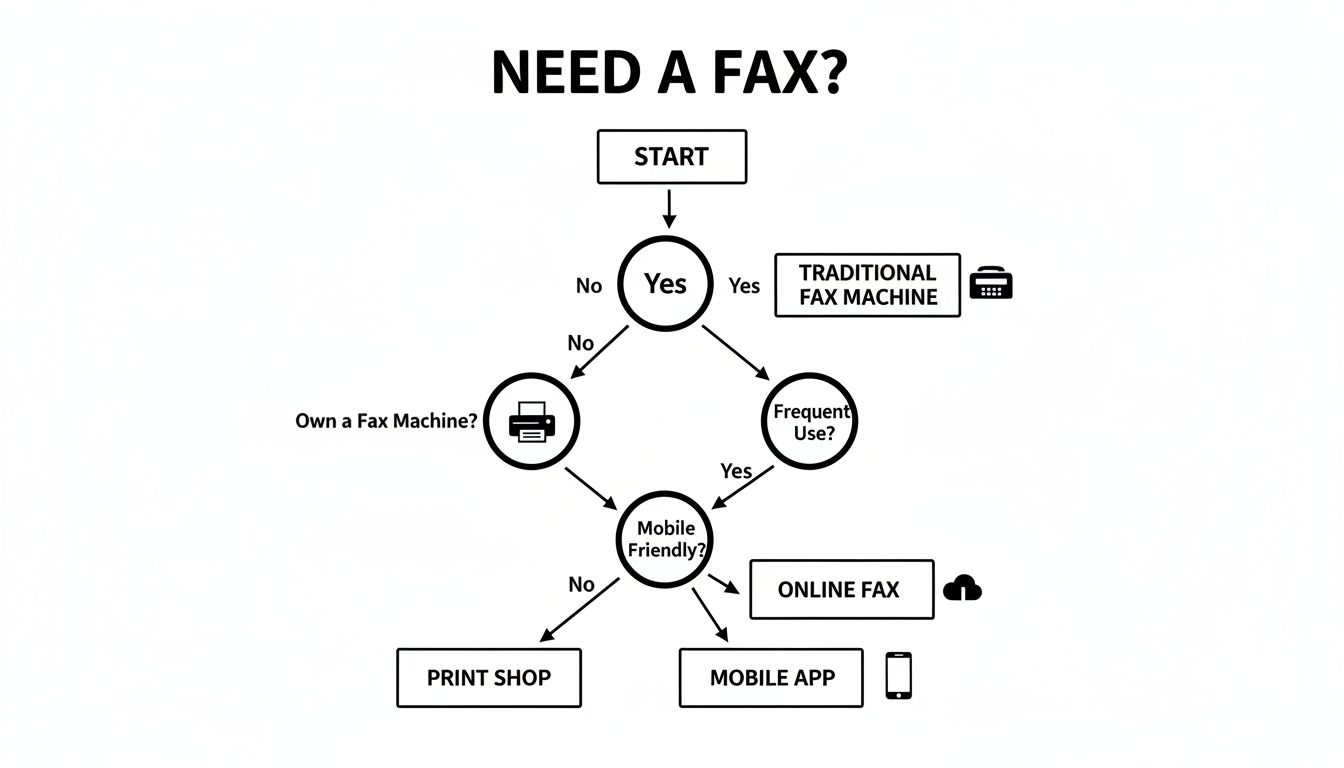
    To simplify your decision, let's recap the best use cases for the methods we've covered. Think about your most common faxing scenario and find the corresponding recommendation below.

    • For the Occasional, Urgent Fax: If you send faxes infrequently and need a fast, no-frills solution without creating an account, a pay-as-you-go online service is your best bet. A browser-based tool like SendItFax or FaxZero excels here, allowing you to upload a file, enter a number, and send your document in minutes. This is perfect for one-time submissions like a signed contract or a medical form.

    • For the Business Professional or Frequent User: When faxing is a regular part of your workflow, a full-featured subscription service like FAX.PLUS or eFax becomes an invaluable asset. These platforms provide you with a dedicated fax number for both sending and receiving, advanced security compliance (like HIPAA), email-to-fax integration, and mobile apps. They transform faxing from a one-off task into a seamless part of your business communication system.

    • For the Tangible, In-Person Need: Sometimes you have a physical document and no easy way to scan it, or you simply prefer the assurance of an in-person transaction. In these cases, walk-in services at retail locations like The UPS Store or FedEx Office offer a reliable and straightforward alternative. You hand over your documents, and they handle the transmission for you, providing a printed confirmation receipt for your records.

    Your Final Takeaway: Embrace Modern Flexibility

    The most important takeaway is that you are no longer limited by hardware. The evolution of faxing technology means you have powerful, flexible tools at your fingertips, whether on your computer, your smartphone, or at a local business center. By understanding these modern ways to fax without a fax machine, you can transmit documents with the same reliability as traditional methods but with far greater convenience and efficiency. The right tool is out there, ready to integrate perfectly into your life or business.


    Ready to send your first fax without the machine? For a fast, secure, and incredibly simple experience, give SendItFax a try. It’s the perfect browser-based solution for sending a quick fax right now, with no sign-up or subscription required. Visit SendItFax to send your document in under 60 seconds.

  • A Practical Guide to Free Fax Online Send Instantly

    A Practical Guide to Free Fax Online Send Instantly

    Of course. Sending a fax online for free, without even creating an account, is absolutely possible. Tools like SendItFax have completely changed the game, turning what used to be a clunky, machine-driven process into something you can do right from your web browser in a matter of seconds.

    Why Do People Still Bother With Faxing?

    A person signs a document while working on a laptop, with 'SECURE FAXING' graphic.

    It’s a fair question. With email and countless file-sharing apps, why hasn’t faxing gone the way of the dinosaur? The truth is, it remains an essential tool in many professional circles.

    For industries like healthcare, law, finance, and government, faxing isn’t just an old habit—it’s a trusted method for secure and legally recognized communication. A faxed signature often carries the same legal weight as one signed in person, a standard that email attachments can't always guarantee.

    Think about a real estate agent on a tight deadline. They need to get a signed purchase agreement to a client on the other side of the country, and time is critical. Instead of printing, signing, scanning, and hoping an email doesn't land in a spam folder, they can send the document directly to the recipient’s fax machine. It’s a secure, verifiable transmission that gets the job done.

    Connecting Old-School Needs with Modern Tech

    This is exactly where online fax services come in. They perfectly connect the trusted, legacy systems of the past with the digital ease we all expect today. You get all the security and legal backing of a traditional fax without needing a dedicated phone line, a bulky machine, or even an office.

    This simple shift has opened up faxing to a whole new world of users.

    • Freelancers can now send signed contracts and invoices with a professional touch.
    • Patients can securely submit sensitive medical forms to their doctor’s office from home.
    • Small business owners can quickly transmit purchase orders without spending a dime on office equipment.

    The idea really took off in the 2010s, giving individuals and small operations a powerful tool they never had before. And it’s not just a niche market; the global fax services market was valued at USD 3.31 billion in 2024 and is expected to keep growing. This trend, as detailed in recent market research on fax services, shows just how much people rely on sending documents without a physical machine.

    The Advantage of Faxing from Your Browser

    At the end of the day, being able to send a document by fax from your computer makes a once-annoying process accessible to everyone. It moves faxing from a task tied to a specific machine to a flexible, digital service you can use whenever you need it.

    Sending a fax is no longer about finding a machine; it's about opening a browser tab. This accessibility ensures that critical communications in regulated industries can happen instantly, from anywhere, keeping business and personal affairs moving forward without delay.

    How to Send Your First Free Fax in Under Five Minutes

    Ready to get that document on its way? Sending an online fax is surprisingly simple—it honestly takes less time than brewing a pot of coffee. We're going to walk through the process using SendItFax, focusing on the practical steps, not a bunch of technical jargon.

    Let’s use a real-world example. Imagine you need to send a signed permission slip to your child's school. It’s due today, and who owns a fax machine anymore? This is the perfect job for a quick, free fax online send.

    Getting Your Document Ready to Go

    First things first, you need a digital copy of your document. SendItFax keeps it simple and accepts the most common file types you’ll have on hand:

    • PDF files (.pdf): This is usually your best bet. PDFs lock in the formatting, so what you see is exactly what the recipient gets.
    • Microsoft Word documents (.doc, .docx): Perfect if you’ve just typed up a letter or need to send an editable form.

    For our permission slip, you've already printed and signed it. The easiest next step? Just snap a clear, well-lit photo of it with your phone. Most modern phones can save it directly as a PDF.

    Once you have the file, head over to the SendItFax homepage. You'll see a big "Upload File" button—give that a click. It works just like attaching a file to an email. Find your permission slip file on your computer or phone and select it.

    A Quick Tip from Experience: For the clearest possible fax, make sure your document is high-contrast. Crisp, black text on a plain white background transmits beautifully. Documents with light gray text or colored backgrounds can end up looking smudged and unreadable on the other end.

    Plugging in the Sender and Recipient Info

    With your file uploaded, the next step is to fill in the "to" and "from" details. This part is critical for making sure your fax actually arrives and the recipient knows who sent it.

    You’ll see a few simple fields:

    • Your Info (Sender): Pop in your name and email address. The email is super important because that’s where they’ll send your confirmation receipt.
    • Their Info (Recipient): Add the recipient's name and their fax number. Triple-check this number! I can't tell you how many faxes fail simply because of one wrong digit. It's the number one cause of transmission errors.

    For our school example, you'd put your name and email, then the school office's name and their fax number. The best part is there's no need to create an account or sign up for anything. If you're curious about other services that offer this, we have a whole guide on how to find a free online fax service with no credit card required.

    Adding a Simple Cover Page

    The last piece of the puzzle is the cover page. The free service automatically adds one for you, which is a great professional touch. Think of it as the envelope for your fax—it tells the person on the other end who this is for and what it's about right away.

    There’s a text box where you can write a short, clear message. For our permission slip, something straightforward is perfect:

    • Subject: Permission Slip for Jane Doe
    • Message: Please find the signed permission slip for Jane Doe's field trip on Friday. Thank you!

    This little note makes a huge difference. When that fax spits out of the machine in a busy school office, your message ensures it lands on the right desk instead of getting lost in a paper shuffle.

    Once that's filled in, just hit the send button. That's really all there is to it. Your document is on its way, and a confirmation email will hit your inbox shortly.

    What You Actually Get With a Free Online Fax Service

    Let's be honest, "free" always comes with some fine print. When you need to send a fax online for free, it helps to know exactly what you’re getting into. At SendItFax, we believe in being upfront about our service so you can get your task done without hitting any unexpected roadblocks.

    Our free option is built for those one-off, "I just need to send this one thing" moments. It’s perfect for when you need to fax a signed contract, a doctor's note, or a single application form.

    The Nuts and Bolts of the Free Plan

    Using the free SendItFax tool is straightforward, but there are a few ground rules. These limits are what allow us to keep the service running smoothly without needing your credit card or forcing you to create an account.

    Here’s a quick rundown of what to expect:

    • Page Limit: Your document can be up to three pages long. This doesn't include the cover page, which we automatically add for you.
    • Daily Limit: You can send up to five free faxes in a single day. For most people handling personal or small business needs, that's more than enough.
    • Branding: The cover page will have a small SendItFax logo on it. It’s a subtle way we support the free service so it can stay free.

    This simple guide shows you just how easy the process is.

    A visual guide explaining how to fax in three simple steps: upload document, add recipient details, and send.

    As you can see, it really is just a matter of uploading your file, typing in the details, and clicking send.

    This "freemium" model is pretty common in the online fax world. By 2025, the industry standard is to offer a basic free tier with page and daily limits, encouraging users who need more to upgrade. It's a system that works, allowing services like ours to help both the occasional user and those with heavier faxing demands.

    When Paying a Little Makes a Lot of Sense

    But what if your document is five pages long? Or what if you're sending a professional quote and don't want any branding on it? That’s exactly why we created the "Almost Free" plan. For just $1.99 per fax, you get a whole lot more flexibility without being locked into a subscription.

    This pay-as-you-go option really hits the sweet spot. It’s for those times when the free plan is almost enough, but you need a little extra power.

    Upgrading gives you a few key perks:

    • Longer Faxes: Send documents up to 25 pages long.
    • No Branding: Your cover page is completely clean—no SendItFax logo.
    • Priority Sending: Your fax gets bumped to the front of the line for immediate delivery.

    To help you decide, here’s a quick comparison.

    SendItFax Free vs. Almost Free Plan Comparison

    A quick look at our plans to help you decide which one is the right fit for your faxing needs.

    Feature Free Plan Almost Free Plan ($1.99/fax)
    Cost $0 $1.99 per fax
    Page Limit Up to 3 pages Up to 25 pages
    Cover Page Includes SendItFax branding No branding
    Daily Faxes Up to 5 Unlimited
    Delivery Speed Standard queue Priority delivery

    Choosing is simple. If you're faxing a quick, informal document, the free plan is a no-brainer. But for a lengthy business proposal or an official application where every detail matters, that small $1.99 investment ensures a professional look and fast delivery. If you think your faxing needs might be more consistent, you might want to look into a fax online free trial for a full-featured plan.

    Tips for a Flawless Online Fax Transmission

    A 'FAXING TIPS' checklist document with checked boxes next to a silver laptop on a wooden desk.

    Sending your fax is only half the battle. Making sure it arrives crisp, clear, and in the right hands is what really counts. I’ve found that just a few simple checks before you hit "send" can be the difference between a successful transmission and a frustrating failure. Think of it as setting your document up for success from the start.

    The quality of the file you upload directly impacts the final printout on the other end. Fax technology compresses files, which can sometimes degrade quality. The best way to combat this is to start with a high-resolution, high-contrast document.

    This means using bold, black text on a clean white background. I’d strongly advise against using light gray fonts, busy backgrounds, or tiny text—those are always the first things to become unreadable after a fax transmission.

    Prepare Your Document for Success

    Before you even think about uploading, give your file a quick once-over. The most common issue with a free fax online send is poor document quality, and it's almost always preventable.

    Here are a few professional tips I've picked up to ensure a fax is legible every single time:

    • Font Choice Matters: Stick to simple, clean fonts like Arial, Calibri, or Times New Roman. I always recommend using a font size of 12 points or larger to be safe.
    • Convert to PDF: While you can send a Word doc, I always convert my files to PDF first. This locks in the formatting and prevents any weird shifts in text or images during the conversion process. If you need a hand with that, we have a helpful guide on how to convert a Word document to PDF.
    • Image Quality: If you’re including images or a scanned signature, make sure they are sharp and clear. A blurry signature on a contract could cause some serious headaches down the line.

    A great pro-tip is to remember the recipient's fax machine is almost certainly printing in black and white. What looks perfectly fine in color on your screen can easily turn into a muddy, illegible gray blob on their end. Always preview your document in grayscale to spot any potential problems.

    Double-Check the Details

    This sounds incredibly basic, but you’d be surprised how often a simple typo derails an important fax. A single wrong digit in the recipient's fax number is, without a doubt, the most common reason for a failed transmission.

    Just take an extra ten seconds to verify the number before you send it. If it's a critical document, I'll even call the recipient to confirm their fax line is active and ready to receive. It's a small step that can save a lot of time.

    Your cover page message is another powerful tool. Don't just put your name. Give clear context. A message like, "Attention: HR Department – Signed Offer Letter for John Smith" ensures that even if your fax lands on a shared machine, it gets routed to the right person quickly. That small detail turns your fax from a random piece of paper into a priority document.

    How to Troubleshoot Common Faxing Glitches

    Even with a process as simple as online faxing, things can occasionally go sideways. Getting a "transmission failed" message is frustrating, but don't worry—most of the time, the fix is surprisingly simple. Let’s walk through the most common issues and how to get your fax moving.

    The number one culprit? A simple typo in the fax number. I've seen it happen countless times; 9 times out of 10, a failed fax is just due to a transposed digit or a wrong area code. It's an easy mistake to make when you're moving fast.

    So, before you do anything else, just take a breath and carefully re-enter the number, checking it against your contact's information. If you're positive the number is correct, it's time to look at what might be happening on the other end.

    Diagnosing the Problem

    Remember, you're often sending a document to a physical machine. Is it possible that machine is busy with another fax, turned off for the night, or even just out of paper? Old-school fax machines are single-taskers, so if their line is tied up, your fax will fail.

    Here's a quick mental checklist to run through:

    • Verify the Number: Did you double-check every single digit, including the country and area codes?
    • Check Recipient Status: Could their machine be offline? If it's a critical document, a quick phone call to the recipient can confirm if their machine is on and ready.
    • Review Your File: Is your document in a standard format like PDF, DOC, or DOCX? A corrupted file or an unsupported format won't even get out of the gate.

    The simplest solution is almost always the right one. Before you get frustrated with the service, always start with the basics: the fax number and the status of the receiving machine. This little bit of diligence clears up the vast majority of problems.

    When the Confirmation Is Delayed

    Another thing that can cause a bit of anxiety is when that delivery confirmation email doesn't show up right away. You hit send and… nothing. This doesn't automatically mean your fax failed.

    Online services have queues, and during busy periods, it might take a few minutes for your fax to go through and for the system to generate a confirmation. My rule of thumb is this: if you haven't seen anything after 15 minutes (and you've already checked your spam folder!), it's safe to assume something went wrong.

    At that point, circle back to the top of our troubleshooting list and start again, beginning with the fax number. By working through these steps methodically, you’ll be able to solve almost any glitch that comes your way.

    Your Questions About Online Faxing Answered

    Even with a walkthrough, it's totally normal to have a few questions about how sending a free fax online actually works. I've pulled together the most common things people ask to give you quick, clear answers so you can send your documents with confidence.

    Is Sending a Fax with SendItFax Really Free?

    Yes, it absolutely is. Our free service is built for just that—sending faxes without reaching for your wallet.

    You can send a document up to three pages long, plus a cover page, without spending a dime. It's perfect for those one-off situations, and you can send up to five faxes per day. The only catch? We place a small SendItFax brand mention on the cover sheet, which is what allows us to offer this service for free. No hidden costs, no sign-up needed.

    How Do I Know If My Fax Actually Went Through?

    Once you hit "Send," you won't be left wondering. We'll send you an email notification from SendItFax to confirm the status of your fax.

    This email lets you know if the fax was sent successfully from our end or if it failed. If it does fail, the most common reason is a simple typo in the fax number. It always pays to double-check the number and give it another try.

    Keep in mind that while our email confirms we sent it, the final delivery receipt depends on the recipient's fax machine. Still, our confirmation is your best and first sign that everything went smoothly.

    How Secure Are the Documents I Upload?

    Your privacy is a huge deal to us. We use secure, encrypted connections for all file uploads and transmissions. This protects your data from the moment it leaves your computer to the moment it's delivered.

    Your documents are only ever used for the single purpose of sending that one fax. Since our service doesn't require an account, your files aren't stored on our servers long-term, which adds another layer of security to the whole process.

    Can I Get Faxes with the Free Service?

    Our free service is a one-way street—it’s designed exclusively for sending faxes. It doesn't give you a dedicated fax number for receiving them.

    This focus helps us provide a reliable and powerful sending tool that stays completely free for anyone who just needs to send a document to a U.S. or Canadian fax number every now and then.


    Ready to send a document without tracking down an old fax machine? SendItFax lets you upload your file and get it on its way in just a few clicks. Give it a try at https://senditfax.com.

  • How to Fax From Computer A Modern Guide to Digital Faxing

    How to Fax From Computer A Modern Guide to Digital Faxing

    Believe it or not, sending a fax from your computer is now just as easy as sending an email. The simplest way to do it is with an online fax service. You just upload your document, punch in the fax number, and click send. Think of it as a digital translator, converting your file into a signal that any old-school fax machine can understand and print.

    The Modern Way to Fax From Your Computer

    A laptop on a wooden desk displays a digital fax interface, surrounded by office supplies.

    Faxing has come a long way from the screeching, paper-jamming machines tucked away in a corner office. Today, the ability to fax from computer is an everyday tool for countless professionals. Forget needing a dedicated phone line and a clunky piece of hardware—now you can send documents securely over the internet from absolutely anywhere.

    This method is perfect for sending sensitive or official documents that require a secure, reliable transmission method, like:

    • Signed contracts and important legal paperwork
    • Confidential medical records and patient intake forms
    • Official government or financial documents

    This isn't some brand-new, untested technology. The jump from mechanical to digital faxing started way back in 1985 when a company called GammaLink introduced the GammaFax. This was the first computer fax board that let a PC talk to the global fax network. This long history is precisely why faxing from a computer is still a trusted and established communication method today. You can learn more about the history of fax technology and see how it has evolved.

    Faxing Methods at a Glance

    So, why have online services become the go-to choice? To really get it, it helps to see how they compare to the more traditional methods. Each has its pros and cons, but when it comes to pure convenience and modern features, the differences are night and day.

    This table breaks down the key distinctions to help you decide which approach fits your needs.

    Feature Online Fax Service Traditional Fax Machine Fax Modem
    Hardware Required None (just a computer) Fax machine, phone line Fax modem, phone line
    Accessibility Anywhere with internet Fixed physical location Fixed physical location
    Ease of Use Simple web interface Manual dialing and feeding Requires software setup
    Cost Low monthly or per-fax fee Machine, ink, paper, line Modem, phone line costs

    As you can see, the requirements and flexibility vary quite a bit.

    Key Takeaway: For the vast majority of users, an online fax service strikes the perfect balance of convenience, affordability, and modern functionality. It completely removes the need for physical hardware and lets you manage faxes with the same ease as checking your email.

    Sending Your First Fax With an Online Service

    Person using a laptop to send their first fax, with 'Send' on screen and 'FIRST FAX' on a paper.

    If you think sending a fax from your computer is going to be complicated, I have good news. It's surprisingly straightforward. If you've ever attached a file to an email, you're already 90% of the way there.

    Let’s run through a common scenario. Imagine you’re a freelance designer who just landed a project with a government agency. You’ve signed the contract, but they need a hard copy sent via fax for their records—a classic requirement. You have the signed PDF on your laptop and need to send it securely and get proof it was delivered.

    This is the perfect job for a web-based service like SendItFax, especially since you can often send a one-off fax without creating an account.

    The Sending Process in Action

    First things first, just pull up the online fax service in your web browser. A good service will have a clean, intuitive interface that feels a lot like filling out a shipping label online. No guesswork needed.

    You'll see clearly marked fields for the recipient's information and your own. Getting these details right is important, as this is what populates the cover page and tells the person on the other end who the fax is from.

    The layout guides you through the three essential parts: who it's going to, what you're sending, and who it's from.

    After you've put in the numbers and names, it’s time to upload your document. In our example, you’d just browse your computer and select that signed contract PDF. Most services are built to handle the file types you use every day.

    You can almost always count on support for:

    • PDF (.pdf): This is the best choice for documents where formatting matters, like contracts.
    • Microsoft Word (.doc, .docx): Great for sending letters or reports.
    • Image Files (.jpg, .png): Handy if you've scanned a physical document with your phone.

    A Quick Tip from Experience: Always double-check international fax numbers. They need a country code (like +44 for the UK) followed by the local number. I've seen more faxes fail from a simple formatting error here than almost any other reason.

    Finalizing the Details and Hitting Send

    Once your file is attached, you'll usually see an option to add a cover page. For our contract scenario, this is a must. It's the perfect place to add a quick note like, "Attached is the signed contract for Project Alpha. Please confirm receipt." It provides instant context and looks professional.

    All that’s left is to hit "Send." At that point, the service does all the heavy lifting. It converts your digital file into a format that fax machines understand and dials the recipient's machine over the phone network. You've just learned how to fax from computer without needing any special hardware.

    Within a few minutes, an email should land in your inbox. This is your confirmation receipt, telling you whether the fax went through successfully or if it hit a snag, like a busy signal. For your records, this email is just as good as the printed confirmation sheet from an old-school fax machine.

    To see how different online fax platforms compare, you can find a deeper dive into how to send a fax online that explores more features and services.

    Preparing Your Documents for a Perfect Send

    What you do before you hit "send" is just as crucial as the fax transmission itself. Getting your documents ready is the secret sauce to making sure the person on the other end receives a clean, professional, and perfectly readable file.

    Think of it this way: a few minutes of prep work can save you from the headache of a failed transmission. It prevents common frustrations like blurry text, missing pages, or jumbled information, ensuring your message lands exactly as you intended.

    Why Your Cover Page Still Matters

    A fax cover page isn't just some old-school formality; it’s your professional handshake. It tells the recipient who you are, what you’re sending, and—most importantly—how many pages they should expect. This little detail is critical for confirming they got the whole document.

    Without one, your important paperwork could easily get lost in the shuffle on a shared office machine.

    For a cover page to do its job, it needs a few key details:

    • Your Info: Your name, company, and a contact phone number.
    • Recipient's Info: The person's name and their fax number.
    • The Basics: The date and a clear subject line (e.g., "Signed Contract for Project Alpha").
    • Page Count: Always include the cover page in the total (e.g., "5 pages, including cover").

    My Two Cents: Keep the message on your cover page short and sweet. Its job is to provide context, not to be the main event. Something as simple as "Please find the attached invoice" is all you need.

    Getting Your Files Fax-Ready

    Here’s something to remember: fax technology, even the modern digital kind, still boils down to sending a black-and-white image. Because of this, some things just don't translate well. Low-resolution photos can turn into a pixelated mess, and colorful backgrounds often become solid black blobs that swallow your text.

    To sidestep this, keep your documents high-contrast and simple. Stick with a clean, standard font like Arial or Times New Roman in black, set against a plain white background. This simple trick ensures maximum readability and a professional look.

    The absolute best format for online faxing is, hands down, a PDF. It’s the universal standard for a reason. A PDF locks in your layout, fonts, and formatting, so what you see on your screen is exactly what they’ll see on theirs.

    While many services accept Word files, I always recommend converting to PDF first to be safe. If you're not sure how, our guide on how to convert Word documents to PDF walks you right through it. Taking that one extra step guarantees a perfect result every time.

    Exploring Different Ways to Fax From a Computer

    While online fax services are often the easiest route, they're not the only game in town. It's worth knowing the other options, as the best method often depends on the hardware you have on hand or simply your personal workflow.

    Think of these alternatives as different tools in your communication kit. Each one provides a unique bridge between your digital files and the traditional fax network.

    Using Email to Send a Fax

    One of the slickest ways to send a fax is with the email-to-fax feature that many online services offer. This approach marries the familiar comfort of your email inbox with the backend power of a dedicated faxing platform. Honestly, it's brilliant in its simplicity.

    You just compose an email as you normally would and attach the document you want to send—a PDF, a Word doc, you name it. The only real trick is in the "To:" field. Instead of a person's email, you'll use a special address provided by your fax service.

    It usually follows a simple formula:

    • Recipient's Fax Number: 18005551234
    • Service's Domain: @senditfax.com
    • Final Email Address: 18005551234@senditfax.com

    Once you hit "Send," the service does all the heavy lifting. It grabs your email, converts your attachment into a fax-friendly format, and sends it over the phone lines. It's a fantastic solution for anyone who practically lives in their email and can't be bothered to log into another website.

    Faxing With a Modem or All-in-One Printer

    If you still have a landline kicking around, you can go old-school. These methods require specific hardware, but they're still perfectly functional and can be a good fit for certain situations.

    Windows Fax and Scan
    Believe it or not, Windows has a built-in utility that can turn your PC into a fax machine. The big catch? You need a fax modem—a piece of hardware that physically connects your computer to a phone line. If you're one of the few who still have that setup, you can send documents right from your desktop.

    Mac's Built-in Faxing
    Apple users have a similar option. macOS has a native print-to-fax feature where you can simply choose "Fax" as your "printer" from the print dialogue. But just like with Windows, it’s a no-go unless your Mac is tethered to a phone line with a modem.

    Multifunction Printers
    This is a much more common scenario. Most modern "all-in-one" printers have faxing built right in. You can use the printer’s desktop software to send a digital file directly, or you can scan a physical document and fax it—all using the printer's connection to the phone line. It effectively turns your computer and printer into a single, cohesive faxing unit.

    The Bottom Line: These hardware-based methods absolutely work, but they chain you to a specific location and a physical phone line. You lose the incredible flexibility of online services, which let you fire off a fax from a coffee shop, an airport, or anywhere else with an internet connection.

    No matter which method you end up using, this checklist covers the essential prep work to make sure your fax goes through smoothly.

    A black and white flowchart for document preparation, including checks for cover, contrast, and PDF conversion.

    Nailing these three things—a proper cover page, high-contrast documents, and the universal PDF format—is the surest way to guarantee your document arrives looking professional and, most importantly, perfectly readable.

    Understanding Security, Compliance, and Cost

    A tablet displaying a lock icon, papers, and a document labeled 'SECURE FAX' on a wooden desk.

    Let's be honest: when you're faxing from your computer, you're probably not sending a birthday card. You're handling sensitive stuff—contracts, medical records, or financial statements. That means security isn't just a nice feature; it’s the whole reason you’re using fax in the first place.

    Traditional fax machines are surprisingly vulnerable. They send data over unencrypted analog phone lines, which can theoretically be intercepted. This is where modern online fax services have a huge advantage. They use SSL/TLS encryption, the same technology that protects your credit card details when you shop online. It creates a secure, private tunnel for your documents from your computer to the recipient.

    Keeping Your Faxes Safe and Compliant

    If you work in healthcare, law, or finance, you know that compliance is non-negotiable. Sending protected health information (PHI), for example, requires a HIPAA-compliant service. Simply using any online fax provider won't cut it.

    A genuinely HIPAA-compliant service will have several critical safeguards in place:

    • Encrypted Data Storage: Your faxes aren't just protected in transit; they're stored securely on the service's servers.
    • Strict Access Controls: Robust user authentication ensures that only people who are supposed to see a fax can actually access it.
    • A Willingness to Sign a BAA: The provider must offer a Business Associate Agreement (BAA), which is a legal contract required under HIPAA that outlines responsibilities for protecting health data.

    Always double-check a service's compliance claims before you send anything sensitive. A mistake here can lead to massive legal headaches and financial penalties. For a detailed rundown of different providers, check out our online fax services comparison.

    Breaking Down the Cost of Online Faxing

    The price of online faxing can vary quite a bit, so it pays to find a plan that actually matches how you'll use it. Most services use a few common pricing models, each designed for a different type of user. Figuring out which one you fall into is the key to avoiding overage fees or paying for a bunch of pages you'll never use.

    Choosing the right plan often makes faxing from a computer far more affordable than owning and maintaining a clunky physical machine.

    Comparing Online Fax Service Costs

    Here’s a breakdown of typical pricing models to help you find the most cost-effective faxing solution.

    Plan Type Typical Monthly Cost Included Pages Overage Rate (per page) Best For
    Pay-Per-Fax ~$1.99 per fax Varies (e.g., 25) N/A Individuals sending one-off documents like contracts or forms.
    Monthly Subscription $10 – $20 150 – 500 $0.05 – $0.10 Small businesses and professionals with regular, predictable faxing needs.
    Annual Plan $100 – $200 per year Varies widely $0.03 – $0.07 High-volume users who can benefit from a bulk discount.

    By thinking about your faxing frequency, you can easily pick a model that makes sense for your budget. If you only send a fax once in a blue moon, a pay-per-fax option gives you that flexibility without locking you into a monthly bill.

    Troubleshooting Common Computer Faxing Issues

    Even with the most reliable online fax services, you're bound to run into a snag every now and then. It happens. The good news is that most of these problems are incredibly simple to fix once you know what to look for. So, before you get frustrated, let's walk through a few quick troubleshooting steps to get your document on its way.

    Transmission failures are easily the most common headache. You’ve uploaded your document, hit send, and then a few minutes later, you get that dreaded notification: "Fax Failed." Nine times out of ten, this isn't an issue with the service you're using, but something on the receiving end.

    Diagnosing a Failed Fax

    When a fax fails to send, your confirmation email will usually give you a specific error code or message. Learning to decode these is the key to solving the problem.

    • Busy Signal: This is the one you'll see most often. It means exactly what it sounds like—the recipient's fax machine was already busy, either sending or receiving another document. The fix is simple: just wait about 10-15 minutes and try sending it again.
    • No Answer: This error means the fax machine on the other end didn't pick up the call. It could be turned off, out of paper, or maybe even unplugged. Your first move should be to double-check that you dialed the right number. If you're sure you have it right, it might be worth contacting the recipient to make sure their machine is online and ready to go.
    • Communication Error: This is a catch-all message for a fuzzy connection. It could be static on the phone line or a temporary network hiccup between the service and the receiving machine. Just like with a busy signal, the best plan is usually to wait a few minutes and resend.

    Pro Tip: Before you hit "resend," always, always double-check the fax number you typed in. I've seen it happen countless times—a single wrong digit is the culprit. It’s such an easy mistake to make, but thankfully, it's just as easy to fix.

    Solving Document Quality Problems

    What if the fax goes through, but the person on the other end says it looks blurry, skewed, or totally unreadable? This almost always points back to the quality of the file you uploaded, not the fax transmission itself.

    Remember, faxing is an old-school, black-and-white technology at its core. It doesn't handle shades of gray, complex images, or low-resolution files very well.

    To make sure your faxes arrive looking sharp and professional, here’s what I recommend:

    • Start with a good source file. If you’re scanning a paper document, set your scanner to at least 300 DPI (dots per inch) and, critically, scan it in black and white mode, not grayscale or color.
    • Keep it high-contrast. Stick with standard, clean fonts (like Arial or Times New Roman) in black text on a plain white background. Avoid using colored text, fancy watermarks, or shaded table cells, as they often turn into a garbled mess.
    • Convert to PDF first. While most services accept JPEGs, Word docs, and other formats, PDF is the gold standard for faxing. It locks in all your formatting, so what you see on your screen is exactly what gets transmitted.

    Finally, what if you never get a confirmation email at all—success or failure? The first place to check is your spam or junk folder. If it's not hiding in there, you might have had an issue with the file upload itself. Make sure you didn't accidentally attach an unsupported file type, like a spreadsheet or a video file, and then try sending it one more time.

    Have Questions About Computer Faxing? We Have Answers.

    It's completely normal to have a few lingering questions when you're moving from a physical machine to faxing from your computer. We get them all the time. Let's clear up some of the most common ones so you can feel confident sending your documents.

    Can I Get Faxes on My Computer, Too?

    Yes, you absolutely can. When you sign up for most online fax services, you're assigned your own dedicated fax number.

    When someone sends a fax to that number, the service acts as a digital mailroom. It catches the transmission, converts it into a PDF, and sends it directly to your email inbox. Some services even have a secure online dashboard where all your received faxes are stored, so you can access them anytime without sifting through paper.

    Do I Still Need a Phone Line?

    Nope! If you're using an online fax service, you do not need a phone line. This is one of the biggest benefits. The entire process happens over your internet connection, so you can finally get rid of that extra landline you were keeping just for the fax machine.

    The only time you'd need a physical phone line is if you were going the old-school route with a fax modem plugged into your computer—a method that's pretty much a relic these days.

    Is It Secure to Send Sensitive Documents This Way?

    In most cases, it’s actually more secure than a traditional fax machine sitting in an open office. Reputable online fax services use robust encryption (like SSL/TLS) to scramble your data as it travels from your computer to its destination, keeping it safe from prying eyes.

    When dealing with things like medical records, legal documents, or financial information, security is non-negotiable. For these situations, make sure you choose a service that is explicitly HIPAA compliant. These services add extra security layers, like end-to-end encryption and secure file storage, to meet strict regulatory standards.

    Can I Send a Fax From My Phone?

    Definitely. The best online fax services have dedicated mobile apps for both iOS and Android, which makes faxing on the move a breeze.

    With a good mobile app, you can:

    • Pull documents directly from your phone's storage or cloud drives like Google Drive and Dropbox.
    • Snap a picture of a paper document with your phone’s camera and instantly turn it into a high-quality file ready for faxing.
    • Send your fax from anywhere you have a signal—whether you’re on Wi-Fi or cellular data.

    Ready to see just how easy it is? With SendItFax, you can send secure faxes to the U.S. and Canada right from your browser—no account needed. Give it a try and send your first fax in minutes. Get started with SendItFax.

  • How to Send E Fax: how to send e fax in browser

    How to Send E Fax: how to send e fax in browser

    Think of sending an e-fax as being just as easy as sending an email. The whole process happens right inside your web browser. All you really need is your document saved as a digital file (like a PDF), an online fax service, and the recipient’s fax number. It’s the perfect blend of modern convenience and old-school fax security.

    Sending an E-Fax From Your Browser Explained

    A laptop on a wooden desk displays 'Send Fax Online', with a book and pencil nearby.

    If you still picture a clunky machine humming away in a corner office when you hear the word "fax," it’s time for a mental refresh. Learning how to send an e-fax today is all about using a simple website. You can send critical documents straight from your computer or phone without ever touching a piece of paper or needing a dedicated phone line.

    This approach gives you the reliability of a traditional fax transmission with the speed and ease of modern tech. Online fax services essentially act as a digital go-between. You upload your file, and the service translates it into a format that any standard fax machine can understand and print. It’s all handled securely over the internet.

    Before we dive into the nitty-gritty, let's look at the big picture. Sending an e-fax can be broken down into four main phases.

    Core Steps for Sending an E Fax Online

    Phase What You'll Do Why It's Important
    1. Preparation Get your documents ready and ensure they are in a supported file format. Prepping your files correctly prevents transmission errors and ensures the recipient sees exactly what you intended.
    2. Composition Upload your files to the service, add a cover page, and fill in sender/recipient details. This is like addressing an envelope. Accurate information is crucial for delivery and for the recipient to know who it's from.
    3. Transmission Choose your delivery option (free or paid) and hit the "Send" button. The service takes over, converting your digital file into a transmittable fax signal.
    4. Confirmation Receive a confirmation receipt and track the status of your fax. This provides a legal audit trail, giving you peace of mind and proof that your document arrived safely.

    This table gives you a quick roadmap of the process we're about to walk through step-by-step. Each phase is simple, but getting it right ensures your documents are sent securely and professionally.

    Why E-Faxing Is Still Essential

    It’s a fair question: with email, why does anyone still fax? The answer almost always comes down to security and legal weight. Many industries—especially healthcare, legal, and government—depend on faxing because it’s a secure and legally recognized way to transmit documents, often helping them stay compliant with regulations like HIPAA.

    An e-fax provides a verifiable audit trail. You get a confirmation page that acts as legal proof of delivery. This is a game-changer when you're sending sensitive information like:

    • Legal documents: Signed contracts, affidavits, and court filings.
    • Medical records: Patient charts, insurance claims, and prescriptions.
    • Financial forms: Loan applications, real estate agreements, and tax documents.

    The continued reliance on fax isn’t just about habit; it's a strategic choice for security and compliance. Modern e-fax platforms add layers of encryption, creating a secure channel for sensitive data that’s much harder to intercept than a standard email.

    The Shift to Digital Transmission

    The move away from physical fax machines is more than a trend—it's a massive market shift. The online fax market is growing much faster than traditional fax services. In fact, projections show the online fax market could hit USD 11,027.27 million by 2032, growing at a compound annual growth rate of 12.9%.

    This growth is all about demand for solutions that are convenient, paperless, and mobile-friendly. For a complete walkthrough of how it works, you can check out our guide on how to send fax online. Services like SendItFax let you send a quick fax to anyone in the U.S. or Canada without the hassle of creating an account, which is perfect for the way modern professionals and individuals work.

    Getting Your Documents Ready to Fax

    A modern workspace with a tablet displaying documents, papers, notebooks, and a plant, promoting document preparation.

    Before you can hit send, your document needs to be in the right digital format. This first step is crucial—think of it like making sure your paper is clean and uncreased before feeding it into an old-school fax machine. The quality of your digital file directly determines how clear the fax will be on the other end.

    Fortunately, most modern online fax services, including ours at SendItFax, are incredibly flexible with the file types they accept. This is a huge part of what makes sending an e-fax so much easier than its predecessor.

    What File Types Work Best?

    Chances are, your document is already in a compatible format. Most services are built to handle the files you work with every day.

    Here are the most common and reliable options:

    • PDF (.pdf): This is the gold standard for a reason. PDFs lock in your formatting, so you can be confident that your fonts, images, and layouts will show up exactly as you intended.
    • Microsoft Word (.doc, .docx): Perfect for text-heavy documents like contracts, letters, or reports. The service automatically converts the file into a fax-friendly format for you.
    • Image Files (.jpg, .png, .tiff): The go-to choice for sending scanned pages, photos, or graphics. Just make sure you start with a clear, high-resolution scan for the best results.

    If you have a file in a less common format, the easiest fix is to convert it to a PDF. Almost any program you use will have a built-in "Save as PDF" or "Print to PDF" function. It takes just a second and creates the most dependable file for faxing.

    A Few Quick Tips for a Clearer Fax

    Remember, traditional fax machines print in black and white. Your pristine color document gets converted into a two-tone image, so a little prep work goes a long way in ensuring it looks good on the other end.

    A few quick checks can make a huge difference:

    1. Keep Fonts Simple: Stick with standard, clean fonts like Arial, Calibri, or Times New Roman. Anything too thin or fancy can become a blurry mess after fax transmission.
    2. Go for High Contrast: Nothing beats classic black text on a plain white background. Avoid colored text or shaded backgrounds, which often turn into muddy gray smudges on paper.
    3. Clean Up the Layout: Simple is better. Complex layouts with overlapping elements don't translate well. Give your content some breathing room with plenty of white space.

    Pro Tip: Before you upload, zoom out and view the whole page on your screen. If any part looks cramped or is tough to read from that distance, it’s a red flag that it won’t be legible on the final fax.

    Uploading From Your Computer or the Cloud

    Once your file is prepped, getting it into the system is as easy as attaching a file to an email. Just look for the "Upload File" or "Attach Document" button and select the document from your computer.

    Many platforms also connect directly to cloud storage. This is a fantastic feature that lets you pull files right from Google Drive, Dropbox, or OneDrive without having to download them first. It's a real lifesaver for staying organized, especially when you're not at your main computer. For a deeper dive, check out our guide on how to fax documents from a computer.

    With your document ready and uploaded, you’re all set for the next step.

    Putting It All Together: Your Fax and Cover Page

    A person is typing on a laptop and holding a pen over a document at a wooden desk.

    Okay, your documents are ready and uploaded. Now comes the part that ensures they actually get where they need to go, and that the person on the other end knows what they're looking at. This is where you address your fax and add the professional touches.

    Think of it like sending a physical package. A small mistake in the address can send it to the wrong place or get it returned to you. The same principle applies here—getting the details right is just as important as the document itself.

    The Most Important Part: The Fax Number

    Believe it or not, the most common reason a fax fails is a simple typo in the recipient's number. It happens more often than you'd think. Before you hit "send," double-check every single digit.

    Most online fax services need the number in a specific format: the full number, including the country code, with no spaces or dashes.

    For a U.S. number like (555) 123-4567, you'd type 15551234567. Forgetting that initial "1" for the country code is a classic mistake that will cause an immediate sending error.

    Pro Tip: Make sure you're sending to a real fax line. Sending to a regular voice line will fail every time because there's no machine on the other end to pick up the signal.

    Why You Should Never Skip the Cover Page

    In the business world, sending a fax without a cover page is like showing up to a meeting without an agenda. It’s unprofessional and creates confusion. The cover page isn't just a formality; it gives instant context and makes sure your document lands on the right desk.

    A solid cover page does a few key things:

    • Identifies You: It clearly states your name, company, and contact details.
    • Names the Recipient: It specifies who the fax is for, which is a lifesaver in a busy office.
    • Explains the "Why": A quick subject line and a short note tell them what the fax is about.
    • Confirms the Length: It lists the total number of pages, so they know if anything is missing.

    Thankfully, you don't have to create one from scratch. Most online fax platforms, including SendItFax, have built-in cover page templates. You just fill in the blanks, and the service generates a clean, professional-looking page for you. It's the fastest way to get it done right.

    Adding a Personal Note

    Even when using a template, you can add a human touch. The "Comments" or "Message" field is perfect for a quick, clear note to the recipient. This isn’t the place for a novel, just a concise summary.

    A good example would be: "Attached are the signed contract pages for the Henderson project. Please confirm receipt at your earliest convenience."

    This simple sentence does two things: it clarifies the purpose of the fax and tells the recipient exactly what you need them to do next. If you have your own branded letterhead you'd rather use, most services also give you the option to attach your own custom cover sheet as the first page of your uploaded document.

    Giving Your E-Fax the Final Go-Ahead

    Alright, you’ve uploaded your documents and sorted out the cover page. You’re at the home stretch, but don't just hit "send" yet. This final step is where the real magic of digital faxing comes into play, giving you a level of control and confirmation you just can't get with an old-school machine.

    Take a quick second to give everything one last look. Is the recipient's fax number correct? Did you attach the right file? This is your last chance to catch a simple typo that could send a sensitive document to the wrong place. Think of it like proofreading an important email—a few seconds of review can save you from a major headache later.

    Send It Now or On a Schedule

    Most online fax platforms give you a choice: send the fax immediately or schedule it for a specific time. Sending it right away is the default, of course, but scheduling is a surprisingly useful feature I've come to rely on.

    For example, if you're working late but need a contract to land on a client's desk first thing in their morning, you can schedule it to arrive at 9:00 AM in their time zone. It ensures your document is at the top of their queue. It's also great for managing large projects where you need to send out documents in a specific sequence or on specific dates without having to do it manually each time.

    The All-Important Confirmation Receipt

    Once you click send, your job isn't quite done. The real peace of mind comes from the digital confirmation trail that follows. Gone are the days of standing by a noisy machine, wondering if all the pages actually went through.

    Almost immediately after your fax is successfully delivered, you'll get a confirmation email. This isn't just a simple "it sent" notification; it's a detailed report. It'll typically show you:

    • The exact date and time of the transmission.
    • How many pages were sent successfully.
    • The recipient’s fax number.
    • A small image of the first page for quick identification.

    This confirmation report is your official proof of delivery. For legal contracts, medical records, or financial paperwork, this digital receipt is often far more reliable and easier to store than those flimsy, fading confirmation slips from a traditional fax machine. It's a permanent record for your files.

    And what if it doesn't go through? If the line is busy or you typed the number wrong, you’ll get a failure notification right away. This lets you pinpoint the issue, fix it, and resend immediately, ensuring your critical communications aren't lost in limbo.

    Secure E-Faxing for Professional Use

    When you’re a professional handling sensitive information, sending a document isn't just about getting it from A to B. It’s about making sure that journey is secure, compliant, and legally sound. For anyone in healthcare, law, or finance, this isn't just a "nice-to-have"—it's an absolute requirement.

    Learning how to send an e-fax securely means choosing a service that understands these high stakes. While standard email can be surprisingly leaky, modern e-fax services are built from the ground up with robust security features designed to shield confidential data from prying eyes.

    For healthcare providers, this is non-negotiable. The Health Insurance Portability and Accountability Act (HIPAA) sets iron-clad rules for handling protected health information (PHI). A HIPAA-compliant e-fax service is essential, as it uses security measures like end-to-end encryption to create a private tunnel for patient records, lab results, and insurance claims.

    Why Compliance is King

    The global fax services market has stayed incredibly relevant, largely because it’s the go-to tool for regulated industries. In fact, the healthcare sector is the most profitable segment for fax providers, with clinics, insurance firms, and legal teams driving the lion's share of revenue. This isn't nostalgia; it's a strategic choice tied to faxing's security advantages. You can see the full research on fax services to get a better sense of these market trends.

    When choosing a service, professionals must look for a provider that will sign a Business Associate Agreement (BAA). This is a critical legal contract that confirms the service meets HIPAA security standards and is willing to share responsibility for protecting PHI. Without a BAA in place, you simply aren't HIPAA compliant.

    After you hit "send," the e-fax service gives you clear feedback on whether the transmission was successful.

    A flowchart illustrating the decision process for sending a message: 'Sent?' leads to 'Retry' or 'Done'.

    This kind of confirmation loop is exactly what you need when you can't afford uncertainty.

    Practical Security Scenarios

    Let's look at a few real-world examples to see why this level of security is so important.

    • For a Law Firm: A lawyer needs to send a time-sensitive, signed contract to opposing counsel. Using a secure e-fax provides a tamper-proof transmission receipt, which serves as legal proof of delivery with a precise timestamp.
    • For a Medical Clinic: A specialist needs to share patient records with a primary care physician. A HIPAA-compliant e-fax ensures the PHI is encrypted in transit, preventing unauthorized access and upholding patient confidentiality.
    • For a Financial Advisor: An advisor is sending account transfer forms to a client for their signature. Secure e-faxing protects this sensitive financial data from being intercepted, which is crucial for preventing fraud and identity theft.

    For professionals, the audit trail is one of the most powerful features of e-faxing. Every sent and received fax is logged with details like date, time, and status, creating a comprehensive record for compliance checks and legal verification.

    When you're evaluating different services, it’s vital to dig into their specific security features. While many platforms offer basic functionality, not all are built the same. You can learn more about assessing a service's safety to help you make an informed choice. Ultimately, using e-fax as a professional tool is about embracing its convenience without ever compromising your duty to protect sensitive information.

    Security Feature Checklist for Regulated Industries

    To maintain compliance and protect client data, certain security features are non-negotiable. This table breaks down what professionals in high-stakes fields should look for in an e-fax provider.

    Feature Importance in Healthcare (HIPAA) Importance in Legal and Finance
    HIPAA Compliance & BAA Mandatory. Essential for handling any Protected Health Information (PHI). A provider must sign a Business Associate Agreement. Highly Recommended. Demonstrates a commitment to data privacy, which is vital for maintaining client trust and meeting regulatory standards.
    End-to-End Encryption Critical. Protects PHI from being intercepted during transmission, ensuring data remains confidential between sender and receiver. Critical. Prevents unauthorized access to sensitive legal documents, contracts, and financial records, protecting against breaches and fraud.
    Detailed Audit Trails Essential. Provides a verifiable record of all fax transmissions, which is necessary for compliance audits and tracking information access. Essential. Creates a legal record of when documents were sent and received, providing proof of delivery for contracts and time-sensitive notices.
    Secure Cloud Storage Very Important. Ensures that archived faxes containing PHI are stored in an encrypted, access-controlled environment. Very Important. Protects stored client files, case documents, and financial statements from unauthorized access or data loss.

    Choosing a provider that ticks all these boxes is the first step toward integrating e-faxing into your workflow responsibly. It’s about building a foundation of trust—both with your clients and with regulatory bodies.

    Common Questions About Sending an E-Fax

    Switching from a clunky office machine to a browser-based fax service is a big improvement, but it's natural to have a few questions along the way. Getting your head around how to send an e-fax is pretty simple, but a little insider knowledge can make the whole process feel even more seamless.

    Here are the answers to the most common questions we hear from people making the switch. Think of this as your quick-reference guide for navigating the day-to-day of online faxing.

    Can I Receive Faxes Too?

    Yes, you absolutely can, and this is where online faxing really shines. When you sign up for most paid services, you'll get your own dedicated online fax number. Anyone with a traditional fax machine can send documents to that number just like they normally would.

    The magic happens on our end. The service catches that incoming transmission and instantly converts it into a digital file—almost always a PDF. That file lands right in your email inbox or your service's online portal. Suddenly, you can save, forward, or delete faxes with a click, just like any other email. No paper, no toner, no hassle.

    What Happens If My E-Fax Fails?

    It's frustrating when a fax doesn't go through, but online services make troubleshooting a lot less mysterious. If a transmission fails, you’ll get an alert—usually an email—letting you know what went wrong.

    Nine times out of ten, it’s one of these issues:

    • The recipient's line was busy.
    • You typed in a wrong or disconnected fax number.
    • Their machine is out of paper or ink (an old classic).

    Most services will automatically try resending the fax a few times for you. If it keeps failing, the very first thing you should do is double-check every single digit of the recipient's fax number. If you're certain the number is correct, the problem is almost definitely on their end.

    Are E-Faxes Legally Binding?

    For most industries and in most places, the answer is a firm yes. Documents sent via e-fax are considered just as legally valid as those sent from a traditional machine. In many ways, they actually provide a stronger legal foundation thanks to the detailed digital paper trail they create.

    Online fax services generate comprehensive transmission logs that act as concrete proof of delivery. These reports record the exact time, date, recipient number, and confirmation of success, creating a far more reliable and verifiable record than a flimsy, fading receipt from an old thermal machine.

    This built-in documentation is why e-faxing is a go-to for sensitive documents in the legal, medical, and financial fields, where having undeniable proof of receipt is non-negotiable.

    Do I Need to Install Any Software?

    Nope! For almost every online fax service out there, you don't need to install a thing. One of the best parts is that the entire system is web-based. You can manage everything right from your internet browser.

    You can learn how to send an e-fax from any computer or tablet with an internet connection. While some providers offer handy mobile apps for your phone, the core service is always accessible straight from their website. It’s a truly flexible way to handle your documents, whether you're at your desk or on the go.


    Ready to send a fax in minutes without the hassle? SendItFax lets you send documents to anyone in the U.S. or Canada directly from your browser—no account needed. Try it now at SendItFax.com.

  • How to Send a Fax from Computer for Free a Practical Guide

    How to Send a Fax from Computer for Free a Practical Guide

    Yes, you absolutely can fax from a computer for free. In fact, it’s a lot easier than you might think. Several web-based services act as a digital bridge, taking your document and zapping it over to a traditional fax machine on the other end. No special hardware, no dedicated phone line, and no clunky software required.

    Why Computer Faxing Is Still a Big Deal

    You might be wondering why anyone still bothers with faxing. It seems like a technology from a bygone era, right? But for some of the most critical industries—think healthcare, law, and government—faxing isn't just an old habit. It’s often a strict requirement.

    The reason it has stuck around is surprisingly simple: security and legal standing. A fax transmission is a direct, point-to-point delivery, creating a verifiable record that a document was sent and received. This makes it a legally recognized form of communication for things like medical records or legal contracts.

    A laptop displays 'SECURE FAXING' with a padlock icon on a wooden desk, alongside a stethoscope, notebook, and plant.

    That's precisely why learning how to fax from a computer for free is such a game-changer. You get the best of both worlds: the trusted, secure nature of a traditional fax combined with the sheer convenience of modern technology. Instead of being chained to a desk with a bulky machine that’s always out of paper or ink, you can send crucial documents from your laptop, wherever you happen to be.

    The Modern Advantage of Digital Fax

    Let's be clear, switching to online faxing isn't just about convenience. It’s a smart move for your wallet and your workflow. When you ditch the physical hardware, you’re also saying goodbye to all the hidden costs—maintenance, dedicated phone lines, paper, and pricey toner cartridges.

    When you weigh the old against the new, the benefits of faxing from your computer become obvious.

    Traditional Fax Machine vs Free Computer Faxing

    Feature Traditional Fax Machine Free Computer Fax Service
    Hardware Requires a physical machine, phone line None needed—just a computer & internet
    Supplies Constant need for paper, ink, toner Completely paperless
    Cost Machine purchase, line rental, supply costs Free for occasional use, low monthly fees for more
    Location Tied to a physical location Send from anywhere in the world
    Confirmation Prints a confirmation sheet (if it works) Digital confirmation sent to your email

    As you can see, the shift to digital is a significant upgrade.

    This move to online services brings some serious perks:

    • Total Accessibility: Need to send a time-sensitive contract? You can do it from home, a coffee shop, or your hotel room. No more hunting for a FedEx or a local print shop.
    • Real Cost Savings: For those one-off faxes, a free service is perfect. You avoid the per-page fees that can quickly add up, which often range from $0.10 to $0.50 per page with traditional methods.
    • Tighter Security: Good online fax providers use encryption to scramble your data as it travels, adding a layer of security you don’t get from a document sitting on a public fax machine tray.
    • Eco-Friendly: Going paperless means you’re saving trees and keeping toner cartridges out of landfills. It's a small change with a real environmental impact.

    Don't just take my word for it. The global market for fax services, including platforms that let you fax from a computer for free, was valued at a staggering USD 3.31 billion in 2024.

    This isn't a niche market; it's a direct response to a persistent business need. You can dive deeper into the fax service market analysis to see just how relevant this technology remains. For small businesses and freelancers, the savings are tangible, often running into thousands per year. This isn't about replacing email—it's about having a modern tool for a communication standard that, for better or worse, is here to stay.

    How to Choose the Right Free Fax Service

    Let's be honest, navigating the world of "free" online fax services can feel like walking through a minefield of hidden limitations and surprise paywalls. The word "free" is a powerful magnet, but not all services are created equal. Picking the right one is the key to getting your document sent without frustration, unexpected costs, or privacy headaches.

    Before you even think about uploading a file, the first thing you need to hunt down is the page limit. This is the biggest catch with any service that lets you fax from a computer for free. Most providers cap how many pages you can send in one go, per day, or over a month. For a quick, one-page invoice, you're golden. But for a 15-page contract? You could hit a wall fast.

    The reality is that free services are designed for occasional, low-volume users. They offer a taste of convenience, hoping you'll upgrade if you need more. Always find the fine print on page limits before you start—it'll save you from a nasty surprise when you're on a deadline.

    Digging Into the Details

    Once you've confirmed the page count works for you, file compatibility is your next checkpoint. The best services are flexible, but you can't assume they'll take any file you throw at them.

    Here's what to look for:

    • PDF: This is the gold standard. It's universally accepted and the safest bet for making sure your document's formatting doesn't get messed up.
    • Microsoft Word (DOC, DOCX): A lot of platforms handle Word files just fine, which is a huge time-saver if you don't want to convert your document first.
    • Image Files (JPG, PNG): Need to send a scanned receipt or a photo of a signature? Make sure the service explicitly supports common image formats.

    The overall experience matters, too. Some services make you jump through hoops, forcing you to create an account just to send a single fax. That usually means verifying your email and opting into their marketing list. Others, like SendItFax, get straight to the point, letting you send a document without any sign-up required. It’s perfect for those one-off, hassle-free tasks.

    Here’s a quick visual of how online faxing works behind the scenes. It helps to understand how a web service can talk to an old-school fax machine.

    This diagram shows your digital file being converted and sent over traditional phone lines to its destination, with the online provider acting as the middleman.

    To make this easier, I've put together a quick comparison of some popular options so you can see the trade-offs at a glance.

    Feature Comparison of Popular Free Fax Services

    Service Name Free Pages per Day/Month Account Required? Includes Cover Page? Supported File Types
    SendItFax 5 pages/day No Yes PDF, DOC, DOCX, JPG, PNG
    FaxZero 5 faxes/day (3 pages each) No Yes (with ads) PDF, DOC, DOCX
    GotFreeFax 2 faxes/day (3 pages each) No Yes (optional) PDF, DOC, DOCX, RTF
    Fax.Plus 10 pages total (one-time) Yes Yes PDF, DOC, JPG, PNG, TIFF

    This table highlights the most common limitations you'll encounter. For a simple, one-time send, a service without an account requirement is usually the fastest path.

    Security and the Fine Print

    Finally, and this is the big one, you have to think about privacy. When you upload a document, you're putting your trust in that company. A reputable provider will be transparent about how they handle your data. Look for any mention of encryption (like SSL/TLS) on their site—that's the technology that scrambles your data to keep it safe on its journey.

    Taking a minute to skim the privacy policy is always a good move, especially if you're faxing sensitive information like financial or medical records. You want to be sure your files aren't being sold or stored forever. For a much deeper dive into this, you can check out this comprehensive online fax services comparison that weighs the good and the bad of different providers. A little research upfront can save you from a major headache down the road.

    Sending Your First Fax from Your Computer

    Alright, you've picked out a free service. Now for the easy part: actually sending the fax. The good news is this is a lot less frustrating than wrangling with an old-school fax machine. You can get this done in just a couple of minutes.

    Let's get your document sent with zero guesswork.

    Getting Your Document Ready to Go

    Before you even open a web browser, take a moment to prep your file. This single step will save you a world of headaches later.

    When it comes to online faxing, PDF is the undisputed champion. Why? Because it locks in all your formatting. What you see on your screen is exactly what prints out on the other end, with no weird line breaks or missing fonts.

    Most programs you use every day, like Microsoft Word or Google Docs, have a built-in "Save as PDF" or "Print to PDF" option. Just use that. If you're trying to fax a picture (like a JPG or PNG), a quick search for a free online PDF converter will do the trick.

    This simple diagram lays out the key things to keep in mind before you click send.

    A diagram illustrating the free fax service selection process, detailing pages limit, file types, and security.

    Think of it as a pre-flight checklist: check your page count, make sure your file is a PDF, and stick with a secure service.

    Using the Online Fax Service

    With your PDF ready, head over to the website of the free service you chose. You'll find the interface looks a lot like sending a basic email—no complicated menus or confusing settings.

    You'll typically see a simple form asking for:

    • Your Details: Your name and email address. The email is non-negotiable, as this is how you'll get the confirmation that your fax was delivered successfully.
    • Their Details: The recipient's name and their full fax number. Don't forget the area code!
    • Your File: An "Upload," "Attach File," or "Choose File" button. Click it, find the PDF you just saved, and select it.

    My Pro Tip: The most common mistake I see is a simple typo in the fax number. Seriously, double-check it. Then check it again. One wrong digit and your fax goes nowhere. If you're sending internationally, make sure you've got the country code right, too.

    Adding a Digital Cover Page

    Nearly every free service will automatically create a cover page for you. This is your fax's version of an envelope, telling the recipient who it's from and why you sent it.

    Don't skip this part! Filling out the cover page looks professional and prevents your document from getting lost on a shared office machine. Just add your name, contact info, the recipient's name, the date, and a clear subject line like, "Signed Agreement – Invoice #54321".

    Once everything is filled out and your file is attached, hit the big "Send Fax" button. The service handles the rest, and you'll get a confirmation receipt in your email inbox, which is your proof of transmission.

    The whole ecosystem of sending a fax from a computer for free is surprisingly massive. This isn't some niche technology; the global online fax market was valued at a whopping USD 4.18 billion in 2024 and is expected to soar to USD 12.52 billion by 2031. That growth is largely fueled by industries like healthcare and legal services that rely on faxing for its security. You can read more about the online fax market's growth if you're curious.

    Mastering Page Limits, Cover Pages, and Confirmations

    So you've figured out the basics of sending a fax from your computer. Great. But successfully sending a document is one thing; mastering the little details is what separates a smooth experience from a frustrating one. Let's break down the three things that often trip people up: page limits, cover pages, and delivery confirmations.

    The Hard Truth About Free Page Limits

    The biggest "gotcha" when you fax from computer for free is almost always the page limit. These aren't just friendly suggestions—they're hard caps that dictate what you can actually send.

    Most free fax websites set a daily limit, which is often around five pages. Some might give you a one-time "bucket" of free pages that disappear once used, while others have a small monthly allowance. Before you even think about uploading your file, hunt down this number. It’s the single most important piece of information on the entire site.

    Why Your Cover Page Is Non-Negotiable

    After you’ve got the page limit sorted, the next detail to focus on is the cover page. Many free services include one automatically, and you should always take advantage of it. Think of it as the professional handshake before your document even gets read. It's what keeps your important papers from getting lost in the shuffle on a shared office machine.

    A solid cover page needs to clearly state:

    • To: The recipient’s full name and department, if you know it.
    • From: Your name and a way to reach you (email or phone).
    • Subject: A quick, clear description like "Signed Rental Application" or "Invoice #7891."
    • Pages: The total page count, including the cover sheet itself.

    This simple step adds a layer of professionalism and makes it much easier for your document to find its way to the right person. Some services, like SendItFax, even let you customize the message, which is perfect for adding specific instructions or a personal note.

    "Sent" vs. "Delivered": The Confirmation That Actually Matters

    Finally, we need to talk about the most crucial piece of the puzzle: the confirmation. Hitting "send" doesn't mean your job is done. You need proof that your fax actually arrived, and it's important to understand that not all confirmations are the same.

    You'll almost always get an email, but you have to read it carefully. A "sent" notification just means the service successfully transmitted your data into the ether. What you're really looking for is a "delivery" confirmation. This is the one that verifies the machine on the other end actually received the transmission successfully.

    This digital receipt is your modern-day equivalent of the old paper confirmation sheet. It’s your proof that the document arrived. Without it, you’re just hoping for the best.

    The ability to fax from computer for free is part of a massive market valued at an impressive USD 4,177.5 million in 2024. This growth is fueled by its ability to slash hardware costs by 70-90% for people who only need to fax occasionally. You can dig into more data on the online fax market's rapid expansion to see just how big the shift has been.

    If you find the free limits are holding you back, exploring a fax online free trial with a paid service can be a great next step. It often unlocks higher page counts and more business-focused features. Getting these details right from the start ensures every important document you send is professional, confirmed, and successfully delivered.

    How to Troubleshoot Common Free Faxing Errors

    A person in a black shirt looks at a computer screen under a 'FIX FAX Errors' banner.

    It happens. You've followed all the steps, hit send, and then… nothing. Or worse, you get a "failed transmission" notification. When you fax from computer for free, a glitch can be a real headache, especially when a document is time-sensitive. But don't worry, most of these errors are surprisingly easy to sort out.

    The classic culprit is a "busy signal" or "no answer" message. This isn't your fault at all. It just means the fax machine on the other end is already tied up or nobody's there to answer. The fix here is simple: just be patient.

    Give it 10-15 minutes and try again. More often than not, the line will be free, and your fax will sail through on the second try.

    Fixing File Format and Page Limit Issues

    Another common snag is the dreaded "unsupported file format" error. Even if a service says it accepts DOCX or JPG files, those formats can sometimes get mangled during the conversion process, messing up your document's layout.

    The surefire way to avoid this is to always convert your document to a PDF first. A PDF locks everything in place, so what you see on your screen is exactly what they’ll get on their end. It’s the gold standard for online faxing and just takes a quick "Save as PDF."

    If you get a generic "transmission failed" message, run through this quick mental checklist before doing anything else:

    • The Fax Number: This is the #1 reason faxes fail. Did you double-check every digit? Make sure you included the full area code and the country code (like "1" for the U.S. and Canada) if needed. A single wrong number is all it takes.
    • The Page Count: Did you slip over the free service's page limit? Don't forget, most services count the cover page as one of your pages. If you're over the limit, the fax will simply be rejected.

    Here's a pro tip for troubleshooting: try to isolate the problem. If you think it might be your file, send a single, blank page to the same fax number. If that goes through successfully, you know the recipient's line is fine and the issue is with your original document.

    When the Problem Is on Their End

    Sometimes, the issue is completely out of your hands. You've waited out a busy signal, you've confirmed the fax number is perfect, and your file is a clean PDF. At this point, the problem is almost certainly with the receiving machine.

    It could be out of paper, turned off, or just having a technical tantrum.

    If you can, it's worth reaching out to the recipient through another channel, like a quick phone call or email. Just a simple message like, "Hey, I've been trying to send you a fax, but it's not going through. Can you check your machine?" can save you a lot of time and frustration. It stops you from repeatedly sending a document into the void.

    Have More Questions About Faxing From Your Computer?

    Even after a walkthrough, it's natural to have a few questions pop up when you're about to fax from a computer for free. Let's dig into some of the most common ones I hear, so you can send your documents without any second-guessing.

    Is It Really Free to Send a Fax from My Computer?

    Yes, it really is—for light, occasional use. Most online fax services have a free tier that’s perfect for sending a signed contract or a one-off form. They’re designed for the person who doesn't need to fax every day.

    The catch is usually in the limits. For instance, a free service might cap you at five faxes per day, with each fax being no more than three pages. If your needs go beyond that, or if you want premium features like a professional cover page without ads, that's when you'll be prompted to look at their paid plans.

    Can I Receive Faxes for Free with These Services?

    This is a big one, and the short answer is almost always no. Free online fax services are built as a one-way street: for sending documents out.

    To actually receive a fax, you need a dedicated fax number that’s always online and ready for incoming files. This is a core feature of paid subscription plans. When you upgrade, the service gives you a unique number that acts as your digital fax line, allowing others to send documents directly to you.

    Think of it this way: free services let you mail a letter. A paid plan gives you a permanent P.O. Box to receive mail back.

    Are Free Online Fax Services Secure Enough for Sensitive Documents?

    This is a critical question, and frankly, it depends on what you're sending. Most reputable services use standard SSL/TLS encryption to protect your files while they're in transit, which is fine for everyday documents like a signed permission slip.

    However, if you're dealing with highly confidential information—think medical records governed by HIPAA or sensitive financial contracts—you need to be much more careful. Always read the privacy policy to see how they store your data after the fax is sent. Digging into reviews that examine if a service like FaxZero is safe can also give you a better picture. For peace of mind and guaranteed compliance, a paid, business-grade service is the only way to go.

    Do I Need to Install Special Software?

    Nope, not at all! One of the best things about modern online faxing is that it's completely browser-based. You don’t have to download a clunky program or install anything on your computer.

    You handle everything right on the service's website. Just upload your file, enter the fax number, and hit send. The whole experience is designed to feel as simple as attaching a file to an email, which is why so many people now choose to fax from computer for free.


    Ready to send your fax without the hassle of creating an account? SendItFax lets you send documents securely and quickly right from your browser. Try our simple, no-signup service today at https://senditfax.com
  • Free Online Fax No Credit Card Your Guide to Instant Faxing

    Free Online Fax No Credit Card Your Guide to Instant Faxing

    Yes, you absolutely can send a fax online for free without pulling out your credit card. This is a lifesaver for those quick, one-off tasks—like sending a signed contract back to a realtor or getting a single form over to a doctor's office. Services like SendItFax make it incredibly simple to get your documents where they need to go without committing to a subscription.

    Why Free Faxing Without a Credit Card Is a Thing

    Let's face it, most of us don't need a full-blown fax subscription. The whole reason the free online fax no credit card model has taken off is because of people who just need to send something right now. Think about it: a signed lease agreement, a time-sensitive medical form, a quick proof of purchase. These are perfect scenarios for a free service.

    This demand for convenience is fueling some serious growth. The global online fax market hit around $1.2 billion and is expected to climb by about 8% each year. This boom is largely thanks to regular folks and small businesses looking for smarter, faster ways to handle documents.

    What Are the Catches? Common Limitations to Expect

    To keep the service free, providers have to set a few ground rules. It's a fair trade-off for not having to enter any payment info. Here’s what you’ll typically run into:

    • Page Limits: Most free faxes are capped. Expect a limit of around 3 to 5 pages per fax, which is usually enough for a standard contract or form.
    • Daily Quotas: You probably won't be able to send dozens of faxes. Many services limit you to just a couple of sends per day.
    • Branded Cover Pages: This is a big one. The cover page sent with your document will almost certainly have the service's logo or a small ad on it.
    • Sending Only: Free services are a one-way street. You can send faxes, but you can't receive them. Receiving requires a dedicated fax number, which is always a paid feature.

    Here’s a quick rundown of what you can expect when you go the free route.

    Quick Comparison of Free Online Fax Service Limits

    Feature Typical Free Service Limitation
    Page Count Limited to 3-5 pages per fax.
    Faxes Per Day Usually capped at 1-2 faxes per 24-hour period.
    Cover Page Includes mandatory provider branding or advertisements.
    Receiving Faxes Not available; this is a send-only service.
    International Faxing Often restricted to domestic numbers only.
    Security Basic security, but may lack advanced encryption or HIPAA compliance.

    These limits are pretty standard across the board, so it's good to know what you're getting into before you start.

    This infographic gives you a great visual of what’s driving the shift toward modern, cloud-based faxing.

    Infographic about free online fax no credit card

    The trend is clear: people want easy, accessible solutions, and free options are a huge part of that. Knowing the limitations helps you decide if a free service is right for your specific task.

    If you want a more detailed walkthrough, you can find one in our complete guide on how to send a fax online for free.

    How to Choose a Reliable Free Fax Service

    Let's be honest—not all free online fax providers are worth your time. When you need to send a free online fax no credit card, you want a service that’s reliable and straightforward, not one that’s going to spring hidden fees or a mandatory sign-up on you.

    The trick is finding that sweet spot between convenience and security. You're looking for a tool to get a specific job done quickly, so a little research upfront can save you a ton of frustration later.

    Comparing Popular Free Fax Options

    Most free services in 2025 are built for the occasional user—someone sending just a few pages now and then. Two names you'll see pop up a lot are GotFreeFax and FaxZero. They have slightly different approaches.

    GotFreeFax gives you 2 free faxes a day, with a 3-page limit on each, for sending within the US and Canada. FaxZero is a bit more generous, offering up to 5 free faxes daily, also capped at 3 pages each, and you don't even need an account.

    Basically, these services take your digital document and translate it into a format that can be sent over traditional phone lines to a fax machine.

    Screenshot from https://en.wikipedia.org/wiki/Online_fax

    When you're trying to decide, ask yourself a few quick questions:

    • How many faxes do I need to send? A limit of five per day is usually plenty for one-off tasks.
    • Is my document short enough? If your document is longer than the 3-page cap, you’ll have to split it into multiple faxes, which can be a pain.
    • How easy is the website to use? A clean, simple interface beats a site cluttered with confusing ads every single time.

    Beyond the Basics: What to Look For

    Before you upload anything, even if it seems non-sensitive, it's wise to take a quick peek at the service's policies. A good provider will be upfront about how they handle your files and information.

    I always take 30 seconds to scan a service's privacy policy. I look for specifics on data retention—how long they keep your documents and personal info. You don't want your files sitting on their server forever.

    This one simple step can give you peace of mind. Also, watch out for other little requirements, like having to verify your email, which can slow down the process if you're in a hurry. For a more detailed breakdown of different providers, you can explore our full online fax services comparison. Taking just a minute to check these details makes sure your experience is actually fast, secure, and free.

    A Step-by-Step Guide to Sending Your First Fax

    Person uploading a document to a laptop to send an online fax.

    So, you're ready to send your first fax online without pulling out a credit card. Let’s tackle a common, real-world scenario: you've just signed a lease for a new apartment and need to get it back to the property manager, like, yesterday. You don't own a fax machine, but you do have the signed document saved as a PDF on your computer.

    This is exactly where a service like SendItFax shines. The whole process is probably way simpler than you're imagining and takes just a few minutes, all from your web browser.
    First thing's first—get your ducks in a row. Before you even head to the website, it pays to have everything ready to go.

    • Your Details: Make sure you have your full name, email address, and a contact phone number handy.
    • Their Details: You'll need the recipient's name and, most importantly, their fax number. I can't stress this enough: double-check that number. One wrong digit and your fax is going nowhere.
    • The Document: Have your file saved and ready. PDF is the gold standard for compatibility, but formats like DOC or DOCX usually work too.

    Entering the Info and Attaching Your Document

    Once you land on the free faxing page, you'll see a straightforward form. Start by plugging in your information (the sender) and the property manager’s details (the receiver) into the correct fields. Being accurate here is crucial for two reasons: it ensures the fax gets to the right person, and it guarantees the confirmation email finds its way back to you.

    Next, look for the option to attach your document. You’ll see a button labeled "Choose File" or something similar. Click it and navigate to where you saved your signed lease agreement. The website takes care of all the technical conversion stuff behind the scenes. Honestly, it’s as easy as attaching a file to an email.

    And if you ever find yourself needing another way to send, it's worth knowing how to fax from your email, which offers even more flexibility.

    Pro Tip: I’ve seen this happen a million times—always confirm you have the fax number, not a voice line. Sending a fax to a regular phone number is an instant fail. It’s a simple mistake that’s easy to avoid with a quick check.

    Adding a Cover Page and Hitting Send

    Most services give you the option to include a cover page, and I highly recommend using it. It’s a simple touch that adds a professional note and context for the person on the other end.

    For our lease agreement scenario, a quick message is perfect. Something like: "Hi [Property Manager's Name], please find the signed lease agreement for Unit 4B attached. Let me know if you need anything else. Thanks, [Your Name]."

    This little note makes it immediately clear what they're looking at. Once your cover page text is in, give all the information one last look-over. When you’re sure it's all correct, go ahead and hit that "Send Fax" button.

    And that’s really all there is to it. The service will process your request and send the document on its way. You should get an email confirmation within a few minutes letting you know the fax was successfully transmitted. Make sure to hang on to that email—it’s your proof of delivery.

    Working Around Common Free Service Limitations

    Using a free online fax no credit card service is a lifesaver for quick, one-off sends. Think of it like a free trial—you get the core functionality, but there are a few strings attached. The good news is that with a bit of clever thinking, you can easily navigate these limitations.

    The first wall you’ll likely hit is the page limit. Most free platforms draw the line at around three pages plus a cover sheet. What if you have a ten-page contract to send? Don't sweat it. You just need to split it up.

    Managing Page and Daily Fax Limits

    Instead of one big fax, you'll send a few smaller ones. Break your document down and send the first batch of pages as "Fax 1 of 3," the next as "Fax 2 of 3," and so on.

    The key is to use the cover sheet to your advantage. Make a clear note like, "This is the first of three faxes containing the full document." This tells the person on the other end what to expect and prevents any confusion.

    This same trick works for the daily sending cap, which is usually about five faxes per day. By chunking your document, you can often get everything sent within that daily limit without ever needing to pull out your wallet. It's a small extra step that keeps the service completely free.

    Dealing with Branded Cover Pages

    Another common feature of free faxing is the branded cover page. The service will almost always slap its own logo on there. It’s how they advertise.

    You can't get rid of their logo on a free send, but you can make it irrelevant. The trick is to write a strong, professional cover page message that grabs all the attention. Clearly state who you are and what the fax is about right up front.

    When your message is direct and professional, the recipient's focus will be on your content, not some small logo in the corner. It makes the branding a minor detail. At the end of the day, these small trade-offs are a perfectly reasonable price for sending a secure fax for free.

    How to Keep Your Documents Secure and Private

    A person sitting at a desk and reviewing a document on a computer screen, representing online document security.

    Let's be honest, uploading personal information anywhere online—even for a one-off task—requires a bit of vigilance. When you're using a free online fax no credit card service, a couple of quick checks can go a long way in protecting your privacy and making sure your documents are handled properly.

    First thing's first: glance up at the website's address bar before you upload a single file. You should always see HTTPS and a little padlock icon. This is your sign that the connection is encrypted, which is a crucial first step in protecting your documents as they travel from your computer to the server. It’s a basic, non-negotiable security standard.

    Next, take thirty seconds to skim the service’s privacy policy. You don’t need to read the whole thing, but look for keywords about data retention. A trustworthy provider will be upfront about how long they keep your faxes and personal information on their servers after your transmission is complete.

    What’s Actually Safe to Send?

    Knowing how to send a fax securely is one thing, but knowing what to send is just as important. Think of free services as a convenient tool for everyday, low-sensitivity documents.

    • Great for Free Faxing: Things like signed permission slips for school, simple registration forms, or general letters are perfect for a free service.
    • Think Twice Before Sending: For anything highly sensitive—medical records, financial statements, or legally binding contracts—you really should look into a paid service that offers enhanced security features like guaranteed HIPAA compliance and end-to-end encryption.

    The fax services market isn't just surviving; it's thriving, valued globally at $3.31 billion in 2024. This growth is largely pushed by industries like healthcare and law that depend on secure document transmission. It's a clear indicator of why faxing remains essential for sensitive data. You can dig deeper into the growth of the fax industry to see the trends.

    Got Questions About Free Online Faxing?

    Even with a straightforward process, you probably have a few questions, especially if this is your first time using a free online fax no credit card service. Let's clear up some of the most common ones so you know exactly what to expect.

    How Secure Are These Free Services?

    This is the big one, and the answer really depends on what you're sending. If it’s something routine like a signed permission slip or a basic order form, a free service is perfectly fine. You'll get a confirmation that it went through, and that's usually all you need.

    However, if you're dealing with anything sensitive—think legal contracts, medical records, or financial information—I'd strongly advise against using a free service. Paid plans are built for this, offering encryption and detailed delivery reports that give you a proper paper trail and peace of mind.

    The bottom line is this: Free services are great for occasional, non-sensitive faxes sent within your own country. Pushing them beyond that often ends in frustration or puts your information at risk.

    Can I Fax Something to Another Country?

    Almost always, the answer is no. The vast majority of free online fax services that don't ask for a credit card will only let you send to domestic numbers (for example, within the US and Canada). Sending faxes internationally costs more, so that feature is almost exclusively reserved for paid subscriptions. Before you even start typing, double-check the service's supported countries to save yourself a headache.

    Is It Possible to Get Faxes with a Free Service?

    Unfortunately, no. Free, no-credit-card services are a one-way street: they only let you send faxes. Receiving faxes requires a dedicated, private fax number that belongs only to you, and that's a core feature you get with a paid plan. If you need a way for people to send faxes to you, you'll have to upgrade to a subscription.


    Ready to send a fax in just a few clicks? SendItFax offers a fast, reliable, and straightforward way to send your documents online for free. No account or credit card is required. Try it now at https://senditfax.com.

  • How to Fax from Your Phone A Simple Guide

    How to Fax from Your Phone A Simple Guide

    It's surprisingly straightforward to send a fax right from your phone. You just use a web-based service like SendItFax, upload your document from your mobile browser, punch in the recipient's number, and hit send. This whole approach sidesteps the need for a physical machine, effectively turning your smartphone into a powerful, portable fax solution.

    Why Mobile Faxing Still Matters Today

    A person using their smartphone to manage documents while sitting on a couch.

    It might feel a little old-school to be talking about faxing when we have email and instant messaging, right? But the truth is, faxing still holds a critical spot in industries where security and legal weight are everything. I’m talking about healthcare, law, finance, and government—places that deal with sensitive personal data every single day.

    For professionals in these fields, a fax isn't just a relic. It’s a trusted, secure way to send documents. Because a fax travels over a dedicated phone line, it creates a point-to-point connection that's incredibly difficult to intercept. This is precisely why many organizations still insist on faxes for official paperwork like signed contracts, medical records, or court filings.

    Bridging Old Tech with New Habits

    The real story here isn't the death of faxing, but its smart evolution. Learning how to fax from your phone combines the rock-solid security of traditional faxing with the on-the-go convenience we all demand. You're no longer chained to a clunky machine in the corner of an office.

    Instead, you can send a signed mortgage application from your local coffee shop or forward a critical legal document while waiting to board a flight. It’s all about flexibility.

    Modern online fax services are the digital bridge that makes this possible. These platforms take your digital file—whether it's a PDF, a photo, or a Word doc—and convert it into a format that a classic fax machine on the other end can understand and print. It’s really the best of both worlds.

    The real magic of mobile faxing is how it fits a legacy communication standard into a modern, mobile-first workflow. It solves a genuine problem for anyone who needs to connect with organizations still relying on traditional systems.

    Despite the big push toward all-digital solutions, the global market for traditional fax machines is still expected to be around $624 million in 2025. You can dig into the numbers in a recent market analysis from Archive Market Research. This tells us the hardware isn't vanishing; it's just becoming more specialized, which makes services that connect our digital lives to this established network more important than ever.

    This is why a reliable online service is such a game-changer. It gives you a way to send official communications without having to own and maintain outdated equipment. The service handles all the tricky parts for you, like making sure the transmission gets a unique identifier. To get a better sense of how this works behind the scenes, you can learn more from our guide on what is a fax number and its role today.

    This isn’t about bringing back old tech; it’s about making its proven strengths accessible from the device you already have in your pocket.

    Mobile vs Traditional Faxing at a Glance

    Here’s a quick comparison highlighting the key differences between sending a fax from your phone and using a conventional fax machine.

    Feature Mobile Faxing (Online Services) Traditional Fax Machine
    Accessibility Send/receive from anywhere with internet Tied to a physical location
    Hardware None needed; uses your phone or computer Requires a dedicated machine and phone line
    Document Format Handles digital files (PDF, DOCX, JPG) Requires a physical paper copy to scan
    Cost Low-cost subscriptions or pay-per-fax Machine purchase, toner, paper, phone line fees
    Security Encrypted transmissions and secure cloud storage Secure point-to-point, but physical documents can be left in the open
    Confirmation Instant email notifications and digital logs Prints a confirmation page (can be lost)

    As you can see, mobile faxing offers a level of convenience and cost-efficiency that traditional machines just can't match, all while maintaining the security needed for professional use.

    Getting Your Documents Ready for Digital Faxing

    Before you can send a fax from your phone, the document itself needs to be in a digital format. Think of it this way: a sharp, clean digital file is the foundation of a successful fax. It's what ensures the person on the other end gets a professional, easy-to-read document every single time.

    Let's start with the most common situation: you've got a signed contract, an invoice, or a medical form sitting on your desk. Your phone is the only tool you need to turn that physical paper into a fax-ready file.

    Turning Physical Paper into a Digital File

    Forget about needing a big, clunky flatbed scanner. Your smartphone is a powerful scanner in its own right, as long as you keep a few things in mind to avoid those frustratingly blurry or skewed images that just look unprofessional.

    • Find good, even lighting. Natural light from a window is fantastic, but a well-lit room works too. The main goal is to avoid casting shadows from your phone or hand across the page, which can hide important details.
    • Lay it completely flat. Put the paper on a dark, contrasting surface like a clean desk or even the floor. This simple trick helps your phone's camera easily find the document's edges and crop it perfectly.
    • Get directly overhead. Hold your phone parallel to the paper, not at an angle. Shooting from the side can warp the text and make it look stretched or crooked. For the best results, always shoot straight down.

    Most modern phones actually have a document scanner built right into the Notes app (iOS) or Files/Drive app (Android). These are great because they automatically straighten the image, fix the perspective, and save it as a crisp, black-and-white PDF—the perfect format for faxing.

    Choosing the Right File Format

    Once you have your digital file, the format matters more than you might think. While many online fax services are flexible, there's one format that's considered the gold standard for a reason.

    Pro Tip: When you have the choice, always go with PDF (Portable Document Format). PDFs are designed to look the same no matter what device they're viewed on. This means the layout, fonts, and spacing you see on your screen are exactly what the recipient's fax machine will print out. It’s the most reliable option, hands down.

    Sure, services like SendItFax often accept DOC, DOCX, and even image files like JPG. But these can sometimes get a little wonky during the conversion process. A Word document with special formatting might not translate perfectly. Sticking with a PDF eliminates that risk and is a small step that makes a big difference.

    If your document is already a digital file—like a report you just typed up in Microsoft Word or Google Docs—the fix is easy. Just use the built-in "Save as PDF" or "Download as PDF" function. That one little click gets your file perfectly prepped for a smooth and successful fax transmission.

    How to Send a Fax from Your Phone Browser

    Alright, you've got your document scanned and saved as a clean PDF. Now for the easy part: sending it straight from your phone's browser. There's no need to download yet another app. Web-based services like SendItFax let you get the job done in just a couple of minutes, and the whole process is surprisingly straightforward, even if you’ve never done it before.
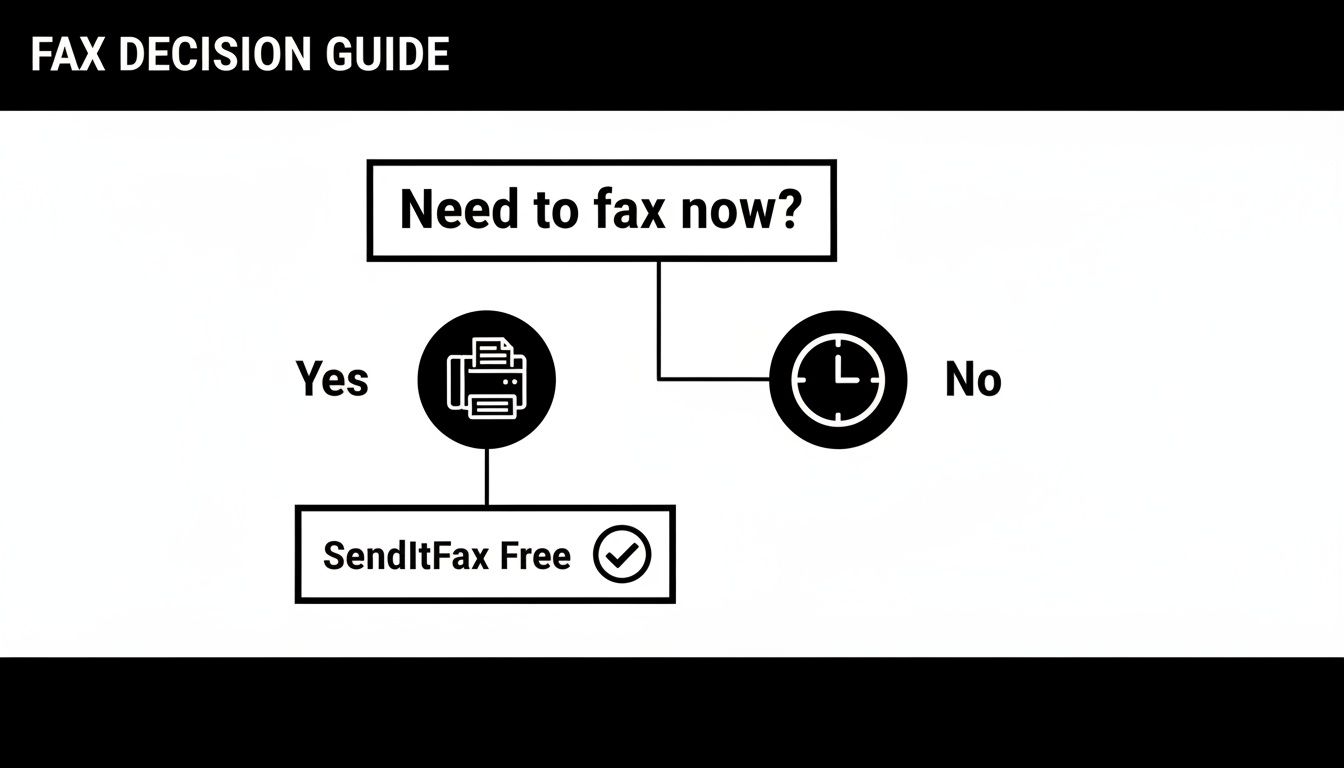
    Infographic about how to fax from your phone

    The move away from clunky old machines is happening fast. In fact, the online fax service market hit a value of $2.52 billion in 2024 and is on track to nearly double to $4.54 billion by 2033. This isn't just a niche trend; it shows a massive demand for more flexible and secure ways to handle important paperwork from anywhere. You can dig into the numbers yourself in the full market analysis from Open PR.

    Getting Started on the Web Service

    First things first, open your favorite browser on your phone—whether it's Safari, Chrome, or something else—and head over to a service like SendItFax. These sites are designed to work perfectly on a small screen, so you won’t have to do any of that annoying pinching and zooming to see what you’re doing.

    The layout is usually very direct. You'll see clear fields for your information (sender) and the recipient's details. This is where you’ll pop in your name, email address, the recipient's name, and of course, their fax number.

    Crucial Tip: I can't stress this enough: double-check the recipient's fax number. A single wrong digit is the number one reason faxes fail to send. Make sure you have the complete 10-digit number, area code and all.

    Uploading Your Document and Adding a Cover Page

    Next, look for a button that says "Upload File," "Attach Document," or something similar. Tapping it will bring up your phone's file browser, letting you find and select that PDF you just prepped.

    Screenshot from https://www.senditfax.com/

    After your file is uploaded, you’ll almost always see an option to add a cover page. This is a great professional touch, especially for business documents. Think of it like the subject line of an email—it gives the person on the other end immediate context.

    Typically, you can add a few key details:

    • A brief subject line: Something like, "Signed Contract for Project Alpha."
    • A short message: For example, "Please find the signed agreement attached. Let me know if you need anything else."
    • The total number of pages: This includes the cover sheet itself.

    If you're sending something less formal or the document is completely self-explanatory, you might decide to skip the cover page. Most services will have a simple checkbox to omit it, though this is sometimes a feature for paid plans.

    Sending the Fax and What to Expect Next

    Once all the information is filled in and your document is attached, you're ready to send. Find that big "Send Fax" button, give all the details one final glance for accuracy, and tap it.

    From here, the service takes over. It converts your digital file into the right format for a traditional fax machine and sends it across the phone network. You don’t have to do a thing; the system handles all the technical wizardry behind the scenes.

    In just a few moments, an email confirmation should land in your inbox. This is your digital receipt, telling you if the fax went through successfully or if it failed. We’ll get into what those notifications mean and how to fix any problems in the next section.

    Confirming Delivery and Solving Common Problems

    https://www.youtube.com/embed/oDQijqiyNC0

    You’ve prepped your document, entered the details, and hit send. So, what happens now? Unlike the old days of dropping a letter in a mailbox and just hoping it arrived, modern faxing gives you immediate feedback. You should get an email confirmation from the service within a few minutes.

    Think of this email as your digital receipt. It’s important. It will tell you in plain terms whether your fax was successful or if it failed. A success message gives you peace of mind—the document is in their hands. A failure notice, on the other hand, means we need to do a little detective work.

    What to Do When a Fax Fails

    Seeing that "failed" notification is frustrating, I get it. But don't just mash the resend button. The problem is usually something simple and quick to fix. Rushing to send it again without figuring out the "why" often just leads to another failure.

    Before you do anything else, let's run through a quick mental checklist.

    • Did you fat-finger the number? A single wrong digit is, by far, the most common reason faxes fail. Double-check that you entered all 10 digits correctly, especially the area code. It’s so easy to mix up numbers on a phone screen.

    • Was the line busy? The receiving fax machine might have been tied up. This happens if it’s getting another fax or if it’s a shared line that also takes phone calls. My rule of thumb is to wait 10-15 minutes and then give it another shot.

    • Are you sure it's a fax line? Sometimes people give out their direct voice line by mistake. If you’re not 100% certain, a quick phone call to the recipient to confirm the number can save you a lot of hassle.

    • How did your document look? Was the file you sent a crisp, clean PDF? A blurry photo or a weirdly formatted document can sometimes be rejected by the receiving machine’s older hardware.

    In my experience, the issue is almost always a simple human error or just bad timing on the recipient's end. If you walk through these steps one by one, you’ll usually find the culprit and get your document sent successfully on the next try.

    Digital Faxing Is More Reliable Than You Think

    This whole process—from sending to getting instant confirmation—is why online faxing has become so essential. It’s not just about keeping old tech alive; it’s about making it smarter and more reliable for how we work today.

    The numbers back this up. The fax services market is expected to grow from $3.31 billion in 2024 to nearly $4.48 billion by 2030. That growth is fueled by cloud services that make knowing how to fax from your phone a genuinely useful skill. For anyone interested in the data, the global fax services market report has a deep dive into these trends. This evolution means that even when you hit a small snag like a failed send, the tools to fix it are right there in your hand.

    Choosing the Right Mobile Faxing Method

    A person looking at their phone and making a decision between different app icons.

    Using a web service like SendItFax right from your phone's browser is perfect for those one-off situations. It's fast, simple, and gets the job done without any fuss. But what if you send faxes more often?

    Your best approach really hinges on your specific needs—how frequently you fax and what features you can't live without. Let's break down the main alternatives to see what makes the most sense for you.

    Dedicated Mobile Faxing Apps

    If you find yourself faxing documents on a regular basis, downloading a dedicated mobile app is almost always the right move. These apps are built specifically for your phone, meaning the entire experience is much smoother and more integrated than using a website.

    For instance, think about getting an instant push notification on your lock screen the second your fax goes through. No more checking your email for confirmation. Many apps also sync with your phone's contact list, so you can just tap a name instead of manually punching in a fax number every single time.

    This level of convenience usually comes with a subscription. Most top-tier apps charge a monthly or annual fee, which is a great value for businesses or professionals who rely on faxing. However, it’s probably not necessary if you only need to send a document once a year.

    The biggest win with a dedicated app is how it plugs directly into your phone's ecosystem. Push notifications, contact list access, and built-in scanning tools create a seamless workflow that a browser just can't match for heavy users.

    Email-to-Fax Services

    Here's a clever option for anyone who spends their day in their email inbox: email-to-fax. The beauty of this method is its simplicity. It feels completely natural because you're using a tool you already know inside and out.

    The process is surprisingly straightforward. You just compose a new email, attach your file (like a PDF or Word doc), and send it to a unique email address. This address is usually a combination of the recipient's fax number and the service's domain, something like 18005551234@faxprovider.com.

    The service handles the rest, converting your email into a fax and sending it on its way. This is also fantastic for record-keeping, as you'll automatically have a copy of what you sent right in your "Sent" folder.


    So, which path should you take? To make it clearer, here’s a quick breakdown of how these methods stack up against each other.

    Which Mobile Faxing Method Is Best for You?

    Method How It Works Best For Common Cost Structure
    Web-Based Service Upload a document directly on a website from your phone's browser. Quick, one-off faxes where you don't need ongoing features. Pay-per-fax or a limited number of free pages.
    Dedicated Mobile App Download an app that offers an integrated, mobile-first experience. Frequent faxing by individuals or businesses who need reliability and extra features. Monthly/annual subscription plans, often with tiered features.
    Email-to-Fax Send an email with an attachment to a specially formatted address. Professionals who want to integrate faxing into their existing email workflow. Usually included with a subscription plan from an online fax service.

    At the end of the day, there's no single "best" choice—only the best choice for you. If you send a fax once in a blue moon, a web service is all you need. If it's a weekly task, investing in a dedicated app will pay for itself in convenience. And for email power users, the email-to-fax route is a no-brainer.

    For a more granular look at the options out there, this detailed online fax services comparison is a great resource to help you match features to your specific needs.

    Got Questions About Mobile Faxing?

    It’s one thing to follow the steps, but it's another to feel confident about the process. If you’ve still got some questions, you're not alone. Let's tackle some of the most common things people ask when they start faxing from their phones.

    Is Faxing From a Phone Actually Secure?

    This is probably the most important question, and the answer is a firm yes—as long as you use a reputable service. When you send a document through a service like SendItFax, the file is encrypted. Think of it as sending your document through a secure, private tunnel where no one else can see it.

    Honestly, it’s often much safer than using the old office fax machine. Those faxes frequently sit in a public tray for anyone to grab. With mobile faxing, the document travels directly from your device to the recipient, and you get a private confirmation.

    The real key to security is picking a provider that takes it seriously. Look for services that encrypt your data both while it's being sent and while it's stored. This level of protection is trusted by professionals in healthcare, finance, and law.

    Can I Really Send a Fax to Another Country?

    Absolutely. Most online fax services are built for global communication. The process itself doesn’t change—you still upload your document and punch in the number.

    The only difference is how you format the number. You'll need to include the country code and often drop the leading "0" from the local number. For example, a UK number would start with +44.

    Just be mindful of the cost. Sending a fax internationally will almost always cost more than a domestic one. Rates can vary wildly depending on the destination, so I always recommend checking the service’s pricing page first to avoid a surprise on your bill.

    What About Receiving Faxes on My Phone?

    While sending is the most common need, receiving faxes is just as easy. To do this, you'll typically need a subscription plan which gives you a dedicated virtual fax number.

    Once you have that number, anyone can send a fax to it from a traditional machine. Instead of printing out on paper, it arrives directly in your email inbox, usually as a PDF. It’s a game-changer for anyone who needs to receive signed contracts or important forms while on the go.

    This turns your phone into a complete, two-way faxing solution. If you want to dive deeper, our guide on how to fax via email breaks down exactly how to set it up and make it part of your daily workflow.


    Ready to send a document right now without the hassle of subscriptions or clunky hardware? With SendItFax, you can fax your documents from any browser in just a few clicks. Whether it's a single page or a lengthy contract, our straightforward service gets it there securely. Try SendItFax today and see how simple faxing can be.

  • Master Your Fax Online Free Trial

    Master Your Fax Online Free Trial

    Think of a fax online free trial as your personal test drive for a new way of faxing. It’s a chance to kick the tires and see how it all works—sending real faxes from your computer or phone—without having to pull out your credit card first.

    What a Free Trial Truly Offers

    Laptop displaying online fax trial text on screen with notebook and smartphone on wooden desk

    At its core, a free trial is designed to give you a real, hands-on feel for an online fax service. Forget about wrestling with a clunky machine and a dedicated phone line. Instead, you just grab a digital file like a PDF or Word doc, upload it, and send it off to any fax number on the planet.

    This is your opportunity to see if the service actually delivers on its promises. It’s all about answering a few key questions for yourself:

    • Can I figure this out in a few minutes, or is it a confusing mess?
    • Is uploading my documents straightforward?
    • Will I get a clear, easy-to-understand confirmation once my fax goes through?

    Understanding the Bigger Picture

    The move to digital faxing isn't just a small convenience; it's part of a huge shift. In 2024, the global market for fax services was valued at a whopping USD 3.31 billion, and it's expected to climb to USD 4.48 billion by 2030.

    Why the growth? Because industries like healthcare, law, and real estate still rely on the security of faxing, and online services make it accessible for everyone. For someone who only needs to send a fax once in a blue moon, a fax online free trial is the perfect gateway. You get a modern, practical solution without any of the old-school hardware headaches. You can dive deeper into these market trends with recent research findings.

    In essence, a free trial takes the mystery out of online faxing. It shows you firsthand that sending a signed contract or a medical form can be as simple as sending an email. Just a few clicks, and you're done.

    Ultimately, the goal is to give you a clear, no-strings-attached experience. By the end of the trial, you'll know for sure if the service is a good fit for your needs.

    What Are the Catches? Navigating Common Free Trial Limits

    An online fax free trial is an excellent way to test the waters, but it's crucial to remember you're getting a sneak peek, not the full, unrestricted service. Providers set these boundaries intentionally; they want to give you just enough of a taste to see how easy it is, hoping you'll stick around for the main course.

    Page and Time Limits: The Two Big Ones

    The first thing you'll almost always run into is a strict page count. Most free trials or one-off services give you a small batch of pages to work with, typically somewhere between 5 to 10 pages total. That's usually perfect for sending a quick application or a signed form, but it won't handle a lengthy report or a multi-page contract. You can find more details on how free fax models work at Fax.plus.

    The other major constraint is time. These trials don't last forever. You'll typically get a set window—think 7, 14, or maybe 30 days—to use the service. When the clock runs out, your access usually ends. Be careful, though: if you had to enter a credit card to start the trial, it might automatically convert to a paid subscription. Always read the fine print.

    What Features Are Usually Off-Limits?

    Beyond the page and time caps, don't be surprised if some of the more advanced features are locked away. During a free trial, you'll likely find that you can't access things like:

    • Receiving Faxes: This is a big one. Most free trials are send-only. You won't get your own dedicated fax number to receive documents from others.
    • International Faxing: Need to send a document overseas? That's almost always a feature reserved for paying customers.
    • Power-User Tools: Things like digital signatures, integration with other apps (API access), or detailed delivery confirmations are typically part of a paid package.

    The goal behind these limitations is pretty straightforward. The provider wants you to see for yourself that their service is reliable and user-friendly. Once you're convinced, they hope you'll see the value in upgrading for more consistent use or advanced features.

    To put it all into perspective, let's break down the common differences between a free trial and a paid plan.

    Free Trial vs Paid Plan Feature Comparison

    Here's a quick look at what you can generally expect when comparing a free trial offer to a standard, entry-level paid subscription. It helps manage expectations and choose the right option for your needs.

    Feature Typical Free Trial Typical Paid Plan
    Sending Pages 5-10 pages total 100+ pages per month
    Receiving Faxes Often disabled Included with dedicated number
    Trial Duration 7-14 days Ongoing monthly/annual
    International Sending Usually unavailable Included or pay-per-page
    Cover Page Mandatory with provider branding Optional and brand-free
    Support Basic FAQ or email Priority phone and chat support

    Seeing the differences laid out like this makes it clear. A fax online free trial is the perfect tool for a quick, one-and-done fax. But if you expect to send or receive faxes regularly, or if you need more professional features, a paid plan is really the way to go.

    How to Choose the Right Free Fax Trial

    Let's be honest, not all "free" trials are truly free or even created equal. To find the best fax online free trial for what you actually need, you have to look past the big, flashy numbers and get into the nitty-gritty. Think of it like test-driving a car—you're not just kicking the tires; you're checking to see if it drives well, has the features you need, and won't surprise you with a hidden repair bill.

    The first thing I always look at is the user experience. Is the dashboard clean and simple? Or does it feel like you need a degree in computer science just to find the "upload" button? A good service should feel intuitive from the get-go. You should be able to send your first fax within minutes, no manual required.

    Next up, and this is a big one, is security. If you’re faxing anything sensitive—like legal documents, patient records, or financial information—this is an absolute deal-breaker. Look for explicit mentions of end-to-end encryption and compliance with standards like HIPAA. This is your guarantee that your documents are scrambled and unreadable to anyone but the intended recipient.

    Finally, do yourself a favor and read the cancellation policy before you enter your credit card details. So many trials are designed to automatically roll over into a paid subscription, and getting out can sometimes be a headache. A transparent, easy-to-cancel trial is a sign of a trustworthy company.

    Key Factors for Your Evaluation

    Before you jump into any trial, take five minutes to run through this checklist. It’s a simple way to make sure the service is a good match for you and avoid frustration down the road.

    • Did it Actually Send? You need proof. A good service will give you a clear, detailed confirmation page or an email alert the second your fax is delivered. After all, that proof of receipt is often the main reason you're faxing in the first place.
    • Is Anyone Home? What happens if your fax gets stuck or you can't figure something out? See if the trial includes access to customer support, even if it's just a solid FAQ section or email help.
    • What Can You Send? Make sure the platform handles the files you actually use. Check for common formats like PDF, DOCX, and JPG.

    This simple decision tree can help you figure out if a free trial is the right move based on how many pages you need to send.

    Decision flowchart showing whether to choose fax trial or paid plan based on page volume needs

    As you can see, if you just have a few pages to send as a one-off, a free trial is probably your best bet. If you want to see how different services compare on these points and more, check out our in-depth online fax services comparison for a full breakdown.

    Sending Your First Free Online Fax

    So, you're ready to send a document without touching a fax machine? Good. Using a fax online free trial turns what used to be a clunky, paper-jam-filled chore into a process as simple as sending an email. It’s surprisingly quick.

    Let’s walk through exactly how to get your document from your screen to a fax machine in just a few minutes.

    Person typing on laptop displaying first free fax service on screen at desk

    The best part is that this all happens right inside your web browser. No special hardware, no complicated software downloads—just pure convenience.
    Getting Your Document Ready

    First things first, you need a digital version of whatever you're sending. The good news is that most online fax services are built to handle the file types you already use every day, so you shouldn't have to mess with any tricky conversions.

    Here are the most common formats they'll accept:

    • PDF: This is the universal favorite. It keeps your formatting locked in place, so what you see is what they get.
    • DOC/DOCX: Got a Microsoft Word document? No problem. It's almost always supported.
    • JPG/PNG: Image files are perfect for sending things like photos, signed forms, or copies of an ID.

    Once your file is saved and ready, you just need to upload it. This usually involves a simple "upload" button or even just dragging and dropping the file into your browser window. For a deeper dive into all the ways you can send a fax from your computer, check out our guide on how to get a free fax from your computer.

    Entering the Details and Hitting Send

    Now that your document is uploaded, it's time to tell the service where to send it. You’ll enter the recipient's fax number—and you'll want to double-check it. Seriously, one wrong digit is the number one reason faxes fail to go through.

    Next, you can add a cover page. Think of this as the envelope for your fax. It gives the recipient all the essential info right up front.

    A cover page is where you put your name and contact info, the recipient’s details, and a quick note about what you're sending. Just a heads-up: with most free services, this page will probably have their logo or branding on it.

    After filling everything in, you're ready for the final click: "Send." From here, the service does all the heavy lifting. It converts your digital file into a signal that a traditional fax machine can understand and dials the number for you.

    And here’s the most important part: the confirmation. A good service will send you an email telling you whether the fax went through successfully or if it failed. That email is your proof of transmission, giving you peace of mind that the job is done.

    Why Bother With Faxing in a Digital World?

    It’s a fair question. With email and instant messaging at our fingertips, faxing can feel like a technology from a bygone era. But if you think it’s just a relic, you’d be surprised. For many industries, faxing isn’t just an option; it’s the gold standard for security and legal documentation. Digital faxing simply modernizes that trusted process, making it accessible to everyone.

    Think about it from a doctor's perspective. Sending patient records via email is a huge gamble, ripe for data breaches and HIPAA violations. An encrypted online fax, however, creates a secure, direct line from the clinic to the specialist. That’s how sensitive health information stays private and compliant with tough regulations. The same goes for law firms, where a faxed signature on a contract is legally binding and comes with a bulletproof transmission receipt.

    This isn't just a niche practice, either. Even as we approach 2025, over 80% of businesses still rely on faxing for certain tasks. In fact, industries that depend heavily on fax are rapidly moving to cloud-based solutions, with adoption expected to jump from 31% to over 70% in the next few years. It's becoming a core part of their digital workflow. You can get a deeper look at these industry faxing trends on iFaxapp.com.

    Where Faxing Still Reigns Supreme

    Some fields don't just prefer faxing; they demand it. The verifiable audit trail a successful transmission report provides is often non-negotiable for official business.

    You'll find it's still an essential tool in places like:

    • Healthcare: Sending prescriptions, patient referrals, and medical records while staying strictly HIPAA compliant.
    • Legal: Transmitting court filings, signed affidavits, and contracts where absolute proof of delivery is critical.
    • Finance and Real Estate: Securely moving loan applications, title documents, and purchase agreements.
    • Government: Submitting official forms and applications to agencies that still run on fax-based systems.

    A fax isn't just a document; it's a secure transaction. Unlike an email that can be intercepted or manipulated, a fax transmission creates a direct, private line between sender and recipient, offering a level of security that is difficult to replicate with other common communication methods.

    The Modern Advantage of Digital Fax

    Online faxing takes this battle-tested technology and puts it in your pocket. Forget about bulky machines and dedicated phone lines—now you can send a secure document straight from your laptop or phone. This is a game-changer for a small business owner who just needs to send one signed invoice or an individual trying to submit a time-sensitive government form.

    This is exactly why a fax online free trial is so useful. It gives you immediate access to this critical business tool for a specific, urgent need, all without getting roped into a long-term plan. You get the security and legal weight of a traditional fax with the simple convenience of sending an email. It’s the perfect blend of old-school reliability and modern ease.

    Understanding Security and Privacy

    When you're sending something sensitive—a legal contract, a patient's medical form, or financial statements—security isn't just a nice-to-have feature. It’s the entire point. You absolutely have to trust that your documents are protected every step of the way. This is where a quality fax online free trial has a massive leg up on standard email, which is notoriously easy to intercept.

    Person using laptop for secure faxing with padlock icon on screen showing document transmission

    Think of it this way: sending a document via email is like dropping a letter in a standard mailbox. It's probably fine, but it’s not exactly Fort Knox. Using a secure online fax service is more like hiring an armored truck. These services wrap your data in heavy-duty encryption, scrambling it into unreadable code for anyone who isn't the intended recipient.

    Key Security Features to Look For

    Even when you're just on a trial run, the security has to be rock-solid. Your data is just as valuable on day one as it is a year into a paid subscription, so don't settle for less.

    Keep an eye out for these security essentials:

    • End-to-End Encryption: This is the big one. It means your document is locked down from the moment you hit "send" until it lands on the recipient's fax machine.
    • Compliance Standards: If you're in a regulated industry, this is non-negotiable. Look for proof of compliance like HIPAA for healthcare, GLBA for finance, or SOX for public companies.
    • Secure Data Centers: The best providers house your data in physically secure facilities with round-the-clock monitoring and strict access controls.

    A secure fax transmission is a direct point-to-point connection. This inherent structure greatly reduces the risk of your information being exposed, which is a common concern with email attachments that can sit on multiple servers.

    Your Role in Maintaining Security

    While the fax service provides the secure pipeline, you still have a part to play in keeping your information safe. A few good habits can make all the difference.

    Always, always double-check the recipient's fax number before you send. A single wrong digit could send your private document to a complete stranger's machine. Taking a moment to understand what is a fax number and how they work can help you avoid these simple but costly mistakes.

    And if you do create an account for a trial, use a strong, unique password. By pairing a secure service with your own smart security practices, you can send documents with complete peace of mind.

    Common Questions About Free Fax Trials

    Thinking about trying online faxing? It's normal to have a few questions before you jump in. When you sign up for a fax online free trial, what are you really getting? Let's walk through the most common questions so you know exactly what to expect.

    Do I Have to Enter a Credit Card?

    This is the big one, right? The short answer is yes, most services will ask for a credit card to start a free trial. It's a pretty standard industry practice. They use it to verify you're a real person and to make the transition to a paid plan seamless if you decide to stick around.

    Don't let that scare you off. Any reputable company will make it easy to cancel before you ever see a charge. The trick is to set a reminder on your phone or calendar for a day or two before the trial is up. That way, you have plenty of time to decide without the stress of a surprise bill.

    Can I Receive Faxes During the Trial?

    In most cases, you won't be able to. Free trials are almost always set up to let you send faxes, not receive them. Getting your own dedicated fax number to receive documents is a core feature that's usually reserved for paying customers. The goal of the trial is to give you a test drive of their sending process, not to provide a fully functional fax line.

    What Happens When My Free Trial Ends?

    This is where you need to pay attention to the fine print. Nearly every service will automatically roll your account into a paid subscription once the trial period is over. If you haven't canceled, they’ll charge the credit card you put on file.

    Think of it like a streaming service trial. You get to watch for free for a week or two, but the system is designed to keep the service going unless you actively step in and cancel. Always know your trial's end date so you stay in the driver's seat.

    Is It Safe to Fax Sensitive Documents?

    Absolutely, as long as you pick a service that takes security seriously. A trustworthy provider will use the same robust security measures for trial users as they do for their paying clients. This should include things like end-to-end encryption, which scrambles your data from the moment you hit send until it arrives.

    The safety of your documents isn't about whether you're on a trial or a paid plan; it’s about the company's fundamental commitment to privacy. Always take a look at their security features before you fax anything confidential.


    If you're looking for a way to send a quick fax without getting into trial subscriptions at all, SendItFax offers a no-fuss solution. You can send up to three pages completely free or choose our Almost Free plan for more pages and features, with zero strings attached. Give it a try at https://senditfax.com.

  • How to Fax from Laptop: A Modern Guide

    How to Fax from Laptop: A Modern Guide

    When you need to fax from a laptop, the simplest, most straightforward way is to use an online fax service. These services act as a bridge, taking your digital files and sending them over the internet to a traditional fax machine. No hardware, no dedicated phone line needed.

    Why You Still Need to Fax in a Digital World

    Laptop displaying fax still matters message with security lock icon on desk workspace

    It’s a fair question. Didn't faxing disappear along with dial-up modems and floppy disks? Surprisingly, no. In certain crucial industries, it's not just hanging on—it's still a required method of communication. For professionals in healthcare, law, and finance, sending a fax is often a non-negotiable part of the job.

    The resilience of faxing boils down to two things: security and legal validity. A fax creates a direct, point-to-point connection that’s much harder to intercept than a typical email. This inherent security makes it the go-to for sending sensitive information, like medical records governed by HIPAA or legally binding contracts.

    The Modern Advantage of Laptop Faxing

    Knowing how to fax from a laptop connects these old-school requirements with today's need for flexibility. You’re no longer tied to a clunky machine in the corner of the office. Now, you can send critical documents from literally anywhere you have an internet connection.

    This simple shift makes a huge difference:

    • Better Security: Online fax services add modern encryption to the transmission process, giving you a layer of protection that old analog machines could never offer.
    • Real Cost Savings: Forget about paying for paper, ink, toner, and machine maintenance. You also get to ditch the dedicated phone line that fax machines used to require.
    • Total Convenience: Send a signed contract from a coffee shop or submit an urgent form from your home office. Your laptop is now a powerful, portable fax machine.

    This isn't just anecdotal; the numbers back it up. The global fax services market was valued at an impressive USD 3.3 billion in 2024 and is expected to keep growing, largely because of its vital role in secure business communications. You can dig into the full fax services market trend report for a deeper look.

    Key Takeaway: The real reason faxing sticks around is trust. When you send a fax, you get a transmission receipt. This receipt is legally recognized proof that your document arrived, confirming the exact time it was received.

    For a quick overview of your options, here’s a look at the most common methods for faxing from a laptop.

    Laptop Faxing Methods at a Glance

    This table breaks down the main ways to send a fax from your computer, helping you pick the right one for the job.

    Method Best For Ease of Use Typical Cost
    Online Fax Service Frequent faxing, businesses needing a dedicated number, and high security. Very Easy Monthly subscription (e.g., $10-$30/month)
    Email-to-Fax Quick, one-off faxes for users already subscribed to an online service. Easy Included with most online fax subscriptions.
    Windows Fax & Scan Occasional faxing for users with access to a landline and fax modem. Moderate Cost of a phone line and modem.
    Mac Faxing Apps Mac users who prefer a native app experience and have a fax modem. Moderate App cost plus phone line and modem.

    As you can see, online fax services usually offer the best balance of features, security, and convenience for most people today.

    Why It Still Matters for You

    At the end of the day, a fax provides a verifiable paper trail that’s often required for official business. When you absolutely need to send a document that requires a signature and undisputed proof of delivery, faxing remains the gold standard.

    Understanding what is a fax number and how modern services work is the first step. By using your laptop, you can tap into this trusted system without any of the old-school headaches, ensuring your most important communications are both secure and compliant.

    Using an Online Fax Service for the First Time

    Laptop computer displaying send fax easily message on screen with office supplies on wooden desk

    Diving into a new digital tool can seem like a chore, but you'll be surprised at how simple it is to send your first fax from a laptop. Online fax services have come a long way, and most are designed to feel as familiar as sending an email. Let's walk through a common, real-world scenario to see how it works.

    Imagine you just found the perfect apartment, but the landlord needs the signed lease back immediately. For their own compliance reasons, they’ve asked you to fax it. This is the perfect situation to learn how to fax from a laptop without having to track down an old-school machine.

    Navigating the Dashboard

    Once you've picked a service like SendItFax and logged in, you’ll land on a clean, straightforward dashboard. The best part? There’s no software to install. Everything happens right in your web browser. The main screen will lay out all the essential fields you need to fill out.
    You'll typically find a simple form with fields for:

    • The recipient's fax number
    • Your sender details (name, company, etc.)
    • A button to upload your documents
    • An area for a cover page message

    The layout is built for speed, eliminating any guesswork. You just work your way down the form, filling in each part as you go.

    Pro Tip: I can't stress this enough: always double-check the recipient's fax number. A single wrong digit is the number one reason faxes fail. Unlike email, you won't get a nice "undeliverable" message telling you about the typo.
    Uploading Your Lease Agreement

    Alright, let's get that signed lease attached. Modern online fax services are incredibly flexible and accept a ton of different file types, so you're not stuck with just one format.

    Most platforms, SendItFax included, can easily handle:

    • PDF files: This is the gold standard for official documents, as it preserves all formatting perfectly.
    • Microsoft Word documents (.doc, .docx): Great for sending over contracts or letters you've just finished writing.
    • Image files (.jpg, .png): Super useful if you signed a physical document and just snapped a clear picture of it with your phone.

    In our scenario, you'd just click the "Upload File" button and grab the PDF of your signed lease from your laptop. The service takes care of converting and preparing it for transmission. You can even attach multiple documents, and the service will merge them into a single fax for you.

    Adding a Professional Cover Sheet

    Think of a cover sheet as the introduction to your fax. It tells the recipient who it's from, who it's for, and why you're sending it. This is especially important if you're faxing to a big office where your document might get passed around.

    A good cover sheet always includes:

    • To: The landlord's name
    • From: Your name
    • Date: The current date
    • Pages: The total page count (including the cover sheet!)
    • Subject: Something clear, like "Signed Lease Agreement for Apt 4B."

    Most services also give you a text box for a quick note. A simple message like, "Hi, please find the signed lease agreement attached. I look forward to moving in!" adds a nice, professional touch.

    Give everything one last look, hit "Send Fax," and you're done. If you're still weighing your options, our online fax services comparison is a great resource to help you find the perfect fit.

    Getting Your Documents Ready for a Perfect Send

    Sending a fax from your laptop is incredibly convenient, but a little prep work goes a long way. Think of it like this: you wouldn't feed a crumpled, messy stack of papers into a physical fax machine. The same logic applies here. Taking a moment to get your digital files in order is the key to making sure they arrive looking sharp and professional.

    The most important choice you'll make is the file format. While a service like SendItFax is flexible, one format is king for a reason.

    Why Your File Format Matters

    Hands down, the best format for faxing is the Portable Document Format (PDF). It’s the gold standard. When you save a file as a PDF, you're essentially taking a snapshot that locks in everything—all the fonts, images, and spacing. This means that crucial invoice or signed contract will look exactly the same on the other end, with no weird formatting glitches or missing text.

    Of course, other common formats work too:

    • DOC/DOCX: Microsoft Word files are usually fine, but there's a small risk the formatting could shift if the recipient doesn't have the exact same fonts you do.
    • JPG/PNG: Image files are great when you need to send a picture of something, like a signed document you snapped with your phone. Just make sure the photo is clear, well-lit, and easy to read.

    From my own experience, I always convert my final documents to PDF before faxing. It's a quick, one-click step in almost any program and saves you from a ton of potential headaches. It guarantees my documents always look professional when they land.

    Going From Paper to Pixels

    But what if your document is a physical piece of paper, like a signed form or an important receipt? You don't need to hunt down a scanner. Your smartphone is a surprisingly powerful scanning tool that's probably within arm's reach right now.
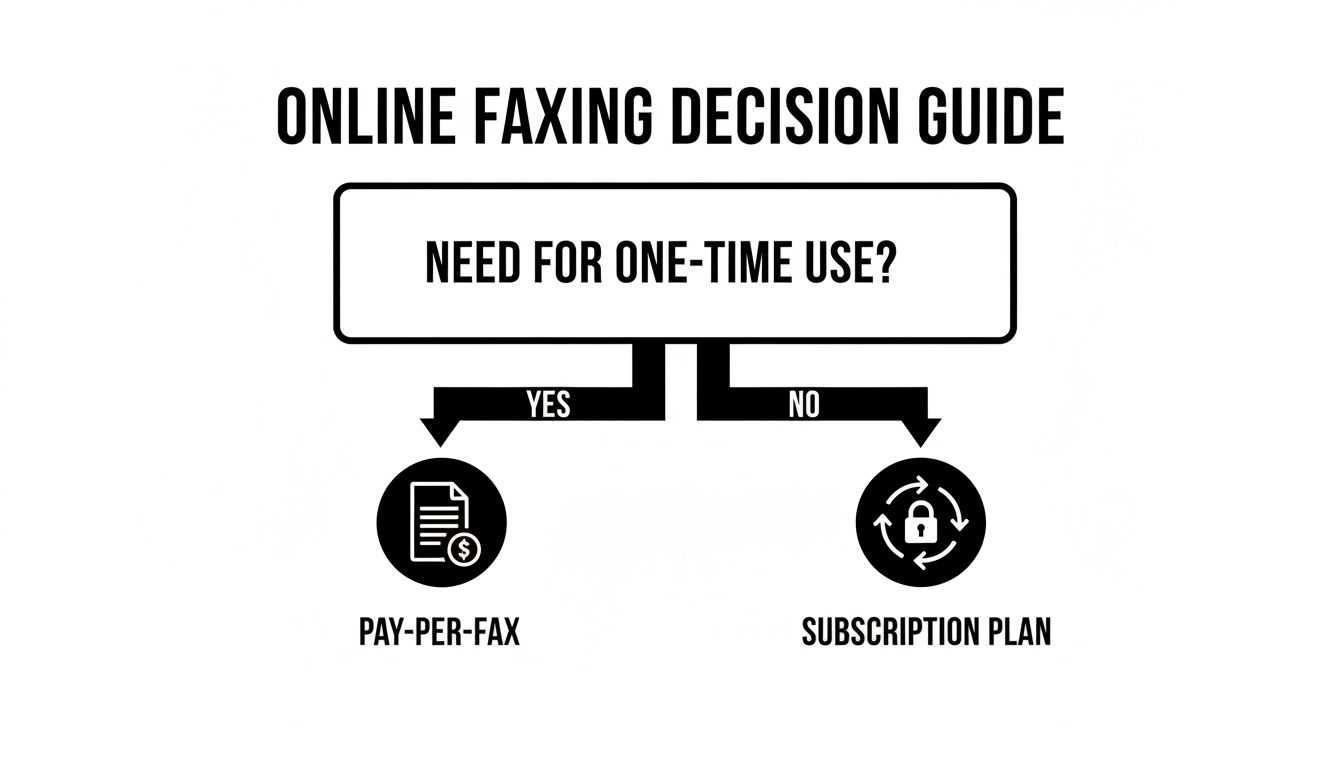
    Instead of just taking a picture, use a dedicated scanning app like Adobe Scan or even the feature built into your phone's Notes app. These tools are designed for this exact purpose. They'll automatically find the edges of the paper, fix the perspective, and boost the contrast to create a clean, crisp digital file that looks way better than a regular photo. It’s a simple trick that makes a huge difference in legibility.

    Don't Skip the Cover Sheet

    Finally, let's talk about the cover sheet. It might seem like a small detail, but it's the first thing your recipient sees. It’s your professional handshake, ensuring your fax gets to the right person right away, which is especially important in a big, busy office.

    Make sure your cover sheet has all the essentials:

    1. To: The recipient's full name, company, and fax number.
    2. From: Your name, company, and a contact phone number.
    3. Date: The date you're sending the fax.
    4. Pages: The total page count, and don't forget to include the cover sheet itself in that number.
    5. Subject: A clear, concise subject line (e.g., "Signed Lease Agreement for Suite 2B") and a quick note in the comments can add vital context.

    The good news is that most web-based fax services generate this for you. You just fill in the blanks. It’s a foolproof way to ensure your fax is professional, complete, and arrives without a hitch.

    Exploring Other Ways to Fax From Your Laptop

    https://www.youtube.com/embed/qtWEtt5JV90

    While logging into a web portal is a fantastic, straightforward way to send a fax, it’s not the only tool in your digital faxing kit. Sometimes your workflow just demands something faster or more integrated. Let's dig into a couple of powerful alternatives that give you even more flexibility.

    The Power of Email-to-Fax

    One of the most efficient methods out there is email-to-fax. This is a killer feature that most quality online fax services include, and it essentially turns your regular email client—whether it's Outlook, Gmail, or Apple Mail—into a direct faxing machine. It's perfect for those moments when you just need to fire off a document without logging into another website.

    The process itself is refreshingly simple. You just compose a new email, attach your document (like a PDF or Word file), and send it to a special address provided by your fax service. It's that easy.

    Before you send, you obviously need your document ready. This flowchart breaks down how you can get your file prepped, whether you're starting with a physical piece of paper or something that's already on your computer.

    Flowchart showing digital fax process from physical paper to PDF or scan conversion

    As you can see, the path from your initial document to a fax-ready file is pretty direct, always ending with that all-important cover sheet to make sure it looks professional.

    To use the email-to-fax feature, you just need to format the recipient's "To" address in a specific way. For example, you might type the destination fax number followed by the service’s domain, something like 18005551234@senditfax.com.

    What’s really slick is how it handles the cover page. The email's subject line automatically becomes the subject on the fax cover sheet, and whatever you write in the body of your email populates the cover sheet's message area. It’s an incredibly smooth process that fits right into a routine you already know.

    For a complete walkthrough, be sure to check out our detailed guide on how to fax via email.

    Using Your Operating System's Built-In Tools

    Another path you could take is using the tools that are already on your computer. If you're a Windows user, this means turning to the classic Windows Fax and Scan utility. This program has been a part of the operating system for ages and offers a direct way to send faxes—but there's a pretty big catch.

    To make it work, you need a piece of hardware that most modern laptops simply don't have anymore: a fax modem. This is a physical device that connects your laptop to a telephone line. So, if you happen to have a landline and a modem lying around, you can actually set it up to send and receive faxes right from your desktop.

    Key Takeaway: While using a built-in tool like Windows Fax and Scan lets you avoid subscription fees, the hardware requirement makes it pretty impractical for most people today. The sheer convenience of online services almost always outweighs the hassle of setting up a physical connection.

    The leap from those old, clunky machines is significant. Faxing from a laptop has evolved by replacing bulky hardware with smart, internet-based services and software. Laptops with an internet connection can now bypass physical phone lines entirely, as services convert your digital files into fax-compatible formats and transmit them through cloud servers. You can read more about the technological evolution of faxing on Britannica.

    Ultimately, choosing between email-to-fax and a built-in OS tool comes down to your specific situation. For speed, convenience, and seamless integration with a service you're already using, email-to-fax is the clear winner. For the rare, occasional fax where you actually have all the required hardware, an OS utility might just get the job done.

    How to Fix Common Digital Fax Problems

    Person reviewing printed document while working on laptop computer outdoors with fix fax issues text

    So, your digital fax didn't go through. It happens. Even with a reliable online service, transmissions can fail, but before you get frustrated, know that most of these hiccups are surprisingly easy to fix. The trick is understanding what went wrong in the first place.

    When a fax fails, your service will shoot you a transmission report. Don't just archive it—this report is your best friend for troubleshooting. It’ll usually have an error code or a short message like "Busy Signal" or "No Answer" that tells you exactly what happened.

    Decoding Failed Transmissions

    A "Busy Signal" is the most common roadblock you'll encounter. This isn't a problem on your end. It just means the recipient's fax machine is tied up, either sending or receiving another document. The solution is simple: patience. Give it 10-15 minutes and then try resending.

    Then there's the "No Answer" message. This one means the receiving machine never picked up the call. A few things could be going on here:

    • Wrong Number: You might have a typo in the fax number. It's the most common culprit.
    • Machine Issues: The receiving machine could be turned off, out of paper, or unplugged.
    • Voice Line: You might be accidentally faxing a regular phone number instead of a dedicated fax line.

    Before you do anything else, double- and triple-check the fax number you typed in. One wrong digit is all it takes. If the number is correct, you might need to give the recipient a quick call to make sure their machine is on and ready to go.

    Key Takeaway: Failed faxes are rarely your fault. In my experience, over 90% of transmission failures are due to issues on the recipient's end—a busy line, a machine that's off, or just a simple wrong number.

    Tackling Blurry or Unreadable Faxes

    What about when the fax does go through, but the person on the other end says it looks like a smudged mess? This is almost always a quality issue with the original file you uploaded. A low-resolution image or a poorly scanned document will inevitably look blurry on the other side.

    The fix is all in the prep work. Go back to your source document. If it's a scan, make sure you used a setting with high contrast to get a crisp, clean image. For digital files, a high-quality PDF is your best bet for preserving formatting and sharpness. A little extra care before you hit "send" ensures your document arrives looking professional and, most importantly, readable.

    Common Questions About Faxing From a Laptop

    Switching from a clunky machine to sending faxes from your laptop is a game-changer, but it's totally normal to have a few questions. The whole process feels different, especially when you're thinking about things like security and legal proof. Let's tackle some of the most common things people ask when they're getting started.

    Getting these questions answered will help you feel confident that your important documents are being sent securely and professionally.

    Is It Really Secure to Fax Sensitive Documents This Way?

    Yes, and honestly, it's often much safer than using the old office fax machine. Think about it: a traditional fax spits out sensitive documents onto a tray for anyone to see. Online fax services are built with modern digital security in mind.

    Reputable services use end-to-end encryption, which basically scrambles your data as it travels from your laptop to its destination. This creates a secure tunnel that prevents anyone from snooping on your files in transit.

    The biggest security win is actually on the receiving end. Instead of a confidential medical record or a signed contract sitting in plain sight on a shared machine, incoming faxes land securely in your email inbox or a password-protected online account. Only you see them.

    If you work in an industry like healthcare or law, just be sure to pick a service that is explicitly HIPAA-compliant. This ensures they meet the strict legal standards required for handling protected information.

    Are These Laptop Faxes Actually Legally Binding?

    Absolutely. A fax sent from your laptop through an online service carries the same legal weight as one sent from a traditional machine. The secret sauce is the verifiable proof of delivery you get afterward.

    Every time you send a fax, the service generates a detailed transmission receipt. This is your official record, and it confirms everything you need for legal purposes:

    • The exact date and time it was sent.
    • A clear confirmation of a successful delivery.
    • The recipient's fax number.

    This kind of documentation is invaluable for legal contracts, official filings, or any time you need undeniable proof that a document was sent and received. In many ways, the digital paper trail from online faxing is far more reliable and easier to store than a flimsy, printed confirmation page.

    So, Do I Still Need a Phone Line Hooked Up to My Laptop?

    Nope, not at all! This is probably one of the best parts of learning how to fax from a laptop. You can ditch the dedicated phone line entirely.

    Online fax services use a technology called Fax over IP (FoIP), which just means they send the fax data over your internet connection. As long as your laptop is connected to Wi-Fi or an ethernet cable, you're good to go. The service handles the technical wizardry of converting your PDF into a signal that a standard fax machine can receive on the other end. It completely frees you from the cost and hassle of maintaining an old analog phone line.


    Ready to send your first fax without the fuss? With SendItFax, you can send secure, legally valid faxes right from your browser in minutes. No account, no subscription, just simple, reliable faxing. Try SendItFax now!

  • How to Fax Online Free Your Complete Guide

    How to Fax Online Free Your Complete Guide

    Believe it or not, faxing is far from obsolete. In many professional circles, it’s still a crucial tool. Fields like healthcare, law, and government agencies often depend on faxing because of its long-established security and legal acceptance. When you need to send a signed contract or sensitive medical records, the direct point-to-point connection of a fax is often the required method.

    Person in a blue shirt reviewing a document at a desk with a laptop displaying “WHY FAXING MATTERS”.

    Thankfully, the clunky, noisy machine hogging a corner of the office has been replaced by a much smarter digital alternative. Online faxing gives you the same reliability and security but without any of the physical hardware. This modern approach essentially turns your computer or smartphone into a powerful fax machine you can use anytime, anywhere.

    The Modern Perks of Digital Faxing

    Switching to a digital fax service isn't just about ditching old hardware; it introduces real benefits that improve the entire process. You're no longer tethered to a physical location. You can send documents from your home office, a coffee shop, or while traveling—all you need is an internet connection.

    This flexibility also comes with major cost savings. You can completely eliminate expenses for:

    • Dedicated phone lines: Online faxing works over the internet, so you can cut that extra monthly bill.
    • Paper and ink: Since everything is handled digitally, you save on supplies and reduce your environmental footprint.
    • Machine maintenance: Forget about paper jams, toner replacements, and service calls forever.

    The proof is in the numbers. The global online fax market is exploding and is projected to reach over $8.3 billion by 2027. This growth is driven by a clear demand for secure, paperless communication tools. You can dive deeper into these online fax statistics here.

    Security is another huge win for online services. Reputable platforms use strong encryption to protect your documents in transit, offering a level of privacy that a shared office machine could never guarantee. Learning how to fax online free is more than just a modern convenience—it's about adopting a faster, cheaper, and more secure way to handle essential communication.

    Sending Your First Free Fax Online

    Jumping into the world of online faxing is a lot easier than you might think. Forget the days of clunky machines and busy signals. If you know how to send an email with an attachment, you've already got the basic skills down.

    Let's walk through how it works in the real world. You find a free service, get your document ready, plug in a few details, and click send. It's a process that usually takes less than five minutes from start to finish.

    Getting Your Document Ready

    First thing's first: you need a digital copy of what you want to send. The good news is that most free online fax services are pretty flexible with file formats, so you probably won't have to mess around with any special software.

    The most common and reliable formats are:

    • PDF: This is the best choice. It locks in your formatting, so what you see on your screen is exactly what they'll get on their end.
    • DOCX or DOC: Standard Microsoft Word files are almost universally accepted.
    • JPG or PNG: Perfect for sending a quick scan of a signed document, a receipt, or even a photo.

    Once your file is saved and ready, you'll just need to upload it. Look for a big, obvious button on the website labeled "Upload File" or "Attach Document." For a more detailed look at the process, our guide on how to free fax from computer breaks it down even further.

    Most platforms keep their interface clean and simple, designed to get you in and out without any confusion.

    This is a classic layout. You can see the clear fields for the recipient's info and the prominent spot to add your file.

    Plugging in the Sender and Recipient Details

    With your document attached, you're on the home stretch. Now, you just need to tell the service where the fax is coming from and where it's going. This part is critical for a successful delivery, but it’s just a few simple fields.

    Here’s what you’ll be asked to fill in:

    • Your Details: Just your name and email address. The email is super important—that's how you'll get the confirmation receipt once the fax goes through.
    • Recipient’s Details: Their name and, most importantly, their fax number. For the U.S. and Canada, you'll just enter the area code and the 7-digit number.
    • International Faxing: Sending a fax overseas? You’ll need to add the country code first. For instance, a fax going to the UK would start with +44, followed by the local number.

    My Two Cents: I can't stress this enough: double-check that fax number. A single typo is the number one reason faxes fail. Taking five extra seconds to confirm it can save you a whole lot of headache.

    Finally, you’ll usually see an option to add a cover page. This is completely optional, but I find it really helpful for adding context. You can pop in a quick subject line like "Signed Agreement for Project X" or "Invoice #1045."

    Once all the fields are filled, go ahead and hit that send button. Within a few minutes, you should get an email in your inbox letting you know it was delivered successfully. And that’s it—you’ve sent a fax without ever touching a fax machine.

    Getting to Know the Limits of Free Online Faxing

    Free online faxing is an incredible tool, but it's important to go in with your eyes open. These services almost always have some ground rules, and knowing them upfront will save you a headache later. Think of it less like a free-for-all and more like a generous free sample—it gives you exactly what you need for a quick task, but it has its boundaries.

    https://www.youtube.com/embed/vwF_GI5AWh0

    Page and Daily Sending Caps

    The most common restriction you'll bump into is a page limit. Most free providers will cap your faxes at 3 to 5 pages per send. This is more than enough for a signed form, a receipt, or a quick letter, but it won’t work for that 20-page business proposal you need to send.

    On top of that, you’ll likely run into a daily limit. This could be anywhere from 2 to 10 faxes within a 24-hour window. These caps are in place to prevent the system from being overwhelmed and to keep the service fair for everyone who just needs to send a fax every now and then.

    What You Usually Get for Free

    Even with the limits, the free versions pack in all the essentials for a successful fax. You’re not just getting a bare-bones tool; you’re getting a functional one.

    Here’s what you can typically expect:

    • File Format Flexibility: They almost always accept the most common file types, like PDF, DOC/DOCX, and image files like JPG or PNG.
    • A Simple Cover Page: You’ll get the option to add a basic cover page where you can fill in your name, the recipient's name, and a quick note.
    • Delivery Confirmation: You'll get an email telling you whether your fax went through successfully or if there was an error. No more guessing games.

    This whole process is designed to be incredibly straightforward, as you can see here.

    A three-step infographic showing how to send a fax: upload document, add information, and send fax.

    It really is as simple as uploading your document, plugging in the details, and hitting send.

    When Is It Time to Upgrade?

    Free services are a lifesaver for those one-off "I can't believe I still need to fax this" moments. But what if you find yourself needing to fax more regularly? That’s where paid plans come in.

    Upgrading usually unlocks higher page limits, lets you send more faxes per day, and often removes the provider's branding from your cover page, which looks much more professional. Some even offer priority delivery. If you're weighing your options, diving into an online fax services comparison can give you a clear picture of what's out there.

    To help you see the differences at a glance, here’s a quick rundown of some popular options and what their free tiers typically offer.

    Comparing Popular Free Online Fax Providers

    This table compares the key features and limitations of leading free online fax providers to help you choose the best fit for your needs.

    Service Provider Free Pages per Month File Formats Supported Includes Cover Page
    SendItFax 10 PDF, DOCX, XLSX, JPG, PNG Yes
    FaxZero 15 (5 faxes) PDF, DOC, DOCX Yes (with ads)
    GotFreeFax 6 (2 faxes) PDF, DOC, DOCX, JPG Yes
    MyFax Free 10 Over 170 formats supported Yes

    As you can see, the limits and features can vary quite a bit, so it's worth checking which one aligns best with what you need to send.

    The bottom line: Free services are built for convenience and occasional use. They provide a reliable way to send a quick document without cost, but for recurring business needs or sending sensitive, multi-page documents, a low-cost upgrade is often the smarter choice.

    Is Sending a Fax Online Safe? A Look at Security and Privacy

    When you're dealing with sensitive documents—think contracts, legal papers, or medical records—security is non-negotiable. One of the best things about online faxing is that it can actually be more private than using that old machine in the corner of the office. No more confidential papers sitting out on the tray for anyone to glance at.

    Think of a good online fax service as a secure courier for your digital files. These platforms use end-to-end encryption, which essentially locks your document in a digital vault the second you send it. It only gets unlocked when it arrives at the destination, making it incredibly difficult for anyone to peek at the contents along the way.

    A laptop screen displays "Secure Faxing" text and a padlock icon, suggesting secure online communication.

    This level of digital security is a big reason why so many businesses are making the switch. In 2024, more than 60% of small businesses in the U.S. turned to free online fax services for at least some of their needs, drawn by robust features like encryption and compliance with privacy laws. You can dig deeper into the growth of the online fax market here.

    A Few Smart Habits for Protecting Your Information

    While the service handles the heavy lifting on the tech side, you still have a part to play in keeping your faxes safe. A few simple precautions can make all the difference.

    • Stick to Secure Wi-Fi: Sending a fax from a public network at a café or airport is risky. Always use a trusted, password-protected network, like the one at your home or office.
    • Double-Check the Fax Number: This is where most mistakes happen. A single mistyped digit could send your private information to the wrong person. It’s worth taking an extra second to confirm.
    • Check the Privacy Policy: Get a clear picture of how the service handles your data. Most quality free services, for your own protection, will delete your files from their servers shortly after a successful delivery.

    For an extra layer of security and convenience, many people choose to route their incoming faxes directly to their email. We break down how this works in our guide on integrating fax to email workflows.

    By pairing the built-in security of a service like SendItFax with these common-sense habits, you can send your documents with the confidence that they're protected from your screen to the recipient's machine.

    What to Do When Your Free Fax Fails

    A laptop on a wooden desk displaying 'Fix Fax Errors' with a red 'no' symbol, alongside a plant and documents.

    Sooner or later, you’ll probably see a “transmission failed” email pop into your inbox. It happens, even with the best services. But don’t panic—these problems are almost always a quick fix.

    The trick is to avoid just hitting "resend" over and over. Instead, take a moment to figure out why it failed. For instance, a "line is busy" error is pretty straightforward; the receiving machine was tied up. The best move here is to simply wait 15-20 minutes and try again. A more generic "failed" message, however, usually means the issue is on your end.

    Your Go-To Troubleshooting Checklist

    Before you try sending that fax again, run through these common culprits. I’ve found that one of these is almost always the reason a fax doesn't go through.

    • Did you dial correctly? It sounds simple, but a single wrong digit is the number one cause of failed faxes. Double-check the fax number, including the full area code.
    • Is your file okay? Make sure you uploaded an accepted format like a PDF, DOCX, or JPG. Also, check that you haven't gone over the page limit for the free service.
    • How’s your internet? A flaky Wi-Fi connection can cut out while your document is uploading, causing the whole process to fail. Make sure your connection is solid before you hit send.

    Expert Tip: Pay close attention to that confirmation email. A successful fax will be clearly marked as "Delivered." If it failed, the email will often include a reason or an error code that points you directly to the problem.

    Working through these simple checks will help you diagnose why your attempt to fax online free hit a snag. A few seconds of investigation can save you a lot of frustration and make sure your next try is a success.

    A Few More Things You Might Be Wondering

    Even after you've sent your first free fax, a few questions might pop into your head. That's completely normal. Understanding the ins and outs of the service you're using is smart, especially when you're dealing with important paperwork. Let's tackle some of the most common questions people have.

    So, Can I Get Faxes Sent To Me for Free?

    That’s probably the most common question we hear, and the honest answer is almost always no. Think of free services as a one-way street—they’re fantastic for sending documents out, but not for receiving them.

    To receive a fax, you need a dedicated fax number that’s always on and waiting for transmissions. This is the core feature you get when you upgrade to a paid plan. With a subscription, you're assigned your own virtual number, and any faxes sent to it land right in your email inbox, usually as a neat PDF.

    What Happens to My Files After I Send Them?

    Privacy is a big deal, and any good service knows that. Generally, free fax platforms will hold onto your file only for as long as it takes to get the fax delivered successfully. Once they get confirmation that it went through, your document is usually wiped from their servers pretty quickly.

    A pro tip: Before sending anything sensitive, take two minutes to skim the service's privacy policy. It will tell you exactly how they handle your data and for how long. It's a small step that provides a lot of peace of mind.

    Do I Have to Download or Install Anything?

    Nope, and that's the beauty of it. The best platforms for sending a free fax online are completely browser-based. You don't have to download any clunky software or install a special app.

    If you can open a web browser on your computer, tablet, or phone, you’re good to go. This keeps your devices clean and means you can fire off a fax from literally anywhere you have an internet connection.

    Can I Send a Fax to Another Country?

    You bet. Many free services allow you to send faxes internationally, but you'll want to check the fine print. Often, the free plan might restrict you to certain countries or have a lower page limit for international faxes compared to sending one across town.

    Before you hit send on an international document, just double-check two things:

    • Make sure the country you're faxing to is on their supported list.
    • Get the formatting right. You’ll need the proper country code followed by the full local number.

    Ready to put this all into practice? SendItFax lets you send up to three pages completely free, with no account needed. If you've got a bigger document or want a professional cover sheet, our Almost Free plan is the perfect next step. Give it a try and see just how simple it is.