Is faxing actually more secure than email? When you boil it down, the answer is a resounding yes. Whether you’re using a traditional machine or a modern online fax service, the underlying technology offers a more secure channel for sensitive information compared to your standard, unencrypted email.
The Verdict: Is Faxing More Secure Than Email?
The real security advantage of faxing comes down to how the data travels. A classic fax machine uses the Public Switched Telephone Network (PSTN)—the same tried-and-true network that powers landline phone calls. This creates a direct, point-to-point connection between sender and receiver, making it incredibly difficult to intercept without physically tapping the phone line.
Email couldn't be more different. When you hit "send," your message hops across the open internet, bouncing between countless servers, routers, and networks before it lands in the recipient's inbox. Each one of those hops is a potential interception point, leaving the data exposed to all sorts of cyberattacks.
Key Security Differentiators
This difference becomes crystal clear when you look at today's common digital threats. According to cybersecurity reports, phishing attacks—a danger exclusive to email—were responsible for a staggering 36% of all data breaches. Faxes are completely immune to this kind of attack; there are no malicious links to click or infected attachments to download. If you want to dive deeper into these statistics, you can find more details at comfax.com.
It’s this fundamental gap in architecture and vulnerability that explains why industries like healthcare, law, and finance still lean so heavily on faxing. Email is undeniably convenient, but for documents that absolutely cannot be compromised, faxing delivers a far more robust and legally defensible security posture.
Quick Security Snapshot Fax vs Email
To really see the contrast, it helps to put the two side-by-side. This table breaks down the core security differences between fax and email.
| Security Aspect | Fax Security | Email Security |
|---|---|---|
| Transmission Path | Direct, point-to-point via PSTN | Travels across multiple internet servers |
| Interception Risk | Low; requires physical wiretapping | High; multiple digital weak points |
| Digital Threats | Immune to phishing and malware | Highly vulnerable to phishing & malware |
| Proof of Delivery | Built-in, legally recognized receipts | Not standard; easily forged headers |
| Compliance | Inherently suits standards like HIPAA | Requires special encryption/configuration |
Ultimately, while secure email solutions exist, they require careful configuration and user diligence. Faxing, on the other hand, has security built into its very foundation, making it a reliable choice for protecting your most critical information.
How Fax and Email Actually Send Your Information
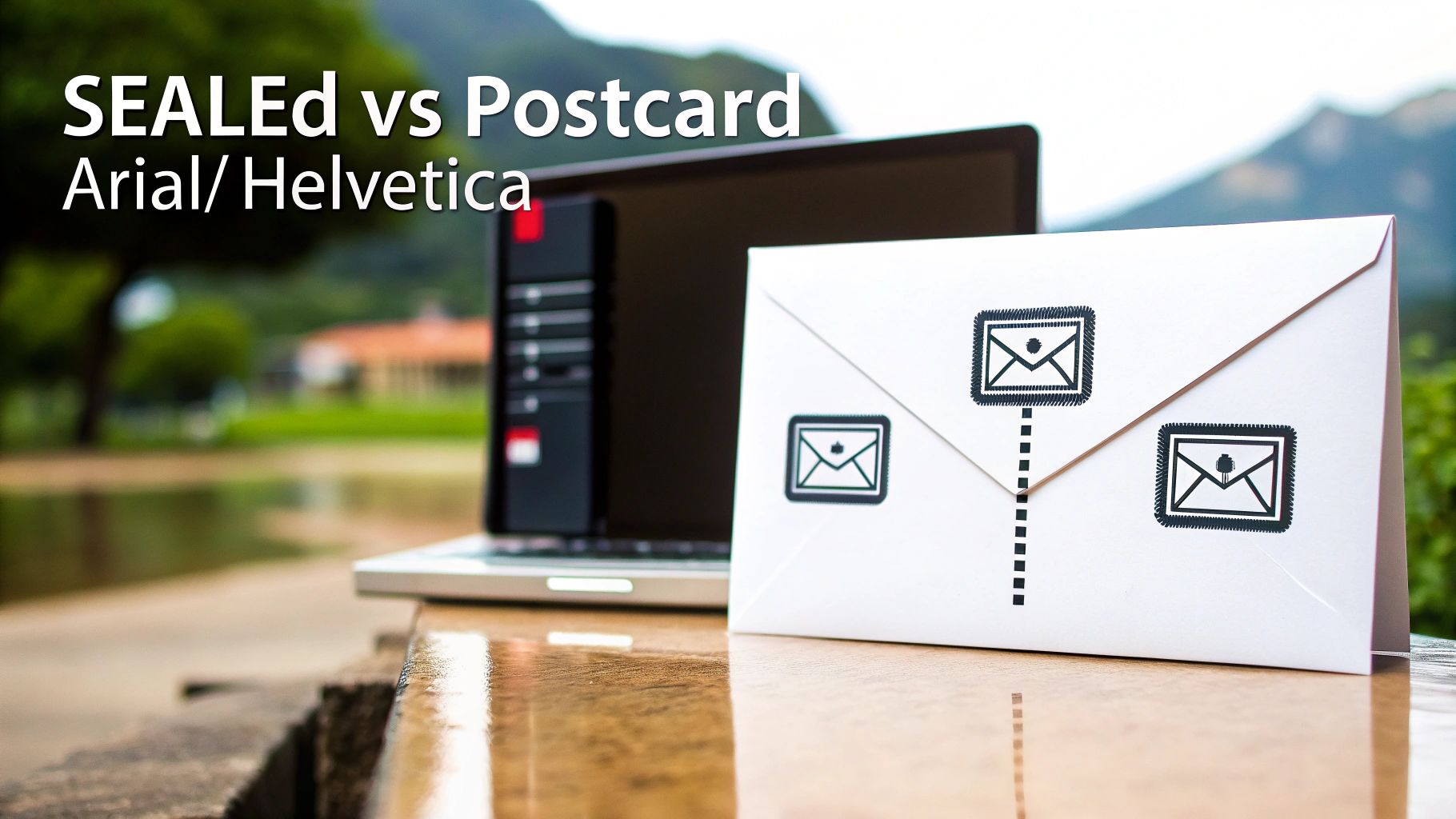
To really get why fax has a security edge over email, you have to look under the hood at how each one sends information. They are built on fundamentally different technologies, and that single fact creates a massive gap in their security. It’s the difference between sending a sealed envelope and a postcard.
A traditional fax machine uses the Public Switched Telephone Network (PSTN)—the same reliable and closed network that’s handled landline phone calls for decades. When you send a fax, the machines establish a direct, temporary circuit between each other. This point-to-point connection is a closed loop, making it incredibly difficult to intercept digitally because it never touches the open internet.
The Wild, Unpredictable Journey of an Email
Email, on the other hand, takes a much more chaotic route. The moment you hit "send," your message is chopped into data packets and launched onto the public internet using the Simple Mail Transfer Protocol (SMTP). From there, it bounces between a whole series of independent servers and routers, each run by different companies with different security practices.
Every single one of those hops is a potential weak spot. A hacker could compromise any server along that chain to read, copy, or even change your email without you ever knowing. What's worse, standard SMTP doesn't automatically encrypt messages, so your data often travels as plain text, totally exposed to anyone who can snoop on the network traffic.
The real vulnerability of email is its multi-hop, open-network design. Unlike the dedicated line a fax uses, an email's path is public and unpredictable, creating countless chances for your data to be compromised before it even arrives.
Fax: A Direct and Sealed Path
Think of a classic fax transmission as a pneumatic tube running directly from your desk to the recipient's. The only way someone could intercept it is by physically cutting into the tube—a difficult, targeted attack. To intercept a fax, you'd need a physical wiretap on the phone line, an effort that's far too resource-intensive for most cybercriminals.
This built-in security is why faxing remains a go-to method for sensitive documents. Its simplicity is its greatest strength, offering a direct line that completely sidesteps the internet's most common vulnerabilities.
Now, picture that email again. It’s exactly like dropping a postcard in the mail. Any number of mail handlers (the servers) can read the message on the back. It will probably get where it's going, but you have zero guarantee of privacy along the way.
How Online Fax Services Bridge the Security Gap
This is where modern online fax services like SendItFax come in, creating a brilliant hybrid that gives you digital convenience without sacrificing analog security. When you send a file through a web-based fax platform, the first leg of its journey—from your computer to the fax service—is locked down with powerful encryption.
- Transport Layer Security (TLS): Your document is protected by the same encryption that secures online banking and shopping. This creates a secure tunnel from your device straight to the fax provider.
- PSTN for the Final Mile: Once your encrypted file is safely on the service's server, the platform dials out and sends it over the trusted PSTN to the recipient's fax machine.
This two-step process truly delivers the best of both worlds. You get the convenience of sending a document right from your computer, but the final, critical delivery happens over the proven, secure telephone network. As more businesses need to connect different communication tools, knowing how to securely send a fax from an email address becomes essential. This approach ensures that even if you start with an insecure platform like email, the transmission itself is hardened to protect your information.
How Do Modern Digital Threats Target Email vs. Fax?
To get a real sense of whether faxing is more secure than email, you have to look past the technology and into the real-world threats each one faces. It’s not just a technical debate; it’s about understanding how criminals actually operate. Email is wide open on the internet, making it a playground for automated, large-scale attacks that can hit millions of people at once.
The very thing that makes email so powerful—its universal reach—is also its biggest security weakness. Attackers have a well-worn playbook full of tricks specifically designed to exploit how we use email. These aren't just one-off attempts; they are constant, automated campaigns built to fool people and sneak past security filters.
Email: A Breeding Ground for Scalable Cyberattacks
Most email threats are designed for maximum impact with minimal effort. Attackers don't need to hand-pick their targets; they just cast a massive net, knowing that even a tiny success rate will bring in a huge payoff.
Three attack methods really dominate the email threat landscape:
- Phishing and Spear Phishing: These are the classic bait-and-switch emails. They look like they’re from your bank, a colleague, or a service you trust, all to trick you into clicking a bad link or handing over passwords and financial information.
- Malware and Ransomware Delivery: Email is, hands down, the top delivery service for malicious software. That PDF invoice or Word doc attachment might look innocent, but it can easily hide code that installs data-stealing malware or ransomware that locks up your entire system until you pay up.
- Man-in-the-Middle (MitM) Attacks: As an email travels from sender to receiver, it hops across multiple servers. A determined attacker can intercept that communication along the way. If the email isn’t properly encrypted, they can read, change, or steal its contents without anyone knowing.
The sheer scale of these threats is hard to wrap your head around. The global shift to remote work triggered billions of phishing attempts, leading to a massive spike in cybercrime. In fact, data from Cisco shows that a staggering 95% of cyberattacks start with a simple email, making human error the single biggest vulnerability. For a deeper dive, you can explore more on the differences between fax and email security.
Faxing: Immune by Design
Faxing, on the other hand, is practically immune to these digital plagues. It operates over the Public Switched Telephone Network (PSTN), which is a completely separate, closed-circuit system. Think of it as being "air-gapped" from the internet-based chaos that email has to deal with every day.
You can’t click a malicious link in a fax. You can't download a virus from a faxed document. The very architecture of fax transmission doesn't allow for executable code, which makes the most common and dangerous cyberattacks completely useless.
This built-in immunity changes the entire security game. With email, security is all about filtering out threats and training people not to fall for tricks. With fax, security is baked right into the protocol itself.
The Real Risk Profile of Faxing
This doesn't mean faxing is perfectly risk-free, but its vulnerabilities are from a different era entirely. The main threat to a fax isn't digital—it's physical.
- Wiretapping: To intercept a fax, someone would have to physically "tap" the phone line. This is a targeted, difficult, and highly illegal act that’s almost impossible to pull off without getting caught. It’s just not a scalable attack and is considered feasible in less than 0.01% of cases.
- Physical Interception: The other major risk is someone grabbing the printed document from the machine at the other end. If a fax machine sits out in an open, unsecured area, a sensitive document could be picked up by the wrong person.
When you put these threats side-by-side, the difference is night and day. Email is exposed to low-effort, high-volume automated attacks from anywhere on the globe. Fax is only vulnerable to high-effort, low-volume physical attacks that require someone to be on-site. This makes human error a much bigger problem for email users, who have to stay on constant alert. For fax users, the biggest "human error" is just forgetting to pick up a document from the machine.
Securing Documents Before and After Transmission
A document’s journey doesn't end once it's sent. The real-world security risks—both before you send and long after it arrives—are just as important as the transmission itself. This is where the security models for email and fax really start to part ways, especially when we talk about data "at rest."
Email is notorious for creating a sprawling, often unmanaged, digital footprint. Every single message and attachment gets copied and stored in multiple places: your sent folder, the recipient's inbox, and likely on various backup servers, often for years.
This permanent storage creates a massive and tempting target for attackers. If a hacker gets into an email account, they don't just see new messages; they get the keys to a kingdom of historical data.
The Vulnerability of Perpetual Email Storage
Think about your email inbox for a second. It's like a digital filing cabinet that never gets cleaned out. Old contracts, invoices, and sensitive personal information from years ago are still just sitting there, completely exposed. This digital residue is exactly what hackers look for when they exploit old vulnerabilities to access archived communications.
This isn’t just a what-if scenario. While traditional faxing minimizes long-term digital risk by creating a physical copy, emails just linger. A shocking 83% of organizations have reported unauthorized access to their archived messages, as highlighted in research from Telnyx.
It’s this ongoing exposure that makes the question of fax versus email security so much more complex. You have to look at the entire lifecycle of the document.
The Physical Risk of Traditional Fax
With old-school fax machines, the main vulnerability is physical, not digital. Once a document is sent, it prints out as a hard copy on the other end. The biggest security risk is someone just walking by the machine and grabbing a sensitive document from the tray.
It’s a real risk, but it's also a localized one. It requires someone to be physically present, unlike a digital breach that can be launched from anywhere on the planet. The fix is pretty straightforward: put the fax machine in a secure, monitored area.
The core difference in "at rest" security is one of scope and access. Email creates a permanent, distributed digital record vulnerable to remote attacks, while a traditional fax creates a single, localized physical record vulnerable only to on-site interception.
How Online Fax Services Secure Documents at Rest
This is where modern online fax services like SendItFax really change the game. They blend the convenience of digital with tightly controlled, secure storage. Instead of documents piling up in a personal inbox, they're managed within an encrypted cloud environment. This approach offers huge advantages over both traditional fax and standard email.
- Encrypted Cloud Storage: Faxes are stored in an encrypted state. This means even if someone managed to access the server infrastructure, the data itself would be unreadable.
- Strict Access Controls: You have to log in and authenticate yourself to view, download, or manage any faxes. This completely eliminates the "open tray" risk of a physical machine.
- Defined Retention Policies: Unlike an email inbox that can grow infinitely, professional fax services often have clear data retention policies. Documents are automatically and securely deleted after a specific period, which drastically reduces your long-term risk exposure.
By managing documents in a purpose-built, secure portal, online faxing gets rid of the scattered, permanent digital mess that email creates. It also solves the physical security headache of traditional fax machines. To get a better handle on the complete security picture, our guide on the overall security of fax communication provides additional valuable insights.
Navigating Regulatory Compliance for Sensitive Data
It might seem strange, but in an era of instant everything, industries like healthcare, legal, and finance still swear by faxing. Why? The answer boils down to one thing standard email struggles with out of the box: regulatory compliance. For these fields, it’s not about what’s fastest; it’s about what’s safest and legally sound.
The staying power of fax isn't about nostalgia. It’s a practical choice. The technology's fundamental design aligns neatly with the data protection principles baked into laws like the Health Insurance Portability and Accountability Act (HIPAA). This makes it a go-to tool for sending confidential data without needing a ton of expensive IT workarounds.
HIPAA and the Security of Fax
HIPAA sets a high bar for protecting patient information, and traditional faxing over the Public Switched Telephone Network (PSTN) clears many of those hurdles by its very nature. The direct, point-to-point connection is notoriously difficult to intercept, creating a secure channel for Protected Health Information (PHI).
Standard email is a different story. It’s not inherently HIPAA compliant. To get it there, you have to bolt on specific, and often complex, security layers, including:
- End-to-end encryption: Making sure the message is unreadable to anyone but the sender and intended recipient.
- Strict access controls: Policies that prevent unauthorized users from even seeing sensitive messages.
- Detailed audit trails: Logs that track every single interaction with an email containing PHI.
Without these, a simple email can turn into a massive compliance nightmare. In fact, HIPAA violations from mishandled emails cost U.S. healthcare providers millions in fines each year. In contrast, PHI sent by fax rarely even triggers an audit because the transmission is so direct and tamper-evident. You can find a deeper dive into this comparison at Comfax's analysis of fax versus email security.
The Legal Clout of a Confirmation Page
Beyond just keeping data safe in transit, compliance often hinges on non-repudiation—ironclad proof that a document was sent and, more importantly, received. This is where fax has a serious legal edge.
Every time a fax goes through successfully, it generates a confirmation page. This isn't just a simple notification; it's a report packed with metadata: the exact date and time, the number of pages sent, and the recipient's number. In a courtroom, that confirmation page is widely accepted as legally binding proof of delivery. It's a verifiable record that's incredibly hard to fake.
Email offers no such guarantee. A "read receipt" can be easily ignored, blocked, or disabled by the recipient. Email headers can also be manipulated. This lack of verifiable delivery makes email a far weaker choice when sending time-sensitive contracts or legal notices.
Think about a law firm sending a critical notice with a looming deadline. If they fax it, that confirmation page is their proof that the document arrived on time. If they email it, they’re left hoping the recipient saw it, creating a huge legal risk.
Where Fax Is Still the Gold Standard
The real-world consequences of these differences show up every day. Professionals in regulated fields don't see fax as a fallback; they see it as their first and best option for managing risk. To lock down compliance even further, a properly formatted cover sheet is essential. We cover this in our guide on creating a HIPAA compliant fax cover sheet.
Just look at these common scenarios:
- Healthcare: A hospital sends a patient's medical records to a specialist. Using a HIPAA-compliant fax service ensures the PHI is transmitted securely, protecting patient privacy and meeting federal mandates.
- Legal: A paralegal serves an official notice to opposing counsel. Faxing provides a time-stamped, legally admissible receipt, heading off any future arguments about whether the notice was actually received.
- Finance: A mortgage broker submits a client's loan application to a lender. Faxing protects highly sensitive personally identifiable information (PII), like social security numbers and bank accounts, from exposure on the open internet.
In every case, choosing fax is a deliberate risk-management decision. It prioritizes security and legal proof over the casual convenience of email, cementing its place as the standard for anyone who can't afford to take chances.
Making the Right Choice for Your Documents
Knowing the security theory behind fax and email is great, but putting it into practice is what really matters. The decision to use fax or email boils down to one simple question: what’s in the document? You have to match the tool to the risk.
For everyday, low-stakes messages like a meeting reminder or a quick project update, a secure email account does the job just fine. But when the information is sensitive and the consequences of a breach are high, faxing still provides a more secure, legally sound channel for transmission.
This thought process is key to deciding when the old-school security of fax trumps the convenience of email.
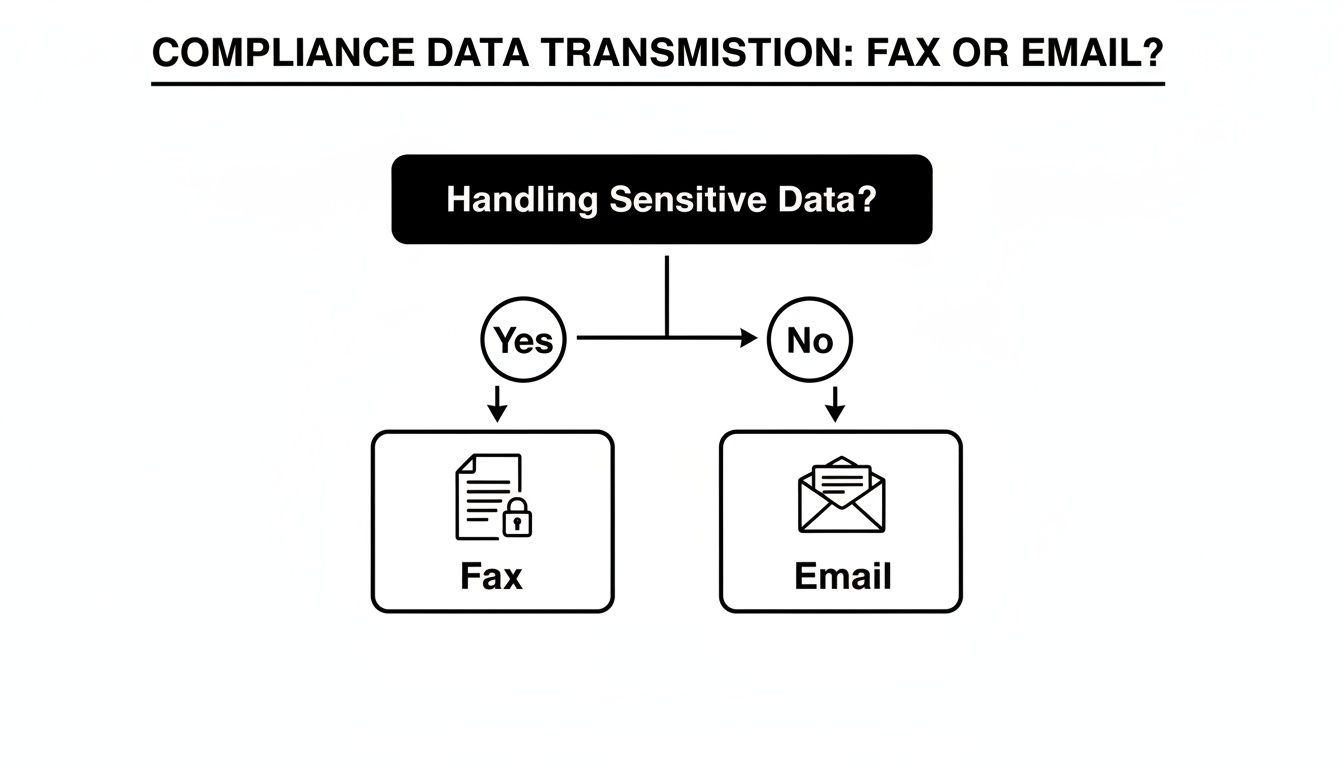
As you can see, it all starts with data sensitivity. If a document holds confidential information, faxing is the smarter path to stay compliant and secure.
When to Unquestionably Choose Fax
Some documents just aren't worth the risk. For anything with serious legal, financial, or privacy weight, choosing fax isn't about being old-fashioned—it's a deliberate risk management strategy.
Think about these clear-cut scenarios:
- Legal Documents: Signed contracts, court filings, and official notices demand proof of delivery. A fax transmission report is a legally recognized record that email receipts just can't match in court.
- Medical Records: This is a big one. When moving Protected Health Information (PHI) between healthcare providers and insurers, traditional faxing is a well-established, HIPAA-compliant method for safeguarding patient data.
- Financial Data: Loan applications, payroll details, and bank statements are loaded with Social Security numbers and other personally identifiable information (PII). Faxing them directly minimizes the exposure to interception that plagues email.
In all these cases, the direct point-to-point connection of a fax line dramatically cuts down the chances of a man-in-the-middle attack.
Best Practices for Secure Online Faxing
Using an online fax service like SendItFax gives you the classic security of the phone network with the ease of a modern platform. But the technology is only half the battle; your habits are the other half.
Even with a secure platform, user practices are a critical layer of defense. Simple steps like verifying numbers and managing documents properly can prevent the most common security mishaps.
To truly lock down your information, build these habits into your workflow:
- Double-Check Recipient Numbers: It sounds obvious, but a single typo can send a sensitive file to a complete stranger. Always, always confirm the fax number before sending.
- Utilize a Secure Cover Page: Your cover page is your first line of defense at the receiving end. It should clearly name the intended recipient and include a bold confidentiality notice. This prevents prying eyes from reading a document left on a shared machine.
- Manage Downloaded Documents: The moment you download a received fax, its security becomes your responsibility. Don't let it linger in your "Downloads" folder. Move it immediately to an encrypted, password-protected location on your local machine or secure network.
- Confirm Receipt: For the most critical documents—the ones that keep you up at night—make a quick phone call. A simple "Did you get it?" adds that final, invaluable layer of certainty.
By being deliberate about your communication choices and diligent with your security practices, you can protect your sensitive information every step of the way.
A Few Common Questions About Fax Security
To really wrap our heads around this, let's tackle some of the questions I hear all the time when people weigh fax against email. The answers aren't always what you'd expect, especially when sensitive information is on the line.
Why Do People Still Use Fax When Email Exists?
It’s a fair question. In industries like healthcare, law, and government, faxing isn't just a legacy habit—it's a deliberate choice rooted in security and compliance. When you send an email, it hops across countless servers on the open internet, creating a long chain of potential weak spots.
Fax, on the other hand, uses the Public Switched Telephone Network (PSTN). Think of it as a direct, point-to-point call between two machines, which is fundamentally harder for an outsider to tap into.
The numbers really tell the story. In U.S. healthcare, a staggering 75% of all external Protected Health Information (PHI) transmissions still happen via fax. Why? Because standard email fails to meet HIPAA's tough security rules in 62% of audits, usually due to a lack of proper encryption or the risk of someone accidentally forwarding a sensitive message. You can dig deeper into these fax and email security statistics to see the full picture.
Are Online Fax Services Actually Secure?
They can be, and the reputable ones often provide a level of security that beats both old-school fax machines and your typical email inbox. These services blend modern digital security with the classic, trusted PSTN connection.
Here's how it works: you upload your document, and it's immediately protected with strong encryption (like TLS or AES-256) on its way to the service's secure server. From there, the service transmits the file over the telephone network to the recipient's fax machine. It's a hybrid approach that closes the gaps found in purely digital or purely analog systems.
The security of modern online faxing hinges on its two-part process: advanced digital encryption for the initial upload and the proven, closed-circuit PSTN for the final delivery. This layered approach mitigates the risks associated with both pure-digital and pure-analog methods.
Are Faxed Signatures Legally Binding?
Yes, absolutely. In most places, including the United States, faxed signatures are considered legally binding. Laws like the ESIGN Act of 2000 give them the same weight as a signature on paper.
What really strengthens their legal standing is the transmission receipt. This report acts as a verifiable, third-party record confirming exactly when the document was sent and successfully received. This creates a strong form of non-repudiation that’s much harder to achieve with a standard email.
Ready to send your documents with the security and reliability they deserve? SendItFax offers a simple, secure, and account-free way to send faxes directly from your browser. Protect your sensitive information and ensure your documents arrive safely every time. Try SendItFax today