The popular advice is simple. Buy an all-in-one, plug in a phone line, and stop worrying. That advice fails the moment the other side rejects email, the office has no copper line, or the page that matters is already a PDF. Fax machines and scanners are not interchangeable, and a telephone fax is not automatically safer than a careful scan sent from a browser. Most exposure sits at the endpoints: the number you dial, the tray the page lands in, and the folder where the file sits afterward.
Fax Machines and Scanners Still Split the Office
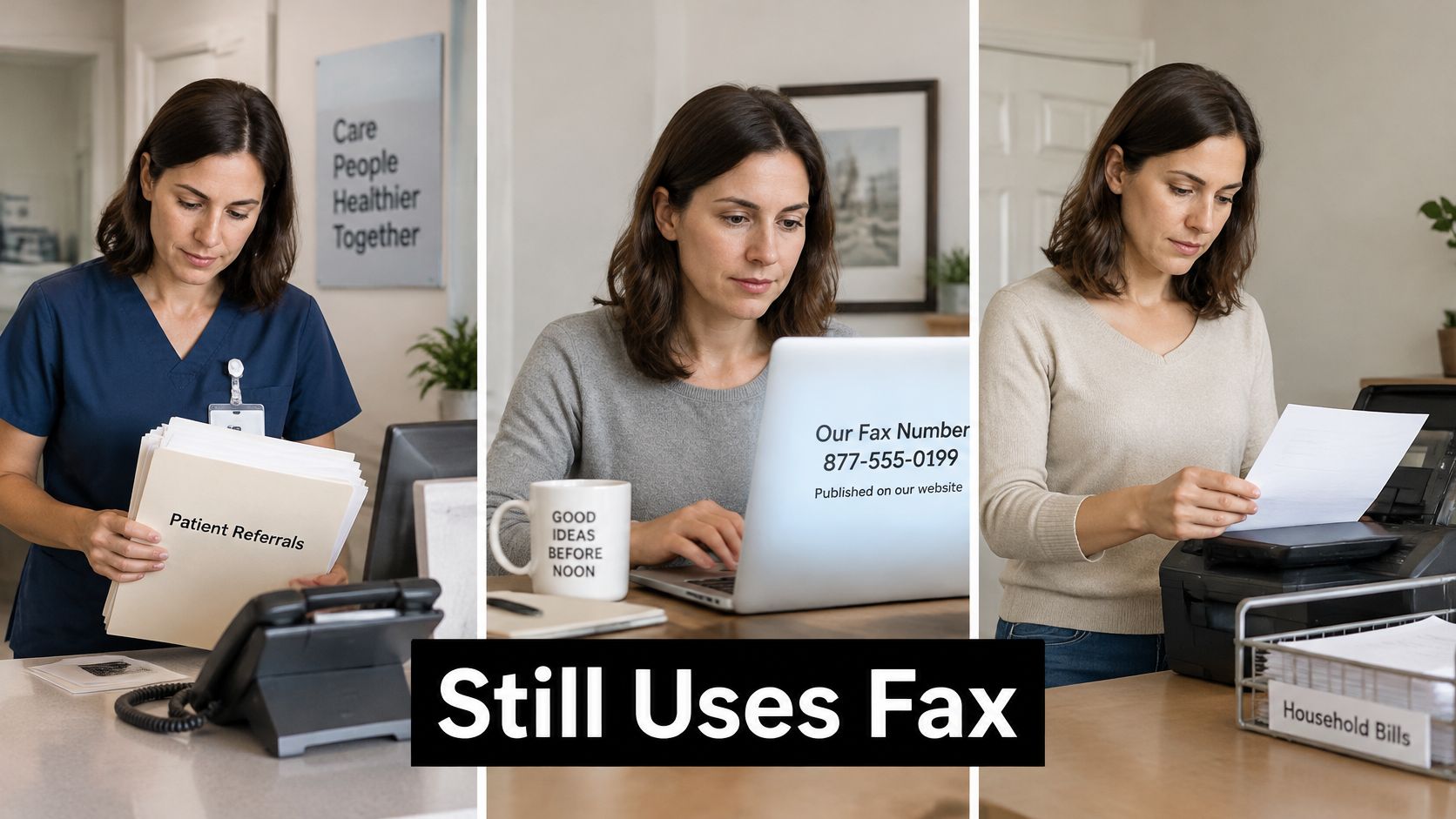
Three people can type the same search and still have three different jobs. A clinic clerk is holding referrals a specialist will accept only as a fax. A freelancer must hit a published fax number before noon, and the contract is already a PDF. A household owns an all-in-one and wonders whether that box covers one form a month.
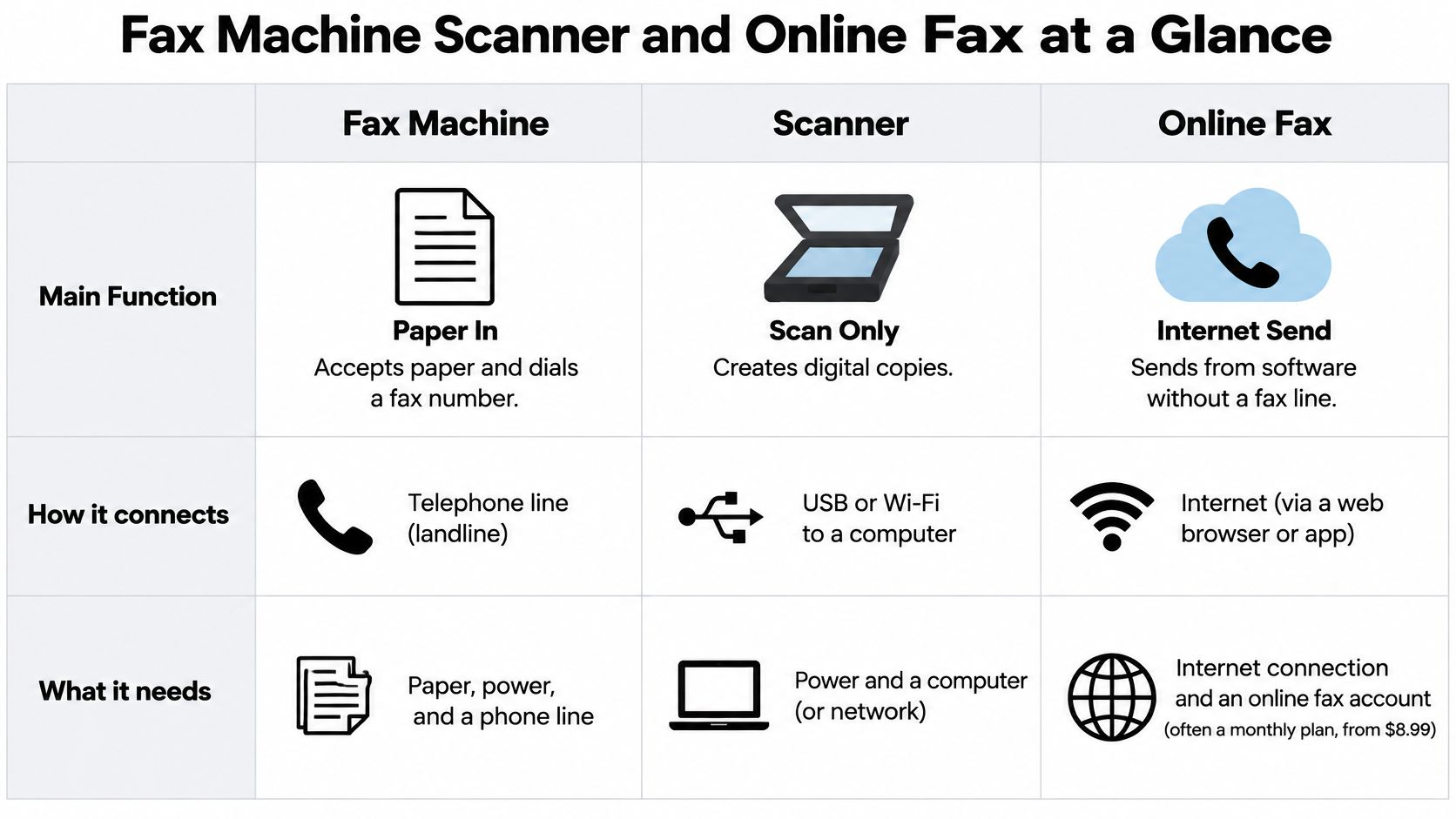
Keep the tools separate. A traditional or multifunction fax machine accepts paper and dials over a telephone path. A document scanner, or a multifunction printer used as one, captures pages as a file. An online fax service delivers an uploaded file to a fax number. The split still matters in 2026. Healthcare, law, government, and real estate often keep fax numbers because a signed page must arrive as a fax, not as an email attachment the other side will reject.
Judge cost, setup, reliability, and security across the whole chain, from the original page to whoever picks up the printout. No option wins for every desk. The table below is the short answer. Each later part takes one row apart instead of walking the grid again.
Fax Machine Scanner and Online Fax at a Glance
Read this grid left to right, once. Paper in, fax out, how the bill shows up, what you must install, and where it usually breaks.
| Option | Accepts paper | Sends to a fax number | Cost shape | Setup | Main weak point |
|---|---|---|---|---|---|
| Traditional fax machine | Yes, feeder or glass | Yes, over a phone path | Hardware plus a line | Line, fax number, toner or ink | Misdials and unattended output trays |
| Multifunction scanner or printer | Yes, often with a document feeder | Only if that unit also has fax | Device you may already own, plus supplies | Drivers, network, and a line only for onboard fax | Scan-to-email is not a fax |
| Online fax service | No, unless you scan or photograph first | Yes, from an uploaded file to the recipient machine | Free tier, per fax, or subscription | Browser, no fax hardware | The recipient fax machine must still answer |
What each column actually means
A traditional fax machine takes paper from a feeder or the glass and dials a fax number over a phone line or a fax-capable VoIP adapter. You own the handshake, the toner, and the output tray.
A multifunction scanner captures paper to PDF or an image, then emails or saves that file. It reaches a fax number only when that same unit has a fax modem and a working line. A scan button by itself does not create one.
An online fax service does not scan. The page must already be a DOC, DOCX, or PDF, or a photo you have turned into one of those files. The service delivers that file to the recipient's fax number. Your browser replaces the local modem. It does not replace the machine on the other end.
Category error: Scan-to-email is not a fax, and a printer that says scan does not replace a fax number.
The cell people skip
The last column is only a flag. The far-end machine can still be busy, out of paper, or sitting in an empty room. That limit applies whether you dial from a desk unit or upload a file. Treat the cost shape column as a category, not a quote. Price a real month in the next part, using your page count, not the sticker on a box.
What Each Option Costs to Own and Run
Price a typical month of the pages you really move. The sticker is the smallest line on that month.
| Cost driver | Fax machine | Scanner or multifunction printer | Online fax |
|---|---|---|---|
| Upfront | Machine, often low hundreds for a basic unit, or a copier lease | Often a printer already owned | No fax hardware |
| Connection | Phone line, fax adapter, or hosted number | None for scan-only; a line only if the unit faxes | Internet only |
| Supplies | Toner or ink, paper, maintenance | Toner or ink if you print; none for scan-only | None |
| Recurring fee | Line or VoIP plan | Usually none beyond the device | Subscription or a fee per fax; some free caps |
| Staff time | Load, dial, wait, file the printout | Scan, check, name, and send the file | Upload and read the confirmation |
| Failure cost | Redial from paper | Rescan a bad file | Resend the same digital file |
Hardware is rarely the expensive part
A basic fax machine, or an all-in-one that includes fax, is often a one-time buy in the low hundreds or less. A workgroup copier is usually a lease, with a service contract attached. Verify both against current street prices before you sign. Our fax machine price breakdown is the place to separate a desk unit from a leased copier.
The line is the cost people forget. A copper line, a fax-capable VoIP adapter, or a hosted fax number can cost more per year than the hardware, especially when that line exists only because one agency still demands fax.
A scanner or multifunction printer already on the desk can be near zero upfront. Ink, toner, and a service visit appear the moment staff print what they scan. Scan-only work skips those supplies. Online fax moves the bill to a subscription or a per-fax fee and drops local hardware and a local line. Free tiers usually cap pages, add branding, or limit how many sends fit in a day.
Staff time and dead inventory
Loading paper, waiting on a handshake, naming files, and walking to an output tray are labor, not trivia. A failed send that ties up a person, a cabinet of paper copies, and a line kept alive for one stubborn recipient belong on the same sheet.
When you retire a unit, don't leave toner and circuit boards in a closet. Beyond Surplus printer disposal services take fax machines, copiers, and laser or inkjet printers so the hardware doesn't become a storage bill.
Planning rule: Price a typical month of your actual page count, not the device sticker.
Set Up Each Option Before the First Send
Match the setup to the tool before anyone sends a live page. Write down which line, which device, which folder, and who may retrieve paper.
Fax machine. Connect a dedicated analog line or a fax-capable VoIP adapter. Confirm the fax number on the unit. Load paper and toner. Send a one-page test to a number you control, then check that the page printed and that the confirmation matches.
Multifunction scanner. Install the driver on the network and set the scan destination to a named folder or a named mailbox, not a shared free-for-all. Turn on fax only if the unit has a modem and a working line. A scan-to-email profile does not give you a fax number, and it will not satisfy a recipient who rejects attachments.
Online fax. Open the browser. Confirm the file is a DOC, DOCX, or PDF. Check that the recipient number is a United States or Canadian fax number before you upload. We send by a short form with no download, no install, and no account.
Decide inbound now. A send-only web form cannot receive faxes. A practice that must accept inbound fax needs a machine, a fax-capable line, or a receiving service. Skipping that choice is how Monday's first inbound page has nowhere to land.
Prepare a Scan the Fax Recipient Can Read
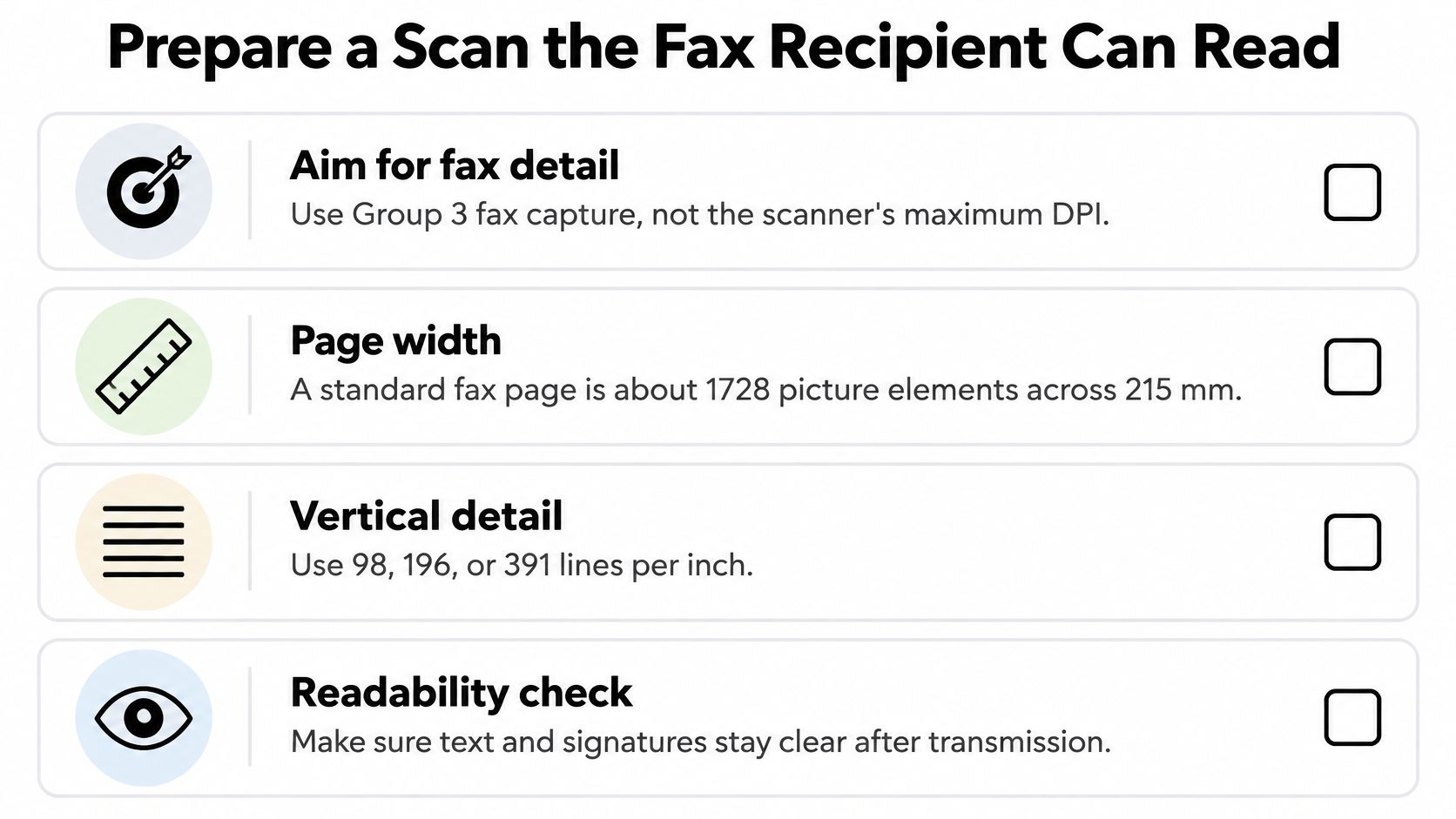
Ignore the scanner's maximum optical DPI. Match the capture to Group 3 fax. The Dialogic Group 3 protocol notes describe a common raster of 1728 picture elements across a 215 mm page, with vertical detail of about 3.85, 7.7, or 15.4 lines/mm, roughly 98, 196, or 391 lines per inch, depending on mode.
Ordinary typed forms line up with a 200 dpi scan, which tracks standard high-resolution fax output. A 600 dpi scan mostly inflates the file and the wait, because that extra detail does not survive at the far end. For signatures, stamps, small legal type, or fine lines, use 300 to 400 dpi grayscale so the source keeps more detail before it becomes a PDF.
Thresholding, heavy JPEG compression, and automatic downsampling can erase the detail that higher DPI just captured. Our fax image quality guide walks through what the far end can still read. If you are turning statement images into text, CNNs and OCR for bank statements show why a clean capture matters more than a clever model.
- Load the batch in the document feeder. Choose duplex when both sides carry content.
- Turn on deskew and blank-page removal so crooked and empty pages don't travel.
- Run OCR only if the page stays visually faithful. Searchable text is useless if the image is wrecked.
- Open the PDF at 100 percent zoom. Check pale type, handwriting, and signature edges.
- Put every page for one recipient in files you upload together. Multiple files can ride on one fax, combined into one transmission, but you must upload all of them before you send.
- Choose the content. A fax can be only an attachment, only typed text, or both.
- If delivery fails, check the number and resend the same file. A failed delivery can be resent at no charge with the same details and a fresh upload of that document. Don't rescan a page that was already clean.
If a mark disappears at 100 percent zoom, fix the scan before you pay for a faster plan.
How Fax Delivery Speed and Failures Behave
A box stamped 33.6 kbit/s will not hold that rate on every call. The ITU-T T.30 recommendation sets 300 bit/s as the standard rate for binary-coded control procedures, then lets the two ends negotiate a higher image rate. V.34 fax can reach 33.6 kbit/s, and Error Correction Mode is mandatory on those sessions.
What the negotiation actually does
A noisy line falls back to a slower rate. ECM adds time because corrupted HDLC frames are detected and sent again. T.30 Annex A uses page-selective repeat, so the receiver asks only for the damaged frames, not the whole page. That is faster than a full resend. It is still slower than a clean call.
A fax machine, or a multifunction unit with onboard fax, lives inside that negotiation, plus paper, toner, and a line that stays up. An online service skips your local modem. We convert the digital file into fax format and transmit it to a traditional fax machine or another online fax service. The recipient's machine can still be busy, offline, or out of paper, so your nominal speed never guarantees the last mile.
Trust the confirmation, not the spec
For contracts, medical forms, and multi-page records, read the delivery confirmation and check that the source file is legible before you send. A failed delivery is a resend of that same file, not a silent success. Once a fax is sent, it cannot be recalled or cancelled, so a wrong number is a completed mistake.
Three causes cover most failures. The line drops mid-page. The recipient machine is busy or out of paper. The source page is illegible. A fax that stays queued for more than 20 minutes may point to a technical issue, not a slow handshake. Check status instead of assuming the page arrived.
Where Fax Security Fails Along the Chain
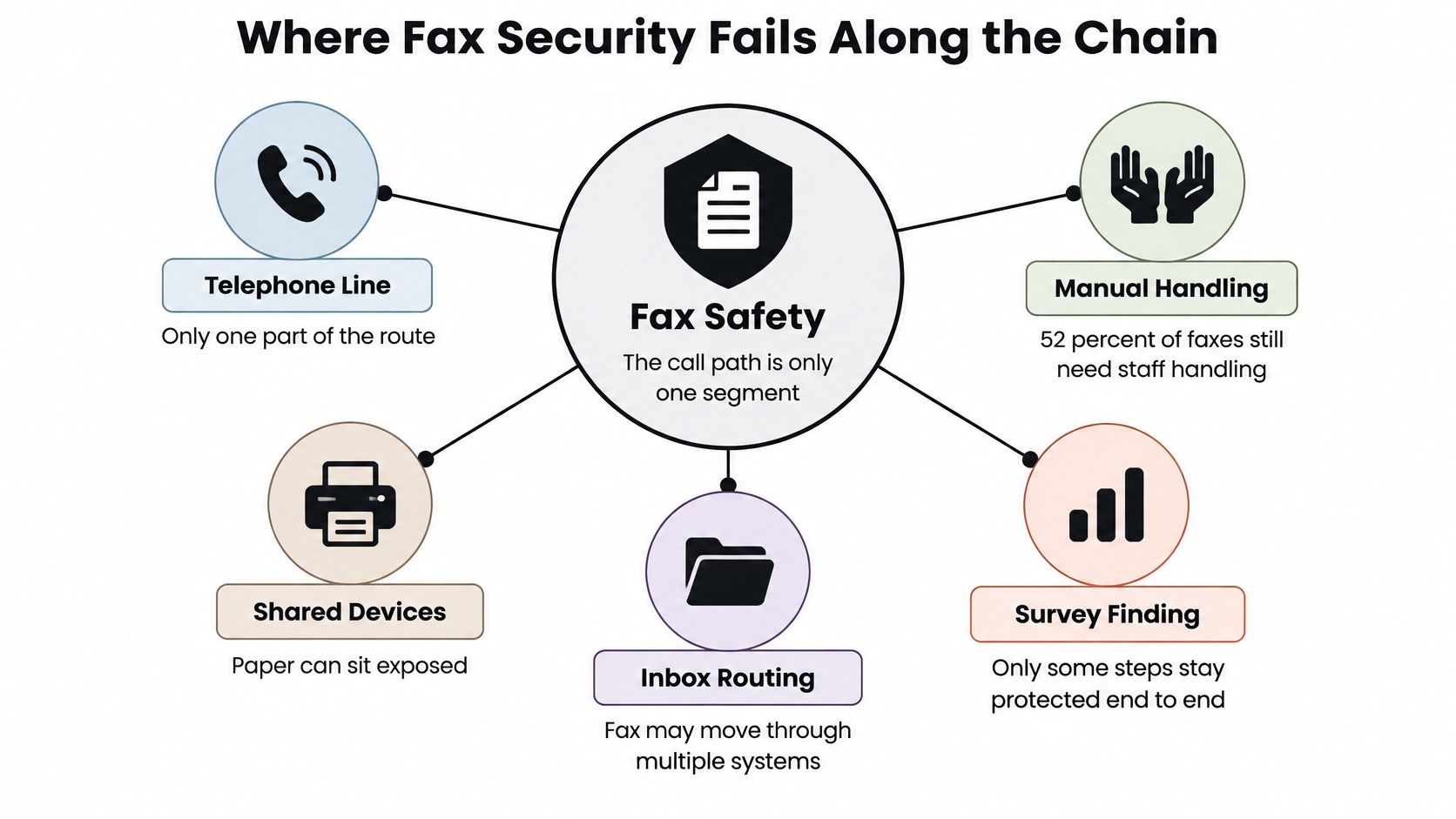
Fax is not safe just because it uses the telephone. The call path is one segment. The risky moments are usually at the ends.
A 2025 healthcare survey reported by Business Wire found that 52% of faxes still require manual staff processing, while only 29% of organizations reported fully automated workflows. Respondents named delays, incorrect information, tracking errors, legibility problems, and HIPAA concerns among the leading fax problems. Automation does not, by itself, remove human error.
Two phrases people mix up
Encrypted in transit describes the hop. Secure end to end includes who can open the file, who can see the cover sheet, who walks past the printer, how long the image is kept, and how it is destroyed. A phone line does not stop a misdialed number, a shared machine with an open output tray, a scanned PDF left in a public inbox, or paper that is never shredded. Our fax confidentiality checklist separates those controls from the brand on the box.
A browser fax from a locked laptop can be safer than a hallway fax machine, and a hallway machine can be safer than emailing the same scan to the wrong inbox.
Don't call any of the three options HIPAA-compliant by brand. Compliance is the workflow.
For healthcare, legal, and real-estate pages, use this short list.
- Confirm the number from the source. Read it off the referral, the court notice, or the listing sheet, not from memory.
- Skip the lobby machine for records anyone walking past can lift.
- Require a delivery confirmation before you tell a client the page arrived.
- Restrict who retrieves paper, and don't leave the tray as a shared shelf.
- Set a retention and disposal rule for both the printout and the scanned file.
Choose the Tool and Send the Next Fax
Pick the tool for the job in front of you, not for a feature list.
A front desk that receives orders all day, and still prints them for a physical workflow, justifies a fax machine or a multifunction unit with fax on a reliable line. Someone has to answer that path.
A scanner is the first tool when the goal is a searchable archive, a contract packet, or a patient file that will live as a PDF. Fax only the copy a recipient refuses to take any other way.
Online fax fits when the file already exists and the destination is a fax number. That includes individuals, small businesses sending invoices and purchase orders, healthcare staff sending records or prescriptions, legal practitioners sending contracts and filings, and real estate agents on the road. An iPhone, Android phone, iPad, or any tablet is enough when the file is on the device, including a photo from the camera or a file in storage. We reach any fax number in the United States and Canada.
Three questions, then one send
If people fax you daily and someone must print or answer that line, keep a fax machine or a fax-capable multifunction printer. If you need a record you can search and file, scan first and fax only when the recipient requires it. If the document is already a file and the destination is a United States or Canadian fax number, skip new hardware.
Use SendItFax for that occasional outbound send. It's a browser form, with no account and no install. Free sends cost nothing and need no card. You get up to three document pages, not counting the automatic cover, a daily cap of five, and SendItFax branding on the cover. For a longer packet or a plain cover, the Almost Free send at $1.99 covers up to 25 pages, has no daily cap, removes branding, lets you omit the cover, and is handled faster than the free queue. Every send includes confirmation. If the recipient is busy or offline, the fax is not delivered and you are not charged.
If the desk unit is leaving and nobody will use the line, retire it instead of parking it under a printer. Reworx Recycling's fax disposal guide covers how to clear stored pages and dispose of the machine without treating it as ordinary trash.
SendItFax turns a DOC, DOCX, or PDF into a fax for any United States or Canadian fax number, from a browser, with no fax machine and no account. It fits the occasional contract, referral, or invoice after you've already made the scan readable. Open SendItFax and send the file you have ready.