Category: Uncategorized

  • Free Online Fax No Credit Card Your Guide to Instant Faxing

    Free Online Fax No Credit Card Your Guide to Instant Faxing

    Yes, you absolutely can send a fax online for free without pulling out your credit card. This is a lifesaver for those quick, one-off tasks—like sending a signed contract back to a realtor or getting a single form over to a doctor's office. Services like SendItFax make it incredibly simple to get your documents where they need to go without committing to a subscription.

    Why Free Faxing Without a Credit Card Is a Thing

    Let's face it, most of us don't need a full-blown fax subscription. The whole reason the free online fax no credit card model has taken off is because of people who just need to send something right now. Think about it: a signed lease agreement, a time-sensitive medical form, a quick proof of purchase. These are perfect scenarios for a free service.

    This demand for convenience is fueling some serious growth. The global online fax market hit around $1.2 billion and is expected to climb by about 8% each year. This boom is largely thanks to regular folks and small businesses looking for smarter, faster ways to handle documents.

    What Are the Catches? Common Limitations to Expect

    To keep the service free, providers have to set a few ground rules. It's a fair trade-off for not having to enter any payment info. Here’s what you’ll typically run into:

    • Page Limits: Most free faxes are capped. Expect a limit of around 3 to 5 pages per fax, which is usually enough for a standard contract or form.
    • Daily Quotas: You probably won't be able to send dozens of faxes. Many services limit you to just a couple of sends per day.
    • Branded Cover Pages: This is a big one. The cover page sent with your document will almost certainly have the service's logo or a small ad on it.
    • Sending Only: Free services are a one-way street. You can send faxes, but you can't receive them. Receiving requires a dedicated fax number, which is always a paid feature.

    Here’s a quick rundown of what you can expect when you go the free route.

    Quick Comparison of Free Online Fax Service Limits

    Feature Typical Free Service Limitation
    Page Count Limited to 3-5 pages per fax.
    Faxes Per Day Usually capped at 1-2 faxes per 24-hour period.
    Cover Page Includes mandatory provider branding or advertisements.
    Receiving Faxes Not available; this is a send-only service.
    International Faxing Often restricted to domestic numbers only.
    Security Basic security, but may lack advanced encryption or HIPAA compliance.

    These limits are pretty standard across the board, so it's good to know what you're getting into before you start.

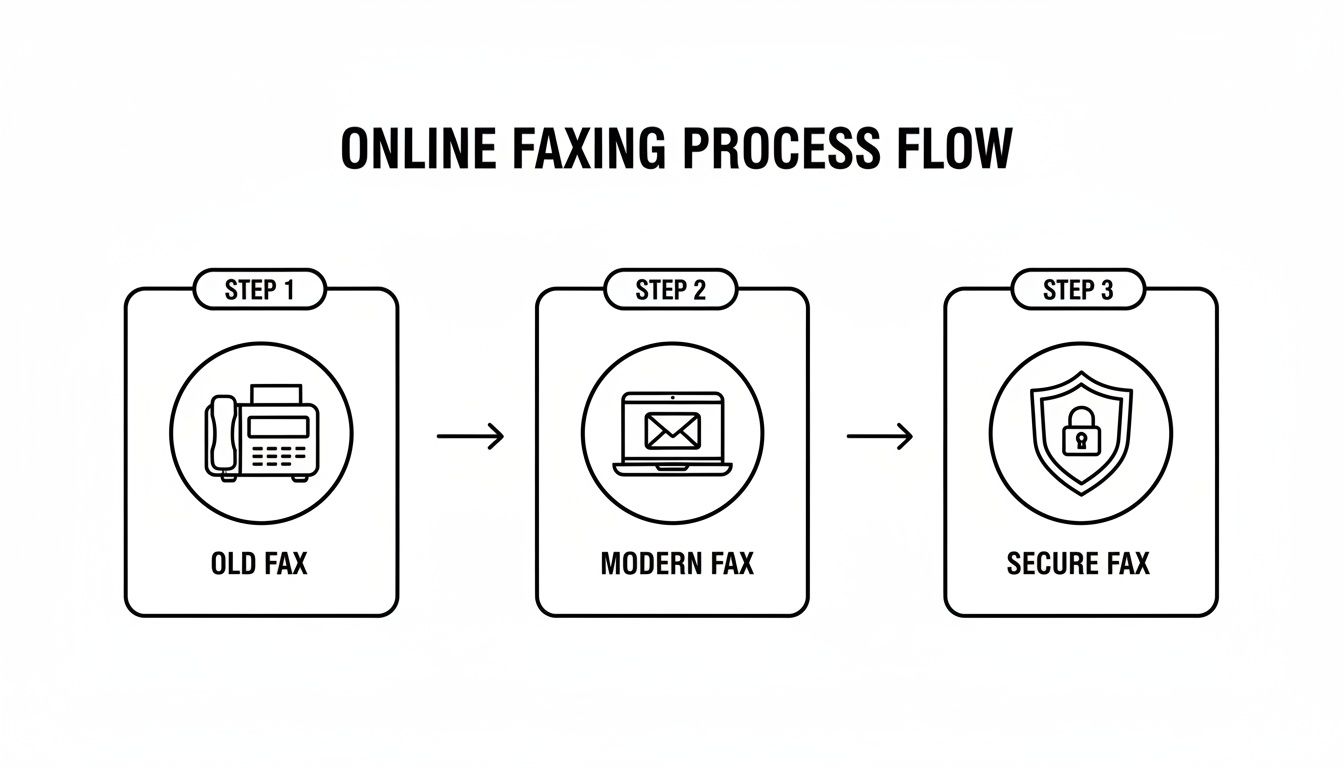
    This infographic gives you a great visual of what’s driving the shift toward modern, cloud-based faxing.

    Infographic about free online fax no credit card

    The trend is clear: people want easy, accessible solutions, and free options are a huge part of that. Knowing the limitations helps you decide if a free service is right for your specific task.

    If you want a more detailed walkthrough, you can find one in our complete guide on how to send a fax online for free.

    How to Choose a Reliable Free Fax Service

    Let's be honest—not all free online fax providers are worth your time. When you need to send a free online fax no credit card, you want a service that’s reliable and straightforward, not one that’s going to spring hidden fees or a mandatory sign-up on you.

    The trick is finding that sweet spot between convenience and security. You're looking for a tool to get a specific job done quickly, so a little research upfront can save you a ton of frustration later.

    Comparing Popular Free Fax Options

    Most free services in 2025 are built for the occasional user—someone sending just a few pages now and then. Two names you'll see pop up a lot are GotFreeFax and FaxZero. They have slightly different approaches.

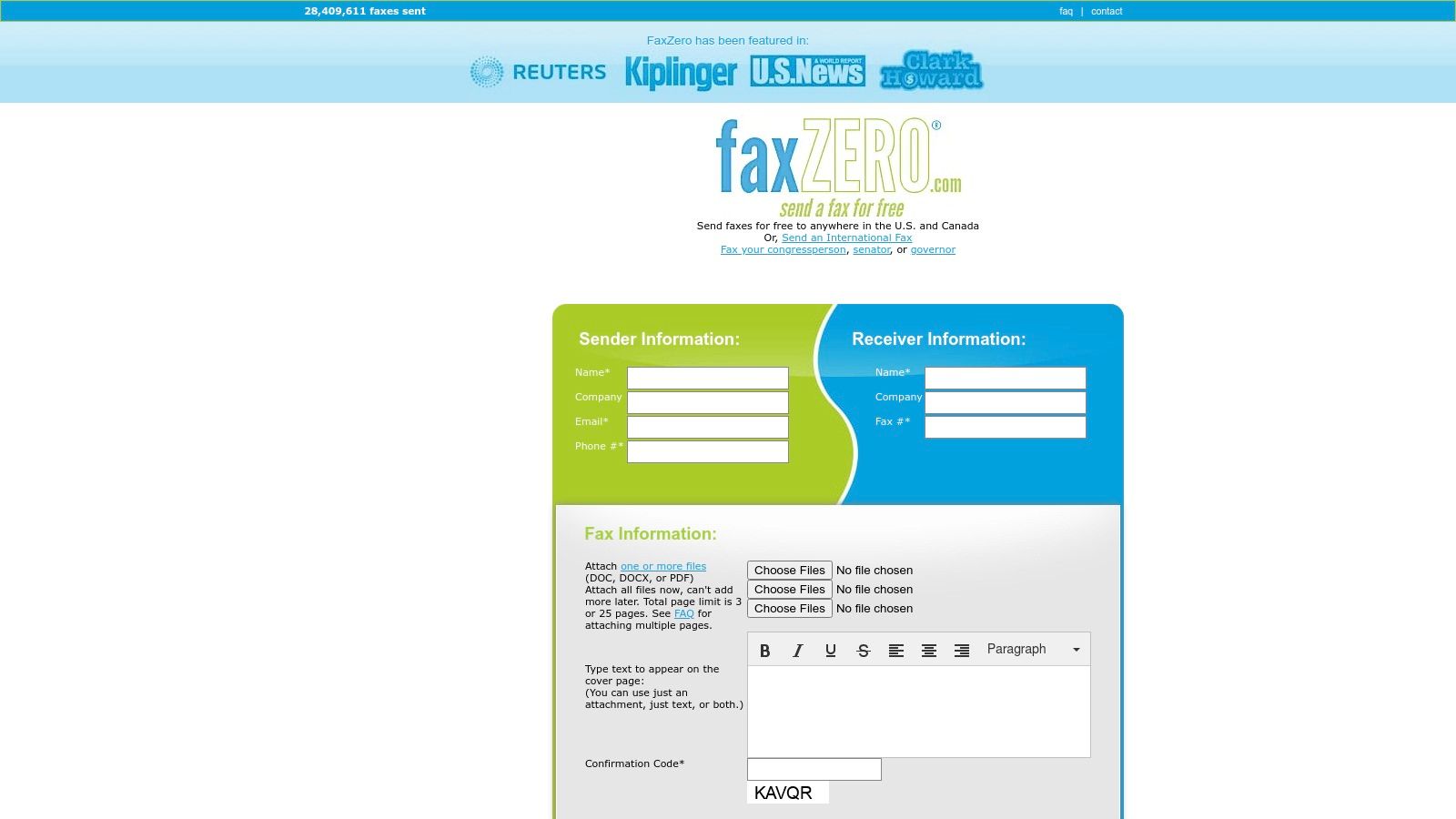
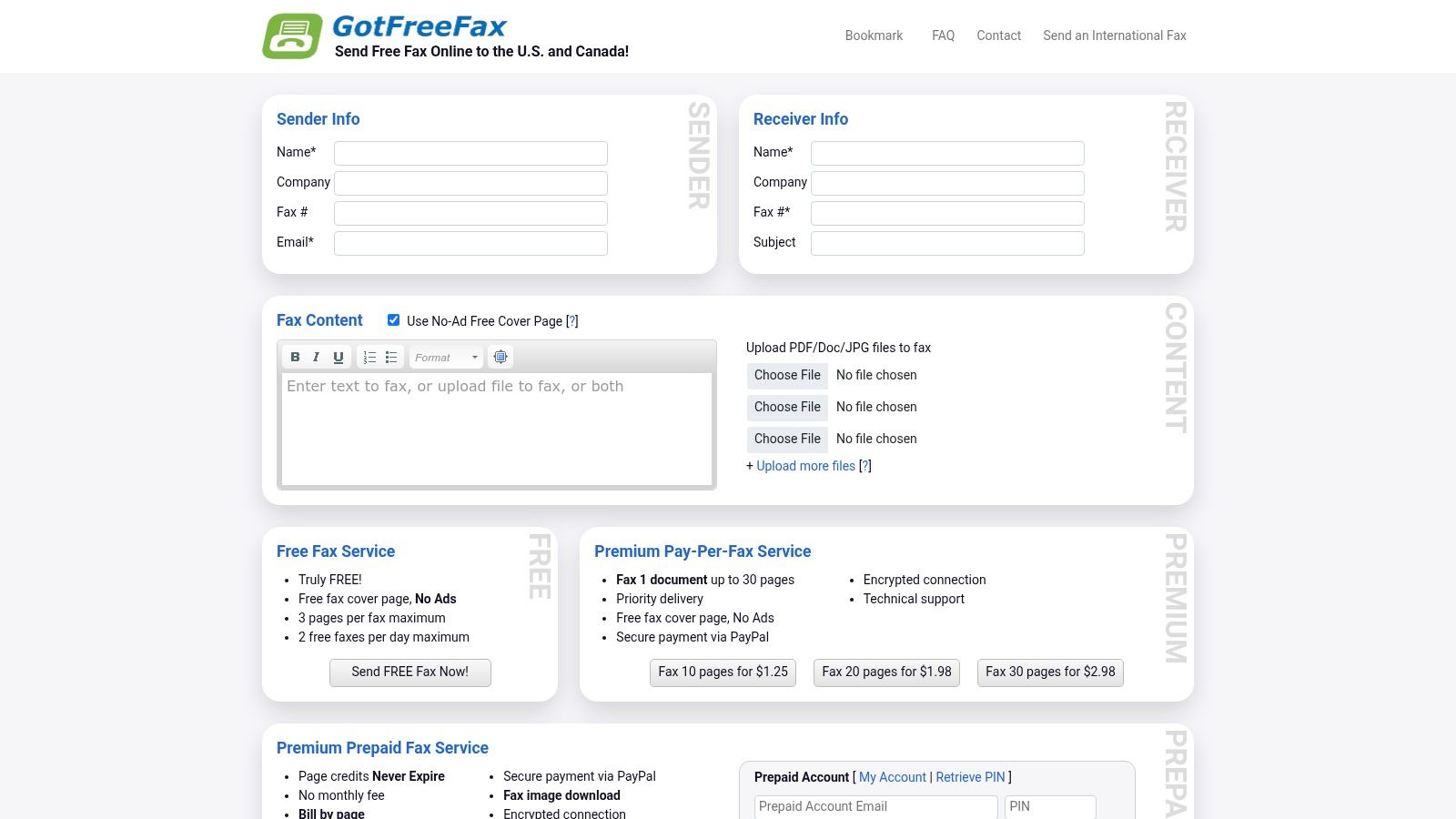
    GotFreeFax gives you 2 free faxes a day, with a 3-page limit on each, for sending within the US and Canada. FaxZero is a bit more generous, offering up to 5 free faxes daily, also capped at 3 pages each, and you don't even need an account.

    Basically, these services take your digital document and translate it into a format that can be sent over traditional phone lines to a fax machine.

    Screenshot from https://en.wikipedia.org/wiki/Online_fax

    When you're trying to decide, ask yourself a few quick questions:

    • How many faxes do I need to send? A limit of five per day is usually plenty for one-off tasks.
    • Is my document short enough? If your document is longer than the 3-page cap, you’ll have to split it into multiple faxes, which can be a pain.
    • How easy is the website to use? A clean, simple interface beats a site cluttered with confusing ads every single time.

    Beyond the Basics: What to Look For

    Before you upload anything, even if it seems non-sensitive, it's wise to take a quick peek at the service's policies. A good provider will be upfront about how they handle your files and information.

    I always take 30 seconds to scan a service's privacy policy. I look for specifics on data retention—how long they keep your documents and personal info. You don't want your files sitting on their server forever.

    This one simple step can give you peace of mind. Also, watch out for other little requirements, like having to verify your email, which can slow down the process if you're in a hurry. For a more detailed breakdown of different providers, you can explore our full online fax services comparison. Taking just a minute to check these details makes sure your experience is actually fast, secure, and free.

    A Step-by-Step Guide to Sending Your First Fax

    Person uploading a document to a laptop to send an online fax.

    So, you're ready to send your first fax online without pulling out a credit card. Let’s tackle a common, real-world scenario: you've just signed a lease for a new apartment and need to get it back to the property manager, like, yesterday. You don't own a fax machine, but you do have the signed document saved as a PDF on your computer.

    This is exactly where a service like SendItFax shines. The whole process is probably way simpler than you're imagining and takes just a few minutes, all from your web browser.

    First thing's first—get your ducks in a row. Before you even head to the website, it pays to have everything ready to go.

    • Your Details: Make sure you have your full name, email address, and a contact phone number handy.
    • Their Details: You'll need the recipient's name and, most importantly, their fax number. I can't stress this enough: double-check that number. One wrong digit and your fax is going nowhere.
    • The Document: Have your file saved and ready. PDF is the gold standard for compatibility, but formats like DOC or DOCX usually work too.

    Entering the Info and Attaching Your Document

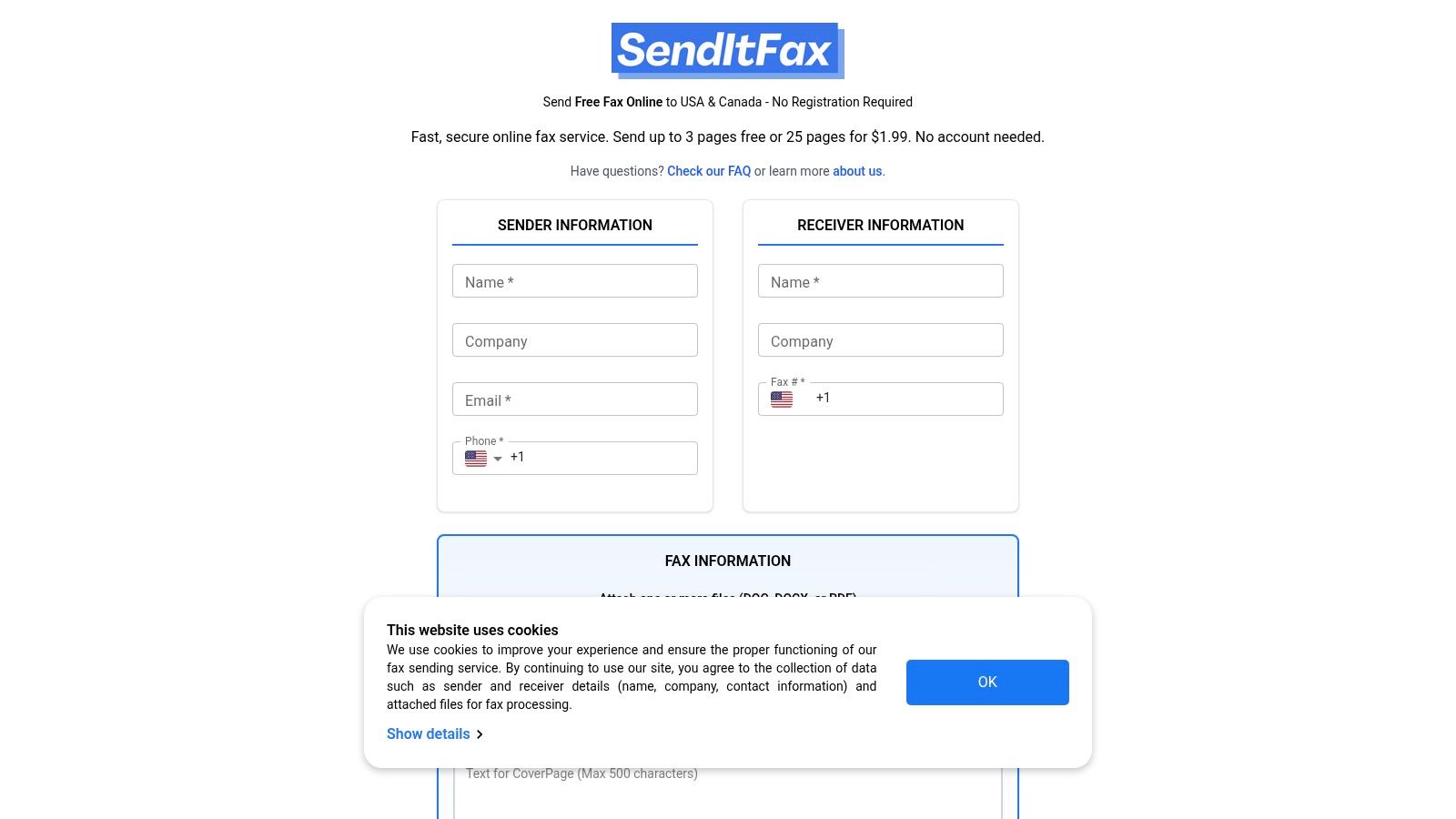
    Once you land on the free faxing page, you'll see a straightforward form. Start by plugging in your information (the sender) and the property manager’s details (the receiver) into the correct fields. Being accurate here is crucial for two reasons: it ensures the fax gets to the right person, and it guarantees the confirmation email finds its way back to you.

    Next, look for the option to attach your document. You’ll see a button labeled "Choose File" or something similar. Click it and navigate to where you saved your signed lease agreement. The website takes care of all the technical conversion stuff behind the scenes. Honestly, it’s as easy as attaching a file to an email.

    And if you ever find yourself needing another way to send, it's worth knowing how to fax from your email, which offers even more flexibility.

    Pro Tip: I’ve seen this happen a million times—always confirm you have the fax number, not a voice line. Sending a fax to a regular phone number is an instant fail. It’s a simple mistake that’s easy to avoid with a quick check.

    Adding a Cover Page and Hitting Send

    Most services give you the option to include a cover page, and I highly recommend using it. It’s a simple touch that adds a professional note and context for the person on the other end.

    For our lease agreement scenario, a quick message is perfect. Something like: "Hi [Property Manager's Name], please find the signed lease agreement for Unit 4B attached. Let me know if you need anything else. Thanks, [Your Name]."

    This little note makes it immediately clear what they're looking at. Once your cover page text is in, give all the information one last look-over. When you’re sure it's all correct, go ahead and hit that "Send Fax" button.

    And that’s really all there is to it. The service will process your request and send the document on its way. You should get an email confirmation within a few minutes letting you know the fax was successfully transmitted. Make sure to hang on to that email—it’s your proof of delivery.

    Working Around Common Free Service Limitations

    Using a free online fax no credit card service is a lifesaver for quick, one-off sends. Think of it like a free trial—you get the core functionality, but there are a few strings attached. The good news is that with a bit of clever thinking, you can easily navigate these limitations.

    The first wall you’ll likely hit is the page limit. Most free platforms draw the line at around three pages plus a cover sheet. What if you have a ten-page contract to send? Don't sweat it. You just need to split it up.

    Managing Page and Daily Fax Limits

    Instead of one big fax, you'll send a few smaller ones. Break your document down and send the first batch of pages as "Fax 1 of 3," the next as "Fax 2 of 3," and so on.

    The key is to use the cover sheet to your advantage. Make a clear note like, "This is the first of three faxes containing the full document." This tells the person on the other end what to expect and prevents any confusion.

    This same trick works for the daily sending cap, which is usually about five faxes per day. By chunking your document, you can often get everything sent within that daily limit without ever needing to pull out your wallet. It's a small extra step that keeps the service completely free.
    Dealing with Branded Cover Pages

    Another common feature of free faxing is the branded cover page. The service will almost always slap its own logo on there. It’s how they advertise.

    You can't get rid of their logo on a free send, but you can make it irrelevant. The trick is to write a strong, professional cover page message that grabs all the attention. Clearly state who you are and what the fax is about right up front.

    When your message is direct and professional, the recipient's focus will be on your content, not some small logo in the corner. It makes the branding a minor detail. At the end of the day, these small trade-offs are a perfectly reasonable price for sending a secure fax for free.
    How to Keep Your Documents Secure and Private

    A person sitting at a desk and reviewing a document on a computer screen, representing online document security.

    Let's be honest, uploading personal information anywhere online—even for a one-off task—requires a bit of vigilance. When you're using a free online fax no credit card service, a couple of quick checks can go a long way in protecting your privacy and making sure your documents are handled properly.

    First thing's first: glance up at the website's address bar before you upload a single file. You should always see HTTPS and a little padlock icon. This is your sign that the connection is encrypted, which is a crucial first step in protecting your documents as they travel from your computer to the server. It’s a basic, non-negotiable security standard.

    Next, take thirty seconds to skim the service’s privacy policy. You don’t need to read the whole thing, but look for keywords about data retention. A trustworthy provider will be upfront about how long they keep your faxes and personal information on their servers after your transmission is complete.

    What’s Actually Safe to Send?

    Knowing how to send a fax securely is one thing, but knowing what to send is just as important. Think of free services as a convenient tool for everyday, low-sensitivity documents.

    • Great for Free Faxing: Things like signed permission slips for school, simple registration forms, or general letters are perfect for a free service.
    • Think Twice Before Sending: For anything highly sensitive—medical records, financial statements, or legally binding contracts—you really should look into a paid service that offers enhanced security features like guaranteed HIPAA compliance and end-to-end encryption.

    The fax services market isn't just surviving; it's thriving, valued globally at $3.31 billion in 2024. This growth is largely pushed by industries like healthcare and law that depend on secure document transmission. It's a clear indicator of why faxing remains essential for sensitive data. You can dig deeper into the growth of the fax industry to see the trends.

    Got Questions About Free Online Faxing?

    Even with a straightforward process, you probably have a few questions, especially if this is your first time using a free online fax no credit card service. Let's clear up some of the most common ones so you know exactly what to expect.

    How Secure Are These Free Services?

    This is the big one, and the answer really depends on what you're sending. If it’s something routine like a signed permission slip or a basic order form, a free service is perfectly fine. You'll get a confirmation that it went through, and that's usually all you need.

    However, if you're dealing with anything sensitive—think legal contracts, medical records, or financial information—I'd strongly advise against using a free service. Paid plans are built for this, offering encryption and detailed delivery reports that give you a proper paper trail and peace of mind.

    The bottom line is this: Free services are great for occasional, non-sensitive faxes sent within your own country. Pushing them beyond that often ends in frustration or puts your information at risk.

    Can I Fax Something to Another Country?

    Almost always, the answer is no. The vast majority of free online fax services that don't ask for a credit card will only let you send to domestic numbers (for example, within the US and Canada). Sending faxes internationally costs more, so that feature is almost exclusively reserved for paid subscriptions. Before you even start typing, double-check the service's supported countries to save yourself a headache.

    Is It Possible to Get Faxes with a Free Service?

    Unfortunately, no. Free, no-credit-card services are a one-way street: they only let you send faxes. Receiving faxes requires a dedicated, private fax number that belongs only to you, and that's a core feature you get with a paid plan. If you need a way for people to send faxes to you, you'll have to upgrade to a subscription.


    Ready to send a fax in just a few clicks? SendItFax offers a fast, reliable, and straightforward way to send your documents online for free. No account or credit card is required. Try it now at https://senditfax.com.
  • Is FaxZero Safe? The Real Security Risks You Need to Know

    Is FaxZero Safe? The Real Security Risks You Need to Know

    So, is FaxZero actually safe to use? The short answer is, it really depends on what you’re sending.

    For something casual, like a restaurant menu or a quick note to a friend, FaxZero is perfectly fine. It's a handy, free tool for simple tasks. But for anything that contains sensitive information—think medical records, legal documents, or financial statements—its security just doesn't cut it.

    Understanding FaxZero's Safety Profile

    Think of it like this: using FaxZero is a bit like sending a postcard. A postcard is great for a quick "hello," but you'd never dream of writing your bank account details on the back for everyone to see. For that, you'd use a sealed, certified letter.

    FaxZero is the postcard of the online faxing world. It's built for convenience, not for ironclad security. This guide will walk you through exactly what FaxZero does to protect your faxes, where the real risks are, and how you can figure out if it's the right choice for your specific document.

    Where FaxZero Shines and Where It Falls Short

    Let's give credit where it's due. FaxZero has sent over 27 million faxes since it started back in 2006, which shows a lot of people trust it for everyday faxing. The service uses basic web security like HTTPS when you upload your file and SSL/TLS to send the fax. These are standard, necessary protections.

    However, "standard" isn't the same as "secure." The encryption isn't what you'd find in an enterprise-level service, and their policy of keeping your data indefinitely creates a major long-term privacy headache. You can get a deeper look into FaxZero's user stats and security features to see the full picture.

    Ultimately, whether FaxZero is "safe" really comes down to what you're trying to protect.

    To help you decide, let's break it down by a few common scenarios in this quick summary table.

    FaxZero Safety Profile at a Glance

    Use Case Scenario Is FaxZero Safe? Primary Concern
    Casual, non-sensitive documents (e.g., flyers, simple forms) Yes, generally. Minimal risk for non-confidential information.
    Standard business documents (e.g., invoices, internal memos) Use with caution. Data retention policies and lack of advanced security.
    Regulated or highly sensitive data (e.g., medical, legal, financial) No, not recommended. No HIPAA compliance; significant privacy and security risks.

    As you can see, the risk level changes dramatically based on the contents of your fax.

    Here’s a simple way to think about it:

    • Casual Use: Sending a flyer, a simple confirmation page, or a non-confidential form? For these kinds of tasks, the convenience of FaxZero is probably worth the tiny risk.
    • Business Use: Transmitting invoices, routine client communications, or internal memos? This is where things get murky. Even seemingly harmless business data can be sensitive if it falls into the wrong hands.
    • Regulated Data: Sending documents with Protected Health Information (PHI), financial records, or signed legal contracts? Using FaxZero for these is a huge gamble and could even put you in violation of compliance rules like HIPAA.

    When you're looking at free online tools, you always have to be aware of the trade-offs. While you might be tempted to just send a fax online for free, always let the sensitivity of your document guide your choice, not the price tag.

    What Real Security Means for Online Faxing

    Before we can really size up a service like FaxZero, we have to get on the same page about what "safe" actually means in the world of online faxing. It’s about way more than just seeing that little padlock icon in your browser. Real security is a whole system of defenses, designed to protect your information at every step of its journey.

    Think of it like sending a sensitive package. You wouldn't just toss it in a public mailbox and hope for the best, right? You’d want to know it's guarded from the moment it leaves your hands until the second your recipient signs for it.

    That journey has a few critical checkpoints we need to look at.

    Encryption In Transit vs. Encryption At Rest

    The first thing to wrap your head around is the difference between data "in transit" and data "at rest." It’s a simple concept, but it’s the foundation of all data security.

    • Encryption in Transit: This is all about protecting your document while it’s actively moving across the internet—from your computer to the fax service's servers. It’s like putting your package inside an armored truck for the trip. Most services, FaxZero included, use standard SSL/TLS for this, which is a good, necessary first step.

    • Encryption at Rest: This is about what happens to your document after it arrives at the service's servers. Is it just sitting in an unlocked warehouse, or is it locked away in a secure vault? Encrypting data at rest means your files are scrambled and unreadable, even if a hacker managed to break into the server itself.

    This infographic breaks down the two very different paths your documents can take.

    Infographic about is faxzero safe

    As you can see, there's a huge difference between the basic protection you might get for a non-sensitive fax and the gaping holes left when sending something confidential. A service that only protects data while it's in transit is leaving your information dangerously exposed.

    The Bigger Security Picture

    Beyond just encryption, a truly secure service is built on a whole framework of protections. It’s like vetting a security company—you’d look at more than just the locks on their doors.

    A secure fax service acts as a digital custodian for your information. Its responsibility isn't just to transmit the data but to protect its integrity, confidentiality, and availability from start to finish. Without this complete chain of custody, "security" is just a marketing term.

    This means we need to look at a service with a broader checklist in mind:

    • Access Controls: Who can actually get to your data? Features like two-factor authentication (2FA) are critical for stopping someone from getting in with just a stolen password.
    • Data Retention Policies: How long does the service hang onto your faxes and personal information? A service that promptly deletes your data after sending it is actively minimizing your long-term risk.
    • Regulatory Compliance: Does the service meet legal standards like HIPAA for medical records or GLBA for financial data? For any professional use, this is a dealbreaker.
    • Audit Trails: Can you get a detailed log of every single thing that happened to your fax? This is crucial for accountability and figuring out what went wrong if there's a problem.

    Getting a handle on these concepts is key, especially when you think about modern workflows like converting a fax to email, where your data touches multiple systems. With this security checklist in hand, you’re ready to properly evaluate any online fax service—including FaxZero—and decide if it’s truly safe enough for what you need to send.

    Analyzing FaxZero's Security Strengths and Weaknesses

    When you use any online service to send a document, you're essentially handing over your information and trusting them to keep it safe. So, to figure out if FaxZero is truly a safe bet, we need to look at both what it does right and, more importantly, where it drops the ball. On the surface, FaxZero has some basic protections in place, but digging just a little deeper reveals some serious gaps for anything even remotely sensitive.

    Shield icon with checkmarks and crosses symbolizing strengths and weaknesses

    FaxZero's main strength lies in how it protects your data in transit. As you upload a file, the service uses HTTPS to create a secure, encrypted tunnel between your computer and its servers. It also uses SSL/TLS to protect the fax while it's traveling from their system to the recipient's fax machine. These are the modern standards, and they work well for shielding data on the move.

    You can think of this like an armored truck. While your document is on the road, it’s pretty well-protected from anyone trying to peek at it mid-journey. For something non-sensitive, like a lunch menu or a flyer, this is probably good enough.

    The Problem with Data at Rest

    The real trouble begins once that armored truck reaches its destination: FaxZero's servers. After your document arrives, the protection basically stops. Your files are stored unencrypted on their servers, a state we call "data at rest."

    This is like the armored truck driver taking your sensitive package and just leaving it on an open warehouse floor instead of putting it in a secure vault. Anyone with access to that warehouse—a disgruntled employee, a hacker who gets past the main gate—can just walk right up and read whatever is inside.

    Storing user data without encryption at rest is a critical security failure. It turns a service's servers into a high-value target for data breaches, as a single successful attack could expose every document stored there in a readable format.

    Honestly, this single weakness is a deal-breaker for sending anything you consider private. Without encryption for stored files, there's just no guarantee of your data's long-term safety.

    Missing Modern Security Standards

    Beyond the glaring data storage issue, FaxZero's security setup feels a bit stuck in the past. It’s missing key features that have become standard for any service that handles personal information. These missing layers of defense make you question if FaxZero is safe for anything beyond the most casual, unimportant faxes.

    A few crucial security features are noticeably absent:

    • No Two-Factor Authentication (2FA): Since you don't create a permanent account, there's no way to add that extra security step, like a code sent to your phone. This is a fundamental security feature today, and it’s just not there.
    • No Audit Trails: The service doesn't give you a detailed log of when your fax was sent, viewed, or handled. For business or legal documents, this lack of a verifiable paper trail is a major red flag.
    • Basic Encryption Only: While SSL/TLS is fine for transit, it's not the robust, end-to-end encryption needed for regulated industries. For example, it doesn't meet the AES-256 encryption standard that's often a baseline requirement for protecting healthcare and financial data.

    At the end of the day, FaxZero is built for convenience, not for serious protection. It gives you the bare minimum to get a document from point A to point B but completely fumbles the job of securing it for its entire lifecycle. This lopsided approach makes it a risky choice for anything you wouldn't feel comfortable sending on the back of a postcard.

    Your Privacy and FaxZero's Data Retention Policy

    Getting your fax from point A to point B securely is just the first hurdle. What happens to your information after it’s delivered is the second, and frankly, often overlooked part of the privacy puzzle. When you start digging into FaxZero’s privacy policy, one detail immediately jumps out: its approach to data retention.

    A calendar with a lock icon, symbolizing data retention policies

    While FaxZero may delete the actual content of your fax after some time, their policy explicitly states they can hang onto your metadata forever. This isn’t junk data; it’s a digital trail that includes your name, email address, your phone number, and the recipient’s details.

    Here’s a simple way to think about it: the service eventually shreds the letter you sent, but it keeps the envelope—with all the sender and recipient info—in a filing cabinet, indefinitely. This creates a permanent, undeniable record linking you to a specific fax, which opens up its own can of worms.

    The Long-Term Risks of Indefinite Retention

    So, why is keeping this metadata such a big deal? The longer a company stores your personal information, the more opportunities there are for it to be exposed or misused. Even with the best intentions, that permanent digital footprint creates vulnerabilities.

    Think about these real-world scenarios:

    • Data Breaches: If FaxZero ever got hacked, all that stored metadata becomes a goldmine for cybercriminals. A neat list connecting senders to recipients could expose sensitive business relationships, confidential legal matters, or private personal connections.
    • Company Acquisition: Should FaxZero ever be sold, its user database is a valuable asset. The new owners could potentially use all that historical data in ways you never consented to when you signed up.
    • Unintended Use: Company policies can and do change. Data that’s kept on file forever could be repurposed for marketing or analytics down the road, even if that wasn’t the original plan.

    This "keep it forever" policy is a world away from how truly security-focused services operate. Many top-tier platforms prioritize minimizing your digital footprint by offering automatic and complete data deletion. Once your fax is delivered, all records—the content and the metadata—are permanently wiped from their servers.

    "A service's data retention policy is a direct reflection of its commitment to user privacy. Indefinite retention creates a permanent liability for the user, turning a one-time transaction into a long-term risk."

    Ultimately, when you ask, is FaxZero safe, you have to look beyond the moment you click "send." The digital trail you leave behind can be just as risky as the transmission itself. A service that holds onto your personal details forever is asking for a huge amount of trust in its future security practices—a risk that might not be worth taking, especially when sending anything sensitive.

    Why FaxZero Fails Critical Compliance Tests

    When you step out of the world of casual faxing and into a professional setting, the rules change dramatically. Suddenly, you're dealing with industries like healthcare, finance, and law, all of which operate under a microscope of strict data protection laws. Get it wrong, and you're not just looking at a slap on the wrist—you're facing serious penalties.

    This is exactly where FaxZero’s free model hits a brick wall. It's simply not built for professional use, making it an unsuitable and, in many cases, an illegal choice.

    The biggest red flag is its relationship with the Health Insurance Portability and Accountability Act, better known as HIPAA. This is the federal law that dictates how sensitive patient health information (PHI) must be protected. Any business or tool that touches PHI has to play by HIPAA's very strict security and privacy rules.

    Let's be perfectly clear: FaxZero is not HIPAA compliant. Using it to send any document with patient information on it is a direct violation of federal law.

    The HIPAA Compliance Dealbreakers

    FaxZero's failure to meet HIPAA standards isn't a small oversight; it's baked into its very design. A few core issues make it a complete non-starter for anything related to healthcare.

    First, the encryption just isn't there. HIPAA demands strong security measures to shield data while it's traveling (in transit) and while it's sitting on a server (at rest). FaxZero doesn't provide the level of encryption required and fails to secure the data once it lands on their systems.

    Second, and this is the big one, FaxZero will not sign a Business Associate Agreement (BAA). A BAA is a legal contract required by HIPAA that gets signed between a healthcare provider and any third-party service that handles its patient data. This contract makes the service provider legally responsible for protecting that information, too.

    Without a signed BAA, sending patient information through a third-party service is an automatic HIPAA violation. Full stop. Since FaxZero won't provide one, it's instantly disqualified for any and all healthcare use.

    Beyond Healthcare: Other Regulated Industries

    The compliance problems don't end with medicine. Plenty of other industries have their own data security standards that FaxZero just can't meet.

    • Financial Services (GLBA): The Gramm-Leach-Bliley Act mandates that financial institutions protect their customers' private financial information. FaxZero’s weak security and lack of audit trails make it a poor choice for sending loan applications, bank statements, or any other sensitive financial documents.
    • Legal Professionals (Attorney-Client Privilege): Lawyers have a legal and ethical duty to maintain absolute client confidentiality. Sending privileged documents over an insecure service like FaxZero opens the door to interception and exposure, which could blow up a case.

    FaxZero’s entire system just wasn't designed for these high-stakes scenarios. Industry analysis confirms that the service doesn't have the necessary infrastructure, like 256-bit encryption, putting it miles behind competitors built for business. It wasn't made for regulated data, and its limitations even affect document quality, often mangling faxes with a lot of graphics. If you want to dig deeper into its overall service limits, you can explore detailed comparisons of online fax providers.

    At the end of the day, if your work involves any kind of confidential client, patient, or customer data, the answer to "is FaxZero safe?" is a hard no. The risk of a data breach, legal fines, and damage to your professional reputation is just too high to justify using a free service.

    Secure Alternatives to FaxZero

    After taking a hard look at FaxZero's security gaps, it becomes obvious that its free service just isn't built for sending sensitive information. If you work in healthcare, finance, or law—or really, if you handle any kind of confidential data—finding a secure alternative isn't optional. It's essential.

    Thankfully, there are plenty of online fax services designed from the ground up with serious security and compliance in mind. These paid services offer a completely different world of protection. We’re moving beyond basic transmission security to a full suite of features that guard your documents from start to finish. This flips the script from a risky "send and hope" approach to a secure, trackable, and verifiable way of communicating.

    What to Look For in a Secure Fax Service

    When you start comparing professional online fax services, you'll immediately see features that FaxZero simply doesn't offer. These are the non-negotiables for keeping your faxes private and in line with industry rules.

    • End-to-End Encryption: This is the gold standard. Look for services that use powerful encryption like AES-256 to protect your data both while it’s traveling (in transit) and while it's stored on their servers (at rest). This means your files are unreadable even if someone managed to access the server.

    • HIPAA Compliance: If you’re faxing anything related to healthcare, the service must be HIPAA compliant. A huge part of this is their willingness to sign a Business Associate Agreement (BAA)—a legal contract that holds them accountable for protecting patient information.

    • Detailed Audit Trails: Unlike the black box of a free service, secure providers give you a complete history for every fax. You can see exactly when a document was sent, when it was delivered, and even when it was viewed. This creates a rock-solid record for legal or compliance needs.

    The real difference between a free service and a secure one comes down to accountability. A genuinely safe alternative gives you verifiable proof of its security measures—from encryption standards to legally binding compliance agreements. Your data is protected by more than just a promise.

    Finding the Right Fit for Your Needs

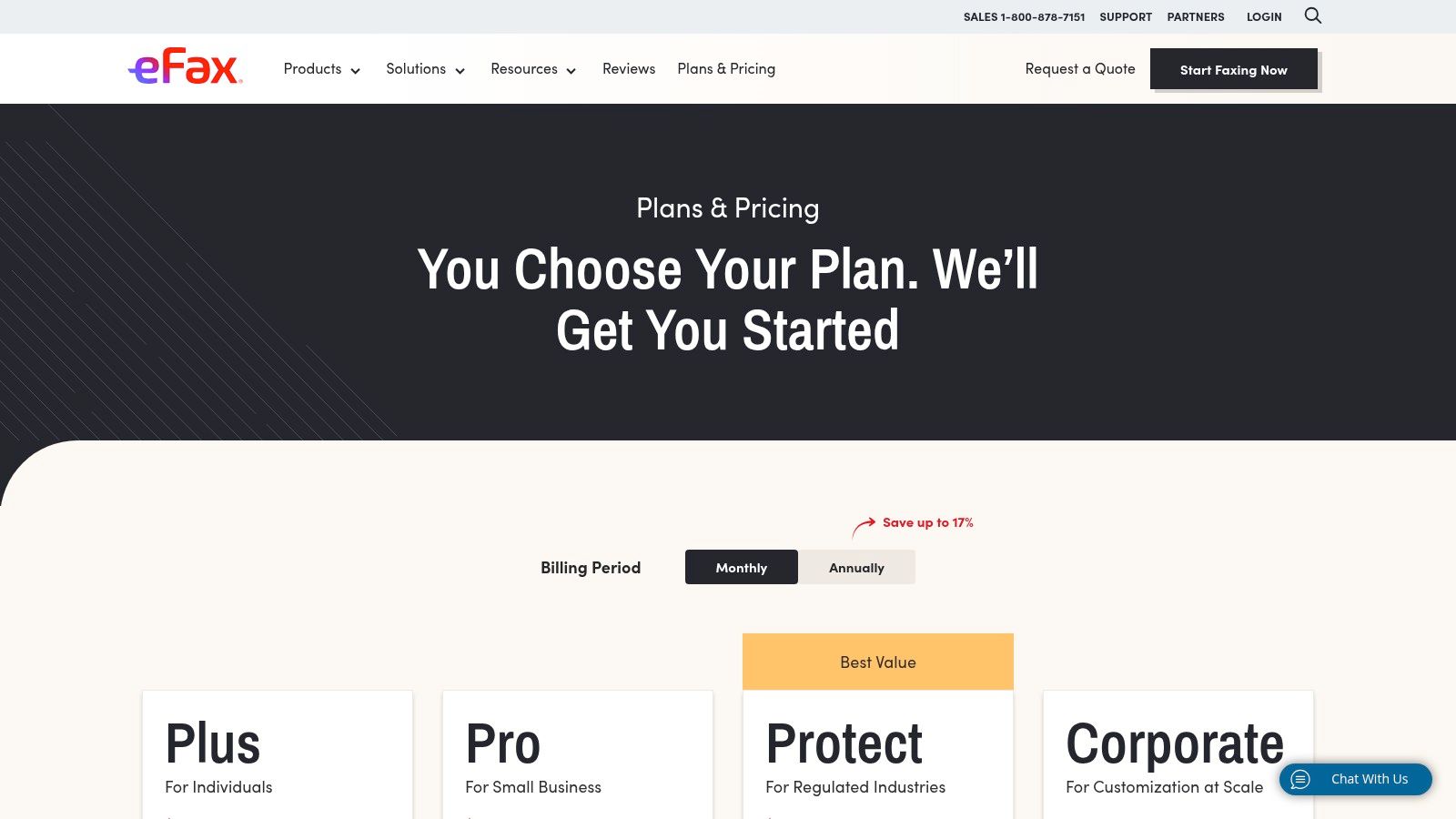
    The best service for you will depend on your specific situation, like how many faxes you send and what industry you're in. Platforms like SRFax and Documo are tailored for healthcare and legal professionals, with HIPAA compliance ready to go. Others, such as MyFax or eFax, are geared toward small businesses with features designed for everyday office use.

    If you’re looking for a simple, secure option that directly solves the problems we found with FaxZero, SendItFax is a clear step up. It operates on a pay-per-fax model, so you don't need a monthly subscription, but you still get the peace of mind that comes with secure transmissions.

    To help you sort through all the options, our online fax services comparison gives a detailed breakdown of features, pricing, and compliance standards for the top providers. Taking a few minutes to make an informed choice is the best way to ensure your confidential documents get the protection they demand.

    Got Questions About FaxZero? Let's Clear Things Up.

    Even after digging into the details, you might still be wondering about a few specific scenarios. Let's tackle some of the most common questions head-on so you can decide if FaxZero is truly the right tool for the job.

    Can I Safely Use FaxZero for Legal Documents?

    I would strongly advise against it. Legal documents are in a class of their own—they’re often protected by attorney-client privilege and are packed with sensitive client information.

    FaxZero simply doesn't have the necessary safeguards. The files aren't encrypted while sitting on their servers, and their policy of holding onto your metadata forever just creates too much risk. When it comes to legal paperwork, you need a service that’s built for compliance and gives you a clear audit trail.

    Does FaxZero Sell My Personal Data?

    Their privacy policy doesn't come right out and say they sell your data, but the real issue is how long they keep it. FaxZero hangs onto your name, email, and phone number indefinitely.

    Think of it as a permanent digital footprint you can't erase. If FaxZero ever had a data breach or was sold to another company, that information could easily be exposed or used in ways you never intended.

    If you care about your privacy, that policy alone should be a major red flag.

    Is the Paid FaxZero Plan More Secure?

    Unfortunately, no. Paying for their "almost free fax" service does not get you any extra security. All it does is remove the FaxZero logo from the cover page and let you send more pages at once.

    The underlying security setup is identical for both free and paid users. You're still dealing with the same fundamental weaknesses:

    • Your faxes are stored without encryption on their servers.
    • Your personal details are kept forever.
    • There are no modern security features like two-factor authentication.

    Upgrading buys you a bit of convenience, but it does nothing to address the core security and privacy problems. If you're sending anything sensitive, you really need to look for a more secure alternative.


    If you're looking for a simple, secure way to send faxes without worrying about your data sticking around forever, SendItFax was built to be a clear alternative. Send your fax with confidence and move on with your day. Learn more and send your first fax securely at SendItFax.

  • How to Fax from Your Phone A Simple Guide

    How to Fax from Your Phone A Simple Guide

    It's surprisingly straightforward to send a fax right from your phone. You just use a web-based service like SendItFax, upload your document from your mobile browser, punch in the recipient's number, and hit send. This whole approach sidesteps the need for a physical machine, effectively turning your smartphone into a powerful, portable fax solution.

    Why Mobile Faxing Still Matters Today

    A person using their smartphone to manage documents while sitting on a couch.

    It might feel a little old-school to be talking about faxing when we have email and instant messaging, right? But the truth is, faxing still holds a critical spot in industries where security and legal weight are everything. I’m talking about healthcare, law, finance, and government—places that deal with sensitive personal data every single day.

    For professionals in these fields, a fax isn't just a relic. It’s a trusted, secure way to send documents. Because a fax travels over a dedicated phone line, it creates a point-to-point connection that's incredibly difficult to intercept. This is precisely why many organizations still insist on faxes for official paperwork like signed contracts, medical records, or court filings.

    Bridging Old Tech with New Habits

    The real story here isn't the death of faxing, but its smart evolution. Learning how to fax from your phone combines the rock-solid security of traditional faxing with the on-the-go convenience we all demand. You're no longer chained to a clunky machine in the corner of an office.

    Instead, you can send a signed mortgage application from your local coffee shop or forward a critical legal document while waiting to board a flight. It’s all about flexibility.

    Modern online fax services are the digital bridge that makes this possible. These platforms take your digital file—whether it's a PDF, a photo, or a Word doc—and convert it into a format that a classic fax machine on the other end can understand and print. It’s really the best of both worlds.

    The real magic of mobile faxing is how it fits a legacy communication standard into a modern, mobile-first workflow. It solves a genuine problem for anyone who needs to connect with organizations still relying on traditional systems.

    Despite the big push toward all-digital solutions, the global market for traditional fax machines is still expected to be around $624 million in 2025. You can dig into the numbers in a recent market analysis from Archive Market Research. This tells us the hardware isn't vanishing; it's just becoming more specialized, which makes services that connect our digital lives to this established network more important than ever.

    This is why a reliable online service is such a game-changer. It gives you a way to send official communications without having to own and maintain outdated equipment. The service handles all the tricky parts for you, like making sure the transmission gets a unique identifier. To get a better sense of how this works behind the scenes, you can learn more from our guide on what is a fax number and its role today.

    This isn’t about bringing back old tech; it’s about making its proven strengths accessible from the device you already have in your pocket.

    Mobile vs Traditional Faxing at a Glance

    Here’s a quick comparison highlighting the key differences between sending a fax from your phone and using a conventional fax machine.

    Feature Mobile Faxing (Online Services) Traditional Fax Machine
    Accessibility Send/receive from anywhere with internet Tied to a physical location
    Hardware None needed; uses your phone or computer Requires a dedicated machine and phone line
    Document Format Handles digital files (PDF, DOCX, JPG) Requires a physical paper copy to scan
    Cost Low-cost subscriptions or pay-per-fax Machine purchase, toner, paper, phone line fees
    Security Encrypted transmissions and secure cloud storage Secure point-to-point, but physical documents can be left in the open
    Confirmation Instant email notifications and digital logs Prints a confirmation page (can be lost)

    As you can see, mobile faxing offers a level of convenience and cost-efficiency that traditional machines just can't match, all while maintaining the security needed for professional use.

    Getting Your Documents Ready for Digital Faxing

    Before you can send a fax from your phone, the document itself needs to be in a digital format. Think of it this way: a sharp, clean digital file is the foundation of a successful fax. It's what ensures the person on the other end gets a professional, easy-to-read document every single time.

    Let's start with the most common situation: you've got a signed contract, an invoice, or a medical form sitting on your desk. Your phone is the only tool you need to turn that physical paper into a fax-ready file.

    Turning Physical Paper into a Digital File

    Forget about needing a big, clunky flatbed scanner. Your smartphone is a powerful scanner in its own right, as long as you keep a few things in mind to avoid those frustratingly blurry or skewed images that just look unprofessional.

    • Find good, even lighting. Natural light from a window is fantastic, but a well-lit room works too. The main goal is to avoid casting shadows from your phone or hand across the page, which can hide important details.
    • Lay it completely flat. Put the paper on a dark, contrasting surface like a clean desk or even the floor. This simple trick helps your phone's camera easily find the document's edges and crop it perfectly.
    • Get directly overhead. Hold your phone parallel to the paper, not at an angle. Shooting from the side can warp the text and make it look stretched or crooked. For the best results, always shoot straight down.

    Most modern phones actually have a document scanner built right into the Notes app (iOS) or Files/Drive app (Android). These are great because they automatically straighten the image, fix the perspective, and save it as a crisp, black-and-white PDF—the perfect format for faxing.

    Choosing the Right File Format

    Once you have your digital file, the format matters more than you might think. While many online fax services are flexible, there's one format that's considered the gold standard for a reason.

    Pro Tip: When you have the choice, always go with PDF (Portable Document Format). PDFs are designed to look the same no matter what device they're viewed on. This means the layout, fonts, and spacing you see on your screen are exactly what the recipient's fax machine will print out. It’s the most reliable option, hands down.

    Sure, services like SendItFax often accept DOC, DOCX, and even image files like JPG. But these can sometimes get a little wonky during the conversion process. A Word document with special formatting might not translate perfectly. Sticking with a PDF eliminates that risk and is a small step that makes a big difference.

    If your document is already a digital file—like a report you just typed up in Microsoft Word or Google Docs—the fix is easy. Just use the built-in "Save as PDF" or "Download as PDF" function. That one little click gets your file perfectly prepped for a smooth and successful fax transmission.

    How to Send a Fax from Your Phone Browser

    Alright, you've got your document scanned and saved as a clean PDF. Now for the easy part: sending it straight from your phone's browser. There's no need to download yet another app. Web-based services like SendItFax let you get the job done in just a couple of minutes, and the whole process is surprisingly straightforward, even if you’ve never done it before.

    Infographic about how to fax from your phone

    The move away from clunky old machines is happening fast. In fact, the online fax service market hit a value of $2.52 billion in 2024 and is on track to nearly double to $4.54 billion by 2033. This isn't just a niche trend; it shows a massive demand for more flexible and secure ways to handle important paperwork from anywhere. You can dig into the numbers yourself in the full market analysis from Open PR.

    Getting Started on the Web Service

    First things first, open your favorite browser on your phone—whether it's Safari, Chrome, or something else—and head over to a service like SendItFax. These sites are designed to work perfectly on a small screen, so you won’t have to do any of that annoying pinching and zooming to see what you’re doing.

    The layout is usually very direct. You'll see clear fields for your information (sender) and the recipient's details. This is where you’ll pop in your name, email address, the recipient's name, and of course, their fax number.

    Crucial Tip: I can't stress this enough: double-check the recipient's fax number. A single wrong digit is the number one reason faxes fail to send. Make sure you have the complete 10-digit number, area code and all.

    Uploading Your Document and Adding a Cover Page

    Next, look for a button that says "Upload File," "Attach Document," or something similar. Tapping it will bring up your phone's file browser, letting you find and select that PDF you just prepped.

    Screenshot from https://www.senditfax.com/

    After your file is uploaded, you’ll almost always see an option to add a cover page. This is a great professional touch, especially for business documents. Think of it like the subject line of an email—it gives the person on the other end immediate context.

    Typically, you can add a few key details:

    • A brief subject line: Something like, "Signed Contract for Project Alpha."
    • A short message: For example, "Please find the signed agreement attached. Let me know if you need anything else."
    • The total number of pages: This includes the cover sheet itself.

    If you're sending something less formal or the document is completely self-explanatory, you might decide to skip the cover page. Most services will have a simple checkbox to omit it, though this is sometimes a feature for paid plans.

    Sending the Fax and What to Expect Next

    Once all the information is filled in and your document is attached, you're ready to send. Find that big "Send Fax" button, give all the details one final glance for accuracy, and tap it.

    From here, the service takes over. It converts your digital file into the right format for a traditional fax machine and sends it across the phone network. You don’t have to do a thing; the system handles all the technical wizardry behind the scenes.

    In just a few moments, an email confirmation should land in your inbox. This is your digital receipt, telling you if the fax went through successfully or if it failed. We’ll get into what those notifications mean and how to fix any problems in the next section.

    Confirming Delivery and Solving Common Problems

    https://www.youtube.com/embed/oDQijqiyNC0

    You’ve prepped your document, entered the details, and hit send. So, what happens now? Unlike the old days of dropping a letter in a mailbox and just hoping it arrived, modern faxing gives you immediate feedback. You should get an email confirmation from the service within a few minutes.

    Think of this email as your digital receipt. It’s important. It will tell you in plain terms whether your fax was successful or if it failed. A success message gives you peace of mind—the document is in their hands. A failure notice, on the other hand, means we need to do a little detective work.

    What to Do When a Fax Fails

    Seeing that "failed" notification is frustrating, I get it. But don't just mash the resend button. The problem is usually something simple and quick to fix. Rushing to send it again without figuring out the "why" often just leads to another failure.

    Before you do anything else, let's run through a quick mental checklist.

    • Did you fat-finger the number? A single wrong digit is, by far, the most common reason faxes fail. Double-check that you entered all 10 digits correctly, especially the area code. It’s so easy to mix up numbers on a phone screen.

    • Was the line busy? The receiving fax machine might have been tied up. This happens if it’s getting another fax or if it’s a shared line that also takes phone calls. My rule of thumb is to wait 10-15 minutes and then give it another shot.

    • Are you sure it's a fax line? Sometimes people give out their direct voice line by mistake. If you’re not 100% certain, a quick phone call to the recipient to confirm the number can save you a lot of hassle.

    • How did your document look? Was the file you sent a crisp, clean PDF? A blurry photo or a weirdly formatted document can sometimes be rejected by the receiving machine’s older hardware.

    In my experience, the issue is almost always a simple human error or just bad timing on the recipient's end. If you walk through these steps one by one, you’ll usually find the culprit and get your document sent successfully on the next try.

    Digital Faxing Is More Reliable Than You Think

    This whole process—from sending to getting instant confirmation—is why online faxing has become so essential. It’s not just about keeping old tech alive; it’s about making it smarter and more reliable for how we work today.

    The numbers back this up. The fax services market is expected to grow from $3.31 billion in 2024 to nearly $4.48 billion by 2030. That growth is fueled by cloud services that make knowing how to fax from your phone a genuinely useful skill. For anyone interested in the data, the global fax services market report has a deep dive into these trends. This evolution means that even when you hit a small snag like a failed send, the tools to fix it are right there in your hand.

    Choosing the Right Mobile Faxing Method

    A person looking at their phone and making a decision between different app icons.

    Using a web service like SendItFax right from your phone's browser is perfect for those one-off situations. It's fast, simple, and gets the job done without any fuss. But what if you send faxes more often?

    Your best approach really hinges on your specific needs—how frequently you fax and what features you can't live without. Let's break down the main alternatives to see what makes the most sense for you.

    Dedicated Mobile Faxing Apps

    If you find yourself faxing documents on a regular basis, downloading a dedicated mobile app is almost always the right move. These apps are built specifically for your phone, meaning the entire experience is much smoother and more integrated than using a website.

    For instance, think about getting an instant push notification on your lock screen the second your fax goes through. No more checking your email for confirmation. Many apps also sync with your phone's contact list, so you can just tap a name instead of manually punching in a fax number every single time.

    This level of convenience usually comes with a subscription. Most top-tier apps charge a monthly or annual fee, which is a great value for businesses or professionals who rely on faxing. However, it’s probably not necessary if you only need to send a document once a year.

    The biggest win with a dedicated app is how it plugs directly into your phone's ecosystem. Push notifications, contact list access, and built-in scanning tools create a seamless workflow that a browser just can't match for heavy users.

    Email-to-Fax Services

    Here's a clever option for anyone who spends their day in their email inbox: email-to-fax. The beauty of this method is its simplicity. It feels completely natural because you're using a tool you already know inside and out.

    The process is surprisingly straightforward. You just compose a new email, attach your file (like a PDF or Word doc), and send it to a unique email address. This address is usually a combination of the recipient's fax number and the service's domain, something like 18005551234@faxprovider.com.

    The service handles the rest, converting your email into a fax and sending it on its way. This is also fantastic for record-keeping, as you'll automatically have a copy of what you sent right in your "Sent" folder.


    So, which path should you take? To make it clearer, here’s a quick breakdown of how these methods stack up against each other.

    Which Mobile Faxing Method Is Best for You?

    Method How It Works Best For Common Cost Structure
    Web-Based Service Upload a document directly on a website from your phone's browser. Quick, one-off faxes where you don't need ongoing features. Pay-per-fax or a limited number of free pages.
    Dedicated Mobile App Download an app that offers an integrated, mobile-first experience. Frequent faxing by individuals or businesses who need reliability and extra features. Monthly/annual subscription plans, often with tiered features.
    Email-to-Fax Send an email with an attachment to a specially formatted address. Professionals who want to integrate faxing into their existing email workflow. Usually included with a subscription plan from an online fax service.

    At the end of the day, there's no single "best" choice—only the best choice for you. If you send a fax once in a blue moon, a web service is all you need. If it's a weekly task, investing in a dedicated app will pay for itself in convenience. And for email power users, the email-to-fax route is a no-brainer.

    For a more granular look at the options out there, this detailed online fax services comparison is a great resource to help you match features to your specific needs.

    Got Questions About Mobile Faxing?

    It’s one thing to follow the steps, but it's another to feel confident about the process. If you’ve still got some questions, you're not alone. Let's tackle some of the most common things people ask when they start faxing from their phones.

    Is Faxing From a Phone Actually Secure?

    This is probably the most important question, and the answer is a firm yes—as long as you use a reputable service. When you send a document through a service like SendItFax, the file is encrypted. Think of it as sending your document through a secure, private tunnel where no one else can see it.

    Honestly, it’s often much safer than using the old office fax machine. Those faxes frequently sit in a public tray for anyone to grab. With mobile faxing, the document travels directly from your device to the recipient, and you get a private confirmation.

    The real key to security is picking a provider that takes it seriously. Look for services that encrypt your data both while it's being sent and while it's stored. This level of protection is trusted by professionals in healthcare, finance, and law.

    Can I Really Send a Fax to Another Country?

    Absolutely. Most online fax services are built for global communication. The process itself doesn’t change—you still upload your document and punch in the number.

    The only difference is how you format the number. You'll need to include the country code and often drop the leading "0" from the local number. For example, a UK number would start with +44.

    Just be mindful of the cost. Sending a fax internationally will almost always cost more than a domestic one. Rates can vary wildly depending on the destination, so I always recommend checking the service’s pricing page first to avoid a surprise on your bill.

    What About Receiving Faxes on My Phone?

    While sending is the most common need, receiving faxes is just as easy. To do this, you'll typically need a subscription plan which gives you a dedicated virtual fax number.

    Once you have that number, anyone can send a fax to it from a traditional machine. Instead of printing out on paper, it arrives directly in your email inbox, usually as a PDF. It’s a game-changer for anyone who needs to receive signed contracts or important forms while on the go.

    This turns your phone into a complete, two-way faxing solution. If you want to dive deeper, our guide on how to fax via email breaks down exactly how to set it up and make it part of your daily workflow.


    Ready to send a document right now without the hassle of subscriptions or clunky hardware? With SendItFax, you can fax your documents from any browser in just a few clicks. Whether it's a single page or a lengthy contract, our straightforward service gets it there securely. Try SendItFax today and see how simple faxing can be.

  • How to Fax Online Free Your Complete Guide

    How to Fax Online Free Your Complete Guide

    Believe it or not, faxing is far from obsolete. In many professional circles, it’s still a crucial tool. Fields like healthcare, law, and government agencies often depend on faxing because of its long-established security and legal acceptance. When you need to send a signed contract or sensitive medical records, the direct point-to-point connection of a fax is often the required method.

    Person in a blue shirt reviewing a document at a desk with a laptop displaying “WHY FAXING MATTERS”.

    Thankfully, the clunky, noisy machine hogging a corner of the office has been replaced by a much smarter digital alternative. Online faxing gives you the same reliability and security but without any of the physical hardware. This modern approach essentially turns your computer or smartphone into a powerful fax machine you can use anytime, anywhere.

    The Modern Perks of Digital Faxing

    Switching to a digital fax service isn't just about ditching old hardware; it introduces real benefits that improve the entire process. You're no longer tethered to a physical location. You can send documents from your home office, a coffee shop, or while traveling—all you need is an internet connection.

    This flexibility also comes with major cost savings. You can completely eliminate expenses for:

    • Dedicated phone lines: Online faxing works over the internet, so you can cut that extra monthly bill.
    • Paper and ink: Since everything is handled digitally, you save on supplies and reduce your environmental footprint.
    • Machine maintenance: Forget about paper jams, toner replacements, and service calls forever.

    The proof is in the numbers. The global online fax market is exploding and is projected to reach over $8.3 billion by 2027. This growth is driven by a clear demand for secure, paperless communication tools. You can dive deeper into these online fax statistics here.

    Security is another huge win for online services. Reputable platforms use strong encryption to protect your documents in transit, offering a level of privacy that a shared office machine could never guarantee. Learning how to fax online free is more than just a modern convenience—it's about adopting a faster, cheaper, and more secure way to handle essential communication.

    Sending Your First Free Fax Online

    Jumping into the world of online faxing is a lot easier than you might think. Forget the days of clunky machines and busy signals. If you know how to send an email with an attachment, you've already got the basic skills down.

    Let's walk through how it works in the real world. You find a free service, get your document ready, plug in a few details, and click send. It's a process that usually takes less than five minutes from start to finish.

    Getting Your Document Ready

    First thing's first: you need a digital copy of what you want to send. The good news is that most free online fax services are pretty flexible with file formats, so you probably won't have to mess around with any special software.

    The most common and reliable formats are:

    • PDF: This is the best choice. It locks in your formatting, so what you see on your screen is exactly what they'll get on their end.
    • DOCX or DOC: Standard Microsoft Word files are almost universally accepted.
    • JPG or PNG: Perfect for sending a quick scan of a signed document, a receipt, or even a photo.

    Once your file is saved and ready, you'll just need to upload it. Look for a big, obvious button on the website labeled "Upload File" or "Attach Document." For a more detailed look at the process, our guide on how to free fax from computer breaks it down even further.

    Most platforms keep their interface clean and simple, designed to get you in and out without any confusion.

    This is a classic layout. You can see the clear fields for the recipient's info and the prominent spot to add your file.

    Plugging in the Sender and Recipient Details

    With your document attached, you're on the home stretch. Now, you just need to tell the service where the fax is coming from and where it's going. This part is critical for a successful delivery, but it’s just a few simple fields.

    Here’s what you’ll be asked to fill in:

    • Your Details: Just your name and email address. The email is super important—that's how you'll get the confirmation receipt once the fax goes through.
    • Recipient’s Details: Their name and, most importantly, their fax number. For the U.S. and Canada, you'll just enter the area code and the 7-digit number.
    • International Faxing: Sending a fax overseas? You’ll need to add the country code first. For instance, a fax going to the UK would start with +44, followed by the local number.

    My Two Cents: I can't stress this enough: double-check that fax number. A single typo is the number one reason faxes fail. Taking five extra seconds to confirm it can save you a whole lot of headache.

    Finally, you’ll usually see an option to add a cover page. This is completely optional, but I find it really helpful for adding context. You can pop in a quick subject line like "Signed Agreement for Project X" or "Invoice #1045."

    Once all the fields are filled, go ahead and hit that send button. Within a few minutes, you should get an email in your inbox letting you know it was delivered successfully. And that’s it—you’ve sent a fax without ever touching a fax machine.

    Getting to Know the Limits of Free Online Faxing

    Free online faxing is an incredible tool, but it's important to go in with your eyes open. These services almost always have some ground rules, and knowing them upfront will save you a headache later. Think of it less like a free-for-all and more like a generous free sample—it gives you exactly what you need for a quick task, but it has its boundaries.

    https://www.youtube.com/embed/vwF_GI5AWh0

    Page and Daily Sending Caps

    The most common restriction you'll bump into is a page limit. Most free providers will cap your faxes at 3 to 5 pages per send. This is more than enough for a signed form, a receipt, or a quick letter, but it won’t work for that 20-page business proposal you need to send.

    On top of that, you’ll likely run into a daily limit. This could be anywhere from 2 to 10 faxes within a 24-hour window. These caps are in place to prevent the system from being overwhelmed and to keep the service fair for everyone who just needs to send a fax every now and then.

    What You Usually Get for Free

    Even with the limits, the free versions pack in all the essentials for a successful fax. You’re not just getting a bare-bones tool; you’re getting a functional one.

    Here’s what you can typically expect:

    • File Format Flexibility: They almost always accept the most common file types, like PDF, DOC/DOCX, and image files like JPG or PNG.
    • A Simple Cover Page: You’ll get the option to add a basic cover page where you can fill in your name, the recipient's name, and a quick note.
    • Delivery Confirmation: You'll get an email telling you whether your fax went through successfully or if there was an error. No more guessing games.

    This whole process is designed to be incredibly straightforward, as you can see here.

    A three-step infographic showing how to send a fax: upload document, add information, and send fax.

    It really is as simple as uploading your document, plugging in the details, and hitting send.

    When Is It Time to Upgrade?

    Free services are a lifesaver for those one-off "I can't believe I still need to fax this" moments. But what if you find yourself needing to fax more regularly? That’s where paid plans come in.

    Upgrading usually unlocks higher page limits, lets you send more faxes per day, and often removes the provider's branding from your cover page, which looks much more professional. Some even offer priority delivery. If you're weighing your options, diving into an online fax services comparison can give you a clear picture of what's out there.

    To help you see the differences at a glance, here’s a quick rundown of some popular options and what their free tiers typically offer.

    Comparing Popular Free Online Fax Providers

    This table compares the key features and limitations of leading free online fax providers to help you choose the best fit for your needs.

    Service Provider Free Pages per Month File Formats Supported Includes Cover Page
    SendItFax 10 PDF, DOCX, XLSX, JPG, PNG Yes
    FaxZero 15 (5 faxes) PDF, DOC, DOCX Yes (with ads)
    GotFreeFax 6 (2 faxes) PDF, DOC, DOCX, JPG Yes
    MyFax Free 10 Over 170 formats supported Yes

    As you can see, the limits and features can vary quite a bit, so it's worth checking which one aligns best with what you need to send.

    The bottom line: Free services are built for convenience and occasional use. They provide a reliable way to send a quick document without cost, but for recurring business needs or sending sensitive, multi-page documents, a low-cost upgrade is often the smarter choice.

    Is Sending a Fax Online Safe? A Look at Security and Privacy

    When you're dealing with sensitive documents—think contracts, legal papers, or medical records—security is non-negotiable. One of the best things about online faxing is that it can actually be more private than using that old machine in the corner of the office. No more confidential papers sitting out on the tray for anyone to glance at.

    Think of a good online fax service as a secure courier for your digital files. These platforms use end-to-end encryption, which essentially locks your document in a digital vault the second you send it. It only gets unlocked when it arrives at the destination, making it incredibly difficult for anyone to peek at the contents along the way.

    A laptop screen displays "Secure Faxing" text and a padlock icon, suggesting secure online communication.

    This level of digital security is a big reason why so many businesses are making the switch. In 2024, more than 60% of small businesses in the U.S. turned to free online fax services for at least some of their needs, drawn by robust features like encryption and compliance with privacy laws. You can dig deeper into the growth of the online fax market here.

    A Few Smart Habits for Protecting Your Information

    While the service handles the heavy lifting on the tech side, you still have a part to play in keeping your faxes safe. A few simple precautions can make all the difference.

    • Stick to Secure Wi-Fi: Sending a fax from a public network at a café or airport is risky. Always use a trusted, password-protected network, like the one at your home or office.
    • Double-Check the Fax Number: This is where most mistakes happen. A single mistyped digit could send your private information to the wrong person. It’s worth taking an extra second to confirm.
    • Check the Privacy Policy: Get a clear picture of how the service handles your data. Most quality free services, for your own protection, will delete your files from their servers shortly after a successful delivery.

    For an extra layer of security and convenience, many people choose to route their incoming faxes directly to their email. We break down how this works in our guide on integrating fax to email workflows.

    By pairing the built-in security of a service like SendItFax with these common-sense habits, you can send your documents with the confidence that they're protected from your screen to the recipient's machine.

    What to Do When Your Free Fax Fails

    A laptop on a wooden desk displaying 'Fix Fax Errors' with a red 'no' symbol, alongside a plant and documents.

    Sooner or later, you’ll probably see a “transmission failed” email pop into your inbox. It happens, even with the best services. But don’t panic—these problems are almost always a quick fix.

    The trick is to avoid just hitting "resend" over and over. Instead, take a moment to figure out why it failed. For instance, a "line is busy" error is pretty straightforward; the receiving machine was tied up. The best move here is to simply wait 15-20 minutes and try again. A more generic "failed" message, however, usually means the issue is on your end.

    Your Go-To Troubleshooting Checklist

    Before you try sending that fax again, run through these common culprits. I’ve found that one of these is almost always the reason a fax doesn't go through.

    • Did you dial correctly? It sounds simple, but a single wrong digit is the number one cause of failed faxes. Double-check the fax number, including the full area code.
    • Is your file okay? Make sure you uploaded an accepted format like a PDF, DOCX, or JPG. Also, check that you haven't gone over the page limit for the free service.
    • How’s your internet? A flaky Wi-Fi connection can cut out while your document is uploading, causing the whole process to fail. Make sure your connection is solid before you hit send.

    Expert Tip: Pay close attention to that confirmation email. A successful fax will be clearly marked as "Delivered." If it failed, the email will often include a reason or an error code that points you directly to the problem.

    Working through these simple checks will help you diagnose why your attempt to fax online free hit a snag. A few seconds of investigation can save you a lot of frustration and make sure your next try is a success.

    A Few More Things You Might Be Wondering

    Even after you've sent your first free fax, a few questions might pop into your head. That's completely normal. Understanding the ins and outs of the service you're using is smart, especially when you're dealing with important paperwork. Let's tackle some of the most common questions people have.

    So, Can I Get Faxes Sent To Me for Free?

    That’s probably the most common question we hear, and the honest answer is almost always no. Think of free services as a one-way street—they’re fantastic for sending documents out, but not for receiving them.

    To receive a fax, you need a dedicated fax number that’s always on and waiting for transmissions. This is the core feature you get when you upgrade to a paid plan. With a subscription, you're assigned your own virtual number, and any faxes sent to it land right in your email inbox, usually as a neat PDF.

    What Happens to My Files After I Send Them?

    Privacy is a big deal, and any good service knows that. Generally, free fax platforms will hold onto your file only for as long as it takes to get the fax delivered successfully. Once they get confirmation that it went through, your document is usually wiped from their servers pretty quickly.

    A pro tip: Before sending anything sensitive, take two minutes to skim the service's privacy policy. It will tell you exactly how they handle your data and for how long. It's a small step that provides a lot of peace of mind.

    Do I Have to Download or Install Anything?

    Nope, and that's the beauty of it. The best platforms for sending a free fax online are completely browser-based. You don't have to download any clunky software or install a special app.

    If you can open a web browser on your computer, tablet, or phone, you’re good to go. This keeps your devices clean and means you can fire off a fax from literally anywhere you have an internet connection.

    Can I Send a Fax to Another Country?

    You bet. Many free services allow you to send faxes internationally, but you'll want to check the fine print. Often, the free plan might restrict you to certain countries or have a lower page limit for international faxes compared to sending one across town.

    Before you hit send on an international document, just double-check two things:

    • Make sure the country you're faxing to is on their supported list.
    • Get the formatting right. You’ll need the proper country code followed by the full local number.

    Ready to put this all into practice? SendItFax lets you send up to three pages completely free, with no account needed. If you've got a bigger document or want a professional cover sheet, our Almost Free plan is the perfect next step. Give it a try and see just how simple it is.

  • How to Fax Online for Free The Ultimate Guide

    How to Fax Online for Free The Ultimate Guide

    It might sound old-school, but faxing is still a surprisingly common requirement in today's world. Thankfully, sending a fax for free online is incredibly simple. All you need is a web-based service like SendItFax, where you can upload a file, type in the destination fax number, and hit send. No machine, no phone line, no hassle.

    Why Bother With Faxing Anymore?

    You’d be surprised. For all our digital progress, faxing remains a critical tool in sectors like healthcare, law, and government. Why? It's all about security and legal standing. A fax creates a direct point-to-point connection for sending sensitive documents, which is often considered more secure and legally binding than a simple email.

    This isn't just a niche practice; the online fax market is booming. It's projected to more than double, growing from USD 2.2 billion to USD 4.5 billion by 2035. A big part of that growth comes from people ditching clunky old machines for cloud-based faxing. In fact, if just 5% of users switched from traditional to online faxing, we could save a staggering 10 billion pages of paper annually.

    The Clear Edge of Faxing Online

    Choosing a free online fax service is the perfect modern solution to an old-world problem. You get to skip the bulky hardware, the extra phone line, and the endless costs of paper and toner. It’s a smarter way to work.

    Three icons with labels: Money (dollar sign), Paper (leaf), and Security (shield with checkmark).

    The benefits really stack up, especially for individuals or small businesses who only need to send a fax now and then:

    • Total Convenience: Send a document from your laptop, tablet, or even your phone—wherever you have an internet connection.
    • Zero Cost: You completely avoid the purchase price and ongoing maintenance costs of a physical fax machine.
    • Better Security: Reputable online services use encryption, which is a huge step up from leaving a sensitive document sitting in the tray of a shared office machine.

    Online faxing isn't just a replacement; it's an upgrade. It allows you to meet the requirements of legacy systems without giving up the efficiency and security we've come to expect from modern technology.

    Traditional Faxing vs Free Online Faxing

    Here’s a quick breakdown of how a free online service stacks up against a traditional machine for the occasional user.

    Feature Traditional Fax Machine Free Online Fax Service
    Initial Cost $100 – $400+ for the machine $0
    Ongoing Costs Paper, ink/toner, dedicated phone line, repairs $0 (for sending)
    Convenience Tied to a physical location Send from anywhere with internet
    Document Format Physical paper only Digital files (PDF, DOCX, JPG, etc.)
    Security Documents can be left exposed in the output tray Often includes encryption for secure delivery
    Environmental Impact Consumes paper and electricity Paperless and eco-friendly

    The choice is pretty clear. For sending the occasional document, a free service just makes more sense.

    Getting started is easy, but it helps to understand the fundamentals, like learning what is a fax number and how it works in a digital setup. Once you have that down, you'll see just how powerful this simple tool can be.

    Getting Your Documents Ready to Fax

    Before you can send a fax online, you need to have your document in a digital file. This might seem obvious, but the format you choose can make or break the whole process. Get it wrong, and your recipient could end up with a blurry, unreadable mess.

    Most free fax services are pretty flexible and accept common file types. But from my experience, one format stands head and shoulders above the rest for reliability.

    Pick the Right File Type for a Clean Send

    You'll usually see options for PDF, DOCX, and JPG. While you can send a Microsoft Word file (DOCX) or a simple image (JPG), I always recommend sticking with PDF (Portable Document Format).

    Why? Because a PDF is essentially a picture of your document. It locks everything in place—the fonts, the spacing, the images. This means what you see on your screen is exactly what will print out on the other end, which is crucial for things like signed contracts or official forms where every detail matters.

    Think of a PDF as a digital snapshot. It prevents anything from getting jumbled or reformatted during the fax transmission, guaranteeing a professional and readable result every time.

    From Paper to a Digital File

    What if your document is a physical piece of paper sitting on your desk? No problem. You don't need a clunky old scanner anymore; your smartphone is more than capable of doing the job.

    The camera on your phone, paired with a scanning app, can create a crisp digital copy. You might even have a scanner built right into your phone's native apps, like the Notes app on an iPhone or the Google Drive app on Android.

    To get a great scan, just follow these simple tips:

    • Light it up: Find a spot with good, even lighting. Lay your document on a flat, dark surface to create contrast. Try to avoid shadows or glare, as they can make the text hard to read.
    • Get a steady shot: Hold your phone parallel to the document, making sure you can see all four corners. Most scanning apps are smart enough to find the edges and straighten the image for you.
    • Tweak it a little: Once you've captured the image, use the app's editing tools to crop out the background. Bumping up the contrast can also make the text pop and the white background look cleaner.

    Mind the File Size

    This is a step people often forget. Free online fax services have to manage their resources, so they usually limit the size of the files you can send—typically somewhere between 5 MB and 10 MB. A really high-quality scan or a document with lots of images can easily blow past that limit.

    If your file is too big, don't worry. Just pop it into a free online PDF compression tool. A quick search for "compress PDF free" will turn up plenty of easy-to-use options that can shrink your file down without sacrificing much quality, ensuring it uploads and sends without a hitch.

    Sending Your First Free Online Fax

    You’ve got your document prepped and ready to go. Now for the easy part. Sending a fax online is surprisingly straightforward, but a few small details can make all the difference. Let's walk through it so you know exactly what to expect.

    Your first move is to head to a free online fax service. You'll immediately see a prompt to upload your file. This is where having that compressed PDF comes in handy—it makes for a quick and painless upload every time.

    Getting the Recipient Details Right

    This is where you need to pay close attention. It's the number one spot where faxes fail, and it's usually due to a simple typo.

    For faxes within the U.S. and Canada, it’s just the area code and the seven-digit number. Don't worry about adding a "1" for long-distance; the service handles that for you.

    Sending a fax internationally? You'll need to be a bit more careful. You have to start with the country code, then the city/area code, and finally the local number. For instance, a fax to London needs the UK's country code (44) at the very beginning. Forgetting that prefix is an almost guaranteed way to get a "failed transmission" notice.

    A quick tip from experience: Always, always double-check the fax number before you hit send. One wrong digit can send your confidential documents to the wrong machine or just into the ether. It’s a two-second check that can save you a massive headache.

    Why You Should Bother With a Cover Page

    The cover page is your fax’s handshake. It's the first thing your recipient sees. While some services like SendItFax make it optional on paid plans, I'd argue it's essential for free sends, especially if you're faxing a large office with a shared machine. A good cover page ensures your document doesn't get lost in the shuffle.

    Here's the key info to include:

    • To: The recipient's full name and title.
    • From: Your name and company (if it's relevant).
    • Date: The day you're sending it.
    • Subject: Be specific! "Signed Contract for Project Apollo" is a lot more helpful than "Contract."
    • Number of Pages: Don't forget to include the cover page itself in the count (e.g., "5 pages, including cover").

    Modern services make this whole process incredibly simple, turning what used to be a clunky office task into something you can do from your phone.

    A document being scanned and sent with a smartphone and tablet, featuring a 'Scan & Send' label.

    What Happens After You Click "Send"

    Once you hit that button, the magic happens behind the scenes. The service converts your file into a signal that a traditional fax machine can understand and then starts dialing. It's not always instant—if the recipient's line is busy, the system will patiently redial a few times.

    Keep an eye on your email inbox. You'll get a confirmation message that tells you whether the fax went through successfully or if it failed. This email is your proof of transmission, so it's important. If you don't see it within a few minutes, check your spam folder before you panic.

    A "failed" notification isn't the end of the world. It’s usually just a busy signal, a disconnected number, or that tiny typo in the fax number we talked about. The process to send a free fax from your computer is built to handle these little hiccups, but getting the details right from the start is the best way to avoid them.

    Navigating the Limits of Free Fax Services

    https://www.youtube.com/embed/I4YKQdY6xwk

    Free online fax services are an incredible tool for sending a quick document here and there, but it's important to go in with your eyes open. They all have guardrails in place, and knowing what they are ahead of time will save you a lot of frustration. I like to think of it less as a drawback and more as a simple trade-off for getting a service at no cost.

    The most common hurdle you'll run into is a daily page limit. Most providers will cap you at a certain number of pages per day, typically somewhere between three to five pages per fax. This is usually plenty for sending back a signed contract or a single application form. But what happens when your document is longer?

    Smart Workarounds for Page Limits

    Don't throw in the towel. With a little creativity, you can work around those limits pretty easily. Let's say you have a seven-page document but the service only allows five pages per fax. The answer is simple: split it up. It just takes a little extra communication.

    Here’s how I’ve handled this in the past:

    • Split your document. I use a free online PDF tool to break my seven-page file into two smaller ones. In this case, I'd make one with pages 1-4 and a second with pages 5-7.
    • Be crystal clear on your cover pages. For the first fax, I'll make the subject line something like: "Contract Submission – Part 1 of 2 (Pages 1-4)."
    • Send the second part right away. Then, I immediately send the next one with a corresponding subject: "Contract Submission – Part 2 of 2 (Pages 5-7)."

    This approach lets the person on the other end know exactly what to expect and makes it easy for them to assemble the full document. It keeps things professional and organized, which is always a good look.

    The real goal isn't just to get the pages sent; it's to make the recipient's job as easy as possible. Clear labeling on the cover page transforms a workaround into a thoughtful, organized process that prevents any mix-ups.

    Another big limitation is the inability to receive faxes. Free services are almost always a one-way street—you can send, but you can’t get one back. This makes sense, as providing a dedicated incoming fax number costs the provider real money. If you need two-way faxing, that’s the clearest sign that a free plan won't cut it for you.

    When It's Time to Consider an Upgrade

    Free services are purpose-built for occasional, non-critical faxes. But you’ll start to see signs when it’s time to look at a paid option, even a really affordable one.

    You should think about upgrading if you find yourself:

    • Constantly hitting the limits: If splitting documents or waiting for the next day to send a fax has become a regular part of your routine, your workflow is being slowed down.
    • Needing to receive faxes: This is the number one reason people make the switch. For any kind of business or official back-and-forth, a dedicated number is a must-have.
    • Wanting a more professional appearance: Free services, including SendItFax, often put their branding on the cover page. That’s perfectly fine for personal use, but a paid plan gets rid of it for a cleaner, more professional look.
    • Sending highly sensitive information: While most free services are secure enough for general use, paid plans often come with better compliance features and guaranteed priority delivery.

    For most people, the jump isn't to an expensive monthly subscription. A service like SendItFax has what they call an "Almost Free" plan where you pay a small, one-time fee per fax. It removes the branding, bumps your limit up to 25 pages, and gives your fax priority delivery. It's the perfect middle ground for when your needs have grown just a little bit.

    Keeping Your Sensitive Documents Secure

    When you're faxing something for free online, it’s easy to forget you're handling sensitive information. Whether it’s a signed contract or a personal medical form, you're handing that data over to a third-party service. Just because it's free doesn't mean you should have to compromise on security.

    Thankfully, good services take this seriously. The absolute bare minimum you should look for is encryption. Specifically, check for services using SSL (Secure Sockets Layer) or its more modern cousin, TLS (Transport Layer Security). This is the same stuff that protects your credit card details when you shop online. It essentially creates a scrambled, secure tunnel between your computer and the fax service, making your documents completely unreadable to anyone trying to snoop on them while they're in transit.

    Two stacks of documents and a 'SPLIT PAGES' sign on a wooden table outdoors in sunlight.

    Reading Between the Lines of a Privacy Policy

    Okay, I get it—nobody wants to read a privacy policy. It’s usually a wall of legal jargon. But taking just a minute to skim it can tell you everything you need to know about how your files are being treated.

    You don't need a law degree to spot the warning signs. Look for specific language about what happens to your documents after they’ve been sent. A reputable service will be up-front about deleting your files from their servers after a short, defined period.

    A solid privacy policy will explicitly state that your data will not be sold or shared with third-party advertisers. If the language is vague or gives the company broad rights to use your content, that's your cue to find a different service.

    An Essential Security Checklist

    Before you upload a single document, run through this quick mental checklist. These are the green flags that signal a service actually cares about your privacy.

    • SSL/TLS Encryption is a Must: Look for the "https://" at the beginning of the website's URL. If it's not there, don't use the service. Simple as that.
    • A Clear Data Deletion Policy: The service should automatically and permanently purge your sent faxes once the transmission is finished.
    • Minimal Data Collection: The service should only ask for what's truly necessary to send the fax—your email for a confirmation receipt and the recipient's fax number. Anything more is a red flag.

    For certain fields, you have to think about legal compliance, too. If you’re sending anything related to healthcare, for instance, the service absolutely must be HIPAA compliant. This is a federal standard that ensures patient information is handled with the highest level of security.

    Most free services won't meet this high bar, but it’s crucial to be aware of. Some methods, like sending faxes directly from your email, can add another layer of control. You can learn more about how to fax via email to see if that approach works better for your security needs. Ultimately, choosing a service with transparent, common-sense security practices lets you send faxes for free without looking over your shoulder.

    Troubleshooting Common Online Faxing Problems

    A person holds a tablet displaying a secure document with a lock icon, emphasizing secure online faxing.

    Even the simplest tech can have its moments. When you’re trying to get a free fax out the door, a small hiccup can feel like a major headache. The good news is that most of the time, the fix is incredibly simple.

    The most common issue by far is the dreaded "fax failed" notification. My first bit of advice? Don't panic. It rarely means something is wrong with the service or your document. In my experience, more than 90% of these failures boil down to just two things: a busy signal on the other end or a simple typo in the fax number.

    Before you even think about resending, take a breath and double-check the number you typed in. If you got it right, the receiving machine was probably just tied up. Give it a few minutes, then try sending it again.

    When Your Confirmation Email Goes Missing

    So you've hit "send," but there's no confirmation email in sight. It's easy to assume the fax failed, but that's usually not the case. The first place you should always look is your email's spam or junk folder. Automated messages from online services get flagged all the time.

    If it's not hiding in spam, check to see if the service has a user dashboard or a "sent faxes" log. Most do, and it’s the best way to get a real-time status update on your transmission without having to guess.

    A missing confirmation doesn't mean a failed fax. Always check your spam folder and the service's dashboard for a status update before you attempt to resend the document.

    Fixing Upload and Quality Issues

    Sometimes the problem pops up before you even get a chance to send it. If you can't get your file to upload, the culprit is almost always one of two things: the file is too big, or it's in the wrong format. Free fax services are strict about their size limits, so if your PDF is on the heavy side, run it through a free online PDF compressor to shrink it down.

    What if the fax goes through, but the person on the other end says it's blurry or unreadable? That’s not a transmission error—it’s an issue with the quality of your original file. A little prep work can make all the difference.

    Here’s what I recommend:

    • Rescan your document: Find a flat surface with good lighting and hold your phone steady, directly above the page. No weird angles.
    • Boost the contrast: Most scanning apps have a feature to make text darker and the background whiter. Use it.
    • Stick with PDF: Always save your final file as a PDF. It locks in the layout and quality, so what you see is what they get.

    Ultimately, a crisp, clean source file is the secret to a professional-looking fax. It ensures your message gets received loud and clear every time.

    Got Questions About Free Online Faxing?

    It's completely normal to have a few questions before you start sending faxes online. I've been doing this for years and have run into just about every scenario, so let's clear up some of the most common points of confusion.

    Can I Actually Receive Faxes for Free?

    This is probably the number one question I get, and the short answer is almost always no. Think of free online fax services as a one-way street—they're built for sending documents out, not for receiving them.

    To get incoming faxes, you need your own dedicated fax number. That's a feature you'll only find in paid plans, so if you need that back-and-forth communication, you'll have to spring for a low-cost subscription.

    How Safe Is It to Fax Sensitive Documents?

    You can fax sensitive documents, but you have to be smart about it. Your top priority should be finding a service that uses SSL/TLS encryption. That's the same technology your bank uses to keep your online sessions secure, and it scrambles your data as it travels, making it unreadable to anyone else.

    I'd also take a minute to read the provider's privacy policy. You want to see a clear statement that they automatically delete your files from their servers once the fax goes through. You don't want your private info just sitting on some company's server indefinitely.

    One thing I can't stress enough: free services are generally not HIPAA compliant. If you're dealing with personal health information or other legally protected data, you absolutely need to use a paid, secure service. It's the only way to meet your legal and privacy obligations.


    Ready to skip the old fax machine and send a document right now? With SendItFax, you can send up to three pages completely free, with no account sign-up required. If you've got a slightly longer document, our Almost Free plan handles up to 25 pages and gets you priority delivery. Give it a try at https://senditfax.com.

  • How to Fax from Computer Free: A Quick Guide

    How to Fax from Computer Free: A Quick Guide

    It might seem old-school, but yes, you can absolutely fax from your computer for free. Web-based fax services make it possible to upload a document, punch in the recipient's fax number, and send it straight from your browser. No fax machine required.
    Why Bother Sending a Fax From Your Computer?

    In a world of email and instant messaging, faxing feels like a relic. So why is it still around? The truth is, many industries—think legal, healthcare, and government—still depend on faxing as a secure way to send sensitive documents. Knowing how to send a fax from your computer is the perfect bridge between their world and ours.

    This isn't just a neat trick; it's a practical solution. Forget about wrestling with a clunky machine, dealing with paper jams, or hearing that dreaded busy signal. Now you can send critical files from anywhere you have an internet connection.

    The Real-World Perks of Online Faxing

    Once you learn how to fax from a computer for free, you'll see the practical benefits pile up:

    • It’s Cheaper: You completely sidestep the costs of paper, ink, toner, and machine maintenance.
    • It’s More Secure: Good online fax services use encryption to protect your documents. That's a lot safer than a fax machine spitting out sensitive papers in an open office for anyone to see.
    • It’s Incredibly Convenient: Need to send a signed contract from a coffee shop or a medical form from your home office? No problem. You're no longer tied to a physical machine.
    • It’s Greener: Going digital means less paper waste, which is always a good thing.

    The move from hardware to software isn't new. The first computer-based fax board actually came out way back in 1985, setting the stage for the online services we use today.

    The bottom line is simple: sending a fax online is faster, cheaper, and often more secure than messing with a traditional machine. It ensures your important documents get where they need to go.

    Before you jump in, it’s also helpful to understand what a fax number is and how these numbers work in the digital age.

    Choosing the Best Free Online Fax Service for Your Needs

    Not all free fax services are created equal. It's easy to assume they all do the same thing, but the devil is truly in the details. What seems like a simple, free solution can quickly turn into a headache if you don't know what to look for before uploading your documents.

    The first thing I always check is the limitations. Most free plans have strict caps on how much you can actually send. For example, a service might let you send faxes of up to three pages, with a limit of five faxes per day. That's perfectly fine if you're just sending a signed form, but it’s a non-starter for a 10-page agreement.

    What to Look for Beyond Page Limits

    Once you've confirmed the page limits work for you, a few other things are worth checking out to avoid any nasty surprises. I've found these are the most common "gotchas":

    • File Formats: Does it accept the files you actually use? Make sure the service supports standard types like PDF, DOC, and DOCX. There’s nothing worse than getting a file ready only to find you have to convert it.
    • Branding & Ads: This is a big one. Many free services will slap their logo or a small ad on your cover page. If you're sending something to a client or for a formal application, that can look unprofessional.
    • Data Security: How is your information handled? Look for any mention of encryption. You're often sending sensitive information, so you want to know it’s protected on its journey.
    • User Experience: Is the interface clean and simple? A huge plus for me is any service that lets you send a quick fax without forcing you to create an account first.

    This simple decision tree can help you figure out if faxing is even the right move for the type of document you're sending.

    Infographic about how to fax from computer free

    As you can see, for things like legal documents, health records, or government forms, faxing is still a go-to method for its security, often preferred over a standard email.

    To make things a bit easier, here’s a quick rundown of the features I’d recommend comparing before you commit.

    Comparing Key Features of Free Fax Services

    Feature What to Look For Why It Matters
    Page Limits Check for per-fax and daily caps (e.g., 5 pages/fax, 10 faxes/day). This is the most common limitation. Exceeding it means your fax won't send or you'll be forced to upgrade.
    Branding See if the service adds its own logo or advertising to your cover pages. Unwanted branding can make your official documents look unprofessional.
    Security Look for mentions of SSL/TLS encryption for data transmission. You need to ensure your sensitive information is protected from interception.
    No Account Needed Does it let you send a fax immediately without signing up? Great for one-off faxes where you don't want to hand over your email and personal info.
    File Type Support Verify it accepts PDF, DOC, DOCX, JPG, and other common formats. Avoids the extra step of having to convert your files before sending.

    Taking a moment to check these details upfront will help you find a reliable service that won't let you down when you're on a deadline.

    For a more in-depth analysis of specific providers, our online fax services comparison breaks down the top players in the market. A little bit of research goes a long way in picking the right tool for the job.

    Sending Your First Fax From Your Computer

    Alright, you've picked a service—now for the fun part. Let's walk through sending your first fax right from your computer. It's much less intimidating than it sounds, and once you get the hang of it, you'll wonder why you ever considered using one of those old, clunky machines.

    For this walkthrough, let's pretend we're using a service like SendItFax to send a signed rental application. It’s a common, real-world task that’s perfect for this.

    The first thing you need to do is get your document ready. Most online fax services are happiest with PDF files. Why? Because a PDF locks in your formatting, so what you see on your screen is exactly what prints out on the other end. If you have your application saved as a Word document (DOC or DOCX), just go to "File," then "Save As" or "Export," and choose PDF. Easy.

    Getting Your File Uploaded and Addressed

    Once you have your PDF, head over to the service’s website. You'll usually be greeted by a clean, simple interface. Find the button that says "Upload" or "Attach File" and select the rental application you just saved.

    Now comes the most important part: the details. Double-checking your work here can save you a lot of headaches.

    • Your Info: Pop in your name and email address. The email is non-negotiable—that's how you'll get the delivery confirmation.
    • Recipient Info: This is where you need to be precise. Carefully enter the recipient's name and their full 10-digit fax number. A single wrong number is the number one reason faxes fail to send.

    Even though you’re clicking a button on a website, your document is being sent to a machine that probably looks something like this.

    Screenshot from https://en.wikipedia.org/wiki/Fax

    Your digital file gets translated into a signal that these traditional machines can read and print out. It's a neat bridge between old and new tech.

    Adding a Cover Page and Hitting Send

    Most free fax services will either require or automatically add a basic cover page, which is actually pretty helpful. It's your chance to add a quick note. For our rental application, something simple works best.

    "Attached is the signed rental application for unit 2B. Please confirm receipt. Thank you."

    Think of the cover page as a sticky note. Its job is to tell the person on the other end who you are and what the document is about, not to be a full-blown letter.

    After you've filled everything out and given it a final once-over, go ahead and hit "Send." Now the service takes over, converting your file and dialing the number. It can take a couple of minutes, so don’t panic if it’s not instant. Remember, this process is tapping into an infrastructure built decades ago. The number of fax machines in the U.S. rocketed from just 250,000 in 1980 to 5 million by 1990, and today’s online services still rely on that same network. You can discover more insights about the history of fax machines and how they shaped modern communication.

    All that's left is to keep an eye on your email. You should get a confirmation message within a few minutes. It will either say "Success!" or let you know if there was a problem, like a busy signal. If you find this process useful, many services also offer a fax to email feature, which streamlines things by letting you manage faxes directly from your inbox.

    Know the Trade-Offs: What "Free" Really Means

    Person reviewing documents on a computer screen, representing the limits of free fax services.

    As handy as free online faxing is, it’s not a magic bullet. It helps to go in with your eyes open. These services run on a "freemium" model—they give you the basics for free, hoping you'll upgrade for more features. Understanding the compromises from the get-go will save you a lot of headaches.

    The biggest hurdle you'll run into is almost always the page limit. For example, a typical free service might cap you at three pages per fax and only allow a handful of faxes each day. That’s perfectly fine for zipping over a signed permission slip, but it's a non-starter for a 20-page business proposal.

    The Fine Print on Free Tiers

    Page counts are just the start. There are a few other common catches you should be aware of before you hit "send" on that time-sensitive document.

    • Sending Only: Free plans are a one-way street. You can send faxes out, but you can't receive them. You won't be assigned a fax number for anyone to send documents to you.
    • Company Branding: To pay the bills, most free services will tack their logo or a small ad onto your cover page. It’s usually not a big deal, but it might look a bit unprofessional if you're sending a formal application.
    • Standard Delivery: Your fax goes into a queue. Paid subscribers often get bumped to the front of the line, so your "urgent" document might have to wait its turn behind theirs.

    Here's the bottom line: Free services are fantastic for the occasional, non-critical fax. But if you need to send lots of pages, receive faxes, or guarantee speedy delivery, you’ll want to look at a paid plan.

    These limitations aren't there to trick you; it's simply the business model that keeps the basic service free. By knowing what to expect, you can confidently use a free service when it makes sense and recognize when it's time to invest in a low-cost subscription.

    How to Troubleshoot Common Faxing Problems

    A person looking thoughtfully at a computer screen, troubleshooting a faxing issue.

    So, you hit send, but your fax didn't go through. It happens. The good news is that most failures are easy to fix, and you don't have to start from scratch.

    Your first stop should always be the delivery confirmation email. Most services are great about sending a failure notice that includes an error code or a short explanation. This little clue is usually all you need to figure out what went wrong.

    One of the most common messages you'll see is a "busy signal" or "no answer." This is almost never a problem on your end. It simply means the receiving fax machine is tied up, switched off, or maybe even out of paper. Don't panic—just give it 15-20 minutes and try sending it again.

    Fixing File and Number Issues

    What if the problem is a "file format error?" This usually crops up when you upload a document with complex formatting or layers that the fax service can't quite process. I've found the most reliable fix is to simply re-save your document as a standard PDF. This essentially "flattens" everything into a single, clean image that old-school fax technology can handle.

    Here are a couple of other things I always check first:

    • Double-Check the Number: A single wrong digit is all it takes for a fax to fail. It's surprisingly easy to do. Always confirm you’ve entered the full 10-digit number correctly, area code and all.
    • Simplify Complex Documents: If your file is packed with high-resolution photos or fancy graphics, it might be too large or complex. Try compressing the images or removing non-essential elements before converting it to a PDF.

    Remember, the key is to read the failure notice from your email. It tells you exactly what went wrong, turning a frustrating problem into a simple, actionable fix.

    By taking a moment to check the number and your file format, you can solve over 90% of the faxing hiccups I've ever run into and get your document where it needs to go.

    Your Questions About Free Online Faxing, Answered

    When you're trying to send a fax from your computer for the first time, a few questions are bound to pop up. It's totally normal—especially when you’re dealing with important documents. Let's walk through some of the most common things people ask so you can send your files with confidence.

    Is It Actually Safe to Send Documents This Way?

    This is easily the number one concern I hear. Is it really safe to send a contract or sensitive medical info through a free website? The good news is that reputable services take this very seriously.

    They use SSL/TLS encryption to secure your documents from the moment you upload them until they reach the recipient's fax machine. This is the same security protocol that banks and online stores use, so it scrambles your data, making it unreadable to anyone who might try to snoop on it in transit.

    Can People Send Faxes Back to Me?

    That's a great question, and the answer is almost always no. Free online fax services are typically send-only. They let you send faxes out, but they don't give you a personal fax number to receive them.

    Think of it as a one-way street. This is a key difference between free tiers and paid plans, which do provide you with a dedicated number. For one-off sending, it's perfect, but if you need two-way communication, you'll have to upgrade.

    Do I Need to Install Any Software?

    Nope, and that’s the best part. You don’t have to download a single thing. Forget about clunky software or complicated drivers.

    Everything happens right in your web browser. Whether you’re on a Mac, a PC, or even a tablet, the process is the same: visit the website, upload your file, fill in the details, and hit send. It couldn't be simpler.

    The Bottom Line: Free online faxing is a secure way to send documents out without installing any software. Just remember that it's designed for sending only—you won't be able to receive faxes. It's the perfect tool for occasional, one-off tasks without any strings attached.


    Ready to send a fax in under a minute? With SendItFax, you can send your documents securely right from your browser—no account needed. Try it now at https://senditfax.com and see how easy it is.

  • How to Fax Documents From Computer the Easy Way

    How to Fax Documents From Computer the Easy Way

    Learning how to send a fax from your computer is surprisingly straightforward. All you need is a web-based fax service to upload your files, like a PDF or Word document, and send them on their way. This completely bypasses the need for a clunky machine, a dedicated phone line, or stacks of paper, effectively turning your computer into a secure document-sending powerhouse.

    Why Bother Faxing From a Computer in the First Place?

    I know what you're thinking—faxing? Isn't that a relic from another time? While it might feel old-school, faxing is still incredibly important in many professional circles. For industries like healthcare, law, and finance, it’s not just an option; it's often a hard requirement for security and compliance.

    When you fax from your computer, you're not wrestling with an ancient, noisy machine. You're using a secure, digital pipeline that offers a level of protection that standard email just can't match.

    The Modern Edge: Digital Faxing

    The biggest advantage here is security, plain and simple. Good online fax services encrypt your documents while they're in transit, which is absolutely crucial when you're dealing with sensitive information.

    This makes it the perfect choice for things like:

    • Legally Binding Documents: Think signed contracts, official agreements, and forms where you need undeniable proof of delivery.
    • Regulatory Compliance: It's essential for meeting strict data privacy standards, like those required by the Health Insurance Portability and Accountability Act (HIPAA).
    • Confidential Information: Perfect for transmitting financial records or medical histories that have no business being on an unsecure network.

    It's a world away from the early days of faxing. The Magnafax Telecopier back in 1966 was a 50-pound beast that took a full six minutes just to send one page. The real game-changer came in 1985 with the first computer-based fax board, which started the slow march toward integrating faxing directly with our computers.

    It’s All About Convenience and Access

    Beyond the security angle, it’s just so much easier. You can send a document from your living room, a coffee shop, or anywhere you have an internet connection—right from the file you were just working on.

    No printing, no hunting for a machine, and you don't even need to know the technical details of what is a fax number. This approach truly gives you the best of both worlds: the trusted reliability of faxing combined with the speed and efficiency we expect from modern tech.

    Choosing the Right Online Fax Service

    So, you need to send a fax from your computer. What's the best way to do it? While you might think of old, clunky machines, the modern solution is a dedicated online fax service. These web-based platforms are built for one thing: sending faxes securely and easily, with no extra hardware required.

    Unlike the faxing tools sometimes buried in your computer's operating system (which are often clunky and limited), a good online service gives you a full toolkit designed for reliable document transmission. This is a big deal when you’re dealing with sensitive paperwork like legal contracts or private medical information.

    Comparing Your Options

    The right service really depends on your situation. Are you sending just one document, or do you expect to fax things pretty regularly? You’ll want to weigh the cost, features, and, most importantly, the security of any service you consider.

    • One-Off Faxes: Perfect if you just need to send a single document, like a signed rental agreement or a tax form. A pay-per-fax model is usually the most cost-effective choice here.
    • Regular Use: If you're a business or individual who sends faxes often, a subscription plan makes more sense. These usually come with a dedicated fax number, a high page count, and handy features like digital signatures.
    • Old-School OS Faxing: Yes, some operating systems can still technically send faxes, but it’s a hassle. You almost always need to dig up a modem and connect it to a landline. For most of us, this just isn't a practical option anymore.

    The security piece is where online services truly shine, especially when compared to less secure methods like email.

    Infographic about how to fax documents from computer

    As you can see, the built-in security protocols of a dedicated fax service give you a real advantage for transmitting sensitive information.

    Finding the Right Fit for You

    The online faxing world has plenty of options, each tailored to different types of users. To get a really clear picture of who offers what, it's worth checking out a detailed online fax services comparison that breaks down pricing, features, and international capabilities.

    My best advice? Pay close attention to the security features. Look for providers that offer end-to-end encryption and are compliant with standards like HIPAA, especially if you handle any kind of confidential client or patient data.

    To give you a quick lay of the land, I've put together a simple table comparing the most common approaches to faxing from a computer. This should help you quickly see the pros and cons of each method.

    Comparing Computer Faxing Methods

    Method Typical Cost Setup Effort Best For
    Online Fax Service Varies (Free to Subscription) Very Low Most users; great for both occasional and regular business use.
    Fax Software & Modem One-time hardware cost + landline fees High People who already have a landline and don't mind the setup.
    Mobile Fax App Pay-per-fax or subscription Low Quick faxes sent directly from your phone on the move.

    This table shows why web-based services have become the go-to for most people—they hit that sweet spot of convenience, affordability, and minimal hassle.

    Ultimately, you want a solution that slots neatly into your workflow without causing headaches. For the majority of folks who just need to get a document from their computer to a fax machine, a web-based service like SendItFax offers the ideal mix of simplicity, low cost, and security, effectively getting rid of all the old barriers to faxing.

    Alright, let's walk through sending your first fax from your computer. It’s one thing to talk about the process, but actually doing it is where you build real confidence. We'll use a common scenario to make it practical: you need to send a signed, time-sensitive contract to a vendor, and they only take faxes.

    No need to hunt down a Kinko's. You can get this done in minutes, right from your desk.

    Person sitting at a desk with a laptop, looking at a document with a signature line, ready to fax from their computer.

    Getting Your Contract Ready to Go

    First up, your document needs to be in a digital format the fax service can handle. The good news is that most online services, including SendItFax, are built to accept the files you already use every day.

    You'll have the smoothest experience with these formats:

    • PDF (.pdf): This is the gold standard for a reason. A PDF locks in all your formatting, so what you see on your screen is precisely what prints out on the other end. No surprises.
    • Microsoft Word (.doc, .docx): These are also widely supported. Just be aware that if you have a document with really complex formatting, it can sometimes shift a tiny bit during the conversion process.

    For our contract scenario, let's assume you've already signed it digitally and saved the final version as a PDF. If you're starting with a physical paper copy, a quick pass through a scanner is your best bet. Even a good scanning app on your phone can produce a crisp, professional-looking PDF. A photo can work in a real pinch, but a proper scan always looks better.

    Filling In the Sender and Recipient Info

    Once your file is ready, you'll head to the fax service's "send" page. This is basically the digital version of addressing an envelope.

    You'll need to plug in a few key details:

    1. Your Information (Sender): This is your name, company, email, and phone number. It tells the recipient who the fax is from and, just as importantly, tells the service where to send your delivery confirmation.
    2. Recipient’s Information (Receiver): Their name and the fax number. Make sure you have the full number, including the area code.

    Pro Tip: I can't stress this enough: double-check that fax number. A single mistyped digit is the number one reason faxes fail. It’s just like a typo in an email address—it’s going nowhere. A quick call or email to the recipient to confirm the number can save you a ton of frustration.

    Adding a Professional Cover Page

    Next, you'll see an option for a cover page. For anything professional, you should absolutely use it. A cover page is your introduction; it provides context and makes sure your document lands on the right desk instead of getting lost in the office shuffle.

    The form is usually straightforward:

    • Subject: Keep it clear and concise, like "Signed Service Agreement – Project Phoenix."
    • Message: A brief, polite note does the trick. "Please find the signed contract attached. We look forward to starting our work together. Let me know if you have any questions."

    Services like SendItFax make this simple. Their free option provides a branded cover page, which is perfectly fine. Paid plans often give you the choice of a clean, unbranded cover page or skipping it entirely, which can look a bit more polished. For power users, some platforms even let you fax via email, a workflow that can be a real time-saver if you send faxes often.

    Attaching and Sending Your Document

    We're almost there. The last thing to do is attach your file. Look for a button like "Upload Document" or "Attach File," and then select that signed contract PDF you prepared earlier.

    Most services will give you a preview before you send. Use it. This is your final check to catch any mistakes—a blurry signature, a page that got cut off, or weird formatting. Taking ten seconds to glance at the preview can save you the headache of having to resend the whole thing later.

    Once everything looks good, hit that "Send Fax" button. The service now does the heavy lifting, converting your file and dialing the recipient's machine. You'll get an email confirming the fax was sent, and then another one once it's successfully delivered. That second email is your proof, creating a perfect digital paper trail for your records.

    How to Confirm Your Fax Was Delivered

    Clicking "send" feels like you're done, but the real peace of mind comes from knowing your fax actually arrived. Unlike firing off an email and just hoping for the best, sending a fax from your computer gives you a clear digital paper trail. It's one of the biggest perks of using an online service.

    Shortly after your fax goes out, you should get a confirmation receipt in your email inbox. This isn't just a generic "sent" notification; it's your proof of transmission. It will clearly show the date, time, the recipient's fax number, and exactly how many pages were successfully delivered.

    What Does My Delivery Status Mean?

    Most online fax services will give you one of three updates on your document's journey. Knowing what each status means will help you figure out your next move.

    • Delivered: This is the one you want to see. It means every single page of your document landed on the recipient's fax machine without a hitch. You can file that confirmation email away and cross the task off your list.

    • Sent: This one can be a little confusing. "Sent" confirms that your fax left the online service's servers successfully, but it doesn't guarantee the recipient's machine has finished printing it. Think of it like a package that’s left the warehouse but hasn't been marked as "delivered" at the front door yet.

    • Failed: If you see this, your fax didn't make it. The service couldn't connect to the recipient's machine for some reason, and you'll need to do a little digging.

    A failed fax isn't a dead end—it's just a signal to troubleshoot. The problem is usually something simple, like a typo in the number or a busy signal on the other end.

    Why Did My Fax Fail to Send?

    Getting a "failed" notification is frustrating, but don't worry—the cause is almost always easy to fix. Before you assume the worst, run through a quick checklist of the usual suspects.

    Fax technology has evolved significantly since its early days. The first machines chugged along over phone lines, sending a page in about 40 seconds at speeds of 2,400 to 9,600 bits per second. While today's digital faxing is much faster and more reliable, that core process of one machine trying to connect with another still causes the same old hiccups. You can read more about the evolution of fax technology on Wikipedia.

    Here are the most common reasons a fax fails and how to handle them:

    1. The Number is Wrong: This is, without a doubt, the number one culprit. A single mistyped digit is all it takes to send your document into the void. Carefully check the number, including the area code, and try sending it again.

    2. The Line is Busy: Just like an old-school phone call, the receiving fax machine might have been in use when your service tried to connect. Most platforms will automatically retry a few times. If it keeps failing, your best bet is to wait and send it later when they might be less busy.

    3. There's No Answer: The machine on the other end might be switched off, out of paper, or having a technical issue. It's often worth a quick phone call to the recipient to make sure their machine is online and ready to go.

    4. The File Format Isn't Supported: Services like SendItFax are built to handle standard files like PDF, DOC, and DOCX. If you try to send something a little more obscure, the system might not know how to convert it. Sticking to the recommended file types is the safest route.

    Keeping Your Digital Faxes Secure

    When you’re sending a fax from your computer, convenience is great, but security is everything. Think about it—you're often handling legal contracts, medical records, or other documents packed with sensitive information. You need to be sure that data stays private from the moment you hit send.

    The single most important security feature to look for is end-to-end encryption. This is the gold standard for digital security. It essentially scrambles your document into unreadable code while it's in transit, then unscrambles it only when it reaches the intended recipient. It’s the digital version of sending a document in a sealed, tamper-proof briefcase.

    Illustration of a digital document with a lock icon, symbolizing secure faxing from a computer.

    Beyond Encryption: What to Look For

    While encryption is the foundation, certain industry-specific compliance standards show a service is serious about security. If your work involves sensitive health or financial data, these are non-negotiable.

    • HIPAA Compliance: An absolute must for anyone in healthcare. This ensures the service adheres to strict U.S. federal laws designed to protect patient privacy.
    • PCI DSS Compliance: If you handle any credit card information, this standard is critical. It guarantees that financial data is handled according to rigorous security protocols.

    Finding a provider that meets these standards adds a crucial layer of confidence, confirming they follow established best practices for data protection.

    Online faxing has come a long way since it first emerged around 1996. It’s matured to meet the serious security needs of today's world. This evolution allows vital sectors like law and medicine to transmit documents securely without relying on a physical machine, building top-tier security right into the digital workflow. You can learn more about this journey by exploring the history of internet faxing on Fax.Plus.

    Simple Habits for Better Security

    Of course, the platform you choose is only half the battle. Your own digital habits are just as important for keeping your faxes secure. A few small changes to your routine can make a huge difference.

    • Create Strong Passwords: Don't just use your dog's name and "123." A strong password for your fax service account should be a unique mix of uppercase and lowercase letters, numbers, and symbols.
    • Turn on Two-Factor Authentication (2FA): If your service offers it, enable it immediately. 2FA adds a second layer of security, usually a code sent to your phone, which stops unauthorized users in their tracks even if they somehow get your password.
    • Be Wary of Public Wi-Fi: That coffee shop Wi-Fi is great for browsing, but not for sending confidential faxes. Public networks are notoriously insecure, so always stick to a trusted, password-protected network when transmitting sensitive information.

    By picking a secure online fax service and adopting these smart security practices, you can confidently send your documents knowing your private information will stay exactly that—private.

    A Few Lingering Questions About Computer Faxing

    Even with a straightforward process, moving from a physical fax machine to a digital service can feel like a big leap. It's totally normal to have a few questions pop up. Let's tackle some of the most common ones I hear from people making the switch.

    Do I Still Need a Fax Machine or a Dedicated Phone Line?

    Nope, and that’s the beauty of it. Online fax services cut the cord completely.

    Think of the service as your digital middleman. You upload your document to a website or attach it to an email, and the service handles the rest—translating your digital file into a format that a traditional fax machine on the other end can understand. This means you can finally clear that old, clunky machine off your desk and forget about the cost of a dedicated phone line, paper, and ink.

    Are Faxes Sent From a Computer Actually Legally Binding?

    This is a big one, and the answer is yes. In most places, a fax sent from a reputable online service holds the same legal weight as one sent from a traditional machine.

    The key is the proof of delivery. Every time you send a fax, the service generates a detailed transmission log. This log is your evidence, showing exactly who sent the document, the recipient's number, and a timestamp for both sending and successful delivery. That verifiable trail is why faxing is still the go-to for sensitive documents in the legal, healthcare, and real estate worlds.

    What Kind of Files Can I Actually Fax From My Computer?

    You don't need to worry about converting your files into some weird, obscure format. Modern fax services are built to handle the documents you already use every day.

    You'll almost always find support for the big three:

    • Adobe PDF (.pdf): This is the gold standard. It locks in your formatting, so what you see on your screen is exactly what the recipient gets.
    • Microsoft Word (.doc, .docx): Perfect for contracts, letters, and other text-heavy documents.
    • Image Files (.jpg, .png): Need to send a signed document, a photo, or a receipt? No problem.

    Most platforms also play nicely with spreadsheets and plain text files. My best advice? Before you hit send, just take a quick peek at your service's FAQ or support page to see their full list of accepted file types. It's a simple step that can prevent any last-minute hiccups.


    Ready to send your documents without the hassle? With SendItFax, you can fax up to three pages for free—no account needed. If you have a longer document or want to add a professional cover page, our Almost Free plan is just $1.99. Give it a try and see just how simple modern faxing can be.

  • How to Send a Fax Online A Modern Professional’s Guide

    How to Send a Fax Online A Modern Professional’s Guide

    Sending a fax online is surprisingly straightforward. You just pick a service, upload your document, punch in the recipient's fax number, and hit send. It effectively turns your computer or phone into a fax machine, but without the bulky hardware or the need for a separate phone line.

    Why Online Faxing Still Matters in a Digital World

    An office worker is sending a fax online using a modern computer, symbolizing the blend of old and new technology.

    I get it. Faxing sounds like a relic from a bygone era, something you'd find collecting dust next to a Rolodex. But the truth is, in a lot of critical professions, it’s still an essential communication tool. This isn’t about being old-fashioned; it’s about security, legal weight, and compliance.

    For anyone working in law, healthcare, or finance, a simple email often isn't enough. These industries are governed by strict regulations like HIPAA, where protecting sensitive client and patient data is a legal mandate, not just a good idea. Online faxing bridges that gap, giving you the trusted security of a traditional fax with the ease of modern tech.

    The Enduring Relevance of Fax Technology

    Think about a real estate agent on a tight deadline to submit a signed purchase offer. Emailing a document that sensitive opens it up to all sorts of interception risks. Sending it through an online fax service, on the other hand, creates a secure, point-to-point transmission that’s legally recognized and provides a verifiable receipt of delivery.

    This combination of old-school security and new-school convenience is precisely why faxing is still around. We're not trying to bring back obsolete tech; we're just applying its strengths in a modern context. The numbers back this up, too. The global fax services market was valued at USD 3.31 billion and is expected to climb to USD 4.48 billion by 2030. That growth is fueled by the roughly 17% of businesses that still rely on faxing for their most important operations. You can discover more insights about the fax market on ResearchAndMarkets.com.

    A Practical Solution for Modern Needs

    Online faxing solves a few key problems that other digital communication methods can't always handle:

    • Legal Admissibility: Faxes are widely accepted as legally binding documents, which is crucial for things like contracts, court filings, and official records.
    • Enhanced Security: Unlike email, which is susceptible to hacking and phishing scams, fax transmissions travel over the public switched telephone network (PSTN), a much more secure channel.
    • Audit Trails: Good online fax services give you detailed confirmation reports. This creates a clear, auditable trail proving when a document was sent and successfully received.

    The real value of learning how to send a fax online is realizing it's a modern skill for secure communication, not an outdated task. It's the digital equivalent of a sealed, hand-delivered envelope for your most important documents.

    At the end of the day, knowing how to send a fax from your computer is a genuinely practical skill for anyone who deals with confidential information. It’s a simple way to ensure your documents are sent securely, arrive without being tampered with, and meet the strict compliance standards of many professional fields.

    A Practical Walkthrough to Sending Your First Online Fax

    A person is sitting at a clean desk, using a laptop to send a digital fax, with a satisfied expression.

    Jumping into any new technology can feel a little intimidating, but sending an online fax is surprisingly straightforward. Let's walk through it together. We'll use a popular service like SendItFax as our example, since its workflow is typical of most top-tier platforms.

    First things first, you need an account. Most services offer a few different plans, from free tiers for the occasional one-off fax to paid subscriptions for businesses that need more volume and features. Once you're signed up and logged in, you’ll land on the main dashboard.

    This is your command center. Just look for a big, obvious button that says something like “Send Fax” or “New Fax” to get started.

    Navigating the Sending Interface

    Clicking that button will take you to a simple form that should feel a lot like sending an email. This is where you’ll plug in the recipient’s information, attach your files, and add a cover sheet.

    The most important field here, without a doubt, is the recipient's fax number. Getting this right is everything.

    • Entering the Fax Number: Always include the full number, starting with the area code. For international faxes, you'll need the country code first (e.g., +44 for the UK).
    • Adding Multiple Recipients: One of the real perks of online faxing is the ability to send the same document to several numbers at once. It's a massive time-saver for things like company announcements or client updates.

    Pro Tip: I can't stress this enough: double-check the fax number. A single wrong digit is the number one reason for a failed fax. It’s a simple check that saves a ton of headaches.

    Assembling Your Fax Package

    With the number locked in, it’s time to add your documents. Most services handle all the common file types you'd expect—PDF, DOCX, JPG, you name it. You can either drag and drop files from your computer or, even better, pull them directly from cloud storage like Google Drive or Dropbox.

    This is a huge part of why people are learning how to send a fax online; it completely cuts out the annoying print-and-scan step.

    Next up is the cover page. Don't skip this! It's not just a formality; it’s what tells the recipient who you are and why you're sending them a document.

    Nearly every platform provides a simple template. You’ll just fill in a few key details:

    • To: Recipient's name and company.
    • From: Your name and company.
    • Subject: A clear, concise description. Think "Signed Contract – Account #54321" instead of just "Contract."
    • Message: A spot for a quick, optional note.

    Taking 30 seconds to fill this out properly makes you look professional and ensures your fax gets to the right person quickly. For a deeper look at faxing without the clunky hardware, our guide on how to fax without a fax machine has you covered.

    The Final Review and Send

    Before you commit, any good service will give you one last confirmation screen. This is your final chance to give everything a once-over.

    Your Pre-Flight Checklist:

    1. Recipient's Number: Is it perfect? Country code included?
    2. Attached Documents: Are the right files there? Does the page count look correct?
    3. Cover Page Details: Any typos in the names or subject line?
    4. Plan Limits: Give a quick thought to how many pages you’re sending. Make sure it fits within your plan to avoid any surprise fees.

    Once everything looks good, hit "Send Fax." The service takes it from there—dialing the number, transmitting your files, and then sending you a confirmation notice right to your email or dashboard. And that's it! You've officially sent an online fax.

    Getting Your Documents Ready for a Perfect Send

    Preparing documents for a clear online fax

    A blurry or unreadable fax can bring a deal to a screeching halt. The secret to a crisp, professional-looking fax on the other end is all in the prep work. What you send is what they get, so a few minutes of setup makes all the difference.

    Think of it this way: your digital file is about to be translated into an old-school analog signal and then back again. Garbage in, garbage out. The cleaner your starting file, the better the final result will be.

    Choose The Best File Format

    When in doubt, go with a PDF. It’s the gold standard for online faxing because it locks in your formatting—fonts, images, and layout stay exactly where you put them. No nasty surprises like a signature line jumping to the next page.

    While you can often send a DOCX or JPG file, they can be a bit of a gamble.

    • DOCX: A Word file can look different on the receiving end if they don't have the same fonts installed, shifting your carefully crafted layout.
    • JPG: Great for a quick photo or a single-page scan, but small text can get fuzzy.
    • PNG: Usually offers better quality for graphics than a JPG, but the files can get large.
    • TIFF: This is the heavyweight champion for quality, often used in legal and medical fields for its high detail, but the file sizes are massive.

    Industry experience shows that using a PDF can cut down on layout-related transmission errors by as much as 75%.

    Here’s a quick cheat sheet on why PDF usually comes out on top:

    Format Pros Cons
    PDF Layout is locked and reliable Can be a slightly larger file
    DOCX Easy to edit Display can be inconsistent
    JPG Small file size Quality loss is common (lossy compression)
    TIFF Extremely high detail Creates very large files

    Optimize Scanned Documents

    If you're working with paper, how you scan it is critical. For documents with text, aim for a resolution of 300 dpi. This is the sweet spot for crisp, readable characters without creating a giant file. Going higher, like 600 dpi, is usually overkill and can bog down the transmission.

    Before you hit "scan," make sure you crank up the contrast. You want bold, dark text on a clean, white background. This simple tweak makes a huge difference in legibility. If you're using a flatbed scanner, ensure there are no shadows creeping in from the edges.

    A few more pro tips for scanning:

    • Scan in black-and-white for text-only documents. It keeps file sizes tiny.
    • Wipe down the scanner glass to get rid of any dust or smudges.
    • Crop out any unnecessary white space or margins.
    • Always preview the scan on your full screen to catch any issues.

    Compress Without Losing Clarity

    Huge files are the enemy of a successful fax. If your document is loaded with high-resolution images, the file size can quickly balloon, leading to failed transmissions. Most online fax services have a file size limit, often around 2 MB.

    You can use tools like Adobe Acrobat's optimizer or a free online compressor to shrink your file down. The goal is to make it lean without turning your text into a blurry mess.

    Here's how to do it smartly:

    1. Lower the resolution on images from 300 dpi to 200 dpi—it's usually fine for faxing.
    2. If you're saving a JPG, reduce the quality setting to around 75%.
    3. Strip out any unnecessary data like embedded thumbnails or extra color profiles.

    A smaller, optimized file can cut your transmission time by up to 40% and helps you avoid frustrating timeouts.

    Some fax services automatically compress files when you upload them, which is handy. Just be sure to double-check their settings to ensure your images don't get too compressed and lose important detail.

    Your Final Pre-Flight Checklist

    Before you hit that "send" button, run through this quick final check. It's saved me from countless headaches.

    1. File Format: Is it a PDF? If not, are you confident the chosen format will work?
    2. Page Count: Does the total number of pages fit within your plan's limits?
    3. Readability: Is the text clear and the contrast sharp on every single page?
    4. Cover Page: Are all the names, numbers, and details correct?
    5. Final Preview: Give it one last look in the fax service's preview window.

    I once heard from a real estate agent who nearly lost a same-day closing because he skipped the readability check. The signed contract he scanned arrived as a faint, illegible smudge. A five-second check could have saved him hours of stress. Taking a moment to prepare your files properly ensures they arrive looking professional, clear, and ready for action.

    How to Choose the Right Online Fax Service

    https://www.youtube.com/embed/tw6LzYHD9z4

    With so many online fax providers popping up, picking the right one can feel a bit overwhelming. The good news? The best choice really just boils down to your specific situation. By thinking through how often you fax, what you're sending, and your budget, you can quickly find the perfect fit.

    The first big question to answer is how you want to pay. Pretty much every service falls into one of two buckets: a monthly subscription or a simple pay-as-you-go model. Neither one is inherently better, but one will almost certainly make more sense for you.

    Online Fax Service Models Compared

    To figure out which model is right for you, it helps to see them side-by-side. Think about your faxing habits over the last year—were they consistent or just a one-off thing? This table breaks down the main differences.

    Feature Subscription-Based Plans Pay-Per-Use Services
    Best For Businesses and individuals who fax regularly (e.g., several times a month). People who only need to send a fax occasionally (e.g., a few times per year).
    Cost Structure A flat monthly fee for a set number of pages. Pay for each fax you send, with no recurring charges.
    Cost-Per-Page Typically very low, making it economical for high volume. Higher per page, but you save money by not paying for an unused service.
    Included Features Often includes a dedicated fax number, advanced security, and integrations. Focused on the core function of sending a fax quickly and easily.
    Commitment Requires an ongoing monthly commitment. No commitment; you only pay when you need to send something.
    Common Use Cases A medical office sending patient files, a law firm submitting legal documents, a real estate agent sending contracts. Sending a signed form to a government agency, submitting a one-time application, faxing a document while traveling.

    In the end, it’s a simple calculation: if you fax often enough that the subscription fee is less than what you’d pay for individual faxes, go with the subscription. If not, pay-per-use is the way to go.

    Subscription Plans for Frequent Users

    If sending faxes is a regular part of your workflow, a subscription plan is almost always the smartest financial decision. These plans give you a certain number of pages each month for a flat fee, which dramatically lowers your cost per page.

    Think about a small medical practice that faxes 20-30 documents a month or a law firm constantly filing paperwork with the courts. For them, a subscription is a no-brainer. These plans also tend to bundle in premium features that professionals rely on, like a dedicated fax number, HIPAA compliance, and detailed logs for auditing purposes.

    A good subscription service is like a business utility—you pay a predictable monthly fee for reliable, high-volume access with advanced features. It’s designed for integration into daily operations.

    Pay-Per-Use for Occasional Needs

    On the flip side, what if you only need to send a fax once in a blue moon? A pay-per-use service is your best bet. This is perfect for when you need to send a signed contract, submit a single form to a government agency, or fax a document while you're on the road.

    You simply pay for the single transmission without getting locked into a monthly bill. Services like SendItFax are designed for exactly this kind of scenario. While the cost for one fax might be a bit higher than the per-page rate on a subscription, you end up saving a ton of money by not paying for a service you hardly ever use.

    Key Features You Shouldn't Overlook

    Beyond just the price, a few key features can make a huge difference in your experience. As you compare services, decide which of these are must-haves for you.

    • Security and Compliance: If you handle sensitive information, this is non-negotiable. Look for services that offer TLS encryption to protect your faxes. For anyone in healthcare, HIPAA compliance is an absolute requirement.
    • International Faxing: Don't just assume every service can send faxes globally. If you need to reach numbers outside your country, double-check that the service supports it and take a close look at their international rates. They can vary a lot.
    • Cloud Storage Integrations: The ability to pull a document straight from Google Drive, Dropbox, or OneDrive is a massive time-saver. It means you don’t have to download files to your computer just to upload them again.
    • Mobile Apps: For anyone who works on the go, a good mobile app for iOS or Android is a game-changer. It effectively turns your smartphone into a portable fax machine.
    • API Access: This one is more for businesses. If you want to build faxing directly into your own software, like a CRM or an EHR system, you'll need a service that offers an API to automate those workflows.

    The online fax industry is growing fast—its market value is on track to hit USD 5 billion by 2030. This boom is happening because more and more professionals, especially in legal and healthcare, need secure, mobile-friendly ways to send documents. You can read more about the growth of online fax services on LLCBuddy.com.

    Ultimately, picking the right service comes down to matching its features to what you actually need. For a deeper dive, check out our full online fax services comparison to see how the top providers stack up. Taking a few minutes to think about your needs now will save you a lot of time and money later.

    Confirming Delivery and Troubleshooting Common Errors

    A close-up shot of a computer screen showing a fax delivery confirmation report, with a checkmark indicating success.

    You might think that hitting “send” is the finish line, but until you see that confirmation, the fax hasn’t truly arrived. Delivery confirmation reports act as your digital receipt, giving you a clear audit trail. They’re indispensable when you’re passing along time-sensitive or legally binding documents.

    Most online fax providers either email this report to you automatically or make it available in your dashboard within minutes. Treat it like proof of delivery—keep it on file whenever you’re dealing with contracts, medical records, or financial statements.

    Decoding Your Fax Confirmation Report

    At first, the confirmation report can look a bit dense. Once you know where to focus, though, it becomes a simple overview of your fax’s journey.

    A typical report highlights:

    • Transmission Status: Clear labels such as Success, Delivered, or Failed.
    • Date and Time: The exact moments when the fax was sent and when the session wrapped up.
    • Recipient’s Number: The fax number you dialed, for cross-checking.
    • Number of Pages: Verifies how many pages actually went through.
    • Thumbnail Image: A quick peek at the first page, so you know it’s the right document.

    The confirmation report is more than just a notification; it's your proof of delivery. For legal contracts, medical records, or financial documents, this report can be an invaluable, legally admissible record.

    Solving Common Fax Transmission Errors

    Not every fax sails through on the first attempt, and that’s okay. A “Failed” label usually points to something fixable. Your confirmation report’s error code is your roadmap to a solution.

    Here are the most frequent hiccups:

    • Busy Signal or Line Is Busy: The recipient’s machine was in use. Wait 10–15 minutes and try again.
    • No Answer or No Response: The fax didn’t connect. Check if the receiving machine is powered on, loaded with paper, and has a solid phone line.
    • Invalid Fax Number or Number Unobtainable: A hard failure—double-check that the number is correct and still active.

    These simple steps resolve most issues. If failures persist, verifying the number should be your first move. You can learn more about managing faxes digitally in our guide to the benefits of fax to email systems.

    Proactive Tips For Preventing Failures

    Why troubleshoot when you can prevent errors upfront? A few smart habits can boost your success rate dramatically.

    • Send during off-peak hours. Early mornings or late afternoons often dodge busy signals in busy offices.
    • Embrace cloud-based fax services. The market is projected to hit USD 1,034.34 million by 2025, reflecting a growing need for secure, efficient document delivery. Discover more insights about cloud fax services in a report by DataInsightsMarket.com.

    By getting comfortable with confirmation reports and these troubleshooting steps, you’ll turn faxing from a guessing game into a reliable, trackable process.

    Answering Your Questions About Online Faxing

    If you're new to sending a fax from your computer, you probably have a few questions. It's a big change from the clunky machine in the corner, but the whole point is to make your life easier. Here are the most common things people ask when they're getting started.

    Is It Really Safe to Send Sensitive Documents This Way?

    This is usually the first question people ask, and for good reason. The answer is yes, as long as you use a reputable service. These providers don't just zap your document into the ether; they protect it.

    Top-tier services use strong SSL/TLS encryption—the same security that protects your online banking—to shield your information as it travels to the fax network. Honestly, it's a lot more secure than leaving a sensitive contract sitting on a shared office fax machine for anyone to see.

    For those in fields like healthcare, law, or finance, the stakes are even higher. If that's you, look for services that are specifically HIPAA compliant. This isn't just a buzzword; it means they meet strict federal standards for protecting private information, often including things like secure data storage and detailed audit trails. For many professionals, this makes online faxing the more secure choice.

    The real advantage of a good online fax service isn't just convenience; it's the added security. Encrypting your data and delivering it to a private inbox eliminates the physical risks that come with a traditional fax machine.

    Can I Get Faxes This Way, Too?

    Absolutely. This is where online faxing really shines. Most subscription-based services will give you your own dedicated fax number, and you can usually pick a local or toll-free one that fits your business.

    When someone sends a document to your number from a regular fax machine, the service catches it, converts it into a PDF, and sends it right to your email. You can open, download, and save your faxes just like any other attachment. Your laptop or phone instantly becomes a fax machine, no extra hardware required.

    Do I Need to Buy Any Special Equipment?

    Nope, and that's the whole point. The main reason people look up how to send a fax online is to get rid of the extra hardware and dedicated phone lines. You don't need any of it.

    All you really need is an internet connection. You can send and receive everything right from your web browser or a mobile app on your phone. The service itself handles all the technical heavy lifting of talking to the old-school telephone network, so you don't have to think about it.

    How Is This Any Different From Just Emailing a PDF?

    It’s a great question, because on the surface, they seem similar. But they operate in fundamentally different ways, and those differences are a big deal when it comes to security and legal standing.

    An email bounces across the public internet from server to server, which opens it up to security risks if it isn't perfectly encrypted. An online fax, on the other hand, travels over the Public Switched Telephone Network (PSTN). That’s the same secure, closed network that handles phone calls, and it delivers your document directly to a specific fax number.

    Here's why that matters:

    • It Holds Up Legally: Because of that secure, point-to-point transmission, a fax is often considered a legally binding document for things like contracts or court filings where a simple email might not be accepted.
    • You Get Proof of Delivery: Online fax services give you a detailed confirmation report that acts as a verifiable receipt. It shows the exact time your fax was successfully delivered, something standard email just can't do.
    • It Works for Everyone: You can send a document to someone who only has a traditional fax machine. They don’t need a computer or an email address to get what you sent.

    Think of it this way: online faxing gives you the ease of email but with the security, legal weight, and verifiability of a traditional fax. It's the best of both worlds.


    Ready to send your first fax without the hassle? With SendItFax, you can send your documents from any browser in just a few clicks—no account or subscription needed. Experience the convenience and security for yourself. Send a fax online now with SendItFax.

  • Free Send Fax From Computer A Practical Guide

    Free Send Fax From Computer A Practical Guide

    Even with email and instant messaging, learning how to send a free fax from a computer is a surprisingly useful skill. Web-based services have made it incredibly simple to send digital documents through a fax line, no clunky hardware required. It’s a modern twist on a communication method that’s still essential in many professional circles.

    Why Sending Faxes From a Computer Still Makes Sense

    It’s easy to think faxing is a relic of the past, but for many industries, it's not just an option—it’s a requirement. If you work in healthcare, law, or finance, you know that faxing is still the go-to for secure and legally binding documents. Sending a signed contract, a patient’s medical records, or a sensitive legal filing requires a level of security that a standard email just can't promise.

    A person sitting at a desk and using a computer to send a document.

    This is where the ability to free send fax from a computer bridges the gap. You get the trusted delivery of a traditional fax without needing to own an actual machine. It’s truly the best of both worlds: the convenience of your digital files and the rock-solid reliability of a fax transmission.

    The Modern Faxing Landscape

    The fax machine hasn't disappeared; it's just evolved. Today, most "faxing" happens through online platforms, right from a laptop or desktop. This isn't just about making things easier—it’s about how businesses now handle their most secure information.

    • Security and Compliance: Reputable online fax services use encryption, which is a huge deal for things like HIPAA or legal compliance where data security is non-negotiable.
    • Cost and Efficiency: Think about it: no physical machine, no dedicated phone line, and no more buying paper and toner. The savings in both money and office space add up quickly.
    • Accessibility and Convenience: You can send a fax from literally anywhere you have an internet connection. Your computer becomes a powerful, portable fax machine.

    It might surprise you, but the resilience of faxing is clear: over 80% of organizations reported that their fax usage either stayed the same or increased in the last year. That's a testament to its ongoing importance.

    This trend is backed up by the swift move to cloud-based solutions. Around 31% of high-usage fax industries have already switched to cloud fax systems, and that number is expected to more than double in the next three years. If you're curious, you can explore more insights about the faxing industry to see just how relevant it remains.

    A Practical Skill for Today's Professional

    Knowing how to send a fax from your computer is more than a neat trick; it's a genuinely practical skill. Picture this: you need to send a signed lease agreement to your new landlord immediately, or you have a time-sensitive form for a government agency that only accepts faxes. Instead of scrambling to find a local print shop with a fax machine, you can get it done in minutes, right where you are.

    This guide will walk you through exactly how to do that.

    Getting Your Documents Ready for a Perfect Fax

    Before you even think about sending a free fax from your computer, the real work happens offline. Getting your documents prepped correctly is the key—it’s what separates a clean, successful transmission from a garbled mess on the other end.

    A person scanning a document with their smartphone to create a digital file.

    Often, you're starting with a physical piece of paper, like a signed form or an invoice. These days, your smartphone is your best friend for this. You don't need a clunky office scanner; an app like Adobe Scan or even the native Notes app on an iPhone can produce a surprisingly sharp digital copy.

    Turning Paper Into a Digital File

    Good lighting is your secret weapon when scanning. Find a spot with even, bright light and avoid casting shadows across the page. I've found that laying the document on a dark, flat surface really makes the text pop and helps the camera focus.

    Hold your phone parallel to the paper to avoid that weird, distorted look. Remember, the recipient needs to be able to read every word. If it's a signed contract, that signature has to be crystal clear. Once you’re happy with the scan, save it as a PDF. It's the gold standard for online faxing and just about every service accepts it.

    If you're new to this whole process, our complete guide on how to send a fax online is a great place to start. It walks you through everything from start to finish.

    Handling Files Already on Your Computer

    What if your document is already digital, like a Word file or a Google Sheet? The best practice is to convert it to a PDF first. This simple step locks everything in place—the fonts, the layout, the tables—so it looks exactly the same for the recipient as it does for you.

    Most programs make this incredibly easy:

    • In Microsoft Word, just go to File > Save As and select PDF from the format list.
    • In Google Docs, you’ll find it under File > Download > PDF Document (.pdf).

    This small action prevents a world of headaches from compatibility problems.

    A common pitfall I see is people trying to fax huge image files. Free fax services always have size limits. A standard, text-based PDF is lightweight and transmits smoothly, avoiding timeouts or failures.

    One last tip: if you have a multi-page document, like an application or a report, combine all the pages into a single PDF file. It’s far more professional and guarantees the pages arrive in the right order. There are plenty of free online tools, like Adobe’s PDF merger, that can stitch them together for you in just a few clicks.

    How to Send Your First Free Fax From Your Computer

    Alright, you've got your document scanned and saved. Now for the easy part. Let's walk through actually sending that fax. We'll use a real-world example: you need to get a signed rental application over to a property manager, and they're asking for a fax. Classic situation.

    Head over to the SendItFax website. The first thing you'll notice is how simple the layout is—it’s designed to get your fax out the door without a bunch of confusing steps. You’ll see a clean form asking for sender and receiver info.

    Filling Out Sender and Recipient Info

    This is the part you want to get right on the first try. Start by putting in your name and a good email address. Why is the email so important? Because that's where your delivery confirmation will land. That email is your proof that the fax went through successfully, so make sure it’s an address you check regularly.

    Next up is the recipient’s information. Enter their name and, most critically, their fax number. For faxes going to the U.S. or Canada, it's just the standard 10-digit number. Getting even one digit wrong is the number one reason faxes fail, so it pays to be careful here.

    My Two Cents: Before I send anything important, I always double-check the fax number. A quick phone call or an email to the recipient to confirm the number can save you a massive headache later. It takes 30 seconds and prevents a failed transmission every time.

    Uploading Your Document and Prepping a Cover Page

    Time to get your document loaded up. You’ll see a button that says something like "Upload File" or "Choose File." Clicking it will open your computer’s file explorer. Go find that rental application PDF you just created and select it. The file name should pop up on the page, letting you know it's attached and ready to go.

    The SendItFax interface is really clean, as you can see. Everything is clearly labeled, so you’re not left guessing where to put the recipient's name or how to attach your file.

    Now, let's talk about the cover page. Even though it might be optional, I always recommend using one. Think of it as the envelope for your fax—it tells the person on the other end exactly who this is for, who sent it, and what they're about to read.

    A good cover page message doesn't need to be long, just clear.

    • To: "Attn: Jane Doe, Property Manager"
    • From: "John Smith"
    • Re: "Rental Application for 123 Main St."
    • Pages: "4 (including cover)"

    This little bit of info is a game-changer in a busy office. It makes sure your application lands directly on the right desk instead of getting lost in a pile of papers. This is a perfect example of how modern tech makes old-school processes better. If you're curious about the mechanics behind this, you can learn more about how fax to email technology works and connects these two worlds.

    With all your info entered and the file attached, you’re on the final step. You'll probably see a quick CAPTCHA to verify you're a human. Check that box, hit the send button, and you're done. The service takes over, and you just have to wait for that confirmation email to hit your inbox.

    What's the Catch with Free Fax Services?

    It's great that you can free send fax from a computer, but it’s wise to go in with your eyes open. "Free" almost always comes with a few trade-offs. These services are genuinely perfect for sending a quick form here and there, but they have some very real limitations you need to know about before you start.

    A magnifying glass hovering over the fine print of a document.

    The most obvious trade-off is branding. To keep the lights on, most free providers will add their logo or a small ad to your cover page. If you're just sending a permission slip to your kid's school, who cares? But if it's a client proposal or a sensitive legal form, that third-party logo can look a little unprofessional.

    Getting to Grips with Page and Daily Quotas

    Beyond branding, you're going to run into usage caps. This is how providers ensure the service is available for everyone and isn't dominated by a few power users. Think of it less like an all-you-can-eat buffet and more like a free sample at the grocery store.

    The limits are usually broken down in two ways:

    • Pages Per Fax: You’ll be limited in how many pages you can include in a single transmission. Most free plans cap this at 3 pages plus the cover sheet.
    • Faxes Per Day: There's also a daily limit on the number of faxes you can send in a 24-hour period.

    This is why it pays to shop around. For example, a service like FaxZero might let you send up to five free faxes daily (each with that three-page limit). Another, like GotFreeFax, might only offer two per day. You can always compare different free online fax services to see which one fits your immediate need.

    The bottom line is this: free services are built for the short-and-sweet fax. They are ideal for sending a quick, one-off document like a signed permission slip or a doctor's referral form.

    When It's Time to Upgrade to a Paid Plan

    So, when does a free service stop being a good deal? The tipping point usually comes when your faxing needs become more frequent, more professional, or both. For just a few dollars, you can unlock a suite of features that free services just don’t offer.

    Here’s a quick comparison of what you can typically expect from free versus paid online faxing.

    Free vs Paid Online Fax Service Comparison

    Feature Free Services (Typical Offering) Paid Services (Typical Offering)
    Sending Faxes Yes, with page and daily limits Yes, with much higher or unlimited volume
    Receiving Faxes No Yes, with a dedicated fax number
    Cover Page Branding Mandatory provider branding/ads Clean, customizable, or optional
    Document Length Limited (e.g., 3-5 pages) High (e.g., 25-200+ pages)
    Customer Support Limited to FAQs or email Phone, chat, and priority email support
    Security Basic encryption Enhanced security, HIPAA compliance options
    Fax Storage None or very limited Secure cloud storage and fax history

    This table makes it pretty clear. If you find yourself in any of the situations below, it's probably time to consider a paid plan.

    • You need to receive faxes. This is the number one reason to upgrade. Free services are a one-way street; if you need clients to send documents to you, you need a dedicated fax number from a paid plan.
    • You're sending more than a couple of faxes a day. Hitting those daily limits gets old fast. Paid services let you send a much higher volume without worry.
    • Your documents are more than a few pages long. A free service won't cut it for a 20-page contract. A paid plan, like the Almost Free option from SendItFax, easily handles documents of 25 pages or more.
    • You need to look professional. A clean, unbranded cover sheet (or no cover sheet at all) makes a world of difference. Upgrading ensures your correspondence looks polished every single time.

    What to Do When Your Fax Fails to Send

    It’s happened to all of us. You’ve prepped your document, filled everything out, hit send… and a few minutes later, you get that dreaded "transmission failed" notification. It’s frustrating, but don't worry—the fix is usually something simple.

    Nine times out of ten, the problem is a simple typo in the fax number. It’s so easy to do, especially when you’re in a rush. Before you start digging into complex solutions, just double-check the number you typed against the one you were given. A single wrong digit will send your fax into the void.

    Digging a Little Deeper: Common Sticking Points

    If you're positive the number is correct, the next thing to check is the document you're trying to send. While online fax services are pretty flexible, they can sometimes choke on specific files. The two biggest culprits I see are file size and scan quality.

    A massive, high-resolution PDF packed with images might be too much for a free service to process, causing the connection to time out. On the flip side, a poor-quality scan with blurry text or dark smudges might be unreadable to the receiving fax machine, which will just reject it.

    My Go-To Trick: If you suspect your file is too large, try re-saving it as a "reduced size" or "compressed" PDF. Pretty much any PDF software (like Adobe Acrobat or even the Preview app on a Mac) has this feature. This one step can shrink the file down dramatically without losing much clarity, often fixing the problem instantly.

    Another classic issue is just a plain old busy signal. A fax number is still a phone line, after all. If the machine on the other end is in the middle of receiving another fax or is an all-in-one printer being used to make copies, your attempt will fail. The only solution here is patience. Give it 10 or 15 minutes and try again.

    Quick Fixes for Common Headaches

    Let's run through the most common issues you'll face when you free send fax from a computer and exactly how to solve them.

    • The Problem: "Transmission Failed" Error

      • The Fix: First, re-verify every digit of the fax number. Seriously. If that’s not it, shrink your document's file size. As a last resort, wait about 15 minutes and resend it to get past a potential busy signal.
    • The Problem: They Received It, but It's Blurry

      • The Fix: This is almost always a bad scan. Find a spot with good, even lighting and re-scan your document. Hold your phone or scanner steady and perfectly parallel to the page. Zoom in on the PDF to make sure it's sharp before you try sending it again.
    • The Problem: It Never Arrived, but You Got No Error Message

      • The Fix: Check your email for a delivery confirmation. If the service says it was delivered, the problem is likely on their end. A quick phone call to the recipient often reveals their machine is out of paper or toner.

    And a quick note on security: Reputable online fax services encrypt your documents during transit. This often makes sending a fax from your computer a more secure choice than using the shared office machine where your sensitive papers might sit in the output tray for anyone to see.

    With these troubleshooting tips in your back pocket, you can handle just about any little hiccup that comes your way.

    Knowing When to Upgrade to a Professional Fax Service

    The ability to free send fax from computer is a lifesaver for those one-off situations. Need to send a signed document to your accountant? Perfect. But at some point, you might find that the limitations of a free tool start to get in the way. Knowing when you’ve hit that wall is key to keeping your workflow smooth and professional.

    Frankly, the most obvious sign it's time to upgrade is when you need to receive faxes. Most free services are a one-way street—they let you send documents out, but that’s it. If you have clients, doctor's offices, or vendors who need to send faxes to you, a paid service with your own dedicated fax number becomes essential. There’s really no way around it.

    Identifying Your Upgrade Triggers

    Beyond just receiving faxes, there are a few other clear signals that you've outgrown a free plan. If any of these start to sound familiar, it’s probably time to look into a professional service.

    • You're Sending A Lot: Are you constantly bumping up against the daily sending limits? Or maybe you’re trying to send a 20-page contract and the free service caps you at five pages. This becomes a real bottleneck, fast.
    • You Handle Sensitive Information: If you're in healthcare, law, or any field dealing with private data, you can't afford to take risks. A paid service offering HIPAA compliance and robust security isn't just a nice-to-have; it's a requirement.
    • Your Brand's Image Matters: That "Sent via SendItFax" branding on the cover page is fine for personal use. But when you’re sending a business proposal or a legal notice, you need a clean, professional look. An unbranded fax is non-negotiable for serious business.

    The infographic below shows a simple troubleshooting flow, but the same thinking applies here. When you keep running into the same limitations over and over, that's your cue to upgrade.

    Infographic about free send fax from computer

    If you’re repeatedly getting errors or hitting page limits, it’s a strong sign you need a more robust tool with better support and fewer restrictions.

    The Value of a Paid Subscription

    Stepping up to a paid plan isn’t just about removing the annoyances of a free service. It’s about unlocking a whole new set of professional tools. Think electronic signatures, integrations that automate parts of your workflow, and detailed transmission logs that give you peace of mind. The online fax market is exploding—projected to hit $4.48 billion by 2030—precisely because of these powerful, cloud-based features. You can dig into the numbers yourself on the global fax services market on Research and Markets.

    Ultimately, upgrading is an investment in reliability and professionalism. When faxing becomes a regular part of your operations, a dedicated service ensures every document is handled securely and efficiently, reflecting the quality of your work.

    Choosing the right service really comes down to what you need. To help you sort through the options, check out our online fax services comparison where we break down the different plans and features.


    When you're ready for more features, SendItFax offers a powerful yet affordable Almost Free plan. Remove branding, send up to 25 pages, and get priority delivery for just $1.99 per fax. Get started today at https://senditfax.com.