Tag: fax without machine

  • How to Send Single Fax Online Without a Machine

    How to Send Single Fax Online Without a Machine

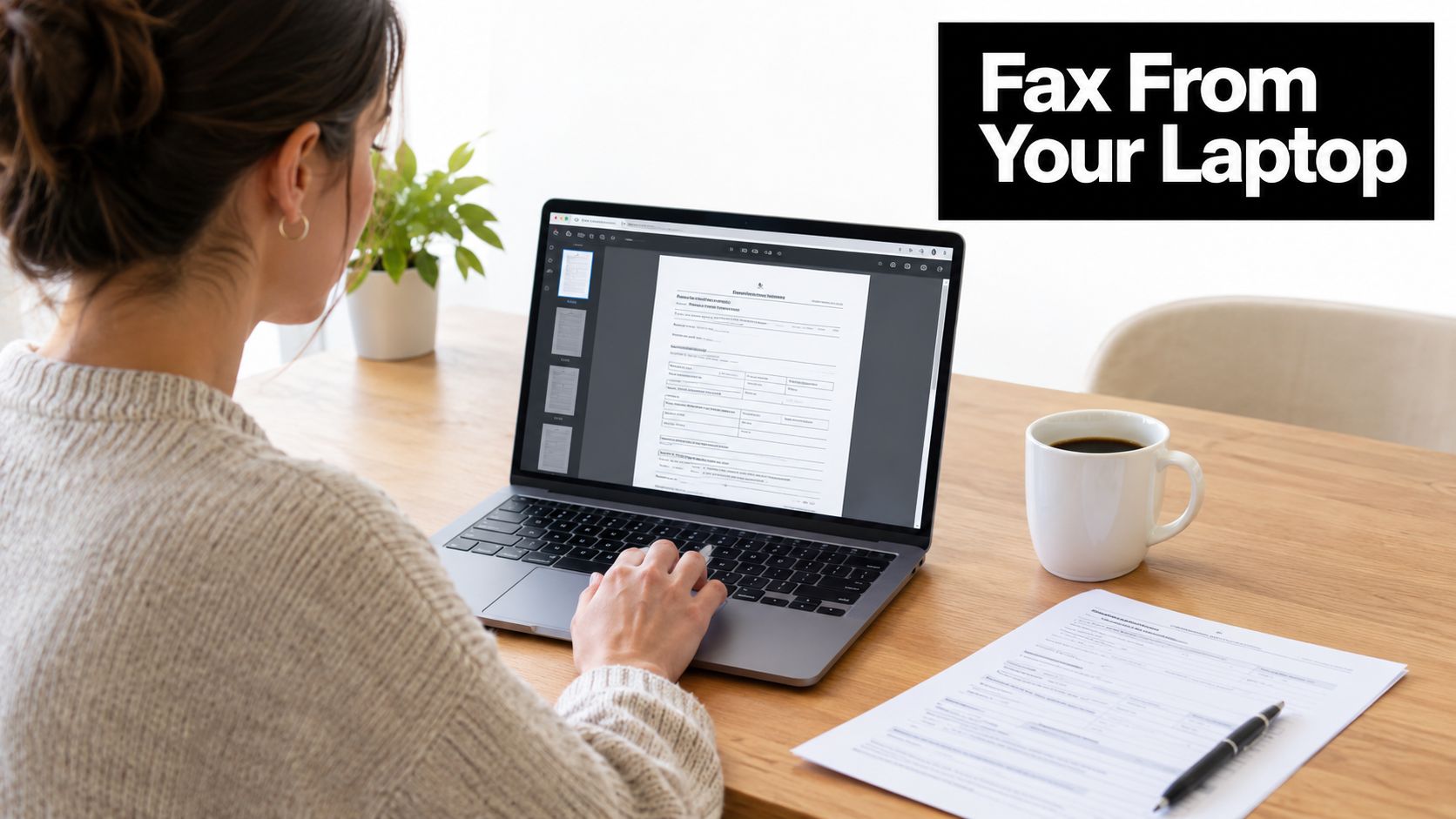
    You're working from home when a client asks for a signed agreement to be faxed before close of business. The document is on your laptop, the recipient's fax number is in an email, and the nearest machine is nowhere nearby. A browser-based service can handle that one transmission without a machine, print shop visit, software installation, or recurring plan.

    The practical question isn't whether online faxing exists. It's which option is appropriate for the document, how carefully you prepare it, and whether the delivery record is strong enough for the situation. A casual form and a patient referral may both be single faxes, but they shouldn't always be handled the same way.

    Why You Might Need to Fax Without a Machine

    A signed contract, medical referral, authorization form, or court document often arrives as a digital file but still has to reach an organization that uses fax as its intake channel. That's common in healthcare, where fax remains embedded in clinical exchange. Independent and industry-reported data in 2026 estimates that roughly 70% of healthcare communication still occurs via fax, rising to about 90% when fax functions integrated into electronic health record systems are included. The United States is also estimated to move about 9 billion fax pages annually. These figures are reported by healthcare fax usage statistics.

    The persistence shows up in day-to-day office work. Referrals, records, prior authorizations, intake forms, and signed orders still move through fax-first workflows, especially in the United States. An MGMA poll cited in 2026 found that 89% of healthcare organizations reported using fax machines, which makes fax a current operational channel rather than an obsolete exception. For a broader explanation of common fax workflows, what faxes are used for provides useful context.

    Practical rule: If the recipient specifically requests a fax, sending an email attachment instead may delay processing even when the file itself is perfectly readable.

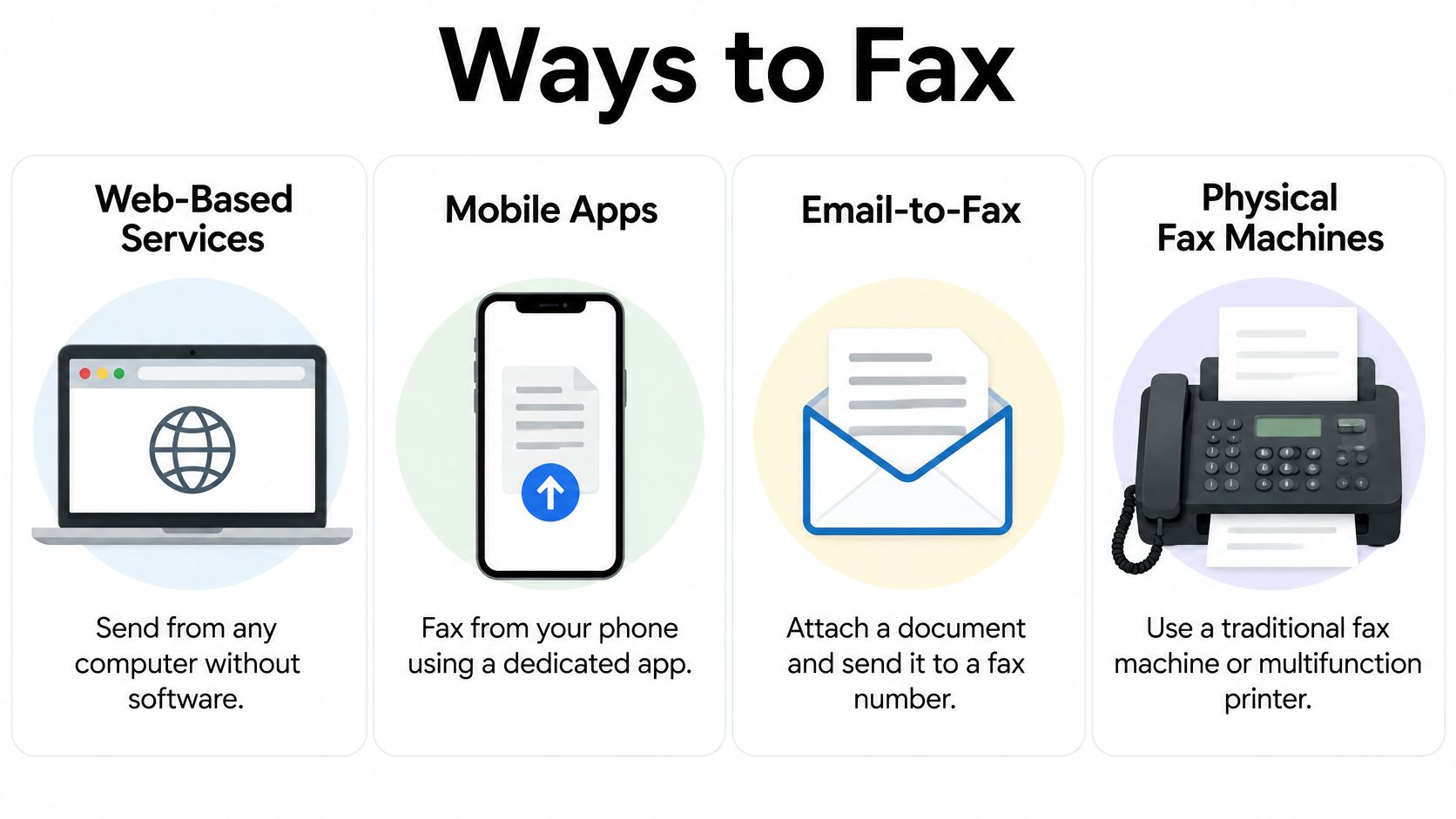
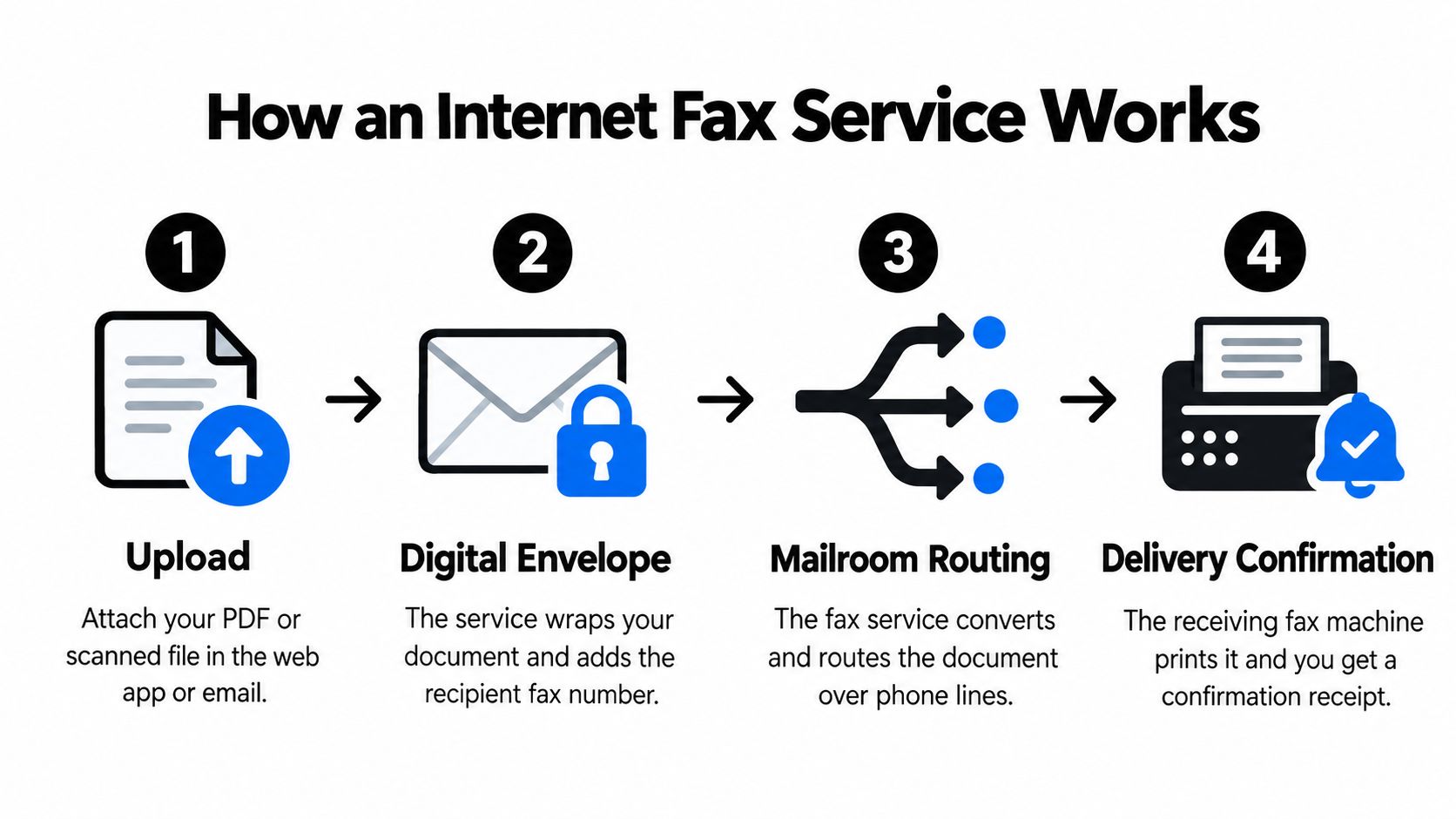
    Online faxing fits the occasional sender because it separates the document from the hardware. You upload a file, enter the destination number, add sender information, and submit it from a browser. Local mailbox stores and office centers still offer fax services when you need physical scanning or in-person assistance, but a digital document usually doesn't need that extra stop.

    The broader market also supports this use case. Market reports published in 2026 estimate the global online fax market at about USD 2.87 billion in 2025 and USD 3.06 billion in 2026, with a projection of roughly USD 5.17 billion by 2035, although reported growth rates vary by model. The figures are summarized in this online fax market analysis. That scale doesn't guarantee every provider will deliver every fax, but it does show that browser-based faxing is a mainstream communications service.

    Preparing Your Document for Online Faxing

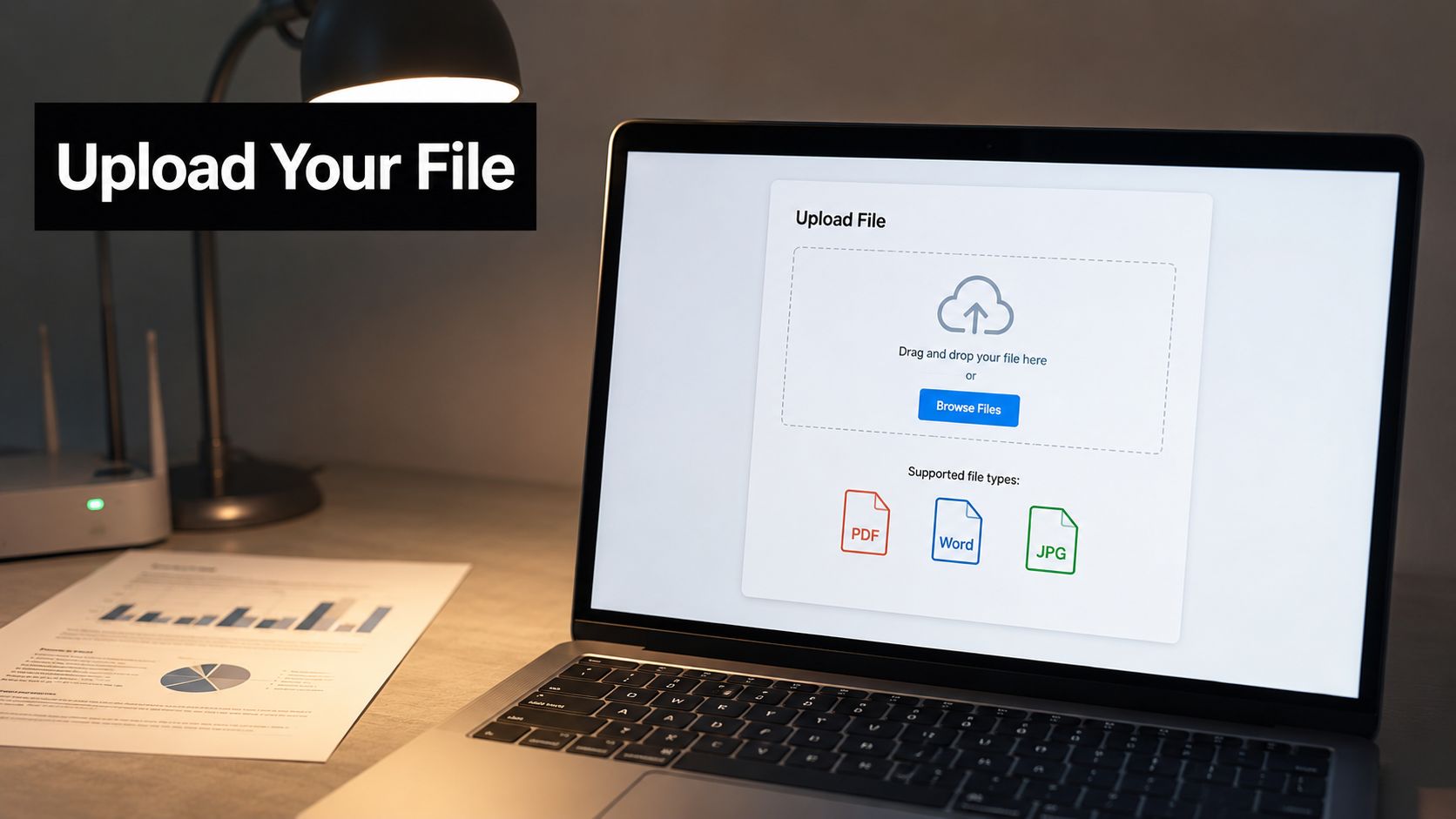
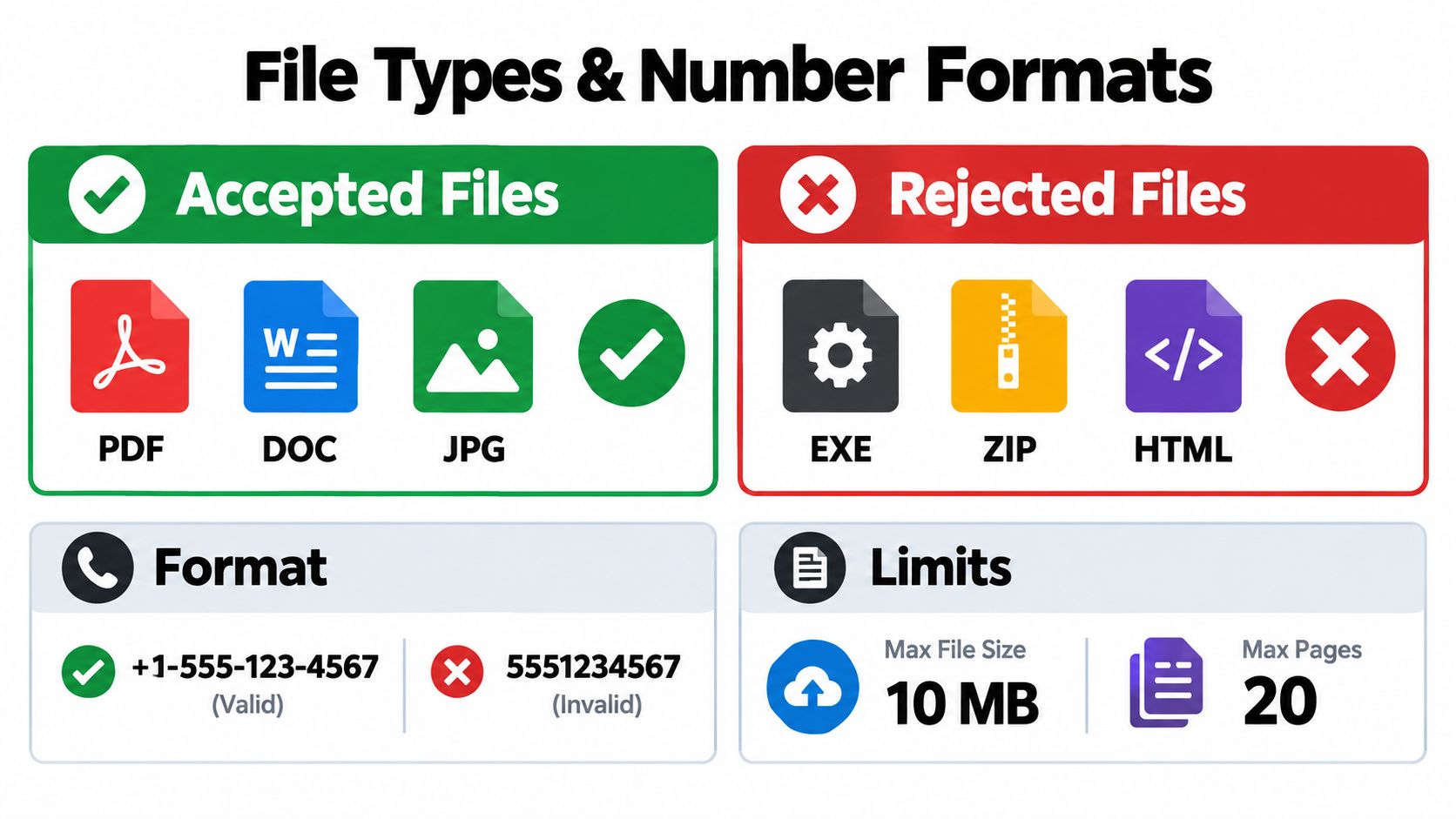
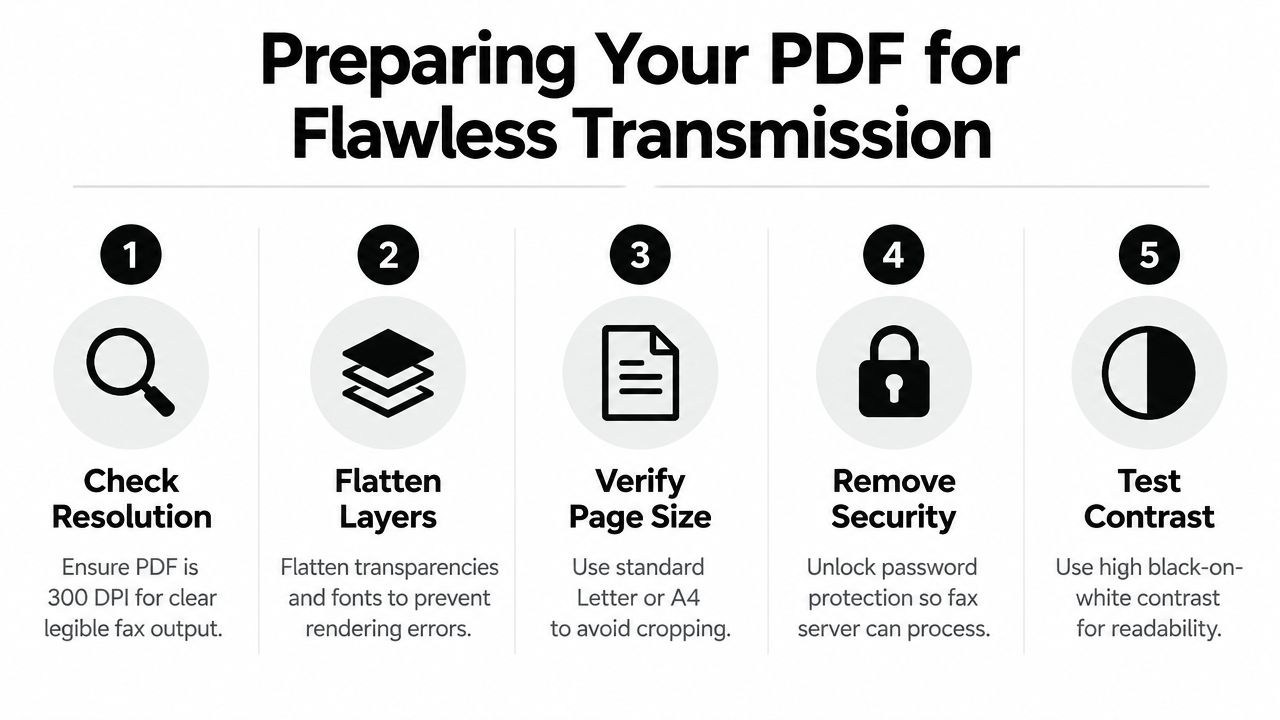
    A clean upload prevents many avoidable failures. Start with the original file and check that every page opens correctly, the signature is visible, and no comments, tracked changes, or hidden pages remain. PDF is usually the safest format because it preserves page layout across devices, while DOC and DOCX files can sometimes render differently during conversion.

    A tablet on a desk scanning a document for file preparation with a magnifying glass nearby

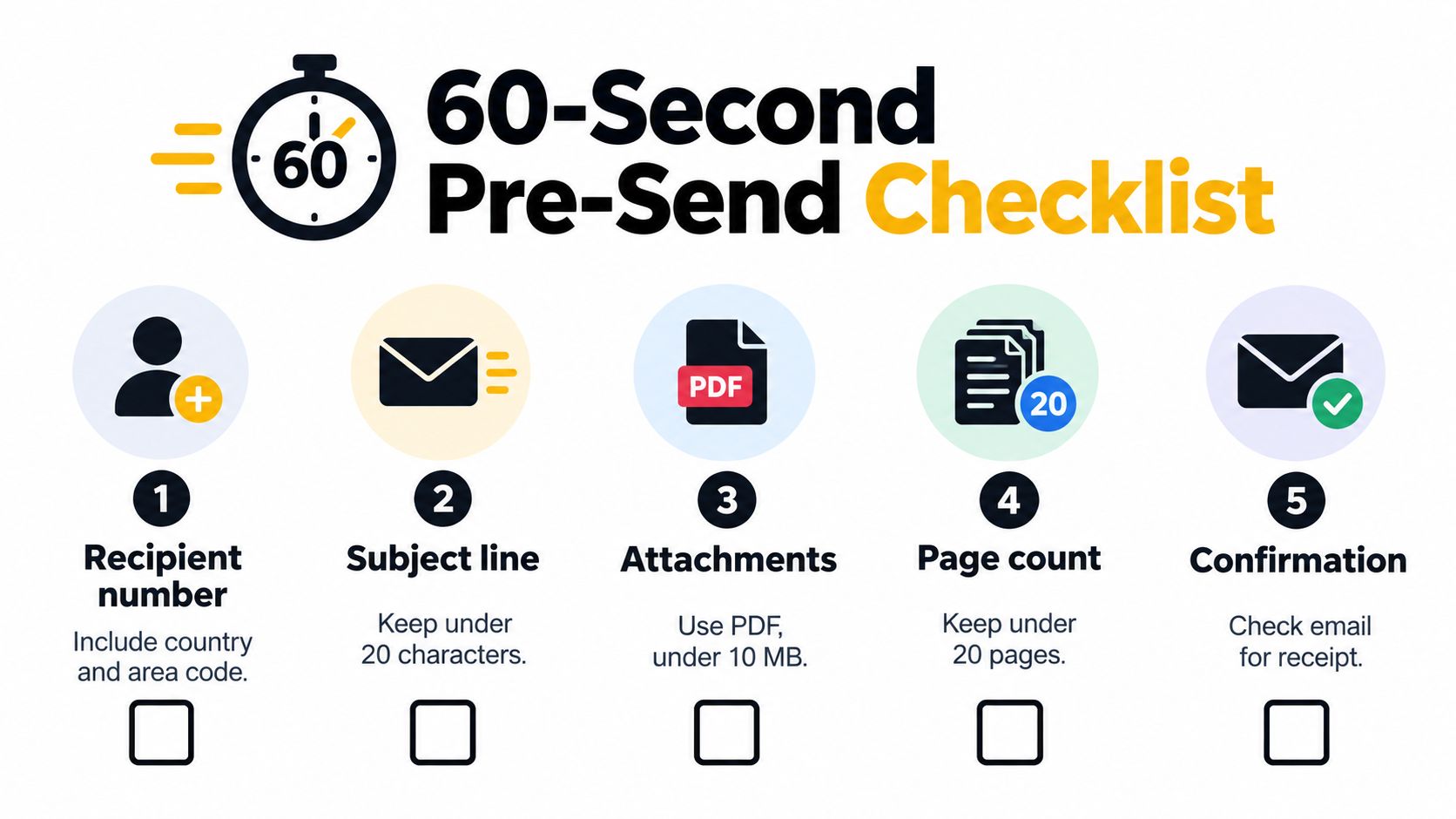
    Before uploading, use this short check:

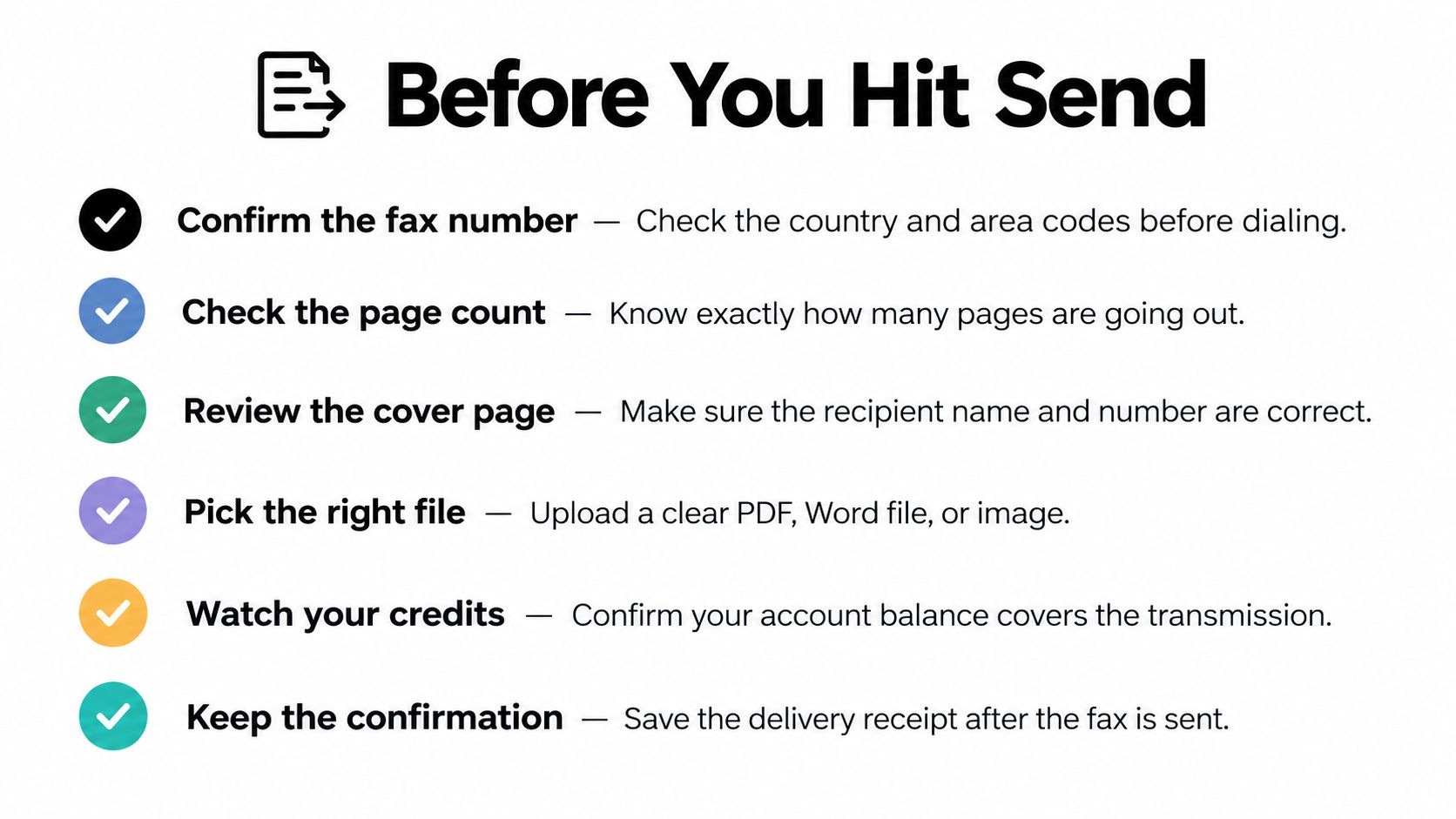
    1. Open the final file: Review names, dates, signatures, page orientation, and blank pages.
    2. Count the pages: Remove duplicate exhibits, unused instruction sheets, and unnecessary cover material.
    3. Flatten interactive content: Save a new PDF if form fields, annotations, or digital signatures might not survive conversion.
    4. Keep the file manageable: Oversized scans take longer to process and may create avoidable upload or transmission problems.
    5. Name it clearly: A file such as signed-referral-final.pdf is easier to identify than a camera-generated filename.

    If the source is an image, spreadsheet, or another unsupported format, convert it before you begin. For Word documents, how to convert Word to PDF covers the basic workflow. An image can usually be placed into a document and exported as a PDF, but review the result at normal size. A spreadsheet may need to be printed to PDF with the correct columns and page breaks rather than uploaded in its original form.

    The upload itself should be treated as a final inspection point. File-upload interfaces, including approaches described in FormBackend upload techniques, depend on valid file selection and stable browser communication. If the preview looks clipped, rotated, or incomplete, stop and fix the file instead of hoping the transmitted version will look better.

    Choosing Between Free and Paid Fax Options

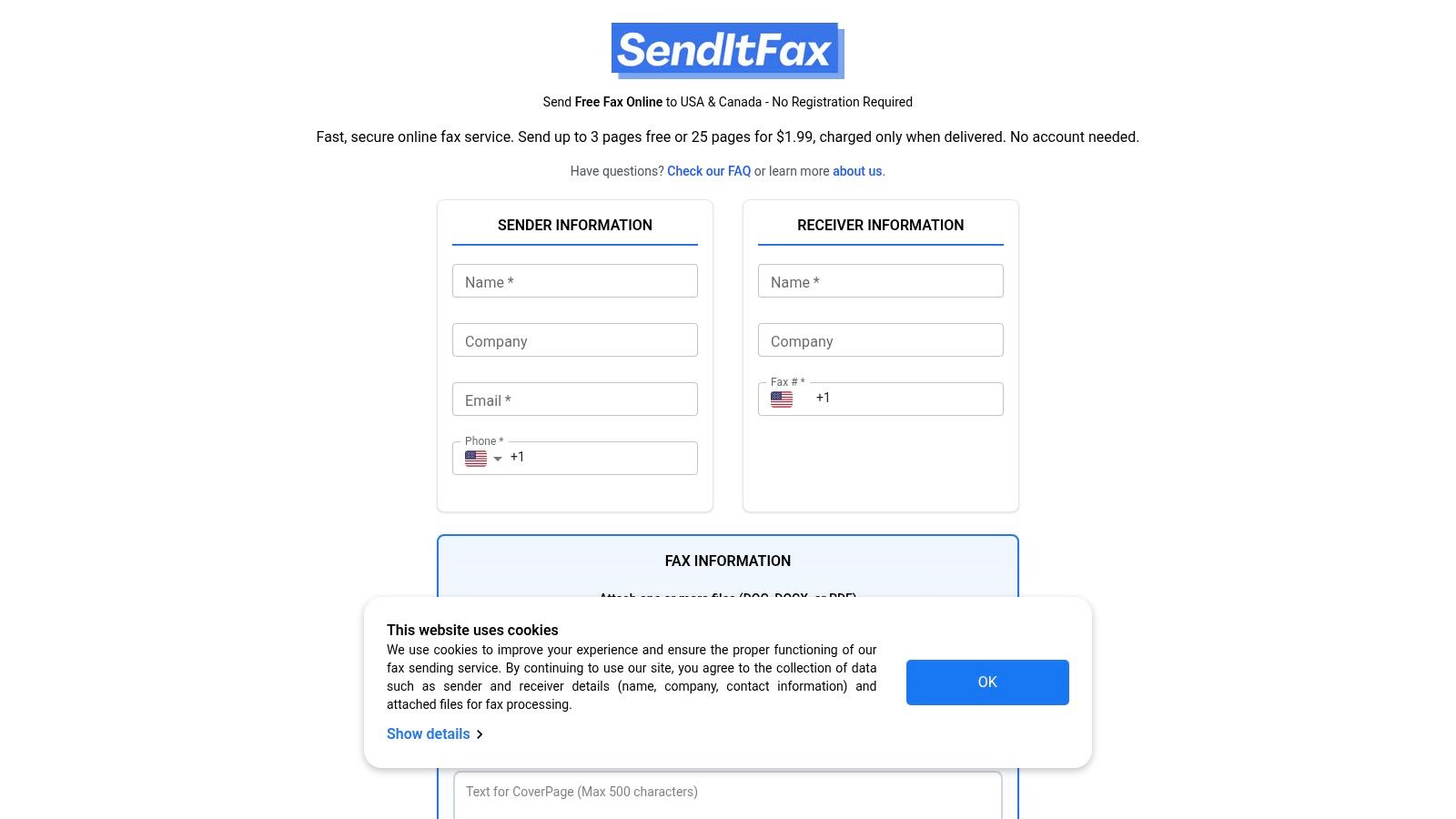
    A free send is reasonable when the document is short, non-sensitive, and not dependent on polished presentation. SendItFax's free option allows up to three pages plus a cover page, with a daily limit of five free faxes and SendItFax branding on the cover. That can work for an informal form, a basic request, or a document where the recipient doesn't care about outside branding.

    The paid option is aimed at situations where presentation, page capacity, and delivery priority matter more. The Almost Free plan costs $1.99 per fax, supports up to 25 pages, offers priority delivery, removes SendItFax branding, and allows you to omit the cover page. Those details are particularly relevant when a recipient expects a clean legal package or when a delay creates more cost than the fee.

    Feature Free Option Paid Option ($1.99)
    Page capacity Up to three pages plus a cover page Up to 25 pages
    Daily use Up to five free faxes daily Pay per fax
    Cover presentation SendItFax branding appears on the cover Branding removed
    Cover page Included within the free allowance Optional, can be omitted
    Delivery handling Standard option Priority delivery
    Best fit Short, informal, non-urgent documents Time-sensitive, client-facing, or longer documents

    Use the free route for a short document that doesn't contain protected health information, confidential legal material, or a deadline where a failed attempt would cause trouble. Paying is more defensible for a court filing, a signed agreement going to a client, a multi-page healthcare packet, or anything that needs a clean appearance without third-party branding.

    The trade-off is simple. Free minimizes direct cost, while paid reduces practical friction and adds capacity. The right choice depends less on the word “single” and more on the document's consequences if it arrives late, looks unprofessional, or needs to be sent again. A broader online fax services comparison can help if your occasional need starts becoming a recurring workflow.

    Entering Details and Submitting Your Fax

    Most failed single-fax attempts begin with incorrect recipient information, not with the upload button. Enter the sender's name and contact details exactly as the recipient expects to see them, then type the destination fax number carefully. If the number came from an old form or email signature, call the office and confirm it before submission, especially for a medical department, courthouse, insurer, or law firm with separate intake lines.

    A simple three-step infographic showing the online fax submission process from details to sending.

    Follow the send screen in this order:

    1. Enter details: Add your name, organization if relevant, callback information, and the recipient's fax number.
    2. Attach the document: Select the prepared PDF, DOC, or DOCX file and wait for the upload to finish.
    3. Review and submit: Check the number, page preview, cover-page choice, and sender information before sending.

    A cover page helps identify the recipient and explain what follows. Keep the message short. Include the recipient's department, your contact method, and the document description, but don't place unnecessary sensitive information on the cover. If you choose the paid option and the document is self-explanatory, omitting the cover page can produce a cleaner transmission.

    After you submit, look for an on-screen status message or delivery notification. Save the confirmation, job reference, or email record with the original file. For a legal or healthcare workflow, that record may be just as important as the document itself because it shows what you sent and when you initiated the transmission.

    The process doesn't require special fax hardware. You need a browser, an internet connection, the document, and a verified fax number. Watch the short process walkthrough below for a visual reminder of the submission sequence.

    Understanding Delivery Times and Common Errors

    A fax can appear simple to the sender while relying on several technical steps behind the scenes. Online fax providers use fax-over-IP paths that must manage modem handshakes, packet timing, and image transmission. A Dialogic technical whitepaper notes that T.38 configurations using V.17, ECM, and redundancy can tolerate round-trip latency under 2 seconds, single-packet loss under 20%, and burst loss under 50 milliseconds on well-managed or partially managed networks. Tighter conditions apply to T.38 with V.34 and ECM, including packet loss under 5% and burst loss under 25 milliseconds, as detailed in the Dialogic T.38 and G.711 whitepaper.

    Those figures explain why ordinary voice quality isn't enough. A call may sound acceptable while a fax transmission fails because delayed packets disrupt the modem handshake or corrupt an image page. Late T.38 re-INVITEs, PCM clock-sync mismatches, codec transcoding, and sudden latency spikes can all interfere with delivery.

    What commonly causes a failed send

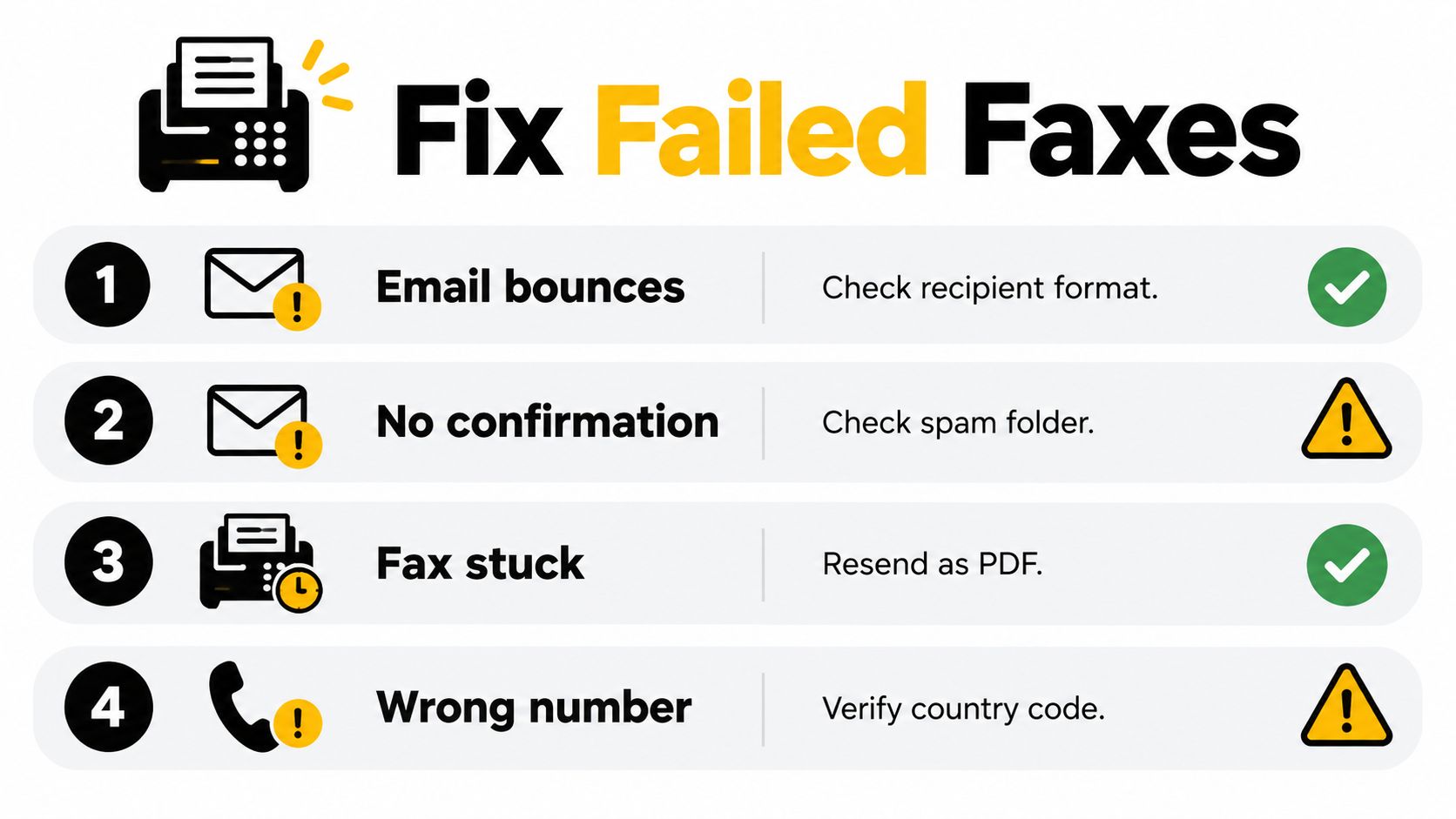
    • Wrong destination: An outdated number or incorrect department sends the transmission nowhere useful.
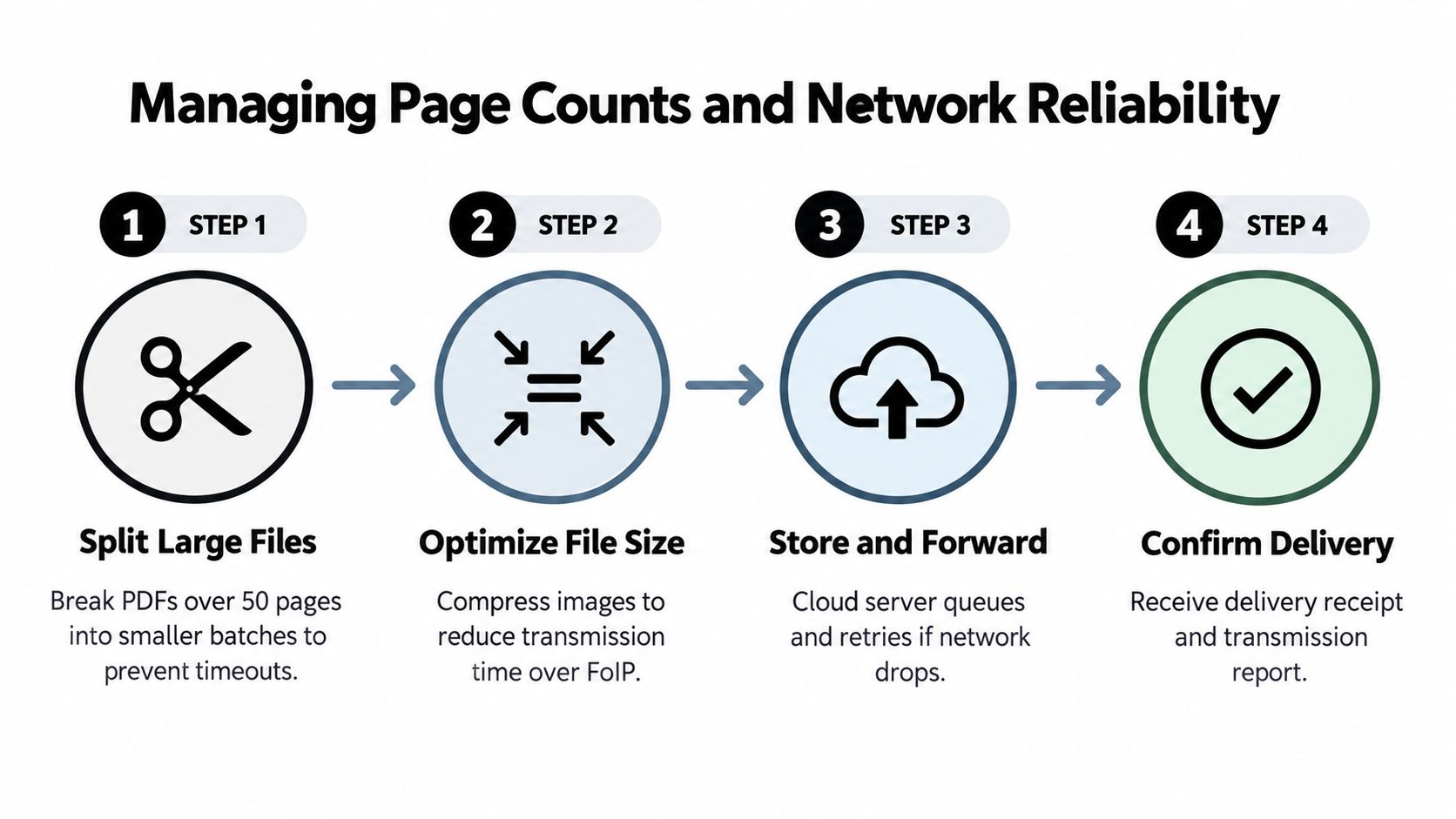
    • Too many pages: Longer documents create more opportunities for a timeout or page-level failure.
    • Poor source quality: Faint scans, rotated pages, and oversized files can complicate processing.
    • Network behavior: Packet loss and burst loss can damage fax traffic even when browsing and voice calls seem normal.
    • Recipient equipment: A busy, offline, or malfunctioning receiving fax can reject the attempt.

    Independent FoIP guidance reports that each fax page can have only about an 80% chance of success in T.30 pass-through mode, so page count can compound risk quickly. The same guidance recommends concise documents, verified numbers, and a retry or alternate-delivery plan. A separate technical specification cited in the guidance says pass-through fax with redundancy can be sustained at up to about 1% random packet loss in some configurations, provided network conditions and redundancy are carefully managed. These points are documented in FoIP troubleshooting guidance.

    If the first attempt fails, don't immediately resend the same oversized file. Confirm the number, remove unnecessary pages, recreate a clean PDF, and submit again. For a deadline-sensitive document, call the recipient while retrying and ask whether they can accept a secure electronic alternative if fax delivery continues to fail.

    Privacy and Compliance Considerations

    A browser-based fax is not automatically appropriate for sensitive information. The important question is what the document contains, who handles it, and what obligations apply to the sender and service provider. A one-page patient referral may create more compliance responsibility than a longer, ordinary business form because the threshold follows the information and recipients, not the page count.

    Healthcare organizations should treat protected health information carefully. Independent healthcare compliance guidance states that faxing PHI can be permitted under HIPAA when reasonable safeguards are used, but consumer-grade or free online fax tools generally aren't considered HIPAA-compliant for PHI. A cloud fax vendor handling PHI typically needs a signed Business Associate Agreement, as explained in this guide to HIPAA-compliant faxing.

    Safeguards that belong in the workflow

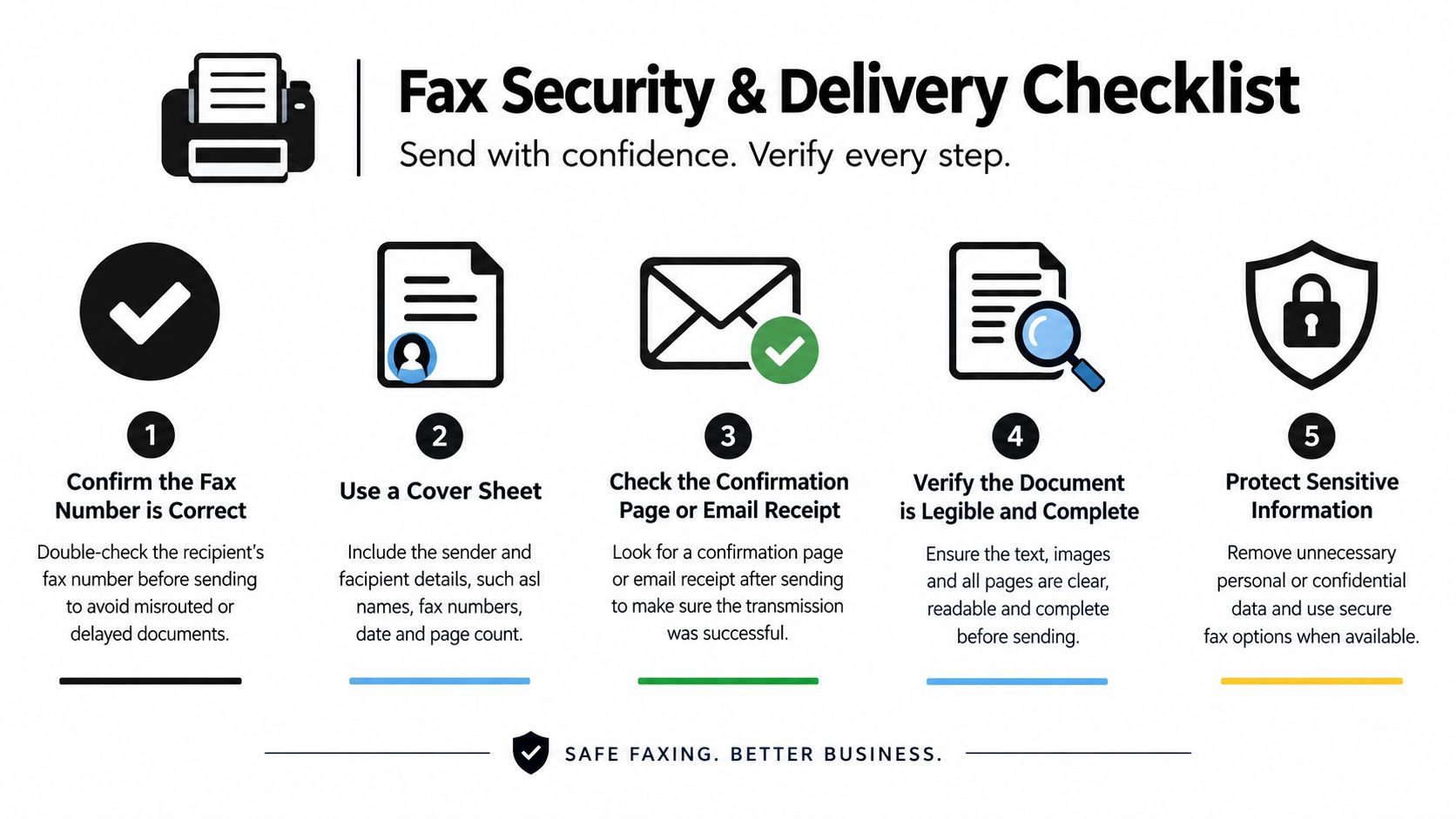
    • Verify the recipient: Confirm the number and department before transmitting.
    • Limit disclosure: Send only the pages the recipient needs.
    • Use a suitable provider: Look for documented security controls, appropriate agreements, access controls, and transmission records when regulated data is involved.
    • Control the cover page: Avoid putting unnecessary PHI or confidential legal details in a cover message.
    • Retain evidence: Store the final document and delivery confirmation according to your organization's policy.

    Legal and real-estate documents also deserve deliberate handling, even when HIPAA doesn't apply. Confidentiality duties, client instructions, court rules, and records-retention requirements may still affect whether a free consumer tool is acceptable. A service can transmit a document successfully and still be the wrong operational choice if it doesn't provide the security, agreement, or audit information your organization requires.

    For sensitive document-sharing decisions outside fax, you can also review how Matil handles sensitive documents. The practical standard is straightforward: use a basic browser fax for low-risk material, and use a documented compliant service when the recipient, data type, or internal policy requires stronger controls. Don't assume that sending only one fax makes the compliance question disappear.

    Send Your First Fax with SendItFax

    SendItFax is designed for occasional senders who need to transmit a single document to a fax number in the United States or Canada without creating an account. You can use a browser, upload a DOC, DOCX, or PDF file, add an optional cover message, and choose between the free option and the $1.99 paid send described earlier.

    Prepare the file, verify the number, choose the appropriate option, review the preview, and save the delivery confirmation. If you fax only occasionally, bookmarking the service keeps the workflow available when a client, clinic, insurer, or legal office asks for a fax unexpectedly.


    Use SendItFax when you need to send a short document online without a fax machine or account setup. Upload your prepared file, choose the free option for suitable low-risk sends or the paid option when capacity and presentation matter, then verify the delivery record before closing the task.

  • Printer Scan Copy Fax: When to Keep Hardware vs. Go Online

    Printer Scan Copy Fax: When to Keep Hardware vs. Go Online

    You're standing in front of the office MFP at 4:55 p.m. A signed contract is ready, the title company expects a fax, and the machine has just displayed a paper-jam warning. The printer still works, the scanner still works, and the copier still works. The fax function, however, has turned a simple document handoff into a small technology incident.

    That situation explains why printer scan copy fax shouldn't be treated only as a product-search phrase. It's a routing decision. Keep hardware for the jobs that involve paper. Move faxing online when a phone line, toner, queues, and failed transmissions cost more time than the occasional document is worth.

    The Four-Function Machine and Why Fax Is the Odd One Out

    A multifunction printer, or MFP, combines four jobs in one chassis. Printing takes a digital file and creates a physical page. Scanning reverses that direction, turning a signed form, receipt, or identification document into a digital file. Copying uses the scanner and printer together to duplicate a physical original. Faxing scans the page, converts the image into a signal, and sends it to another fax endpoint.

    The first three functions still have an obvious relationship with a physical machine. A paper contract has to pass through a scanner. A paper notice has to emerge from a printer. A copy needs both. That makes an MFP a sensible piece of equipment for offices, clinics, legal practices, and home businesses that handle physical documents every day.

    A diagram illustrating the four functions of a multifunction printer including printing, scanning, copying, and faxing documents.

    The fax function is different because the destination is no longer your office's paper workflow. It's a communications channel. A hardware fax needs a compatible connection, an available line, correct dialing, and a receiving machine that answers. The printer can be perfectly healthy while the fax still fails because the line is busy, the connection is incompatible, or the receiving device rejects the transmission.

    That distinction matters in a market where MFPs remain embedded in document handling. One industry estimate valued the global MFP market at about US$39.9 billion in 2024, with a projection of US$66.2 billion by 2033 at a 5.8% CAGR; another estimated US$32.09 billion in 2024 and projected US$55.54 billion by 2033 at a 6.4% CAGR (market estimates reported by Yahoo Finance). The devices aren't disappearing. Their fax role is becoming less central.

    Practical rule: Buy or keep an MFP for paper handling. Treat fax as a separate service decision.

    For a fuller look at the distinction between copier hardware and fax equipment, see this guide to copiers and fax machines. The useful question isn't whether an MFP can fax. It's whether faxing through that MFP remains the least troublesome route for your documents.

    What a Hardware MFP Actually Does When You Hit Send

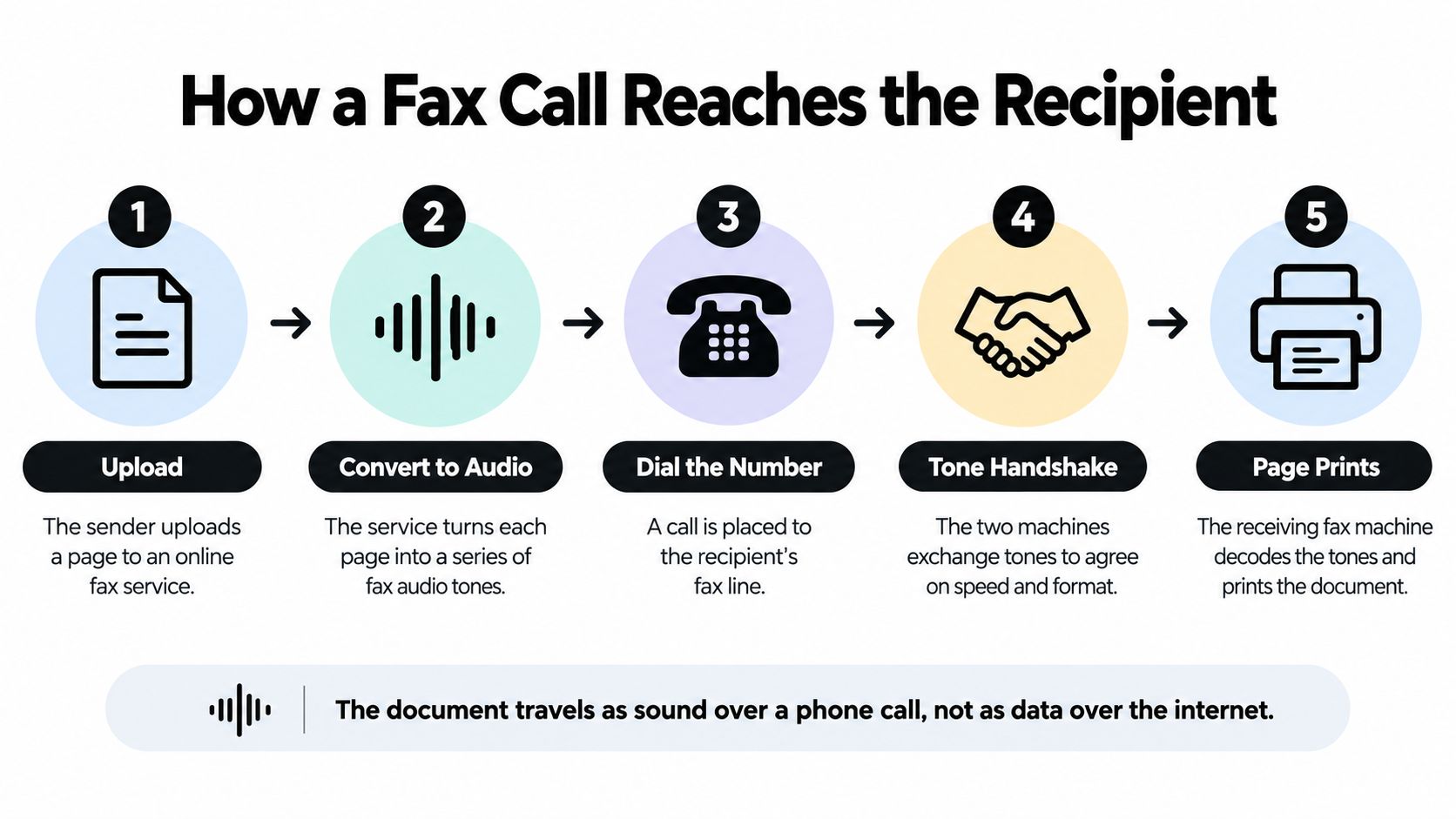
    Pressing Send on a hardware fax starts a chain of conversions. The document usually begins on the scanner bed or in the automatic document feeder. The MFP captures the page as an image, reduces it to the resolution supported by the fax protocol, and prepares it for transmission.

    A common modem ceiling is 33.6 Kbps, while standard and fine fax modes typically use 200 x 100 dpi or 200 x 200 dpi. Some devices support 200 x 400 dpi or 300 x 300 dpi extra-fine modes, but higher detail creates more information to transmit (Ricoh's MFP fax specifications).

    A diagram illustrating the four-step workflow of sending a fax using a multifunction printer machine.

    The device then compresses the image. Methods such as MH, MR, MMR, and JBIG help reduce the amount of data sent, while memory buffering lets the MFP queue pages and continue through a multi-page job. Text-heavy forms generally suit fax transmission. Pages with substantial grayscale, photographs, or detailed graphics demand more processing and can be more difficult to transmit cleanly.

    The hardware path in plain English

    1. The scanner captures the page. A dirty scanner strip, skewed paper, or feeder jam can corrupt the source before transmission begins.

    2. The modem negotiates with the receiving fax. The two devices establish a compatible mode, including speed, resolution, and compression.

    3. The MFP dials through its connected line. The fax channel is separate from the Wi-Fi connection used for many print and scan jobs. A networked MFP can still need a suitable telephone connection for its built-in fax.

    4. The receiving machine decodes and prints. Your transmission isn't complete merely because the local device finished scanning. The receiving side must answer and accept the pages.

    This creates several failure points that don't exist when you upload a document to a browser service. A jam can interrupt capture. A busy signal can delay delivery. A disconnected or incompatible line can consume repeated attempts. The machine may eventually produce a confirmation report, but staff still have to interpret whether the job completed and retain the right record.

    Hardware fax earns its place when staff send documents continuously and need paper in the same physical workflow. For occasional users, those dependencies are overhead disguised as convenience.

    Hardware Fax vs Web Fax Service in 2026

    The hardware-versus-browser decision becomes clearer when you compare the recurring friction rather than the feature list. An MFP gives you immediate access to printing, scanning, copying, and faxing, but it also ties fax to a physical device and its consumables. A web service separates fax from the machine while preserving the MFP for paper work.

    Criterion Hardware MFP Fax Web Fax Service, for example SendItFax
    Setup cost Requires an MFP with fax capability, a suitable connection, paper, and ongoing supplies Requires a browser and an uploaded document
    Per-fax cost Includes toner or ink, paper, maintenance, and connection costs, even when fax volume is low The free option supports limited occasional use; the Almost Free plan costs $1.99 per fax via Stripe (SendItFax publisher information)
    Page limits Depends on the device, feeder, memory, and receiving fax Free sending allows up to three pages plus a cover, while Almost Free supports up to 25 pages (SendItFax publisher information)
    Compliance posture Keeps the workflow inside office equipment, but staff still manage physical access and records Requires review of the service's privacy policy, terms, cookies, delivery records, and organizational requirements
    Day-to-day reliability Vulnerable to paper jams, line problems, busy signals, and device maintenance Avoids the local fax modem and phone-line dependency, but still depends on file quality, recipient details, and service delivery

    The browser route is my default recommendation for an occasional sender. If you send fewer than a handful of faxes a week to recipients in the United States or Canada, paying only when a fax is necessary is usually easier to budget than maintaining a fax-capable MFP for a function that sits idle most of the time. The economics aren't just the transaction fee. They include the staff time spent finding paper, clearing jams, checking line status, and retrying failed jobs.

    A hardware fax remains the right tool for a high-volume office. If a receptionist, medical records coordinator, or legal assistant sends faxes throughout the day, feeding paper into a dedicated MFP is faster than handling repeated browser uploads. Physical output and immediate copies may also be part of the office's established chain of custody.

    For the detailed trade-offs between online and traditional faxing, review this comparison of internet fax and traditional fax. My verdict is straightforward: keep the MFP for print, scan, and copy; outsource low-volume faxing unless fax is a primary daily workload.

    Sending and Receiving a Fax Without a Machine

    A clinic assistant can scan a paper referral at the office, save it as a PDF, and fax it later from a browser. A freelancer can do the same with a clear photo of a signed page, without buying a fax machine or maintaining a fax number.

    Screenshot from https://senditfax.com

    The sending sequence

    1. Open the SendItFax website. Use a browser on a computer or mobile device.

    2. Upload the document. SendItFax accepts DOC, DOCX, and PDF files. For paper originals, scan them with your printer app or capture a clear document image before uploading.

    3. Enter sender details. Supply the requested information so the transmission can be processed and identified.

    4. Enter receiver details. Add the recipient's information and fax number carefully. A correct document sent to the wrong number still fails the business process.

    5. Choose the cover-page option. Add a cover message when the recipient needs context, routing instructions, or a confidentiality note. Leave it out when the recipient expects the document and a shorter transmission is better.

    6. Send and wait for confirmation. Review the delivery result, then retain the confirmation with the document if your organization requires an audit trail.

    The browser route separates scanning from faxing. You can use the office MFP for paper handling, then complete the fax from any browser later. That division keeps print, scan, and copy work on hardware while moving occasional faxing to an on-demand service.

    Receiving fax requires a separate setup. Outbound sending needs only a document, recipient details, and a way to submit the file. Inbound faxing requires a destination number and a method for delivering incoming documents to you. Before replacing a business fax line, confirm that the service offers an inbound number and an inbox or delivery method that fits your workflow. An outbound-only account does not automatically receive faxes.

    The video below shows the browser-based process in context.

    For occasional outbound work, use this sequence: capture, upload, identify the sender and receiver, send, confirm, retain. It removes paper handling and local fax hardware from the transmission step while leaving the MFP available for the print, scan, and copy tasks it handles best.

    File Formats, Cover Pages, and the Free vs Paid Trade-Off

    Start with PDF when the fax's final appearance matters. It keeps fonts, margins, signatures, and page breaks consistent during upload and processing. DOC and DOCX remain practical for editable office files, but convert the finished document to PDF before sending when layout errors could affect the recipient's interpretation.

    A cover page should solve a routing problem, not fill space. Include the sender, recipient, purpose, and any information the receiving office needs to direct the fax. Skip it when the attached document already identifies the parties and the recipient expects a short transmission. An unnecessary cover adds a page and may expose details in a preview.

    A practical example

    A three-page lease addendum fits the free option when it permits up to three pages plus a cover. The trade-off is a free cover with SendItFax branding, along with a limit of five faxes per day (SendItFax publisher information).

    That arrangement works for a personal administrative task. It is a poor fit for a real estate office sending a client-facing contract or a legal practice that needs the fax to look like its own correspondence.

    The Almost Free plan costs $1.99 per fax, supports up to 25 pages, provides priority delivery, and removes the SendItFax branding. Choose it when the document exceeds the free allowance, timing affects the transaction, or branded cover material could confuse the recipient.

    Choose the cover-page approach deliberately

    • Use the free cover when the receiving office needs routing information and branding does not matter.

    • Pay for the larger option when the document is longer, priority delivery matters, or presentation affects the transaction.

    • Omit the cover when the recipient already knows the sender and the document contains all required identification.

    Check the recipient's requirements before selecting a template. Keep sensitive details out of fields that do not serve routing, and verify the final page count before sending. For low-volume faxing to U.S. or Canadian destinations, this file-and-cover decision is one reason a browser service can cost less time and money than maintaining a dedicated fax line.

    Security, Compliance, and the Slow Phase-Out of Fax

    Fax isn't automatically compliant or noncompliant. The result depends on the workflow around it. A clinic still has to verify the recipient, protect documents before and after transmission, control who can access the machine or browser account, and retain records according to its own obligations.

    Healthcare continues to use fax at a scale that makes this a live operational issue. One industry estimate puts U.S. healthcare fax traffic at more than 9 billion pages annually, with fax representing roughly 70% of healthcare communication in some analyses and about 90% when EHR-integrated fax flows are included (healthcare fax usage data). Another source reports that 89% of healthcare organizations still use fax (healthcare organization fax usage). Those figures explain why referrals, records requests, prior authorizations, and release-of-information packets still arrive through fax queues.

    An infographic titled Fax in 2025 detailing HIPAA compliance, TCPA legal risks, and the overall usage decline.

    Three risks teams should separate

    HIPAA and privacy: A fax transmission can fit a protected workflow when the organization uses appropriate safeguards and sends information to the correct recipient. A browser service still requires a review of its terms, privacy disclosures, cookies, access controls, and document-handling practices. Read the service's fax security guidance before using it for protected information.

    TCPA exposure: Healthcare marketing faxes create a different legal problem from a requested medical-record transmission. Recent 2025 court coverage discussed the possibility that unsolicited healthcare faxing may violate the TCPA (National Law Review coverage). Get consent and document the purpose of a transmission instead of treating every fax number as permission to send promotional material.

    Retention: A delivery confirmation isn't a complete records policy. Save the source document, recipient details, transmission result, and any required cover information in the system your organization controls. Delete temporary downloads and browser files when appropriate.

    The direction of travel is clear, even if adoption is uneven. One healthcare source says more than one-third of documents sent to healthcare facilities in 2025 arrived as faxes, while other coverage points to a phased reduction of fax in some healthcare settings by 2028 (medical fax transmission data). Newer MFPs increasingly support direct scanning to platforms such as Google Drive, Microsoft SharePoint, and Dropbox, along with security features such as encrypted printing and secure release (2026 copier trends).

    If you retire a fax-capable machine, don't put it in general waste. Follow a process for responsible fax machine recycling so stored data and electronic components receive appropriate handling.

    Choosing the Right Path for Your Situation

    Your workload should determine the route.

    • Occasional sender: Use a browser fax service for infrequent outbound documents, especially when recipients are in the United States or Canada. Keep a scanner or MFP for paper capture. Switch to hardware only when repeated uploads and confirmations become a daily nuisance.

    • Small practice: Keep an MFP for intake, copying, scanning, and printing. Use browser faxing for overflow, remote staff, and one-off records requests. Switch to a managed fax workflow when multiple staff members need shared inbound numbers, retention controls, or centralized permissions.

    • High-volume office: Keep the hardware MFP and its automatic document feeder. A physical queue is more efficient when staff send faxes continuously. Add an online route for remote workers or failures rather than forcing every employee to use the machine.

    Short FAQ

    Can you fax internationally? The service described here is designed for recipients in the United States and Canada. Confirm destination support before sending elsewhere.

    What happens when a fax fails? Check the recipient number, document format, and delivery result, then correct the problem and retry. Keep the failed attempt and the successful confirmation when your records policy requires both.

    Does a confirmation page count as a legal receipt? Treat it as evidence of a transmission result, not universal proof of legal receipt. Whether it satisfies a deadline or evidentiary requirement depends on the transaction and applicable rules.

    Is the free plan really free? The free option supports limited sending, including up to three pages plus a cover and five free faxes per day, with branding on the cover (SendItFax publisher information). Check the current service terms before relying on it for a time-sensitive filing.


    SendItFax lets you upload a DOC, DOCX, or PDF and send an outbound fax from a browser without maintaining a fax machine or phone line. If your office mainly needs print, scan, and copy hardware but only faxes occasionally, visit SendItFax and use the browser workflow for the next document that would otherwise wait beside a jammed MFP.

  • Online Fax Service USA: A Practical Guide for 2026

    Online Fax Service USA: A Practical Guide for 2026

    Your contract is signed. Your doctor's office wants the referral form by morning. The courthouse still says fax, not email. And somehow the thing standing between you and moving on with your day is a machine most of us hoped we'd never have to think about again.

    That's exactly where an online fax service USA fits. It lets you upload a document in your browser, turns it into fax-ready images, and sends it to a real fax number without making you hunt down a printer, a landline, or a store with a working machine. For a lot of people, that's the whole point, get the form out the door, keep the paper trail, and avoid spending half the afternoon on a task that should've taken five minutes.

    A diagram explaining why faxing still exists, focusing on legal compliance, medical records, and government forms.

    You Need to Fax Something Today

    You're staring at a signed form while the clock keeps moving. Maybe it's a medical release, maybe it's a legal document, maybe it's a government form that somebody insists has to go by fax before the office closes. You do not need to go find an old machine to finish the job.

    An online fax service is a browser-based fax bridge. You open a website, upload a file, type the recipient's fax number, and the service handles the conversion and transmission behind the scenes. The other side still receives a normal fax, but you never touch a fax machine.

    What You Need

    For a U.S. or Canadian fax, most browser-based services let you send from a phone, laptop, or tablet. You usually do not need a phone line, and in some cases you do not even need an account to send a one-off fax. That matters if you are traveling, working remotely, or just do not want another login for a task you may only do once this year.

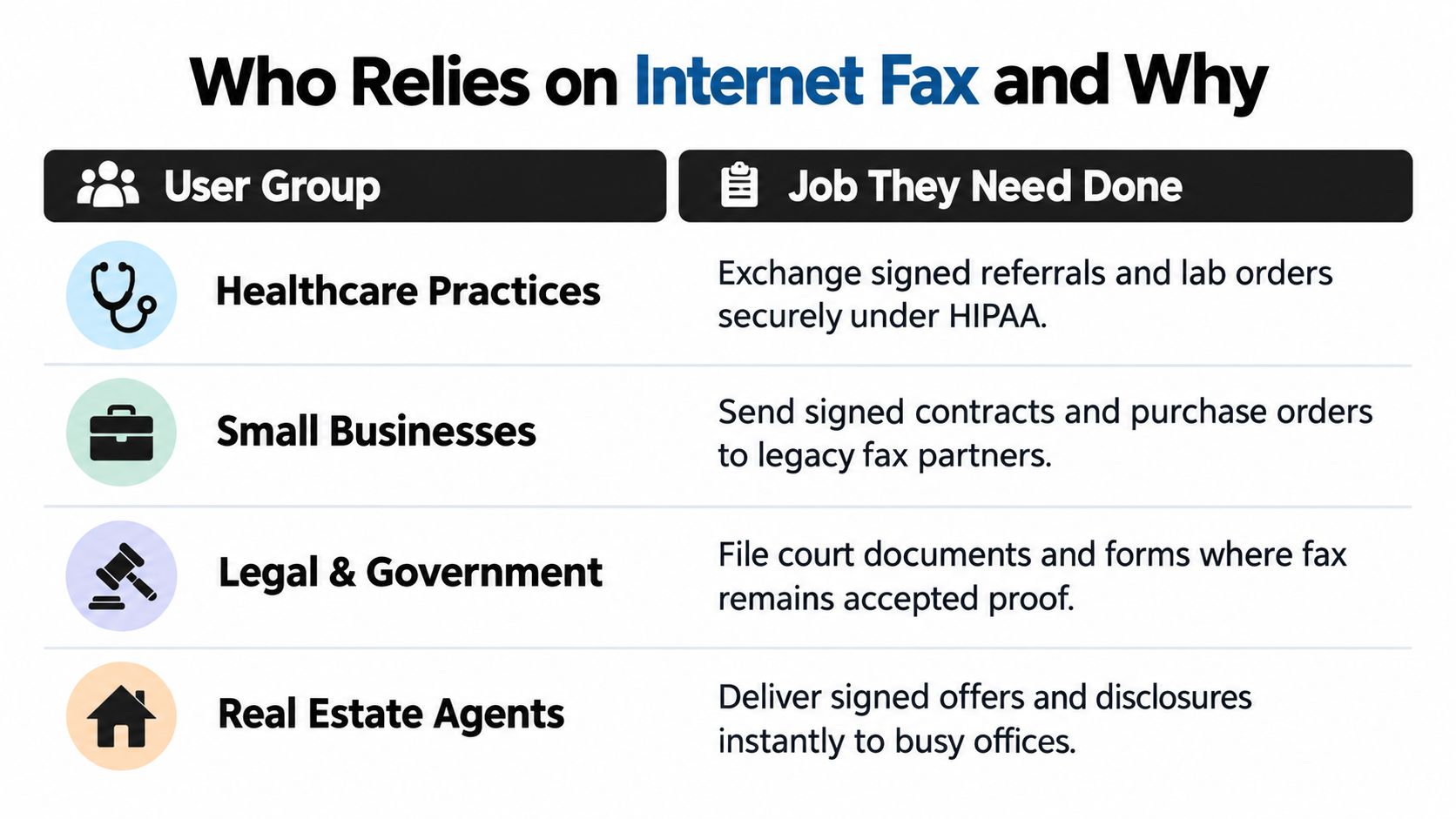
    There is a reason this category still exists. Healthcare, government, and legal workflows still rely on fax for record exchange, familiar intake processes, and confirmation trails. A market report points to continued fax use in those settings, especially where staff still need a straightforward way to move signed documents from one office to another.

    Practical rule: if the recipient asked for a fax number, do not waste time trying to “modernize” the process. Send the fax, get the confirmation, and move on.

    If you only need to send one form tomorrow morning, that is the central question. You are not shopping for a giant communications platform, you are deciding whether a one-time fax or a small subscription fits the page count you have in front of you. A quick guide to online faxing services can help you compare those choices without overthinking it.

    How Online Faxing Works

    Online faxing starts with a document you already have, then converts it into the kind of file a fax network can send. The service turns your file into page images, routes them through a fax session, and hands them off in a way that still looks like fax traffic on the receiving end. That is why it can feel old-fashioned on one side and fully web-based on the other. For a closer look at how that setup behaves like fax traffic, see this overview of online faxing services.

    Most services accept common formats such as DOC, DOCX, PDF, JPG, JPEG, PNG, TIF, and TIFF, then do the conversion on their servers. That saves you from printing a document, scanning it back in, and turning a clean file into a messy image stack just to send it by fax. The receiving side still gets a normal fax transmission, whether it lands in paper form, in a fax inbox, or inside a document archive.

    Why one page can cost more than one page

    This part trips people up because fax billing is usually page-based, not message-based. Some providers also count a page as more than one billable unit if it takes too long to transmit. Fax.Plus documents a 60-second billing rule, where a page that exceeds that threshold can count as more than one page against your allowance.

    A plain text page usually transmits faster than a dense scan with graphics, signatures, stamps, or a blurry photo. A contract packed with screenshots can use up your plan faster than you would expect, even if it does not look long on screen.

    A simple way to estimate cost

    If your document is text-heavy and well-compressed, the page count is usually close to what you see on screen. If it is a scanned packet, especially one with images or thick signatures, it may move more slowly and use more of your allowance. In plain terms, file quality affects fax cost, not just file length.

    Keep the scan readable, but do not make it heavier than it needs to be. A clean PDF is easier to fax than a giant image file that behaves like a paperweight.

    Who Still Uses Online Fax and Why

    A fax number still matters because different jobs ask for different kinds of proof. A medical front desk needs a record that a file was sent and received. A lawyer wants a transmission log that can be filed beside signed paperwork. A traveler just needs a way to send a form without hunting down a store or a hotel lobby machine.

    Healthcare staff are the clearest example. They deal with sensitive paperwork, so they care about confirmation logs, retention rules, and whether the service fits into their compliance process. They also need something practical, since sending records from a browser is usually easier than printing, scanning, and standing next to a machine that may or may not work.

    Different users, different needs

    Legal and real estate professionals usually care less about novelty and more about proof. If a lease addendum, closing packet, or signed disclosure has to move fast, they want the fax to go through, the confirmation to be saved, and the record to be easy to pull up later. A court clerk or county office may still expect faxed paperwork, so the question is whether the service gives them a clean transmission history they can trust.

    For legal work, a fax often functions like a delivery receipt with a paper trail attached. That matters when someone needs to show that a form left their office on time, or when a real estate agent has to send a signed document to a lender while the deal is still moving. In those cases, online fax is less about convenience for its own sake and more about reducing the chance of a missing file, a lost email thread, or a rejected upload.

    Occasional senders are a different case. They do not need team dashboards, integrations, or a long setup process. They need a low-friction send, a readable cover page when it helps, and a service that does not feel wasteful if they only use it once in a while.

    Small businesses and freelancers often sit between those groups. One month they may need to fax a vendor form, the next month a tax document, and then nothing for weeks. For them, the better fit is usually the option that lets them pay for the fax they send, which is why a fax service cost breakdown is useful before choosing a plan.

    Here's the practical filter:

    • Healthcare offices: look for delivery logs, retention controls, and compliance paperwork.
    • Lawyers and real estate agents: look for confirmations, cover pages, and clean page budgeting.
    • Travelers and remote workers: look for browser access and no hardware requirement.
    • Occasional senders: look for pay-per-fax or a usable free tier.

    Pricing Models and Their Real Costs

    Fax pricing can look straightforward until you see that the bill depends on page count, how often you send, and whether the service treats inbound and outbound pages the same way. The three common models are free tiers, pay-per-fax, and monthly subscriptions. Which one fits depends on whether you send a single form once in a while, a stack of signed pages every week, or a mix of both.

    A monthly plan makes sense if faxing is part of your regular routine and the included pages will get used. If you only need to send one fax this month, paying for a full subscription can feel like buying a gym membership for a single visit. A one-time send is often easier to justify, especially if the form is short and you do not expect to fax again soon. Pricing examples from fax service cost show how a small, one-off fee can compete with a recurring plan when usage stays light.

    Which model fits which kind of sender

    A free tier works best for very occasional sends, especially if branding on the cover page does not bother you and the page limits stay within reach. A pay-per-fax model fits unpredictable use, because you pay only for the transmission you make instead of carrying another monthly charge. A subscription makes more sense when faxing is part of the job and the page allowance lines up with your usual volume.

    Online Fax Pricing Models at a Glance Typical Cost Best For Watch Out For
    Free tier No cash cost, but limited Very occasional senders Branding, page caps, daily limits
    Pay-per-fax One-time payment per send One-off forms, travelers, rare use Can get expensive if you fax often
    Monthly subscription Recurring fee Regular fax users Overage charges and unused allowance

    The page quota is where people usually get surprised. A cover page, a scanned contract, or a fax with dense graphics can use more of your allowance than the plain text makes it seem. A plan that looks cheap on paper can become less attractive once you start sending image-heavy files or longer packets with attachments.

    The same idea applies to subscriptions from established providers. PCMag's eFax review notes eFax Plus at $16.95/month for 150 inbound and 150 outbound pages and eFax Pro at $19.95/month for 200 inbound and 200 outbound pages, with 10-cent per-page overages beyond the cap (PCMag's eFax review). That kind of pricing works like a prepaid bucket. If you stay inside it, the plan feels predictable. If you go over, the extra pages start to matter quickly.

    The question is not which option sounds cheapest in isolation. It is which one matches how many pages you send, how often you send them, and how often your files turn into more than a simple one-page form. A light user may save money with a pay-per-fax option, while someone who sends faxed paperwork every week may prefer the predictability of a monthly plan.

    Sending Your First Fax from a Browser

    If you've got a document ready, the process is usually straightforward. On SendItFax, you upload a DOC, DOCX, or PDF, enter the sender and receiver details, and add a cover message if you want one. The whole point is to make the first send feel like filling out a web form, not operating office equipment.

    A desktop computer screen showing the SendItFax website interface for uploading a document to be faxed.

    The free option allows up to three pages plus a cover, with a daily limit of five free faxes and SendItFax branding on the cover page. If you need more room or want a cleaner presentation, the Almost Free plan costs $1.99 per fax via Stripe, supports up to 25 pages, offers priority delivery, removes branding, and lets you skip the cover page entirely.

    A simple first-send workflow

    1. Open the site and choose the send flow.
    2. Upload your file from your device.
    3. Type the recipient's fax number carefully, because a wrong number is still a wrong number.
    4. Add sender details so the recipient knows where it came from.
    5. Write a cover note if the situation calls for context.
    6. Choose free or paid based on page count and how polished you want the result to look.
    7. Submit and wait for confirmation after the file is converted and transmitted.

    Use a cover page when the fax is going to someone who might not recognize your name immediately, or when you want to explain the purpose of the document in plain language. Skip it for formal legal correspondence if the recipient expects the document to start immediately with the actual filing or signature page.

    After you submit, the service converts the file and sends it onward, then returns a delivery confirmation so you know whether it went through. That's the part people really want, proof that the document left your hands and landed where it was supposed to.

    For a visual walk-through of the browser-side flow, the guide at how to fax documents online gives the same basic send path in a more step-by-step format.

    Security and Compliance Without the Hype

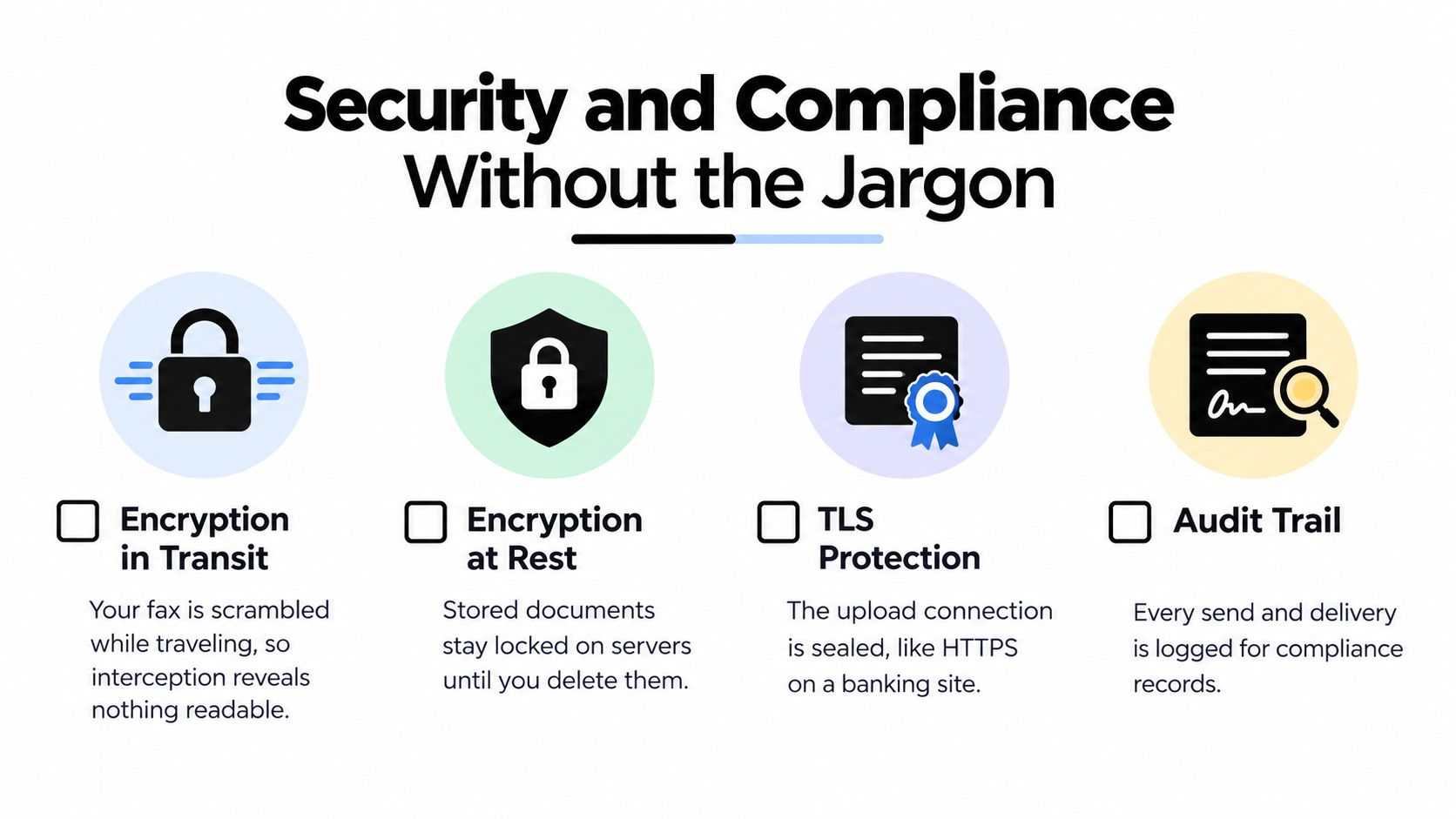
    Online fax security gets oversold fast. The useful version is simpler, it should protect the file while it moves from your browser to the provider, protect it while stored, and give you enough records to prove the fax was sent. That's what TLS in transit and encryption at rest are trying to do.

    TLS protects the document while it travels over the internet. Encryption at rest protects it once it's stored on the provider's systems. Those protections matter, but they're not the whole compliance story, especially in healthcare.

    What regulated users should ask first

    If you work in healthcare, the first question isn't “Does the site say HIPAA on the homepage?” It's whether the provider will sign a Business Associate Agreement. Without that, HIPAA-friendly marketing doesn't mean much. For legal and real estate users, the more useful questions are whether the service keeps a delivery trail and how long it retains documents.

    For casual one-off faxes, the bar is different. You're mainly looking for reasonable corporate hygiene, a secure website, sane retention, and a provider that isn't sloppy with your file. You don't need a compliance theater performance for a tax form you're sending to a benefits office.

    The security checklist image below captures the basics in a compact form.

    An infographic detailing essential security protocols for online fax services including TLS encryption, AES-256 encryption, and industry compliance certifications.

    The features that actually matter

    • TLS encryption in transit: protects the file while it moves between your browser and the provider.
    • Encryption at rest: protects stored faxes and logs.
    • Retention rules: tell you how long your document sticks around.
    • Delivery confirmation: gives you proof the fax left the system.
    • BAA availability: matters if you're handling healthcare data.

    If you're trying to build a stronger security culture around faxed records, Heights Consulting Group has a helpful resource on build a healthcare security culture that fits the broader compliance conversation without pretending faxing is a standalone fix.

    The takeaway is pretty plain. For regulated work, don't buy a logo, buy a process. For casual work, don't overthink it, just avoid services that are careless with storage and transmission.

    How to Choose the Right Service for You

    Ask the boring questions first, because they're the ones that save you from a bad signup.

    Does it cover U.S. and Canada? Does it accept the file you already have, not the format you wish you had? Can you send without creating a full account? Is the free tier actually free, or is it bait with a card prompt? If you're paying, does the service publish a clear per-page or per-fax rate?

    You also want to know whether it supports cover pages and whether you can skip them, since that affects both presentation and cost. If you're in healthcare, ask about a BAA before you upload anything sensitive. If you care about delivery proof, make sure the service gives you a confirmation you can keep.

    My rule of thumb: choose the service that answers the pricing and compliance questions upfront. The rest is mostly interface polish.

    If your faxing is rare, don't lock yourself into a subscription just to solve one task. If you send paperwork often, compare the page allowance to your real document habits instead of the headline monthly price. That's the quickest way to avoid paying for pages you never use.

    Common Questions About Online Fax in the USA

    Do I need an account to send a fax? Not always. Some services let you send a one-off fax directly from the browser, which is ideal if you just need this done once and don't want another login.

    Can I fax to a toll-free number? Usually, yes, if the recipient's fax line accepts it. The key thing is to enter the number exactly as provided, because fax delivery is still number-sensitive.

    What happens if the line is busy? The provider may retry or return a failure notice, depending on the service. Always watch for the confirmation, because that's your proof the fax made it.

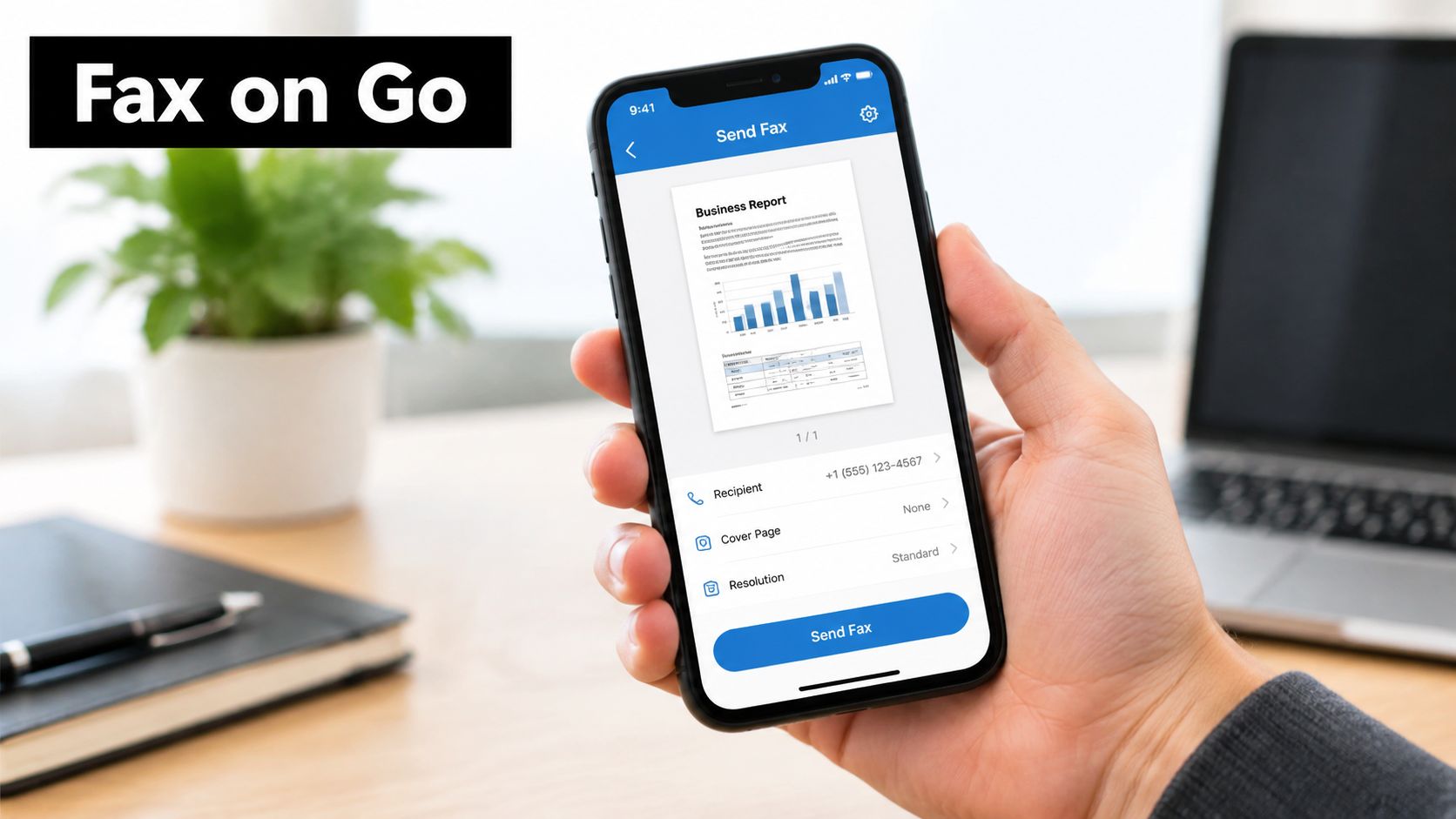
    Can I send a fax from my phone? Yes, if the service has a mobile-friendly website. That's one of the biggest advantages of browser-based faxing over physical machines.


    If you only need to send a fax once in a while, SendItFax gives you a browser-based way to send documents in the U.S. and Canada without a fax machine or account. If you want to see how a free send compares with the $1.99 paid option before your next deadline, visit SendItFax and send the form from whatever device you're holding right now.

  • How to send fax from phone in 2026

    How to send fax from phone in 2026

    It might feel like a throwback, but faxing is more important than ever, especially in fields where security is everything. The cool part is, you don't need a clunky machine anymore. The ability to send a fax from your phone marries old-school security with the convenience we all expect today. I'll walk you through how services like SendItFax make this not just possible, but incredibly easy.

    Why Bother With Faxing From Your Phone?

    A person's hand holds a smartphone showing a document icon for secure digital faxing on a desk.

    Even with email and messaging apps everywhere, faxing has held its ground in the professional world. For a lot of organizations, it's not just a preference—it's a requirement thanks to strict legal and security rules. Your standard email, for example, usually doesn't have the kind of end-to-end encryption needed to stop sensitive information from being intercepted.

    That’s precisely why professionals in certain industries stick with faxing; it offers some unique advantages you just can't get elsewhere.

    The Security and Legal Edge of Faxing

    Traditional faxes work over the Public Switched Telephone Network (PSTN). Think of it as a direct, point-to-point connection that’s naturally more secure than how most standard emails travel across the internet. This security makes it an essential tool for a few key areas:

    • Healthcare: It’s a surprising fact, but over 80% of U.S. hospitals still use fax to send patient records, prescriptions, and insurance forms to stay compliant with HIPAA privacy laws.
    • Legal: Law firms and courts rely on faxing to exchange legally binding documents. A signature on a fax is often considered just as valid as an original one.
    • Finance: For banks and lenders, faxing is a trusted way to handle loan applications, financial statements, and other confidential data securely.

    This reliance is why the online fax market is not just surviving but thriving. It was valued at $3.3 billion in 2024 and is expected to grow to $4.47 billion by 2030, with North America driving much of that demand.

    The real reason faxing has stuck around is trust. When you send a fax, you get a transmission receipt. That little piece of paper (or digital file) is your legal proof of delivery—a guarantee that email just can’t offer with the same certainty.

    Modern services like SendItFax give you the best of both worlds. You get the tough, compliant security of a traditional fax machine, but with the convenience of using the smartphone that's already in your pocket. Whether you're working from a coffee shop, traveling for business, or just need to send a document without hunting down a physical machine, you can do it in minutes. For a closer look at the technical side of things, feel free to check out our article on faxing vs. email security.

    Preparing Your Document for Mobile Faxing

    Before you can fire off a fax from your phone, you need to get your document into a high-quality digital format. Think of it this way: a blurry, hard-to-read file at the start will only look worse when it comes out of the fax machine on the other end. Taking a moment to get this right is key to looking professional.

    The best file format for the job is almost always a PDF. While you can upload other common types like DOCX, a PDF is the gold standard for a reason. It locks in all your formatting, fonts, and images, so the document arrives looking exactly as you designed it. This is non-negotiable for things like contracts, official forms, or invoices where every detail matters.

    If your document is currently a Word file, it's a good idea to convert it first. We have a simple guide that shows you how to convert Word to PDF in just a few clicks.

    Turning Paper into a Digital File

    What if your document is a physical piece of paper, like a signed form or a receipt you need to submit? No problem. Your phone has a powerful scanner built right in.

    You don’t need any fancy equipment. The tools you already have are surprisingly good at creating clean, crisp scans.

    • On an iPhone: The built-in Notes app has a fantastic document scanner. Just open a new note, tap the camera icon, and choose "Scan Documents." It finds the edges of the paper, straightens the image, and optimizes it for clarity.
    • On an Android: The Google Drive app has a similar feature. Hit the big "+" button, select "Scan," and it will guide you through creating a high-quality PDF from your physical document.
    • Dedicated Scanner Apps: While apps like Adobe Scan exist, your phone's native tools are usually more than enough for a quick fax.

    Here’s what that process looks like in the real world—just your phone and the document.

    Two smartphones on a document, one displaying a scanning app and the other face down.

    It’s genuinely that simple to turn any piece of paper into a file ready to be faxed, using the device that’s already in your pocket.

    My Personal Tip: For the best results, always scan on a flat, well-lit surface. A dark table or desk works wonders because the contrast helps your phone's camera lock onto the paper's edges. This simple trick avoids weird shadows and ensures every word is perfectly readable.

    Once you have your digital file, save it somewhere easy to get to, like Google Drive, Dropbox, or your phone’s local “Files” folder. Give it a descriptive name—something like "Signed_Contract_ACorp.pdf"—so you can find it in a hurry when it’s time to upload it to SendItFax.

    Sending Your First Fax with SendItFax

    A smartphone displaying a "Send Fax Now" app screen, placed on a desk with a laptop, symbolizing mobile faxing.

    Alright, your document is scanned and ready to go. Now for the fun part: sending it. One of the best things about a service like SendItFax is its simplicity. There's no app to download and no account to sign up for. Just pull up the site on your phone's browser, and you can send a fax in a couple of minutes.

    Let’s imagine a real-world situation. You're a freelancer and a new client needs your signed W-9 form to process your first payment. The clock is ticking.

    The SendItFax interface feels a lot like sending an email, so it's instantly familiar. The first thing you'll do is plug in the recipient’s details. This means entering the client’s name and, most importantly, their fax number. I can't stress this enough: double-check that number. One wrong digit is all it takes for the fax to fail.

    Filling in Your Details and Attaching the File

    Next up, it’s your turn. You’ll need to enter your name, email, and phone number. Your email address is especially critical because that's how SendItFax sends your delivery confirmation. It's your proof that the fax went through successfully.

    With the sender and receiver info squared away, it’s time to attach your document. You'll see an obvious button to upload your file.

    • Tap "Choose File" to pull up your phone's file manager.
    • Find where you saved your document. This could be on your phone's local storage, iCloud, or Google Drive.
    • Select your file—something like "W9-Form-Freelancer.pdf"—to attach it. The service handles common formats like PDF, DOC, and DOCX.

    The whole process feels just like adding an attachment to an email. It’s designed to be straightforward and quick.

    The real magic here is the single-page design. You're not clicking through a maze of menus or different screens. Everything you need is right there in one place on your mobile browser, which is a huge timesaver when you just need to get something sent.

    Crafting a Professional Cover Page Message

    Last but not least, you can add a cover page message. It's optional, but for any professional communication, I highly recommend it. For our W-9 example, a short note provides helpful context.

    Here's a good example:

    Example Cover Message:

    Subject: W-9 Form for New Vendor Setup

    Message: Please find my completed W-9 form attached. Let me know if you need anything else to get me set up in your system. Thank you!

    A quick message like this prevents your fax from showing up out of the blue. It tells the recipient exactly what they’re looking at and who sent it, clearing up any potential confusion. Once you’ve added your message and given everything a final once-over, you’re ready to send.

    Picking the Right Faxing Option for You

    When it's time to send that fax from your phone, SendItFax gives you two straightforward choices. It really just boils down to what you're sending—is it a quick, personal document or something more official for work?

    For a lot of one-off tasks, the Free plan is a great solution. You can send up to three pages plus a cover sheet, which is perfect for things like sending in a rebate form or a signed permission slip for your kid's school trip. Just know that the cover page will have some SendItFax branding on it, so it's best for informal stuff where that doesn't matter.

    When to Step Up to the Almost Free Plan

    If you're dealing with a bigger job or need a more professional touch, the Almost Free plan is definitely the way to go. For just $1.99, you get a serious upgrade. You can send up to 25 pages, and all the SendItFax branding disappears, leaving you with a clean, professional-looking document.

    This plan is the clear winner for situations like:

    • Sending a multi-page proposal to a new client.
    • Faxing an official legal document where every detail counts.
    • Transmitting a lengthy contract or a detailed invoice.

    Another perk of the Almost Free plan is priority delivery. While we process all faxes quickly, this option bumps your document to the front of the queue—a real lifesaver for time-sensitive materials.

    The flexibility of pay-per-use faxing is a huge reason the online fax industry is booming, on track to become a $5.1 billion market by 2031. Low-cost, single-use plans like our Almost Free option are a big part of that. They help freelancers and small businesses slash costs by 50-70% compared to paying for a subscription they don't fully use or maintaining old-school fax hardware.

    At the end of the day, knowing which plan fits your task helps you make the smartest, most cost-effective choice every time. If you want to dive deeper into comparing different services, take a look at our guide on how to find the best faxing app for what you need.

    What Happens After You Send Your Fax

    A smartphone displaying an email sending icon, next to glasses, notebooks, and a pen.

    You’ve filled in all the details, attached your document, and hit send. So, what happens now? When you send a fax from your phone, it’s not quite as immediate as firing off a text message. Your file has been handed over to SendItFax, which now essentially acts as a digital fax machine working for you.

    The service takes your file and starts dialing the recipient's physical fax machine. This whole process can take a few minutes. If the fax machine on the other end is busy, turned off, or out of paper, the connection won't go through on that attempt.

    Understanding Delivery Confirmations

    This is exactly why the email confirmation is so critical. As soon as the transmission is complete—whether it succeeded or failed—SendItFax will shoot a notification to the email address you provided. This email is your official record of what happened.

    • Successful Fax: You'll get a confirmation that the fax was delivered. This is your proof of transmission, and I always recommend saving it for your records.
    • Failed Fax: If the transmission fails after a few tries, you'll receive a failure notification. This email is your starting point for figuring out what went wrong.

    Troubleshooting a Failed Fax

    If you get that failure notice, don't worry. It happens. The most common culprit is simply a wrong number, so the very first thing to do is double-check every digit of the fax number you entered. It’s also a good idea to call the recipient to make sure their machine is actually on and ready to go.

    A key takeaway is that online faxing bridges the gap between digital convenience and old-school analog technology. Patience is important, as the process still depends on a physical machine at the other end picking up the "call."

    The enduring popularity of faxing is closely linked to its security. It’s a major reason why it still powers a $3.31 billion fax services market, especially in regulated industries like healthcare. In the U.S., where 90% of medical communications still rely on fax for its HIPAA-compliant nature, that security is everything. This context helps explain why a secure, confirmed transmission is so vital, whether you send it from a clunky office machine or your phone. You can dig deeper into the fax market trends in this detailed report.

    Finally, you can be confident your data is handled securely. SendItFax’s privacy policy details how your documents are protected during transmission. They aren't stored long-term, which ensures your sensitive information stays private.

    Still Have Questions About Faxing From Your Phone?

    Even when the process seems straightforward, it’s normal to have a few lingering questions, especially if you’re sending something sensitive. Let's tackle some of the most common concerns people have when they send a fax from their phone for the first time.

    Is Faxing From a Phone Actually Secure?

    You bet. Using a trusted online fax service is often more secure than sending a standard email. The reason is encryption. Reputable services transmit your documents over an encrypted connection, which is a major security upgrade compared to most unencrypted emails.

    This is precisely why professionals in healthcare and law still rely on faxing to comply with strict privacy laws like HIPAA. Platforms like SendItFax are built with secure transmission in mind, so you can feel confident sending confidential information.

    Do I Really Need to Install Another App?

    Nope. While plenty of services push their apps, you can easily send a fax straight from your phone’s web browser. Whether you use Safari, Chrome, or something else, a web-based service like SendItFax lets you handle everything without clogging up your phone with an app you might only use once.

    If you just need to send a quick, one-off fax, sticking to a browser-based service is the way to go. You get to skip the download, sign-up, and app setup, turning a potential hassle into a task you can knock out in a couple of minutes.

    It’s a huge plus for anyone who just wants to get the job done without any long-term commitment.

    What Happens If the Other Person's Fax Machine Is Busy?

    That’s a classic faxing problem, and modern services have a smart solution for it. If the receiving line is busy, the service won’t just give up. It will automatically try to resend your fax several times over a certain period.

    You won't be left in the dark if it fails. After multiple failed attempts, you’ll get an email notification letting you know the fax couldn't go through. That’s your cue to either double-check the fax number or maybe give the recipient a call to see if their machine is ready.

    Can I Get Faxes Sent to My Phone, Too?

    Pay-per-fax services like SendItFax are designed to make sending faxes as simple and fast as possible. But what if you need to receive them as well?

    If you find yourself needing to both send and receive faxes on a regular basis, you’ll want to look into a subscription-based online fax service. These services give you a dedicated virtual fax number. When someone sends a fax to that number, it’s converted into a PDF and delivered right to your email, where you can open it on your phone just like any other attachment.

    Ready to send that document without digging up a physical fax machine? Head over to SendItFax and get your fax sent online in minutes.