Tag: online fax guide

  • Faxing a Cover Letter: A Practical Guide for 2026

    Faxing a Cover Letter: A Practical Guide for 2026

    More than 17 billion faxed documents were sent in the United States in 2019, including more than 9 billion from healthcare, so faxing a cover letter is still essential for sensitive healthcare and legal workflows. You can format one in about two minutes with plain black-on-white text, standard sender and recipient fields, and a clear page count.

    You're probably dealing with a document that needs to leave your desk now: a resume for an employer, medical records for a hospital, a signed agreement for a lawyer, or an application for a government office. Email may be faster for ordinary correspondence, but the recipient may have specifically requested a fax, or their intake process may still depend on one.

    The practical question isn't whether fax feels modern. It's whether your transmission will reach the right department, be identified correctly, and arrive with enough context for someone to process it without calling you back. A well-built cover letter handles that routing work. A cluttered one, or an omitted one when the recipient requires it, creates avoidable friction.

    Why Fax Cover Letters Still Matter in 2026

    You're sending an important document to a number that belongs to a large organization. The person receiving it may not know your name, may handle several departments, and may see your attachment mixed in with many other transmissions. Without a cover page, a resume can look like an unexplained document, a medical form can land with the wrong team, and a legal filing can lose its context before anyone opens the attachment.

    That's why the cover letter functions as the first routing page, not as decorative etiquette. It tells the recipient who sent the fax, who should receive it, what it concerns, and how many pages to expect. The broader role of fax in professional workflows is covered in this guide to what faxes are used for.

    The scale of fax traffic explains why these details still matter. More than 17 billion individual faxed documents were sent in the United States in 2019, and the U.S. healthcare industry accounted for more than 9 billion of them, according to Communications of the ACM's overview of modern fax usage. The same source cites an IDC survey in which 82% of respondents said fax usage had either increased or stayed the same year over year.
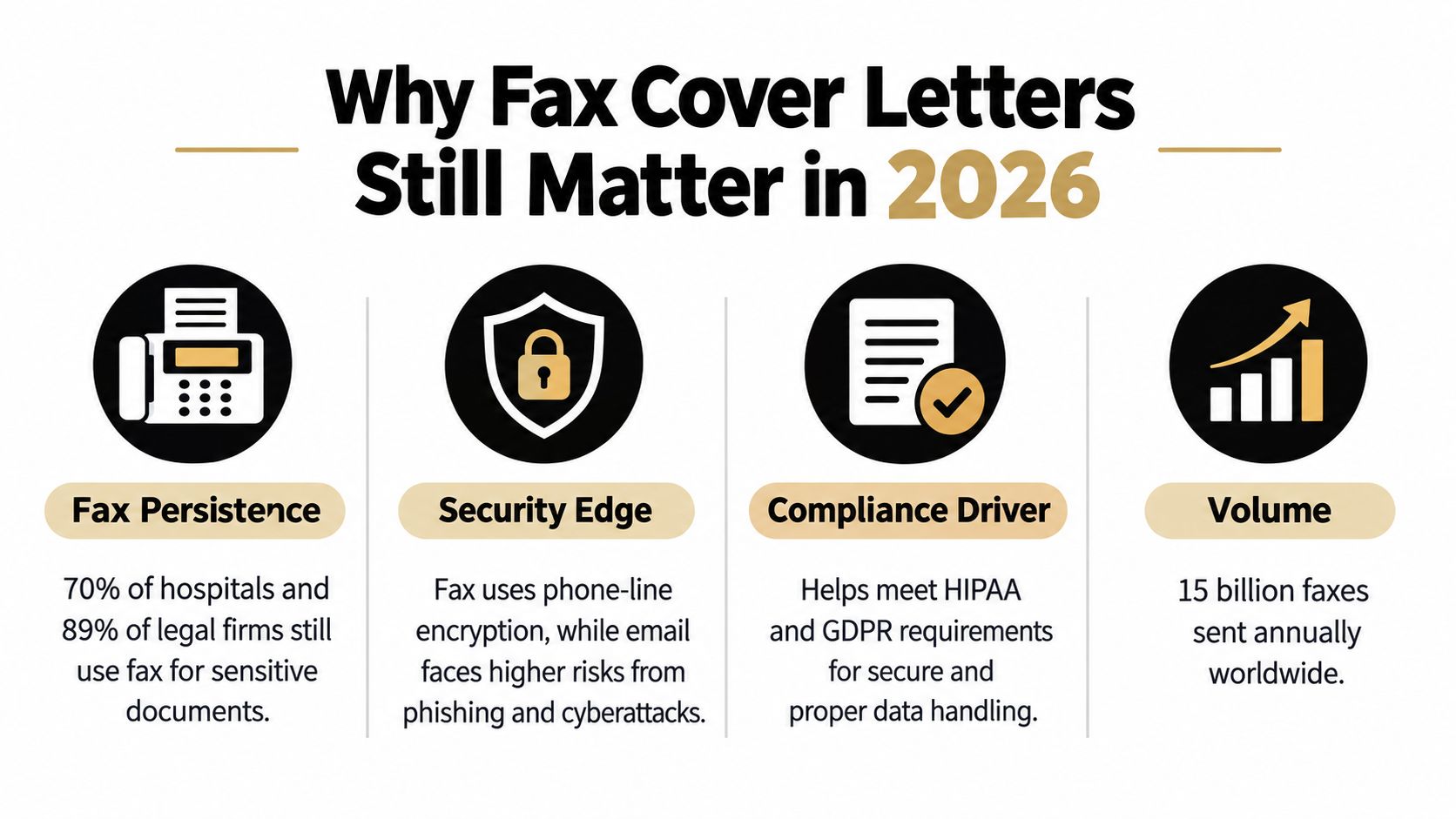
    An infographic titled Why Fax Cover Letters Still Matter in 2026 showing benefits like security and compliance.

    The routing problem is bigger than the document

    Healthcare, legal, insurance, and public-sector offices often use department-level intake. A fax addressed only to a company name may sit in a general queue, while “Attn: Medical Records” gives staff an immediate destination. The cover page also gives the recipient a quick way to compare the expected page count with what arrived.

    That small check helps identify incomplete transmissions. If the recipient expects a cover page plus an attachment and sees fewer pages, staff can contact you before acting on partial information. The cover sheet won't solve every delivery problem, but it gives people a usable index at the point where mistakes are easiest to catch.

    Practical rule: Treat the cover page like a shipping label. It should help a busy person identify, route, and verify the package without opening every page.

    Fax remains relevant even as organizations adopt portals, email, and browser-based tools. A cover letter earns its place when several people or departments may handle the transmission, when the document is sensitive, or when the recipient has strict intake instructions. In those situations, clarity matters more than visual polish.

    The Anatomy of a Professional Fax Cover Sheet

    A professional fax cover sheet should be one page, appear before the attachment, and use a concise, formal message. Guidance from Thirtyfax on writing a fax cover sheet treats it as a routing page with identifiers, a page total, and a short statement of purpose.

    Build yours in this order:

    1. Recipient details: Include the recipient's name, organization, fax number, and department. If the office uses department routing, write it explicitly, such as “Attn: Medical Records” or “Attn: Litigation Team.”

    2. Sender details: Add your name, organization if relevant, phone number, email address, and fax number when available. A recipient should have a direct way to reach you if a page is missing or the destination is unclear.

    3. Transmission date: Use the date the fax is sent. This helps staff match the transmission with an application, case file, or request already in progress.

    4. Subject: Keep it specific. “Resume for Marketing Coordinator Position” is more useful than “Documents,” while “Signed lease amendment for review” identifies both the document and the intended action.

    5. Page count: Count the cover page in the total. A cover sheet followed by four attachment pages should say five pages total, not four. This is one of the most common avoidable errors in faxing a cover letter.

    6. Short message: State why you're sending the material and what the recipient should do next. Two or three direct sentences are usually enough. Don't turn the cover page into a duplicate of the attachment.

    Formatting that survives transmission

    Use black text on a white background, a readable type size, and generous spacing between fields. Fax systems handle high-contrast documents more reliably than pages with decorative backgrounds, pale text, tiny type, or crowded design elements. A simple layout also lets a recipient scan the page quickly.

    Avoid logos that dominate the page, shaded boxes, handwritten notes, and long paragraphs. If the document contains confidential information, follow the recipient's stated policy rather than adding legal language copied from a generic template. Some offices require specific confidentiality wording, while others provide their own cover page.

    Before sending, verify the fax number against the recipient's current instructions. Confirm the recipient name, department, subject, and total page count. Then open the attachment and check that the pages are in the intended order.

    Sending a Cover Letter with Online Fax Services

    A physical fax machine makes the sequence visible. You place the cover sheet first, add the attachment, dial the number, and wait for a confirmation. The weakness is access. You need the machine, a functioning line, and a way to scan or print the document.

    A browser-based service changes the mechanics. You enter sender and recipient information, upload a DOC, DOCX, or PDF file, add an optional cover-page message, and submit the transmission from a browser. The service generates or attaches the cover page as part of the sending flow, so you don't need to print a separate sheet and feed it through a machine.
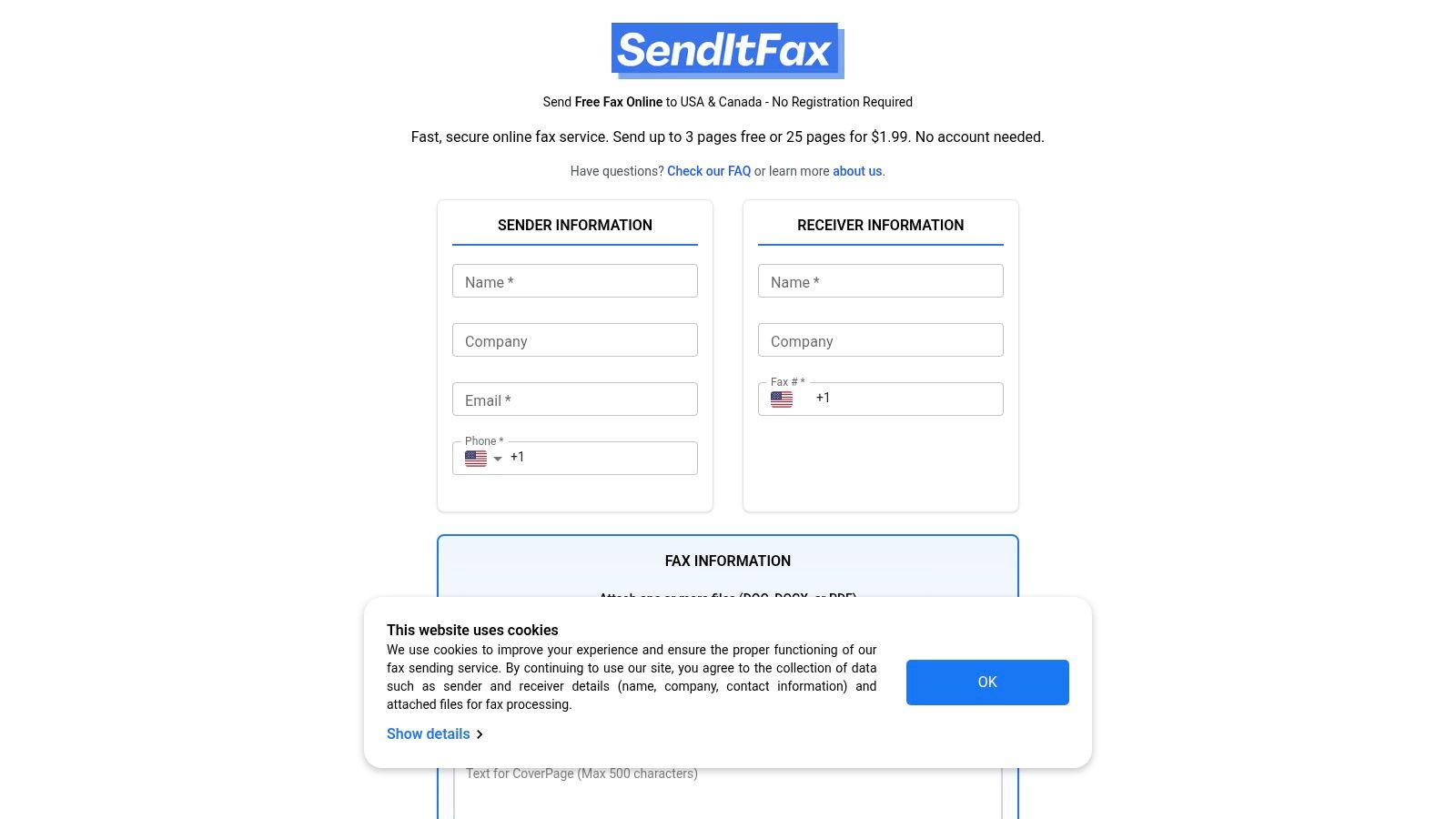
    Screenshot from https://senditfax.com

    The important distinction is control versus convenience. A custom document gives you precise wording and branding. A built-in cover field is quicker and reduces the risk of forgetting the page count or recipient details. For occasional sending, the latter is often enough. For a firm that sends the same type of document repeatedly, a prepared template may provide better consistency.

    The pricing and page rules vary by service, so check them before uploading a time-sensitive file. The publisher's browser-based option allows sending to recipients in the United States and Canada without creating an account, accepts DOC, DOCX, and PDF files, and offers an optional cover-page message. Its free option includes up to three attachment pages plus a cover and applies a daily limit of five free faxes, while the Almost Free option costs $1.99 per fax, supports up to 25 pages, offers priority delivery, and removes service branding. These publisher details come from the supplied product information and should be checked on the service before use.

    The practical choice: Use a generated cover page when speed and routing matter more than branding. Upload your own cover letter when the recipient expects a particular form or your organization needs exact presentation.

    Faxing remains an active business process. A Business.com analysis of business faxing says about 17% of businesses globally still rely on faxing for critical operations. It also places the global fax services market at $3.3 billion in 2024, with a projection of $4.47 billion by 2030 at a 5.15% CAGR. Those figures don't mean every fax needs a cover page, but they do explain why browser services continue to support cover-page workflows.

    For more detail on selecting a browser-based option, see this guide to online faxing services. If the attached document is a resume, separate job-application guidance on cover letter format tips for job seekers can help you prepare the letter itself before you transmit it.

    Real-World Cover Letter Templates and Examples

    A useful template gives the recipient enough information to route the fax without forcing you to write an essay. Keep the structure stable, then adjust the subject and message to match the document's purpose.

    Job application

    To: Hiring Manager, Northfield Design
    Fax: [recipient fax number]
    From: Jordan Lee
    Phone: [your phone number]
    Email: [your email address]
    Date: [date sent]
    Subject: Resume and cover letter for Junior Graphic Designer position
    Total pages: 3, including this cover page

    Message:
    Please find my resume and cover letter for the Junior Graphic Designer position. I'm available at [phone number] or [email address] if you need any additional information.

    This format works because it names the role and tells the hiring team exactly what follows. If the employer asked for a particular department or contact, use that name instead of “Hiring Manager.” For related job-application situations, guidance on declining a job offer professionally can help with the separate communication that may follow an application.

    Medical records submission

    To: Medical Records Department, Westlake Clinic
    Fax: [recipient fax number]
    From: Jordan Lee
    Phone: [your phone number]
    Date: [date sent]
    Subject: Medical records request for Jordan Lee
    Total pages: 5, including this cover page

    Message:
    Attached are the requested authorization form and supporting identification for processing. Please contact me if any page is missing or if the request must be routed to another department.

    Don't add sensitive information to the subject that the recipient doesn't need for routing. Follow the clinic's instructions if it requires a specific patient identifier, confidentiality notice, or cover-page format.

    Legal document transfer

    To: Records Clerk, Parker & Holt LLP
    Fax: [recipient fax number]
    From: Jordan Lee, Lee Consulting
    Date: [date sent]
    Subject: Executed agreement for review
    Total pages: 4, including this cover page

    Message:
    Attached is the executed agreement requested by your office. Please confirm receipt and advise if the signature page or any attachment is unreadable.

    The wording is deliberately restrained. A cover page should identify the transmission and request the appropriate follow-up, not summarize legal advice or create ambiguity about what has been signed.

    Routine business correspondence

    To: Accounts Payable, Riverstone Supply
    Fax: [recipient fax number]
    From: Lee Consulting
    Subject: Invoice correction for account review
    Total pages: 2, including this cover page

    Message:
    Please review the attached corrected invoice and update the account record. Contact me using the details above if you need the original purchase order.

    For more adaptable examples, the guide to fax cover letter examples can help you compare wording for different recipients and documents.

    When to Skip the Cover Page Entirely

    A cover page isn't automatically required for every fax. Independent etiquette guidance treats it as a routing aid, while also recognizing that the message is optional, should remain brief, and may be omitted in some workflows. The right decision depends on the recipient's rules, the relationship between sender and recipient, and how easily the attachment can be identified on its own.

    Skipping it can make sense when the receiving office explicitly says not to include one, when a department uses a controlled intake form as the first page, or when you're adding pages to an existing transmission under instructions from a known contact. It may also be reasonable for a tightly controlled internal workflow where the recipient, fax number, document type, and expected page count are already established.

    Omission still requires a check

    Before removing the cover page, ask:

    • Does the recipient require one? Hospitals, insurers, law offices, and government departments may have different routing, confidentiality, or department-level requirements.
    • Can staff identify the document immediately? If the first attachment page has no name, case reference, account detail, or other approved identifier, omission may slow processing.
    • Will the page count remain clear? A cover page often gives the recipient a simple way to detect a missing page. Without it, use the recipient's preferred method for labeling or confirming the transmission.
    • Is the service adding one automatically? Browser tools may offer a generated cover page, a custom message, or an option to omit it. Select deliberately rather than assuming the default matches the recipient's policy.

    Skip the cover only when the workflow already provides the same routing information another way.

    The risk of omission is highest when the fax travels between organizations, reaches a shared number, contains sensitive records, or needs action from a specific department. In those cases, a plain one-page cover is usually the safer operational choice. The risk of including one is highest when the recipient has prohibited extra pages or supplied a mandatory format, so recipient instructions always take priority.


    SendItFax lets you upload DOC, DOCX, or PDF files from a browser, add an optional cover-page message, and send to recipients in the United States and Canada without a fax machine or account. For a quick transmission, use its cover-page fields and verify the recipient, page count, and attachment before sending through SendItFax.
  • Fake Fax Numbers Explained Risks and Safe Alternatives

    Fake Fax Numbers Explained Risks and Safe Alternatives

    You're filling out a form for a doctor's office, a school, a lender, or a government agency. Everything is easy until one field stops you: fax number. You don't own a fax machine. You don't want to give out your personal phone number. You're tempted to type something that looks right and move on.

    That small shortcut is where people start searching for fake fax numbers.

    The idea sounds harmless. If the field is required, why not enter a made-up number? If you only need to send one document, why bother setting up a real fax line? And if privacy is the concern, maybe a fake number feels safer than exposing your own details.

    The trouble is that people use the phrase “fake fax number” to mean three very different things. Some mean a placeholder number they never expect anyone to use. Others mean a spoofed identity, where a sender tries to make a fax appear to come from a different number. Others really want a legitimate virtual fax number that protects privacy without breaking delivery.

    Those are not the same problem. They don't carry the same risk. And they definitely don't lead to the same result.

    A failed fax isn't just annoying when the document is time-sensitive. It can delay a medical form, stall legal paperwork, confuse recordkeeping, or send a recipient looking for a reply path that doesn't exist. That's why it helps to understand what a fax number is before deciding what to put in that field.

    Introduction Why Fake Fax Numbers Tempt Busy Senders

    A lot of occasional senders run into the same moment. You need to submit a signed form today. The office says it accepts fax. You open an online fax tool or a PDF form, and one box asks for your fax number. You pause because you don't really have one.

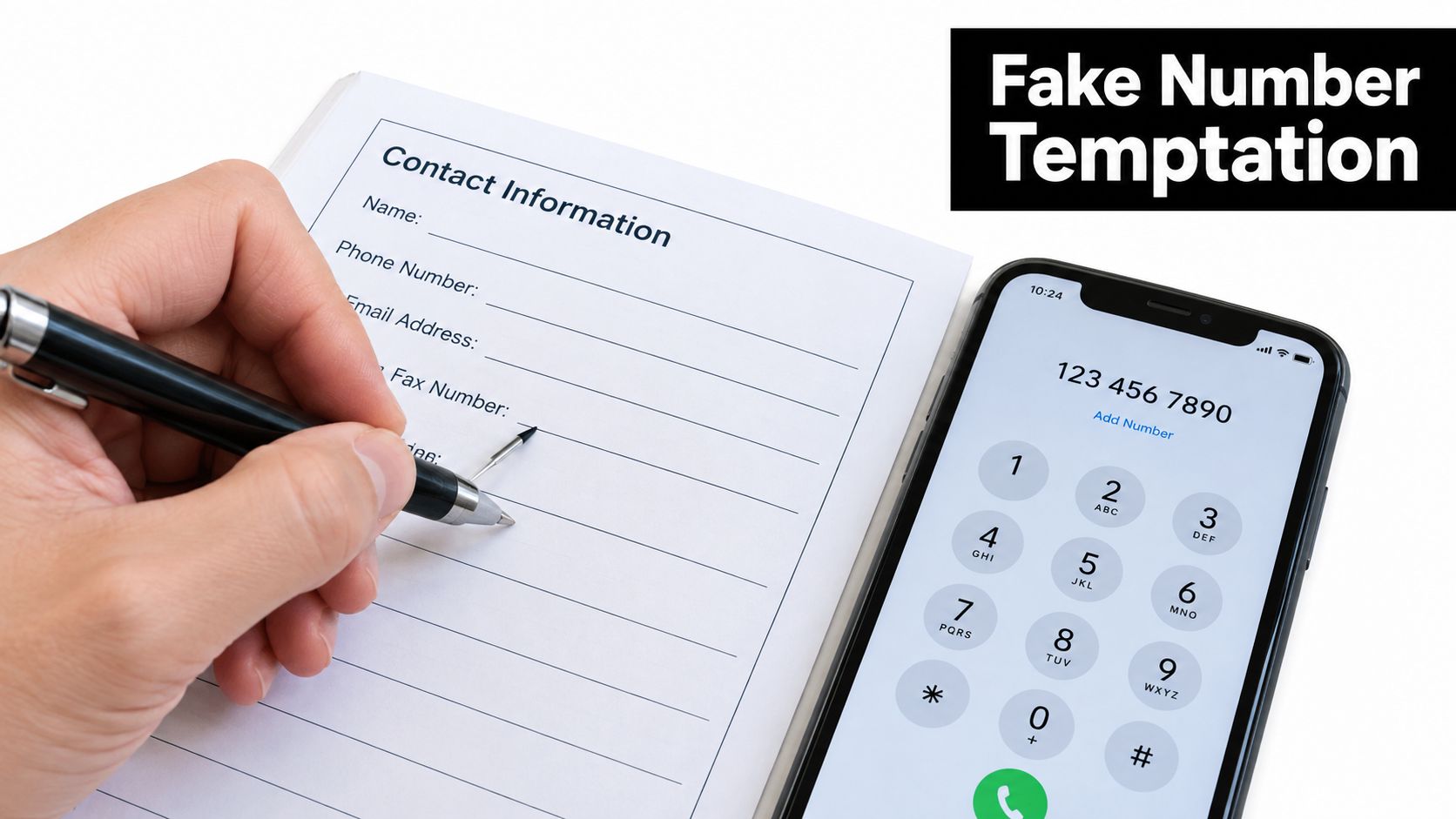
    A person writes on a contact form while a smartphone displays a keypad with a phone number.

    For many people, that field feels more formal than useful. You may think, “They only need a number because the form was designed years ago.” That assumption is why fake fax numbers look tempting. They seem like a quick fix for an outdated requirement.

    Why the shortcut feels reasonable

    Fax has a long history, which helps explain why these fields still show up. The roots go back to 1843, when Alexander Bain created the Electric Printing Telegraph, and later milestones such as Xerox's 1966 Magnafax Telecopier helped move faxing into broader business use. Faxing then became common in offices and homes during the 1980s and 1990s, which turned fax numbers into a normal business identifier across many industries, as described in this history of fax technology.

    That history created a habit that still affects forms today. Even when people send documents from a browser instead of a machine, the workflow often still expects a return path.

    Practical rule: If a form asks for a fax number, treat it as a contact and routing field, not just a decoration.

    What people usually mean by fake fax numbers

    When readers ask about fake fax numbers, they're often talking about one of these situations:

    • A required field problem. You need to finish a form and don't want to leave the line blank.
    • A privacy problem. You want to send a fax without exposing your personal number.
    • An identity problem. You want the recipient to see a different fax number than the one used.
    • A trust problem. You received a fax number from someone else and want to know whether it's real before sending records.

    Those are very different jobs. A made-up number might satisfy your eyes, but it won't help if the recipient needs to reply, verify the sender, or match the fax to a record later.

    The real cost of getting it wrong

    The biggest issue isn't that a fake number looks odd. It's that it creates uncertainty at the exact moment you want certainty. If the document matters, you want a fax number that can receive or identify traffic in a way the other side can trust.

    That's why the safer question isn't “Can I get away with a fake fax number?” It's “What kind of number do I need here?”

    What a Fax Number Really Is and Why Fakes Fail

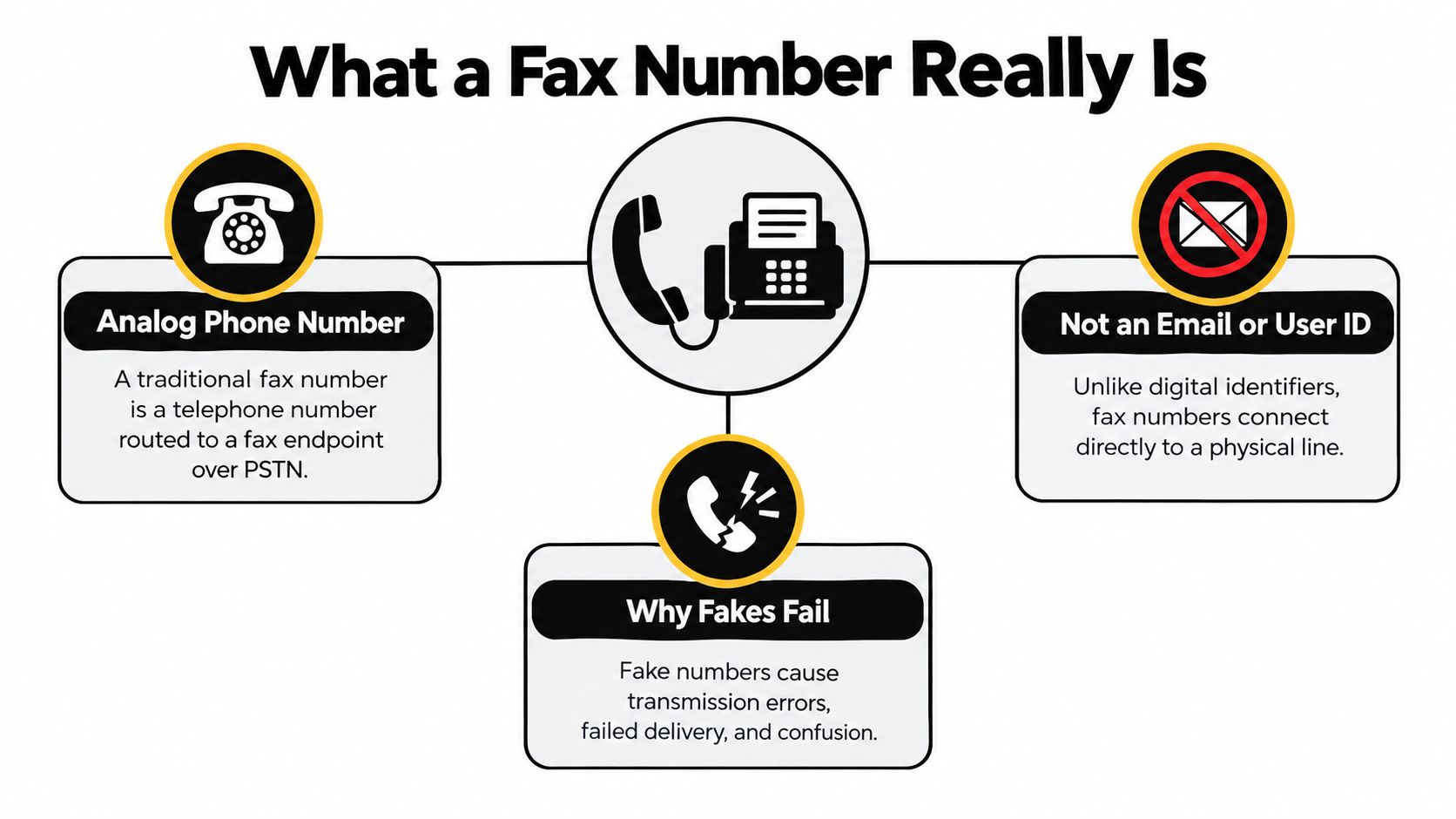
    A fax number isn't magic. In the traditional setup, it's a telephone number routed to a fax endpoint. On older phone infrastructure, it uses the same basic line behavior as a voice call. It isn't a separate identity layer like an email address or username, which is why a plausible-looking number can still fail when you try to use it, as explained in this guide to what a fax line is and how it works.

    An infographic explaining that a fax number is an analog phone number, not an email address.

    If you want a deeper plain-English primer, this walkthrough on what a fax number is is useful because it starts from the phone-number model rather than app language.

    Think of it like calling a house

    A fake fax number can look fine on paper, just like a fake street address can look fine in a form field. But delivery only works if something real exists at the destination.

    With fax, that “something real” is not just digits in the correct format. It's an endpoint that answers like a fax device or service.

    • Format is not enough. A string of digits may pass a form check.
    • Routing is what matters. The number has to reach a live line or service.
    • Answer behavior matters too. The destination must behave like fax equipment, not just any phone endpoint.

    Why the handshake matters

    Fax delivery depends on protocol timing and signal exchange. Cisco's fax guidance explains that successful transport relies on T.30 session expectations, and that without spoofing support a fax machine may time out after roughly 60 to 90 seconds of perceived silence. The same guidance also describes spoofing techniques and line padding used to keep machines on line long enough to complete negotiation, which you can read in Cisco's fax transport documentation.

    That sounds technical, but the everyday version is simple. A fax sender doesn't just toss a file into the void. It “calls,” waits for the right response, and continues only if the other side answers correctly.

    A number can look valid in a directory and still fail in real use because no true fax session starts.

    A quick mental model

    Use this checklist whenever you wonder whether a number is real:

    Check What you're asking
    Looks right Does it match a normal phone-number format?
    Routes somewhere Does it connect to a live line or service?
    Acts like fax Does the endpoint answer and negotiate properly?
    Can be trusted Is it actually the right number for this recipient?

    That's why made-up numbers are poor substitutes. They may satisfy the shape of a fax number, but they usually fail the function of one.

    Fake Versus Virtual Versus Spoofed Fax Numbers Compared

    Most confusion comes from lumping different tools into one bucket. A fake placeholder number, a spoofed identity, and a legitimate virtual fax number can all be described casually as “not a normal fax line,” but they behave very differently.

    Fake vs Spoofed vs Virtual Fax Numbers at a Glance

    Number Type What It Is Will It Deliver Main Risk
    Fake placeholder number A made-up or inactive number entered to satisfy a field No, not reliably Failed replies, broken records, lost trust
    Spoofed fax identity A transmitted identity made to appear as a different sender number Maybe, depending on service and controls Legal and compliance problems
    Virtual fax number A real number tied to an online fax service Yes, if the service is active and configured Using the wrong provider or wrong recipient number
    Privacy relay or alternate business number A legitimate forwarding or managed number used for routing or privacy Yes, when properly managed Confusing it with deceptive spoofing

    The three reader jobs hiding inside one search

    If you search for fake fax numbers, you're probably in one of these camps:

    You just need to get through a required field

    This is the placeholder-number crowd. The goal isn't deception in a dramatic sense. It's speed. But the risk is practical. If the recipient stores that number and later tries to confirm a page, request a corrected form, or match a transmission to your records, the trail goes cold.

    You want privacy without exposing a personal line

    A virtual fax number or managed alternate number makes sense. It gives you a real endpoint without forcing you to publish your direct phone number. That's not the same as faking identity. It's closer to using a business mailbox instead of your home address.

    You want the fax to look like it came from somewhere else

    That's a spoofing question, not a placeholder question. It crosses into identity, carrier policy, and compliance. It also overlaps with the broader challenge of verifying communications, which is why security teams spend so much time fending off phishing attacks in 2025 across channels that rely on familiar-looking contact details.

    If your real need is privacy, use a real virtual number. If your real need is disguise, stop and check the rules before sending anything.

    The simplest way to choose

    Ask one question first: Do I need this number to work, or do I only need the field not to be blank?

    If the document matters, you need a number that works. That pushes you away from placeholders and toward a real virtual or managed number. In other words, the safe option usually isn't “fake.” It's “real, but not personal.”

    Legal and Security Risks You Should Not Ignore

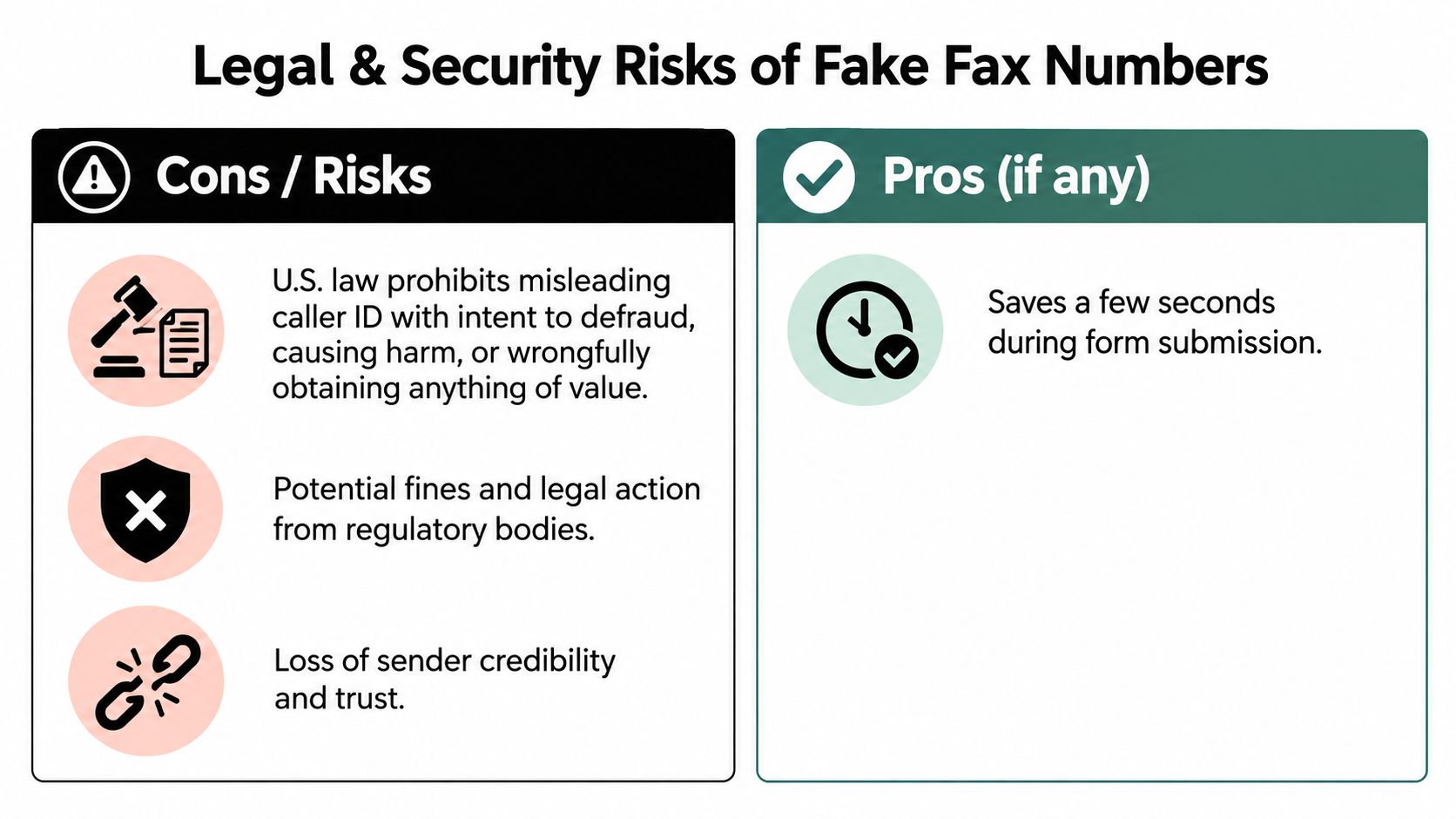
    The legal problem with fake fax numbers isn't just the made-up digits. It's the possibility of misleading identity, breaking consent rules, or creating a communication trail that can't be trusted later.

    A comparison chart outlining the legal and security risks versus the minor benefits of using fake fax numbers.

    The FCC notes that misleading caller ID with intent to defraud or cause harm is illegal, and its unwanted-communications enforcement area also addresses junk-fax rules and sender identification requirements. That broader context matters because people often collapse spoofing, caller ID, and fax identity into one idea when they're not the same thing. The FCC's unwanted communications enforcement guidance is the clearest starting point on that point.

    Where people get exposed

    A fake or unreliable fax number creates problems in several layers at once:

    • Delivery risk. The recipient may have no usable way to respond.
    • Record risk. A bad number weakens the chain of who sent what.
    • Compliance risk. Marketing or regulated transmissions can depend on how the number was obtained and whether the communication is lawful.
    • Fraud risk. A familiar-looking fax number can be used to create false confidence.

    The trust issue reaches beyond fax. If you handle sensitive documents at work, practical data safety best practices help because the same habits that protect email and files also reduce mistakes in fax workflows.

    Why number provenance matters

    The FCC's junk-fax guidance makes an important point. Compliance can depend on whether the sender got the number through permission, an established business relationship, or a publicly listed source. In plain language, where the number came from matters almost as much as the number itself. You can review that in the FCC's junk fax FAQs.

    That's especially relevant for records, legal notices, and regulated forms. If the number is wrong, recycled, mistyped, or only “looks official,” your transmission may land in the wrong place or fail to support the record you thought you created.

    For a broader look at the confidentiality side of online faxing, this explanation of the security of fax helps connect transport questions with document-handling risks.

    A safer standard for everyday senders

    Instead of asking whether a number “looks valid,” ask:

    1. Was this number provided by the actual recipient?
    2. Can the recipient confirm it in a trusted channel?
    3. Is this number appropriate for the type of document I'm sending?
    4. Will I have proof of transmission and enough information to follow up?

    A fax number is part routing detail, part identity clue, and part compliance artifact. Treat it that way.

    Common Misconceptions About Fake Fax Numbers

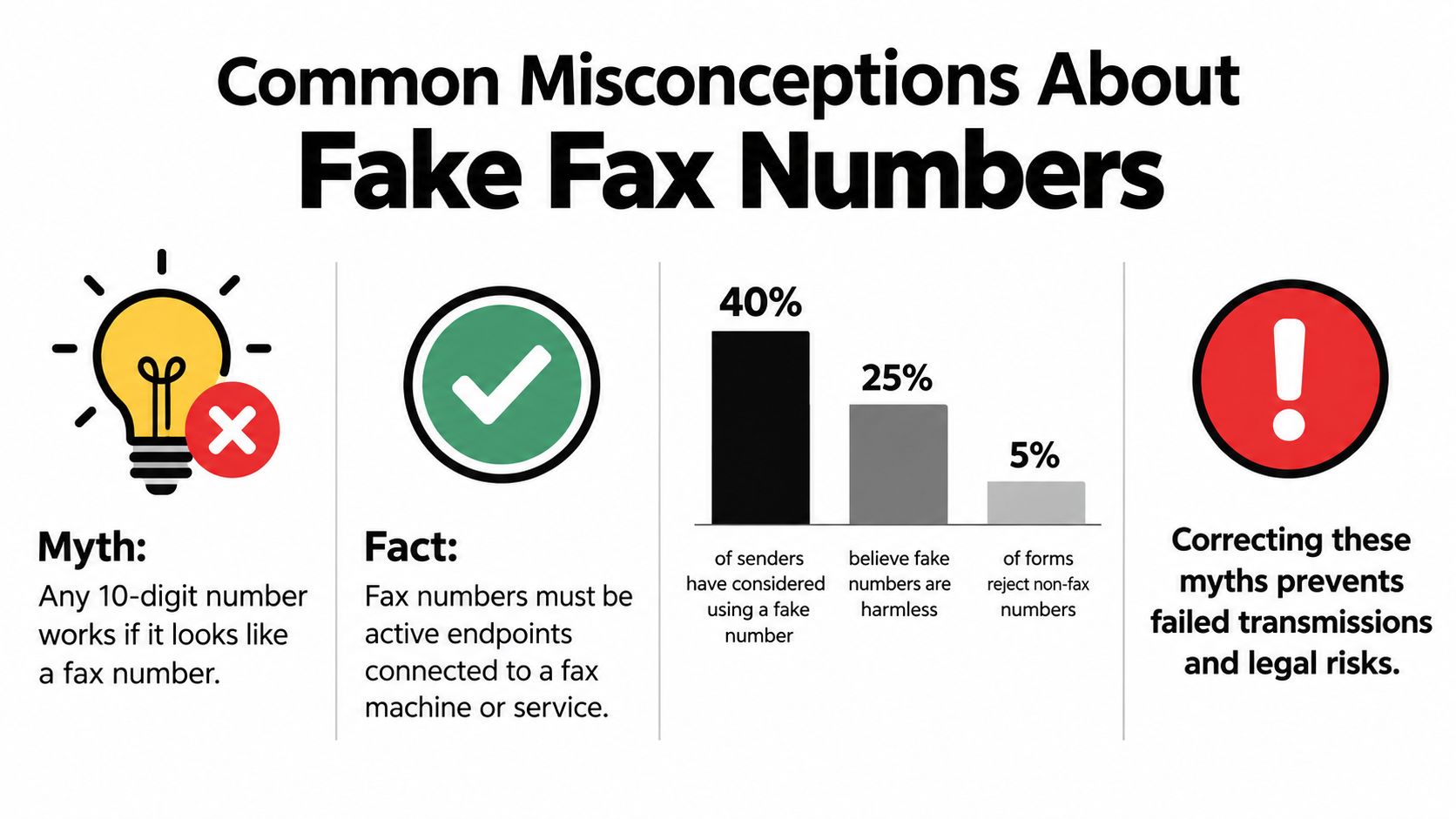
    People get into trouble with fake fax numbers because several myths sound reasonable at first glance. Fax is old technology, many forms still use old layouts, and a string of digits looks easy to fake. That combination leads to false confidence.

    An infographic titled Common Misconceptions About Fake Fax Numbers illustrating myths and facts about fax transmissions.

    Myth Any normal-looking number will work

    Reality is less forgiving. A fax number has to be attached to a working destination. Looking plausible is not the same as being reachable.

    This is the most common misunderstanding because many web forms only check whether a number fits a pattern. They can't tell whether the other end is real.

    Myth Spoofing and virtual fax are the same thing

    They're not. A virtual fax number is still a real number managed by a service. A spoofed identity tries to make the transmission appear to come from a different source.

    That difference matters because one is a privacy tool and the other can become a deception issue.

    Myth Fax is too outdated to matter to scammers

    Fax may be a smaller scam channel than others, but it's still present in official reporting. New Zealand's Department of Internal Affairs recorded 4 fax scams out of 593 total scams in 2010, 19 fax reports in 2011, 10 fax reports in another monthly breakdown, and 0 fax reports in both December 2010 and December 2013. Australia's ACCC reporting also listed fax as a scam channel with 530 reports and 0.6% in one annual table, and 625 reports and 0.7% in another year, according to the scam statistics cited here.

    Those numbers don't mean fax is the biggest danger. They mean fax is real enough to appear in fraud reporting, which is why “old” doesn't equal “safe.”

    Old systems often survive because organizations still rely on them. Attackers know that.

    Myth A fake number only affects me

    Not always. It can affect the person trying to reply, the staff member matching incoming documents, or the organization trying to verify a record later.

    Here's the practical takeaway:

    • If the number is just filler, expect confusion later.
    • If the number is false identity, expect risk right away.
    • If the goal is privacy, use a real managed number instead.

    The mistake isn't only technical. It's assuming all nontraditional fax numbers belong in the same category.

    Safe Alternatives for Privacy Conscious Faxing

    If you don't want to expose a personal number, you have better options than fake fax numbers. The key is to pick a tool that gives you a real, reachable endpoint or lets you send without pretending to have one.

    Better choices than making one up

    Some occasional senders don't need a permanent fax number at all. They just need a browser-based way to send a document to a verified recipient. In that situation, an online fax tool can be enough, especially if the workflow only needs basic sender details and proof that the fax was submitted.

    Other people need a number that recipients can recognize and use again later. That's where a virtual fax number or business-managed relay number helps. It protects privacy while still giving the other side a legitimate return path.

    One example is SendItFax, a web-based fax service that lets users send faxes in the United States and Canada from a browser without creating an account, which can fit occasional or time-sensitive sending. If you're comparing options with privacy in mind, this guide to the safest online fax service is a useful checklist for what to verify.

    How to verify a recipient number before you send

    Use a simple pre-send routine, especially for medical, legal, financial, or school documents.

    1. Check the source
      Use the number published by the organization in its official materials, portal, or direct communication. Avoid copying a number from an old form if a newer contact page exists.

    2. Confirm the destination
      Call the office's main listed number and ask whether that fax line is still active for the specific department. Fax numbers can be recycled, rerouted, or retired.

    3. Match the purpose
      Some offices use different fax numbers for referrals, billing, records, and general intake. Sending to the wrong valid number is still a mistake.

    4. Use a cover page when needed
      A cover page can help a recipient route the fax correctly, especially when a department handles many incoming documents.

    A quick privacy checklist

    Need Better option
    One-time send Browser-based outbound fax service
    Ongoing replies Virtual fax number from a verified provider
    Personal privacy Managed business or relay number
    Sensitive records Verified recipient number plus delivery confirmation

    Use a real number for privacy. Don't use a fake number for convenience.

    The safest move is usually simple: choose a tool that gives you a real path without exposing more personal information than necessary.

    Final Takeaways for Choosing a Real and Reliable Fax Number

    Searching for fake fax numbers isn't about becoming a fax expert. It's about solving a small problem quickly. The trouble is that the phrase hides three different needs: filling a required field, protecting privacy, or changing displayed identity.

    Those needs should lead to different decisions.

    The decision rule that keeps you out of trouble

    If you only need to complete a form, a fake placeholder might feel harmless. But if the document matters at all, that shortcut creates future confusion. It can block replies, weaken records, and make you harder to verify.

    If your real concern is privacy, a virtual fax number or managed relay number is the right category. It's real, reachable, and built for routing. That's very different from a spoofed identity.

    If you're thinking about making a fax appear to come from some other number, slow down. That's where compliance and deception concerns start to matter much more than convenience.

    A simple test before every send

    Ask these questions:

    • Is this a real number tied to a working fax endpoint?
    • Did I get the recipient's fax number from a trustworthy source?
    • Will the other side be able to identify or reply to this transmission if needed?
    • Am I protecting my privacy with a real service, or just hiding behind bad data?

    That last question is the one many skip.

    The clearest takeaway

    Fake fax numbers usually fail because they try to solve the wrong problem. They look like a privacy tool, but they're often just broken contact information. A real virtual number or a reputable web fax workflow solves privacy more cleanly and with less risk.

    So when that required fax field appears, don't ask whether the number can be fake. Ask whether it needs to be real, reachable, and defensible later. For anything important, the answer is yes.


    If you need to send a fax without a machine or long setup, SendItFax offers a browser-based way to fax documents to U.S. and Canadian numbers, including a free option for small occasional sends and a paid option for longer or cleaner submissions. That makes it a practical fit when you need a real sending workflow instead of guessing with fake fax numbers. Visit SendItFax to see how it works.

  • Send Large Fax Online

    Send Large Fax Online

    A real estate agent has a signed closing packet, a deadline approaching, and a browser tab stuck at 28 pages. The document is a 40-page PDF, the free portal accepts only part of it, and the recipient calls to report that the signature page never arrived. The problem isn't just that the fax was long. Page-count limits, file-size limits, and transmission reliability are separate constraints, and a large job can hit all three at once.

    To send large fax online successfully, treat the job as a document-delivery operation, not a basic upload. Prepare the file, choose the right channel, split the transmission when necessary, and verify the result in the order the recipient needs it.

    When Large Faxes Actually Become a Problem

    A long document and a large document aren't always the same thing. A 40-page, text-heavy PDF may have a modest file size and place most pressure on the provider's page cap. A shorter packet made from high-resolution scans, full-bleed images, or color exhibits may reach the upload ceiling first. The recipient doesn't care which limit caused the failure. They need the complete document, in order, without having to call you for missing pages.

    That distinction matters because online fax services enforce limits through different channels. Some restrict the number of pages in one transmission. Others restrict the attachment size, and some apply both limits. The evidence is fragmented across providers, with comparison guides describing standard-plan file limits from about 10 MB to 75 MB and page limits from 30 to 250 pages, depending on the service and plan. The comparison of large online fax limits illustrates why a headline page allowance doesn't tell you whether your particular PDF will work.

    Three channels, three operating profiles

    Web portals are practical for occasional jobs. You can upload a file, inspect the recipient details, preview the document, and often see delivery or resend controls in one browser session. They suit ad hoc sends in the roughly 10 to 50 page range, but browser sessions can time out and providers may impose file-size restrictions that become painful with scanned packets.

    Email-to-fax fits professionals who already store finalized PDFs in email workflows. Attaching the file and sending it to a gateway can reduce manual handling, but gateway rules vary. Some gateways restrict very long attachments, truncate oversized jobs, or render embedded fonts unpredictably. Test the exact provider with a non-critical document before making email your default for large packets.

    API sending is the right tool for repeatable bulk work. A development team can build retry queues, status callbacks, document validation, and delivery logs around the fax provider. That control comes at an engineering cost, so it's excessive for a one-off closing packet. It makes sense for teams sending recurring invoices, medical records, or compliance files every day.

    Channel Best Page Range Typical File Cap Verdict
    Web portal 10 to 50 pages Often constrained by provider plan Use for occasional browser-based sends
    Email-to-fax Existing PDF attachments Gateway-dependent Use when email is already the working queue
    API Recurring bulk jobs Provider and integration-dependent Use for repeatable high-volume operations

    Define success correctly

    A successful transmission isn't merely one marked “sent.” It means the recipient received every page, the sequence is intact, signatures are legible, and the file didn't require manual reconstruction. Large jobs expose weak upload validation, unstable connections, and carrier timeouts much faster than short faxes.

    Fax remains active in regulated workflows. North America held about 38.17% of global online fax market share in 2022, with another estimate placing it around 38.09% in 2023. A market projection valued the global online fax market at USD 3,062.06 million by 2027, compared with USD 2,067.81 million in 2021, implying a 6.76% compound annual growth rate. Kings Research's online fax market data supports the operational conclusion: fax hasn't vanished, it has moved into software and cloud workflows.

    Choosing a Service or Plan That Handles Bulk Pages

    Start with the limits that cause failures most often. Don't begin with the advertised monthly price.

    Check the per-send page cap

    Find the maximum pages allowed in one fax, not merely the number included in a monthly bundle. Ask whether the provider enforces the limit before upload, during rendering, or at transmission. An “unlimited” plan may still place large jobs in a slower queue or apply an unstated operational threshold.

    Confirm the file-size ceiling

    A page cap won't protect you from an attachment limit. A scanned packet can exceed the file allowance long before it reaches the page allowance, especially when pages contain photographs or high-resolution signatures. Look for separate limits by channel. A web portal may accept a larger upload than an email gateway connected to the same account.

    Remove branding where the document requires it

    Promotional headers and cover-page branding are unacceptable on many legal, healthcare, real estate, and client-facing documents. Check whether the paid tier removes provider marks, allows you to omit a cover page, and supports your own sender information. Branding isn't a cosmetic detail when the fax becomes part of a formal record.

    Practical rule: Choose the plan based on the largest file you actually send, not the average file you usually send.

    Match billing to your workload

    For irregular use, a pay-per-fax option avoids paying for unused capacity. A subscription is easier to justify when your team sends recurring multi-page packets and needs a predictable workflow. SendItFax offers browser-based sending to U.S. and Canadian numbers, with a free option for up to three pages plus a cover and a paid Almost Free option that supports up to 25 pages per fax, removes SendItFax branding, and provides priority delivery. Treat that as a fit for shorter large documents, not as a substitute for a high-volume API workflow.

    Use the same discipline you apply when evaluating storage, indexing, and retention software. A current guide to top document management tools 2025 can help you assess where the source PDF lives before you choose the fax channel.

    Preparing and Optimizing Large Documents Before Upload

    File preparation is a production step. If you upload a poorly rendered PDF and hope the fax service will fix it, you're outsourcing quality control to a pipeline you don't control.

    Build a predictable PDF

    Export the final file as PDF/A when your software supports it. This standard reduces rendering surprises across systems. Embed every font, especially when the document includes uncommon typefaces, forms, or symbols. A receiving fax server shouldn't have to substitute glyphs halfway through a page.

    Run OCR on scanned pages. OCR makes the document searchable and can help compression software treat text as text rather than preserving every character as a heavy image. It also gives your team a practical way to verify that names, dates, and reference numbers survived the scan.

    A three-step infographic showing how to prepare and optimize large document files for better performance.

    Reduce image weight without damaging evidence

    For ordinary text pages, set scan resolution around 150 to 200 DPI. Reserve 200 to 300 DPI for pages containing photographs, stamps, detailed signatures, or other visual evidence. Don't apply the highest setting to every page. It creates a heavier file without improving ordinary text readability.

    Compress after OCR and image cleanup, not before. If the service's file ceiling is around 8 to 10 MB, target a file below 5 MB so minor metadata or rendering differences don't push it over the limit. Contesimal's document management best practices guide provides useful context for organizing, standardizing, and preserving document files before transmission.

    Check the page count after optimization. Downsampling, OCR, and PDF restructuring can alter page boundaries, especially when forms contain floating elements. Compare the optimized file against the source, confirm that signature pages remain in place, and review the final page visually. For additional guidance on preserving legibility, use this fax image quality guide.

    Splitting Multi-Part Transmissions the Right Way

    Splitting a fax is a reliability decision, not a ritual. Don't divide every document into arbitrary chunks if the file is comfortably within the provider's page and size limits. Split when the page count, file weight, or failure risk makes one continuous transmission a poor bet.

    Cut at a meaningful boundary. End a batch after a contract section, place signature pages at the end of a logical packet, and start a new batch before a long appendix. Avoid cutting through a form, an exhibit, or a signature block. The recipient should be able to file each batch without guessing where it belongs.

    An infographic showing four best practices for splitting large multi-part electronic transmissions like faxes.

    Use a naming pattern that carries the assembly instructions:

    • Batch identity: Contract_Batch1of3_Pages1-25.pdf
    • Sequential coverage: Make the next file Contract_Batch2of3_Pages26-55.pdf.
    • Consistent subject lines: Keep the recipient, matter, and job identifier unchanged.
    • Clear cover pages: State the batch number, page range, and cumulative total.

    Keep every batch below the provider's actual cap, with a safety margin. A service may advertise a high maximum, but a dense scanned file can still fail at a lower page count. The recipient's cover page should say “Part 1 of 3,” “Pages 1 to 25,” and “Continued in Part 2.” Reuse the same template across batches, updating only the sequence details.

    Send the batches in order when the workflow allows it. If one fails, you can retry only that segment instead of retransmitting the entire document.

    Cost Versus Speed Trade-Offs for Big Jobs

    More pages per send isn't automatically cheaper. A single oversized transmission may save one upload, yet cost more in staff time if it stalls near the end and has to be repeated.

    Pay-per-fax services often make sense for a deadline-driven, one-off packet where priority routing or faster processing reduces waiting. Subscription plans usually fit a steady stream of invoices, compliance packets, or records, where predictable capacity matters more than the fastest possible completion. The correct choice depends on the workload pattern, not the largest page number in the sales copy.

    Billing Model Best For Speed Typical Per-Page Cost Risk on a 40+ Page Job
    Subscription Recurring document workflows Often standard queue Depends on plan A large job may wait in a normal queue
    Pay-per-fax Irregular or urgent sends May include priority handling Depends on provider Higher individual spend, but less commitment

    Don't compare fax pricing in isolation. If your team regularly prepares visual exhibits or scanned records, also account for the cost for visual design editor when evaluating the broader document workflow. The fax fee may be small compared with the labor required to correct a bad source file.

    For delivery mechanics, review this guide to fax transmission speed before deciding whether a priority option is worth paying for. My rule is straightforward: use pay-per-fax when retransmission would cost more than the upgrade, and use a subscription when volume makes repeated individual charges harder to control.

    Troubleshooting Failed or Stuck Large Faxes

    A large fax that stops midway usually needs diagnosis, not another identical retry. Long transmissions place more stress on the connection, carrier path, receiving equipment, and service timeout rules. One industry white paper reported more than 96% overall success for a real-time fax system, while noting that single-page real-time faxes under ordinary IP conditions can reach only about 80% success, with long jobs such as 60-page faxes listed as a common failure trigger. NTT's fax fault analysis also identifies line issues, attenuation, line converters, and receive-level thresholds as common failure sources.

    Use a fixed triage order

    1. Test the destination path. Send a one-page test to your own number or another known-good fax endpoint. If that fails, the problem is probably the line, provider route, destination, or account configuration rather than the document.
    2. Reduce the batch. If the test succeeds, split the failed job in half and resend the later portion first. A transmission that consistently stops around page 15 of 40 points more strongly to a timeout or connection failure than to a damaged PDF.
    3. Simplify the file. Flatten transparency, resize oversized images, remove unnecessary color, and disable auto-rotate if the receiving system is turning pages sideways.
    4. Escalate with evidence. Give the provider the failed-job ID, destination number, timestamp, batch name, and page where the transmission stopped.

    Fax protocol behavior also matters. ITU-T T.30 transmits pages as a sequence of page boundaries rather than imposing one universal page ceiling. The receiving device, fax server, and service plan create the practical limits. The standard's technical guidance includes a received signal range from 0 dBm to -43 dBm, with distortion often beginning around -8 dBm to -7 dBm. Operational guidance commonly places transmit power around -9 dBm to -12 dBm for better performance. The ITU-T T.30 specification/T.30%20Procedures%20for%20document%20facsimile%20transmission%20in%20the%20general%20switched%20telephone%20network/z.superseded/T-REC-T.30-199607-S!!PDF-E.pdf) explains why parameter stability matters during a session.

    For a practical troubleshooting checklist, use this fax not sending guide. Don't keep resending an oversized batch unchanged. Isolate the route, shrink the job, and preserve the failed transmission details for escalation.

    An infographic showing three main causes for failed or stuck large fax transmissions including signal issues and oversized batches.

    A Pre-Send Routine for Reliable Large Fax Delivery

    Use this five-minute routine before every important large fax. It catches the mistakes that create the most expensive retries.

    1. Confirm the boundaries. Check the final page count and file size against the selected plan's per-send limits. Split at a natural document boundary if either limit is close.
    2. Prepare the PDF. Export as PDF/A, embed fonts, use 150 to 200 DPI for text pages, reserve 200 to 300 DPI for image-heavy pages, and compress the final file.
    3. Verify the destination. Confirm the fax number, country code, extension, recipient name, and department. Add a cover page with the job ID and “Part 1 of 3” wording when the transmission is split.
    4. Choose the channel deliberately. Use a web portal for an occasional job, email-to-fax for an attachment-led workflow, and an API for repeatable bulk sending. For anything over 50 pages, schedule the work during a quieter operating period when your workflow permits.
    5. Run a test when time allows. Send one page to a known-good number, then monitor the first pages of the actual job instead of walking away immediately.

    A five-step checklist infographic for preparing and sending large faxes reliably to ensure successful delivery.

    The most important habit is simple: optimize first, split only when the limits or risk justify it, and retry smaller batches when delivery breaks down. That approach gives the recipient a complete, usable record instead of a partial upload and an urgent callback.


    SendItFax lets you send documents from a browser to U.S. and Canadian fax numbers, with file uploads, optional cover pages, and a paid option for transmissions up to 25 pages. Visit SendItFax to review the available sending options and choose a workflow that matches your next time-sensitive document.

  • How to Fax Document Online Free: Quick Guide for 2026

    How to Fax Document Online Free: Quick Guide for 2026

    You're standing at a print-shop counter with a signed form in one hand and a deadline in the other. The clerk can print, scan, and email the document, but the recipient insists on a fax, and there isn't a fax machine anywhere nearby. Searching for fax document online free is usually less about discovering a clever app and more about finding a workable way to get one file onto a recipient's fax line without buying hardware.

    Browser-based faxing fills that gap. You upload a document, enter the destination number, and let the service handle the telephone-network delivery. The free option can work well for a short, low-risk transmission, but page caps, branding, delivery delays, and privacy policies matter more than the word “free.”

    Why Browser-Based Faxing Still Matters in 2026

    At 9 p.m., a contractor walks into a print shop holding a signed W-9. The document is ready, the recipient is waiting, and the contractor has no fax machine. An emailed PDF won't satisfy the office requesting the form, so the practical problem is suddenly not document creation. It's delivery.

    That situation still occurs because fax remains embedded in healthcare intake, government administration, legal paperwork, insurance, real estate, and vendor operations. Independent industry reporting estimates that about 17 billion fax documents are sent globally each year, while U.S. healthcare is often cited as handling more than 9 billion fax pages annually according to fax usage reporting. Those figures don't mean every organization prefers fax. They show that many workflows still depend on a channel recipients already monitor and accept.

    A medical office may route a referral through fax because its intake process was built around that channel. A legal clerk may need a signed filing sent to a number printed on a form. An international vendor may accept fax where no single cross-border electronic-signature process covers every document and jurisdiction. Fax also has a long-established place in regulated workflows, although the legal and compliance requirements still depend on the document, industry, location, and provider.

    The browser closes the hardware gap

    Many individuals no longer keep a fax machine at home. Hotel business centers have also become less dependable for faxing, and phone-based fax apps can be awkward when you're traveling or dealing with unreliable mobile data. A web service works from a laptop or tablet through a standard browser, while the provider routes the transmission to the recipient's fax infrastructure.

    The recipient generally sees a normal inbound fax, not an email attachment or a special app notification. That's why a browser sender remains useful even when every party involved has internet access. A web-based fax service acts as a bridge between a modern file and an older but persistent delivery channel.

    Treat the service as a real operational tool. The important questions are whether the file renders correctly, whether the number is right, whether delivery is confirmed, and whether the provider's privacy controls fit the document.

    Sending a Fax From Your Browser Without an Account

    Start with the file, not the fax form. PDF is usually the safest format because the page layout is less likely to change between your device and the provider's conversion system. Many free senders also accept DOC, DOCX, JPG, PNG, and TIFF files, but phone photos in HEIC format frequently need conversion before upload.

    Open the service in Chrome or Safari, choose the send-fax option, and select the file from your computer. Before you upload, open the document yourself and check that every page is upright, readable, and complete. A form with a clipped signature block or a scan that's too dark can technically transmit successfully and still fail its real purpose.

    Enter the recipient's country code, area code, and full fax number. Don't copy the number from a contact record without checking it. Confirm that the destination is an actual fax line rather than a voice-only number, and compare the digits against the recipient's instructions.

    The cover page is useful, but rarely free of tradeoffs

    Most no-account services let you add a cover page with a sender name, recipient details, subject, and short message. That helps the receiving office identify the document, especially when several faxes arrive together. Free tiers commonly add the provider's logo or tagline to the cover page, and some services place branding in a footer.

    Review the page preview before sending. Check the recipient number, sender details, attachment count, and any automatically calculated page total. If you'd rather work from your inbox, a provider's instructions for faxing directly from email can be useful, but browser sending gives you a more visible final review.

    Free no-account options are constrained. Independent coverage describes this market as small, with services commonly limited to U.S. and Canada destinations, three pages per fax, and low daily send caps as documented in no-sign-up fax coverage. In practice, expect limits around three to five pages per fax and two to ten sends per day, depending on the provider and current terms. Those limits can change, so read the service's own sending page before preparing a long packet.

    After you click send, watch for a status sequence such as queued, dialing, and transmitted. Save or screenshot the confirmation page. Some free workflows offer little history, and a temporary confirmation screen may be your only convenient record of the number dialed, timestamp, and result.

    For a fuller browser workflow, see this guide to sending a fax from the web.

    Free vs Almost Free Tradeoffs in One Place

    Free sending fits a short document when a provider footer is acceptable. The Almost Free option is easier to justify when the packet is longer, the deadline is close, or a branded cover page would look careless.

    Decision point Free sending Almost Free sending
    Page allowance A small page cap, commonly around three pages plus a cover Up to 25 pages on SendItFax's Almost Free option
    Branding Provider branding may appear on the cover page SendItFax branding is removed
    Delivery position Standard queue Priority delivery
    Account friction Often no account for one-off sending Payment is handled per fax
    Best fit A short form with no urgent deadline A longer packet, clean presentation, or immediate delivery

    SendItFax's Almost Free plan costs $1.99 per fax as described in the service's published product information. Paying that fee can make more sense than repeatedly refreshing a free quota when the document must leave immediately. It also prevents the choice between shrinking the packet and sending incomplete paperwork.

    Free and paid services can differ in file handling. A free provider may delete an upload soon after processing, while a paid option may retain it for retransmission. Check the stated retention period, whether the sent file remains downloadable, and whether deleting the document also removes its delivery record.

    A small fee can be cheaper in time than a failed attempt or missed deadline. Compare the cheapest online fax service by total friction, including page caps, daily limits, branding, payment steps, and the effort required to resend a document. For a short, non-urgent form, free is usually sufficient. For a longer packet or time-sensitive submission, $1.99 may be the more practical choice.

    Faxing From a Phone or Tablet

    You don't need a dedicated app to send a fax from a phone. Open the service in your mobile browser, choose the upload control, and use the device's file picker. On iPhone, start with the Files app. On Android, check Downloads or the device's local file storage.

    Cloud storage creates the most common mobile snag. A PDF visible in iCloud Drive may still need to download locally before Safari can upload it. Android users can run into the same issue with Google Drive or another cloud location. Choose Save to device or download the file first, then return to the fax page and attach the local copy.

    If the document exists only on paper, use the phone's scanning feature or a camera capture. Hold the phone directly above the page, use even lighting, and inspect the resulting PDF at full size. A blurry signature or shadow across a form can make a successful transmission unusable.

    A person holding a smartphone and using a mobile app to fax a document online conveniently.

    Mobile review deserves extra attention

    The fields are the same as on desktop:

    • Destination number: Include the required country and area codes, then compare every digit with the source document.
    • Sender information: Use a name and contact detail the recipient will recognize.
    • Cover message: Keep it short and identify the attached form or record.
    • File preview: Open the uploaded file and confirm the page order before sending.

    The on-screen keyboard makes fax-number mistakes easier, especially when you're switching between a message, contact list, and browser tab. Don't trust autocomplete. Copy the number into a temporary note, compare it manually, and review the final confirmation page.

    A tablet gives you a larger preview and more comfortable form entry, but the upload pipeline is the same. If a file is stored in the cloud, download it locally first. If the service rejects a mobile upload, try the same browser page in desktop mode before assuming the document itself is defective.

    Keep a local copy of the final PDF. A mobile browser session can close, and a free service may not provide a durable sent-fax archive.

    Privacy, Security, and Reliability Considerations

    A document doesn't stop being sensitive because you uploaded it through a browser. During upload, a reputable provider should protect the connection with TLS, and security guidance for regulated faxing commonly points to TLS 1.2 or higher in transit, AES-256 at rest, role-based access controls, audit logs, and documented retention and deletion rules as outlined in online fax security guidance.

    The provider's handling after delivery deserves equal attention. Some services delete the file shortly after processing. Others keep it in encrypted storage so you can download or retransmit it later. Read the retention language before sending medical records, identity documents, contracts, or tax paperwork.

    Reliability depends on more than the send button

    Fax delivery can involve retries. A field study reported an average of 1.33 transmission attempts per successful fax, and found about 82% success with T.38 plus Error Correction Mode, compared with about 46% for ECM without T.38 in its internet-fax reliability findings. The practical lesson is simple. Choose a provider that explains its routing, retry behavior, and final status instead of displaying a vague “sent” message.

    The most damaging failure may be human error, not a broken encryption system. A mistyped number can send a medical form to a stranger. A phone autocomplete suggestion can select the wrong contact, and an email confirmation can disappear into spam.

    Use this pre-send check:

    • Retention: Find the stated deletion window.
    • Number visibility: Confirm that the result page shows the exact number dialed.
    • Access control: Check whether inboxes and sent documents are restricted to authorized users.
    • Audit trail: Look for timestamps, status history, and downloadable confirmation.
    • Provider agreement: If protected health information is involved, verify that the provider offers the required Business Associate Agreement. A free consumer tier usually isn't the right place for PHI.

    For broader document-handling precautions, this guide to sending PDFs securely is a useful companion to the fax-specific checks above.

    Practical rule: Treat delivery confirmation as evidence of transmission, not proof that the recipient reviewed or acted on the document.

    Fixing the Most Common Free-Fax Problems

    Most failed free faxes fall into a few predictable categories. Fix the specific failure instead of repeatedly pressing send.

    A flowchart showing how to troubleshoot and fix common errors when using Free-Fax services online.

    The upload rejects the file

    HEIC photos from an iPhone are a frequent culprit. Open the image in Photos and export or share it as a PDF, or use the Files app to convert it before uploading. On a Mac, open the image in Preview and export it as PDF. On Windows, open the image and use the print dialog to create a PDF.

    Password-protected PDFs can also fail because the fax service can't read the page content. Open the file with the password, create an accessible working copy only if you're authorized to do so, and upload that copy. Pages files and Word documents that don't convert cleanly should be exported to PDF from the original application, then reviewed visually.

    The fax doesn't transmit

    Check the country code, area code, and every digit. Confirm that the destination can receive faxes, not just voice calls. A receiving machine may also be busy, offline, or incompatible with the provider's selected route.

    Before sending a critical packet, test the workflow with a second fax number you control or a trusted recipient's fax. The test can reveal a formatting, numbering, or service problem without risking the actual document.

    The footer looks unprofessional

    Free plans often stamp branding on the cover page. If the recipient accepts that presentation, leave it in place and avoid modifying the document to hide it. If the footer is unacceptable, choose a service with a watermark-free option or use a low-cost paid send that removes the branding.

    Don't crop the footer out of a rendered fax after the fact. That can damage the page layout and make the document look altered.

    The receiving side keeps retrying

    A busy destination can trigger repeat attempts. Free tiers may restrict the number of retries, so submitting the same fax again immediately can create duplicates or consume another allowance. Wait, review the provider's status, and try later if the service reports a temporary busy condition.

    Choosing the Right Option for Your Next Send

    Start with the document's purpose. For one or two short pages, a verified recipient, and no strict presentation requirement, a free browser fax usually works. Prepare the PDF, check the number, accept any page or branding limits, and save the confirmation.

    Use the Almost Free route when the free tier blocks the job. That means exceeding its page ceiling, reaching a daily allowance, needing a cover page without provider branding, or facing a deadline. Paying $1.99 for a single SendItFax transmission under its published Almost Free offering may cost less than splitting the packet, waiting for a quota reset, or explaining a branded cover page to a client.

    A recurring sender should move to a paid workflow when records and access need to stay predictable. Legal, medical, insurance, and real estate teams may need repeatable permissions, dependable delivery handling, and controlled retention. A free one-off tool can handle an emergency, but it should not automatically become the department's archive.

    Keep the final PDF and delivery confirmation in your own controlled storage. The fax service delivers the file, but your team remains responsible for records management.

    Choose based on today's send. Keep a scanner app and PDF conversion tool ready, verify the recipient before each transmission, and pay the small fee when page limits, branding, or timing make free sending a poor fit.


    SendItFax lets you upload a PDF, DOC, or DOCX file and fax up to three pages plus a cover to U.S. and Canadian numbers without creating an account. For up to 25 pages, priority delivery, and no SendItFax branding, visit SendItFax and choose the Almost Free option for the transmission in front of you.