It's a common question I hear all the time: "Can you really send a fax without a phone line?" The answer is a resounding yes, thanks to modern online fax services. These platforms completely sidestep the need for a landline, letting you send documents straight from your computer or smartphone to any old-school fax machine out there. All you need is an internet connection.
Why Faxing Still Matters in a Digital World
I get it—talking about faxing can feel like stepping back in time, especially when we live in a world of instant messaging and cloud storage. But faxing hasn't disappeared; it's just changed its clothes. The fundamental need for a secure, legally recognized way to send documents is as strong as ever, particularly in fields like law, healthcare, and government where compliance is king.
The real problem was never the fax itself, but the clunky hardware. Nobody wants a bulky machine and a dedicated phone line cluttering up their workspace anymore. That's exactly why learning how to fax without a phone line is such a game-changer. It bridges the gap, giving you a digital-first solution that fits right into how we actually work today.
The Modern Faxing Advantage
Think about it. Instead of printing a document, walking over to a machine, and punching in a number, you can now send that same document with the ease of firing off an email. This modern approach keeps all the security and legal weight of traditional faxing but cuts out the biggest headaches. A real-world example? A doctor can securely send patient records from their laptop to a clinic's ancient fax machine without ever worrying about a HIPAA violation.
The benefits are pretty clear:
- Convenience: Send a fax from your couch, a coffee shop, or halfway across the world. If you have internet, you have a fax machine.
- Cost Savings: Ditching the dedicated phone line is just the start. You also save on paper, ink, toner, and those inevitable machine repair bills.
- Enhanced Security: Digital faxing often uses encryption, which is far more secure than leaving a sensitive document sitting out in the open on a shared fax machine tray.
- Digital Trail: You get instant email confirmations and a clean digital record of every fax you send or receive. It makes creating an audit trail almost effortless.
And this isn't just a niche solution for a few holdouts. The "network effect" of faxing is incredibly powerful. The global fax services market was valued at a massive $3.46 billion in 2023 and is expected to hit $6.5 billion by 2029. Why? Because there are still an estimated 43 million traditional fax machines plugged in and waiting for documents worldwide. Those numbers prove there’s a huge demand for services that connect today’s users to that established network. You can dig into more of the data on the business faxing market to see just how relevant it remains.
The real change isn't about replacing faxing itself; it's about replacing the clunky, expensive hardware. Online faxing preserves the function while modernizing the form, making it accessible to everyone.
This guide is for anyone who needs to send an official document but doesn't have—or want—a landline. Whether you're a freelancer sending a single contract or a small business needing a reliable communication tool, you’ll learn exactly how to use today's technology to solve this age-old business need.
Picking the Right Way to Fax Without a Phone Line
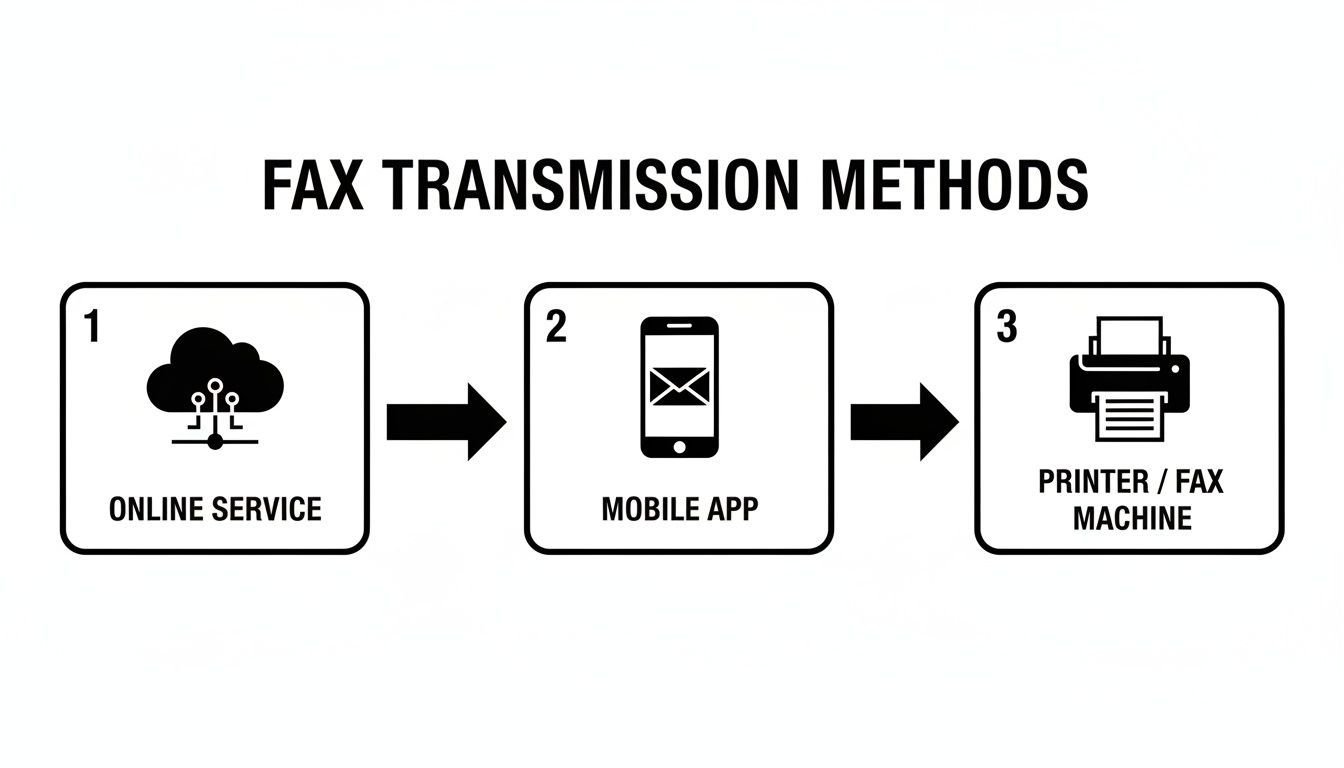
So, you're ready to ditch the old-school phone line but still need to send a fax. Good move. You've got a few solid options, and the best one for you really boils down to how you work. Are you sending a one-off contract from a coffee shop, or are you a small medical office handling sensitive patient files all day? Let's walk through the main ways to get it done.
Your Three Main Choices
Your decision will likely hinge on a mix of convenience, cost, and how often you're actually sending faxes.
The most popular route these days is an online fax service, like the one we offer at SendItFax. Think of it as email for faxes. You log into a website from any computer or tablet, upload your document, type in the fax number, and hit send. It's perfect for anyone who needs a reliable, documented trail for important paperwork, from freelancers to entire businesses.
Next up, you have dedicated mobile faxing apps. These are brilliant for people who are always on the move. Your smartphone's camera becomes your scanner, and you can send a signed form or a receipt for an expense report right from the palm of your hand. If you're a real estate agent getting a signature at a property or a contractor sending an invoice from a job site, this is your jam.
Finally, don't forget about your printer. Many modern multi-function printers (MFPs) come with internet faxing built right in. If you already have one of these in your office, you might be able to connect it to your Wi-Fi and send faxes directly from the machine—no phone cord in sight. This works well for offices that still like having a central, physical machine but are tired of paying for an analog line.
How to Make the Call
Let's be real—a freelance designer sending one contract a month has totally different needs than a law firm sending dozens of time-sensitive documents every day. Each method has its trade-offs.
Here’s a quick gut check to help you figure out what fits:
- How much are you willing to spend? Mobile apps and some online services have pay-as-you-go plans, which are great if you only send a fax once in a blue moon. If you’re faxing regularly, a monthly subscription is almost always cheaper in the long run.
- Where do you work? If you're constantly out and about, a mobile app is a no-brainer. If you're mostly at a desk, an online service offers the most flexibility. An MFP only makes sense if you're tied to a physical office.
- How sensitive are your documents? This is a big one. For anything confidential, like medical records or legal files, a professional online fax service is the way to go. They're built with security features like encryption and can offer HIPAA compliance, which you won't get from a simple mobile app.
The "best" way to fax isn't about the flashiest tech. It's about finding the tool that slots so seamlessly into your workflow that you forget it's even there.
This isn't just a niche trend; it's a huge industry shift. The global online fax market hit an impressive $2.55 billion in 2024 and is still climbing. Why? Because businesses are realizing they can get the security and reliability of faxing without the cost and hassle of an old-fashioned phone line. This is especially true in the U.S. and Canada, where industries like healthcare and legal still count on that verifiable proof of transmission. You can read more about the booming online fax market if you're curious about the numbers.
Feeling a bit stuck? Don't worry, we've been there. For a much more detailed breakdown of specific providers, check out our guide on how different online fax services compare to see which features and pricing plans will work best for you.
Sending Your First Online Fax with SendItFax
Jumping from knowing about online faxing to actually sending one can feel like a big step, but it’s surprisingly simple. We're not dealing with paper jams, busy signals, or that nagging feeling of "did it actually go through?" Sending a fax online with a service like SendItFax feels more like sending an email, just with the added security and legal standing of a traditional fax.
Let's walk through a common scenario. Imagine you're a freelance graphic designer who just wrapped up a project. The client’s accounting department needs a signed W-9 form, and, of course, they only accept faxes. You don't have a landline, much less an old-school fax machine. This is a perfect real-world example of where an online service shines.
Getting Your Document Ready
First things first, you need your document in a digital format. Most services, including SendItFax, play well with common file types like PDF, DOC, and DOCX. If your W-9 is a physical, signed paper, no problem. Just use a scanning app on your smartphone to create a clean, crisp PDF.
Right away, you can see a major benefit of sending a fax without a phone line: your original document remains perfect. You don't have to worry about smudges, low toner, or a blurry copy coming out of a poorly maintained machine on the other end. Your digital file is sent with perfect clarity every time.
How to Send Your Fax: A Quick Walkthrough
Once your file is ready, the rest is a breeze—it usually takes just a minute or two. You'll head over to the SendItFax website, where the interface is built to be intuitive, even if it's your first time.
Here's the simple breakdown of what to do:
- Attach Your File: Just like an email, you’ll click to upload the W-9 PDF from your computer or a cloud drive.
- Enter the Destination: Type in the recipient’s fax number. For our designer, this is the accounting department’s number. I always recommend adding the recipient's name or department here, too—it just helps things get to the right person faster.
- Add Your Details: Put in your name and email address. This part is critical, as it’s how you’ll get your delivery confirmation.
- Write a Cover Page Note: This is your chance to add some context. A simple, professional note like, "W-9 form for [Your Name] as requested. Please confirm receipt," does the trick.
After you've filled that out, you just hit send. The service handles all the technical heavy lifting, converting your file into a signal that a traditional fax machine can understand and dialing out over the phone network.
The best part? That confirmation email. It’s your digital receipt, giving you a timestamped record that your fax was successfully delivered—a level of certainty you just don’t get from a faded, curled-up printout from an old machine.
Choosing the Right Plan for the Job
For a one-off document like that W-9, the free option at SendItFax is perfect. It covers you for up to three pages (plus the cover sheet) and you can send up to five free faxes per day. It's ideal for those occasional, non-urgent needs.
But what if the situation is different? Let's say you're a real estate agent who needs to send a 15-page signed contract. This is where the $1.99 Almost Free plan makes a lot more sense. It boosts your page limit to 25, gives your fax priority delivery, and removes the SendItFax branding from the cover page for a more professional touch. For a time-sensitive document like a contract, that small one-time fee is well worth the peace of mind.
If you want to explore more advanced features and scenarios, our complete guide on how to send a fax online is a great next step. It’s packed with more tips to help you get the most out of the service.
Is It Safe and Legal to Fax Without a Phone Line?
So, you're ready to fax without a dedicated phone line, but a few questions are probably nagging you. Is it expensive? How secure is it, really? And can I use it for official documents? These are all valid concerns, and the answers are exactly why so many people have made the switch to online faxing.
Let's unpack the real-world implications of cost, security, and legal compliance.
The True Cost of Old vs. New
On the surface, a traditional fax machine seems like a one-time purchase, but the hidden costs bleed your budget dry over time. It's a classic case of death by a thousand cuts.
Think about what it takes to keep an old-school fax machine running:
- A Dedicated Phone Line: You're stuck paying a monthly fee, typically between $25 and $50, just to keep the line active.
- Constant Supplies: You’re always buying paper, ink, and toner. For any business sending more than a few faxes a month, this adds up fast.
- Inevitable Repairs: Fax machines have moving parts that break down. That means surprise repair bills and productivity-killing downtime.
- Wasted Time: The hours your team spends printing documents, walking to the machine, waiting for a connection, and then filing the paper is a huge operational cost that rarely makes it onto a spreadsheet.
Online faxing flips this script completely. The pricing is transparent and predictable. With a service like SendItFax, you can either send a few pages for free or pay a small, one-time fee for a bigger job. No contracts, no monthly bills, no surprises. Budgeting becomes incredibly simple.
How Secure Is Your Data in Transit?
This is where the digital approach isn't just better—it's in a different league entirely. Picture this: a sensitive document sitting in the output tray of a shared office fax machine. Anyone can walk by and pick it up. Or worse, you accidentally misdial by one digit and send confidential information to a total stranger, with absolutely no way to get it back.
Online fax services were engineered to solve these exact problems.
Your document is converted into an encrypted digital file the moment you hit "send." This encryption scrambles the data, making it completely unreadable to anyone who might try to intercept it. It’s a level of security that analog technology just can't match.
Another huge win is the automatic audit trail. You get a timestamped confirmation email for every single delivery. No more squinting at a faded confirmation slip and hoping it doesn’t get lost. You have a clear, verifiable record that your document arrived safely. If you want to get into the weeds on this, you can learn a lot more about the modern security of fax technology.
Meeting Legal and Compliance Standards
For many professionals, a document’s legal standing is everything. This is especially true in fields like healthcare, law, and finance, where regulations like the Health Insurance Portability and Accountability Act (HIPAA) set strict rules for handling private information.
There's a common myth that only traditional faxes are legally binding, but that’s outdated thinking. Faxes sent through a secure online platform—one that uses strong encryption and provides a verifiable delivery receipt—are widely accepted as legally compliant.
These services are built from the ground up to meet the tough standards of regulated industries. For a doctor's office, this means they can send patient records with confidence, knowing they are fully adhering to HIPAA’s privacy and security rules. That digital confirmation email serves as the official proof of transmission, giving you the paper trail you need, without any of the actual paper.
Solving Common Online Faxing Problems
Even the most reliable tech has its off days. When you fax without a phone line, the good news is that most hiccups are minor and have a simple fix. Knowing what to look for means you won't get stuck, and you can make sure your important documents always arrive safely.
The most common moment of panic is that dreaded "failed transmission" notification. Don't worry—this almost never means your document vanished into the digital ether. Nine times out of ten, the problem is on the other end. The recipient's fax machine could be turned off, out of paper, or just busy on another line.
My first move is always to just give it a few minutes and try again. If it fails a second time, my next step is to carefully double-check the fax number I typed in. It’s amazing how often a single wrong digit is the culprit.
Improving Your Fax Quality
Ever had someone on the other end say your fax came through blurry or was completely unreadable? I can almost guarantee the issue wasn't the fax service—it was the quality of the original file you sent. A low-resolution scan or a photo of a document taken in a dim room will look ten times worse after being squeezed through a fax transmission.
To get a crisp, professional-looking result every single time, I stick to a few simple rules:
- Start with a High-Quality Source: If you’re scanning a paper document, make sure to set your scanner’s resolution to at least 300 DPI (dots per inch).
- Use Clear Fonts: Stick with standard, business-friendly fonts like Arial or Times New Roman. Fancy script fonts or super-thin typefaces just don't translate well.
- Create a Clean PDF: The best method is to convert your document directly to a PDF from whatever program you created it in (like Microsoft Word or Google Docs). This is always sharper than scanning a printed version.
Here's a pro tip I've picked up over the years: before you hit send, zoom in on your document. If it looks even slightly pixelated or fuzzy on your high-res computer screen, it's going to be a mess when it prints out on a fax machine.
What Happens if You Enter the Wrong Number
We've all been there—that sinking feeling when you realize you sent something to the wrong number. If that document contained sensitive information, the concern is real. Unlike an old-school fax machine that just sends and hopes for the best, online services provide a clear digital trail. You’ll get a delivery confirmation or a failure notice for the exact number you entered.
If you catch the mistake, there's unfortunately no "unsend" button for a fax. Once it's gone, it's gone. This is exactly why the single most important habit to develop is meticulously double-checking the recipient’s number before you click "send." Taking an extra five seconds for that final check can save you from a massive headache down the line.
Your Top Online Faxing Questions, Answered
If you're new to sending faxes without a phone line, you probably have a few questions. That's completely normal. Let's walk through some of the most common concerns I hear so you can fax with total confidence. The answers are usually simpler than you'd expect.
Is an Online Fax Legally Binding?
This is a big one, and for good reason—especially when you're sending contracts, legal documents, or official forms. The short answer is yes. For most purposes, a fax sent through a reputable online service is considered just as legally valid as one sent from a classic fax machine.
What really matters is the proof of transmission. When you use an online service, it generates a digital confirmation receipt with a precise timestamp and delivery status. Honestly, this digital trail is often more reliable and easier to file than those flimsy paper slips that always seem to get lost. It holds up for most legal and official needs.
How Will I Know My Fax Went Through?
Remember the old days of standing by the fax machine, listening to all the screeching and beeping, just hoping your document made it? Online faxing gets rid of all that anxiety.
The moment your transmission is finished, you’ll get an email notification. This isn't just a simple "sent" message; it's a detailed confirmation that acts as your proof of delivery. It includes the date, time, and final status, giving you a clean, permanent record for your files. You never have to guess again.
The digital confirmation email is your official, timestamped proof of delivery. It provides a level of certainty and a clean audit trail that traditional faxing simply can't match.
Can I Receive Faxes Without a Phone Line, Too?
You definitely can, but it's important to know the difference between sending and receiving services. Some platforms, like SendItFax, are built specifically for sending faxes out. They’re fantastic for those one-off situations when you just need to get a document over to someone quickly.
If you need to both send and receive faxes regularly, you'll want a service that provides a dedicated virtual fax number. This number works through your email, not a physical phone line. When someone faxes that number, the service digitizes the document into a PDF and sends it right to your inbox. It’s a complete, two-way fax solution that lives entirely online.
Ready to send your first fax without a phone line? SendItFax makes it fast and free. Upload your document and send it in minutes at https://senditfax.com.